 MC-1047
The /say command no longer shows text in its original purple text color.
In previous versions of vanilla Minecraft servers, it is known that any pink-colored text is the operator's message. Any other player's text would be all white, thus making the operator's messages more distinctive and appealing to other players online.
However, as of the latest 1.4.2 version, there is no distinctive text color that represents the operator's message. Instead of having the text in its usual pinkish hue, it is now white.
Other than /say command, the /me command also lost its distinctive pink color. Even though there are different message tags in the front of each message sent, it would be nicer and more appealing if the texts were colored.
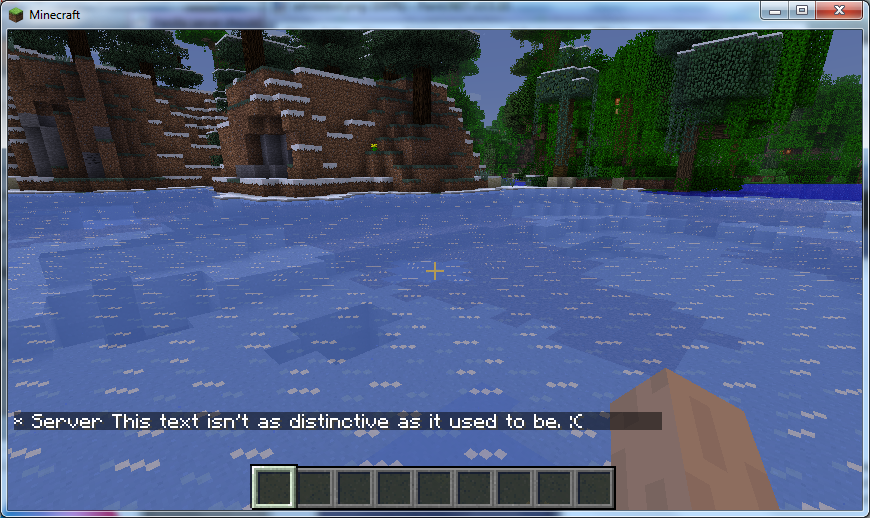
The "whitetext.png" image depicts how a typical /say command in the server console shows up in Minecraft. The "metext.png" image depicts how a typical /me command in the server console shows up in Minecraft.
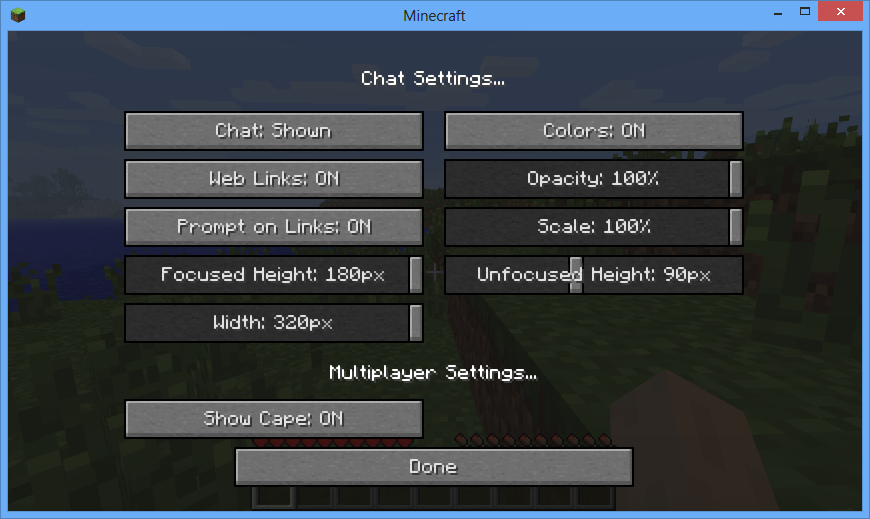
Update 1: I have attached a third image, labeled as "text.png", which shows the multiplayer settings I use when the server messages are sent to the client. As you can see, the server message is still white beneath the dark overlay.
Environment
Windows 7 x64, Java 7 64-bit


Created Issue:
The /say command no longer shows text in its original purple text color.
In previous versions of vanilla Minecraft servers, it is known that any pink-colored text is the operator's message. Any other player's text would be all white, thus making the operator's messages more distinctive and appealing to other players online.
However, as of the latest 1.4.2 version, there is no distinctive text color that represents the operator's message. Instead of having the text in its usual pinkish hue, it is now white.
Other than /say command, the /me command also lost its distinctive pink color. Even though there are different message tags in the front of each message sent, it would be nicer and more appealing if the texts were colored.
The first attached picture depicts how a typical /say command in the server console shows up in Minecraft. The second attached picture depicts how a typical /me command in the server console shows up in Minecraft.
Environment
Windows 7 x64, Java 7 64-bit
Attachments2
In previous versions of vanilla Minecraft servers, it is known that any pink-colored text is the operator's message. Any other player's text would be all white, thus making the operator's messages more distinctive and appealing to other players online.
However, as of the latest 1.4.2 version, there is no distinctive text color that represents the operator's message. Instead of having the text in its usual pinkish hue, it is now white.
Other than /say command, the /me command also lost its distinctive pink color. Even though there are different message tags in the front of each message sent, it would be nicer and more appealing if the texts were colored.
The
first attached picture depicts how a typical /say command in the server console shows up in Minecraft. Thesecond attached picture depicts how a typical /me command in the server console shows up in Minecraft.In previous versions of vanilla Minecraft servers, it is known that any pink-colored text is the operator's message. Any other player's text would be all white, thus making the operator's messages more distinctive and appealing to other players online.
However, as of the latest 1.4.2 version, there is no distinctive text color that represents the operator's message. Instead of having the text in its usual pinkish hue, it is now white.
Other than /say command, the /me command also lost its distinctive pink color. Even though there are different message tags in the front of each message sent, it would be nicer and more appealing if the texts were colored.
The "whitetext.png" image depicts how a typical /say command in the server console shows up in Minecraft. The "metext.png" image depicts how a typical /me command in the server console shows up in Minecraft.
In previous versions of vanilla Minecraft servers, it is known that any pink-colored text is the operator's message. Any other player's text would be all white, thus making the operator's messages more distinctive and appealing to other players online.
However, as of the latest 1.4.2 version, there is no distinctive text color that represents the operator's message. Instead of having the text in its usual pinkish hue, it is now white.
Other than /say command, the /me command also lost its distinctive pink color. Even though there are different message tags in the front of each message sent, it would be nicer and more appealing if the texts were colored.
The "whitetext.png" image depicts how a typical /say command in the server console shows up in Minecraft. The "metext.png" image depicts how a typical /me command in the server console shows up in Minecraft.
Update 1: I have attached a third image, labeled as "text.png", which shows the multiplayer settings I use when the server messages are sent to the client. As you can see, the server message is still white beneath the dark overlay.


![[Mojang] Nathan Adams](../../../data/assets/gravatar/dinnerbone.png) [Mojang] Nathan Adams
[Mojang] Nathan Adams
![[Mod] Ezekiel (ezfe)](../../../data/assets/gravatar/ezekielelin.jpeg)
So in options there is a multiplayer settings button now. One of the options is to turn off color chat. Can you check to make sure that is not set?
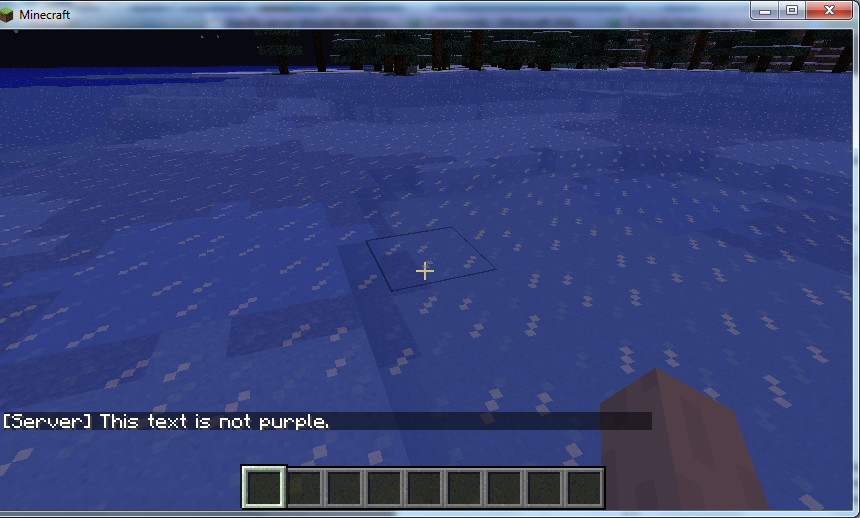
This happens.
http://i.imgur.com/iLOLh.png
That is a link to Imgur. The text is still not purple.
Update 1:
This is my multiplayer settings. It is set to display any sorts of text color. Apparently, the server text is still not purple. (It's a bit hard to tell due to the dark overlay, but the color is still white.)
Confirmed. Chat colour button has no function.
Still bugged in 12w50b
Reopening
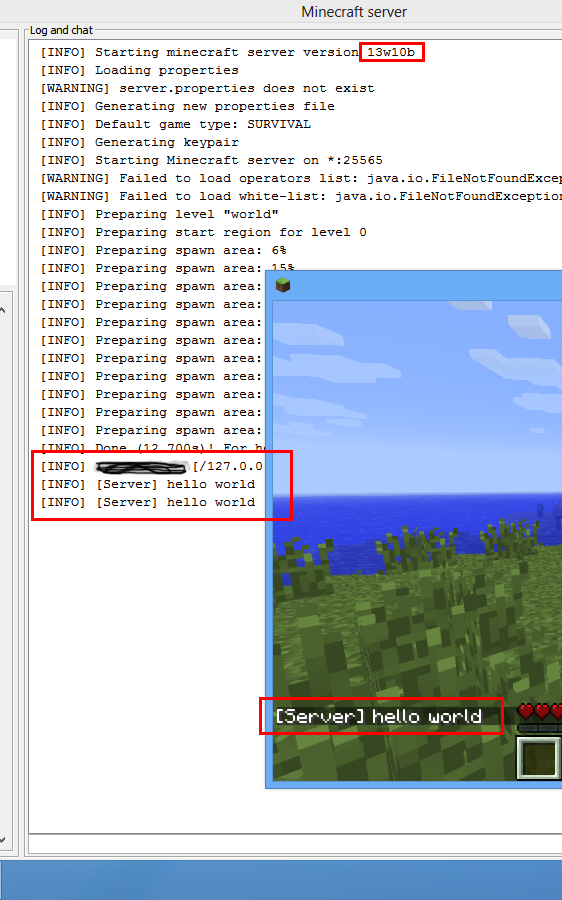
As of March 6, 2013, on snapshot 13w10b, the server text is still not purple.
Snapshot 13w10b Chat Options: Color has already been set, still no signs of purple text.
The Minecraft 1.5 Pre-release still hasn't had this bug fixed yet.
Minecraft 1.5 official release still has /say messages not showing in purple text colors.
This issue dates months back :O is this really that hard to fix ?
Going to close this off as working as intended, we'll give you a fancy way to colour text soon maybe!