 MC-115505
Advancement background does not find texture from resources.zip embedded in world folder
The bug
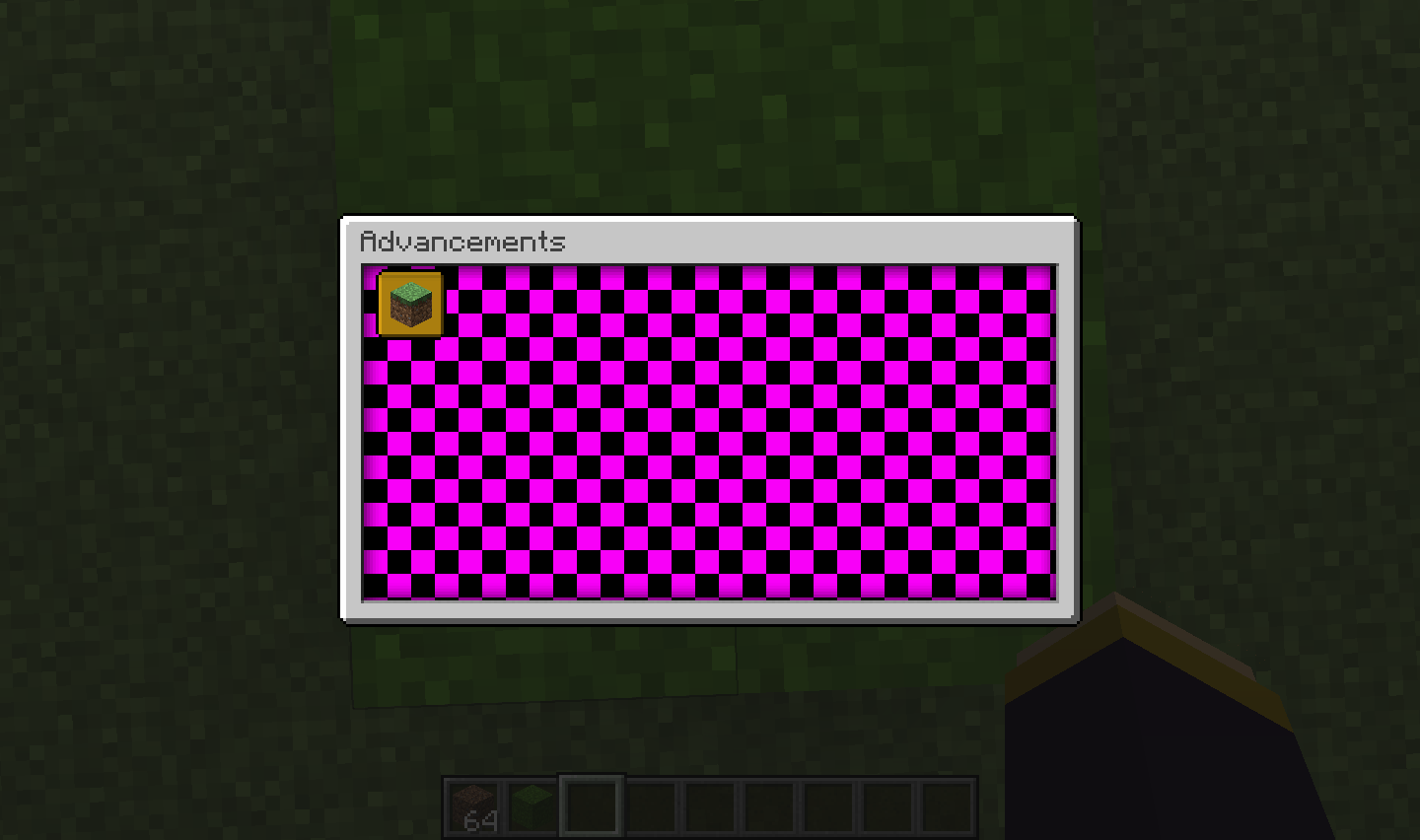
The advancement background is not using textures provided by the resources.zip (world) resource pack in the world folder.
How to reproduce
- Create a new world
- Place the root.json
 file in the world data/advancements/custom
 - Place the resources.zip file in the world folder
- Reopen the world
→ You will see that the advancement uses the modified bedrock texture but is unable to load the background text
Notes
- You can load the resource pack as external one to make sure that advancement backgrounds are working and the used files are correct.
- It looks like it is working correctly the first time you open the world directly after starting the game, but upon reopening the world it is not working anymore.


Created Issue:
Advancement Background does not find texture from resources.zip embedded in world folder.
1: Create a new world
2: In world data/advancements/custom folder add the advancement: "root.json" (copy paste from mc)
3: change the background from "minecraft:textures/guid/advancements/background/stone.png" -> "minecraft:textures/grass.png"
4: create a resourcepack with "minecraft:textures/grass.png" as a resource
5: upon loading this resourcepack through the resourcepack FOLDER, this seems to work fine and it displays the background.
6: upon loading this resourcepack through the RESOURCES.ZIP, the background is the 'texture not found' texture.
7: Tested that the resources.zip works fine, as I tried changing an existing texture (e.g. cobblestone) which worked.In short: The Advancement resource finder code, does not look/find the resource in resources.zip
With resources.zip correctly set up:
JSON file: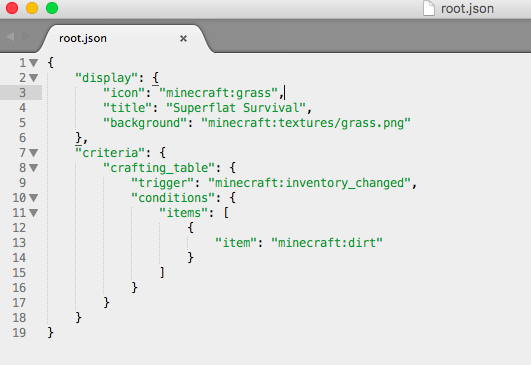
Texture used: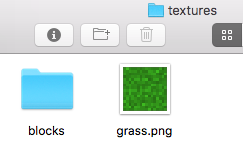
Environment
MacOS
Attachments3
1: Create a new world
2: In world data/advancements/custom folder add the advancement: "root.json" (copy paste from mc)
3: change the background from "minecraft:textures/guid/advancements/background/stone.png" -> "minecraft:textures/grass.png"
4: create a resourcepack with "minecraft:textures/grass.png" as a resource
5: upon loading this resourcepack through the resourcepack FOLDER, this seems to work fine and it displays the background.
6: upon loading this resourcepack through the RESOURCES.ZIP, the background is the 'texture not found' texture.
7: Tested that the resources.zip works fine, as I tried changing an existing texture (e.g. cobblestone) which worked.In short: The Advancement resource finder code, does not look/find the resource in resources.zip
With resources.zip correctly set up:
JSON file:
Texture used:1: Create a new world
2: In world data/advancements/custom folder add the advancement: "root.json" (copy paste from mc)
3: change the background from "minecraft:textures/guid/advancements/background/stone.png" -> "minecraft:textures/grass.png"
4: create a resourcepack with "minecraft:textures/grass.png" as a resource
5: upon loading this resourcepack through the resourcepack FOLDER, this seems to work fine and it displays the background.
6: upon loading this resourcepack through the RESOURCES.ZIP, the background is the 'texture not found' texture.
7: Tested that the resources.zip works fine, as I tried changing an existing texture (e.g. cobblestone) which worked.In short: The Advancement resource finder code, does not look/find the resource in resources.zip
With resources.zip correctly set up:
JSON file:
Texture used:
MacOS
AdvancementBackground does not find texture from resources.zip embedded in world folder.Advancement background does not find texture from resources.zip embedded in world folder
1: Create a new world
2: In world data/advancements/custom folder add the advancement: "root.json" (copy paste from mc)
3: change the background from "minecraft:textures/guid/advancements/background/stone.png" -> "minecraft:textures/grass.png"4: create aresourcepackwith "minecraft:textures/grass.png" as a resource
5: upon loading this resourcepack through the resourcepack FOLDER, this seems to work fine and it displays the background.
6: upon loading this resourcepack through the RESOURCES.ZIP, the background is the 'texture not found' texture.
7: Tested that the resources.zip works fine, as I tried changing an existing texture (e.g. cobblestone) which worked.In short: The Advancement resource finder code, does not look/find the resource in resources.zip
With resources.zip correctly set up:
JSON file:
Texture used:
The bug
The advancement background is not using textures provided by the resources.zip (world) resource pack in the world folder.
How to reproduce
- Create a new world
- Place the root.json
- Place the resources.zip
- Reopen the world
→ You will see that the advancement uses the modified bedrock texture but is unable to load the background textNotes
- You can load the resource pack as external one to make sure that advancement backgrounds are working and the used files are correct.
- It looks like it is working correctly the first time you open the world directly after starting the game, but upon reopening the world it is not working anymore.
The bug
The advancement background is not using textures provided by the resources.zip (world) resource pack in the world folder.
How to reproduce
- Create a new world
- Place the root.json
- Place the resources.zip
- Reopen the world
→ You will see that the advancement uses the modified bedrock texture but is unable to load the background textNotes
- You can load the resource pack as external one to make sure that advancement backgrounds are working and the used files are correct.
- It looks like it is working correctly the first time you open the world directly after starting the game, but upon reopening the world it is not working anymore.
![[Mojang] Nathan Adams](../../../data/assets/gravatar/dinnerbone.png) [Mojang] Nathan Adams
[Mojang] Nathan Adams
Looks like this does not happen when you load the world with the resource pack for the first time, but reopening causes this bug.
Can confirm that this bug is back in 1.16.1 and occurs exactly as OP has stated.
Dracconis69, please file a new ticket.