 AgentM
- m124367
- m124367
- Europe/Amsterdam
- Yes
- No
 MC-12614
![[Mojang] Nathan Adams](../../../data/assets/gravatar/dinnerbone.png)
![[Mojang] Grum (Erik Broes)](../../../data/assets/gravatar/grum.png)
![[Mojang] Bartosz Bok](../../../data/avatars/users/10122.svg)
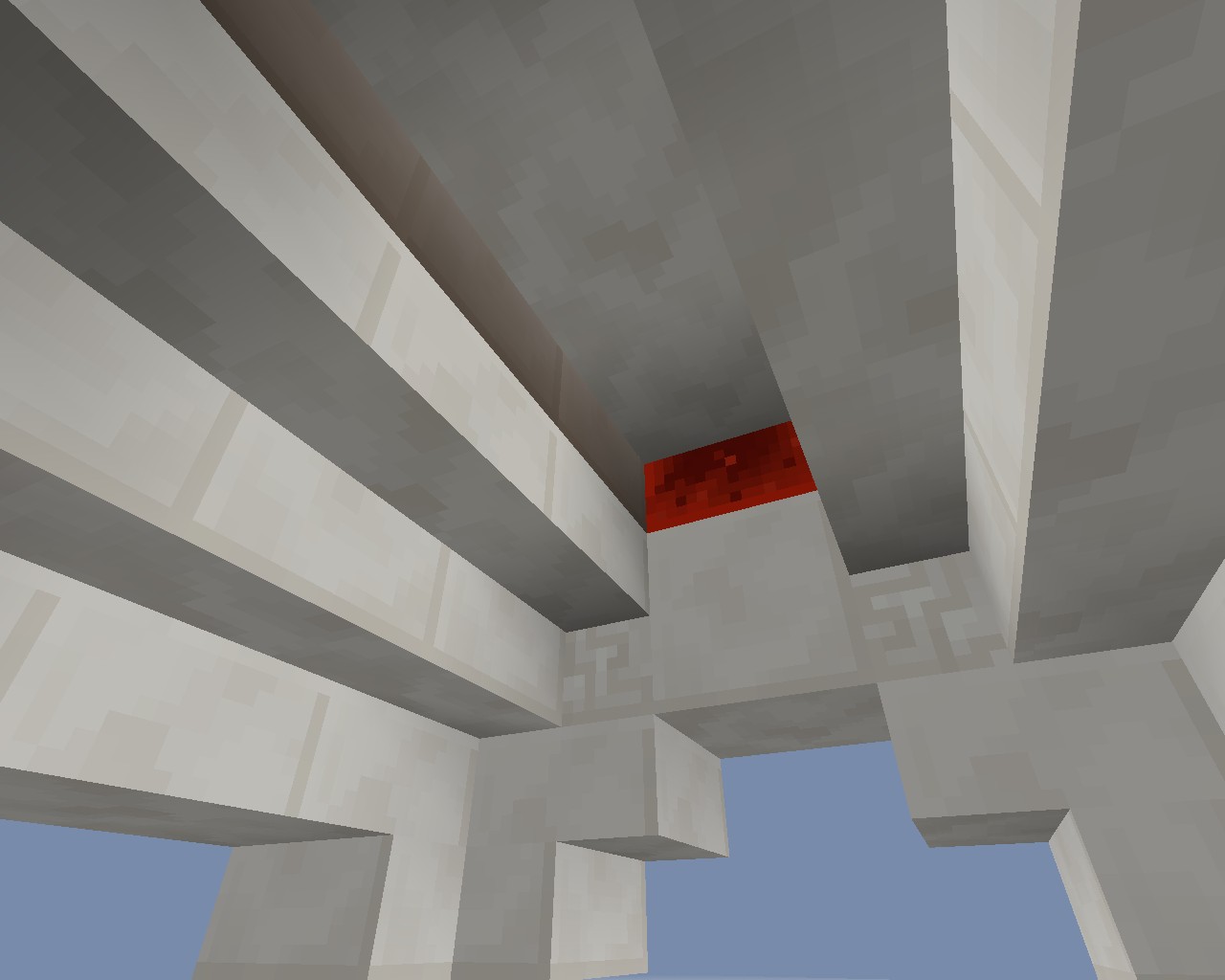

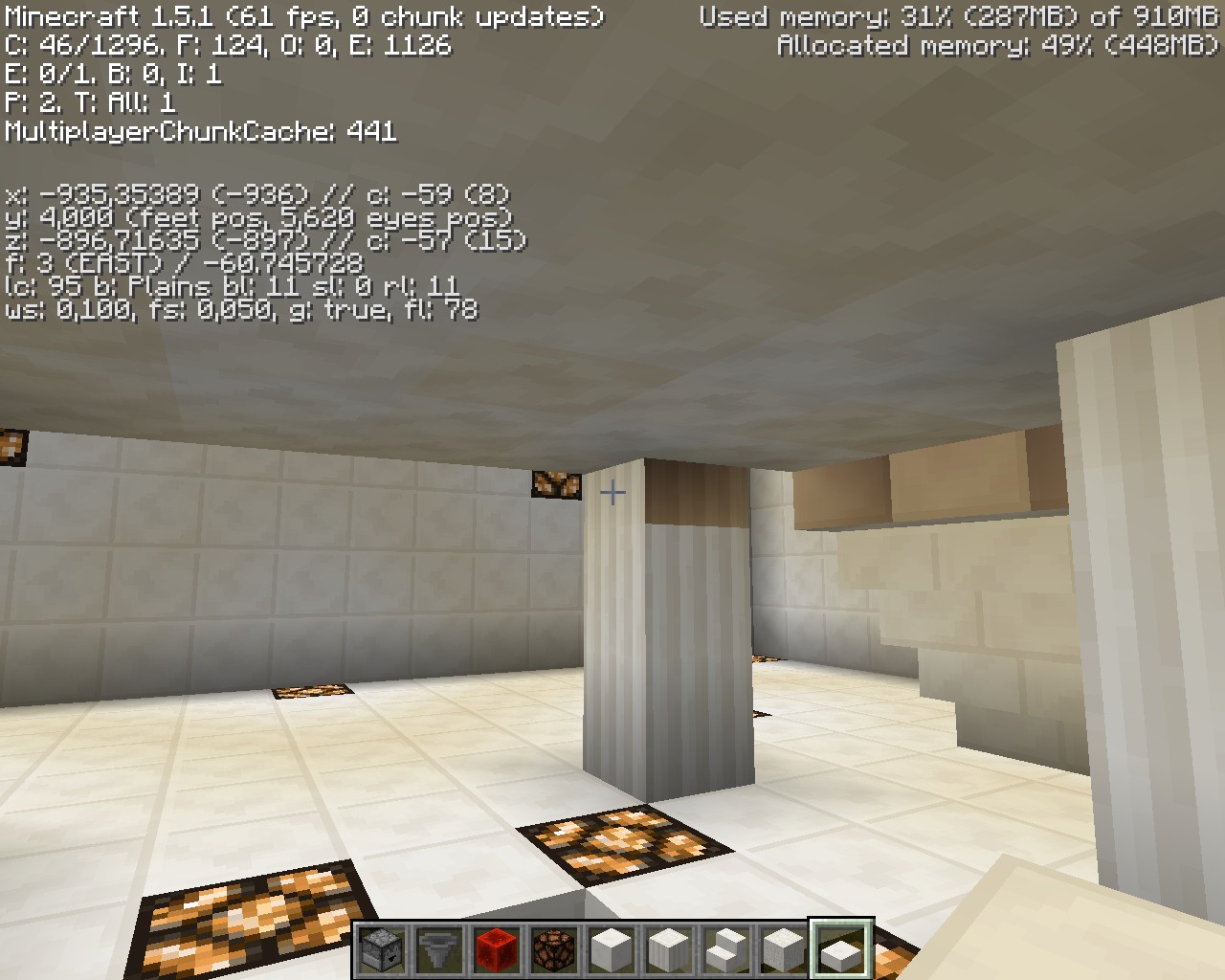





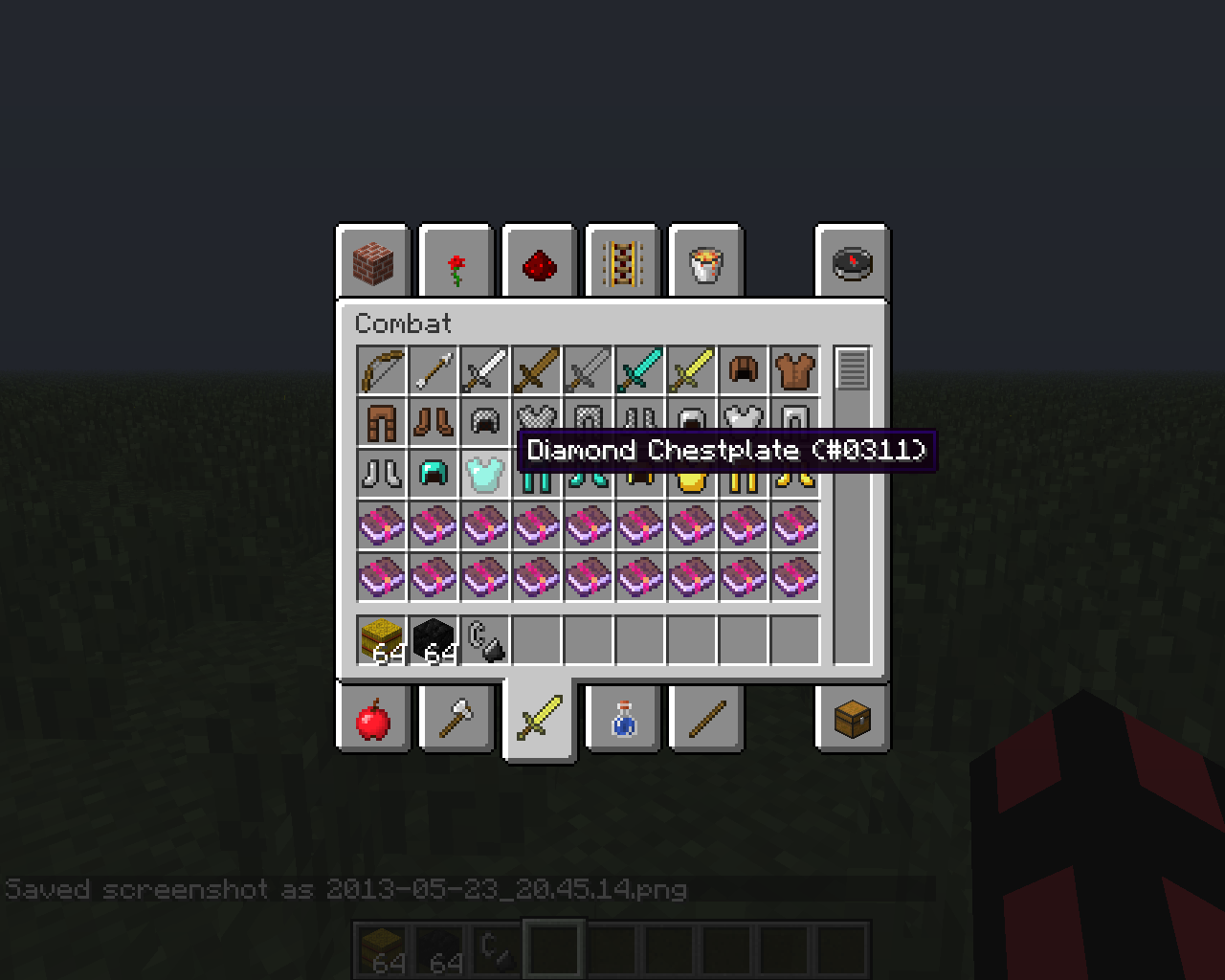

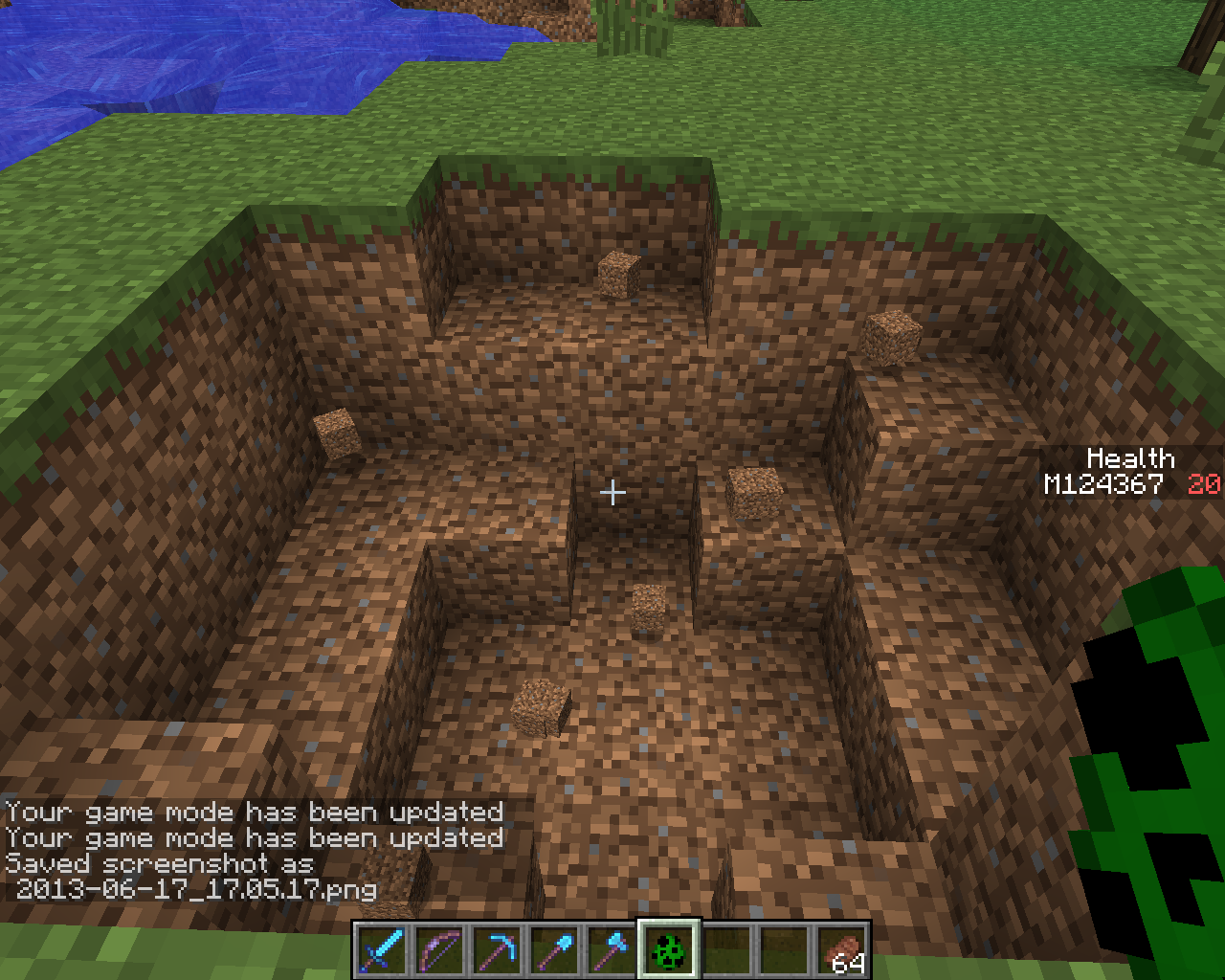
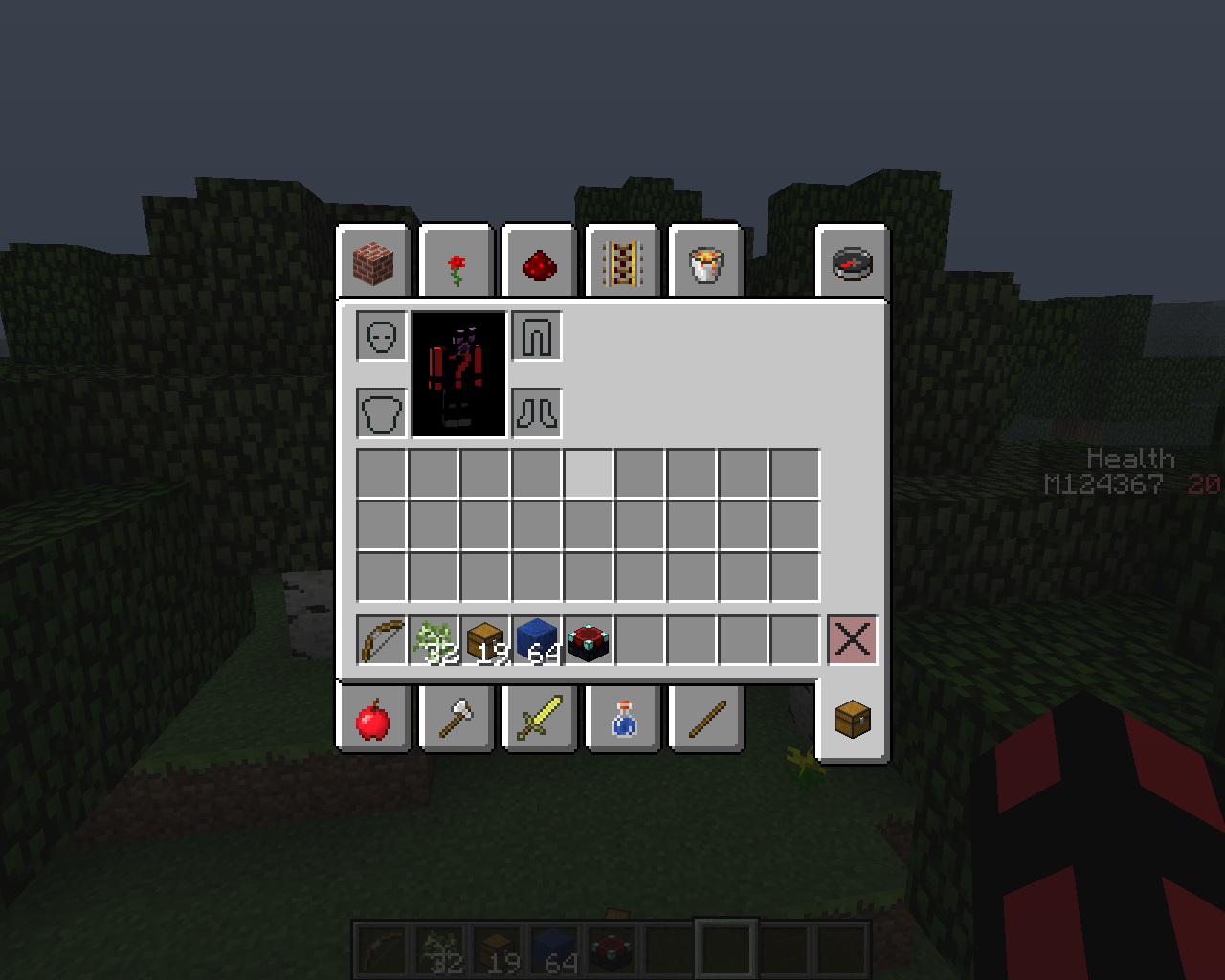

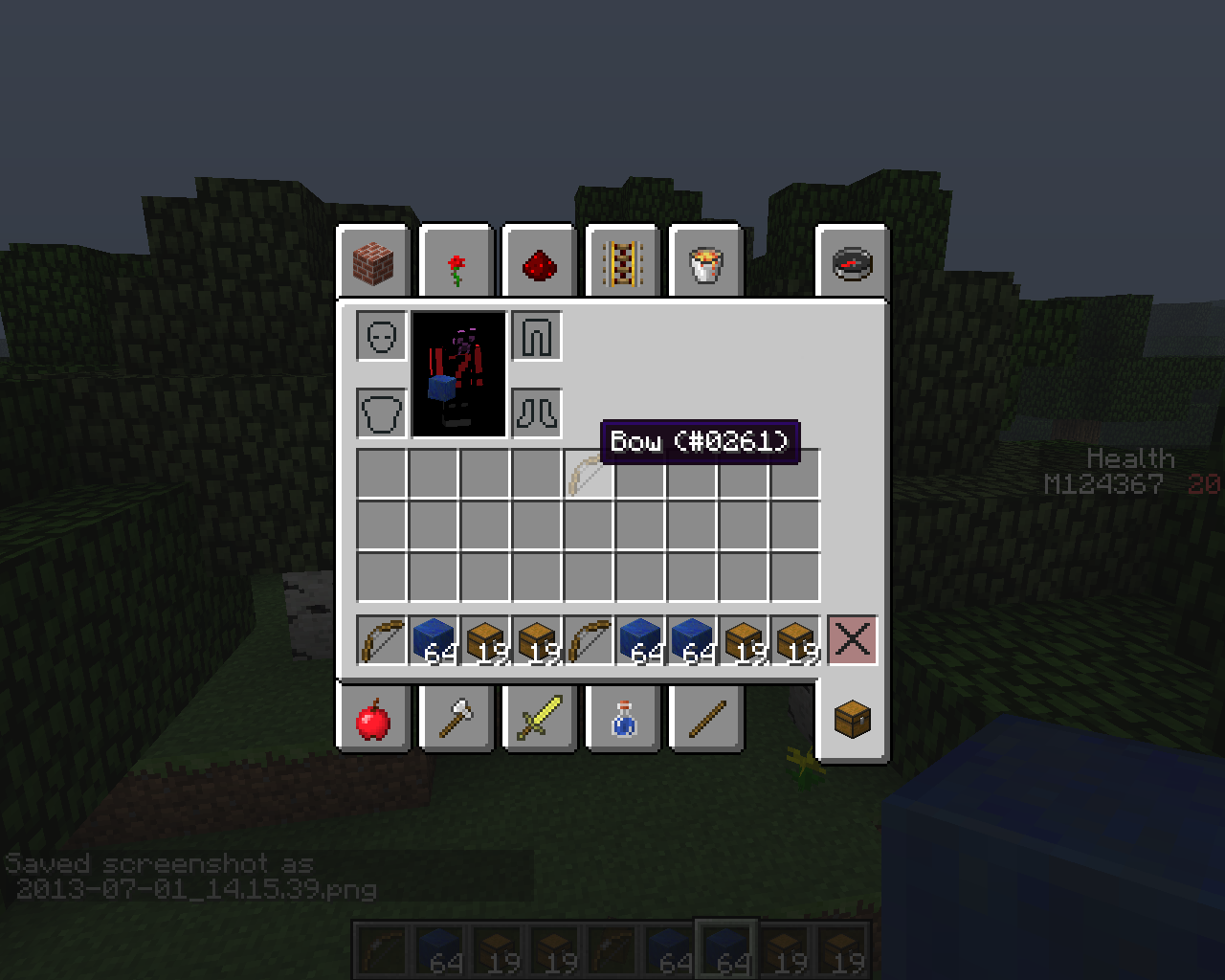



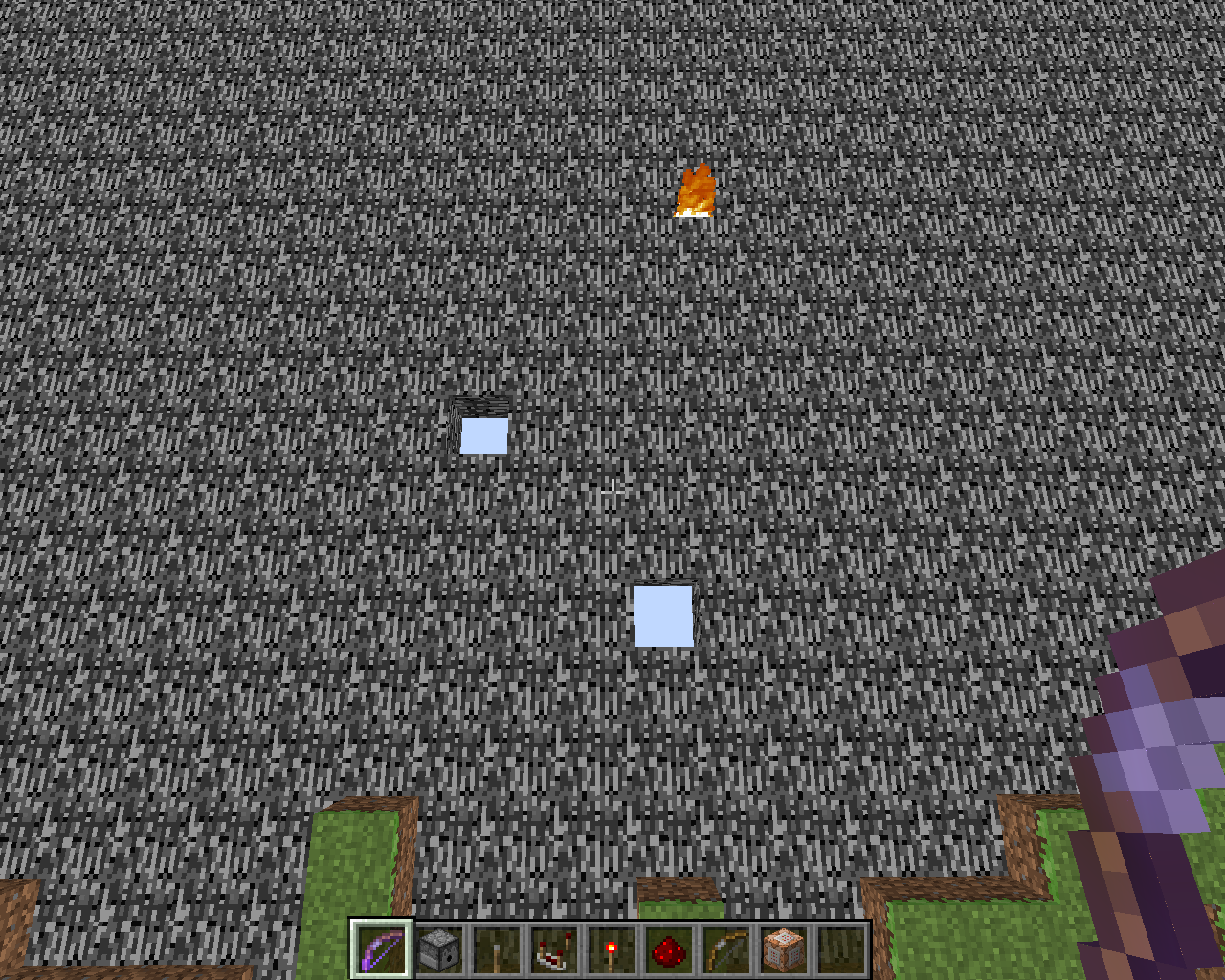







The problem is black spots on stairs and slab
blocks.I made a world:
Superflat -> customize:
1 layer bedrock
1 layer redstone block
1 layer stone
75 layers smooth quartz blocksThe Bug occurs on any height in the map on any coordinate and with any
quartz blocks.I used redstone lamps as lighting but also with torches it will occur.
The smooth lighting is set to Maximum but also with minimum or off it will give black spots.
I hope the problem will be solved once and for all.
The problem is black spots on stairs and slabs.
I made a world:
Superflat -> customize:
1 layer bedrock
1 layer redstone block
1 layer stone
75 layers smooth quartz blocksThe Bug occurs on any height in the map on any coordinate and with any stairs and slabs.
I used redstone lamps as lighting but also with torches it will occur.
The smooth lighting is set to Maximum but also with minimum or off it will give black spots.
I hope the problem will be solved once and for all.
Black spots on the quartz stairs block at the top next to the redstone block with a slab on top
2013-03-22_19.39.11.png
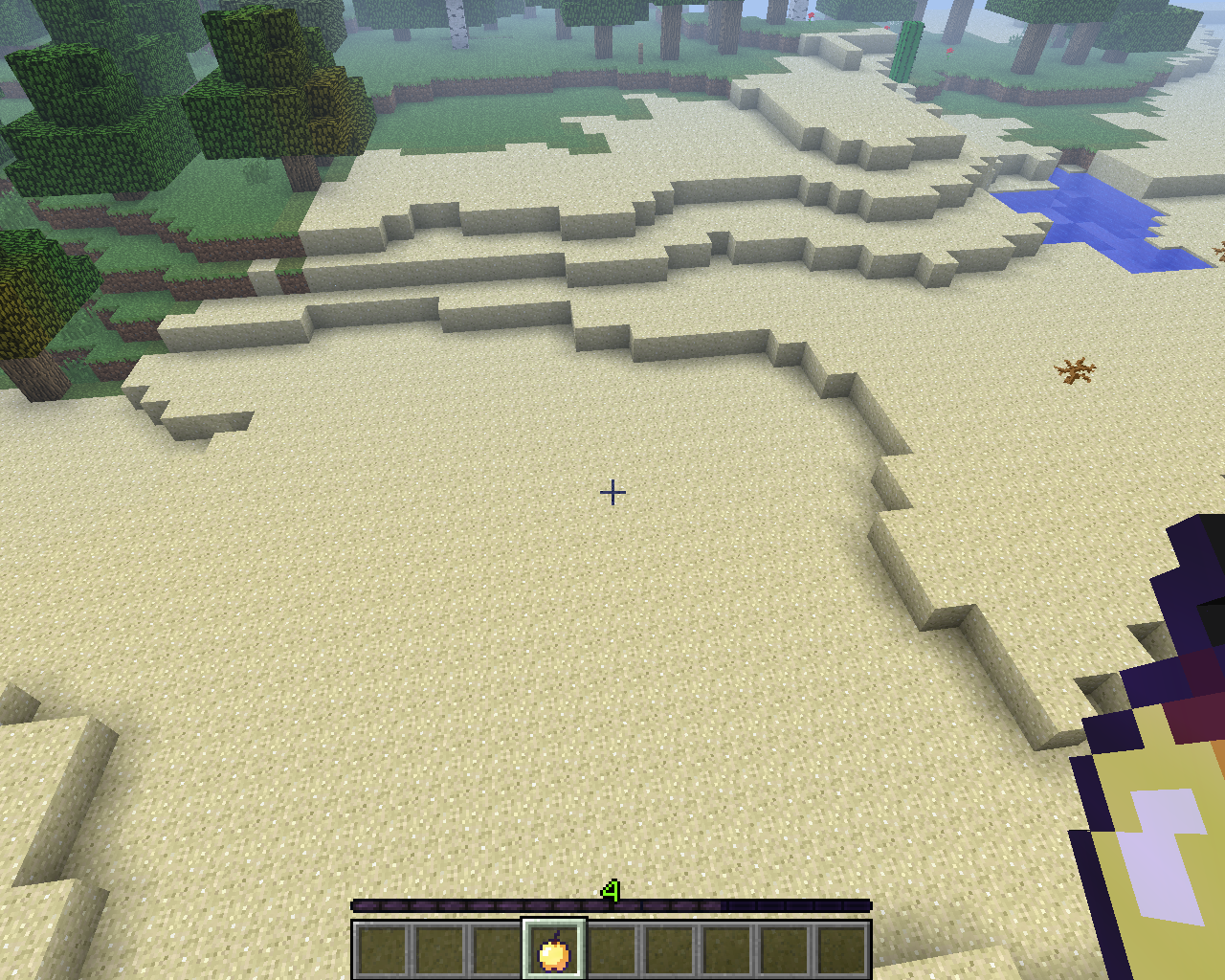
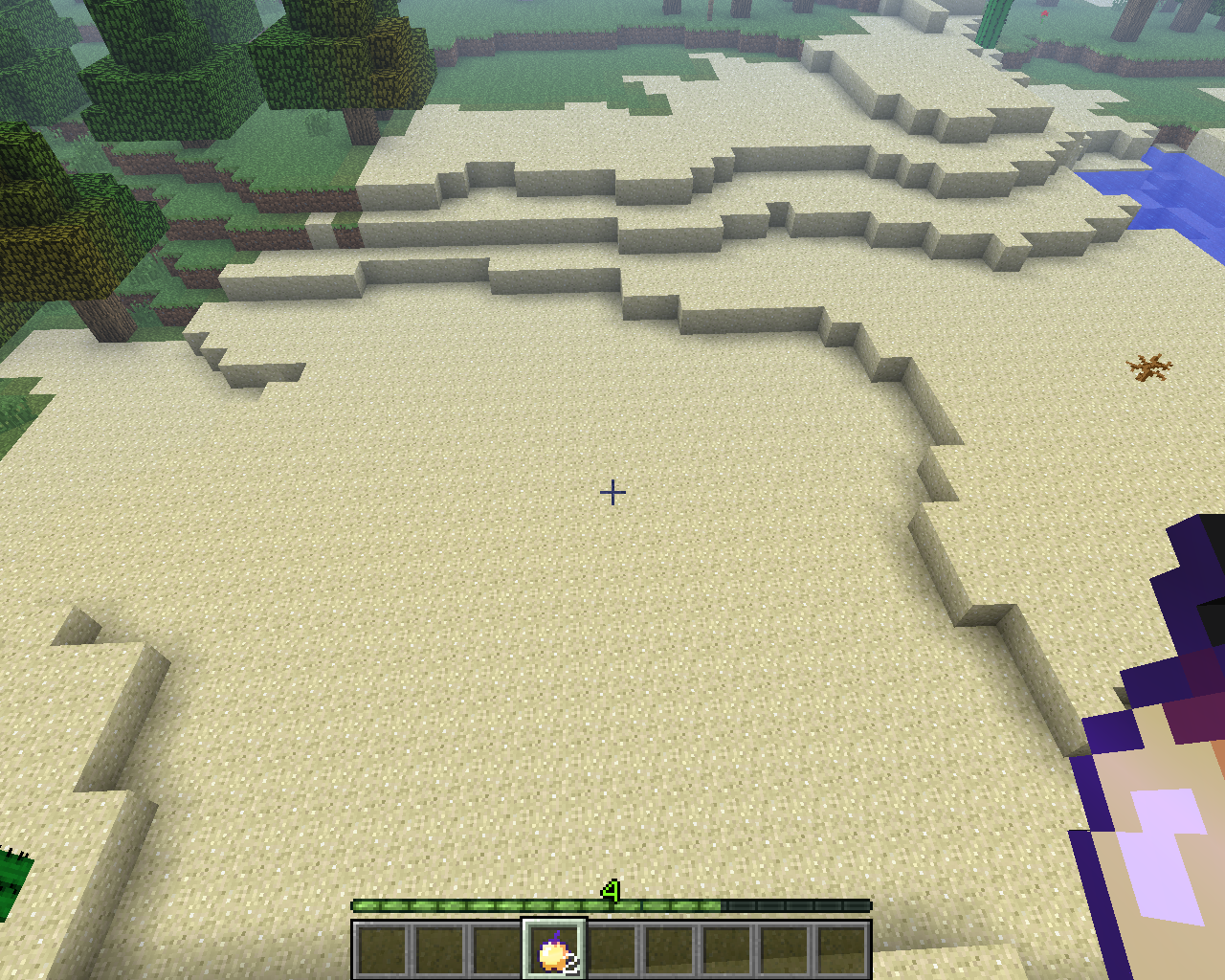
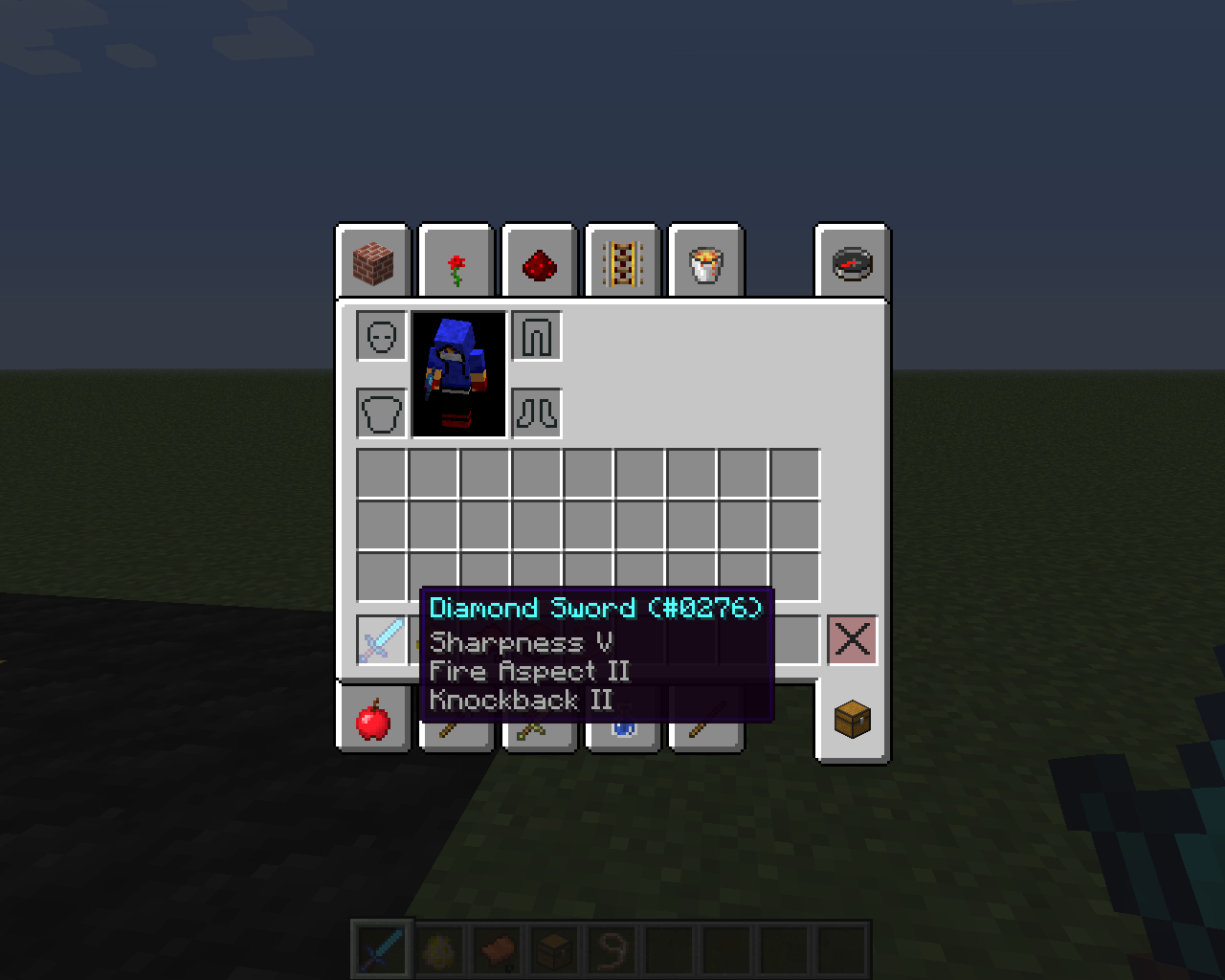
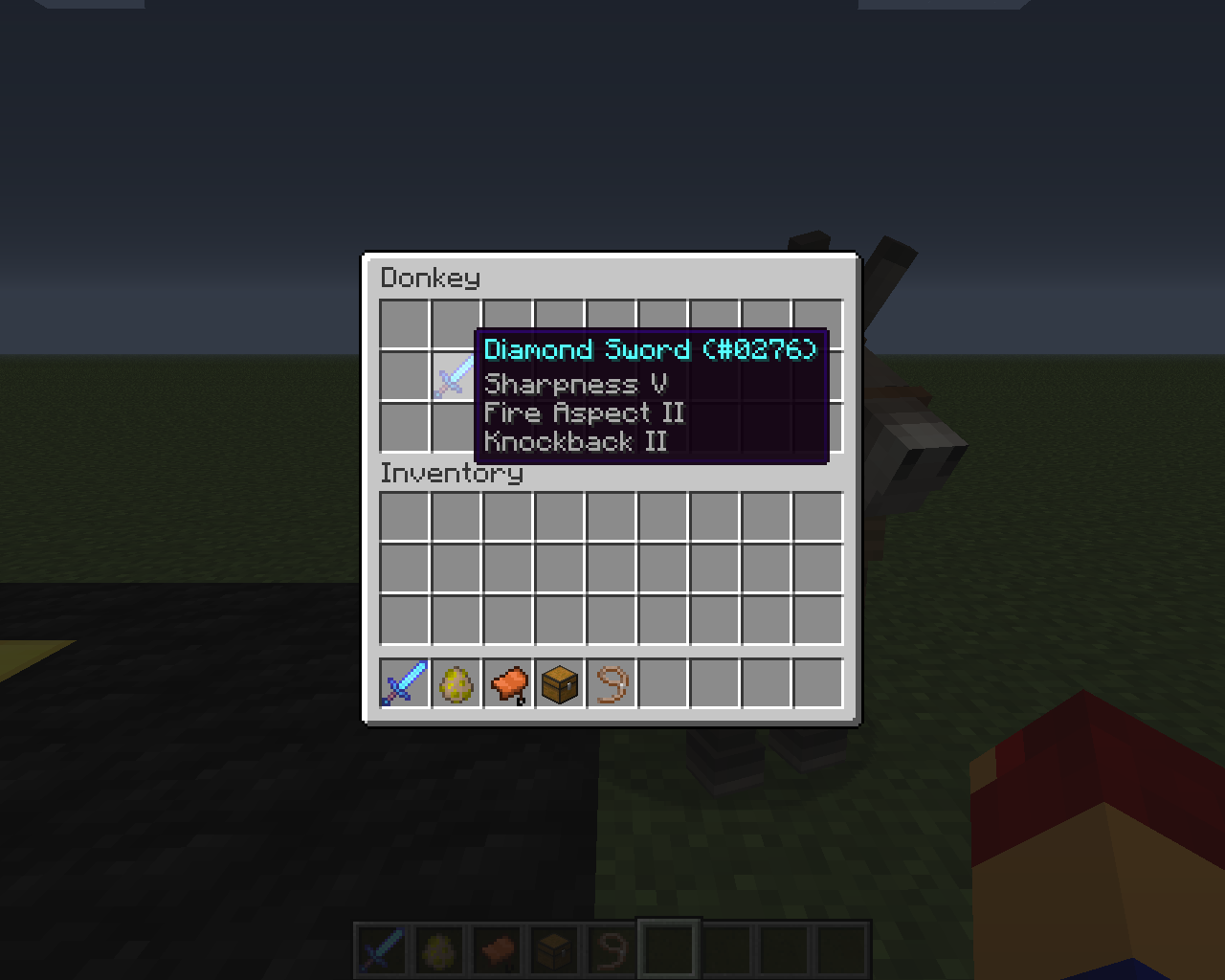
Enchanted Items stored in a Donkey / Mule lose enchantments on its death
Tooltip forWeakness potiondoesn't show up. (bug? or not implemented?)Tooltip for food doesn't show up. (bug? or not implemented?)
Tooltip for
Weakness potiondoesn't show up.
It has to show something like:-2.3 attack damage or -1 attack damage
is this a bug or is this not implemented yet?Tooltip for food doesn't show up.
It has to show something like: +3 food or +2 lives
is this a bug or is this not implemented yet?
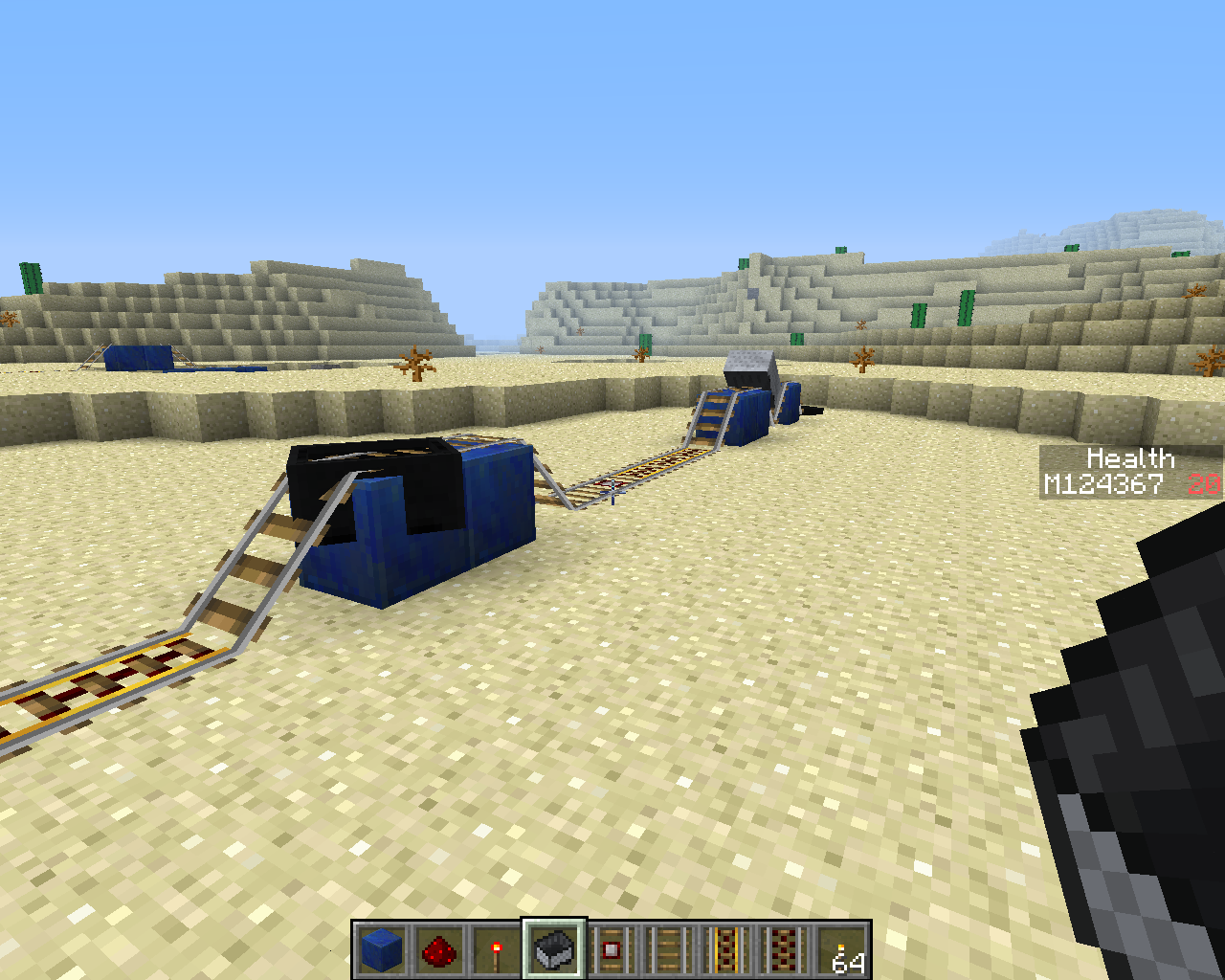
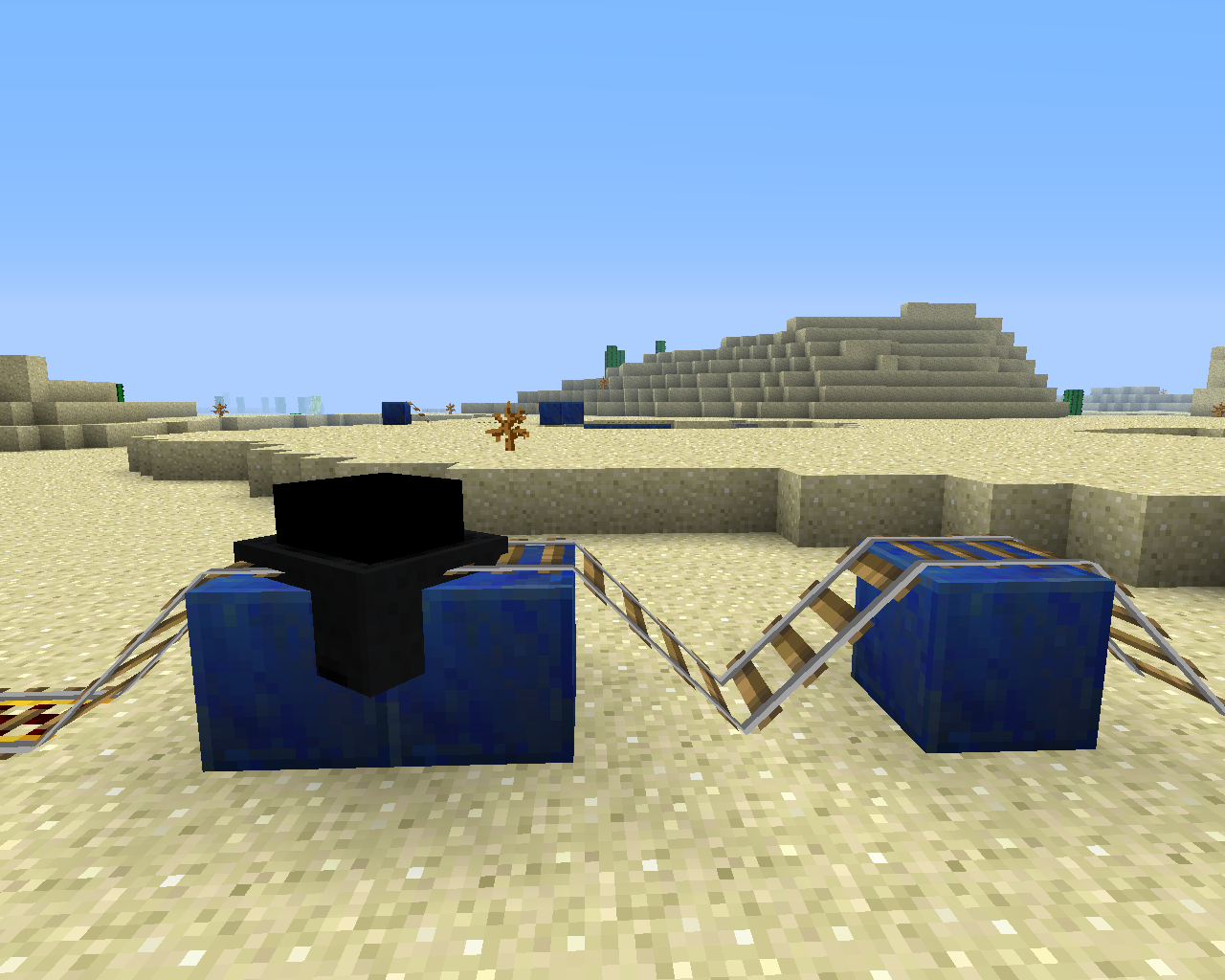
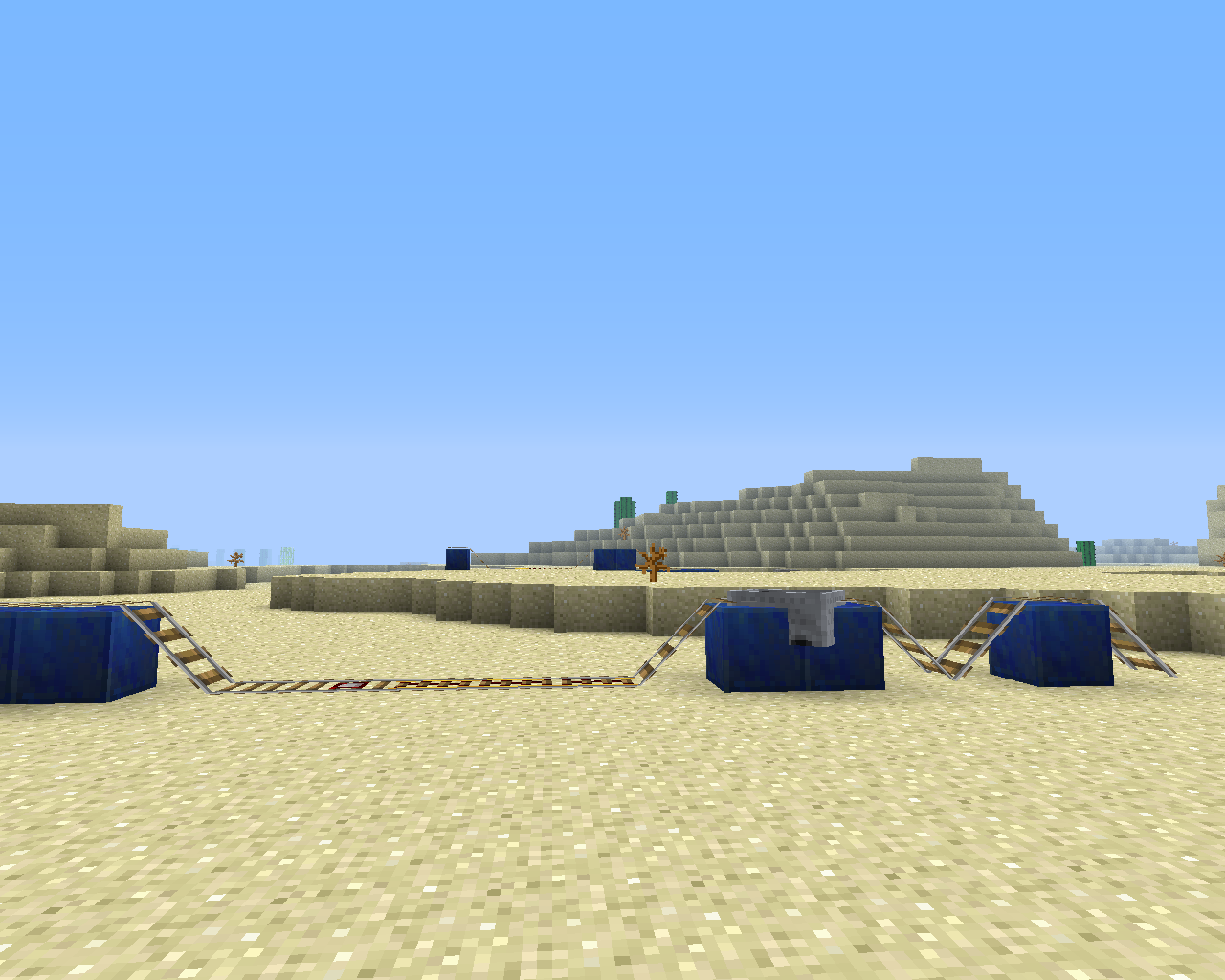
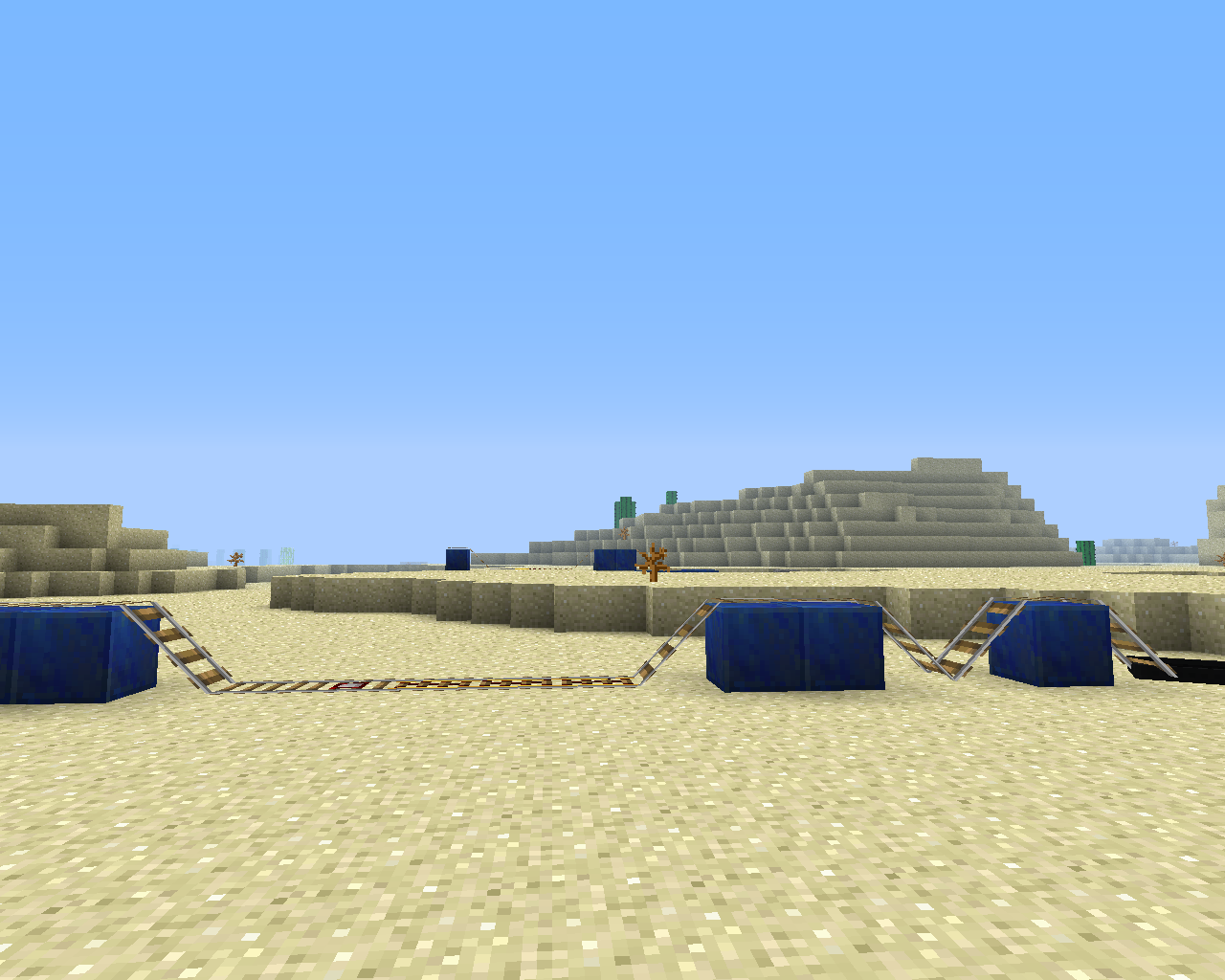
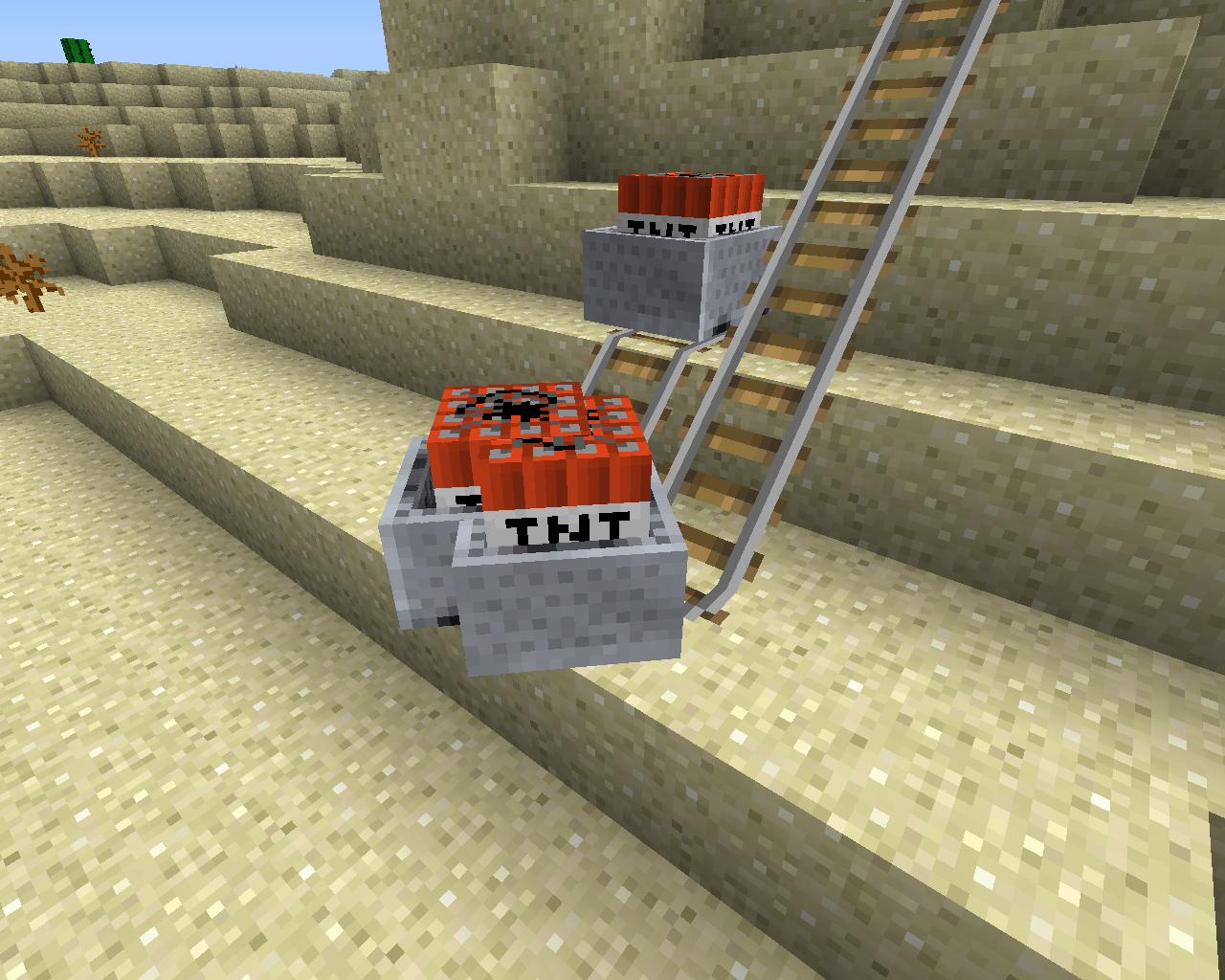
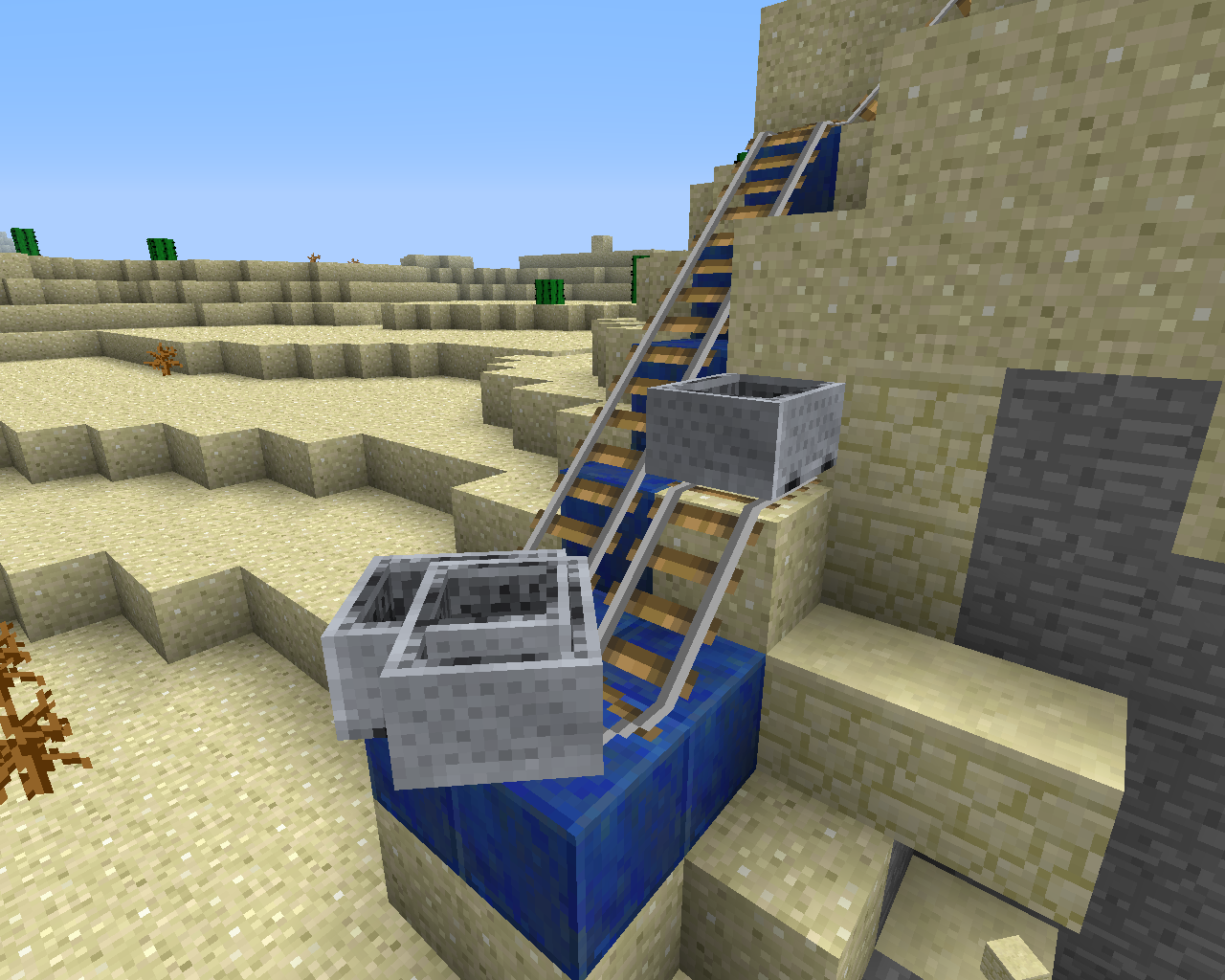
sound and minecart glitch
with a slope and a turn it will doWorld link in attachments
steps to reproduce:
1: download world or make something like (pic. 1)
2: put a several minecarts (about 7) down at the end of the rail at the bottom
3: put one minecart at the first bit of slope at the top
4: enjoy the terrible minecart sound and the glitching minecarts...(
for thetext documentI have 2 other bug reports)sound and minecart glitch
with a slope and a turn it will doWorld link in attachments
steps to reproduce:
1: download world or make something like (pic. 1)
2: put a several minecarts (about 7) down at the end of the rail at the bottom
3: put one minecart at the first bit of slope at the top
4: enjoy the terrible minecart sound and the glitching minecarts...(text document is only a duplicate no need to read that)
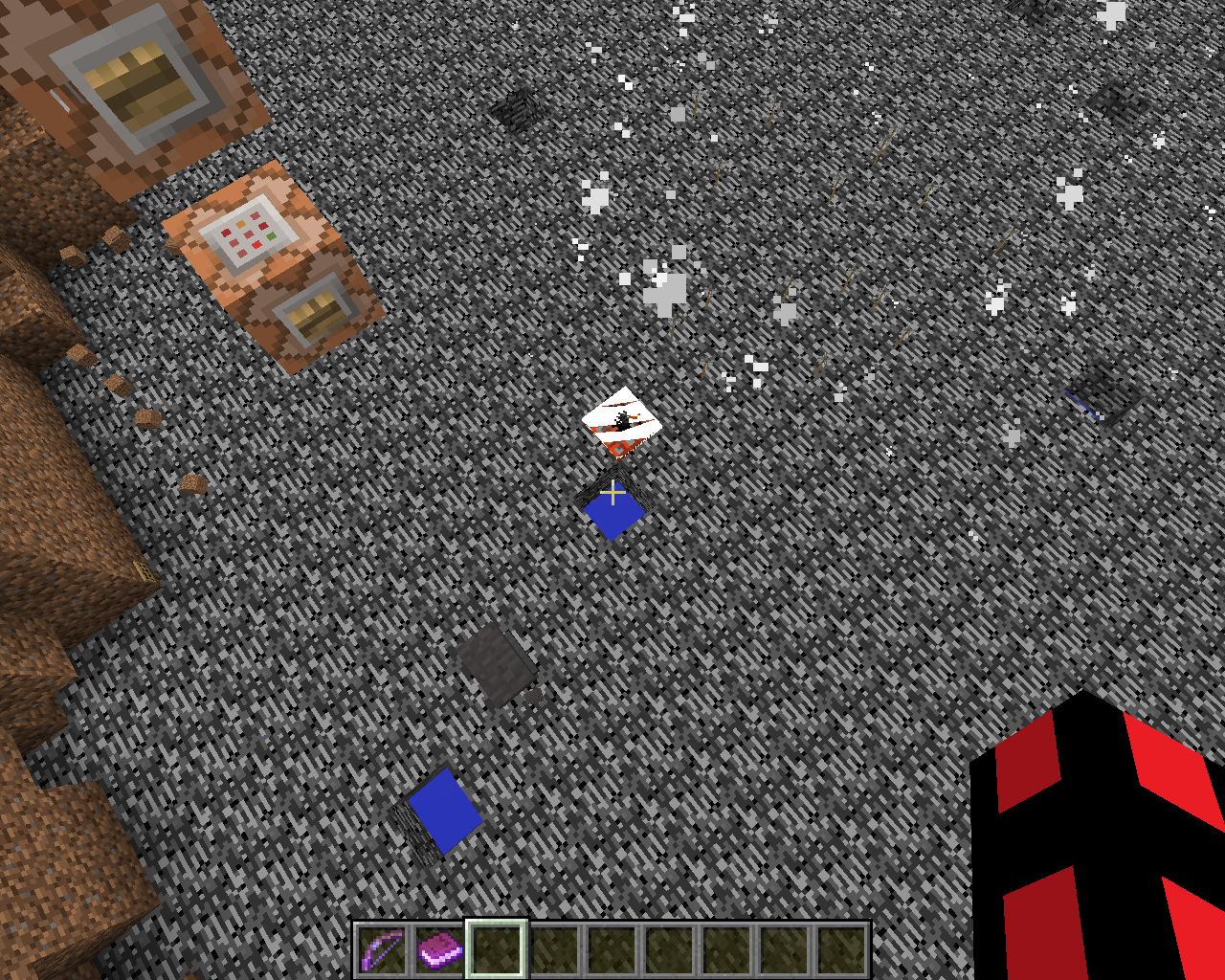
set down a commandblock with: /setblock ~5 ~ ~ minecraft:tnt
and a button on that commandblock.the tnt should spawn above bedrock (about 5 blocks)
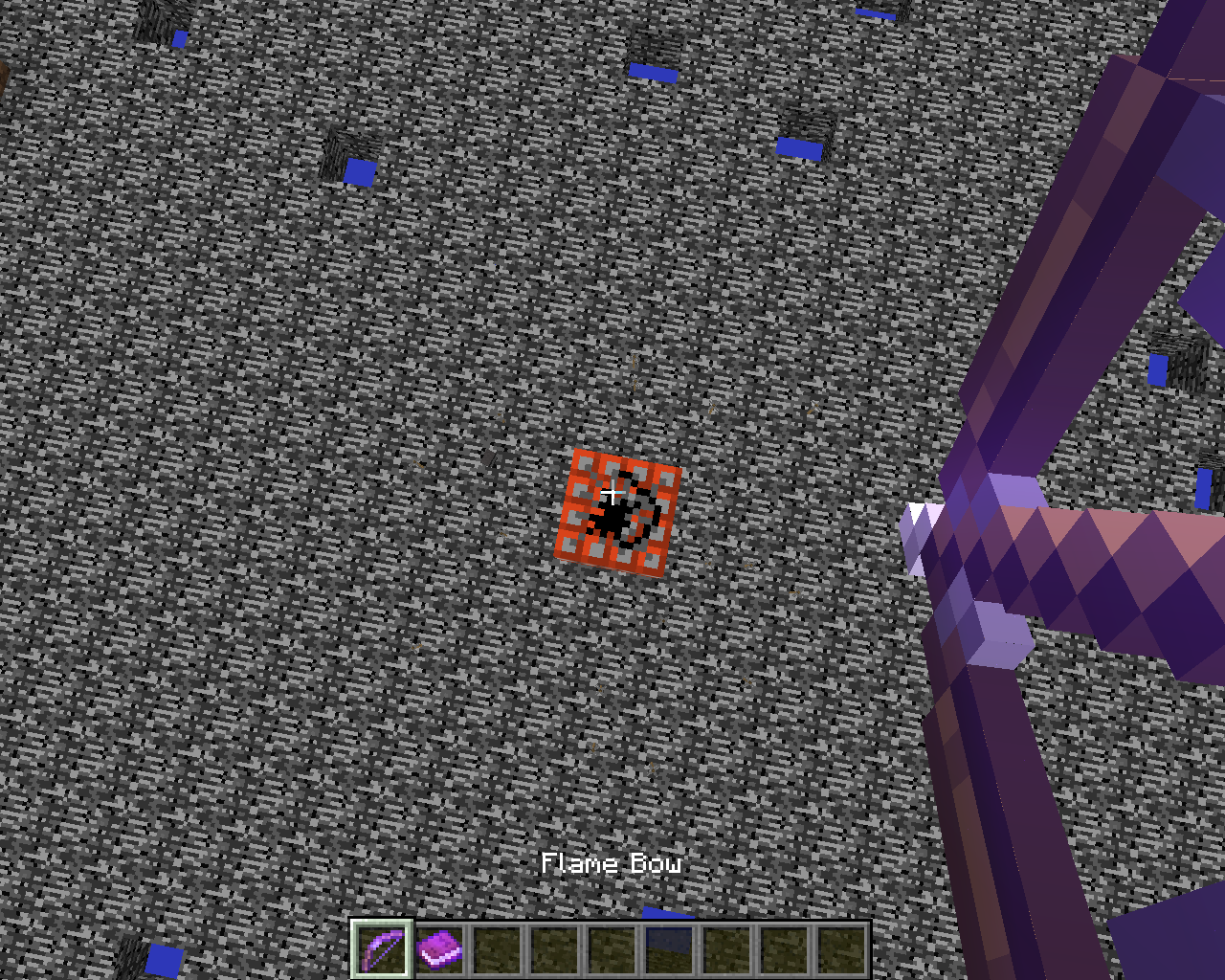
after spawning in the tnt get a flame_I bow and shoot the tnt from the top.
AFTER the tnt blows up and the arrow is still in the air push the button again to spawn a new tnt... this will cause the tnt to get Glitched into the bedrock! or any other blockwhere the arrow landsDownloadlink for the World with the Bug pre-set is in attachments.
keep up the good work!
set down a commandblock with: /setblock ~5 ~ ~ minecraft:tnt
and a button on that commandblock.the tnt should spawn above bedrock (about 5 blocks)
after spawning in the tnt get a flame_I bow and shoot the tnt from the top.
AFTER the tnt blows up and the arrow is still in the air push the button again to spawn a new tnt... this will cause the tnt to get Glitched into the bedrock! or any other block AT THE SPOT WHERE THE FLAMING ARROW LANDS!Downloadlink for the World with the Bug pre-set is in attachments.
keep up the good work!

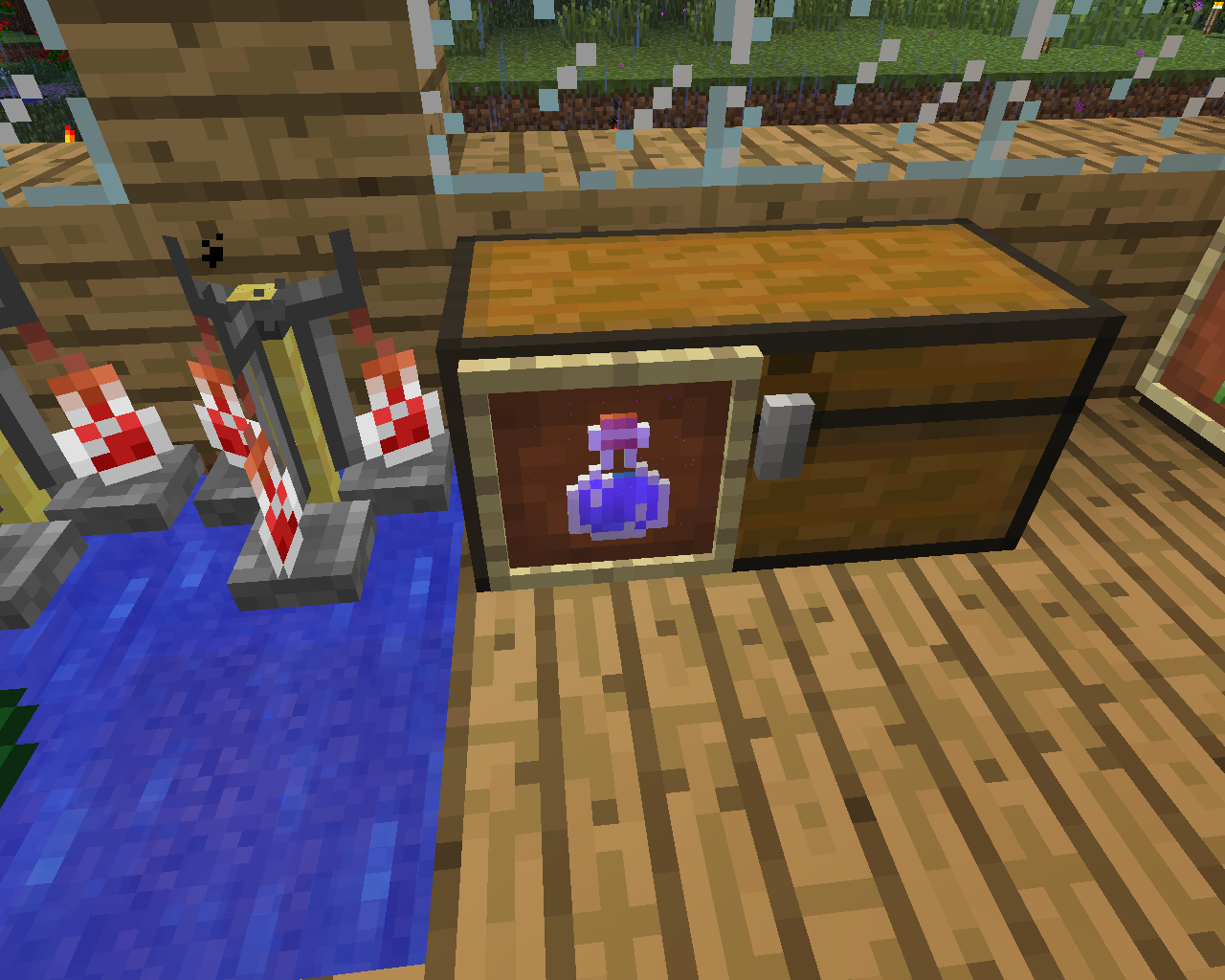
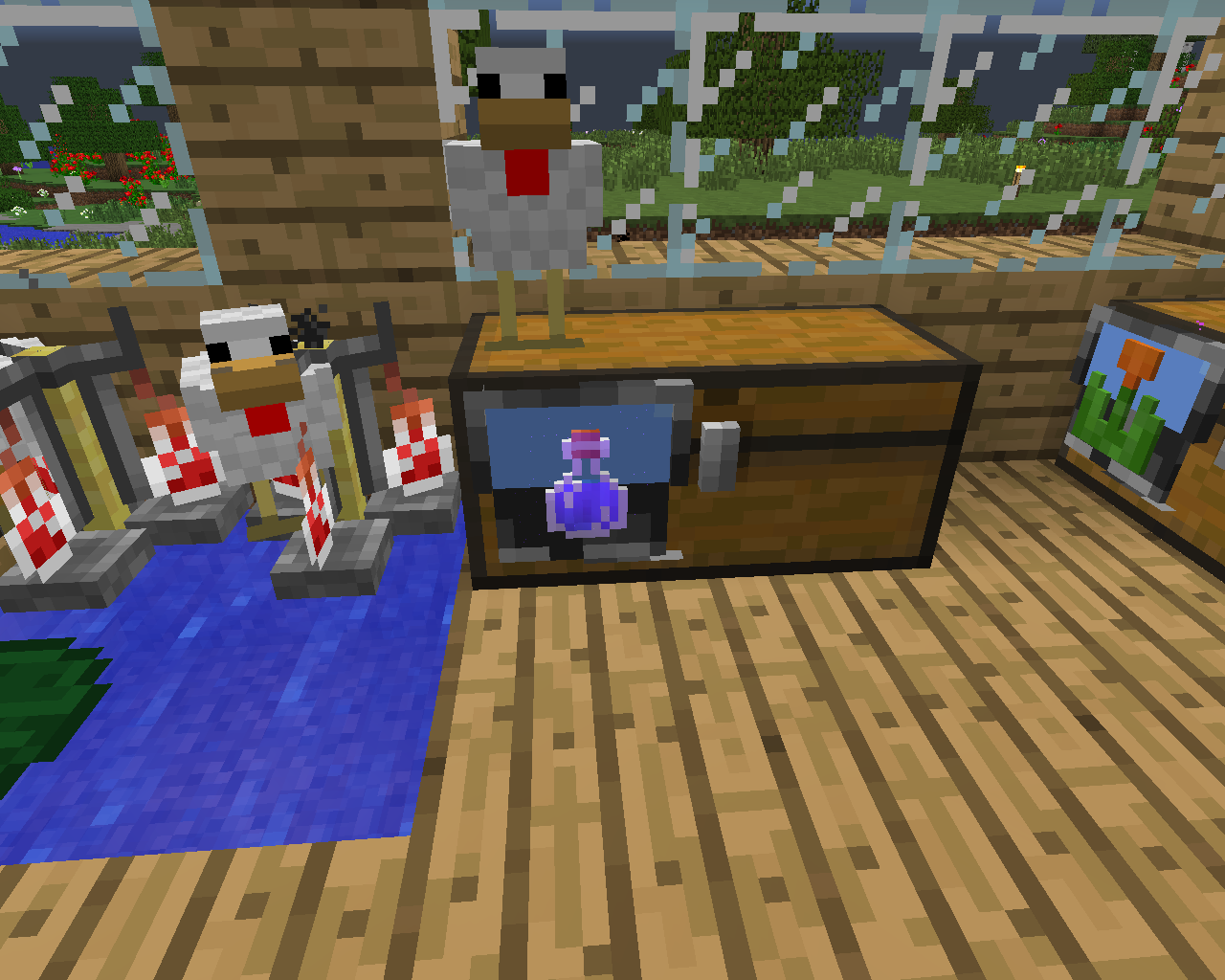
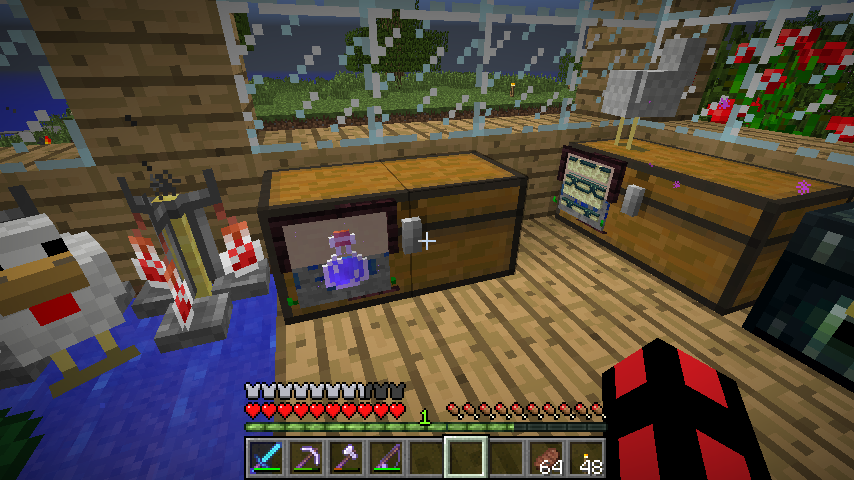
There are small dots inanitem framewhenever you put a potion in itSmall dots in item frames and weird texture with anisotropic filtering on/off
if you have bg music playing and switch gamemodes the music stops playing...
if you press escape while it playing it will also stop the music.
there are still many issues with the sound
if you have bg music playing and switch gamemodes the music stops playing...
if you press escape while it playing it will also stop the music.there are still many issues with the sound
if you have bg music playing and switch gamemodes the music stops playing...
if you press escape while it playing it will also stop the music.there are still many issues with the sound
if you have bg music playing and switch gamemodes the music stops playing...
if you press escape while it playing it will also stop the music.
there are still many issues with the soundThe reason is found, 1.7.3 was a snapshot that adds creative sounds!
if you really can't grow them
SOLUTION
plant the roofed oak sapplings in a 2x2 fashion...
like the jungle 2x2 trees!!!
Just use up some bonemeal on a 2x2 square of sapplings and it is not even block/biome specific!
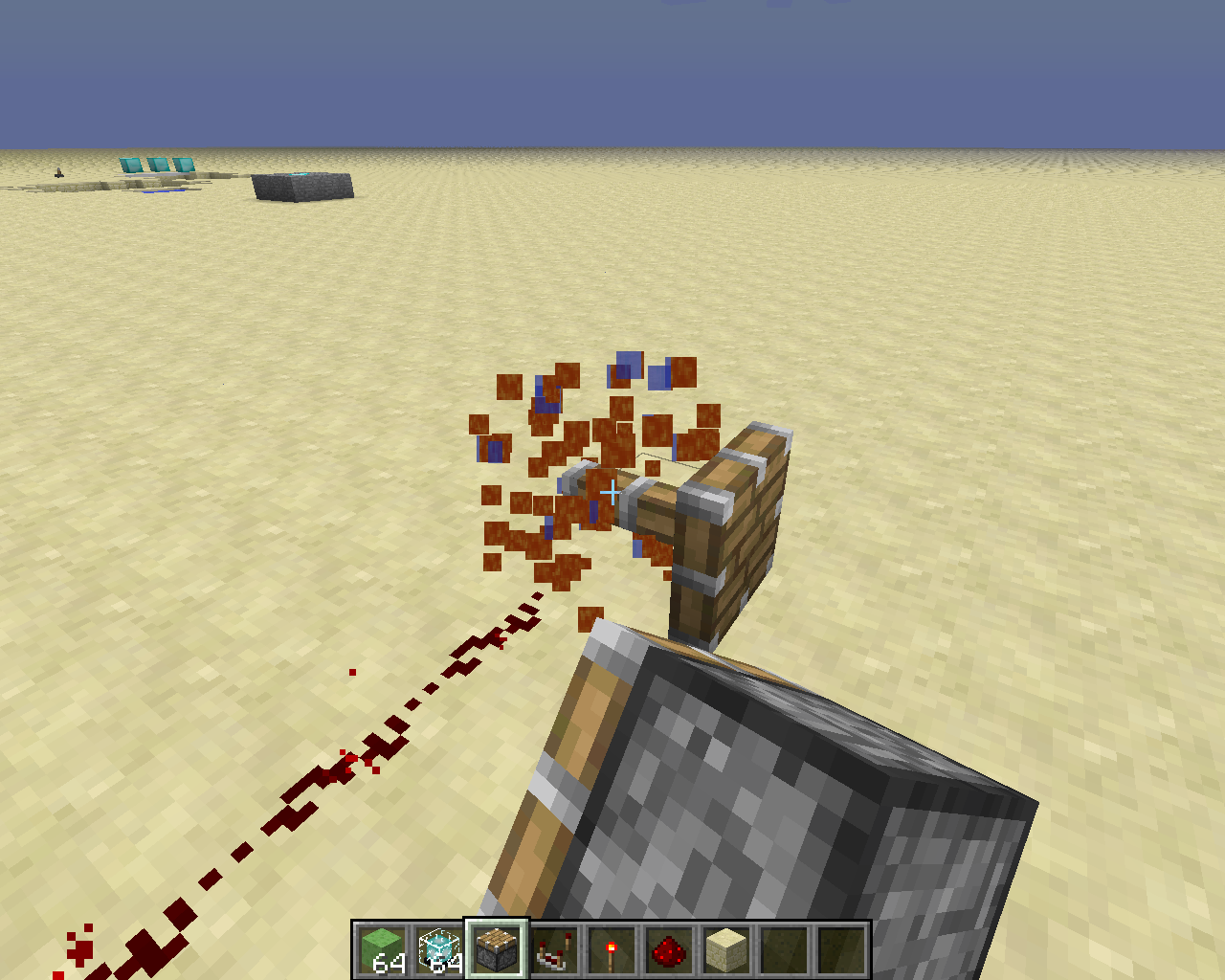
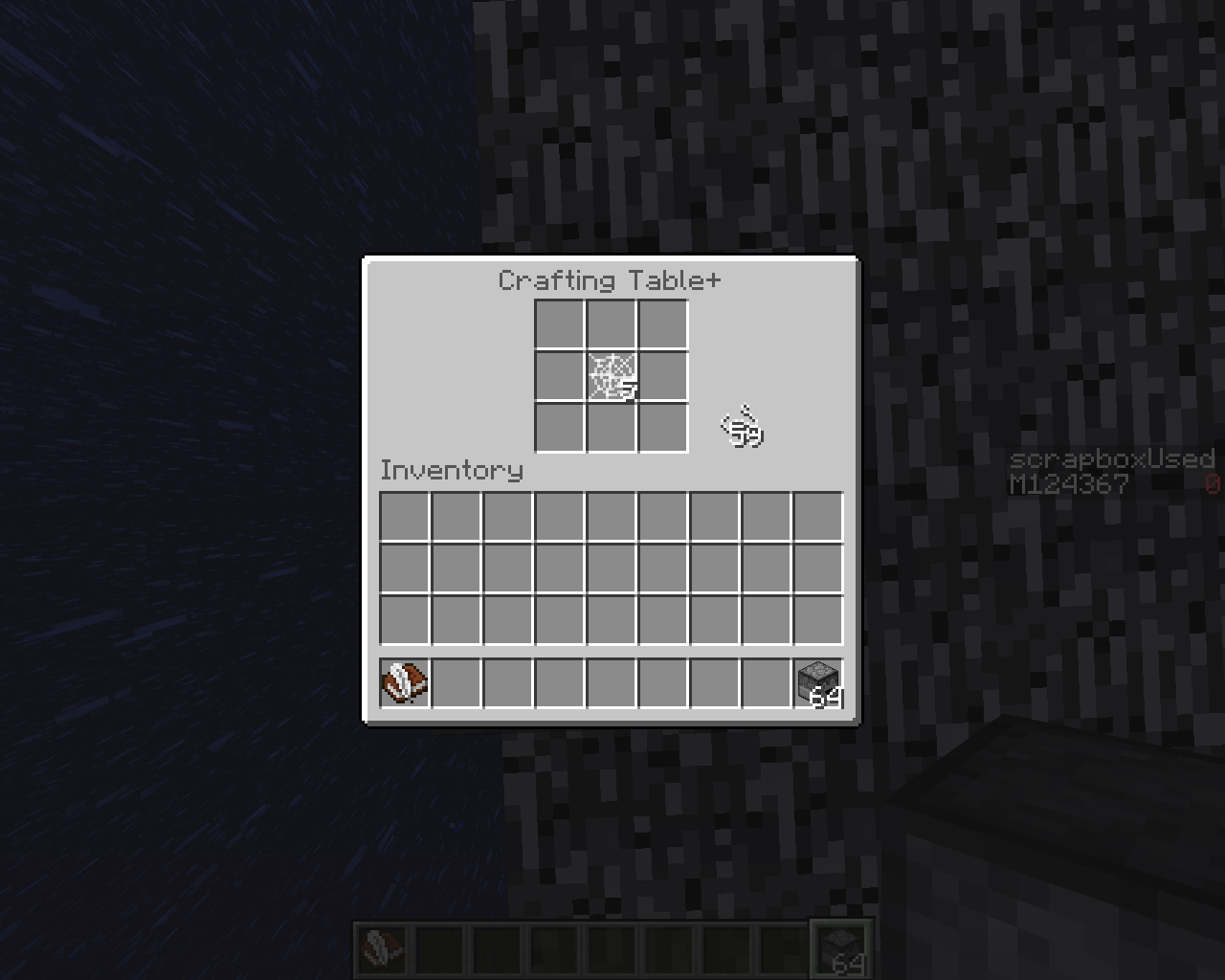
/execute @p ~ ~ ~ seedoutputs in commandblock instead on @p./execute @p ~ ~ ~ seed. Outputs in commandblock instead on @p.
/execute @p ~ ~ ~ seed. Outputs in commandblock instead on@p./execute @p ~ ~ ~ seed, outputs in commandblock instead of @p.
see attachments for more details
when you place down a fence gate and power it, then opening/closing it with your right click. it shows that the fence is sometimes still closed (data:11) while it isn't.
(a powered fencegate facing East (+X) will have data 15)
Reproduce:
1: take a fence gate put it down facing anywhere (tested East (+X))
2: first open it. and then place a redstone torch next to it
3: hit it with right click. open and closing doesn't seem to work.
although in the F3 menu you can clearly see the datavalue changes (here) between 15 and 11.
walking through the data 15 one will allow you to pass
while the data 11 one is closed. although has the wrong texture!I hope this explains it well!
Sc.1
Sc.2
Sc.3see attachments for more details
when you place down a fence gate and power it, then opening/closing it with your right click. it shows that the fence is sometimes still closed (data:11) while it isn't.
(a powered fencegate facing East (+X) will have data 15)
Reproduce:
1: take a fence gate put it down facing anywhere (tested East (+X))
2: first open it. and then place a redstone torch next to it
3: hit it with right click. open and closing doesn't seem to work.
although in the F3 menu you can clearly see the datavalue changes (here) between 15 and 11.
walking through the data 15 one will allow you to pass
while the data 11 one is closed. although has the wrong texture!I hope this explains it well!
Sc.1 powered after placing down fence gate
Sc.2 taken away torch... still gives data 11!!!
Sc.3 still no torch tried to open it again still data 15!! (expected
see attachments for more details
when you place down a fence gate and power it, then opening/closing it with your right click. it shows that the fence is sometimes still closed (data:11) while it isn't.
(a powered fencegate facing East (+X) will have data 15)
Reproduce:
1: take a fence gate put it down facing anywhere (tested East (+X))
2: first open it. and then place a redstone torch next to it
3: hit it with right click. open and closing doesn't seem to work.
although in the F3 menu you can clearly see the datavalue changes (here) between 15 and 11.
walking through the data 15 one will allow you to pass
while the data 11 one is closed. although has the wrong texture!I hope this explains it well!
Sc.1 powered after placing down fence gate
Sc.2 taken away torch... still gives data 11!!! (expected 3)
Sc.3 still no torch tried to open it again still data 15!! (expected 7)


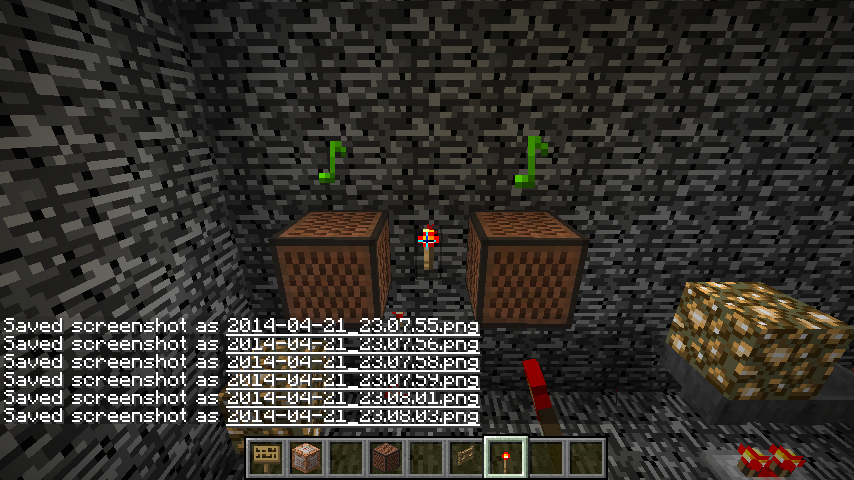

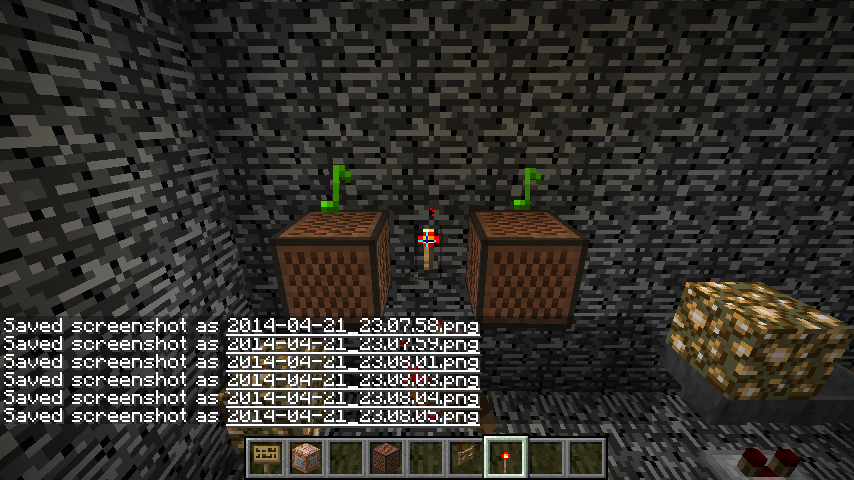


when going to 29999999 100 29999999
and then gamemode 3/2/1/0
moving outside boundary
gives illegal position
(I did set the new world boundary to 10 in 100 seconds.
withinthat 100 seconds I went to the 30M 100 30M)
now my world corrupted and have to nbt edit it or mcedit it!EDIT
When you set the world border to 10 or something...
then going to 30000000 100 30000000
then gamemode 3 you can easily fly into the boundary and give an error
Illegal position, then dumping you to the multiplayer screen
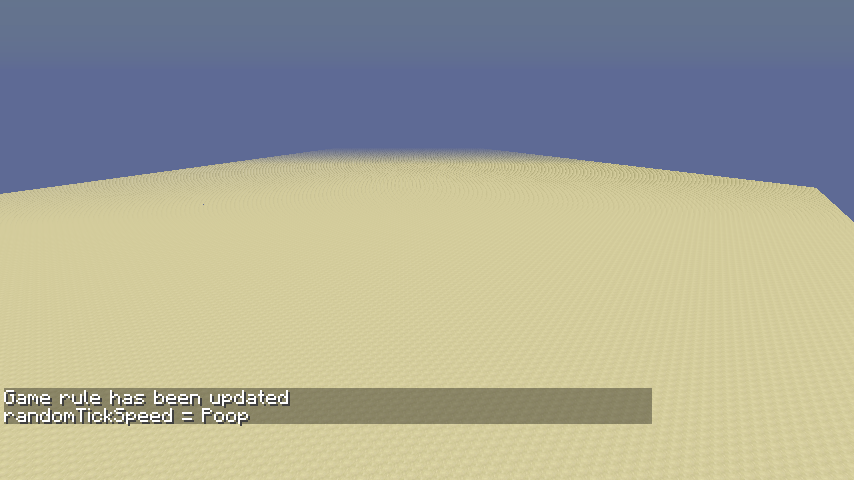
Moderator NoteThis issue includes all invalid values which may extend to options not described below
go to a new customizable world
and press random on the second page
min height sometimes is bigger than max height.
making it impossible to create the world leaving players waiting for hours.You can also manualy slide the min higher than the max one.
EDIT
STILL AN ISSUE IN 14w18a NOT FIXED
new screenshots in attachment(when randomizing the options still causes the max height to be smaller than the min height!)
go to a new customizable world
and press random on the second page
min height sometimes is bigger than max height.
making it impossible to create the world leaving players waiting for hours.You can also manualy slide the min higher than the max one.
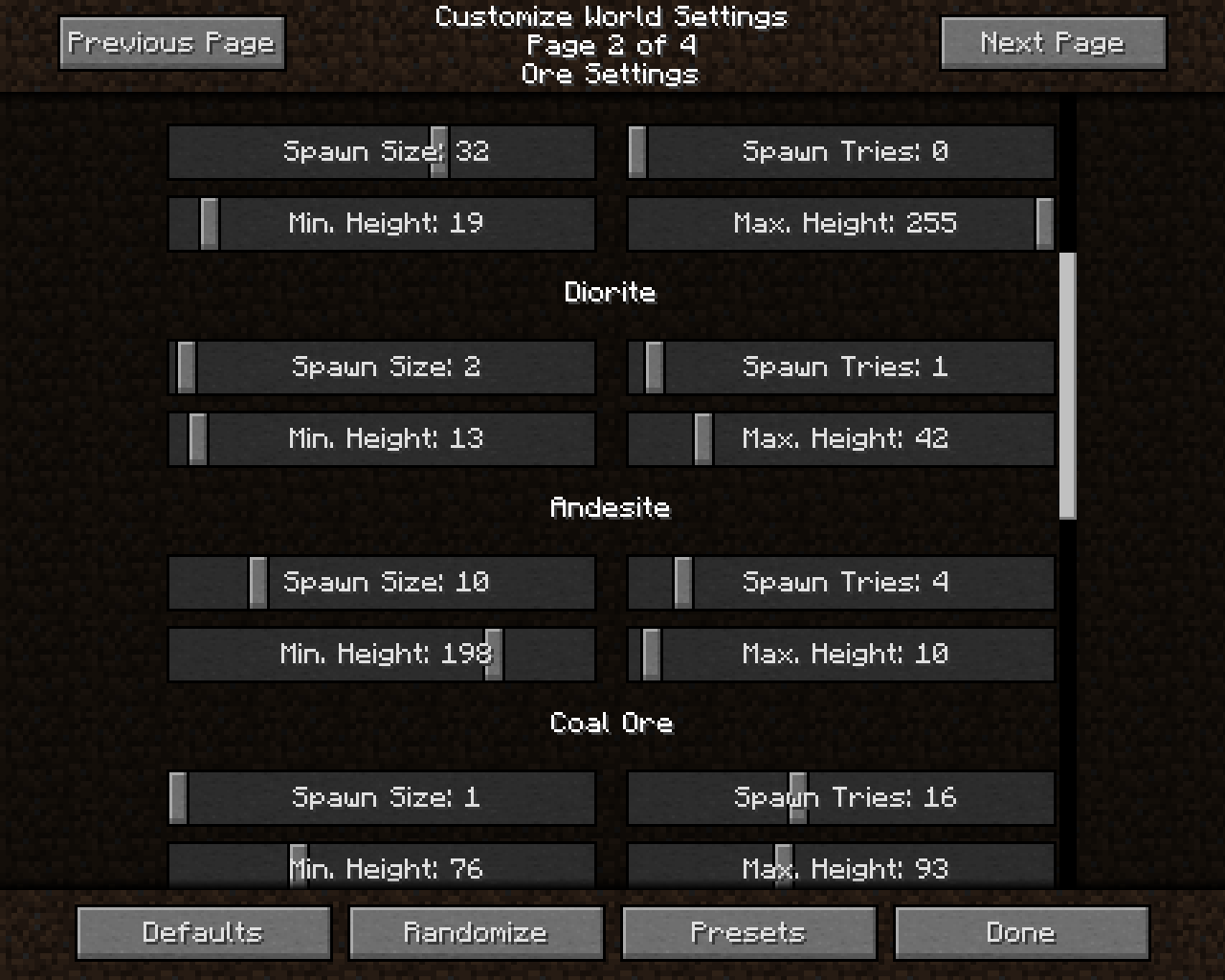
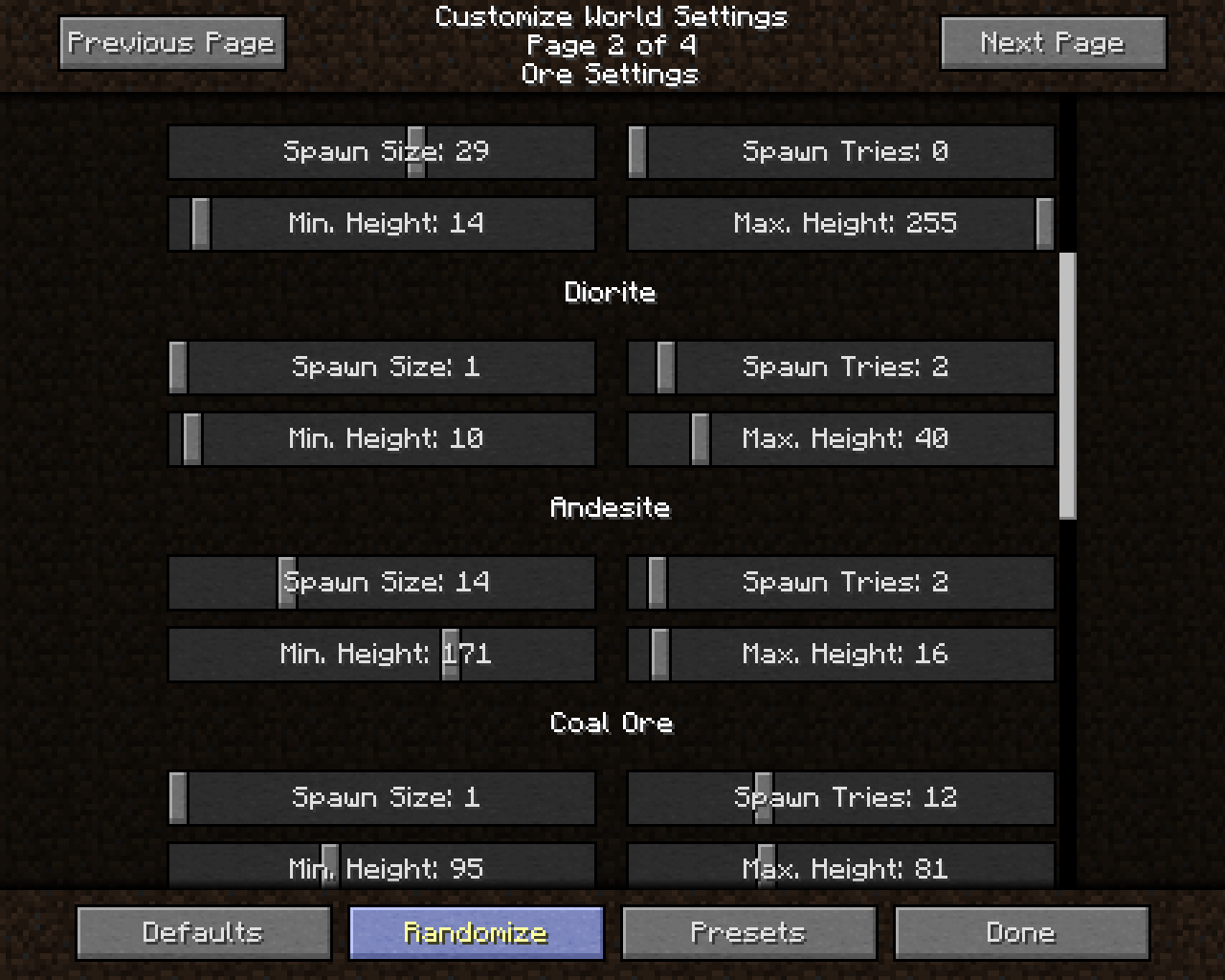

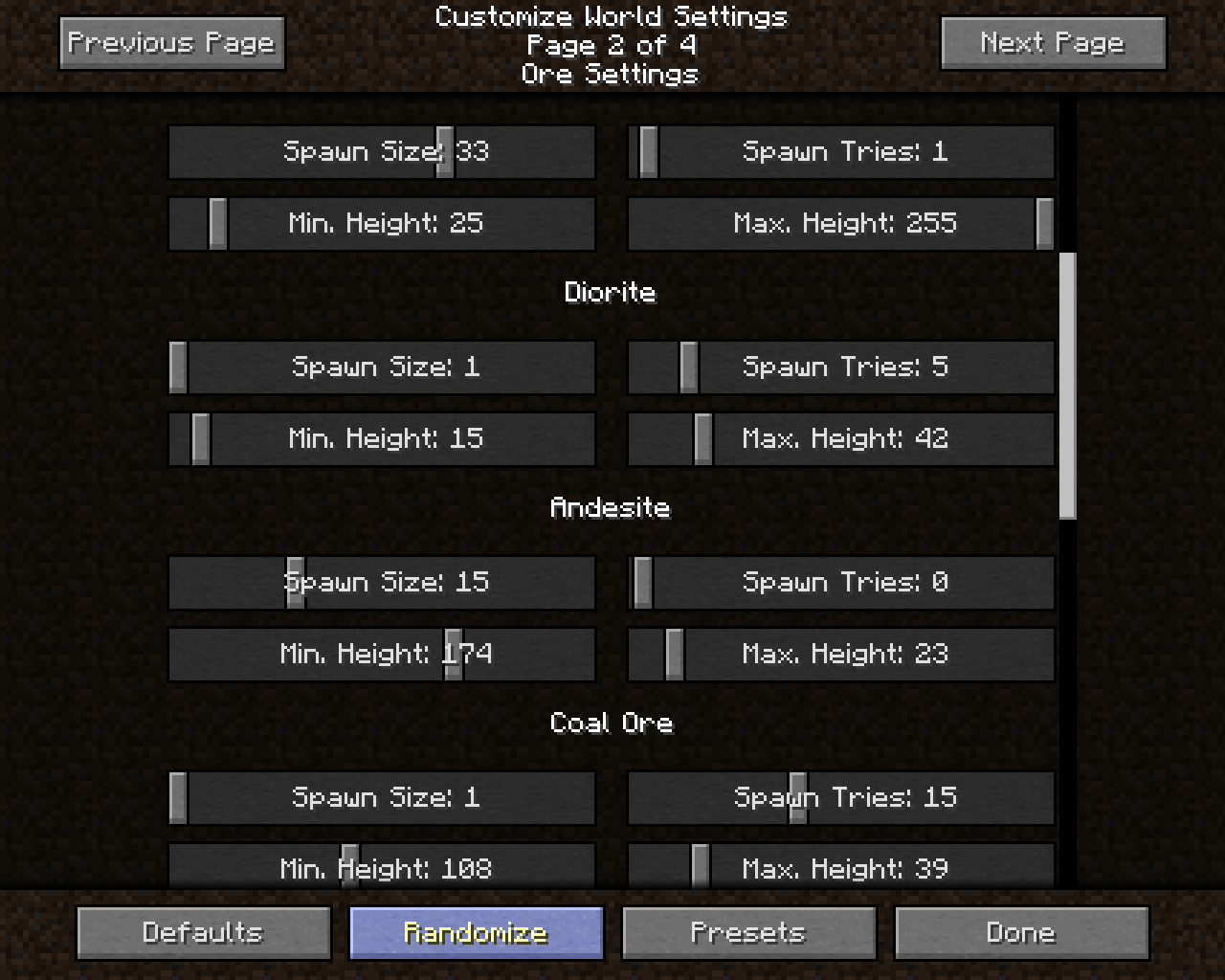
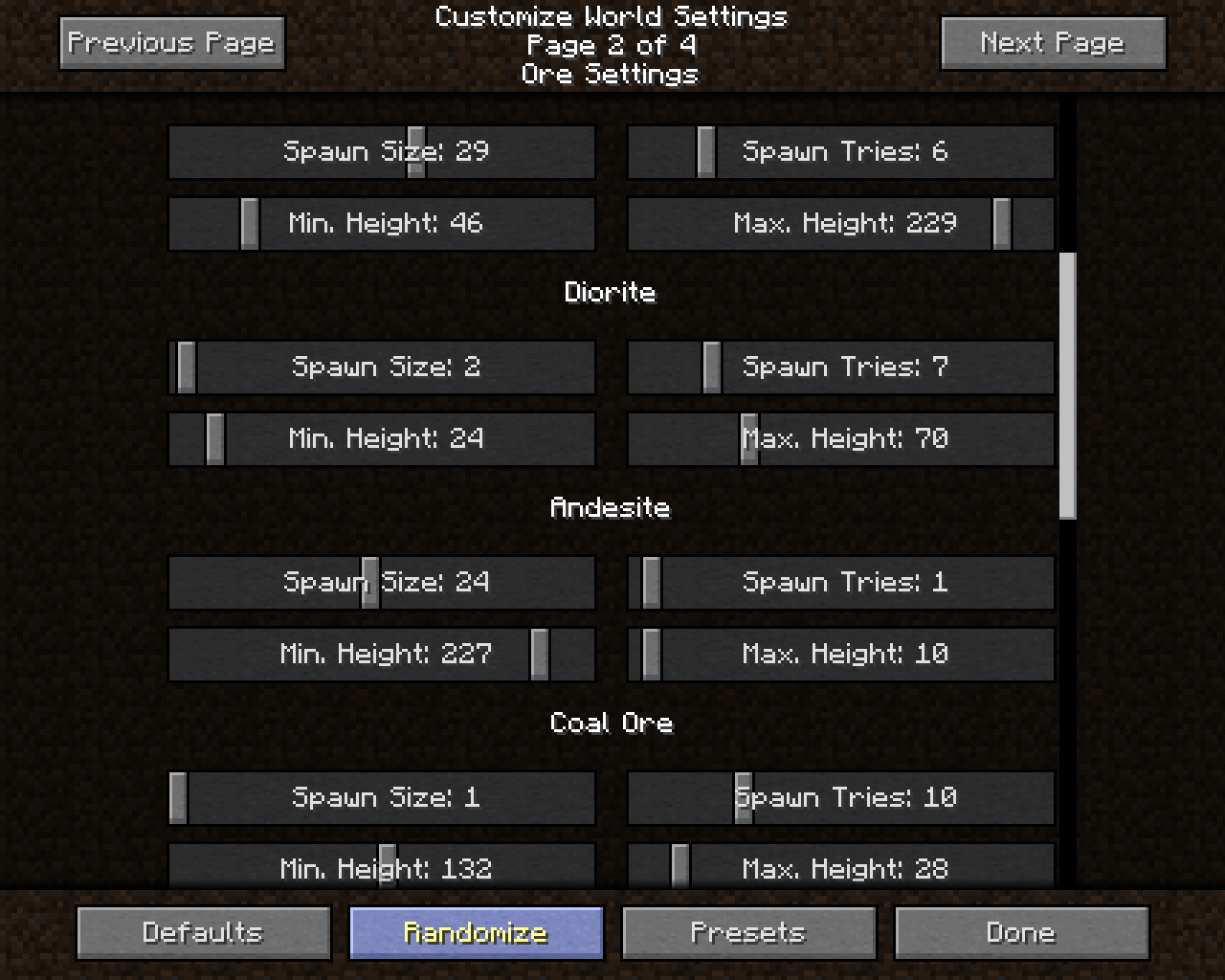
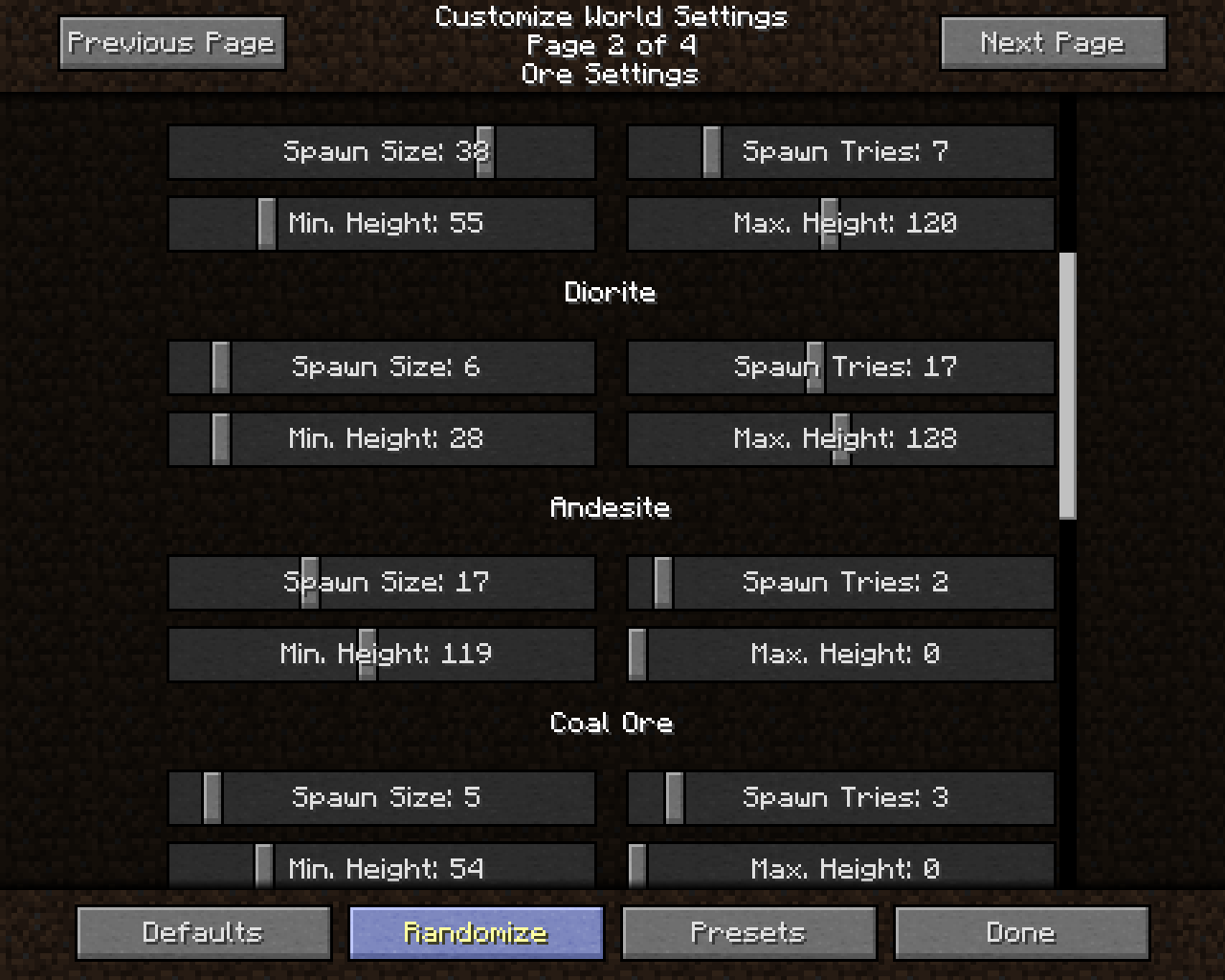
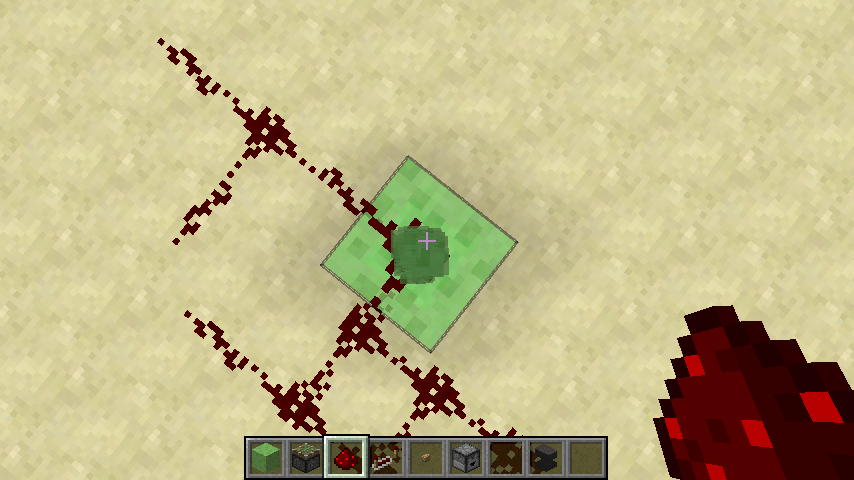
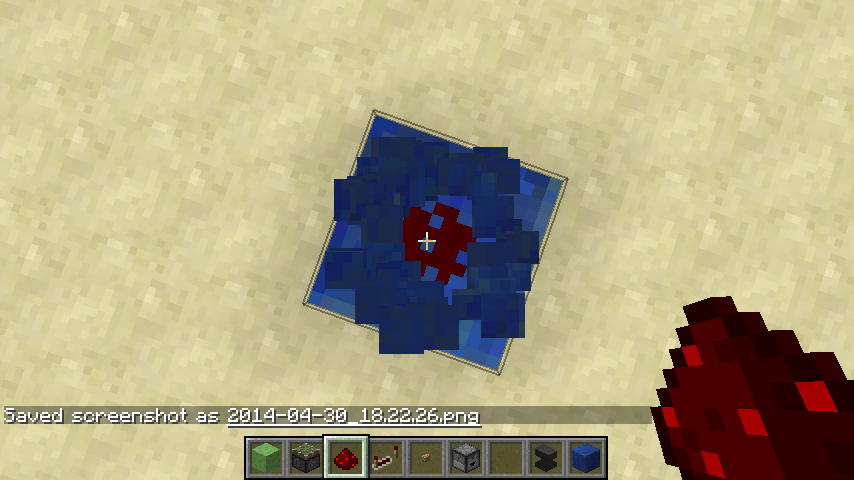
Renaming Bug:
Replication Steps:
1: /give @p command_block_minecart 1 0
2: place anvil down and rename it "TEST"
3: place on track and type in a command ("/say hi" for example)
4: when we do "/tp @e[name=TEST] @p", it will work!
5: Now break the minecart. It is named "TEST".6: put another "TEST" on the rail
7: save and exit world. and then reload world.
8: try same command "/tp @e[name=TEST] @p", it will NOT work!
9: the name disappeared.
Still in creative mode, left click the commandblockminecart to destroy it. IT WILL DROP AN ITEM! any other minecart WON'T!
AND it is named "@"*10: But when we do "/summon MinecartCommandBlock ~ ~ ~
{CustomName:"TEST"}" IT WILL KEEP THE NAME!*
little summary:
1: Renamed commandblockminecarts in anvil, when broken, will drop minecart WITH the name given to it (Pre: "TEST", Post: "TEST").
2: Renamed commandblockminecarts in anvil, when broken AFTER RELOADING WORLD, will drop minecart WITHOUT the name given to it (Pre: "TEST", Post: "@")3: Summoned named commandblockminecarts, when broken, will drop minecart WITH the name given to it regardless if the world is reloaded or not. (Pre: "TEST", Post: "TEST").
I hope this will be fixed soon so that command_block_minecarts always remain their names!!!
I tried to explain it as best as I can, here are some screenshots aswell!
Renaming Bug:
Replication Steps:
1: /give @p command_block_minecart 1 0
2: place anvil down and rename it "TEST"
3: place on track and type in a command ("/say hi" for example)
4: when we do "/tp @e[name=TEST] @p", it will work!
5: Now break the minecart. It is named "TEST".6: put another "TEST" on the rail
7: save and exit world. and then reload world.
8: try same command "/tp @e[name=TEST] @p", it will NOT work!
9: the name disappeared.
Still in creative mode, left click the commandblockminecart to destroy it. IT WILL DROP AN ITEM! any other minecart WON'T!
AND it is named "@"*10: But when we do "/summon MinecartCommandBlock ~ ~ ~
{CustomName:"TEST"}" IT WILL KEEP THE NAME!*
little summary:
1: Renamed commandblockminecarts in anvil, when broken, will drop minecart WITH the name given to it (Pre: "TEST", Post: "TEST").
2: Renamed commandblockminecarts in anvil, when broken AFTER RELOADING WORLD, will drop minecart WITHOUT the name given to it (Pre: "TEST", Post: "@")3: Summoned named commandblockminecarts, when broken, will drop minecart WITH the name given to it regardless if the world is reloaded or not. (Pre: "TEST", Post: "TEST").
EDIT 4: Renamed CommandBlockMinecarts DROP ITEM in CREATIVE. which it shouldn't!I hope this will be fixed soon so that command_block_minecarts always remain their names!!!
I tried to explain it as best as I can, here are some screenshots aswell!
Any blockover Y=63is invisible on some graphics cardsAny block in any empty chunk (16x16x16) is invisible on some graphics cards
pillar up from the bottom of the sea all the way up. keep stacking until the sponges turn invisible (about two blocks above water)
pillar up from the bottom of the sea all the way up. keep stacking until the blocks turn invisible (about two blocks above water)
This is cancelled when mipmapping is turned on/off
WorkaroundDisabling Advanced OpenGL solves this issue (Options -> Video Settings -> Advanced OpenGL -> Off)
If you don't have that option in your video settings, please check your .minecraft/options.txt for the entry
advancedOpengl:falseIf it's true, change it to false (Quit Minecraft, edit this file, restart Minecraft)
Affected:
ATI Radeon HD 4300/4500 Series GL version 3.3.11653 Compatibility Profile Context, ATI Technologies Inc. Thijmen F
ATI Radeon X1600 OpenGL Engine GL version 2.0 ATI-1.5.48, ATI Technologies Inc. Simons Mith
Nvidia GTX 460 with latest drivers (337.88) [Mod] Torabi
AMD Radeon HD 6800 Series , Driver version: 9.12.0.0 & Driver version: 14.100.0.0 Marcono1234
GeForce GTX 660M/PCIe/SSE2 GL version 4.4.0, NVIDIA Corporation Kyle
Not affected:
AMD Radeon HD 6700 Series GL version 4.4.12874 Compatibility Profile Context 14.100.0.0, ATI Technologies Inc. (AMD Catalyst 14.4, have no Advanced OpenGL switch) Kumasasa
pillar up from the bottom of the sea all the way up. keep stacking until the blocks turn invisible (about two blocks above water)
This is cancelled when mipmapping is turned on/offWorkaroundDisabling Advanced OpenGL solves this issue (Options -> Video Settings -> Advanced OpenGL -> Off)
Or just simply press F3+A to reload the nearest chunks.
If you don't have that option in your video settings, please check your .minecraft/options.txt for the entry
advancedOpengl:falseIf it's true, change it to false (Quit Minecraft, edit this file, restart Minecraft)
Affected:
ATI Radeon HD 4300/4500 Series GL version 3.3.11653 Compatibility Profile Context, ATI Technologies Inc. Thijmen F
ATI Radeon X1600 OpenGL Engine GL version 2.0 ATI-1.5.48, ATI Technologies Inc. Simons Mith
Nvidia GTX 460 with latest drivers (337.88) [Mod] Torabi
AMD Radeon HD 6800 Series , Driver version: 9.12.0.0 & Driver version: 14.100.0.0 Marcono1234
GeForce GTX 660M/PCIe/SSE2 GL version 4.4.0, NVIDIA Corporation Kyle
Not affected:
AMD Radeon HD 6700 Series GL version 4.4.12874 Compatibility Profile Context 14.100.0.0, ATI Technologies Inc. (AMD Catalyst 14.4, have no Advanced OpenGL switch) Kumasasa
pillar up from the bottom of the sea all the way up. keep stacking until the blocks turn invisible (about two blocks above water)
This is cancelled when mipmapping is turned on/off
There are some blocks that donot render correctly in head slot
/replaceitem entity @e[type=Villager,c=1] ...
- Rails (is not a full block, different block model) = displays as item.
- Hopper (the texture is not generated from the block, like other blocks such as stone or dirt) = displays as item
- any armor or weapon (villagers cant wear armor) = invisible (still succesfully runs command and says it placed the helmet but it actually didnt)
- (LOL) levers = displays as item (looks like antenna)
- same with: torches redstone torches, tripwire hooks, flowers, panes, bars, vines, ladders, tallgrass, double_plants, water lilly, cobwebs and other 'item model differs from block model' items.
Certain blocks cant be placed in the headslot despite the fact it is a valid block
- cauldrons (why can hoppers be placed but cauldrons not?) = gives error
- brewing stand (same thing) = gives error
Summary:
- - Items that have a block model/texture that differs from the item model/texture will display as the item, rather than the block (2D) such as: hoppers, levers.*
- - Blocks in the tab Brewing donot work. (Cauldron is definitly a block... so why doesn't that one work?)*
(btw do villagers never drop items? because when they have full bread slots and head slots even then they dont drop those!)
There are some blocks that donot render correctly in head slot
/replaceitem entity @e[type=Villager,c=1] ...
- Rails (is not a full block, different block model) = displays as item.
- Hopper (the texture is not generated from the block, like other blocks such as stone or dirt) = displays as item
- any armor or weapon (villagers cant wear armor) = invisible (still succesfully runs command and says it placed the helmet but it actually didnt)
- (LOL) levers = displays as item (looks like antenna)
- same with: torches redstone torches, tripwire hooks, flowers, panes, bars, vines, ladders, tallgrass, double_plants, water lilly, cobwebs and other 'item model differs from block model' items.
Certain blocks cant be placed in the headslot despite the fact it is a valid block
- cauldrons (why can hoppers be placed but cauldrons not?) = gives error
- brewing stand (same thing) = gives error
Summary:
- Items that have a block model/texture that differs from the item model/texture will display as the item, rather than the block (2D) such as: hoppers, levers.
- Blocks in the tab Brewing donot work. (Cauldron is definitly a block... so why doesn't that one work?)
(btw do villagers never drop items? because when they have full bread slots and head slots even then they dont drop those!)
Btw vote for this bug If you want it fixed and keep updating the Affects Versions.
and maybe even bother the mojangsters by tweeting them the major bugs
and add some more labels

createacustom world and go to page 2
there under dirt select the min height you can either choose 21 or 23 but not 22.
might be cause of my resolution?
even with the biggest GUI I am not able to put it on22You can't accurately set the sliders.
this is the case with quite some sliders in the game, it may require rewriting the sliders in the game.create a custom world and go to page 2
there under dirt select the min height you can either choose 21 or 23 but not 22.might be cause of my resolution?
even with the biggest GUI I am not able to put it on 22
When generatingcustom worldMin and Max height are not accurately setableSliders cannot be adjusted accurately (tested in customized world settings)
stone brick stairs is the only stone bricks block without the (s) that canconfusepeople.Not all stone brick(s) are named the same way, confusing people!
Has been in the game for long and really annoys me
1: if you type in "stone bricks" in the search tab, it will not show the stairs because they are stone brick_ stairs. (just without the S (_ representing the place where the S should be))2: unlike all other ones:
- stone brickS slab
- stone brickS
- cracked stone brickS
- chiseled stone brickS
- mossy stone brickS
stairs are the only one without the S3: monster egg stone bricks are called
stone brick without the S
so if we search "stone bricks" we will NOT find monster eggs.
if we search without the S we will find monster eggs.Summary
Different naming for practically the same block (material)Possible solutions
- Renaming all of them to "stone bricks" or "stone brick" (without the monster eggs so it is convenient to find the NON-monsteregg bricks)
- Renaming all of them AND the monster egg blocks.
Please fix, it has been bugging me since the new creative tab came out
Not all stone brick(s) are named the same way, confusing people!Inconsistent block/item names: Stonebrick(s)
EDIT:
Stone brick(s) type blocks are inconsistently named:
- Stone Bricks Slab
- Stone Brick Stairs
_______
Has been in the game for long and really annoys me
1: if you type in "stone bricks" in the search tab, it will not show the stairs because they are stone brick_ stairs. (just without the S (_ representing the place where the S should be))2: unlike all other ones:
- stone brickS slab
- stone brickS
- cracked stone brickS
- chiseled stone brickS
- mossy stone brickS
stairs are the only one without the S3: monster egg stone bricks are called
stone brick without the S
so if we search "stone bricks" we will NOT find monster eggs.
if we search without the S we will find monster eggs.Summary
Different naming for practically the same block (material)Possible solutions
- Renaming all of them to "stone bricks" or "stone brick" (without the monster eggs so it is convenient to find the NON-monsteregg bricks)
- Renaming all of them AND the monster egg blocks.
Please fix, it has been bugging me since the new creative tab came out
Inconsistent block/item names:Stonebrick(s)
EDIT:
Stone brick(s) type blocks are inconsistently named:
- Stone Bricks Slab
- Stone Brick Stairs
_______
Has been in the game for long and really annoys me
1: if you type in "stone bricks" in the search tab, it will not show the stairs because they are stone brick_ stairs. (just without the S (_ representing the place where the S should be))2: unlike all other ones:
- stone brickS slab
- stone brickS
- cracked stone brickS
- chiseled stone brickS
- mossy stone brickS
stairs are the only one without the S3: monster egg stone bricks are called
stone brick without the S
so if we search "stone bricks" we will NOT find monster eggs.
if we search without the S we will find monster eggs.Summary
Different naming for practically the same block (material)Possible solutions
- Renaming all of them to "stone bricks" or "stone brick" (without the monster eggs so it is convenient to find the NON-monsteregg bricks)
- Renaming all of them AND the monster egg blocks.
Please fix, it has been bugging me since the new creative tab came out
EDIT:
Stone brick(s) type blocks are inconsistently named:
- Stone BrickS Slab but Stone Brick_ Stairs [both same material, but differently named]
- BrickS Slab but Nether Brick_ Slab [Both brick slabs, but differently named]
- Stone BrickS but Stone Brick_ Monster Egg [Both same texture and partially same name, but still the S is inconsistent.]
_______Has been in the game for long and really annoys me
1: if you type in "stone bricks" in the search tab, it will not show the stairs because they are stone brick_ stairs. (just without the S (_ representing the place where the S should be))2: unlike all other ones:
- stone brickS slab
- stone brickS
- cracked stone brickS
- chiseled stone brickS
- mossy stone brickS
stairs are the only one without the S3: monster egg stone bricks are called
stone brick without the S
so if we search "stone bricks" we will NOT find monster eggs.
if we search without the S we will find monster eggs.Summary
Different naming for practically the same block (material)Possible solutions
- Renaming all of them to "stone bricks" or "stone brick" (without the monster eggs so it is convenient to find the NON-monsteregg bricks)
- Renaming all of them AND the monster egg blocks.
(minor bug)
please use a commandblock with the following command
/setblock ~ ~ ~-1 wall_sign 1 replace {Text1:"{color:red,text:\"click\",extra:[{text:\" to respawn\",clickEvent:{action:run_command,value:\"/kill @p\"}}]}"}or
/setblock ~ ~1 ~ standing_sign 1 replace {Text1:"{text:\"test\",extra:[{text:\" message\",clickEvent:{action:run_command,value:\"/say test\"}}]}"}Both wont work due to an annoying bug that won't allow any players, OP or not OP, to run commands on signs
, with no command on any sign.This is not intended behaviour, neither a duplicate.
Still a concern in the latest snapshot, please fix.WARNING/NOTE/README:
MC-62833which has been incorrectly flagged as duplicate ofMC-62255which describes a total different point of the sign commands.
please use a commandblock with the following command
/setblock ~ ~ ~-1 wall_sign 1 replace {Text1:"{color:red,text:\"click\",extra:[{text:\" to respawn\",clickEvent:{action:run_command,value:\"/kill @p\"}}]}"}or
/setblock ~ ~1 ~ standing_sign 1 replace {Text1:"{text:\"test\",extra:[{text:\" message\",clickEvent:{action:run_command,value:\"/say test\"}}]}"}Both wont work due to an annoying bug that won't allow any players, OP or not OP, to run commands on signs.
This is not intended behaviour, neither a duplicate.
Still a concern in the latest snapshot, please fix.WARNING/NOTE/README:
MC-62833which has been incorrectly flagged as duplicate ofMC-62255which describes a total different point of the sign commands.please use a commandblock with the following command
/setblock ~ ~ ~-1 wall_sign 1 replace {Text1:"{color:red,text:\"click\",extra:[{text:\" to respawn\",clickEvent:{action:run_command,value:\"/kill @p\"}}]}"}or
/setblock ~ ~1 ~ standing_sign 1 replace {Text1:"{text:\"test\",extra:[{text:\" message\",clickEvent:{action:run_command,value:\"/say test\"}}]}"}Both wont work due to an annoying bug that won't allow any players, OP or not OP, to run commands on signs.
This is not intended behaviour, neither a duplicate.
Still a concern in the latest snapshot, please fix.WARNING/NOTE/README:
Is the same asMC-62833which has been incorrectly flagged as duplicate ofMC-62255which describes a total different point of the sign commands.
please use a commandblock with the following command
/setblock ~ ~ ~-1 wall_sign 1 replace {Text1:"{color:red,text:\"click\",extra:[{text:\" to respawn\",clickEvent:{action:run_command,value:\"/kill @p\"}}]}"}or
/setblock ~ ~1 ~ standing_sign 1 replace {Text1:"{text:\"test\",extra:[{text:\" message\",clickEvent:{action:run_command,value:\"/say test\"}}]}"}Both wont work due to an annoying bug that won't allow any players, OP or not OP, to run commands on signs.
This is not intended behaviour, neither a duplicate.
Still a concern in the latest snapshot, please fix.WARNING/NOTE/README:
Is the same asMC-62833which has been incorrectly flagged as duplicate ofMC-62255which describes a total different point of the sign commands.
please use a commandblock with the following command
/setblock ~ ~ ~-1 wall_sign 1 replace {Text1:"{color:red,text:\"click\",extra:[{text:\" to respawn\",clickEvent:{action:run_command,value:\"/kill @p\"}}]}"}or
/setblock ~ ~1 ~ standing_sign 1 replace {Text1:"{text:\"test\",extra:[{text:\" message\",clickEvent:{action:run_command,value:\"/say test\"}}]}"}Both wont work due to an annoying bug that won't allow any players, OP or not OP, to run commands on signs.
This is not intended behaviour, neither a duplicate.
Still a concern in the latest snapshot, please fix.The problem lays at the escaping char \
it does work with ' not with \"WARNING/NOTE/README:
Is the same asMC-62833which has been incorrectly flagged as duplicate ofMC-62255which describes a total different point of the sign commands.
Right clicking a sign with clickEvent does NOT work when using \" instead of '
please use a commandblock with the following command
/setblock ~ ~ ~-1 wall_sign 1 replace {Text1:"{color:red,text:\"click\",extra:[{text:\" to respawn\",clickEvent:{action:run_command,value:\"/kill @p\"}}]}"}or
/setblock ~ ~1 ~ standing_sign 1 replace {Text1:"{text:\"test\",extra:[{text:\" message\",clickEvent:{action:run_command,value:\"/say test\"}}]}"}Both wont work due to an annoying bug that won't allow any players, OP or not OP, to run commands on signs.
This is not intended behaviour, neither a duplicate.
Still a concern in the latest snapshot, please fix.Th
e problem lays at the escaping char \it does work with ' not with \"WARNING/NOTE/README:
Is the same asMC-62833which has been incorrectly flagged as duplicate ofMC-62255which describes a total different point of the sign commands.please use a commandblock with the following command
/setblock ~ ~ ~-1 wall_sign 1 replace {Text1:"{color:red,text:\"click\",extra:[{text:\" to respawn\",clickEvent:{action:run_command,value:\"/kill @p\"}}]}"}or
/setblock ~ ~1 ~ standing_sign 1 replace {Text1:"{text:\"test\",extra:[{text:\" message\",clickEvent:{action:run_command,value:\"/say test\"}}]}"}Both wont work due to an annoying bug that won't allow any players, OP or not OP, to run commands on signs.
Works with this command:
/setblock ~ ~ ~-1 standing_sign 0 replace {Text1:"{color:red,text:'click to respawn',clickEvent:{action:run_command,value:'/kill @p'}}
The problem lays at the escaping char \
it does work with ' not with \"This is not intended behaviour, neither a duplicate.
Still a concern in the latest snapshot, please fix.WARNING/NOTE/README:
Is the same asMC-62833which has been incorrectly flagged as duplicate ofMC-62255which describes a total different point of the sign commands.
please use a commandblock with the following command
/setblock ~ ~ ~-1 wall_sign 1 replace {Text1:"{color:red,text:\"click\",extra:[{text:\" to respawn\",clickEvent:{action:run_command,value:\"/kill @p\"}}]}"}or
/setblock ~ ~1 ~ standing_sign 1 replace {Text1:"{text:\"test\",extra:[{text:\" message\",clickEvent:{action:run_command,value:\"/say test\"}}]}"}Both wont work due to an annoying bug that won't allow any players, OP or not OP, to run commands on signs.
Works with this command:
/setblock ~ ~ ~-1 standing_sign 0 replace {Text1:"{color:red,text:'click to respawn',clickEvent:{action:run_command,value:'/kill @p'}}
The problem lays at the escaping char \
it does work with ' not with \"This is not intended behaviour, neither a duplicate.
Still a concern in the latest snapshot, please fix.WARNING/NOTE/README:
Is the same asMC-62833which has been incorrectly flagged as duplicate ofMC-62255which describes a total different point of the sign commands.please use a commandblock with the following command
/setblock ~ ~ ~-1 wall_sign 1 replace {Text1:"{color:red,text:\"click\",extra:[{text:\" to respawn\",clickEvent:{action:run_command,value:\"/kill @p\"}}]}"}or
/setblock ~ ~1 ~ standing_sign 1 replace {Text1:"{text:\"test\",extra:[{text:\" message\",clickEvent:{action:run_command,value:\"/say test\"}}]}"}Both wont work due to an annoying bug that won't allow any players, OP or not OP, to run commands on signs.
Works with this command:
/setblock ~ ~ ~-1 standing_sign 0 replace {Text1:"{color:red,text:'click to respawn',clickEvent:{action:run_command,value:'/kill @p'}}The problem lays at the escaping char \
it does work with ' not with \"This is not intended behaviour, neither a duplicate.
Still a concern in the latest snapshot, please fix.WARNING/NOTE/README:
Is the same asMC-62833which has been incorrectly flagged as duplicate ofMC-62255which describes a total different point of the sign commands.

You can't apply a lootTable to the slots of a dispenser/dropper/furnace/beacon/hopper/brewing stand
I expected /blockdata x y z
{LootTable:"chests/simple_dungeon"}would generate random loot for ANY storage block.
It works on chests, trapped chests, minecarts with chest,
BUT ALSO: minecarts with hoppers -> I concluded it must be a bug since it doesn't work on hoppers, but do on their minecart counterpart./entitydata @e[type=MinecartHopper]
{LootTable:"chests/simple_dungeon"}At least it should work on droppers, dispensers, furnaces, brewing stands and hoppers.
beacons have one slot that could get a loot Table.Summarized:
- Not all storage blocks can get lootTable specified*
- The LootTable tag is immediately removed after it is applied to a hopper, dispenser, dropper, etc.*
- Fixed by allowing any storage device to have a loot table.*
You can't apply a lootTable to the slots of a dispenser/dropper/furnace/beacon/hopper/brewing stand
I expected /blockdata x y z
{LootTable:"chests/simple_dungeon"}would generate random loot for ANY storage block.
It works on chests, trapped chests, minecarts with chest,
BUT ALSO: minecarts with hoppers -> I concluded it must be a bug since it doesn't work on hoppers, but do on their minecart counterpart./entitydata @e[type=MinecartHopper]
{LootTable:"chests/simple_dungeon"}At least it should work on droppers, dispensers, furnaces, brewing stands and hoppers.
beacons have one slot that could get a loot Table.Summarized:
- Not all storage blocks can get lootTable specified*
- The LootTable tag is immediately removed after it is applied to a hopper, dispenser, dropper, etc.*
+- Fixed by allowing any storage device to have a loot table.+
You can't apply a lootTable to the slots of a dispenser/dropper/furnace/beacon/hopper/brewing stand
I expected /blockdata x y z
{LootTable:"chests/simple_dungeon"}would generate random loot for ANY storage block.
It works on chests, trapped chests, minecarts with chest,
BUT ALSO: minecarts with hoppers -> I concluded it must be a bug since it doesn't work on hoppers, but do on their minecart counterpart./entitydata @e[type=MinecartHopper]
{LootTable:"chests/simple_dungeon"}At least it should work on droppers, dispensers, furnaces, brewing stands and hoppers.
beacons have one slot that could get a loot Table.Summarized:
- Not all storage blocks can get lootTable specified*
- The LootTable tag is immediately removed after it is applied to a hopper, dispenser, dropper, etc.*
+- Fixed by allowing any storage device to have a loot table.+You can't apply a lootTable to the slots of a dispenser/dropper/furnace/beacon/hopper/brewing stand
I expected /blockdata x y z
{LootTable:"chests/simple_dungeon"}would generate random loot for ANY storage block.
It works on chests, trapped chests, minecarts with chest,
BUT ALSO: minecarts with hoppers -> I concluded it must be a bug since it doesn't work on hoppers, but do on their minecart counterpart./entitydata @e[type=MinecartHopper]
{LootTable:"chests/simple_dungeon"}At least it should work on droppers, dispensers, furnaces, brewing stands and hoppers.
beacons have one slot that could get a loot Table.Summarized:
- Not all storage blocks can get lootTable specified
- The LootTable tag is immediately removed after it is applied to a hopper, dispenser, dropper, etc.
- Fixed by allowing any storage device to have a loot table.
You can't apply a lootTable to the slots of a dispenser/dropper/furnace/beacon/hopper/brewing stand
I expected /blockdata x y z
{LootTable:"chests/simple_dungeon"}would generate random loot for ANY storage block.
It works on chests, trapped chests, minecarts with chest,
BUT ALSO: minecarts with hoppers -> I concluded it must be a bug since it doesn't work on hoppers, but do on their minecart counterpart./entitydata @e[type=MinecartHopper]
{LootTable:"chests/simple_dungeon"}At least it should work on droppers, dispensers, furnaces, brewing stands and hoppers.
beacons have one slot that could get a loot Table.Summarized:
- Not all storage blocks can get lootTable specified
- The LootTable tag is immediately removed after it is applied to a hopper, dispenser, dropper, etc.
- Fixed by allowing any storage device to have a loot table.
You can't apply a lootTable to the slots of a dispenser/dropper/furnace/beacon/hopper/brewing stand
I expected {{/blockdata x y z
{LootTable:"chests/simple_dungeon"}}}
would generate random loot for ANY storage block.
It works on chests, trapped chests, minecarts with chest,
BUT ALSO: minecarts with hoppers -> I concluded it must be a bug since it doesn't work on hoppers, but do on their minecart counterpart.{{/entitydata @e[type=MinecartHopper]
{LootTable:"chests/simple_dungeon"}}}
At least it should work on droppers, dispensers, furnaces, brewing stands and hoppers.
beacons have one slot that could get a loot Table.Summarized:
- Not all storage blocks can get lootTable specified
- The LootTable tag is immediately removed after it is applied to a hopper, dispenser, dropper, etc.
- Fixed by allowing any storage device to have a loot table.
You can't apply a lootTable to the slots of a dispenser/dropper/furnace/beacon/hopper/brewing stand
I expected
{LootTable:"chests/simple_dungeon"}{{/blockdata x y z}}
would generate random loot for ANY storage block.
It works on chests, trapped chests, minecarts with chest,
BUT ALSO: minecarts with hoppers -> I concluded it must be a bug since it doesn't work on hoppers, but do on their minecart counterpart.{{/entitydata @e[type=MinecartHopper]
{LootTable:"chests/simple_dungeon"}}}
At least it should work on droppers, dispensers, furnaces, brewing stands and hoppers.
beacons have one slot that could get a loot Table.Summarized:
- Not all storage blocks can get lootTable specified
- The LootTable tag is immediately removed after it is applied to a hopper, dispenser, dropper, etc.
- Fixed by allowing any storage device to have a loot table.
You can't apply a lootTable to the slots of a dispenser/dropper/furnace/beacon/hopper/brewing stand
I expected
/blockdata x y z {LootTable:"chests/simple_dungeon"}would generate random loot for ANY storage block.
It works on chests, trapped chests, minecarts with chest,
BUT ALSO: minecarts with hoppers -> I concluded it must be a bug since it doesn't work on hoppers, but do on their minecart counterpart./entitydata @e[type=MinecartHopper] {LootTable:"chests/simple_dungeon"}At least it should work on droppers, dispensers, furnaces, brewing stands and hoppers.
beacons have one slot that could get a loot Table.Summarized:
- Not all storage blocks can get lootTable specified
- The LootTable tag is immediately removed after it is applied to a hopper, dispenser, dropper, etc.
- Fixed by allowing any storage device to have a loot table.
If you open a chest with a lootTable as a spectator, it will generate it's contents affecting gameplay for other survival/adventure players on the map.
Somebody with bad luck or luck effects that open a chest will have better/worse chance of getting good items from chests. A spectator could open all chests and make their contents fixed/unchangeable.
What should happen: A chest that has a lootTable with a unspecified lootTableSeed should show a question mark in the chest and NOT generate the items. If the chest has fixed seed or fixed items inside that won't matter.
OR: a gamerule the allows spectators to generate loot in chests and other storage when opened.Summarized:
- Spectators influence lootTable chests*
- Fix: Chests with lootTable and random lootTableSeed will not generate
items when opened by spectator*- Alternate fix: /gamerule spectatorsGenerateLoot true/false
This will make spectators not generate any loot when they open
chests/furnaces etc.*If you open a chest with a lootTable as a spectator, it will generate it's contents affecting gameplay for other survival/adventure players on the map.
Somebody with bad luck or luck effects that open a chest will have better/worse chance of getting good items from chests. A spectator could open all chests and make their contents fixed/unchangeable.
What should happen: A chest that has a lootTable with a unspecified lootTableSeed should show a question mark in the chest and NOT generate the items. If the chest has fixed seed or fixed items inside that won't matter.
OR: a gamerule the allows spectators to generate loot in chests and other storage when opened.Summarized:
- Spectators influence lootTable chests
- *Fix: Chests with lootTable and random lootTableSeed will not generate
items when opened by spectator*- *Alternate fix: /gamerule spectatorsGenerateLoot true/false
This will make spectators not generate any loot when they open
chests/furnaces etc.*
If you open a chest with a lootTable as a spectator, it will generate it's contents affecting gameplay for other survival/adventure players on the map.
Somebody with bad luck or luck effects that open a chest will have better/worse chance of getting good items from chests. A spectator could open all chests and make their contents fixed/unchangeable.
What should happen: A chest that has a lootTable with a unspecified lootTableSeed should show a question mark in the chest and NOT generate the items. If the chest has fixed seed or fixed items inside that won't matter.
OR: a gamerule the allows spectators to generate loot in chests and other storage when opened.Summarized:
- Spectators influence lootTable chests
*Fix: Chests with lootTable and random lootTableSeed will not generate
items when opened by spectator**Alternate fix: /gamerule spectatorsGenerateLoot true/false
This will make spectators not generate any loot when they open
chests/furnaces etc.*If you open a chest with a lootTable as a spectator, it will generate it's contents affecting gameplay for other survival/adventure players on the map.
Somebody with bad luck or luck effects that open a chest will have better/worse chance of getting good items from chests. A spectator could open all chests and make their contents fixed/unchangeable.
What should happen: A chest that has a lootTable with a unspecified lootTableSeed should show a question mark in the chest and NOT generate the items. If the chest has fixed seed or fixed items inside that won't matter.
OR: a gamerule the allows spectators to generate loot in chests and other storage when opened.Summarized:
- Spectators influence lootTable chests
- Fix: Chests with lootTable and random lootTableSeed will not generate items when opened by spectator
- Alternate fix: /gamerule spectatorsGenerateLoot true/false. This will make spectators not generate any loot when they open chests/furnaces etc.
In the latest snapshot (15w51a & b) drop an anvil from a few blocks high on a boat. It doesn't break (hurray), but the anvil glitches and never lands.
Reproduce:
- place a boat on solid blocks.
- in a 1 block radius (the block below the boat and the ones touching it + diagonals) any anvils dropped ontop of the boat in that grid will float in the air and never land.
- you can stack up as many anvils as you want in a single blockspace
- when you destroy the boat, the anvils drop as items.
Anvilsdropped on any boat (1.9) will float above the boat in a 3x3 grid.FallingSand dropped on any boat (1.9) will float above the boat in a 3x3 grid and never land.
In the latest snapshot (15w51a & b) drop an anvil from a few blocks high on a boat. It doesn't break (hurray), but the
anvilglitches and never lands.Reproduce:
- place a boat on solid blocks.
- in a 1 block radius (the block below the boat and the ones touching it + diagonals) any
anvilsdropped ontop of the boat in that grid will float in the air and never land.- you can stack up as many
anvils as you want in a single blockspace- when you destroy the boat, the
anvils drop as items.In the latest snapshot (15w51a & b) drop an anvil/sand or any other fallingSand Entity from a few blocks high on a boat. It doesn't break (hurray), but the fallingSand entity glitches and never lands.
Reproduce:
- place a boat on solid blocks.
- in a 1 block radius (the block below the boat and the ones touching it + diagonals) any fallingSand Entity dropped ontop of the boat in that grid will float in the air and never land.
- you can stack up as many fallingSand entities as you want in a single blockspace
- when you destroy the boat, the blocks drop as items.
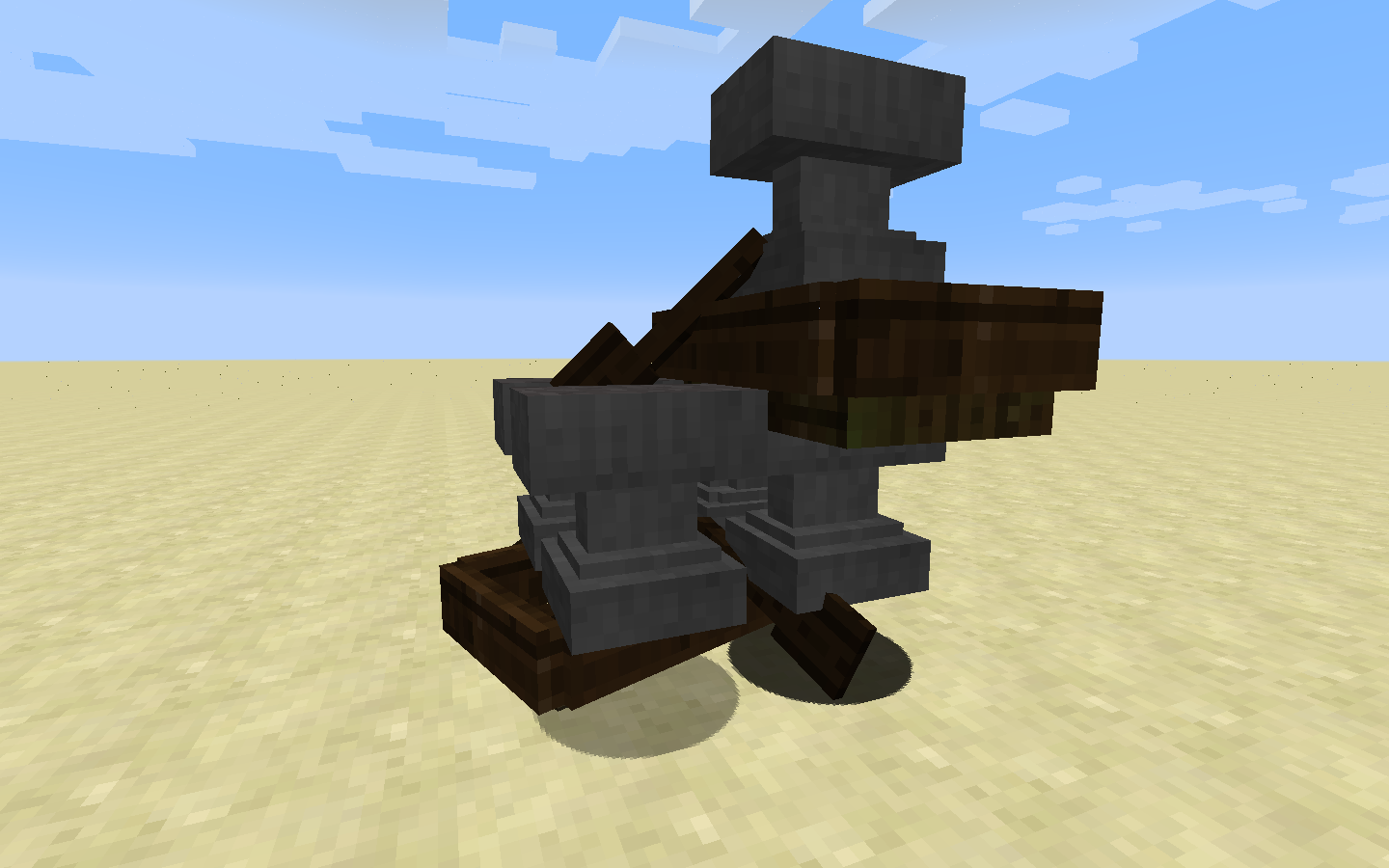
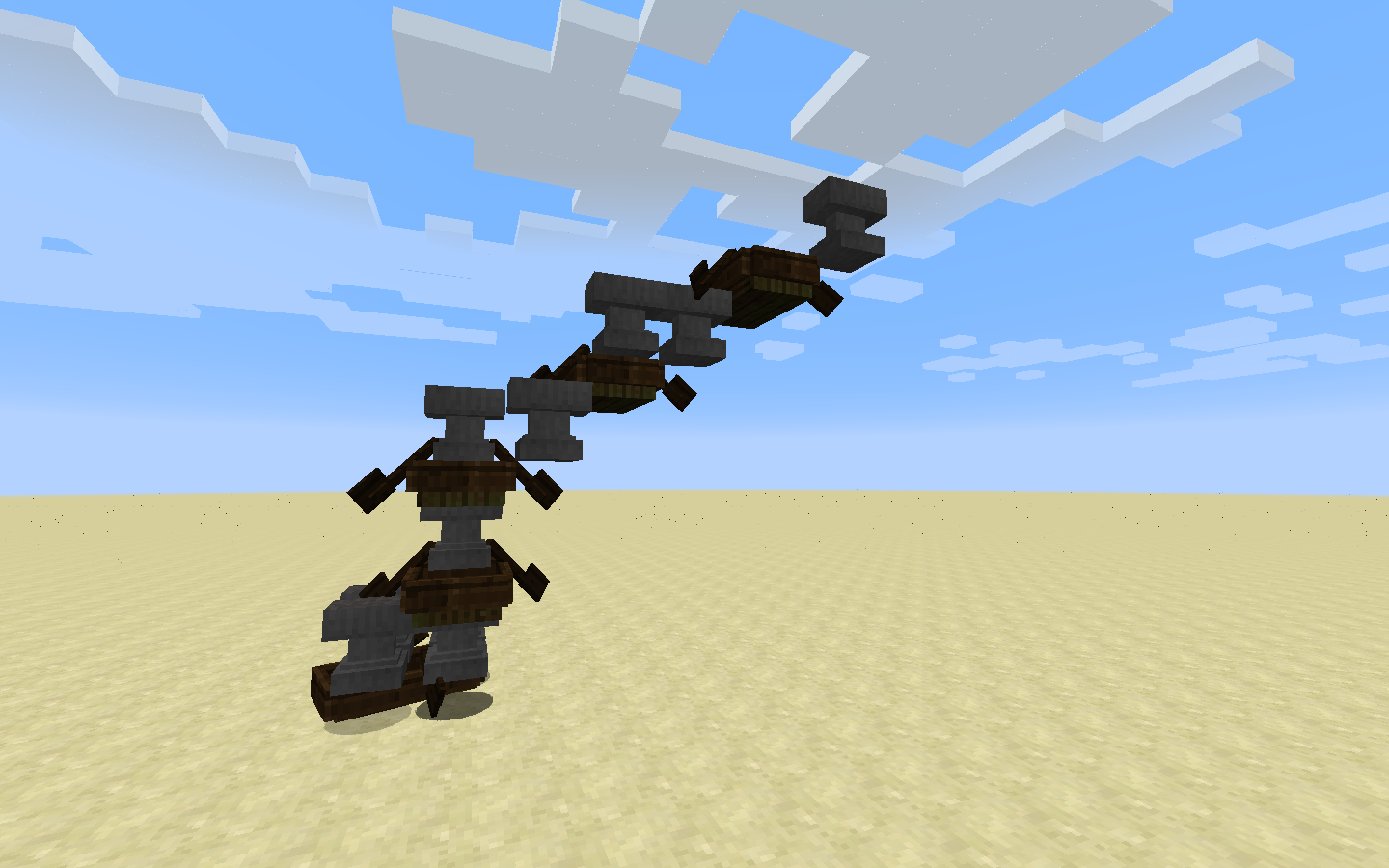
FallingSand dropped on any boat or a fence (gate)/cobblestone wall (1.9) will float above the boat in a 3x3 grid and never land.
FallingSand dropped on any boat or a fence (gate)/cobblestone wall (1.9) will float above the boatin a 3x3 grid and never land.FallingSand dropped on any boat or a fence (gate)/cobblestone wall (1.9) will float above this [block|entity in a 3x3 grid] and never land.
In the latest snapshot (1
5w51a & b) drop an anvil/sand or any other fallingSand Entity from a few blocks high on a boat. It doesn't break(hurray), but the fallingSand entity glitches and never lands.Reproduce:
- place a boat on solid blocks.
- in a 1 block radius (the block below the boat and the ones touching it + diagonals) any fallingSand Entity dropped ontop of the boat in that grid will float in the air and never land.
- you can stack up as many fallingSand entities as you want in a single blockspace
- when you destroy the boat, the blocks drop as items.
In the latest snapshot (16w06a) drop an anvil/sand or any other fallingSand Entity from a few blocks high on a boat or a fencegate, fence or cobblestone wall. It doesn't break, but the fallingSand entity glitches and never lands.
Reproduce:
- place a boat on solid blocks.
- in a 1 block radius (the block below the boat and the ones touching it + diagonals) any fallingSand Entity dropped ontop of the boat in that grid will float in the air and never land.
OR - place fallingSand block 2 above any 1.5 block tall block.- you can stack up as many fallingSand entities as you want in a single blockspace
- when you destroy the boat or the supporting block, the blocks drop as items (when the Life tag hasn't overflown yet).
FallingSand dropped on any boator a fence (gate)/cobblestone wall(1.9) will float above this[block|entityin a 3x3 grid]and never land.FallingSand dropped on any boat (1.9) will float above this boat in a 3x3 grid and never land.
In the latest snapshot (16w06a) drop an anvil/sand or any other fallingSand Entity from a few blocks high on a boat
or a fencegate, fence or cobblestone wall. It doesn't break, but the fallingSand entity glitches and never lands.Reproduce:
- place a boat on solid blocks.
- in a 1 block radius (the block below the boat and the ones touching it + diagonals) any fallingSand Entity dropped ontop of the boat in that grid will float in the air and never land.
OR - place fallingSand block 2 above any 1.5 block tall block.- you can stack up as many fallingSand entities as you want in a single blockspace
- when you destroy the boat
or the supporting block, the blocks drop as items (whenthe Life tag hasn't overflown yet).In the latest snapshot (16w06a) drop an anvil/sand or any other fallingSand Entity from a few blocks high on a boat. It doesn't break, but the fallingSand entity glitches and never lands.
Reproduce:
- place a boat on solid blocks.
- in a 1 block radius (the block below the boat and the ones touching it + diagonals) any fallingSand Entity dropped ontop of the boat in that grid will float in the air and never land.
- you can stack up as many fallingSand entities as you want in a single blockspace
- when you destroy the boat, the blocks drop as items (if the Life tag hasn't overflown yet).
Boats will collide with Marker armorstands, invulnerable, invisible, no matter what will always collide.
Boats also collide with paintings
anditemframes,(intended?)Boats will collide with Marker armorstands, invulnerable, invisible, no matter what will always collide.
Boats also collide with paintings, itemframes, arrows, etc. Non-living (non-mob) entities.
What should happen:
Should only collide with "living" entities, boats, nonmarker armorstands, players, and such.
Not with marker armorstands, arrows, items, itemframes, paintings.
Boats collide with any entity (Arrows, Paintings, etc.) even if Marker:1b is on (armor stand)
This post may be a duplicate of
MC-33304
REASON: this ticket was closed due to (on my opinion) incorrect reasoning.FACTS:
- It is not about the color of the sign, but about the texture of the sign!
- It may seem to affect colors, but as seen in the attachments, it's just an illusion.
- Because of how lighting works in minecraft, the shading on the sign makes the sign look lighter/darker depending on rotation around the Y-axis; pointing one in X or Z direction will alter the sign's texture, NOT the colors.
Steps to reproduce
1: place sign facing X and Z direction.
2: coloring is only useful to see the major difference in shading.using resourcepack:
- Can be seen that colors are fine.
- Because Black (Color #000000) does not alter it's shading, due to it being the most dark color.
- Changes in color are about #4F4124 -> #766034, which is a "color difference" of {Red: (dec) 39, Green: (dec) 31, Blue: (dec) 16}
which is on average about (dec) 29 difference in color => 11.35% color difference.
(found on upper right most pixel of sign)[math might not be accurate]
Please reconsider fixing/looking into this bug, (putting it on the low-medium priority bug-fix list?)
Way to fix:
- Possibly: involves rewriting (parts) of lighting/shading system.
- Alternatively: Changing the way signs are rendered.
- Or some other way.
Comment on Attachments
2016-02-11_21.04.19.png = (no Res-pack) Viewed in line with Z-axis
2016-02-11_21.04.33.png = (no Res-pack) Viewed in line with X-axis
2016-02-11_21.21.18.png = (Res-pack: sign texture completely black) Proof that colors aren't changing, average color difference of maybe 1 or 2 (hex)(0.5%)
2016-02-11_21.21.47.png = (no Res-pack) colors "seem" to change, but actually it is the texture of the sign. (use a color picking tool for proof)This post may be a duplicate of
MC-33304
REASON: this ticket was closed due to (on my opinion) incorrect reasoning.FACTS:
- It is not about the color of the sign, but about the texture of the sign!
- It may seem to affect colors, but as seen in the attachments, it's just an illusion.
- Because of how lighting works in minecraft, the shading on the sign makes the sign look lighter/darker depending on rotation around the Y-axis; pointing one in X or Z direction will alter the sign's texture, NOT the colors.
Steps to reproduce
1: place sign facing X and Z direction.
2: coloring is only useful to see the major difference in shading.using resourcepack:
- Can be seen that colors are fine.
- Because Black (Color #000000) does not alter it's shading, due to it being the most dark color.
- Changes in color are about #4F4124 -> #766034, which is a "color difference" of {Red: (dec) 39, Green: (dec) 31, Blue: (dec) 16}
which is on average about (dec) 29 difference in color => 11.35% color difference.
(found on upper right most pixel of sign)[math might not be accurate]
Please reconsider fixing/looking into this bug, (putting it on the low-medium priority bug-fix list?)
Way to fix:
- Possibly: involves rewriting (parts) of lighting/shading system.
- Alternatively: Changing the way signs are rendered.
- Or some other way.
Comment on Attachments
2016-02-11_21.04.19.png = (no Res-pack) Viewed in line with Z-axis
2016-02-11_21.04.33.png = (no Res-pack) Viewed in line with X-axis
2016-02-11_21.21.18.png = (Res-pack: sign texture completely black) Proof that colors aren't changing, average color difference of maybe 1 or 2 (hex)(0.5%)
2016-02-11_21.21.47.png = (no Res-pack) colors "seem" to change, but actually it is the texture of the sign. (use a color picking tool for proof)
This post may be a duplicate of
MC-33304but is, rather, "related"
REASON: this ticket was closed due to (on my opinion) incorrect reasoning. (Please read this ticket thoroughly!)FACTS:
- It is not about the color of the sign, but about the texture of the sign!
- It may seem to affect colors, but as seen in the attachments, it's just an illusion.
- Because of how lighting works in minecraft, the shading on the sign makes the sign look lighter/darker depending on rotation around the Y-axis; pointing one in X or Z direction will alter the sign's texture, NOT the colors.
Steps to reproduce
1: place sign facing X and Z direction.
2: coloring is only useful to see the major difference in shading.using resourcepack:
- Can be seen that colors are fine.
- Because Black (Color #000000) does not alter it's shading, due to it being the most dark color.
- Changes in color are about #4F4124 -> #766034, which is a "color difference" of {Red: (dec) 39, Green: (dec) 31, Blue: (dec) 16}
which is on average about (dec) 29 difference in color => 11.35% color difference.
(found on upper right most pixel of sign)[math might not be accurate]
Please reconsider fixing/looking into this bug, (putting it on the low-medium priority bug-fix list?)
Way to fix:
- Possibly: involves rewriting (parts) of lighting/shading system.
- Alternatively: Changing the way signs are rendered.
- Or some other way.
Comment on Attachments
2016-02-11_21.04.19.png = (no Res-pack) Viewed in line with Z-axis
2016-02-11_21.04.33.png = (no Res-pack) Viewed in line with X-axis
2016-02-11_21.21.18.png = (Res-pack: sign texture completely black) Proof that colors aren't changing, average color difference of maybe 1 or 2 (hex)(0.5%)
2016-02-11_21.21.47.png = (no Res-pack) colors "seem" to change, but actually it is the texture of the sign. (use a color picking tool for proof)
This post may
be a duplicate ofMC-33304but is, rather, "related"
REASON: this ticket was closed due to (on my opinion) incorrect reasoning. (Please read this ticket thoroughly!)FACTS:
- It is not about the color of the sign, but about the texture of the sign!
- It may seem to affect colors, but as seen in the attachments, it's just an illusion.
- Because of how lighting works in minecraft, the shading on the sign makes the sign look lighter/darker depending on rotation around the Y-axis; pointing one in X or Z direction will alter the sign's texture, NOT the colors.
Steps to reproduce
1: place sign facing X and Z direction.
2: coloring is only useful to see the major difference in shading.using resourcepack:
- Can be seen that colors are fine.
- Because Black (Color #000000) does not alter it's shading, due to it being the most dark color.
- Changes in color are about #4F4124 -> #766034, which is a "color difference" of {Red: (dec) 39, Green: (dec) 31, Blue: (dec) 16}
which is on average about (dec) 29 difference in color => 11.35% color difference.
(found on upper right most pixel of sign)[math might not be accurate]
Please reconsider fixing/looking into this bug, (putting it on the low-medium priority bug-fix list?)
Way to fix:
- Possibly: involves rewriting (parts) of lighting/shading system.
- Alternatively: Changing the way signs are rendered.
- Or some other way.
Comment on Attachments
2016-02-11_21.04.19.png = (no Res-pack) Viewed in line with Z-axis
2016-02-11_21.04.33.png = (no Res-pack) Viewed in line with X-axis
2016-02-11_21.21.18.png = (Res-pack: sign texture completely black) Proof that colors aren't changing, average color difference of maybe 1 or 2 (hex)(0.5%)2016-02-11_21.21.47.png = (no Res-pack) colors "seem" to change, but actually it is the texture of the sign. (use a color picking tool for proof)This post may look like a duplicate of
MC-33304but is, rather, "related"
REASON: this ticket was closed due to (on my opinion) incorrect reasoning. (Please read this ticket thoroughly!)
Please reconsider fixing/looking into this bug, (putting it on the low-medium priority bug-fix list?)FACTS:
- It is not about the color of the sign, but about the texture of the sign! (IMPORTANT)
- It may seem to affect colors, but as seen in the attachments, it's just an illusion.
- Because of how lighting works in minecraft, the shading on the sign makes the sign look lighter/darker depending on rotation around the Y-axis; pointing one in X or Z direction will alter the sign's texture, NOT the colors.
Steps to reproduce
1: place sign facing X and Z direction.
2: coloring is only useful to see the major difference in shading.using resourcepack:
- Can be seen that colors are fine.
- Because Black (Color #000000) does not alter it's shading, due to it being the most dark color.
- Changes in color are about #4F4124 -> #766034, which is a "color difference" of {Red: (dec) 39, Green: (dec) 31, Blue: (dec) 16}
which is on average about (dec) 29 difference in color => 11.35% color difference.
(found on upper right most pixel of sign)[math might not be accurate]
Way to fix:
- Possibly: involves rewriting (parts) of lighting/shading system.
- Alternatively: Changing the way signs are rendered.
- Or some other way.
Comment on Attachments
2016-02-11_21.04.19.png = (no Res-pack) Viewed in line with Z-axis
2016-02-11_21.04.33.png = (no Res-pack) Viewed in line with X-axis
2016-02-11_21.21.18.png = (Res-pack: sign texture completely black) Proof that colors aren't changing, average color difference of maybe 1 or 2 (hex)(0.5%)
2016-02-11_21.21.47.png = (no Res-pack) colors "seem" to change, but actually it is the texture of the sign. (use a color picking tool for proof)Final words and notes:
The coloring/formatting system, may not be fully supported, but texture/rendering bugs/errors are. The unreadability of the colored signs is just a side effect of the texture/rendering being darker/lighter.
This post may look like a duplicate of
MC-33304but is, rather, "related"
REASON: this ticket was closed due to (on my opinion) incorrect reasoning. (Please read this ticket thoroughly!)
Please reconsider fixing/looking into this bug, (putting it on the low-medium priority bug-fix list?)FACTS:
- It is not about the color of the sign, but about the texture of the sign! (IMPORTANT)
- It may seem to affect colors, but as seen in the attachments, it's just an illusion.
- Because of how lighting works in minecraft, the shading on the sign makes the sign look lighter/darker depending on rotation around the Y-axis; pointing one in X or Z direction will alter the sign's texture, NOT the colors.
Steps to reproduce
1: place sign facing X and Z direction.
2: coloring is only useful to see the major difference in shading.using resourcepack:
- Can be seen that colors are fine.
- Because Black (Color #000000) does not alter it's shading, due to it being the most dark color.
- Changes in color are about #4F4124 -> #766034, which is a "color difference" of {Red: (dec) 39, Green: (dec) 31, Blue: (dec) 16}
which is on average about (dec) 29 difference in color => 11.35% color difference.
(found on upper right most pixel of sign)[math might not be accurate]
Way to fix:
- Possibly: involves rewriting (parts) of lighting/shading system.
- Alternatively: Changing the way signs are rendered.
- Or some other way.
Comment on Attachments
2016-02-11_21.04.19.png = (no Res-pack) Viewed in line with Z-axis
2016-02-11_21.04.33.png = (no Res-pack) Viewed in line with X-axis
2016-02-11_21.21.18.png = (Res-pack: sign texture completely black) Proof that colors aren't changing, average color difference of maybe 1 or 2 (hex)(0.5%)
2016-02-11_21.21.47.png = (no Res-pack) colors "seem" to change, but actually it is the texture of the sign. (use a color picking tool for proof)Final words and notes:
The coloring/formatting system, may not be fully supported, but texture/rendering bugs/errors are. The unreadability of the colored signs is just a side effect of the texture/rendering being darker/lighter. Black text is also harder to read, but since the contrast is so high, nobody will have problems with it. Unless the texture was darker, in which case you may or may not be able to read the text.
Boats sink through floorafter riding through flowing waterBoats sink through floor when landing in "less than" one deep water, from a high place.
A boat will glitch/sink through the floor when jumping from one water height to another. (See screenshot for setup to reproduce glitch)
I don't know if this is the "sinking" the devs meant on the blog post. or if that was an "intended" feature.
Reproduce
1: grab a boat
2: create setup shown in screenshot
3: speed up using 'W' and move towards the waterfall. once you fall on the floor below, you will sink/glitch through the ground, as shown in the Youtube video here:
https://www.youtube.com/watch?v=Q8mtxsNCOAEA boat will glitch/sink through the floor when jumping from one water height to another. (See screenshot for setup to reproduce glitch)
EDIT: One can reproduce this when landing in shallow water, (less than one deep, flowing water), by jumping from one high place down.
Happens when on full speed. Making the water 2 deep seems to "fix" it.Reproduce
1: grab a boat
2: create setup shown in screenshot
3: speed up using 'W' and move towards the waterfall. once you fall on the floor below, you will sink/glitch through the ground, as shown in the Youtube video here:
https://www.youtube.com/watch?v=Q8mtxsNCOAE
EDIT
Play on a server (snapshot 16w06a)----------
play on a server
/op a player (GarryGoose for example)
(his op level is 4)
change in server.properties -> op-permission-level=1
change GarryGoose's name to something else (Ghast2000 for example)
if you then search in the OP list (ops.json) you will still find the old name even after running the server.
GarryGoose is still OP (Ghast2000 can still use it)
but if you /op Ghast2000 again he will lose his level 4 and turn to level 1 op level.
thus pushing 2 names with same UUID in the ops.json one with lvl:1 and one with lvl:4
EDIT
Play on a server (snapshot 16w06a)----------
play on a server
/op a player (GarryGoose for example)
(his op level is 4)
change in server.properties -> op-permission-level=1
change GarryGoose's name to something else (Ghast2000 for example)
if you then search in the OP list (ops.json) you will still find the old name even after running the server.
GarryGoose is still OP (Ghast2000 can still use it)
but if you /op Ghast2000 again he will lose his level 4 and turn to level 1 op level.
thus pushing 2 names with same UUID in the ops.json one with lvl:1 and one with lvl:4EDIT
- Play on a server (snapshot 16w06a)
- OP player "Anybody"
- Close server and rename "Anybody" to "OtherName" || alternatively rename the player via mojang.com (default way to do it)
- Because the player "Anybody" has the same UUID as "OtherName" (cause they changed their name), "OtherName" will still be able to use commands (ok) but "Anybody" will also be able to.
- Rejoin server, (chat says, Anybody (formerly known as OtherName) joined the game.
- you will be able to use OP-level:4 commands, until you get opped again. Then it will obey the server.properties default (e.g. level:1)
- I suggest changing the /op command to -> /op <player> [level] (no level given: defaults to server.prop, someone from level 3 can't op another to level 4, etc.)
----------
play on a server
/op a player (GarryGoose for example)
(his op level is 4)
change in server.properties -> op-permission-level=1
change GarryGoose's name to something else (Ghast2000 for example)
if you then search in the OP list (ops.json) you will still find the old name even after running the server.
GarryGoose is still OP (Ghast2000 can still use it)
but if you /op Ghast2000 again he will lose his level 4 and turn to level 1 op level.
thus pushing 2 names with same UUID in the ops.json one with lvl:1 and one with lvl:4
set a commandblock down on a clock with:
/clear @p minecraft:torch 0
and take some sticks and coal
in creative mode take a crafting bench and craft some torches!
these torches will be cleared out of your inventory!
but seem to be still visible ghost items which you can't use.Code analysis: https://bugs.mojang.com/secure/EditComment!default.jspa?id=64286&commentId=283931
- Put a repeating commandblock down with: /clear @p torch
- then grab a stack of torches and put it in your hotbar.
- try placing down torches, the blocks won't be placed, (ghost items)
Code analysis: https://bugs.mojang.com/secure/EditComment!default.jspa?id=64286&commentId=283931
ghost items in creativewith clear when holding itemGhost items in creative mode when clearing item
Water bottles (minecraft:potion) have a different NBT tag depending on how you obtain them, the NBT tags are as follows:
- from creative:
<code> {Potion:"minecraft:water"}<code>
- from cauldron (survival): (no NBT tag) <code>{}<code>
- from water (survival/creative):
<code> {Potion:"minecraft:water"}<code>
This bug makes trading with villagers inconvenient, as when you specify the tag:
{Potion:"minecraft:water"}<code><code>
You will likely find that players use cauldrons to obtain the water bottle, and the trade fails.To fix this bug, all that needs to happen is to make any potion without a tag, be assigned the default water bottle tag, or at least when obtained using non-command methods. Cauldrons and water sourceblocks should yield the player the exact same water bottle.
[Attachments (in order): "cauldron", "creative", "water-source"]
Water bottles (minecraft:potion) have a different NBT tag depending on how you obtain them, the NBT tags are as follows:
- from creative:
{Potion:"minecraft:water"}- from cauldron (survival): (no NBT tag)
{}- from water (survival/creative):
{Potion:"minecraft:water"}This bug makes trading with villagers inconvenient, as when you specify the tag:
{Potion:"minecraft:water"}You will likely find that players use cauldrons to obtain the water bottle, and the trade fails.
To fix this bug, all that needs to happen is to make any potion without a tag, be assigned the default water bottle tag, or at least when obtained using non-command methods. Cauldrons and water sourceblocks should yield the player the exact same water bottle.
[Attachments (in order): "cauldron", "creative", "water-source"]
STILL WORKED FINE IN 1.9-pre1,2
I tested it in 1.9-pre1 and 2, it still worked perfectly fine-The title is a lot to take in, so use the setup below for the first time.
Because of a previous fix, making signs placed by non-ops lose their NBT data (security fix), now there is a bug that affects already placed signs in a non-cheats world.
- Use this command to get a sign with cheats on (enable cheats through LAN, or use NBT editor)
/give @p sign 1 0 {BlockEntityTag:{Text1:"{\"text\":\"test\",\"color\":\"blue\"}"}}
- Place the sign above a commandblock (standing or wall)
-create 2 dummy objectives test1 and test2
- set your score for both to 0 or whatever number.
- put this command in the commandblock below and and activate it once.
/blockdata ~ ~1 ~ {Text4:"{\"score\":{\"objective\":\"test1\",\"name\":\"@p\"}}",Text3:"{\"score\":{\"objective\":\"test2\",\"name\":\"@p\"}}"}=Review what will happen now:
- The sign will have "test" in blue on the first line, your scores on the third and fourth line.
- Next you close the world, and DISABLE cheats (NBT editor, or using the LAN feature or some other way.)
- Reopen the world in non-cheat mode. Although the commandblock is updating only the LAST two lines, the first one has disappeared as well as the last ones!
Video: https://www.youtube.com/watch?v=icx6-5V2OlA
This explains it really well (no sound)Partial Log of the Exception:
[17:36:25] [Server thread/INFO]: Generating keypair [17:36:25] [Server thread/INFO]: Preparing start region for level 0 [17:36:26] [Server thread/ERROR]: Failed to load data for block entity Sign java.lang.NullPointerException at aqn$1.h(SourceFile:99) ~[1.9.jar:?] at o.a(SourceFile:156) ~[1.9.jar:?] at o.b(SourceFile:124) ~[1.9.jar:?] at ev.a(SourceFile:21) ~[1.9.jar:?] at aqn.a(SourceFile:107) ~[1.9.jar:?] at apv.a(SourceFile:108) [1.9.jar:?] at ass.a(SourceFile:306) [1.9.jar:?] at ass.a(SourceFile:83) [1.9.jar:?] at ass.a(SourceFile:70) [1.9.jar:?] at lo.f(SourceFile:124) [1.9.jar:?] at lo.c(SourceFile:76) [1.9.jar:?] at lo.d(SourceFile:91) [1.9.jar:?] at net.minecraft.server.MinecraftServer.l(SourceFile:325) [1.9.jar:?] at byn.a(SourceFile:114) [1.9.jar:?] at byn.j(SourceFile:130) [1.9.jar:?] at net.minecraft.server.MinecraftServer.run(SourceFile:427) [1.9.jar:?] at java.lang.Thread.run(Thread.java:745) [?:1.8.0_74]
Execute this command from chat, then from command block.
/title @p actionbar {"text":"3 non-breaking-spaces"}or this one:
/tellraw @p {"text":"3 non-breaking-spaces"}or any other text related JSON command even nested in execute:
/execute @p ~ ~ ~ /tellraw @p {"text":"3 non-breaking-spaces"}Expected:
- same output: 3 non-breaking-spaces
Actual:
- different output:
CHAT: 3 non-breaking-spaces[NBSP][NBSP][NBSP]non-breaking-spaces
COMMANDBLOCK:3Possible cause:
- The way text is parsed and formatted from chat is different from command blocks.
Execute this command from chat, then from command block.
/title @p actionbar {"text":"3 non-breaking-spaces"}or this one:
/tellraw @p {"text":"3 non-breaking-spaces"}or any other text related JSON command even nested in execute:
/execute @p ~ ~ ~ /tellraw @p {"text":"3 non-breaking-spaces"}Expected:
- same output:
3 non-breaking-spacesActual:
- different output:
CHAT:3 non-breaking-spacesCOMMANDBLOCK:
3[NBSP][NBSP][NBSP]non-breaking-spacesPossible cause:
- The way text is parsed and formatted from chat is different from command blocks.
Execute this command from chat, then from command block.
/title @p actionbar {"text":"3 non-breaking-spaces"}or this one:
/tellraw @p {"text":"3 non-breaking-spaces"}or any other text related JSON command even nested in execute:
/execute @p ~ ~ ~ /tellraw @p {"text":"3 non-breaking-spaces"}Expected:
- same output:
3 non-breaking-spacesActual:
- different output:
CHAT:3 non-breaking-spacesCOMMANDBLOCK:
3[NBSP][NBSP][NBSP]non-breaking-spacesPossible cause:
- The way text is parsed and formatted from chat is different from command blocks.
Ȁ0
Execute this command from chat, then from command block.
/title @p actionbar {"text":"3 non-breaking-spaces"}or this one:
/tellraw @p {"text":"3 non-breaking-spaces"}or any other text related JSON command even nested in execute:
/execute @p ~ ~ ~ /tellraw @p {"text":"3 non-breaking-spaces"}Expected:
- same output:
3 non-breaking-spacesActual:
- different output:
CHAT:3 non-breaking-spacesCOMMANDBLOCK:
3[NBSP][NBSP][NBSP]non-breaking-spacesPossible cause:
- The way text is parsed and formatted from chat is different from command blocks.
Ȁ0
Execute this command from chat, then from command block.
/title @p actionbar {"text":"3 non-breaking-spaces"}or this one:
/tellraw @p {"text":"3 non-breaking-spaces"}or any other text related JSON command even nested in execute:
/execute @p ~ ~ ~ /tellraw @p {"text":"3 non-breaking-spaces"}Expected:
- same output:
3 non-breaking-spacesActual:
- different output:
CHAT:3 non-breaking-spacesCOMMANDBLOCK:
3[NBSP][NBSP][NBSP]non-breaking-spacesPossible cause:
- The way text is parsed and formatted from chat is different from command blocks.
Execute this command from chat, then from command block.
/title @p actionbar {"text":"3 non-breaking-spaces"}or this one:
/tellraw @p {"text":"3 non-breaking-spaces"}or any other text related JSON command even nested in execute:
/execute @p ~ ~ ~ /tellraw @p {"text":"3 non-breaking-spaces"}Expected:
- same output:
3 non-breaking-spacesActual:
- different output:
CHAT:3 non-breaking-spacesCOMMANDBLOCK:
3non-breaking-spacesPossible cause:
- The way text is parsed and formatted from chat is different from command blocks.
( is used to represent the 'bugged' [nbsp] character)
Trying to spawn in a skeleton horse with a skeleton on top will initially spawn it, but at random the skeleton will dismount without permission...
Since you can't directly spawn skeleton horses using spawners, I had to use a despawning endermite, I recommend considering to make the spawn conditions customizable since some mobs won't spawn because of it :/
Command used that works around the spawncondition for skeleton horses:
{id:"minecraft:skeleton"}
/setblock ~ ~1 ~ mob_spawner 0 replace {SpawnData:{id:"minecraft:endermite",Lifetime:2400,Passengers:[{id:"minecraft:skeleton_horse",Passengers:[]}]}}
For clarification:
https://www.youtube.com/watch?v=zdnC9xQtMbcTrying to spawn in a skeleton horse with a skeleton on top will initially spawn it, but at random the skeleton will dismount without permission...
Since you can't directly spawn skeleton horses using spawners, I had to use a despawning endermite, I recommend considering to make the spawn conditions customizable since some mobs won't spawn because of it :/
Command used that works around the spawncondition for skeleton horses: /setblock ~ ~1 ~ mob_spawner 0 replace {SpawnData:{id:"minecraft:endermite",Lifetime:2400,Passengers:[{id:"minecraft:skeleton_horse",Passengers:[{id:"minecraft:skeleton"}]}]}}For clarification:
https://www.youtube.com/watch?v=zdnC9xQtMbc
Trying to spawn in a skeleton horse with a skeleton on top will initially spawn it, but at random the skeleton will dismount without permission...
Since you can't directly spawn skeleton horses using spawners, I had to use a despawning endermite, I recommend considering to make the spawn conditions customizable since some mobs won't spawn because of it :/
Command used that works around the spawnconditionforskeleton horses: /setblock ~ ~1 ~ mob_spawner 0 replace {SpawnData:{id:"minecraft:endermite",Lifetime:2400,Passengers:[{id:"minecraft:skeleton_horse",Passengers:[{id:"minecraft:skeleton"}]}]}}For clarification:
https://www.youtube.com/watch?v=zdnC9xQtMbcTrying to spawn in a skeleton horse with a skeleton on top will initially spawn it, but at random the skeleton will dismount without permission...
Since you can't directly spawn skeleton horses using spawners, I had to use a despawning endermite, I recommend considering to make the spawn conditions customizable since some mobs won't spawn because of it :/
Command used that works around the spawncondition for skeleton horses:
/setblock ~ ~1 ~ mob_spawner 0 replace {SpawnData:{id:"minecraft:endermite",Lifetime:2400,Passengers:[{id:"minecraft:skeleton_horse",Passengers:[{id:"minecraft:skeleton"}]}]}}For clarification:
https://www.youtube.com/watch?v=zdnC9xQtMbc
Trying to spawn in a skeleton horse with a skeleton on top will initially spawn it, but at random the skeleton will dismount without permission...
Since you can't directly spawn skeleton horses using spawners, I had to use a despawning endermite, I recommend considering to make the spawn conditions customizable since some mobs won't spawn because of it :/
Command used that works around the spawncondition for skeleton horses:
/setblock ~ ~1 ~ mob_spawner 0 replace {SpawnData:{id:"minecraft:endermite",Lifetime:2400,Passengers:[{id:"minecraft:skeleton_horse",Passengers:[{id:"minecraft:skeleton"}]}]}}For clarification:
https://www.youtube.com/watch?v=zdnC9xQtMbcMay possibly also occur with different mob riding mob combinations.
Just grab a water bottle to get the advancement for 'brew potion'
NOTE: you can't get the advancement if you brew a splash or lingering potion. You may want to add that. so you get the achievement for any potion brewed.This bug occurs because the game is checking for 'minecraft:potion'
instead of triggering by inventory change, something similar to enchanting should be done?
`"trigger":"minecraft:enchanted_item"` => `"trigger":"minecraft:brewed_item"`Just grab a water bottle to get the advancement for 'brew potion'
NOTE: you can't get the advancement if you brew a splash or lingering potion. You may want to add that. so you get the achievement for any potion brewed.This bug occurs because the game is checking for 'minecraft:potion'
instead of triggering by inventory change, something similar to enchanting should be done?
"trigger":"minecraft:enchanted_item"=>
"trigger":"minecraft:brewed_item"
Just grab a water bottle to get the advancement for 'brew potion'
NOTE: you can't get the advancement if you brew a splash or lingering potion. You may want to add that. so you get the achievement for any potion brewed.This bug occurs because the game is checking for 'minecraft:potion'
instead of triggering by inventory change, something similar to enchanting should be done?
"trigger":"minecraft:enchanted_item"=>
"trigger":"minecraft:brewed_item"Just grab a water bottle to get the advancement for 'brew potion'
NOTE: you can't get the advancement if you brew a splash or lingering potion. You may want to add that. so you get the achievement for any potion brewed.This bug occurs because the game is checking for 'minecraft:potion'
instead of triggering by inventory change, something similar to enchanting should be done?
"trigger":"minecraft:enchanted_item"likewise
"trigger":"minecraft:brewed_item"
Just grab a water bottle to get the advancement for 'brew potion'
NOTE:you can't get the advancement if you brew a splash or lingering potion. You may want to add that. so you get the achievement for any potion brewed.This bug occurs because the game is checking for 'minecraft:potion'
instead of triggering by inventory change, something similar to enchanting should be done?
"trigger":"minecraft:enchanted_item"likewise
"trigger":"minecraft:brewed_item"Just grab a water bottle to get the advancement for 'brew potion'
*NOTE:* you can't get the advancement if you brew a splash or lingering potion. You may want to add that. so you get the achievement for any potion brewed.
This bug occurs because the game is checking for 'minecraft:potion'
instead of triggering by inventory change, something similar to enchanting should be done?
"trigger":"minecraft:enchanted_item"likewise
"trigger":"minecraft:brewed_item"
Just grab a water bottle to get the advancement for 'brew potion'
*NOTE:* you can't get the advancement if you brew a splash or lingering potion. You may want to add that. so you get the achievement for any potion brewed.
This bug occurs because the game is checking for 'minecraft:potion'
instead of triggering by inventory change, something similar to enchanting should be done?
"trigger":"minecraft:enchanted_item"likewise
"trigger":"minecraft:brewed_item"
Just grab a water bottle to get the advancement for 'brew potion'
*NOTE:
*you can't get the advancement if you brew a splash or lingering potion. You may want to add that. so you get the achievement for any potion brewed.This bug occurs because the game is checking for 'minecraft:potion'
instead of triggering by inventory change, something similar to enchanting should be done?
"trigger":"minecraft:enchanted_item"likewise
"trigger":"minecraft:brewed_item"
1: Create a new world
2: In world data/advancements/custom folder add the advancement: "root.json" (copy paste from mc)
3: change the background from "minecraft:textures/guid/advancements/background/stone.png" -> "minecraft:textures/grass.png"
4: create a resourcepack with "minecraft:textures/grass.png" as a resource
5: upon loading this resourcepack through the resourcepack FOLDER, this seems to work fine and it displays the background.
6: upon loading this resourcepack through the RESOURCES.ZIP, the background is the 'texture not found' texture.
7: Tested that the resources.zip works fine, as I tried changing an existing texture (e.g. cobblestone) which worked.In short: The Advancement resource finder code, does not look/find the resource in resources.zip
With resources.zip correctly set up:
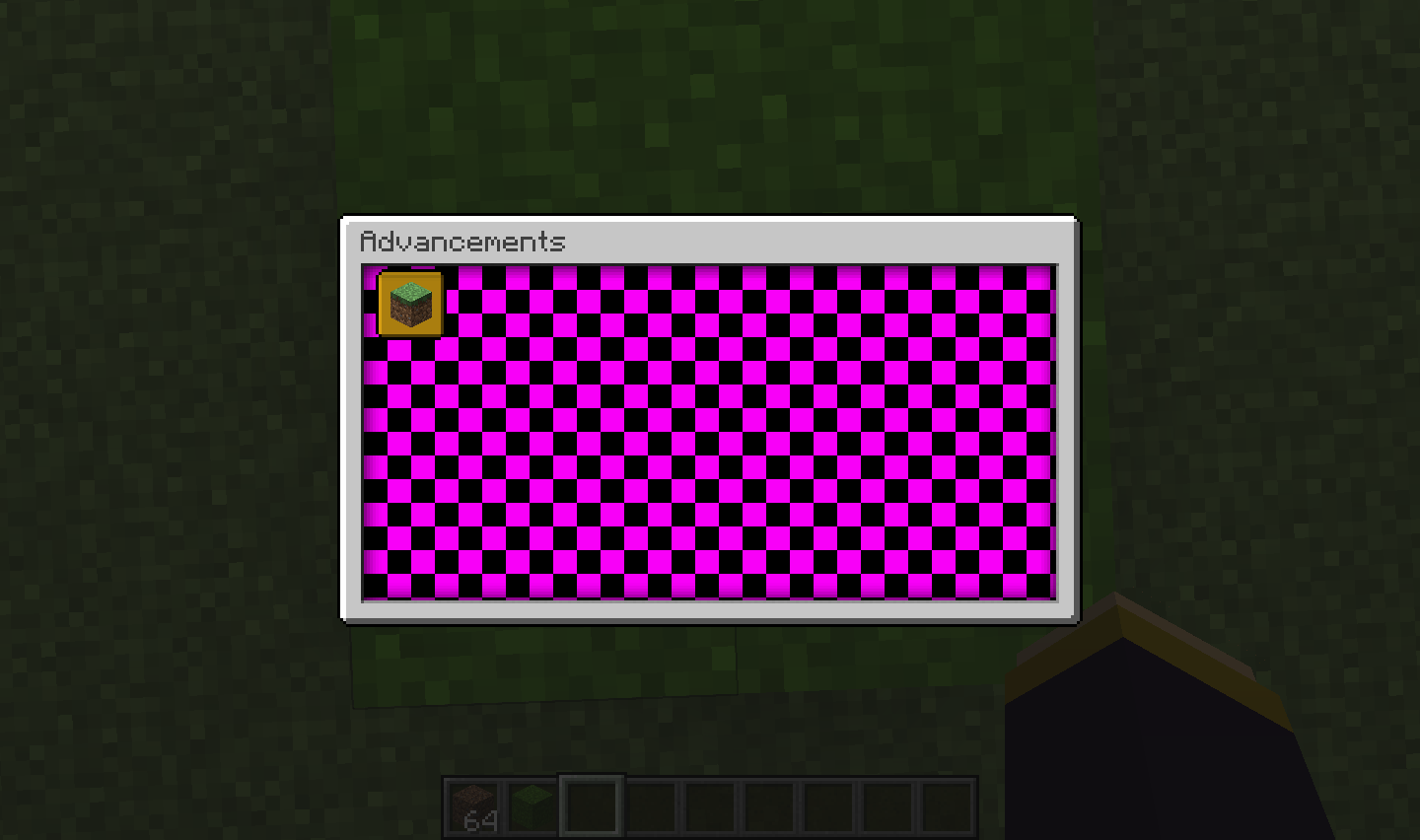
JSON file: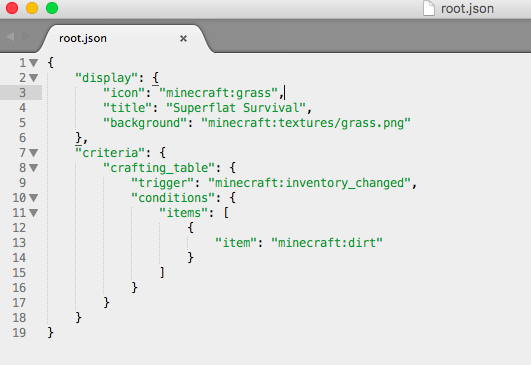
Texture used:
1: Create a new world
2: In world data/advancements/custom folder add the advancement: "root.json" (copy paste from mc)
3: change the background from "minecraft:textures/guid/advancements/background/stone.png" -> "minecraft:textures/grass.png"
4: create a resourcepack with "minecraft:textures/grass.png" as a resource
5: upon loading this resourcepack through the resourcepack FOLDER, this seems to work fine and it displays the background.
6: upon loading this resourcepack through the RESOURCES.ZIP, the background is the 'texture not found' texture.
7: Tested that the resources.zip works fine, as I tried changing an existing texture (e.g. cobblestone) which worked.In short: The Advancement resource finder code, does not look/find the resource in resources.zip
With resources.zip correctly set up:
JSON file:
Texture used:
How to reproduce:
1. grant an advancement and wait a little bit, (or hit escape to force save the data)
2. run these 2 commands in quick succession: /advancement revoke @s only <granted advancement> then /reload
3. open your advancement menu, you will see the advancement was not revoked, and thus can be re-revoked using the same command.
(might need to repeat the steps if it doesn't work.What happens (most likely):
- Advancement revoke does not get written to disk before the advancements are reloaded.
- The /reload will interrupt the game before it can save the revoked advancement.
What should happen:
- The advancements that have been revoked between now and before /reload is executed should be saved to disk.
Below a video containing the process with the steps clearly shown:
How to reproduce:
1. grant an advancement and wait a little bit, (or hit escape to force save the data)
2. run these 2 commands in quick succession: /advancement revoke @s only <granted advancement> then /reload
3. open your advancement menu, you will see the advancement was not revoked, and thus can be re-revoked using the same command.
(might need to repeat the steps if it doesn't work.What happens (most likely):
- Advancement revoke does not get written to disk before the advancements are reloaded.
- The /reload will interrupt the game before it can save the revoked advancement.
What should happen:
- The advancements that have been revoked between now and before /reload is executed should be saved to disk.
Below a video containing the process with the steps clearly shown:
https://www.youtube.com/watch?v=nnQrng0_xk8
Steps to reproduce:
1. Have 2 accounts saved in the launcher.
2. Open the launcher on account A, select the skin view.
3. Switch Account to account B.
4. Select the skin view.The skin of Account A is shown instead of B. Upon exiting and opening the launcher, the correct skin is shown.
(might be because the launcher caches the skin and incorrectly loads the cached skin, if this is the case, a simple fix would be to save the cached skin using the UUID of the user, this way you ensure the right cache is used.)
Steps to reproduce:
- Have 2 accounts saved in the launcher.
- Open the launcher on account A, select the skin view.
- Switch Account to account B.
- Select the skin view.
The skin of Account A is shown instead of B. Upon exiting and opening the launcher, the correct skin is shown.
(might be because the launcher caches the skin and incorrectly loads the cached skin, if this is the case, a simple fix would be to save the cached skin using the UUID of the user, this way you ensure the right cache is used.)
Sometimes blocks and items cannot be picked up, one of these cases is shown in the following video:
- It seems to happen when the player is touching a block side
- the items are submerged in a water stream pushing them into a block
- This sight is often found when mining for obsidian using the water bucket trick to not have the items burn up.
When you step back a little bit you can pick up the items.
Since the bug seems kind of vague and I can't really well document it, I kindly request some more experimentation to what the exact cause of the bug is.
In any case, this bug was found in a legitimate vanilla world without cheats, when I noticed items weren't going into my inventory while I clearly had room for them.
I guess it might have to do with the pickup range for items, and the position of the items/player to somehow glitch up.
Sometimes blocks and items cannot be picked up, one of these cases is shown in the following video: https://www.youtube.com/watch?v=B-dC2Sw0-DE
- It seems to happen when the player is touching a block side
- the items are submerged in a water stream pushing them into a block
- This sight is often found when mining for obsidian using the water bucket trick to not have the items burn up.
When you step back a little bit you can pick up the items.
Since the bug seems kind of vague and I can't really well document it, I kindly request some more experimentation to what the exact cause of the bug is.
In any case, this bug was found in a legitimate vanilla world without cheats, when I noticed items weren't going into my inventory while I clearly had room for them.
I guess it might have to do with the pickup range for items, and the position of the items/player to somehow glitch up.
Log files are HUGE (5GB) becausebrigadier doesn't care about gamerule logAdminCommandsLog files are HUGE (5GB) because Brigadier doesn't care about gamerule logAdminCommands false
Log files are HUGE (5GB) because Brigadierdoesn't care about gamerule logAdminCommands falseLog files are HUGE (5GB) because Brigadier also logs syntax errors continuously.
Take the example recipe below:
{ "type": "smelting", "ingredient": { "item": "minecraft:obsidian" }, "result": "minecraft:bedrock", "experience": 10, "cookingtime": 20 }You won't be able to shift click the obsidian into the furnace like ores and other vanilla smeltable items. Of course it
is hardcoded on items like ores to be shift-clickable into furnaces. This trait does not get applied to itemsfrom datapackshowever.
I expect this to work for all items that are made smeltable. Also if you remove the vanilla data pack, you canstillshift clickores in there, however it won't do anything.Take the example recipe below:
{ "type": "smelting", "ingredient": { "item": "minecraft:obsidian" }, "result": "minecraft:bedrock", "experience": 10, "cookingtime": 20 }You won't be able to shift click the obsidian into the furnace like ores and other vanilla smeltable items. Of course it was hardcoded on items like ores to be shift-clickable into furnaces. This trait does not get applied to items in this snapshot however.
EDIT
it actually doesn't require a custom recipe, regular vanilla smeltables are also not shift-clickable. + I discovered, after putting in the smeltable in the top slot, you can't shift click the fuel in the bottom slot, however, if the top slot is empty, you can shift click fuel in the bottom slot.
Grab a map, turn it on.
Zoom it out using paper.
Now grab a banner and put it on the map. Optionally rename it.Save and quit, reload the world and gone is the marker.
Grab a map, turn it on.
Now grab a banner and put it on the map. Optionally rename it.
Zoom it out using paper.
and gone is the marker.
Zoomed outmapswon't keep banner waypoints on map on world save.Waypoints on map will disappear after zooming out.

Mobs
spawnedfrom mobcages (spawners) will no longer spawn mobs in the air. Breaking thousands of mob-spawner designs, making them useless, making any new design impractical and useless.Also in many custom maps, this spawning mechanic is used to drop mobs ontop of players traversing the map trying to find the wool.
This mechanic has been in the game for absolutely ages.
Reproduce:
Basically find a spawner in a dungeon, or put one down in a dark spot with enough clearance. Mobs only spawn on solid floors, not in air as they used to.
Mobs from mob spawners spawn on minecart tracks as well as redstone. Not sure if intended, but sounds impractical for lots of reasons.
Mobspawnercages don't spawn mobs in the air anymore.Mob spawners spawn on minecart tracks
While ridingan entity, you'll beswimming.While riding certain entities, player appears swimming.
Enter a boat
,minecartor other rideable entity.You will sink into the ground, now press F5,
you'll beswimmingReproduction
Enter a boat or a minecart. (Does not work for pigs, donkeys or horses.)
You will sink into the ground, now press F5, the player appears swimming.
Reproduction
Enter a boat (on solid ground) or a minecart. (Does not work for pigs, donkeys or horses.)
You will sink into the ground, now press F5, the player appears swimming.
Tested with a pig on an oak fence in a superflat world on grass.
Expected:
- Lead works normally, attach to mob and fence and it will stay.
Actual:
- Lead breaks after few seconds, no matter how many times it is reattached.
Reproduce:
- Tie a pig to a fence using a lead.
- Observer as the lead snaps after a few seconds.
The lead also doesn't drag along the entity when one pulls the animal with the lead away from the origin. That is, you attach a lead to the pig and walk away from it, further than the lead usually allows. This causes the lead to snap (server-side) as client-side, the lead still seems to be attached. Trying to attach the lead now will do nothing. Reattaching the lead to the animal shows the desync.
What needs to be fixed:
- Revert the behavior of leads to the intended working behavior.
Tested with a pig on an oak fence in a superflat world on grass.
Expected:
- Lead works normally, attach to mob and fence and it will stay.
Actual:
- Lead breaks after few seconds, no matter how many times it is reattached.
Reproduce:
- Tie a pig to a fence using a lead.
- Observer as the lead snaps after a few seconds.
What needs to be fixed:
- Revert the behavior of leads to the intended working behavior.
Tested setup (test environment):
Tested with a pig on an oak fence in a superflat world on grass.
Expected:
- Lead works normally, attach to mob and fence and it will stay.
Actual:
- Lead breaks after few seconds, no matter how many times it is reattached.
Reproduce:
- Tie a pig to a fence using a lead.
- Observer as the lead snaps after a few seconds.
What needs to be fixed:
- Revert the behavior of leads to the intended working behavior.
Tested setup (test environment):
Tested with a pig on an oak fence in a superflat world on grass.
Expected:
- Lead works normally, attach to mob and fence and it will stay.
Actual:
- Lead breaks after few seconds, no matter how many times it is reattached.
Reproduce:
- Tie a pig to a fence using a lead.
- Observer as the lead snaps after a few seconds.
What needs to be fixed:
- Revert the behavior of leads to the intended working behavior.
Tested setup (test environment):
- Tested with a pig on an oak fence in a superflat world on grass.
- Known to not be an issue in another world.
Expected:
- Lead works normally, attach to mob and fence and it will stay.
Actual:
- Lead breaks after few seconds, no matter how many times it is reattached.
Reproduce:
- Tie a pig to a fence using a lead.
- Observer as the lead snaps after a few seconds.
What needs to be fixed:
- Revert the behavior of leads to the intended working behavior.
Tested setup (test environment):
- Tested with a pig on an oak fence in a superflat world on grass.
- Known to not be an issue in another world.
Expected:
- Lead works normally, attach to mob and fence and it will stay.
Actual:
- Lead breaks after few seconds, no matter how many times it is reattached.
Reproduce:
- Tie a pig to a fence using a lead.
- Observer as the lead snaps after a few seconds.
What needs to be fixed:
- Revert the behavior of leads to the intended working behavior.
Tested setup (test environment):
- Tested with a pig on an oak fence in a superflat world on grass.
- Disable vanilla datapack.
Expected:
- Lead works normally, attach to mob and fence and it will stay.
Actual:
- Lead breaks after few seconds, no matter how many times it is reattached.
Reproduce:
- Tie a pig to a fence using a lead.
- Observer as the lead snaps after a few seconds.
What needs to be fixed:
- Revert the behavior of leads to the intended working behavior.
Lead breaks after few seconds after attachment when [vanilla] datapack is disabled.
Tested setup (test environment):
- Tested with a pig on an oak fence in a superflat world on grass.
- Disable vanilla datapack.
Expected:
- Lead works normally, attach to mob and fence and it will stay.
Actual:
- Lead breaks after few seconds, no matter how many times it is reattached.
Reproduce:
- Tie a pig to a fence using a lead.
Observer as the lead snaps after a few seconds.
What needs to be fixed:
Revert the behavior of leads to the intended working behavior.
Tested setup (test environment):
- Tested with a pig on an oak fence in a superflat world on grass.
- Disable vanilla datapack.
Expected:
- Lead works normally, attach to mob and fence and it will stay, even if we switch vanilla datapack off, as nothing within the vanilla datapack describes leashing of entities..
Actual:
- Lead breaks after few seconds, no matter how many times it is reattached, even though the datapack vanilla is switched off.
Reproduce:
- Tie a pig to a fence using a lead.
- Disable the vanilla datapack (/datapack disable vanilla)
- Observer as the lead snaps after a few seconds.
What needs to be fixed:
- Lead attachment should not be tied to vanilla datapack.
or
- Datapack needs option for leashable entities, such that this behavior is justified.
Lead breaks after few seconds after attachment when[vanilla] datapackisdisabled.Lead breaks after few seconds after attachment when datapack tag for 'fences' is missing.
Tested setup (test environment):
- Tested with a pig on an oak fence in a superflat world on grass.
- Disable vanilla datapack
.
Expected:
- Lead works normally, attach to mob and fence and it will stay, even if we switch vanilla datapack off, as nothing within the vanilla datapack describes leashing of entities..
Actual:
- Lead breaks after few seconds, no matter how many times it is reattached, even though the datapack vanilla is switched off.
Reproduce:
- Tie a pig to a fence using a lead.
- Disable the vanilla datapack (/datapack disable vanilla)
- Observer as the lead snaps after a few seconds.
What needs to be fixed:
- Lead attachment should not be tied to vanilla datapack.
or
- Datapack needs option for leashable entities, such that this behavior is justified.
Tested setup (test environment):
- Tested with a pig on an oak fence in a superflat world on grass.
- Disable vanilla datapack or remove
Expected:
- Lead works normally, attach to mob and fence and it will stay, even if we switch vanilla datapack off, as nothing within the vanilla datapack describes leashing of entities..
Actual:
- Lead breaks after few seconds, no matter how many times it is reattached, even though the datapack vanilla is switched off.
Reproduce:
- Tie a pig to a fence using a lead.
- Disable the vanilla datapack (/datapack disable vanilla)
- Observer as the lead snaps after a few seconds.
What needs to be fixed:
- Lead attachment should not be tied to vanilla datapack.
or
- Datapack needs option for leashable entities, such that this behavior is justified.
Tested setup (test environment):
- Tested with a pig on an oak fence in a superflat world on grass.
- Disable vanilla datapack or remove
Expected:
- Lead works normally, attach to mob and fence and it will stay, even if we switch vanilla datapack off, as nothing within the vanilla datapack describes leashing of entities..
Actual:
- Lead breaks after few seconds, no matter how many times it is reattached, even though the datapack vanilla is switched off.
Reproduce:
- Tie a pig to a fence using a lead.
- Disable the vanilla datapack (/datapack disable vanilla)
- Observer as the lead snaps after a few seconds.
What needs to be fixed:
Lead attachment should not be tied to vanilla datapack.or
Datapack needs option for leashable entities, such that this behavior is justified.
Tested setup (test environment):
- Tested with a pig on an oak fence in a superflat world on grass.
- Disable vanilla datapack or remove fences.json from the standard datapack (by making a copy, then just removing the single fences.json file. and disabling vanilla, enabling the modified vanilla pack only removing the one file.)
Expected:
- Lead works normally, attach to mob and fence and it will stay, even if we switch vanilla datapack off, as nothing within the vanilla datapack describes leashing of entities..
Actual:
- Lead breaks after few seconds, no matter how many times it is reattached, even though the datapack vanilla is switched off.
Reproduce:
- Tie a pig to a fence using a lead.
- Disable the vanilla datapack (/datapack disable vanilla)
- Observer as the lead snaps after a few seconds.
The reason for the bug:
- The bug occurs, because leads are internally reliant on the tag for fences.
- If the lead is connected to a non-fence block. The lead will auto-update and find itself to be not connected to a fence.
What needs to be fixed:
- Lead attachment should not be tied to fences.json and always stay attached when attached.
or
- The fences.json needs to be consistent as to disallow placement of leads on non-fence blocks to begin with, then also disallowing the staying of leads on non-fence blocks.
- Also, any new additions to fences.json (aka adding cobblestone to the tag #fences, should in theory allow the player to attach leads to cobblestone (although weird) and the lead should persist, as the block is tagged with #fences.
The latter is inconsistent with #waterloggable etc. however.
Tested setup (test environment):
- Tested with a pig on an oak fence in a superflat world on grass.
- Disable vanilla datapack or remove fences.json from the standard datapack (by making a copy, then just removing the single fences.json file. and disabling vanilla, enabling the modified vanilla pack only removing the one file.)
Expected:
- Lead works normally, attach to mob and fence and it will stay, even if we switch vanilla datapack off, as nothing within the vanilla datapack describes leashing of entities..
Actual:
- Lead breaks after few seconds, no matter how many times it is reattached, even though the datapack vanilla is switched off.
Reproduce:
- Tie a pig to a fence using a lead.
- Disable the vanilla datapack (/datapack disable vanilla)
- Observer as the lead snaps after a few seconds.
The reason for the bug:
- The bug occurs, because leads are internally reliant on the tag for fences.
- If the lead is connected to a non-fence block. The lead will auto-update and find itself to be not connected to a fence.
What needs to be fixed:
- Lead attachment should not be tied to fences.json and always stay attached when attached.
or
- The fences.json needs to be consistent as to disallow placement of leads on non-fence blocks to begin with, then also disallowing the staying of leads on non-fence blocks.
- Also, any new additions to fences.json (aka adding cobblestone to the tag #fences, should in theory allow the player to attach leads to cobblestone (although weird) and the lead should persist, as the block is tagged with #fences.
The latter is inconsistent with
#waterloggableetc. however.
Tested setup (test environment):
- Tested with a pig on an oak fence in a superflat world on grass.
- Disable vanilla datapack or remove fences.json from the standard datapack (by making a copy, then just removing the single fences.json file. and disabling vanilla, enabling the modified vanilla pack only removing the one file.)
Expected:
- Lead works normally, attach to mob and fence and it will stay, even if we switch vanilla datapack off, as nothing within the vanilla datapack describes leashing of entities..
Actual:
- Lead breaks after few seconds, no matter how many times it is reattached, even though the datapack vanilla is switched off.
Reproduce:
- Tie a pig to a fence using a lead.
- Disable the vanilla datapack (/datapack disable vanilla)
- Observer as the lead snaps after a few seconds.
The reason for the bug:
- The bug occurs, because leads are internally reliant on the tag for fences.
- If the lead is connected to a non-fence block. The lead will auto-update and find itself to be not connected to a fence.
What needs to be fixed:
- Lead attachment should not be tied to fences.json and always stay attached when attached.
or
- The fences.json needs to be consistent as to disallow placement of leads on non-fence blocks to begin with, then also disallowing the staying of leads on non-fence blocks.
- Also, any new additions to fences.json (aka adding cobblestone to the tag #fences, should in theory allow the player to attach leads to cobblestone (although weird) and the lead should persist, as the block is tagged with #fences.
The latter is inconsistent with other tags etc. however.
Whenever the world is (re)loaded, a tool with 0 damage (full durability) will load in the Damage tag as Damage: 0. However, when the tool is spawned, (through commands, crafting, creative menu or otherwise..) The Damage: 0 is omitted.
To visualise this, here is a comparison:
New carrot on a stick:
Same carrot on a stick after quitting to menu and reopening the world:

Whenever the world is (re)loaded, a tool with 0 damage (full durability) will load in the Damage tag as Damage: 0. However, when the tool is spawned, (through commands, crafting, creative menu or otherwise..) The Damage: 0 is omitted.
To visualise this, here is a comparison:
New carrot on a stick:
Same carrot on a stick after quitting to menu and reopening the world:
Whenever the world is (re)loaded, a tool with 0 damage (full durability) will load in the Damage tag as Damage: 0. However, when the tool is spawned, (through commands, crafting, creative menu or otherwise..) The Damage: 0 is omitted.
To visualise this, here is a comparison:
New carrot on a stick:
Same carrot on a stick after quitting to menu and reopening the world:
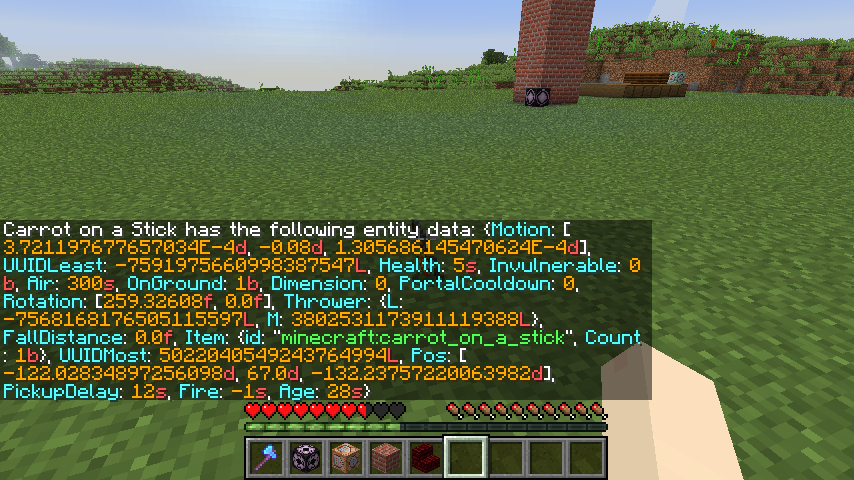
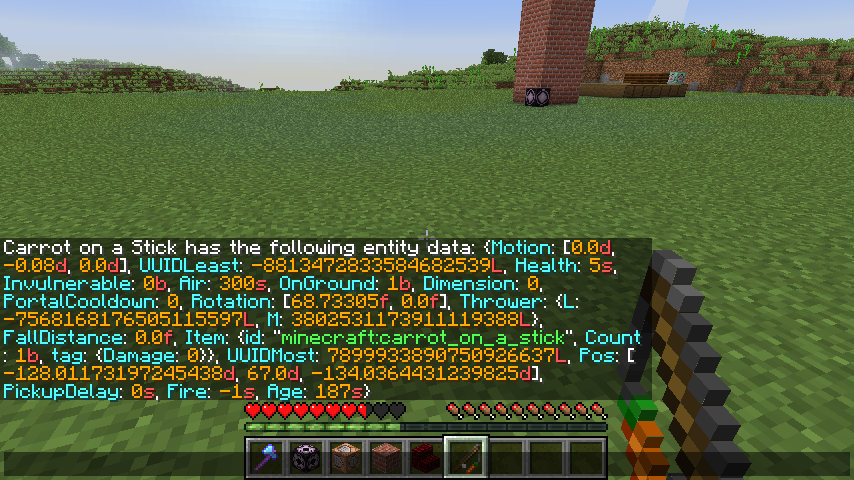
Whenever the world is (re)loaded, a tool with 0 damage (full durability) will load in the Damage tag as Damage: 0. However, when the tool is spawned, (through commands, crafting, creative menu or otherwise..) The Damage: 0 is omitted.
To visualise this, here is a comparison:
New carrot on a stick:
Same carrot on a stick after quitting to menu and reopening the world:
Notice the ... tag: {Damage: 0} ...
Clearly this is an inconsistency in the code, which makes writing mcfunctions more difficult. For example, testing if a tool has 0 damage is impossible. Testing for "Execute this function IF Damage NBT tag is absent" or "Execute this function IF Damage NBT tag is equal to 0" are 2 entirely different commands, with the same principal to figure out if the damage on a tool is 0. Except either will only work in each different case. The first will only work on newly spawned tools, but after a world reload, only the second method would work.
Here are the commands in question:
Whenever the world is (re)loaded, a tool with 0 damage (full durability) will load in the Damage tag as Damage: 0. However, when the tool is spawned, (through commands, crafting, creative menu or otherwise..) The Damage: 0 is omitted.
To visualise this, here is a comparison:
New carrot on a stick:
Same carrot on a stick after quitting to menu and reopening the world:
Notice the ... tag: {Damage: 0} ...
Clearly this is an inconsistency in the code, which makes writing mcfunctions more difficult. For example, testing if a tool has 0 damage is impossible. Testing for "Execute this function IF Damage NBT tag is absent" or "Execute this function IF Damage NBT tag is equal to 0" are 2 entirely different commands, with the same principal to figure out if the damage on a tool is 0. Except either will only work in each different case. The first will only work on newly spawned tools, but after a world reload, only the second method would work.
Here are the commands in question:
Whenever the world is (re)loaded, a tool with 0 damage (full durability) will load in the Damage tag as Damage: 0. However, when the tool is spawned, (through commands, crafting, creative menu or otherwise..) The Damage: 0 is omitted.
To visualise this, here is a comparison:
New carrot on a stick:
Same carrot on a stick after quitting to menu and reopening the world:
Notice the ... tag: {Damage: 0} ...
Clearly this is an inconsistency in the code, which makes writing mcfunctions more difficult. For example, testing if a tool has 0 damage is impossible. Testing for "Execute this function IF Damage NBT tag is absent" or "Execute this function IF Damage NBT tag is equal to 0" are 2 entirely different commands, with the same principal to figure out if the damage on a tool is 0. Except either will only work in each different case. The first will only work on newly spawned tools, but after a world reload, only the second method would work.
Here are the commands in question:
/execute unless data entity @s SelectedItem.tag.Damage run say hi
Whenever the world is (re)loaded, a tool with 0 damage (full durability) will load in the Damage tag as Damage: 0. However, when the tool is spawned, (through commands, crafting, creative menu or otherwise..) The Damage: 0 is omitted.
To visualise this, here is a comparison:
New carrot on a stick:
Same carrot on a stick after quitting to menu and reopening the world:
Notice the ... tag: {Damage: 0} ...
Clearly this is an inconsistency in the code, which makes writing mcfunctions more difficult. For example, testing if a tool has 0 damage is impossible. Testing for "Execute this function IF Damage NBT tag is absent" or "Execute this function IF Damage NBT tag is equal to 0" are 2 entirely different commands, with the same principal to figure out if the damage on a tool is 0. Except either will only work in each different case. The first will only work on newly spawned tools, but after a world reload, only the second method would work.
Here are the commands in question:
/execute unless data entity @s SelectedItem.tag.Damage run say hi
/execute unless data entity @s SelectedItem.tag.Damage run say hi
Whenever the world is (re)loaded, a tool with 0 damage (full durability) will load in the Damage tag as Damage: 0. However, when the tool is spawned, (through commands, crafting, creative menu or otherwise..) The Damage: 0 is omitted.
To visualise this, here is a comparison:
New carrot on a stick:
Same carrot on a stick after quitting to menu and reopening the world:
Notice the ... tag: {Damage: 0} ...
Clearly this is an inconsistency in the code, which makes writing mcfunctions more difficult. For example, testing if a tool has 0 damage is impossible. Testing for "Execute this function IF Damage NBT tag is absent" or "Execute this function IF Damage NBT tag is equal to 0" are 2 entirely different commands, with the same principal to figure out if the damage on a tool is 0. Except either will only work in each different case. The first will only work on newly spawned tools, but after a world reload, only the second method would work.
Here are the commands in question:
/execute unless data entity @s SelectedItem.tag.Damage run say hi
/execute unless data entity @s SelectedItem.tag.Damage run say hi
Whenever the world is (re)loaded, a tool with 0 damage (full durability) will load in the Damage tag as Damage: 0. However, when the tool is spawned, (through commands, crafting, creative menu or otherwise..) The Damage: 0 is omitted.
To visualise this, here is a comparison:
New carrot on a stick:
Same carrot on a stick after quitting to menu and reopening the world:
Notice the ... tag: {Damage: 0} ...
Clearly this is an inconsistency in the code, which makes writing mcfunctions more difficult. For example, testing if a tool has 0 damage is impossible. Testing for "Execute this function IF Damage NBT tag is absent" or "Execute this function IF Damage NBT tag is equal to 0" are 2 entirely different commands, with the same principal to figure out if the damage on a tool is 0. Except either will only work in each different case. The first will only work on newly spawned tools, but after a world reload, only the second method would work.
Here are the commands in question:
Only works when tool is initially spawned:
/execute unless data entity @s SelectedItem.tag.Damage run say hi
Only works when world is reloaded:
{{/execute if data entity @s {SelectedItem:{tag:
{Damage:0s}}} run say hi}}
Whenever the world is (re)loaded, a tool with 0 damage (full durability) will load in the Damage tag as Damage: 0. However, when the tool is spawned, (through commands, crafting, creative menu or otherwise..) The Damage: 0 is omitted.
To visualise this, here is a comparison:
New carrot on a stick:
Same carrot on a stick after quitting to menu and reopening the world:
Notice the ... tag: {Damage: 0} ...
Clearly this is an inconsistency in the code, which makes writing mcfunctions more difficult. For example, testing if a tool has 0 damage is impossible. Testing for "Execute this function IF Damage NBT tag is absent" or "Execute this function IF Damage NBT tag is equal to 0" are 2 entirely different commands, with the same principal to figure out if the damage on a tool is 0. Except either will only work in each different case. The first will only work on newly spawned tools, but after a world reload, only the second method would work.
Here are the commands in question:
Only works when tool is initially spawned:
/execute unless data entity @s SelectedItem.tag.Damage run say hi
Only works when world is reloaded:
{Damage:0s}
{{/execute if data entity @s {SelectedItem:{tag:}} run say hi
}}
Whenever the world is (re)loaded, a tool with 0 damage (full durability) will load in the Damage tag as Damage: 0. However, when the tool is spawned, (through commands, crafting, creative menu or otherwise..) The Damage: 0 is omitted.
To visualise this, here is a comparison:
New carrot on a stick:
Same carrot on a stick after quitting to menu and reopening the world:
Notice the ... tag: {Damage: 0} ...
Clearly this is an inconsistency in the code, which makes writing mcfunctions more difficult. For example, testing if a tool has 0 damage is impossible. Testing for "Execute this function IF Damage NBT tag is absent" or "Execute this function IF Damage NBT tag is equal to 0" are 2 entirely different commands, with the same principal to figure out if the damage on a tool is 0. Except either will only work in each different case. The first will only work on newly spawned tools, but after a world reload, only the second method would work.
Here are the commands in question:
Only works when tool is initially spawned:
/execute unless data entity @s SelectedItem.tag.Damage run say hi
Only works when world is reloaded:
{{/execute if data entity @s {SelectedItem:{tag:
{Damage:0s}}} run say hi}}
Whenever the world is (re)loaded, a tool with 0 damage (full durability) will load in the Damage tag as Damage: 0. However, when the tool is spawned, (through commands, crafting, creative menu or otherwise..) The Damage: 0 is omitted.
To visualise this, here is a comparison:
New carrot on a stick:
Same carrot on a stick after quitting to menu and reopening the world:
Notice the ... tag: {Damage: 0} ...
Clearly this is an inconsistency in the code, which makes writing mcfunctions more difficult. For example, testing if a tool has 0 damage is impossible. Testing for "Execute this function IF Damage NBT tag is absent" or "Execute this function IF Damage NBT tag is equal to 0" are 2 entirely different commands, with the same principal to figure out if the damage on a tool is 0. Except either will only work in each different case. The first will only work on newly spawned tools, but after a world reload, only the second method would work.
Here are the commands in question:
Only works when tool is initially spawned:
/execute unless data entity @s SelectedItem.tag.Damage run say hi
Only works when world is reloaded:
{Damage:0s}
{{/execute if data entity @s {SelectedItem:{tag:}} run say hi
}}
Whenever the world is (re)loaded, a tool with 0 damage (full durability) will load in the Damage tag as Damage: 0. However, when the tool is spawned, (through commands, crafting, creative menu or otherwise..) The Damage: 0 is omitted.
To visualise this, here is a comparison:
New carrot on a stick:
Same carrot on a stick after quitting to menu and reopening the world:
Notice the ... tag: {Damage: 0} ...
Clearly this is an inconsistency in the code, which makes writing mcfunctions more difficult. For example, testing if a tool has 0 damage is impossible. Testing for "Execute this function IF Damage NBT tag is absent" or "Execute this function IF Damage NBT tag is equal to 0" are 2 entirely different commands, with the same principal to figure out if the damage on a tool is 0. Except either will only work in each different case. The first will only work on newly spawned tools, but after a world reload, only the second method would work.
Here are the commands in question:
Only works when tool is initially spawned:
/execute unless data entity @s SelectedItem.tag.Damage run say hi
Only works when world is reloaded:
`/execute if data entity @s {SelectedItem:{tag:
{Damage:0s}}} run say hi`
Whenever the world is (re)loaded, a tool with 0 damage (full durability) will load in the Damage tag as Damage: 0. However, when the tool is spawned, (through commands, crafting, creative menu or otherwise..) The Damage: 0 is omitted.
To visualise this, here is a comparison:
New carrot on a stick:
Same carrot on a stick after quitting to menu and reopening the world:
Notice the ... tag: {Damage: 0} ...
Clearly this is an inconsistency in the code, which makes writing mcfunctions more difficult. For example, testing if a tool has 0 damage is impossible. Testing for "Execute this function IF Damage NBT tag is absent" or "Execute this function IF Damage NBT tag is equal to 0" are 2 entirely different commands, with the same principal to figure out if the damage on a tool is 0. Except either will only work in each different case. The first will only work on newly spawned tools, but after a world reload, only the second method would work.
Here are the commands in question:
Only works when tool is initially spawned:
/execute unless data entity @s SelectedItem.tag.Damage run say hi
Only works when world is reloaded:
{Damage:0s}
`/execute if data entity @s {SelectedItem:{tag:}} run say hi
`
Whenever the world is (re)loaded, a tool with 0 damage (full durability) will load in the Damage tag as Damage: 0. However, when the tool is spawned, (through commands, crafting, creative menu or otherwise..) The Damage: 0 is omitted.
To visualise this, here is a comparison:
New carrot on a stick:
Same carrot on a stick after quitting to menu and reopening the world:
Notice the ... tag: {Damage: 0} ...
Clearly this is an inconsistency in the code, which makes writing mcfunctions more difficult. For example, testing if a tool has 0 damage is impossible. Testing for "Execute this function IF Damage NBT tag is absent" or "Execute this function IF Damage NBT tag is equal to 0" are 2 entirely different commands, with the same principal to figure out if the damage on a tool is 0. Except either will only work in each different case. The first will only work on newly spawned tools, but after a world reload, only the second method would work.
Here are the commands in question:
Only works when tool is initially spawned:
/execute unless data entity @s SelectedItem.tag.Damage run say hi
Only works when world is reloaded:
```
/execute if data entity @s {SelectedItem:{tag:
{Damage:0s}}} run say hi
```
Whenever the world is (re)loaded, a tool with 0 damage (full durability) will load in the Damage tag as Damage: 0. However, when the tool is spawned, (through commands, crafting, creative menu or otherwise..) The Damage: 0 is omitted.
To visualise this, here is a comparison:
New carrot on a stick:
Same carrot on a stick after quitting to menu and reopening the world:
Notice the ... tag: {Damage: 0} ...
Clearly this is an inconsistency in the code, which makes writing mcfunctions more difficult. For example, testing if a tool has 0 damage is impossible. Testing for "Execute this function IF Damage NBT tag is absent" or "Execute this function IF Damage NBT tag is equal to 0" are 2 entirely different commands, with the same principal to figure out if the damage on a tool is 0. Except either will only work in each different case. The first will only work on newly spawned tools, but after a world reload, only the second method would work.
Here are the commands in question:
Only works when tool is initially spawned:
/execute unless data entity @s SelectedItem.tag.Damage run say hi
Only works when world is reloaded:
```
/execute if data entity @s {SelectedItem:{tag:
{Damage:0s}}} run say hi
```
Whenever the world is (re)loaded, a tool with 0 damage (full durability) will load in the Damage tag as Damage: 0. However, when the tool is spawned, (through commands, crafting, creative menu or otherwise..) The Damage: 0 is omitted.
To visualise this, here is a comparison:
New carrot on a stick:
Same carrot on a stick after quitting to menu and reopening the world:
Notice the ... tag: {Damage: 0} ...
Clearly this is an inconsistency in the code, which makes writing mcfunctions more difficult. For example, testing if a tool has 0 damage is impossible. Testing for "Execute this function IF Damage NBT tag is absent" or "Execute this function IF Damage NBT tag is equal to 0" are 2 entirely different commands, with the same principal to figure out if the damage on a tool is 0. Except either will only work in each different case. The first will only work on newly spawned tools, but after a world reload, only the second method would work.
Here are the commands in question:
Only works when tool is initially spawned:
/execute unless data entity @s SelectedItem.tag.Damage run say hi
Only works when world is reloaded:
- /execute if data entity @s {SelectedItem:{tag: {Damage:0s}
}} run say hi
Whenever the world is (re)loaded, a tool with 0 damage (full durability) will load in the Damage tag as Damage: 0. However, when the tool is spawned, (through commands, crafting, creative menu or otherwise..) The Damage: 0 is omitted.
To visualise this, here is a comparison:
New carrot on a stick:
Same carrot on a stick after quitting to menu and reopening the world:
Notice the ... tag: {Damage: 0} ...
Clearly this is an inconsistency in the code, which makes writing mcfunctions more difficult. For example, testing if a tool has 0 damage is impossible. Testing for "Execute this function IF Damage NBT tag is absent" or "Execute this function IF Damage NBT tag is equal to 0" are 2 entirely different commands, with the same principal to figure out if the damage on a tool is 0. Except either will only work in each different case. The first will only work on newly spawned tools, but after a world reload, only the second method would work.
Here are the commands in question:
Only works when tool is initially spawned:
/execute unless data entity @s SelectedItem.tag.Damage run say hi
Only works when world is reloaded:
- /execute if data entity @s {SelectedItem:{tag: {Damage:0s}
}} run say hi
To reproduce:
- **Spawn a tool in a fresh world and verify it's nbt. It should not contain any "tag: {Damage: 0}"
- Close and reopen the world
- Verify that the nbt has changed to include "tag: {Damage: 0}"
Whenever the world is (re)loaded, a tool with 0 damage (full durability) will load in the Damage tag as Damage: 0. However, when the tool is spawned, (through commands, crafting, creative menu or otherwise..) The Damage: 0 is omitted.
To visualise this, here is a comparison:
New carrot on a stick:
Same carrot on a stick after quitting to menu and reopening the world:
Notice the ... tag: {Damage: 0} ...
Clearly this is an inconsistency in the code, which makes writing mcfunctions more difficult. For example, testing if a tool has 0 damage is impossible. Testing for "Execute this function IF Damage NBT tag is absent" or "Execute this function IF Damage NBT tag is equal to 0" are 2 entirely different commands, with the same principal to figure out if the damage on a tool is 0. Except either will only work in each different case. The first will only work on newly spawned tools, but after a world reload, only the second method would work.
Here are the commands in question:
Only works when tool is initially spawned:
/execute unless data entity @s SelectedItem.tag.Damage run say hi
Only works when world is reloaded:
- /execute if data entity @s {SelectedItem:{tag: {Damage:0s}
}} run say hi
To reproduce:
**Spawn a tool in a fresh world and verify it's nbt. It should not contain any "tag: {Damage: 0}"- Close and reopen the world
- Verify that the nbt has changed to include "tag: {Damage: 0}"
Whenever the world is (re)loaded, a tool with 0 damage (full durability) will load in the Damage tag as Damage: 0. However, when the tool is spawned, (through commands, crafting, creative menu or otherwise..) The Damage: 0 is omitted.
To visualise this, here is a comparison:
New carrot on a stick:
Same carrot on a stick after quitting to menu and reopening the world:
Notice the ... tag: {Damage: 0} ...
Clearly this is an inconsistency in the code, which makes writing mcfunctions more difficult. For example, testing if a tool has 0 damage is impossible. Testing for "Execute this function IF Damage NBT tag is absent" or "Execute this function IF Damage NBT tag is equal to 0" are 2 entirely different commands, with the same principal to figure out if the damage on a tool is 0. Except either will only work in each different case. The first will only work on newly spawned tools, but after a world reload, only the second method would work.
Here are the commands in question:
Only works when tool is initially spawned:
/execute unless data entity @s SelectedItem.tag.Damage run say hi
Only works when world is reloaded:
{Damage:0s}
{{/execute if data entity @s {SelectedItem:{tag:}} run say hi}}
To reproduce:
- Spawn a tool in a fresh world and verify it's nbt. It should not contain any "tag: {Damage: 0}"
- Close and reopen the world
- Verify that the nbt has changed to include "tag: {Damage: 0}"
Whenever the world is (re)loaded, a tool with 0 damage (full durability) will load in the Damage tag as Damage: 0. However, when the tool is spawned, (through commands, crafting, creative menu or otherwise..) The Damage: 0 is omitted.
To visualise this, here is a comparison:
New carrot on a stick:
Same carrot on a stick after quitting to menu and reopening the world:
Notice the ... tag: {Damage: 0} ...
Clearly this is an inconsistency in the code, which makes writing mcfunctions more difficult. For example, testing if a tool has 0 damage is impossible. Testing for "Execute this function IF Damage NBT tag is absent" or "Execute this function IF Damage NBT tag is equal to 0" are 2 entirely different commands, with the same principal to figure out if the damage on a tool is 0. Except either will only work in each different case. The first will only work on newly spawned tools, but after a world reload, only the second method would work.
Here are the commands in question:
Only works when tool is initially spawned:
/execute unless data entity @s SelectedItem.tag.Damage run say hi
Only works when world is reloaded:
{Damage:0s}
{{/execute if data entity @s {SelectedItem:{tag:}} run say hi}}
To reproduce:
- Spawn a tool in a fresh world and verify it's nbt. It should not contain any "tag: {Damage: 0}"
- Close and reopen the world
- Verify that the nbt has changed to include "tag: {Damage: 0}"
Whenever the world is (re)loaded, a tool with 0 damage (full durability) will load in the Damage tag as Damage: 0. However, when the tool is spawned, (through commands, crafting, creative menu or otherwise..) The Damage: 0 is omitted.
To visualise this, here is a comparison:
New carrot on a stick:
Same carrot on a stick after quitting to menu and reopening the world:
Notice the ... tag: {Damage: 0} ...
Clearly this is an inconsistency in the code, which makes writing mcfunctions more difficult. For example, testing if a tool has 0 damage is impossible. Testing for "Execute this function IF Damage NBT tag is absent" or "Execute this function IF Damage NBT tag is equal to 0" are 2 entirely different commands, with the same principal to figure out if the damage on a tool is 0. Except either will only work in each different case. The first will only work on newly spawned tools, but after a world reload, only the second method would work.
Here are the commands in question:
Only works when tool is initially spawned:
/execute unless data entity @s SelectedItem.tag.Damage run say hi
Only works when world is reloaded:
{Damage:0s}{{/execute if data entity @s {SelectedItem:{tag:}} run say hi}}
To reproduce:
- Spawn a tool in a fresh world and verify it's nbt. It should not contain any "tag: {Damage: 0}"
- Close and reopen the world
- Verify that the nbt has changed to include "tag: {Damage: 0}"
Whenever the world is (re)loaded, a tool with 0 damage (full durability) will load in the Damage tag as Damage: 0. However, when the tool is spawned, (through commands, crafting, creative menu or otherwise..) The Damage: 0 is omitted.
To visualise this, here is a comparison:
New carrot on a stick:
Same carrot on a stick after quitting to menu and reopening the world:
Notice the ... tag: {Damage: 0} ...
Clearly this is an inconsistency in the code, which makes writing mcfunctions more difficult. For example, testing if a tool has 0 damage is impossible. Testing for "Execute this function IF Damage NBT tag is absent" or "Execute this function IF Damage NBT tag is equal to 0" are 2 entirely different commands, with the same principal to figure out if the damage on a tool is 0. Except either will only work in each different case. The first will only work on newly spawned tools, but after a world reload, only the second method would work.
Here are the commands in question:
Only works when tool is initially spawned:
/execute unless data entity @s SelectedItem.tag.Damage run say hi
Only works when world is reloaded:
/execute if data entity @s {SelectedItem:{tag: {Damage:0s} } } run say hi
To reproduce:
- Spawn a tool in a fresh world and verify it's nbt. It should not contain any "tag: {Damage: 0}"
- Close and reopen the world
- Verify that the nbt has changed to include "tag: {Damage: 0}"
Unfortunatley, the text editor automatically reformats my text in a really weird way, if any mod could fix the formatting. I can't get it to work because of the }} in the command, it won't work with the monospaced font.
I opened my existing world, and there was no fall damage, no drowning damage etc.
This is because the newly introduced gamerules get set default to false.This should be fixed such that the gamerules
start on true.Expected:
drowningDamage = true
fallDamage = true
fireDamage = true
doInsomnia = trueActual:
drowningDamage = false
fallDamage = false
fireDamage = false
doInsomnia = falseI opened my existing world, and there was no fall damage, no drowning damage etc.
This is because the newly introduced gamerules get set default to false.This should be fixed such that the gamerules default to true if they previously didn't exist.
Expected:
drowningDamage = true
fallDamage = true
fireDamage = true
doInsomnia = trueActual:
drowningDamage = false
fallDamage = false
fireDamage = false
doInsomnia = false


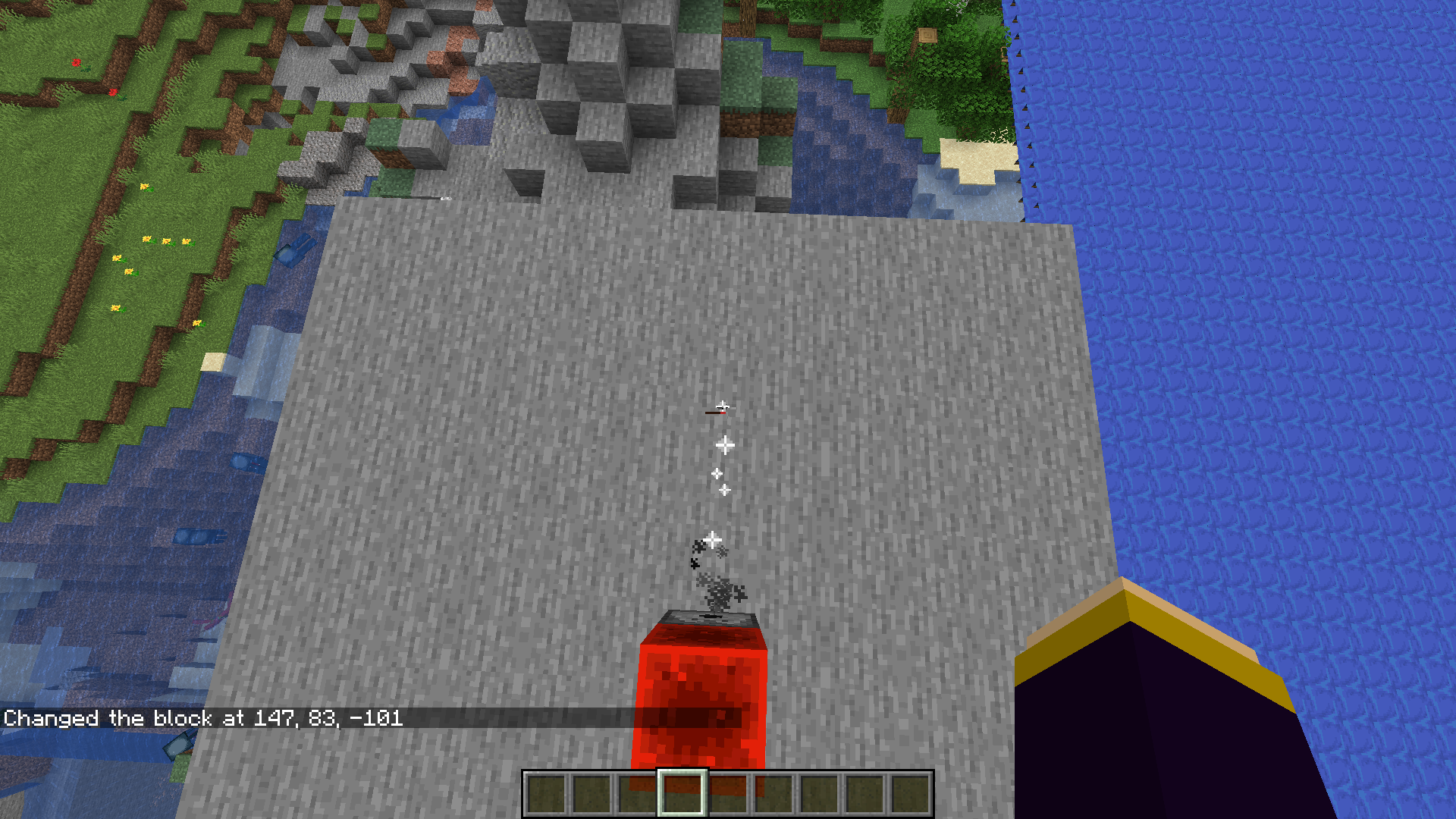

Trying to boot up a world with an incompatible `resources.zip` causes the game to show the resources loading screen twice and kicking the player on the title screen.
Upon opening the world selection, the world appears unavailable.
(try this a few times if it doesn't work the first time.)Without closing MC, trying to delete or rename the resources.zip says it is in use by the Java run time.
A sample resources.zip has been attached. simply add this to a world and try to load it.
Additionally:

The resources.zip remains "Selected" even though it failed to load. And even after loading another world.


Figure A.
See figure A.
4 are hard powered (top 4)
2 are not hard powered (bottom 2)One calibrated sculk sensor triggers, while the other doesn't.
The expected behavior would be that any redstone power from the side would tune the calibrated sculk sensor. However, it does not. Which means you need a repeater, comparator, redstone dust, etc. to power the side. While indirectly through a block, does not work...
Further note: This seems to be exactly the behavior of the side of a comparator

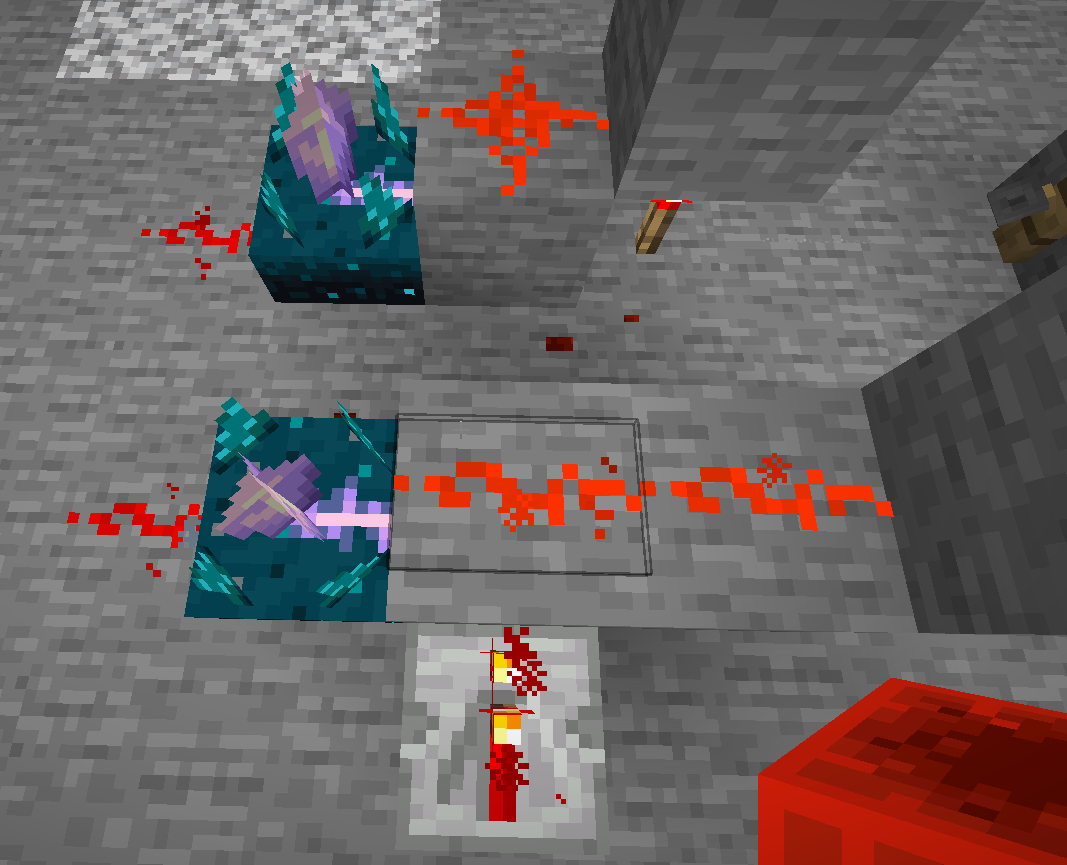
Holding a block for example and right clicking a hanging sign, does not edit it, but tries to place blocks, regardless of pressing shift.
For normal signs/wall signs, this works when not holding shift, as expected.
The reason for this is probably described in this image:
The hanging sign allows 2 different placement styles, which would not be possible anymore (easily) when it would instead edit the top sign. This could be overcome by adding a check for right clicking the bottom of the sign, vs, the front and backface.


[21:11:42] [Render thread/WARN]: Could not parse hotbar item: Missing id for entity in: {variant:"minecraft:earth"} missed input: {"minecraft:entity_data":{variant:"minecraft:earth"}} [21:11:42] [Render thread/WARN]: Could not parse hotbar item: Missing id for entity in: {variant:"minecraft:wind"} missed input: {"minecraft:entity_data":{variant:"minecraft:wind"}} [21:11:42] [Render thread/WARN]: Could not parse hotbar item: Missing id for entity in: {variant:"minecraft:water"} missed input: {"minecraft:entity_data":{variant:"minecraft:water"}} [21:11:42] [Render thread/WARN]: Could not parse hotbar item: Missing id for entity in: {variant:"minecraft:fire"} missed input: {"minecraft:entity_data":{variant:"minecraft:fire"}}Unable to load these paintings properly in hotbar, or world, or anywhere for that matter.
I get a 'random variant' painting instead.
Even better:
[21:43:29] [Server thread/ERROR]: Failed to save chunk -8,9 java.lang.IllegalStateException: Missing id for entity in: {variant:"minecraft:water"} at ac.a(SourceFile:1050) ~[24w09a.jar:?] at crj.b(SourceFile:339) ~[24w09a.jar:?] at bnu.a(SourceFile:41) ~[24w09a.jar:?] at bnu.a(SourceFile:31) ~[24w09a.jar:?] at dmm.b(SourceFile:92) ~[24w09a.jar:?] at dmf.d(SourceFile:86) ~[24w09a.jar:?] at dmf.b(SourceFile:66) ~[24w09a.jar:?] at drf.a(SourceFile:390) ~[24w09a.jar:?] at dsb.a(SourceFile:330) ~[24w09a.jar:?] at apb.a(SourceFile:840) ~[24w09a.jar:?] at apb.d(SourceFile:804) ~[24w09a.jar:?] at apb.b(SourceFile:515) ~[24w09a.jar:?] at apb.a(SourceFile:470) ~[24w09a.jar:?] at apq.a(SourceFile:328) ~[24w09a.jar:?] at aps.a(SourceFile:348) ~[24w09a.jar:?] at net.minecraft.server.MinecraftServer.b(SourceFile:994) ~[24w09a.jar:?] at net.minecraft.server.MinecraftServer.a(SourceFile:885) ~[24w09a.jar:?] at gpn.a(SourceFile:113) ~[24w09a.jar:?] at net.minecraft.server.MinecraftServer.y(SourceFile:687) ~[24w09a.jar:?] at net.minecraft.server.MinecraftServer.a(SourceFile:272) ~[24w09a.jar:?] at java.base/java.lang.Thread.run(Thread.java:833) [?:?]and:
Loading from the operator tab works fine. loading or saving the data to NBT won't work though.

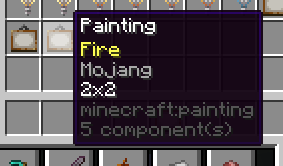
[21:11:42] [Render thread/WARN]: Could not parse hotbar item: Missing id for entity in: {variant:"minecraft:earth"} missed input: {"minecraft:entity_data":{variant:"minecraft:earth"}} [21:11:42] [Render thread/WARN]: Could not parse hotbar item: Missing id for entity in: {variant:"minecraft:wind"} missed input: {"minecraft:entity_data":{variant:"minecraft:wind"}} [21:11:42] [Render thread/WARN]: Could not parse hotbar item: Missing id for entity in: {variant:"minecraft:water"} missed input: {"minecraft:entity_data":{variant:"minecraft:water"}} [21:11:42] [Render thread/WARN]: Could not parse hotbar item: Missing id for entity in: {variant:"minecraft:fire"} missed input: {"minecraft:entity_data":{variant:"minecraft:fire"}}Unable to load these paintings properly in hotbar, or world, or anywhere for that matter.
I get a 'random variant' painting instead.
Even better:
[21:43:29] [Server thread/ERROR]: Failed to save chunk -8,9 java.lang.IllegalStateException: Missing id for entity in: {variant:"minecraft:water"} at ac.a(SourceFile:1050) ~[24w09a.jar:?] at crj.b(SourceFile:339) ~[24w09a.jar:?] at bnu.a(SourceFile:41) ~[24w09a.jar:?] at bnu.a(SourceFile:31) ~[24w09a.jar:?] at dmm.b(SourceFile:92) ~[24w09a.jar:?] at dmf.d(SourceFile:86) ~[24w09a.jar:?] at dmf.b(SourceFile:66) ~[24w09a.jar:?] at drf.a(SourceFile:390) ~[24w09a.jar:?] at dsb.a(SourceFile:330) ~[24w09a.jar:?] at apb.a(SourceFile:840) ~[24w09a.jar:?] at apb.d(SourceFile:804) ~[24w09a.jar:?] at apb.b(SourceFile:515) ~[24w09a.jar:?] at apb.a(SourceFile:470) ~[24w09a.jar:?] at apq.a(SourceFile:328) ~[24w09a.jar:?] at aps.a(SourceFile:348) ~[24w09a.jar:?] at net.minecraft.server.MinecraftServer.b(SourceFile:994) ~[24w09a.jar:?] at net.minecraft.server.MinecraftServer.a(SourceFile:885) ~[24w09a.jar:?] at gpn.a(SourceFile:113) ~[24w09a.jar:?] at net.minecraft.server.MinecraftServer.y(SourceFile:687) ~[24w09a.jar:?] at net.minecraft.server.MinecraftServer.a(SourceFile:272) ~[24w09a.jar:?] at java.base/java.lang.Thread.run(Thread.java:833) [?:?]and:
Loading from the operator tab works fine. loading or saving the data to NBT won't work though.
/data get entity SelectedItem will also not work, as long as your inventory contains a painting. with a specific variant.
Unable to load paintings for variants: earth, fire, water and windUnable to load paintings for any variants
[21:11:42] [Render thread/WARN]: Could not parse hotbar item: Missing id for entity in: {variant:"minecraft:earth"} missed input: {"minecraft:entity_data":{variant:"minecraft:earth"}} [21:11:42] [Render thread/WARN]: Could not parse hotbar item: Missing id for entity in: {variant:"minecraft:wind"} missed input: {"minecraft:entity_data":{variant:"minecraft:wind"}} [21:11:42] [Render thread/WARN]: Could not parse hotbar item: Missing id for entity in: {variant:"minecraft:water"} missed input: {"minecraft:entity_data":{variant:"minecraft:water"}} [21:11:42] [Render thread/WARN]: Could not parse hotbar item: Missing id for entity in: {variant:"minecraft:fire"} missed input: {"minecraft:entity_data":{variant:"minecraft:fire"}}Unable to load these paintings properly in hotbar, or world, or anywhere for that matter.
I get a 'random variant' painting instead.
Even better:
[21:43:29] [Server thread/ERROR]: Failed to save chunk -8,9 java.lang.IllegalStateException: Missing id for entity in: {variant:"minecraft:water"} at ac.a(SourceFile:1050) ~[24w09a.jar:?] at crj.b(SourceFile:339) ~[24w09a.jar:?] at bnu.a(SourceFile:41) ~[24w09a.jar:?] at bnu.a(SourceFile:31) ~[24w09a.jar:?] at dmm.b(SourceFile:92) ~[24w09a.jar:?] at dmf.d(SourceFile:86) ~[24w09a.jar:?] at dmf.b(SourceFile:66) ~[24w09a.jar:?] at drf.a(SourceFile:390) ~[24w09a.jar:?] at dsb.a(SourceFile:330) ~[24w09a.jar:?] at apb.a(SourceFile:840) ~[24w09a.jar:?] at apb.d(SourceFile:804) ~[24w09a.jar:?] at apb.b(SourceFile:515) ~[24w09a.jar:?] at apb.a(SourceFile:470) ~[24w09a.jar:?] at apq.a(SourceFile:328) ~[24w09a.jar:?] at aps.a(SourceFile:348) ~[24w09a.jar:?] at net.minecraft.server.MinecraftServer.b(SourceFile:994) ~[24w09a.jar:?] at net.minecraft.server.MinecraftServer.a(SourceFile:885) ~[24w09a.jar:?] at gpn.a(SourceFile:113) ~[24w09a.jar:?] at net.minecraft.server.MinecraftServer.y(SourceFile:687) ~[24w09a.jar:?] at net.minecraft.server.MinecraftServer.a(SourceFile:272) ~[24w09a.jar:?] at java.base/java.lang.Thread.run(Thread.java:833) [?:?]and:
Loading from the operator tab works fine. loading or saving the data to NBT won't work though.
/data get entity SelectedItem will also not work, as long as your inventory contains a painting. with a specific variant.
And while writing this ticket:

[21:11:42] [Render thread/WARN]: Could not parse hotbar item: List is too long: 175, expected range [0-16] missed input: {"minecraft:fireworks":...Fireworks items loaded with more than 16 explosions, won't load ANY explosions at all.
I had at least expected the first 16 to load, or all of them. not completely eradicate my explosions component.
Also, for enchantments, if one enchantment ID or value is invalid, none of the other enchantments load and the whole component is rendered invalid.
I would expect only invalid parts of the component to be discarded.
/give @p stone[minecraft:enchantments={levels:{protection:2},e:e}]This simply discards 'e:e' and gives the enchanted stone.
However, when loading an enchantment that is invalid (using old save data)
enchantments={levels:{protection:999,mending:1}}the whole enchantments component will not be loaded. removing all enchantments effectively.
Here I expect the enchantments to get capped to 0-255 when upgrading.
[21:11:42] [Render thread/WARN]: Could not parse hotbar item: List is too long: 175, expected range [0-16] missed input: {"minecraft:fireworks":...Fireworks items loaded with more than 16 explosions, won't load ANY explosions at all.
I had at least expected the first 16 to load, or all of them. not completely eradicate my explosions component.
Furthermore, using NBT explorer shows that the data is correctly converted/saved in 24w09a in the save data, it just refuses to load it seems.
Also, for enchantments, if one enchantment ID or value is invalid, none of the other enchantments load and the whole component is rendered invalid.
I would expect only invalid parts of the component to be discarded.
/give @p stone[minecraft:enchantments={levels:{protection:2},e:e}]This simply discards 'e:e' and gives the enchanted stone.
However, when loading an enchantment that is invalid (using old save data)
enchantments={levels:{protection:999,mending:1}}the whole enchantments component will not be loaded. removing all enchantments effectively.
Here I expect the enchantments to get capped to 0-255 when upgrading.
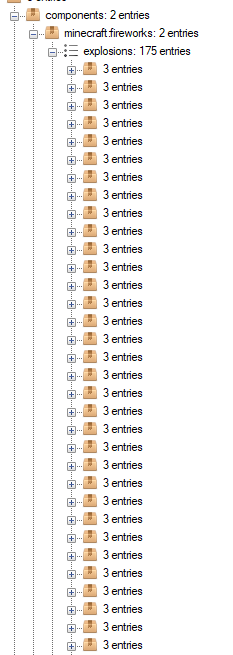
[21:11:42] [Render thread/WARN]: Could not parse hotbar item: List is too long: 175, expected range [0-16] missed input: {"minecraft:fireworks":...Fireworks items loaded with more than 16 explosions, won't load ANY explosions at all.
I had at least expected the first 16 to load, or all of them. not completely eradicate my explosions component.
Furthermore, using NBT explorer shows that the data is correctly converted/saved in 24w09a in the save data, it just refuses to load it seems.
Also, for enchantments, if one enchantment ID or value is invalid, none of the other enchantments load and the whole component is rendered invalid.
I would expect only invalid parts of the component to be discarded.
/give @p stone[minecraft:enchantments={levels:{protection:2},e:e}]This simply discards 'e:e' and gives the enchanted stone.
However, when loading an enchantment that is invalid (using old save data)
enchantments={levels:{protection:999,mending:1}}the whole enchantments component will not be loaded. removing all enchantments effectively.
Here I expect the enchantments to get capped to 0-255 when upgrading.
Step to step guide to reproduce:
- In an older version use a command block to give yourself a firework with 1000 explosions or so.
- Update to the latest snapshot. The fireworks will be gone from your inventory.
Trying to load a previously stack size of 64 for unstackable items gives this:
[21:36:03] [Server thread/ERROR]: Tried to load invalid item: 'Item stack with stack size of 64 was larger than maximum: 1'Instead of limiting the count to the max_stack, it just does not load the item at all.
Steps to reproduce:
Use an older version of Minecraft to generate an item stack with more items than max_stack_size.
E.g. 64 diamond swords. Make sure this item stack is inside a shulker box or bundle.
In 24w09a, load the world. Your item stack will be gone.
I have not confirmed this in scenarios such as enderchest, or directly in inventory, saved hotbar, chests or other inventories.
It seems that ALL items currently have at least 4 components:
- lore
- enchantments
- attribute_modifiers
- repair_cost
These have the default values: [], {levels:{}}, {modifiers:[]}, 0
On the other hand:
components like
- custom_name
- can_break
- can_place_on
- custom_data
- ...
Do not have any 'defaults'
so they simply are not always on each item.
However, trying to set the value for these to a reasonable default, makes for unusual behavior.
Trying to remove ( using `!<component>: {}` syntax in an item modifier) these components will result in 'success' without actually modifying the item or removing the component.
Further. The top 4 components show up on every item in the tooltip '4 component(s)'. But using '/data get ...', the `components:` data contains 0 such elements.
This is quite misleading.
Consistency
It would be reasonable to either hide the `X component(s)` on items when the value is default.
Then, for any REMOVED components (e.g. removing damage from a sword) it should have a tooltip `X removed component(s)`
For the `/data get` command, the result should display the default values.
It seems that ALL items currently have at least 4 components:
- lore
- enchantments
- attribute_modifiers
- repair_cost
These have the default values: [], {levels:{}}, {modifiers:[]}, 0
On the other hand:
components like
- custom_name
- can_break
- can_place_on
- custom_data
- ...
Do not have any 'defaults'
so they simply are not always on each item.
However, trying to set the value for these to a reasonable default, makes for unusual behavior.
Trying to remove ( using `!<component>: {}` syntax in an item modifier) these components will result in 'success' without actually modifying the item or removing the component.
Further. The top 4 components show up on every item in the tooltip '4 component(s)'. But using '/data get ...', the `components:` data contains 0 such elements.
This is quite misleading.
Reproduction steps:
Grab any regular item like a stick (f3+h to enable tooltips)
4 Components are displayed as a . minimum
Now use /data get @s SelectedItem.
Observe how no components show up (bc they're default)
Consistency
It would be reasonable to either hide the `X component(s)` on items when the value is default.
Then, for any REMOVED components (e.g. removing damage from a sword) it should have a tooltip `X removed component(s)`
For the `/data get` command, the result should display the default values.
If dogs are partially in a block while it is raining, they think they are in the dry and shake off the wet. But then a split second later they get hit with rain again and try to shake it off. Creating an endless loop of shaking off the water.
See attached video for reproduction steps.
I expect when dogs are still in the rain even if within a fence block or other non full block to still get wet and not try to shake it off until it stops raining or until the dog gets under a roof of some sort...



The above list is more a change suggestion then the bug that got fixed.
The bug that got fixed was about mending/unbreaking books only appearing in tools when they can be applied to the items from combat too, which can be considered a bug.
The list is a suggestion of changing where blocks/items are listed correct, but should be changed according to AgentM as they make less sense. That is a feature suggestion. As they are listed correctly and don't cause confusion (unlike the enchanted books).
user-f2760 Thanks
AgentM Suggest it on reddit https://www.reddit.com/r/minecraftsuggestions/
The bug
When enabling or reloading a data pack that has functions for both #tick and #load, the former function tag runs before the latter, which causes problems in some cases such as initializing scoreboard values before increasing them per tick. The bug occurs since 1.13.
#load should run before #tick to make it intuitive for other players.
How to reproduce
- Install the data pack below in a world for better reproduction.
- Ensure the gametime scoreboard objective does not exist before enabling the data pack.
- Use either of the following commands to enable the data pack:
/reload /datapack enable <name>
- Observe the value of $game in the sidebar after a few seconds.
→ The value starts from -2147483648 and then increases per tick.
 - Use the following commands quickly to reset the $game value:
/reload /scoreboard players reset $game gametime
→
 The value starts from 1 instead of the minimum integer value.
Log
Log snippet by AgentM can be found in this comment and below:
[22:18:18] [Render thread/INFO]: [CHAT] Reloading! [22:18:18] [Server thread/INFO]: Loaded 0 recipes [22:18:18] [Server thread/INFO]: Loaded 0 advancements [22:18:18] [Server thread/INFO]: [Server] onTick [22:18:18] [Server thread/INFO]: [Server] onLoad [22:18:18] [Server thread/INFO]: [Server] onTick [22:18:18] [Server thread/INFO]: [Server] onTick [22:18:18] [Server thread/INFO]: [Server] onTick [22:18:18] [Server thread/INFO]: [Server] onTick [22:18:18] [Server thread/INFO]: [Server] onTick [22:18:18] [Server thread/INFO]: [Server] onTick [22:18:18] [Server thread/INFO]: [Server] onTick
From there, the #load function tag of a data pack sends an "onLoad" message in chat, and the #tick function tag sends an "onTick" message.
After enabling or reloading the data pack, it shows the "onTick" message once before showing the "onLoad" message. The data pack then continues sending "onTick" messages for each tick.
Code analysis
Code analysis by [Mod] tryashtar can be found in this comment.
![[Mod] turbo](../../../data/avatars/users/92867.png)
also is a bug in survival and adventure
tested out with redstone blocks, quartz stairs, quartz slabs, quartz blocks, pillar quartz blocks, chiseled quartz blocks, stone brick slabs and stone brick stairs.
Charles Cultien means:
/effect 15 ...
+
potion of night vision
=
please click the links:
with these two effects
http://s1.postimg.org/ly6y2qt8f/2013_03_22_20_50_55.png
You will get this
http://s12.postimg.org/5py0rl18t/2013_03_22_20_50_57.png
I have tried to search but didn't find a way to describe it and didn't find it.
'M sorry
note: the horse will not take damage if you try hitting it with a sword but de sword does get damaged!!!
1: 2013-05-17_15.33.31.png having a diamond sword with enchantments.
2: 2013-05-17_15.33.41.png put the sword in the donkey's chest.
3: 2013-05-17_15.34.07.png killed the donkey retrieving a regular not enchanted diamond sword and the saddle+chest
4: 2013-05-17_15.34.10.png confirming the sword is really not enchanted
I had this once but than th other way around with the superflat in the middle and default around it...
looked like 'the end of the flatlands'
1st: fully charged bow shoots the spider
2nd: spider walked to me.
1st: three hearts show not right
2nd: small heart above left sheep is in the water
(not confirmed on villager hearts)
still is a bug in 13w17a
still is a bug in 13w18a
still is a bug in 13w19a
1st image, is current inventory after the bug, at the empty spot in the hotbar was cobble and the torches and bucket duplicated in the dropper.
(also one thing to mind is that I accidently opened my inventory while throwing the items but none of the buckets or torches were gone, maybe just a duplication glitch, however crash report is in the attachements section.)
2nd and 3rd are showing the hopper/dropper system build like ACtennisAC has build one.
(not sure if this is re-creatable but It is not a real major bug it is only anti-duplication glitch)
appreciate your hard work!!
turns out to be a dupe...
when I opened my inventory I accidently also threw other items in which then duplicated also the cobble was gone from 64 to 74!
as soon as I opened my inventory the stuff all happened...
tried this 2 times If i need to make a vid just say it...
Btw I think you cannot find the information you need in the crash report so that sucks...
This is getting way too crazy I had like 5 discs of '13'
7 discs of 'cat'
in like 2 dungeons
This is showing a seed with it's contents of a dungeon chest + the other ones of the other chest I found earlier
(seed: 6890863638126214101)
used in MC 13w19a
changed the whole topic to FOOD doesn't show a tooltip
by the way not sure this should happen or not
1: bow
2: armor
note also enchanted books such as power, sharpness should have values
@ Dylan Rivers
Exactly I am fine with this bug, it should not be removed. This could be a huge feature that would make much people mad, if it would be removed again! It's confirmed but I don't call this a bug... I call this... the hidden feature in 13w25c.
The screenshots:
1: 5 random items and cursor on one empty space
2: after randomized typing and spamming
3: it occurs that the birch and the enchantment tables are disappeared
4: it occurs that the items and blocks still are usable
5: chest does still work items are not ghost items
MC-20040is not a duplicate of what is said inMC-341.That is glitch is about placing the block so it turns into another. but my bug is actually the real duplicating of the block and other things happening. I think you should look to it one more time.
#1 And #2 are glitched minecarts.
#3 minecart railway: situation with slopes
#4 minecart stuck in first "hill"
#5 minecart stuck in sand/ground/floor/any-type-of-floor-at-the-end-of-the-rail
1 tnt-minecarts stuck in each other
2 minecarts stuck in each other
2 is confirmed
EDIT
note: you can enchant it in creative if it is level 6 or above (somewhat)
and in both surv/crea it will not show the enchants, low enchants like 1,2,3 wont give a bow with enchant.!
No this something real different
use the test world to find out how to do it exactly
typically very hard but shoot FLAMING arrows at the top from the tnt
AFTER tnt explodes replace block!
if the flaming arrow hits the ground it will turn that block into tnt too
Hard to explain you see!
Tried again to explain confirmed in 13w38c!!!
@Talven81 Yes where the arrow lands indeed
try the map (.7zip)
out and try it multiple times!
also view
MC-32871this is just some added info to that bug!also view
MC-32909extra info of the bug!it is stackable !
http://postimg.org/image/43fiyf3vx/
screenshot made with "Print Screen" since F2 doesn't work in inventories
also the Looting III one seems to be buffed/not working:
results:
64 meat
50 leather
without
50 meat
38 leather
is this normal for looting III
Statistics screen split.png: this is from windowed mode to fullscreen mode.
no buttons statistics.png: this is from fullscreen mode to windowed mode.
confirmed on bow and diamond sword, both enchanted without unbreaking... (e.g. sharpness)
also happens to text in gui...
1: open inventory
2: watch "crafting"
3: hover, click, copy enchanted item and text changes color
1: you see a hazy shadow to the right of th gui
2: Watch the letters "Building blocks" -> black-ish
3: Watch the letters "Building blocks" -> white-ish
it is visible... hard though very hard...
1: put a black pane in your hotbar
2: look to snow
3: you will see it
it is just because they changed the transparancy
confirmed also grum said this before
\/
https://twitter.com/_grum
Alternate (Mirror)
http://s22.postimg.org/w1pa371ht/Grum.png
(just an image)
confirmed
1: music & sound
2: hostile mobs -> touch slider -> crash
confirmed
1: it is not possible to put a torch on the sides of any glassblock
2: it IS possible to put a torch ONTOP of a glassblock
3: it is not possible to put a torch ontop of any stained glass wether pane or block
confirmed...
also if you potioneffect yourself the effect at the side of the gui turns invisible when having the potion in your hand or above the red-X-delete slot in creative inventory
confirmed
also the name of the music disc displays as:
Music Disc
C418 - records.far
confirmed
and signs
cannot reproduce please tell how to make those arabic letters
normal always used to be like that!
ways to reproduce:
1: anvil on ground
2: item in anvil
3: in gui click on a ench item
4: now it should be blurry
also it has to be:
/testfor @a[~0,~3,~0]
and not
/testfor @a[0~ 3~ 0~]
confirmed
1: setblock 2x2 chest
2: break the back left one and the front left
3: there willl be a ghost block at the right back
\
they refuse to do so but the minecraftwiki is legit enough!!!
http://minecraft.gamepedia.com/Version_history/Development_versions#13w42a
whoops thought that it was about roofed oaks...
nope confirmed the spruce 2x2 are not possible to grow
the gamemode change is reallly rude and should be changed
please re-open
and only look at the gamemode part!!!!!
(I have used search function, ending up not finding something similiar...)
not sure if too lazy to change or intended.
The cause for this bug had something to do with mipmap levels! if you turn mipmapping off everything is fine!
always happens to chest items laying on the ground
commandblock 1: /tell
commandblock 2: /msg
commandblock 3: /w
all outputting the same
/w and /msg are aliases but it still looks stupid that it says the exact same every time.
And yeah there are the music updates
also in 14w02b if you DO lock the difficulty on hard
you can still do /difficulty peaceful
to set it back!!!!
definitely a bug!
confirmed
sometimes I don't get it... I do a search don't find anything then I report the bug, and then it seems to be a duplicate
×Facepalm×
furnace minecart... you can't open them at all but the chest minecart...?
also you cannot open commandblock minecarts cause that contains valuable information to people who are not admin!! can ruin stuff... cause you can't hide them behind barriers or hid them in blocks so specs can't see the commandblocks...
maybe mojang should add a thing that EVEN SPECTATORS CAN'T GO THRU BARRIERS.
use /effect @p[m=3] 1 10000 10/20/30/40 or anything
otherwise you will fall to the void accidently
at least make them cost less then if it is intended!!
like one level for lower-than-diamond
and maybe two for diamond things? unenchanted?
a good look
(THE LAST IMAGE is actually the first brewingstand I copied that brewing stand with pickblock+ctrl)
first image shows the "(+NBT)" thingy
the second shows that if you put it down it is empty
the third image shows the inventroy of the last placed brewing stand
nothing is in it...
This is 64 bit java btw
Oh i get it
The stupid thingvdoes not update automatcaly and it is 7 u 51
I will update soon thx
Somehow to me I threw a ton of enderpearls.
none spawned. neither with it set to false/true!
Finnaly fixed, has been a bug since 13w37b...
Lol still had my black creeper skin on...
Does this mean that data changing farms with arrows still work? Or are these fixed aswell?
I also tried
slot:1b,id:air
slot:1b,id:string,Count:0b
slot:1b,id:null,Count:0b
didnt work
they always just ignore the empty spaces making it so that it destroys any items there when using for custom crafting
they always result in executing the command crafting my cobwebs.
obliterating all the diamonds in the usually empty spots
STILL A BUG in 14w11b
tested 10 times in a row F2 screenshot at 2|3 ticks after placing redstone torch
only happens so often!
must at least try 10 times to get a good result
reproduce by placing down two noteblocks as shown in the attachment
now place a redstone torch between!
To me the worlds load so slowly I never ever get to see the result
the default is 3 though is that a bug then?
it says /gamerule randomTickSpeed
that outputs: randomTickSpeed = 3
and you can set it to any value
Doesnt work as intended!
when you do 10000 or 0 it changes tons!
Still an issue in 14w18a
Not fixed
seems to happen a lot with andesite
invalid.
redstone DOESNOT GIVE OF PARTICLES WHEN RAN OVER OR FALLEN ON
only the block below it
I think this is a feature but still weird...
when adding a limit, people with Super Beefy Computers (SBC's)
cant do fun stuff anymore.
if you have a super computer you might be able to run it easily.
if you have a bad ye olde pc it might already stop working with 100 particles...
happens wtih mipmapping on (Level 4)
when turned on and off it will re-appear
Use fancy graphics
INTENDED THAT YOU CANT CRAFT CHAIN ARMOR ANYMORE?!?!??!?!
Villagers NEVER drop items. intended? please let me know.
even not with full bread/carrot/potato slots and full head slots
Confirmed for the latest snapshot 14w26a/b/c
Happens on windows too.
happened with crafting torches
I had 63 and I expected to drop the 3 other torches I crafted... but it didn't.
Btw vote for this bug If you want it fixed and keep updating the Affects Versions.
and maybe even bother the mojangsters by tweeting them the major bugs
and add some more labels so people can find it easier
Still an issue in 14w27a/b
high annoyance, sheep won't come up to the fence to be bred, need to open fence gate, go inside, reach the sheep and right click it...
You missed out on a specific very important word.
"A rabbit foot is now ONLY used for brewing..."
Yes netherwart should also be in the brewing tab.
But no, golden carrots have a second use, sugar also as crafting ingredient in cake and same for the others.
Priority must be:
(Items)
1: Food
2: Tools
3: Weapons
4: Brewing
5: Materials
But now it actually is the 4 and 5 swapped, if you get what i mean.
Anyway, for the pufferfish, netherwart and bunny feet it would make sense since they ONLY are used for brewing.
(Not so convenient to eat pufferfish)
Je zegt toch geen dingen die niet kloppen hoop ik.
Cant be intended, how am i supposed to get that achievement otherwise. I dont have any friends to come over hack my dads pc, open a LAN server and throw a diamond to him. It is SSP. At least I expect this to work in SSP, if not works in SMP. I dont give a shf.
THIS IS NOT A DUPLICATE!
The bug is that a sign WILL NOT EXECUTE A COMMAND AT ALL!
THANKS
but it shouldve worked the other way, cause in the tellraw (without the escaping char \ ) worked!
Please fix, very annoying game-breaking bug!
Please fix, very annoying game-breaking bug!
But what do they affect specifically?
doTileDrops = Blocks
doMobLoot = Mobs
doEntityDrops = all entities? or only paintings, itemframes, minecarts, boats and so on? (non-living)
so if we set doEntityDrops to false will sheep still drop wool, cows leather and spiders string; or will that also be disabled... they should be seperate because I could think of many cases where you would like the mobs to drop their things and things like paintings not.
I HATE THIS SO MUCH
 Can't do amazing stuff now.
you should update it. Still a concern in 1.8 or 1.8.1-pre 4
Issues on 1.8.2-pre1 Blocks not rendering on chunkborders
Look at the chunk coordinates where it says 0
in F5 mode it is very notable
if you want to use other damage values you will need to make new models and textures for that block in a resourcepack I think
LOL now there is. Hey feature requests on Reddit!!
this is rather important
I don't know how this couldn't be important.
for lot's of scores in a scoreboard (such as online status)
you won't be able to do such stuff
/gamemode 0 @a[name=!OperatorGuy]
won't work if this OperatorGuy changed his name to CharlesWilliams or so
/gamemode 0 @a[UUID=!(his UUID)]
would
and if he had scores for things such as 'joined'
(if then he changes his name he will lose that score and maybe his inventory will be cleared because of some initialisation progress on a server)
At least this is a very annoying game mechanic I hope you will think about this more and add a way for people to use UUID instead of player.
for lots of convenience reasons
Confirmed! still an issue in 1.8.4 (and previous versions)
Down arrow puts in: (dec:63233,0xf701)
Up arrow puts in: (dec:63232,0xF700)
Characters are invisible in command, but when copying the text and pasting it somewhere else outside of minecraft you will see the .
Only affects: Apple Macbooks
Upon deleting character, cursor doesn't seem to move.
I recommend pressing the VOTE button on this ticket if you have this issue too, to make this post more visible, since it is a real game breaker for mac users.
That way it will be easier to find and it may be fixed sooner.
Confirmed, when level 254 is applied, it is (almost) impossible to open an inventory.
until what amplifier is there support?
I mean if you don't support high amplifiers, why are they there?
I personally think, this one has to be fixed, but that might just be me.
no hate.
It may be useful in maps.
CONFIRMED - 15w32a, 15w32b
the problem is that it doesn't allow the elytra in that slot as it doesn't recognise it as a valid "chestplate" item, it works fine with any chestplate. This is probably to prevent any non-chestplate items to get in this slot and render incorrectly or crash the game.
probably the fix is as easy as adding "minecraft:elytra" to the whitelist for this slot.
But how do you explain minecarts with hoppers. Those dont spawn naturally but those do work. I feel like something doesnt work as it is supposed to be still.
And you may want to use dispensers or droppers in custom maps. So the reason "crafting" is not really a good reason. As above stated. MinecartHopper does work. It should work for all storage.
Confirmed in latest 1.9 snapshot 15w47c
Workaruond for placing flowerpots with a specific flower in them is using:
/give @p minecraft:flower_pot 1 0 {BlockEntityTag:{Item:"minecraft:red_flower",Data:0}}
only problem with that, it has a rendering/block loading bug.
1: You use the command above.
2: You place down the pot with the predetermined flower inside.
3: You need to re-open the world or press F3+A to reload the chunks and it will reload the pot and render it correctly.
(will also correctly render after placing any block in the world, after you place the pot.)
But it does work, after F3+A the correct flower/item is in the pot.
You can make beautiful structures though...
Tell me what the issue was for reproducing it @FVbico
Were you in the latest snapshot.
Try going at full speed and use F5 mode for optimal setup. (Reference the video if needed)
Yeah probably the 3 keys pressed at the same time will not work, hardware issue.
EDIT made more accurate and added versions affected
Merged two relating issues in one, because they have the same cause/origin for the same problem.
Seems to be fixed!
Confirmed in 16w06a to be fixed.
creating a villager with the same trade will require both slots to be filled!
unmerged
Undone last changes. Still related to
MC-90523, in that case.Video was in pre1, but I also immediately tested it in pre2 when it came out a few minutes ago (from now)
@FVbico that is incorrect usage.
you are specifying r=5 which is a SPHERIC radius. I want a BOX, the dx, dy and dz in your case have no effect.
seems to be fixed in 1.9-pre2
made the steps to reproduce more clear (and for 1.9)
I found this in the .log file for this world session.
still an issue in 1.9
Affects 16w15b, please reopen this ticket!
Stacktrace down below, unmodded, vanilla, single player world, no resourcepacks, super flat world.
still an issue/confirmed for 16w32b
More details:
/execute @p ~ ~ ~ tell @p Test
and in the last output of the command block:
it produces the message "you whisper to" when a message is sent
it produces the message "whispers to you" when a message is incoming
therefore
will return the message you sent (from you, the executor) to yourself. as well as the message that executes FROM the entity executed at. if that makes any sense.
I think it relates more to
MC-610rather than duplicating it.either that or the name of that ticket is not informative enough.
Since the mansion is a new structure, it's behaviour also might be different.
The block supports CustomName:"Shulky the Box" which does make the title display "Shulky the Box" but even then, on breaking it, it drops without name.
confirmed to affect 16w39a
since it affects 16w39a now also affects the newly introduced /locate command
as a side note, the author value is inconsistent throughout all the structures. Although jeb_ made (presumably) all the end city structures, some author tags are empty.
Searge had 2 account names Searge and Searge_DP
This is just due to creating these structures with different accounts.
The bug shows ("Player" + number) regardless of the account name.
It doesn't save the player's name.
This previously worked fine.
This is a false edit. When you manually save a structure, it also has incorrect author.
Reproduce by
1: place strucutreblock
2: define size and position and name
3: save structure
4: open saves world folder
5: find the structure
6: open with nbt editor
7: value for author, clearly is incorrect.
Seems to still affect current latest snapshot 16w40a
Confirmed for Mac OSX on 16w42a on lava
May have duplicated their post, but I tried to explain the bug as best as I could and also post a video for more clarification since the bug may be to vague to explain. that is why I posted so late, due to all the other effort put into this.
(At the moment of creation, that other bug report did not yet exist, so search result yielded 0 results, this is not like YouTube comment section where the first commenter wins...)
Facepalm
Thanks though wont ever forget that anymore.
Fixed the bug in my brain.
Well this seemed unusual to have items appear in multiple tabs, but at the very least make it consistent:
A list with highly recommended Tab changes/additions:
Take a close look at the table below and decide which to change, hopefully most of them because they make sense, some of the bottom few are possibly more optional, but especially most of the top ones are highly recommended to change. It is sometimes a hassle to find an item quickly because of this. Most of the times, the search function is preferred cause of this.
@FVbico
You could compare these two:
One could think/get confused by the placement of the enchanted books and think these enchantments only work for A, but also work for B.
On the other hand one could think/get confused by the placement of a food candidate in the brewing section or a brewing candidate in the materials section.
Ok, I get that the entries towards the bottom of the table become less applicable to above strategy, but may considering consistency be a good recommendation.
But for simplicity sake: https://www.reddit.com/r/minecraftsuggestions/comments/5bw3d6/inconsistency_with_items_in_creative_tabs/
Confirmed
for:
Can we get a system with stable launcher updates, and unstable beta launcher updates, so not everybody with the launcher updating gets locked out of minecraft?
This way we can have beta testers try out the unstable versions before releasing to the public,
there should always be a way to install a stable launcher version!
Please prioritize this bug as: "BLOCKER"
Details:
Also confirmed on Mac OS El Captan
17w13a New server and updated server.
Below here is from the server log file
Trying to load custom advancement:
also take a look at
MC-121913related to logging and clogging up the log folder with tons of error messages. filling up the disk.Thanks, it is worth noting that previously, commandblocks never outputted errors to the log files, regardless of any gamerules. But playerbased error messages are always in the log files regardless of gamerules.
It is definitely new that commandblocks output errors to the log. Most notably syntax errors from previously vaild commands.
Could someone allow us to also search for previous snapshots of the same version in the "Affects Version" Advanced search?
Because I have searched for any bugs related to 'spreadplayers' on the latest snapshot, I'd love to include previous versions in the search, but it won't allow me to select any besides the very very latest snapshot, this makes searching for bugs to prevent duplicate tickets more difficult.
If time wasn't such an issue, I would take 10 minutes to search for a bug, instead of checking the latest and only available for search version.
Thanks, at least that is a decent work around I guess.
But if you have a better way to concat versions than:
affectedVersion = "Minecraft 17w43a" OR affectedVersion = "Minecraft 17w43b" OR affectedVersion = "Minecraft 17w45a" OR affectedVersion = "Minecraft 17w45b"
I'd gladly like to know.
Yes, I figured it out, but thanks regardless!
Could someone add the labels "text-component", "score" and "nbt" to more easily find this ticket, I couldn't find it through my search queries.
EDIT
Thanks!
can
MC-121790be marked as either duplicate or also fixed. Cause it is practically the same thing.NB: What can be noted is that the /datapack disable
does not save to disk, upon world reload, the datapack is enabled again.
Confirmed for 18w05a
Please vote to get this fixed as it seems like an easy fix, but a tedious annoyance to players.
I could not even reopen the world in which I spawned this item.
This bug is pretty game breaking and should definitely be fixed before the next snapshot/release
---- Minecraft Crash Report ----
// Who set us up the TNT?
Time: 3/4/18 12:44 PM
Description: Unexpected error
i: Non [a-z0-9_.-] character in namespace of location: #minecraft:planks
Apparently, Tags are not supported in CanPlaceOn, which is a bug of and on it's own. But it definitely should not crash.
This is still an issue on the java edition. I don't know why it has not been fixed there yet.
Confirmed for 18w10c
Not only that but also with doLimitedCrafting gamerule set to true
but /recipe take @a *
it says it can't remove anything and yes
/recipe give @a * will give you the recipes correctly.
The bug therefore critically influences recipes.
What should be fixed is that the recipes a player has learnt are saved to disk correctly and loaded back in correctly.
Confirmed for 18w10c
Confirmed for 18w10c
But then there should be a way for datapacks to reimplement these gameplay features regardless, otherwise keeping gameplay features like these without having recipes, loot tables and such is just unrealistic.
Either these gameplay features should just be enabled anyway, since they don't fall in any of the categories such as recipes, loot tables, structures etc. Or they should be put into datapacks for customizability under miscellaneous or gameplay elements or whatever.
Nothing spawned See attachment for Xrayed vision of a generic spawn chamber.
This still happens in 18w10d. Mobs just don't want to spawn, even within 32 blocks range
between 24-32 0 mobs spawned even while waiting around for a long time. none, ever.
Definitely HARD mode, view distance of at least 10, mob spawning is on.
Still in 18w10d, annoying as heck.
Postponed? will it be fixed in 1.13 or 1.14?
It's different in as it's nothing to do with the view distance at all. Just buggy behavior on servers.
Confirmed for 18w50a in a superflat world with preset 'void'
Entities fall through at coordinates x>=16 y=~ z>=16
but not at x<=15 y=~ z=~ or x=~ y=~ z<=15
players are not affected.
As a side note:
the stone block at 16 ~ 16 is not spawned either for the platform that usually spawns in super flat void worlds! This might tie into this issue:
MC-133205Confirmed for any naturally occurring spawner in any type of world on any vanilla java 19w13a snapshot version of minecraft.
Relates to
MC-97217Does not apply to horses. Confirmed for boats and minecarts.
This is still confirmed in the 1.14 Pre-release 5
Confirmed and ran tests
Results are found here: https://www.reddit.com/r/Minecraft/comments/b7gajr/did_fortune_iii_probability_get_changed_since/
To summarize, rates changed without mention. Newer rates are way lower than advertised and make getting for example looting III nearly impossible, while before it was more common.
Yes, Actually. I couldn't find this ticket however by performing a search, hence the duplicate ticket. However with the same keywords I can find my own report. I think the other ticket might need some new tags or keywords to clear up visibility.
Confirmed for 19w35a
Also, maybe add some labels to the ticket to improve visibility.
Searching for "Damage nbt" didn't reveal this ticket.
Adding NBT to the labels might help.
Confirmed for 19w35a
I think the better fix would be to always include a Damage tag for Damage 0 tools.
Confirmed added some video evidence
If I perform the command:
/execute store result storage test UUID long 1 run data get entity @p UUIDMost
The value stored will be truncated to the size of int, then casted to a long.
I feel like this bug is related to this ticket. Not sure if this one should be reopened or a new ticket should be created, since it is very similar. (This bug occurred in 20w10a)
Confirmed for 20w10a.
I would like to see a reason why this is 'works as intended'. Cause I don't think it makes sense for NBT data of type Long to be silently casted to int and back to long when trying to move the data to another nbt container.
This won't work for example, while for expectation, it should:
/execute store result storage test UUID long 1 run data get entity @p UUIDMost
The thing is, you can achieve the exact same thing (except it works as you expect it to) using
/data modify storage test UUID set from entity @p UUIDMost
This might be a useful work-around for people who require this behavior.
Confirmed for 20w12a as well.
Relates to MC-103171
Still an issue in 1.16.2
The item thrown on the ground however has PickupDelay:32767s, which could be an underflow bug of some sorts.
Furthermore, it seems that while giving an item to the player, it BOTH spawns an item in the world (so the animation plays) and it INSERTS the item into the player inventory. The reason this bug happens seems to be because there in fact ARE two instances of the same item, however, since the spawned item has it's age set to 5999s, it immediately despawns the next tick, giving you the illusion it went in your inventory, while in fact it was already there. By changing the Age, it will change that world item so it doesn't despawn immediately, resulting in the seemingly duped behavior.
Also, the PickupDelay set on this world item is 32767s by default, so that the player doesn't pick it up.
This bug could be exploited as a duplication glitch. (but only on worlds that use /give, for example in shops or the like, the duped item could be picked up by a hopper.)
Confirmed for 1.16.3
The log file snippet:
[22:18:18] [Render thread/INFO]: [CHAT] Reloading!
[22:18:18] [Server thread/INFO]: Loaded 0 recipes
[22:18:18] [Server thread/INFO]: Loaded 0 advancements
[22:18:18] [Server thread/INFO]: [Server] onTick
[22:18:18] [Server thread/INFO]: [Server] onLoad
[22:18:18] [Server thread/INFO]: [Server] onTick
[22:18:18] [Server thread/INFO]: [Server] onTick
[22:18:18] [Server thread/INFO]: [Server] onTick
[22:18:18] [Server thread/INFO]: [Server] onTick
[22:18:18] [Server thread/INFO]: [Server] onTick
[22:18:18] [Server thread/INFO]: [Server] onTick
[22:18:18] [Server thread/INFO]: [Server] onTick
The opposite is also possible with cauldron of water submerged in lava. Either this is intended, or this might be better as a feature suggestion.
This is due to black being black. It doesn't like to glow. It's like vanta-black.
Also, white isn't really white, even with glowing applied.
I feel like the colors that dyes give to signs really need to be addressed altogether to fix all these issues at once.
This is still a major issue in modern versions.
I suggest this to be reopened and looked at immediately.
It is too easy to reproduce rather than 'cannot reproduce'.
Simply try out the beta version of the game and return back to the normal version of the game, uninstalling the game and reinstalling it in the process: This causes your worlds to be wiped without any warning notice.
That's WAI. Waxed stages are not meant to be changed through natural processes, such as oxidization or de-oxidization.
I don't think it's intended to spam 1 million (without exaggeration) lines of LOG messages in 25 seconds time, basically freezing the client in place.
I ran this on a server, there is a huge spike when I teleported to world spawn. This happened twice and both times it was about 1 million messages like these:
Once from timestamp 22:07:57 til 22:10:25 and once from 22:21:49 til 22:22:14.
These log messages were sent to the client, the server logs seem to not contain any of these messages (since it's a renderer log message)
Confirmed for 1.19.2
There is currently no way to set the server's stdout encoding. Which means certain characters are printed as ? in the log file. The console window however does correctly display this.
Example text: "这种情况是油泵故障灯,检查一下油泵插头是否接虚,然后查一下油泵内管道压力是否符合正常值。"
Still Confirmed for 1.19.2
Reproduction steps:
1. Run the server and wait for it to load
2. run this command in the console window: "/say 这种情况是油泵故障灯,检查一下油泵插头是否接虚,然后查一下油泵内管道压力是否符合正常值。"
3. Observe that the console window displays correctly, while latest.log is incorrect. Piping stdout from the server into another application also shows ?????
I would like to add that up until 1.19.2 there is still no support for these characters in server console stdout and therefore latest.log will contain question marks instead of these symbols. This is because the encoding of the stdout is not set to UTF-8
Actually the workaround now is `-Dfile.encoding=UTF8` to set the console stdout correctly. However, utf8 should probably be default to allow logging foreign characters.
Still in 1.19.2
Noteable, stone button is in the mineable/pickaxe tag, but the blackstone one isn't, so furthermore is also an inconsistency.
Fix effort: 10 seconds
Suggested fix:
In wall_post_override.json
Change
to
And the tag for banners should be divided up into wall banners and standing banners similar to signs to allow the same distinction to be made.
@violine1101,
It seems even worse on 1.19.3 where it just loops the resource load screen

@ampolive, it still happens
See Minecraft 1.19.4 Pre-release 2 - Resource Not Unloaded.mp4
Take note that it says "(world)" while I am on the main menu. This means I cannot unselect this resource pack.
Also, I can say that it is related to
MC-258459, but it does not consider the same bug, as this resource pack is on a singleplayer world.As with 1.19.3, the world containing the resources.zip, after trying to and failing to load, will disappear from the world selection, until 'some later moment'.
Better yet:

After opening the world with the 'corrupt' resource pack. It will kick me out of the world. But then I select another world without the resource pack (and since this world specific resources.zip is still loaded, even on the main menu) It will actually carry over to ANOTHER world. which has no resources.zip. Even though it 'failed to load', it shows up as 'selected resource pack' and seems to even carry the defined shaders into a different world.
Upon going to the resourcepack screen again while still in this other world, clicking done, will reload the packs and KICK ME out of the world, the one without a resources.zip. After which the resource pack has now been unloaded.
Unconfirmed.
I can edit the back of the sign. Perhaps OP means they can't edit the back of a hanging sign while holding a placeable block: see
MC-261223This ticket can be closed again, I was too quick too judge, it happens between age 2 bottom and age 3 top. Since I used debug sticks to get the growth stages as bonemeal skips stages.
1.20-pre6
seed: 8139007336631598567
location: /execute in minecraft:overworld run tp @s 80968 38 69143
The top chest has data: {id: "brushable_block"} as well as it seems it generated on top of a sus gravel. and therefore cannot be opened. Upon brushing the block, it will also crash the game.
Description: Ticking playerjava.lang.IllegalArgumentException: Cannot set property ddb{name=dusted, clazz=class java.lang.Integer, values=[0, 1, 2, 3]} as it does not exist in Block{minecraft:chest}
    at dcd.a(SourceFile:122)
    at czr.a(SourceFile:84)
    at cdz.a(SourceFile:96)
    at cfz.b(SourceFile:1008)
    at bfz.a(SourceFile:3018)
    at aig.a(SourceFile:1699)
    at bfz.D(SourceFile:3010)
    at bfz.l(SourceFile:2381)
    at byo.l(SourceFile:283)
    at aig.m(SourceFile:510)
    at aiy.c(SourceFile:269)
    at sd.a(SourceFile:254)
    at aix.c(SourceFile:172)
    at net.minecraft.server.MinecraftServer.b(SourceFile:908)
    at net.minecraft.server.MinecraftServer.a(SourceFile:824)
    at fyj.a(SourceFile:105)
    at net.minecraft.server.MinecraftServer.w(SourceFile:671)
    at net.minecraft.server.MinecraftServer.a(SourceFile:265)
    at java.base/java.lang.Thread.run(Thread.java:833)