 MC-244694
The sounds of goats stomping and ramming aren't controlled by the "Friendly Creatures" sound slider
The Bug:
The sounds of goats stomping and ramming aren't controlled by the "Friendly Creatures" sound slider and are instead controlled by the "Hostile Creatures" sound slider.
This is a problem and inconsistency because all mobs except goats have all their sounds assigned to one sound slider and not multiple of them. For example, friendly bee sounds and angry bee sounds are all controlled by one sound slider, that being "Friendly Creatures". Below I've constructed a table of all goat sounds and their assigned sound sliders for a visual comparison of the issue.
Affected Sounds:
Before reading the table, please note the following:
- Words colored in GREEN reflect the correct behavior.
- Words colored in RED reflect the incorrect behavior.
| Goat / Screaming Goat Sound | Current Assigned Sound Slider | Expected Assigned Sound Slider | Notes |
|---|---|---|---|
| Milking sounds | Players | Players | See MC-243106 for an explanation as to why goat milking sounds should be controlled by the "Players" sound slider and not the "Friendly Creatures" sound slider. |
| Ambient sounds | Friendly Creatures | Friendly Creatures | |
| Death sounds | Friendly Creatures | Friendly Creatures | |
| Eating sounds | Friendly Creatures | Friendly Creatures | |
| Hurt sounds | Friendly Creatures | Friendly Creatures | |
| Stepping sounds | Friendly Creatures | Friendly Creatures | |
| Long jump sounds | Friendly Creatures | Friendly Creatures | |
| Stomping sounds | Hostile Creatures | Friendly Creatures | |
| Ramming sounds | Hostile Creatures | Friendly Creatures |
Steps to Reproduce:
- Navigate to the "Music & Sounds" settings menu.
- Turn the "Friendly Creatures" sound slider to "OFF".
- Turn every other sound slider to "100%".
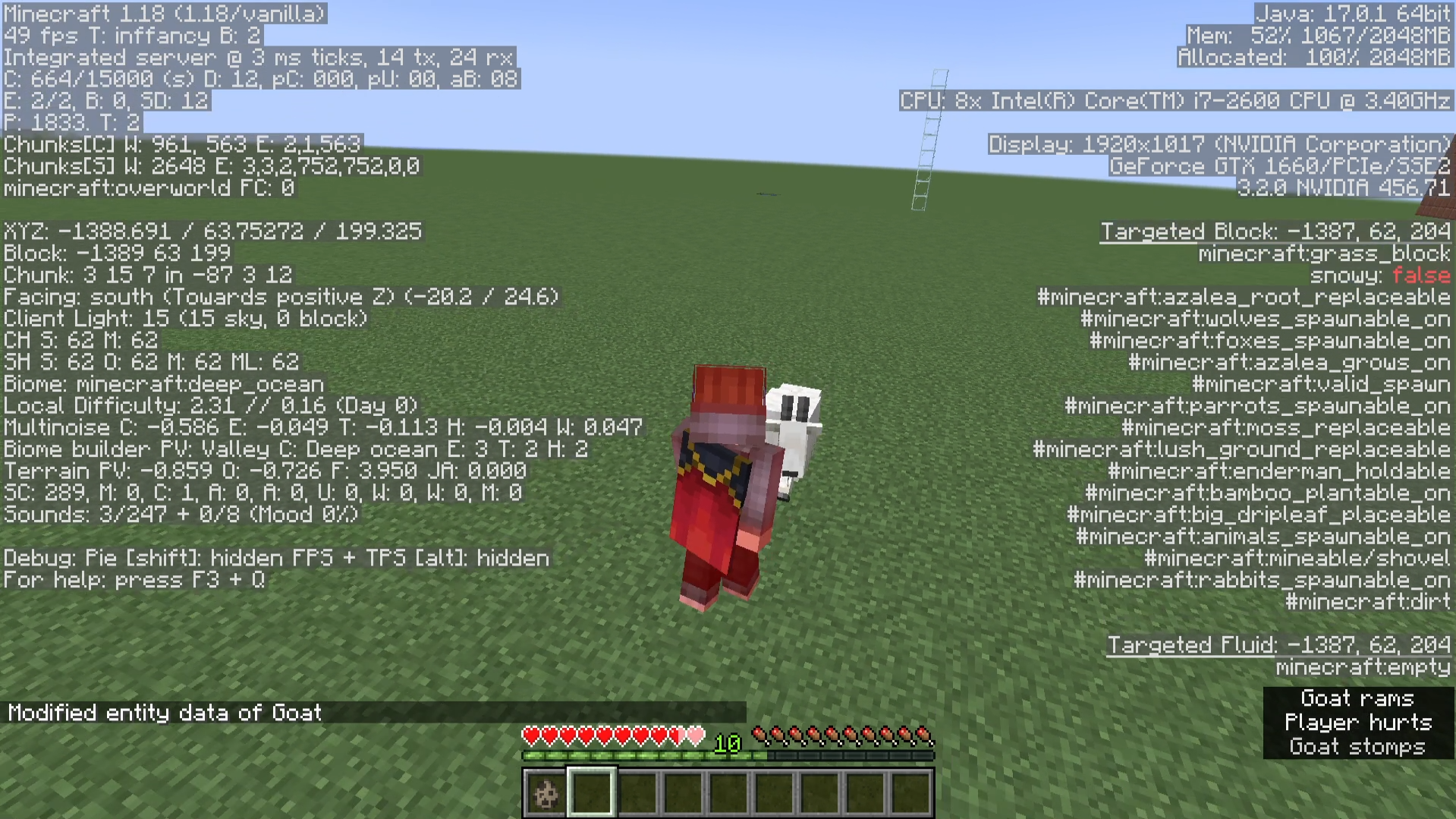
- Exit this menu, summon a goat, and switch into survival mode.
- Make the gam ram you by altering its NBT data.
/execute as @e[type=minecraft:goat,limit=1,sort=nearest] run data modify entity @s Brain.memories."minecraft:ram_cooldown_ticks".value set value 1
- Listen closely as the goat stomps and rams you.
- Take note as to whether or not the sounds of goats stomping and ramming can be heard, (are controlled by the "Hostile Creatures" sound slider instead of the "Friendly Creatures" sound slider).
Observed Behavior:
The sounds of goats stomping and ramming aren't controlled by the "Friendly Creatures" sound slider and are instead controlled by the "Hostile Creatures" sound slider.
Expected Behavior:
The sounds of goats stomping and ramming would be controlled by the "Friendly Creatures" sound slider.
Code Analysis:
Code analysis by [Mod] Avoma can be found below.
The following is based on a decompiled version of Minecraft 1.18 using MCP-Reborn.
public class PrepareRamNearestTarget<E extends PathfinderMob> extends Behavior<E> {
   ...
                  $$0.playSound((Player)null, $$1, this.getPrepareRamSound.apply($$1), SoundSource.HOSTILE, 1.0F, $$1.getVoicePitch());
                  ...
public class RamTarget<E extends PathfinderMob> extends Behavior<E> {
   ...
         $$0.playSound((Player)null, $$1, this.getImpactSound.apply($$1), SoundSource.HOSTILE, 1.0F, 1.0F);
      ...
If we look at the above classes, we can see that the sounds of goats stomping and ramming are sourced from SoundSource.HOSTILE, otherwise known as the "Hostile Creatures" sound slider.
Fix:
Simply changing where the sounds of goats stomping and ramming are sourced from to SoundSource.NEUTRAL (the "Friendly Creatures" sound slider) will resolve this problem.
Attachments2
![[Mod] Avoma](../../../data/avatars/users/86198.png)
 Normal
Created Issue:
The sounds of goats stomping and ramming aren't controlled by the "Friendly Creatures" sound slider
The Bug:
The sounds of goats stomping and ramming aren't controlled by the "Friendly Creatures" sound slider and are instead controlled by the "Hostile Creatures" sound slider. Below I've constructed a table of all goat sounds and their assigned sound sliders for a visual comparison of the issue.
Goat / Screaming Goat Sound Current Assigned Sound Slider Expected Assigned Sound Slider Milking sounds Players Players Ambient sounds Friendly Creatures Friendly Creatures Death sounds Friendly Creatures Friendly Creatures Eating sounds Friendly Creatures Friendly Creatures Hurt sounds Friendly Creatures Friendly Creatures Stepping sounds Friendly Creatures Friendly Creatures Long jump sounds Friendly Creatures Friendly Creatures Stomping sounds Hostile Creatures Friendly Creatures Ramming sounds Hostile Creatures Friendly Creatures
Steps to Reproduce:
- Navigate to the "Music & Sounds" settings menu.
- Turn the "Friendly Creatures" sound slider to "0%".
- Turn every other sound slider to "100%".
- Exit this menu, summon a goat, and switch into survival mode.
- Make the gam ram you by altering its NBT data.
/execute as @e[type=minecraft:goat,limit=1,sort=nearest] run data modify entity @s Brain.memories."minecraft:ram_cooldown_ticks".value set value 1
- Listen closely as the goat stomps and rams you.
- Take note as to whether or not the sounds of goats stomping and ramming can be heard, (are controlled by the "Hostile Creatures" sound slider instead of the "Friendly Creatures" sound slider).
Observed Behavior:
The sounds of goats stomping and ramming aren't controlled by the "Friendly Creatures" sound slider and are instead controlled by the "Hostile Creatures" sound slider.
Expected Behavior:
The sounds of goats stomping and ramming would be controlled by the "Friendly Creatures" sound slider.
The Bug:
The sounds of goats stomping and ramming aren't controlled by the "Friendly Creatures" sound slider and are instead controlled by the "Hostile Creatures" sound slider.
Below I've constructed a table of all goat sounds and their assigned sound sliders for a visual comparison of the issue.
Goat / Screaming Goat Sound Current Assigned Sound Slider Expected Assigned Sound Slider Milking sounds Players Players Ambient sounds Friendly Creatures Friendly Creatures Death sounds Friendly Creatures Friendly Creatures Eating sounds Friendly Creatures Friendly Creatures Hurt sounds Friendly Creatures Friendly Creatures Stepping sounds Friendly Creatures Friendly Creatures Long jump sounds Friendly Creatures Friendly Creatures Stomping sounds Hostile Creatures Friendly Creatures Ramming sounds Hostile Creatures Friendly Creatures
Steps to Reproduce:
- Navigate to the "Music & Sounds" settings menu.
- Turn the "Friendly Creatures" sound slider to "0%".
- Turn every other sound slider to "100%".
- Exit this menu, summon a goat, and switch into survival mode.
- Make the gam ram you by altering its NBT data.
- Listen closely as the goat stomps and rams you.
- Take note as to whether or not the sounds of goats stomping and ramming can be heard, (are controlled by the "Hostile Creatures" sound slider instead of the "Friendly Creatures" sound slider).
Observed Behavior:
The sounds of goats stomping and ramming aren't controlled by the "Friendly Creatures" sound slider and are instead controlled by the "Hostile Creatures" sound slider.
Expected Behavior:
The sounds of goats stomping and ramming would be controlled by the "Friendly Creatures" sound slider.
The Bug:
The sounds of goats stomping and ramming aren't controlled by the "Friendly Creatures" sound slider and are instead controlled by the "Hostile Creatures" sound slider.
This is a problem because all mobs except goats have their sounds assigned to one sound slider and not multiple of them. Below I've constructed a table of all goat sounds and their assigned sound sliders for a visual comparison of the issue.
Goat / Screaming Goat Sound Current Assigned Sound Slider Expected Assigned Sound Slider Milking sounds Players Players Ambient sounds Friendly Creatures Friendly Creatures Death sounds Friendly Creatures Friendly Creatures Eating sounds Friendly Creatures Friendly Creatures Hurt sounds Friendly Creatures Friendly Creatures Stepping sounds Friendly Creatures Friendly Creatures Long jump sounds Friendly Creatures Friendly Creatures Stomping sounds Hostile Creatures Friendly Creatures Ramming sounds Hostile Creatures Friendly Creatures
Steps to Reproduce:
- Navigate to the "Music & Sounds" settings menu.
- Turn the "Friendly Creatures" sound slider to "0%".
- Turn every other sound slider to "100%".
- Exit this menu, summon a goat, and switch into survival mode.
- Make the gam ram you by altering its NBT data.
- Listen closely as the goat stomps and rams you.
- Take note as to whether or not the sounds of goats stomping and ramming can be heard, (are controlled by the "Hostile Creatures" sound slider instead of the "Friendly Creatures" sound slider).
Observed Behavior:
The sounds of goats stomping and ramming aren't controlled by the "Friendly Creatures" sound slider and are instead controlled by the "Hostile Creatures" sound slider.
Expected Behavior:
The sounds of goats stomping and ramming would be controlled by the "Friendly Creatures" sound slider.
The Bug:
The sounds of goats stomping and ramming aren't controlled by the "Friendly Creatures" sound slider and are instead controlled by the "Hostile Creatures" sound slider.
This is a problem and inconsistency because all mobs except goats have all their sounds assigned to one sound slider and not multiple of them. For example, friendly bee sounds and angry bee sounds are all controlled by one sound slider, that being "Friendly Creatures". Below I've constructed a table of all goat sounds and their assigned sound sliders for a visual comparison of the issue.
Goat / Screaming Goat Sound Current Assigned Sound Slider Expected Assigned Sound Slider Milking sounds Players Players Ambient sounds Friendly Creatures Friendly Creatures Death sounds Friendly Creatures Friendly Creatures Eating sounds Friendly Creatures Friendly Creatures Hurt sounds Friendly Creatures Friendly Creatures Stepping sounds Friendly Creatures Friendly Creatures Long jump sounds Friendly Creatures Friendly Creatures Stomping sounds Hostile Creatures Friendly Creatures Ramming sounds Hostile Creatures Friendly Creatures
Steps to Reproduce:
- Navigate to the "Music & Sounds" settings menu.
- Turn the "Friendly Creatures" sound slider to "0%".
- Turn every other sound slider to "100%".
- Exit this menu, summon a goat, and switch into survival mode.
- Make the gam ram you by altering its NBT data.
- Listen closely as the goat stomps and rams you.
- Take note as to whether or not the sounds of goats stomping and ramming can be heard, (are controlled by the "Hostile Creatures" sound slider instead of the "Friendly Creatures" sound slider).
Observed Behavior:
The sounds of goats stomping and ramming aren't controlled by the "Friendly Creatures" sound slider and are instead controlled by the "Hostile Creatures" sound slider.
Expected Behavior:
The sounds of goats stomping and ramming would be controlled by the "Friendly Creatures" sound slider.
The Bug:
The sounds of goats stomping and ramming aren't controlled by the "Friendly Creatures" sound slider and are instead controlled by the "Hostile Creatures" sound slider.
This is a problem and inconsistency because all mobs except goats have all their sounds assigned to one sound slider and not multiple of them. For example, friendly bee sounds and angry bee sounds are all controlled by one sound slider, that being "Friendly Creatures". Below I've constructed a table of all goat sounds and their assigned sound sliders for a visual comparison of the issue.
Goat / Screaming Goat Sound Current Assigned Sound Slider Expected Assigned Sound Slider Milking sounds Players Players Ambient sounds Friendly Creatures Friendly Creatures Death sounds Friendly Creatures Friendly Creatures Eating sounds Friendly Creatures Friendly Creatures Hurt sounds Friendly Creatures Friendly Creatures Stepping sounds Friendly Creatures Friendly Creatures Long jump sounds Friendly Creatures Friendly Creatures Stomping sounds Hostile Creatures Friendly Creatures Ramming soundsHostileCreaturesFriendly Creatures
Steps to Reproduce:
- Navigate to the "Music & Sounds" settings menu.
- Turn the "Friendly Creatures" sound slider to "0%".
- Turn every other sound slider to "100%".
- Exit this menu, summon a goat, and switch into survival mode.
- Make the gam ram you by altering its NBT data.
- Listen closely as the goat stomps and rams you.
- Take note as to whether or not the sounds of goats stomping and ramming can be heard, (are controlled by the "Hostile Creatures" sound slider instead of the "Friendly Creatures" sound slider).
Observed Behavior:
The sounds of goats stomping and ramming aren't controlled by the "Friendly Creatures" sound slider and are instead controlled by the "Hostile Creatures" sound slider.
Expected Behavior:
The sounds of goats stomping and ramming would be controlled by the "Friendly Creatures" sound slider.
The Bug:
The sounds of goats stomping and ramming aren't controlled by the "Friendly Creatures" sound slider and are instead controlled by the "Hostile Creatures" sound slider.
This is a problem and inconsistency because all mobs except goats have all their sounds assigned to one sound slider and not multiple of them. For example, friendly bee sounds and angry bee sounds are all controlled by one sound slider, that being "Friendly Creatures". Below I've constructed a table of all goat sounds and their assigned sound sliders for a visual comparison of the issue.
Goat / Screaming Goat Sound Current Assigned Sound Slider Expected Assigned Sound Slider Notes Milking sounds Players Players See MC-243106 for an explanation as to why goat milking sounds should be controlled by the "Players" sound slider and not the "Friendly Creatures" sound slider. Ambient sounds Friendly Creatures Friendly Creatures Death sounds Friendly Creatures Friendly Creatures Eating sounds Friendly Creatures Friendly Creatures Hurt sounds Friendly Creatures Friendly Creatures Stepping sounds Friendly Creatures Friendly Creatures Long jump sounds Friendly Creatures Friendly Creatures Stomping sounds Hostile Creatures Friendly Creatures Ramming sounds Hostile Creatures Friendly Creatures
Steps to Reproduce:
- Navigate to the "Music & Sounds" settings menu.
- Turn the "Friendly Creatures" sound slider to "0%".
- Turn every other sound slider to "100%".
- Exit this menu, summon a goat, and switch into survival mode.
- Make the gam ram you by altering its NBT data.
- Listen closely as the goat stomps and rams you.
- Take note as to whether or not the sounds of goats stomping and ramming can be heard, (are controlled by the "Hostile Creatures" sound slider instead of the "Friendly Creatures" sound slider).
Observed Behavior:
The sounds of goats stomping and ramming aren't controlled by the "Friendly Creatures" sound slider and are instead controlled by the "Hostile Creatures" sound slider.
Expected Behavior:
The sounds of goats stomping and ramming would be controlled by the "Friendly Creatures" sound slider.
The Bug:
The sounds of goats stomping and ramming aren't controlled by the "Friendly Creatures" sound slider and are instead controlled by the "Hostile Creatures" sound slider.
This is a problem and inconsistency because all mobs except goats have all their sounds assigned to one sound slider and not multiple of them. For example, friendly bee sounds and angry bee sounds are all controlled by one sound slider, that being "Friendly Creatures". Below I've constructed a table of all goat sounds and their assigned sound sliders for a visual comparison of the issue.
Goat / Screaming Goat Sound Current Assigned Sound Slider Expected Assigned Sound Slider Notes Milking sounds Players Players See MC-243106 for an explanation as to why goat milking sounds should be controlled by the "Players" sound slider and not the "Friendly Creatures" sound slider. Ambient sounds Friendly Creatures Friendly Creatures Death sounds Friendly Creatures Friendly Creatures Eating sounds Friendly Creatures Friendly Creatures Hurt sounds Friendly Creatures Friendly Creatures Stepping sounds Friendly Creatures Friendly Creatures Long jump sounds Friendly Creatures Friendly Creatures Stomping sounds Hostile Creatures Friendly Creatures Ramming sounds Hostile Creatures Friendly Creatures
Steps to Reproduce:
- Navigate to the "Music & Sounds" settings menu.
- Turn the "Friendly Creatures" sound slider to "0%".
- Turn every other sound slider to "100%".
- Exit this menu, summon a goat, and switch into survival mode.
- Make the gam ram you by altering its NBT data.
- Listen closely as the goat stomps and rams you.
- Take note as to whether or not the sounds of goats stomping and ramming can be heard, (are controlled by the "Hostile Creatures" sound slider instead of the "Friendly Creatures" sound slider).
Observed Behavior:
The sounds of goats stomping and ramming aren't controlled by the "Friendly Creatures" sound slider and are instead controlled by the "Hostile Creatures" sound slider.
Expected Behavior:
The sounds of goats stomping and ramming would be controlled by the "Friendly Creatures" sound slider.
Code Analysis (tentative):
The following is based on a decompiled version of Minecraft 1.18 using MCP-Reborn. Please note that I'm quite tentative about this analysis, although I'm persuaded to believe that this is likely the cause of the problem.
net.minecraft.world.entity.ai.behavior.PrepareRamNearestTarget.javapublic class PrepareRamNearestTarget<E extends PathfinderMob> extends Behavior<E> { ... $$0.playSound((Player)null, $$1, this.getPrepareRamSound.apply($$1), SoundSource.HOSTILE, 1.0F, $$1.getVoicePitch()); ...net.minecraft.world.entity.ai.behavior.RamTarget.javaUnable to find source-code formatter for language: codecontent panelcontent. Available languages are: actionscript, ada, applescript, bash, c, c#, c++, cpp, css, erlang, go, groovy, haskell, html, java, javascript, js, json, lua, none, nyan, objc, perl, php, python, r, rainbow, ruby, scala, sh, sql, swift, visualbasic, xml, yamlpublic class RamTarget<E extends PathfinderMob> extends Behavior<E> { ... $$0.playSound((Player)null, $$1, this.getImpactSound.apply($$1), SoundSource.HOSTILE, 1.0F, 1.0F); ...If we look at the above classes, we can see that the sounds of goats stomping and ramming are sourced from SoundSource.HOSTILE, otherwise known as the "Hostile Creatures" sound slider.
Potential Fix:
Simply changing where the sounds of goats stomping and ramming are sourced from to SoundSource.NEUTRAL (the "Friendly Creatures" sound slider) should resolve this problem. The correct lines of code within their classes should look something like the following:
net.minecraft.world.entity.ai.behavior.PrepareRamNearestTarget.javapublic class PrepareRamNearestTarget<E extends PathfinderMob> extends Behavior<E> { ... $$0.playSound((Player)null, $$1, this.getPrepareRamSound.apply($$1), SoundSource.NEUTRAL, 1.0F, $$1.getVoicePitch()); ...net.minecraft.world.entity.ai.behavior.RamTarget.javaUnable to find source-code formatter for language: codecontent panelcontent. Available languages are: actionscript, ada, applescript, bash, c, c#, c++, cpp, css, erlang, go, groovy, haskell, html, java, javascript, js, json, lua, none, nyan, objc, perl, php, python, r, rainbow, ruby, scala, sh, sql, swift, visualbasic, xml, yamlpublic class RamTarget<E extends PathfinderMob> extends Behavior<E> { ... $$0.playSound((Player)null, $$1, this.getImpactSound.apply($$1), SoundSource.NEUTRAL, 1.0F, 1.0F); ...

The Bug:
The sounds of goats stomping and ramming aren't controlled by the "Friendly Creatures" sound slider and are instead controlled by the "Hostile Creatures" sound slider.
This is a problem and inconsistency because all mobs except goats have all their sounds assigned to one sound slider and not multiple of them. For example, friendly bee sounds and angry bee sounds are all controlled by one sound slider, that being "Friendly Creatures". Below I've constructed a table of all goat sounds and their assigned sound sliders for a visual comparison of the issue.
Goat / Screaming Goat Sound Current Assigned Sound Slider Expected Assigned Sound Slider Notes Milking sounds Players Players See MC-243106 for an explanation as to why goat milking sounds should be controlled by the "Players" sound slider and not the "Friendly Creatures" sound slider. Ambient sounds Friendly Creatures Friendly Creatures Death sounds Friendly Creatures Friendly Creatures Eating sounds Friendly Creatures Friendly Creatures Hurt sounds Friendly Creatures Friendly Creatures Stepping sounds Friendly Creatures Friendly Creatures Long jump sounds Friendly Creatures Friendly Creatures Stomping sounds Hostile Creatures Friendly Creatures Ramming sounds Hostile Creatures Friendly Creatures
Steps to Reproduce:
- Navigate to the "Music & Sounds" settings menu.
- Turn the "Friendly Creatures" sound slider to "0%".
- Turn every other sound slider to "100%".
- Exit this menu, summon a goat, and switch into survival mode.
- Make the gam ram you by altering its NBT data.
- Listen closely as the goat stomps and rams you.
- Take note as to whether or not the sounds of goats stomping and ramming can be heard, (are controlled by the "Hostile Creatures" sound slider instead of the "Friendly Creatures" sound slider).
Observed Behavior:
The sounds of goats stomping and ramming aren't controlled by the "Friendly Creatures" sound slider and are instead controlled by the "Hostile Creatures" sound slider.
Expected Behavior:
The sounds of goats stomping and ramming would be controlled by the "Friendly Creatures" sound slider.
Code Analysis (tentative):
The following is based on a decompiled version of Minecraft 1.18 using MCP-Reborn. Please note that I'm quite tentative about this analysis, although I'm persuaded to believe that this is likely the cause of the problem.
net.minecraft.world.entity.ai.behavior.PrepareRamNearestTarget.javapublic class PrepareRamNearestTarget<E extends PathfinderMob> extends Behavior<E> { ... $$0.playSound((Player)null, $$1, this.getPrepareRamSound.apply($$1), SoundSource.HOSTILE, 1.0F, $$1.getVoicePitch()); ...net.minecraft.world.entity.ai.behavior.RamTarget.javaUnable to find source-code formatter for language: codecontent panelcontent. Available languages are: actionscript, ada, applescript, bash, c, c#, c++, cpp, css, erlang, go, groovy, haskell, html, java, javascript, js, json, lua, none, nyan, objc, perl, php, python, r, rainbow, ruby, scala, sh, sql, swift, visualbasic, xml, yamlpublic class RamTarget<E extends PathfinderMob> extends Behavior<E> { ... $$0.playSound((Player)null, $$1, this.getImpactSound.apply($$1), SoundSource.HOSTILE, 1.0F, 1.0F); ...If we look at the above classes, we can see that the sounds of goats stomping and ramming are sourced from SoundSource.HOSTILE, otherwise known as the "Hostile Creatures" sound slider.
Potential Fix:
Simply changing where the sounds of goats stomping and ramming are sourced from to SoundSource.NEUTRAL (the "Friendly Creatures" sound slider) should resolve this problem. The correct lines of code within their classes should look something like the following:
net.minecraft.world.entity.ai.behavior.PrepareRamNearestTarget.javapublic class PrepareRamNearestTarget<E extends PathfinderMob> extends Behavior<E> { ... $$0.playSound((Player)null, $$1, this.getPrepareRamSound.apply($$1), SoundSource.NEUTRAL, 1.0F, $$1.getVoicePitch()); ...net.minecraft.world.entity.ai.behavior.RamTarget.javaUnable to find source-code formatter for language: codecontent panelcontent. Available languages are: actionscript, ada, applescript, bash, c, c#, c++, cpp, css, erlang, go, groovy, haskell, html, java, javascript, js, json, lua, none, nyan, objc, perl, php, python, r, rainbow, ruby, scala, sh, sql, swift, visualbasic, xml, yamlpublic class RamTarget<E extends PathfinderMob> extends Behavior<E> { ... $$0.playSound((Player)null, $$1, this.getImpactSound.apply($$1), SoundSource.NEUTRAL, 1.0F, 1.0F); ...
The Bug:
The sounds of goats stomping and ramming aren't controlled by the "Friendly Creatures" sound slider and are instead controlled by the "Hostile Creatures" sound slider.
This is a problem and inconsistency because all mobs except goats have all their sounds assigned to one sound slider and not multiple of them. For example, friendly bee sounds and angry bee sounds are all controlled by one sound slider, that being "Friendly Creatures". Below I've constructed a table of all goat sounds and their assigned sound sliders for a visual comparison of the issue.
Goat / Screaming Goat Sound Current Assigned Sound Slider Expected Assigned Sound Slider Notes Milking sounds Players Players See MC-243106 for an explanation as to why goat milking sounds should be controlled by the "Players" sound slider and not the "Friendly Creatures" sound slider. Ambient sounds Friendly Creatures Friendly Creatures Death sounds Friendly Creatures Friendly Creatures Eating sounds Friendly Creatures Friendly Creatures Hurt sounds Friendly Creatures Friendly Creatures Stepping sounds Friendly Creatures Friendly Creatures Long jump sounds Friendly Creatures Friendly Creatures Stomping sounds Hostile Creatures Friendly Creatures Ramming sounds Hostile Creatures Friendly Creatures
Steps to Reproduce:
- Navigate to the "Music & Sounds" settings menu.
- Turn the "Friendly Creatures" sound slider to "0%".
- Turn every other sound slider to "100%".
- Exit this menu, summon a goat, and switch into survival mode.
- Make the gam ram you by altering its NBT data.
- Listen closely as the goat stomps and rams you.
- Take note as to whether or not the sounds of goats stomping and ramming can be heard, (are controlled by the "Hostile Creatures" sound slider instead of the "Friendly Creatures" sound slider).
Observed Behavior:
The sounds of goats stomping and ramming aren't controlled by the "Friendly Creatures" sound slider and are instead controlled by the "Hostile Creatures" sound slider.
Expected Behavior:
The sounds of goats stomping and ramming would be controlled by the "Friendly Creatures" sound slider.
Code Analysis
(tentative):The following is based on a decompiled version of Minecraft 1.18 using MCP-Reborn. Please note that I'm quite tentative about this analysis, although I'm persuaded to believe that this is likely the cause of the problem.
net.minecraft.world.entity.ai.behavior.PrepareRamNearestTarget.javapublic class PrepareRamNearestTarget<E extends PathfinderMob> extends Behavior<E> { ... $$0.playSound((Player)null, $$1, this.getPrepareRamSound.apply($$1), SoundSource.HOSTILE, 1.0F, $$1.getVoicePitch()); ...net.minecraft.world.entity.ai.behavior.RamTarget.javapublic class RamTarget<E extends PathfinderMob> extends Behavior<E> { ... $$0.playSound((Player)null, $$1, this.getImpactSound.apply($$1), SoundSource.HOSTILE, 1.0F, 1.0F); ...If we look at the above classes, we can see that the sounds of goats stomping and ramming are sourced from SoundSource.HOSTILE, otherwise known as the "Hostile Creatures" sound slider.
Potential Fix:
Simply changing where the sounds of goats stomping and ramming are sourced from to SoundSource.NEUTRAL (the "Friendly Creatures" sound slider) should resolve this problem. The correct lines of code within their classes should look something like the following:
net.minecraft.world.entity.ai.behavior.PrepareRamNearestTarget.javapublic class PrepareRamNearestTarget<E extends PathfinderMob> extends Behavior<E> { ... $$0.playSound((Player)null, $$1, this.getPrepareRamSound.apply($$1), SoundSource.NEUTRAL, 1.0F, $$1.getVoicePitch()); ...net.minecraft.world.entity.ai.behavior.RamTarget.javapublic class RamTarget<E extends PathfinderMob> extends Behavior<E> { ... $$0.playSound((Player)null, $$1, this.getImpactSound.apply($$1), SoundSource.NEUTRAL, 1.0F, 1.0F); ...The Bug:
The sounds of goats stomping and ramming aren't controlled by the "Friendly Creatures" sound slider and are instead controlled by the "Hostile Creatures" sound slider.
This is a problem and inconsistency because all mobs except goats have all their sounds assigned to one sound slider and not multiple of them. For example, friendly bee sounds and angry bee sounds are all controlled by one sound slider, that being "Friendly Creatures". Below I've constructed a table of all goat sounds and their assigned sound sliders for a visual comparison of the issue.
Goat / Screaming Goat Sound Current Assigned Sound Slider Expected Assigned Sound Slider Notes Milking sounds Players Players See MC-243106 for an explanation as to why goat milking sounds should be controlled by the "Players" sound slider and not the "Friendly Creatures" sound slider. Ambient sounds Friendly Creatures Friendly Creatures Death sounds Friendly Creatures Friendly Creatures Eating sounds Friendly Creatures Friendly Creatures Hurt sounds Friendly Creatures Friendly Creatures Stepping sounds Friendly Creatures Friendly Creatures Long jump sounds Friendly Creatures Friendly Creatures Stomping sounds Hostile Creatures Friendly Creatures Ramming sounds Hostile Creatures Friendly Creatures
Steps to Reproduce:
- Navigate to the "Music & Sounds" settings menu.
- Turn the "Friendly Creatures" sound slider to "0%".
- Turn every other sound slider to "100%".
- Exit this menu, summon a goat, and switch into survival mode.
- Make the gam ram you by altering its NBT data.
- Listen closely as the goat stomps and rams you.
- Take note as to whether or not the sounds of goats stomping and ramming can be heard, (are controlled by the "Hostile Creatures" sound slider instead of the "Friendly Creatures" sound slider).
Observed Behavior:
The sounds of goats stomping and ramming aren't controlled by the "Friendly Creatures" sound slider and are instead controlled by the "Hostile Creatures" sound slider.
Expected Behavior:
The sounds of goats stomping and ramming would be controlled by the "Friendly Creatures" sound slider.
Code Analysis:
The following is based on a decompiled version of Minecraft 1.18 using MCP-Reborn.
net.minecraft.world.entity.ai.behavior.PrepareRamNearestTarget.javapublic class PrepareRamNearestTarget<E extends PathfinderMob> extends Behavior<E> { ... $$0.playSound((Player)null, $$1, this.getPrepareRamSound.apply($$1), SoundSource.HOSTILE, 1.0F, $$1.getVoicePitch()); ...net.minecraft.world.entity.ai.behavior.RamTarget.javapublic class RamTarget<E extends PathfinderMob> extends Behavior<E> { ... $$0.playSound((Player)null, $$1, this.getImpactSound.apply($$1), SoundSource.HOSTILE, 1.0F, 1.0F); ...If we look at the above classes, we can see that the sounds of goats stomping and ramming are sourced from SoundSource.HOSTILE, otherwise known as the "Hostile Creatures" sound slider.
Potential Fix:
Simply changing where the sounds of goats stomping and ramming are sourced from to SoundSource.NEUTRAL (the "Friendly Creatures" sound slider) should resolve this problem. The correct lines of code within their classes should look something like the following:
net.minecraft.world.entity.ai.behavior.PrepareRamNearestTarget.javapublic class PrepareRamNearestTarget<E extends PathfinderMob> extends Behavior<E> { ... $$0.playSound((Player)null, $$1, this.getPrepareRamSound.apply($$1), SoundSource.NEUTRAL, 1.0F, $$1.getVoicePitch()); ...net.minecraft.world.entity.ai.behavior.RamTarget.javapublic class RamTarget<E extends PathfinderMob> extends Behavior<E> { ... $$0.playSound((Player)null, $$1, this.getImpactSound.apply($$1), SoundSource.NEUTRAL, 1.0F, 1.0F); ...
The Bug:
The sounds of goats stomping and ramming aren't controlled by the "Friendly Creatures" sound slider and are instead controlled by the "Hostile Creatures" sound slider.
This is a problem and inconsistency because all mobs except goats have all their sounds assigned to one sound slider and not multiple of them. For example, friendly bee sounds and angry bee sounds are all controlled by one sound slider, that being "Friendly Creatures". Below I've constructed a table of all goat sounds and their assigned sound sliders for a visual comparison of the issue.
Goat / Screaming Goat Sound Current Assigned Sound Slider Expected Assigned Sound Slider Notes Milking sounds Players Players See MC-243106 for an explanation as to why goat milking sounds should be controlled by the "Players" sound slider and not the "Friendly Creatures" sound slider. Ambient sounds Friendly Creatures Friendly Creatures Death sounds Friendly Creatures Friendly Creatures Eating sounds Friendly Creatures Friendly Creatures Hurt sounds Friendly Creatures Friendly Creatures Stepping sounds Friendly Creatures Friendly Creatures Long jump sounds Friendly Creatures Friendly Creatures Stomping sounds Hostile Creatures Friendly Creatures Ramming sounds Hostile Creatures Friendly Creatures
Steps to Reproduce:
- Navigate to the "Music & Sounds" settings menu.
- Turn the "Friendly Creatures" sound slider to "
0%".- Turn every other sound slider to "100%".
- Exit this menu, summon a goat, and switch into survival mode.
- Make the gam ram you by altering its NBT data.
- Listen closely as the goat stomps and rams you.
- Take note as to whether or not the sounds of goats stomping and ramming can be heard, (are controlled by the "Hostile Creatures" sound slider instead of the "Friendly Creatures" sound slider).
Observed Behavior:
The sounds of goats stomping and ramming aren't controlled by the "Friendly Creatures" sound slider and are instead controlled by the "Hostile Creatures" sound slider.
Expected Behavior:
The sounds of goats stomping and ramming would be controlled by the "Friendly Creatures" sound slider.
Code Analysis:
The following is based on a decompiled version of Minecraft 1.18 using MCP-Reborn.
net.minecraft.world.entity.ai.behavior.PrepareRamNearestTarget.javapublic class PrepareRamNearestTarget<E extends PathfinderMob> extends Behavior<E> { ... $$0.playSound((Player)null, $$1, this.getPrepareRamSound.apply($$1), SoundSource.HOSTILE, 1.0F, $$1.getVoicePitch()); ...net.minecraft.world.entity.ai.behavior.RamTarget.javapublic class RamTarget<E extends PathfinderMob> extends Behavior<E> { ... $$0.playSound((Player)null, $$1, this.getImpactSound.apply($$1), SoundSource.HOSTILE, 1.0F, 1.0F); ...If we look at the above classes, we can see that the sounds of goats stomping and ramming are sourced from SoundSource.HOSTILE, otherwise known as the "Hostile Creatures" sound slider.
Potential Fix:
Simply changing where the sounds of goats stomping and ramming are sourced from to SoundSource.NEUTRAL (the "Friendly Creatures" sound slider) should resolve this problem. The correct lines of code within their classes should look something like the following:
net.minecraft.world.entity.ai.behavior.PrepareRamNearestTarget.javapublic class PrepareRamNearestTarget<E extends PathfinderMob> extends Behavior<E> { ... $$0.playSound((Player)null, $$1, this.getPrepareRamSound.apply($$1), SoundSource.NEUTRAL, 1.0F, $$1.getVoicePitch()); ...net.minecraft.world.entity.ai.behavior.RamTarget.javapublic class RamTarget<E extends PathfinderMob> extends Behavior<E> { ... $$0.playSound((Player)null, $$1, this.getImpactSound.apply($$1), SoundSource.NEUTRAL, 1.0F, 1.0F); ...The Bug:
The sounds of goats stomping and ramming aren't controlled by the "Friendly Creatures" sound slider and are instead controlled by the "Hostile Creatures" sound slider.
This is a problem and inconsistency because all mobs except goats have all their sounds assigned to one sound slider and not multiple of them. For example, friendly bee sounds and angry bee sounds are all controlled by one sound slider, that being "Friendly Creatures". Below I've constructed a table of all goat sounds and their assigned sound sliders for a visual comparison of the issue.
Goat / Screaming Goat Sound Current Assigned Sound Slider Expected Assigned Sound Slider Notes Milking sounds Players Players See MC-243106 for an explanation as to why goat milking sounds should be controlled by the "Players" sound slider and not the "Friendly Creatures" sound slider. Ambient sounds Friendly Creatures Friendly Creatures Death sounds Friendly Creatures Friendly Creatures Eating sounds Friendly Creatures Friendly Creatures Hurt sounds Friendly Creatures Friendly Creatures Stepping sounds Friendly Creatures Friendly Creatures Long jump sounds Friendly Creatures Friendly Creatures Stomping sounds Hostile Creatures Friendly Creatures Ramming sounds Hostile Creatures Friendly Creatures
Steps to Reproduce:
- Navigate to the "Music & Sounds" settings menu.
- Turn the "Friendly Creatures" sound slider to "OFF".
- Turn every other sound slider to "100%".
- Exit this menu, summon a goat, and switch into survival mode.
- Make the gam ram you by altering its NBT data.
- Listen closely as the goat stomps and rams you.
- Take note as to whether or not the sounds of goats stomping and ramming can be heard, (are controlled by the "Hostile Creatures" sound slider instead of the "Friendly Creatures" sound slider).
Observed Behavior:
The sounds of goats stomping and ramming aren't controlled by the "Friendly Creatures" sound slider and are instead controlled by the "Hostile Creatures" sound slider.
Expected Behavior:
The sounds of goats stomping and ramming would be controlled by the "Friendly Creatures" sound slider.
Code Analysis:
The following is based on a decompiled version of Minecraft 1.18 using MCP-Reborn.
net.minecraft.world.entity.ai.behavior.PrepareRamNearestTarget.javapublic class PrepareRamNearestTarget<E extends PathfinderMob> extends Behavior<E> { ... $$0.playSound((Player)null, $$1, this.getPrepareRamSound.apply($$1), SoundSource.HOSTILE, 1.0F, $$1.getVoicePitch()); ...net.minecraft.world.entity.ai.behavior.RamTarget.javapublic class RamTarget<E extends PathfinderMob> extends Behavior<E> { ... $$0.playSound((Player)null, $$1, this.getImpactSound.apply($$1), SoundSource.HOSTILE, 1.0F, 1.0F); ...If we look at the above classes, we can see that the sounds of goats stomping and ramming are sourced from SoundSource.HOSTILE, otherwise known as the "Hostile Creatures" sound slider.
Potential Fix:
Simply changing where the sounds of goats stomping and ramming are sourced from to SoundSource.NEUTRAL (the "Friendly Creatures" sound slider) should resolve this problem. The correct lines of code within their classes should look something like the following:
net.minecraft.world.entity.ai.behavior.PrepareRamNearestTarget.javapublic class PrepareRamNearestTarget<E extends PathfinderMob> extends Behavior<E> { ... $$0.playSound((Player)null, $$1, this.getPrepareRamSound.apply($$1), SoundSource.NEUTRAL, 1.0F, $$1.getVoicePitch()); ...net.minecraft.world.entity.ai.behavior.RamTarget.javapublic class RamTarget<E extends PathfinderMob> extends Behavior<E> { ... $$0.playSound((Player)null, $$1, this.getImpactSound.apply($$1), SoundSource.NEUTRAL, 1.0F, 1.0F); ...
The Bug:
The sounds of goats stomping and ramming aren't controlled by the "Friendly Creatures" sound slider and are instead controlled by the "Hostile Creatures" sound slider.
This is a problem and inconsistency because all mobs except goats have all their sounds assigned to one sound slider and not multiple of them. For example, friendly bee sounds and angry bee sounds are all controlled by one sound slider, that being "Friendly Creatures". Below I've constructed a table of all goat sounds and their assigned sound sliders for a visual comparison of the issue.
Goat / Screaming Goat Sound Current Assigned Sound Slider Expected Assigned Sound Slider Notes Milking sounds Players Players See MC-243106 for an explanation as to why goat milking sounds should be controlled by the "Players" sound slider and not the "Friendly Creatures" sound slider. Ambient sounds Friendly Creatures Friendly Creatures Death sounds Friendly Creatures Friendly Creatures Eating sounds Friendly Creatures Friendly Creatures Hurt sounds Friendly Creatures Friendly Creatures Stepping sounds Friendly Creatures Friendly Creatures Long jump sounds Friendly Creatures Friendly Creatures Stomping sounds Hostile Creatures Friendly Creatures Ramming sounds Hostile Creatures Friendly Creatures
Steps to Reproduce:
- Navigate to the "Music & Sounds" settings menu.
- Turn the "Friendly Creatures" sound slider to "OFF".
- Turn every other sound slider to "100%".
- Exit this menu, summon a goat, and switch into survival mode.
- Make the gam ram you by altering its NBT data.
- Listen closely as the goat stomps and rams you.
- Take note as to whether or not the sounds of goats stomping and ramming can be heard, (are controlled by the "Hostile Creatures" sound slider instead of the "Friendly Creatures" sound slider).
Observed Behavior:
The sounds of goats stomping and ramming aren't controlled by the "Friendly Creatures" sound slider and are instead controlled by the "Hostile Creatures" sound slider.
Expected Behavior:
The sounds of goats stomping and ramming would be controlled by the "Friendly Creatures" sound slider.
Code Analysis:
Code analysis by [Mod] Avoma can be found below.
The following is based on a decompiled version of Minecraft 1.18 using MCP-Reborn.
net.minecraft.world.entity.ai.behavior.PrepareRamNearestTarget.javapublic class PrepareRamNearestTarget<E extends PathfinderMob> extends Behavior<E> { ... $$0.playSound((Player)null, $$1, this.getPrepareRamSound.apply($$1), SoundSource.HOSTILE, 1.0F, $$1.getVoicePitch()); ...net.minecraft.world.entity.ai.behavior.RamTarget.javapublic class RamTarget<E extends PathfinderMob> extends Behavior<E> { ... $$0.playSound((Player)null, $$1, this.getImpactSound.apply($$1), SoundSource.HOSTILE, 1.0F, 1.0F); ...If we look at the above classes, we can see that the sounds of goats stomping and ramming are sourced from SoundSource.HOSTILE, otherwise known as the "Hostile Creatures" sound slider.
Potential Fix:
Simply changing where the sounds of goats stomping and ramming are sourced from to SoundSource.NEUTRAL (the "Friendly Creatures" sound slider) should resolve this problem. The correct lines of code within their classes should look something like the following:
net.minecraft.world.entity.ai.behavior.PrepareRamNearestTarget.javapublic class PrepareRamNearestTarget<E extends PathfinderMob> extends Behavior<E> { ... $$0.playSound((Player)null, $$1, this.getPrepareRamSound.apply($$1), SoundSource.NEUTRAL, 1.0F, $$1.getVoicePitch()); ...net.minecraft.world.entity.ai.behavior.RamTarget.javapublic class RamTarget<E extends PathfinderMob> extends Behavior<E> { ... $$0.playSound((Player)null, $$1, this.getImpactSound.apply($$1), SoundSource.NEUTRAL, 1.0F, 1.0F); ...
![[Mojang] Arman V](../../../data/avatars/users/10122.svg) [Mojang] Arman V
[Mojang] Arman VThe Bug:
The sounds of goats stomping and ramming aren't controlled by the "Friendly Creatures" sound slider and are instead controlled by the "Hostile Creatures" sound slider.
This is a problem and inconsistency because all mobs except goats have all their sounds assigned to one sound slider and not multiple of them. For example, friendly bee sounds and angry bee sounds are all controlled by one sound slider, that being "Friendly Creatures". Below I've constructed a table of all goat sounds and their assigned sound sliders for a visual comparison of the issue.
Goat / Screaming Goat Sound Current Assigned Sound Slider Expected Assigned Sound Slider Notes Milking sounds Players PlayersSee MC-243106 for an explanation as to why goat milking sounds should be controlled by the "Players" sound slider and not the "Friendly Creatures" sound slider. Ambient sounds Friendly Creatures Friendly Creatures Death sounds Friendly Creatures Friendly Creatures Eating sounds Friendly Creatures Friendly Creatures Hurt sounds Friendly Creatures Friendly Creatures Stepping sounds Friendly Creatures Friendly Creatures Long jump sounds Friendly Creatures Friendly Creatures Stomping sounds Hostile Creatures Friendly Creatures Ramming sounds Hostile Creatures Friendly Creatures
Steps to Reproduce:
- Navigate to the "Music & Sounds" settings menu.
- Turn the "Friendly Creatures" sound slider to "OFF".
- Turn every other sound slider to "100%".
- Exit this menu, summon a goat, and switch into survival mode.
- Make the gam ram you by altering its NBT data.
- Listen closely as the goat stomps and rams you.
- Take note as to whether or not the sounds of goats stomping and ramming can be heard, (are controlled by the "Hostile Creatures" sound slider instead of the "Friendly Creatures" sound slider).
Observed Behavior:
The sounds of goats stomping and ramming aren't controlled by the "Friendly Creatures" sound slider and are instead controlled by the "Hostile Creatures" sound slider.
Expected Behavior:
The sounds of goats stomping and ramming would be controlled by the "Friendly Creatures" sound slider.
Code Analysis:
Code analysis by [Mod] Avoma can be found below.
The following is based on a decompiled version of Minecraft 1.18 using MCP-Reborn.
net.minecraft.world.entity.ai.behavior.PrepareRamNearestTarget.javapublic class PrepareRamNearestTarget<E extends PathfinderMob> extends Behavior<E> { ... $$0.playSound((Player)null, $$1, this.getPrepareRamSound.apply($$1), SoundSource.HOSTILE, 1.0F, $$1.getVoicePitch()); ...net.minecraft.world.entity.ai.behavior.RamTarget.javapublic class RamTarget<E extends PathfinderMob> extends Behavior<E> { ... $$0.playSound((Player)null, $$1, this.getImpactSound.apply($$1), SoundSource.HOSTILE, 1.0F, 1.0F); ...If we look at the above classes, we can see that the sounds of goats stomping and ramming are sourced from SoundSource.HOSTILE, otherwise known as the "Hostile Creatures" sound slider.
PotentialFix:Simply changing where the sounds of goats stomping and ramming are sourced from to SoundSource.NEUTRAL (the "Friendly Creatures" sound slider)
shouldresolve this problem.The correct lines of code within their classes should look something like the following:The Bug:
The sounds of goats stomping and ramming aren't controlled by the "Friendly Creatures" sound slider and are instead controlled by the "Hostile Creatures" sound slider.
This is a problem and inconsistency because all mobs except goats have all their sounds assigned to one sound slider and not multiple of them. For example, friendly bee sounds and angry bee sounds are all controlled by one sound slider, that being "Friendly Creatures". Below I've constructed a table of all goat sounds and their assigned sound sliders for a visual comparison of the issue.
Affected Sounds:
Before reading the table, please note the following:
- Words colored in GREEN reflect the correct behavior.
- Words colored in RED reflect the incorrect behavior.
Goat / Screaming Goat Sound Current Assigned Sound Slider Expected Assigned Sound Slider Notes Milking sounds Players Players See MC-243106 for an explanation as to why goat milking sounds should be controlled by the "Players" sound slider and not the "Friendly Creatures" sound slider. Ambient sounds Friendly Creatures Friendly Creatures Death sounds Friendly Creatures Friendly Creatures Eating sounds Friendly Creatures Friendly Creatures Hurt sounds Friendly Creatures Friendly Creatures Stepping sounds Friendly Creatures Friendly Creatures Long jump sounds Friendly Creatures Friendly Creatures Stomping sounds Hostile Creatures Friendly Creatures Ramming sounds Hostile Creatures Friendly Creatures
Steps to Reproduce:
- Navigate to the "Music & Sounds" settings menu.
- Turn the "Friendly Creatures" sound slider to "OFF".
- Turn every other sound slider to "100%".
- Exit this menu, summon a goat, and switch into survival mode.
- Make the gam ram you by altering its NBT data.
- Listen closely as the goat stomps and rams you.
- Take note as to whether or not the sounds of goats stomping and ramming can be heard, (are controlled by the "Hostile Creatures" sound slider instead of the "Friendly Creatures" sound slider).
Observed Behavior:
The sounds of goats stomping and ramming aren't controlled by the "Friendly Creatures" sound slider and are instead controlled by the "Hostile Creatures" sound slider.
Expected Behavior:
The sounds of goats stomping and ramming would be controlled by the "Friendly Creatures" sound slider.
Code Analysis:
Code analysis by [Mod] Avoma can be found below.
The following is based on a decompiled version of Minecraft 1.18 using MCP-Reborn.
net.minecraft.world.entity.ai.behavior.PrepareRamNearestTarget.javapublic class PrepareRamNearestTarget<E extends PathfinderMob> extends Behavior<E> { ... $$0.playSound((Player)null, $$1, this.getPrepareRamSound.apply($$1), SoundSource.HOSTILE, 1.0F, $$1.getVoicePitch()); ...net.minecraft.world.entity.ai.behavior.RamTarget.javapublic class RamTarget<E extends PathfinderMob> extends Behavior<E> { ... $$0.playSound((Player)null, $$1, this.getImpactSound.apply($$1), SoundSource.HOSTILE, 1.0F, 1.0F); ...If we look at the above classes, we can see that the sounds of goats stomping and ramming are sourced from SoundSource.HOSTILE, otherwise known as the "Hostile Creatures" sound slider.
Fix:
Simply changing where the sounds of goats stomping and ramming are sourced from to SoundSource.NEUTRAL (the "Friendly Creatures" sound slider) will resolve this problem.
![[Bot] Piston](../../../data/avatars/users/31202.png)

Description:
Relates to MC-244694.
Some sounds of goats aren't controlled by the "Friendly Creatures" sound slider and are instead controlled by the "Hostile Creatures" sound slider. These are:
- mob.goat.horn_break
- mob.goat.prepare_ram
- mob.goat.prepare_ram.screamer
- mob.goat.ram_impact
- mob.goat.ram_impact.screamer
Steps to Reproduce:
- Navigate to the Settings > Audio page
- Turn the "Friendly Creatures" sound slider to "0%"
- Turn every other sound slider to "100%"
- Use the following commands:
- /playsound mob.goat.horn_break @a
- /playsound mob.goat.prepare_ram @a
- /playsound mob.goat.prepare_ram.screamer @a
- /playsound mob.goat.ram_impact @a
- /playsound mob.goat.ram_impact.screamer @a
Observed Results:
These sounds aren't able to be heard, which means that they aren't controlled by the "Friendly Creatures".
Expected Results:
These sounds should be able to be heard.
Code analysis:
The sound definition of mob.goat.horn_break from resource_packs/vanilla_1.19.0/sounds/sound_definitions.json:
    "mob.goat.horn_break": {
      "category": "hostile",
      "sounds": [
        "sounds/mob/goat/horn_break1",
        "sounds/mob/goat/horn_break2",
        "sounds/mob/goat/horn_break3",
        "sounds/mob/goat/horn_break4"
      ]
    }
The sound definition of mob.goat.ram_impact from resource_packs/vanilla_1.17.20/sounds/sound_definitions.json:
    "mob.goat.ram_impact": {
      "category": "hostile",
      "sounds": [
        {
          "name": "sounds/mob/goat/impact1",
          "volume": 0.8
        },
        {
          "name": "sounds/mob/goat/impact2",
          "volume": 0.8
        },
        {
          "name": "sounds/mob/goat/impact3",
          "volume": 0.8
        }
      ]
    }
The sound definitions of the other three sounds from resource_packs/vanilla_1.17.0/sounds/sound_definitions.json:
    "mob.goat.prepare_ram": {
      "category": "hostile",
      "sounds": [
        {
          "name": "sounds/mob/goat/pre_ram1",
          "volume": 0.8
        },
        {
          "name": "sounds/mob/goat/pre_ram2",
          "volume": 0.8
        },
        {
          "name": "sounds/mob/goat/pre_ram3",
          "volume": 0.8
        },
        {
          "name": "sounds/mob/goat/pre_ram4",
          "volume": 0.8
        }
      ]
    },
    "mob.goat.prepare_ram.screamer": {
      "category": "hostile",
      "sounds": [
        {
          "name": "sounds/mob/goat/screaming_pre_ram1",
          "volume": 0.8
        },
        {
          "name": "sounds/mob/goat/screaming_pre_ram2",
          "volume": 0.8
        },
        {
          "name": "sounds/mob/goat/screaming_pre_ram3",
          "volume": 0.8
        },
        {
          "name": "sounds/mob/goat/screaming_pre_ram4",
          "volume": 0.8
        },
        {
          "name": "sounds/mob/goat/screaming_pre_ram5",
          "volume": 0.8
        }
      ]
    },
    "mob.goat.ram_impact.screamer": {
      "category": "hostile",
      "sounds": [
        {
          "name": "sounds/mob/goat/impact1",
          "volume": 0.8
        },
        {
          "name": "sounds/mob/goat/impact2",
          "volume": 0.8
        },
        {
          "name": "sounds/mob/goat/impact2",
          "volume": 0.8
        }
      ]
    }
Can see that category values of these sounds are hostile, which means these sounds are controlled by the "Hostile Creatures" sound slider.
How to Fix
Changing category values of these sounds from hostile to neutral will resolve this issue.