![[Mod] Anthony Cicinelli](../../../data/avatars/users/10122.svg) [Mod] Anthony Cicinelli
[Mod] Anthony Cicinelli
- Thumpbacker
- thumpbacker
- Europe/Stockholm
- Yes
- No
 MC-161386MC-161387
![[Mojang] Georgii Gavrichev](../../../data/avatars/users/22428.png)
 Low
Low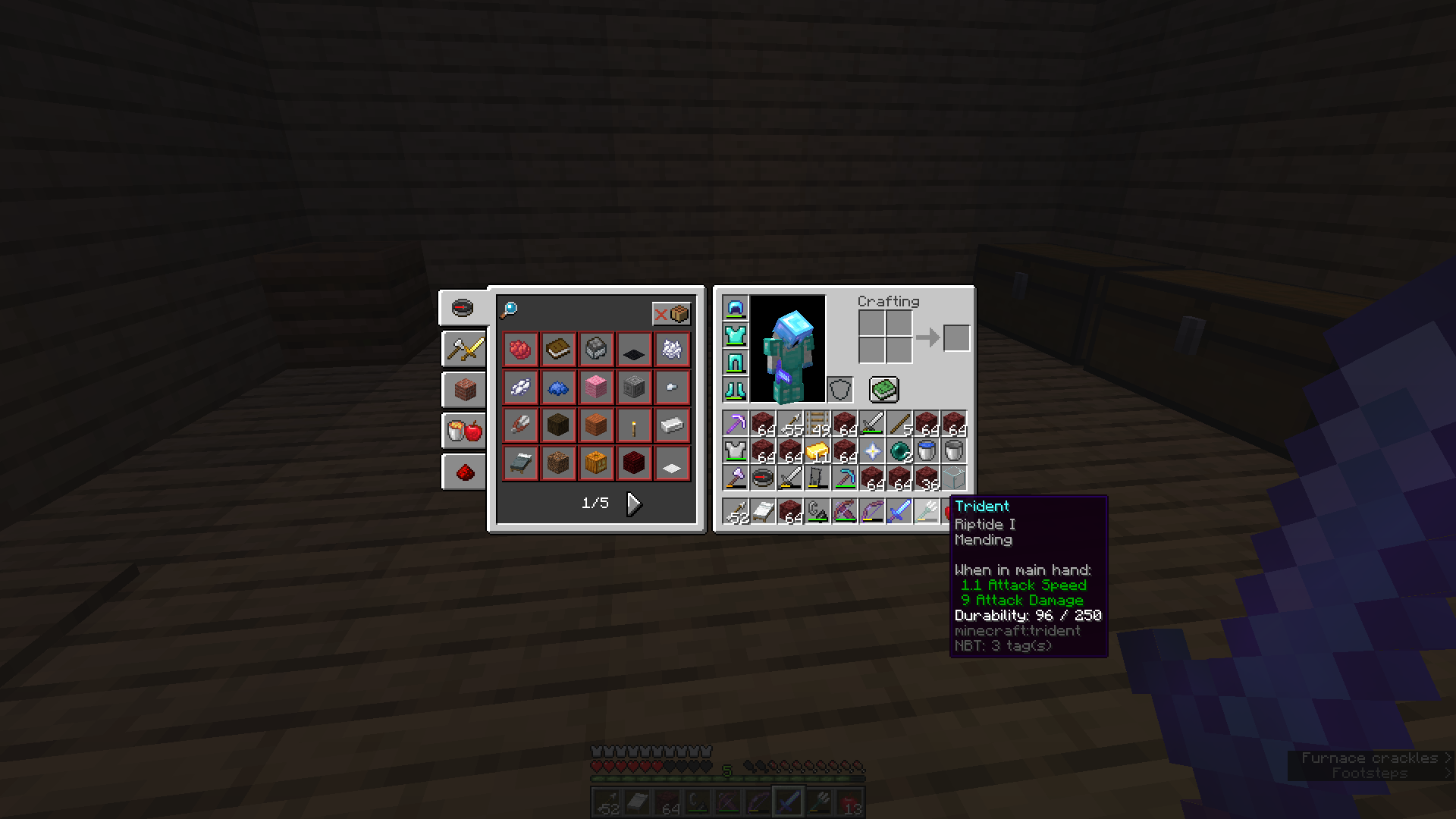










Labels: Enchantment
Weapon: Trident
Confirmation Status: Side to Side ComparisonCategory: Enchanted Weapons
PC with Windows 8, Java Edition 1.14.3, No Addons
 javaw 2019-07-19 08-00-59-962.avi
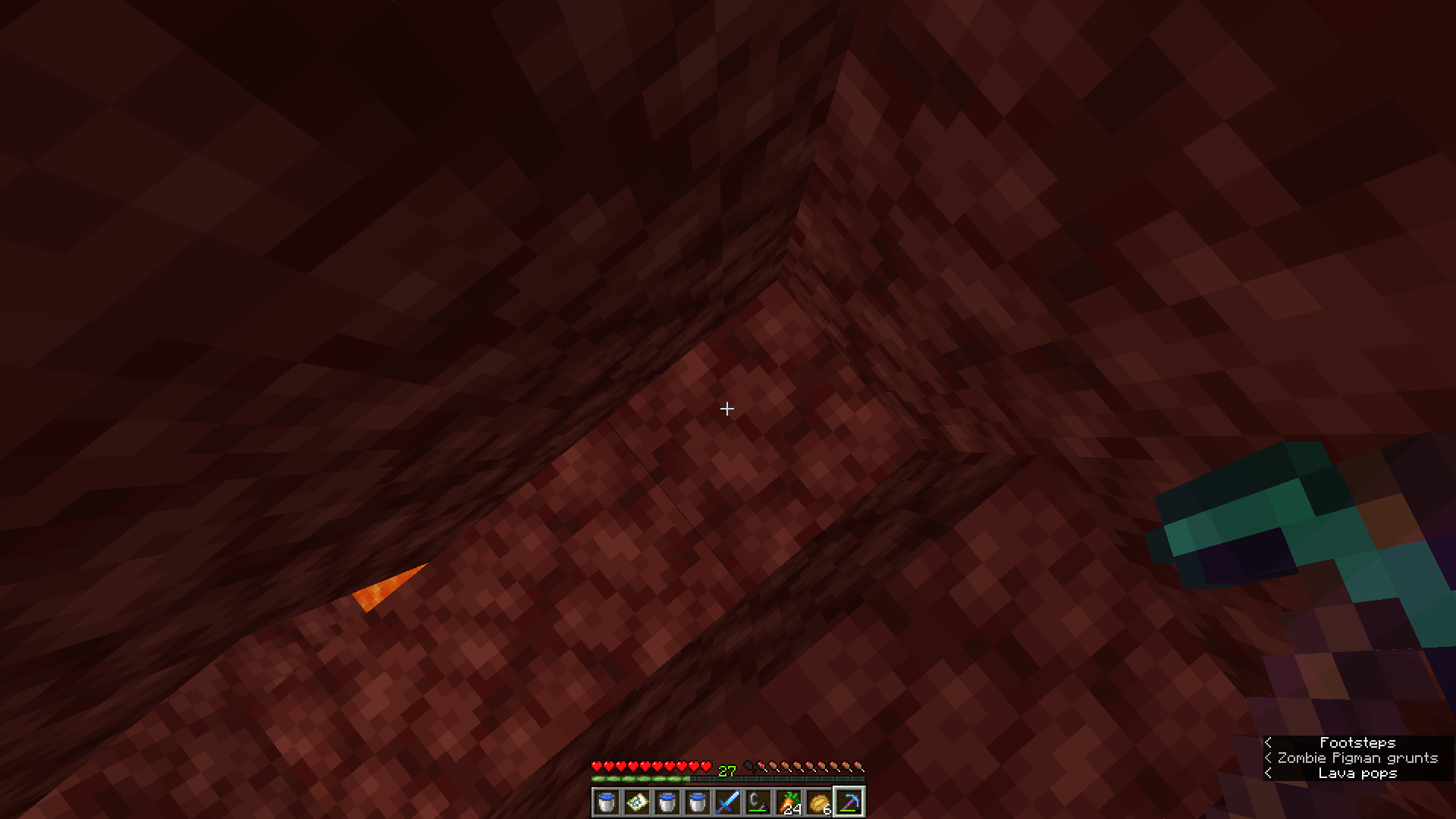
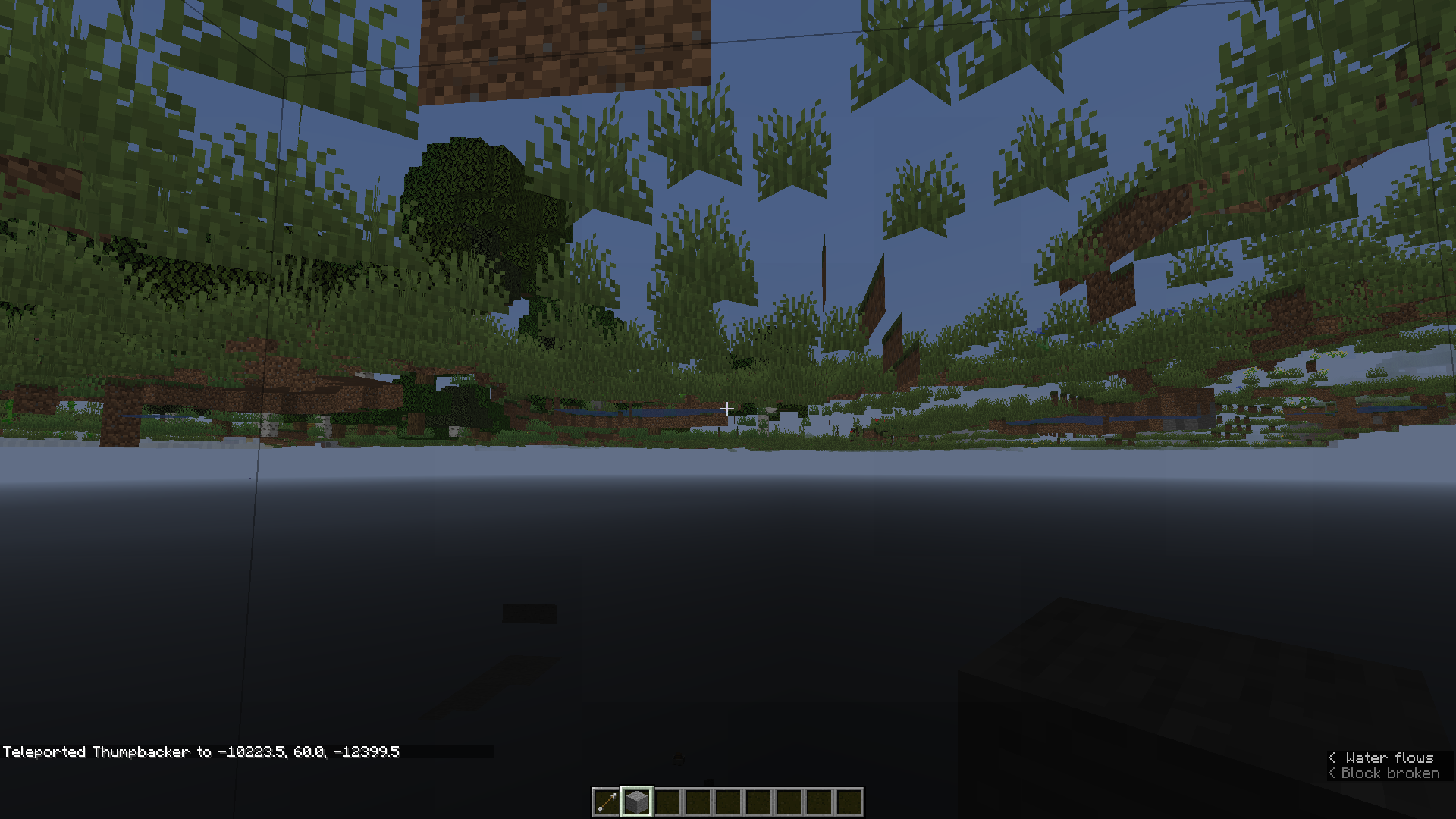
I was building underground when I noticed that some of my white concrete I was using had a different texture in the dark then in the light. I also tested it on a creative world but it didn't work. It only worked on my survival world. I provided some images down below to help.
Placed White Concrete has different texture when in the dark
Minecraft Java Edition
snapshot 19w38b
Java Edition
I was flying around my world when I noticed that a Tropical Fish spawned by itself. I decided to check if that was possible and found that they spawn in groups of 8 and not one. This could effect more Tropical Fish then just the Ornate Butterflyfish but that was the only one I found. I have a seed where I found the Black Tang also spawning alone. The Seed is -8825165825524102318 and the cords are 516 60 1011
Minecraft Java Edition
19w38b
Java Edition
Fixed in minecraft 19w39a
Blast Furnacemaintains a light level when not cookingSmoker maintains a light level when not cooking
I was smelting some Charcoal in a
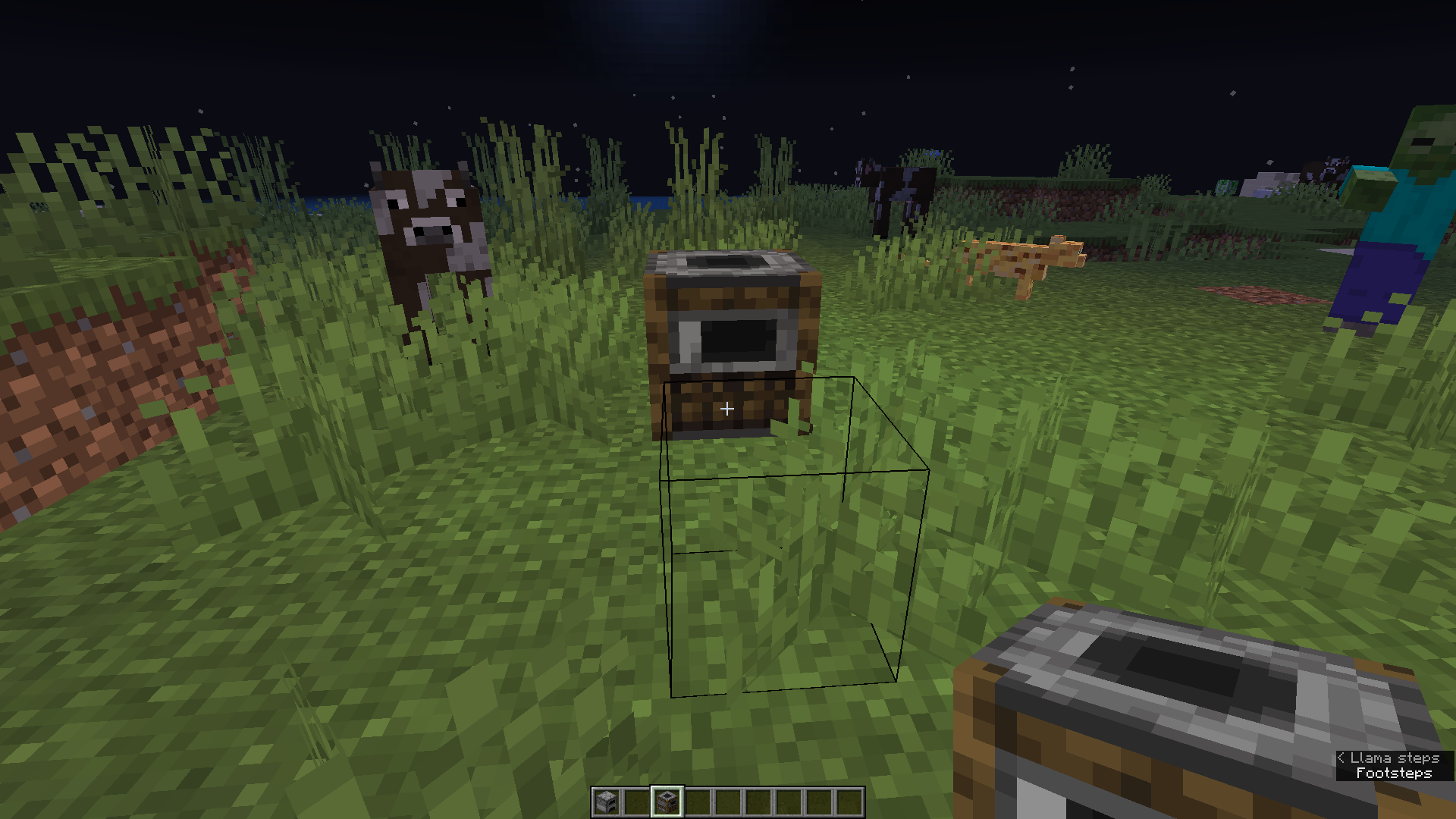
Blast Furnacewhen I noticed that once all the fuel was gone there was still light being produced from theBlast Furnaceeven though there was no fire texture and no fuel level left.I was smelting some Charcoal in a Smoker when I noticed that once all the fuel was gone there was still light being produced from the Smoker even though there was no fire texture and no fuel level left.
Minecraft Java Edition
19w38b
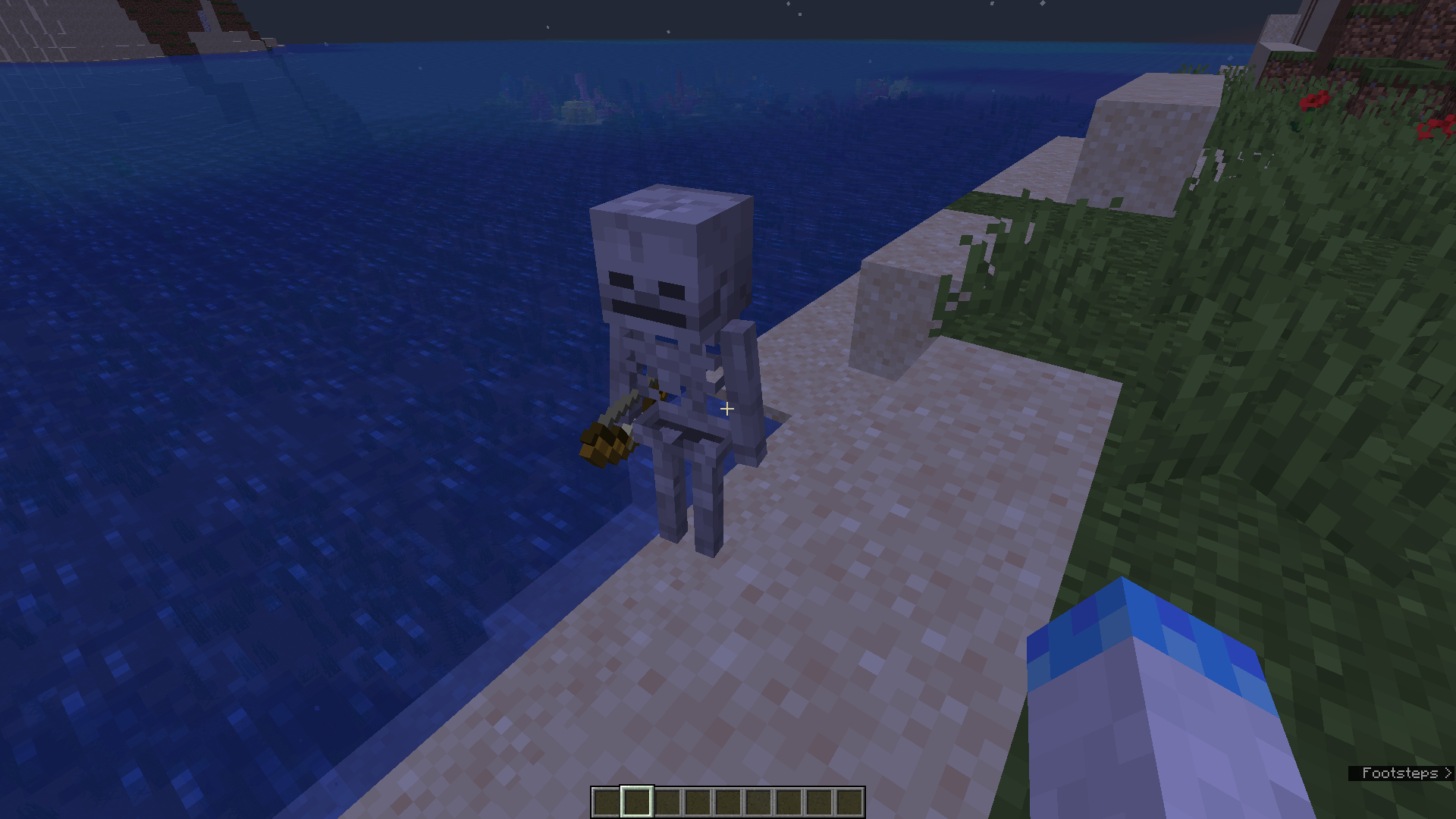
I was playing around with heads when I fell off of a skeleton head and found that I could see through the bottom of it and it had no texture. I checked the Wither Skeleton Skull and it had the same problem.
When I was looking at a dropped chorus fruit I noticed that I could see through the water with an outlined texture of it. I tested some more items and found the same thing. Not all items dropped on the ground have this effect only a few. It also seems to only work at night. There are some images below with a few of them. I also supplied a list of all the items I tested
Dropped Item Effected
- Chorus Fruit
- Sunflower
- Wheat, Pumpkin, Melon Seeds
- Spruce, Jungle Saplings
- Lapis Lazuli
- Flint
- Redstone Torch
I will continue to post more findings of this occurrence in the comments so check there.
When I was looking at a dropped chorus fruit I noticed that I could see through the water with an outlined texture of it. I tested some more items and found the same thing. Not all items dropped on the ground have this effect only a few. It also seems to only work at night. There are some images below with a few of them. I also supplied a list of all the items I tested
Dropped Item Effected
- Chorus Fruit
- Sunflower
- Wheat, Pumpkin, Melon Seeds
- Spruce, Jungle Saplings
- Lapis Lazuli
- Flint
- Redstone Torch
-I will continue to post more findings of this occurrence in the comments so check there. -
UPDATE
It Seems to effect all items that are not a full block at a certain angle
When I was looking at a dropped chorus fruit I noticed that I could see through the water with an outlined texture of it. I tested some more items and found the same thing. Not all items dropped on the ground have this effect only a few. It also seems to only work at night. There are some images below with a few of them. I also supplied a list of all the items I tested
Dropped Item Effected
- Chorus Fruit
- Sunflower
- Wheat, Pumpkin, Melon Seeds
- Spruce, Jungle Saplings
- Lapis Lazuli
- Flint
- Redstone Torch
-I will continue to post more findings of this occurrence in the comments so check there.
-
UPDATE
It Seems to effect all items that are not a full block at a certain angleWhen I was looking at a dropped chorus fruit I noticed that I could see through the water with an outlined texture of it. I tested some more items and found the same thing. Not all items dropped on the ground have this effect only a few. It also seems to only work at night. There are some images below with a few of them. I also supplied a list of all the items I tested
Dropped Item Effected
- Chorus Fruit
- Sunflower
- Wheat, Pumpkin, Melon Seeds
- Spruce, Jungle Saplings
- Lapis Lazuli
- Flint
- Redstone Torch
--I will continue to post more findings of this occurrence in the comments so check there. –
UPDATE
It Seems to effect all items that are not a full block at a certain angle
19w38bJava Edition
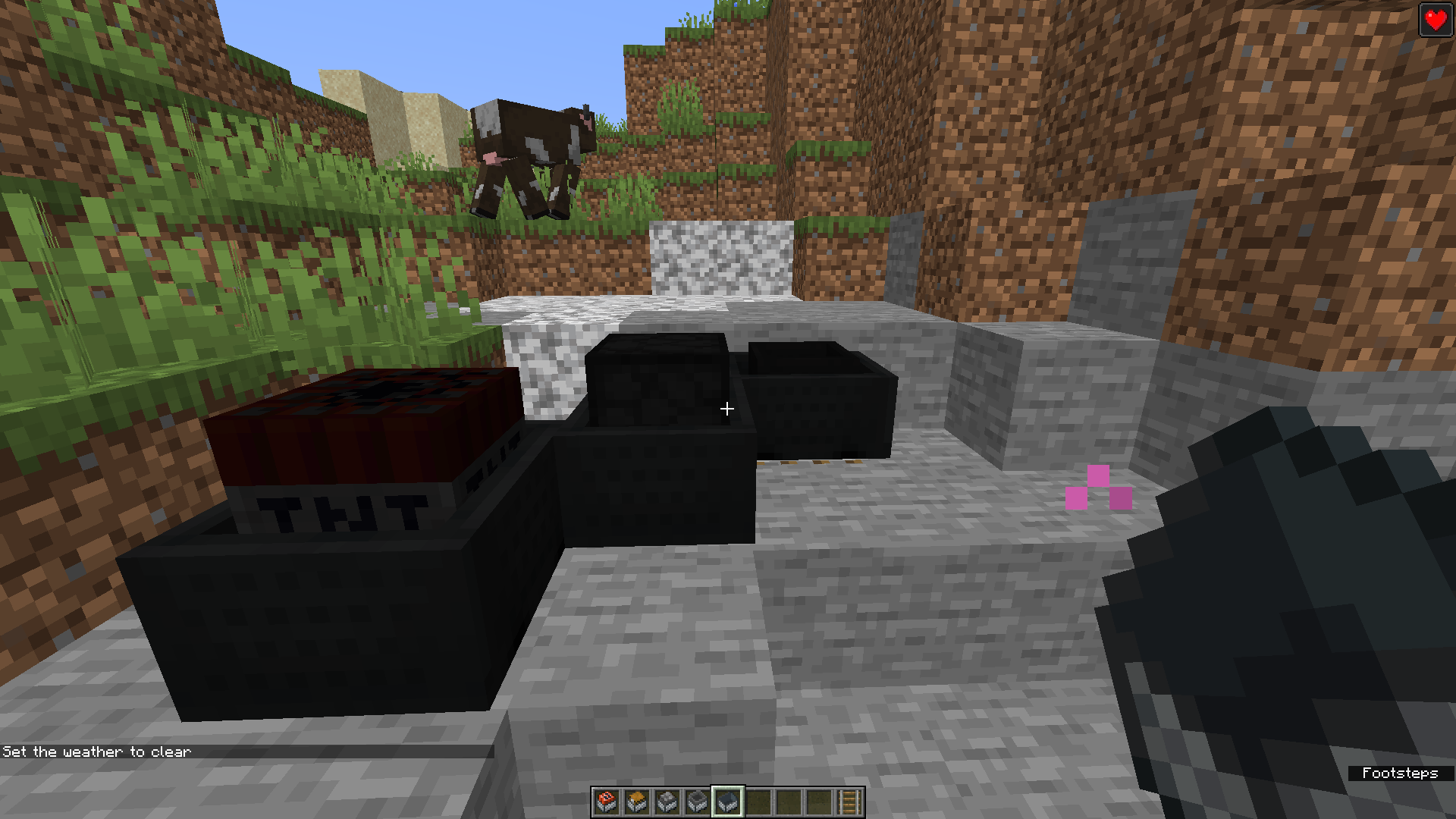
I was placing down some minecarts when I noticed this one. All the textures where dark.
Replicate
- Place Rail
- Put ether TNT, Furnace or Hopper Minecart on rail
Update
Also happens with Spawner and Command Block Minecarts
19w38bJava

/summon minecraft:chicken ~1 ~ ~1 {NoAI:1b,EggLayTime:1}
Considering the mob should have no AI, eggs really should not appear.
Code Analysis
Code analysis done by [Mod] Anthony Cicinelli
Doing a check for the isNoAi() bool in the aiStep() method fixes this issue
Current Code
   public void aiStep() {
      super.aiStep();
      this.oFlap = this.flap;
      this.oFlapSpeed = this.flapSpeed;
      this.flapSpeed += (this.onGround ? -1.0F : 4.0F) * 0.3F;
      this.flapSpeed = Mth.clamp(this.flapSpeed, 0.0F, 1.0F);
      if (!this.onGround && this.flapping < 1.0F) {
         this.flapping = 1.0F;
      }

      this.flapping *= 0.9F;
      Vec3 vec3 = this.getDeltaMovement();
      if (!this.onGround && vec3.y < 0.0D) {
         this.setDeltaMovement(vec3.multiply(1.0D, 0.6D, 1.0D));
      }

      this.flap += this.flapping * 2.0F;
      if (!this.level.isClientSide && this.isAlive() && !this.isBaby() && !this.isChickenJockey() && --this.eggTime <= 0) {
         this.playSound(SoundEvents.CHICKEN_EGG, 1.0F, (this.random.nextFloat() - this.random.nextFloat()) * 0.2F + 1.0F);
         this.spawnAtLocation(Items.EGG);
         this.gameEvent(GameEvent.ENTITY_PLACE);
         this.eggTime = this.random.nextInt(6000) + 6000;
      }

   }
Fixed Code
   public void aiStep() {
      super.aiStep();
      this.oFlap = this.flap;
      this.oFlapSpeed = this.flapSpeed;
      this.flapSpeed += (this.onGround ? -1.0F : 4.0F) * 0.3F;
      this.flapSpeed = Mth.clamp(this.flapSpeed, 0.0F, 1.0F);
      if (!this.onGround && this.flapping < 1.0F) {
         this.flapping = 1.0F;
      }

      this.flapping *= 0.9F;
      Vec3 vec3 = this.getDeltaMovement();
      if (!this.onGround && vec3.y < 0.0D) {
         this.setDeltaMovement(vec3.multiply(1.0D, 0.6D, 1.0D));
      }

      this.flap += this.flapping * 2.0F;
      //Adding a check if the isNoAi bool fixes MC-69151
      if (!this.level.isClientSide && this.isAlive() && !this.isBaby() && !this.isChickenJockey() && --this.eggTime <= 0 && !isNoAi()) {
         this.playSound(SoundEvents.CHICKEN_EGG, 1.0F, (this.random.nextFloat() - this.random.nextFloat()) * 0.2F + 1.0F);
         this.spawnAtLocation(Items.EGG);
         this.gameEvent(GameEvent.ENTITY_PLACE);
         this.eggTime = this.random.nextInt(6000) + 6000;
      }

   }
![[Helper] Michał](../../../data/avatars/users/43368.png)
The bug
Ender dragons, like most entities, use end gateways when touching them. If, for some reason, the ender dragon flies through an end portal, it will be teleported through it, away from the main island and loaded chunks.
How to reproduce
/execute in minecraft:the_end run tp @p 0 80 5 180 -30
/setblock 0 ~5 0 minecraft:end_gateway{ExitPortal:{X:-100,Y:100,Z:0}} replace
Update: In 1.17 snapshots it requires several tries for this but to occur. It is inconsistent for some reason.
Code Analysis & Fix
Code Analysis done by [Mod] Anthony Cicinelli
The End Gateway allows all entities, including dragons to teleport through it. Simply doing a check in the canEntityTeleport method in the TheEndGatewayBlockEntity class for the ender dragon fixes this issue
Current Code
   public static boolean canEntityTeleport(Entity p_59941_) {
          return EntitySelector.NO_SPECTATORS.test(p_59941_) && !p_59941_.getRootVehicle().isOnPortalCooldown();
   }
Fixed Code
   public static boolean canEntityTeleport(Entity p_59941_) {
      //Check if the entity is the Ender Dragon fixes MC-86836 & MC-257097
      if(p_59941_ instanceof EnderDragon)
      {
         return false;
      }
      else {
         return EntitySelector.NO_SPECTATORS.test(p_59941_) && !p_59941_.getRootVehicle().isOnPortalCooldown();
      }
   }
![[Mod] Asteraoth](../../../data/avatars/users/92886.png)
Wild wolfs show hearts when feed raw meat.
It's misleading if they are not meant to be breed able.
Or make them breed able, i don't see why not.
Use: Make more wild wolfs for different people to tame.
Same with Ocelots. Fixed some point in 1.14
Code Analysis
Code Analysis provided by [Mod] Anthony Cicinelli
The reasoning this is happening is because in the CanMate boolean method there are two checks for if the wolf is tamed or not. If the wolf isn't tamed it will return false. One possible fix is to remove the checks if it can be tamed or not. The method would then look like this.
Fixed Code
   public boolean canMate(Animal p_30392_) {
      //Removing the checks for if its tamed is a possible fix for MC-93018
      if (p_30392_ == this) {
         return false;
      } else if (!(p_30392_ instanceof Wolf)) {
         return false;
      } else {
         Wolf wolf = (Wolf)p_30392_;
         if (wolf.isInSittingPose()) {
            return false;
         } else {
            return this.isInLove() && wolf.isInLove();
         }
      }
   }
![[Mod] Les3awe](../../../data/avatars/users/79847.png)
Vexes do not actively attack iron golems when vexes are spawned by spawn egg, monster spawner, trial spawner or "/summon" command.
But will take the active to attack the players.
Code Analysis
Code Analysis done by [Mod] Anthony Cicinelli
Currently the Vex has no NearestAttackableTargetGoal for villager. wandering trader and iron golem. Addind a goel for each fixes this bug.
Current Code
   protected void registerGoals() {
      super.registerGoals();
      this.goalSelector.addGoal(0, new FloatGoal(this));
      this.goalSelector.addGoal(4, new Vex.VexChargeAttackGoal());
      this.goalSelector.addGoal(8, new Vex.VexRandomMoveGoal());
      this.goalSelector.addGoal(9, new LookAtPlayerGoal(this, Player.class, 3.0F, 1.0F));
      this.goalSelector.addGoal(10, new LookAtPlayerGoal(this, Mob.class, 8.0F));
      this.targetSelector.addGoal(1, (new HurtByTargetGoal(this, Raider.class)).setAlertOthers());
      this.targetSelector.addGoal(2, new Vex.VexCopyOwnerTargetGoal(this));
      this.targetSelector.addGoal(3, new NearestAttackableTargetGoal<>(this, Player.class, true));

   }
Fixed Code
   protected void registerGoals() {
      super.registerGoals();
      this.goalSelector.addGoal(0, new FloatGoal(this));
      this.goalSelector.addGoal(4, new Vex.VexChargeAttackGoal());
      this.goalSelector.addGoal(8, new Vex.VexRandomMoveGoal());
      this.goalSelector.addGoal(9, new LookAtPlayerGoal(this, Player.class, 3.0F, 1.0F));
      this.goalSelector.addGoal(10, new LookAtPlayerGoal(this, Mob.class, 8.0F));
      this.targetSelector.addGoal(1, (new HurtByTargetGoal(this, Raider.class)).setAlertOthers());
      this.targetSelector.addGoal(2, new Vex.VexCopyOwnerTargetGoal(this));
      this.targetSelector.addGoal(3, new NearestAttackableTargetGoal<>(this, Player.class, true));
      //Add an attackable target goal for iron golem to fix MC-110424
      this.targetSelector.addGoal(4, new NearestAttackableTargetGoal<>(this, IronGolem.class, true));
   }
The bug
Firework explosions don't deal damage to numerous amounts of entities.
Affected entities
- Ender dragons
- End crystals
- Boats
- Minecarts
- Paintings
- Item frames
- Leads
How to reproduce
- Obtain a crossbow and some fireworks
/give @s minecraft:crossbow /give @s minecraft:firework_rocket{Fireworks:{Flight:1,Explosions:[{Type:1,Flicker:1,Trail:1,Colors:[I;12801229],FadeColors:[I;11743532]}]}} 64 - Load a firework into the crossbow
- Summon one of the affected entities listed above
- Take note as to whether or not the entity of your choice is damaged by the firework explosion
→ Firework explosions don't deal damage to numerous amounts of entities.
Expected behavior
Firework explosions would deal damage to all entities.
Code Analysis
Code analysis done by [Mod] Anthony Cicinelli
The reason this is happening is that when the explosion damage is happening it only checks from living entities which excludes End Crystals and Ender Dragons. Changing it to check for all Entities fixes it
Current Code
 private void dealExplosionDamage() {
...
         for(LivingEntity livingentity : this.level.getEntitiesOfClass(LivingEntity.class, this.getBoundingBox().inflate(5.0D))) {
            if (livingentity != this.attachedToEntity && !(this.distanceToSqr(livingentity) > 25.0D)) {
               boolean flag = false;

               for(int i = 0; i < 2; ++i) {
                  Vec3 vec31 = new Vec3(livingentity.getX(), livingentity.getY(0.5D * (double)i), livingentity.getZ());
                  HitResult hitresult = this.level.clip(new ClipContext(vec3, vec31, ClipContext.Block.COLLIDER, ClipContext.Fluid.NONE, this));
                  if (hitresult.getType() == HitResult.Type.MISS) {
                     flag = true;
                     break;
                  }
               }
   }
...
Fixed Code
 private void dealExplosionDamage() {
...
         //Changing from Living Entity to Entity fixes MC-111442
         for(Entity entity: this.level.getEntitiesOfClass(Entity.class, this.getBoundingBox().inflate(5.0D))) {
            if (entity != this.attachedToEntity && !(this.distanceToSqr(livingentity) > 25.0D)) {
               boolean flag = false;

               for(int i = 0; i < 2; ++i) {
                  Vec3 vec31 = new Vec3(entity.getX(), entity.getY(0.5D * (double)i), entity.getZ());
                  HitResult hitresult = this.level.clip(new ClipContext(vec3, vec31, ClipContext.Block.COLLIDER, ClipContext.Fluid.NONE, this));
                  if (hitresult.getType() == HitResult.Type.MISS) {
                     flag = true;
                     break;
                  }
               }

               //Deny items and experience being destroyed by the rocket
               //Could probably be done better
               if(entity instanceof  ItemEntity || entity instanceof ExperienceOrb)
               {
                  flag = false;
               }
...

The video showing this:
https://youtu.be/77BR1of0t6k
Code Analysis
Code Analysis done by [Mod] Anthony Cicinelli
Simply removing the neighborChanged() method in net/minecraft/world/level/block/FrostedIceBlock.java fixes this issue and still allows frosted ice to behave as before.

Map color for wheat is incorrect
Code Analysis
Code Analysis done by [Mod] Anthony Cicinelli
In the Blocks class wheat has no material color so giving it a material color like show below fixes it
public static final Block WHEAT = register("wheat", new CropBlock(BlockBehaviour.Properties.of(Material.PLANT, MaterialColor.COLOR_YELLOW).noCollission().randomTicks().instabreak().sound(SoundType.CROP)));
What I expected to happen:
- I breed 2 wanderer llamas tamed by me
- I get a baby trader llama
- The baby llama should eventually grow up and I would be able to use them when I return from another objective I was doing in the world
What happens:
- I breed 2 wanderer llamas tamed by me
- I get a baby trader llamas
- By the time I return the baby trader llamas are gone
- Using /data get entity on a bred baby trader llama I was able to see that they were not assigned an owner and that their despawn delay was still ticking. With other tamable mobs like wolves I automatically get an owned pet when I breed 2 of the (e.g. cats or dogs).
Potential fixes suggested:
- Baby trader llamas should automatically get an owner tag from one of the parents.
- Have tradder llamas only despawn when DespawnDelay reaches 1, and any bred trader llama baby should have it set to 0. That way the despawn delay will never tick down to the baby llamas, while naturally spawned ones would still despawn as intended.
Code Analysis
The Code Analysis with a potential fix can be seen in MC-168188 thanks to [Mod] Anthony Cicinelli
@[Mod] Anthony Cicinelli, 19w41a is this ticket MC-156980.
![[Mod] NeunEinser](../../../data/avatars/users/39263.png)
[Mod] Anthony Cicinelli The bug is that the villager tries to enter through the wall rather than using the door to his house.

The bug
Right-clicking a redstone ore with a water/lava/fish bucket activates the redstone ore, but does not place the water or lava.
Code Analysis
Code analysis provided by [Mod] Anthony Cicinelli
Currently the interaction on redstone ore is always a success. We can fix this by adding a check if the redstone ore is lit and if it is lit then fail the interaction
Current Code
   public InteractionResult use(BlockState p_55472_, Level p_55473_, BlockPos p_55474_, Player p_55475_, InteractionHand p_55476_, BlockHitResult p_55477_) {
         if (p_55473_.isClientSide) {
            spawnParticles(p_55473_, p_55474_);
         } else {
            interact(p_55472_, p_55473_, p_55474_);
         }

      ItemStack itemstack = p_55475_.getItemInHand(p_55476_);
      return itemstack.getItem() instanceof BlockItem && (new BlockPlaceContext(p_55475_, p_55476_, itemstack, p_55477_)).canPlace() ? InteractionResult.PASS : InteractionResult.SUCCESS;
   }
Fixed Code
   public InteractionResult use(BlockState p_55472_, Level p_55473_, BlockPos p_55474_, Player p_55475_, InteractionHand p_55476_, BlockHitResult p_55477_) {
       //Checking if its already lit then failing the result if it is lit fixes MC-165510 & MC-195094
      if(!p_55472_.getValue(LIT)) {
         if (p_55473_.isClientSide) {
            spawnParticles(p_55473_, p_55474_);
         } else {
            interact(p_55472_, p_55473_, p_55474_);
         }
      }
      else
      {
         return InteractionResult.FAIL;
      }

      ItemStack itemstack = p_55475_.getItemInHand(p_55476_);
      return itemstack.getItem() instanceof BlockItem && (new BlockPlaceContext(p_55475_, p_55476_, itemstack, p_55477_)).canPlace() ? InteractionResult.PASS : InteractionResult.SUCCESS;
   }

The slow falling effect does not slow down the movement of squids or glow squids while mid air.
Command to Reproduce
(squid)
/summon minecraft:squid ~ ~30 ~ {active_effects:[{duration:-1,amplifier:0b,id:"minecraft:slow_falling"}]}
(glow squid)
/summon minecraft:glow_squid ~ ~30 ~ {active_effects:[{duration:-1,amplifier:0b,id:"minecraft:slow_falling"}]}
Code Analysis
Code Analysis done by [Mod] Anthony Cicinelli
The issue here is that there is no check for the effect causing vertical movement to stay the same in the aiStep method
Current Code
...
else {
         this.tentacleAngle = Mth.abs(Mth.sin(this.tentacleMovement)) * (float)Math.PI * 0.25F;
         if (!this.level.isClientSide) {
            double d1 = this.getDeltaMovement().y;
            if (this.hasEffect(MobEffects.LEVITATION)) {
               d1 = 0.05D * (double)(this.getEffect(MobEffects.LEVITATION).getAmplifier() + 1);
            }
            else if (!this.isNoGravity()) {
               d1 -= 0.08D;
            }

            this.setDeltaMovement(0.0D, d1 * (double)0.98F, 0.0D);
         }

         this.xBodyRot += (-90.0F - this.xBodyRot) * 0.02F;
      }
Fixed Code
else {
         this.tentacleAngle = Mth.abs(Mth.sin(this.tentacleMovement)) * (float)Math.PI * 0.25F;
         if (!this.level.isClientSide) {
            double d1 = this.getDeltaMovement().y;
            if (this.hasEffect(MobEffects.LEVITATION)) {
               d1 = 0.05D * (double)(this.getEffect(MobEffects.LEVITATION).getAmplifier() + 1);
            }
            else if(this.hasEffect(MobEffects.SLOW_FALLING))
            {
               //Adding a check for slow falling and changing the speed fixes MC-167008
               d1 = -0.05D * (double) (this.getEffect(MobEffects.SLOW_FALLING).getAmplifier() + 1);
            }
            else if (!this.isNoGravity()) {
               d1 -= 0.08D;
            }

            this.setDeltaMovement(0.0D, d1 * (double)0.98F, 0.0D);
         }

         this.xBodyRot += (-90.0F - this.xBodyRot) * 0.02F;
      }
If a player punches any animal including trader llamas, they will try to run away from a player, normal llamas however never run around if a player punches it (survival or creative mode).
Both trader llama and normal llama should act the same way if the player attacks them.
Both run around before attacking back OR both start attacking a player without being in running around mode
Code Analysis
Code Analysis done by [Mod] Anthony Cicinelli
The reason this happens is because the in the registerGoals method in net/minecraft/world/entity/animal/horse/TraderLlama.java there is a new PanicGoal selector being added. This panic goal should be removed since the goal is already set in net/minecraft/world/entity/animal/horse/Llama.java which the Trader Llama extends from.

The bug
The trader llama's DespawnDelay tag is active, even when spawned with commands or with their own spawn egg. After spawning a trader llama with commands or spawn egg, the tag starts at 47999 and begins to go down to 0 instead of the tag being default to 0 similar to wandering traders spawned by commands and their own spawn egg (and also makes them not despawn).
How to reproduce
- Spawn trader llama using a spawn egg (untamed)
- Run
/data get entity @e[type=trader_llama,limit=1] DespawnDelay
→
The trader llama's DespawnDelay tag is active as it is not default to 0. - Spawn a wandering trader with a spawn egg
- Use the /data get again
→ It's DespawnDelay is default to 0
Code Analysis
Code Analysis done by [Mod] Anthony Cicinelli
This issue is that there is no check if the despawn delay is greater then zero allowing the counter to go down. Along with this the default value of the despawnDelay is always 47999 by default. This should be set when the trader llama spawns via wandering trader event
Current Code
   private void maybeDespawn() {
      if (this.canDespawn()) {
         this.despawnDelay = this.isLeashedToWanderingTrader() ? ((WanderingTrader)this.getLeashHolder()).getDespawnDelay() - 1 : this.despawnDelay - 1;

         if (this.despawnDelay <= 0) {
            this.dropLeash(true, false);
            this.discard();
         }

      }
   }
  private void tryToSpawnLlamaFor(ServerLevel p_35918_, WanderingTrader p_35919_, int p_35920_) {
      BlockPos blockpos = this.findSpawnPositionNear(p_35918_, p_35919_.blockPosition(), p_35920_);
      if (blockpos != null) {
         TraderLlama traderllama = EntityType.TRADER_LLAMA.spawn(p_35918_, (CompoundTag)null, (Component)null, (Player)null, blockpos, MobSpawnType.EVENT, false, false);
         if (traderllama != null) {
            traderllama.setLeashedTo(p_35919_, true);
         }
      }
   }
Fixed Code
   //Setting this despawnDelay to nothing allows for it to be zero by default helping fix MC-168188
   private int despawnDelay;
   ...
   private void maybeDespawn() {
      if (this.canDespawn()) {
         //Removing this line stops the constat updates to the despawn delay helping fix MC-168188 & MC-210224
         //this.despawnDelay = this.isLeashedToWanderingTrader() ? ((WanderingTrader)this.getLeashHolder()).getDespawnDelay() - 1 : this.despawnDelay - 1;

         //Doing a check for if the despawnDelay is greater then zero and then subtracting it helps fix MC-168188 & MC-210224
         if (this.despawnDelay > 0 && --this.despawnDelay == 0) {
            this.dropLeash(true, false);
            this.discard();
         }

      }
   }
  private void tryToSpawnLlamaFor(ServerLevel p_35918_, WanderingTrader p_35919_, int p_35920_) {
      BlockPos blockpos = this.findSpawnPositionNear(p_35918_, p_35919_.blockPosition(), p_35920_);
      if (blockpos != null) {
         TraderLlama traderllama = EntityType.TRADER_LLAMA.spawn(p_35918_, (CompoundTag)null, (Component)null, (Player)null, blockpos, MobSpawnType.EVENT, false, false);
         if (traderllama != null) {
            //Setting the trader llama despawn delay here still allows it to despawn when spawned by wander trader so MC-168188 & MC-210224 fix doesn't affect it
            traderllama.setDespawnDelay(47999);
            traderllama.setLeashedTo(p_35919_, true);
         }
      }
   }
The Bug
Inconsistent behavior with many other plant blocks. One would expect that sugar cane can be planted on farmland because almost all other plants can, however, this is not the case.
Steps to Reproduce
- Build the setup as shown in the attachment below. setup.png
- Obtain some sugar cane and attempt to place one on each of the six blocks.
- Take note as to what blocks you can place sugar cane on and what blocks you can't.
Observed Behavior
Sugar cane cannot be placed on farmland.
Expected Behavior
Sugar cane would be able to be placed on farmland.
Code Analysis
Code Analysis done by [Mod] Anthony Cicinelli
This happens because there is no check for farmland in the canSurvive method
Current Code
   public boolean canSurvive(BlockState p_57175_, LevelReader p_57176_, BlockPos p_57177_) {
      BlockState blockstate = p_57176_.getBlockState(p_57177_.below());
      if (blockstate.is(this)) {
         return true;
      } else {
         if (blockstate.is(BlockTags.DIRT) || blockstate.is(Blocks.SAND) || blockstate.is(Blocks.RED_SAND){
            BlockPos blockpos = p_57177_.below();

            for(Direction direction : Direction.Plane.HORIZONTAL) {
               BlockState blockstate1 = p_57176_.getBlockState(blockpos.relative(direction));
               FluidState fluidstate = p_57176_.getFluidState(blockpos.relative(direction));
               if (fluidstate.is(FluidTags.WATER) || blockstate1.is(Blocks.FROSTED_ICE)) {
                  return true;
               }
            }
         }

         return false;
      }
   }
   }
Fixed Code
   public boolean canSurvive(BlockState p_57175_, LevelReader p_57176_, BlockPos p_57177_) {
      BlockState blockstate = p_57176_.getBlockState(p_57177_.below());
      if (blockstate.is(this)) {
         return true;
      } else {
         //Adding a check for Farmland fixes MC-168264
         if (blockstate.is(BlockTags.DIRT) || blockstate.is(Blocks.SAND) || blockstate.is(Blocks.RED_SAND) || blockstate.is(Blocks.FARMLAND)) {
            BlockPos blockpos = p_57177_.below();

            for(Direction direction : Direction.Plane.HORIZONTAL) {
               BlockState blockstate1 = p_57176_.getBlockState(blockpos.relative(direction));
               FluidState fluidstate = p_57176_.getFluidState(blockpos.relative(direction));
               if (fluidstate.is(FluidTags.WATER) || blockstate1.is(Blocks.FROSTED_ICE)) {
                  return true;
               }
            }
         }

         return false;
      }
   }
   }
![[Mod] Avoma](../../../data/avatars/users/86198.png)
The Bug:
Wither roses cannot be placed on any type of nylium.
Steps to Reproduce:
- Place down some any kind of nylium and obtain a wither rose.
- Attempt to place the wither rose on top of the nylium.
Observed Behavior:
Wither roses cannot be placed on any type of nylium.
Expected Behavior:
Wither roses would be able to be placed on any type of nylium.
Code Analysis:
Code analysis by [Mod] Anthony Cicinelli can be found below.
The following is based on a decompiled version of Minecraft ??? using Mojang mappings.
Current Code:
   protected boolean mayPlaceOn(BlockState p_58248_, BlockGetter p_58249_, BlockPos p_58250_) {
      return super.mayPlaceOn(p_58248_, p_58249_, p_58250_) || p_58248_.is(Blocks.NETHERRACK) || p_58248_.is(Blocks.SOUL_SAND) || p_58248_.is(Blocks.SOUL_SOIL);
   }
Fixed Code:
   protected boolean mayPlaceOn(BlockState p_58248_, BlockGetter p_58249_, BlockPos p_58250_) {
      return super.mayPlaceOn(p_58248_, p_58249_, p_58250_) || p_58248_.is(Blocks.NETHERRACK) || p_58248_.is(Blocks.SOUL_SAND) || p_58248_.is(Blocks.SOUL_SOIL) || p_58248_.is(BlockTags.NYLIUM);
   }
Allowing wither roses to be placed on blocks in the "#minecraft:nylium" tag fixes this issue.
The Bug
Clicking a dragon egg on a low enough block means the egg has a chance to teleport into the void. Dropping an egg through a hole in the world, one can see it fall. Clicking the egg on the other hand, simply makes it teleport down into the void.
https://www.youtube.com/watch?v=GrHPSvI3BEY
Steps to Reproduce
- Create a Superflat world:
minecraft:glass;minecraft:plains
- Place a dragon egg.
- Right-click it to make it teleport.
- Note that the dragon egg will be teleported below the lowest built height.
Code Analysis
Code Analysis provided by [Mod] Anthony Cicinelli
Adding a check using level.isInWorldBounds(blockPos) in the teleport method if statement fixes this issue.
So instead of the check being level.getBlockState(blockpos).isAir() && worldborder.isWithinBounds(blockpos) the check would be
level.getBlockState(blockpos).isAir() && worldborder.isWithinBounds(blockpos) && level.isInWorldBounds(blockPos)
![[Mod] violine1101](../../../data/avatars/users/92858.png)
[Mod] Anthony Cicinelli, the reporter of this ticket was still active fairly recently and as such I'm not going to transfer ownership to you. If you don't want your requests to be missed, you can also join our Discord server, we are more likely to not miss them there.

@[Mod] Anthony Cicinelli, can you please tell us for which item this problem still exists (and possibly also for which language)?

NOTE: I made this decision to make that ticket because the helpers found out that the Blaze one was a valid bug. Plus, read the description very carefully before you think of it!
Since MC-176689 strangely got closed as invalid due to containing Striders and Endermen in the ticket (because it was intended for both Strider and Enderman to not take damage by snowy weather or snowballs), the Blazes are the only mob that the snowy weather bug is valid for them.
Before 1.16 and 1.16.1, Blazes used to take damage from snowy weather, but after 1.16 (starting from 20w06a) and 1.16.1 came out, they started to no longer take damage from it.
How to reproduce
- Go to a snowy biome (use the /locatebiome command if you want to go there quick).
- Use the /weather rain command to make it snow.
- Spawn a Blaze
→ The blaze takes no damage from the snowy weather
Observed Results:
The Blaze doesn't take damage by the snowy weather.
Expected Results:
The Blaze is supposed to take damage by the snowy weather.
Code Analysis
Code Analysis provided by [Mod] Anthony Cicinelli
This primarily boils down to that no check exist if it's snowing or not and if a mob should take damage in snow. We will be dealing with 4 classes here Blaze, Living Entity, Entity and Level. This way the fix is not just universal to blazes but can be applied to other mobs if one so chooses. Before we start with the code analysis all the code presented is going to be the fixed code as no code for this previously existed in the 1.19.4 mappings besides the aiStep method in the LivingEntity class.
Let's start with the Level class. In here we want to create a boolean method to check if it's snowing at a position
   //Check if it's snowing at a block pos
   //Similar to isRainingAt method only difference is that is returns snowy precipitation instead of rain
   public boolean isSnowingAt(BlockPos p_46759_) {
      if (!this.isRaining()) {
         return false;
      } else if (!this.canSeeSky(p_46759_)) {
         return false;
      } else if (this.getHeightmapPos(Heightmap.Types.MOTION_BLOCKING, p_46759_).getY() > p_46759_.getY()) {
         return false;
      } else {
         Biome biome = this.getBiome(p_46759_).value();
         return biome.getPrecipitationAt(p_46759_) == Biome.Precipitation.SNOW;
      }
   }
Once we have a boolean in the Level class checking if it's snowing we can move to the Entity class to check if an entity is in snowy weather
   //Check if the entity is in snow weather
   public boolean isInSnow()
   {
      BlockPos blockPos = this.blockPosition();
      return this.level.isSnowingAt(BlockPos.containing((double) blockPos.getX(), this.getBoundingBox().maxY, (double) blockPos.getZ()));
   }
Now that an entity has a check for if its snow or not we can move to the living entity class. Here we need to do two things. One create a boolean if a living entity is sensitive to snow
   //False by default to prevent other mobs from taking damage in snow
   public boolean isSensitiveToSnow() {return  false;}
Then we need to add a check in the aiStep method in the living entity class
   public void aiStep() {
...
      //Check if the entity is snow and if it is apply damage
      //Note: Damage doesn't have to be freeze just felt appropriate
      if(!this.level.isClientSide && this.isSensitiveToSnow() && this.isInSnow())
      {
         this.hurt(this.damageSources().freeze(), 1.0f);
      }

   }
After we have our check within the LivingEntity class we can move to the Blaze class where we can override the isSensitiveToSnow boolean
   //Override to true to allow blazes to take damage in snow
   public boolean isSensitiveToSnow(){return true;}
These changes will allow the blaze to take damage in snow like it use to but also allow other mobs to take damage by snow if one chooses.
![[Mod] Michael Wobst](../../../data/avatars/users/37868.png)
Cannot reproduce.
Also if you read carefully, you might have noticed that the ticket [Mod] Anthony Cicinelli mentioned earlier clearly states:
Additionally, after some updates some sounds don't seem to have been downloaded correctly for some users. This might affect language files too.
Split off from MC-160926.
Honestly I think the whole "subsequent clicks on redstone ore cause extra particle bursts" feature should be removed to somewhat mitigate this.
Code Analysis
Code analysis with potential fix can be found in here by [Mod] Anthony Cicinelli
![[Mod] markderickson](../../../data/avatars/users/18946.svg)
Hi there!
As [Mod] Anthony Cicinelli said, please attach the crash report from your game. If you don't know how to obtain the report, you can check the wiki article linked here: https://minecraft.gamepedia.com/Tutorials/How_to_get_a_crash_report
Hi there!
Please take a screenshot, while in this world and experiencing this issue, with your F3 debug menu open, and attach it to this report. As [Mod] Anthony Cicinelli wrote below, this issue duplicates MC-146132, but it's always better to gather a bit more information before resolving as Cannot Reproduce. It could be an issue with a mod/datapack or something like that.
Hi there!
Ooh, that's unfortunate. Like [Mod] Anthony Cicinelli said, it is possible that your Minecraft account could've been hacked. If you don't have access to your account anymore (your password has changed), you can try getting help at https://help.minecraft.net/hc/en-us/requests/new, but you will likely need your transaction ID (sent in an e-mail when your account was purchased) for the customer support team to be able to verify that the account genuinely belongs to you.
Please, do NOT write your transaction ID in this report or in a comment.
This report is invalid because we don't have access to your account.
Hello!
[Mod] Anthony Cicinelli I added that. Thanks!
[Mod] Anthony Cicinelli, the fact that this was mentioned in a snapshot video by slicedlime doesn't mean that this is intentional; especially since he didn't even work on Java Edition back then.
@[Mod] Anthony Cicinelli, thanks for pointing that out.
Also you do not need to write "Java Edition" as environment of your reports since the MC project is only for the Java Edition. MCPE is used for the Bedrock codebase.
@[Mod] Anthony Cicinelli, you do not need to write "Java Edition" as environment of your reports since the MC project is only for the Java Edition. MCPE is used for the Bedrock codebase.
Hello!
I can confirm; I'm attaching a video of this occurring in vanilla (sorry for the bad microphone).
Please remove the video from your report (as [Mod] Anthony Cicinelli said, modified game issues aren't accepted on the tracker). It invalidates the ticket.
If the ticket is resolved before you get a chance to remove the link, you can make a new report, but use the video I'm providing or a new video you make in a completely vanilla environment.
Hi there!
As [Mod] Anthony Cicinelli said, you could try going to the Minecraft help center, or the Minecraft Community Support Discord. This is a technical issue, and we don't have the resources to help you here.
[Mod] Anthony Cicinelli I included these two errors in one report because I believe one error is the cause of the other.
Hello!
[Mod] Anthony Cicinelli, I'm attaching an mp4 file that was just converted from the .mov file attached. You should be able to see it.

@[Mod] Anthony Cicinelli, I can still reproduce this issue, however it appears this might be somehow position dependent. I have updated the report accordingly. Could you please try the updated steps and check if the painting is dark for you as well?
The mods I use don't affect ender pearls or hitboxes or teleportation
If you want I could even take a screenshot of my mod folder
So you know what mods I use

Ok
Done
I just opened a flat pure vanilla world and tested
I teleported myself kind of close to the same coordinates, then put a command block to give me levitation, threw an item on the ground, the throw pearls on it and around it
And the result was:
Yes, it is a problem in vanilla
Once I go above the item by 3 blocks or more it works as intended
But if I am within roughly 2 blocks of it on the Y value then the bug does exist
And here's a screenshot to prove


[Mod] Anthony Cicinelli that exactly is the problem, this ticket is changed to "Works as Intended".
But it cant be the final answer, that they yust make changes that break all ways to create and use long range nether portal travel ways.
Hi there!
I can confirm this in 1.16.3.
[Mod] Anthony Cicinelli, I had that same issue! But then I realized that it wasn't actually a negative Z value.
Seed: 4590758998065912974
Coordinates:
X 13
Y 70
Z -20216
Hello!
Adding on to what [Mod] Anthony Cicinelli said, this looks to be a duplicate of MC-161823. Although in the future, make sure you only report bugs tested in the latest version.
[Mod] Anthony Cicinelli, what can be seen from the screenshot, this is without a doubt SunOS.

I can confirm this, but it is probably intended, since they are not undead as mentioned by [Mod] Anthony Cicinelli.

[Mod] Anthony Cicinelli is this fixed for you?

I'm not staff so I can't close the issue, staff will have a coloured highlight like [Mod] Anthony Cicinelli does 
@linode_, I have rewritten your report a little bit and have attached a video showing this issue in Vanilla Minecraft. As pointed out by [Mod] Anthony Cicinelli, we generally do not accept reports about modded games because we cannot be sure then that the bug has not been introduced by the mod. Therefore please always try reproducing issues in unmodded Minecraft.

This one is hard to explain, so I'll just tell you how to make it happen.
1. Run "/summon villager ~ ~ ~
{UUID:[I;"put UUID here"]}2. Run "/summon trader_llama ~ ~ ~ {Leash:{UUID:[I;"make UUID here match UUID above"]}}"
3. The trader llama spawns, and then disappears instantly!
4. Spawn a trader llama with a spawn egg
5. Run "/data merge @e[type=trader_llama,limit=1,sort=nearest] {Leash:{UUID:[I;"make UUID here match UUID of the villager"]}}
6. It's gone!
7. Do the same with a normal llama.
8. It works just fine
Code Analysis
The code analysis can be seen with a fix in MC-168188 thanks to [Mod] Anthony Cicinelli
Hello [Mod] Anthony Cicinelli, while it might appear this is a suggestion/feature request it is not, I'm simply reporting an inconsistency with how the game deals with fire damage and mobs dying from it (as mobs dying from other sources of fire damage while not setting them on fire (a fire aspect sword while the mob is underwater) does cook the meat) I do not believe inconsistencies are classified as feature requests as I have seen them be resolved from this bug tracker before but correct me if I'm wrong.
[Mod] Anthony Cicinelli, yes, at the time I created this bug report that ticket was only about end portals and I therefore didn't find it via search.
[Mod] Anthony Cicinelli Can You access the video now?
![[Mod] EVGENSYPERPRO](../../../data/avatars/users/92853.png)
[Mod] Anthony Cicinelli I am aware and will not use it anymore.
[Mod] Anthony Cicinelli It seems that everything that I crossed out was fixed in version 21w13a.
[Mod] Anthony Cicinelli no, this isn’t new in 21w15a. This has already been a thing before that snapshot as user-c84db mentioned. I noticed this my first time when the glow lichen got added. I have tested it in 21w14a and it already happens in that version.
For simplicity I have updated the report and created MC-224615 for moss spreading over air gaps (and have set you as reporter, Seamus Callaghan).
Though as mentioned by [Mod] Anthony Cicinelli, in general please create a separate report for every bug you encounter.
[Mod] Anthony Cicinelli, this isn't a duplicate of MC-177110 since the "Goat steps" subtitle exists within the game. The mobs listed in MC-177110 do not have unique stepping sounds and aren't in the source strings for the game.

![[Bot] Arisa](../../../data/avatars/users/43007.png)
looks [Mojang] Nathan Adams had the best explaining could understand well my duplicate report got solved by [Mod] Anthony Cicinelli in MC-225305
Kai Maldonado, regardless of what actions were taken on other reports, the "Fix Version/s" field is kept and the contents within it are not removed for archival purposes, as stated above already by [Mod] Anthony Cicinelli. For further discussion regarding tickets, please head over to the Mojira Discord.
The Bug
A pufferfish will stay inflated when an axolotl is playing dead. This can cause the pufferfish to idly swim next to a playing dead axolotl and kill it.
To Reproduce
- Summon an axolotl playing dead using the command
/summon minecraft:axolotl ~ ~ ~ {Brain:{memories:{"minecraft:play_dead_ticks":{value:1000}}}} - Spawn a pufferfish next to it.
Observed Result
The pufferfish will inflate and poison the axolotl.
Expected Result
Pufferfish should not attack axolotls whilst they're playing dead.
Code Analysis & Fix
Code Analysis done by [Mod] Anthony Cicinelli
The reason the pufferfish is inflating is because no check is happening if the axolotl is playing dead or not in the Scary_Mob predicate. Adding a check in the predicate fixes the issue.
Current Code
   public class Pufferfish extends AbstractFish {
      private static final EntityDataAccessor<Integer> PUFF_STATE = SynchedEntityData.defineId(Pufferfish.class, EntityDataSerializers.INT);
      int inflateCounter;
      int deflateTimer;
      private static final Predicate<LivingEntity> SCARY_MOB = (p_29634_) -> {
         if (p_29634_ instanceof Player && ((Player)p_29634_).isCreative())) {
            return false;
         } else {
            return p_29634_.getType() == EntityType.AXOLOTL || p_29634_.getMobType() != MobType.WATER;
         }
      };
Fixed Code
   public class Pufferfish extends AbstractFish {
      private static final EntityDataAccessor<Integer> PUFF_STATE = SynchedEntityData.defineId(Pufferfish.class, EntityDataSerializers.INT);
      int inflateCounter;
      int deflateTimer;
      private static final Predicate<LivingEntity> SCARY_MOB = (p_29634_) -> {
         //Check if an axolotl isPlayingDead Fixes MC-225657
         if (p_29634_ instanceof Player && ((Player)p_29634_).isCreative() || p_29634_ instanceof Axolotl && ((Axolotl)p_29634_).isPlayingDead()) {
            return false;
         } else {
            return p_29634_.getType() == EntityType.AXOLOTL || p_29634_.getMobType() != MobType.WATER;
         }
      };
(Recreated MC-225731 as [Mod] Anthony Cicinelli said the issue is incomplete)
After dying, the player no longer disappears.
Steps to Reproduce:
- Create world
- Use /kill
- Wait until the smoke appears
[Mod] Anthony Cicinelli, I added more information.

Kyle, [Mod] Anthony Cicinelli is right. Your bugs are the same. The bug has been around for a long time but that doesn't mean its irrelevant.

[Mod] Anthony Cicinelli You can reproduce this with something as simple as e.g. this

If you're in Creative, just move away from the trapped chest quickly, and while doing so, open it.
When you get back, the wire (and thus the piston) isn't activating anymore if you open the trapped chest.
It doesn't reset properly, but that's been in the game since a while apparently.
[Mod] Anthony Cicinelli No need for thanks, my pleasure 💙
(It's even easier to test with simply plopping a redstone lamp on the side of the trapped chest, but it's better to see if the GUI is still open with an elevated piston)
![[Mod] Greymagic27](../../../data/avatars/users/92875.png)
Please provide a world file as instructed by [Mod] Anthony Cicinelli
[Mod] Anthony Cicinelli, I think this is not a 1.18 Experimental Snapshot 1 issue, but rather a 1.8 issue.
The resolution is justified nonetheless as the reporter is running an outdated and modded 1.8 client.
At this time, the bug tracker only takes reports from the latest vanilla version, which is 1.17.1.
Resolved this as Invalid. As mentioned by [Mod] Anthony Cicinelli, jungles biomes contain both oak and jungle trees.
Hello.
You described everything correctly, however this report is not about waterlogging and water behavior when placing incomplete blocks in flowing water. This report is about blockage of flowing water by big dripleaf. In bedrock, as in Java, almost all blocks that can become swamped can block flowing water (with the exception of small dripleaf which, when placing in flowing water on clay in Java, creates a source, and in the bedrock version does not create a source (and generally because of MCPE-139018 is placing even without clay), but this report, as I said above, is not at all about waterlogging).
Bedrock:

Java

![[Mod] ampolive](../../../data/avatars/users/18949.svg)
I think that this is a matter of interpretation. Now that I think about it, technically [Mod] Anthony Cicinelli is correct that the parity issue existed before the Buzzy Bees update, but the change made in 21w37a created a new parity issue, and this one should be valid? I don't know, this seems confusing.
@[Mod] Anthony Cicinelli, these two issues are different, MC-237607 only affects the ocean.
Duplicate of MC-239845 which was later resolved as "Invalid". Please see this comment by [Mod] Anthony Cicinelli for an explanation as to why.
[Mod] Anthony Cicinelli in fact you are wrong. This problem just changed, but it didn't go away. Now the transition starts too high. It must start at Y = 4, not Y = 8. Therefore, I ask you to slightly correct the report to match the latest version and reopen it.


[Mod] Anthony Cicinelli, how do you know?
[Mod] Anthony Cicinelli I don't think this is the issue the reporter is describing. I think they're trying to say that the clicking and dragging action is hardcoded to the middle mouse button instead of being tied to the "Pick Block" key bind.
[Mod] Anthony Cicinelli That is a different issue. This ticket is talking about the color palette used in the nuggets, not the orientation of the nuggets.

The Bug
I'm playing on my own server and have the gamerule doDaylightCycle set to false. The Villagers I'm trading with will no longer refresh their trades after a certain amount of trading has been done. Only activating the daylight cycle again and waiting a bit seems to fix the issue.
Reproduce
- Spawn a villager and give it a profession
- Do /gamerule doDaylightCycle false
- Trade with the villager multiple times (it should restock a few times so keep trading until it stops restocking)
Observed Result
The villager stopped restocking
Expected Result
The villager would continue to restock when doDaylightCycle is false since it can't sleep to restock
Code Analysis and Fix
Code Analysis provided by [Mod] Anthony Cicinelli
Simply running a check of the doDaylightCycle gamerule in the shouldRestock boolean method in the Villager class fixes this issue.
Current Code
   public boolean shouldRestock() {
      long i = this.lastRestockGameTime + 12000L;
      long j = this.level.getGameTime();
      boolean flag = j > i;
      long k = this.level.getDayTime();
      if (this.lastRestockCheckDayTime > 0L) {
         long l = this.lastRestockCheckDayTime / 24000L;
         long i1 = k / 24000L;
         flag |= i1 > l;
      }

      this.lastRestockCheckDayTime = k;
      //Check for gamerule here to fix MC-245686
      if (flag) {
         this.lastRestockGameTime = j;
         this.resetNumberOfRestocks();
      }

      return this.allowedToRestock() && this.needsToRestock();
   }
Fixed Code
   public boolean shouldRestock() {
      long i = this.lastRestockGameTime + 12000L;
      long j = this.level.getGameTime();
      boolean flag = j > i;
      long k = this.level.getDayTime();
      if (this.lastRestockCheckDayTime > 0L) {
         long l = this.lastRestockCheckDayTime / 24000L;
         long i1 = k / 24000L;
         flag |= i1 > l;
      }

      this.lastRestockCheckDayTime = k;
      //Check for gamerule here to fix MC-245686
      if (flag || !level.getGameRules().getBoolean(GameRules.RULE_DAYLIGHT)) {
         this.lastRestockGameTime = j;
         this.resetNumberOfRestocks();
      }

      return this.allowedToRestock() && this.needsToRestock();
   }
We don't accept reports for experimental snapshots. Please see [Mod] Anthony Cicinelli's message for more information. 
[Mod] Anthony Cicinelli, I've been informed by a Mojang Employee not to report these issues as instead, a Google Docs Spreadsheet that I created regarding all of the capitalization errors and inconsistencies within the advancement descriptions of advancements throughout the game, has been passed on internally, so I've been reassured that there's no need to create new tickets regarding these issues. Here's a link to the spreadsheet just for context.
https://docs.google.com/spreadsheets/d/1GWz0YAqBH55u-Yw_U1p81evvGXVYBpwSomWYRgr0CHE/edit?usp=sharing
Hi, I've done some thorough investigating regarding this issue and have discovered that there are lots of other strings not currently listed in this report that are improperly capitalized. Would it be okay if I take ownership of this ticket [Mod] Anthony Cicinelli so I can address these accordingly?
Please provide the seed and coordinates, as mentioned in the previous comment by [Mod] Anthony Cicinelli.
The Bug
Fishes and Tadpoles aren't affected by jump boost when flopping around despite them jumping
Reproduce
/summon cod ~ ~1 ~ {PersistenceRequired:1,ActiveEffects:[{Id:8,Amplifier:1,Duration:999999}]}
Observed Result
Fishes and Tadpoles weren't jumping higher with jump boost
Expected Result
Fishes and Tadpoles would be affected by jump boost
Code Analysis
Code analysis provided by [Mod] Anthony Cicinelli
The reason this occurs is because the flop is set to a static 4.0 on the y axis in the abstract fish class and isn't adding the jump boost modifier
Current Code
   public void aiStep() {
      if (!this.isInWater() && this.onGround && this.verticalCollision) {
         this.setDeltaMovement(this.getDeltaMovement().add((double)((this.random.nextFloat() * 2.0F - 1.0F) * 0.05F), (double)0.4F, (double)((this.random.nextFloat() * 2.0F - 1.0F) * 0.05F)));
         this.onGround = false;
         this.hasImpulse = true;
         this.playSound(this.getFlopSound(), this.getSoundVolume(), this.getVoicePitch());
      }

      super.aiStep();
   }
Fixed Code
  public void aiStep() {
      if (!this.isInWater() && this.onGround && this.verticalCollision) {
         //Adding the jump boost modifyer on the setDeltaMovement fixes the bug
         this.setDeltaMovement(this.getDeltaMovement().add((double)((this.random.nextFloat() * 2.0F - 1.0F) * 0.05F), (double)0.4F + this.getJumpBoostPower(), (double)((this.random.nextFloat() * 2.0F - 1.0F) * 0.05F)));
         this.onGround = false;
         this.hasImpulse = true;
         this.playSound(this.getFlopSound(), this.getSoundVolume(), this.getVoicePitch());
      }

      super.aiStep();
   }

[Mod] Anthony Cicinelli He used this command using a repeating command block:
/particle minecraft:ominous_spawning

[Mod] Anthony Cicinelli I was unable to reproduce it too.

No I wasn't walking on Soul Sand. I was just floating in the air. I'll add an Image so you can see it
It is kind of hard to see but if you squint at the survival images you can see some strange lines like leaves that aren't apparent in the Creative image and the side of one of the blocks in image two.
Not exactly is you brighten the image or just squint hard you can see the texture of the darken Concrete looks like leaves or snow blocks.
Oh okay thank you
What did the Crash Report say
Try loading the backup by doing Run - %appdata% - .minecraft - Backup
I agree with the Bat taking off just being a faint noise but the minecart rolling I had a problem within 1.14.4 and 1.15 snapshots even though there is no minecart rolling anywhere. So the minecart rolling is most likely a bug.
Can Confirm one hit with a Diamond Sword on a Parrot crashed my game
But there was no mineshaft nearby and Minecarts don't naturally roll in Mineshafts. They need a player push or redstone signal
This was already fixed in 19w40a and the screenshot is from 19w39a not 19w40a
Java and Bedrock isn't cross play compatable
Do you know how to replicate it
This is a duplicate of
MC-162530I can confirm this one in 19w40a
Confirmed for 19w40a
Can Confirm for minecraft 19w40a
Can confirm It works for leaves and other blocks as well
Can you give some more information perhaps some steps to replicate it
Can you give a little more information about the maybe a way to reproduce it or the seed in which you found the bug on
This is a duplicate of
MC-161495I wasn't able to reproduce but the gif does show that there is something wrong
Can Confirm when in clicking range of a mob you can not deploy your shield with off or normal hand
Items are suppose to disappear after 5 minutes so it works as intended
This is how it suppose to work. When named Johnny the Vindicator will attack any mob good or bad
I can confirm this Though I don't know if it is a bug or not.
This works as intended because no mater if on land or underwater UN-grown berry bushes don't drop berries
Can Confrim for Minecraft 19w40a
Can you give a little more detail for example a way to replicate it and or maybe a video besides just restating the title
I was unable to reproduce this in 19w40a
Can you submit the crash report in attachments or the description to help out the developers
This one is invalid since you are using 3rd party resources that cause lag and not vanilla. This bug tracker is only for vanilla Minecraft
Can you provide more details like a video, exactly what happened and a potential way to replicate it. If not this report will be marked as incomplete. A crash log will also help the mods and developers
Can confirm this for Minecraft 19w40a
Check your controls to see if your right click isn't set to another key
I was unable to replicate this maybe you could provide a screenshot of what you mean.
Can Confirm for Minecraft 19w40a
Do you mean coloring for your title.
This could potentially be related to
MC-162901Can you provide a video of walking up stairs from 1.4.7 compared to 1.14.4.
I can confirm this in 14w40a also I do believe this is a bug since Withers are only suppose to attack all non undead mobs and Ghast don't count as Undead mobs
The smoker only smelts food items into foods a chorus fruit doesn’t turn into a food
I was unable to to replicate this. What happened was the Honey Bottle popped out of me like it is suppose to do.
The slab should still catch fire not burn and disappear but be set on fire and eventually the fire dies out.
I can confirm this in minecraft 19w41a
I believe that is how it is intended to work.
This is how it is suppose to work
Can confirm this for 19w41a
This is a duplicate of
MC-163009I can confirm that this has been fixed in the latest snapshot
Can confirm this has been fixed
This bug I believe appears in 19w41a where standing on a Shulker causes glitched movement.
This is a duplicate of
MC-163795This seems more of a Hypixel problem then Minecraft problem. If your having trouble with the Hypixel texture pack try contacting the staff on Hypixel.
I personally don't think this is a bug due to the villager AI trying to get to a bed when night enters.
I can confirm this for Minecraft 19w41a
I don't think you mean cull or culled since those words don't mean what your trying to say.
This Bug Tracker is for Java Edition of Minecraft and under enviroments you put Xbox One. If you want this bug to be fixed please put it on the Bedrock version of the bug tracker and not the Java Edition
This is a bug for the Minecraft launcher and not Minecraft Java Edition. If it also helps this bug is already being tracked on the Launcher Bug Tracker with
MCL-11754and if you have some new information please comment on that bug.Confirmed 19w42a
This is a duplicate of
MC-161394if you have any new information to add please add it there.It has come back in 19w42a. This post should be put to reopened
Update: If your a mod I noticed that this post has been duplicated by
MC-163846for 19w42a which I put down on the post. Though that duplication wasn't double checked since it wasn't checked to be duplicated. Wondering if you could fix that. Thank You ModsThis is a duplicate of
MC-133105due to the fact the bug only being able to reproduce when Tall grass is around the saplingI can confirm this bug to be in Minecraft 19w42a (on the land)
This is a duplicate of
MC-162808I have no datapacks on. I got the Take Aim and Ol'Betsy advancements at the same time using a crossbow and Arrow of Regen on a Chicken. My Graphic Card is NVIDA GeForce GT 240. Also I didn't know about the tabs thing so that isn't a bug but the black background is. Oh I also have the Adventure Advancement.
That is how it is suppose to work. Honey Block isn't a full block and any gravity item that falls on a non full block breaks. Like with Torches and Falling Gravel.
It stays black even when I started a new world. (Despite the Advancement)
I added the crash report
Golden Carrots are in the Brewing Section due to there main use being for making potions. The eating is just a bonus of the Golden Carrot (Like how Dried Kelp can make a Dried Kelp Block). This is how it is intended to be.
21.21.13.4201
Please submit the crash report to the attached files
Fixed in 19w42a
Confirmed for 19w42a
Some other sounds that are missing in the Subtitles include block.ender_chest.open, (Honey, Anvil, Bamboo, Sapling) placing sounds. block.honey_block.slide.
First things first your Environment isn't meant to be your description. It is meant for graphic card ect. Also I was unable to replicate this bug.
First things first please provide some more information then just a quick sentence. Also the main language on this site is English and not French so please post this again in English and provide some more information. (You can use Google Translate like I did to help you out).
Tout d’abord, veuillez fournir quelques informations supplémentaires puis juste une phrase rapide. De plus, la langue principale de ce site est l'anglais et non le français, merci de la poster à nouveau en anglais et de fournir des informations supplémentaires. (Vous pouvez utiliser Google Traduction comme je l’ai fait pour vous aider).
I was unable to replicate. Please post an image or a way to replicate this and or both.
19w42a confirmed
Can you provide a screenshot of this
First please don't post your ign on here. Second please post the crash report.
Can confirm this in 19w42a
Can you try this on a single player world since this maybe a plugin for the server you are on.
This is a duplicate of
MC-162530This is potentially a Duplicate of
MC-162530but there isn't enough information so this post could also be invalid.Can you provide an image of a Birch tree in a Dark Oak Forest in Minecraft 1.11 and 1.12 with the seed and coordinators.
It seems strange that something like this would just be removed. Maybe it was an accidental removal by Mojang.
This works as intended. Adventure Mode is there so map makers can have people not mine or break blocks.
This is a Duplicate of
MC-162808Confirmed for Minecraft 19w42a
I can confirm this in Minecraft 19w42a my seed was -8825165825524102318 and my cords where -252 75 -173. They spawned in a plains biome and not the forest biome next to it. The wolves though did not have 1 hp on them. I also have an image to provide:
This is only for Bugs and not Feedback. Please post your Feedback over on Minecraft Feedback
This ticket should be reopened due to me providing a seed and cords
Duplicate of
MC-161841I was unable to reproduce
Confirmed for 19w42a
You need to create a piston clock then log out of world then back in in order to reproduce
Confirmed mo Minecraft 19w42a. I provided an image highlighting the where it passes.
Command Fails to work in 19w42a
Unable to reproduce in Minecraft 19w42a
This is a duplicate of
MC-163870First things first the main language on this site is English and not Dutch please submit this report again in English. Second thing this report doesn't give enough information and seems more like a joke then a bug report. If this is a bug please provide more information and if this is a joke please don't post it here this site is only for bugs.
Om te beginnen is de hoofdtaal op deze site Engels en niet Nederlands. Gelieve dit rapport opnieuw in het Engels in te dienen. Ten tweede geeft dit rapport niet genoeg informatie en lijkt het meer op een grap dan op een bugrapport. Als dit een bug is, geef dan meer informatie en als dit een grap is, post deze dan niet, deze site is alleen voor bugs.
Confirmed for 19w42a
This is a bug tracker for the Java Edition for the game. Your post is about bedrock edition. Please your bug on the bedrock edition bug tracker and not Java
Please explain more about your bug and what caused it to happen (Maybe add how to replicate it)
This is the Java Edition Bug tracker and not the Pocket Edition. Please go to MCPE bug tracker and post it there.
Just checked and yes that is the case
Confirmed for 19w44a
Could you post a screenshot or a command used so it can be replicated because from what I see they do have separate IDs.
Confirmed for 19w45a
Confirmed for 19w45b
It has been fixed in 19w45b
I was unable to replicate in Minecraft 19w45b
Confirmed for 19w46b
I checked and Yes it is identical to all non wood type slabs
Confirmed for pre-release 1 for 1.15
Can please detail what the bug is. If it is a crash please attach the crash log
Can confirm this for Minecraft Pre-Release 1 1.15
I can confirm this for Minecraft Pre-Release 1 1.15 and it is more of the player stuttering then lag when respawning.
I can confirm this for Minecraft Pre-Release 1 1.15
This is for Java Edition bugs and not Bedrock. Please go to the bedrock bug tracker and report this bug.
This is a duplicate of
MC-166015I can confirm this for Minecraft 1.15 Pre-Release 1
This is a feature if you want Shears to be enchanted with Silk Touch please give your feedback on Minecraft Feedback
Can confrim this for Minecraft 1.15 Pre-Release 1. This also affects snow layers as well only being able to be silk touched with a shovel and nothing else.
I can confirm this in Minecraft 1.15 pre-release 1
Can confirm for Minecraft 1.15 Pre-Release 1
I can confirm this for Minecraft 1.15 pre-release 1
I was unable to reproduce in Minecraft 1.15 pre-release 1. If you provide more detail on what you did it would help the moderators replicate this.
I can confirm this for Minecraft 1.15 pre-release 1
I can confirm this in Minecraft 1.15 pre-releae 1 but I think the /tp command is intentional.
Could you attach the crash report.
I was still unable to reproduce. Are you blocking the front because bees only come out of the front.
Bees can only enter and leave from the front. This bug is Invalid due to it Working as Intended
It is the same way in 1.14.4 but if you look at every other button all main words are capitalized. Leaving Open in browser an inconsistency which accounts as a bug.
Affects Minecraft 1.15 Pre-Release 2
Confirmed for 1.15 pre-release 2
Affects 1.15 pre-release 2
This is a duplicate of
MC-166386Unable to reproduce in 1.15 pre-release 1
Added a video
This works as intended
This is a duplicate of
MC-166386This works as intended
Could you explain a little more and/or maybe add an image or video
This report is sadly invalid due to the main language on this site being English.
Able to do this in Minecraft 1.15 pre-release 3
Confirmed for Minecraft 1.15 Pre-Release 3
Confirmed for Minecraft 1.15 Pre-Release 3
Affects Minecraft 1.15 Pre-Release 3
Affects Minecraft 1.15 pre-release 3
Affects Minecraft 1.15 pre-release 3
Affects Minecraft 1.15 pre-release 3
Can confirm this for Minecraft 3 Pre-Release 1.15 and yes it does work in left hand
This bug is for Bedrock edition. This bug tracker page is for Java Edition only. Please go to the Bedrock bug tracker and report it there.
Confirmed for Minecraft 1.15 Pre-Release 3
Confirmed for Minecraft 1.15 Pre-Release 4
Affects Minecraft 1.15 Pre-Release 4
Affects Minecraft 1.15 Pre-Release 4
Affects Minecraft 1.15 pre-release 4
Affects Minecraft 1.15 Pre-Release 4
Affects Minecraft 1.15 Pre-Release 4
Affects Minecraft 1.15 Pre-Release 4
Affects 1.15 Pre-Release 4
Afeects 1.15 pre-release 5
Affects 1.15 pre-release 5
Affects 1.15 Pre-Release 5
Affects 1.15 pre-release 5
Affects 1.15 Pre-release 5
Affects 1.15 pre-release 5
This bug is for the Realms bug tracker. Please post it there.
Can you attach the Crash report to this report
Since this was on an Ipad you where player on the bedrock edition. This bug tracker page is only for Java Edition. Please post your report on the Bedrock edition
It seems that in your crash log that your cpu can't keep up with the game
Can confirm for MC 1.15.1-pre1
I put my launcher log in
Can you attach the crash report
Could you explain how you were able to get the game to crash
It also doesn't show in the statistic menu
Can you provide how this happened or a crash report because I was not able to reproduce
This website is not for Q&A's it is for bugs only. This report is invalid.
This is Java Edition bugs and not Bedrock. Please go to the Bedrock bug reporter
Can you please send in the full Crash Report, explain more how it happened and have the Crash Report in English. It would help out the moderators.
This is an exploit and not a bug. If you wish for this to be removed do it on the Minecraft Feedback
I was unable to replicate. Could you post an image to help the mods out
Why do you want ownership of my ticket
Can confirm stairs for 1.15.2
Could you explain how to replicate this.
This post came before
MC-172363This works as intended. The developers wanted the endermen to pick up the new nether vegitation
This report is invalid. This bug tracker is only in English.
This is intentional. The wart blocks aren't leaves. They are like mushroom blocks.
This post is invalid Diamonds still are generating.
This is intended
This isn't a bug this is a request. This report is invalid.
This is a duplicate of MC-171258
You should have gotten at most 2 from throwing 40 ender pearls. I recommend looking into the code or simply keep trying this on a creative world. If you do find an inconsistency in the code post it here.
This also affects Lava Buckets and Fish Buckets
I added a list of the invalid places along with new photos
Confirmed for 20w11a
Relates to
MC-175169