 MC-40966
TwitchTV Mic Does Not Properly Mute
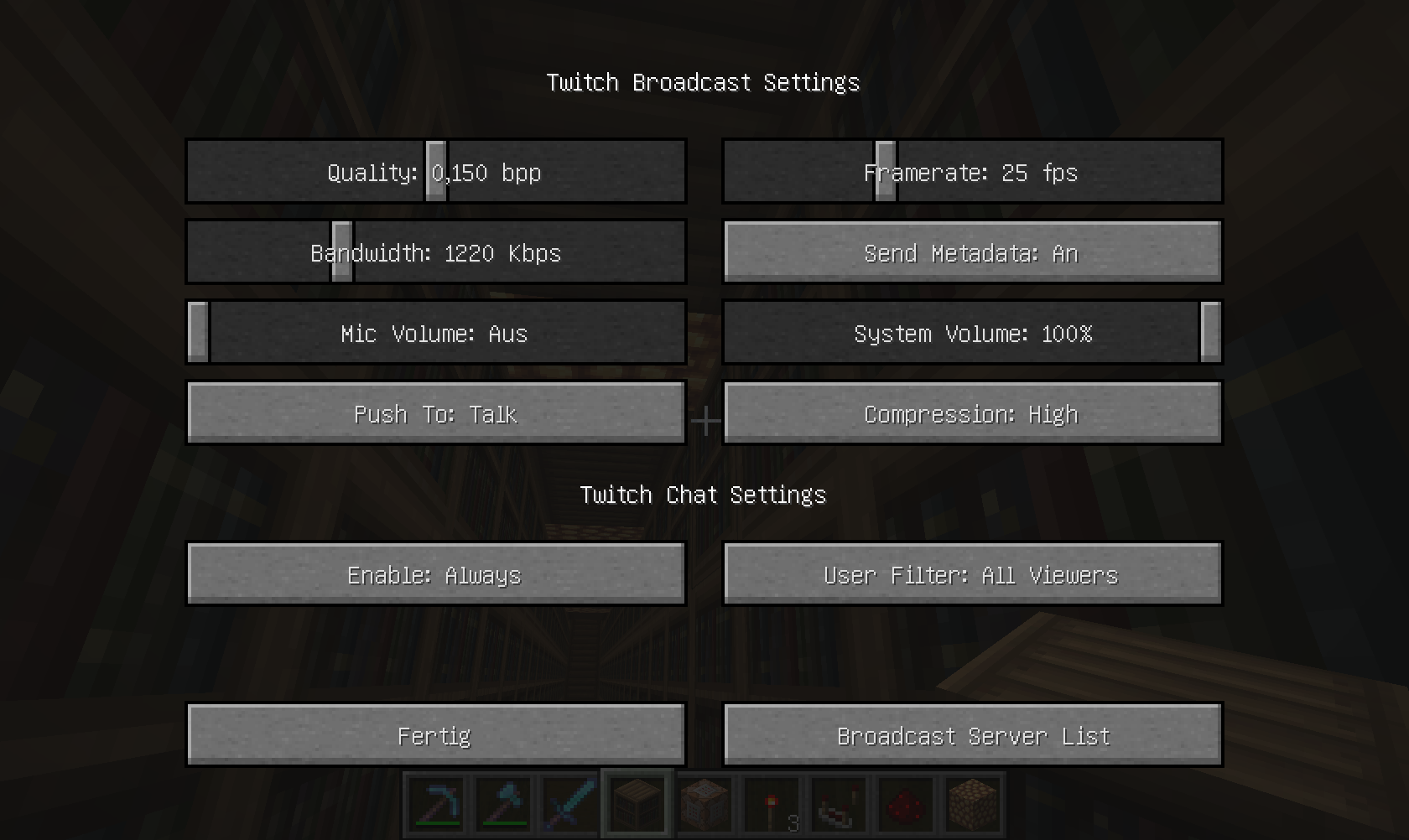
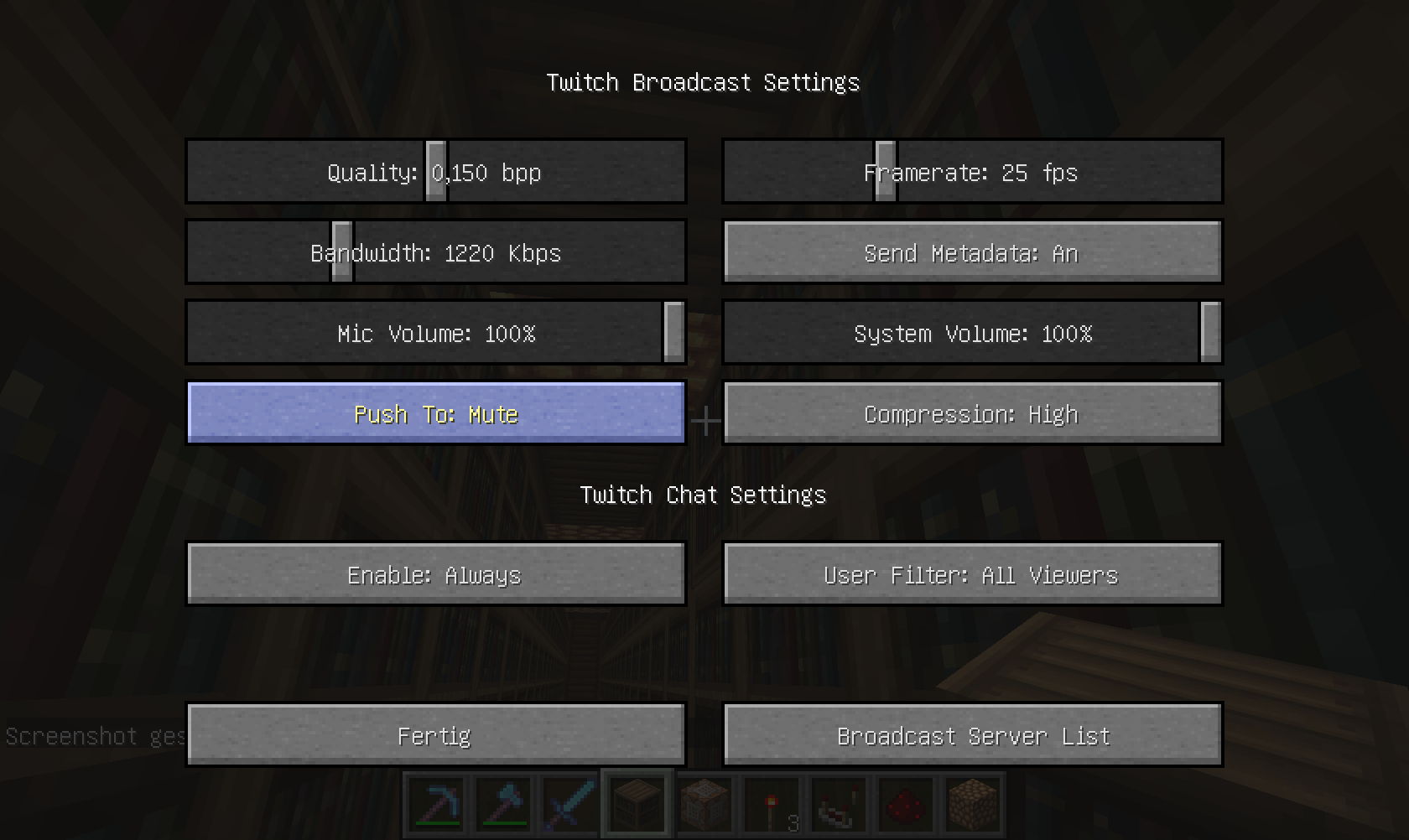
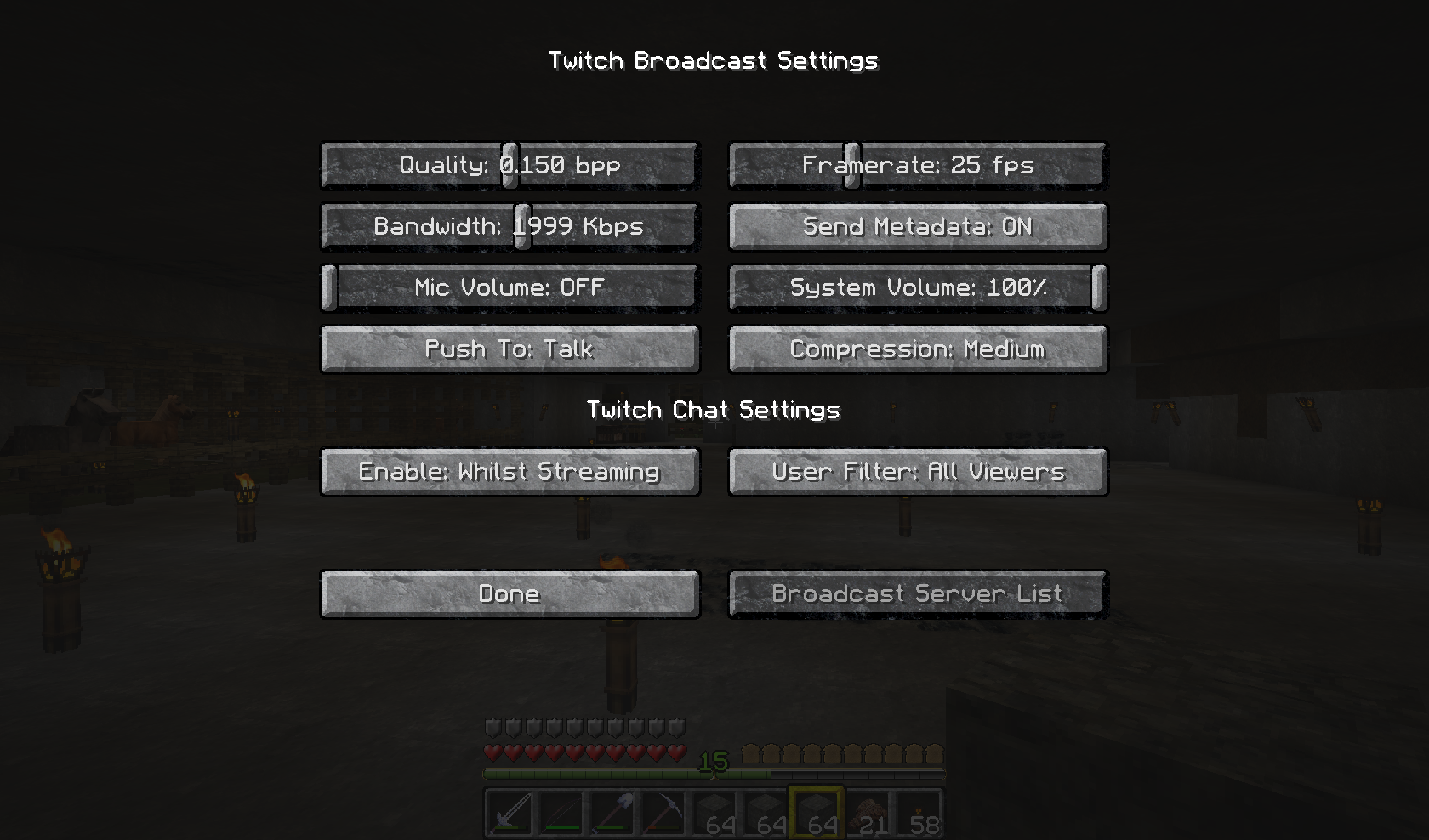
In the Settings of TwitchTV when I turn off the microphone volume or I use push to on talk, I still hear my sound on twitchTV !
Steps:
– You can turn on or off the push to talk button --> no effect !
– You can turn 0% or 100% the volume --> no effect !
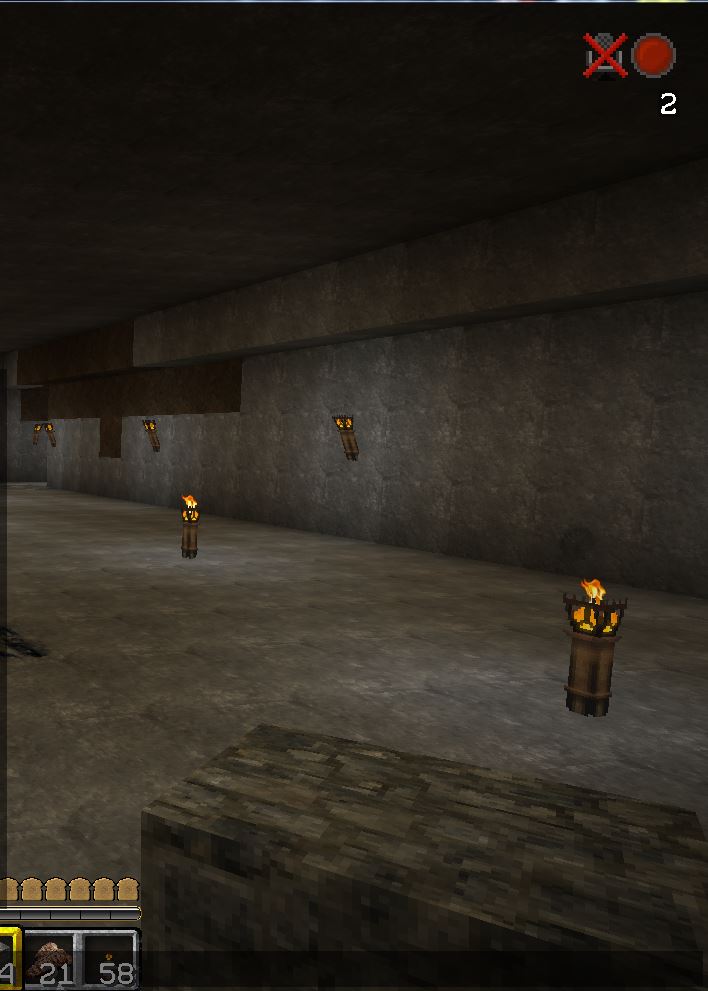
Screenshots verify the mic volume is at 0% and the mic-mute icon is next to the twitch recording icon while outside the menus.
In the new version the same problems too !
Environment
OSX 10.9 and Java 7_45
Win7 x64 Java 1.7.0_40 x64
Linked Issues



Created Issue:
TwitchTV in boadcast Mic Setting !
Put the summary of the bug you're having here
In the Settings of TwitchTV when I turn off the Mic Volume or I use Push to on Talk, then I hear my sound on the twitchTV !
Always record my Speaking !Steps:
– You can turn on or off the Pusch to button --> no effect !
– You can turn 0% or 100% the volume --> no effect !You hear always your speaking on the twitchtv !
Environment
OSX 10.9 and Java 7_45
Attachments3
Put the summary of the bug you're having here
In the Settings of TwitchTV when I turn off the Mic Volume or I use Push to on Talk, then I hear my sound on the twitchTV !
Always record my Speaking !Steps:
– You can turn on or off the Pusch to button --> no effect !
– You can turn 0% or 100% the volume --> no effect !You hear always your speaking on the twitchtv !
By the way: Why I can't change between two different Microphones ?
TwitchTVin boadcast Mic Setting !TwitchTV Mic Does Not Properly Mute
Put the summary of the bug you're having here
In the Settings of TwitchTV when I turn off the Mic Volume or I use Push to on Talk, then I hear my sound on the twitchTV !
Always record my Speaking !Steps:
– You can turn on or off the
Pusch to button --> no effect !
– You can turn 0% or 100% the volume --> no effect !You hear always your speaking on the twitchtv !
By the way: Why I can't change between two different Microphones ?In the Settings of TwitchTV when I turn off the microphone volume or I use push to on talk, I still hear my sound on twitchTV !
Steps:
– You can turn on or off the push to talk button --> no effect !
– You can turn 0% or 100% the volume --> no effect !Screenshots verify the mic volume is at 0% and the mic-mute icon is next to the twitch recording icon while outside the menus.
OSX 10.9 and Java 7_45
OSX 10.9 and Java 7_45
Win7 x64 Java 1.7.0_40 x64
2013-11-29_07.06.33.png
![[Mod] CubeTheThird](../../../data/assets/gravatar/cubethethird.jpeg)
is duplicated by
is duplicated by
In the Settings of TwitchTV when I turn off the microphone volume or I use push to on talk, I still hear my sound on twitchTV !
Steps:
– You can turn on or off the push to talk button --> no effect !
– You can turn 0% or 100% the volume --> no effect !Screenshots verify the mic volume is at 0% and the mic-mute icon is next to the twitch recording icon while outside the menus.
In the new version the same problems too !
is duplicated by


The mic issue is a duplicate of MC-40966 the other issue is a technical support problem. Please remember only one issue per report in the future.
For technical support please use the Mojang Support Center.
I had just connected my TwitchTV account and decided to test it. The first thing I did was try to mute the microphone because I don't like my voice on the internet and descovered that the microphone only mutes when the "Push to talk/mute" key (in my case it is bound to y) is being held down. I tried binding it to return and caps lock and the behaviour was the same. The behaviour I expected was "press once to turn on, press again to turn off"
This could be resoved by unplugging an external microphone, but this fix is hard, if not impossible, for those with internal microphones such as those on a laptop or all-in-one PC.
Apologies if this is a duplicate issue of MC-40966 but I deemed it different as this involves the behavior of the toggle key and not the broadcast itself.
Restart Minecraft, the mic will mute, I ran into the same thing.
Thanks for your Idee, but doesn't work for me !
!
Wow guess what, after an unintentional wipe of my config and playing with this a bit... confirmed.
Mic shows muted on screen, and settings. Yet twitch still receives the mic audio, even after multiple restarts and days of playing.
Can confirm, same issue, OS X Mavericks. There's no way at all to mute my microphone.
I have encountered a similar issue in that the "Push to talk/mute" key only toggles when pressed, when I would expect it to press once for on and press again for off.
14w08a
@James Walker: That is not how push to talk works on any voip system.
@Talven81 then it should be labeled "Push to talk" which it implies that it is not a toggle, and should only enable the microphone when pressed, in a metaphor to a walkie talkie, however inconvenient this would be in a game situation.
Yep. I got this one too. Just randomly muted my mic, but audio was still coming through on the livestream!
I have the same issue. For me it is random per stream launch. I could start the streaming, it works. Then start and stop the stream and this problem arises. I have been trying different combinations and have not been able to figure out any pattern for reliable (every time) reproduction.
I've been trying this on the latest snapshot as of today.
Is this still a concern in the current Minecraft version 1.8.1 Prerelease 3 or later? If so, please update the affected versions in order to best aid Mojang ensuring bugs are still valid in the latest releases/pre-releases.
Invalid - Twitch integration was removed