 MCPE-164447
The skybox is rendered way too high up
The skybox is rendered too high up compared to Non-RenderDragon versions, java edition and other 3D games. When making resource packs this makes it much harder to make art for the skybox since its not centred properly and you have to guess what height it is. if you make the art normally and then put it into the game you will be able to see ugly perspective distortion and this basically makes most java ported sky boxes look ugly.
Steps to reproduce this bug:
- Download and open the bedrock world included
- Press the button on the command block
- Observe how the the crosshair is on the lower black and white line and not the centre yellow line
The skybox looks fine on the java edition:
- Download Optifine 1.19.2 (this is so you are able to change the texture for the skybox since that is not a current feature on java)
- Download and open/enable the world and the java texture pack included
- Press the button below you
- Observe how the the crosshair is on the yellow centre line so the skybox on java is correct
The bedrock world was first tested on 1.19.31 but I believe the bug still hasn't been fixed.
The pictures of the skybox with reference lines on where the crosshair should be in yellow:
Bedrock:

Java:

The Resource packs included:
The Worlds included:
These are the Commands in the command blocks (they just move your mouse to 90 degrees perfectly):
- Bedrock: /execute @p ~ ~ ~ tp ~ ~ ~ 90 0
- Java: /execute if block ~ ~2 ~ minecraft:stone_button[powered=true] run tp @p ~ ~1.5 ~ 90 0
I also had to set the time to midnight since the sky only worked at midnight for some weird reason
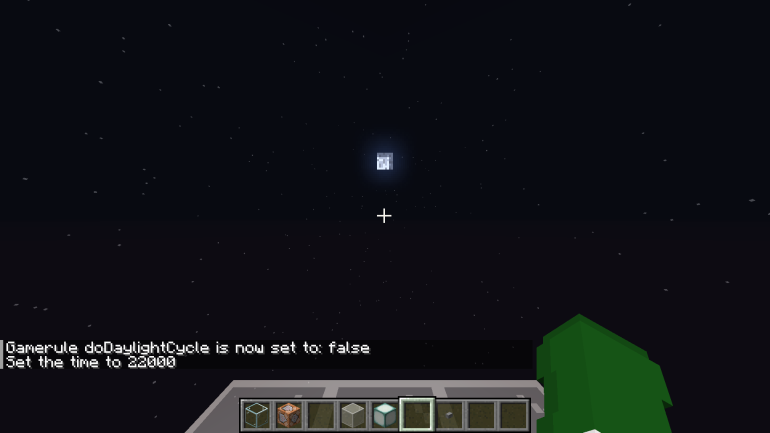
Edit: the Gradients for the sky dont even look the same on vanilla bedrock compared to vanilla java 1.19.2. you can see at the time 22000 on both images, the top of the gradient takes less of the screen up on bedrock and on java the top of the gradient takes more of the screen up. A clear vanilla parity issue, the gradients aren't even the same colour
It also turns out that Non-RenderDragon versions of bedrock don't have this issue
https://github.com/FoxGaal/SkyboxFixer I have made a tool that requires blender and python that will fix the distortion for skies, it might be a bit buggy if you have any issues make one on github or contact me via discord foxgaal.
There is also a Better Render dragon fix for this now, and it just requires a bin file in the materials folder to be replaced. Why does the community have to fix this before Mojang does?
https://github.com/Furzide/RenderDragonCubemapFix/releases/tag/v2.0.0
(currently only works for 1.20.70)

This issue plagues so many packs because the height never used to be like this and a lot of packs are ports from java with optifine skyboxes

Linked Issues
Attachments14




Created Issue:
The skybox is rendered way too high up
The skybox is rendered too high up compared to the java edition and other 3D games. This makes it much harder to make art for the skybox since its not centred properly and you have to guess what height it is. if you make the art normally and then put it into the game you will be able to see ugly perspective distortion and this basically makes most java ported sky boxes look ugly.
Steps to reproduce this bug:
- Download and open the bedrock world included
- Press the button on the command block
- Observe how the the crosshair is on the lower black and white line and not the centre yellow line
This skybox looks fine on the java edition:
- Download Optifine 1.19.2 (this is so you are able to change the texture for the skybox since that is not a current feature on java)
- Download and open/enable the world and the java texture pack included
- Press the button below you
- Observe how the the crosshair is on the yellow centre so the skybox on java is correct
The bedrock world was first tested on 1.19.31 but I believe the bug still hasn't been fixed.
The Resource packs included:
- BuggedSkyboxBedrock.mcpack
- WorkingSkyboxJava.zip
The Worlds included:
- TestWorldBedrock.mcworld
- TestWorldJava.zip
Attachments6
- Unresolved
- Open
- Unconfirmed
- Windows
- Windows 10
- 1.19.41
The skybox is rendered too high up compared to the java edition and other 3D games. This makes it much harder to make art for the skybox since its not centred properly and you have to guess what height it is. if you make the art normally and then put it into the game you will be able to see ugly perspective distortion and this basically makes most java ported sky boxes look ugly.
Steps to reproduce this bug:
- Download and open the bedrock world included
- Press the button on the command block
- Observe how the the crosshair is on the lower black and white line and not the centre yellow line
This skybox looks fine on the java edition:
- Download Optifine 1.19.2 (this is so you are able to change the texture for the skybox since that is not a current feature on java)
- Download and open/enable the world and the java texture pack included
- Press the button below you
- Observe how the the crosshair is on the yellow centre so the skybox on java is correct
The bedrock world was first tested on 1.19.31 but I believe the bug still hasn't been fixed.
The Resource packs included:
- BuggedSkyboxBedrock.mcpack
- WorkingSkyboxJava.zip
The Worlds included:
- TestWorldBedrock.mcworld
- TestWorldJava.zip
The skybox is rendered too high up compared to the java edition and other 3D games. This makes it much harder to make art for the skybox since its not centred properly and you have to guess what height it is. if you make the art normally and then put it into the game you will be able to see ugly perspective distortion and this basically makes most java ported sky boxes look ugly.
Steps to reproduce this bug:
- Download and open the bedrock world included
- Press the button on the command block
- Observe how the the crosshair is on the lower black and white line and not the centre yellow line
This skybox looks fine on the java edition:
- Download Optifine 1.19.2 (this is so you are able to change the texture for the skybox since that is not a current feature on java)
- Download and open/enable the world and the java texture pack included
- Press the button below you
- Observe how the the crosshair is on the yellow centre so the skybox on java is correct
The bedrock world was first tested on 1.19.31 but I believe the bug still hasn't been fixed.
The Resource packs included:
- BuggedSkyboxBedrock.mcpack
- WorkingSkyboxJava.zip
The Worlds included:
- TestWorldBedrock.mcworld
- TestWorldJava.zip
The skybox is rendered too high up compared to the java edition and other 3D games. This makes it much harder to make art for the skybox since its not centred properly and you have to guess what height it is. if you make the art normally and then put it into the game you will be able to see ugly perspective distortion and this basically makes most java ported sky boxes look ugly.
Steps to reproduce this bug:
- Download and open the bedrock world included
- Press the button on the command block
- Observe how the the crosshair is on the lower black and white line and not the centre yellow line
This skybox looks fine on the java edition:
- Download Optifine 1.19.2 (this is so you are able to change the texture for the skybox since that is not a current feature on java)
- Download and open/enable the world and the java texture pack included
- Press the button below you
- Observe how the the crosshair is on the yellow centre so the skybox on java is correct
The bedrock world was first tested on 1.19.31 but I believe the bug still hasn't been fixed.
The Resource packs included:
- BuggedSkyboxBedrock.mcpack
- WorkingSkyboxJava.zip
The Worlds included:
- TestWorldBedrock.mcworld
- TestWorldJava.zip
These are the Commands in the command blocks (they just move your mouse to 90 degrees perfectly):
- Bedrock: /execute @p ~ ~ ~ tp ~ ~ ~ 90 0
- Java: /execute if block ~ ~2 ~ minecraft:stone_button[powered=true] run tp @p ~ ~1.5 ~ 90 0
The skybox is rendered too high up compared to the java edition and other 3D games. This makes it much harder to make art for the skybox since its not centred properly and you have to guess what height it is. if you make the art normally and then put it into the game you will be able to see ugly perspective distortion and this basically makes most java ported sky boxes look ugly.
Steps to reproduce this bug:
- Download and open the bedrock world included
- Press the button on the command block
- Observe how the the crosshair is on the lower black and white line and not the centre yellow line
Th
isskybox looks fine on the java edition:
- Download Optifine 1.19.2 (this is so you are able to change the texture for the skybox since that is not a current feature on java)
- Download and open/enable the world and the java texture pack included
- Press the button below you
- Observe how the the crosshair is on the yellow centre so the skybox on java is correct
The bedrock world was first tested on 1.19.31 but I believe the bug still hasn't been fixed.
The Resource packs included:
- BuggedSkyboxBedrock.mcpack
- WorkingSkyboxJava.zip
The Worlds included:
- TestWorldBedrock.mcworld
- TestWorldJava.zip
These are the Commands in the command blocks (they just move your mouse to 90 degrees perfectly):
- Bedrock: /execute @p ~ ~ ~ tp ~ ~ ~ 90 0
- Java: /execute if block ~ ~2 ~ minecraft:stone_button[powered=true] run tp @p ~ ~1.5 ~ 90 0
The skybox is rendered too high up compared to the java edition and other 3D games. This makes it much harder to make art for the skybox since its not centred properly and you have to guess what height it is. if you make the art normally and then put it into the game you will be able to see ugly perspective distortion and this basically makes most java ported sky boxes look ugly.
Steps to reproduce this bug:
- Download and open the bedrock world included
- Press the button on the command block
- Observe how the the crosshair is on the lower black and white line and not the centre yellow line
The skybox looks fine on the java edition:
- Download Optifine 1.19.2 (this is so you are able to change the texture for the skybox since that is not a current feature on java)
- Download and open/enable the world and the java texture pack included
- Press the button below you
- Observe how the the crosshair is on the yellow centre so the skybox on java is correct
The bedrock world was first tested on 1.19.31 but I believe the bug still hasn't been fixed.
The Resource packs included:
- BuggedSkyboxBedrock.mcpack
- WorkingSkyboxJava.zip
The Worlds included:
- TestWorldBedrock.mcworld
- TestWorldJava.zip
These are the Commands in the command blocks (they just move your mouse to 90 degrees perfectly):
- Bedrock: /execute @p ~ ~ ~ tp ~ ~ ~ 90 0
- Java: /execute if block ~ ~2 ~ minecraft:stone_button[powered=true] run tp @p ~ ~1.5 ~ 90 0
The skybox is rendered too high up compared to the java edition and other 3D games. This makes it much harder to make art for the skybox since its not centred properly and you have to guess what height it is. if you make the art normally and then put it into the game you will be able to see ugly perspective distortion and this basically makes most java ported sky boxes look ugly.
Steps to reproduce this bug:
- Download and open the bedrock world included
- Press the button on the command block
- Observe how the the crosshair is on the lower black and white line and not the centre yellow line
The skybox looks fine on the java edition:
- Download Optifine 1.19.2 (this is so you are able to change the texture for the skybox since that is not a current feature on java)
- Download and open/enable the world and the java texture pack included
- Press the button bellow you
- Observe how the the crosshair is on the yellow centre so the skybox on java is correct
The bedrock world was first tested on 1.19.31 but I believe the bug still hasn't been fixed.
The Resource packs included:
- BuggedSkyboxBedrock.mcpack
- WorkingSkyboxJava.zip
The Worlds included:
- TestWorldBedrock.mcworld
- TestWorldJava.zip
These are the Commands in the command blocks (they just move your mouse to 90 degrees perfectly):
- Bedrock: /execute @p ~ ~ ~ tp ~ ~ ~ 90 0
- Java: /execute if block ~ ~2 ~ minecraft:stone_button[powered=true] run tp @p ~ ~1.5 ~ 90 0
The skybox is rendered too high up compared to the java edition and other 3D games. This makes it much harder to make art for the skybox since its not centred properly and you have to guess what height it is. if you make the art normally and then put it into the game you will be able to see ugly perspective distortion and this basically makes most java ported sky boxes look ugly.
Steps to reproduce this bug:
- Download and open the bedrock world included
- Press the button on the command block
- Observe how the the crosshair is on the lower black and white line and not the centre yellow line
The skybox looks fine on the java edition:
- Download Optifine 1.19.2 (this is so you are able to change the texture for the skybox since that is not a current feature on java)
- Download and open/enable the world and the java texture pack included
- Press the button bel
low you- Observe how the the crosshair is on the yellow centre so the skybox on java is correct
The bedrock world was first tested on 1.19.31 but I believe the bug still hasn't been fixed.
The Resource packs included:
- BuggedSkyboxBedrock.mcpack
- WorkingSkyboxJava.zip
The Worlds included:
- TestWorldBedrock.mcworld
- TestWorldJava.zip
These are the Commands in the command blocks (they just move your mouse to 90 degrees perfectly):
- Bedrock: /execute @p ~ ~ ~ tp ~ ~ ~ 90 0
- Java: /execute if block ~ ~2 ~ minecraft:stone_button[powered=true] run tp @p ~ ~1.5 ~ 90 0
The skybox is rendered too high up compared to the java edition and other 3D games. This makes it much harder to make art for the skybox since its not centred properly and you have to guess what height it is. if you make the art normally and then put it into the game you will be able to see ugly perspective distortion and this basically makes most java ported sky boxes look ugly.
Steps to reproduce this bug:
- Download and open the bedrock world included
- Press the button on the command block
- Observe how the the crosshair is on the lower black and white line and not the centre yellow line
The skybox looks fine on the java edition:
- Download Optifine 1.19.2 (this is so you are able to change the texture for the skybox since that is not a current feature on java)
- Download and open/enable the world and the java texture pack included
- Press the button below you
- Observe how the the crosshair is on the yellow centre line so the skybox on java is correct
The bedrock world was first tested on 1.19.31 but I believe the bug still hasn't been fixed.
The Resource packs included:
- BuggedSkyboxBedrock.mcpack
- WorkingSkyboxJava.zip
The Worlds included:
- TestWorldBedrock.mcworld
- TestWorldJava.zip
These are the Commands in the command blocks (they just move your mouse to 90 degrees perfectly):
- Bedrock: /execute @p ~ ~ ~ tp ~ ~ ~ 90 0
- Java: /execute if block ~ ~2 ~ minecraft:stone_button[powered=true] run tp @p ~ ~1.5 ~ 90 0
The skybox is rendered too high up compared to the java edition and other 3D games. This makes it much harder to make art for the skybox since its not centred properly and you have to guess what height it is. if you make the art normally and then put it into the game you will be able to see ugly perspective distortion and this basically makes most java ported sky boxes look ugly.
Steps to reproduce this bug:
- Download and open the bedrock world included
- Press the button on the command block
- Observe how the the crosshair is on the lower black and white line and not the centre yellow line
The skybox looks fine on the java edition:
- Download Optifine 1.19.2 (this is so you are able to change the texture for the skybox since that is not a current feature on java)
- Download and open/enable the world and the java texture pack included
- Press the button below you
- Observe how the the crosshair is on the yellow centre line so the skybox on java is correct
The bedrock world was first tested on 1.19.31 but I believe the bug still hasn't been fixed.
The Resource packs included:
- BuggedSkyboxBedrock.mcpack
- WorkingSkyboxJava.zip
The Worlds included:
- TestWorldBedrock.mcworld
- TestWorldJava.zip
These are the Commands in the command blocks (they just move your mouse to 90 degrees perfectly):
- Bedrock: /execute @p ~ ~ ~ tp ~ ~ ~ 90 0
- Java: /execute if block ~ ~2 ~ minecraft:stone_button[powered=true] run tp @p ~ ~1.5 ~ 90 0
The skybox is rendered too high up compared to the java edition and other 3D games. This makes it much harder to make art for the skybox since its not centred properly and you have to guess what height it is. if you make the art normally and then put it into the game you will be able to see ugly perspective distortion and this basically makes most java ported sky boxes look ugly.
Steps to reproduce this bug:
- Download and open the bedrock world included
- Press the button on the command block
- Observe how the the crosshair is on the lower black and white line and not the centre yellow line
The skybox looks fine on the java edition:
- Download Optifine 1.19.2 (this is so you are able to change the texture for the skybox since that is not a current feature on java)
- Download and open/enable the world and the java texture pack included
- Press the button below you
- Observe how the the crosshair is on the yellow centre line so the skybox on java is correct
The bedrock world was first tested on 1.19.31 but I believe the bug still hasn't been fixed.
The Resource packs included:
- BuggedSkyboxBedrock.mcpack
- WorkingSkyboxJava.zip
The Worlds included:
- TestWorldBedrock.mcworld
- TestWorldJava.zip
These are the Commands in the command blocks (they just move your mouse to 90 degrees perfectly):
- Bedrock: /execute @p ~ ~ ~ tp ~ ~ ~ 90 0
- Java: /execute if block ~ ~2 ~ minecraft:stone_button[powered=true] run tp @p ~ ~1.5 ~ 90 0
I also had to set the time to midnight since the sky only worked at midnight for some weird reason
The skybox is rendered too high up compared to the java edition and other 3D games. This makes it much harder to make art for the skybox since its not centred properly and you have to guess what height it is. if you make the art normally and then put it into the game you will be able to see ugly perspective distortion and this basically makes most java ported sky boxes look ugly.
Steps to reproduce this bug:
- Download and open the bedrock world included
- Press the button on the command block
- Observe how the the crosshair is on the lower black and white line and not the centre yellow line
The skybox looks fine on the java edition:
- Download Optifine 1.19.2 (this is so you are able to change the texture for the skybox since that is not a current feature on java)
- Download and open/enable the world and the java texture pack included
- Press the button below you
- Observe how the the crosshair is on the yellow centre line so the skybox on java is correct
The bedrock world was first tested on 1.19.31 but I believe the bug still hasn't been fixed.
The Resource packs included:
- BuggedSkyboxBedrock.mcpack
- WorkingSkyboxJava.zip
The Worlds included:
- TestWorldBedrock.mcworld
- TestWorldJava.zip
These are the Commands in the command blocks (they just move your mouse to 90 degrees perfectly):
- Bedrock: /execute @p ~ ~ ~ tp ~ ~ ~ 90 0
- Java: /execute if block ~ ~2 ~ minecraft:stone_button[powered=true] run tp @p ~ ~1.5 ~ 90 0
I also had to set the time to midnight since the sky only worked at midnight for some weird reason
The skybox is rendered too high up compared to the java edition and other 3D games. This makes it much harder to make art for the skybox since its not centred properly and you have to guess what height it is. if you make the art normally and then put it into the game you will be able to see ugly perspective distortion and this basically makes most java ported sky boxes look ugly.
Steps to reproduce this bug:
- Download and open the bedrock world included
- Press the button on the command block
- Observe how the the crosshair is on the lower black and white line and not the centre yellow line
The skybox looks fine on the java edition:
- Download Optifine 1.19.2 (this is so you are able to change the texture for the skybox since that is not a current feature on java)
- Download and open/enable the world and the java texture pack included
- Press the button below you
- Observe how the the crosshair is on the yellow centre line so the skybox on java is correct
The bedrock world was first tested on 1.19.31 but I believe the bug still hasn't been fixed.
The Resource packs included:
- BuggedSkyboxBedrock.mcpack
- WorkingSkyboxJava.zip
The Worlds included:
- TestWorldBedrock.mcworld
- TestWorldJava.zip
These are the Commands in the command blocks (they just move your mouse to 90 degrees perfectly):
- Bedrock: /execute @p ~ ~ ~ tp ~ ~ ~ 90 0
- Java: /execute if block ~ ~2 ~ minecraft:stone_button[powered=true] run tp @p ~ ~1.5 ~ 90 0
I also had to set the time to midnight since the sky only worked at midnight for some weird reason
The skybox is rendered too high up compared to the java edition and other 3D games. This makes it much harder to make art for the skybox since its not centred properly and you have to guess what height it is. if you make the art normally and then put it into the game you will be able to see ugly perspective distortion and this basically makes most java ported sky boxes look ugly.
Steps to reproduce this bug:
- Download and open the bedrock world included
- Press the button on the command block
- Observe how the the crosshair is on the lower black and white line and not the centre yellow line
The skybox looks fine on the java edition:
- Download Optifine 1.19.2 (this is so you are able to change the texture for the skybox since that is not a current feature on java)
- Download and open/enable the world and the java texture pack included
- Press the button below you
- Observe how the the crosshair is on the yellow centre line so the skybox on java is correct
The bedrock world was first tested on 1.19.31 but I believe the bug still hasn't been fixed.
The Resource packs included:
- BuggedSkyboxBedrock.mcpack
- WorkingSkyboxJava.zip
The Worlds included:
- TestWorldBedrock.mcworld
- TestWorldJava.zip
These are the Commands in the command blocks (they just move your mouse to 90 degrees perfectly):
- Bedrock: /execute @p ~ ~ ~ tp ~ ~ ~ 90 0
- Java: /execute if block ~ ~2 ~ minecraft:stone_button[powered=true] run tp @p ~ ~1.5 ~ 90 0
I also had to set the time to midnight since the sky only worked at midnight for some weird reason
Edit: the Gradients for the sky dont even look the same on vanilla bedrock compared to vanilla java 1.19.2. you can see at the time 22000 on both images, the top of the gradient takes less of the screen up on bedrock and on java the top of the gradient takes more of the screen up. A clear vanilla parity issue, the gradients aren't even the same colour
The skybox is rendered too high up compared to the java edition and other 3D games.
This makes it much harder to make art for the skybox since its not centred properly and you have to guess what height it is. if you make the art normally and then put it into the game you will be able to see ugly perspective distortion and this basically makes most java ported sky boxes look ugly.Steps to reproduce this bug:
- Download and open the bedrock world included
- Press the button on the command block
- Observe how the the crosshair is on the lower black and white line and not the centre yellow line
The skybox looks fine on the java edition:
- Download Optifine 1.19.2 (this is so you are able to change the texture for the skybox since that is not a current feature on java)
- Download and open/enable the world and the java texture pack included
- Press the button below you
- Observe how the the crosshair is on the yellow centre line so the skybox on java is correct
The bedrock world was first tested on 1.19.31 but I believe the bug still hasn't been fixed.
The Resource packs included:
- BuggedSkyboxBedrock.mcpack
- WorkingSkyboxJava.zip
The Worlds included:
- TestWorldBedrock.mcworld
- TestWorldJava.zip
These are the Commands in the command blocks (they just move your mouse to 90 degrees perfectly):
- Bedrock: /execute @p ~ ~ ~ tp ~ ~ ~ 90 0
- Java: /execute if block ~ ~2 ~ minecraft:stone_button[powered=true] run tp @p ~ ~1.5 ~ 90 0
I also had to set the time to midnight since the sky only worked at midnight for some weird reason
Edit: the Gradients for the sky dont even look the same on vanilla bedrock compared to vanilla java 1.19.2. you can see at the time 22000 on both images, the top of the gradient takes less of the screen up on bedrock and on java the top of the gradient takes more of the screen up. A clear vanilla parity issue, the gradients aren't even the same colour
The skybox is rendered too high up compared to the java edition and other 3D games. When making resource packs this makes it much harder to make art for the skybox since its not centred properly and you have to guess what height it is. if you make the art normally and then put it into the game you will be able to see ugly perspective distortion and this basically makes most java ported sky boxes look ugly.
Steps to reproduce this bug:
- Download and open the bedrock world included
- Press the button on the command block
- Observe how the the crosshair is on the lower black and white line and not the centre yellow line
The skybox looks fine on the java edition:
- Download Optifine 1.19.2 (this is so you are able to change the texture for the skybox since that is not a current feature on java)
- Download and open/enable the world and the java texture pack included
- Press the button below you
- Observe how the the crosshair is on the yellow centre line so the skybox on java is correct
The bedrock world was first tested on 1.19.31 but I believe the bug still hasn't been fixed.
The Resource packs included:
- BuggedSkyboxBedrock.mcpack
- WorkingSkyboxJava.zip
The Worlds included:
- TestWorldBedrock.mcworld
- TestWorldJava.zip
These are the Commands in the command blocks (they just move your mouse to 90 degrees perfectly):
- Bedrock: /execute @p ~ ~ ~ tp ~ ~ ~ 90 0
- Java: /execute if block ~ ~2 ~ minecraft:stone_button[powered=true] run tp @p ~ ~1.5 ~ 90 0
I also had to set the time to midnight since the sky only worked at midnight for some weird reason
Edit: the Gradients for the sky dont even look the same on vanilla bedrock compared to vanilla java 1.19.2. you can see at the time 22000 on both images, the top of the gradient takes less of the screen up on bedrock and on java the top of the gradient takes more of the screen up. A clear vanilla parity issue, the gradients aren't even the same colour
The skybox is rendered too high up compared to the java edition and other 3D games. When making resource packs this makes it much harder to make art for the skybox since its not centred properly and you have to guess what height it is. if you make the art normally and then put it into the game you will be able to see ugly perspective distortion and this basically makes most java ported sky boxes look ugly.
Steps to reproduce this bug:
- Download and open the bedrock world included
- Press the button on the command block
- Observe how the the crosshair is on the lower black and white line and not the centre yellow line
The skybox looks fine on the java edition:
- Download Optifine 1.19.2 (this is so you are able to change the texture for the skybox since that is not a current feature on java)
- Download and open/enable the world and the java texture pack included
- Press the button below you
- Observe how the the crosshair is on the yellow centre line so the skybox on java is correct
The bedrock world was first tested on 1.19.31 but I believe the bug still hasn't been fixed.
The Resource packs included:
- BuggedSkyboxBedrock.mcpack
- WorkingSkyboxJava.zip
The Worlds included:
- TestWorldBedrock.mcworld
- TestWorldJava.zip
These are the Commands in the command blocks (they just move your mouse to 90 degrees perfectly):
- Bedrock: /execute @p ~ ~ ~ tp ~ ~ ~ 90 0
- Java: /execute if block ~ ~2 ~ minecraft:stone_button[powered=true] run tp @p ~ ~1.5 ~ 90 0
I also had to set the time to midnight since the sky only worked at midnight for some weird reason
Edit: the Gradients for the sky dont even look the same on vanilla bedrock compared to vanilla java 1.19.2. you can see at the time 22000 on both images, the top of the gradient takes less of the screen up on bedrock and on java the top of the gradient takes more of the screen up. A clear vanilla parity issue, the gradients aren't even the same colour
The skybox is rendered too high up compared to the java edition and other 3D games. When making resource packs this makes it much harder to make art for the skybox since its not centred properly and you have to guess what height it is. if you make the art normally and then put it into the game you will be able to see ugly perspective distortion and this basically makes most java ported sky boxes look ugly.
Steps to reproduce this bug:
- Download and open the bedrock world included
- Press the button on the command block
- Observe how the the crosshair is on the lower black and white line and not the centre yellow line
The skybox looks fine on the java edition:
- Download Optifine 1.19.2 (this is so you are able to change the texture for the skybox since that is not a current feature on java)
- Download and open/enable the world and the java texture pack included
- Press the button below you
- Observe how the the crosshair is on the yellow centre line so the skybox on java is correct
The bedrock world was first tested on 1.19.31 but I believe the bug still hasn't been fixed.
The Resource packs included:
- BuggedSkyboxBedrock.mcpack
- WorkingSkyboxJava.zip
The Worlds included:
- TestWorldBedrock.mcworld
- TestWorldJava.zip
These are the Commands in the command blocks (they just move your mouse to 90 degrees perfectly):
- Bedrock: /execute @p ~ ~ ~ tp ~ ~ ~ 90 0
- Java: /execute if block ~ ~2 ~ minecraft:stone_button[powered=true] run tp @p ~ ~1.5 ~ 90 0
I also had to set the time to midnight since the sky only worked at midnight for some weird reason
Edit: the Gradients for the sky dont even look the same on vanilla bedrock compared to vanilla java 1.19.2. you can see at the time 22000 on both images, the top of the gradient takes less of the screen up on bedrock and on java the top of the gradient takes more of the screen up. A clear vanilla parity issue, the gradients aren't even the same colour
The skybox is rendered too high up compared to the java edition and other 3D games. When making resource packs this makes it much harder to make art for the skybox since its not centred properly and you have to guess what height it is. if you make the art normally and then put it into the game you will be able to see ugly perspective distortion and this basically makes most java ported sky boxes look ugly.
Steps to reproduce this bug:
- Download and open the bedrock world included
- Press the button on the command block
- Observe how the the crosshair is on the lower black and white line and not the centre yellow line
The skybox looks fine on the java edition:
- Download Optifine 1.19.2 (this is so you are able to change the texture for the skybox since that is not a current feature on java)
- Download and open/enable the world and the java texture pack included
- Press the button below you
- Observe how the the crosshair is on the yellow centre line so the skybox on java is correct
The bedrock world was first tested on 1.19.31 but I believe the bug still hasn't been fixed.
The Resource packs included:
- BuggedSkyboxBedrock.mcpack
- WorkingSkyboxJava.zip
The Worlds included:
- TestWorldBedrock.mcworld
- TestWorldJava.zip
These are the Commands in the command blocks (they just move your mouse to 90 degrees perfectly):
- Bedrock: /execute @p ~ ~ ~ tp ~ ~ ~ 90 0
- Java: /execute if block ~ ~2 ~ minecraft:stone_button[powered=true] run tp @p ~ ~1.5 ~ 90 0
I also had to set the time to midnight since the sky only worked at midnight for some weird reason
Edit: the Gradients for the sky dont even look the same on vanilla bedrock compared to vanilla java 1.19.2. you can see at the time 22000 on both images, the top of the gradient takes less of the screen up on bedrock and on java the top of the gradient takes more of the screen up. A clear vanilla parity issue, the gradients aren't even the same colour
The skybox is rendered too high up compared to the java edition and other 3D games. When making resource packs this makes it much harder to make art for the skybox since its not centred properly and you have to guess what height it is. if you make the art normally and then put it into the game you will be able to see ugly perspective distortion and this basically makes most java ported sky boxes look ugly.
Steps to reproduce this bug:
- Download and open the bedrock world included
- Press the button on the command block
- Observe how the the crosshair is on the lower black and white line and not the centre yellow line
The skybox looks fine on the java edition:
- Download Optifine 1.19.2 (this is so you are able to change the texture for the skybox since that is not a current feature on java)
- Download and open/enable the world and the java texture pack included
- Press the button below you
- Observe how the the crosshair is on the yellow centre line so the skybox on java is correct
The bedrock world was first tested on 1.19.31 but I believe the bug still hasn't been fixed.
The Resource packs included:
- BuggedSkyboxBedrock.mcpack
- WorkingSkyboxJava.zip
The Worlds included:
- TestWorldBedrock.mcworld
- TestWorldJava.zip
These are the Commands in the command blocks (they just move your mouse to 90 degrees perfectly):
- Bedrock: /execute @p ~ ~ ~ tp ~ ~ ~ 90 0
- Java: /execute if block ~ ~2 ~ minecraft:stone_button[powered=true] run tp @p ~ ~1.5 ~ 90 0
I also had to set the time to midnight since the sky only worked at midnight for some weird reason
Edit: the Gradients for the sky dont even look the same on vanilla bedrock compared to vanilla java 1.19.2. you can see at the time 22000 on both images, the top of the gradient takes less of the screen up on bedrock and on java the top of the gradient takes more of the screen up. A clear vanilla parity issue, the gradients aren't even the same colour
The skybox is rendered too high up compared to the java edition and other 3D games. When making resource packs this makes it much harder to make art for the skybox since its not centred properly and you have to guess what height it is. if you make the art normally and then put it into the game you will be able to see ugly perspective distortion and this basically makes most java ported sky boxes look ugly.
Steps to reproduce this bug:
- Download and open the bedrock world included
- Press the button on the command block
- Observe how the the crosshair is on the lower black and white line and not the centre yellow line
The skybox looks fine on the java edition:
- Download Optifine 1.19.2 (this is so you are able to change the texture for the skybox since that is not a current feature on java)
- Download and open/enable the world and the java texture pack included
- Press the button below you
- Observe how the the crosshair is on the yellow centre line so the skybox on java is correct
The bedrock world was first tested on 1.19.31 but I believe the bug still hasn't been fixed.
The Resource packs included:
The Worlds included:
These are the Commands in the command blocks (they just move your mouse to 90 degrees perfectly):
- Bedrock: /execute @p ~ ~ ~ tp ~ ~ ~ 90 0
- Java: /execute if block ~ ~2 ~ minecraft:stone_button[powered=true] run tp @p ~ ~1.5 ~ 90 0
I also had to set the time to midnight since the sky only worked at midnight for some weird reason
Edit: the Gradients for the sky dont even look the same on vanilla bedrock compared to vanilla java 1.19.2. you can see at the time 22000 on both images, the top of the gradient takes less of the screen up on bedrock and on java the top of the gradient takes more of the screen up. A clear vanilla parity issue, the gradients aren't even the same colour
The skybox is rendered too high up compared to the java edition and other 3D games. When making resource packs this makes it much harder to make art for the skybox since its not centred properly and you have to guess what height it is. if you make the art normally and then put it into the game you will be able to see ugly perspective distortion and this basically makes most java ported sky boxes look ugly.
Steps to reproduce this bug:
- Download and open the bedrock world included
- Press the button on the command block
- Observe how the the crosshair is on the lower black and white line and not the centre yellow line
The skybox looks fine on the java edition:
- Download Optifine 1.19.2 (this is so you are able to change the texture for the skybox since that is not a current feature on java)
- Download and open/enable the world and the java texture pack included
- Press the button below you
- Observe how the the crosshair is on the yellow centre line so the skybox on java is correct
The bedrock world was first tested on 1.19.31 but I believe the bug still hasn't been fixed.
The pictures of the skybox with reference lines on where the crosshair should be in yellow:
Bedrock:
Java:
The Resource packs included:
The Worlds included:
These are the Commands in the command blocks (they just move your mouse to 90 degrees perfectly):
- Bedrock: /execute @p ~ ~ ~ tp ~ ~ ~ 90 0
- Java: /execute if block ~ ~2 ~ minecraft:stone_button[powered=true] run tp @p ~ ~1.5 ~ 90 0
I also had to set the time to midnight since the sky only worked at midnight for some weird reason
Edit: the Gradients for the sky dont even look the same on vanilla bedrock compared to vanilla java 1.19.2. you can see at the time 22000 on both images, the top of the gradient takes less of the screen up on bedrock and on java the top of the gradient takes more of the screen up. A clear vanilla parity issue, the gradients aren't even the same colour
The skybox is rendered too high up compared to the java edition and other 3D games. When making resource packs this makes it much harder to make art for the skybox since its not centred properly and you have to guess what height it is. if you make the art normally and then put it into the game you will be able to see ugly perspective distortion and this basically makes most java ported sky boxes look ugly.
Steps to reproduce this bug:
- Download and open the bedrock world included
- Press the button on the command block
- Observe how the the crosshair is on the lower black and white line and not the centre yellow line
The skybox looks fine on the java edition:
- Download Optifine 1.19.2 (this is so you are able to change the texture for the skybox since that is not a current feature on java)
- Download and open/enable the world and the java texture pack included
- Press the button below you
- Observe how the the crosshair is on the yellow centre line so the skybox on java is correct
The bedrock world was first tested on 1.19.31 but I believe the bug still hasn't been fixed.
The pictures of the skybox with reference lines on where the crosshair should be in yellow:
Bedrock:
Java:
The Resource packs included:
The Worlds included:
These are the Commands in the command blocks (they just move your mouse to 90 degrees perfectly):
- Bedrock: /execute @p ~ ~ ~ tp ~ ~ ~ 90 0
- Java: /execute if block ~ ~2 ~ minecraft:stone_button[powered=true] run tp @p ~ ~1.5 ~ 90 0
I also had to set the time to midnight since the sky only worked at midnight for some weird reason
Edit: the Gradients for the sky dont even look the same on vanilla bedrock compared to vanilla java 1.19.2. you can see at the time 22000 on both images, the top of the gradient takes less of the screen up on bedrock and on java the top of the gradient takes more of the screen up. A clear vanilla parity issue, the gradients aren't even the same colour
![[Mod] tryashtar](../../../data/avatars/users/41963.png)
The skybox is rendered too high up compared to the java edition and other 3D games. When making resource packs this makes it much harder to make art for the skybox since its not centred properly and you have to guess what height it is. if you make the art normally and then put it into the game you will be able to see ugly perspective distortion and this basically makes most java ported sky boxes look ugly.
Steps to reproduce this bug:
- Download and open the bedrock world included
- Press the button on the command block
- Observe how the the crosshair is on the lower black and white line and not the centre yellow line
The skybox looks fine on the java edition:
- Download Optifine 1.19.2 (this is so you are able to change the texture for the skybox since that is not a current feature on java)
- Download and open/enable the world and the java texture pack included
- Press the button below you
- Observe how the the crosshair is on the yellow centre line so the skybox on java is correct
The bedrock world was first tested on 1.19.31 but I believe the bug still hasn't been fixed.
The pictures of the skybox with reference lines on where the crosshair should be in yellow:
Bedrock:
Java:
The Resource packs included:
The Worlds included:
These are the Commands in the command blocks (they just move your mouse to 90 degrees perfectly):
- Bedrock: /execute @p ~ ~ ~ tp ~ ~ ~ 90 0
- Java: /execute if block ~ ~2 ~ minecraft:stone_button[powered=true] run tp @p ~ ~1.5 ~ 90 0
I also had to set the time to midnight since the sky only worked at midnight for some weird reason
Edit: the Gradients for the sky dont even look the same on vanilla bedrock compared to vanilla java 1.19.2. you can see at the time 22000 on both images, the top of the gradient takes less of the screen up on bedrock and on java the top of the gradient takes more of the screen up. A clear vanilla parity issue, the gradients aren't even the same colour
It also turns out that Non-RenderDragon versions of bedrock don't have this issue
The skybox is rendered too high up compared to the java edition and other 3D games. When making resource packs this makes it much harder to make art for the skybox since its not centred properly and you have to guess what height it is. if you make the art normally and then put it into the game you will be able to see ugly perspective distortion and this basically makes most java ported sky boxes look ugly.
Steps to reproduce this bug:
- Download and open the bedrock world included
- Press the button on the command block
- Observe how the the crosshair is on the lower black and white line and not the centre yellow line
The skybox looks fine on the java edition:
- Download Optifine 1.19.2 (this is so you are able to change the texture for the skybox since that is not a current feature on java)
- Download and open/enable the world and the java texture pack included
- Press the button below you
- Observe how the the crosshair is on the yellow centre line so the skybox on java is correct
The bedrock world was first tested on 1.19.31 but I believe the bug still hasn't been fixed.
The pictures of the skybox with reference lines on where the crosshair should be in yellow:
Bedrock:
Java:
The Resource packs included:
The Worlds included:
These are the Commands in the command blocks (they just move your mouse to 90 degrees perfectly):
- Bedrock: /execute @p ~ ~ ~ tp ~ ~ ~ 90 0
- Java: /execute if block ~ ~2 ~ minecraft:stone_button[powered=true] run tp @p ~ ~1.5 ~ 90 0
I also had to set the time to midnight since the sky only worked at midnight for some weird reason
Edit: the Gradients for the sky dont even look the same on vanilla bedrock compared to vanilla java 1.19.2. you can see at the time 22000 on both images, the top of the gradient takes less of the screen up on bedrock and on java the top of the gradient takes more of the screen up. A clear vanilla parity issue, the gradients aren't even the same colour
It also turns out that Non-RenderDragon versions of bedrock don't have this issue
I have linked a blender file that can help fix the distortion a bit if you want to try and render any skyboxes
The skybox is rendered too high up compared to the java edition and other 3D games. When making resource packs this makes it much harder to make art for the skybox since its not centred properly and you have to guess what height it is. if you make the art normally and then put it into the game you will be able to see ugly perspective distortion and this basically makes most java ported sky boxes look ugly.
Steps to reproduce this bug:
- Download and open the bedrock world included
- Press the button on the command block
- Observe how the the crosshair is on the lower black and white line and not the centre yellow line
The skybox looks fine on the java edition:
- Download Optifine 1.19.2 (this is so you are able to change the texture for the skybox since that is not a current feature on java)
- Download and open/enable the world and the java texture pack included
- Press the button below you
- Observe how the the crosshair is on the yellow centre line so the skybox on java is correct
The bedrock world was first tested on 1.19.31 but I believe the bug still hasn't been fixed.
The pictures of the skybox with reference lines on where the crosshair should be in yellow:
Bedrock:
Java:
The Resource packs included:
The Worlds included:
These are the Commands in the command blocks (they just move your mouse to 90 degrees perfectly):
- Bedrock: /execute @p ~ ~ ~ tp ~ ~ ~ 90 0
- Java: /execute if block ~ ~2 ~ minecraft:stone_button[powered=true] run tp @p ~ ~1.5 ~ 90 0
I also had to set the time to midnight since the sky only worked at midnight for some weird reason
Edit: the Gradients for the sky dont even look the same on vanilla bedrock compared to vanilla java 1.19.2. you can see at the time 22000 on both images, the top of the gradient takes less of the screen up on bedrock and on java the top of the gradient takes more of the screen up. A clear vanilla parity issue, the gradients aren't even the same colour
It also turns out that Non-RenderDragon versions of bedrock don't have this issue
I have linked a blender file that can help fix the distortion a bit if you want to try and render any skyboxes
The skybox is rendered too high up compared to the java edition and other 3D games. When making resource packs this makes it much harder to make art for the skybox since its not centred properly and you have to guess what height it is. if you make the art normally and then put it into the game you will be able to see ugly perspective distortion and this basically makes most java ported sky boxes look ugly.
Steps to reproduce this bug:
- Download and open the bedrock world included
- Press the button on the command block
- Observe how the the crosshair is on the lower black and white line and not the centre yellow line
The skybox looks fine on the java edition:
- Download Optifine 1.19.2 (this is so you are able to change the texture for the skybox since that is not a current feature on java)
- Download and open/enable the world and the java texture pack included
- Press the button below you
- Observe how the the crosshair is on the yellow centre line so the skybox on java is correct
The bedrock world was first tested on 1.19.31 but I believe the bug still hasn't been fixed.
The pictures of the skybox with reference lines on where the crosshair should be in yellow:
Bedrock:
Java:
The Resource packs included:
The Worlds included:
These are the Commands in the command blocks (they just move your mouse to 90 degrees perfectly):
- Bedrock: /execute @p ~ ~ ~ tp ~ ~ ~ 90 0
- Java: /execute if block ~ ~2 ~ minecraft:stone_button[powered=true] run tp @p ~ ~1.5 ~ 90 0
I also had to set the time to midnight since the sky only worked at midnight for some weird reason
Edit: the Gradients for the sky dont even look the same on vanilla bedrock compared to vanilla java 1.19.2. you can see at the time 22000 on both images, the top of the gradient takes less of the screen up on bedrock and on java the top of the gradient takes more of the screen up. A clear vanilla parity issue, the gradients aren't even the same colour
It also turns out that Non-RenderDragon versions of bedrock don't have this issue
I have linked a blender file that can help fix the distortion a bit if you want to try and render any skyboxes skyboxFix.blend
The skybox is rendered too high up compared to the java edition and other 3D games. When making resource packs this makes it much harder to make art for the skybox since its not centred properly and you have to guess what height it is. if you make the art normally and then put it into the game you will be able to see ugly perspective distortion and this basically makes most java ported sky boxes look ugly.
Steps to reproduce this bug:
- Download and open the bedrock world included
- Press the button on the command block
- Observe how the the crosshair is on the lower black and white line and not the centre yellow line
The skybox looks fine on the java edition:
- Download Optifine 1.19.2 (this is so you are able to change the texture for the skybox since that is not a current feature on java)
- Download and open/enable the world and the java texture pack included
- Press the button below you
- Observe how the the crosshair is on the yellow centre line so the skybox on java is correct
The bedrock world was first tested on 1.19.31 but I believe the bug still hasn't been fixed.
The pictures of the skybox with reference lines on where the crosshair should be in yellow:
Bedrock:
Java:
The Resource packs included:
The Worlds included:
These are the Commands in the command blocks (they just move your mouse to 90 degrees perfectly):
- Bedrock: /execute @p ~ ~ ~ tp ~ ~ ~ 90 0
- Java: /execute if block ~ ~2 ~ minecraft:stone_button[powered=true] run tp @p ~ ~1.5 ~ 90 0
I also had to set the time to midnight since the sky only worked at midnight for some weird reason
Edit: the Gradients for the sky dont even look the same on vanilla bedrock compared to vanilla java 1.19.2. you can see at the time 22000 on both images, the top of the gradient takes less of the screen up on bedrock and on java the top of the gradient takes more of the screen up. A clear vanilla parity issue, the gradients aren't even the same colour
It also turns out that Non-RenderDragon versions of bedrock don't have this issue
I have linked a blender file that can help fix the distortion a bit if you want to try and re-render any skyboxes skyboxFix.blend
The skybox is rendered too high up compared to
thejava edition and other 3D games. When making resource packs this makes it much harder to make art for the skybox since its not centred properly and you have to guess what height it is. if you make the art normally and then put it into the game you will be able to see ugly perspective distortion and this basically makes most java ported sky boxes look ugly.Steps to reproduce this bug:
- Download and open the bedrock world included
- Press the button on the command block
- Observe how the the crosshair is on the lower black and white line and not the centre yellow line
The skybox looks fine on the java edition:
- Download Optifine 1.19.2 (this is so you are able to change the texture for the skybox since that is not a current feature on java)
- Download and open/enable the world and the java texture pack included
- Press the button below you
- Observe how the the crosshair is on the yellow centre line so the skybox on java is correct
The bedrock world was first tested on 1.19.31 but I believe the bug still hasn't been fixed.
The pictures of the skybox with reference lines on where the crosshair should be in yellow:
Bedrock:
Java:
The Resource packs included:
The Worlds included:
These are the Commands in the command blocks (they just move your mouse to 90 degrees perfectly):
- Bedrock: /execute @p ~ ~ ~ tp ~ ~ ~ 90 0
- Java: /execute if block ~ ~2 ~ minecraft:stone_button[powered=true] run tp @p ~ ~1.5 ~ 90 0
I also had to set the time to midnight since the sky only worked at midnight for some weird reason
Edit: the Gradients for the sky dont even look the same on vanilla bedrock compared to vanilla java 1.19.2. you can see at the time 22000 on both images, the top of the gradient takes less of the screen up on bedrock and on java the top of the gradient takes more of the screen up. A clear vanilla parity issue, the gradients aren't even the same colour
It also turns out that Non-RenderDragon versions of bedrock don't have this issue
I have linked a blender file that can help fix the distortion a bit if you want to try and re-render any skyboxes skyboxFix.blend
The skybox is rendered too high up compared to Non-RenderDragon versions, java edition and other 3D games. When making resource packs this makes it much harder to make art for the skybox since its not centred properly and you have to guess what height it is. if you make the art normally and then put it into the game you will be able to see ugly perspective distortion and this basically makes most java ported sky boxes look ugly.
Steps to reproduce this bug:
- Download and open the bedrock world included
- Press the button on the command block
- Observe how the the crosshair is on the lower black and white line and not the centre yellow line
The skybox looks fine on the java edition:
- Download Optifine 1.19.2 (this is so you are able to change the texture for the skybox since that is not a current feature on java)
- Download and open/enable the world and the java texture pack included
- Press the button below you
- Observe how the the crosshair is on the yellow centre line so the skybox on java is correct
The bedrock world was first tested on 1.19.31 but I believe the bug still hasn't been fixed.
The pictures of the skybox with reference lines on where the crosshair should be in yellow:
Bedrock:
Java:
The Resource packs included:
The Worlds included:
These are the Commands in the command blocks (they just move your mouse to 90 degrees perfectly):
- Bedrock: /execute @p ~ ~ ~ tp ~ ~ ~ 90 0
- Java: /execute if block ~ ~2 ~ minecraft:stone_button[powered=true] run tp @p ~ ~1.5 ~ 90 0
I also had to set the time to midnight since the sky only worked at midnight for some weird reason
Edit: the Gradients for the sky dont even look the same on vanilla bedrock compared to vanilla java 1.19.2. you can see at the time 22000 on both images, the top of the gradient takes less of the screen up on bedrock and on java the top of the gradient takes more of the screen up. A clear vanilla parity issue, the gradients aren't even the same colour
It also turns out that Non-RenderDragon versions of bedrock don't have this issue
I have linked a blender file that can help fix the distortion a bit if you want to try and re-render any skyboxes skyboxFix.blend
The skybox is rendered too high up compared to Non-RenderDragon versions, java edition and other 3D games. When making resource packs this makes it much harder to make art for the skybox since its not centred properly and you have to guess what height it is. if you make the art normally and then put it into the game you will be able to see ugly perspective distortion and this basically makes most java ported sky boxes look ugly.
Steps to reproduce this bug:
- Download and open the bedrock world included
- Press the button on the command block
- Observe how the the crosshair is on the lower black and white line and not the centre yellow line
The skybox looks fine on the java edition:
- Download Optifine 1.19.2 (this is so you are able to change the texture for the skybox since that is not a current feature on java)
- Download and open/enable the world and the java texture pack included
- Press the button below you
- Observe how the the crosshair is on the yellow centre line so the skybox on java is correct
The bedrock world was first tested on 1.19.31 but I believe the bug still hasn't been fixed.
The pictures of the skybox with reference lines on where the crosshair should be in yellow:
Bedrock:
Java:
The Resource packs included:
The Worlds included:
These are the Commands in the command blocks (they just move your mouse to 90 degrees perfectly):
- Bedrock: /execute @p ~ ~ ~ tp ~ ~ ~ 90 0
- Java: /execute if block ~ ~2 ~ minecraft:stone_button[powered=true] run tp @p ~ ~1.5 ~ 90 0
I also had to set the time to midnight since the sky only worked at midnight for some weird reason
Edit: the Gradients for the sky dont even look the same on vanilla bedrock compared to vanilla java 1.19.2. you can see at the time 22000 on both images, the top of the gradient takes less of the screen up on bedrock and on java the top of the gradient takes more of the screen up. A clear vanilla parity issue, the gradients aren't even the same colour
It also turns out that Non-RenderDragon versions of bedrock don't have this issue
I have linked a blender file that can help fix the distortion a bit if you want to try and re-render any skyboxes skyboxFix.blend
The skybox is rendered too high up compared to Non-RenderDragon versions, java edition and other 3D games. When making resource packs this makes it much harder to make art for the skybox since its not centred properly and you have to guess what height it is. if you make the art normally and then put it into the game you will be able to see ugly perspective distortion and this basically makes most java ported sky boxes look ugly.
Steps to reproduce this bug:
- Download and open the bedrock world included
- Press the button on the command block
- Observe how the the crosshair is on the lower black and white line and not the centre yellow line
The skybox looks fine on the java edition:
- Download Optifine 1.19.2 (this is so you are able to change the texture for the skybox since that is not a current feature on java)
- Download and open/enable the world and the java texture pack included
- Press the button below you
- Observe how the the crosshair is on the yellow centre line so the skybox on java is correct
The bedrock world was first tested on 1.19.31 but I believe the bug still hasn't been fixed.
The pictures of the skybox with reference lines on where the crosshair should be in yellow:
Bedrock:
Java:
The Resource packs included:
The Worlds included:
These are the Commands in the command blocks (they just move your mouse to 90 degrees perfectly):
- Bedrock: /execute @p ~ ~ ~ tp ~ ~ ~ 90 0
- Java: /execute if block ~ ~2 ~ minecraft:stone_button[powered=true] run tp @p ~ ~1.5 ~ 90 0
I also had to set the time to midnight since the sky only worked at midnight for some weird reason
Edit: the Gradients for the sky dont even look the same on vanilla bedrock compared to vanilla java 1.19.2. you can see at the time 22000 on both images, the top of the gradient takes less of the screen up on bedrock and on java the top of the gradient takes more of the screen up. A clear vanilla parity issue, the gradients aren't even the same colour
It also turns out that Non-RenderDragon versions of bedrock don't have this issue
I have linked a blender file that can help fix the distortion a bit if you want to try and re-render any skyboxes. You just need to change the skybox texture in the shading tab, and run the script to render all cameras skyboxFix.blend
![[MCQA] v-weszaj](../../../data/avatars/users/18941.svg)
The skybox is rendered too high up compared to Non-RenderDragon versions, java edition and other 3D games. When making resource packs this makes it much harder to make art for the skybox since its not centred properly and you have to guess what height it is. if you make the art normally and then put it into the game you will be able to see ugly perspective distortion and this basically makes most java ported sky boxes look ugly.
Steps to reproduce this bug:
- Download and open the bedrock world included
- Press the button on the command block
- Observe how the the crosshair is on the lower black and white line and not the centre yellow line
The skybox looks fine on the java edition:
- Download Optifine 1.19.2 (this is so you are able to change the texture for the skybox since that is not a current feature on java)
- Download and open/enable the world and the java texture pack included
- Press the button below you
- Observe how the the crosshair is on the yellow centre line so the skybox on java is correct
The bedrock world was first tested on 1.19.31 but I believe the bug still hasn't been fixed.
The pictures of the skybox with reference lines on where the crosshair should be in yellow:
Bedrock:
Java:
The Resource packs included:
The Worlds included:
These are the Commands in the command blocks (they just move your mouse to 90 degrees perfectly):
- Bedrock: /execute @p ~ ~ ~ tp ~ ~ ~ 90 0
- Java: /execute if block ~ ~2 ~ minecraft:stone_button[powered=true] run tp @p ~ ~1.5 ~ 90 0
I also had to set the time to midnight since the sky only worked at midnight for some weird reason
Edit: the Gradients for the sky dont even look the same on vanilla bedrock compared to vanilla java 1.19.2. you can see at the time 22000 on both images, the top of the gradient takes less of the screen up on bedrock and on java the top of the gradient takes more of the screen up. A clear vanilla parity issue, the gradients aren't even the same colour
It also turns out that Non-RenderDragon versions of bedrock don't have this issue
I have linked a blender file that can help fix the distortion a bit if you want to try and re-render any skyboxes. You just need to change the skybox texture in the shading tab, and run the script to render all cameras skyboxFix.blend
(you need to have render_settings.json
The skybox is rendered too high up compared to Non-RenderDragon versions, java edition and other 3D games. When making resource packs this makes it much harder to make art for the skybox since its not centred properly and you have to guess what height it is. if you make the art normally and then put it into the game you will be able to see ugly perspective distortion and this basically makes most java ported sky boxes look ugly.
Steps to reproduce this bug:
- Download and open the bedrock world included
- Press the button on the command block
- Observe how the the crosshair is on the lower black and white line and not the centre yellow line
The skybox looks fine on the java edition:
- Download Optifine 1.19.2 (this is so you are able to change the texture for the skybox since that is not a current feature on java)
- Download and open/enable the world and the java texture pack included
- Press the button below you
- Observe how the the crosshair is on the yellow centre line so the skybox on java is correct
The bedrock world was first tested on 1.19.31 but I believe the bug still hasn't been fixed.
The pictures of the skybox with reference lines on where the crosshair should be in yellow:
Bedrock:
Java:
The Resource packs included:
The Worlds included:
These are the Commands in the command blocks (they just move your mouse to 90 degrees perfectly):
- Bedrock: /execute @p ~ ~ ~ tp ~ ~ ~ 90 0
- Java: /execute if block ~ ~2 ~ minecraft:stone_button[powered=true] run tp @p ~ ~1.5 ~ 90 0
I also had to set the time to midnight since the sky only worked at midnight for some weird reason
Edit: the Gradients for the sky dont even look the same on vanilla bedrock compared to vanilla java 1.19.2. you can see at the time 22000 on both images, the top of the gradient takes less of the screen up on bedrock and on java the top of the gradient takes more of the screen up. A clear vanilla parity issue, the gradients aren't even the same colour
It also turns out that Non-RenderDragon versions of bedrock don't have this issue
I have linked a blender file that can help fix the distortion a bit if you want to try and re-render any skyboxes. You just need to change the skybox texture in the shading tab, and run the script to render all cameras skyboxFix.blend
I forgot to update this but there is a Better Render dragon fix for this now, and it just requires a bin file in the materials folder to be replaced. Why does the community have to fix this before Mojang does?
https://github.com/Furzide/RenderDragonCubemapFix/releases/tag/v2.0.0
The skybox is rendered too high up compared to Non-RenderDragon versions, java edition and other 3D games. When making resource packs this makes it much harder to make art for the skybox since its not centred properly and you have to guess what height it is. if you make the art normally and then put it into the game you will be able to see ugly perspective distortion and this basically makes most java ported sky boxes look ugly.
Steps to reproduce this bug:
- Download and open the bedrock world included
- Press the button on the command block
- Observe how the the crosshair is on the lower black and white line and not the centre yellow line
The skybox looks fine on the java edition:
- Download Optifine 1.19.2 (this is so you are able to change the texture for the skybox since that is not a current feature on java)
- Download and open/enable the world and the java texture pack included
- Press the button below you
- Observe how the the crosshair is on the yellow centre line so the skybox on java is correct
The bedrock world was first tested on 1.19.31 but I believe the bug still hasn't been fixed.
The pictures of the skybox with reference lines on where the crosshair should be in yellow:
Bedrock:
Java:
The Resource packs included:
The Worlds included:
These are the Commands in the command blocks (they just move your mouse to 90 degrees perfectly):
- Bedrock: /execute @p ~ ~ ~ tp ~ ~ ~ 90 0
- Java: /execute if block ~ ~2 ~ minecraft:stone_button[powered=true] run tp @p ~ ~1.5 ~ 90 0
I also had to set the time to midnight since the sky only worked at midnight for some weird reason
Edit: the Gradients for the sky dont even look the same on vanilla bedrock compared to vanilla java 1.19.2. you can see at the time 22000 on both images, the top of the gradient takes less of the screen up on bedrock and on java the top of the gradient takes more of the screen up. A clear vanilla parity issue, the gradients aren't even the same colour
It also turns out that Non-RenderDragon versions of bedrock don't have this issue
I have linked a blender file that can help fix the distortion a bit if you want to try and re-render any skyboxes. You just need to change the skybox texture in the shading tab, and run the script to render all cameras skyboxFix.blend
I forgot to update this but there is a Better Render dragon fix for this now, and it just requires a bin file in the materials folder to be replaced. Why does the community have to fix this before Mojang does?
https://github.com/Furzide/RenderDragonCubemapFix/releases/tag/v2.0.0
The skybox is rendered too high up compared to Non-RenderDragon versions, java edition and other 3D games. When making resource packs this makes it much harder to make art for the skybox since its not centred properly and you have to guess what height it is. if you make the art normally and then put it into the game you will be able to see ugly perspective distortion and this basically makes most java ported sky boxes look ugly.
Steps to reproduce this bug:
- Download and open the bedrock world included
- Press the button on the command block
- Observe how the the crosshair is on the lower black and white line and not the centre yellow line
The skybox looks fine on the java edition:
- Download Optifine 1.19.2 (this is so you are able to change the texture for the skybox since that is not a current feature on java)
- Download and open/enable the world and the java texture pack included
- Press the button below you
- Observe how the the crosshair is on the yellow centre line so the skybox on java is correct
The bedrock world was first tested on 1.19.31 but I believe the bug still hasn't been fixed.
The pictures of the skybox with reference lines on where the crosshair should be in yellow:
Bedrock:
Java:
The Resource packs included:
The Worlds included:
These are the Commands in the command blocks (they just move your mouse to 90 degrees perfectly):
- Bedrock: /execute @p ~ ~ ~ tp ~ ~ ~ 90 0
- Java: /execute if block ~ ~2 ~ minecraft:stone_button[powered=true] run tp @p ~ ~1.5 ~ 90 0
I also had to set the time to midnight since the sky only worked at midnight for some weird reason
Edit: the Gradients for the sky dont even look the same on vanilla bedrock compared to vanilla java 1.19.2. you can see at the time 22000 on both images, the top of the gradient takes less of the screen up on bedrock and on java the top of the gradient takes more of the screen up. A clear vanilla parity issue, the gradients aren't even the same colour
It also turns out that Non-RenderDragon versions of bedrock don't have this issue
I have linked a blender file that can help fix the distortion a bit if you want to try and re-render any skyboxes. You just need to change the skybox texture in the shading tab, and run the script to render all cameras skyboxFix.blend
I forgot to update this but there is a Better Render dragon fix for this now, and it just requires a bin file in the materials folder to be replaced. Why does the community have to fix this before Mojang does?
https://github.com/Furzide/RenderDragonCubemapFix/releases/tag/v2.0.0
The skybox is rendered too high up compared to Non-RenderDragon versions, java edition and other 3D games. When making resource packs this makes it much harder to make art for the skybox since its not centred properly and you have to guess what height it is. if you make the art normally and then put it into the game you will be able to see ugly perspective distortion and this basically makes most java ported sky boxes look ugly.
Steps to reproduce this bug:
- Download and open the bedrock world included
- Press the button on the command block
- Observe how the the crosshair is on the lower black and white line and not the centre yellow line
The skybox looks fine on the java edition:
- Download Optifine 1.19.2 (this is so you are able to change the texture for the skybox since that is not a current feature on java)
- Download and open/enable the world and the java texture pack included
- Press the button below you
- Observe how the the crosshair is on the yellow centre line so the skybox on java is correct
The bedrock world was first tested on 1.19.31 but I believe the bug still hasn't been fixed.
The pictures of the skybox with reference lines on where the crosshair should be in yellow:
Bedrock:
Java:
The Resource packs included:
The Worlds included:
These are the Commands in the command blocks (they just move your mouse to 90 degrees perfectly):
- Bedrock: /execute @p ~ ~ ~ tp ~ ~ ~ 90 0
- Java: /execute if block ~ ~2 ~ minecraft:stone_button[powered=true] run tp @p ~ ~1.5 ~ 90 0
I also had to set the time to midnight since the sky only worked at midnight for some weird reason
Edit: the Gradients for the sky dont even look the same on vanilla bedrock compared to vanilla java 1.19.2. you can see at the time 22000 on both images, the top of the gradient takes less of the screen up on bedrock and on java the top of the gradient takes more of the screen up. A clear vanilla parity issue, the gradients aren't even the same colour
It also turns out that Non-RenderDragon versions of bedrock don't have this issue
I have linked a blender file that can help fix the distortion a bit if you want to try and re-render any skyboxes. You just need to change the skybox texture in the shading tab, and run the script to render all cameras skyboxFix.blend
I forgot to update this but there is a Better Render dragon fix for this now, and it just requires a bin file in the materials folder to be replaced. Why does the community have to fix this before Mojang does?
https://github.com/Furzide/RenderDragonCubemapFix/releases/tag/v2.0.0
This issue plagues so many packs because the height never used to be like this and a lot of packs are ports from java with optifine skyboxes
The skybox is rendered too high up compared to Non-RenderDragon versions, java edition and other 3D games. When making resource packs this makes it much harder to make art for the skybox since its not centred properly and you have to guess what height it is. if you make the art normally and then put it into the game you will be able to see ugly perspective distortion and this basically makes most java ported sky boxes look ugly.
Steps to reproduce this bug:
- Download and open the bedrock world included
- Press the button on the command block
- Observe how the the crosshair is on the lower black and white line and not the centre yellow line
The skybox looks fine on the java edition:
- Download Optifine 1.19.2 (this is so you are able to change the texture for the skybox since that is not a current feature on java)
- Download and open/enable the world and the java texture pack included
- Press the button below you
- Observe how the the crosshair is on the yellow centre line so the skybox on java is correct
The bedrock world was first tested on 1.19.31 but I believe the bug still hasn't been fixed.
The pictures of the skybox with reference lines on where the crosshair should be in yellow:
Bedrock:
Java:
The Resource packs included:
The Worlds included:
These are the Commands in the command blocks (they just move your mouse to 90 degrees perfectly):
- Bedrock: /execute @p ~ ~ ~ tp ~ ~ ~ 90 0
- Java: /execute if block ~ ~2 ~ minecraft:stone_button[powered=true] run tp @p ~ ~1.5 ~ 90 0
I also had to set the time to midnight since the sky only worked at midnight for some weird reason
Edit: the Gradients for the sky dont even look the same on vanilla bedrock compared to vanilla java 1.19.2. you can see at the time 22000 on both images, the top of the gradient takes less of the screen up on bedrock and on java the top of the gradient takes more of the screen up. A clear vanilla parity issue, the gradients aren't even the same colour
It also turns out that Non-RenderDragon versions of bedrock don't have this issue
I have linked a blender file that can help fix the distortion a bit if you want to try and re-render any skyboxes. You just need to change the skybox texture in the shading tab, and run the script to render all cameras skyboxFix.blend
I forgot to update this but there is a Better Render dragon fix for this now, and it just requires a bin file in the materials folder to be replaced. Why does the community have to fix this before Mojang does?
https://github.com/Furzide/RenderDragonCubemapFix/releases/tag/v2.0.0
This issue plagues so many packs because the height never used to be like this and a lot of packs are ports from java with optifine skyboxes
The skybox is rendered too high up compared to Non-RenderDragon versions, java edition and other 3D games. When making resource packs this makes it much harder to make art for the skybox since its not centred properly and you have to guess what height it is. if you make the art normally and then put it into the game you will be able to see ugly perspective distortion and this basically makes most java ported sky boxes look ugly.
Steps to reproduce this bug:
- Download and open the bedrock world included
- Press the button on the command block
- Observe how the the crosshair is on the lower black and white line and not the centre yellow line
The skybox looks fine on the java edition:
- Download Optifine 1.19.2 (this is so you are able to change the texture for the skybox since that is not a current feature on java)
- Download and open/enable the world and the java texture pack included
- Press the button below you
- Observe how the the crosshair is on the yellow centre line so the skybox on java is correct
The bedrock world was first tested on 1.19.31 but I believe the bug still hasn't been fixed.
The pictures of the skybox with reference lines on where the crosshair should be in yellow:
Bedrock:
Java:
The Resource packs included:
The Worlds included:
These are the Commands in the command blocks (they just move your mouse to 90 degrees perfectly):
- Bedrock: /execute @p ~ ~ ~ tp ~ ~ ~ 90 0
- Java: /execute if block ~ ~2 ~ minecraft:stone_button[powered=true] run tp @p ~ ~1.5 ~ 90 0
I also had to set the time to midnight since the sky only worked at midnight for some weird reason
Edit: the Gradients for the sky dont even look the same on vanilla bedrock compared to vanilla java 1.19.2. you can see at the time 22000 on both images, the top of the gradient takes less of the screen up on bedrock and on java the top of the gradient takes more of the screen up. A clear vanilla parity issue, the gradients aren't even the same colour
It also turns out that Non-RenderDragon versions of bedrock don't have this issue
I have linked a blender file that can help fix the distortion a bit if you want to try and re-render any skyboxes. You just need to change the skybox texture in the shading tab, and run the script to render all cameras skyboxFix.blend
I forgot to update this but there is a Better Render dragon fix for this now, and it just requires a bin file in the materials folder to be replaced. Why does the community have to fix this before Mojang does?
https://github.com/Furzide/RenderDragonCubemapFix/releases/tag/v2.0.0
This issue plagues so many packs because the height never used to be like this and a lot of packs are ports from java with optifine skyboxes
The skybox is rendered too high up compared to Non-RenderDragon versions, java edition and other 3D games. When making resource packs this makes it much harder to make art for the skybox since its not centred properly and you have to guess what height it is. if you make the art normally and then put it into the game you will be able to see ugly perspective distortion and this basically makes most java ported sky boxes look ugly.
Steps to reproduce this bug:
- Download and open the bedrock world included
- Press the button on the command block
- Observe how the the crosshair is on the lower black and white line and not the centre yellow line
The skybox looks fine on the java edition:
- Download Optifine 1.19.2 (this is so you are able to change the texture for the skybox since that is not a current feature on java)
- Download and open/enable the world and the java texture pack included
- Press the button below you
- Observe how the the crosshair is on the yellow centre line so the skybox on java is correct
The bedrock world was first tested on 1.19.31 but I believe the bug still hasn't been fixed.
The pictures of the skybox with reference lines on where the crosshair should be in yellow:
Bedrock:
Java:
The Resource packs included:
The Worlds included:
These are the Commands in the command blocks (they just move your mouse to 90 degrees perfectly):
- Bedrock: /execute @p ~ ~ ~ tp ~ ~ ~ 90 0
- Java: /execute if block ~ ~2 ~ minecraft:stone_button[powered=true] run tp @p ~ ~1.5 ~ 90 0
I also had to set the time to midnight since the sky only worked at midnight for some weird reason
Edit: the Gradients for the sky dont even look the same on vanilla bedrock compared to vanilla java 1.19.2. you can see at the time 22000 on both images, the top of the gradient takes less of the screen up on bedrock and on java the top of the gradient takes more of the screen up. A clear vanilla parity issue, the gradients aren't even the same colour
It also turns out that Non-RenderDragon versions of bedrock don't have this issue
I have linked a blender file that can help fix the distortion a bit if you want to try and re-render any skyboxes. You just need to change the skybox texture in the shading tab, and run the script to render all cameras skyboxFix.blend
I forgot to update this but there is a Better Render dragon fix for this now, and it just requires a bin file in the materials folder to be replaced. Why does the community have to fix this before Mojang does?
https://github.com/Furzide/RenderDragonCubemapFix/releases/tag/v2.0.0
This issue plagues so many packs because the height never used to be like this and a lot of packs are ports from java with optifine skyboxes
The skybox is rendered too high up compared to Non-RenderDragon versions, java edition and other 3D games. When making resource packs this makes it much harder to make art for the skybox since its not centred properly and you have to guess what height it is. if you make the art normally and then put it into the game you will be able to see ugly perspective distortion and this basically makes most java ported sky boxes look ugly.
Steps to reproduce this bug:
- Download and open the bedrock world included
- Press the button on the command block
- Observe how the the crosshair is on the lower black and white line and not the centre yellow line
The skybox looks fine on the java edition:
- Download Optifine 1.19.2 (this is so you are able to change the texture for the skybox since that is not a current feature on java)
- Download and open/enable the world and the java texture pack included
- Press the button below you
- Observe how the the crosshair is on the yellow centre line so the skybox on java is correct
The bedrock world was first tested on 1.19.31 but I believe the bug still hasn't been fixed.
The pictures of the skybox with reference lines on where the crosshair should be in yellow:
Bedrock:
Java:
The Resource packs included:
The Worlds included:
These are the Commands in the command blocks (they just move your mouse to 90 degrees perfectly):
- Bedrock: /execute @p ~ ~ ~ tp ~ ~ ~ 90 0
- Java: /execute if block ~ ~2 ~ minecraft:stone_button[powered=true] run tp @p ~ ~1.5 ~ 90 0
I also had to set the time to midnight since the sky only worked at midnight for some weird reason
Edit: the Gradients for the sky dont even look the same on vanilla bedrock compared to vanilla java 1.19.2. you can see at the time 22000 on both images, the top of the gradient takes less of the screen up on bedrock and on java the top of the gradient takes more of the screen up. A clear vanilla parity issue, the gradients aren't even the same colour
It also turns out that Non-RenderDragon versions of bedrock don't have this issue
I have linked a blender file that can help fix the distortion a bit if you want to try and re-render any skyboxes. You just need to change the skybox texture in the shading tab, and run the script to render all cameras skyboxFix.blend
I forgot to update this but there is a Better Render dragon fix for this now, and it just requires a bin file in the materials folder to be replaced. Why does the community have to fix this before Mojang does?
https://github.com/Furzide/RenderDragonCubemapFix/releases/tag/v2.0.0
(currently only works for 1.20.70)
This issue plagues so many packs because the height never used to be like this and a lot of packs are ports from java with optifine skyboxes
![[MCQA] Bartłomiej Dziurżyński](../../../data/avatars/users/10122.svg)
is duplicated by
relates to
The skybox is rendered too high up compared to Non-RenderDragon versions, java edition and other 3D games. When making resource packs this makes it much harder to make art for the skybox since its not centred properly and you have to guess what height it is. if you make the art normally and then put it into the game you will be able to see ugly perspective distortion and this basically makes most java ported sky boxes look ugly.
Steps to reproduce this bug:
- Download and open the bedrock world included
- Press the button on the command block
- Observe how the the crosshair is on the lower black and white line and not the centre yellow line
The skybox looks fine on the java edition:
- Download Optifine 1.19.2 (this is so you are able to change the texture for the skybox since that is not a current feature on java)
- Download and open/enable the world and the java texture pack included
- Press the button below you
- Observe how the the crosshair is on the yellow centre line so the skybox on java is correct
The bedrock world was first tested on 1.19.31 but I believe the bug still hasn't been fixed.
The pictures of the skybox with reference lines on where the crosshair should be in yellow:
Bedrock:
Java:
The Resource packs included:
The Worlds included:
These are the Commands in the command blocks (they just move your mouse to 90 degrees perfectly):
- Bedrock: /execute @p ~ ~ ~ tp ~ ~ ~ 90 0
- Java: /execute if block ~ ~2 ~ minecraft:stone_button[powered=true] run tp @p ~ ~1.5 ~ 90 0
I also had to set the time to midnight since the sky only worked at midnight for some weird reason
Edit: the Gradients for the sky dont even look the same on vanilla bedrock compared to vanilla java 1.19.2. you can see at the time 22000 on both images, the top of the gradient takes less of the screen up on bedrock and on java the top of the gradient takes more of the screen up. A clear vanilla parity issue, the gradients aren't even the same colour
It also turns out that Non-RenderDragon versions of bedrock don't have this issue
I have linked a blender file that can help fix the distortion a bit if you want to try and re-render any skyboxes. You just need to change the skybox texture in the shading tab, and run the script to render all camerasskyboxFix.blendI forgot to update this but there is a Better Render dragon fix for this now, and it just requires a bin file in the materials folder to be replaced. Why does the community have to fix this before Mojang does?
https://github.com/Furzide/RenderDragonCubemapFix/releases/tag/v2.0.0
(currently only works for 1.20.70)
This issue plagues so many packs because the height never used to be like this and a lot of packs are ports from java with optifine skyboxes
The skybox is rendered too high up compared to Non-RenderDragon versions, java edition and other 3D games. When making resource packs this makes it much harder to make art for the skybox since its not centred properly and you have to guess what height it is. if you make the art normally and then put it into the game you will be able to see ugly perspective distortion and this basically makes most java ported sky boxes look ugly.
Steps to reproduce this bug:
- Download and open the bedrock world included
- Press the button on the command block
- Observe how the the crosshair is on the lower black and white line and not the centre yellow line
The skybox looks fine on the java edition:
- Download Optifine 1.19.2 (this is so you are able to change the texture for the skybox since that is not a current feature on java)
- Download and open/enable the world and the java texture pack included
- Press the button below you
- Observe how the the crosshair is on the yellow centre line so the skybox on java is correct
The bedrock world was first tested on 1.19.31 but I believe the bug still hasn't been fixed.
The pictures of the skybox with reference lines on where the crosshair should be in yellow:
Bedrock:
Java:
The Resource packs included:
The Worlds included:
These are the Commands in the command blocks (they just move your mouse to 90 degrees perfectly):
- Bedrock: /execute @p ~ ~ ~ tp ~ ~ ~ 90 0
- Java: /execute if block ~ ~2 ~ minecraft:stone_button[powered=true] run tp @p ~ ~1.5 ~ 90 0
I also had to set the time to midnight since the sky only worked at midnight for some weird reason
Edit: the Gradients for the sky dont even look the same on vanilla bedrock compared to vanilla java 1.19.2. you can see at the time 22000 on both images, the top of the gradient takes less of the screen up on bedrock and on java the top of the gradient takes more of the screen up. A clear vanilla parity issue, the gradients aren't even the same colour
It also turns out that Non-RenderDragon versions of bedrock don't have this issue
https://github.com/FoxGaal/SkyboxFixer I have made a tool that requires blender and python that will fix the distortion for skies, it might be a bit buggy if you have any issues make one on github or contact me via discord foxgaal.
I forgot to update this but there is a Better Render dragon fix for this now, and it just requires a bin file in the materials folder to be replaced. Why does the community have to fix this before Mojang does?
https://github.com/Furzide/RenderDragonCubemapFix/releases/tag/v2.0.0
(currently only works for 1.20.70)
This issue plagues so many packs because the height never used to be like this and a lot of packs are ports from java with optifine skyboxes
The skybox is rendered too high up compared to Non-RenderDragon versions, java edition and other 3D games. When making resource packs this makes it much harder to make art for the skybox since its not centred properly and you have to guess what height it is. if you make the art normally and then put it into the game you will be able to see ugly perspective distortion and this basically makes most java ported sky boxes look ugly.
Steps to reproduce this bug:
- Download and open the bedrock world included
- Press the button on the command block
- Observe how the the crosshair is on the lower black and white line and not the centre yellow line
The skybox looks fine on the java edition:
- Download Optifine 1.19.2 (this is so you are able to change the texture for the skybox since that is not a current feature on java)
- Download and open/enable the world and the java texture pack included
- Press the button below you
- Observe how the the crosshair is on the yellow centre line so the skybox on java is correct
The bedrock world was first tested on 1.19.31 but I believe the bug still hasn't been fixed.
The pictures of the skybox with reference lines on where the crosshair should be in yellow:
Bedrock:
Java:
The Resource packs included:
The Worlds included:
These are the Commands in the command blocks (they just move your mouse to 90 degrees perfectly):
- Bedrock: /execute @p ~ ~ ~ tp ~ ~ ~ 90 0
- Java: /execute if block ~ ~2 ~ minecraft:stone_button[powered=true] run tp @p ~ ~1.5 ~ 90 0
I also had to set the time to midnight since the sky only worked at midnight for some weird reason
Edit: the Gradients for the sky dont even look the same on vanilla bedrock compared to vanilla java 1.19.2. you can see at the time 22000 on both images, the top of the gradient takes less of the screen up on bedrock and on java the top of the gradient takes more of the screen up. A clear vanilla parity issue, the gradients aren't even the same colour
It also turns out that Non-RenderDragon versions of bedrock don't have this issue
https://github.com/FoxGaal/SkyboxFixer I have made a tool that requires blender and python that will fix the distortion for skies, it might be a bit buggy if you have any issues make one on github or contact me via discord foxgaal.
I forgot to update this but there isa Better Render dragon fix for this now, and it just requires a bin file in the materials folder to be replaced. Why does the community have to fix this before Mojang does?https://github.com/Furzide/RenderDragonCubemapFix/releases/tag/v2.0.0
(currently only works for 1.20.70)
This issue plagues so many packs because the height never used to be like this and a lot of packs are ports from java with optifine skyboxes
The skybox is rendered too high up compared to Non-RenderDragon versions, java edition and other 3D games. When making resource packs this makes it much harder to make art for the skybox since its not centred properly and you have to guess what height it is. if you make the art normally and then put it into the game you will be able to see ugly perspective distortion and this basically makes most java ported sky boxes look ugly.
Steps to reproduce this bug:
- Download and open the bedrock world included
- Press the button on the command block
- Observe how the the crosshair is on the lower black and white line and not the centre yellow line
The skybox looks fine on the java edition:
- Download Optifine 1.19.2 (this is so you are able to change the texture for the skybox since that is not a current feature on java)
- Download and open/enable the world and the java texture pack included
- Press the button below you
- Observe how the the crosshair is on the yellow centre line so the skybox on java is correct
The bedrock world was first tested on 1.19.31 but I believe the bug still hasn't been fixed.
The pictures of the skybox with reference lines on where the crosshair should be in yellow:
Bedrock:
Java:
The Resource packs included:
The Worlds included:
These are the Commands in the command blocks (they just move your mouse to 90 degrees perfectly):
- Bedrock: /execute @p ~ ~ ~ tp ~ ~ ~ 90 0
- Java: /execute if block ~ ~2 ~ minecraft:stone_button[powered=true] run tp @p ~ ~1.5 ~ 90 0
I also had to set the time to midnight since the sky only worked at midnight for some weird reason
Edit: the Gradients for the sky dont even look the same on vanilla bedrock compared to vanilla java 1.19.2. you can see at the time 22000 on both images, the top of the gradient takes less of the screen up on bedrock and on java the top of the gradient takes more of the screen up. A clear vanilla parity issue, the gradients aren't even the same colour
It also turns out that Non-RenderDragon versions of bedrock don't have this issue
https://github.com/FoxGaal/SkyboxFixer I have made a tool that requires blender and python that will fix the distortion for skies, it might be a bit buggy if you have any issues make one on github or contact me via discord foxgaal.
There is also a Better Render dragon fix for this now, and it just requires a bin file in the materials folder to be replaced. Why does the community have to fix this before Mojang does?
https://github.com/Furzide/RenderDragonCubemapFix/releases/tag/v2.0.0
(currently only works for 1.20.70)
This issue plagues so many packs because the height never used to be like this and a lot of packs are ports from java with optifine skyboxes
![[Mod] Jarl-Penguin](../../../data/avatars/users/92849.png)
is duplicated by
![[Bot] Arisa](../../../data/avatars/users/43007.png)

dupe of MCPE-164447
Thank you for your report!
We're tracking this issue in MCPE-164447, so this ticket is being resolved and linked as a duplicate.
If you would like to add a vote and any extra information to the main ticket it would be appreciated.
If you haven't already, you might like to make use of the search feature to see if the issue has already been mentioned.
Quick Links:
📓 Bug Tracker Guidelines – 💬 Community Support – 📧 Mojang Support (Technical Issues) – 📧 Microsoft Support (Account Issues)
📓 Project Summary – ✍️ Feedback and Suggestions – 📖 Game Wiki
– I am a bot. This action was performed automatically! The ticket was resolved by one of our moderators, and I left this message to give more information to you.

Relates to MCPE-164447, another overworld_cubemap bug which appeared with RenderDragon
Thank you for your report!
We're tracking this issue in MCPE-164447, so this ticket is being resolved and linked as a duplicate.
If you would like to add a vote and any extra information to the main ticket it would be appreciated.
If you haven't already, you might like to make use of the search feature to see if the issue has already been mentioned.
Quick Links:
📓 Bug Tracker Guidelines – 💬 Community Support – 📧 Mojang Support (Technical Issues) – 📧 Microsoft Support (Account Issues)
📓 Project Summary – ✍️ Feedback and Suggestions – 📖 Game Wiki
– I am a bot. This action was performed automatically! The ticket was resolved by one of our moderators, and I left this message to give more information to you.
It is offset by exactly 48 pixels at a resolution of 256, but in your case, it is double that due to the higher resolution. Good bug report!
I don't really notice it at all.
@Ewan Jack Harrison William McKinlay If you actually click the pictures on the bug report I have provided evidence that this is actually happening. The red lines are the edges of the sky box texture and they are there as it represents the faces of the box. the yellow line is halfway on the texture and this where the crosshair should be if I teleport the player so the are looking perfectly in the middle. but it is on the black and white line instead. Please check the Bedrock skybox image and the java skybox image is what it is expected to look like
Please keep in mind that both textures are exactly the same and I have only put all the images into one for the java edition since that's how the textures work
This bug is driving me nuts mojang please fix im begging u.