![[Mod] tryashtar](../../../data/avatars/users/41963.png) [Mod] tryashtar
[Mod] tryashtar
- tryashtar
- tryashtar
- America/Denver
- Yes
- No
![[Mojang] Grum (Erik Broes)](../../../data/assets/gravatar/grum.png)
 Low
Low![[Mojang] Agnes Larsson](../../../data/avatars/users/10122.svg)
 MC-108481MC-108974
 MC-115548
![[Mojang] Nathan Adams](../../../data/assets/gravatar/dinnerbone.png) MC-116983
MC-116983







 MCPE-26170














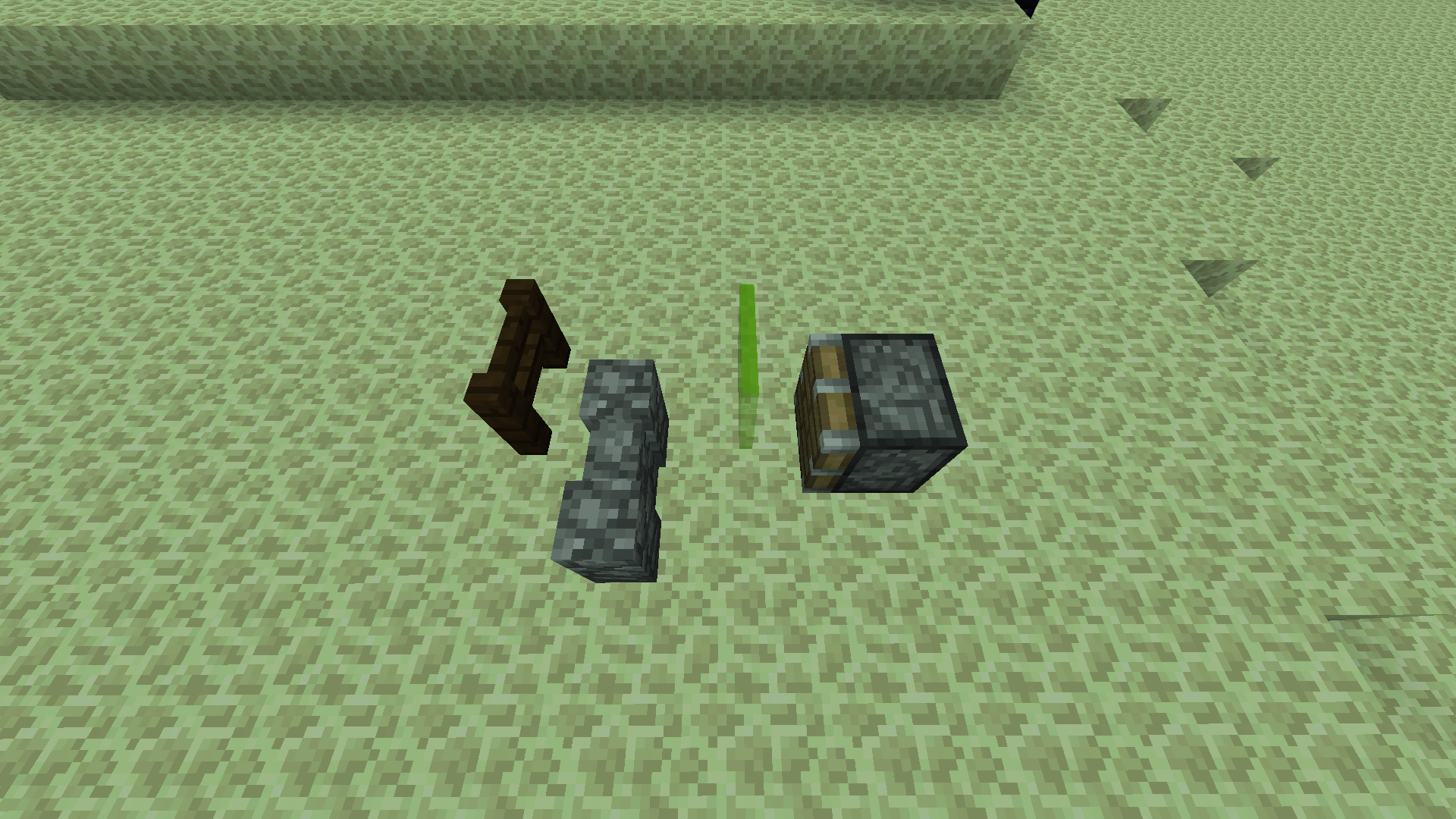

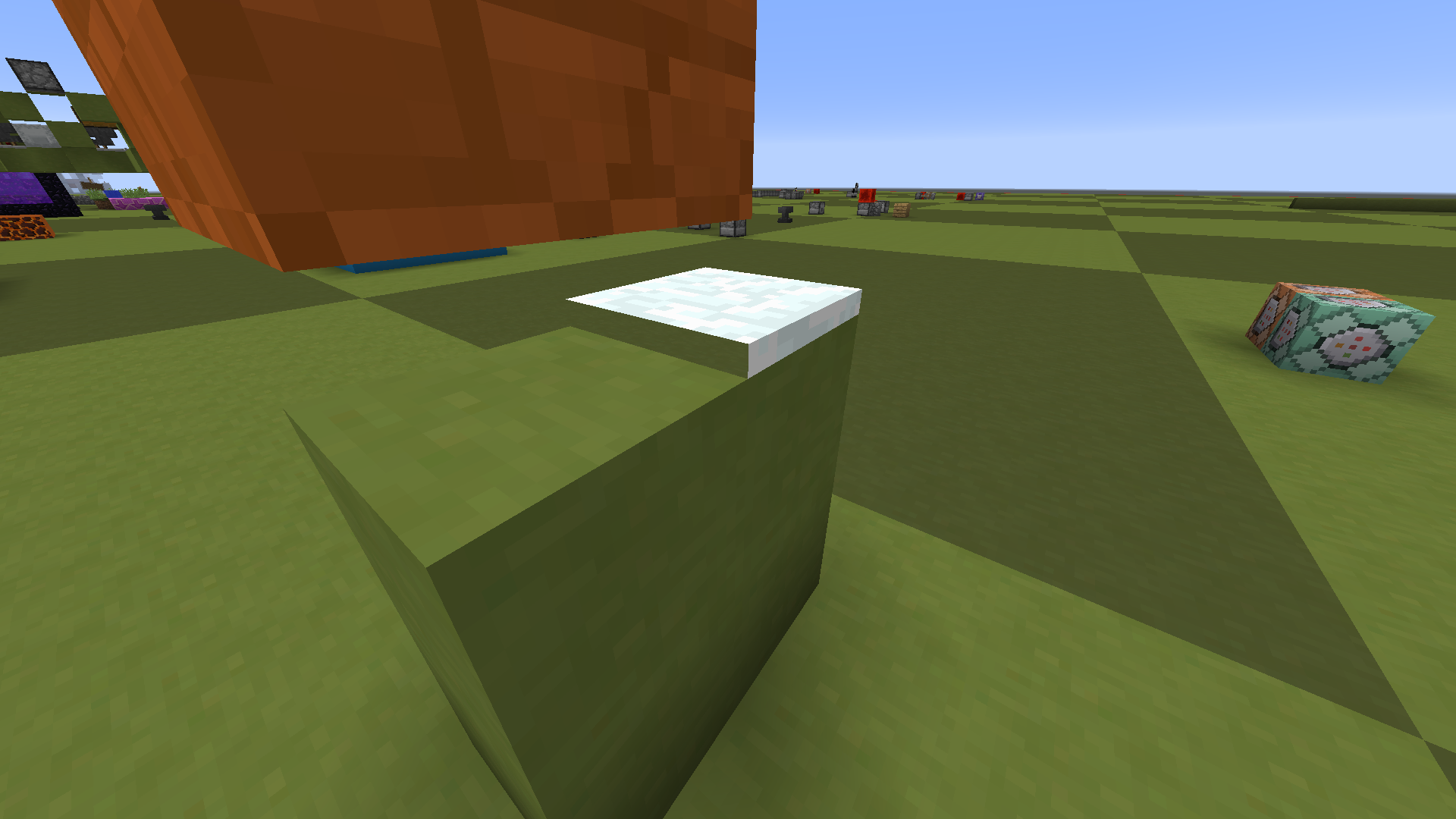

The attack indicator is not indicative of the weapon position or damage dealt.
http://imgur.com/a/nIbZLThis album shows how the weapon is not at all visible until the attack indicator is more than halfway filled, and the weapon continues to raise even when the attack indicator is entirely filled. This means the attack indicator is misleading and does not accurately represent attack damage or "weapon recharge."
This affects most 1.9 snapshots (and probably all), but I'm not going to go back and test them all (sorry!), so I just put 16w04a.
/give @p diamond_sword 1 0 {AttributeModifiers:[{AttributeName:"generic.attackSpeed",Name:"Attack Speed",Amount:-3.9d,Operation:0,UUIDLeast:1L,UUIDMost:1L,Slot:"mainhand"}]}That command will give you a slow-recharging sword so you can easily compare the indicator animation to the weapon raising (and therefore potential damage) animation. The discrepancy is obvious. Note that this also happens with normal weapons, it's just easier to see with this slow recharge speed.
The attack indicator is not indicative of the weapon position or damage dealt.
http://imgur.com/a/nIbZLThis album shows how the weapon is not at all visible until the attack indicator is more than halfway filled, and the weapon continues to raise even when the attack indicator is entirely filled. This means the attack indicator is misleading and does not accurately represent attack damage or "weapon recharge."
This affects most 1.9 snapshots (and probably all), but I'm not going to go back and test them all (sorry!), so I just put 16w04a./give @p diamond_sword 1 0 {AttributeModifiers:[{AttributeName:"generic.attackSpeed",Name:"Attack Speed",Amount:-3.9d,Operation:0,UUIDLeast:1L,UUIDMost:1L,Slot:"mainhand"}]}That command will give you a slow-recharging sword so you can easily compare the indicator animation to the weapon raising (and therefore potential damage) animation. The discrepancy is obvious. Note that this also happens with normal weapons, it's just easier to see with this slow recharge speed.
The attack indicator is not indicative of the weapon position or damage dealt.
http://imgur.com/a/nIbZLThis album shows how the weapon is not at all visible until the attack indicator is more than halfway filled, and the weapon continues to raise even when the attack indicator is entirely filled. This means the attack indicator is misleading and does not accurately represent attack damage or "weapon recharge."
I don't have every version from 1.9 to 1.10 listed, but I really doubt they managed to fix it and then reverted it between patches.
/give @p diamond_sword 1 0 {AttributeModifiers:[{AttributeName:"generic.attackSpeed",Name:"Attack Speed",Amount:-3.9d,Operation:0,UUIDLeast:1L,UUIDMost:1L,Slot:"mainhand"}]}That command will give you a slow-recharging sword so you can easily compare the indicator animation to the weapon raising (and therefore potential damage) animation. The discrepancy is obvious. Note that this also happens with normal weapons, it's just easier to see with this slow recharge speed.
The attack indicator is not indicative of the weapon position or damage dealt.
http://imgur.com/a/nIbZLThis album shows how the weapon is not at all visible until the attack indicator is more than halfway filled, and the weapon continues to raise even when the attack indicator is entirely filled. This means the attack indicator is misleading and does not accurately represent attack damage or "weapon recharge."
I don't have every version from 1.9 to 1.10 listed, but I really doubt they managed to fix it and then reverted it between patches.
/give @p diamond_sword 1 0 {AttributeModifiers:[{AttributeName:"generic.attackSpeed",Name:"Attack Speed",Amount:-3.9d,Operation:0,UUIDLeast:1L,UUIDMost:1L,Slot:"mainhand"}]}That command will give you a slow-recharging sword so you can easily compare the indicator animation to the weapon raising (and therefore potential damage) animation. The discrepancy is obvious. Note that this also happens with normal weapons, it's just easier to see with this slow recharge speed.
The two screenshots illustrate how the sword is not fully raised even when the indicator is full. Notice the difference between fully raised sword and the raise level when the indicator is full.
The attack indicator is not indicative of the weapon position or damage dealt.
http://imgur.com/a/nIbZLThis album shows how the weapon is not at all visible until the attack indicator is more than halfway filled, and the weapon continues to raise even when the attack indicator is entirely filled. This means the attack indicator is misleading and does not accurately represent attack damage or "weapon recharge."
I don't have every version from 1.9 to 1.10 listed, but I really doubt they managed to fix it and then reverted it between patches.
/give @p diamond_sword 1 0 {AttributeModifiers:[{AttributeName:"generic.attackSpeed",Name:"Attack Speed",Amount:-3.9d,Operation:0,UUIDLeast:1L,UUIDMost:1L,Slot:"mainhand"}]}That command will give you a slow-recharging sword so you can easily compare the indicator animation to the weapon raising (and therefore potential damage) animation. The discrepancy is obvious. Note that this also happens with normal weapons, it's just easier to see with this slow recharge speed.
The two screenshots illustrate how the sword is not fully raised even when the indicator is full. Notice the difference between fully raised sword and the raise level when the indicator is full.
The attack indicator is not indicative of the weapon position or damage dealt.
http://imgur.com/a/nIbZLThis album shows how the weapon is not at all visible until the attack indicator is more than halfway filled, and the weapon continues to raise even when the attack indicator is entirely filled. This means the attack indicator is misleading and does not accurately represent attack damage or "weapon recharge."
/give @p diamond_sword 1 0 {AttributeModifiers:[{AttributeName:"generic.attackSpeed",Name:"Attack Speed",Amount:-3.9d,Operation:0,UUIDLeast:1L,UUIDMost:1L,Slot:"mainhand"}]}That command will give you a slow-recharging sword so you can easily compare the indicator animation to the weapon raising (and therefore potential damage) animation. The discrepancy is obvious. Note that this also happens with normal weapons, it's just easier to see with this slow recharge speed.
The two screenshots illustrate how the sword is not fully raised even when the indicator is full. Notice the difference between fully raised sword and the raise level when the indicator is full.
The attack indicator is not indicative of the weapon position or damage dealt.
http://imgur.com/a/nIbZLThis album shows how the weapon is not at all visible until the attack indicator is more than halfway filled, and the weapon continues to raise even when the attack indicator is entirely filled. This means the attack indicator is misleading and does not accurately represent attack damage or "weapon recharge."
/give @p diamond_sword 1 0 {AttributeModifiers:[{AttributeName:"generic.attackSpeed",Name:"Attack Speed",Amount:-3.9d,Operation:0,UUIDLeast:1L,UUIDMost:1L,Slot:"mainhand"}]}
That command will give you a slow-recharging sword so you can easily compare the indicator animation to the weapon raising (and therefore potential damage) animation. The discrepancy is obvious. Note that this also happens with normal weapons, it's just easier to see with this slow recharge speed.The two screenshots illustrate how the sword is not fully raised even when the indicator is full. Notice the difference between fully raised sword and the raise level when the indicator is full.
The bug
The attack indicator is not indicative of the weapon position or damage dealt.
http://imgur.com/a/nIbZLThis album shows how the weapon is not at all visible until the attack indicator is more than halfway filled, and the weapon continues to raise even when the attack indicator is entirely filled. This means the attack indicator is misleading and does not accurately represent attack damage or "weapon recharge."
How to reproduce
To obtain a slow-recharging weapon that easily demonstrates this behavior, run the following command:
/give @p diamond_sword 1 0 {AttributeModifiers:[{AttributeName:"generic.attackSpeed",Name:"Attack Speed",Amount:-3.9d,Operation:0,UUIDLeast:1L,UUIDMost:1L,Slot:"mainhand"}]}Compare the indicator animation to the weapon raising (and therefore potential damage) animation. The discrepancy is obvious. Note that this also happens with normal weapons, it's just easier to see with this slow recharge speed.
The two screenshots illustrate how the sword is not fully raised even when the indicator is full. Notice the difference between fully raised sword and the raise level when the indicator is full.
The bug
The attack indicator is not indicative of the weapon position or damage dealt.
http://imgur.com/a/nIbZLThis album shows how the weapon is not at all visible until the attack indicator is more than halfway filled, and the weapon continues to raise even when the attack indicator is entirely filled. This means the attack indicator is misleading and does not accurately represent attack damage or "weapon recharge."
How to reproduce
To obtain a slow-recharging weapon that easily demonstrates this behavior, run the following command:
/give @p diamond_sword1 0{AttributeModifiers:[{AttributeName:"generic.attackSpeed",Name:"Attack Speed",Amount:-3.9d,Operation:0,UUIDLeast:1L,UUIDMost:1L,Slot:"mainhand"}]}Compare the indicator animation to the weapon raising (and therefore potential damage) animation. The discrepancy is obvious. Note that this also happens with normal weapons, it's just easier to see with this slow recharge speed.
The two screenshots illustrate how the sword is not fully raised even when the indicator is full. Notice the difference between fully raised sword and the raise level when the indicator is full.
Attack indicatordoes not matchweapon positionAttack indicator and weapon position heavily out of sync
The bug
The attack indicator is not indicative of the weapon position or damage dealt.
http://imgur.com/a/nIbZLThis album shows how the weapon is not at all visible until the attack indicator is more than halfway filled, and the weapon continues to raise even when the attack indicator is entirely filled. This means the attack indicator is misleading and does not accurately represent attack damage or "weapon recharge."
How to reproduce
T
o obtain a slow-recharging weapon that easily demonstrates this behavior, run the following command:/give @p diamond_sword{AttributeModifiers:[{AttributeName:"generic.attackSpeed",Name:"Attack Speed",Amount:-3.9d,Operation:0,UUIDLeast:1L,UUIDMost:1L,Slot:"mainhand"}]}Compare the indicator animation to the weapon raising (and therefore potential damage) animation. The discrepancy is obvious. Note that this also happens with normal weapons, it's just easier to see with this slow recharge speed.
The two screenshots illustrate how the sword is not fully raised even when the indicator is full. Notice the difference between fully raised sword and the raise level when the indicator is full.
The bug
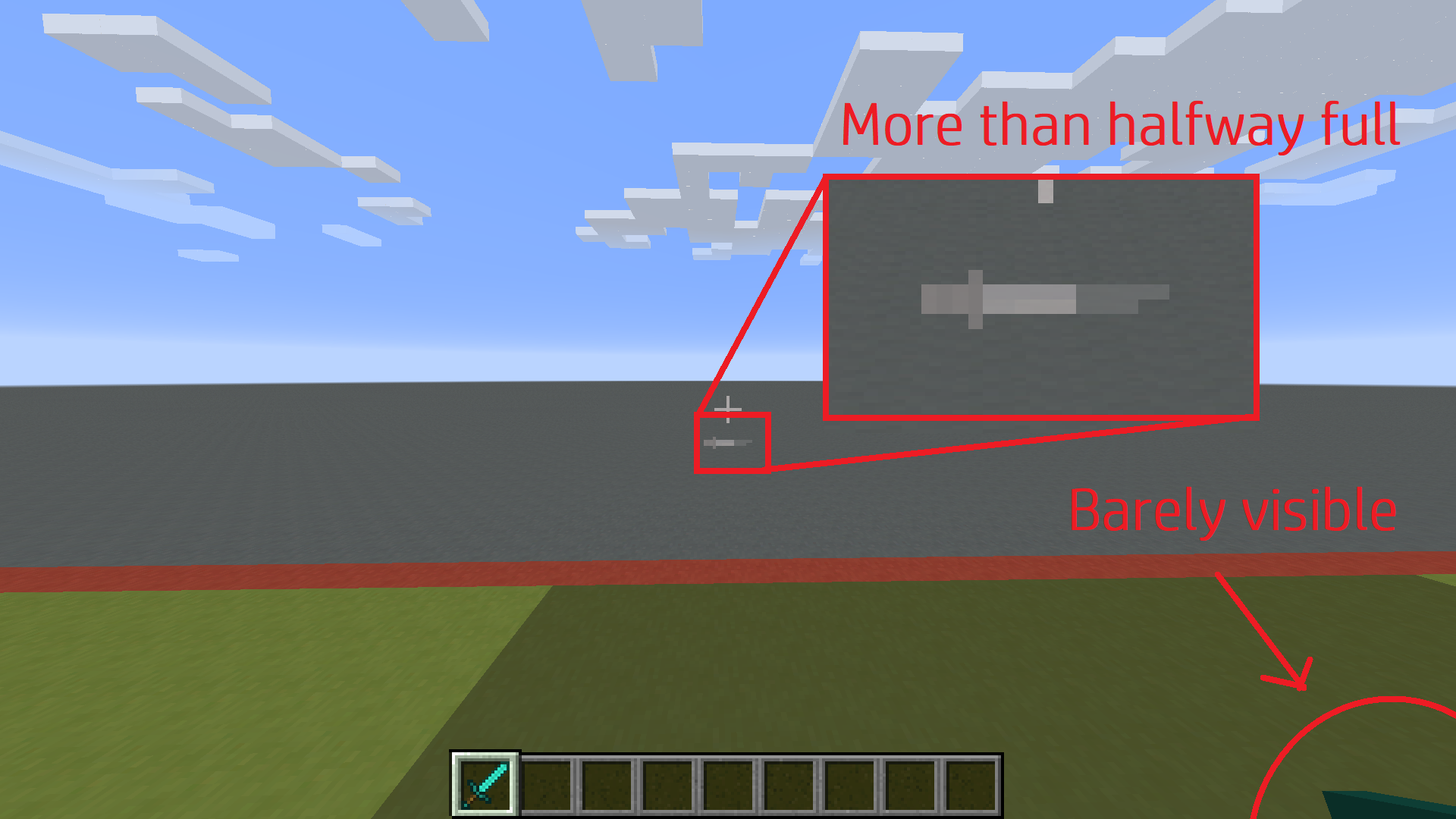
The attack indicator fills at a completely different rate than the item raises.
1. By the time the item enters the screen, the attack indicator is more than halfway full:

2. By the time the hotbar indicator is full, the item is still mostly off-screen:
Hotbar Indicator:
Item begins raising at 50%.
Item stops raising at ~125%.Crosshair Indicator:
Item begins raising at 50%.
Item stops raising at 100%.
How to reproduce
The animation is very quick. It's noticeable with any item, even non-weapons. To see the discrepancy precisely, use a weapon with very slow attack speed:
/give @p diamond_sword{AttributeModifiers:[{AttributeName:"generic.attackSpeed",Name:"Attack Speed",Amount:-3.8d,Operation:0,UUIDLeast:1L,UUIDMost:1L,Slot:"mainhand"}]}

The bug
The attack indicator fills at a completely different rate than the item raises.
1. By the time the item enters the screen, the attack indicator is more than halfway full:
2. By the time the hotbar indicator is full, the item is still mostly off-screen:
Hotbar Indicator:
Item begins raising at 50%.
Item stops raising at ~125%.Crosshair Indicator:
Item begins raising at 50%.
Item stops raising at 100%.
How to reproduce
The animation is very quick. It's noticeable with any item, even non-weapons. To see the discrepancy precisely, use a weapon with very slow attack speed:
/give @p diamond_sword{AttributeModifiers:[{AttributeName:"generic.attackSpeed",Name:"Attack Speed",Amount:-3.8d,Operation:0,UUIDLeast:1L,UUIDMost:1L,Slot:"mainhand"}]}The bug
The attack indicator fills at a completely different rate than the item raises.
1. By the time the item enters the screen, the attack indicator is more than halfway full:
2. By the time the hotbar indicator is full, the item is still mostly off-screen. It continues raising for a moment while the indicator remains full:
Hotbar Indicator:
Item begins raising at 50%.
Item stops raising at ~125%.Crosshair Indicator:
Item begins raising at 50%.
Item stops raising at 100%.
How to reproduce
The animation is very quick. It's noticeable with any item, even non-weapons. To see the discrepancy precisely, use a weapon with very slow attack speed:
/give @p diamond_sword{AttributeModifiers:[{AttributeName:"generic.attackSpeed",Name:"Attack Speed",Amount:-3.8d,Operation:0,UUIDLeast:1L,UUIDMost:1L,Slot:"mainhand"}]}
The bug
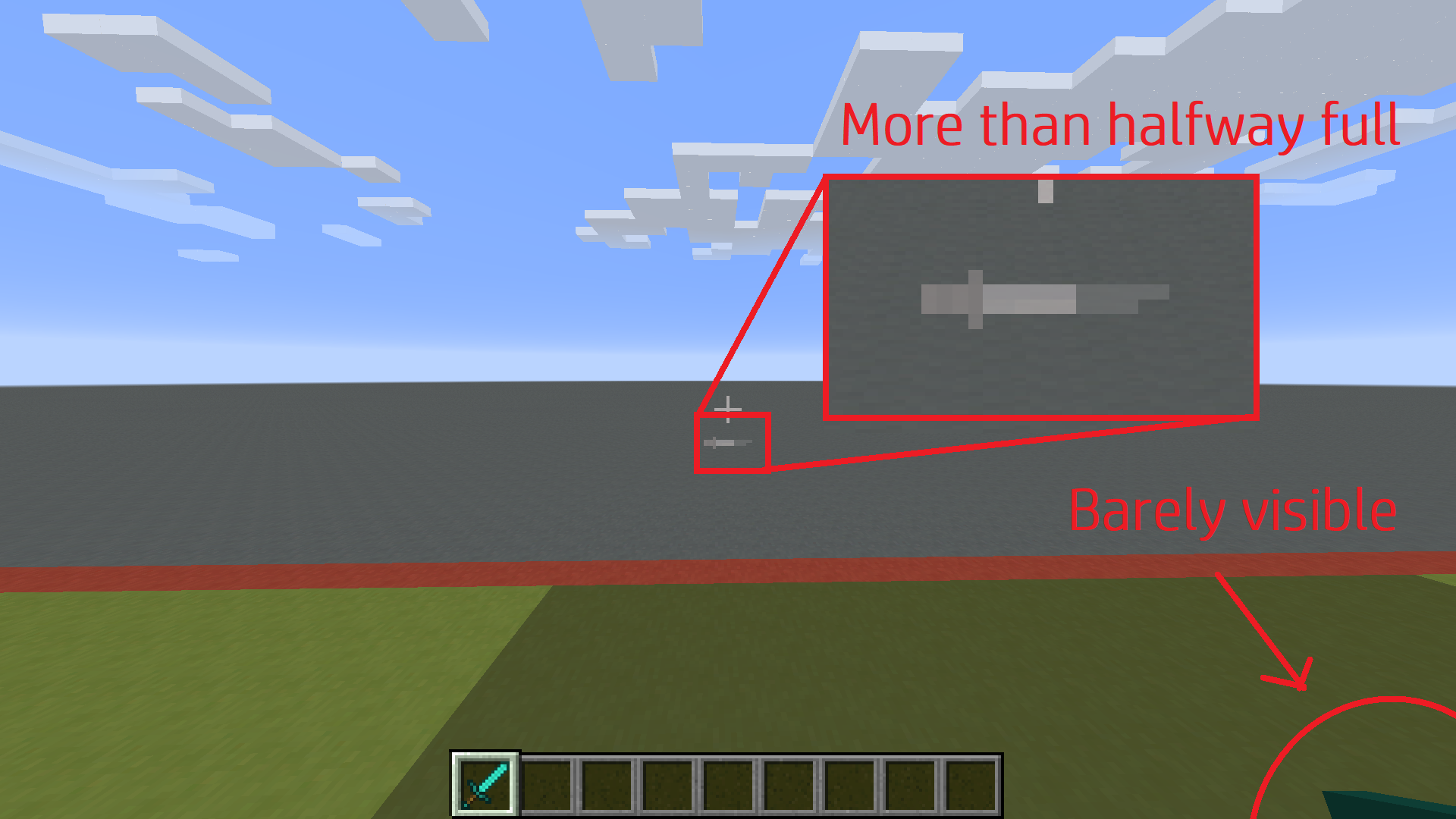
The attack indicator fills at a completely different rate than the item raises.
1. By the time the item enters the screen, the attack indicator is more than halfway full:
2. By the time the hotbar indicator is full, the item is still mostly off-screen. It continues raising for a moment while the indicator remains full:
Hotbar Indicator:
Item begins raising at 50%.
Item stops raising at ~125%.Crosshair Indicator:
Item begins raising at 50%.
Item stops raising at 100%.
How to reproduce
The animation is very quick. It's noticeable with any item, even non-weapons. To see the discrepancy precisely, use a weapon with very slow attack speed:
/give @p diamond_sword{AttributeModifiers:[{AttributeName:"generic.attackSpeed",Name:"Attack Speed",Amount:-3.8d,Operation:0,UUIDLeast:1L,UUIDMost:1L,Slot:"mainhand"}]}The bug
The attack indicator fills at a completely different rate than the item raises.
1. By the time the item enters the screen, the attack indicator is more than halfway full:
2. By the time the hotbar indicator is full, the item is still mostly off-screen. It continues raising for a moment while the indicator remains full:
Hotbar Indicator:
Item begins raising at 50%.
Item stops raising at ~125%.Crosshair Indicator:
Item begins raising at 50%.
Item stops raising at 100%.
How to reproduce
The animation is very quick. It's noticeable with any item, even non-weapons. To see the discrepancy precisely, use a weapon with very slow attack speed:
/give @p diamond_sword{AttributeModifiers:[{AttributeName:"generic.attack_speed",Name:"Attack Speed",Amount:-3.8d,Operation:0,UUID:[I;9,7,5,3],Slot:"mainhand"}]}
Water and lava flow affected by random ticks
I'm fairly certain this also happens in 1.8, but I haven't tested it.Basically, water flow changes when random tick speed is higher. When water gets randomly ticked, it flows. That seems strange, since water flow should always be predictable.
To illustrate this, here is a gif of this behavior with 300 random tick speed:http://gfycat.com/NiftyInnocentElverNotice the flow being uneven throughout, whereas a random tick speed of 0 is completely even:
http://gfycat.com/PrestigiousAdorableBeardeddragon
(Actually, there is a slight inconsistency to the right, but I believe that's a separate issue).The point is, this means water can suddenly flow too far in one tick if it is randomly ticked, even at the default random tick speed of 3. This is rather inconsistent and weird.
When water gets randomly ticked, it flows. That seems strange, since water flow should always be predictable.
To illustrate this, here is a gif of this behavior with 300 random tick speed: http://gfycat.com/NiftyInnocentElver
Notice the flow being uneven throughout, whereas a random tick speed of 0 is completely even:
http://gfycat.com/PrestigiousAdorableBeardeddragon
(Actually, there is a slight inconsistency to the right, but I believe that's a separate issue).The point is, this means water can suddenly flow too far in one tick if it is randomly ticked, even at the default random tick speed of 3. This is rather inconsistent and weird.
When water gets randomly ticked, it flows. That seems strange, since water flow should always be predictable.
To illustrate this, here is a gif of this behavior with 300 random tick speed: http://gfycat.com/NiftyInnocentElver
Notice the flow being uneven throughout, whereas a random tick speed of 0 is completely even:
http://gfycat.com/PrestigiousAdorableBeardeddragon
(Actually, there is a slight inconsistency to the right, but I believe that's a separate issue).The point is, this means water can suddenly flow too far in one tick if it is randomly ticked, even at the default random tick speed of 3. This is rather inconsistent and weird.
The bug
When a liquid gets randomly ticked, it flows. That seems strange, since flow should always be predictable. To illustrate this, here is a gif of this behavior with 300 random tick speed: http://gfycat.com/NiftyInnocentElver
Notice the flow being uneven throughout, whereas a random tick speed of 0 is completely even:
http://gfycat.com/PrestigiousAdorableBeardeddragon
(Actually, there is a slight inconsistency to the right, but I believe that's a separate issue).How to reproduce
In order to see the effects, run /gamerule randomTickSpeed 1000 and place some water or lava. Note that this behavior can still happen at the default random tick speed, it's just unlikely and difficult to see.
Code analysis
The actionbar messages that appear when using `/title actionbar` do not obey the `fadeIn`, `stay`, and `fadeOut` parameters when specified with `/title times` like the normal titles and subtitles do.
To simply reproduce:
{"text":"Hello world!"}
`/title @a times 100 100 100`
`/title @a title`
{"text":"Hello world!"}
`/title @a actionbar`
Notice that the large title fades in and out very slowly and stays plastered on the screen for the full duration, but the actionbar text instantly appears and fades out whenever it feels like, disregarding the title times.
The actionbar messages that appear when using `/title actionbar` do not obey the `fadeIn`, `stay`, and `fadeOut` parameters when specified with `/title times` like the normal titles and subtitles do.
To simply reproduce:
/title @a times 100 100 100 /title @a title {"text":"Hello world!"} /title @a actionbar {"text":"Hello world!"}Notice that the large title fades in and out very slowly and stays plastered on the screen for the full duration, but the actionbar text instantly appears and fades out whenever it feels like, disregarding the title times.
The actionbar messages that appear when using
`/title actionbar`do not obey the`fadeIn`,`stay`, and`fadeOut`parameters when specified with`/title times`like the normal titles and subtitles do.To simply reproduce:
/title @a times 100 100 100 /title @a title {"text":"Hello world!"} /title @a actionbar {"text":"Hello world!"}Notice that the large title fades in and out very slowly and stays plastered on the screen for the full duration, but the actionbar text instantly appears and fades out whenever it feels like, disregarding the title times.
The actionbar messages that appear when using /title actionbar do not obey the fadeIn, stay, and fadeOut parameters when specified with /title times like the normal titles and subtitles do.
To simply reproduce:/title @a times 100 100 100 /title @a title {"text":"Hello world!"} /title @a actionbar {"text":"Hello world!"}Notice that the large title fades in and out very slowly and stays plastered on the screen for the full duration, but the actionbar text instantly appears and fades out whenever it feels like, disregarding the title times.
The bug
The actionbar messages that appear when using /title actionbar do not obey the fadeIn, stay, and fadeOut parameters when specified with /title times like the normal titles and subtitles do.
How to reproduce
Run the following commands:
/title @a times 100 100 100 /title @a title {"text":"Hello world!"} /title @a actionbar {"text":"Hello world!"}Notice that the large title fades in and out very slowly and stays plastered on the screen for the full duration, but the actionbar text instantly appears and fades out whenever it feels like, disregarding the title times.
The bug
The actionbar messages that appear when using /title actionbar do not obey the fadeIn, stay, and fadeOut parameters when specified with /title times like the normal titles and subtitles do.
How to reproduce
Run the following commands:
/title @a times 100 100 100 /title @a title {"text":"Hello world!"} /title @a actionbar {"text":"Hello world!"}Notice that the large title fades in and out very slowly and stays plastered on the screen for the full duration, but the actionbar text instantly appears and fades out
whenever it feels like, disregarding the title times.The bug
The actionbar messages that appear when using /title actionbar do not obey the fadeIn, stay, and fadeOut parameters when specified with /title times like the normal titles and subtitles do.
How to reproduce
Run the following commands:
/title @a times 100 100 100 /title @a title {"text":"Hello world!"} /title @a actionbar {"text":"Hello world!"}Notice that the large title fades in and out very slowly and stays plastered on the screen for the full duration, but the actionbar text instantly appears and fades out after a fixed time at a constant rate, disregarding the title times.
While item use stats are set up like
stat.useItem.minecraft.diamond_pickaxe, entity stats are set up like
stat.killEntity.PolarBear.
The actual entity name is now
polar_bear, thus it is inconsistent with the item stat format and the new entity names.
While item use stats are set up like stat.useItem.minecraft.diamond_pickaxe, entity stats are set up like stat.killEntity.PolarBear.
The actual entity name is now polar_bear, thus it is inconsistent with the item stat format and the new entity names. This applies to all entity stats.
While item use stats are set up like stat.useItem.minecraft.diamond_pickaxe, entity stats are set up like stat.killEntity.PolarBear.
The actual entity name is now polar_bear, thus it is inconsistent with the item stat format and the new entity names. This applies to all entity stats.
While item use stats are set up like stat.useItem.minecraft.diamond_pickaxe, entity stats are set up like stat.killEntity.PolarBear.
The actual entity name is now polar_bear, thus it is inconsistent with the item stat format and the new entity names. This applies to all entity stats.
While item use stats are set up likestat.useItem.minecraft.diamond_pickaxe, entity stats are set up likestat.killEntity.PolarBear.
The actual entity name is nowpolar_bear, thus it isinconsistent with theitem stat format and the new entity names. This applies to all entity stats.Item stats are formatted as stat.statType.namespace.item_name. For example: stat.useItem.minecraft.fish, or stat.breakItem.minecraft.wooden_sword.
Conversely, entity stats are formatted as stat.statType.EntityName. For example: stat.killEntity.PolarBear, or stat.entityKilledBy.SkeletonHorse. These names are inconsistent with the actual entity names, which are now minecraft:polar_bear and minecraft:skeleton_horse in the above examples, and generally follow the namespace:underscore_separated convention.
Essentially, the entity names used in entity stats are wrong, either using the old entity names, or new entity names formatted similarly to pre-1.11 convention. In addition, they lack the proper namespace.
Entity kill stat objectives using old/incorrect entity names
Vindication illagers with the Johnny tag set to true will attempt to attack armor stands. This is of course, fruitless, because they cannot take damage. The reason for this is almost certainly because armor stands extend "living mob," and Johnny vindicators attack living mobs.
Note that withers, who also attack living mobs, are also affected. Other bug reports describing this issue were assigned as duplicates of
MC-1673, though it seems to be to be a separate issue – mobs that attack other mobs try to attack armor stands.
Johnny Vindicators attempt to attack armor stands
Vindication illagers with the Johnny tag set to true will attempt to attack armor stands. This is of course, fruitless, because they cannot take damage. The reason for this is almost certainly because armor stands extend "living mob," and Johnny vindicators attack living mobs.
Note that withers, who also attack living mobs, are also affected. Other bug reports describing this issue were assigned as duplicates of
MC-1673, though it seems to be to be a separate issue – mobs that attack other mobs try to attack armor stands.
Edit: Never mind, the report for this behavior on withers isMC-80692.
relates to
is duplicated by
To reproduce, throw several lingering potions on the ground. When hitboxes are visible (F3+B), you can clearly see that some are higher than others, often floating nearly half a block off the ground.
Could probably be fixed, for all intents and purposes, by fixingMC-88368, but apparently area effect clouds are supposed to hover in the air?
Either way, when the potion is thrown at the ground, the effect cloud should be created onthe ground.The bug
Lingering potion thrown on the ground can produce area effect clouds at varying heights. This behavior occurs from all kinds of throwing angles, distances, and speeds. This bug could be sufficiently fixed by fixing
MC-88368.How to reproduce
Press F3+B and throw several lingering potions on the ground. You can clearly see that some hitboxes are higher than others, often floating nearly half a block off the ground.
The bug
Lingering potions thrown on the ground can produce area effect clouds at varying heights. This behavior occurs from all kinds of throwing angles, distances, and speeds. This bug could be sufficiently fixed by fixing
MC-88368.How to reproduce
Press F3+B and throw several lingering potions on the ground. You can clearly see that some hitboxes are higher than others, often floating nearly half a block off the ground.
The bug
Lingering potions thrown on the ground can produce area effect clouds at varying heights. This behavior occurs from all kinds of throwing angles, distances, and speeds. This bug could be sufficiently fixed by fixing
MC-88368.Short entities like axolotls and turtles can sometimes avoid lingering clouds just because the cloud spawns so high, even though the potion landed on the ground. Example:
MC-210987How to reproduce
Press F3+B and throw several lingering potions on the ground. You can clearly see that some hitboxes are higher than others, often floating nearly half a block off the ground.
is duplicated by
When a block is randomly rotated due to its model (default grass, sand, netherrack, etc), the block crack animation is rotated as well. This affects plenty of old versions, but I don't really want to downgrade repeatedly until I hit the first one, haha.
These two terrible-quality screenshots show that even when the player is facing the same direction, the block crack animation varies based on block rotation.
2016-11-25_12.01.44.png
Block crack animationrotates with blockBlock crack animation changes based on block rotation
When you use a shovel with silk touch on Snow cape drop snowballs instead of the snow.
To reproduce, simply dig up a snow layer with a silk touch shovel. Notice that it drops a snowball instead of the layer itself. Contrast this behavior with that of full snow blocks, which drop four snowballs when harvested with a normal shovel, but drop themselves as expected when harvested with a silk touch shovel.
Silk touch don't work on SnowSnow layers drop snowballs when harvested with a silk touch tool
Snow layers drop snowballs when harvested with a silk touch toolSnow layers don't drop themselves when harvested with a silk touch tool

Confirmed for
- 16w04a
Looks like the "percentage" of how far the icon should be filled is rounded up
[Mod] tryashtar please add the command to reproduce to the description or add the following one:
/give @p diamond_sword 1 0 {AttributeModifiers:[{AttributeName:"generic.attackSpeed",Name:"Attack Speed",Amount:-3.9d,Operation:0,UUIDLeast:1L,UUIDMost:1L,Slot:"mainhand"}]}

How to reproduce
Use the following command
/setblock ~2 ~ ~ end_gateway{Age:4780L}
→ The beam appears one second (20 ticks) after the end gateway was placed, despite no entity being teleported
Workaround
[Mod] tryashtar mentioned a workaround for the time being:
Set the end gateway's Age to a negative value for example -9223372036854775808L since that is the lowest long value possible and is about 14623560433 years in the real world.
Note: Be aware that this workaround will also remove any beam occurrence even if an entity enters that gateway
(as long as the gateway got a negative Age value).
If you do need a beam whenever an entity enters the gateway, but want to additionally prevent the currently periodically recurring beam each 2400 ticks, set e.g. a command block contraption with a timer that resets the gateway's age to 200 (timer at maximum at 2199 ticks = 1 minute and 49,95 seconds realtime).
Code analysis
See this comment.

[Mod] tryashtar, the first one is MC-69822
Reopened and gave the ticket to @[Mod] tryashtar. Please update it.

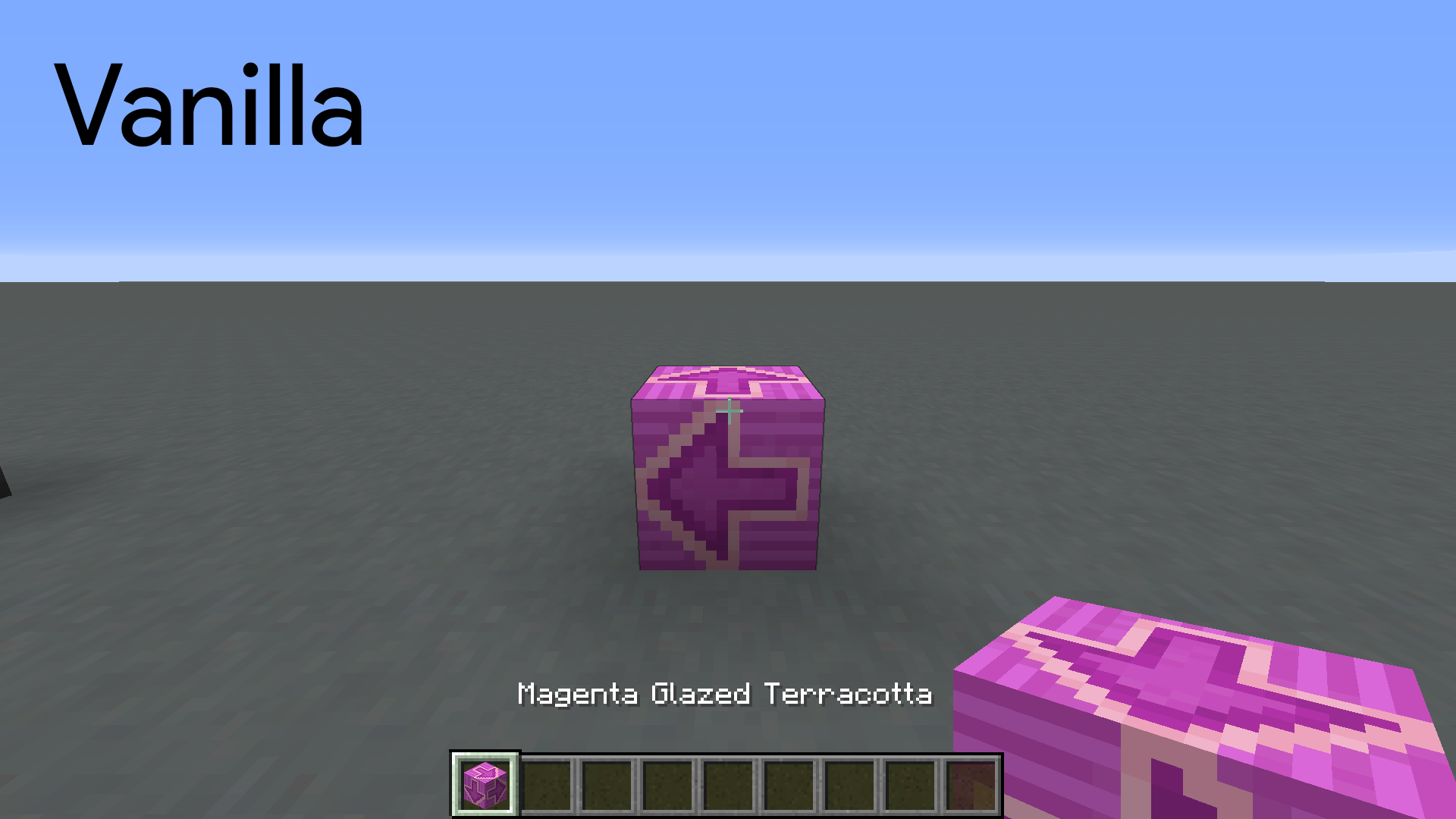
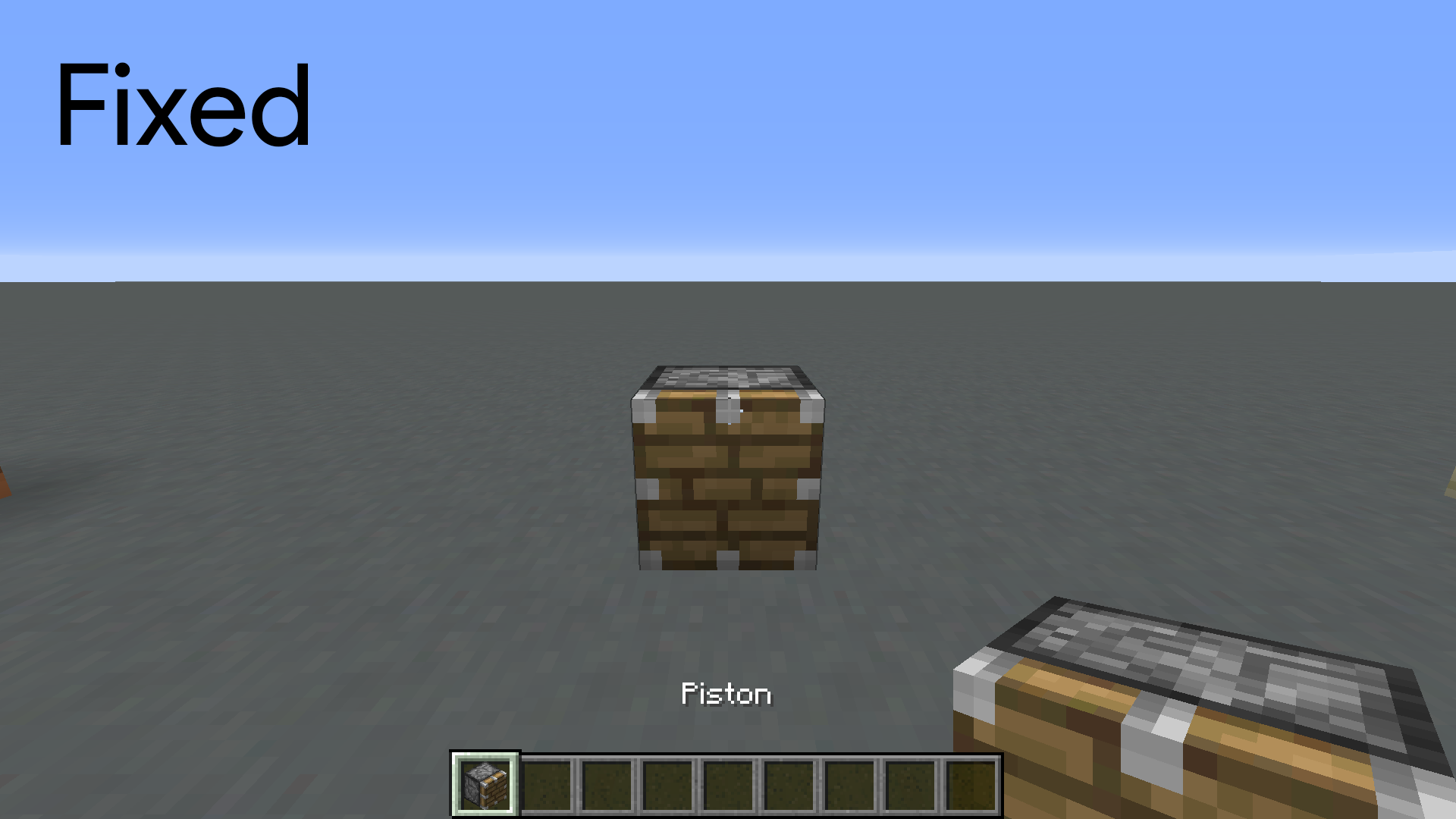
[Mod] tryashtar The new blocks are called glazed terracotta, and they're made by smelting stained clay. So I guess that retroactively makes stained clay simply not-glazed terracotta. And hey, it's more concise, so that's a plus. 
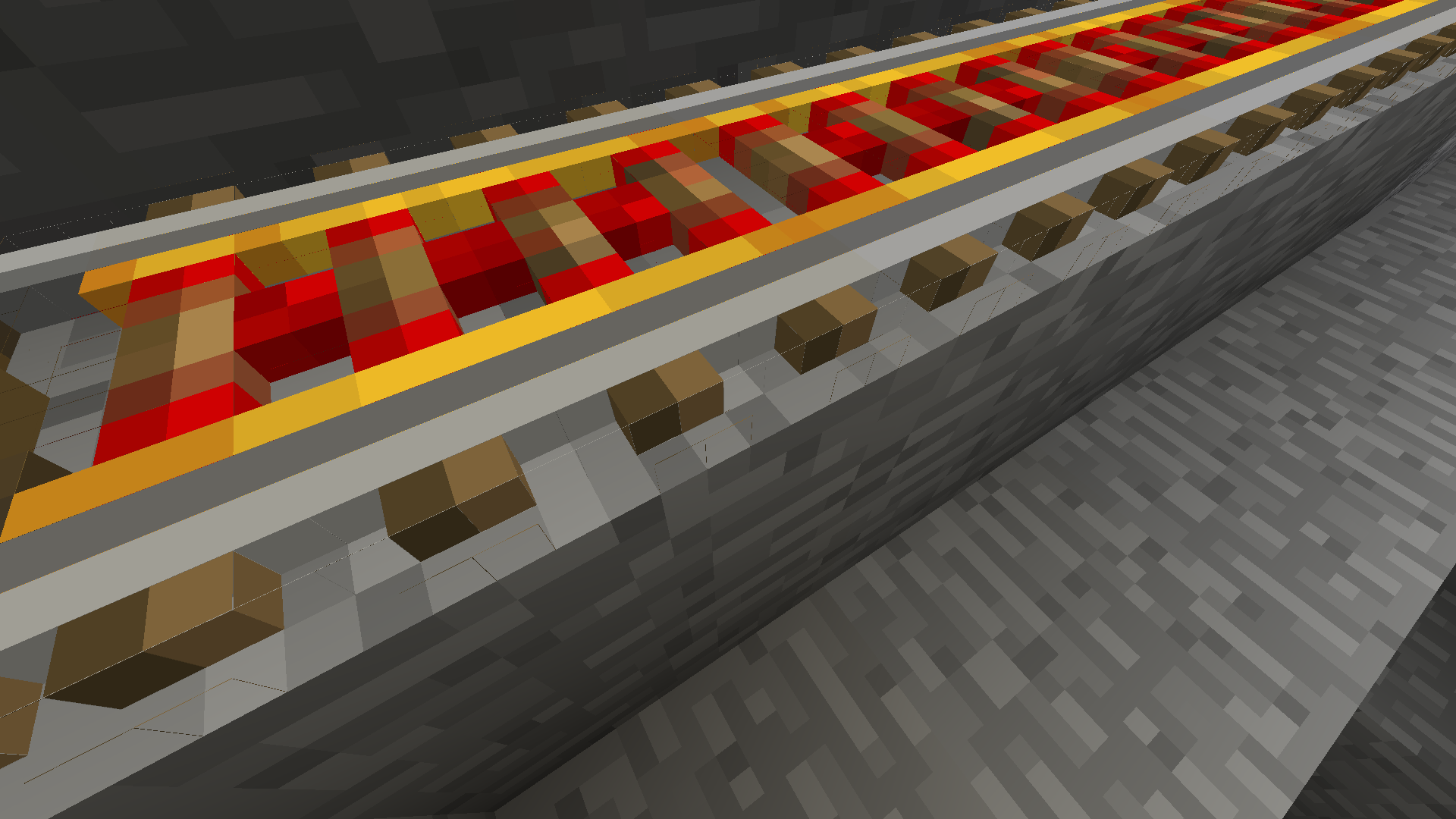
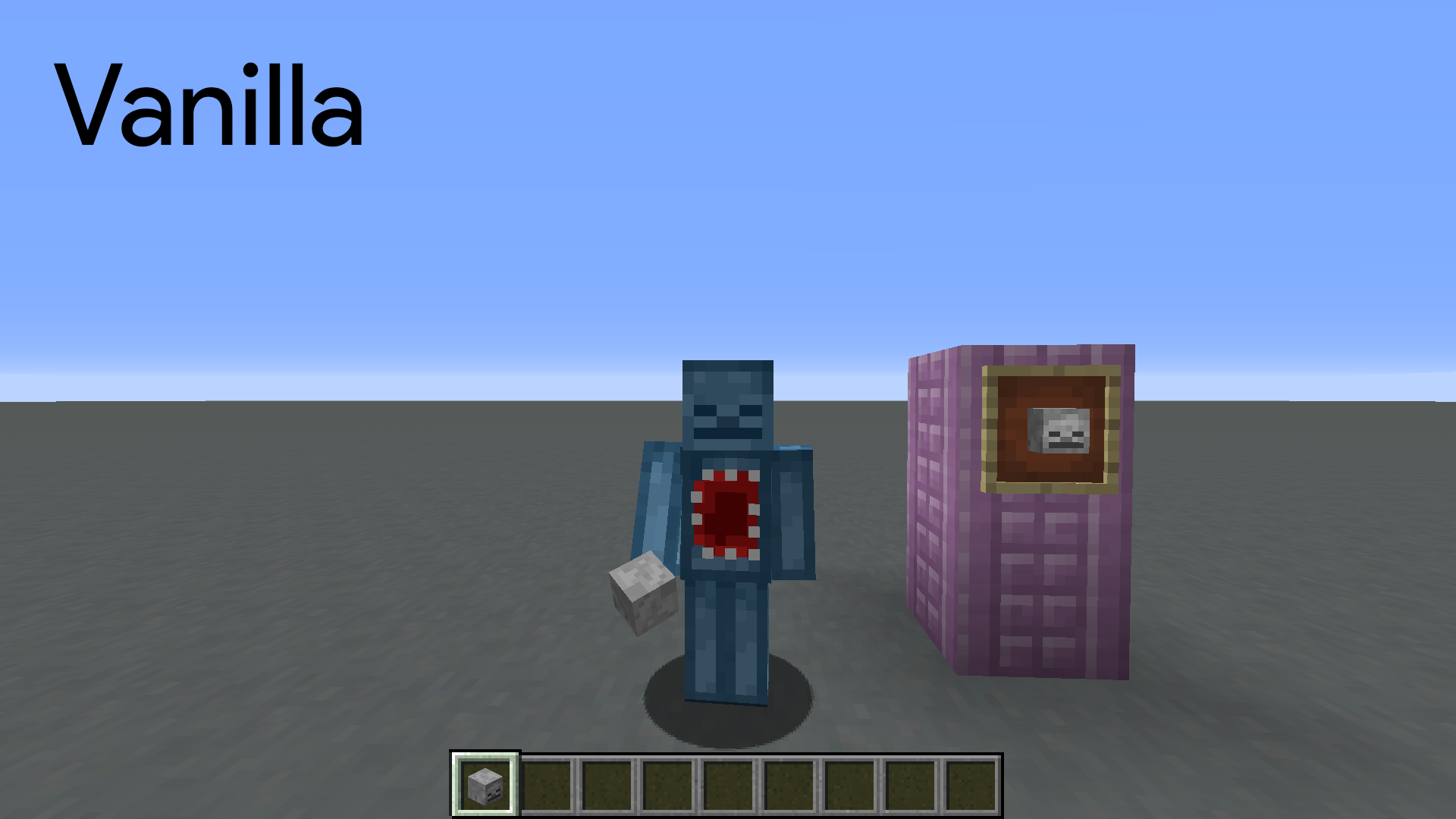
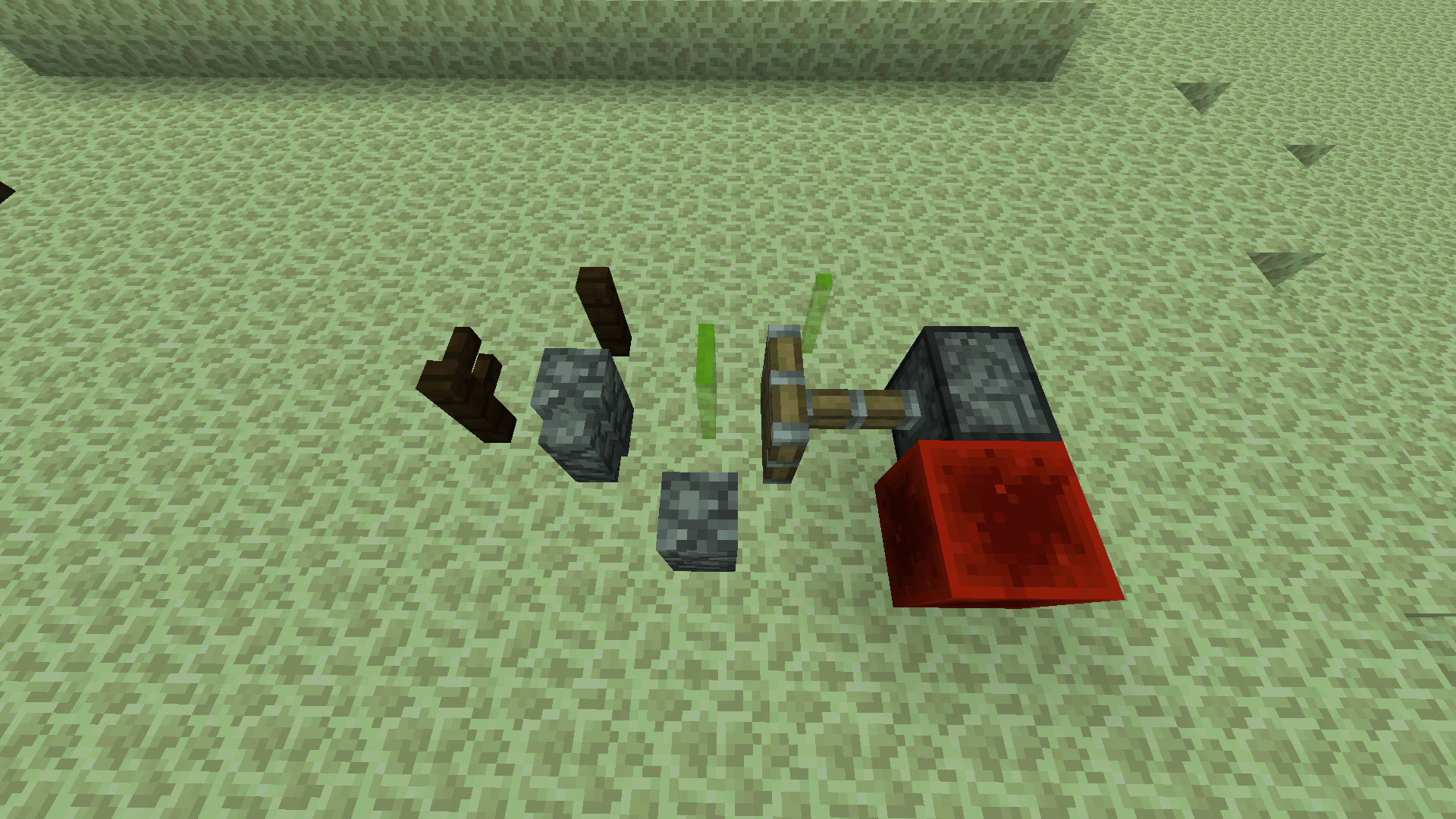
This image that [Mod] tryashtar just uploaded is of a resource pack. Still, I think it's a fitting demonstration because Minecraft makes it difficult to model that sort of thing. You have to know what robust geometry entails and correct for the piston head problem to get good results.
I happen to have done it 'right' for ladders once. At the time I didn't know the proper corrections to apply, but what I did was good enough to work out. Still, the edges of the ladder don't line up with the dirt texture behind it. One more thing that's made worse by Minecraft's correction, but is also very difficult to solve entirely:

I think we'll have to accept that these interactions won't be solved. But at least individual parts can be made to work.
![[Mod] Avoma](../../../data/avatars/users/86198.png)
The Bug:
The "maxEntityCramming" gamerule doesn't apply to bats.
Steps to Reproduce:
- Summon around fifty bats.
- Teleport all of the bats to your position by using the command provided below.
/tp @e[type=minecraft:bat] @s
- Take note as to whether or not some of the bats received damage as a result of lots of them occupying the same space.
Observed Behavior:
The "maxEntityCramming" gamerule doesn't apply to bats.
Expected Behavior:
The "maxEntityCramming" gamerule would apply to bats.
Code Analysis:
Code analysis by [Mod] tryashtar can be found in this comment.
[Mod] tryashtar I didn't think of offering a workaround for the time being as I was too convinced it is not WaI and they'd fix it asap 
You're of course right, and I'll add it to the description, but will also mention the consequences of this negative age method, just to make sure everyone can figure if this works for their specific usage.
For most people this is surely a good workaround for now!
Thank you! 
Sounds like a duplicate of MC-30946 (see [Mod] tryashtar's comment there).
![[Mod] Les3awe](../../../data/avatars/users/79847.png)
@[Mod] tryashtar, I can confirm what you said.
[Mod] tryashtar Fair enough, but it's not about a "workaround so it renders success without throwing an error", but really just about the (from my perspective) misleading error message itself, even more considering that those error messages were highly improved.
But I just saw FVbico closed it as invalid, and I trust you guys you know what you're doing/saying.
Aside from that, it's a rather small thing, so I'm not insisting 
Have a good week, y'all.
[Mod] tryashtar Oh yes, of course it does, with any block that is there before, either naturally or artificially set by you.
As soon as you try to replace it with the very same block, it happens.
E.g. if you stand on a naturally spawned grassblock and execute this command here:
/setblock ~ ~-1 ~ minecraft:grass
it will also tell you "The block couldn't be placed."
The same also goes for e.g. a naturally spawned white/yellow sandblock, if you stand on it and do
/setblock ~ ~-1 ~ minecraft:sand
and even if you insert its (currently still in the game) datavalue like so:
/setblock ~ ~-1 ~ minecraft:sand 0
then it still gives you that error message.
Anything is affected from it, as far as I can tell.
Obviously I didn't have the time to check all of the blocks there are in the game.
I thought it might be a problem for beginners in CommandBlocking, but if you guys decide it's not an issue, then I'll accept it, as I don't have you guys' directives and insight on what Mojang may considered "WaI" or what is, by your directives, a "feature request/suggestion" which doesn't belong here on Mojira.
From my perspective this is definitely not a feature request/suggestion for the aforementioned reasons, but it's up to you guys to decide; it wouldn't be the first time myself or people close to me would have an opposing opinion to some of you guys' decisions or statements <3, but all I can do is to inform you about what I personally find an issue; I don't want to start a fight or anything along those lines. My personal opinion is just one out of many, so please don't misunderstand my intentions here, I'm always solely worried about the community, so it may seem sometimes that I might step on you guys' toes every now and then, for their sake.
In any case, y'all have a good week!
If you can(and want), pass my greetings and "thumbs up" to the other guys in your chat, your voluntary work here on Mojira surely isn't always very easy, and you may not get nice words too many times here
Take care!
![[Mod] bemoty](../../../data/avatars/users/50554.png)
I could not reproduce "enter block" advancements (e.g. enter an end gateway).
[Mod] tryashtar check MC-46421.

(whoops, misinterpreted [Mod] tryashtar, sorry for closing.)
Changed the report to reflect the actual issue.

This is invalid - completely works for me, and as [Mod] tryashtar said, it's likely flowing water.
If any of the more-technical oriented mods would like to take a look at this, it'd be great. I have no idea what's causing this, just HOW to cause it.
![[Helper] Misode](../../../data/avatars/users/93314.png)
[Mod] tryashtar You can close this now.

By the way, as @[Mod] tryashtar said, I think it relates to MC-115940.
Still annoying, [Mod] tryashtar. It’s not exactly common knowledge which way the sun sets, and little kids play this game.
Plus, bedrock edition feature parity.
Yeah, I know. But what if I want custom enchantments that actually have the enchantment glow, and can be combined with no ill affects with already enchanted items?
Ie.
diamond_sword{display:{Lore:[“enchant”]},tag:1b,Enchantments:[{id:”minecraft:power”,lvl:1s}],HideFlags:5b}
plus
diamond_sword{Enchantments:[{id:”minecraft:sharpness”,lvl:5s}]}
Doesn’t work, because HideFlags plus enchantments hides all the enchantments, and if I were to use a custom enchantment tag, when renaming the item, the glow vanishes.
There’s really no way to have a custom enchantment with glow without also having a ‘dummy’ enchantment which must stay visible. That’s why I believe the duplicate I made, MC-132818, is valid, while this issue is invalid. Custom enchantments don’t work when combined with other valid enchantments, but should work when sinply renaming an item.
Catch my drift, [Mod] tryashtar?
As I said before, I was looking for a response. Just marking it as intended doesn't explain why it is so. I also scrolled quite a bit to find one result. I don't know how you managed to find those. @[Mod] tryashtar
@[Mod] tryashtar That is not related to my issue. I receive no crash, no warning or lag or disconnects. it simply does not let me Alter or use Command blocks in my Realm. and if the world already has commands in it, it will remove most of their Command Info completely upon Uploading to the Realm
![[Mod] Michael Wobst](../../../data/avatars/users/37868.png)
[Mod] tryashtar, maybe it possibly spawned in a non-river biome a few blocks further away. Or did you try that in a river buffet world?
The bug
When you equip a horse with any type of horse armor, the horse becomes invisible.
How to reproduce
- Equip a horse with any type of horse armor.
→ Horse becomes invisible.
Couldn't render entity h: Registering texture at dha.a(SourceFile:76) at dcm.a(SourceFile:28) at dcm.a(SourceFile:13) at dcb.d(SourceFile:90) at dcy.a(SourceFile:225) at dcy.a(SourceFile:166) at ddd.a(SourceFile:41) at ddd.a(SourceFile:16) at dca.a(SourceFile:390) at cpf.a(SourceFile:153) at cpe.a(SourceFile:62) at coo.a(SourceFile:79) at cpe.a(SourceFile:71) at cxp.a(SourceFile:795) at cjj.c(SourceFile:817) at cjj.a(SourceFile:380) at net.minecraft.client.main.Main.main(SourceFile:144) Caused by: java.lang.IllegalArgumentException: (65, 0) outside of image bounds (64, 64) at dgl.a(SourceFile:177) at dgl.b(SourceFile:253) at dgs.a(SourceFile:50) at dha.a(SourceFile:60) ... 16 more
Note from Oval: If this happens to you, don't attack the horse. It will either make your screen black or another (transparent) color (for example: transparent red happened to [Mod] tryashtar).

[Mod] tryashtar And what is the difference to
/data modify … set
then? The only difference I was able to find was that
merge
does not work for single values, only compounds. But then there would be no reason for
/data modify … merge
to exist.
Another moderator here, [Mod] tryashtar, challenged this explanation. In his experiments, hostile mobs appeared to despawn in peaceful even when they were far outside any player ticking areas. We studied the behavior, and it turns out he's right. I think this must be a recent change, perhaps something they did at the same time they introduced mob despawning on the surface at a certain distance from the player.
However, it turns out that this despawning doesn't apply to phantoms. When I went back in peaceful daytime to a place where they had spawned in the dark and that I left while it was still dark, as soon as I got close enough to tick them the phantoms started burning. I had left other monsters in the area too, but they were simply gone. So I think that when Mojang changed how peaceful works, they probably overlooked despawning phantoms in distant chunks. This means you're probably right, this is a bug, and I will confirm it now.
text-component accepts "storage" now.
but it seems that "storage" is still missing in "copy_nbt" ,the loot_table function.
should i report it here or somewhere? [Mod] tryashtar
![[Mod] LateLag](../../../data/avatars/users/92884.png)
[Mod] tryashtar - I'm still being affected, how are you testing it?

[Mod] tryashtar Thanks for the clarification. I know in coding, many times an array starts on 0 and counts up. However i think that the number of blocks you enter should be the number of blocks spawned from the location you input. Therefore it should count 1 block, 2 blocks, 3 blocks etc. instead of starting from 0.
[Mod] tryashtar Okay it makes sense now. Sorry for wasting your time! Thanks again, and if you want you can close/remove this post.
[Mod] tryashtar You too!
[Mod] tryashtar Was that reported yet?

The bug
Normally, a (tamed) dog's tail will move up when it heals. If a dog has more health than it's supposed to and it heals more, the dog's tail will move in a circle, into itself and back out.
How to reproduce
- Get a tamed dog
- Give it tons of health with a command, such as:
/effect give @e[type=wolf] health_boost 999999 100 true - Start splashing it with instant heal 2 splash potions
Code analysis
Code analyses by [Mod] Avoma, [Mod] ampolive, and [Mod] tryashtar can be found here, here, and here.
The bug
When enabling or reloading a data pack that has functions for both #tick and #load, the former function tag runs before the latter, which causes problems in some cases such as initializing scoreboard values before increasing them per tick. The bug occurs since 1.13.
#load should run before #tick to make it intuitive for other players.
How to reproduce
- Install the data pack below in a world for better reproduction.
- Ensure the gametime scoreboard objective does not exist before enabling the data pack.
- Use either of the following commands to enable the data pack:
/reload /datapack enable <name>
- Observe the value of $game in the sidebar after a few seconds.
→ The value starts from -2147483648 and then increases per tick.
 - Use the following commands quickly to reset the $game value:
/reload /scoreboard players reset $game gametime
→
The value starts from 1 instead of the minimum integer value.
Log
Log snippet by AgentM can be found in this comment and below:
[22:18:18] [Render thread/INFO]: [CHAT] Reloading! [22:18:18] [Server thread/INFO]: Loaded 0 recipes [22:18:18] [Server thread/INFO]: Loaded 0 advancements [22:18:18] [Server thread/INFO]: [Server] onTick [22:18:18] [Server thread/INFO]: [Server] onLoad [22:18:18] [Server thread/INFO]: [Server] onTick [22:18:18] [Server thread/INFO]: [Server] onTick [22:18:18] [Server thread/INFO]: [Server] onTick [22:18:18] [Server thread/INFO]: [Server] onTick [22:18:18] [Server thread/INFO]: [Server] onTick [22:18:18] [Server thread/INFO]: [Server] onTick [22:18:18] [Server thread/INFO]: [Server] onTick
From there, the #load function tag of a data pack sends an "onLoad" message in chat, and the #tick function tag sends an "onTick" message.
After enabling or reloading the data pack, it shows the "onTick" message once before showing the "onLoad" message. The data pack then continues sending "onTick" messages for each tick.
Code analysis
Code analysis by [Mod] tryashtar can be found in this comment.
Normally, this would still be resolved as duplicate, and the original ticket assigned and marked as fixed instead, [Mod] tryashtar

And see MCL-12640, more specifically [Mod] tryashtar's comment.
The bug
If a rail is placed above a top half trapdoor and then the trapdoor is opened, the rail does not break until it receives a block update. This is not the case for ladders against open trapdoors when that trapdoor closes.
Credits
Special thanks to [Mod] tryashtar in this video for discovering that rails can be placed on top half trapdoors.
How to reproduce
- Place a top half trapdoor and then a rail above it.
- Open the trapdoor below the rail.
→ The rail does not break. - Update a block near the rail.
→ The rail breaks.
![[Mod] j_p_smith](../../../data/avatars/users/92851.png)
Likely intended (see [Mod] tryashtar's comment here).

Any match_location conditions will fail in bartering loot tables. This makes it very difficult to make biome-based piglin barter drops.
I doubt it's intentional, probably just an oversight.
Code Analysis
Code analysis by [Mod] tryashtar can be found in this comment.
[Mod] tryashtar thanks for explaining the tag a little bit more to me. Though (hypothetically) if your a data pack maker and you want to manipulate that tag and remove seagrass from it wouldn't that also in turn remove Tall Seagrass despite them being two separate blocks?
[Mod] tryashtar added a comment - 13 minutes ago
They eat food
It's non-food things disappearing. I'm not daft, I know that they eat things. Unless they're a circus act, they're not swallowing the swords they're holding.

It also occurs in 1.16.4. I mean, why isn't it fixed yet? This issue also overlaps with MC-190836 and others.
By the way, it freezes, but Although it depends on the performance of the personal computer, the recommended specifications are about 140km / h. Prior to 1.13.2, it wouldn't freeze at several times this speed.
(70km / h is the limit in the specifications written in this task, but before 1.13.2 it was possible to output 530km / h.)
[Mod] Michael Wobst, the lightning rod looks no different that the screenshot provided by [Mod] tryashtar even after the change in texture. It still looks the same and should be still considered as an issue.
Can confirm in 21w05b. Nickolas Azylanmik, as stated above, it looks no different than the screenshot provided by [Mod] tryashtar.
![[Mod] EVGENSYPERPRO](../../../data/avatars/users/92853.png)
Not always! This is possibly causing problems in one version! Better reopen! Read report MCPE-121240! This function causes a different problem.
I only made a report on both versions a couple of times! I do not duplicate every report in both versions!

[Mod] tryashtar Bedrock edition doesn't work the same as Java, as you can see with 'first position.png' and 'second position.png' files that I took off from the video
In any case, this translation is included in vanilla parity.
[Mod] tryashtar just checked it appears to be that way

The bug
Eyes of Ender summoned with commands always shatter.
Expected result
Summoned eyes of ender would have a 10% chance of shattering as hand-thrown eyes of ender do.
To reproduce
1. Run /summon eye_of_ender near 0,0.
2. Do it many times.
Notice how none of them drop eyes.
Interestingly, they all play the sound as if they were fine.
Code analysis
Code analysis by [Mod] tryashtar can be found in this comment.
Steps to Reproduce:
- Spawn an armor stand;
- Place a spyglass in its arm;
- Move around a bit.
Observed Results:
Z-fighting occurs.
Expected Results:
The spyglass is properly placed under the armor stand's arm texture.
Screenshots/Videos attached: Yes (by [Mod] tryashtar)
Notes:
[Mod] tryashtar
Of course!

[Mod] tryashtar, sorry but i think you didn't follow the steps correctly. The apple got eaten but because you let off right click for a second, you might want to use resistance V next time.
I can reproduce it on 1.17.1 and also the reporter of MC-234354 using two shields, so this should be reopened. And i want to point out that it happens on both hands, only goes away when you let off right click.
[Mod] tryashtar I ask you to reconsider, yes it is mentioned, but this report isn't reporting that, it's reporting that breeding becomes impossible.
[Mod] tryashtar wrong ticket.

[Mod] tryashtar
This is still not resolved . I have contacted Mojang support but the issue persist.
Any updates on this issue ?
[Mod] tryashtar, I do agree with you, but it's a general inconsistency with other text displayed throughout the game, hence the reason for reporting it. This may not be an issue as you said, so I guess we'll leave Mojang to decide whether it is or not.
[Mod] tryashtar mojang released an update and the problem is solved

I added more details ro reproduce the issue.
I could reproduce it from
- 1.12.2 -> 1.16.5
- 1.15.2 -> 1.16.5
- 1.12.2 -> 1.17.1
- 1.12.2
> 1.18rc3
@[Mod] tryashtar, you can change the computer time to do this.
[Mod] tryashtar : this is based on this report MCPE-123260
![[Mod] SPGoding](../../../data/avatars/users/44622.png)
I'm really sorry to hear that, but we really don't have the tools to help with billing issues on the bug tracker. I'd like to quote [Mod] tryashtar's comment under MC-245322 here:
We know, it's frustrating. If we had access to account tools or other ways to help, we certainly would love to. Unfortunately moderators here are just regular players with no special access, and tickets are meant for gameplay issues that the development team can fix in future releases, not individual problems with services that users are looking for help with. It's hard to get in touch with the support team, but I hope they will be less overzealous with sending people in need of help to the bug tracker in the future. Sorry again, I hope your issue gets solved.
@[Mod] tryashtar, but can work on JAVA version.
No worries.
As [Mod] tryashtar stated in MC-248616, you could always provide the translations in your map's resource pack, or use the translate component in your lore.
[Mod] tryashtar, my apologies, I misinterpreted this report; thanks for letting me know. Anyway, I can confirm this behavior in 1.19. MC-152258.png
Please provide what [Mod] tryashtar requested
Please provide the crash report request by [Mod] tryashtar
@[Mod] tryashtar, I think it might be better to have a separate gamerule (or even separate command which requires higher OP-level) for that. That would make it easier to discover and would avoid potentially undesired effects on other command execution logic (see also MC-124446, not sure if that still applies).
[Mod] tryashtar do you have a source that this is working as intended? I don't think you work at mojang. Before 1.12 the berries were put directly into the inventory as expected. This bug report also describes a parity issue since this is disparity wirh PS4 Edition. This change should get reverted.
Yeah... this is intentional tag behavior; missing required entry -> can't load.
As [Mod] tryashtar pointed out, the "optional" field for entries exists for this exact purpose, allowing tags to load if a value is absent.

![[Bot] Arisa](../../../data/avatars/users/43007.png)
Thanks [Mod] tryashtar , I was able to install!
Honestly, you didn't need to change this, but either way I'm happy because now everything works as it should
Also if you could fix Chat falling into TAB info I already made a thread about it and it's not fixed in 1.20.2 so if you continue with 1.20 updates please add a fix in 1.20.3 for this
Best Regards! 
![[Mod] Jiingy](../../../data/avatars/users/91802.png)
I also cannot reproduce this issue, following the provided example by [Mod] tryashtar:
Thorns Invulnerability - Jiingy.mp4
Affects 24w07a. It's note-worthy that MC-136352 has been accepted as a bug, and was later fixed after [Mod] tryashtar's comment. Seems like this is intentional behavior based off of that.
Why did the bot [Bot] Arisa attach deobf_crash-2024-03-20_11.23.03-client.txt after [Mod] tryashtar attached crash-2024-03-20_11.23.03-client.txt?

Steps to reproduce:
1. Click an item in the inventory and hold the mouse button for an extended period.
2. Click an empty slot with the item on the cursor for a prolonged duration.
Result: The item is taken when the click begins but placed when the click ends.
Exlected: The item would be placed when the click ends just like before 1.5.
[Mod] tryashtar's point is true as well. There might still be a way to address this issue without compromising the ability to divide items by holding down the left-click button though. MC-204095 presents a similar problem, and it remains undecided whether it was intended by Mojang or not.

The reason [Mod] tryashtar could not reproduce this issue is very likely because their graphics settings were set to "Fabulous!". If set to any other option, hitboxes should be visible in the inventory. I can also confirm this issue.
Relates to MC-270355 (read latest comment from [~Jiingy], also confirming the fact that this is dependent on the graphics settings).

[Mod] tryashtar already pointed this out, but to apply the Gist to this specific case, use this definition instead:
{
"comparator_output": 0,
"description": {
"text": "Test"
},
"length_in_seconds": 10.0,
"sound_event": {
"sound_id": "bug:test"
}
}
Here's a gif of this behavior in action:
http://gfycat.com/PoliticalJoyfulDore
MC-92562is probably (hopefully) just an unintended side-effect of fixingMC-5951.Can confirm 15w47c still has this bug.
The block doesn't need to communicate which side it comes from, it just needs to send a bit that says "did I succeed?" to the next block in the chain. If that next block is conditional, it will run if the success bit from the previous block is true.
If this is intended, it's strange, unintuitive, and arbitrary. Never would it be to your advantage to use this behavior, but it could often be to your advantage to use the suggested behavior.
The issue with conditional impulse/repeating blocks is actually a really good point.
I do still wish chain conditionals behaved differently, but you're right, there doesn't seem to be a clean way to do it with the other block types.
In case we need one, I've can confirm 15w51b.
Confirmed for 15w51b as well.
This is still happening in 15w51b, reopen it please.
Apparently this got resolved again.
I'm not sure if this would be considered a separate issue, but you can also set the default gamemode to a mode with higher privileges than yourself. For example, you are in adventure mode and then invite players in creative mode.
Don't take this the wrong way, but has this been confirmed WAI? I haven't seen a source on anyone saying so.
Ha, how could I miss that? Thanks, guys.
This doesn't appear fixed in 16w02a. Maybe the white effect was made slightly more transparent, but it's still ugly flashing instead of the smooth subtlety of 1.7.
Still here in 16w02a.
Feature suggestions...? Are you implying that the attack indicator is supposed to be meaningless?
Also, Marcono, here's an easy way to see it happening:
/give @p diamond_sword 1 0 {AttributeModifiers:[{Name:a,AttributeName:generic.attack speed,UUIDMost:3727,UUIDLeast:2729,Operation:0,Amount:-3.9}]}Keep in mind that this also happens with normal-speed items, it's just easier to see this way.
Looks like someone already has! Thanks for improving it, by the way--I forgot the Slot tag. I'll edit the description in a minute to clarify.
I don't believe this is a duplicate.
This ticket (correctly) notes that changing only a player's rotation via a teleport command will dismount them.
MC-101608reports that moving a vehicle with a teleport command will dismount its rider, which does not happen.It does, as well as 16w32b, for all mountable entities.
Aw, crud! I looked around but couldn't find that one. Thanks.
Can still confirm in 16w36a. To reproduce, put another mob inside the boat when you stand on the corner to prevent the boat from being pushed due to entity collision. The hunger bar drains quite quickly.
Still here up through 16w38a. It also applies to the blaze powder slot – try /replaceitem block ~ ~ ~ slot.container.4 ghast_tear to see it easily.
Still can't shift-click if the top slot isn't empty through 16w38a.
Dang, I guess searching "breed llama" and "breeding llama" wasn't specific enough.
I can still reproduce up through 16w39c.
Still here up through 16w40a, by the way.
It's now inconsistent with repeaters and comparators.
Three of the spawned horses got randomized stats, but one of them failed to randomize its stats and got the unrealistic defaults. There's nothing wrong with wanting a powerful enemy, but it shouldn't be in this way.
This has been fixed now (they all appear to have 7 hearts now), but it was certainly a bug in its time.
Effects are still stored as numeric IDs, the effect names only show up in the /effect command when applying directly. If he were to use Id:invisibility in this case, the effect would not apply at all.
Still here up through 16w42a.
Repeaters and comparators have a dedicated input side and an output side opposite it. Dispensers, droppers, and pistons have an output side, but no dedicated input side.
Since observers, like repeaters and comparators, have an input and output side, I would argue they are more similar to them than the other trio and should be placed similarly. On the other hand, observers and the three amigos are all full blocks, and similar-looking to boot. I guess this decision is as good as any.
Is this confirmed as WAI by Mojang?
Still here up through 1.11, by the way.
Still here up through 1.11.
Still present up through 1.11.
A page text in a book doesn't get set to null when it's a non-JSON text:
/give @p written_book 1 0 {pages:["a","b","c"],title:"a",author:"a"}It works just as expected. Which behavior is correct, the signs setting to null or the book accepting it?
Some other things to note as well:
Some commands that accept entity selectors claim <player> (/tp, for example, allows entities, but /give doesn't, so there's no distinction)
Also, some arguments use inconsistent casing/spaces (e.g. "dataTag" or "oldBlockHandling" vs "duration in seconds" or "enchantment ID")
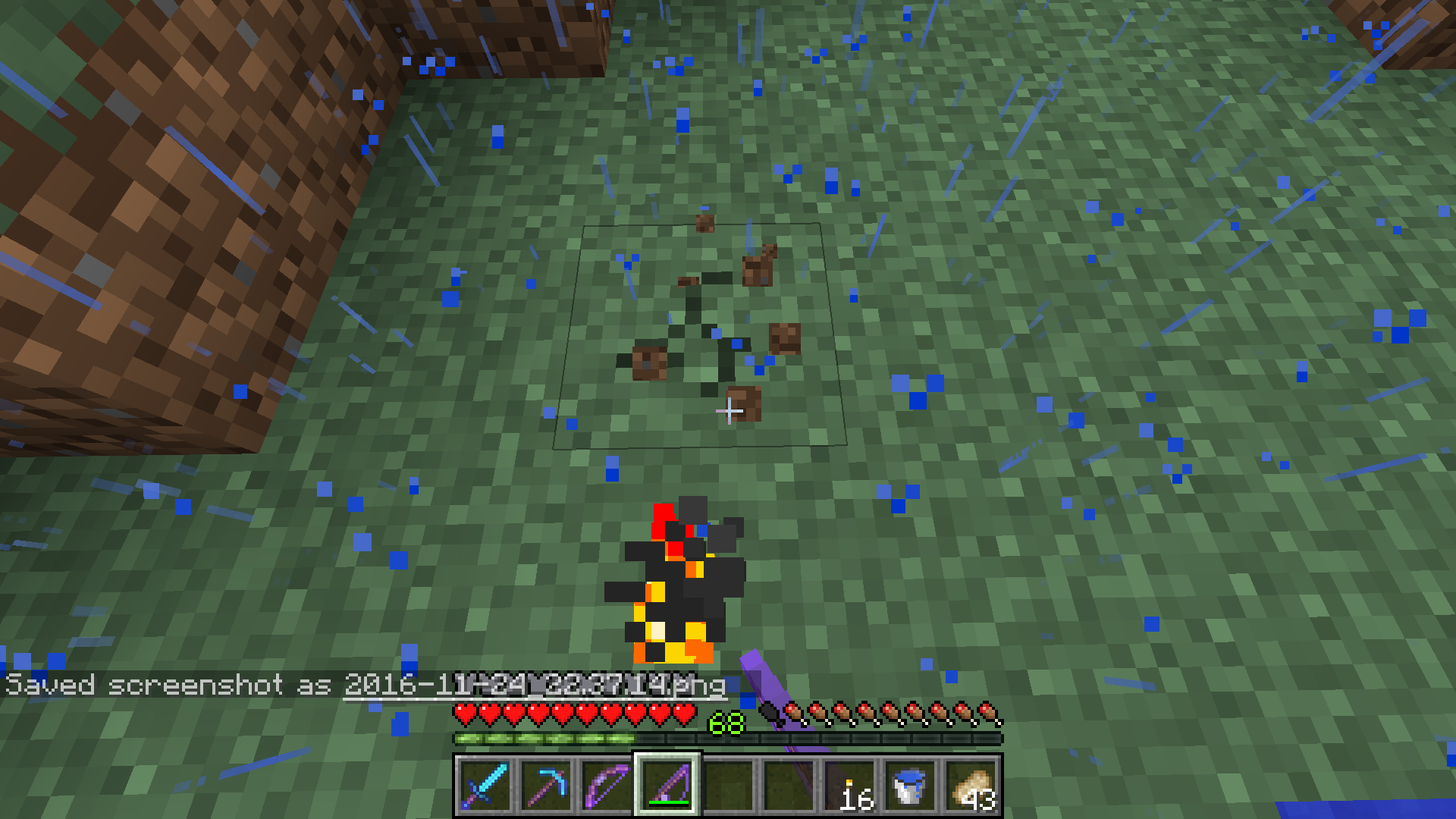
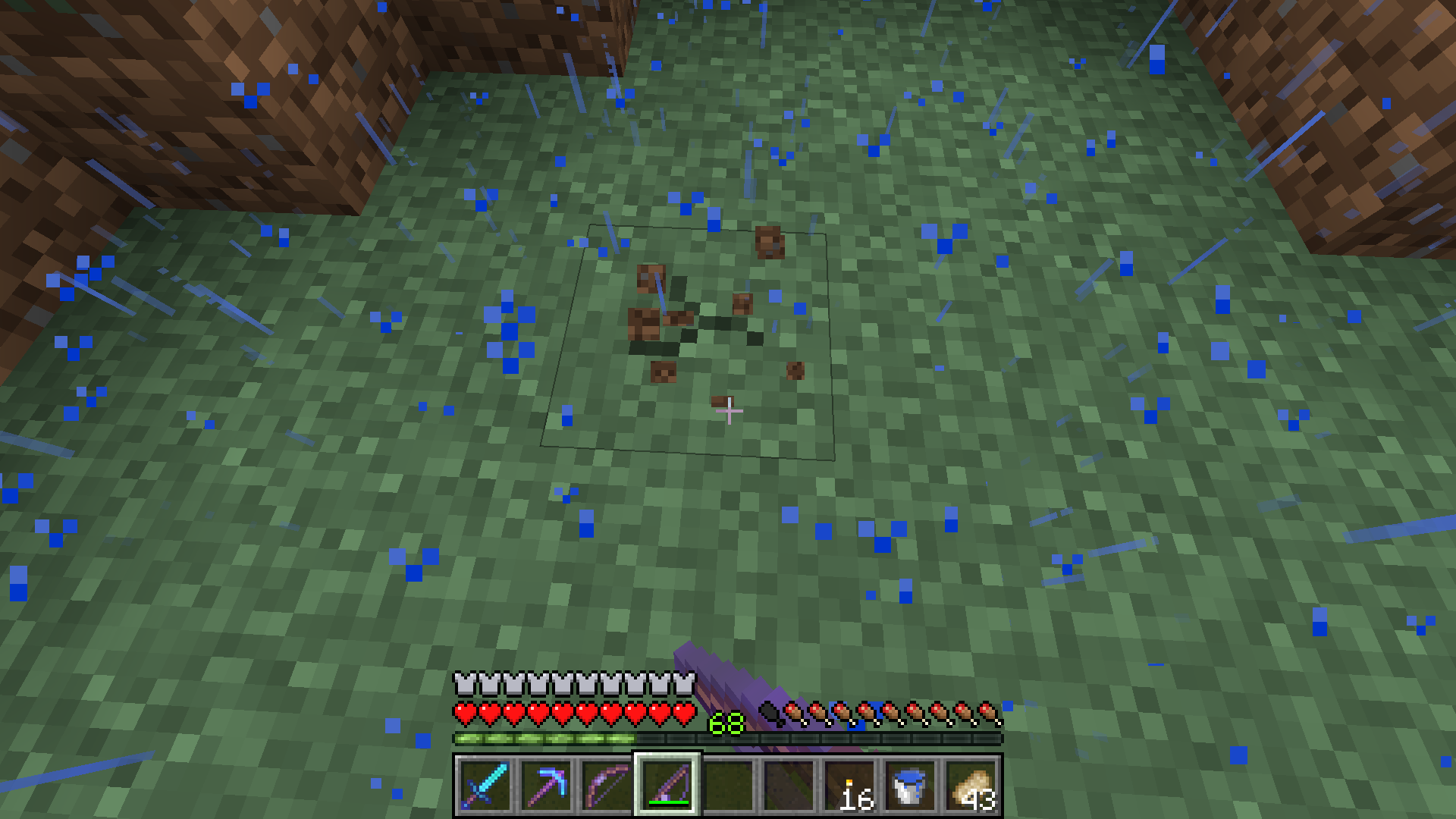
Here you can see the bottom of the area effect cloud hitbox in comparison to a block. It is floating about 1/3 of a block off the ground. The potion was thrown directly downward onto solid ground. Other potions thrown in that way were placed at different heights.
I don't mean it should necessarily be relative to the player, but it should be constant. i.e. when you mine a block in front of you, it should always show the standard "one crack going down, two going towards the top corners" instead of rotating.
EDIT: I added some better screenshots. Notice how the crack animation in one is "facing" clockwise, where the other is facing counterclockwise. Why should the orientation of the block change how it cracks?
Confirmed. It seems to me that mounted entities can push normal entities, but cannot be pushed.
Still here up through 1.11.
Also, reports that describe how sprinting in these scenarios also creates particles are marked as duplicates of this, although this report does not mention it (some comments do).
This was resolved before the patch that allowed snow layers to be obtained in survival (via crafting). Perhaps it should be reopened?
This is still here up through 1.11.
Note that affected commands only throw an error in multiplayer, and in singleplayer (even LAN), the command is accepted. As for the provided command, it doesn't use any extra-bytes characters, so that isn't it.
Edward, you can still apply enchants with /give or /entitydata:
/give @p skull 1 3 {SkullOwner:Notch,ench:[{id:10s,lvl:1s}]}And if you want to enchant an existing skull, throw it on the ground and run:
/entitydata @e[type=item,c=1] {Item:{tag:{ench:[{id:10s,lvl:1s}]}}}What do you mean by "see the torches"? Torch particles freeze when paused.
Likely related to the bug that allows Mending + Infinity on bows via an anvil in a specific order.
You need to bundle your information in SpawnPotentials.
/give @p mob_spawner 1 0 {BlockEntityTag:{SpawnPotentials:[{Weight:1,Entity:{id:"minecraft:sheep",CustomName:"List of mobs this spawner will choose from"}}],SpawnData:{id:"minecraft:cow",CustomName:"The first entity to spawn before new ones take over (not optional)"}}}I don't remember quite when SpawnPotentials was introduced, but it was long ago.
So apparently this can be fixed with a resource pack?
How can a resource pack restore the original behavior of break particles matching the face that was being mined from Beta 1.7, and making sprint/fall particles produce particles from the top texture of the block?
So both this and
MC-30663are WAI. I feel like "Won't fix" is a more appropriate resolution for both.Now with the new face, it's inconsistent with dispensers and pistons too.
"facing" block state when placed while facing north:
Repeater: south
Comparator: south
Piston: south
Furnace: south
Chest: south
Dispenser: south
Dropper: south
Observer: north
Hm, there were some changes with whether SpawnData was automatically copied over when SpawnPotentials were not defined. And I noticed that just setting SpawnPotentials will make the first mob a pig and then start working as normal. Perhaps that's a new bug of itself.
Still here up through 1.11.2
This happens in pocket edition. Is there a Mojang source for this being WAI?
Of course, but the tags are already there and whatnot. Perhaps I'm interpreting "working as intended" as more of an "end all be all" than it really is. You don't need a bug report to have it be implemented later.
That isn't strictly true. Stuff like, say, Size for slimes or Profession for villagers is randomized when no other NBT is given, and Pumpkin, for example, for snowmen defaults to one unless specified otherwise.
It just seems that zero happens to be the default for this tag.
To address your Note 2, currently the numeric IDs are still used for particle parameters (as well as enderman holding blocks (bug,
MC-75430)).Oh, I'm sorry, I must have missed that one. My bad.
It means someone else already found and reported this bug.
Dupe of MC-92282
Looks like a duplicate of
MC-107941.It happens to the best of us, haha. Happy hunting!
Using commands to rapidly make llamas willing to breed, I was able to produce a 15-slot llama from two 12-slot parents, although it did take a few hundred.
Duplicate of
MC-52974Why the suggested switch from stained_hardened_clay to color_terracotta (instead of color_clay or color_stained_clay)?
Seems like, with real terracotta just added, it would cause some confusion.
Couldn't find that one, thanks.
Hm, I can't seem to reproduce.
/give @p diamond_chestplate 1 0 {AttributeModifiers:[{Slot:chest,Name:a,UUIDMost:5,UUIDLeast:5,AttributeName:generic.knockbackResistance,Operation:0,Amount:1d}]}That worked for me immediately before and after entering a portal.
I think this is essentially
MC-105922.I guess that's what I meant
This is probably because the regenerate timer resets when the effect does, which happens every three seconds or so.
You can observe the same behavior if you apply regeneration constantly on a repeating command block, for instance – the effect will not appear to work. You'll notice that after leaving the beacon's range, the rate will continue at the normal speed.
Also affects redstone_torch.
Ah, that makes sense. For a while I've thought that wasn't the case, and was confused at the seeming "exploit" of throwing a mob a better item just so you can kill it and get both 100%.
Glad to see my anxious suspicion that I never tested was false, hahaha.
Confirmed up through 17w06a.
Similar to
MC-111704Looks like the 3D anaglyph. Do you have that turned on?
The same thing happens when you jump and hit your head on an upper-half slab (even in survival mode). Not sure whether this should be considered a separate issue.
Oh, wow – I submitted this just seconds after
MC-115050. Well, feel free to closeCan't confirm with that criteria, see my attachment. It must be triggered by something else.
EDIT: Without the parrot, any enchanted item in the chest slot causes it, can now confirm.
Every armor slot causes it for me except the helmet.
This is a feature added back in 1.9.
So, please rename to "Recipe book icon changes when wearing enchanted equipment in the lower three armor slots with no item in either hand, or when wearing an enchanted elytra, as long as the player does not have a parrot on their shoulder"

Dupe of
MC-114883andMC-115046.Dupe of
MC-115048Dupe of
MC-114879Dupe of
MC-115000Dupe of
MC-114881Dupe of
MC-115050Dupe of
MC-114889Dupe of
MC-114889?Dupe of
MC-114950Dupe of
MC-114950The ninth duplicate of
MC-114950Are you using a resource pack? (see
MC-115085)Please search before creating an issue – this is the twelfth duplicate of
MC-114950.Dupe of
MC-114950Dupe of
MC-114950Make sure the file name is in all lowercase.
Dupe of
MC-114950... I feel like that can be improved, haha.
Please search before creating an issue, this is a duplicate of
MC-114950That advancement does work and ought to be given to you once you have both logs in your inventory.
If you want it to trigger only when you have either log type in your inventory, you'll need to move one to a different criteria and customize the "requirements" setup.
Looks like a duplicate of
MC-114879, you were probably looking for something to do with /entitydataYet another dupe of
MC-114950Dupe of
MC-114967Dupe of
MC-115229Dupe of
MC-115426Looks like a duplicate of
MC-115423Can't reproduce, mine shows "click to hold more" and both recipes, like with other dyes. Do you have that recipe unlocked?
Looks like a duplicate of
MC-115436Dupe of
MC-115427Please search before creating an issue, this is another dupe of
MC-114950Another duplicate of
MC-115427Whoa, this report isn't about clicking on buttons also dropping things, this report is about the fact that items can be dropped anywhere in the recipe interface – even with right-click when you aren't interacting with any buttons.
EDIT: If you think they're similar enough to be merged, would you mind adding this information to the description of
MC-115025?Looks like a duplicate of
MC-115446Dupe of
MC-115427Duplicates
MC-115427andMC-115426Wow, only the twenty-sixth duplicate of
MC-114950Dupe of
MC-115427It does show up for me; not sure why it isn't for you.
EDIT: Are you particles enabled?
Dupe of
MC-115427Dupe of
MC-115427, already fixed for the next snapshot.Are you using a resource pack?
Try killing a mob.
Dupe of
MC-115427, already fixed for the next snapshot.Probably a duplicate of
MC-115427Another duplicate of
MC-115427, fixed for the next snapshot.Another duplicate of
MC-115427, fixed for the next snapshot.Duplicate of
MC-115050Dupe of
MC-115426withMC-115427mentioned in the description, both fixed for next snapshot.Not sure how you couldn't find it by searching, it's been reported twenty-eight other times, haha.
MC-114950Sounds like a duplicate of
MC-54026Duplicate of
MC-115050Compasses have done this since they were introduced in Alpha 1.1, seven years ago.
Please search before creating an issue. This is a duplicate of
MC-115427, which is fixed for the next snapshot.Please search before creating an issue, this is the thirty-seventh duplicate of
MC-114950.Please search before creating an issue. This is a duplicate of
MC-115427, which is fixed for the next snapshot.Please search before creating an issue, this is the 46th duplicate of
MC-115427.Probably because the advancement that looks for wood in your inventory has already been achieved and the reward given.
Would it make more sense for the advancement to reward you every time you fulfill it? Perhaps, but then you'd get spammed with other potential rewards too. A "re-earnable" flag for advancements might help remedy this.
Duplicate of
MC-115802Duplicate of
MC-115802Duplicate of
MC-115802Duplicate of
MC-115807Looks like the issue is that obtaining a dandelion does not unlock the recipe, and obtaining a sunflower unlocks the dandelion recipe.
Duplicate of
MC-115880Duplicate of
MC-115807Duplicate of
MC-111533Duplicate of
MC-115802Interestingly, some tags appear to get set to zero when defined as nothing, while others are set as the defaults. Examples:
—
Has pumpkin: /summon snowman ~ ~ ~
{CustomName:blah}No pumpkin: /summon snowman ~ ~ ~
{CustomName:blah,Pumpkin:}—
Normal health: /summon pig ~ ~ ~
{CustomName:blah}Also normal health: /summon pig ~ ~ ~
{CustomName:blah,Health:}—
This appears to be one of the former.
Duplicate of
MC-115802Duplicate of
MC-115873Works just fine for me.
Duplicate of
MC-115802. Please search before creating an issue.If I interpreted Dinnerbone's tweets correctly, the conditions for the instructions appearing ought to be something like:
From my experience, they do only seem to appear in survival mode, but can occur when switching to survival from a once-creative world. Additionally, my moving around before switching to survival did not seem to prevent the "please move around" guide from appearing, and it did appear in an existing world.
So at this point, it really only seems the last bullet point is fully implemented. Points two and three are only working partially, and I see nothing to indicate the first point is functional.
Based on the screenshot and description, probably a duplicate of
MC-116365.Does not fire the custom BUD but does trigger observers.
Also affects the new illusion_illager as of 17w16a. Because it only affects living mobs without spawn eggs, will likely stop affecting it once it gets a spawn egg.
Confirmed up through 17w16a.
New NBT parsing, you need to define the lists as int arrays like so:
Colors:[I;16711680,3014403,16776963]
Duplicate of
MC-113381.Not sure which video you watched, but that isn't true – each criteria is bundled with its advancement in uuid.json and are completed independently of one another.
I did check the other advancements and didn't see anything unusual.
Confirmed. Also happens when breaking normal blocks quickly enough so that they are "instant-mined" (e.g. snow block with diamond shovel)
Possibly related to
MC-84173?Probably because re-applying the effect resets the timer that tracks when to damage you. This also affects regeneration, for example, and is noticeable in beacons: MC-30946.
Should the "effect reset, timer reset" for these types of effects be made into a "generic" report, or should we follow the precedent of MC-30946, i.e. WAI?
The item only drops when the witch is killed by a player.
Still happens in 17w17a when clicking tabs. The tab will be switched and any item in your hand will be dropped.
That indicates that multiple recipes can produce that item.
You need to escape your quotes like so:
Hmm, works fine for me.
I can't test now, unfortunately, but what happens in multiplayer if you do @p[c=2]? It may be only succeeding when it resolves to one player.
Alright, cool. Thanks for checking! So I guess the report should be renamed to something like, "recipe command fails when multiple players are selected."
You need to escape your nested quotes.
Can't reproduce. Make sure you're using the correct recipe names:
/give @p knowledge_book 1 0 {Recipes:["rabbit_stew_from_brown_mushroom","rabbit_stew_from_red_mushroom"]}However, your report does mention a valid issue: using a knowledge book containing invalid recipes only removes it client-side.
Meri (or anyone), if this bug is giving you trouble, here's a workaround until it's fixed:
/blockdata X Y Z {Age:-9223372036854775807L}It doesn't fire when at a negative multiple of 2400, so running that once for each block should keep it behaving nicely for 14,623,560,400 years or so
Can you attach your advancement here?
The gamerule is intended to prevent chat messages from appearing, not toast notifications.
Almost certainly because there are new sound events for entity.player.hurt_fire and entity.player.hurt_drown that do not have associated sounds yet.
Probably related to
MC-116973.Also occurs with buttons of both types.
The usage of the command is:
You have 5 as the data instead of the maxCount.
Duplicates
MC-116951Are you using a resource pack?
Duplicates
MC-115813Duplicate of
MC-116723! Come on, man!New NBT parsing, you need to double-escape certain characters so the escape gets passed to the JSON:
Isn't it the case that you're changing the executor from the block to the player? You'll have to set the /stats of the player instead of the block.
Twenty-sixth duplicate of
MC-117001Please search before creating an issue; this is the forty-first duplicate of
MC-117211.Please search before creating an issue; this is the fortieth duplicate of
MC-117211.Still happens in 1.12 pre-2 when clicking to open the recipe book while holding an item. The inventory shift can put the item outside the inventory and it will be dropped.
Note that pressing the mouse button down on the recipe book without releasing will shift the inventory, but will not drop the item. The item is dropped on mouse release.
Duplicates
MC-117330.I really can't reproduce this, after following your instructions for several hundred items. Can you really still get this to happen in 1.12 pre-2?
Duplicates
MC-116735.Does affect Bane of Arthropods as well.
Duplicates
MC-116982.Another duplicate of
MC-117319.Can you attach a crash report?
In that case, does this duplicate
MC-5368?Hey @Bertie2011, we did some testing and I rewrote your report to be more detailed. Hope you don't mind!
Duplicates
MC-72440.That has never been a feature.
This seems to work as expected, no?
0 is the only damage value for potions, and it shows the uncraftable potion. The only theoretical way to show another potion would be to use NBT, which, as you mentioned, isn't supported.
Another duplicate of
MC-117628Another duplicate of
MC-117628