 MCPE-33427
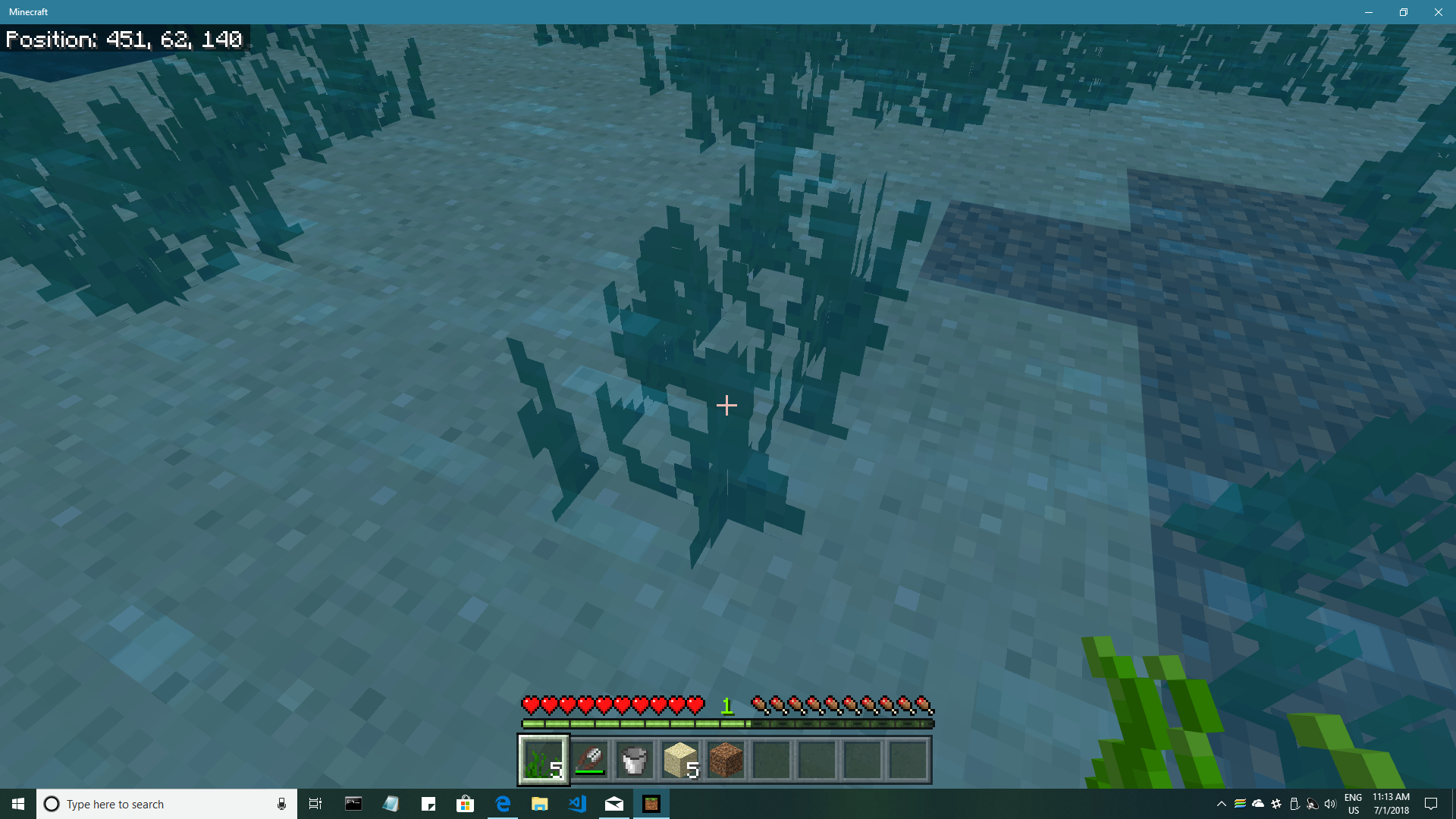
Breaking sea grass effect the light level of the water
When I break sea grass the block the sea grass is in decreases it's light level untill the block is updated
Linked Issues

![[MCPE Mod] Auldrick](../../../data/avatars/users/10122.svg)


Created Issue:
Breaking sea grass effect the light level of the water
When I break sea grass the block the sea grass is in decreases it's light level untill the block is updated
Attachments2
- Unresolved
- Open
- Unconfirmed
- Windows
- Windows 10
- 1.4.0.5
![[Mojang] Mega_Spud (Jay Wells)](../../../data/avatars/users/92696.png)
Added Linked Issues:
relates to
Added Affects Versions: 1.4.2.0
Added Attachments:
Added ADO: 122254
Confirmed in Windows 10 1.4.2.0.
This issue only happens with some seagrass blocks. If you wait a few minutes after it occurs, the dark water suddenly reverts to looking normal.
The issue appears to be caused by a breaking animation that's started on the seagrass and doesn't end when the seagrass breaks. Instead, the animation continues to run very slowly on the water source block, at a slow rate, perhaps driven by random block ticks. After 2 to 3 minutes, the animation completes and the dark water reverts to its expected color.
That the breaking animation is running can be observed by replacing the dark water source with a block of sand. It's then easy to watch the breaking animation progress to completion, after which the sand reverts to its normal appearance. (See screenshots 4 and 5.)
Once the slow animation has completed once in a block, the behavior seems to change. Re-placing seagrass in that block and re-shearing it will sometimes leave dark water which then changes to normal almost immediately. Other times the water either isn't dark or changes so quickly you can't notice it. (This observation is based on limited experimentation, so this description may be incomplete.)
Steps to reproduce:
This is the same issue I am seeing on Nintendo Switch. Also the dark blocks appear when using bonemeal on the seabed to grow seagrass, corals and kelp. Plants will spawn then break if a dark block appears as they spawn.
See bug
MCPE-34879Cleaning up old tickets: This ticket has not been updated recently (~1 year+) so is being closed as Cannot Reproduce. If you feel this is still a valid issue then please comment, or create a new ticket following the Issue Guidelines.
Quick Links:
📓 Issue Guidelines – 💬 Mojang Support – 📧 Suggestions – 📖 Minecraft Wiki
I can no longer reproduce this bug (1.16.40 Hotfix, Windows 10).