 Artiom Boyko
- _Almazik_
- _almazik_
- Europe/Moscow
- Yes
- No
 MC-183600
 MCL-13993
![[Mojang] elvendorke](../../../data/avatars/users/81677.png)
![[Mojang] Gegy](../../../data/avatars/users/10122.svg)

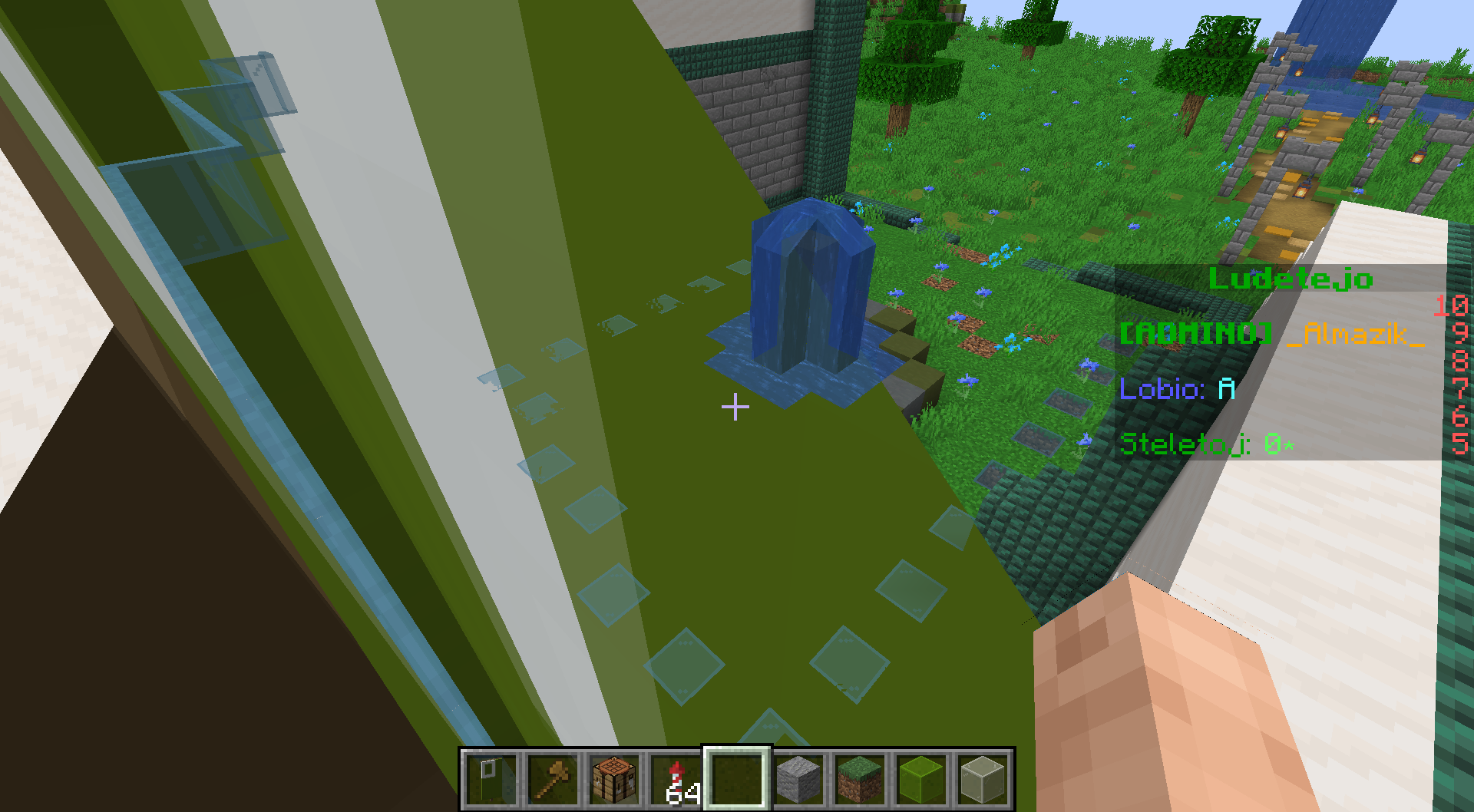
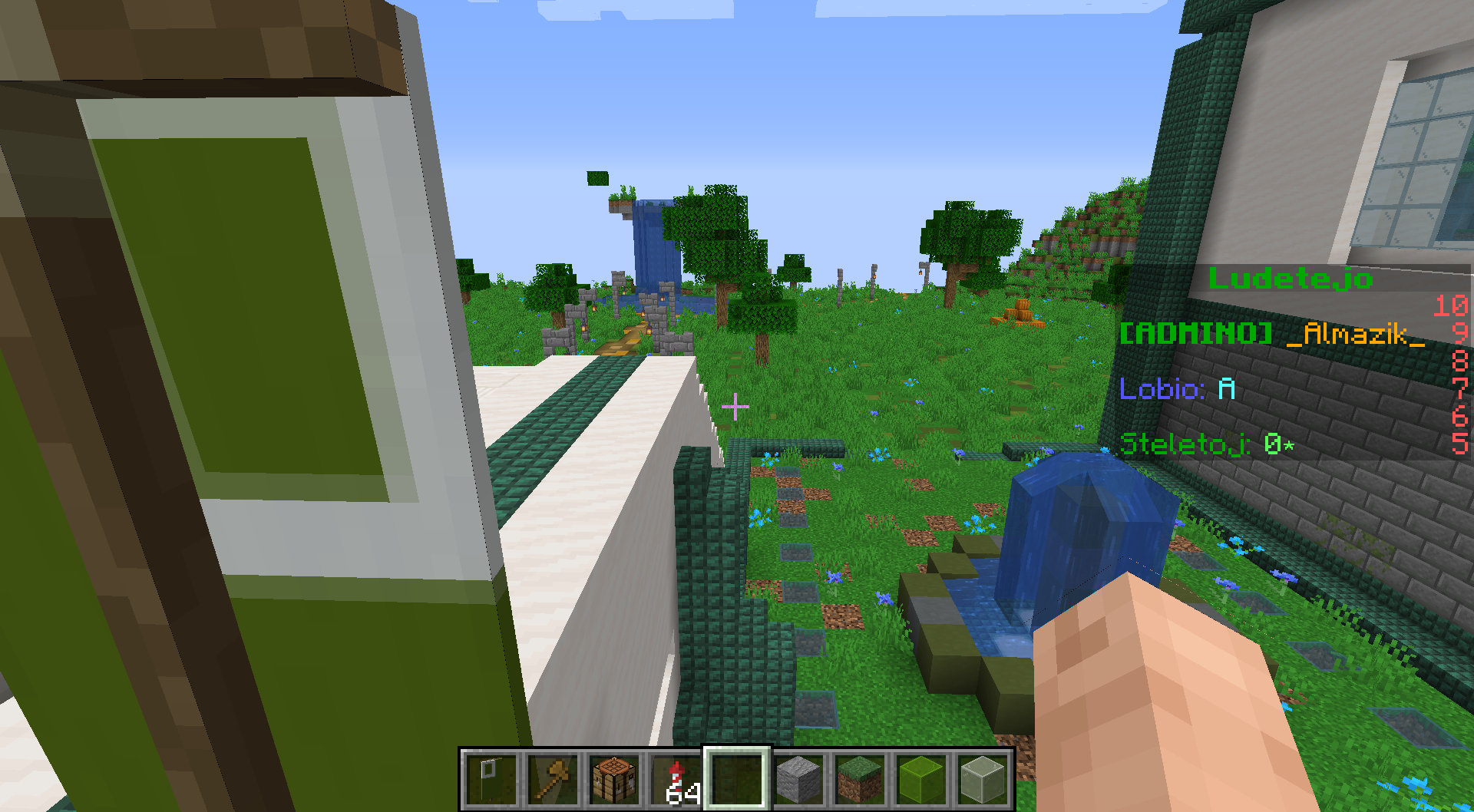
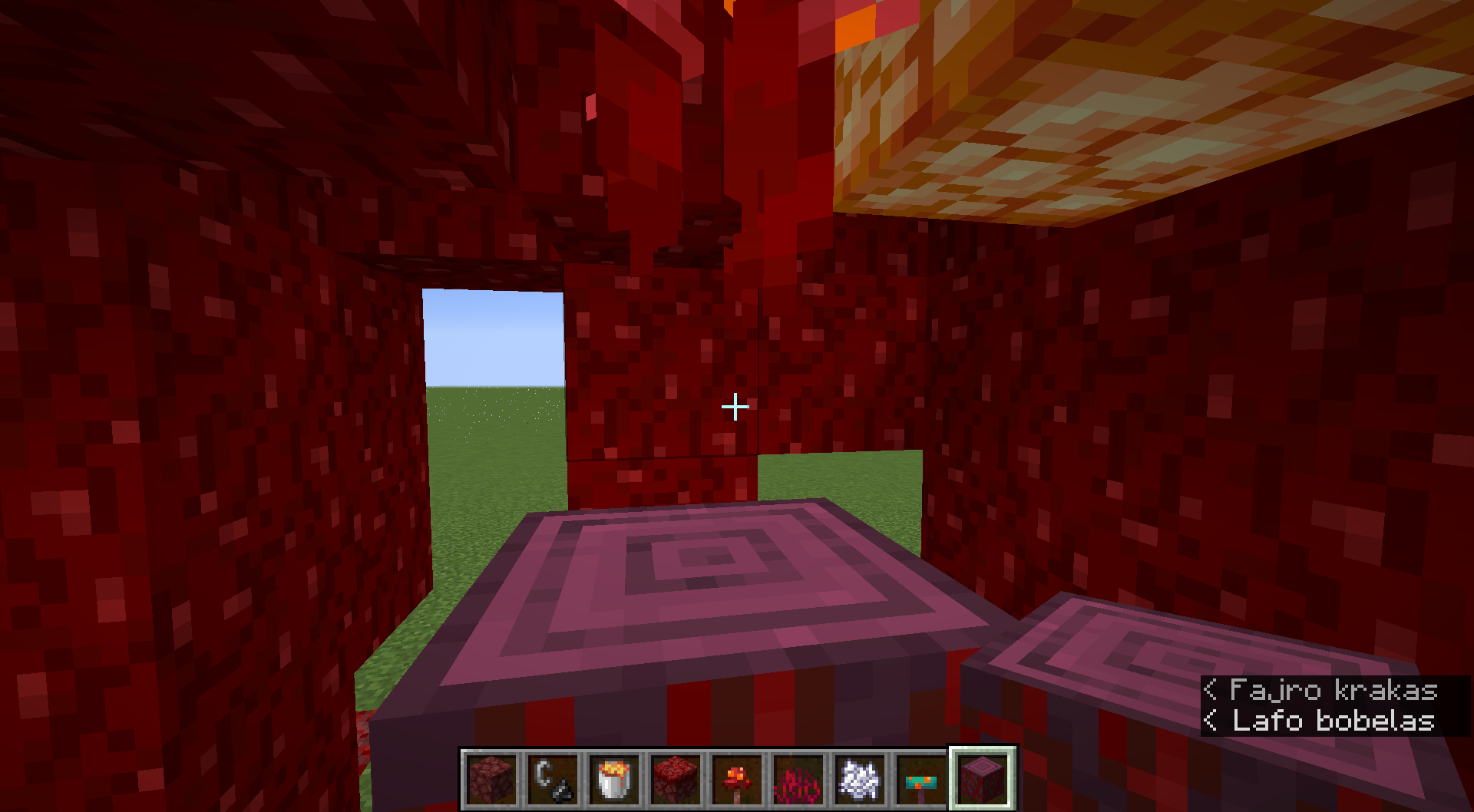
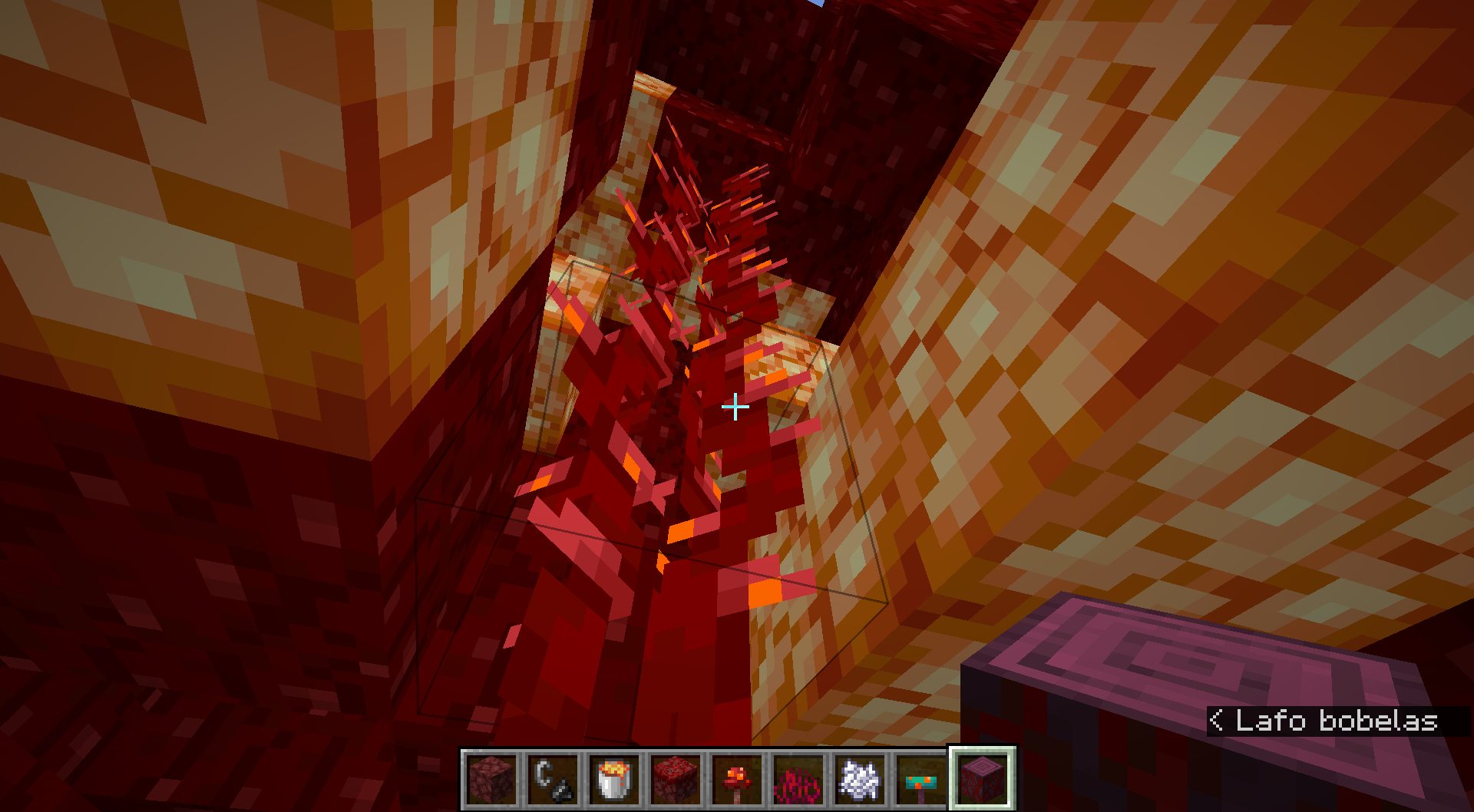


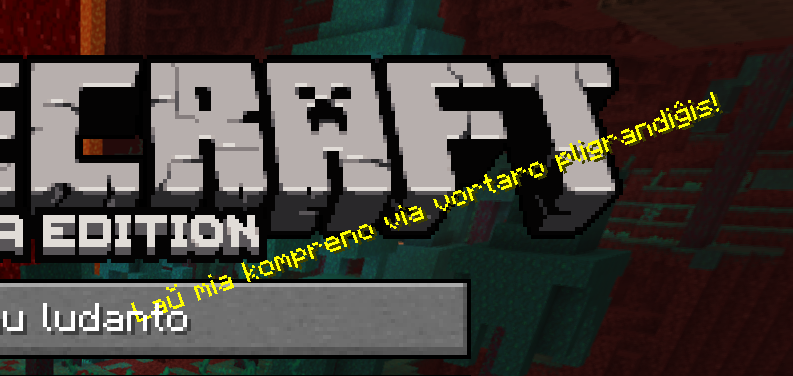
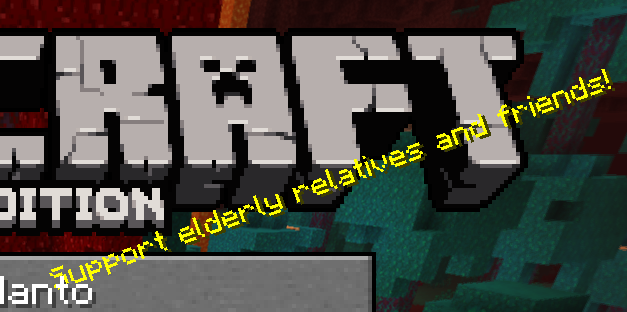

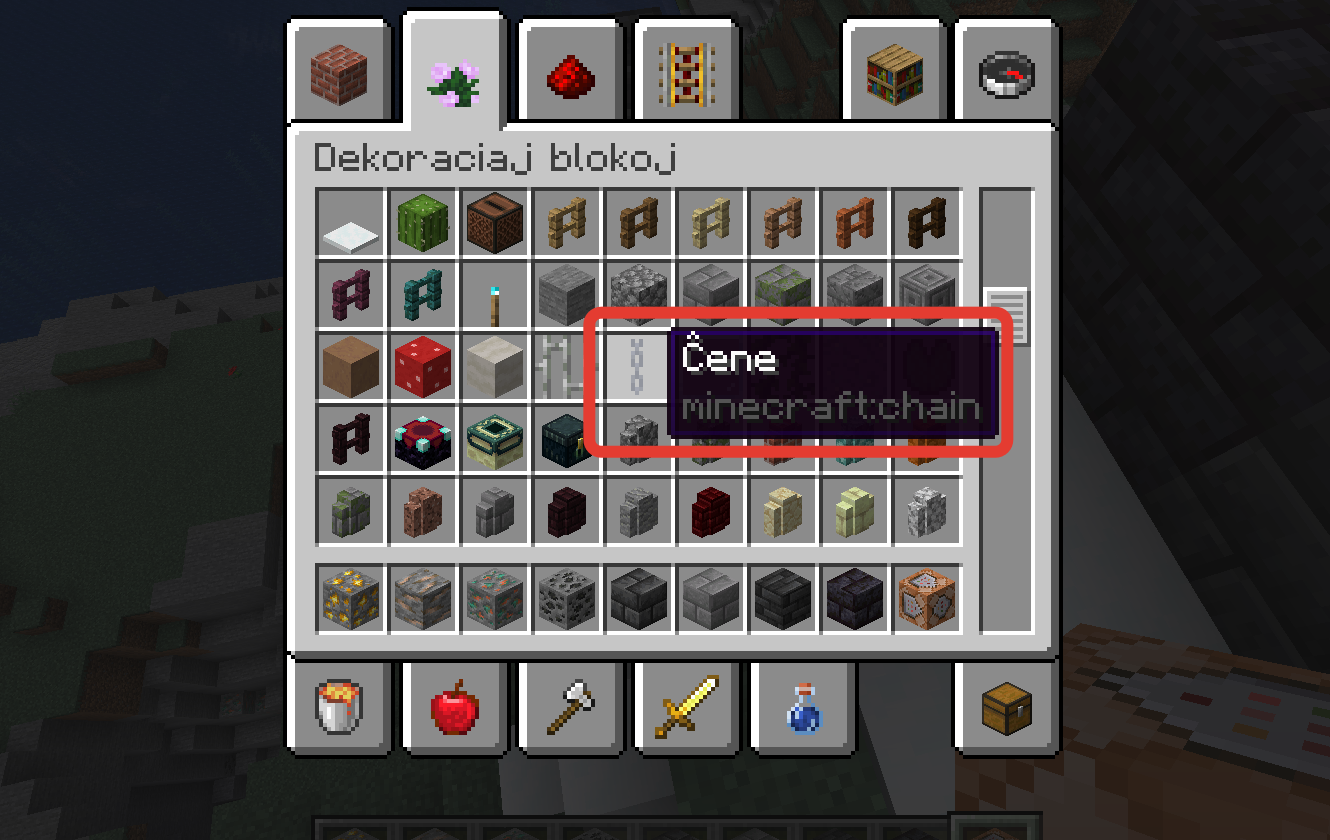
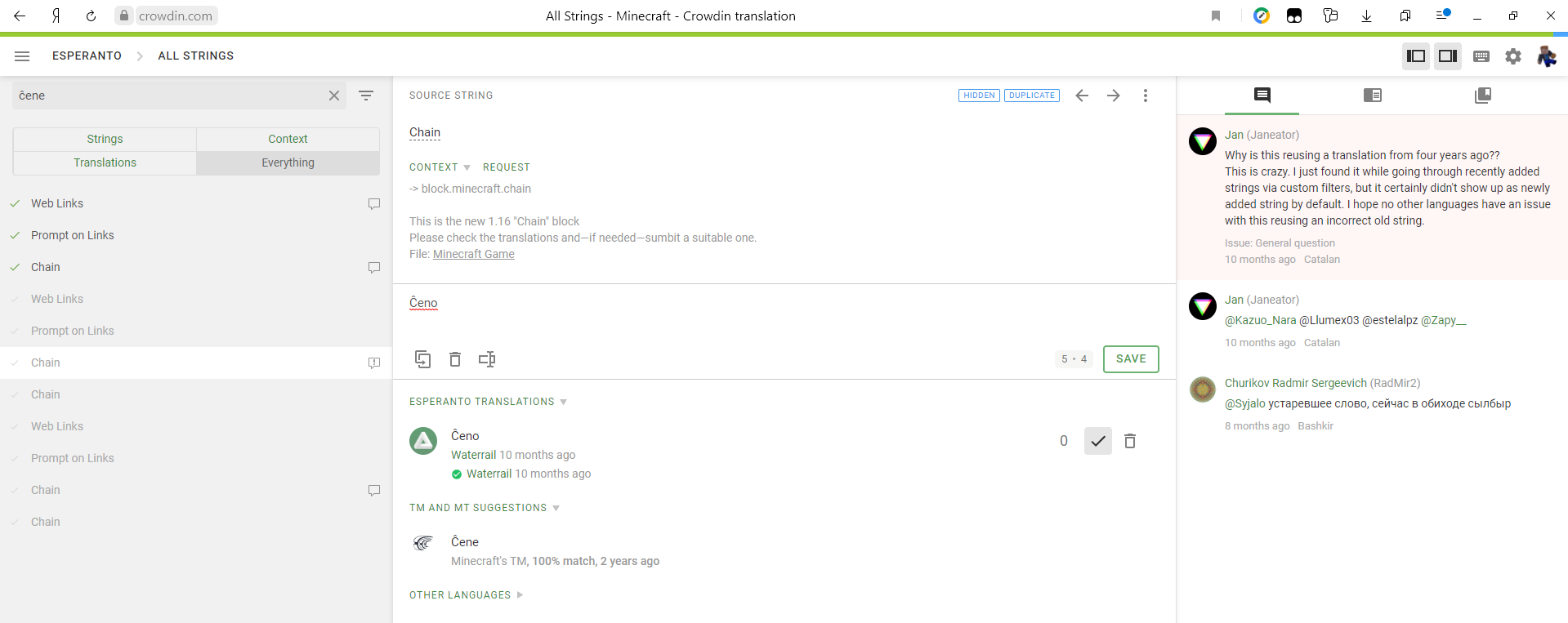



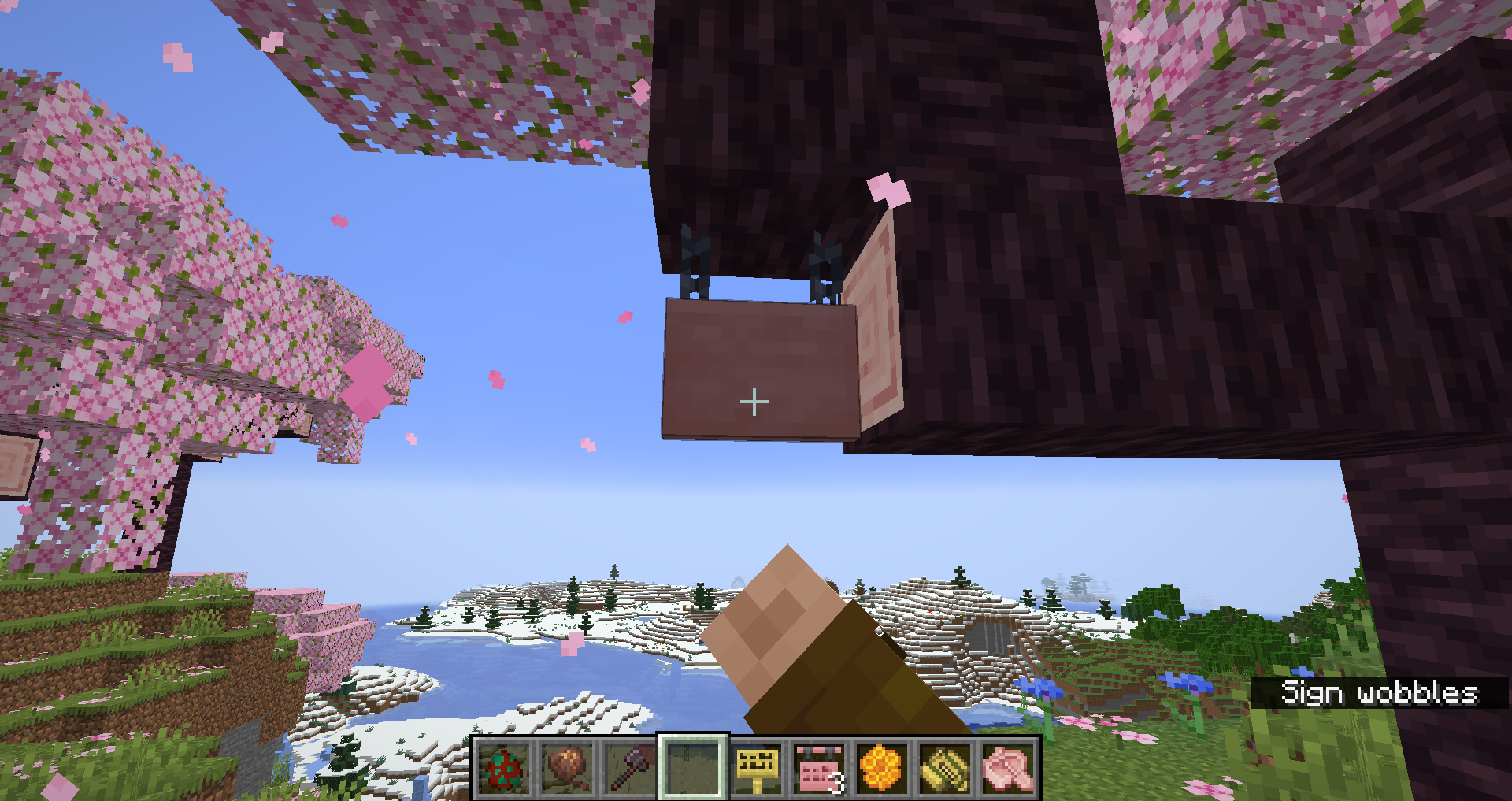
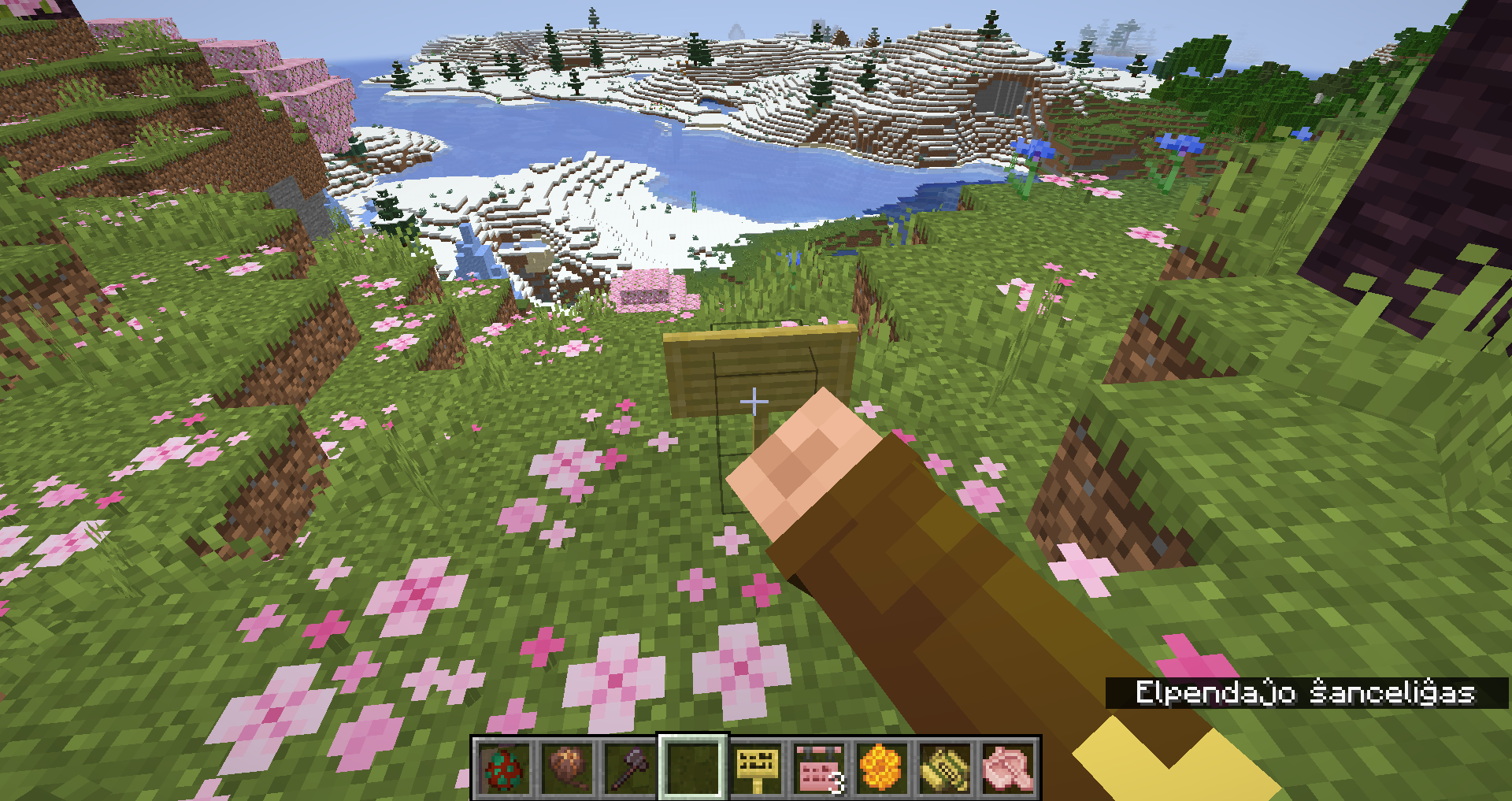
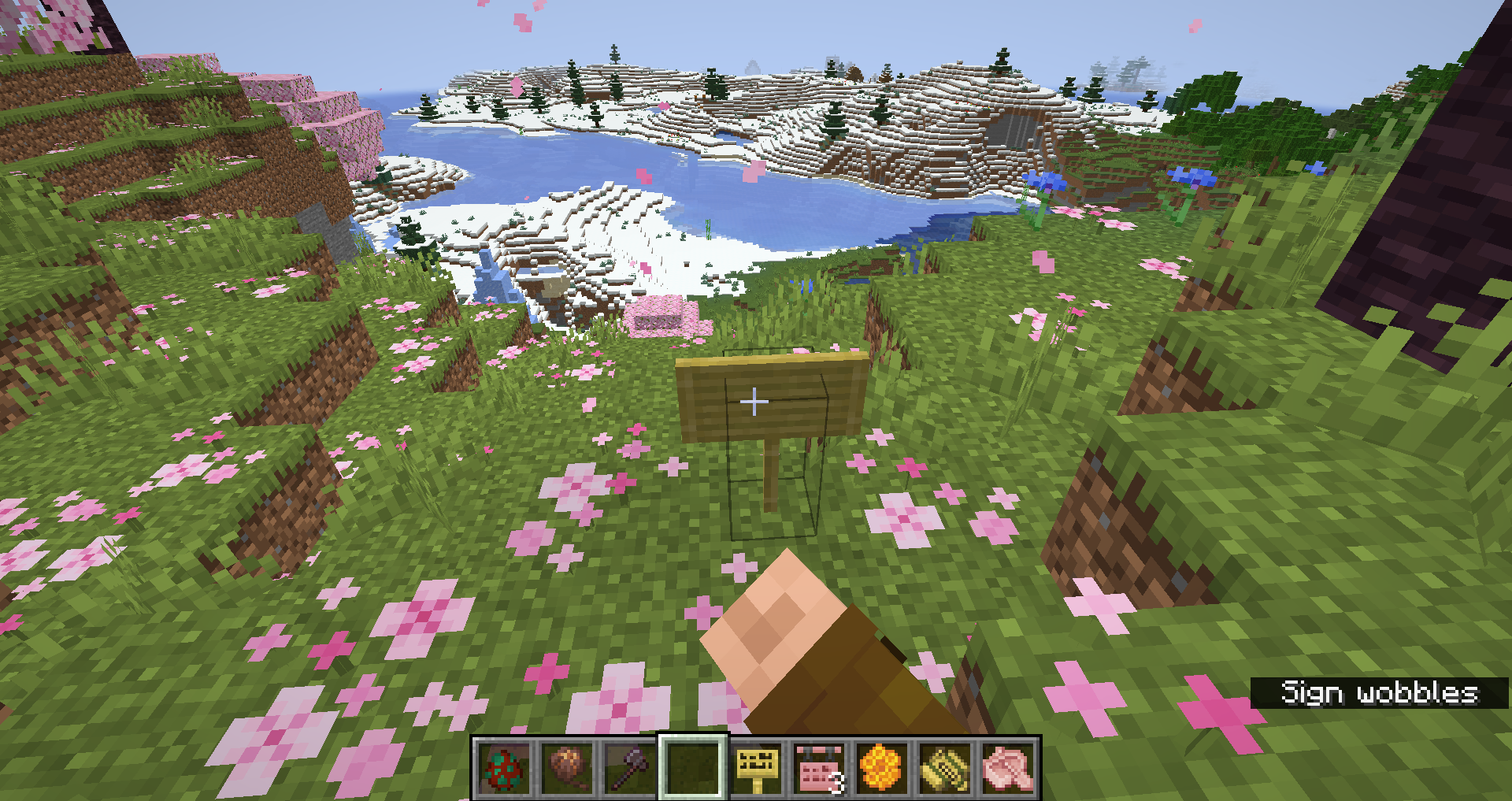







@Galaxy_2Alex I'm sorry, why is this considered a suggestion? The first picture is a splash from a resourcepack, I don't suggest to add it. I show an issue of how are splashes shown.
The problem:
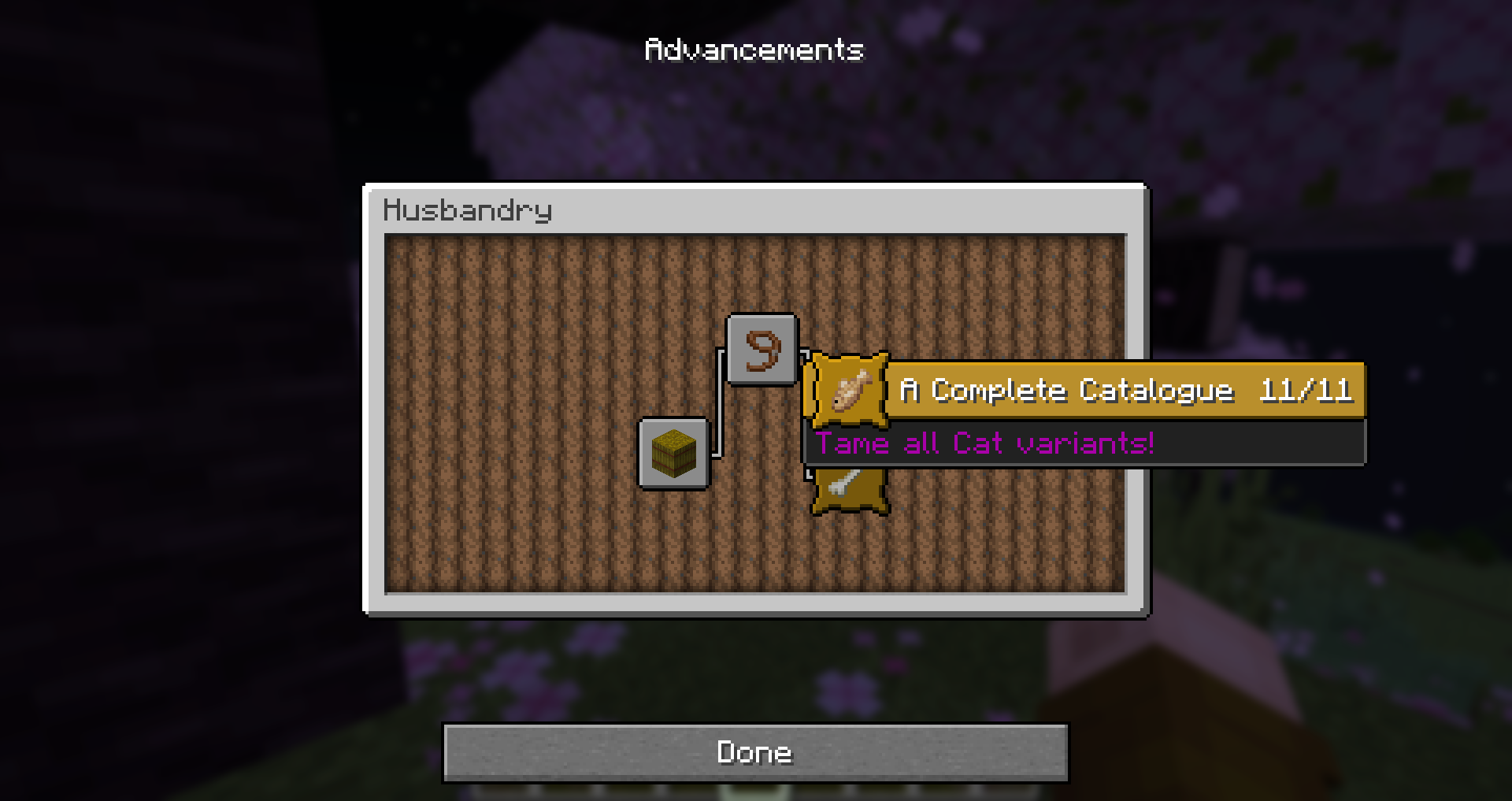
The descriptions of the two challenges “A Complete Catalogue” and “The Whole Pack” are not consistent, despite the difference between the tasks only being the mob whose breeds the player needs to tame
Steps to reproduce:
- Start Minecraft in an affected version
- Make sure your language is set to English (US), as some of the languages might have fixed the inconsistency in their language
- Create a new world with commands on
- Grant yourself the advancements using
- /advancement grant @s only minecraft:husbandry/complete_catalogue
- /advancement grant @s only minecraft:husbandry/whole_pack
- Open up the advancements viewer (you can use the key bind which is L by default or the settings menu)
- Go to the Husbandry tab (must be the only tab if you have just created the world)
- Check the descriptions of the two advancements
Observed behaviour:
The descriptions are “Tame all Cat variants!” and “Tame one of each Wolf variant”
Expected behaviour:
The descriptions should be the same except for the mob name, which means wording the description the same way and using the same punctuation
The problem:
Some advancements (challenges) require to perform an action in several circumstances. For example, for “Hot Tourist Destinations” one needs to visit each of the 5 Nether biomes, for “Smithing with Style” one has to apply each of 8 smithing templates, and for “A Complete Catalogue” one must tame each of the 11 Cat variants. These advancements have counters showing how many steps the player has completed. It is formatted as “%s/%s” in the original language file English US under the key advancements.progress, and it is kept the same for most language translations, but not for all of them. The width of the header is calculated regarding the length of the advancement name and the length of the progress counter. However, when changing a language, the width changes according to the advancement name, but it doesn’t take into account the length of the progress counter in the language, causing overlap in the languages whose translations of the key advancements.progress are longer.
Steps to reproduce:
- Launch Minecraft in an affected version
- Create a new world with commands on
- Grant yourself an advancement that has a progress counter, for example:
- /advancement grant @s
fromminecraft:nether/explore_nether- /advancement grant @s only minecraft:adventure/trim_with_all_exclusive_armor_patterns
- /advancement grant @s only minecraft:husbandry/complete_catalogue
- Set your language to a language that has a longer translation of the key advancements.progress, for example:
- Esperanto (to switch the language back, go to Game menu > Agordoj… > Lingvo…)
- Klingon, tlhIngan Hol in-game (to switch the language back, go to Game menu > DuHmey... > Hol...)
- Open the advancements viewer. You can do this with the key bind or by going to Game menu > Advancements (Progreseroj in Esperanto, chavmey in Klingon)
- Hover the mouse over the granted advancement
Observed behaviour:
The progress counter overlaps with the advancement name
Expected behaviour:
There should be a space between the progress counter and the advancement name, like in English US
Notes:
The attached images demonstrate the title for the advancement “A Complete Catalogue” in Esperanto and Klingon
The problem:
Some advancements (challenges) require to perform an action in several circumstances. For example, for “Hot Tourist Destinations” one needs to visit each of the 5 Nether biomes, for “Smithing with Style” one has to apply each of 8 smithing templates, and for “A Complete Catalogue” one must tame each of the 11 Cat variants. These advancements have counters showing how many steps the player has completed. It is formatted as “%s/%s” in the original language file English US under the key advancements.progress, and it is kept the same for most language translations, but not for all of them. The width of the header is calculated regarding the length of the advancement name and the length of the progress counter. However, when changing a language, the width changes according to the advancement name, but it doesn’t take into account the length of the progress counter in the language, causing overlap in the languages whose translations of the key advancements.progress are longer.
Steps to reproduce:
- Launch Minecraft in an affected version
- Create a new world with commands on
- Grant yourself an advancement that has a progress counter, for example:
- /advancement grant @s only minecraft:nether/explore_nether
- /advancement grant @s only minecraft:adventure/trim_with_all_exclusive_armor_patterns
- /advancement grant @s only minecraft:husbandry/complete_catalogue
- Set your language to a language that has a longer translation of the key advancements.progress, for example:
- Esperanto (to switch the language back, go to Game menu > Agordoj… > Lingvo…)
- Klingon, tlhIngan Hol in-game (to switch the language back, go to Game menu > DuHmey... > Hol...)
- Open the advancements viewer. You can do this with the key bind or by going to Game menu > Advancements (Progreseroj in Esperanto, chavmey in Klingon)
- Hover the mouse over the granted advancement
Observed behaviour:
The progress counter overlaps with the advancement name
Expected behaviour:
There should be a space between the progress counter and the advancement name, like in English US
Notes:
The attached images demonstrate the title for the advancement “A Complete Catalogue” in Esperanto and Klingon
The problem:
When typing in a name of an in-game object as a command argument, Minecraft shows hints for possible argument values. Sometimes there are delimiters like underscore (_), dot (.) or colon (:). They are counted as delimiters and one can find an argument by a word coming right after such delimiter. However, it appears that slash (/) is not accounted for, despite it being another delimiter used in some object names, for example in progress names or in objects added through data packs.
Steps to reproduce:
- Launch Minecraft in an affected version, create or join a world with commands on
- Pick an advancement (for example, minecraft:husbandry/whole_pack)
- Open chat and type in
{{/advancement grant @s only
}}- Then add the advancement name after the slash (for example, /advancement grant @s only whole_pack)
Observed behaviour:
No hint shows up for the advancement
Expected behaviour:
One or several hints should show up, including the wanted advancement, the same way as minecraft:husbandry/whole_pack shows up when inputting “pack” or “husbandry/whole_pack”
The problem:
When typing in a name of an in-game object as a command argument, Minecraft shows hints for possible argument values. Sometimes there are delimiters like underscore (_), dot (.) or colon (:). They are counted as delimiters and one can find an argument by a word coming right after such delimiter. However, it appears that slash (/) is not accounted for, despite it being another delimiter used in some object names, for example in progress names or in objects added through data packs.
Steps to reproduce:
- Launch Minecraft in an affected version, create or join a world with commands on
- Pick an advancement (for example, minecraft:husbandry/whole_pack)
- Open chat and type in /advancement grant @s only
- Then add the advancement name after the slash (for example, /advancement grant @s only whole_pack)
Observed behaviour:
No hint shows up for the advancement
Expected behaviour:
One or several hints should show up, including the wanted advancement, the same way as minecraft:husbandry/whole_pack shows up when inputting “pack” or “husbandry/whole_pack”
The problem:
When typing in a name of an in-game object as a command argument, Minecraft shows hints for possible argument values. Sometimes there are delimiters like underscore (_), dot (.) or colon (:). They are counted as delimiters and one can find an argument by a word coming right after such delimiter. However, it appears that slash (/) is not accounted for, despite it being another delimiter used in some object names, for example in progress names or in objects added through data packs.
In 24w09a, dots have been added to this list of delimiters, meaning that slashes are now the only special character commonly present in commands that is not considered a delimiter.
Steps to reproduce:
- Launch Minecraft in an affected version, create or join a world with commands on
- Pick an advancement (for example, minecraft:husbandry/whole_pack)
- Open chat and type in /advancement grant @s only
- Then add the advancement name after the slash (for example, /advancement grant @s only whole_pack)
Observed behaviour:
No hint shows up for the advancement
Expected behaviour:
One or several hints should show up, including the wanted advancement, the same way as minecraft:husbandry/whole_pack shows up when inputting “pack” or “husbandry/whole_pack”
The problem:
When typing in a name of an in-game object as a command argument, Minecraft shows hints for possible argument values. Sometimes there are delimiters like underscore (_), dot (.) or colon (:). They are counted as delimiters and one can find an argument by a word coming right after such delimiter. However, it appears that slash (/) is not accounted for, despite it being another delimiter used in some object names, for example in progress names or in objects added through data packs.
The same issue was also present for dots before 24w09a, as reported in MC-186341, but in 24w09a this was fixed, meaning that slashes are now the only special character commonly present in commands that is not considered a delimiter.
Steps to reproduce:
- Launch Minecraft in an affected version, create or join a world with commands on
- Pick an advancement (for example, minecraft:husbandry/whole_pack)
- Open chat and type in /advancement grant @s only
- Then add the advancement name after the slash (for example, /advancement grant @s only whole_pack)
Observed behaviour:
No hint shows up for the advancement
Expected behaviour:
One or several hints should show up, including the wanted advancement, the same way as minecraft:husbandry/whole_pack shows up when inputting “pack” or “husbandry/whole_pack”
The problem:
When typing in a name of an in-game object as a command argument, Minecraft shows hints for possible argument values. Sometimes there are delimiters like underscore (_), dot (.) or colon (:). They are counted as delimiters and one can find an argument by a word coming right after such delimiter. However, it appears that slash (/) is not accounted for, despite it being another delimiter used in some object names, for example in progress names or in objects added through data packs.
The same issue was also present for dots before 24w09a, as reported in MC-186341, but in 24w09a this was fixed, meaning that slashes are now the only special character commonly present in commands that is not considered a delimiter.
Steps to reproduce:
- Launch Minecraft in an affected version, create or join a world with commands on
- Pick an advancement (for example, minecraft:husbandry/whole_pack)
- Open chat and type in /advancement grant @s only
- Then add the advancement name after the slash (for example, /advancement grant @s only whole_pack)
Observed behaviour:
No hint shows up for the advancement
Expected behaviour:
One or several hints should show up, including the wanted advancement, the same way as minecraft:husbandry/whole_pack shows up when inputting “pack” or “husbandry/whole_pack”
The problem:
When typing in a name of an in-game object as a command argument, Minecraft shows hints for possible argument values. Sometimes there are delimiters like underscore (_), dot (.) or colon (:). They are counted as delimiters and one can find an argument by a word coming right after such delimiter. However, it appears that slash (/) is not accounted for, despite it being another delimiter used in some object names
, for example in progress names or in objects added through data packs.The same issue was also present for dots before 24w09a, as reported in
MC-186341, but in 24w09a this was fixed, meaning that slashes are now the only special character commonly present in commands that is not considered a delimiter.Steps to reproduce:
- Launch Minecraft in an affected version, create or join a world with commands on
- Pick an advancement (for example, minecraft:husbandry/whole_pack)
- Open chat and type in /advancement grant @s only
- Then add the advancement name after the slash (for example, /advancement grant @s only whole_pack)
Observed behaviour:
No hint shows up for the advancement
Expected behaviour:
One or several hints should show up, including the wanted advancement, the same way as minecraft:husbandry/whole_pack shows up when inputting “pack” or “husbandry/whole_pack”
The problem:
When typing in a name of an in-game object as a command argument, Minecraft shows hints for possible argument values. Sometimes there are delimiters like underscore (_), dot (.) or colon (:). They are counted as delimiters and one can find an argument by a word coming right after such delimiter. However, it appears that slash (/) is not accounted for, despite it being another delimiter used in some object names.
The same issue was also present for dots before 24w09a, as reported in MC-186341, but in 24w09a this was fixed, meaning that slashes are now the only special character commonly present in commands that is not considered a delimiter.
Most importantly, that affects the advancements. The actual names of the advancements, known by the community, are located after a slash in the resource path, making them impossible to find by the first word of the name.
Steps to reproduce:
- Launch Minecraft in an affected version, create or join a world with commands on
- Pick an advancement (for example, minecraft:husbandry/whole_pack)
- Open chat and type in /advancement grant @s only
- Then add the advancement name after the slash (for example, /advancement grant @s only whole_pack)
Observed behaviour:
No hint shows up for the advancement
Expected behaviour:
One or several hints should show up, including the wanted advancement, the same way as minecraft:husbandry/whole_pack shows up when inputting “pack” or “husbandry/whole_pack”
The bug:
When inputting a command with mistakes in the JSON text argument, the error in chat appears in English, no matter the language. Translators on Crowdin can't fix that, as the strings are not present in the Minecraft Translation project on the website.
Steps to reproduce:
- Start Minecraft 1.19.4 Pre-release 2.
- Go to Settings - Language, and select a language other than English.
- Create a new single-player world with the cheats option turned on.
- Open up chat or place a command block and type in a /tellraw or a /title command using a JSON text component with errors as the text argument, for example:
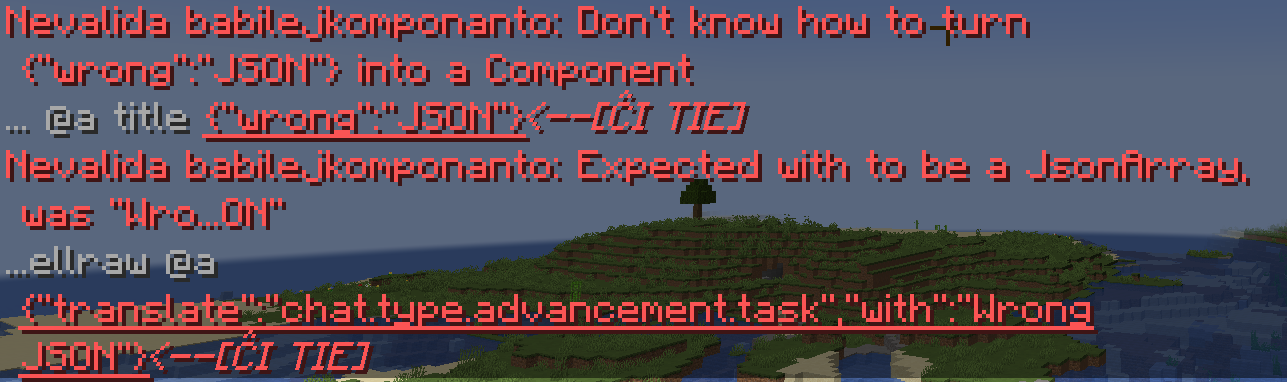
- /title @a title {"wrong":"JSON"}
- /tellraw @a {"translate":"chat.type.advancement.task","with":"Wrong JSON"}
- Press Enter in chat or activate the command block.
- See the error message in chat or in the command block.
- Go to https://crowdin.com/translate/minecraft/all/ and search for part of the text found in the error message
Observed behaviour:
The error message starts with a translation of "Invalid Chat component", but continues in English. The untranslated part is absent from the Minecraft Translation project on Crowdin.
Expected behaviour:
The error messages should be present in the Minecraft Translation project on Crowdin, and for the languages where that translation is provided, the errors message should be output in that language.
Notes:
There are probably other types of errors with JSON text components that I'm not aware of. There is a high chance of them not being translatable either. If you find other error messages that are not translatable, please show them in the comments
UPD: @bodakugga has found the following error messages that seem to be not translatable:
- "A score component needs a least a name and an objective"
- "Don't know how to turn " + jsonElement + " into a Component"
- "Unexpected empty array of components"
- "Don't know how to serialize " + componentContents + " as a Component"
- "Couldn't get field 'pos' for JsonReader"
- "Couldn't get field 'lineStart' for JsonReader"
- "Couldn't read position of JsonReader"
Links:
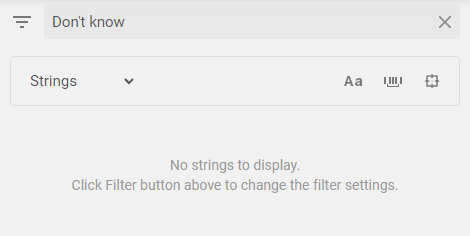
Search filter for Don't know as in Don't know how to turn {"wrong":"JSON"} into a Component, with 0 results, demonstrating that the error message is not translatable
Case-sensitive search filter for Expected as in Expected with to be a JsonArray, was "Wro...ON", with 21 result neither of which corresponds to the error message, demonstrating that the error message is not translatable
The bug
:When inputting a command with mistakes in the JSON text argument, the error in chat appears in English, no matter the language. Translators on Crowdin can't fix that, as the strings are not present in the Minecraft Translation project on the website.
Steps to reproduce
:
- Start Minecraft 1.19.4 Pre-release 2.
- Go to Settings - Language, and select a language other than English.
- Create a new single-player world with the cheats option turned on.
- Open up chat or place a command block and type in a /tellraw or a /title command using a JSON text component with errors as the text argument, for example:
- /title @a title {"wrong":"JSON"}
- /tellraw @a {"translate":"chat.type.advancement.task","with":"Wrong JSON"}
- Press Enter in chat or activate the command block.
- See the error message in chat or in the command block.
- Go to https://crowdin.com/translate/minecraft/all/ and search for part of the text found in the error message
Observed behaviour
:The error message starts with a translation of "Invalid Chat component", but continues in English. The untranslated part is absent from the Minecraft Translation project on Crowdin.
Expected behaviour
:The error messages should be present in the Minecraft Translation project on Crowdin, and for the languages where that translation is provided, the errors message should be output in that language.
Notes
:There are probably other types of errors with JSON text components that I'm not aware of. There is a high chance of them not being translatable either. If you find other error messages that are not translatable, please show them in the comments
UPD: @bodakugga has found the following error messages that seem to be not translatable:
- "A score component needs a least a name and an objective"
- "Don't know how to turn " + jsonElement + " into a Component"
- "Unexpected empty array of components"
- "Don't know how to serialize " + componentContents + " as a Component"
- "Couldn't get field 'pos' for JsonReader"
- "Couldn't get field 'lineStart' for JsonReader"
- "Couldn't read position of JsonReader"
Links
:Search filter for Don't know as in Don't know how to turn {"wrong":"JSON"} into a Component, with 0 results, demonstrating that the error message is not translatable
Case-sensitive search filter for Expected as in Expected with to be a JsonArray, was "Wro...ON", with 21 result neither of which corresponds to the error message, demonstrating that the error message is not translatableThe bug
When inputting a command with mistakes in the JSON text argument, the error in chat appears in English, no matter the language. Translators on Crowdin can't fix that, as the strings are not present in the Minecraft Translation project on the website.
Steps to reproduce
- Start Minecraft 1.19.4 Pre-release 2.
- Go to Settings - Language, and select a language other than English.
- Create a new single-player world with the cheats option turned on.
- Open up chat or place a command block and type in a /tellraw or a /title command using a JSON text component with errors as the text argument, for example:
- /title @a title {"wrong":"JSON"}
- /tellraw @a {"translate":"chat.type.advancement.task","with":"Wrong JSON"}
- Press Enter in chat or activate the command block.
- See the error message in chat or in the command block.
- Go to https://crowdin.com/translate/minecraft/all/ and search for part of the text found in the error message
Observed behaviour
The error message starts with a translation of "Invalid Chat component", but continues in English. The untranslated part is absent from the Minecraft Translation project on Crowdin.
Expected behaviour
The error messages should be present in the Minecraft Translation project on Crowdin, and for the languages where that translation is provided, the errors message should be output in that language.
List of untranslatable error messages
- /title @a title {"wrong":"JSON"}
- /tellraw @a {"translate":"chat.type.advancement.task","with":"Wrong JSON"}
- /give @s apple[max_damage=999999999,max_stack_size=10]
- /give @s apple[minecraft:custom_name="1"]
Notes
There are probably other types of errors with JSON text components that I'm not aware of. There is a high chance of them not being translatable either. If you find other error messages that are not translatable, please show them in the comments
UPD: @bodakugga has found the following error messages that seem to be not translatable:
- "A score component needs a least a name and an objective"
- "Don't know how to turn " + jsonElement + " into a Component"
- "Unexpected empty array of components"
- "Don't know how to serialize " + componentContents + " as a Component"
- "Couldn't get field 'pos' for JsonReader"
- "Couldn't get field 'lineStart' for JsonReader"
- "Couldn't read position of JsonReader"
UPD2: @
- /give @s apple[max_damage=999999999,max_stack_size=10]
- /give @s apple[minecraft:custom_name="1"]
Links
Search filter for Don't know as in Don't know how to turn {"wrong":"JSON"} into a Component, with 0 results, demonstrating that the error message is not translatable
Case-sensitive search filter for Expected as in Expected with to be a JsonArray, was "Wro...ON", with 21 result neither of which corresponds to the error message, demonstrating that the error message is not translatable
The bug
When inputting a command with mistakes in the JSON text argument, the error in chat appears in English, no matter the language. Translators on Crowdin can't fix that, as the strings are not present in the Minecraft Translation project on the website.
Steps to reproduce
- Start Minecraft 1.19.4 Pre-release 2.
- Go to Settings - Language, and select a language other than English.
- Create a new single-player world with the cheats option turned on.
- Open up chat or place a command block and type in a /tellraw or a /title command using a JSON text component with errors as the text argument, for example:
- /title @a title {"wrong":"JSON"}
- /tellraw @a {"translate":"chat.type.advancement.task","with":"Wrong JSON"}
- Press Enter in chat or activate the command block.
- See the error message in chat or in the command block.
- Go to https://crowdin.com/translate/minecraft/all/ and search for part of the text found in the error message
Observed behaviour
The error message starts with a translation of "Invalid Chat component", but continues in English. The untranslated part is absent from the Minecraft Translation project on Crowdin.
Expected behaviour
The error messages should be present in the Minecraft Translation project on Crowdin, and for the languages where that translation is provided, the errors message should be output in that language.
List of untranslatable error messages
- /title @a title {"wrong":"JSON"}
- /tellraw @a {"translate":"chat.type.advancement.task","with":"Wrong JSON"}
- /give @s apple[max_damage=999999999,max_stack_size=10]
- /give @s apple[minecraft:custom_name="1"]
Notes
There are probably other types of errors with JSON text components that I'm not aware of. There is a high chance of them not being translatable either. If you find other error messages that are not translatable, please show them in the comments
UPD: @bodakugga has found the following error messages that seem to be not translatable:
- "A score component needs a least a name and an objective"
- "Don't know how to turn " + jsonElement + " into a Component"
- "Unexpected empty array of components"
- "Don't know how to serialize " + componentContents + " as a Component"
- "Couldn't get field 'pos' for JsonReader"
- "Couldn't get field 'lineStart' for JsonReader"
- "Couldn't read position of JsonReader"
UPD2: @
- /give @s apple[max_damage=999999999,max_stack_size=10]
- /give @s apple[minecraft:custom_name="1"]
Links
Search filter for Don't know as in Don't know how to turn {"wrong":"JSON"} into a Component, with 0 results, demonstrating that the error message is not translatable
Case-sensitive search filter for Expected as in Expected with to be a JsonArray, was "Wro...ON", with 21 result neither of which corresponds to the error message, demonstrating that the error message is not translatableThe bug
When inputting a command with mistakes in the JSON text argument, the error in chat appears in English, no matter the language. Translators on Crowdin can't fix that, as the strings are not present in the Minecraft Translation project on the website.
Steps to reproduce
- Start Minecraft 1.19.4 Pre-release 2.
- Go to Settings - Language, and select a language other than English.
- Create a new single-player world with the cheats option turned on.
- Open up chat or place a command block and type in a /tellraw or a /title command using a JSON text component with errors as the text argument, for example:
- /title @a title {"wrong":"JSON"}
- /tellraw @a {"translate":"chat.type.advancement.task","with":"Wrong JSON"}
- Press Enter in chat or activate the command block.
- See the error message in chat or in the command block.
- Go to https://crowdin.com/translate/minecraft/all/ and search for part of the text found in the error message
Observed behaviour
The error message starts with a translation of "Invalid Chat component", but continues in English. The untranslated part is absent from the Minecraft Translation project on Crowdin.
Expected behaviour
The error messages should be present in the Minecraft Translation project on Crowdin, and for the languages where that translation is provided, the errors message should be output in that language.
List of untranslatable error messages
- /title @a title {"wrong":"JSON"}
- /tellraw @a {"translate":"chat.type.advancement.task","with":"Wrong JSON"}
- A score component needs at least a name and an objective
- Don't know how to turn %s into a Component
- Unexpected empty array of components
- Don't know how to serialize %s as a Component
- Couldn't get field 'pos' for JsonReader
- Couldn't get field 'lineStart' for JsonReader
- Couldn't read position of JsonReader
- /give @s apple[max_damage=999999999,max_stack_size=10]
- /give @s apple[minecraft:custom_name="1"]
Notes
There are probably other types of errors with JSON text components that I'm not aware of. There is a high chance of them not being translatable either. If you find other error messages that are not translatable, please show them in the comments
UPD: @bodakugga has found the following error messages that seem to be not translatable:
- "A score component needs at least a name and an objective"
- "Don't know how to turn " + jsonElement + " into a Component"
- "Unexpected empty array of components"
- "Don't know how to serialize " + componentContents + " as a Component"
- "Couldn't get field 'pos' for JsonReader"
- "Couldn't get field 'lineStart' for JsonReader"
- "Couldn't read position of JsonReader"
UPD2: @Cybereggs1337 has found two more error messages that can be seen in component-error-messages.png, replicate by using these commands
- {{/give @s apple[max_damage=999999999,max_stack_size=10]}}
- {{/give @s apple[minecraft:custom_name="1"]}}
Links
Search filter for Don't know as in Don't know how to turn {"wrong":"JSON"} into a Component, with 0 results, demonstrating that the error message is not translatable
Case-sensitive search filter for Expected as in Expected with to be a JsonArray, was "Wro...ON", with 21 result neither of which corresponds to the error message, demonstrating that the error message is not translatable
The bug
When inputting a command with mistakes in the JSON text argument, the error in chat appears in English, no matter the language. Translators on Crowdin can't fix that, as the strings are not present in the Minecraft Translation project on the website.
Steps to reproduce
- Start Minecraft 1.19.4 Pre-release 2.
- Go to Settings - Language, and select a language other than English.
- Create a new single-player world with the cheats option turned on.
- Open up chat or place a command block and type in a /tellraw or a /title command using a JSON text component with errors as the text argument, for example:
- /title @a title {"wrong":"JSON"}
- /tellraw @a {"translate":"chat.type.advancement.task","with":"Wrong JSON"}
- Press Enter in chat or activate the command block.
- See the error message in chat or in the command block.
- Go to https://crowdin.com/translate/minecraft/all/ and search for part of the text found in the error message
Observed behaviour
The error message starts with a translation of "Invalid Chat component", but continues in English. The untranslated part is absent from the Minecraft Translation project on Crowdin.
Expected behaviour
The error messages should be present in the Minecraft Translation project on Crowdin, and for the languages where that translation is provided, the errors message should be output in that language.
List of untranslatable error messages
- /title @a title {"wrong":"JSON"}
- /tellraw @a {"translate":"chat.type.advancement.task","with":"Wrong JSON"}
A score component needs at least a name and an objectiveDon't know how to turn %s into a ComponentUnexpected empty array of components- Don't know how to serialize %s as a Component
- Couldn't get field 'pos' for JsonReader
- Couldn't get field 'lineStart' for JsonReader
Couldn't read position of JsonReader- /give @s apple[max_damage=999999999,max_stack_size=10]
- /give @s apple[minecraft:custom_name="1"]
Notes
There are probably other types of errors with JSON text components that I'm not aware of. There is a high chance of them not being translatable either. If you find other error messages that are not translatable, please show them in the comments
UPD: @bodakugga has found the following error messages that seem to be not translatable:
- "A score component needs at least a name and an objective"
- "Don't know how to turn " + jsonElement + " into a Component"
- "Unexpected empty array of components"
- "Don't know how to serialize " + componentContents + " as a Component"
- "Couldn't get field 'pos' for JsonReader"
- "Couldn't get field 'lineStart' for JsonReader"
- "Couldn't read position of JsonReader"
UPD2: @Cybereggs1337 has found two more error messages that can be seen in component-error-messages.png, replicate by using these commands
- {{/give @s apple[max_damage=999999999,max_stack_size=10]}}
- {{/give @s apple[minecraft:custom_name="1"]}}
Links
Search filter for Don't know as in Don't know how to turn {"wrong":"JSON"} into a Component, with 0 results, demonstrating that the error message is not translatable
Case-sensitive search filter for Expected as in Expected with to be a JsonArray, was "Wro...ON", with 21 result neither of which corresponds to the error message, demonstrating that the error message is not translatableThe bug
When inputting a command with mistakes in the JSON text argument, the error in chat appears in English, no matter the language. Translators on Crowdin can't fix that, as the strings are not present in the Minecraft Translation project on the website.
Steps to reproduce
- Start Minecraft 1.19.4 Pre-release 2.
- Go to Settings - Language, and select a language other than English.
- Create a new single-player world with the cheats option turned on.
- Open up chat or place a command block and type in a /tellraw or a /title command using a JSON text component with errors as the text argument, for example:
- /title @a title {"wrong":"JSON"}
- /tellraw @a {"translate":"chat.type.advancement.task","with":"Wrong JSON"}
- Press Enter in chat or activate the command block.
- See the error message in chat or in the command block.
- Go to https://crowdin.com/translate/minecraft/all/ and search for part of the text found in the error message
Observed behaviour
The error message starts with a translation of "Invalid Chat component", but continues in English. The untranslated part is absent from the Minecraft Translation project on Crowdin.
Expected behaviour
The error messages should be present in the Minecraft Translation project on Crowdin, and for the languages where that translation is provided, the errors message should be output in that language.
List of untranslatable error messages
- A score component needs at least a name and an objective
- Couldn't get field 'lineStart' for JsonReader
- Couldn't get field 'pos' for JsonReader
- Couldn't read position of JsonReader
- Don't know how to serialize %s as a Component
- Don't know how to turn %s into a Component
- /title @a title {"wrong":"JSON"}
- Expected with to be a JsonArray, was %s
- /tellraw @a {"translate":"chat.type.advancement.task","with":"Wrong JSON"}
- Unexpected empty array of components
- /give @s apple[max_damage=999999999,max_stack_size=10]
- /give @s apple[minecraft:custom_name="1"]
Notes
There are probably other types of errors with JSON text components that I'm not aware of. There is a high chance of them not being translatable either. If you find other error messages that are not translatable, please show them in the comments
UPD: @bodakugga has found the following error messages that seem to be not translatable:
- "A score component needs at least a name and an objective"
- "Don't know how to turn " + jsonElement + " into a Component"
- "Unexpected empty array of components"
- "Don't know how to serialize " + componentContents + " as a Component"
- "Couldn't get field 'pos' for JsonReader"
- "Couldn't get field 'lineStart' for JsonReader"
- "Couldn't read position of JsonReader"
UPD2: @Cybereggs1337 has found two more error messages that can be seen in component-error-messages.png, replicate by using these commands
- {{/give @s apple[max_damage=999999999,max_stack_size=10]}}
- {{/give @s apple[minecraft:custom_name="1"]}}
Links
Search filter for Don't know as in Don't know how to turn {"wrong":"JSON"} into a Component, with 0 results, demonstrating that the error message is not translatable
Case-sensitive search filter for Expected as in Expected with to be a JsonArray, was "Wro...ON", with 21 result neither of which corresponds to the error message, demonstrating that the error message is not translatable
The bug
When inputting a command with mistakes in the JSON text argument, the error in chat appears in English, no matter the language. Translators on Crowdin can't fix that, as the strings are not present in the Minecraft Translation project on the website.
Steps to reproduce
- Start Minecraft 1.19.4 Pre-release 2.
- Go to Settings - Language, and select a language other than English.
- Create a new single-player world with the cheats option turned on.
- Open up chat or place a command block and type in a /tellraw or a /title command using a JSON text component with errors as the text argument, for example:
- /title @a title {"wrong":"JSON"}
- /tellraw @a {"translate":"chat.type.advancement.task","with":"Wrong JSON"}
- Press Enter in chat or activate the command block.
- See the error message in chat or in the command block.
- Go to https://crowdin.com/translate/minecraft/all/ and search for part of the text found in the error message
Observed behaviour
The error message starts with a translation of "Invalid Chat component", but continues in English. The untranslated part is absent from the Minecraft Translation project on Crowdin.
Expected behaviour
The error messages should be present in the Minecraft Translation project on Crowdin, and for the languages where that translation is provided, the errors message should be output in that language.
List of untranslatable error messages
- A score component needs at least a name and an objective
- Couldn't get field 'lineStart' for JsonReader
- Couldn't get field 'pos' for JsonReader
- Couldn't read position of JsonReader
- Don't know how to serialize %s as a Component
- Don't know how to turn %s into a Component
- /title @a title {"wrong":"JSON"}
- Expected with to be a JsonArray, was %s
- /tellraw @a {"translate":"chat.type.advancement.task","with":"Wrong JSON"}
- Unexpected empty array of components
- /give @s apple[max_damage=999999999,max_stack_size=10]
- /give @s apple[minecraft:custom_name="1"]
Notes
There are probably other types of errors with JSON text components that I'm not aware of. There is a high chance of them not being translatable either. If you find other error messages that are not translatable, please show them in the comments
UPD: @bodakugga has found the following error messages that seem to be not translatable:
- "A score component needs at least a name and an objective"
- "Don't know how to turn " + jsonElement + " into a Component"
- "Unexpected empty array of components"
- "Don't know how to serialize " + componentContents + " as a Component"
- "Couldn't get field 'pos' for JsonReader"
- "Couldn't get field 'lineStart' for JsonReader"
- "Couldn't read position of JsonReader"
UPD2: @Cybereggs1337 has found two more error messages that can be seen in component-error-messages.png, replicate by using these commands
- {{/give @s apple[max_damage=999999999,max_stack_size=10]}}
- {{/give @s apple[minecraft:custom_name="1"]}}
Links
Search filter for Don't know as in Don't know how to turn {"wrong":"JSON"} into a Component, with 0 results, demonstrating that the error message is not translatable
Case-sensitive search filter for Expected as in Expected with to be a JsonArray, was "Wro...ON", with 21 result neither of which corresponds to the error message, demonstrating that the error message is not translatableThe bug
When inputting a command with mistakes in the JSON text argument, the error in chat appears in English, no matter the language. Translators on Crowdin can't fix that, as the strings are not present in the Minecraft Translation project on the website.
Steps to reproduce
- Start Minecraft 1.19.4 Pre-release 2.
- Go to Settings - Language, and select a language other than English.
- Create a new single-player world with the cheats option turned on.
- Open up chat or place a command block and type in a /tellraw or a /title command using a JSON text component with errors as the text argument, for example:
- /title @a title {"wrong":"JSON"}
- /tellraw @a {"translate":"chat.type.advancement.task","with":"Wrong JSON"}
- Press Enter in chat or activate the command block.
- See the error message in chat or in the command block.
- Go to https://crowdin.com/translate/minecraft/all/ and search for part of the text found in the error message
Observed behaviour
The error message starts with a translation of "Invalid Chat component", but continues in English. The untranslated part is absent from the Minecraft Translation project on Crowdin.
Expected behaviour
The error messages should be present in the Minecraft Translation project on Crowdin, and for the languages where that translation is provided, the errors message should be output in that language.
List of untranslatable error messages
- A score component needs at least a name and an objective
- Couldn't get field 'lineStart' for JsonReader
- Couldn't get field 'pos' for JsonReader
- Couldn't read position of JsonReader
- Don't know how to serialize %s as a Component
- Don't know how to turn %s into a Component
- /title @a title {"wrong":"JSON"}
- Expected with to be a JsonArray, was %s
- /tellraw @a {"translate":"chat.type.advancement.task","with":"Wrong JSON"}
- Unexpected empty array of components
- /give @s apple[max_damage=999999999,max_stack_size=10]
- Not a JSON object: %s; Not a json array: %s; Not a string: %s
- /give @s apple[minecraft:custom_name="1"]
Notes
There are probably other types of errors with JSON text components that I'm not aware of. There is a high chance of them not being translatable either. If you find other error messages that are not translatable, please show them in the comments
UPD: @bodakugga has found the following error messages that seem to be not translatable:
- "A score component needs at least a name and an objective"
- "Don't know how to turn " + jsonElement + " into a Component"
- "Unexpected empty array of components"
- "Don't know how to serialize " + componentContents + " as a Component"
- "Couldn't get field 'pos' for JsonReader"
- "Couldn't get field 'lineStart' for JsonReader"
- "Couldn't read position of JsonReader"
UPD2: @Cybereggs1337 has found two more error messages that can be seen in component-error-messages.png, replicate by using these commands
- {{/give @s apple[max_damage=999999999,max_stack_size=10]}}
- {{/give @s apple[minecraft:custom_name="1"]}}
Links
Search filter for Don't know as in Don't know how to turn {"wrong":"JSON"} into a Component, with 0 results, demonstrating that the error message is not translatable
Case-sensitive search filter for Expected as in Expected with to be a JsonArray, was "Wro...ON", with 21 result neither of which corresponds to the error message, demonstrating that the error message is not translatable
The bug
When inputting a command with mistakes in the JSON text argument, the error in chat appears in English, no matter the language. Translators on Crowdin can't fix that, as the strings are not present in the Minecraft Translation project on the website.
Steps to reproduce
- Start Minecraft 1.19.4 Pre-release 2.
- Go to Settings - Language, and select a language other than English.
- Create a new single-player world with the cheats option turned on.
- Open up chat or place a command block and type in a /tellraw or a /title command using a JSON text component with errors as the text argument, for example:
- /title @a title {"wrong":"JSON"}
- /tellraw @a {"translate":"chat.type.advancement.task","with":"Wrong JSON"}
- Press Enter in chat or activate the command block.
- See the error message in chat or in the command block.
- Go to https://crowdin.com/translate/minecraft/all/ and search for part of the text found in the error message
Observed behaviour
The error message starts with a translation of "Invalid Chat component", but continues in English. The untranslated part is absent from the Minecraft Translation project on Crowdin.
Expected behaviour
The error messages should be present in the Minecraft Translation project on Crowdin, and for the languages where that translation is provided, the errors message should be output in that language.
List of untranslatable error messages
- A score component needs at least a name and an objective
- Couldn't get field 'lineStart' for JsonReader
- Couldn't get field 'pos' for JsonReader
- Couldn't read position of JsonReader
- Don't know how to serialize %s as a Component
- Don't know how to turn %s into a Component
- /title @a title {"wrong":"JSON"}
- Expected with to be a JsonArray, was %s
- /tellraw @a {"translate":"chat.type.advancement.task","with":"Wrong JSON"}
- Unexpected empty array of components
- /give @s apple[max_damage=999999999,max_stack_size=10]
- Not a JSON object: %s; Not a json array: %s; Not a string: %s
- /give @s apple[minecraft:custom_name="1"]
Notes
There are probably other types of errors with JSON text components that I'm not aware of. There is a high chance of them not being translatable either. If you find other error messages that are not translatable, please show them in the comments
UPD: @bodakugga has found
the followingerror messages that seem to be not translatable:
- "A score component needs at least a name and an objective"
- "Don't know how to turn " + jsonElement + " into a Component"
- "Unexpected empty array of components"
- "Don't know how to serialize " + componentContents + " as a Component"
- "Couldn't get field 'pos' for JsonReader"
- "Couldn't get field 'lineStart' for JsonReader"
- "Couldn't read position of JsonReader"
UPD2: @Cybereggs1337 has found two more error messages that can be seen in component-error-messages.png, replicate by using these commands
- {{/give @s apple[max_damage=999999999,max_stack_size=10]}}
- {{/give @s apple[minecraft:custom_name="1"]}}
Links
Search filter for Don't know as in Don't know how to turn {"wrong":"JSON"} into a Component, with 0 results, demonstrating that the error message is not translatable
Case-sensitive search filter for Expected as in Expected with to be a JsonArray, was "Wro...ON", with 21 result neither of which corresponds to the error message, demonstrating that the error message is not translatableThe bug
When inputting a command with mistakes in the JSON text argument, the error in chat appears in English, no matter the language. Translators on Crowdin can't fix that, as the strings are not present in the Minecraft Translation project on the website.
Steps to reproduce
- Start Minecraft 1.19.4 Pre-release 2.
- Go to Settings - Language, and select a language other than English.
- Create a new single-player world with the cheats option turned on.
- Open up chat or place a command block and type in a /tellraw or a /title command using a JSON text component with errors as the text argument, for example:
- /title @a title {"wrong":"JSON"}
- /tellraw @a {"translate":"chat.type.advancement.task","with":"Wrong JSON"}
- Press Enter in chat or activate the command block.
- See the error message in chat or in the command block.
- Go to https://crowdin.com/translate/minecraft/all/ and search for part of the text found in the error message
Observed behaviour
The error message starts with a translation of "Invalid Chat component", but continues in English. The untranslated part is absent from the Minecraft Translation project on Crowdin.
Expected behaviour
The error messages should be present in the Minecraft Translation project on Crowdin, and for the languages where that translation is provided, the errors message should be output in that language.
List of untranslatable error messages
- A score component needs at least a name and an objective
- Couldn't get field 'lineStart' for JsonReader
- Couldn't get field 'pos' for JsonReader
- Couldn't read position of JsonReader
- Don't know how to serialize %s as a Component
- Don't know how to turn %s into a Component
- /title @a title {"wrong":"JSON"}
- Expected with to be a JsonArray, was %s
- /tellraw @a {"translate":"chat.type.advancement.task","with":"Wrong JSON"}
- Item cannot be both damageable and stackable
- /give @s apple[max_damage=999999999,max_stack_size=10]
- Not a JSON object: %s; Not a json array: %s; Not a string: %s
- /give @s apple[minecraft:custom_name="1"]
- Unexpected empty array of components
Notes
There are probably other types of errors with JSON text components that I'm not aware of. There is a high chance of them not being translatable either. If you find other error messages that are not translatable, please show them in the comments
UPD: @bodakugga has found 7 error messages that seem to be not translatable
UPD2: @Cybereggs1337 has found 2 more error messages that can be seen in component-error-messages.png
Links
Search filter for Don't know as in Don't know how to turn {"wrong":"JSON"} into a Component, with 0 results, demonstrating that the error message is not translatable
Case-sensitive search filter for Expected as in Expected with to be a JsonArray, was "Wro...ON", with 21 result neither of which corresponds to the error message, demonstrating that the error message is not translatable
image.png
The bug
When inputting a command with mistakes in the JSON text argument, the error in chat appears in English, no matter the language. Translators on Crowdin can't fix that, as the strings are not present in the Minecraft Translation project on the website.
Steps to reproduce
- Start Minecraft 1.19.4 Pre-release 2.
- Go to Settings - Language, and select a language other than English.
- Create a new single-player world with the cheats option turned on.
- Open up chat or place a command block and type in a /tellraw or a /title command using a JSON text component with errors as the text argument, for example:
- /title @a title {"wrong":"JSON"}
- /tellraw @a {"translate":"chat.type.advancement.task","with":"Wrong JSON"}
- Press Enter in chat or activate the command block.
- See the error message in chat or in the command block.
- Go to https://crowdin.com/translate/minecraft/all/ and search for part of the text found in the error message
Observed behaviour
The error message starts with a translation of "Invalid Chat component", but continues in English. The untranslated part is absent from the Minecraft Translation project on Crowdin.
Expected behaviour
The error messages should be present in the Minecraft Translation project on Crowdin, and for the languages where that translation is provided, the errors message should be output in that language.
List of untranslatable error messages
- A score component needs at least a name and an objective
- Couldn't get field 'lineStart' for JsonReader
- Couldn't get field 'pos' for JsonReader
- Couldn't read position of JsonReader
- Don't know how to serialize %s as a Component
- Don't know how to turn %s into a Component
- /title @a title {"wrong":"JSON"}
- Expected with to be a JsonArray, was %s
- /tellraw @a {"translate":"chat.type.advancement.task","with":"Wrong JSON"}
- Item cannot be both damageable and stackable
- /give @s apple[max_damage=999999999,max_stack_size=10]
- Not a JSON object: %s; Not a json array: %s; Not a string: %s
- /give @s apple[minecraft:custom_name="1"]
- Unexpected empty array of components
NotesThere are probably other types of errors with JSON text components that I'm not aware of. There is a high chance of them not being translatable either. If you find other error messages that are not translatable, please show them in the comments
UPD: @bodakugga has found 7 error messages that seem to be not translatable
UPD
2: @Cybereggs1337has found2 moreerror messagesthat can be seen incomponent-error-messages.pngLinks
Search filter for Don't know as in Don't know how to turn {"wrong":"JSON"} into a Component, with 0 results, demonstrating that the error message is not translatable
Case-sensitive search filter for Expected as in Expected with to be a JsonArray, was "Wro...ON", with 21 result neither of which corresponds to the error message, demonstrating that the error message is not translatableThe bug
When inputting a command with mistakes in the JSON text argument, the error in chat appears in English, no matter the language. Translators on Crowdin can't fix that, as the strings are not present in the Minecraft Translation project on the website.
Steps to reproduce
- Start Minecraft 1.19.4 Pre-release 2.
- Go to Settings - Language, and select a language other than English.
- Create a new single-player world with the cheats option turned on.
- Open up chat or place a command block and type in a /tellraw or a /title command using a JSON text component with errors as the text argument, for example:
- /title @a title {"wrong":"JSON"}
- /tellraw @a {"translate":"chat.type.advancement.task","with":"Wrong JSON"}
- Press Enter in chat or activate the command block.
- See the error message in chat or in the command block.
- Go to https://crowdin.com/translate/minecraft/all/ and search for part of the text found in the error message
Observed behaviour
The error message starts with a translation of "Invalid Chat component", but continues in English. The untranslated part is absent from the Minecraft Translation project on Crowdin.
Expected behaviour
The error messages should be present in the Minecraft Translation project on Crowdin, and for the languages where that translation is provided, the errors message should be output in that language.
List of untranslatable error messages
- A score component needs at least a name and an objective
- Couldn't get field 'lineStart' for JsonReader
- Couldn't get field 'pos' for JsonReader
- Couldn't read position of JsonReader
- Don't know how to serialize %s as a Component
- Don't know how to turn %s into a Component
- /title @a title {"wrong":"JSON"}
- Expected with to be a JsonArray, was %s
- /tellraw @a {"translate":"chat.type.advancement.task","with":"Wrong JSON"}
- Item cannot be both damageable and stackable
- /give @s apple[max_damage=999999999,max_stack_size=10]
- Not a JSON object: %s; Not a json array: %s; Not a string: %s
- /give @s apple[minecraft:custom_name="1"]
- Unexpected empty array of components
- Can't parse particle options: %s
- /particle minecraft:dust
- No key %s in MapLike[%s]
- /particle minecraft:dust
Notes
There are probably other types of errors with JSON text components that I'm not aware of. There is a high chance of them not being translatable either. If you find other error messages that are not translatable, please show them in the comments
UPD: @bodakugga has found 7 error messages that seem to be not translatable
UPD2: @Cybereggs1337 has found 2 more error messages that can be seen in component-error-messages.png
UPD3: @Nethonos has found another error message that can be seen in particle-error-message.png
Links
Search filter for Don't know as in Don't know how to turn {"wrong":"JSON"} into a Component, with 0 results, demonstrating that the error message is not translatable
Case-sensitive search filter for Expected as in Expected with to be a JsonArray, was "Wro...ON", with 21 result neither of which corresponds to the error message, demonstrating that the error message is not translatable
The bug
When inputting a command with mistakes in the JSON text argument, the error in chat appears in English, no matter the language. Translators on Crowdin can't fix that, as the strings are not present in the Minecraft Translation project on the website.
Steps to reproduce
- Start Minecraft 1.19.4 Pre-release 2.
- Go to Settings - Language, and select a language other than English.
- Create a new single-player world with the cheats option turned on.
- Open up chat or place a command block and type in a /tellraw or a /title command using a JSON text component with errors as the text argument, for example:
- /title @a title {"wrong":"JSON"}
- /tellraw @a {"translate":"chat.type.advancement.task","with":"Wrong JSON"}
- Press Enter in chat or activate the command block.
- See the error message in chat or in the command block.
- Go to https://crowdin.com/translate/minecraft/all/ and search for part of the text found in the error message
Observed behaviour
The error message starts with a translation of "Invalid Chat component", but continues in English. The untranslated part is absent from the Minecraft Translation project on Crowdin.
Expected behaviour
The error messages should be present in the Minecraft Translation project on Crowdin, and for the languages where that translation is provided, the errors message should be output in that language.
List of untranslatable error messages
- A score component needs at least a name and an objective
- Couldn't get field 'lineStart' for JsonReader
- Couldn't get field 'pos' for JsonReader
- Couldn't read position of JsonReader
- Don't know how to serialize %s as a Component
- Don't know how to turn %s into a Component
- /title @a title {"wrong":"JSON"}
- Expected with to be a JsonArray, was %s
- /tellraw @a {"translate":"chat.type.advancement.task","with":"Wrong JSON"}
- Item cannot be both damageable and stackable
- /give @s apple[max_damage=999999999,max_stack_size=10]
- Not a JSON object: %s; Not a json array: %s; Not a string: %s
- /give @s apple[minecraft:custom_name="1"]
- Unexpected empty array of components
- Can't parse particle options: %s
- /particle minecraft:dust
- No key %s in MapLike[%s]
/particle minecraft:dustNotes
There are probably other types of errors with JSON text components that I'm not aware of. There is a high chance of them not being translatable either. If you find other error messages that are not translatable, please show them in the comments
UPD: @bodakugga has found 7 error messages that seem to be not translatable
UPD2: @Cybereggs1337 has found 2 more error messages that can be seen in component-error-messages.png
UPD3: @Nethonos has found another error message that can be seen in particle-error-message.png
Links
Search filter for Don't know as in Don't know how to turn {"wrong":"JSON"} into a Component, with 0 results, demonstrating that the error message is not translatable
Case-sensitive search filter for Expected as in Expected with to be a JsonArray, was "Wro...ON", with 21 result neither of which corresponds to the error message, demonstrating that the error message is not translatableThe bug
When inputting a command with mistakes in the JSON text argument, the error in chat appears in English, no matter the language. Translators on Crowdin can't fix that, as the strings are not present in the Minecraft Translation project on the website.
Steps to reproduce
- Start Minecraft 1.19.4 Pre-release 2.
- Go to Settings - Language, and select a language other than English.
- Create a new single-player world with the cheats option turned on.
- Open up chat or place a command block and type in a /tellraw or a /title command using a JSON text component with errors as the text argument, for example:
- /title @a title {"wrong":"JSON"}
- /tellraw @a {"translate":"chat.type.advancement.task","with":"Wrong JSON"}
- Press Enter in chat or activate the command block.
- See the error message in chat or in the command block.
- Go to https://crowdin.com/translate/minecraft/all/ and search for part of the text found in the error message
Observed behaviour
The error message starts with a translation of "Invalid Chat component", but continues in English. The untranslated part is absent from the Minecraft Translation project on Crowdin.
Expected behaviour
The error messages should be present in the Minecraft Translation project on Crowdin, and for the languages where that translation is provided, the errors message should be output in that language.
List of untranslatable error messages
- A score component needs at least a name and an objective
- Couldn't get field 'lineStart' for JsonReader
- Couldn't get field 'pos' for JsonReader
- Couldn't read position of JsonReader
- Don't know how to serialize %s as a Component
- Don't know how to turn %s into a Component
- /title @a title {"wrong":"JSON"}
- Expected with to be a JsonArray, was %s
- /tellraw @a {"translate":"chat.type.advancement.task","with":"Wrong JSON"}
- Item cannot be both damageable and stackable
- /give @s apple[max_damage=999999999,max_stack_size=10]
- Not a JSON object: %s; Not a json array: %s; Not a string: %s
- /give @s apple[minecraft:custom_name="1"]
- Unexpected empty array of components
- Can't parse particle options: %s
- /particle minecraft:dust
- No key %s in MapLike[%s
- /particle minecraft:dust
Notes
There are probably other types of errors with JSON text components that I'm not aware of. There is a high chance of them not being translatable either. If you find other error messages that are not translatable, please show them in the comments
UPD: @bodakugga has found 7 error messages that seem to be not translatable
UPD2: @Cybereggs1337 has found 2 more error messages that can be seen in component-error-messages.png
UPD3: @Nethonos has found another error message that can be seen in particle-error-message.png
Links
Search filter for Don't know as in Don't know how to turn {"wrong":"JSON"} into a Component, with 0 results, demonstrating that the error message is not translatable
Case-sensitive search filter for Expected as in Expected with to be a JsonArray, was "Wro...ON", with 21 result neither of which corresponds to the error message, demonstrating that the error message is not translatable
The bug
When inputting a command with mistakes in the JSON text argument, the error in chat appears in English, no matter the language. Translators on Crowdin can't fix that, as the strings are not present in the Minecraft Translation project on the website.
Steps to reproduce
- Start Minecraft 1.19.4 Pre-release 2.
- Go to Settings - Language, and select a language other than English.
- Create a new single-player world with the cheats option turned on.
- Open up chat or place a command block and type in a /tellraw or a /title command using a JSON text component with errors as the text argument, for example:
- /title @a title {"wrong":"JSON"}
- /tellraw @a {"translate":"chat.type.advancement.task","with":"Wrong JSON"}
- Press Enter in chat or activate the command block.
- See the error message in chat or in the command block.
- Go to https://crowdin.com/translate/minecraft/all/ and search for part of the text found in the error message
Observed behaviour
The error message starts with a translation of "Invalid Chat component", but continues in English. The untranslated part is absent from the Minecraft Translation project on Crowdin.
Expected behaviour
The error messages should be present in the Minecraft Translation project on Crowdin, and for the languages where that translation is provided, the errors message should be output in that language.
List of untranslatable error messages
- A score component needs at least a name and an objective
- Couldn't get field 'lineStart' for JsonReader
- Couldn't get field 'pos' for JsonReader
- Couldn't read position of JsonReader
- Don't know how to serialize %s as a Component
- Don't know how to turn %s into a Component
- /title @a title {"wrong":"JSON"}
- Expected with to be a JsonArray, was %s
- /tellraw @a {"translate":"chat.type.advancement.task","with":"Wrong JSON"}
- Item cannot be both damageable and stackable
- /give @s apple[max_damage=999999999,max_stack_size=10]
- Not a JSON object: %s; Not a json array: %s; Not a string: %s
- /give @s apple[minecraft:custom_name="1"]
- Unexpected empty array of components
- Can't parse particle options: %s
- /particle minecraft:dust
- No key %s in MapLike[%s
- /particle minecraft:dust
Notes
There are probably other types of errors with JSON text components that I'm not aware of. There is a high chance of them not being translatable either. If you find other error messages that are not translatable, please show them in the comments
UPD: @bodakugga has found 7 error messages that seem to be not translatable
UPD2: @Cybereggs1337 has found 2 more error messages that can be seen in component-error-messages.png
UPD3: @Nethonos has found another error message that can be seen in particle-error-message.png
Links
Search filter for Don't know as in Don't know how to turn {"wrong":"JSON"} into a Component, with 0 results, demonstrating that the error message is not translatable
Case-sensitive search filter for Expected as in Expected with to be a JsonArray, was "Wro...ON", with 21 result neither of which corresponds to the error message, demonstrating that the error message is not translatableThe bug
When inputting a command with mistakes in the JSON text argument, the error in chat appears in English, no matter the language. Translators on Crowdin can't fix that, as the strings are not present in the Minecraft Translation project on the website.
Steps to reproduce
- Start Minecraft 1.19.4 Pre-release 2.
- Go to Settings - Language, and select a language other than English.
- Create a new single-player world with the cheats option turned on.
- Open up chat or place a command block and type in a /tellraw or a /title command using a JSON text component with errors as the text argument, for example:
- /title @a title {"wrong":"JSON"}
- /tellraw @a {"translate":"chat.type.advancement.task","with":"Wrong JSON"}
- Press Enter in chat or activate the command block.
- See the error message in chat or in the command block.
- Go to https://crowdin.com/translate/minecraft/all/ and search for part of the text found in the error message
Observed behaviour
The error message starts with a translation of "Invalid Chat component", but continues in English. The untranslated part is absent from the Minecraft Translation project on Crowdin.
Expected behaviour
The error messages should be present in the Minecraft Translation project on Crowdin, and for the languages where that translation is provided, the errors message should be output in that language.
List of untranslatable error messages
- A score component needs at least a name and an objective
- Couldn't get field 'lineStart' for JsonReader
- Couldn't get field 'pos' for JsonReader
- Couldn't read position of JsonReader
- Don't know how to serialize %s as a Component
- Don't know how to turn %s into a Component
- {{}}
/title @a title {"wrong":"JSON"}
- Expected with to be a JsonArray, was %s
- {{}}
/tellraw @a {"translate":"chat.type.advancement.task","with":"Wrong JSON"}
- Item cannot be both damageable and stackable
- Not a JSON object: %s; Not a json array: %s; Not a string: %s
- Unexpected empty array of components
- Can't parse particle options: %s
- No key %s in MapLike[%s]
- D
/tellraw @s [{"nbt":"textures.CAPE.url","storage":"base64:decode","clickEvent":

{"action":"open_url","value":'\{"nbt":"textures.CAPE.url","storage":"base64:decode"}'}}]
Notes
There are probably other types of errors with JSON text components that I'm not aware of. There is a high chance of them not being translatable either. If you find other error messages that are not translatable, please show them in the comments
UPD: @bodakugga has found 7 error messages that seem to be not translatable
UPD2: @Cybereggs1337 has found 2 more error messages that can be seen in component-error-messages.png
UPD3: @Nethonos has found another error message that can be seen in particle-error-message.png
Links
Search filter for Don't know as in Don't know how to turn {"wrong":"JSON"} into a Component, with 0 results, demonstrating that the error message is not translatable
Case-sensitive search filter for Expected as in Expected with to be a JsonArray, was "Wro...ON", with 21 result neither of which corresponds to the error message, demonstrating that the error message is not translatable
The bug
When inputting a command with mistakes in the JSON text argument, the error in chat appears in English, no matter the language. Translators on Crowdin can't fix that, as the strings are not present in the Minecraft Translation project on the website.
Steps to reproduce
- Start Minecraft 1.19.4 Pre-release 2.
- Go to Settings - Language, and select a language other than English.
- Create a new single-player world with the cheats option turned on.
- Open up chat or place a command block and type in a /tellraw or a /title command using a JSON text component with errors as the text argument, for example:
- /title @a title {"wrong":"JSON"}
- /tellraw @a {"translate":"chat.type.advancement.task","with":"Wrong JSON"}
- Press Enter in chat or activate the command block.
- See the error message in chat or in the command block.
- Go to https://crowdin.com/translate/minecraft/all/ and search for part of the text found in the error message
Observed behaviour
The error message starts with a translation of "Invalid Chat component", but continues in English. The untranslated part is absent from the Minecraft Translation project on Crowdin.
Expected behaviour
The error messages should be present in the Minecraft Translation project on Crowdin, and for the languages where that translation is provided, the errors message should be output in that language.
List of untranslatable error messages
- A score component needs at least a name and an objective
- Couldn't get field 'lineStart' for JsonReader
- Couldn't get field 'pos' for JsonReader
- Couldn't read position of JsonReader
- Don't know how to serialize %s as a Component
- Don't know how to turn %s into a Component
- {{}}
/title @a title {"wrong":"JSON"}
- Expected with to be a JsonArray, was %s
- {{}}
/tellraw @a {"translate":"chat.type.advancement.task","with":"Wrong JSON"}
- Item cannot be both damageable and stackable
- Not a JSON object: %s; Not a json array: %s; Not a string: %s
- Unexpected empty array of components
- Can't parse particle options: %s
- No key %s in MapLike[%s]
- D
/tellraw @s [{"nbt":"textures.CAPE.url","storage":"base64:decode","clickEvent":

{"action":"open_url","value":'\{"nbt":"textures.CAPE.url","storage":"base64:decode"}'}}]
Notes
There are probably other types of errors with JSON text components that I'm not aware of. There is a high chance of them not being translatable either. If you find other error messages that are not translatable, please show them in the comments
UPD: @bodakugga has found 7 error messages that seem to be not translatable
UPD2: @Cybereggs1337 has found 2 more error messages that can be seen in component-error-messages.png
UPD3: @Nethonos has found another error message that can be seen in particle-error-message.png
Links
Search filter for Don't know as in Don't know how to turn {"wrong":"JSON"} into a Component, with 0 results, demonstrating that the error message is not translatable
Case-sensitive search filter for Expected as in Expected with to be a JsonArray, was "Wro...ON", with 21 result neither of which corresponds to the error message, demonstrating that the error message is not translatableThe bug
When inputting a command with mistakes in the JSON text argument, the error in chat appears in English, no matter the language. Translators on Crowdin can't fix that, as the strings are not present in the Minecraft Translation project on the website.
Steps to reproduce
- Start Minecraft 1.19.4 Pre-release 2.
- Go to Settings - Language, and select a language other than English.
- Create a new single-player world with the cheats option turned on.
- Open up chat or place a command block and type in a /tellraw or a /title command using a JSON text component with errors as the text argument, for example:
- /title @a title {"wrong":"JSON"}
- /tellraw @a {"translate":"chat.type.advancement.task","with":"Wrong JSON"}
- Press Enter in chat or activate the command block.
- See the error message in chat or in the command block.
- Go to https://crowdin.com/translate/minecraft/all/ and search for part of the text found in the error message
Observed behaviour
The error message starts with a translation of "Invalid Chat component", but continues in English. The untranslated part is absent from the Minecraft Translation project on Crowdin.
Expected behaviour
The error messages should be present in the Minecraft Translation project on Crowdin, and for the languages where that translation is provided, the errors message should be output in that language.
List of untranslatable error messages
- A score component needs at least a name and an objective
- Couldn't get field 'lineStart' for JsonReader
- Couldn't get field 'pos' for JsonReader
- Couldn't read position of JsonReader
- Don't know how to serialize %s as a Component
- Don't know how to turn %s into a Component
- Expected with to be a JsonArray, was %s
- Item cannot be both damageable and stackable
- Not a JSON object: %s; Not a json array: %s; Not a string: %s
- Unexpected empty array of components
- Can't parse particle options: %s
- No key %s in MapLike[%s]
- D
Notes
There are probably other types of errors with JSON text components that I'm not aware of. There is a high chance of them not being translatable either. If you find other error messages that are not translatable, please show them in the comments
UPD: @bodakugga has found 7 error messages that seem to be not translatable
UPD2: @Cybereggs1337 has found 2 more error messages that can be seen in component-error-messages.png
UPD3: @Nethonos has found another error message that can be seen in particle-error-message.png
Links
Search filter for Don't know as in Don't know how to turn {"wrong":"JSON"} into a Component, with 0 results, demonstrating that the error message is not translatable
Case-sensitive search filter for Expected as in Expected with to be a JsonArray, was "Wro...ON", with 21 result neither of which corresponds to the error message, demonstrating that the error message is not translatable
The bug
When inputting a command with mistakes in the JSON text argument, the error in chat appears in English, no matter the language. Translators on Crowdin can't fix that, as the strings are not present in the Minecraft Translation project on the website.
Steps to reproduce
- Start Minecraft 1.19.4 Pre-release 2.
- Go to Settings - Language, and select a language other than English.
- Create a new single-player world with the cheats option turned on.
- Open up chat or place a command block and type in a /tellraw or a /title command using a JSON text component with errors as the text argument, for example:
- /title @a title {"wrong":"JSON"}
- /tellraw @a {"translate":"chat.type.advancement.task","with":"Wrong JSON"}
- Press Enter in chat or activate the command block.
- See the error message in chat or in the command block.
- Go to https://crowdin.com/translate/minecraft/all/ and search for part of the text found in the error message
Observed behaviour
The error message starts with a translation of "Invalid Chat component", but continues in English. The untranslated part is absent from the Minecraft Translation project on Crowdin.
Expected behaviour
The error messages should be present in the Minecraft Translation project on Crowdin, and for the languages where that translation is provided, the errors message should be output in that language.
List of untranslatable error messages
- A score component needs at least a name and an objective
- Couldn't get field 'lineStart' for JsonReader
- Couldn't get field 'pos' for JsonReader
- Couldn't read position of JsonReader
- Don't know how to serialize %s as a Component
- Don't know how to turn %s into a Component
- Expected with to be a JsonArray, was %s
- Item cannot be both damageable and stackable
- Not a JSON object: %s; Not a json array: %s; Not a string: %s
- Unexpected empty array of components
- Can't parse particle options: %s
- No key %s in MapLike[%s]
- D
Notes
There are probably other types of errors with JSON text components that I'm not aware of. There is a high chance of them not being translatable either. If you find other error messages that are not translatable, please show them in the comments
UPD: @bodakugga has found 7 error messages that seem to be not translatable
UPD2: @Cybereggs1337 has found 2 more error messages that can be seen in component-error-messages.png
UPD3: @Nethonos has found another error message that can be seen in particle-error-message.png
Links
Search filter for Don't know as in Don't know how to turn {"wrong":"JSON"} into a Component, with 0 results, demonstrating that the error message is not translatable
Case-sensitive search filter for Expected as in Expected with to be a JsonArray, was "Wro...ON", with 21 result neither of which corresponds to the error message, demonstrating that the error message is not translatableThe bug
When inputting a command with mistakes in the JSON text argument, the error in chat appears in English, no matter the language. Translators on Crowdin can't fix that, as the strings are not present in the Minecraft Translation project on the website.
Steps to reproduce
- Start Minecraft 1.19.4 Pre-release 2.
- Go to Settings - Language, and select a language other than English.
- Create a new single-player world with the cheats option turned on.
- Open up chat or place a command block and type in a /tellraw or a /title command using a JSON text component with errors as the text argument, for example:
- /title @a title {"wrong":"JSON"}
- /tellraw @a {"translate":"chat.type.advancement.task","with":"Wrong JSON"}
- Press Enter in chat or activate the command block.
- See the error message in chat or in the command block.
- Go to https://crowdin.com/translate/minecraft/all/ and search for part of the text found in the error message
Observed behaviour
The error message starts with a translation of "Invalid Chat component", but continues in English. The untranslated part is absent from the Minecraft Translation project on Crowdin.
Expected behaviour
The error messages should be present in the Minecraft Translation project on Crowdin, and for the languages where that translation is provided, the errors message should be output in that language.
List of untranslatable error messages
- A score component needs at least a name and an objective
- Couldn't get field 'lineStart' for JsonReader
- Couldn't get field 'pos' for JsonReader
- Couldn't read position of JsonReader
- Don't know how to serialize %s as a Component
- Don't know how to turn %s into a Component
- Expected with to be a JsonArray, was %s
- Item cannot be both damageable and stackable
- Not a JSON object: %s; Not a json array: %s; Not a string: %s
- Unexpected empty array of components
- Can't parse particle options: %s
- No key %s in MapLike[%s]
- Use JsonReader.setLenient(true) to accept malformed JSON at line %s column %s path %s
Notes
There are probably other types of errors with JSON text components that I'm not aware of. There is a high chance of them not being translatable either. If you find other error messages that are not translatable, please show them in the comments
UPD: @bodakugga has found 7 error messages that seem to be not translatable
UPD2: @Cybereggs1337 has found 2 more error messages that can be seen in component-error-messages.png
UPD3: @Nethonos has found another error message that can be seen in particle-error-message.png
Links
Search filter for Don't know as in Don't know how to turn {"wrong":"JSON"} into a Component, with 0 results, demonstrating that the error message is not translatable
Case-sensitive search filter for Expected as in Expected with to be a JsonArray, was "Wro...ON", with 21 result neither of which corresponds to the error message, demonstrating that the error message is not translatable
The bug
When inputting a command with mistakes in the JSON text argument, the error in chat appears in English, no matter the language. Translators on Crowdin can't fix that, as the strings are not present in the Minecraft Translation project on the website.
Steps to reproduce
- Start Minecraft 1.19.4 Pre-release 2.
- Go to Settings - Language, and select a language other than English.
- Create a new single-player world with the cheats option turned on.
- Open up chat or place a command block and type in a /tellraw or a /title command using a JSON text component with errors as the text argument, for example:
- /title @a title {"wrong":"JSON"}
- /tellraw @a {"translate":"chat.type.advancement.task","with":"Wrong JSON"}
- Press Enter in chat or activate the command block.
- See the error message in chat or in the command block.
- Go to https://crowdin.com/translate/minecraft/all/ and search for part of the text found in the error message
Observed behaviour
The error message starts with a translation of "Invalid Chat component", but continues in English. The untranslated part is absent from the Minecraft Translation project on Crowdin.
Expected behaviour
The error messages should be present in the Minecraft Translation project on Crowdin, and for the languages where that translation is provided, the errors message should be output in that language.
List of untranslatable error messages
- A score component needs at least a name and an objective
- Couldn't get field 'lineStart' for JsonReader
- Couldn't get field 'pos' for JsonReader
- Couldn't
read position ofJsonReaderDon't know how to serialize %s as a Component- Don't know how to turn %s into a Component
"wrong":"JSON"}
- Expected with to be a JsonArray, was %s
- Item cannot be both damageable and stackable
- Not a JSON object: %s; Not a json array: %s; Not a string: %s
- Unexpected empty array of components
Can't parse particle options: %s
- No key %s in MapLike[%s]
- Use JsonReader.setLenient(true) to accept malformed JSON at line %s column %s path %s
Notes
There are probably other types of errors with JSON text components that I'm not aware of. There is a high chance of them not being translatable either. If you find other error messages that are not translatable, please show them in the comments
UPD: @bodakugga has found 7 error messages that seem to be not translatable
UPD2: @Cybereggs1337 has found 2 more error messages that can be seen in component-error-messages.png
UPD3: @Nethonos has found another error message that can be seen in particle-error-message.png
Links
Search filter for Don't know as in Don't know how to turn {"wrong":"JSON"} into a Component, with 0 results, demonstrating that the error message is not translatable
Case-sensitive search filter for Expected as in Expected with to be a JsonArray, was "Wro...ON", with 21 result neither of which corresponds to the error message, demonstrating that the error message is not translatableThe bug
When inputting a command with mistakes in the JSON text argument, the error in chat appears in English, no matter the language. Translators on Crowdin can't fix that, as the strings are not present in the Minecraft Translation project on the website.
Steps to reproduce
- Start Minecraft 1.19.4 Pre-release 2.
- Go to Settings - Language, and select a language other than English.
- Create a new single-player world with the cheats option turned on.
- Open up chat or place a command block and type in a /tellraw or a /title command using a JSON text component with errors as the text argument, for example:
- /title @a title {"wrong":"JSON"}
- /tellraw @a {"translate":"chat.type.advancement.task","with":"Wrong JSON"}
- Press Enter in chat or activate the command block.
- See the error message in chat or in the command block.
- Go to https://crowdin.com/translate/minecraft/all/ and search for part of the text found in the error message
Observed behaviour
The error message starts with a translation of "Invalid Chat component", but continues in English. The untranslated part is absent from the Minecraft Translation project on Crowdin.
Expected behaviour
The error messages should be present in the Minecraft Translation project on Crowdin, and for the languages where that translation is provided, the errors message should be output in that language.
List of untranslatable error messages
- A score component needs at least a name and an objective
- Can't parse particle options: %s
- Couldn't get field 'lineStart' for JsonReader
- Couldn't get field 'pos' for JsonReader
- Couldn't read position of JsonReader
- Don't know how to serialize %s as a Component
- Don't know how to turn %s into a Component
- Expected with to be a JsonArray, was %s
- Item cannot be both damageable and stackable
No key %s in MapLike[%s]
- Not a JSON object: %s; Not a json array: %s; Not a string: %s
- Unexpected empty array of components
- Use JsonReader.setLenient(true) to accept malformed JSON at line %s column %s path %s
Notes
There are probably other types of errors with JSON text components that I'm not aware of. There is a high chance of them not being translatable either. If you find other error messages that are not translatable, please show them in the comments
UPD: @bodakugga has found 7 error messages that seem to be not translatable
UPD2: @Cybereggs1337 has found 2 more error messages that can be seen in component-error-messages.png
UPD3: @Nethonos has found another error message that can be seen in particle-error-message.png
Links
Search filter for Don't know as in Don't know how to turn {"wrong":"JSON"} into a Component, with 0 results, demonstrating that the error message is not translatable
Case-sensitive search filter for Expected as in Expected with to be a JsonArray, was "Wro...ON", with 21 result neither of which corresponds to the error message, demonstrating that the error message is not translatable
The bug
When inputting a command with mistakes in the JSON text argument, the error in chat appears in English, no matter the language. Translators on Crowdin can't fix that, as the strings are not present in the Minecraft Translation project on the website.
Steps to reproduce
- Start Minecraft 1.19.4 Pre-release 2.
- Go to Settings - Language, and select a language other than English.
- Create a new single-player world with the cheats option turned on.
- Open up chat or place a command block and type in a /tellraw or a /title command using a JSON text component with errors as the text argument, for example:
- /title @a title {"wrong":"JSON"}
- /tellraw @a {"translate":"chat.type.advancement.task","with":"Wrong JSON"}
- Press Enter in chat or activate the command block.
- See the error message in chat or in the command block.
- Go to https://crowdin.com/translate/minecraft/all/ and search for part of the text found in the error message
Observed behaviour
The error message starts with a translation of "Invalid Chat component", but continues in English. The untranslated part is absent from the Minecraft Translation project on Crowdin.
Expected behaviour
The error messages should be present in the Minecraft Translation project on Crowdin, and for the languages where that translation is provided, the errors message should be output in that language.
List of untranslatable error messages
- A score component needs at least a name and an objective
- Can't parse particle options: %s
- Couldn't get field 'lineStart' for JsonReader
- Couldn't get field 'pos' for JsonReader
- Couldn't read position of JsonReader
- Don't know how to serialize %s as a Component
- Don't know how to turn %s into a Component
- Expected with to be a JsonArray, was %s
- Item cannot be both damageable and stackable
No key %s in MapLike[%s]
- Not a JSON object: %s; Not a json array: %s; Not a string: %s
- Unexpected empty array of components
- Use JsonReader.setLenient(true) to accept malformed JSON at line %s column %s path %s
Notes
There are probably other types of errors with JSON text components that I'm not aware of. There is a high chance of them not being translatable either. If you find other error messages that are not translatable, please show them in the comments
UPD: @bodakugga has found 7 error messages that seem to be not translatable
UPD2: @Cybereggs1337 has found 2 more error messages that can be seen in component-error-messages.png
UPD3: @Nethonos has found another error message that can be seen in particle-error-message.png
Links
Search filter for Don't know as in Don't know how to turn {"wrong":"JSON"} into a Component, with 0 results, demonstrating that the error message is not translatable
Case-sensitive search filter for Expected as in Expected with to be a JsonArray, was "Wro...ON", with 21 result neither of which corresponds to the error message, demonstrating that the error message is not translatableThe bug
When inputting a command with mistakes in the JSON text argument, the error in chat appears in English, no matter the language. Translators on Crowdin can't fix that, as the strings are not present in the Minecraft Translation project on the website.
Steps to reproduce
- Start Minecraft 1.19.4 Pre-release 2.
- Go to Settings - Language, and select a language other than English.
- Create a new single-player world with the cheats option turned on.
- Open up chat or place a command block and type in a /tellraw or a /title command using a JSON text component with errors as the text argument, for example:
- /title @a title {"wrong":"JSON"}
- /tellraw @a {"translate":"chat.type.advancement.task","with":"Wrong JSON"}
- Press Enter in chat or activate the command block.
- See the error message in chat or in the command block.
- Go to https://crowdin.com/translate/minecraft/all/ and search for part of the text found in the error message
Observed behaviour
The error message starts with a translation of "Invalid Chat component", but continues in English. The untranslated part is absent from the Minecraft Translation project on Crowdin.
Expected behaviour
The error messages should be present in the Minecraft Translation project on Crowdin, and for the languages where that translation is provided, the errors message should be output in that language.
List of untranslatable error messages
- A score component needs at least a name and an objective
- Can't parse particle options: %s
- Couldn't get field 'lineStart' for JsonReader
- Couldn't get field 'pos' for JsonReader
- Couldn't read position of JsonReader
- Don't know how to serialize %s as a Component
- Don't know how to turn %s into a Component
- Expected with to be a JsonArray, was %s
- Item cannot be both damageable and stackable
- No key %s in MapLike[%s]
- Not a JSON object: %s; Not a json array: %s; Not a string: %s
- Unexpected empty array of components
- Use JsonReader.setLenient(true) to accept malformed JSON at line %s column %s path %s
Notes
There are probably other types of errors with JSON text components that I'm not aware of. There is a high chance of them not being translatable either. If you find other error messages that are not translatable, please show them in the comments
UPD: @bodakugga has found 7 error messages that seem to be not translatable
UPD2: @Cybereggs1337 has found 2 more error messages that can be seen in component-error-messages.png
UPD3: @Nethonos has found another error message that can be seen in particle-error-message.png
Links
Search filter for Don't know as in Don't know how to turn {"wrong":"JSON"} into a Component, with 0 results, demonstrating that the error message is not translatable
Case-sensitive search filter for Expected as in Expected with to be a JsonArray, was "Wro...ON", with 21 result neither of which corresponds to the error message, demonstrating that the error message is not translatable
The bug
When inputting a command with mistakes in the JSON text argument, the error in chat appears in English, no matter the language. Translators on Crowdin can't fix that, as the strings are not present in the Minecraft Translation project on the website.
Steps to reproduce
- Start Minecraft 1.19.4 Pre-release 2.
- Go to Settings - Language, and select a language other than English.
- Create a new single-player world with the cheats option turned on.
- Open up chat or place a command block and type in a /tellraw or a /title command using a JSON text component with errors as the text argument, for example:
- /title @a title {"wrong":"JSON"}
- /tellraw @a {"translate":"chat.type.advancement.task","with":"Wrong JSON"}
- Press Enter in chat or activate the command block.
- See the error message in chat or in the command block.
- Go to https://crowdin.com/translate/minecraft/all/ and search for part of the text found in the error message
Observed behaviour
The error message starts with a translation of "Invalid Chat component", but continues in English. The untranslated part is absent from the Minecraft Translation project on Crowdin.
Expected behaviour
The error messages should be present in the Minecraft Translation project on Crowdin, and for the languages where that translation is provided, the errors message should be output in that language.
List of untranslatable error messages
- A score component needs at least a name and an objective
- Can't parse particle options: %s
Couldn't get field 'lineStart' for JsonReader- Couldn't get field 'pos' for JsonReader
- Couldn't read position of JsonReader
- Don't know how to serialize %s as a Component
Don't know how to turn %s into a Component
"wrong":"JSON"}
- Expected with to be a JsonArray, was %s
- Item cannot be both damageable and stackable
- No key %s in MapLike[%s]
- Not a JSON object: %s; Not a json array: %s; Not a string: %s
- Unexpected empty array of components
- Use JsonReader.setLenient(true) to accept malformed JSON at line %s column %s path %s
Notes
There are probably other types of errors with JSON text components that I'm not aware of. There is a high chance of them not being translatable either. If you find other error messages that are not translatable, please show them in the comments
UPD: @bodakugga has found 7 error messages that seem to be not translatable
UPD2: @Cybereggs1337 has found 2 more error messages that can be seen in component-error-messages.png
UPD3: @Nethonos has found another error message that can be seen in particle-error-message.png
Links
Search filter for Don't know as in Don't know how to turn {"wrong":"JSON"} into a Component, with 0 results, demonstrating that the error message is not translatable
Case-sensitive search filter for Expected as in Expected with to be a JsonArray, was "Wro...ON", with 21 result neither of which corresponds to the error message, demonstrating that the error message is not translatableThe bug
When inputting a command with mistakes in the JSON text argument, the error in chat appears in English, no matter the language. Translators on Crowdin can't fix that, as the strings are not present in the Minecraft Translation project on the website.
Steps to reproduce
- Start Minecraft 1.19.4 Pre-release 2.
- Go to Settings - Language, and select a language other than English.
- Create a new single-player world with the cheats option turned on.
- Open up chat or place a command block and type in a /tellraw or a /title command using a JSON text component with errors as the text argument, for example:
- /title @a title {"wrong":"JSON"}
- /tellraw @a {"translate":"chat.type.advancement.task","with":"Wrong JSON"}
- Press Enter in chat or activate the command block.
- See the error message in chat or in the command block.
- Go to https://crowdin.com/translate/minecraft/all/ and search for part of the text found in the error message
Observed behaviour
The error message starts with a translation of "Invalid Chat component", but continues in English. The untranslated part is absent from the Minecraft Translation project on Crowdin.
Expected behaviour
The error messages should be present in the Minecraft Translation project on Crowdin, and for the languages where that translation is provided, the errors message should be output in that language.
List of untranslatable error messages
- A score component needs at least a name and an objective
- Couldn't get field 'lineStart' for JsonReader
- Couldn't get field 'pos' for JsonReader
- Couldn't read position of JsonReader
- Don't know how to serialize %s as a Component
- Don't know how to turn %s into a Component
- Expected with to be a JsonArray, was %s
- Item cannot be both damageable and stackable
- No key %s in MapLike[%s]
- Not a JSON object: %s; Not a json array: %s; Not a string: %s
- Unexpected empty array of components
- Use JsonReader.setLenient(true) to accept malformed JSON at line %s column %s path %s
List of translatable error messages
The following messages were affected but are now translatable
- Can't parse particle options: %s
- Key:
particle.invalidOptionsNotes
There are probably other types of errors with JSON text components that I'm not aware of. There is a high chance of them not being translatable either. If you find other error messages that are not translatable, please show them in the comments
UPD: @bodakugga has found 7 error messages that seem to be not translatable
UPD2: @Cybereggs1337 has found 2 more error messages that can be seen in component-error-messages.png
UPD3: @Nethonos has found another error message that can be seen in particle-error-message.png
Links
Search filter for Don't know as in Don't know how to turn {"wrong":"JSON"} into a Component, with 0 results, demonstrating that the error message is not translatable
Case-sensitive search filter for Expected as in Expected with to be a JsonArray, was "Wro...ON", with 21 result neither of which corresponds to the error message, demonstrating that the error message is not translatable
The bug
When inputting a command with mistakes in the JSON text argument, the error in chat appears in English, no matter the language. Translators on Crowdin can't fix that, as the strings are not present in the Minecraft Translation project on the website.
Steps to reproduce
- Start Minecraft 1.19.4 Pre-release 2.
- Go to Settings - Language, and select a language other than English.
- Create a new single-player world with the cheats option turned on.
- Open up chat or place a command block and type in a /tellraw or a /title command using a JSON text component with errors as the text argument, for example:
- /title @a title {"wrong":"JSON"}
- /tellraw @a {"translate":"chat.type.advancement.task","with":"Wrong JSON"}
- Press Enter in chat or activate the command block.
- See the error message in chat or in the command block.
- Go to https://crowdin.com/translate/minecraft/all/ and search for part of the text found in the error message
Observed behaviour
The error message starts with a translation of "Invalid Chat component", but continues in English. The untranslated part is absent from the Minecraft Translation project on Crowdin.
Expected behaviour
The error messages should be present in the Minecraft Translation project on Crowdin, and for the languages where that translation is provided, the errors message should be output in that language.
List of untranslatable error messages
- A score component needs at least a name and an objective
- Couldn't get field 'lineStart' for JsonReader
- Couldn't get field 'pos' for JsonReader
- Couldn't read position of JsonReader
- Don't know how to serialize %s as a Component
- Don't know how to turn %s into a Component
- Expected with to be a JsonArray, was %s
- Item cannot be both damageable and stackable
- No key %s in MapLike[%s]
- Not a JSON object: %s; Not a json array: %s; Not a string: %s
- Unexpected empty array of components
- Use JsonReader.setLenient(true) to accept malformed JSON at line %s column %s path %s
List of translatable error messages
The following messages were affected but are now translatable
- Can't parse particle options: %s
- Key:
particle.invalidOptionsNotes
There are probably other types of errors with JSON text components that I'm not aware of. There is a high chance of them not being translatable either. If you find other error messages that are not translatable, please show them in the comments
UPD: @bodakugga has found 7 error messages that seem to be not translatable
UPD2: @Cybereggs1337 has found 2 more error messages that can be seen in component-error-messages.png
UPD3: @Nethonos has found another error message that can be seen in particle-error-message.png
Links
Search filter for Don't know as in Don't know how to turn {"wrong":"JSON"} into a Component, with 0 results, demonstrating that the error message is not translatable
Case-sensitive search filter for Expected as in Expected with to be a JsonArray, was "Wro...ON", with 21 result neither of which corresponds to the error message, demonstrating that the error message is not translatable
The bug
When inputting a command with mistakes in the JSON text argument, the error in chat appears in English, no matter the language. Translators on Crowdin can't fix that, as the strings are not present in the Minecraft Translation project on the website.
Steps to reproduce
- Start Minecraft 1.19.4 Pre-release 2.
- Go to Settings - Language, and select a language other than English.
- Create a new single-player world with the cheats option turned on.
- Open up chat or place a command block and type in a /tellraw or a /title command using a JSON text component with errors as the text argument, for example:
- /title @a title {"wrong":"JSON"}
- /tellraw @a {"translate":"chat.type.advancement.task","with":"Wrong JSON"}
- Press Enter in chat or activate the command block.
- See the error message in chat or in the command block.
- Go to https://crowdin.com/translate/minecraft/all/ and search for part of the text found in the error message
Observed behaviour
The error message starts with a translation of "Invalid Chat component", but continues in English. The untranslated part is absent from the Minecraft Translation project on Crowdin.
Expected behaviour
The error messages should be present in the Minecraft Translation project on Crowdin, and for the languages where that translation is provided, the errors message should be output in that language.
List of untranslatable error messages
- A score component needs at least a name and an objective
- Couldn't get field 'lineStart' for JsonReader
- Couldn't get field 'pos' for JsonReader
- Couldn't read position of JsonReader
- Don't know how to serialize %s as a Component
- Don't know how to turn %s into a Component
- Expected with to be a JsonArray, was %s
- Item cannot be both damageable and stackable
- No key %s in MapLike[%s]
- Not a JSON object: %s; Not a json array: %s; Not a string: %s
- Unexpected empty array of components
- Use JsonReader.setLenient(true) to accept malformed JSON at line %s column %s path %s
List of translatable error messages
The following messages were affected but are now translatable
- Can't parse particle options: %s
Notes
There are probably other types of errors with JSON text components that I'm not aware of. There is a high chance of them not being translatable either. If you find other error messages that are not translatable, please show them in the comments
UPD: @bodakugga has found 7 error messages that seem to be not translatable
UPD2: @Cybereggs1337 has found 2 more error messages that can be seen in component-error-messages.png
UPD3: @Nethonos has found another error message that can be seen in particle-error-message.png
Links
Search filter for Don't know as in Don't know how to turn {"wrong":"JSON"} into a Component, with 0 results, demonstrating that the error message is not translatable
Case-sensitive search filter for Expected as in Expected with to be a JsonArray, was "Wro...ON", with 21 result neither of which corresponds to the error message, demonstrating that the error message is not translatableThe bug
When inputting a command with mistakes in the JSON text argument, the error in chat appears in English, no matter the language. Translators on Crowdin can't fix that, as the strings are not present in the Minecraft Translation project on the website.
Steps to reproduce
- Start Minecraft 1.19.4 Pre-release 2.
- Go to Settings - Language, and select a language other than English.
- Create a new single-player world with the cheats option turned on.
- Open up chat or place a command block and type in a /tellraw or a /title command using a JSON text component with errors as the text argument, for example:
- /title @a title {"wrong":"JSON"}
- /tellraw @a {"translate":"chat.type.advancement.task","with":"Wrong JSON"}
- Press Enter in chat or activate the command block.
- See the error message in chat or in the command block.
- Go to https://crowdin.com/translate/minecraft/all/ and search for part of the text found in the error message
Observed behaviour
The error message starts with a translation of "Invalid Chat component", but continues in English. The untranslated part is absent from the Minecraft Translation project on Crowdin.
Expected behaviour
The error messages should be present in the Minecraft Translation project on Crowdin, and for the languages where that translation is provided, the errors message should be output in that language.
List of untranslatable error messages
- A score component needs at least a name and an objective
- Couldn't get field 'lineStart' for JsonReader
- Couldn't get field 'pos' for JsonReader
- Couldn't read position of JsonReader
- Don't know how to serialize %s as a Component
- Don't know how to turn %s into a Component
- Expected with to be a JsonArray, was %s
- Item cannot be both damageable and stackable
- No key %s in MapLike[%s]
- Not a JSON object: %s; Not a json array: %s; Not a string: %s
- Unexpected empty array of components
- Use JsonReader.setLenient(true) to accept malformed JSON at line %s column %s path %s
List of translatable error messages
The following messages were affected but are now translatable
- Can't parse particle options: %s
Notes
There are probably other types of errors with JSON text components that I'm not aware of. There is a high chance of them not being translatable either. If you find other error messages that are not translatable, please show them in the comments
UPD: @bodakugga has found 7 error messages that seem to be not translatable
UPD2: @Cybereggs1337 has found 2 more error messages that can be seen in component-error-messages.png
UPD3: @Nethonos has found another error message that can be seen in particle-error-message.png
Links
Search filter for Don't know as in Don't know how to turn {"wrong":"JSON"} into a Component, with 0 results, demonstrating that the error message is not translatable
Case-sensitive search filter for Expected as in Expected with to be a JsonArray, was "Wro...ON", with 21 result neither of which corresponds to the error message, demonstrating that the error message is not translatable
The bug
When inputting a command with mistakes in the JSON text argument, the error in chat appears in English, no matter the language. Translators on Crowdin can't fix that, as the strings are not present in the Minecraft Translation project on the website.
Steps to reproduce
- Start Minecraft
1.19.4 Pre-release 2.- Go to Settings - Language, and select a language other than English.
- Create a new single-player world with the cheats option turned on.
- Open up chat or place a command block and type in a /tellraw or a /title command using a JSON text component with errors as the text argument, for example:
- /title @a title {"wrong":"JSON"}
- /tellraw @a {"translate":"chat.type.advancement.task","with":"Wrong JSON"}
- Press Enter in chat or activate the command block.
- See the error message in chat or in the command block.
- Go to https://crowdin.com/translate/minecraft/all/ and search for part of the text found in the error message
Observed behaviour
The error message starts with a translation of "Invalid Chat component", but continues in English. The untranslated part is absent from the Minecraft Translation project on Crowdin.
Expected behaviour
The error messages should be present in the Minecraft Translation project on Crowdin, and for the languages where that translation is provided, the errors message should be output in that language.
List of untranslatable error messages
- A score component needs at least a name and an objective
- Couldn't get field 'lineStart' for JsonReader
- Couldn't get field 'pos' for JsonReader
- Couldn't read position of JsonReader
- Don't know how to serialize %s as a Component
- Don't know how to turn %s into a Component
- Expected with to be a JsonArray, was %s
- Item cannot be both damageable and stackable
- No key %s in MapLike[%s]
- Not a JSON object: %s; Not a json array: %s; Not a string: %s
- Unexpected empty array of components
- Use JsonReader.setLenient(true) to accept malformed JSON at line %s column %s path %s
{"action":"open_url","value":'\{"nbt":"textures.CAPE.url","storage":"base64:decode"}'}}]List of translatable error messages
The following messages were affected but are now translatable
- Can't parse particle options: %s
Notes
There are probably other types of errors with JSON text components that I'm not aware of. There is a high chance of them not being translatable either. If you find other error messages that are not translatable, please show them in the comments
UPD: @bodakugga has found 7 error messages that seem to be not translatable
UPD2: @Cybereggs1337 has found 2 more error messages that can be seen in component-error-messages.png
UPD3: @Nethonos has found another error message that can be seen in particle-error-message.png
Links
Search filter for Don't know as in Don't know how to turn {"wrong":"JSON"} into a Component, with 0 results, demonstrating that the error message is not translatable
Case-sensitive search filter for Expected as in Expected with to be a JsonArray, was "Wro...ON", with 21 result neither of which corresponds to the error message, demonstrating that the error message is not translatableThe bug
When inputting a command with mistakes in the JSON text argument, the error in chat appears in English, no matter the language. Translators on Crowdin can't fix that, as the strings are not present in the Minecraft Translation project on the website.
Steps to reproduce
- Start Minecraft in an affected version.
- Go to Settings - Language, and select a language other than English.
- Create a new single-player world with the cheats option turned on.
- Open up chat or place a command block and type in a /tellraw or a /title command using a JSON text component with errors as the text argument, for example:
- /title @a title {"wrong":"JSON"}
- /tellraw @a {"translate":"chat.type.advancement.task","with":"Wrong JSON"}
- Press Enter in chat or activate the command block.
- See the error message in chat or in the command block.
- Go to https://crowdin.com/translate/minecraft/all/ and search for part of the text found in the error message
Observed behaviour
The error message starts with a translation of "Invalid Chat component", but continues in English. The untranslated part is absent from the Minecraft Translation project on Crowdin.
Expected behaviour
The error messages should be present in the Minecraft Translation project on Crowdin, and for the languages where that translation is provided, the errors message should be output in that language.
List of untranslatable error messages
- A score component needs at least a name and an objective
- Couldn't get field 'lineStart' for JsonReader
- Couldn't get field 'pos' for JsonReader
- Couldn't read position of JsonReader
- Don't know how to serialize %s as a Component
- Don't know how to turn %s into a Component
- Expected with to be a JsonArray, was %s
- Item cannot be both damageable and stackable
- No key %s in MapLike[%s]
- Not a JSON object: %s; Not a json array: %s; Not a string: %s
- Unexpected empty array of components
- Use JsonReader.setLenient(true) to accept malformed JSON at line %s column %s path %s
List of translatable error messages
The following messages were affected but are now translatable
- Can't parse particle options: %s
Notes
There are probably other types of errors with JSON text components that I'm not aware of. There is a high chance of them not being translatable either. If you find other error messages that are not translatable, please show them in the comments
UPD: @bodakugga has found 7 error messages that seem to be not translatable
UPD2: @Cybereggs1337 has found 2 more error messages that can be seen in component-error-messages.png
UPD3: @Nethonos has found another error message that can be seen in particle-error-message.png
Links
Search filter for Don't know as in Don't know how to turn {"wrong":"JSON"} into a Component, with 0 results, demonstrating that the error message is not translatable
Case-sensitive search filter for Expected as in Expected with to be a JsonArray, was "Wro...ON", with 21 result neither of which corresponds to the error message, demonstrating that the error message is not translatable
The bug
When inputting a command with mistakes in the JSON text argument, the error in chat appears in English, no matter the language. Translators on Crowdin can't fix that, as the strings are not present in the Minecraft Translation project on the website.
Steps to reproduce
- Start Minecraft in an affected version.
- Go to Settings - Language, and select a language other than English.
- Create a new single-player world with the cheats option turned on.
- Open up chat or place a command block and type in a /tellraw or a /title command using a JSON text component with errors as the text argument, for example:
- /title @a title {"wrong":"JSON"}
- /tellraw @a {"translate":"chat.type.advancement.task","with":"Wrong JSON"}
- Press Enter in chat or activate the command block.
- See the error message in chat or in the command block.
- Go to https://crowdin.com/translate/minecraft/all/ and search for part of the text found in the error message
Observed behaviour
The error message starts with a translation of "Invalid Chat component", but continues in English. The untranslated part is absent from the Minecraft Translation project on Crowdin.
Expected behaviour
The error messages should be present in the Minecraft Translation project on Crowdin, and for the languages where that translation is provided, the errors message should be output in that language.
List of untranslatable error messages
- A score component needs at least a name and an objective
- Couldn't get field 'lineStart' for JsonReader
Couldn't get field 'pos' for JsonReader- Couldn't
read position ofJsonReaderDon't know how to serialize %s as a Component- Don't know how to turn %s into a Component
- Expected with to be a JsonArray, was %s
- Item cannot be both damageable and stackable
- No key %s in MapLike[%s]
- Not a JSON object: %s; Not a json array: %s; Not a string: %s
- Unexpected empty array of components
- Use JsonReader.setLenient(true) to accept malformed JSON at line %s column %s path %s
List of translatable error messages
The following messages were affected but are now translatable
- Can't parse particle options: %s
Notes
There are probably other types of errors with JSON text components that I'm not aware of. There is a high chance of them not being translatable either. If you find other error messages that are not translatable, please show them in the comments
UPD: @bodakugga has found 7 error messages that seem to be not translatable
UPD2: @Cybereggs1337 has found 2 more error messages that can be seen in component-error-messages.png
UPD3: @Nethonos has found another error message that can be seen in particle-error-message.png
Links
Search filter for Don't know as in Don't know how to turn {"wrong":"JSON"} into a Component, with 0 results, demonstrating that the error message is not translatable
Case-sensitive search filter for Expected as in Expected with to be a JsonArray, was "Wro...ON", with 21 result neither of which corresponds to the error message, demonstrating that the error message is not translatableThe bug
When inputting a command with mistakes in the JSON text argument, the error in chat appears in English, no matter the language. Translators on Crowdin can't fix that, as the strings are not present in the Minecraft Translation project on the website.
Steps to reproduce
- Start Minecraft in an affected version.
- Go to Settings - Language, and select a language other than English.
- Create a new single-player world with the cheats option turned on.
- Open up chat or place a command block and type in a /tellraw or a /title command using a JSON text component with errors as the text argument, for example:
- /title @a title {"wrong":"JSON"}
- /tellraw @a {"translate":"chat.type.advancement.task","with":"Wrong JSON"}
- Press Enter in chat or activate the command block.
- See the error message in chat or in the command block.
- Go to https://crowdin.com/translate/minecraft/all/ and search for part of the text found in the error message
Observed behaviour
The error message starts with a translation of "Invalid Chat component", but continues in English. The untranslated part is absent from the Minecraft Translation project on Crowdin.
Expected behaviour
The error messages should be present in the Minecraft Translation project on Crowdin, and for the languages where that translation is provided, the errors message should be output in that language.
List of untranslatable error messages
- <-- [HERE] in some contexts, even if command.context.here is translated
/data get entity @a[limit=1] 1 {}- A score component needs at least a name and an objective
- Couldn't get field 'lineStart' for JsonReader
- Couldn't get field 'pos' for JsonReader
- Couldn't read position of JsonReader
- Don't know how to serialize %s as a Component
- Don't know how to turn %s into a Component
- Expected with to be a JsonArray, was %s
- Item cannot be both damageable and stackable
- No key %s in MapLike[%s]
- Not a JSON object: %s; Not a json array: %s; Not a string: %s
- Unexpected empty array of components
- Use JsonReader.setLenient(true) to accept malformed JSON at line %s column %s path %s
List of translatable error messages
The following messages were affected but are now translatable
- Can't parse particle options: %s
Notes
There are probably other types of errors with JSON text components that I'm not aware of. There is a high chance of them not being translatable either. If you find other error messages that are not translatable, please show them in the comments
UPD: @bodakugga has found 7 error messages that seem to be not translatable
UPD2: @Cybereggs1337 has found 2 more error messages that can be seen in component-error-messages.png
UPD3: @Nethonos has found another error message that can be seen in particle-error-message.png
Links
UPD4: @Cybereggs1337 has found a lot of other untranslatable or potentially untranslatable messages
Search filter for Don't know as in Don't know how to turn {"wrong":"JSON"} into a Component, with 0 results, demonstrating that the error message is not translatable
Case-sensitive search filter for Expected as in Expected with to be a JsonArray, was "Wro...ON", with 21 result neither of which corresponds to the error message, demonstrating that the error message is not translatable
The bug
When inputting a command with mistakes in the JSON text argument, the error in chat appears in English, no matter the language. Translators on Crowdin can't fix that, as the strings are not present in the Minecraft Translation project on the website.
Steps to reproduce
- Start Minecraft in an affected version.
- Go to Settings - Language, and select a language other than English.
- Create a new single-player world with the cheats option turned on.
- Open up chat or place a command block and type in a /tellraw or a /title command using a JSON text component with errors as the text argument, for example:
- /title @a title {"wrong":"JSON"}
- /tellraw @a {"translate":"chat.type.advancement.task","with":"Wrong JSON"}
- Press Enter in chat or activate the command block.
- See the error message in chat or in the command block.
- Go to https://crowdin.com/translate/minecraft/all/ and search for part of the text found in the error message
Observed behaviour
The error message starts with a translation of "Invalid Chat component", but continues in English. The untranslated part is absent from the Minecraft Translation project on Crowdin.
Expected behaviour
The error messages should be present in the Minecraft Translation project on Crowdin, and for the languages where that translation is provided, the errors message should be output in that language.
List of untranslatable error messages
- <-- [HERE] in some contexts, even if command.context.here is translated
/data get entity @a[limit=1] 1 {}- A score component needs at least a name and an objective
- Couldn't get field 'lineStart' for JsonReader
- Couldn't get field 'pos' for JsonReader
- Couldn't read position of JsonReader
- Don't know how to serialize %s as a Component
- Don't know how to turn %s into a Component
- Expected with to be a JsonArray, was %s
- Item cannot be both damageable and stackable
- No key %s in MapLike[%s]
- Not a JSON object: %s; Not a json array: %s; Not a string: %s
- Unexpected empty array of components
- Use JsonReader.setLenient(true) to accept malformed JSON at line %s column %s path %s
List of translatable error messages
The following messages were affected but are now translatable
- Can't parse particle options: %s
Notes
There are probably other types of errors with JSON text components that I'm not aware of. There is a high chance of them not being translatable either. If you find other error messages that are not translatable, please show them in the comments
UPD: @bodakugga has found 7 error messages that seem to be not translatable
UPD2: @Cybereggs1337 has found 2 more error messages that can be seen in component-error-messages.png
UPD3: @Nethonos has found another error message that can be seen in particle-error-message.png
Links
UPD4: @Cybereggs1337 has found a lot of other untranslatable or potentially untranslatable messages
Search filter for Don't know as in Don't know how to turn {"wrong":"JSON"} into a Component, with 0 results, demonstrating that the error message is not translatable
Case-sensitive search filter for Expected as in Expected with to be a JsonArray, was "Wro...ON", with 21 result neither of which corresponds to the error message, demonstrating that the error message is not translatableThe bug
When inputting a command with mistakes in the JSON text argument, the error in chat appears in English, no matter the language. Translators on Crowdin can't fix that, as the strings are not present in the Minecraft Translation project on the website.
Steps to reproduce
- Start Minecraft in an affected version.
- Go to Settings - Language, and select a language other than English.
- Create a new single-player world with the cheats option turned on.
- Open up chat or place a command block and type in a /tellraw or a /title command using a JSON text component with errors as the text argument, for example:
- /title @a title {"wrong":"JSON"}
- /tellraw @a {"translate":"chat.type.advancement.task","with":"Wrong JSON"}
- Press Enter in chat or activate the command block.
- See the error message in chat or in the command block.
- Go to https://crowdin.com/translate/minecraft/all/ and search for part of the text found in the error message
Observed behaviour
The error message starts with a translation of "Invalid Chat component", but continues in English. The untranslated part is absent from the Minecraft Translation project on Crowdin.
Expected behaviour
The error messages should be present in the Minecraft Translation project on Crowdin, and for the languages where that translation is provided, the errors message should be output in that language.
List of untranslatable error messages
- <-- [HERE] in some contexts, even if command.context.here is translated
/data get entity @a[limit=1] 1 {}- A score component needs at least a name and an objective
- Couldn't get field 'lineStart' for JsonReader
- Couldn't get field 'pos' for JsonReader
- Couldn't read position of JsonReader
- Don't know how to serialize %s as a Component
- Don't know how to turn %s into a Component
- Empty at position %s: %s
- Expected with to be a JsonArray, was %s
- Item cannot be both damageable and stackable
- No key %s in MapLike[%s]
- Not a JSON object: %s; Not a json array: %s; Not a string: %s
- Unexpected empty array of components
- Use JsonReader.setLenient(true) to accept malformed JSON at line %s column %s path %s
List of translatable error messages
The following messages were affected but are now translatable
- Can't parse particle options: %s
Notes
There are probably other types of errors with JSON text components that I'm not aware of. There is a high chance of them not being translatable either. If you find other error messages that are not translatable, please show them in the comments
UPD: @bodakugga has found 7 error messages that seem to be not translatable
UPD2: @Cybereggs1337 has found 2 more error messages that can be seen in component-error-messages.png
UPD3: @Nethonos has found another error message that can be seen in particle-error-message.png
Links
UPD4: @Cybereggs1337 has found a lot of other untranslatable or potentially untranslatable messages
Search filter for Don't know as in Don't know how to turn {"wrong":"JSON"} into a Component, with 0 results, demonstrating that the error message is not translatable
Case-sensitive search filter for Expected as in Expected with to be a JsonArray, was "Wro...ON", with 21 result neither of which corresponds to the error message, demonstrating that the error message is not translatable
The bug
When inputting a command with mistakes in the JSON text argument, the error in chat appears in English, no matter the language. Translators on Crowdin can't fix that, as the strings are not present in the Minecraft Translation project on the website.
Steps to reproduce
- Start Minecraft in an affected version.
- Go to Settings - Language, and select a language other than English.
- Create a new single-player world with the cheats option turned on.
- Open up chat or place a command block and type in a /tellraw or a /title command using a JSON text component with errors as the text argument, for example:
- /title @a title {"wrong":"JSON"}
- /tellraw @a {"translate":"chat.type.advancement.task","with":"Wrong JSON"}
- Press Enter in chat or activate the command block.
- See the error message in chat or in the command block.
- Go to https://crowdin.com/translate/minecraft/all/ and search for part of the text found in the error message
Observed behaviour
The error message starts with a translation of "Invalid Chat component", but continues in English. The untranslated part is absent from the Minecraft Translation project on Crowdin.
Expected behaviour
The error messages should be present in the Minecraft Translation project on Crowdin, and for the languages where that translation is provided, the errors message should be output in that language.
List of untranslatable error messages
- <-- [HERE] in some contexts, even if command.context.here is translated
/data get entity @a[limit=1] 1 {}- A score component needs at least a name and an objective
- Couldn't get field 'lineStart' for JsonReader
- Couldn't get field 'pos' for JsonReader
- Couldn't read position of JsonReader
- Don't know how to serialize %s as a Component
- Don't know how to turn %s into a Component
- Empty at position %s: %s
- Expected with to be a JsonArray, was %s
- Item cannot be both damageable and stackable
- No key %s in MapLike[%s]
- Not a JSON object: %s; Not a json array: %s; Not a string: %s
- Unexpected empty array of components
- Use JsonReader.setLenient(true) to accept malformed JSON at line %s column %s path %s
List of translatable error messages
The following messages were affected but are now translatable
- Can't parse particle options: %s
Notes
There are probably other types of errors with JSON text components that I'm not aware of. There is a high chance of them not being translatable either. If you find other error messages that are not translatable, please show them in the comments
UPD: @bodakugga has found 7 error messages that seem to be not translatable
UPD2: @Cybereggs1337 has found 2 more error messages that can be seen in component-error-messages.png
UPD3: @Nethonos has found another error message that can be seen in particle-error-message.png
Links
UPD4: @Cybereggs1337 has found a lot of other untranslatable or potentially untranslatable messages
Search filter for Don't know as in Don't know how to turn {"wrong":"JSON"} into a Component, with 0 results, demonstrating that the error message is not translatable
Case-sensitive search filter for Expected as in Expected with to be a JsonArray, was "Wro...ON", with 21 result neither of which corresponds to the error message, demonstrating that the error message is not translatableThe bug
When inputting a command with mistakes in the JSON text argument, the error in chat appears in English, no matter the language. Translators on Crowdin can't fix that, as the strings are not present in the Minecraft Translation project on the website.
Steps to reproduce
- Start Minecraft in an affected version.
- Go to Settings - Language, and select a language other than English.
- Create a new single-player world with the cheats option turned on.
- Open up chat or place a command block and type in a /tellraw or a /title command using a JSON text component with errors as the text argument, for example:
- /title @a title {"wrong":"JSON"}
- /tellraw @a {"translate":"chat.type.advancement.task","with":"Wrong JSON"}
- Press Enter in chat or activate the command block.
- See the error message in chat or in the command block.
- Go to https://crowdin.com/translate/minecraft/all/ and search for part of the text found in the error message
Observed behaviour
The error message starts with a translation of "Invalid Chat component", but continues in English. The untranslated part is absent from the Minecraft Translation project on Crowdin.
Expected behaviour
The error messages should be present in the Minecraft Translation project on Crowdin, and for the languages where that translation is provided, the errors message should be output in that language.
List of untranslatable error messages
- <-- [HERE] in some contexts, even if command.context.here is translated
/data get entity @a[limit=1] 1 {}- A score component needs at least a name and an objective
- Couldn't get field 'lineStart' for JsonReader
- Couldn't get field 'pos' for JsonReader
- Couldn't read position of JsonReader
- Don't know how to serialize %s as a Component
- Don't know how to turn %s into a Component
- Empty at position %s: %s
- Expected ':' at line %s column %s path %s
**/tellraw @s [{"hoverEvent"}]
- Expected with to be a JsonArray, was %s
- Item cannot be both damageable and stackable
- No key %s in MapLike[%s]
- Not a JSON object: %s; Not a json array: %s; Not a string: %s
- Unexpected empty array of components
- Use JsonReader.setLenient(true) to accept malformed JSON at line %s column %s path %s
List of translatable error messages
The following messages were affected but are now translatable
- Can't parse particle options: %s
Notes
There are probably other types of errors with JSON text components that I'm not aware of. There is a high chance of them not being translatable either. If you find other error messages that are not translatable, please show them in the comments
UPD: @bodakugga has found 7 error messages that seem to be not translatable
UPD2: @Cybereggs1337 has found 2 more error messages that can be seen in component-error-messages.png
UPD3: @Nethonos has found another error message that can be seen in particle-error-message.png
Links
UPD4: @Cybereggs1337 has found a lot of other untranslatable or potentially untranslatable messages
Search filter for Don't know as in Don't know how to turn {"wrong":"JSON"} into a Component, with 0 results, demonstrating that the error message is not translatable
Case-sensitive search filter for Expected as in Expected with to be a JsonArray, was "Wro...ON", with 21 result neither of which corresponds to the error message, demonstrating that the error message is not translatable
The bug
When inputting a command with mistakes in the JSON text argument, the error in chat appears in English, no matter the language. Translators on Crowdin can't fix that, as the strings are not present in the Minecraft Translation project on the website.
Steps to reproduce
- Start Minecraft in an affected version.
- Go to Settings - Language, and select a language other than English.
- Create a new single-player world with the cheats option turned on.
- Open up chat or place a command block and type in a /tellraw or a /title command using a JSON text component with errors as the text argument, for example:
- /title @a title {"wrong":"JSON"}
- /tellraw @a {"translate":"chat.type.advancement.task","with":"Wrong JSON"}
- Press Enter in chat or activate the command block.
- See the error message in chat or in the command block.
- Go to https://crowdin.com/translate/minecraft/all/ and search for part of the text found in the error message
Observed behaviour
The error message starts with a translation of "Invalid Chat component", but continues in English. The untranslated part is absent from the Minecraft Translation project on Crowdin.
Expected behaviour
The error messages should be present in the Minecraft Translation project on Crowdin, and for the languages where that translation is provided, the errors message should be output in that language.
List of untranslatable error messages
- <-- [HERE] in some contexts, even if command.context.here is translated
/data get entity @a[limit=1] 1 {}- A score component needs at least a name and an objective
- Couldn't get field 'lineStart' for JsonReader
- Couldn't get field 'pos' for JsonReader
- Couldn't read position of JsonReader
- Don't know how to serialize %s as a Component
- Don't know how to turn %s into a Component
- Empty at position %s: %s
- Expected ':' at line %s column %s path %s
**/tellraw @s [{"hoverEvent"}]
- Expected with to be a JsonArray, was %s
- Item cannot be both damageable and stackable
- No key %s in MapLike[%s]
- Not a JSON object: %s; Not a json array: %s; Not a string: %s
- Unexpected empty array of components
- Use JsonReader.setLenient(true) to accept malformed JSON at line %s column %s path %s
List of translatable error messages
The following messages were affected but are now translatable
- Can't parse particle options: %s
Notes
There are probably other types of errors with JSON text components that I'm not aware of. There is a high chance of them not being translatable either. If you find other error messages that are not translatable, please show them in the comments
UPD: @bodakugga has found 7 error messages that seem to be not translatable
UPD2: @Cybereggs1337 has found 2 more error messages that can be seen in component-error-messages.png
UPD3: @Nethonos has found another error message that can be seen in particle-error-message.png
Links
UPD4: @Cybereggs1337 has found a lot of other untranslatable or potentially untranslatable messages
Search filter for Don't know as in Don't know how to turn {"wrong":"JSON"} into a Component, with 0 results, demonstrating that the error message is not translatable
Case-sensitive search filter for Expected as in Expected with to be a JsonArray, was "Wro...ON", with 21 result neither of which corresponds to the error message, demonstrating that the error message is not translatableThe bug
When inputting a command with mistakes in the JSON text argument, the error in chat appears in English, no matter the language. Translators on Crowdin can't fix that, as the strings are not present in the Minecraft Translation project on the website.
Steps to reproduce
- Start Minecraft in an affected version.
- Go to Settings - Language, and select a language other than English.
- Create a new single-player world with the cheats option turned on.
- Open up chat or place a command block and type in a /tellraw or a /title command using a JSON text component with errors as the text argument, for example:
- /title @a title {"wrong":"JSON"}
- /tellraw @a {"translate":"chat.type.advancement.task","with":"Wrong JSON"}
- Press Enter in chat or activate the command block.
- See the error message in chat or in the command block.
- Go to https://crowdin.com/translate/minecraft/all/ and search for part of the text found in the error message
Observed behaviour
The error message starts with a translation of "Invalid Chat component", but continues in English. The untranslated part is absent from the Minecraft Translation project on Crowdin.
Expected behaviour
The error messages should be present in the Minecraft Translation project on Crowdin, and for the languages where that translation is provided, the errors message should be output in that language.
List of untranslatable error messages
- <-- [HERE] in some contexts, even if command.context.here is translated
/data get entity @a[limit=1] 1 {}- A score component needs at least a name and an objective
- Couldn't get field 'lineStart' for JsonReader
- Couldn't get field 'pos' for JsonReader
- Couldn't read position of JsonReader
- Don't know how to serialize %s as a Component
- Don't know how to turn %s into a Component
- Empty at position %s: %s
- Expected ':' at line %s column %s path %s
- Expected with to be a JsonArray, was %s
- Item cannot be both damageable and stackable
- No key %s in MapLike[%s]
- Not a JSON object: %s; Not a json array: %s; Not a string: %s
- Unexpected empty array of components
- Use JsonReader.setLenient(true) to accept malformed JSON at line %s column %s path %s
List of translatable error messages
The following messages were affected but are now translatable
- Can't parse particle options: %s
Notes
There are probably other types of errors with JSON text components that I'm not aware of. There is a high chance of them not being translatable either. If you find other error messages that are not translatable, please show them in the comments
UPD: @bodakugga has found 7 error messages that seem to be not translatable
UPD2: @Cybereggs1337 has found 2 more error messages that can be seen in component-error-messages.png
UPD3: @Nethonos has found another error message that can be seen in particle-error-message.png
Links
UPD4: @Cybereggs1337 has found a lot of other untranslatable or potentially untranslatable messages
Search filter for Don't know as in Don't know how to turn {"wrong":"JSON"} into a Component, with 0 results, demonstrating that the error message is not translatable
Case-sensitive search filter for Expected as in Expected with to be a JsonArray, was "Wro...ON", with 21 result neither of which corresponds to the error message, demonstrating that the error message is not translatable
The bug
When inputting a command with mistakes in the JSON text argument, the error in chat appears in English, no matter the language. Translators on Crowdin can't fix that, as the strings are not present in the Minecraft Translation project on the website.
Steps to reproduce
- Start Minecraft in an affected version.
- Go to Settings - Language, and select a language other than English.
- Create a new single-player world with the cheats option turned on.
- Open up chat or place a command block and type in a /tellraw or a /title command using a JSON text component with errors as the text argument, for example:
- /title @a title {"wrong":"JSON"}
- /tellraw @a {"translate":"chat.type.advancement.task","with":"Wrong JSON"}
- Press Enter in chat or activate the command block.
- See the error message in chat or in the command block.
- Go to https://crowdin.com/translate/minecraft/all/ and search for part of the text found in the error message
Observed behaviour
The error message starts with a translation of "Invalid Chat component", but continues in English. The untranslated part is absent from the Minecraft Translation project on Crowdin.
Expected behaviour
The error messages should be present in the Minecraft Translation project on Crowdin, and for the languages where that translation is provided, the errors message should be output in that language.
List of untranslatable error messages
- <-- [HERE] in some contexts, even if command.context.here is translated
/data get entity @a[limit=1] 1 {}- A score component needs at least a name and an objective
- Couldn't get field 'lineStart' for JsonReader
- Couldn't get field 'pos' for JsonReader
- Couldn't read position of JsonReader
- Don't know how to serialize %s as a Component
- Don't know how to turn %s into a Component
- Empty at position %s: %s
- Expected ':' at line %s column %s path %s
- Expected with to be a JsonArray, was %s
- Item cannot be both damageable and stackable
- No key %s in MapLike[%s]
- Not a JSON object: %s; Not a json array: %s; Not a string: %s
- Unexpected empty array of components
- Use JsonReader.setLenient(true) to accept malformed JSON at line %s column %s path %s
List of translatable error messages
The following messages were affected but are now translatable
- Can't parse particle options: %s
Notes
There are probably other types of errors with JSON text components that I'm not aware of. There is a high chance of them not being translatable either. If you find other error messages that are not translatable, please show them in the comments
UPD: @bodakugga has found 7 error messages that seem to be not translatable
UPD2: @Cybereggs1337 has found 2 more error messages that can be seen in component-error-messages.png
UPD3: @Nethonos has found another error message that can be seen in particle-error-message.png
Links
UPD4: @Cybereggs1337 has found a lot of other untranslatable or potentially untranslatable messages
Search filter for Don't know as in Don't know how to turn {"wrong":"JSON"} into a Component, with 0 results, demonstrating that the error message is not translatable
Case-sensitive search filter for Expected as in Expected with to be a JsonArray, was "Wro...ON", with 21 result neither of which corresponds to the error message, demonstrating that the error message is not translatableThe bug
When inputting a command with mistakes in the JSON text argument, the error in chat appears in English, no matter the language. Translators on Crowdin can't fix that, as the strings are not present in the Minecraft Translation project on the website.
Steps to reproduce
- Start Minecraft in an affected version.
- Go to Settings - Language, and select a language other than English.
- Create a new single-player world with the cheats option turned on.
- Open up chat or place a command block and type in a /tellraw or a /title command using a JSON text component with errors as the text argument, for example:
- /title @a title {"wrong":"JSON"}
- /tellraw @a {"translate":"chat.type.advancement.task","with":"Wrong JSON"}
- Press Enter in chat or activate the command block.
- See the error message in chat or in the command block.
- Go to https://crowdin.com/translate/minecraft/all/ and search for part of the text found in the error message
Observed behaviour
The error message starts with a translation of "Invalid Chat component", but continues in English. The untranslated part is absent from the Minecraft Translation project on Crowdin.
Expected behaviour
The error messages should be present in the Minecraft Translation project on Crowdin, and for the languages where that translation is provided, the errors message should be output in that language.
List of untranslatable error messages
- <-- [HERE] (in some contexts, even if command.context.here is translated)
/data get entity @a[limit=1] 1 {}- A score component needs at least a name and an objective
- a boolean (%s) (found in the Source Code, as a returned value)
- a number (%s) (found in the Source Code, as a returned value)
- an array (%) (found in the Source Code, as a returned value)
- an object (%s) (found in the Source Code, as a returned value)
- Couldn't get field 'lineStart' for JsonReader
- Couldn't get field 'pos' for JsonReader
- Couldn't read position of JsonReader
- Don't know how to serialize %s as a Component
- Don't know how to turn %s into a Component
- Empty at position %s: %s
- Expected ':' at line %s column %s path %s
- Expected %s to be ..., was %s (found in the Source Code, as a JsonSyntaxException)
- a string
- an item
- a Boolean
- a Double
- a Float
- a Long
- a Int
- a Byte
- a Character
- a BigDecimal
- a BigInteger
- a Short
- a JsonObject
- a JsonArray
- Expected %s to be ..., was unknown string '%s' (found in the Source Code, as a JsonSyntaxException)
- Item cannot be both damageable and stackable
- Missing %s (found in the Source Code, as a JsonSyntaxException)
- Missing field %s (found in the Source Code, as a JsonSyntaxException)
- Missing %s, expected to find ... (found in the Source Code, as a JsonSyntaxException)
- a string
- an item
- a Boolean
- a Double
- a Float
- a Long
- a Int
- a Byte
- a Character
- a BigDecimal
- a BigInteger
- a Short
- a JsonObject
- a JsonArray
- No key %s in MapLike[%s]
- Not a JSON object: %s; Not a json array: %s; Not a string: %s
- null (json) (found in the Source Code, as a returned value)
- null (missing) (found in the Source Code, as a returned value)
- Unexpected empty array of components
- Use JsonReader.setLenient(true) to accept malformed JSON at line %s column %s path %s
List of translatable error messages
The following messages were affected but are now translatable
- Can't parse particle options: %s
Notes
There are probably other types of errors with JSON text components that I'm not aware of. There is a high chance of them not being translatable either. If you find other error messages that are not translatable, please show them in the comments
UPD: @bodakugga has found 7 error messages that seem to be not translatable
UPD2: @Cybereggs1337 has found 2 more error messages that can be seen in component-error-messages.png
UPD3: @Nethonos has found another error message that can be seen in particle-error-message.png
Links
UPD4: @Cybereggs1337 has found a lot of other untranslatable or potentially untranslatable messages
Search filter for Don't know as in Don't know how to turn {"wrong":"JSON"} into a Component, with 0 results, demonstrating that the error message is not translatable
Case-sensitive search filter for Expected as in Expected with to be a JsonArray, was "Wro...ON", with 21 result neither of which corresponds to the error message, demonstrating that the error message is not translatable
The bug
When inputting a command with mistakes in the JSON text argument, the error in chat appears in English, no matter the language. Translators on Crowdin can't fix that, as the strings are not present in the Minecraft Translation project on the website.
Steps to reproduce
- Start Minecraft in an affected version.
- Go to Settings - Language, and select a language other than English.
- Create a new single-player world with the cheats option turned on.
- Open up chat or place a command block and type in a /tellraw or a /title command using a JSON text component with errors as the text argument, for example:
- /title @a title {"wrong":"JSON"}
- /tellraw @a {"translate":"chat.type.advancement.task","with":"Wrong JSON"}
- Press Enter in chat or activate the command block.
- See the error message in chat or in the command block.
- Go to https://crowdin.com/translate/minecraft/all/ and search for part of the text found in the error message
Observed behaviour
The error message starts with a translation of "Invalid Chat component", but continues in English. The untranslated part is absent from the Minecraft Translation project on Crowdin.
Expected behaviour
The error messages should be present in the Minecraft Translation project on Crowdin, and for the languages where that translation is provided, the errors message should be output in that language.
List of untranslatable error messages
- <-- [HERE] (in some contexts, even if command.context.here is translated)
/data get entity @a[limit=1] 1 {}- A score component needs at least a name and an objective
- a boolean (%s) (found in the Source Code, as a returned value)
- a number (%s) (found in the Source Code, as a returned value)
- an array (%) (found in the Source Code, as a returned value)
- an object (%s) (found in the Source Code, as a returned value)
- Couldn't get field 'lineStart' for JsonReader
- Couldn't get field 'pos' for JsonReader
- Couldn't read position of JsonReader
- Don't know how to serialize %s as a Component
- Don't know how to turn %s into a Component
- Empty at position %s: %s
- Expected ':' at line %s column %s path %s
- Expected %s to be ..., was %s (found in the Source Code, as a JsonSyntaxException)
- a string
- an item
- a Boolean
- a Double
- a Float
- a Long
- a Int
- a Byte
- a Character
- a BigDecimal
- a BigInteger
- a Short
- a JsonObject
- a JsonArray
- Expected %s to be ..., was unknown string '%s' (found in the Source Code, as a JsonSyntaxException)
- Item cannot be both damageable and stackable
- JSON data was null or empty (found in the Source Code, as a JsonParseException)
- Missing %s (found in the Source Code, as a JsonSyntaxException)
- Missing field %s (found in the Source Code, as a JsonSyntaxException)
- Missing %s, expected to find ... (found in the Source Code, as a JsonSyntaxException)
- a string
- an item
- a Boolean
- a Double
- a Float
- a Long
- a Int
- a Byte
- a Character
- a BigDecimal
- a BigInteger
- a Short
- a JsonObject
- a JsonArray
- No key %s in MapLike[%s]
- Not a JSON object: %s; Not a json array: %s; Not a string: %s
- null (json) (found in the Source Code, as a returned value)
- null (missing) (found in the Source Code, as a returned value)
- Unexpected empty array of components
- Use JsonReader.setLenient(true) to accept malformed JSON at line %s column %s path %s
List of translatable error messages
The following messages were affected but are now translatable
- Can't parse particle options: %s
Notes
There are probably other types of errors with JSON text components that I'm not aware of. There is a high chance of them not being translatable either. If you find other error messages that are not translatable, please show them in the comments
UPD: @bodakugga has found 7 error messages that seem to be not translatable
UPD2: @Cybereggs1337 has found 2 more error messages that can be seen in component-error-messages.png
UPD3: @Nethonos has found another error message that can be seen in particle-error-message.png
Links
UPD4: @Cybereggs1337 has found a lot of other untranslatable or potentially untranslatable messages
Search filter for Don't know as in Don't know how to turn {"wrong":"JSON"} into a Component, with 0 results, demonstrating that the error message is not translatable
Case-sensitive search filter for Expected as in Expected with to be a JsonArray, was "Wro...ON", with 21 result neither of which corresponds to the error message, demonstrating that the error message is not translatable
The bug
When inputting a command with mistakes in the JSON text argument, the error in chat appears in English, no matter the language. Translators on Crowdin can't fix that, as the strings are not present in the Minecraft Translation project on the website.
Steps to reproduce
- Start Minecraft in an affected version.
- Go to Settings - Language, and select a language other than English.
- Create a new single-player world with the cheats option turned on.
- Open up chat or place a command block and type in a /tellraw or a /title command using a JSON text component with errors as the text argument, for example:
- /title @a title {"wrong":"JSON"}
- /tellraw @a {"translate":"chat.type.advancement.task","with":"Wrong JSON"}
- Press Enter in chat or activate the command block.
- See the error message in chat or in the command block.
- Go to https://crowdin.com/translate/minecraft/all/ and search for part of the text found in the error message
Observed behaviour
The error message starts with a translation of "Invalid Chat component", but continues in English. The untranslated part is absent from the Minecraft Translation project on Crowdin.
Expected behaviour
The error messages should be present in the Minecraft Translation project on Crowdin, and for the languages where that translation is provided, the errors message should be output in that language.
List of untranslatable error messages
- <-- [HERE] (in some contexts, even if command.context.here is translated)
/data get entity @a[limit=1] 1 {}- A score component needs at least a name and an objective
- a boolean (%s) (found in the Source Code, as a returned value)
- a number (%s) (found in the Source Code, as a returned value)
- an array (%) (found in the Source Code, as a returned value)
- an object (%s) (found in the Source Code, as a returned value)
- Couldn't get field 'lineStart' for JsonReader
- Couldn't get field 'pos' for JsonReader
- Couldn't read position of JsonReader
- Don't know how to serialize %s as a Component
- Don't know how to turn %s into a Component
- Empty at position %s: %s
- Expected ':' at line %s column %s path %s
- Expected %s to be ..., was %s (found in the Source Code, as a JsonSyntaxException)
- a string
- an item
- a Boolean
- a Double
- a Float
- a Long
- a Int
- a Byte
- a Character
- a BigDecimal
- a BigInteger
- a Short
- a JsonObject
- a JsonArray
- Expected %s to be ..., was unknown string '%s' (found in the Source Code, as a JsonSyntaxException)
- Item cannot be both damageable and stackable
- JSON data was null or empty (found in the Source Code, as a JsonParseException)
- Missing %s (found in the Source Code, as a JsonSyntaxException)
- Missing field %s (found in the Source Code, as a JsonSyntaxException)
- Missing %s, expected to find ... (found in the Source Code, as a JsonSyntaxException)
- a string
- an item
- a Boolean
- a Double
- a Float
- a Long
- a Int
- a Byte
- a Character
- a BigDecimal
- a BigInteger
- a Short
- a JsonObject
- a JsonArray
- No key %s in MapLike[%s]
- Not a JSON object: %s; Not a json array: %s; Not a string: %s
- null (json) (found in the Source Code, as a returned value)
- null (missing) (found in the Source Code, as a returned value)
- Unexpected empty array of components
- Use JsonReader.setLenient(true) to accept malformed JSON at line %s column %s path %s
List of translatable error messages
The following messages were affected but are now translatable
- Can't parse particle options: %s
Notes
There are probably other types of errors with JSON text components that I'm not aware of. There is a high chance of them not being translatable either. If you find other error messages that are not translatable, please show them in the comments
UPD: @bodakugga has found 7 error messages that seem to be not translatable
UPD2: @Cybereggs1337 has found 2 more error messages that can be seen in component-error-messages.png
UPD3: @Nethonos has found another error message that can be seen in particle-error-message.png
Links
UPD4: @Cybereggs1337 has found a lot of other untranslatable or potentially untranslatable messages
Search filter for Don't know as in Don't know how to turn {"wrong":"JSON"} into a Component, with 0 results, demonstrating that the error message is not translatable
Case-sensitive search filter for Expected as in Expected with to be a JsonArray, was "Wro...ON", with 21 result neither of which corresponds to the error message, demonstrating that the error message is not translatableThe bug
When inputting a command with mistakes in the JSON text argument, the error in chat appears in English, no matter the language. Translators on Crowdin can't fix that, as the strings are not present in the Minecraft Translation project on the website.
Steps to reproduce
- Start Minecraft in an affected version.
- Go to Settings - Language, and select a language other than English.
- Create a new single-player world with the cheats option turned on.
- Open up chat or place a command block and type in a /tellraw or a /title command using a JSON text component with errors as the text argument, for example:
- /title @a title {"wrong":"JSON"}
- /tellraw @a {"translate":"chat.type.advancement.task","with":"Wrong JSON"}
- Press Enter in chat or activate the command block.
- See the error message in chat or in the command block.
- Go to https://crowdin.com/translate/minecraft/all/ and search for part of the text found in the error message
Observed behaviour
The error message starts with a translation of "Invalid Chat component", but continues in English. The untranslated part is absent from the Minecraft Translation project on Crowdin.
Expected behaviour
The error messages should be present in the Minecraft Translation project on Crowdin, and for the languages where that translation is provided, the errors message should be output in that language.
List of untranslatable error messages
- <-- [HERE] (in some contexts, even if command.context.here is translated)
/data get entity @a[limit=1] 1 {}- A score component needs at least a name and an objective
- a boolean (%s) (found in the Source Code, as a returned value)
- a number (%s) (found in the Source Code, as a returned value)
- an array (%) (found in the Source Code, as a returned value)
- an object (%s) (found in the Source Code, as a returned value)
- Couldn't get field 'lineStart' for JsonReader
- Couldn't get field 'pos' for JsonReader
- Couldn't read position of JsonReader
- Couldn't write %s (found in the Source Code, as an IllegalArgumentException)
- Don't know how to serialize %s as a Component
- Don't know how to turn %s into a Component
- Empty at position %s: %s
- Expected ':' at line %s column %s path %s
- Expected %s to be ..., was %s (found in the Source Code, as a JsonSyntaxException)
- a string
- an item
- a Boolean
- a Double
- a Float
- a Long
- a Int
- a Byte
- a Character
- a BigDecimal
- a BigInteger
- a Short
- a JsonObject
- a JsonArray
- Expected %s to be ..., was unknown string '%s' (found in the Source Code, as a JsonSyntaxException)
- Item cannot be both damageable and stackable
- JSON data was null or empty (found in the Source Code, as a JsonParseException)
- Missing %s (found in the Source Code, as a JsonSyntaxException)
- Missing field %s (found in the Source Code, as a JsonSyntaxException)
- Missing %s, expected to find ... (found in the Source Code, as a JsonSyntaxException)
- a string
- an item
- a Boolean
- a Double
- a Float
- a Long
- a Int
- a Byte
- a Character
- a BigDecimal
- a BigInteger
- a Short
- a JsonObject
- a JsonArray
- No key %s in MapLike[%s]
- Not a JSON object: %s; Not a json array: %s; Not a string: %s
- null (json) (found in the Source Code, as a returned value)
- null (missing) (found in the Source Code, as a returned value)
- Unexpected empty array of components
- Use JsonReader.setLenient(true) to accept malformed JSON at line %s column %s path %s
List of translatable error messages
The following messages were affected but are now translatable
- Can't parse particle options: %s
Notes
There are probably other types of errors with JSON text components that I'm not aware of. There is a high chance of them not being translatable either. If you find other error messages that are not translatable, please show them in the comments
UPD: @bodakugga has found 7 error messages that seem to be not translatable
UPD2: @Cybereggs1337 has found 2 more error messages that can be seen in component-error-messages.png
UPD3: @Nethonos has found another error message that can be seen in particle-error-message.png
Links
UPD4: @Cybereggs1337 has found a lot of other untranslatable or potentially untranslatable messages
Search filter for Don't know as in Don't know how to turn {"wrong":"JSON"} into a Component, with 0 results, demonstrating that the error message is not translatable
Case-sensitive search filter for Expected as in Expected with to be a JsonArray, was "Wro...ON", with 21 result neither of which corresponds to the error message, demonstrating that the error message is not translatable
The bug
When inputting a command with mistakes in the JSON text argument, the error in chat appears in English, no matter the language. Translators on Crowdin can't fix that, as the strings are not present in the Minecraft Translation project on the website.
Steps to reproduce
- Start Minecraft in an affected version.
- Go to Settings - Language, and select a language other than English.
- Create a new single-player world with the cheats option turned on.
- Open up chat or place a command block and type in a /tellraw or a /title command using a JSON text component with errors as the text argument, for example:
- /title @a title {"wrong":"JSON"}
- /tellraw @a {"translate":"chat.type.advancement.task","with":"Wrong JSON"}
- Press Enter in chat or activate the command block.
- See the error message in chat or in the command block.
- Go to https://crowdin.com/translate/minecraft/all/ and search for part of the text found in the error message
Observed behaviour
The error message starts with a translation of "Invalid Chat component", but continues in English. The untranslated part is absent from the Minecraft Translation project on Crowdin.
Expected behaviour
The error messages should be present in the Minecraft Translation project on Crowdin, and for the languages where that translation is provided, the errors message should be output in that language.
List of untranslatable error messages
- <-- [HERE] (in some contexts, even if command.context.here is translated)
/data get entity @a[limit=1] 1 {}- A score component needs at least a name and an objective
- a boolean (%s) (found in the Source Code, as a returned value)
- a number (%s) (found in the Source Code, as a returned value)
- an array (%) (found in the Source Code, as a returned value)
- an object (%s) (found in the Source Code, as a returned value)
- Couldn't get field 'lineStart' for JsonReader
- Couldn't get field 'pos' for JsonReader
- Couldn't read position of JsonReader
- Couldn't write %s (found in the Source Code, as an IllegalArgumentException)
- Don't know how to serialize %s as a Component
- Don't know how to turn %s into a Component
- Empty at position %s: %s
- Expected ':' at line %s column %s path %s
- Expected %s to be ..., was %s (found in the Source Code, as a JsonSyntaxException)
- a string
- an item
- a Boolean
- a Double
- a Float
- a Long
- a Int
- a Byte
- a Character
- a BigDecimal
- a BigInteger
- a Short
- a JsonObject
- a JsonArray
- Expected %s to be ..., was unknown string '%s' (found in the Source Code, as a JsonSyntaxException)
- Item cannot be both damageable and stackable
- JSON data was null or empty (found in the Source Code, as a JsonParseException)
- Missing %s (found in the Source Code, as a JsonSyntaxException)
- Missing field %s (found in the Source Code, as a JsonSyntaxException)
- Missing %s, expected to find ... (found in the Source Code, as a JsonSyntaxException)
- a string
- an item
- a Boolean
- a Double
- a Float
- a Long
- a Int
- a Byte
- a Character
- a BigDecimal
- a BigInteger
- a Short
- a JsonObject
- a JsonArray
- No key %s in MapLike[%s]
- Not a JSON object: %s; Not a json array: %s; Not a string: %s
- null (json) (found in the Source Code, as a returned value)
- null (missing) (found in the Source Code, as a returned value)
- Unexpected empty array of components
- Use JsonReader.setLenient(true) to accept malformed JSON at line %s column %s path %s
List of translatable error messages
The following messages were affected but are now translatable
- Can't parse particle options: %s
Notes
There are probably other types of errors with JSON text components that I'm not aware of. There is a high chance of them not being translatable either. If you find other error messages that are not translatable, please show them in the comments
UPD: @bodakugga has found 7 error messages that seem to be not translatable
UPD2: @Cybereggs1337 has found 2 more error messages that can be seen in component-error-messages.png
UPD3: @Nethonos has found another error message that can be seen in particle-error-message.png
Links
UPD4: @Cybereggs1337 has found a lot of other untranslatable or potentially untranslatable messages
Search filter for Don't know as in Don't know how to turn {"wrong":"JSON"} into a Component, with 0 results, demonstrating that the error message is not translatable
Case-sensitive search filter for Expected as in Expected with to be a JsonArray, was "Wro...ON", with 21 result neither of which corresponds to the error message, demonstrating that the error message is not translatableThe bug
When inputting a command with mistakes in the JSON text argument, the error in chat appears in English, no matter the language. Translators on Crowdin can't fix that, as the strings are not present in the Minecraft Translation project on the website.
Steps to reproduce
- Start Minecraft in an affected version.
- Go to Settings - Language, and select a language other than English.
- Create a new single-player world with the cheats option turned on.
- Open up chat or place a command block and type in a /tellraw or a /title command using a JSON text component with errors as the text argument, for example:
- /title @a title {"wrong":"JSON"}
- /tellraw @a {"translate":"chat.type.advancement.task","with":"Wrong JSON"}
- Press Enter in chat or activate the command block.
- See the error message in chat or in the command block.
- Go to https://crowdin.com/translate/minecraft/all/ and search for part of the text found in the error message
Observed behaviour
The error message starts with a translation of "Invalid Chat component", but continues in English. The untranslated part is absent from the Minecraft Translation project on Crowdin.
Expected behaviour
The error messages should be present in the Minecraft Translation project on Crowdin, and for the languages where that translation is provided, the errors message should be output in that language.
List of untranslatable error messages
- <-- [HERE] (in some contexts, even if command.context.here is translated)
/data get entity @a[limit=1] 1 {}- A score component needs at least a name and an objective
- a boolean (%s) (found in the Source Code, as a returned value)
- a number (%s) (found in the Source Code, as a returned value)
- an array (%) (found in the Source Code, as a returned value)
- an object (%s) (found in the Source Code, as a returned value)
- Couldn't get field 'lineStart' for JsonReader
- Couldn't get field 'pos' for JsonReader
- Couldn't read position of JsonReader
- Couldn't write %s (found in the Source Code, as an IllegalArgumentException)
- Don't know how to serialize %s as a Component
- Don't know how to turn %s into a Component
- Empty at position %s: %s
- Expected ':' at line %s column %s path %s
- Expected %s to be ..., was %s (found in the Source Code, as a JsonSyntaxException)
- a string
- an item
- a Boolean
- a Double
- a Float
- a Long
- a Int
- a Byte
- a Character
- a BigDecimal
- a BigInteger
- a Short
- a JsonObject
- a JsonArray
- Expected %s to be ..., was unknown string '%s' (found in the Source Code, as a JsonSyntaxException)
- Item cannot be both damageable and stackable
- JSON data was null or empty (found in the Source Code, as a JsonParseException)
- Missing %s (found in the Source Code, as a JsonSyntaxException)
- Missing field %s (found in the Source Code, as a JsonSyntaxException)
- Missing %s, expected to find ... (found in the Source Code, as a JsonSyntaxException)
- a string
- an item
- a Boolean
- a Double
- a Float
- a Long
- a Int
- a Byte
- a Character
- a BigDecimal
- a BigInteger
- a Short
- a JsonObject
- a JsonArray
- No key %s in MapLike[%s]
- Not a number (found in the Source Code, as a returned value)
- Not a boolean (found in the Source Code, as a returned value)
- Not a string (found in the Source Code, as a returned value)
- Not a map (found in the Source Code, as a returned value)
- Not a list (found in the Source Code, as a returned value)
- Not a byte list (found in the Source Code, as a returned value)
- Not an int list (found in the Source Code, as a returned value)
- Not a long list (found in the Source Code, as a returned value)
- Not a JSON object: %s; Not a json array: %s; Not a string: %s
- Null (found in the Source Code, as a returned value)
- null (json) (found in the Source Code, as a returned value)
- null (missing) (found in the Source Code, as a returned value)
- Unexpected empty array of components
- Use JsonReader.setLenient(true) to accept malformed JSON at line %s column %s path %s
List of translatable error messages
The following messages were affected but are now translatable
- Can't parse particle options: %s
Notes
There are probably other types of errors with JSON text components that I'm not aware of. There is a high chance of them not being translatable either. If you find other error messages that are not translatable, please show them in the comments
UPD: @bodakugga has found 7 error messages that seem to be not translatable
UPD2: @Cybereggs1337 has found 2 more error messages that can be seen in component-error-messages.png
UPD3: @Nethonos has found another error message that can be seen in particle-error-message.png
Links
UPD4: @Cybereggs1337 has found a lot of other untranslatable or potentially untranslatable messages
Search filter for Don't know as in Don't know how to turn {"wrong":"JSON"} into a Component, with 0 results, demonstrating that the error message is not translatable
Case-sensitive search filter for Expected as in Expected with to be a JsonArray, was "Wro...ON", with 21 result neither of which corresponds to the error message, demonstrating that the error message is not translatable
The bug
When inputting a command with mistakes in the JSON text argument, the error in chat appears in English, no matter the language. Translators on Crowdin can't fix that, as the strings are not present in the Minecraft Translation project on the website.
Steps to reproduce
- Start Minecraft in an affected version.
- Go to Settings - Language, and select a language other than English.
- Create a new single-player world with the cheats option turned on.
- Open up chat or place a command block and type in a /tellraw or a /title command using a JSON text component with errors as the text argument, for example:
- /title @a title {"wrong":"JSON"}
- /tellraw @a {"translate":"chat.type.advancement.task","with":"Wrong JSON"}
- Press Enter in chat or activate the command block.
- See the error message in chat or in the command block.
- Go to https://crowdin.com/translate/minecraft/all/ and search for part of the text found in the error message
Observed behaviour
The error message starts with a translation of "Invalid Chat component", but continues in English. The untranslated part is absent from the Minecraft Translation project on Crowdin.
Expected behaviour
The error messages should be present in the Minecraft Translation project on Crowdin, and for the languages where that translation is provided, the errors message should be output in that language.
List of untranslatable error messages
- <-- [HERE] (in some contexts, even if command.context.here is translated)
/data get entity @a[limit=1] 1 {}- A score component needs at least a name and an objective
- a boolean (%s) (found in the Source Code, as a returned value)
- a number (%s) (found in the Source Code, as a returned value)
- an array (%) (found in the Source Code, as a returned value)
- an object (%s) (found in the Source Code, as a returned value)
- Couldn't get field 'lineStart' for JsonReader
- Couldn't get field 'pos' for JsonReader
- Couldn't read position of JsonReader
- Couldn't write %s (found in the Source Code, as an IllegalArgumentException)
- Don't know how to serialize %s as a Component
- Don't know how to turn %s into a Component
- Empty at position %s: %s
- Expected ':' at line %s column %s path %s
- Expected %s to be ..., was %s (found in the Source Code, as a JsonSyntaxException)
- a string
- an item
- a Boolean
- a Double
- a Float
- a Long
- a Int
- a Byte
- a Character
- a BigDecimal
- a BigInteger
- a Short
- a JsonObject
- a JsonArray
- Expected %s to be ..., was unknown string '%s' (found in the Source Code, as a JsonSyntaxException)
- Item cannot be both damageable and stackable
- JSON data was null or empty (found in the Source Code, as a JsonParseException)
- Missing %s (found in the Source Code, as a JsonSyntaxException)
- Missing field %s (found in the Source Code, as a JsonSyntaxException)
- Missing %s, expected to find ... (found in the Source Code, as a JsonSyntaxException)
- a string
- an item
- a Boolean
- a Double
- a Float
- a Long
- a Int
- a Byte
- a Character
- a BigDecimal
- a BigInteger
- a Short
- a JsonObject
- a JsonArray
- No key %s in MapLike[%s]
- Not a number (found in the Source Code, as a returned value)
- Not a boolean (found in the Source Code, as a returned value)
- Not a string (found in the Source Code, as a returned value)
- Not a map (found in the Source Code, as a returned value)
- Not a list (found in the Source Code, as a returned value)
- Not a byte list (found in the Source Code, as a returned value)
- Not an int list (found in the Source Code, as a returned value)
- Not a long list (found in the Source Code, as a returned value)
- Not a JSON object: %s; Not a json array: %s; Not a string: %s
- Null (found in the Source Code, as a returned value)
- null (json) (found in the Source Code, as a returned value)
- null (missing) (found in the Source Code, as a returned value)
- Unexpected empty array of components
- Use JsonReader.setLenient(true) to accept malformed JSON at line %s column %s path %s
List of translatable error messages
The following messages were affected but are now translatable
- Can't parse particle options: %s
Notes
There are probably other types of errors with JSON text components that I'm not aware of. There is a high chance of them not being translatable either. If you find other error messages that are not translatable, please show them in the comments
UPD: @bodakugga has found 7 error messages that seem to be not translatable
UPD2: @Cybereggs1337 has found 2 more error messages that can be seen in component-error-messages.png
UPD3: @Nethonos has found another error message that can be seen in particle-error-message.png
Links
UPD4: @Cybereggs1337 has found a lot of other untranslatable or potentially untranslatable messages
Search filter for Don't know as in Don't know how to turn {"wrong":"JSON"} into a Component, with 0 results, demonstrating that the error message is not translatable
Case-sensitive search filter for Expected as in Expected with to be a JsonArray, was "Wro...ON", with 21 result neither of which corresponds to the error message, demonstrating that the error message is not translatableThe bug
When inputting a command with mistakes in the JSON text argument, the error in chat appears in English, no matter the language. Translators on Crowdin can't fix that, as the strings are not present in the Minecraft Translation project on the website.
Steps to reproduce
- Start Minecraft in an affected version.
- Go to Settings - Language, and select a language other than English.
- Create a new single-player world with the cheats option turned on.
- Open up chat or place a command block and type in a /tellraw or a /title command using a JSON text component with errors as the text argument, for example:
- /title @a title {"wrong":"JSON"}
- /tellraw @a {"translate":"chat.type.advancement.task","with":"Wrong JSON"}
- Press Enter in chat or activate the command block.
- See the error message in chat or in the command block.
- Go to https://crowdin.com/translate/minecraft/all/ and search for part of the text found in the error message
Observed behaviour
The error message starts with a translation of "Invalid Chat component", but continues in English. The untranslated part is absent from the Minecraft Translation project on Crowdin.
Expected behaviour
The error messages should be present in the Minecraft Translation project on Crowdin, and for the languages where that translation is provided, the errors message should be output in that language.
List of untranslatable error messages
- <-- [HERE] (in some contexts, even if command.context.here is translated)
/data get entity @a[limit=1] 1 {}- A score component needs at least a name and an objective
- a boolean (%s) (found in the Source Code, as a returned value)
- a number (%s) (found in the Source Code, as a returned value)
- an array (%) (found in the Source Code, as a returned value)
- an object (%s) (found in the Source Code, as a returned value)
- Couldn't get field 'lineStart' for JsonReader
- Couldn't get field 'pos' for JsonReader
- Couldn't read position of JsonReader
- Couldn't write %s (found in the Source Code, as an IllegalArgumentException)
- Don't know how to serialize %s as a Component
- Don't know how to turn %s into a Component
- Empty at position %s: %s
- Expected ':' at line %s column %s path %s
- Expected %s to be ..., was %s (found in the Source Code, as a JsonSyntaxException)
- a string
- an item
- a Boolean
- a Double
- a Float
- a Long
- a Int
- a Byte
- a Character
- a BigDecimal
- a BigInteger
- a Short
- a JsonObject
- a JsonArray
- Expected %s to be ..., was unknown string '%s' (found in the Source Code, as a JsonSyntaxException)
- Item cannot be both damageable and stackable
- JSON data was null or empty (found in the Source Code, as a JsonParseException)
- Missing %s (found in the Source Code, as a JsonSyntaxException)
- Missing field %s (found in the Source Code, as a JsonSyntaxException)
- Missing %s, expected to find ... (found in the Source Code, as a JsonSyntaxException)
- a string
- an item
- a Boolean
- a Double
- a Float
- a Long
- a Int
- a Byte
- a Character
- a BigDecimal
- a BigInteger
- a Short
- a JsonObject
- a JsonArray
- No key %s in MapLike[%s]
- Not a boolean (found in the Source Code, as a returned value)
- Not a byte list (found in the Source Code, as a returned value)
- Not a JSON object: %s; Not a json array: %s; Not a string: %s (might be related to the “Not a string” string below)
- Not a list (found in the Source Code, as a returned value)
- Not a long list (found in the Source Code, as a returned value)
- Not a map (found in the Source Code, as a returned value)
- Not a number (found in the Source Code, as a returned value)
- Not a string (found in the Source Code, as a returned value)
- Not an int list (found in the Source Code, as a returned value)
- Null (found in the Source Code, as a returned value)
- null (json) (found in the Source Code, as a returned value)
- null (missing) (found in the Source Code, as a returned value)
- Unexpected empty array of components
- Use JsonReader.setLenient(true) to accept malformed JSON at line %s column %s path %s
List of translatable error messages
The following messages were affected but are now translatable
- Can't parse particle options: %s
Notes
There are probably other types of errors with JSON text components that I'm not aware of. There is a high chance of them not being translatable either. If you find other error messages that are not translatable, please show them in the comments
UPD: @bodakugga has found 7 error messages that seem to be not translatable
UPD2: @Cybereggs1337 has found 2 more error messages that can be seen in component-error-messages.png
UPD3: @Nethonos has found another error message that can be seen in particle-error-message.png
UPD4: @Cybereggs1337 has found a lot of other untranslatable or potentially untranslatable messages
Links
Search filter for Don't know as in Don't know how to turn {"wrong":"JSON"} into a Component, with 0 results, demonstrating that the error message is not translatable
Case-sensitive search filter for Expected as in Expected with to be a JsonArray, was "Wro...ON", with 21 result neither of which corresponds to the error message, demonstrating that the error message is not translatable
@Greymagic27 But I talk not about the translations, I said that it doesn't exist in the list, though it's fully completed on Crowdin
@Greymagic27 thx
@Ined Egan dankon!
@galaxy_2alex I'm sorry, why is this considered a suggestion? The first picture is a splash from a resourcepack, I don't suggest to add it. I show an issue of how are splashes shown.
Also, if the text is even longer, the splash text is rendered behind the button text
https://sun9-39.userapi.com/impf/PXpoK3WIOiRrUN1m-yDC43PAdOAKT_kWFClmiA/R7x2KPmH9oI.jpg?size=627x312&quality=96&proxy=1&sign=6fe0a55c0de0f39290593cae60e39689
(The language is Esperanto)
@BoyrexMacaraya please add labels "splash" and "main-menu", maybe this could help to be noticed...
Hello. I am the proofreader for Esperanto translation.
First of all, as mentioned by Dhranios, please direct your issues with translations in the Crowdin translation project for Minecraft. This webside is used for bug reports for the game developers, and they barely have any relation to localization.
Second, regarding this issue, I can assure you that this is not a mistake, since crimson and warped wood is considered stem, which is exactly what "stipo" transltes to. If you still want to discuss this, contact me (Ajno) on Crowdin.
Also, if you do join our translation team (I hope you do!), please don't use x- or h-system. It's acceptable in many situations, but surely not in any official translations.
Can confirm for slash (/) in 1.20.5 Pre-release 1. Added screenshots 0_hints_whole_pack.png, 1_hint_husbandry_whole_pack.png and 1_hint_pack.png to illustrate