 Anthony Jemmer
- anthony42808
- anthony42808
- America/New_York
- Yes
- No
 MC-25445



I under stand that torches and other blocks prevent book shelves from registering for the enchantment table, but their is no blocks between that area, only above it. It shows the bookshelves effect, but does not increase levels.
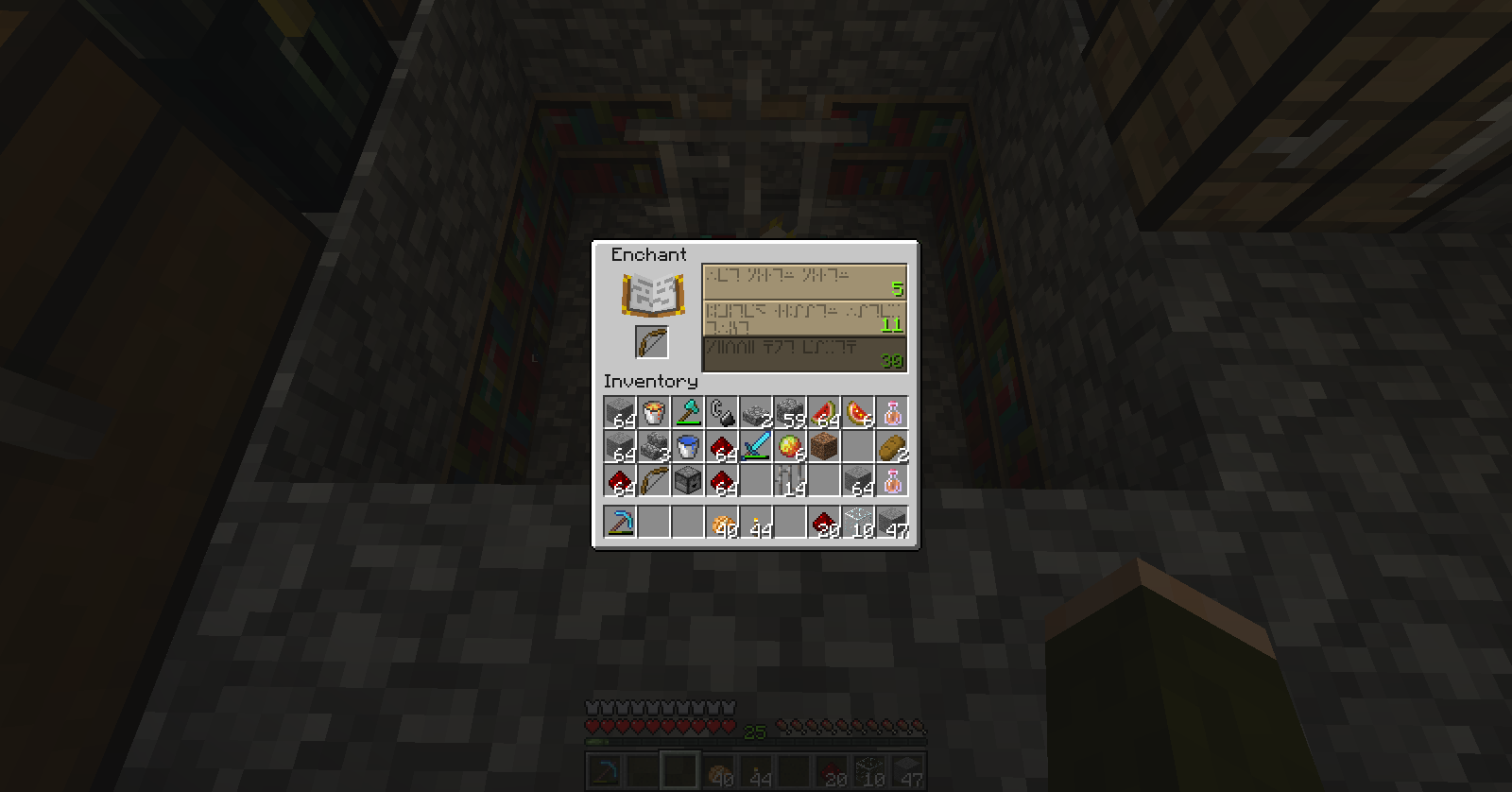
1st image shows nothing above the empty space between the bookshelves and the table.
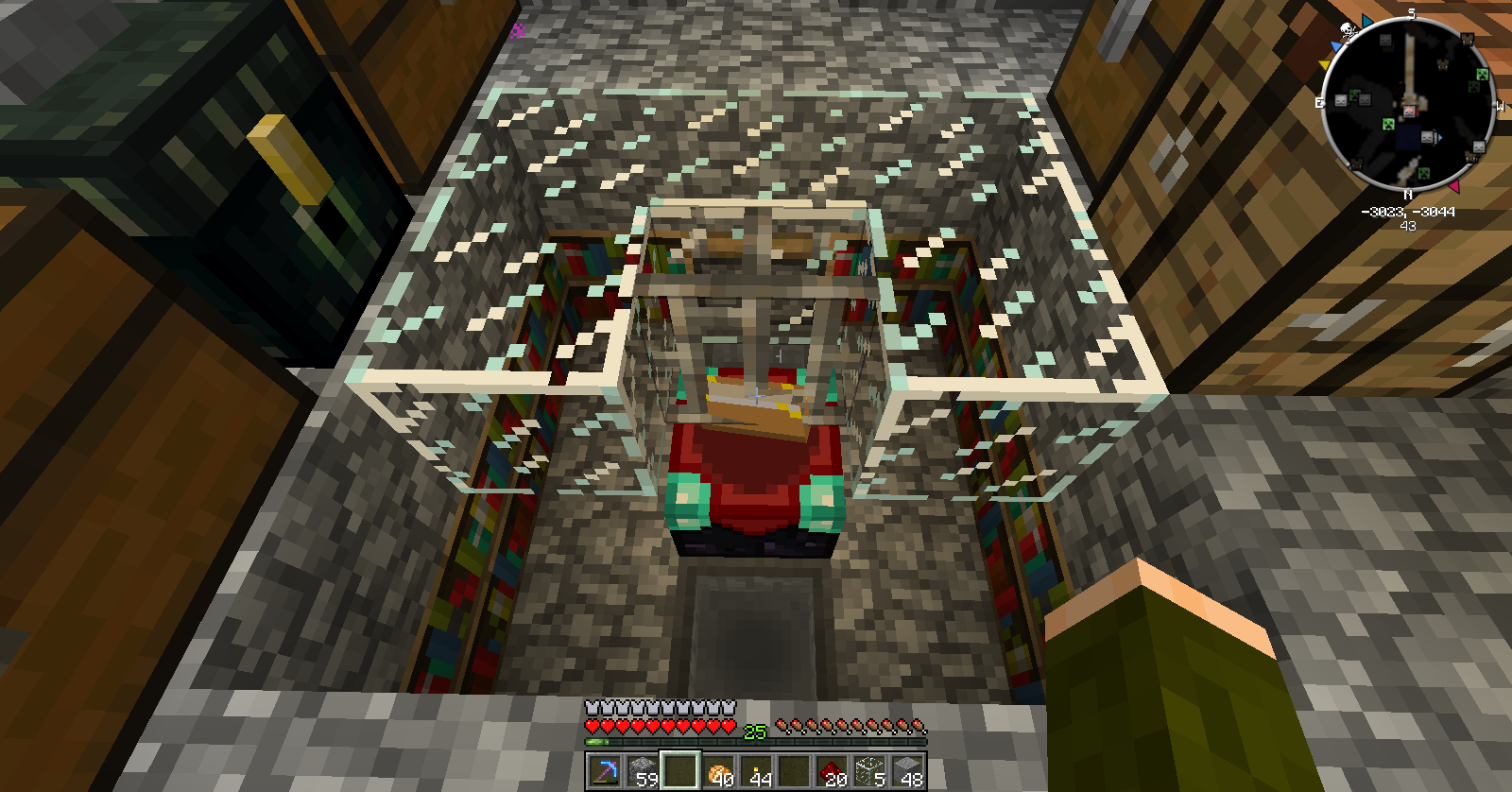
2nd image shows that it gives the level 30 enchant as expected.
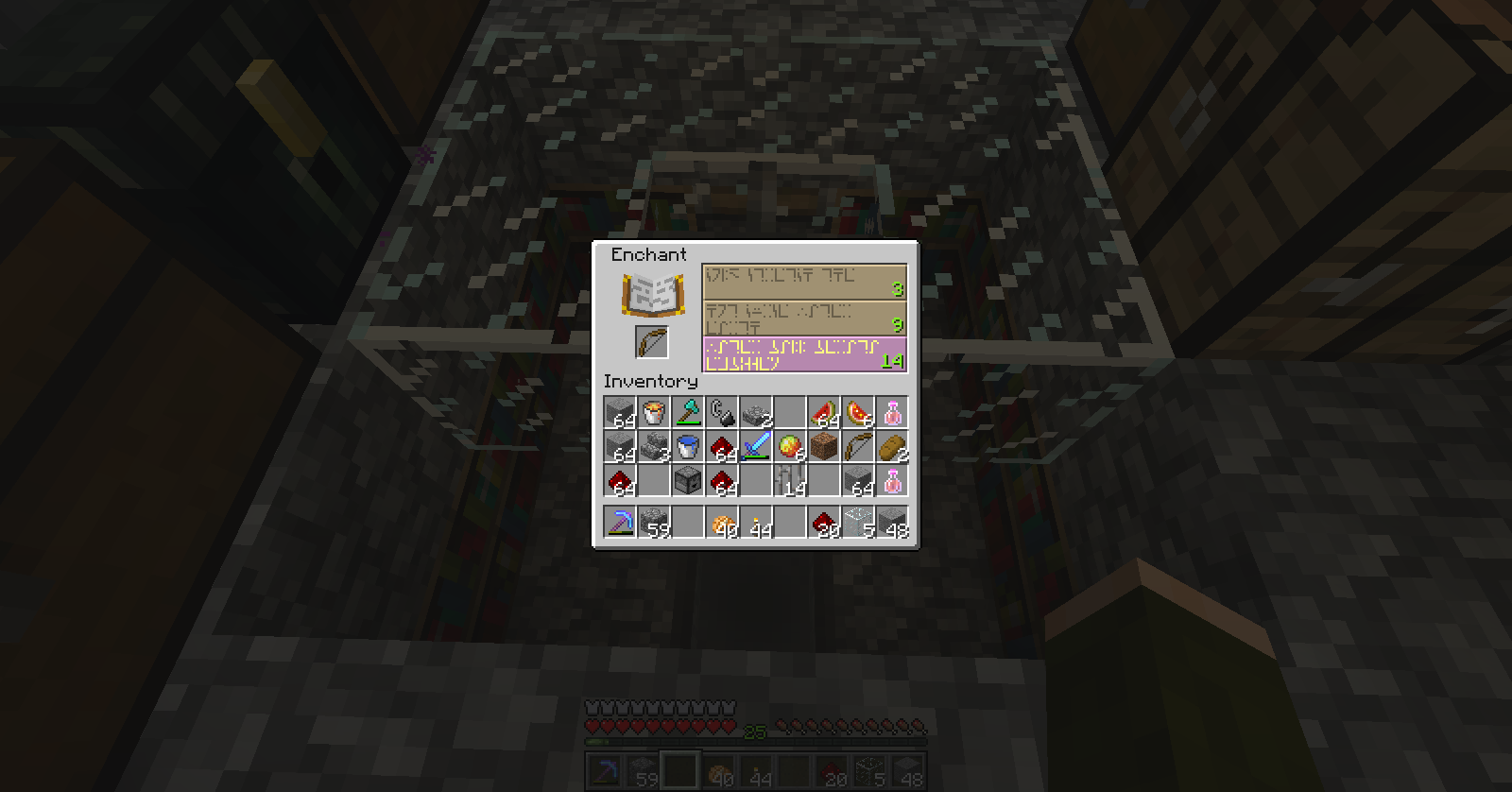
3rd image shows glass above the space while nothing is blocking the space between.
4th image shows the enchanted levels given from the 3rd image.
The more blocks over the empty space, the lower the levels get as if you were covering the empty space.
This should work as the enchantment table should accept the effects from the bookshelves because nothing is blocking it.
I under stand that torches and other blocks prevent book shelves from registering for the enchantment table, but their is no blocks between that area, only above it. It shows the bookshelves effect, but does not increase levels.
1st image shows nothing above the empty space between the bookshelves and the table.
2nd image shows that it gives the level 30 enchant as expected.
3rd image shows glass above the space while nothing is blocking the space between.
4th image shows the enchanted levels given from the 3rd image.
Note that the iron bar above the enchantment table works perfectly fine and does not affect the enchanted levels.
The more blocks over the empty space, the lower the levels get as if you were covering the empty space.
This should work as the enchantment table should accept the effects from the bookshelves because nothing is blocking it.
I under stand that torches and other blocks prevent book shelves from registering for the enchantment table, but their is no blocks between that area, only above it. It shows the bookshelves effect, but does not increase levels.
1st image shows nothing above the empty space between the bookshelves and the table.
2nd image shows that it gives the level 30 enchant as expected.
3rd image shows glass above the space while nothing is blocking the space between.
4th image shows the enchanted levels given from the 3rd image.
Note that the iron bar above the enchantment table works perfectly fine and does not affect the enchanted levels.
-The more blocks over the empty space, the lower the levels get as if you were covering the empty space.
-This should work as the enchantment table should accept the effects from the bookshelves because nothing is blocking it.
In command blocks, arguments such as coordinates and radius seem not to work!
Ex:tp @a[x=0,y=100,z=0,r=3] ~0 ~0 ~5Normally this would only teleport players in the radius of
3at 0,100,0 5 blocks away, but instead teleports everyone in the server 5 blocks away.In command blocks, arguments such as coordinates and radius seem not to work!
Ex:tp @a[x=0,y=100,z=0,r=0] ~0 ~0 ~5Normally this would only teleport players in the radius of 0 at 0,100,0 5 blocks away, but instead teleports everyone in the server 5 blocks away
This only happends when r=0 or their is no r=.
This still is affected in multiplayer. 1.6.2
In command blocks/commands you cannot add arguments to specific players.
Ex: /scoreboard players remove notch[score_score_min=10] score 10
What should happen is, if the player notch has a score of at least 10, the command block would remove 10 of score from notch.
Instead it does nothing.
In command blocks/commands you cannot add arguments to specific players.
Ex: /scoreboard players remove notch[score_score_min=10] score 10
What should happen is, if the player notch has a score of at least 10, the command block would remove 10 of score from notch.
And /scoreboard players remove @a[score_score_min=10,name=notch] score 10 only works when the player is online.
Instead it does nothing.
You can't add command block arguments to specific players that are offline.
In command blocks/commands you cannot add arguments to specific players.
Ex: /scoreboard players remove notch[score_score_min=10] score 10
What should happen is, if the player notch has a score of at least 10, the command block would remove 10 of score from notch.
And /scoreboard players remove @a[score_score_min=10,name=notch] score 10 only works when the player is online.
Instead it does nothing.
In command blocks/commands you cannot add arguments to specific players.
Ex: /scoreboard players remove notch
{score_score_min=10}score 10
What should happen is, if the player notch has a score of at least 10, the command block would remove 10 of score from notch.
And /scoreboard players remove @a
{score_score_min=10,name=notch}score 10 only works when the player is online.
Instead it does nothing.
In command blocks/commands you cannot add arguments to specific players.
Ex: /scoreboard players remove notch
{score_score_min=10}score 10
What should happen is, if the player notch has a score of at least 10, the command block would remove 10 of score from notch.
And /scoreboard players remove @a
{score_score_min=10,name=notch}score 10 only works when the player is online.
Instead it does nothing.
In command blocks/commands you cannot add arguments to specific players.
Ex: /scoreboard players remove notch[score_score_min=10] score 10
What should happen is, if the player notch has a score of at least 10, the command block would remove 10 of score from notch.
And /scoreboard players remove @a[score_score_min=10,name=notch] score 10 only works when the player is online.
Instead it does nothing.
Items with modified attributessuch as attack damage get removed after dispensed.Items with modified attributes will removed in Multiplayer
Items with modified attributes will be removed if dispensed from a dispenser/dropper
. This does not include armor. I believe this is only on multiplayer.Items with modified attributes will be removed if dispensed from a dispenser/dropper and the player put their mouse over the modified item.
Sometimes the attributes immediatly get removed from armor when equip by dispensers
This includes armor. I believe this is only on multiplayer.
Items with modified attributes will be removed if dispensed from a dispenser/dropper and the player put their mouse over the modified item.
Sometimes the attributes immediatly get removed from armor when equip by dispensers
This includes armor. I believe this is only on multiplayer.
How to reproduce:
1. Get an
Items with modified attributeswillremoved in MultiplayerItems with modified attributes dispensed from an infinite dispenser get removed in Multiplayer
Items with modified attributes will be removed if dispensed from a dispenser/dropper and the player put their mouse over the modified item.
Sometimes the attributes immediatly get removed from armor when equip by dispensers
This includes armor. I believe this is only on multiplayer.
How to reproduce:
1.Get anAll items with modified attributes will have their attributes removed if they are dispensed from an item dispenser that is infinite.
This is in vanilla, but you need an MCEdit filter to reproduce.How to reproduce:
1. Get an item with modified attributes on it.
2. Put item in dispenser and open up mcedit.
3. Use Sethbling's filldispenser filter on the dispenser.
4. Save and open up world in Minecraft.
5. Activate dispenser.
You may have the modified affects for until you place your mouse over the item/hold the item in hand.
All items with modified attributes will have their attributes removed if they are dispensed from an item dispenser that is infinite.
This is in vanilla, but you need an MCEdit filter to reproduce.How to reproduce:
1. Get an item with modified attributes on it.
2. Put item in dispenser and open up mcedit.
3. Use Sethbling's filldispenser filter on the dispenser.
4. Save and open up world in Minecraft.
5. Activate dispenser.
You may have the modified affects for until you place your mouse over the item/hold the item in hand.
All items with modified attributes will have their attributes removed if they are dispensed from an item dispenser that is infinite.
This is in vanilla, but you need an MCEdit filter to reproduce.How to reproduce:
1. Get an item with modified attributes on it.
2. Put item in dispenser.
Note- step 2 and 3 can be reversed
3. NBTedit the item count to -1.4. Save and open up world in Minecraft.
5. Activate dispenser.
You may have the modified affects for until you place your mouse over the item/hold the item in hand.
All items with modified attributes will have their attributes removed if they are dispensed from an item dispenser that is infinite.
This is in vanilla, but you need an MCEdit filter to reproduce.How to reproduce:
1. Get an item with modified attributes on it.
2. Put item in dispenser.
Note- step 2 and 3 can be reversed
3. NBTedit the item count to -1.4. Save and open up world in Minecraft.
5. Activate dispenser.
You may have the modified affects for until you place your mouse over the item/hold the item in hand.
Edit- Actually the item doesn't have to be dispensed
Bump, pretty big bug
I updated the bug.
How to reproduce:
Spawn a wolf and hear nothing, or type this: /playsound mob.wolf.bark @a ~ ~ ~ 100
Only happens to wolves, tested on every other mob.
I don't know how to explain it, but it looks like the clouds texture that is turned green that you see sometimes when looking at the sky. I had this problem before in older versions.
It appears to be at clouds height.
![[Mod] Torabi](../../../data/assets/gravatar/torabi.png)
Isn't this just a duplicate of MC-12239?
Anthony Jemmer: Short solution: r=1. Not perfect, because that's a cross-shape (one block away from the specified block), but it should solve your specific problem.
There's a reason for the current behavior: generating lists of players, ordered by their proximity to the specified coordinate. For example: @a[x=10,y=40,z=10,c=5] will produce the closest 5 players to that point, regardless of distance. If the default distance (no r argument) was only the specified block, this command wouldn't work. What should you specify for an r value if you want infinite search distance?
I'm not sure there's any difference between @p and @a once you specify a value for c. @p just implies c=1, while @a implies c=0 or infinite.
Ideally, there would be a way to specify any distance, from a single block, to infinite distance. Currently, omitting the r argument, or setting r=0, means infinite, and there's no way to specify a single block distance, since r=1 means every block within one block of the specified coordinates. Possible solutions are to use r=-1 for infinite, and r=0 for a single block, or shift it all down, leaving r=0 for infinite, and have r=1 mean a single block, r=2 mean a cross-section (like r=1 means now), etc.
Another solution would be to allow fractional coordinates/radius in the command (MC-9074), so you could specify r=0.5, which, since it offsets the coordinates by 0.5 to make it centered on blocks, rather than intersections (MC-13526), r=0.5 would specify a single block, and achieve the desired behavior).
![[Mod] Skylinerw](../../../data/assets/gravatar/skylinerw.png)
@Anthony Jemmer Scoreboards tracking non-player entity UUIDs has been a thing since the 1.8 snapshots. You likely accidentally created a fake player named ZombiesSpawned instead of targeting an entity of that name, or else something different is at play here.
I've noticed that the ore and the coal has to be taken out in order for the ingots to be taken out. Weird.
This doesn't change the requested output. And this is not adventure mode dependable, as mining fatigue can be given to a player in survival making the player not destroy blocks in survival.
Regardless I'm on a vanilla server so the one mod on the client does not affect the behavior.
Still happens on 1.5.2, but single player too. It only happens when you escape or cancel out of the window of the command block. Make sure to click the 'Done' button people!
Please change the 'fixed' status.
If their was data in the command block before you opened it and if you were to type something wrong or erased something you don't know; cancel would reload the data before you opened it. So that when you open it again it would have its original data. Now if you click cancel it removes all data, same with clicking the 'Escape' key on the keyboard
This is happening to a lot of people upgrading from 1.5.2 to 1.6.1 including me. Everything was working on 1.5.2 including ports, but the 1.6.1 update has made it that anybody trying to connect will get the message "Can't reach server". But the owner can access his on server with the ip 'localhost'
I'm on Windows 7 btw
Still unassigned/unresolved
No plugins, completely vanilla. It really sucks because my server uses a lot of command blocks and now they seem to be broken. I will post a video up on youtube in a little bit.
Kumasasa I found the specific problem, either remove the r= or have it r=0. Normally if r=0 or if their is no r, then the x,y,and z coords are specific to one block. This is still a problem because if the command block is for a specific block and it has an @a, everyone would be teleport in the server rather then who ever is on that specific block. I won't be posting a video unless you truley want me to.
You can no longer craft ye saddle
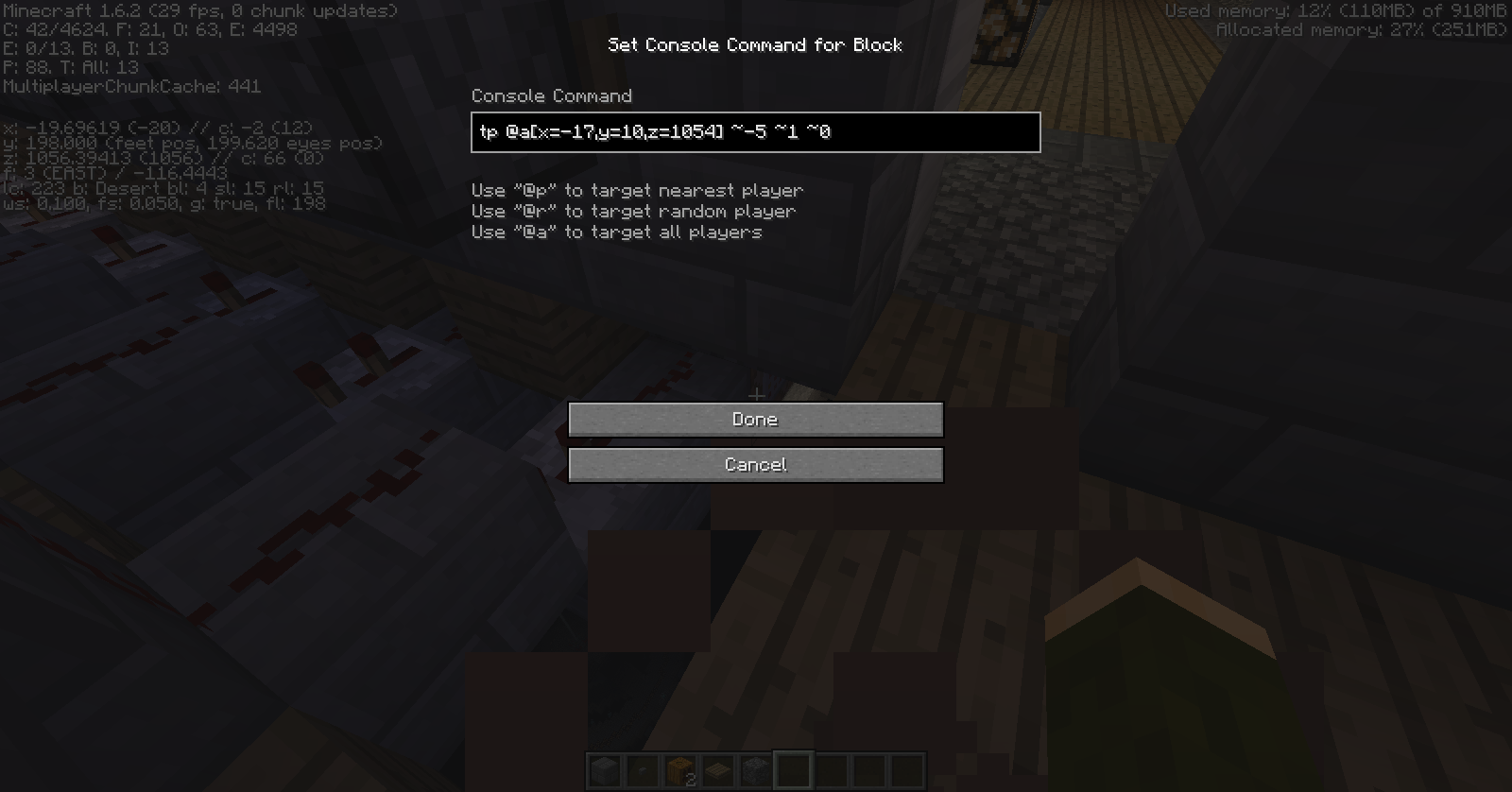
I even made the y=10, while I'm at y=198. The command block teleports everyone.
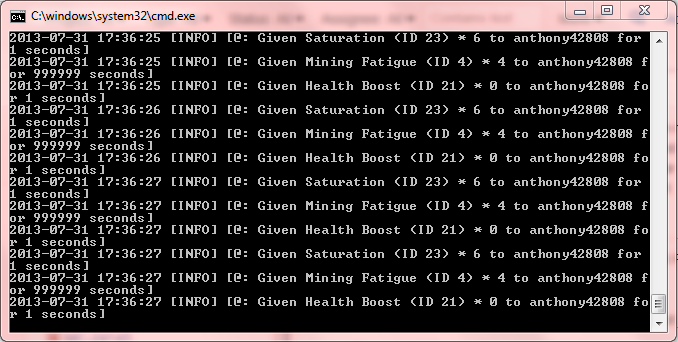
I do not know if this could also be the problem, but I have a command block clock at my spawn chunks so that it always gives the players potion effects such as saturation and mining fatigue. Maybe it happens when their is a loop with command blocks?
http://www.youtube.com/watch?v=jJKJkUAcxvQ&feature=youtube_gdata
Video of the bug ^
It appears to be so.
Are you allowed to bump? If unseen in 2 days?
cough cough bump
Confirmed in new launcher. Very annoying because you click play, not play offline, and you will get the bad login message.
This is on multiplayer. Please read the description fully. And no plugins.
Your wrong.
I have the problem right now with the vanilla.jar. I'm not going to make a video because it's pointless, but I can't type any commands if players are on and the clock is running. The characters type is constantly being deleted. Only on the craftbukkit.jar can I type in the cmd console. I know this because I changed the vanilla's.jar with the bukkit's.jar to test.
So please remove the cannot reproduce.
This isn't a suggestion, but common sense.
You SHOULD be able to have a specific point for a player to be teleported from. It's a bug that without the radius, it chooses everyone in the server that applies.
I do have the latest version of java. It's only with the minecraft_server.jar. Ill try and redownload it, but I don't think it will change.
EDIT: No change, have you tried having a very fast clock that runs a bunch of effect commands in a command block?
This is the command prompt spam from the effect commands in command blocks. I can't get a picture of me typing anything because it deletes it instantly.
If it is confirmed in 1.6.2 can a mod please mark this as a bug rather then unresolved.
Confirmed in 1.6.2
This isn't a bug, this is your computer. Please don't use this website for lag reasons. 58% of bugs tracked are duplicates just like yours.
Note- Use the mod optifine to increase your fps. Although when using optifine do not create a bug on this website as it's 100% vanilla only.
Please do not request or create a suggestion on this website. It's for bugs only. And this doesn't look like a bug to me.
Please don't post bugs with a modded server. This website is for 100% vanilla clients and servers only. Post on the bukkit bug tracker.
Please remove the duplicate, because this applies to absorption too.
Still exists into the snapshots of 1.8
Confirmed. Was confused why t wasn't happening in my map, but I see now.
Also it seems that this may be connected to item frames popping off when opening up a world before this snapshot than loading it in this snapshot.
Crash Report
What? No I used my iron shovel on dirt, and my Minecraft doesn't crash.
I don't understand why this is marked as "Cannot reproduce". All you do it type the command into the chat in which you don't hear a sound. Are you playing on the right version of Minecraft?
I deleted my .minecraft folder and re-ran minecraft, it works now, but It broke from updating from 1.7 to 1.8 snapshots.
Why is this unresolved?
If this why my redstone/command blocks are lagging? As well as the mobs after I play for more than 10 minutes.
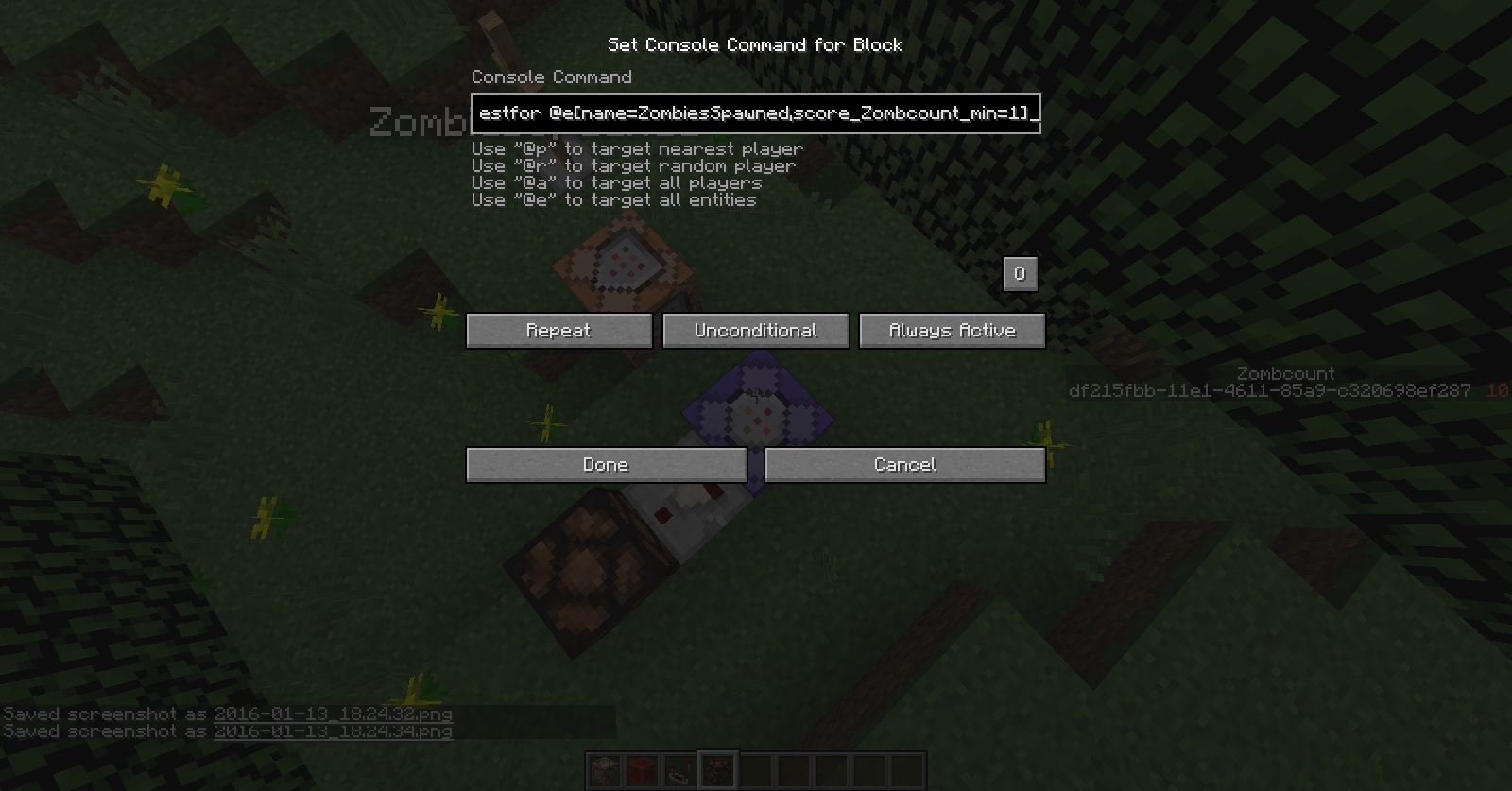
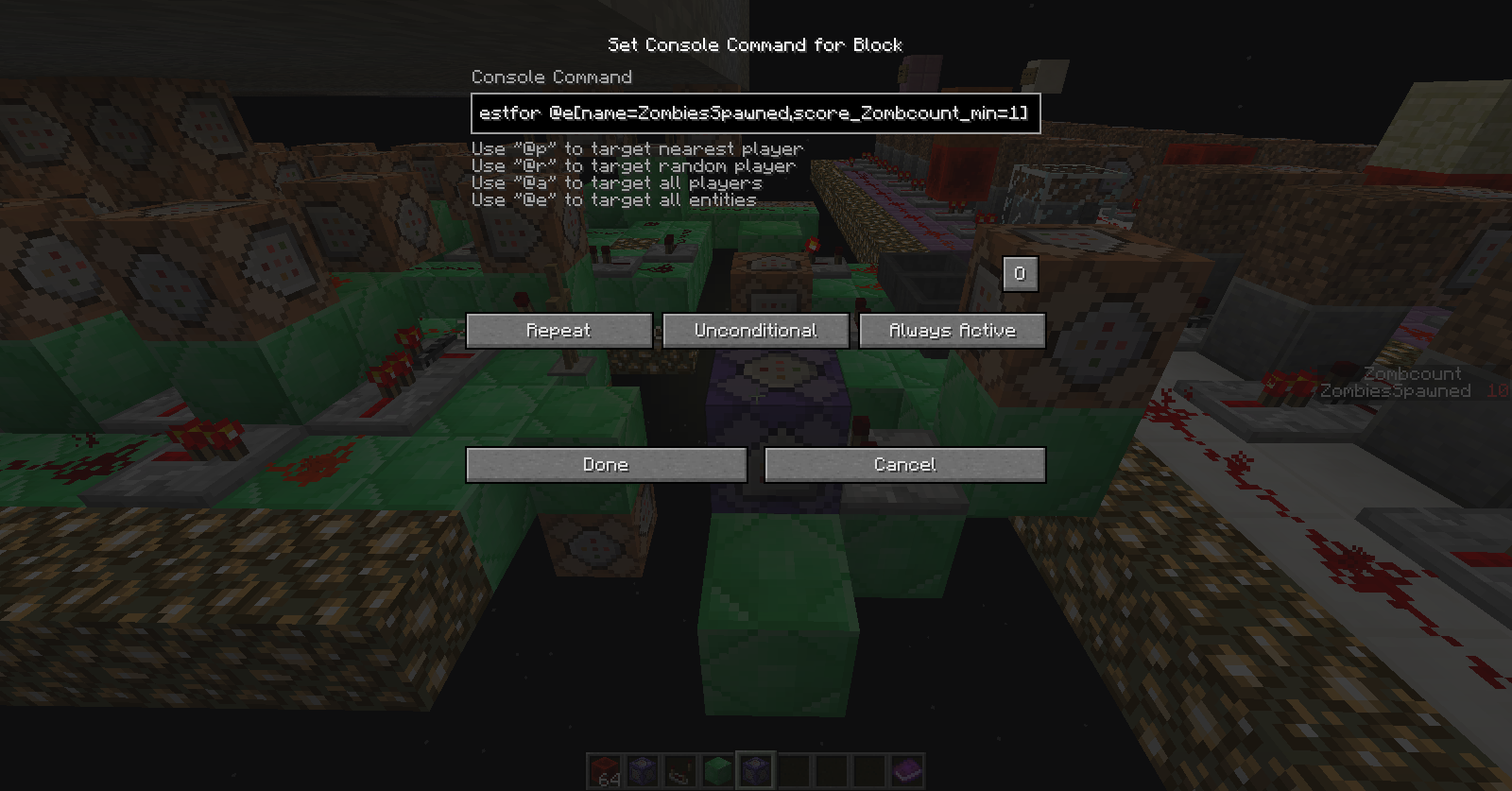
You're all wrong I know how to use command blocks I have all my objectives, the armorstand has all the objective X=10, but the testfor block is not working. I'll show pictures. Make sure you guys are in 16w02a.
These are the commands:
To summon the ArmorStand into the world with the name ZombiesSpawned
{Invisible:0,Marker:1,NoGravity:1,Small:1,CustomName:"ZombiesSpawned",CustomNameVisible:1}/summon ArmorStand ~ ~2 ~
On impulse: To set the armorstand's Zombcount score to 10
/scoreboard players set @e[name=ZombiesSpawned] Zombcount 10
On repeating command block that doesn't need redstone: Testfor the armrostand's Zombcount
/testfor @e[name=ZombiesSpawned,score_Zombcount_min=1]
These commands do not work. Yes I have Zombcount as a dummy objectives. These commands work in the previous snapshot, but not in 16w02a. No they are not conditional. Nothing is wrong with the commands I used.
It doesn't just happen in the command block, when I type
/testfor @e[name=ZombiesSpawned,score_Zombcount_min=1]
It doesn't output that it found "ZombiesSpawned"
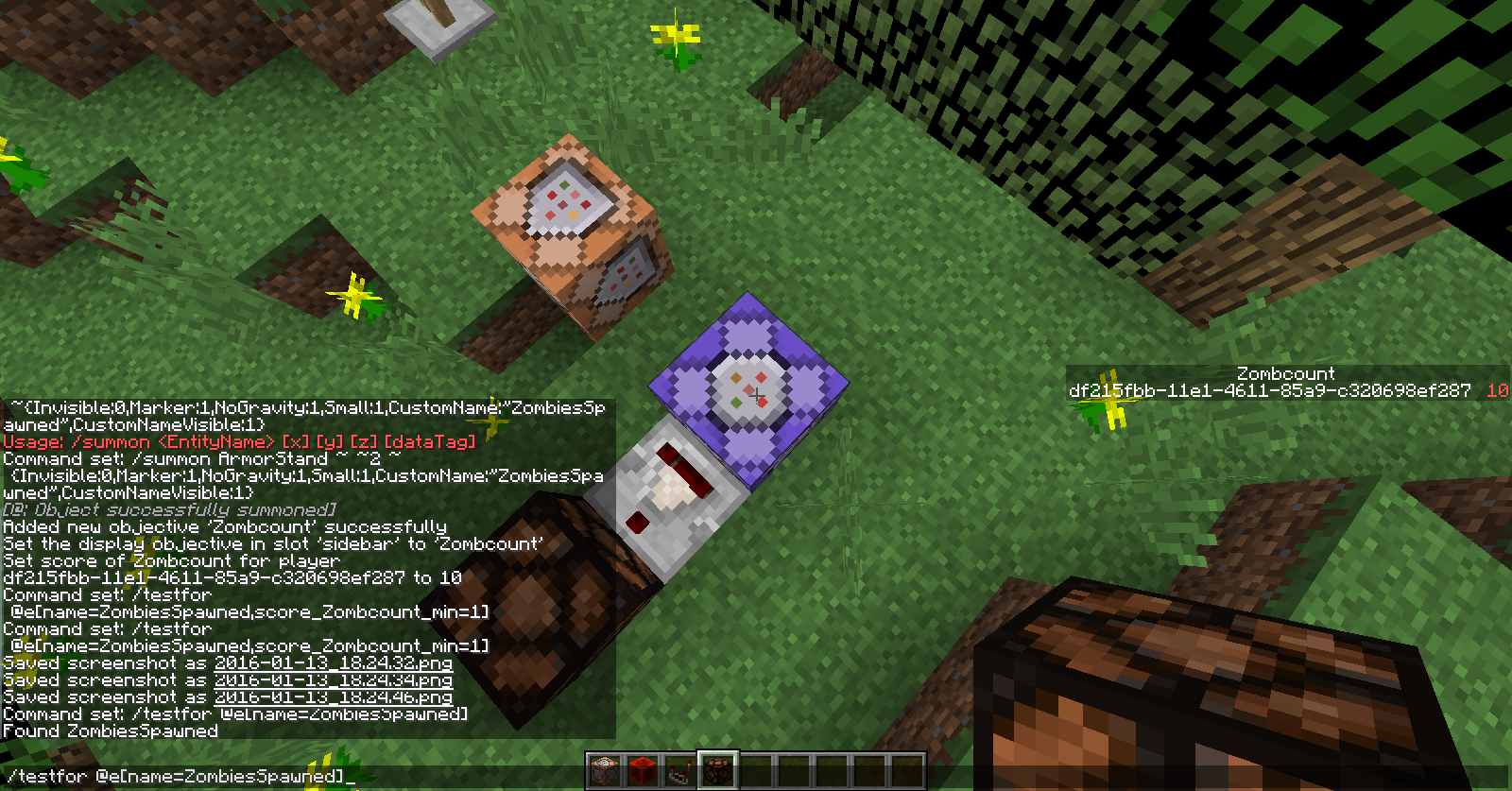
I attached a screenshot it has everything in it. I even created a new world to test it. I even attached me finding the Armorstand in chat
Screenshot of this not working in my actual world that I need it for.
I found the problem. When updating the snapshot from 15w51b to 16w02a mobs with scoreboard objectives will no longer work. The testfor will testfor the mob name, but in the scoreboard objectives tab it will have to display the mobs UUID, and not the mob's name itself. I guess this is to prevent confusion between an Armorstand with the same name as a player.
So basically in 15w51b the testfor command would testfor a mob with a name for their name, while in 16w02a, to testfor a mob the mob UUID must be in the sidebar.
How I fixed it:
/scoreboard players reset ZombiesSpawned
How is this a duplicate of
MC-94438? That talks about being on a server. This is strictly multiplayer. Etho from Ethoslab has discussed this problem too in one of his videos.