 Twi
Twi
- Azsvar89
- azsvar89
- America/Chicago
- Yes
- No
 MC-51717
![[Mojang] Grum (Erik Broes)](../../../data/assets/gravatar/grum.png)

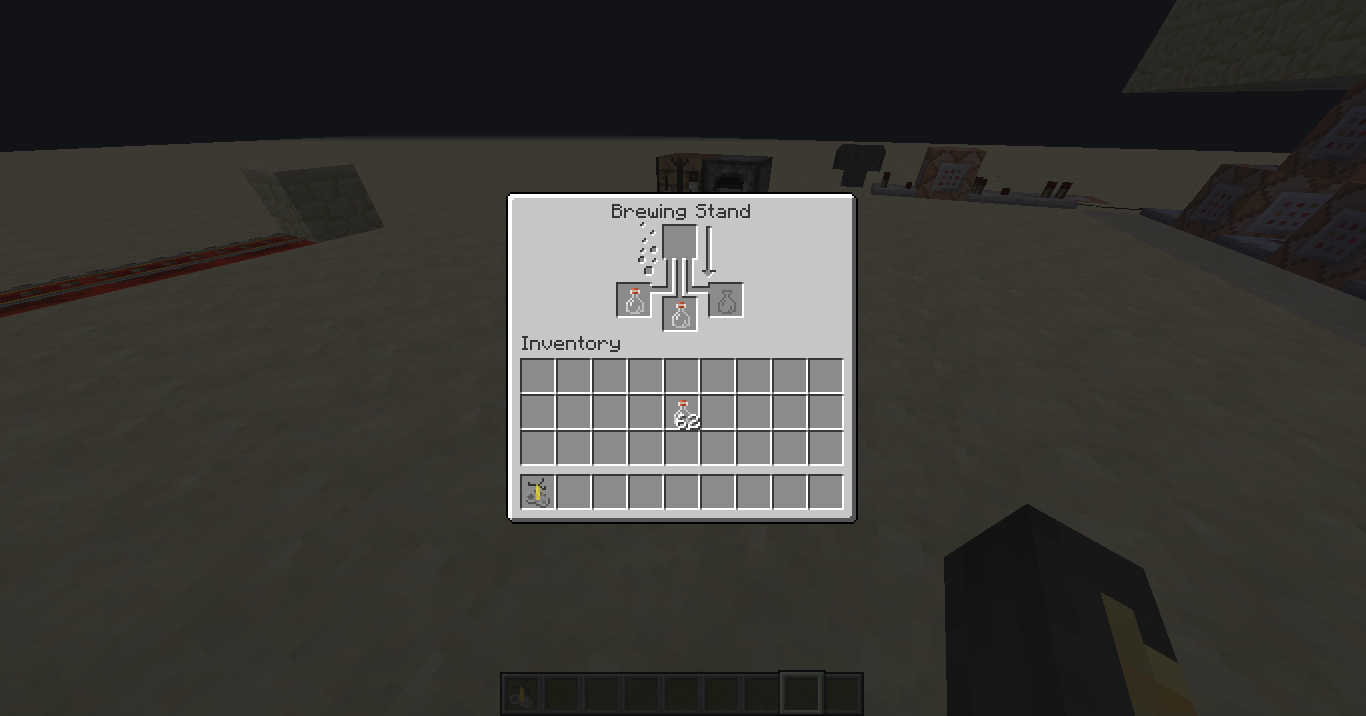

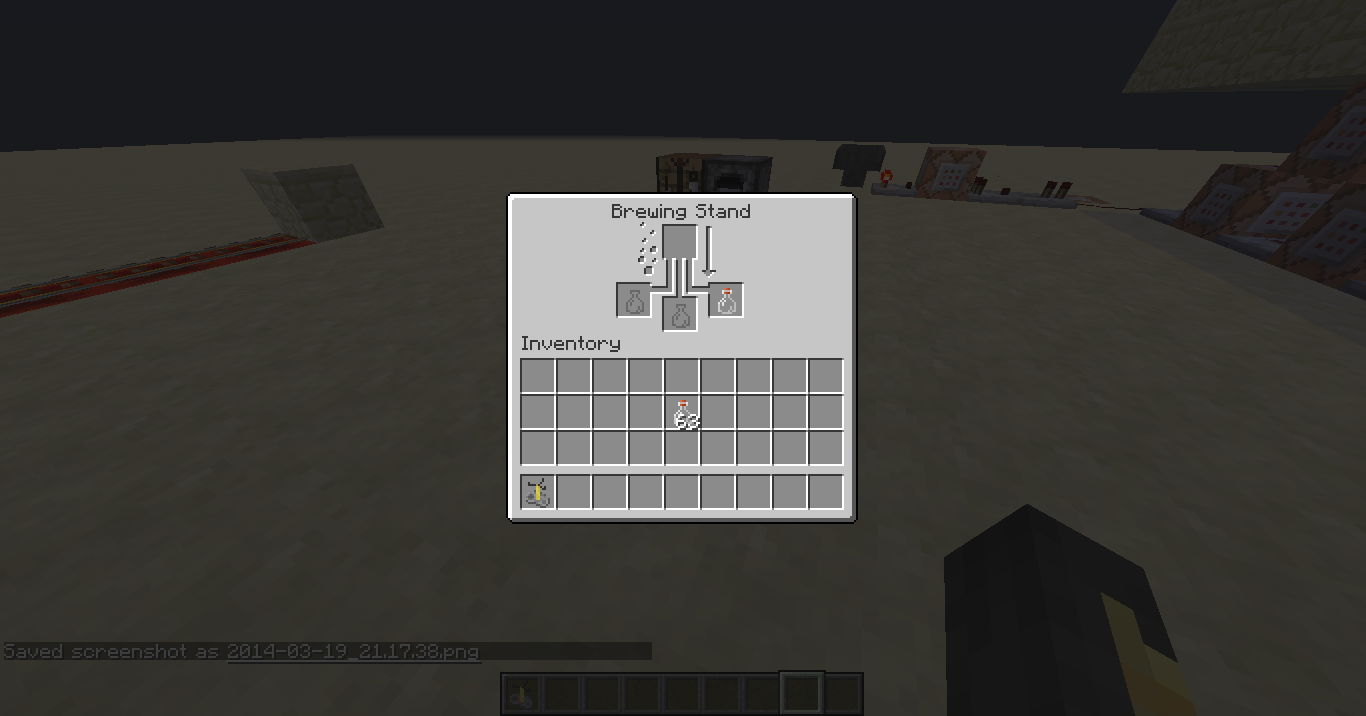
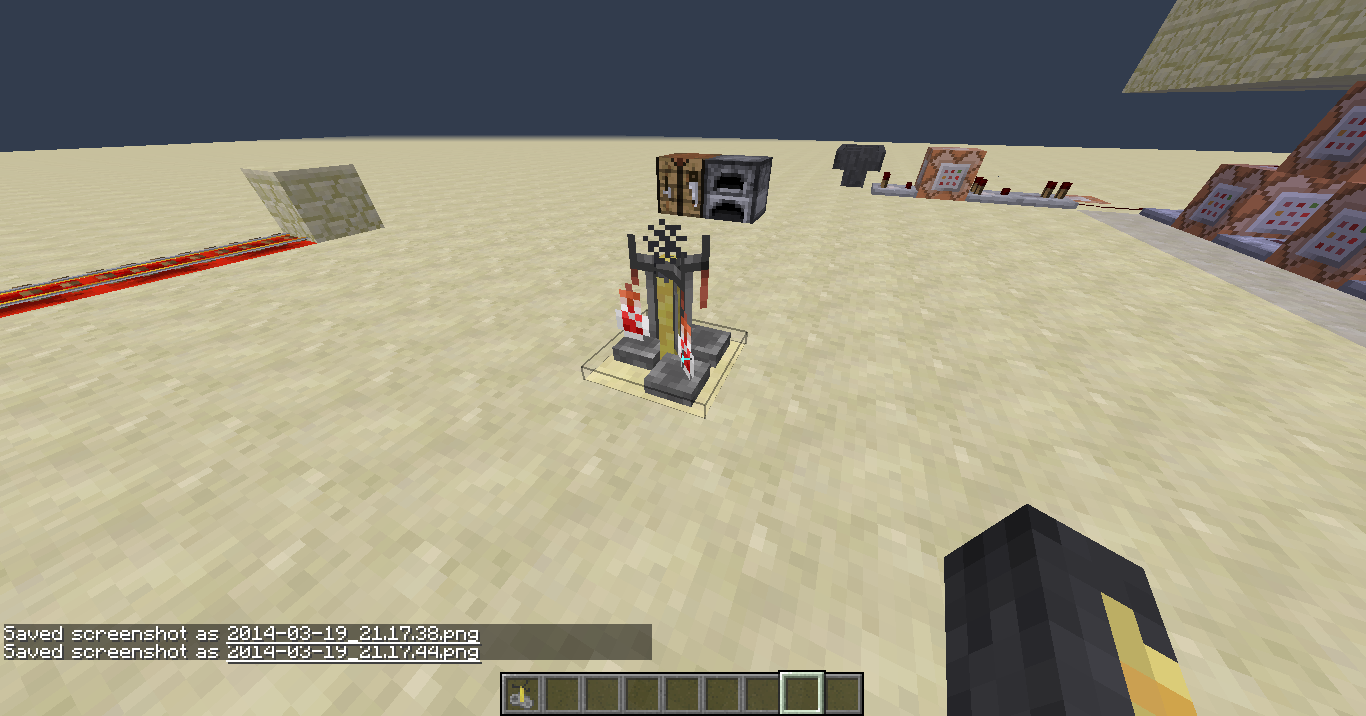







The mesh for the model brewing_stand_bottles_12.json and brewing_stand_bottles_3.json have the wrong (opposite) file names. Because of that, they display as each other.
Ex. A brewing stand with a bottle in slot 3 looks like it has a bottle in slots 1 and 2, and a brewing stand with bottles in slots 1 and 2 looks like it only has a bottle in slot 3.
I captured the brewing stand from the best angle possibleThe mesh for the model brewing_stand_bottles_12.json and brewing_stand_bottles_3.json have the wrong (opposite) file names. Because of that, they display as each other.
Ex. A brewing stand with a bottle in slot 3 looks like it has a bottle in slots 1 and 2, and a brewing stand with bottles in slots 1 and 2 looks like it only has a bottle in slot 3.
I captured the brewing stand from the best angle possibleThe mesh for the model brewing_stand_bottles_12.json and brewing_stand_bottles_3.json have the wrong (opposite) file names. Because of that, they display as each other.
Ex. A brewing stand with a bottle in slot 3 looks like it has a bottle in slots 1 and 2, and a brewing stand with bottles in slots 1 and 2 looks like it only has a bottle in slot 3.
The mesh for the model brewing_stand_bottles_12.json and brewing_stand_bottles_3.json have the wrong (opposite) file names. Because of that, they display as each other.
Ex. A brewing stand with a bottle in slot 3 looks like it has a bottle in slots 1 and 2, and a brewing stand with bottles in slots 1 and 2 looks like it only has a bottle in slot 3.
Block withyour swordandtry to destroy a block. Also, any type of swinging the sword while blocking doesn't move it.I
t won't move like in the older versions.When your sword is blocked and you try to destroy a block / blockhit, the sword just looks like it's blocked, where before, there was a blocked+swinging animation.
In third person, it works properly.
When your sword is blocked and you try to destroy a block / blockhit, the sword just looks like it's blocked, where before, there was a block
ed+swinging animation.In third person, it works properly.
When your sword is blocked and you try to destroy a block / blockhit, the sword just looks like it's blocked, where before, there was a blocking+swinging animation.
In third person, it works properly.
When your sword is blocked and you try to destroy a block / blockhit, the sword just looks like it's blocked, where before, there was a blocking+swinging animation.
In third person, it works properly.
When you are swinging your sword and blocking at the same time, whether it's
-blocking and destroying a block (which has been partially fixed because you can't destroy while blocking)
-punching right before pushing the block button (blockhitting)The animation doesn't show in first person where before, there was a blocking+swinging animation.
In third person, it works properly. (the sword goes through your head like it used to)
Windows 8, also Windows 7
This is going to be really annoying for PvP
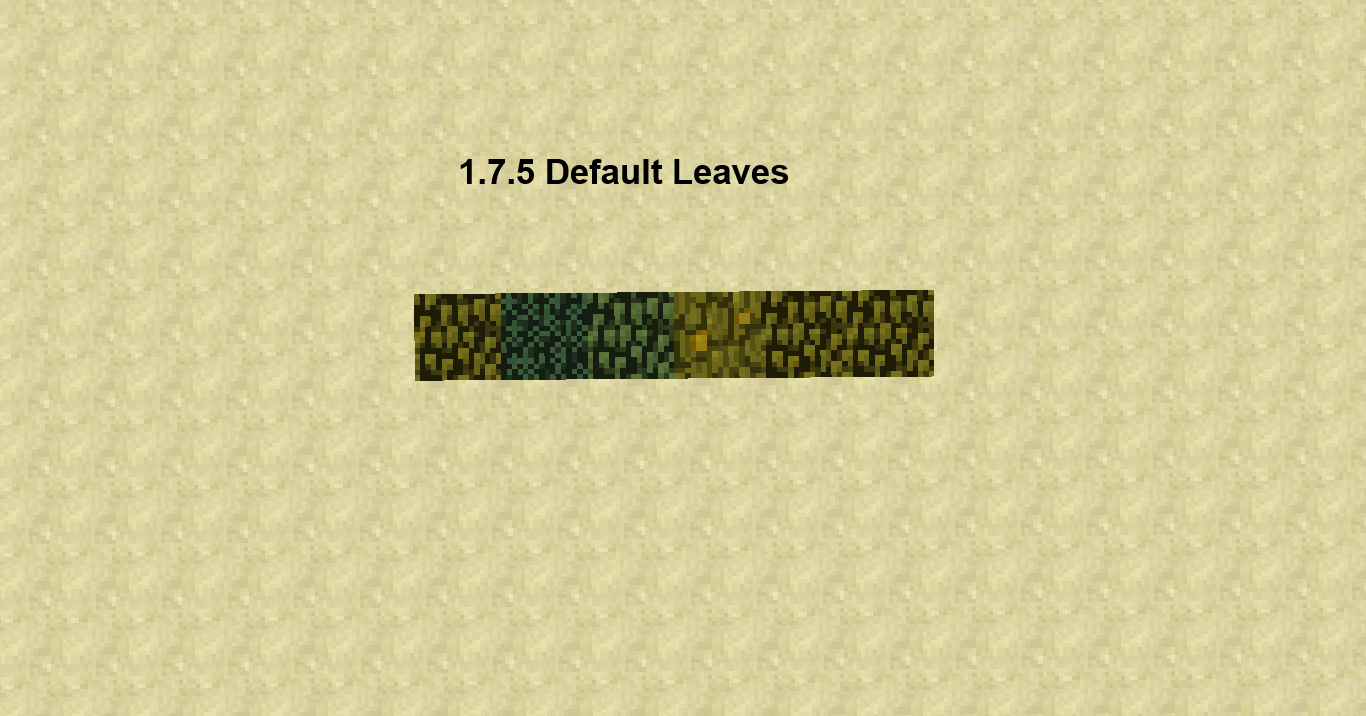
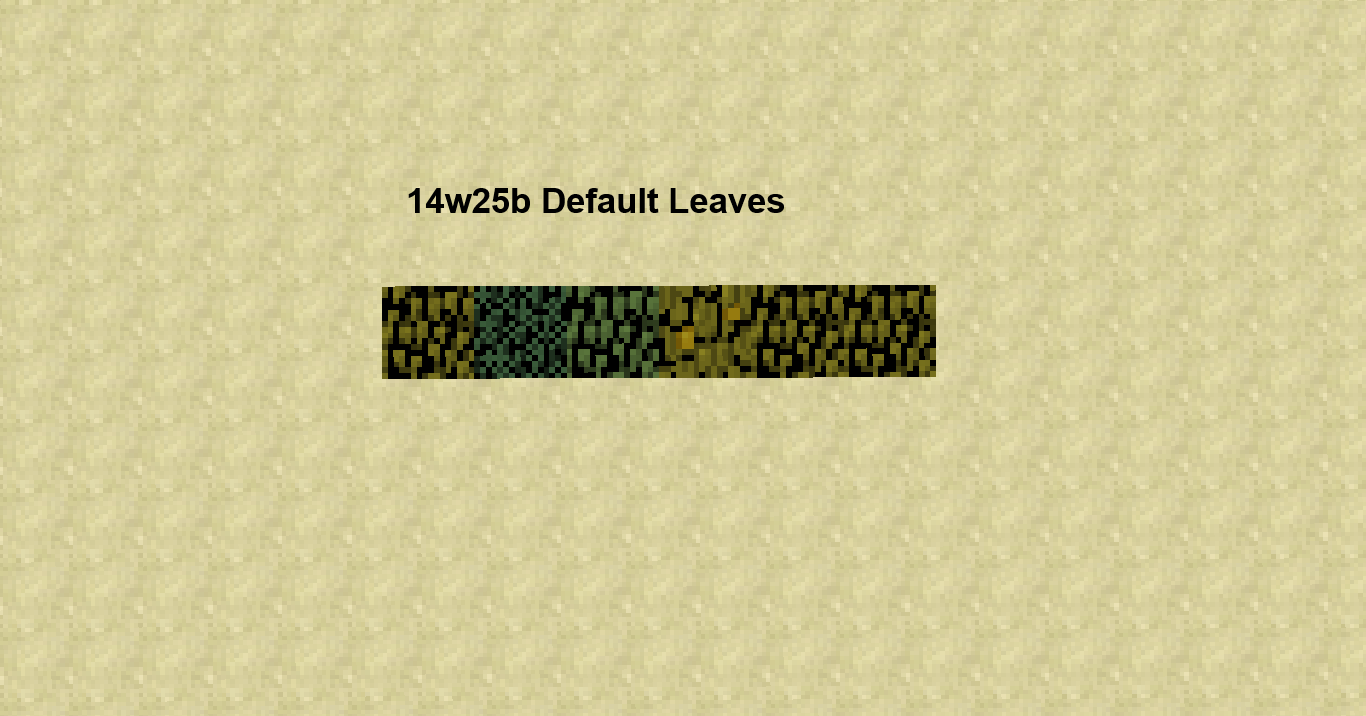
The only problem with the default resource pack is that the dark parts of the blocks (in between the "leaves") are much darker than the previous versions.
_________________________________________________________
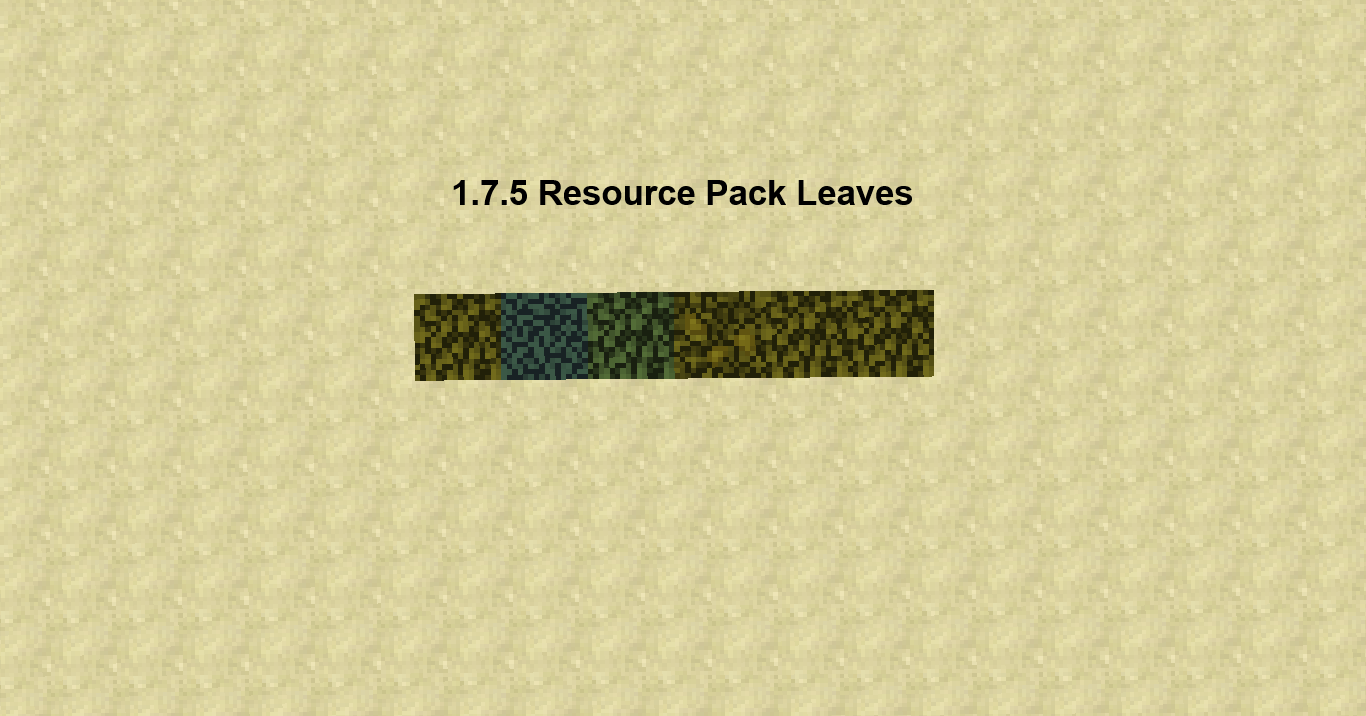
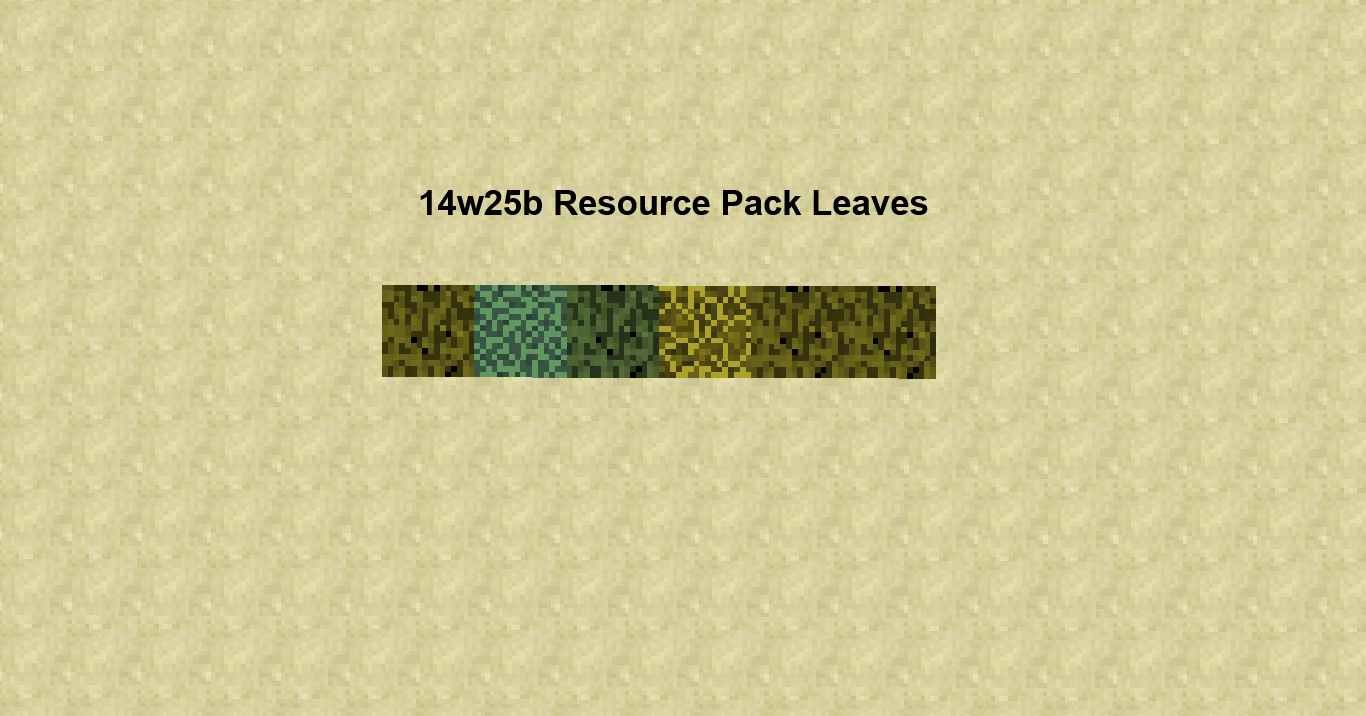
MOST PROBLEMS ARE WITH A RESOURCE PACKWhen using a resource pack however, the leaves seem to do that odd "gravel" thing that you fixed for the default pack in this version.
I also see you removed all the opaque textures from the .jar expecting that the game will do a perfect job filling in the clear parts from the fancy leaves, but it doesn't
(yet).
__________________________________________________________(I think it was much easier to make fast leaves when they could just load it from a .png file instead of modifying a different file, so this could also be a feature request to bring back the opaque files.)
BEFORE READING/JUGDING NOTE THAT MOST PROBLEMS OCCUR WHEN USING A RESOURCE PACK BECAUSE THE ABILITY TO MAKE OPAQUE LEAF .PNGS WAS REMOVED.
________________________________________________________________________________________________________
The only problem with the default resource pack is that the dark parts of the blocks (in between the "leaves") are much darker than the previous versions.When using a resource pack however, the leaves seem to do that odd "gravel" thing that you fixed for the default pack in this version.
I also see you removed all the opaque textures from the .jar expecting that the game will do a perfect job filling in the clear parts from the fancy leaves, but it doesn't.
________________________________________________________________________________________________________
-could also be a feature request to bring back the opaque files.)
-I think it was much easier to make fast leaves when you could make a .png file
-Or you could make a way to choose what color you want to fill the cracks with.
-Or you could also make something like "leaves_birch_overlay" for the fast graphics
BEFORE READING/JUGDING NOTE THAT MOST PROBLEMS OCCUR WHEN USING A RESOURCE PACK BECAUSE THE ABILITY TO MAKE OPAQUE LEAF .PNGS WAS REMOVED.
________________________________________________________________________________________________________
The only problem with the default resource pack is that the dark parts of the blocks (in between the "leaves") are much darker than the previous versions.When using a resource pack however, the leaves seem to do that odd "gravel" thing that you fixed for the default pack in this version.
I also see you removed all the opaque textures from the .jar expecting that the game will do a perfect job filling in the clear parts from the fancy leaves, but it doesn't.
________________________________________________________________________________________________________
-could also be a feature request to bring back the opaque files.)
-I think it was much easier to make fast leaves when you could make a .png file
-Or you could make a way to choose what color you want to fill the cracks with.
-Or you could also make something like "leaves_birch_overlay" for the fast graphicsBEFORE READING/JUGDING NOTE THAT MOST PROBLEMS OCCUR WHEN USING A RESOURCE PACK BECAUSE THE ABILITY TO MAKE OPAQUE LEAF .PNGS WAS REMOVED.
________________________________________________________________________________________________________
The only problem with the default resource pack is that the dark parts of the blocks (in between the "leaves") are much darker than the previous versions.When using a resource pack however, the leaves seem to do that odd "gravel" thing that you fixed for the default pack in this version.
I also see you removed all the opaque textures from the .jar expecting that the game will do a perfect job filling in the clear parts from the fancy leaves, but it doesn't.
________________________________________________________________________________________________________
Feature Request?...
-I think it was much easier to make fast leaves when you could make a .png file so you could change it back to that.
-Or you could make a way to choose what color you want to fill the cracks with.
-Or you could also make something like "leaves_birch_overlay" for the fast graphics
BEFORE READING/JUGDING NOTE THAT MOST PROBLEMS OCCUR WHEN USING A RESOURCE PACK BECAUSE THE ABILITY TO MAKE OPAQUE LEAF .PNGS WAS REMOVED.
________________________________________________________________________________________________________
The only problem with the default resource pack is that the dark parts of the blocks (in between the "leaves") are much darker than the previous versions.When using a resource pack however, the leaves seem to do that odd "gravel" thing that you fixed for the default pack in this version.
I also see you removed all the opaque textures from the .jar expecting that the game will do a perfect job filling in the clear parts from the fancy leaves, but it doesn't.
________________________________________________________________________________________________________
Feature Request?...
-I think it was much easier to make fast leaves when you could make a .png file so you could change it back to that.
-Or you could make a way to choose what color you want to fill the cracks with.
-Or you could also make something like "leaves_birch_overlay" for the fast graphics
BEFORE READING/JUGDING NOTE THAT MOST PROBLEMS OCCUR WHEN USING A RESOURCE PACK BECAUSE THE ABILITY TO MAKE OPAQUE LEAF .PNGS WAS REMOVED.
__________________________________________________________________________________________________
The only problem with the default resource pack is that the dark parts of the blocks (in between the "leaves") are much darker than the previous versions.When using a resource pack however, the leaves seem to do that odd "gravel" thing that you fixed for the default pack in this version.
I also see you removed all the opaque textures from the .jar expecting that the game will do a perfect job filling in the clear parts from the fancy leaves, but it doesn't.
___________________________________________________________________________________________________
Feature Request?...
-I think it was much easier to make fast leaves when you could make a .png file so you could change it back to that.
-Or you could make a way to choose what color you want to fill the cracks with.
-Or you could also make something like "leaves_birch_overlay" for the fast graphicsBEFORE READING/JUGDING NOTE THAT MOST PROBLEMS OCCUR WHEN USING A RESOURCE PACK BECAUSE THE ABILITY TO MAKE OPAQUE LEAF .PNGS WAS REMOVED.
__________________________________________________________________________________________________
The only problem with the default resource pack is that the dark parts of the blocks (in between the "leaves") are much darker than the previous versions.When using a resource pack however, the leaves seem to do that odd "gravel" thing that you fixed for the default pack in this version.
I also see you removed all the opaque textures from the .jar expecting that the game will do a perfect job filling in the clear parts from the fancy leaves, but it doesn't.
If you look at the pictures below, you'll see that the jungle leaves have the most obvious difference.
___________________________________________________________________________________________________
Feature Request?...
-I think it was much easier to make fast leaves when you could make a .png file so you could change it back to that.
-Or you could make a way to choose what color you want to fill the cracks with.
-Or you could also make something like "leaves_birch_overlay" for the fast graphics
2014-06-19_09.49.08.png
Leaveshave an odd texture on fast graphicsLeaves Still look odd on Fast (Fast leaf texture isn't loaded from opaque.png)
BEFORE READING/JUGDING NOTE THAT MOST PROBLEMS OCCUR WHEN USING A RESOURCE PACK BECAUSE THE ABILITY TO MAKE OPAQUE LEAF .PNGS WAS REMOVED.
__________________________________________________________________________________________________
The only problem with the default resource pack is that the dark parts of the blocks (in between the "leaves") are much darker than the previous versions.When using a resource pack however, the leaves seem to do that odd "gravel" thing that you fixed for the default pack in this version.
I also see you removed all the opaque textures from the .jar expecting that the game will do a perfect job filling in the clear parts from the fancy leaves, but it doesn't.
If you look at the pictures below, you'll see that the jungle leaves have the most obvious difference.
___________________________________________________________________________________________________
Feature Request?...
-I think it was much easier to make fast leaves when you could make a .png file so you could change it back to that.
-Or you could make a way to choose what color you want to fill the cracks with.
-Or you could also make something like "leaves_birch_overlay" for the fast graphicsBEFORE READING/JUGDING NOTE THAT MOST PROBLEMS OCCUR WHEN USING A RESOURCE PACK BECAUSE THE ABILITY TO MAKE OPAQUE LEAF .PNGS WAS REMOVED.
___________________________________________________________________________
The only problem with the default resource pack is that the dark parts of the blocks (in between the "leaves") are much darker than the previous versions.When using a resource pack however, the leaves seem to do that odd "gravel" thing that you fixed for the default pack in this version.
I also see you removed all the opaque textures from the .jar expecting that the game will do a perfect job filling in the clear parts from the fancy leaves, but it doesn't.
If you look at the pictures below, you'll see that the jungle leaves have the most obvious difference.
____________________________________________________________________________
Possible Solutions
-Add opaque .pngs back for fast leaves
-Or you could make a way to choose what color you want to fill the cracks with.
-Or you could also make something like "leaves_birch_overlay" for the fast graphics
LeavesStill lookodd on Fast (Fast leaf texture isn't loaded from opaque.png)Fast leaves still look strange (different)
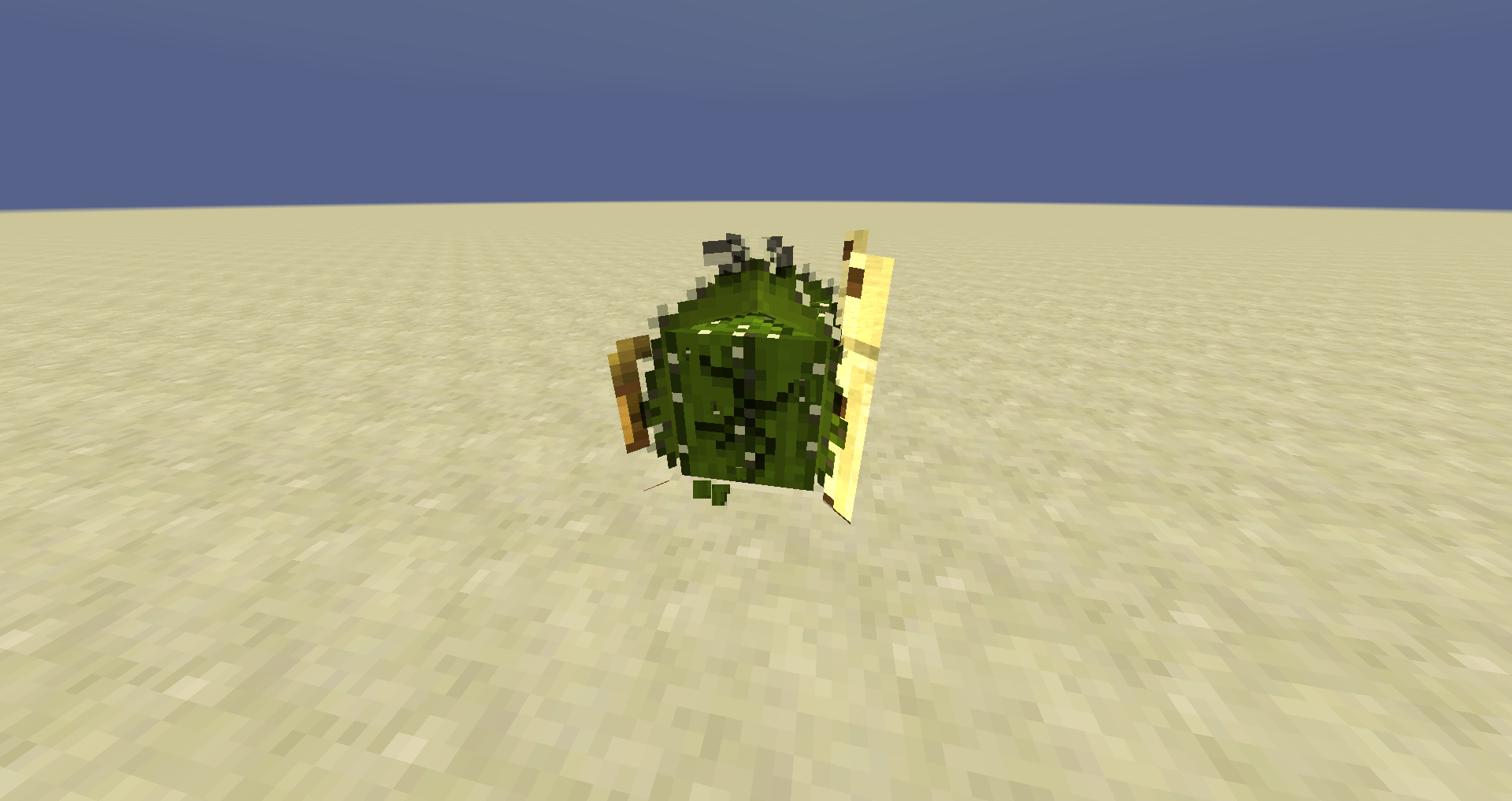
I was trying to make a cactus model. It looks fine, except the breaking animation of the added parts are ... odd. (Not sure if a problem with only this model or something else) If it's a problem with the model, please tell me how I can fix it. I also added my .json file so you can look at it/ try it out yourselves.
I was trying to make a cactus model. It looks fine, except the breaking animation of the added parts are
...odd. (Not sure if a problem with only this model or something else) If it's a problem with the model, please tell me how I can fix it. I also added my .json file so you can look at it/ try it out yourselves.I was trying to make a cactus model. It looks fine, except the breaking animation of the added parts are odd. I think it should just add the breaking animation overlay (Not sure if a problem with only this model or something else) If it's a problem with the model, please tell me how I can fix it. I also added my .json file so you can look at it/ try it out yourselves.
I was trying to make a cactus model. It looks fine, except the breaking animation of the added parts are odd. I think it should just add the breaking animation overlay
(Not sure if a problem with only this model or something else)If it's a problem with the model, please tell me how I can fix it. I also added my .json file so you can look at it/ try it out yourselves.I was trying to make a cactus model. It looks fine, except the breaking animation of the added parts are odd. I think it should just add the breaking animation overlay, but instead its pulling the textures from the stitched textures file. If it's a problem with the model, please tell me how I can fix it. I also added my .json file so you can look at it/ try it out yourselves.
Randomtextures onblock breaking (EditedModels)Odd textures on an edited model (Pulling textures from stitched terrain)
Odd textures onanedited model (Pulling textures from stitched terrain)Odd block breaking textures on edited model (Pulling textures from stitched terrain)
stitched terrain area near breaking animation
Odd block breaking textures on edited model (Pulling other textures from stitched terrain)
Odd block breakingtextures on edited model (Pullingother textures from stitched terrain)Block breaking uses other textures from stitched terrain when using cubes/planes larger than 16px
Block breaking usesothertextures from stitched terrain when using cubes/planes larger than 16pxBlock breaking uses nearby textures from stitched terrain when using cubes/planes larger than 16px
I
was trying to make a cactus model. It looks fine, except the breaking animation of the added parts are odd. I think it should just add the breaking animation overlay, but instead its pulling the textures from the stitchedtextures file. If it's a problem with the model, please tell me how I can fix it. I also added my .json file so you can look at it/ try it out yourselves.If you make a plane/cube in a model larger than 16x16x16, then the game will take the bordering textures from the stitched terrain file. (You, Mojang can fix it by stretching the block breaking .pngs from the unstitched files over the planes instead of loading them from the stitched file.) I also attached my model.
If you make a plane/cube in a model larger than 16x16x16, then the game will take the bordering textures from the stitched terrain file.
(You, Mojang can fix it by stretching the block breaking .pngs from the unstitched files over the planes instead of loading them from the stitched file.) I also attached my model.If you make a plane/cube in a model larger than 16x16x16, then the game will take the bordering textures from the stitched terrain file. I also attached my cactus model so you can test yourself.
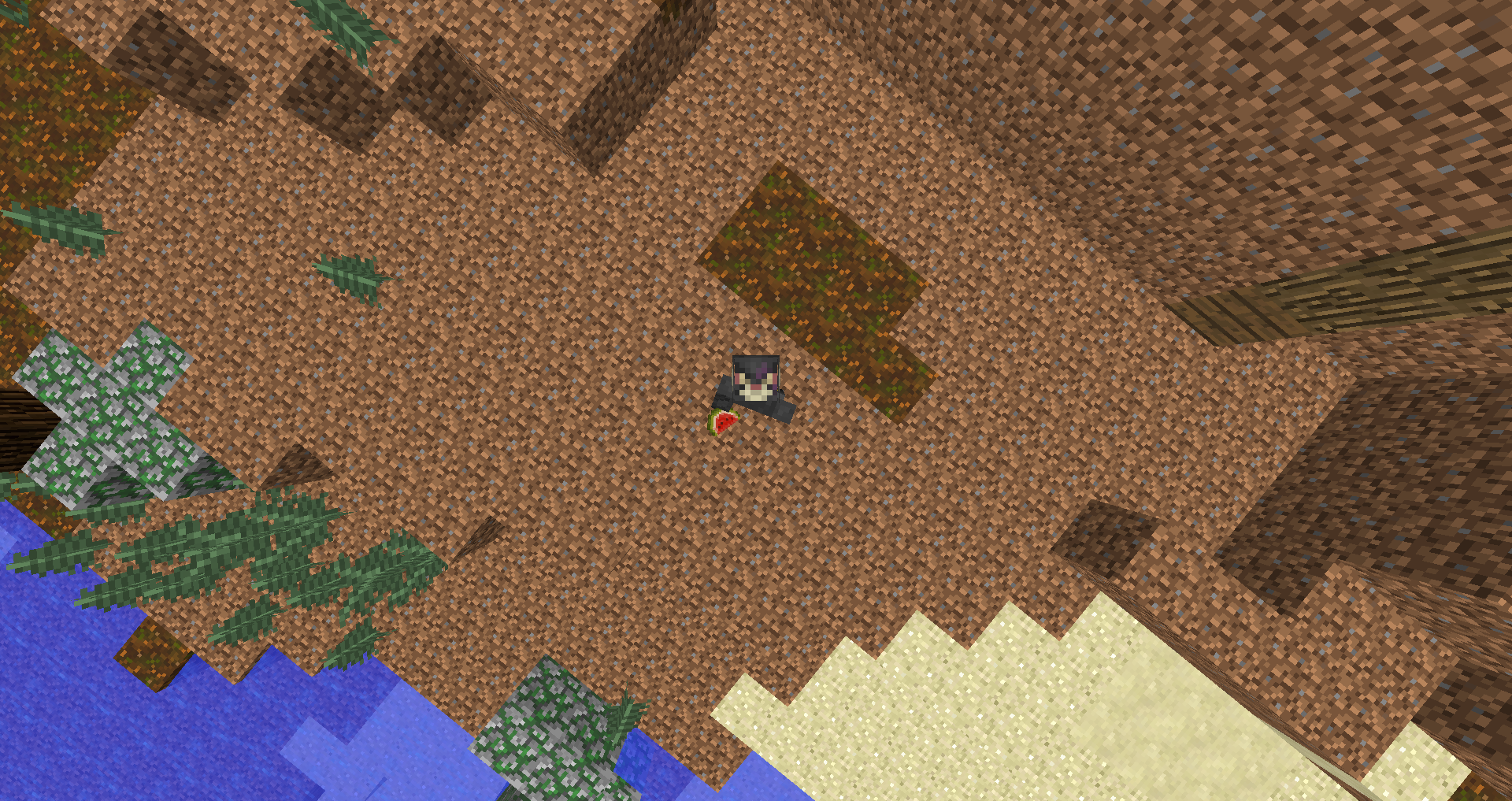
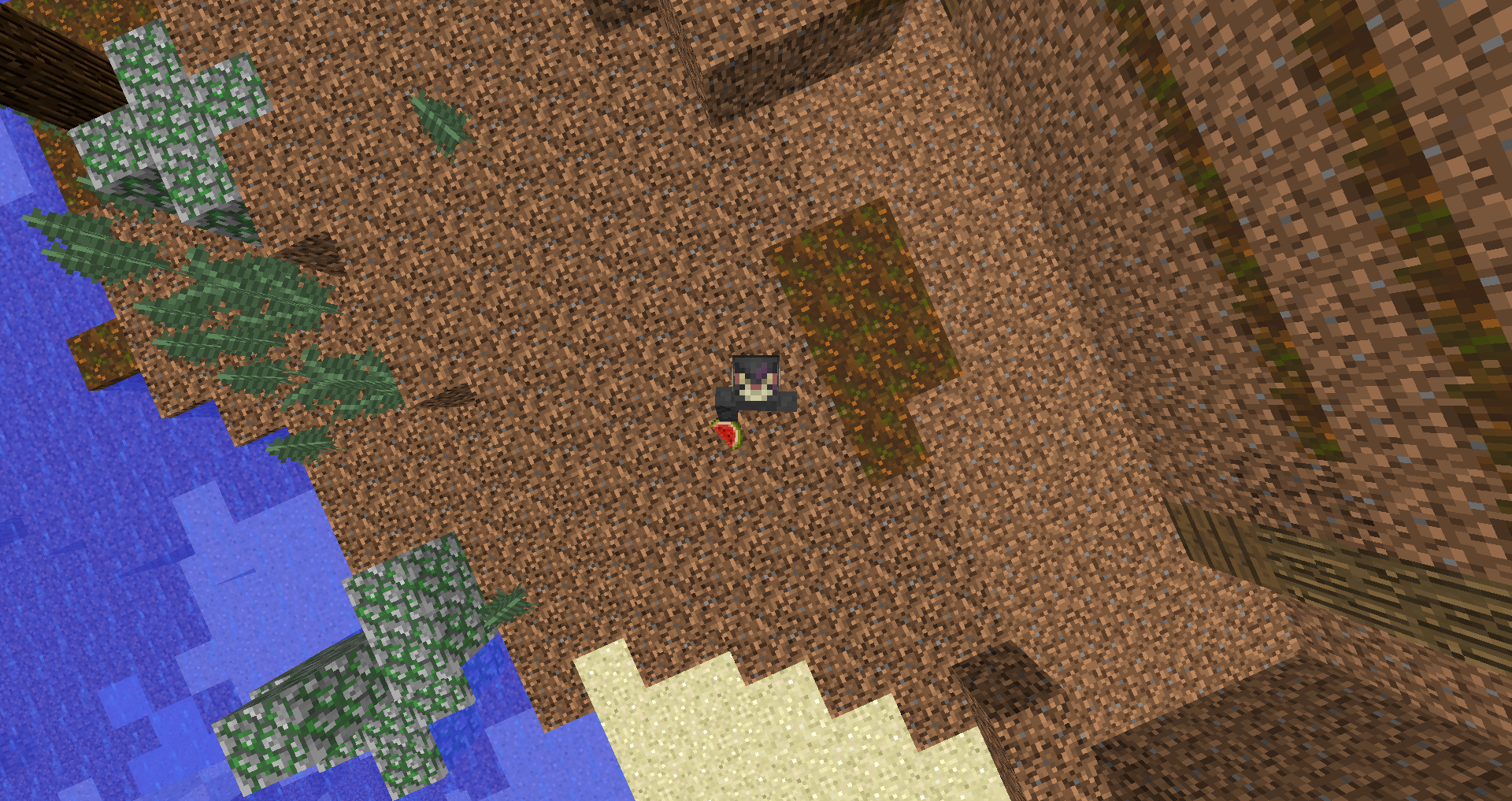
Items in 3rd person are flipped from what they were in 1.7.
First screenshot 1.7, second 1.8. I chose to use a melon because it's very noticeable.
In 1.8, the red is facing away from the body, in 1.7, its facing towards it.

How do you choose what color you want to fill the cracks with?
Attached resource pack with only cactus textures and model.
I fixed my resourcepack, used 0% for all leaves except spruce, i used 1% for that. Thanks for telling me how to fix it.
.json file is here, resource pack is on MC-92274 because it contains those fixes too
__________________________________________________________________
These are the EXACT same as the 1.8 skulls, including
____________________________________________________
For comparison
______________________________________________________
.json file is here, resource pack is on MC-92274 because it contains those fixes too
__________________________________________________________________
Added a model fix - rotated almost the same as 1.8
Attached a resource pack that contains fixes for
MC-84851Anvils, trapdoors, pressure plates, and snow layers seem fine enough
Plus some extra head rotations
(Button and fence - http://puu.sh/nEeZz/a6df7601de.png)
I'm the uploader of the old fix, I'm uploading a new one because I forgot to add the rotation to the main clock .json