 syarumi
- Chavamix700
- JIRAUSER502025
- Europe/Stockholm
- Yes
- No
![[Mojang] Maxime Lebrot](../../../data/avatars/users/18941.svg)
![[Mojang] Gnembon](../../../data/avatars/users/93709.png)
![[Mojang] Panda](../../../data/avatars/users/41658.png)
 Low
Low![[Mojang] Timur Nazarov](../../../data/avatars/users/18945.svg)
 MC-230981
 MC-236768MC-236859MC-236987


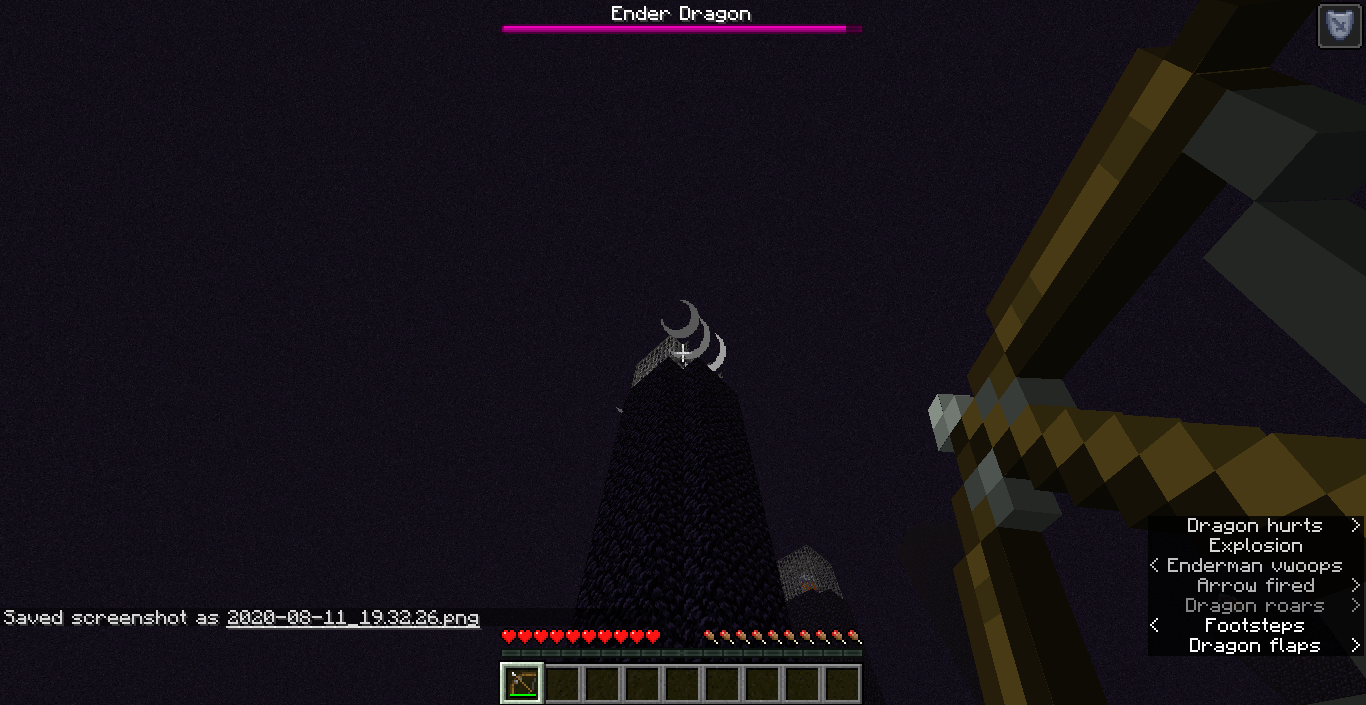
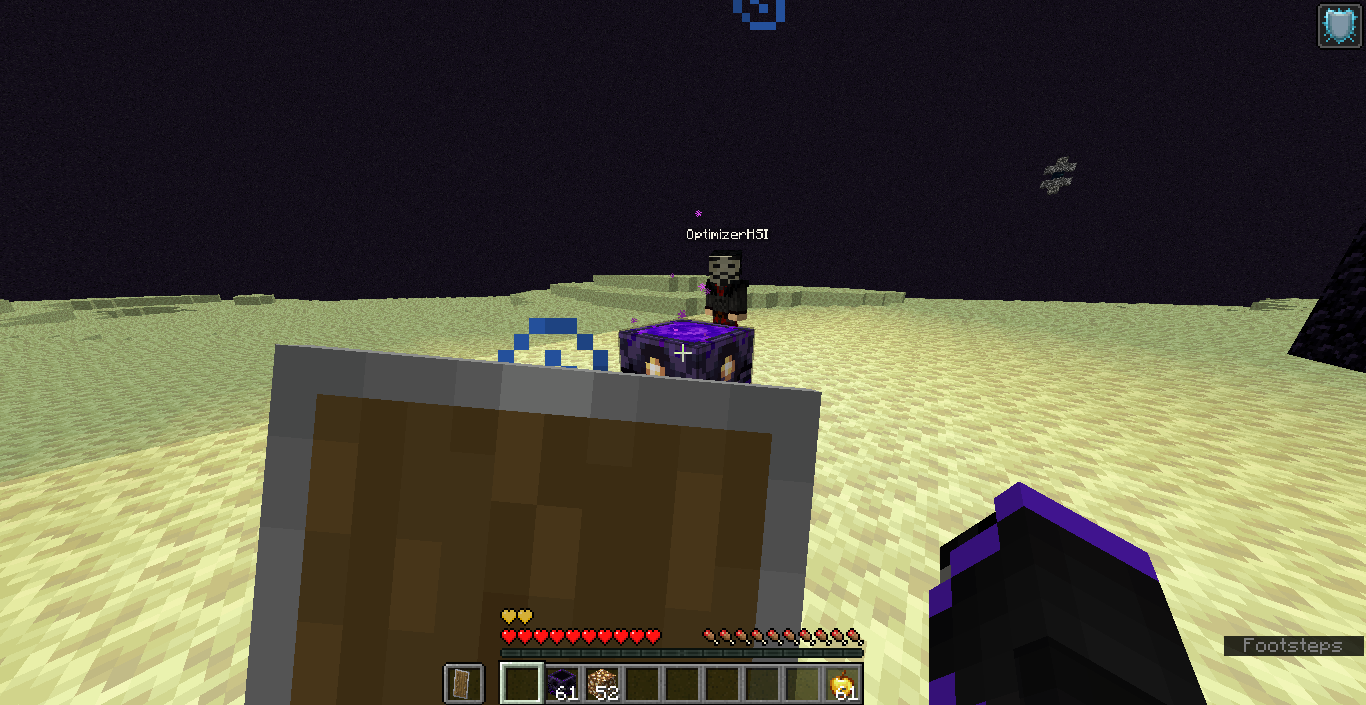


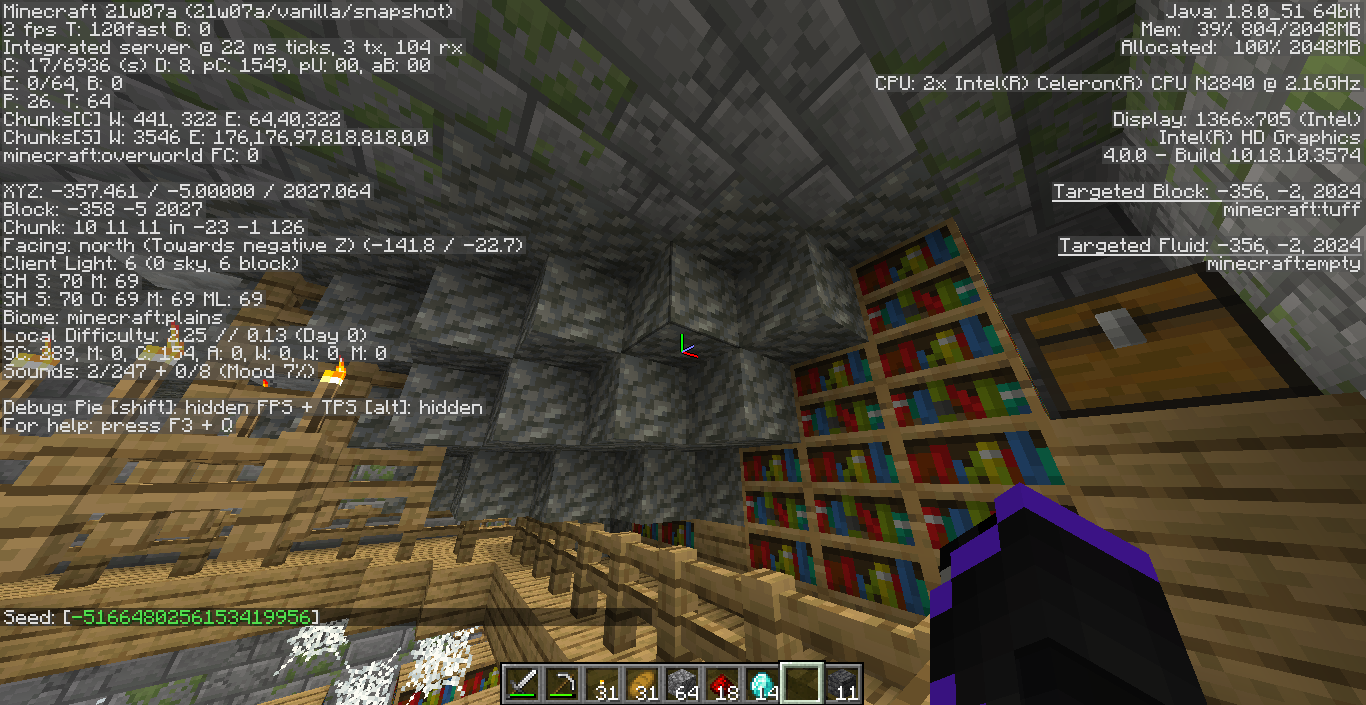


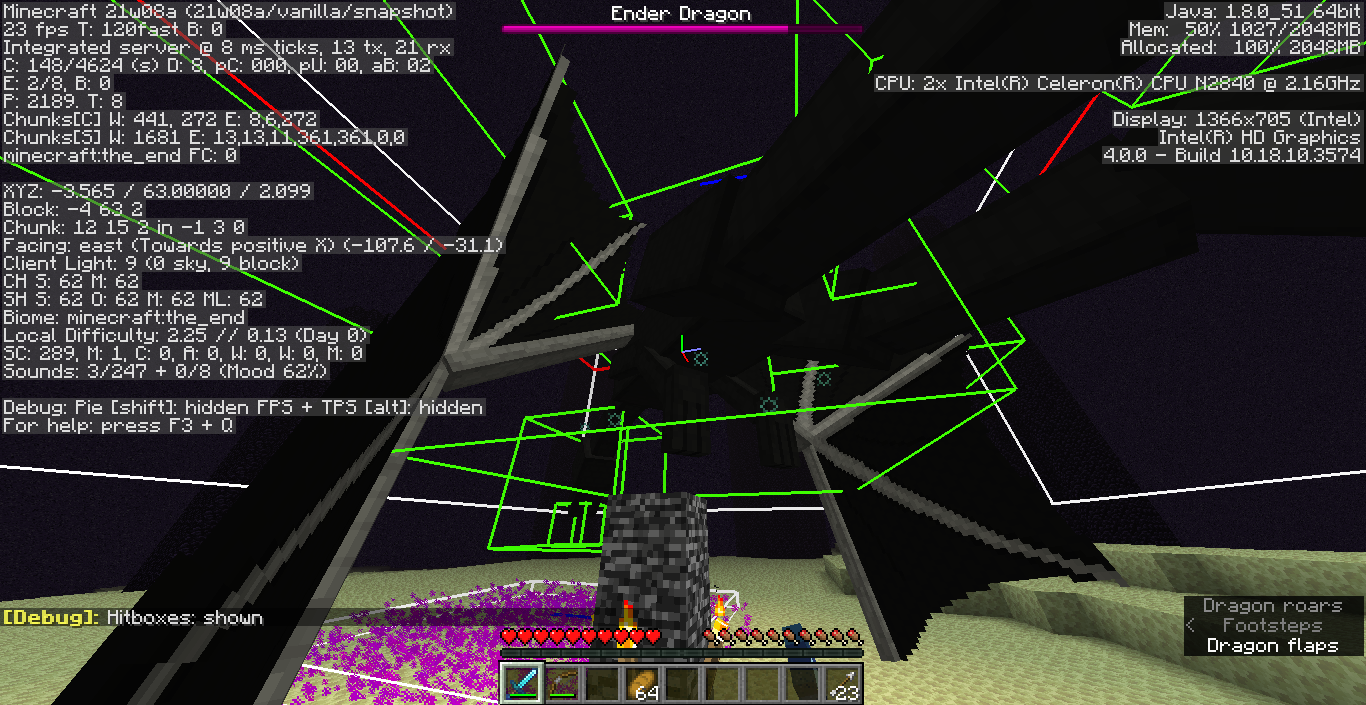













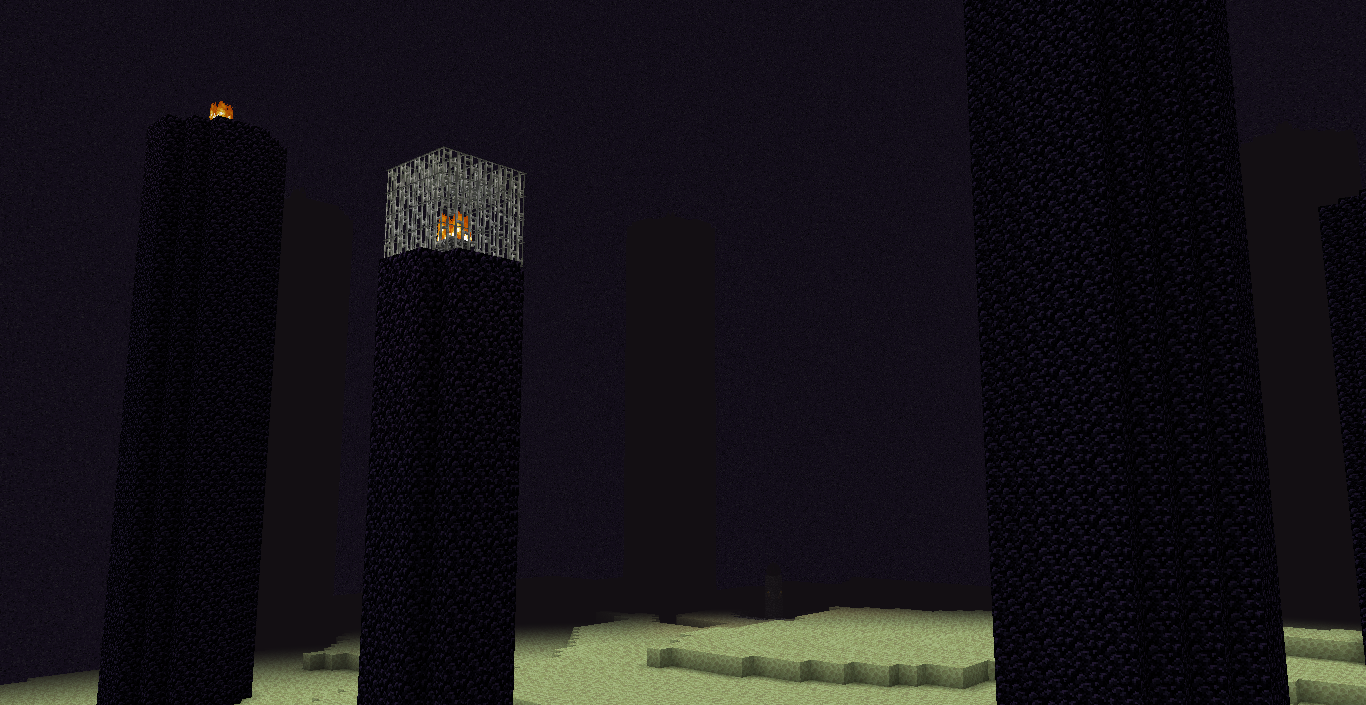


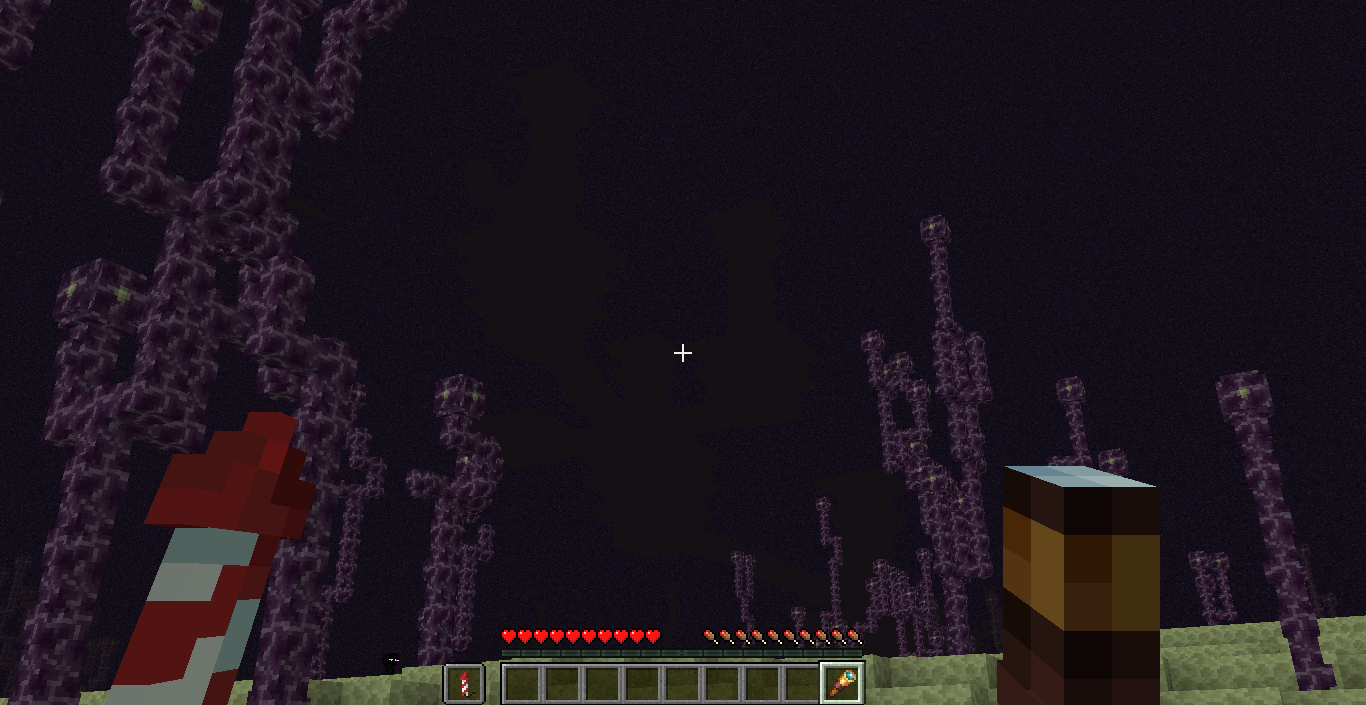
If you try to block an end crystal explosion using a shield, you will take all the damage as if you weren't protecting from it with the shield. This is not the case with charged creepers despite both having an explosion power of 6.
How to reproduce
- Summon or place an end crystal and spawn a skeleton close to it.
- Equip a shield and get in front of the end crystal, facing the skeleton (make sure the end crystal is between you and the skeleton).
- Set your gamemode into survival and block with the shield.
- The skeleton tries to shoot you, but the arrow hits the end crystal instead.→
The explosion ignores the shield and you take damage.
First report, sorry for any inconvenience.
Probably relates to
MC-159169.If you try to block an end crystal explosion using a shield, you will take all the damage as if you weren't protecting from it with the shield. This is not the case with charged creepers despite both having an explosion power of 6.
How to reproduce
- Summon or place an end crystal and spawn a skeleton close to it.
- Equip a shield and get in front of the end crystal, facing the skeleton (make sure the end crystal is between you and the skeleton).
- Set your gamemode into survival and block with the shield.
- The skeleton tries to shoot you, but the arrow hits the end crystal instead.
- →
First report, sorry for any inconvenience.
Probably relates to
MC-159169.
If you try to block an end crystal explosion using a shield, you
will take all the damage as if you weren't protecting from itwith the shield. This is not the case with charged creepers despite both having an explosion power of 6.How to reproduce
- Summon or place an end crystal and spawn a skeleton close to it.
- Equip a shield and get in front of the end crystal, facing the skeleton (make sure the end crystal is between you and the skeleton).
- Set your gamemode into survival and block with the shield.
- The skeleton tries to shoot you, but the arrow hits the end crystal instead.
- →
First report, sorry for any inconvenience.
Probably relates toMC-159169.If you try to block an end crystal explosion while using a shield, you'll take all the damage as if you weren't protecting from it. This is not the case with charged creepers despite of both having an explosion power of 6.
This bug has been in the game for quite some time, probably since 1.10.
How to reproduce
- Summon or place an end crystal and spawn a skeleton close to it.
- Equip a shield and get in front of the end crystal, facing the skeleton (make sure the end crystal is between you and the skeleton).
- Set your gamemode into survival and block with the shield.
- The skeleton tries to shoot you, but the arrow hits the end crystal instead.
- →
First report, sorry for any inconvenience.
Relates to
MC-159169.
If you try to block an end crystal explosion while using a shield, you'll take all the damage as if you weren't protecting from it. This is not the case with charged creepers despite of both having an explosion power of 6.
This bug has been in the game for quite some time, probably since 1.10.How to reproduce
- Summon or place an end crystal and spawn a skeleton close to it.
- Equip a shield and get in front of the end crystal, facing the skeleton (make sure the end crystal is between you and the skeleton).
- Set your gamemode into survival and block with the shield.
- The skeleton tries to shoot you, but the arrow hits the end crystal instead.
- →
First report, sorry for any inconvenience.
Relates to
MC-159169.If you try to block an end crystal explosion while using a shield, you'll take all the damage as if you weren't protecting from it. This is not the case with charged creepers despite of both having an explosion power of 6. Also, the shield doesn't take any durability.
A sole end crystal explosion can even kill a full enchanted netherite/diamond armor player who is using a shield (unless they have blast prot 4).
This bug has been in the game for quite some time, probably since 1.10.
How to reproduce
- Summon or place an end crystal and spawn a skeleton close to it.
- Equip a shield and get in front of the end crystal, facing the skeleton (make sure the end crystal is between you and the skeleton).
- Set your gamemode into survival and block with the shield.
- The skeleton tries to shoot you, but the arrow hits the end crystal instead.
- →
First report, sorry for any inconvenience.
Relates to
MC-159169.
If you try to block an end crystal explosion while using a shield, you'll take all the damage as if you weren't protecting from it. This is not the case with charged creepers despite of both having an explosion power of 6. Also, the shield doesn't take any durability.
A sole end crystal explosion can even kill a full enchanted netherite/diamond armor player who
is using a shield (unless they have blast prot 4).This bug has been in the game for quite some time, probably since 1.10.
How to reproduce
- Summon or place an end crystal and spawn a skeleton close to it.
- Equip a shield and get in front of the end crystal, facing the skeleton (make sure the end crystal is between you and the skeleton).
- Set your gamemode into survival and block with the shield.
- The skeleton tries to shoot you, but the arrow hits the end crystal instead.
→
First report, sorry for any inconvenience.
Relates to
MC-159169.If you try to block an end crystal explosion while using a shield, you'll take all the damage as if you weren't protecting from it. This is not the case with charged creepers despite of both having an explosion power of 6. Also, the shield doesn't take any durability.
A sole end crystal explosion can even kill a full enchanted netherite/diamond armor player who's using a shield (unless they have blast prot 4), in hard difficulty.
This bug has been in the game for quite some time, probably since 1.10.
How to reproduce
- Summon or place an end crystal and spawn a skeleton close to it.
- Equip a shield and get in front of the end crystal, facing the skeleton (make sure the end crystal is between you and the skeleton).
- Set your gamemode into survival and block with the shield.
- The skeleton tries to shoot you, but the arrow hits the end crystal instead.
→
First report, sorry for any inconvenience.
Relates to
MC-159169.
If you try to block an end crystal explosion while using a shield, you'll take all the damage as if you weren't protecting from it. This is not the case with charged creepers despite of both having an explosion power of 6. Also, the shield doesn't take any durability.
A sole end crystal explosion can even kill a full enchanted netherite/diamond armor player who's using a shield (unless they have blast prot 4),
in hard difficulty.This bug has been in the game for quite some time, probably since 1.10.
How to reproduce
- Summon or place an end crystal and spawn a skeleton close to it.
- Equip a shield and get in front of the end crystal, facing the skeleton (make sure the end crystal is between you and the skeleton).
- Set your gamemode into survival and block with the shield.
- The skeleton tries to shoot you, but the arrow hits the end crystal instead.
→
First report, sorry for any inconvenience.
Relates to
MC-159169.If you try to block an end crystal explosion while using a shield, you'll take all the damage as if you weren't protecting from it. This is not the case with charged creepers despite of both having an explosion power of 6. Also, the shield doesn't take any durability.
A sole end crystal explosion can even kill a full enchanted netherite/diamond armor player who's using a shield (unless they have blast prot 4), on hard difficulty.
This bug has been in the game for quite some time, probably since 1.10.
How to reproduce
- Summon or place an end crystal and spawn a skeleton close to it.
- Equip a shield and get in front of the end crystal, facing the skeleton (make sure the end crystal is between you and the skeleton).
- Set your gamemode into survival and block with the shield.
- The skeleton tries to shoot you, but the arrow hits the end crystal instead.
→
First report, sorry for any inconvenience.
Relates to
MC-159169.
If you try to block an end crystal explosion while using a shield, you'll take all the damage as if you weren't protecting from it. This is not the case with charged creepers despite of both having an explosion power of 6. Also, the shield doesn't take any durability.
A sole end crystal explosion can even kill a full enchanted netherite/diamond armor player who's using a shield (unless they have blast prot 4), on hard difficulty.
This b
ughas been in the game for quite some time, probably since 1.10.How to reproduce
- Summon or place an end crystal and spawn a skeleton close to it.
- Equip a shield and get in front of the end crystal, facing the skeleton (make sure the end crystal is between you and the skeleton).
- Set your gamemode into survival and block with the shield.
- The skeleton tries to shoot you, but the arrow hits the end crystal instead.
→
First report, sorry for any inconvenience.
Relates to
MC-159169.If you try to block an end crystal explosion while using a shield, you'll take all the damage as if you weren't protecting from it. This is not the case with charged creepers despite of both having an explosion power of 6. Also, the shield doesn't take any durability.
A sole end crystal explosion can even kill a full enchanted netherite/diamond armor player who's using a shield (unless they have blast prot 4), on hard difficulty.
This behavior has been in the game for quite some time, probably since 1.10.
How to reproduce
- Summon or place an end crystal and spawn a skeleton close to it.
- Equip a shield and get in front of the end crystal, facing the skeleton (make sure the end crystal is between you and the skeleton).
- Set your gamemode into survival and block with the shield.
- The skeleton tries to shoot you, but the arrow hits the end crystal instead.
→
First report, sorry for any inconvenience.
Relates to
MC-159169.
Shields cannot block end crystal explosions.
If you try to block an end crystal explosion while using a shield,
you'lltake all the damage as if you weren't protecting from it. This is not the case with charged creepers despite of both having an explosion power of 6. Also, the shield doesn't take any durability.A sole end crystal explosion can even kill a full enchanted netherite/diamond armor player
who's using a shield (unless they have blast prot 4), on hard difficulty.This behavior has been in the game for quite some time, probably since 1.10.
How to reproduce
- Summon or place an end crystal and spawn a skeleton close to it.
- Equip a shield and get in front of the end crystal, facing the skeleton (make sure the end crystal is between you and the skeleton).
- Set your gamemode into survival and block with the shield.
- The skeleton tries to shoot you, but the arrow hits the end crystal instead.
→
First report, sorry for any inconvenience.
Relates to
MC-159169.If you try to block an end crystal explosion while using a shield, it'll still inflict you damage. Also, the shield doesn't take any durability.
Note: A sole end crystal explosion can even/almost kill a full enchanted netherite/diamond armor player, on hard difficulty. Exploitable in servers.
This behavior has been in the game for quite some time, probably since 1.10.
How to reproduce
- Summon or place an end crystal and spawn a skeleton close to it.
- Equip a shield and get in front of the end crystal, facing the skeleton (make sure the end crystal is between you and the skeleton).
- Set your gamemode into survival and block with the shield.
- The skeleton tries to shoot you, but the arrow hits the end crystal instead.
→
First report, sorry for any inconvenience.
Relates to
MC-159169.
If you try to block an end crystal explosion w
hile usinga shield, it'll still inflict you damage.Also, the shielddoesn't take any durability.Note: A sole end crystal explosion can
even/almostkill a full enchanted netherite/diamondarmor player, on hard difficulty. Exploitablein servers.This behavior has been in the game
for quite some time, probably since 1.10.How to reproduce
- Summon or place an end crystal
and spawn a skeleton close to it.- Equip a shield and get in front of the end crystal, facing the skeleton (make sure the end crystal is between you and the skeleton).
Set your gamemode into survival and block with the shield.- The skeleton tries to shoot you, but the arrow hits the end crystal instead.
→The explosionignores the shield and you takedamage.
First report, sorry for any inconvenience.
Relates to
MC-159169.If you try to block an end crystal explosion with a shield, it'll still inflict you damage. The shield won't take any durability.
Note: A sole end crystal explosion can kill a full enchanted netherite armor player, on hard difficulty. Exploitable on servers.
This behavior has probably been in the game since shields began to block 100% of explosions (1.11) and has never been addressed, since this also seems to affect some other explosion types like beds or tnt.
How to reproduce
- Summon or place an end crystal.
- Equip a shield and get in front of it.
- Summon an arrow 10-20 blocks above the crystal.
- Quickly switch to survival and block with the shield.
→
Shields cannot blockend crystal explosionsEnd crystals cannot be blocked by shields
Endcrystals cannot be blocked by shieldsExplosions from End Crystals can't be blocked by shields
If you try to block an end crystal explosion with a shield, it'll still inflict you damage. The shield won't take any durability.
Note: A sole end crystal explosion can kill a full enchanted netherite armor player, on hard difficulty. Exploitable on servers.This behavior has probably been in the game since shields began to block 100% of explosions (1.11) and has never been addressed, since this also seems to affect some other explosion types like beds or tnt.
How to reproduce
- Summon or place an end crystal.
- Equip a shield and get in front of it.
- Summon an arrow 10-20 blocks above the crystal.
- Quickly switch to survival and block with the shield.
→If you try to block an end crystal explosion with a shield, it'll still inflict you damage. The shield won't take any durability. A single end crystal explosion might be able to kill a full enchanted netherite armor player on hard difficulty, so the bug makes this item exploitable on servers.
This behavior has probably been in the game since shields began to block 100% of explosions (1.11) and has never been addressed, since this also seems to affect some other explosion types like beds or tnt.
How to reproduce
- Summon or place an end crystal.
- Equip a shield and get in front of it.
- Summon an arrow 10-20 blocks above the crystal.
- Quickly switch to survival and block with the shield.
→
Explosions fromEndCrystals can't be blocked by shieldsExplosions from end crystals can't be blocked by shields
Distortion & FOV sliderstooltip overlapsactualpercentage
When hovering on the Distor
sion and FOV sliders it shows a tooltip containing a descriptionof what said settings do. However,even ifyou click to change the scaleof those effects, the tooltip remains andhides the actualpercentage as long as the cursorisaboveofthe slider.Maybe the tooltip should disappear when clicking,
and so it doesn't overlap the text.When hovering on the Distortion and FOV sliders it shows a tooltip containing a description. However, when you click to change the scale, the tooltip remains and you can't see the percentage as long as you have the cursor above the slider, unless you hold click and move the cursor off.
Maybe the tooltip should disappear when clicking, making it not overlap the text.
When hovering on
the Distortion and FOV sliders itshowsa tooltip containingadescription. However, when you click to change thescale, the tooltip remains and you can't see the percentage as long as you have the cursor above the slider, unless you hold click and move the cursor off.Maybe the tooltip should disappear when clicking, making it not overlap the text.
When hovering on some sliders from the game settings/options, such as Distortion Effects, FOV Effects and Darkness Pulsing, they show a tooltip containing said setting description. However, when you click to change the value, the tooltip remains and you can't see the percentage as long as you have the cursor above the slider, unless you hold click and move the cursor off the slider.
Expected behavior
The tooltip would disappear when changing the value of these settings, that way you're able to see what the percentage is.Observed behavior
The tooltip remains while you are changing the value of these settings, making unable to see what the percentage is unless you unhold click.
Distortion & FOV slider tooltip overlaps percentageSome sliders in game settings render tooltip on top of slider value
When hovering on some sliders from the game settings/options, such as Distortion Effects, FOV Effects and Darkness Pulsing, they show a tooltip containing said setting description. However, when you click to change the value, the tooltip remains and you can't see the percentage as long as you have the cursor above the slider, unless you hold click and move the cursor off the slider.
Expected behavior
The tooltip woulddisappear when changing the valueof these settings, that way you're able to see what the percentage is.Observed behavior
The tooltip remains while you are changing the value of these settings, making unable to see what the percentage is unless you unhold click.When hovering on some sliders from the game settings/options, such as Distortion Effects, FOV Effects and Darkness Pulsing, they show a tooltip containing said setting description. However, when you click to change the value, the tooltip remains and you can't see the percentage as long as you have the cursor above the slider, unless you hold click and move the cursor off the slider.
Expected behavior
The tooltip would not overlap the slider when changing the value, that way you're able to see what the percentage is.Observed behavior
The tooltip remains while you are changing the value of these settings, making unable to see what the percentage is unless you unhold click.
Some sliders in game settings render tooltip on top ofslidervalueSliders in game settings render tooltip on top of displayed value
Jumping while sneaking insidea2 block-tall spacedoesn't let you get out of said spaceUnable to shift-jump outside 2 block-tall spaces
Caused by the fix of
MC-2404.You can no longer escape 2 block-tall air spaces when shift-jumping (sneaking and jumping at the same time). Very noticeable when exploring caves, staircase mining and such.
How to reproduce:
- Create a void world.
- Place a block under and above you (see attachment).
- Try to get out while shifting and jumping at the same time.
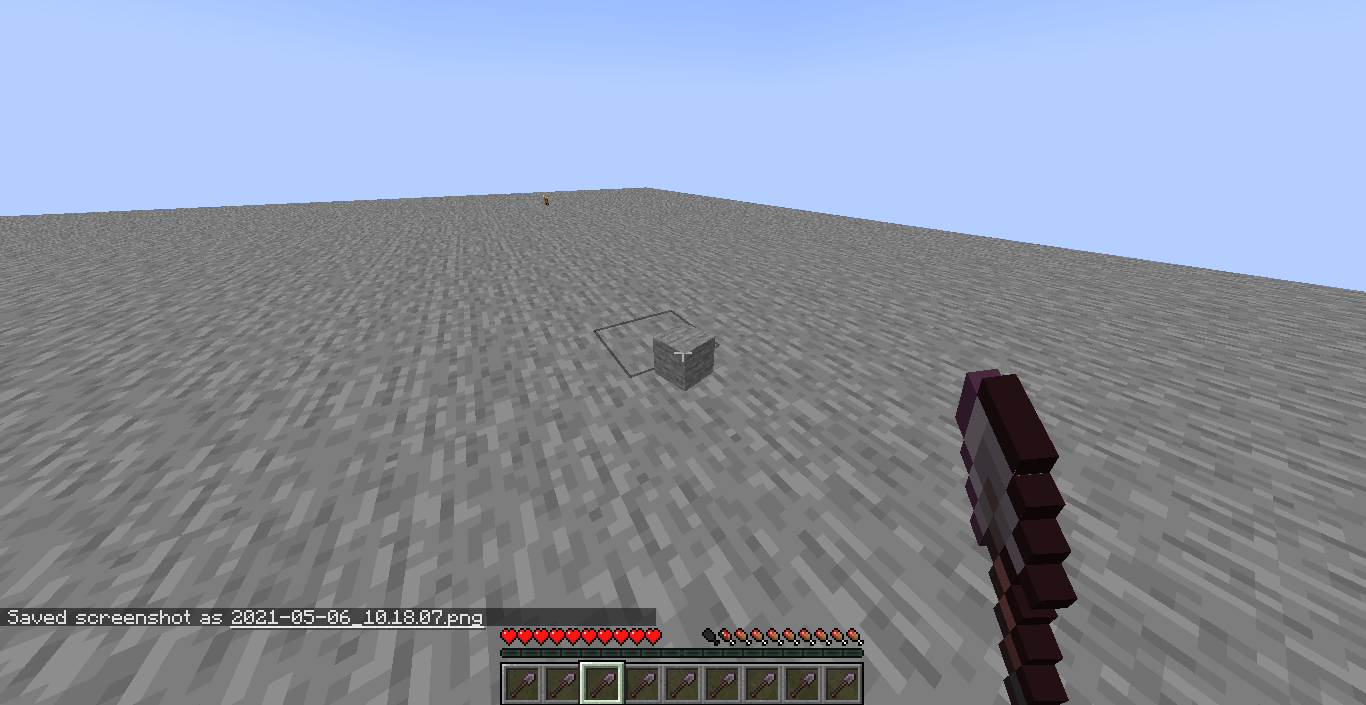
If you're in a 2 block-tall space with a block above and a block below surrounded by air, normally sneaking won't let you fall, but if you try jumping while sneaking it doesn't let you get out of that space. Sorry if i can't explain it well, i'll drop an image of example because i can't record it myself.
Taking the image as reference, try jumping while sneaking and it won't let you go to the right.
Doesn't happen in 1.16.1 (you can successfully go out of that space).
Caused by the fix of
MC-2404.You can no longer escape 2 block-tall air spaces when shift-jumping (sneaking and jumping at the same time). Very noticeable when exploring caves, staircase mining and such.
How to reproduce:
- Create a void world.
- Place a block under and above you (see attachment).
- Try to get out while shifting and jumping at the same time.
If you're in a 2 block-tall space with a block above and a block below surrounded by air, normally sneaking won't let you fall, but if you try jumping while sneaking it doesn't let you get out of that space. Sorry if i can't explain it well, i'll drop an image of example because i can't record it myself.
Taking the image as reference, try jumping while sneaking and it won't let you go to the right.
Doesn't happen in 1.16.1 (you can successfully go out of that space).
Unable toshift-jumpoutside 2 block-tall spacesUnable to get outside 2 block-tall spaces when shift-jumping
Caused by the fix of
MC-2404.You can no longer escape 2 block-tall air spaces when shift-jumping (sneaking and jumping at the same time). Very noticeable when exploring caves, staircase mining
and such.How to reproduce:
- Create a void world.
- Place a block under and above you (see attachment).
- Try to get out while shifting and jumping at the same time.
Caused by the fix of
MC-2404.You can no longer escape 2 block-tall air spaces when shift-jumping (sneaking and jumping at the same time). Very noticeable when exploring caves, staircase mining, or when mobs try to knock you out of the spot.
How to reproduce:
- Create a void world.
- Place a block under and above you (see attachment).
- Try to get out while shifting and jumping at the same time.
Unable to get outside 2 block-tall spaces whenshift-jumpingPlayers can no longer escape small spaces when jumping and sneaking at the same time
Caused by the fix of
MC-2404.You can no longer escape 2 block-tall air spaces when
shift-jumping (sneaking and jumping at the same time).Very noticeable when exploring caves, staircase mining, or whenmobs try to knock you out of the spot.How to reproduce:
- Create a void world.
- Place a block under and above you (see attachment).
- Try to get out while s
hifting and jumping at the same time.Caused by the fix of
MC-2404.You can no longer escape small spaces (like 2 block-tall air spaces) when sneaking and jumping at the same time. It's very noticeable and rather annoying when exploring caves, doing staircase mining, or when trying to hide from players. Also, mobs can no longer knock you out of a closed spot due to the "invisible barrier".
How to reproduce:
- Create a void world.
- Place a block under and above you (see attachment).
- Try to get out while sneaking and jumping at the same time.
Caused by the fix of
MC-2404.
You can no longer escape small spaces (like 2 block-tall air spaces) when sneaking and jumping at thesametime. It's very noticeable and rather annoying when exploring caves, doing staircase mining, or when trying to hide from players. Also, mobs can no longer knock you out of a closed spot due to the "invisible barrier".How to reproduce:
- Create a void world.
- Place a block under and above you (see attachment).
- Try to get out while sneaking and jumping at the same time.
Before, when you were sneaking you could always step off of blocks with a jump if you had a block above, and the block below had air next to it. But due to the fix of
MC-2404this has led to a case where this is no longer possible. The behavior now seems to be like if sneaking applies an "invisible barrier" on you that has some side-effects with knockback resistance or status effects (SeeMC-200282& 199326), which in this case is jumping.While it doesn't seem to be a very noticeable issue, when you are underground and going around closed spaces or diagonal stairs, it is very noticeable. Even on servers, this mechanic was critical when you were hiding from players in this kind of situations.
Also, this behavior could conflict with the new 1.17 mechanic of vibrations at some point. In the new 'deep dark' cave biome, players would have a hard time if they are trying to hide from the warden or being undetected by sculk sensors (In a clip of the last Minecraft Live 2020 where they showcase this biome, this behavior is noticeable when the player is sneaking around the sensors at some point).
How to reproduce:
- Create a void world.
- Place a block under and above you (see attachment).
- Try to get out while sneaking and jumping at the same time.
Players can no longerescape small spaces when jumping and sneaking at the same timePlayers can no longer jump off of blocks while sneaking on a 2 blocks high gap
Before, when you were sneaking you could always step off of blocks with a jump if you had a block above, and the block below had air next to it. But due to the fix of
MC-2404this has led to a case where this is no longer possible. The behavior now seems to be like if sneaking applies an "invisible barrier" on you that has some side-effects with knockback resistance or status effects (SeeMC-200282& 199326), which in this case is jumping.While it doesn't seem to be a very noticeable issue, when you are underground and going around closed spaces or diagonal stairs, it is very noticeable. Even on servers, this mechanic was critical when you were hiding from players in this kind of situations.
Also, this behavior could conflict with the new 1.17 mechanic of vibrations at some point. In the new 'deep dark' cave biome, players would have a hard time if they are trying to hide from the warden or being undetected by sculk sensors (In a clip of the last Minecraft Live 2020 where they showcase this biome, this behavior is noticeable when the player is sneaking around the sensors at some point).
How to reproduce:
- Create a void world.
- Place a block under and above you (see attachment).
- Try to get out while sneaking and jumping at the same time.
Before, when you were sneaking you could always step off of blocks with a jump if you had a block above, and the block below had air next to it. But due to the fix of
MC-2404this has led to a case where this is no longer possible. The behavior now seems to be like if sneaking applies an "invisible barrier" on you that has some side-effects with knockback resistance or status effects (SeeMC-200282&MC-199326), which in this case is jumping.While it doesn't seem to be a very noticeable issue, when you are underground and going around closed spaces or diagonal stairs, it is very noticeable. Even on servers, this mechanic was critical when you were hiding from players in this kind of situations.
Also, this behavior could conflict with the new 1.17 mechanic of vibrations at some point. In the new 'deep dark' cave biome, players would have a hard time if they are trying to hide from the warden or being undetected by sculk sensors (In a clip of the last Minecraft Live 2020 where they showcase this biome, this behavior is noticeable when the player is sneaking around the sensors at some point).
How to reproduce:
- Create a void world.
- Place a block under and above you (see attachment).
- Try to get out while sneaking and jumping at the same time.
Players cannolongerjump off of blocks while sneakingon a 2 blocks high gapPlayers cannot jump off the edge of blocks when sneaking if they have a block above
Before, when you were sneaking you could always step off of blocks with a jump if you had a block above, and the block below had air next to it. But due to the fix of
MC-2404this has led to a case where this is no longer possible. The behavior now seems to be like if sneaking applies an "invisible barrier" on you that has some side-effects with knockback resistance or status effects (SeeMC-200282&MC-199326), which in this case is jumping.While it doesn't seem to be a very noticeable issue, when you are underground and going around closed spaces or diagonal stairs, it is very
noticeable. Even on servers, this mechanic was critical when you were hiding from players in this kind of situations.
Also, this behavior could conflict with the new 1.17 mechanic of vibrations at some point. In the new 'deep dark' cave biome, players would have a hard time if they are trying to hide from the warden or being undetected by sculk sensors (In a clip ofthe lastMinecraft Live 2020 where they showcase thisbiome, this behavioris noticeable when the player is sneakingaround the sensors at some point).How to reproduce:
- Create a void world.
- Place a block under and above you (see attachment).
- Try to get out while sneaking and jumping at the same time.
Before 20w27a, when you were sneaking you could always step off of blocks with a jump if you had a block above, and the block below had air next to it. But due to the fix of
MC-2404this has led to a case where this is no longer possible. The behavior now seems to be like if sneaking applies an "invisible barrier" on you that has some side-effects with knockback resistance or status effects (SeeMC-200282&MC-199326), which in this case is jumping.While it doesn't seem to be a very noticeable issue, when you are underground and going around closed spaces or diagonal stairs, it is very cumbersome. On servers, this mechanic was critical when you were hiding from players in this kind of situations. And also, this makes sculk sensor detections being unavoidable on closed spaces, like caves.
In a clip of Minecraft Live 2020 where they showcased the deep dark biome, this bug is noticeable when the player is trying to sneak around the sensors at some point.
How to reproduce:
- Create a void world.
- Place a block under and above you (see attachment).
- Try to get out while sneaking and jumping at the same time.
Before 20w27a, when you were sneaking you could always step off of blocks with a jump if you had a block above, and the block below had air next to it. But due to the fix of
MC-2404this has led to a case where this is no longer possible. The behavior now seems to be like if sneaking applies an "invisible barrier" on you that has some side-effects with knockback resistance or status effects (SeeMC-200282&MC-199326), which in this case is jumping.While it doesn't seem to be a very noticeable issue, when you are underground
andgoing around closed spaces or diagonal stairs,it is verycumbersome. On servers,this mechanic was critical when you were hiding from players in this kind of situations. And also, this makes sculk sensor detections being unavoidable on closed spaces, like caves.In a clip of Minecraft Live 2020 where the
y showcased the deep dark biome, this bug is noticeable when the player is trying to sneak around the sensors at some point.How to reproduce:
- Create a void world.
- Place a block under and above you (see attachment).
- Try to get out while sneaking and jumping at the same time.
Before 20w27a, when you were sneaking you could always step off of blocks with a jump if you had a block above, and the block below had air next to it. But due to the fix of
MC-2404this has led to a case where this is no longer possible. The behavior now seems to be like if sneaking applies an "invisible barrier" on you that has some side-effects with knockback resistance or status effects (SeeMC-200282&MC-199326), which in this case is jumping.While it doesn't seem to be a very noticeable issue at first, when you are underground going around closed spaces or diagonal stairs it is very problematic due to how this mechanic was critical when you were hiding from players in this kind of situations. And also, this makes sculk sensor detections being unavoidable on closed spaces, like caves.
In a clip of Minecraft Live 2020 where the deep dark was showcased, this bug is noticeable when the player is trying to sneak around the sculk sensors at some point.
How to reproduce:
- Create a void world.
- Place a block under and above you (see attachment).
- Try to get out while sneaking and jumping at the same time.
Before 20w27a,
whenyou weresneaking you could always step off of blocks with a jump if you had a block above, and the block below had air next to it. But due to the fix ofMC-2404this has led to a case where this is no longer possible. The behavior now seems to be like if sneaking applies an "invisible barrier" on you that has some side-effects with knockback resistance or status effects (SeeMC-200282&MC-199326), which in this case is jumping.While it doesn't seem to be a very noticeable issue at first,
when you are underground going around closed spaces or diagonal stairs it is very problematic due to how this mechanic was critical when you were hiding from players in this kind of situations. And also, this makes sculk sensor detections being unavoidable on closed spaces, like caves.In a clip of Minecraft Live 2020 where the deep dark was showcased, this bug is noticeable when the player is trying to sneak around the sculk sensors at some point.
How to reproduce:
- Create a void world.
- Place a block under and above you (see attachment).
- Try to get out while sneaking and jumping at the same time.
Before 20w27a, you were able to jump out of 2 block high spaces while sneaking. But due to the fix of
MC-2404this has led to a case where this is no longer possible. The behavior now seems to be like if sneaking applies an "invisible barrier" on you that has some side-effects with knockback resistance or status effects (SeeMC-200282&MC-199326), which in this case is jumping.While it doesn't seem to be a very noticeable issue at first, it gets very problematic to walk through narrow places such as diagonal stairs or underground caves in situations where remaining sneaky was critical, such as PvP on servers or when trying to avoid sculk sensors in deep dark / ancient cities.
How to reproduce:
- Create a void world.
- Place a block under and above you (see attachment).
- Try to get out while sneaking and jumping at the same time.
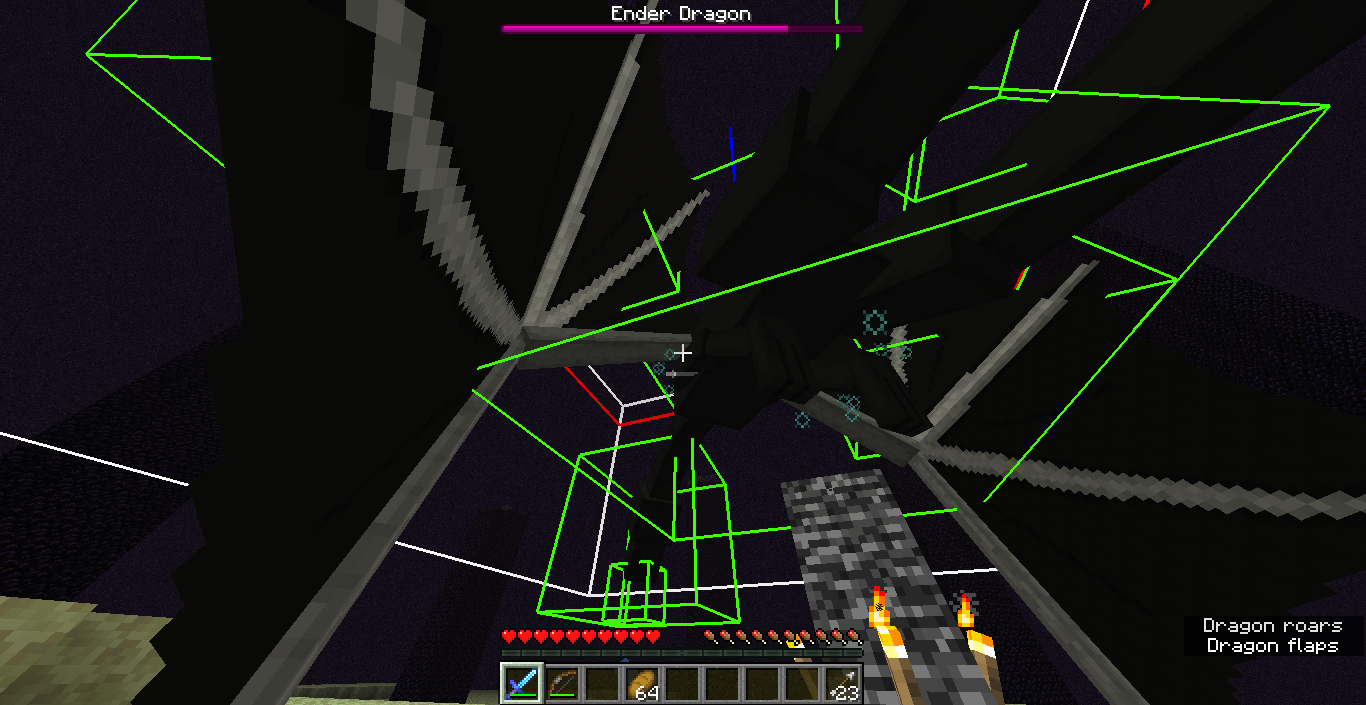
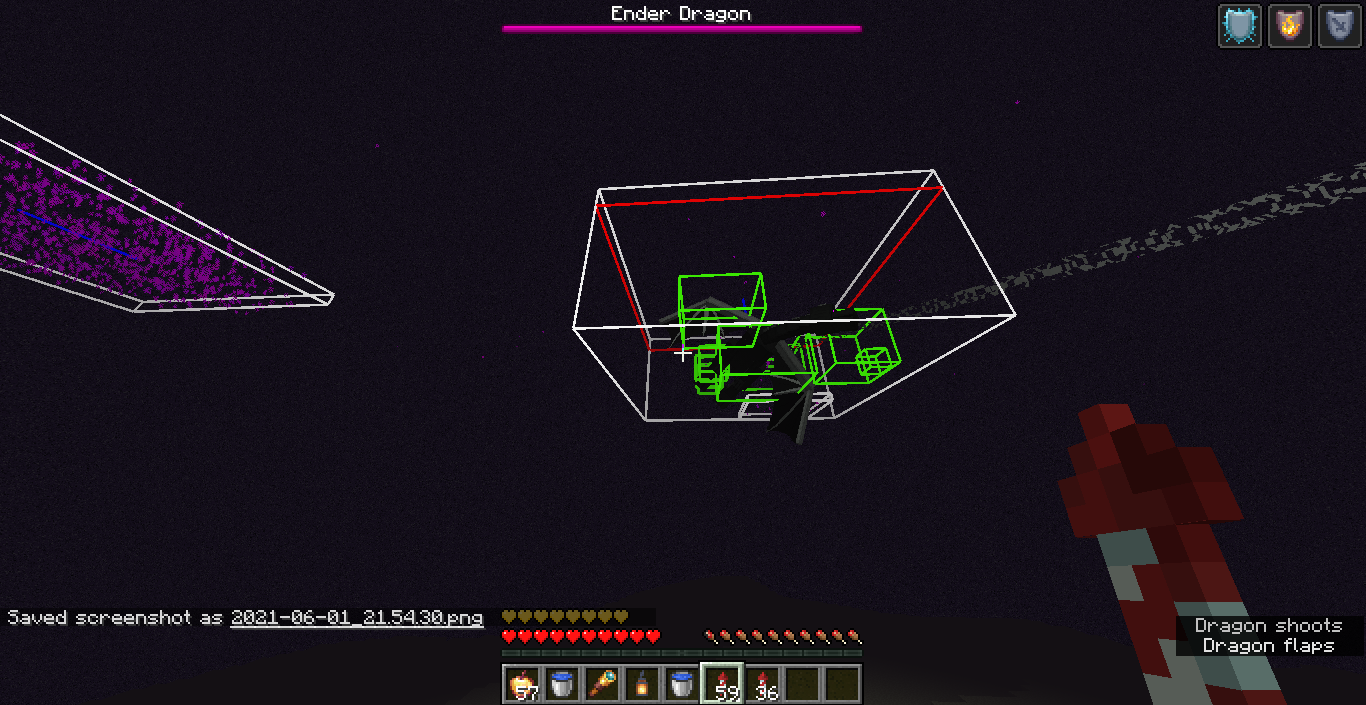
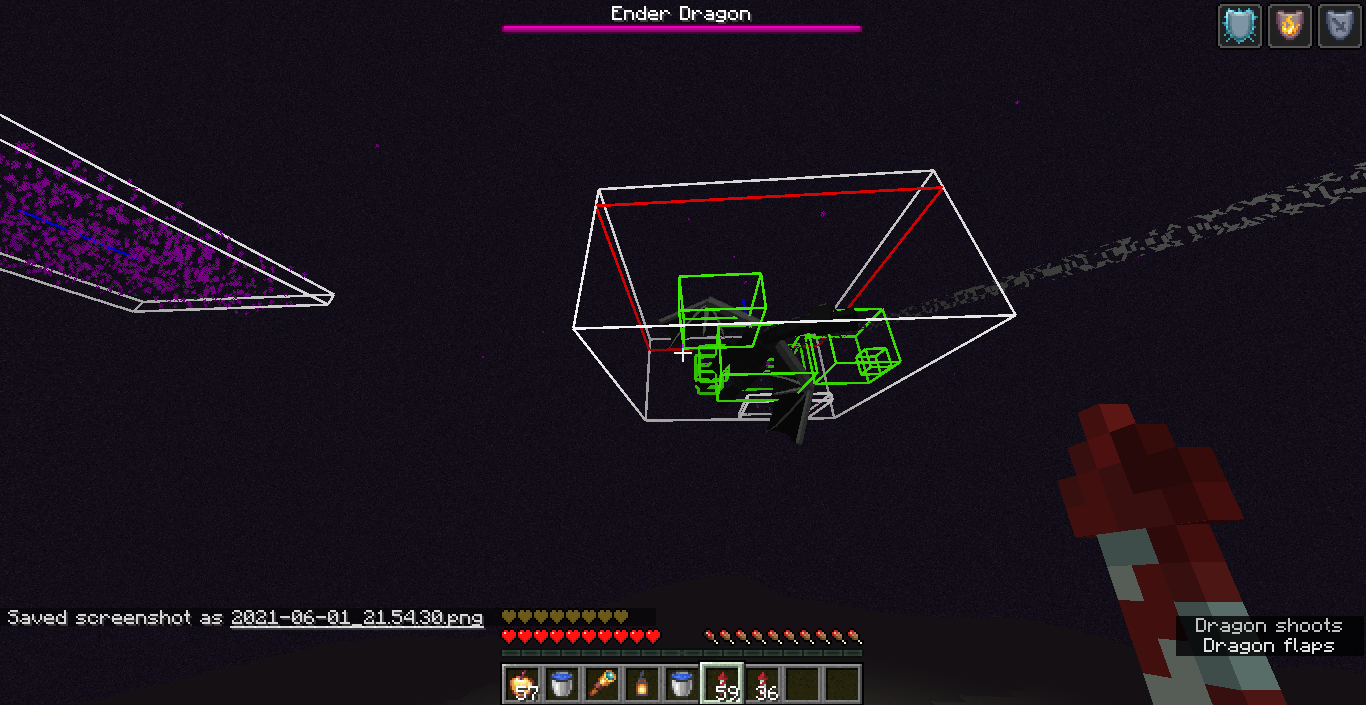
When fighting the ender dragon, during the stage where she is on top of the exit end portal, she is invulnerable to melee attacks (the stage has already changed from landing to wait at the portal).
Hits are only registering near the head.
The attacks done to the back of the model does not register.Also there is the problem of the green box of the model (i believe this is the only model with a green box on top of the hitbox) this box is offset from the visual model in the y axis by approximately 50 blocks.
Inthe current release, 1.16.2, this problem is persistent. It's worthless to attack the dragon from the back because the hits don't register.
Edit: The description has been updated with the information gathered from the comments.When fighting the ender dragon, attacks sometimes don't register during the stage where it is on top of the exit end portal.
On it's middle hitbox where the torso is ubicated, hits don't register from the center of the model towards it's tail. Instead, they are only registering near the head, and only on certain weird angles. From what i've seen, the other hitboxes where it's head and tail are seem to be unaffected (On wing hitboxes also don't register, but i don't know if that's intended or not).
Basically, melee attacks done facing to the back or middle of the model don't register, only on it's line of sight. Arrows however, always register.
When fighting the ender dragon, attacks sometimes don't register
during the stage where it is on top of the exit end portal.On it's middle hitbox where the torso is ubicated, hits don't register from the center of the model towards it's tail. Instead, they are only registering near the head, and only on certain weird angles. From what i've seen, the other hitboxes where it's head and tail are seem to be unaffected (On wing hitboxes also don't register, but i don't know if that's intended or not).
Basically, melee attacks done facing to the back or middle of the model don't register, only on it's line of sight. Arrows however, always register.
When fighting the ender dragon, melee attacks sometimes don't register at all.
On it's middle hitbox where the torso is ubicated, hits don't register from the center of the model towards it's tail. Instead, they are only registering near the head, and only on certain weird angles. From what i've seen, the other hitboxes where it's head and tail are seem to be unaffected (On wing hitboxes also don't register, but i don't know if that's intended or not).
Basically, melee attacks done facing to the back or middle of the model don't register, only on it's line of sight. Arrows however, always register.
When fighting the ender dragon, melee attacks sometimes don't register at all.
On
it'smiddle hitbox where the torso is ubicated, hits don't register from the center of the model towardsit'stail. Instead, they are only registering near the head, and only on certain weird angles. From what i've seen, the other hitboxes whereit'shead and tail are seem to be unaffected(On wing hitboxes alsodon't register, but i don't knowifthat's intended or not).Basically, melee attacks done facing to the back or middle of the model don't register,
only on it's line of sight. Arrows however, always register.Code Analysis
Code analysis by Insane96MCP can be found in this comment.
When fighting the ender dragon, melee attacks sometimes don't register at all.
On the middle hitbox where the torso is ubicated, hits don't register from the center of the model towards the tail. Instead, they are only registering near the head, and only on certain weird angles. From what i've seen, the other hitboxes where the head and tail are located seem to be unaffected. Another important thing to say is that wings don't ever register hits (more info in the comments).
Basically, melee attacks done facing to the back or middle of the model don't register, seems to depend on the dragon's or player's position. Arrows however, always register.
Code Analysis
Code analysis by Insane96MCP can be found in this comment.
Bed / respawn anchor explosion canbypassshieldsBed / respawn anchor explosions can't be blocked by shields
2020-09-10_20.50.56.png
Bed / respawnanchorexplosions can't be blocked by shieldsExplosions from Beds and Respawn Anchors can't be blocked by shields
Players with a knockback resistance higher than 0.2% cannot be knocked off of cliffs by normal hits when they are shifting / sneaking. Caused by the fix of
MC-2404.This behavior makes the game relatively more easy because with only one piece of netherite armor equipped you can sneak on cliffs or bridges and mobs would hit you but never knock you off.
RelatestoMC-.197647After the fix of
MC-2404, players with knockback resistance (specifically above ~0.2%) seem unable to be knocked off of the edge of blocks by normal hits when they are shifting / sneaking.As a cause of this, you only need a single piece of netherite armor to be immune of dangerous falls when attacked by mobs or players in any way, which doesn't seem to be intentional.
Players with knockback resistance cannot be knocked off ofcliffs when sneakingPlayers with knockback resistance cannot be knocked off of edges when sneaking
After the fix of
MC-2404, players with knockback resistance (specifically above ~0.2%) seem unable to be knocked off of the edge of blocks by normal hits when they are shifting / sneaking.As a cause of this, you only need a single piece of netherite armor to be immune of dangerous falls when attacked by mobs or players in any way, which doesn't seem to be intentional.
How to reproduce
- Create a void world.
- Equip any piece of netherite armor.
- Summon a skeleton close to the edge of the stone platform and let it shoot at you.
- Sneak, and notice how the skeleton doesn't knock you into the void.
uhh, i'm pretty sure those falling blocks can float on bubbles. i don't see why it should be different with dripstone.
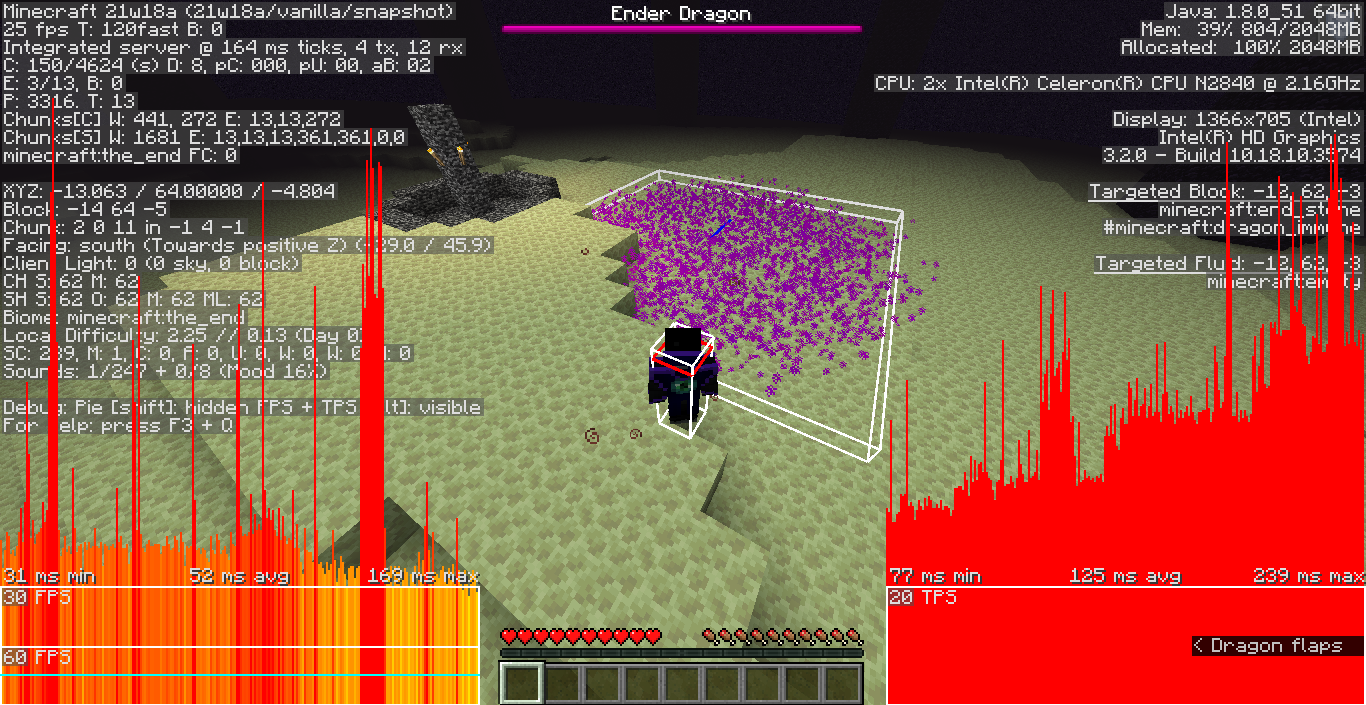
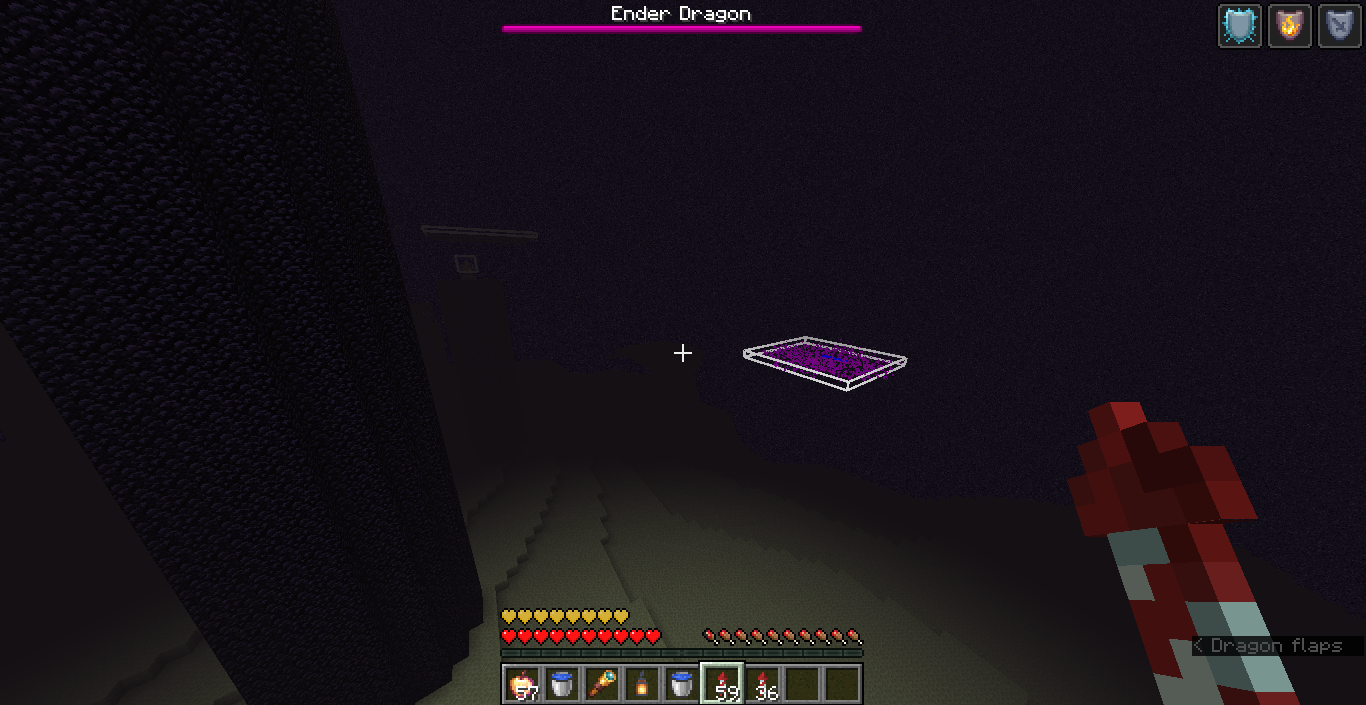
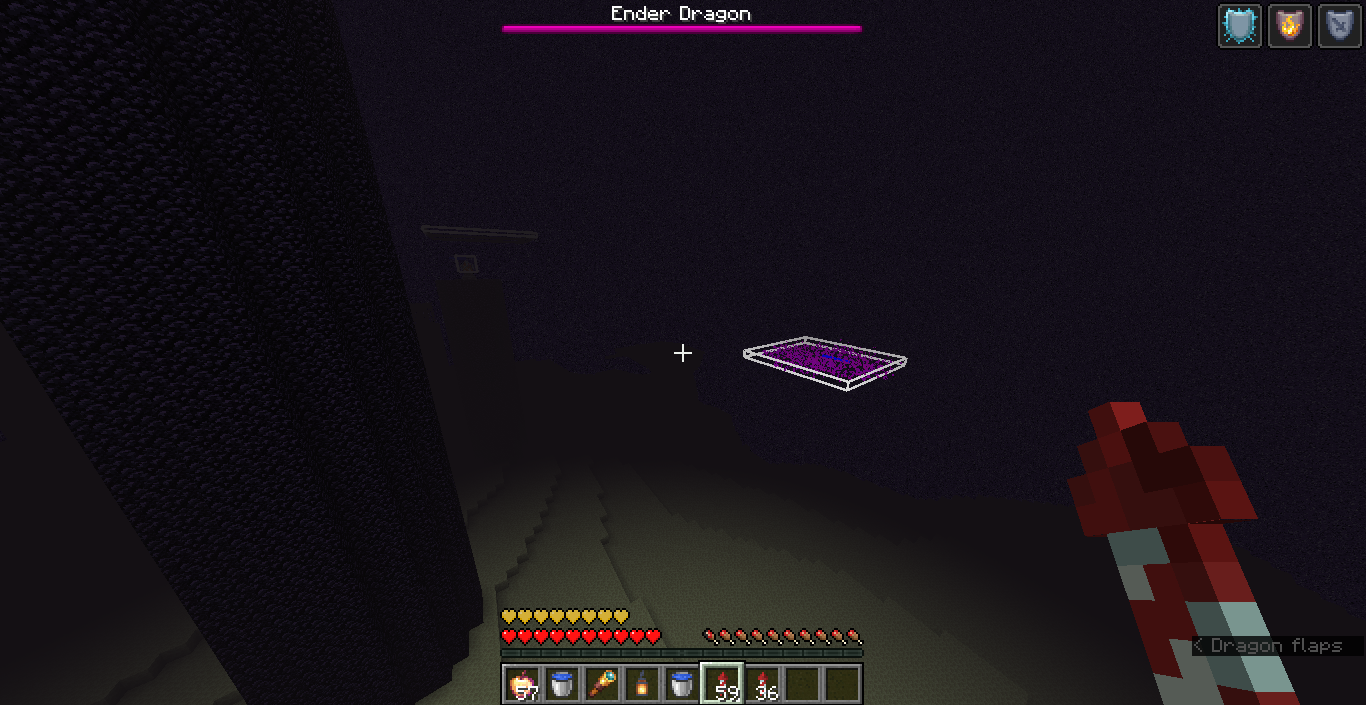
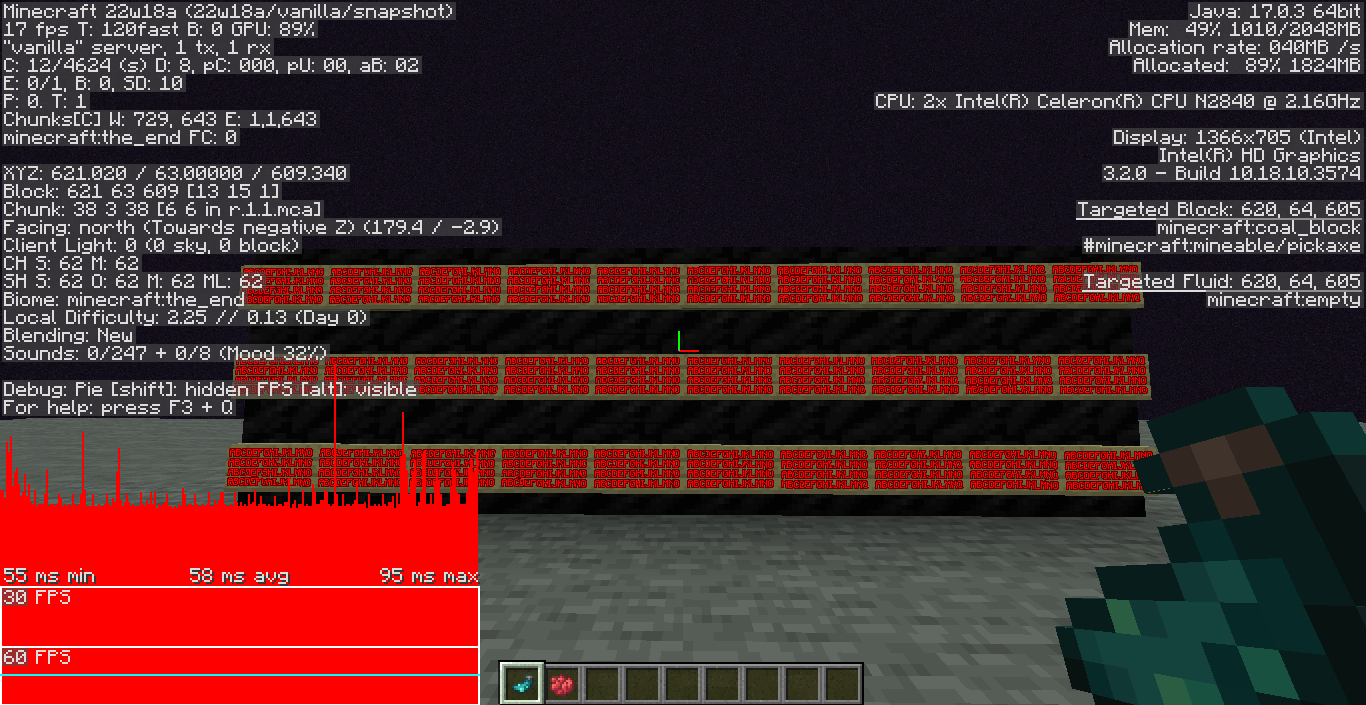
Yep, apparently now dragon fireballs collide with the dragon itself and that's what causes breath clouds to be appearing randomly floating in the air, i tested in 1.16.5 and couldn't reproduce, attached some screenshots.


The bug
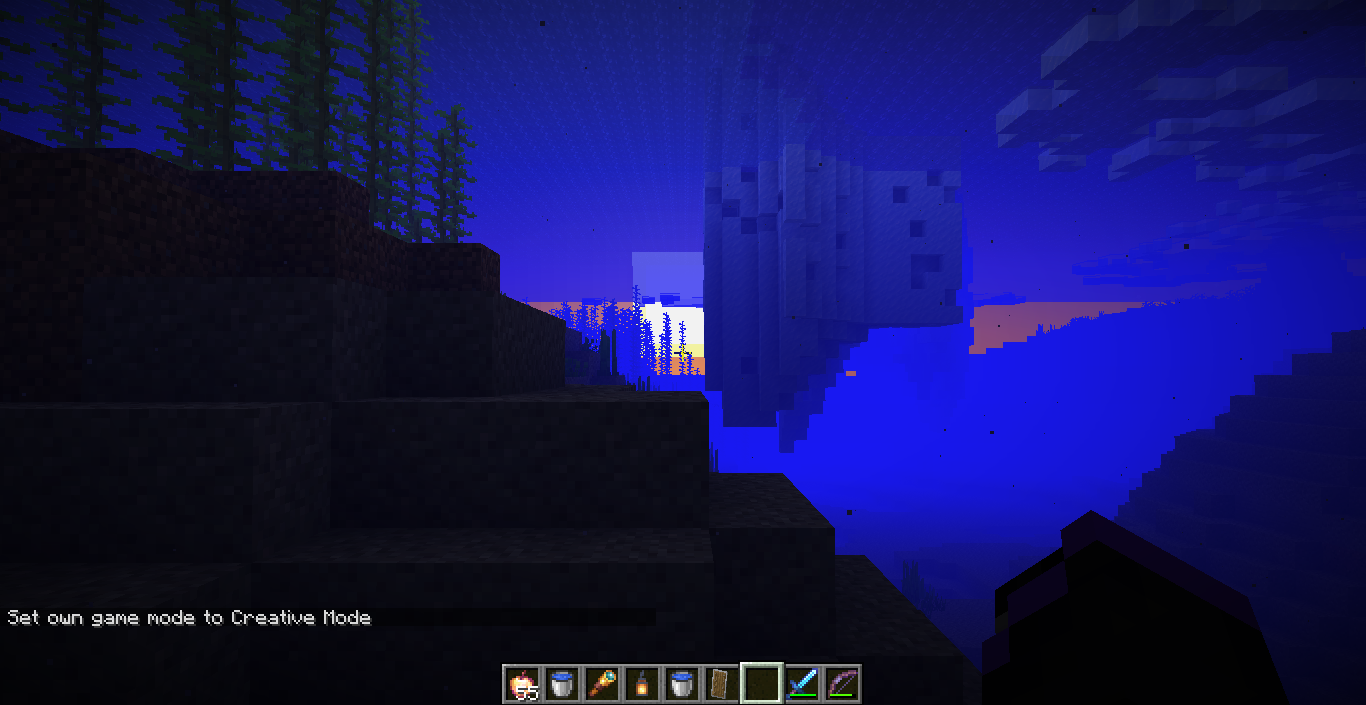
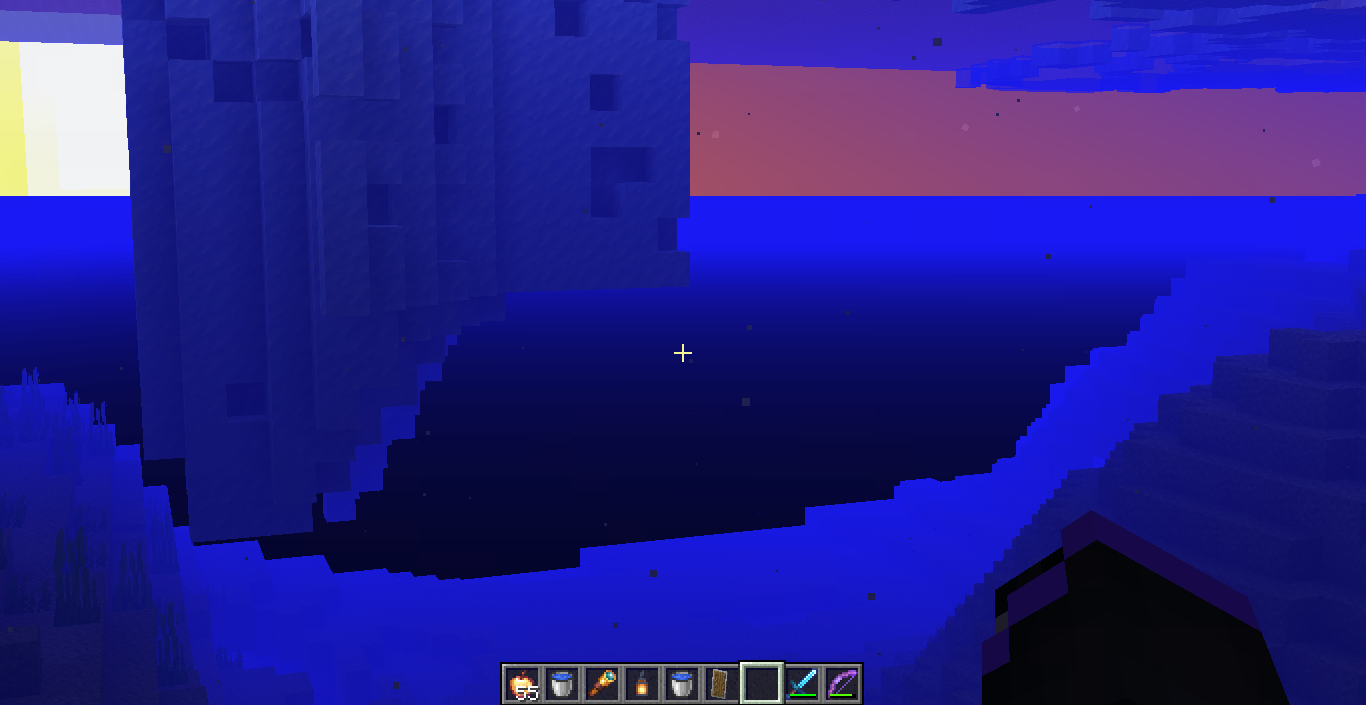
The underwater fog doesn't hide chunk edges correctly, causing unwanted visual effects when the player has a low render distance. If you're below the sea level (most of the cases) you'll be able to see the black background, unlike the surface fog rendering the background with a light color hiding chunk edges seamlessly.
If you're underwater above the sea level, you'll see a blue background instead of the black section, which looks a bit better but you can still see the edges, and this is due to the skybox rendering overlapping the fog causing other issues like being able to see the sun underwater (MC-152504).


Undewater with 16 chunk render distance (fog covers everything):

Underwater with 8, 4, 2 chunk render distance, limits are visible:


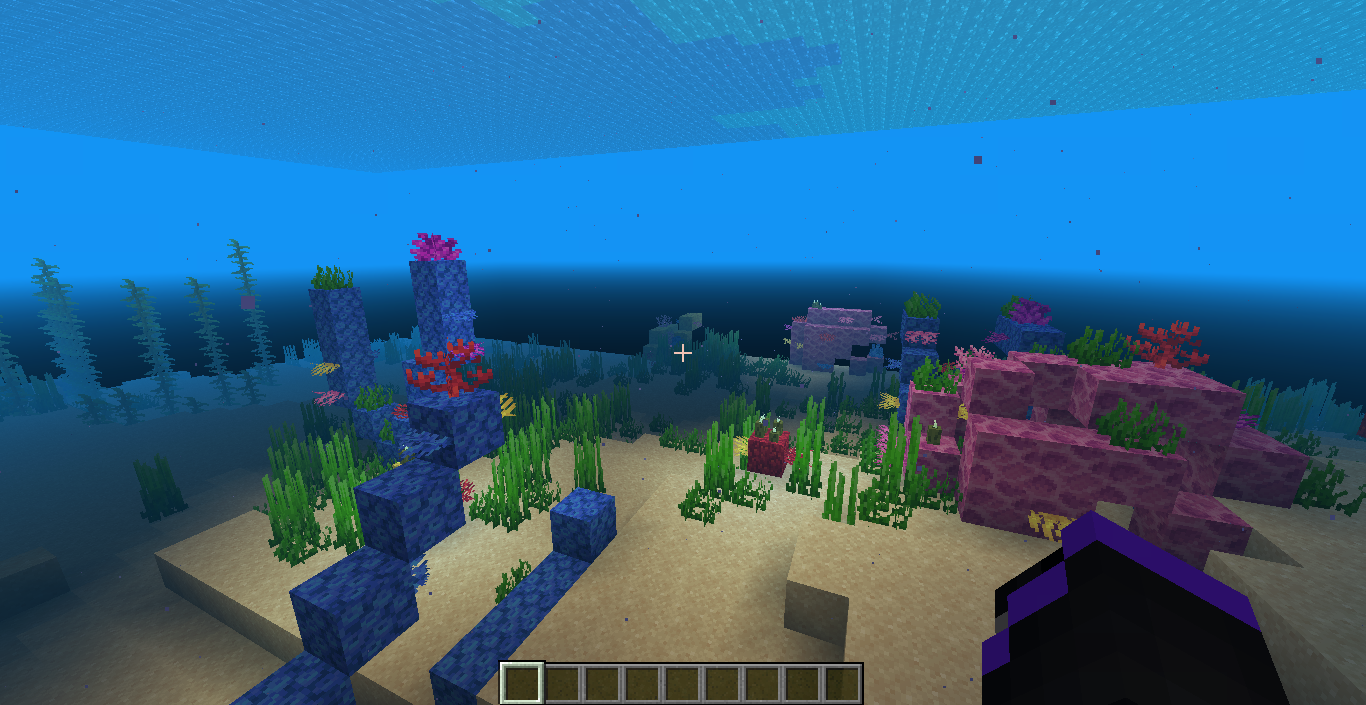
Surface to underwater transition at 2 render distance:
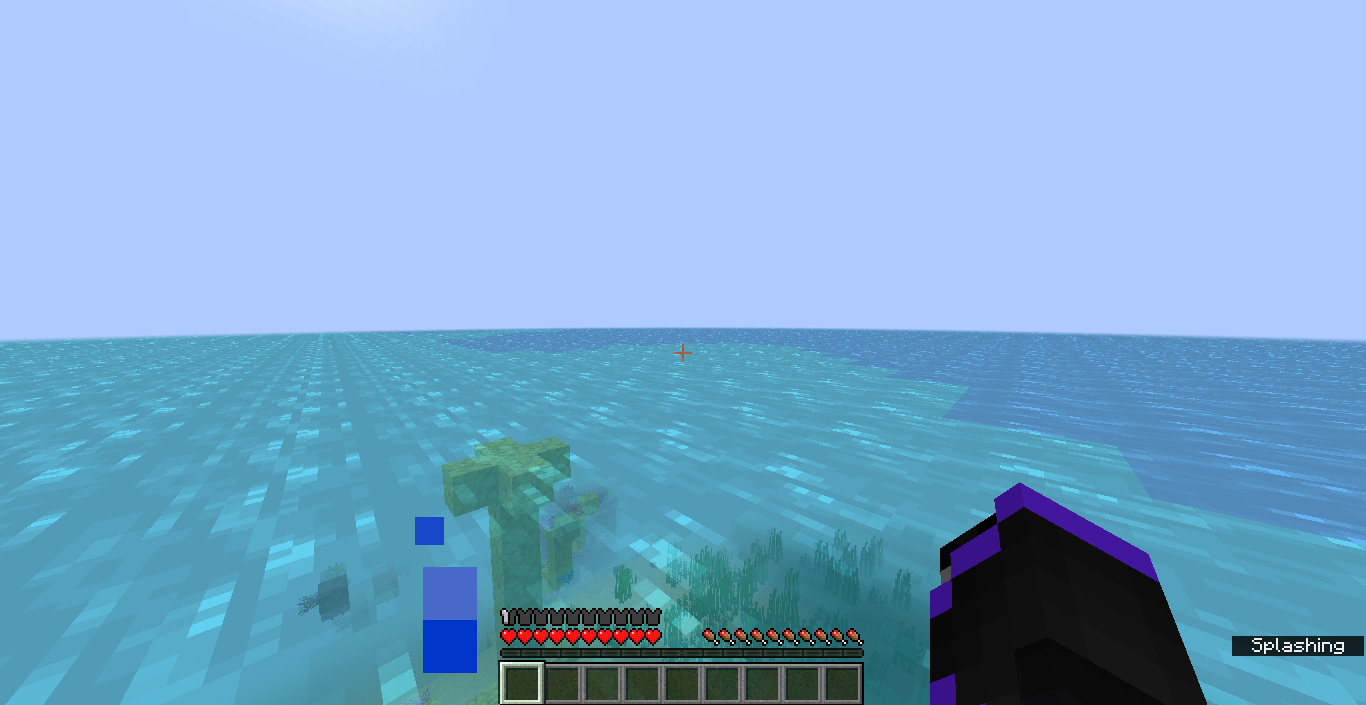
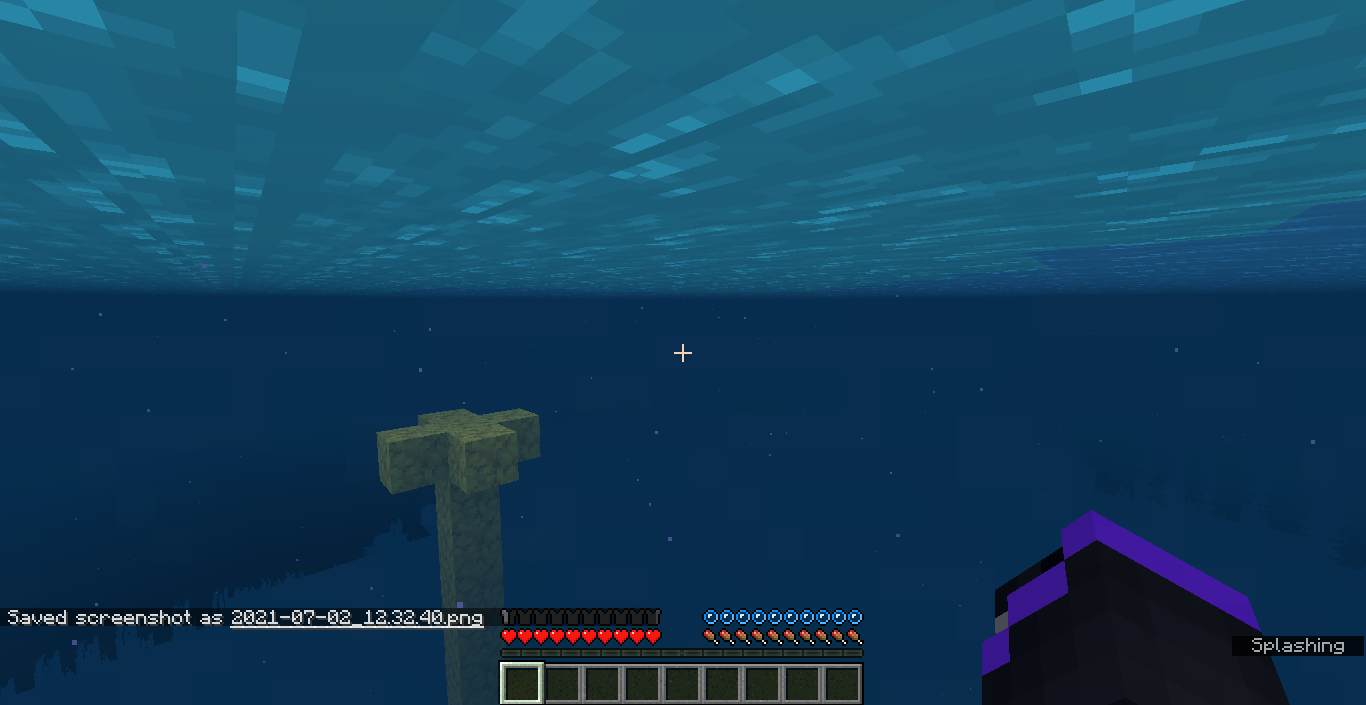
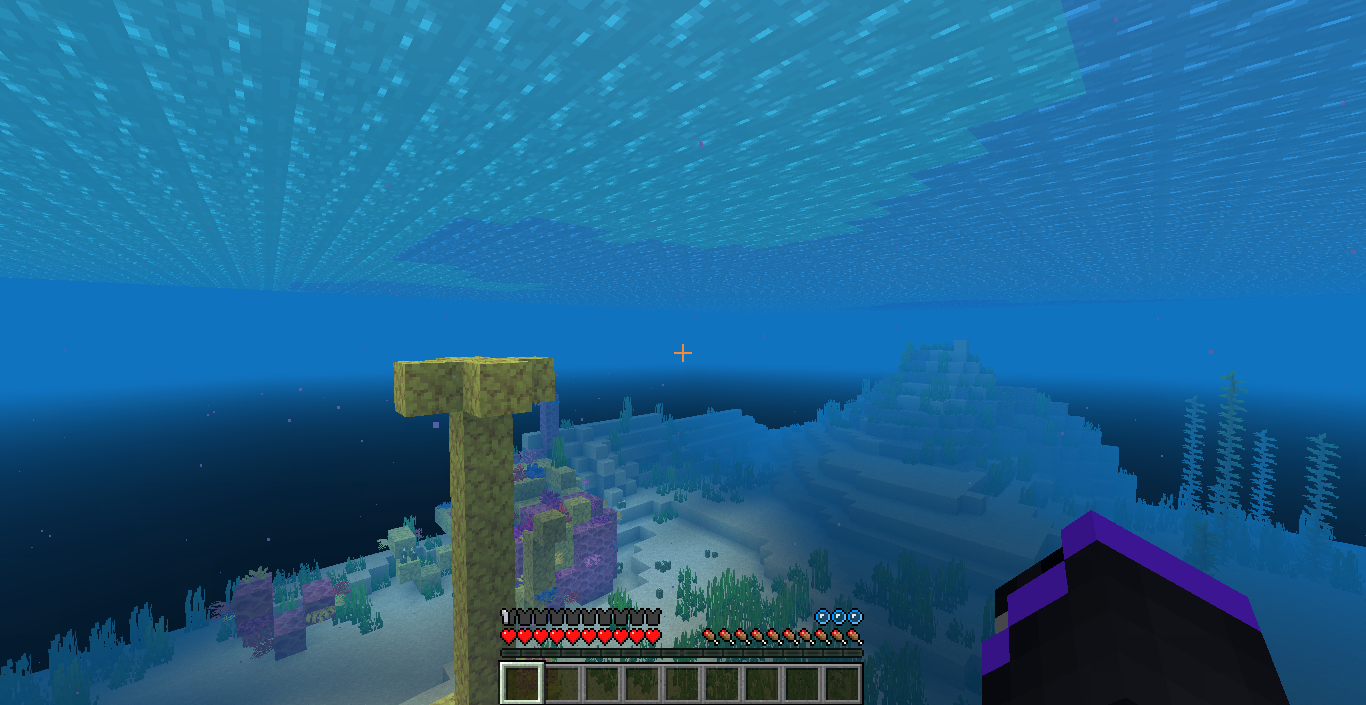
Notice how in the first image everything looks fine, then in the second image the fog covers almost everything of the background like it should, then we have the third image where after some seconds the skybox is visible.
Underwater(sunset) background isn't renderingcorrectlyonlow render distanceUnderwater fog doesn't hide edge of chunks correctly at low render distances
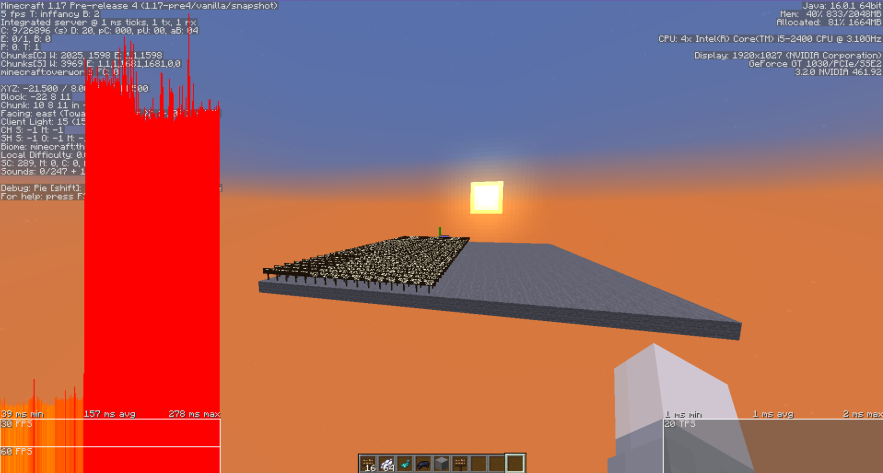
The skybox renders when you're on the void (y<0), or when you are under the effect of blindness, leading to be able to see the sun (and background) in the sunsets. This also makes the fog radius being reduced, making blocks look pitch black and causing unloaded chunks not being hidden in the distance, similar to
MC-126772.Not to be confused with
MC-218599, that's a different issue and also only occurred with night vision. Quite surprised this hasn't been reported until now (or at least i couldn't find a report regarding it).
Sky background is visible when you're on the void or while having the blindness effect
The skybox renders when you're on the void (y<0), or when you are under the effect of blindness, leading to be able to see the sun (and background) in the sunsets. This
also makesthe fog radiusbeingreduced, making blocks look pitch black and causing unloaded chunks not being hiddeninthe distance, similar toMC-126772.Not to be confused with
MC-218599, that's a different issue and also only occurred with night vision. Quite surprised this hasn't been reported until now (or at least i couldn't find a report regarding it).The skybox renders when you're on the void (y<0), or when you are under the effect of blindness, leading to be able to see the sun (and background) in the sunsets. This is because the fog radius is reduced, making blocks look pitch black and causing unloaded chunks not being hidden at the distance when they are exposed to the background, similar to
MC-126772.Not to be confused with
MC-218599, that's a different issue and also only occurred with night vision. Quite surprised this hasn't been reported until now (or at least i couldn't find a report regarding it).
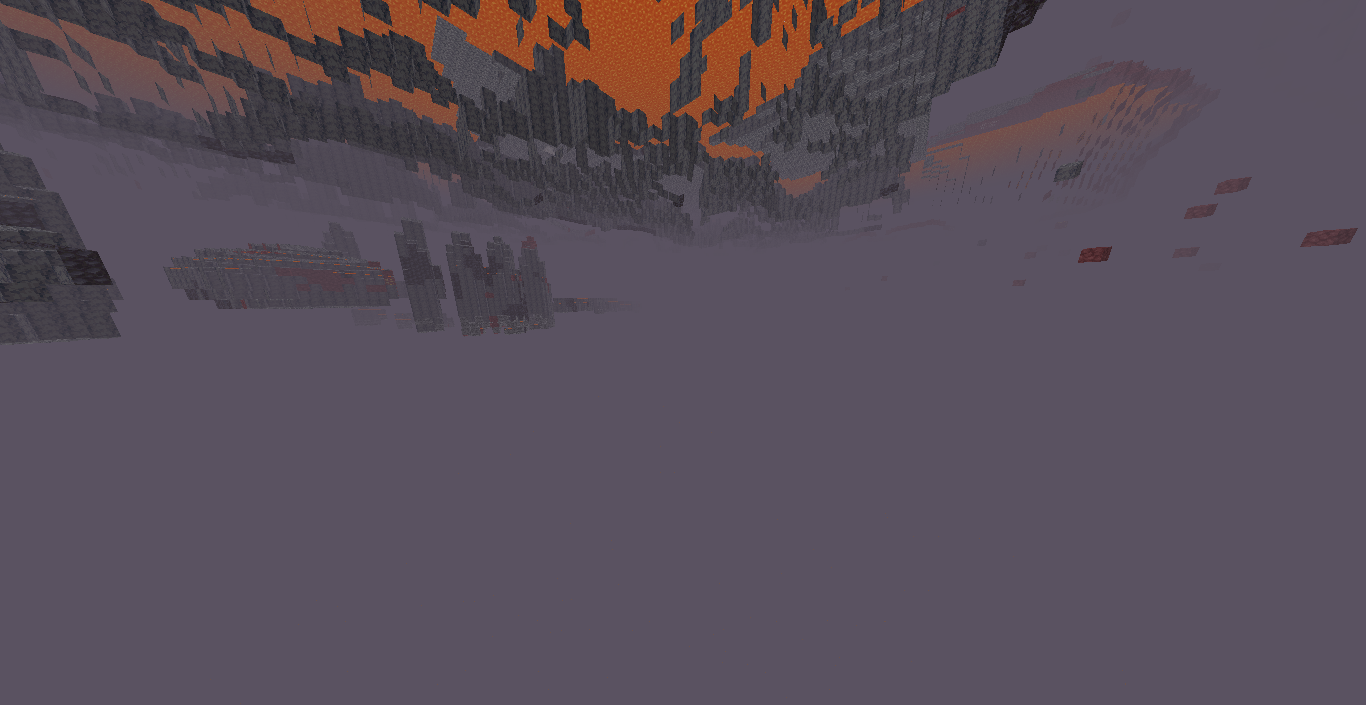
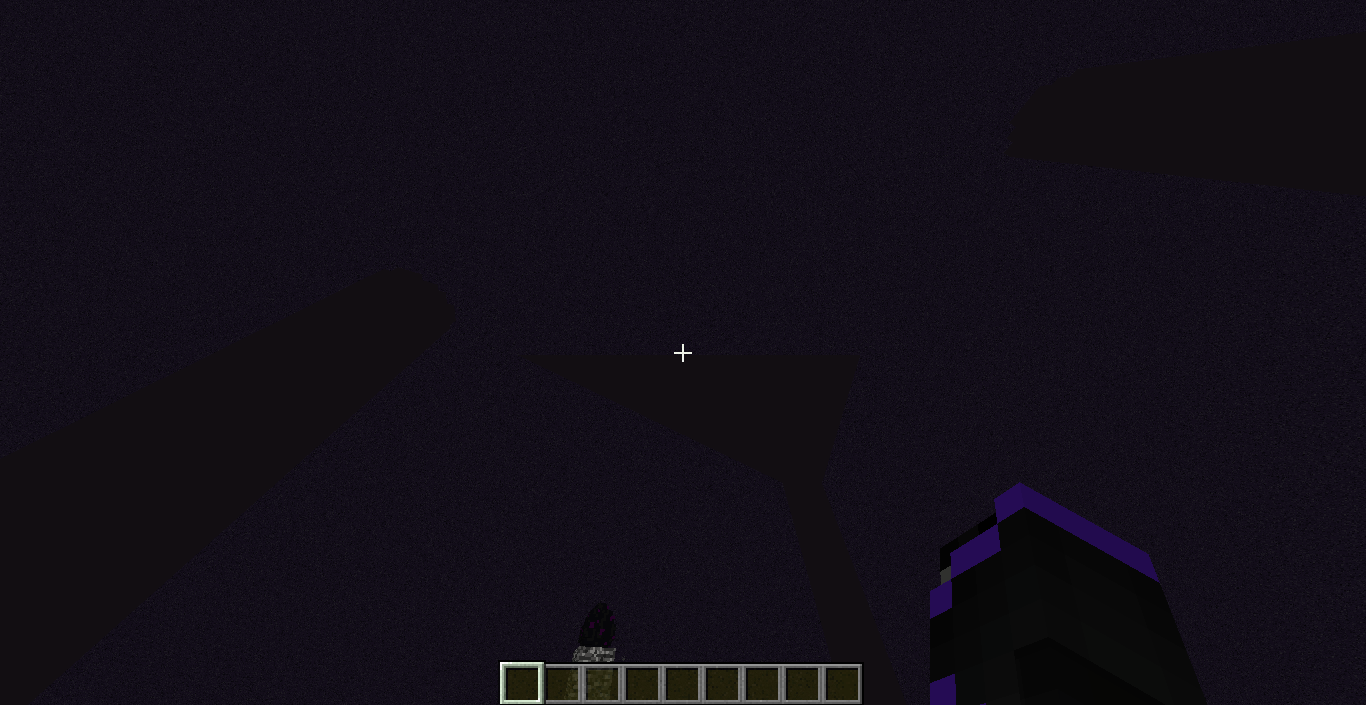
The skybox renders when you're on the void (y<0), or when you are under the effect of blindness, leading to be able to see the sun (and background) in the sunsets and making the entire sky to be visible in the end. This is because the fog radius is reduced, making blocks look pitch black and causing unloaded chunks not being hidden at the distance when they are exposed to the background, similar to
MC-126772.Not to be confused with
MC-218599, that's a different issue and also only occurred with night vision. Quite surprised this hasn't been reported until now (or at least i couldn't find a report regarding it).


The skybox renders when you're on the void (y<0), or when you are under the effect of blindness, leading to be able to see the sun (and background) in the sunsets and making the entire sky to be visible in the end. This is because the fog radius is reduced, making blocks look pitch black and causing unloaded chunks not being hidden at the distance when they are exposed to the background, similar to
MC-126772.Not to be confused with
MC-218599, that's a different issue and also only occurred with night vision. Quite surprised this hasn't been reported until now (or at least i couldn't find a report regarding it).The skybox renders when the player is in certain reduced fog situations, leading them to be able to see the sun and sunset background in the overworld, and making the entire sky to be visible in the end, when it shouldn't be the case. These situations include:
- When the player is below the lower height limit, in the void.
- When the player is affected by the blindness effect.
- When the player is affected by the powder snow / lava fog.
Other slightly different situations:
- During the ender dragon fight (probably intended).
- When the player is underwater at low render distance (
MC-126772/ MC-152504).Expected result
In all of these situations, the player shouldn't be able to see the skybox because the fog would be able to hide it.
How to reproduce
- Load a world, set the time to around 12500.
- Give you blindness with the /effect command.
Sky background is visiblewhen you're on the void or while having the blindness effectSky background is visible on certain reduced fog situations


![[Mod] EVGENSYPERPRO](../../../data/avatars/users/92853.png)
syarumi This is a parity issue. MCPE-121983 was created for the bedrock. Perhaps the developers will decide to leave it.
![[Mod] ampolive](../../../data/avatars/users/18949.svg)
syarumi You appear to be correct, the text is in fact rendered nine times for glowing signs.
![[Mojang] Grum (Erik Broes)](../../../data/assets/gravatar/grum.png)
syarumi Thanks.
![[Mojang] SystemInvecklare](../../../data/avatars/users/83597.png)

I noticed this only seems to be happening with players, i tested it with mobs using the /attribute command and it indeed works correctly (scaled instead of probability), while in players it is both.
The new netherite armor is affected by this, because you can have only one piece equipped and with 10% of probability you wouldn't take knockback at all.
Why would it be WAI? it doesn't make sense that it can't block end crystals/TNT explosions while creeper/charged creepers can be blocked. Not even a reduction of damage. Also, they aren't too expensive to craft. While i do agree that the shield is a bit OP, it isn't consistent when is supposed to block 100% of damage.
I was able to reproduce this in 1.16 pre-5, and yeah, only happens in the end for whatever reason. Doesn't occur in 1.15.2.
Maybe you should tweak the summary a little bit, indicate that this only happens in said dimension.
Actually, i was wrong. The real cause is the new fire hitbox introduced, if an entity explodes standing on a fire block, the damage is significantly reduced. I don't know if this issue should be rewritten or else create a new one.
This is already being tracked as
MC-185545.Unfortunately, i think this is not a bug at all, since this was introduced in 1.9 (not sure, probably not) where the "accuracy" of arrows and other projectiles was changed to be more RNG (which is somewhat fixed in the combat tests of jeb). So, to amend this, the arrow "uncertainty" value would have to be reduced like in said snapshots from 1.0 to 0.25 to make obtaining the new advancement not an absolute nightmare. But yeah, that'll change so many things.
That's good to see, but even so, i don't think is very viable to be changing the slider all the time. Maybe some people want their fov effects enabled, but this specific issue is annoying for them, imo. Anyways, it's up to you guys.
I see, for some reason i thought that got fixed before 1.16 released. Also makes sense, thanks for letting me know.
Can i request ownership? user's last activity was august 2019.
Can confirm here, you can pretty much destroy the crystals if you aim the lower corners of the cages, without the need to climb up there.
Maybe this should be reopened, the issue has been happening since a long time and hasn't been properly resolved. Sometimes the dragon can hit you two or three times mid-air and throw you upwards to even 60 or more blocks high which is probably a bit too exaggerated, sometimes you aren't even able to see the actual island. This is probably caused by MC-169167 given that the dragon has a very fast attack speed which is why it can hit you very rapidly when on air, i can't reproduce the lag tho.
An example of said knockback can be found on this video: https://youtu.be/27aPLrM7iOc?t=1335
A fatal fall, althought you could save yourself with water, ender pearls, slow falling or feather fall.
Probably people would think this could be intended being that this has been happening since 1.9, however i would want to see a proper response if it's WAI or a valid bug.
No, i can't reproduce the lag, only the high knockback.
Ric, if you want the ticket back you can ask a mod and i'll accept, i just requested ownership to keep updating the affected versions. And about the dragon hitboxes, that's probably being tracked as
MC-111009.It might be intended, that's why i requested this to be reopened, to see if it's a bug or not. The knockback is pretty high tho, and in some cases is a bit unfair that you can't avoid your death.
Hmm, now that i think of this, is it really intended and not a side-effect of fixing
MC-2404? After some hours of gameplay i noticed this behavior so many times when exploring caves and sometimes it gets really annoying, i'd rather like to have a proper dev response about this. Also, it's almost the same issue asMC-199326which got marked as Community Consensus.Fixed on a combat snapshot (7c), affects 1.16.3.
Hmm, that's interesting, i've never paid enough attention even when i experienced this rarely. I can reproduce it on 1.16.3.
Hi, now that i've seen some bugs marked as WAI are being reopened recently, maybe i can request a review for this issue as well? seeing how issues like
MC-139621, MC-138211, and others have also some similarities and are being triaged, then i think this one should apply too.Apparently this behavior is caused by a wrong lighting calculation that causes farmlands and grass paths to render too dark, making them look muddy. Sodium renderer fixes this calculation and makes those blocks to look how they should, so i'll attach some pictures in case the team reconsider it.
pretty sure it's intended, you normally won't want to accidentally break more blocks than the one you're aiming.
I believe this is most likely caused due to the amount of data fixes the game has to build when the game starts (which has gotten worse since 1.16), possibly related to (if not a duplicate of)
MC-188163.Duplicate of
MC-168900?violine, i could reproduce this when placing the powder snow just before falling (snow bucket drop). I didn't test with already placed blocks, but placing it while falling it just occasionally happens.
Affects 20w46a
Flipping the sprite upwards would work.
Just so you know, this behavior applies to other falling blocks too. What i believe is the bug here, is how the dripstone falling blocks dettaches themselves when this occurs.
That... or the bug is that all falling blocks are affected, because i can't seem to find a report of it.
Yeah sorry, i'm not very good at descriptions so i'll try to improve it a bit based on your report.
You can also comment on it if you have anything to add.
This seems to be a duplicate of
MC-196317, but with a more detailed description.It's not the actual brightness what increases but the vignette effect being replaced by the warning red effect, there is no smooth transition.
yes, because they don't have the attack knockback attribute which was added way after golems were introduced, unlike the other mobs you mentioned.Seems like i was wrong here, that attribute doesn't work on iron golems, and doesn't work on shields either as per MC-235198.
Experimenting this since 1.13 as well. I always thought this was
MC-121364but seems like that one resulted to be describing a different issue? I believe this got like this after the LWJGL update, and since then it is now really annoying.So... yeah, can confirm here.
Also, you should add a volume warning for the video.
Is this the same behavior as MC-178932 ?
I think they should remain separate, because that report talks about the high pitched noise of the netherrack and this one is stating calcite sounds are too low. Can confirm as well, plays too low compared to other blocks to me.
Deepslate has its own issue in MC-220027, they should probably be separate or either be merged, decision up to mods.
Yeah, i haven't checked if netherrack still does that, and i can't tell for calcite or deepslate as it requires an analysis. You should be able to find how to access audio files if you search on google, there's plenty of guides on how to do it.
I think this one should work for you:
https://minecraft.fandom.com/wiki/Tutorials/Sound_directory
Can confirm as well, i think this also occurs when you go to negative y-levels (at least to me it happened in the end), if anyone wants to check on it.
The ticket doesn't really make clear how this happens, you could do a benchmark with older versions to see when this really started happening, but i believe this is due to DFU load on startup, and to me it got worse on 1.16 since the game now almost freezes my OS when loading compared to 1.15.
On another note, i think this is mostly noticeable on low-end systems (like mine), and in my experience the game takes noticeably longer to load than 1.12 such that i need to rely on mods like LazyDFU to make the game playable.
I'm not really a technician, but if they were to make the same approach and load DFU rules when upgrading a world instead of loading everything on every game startup it would make a great difference, and won't make a waste of CPU on players that only play on multiplayer, but again i can't truly make a statement on this.
It probably would be a bit annoying for people who were used to this old behavior, but i think this way is better and makes it consistent with the crafting grid where it also didn't drop the items.
You can still drop them by dragging them out of the inventory (to the gray background) or... well, using Q.
Yes you can, with ctrl + Q it lets you drop entire stacks.
Seems like the ender dragon collide with it's own fireballs when shooting, that is what causes this from what i've seen, that is the info i got since this got marked as incomplete.
Not the same, in that report is noting out that the item disappears in creative when it should drop it. What i'm saying here is that the item is being dropped instead of being put in the off-hand slot.
Hmm yeah, but i don't think they are exactly the same, because both mechanics work a bit different. If that one was fixed you can't be sure if this one won't happen at all, because maybe the item would still be dropped after closing the UI, but it would still get the item in the off-hand after being dropped (like how it happened before with the other slots).
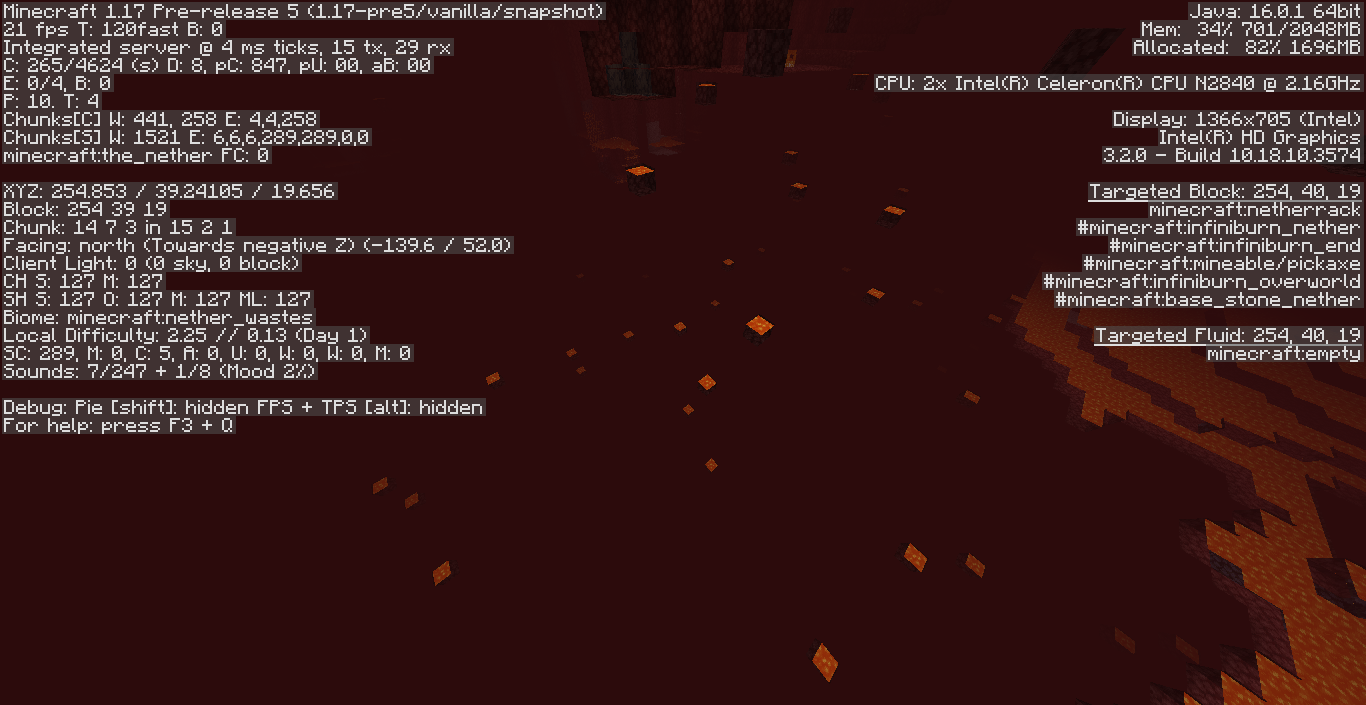
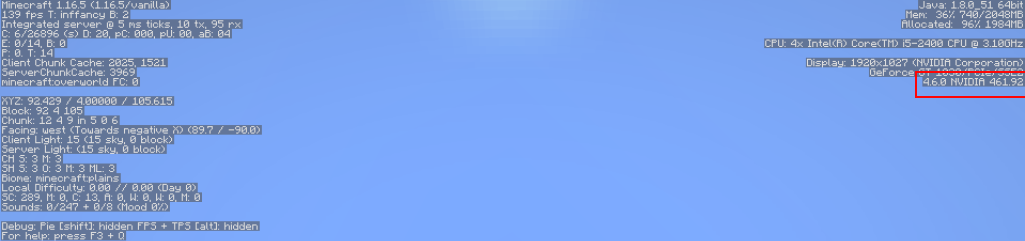
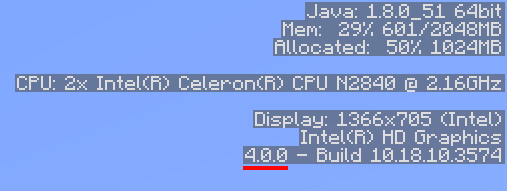
What i've noticed is that now the game only shows the OpenGL version that it is using and no longer shows the last GL version your system supports, but i don't think that has any relation to performance loss, because i personally haven't noticed a difference.
I can't really say if the game now is fixated on only supporting Core 3.2 and not detecting any upwards version (because that's apparently what you're saying), or if the debug menu is only showing the minimum GL version. So, that's the info i've got.
Can confirm as well, the performance drop is very noticeable.
Can confirm in 1.16.5
Can confirm, affects 1.16.5 too.
The slider explicitly says it only controls the distortion of nausea/portals, so this may be more tied to being a feature request. While i agree that it should be controlled by the distortion setting i don't think this counts as a bug.
Can confirm, affects 1.16.5 too.
Created a new issue in MC-227327
[Mod] Les3awe, did you by any chance add 1.16.5 as affected by mistake? because i can't seem to reproduce this in that version.
Can confirm as well in 1.17 pre-5.
They do generate, although very rarely, less often than other biomes. Can confirm on 1.17 pre-5.
Also, before 21w10a the game always has used GL 2.1 i think, and the performance regression you're experimenting is probably MC-219639. What the bug here should be, is that now the debug menu (F3) only shows the GL version Minecraft is using (3.2 Core) and no longer shows the last GL version supported by your system (In this case, 4.0 or 4.6). You should probably change the summary a bit and that'll do, because then i could confirm that is an issue.
Very related to
MC-84222, although that one got closed as invalid long time ago.Affects 1.17 rc1.
Can confirm on 1.17 rc1. May be the same as
MC-126772.Affects 1.17 rc1. I believe this one talks about the black missing section below the sunset? while MC-152504 emphasizes the skybox. Both might be the same issue tho.
Edit: Actually, that "black section" is still the skybox, but it being visible is because of unloaded chunks not being hidden by the underwater fog like how it works with the surface fog (probably due to the underwater fog having a reduced radius), making it very noticeable at low render distance.
May be side-effects of either
MC-223260orMC-215939.Dupe of MC-2112.
If the game were to be paused on multiplayer, how would it handle it? i don't think the game should "keep input" until you unpause it... but in singleplayer might be a different case.
Can confirm on 1.17, affects ladders too (of course, when not hitting the top).
MC-211708 is also a similar case.
Can't seem to reproduce this in 1.17.1 rc1 with Intel, can anyone check?
Cannot reproduce on 1.17.1 rc1 with Intel.
Can confirm on 1.17.1 rc1 with intel, doesn't seem to be hardware specific anymore.
Can i request ownership? i'm willing to modify the ticket to not be confused with MC-152504.
This ticket has been resolved a long time ago without any source indicating that this is how this should work. The nether behavior may be intended, but in the end dimension night vision makes everything extremely bright, which can make some things in the distance indistinguishable (specially at low render distance or when in the dragon fight).
Can this be marked for review?
Cannot reproduce on 1.17.1 rc1, leading to a new issue: MC-230902.
Cannot reproduce on 1.17.1 rc1.
I'd say that since 1.16 this has become more critical, due to how mobs now attack more rapidly due to fixing
MC-147516, making shields useless in some situations (MC-191642).Affects 1.17.1
Can confirm on 1.17.1
Can confirm on 1.17.1
The item also remains when you switch to survival, but turns into a ghost item.
Affects 1.17.1.
Just noting out that this also affects when you have an item on the cursor when the inventory is open, since you would expect the item to not be dropped as per


MC-224946. Instead, the item drops.Just noting out that the terrain of the seed has changed and there is no lava pit there anymore, but i managed to reproduce this using the exact same position of your portal anyways.
So yeah, there have been some times where this has happened to me. Sometimes it could even be very annoying due to
MC-2071. As you said, the expected would be to see the portal to generate a platform like how it does in the air, but that might fall into the feature request category. Still gonna confirm it though.Craig O'Brien, that report is actually a duplicate of
MC-224946.Not sure how true this is but, apparently the way signs make this "glow" effect is by rendering the text 9 times, which might be the cause of the extreme fps drops when lots of signs are involved. That might also be the cause of the lag on bedrock if the text is rendered the same way.
Actually, all glowing entities in general are able to cause lag, which affects performance on mostly low-end machines.
But on some better machines the impact seems to be pretty minimal.
If we consider the fact that glowing entities affect performance even on some of these machines, then i believe this is a valid issue.
Most of the problem is that when only just one glowing entity shows, the smoothness of the camera is pretty much affected, which really affects gameplay when you try to aim mobs or blocks.
This is most notably when summoning shulkers with light above, and which probably due to this shulker boxes are affected as well (MC-231102).
You could say it is a duplicate, but i'd argue that in this case it is different because these two effects, unlike the other ones, can effectively cause client-side performance degradation and even in some cases it could crash the game, i can see this being the case on servers where this can't be controlled by the player directly.
From what i understand, i think
MC-10755is more tied to the gameplay perspective (due to how high levels of effects don't work as intended). While here we're talking of the performance perspective, because the more rows of hearts are shown, the worse. It can even apply on low levels like 10 or 5, but the degradation isn't as drastic. So i don't think it would be correct to close it as a dupe.[Mod] ampolive i've checked, yeah, it seems i couldn't find it when searching, but my point on my previous comment still stands.
This one might be pretty unnoticeable compared to MC-233604, and benchmarks can show different results on different machines so maybe this isn't worth time spending on, but it's still a 10-20% fps decrease for an enchant glint.
However, you can get noticeable results in the creative menu if you see the attachments, may depend.
For every full double chest a player opens they could get a 50%~ fps decrease (might depend) just by rendering items. I thought it could be considered a performance issue, that's why i reported it.
Also mention the fact that opening inventories without items can still lower fps a bit, mostly the player inventory, but i didn't consider it.
There's also
MC-202953on the maxed CPU usage side of things due to DFU.This got fixed by
MC-178947.Can confirm, but i think fixing it would do more harm than good. Also, an extremely tall cactus is very unlikely to happen, and removing this would probably get the seed community upset.
This is probably caused by MC-220390.
Should also mention that only occurs in creative.
Like
MC-150612, should also mention that only occurs in creative.I don't know why these issues aren't merged with MC-21098, but can confirm anyways. Affects items frames too.
[Mod] tryashtar, sorry but i think you didn't follow the steps correctly. The apple got eaten but because you let off right click for a second, you might want to use resistance V next time.
I can reproduce it on 1.17.1 and also the reporter of
MC-234354using two shields, so this should be reopened. And i want to point out that it happens on both hands, only goes away when you let off right click.I agree with your point of view, but seeing how almost all of the issues listed are WAI/WF, this would probably get resolved as WF as well, or even as FR. At least until there's a rework on how waterlogging works (if there's any) further waterlogged block additions would probably get used to stop flowing lava.
This might not be the only cause for this to happen, but i can confirm nonetheless, with subtitles can be seen how only one of the two sounds is played.
Can confirm.
While i think the split was correct due to how both issues trigger differently, this issue was still reported before
MC-234665got created. So i think for the time being it should be closed as a dupe of this one.So i've got interested and located 20 villages in a single seed. Seems like indeed every single village i found was at least touching 2 non river biomes / variants.
Around half of them were bleeding into other biomes, while the other half were exactly at the edges of another biome. Only 1-2 of the total villages were only touching a hills/mountain/plateau variant.
Just pointing out that this can be pretty consistently reproduced in the future 1.18 generation, due to how hill variants got removed. While this intersection betweens biomes might not be acknowledged as a bug, it's true that most of the villages generated are always generated on biome edges.
Can confirm on 1.17.1
Here's a more detailed comparison of smooth lighting on mobs. Both pictures on the left is how it looks right now on with smooth lighting on, and the pictures on the right is how it looks with the smooth light transition applied.
The difference is very subtle, but if you watch closely you can notice it. Both images on the right were taken using sodium 1.16 which fixes entity smooth light (no longer works on 1.17). I think there's plenty of info in the ticket now?
Check if you can you reproduce it in vanilla (without optifine).
You might want to check if this happens completely in vanilla, some of these bugs could be caused by software like spigot.
Btw [Mod] Avoma, did you test in survival? because this behavior in particular is pretty familiar to me, and also you tried blocking with the shield but no sound was played even though
MC-98271is a thing.Might relate to
MC-227097.Can confirm, and the expected would be (if it wasn't obvious) to not get this messy mineshaft generation.
Can confirm.
Probably a dupe of
MC-9568.Can confirm.
There are similar issues reported, but i couldn't find an exact duplicate of this one so... can confirm here.
yeah, they generate at y=32/29, but you should provide an example of this happening on a datapack with custom height on nether.
Now that 3D biomes are a thing in 21w37a, this can lead to a number of issues where locating cave biomes might not send you to the nearby one (or even, fail to locate it) depending on your y-position.
And due to
MC-236619, the command can send you to "floating" biomes that don't correspond to the surface.Duplicate of
MC-215071.Not invalid, this is a new issue caused by
MC-236619(kind of). Attached some screenshot on the seed: -8330603083619589917.Seems like weather doesn't work correctly with 3D biomes.
But why would it be the only variant to be able to generate if the other biomes' variants were removed? Because they're also able to generate on hills or plateaus without the need of a variant.
This might need more testing, but seems like part of the desert terrain overall was "absorbed" by badlands biomes now.
Yeah, this is not only specific to dead bushes, even ferns are able to generate on forests now it seems (if there's a taiga/jungle at the top/bottom of the world).
This is most likely happening due to MC-219200.
Isn't this just a duplicate of
MC-236630? That one was closed as invalid with no reason. The fact that spruce trees don't generate is a bug, but the "big spruce trees" thing on the changelog wasn't literally meaning giant spruce trees.Well, doesn't matter if this one stays open anyways.
What exactly do you mean 'cubic shaped'? i don't see the issue here.
Yeah, seems to be case, although i believe the amount of caves generating affects all biomes and it's probably intended so "lakes and aquifers" might be a better fit for the title.
At some point lake features were removed from generating on hot biomes during the experimental snapshots, i don't know if that's still the case but considering the amount of pools on deserts now it might be a bug.
The thing is, pretty much every biome now doesn't have a "minimal" size, so this can occur randomly. I myself have found big, small and even extremely tiny extreme hills generating.
There should be a ticket for all general biomes generating as microbiomes and see what's the statement on that.
There's no need of seed, literally just following the repro steps.
This is just how lush cave biomes work, i don't see what's the issue here? they're intended to generate on caves, and the fact it places stuff on the surface creates this "bleeding out" effect.
(Moved from
MC-236619)Some other issues this could lead to:
MC-236652).This happens due to the temperature and humidity variation between heights, therefore biomes with their corresponding parameters can get placed overlapping other surface biomes.
As CalXee noted, this is more of an issue with cave biomes than
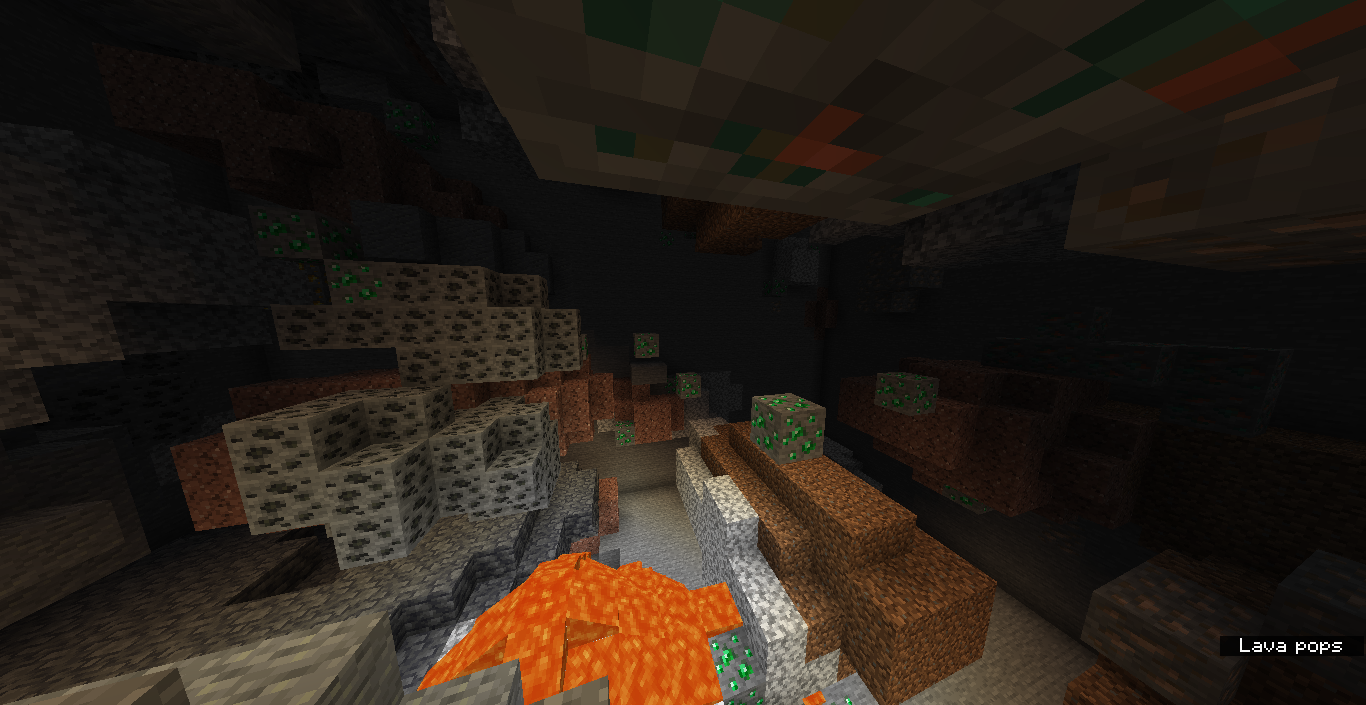
MC-236619, here's the seed and coords of a high mountain with an entire dripstone cave below.Almost every emerald ore generation was skipped in favor of dripstone caves.
But the fix might require special ore generation not depending on the current biome, unless a similar method to how azalea trees generate was applied to generate specific-biome ores all the way down.
Yes, they're unavoidable, that's why i think a general issue resolved as WF or WAI for all those microbiomes might be better than a lot of different issues laying around (what conditions would be considered for it being a "microbiome"?).
In my experience, the size really varies on how i found extreme hills. Although what i have seen are pretty small deserts and shattered savannas, so maybe i'll make a bug report about that.
Anyways, i probably can confirm this issue, but some other people might find decent-sized mountains pretty often and not experience this.
Seems like vines generate a bit more often in 21w37a, but they still generate on 1x1 patches. You still might not see vines covering the caves without spending a fair amount of time there.
Can confirm.
Most of surface caves on oceans / swamps / rivers / shattered savannas are flooded due to the amount on water overground, so this might be intended.
That... or maybe you had the luck of finding a lot of aquifers intersecting.
Can confirm, not even a mention of it on the changelog.
Nether biomes seem to be behaving as 3D biomes now, so that might be the cause?, i was able to find nether wastes generating on the upper layer while below was a large crimson forest.
Can confirm here.
I don't think this is a dupe of
MC-236687, this is more of similar case of MC-236613, think of a worse case ofMC-30755caused by the new terrain gen.This is very noticeable on caves that are above the sea level, inside of these caves you can find a lot of grass covering the floor.
This happened on 1.17 but only on a certain extent, now is very frequent.
Just so you know, mushroom islands with those sizes were already able to generate like that on 1.17 (except the really tiny one).
You might also want to provide seed and coords, just in case, because i was able to find decent-sized islands on every mushroom field i located.
The advancement thing is already tracked on another issue i think, but yeah, can confirm the non-generating biomes appearing in the locatebiome command.
I think they intentionally didn't remove them for technical/legacy reasons i believe, and depending on how world conversion is handled this might be WAI (due to these biomes already being generated on old worlds).
Can confirm on this seed: -8330603083619589917
Rivers seem to occasionally generate on large portions of land.
You might want to do a comparison on how many generated around 2-4 chunks between the exp snapshot 7 and 21w37a (also take height into account).
Seems like it is WAI, but i don't think the misplaced vegetation is intended, so maybe it should be split into another report.
Can confirm, and also seems like oceans can generate on lakes.
Can confirm.
[Mod] ManosSef, if you're refering to ocean biomes in large portions of land then it should probably be made into a new report (w/ seed & coords).
Seems like a duplicate of
MC-236652(Weather not behaving correctly with 3D biomes).Can confirm, but might be intended as they removed water lake features from generating on hot biomes.
Dupe of
MC-16132.Affects 21w37a, seems like it only affects snow blocks now?
They also don't cut through powder snow.
I can confirm the fact that they no longer generate only on plateaus, even though the biome name still has "plateau" in it is a bit misleading (same with jungle edges not being edge biomes anymore).
Whether this generation is considered incorrect or not, i don't know.
From the changelog:
I was able to reproduce this when generating a dripstone cave biome world.
Might be a duplicate of
MC-214829, but this one is talking more about fish dying consistently on underground waterfalls (like glow squids), which can often lead to lots of items laying around, causing lag.Can confirm.
Temperature always varies on height, and affects all biomes which is WAI as per
MC-236687.It might be more correct to say that patches of dirt generate at the edge of y=0, causing it to "surpass" the limit. This also happens with diorite/granite (
MC-215846) so it might be WAI.Might be, but this report wasn't focused on parity, i've also seen you reported the parity thing in
MC-233528but never answered the resolution. I don't have bedrock so i can't see if the foliage color matches there or not.I was able to reproduce this a fair amount of times, but i lost the seed. Attached some screenshots of this happening on coasts.
Might be
MC-236718.I believe the bug here is the taiga biome appearing in middle of the beach, not the beach itself.
I think i see the issue now, haven't noticed it too much.
What i noticed though, is that the pools generated on lush caves appear very noisy shaped. Seems like only the floor is replaced by water except the edges which are clay. Maybe you can add that to the report or it should better suited to another issue.
(Screenshot of a single biome world, don't have seed)
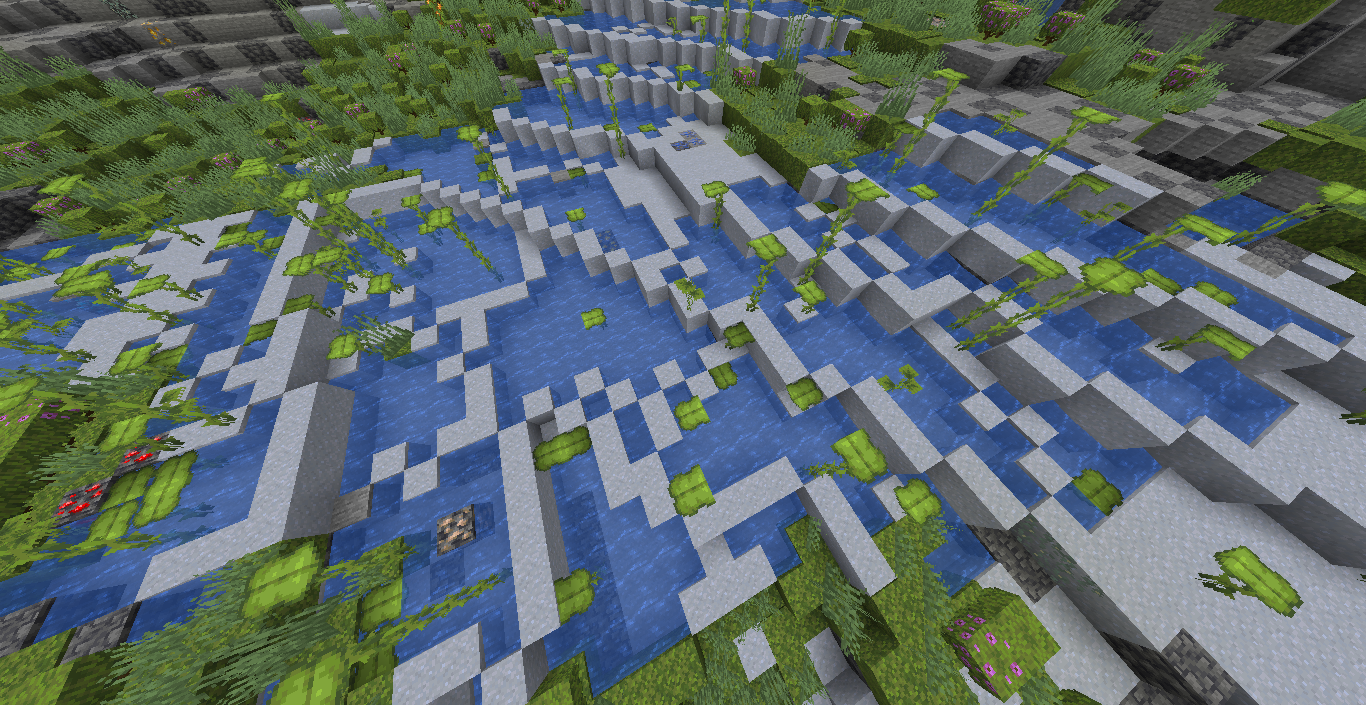
Probably a duplicate of MC-168573. Thank you for the report though, the ticket was reopened.
Might be a duplicate of
MC-237243, but this one has more info, so can confirm here.Could this also be the cause of the weird generation of rivers (
MC-236796)?This is hard to reproduce due to MC-219200, but i can confirm the azalea trees generating on top of trees.
Aquifers are specifically allowed to generate with sea water level when they're near a river or ocean, this was a change made in one of the experimental snapshots afaik so that rivers wouldn't intersect with dry caves.
... for some reason the "near water" doesn't appear in the F3 though.
Dupe of
MC-236687.Can confirm.
Mushroom field shores no longer generate, as now biome transitions aren't a thing with the new generation. The biome now adapts to the terrain.
Mushroom islands always generated in middle of deep ocean biomes, although on 1.17 there was a chance you could find one on land.
The expected here really would be the projectiles freezing at the simulation distance limit like the other entities, but that might require fixing MC-197646 i guess.
Edited the report a little and added some more info, as this affects more than just blindness and void fog. If it clutters the report too much i can just revert the changes.
Isn't this
MC-214787?If you mean that it still generates, then it's
MC-236715which is apparently WAI.Duplicate of
MC-236859.Large biome world types aren't even re-implemented on the current snapshot, so it is expected that this happens. Not sure if valid though.
The description might look like this is an opinion, but i have a few other reasons as to why this should be considered a bug.
Before on 1.17 the chance of seeing fish on caves was very low, because you would only find them spawning on underwater caves below oceans, and also the caves weren't big enough to create the massive waterfalls we currently have.
Right now fish is able to spawn basically everywhere where there is water below an ocean or river, and can lead to unnecessary clutter of entities in caves which die just from falling from waterfalls, on magma blocks or killed by axolotls, leaving items in the ground as can be seen in
MC-236879or in some duplicates of this report.What i think should be the possible solution to this, would be to simply don't make fish spawn in complete darkness, so the opposite condition to the glow squid spawn behavior (as you don't see regular squids in caves anyways).
I think this may be worth marking for review again.
Can confirm, seems to be happening basically everywhere, even dripstone caves.
Dupe of
MC-236687.An issue specifically of the bow behavior exists as
MC-226411, just to point out.There are some instances where whole cave entrances might get covered in snow due to this, especially in groves / snowy slopes.
Powder snow not getting cut by caves might be intended, so ideally carvers should try to convert regular snow into powder snow, although that still won't fix snow blocks floating in the air.
Likely a duplicate of
MC-237457.I recommend to still not close this issue, this might be still happening in cave biomes, and also could have issues with custom 3d biomes.
Seems like variation of terrain was lost in this biome, no longer generating with hilly terrain. Not sure, but from what i see here the noise values don't vary too much, so it mostly generates flat.
Is this still happening on 21w40a?
Duplicate of
MC-237621.This happens because the command only searches for biomes relative to your current height position, which is tracked in
MC-206286already.This change was made in the fourth experimental snapshot. You can see it here.
They were intentionally removed on the experimental snapshots, you can see proof here.
Can confirm.
Can confirm.
Can confirm.
Something i noticed when trying this a few times, is that the delay between both toasts varies, and i even got some attempts where it did sync correctly, so it might depend of server tps.
The thing is, if this gets fixed it might create an inconsistency due to how regular snow blocks are able to generate there as well, and grass doesn't survive below it.
But, if grass generates naturally below powder snow then it is already an inconsistency.
Might be a duplicate of MC-218676.
Biomes overlapping at their edges was something that happened even on 1.17, and also on servers (MC-209558), couldn't find a report for this happening on singleplayer though.
Hmm, this might actually be a different behavior, this can be reproduced very consistently unlike in 1.17 which was pretty rare. This is very noticeable on rivers as can be seen in the attachment. Can confirm here.
In those river-color spots, there should be plains, but instead there is a river trying to overlap it.
Is this really intended behavior and not an issue with the biome builder? From how i see it looks like there's a flaw when saddle valleys try to generate but then a river biome gets placed there when it shouldn't.
I think this should be checked again, as this issue is very similar to the one happening with oceans (
MC-237621). Very consistent when you're exploring.Doesn't seem like the same issue, and that one talks about nether biomes.
I was just basing myself on the resolution of that ticket, i'm aware nether biomes weren't any different than overworld biomes. Either way maybe it is a duplicate but i don't think that ticket was resolved correctly.
Can confirm as well that still happens on 21w41a.
Can confirm as well.
Duplicate of
MC-173349.I've read every duplicate of that issue before making this report, that one is implying what the original ticket was about, which is y-position not specified, except maybe
MC-238479which will be more accurate for this one.MC-206286didn't really add more info, just a comment about how it could cause problems with 3D biomes. Those duplicates were related to how the command doesn't search for different height levels and were made before the original got closed, so i've waited until it got either triaged or resolved and then created a new one worded differently.Can confirm, this mainly happens when the player tries to go and reach chunks that are yet not fully rendered, easily reproduced on spectator with high speed.
After some time of thinking, i still think this should be reopened, same reasons as my previous comment above.
Also, another reason as to why this is not a duplicate is that this issue can be reproduced without status effects, as you only need to use the /attribute command to change the max_health value to the max value.
I haven't seen a statement on which attributes with the max value aren't supported, and it's also even used for datapacks.
I don't see any reason as to why the screen would darken below y=-10, this most likely just seems to be a bug with bedrock edition.
Brent check if what you're experiencing is not MC-55596.
Not quite fixed, still happens with cave biomes in default worlds. As you can see on the images, there's still some quirkiness when a dripstone cave is exposed to the sky, making the weather incorrect in snowy plains, but if blocks are placed on this biome the weather remains correct again. Not to mention this could mess up with custom biomes on the sky.
The expected here would be the weather to change exactly at the biome edge, or else give priority to the highest biome.