 Marius Lindvall
- bilde2910
- bilde2910
- Europe/Stockholm
- Yes
- No
 MCL-84
 MCPE-2423
 MC-74155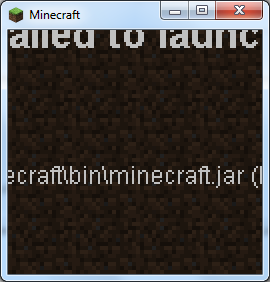


It was on this screen I first found the problem. The text renders incorrectly.
On the update screen of the launcher, when resizing the window, it fails to resize properly, curring off text and rendering objects on top of each other.
What I expected to happen was...:
The launcher window should resize itself to display all text.What actually happened was...:
The launcher window failed to resize, and rendered text and objects on the screen incorrectly.Steps to Reproduce:
1. Start the Minecraft launcher.
2. Open Options, choose to Force update and hit OK.
3. Log in, the download will now start.
4. While it downloads, resize the window to a much smaller size, and you should see strange things happening.Screenshots
are attached.On the update screen of the launcher, when resizing the window, it fails to resize properly, curring off text and rendering objects on top of each other.
What I expected to happen was...:
The launcher window should resize itself to display all text.What actually happened was...:
The launcher window failed to resize, and rendered text and objects on the screen incorrectly.Steps to Reproduce:
1. Start the Minecraft launcher.
2. Open Options, choose to Force update and hit OK.
3. Log in, the download will now start.
4. While it downloads, resize the window to a much smaller size, and you should see strange things happening.Screenshots:
Screenshots are attached.
The first screenshot (LauncherScale.png) shows the bug with rendering text outside the window on an error screen where I first found the bug.
On the update screen of the launcher, when resizing the window, it fails to resize properly, curring off text and rendering objects on top of each other.
What I expected to happen was...:
The launcher window should resize itself to display all text.What actually happened was...:
The launcher window failed to resize, and rendered text and objects on the screen incorrectly.Steps to Reproduce:
1. Start the Minecraft launcher.
2. Open Options, choose to Force update and hit OK.
3. Log in, the download will now start.
4. While it downloads, resize the window to a much smaller size, and you should see strange things happening.Screenshots:
Screenshots are attached.
The first screenshot (LauncherScale.png) shows the bug with rendering text outside the window on an error screen where I first found the bug.
The second screenshot (LauncherScaleProgressBar.png) shows the bug on the update screen.
Failed to launch.jpg
A client-side player clone is left on a world when server hostquits gameA client-side player clone is left on a world when server host exits game
I found this really strange bug last weekend... first time I played MCPE multiplayer. The server host disconnected the game by exiting the MCPE app (as far as I remember) while the client was playing on his world.
What I expected to happen was...:
The client should show the Disconnected from server message, and reconnecting again when server was restarted would happen without any problems.What actually happened was...:
The client did show the Disconnected from server message, but when reconnecting a clone of the connecting player would appear at the spot he was when he was disconnected. See details below.Steps to Reproduce:
1. Start a server on a device (iPhone used here) and connect to it with another device (iPad was client).
2. Exit MCPE on host's device. (As far as I remember.)
3. Wait for the Disconnected message on the client, then quit to title on that device too.
4. Restart the server on the initial host and reconnect the client.
5. Go to the last spot the client was at when he disconnected and you should see a clone.Further details:
- The clone appears on the connecting client only, not on the host client.
- The client shows a double login message when connecting, (one being Options set username, the other being "Stevie"), but only "Stevie" appears to the host.
- The clone does not obey to gravity.
- The clone is able to push around players who can see it, but the clone itself remains still.
Screenshots:
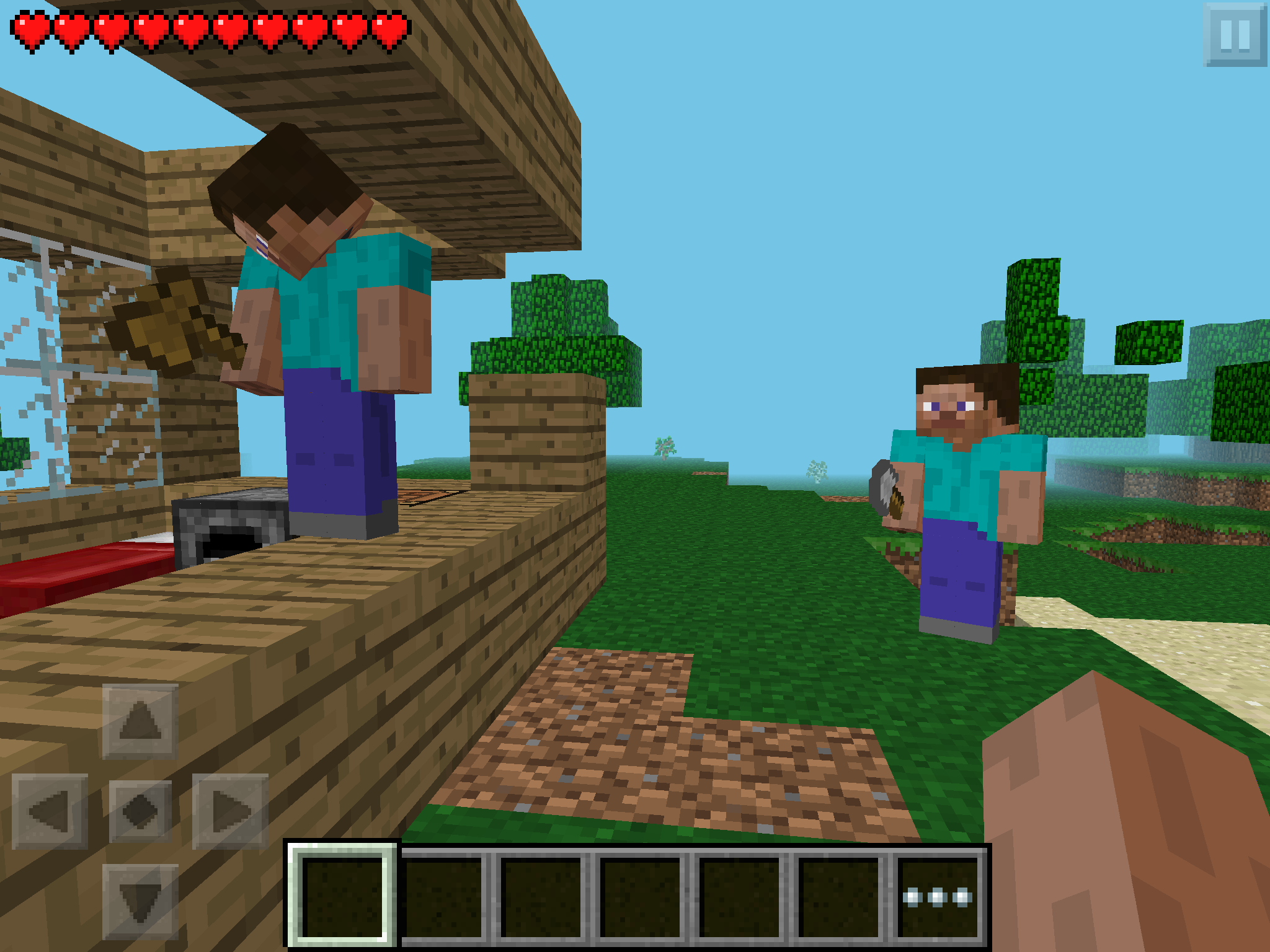
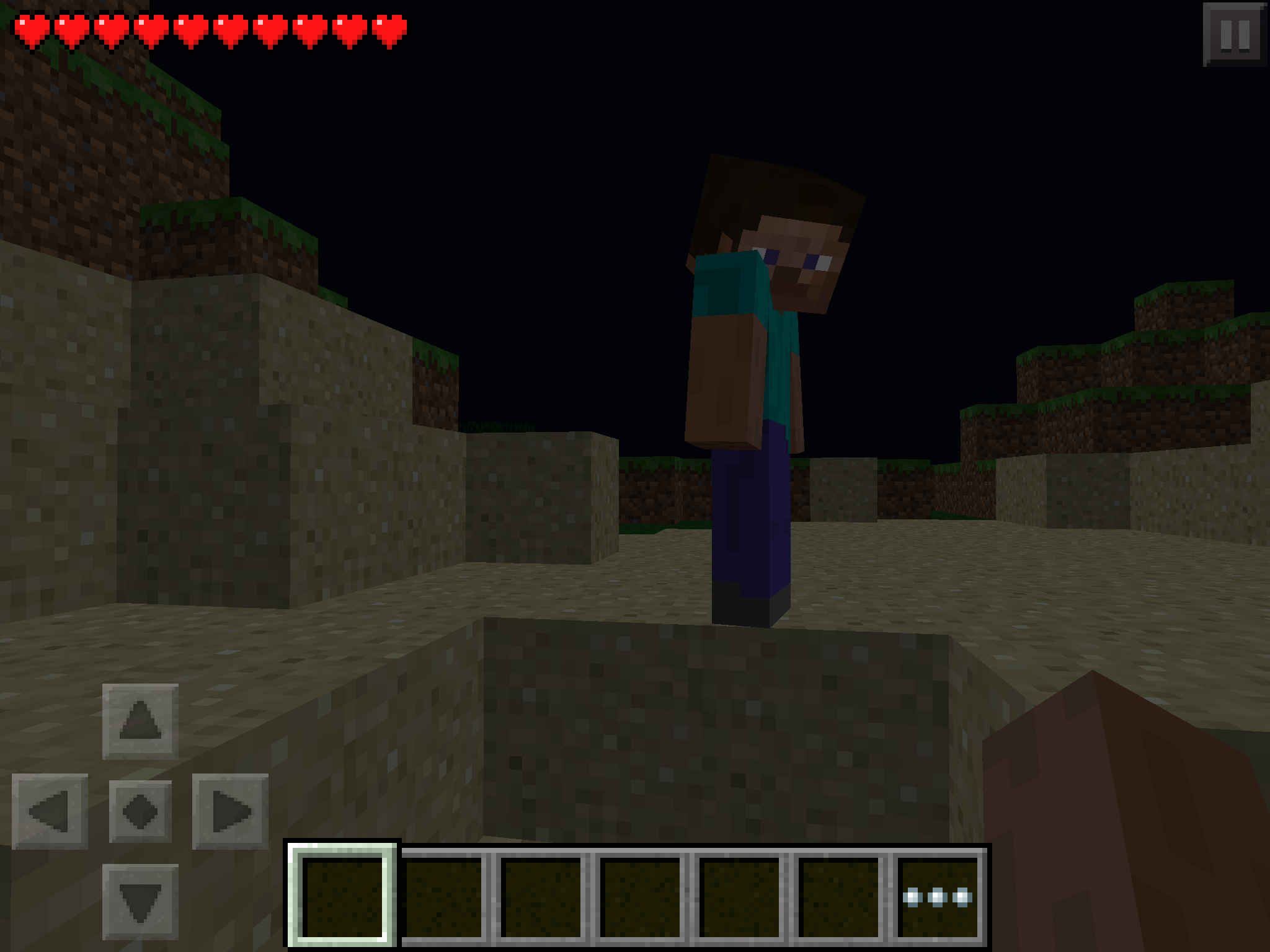
IMG_0048: The cloned character to the left, and the world host to the right. The host is not able to see any person on any of the wooden planks.
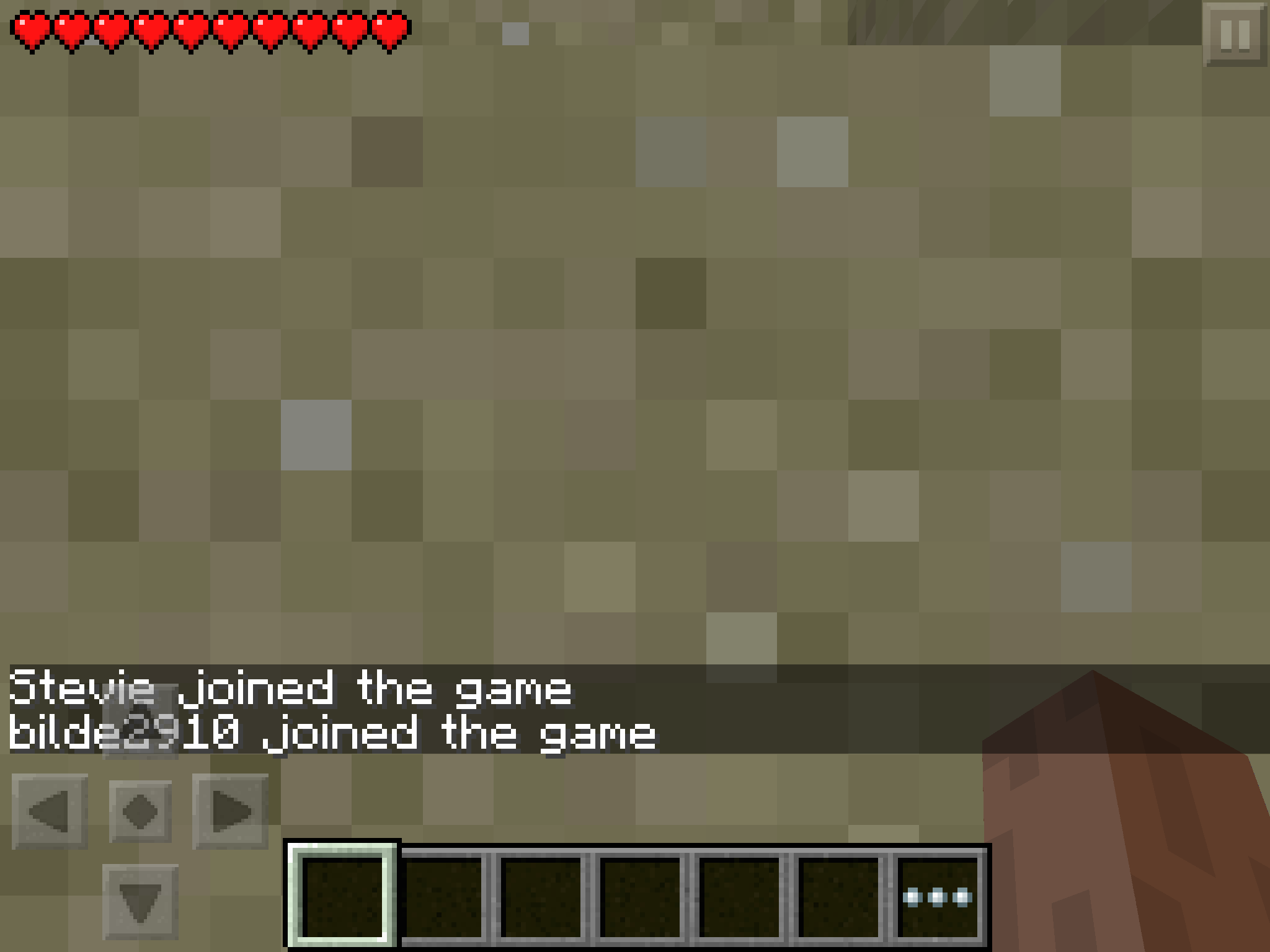
IMG_0049: The double login message. They appear at the same time, but only the first one appears on the host's device.
IMG_0050: Another frozen clone client.
IMG_0051: The clone again.
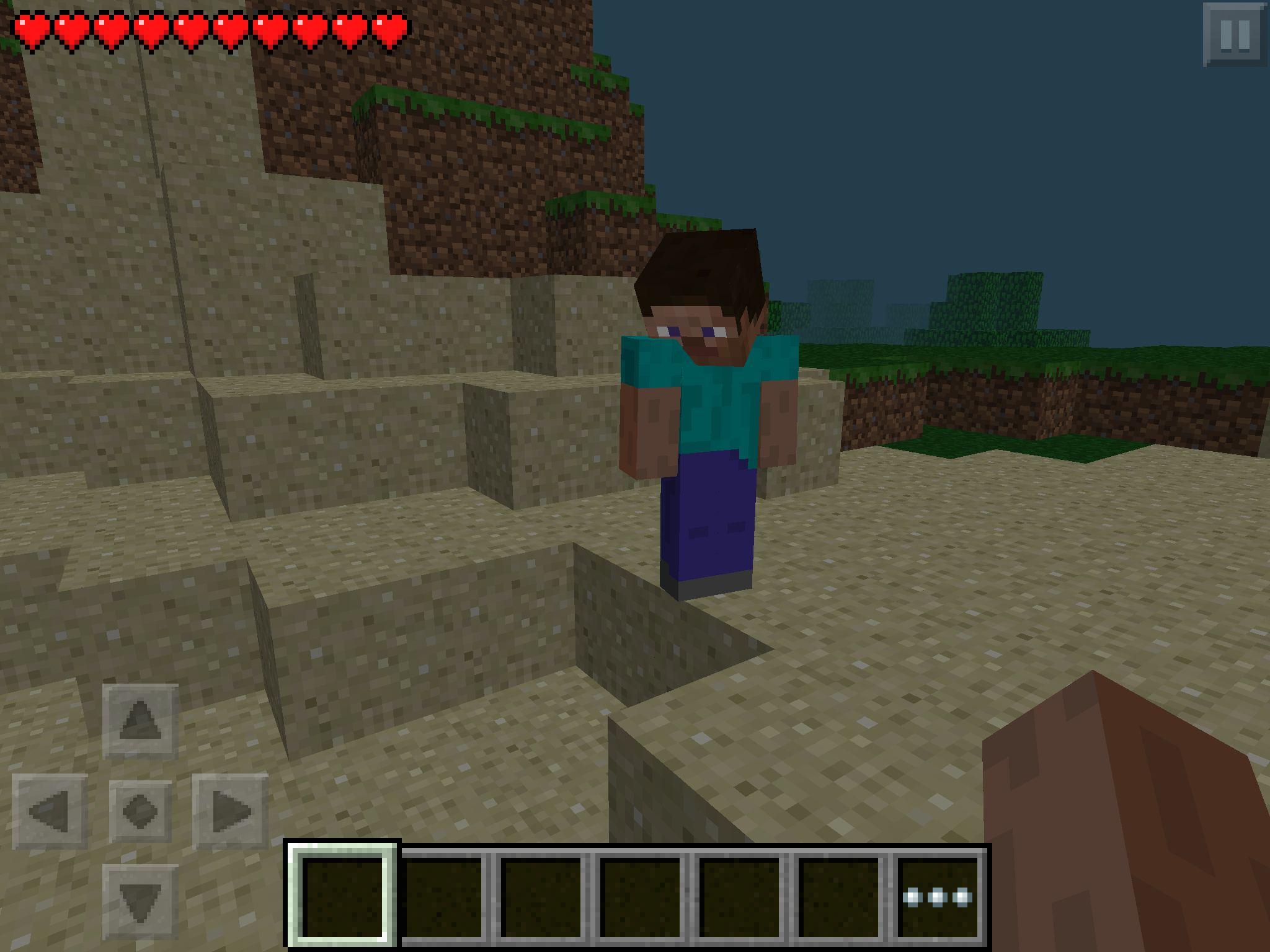
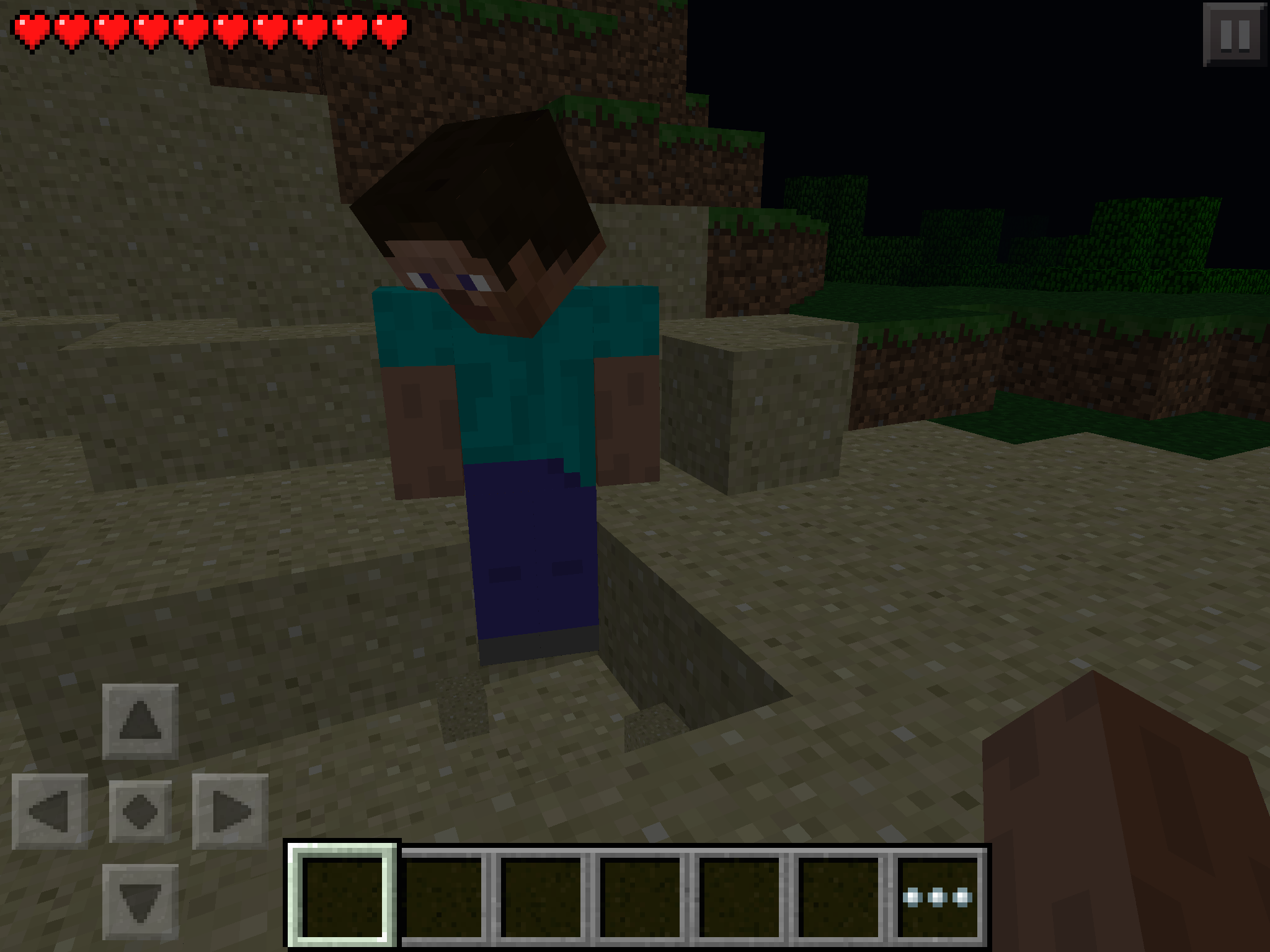
IMG_0052: The clone does not obey to gravity.
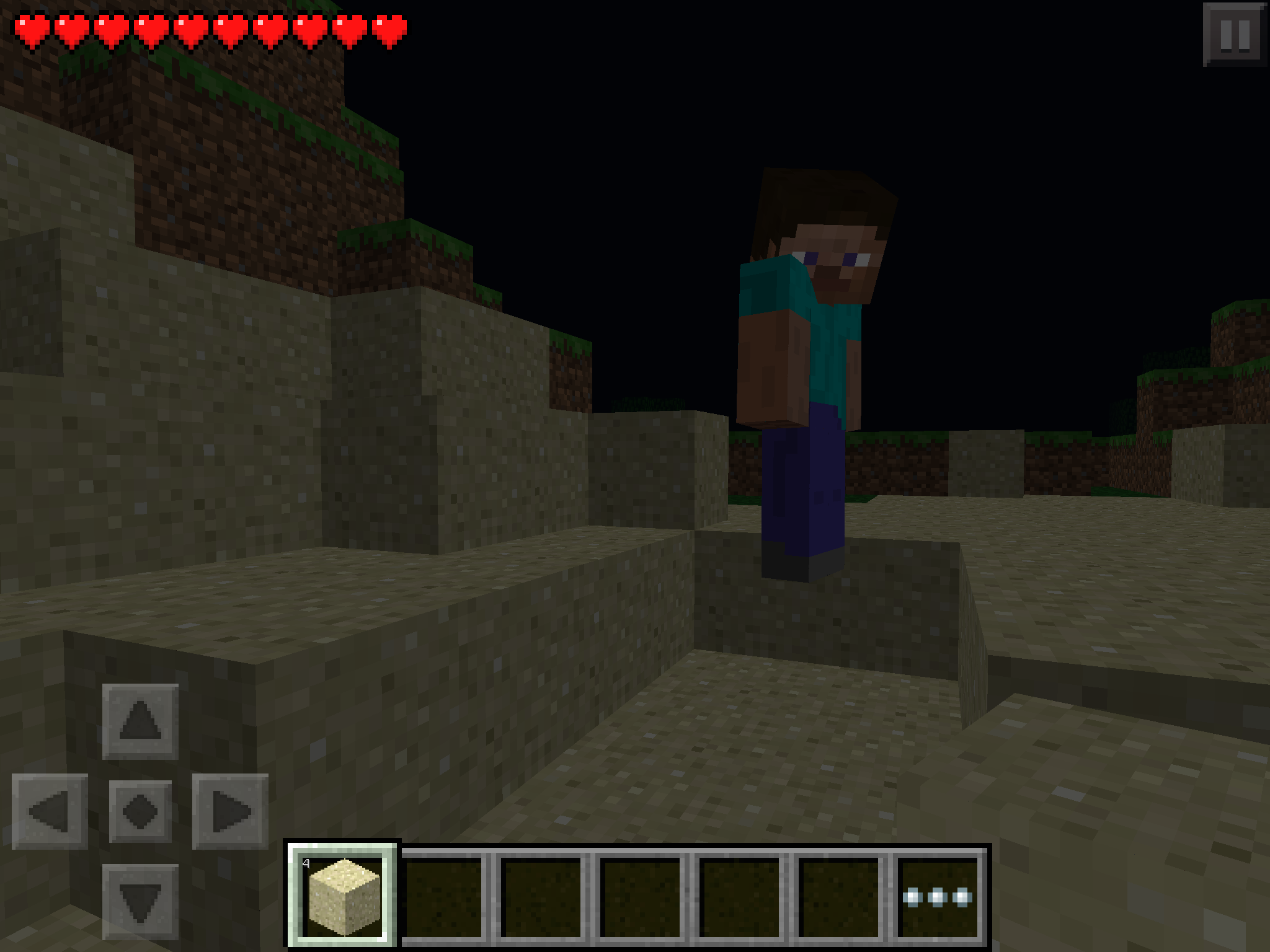
IMG_0053: The clone not obeying to gravity again. Different angle and some more sand dug out.What I think causes the problem:
- The problem seems to me to be server side. Exiting MCPE and opening it again will still show the ghost to the connecting client. Only way to get rid of it is to enter the "hotbar" by double-pressing the Home button and closing the MCPE app on the host's device (iPhone).
I found this really strange bug last weekend... first time I played MCPE multiplayer. The server host disconnected the game by exiting the MCPE app (as far as I remember) while the client was playing on his world.
What I expected to happen was...:
The client should show the Disconnected from server message, and reconnecting again when server was restarted would happen without any problems.What actually happened was...:
The client did show the Disconnected from server message, but when reconnecting a clone of the connecting player would appear at the spot he was when he was disconnected. See details below.Steps to Reproduce:
1. Start a server on a device (iPhone used here) and connect to it with another device (iPad was client).
2. Exit MCPE on host's device. (Without quitting, as far as I remember.)
3. Wait for the Disconnected message on the client, then quit to title on that device too.
4. Restart the server on the initial host and reconnect the client.
5. Go to the last spot the client was at when he disconnected and you should see a clone.Further details:
- The clone appears on the connecting client only, not on the host client.
- The client shows a double login message when connecting, (one being Options set username, the other being "Stevie"), but only "Stevie" appears to the host.
- The clone does not obey to gravity.
- The clone is able to push around players who can see it, but the clone itself remains still.
Screenshots:
IMG_0048: The cloned character to the left, and the world host to the right. The host is not able to see any person on any of the wooden planks.
IMG_0049: The double login message. They appear at the same time, but only the first one appears on the host's device.
IMG_0050: Another frozen clone client.
IMG_0051: The clone again.
IMG_0052: The clone does not obey to gravity.
IMG_0053: The clone not obeying to gravity again. Different angle and some more sand dug out.What I think causes the problem:
- The problem seems to me to be server side. Exiting MCPE and opening it again will still show the ghost to the connecting client. Only way to get rid of it is to enter the "hotbar" by double-pressing the Home button and closing the MCPE app on the host's device (iPhone).
I'm able to reproduce this on an AMD Radeon 6370M card. Added an animation (Bug4.gif ) showing frame by frame what happens through 99 frames. The number 9 on the dirt stack (leftmost) seems to alternate between dark gray, black and navy colors.
Could this possibly be graphics card related? All the users who have added their GPU OEM/model name say their cards are ATi/AMD...
Ok, I uploaded my crash log too.
@Fjodor;
Maybe it's both related to graphics card and some change in rendering or something in the code?
Okay, thanks for looking at it anyway
Sorry, I was not aware that this was already reported. I tried searching for 10 minutes without results :/ AFAIK the host was nicknamed Stevie, so you're right, it's a duplicate.
Confirming this still happens in 1.5.2.
Can confirm here too.
@Sonic woops. I was pretty sure that the ones were different, but oh well. Linking to this from the comments in case someone finds the info here useful.
Didn't think my issue was so similar to this but apparently it is.
MC-74155Here's a video from that bug: http://youtu.be/GSsfBL3nbqI
@Donovan Daniels That is because this is not a crashing bug, it is a visual glitching bug. Seeing the visual effects of the bug (examples in attached screenshots) does not make the game crash. The crash reports there were forcibly triggered so that the developers could have real debug data to work with. The reports contain a lot of data about the environment the game is running in (see System Details section), which could be useful when trying to fix the issue.
As it turns out, though, the issue was with AMD's drivers, not the game, so if you're experiencing this on a computer with an AMD graphics chip, update your drivers.