 Brian
Brian
- BrianG
- briang
- America/New_York
- Yes
- No
 MCPE-52342
 REALMS-2334MCPE-57266MCPE-57524MCPE-61134MCPE-154131






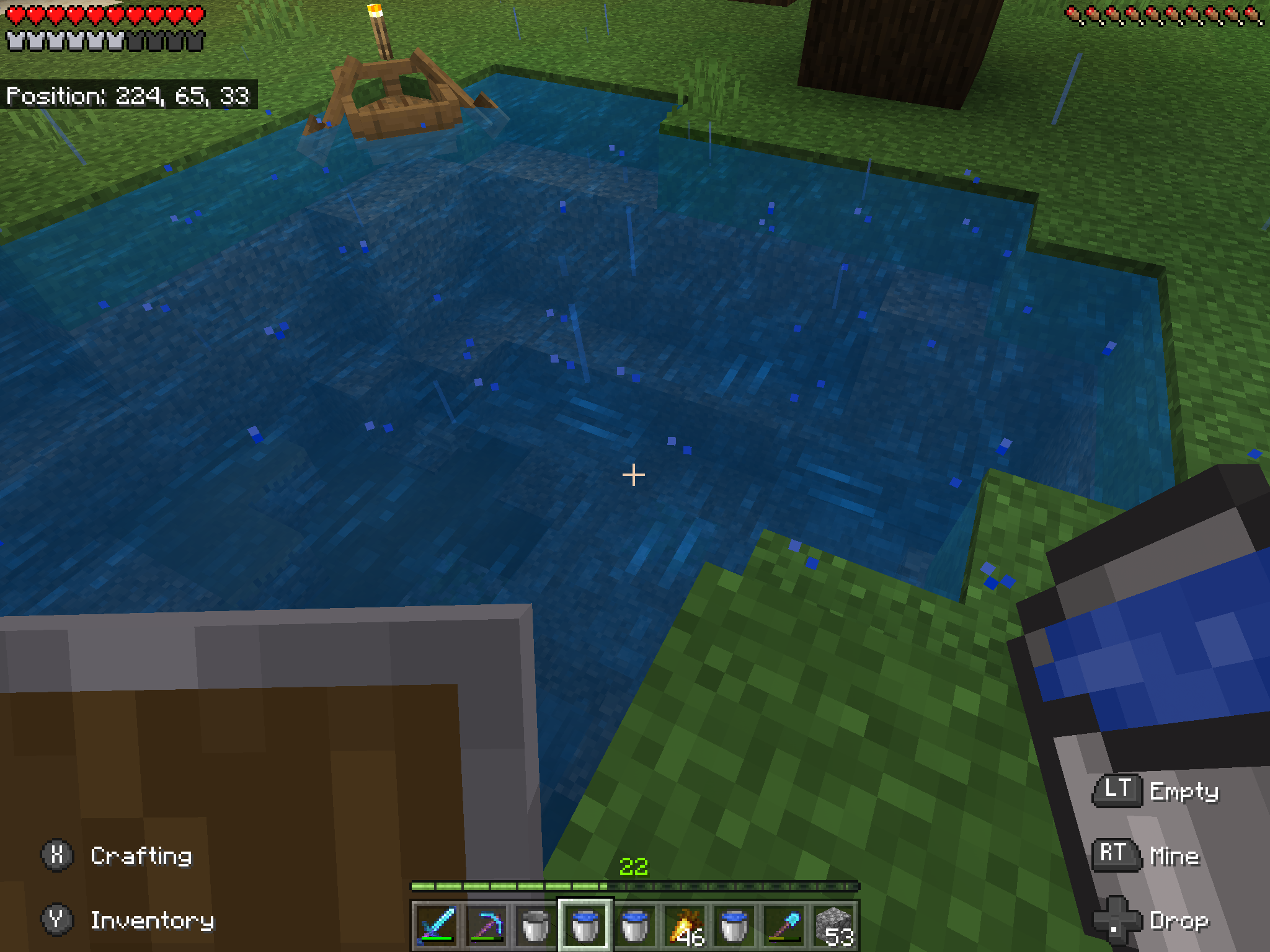
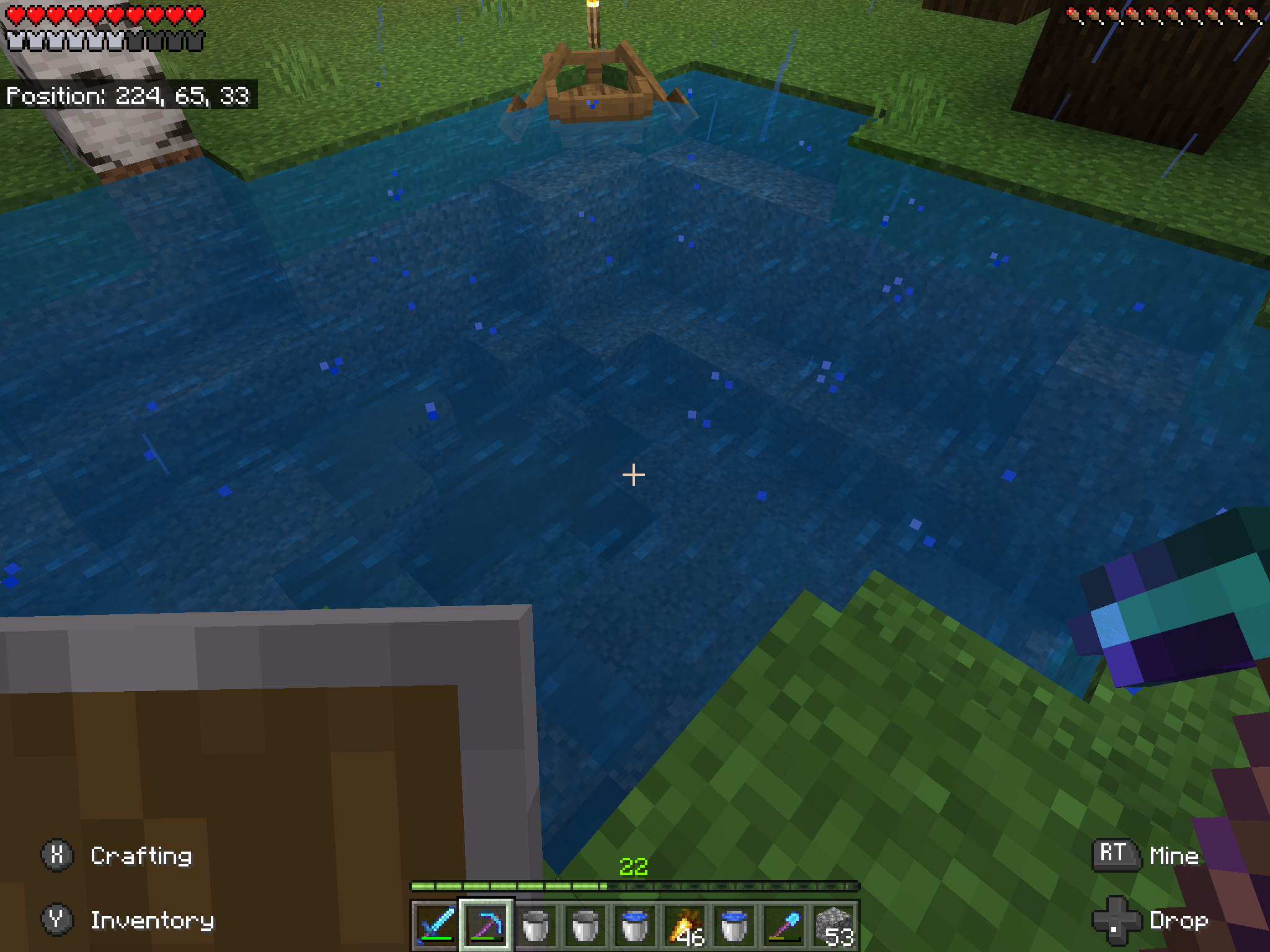


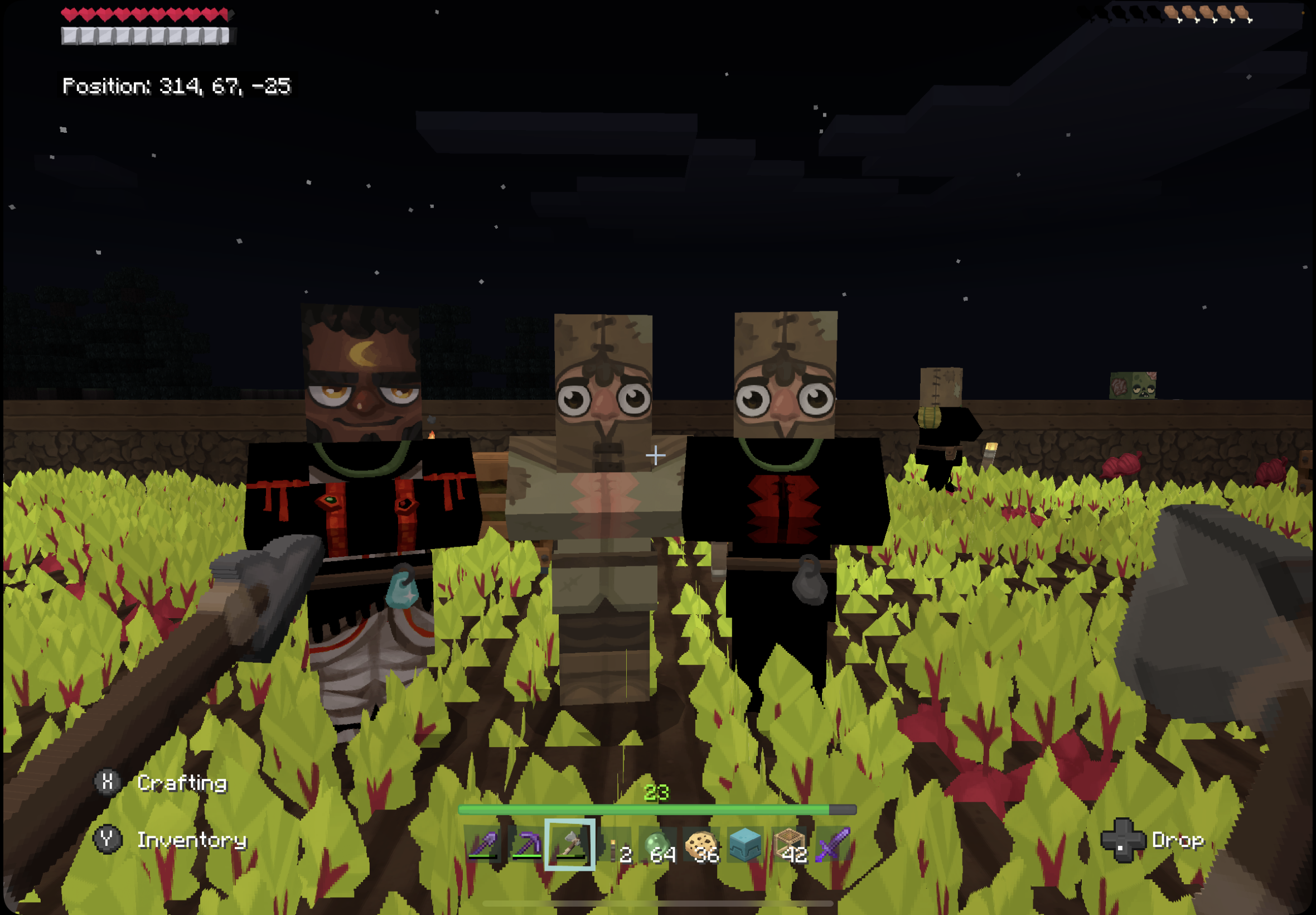


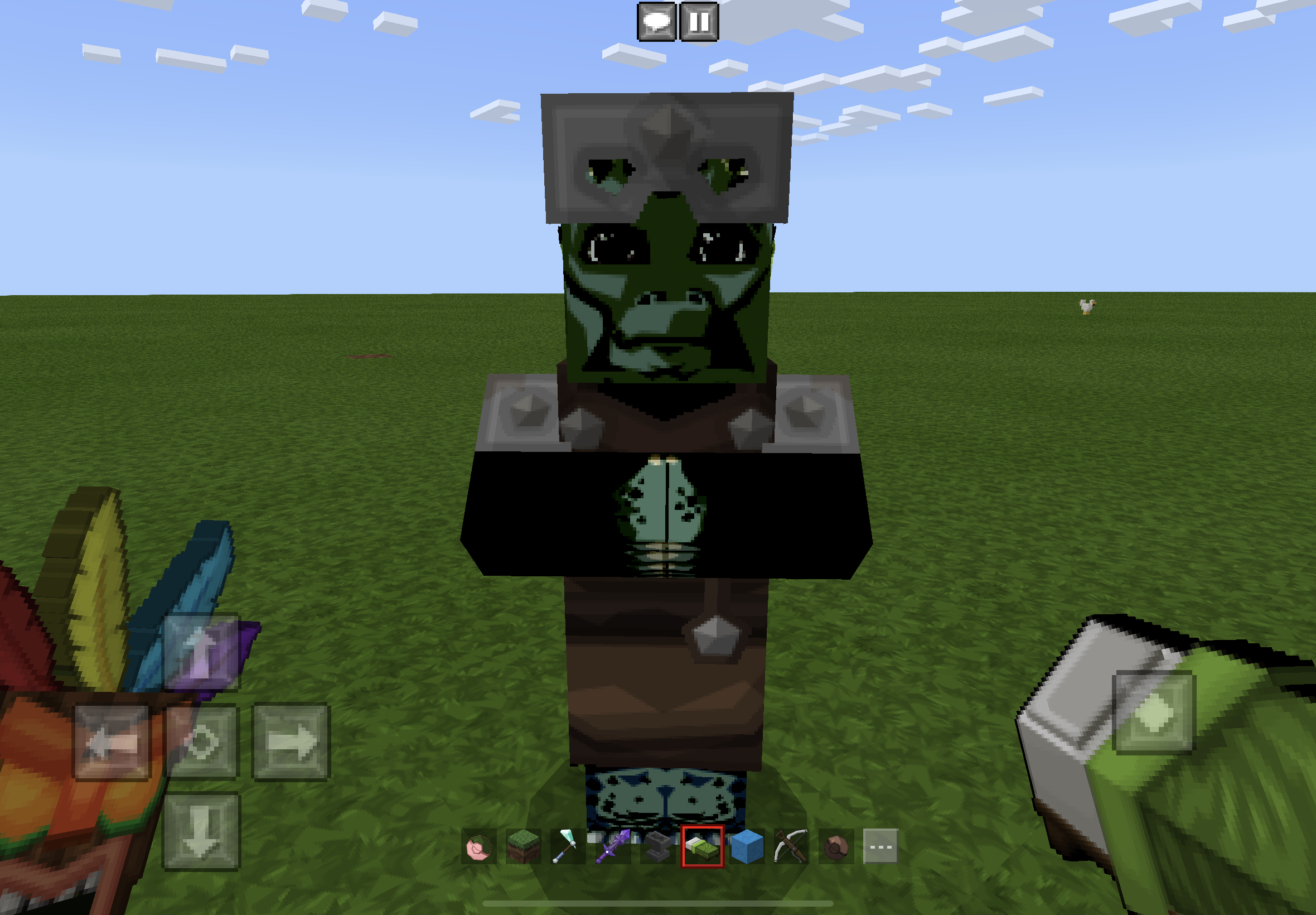






Major bug here and no official acknowledgement from anyone at Minecraft on this type of matter. Takes a lot of work to make a village and then the villagers just stop restocking for no reason by not returning to job blocks they’re connected to. Takes the wind out of sails as far as wanting to play the game.
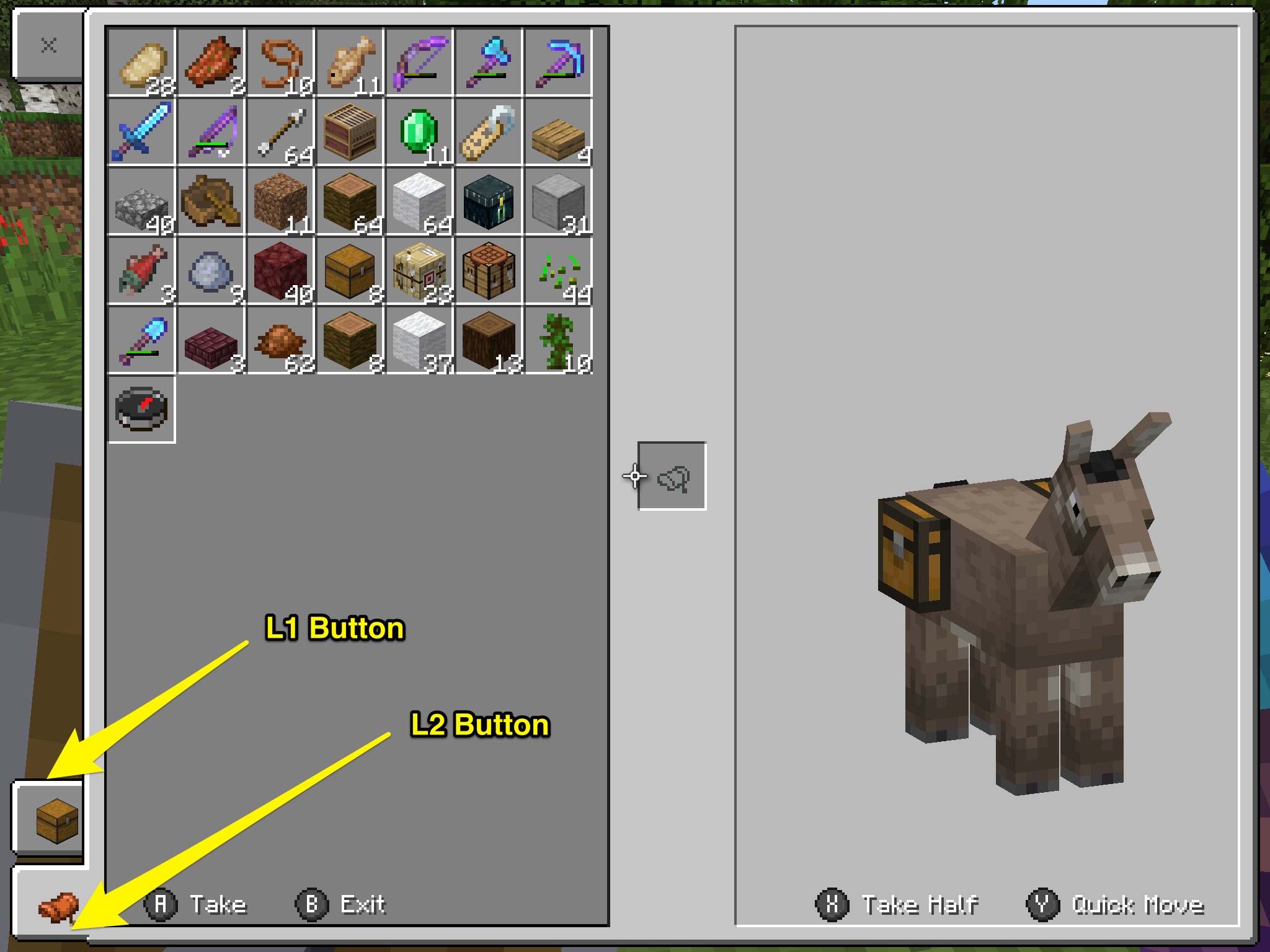
Equipped llama / donkey / mule chest’sUI not accessiblewith game controller shoulder buttonsLlama / donkey / mule equipped chest UI not accessible via shoulder buttons of game controller
Llama / donkey / mule equipped chest UI not accessible via shoulder buttons of game controllerEquipped chest UI not accessible via shoulder buttons of game controller ( llama / donkey / mule )
I can not get Sleeping With The Fishes to pop. Tried many times staying underwater for more than a day. iOS 1.12.0
are you sure this bug is resolved? Having this issue currently in 1.11.4
Jumping on a lantern That are on fences or walls plays the sound of walking on wood or stone.
Expecting to hear the metallic Lantern placing type sound when jumping on a lantern no matter what it’s placed upon
Jumping on Lantern plays wrong sound if they’re placed on fence or wall posts
The bug happens when using a Bluetooth gaming controller to navigate settings menu to apply packs. After applying a pack the menu UI navigates instantly to Settings > Accessibility.
Repro Steps (bluetooth gaming controller is required)
Settings > Global Resources > My Packs
Select pack to activate
Select the active buttonThe pack will active but the menu jumps the user to the Accessibility menu
Expected results
Once activating a pack, I expect to focus of the UI to stay in the Global Resources section of Settings in order to activate and deactivate other packs.
The expected results are how the touch UI behaves. The unexpected results only occurswhen using a blue gaming controller.The bug happens when using a Bluetooth gaming controller to navigate settings menu to apply packs. After applying a pack the menu UI navigates instantly to Settings > Accessibility.
Repro Steps (bluetooth gaming controller is required)
Settings > Global Resources > My Packs
Select pack to activate
Select the active buttonThe pack will active but the menu jumps the user to the Accessibility menu
Expected results
Once activating a pack, I expect to focus of the UI to stay in the Global Resources section of Settings in order to activate and deactivate other packs.
The expected results are how the touch UI behaves. *The unexpected results only occur when using a bluetooth gaming controller. *
The bug happens when using a Bluetooth gaming controller to navigate settings menu to apply packs. After applying a pack the menu UI navigates instantly to Settings > Accessibility.
Repro Steps (bluetooth gaming controller is required)
Settings > Global Resources > My Packs
Select pack to activate
Select the active buttonThe pack will active but the menu jumps the user to the Accessibility menu
Expected results
Once activating a pack, I expect to focus of the UI to stay in the Global Resources section of Settings in order to activate and deactivate other packs.
The expected results are how the touch UI behaves.*The unexpected results only occur when using a bluetooth gaming controller. *The bug happens when using a Bluetooth gaming controller to navigate settings menu to apply packs. After applying a pack the menu UI navigates instantly to Settings > Accessibility.
Repro Steps (bluetooth gaming controller is required)
Settings > Global Resources > My Packs
Select pack to activate
Select the active buttonThe pack will active but the menu jumps the user to the Accessibility menu
Expected results
Once activating a pack, I expect to focus of the UI to stay in the Global Resources section of Settings in order to activate and deactivate other packs.
The expected results are how the touch UI behaves. The unexpected results only occur when using a bluetooth gaming controller.
Applying Global Resource pack in Settings menu with a Bluetooth Controller changes menu focus to Accessibility settings tab
When opening chat and going to settings, there is a drop down for text color and mentioned text color. It’s impossible to scroll thr
ewthe options of the drop down when using touch controls.When opening chat and going to settings, there is a drop down for text color and mentioned text color. It’s impossible to scroll through the options of the drop down when using touch controls.
Open up the game and my Character Creator skin that has exists and been used for many many sessions no longer exists.
(Subsequently the same Character Creator skin doesn’t load in MCE either, and yields a message “Failed to load character 1”)
I expect my Character Creator skins to not be deleted. I don’t expect to have to recreate my Character Creator skin from scratch ever.
Greg that seems unrelated to this bug and you should search to see if a related bug report exists. If not, you should make a new bug report for that problem.
Just opened MCE and received Failed To Load Character messages. Opened Minecraft and same message there as well. Now my created skin is gone again
MCPE-58278Was marked as a duplicate of this bug, bug it’s a different (but similar) issue. ClosingMCPE-58278increases the chances that the sign UI will not get fixed.
This happens on iOS as well. Not just Android.
storage/games/com.mojang/resource_packs/music/ DOES NOT EXIST ON iOS so the work around instructions are wrong.
I have storage/games/com.mojang/resource_packs/vanilla_music/sounds/music
I’ve downloaded the music pack from Marketplace and it’s not working.
Old music disks work fine. This is a mess. I find it absurd that I have to poke around and perform surgery on the file structure of the most played video game in the world to get it to work right.
Villager clothing texture is displaying as solid black on Apple iPad Air 4
Looking like this will never get acknowledged or resolved, just like
MCPE-21416no one seems to care. 👎
Steps to Reproduce:
1. place Sea Pickles2. look at Sea Pickles
Observed Results:
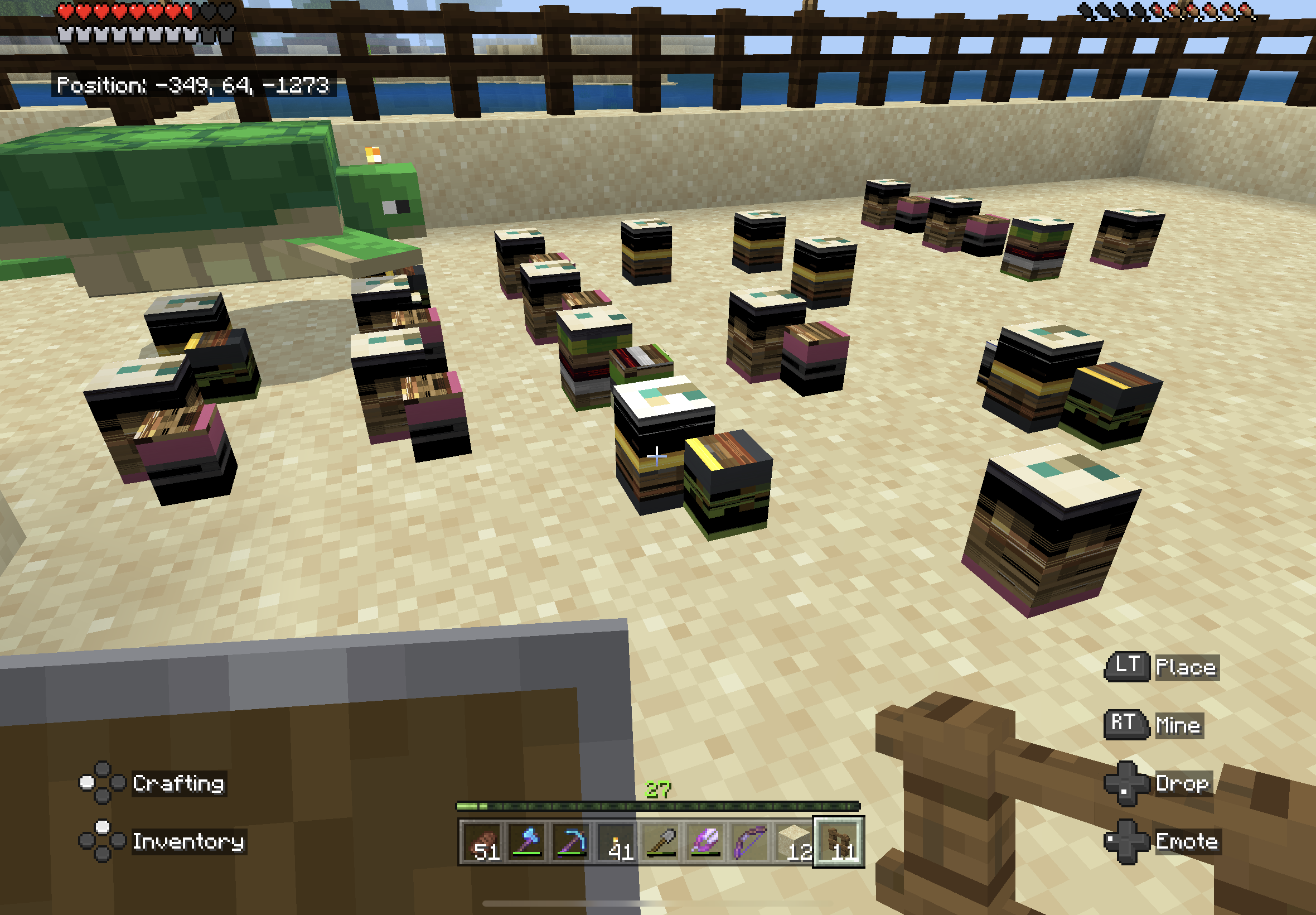
Sea Pickles are malformed and missing texturesExpected Results:
See Sea Pickles a
rethey're supposed to look
screen shots taken from iPad Air (4th Generation)
Steps to Reproduce:
1. place Sea Pickles2. look at Sea Pickles
Observed Results:
Sea Pickles are malformed and missing texturesExpected Results:
See Sea Pickles as they're supposed to look
screen shots taken from iPad Air (4th Generation)
Steps to Reproduce:
1. place Sea Pickles2. look at Sea Pickles
Observed Results:
Sea Picklesare malformed and missing texturesExpected Results:
See Sea Pickles
as they're supposed to look
screen shots taken from iPad Air (4th Generation)
Steps to Reproduce:
1. place Sea Pickles or Turtle Eggs2. look at Sea Pickles or Turtle Eggs
Observed Results:
Sea Pickles or Turtle Eggs are malformed and missing texturesExpected Results:
See Sea Pickles or Turtle Eggs as they're supposed to look
screen shots taken from iPad Air (4th Generation)
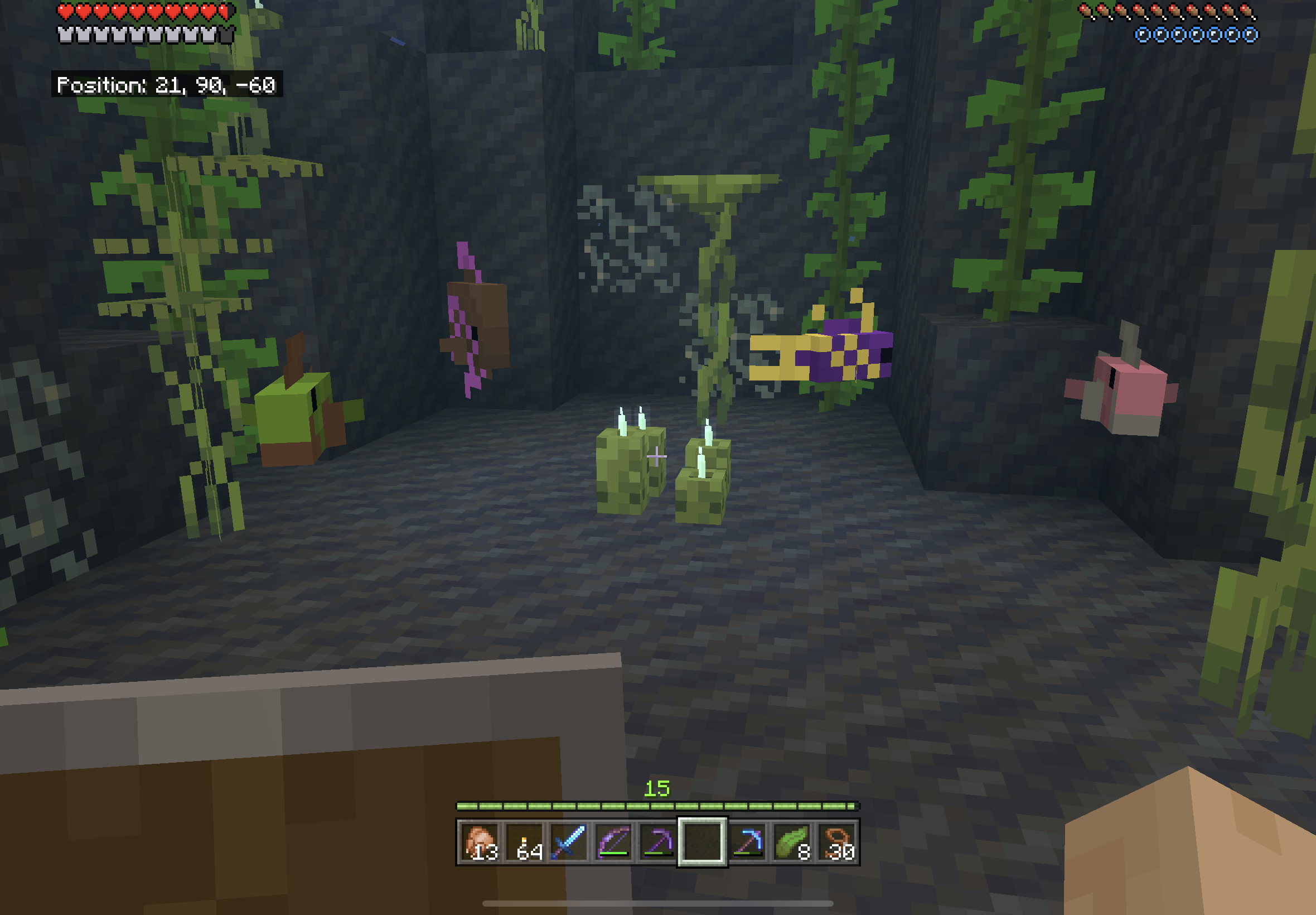
does not effect Candles
Malformed Sea Pickles and Turtle Eggs
Steps to Reproduce:
1. place Sea Pickles or Turtle Eggs2. look at Sea Pickles or Turtle Eggs
Observed Results:
Sea Pickles or Turtle Eggs are malformed and missing texturesExpected Results:
See Sea Pickles or Turtle Eggs as they're supposed to look
screen shots taken from iPad Air (4th Generation)
does noteffectCandlesSteps to Reproduce:
1. place Sea Pickles or Turtle Eggs2. look at Sea Pickles or Turtle Eggs
Observed Results:
Sea Pickles or Turtle Eggs are malformed and missing texturesExpected Results:
See Sea Pickles or Turtle Eggs as they're supposed to look
screen shots taken from iPad Air (4th Generation)
does not affect Candles
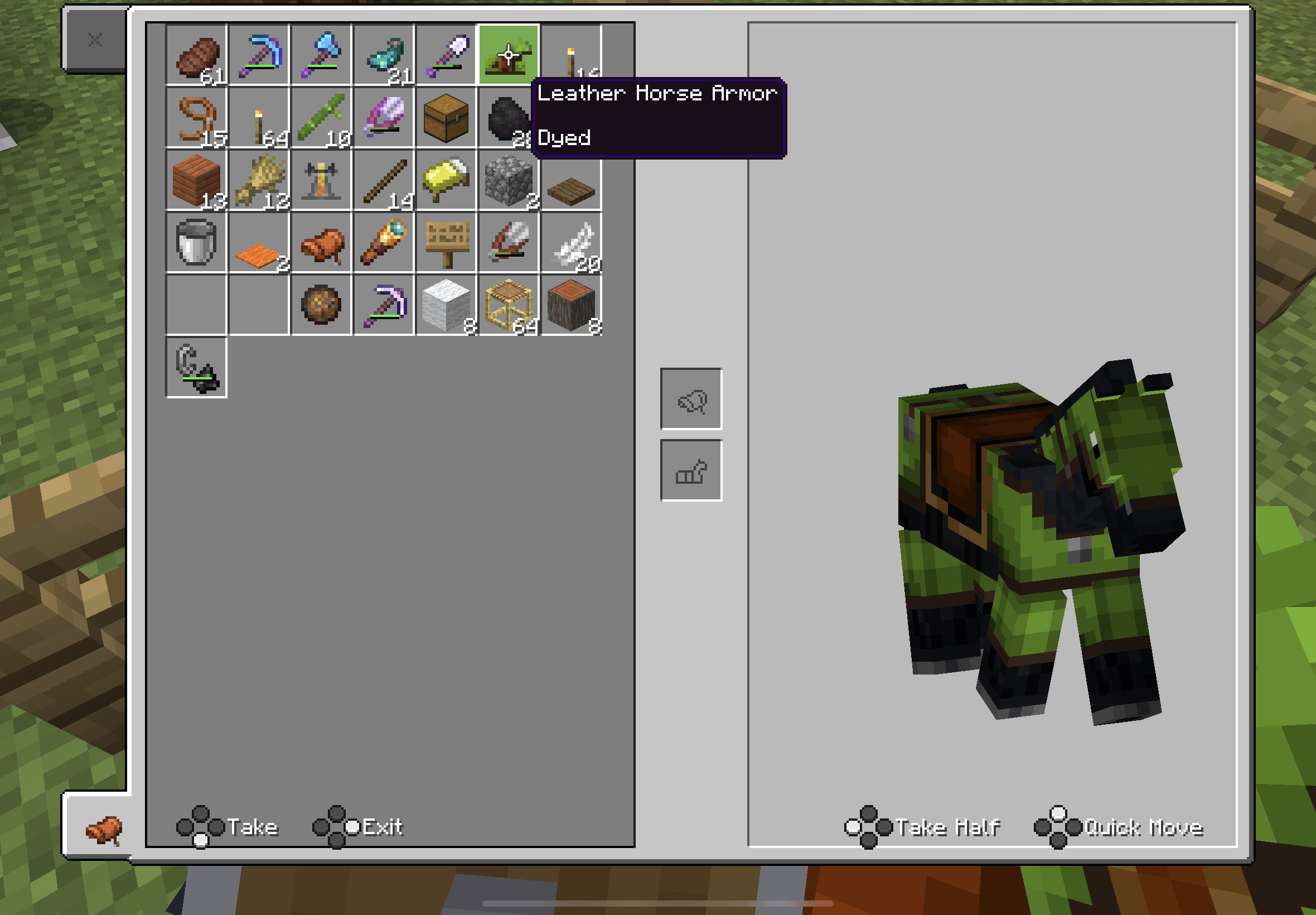
- Have a world before today's update
- Have a horse in that world with armor ON
- update Minecraft
Load said world- Sit on Horse
- Remove armor from said horse
- Get off horse
- See armor texture stays on Horse
tested
a onhorse withdyed leather armor and a horse with goldarmor
- Create new world
- Find a horse
- Tame the horse
- apply horse armor to the horse
- Look at Horse with armor equipped not appearing to be wearing armor
and also applies to horses that already have had armor on but removing the armor from the horse leaves the armor texture on the horse in place
- Have a horse with armor ON
- Sit on Horse
- Remove armor from said horse
- Get off horse
- See armor texture stays on Horse
tested multiple horses with multiple configurations of a variety of horse armor.
Can anyone confirm that this is happening on any platform outside of iOS?
Okay. Do you have any examples of Mojang referring to a Ruins structure in a singular manner? Unlikely because it's a different context, as I said above.
I have however provided several examples where Mojang refers to specifically one of these structures as "a Trial Chamber". No S.
- start a new world
- obtain wood
- obtain cobblestone
- craft a furnace
- add wood to furnace to create Charcoal
- remove Charcoal from furnace
- go to craft a torch via recipe book
- observe the lack of option to craft a torch
expect: recipe for Torch to pop up in toast as well as in recipe book when obtaining Charcoal for the first time
- start a new world
- obtain wood
- obtain cobblestone
- craft a furnace
- add wood to furnace to create Charcoal
- remove Charcoal from furnace
- go to craft a torch via recipe book
- observe the lack of option to craft a torch
expect: recipe for Torch to pop up in toast as well as in recipe book when obtaining Charcoal for the first time
(torch can be crafted via placing the items in the crafting grid, torch just doesn't appear in the recipe book)
![[MCPE Mod] Auldrick](../../../data/avatars/users/10122.svg)
Nobody is more disappointed than me that this fix was reverted. Like many of you, I took a break from my survival world when this bug was introduced, and now I'll have to take another until it's fixed again, which is especially frustrating for me because I just recently started a new survival world with the best seed I've ever found, so I'm very eager to explore.
Unfortunately, I have no information about how soon a new fix might be released, but bear in mind that this issue was the main reason 1.14.1 was released as a hotfix. Its impact is well known and I'm sure the developers are scrambling to get another solution ready ASAP.
[~leegatchell@gmail.com] and Brian, don't let the title of MCPE-59682 mislead you. Although it was reported as an issue with mob farms, it actually affected mob spawning everywhere and was preventing monsters from spawning in caves as well. That's perhaps even more disruptive to gameplay than this bug was, and I imagine it's why 1.14.2 was also released as a hotfix.
Chris, I'm not sure where "the internet" says this is the last 1.14 build, but I wouldn't put much stock in it. I have never known Mojang to make an announcement of that kind, and even if Mojang did say it, they probably changed their minds when they realized this bug was reactivated.
Brian: If you're still having the issue with leaves (which is not the subject of this report), try adding new leaves of the same type to the stacks if you can. If that doesn't work, have you tried dropping them (Q button)?
user-189af: As you're the only one who appears to still have this issue after 5 months, "has not been fixed in 1.14" gives us nothing to work with. We will not be reopening this fixed issue unless you describe how to reproduce it or show it to us in a video.
This was originally reported in MCPE-10218 and was closed as Fixed in 0.14.0 Beta 3. [MCPE Helper] Aspergerian reported it happening again in 1.0 Beta Build 2. Then Moe reported it again in 1.11.4 and created this ticket since the earlier one hadn't been reopened. Then last December Brian reported it happening again in 1.14. Those reports were all on the earlier ticket, so this ticket doesn't appear to have corroborations by other people, but in fact there are some.
This happens with any skin images like this that I’ve tried. Can confirm this issue also is happening with 1.11.3 on iOS 12.3. I’ve tested this on two different devices with the same bug as a result.

There’s nothing wrong with either of my iOS devices. All these skins worked fine before 1.11. This bug was introduced in 1.11.
I tried the navy blue all color .03kb skin that you made and it loaded. That file size is considerably smaller relatively than the ones I’ve provided. This makes me believe that the game has a problem importing a skin file above a certain size.
What exact version of iOS are you doing these tests on? You’re doing your tests on the same version of iOS that I’ve specified? Since elements of this issue involve the iOS file selection, It’s important that tests are happening on the same version of iOS.
Appreciate the help. 👍
I started poking around on my device. I opened the Files app Minecraft > games > com.mojang > and removed the minecraftpe folder. I closed Files. I started Minecraft. I was now able to select and load one of any of the skin files I added here. It loaded as expected.
I then with my custom skin loaded attempted to add a different skin from the ones attached here and the problem returned.
With further testing, the results from wiping out the minecraftpe folder are inconsistent and the problem continues to exist.
Can confirm this behavior on two different devices that I’ve tested this on.
Yes. The problem persists in 1.11.4 and I’ve updated the bug report to reflect that.
Wow. Great catch! Interestingly enough all those skins came from that website. I’m curious at what point of the process after downloading and using them that they became .jpeg files and how. And odd that as .jpeg files they worked for you. Thank you Jonathan for your dedication on this one. You’re awesome!
This is also happening in 1.11.4 on iOS. It won’t place the block unless the glow is in a particular state (I can not recall if it’s on or off)
It happens with tamed cats as well.
This is happening in 1.11.4
This is happening to me as well. 1.11.4
@Eyeth those are some great gameplay tips. Unfortunately this issue exists with villagers that are also free roaming.
Keeping them in a trading hall situation or free roaming does not create or solve this bug.
Came here for Pants bug.
(This really ought to be two separate bug submissions.)
This is similar to
MCPE-54581(which itself is a bug report for two different bugs)This happens to me on my iPad (5th generation) with latest version on iOS when I have no internet connection.
This also happens to me on my iPhone 8 Plus with latest iOS when I have no cellular or WiFi connection.
This doesn’t seem like the same bug referenced. The bug is Character Creator skins are being deleted. The fact that they become Alex is a byproduct of the deletion. This is just not the same bug as
MCPE-32089which is a bug that is older than Character Creator. 32089 should be closed as that feature is no longer in the game and replaced with Character Creator. ATTN @CelesianBug
MCPE-56393should not link to this bug at all. Completely different issue.The bug there is Character Creator skins are being deleted. The fact that they become Alex is a byproduct of the deletion.
MCPE-32089is a bug that is older than Character Creator. Please reopenMCPE-56393This bug should be reopened and renamed to “Character Creator skins getting deleted”
Similar issue... with controller UI, when menu cursor sensitivity is set to 0, there is no way to preview which books the Librarian villagers are trading. 1.13
This is happening with dark oaks on 1.14
I had skeletons spawning on top of the dark oak trees of my lit up base in 1.14 that came out today
Yeah, I have a torch in one of the trees skeletons were spawning in.
User on Reddit is reporting that mobs are also spawning in top of chorus tree plants in the over world
Just opened MCE and received Failed To Load Character messages. Opened Minecraft and same message there as well. Now my created skin is gone again
At 7:10pm EST on 12/15/2019 my Realm froze. I could move around but all mobs were standing still. I exited the realm and rejoined and was rolled back by about 15-20 minutes worth of work.
I have old leaves I picked up out of an old chest and they are stuck in my 1.14 inventory
I have this exact issue in 1.14. Old leaves from an old chest.
I have old 1.13 maybe older leaves from an old chest that I broke. Picked up the leaves and now they won’t move from my inventory.
1.14.1
Controller UI or touch UI on iOS.
This is not a duplicate of
MCPE-58278. They are two similar bugs but completely different.MCPE-58278Could get fixed and this bug could still exist. And vise versa.Adam the request for reaching out to support is for if the realm is in an unplayable state, not when being rolled back.
My realm had another roll back over the weekend. Was on the realm with the realm owner. We both received disconnection messages. When we logged back in we lost 30-40 minutes of progress.
Agreed
Minecraft/Mojang have acknowledged the problem moments ago https://twitter.com/MojangStatus/status/1218612836521455621
I can not believe that Mojang is reverting a bug fix and the result will completchange the basic core concepts of the game and that it is being reverted before a more thorough fix is completed. On top of that, the reason it is being revert according to the patch notes is seemingly to allow for players to make YouTube mob grinder farms.
This has been working fine and shouldn’t be revert until a fix for both problems exists at the same time. Disappointed. I don’t want to play Minecraft with creepers falling out of the sky.
This is still happening. We’ve lost quite a bit of gameplay.
what happened to the original bug report with hundreds of votes?
I have been playing the same map for 18 months. This issue started happening to me ONLY after 1.16.2 update the other day.
I had an entire village at my base with many diamond level villagers and all but a literal handful have now poofed for no reason. Most of the villagers remaining are unnamed nitwits. No other named mobs such as horses or donkeys have despawned.
Uncountable number of gameplay hours leveling villagers up have now been lost.
Seems to be working as intended then? Rather than fixing a million resource packs that omitted the [min-engine-version] value from the manifest.json file, might be easier to obtain a resource pack that adds the zombie piglins instead. 😄
@Mega_Spud this has not been resolved. The bug still exists. Steps to reproduce are mentioned in the original report
Still an issue.
this needs to be reopened. Has become an issue again with the latest update.
I’m using iPad Air 4 and the only time I have sound is with a fresh launch of the Minecraft app. If the app was opened and then closed or switched from another app back to Minecraft I will not have sound again until I force closes the app through the app switcher or restart the device. Latest iOS. Latest Minecraft. No resource packs.
I own ZigZag from the Marketplace. I activated only the ZigZag resource pack. With ZZ enabled the same issue happens as reported above. All black clothes bug, with skin and job texture appearing.
Bodega is censored.
Possible lead — The iPad Air 4 and the iPhone 12 Pro (mentioned in MCPE 106943 ) share the A14 Bionic chip.
In seeing examples of different terminology for the process of getting the sound to return, it should be noted here for clarity’s sake that any mention of instances of “restarting the app”, “fully closing the app”, “closing the game and reopening” etc to return sound to Minecraft are referring to the process of forcing the app closed by this method documented by Apple https://support.apple.com/en-us/HT201330
Is this resolved? Still noticed Hot tourist destination isn’t popping on iOS.
Yes Desmond. As I mentioned in my first comment here on October 25, the bug also applies to some the villagers when using some themes purchased in the Minecraft Marketplace. The image you’re referring to is an example of this and was uploaded on November 19 when I realized I forgot to attach it with my comment from October 25th
Good eye!
When Bees were added to Minecraft there was a lot of talk by developers that they wanted the Bee experience to be as realistic. Bees in real life visit potted flowers. That said, Bees who are not visiting potted flowers appears to be a bug. I don’t see how the current behavior could be intended. Glad to see this bug reopened.
Why are people’s comments here being deleted? This is a major bug that breaks Minecraft. Mojang used to boast about not wanting to break the player experience or disrupt their world but it’s already been happening for months and continues to happen every single day. This bug has effected my worlds both on realms and in single player games I played just today on the latest version.
I have had Bees disappear from this bug. They are not immune from this travesty.
This bug appear to be fixed for me. Latest iPad Air running Minecraft (1.18.2) and iPadOS 15.1.
"Require players to accept resource packs to join" is disabled on my Realm.
I have one activated resource pack applied to my realm.
My other local resource packs are not applied when joining my Realm.
Removing and reapplying existing packs, and toggling the "require players to accept resource packs" on and off multiple times did not fix anything in my Realm.
This appears to be fixed.
The word Bodega is censored for no reason.
I have to figure out how to explain to my young nieces why they can't name their tools "[Their Firstname]'s Hoe"
A world download isn't needed. This bug can be recreated with a fresh world.
see bugs
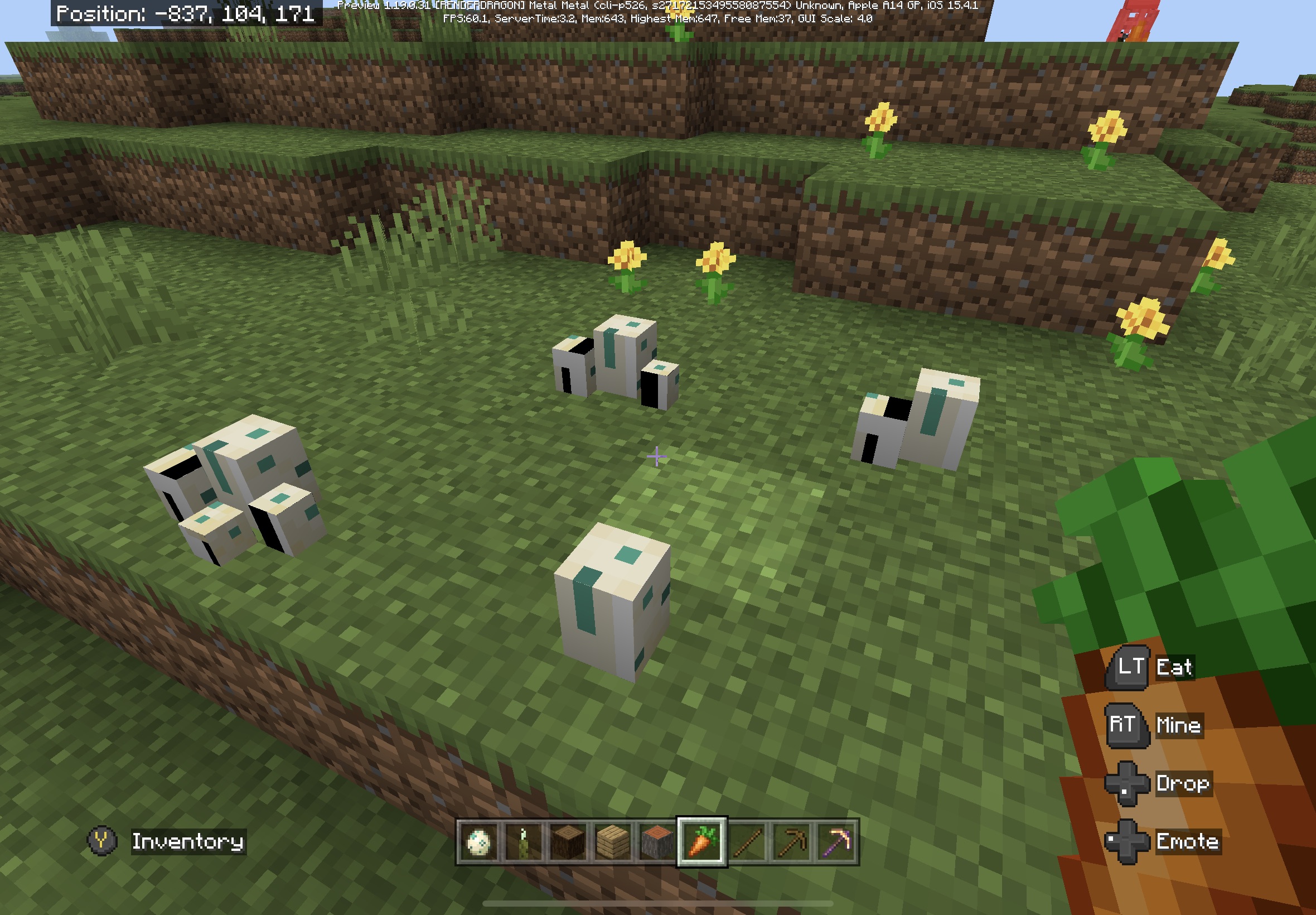
MCPE-154201,MCPE-154533,MCPE-154542,MCPE-154584,MCPE-154675,MCPE-154789,MCPE-155290,MCPE-155453for further information.Added photos of bug examples running on 1.19.0.31 Preview.
Sea Turtle Eggs are not as malformed but the texture is not correct.
Sea Pickles are still messed up as before
This happens only on iOS. Not sure why the platform was changed.
This bug appears to be fixed in Minecraft Preview 1.19.10.21
In my testing of this, it appears it is an issue only with the Pocket UI when using Touch controls (both old and new). Using a controller the scroll bar work as intended.
The bug seemingly only happens when the GUI Scale Modifier is set to 0. Setting it to -1 or -2 might be the best work around until this is fixed. Or using Classic UI.
Affects 1.19.60.24 Preview
I'm having this same issue with Tropical Fish spinning on Mud Blocks with Kelp on them. Removing the Kelp didn't seem to make the Tropical Fish stop spinning.
May also be happening to Tropical Fish on Mud Blocks without Kelp.
okay, I can't reproduce this now with a fresh 1.19.80.21 world. the world I experienced this in was created in the previous preview release. sorry!
I was able to recreate this bug by
rolling Preview back to 1.19.80.20 Preview in TestFlight on iOS
created a new TEST world (used Template button to spawn near a village)
set up a village or switch to creative to acquire trade supplies
trade with 1.19.80.20 villagers until less than one full level
save TEST world
install 1.19.80.21 Preview in TestFlight on iOS
Open saved TEST world in 1.19.80.21 Preview
trade with 1.19.80.20 villagers
trade levels not increase from trades with 1.19.80.20 villagers
expect trades to make villager levels increase
furthermore I spawned in some fresh native 1.19.80.21 villagers (creative mode > spawn villager egg) into this world (in 1.19.80.21 obvi) and those 1.19.80.21 villagers trade levels increased with no issues.
I just tested this with a new world created in 1.19.80.20.
created world and traded with a villager in 1.19.80.20
changed Preview version to 1.19.80.22 in TestFlight
opened the world in 1.19.80.22 and traded with villager until they went from level 1 to level 2, 3, etc.
this appears to be resolved.
This is happening in 1.21
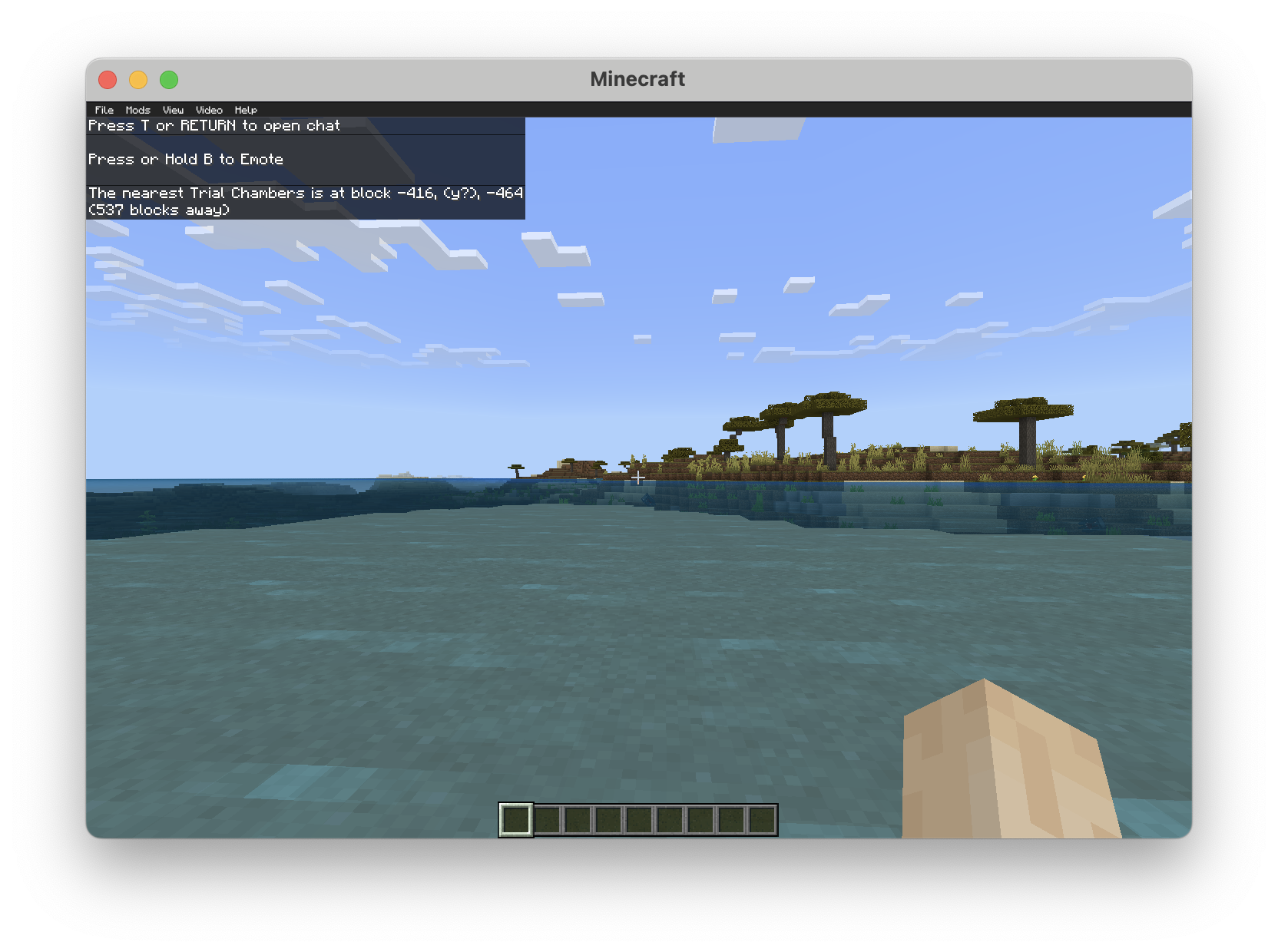
Since it's not The Trial Chambers I feel that's kind of a poor comparison because it's yet a different context and it also oversimplifies a nuanced aspect of grammar. But it may be so. How can we know for sure? Many instances of inconsistent pluralization have been corrected in the past.
BTW here is a list of some instances in videos, posts and articles where Mojang specifically uses Trial Chamber when referring to just one of the new structures specifically in a singular manner.
https://youtu.be/ONs7kTlqGw4?t=104
https://youtu.be/bBr8BBrk1v8?t=33
https://youtu.be/8jwAtfyxhlk?t=144
https://www.minecraft.net/en-us/article/trial-chambers-first-peek
https://www.minecraft.net/en-us/article/composing-trial-chambers
https://www.minecraft.net/en-us/article/introducing-mace-and-ominous-events
https://www.minecraft.net/en-us/article/trial-chamber-prepping
https://x.com/Minecraft/status/1798023306714771656
https://x.com/Minecraft/status/1798730986227896483
https://x.com/Mega_Spud/status/1727382848301412768
https://x.com/Mega_Spud/status/1801294572632338640
https://x.com/MinecraftES/status/1798033415251607730
https://x.com/CornerHardMC/status/1804245055915593792
https://x.com/minecraftjapan/status/1741353498518671366
Not to mention The Advancement "Minecraft: Trial(s) Edition" has the description: "Step foot in a Trial Chamber"
Thank you Jarl
nope
Okay, thanks Jarl.
I still feel that this is a bug. Not sure why a player needs to craft a pickaxe to get the torch recipe.