 ChongXG
- ChongXG
- chongxg
- Europe/Stockholm
- Yes
- No
7 issues
Key
Summary
Status
Reporter
Assignee
Created
 MC-144937
 MCL-12303




![[MCPE Mod] Auldrick](../../../data/avatars/users/10122.svg)
I will try ChongXG's suggestion shortly and let everyone know if it works. However, be advised that turning on Developer Mode will have other effects on your system that you may not want, and there is a certain amount of risk in enabling it. Be sure to click the "Learn more" link on the settings page for more information.
Please try not to edit your comments repetitively. Every time you do, it generates a notification email to everybody who's watching this issue, which can be annoying when a lot of them come at the same time. You can preview your comment and make changes before submitting it by clicking on the Visual tab.
thank ChongXG . I did it and succeeded, that would probably be a temporary solution until the publisher fixed it
Possible solution 可能的解决方案
打开 windows 10 设置>更新和安全>开发者选项,改成 开发人员模式,或许就能打开。
Open windows 10 Settings>Updates and Security>Developer Options,Switch to Developer Mode,Maybe you can open it。
No, you can only open this version of Minecraft in developer mode, and switch modes after opening the game, the game will crash immediately
crash report :crash-2019-02-24_12.10.28-server.txt
Very good, exit the beta launcher and it opens normally.
So far, When I try to use Alipay to pay, I still receive the "invalid request" prompt from the adyen platform
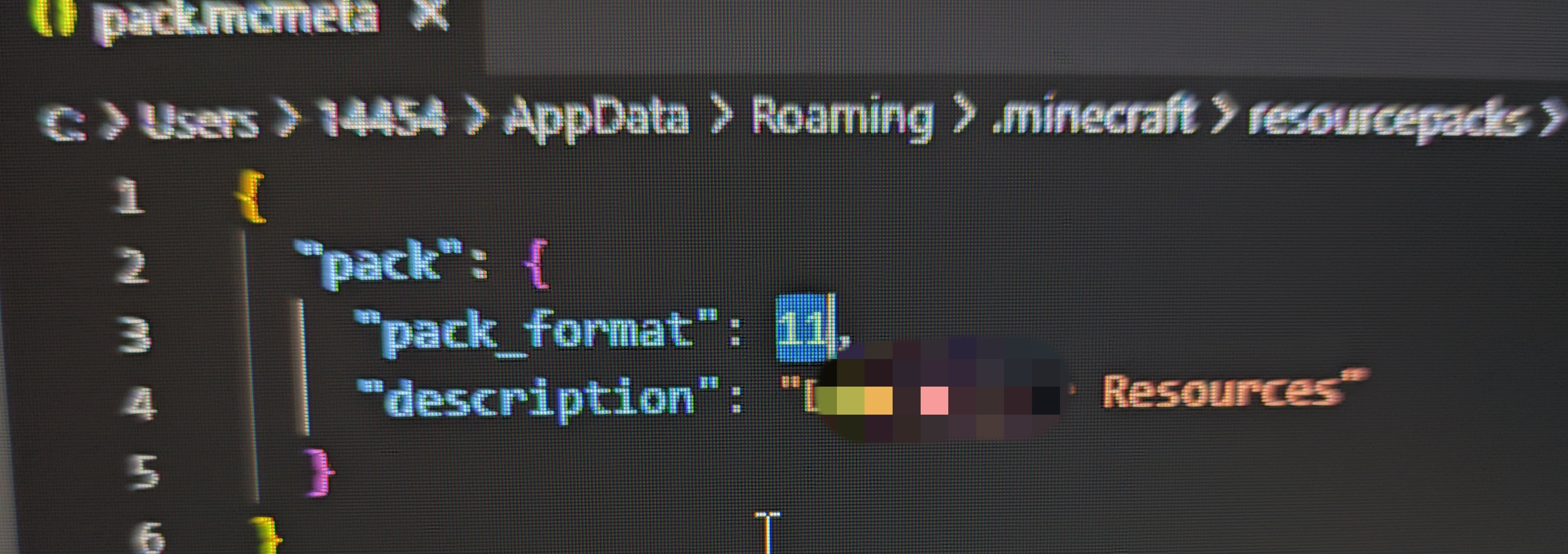
However, when I found this problem, I updated the version of Resource-pack to 11 and restarted the game as well as reloaded the resource pack, but it did not work.
resource pack file: resources1020.zip