 ekul6547
- ekul6547
- ekul6547
- Europe/Stockholm
- Yes
- No
 MC-12878
![[Mojang] Georgii Gavrichev](../../../data/avatars/users/22428.png)
 Low
Low![[Mojang] eowyn36](../../../data/avatars/users/18935.svg)
![[Mojang] slicedlime](../../../data/assets/gravatar/slicedlime.jpeg)


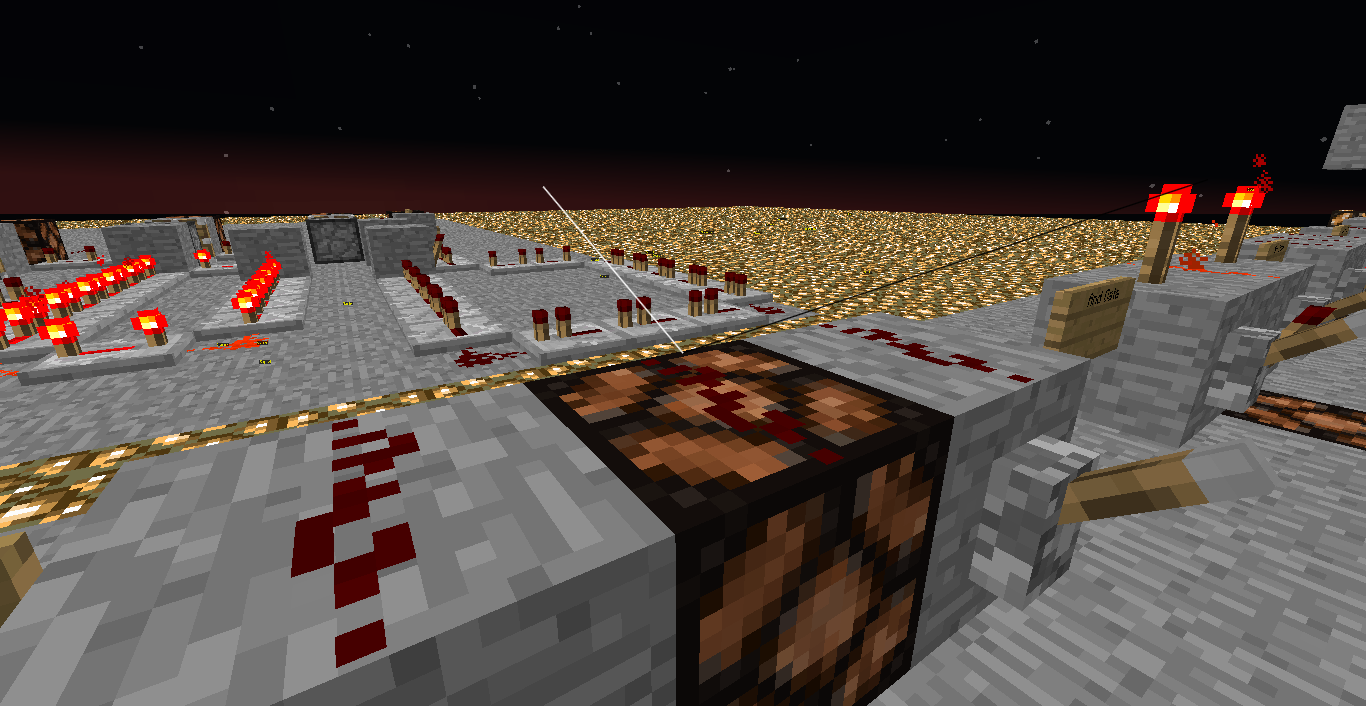
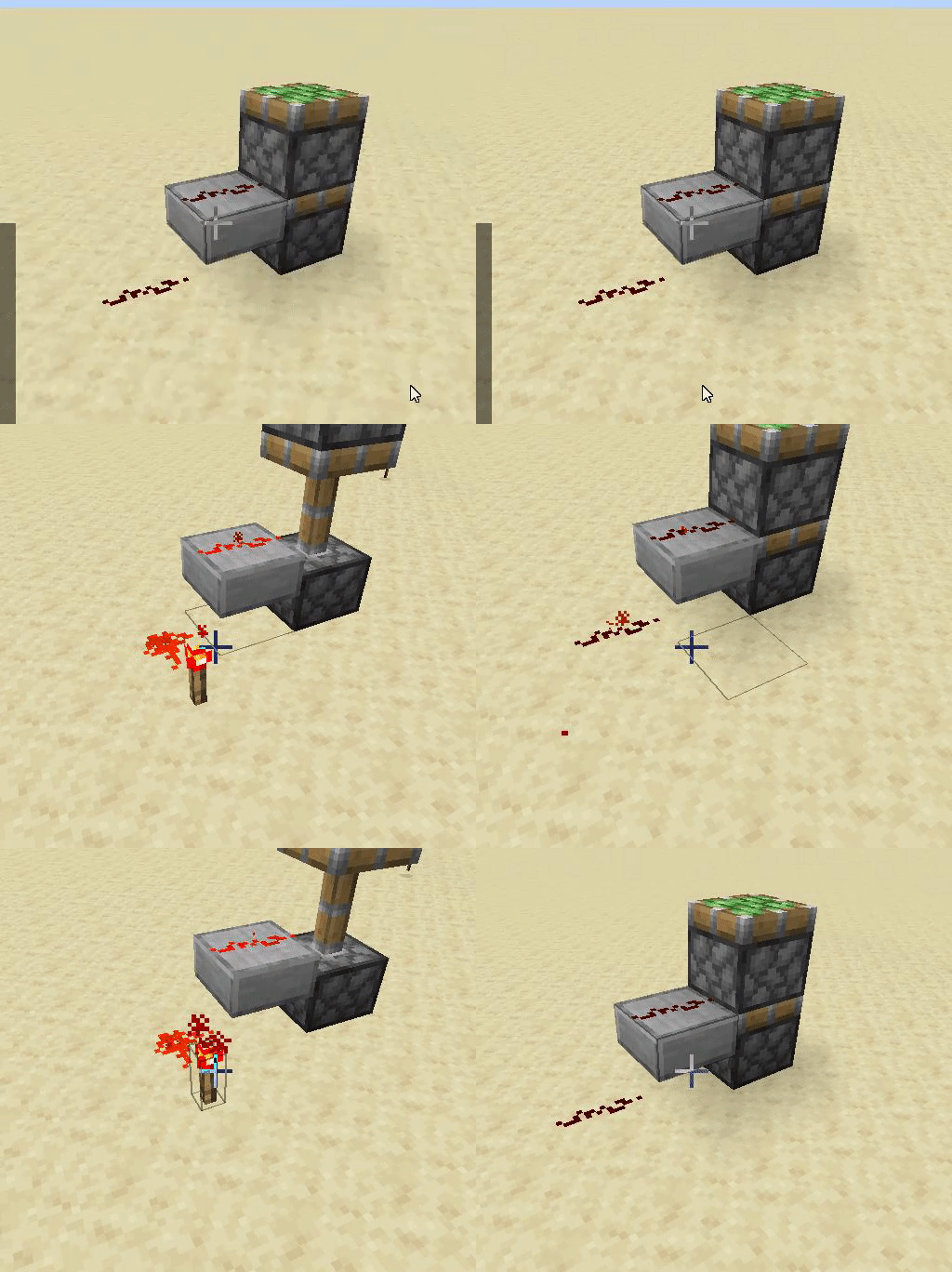


2013-03-26_20.27.56.png
A redstone signal can pass through a piston like how it would be if you powered a block by repeater / redstone torch, but only when the piston is retracting.
This is similar to the bug reported here, except that seems to be not work anymore.
Except I found cases where the bug still works, as shown in the video below.What I expected to happen was...:
Redstone signal should not have passed through the pistonWhat actually happened was...:
I could retrieve a redstone signal output from the piston, but only during the piston's retraction.Steps to Reproduce:
Video shows examples and easy redstone contraptions to reproduce bug.
A redstone signal can pass through a piston like how it would be if you powered a block by repeater / redstone torch, but only when the piston is retracting.
This is similar to the bug reported here, except the examples shown there no longer work in 19w02a.
Except I found cases where the bug still works, as shown in the video below.What I expected to happen was...:
Redstone signal should not have passed through the pistonWhat actually happened was...:
I could retrieve a redstone signal output from the piston, but only during the piston's retraction.Steps to Reproduce:
Video shows examples and easy redstone contraptions to reproduce bug.
A redstone signal can pass through a piston like how it would be if you powered a block by repeater / redstone torch, but only when the piston is retracting.
This is similar to the bug reported
here, except the examples shown there no longer work in 19w02a.
Except I found cases where the bug still works, as shown in the video below.What I expected to happen was...:
Redstone signal should not have passed through the pistonWhat actually happened was...:
I could retrieve a redstone signal output from the piston, but only during the piston's retraction.Steps to Reproduce:
Video shows examples and easy redstone contraptions to reproduce bug.
A redstone signal can pass through a piston like how it would be if you powered a block by repeater / redstone torch, but only when the piston is retracting.
This is similar to the bug reported here, except the examples shown there no longer work in 19w02a.
Except I found cases where the bug still works, as shown in the video below.What I expected to happen was...:
Redstone signal should not have passed through the pistonWhat actually happened was...:
I could retrieve a redstone signal output from the piston, but only during the piston's retraction.Steps to Reproduce:
Video shows examples and easy redstone contraptions to reproduce bug.
A redstone signal can pass through a piston like how it would be if you powered a block by repeater / redstone torch, but only when the piston is retracting.
This is similar to the bug reported here, except the examples shown there no longer work in 19w02a.
Except I found cases where the bug still works, as shown in the video below.What I expected to happen was...:
Redstone signal should not have passed through the pistonWhat actually happened was...:
I could retrieve a redstone signal output from the piston, but only during the piston's retraction.Steps to Reproduce:
Video shows examples and easy redstone contraptions to reproduce bug.
Pistons can conduct redstone signal from a torch while retracting
When you modify an item entity's motion value, after the initial summon, the new motion is not applied visually, even though the item still ends up in the same place.
Until the item stops completely on the ground, the item travels according to the original Motion[] values, but when it lands, it teleports to the position of the new Motion[] values.Shown here: GIF link
These are the 4 commands in the command blocks:summon minecraft:item ~ ~2 ~ {Item:{id:"minecraft:redstone_block",Count:1b},Tags:["newitem"],Motion:[0.1d,0.2d,0.1d]} data modify entity @e[tag=newitem,limit=1] Motion[0] set value -0.1d data modify entity @e[tag=newitem,limit=1] Motion[2] set value -0.1d tag @e[tag=newitem,limit=1] remove newitemNote: This is on singleplayer, I haven't been able to test on multiplayer yet.
Item entity Motionis out of syncItem entity Motion displays incorrectly
When using the scoreboard command, it wont convert shorthand entity UUID.
By shorthand I mean that you can use something like 0-0-0-0-0 to target an entity with a UUIDMost and UUIDLeast of 0.
But with the /scoreboard command, there is a difference between the shorthand and full UUID.Steps to reproduce
{UUIDMost:0L,UUIDLeast:0L}
/scoreboard objectives add posx dummy
/scoreboard objectives setdisplay sidebar posx
/summon minecraft:armor_stand ~ ~ ~/scoreboard players set @e[type=minecraft:armor_stand,sort=nearest,limit=1] posx 1
/scoreboard players set 0-0-0-0-0 posx 1You can see that there are 2 different entries on the scoreboard list.
To prove that shorthand works with other commands, you can do similar to
/tp 0-0-0-0-0 ~ ~ ~
/data get entity 0-0-0-0-0
/execute as 0-0-0-0-0 run scoreboard players set @s posx 1
When using the scoreboard command, it wont convert shorthand entity UUID.
By shorthand I mean that you can use something like 0-0-0-0-0 to target an entity with a UUIDMost and UUIDLeast of 0.
But with the /scoreboard command, there is a difference between the shorthand and full UUID.Steps to reproduce
{UUIDMost:0L,UUIDLeast:0L}
/scoreboard objectives add posx dummy
/scoreboard objectives setdisplay sidebar posx
/summon minecraft:armor_stand ~ ~ ~/scoreboard players set @e[type=minecraft:armor_stand,sort=nearest,limit=1] posx 1
/scoreboard players set 0-0-0-0-0 posx 1You can see that there are 2 different entries on the scoreboard list.
To prove that shorthand works with other commands, you can do similar to
/tp 0-0-0-0-0 ~ ~ ~
/data get entity 0-0-0-0-0
/execute as 0-0-0-0-0 run scoreboard players set @s posx 1
When using the scoreboard command, it wont convert shorthand entity UUID.
By shorthand I mean that you can use something like 0-0-0-0-0 to target an entity with a UUIDMost and UUIDLeast of 0.
But with the /scoreboard command, there is a difference between the shorthand and full UUID.Steps to reproduce
{UUIDMost:0L,UUIDLeast:0L}
/scoreboard objectives add posx dummy
/scoreboard objectives setdisplay sidebar posx
/summon minecraft:armor_stand ~ ~ ~/scoreboard players set @e[type=minecraft:armor_stand,sort=nearest,limit=1] posx 1
/scoreboard players set 0-0-0-0-0 posx 1You can see that there are 2 different entries on the scoreboard list.
To prove that shorthand works with other commands, you can do similar to
/tp 0-0-0-0-0 ~ ~ ~
/data get entity 0-0-0-0-0
/execute as 0-0-0-0-0 run scoreboard players set @s posx 1You can still use the full UUID, such as 00000000-0000-0000-0000-000000000000
When powering a piston with redstone, the piston the redstone is pointing into should be powered, not the one below it. See attached gif.
The bug doesn't happen for pistons south of the redstone.When powering a piston with redstone, the piston the redstone is pointing into should be powered, not the one below it. See attached gif.
The bug doesn't happen for pistons south of the redstone.Edit:
I have discovered that this bug happens differently depending on the axis, and which side of 0,0 the pistons are on. I have made a video showcasing this: https://youtu.be/TE1hoDIewVoI also want to make it clear that I believe the top piston should fire, not the piston below, lifting the top one up.
This was performed in a redstone superflat world, originally created in 20w15a, and moved over directly to 20w18a, however, none of this redstone was created before 20w18a.
Windows 10
Java SE Runtime Environment (build 1.8.0_251-b08)
I was messing around with the new smithing table recipes for datapacks, and found that when you double click to collect items in your inventory, it creates 2 of the the output items from the smithing table.
Here is a video of the problem: https://youtu.be/XuPbKD5782cHere is the json used for the recipe:
I was messing around with the new smithing table recipes for datapacks, and found that when you double click to collect items in your inventory, it creates 2 of the the output items from the smithing table.
Here is a video of the problem: https://youtu.be/XuPbKD5782cHere is the json used for the recipe:
I was messing around with the new smithing table recipes for datapacks, and found that when you double click to collect items in your inventory, it creates 2 of the the output items from the smithing table.
Here is a video of the problem: https://youtu.be/XuPbKD5782cHere is the json used for the recipe:
{ "type": "minecraft:smithing", "base": { "item": "minecraft:iron_block" }, "addition": { "item": "minecraft:diamond" }, "result": { "item": "minecraft:diamond_block" }}
I was messing around with the new smithing table recipes for datapacks, and found that when you double click to collect items in your inventory, it creates 2 of the the output items from the smithing table.
Here is a video of the problem: https://youtu.be/XuPbKD5782cHere is the json used for the recipe:
{ "type": "minecraft:smithing", "base": { "item": "minecraft:iron_block" }, "addition": { "item": "minecraft:diamond" }, "result": { "item": "minecraft:diamond_block" }}EDIT:
This has a more serious bug where it will delete output result items when there is a "count" on the result item, shown in this video:
https://youtu.be/aD7Qt64zvt4Using this json:
{ "type": "minecraft:smithing", "base": { "item": "minecraft:iron_block" }, "addition": { "item": "minecraft:diamond" }, "result": { "item": "minecraft:diamond_block", "count": 3 }}
I was messing around with the new smithing table recipes for datapacks, and found that when you double click to collect items in your inventory, it creates 2 of the the output items from the smithing table.
Here is a video of the problem: https://youtu.be/XuPbKD5782cHere is the json used for the recipe:
{ "type": "minecraft:smithing", "base": { "item": "minecraft:iron_block" }, "addition": { "item": "minecraft:diamond" }, "result": { "item": "minecraft:diamond_block" }}EDIT:
This has a more serious bug where it will delete output result items when there is a "count" on the result item, and it reaches a full stack size, shown in this video:
https://youtu.be/aD7Qt64zvt4Using this json:
{ "type": "minecraft:smithing", "base": { "item": "minecraft:iron_block" }, "addition": { "item": "minecraft:diamond" }, "result": { "item": "minecraft:diamond_block", "count": 3 }}
6I was messing around with the new smithing table recipes for datapacks, and found that when you double click to collect items in your inventory, it creates 2 of the the output items from the smithing table.
Here is a video of the problem: https://youtu.be/XuPbKD5782cHere is the json used for the recipe:
{ "type": "minecraft:smithing", "base": { "item": "minecraft:iron_block" }, "addition": { "item": "minecraft:diamond" }, "result": { "item": "minecraft:diamond_block" }}EDIT:
This has a more serious bug where it will delete output result items when there is a "count" on the result item, and it reaches a full stack size, shown in this video:
https://youtu.be/aD7Qt64zvt4Using this json:
{ "type": "minecraft:smithing", "base": { "item": "minecraft:iron_block" }, "addition": { "item": "minecraft:diamond" }, "result": { "item": "minecraft:diamond_block", "count": 3 }}
6I was messing around with the new smithing table recipes for datapacks, and found that when you double click to collect items in your inventory, it creates 2 of the the output items from the smithing table.
Here is a video of the problem: https://youtu.be/XuPbKD5782cHere is the json used for the recipe:
{ "type": "minecraft:smithing", "base": { "item": "minecraft:iron_block" }, "addition": { "item": "minecraft:diamond" }, "result": { "item": "minecraft:diamond_block" }}EDIT:
This has a more serious bug where it will delete output result items when there is a "count" on the result item, and it reaches a full stack size, shown in this video:
https://youtu.be/aD7Qt64zvt4Using this json:
{ "type": "minecraft:smithing", "base": { "item": "minecraft:iron_block" }, "addition": { "item": "minecraft:diamond" }, "result": { "item": "minecraft:diamond_block", "count": 3 }}
When using the "type":"minecraft:multi_noise" for generating a custom world, it also takes a "biomes" array in the json file.
However, only the first biome in that array will actually be used to generate the world. All other biomes never get generated.
I have uploaded an example datapack to use, which was what I am using for testing. You can get to the dimension using:
/execute in custom:test run tp @s ~ 90 ~
When using the "type":"minecraft:multi_noise" for generating a custom world, it also takes a "biomes" array in the json file.
However, only the first biome in that array will actually be used to generate the world. All other biomes never get generated.
I have uploaded an example datapack to use, which was what I am using for testing. You can get to the dimension using:
/execute in custom:test run tp @s ~ 90 ~
When using the "type":"minecraft:multi_noise" for generating a custom world, it also takes a "biomes" array in the json file.
However, only
the firstone biome in that array will actually be used to generate the world. All other biomes never get generated.I have uploaded an example datapack to use, which was what I am using for testing. You can get to the dimension using:
/execute in custom:test run tp @s ~ 90 ~
Custom Worlds type 'multi_noise' only usesfirstbiome in arrayCustom Worlds type 'multi_noise' only uses one biome in array
When using the "type":"minecraft:multi_noise" for generating a custom world, it also takes a "biomes" array in the json file.
However, only
the firstone biome in that array will actually be used to generate the world. All other biomes never get generated.I have uploaded an example datapack to use, which was what I am using for testing. You can get to the dimension using:
/execute in custom:test run tp @s ~ 90 ~
EDIT:
I was mistaken when I stated "first biome in array". But after more testing, I have discovered it will generate 1 where the parameters are above 0, and 1 biome where the parameters are below zero. It seems to be the biomes "closest to zero" that are chosen.
I have uploaded two new datapacks to show this off. One will only spawn plains and deserts, and one will spawn jungles and frozen oceans. But for both of them, all four of those biomes are in the "biomes" array, and no parameters are the same.
no soz
thats a client side mod
been using it for a while and never seen this before
wondering why
This is actually bad though, and not resolved. For example, if you constantly add 1 to the armor_stand's Head[0] rotation, you'll have to make sure to always offset it by a very small amount. This means constantly scaling up and down again using execute store.
The broken part about this is that you cannot set a single value of the Pose arrays without ensuring all values in the array are set first, the execute store no longer works if the data is deleted because all values are equal to 0.0f.
Try repeating these 2 commands (create dummy scoreboard called rotation, and set it to -10 first):
scoreboard players add @e[type=minecraft:armor_stand,sort=nearest,limit=1] rotation 1
execute as @e[type=minecraft:armor_stand,sort=nearest,limit=1] store result entity @s Pose.Head[0] float 0.1 run scoreboard players get @s rotation
This will work until rotation = 0, where it will stop because the entire Pose array is now deleted, because all values equal 0.0f.
I have edited to add a video showcasing the bug. This video shows the piston behaviour on each side of 0,0, in all 4 quarters of the world. Here: https://youtu.be/TE1hoDIewVo
I've investigated more into my report in MC-182452 and it turns out it depends on which side of 0,0 the pistons are on. I've made a little video showcasing this on the 4 different corners from 0,0: https://youtu.be/TE1hoDIewVo
I believe your problem could be the "Minecraft:" part, as capital letters often don't work for me when I make my datapacks. I would suggest trying with a lowercase M, so "minecraft:". This is because [a-z0-9_.-] doesn't have A-Z specified
Do you mean the parameters in the "biomes":[] array, in the "biome_source"?
If so, I have changed those parameters to other things, and it still doesn't generate more than one biome.
However, I was mistaken when I stated "first biome in array". But after more testing, I have discovered it will generate 1 where the parameters are above 0, and 1 biome where the parameters are below zero. It seems to be the biomes "closest to zero" that are chosen.
I have uploaded two new datapacks to show this off. One will only spawn plains and deserts, and one will spawn jungles and frozen oceans. But for both of them, all four of those biomes are in the "biomes" array, and no parameters are the same.
Can confirm this is still a bug in 1.16.4 pre-release 2. It has the same behaviour with the /data modify command too
Can confirm still happens in 1.16.4.
It is wrong by a factor of 10; so 200 Duration will display as 0:01, but gives the effect for 10 seconds (0:10).