 Dxlxn Cxoxlx
- Fatal Error
- JIRAUSER503667
- Europe/Stockholm
- No
- No
 MC-188543
 MCL-14303
 MCPE-83136
 WEB-2547







 LowLowLowLow
Windows 10
Low NormalLow
warning.png
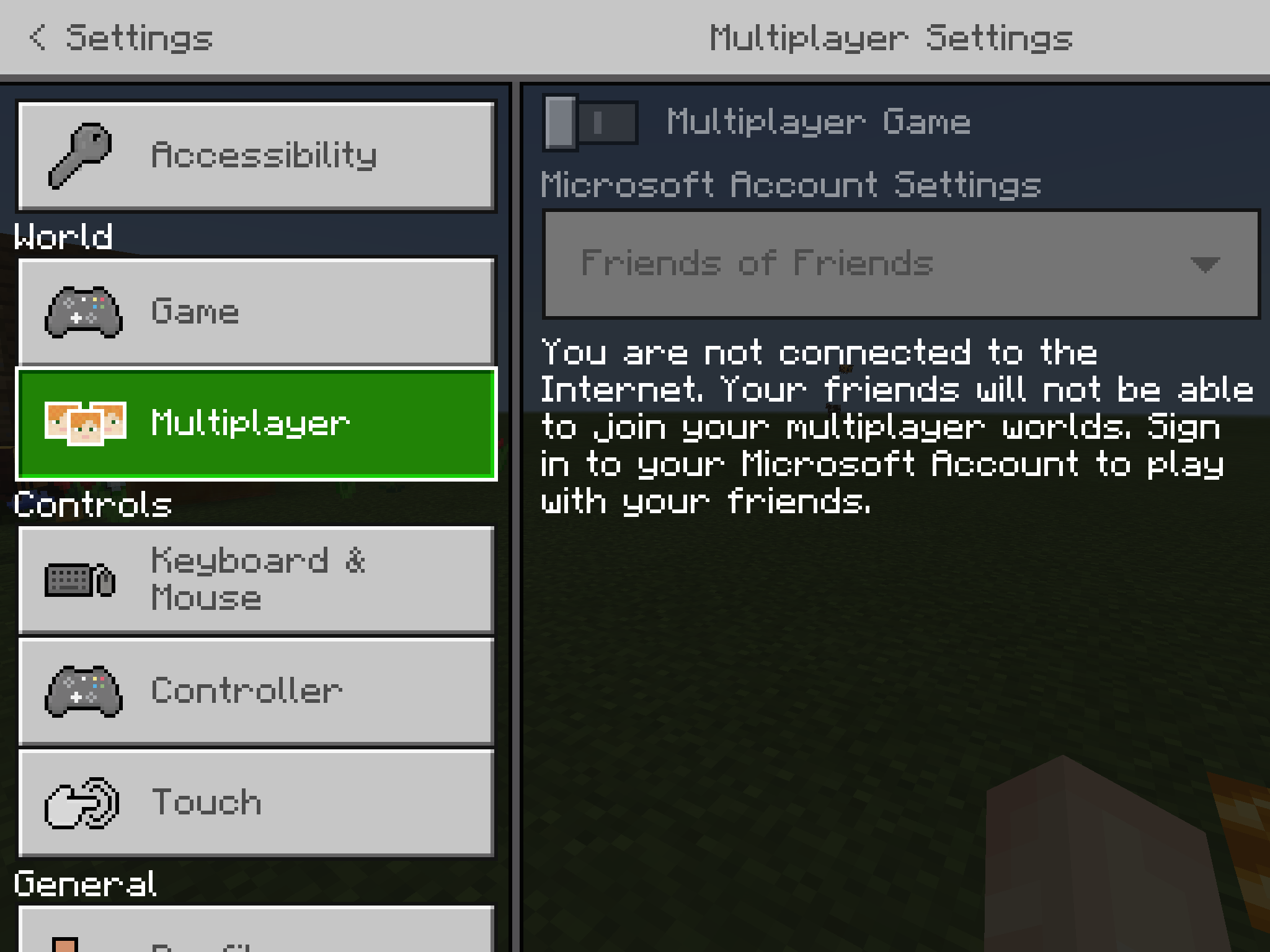
Minecraft skins are not accessible when not connected to the internet, even when the skins are downloaded directly to the computer.
How to reproduce
Turn of the internet and then try to change skin. It will say “Sorry! We could not load your skins.”.
This is a parity issue because in MCBE you can access skins even when not connected to the internet.
Skins not accessible when not connected to the internet (parity issue)
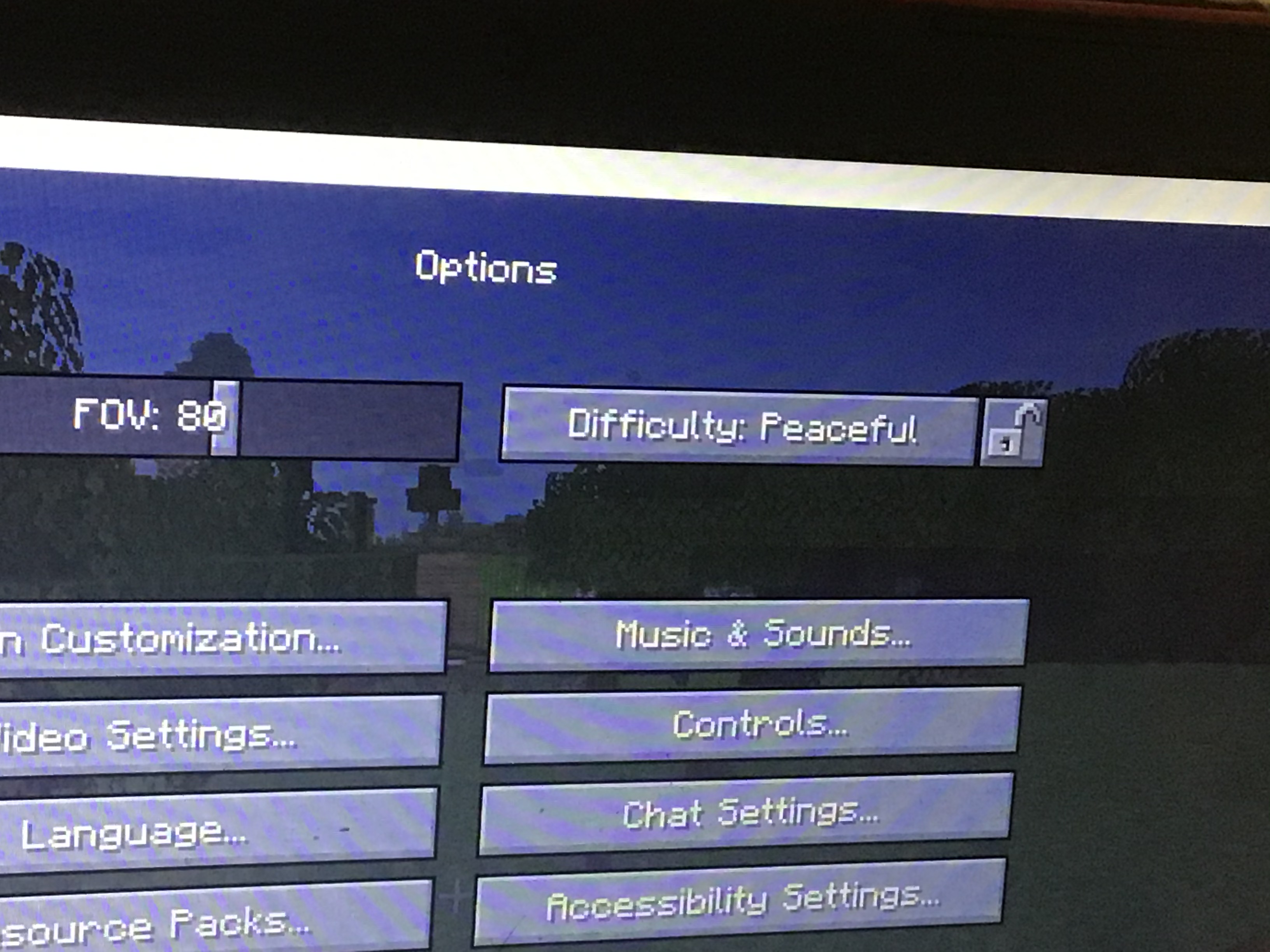
When you click “Music & Sounds…” the sound event plays twice. It only happens with this button.
Expected results
The sound should play only once when you click “Music & Sounds…”Observed
Results
The sound plays twice.When you click “Music & Sounds…” the sound event plays twice. It only happens with this button.
Expected results
The sound should play only once when you click “Music & Sounds…”Observed results
The sound plays twice.
When you click “Music & Sounds…” the sound event plays twice. It only happens with this button.
Expected results
The sound should play only once when you click “Music & Sounds…”
Observed results
The sound plays twice.I noticed that whenever I click “Music & Sounds…” it plays the button sound twice.
What I expected to happen was...:
When I click the button, it only plays the sound once.What actually happened was...:
It played the sound twice.Steps to Reproduce:
#Press the Esc key to pause the game.
#Click “Options…”.
#Press “Music & Sounds…”.
#Notice that it plays the button click sound twice. It should only play once.
I noticed that whenever I click “Music & Sounds…” it plays the button sound twice.
What I expected to happen was...:
When I click the button, it only plays the sound once.What actually happened was...:
It played the sound twice.Steps to Reproduce:
#Press the Esc key to pause the game.
#Click “Options…”.
#Press “Music & Sounds…”.
#Notice that it plays the button click sound twice. It should only play once.I noticed that whenever I click “Music & Sounds…” it plays the button sound twice.
What I expected to happen was...:
When I click the button, it only plays the sound once.What actually happened was...:
It played the sound twice.Steps to Reproduce:
- Press the Esc key to pause the game.
- Click “Options…”.
- Press “Music & Sounds…”.
- Notice that it plays the button click sound twice. It should only play once.
I reported this bug from my iPad. But I experienced this bug on Minecraft: Java Edition.
I was gathering striped wood. I know that a few pre-releases ago
theychanged “Debarking log” to “Axe scrapes”. But I noticed that in the latest snapshot, it says “Debarking log” again.What I expected to happen was...:
When I scrape a log, it should say “Axe scrapes”.What actually happened was...:
Instead, it says “Debarking log”.Steps to Reproduce:
- Turn on subtitles
- Get an axe
- Scrape a log (right-click on the log with the axe).
- (x)Notice it says “Debarking log” instead of “Axe scrapes”.
I was gathering striped wood. I know that a few pre-releases ago, Mojang changed “Debarking log” to “Axe scrapes”. But I noticed that in the latest snapshot, it says “Debarking log” again.
What I expected to happen was...:
When I scrape a log, it should say “Axe scrapes”.What actually happened was...:
Instead, it says “Debarking log”.Steps to Reproduce:
- Turn on subtitles
- Get an axe
- Scrape a log (right-click on the log with the axe).
- (x)Notice it says “Debarking log” instead of “Axe scrapes”.
I was gathering striped wood. I know that a few pre-releases ago, Mojang changed “Debarking log” to “Axe scrapes”. But I noticed that in the latest snapshot, it says “Debarking log” again.
What I expected to happen was...:
When I scrape a log, it should say “Axe scrapes”.What actually happened was...:
Instead, it says “Debarking log”.Steps to Reproduce:
- Turn on subtitles
- Get an axe
- Scrape a log (right-click on the log with the axe).
- (x)Notice it says “Debarking log” instead of “Axe scrapes”.
I was gathering striped wood. I know that a few pre-releases ago, Mojang changed “Debarking log” to “Axe scrapes”. But I noticed that in the latest snapshot, it says “Debarking log” again.
What I expected to happen was...:
When I scrape a log, it should say “Axe scrapes”.What actually happened was...:
Instead, it says “Debarking log”.Steps to Reproduce:
- Turn on subtitles
- Get an axe
- Scrape a log (right-click on the log with the axe).
Notice it says “Debarking log” instead of “Axe scrapes”.
Unlike other crops, wheat only drops 1 wheat. This is a bug since carrots drop 1-5 carrots and potatoes drop 1-5 potatoes.
What I expected to happen was...:
When I broke the wheat, it should have dropped 1-5 wheat.What actually happened was...:
Instead, it only ever dropped 1-5 wheat.Steps to Reproduce:
- Plant 3 wheat seeds
- Wait for them to grow
- Break them
- Notice that you only get three wheat when you should get more than that.
Unlike other crops, wheat only drops 1 wheat. This is a bug since carrots drop 1-5 carrots and potatoes drop 1-5 potatoes.
What I expected to happen was...:
When I broke the wheat, it should have dropped1-5wheat.What actually happened was...:
Instead, it only ever dropped 1-5wheat.Steps to Reproduce:
- Plant 3 wheat seeds
- Wait for them to grow
- Break them
- Notice that you only get three wheat when you should get more than that.
Unlike other crops, wheat only drops 1 wheat. This is a bug since carrots drop 1-5 carrots and potatoes drop 1-5 potatoes.
What I expected to happen was...:
When I broke the wheat, it should have dropped more wheat than the amount of wheat I planted.What actually happened was...:
Instead, it only ever dropped 1 wheat.Steps to Reproduce:
- Plant 3 wheat seeds
- Wait for them to grow
- Break them
- Notice that you only get three wheat when you should get more than that.
The world loading screen freezes 99% of the time when I create a custom flat world. Please fix. Very annoying because I need to open task manager to kill the task because the game won
’t close when this happens.What I expected to happen was...:
When I create a custom flat world, the world should load.What actually happened was...:
Instead, it freezes 🤬.Steps to Reproduce:
- Create a world
- Select
“super flat”- Click
“customize”- Customize the world
- Create the world
- There is a 99% chance that the world will freeze while loading.
The world loading screen freezes 99% of the time when I create a custom flat world. Please fix. Very annoying because I need to open task manager to kill the task because the game won't close when this happens.
What I expected to happen was...:
When I create a custom flat world, the world should load.What actually happened was...:
Instead, it freezes 🤬.Steps to Reproduce:
- Create a world
- Select "super flat"
- Click "customize"
- Customize the world
- Create the world
- There is a 99% chance that the world will freeze while loading.
Refer to this YouTube video for more info:
https://youtu.be/aVTODn3zo8M
 Very Important
The world loading screen freezes 99% of the time when I create a custom flat world. Please fix. Very annoying because I need to open task manager to kill the task because the game won't close when this happens.
What I expected to happen was...:
When I create a custom flat world, the world should load.What actually happened was...:
Instead, it freezes 🤬.Steps to Reproduce:
- Create a world
- Select "super flat
"- Click "customize"
- Customize the world
- Create the world
- There is a 99% chance that the world will freeze while loading.
Refer to this YouTube video for more info:
https://youtu.be/aVTODn3zo8MThe world loading screen freezes 99% of the time when I create a custom flat world. Please fix. Very annoying because I need to open task manager to kill the task because the game won't close when this happens.
What I expected to happen was...:
When I create a custom flat world, the world should load.What actually happened was...:
Instead, it freezes 🤬.Steps to Reproduce:
- Create a world
- Select "super flat” and choose “red stone ready”
- Click "customize"
- Customize the world
- Create the world
- There is a 99% chance that the world will freeze while loading.
Refer to this YouTube video for more info:
https://youtu.be/aVTODn3zo8M
The world loading screen freezes 99% of the time when I create a custom flat world. Please fix. Very annoying because I need to open task manager to kill the task because the game won't close when this happens.
What I expected to happen was...:
When I create a custom flat world, the world should load.What actually happened was...:
Instead, it freezes 🤬.Steps to Reproduce:
- Create a world
- Select "super flat”
andchoose “red stone ready”- Click "customize"
- Customize the world
- Create the world
- There is a 99% chance that the world will freeze while loading.
Refer to this YouTube video for more info:
https://youtu.be/aVTODn3zo8MThe world loading screen freezes 99% of the time when I create a custom flat world. Please fix. Very annoying because I need to open task manager to kill the task because the game won't close when this happens.
What I expected to happen was...:
When I create a custom flat world, the world should load.What actually happened was...:
Instead, it freezes 🤬.Steps to Reproduce:
- Create a world
- Select "super flat”, click “customize” and then choose “red stone ready”
- Create the world
- There is a 99% chance that the world will freeze while loading.
Refer to this YouTube video for more info:
https://youtu.be/aVTODn3zo8M
The world loading screen freezes 99% of the time when I create a custom flat world. Please fix. Very annoying because I need to open task manager to kill the task because the game won't close when this happens.
What I expected to happen was...:
When I create a custom flat world, the world should load.What actually happened was...:
Instead, it freezes 🤬.Steps to Reproduce:
- Create a world
- Select "super flat”, click “customize” and then choose “red
stone ready”- Create the world
- There is a 99% chance that the world will freeze while loading.
Refer to this YouTube video for more info:
https://youtu.be/aVTODn3zo8M
I was just playing survival and I exited my house when suddenly, there was a creeper. It was daytime so it shouldn’t of even spawned in the first place.
What I expected to happen was...:
When I exited my house, there shouldn’t of been a creeper because it’s daytime.What actually happened was...:
Instead, a creeper spawnedSteps to Reproduce:
Wait during the day.Then there might be a creeper- A creeper will spawn.
I was just playing survival and I exited my house when suddenly, there was a creeper. It was daytime so it shouldn’t of even spawned in the first place.
What I expected to happen was...:
When I exited my house, there shouldn’t of been a creeper because it’s daytime.What actually happened was...:
Instead, a creeper spawnedSteps to Reproduce:
- make a huge box
- light it up with torches
- wait
Can’t put non-stackable items in a bundle.
Error
Error
Non-stackable items fill up the entire bundle
Budding amethyst drops nothing
Chandler, the Mojang priority is so Mojang knows how serious the bug is. The Mojang priority is defined by the user.
Chandler, get out!
If Mojang changed it only. Then the option to change it wouldn’t be available to other users.
But on my computer, I have skins downloaded. Which means they SHOULD be accessible w/o connecting to the “server”.
Theo SM according to the dictionary, internet is not a proper noun.
And spelling and grammar errors count as bugs under Mojang’s standards.
And for users don’t forget.
If you don’t change the Mojang priority, Mojang won’t know how severe the bug is.
Chandler, your comment contains capitalization errors.
Chandler, you aren’t even a mod
The fact the Mojang won’t fix this easy-to-fix bug is devastating.
Why cannot reproduce? I included steps to reproduce.
Works as intended. It should spawn an egg each time you defeat it.
This is clearly a bug.
How is this WAI!?
I saw it spawn
HOW IS THIS A FEATURE SUGGESTING!?
It’s an error
I don’t have any incompatible software installed.
No errors occurred. I have tried that even before I reported this issue.
This issue is Incomplete!
This is a bug. Not a feature suggestion. This bug is not in Java edition and therefore is a bug
Works with shields too
Capitalization errors were found. Please fix these errors.