 joshi77
- joshi77
- joshi77
- Europe/Stockholm
- Yes
- No
 MC-182104MC-209909


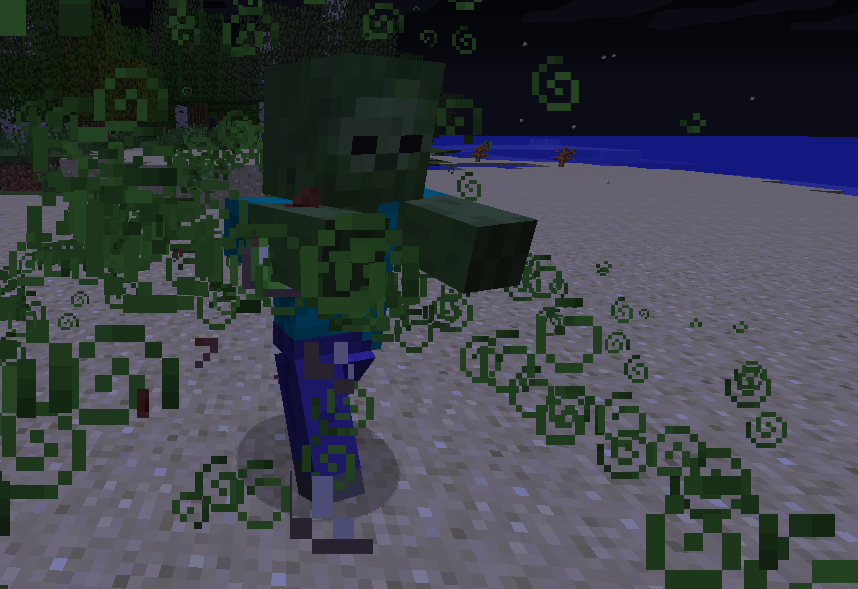
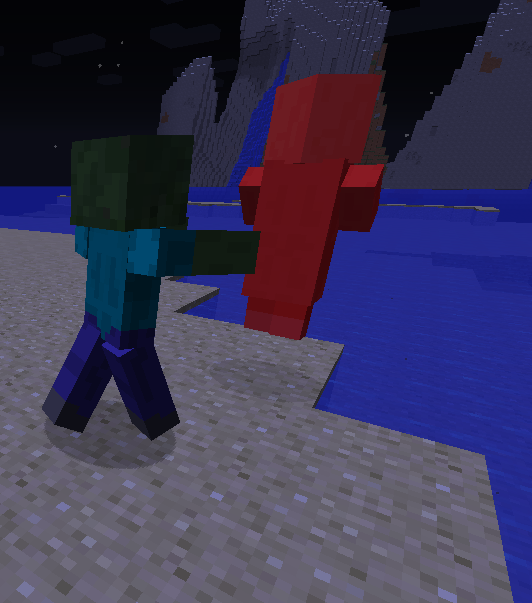
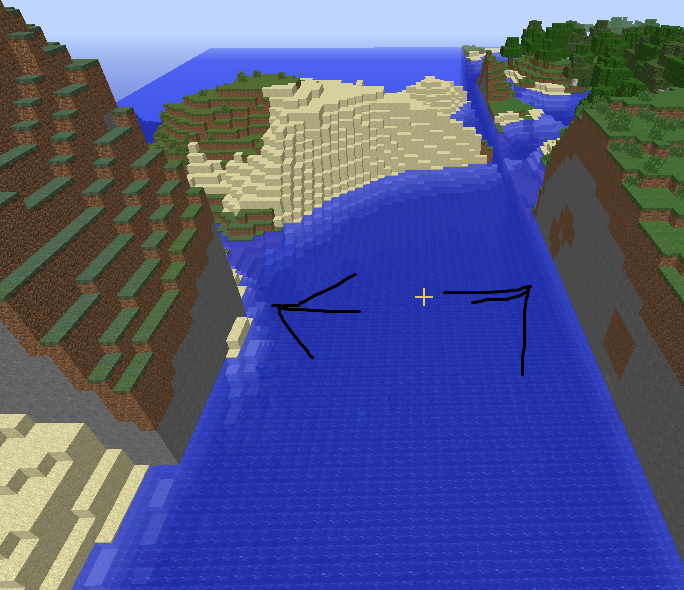
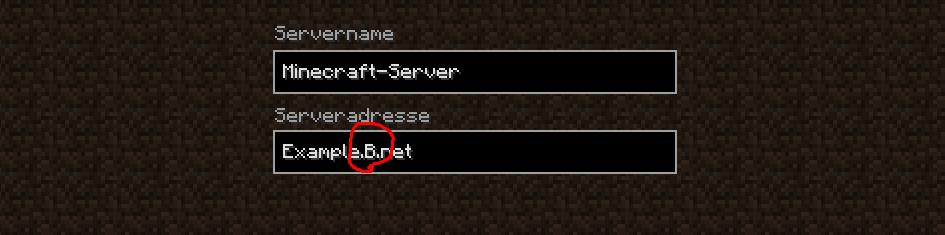
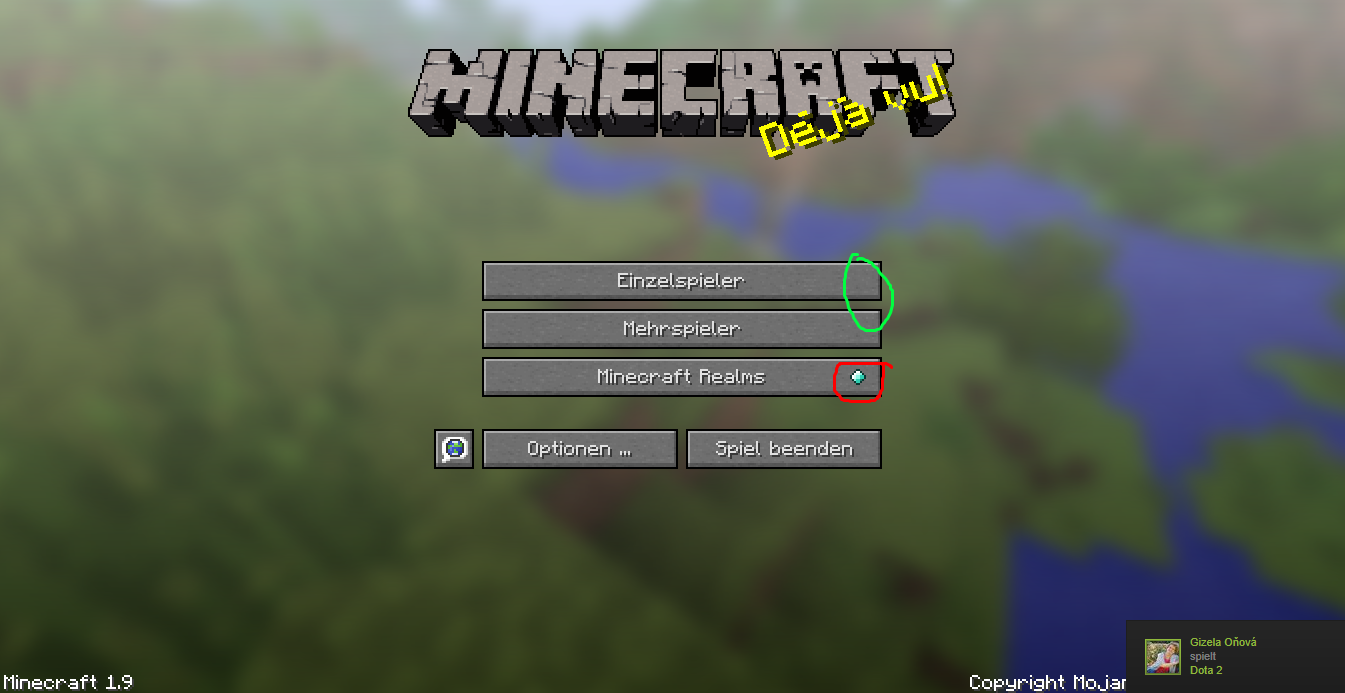



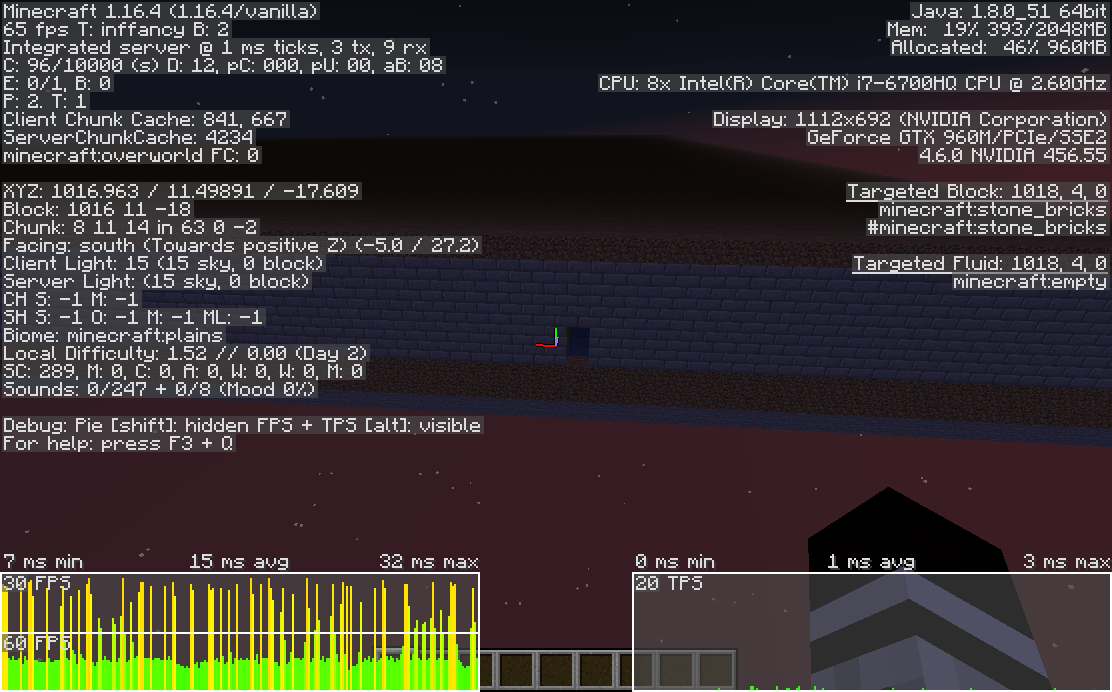

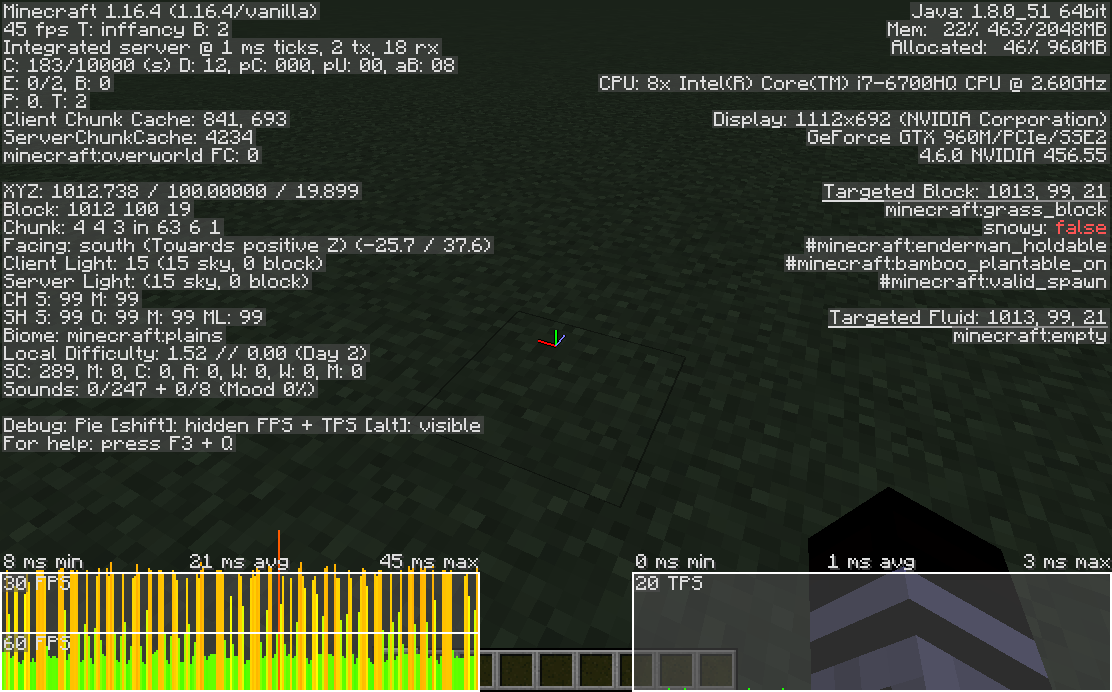




SHIFT + FN + INSERT does not paste anything in the chat or anything inside Minecraft
Neither does SHIFT or CTRL + INSERT do.
Means you can not paste text from the clipboard into the chat, server list, command blocks and mostly or basically everything else inside Minecraft.
In Adventure Mode you can right click Noteblocks but not left click them by default
In Adventure Mode you can basically not break any blocks this includes the Noteblock. Only with the NBT Tag "CanDestroy" you can play the actual note of the Noteblock, but that also allows it to destroy it.
In Adventure Mode you can interact with a lot of stuff that is right click able. When right clicking a Noteblock you can change the pitch level of the note. So why should you not be able to left click it to play the actual note?
I mean you can put buttons next to it, but what about just punching it? The Noteblock is bigger and easier to hit and it can be very useful in Mulitplayer mode and an Adventure Mode like area.
In Adventure Mode you can basically not break any blocks this includes the Noteblock. Only with the NBT Tag "CanDestroy" you can play the actual note of the Noteblock, but that also allows it to destroy it.
In Adventure Mode you can interact with a lot of stuff that is right click able. When right clicking a Noteblock you can change the pitch level of the note. So why should you not be able to left click it to play the actual note?
I mean you can put buttons next to it, but what about just punching it? The Noteblock is bigger and easier to hit and it can be very useful in Mulitplayer mode and an Adventure Mode like area.
In Adventure Mode you can basically not break any blocks
thisincludes the Noteblock. Only with the NBT Tag "CanDestroy" you can play the actual note of the Noteblock, but that also allows it to destroy it.In Adventure Mode you can interact with a lot of stuff that is right click able. When right clicking a Noteblock you can change the pitch level of the note. So why should you not be able to left click it to play the actual note?
I mean you can put buttons next to it, but what about just punching it? The Noteblock is bigger and easier to hit and it can be very useful in Mulitplayer mode and an Adventure Mode like area.
In Adventure Mode you can basically not break any blocks, which includes the Noteblock. Only with the NBT Tag "CanDestroy" you can play the actual note of the Noteblock, but that also allows it to destroy it.
In Adventure Mode you can interact with a lot of stuff that is right click able. When right clicking a Noteblock you can change the pitch level of the note. So why should you not be able to left click it to play the actual note?
I mean you can put buttons next to it, but what about just punching it? The Noteblock is bigger and easier to hit and it can be very useful in Mulitplayer mode and an Adventure Mode like area.
In Adventure Mode you can basically not break any blocks, which includes the Noteblock. Only with the NBT Tag "CanDestroy" you can play the actual note of the Noteblock, but that also allows it to destroy it.
In Adventure Mode you can interact with a lot of stuff that is right click able. When right clicking a Noteblock you can change the pitch level of the note. So why should you not be able to left click it to play the actual note?
I mean you can put buttons next to it, but what about just punching it? The Noteblock is bigger and easier to hit and it can be very useful in Mul
itplayer mode and an Adventure Mode like area.In Adventure Mode you can basically not break any blocks, which includes the Noteblock. Only with the NBT Tag "CanDestroy" you can play the actual note of the Noteblock, but that also allows it to destroy it.
In Adventure Mode you can interact with a lot of stuff that is right click able. When right clicking a Noteblock you can change the pitch level of the note. So why should you not be able to left click it to play the actual note?
I mean you can put buttons next to it, but what about just punching it? The Noteblock is bigger and easier to hit and it can be very useful in Multiplayer mode and an Adventure Mode like area. And also it would make sense to left click the block aswell, if you can right click it.
When right clicking with a full water bucket on a water resource block, it doesn't empty the water bucket anymore.
oh no
I'm pretty sure I've seen a similar post that just didn't had "feature" in it and was fixed, what?
Slime block's outline have a transparent appearance and a thicker width compared to other blocks
Slime and Honey block's outline have a transparent appearance and a thicker width compared to other blocks
Slime, Ice and Honey block's outline have a transparent appearance and a thicker width compared to other blocks
Slime blocks don't have a "black" outline like other blocks are supposed to, they somehow have a transparent one, which seems to stick out. This doesn't seem to be the case in "Fabulous" or the line width in "Fabulous" is reduced. I think transparency is intended, but that it's used to stick out so much?

Placed Item Frames with Invisible NBT tag, lose their NBT when breaking it and picking it up back as an Item Frame.
With the potion of invisibilty you can make a Item Frame invisible, though when breaking it (which can happen on a multiplayer server, for people that do not know). Since there's the
Placed Item Frames with Invisible NBT tag, lose their NBT when breaking it and picking it up back as an Item Frame.
With the potion of invisibilty you can make a Item Frame invisible, though when breaking it (which can happen on a multiplayer server, for people that do not know). Since there's the Grindstone in Minecraft. What if the Item Frame could be used on the Grindstone to remove its invisibility?
Placed Item Frames with Invisible NBT tag, lose their NBT when breaking it and picking it up back as an Item Frame.
With the potion of invisibilty you can make a Item Frame invisible, though when breaking it (which can happen on a multiplayer server, for people that do not know). Since there's the Grindstone in Minecraft. What if the Item Frame could be used on the Grindstone to remove its invisibility?
Placed Item Frames with Invisible NBT tag, lose their NBT when breaking it and picking it up back as an Item Frame.
With the potion of invisibilty you can make a Item Frame invisible, though when breaking it (which can happen on a multiplayer server, for people that do not know) it loses its invisibility. Since there's the Grindstone in Minecraft. What if the Item Frame could be used on the Grindstone to remove its invisibility?
Placed Item Frames with Invisible NBT tag, lose their NBT when breaking it and picking it up back as an Item Frame.
With the
potion ofinvisibilty you can make a Item Frame invisible, though when breaking it (which can happen on a multiplayer server, for people that do not know) it loses its invisibility. Since there's the Grindstone in Minecraft. What if the Item Frame could be used on the Grindstone to remove its invisibility?Placed Item Frames with Invisible NBT tag, lose their NBT when breaking it and picking it up back as an Item Frame.
With the Potion of Invisibilty you can make a Item Frame invisible, though when breaking it (which can happen on a multiplayer server, for people that do not know) it loses its invisibility. Since there's the Grindstone in Minecraft. What if the Item Frame could be used on the Grindstone to remove its invisibility?
Placed Item Frames with Invisible NBT tag, lose their NBT when breaking it and picking it up back as an Item Frame.
With the Potion of Invisibilty you can make a Item Frame invisible (with a Datapack), though when breaking it (which can happen on a multiplayer server, for people that do not know) it loses its invisibility. Since there's the Grindstone in Minecraft. What if the Item Frame could be used on the Grindstone to remove its invisibility?
Strange issue with custom player heads with custom appearance, won't appear like shown in the inventory when placed
I used this command:
/give @p minecraft:player_head{SkullOwner:{Name:"somethingnotCached3208920239304",Properties:{textures:[{Value:"eyJ0aW1lc3RhbXAiOjE0NzU1OTk4ODA0NjQsInByb2ZpbGVJZCI6ImI5YWE1N2ZlNjQ5ZTRkNDg4MDZlNjNhZjJmYWZmNWM2IiwicHJvZmlsZU5hbWUiOiJTa3lsaW5lcnciLCJ0ZXh0dXJlcyI6eyJTS0lOIjp7InVybCI6Imh0dHA6Ly90ZXh0dXJlcy5taW5lY3JhZnQubmV0L3RleHR1cmUvOTc0MzhiZDE1NjI2MTk1N2NhOTQ0Mzg5ZGQ3OWYwZjAyY2E5NDU4M2YwZjQyMGMxZmY5YTllMmM1OTRhMTQifX19"}]}}}
It gave me this head, that looks exactly like the skin from,
eyJ0aW1lc3RhbXAiOjE0NzU1OTk4ODA0NjQsInByb2ZpbGVJZCI6ImI5YWE1N2ZlNjQ5ZTRkNDg4MDZlNjNhZjJmYWZmNWM2IiwicHJvZmlsZU5hbWUiOiJTa3lsaW5lcnciLCJ0ZXh0dXJlcyI6eyJTS0lOIjp7InVybCI6Imh0dHA6Ly90ZXh0dXJlcy5taW5lY3JhZnQubmV0L3RleHR1cmUvOTc0MzhiZDE1NjI2MTk1N2NhOTQ0Mzg5ZGQ3OWYwZjAyY2E5NDU4M2YwZjQyMGMxZmY5YTllMmM1OTRhMTQifX19
Wearing and having it in the hand or placing it on an item frame, or dropping it will not change how it will appear.
But when placed, this happens:
https://i.imgur.com/XvuRsmm.png
It turns into the wrong head for some reason. It doesn't make sense that you have the head shown like that in the inventory, wear it like that, but as soon as it is placed not anymore.
I used this command:
/give @p minecraft:player_head{SkullOwner:{Name:"somethingnotCached3208920239304",Properties:{textures:[{Value:"eyJ0aW1lc3RhbXAiOjE0NzU1OTk4ODA0NjQsInByb2ZpbGVJZCI6ImI5YWE1N2ZlNjQ5ZTRkNDg4MDZlNjNhZjJmYWZmNWM2IiwicHJvZmlsZU5hbWUiOiJTa3lsaW5lcnciLCJ0ZXh0dXJlcyI6eyJTS0lOIjp7InVybCI6Imh0dHA6Ly90ZXh0dXJlcy5taW5lY3JhZnQubmV0L3RleHR1cmUvOTc0MzhiZDE1NjI2MTk1N2NhOTQ0Mzg5ZGQ3OWYwZjAyY2E5NDU4M2YwZjQyMGMxZmY5YTllMmM1OTRhMTQifX19"}]}}}
It gave me this head, that looks exactly like the skin from,
eyJ0aW1lc3RhbXAiOjE0NzU1OTk4ODA0NjQsInByb2ZpbGVJZCI6ImI5YWE1N2ZlNjQ5ZTRkNDg4MDZlNjNhZjJmYWZmNWM2IiwicHJvZmlsZU5hbWUiOiJTa3lsaW5lcnciLCJ0ZXh0dXJlcyI6eyJTS0lOIjp7InVybCI6Imh0dHA6Ly90ZXh0dXJlcy5taW5lY3JhZnQubmV0L3RleHR1cmUvOTc0MzhiZDE1NjI2MTk1N2NhOTQ0Mzg5ZGQ3OWYwZjAyY2E5NDU4M2YwZjQyMGMxZmY5YTllMmM1OTRhMTQifX19
Wearing and having it in the hand or placing it on an item frame, or dropping it will not change how it will appear.
But when placed, this happens:
It turns into the wrong head for some reason. It doesn't make sense that you have the head shown like that in the inventory, wear it like that, but as soon as it is placed not anymore.


I used this command:
/give @p minecraft:player_head{SkullOwner:{Name:"somethingnotCached3208920239304",Properties:{textures:[{Value:"eyJ0aW1lc3RhbXAiOjE0NzU1OTk4ODA0NjQsInByb2ZpbGVJZCI6ImI5YWE1N2ZlNjQ5ZTRkNDg4MDZlNjNhZjJmYWZmNWM2IiwicHJvZmlsZU5hbWUiOiJTa3lsaW5lcnciLCJ0ZXh0dXJlcyI6eyJTS0lOIjp7InVybCI6Imh0dHA6Ly90ZXh0dXJlcy5taW5lY3JhZnQubmV0L3RleHR1cmUvOTc0MzhiZDE1NjI2MTk1N2NhOTQ0Mzg5ZGQ3OWYwZjAyY2E5NDU4M2YwZjQyMGMxZmY5YTllMmM1OTRhMTQifX19"}]}}}
It gave me this head, that looks exactly like the skin from,
eyJ0aW1lc3RhbXAiOjE0NzU1OTk4ODA0NjQsInByb2ZpbGVJZCI6ImI5YWE1N2ZlNjQ5ZTRkNDg4MDZlNjNhZjJmYWZmNWM2IiwicHJvZmlsZU5hbWUiOiJTa3lsaW5lcnciLCJ0ZXh0dXJlcyI6eyJTS0lOIjp7InVybCI6Imh0dHA6Ly90ZXh0dXJlcy5taW5lY3JhZnQubmV0L3RleHR1cmUvOTc0MzhiZDE1NjI2MTk1N2NhOTQ0Mzg5ZGQ3OWYwZjAyY2E5NDU4M2YwZjQyMGMxZmY5YTllMmM1OTRhMTQifX19
Wearing and having it in the hand or placing it on an item frame, or dropping it will not change how it will appear.
But when placed, this happens:
It turns into the wrong head for some reason. It doesn't make sense that you have the head shown like that in the inventory, wear it like that, but as soon as it is placed not anymore. Also, Minecraft freezes for a few seconds, each time you place it, not sure how that cacheing works there, but why would it attempt to cache again.
I used this command:
/give @p minecraft:player_head{SkullOwner:{Name:"somethingnotCached3208920239304",Properties:{textures:[{Value:"eyJ0aW1lc3RhbXAiOjE0NzU1OTk4ODA0NjQsInByb2ZpbGVJZCI6ImI5YWE1N2ZlNjQ5ZTRkNDg4MDZlNjNhZjJmYWZmNWM2IiwicHJvZmlsZU5hbWUiOiJTa3lsaW5lcnciLCJ0ZXh0dXJlcyI6eyJTS0lOIjp7InVybCI6Imh0dHA6Ly90ZXh0dXJlcy5taW5lY3JhZnQubmV0L3RleHR1cmUvOTc0MzhiZDE1NjI2MTk1N2NhOTQ0Mzg5ZGQ3OWYwZjAyY2E5NDU4M2YwZjQyMGMxZmY5YTllMmM1OTRhMTQifX19"}]}}}
It gave me this head, that looks exactly like the skin from,
eyJ0aW1lc3RhbXAiOjE0NzU1OTk4ODA0NjQsInByb2ZpbGVJZCI6ImI5YWE1N2ZlNjQ5ZTRkNDg4MDZlNjNhZjJmYWZmNWM2IiwicHJvZmlsZU5hbWUiOiJTa3lsaW5lcnciLCJ0ZXh0dXJlcyI6eyJTS0lOIjp7InVybCI6Imh0dHA6Ly90ZXh0dXJlcy5taW5lY3JhZnQubmV0L3RleHR1cmUvOTc0MzhiZDE1NjI2MTk1N2NhOTQ0Mzg5ZGQ3OWYwZjAyY2E5NDU4M2YwZjQyMGMxZmY5YTllMmM1OTRhMTQifX19
Wearing and having it in the hand or placing it on an item frame, or dropping it will not change how it will appear.
But when placed, this happens:
It turns into the wrong head for some reason. It doesn't make sense that you have the head shown like that in the inventory, wear it like that, but as soon as it is placed not anymore. Also, Minecraft freezes for a few seconds, each time you place it, not sure how that cacheing works there, but why would it attempt to cache again.
Same issue here https://gaming.stackexchange.com/questions/287252/how-to-make-custom-player-heads-without-making-multiple-accounts
so apperantly if you have a head from someone that changed their skin, it would change them again to their original one, anyway? Uhhh... maybe not good.
I used this command:
/give @p minecraft:player_head{SkullOwner:{Name:"somethingnotCached3208920239304",Properties:{textures:[{Value:"eyJ0aW1lc3RhbXAiOjE0NzU1OTk4ODA0NjQsInByb2ZpbGVJZCI6ImI5YWE1N2ZlNjQ5ZTRkNDg4MDZlNjNhZjJmYWZmNWM2IiwicHJvZmlsZU5hbWUiOiJTa3lsaW5lcnciLCJ0ZXh0dXJlcyI6eyJTS0lOIjp7InVybCI6Imh0dHA6Ly90ZXh0dXJlcy5taW5lY3JhZnQubmV0L3RleHR1cmUvOTc0MzhiZDE1NjI2MTk1N2NhOTQ0Mzg5ZGQ3OWYwZjAyY2E5NDU4M2YwZjQyMGMxZmY5YTllMmM1OTRhMTQifX19"}]}}}
It gave me this head, that looks exactly like the skin from,
eyJ0aW1lc3RhbXAiOjE0NzU1OTk4ODA0NjQsInByb2ZpbGVJZCI6ImI5YWE1N2ZlNjQ5ZTRkNDg4MDZlNjNhZjJmYWZmNWM2IiwicHJvZmlsZU5hbWUiOiJTa3lsaW5lcnciLCJ0ZXh0dXJlcyI6eyJTS0lOIjp7InVybCI6Imh0dHA6Ly90ZXh0dXJlcy5taW5lY3JhZnQubmV0L3RleHR1cmUvOTc0MzhiZDE1NjI2MTk1N2NhOTQ0Mzg5ZGQ3OWYwZjAyY2E5NDU4M2YwZjQyMGMxZmY5YTllMmM1OTRhMTQifX19
Wearing and having it in the hand or placing it on an item frame, or dropping it will not change how it will appear.
But when placed, this happens:
It turns into the wrong head for some reason. It doesn't make sense that you have the head shown like that in the inventory, wear it like that, but as soon as it is placed not anymore. Also, Minecraft freezes for a few seconds, each time you place it, not sure how that cacheing works there, but why would it attempt to cache again.
Same issue here https://gaming.stackexchange.com/questions/287252/how-to-make-custom-player-heads-without-making-multiple-accounts
so apperantly if you have a head from someone that changed their skin, it would change them again to their original one, anyway? Uhhh... maybe not good.
When you place the head it looks for the name only, so the "texture" value technically is completly useless at this point.
I used this command:
/give @p minecraft:player_head{SkullOwner:{Name:"somethingnotCached3208920239304",Properties:{textures:[{Value:"eyJ0aW1lc3RhbXAiOjE0NzU1OTk4ODA0NjQsInByb2ZpbGVJZCI6ImI5YWE1N2ZlNjQ5ZTRkNDg4MDZlNjNhZjJmYWZmNWM2IiwicHJvZmlsZU5hbWUiOiJTa3lsaW5lcnciLCJ0ZXh0dXJlcyI6eyJTS0lOIjp7InVybCI6Imh0dHA6Ly90ZXh0dXJlcy5taW5lY3JhZnQubmV0L3RleHR1cmUvOTc0MzhiZDE1NjI2MTk1N2NhOTQ0Mzg5ZGQ3OWYwZjAyY2E5NDU4M2YwZjQyMGMxZmY5YTllMmM1OTRhMTQifX19"}]}}}
It gave me this head, that looks exactly like the skin from,
eyJ0aW1lc3RhbXAiOjE0NzU1OTk4ODA0NjQsInByb2ZpbGVJZCI6ImI5YWE1N2ZlNjQ5ZTRkNDg4MDZlNjNhZjJmYWZmNWM2IiwicHJvZmlsZU5hbWUiOiJTa3lsaW5lcnciLCJ0ZXh0dXJlcyI6eyJTS0lOIjp7InVybCI6Imh0dHA6Ly90ZXh0dXJlcy5taW5lY3JhZnQubmV0L3RleHR1cmUvOTc0MzhiZDE1NjI2MTk1N2NhOTQ0Mzg5ZGQ3OWYwZjAyY2E5NDU4M2YwZjQyMGMxZmY5YTllMmM1OTRhMTQifX19
Wearing and having it in the hand or placing it on an item frame, or dropping it will not change how it will appear.
But when placed, this happens:
It turns into the wrong head for some reason. It doesn't make sense that you have the head shown like that in the inventory, wear it like that, but as soon as it is placed not anymore. Also, Minecraft freezes for a few seconds, each time you place it, not sure how that cacheing works there, but why would it attempt to cache again.
Same issue here https://gaming.stackexchange.com/questions/287252/how-to-make-custom-player-heads-without-making-multiple-accounts
so apperantly if you have a head from someone that changed their skin, it would change them again to their original one, anyway? Uhhh... maybe not good.
When you place the head it looks for the name only, so the "texture" value technically is completly useless at this point. The logs report this aswell:
[Render thread/WARN]: Couldn't look up profile properties for com.mojang.authlib.GameProfile@5c190580[id=23f89ba7-ce90-39c7-8282-3fb0ceb18582,name=soemethingnotcached3208920239304,properties={},legacy=false]
 com.mojang.authlib.exceptions.AuthenticationUnavailableException: Cannot contact authentication server
Strange issue with custom player headswith custom appearance, won't appear like shown in the inventory when placedStrange issues with custom player heads, won't appear like shown in the inventory when placed
Strange issues with custom player heads, won'tappear like shown in the inventorywhenplacedStrange issues with custom player heads that doesn't make them appear like shown in the inventory, after placed
Strange issueswith custom player heads that doesn't make them appear like shown in the inventory, after placed
I used this command:
/give @p minecraft:player_head{SkullOwner:{Name:"somethingnotCached3208920239304",Properties:{textures:[{Value:"eyJ0aW1lc3RhbXAiOjE0NzU1OTk4ODA0NjQsInByb2ZpbGVJZCI6ImI5YWE1N2ZlNjQ5ZTRkNDg4MDZlNjNhZjJmYWZmNWM2IiwicHJvZmlsZU5hbWUiOiJTa3lsaW5lcnciLCJ0ZXh0dXJlcyI6eyJTS0lOIjp7InVybCI6Imh0dHA6Ly90ZXh0dXJlcy5taW5lY3JhZnQubmV0L3RleHR1cmUvOTc0MzhiZDE1NjI2MTk1N2NhOTQ0Mzg5ZGQ3OWYwZjAyY2E5NDU4M2YwZjQyMGMxZmY5YTllMmM1OTRhMTQifX19"}]}}}
It gave me this head, that looks exactly like the skin from,
eyJ0aW1lc3RhbXAiOjE0NzU1OTk4ODA0NjQsInByb2ZpbGVJZCI6ImI5YWE1N2ZlNjQ5ZTRkNDg4MDZlNjNhZjJmYWZmNWM2IiwicHJvZmlsZU5hbWUiOiJTa3lsaW5lcnciLCJ0ZXh0dXJlcyI6eyJTS0lOIjp7InVybCI6Imh0dHA6Ly90ZXh0dXJlcy5taW5lY3JhZnQubmV0L3RleHR1cmUvOTc0MzhiZDE1NjI2MTk1N2NhOTQ0Mzg5ZGQ3OWYwZjAyY2E5NDU4M2YwZjQyMGMxZmY5YTllMmM1OTRhMTQifX19
Wearing and having it in the hand or placing it on an item frame, or dropping it will not change how it will appear.
But when placed, this happens:
It turns into the wrong head for some reason. It doesn't make sense that you have the head shown like that in the inventory, wear it like that, but as soon as it is placed not anymore. Also, Minecraft freezes for a few seconds, each time you place it, not sure how that cacheing works there, but why would it attempt to cache again.
Same issue here https://gaming.stackexchange.com/questions/287252/how-to-make-custom-player-heads-without-making-multiple-accounts
so apperantly if you have a head from someone that changed their skin, it would change them again to their original one, anyway? Uhhh... maybe not good.
When you place the head it looks for the name only, so the "texture" value technically is completly useless at this point. The logs report this aswell:
[Render thread/WARN]: Couldn't look up profile properties for com.mojang.authlib.GameProfile@5c190580[id=23f89ba7-ce90-39c7-8282-3fb0ceb18582,name=soemethingnotcached3208920239304,properties={},legacy=false]
 com.mojang.authlib.exceptions.AuthenticationUnavailableException: Cannot contact authentication server
Another issue is if you have the internet disconnected, and then place it, check how long it takes for Minecraft unfreeze.
I used this command:
/give @p minecraft:player_head{SkullOwner:{Name:"somethingnotCached3208920239304",Properties:{textures:[{Value:"eyJ0aW1lc3RhbXAiOjE0NzU1OTk4ODA0NjQsInByb2ZpbGVJZCI6ImI5YWE1N2ZlNjQ5ZTRkNDg4MDZlNjNhZjJmYWZmNWM2IiwicHJvZmlsZU5hbWUiOiJTa3lsaW5lcnciLCJ0ZXh0dXJlcyI6eyJTS0lOIjp7InVybCI6Imh0dHA6Ly90ZXh0dXJlcy5taW5lY3JhZnQubmV0L3RleHR1cmUvOTc0MzhiZDE1NjI2MTk1N2NhOTQ0Mzg5ZGQ3OWYwZjAyY2E5NDU4M2YwZjQyMGMxZmY5YTllMmM1OTRhMTQifX19"}]}}}
It gave me this head, that looks exactly like the skin from,
eyJ0aW1lc3RhbXAiOjE0NzU1OTk4ODA0NjQsInByb2ZpbGVJZCI6ImI5YWE1N2ZlNjQ5ZTRkNDg4MDZlNjNhZjJmYWZmNWM2IiwicHJvZmlsZU5hbWUiOiJTa3lsaW5lcnciLCJ0ZXh0dXJlcyI6eyJTS0lOIjp7InVybCI6Imh0dHA6Ly90ZXh0dXJlcy5taW5lY3JhZnQubmV0L3RleHR1cmUvOTc0MzhiZDE1NjI2MTk1N2NhOTQ0Mzg5ZGQ3OWYwZjAyY2E5NDU4M2YwZjQyMGMxZmY5YTllMmM1OTRhMTQifX19
Wearing and having it in the hand or placing it on an item frame, or dropping it will not change how it will appear.
But when placed, this happens:
It turns into the wrong head for some reason. It doesn't make sense that you have the head shown like that in the inventory, wear it like that, but as soon as it is placed not anymore. Also, Minecraft freezes for a few seconds, each time you place it, not sure how that cacheing works there, but why would it attempt to cache again.
Same issue here https://gaming.stackexchange.com/questions/287252/how-to-make-custom-player-heads-without-making-multiple-accounts
so apperantly if you have a head from someone that changed their skin, it would change them again to their original one, anyway? Uhhh... maybe not good.
When you place the head it looks for the name only, so the "textures" value technically is completly useless at this point. The logs report this aswell:
[Render thread/WARN]: Couldn't look up profile properties for com.mojang.authlib.GameProfile@5c190580[id=23f89ba7-ce90-39c7-8282-3fb0ceb18582,name=soemethingnotcached3208920239304,properties={},legacy=false]
com.mojang.authlib.exceptions.AuthenticationUnavailableException: Cannot contact authentication server
Another issue is if you have the internet disconnected, and then place it, check how long it takes for Minecraft unfreeze.
I used this command:
/give @p minecraft:player_head{SkullOwner:{Name:"somethingnotCached3208920239304",Properties:{textures:[{Value:"eyJ0aW1lc3RhbXAiOjE0NzU1OTk4ODA0NjQsInByb2ZpbGVJZCI6ImI5YWE1N2ZlNjQ5ZTRkNDg4MDZlNjNhZjJmYWZmNWM2IiwicHJvZmlsZU5hbWUiOiJTa3lsaW5lcnciLCJ0ZXh0dXJlcyI6eyJTS0lOIjp7InVybCI6Imh0dHA6Ly90ZXh0dXJlcy5taW5lY3JhZnQubmV0L3RleHR1cmUvOTc0MzhiZDE1NjI2MTk1N2NhOTQ0Mzg5ZGQ3OWYwZjAyY2E5NDU4M2YwZjQyMGMxZmY5YTllMmM1OTRhMTQifX19"}]}}}
It gave me this head, that looks exactly like the skin from,
eyJ0aW1lc3RhbXAiOjE0NzU1OTk4ODA0NjQsInByb2ZpbGVJZCI6ImI5YWE1N2ZlNjQ5ZTRkNDg4MDZlNjNhZjJmYWZmNWM2IiwicHJvZmlsZU5hbWUiOiJTa3lsaW5lcnciLCJ0ZXh0dXJlcyI6eyJTS0lOIjp7InVybCI6Imh0dHA6Ly90ZXh0dXJlcy5taW5lY3JhZnQubmV0L3RleHR1cmUvOTc0MzhiZDE1NjI2MTk1N2NhOTQ0Mzg5ZGQ3OWYwZjAyY2E5NDU4M2YwZjQyMGMxZmY5YTllMmM1OTRhMTQifX19
Wearing and having it in the hand or placing it on an item frame, or dropping it will not change how it will appear.
But when placed, this happens:
It turns into the wrong head for some reason. It doesn't make sense that you have the head shown like that in the inventory, wear it like that, but as soon as it is placed not anymore. Also, Minecraft freezes for a few seconds, each time you place it, not sure how that cacheing works there, but why would it attempt to cache again.
Same issue here https://gaming.stackexchange.com/questions/287252/how-to-make-custom-player-heads-without-making-multiple-accounts
so apperantly if you have a head from someone that changed their skin, it would change them again to their original one, anyway? Uhhh... maybe not good.
When you place the head it looks for the name only, so the "textures" value technically is completly useless at this point. The logs report this aswell:
[Render thread/WARN]: Couldn't look up profile properties for com.mojang.authlib.GameProfile@5c190580[id=23f89ba7-ce90-39c7-8282-3fb0ceb18582,name=soemethingnotcached3208920239304,properties={},legacy=false]
com.mojang.authlib.exceptions.AuthenticationUnavailableException: Cannot contact authentication server
Another issue is if you have the internet disconnected, and then place it, check how long it takes for Minecraft unfreeze.
I used this command:
/give @p minecraft:player_head{SkullOwner:{Name:"somethingnotCached3208920239304",Properties:{textures:[{Value:"eyJ0aW1lc3RhbXAiOjE0NzU1OTk4ODA0NjQsInByb2ZpbGVJZCI6ImI5YWE1N2ZlNjQ5ZTRkNDg4MDZlNjNhZjJmYWZmNWM2IiwicHJvZmlsZU5hbWUiOiJTa3lsaW5lcnciLCJ0ZXh0dXJlcyI6eyJTS0lOIjp7InVybCI6Imh0dHA6Ly90ZXh0dXJlcy5taW5lY3JhZnQubmV0L3RleHR1cmUvOTc0MzhiZDE1NjI2MTk1N2NhOTQ0Mzg5ZGQ3OWYwZjAyY2E5NDU4M2YwZjQyMGMxZmY5YTllMmM1OTRhMTQifX19"}]}}}
It gave me this head, that looks exactly like the skin from,
eyJ0aW1lc3RhbXAiOjE0NzU1OTk4ODA0NjQsInByb2ZpbGVJZCI6ImI5YWE1N2ZlNjQ5ZTRkNDg4MDZlNjNhZjJmYWZmNWM2IiwicHJvZmlsZU5hbWUiOiJTa3lsaW5lcnciLCJ0ZXh0dXJlcyI6eyJTS0lOIjp7InVybCI6Imh0dHA6Ly90ZXh0dXJlcy5taW5lY3JhZnQubmV0L3RleHR1cmUvOTc0MzhiZDE1NjI2MTk1N2NhOTQ0Mzg5ZGQ3OWYwZjAyY2E5NDU4M2YwZjQyMGMxZmY5YTllMmM1OTRhMTQifX19
Wearing and having it in the hand or placing it on an item frame, or dropping it will not change how it will appear.
But when placed, this happens:
It turns into the wrong head for some reason. It doesn't make sense that you have the head shown like that in the inventory, wear it like that, but as soon as it is placed not anymore. Also, Minecraft freezes for a few seconds, each time you place it, not sure how that cacheing works there, but why would it attempt to cache again.
Same issue here https://gaming.stackexchange.com/questions/287252/how-to-make-custom-player-heads-without-making-multiple-accounts
so apperantly if you have a head from someone that changed their skin, it would change them again to their original one, anyway? Uhhh... maybe not good.
When you place the head it looks for the name only, so the "textures" value technically is completly useless at this point. The logs report this aswell:
[Render thread/WARN]: Couldn't look up profile properties for com.mojang.authlib.GameProfile@5c190580[id=23f89ba7-ce90-39c7-8282-3fb0ceb18582,name=soemethingnotcached3208920239304,properties={},legacy=false] com.mojang.authlib.exceptions.AuthenticationUnavailableException: Cannot contact authentication serverAlso, note that the properties in that error log is empty for some reason, not sure what should be put in there though.
Another issue is if you have the internet disconnected, and then place it, check how long it takes for Minecraft unfreeze.
I used this command:
/give @p minecraft:player_head{SkullOwner:{Name:"somethingnotCached3208920239304",Properties:{textures:[{Value:"eyJ0aW1lc3RhbXAiOjE0NzU1OTk4ODA0NjQsInByb2ZpbGVJZCI6ImI5YWE1N2ZlNjQ5ZTRkNDg4MDZlNjNhZjJmYWZmNWM2IiwicHJvZmlsZU5hbWUiOiJTa3lsaW5lcnciLCJ0ZXh0dXJlcyI6eyJTS0lOIjp7InVybCI6Imh0dHA6Ly90ZXh0dXJlcy5taW5lY3JhZnQubmV0L3RleHR1cmUvOTc0MzhiZDE1NjI2MTk1N2NhOTQ0Mzg5ZGQ3OWYwZjAyY2E5NDU4M2YwZjQyMGMxZmY5YTllMmM1OTRhMTQifX19"}]}}}
It gave me this head, that looks exactly like the skin from,
eyJ0aW1lc3RhbXAiOjE0NzU1OTk4ODA0NjQsInByb2ZpbGVJZCI6ImI5YWE1N2ZlNjQ5ZTRkNDg4MDZlNjNhZjJmYWZmNWM2IiwicHJvZmlsZU5hbWUiOiJTa3lsaW5lcnciLCJ0ZXh0dXJlcyI6eyJTS0lOIjp7InVybCI6Imh0dHA6Ly90ZXh0dXJlcy5taW5lY3JhZnQubmV0L3RleHR1cmUvOTc0MzhiZDE1NjI2MTk1N2NhOTQ0Mzg5ZGQ3OWYwZjAyY2E5NDU4M2YwZjQyMGMxZmY5YTllMmM1OTRhMTQifX19
Wearing and having it in the hand or placing it on an item frame, or dropping it will not change how it will appear.
But when placed, this happens:
It turns into the wrong head for some reason. It doesn't make sense that you have the head shown like that in the inventory, wear it like that, but as soon as it is placed not anymore. Also, Minecraft freezes for a few seconds, each time you place it, not sure how that cacheing works there, but why would it attempt to cache again.
Same issue here https://gaming.stackexchange.com/questions/287252/how-to-make-custom-player-heads-without-making-multiple-accounts
so apperantly if you have a head from someone that changed their skin, it would change them again to their original one, anyway? Uhhh... maybe not good.
When you place the head it looks for the name only, so the "textures" value technically is completly useless at this point. The logs report this aswell:
[Render thread/WARN]: Couldn't look up profile properties for com.mojang.authlib.GameProfile@5c190580[id=23f89ba7-ce90-39c7-8282-3fb0ceb18582,name=soemethingnotcached3208920239304,properties={},legacy=false] com.mojang.authlib.exceptions.AuthenticationUnavailableException: Cannot contact authentication serverAlso, note that the properties in that error log is empty for some reason, not sure what should be put in there though.
Another issue is if you have the internet disconnected, and then place it, check how long it takes for Minecraft unfreeze.
So not only will it not load the image given in properties, we can't even load custom images, it won't even load it in the inventory, not sure if that is done for security reasons, but there's not even Base64 image value that we could specify.
image-2020-06-19-13-40-19-368.png
Bee probably most likely came inside from here


Bee probably most likely came inside from here
Bee probably most likely came inside from here

Bee probably most likely came inside from here
Bee probably most likely came inside from here
Both things are not in the same chunk either
test
Bees somehow have trouble to find the route to go out of places with a trap door on the top
Bees somehow have trouble to find the route to go out of places witha trap door on thetopBees somehow have trouble to find the route to go out of places with blocks that can be opened or closed.
Bees somehow have trouble to find the route to go out of places with blocks that can be opened or closed.
Enchanting a book can give you Piercing and Protection in one book, which you can not use then.
Step 1: Is to get a book and select the highest level in the enchantment table.
Step 2: Is to wait, if you see Protection 3, that was on my case see if you get Piercing 4 on the same book aswell.
@violine1101 Boats were once able to be leashed in older versions, are you sure about that?
Skeleton in a boat with a Creeper shoot through the Creeper.
Spawn in the Boat
Put in the Creeper in a boat
Put in a Skeleton in a boat
The skeleton has to be behind the creeper, it has face the back of the creeper.
Then go in survival and let the skeleton shoot.
Skeleton in a boat with a Creeper shoot through the Creeper.
Spawn in the Boat
Put in the Creeper in a boat
Put in a Skeleton in a boat
The skeleton has to be behind the creeper, it has to face the back of the creeper.
Then go in survival and let the skeleton shoot.
Skeleton in a boat with a Creeper shoot through the Creeper.
Spawn in the Boat
Put in the Creeper in a boat
Put in a Skeleton in a boat
The skeleton has to be behind the creeper, it has to face the back of the creeper.
Then go in survival and let the skeleton shoot.
Skeleton shoots through the Creeper, probably any other mob aswell.
I created a field with sugar canes and blocks above it. This is how that bar behaves when looking directly at it.
Issue is that the FPS drops and that constantly unless facing away from it, even if solid blocks are covering it.
I will provide and edit this ticket shortly hold on
I created a field with sugar canes and blocks above it. This is how that bar behaves when looking directly at it.
Issue is that the FPS drops and that constantly unless facing away from it, even if solid blocks are covering it.
I will provide and edit this ticket shortly hold on
I created a field with sugar canes and blocks above it. This is how that bar behaves when looking directly at it.
Issue is that the FPS drops and that constantly unless facing away from it, even if solid blocks are covering it.
The water has 2 blocks underneath it, because otherwise it caused particles and lag even more.
I will provide and edit this ticket shortly hold on
I created a field with sugar canes and blocks above it. This is how that bar behaves when looking directly at it.
Issue is that the FPS drops and that constantly unless facing away from it, even if solid blocks are covering it.
The water has 2 blocks underneath it, because otherwise it caused particles and lag even more.
I will provide and edit this ticket shortly hold on
I created a field with sugar canes and blocks above it. This is how that bar behaves when looking directly at it.
Issue is that the FPS drops and that constantly unless facing away from it, even if solid blocks are covering it.
The water has 2 blocks underneath it, because otherwise it caused particles and lag even more.
The other test
I created a field with sugar canes and blocks above it. This is how that bar behaves when looking directly at it.
Issue is that the FPS drops and that constantly unless facing away from it, even if solid blocks are covering it.
The water has 2 blocks underneath it, because otherwise it caused particles and lag even more.
The other test
I created a field with sugar canes and blocks above it. This is how that bar behaves when looking directly at it.
Issue is that the FPS drops and that constantly unless facing away from it, even if solid blocks are covering it.
The water has 2 blocks underneath it, because otherwise it caused particles and lag even more.
The other test
I created a field with sugar canes and blocks above it. This is how that bar behaves when looking directly at it.
Issue is that the FPS drops and that constantly unless facing away from it, even if solid blocks are covering it.
The water has 2 blocks underneath it, because otherwise it caused particles and lag even more.
The other test
I created a field with sugar canes and blocks above it. This is how that bar behaves when looking directly at it.
Issue is that the FPS drops and that constantly unless facing away from it, even if solid blocks are covering it.
The water has 2 blocks underneath it, because otherwise it caused particles and lag even more.
The other test
I created a field with sugar canes and blocks above it. This is how that bar behaves when looking directly at it.
Issue is that the FPS drops and that constantly unless facing away from it, even if solid blocks are covering it.
The water has 2 blocks underneath it, because otherwise it caused particles and lag even more.
The other test
I created a field with sugar canes and blocks above it. This is how that bar behaves when looking directly at it.
Issue is that the FPS drops and that constantly unless facing away from it, even if solid blocks are covering it.
The water has 2 blocks underneath it, because otherwise it caused particles and lag even more.
The other test, was a tiny bit less laggy. Here I covered the entire field with blocks and ontop put a few more layers of blocks. I made a hole to expose the crops to see how the FPS behaves.
I created a field with sugar canes and blocks above it. This is how that bar behaves when looking directly at it.
Issue is that the FPS drops and that constantly unless facing away from it, even if solid blocks are covering it.
The water has 2 blocks underneath it, because otherwise it caused particles and lag even more.
The other test, was a tiny bit less laggy. Here I covered the entire field with blocks and ontop put a few more layers of blocks. I made a hole to expose the crops to see how the FPS behaves.
In the test where I covered all the blocks, if I am further away from
I created a field with sugar canes and blocks above it. This is how that bar behaves when looking directly at it.
Issue is that the FPS drops and that constantly unless facing away from it, even if solid blocks are covering it.
The water has 2 blocks underneath it, because otherwise it caused particles and lag even more.
The other test, was a tiny bit less laggy. Here I covered the entire field with blocks and ontop put a few more layers of blocks. I made a hole to expose the crops to see how the FPS behaves.
In the test where I covered all the blocks, if I
am further away fromI created a field with sugar canes and blocks above it. This is how that bar behaves when looking directly at it.
Issue is that the FPS drops and that constantly unless facing away from it, even if solid blocks are covering it.
The water has 2 blocks underneath it, because otherwise it caused particles and lag even more.
The other test, was a tiny bit less laggy. Here I covered the entire field with blocks and ontop put a few more layers of blocks. I made a hole to expose the crops to see how the FPS behaves.
In the test where I covered all the blocks, if I look
I created a field with sugar canes and blocks above it. This is how that bar behaves when looking directly at it.
Issue is that the FPS drops and that constantly unless facing away from it, even if solid blocks are covering it.
The water has 2 blocks underneath it, because otherwise it caused particles and lag even more.
The other test, was a tiny bit less laggy. Here I covered the entire field with blocks and ontop put a few more layers of blocks. I made a hole to expose the crops to see how the FPS behaves.
If I look down while I'm on the "surface" of the field area that is two blocks height, this is how the FPS behaves:
In the test where I covered all the blocks, if I look down it is similar aswell:
for some reason even worser
I've provided the test world in the attachments, so that everyone can test it aswell. The field is in total 161x161 big. And 159x159 is basically the inner size of the crops and all.
I created a field with sugar canes and blocks above it. This is how that bar behaves when looking directly at it.
Issue is that the FPS drops and that constantly unless facing away from it, even if solid blocks are covering it.
The water has 2 blocks underneath it, because otherwise it caused particles and lag even more.
The other test, was a tiny bit less laggy. Here I covered the entire field with blocks and ontop put a few more layers of blocks. I made a hole to expose the crops to see how the FPS behaves.
If I look down while I'm on the "surface" of the field area that is two blocks height, this is how the FPS behaves:
In the test where I covered all the blocks, if I look down it is similar aswell:
for some reason even worser
I've provided the test world in the attachments, so that everyone can test it aswell. The field is in total 161x161 big. And 159x159 is basically the inner size of the crops and all. Incase you want to add more layers accurately. Both fields start at the corner of a chunk.
I created a field with sugar canes and blocks above it. This is how that bar behaves when looking directly at it.
Issue is that the FPS drops and that constantly unless facing away from it, even if solid blocks are covering it.
The water has 2 blocks underneath it, because otherwise it caused particles and lag even more.
The other test, was a tiny bit less laggy. Here I covered the entire field with blocks and ontop put a few more layers of blocks. I made a hole to expose the crops to see how the FPS behaves.
If I look down while I'm on the "surface" of the field area that is two blocks height, this is how the FPS behaves:
In the test where I covered all the blocks, if I look down it is similar aswell:
for some reason even worser
I've provided the test world in the attachments, so that everyone can test it aswell. The field is in total 161x161 big. And 159x159 is basically the inner size of the crops and all. Incase you want to add more layers accurately. Both fields start at the corner of a chunk.
I created a field with sugar canes and blocks above it. This is how that bar behaves when looking directly at it.
Issue is that the FPS drops and that constantly unless facing away from it, even if solid blocks are covering it.
The water has 2 blocks underneath it, because otherwise it caused particles and lag even more.
The other test, was a tiny bit less laggy. Here I covered the entire field with blocks and ontop put a few more layers of blocks. I made a hole to expose the crops to see how the FPS behaves.
If I look down while I'm on the "surface" of the field area that is two blocks height, this is how the FPS behaves:
In the test where I covered all the blocks, if I look down it is similar aswell:
for some reason even worser
I've provided the test world in the attachments, so that everyone can test it aswell. The field is in total 161x161 big. And 159x159 is basically the inner size of the crops and all. Incase you want to add more layers accurately. Both fields start at the corner of a chunk.
I created a field with sugar canes and blocks above it. This is how that bar behaves when looking directly at it.
Issue is that the FPS drops and that constantly unless facing away from it, even if solid blocks are covering it.
The water has 2 blocks underneath it, because otherwise it caused particles and lag even more.
The other test, was a tiny bit less laggy. Here I covered the entire field with blocks and ontop put a few more layers of blocks. I made a hole to expose the crops to see how the FPS behaves.
If I look down while I'm on the "surface" of the field area that is two blocks height, this is how the FPS behaves:
In the test where I covered all the blocks, if I look down it is similar aswell:
for some reason even worser
I
've provided the test world in the attachments, so that everyone can test it aswell. The field is in total 161x161 big. And 159x159 is basically the inner size of the crops and all. Incase you want to add more layers accurately. Both fields start at the corner of a chunk.I created a field with sugar canes and blocks above it. This is how that bar behaves when looking directly at it.
Issue is that the FPS drops and that constantly unless facing away from it, even if solid blocks are covering it.
The water has 2 blocks underneath it, because otherwise it caused particles and lag even more.
The other test, was a tiny bit less laggy. Here I covered the entire field with blocks and ontop put a few more layers of blocks. I made a hole to expose the crops to see how the FPS behaves.
If I look down while I'm on the "surface" of the field area that is two blocks height, this is how the FPS behaves:
In the test where I covered all the blocks, if I look down it is similar aswell:
for some reason even worser
I've provided the *test world* in the *attachments*, so that everyone can test it aswell. The field is in total 161x161 big. And 159x159 is basically the inner size of the crops and all. Incase you want to add more layers accurately. Both fields start at the corner of a chunk.
If I read through the internet, this issue started to happen for people since 1.14, when VBO was removed. Unsure how it worked though. However it could be that something else can be done about this aswell, since it can not be added back and maybe there are better ways to fix this issue.
I created a field with sugar canes and blocks above it. This is how that bar behaves when looking directly at it.
Issue is that the FPS drops and that constantly unless facing away from it, even if solid blocks are covering it.
The water has 2 blocks underneath it, because otherwise it caused particles and lag even more.
The other test, was a tiny bit less laggy. Here I covered the entire field with blocks and ontop put a few more layers of blocks. I made a hole to expose the crops to see how the FPS behaves.
If I look down while I'm on the "surface" of the field area that is two blocks height, this is how the FPS behaves:
In the test where I covered all the blocks, if I look down it is similar aswell:
for some reason even worser
I've provided the *test world* in the *attachments*, so that everyone can test it aswell. The field is in total 161x161 big. And 159x159 is basically the inner size of the crops and all. Incase you want to add more layers accurately. Both fields start at the corner of a chunk.
If I read through the internet, this issue started to happen for people since 1.14, when VBO was removed. Unsure how it worked though. However it could be that something else can be done about this aswell, since it can not be added back and maybe there are better ways to fix this issue.
This occurs in both 1.16.4 and 20w51a. In 20w51a the new "Sculk Sensor" causes a simillar issue aswell. Or Nether Wart and more, unsure about Wheat. Seagrass may cause a similar issue aswell.
I created a field with sugar canes and blocks above it. This is how that bar behaves when looking directly at it.
Issue is that the FPS drops and that constantly unless facing away from it, even if solid blocks are covering it.
The water has 2 blocks underneath it, because otherwise it caused particles and lag even more.
The other test, was a tiny bit less laggy. Here I covered the entire field with blocks and ontop put a few more layers of blocks. I made a hole to expose the crops to see how the FPS behaves.
If I look down while I'm on the "surface" of the field area that is two blocks height, this is how the FPS behaves:
In the test where I covered all the blocks, if I look down it is similar aswell:
for some reason even worser
If I go under the field it won't lag even if I look at it while underneath it, which is interesting and weird and I wonder why.
I've provided the *test world* in the *attachments*, so that everyone can test it aswell. The field is in total 161x161 big. And 159x159 is basically the inner size of the crops and all. Incase you want to add more layers accurately. Both fields start at the corner of a chunk.
If I read through the internet, this issue started to happen for people since 1.14, when VBO was removed. Unsure how it worked though. However it could be that something else can be done about this aswell, since it can not be added back and maybe there are better ways to fix this issue.
This occurs in both 1.16.4 and 20w51a. In 20w51a the new "Sculk Sensor" causes a simillar issue aswell. Or Nether Wart and more, unsure about Wheat. Seagrass may cause a similar issue aswell.
Copy this character: §
Take a Writeable Book
Type (don't copy paste the thingbelow, thatdoesn't work):§1This is text §rA new lineMake sure it has atleast one new line.
If you did this correctly, you will see that §r did not reset the formatting, but it should have done that, I think.
However, if you reset it without a new line, then it will reset it the previous formatting. But it doesn't seem to do that when there's a new line.
Copy this character: §
Take a Writeable Book
Type (don't copy paste the text below. That won't work):§1This is text §rA new lineMake sure it has atleast one new line.
If you did this correctly, you will see that §r did not reset the formatting, but it should have done that, I think.
However, if you reset it without a new line, then it will reset it the previous formatting. But it doesn't seem to do that when there's a new line.
Copy this character: §
Take a Writeable Book
Type (don't copy paste the text below. That won't work):§1This is text §rA new lineMake sure it has atleast one new line.
If you did this correctly, you will see that §r did not reset the formatting, but it should have done that, I think.
However, if you reset it without a new line, then it will reset it the previous formatting. But it doesn't seem to do that when there's a new line.
Copy this character: §
Take a Writeable Book
Type (don't copy paste the text below, that won't work):§1This is text §rA new lineMake sure it has atleast one new line.
If you did this correctly, you will see that §r did not reset the formatting, but it should have done that, I think.
However, if you reset it without a new line, then it will reset it the previous formatting. But it doesn't seem to do that when there's a new line.
Copy this character: §
Take a Writeable Book
Type (don't copy paste the text below, thatwon't work):§1This is text §rA new lineMake sure it has atleast one new line.
If you did this correctly, you will see that §r did not reset the formatting, but it should have done that, I think.
However, if you reset it without a new line, then it will reset it the previous formatting. But it doesn't seem to do that when there's a new line.
Copy this character: §
Take a Writeable Book
Type (don't copy paste the text below, that doesn't work):§1This is text §rA new lineMake sure it has atleast one new line.
If you did this correctly, you will see that §r did not reset the formatting, but it should have done that, I think.
However, if you reset it without a new line, then it will reset it the previous formatting. But it doesn't seem to do that when there's a new line.
Copy this character: §
Take a Writeable Book
Type (don't copy paste the text below, that doesn't work):§1This is text §rA new lineMake sure it has atleast one new line.
If you did this correctly, you will see that §r did not reset the formatting, but it should have done that, I think.
However, if you reset it without a new line, then it will reset it the previous formatting. But it doesn't seem to do that when there's a new line.
Copy this character: §
Take a Writeable Book
Type (don't copy paste the text below, that doesn't work):§1This is text §rA new lineMake sure it has atleast one new line.
If you did this correctly, you will see that §r did not reset the formatting, but it should have done that, I think.
However, if you reset it without a new line, then it will reset it the previous formatting. But it doesn't seem to do that when there's a new line.
Copy this character: §
Take a Writeable Book
Type (don't copy paste the text below, that doesn't work):§1This is text §rA new lineMake sure it has atleast one new line.
If you did this correctly, you will see that §r did not reset the formatting, but it should have done that, I think.
However, if you reset it without a new line, then it will reset it the previous formatting. But it doesn't seem to do that when there's a new line.
Copy this character: §
Take a Writeable Book
Type (don't copy paste the text below, that doesn't work):§1This is text §rA new lineMake sure it has atleast one new line.
If you did this correctly, you will see that §r did not reset the formatting, but it should have done that, I think.
However, if you reset it without a new line, then it will reset it the previous formatting. But it doesn't seem to do that when there's a new line.
Copy this character: §Take a Writeable Book
Type (don't copy paste the text below, that doesn't work):§1This is text §rA new lineMake sure it has atleast one new line.
If you did this correctly, you will see that §r did not reset the formatting, but it should have done that, I think.
However, if you reset it without a new line, then it will reset it the previous formatting. But it doesn't seem to do that when there's a new line.
Copy this character: §
Take a Writeable Book
Type (don't copy paste the text below, that doesn't work):§1This is text §rA new line
Make sure it has atleast one new line.
If you did this correctly, you will see that §r did not reset the formatting, but it should have done that, I think.
However, if you reset it without a new line, then it will reset it the previous formatting. But it doesn't seem to do that when there's a new line.
Copy this character: §
Take a Writeable Book
Type (don't copy paste the text below, that doesn't work):§1This is a text §rA new line
Make sure it has atleast one new line.
If you did this correctly, you will see that §r did not reset the formatting, but it should have done that, I think.
However, if you reset it without a new line, then it will reset it the previous formatting. But it doesn't seem to do that when there's a new line.
Copy this character: §
Take a Writeable Book
Type (don't copy paste the text below, that doesn't work):§1This is a text §rA new line
Make sure it has atleast one new line.
If you did this correctly, you will see that §r did not reset the formatting, but it should have done that, I think.
However, if you reset it without a new line, then it will reset it the previous formatting. But it doesn't seem to do that when there's a new line.Copy this character: §
Take a Writeable Book
Type (don't copy paste the text below, that doesn't work):§1This is a text §rA new lineMake sure it has atleast one new line.
If you did this correctly, you will see that §r did not reset the formatting, but it should have done that, I think.
However, if you reset it without a new line, then it will reset it the previous formatting. But it doesn't seem to do that when there's a new line.
Copy this character: §
Take a Writeable Book
Type (don't copy paste the text below, that doesn't work):§1This is a text §rA new lineMake sure it has atleast one new line.
If you did this correctly, you will see that §r did not reset the formatting, but it should have done that, I think.
However, if you reset it without a new line, then it will reset it the previous formatting. But it doesn't seem to do that when there's a new line.
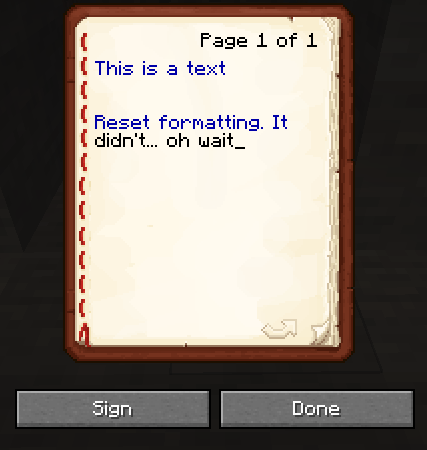
Copy this character: §
Take a Writeable Book
Type (don't copy paste the text below, that doesn't work):§1This is a text §rA new lineMake sure it has atleast one new line.
If you did this correctly, you will see that §r did not reset the formatting, but it should have done that, I think.
However, if you reset it without a new line, then it will reset it the previous formatting. But it doesn't seem to do that when there's a new line.
Copy this character: §
Take a Writeable Book
Type (don't copy paste the text below, that doesn't work):§1This is a text §rAnew lineMake sure it has atleast one new line.
If you did this correctly, you will see that §r did not reset the formatting, but it should have done that, I think.
However, if you reset it without a new line, then it will reset it the previous formatting. But it doesn't seem to do that when there's a new line.
Copy this character: §
Take a Writeable Book
Type (don't copy paste the text below, that doesn't work):§1This is a text §rReset formatting after a new lineMake sure it has atleast one new line.
If you did this correctly, you will see that §r did not reset the formatting, but it should have done that, I think.
However, if you reset it without a new line, then it will reset it the previous formatting. But it doesn't seem to do that when there's a new line.
In a Writeable book, using §r after a new line, does not reset the previous formatting on the first line
Copy this character: §
Take a Writeable Book
Type (don't copy paste the text below, that doesn't work):§1This is a text §rReset formatting after a new line
Make sureit has atleast one new line.
If you did this correctly, you will see that §r did not reset the formatting, but it should have done that, I think.
However, if you reset it without a new line, then it will reset it the previous formatting. But it doesn't seem to do that when there's a new line.
Copy this character: §
Take a Writeable Book
Type (don't copy paste the text below, that doesn't work):§1This is a text §rReset formatting after a new lineMake sure the reset format is atleast after one new line with pressing Enter.
If you did this correctly, you will see that §r did not reset the formatting, but it should have done that, I think.
However, if you reset it without a new line, then it will reset it the previous formatting. But it doesn't seem to do that when there's a new line.
In a Writeable book, using §r after a new line, does not reset the previous formatting on the first line, but does at next line
Copy this character: §
Take a Writeable Book
Type (don't copy paste the text below, that doesn't work):§1This is a text §rReset formattingafter a new lineMake sure the reset format is atleast after one new line with pressing Enter.
If you did this correctly, you will see that §r did not reset the formatting, but it should have done that, I think.
However, if you reset it without a new line, then it will reset it the previous formatting. But it doesn't seem to do that when there's a new line.
Copy this character: §
Take a Writeable Book
Type (don't copy paste the text below, that doesn't work):§1This is a text §rReset formatting. It didn't... oh waitMake sure the reset format is atleast after one new line with pressing Enter.
If you did this correctly, you will see that §r did not reset the formatting, but it should have done that, I think.
However, if you reset it without a new line, then it will reset it the previous formatting. But it doesn't seem to do that when there's a new line.
Copy this character: §
Take a Writeable Book
Type (don't copy paste the text below, that doesn't work):§1This is a text §rReset formatting. It didn't... oh waitMake sure the reset format is atleast after one new line with pressing Enter.
If you did this correctly, you will see that §r did not reset the formatting, but it should have done that
, I think.
However, if you reset it without a new line, then it will reset it the previous formatting. But it doesn't seem to do that when there's a new line.Copy this character: §
Take a Writeable Book
Type (don't copy paste the text below, that doesn't work):§1This is a text §rReset formatting. It didn't... oh waitMake sure the reset format is atleast after one new line with pressing Enter.
If you did this correctly, you will see that §r did not reset the formatting, but it should have done that.
Later I figured out it did reset it, but only after it went in the next line, which is weird.
However, if you reset it without a new line, then it will reset it the previous formatting. But it doesn't seem to do that immediately right after a new line.
The result would look like this
https://i.imgur.com/f3mZdk8.png
Copy this character: §
Take a Writeable Book
Type (don't copy paste the text below, that doesn't work):§1This is a text §rReset formatting. It didn't... oh waitMake sure the reset format is atleast after one new line with pressing Enter.
If you did this correctly, you will see that §r did not reset the formatting, but it should have done that.
Later I figured out it did reset it, but only after it went in the next line, which is weird.
However, if you reset it without a new line, then it will reset it the previous formatting. But it doesn't seem to do that immediately right after a new line.
The result would look like this
https://i.imgur.com/f3mZdk8.pngCopy this character: §
Take a Writeable Book
Type (don't copy paste the text below, that doesn't work):§1This is a text §rReset formatting. It didn't... oh waitMake sure the reset format is atleast after one new line with pressing Enter.
If you did this correctly, you will see that §r did not reset the formatting, but it should have done that.
Later I figured out it did reset it, but only after it went in the next line, which is weird.
However, if you reset it without a new line, then it will reset it the previous formatting. But it doesn't seem to do that immediately right after a new line.
The result would look like this
Copy this character: §
Take a Writeable Book
Type (don't copy paste the text below, that doesn't work):§1This is a text §rReset formatting. It didn't... oh waitMake sure the reset format is atleast after one new line with pressing Enter.
If you did this correctly, you will see that §r did not reset the formatting, but it should have done that.
Later I figured out it did reset it, but only after it went in the next line, which is weird.
However, if you reset it without a new line, then it will reset it the previous formatting. But it doesn't seem to do that immediately right after a new line.
The result would look like this
Copy this character: §
Take a Writeable Book
Type (don't copy paste the text below, that doesn't work):§1This is a text §rReset formatting. It didn't... oh waitMake sure the reset format is atleast after one new line with pressing Enter.
If you did this correctly, you will see that §r did not reset the formatting, but it should have done that.
Later I figured out it did reset it, but only after it went in the next line, which is weird.
However, if you reset it without a new line, then it will reset it the previous formatting. But it doesn't seem to do that immediately right after a new line.
The result would look like this
Copy this character: §
Take a Writeable Book
Type (don't copy paste the text below, that doesn't work):§1This is a text §rReset formatting. It didn't... oh waitMake sure the reset format is atleast after one new line with pressing Enter.
If you did this correctly, you will see that §r did not reset the formatting, but it should have done that.
Later I figured out it did reset it, but only after it went in the next line, which is weird.
However, if you reset it without a new line, then it will reset it the previous formatting. But it doesn't seem to do that immediately right after a new line.
The result would look like this
Copy this character: §
Take a Writeable Book
Type (don't copy paste the text below, that doesn't work):§1This is a text §rReset formatting. It didn't... oh waitMake sure the reset format is atleast after one new line with pressing Enter.
If you did this correctly, you will see that §r did not reset the formatting, but it should have done that.
Later I figured out it did reset it, but only after it went in the next line, which is weird.
However, if you reset it without a new line, then it will reset it the previous formatting. But it doesn't seem to do that immediately right after a new line.
The result would look like this
!aa
Copy this character: §
Take a Writeable Book
Type (don't copy paste the text below, that doesn't work):§1This is a text §rReset formatting. It didn't... oh waitMake sure the reset format is atleast after one new line with pressing Enter.
If you did this correctly, you will see that §r did not reset the formatting, but it should have done that.
Later I figured out it did reset it, but only after it went in the next line, which is weird.
However, if you reset it without a new line, then it will reset it the previous formatting. But it doesn't seem to do that immediately right after a new line.
The result would look like this
!
aaCopy this character: §
Take a Writeable Book
Type (don't copy paste the text below, that doesn't work):§1This is a text §rReset formatting. It didn't... oh waitMake sure the reset format is atleast after one new line with pressing Enter.
If you did this correctly, you will see that §r did not reset the formatting, but it should have done that.
Later I figured out it did reset it, but only after it went in the next line, which is weird.
However, if you reset it without a new line, then it will reset it the previous formatting. But it doesn't seem to do that immediately right after a new line.
The result would look like this
Copy this character: §
Take a Writeable Book
Type (don't copy paste the text below, that doesn't work):§1This is a text §rReset formatting. It didn't... oh waitMake sure the reset format is atleast after one new line with pressing Enter.
If you did this correctly, you will see that §r did not reset the formatting, but it should have done that.
Later I figured out it did reset it, but only after it went in the next line, which is weird.
However, if you reset it without a new line, then it will reset it the previous formatting. But it doesn't seem to do that immediately right after a new line.
The result would look like this
Copy this character: §
Take a Writeable Book
Type (don't copy paste the text below, that doesn't work):§1This is a text §rReset formatting. It didn't... oh waitMake sure the reset format is atleast after one new line with pressing Enter.
If you did this correctly, you will see that §r did not reset the formatting, but it should have done that.
Later I figured out it did reset it, but only after it went in the next line, which is weird.
However, if you reset it without a new line, then it will reset it the previous formatting. But it doesn't seem to do that immediately right after a new line.
The result would look like this
Copy this character: §
Take a Writeable Book
Type (don't copy paste the text below, that doesn't work):§1This is a text §rReset formatting. It didn't... oh waitMake sure the reset format is atleast after one new line with pressing Enter.
If you did this correctly, you will see that §r did not reset the formatting, but it should have done that.
Later I figured out it did reset it, but only after it went in the next line, which is weird.
However, if you reset it without a new line, then it will reset it the previous formatting. But it doesn't seem to do that immediately right after a new line.
The result would look like this:
Copy this character: §
Take a Writeable Book
Type (don't copy paste the text below, that doesn't work):§1This is a text §rReset formatting. It didn't... oh waitMake sure the reset format is atleast after one new line with pressing Enter.
If you did this correctly, you will see that §r did not reset the formatting, but it should have done that.
Later I figured out it did reset it, but only after it went in the next line, which is weird.
However, if you reset it without a new line, then it will reset it the previous formatting. But it doesn't seem to do that immediately right after a new line.
The result would look like this:
Copy this character: §
Take a Writeable Book
Type (don't copy paste the text below, that doesn't work):§1This is a text §rReset formatting. It didn't... oh waitMake sure the reset format is atleast after one new line with pressing Enter.
If you did this correctly, you will see that §r did not reset the formatting, but it should have done that.
Later I figured out it did reset it, but only after it went in the next line, which is weird.
However, if you reset it without a new line, then it will reset it the previous formatting. But it doesn't seem to do that immediately right after a new line.
The result would look like this:
Copy this character: §
Take a Writeable Book
Type (don't copy paste the text below, that doesn't work), use the copied § to insert that character:§1This is a text §rReset formatting. It didn't... oh waitMake sure the reset format is atleast after one new line with pressing Enter.
If you did this correctly, you will see that §r did not reset the formatting, but it should have done that.
Later I figured out it did reset it, but only after it went in the next line, which is weird.
However, if you reset it without a new line, then it will reset it the previous formatting. But it doesn't seem to do that immediately right after a new line.
The result would look like this:
Villager Iron Golems do not defend from Screaming Goats upon attack?
Is it intended that Villager Iron Golems do not attack Screaming Goats, if the Screaming Goat attacks the Golem, not even when the goat attacks
the villager?You can try it.
/summon minecraft:goat ~ ~ ~ {IsScreamingGoat:1b}is to spawn the Screaming Goat
and
/summon minecraft:iron_golemfor the Iron Golem
Is it intended that Villager Iron Golems do not attack Screaming Goats, if the Screaming Goat attacks the Golem, not even when the goat attacks a Villager?
You can try it.
/summon minecraft:goat ~ ~ ~ {IsScreamingGoat:1b}is to spawn the Screaming Goat
and
/summon minecraft:iron_golemfor the Iron Golem
"Twisted" and "Don't Blink" achievement descriptions are inaccurate
While changing the keybinds and getting server transfered, you get soft locked
While changing the keybinds and getting server transfered,you get soft locked
If you are in middle of changing the keybinds on a server, as example, while you're in the waiting lobby. If you get teleported from the waiting lobby to the other world or server, or something, you can't control the game anymore, not even if you disconnect, you're just soft locked and are forced to restart the game.
- To reproduce this, join a server
- Go into a mini game
- Open the keybinds settings and click on a keybind so that the text turns yellow
- Now wait for the
gameto teleport youBasically, you just have to somehow get teleported and the game has to somehow close the settings screen, and you should be able to reproduce this issue.
If you are in middle of changing the keybinds on a server, as example, while you're in the waiting lobby. If you get teleported from the waiting lobby to the other world or server, or something, you can't control the game anymore, not even if you disconnect, you're just soft locked and are forced to restart the game.
- To reproduce this, join a server
- Go into a mini game
- Open the keybinds settings and click on a keybind so that the text turns yellow
- Now wait for the server to teleport you
Basically, you just have to somehow get teleported and the game has to somehow close the settings screen, and you should be able to reproduce this issue.
Killing the Ender Dragon with thebedexplosions, does not trigger the achievementKilling the Ender Dragon with the explosions from the bed, does not trigger the achievement
Client Light 0 can be found through normal world generationin strange spotClient Light 0 can be found through normal world generation, which is inconsistent with other lighting
In the newest Pre-Release 2, I don't encounter this issue anymore, was it fixed?
Description:
When an non-stackable item has its "count" value changed from its NBT, it does not display that in a container, such like a chest, but they are stacked, they just don't show the value, unless you take the item with the cursor, which is a strange and inconsistent behavior.
However, it does preserve the number when you take it out with numbers on your keyboard, but causes the item to disappear:
Re-production steps:
- Give yourself a Netherite Sword
- Place down a Chest
- Put the Netherite Sword anywhere in the chest.
- Stand on top of the chest
- Run: /data modify block ~ ~ ~ Items[0].count set value 5
- Take the Netherite Sword out by clicking on it with the mouse once which makes the item follow your cursor to move it to a different slot.
- Observe how it says "5" on the Item, but how it didn't have a number before at all
You can additionally test it with the Test Game that I attached.
Expected Result:
I expected that the Swords would show a 5 next to it.
Actual Result:
The sword only showed a 5 once I took it.
Description:
When an non-stackable item has its "count" value changed from its NBT, it does not display that in a container, such like a chest, but they are stacked, they just don't show the value, unless you take the item with the cursor, which is a strange and inconsistent behavior.
However, it does preserve the number when you take it out with numbers on your keyboard, but causes the item to disappear: https://bugs.mojang.com/browse/MC-278488
Re-production steps:
- Give yourself a Netherite Sword
- Place down a Chest
- Put the Netherite Sword anywhere in the chest.
- Stand on top of the chest
- Run: /data modify block ~ ~ ~ Items[0].count set value 5
- Take the Netherite Sword out by clicking on it with the mouse once which makes the item follow your cursor to move it to a different slot.
- Observe how it says "5" on the Item, but how it didn't have a number before at all
You can additionally test it with the Test Game that I attached.
Expected Result:
I expected that the Swords would show a 5 next to it.
Actual Result:
The sword only showed a 5 once I took it.

Non-stackable items don't show a stack number, when having their stack count changed, unless taken out
Non-stackable items don't show a stack number, when having their stack count changed, unless taken out from a container
Description:
When an non-stackable item has its "count" value changed from its NBT, it does not display that in a container, such like a chest, but they are stacked, they just don't show the value, unless you take the item with the cursor, which is a strange and inconsistent behavior, because there's an NBT value that increases the stack count, but when you do it like this, it's just weird, YET it works if you take it out with numbers and then shows a stack number, but not with a cursor, so that's just strange behavior.
However, it does preserve the number when you take it out with numbers on your keyboard, but causes the item to disappear: https://bugs.mojang.com/browse/MC-278488
Re-production steps:
- Give yourself a Netherite Sword
- Place down a Chest
- Put the Netherite Sword anywhere in the chest.
- Stand on top of the chest
- Run: /data modify block ~ ~ ~ Items[0].count set value 5
- Take the Netherite Sword out by clicking on it with the mouse once which makes the item follow your cursor to move it to a different slot.
- Observe how it says "5" on the Item, but how it didn't have a number before at all
You can additionally test it with the Test Game that I attached.
Expected Result:
I expected that the Swords would show a 5 next to it.
Actual Result:
The sword only showed a 5 once I took it.
Description:
When an non-stackable item has its "count" value changed from its NBT, it does not display that in a container, such like a chest, but they are stacked, they just don't show the value, unless you take the item with the cursor, which is a strange and inconsistent behavior.
Re-production steps:
- Give yourself a Netherite Sword
- Place down a Chest
- Put the Netherite Sword anywhere in the chest.
- Stand on top of the chest
- Run: /data modify block ~ ~ ~ Items[0].count set value 5
- Take the Netherite Sword out by hovering over it with your cursor, then click a number on your keyboard like 1, 2 or 3. This will move the Sword out of the chest, directly in one of your 10 hotbar slots.
- Once you've done that you can close the chest.
- Now, open your inventory and move the item around using numbers on your keyboard as well.
- Open the chest again
- Observe how the Sword just disappears
You can additionally test it with the Test Game that I attached.
Expected Result:
I expected the items to stay, if it managed to enter my inventory.
Actual Result:
They disappeared
, they're gone.
stacking_nonstackables_but_item_disappears.mp4
Description:
When an non-stackable item has its "count" value changed from its NBT, it does not display that in a container, such like a chest, but they are stacked, they just don't show the value, unless you take the item with the cursor, which is a strange and inconsistent behavior.
Re-production steps:
- Give yourself a Netherite Sword
- Place down a Chest
- Put the Netherite Sword anywhere in the chest.
- Stand on top of the chest
- Run: /data modify block ~ ~ ~ Items[0].count set value 5
- Take the Netherite Sword out by hovering over it with your cursor, then click a number on your keyboard like 1, 2 or 3. This will move the Sword out of the chest, directly in one of your 10 hotbar slots.
- Once you've done that you can close the chest.
- Now, open your inventory and move the item around using numbers on your keyboard as well.
- Open the chest again
- Observe how the Sword just disappears
You can additionally test it with the Test Game that I attached.
Expected Result:
I expected the items to stay, if it managed to enter my inventory.
Actual Result:
They disappeared from my inventory after opening the chest. The swords seem to be gone.
stacking_nonstackables_but_item_disappears.mp4
Description:
When an non-stackable item has its "count" value changed from its NBT, it does not display that in a container, such like a chest, but they are stacked, they just don't show the value, unless you take the item with the cursor, which is a strange and inconsistent behavior.
Re-production steps:
- Give yourself a Netherite Sword
- Place down a Chest
- Put the Netherite Sword anywhere in the chest.
- Stand on top of the chest
- Run: /data modify block ~ ~ ~ Items[0].count set value 5
- Take the Netherite Sword out by hovering over it with your cursor, then click a number on your keyboard like 1, 2 or 3. This will move the Sword out of the chest, directly in one of your 10 hotbar slots.
- Once you've done that you can close the chest.
- Now, open your inventory and move the item around using numbers on your keyboard as well.
- Open the chest again
- Observe how the Sword just disappear
s
You can additionally test it with the Test Game that I attached.
Expected Result:
I expected the items to stay, if it managed to enter my inventory.
Actual Result:
They disappeared from my inventory after opening the chest. The swords seem to be gone.
stacking_nonstackables_but_item_disappears.mp4
Description:
When an non-stackable item has its "count" value changed from its NBT, it does not display that in a container, such like a chest, but they are stacked, they just don't show the value, unless you take the item with the cursor, which is a strange and inconsistent behavior.
Re-production steps:
- Give yourself a Netherite Sword
- Place down a Chest
- Put the Netherite Sword anywhere in the chest.
- Stand on top of the chest
- Run: /data modify block ~ ~ ~ Items[0].count set value 5
- Take the Netherite Sword out by hovering over it with your cursor, then click a number on your keyboard like 1, 2 or 3. This will move the Sword out of the chest, directly in one of your 10 hotbar slots.
- Once you've done that you can close the chest.
- Now, open your inventory and move the item around using numbers on your keyboard as well.
- Open the chest again
- Observe how the 5 stacked Sword just disappear
You can additionally test it with the Test Game that I attached.
Expected Result:
I expected the items to stay, if it managed to enter my inventory.
Actual Result:
They disappeared from my inventory after opening the chest. The swords seem to be gone.
stacking_nonstackables_but_item_disappears.mp4
Description:
When an non-stackable item has its "count" value changed from its NBT, it does not display that in a container, such like a chest, but they are stacked, they just don't show the value, unless you take the item with the cursor, which is a strange and inconsistent behavior.
Re-production steps:
- Give yourself a Netherite Sword
- Place down a Chest
- Put the Netherite Sword anywhere in the chest.
- Stand on top of the chest
- Run: /data modify block ~ ~ ~ Items[0].count set value 5
- Take the Netherite Sword out by hovering over it with your cursor, then click a number on your keyboard like 1, 2 or 3. This will move the Sword out of the chest, directly in one of your 10 hotbar slots.
- Once you've done that you can close the chest.
- Now, open your inventory and move the item around using numbers on your keyboard as well.
- Open the chest again
- Observe how the 5 stacked Swords just disappear
You can additionally test it with the Test Game that I attached.
Expected Result:
I expected the items to stay, if it managed to enter my inventory.
Actual Result:
They disappeared from my inventory after opening the chest. The swords seem to be gone.
stacking_nonstackables_but_item_disappears.mp4
Non-stackable item DISAPPEARS when stacking it and taking it out of a container using hotkeys, moving it and then opening the container again
Description:
When an non-stackable item has its "count" value changed from its NBT, it does not display that in a container, such like a chest, but they are stacked, they just don't show the value, unless you take the item with the cursor, which is a strange and inconsistent behavior.
Re-production steps:
- Give yourself a Netherite Sword
- Place down a Chest
- Put the Netherite Sword anywhere in the chest.
- Stand on top of the chest
- Run: /data modify block ~ ~ ~ Items[0].count set value 5
- Take the Netherite Sword out by hovering over it with your cursor, then click a number on your keyboard like 1, 2 or 3. This will move the Sword out of the chest, directly in one of your 10 hotbar slots.
- Once you've done that you can close the chest.
- Now, open your inventory and move the item around using numbers on your keyboard as well.
Open the chest again- Observe how the 5 stacked Swords just disappear
You can additionally test it with the Test Game that I attached.
Expected Result:
I expected the items to stay, if it managed to enter my inventory.
Actual Result:
They disappeared from my inventory after opening the chest. The swords seem to be gone.
stacking_nonstackables_but_item_disappears.mp4
Description:
When an non-stackable item has its "count" value changed from its NBT, it does not display that in a container, such like a chest, but they are stacked, they just don't show the value, unless you take the item with the cursor, which is a strange and inconsistent behavior.
Re-production steps:
- Give yourself a Netherite Sword
- Place down a Chest
- Put the Netherite Sword anywhere in the chest.
- Stand on top of the chest
- Run: /data modify block ~ ~ ~ Items[0].count set value 5
- Take the Netherite Sword out by hovering over it with your cursor, then click a number on your keyboard like 1, 2 or 3. This will move the Sword out of the chest, directly in one of your 10 hotbar slots.
- Once you've done that you can close the chest.
- Now, while in creative mode click E to your inventory and move the item around using numbers on your keyboard as well. You need to move the 5 stacked swords somewhere else around your quick access inventory slots.
- After that, open the chest again
- Observe how the 5 stacked Swords just disappear
You can additionally test it with the Test Game that I attached.
Expected Result:
I expected the items to stay, if it managed to enter my inventory.
Actual Result:
They disappeared from my inventory after opening the chest. The swords seem to be gone.
stacking_nonstackables_but_item_disappears.mp4
Non-stackable item disappears when stacking it and taking it out of a container using hotkeys, moving it in CREATIVE and then opening the container again
No sound when placing down beds, BUT only when the "anticipated angle" changes
Description:
While trying to place down beds to see the new Villager change. I got into placing down beds and ran into an issue where the bed wouldn't place at all.
While trying to re-produce that issue, I noticed that beds don't play a "place sound" if the anticipated block and camera angle at the moment at when you pressed "right click", changes.
Originally I discovered an issue when regularly trying to place a bed down while running or walking without any drastic camera movement. But to track this issue down, I found out that it happens a lot through drastic camera movement.
When searching I found this
MC-91314but this was closed, and my issue is specifically related to camera movement. And this is only for the Bed, unless I forgot about another block that is like 1x2.
To clarify: With the "anticipated" block and angle. I mean an observation that I believe. I believe that when you right click, the game must somehow be checking if there is space to place down a bed. No clue what it does after. Sometimes there is space, but it doesn't play a sound. A few times there was space and the bed gets placed down, but then it disappears. It was hard to tell what that was, but it happened with the same re-production steps for getting no placement sound.
Re-production Steps:
- Get a Bed in Creative Mode
- Move your camera a lot and try to place down beds
- Observe if they make sound or not
I attached a video. If you watch the video, you'll notice I place down beds regularly so you know what sound it plays. At the beginning I struggled because the recording was lagging me.
At one point you may notice how I break some beds and how it plays a breaking sound, but how it never played a "place sound". If you ever find that strangeness in the video, then you found the area where a bed was placed down without a sound.
Expected Result:
When a bed gets placed down, it plays a sound indicating that it was placed down.
Actual Result:
Sometimes the beds manage to get placed down without a sound at all. Sometimes the bad gets placed down but then also disappears on its own.
Description:
While trying to place down beds to see the new Villager change. I got into placing down beds and ran into an issue where the bed wouldn't place at all.
While trying to re-produce that issue, I noticed that beds don't play a "place sound" if the anticipated block and camera angle at the moment at when you pressed "right click", changes.
Originally I discovered an issue when regularly trying to place a bed down while running or walking without any drastic camera movement. But to track this issue down, I found out that it happens a lot through drastic camera movement.
When searching I found this
MC-91314but this was closed, and my issue is specifically related to camera movement. And this is only for the Bed, unless I forgot about another block that is like 1x2.
To clarify: With the "anticipated" block and angle. I mean an observation that I believe. I believe that when you right click, the game must somehow be checking if there is space to place down a bed. No clue what it does after. Sometimes there is space and places down a bed, but it doesn't play a sound. A few times there was space and the bed gets placed down, but then it disappears. It was hard to tell what that was, but it happened with the same re-production steps for getting no placement sound.
Re-production Steps:
- Get a Bed in Creative Mode
- Move your camera a lot and try to place down beds
- Observe if they make sound or not
I attached a video. If you watch the video, you'll notice I place down beds regularly so you know what sound it plays. At the beginning I struggled because the recording was lagging me.
At one point you may notice how I break some beds and how it plays a breaking sound, but how it never played a "place sound". If you ever find that strangeness in the video, then you found the area where a bed was placed down without a sound.
Expected Result:
When a bed gets placed down, it plays a sound indicating that it was placed down.
Actual Result:
Sometimes the beds manage to get placed down without a sound at all. Sometimes the bad gets placed down but then also disappears on its own.
Description:
While trying to place down beds to see the new Villager change. I got into placing down beds and ran into an issue where the bed wouldn't place at all.
While trying to re-produce that issue, I noticed that beds don't play a "place sound" if the anticipated block and camera angle at the moment at when you pressed "right click", changes.
Originally I discovered an issue when regularly trying to place a bed down while running or walking without any drastic camera movement. But to track this issue down, I found out that it happens a lot through drastic camera movement.
When searching I found this
MC-91314but this was closed, and my issue is specifically related to camera movement.And this is only for the Bed, unless I forgot about another block that is like 1x2.
To clarify: With the "anticipated" block and angle. I mean an observation that I believe. I believe that when you right click, the game must somehow be checking if there is space to place down a bed. No clue what it does after. Sometimes there is space and places down a bed, but it doesn't play a sound. A few times there was space and the bed gets placed down, but then it disappears. It was hard to tell what that was, but it happened with the same re-production steps for getting no placement sound.
Re-production Steps:
- Get a Bed in Creative Mode
- Move your camera a lot and try to place down beds
- Observe if they make sound or not
I attached a video. If you watch the video, you'll notice I place down beds regularly so you know what sound it plays. At the beginning I struggled because the recording was lagging me.
At one point you may notice how I break some beds and how it plays a breaking sound, but how it never played a "place sound". If you ever find that strangeness in the video, then you found the area where a bed was placed down without a sound.
Expected Result:
When a bed gets placed down, it plays a sound indicating that it was placed down.
Actual Result:
Sometimes the beds manage to get placed down without a sound at all. Sometimes the bad gets placed down but then also disappears on its own.
Description:
While trying to place down beds to see the new Villager change. I got into placing down beds and ran into an issue where the bed wouldn't place at all.
While trying to re-produce that issue, I noticed that beds don't play a "place sound" if the anticipated block and camera angle at the moment at when you pressed "right click", changes.
Originally I discovered an issue when regularly trying to place a bed down while running or walking without any drastic camera movement. But to track this issue down, I found out that it happens a lot through drastic camera movement.
When searching I found this
MC-91314but this was closed, and my issue is specifically related to camera movement. And this is only for the Bed, unless I forgot about another block that is like 1x2. So regular blocks don't run into this issue, so I wonder if this is an optimization issue.
To clarify: With the "anticipated" block and angle. I mean an observation that I believe. I believe that when you right click, the game must somehow be checking if there is space to place down a bed. No clue what it does after. Sometimes there is space and places down a bed, but it doesn't play a sound. A few times there was space and the bed gets placed down, but then it disappears. It was hard to tell what that was, but it happened with the same re-production steps for getting no placement sound.
Re-production Steps:
- Get a Bed in Creative Mode
- Move your camera a lot and try to place down beds
- Observe if they make sound or not
I attached a video. If you watch the video, you'll notice I place down beds regularly so you know what sound it plays. At the beginning I struggled because the recording was lagging me.
At one point you may notice how I break some beds and how it plays a breaking sound, but how it never played a "place sound". If you ever find that strangeness in the video, then you found the area where a bed was placed down without a sound.
Expected Result:
When a bed gets placed down, it plays a sound indicating that it was placed down.
Actual Result:
Sometimes the beds manage to get placed down without a sound at all. Sometimes the bad gets placed down but then also disappears on its own.
No sound when placing down beds, BUT only when the "anticipated block and angle" changes
Description:
While trying to place down beds to see the new Villager change. I got into placing down beds and ran into an issue where the bed wouldn't place at all.
While trying to re-produce that issue, I noticed that beds don't play a "place sound" if the anticipated block and camera angle at the moment at when you pressed "right click", changes.
Originally I discovered an issue when regularly trying to place a bed down while running or walking without any drastic camera movement. But to track this issue down, I found out that it happens a lot through drastic camera movement.
When searching I found this
MC-91314but this was closed, and my issue is specifically related to camera movement. And this is only for the Bed, unless I forgot about another block that is like 1x2. So regular blocks don't run into this issue, so I wonder if this is an optimization issue.
To clarify: With the "anticipated" block and angle. I mean an observation that I believe. I believe that when you right click, the game must somehow be checking if there is space to place down a bed. No clue what it does after. Sometimes there is space and places down a bed, but it doesn't play a sound. A few times there was space and the bed gets placed down, but then it disappears. It was hard to tell what that was, but it happened with the same re-production steps for getting no placement sound.
Re-production Steps:
- Get a Bed in Creative Mode
- Move your camera a lot and try to place down beds
- Observe if they make sound or not
I attached a video. If you watch the video, you'll notice I place down beds regularly so you know what sound it plays. At the beginning I struggled because the recording was lagging me.
At one point you may notice how I break some beds and how it plays a breaking sound, but how it never played a "place sound". If you ever find that strangeness in the video, then you found the area where a bed was placed down without a sound.
Expected Result:
When a bed gets placed down, it plays a sound indicating that it was placed down.
Actual Result:
Sometimes the beds manage to get placed down without a sound at all. Sometimes the bad gets placed down but then also disappears on its own.
Description:
While trying to place down beds to see the new Villager change. I got into placing down beds and ran into an issue where the bed wouldn't place at all.
While trying to re-produce that issue, I noticed that beds don't play a "place sound" if the anticipated block and camera angle at the moment at when you pressed "right click", changes.
Originally I discovered an issue when regularly trying to place a bed down while running or walking without any drastic camera movement. But to track this issue down, I found out that it happens a lot through drastic camera movement.
When searching I found this
MC-91314but this was closed, and my issue is specifically related to camera movement. And this is only for the Bed, unless I forgot about another block that is like 1x2. So regular blocks don't run into this issue, so I wonder if this is an optimization issue.
To clarify: With the "anticipated" block and angle. I mean an observation that I believe. I believe that when you right click, the game must somehow be checking if there is space to place down a bed. No clue what it does after. Sometimes there is space and places down a bed, but it doesn't play a sound. A few times there was space and the bed gets placed down, but then it disappears. It was hard to tell what that was, but it happened with the same re-production steps for getting no placement sound.
Re-production Steps:
- Get a Bed in Creative Mode
- Move your camera a lot and try to place down beds
- Observe if they make sound or not
I attached a video. If you watch the video, you'll notice I place down beds regularly so you know what sound it plays. At the beginning I struggled because the recording was lagging me.
At one point you may notice how I break some beds and how it plays a breaking sound, but how it never played a "place sound". If you ever find that strangeness in the video, then you found the area where a bed was placed down without a sound.
Expected Result:
When a bed gets placed down, it plays a sound indicating that it was placed down.
Actual Result:
Sometimes the beds manage to get placed down without a sound at all. Sometimes the bad gets placed down but then also disappears on its own.
Description:
While trying to place down beds to see the new Villager change. I got into placing down beds and ran into an issue where the bed wouldn't place at all.
While trying to re-produce that issue, I noticed that beds don't play a "place sound" if the anticipated block and camera angle at the moment at when you pressed "right click", changes.
Originally I discovered an issue when regularly trying to place a bed down while running or walking without any drastic camera movement. But to track this issue down, I found out that it happens a lot through drastic camera movement.
When searching I found this
MC-91314but this was closed, and my issue is specifically related to camera movement. And this is only for the Bed, unless I forgot about another block that is like 1x2. So regular blocks don't run into this issue, so I wonder if this is an optimization issue.
To clarify: With the "anticipated" block and angle. I mean an observation that I believe. I believe that when you right click, the game must somehow be checking if there is space to place down a bed. No clue what it does after. Sometimes there is space and places down a bed, but it doesn't play a sound. A few times there was space and the bed gets placed down, but then it disappears. It was hard to tell what that was, but it happened with the same re-production steps for getting no placement sound.
Re-production Steps:
- Get a Bed in Creative Mode
- Move your camera a lot and try to place down beds
- Observe if they make sound or not
I attached a video. If you watch the video, you'll notice I place down beds regularly so you know what sound it plays. At the beginning I struggled because the recording was lagging me.
At one point you may notice how I break some beds and how it plays a breaking sound, but how it never played a "place sound". If you ever find that strangeness in the video, then you found the area where a bed was placed down without a sound.
Expected Result:
When a bed gets placed down, it plays a sound indicating that it was placed down.
Actual Result:
Sometimes the beds manage to get placed down without a sound at all. Sometimes the b
ad gets placed down but then also disappears on its own.Description:
While trying to place down beds to see the new Villager change. I got into placing down beds and ran into an issue where the bed wouldn't place at all.
While trying to re-produce that issue, I noticed that beds don't play a "place sound" if the anticipated block and camera angle at the moment at when you pressed "right click", changes.
Originally I discovered an issue when regularly trying to place a bed down while running or walking without any drastic camera movement. But to track this issue down, I found out that it happens a lot through drastic camera movement.
When searching I found this
MC-91314but this was closed, and my issue is specifically related to camera movement. And this is only for the Bed, unless I forgot about another block that is like 1x2. So regular blocks don't run into this issue, so I wonder if this is an optimization issue.
To clarify: With the "anticipated" block and angle. I mean an observation that I believe. I believe that when you right click, the game must somehow be checking if there is space to place down a bed. No clue what it does after. Sometimes there is space and places down a bed, but it doesn't play a sound. A few times there was space and the bed gets placed down, but then it disappears. It was hard to tell what that was, but it happened with the same re-production steps for getting no placement sound.
Re-production Steps:
- Get a Bed in Creative Mode
- Move your camera a lot and try to place down beds
- Observe if they make sound or not
I attached a video. If you watch the video, you'll notice I place down beds regularly so you know what sound it plays. At the beginning I struggled because the recording was lagging me.
At one point you may notice how I break some beds and how it plays a breaking sound, but how it never played a "place sound". If you ever find that strangeness in the video, then you found the area where a bed was placed down without a sound.
Expected Result:
When a bed gets placed down, it plays a sound indicating that it was placed down.
Actual Result:
Sometimes the beds manage to get placed down without a sound at all. Sometimes the bed gets placed down but then also disappears on its own.
Description:
While trying to place down beds to see the new Villager change. I got into placing down beds and ran into an issue where the bed wouldn't place at all.
While trying to re-produce that issue, I noticed that beds don't play a "place sound" if the anticipated block and camera angle at the moment at when you pressed "right click", changes.
Originally I discovered an issue when regularly trying to place a bed down while running or walking without any drastic camera movement. But to track this issue down, I found out that it happens a lot through drastic camera movement.
When searching I found this
MC-91314but this was closed, and my issue is specifically related to camera movement. And this is only for the Bed, unless I forgot about another block that is like 1x2. So regular blocks don't run into this issue, so I wonder if this is an optimization issue.
To clarify: With the "anticipated" block and angle. I mean an observation that I believe. I believe that when you right click, the game must somehow be checking if there is space to place down a bed. No clue what it does after. Sometimes there is space and places down a bed, but it doesn't play a sound. A few times there was space and the bed gets placed down, but then it disappears. It was hard to tell what that was, but it happened with the same re-production steps for getting no placement sound.
Re-production Steps:
- Get a Bed in Creative Mode
- Move your camera a lot and try to place down beds
- Observe if they make sound or not
I attached a video. If you watch the video, you'll notice I place down beds regularly so you know what sound it plays. At the beginning I struggled because the recording was lagging me.
At one point you may notice how I break some beds and how it plays a breaking sound, but how it never played a "place sound". If you ever find that strangeness in the video, then you found the area where a bed was placed down without a sound.
Expected Result:
When a bed gets placed down, it plays a sound indicating that it was placed down.
Actual Result:
Sometimes the beds manage to get placed down without a sound at all.
Sometimesthebed gets placed down but then also disappears on its own.Description:
While trying to place down beds to see the new Villager change. I got into placing down beds and ran into an issue where the bed wouldn't place at all.
While trying to re-produce that issue, I noticed that beds don't play a "place sound" if the anticipated block and camera angle at the moment at when you pressed "right click", changes.
Originally I discovered an issue when regularly trying to place a bed down while running or walking without any drastic camera movement. But to track this issue down, I found out that it happens a lot through drastic camera movement.
When searching I found this
MC-91314but this was closed, and my issue is specifically related to camera movement. And this is only for the Bed, unless I forgot about another block that is like 1x2. So regular blocks don't run into this issue, so I wonder if this is an optimization issue.
To clarify: With the "anticipated" block and angle. I mean an observation that I believe. I believe that when you right click, the game must somehow be checking if there is space to place down a bed. No clue what it does after. Sometimes there is space and places down a bed, but it doesn't play a sound. A few times there was space and the bed gets placed down, but then it disappears. It was hard to tell what that was, but it happened with the same re-production steps for getting no placement sound.
Re-production Steps:
- Get a Bed in Creative Mode
- Move your camera a lot and try to place down beds
- Observe if they make sound or not
I attached a video. If you watch the video, you'll notice I place down beds regularly so you know what sound it plays. At the beginning I struggled because the recording was lagging me.
At one point you may notice how I break some beds and how it plays a breaking sound, but how it never played a "place sound". If you ever find that strangeness in the video, then you found the area where a bed was placed down without a sound.
Expected Result:
When a bed gets placed down, it plays a sound indicating that it was placed down.
Actual Result:
Sometimes the beds manage to get placed down without a sound at all. And a few times a bed gets placed down but then also disappears on its own.
Description:
While trying to place down beds to see the new Villager change. I got into placing down beds and ran into an issue where
thebedwouldn't place at all.
While trying to re-produce that issue, I noticed that beds don't play a "place sound" if the anticipated block and camera angle at the moment at when you pressed "right click", changes.
Originally I discovered an issue when regularly trying to place a bed down while running or walking without any drastic camera movement. But to track this issue down, I found out that it happens a lot through drastic camera movement.
When searching I found this
MC-91314but this was closed, and my issue is specifically related to camera movement. And this is only for the Bed, unless I forgot about another block that is like 1x2. So regular blocks don't run into this issue, so I wonder if this is an optimization issue.
To clarify: With the "anticipated" block and angle. I mean an observation that I believe. I believe that when you right click, the game must somehow be checking if there is space to place down a bed. No clue what it does after. Sometimes there is space and places down a bed, but it doesn't play a sound. A few times there was space and the bed gets placed down, but then it disappears. It was hard to tell what that was, but it happened with the same re-production steps for getting no placement sound.
Re-production Steps:
- Get a Bed in Creative Mode
- Move your camera a lot and try to place down beds
- Observe if they make sound or not
I attached a video. If you watch the video, you'll notice I place down beds regularly so you know what sound it plays. At the beginning I struggled because the recording was lagging me.
At one point you may notice how I break some beds and how it plays a breaking sound, but how it never played a "place sound". If you ever find that strangeness in the video, then you found the area where a bed was placed down without a sound.
Expected Result:
When a bed gets placed down, it plays a sound indicating that it was placed down.
Actual Result:
Sometimes the beds manage to get placed down without a sound at all. And a few times a bed gets placed down but then also disappears on its own.
Description:
While trying to place down beds to see the new Villager change. I got into placing down beds and ran into an issue where a bed gets placed down, but then quickly disappears.
While trying to re-produce that issue, I noticed that beds don't play a "place sound" if the anticipated block and camera angle at the moment at when you pressed "right click", changes.
Originally I discovered an issue when regularly trying to place a bed down while running or walking without any drastic camera movement. But to track this issue down, I found out that it happens a lot through drastic camera movement.
When searching I found this
MC-91314but this was closed, and my issue is specifically related to camera movement. And this is only for the Bed, unless I forgot about another block that is like 1x2. So regular blocks don't run into this issue, so I wonder if this is an optimization issue.
To clarify: With the "anticipated" block and angle. I mean an observation that I believe. I believe that when you right click, the game must somehow be checking if there is space to place down a bed. No clue what it does after. Sometimes there is space and places down a bed, but it doesn't play a sound. A few times there was space and the bed gets placed down, but then it disappears. It was hard to tell what that was, but it happened with the same re-production steps for getting no placement sound.
Re-production Steps:
- Get a Bed in Creative Mode
- Move your camera a lot and try to place down beds
- Observe if they make sound or not
I attached a video. If you watch the video, you'll notice I place down beds regularly so you know what sound it plays. At the beginning I struggled because the recording was lagging me.
At one point you may notice how I break some beds and how it plays a breaking sound, but how it never played a "place sound". If you ever find that strangeness in the video, then you found the area where a bed was placed down without a sound.
Expected Result:
When a bed gets placed down, it plays a sound indicating that it was placed down.
Actual Result:
Sometimes the beds manage to get placed down without a sound at all. And a few times a bed gets placed down but then also disappears on its own.
Description:
While trying to place down beds to see the new Villager change. I got into placing down beds and ran into an issue where a bed gets placed down, but then quickly disappears.
While trying to re-produce that issue, I noticed that beds don't play a "place sound" if the anticipated block and camera angle
at the moment at when you pressed "right click", changes.
Originally I discovered an issue when regularly trying to place a bed down while running or walking without any drastic camera movement. But to track this issue down, I found out that it happens a lot through drastic camera movement.
When searching I found this
MC-91314but this was closed, and my issue is specifically related to camera movement. And this is only for the Bed, unless I forgot about another block that is like 1x2. So regular blocks don't run into this issue, so I wonder if this is an optimization issue.
To clarify: With the "anticipated" block and angle. I mean an observation that I believe. I believe that when you right click, the game must somehow be checking if there is space to place down a bed. No clue what it does after. Sometimes there is space and places down a bed, but it doesn't play a sound. A few times there was space and the bed gets placed down, but then it disappears. It was hard to tell what that was, but it happened with the same re-production steps for getting no placement sound.
Re-production Steps:
- Get a Bed in Creative Mode
- Move your camera a lot and try to place down beds
Observe if they make sound or notI attached a video. If you watch the video, you'll notice I place down beds regularly so you know what sound it plays. At the beginning I struggled because the recording was lagging me.
At one point you may notice how I break some beds and how it plays a breaking sound, but how it never played a "place sound". If you ever find that strangeness in the video, then you found the area where a bed was placed down without a sound.
Expected Result:
When a bed gets placed down, it plays a sound indicating that it was placed down.
Actual Result:
Sometimes the beds manage to get placed down without a sound at all. And a few times a bed gets placed down but then also disappears on its own.
Description:
While trying to place down beds to see the new Villager change. I got into placing down beds and ran into an issue where a bed gets placed down, but then quickly disappears.
While trying to re-produce that issue, I noticed that beds don't play a "place sound" if the anticipated block and camera angle changes, at the moment at when you pressed "right click".
Originally, I discovered an issue when regularly trying to place a bed down while running or walking without any drastic camera movement. But to track this issue down, I found out that it happens a lot through drastic camera movement.
When searching I found this
MC-91314but this was closed, and my issue is specifically related to camera movement. And this is only for the Bed, unless I forgot about another block that is like 1x2. So regular blocks don't run into this issue, so I wonder if this is an optimization issue.
To clarify: With the "anticipated" block and angle. I mean an observation that I believe. I believe that when you right click, the game must somehow be checking if there is space to place down a bed. No clue what it does after. Sometimes there is space and places down a bed, but it doesn't play a sound. A few times there was space and the bed gets placed down, but then it disappears. It was hard to tell what that was, but it happened with the same re-production steps for getting no placement sound.
Re-production Steps:
- Get a Bed in Creative Mode
- Move your camera a lot and try to place down beds by aiming at the floor area.
- At a point some beds get placed down without a sound.
I attached a video. If you watch the video, you'll notice I place down beds regularly so you know what sound it plays. At the beginning I struggled because the recording was lagging me.
At one point you may notice how I break some beds and how it plays a breaking sound, but how it never played a "place sound". If you ever find that strangeness in the video, then you found the area where a bed was placed down without a sound.
Expected Result:
When a bed gets placed down, it plays a sound indicating that it was placed down.
Actual Result:
Sometimes the beds manage to get placed down without a sound at all. And a few times a bed gets placed down but then also disappears on its own.
No sound when placing down beds, BUTonlywhen the "anticipated block and angle" changesNo sound when placing down beds, BUT if a block above is solid and when the "anticipated block and angle" changes
Description:
While trying to place down beds to see the new Villager change. I got into placing down beds and ran into an issue where a bed gets placed down, but then quickly disappears.
While trying to re-produce that issue, I noticed that beds don't play a "place sound" if the anticipated block and camera angle changes, at the moment at when you pressed "right click".
Originally, I discovered an issue when regularly trying to place a bed down while running or walking without any drastic camera movement. But to track this issue down, I found out that it happens a lot through drastic camera movement.
When searching I found this
MC-91314but this was closed, and my issue is specifically related to camera movement. And this is only for the Bed, unless I forgot about another block that is like 1x2. So regular blocks don't run into this issue, so I wonder if this is an optimization issue.
To clarify: With the "anticipated" block and angle. I mean an observation that I believe. I believe that when you right click, the game must somehow be checking if there is space to place down a bed. No clue what it does after. Sometimes there is space and places down a bed, but it doesn't play a sound. A few times there was space and the bed gets placed down, but then it disappears. It was hard to tell what that was, but it happened with the same re-production steps for getting no placement sound.
Re-production Steps:{}
- YOU need to build up a platform exactly like in the video. Block doesn't matter. You can't place beds if there's a Block placed down that would block the Bed's second block. And we want to exactly block the second block, and move our camera to place our beds sideways, however sometimes it won't play a sound.
- Get a Bed in Creative Mode
- Move your camera a lot and try to place down beds by aiming at the floor area.
- At a point some beds get placed down without a sound.
I attached a video. If you watch the video, you'll notice I place down beds regularly so you know what sound it plays. At the beginning I struggled because the recording was lagging me.
At one point you may notice how I break some beds and how it plays a breaking sound, but how it never played a "place sound". If you ever find that strangeness in the video, then you found the area where a bed was placed down without a sound.
Expected Result:
When a bed gets placed down, it plays a sound indicating that it was placed down.
Actual Result:
Sometimes the beds manage to get placed down without a sound at all. And a few times a bed gets placed down but then also disappears on its own.
- Description
When falling there's some impact fall sound missing now, that used to be present in 1.21.3.
I have attached two videos. I labeled them BEFORE and AFTER.
Compare the BEFORE and AFTER
- Re-production Steps
- Create a Creative World doesn't matter what, and switch to Survival (that's how I tested it)
- Fall from a height
- Observe how you hear the damage sound only, but no fall impact sound
- Expected Result
There's like this other layer of sound that is added into the fall, but that can no longer be heard.
- Actual Result
Some sound is missing that would additionally play when your character falls from a good amount of height, or fall damage minimum height.
Description:
When falling there's some impact fall sound missing now, that used to be present in 1.21.3.
I have attached two videos. I labeled them BEFORE and AFTER.
Compare the BEFORE and AFTER
Re-production Steps:
- Create a Creative World doesn't matter what, and switch to Survival (that's how I tested it)
- Fall from a height
- Observe how you hear the damage sound only, but no fall impact sound
Expected Result:
There's like this other layer of sound that is added into the fall, but that can no longer be heard.
Actual Result:
Some sound is missing that would additionally play when your character falls from a good amount of height, or fall damage minimum height.
Fall damage from falling and landing no longer has its fall landing/impact/clash sound
Fall damage from falling and landing no longer has its fall landing/impact/clash sound, because the fall changes broke it
Alternative Title for search results: ** Fall damage from falling and landing no longer has its fall landing/impact/clash sound, because the fall changes broke it
Description:
When falling there's some impact fall sound missing now, that used to be present in 1.21.3.
I have attached two videos. I labeled them BEFORE and AFTER.
Compare the BEFORE and AFTER
Re-production Steps:
- Create a Creative World doesn't matter what, and switch to Survival (that's how I tested it)
- Fall from a height
- Observe how you hear the damage sound only, but no fall impact sound
Expected Result:
There's like this other layer of sound that is added into the fall, but that can no longer be heard.
Actual Result:
Some sound is missing that would additionally play when your character falls from a good amount of height, or fall damage minimum height.
Fall damagefrom falling and landing no longer has its fall landing/impact/clash sound, because the fall changes broke itbig from falling and landing no longer has its fall landing/impact/clash sound, because the fall changes broke it
big from falling and landing no longer has its fall landing/impact/clash sound, because the fall changes broke itminecraft:entity.player.big_fall no longer plays the sound when falling from great height, because the fall changes broke it
Alternative Title for search results: ** Fall damage from falling and landing no longer has its fall landing/impact/clash sound, because the fall changes broke it
Description:
When falling there's some impact fall sound missing now, that used to be present in 1.21.3.
I have attached two videos. I labeled them BEFORE and AFTER.
Compare the BEFORE and AFTER
Re-production Steps:
- Create a Creative World doesn't matter what, and switch to Survival (that's how I tested it)
- Fall from a height
- Observe how you hear the damage sound only, but no fall impact sound
Expected Result:
There's like this other layer of sound that is added into the fall, but that can no longer be heard.
Actual Result:
Some sound is missing that would additionally play when your character falls from a good amount of height, or fall damage minimum height.
It only plays minecraft:entity.generic.hurt, it is missing some things.
Alternative Title for search results: ** Fall damage from falling and landing no longer has its fall landing/impact/clash sound, because the fall changes broke it
Description:
When falling there's some impact fall sound missing now, that used to be present in 1.21.3.
I have attached two videos. I labeled them BEFORE and AFTER.
Compare the BEFORE and AFTER
Re-production Steps:
- Create a Creative World doesn't matter what, and switch to Survival (that's how I tested it)
- Fall from a height
- Observe how you hear the damage sound only, but no fall impact sound
Expected Result:
There's like this other layer of sound that is added into the fall, but that can no longer be heard.
Actual Result:
Some sound is missing that would additionally play when your character falls from a good amount of height, or fall damage minimum height.
It only plays minecraft:entity.generic.hurt, it is missing some things.
Alternative Title for search results: ** Fall damage from falling and landing no longer has its fall landing/impact/clash sound, because the fall changes broke it
Description:
When falling there's some impact fall sound missing now, that used to be present in 1.21.3.
I have attached two videos. I labeled them BEFORE and AFTER.
Compare the BEFORE and AFTER
Re-production Steps:
- Create a Creative World doesn't matter what, and switch to Survival (that's how I tested it)
- Fall from a great height, that doesn't decease your character.
- Observe how you hear the minecraft:entity.generic.hurt damage sound only, but no fall impact sound
Expected Result:
There's like this other layer of sound that is added into the fall, but that can no longer be heard.
Actual Result:
Some sound is missing that would additionally play when your character falls from a good amount of height, or fall damage minimum height.
It only plays minecraft:entity.generic.hurt, it is missing some things.
Alternative Title for search results: ** Fall damage from falling and landing no longer has its fall landing/impact/clash sound, because the fall changes broke it
Description:
When falling there's some impact fall sound missing now, that used to be present in 1.21.3.
I have attached two videos. I labeled them BEFORE and AFTER.
Compare the BEFORE and AFTER
Re-production Steps:
- Create a Creative World doesn't matter what, and switch to Survival (that's how I tested it)
- Fall from a great height, that doesn't decease your character.
- Observe how you hear the minecraft:entity.generic.hurt damage sound only, but no fall impact sound
Expected Result:
There's like this other layer of sound that is added into the fall, but that can no longer be heard.
Actual Result:
Some sound is missing that would additionally play when your character falls from a good amount of height, or fall damage minimum height.
It only plays minecraft:entity.generic.hurt, it is missing some things.
Alternative Title for search results: ** Fall damage from falling and landing no longer has its fall landing/impact/clash sound, because the fall changes broke it
Description:
When falling there's some impact fall sound missing now, that used to be present in 1.21.3.
I have attached two videos. I labeled them BEFORE and AFTER.
Compare the BEFORE and AFTER
Re-production Steps:
- Create any world in the Overworld
- Fall from a great height, that doesn't decease your character.
- Observe how you hear the minecraft:entity.generic.hurt damage sound only, but no fall impact sound
Expected Result:
There's like this other layer of sound that is added into the fall, but that can no longer be heard.
Actual Result:
Some sound is missing that would additionally play when your character falls from a good amount of height, or fall damage minimum height.
It only plays minecraft:entity.generic.hurt, it is missing some things.
Alternative Title for search results: ** Fall damage from falling and landing no longer has its fall landing/impact/clash sound, because the fall changes broke it
Description:
When falling there's some impact fall sound missing now, that used to be present in 1.21.3.
I have attached two videos. I labeled them BEFORE and AFTER.
Compare the BEFORE and AFTER
Re-production Steps:
- Create any world in the Overworld
- Fall from a great height, that doesn't decease your character.
- Observe how you hear the minecraft:entity.generic.hurt damage sound only, but no fall impact sound
Expected Result:
There's like this other layer of sound that is added into the fall, but that can no longer be heard.
Actual Result:
Some sound is missing that would additionally play when your character falls from a good amount of height, or fall damage minimum height.
It only plays minecraft:entity.generic.hurt, it is missing some things.
Alternative Title for search results: ** Fall damage from falling and landing no longer has its fall landing/impact/clash sound, because the fall changes broke it
Description:
When falling there's some impact fall sound missing now, that used to be present in 1.21.3. One is definitely minceraft:entity.player.big_fall.
I have attached two videos. I labeled them BEFORE and AFTER.
Compare the BEFORE and AFTER
Re-production Steps:
- Create any world in the Overworld
- Fall from a great height, that doesn't decease your character.
- Observe how you hear the minecraft:entity.generic.hurt damage sound only, but no fall impact sound
Expected Result:
There's like this other layer of sound that is added into the fall, but that can no longer be heard.
Actual Result:
Some sound is missing that would additionally play when your character falls from a good amount of height, or fall damage minimum height.
It only plays minecraft:entity.generic.hurt, it is missing some things.
Alternative Title for search results:
**Fall damage from falling and landing no longer has its fall landing/impact/clash sound, because the fall changes broke it
Description:
When falling there's some impact fall sound missing now, that used to be present in 1.21.3. One is definitely minceraft:entity.player.big_fall.
I have attached two videos. I labeled them BEFORE and AFTER.
Compare the BEFORE and AFTER
Re-production Steps:
- Create any world in the Overworld
- Fall from a great height, that doesn't decease your character.
- Observe how you hear the minecraft:entity.generic.hurt damage sound only, but no fall impact sound
Expected Result:
There's like this other layer of sound that is added into the fall, but that can no longer be heard.
Actual Result:
Some sound is missing that would additionally play when your character falls from a good amount of height, or fall damage minimum height.
It only plays minecraft:entity.generic.hurt, it is missing some things.
i mean BLOCK DAMAGE the block destroys
I mean Block Damage
?
yes it happends also without optifine.
This was a really fast reply.
I am using a Windows 8.1 or just Windows 8.
So I am the first one who found this out?
Other bug, this diamond blocks the text.
I open it up more times.
Whats about restarting Realm?
So where I launched 1.9 it looks fixed but yeah at 1.8 its buggy.
What Minecraft Help Chat?
If you have that issue on 1.8 then delete the 1.8.json in the index folder.
Happens to me aswell, also on a notebook with a integrated graphic and NVIDIA graphic
Alright, but why is it marked as "Works as intended"? It seems like this function is not being added for some reason, but why? Do I have to phrase it differently or suggest it on the feedback forums?
Wait, where's that from? The data pack files in .json?
Yes, it's also 1.15.2 ahm I think even older aswell, when I tested it.
Issue is that somehow bee's prefer this "path" to go through in their AI.
With more testing, the issue is that bees do not add "closed doors" to their Pathfinder, but solid blocks do. If a door is closed, the bee will still somehow try to go through the door. Instead it should maybe try for a bit and then try another path or something.
https://i.imgur.com/s5fMDXm.png
They somehow come inside from that open window, and then to go outside they somehow calculate the "closed trap door" as a path to go outside.
https://i.imgur.com/D2Ck24S.png
Another example is this
https://i.imgur.com/mQJNoVR.png
Before I placed the grey block infront of the door, two bees were trying to go through the door. After I placed the block, the big bee rotated and went outside from here:
https://i.imgur.com/3mA8d7P.png
Also somehow, they also attempt to go "inside" through the closed trapped door, which they can not go through.
https://i.imgur.com/Mncbie5.png
So at the end, you have bees trying to go through closed trap doors.
https://i.imgur.com/8OTxj1C.png
Mostly if the trap door is placed like this
https://i.imgur.com/AeBi8Ux.png
Bats also have the same or nearly similar issue but, they try to go through it and then they decide to change the path, apperantly.
Flowers where placed there aswell
https://i.imgur.com/paZU5yh.jpg
Can reproduce in 1.16
Issue is that the player head when given does not contain the texture property. Which could be fine but, thing is Minecraft does not seem to check if the "textures" property exists or not.
You can test this with:
/data get entity @p Inventory[{Slot:0b}]when you put the player head on your first slot it will print out the data including NBT aswell.
In the version where the player heads are working, I think you mentioned that on 1.15.2 they were okay.
Can hold CTRL + ALT and press the middle mouse button on the player head, to get the block you're pointing at with NBT.
And then put it on the first inventory slot and type in
/data get entity @p Inventory[{Slot:0b}]Also the copy of the world, what's the original version and how does it come you played it on 1.16.1 but it was on 1.15.2?
Similar issues:
MC-162453MC-190537Found these
MC-191003MC-170858similar reports
When the player is hungry, it will eat the potato instead of placing it.
Issue still persists, nothing on here has been changed on the issue, all issues are still the same, the lag and thing still is there, so the other head bug fix, did not affect this one, also not that it was ment to affect it anyway
Confirmed aswell, at the other hand, it's like maybe good like that, but maybe it wouldn't be bad to have a default aswell, I think what is just needed is a template of the overworld, with its actual values maybe.
@violine1101 I've added steps to reproduce.
Still doesn't work as in 1.16.4.
The issue here is that, users doing custom heads, are or will be unable to do custom heads anymore because its constantly being updated to the newest one.
This makes decoration and etc. harder for custom maps.
Still an issue, as of 1.16.4.
A kind of detailed debugging of this issue, can be found here: https://bugs.mojang.com/browse/MC-190537
Relations:
MC-164298MC-189880doesI can reproduce this issue in 1.17. Just push a Enderman in the water. You can spawn the Enderman in.
I encountered this issue when the water block is underneath it. In 1.17.0
But what if 2 players are playing multiplayer and killing the dragon? Wouldn't then just one of the player get it?
I guess, it's still happening in 1.18.1
Nevermind still happens
Looks like there is a case where this doesn't happen. I wonder if it has to do with how the chunk loads.
I then clearly noticed and saw that there's a gravel block that falls off around that time, into the water. I wonder if it ever falls before the chunk loaded or something.
Do placed blocks even have a light level at the location they're placed at? Is there some async like behavior where the block was thought to be solid but at the same time the solid block started falling, so then it just got client light 0?
I noticed that the "BEFORE" video has its recording cropped, sorry about that :/
I am still able to re-produce this issue on 1.21.4