Realms Error: Invalid session ID - Please try restarting your minecraft
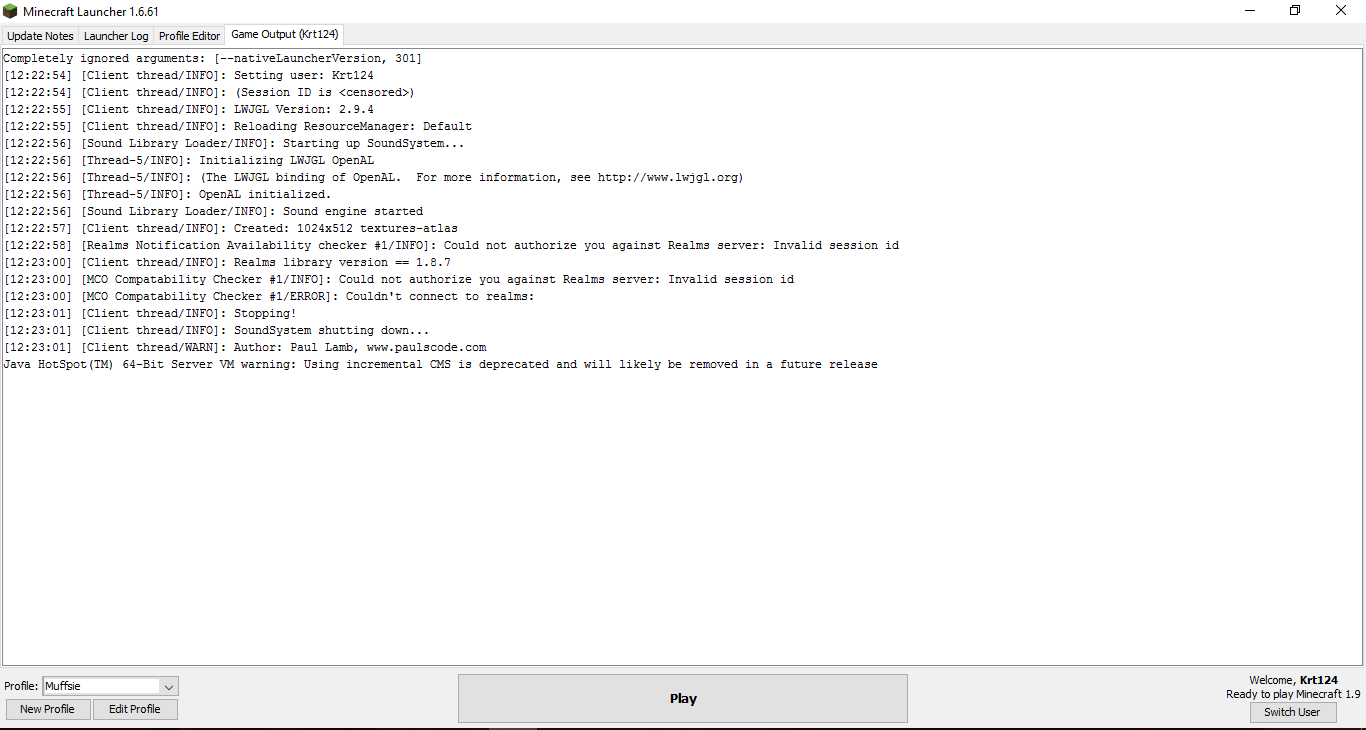
This issue keeps popping up when I try and to to the 'Realms' no matter what I do. I can however go to a multiplayer server.
Restarting the game doesn't help
Restarting the launcher doesn't help
Relogging doesn't help
Rebooting my pc doesn't help
Re-installing my mincraft doesn't help
Changing internet connection doesn't help
Does anyone have a single clue what I need to do?
Linked Issues
Attachments1

Created Issue:
Realms Error: Invalid session ID - Please try restarting your minecraft
This issue keeps popping up when I try and to to the 'Realms' no matter what I do. I can however go to a multiplayer server.
Restarting the game doesn't help
Restarting the launcher doesn't help
Relogging doesn't help
Rebooting my pc doesn't help
Re-installing my mincraft doesn't help
Changing internet connection doesn't helpDoes anyone have a single clue what I need to do?

![[Bot] Arisa](../../../data/assets/gravatar/mustek2.png)
 MC-99971 →
  REALMS-45
is duplicated by

is duplicated by
relates to
Tan Jing Yi you're not the only one who's having issues, see REALMS-45.
I have a Windows laptop that consistently gives "Invalid session id" when trying to authenticate with Realms server (when accessing "Minecraft Realms" from the menu, or "Multiplayer" when servers are in online-mode=true).
The error seems to happen only on one laptop. I can access Realms and Multiplayer on another machine using my account. This has been happening for over a year - since version 1.9. I have logged out. Re-installed. Restarted. This occurred with the old launcher and continues after installing the new launcher. I have re-installed Java.
See REALMS-45 and other related issues. (They were closed with no actual resolution.)
[0214/194701:INFO:GameCallbacks.cpp(186)] game/com.mojang.realmsclient.client.RealmsClient (Realms Notification Availability checker #1) info Could not authorize you against Realms server: Invalid session id
Any ideas would be appreciated!
Thanks!
Whats about restarting Realm?
Doesn't work either Thomas
Could you attach the log of your client and the realm?
FVbico, I updated the thread with an attachment of my log. A log of the Realms I cannot get because I do not own the Realms myself.
It seems like the problem is on my side..but as a matter of fact, there is nothing wrong with my side.
So please if anyone has any info, help me.
Logout of the game launcher, close and re-open the launcher, log back in, then try connecting.
@CubeTheThird, thanks for the advice but I already tried that about 100 times today.
As I said, I tried everything so far.
I am now close to one thousand restarts & relogs in just today, please fix this issue.
Or at least provide some support, please..
Anyone?
this problem is also happening to me in 1.9.2
Having same problem on PC 1.12, how was this solved?
This is happening to me and my friend and my family member. We all purchased the game from minecraft.net. Maybe they are doing something to the realms servers? I haven't heard anything. The server is version 1.12.2 obviously cause i thin auto updates to the next official release.
I'm having the same problem on version 1.12.2.
Same here... All within the hour. Maybe realms are glitched up? 1.12.2.
I have found that by removing or renaming the file 'realms_persistence.json' in the .minecraft directory of the user AppData->Roaming folder fixed the problem (at least for me).