 Ray Yates
- Kiqkinas
- kiqkinas
- America/New_York
- Yes
- No
 MC-32436
![[Mojang] Nathan Adams](../../../data/assets/gravatar/dinnerbone.png)
![[Mojang] Grum (Erik Broes)](../../../data/assets/gravatar/grum.png)
![[Mojang] Searge (Michael Stoyke)](../../../data/assets/gravatar/searge.png)




Version 14w31a
Playing on Hard difficulty.
I'm using a Diamond sword: Sharpness 4, Knockback 2, Unbreaking 3, Looting 3.Enderman behavior has changed (at least in The End). They often stop being hostile after being struck with Knockback. They never teleport away but just keep walking straight at you making them easy to kill, and never spawn endermi
ntes.
Related issue. 1.8.1 ~ I deleted a chunk file originally generated in 1.8 where a witch hit was located and witches were spawning. Then regenerated the witch hut in 1.8.1. Witches only spawn on the bottom floor (y64). This particular witch hut spawned on ground but is at the normal height (entrance at y66)
Seed -6181249668743634205
Location -3984, 6384Performed the same task with Witch Hut surrounded by swamp water (entrance also at level 66). Witches spawn normally when the chunk is regenerated with 1.8.1
Location 640, 3776
North East Dispenser not remove dispensed water.
All 4 dispensers are facing down and have a water bucket, when triggered the first time, water is dispensed.
When triggered again, I expected the water to be retracted into the bucket.However, the water is only retracted in 3 of the 4 dispensers.
Steps to Reproduce:
Build the 11 x 1 structure as shown.
Press the button, wait, and press the button again.This happened in my survival world and in my flat creative world.
After further testing it seems to be related to the direction of the incoming and outgoing redstone dust.
North East Dispenser not remove dispensed water.
All 4 dispensers are facing down and have a water bucket, when triggered the first time, water is dispensed.
When triggered again, I expected the water to be retracted into the bucket.However, the water is only retracted in 3 of the 4 dispensers.
Steps to Reproduce:
Build the 11 x 1 structure as shown.
Press the button, wait, and press the button again.This happened in my survival world and in my flat creative world.
After further testing it seems to be related to the direction of the incoming and outgoing redstone dust.
North East Dispenser not remove dispensed water.
All 4 dispensers are facing down and have a water bucket, when triggered the first time, water is dispensed.
When triggered again, I expected the water to be retracted into the bucket.However, the water is only retracted in 3 of the 4 dispensers.
Steps to Reproduce:
Build the 11 x 1 structure as shown.
Press the button, wait, and press the button again.This happened in my survival world and in my flat creative world.
After further testing it seems to be related to the direction of the incoming and outgoing redstone dust.
1. If I turn the outgoing dust right (south), it will dispense water only.
2. If I exit the dust straight across, it retrieves the water only.
3. If I exit the dust left (north) It dispenses and retrieves the water.
In 18w10d At layer 64 under the entire jungle biomes is a layer of air pockets with vines. The air pockets are from 1 to 5 air block evenly distributed.
The first picture above shows this but, I'm posting a better picture with night vision enabled.


2018-03-12_01.12.57.png
A fire triggered by Lava was spready like crazy. Turned on the rain which barely slowed it down.
The birch forest was quickly destroyed. I let the rain run for 2 hours the the fire was still spreading. The over generated Jungle is burning even faster. At this rate, without the rain, the entire biome would be destroyed in no time.Something is really wrong here.
Also noticed in the 3rd image, the frame rate dropped to 6fps. I normally get 60fps or more.
When a piston moves a slime blocks, next to a Note block. The note block moves.
Previously note blocks could not be moved with a slime block so this breaks my door design.
[https://imgur.com/a/yNEFr]
When a piston moves a slime blocks, next to a Note block. The note block moves.
Previously note blocks could not be moved with a slime block so this breaks my door design.
link title
When a piston moves a slime blocks, next to a Note block. The note block moves.
Previously note blocks could not be moved with a slime block so this breaks my door design.
link titleWhen a piston moves a slime blocks, next to a Note block. The note block moves.
Previously note blocks could not be moved with a slime block so this breaks my door design.
Screen shots / Tutorial
When I try to use the /give command in 1.12.2 with a banner, it works fine.
the same command generated this error inh18w19b[00:32:13] Unknown item 'minecraft:banner' at position 8: give @p <–[HERE]
Also the item minecraft:banner does not appear in the list when typing the command.
When I try to use the /give command below in 1.12.2 with a banner, it works fine. The same command generated this error in 18w19b
Also the item minecraft:banner does not appear in the list when typing the command.
In a command block try this.
{Pattern:tts,Color:3}
/give @p minecraft:banner 1 0 {BlockEntityTag:{Base:11,Patterns:[]}}
[00:32:13] Unknown item 'minecraft:banner' at position 8: give @p <–[HERE]
When I try to use the /give command below in 1.12.2 with a banner, it works fine. The same command generated this error in 18w19b
Also the item minecraft:banner does not appear in the list when typing the command.
In a command block try this.
{Pattern:tts,Color:3}
/give @p minecraft:banner 1 0 {BlockEntityTag:{Base:11,Patterns:[]}}
[00:32:13] Unknown item 'minecraft:banner' at position 8: give @p <–[HERE]
When I try to use the /give command below in 1.12.2 with a banner, it works fine. The same command generated this error in 18w19b
Also the item minecraft:banner does not appear in the list when typing the command.
In a command block try this.
/give @p minecraft:banner 1 0 {BlockEntityTag:{Base:11,Patterns:[{Pattern:tts,Color:3}]}}[00:32:13] Unknown item 'minecraft:banner' at position 8: give @p <–[HERE]
Fishing Rod broken.Unable to castin 21w11aFishing Rod broken. String and bobber are invisible in 21w11a
Minecraft Java crashes immediately after launch and displays this message.
Java Virtual Machine Launcher
Error: Could not create the java Virtual Machine.
Error: a Fatal exception has occurred. Program will exit.
Note: 1.17 rc2 and earlier updates still work.
Downloading Java Runtime java-runtime-alpha:16.0.1.9.1
23:48:41.677
Extracting 8 files!
23:48:42.275
Using default game log configuration client-1.12.xml (outputs XML)
23:48:42.276
Installing versions!
23:49:09.062
Unrecognized VM option 'UseConcMarkSweepGC'
Minecraft Java crashes immediately after launch and displays this message.
Java Virtual Machine Launcher
Error: Could not create the java Virtual Machine.
Error: a Fatal exception has occurred. Program will exit.
Note: 1.17 rc2 and earlier updates still work.
Downloading Java Runtime java-runtime-alpha:16.0.1.9.1
23:48:41.677
Extracting 8 files!
23:48:42.275
Using default game log configuration client-1.12.xml (outputs XML)
23:48:42.276
Installing versions!
23:49:09.062
Unrecognized VM option 'UseConcMarkSweepGC'

This seems to be related to chunks unloading and reloading.
Therefore the summary of this ticket is
Lead break / disappear on game restart or chunk reload
@Ray Yates: Please create a new Minecraft ticket about the incomplete popup area.
Resolving this here, since not a Launcher issue.
This bug still occurs. in MC 1.7
Problem a map created in one world appears when you create a new world.
Here is a simple method to duplicate the bug in creative mode but it also has happened to me in survival mode.
Create a new random world in creative, give yourself a map and view it, then exit and save.
Create a second new world and repeat the process. I expect to see the second world but instead I get the already rendered map from the first world.
Yes this still occurs in 1.7.2, 1.7.3 and 1.7.4
You CAN join the glass panes to pack ice, glass blocks, any stone or wood block, but panes still do not connect with normal ice blocks as shown in the image.
I'm seeing this as well.
Still exists in 14w30b. Sorry, to nag but this was reported in February. Its now late July.
Kumasasa said "This is caused by the new clickability of the signs. Similar issue for fences etc."
Definition: clickability(Noun) The quality of being clickable, of causing a particular action when clicked
Ok so what action is taken by clicking on a sign? None. Unless they are adding the ability to edit a sign?
I do not have to shift click to place / stack carpet so this seem totally random.
Sorry to be a Wiseguy. I had to think through click vs shift-click and envision other minecraft objects that you have to shift-click to place. I accept that it's consistent, but as Aaron said "Makes placing signs on signs in creative an annoying task when you want to place them high." as is every other shift-click to place task in creative.
In that case the problem is that shift is used for BOTH flying down AND sneaking forcing you to shift+spacebar+click. Those keystrokes should be separately configurable . But that's a different rant :-o
They also spawn inside wooden fences.
This happens with all stairs. They only rendered correctly when place facing East.
This is not a bug in the launcher, it is a design flaw in the map selection menu. The new launcher has made it very very easy to corrupt your old worlds.
Every map created with should contain a record of the Minecraft version that generated it and The last version that opened it.
That information should be displayed on the map selection screen.
When the user switches profiles and tries to select a map created with a different version of Minecraft The program should perform the following test.
{ "The selected world (Version 1.xx.xx) is incompatible with this version of Minecraft. Your world may be corrupted." [Continue?] [Cancle] }Pseudo code.
If (client_version <> map_version) {
Prompt_User
}
I'm running 1.8-pre2 vanilla server. The video display is jerky or rather pulses, (like speeding up and slowing down). When strafing (walking sideways) the effect is much more noticeable.The pulse about two to three times per second.
1.8-pre2 Horizon still turns dark when entering a minecart.
The solution Mojang implemented to solve PROGRAM Version Control problems was to put different versions in their own folder.
Example: minecraft/versions/every_profile_you_ever_created/
The same solution would work for MAP Version control as well.
Example:
minecraft/saves/1.7.2
minecraft/saves/1.7.4
minecraft/saves/1.7.10
minecraft/saves/1.8-14w24a
minecraft/saves/1.8-pre1
When you open your 1.7 world with 1.8...
1) You get a warning
2) The map gets moved to the 1.8 version folder you opened it with.
3) Moving the maps is 1 way, can only move to a higher number folder.
When you run 1.7.10, or older, none of the 1.8 files even show up. in the list.
Only 1.7 and older. If you run an older version like 1.6 newer worlds simply don't display in the list.
Using 1.8 pre-3 This seems to be related to chunks unloading and reloading. Simply walking away or flying away and returning will cause the lead to disconnect and eventually de-spawn.
Running 1.8 vanilla server: Affects 1.8-pre3, 1.8-pre2. Win8.1 + fast computer + Nvidia Gtx 650 TI + latest 64bit Java.
The video display is still jerky, like it speeds up and slows down. I expect it to be smooth and flowing. To test, I walked through a previously explored desert with minimal items to render, Cacti move past me in small jumps or pulses. It does not matter if I sprint, walk, or sneak. the pulse still exists.
At night, I'm getting getting 71 to 98 fps with aprox 72 entities. This is not your typical server lag. It does not matter if I run, walk or sneak, I get the same little pulse about twice per second. In the plains biomes the pulsing is much worse and I get 60 to 89 fps
At my base with aprox. 250 entities, the pulsing is very noticeable, fps fluctuates between 50 and 85 fps
For a comparison, I copied the map and opened with 1.7.10 server. In all biomes video is smooth, (no pulsing). In the desert above, I'm getting 96 to 140 fps, aprox. 78 to 88 entities.
When running optifine for 1.8 the jitter (not to be confused with frame rate lag) is almost gone.
I've become convinced the problem is tied to memory and possibly Garbage Collection.
While water does seem to be a problem, many hundreds of particles below water may be contributing to the water problems, jitter is something else entirely.
Press F3 and watch memory allocation cycle from 9 to 10 to 11%. The period of this cycling is exactly the same is the video jitter I observe.
As I walk through my base video noticeably starts and stops and is very jerky.
(Vanilla Server 1.8.1) I had a portal spawn on a 1 block thick ledge over lava. It seems I spawned in before world generation completed and materialized below the ledge falling to my death. When I went back through the portal, I materialized in front of the portal instead of inside the portal.
This is NOT resolved and is NOT a duplicate of
MC-30415. You can not stack written books in 1.8.1, yet Librarian villagers require 2 stacked written books to trade.To duplicate this bug. 1) Create a written book and sign it. 2) Create a copy of the book. Notice, they do not stack. 3) Attempt to trade with Librarian 2 written books. 4) Fail trade not possible.
Important Note: Occasionally I can get duplicate the written books to stack, ( It's random and I don't know how to duplicate) Once stacked, the Librarian will trade.
What's fixed:
I just ran snapshot 15w34c and they added "Version: 15w34c" to the world selection screen screen, indicating the last MC version the world was loaded with. Older maps say "Version: unknown." Also If you hover over a world ICON you get the popup message "Don't forget to backup this world before you load this snapshot."
What's still broken:
Unfortunately, They did not activate the popup, over the text area so if you select a world text, and press the Play button, you never see the warning.
Proposed Solution: Add the same popup message to the "Play Selected World" button when appropriate.
This has to be a bug or a change in the golem spawn area.
My 1.8.x farm is 23 x 23 outside. 21 x 21 inside with a 3 x 3 hole. I've built this on a Vanilla server and 3 Spigot servers and can confirm there are no doors any where outside the farm, yet golems spawn on top of the villager holding cell (which is only 2 wide) and far outside the 16 x 16 area they are supposed to spawn in.
I've tried half slabbing and completely filling the area with fences and glass, in all cases golems spawn on top of or Inside the fences or glass. I'm going to try filling the area with stone blocks now and just leaving a gap for the doors to see sunlight.
My latest build is in Skyblock which confirms that there are no extra doors anywhere.
I tried filling the entire area around the villager holding cells with 1/2 slabs up to the height of the iron farm, (23 wide x 6 deep x 8 high only to have a golems spawn completely inside the slab, unable to move. I finally removed all the slabs and filled the entire area with solid blocks except for a 1 x 2 tunnel so I can trade with the villagers. villagers. This seems to have stopped the problem for now.
Can someone look at the source and let us know if the size of the spawning area has indeed changed?
With respect and just to be clear. Are you saying Mojang "explicitly" decided to make it possible to open worlds without receiving a warning that you added elsewhere on the screen?
If the intention of adding the message was to help prevent users from corrupting worlds, I would point out you have not fully realized that goal. I would kindly ask you to re-visit that logic. I think we are talking about maybe one line of code.
In image 4, I created a simplified version. New 1.10.2 superflat world.
(4) dispensers facing down. Redstone only covering the top blocks.
Pressing the button dispenses the water. Pressing again does not retract the water.
In this example, only 1 of the 4 dispensers retracted the water.
I found a simple work-a-round. I was having this issue in my 1.10.2 vanilla server. I had 4 or 5 zombies generating this error.
To fix the issue, I changed the server to difficulty 0 (Peaceful) and gamemode 1 (Creative). After flying around reloading all the chunks near spawn, I exited the game, saved the word, and restarted the server.
The errors have now stopped. I assume the zombies were deleted when the chunks were loaded in Peaceful mode.
Minecraft 1.11. Witches don't even spawn in or below structures generated above the normal height
MC 1.11 – Mostly vanilla Spigot server. Survival smp.
I've had this happen twice, where I place the box down and opened it and the contents were gone.
I used /tp, placed shulker on ground and opened it in quick succession. If I wait a few moments after tp and wait again after I place the box down, I don't have the problem.
Well this sucks... Getting villagers from zombie spawners has been a valid strategy for years and now it's gone. I get why mobs were split up, but that's not really a good reason to remove this feature. I just requires a few lines of re-coding to add a random chance of spawning in villager zombies.
I just tested the leads in the Windows 10 version. While rendering of the leads is not perfect. They did not disconnect from the post and animal, disappear, or despawn. After an hour of playing, the leads remained. Respectfully, perhaps the code from that version could be compared to the Java version.
Also Dark oak trees generate as 3x2 4x2 and walls of wood.I surely hope this does not "work as intended". I've never seen it this bad. Even with rain enabled for three hours, the file keeps spreading.
Part of the problem may be to the messed up world generation. Trees, are over spawning sometime making walls of wood. Leaves and grass are also over spawning. Fuel is so close together that fire maybe spreading faster as a result, overwhelming the original settings. However, the fact that rain no longer extinguishes the fire seems to indicate a bug.
Maybe fire could be set to go out faster the longer it rains.
I'm having this problem with 18W14B.
The world was originally created with server18w10d.jar. It started the first time after installing the new server.jar but now it won't start at all.
Finally I've deleted everything and started it again with
java -Xms2g -Xmx4g -jar server.jar nogui
Updated eula.txt
And I get odd warning messages.
[21:04:55] [main/WARN]: Ambiguity between arguments [teleport, destination] and [teleport, targets] with inputs: [Player, 0123, @e, dd12be42-52a9-4a91-a8a1-11c01849e498]
latest.log

server.properties
Water also does not flow off of signs, fence posts, or ladders.
As explained by Moonbat, If you large floor or roof area covered of half slabs, A water source next to any slab will spread to every slab and become source blocks that can not be removed with sponges. It makes sense if the water spreads, but as flowing water, not as source blocks.
Maybe this is working as intended, but certainly it is not a desirable behavior for anyone that builds mob traps.
The following pics show water behavior using signs. This extends to many other blocks. as other have posted.
1. Place sign, click the sign with water. Result: Sign becomes water logged.
2. Place sign, click above the sign. Result: Water does not flow. Old behavior: water flows "over the sign"
3. Click click the sign with water. Result: Sign becomes water logged. AND water, from step 2, flows "over the sign"
4. Break the sign, Replace with solid block to remove water, break solid block, replace with sign. Result: Sign replaces the water.
This behavior, while inconsistent and confusing, does leave a way to still use signs to block water in mob traps, but the procedure is now different. Get the water flowing first THEN add the signs below the flowing water.
This is seems to be partially fixed in 18w19a.
Current behavior:
1. When water placed on the top or sides of BOTTOM slabs, only the clicked slab becomes waterlogged. Water no longer flows over the adjacent slabs.
2. When clicking with on a TOP slab, The slab becomes water logged AND the water flows. (Is this the correct behavior?)
3. Once again you CAN use slabs to block flowing. So that too is fixed
However, If you have stacked a BOTTOM and TOP slab, you can not click with water on the top or sides of the combined slab to start water flow.
(Is this the correct behavior?)
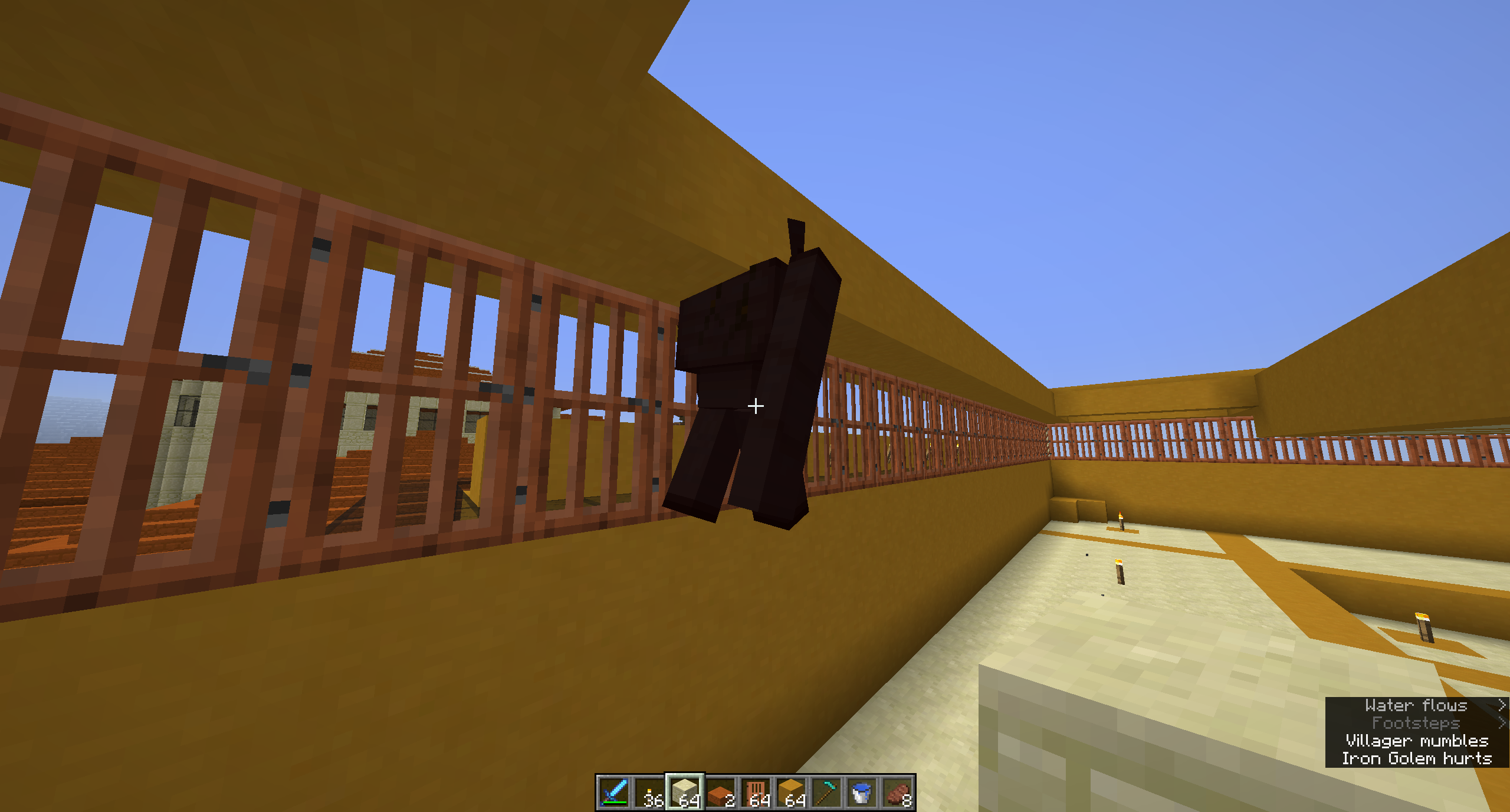
Iron Golums spawn inside any block. (solid, glass, slabs, stairs, doors etc) This has been happening since at least version 1.9 but seems to happen more frequently now.
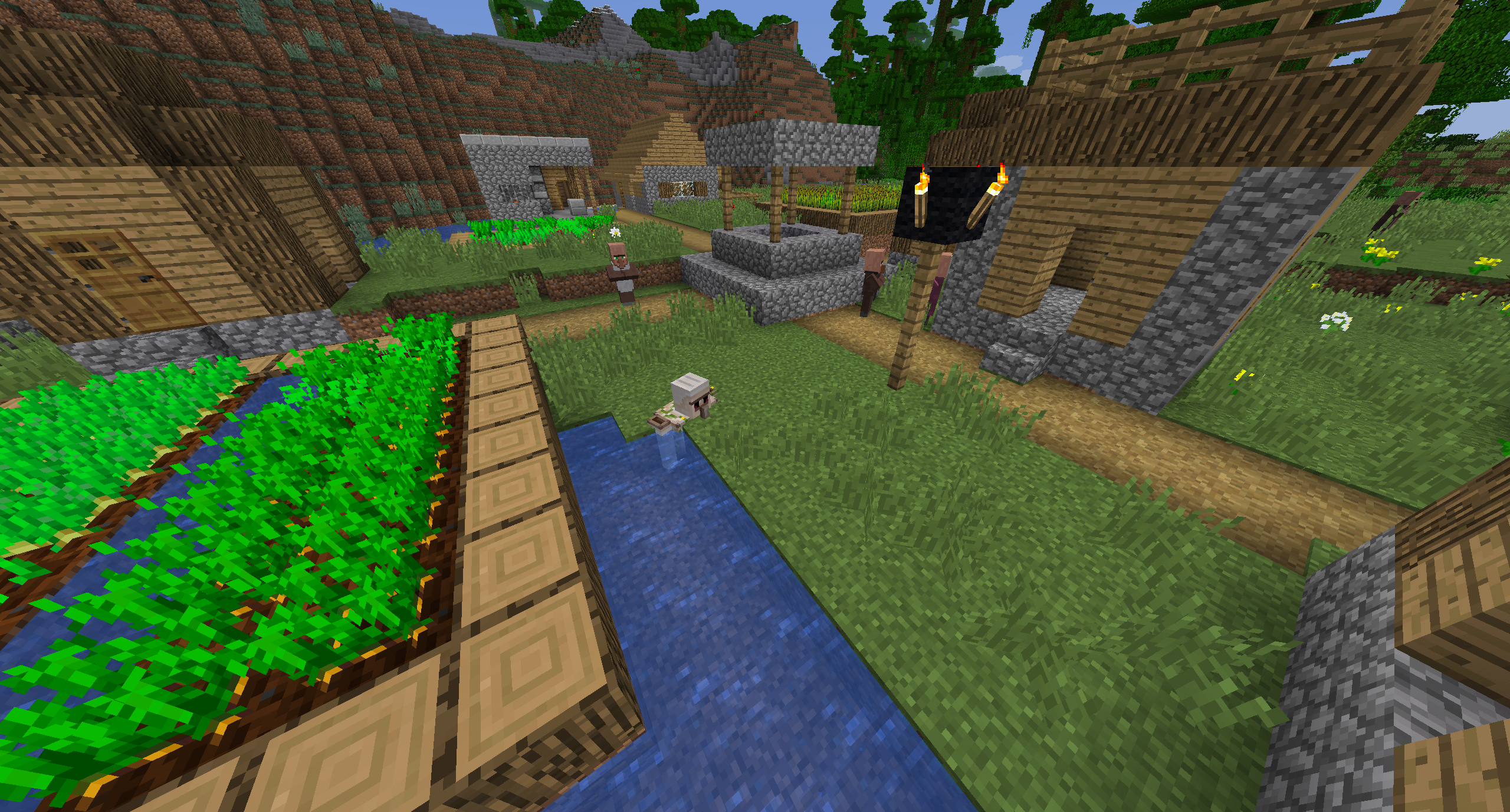
1.13 Pre-2 I tried expanding the size of the spawning area in my iron farm only to have the golum spawn with his head inside a solid block. This is seriously messed up. It even happens in normal villages when I increased the number of doors. See screenshot.
Sorry but that does not solve the problem, they don't fall through. The golum gets stuck in the floor, wall, ceiling, door, glass blocks, half slabs. They apparently just spawn randomly anywhere within the spawning area without regard to what's there.
This bug may have been introduced with the fix of
MC-130270Golems were spawning inside blocks.In response Tyler Hunting's statement "...iron golems spawn in unintended places...", I built a farm with a ring of doors 32 x 32 square and watched golems spawn outside the doors.
According to the Wiki, "Iron golems will spawn in a 16×6×16 area, centered vertically and horizontally between the bases of the 21 or more valid doors in a village if it has at least 10 villagers."
The 16×6×16 area statement is completely wrong and has been for the last few versions. It would be helpful if the wiki could be updated after this bug is fixed.
Has anyone in the community confirmed the ore distribute is back to normal (i.e. 1.12)?
I have been playing the 1.16 snapshots. I just upgraded to 20w17a and it is raining inside buildings again even below ground but not through every block. concreet, half slabs, andesite but not stone
Actually although the string and bobber are invisible. After casting, if I wait, I can still catch fish!