 Kyle Weber
- Kman032317
- JIRAUSER513478
- Europe/Stockholm
- Yes
- No
 MC-191947
![[Mojang] slicedlime](../../../data/assets/gravatar/slicedlime.jpeg)
![[Mojang] eowyn36](../../../data/avatars/users/18935.svg)
 Low
Low![[Mojang] Gnembon](../../../data/avatars/users/93709.png)
 Normal





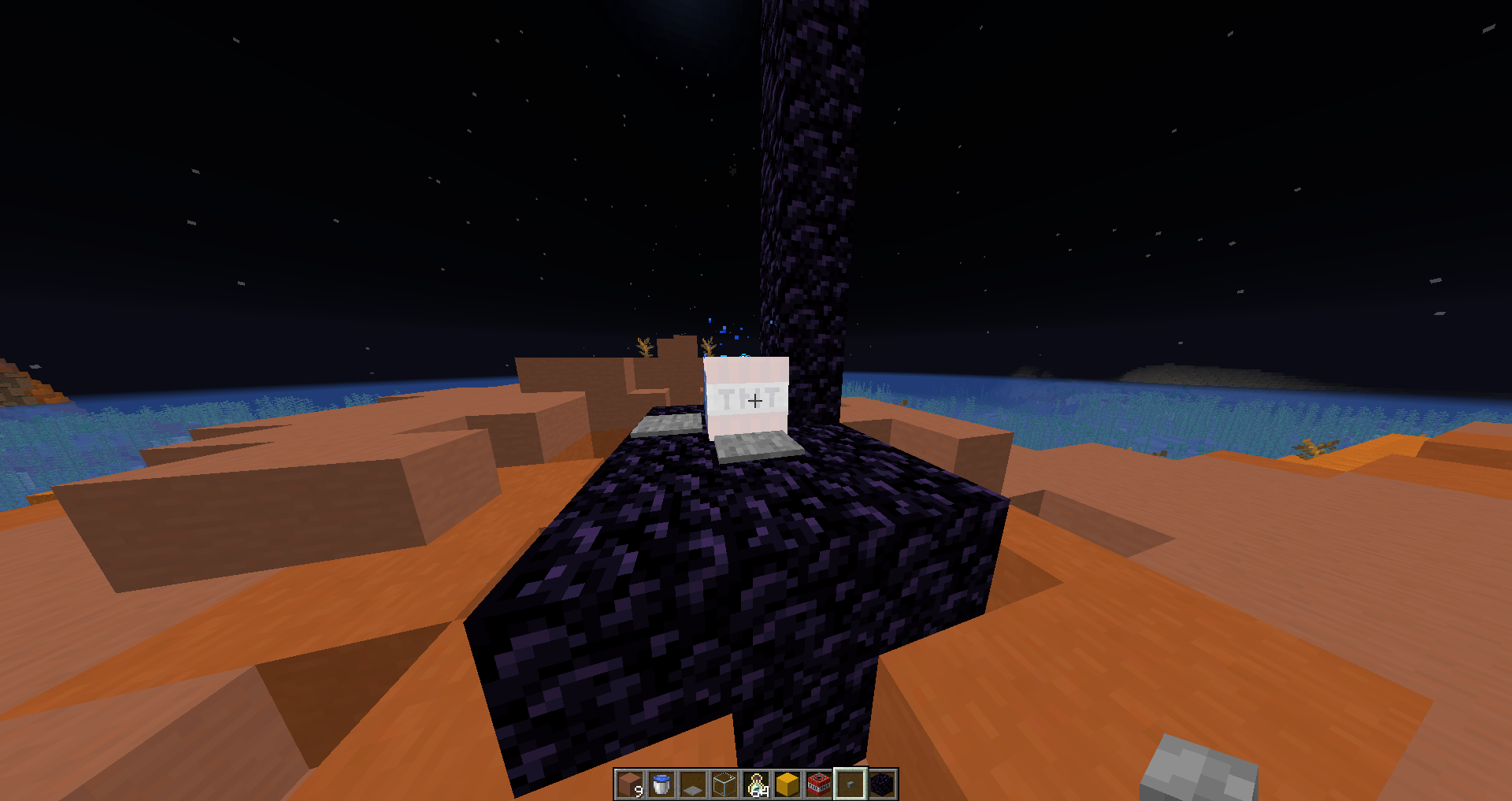
Video: https://www.youtube.com/watch?v=oK1fkszTrZA&feature=youtu.be
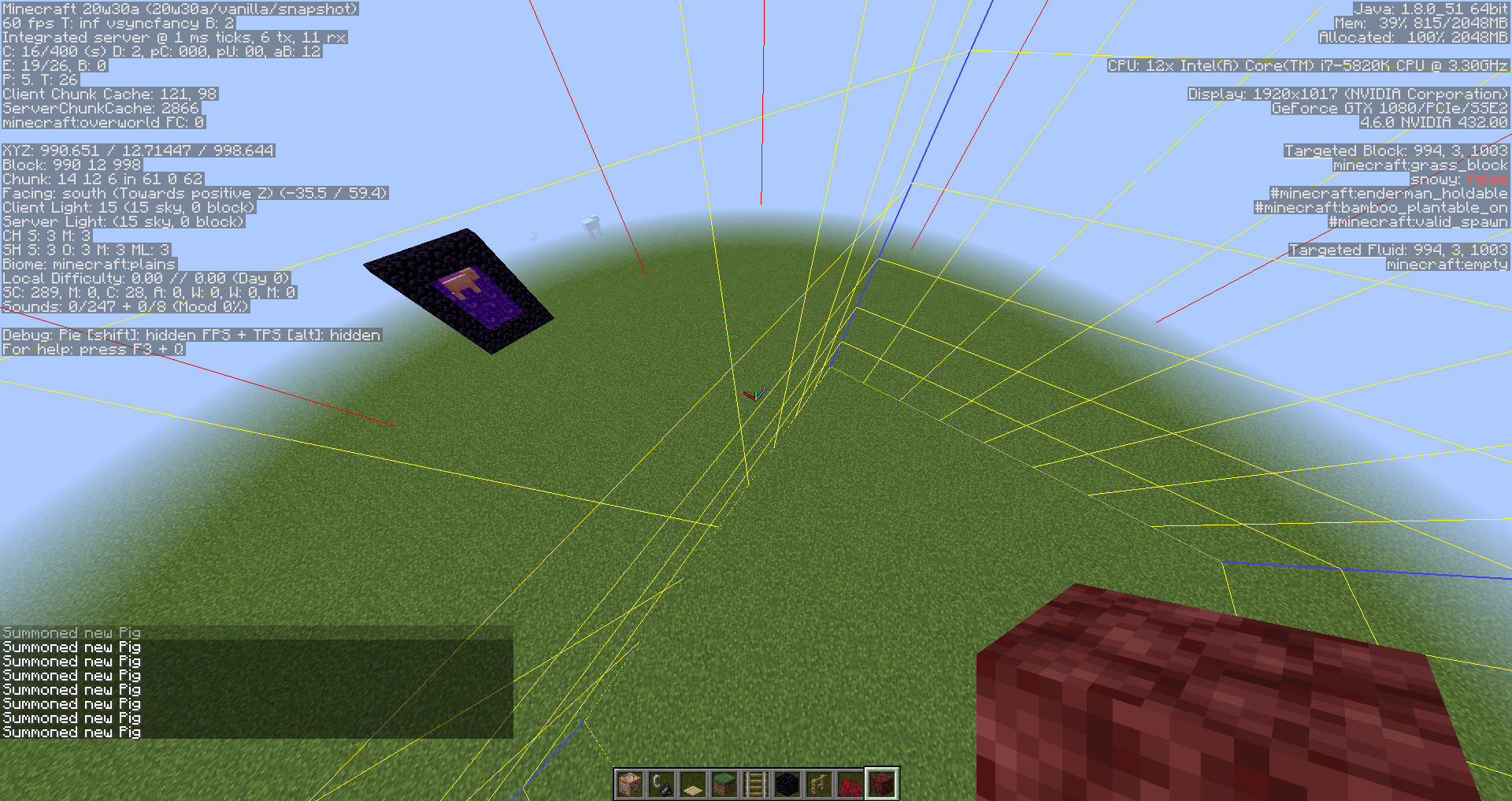
In the linked video, I showed that an entity that gets moved into a portal does not get sent to the nether, even if it ends up in a portal at the end of its movement. The entity only gets sent to the nether if it ends up in a portal on its next gametick.
I summoned a pig with /summon pig 1002.39 5.44 962.00 {Motion:[0.0,0.0,-3.5]}, and had a portal one block from the edge of a chunk border. The pig movement ended with it in a portal, but did not get sent to the nether.
Obviously, any entity that is in a nether portal even for one gametick should be sent to the nether.A fix for this should be to tick the portal after the entities movement has been processed.
Video: https://www.youtube.com/watch?v=oK1fkszTrZA&feature=youtu.be
In the linked video, I showed that an entity that gets moved into a portal does not get sent to the nether, even if it ends up in a portal at the end of its movement. The entity only gets sent to the nether if it ends up in a portal on its next gametick.
I summoned a pig with /summon pig 1002.39 5.44 962.00
{Motion:[0.0,0.0,-3.5]}, and had a portal one block from the edge of a chunk border. The pig movement ended with it in a portal, but did not get sent to the nether.
Any entity that is in a nether portal even for one gametick should be sent to the nether.
A fix for this should be to tick the portal after the entities movement has been processed.
Video: https://www.youtube.com/watch?v=oK1fkszTrZA&feature=youtu.be
In the linked video, I showed that an entity that gets moved into a portal does not get sent to the nether, even if it ends up in a portal at the end of its movement. The entity only gets sent to the nether if it ends up in a portal on its next gametick.
I summoned a pig with /summon pig 1002.39 5.44 962.00
{Motion:[0.0,0.0,-3.5]}, and had a portal one block from the edge of a chunk border. The pig movement ended with it in a portal, but did not get sent to the nether.
Any entity that is in a nether portal even for one gametick should be sent to the nether.
A fix for this should be to tick the portal after the entities movement has been processed.
Video: https://www.youtube.com/watch?v=oK1fkszTrZA&feature=youtu.be
In the linked video, I showed that an entity that gets moved into a portal does not get sent to the nether, even if it ends up in a portal at the end of its movement. The entity only gets sent to the nether if it ends up in a portal on its next gametick.
I summoned a pig with /summon pig 1002.39 5.44 962.00 {Motion:[0.0,0.0,-3.5]} and had a portal one block from the edge of a chunk border. The pig movement ended with it in a portal, but did not get sent to the nether.
Any entity that is in a nether portal even for one gametick should be sent to the nether.
A fix for this should be to tick the portal after the entities movement has been processed.
Video: https://www.youtube.com/watch?v=oK1fkszTrZA&feature=youtu.be
In the linked video, I showed that an entity that gets moved into a portal does not get sent to the nether, even if it ends up in a portal at the end of its movement. The entity only gets sent to the nether if it ends up in a portal on its next gametick.
I summoned a pig with /summon pig 1002.39 5.44 962.00 {Motion:[0.0,0.0,-3.5]} and had a portal one block from the edge of a chunk border. The pig movement ended with it in a portal, but did not get sent to the nether.
Any entity that is in a nether portal even for one gametick should be sent to the nether.
A fix for this should be to tick the portal after the entities movement has been processed.
Video: https://www.youtube.com/watch?v=oK1fkszTrZA&feature=youtu.be
In the linked video, I showed that an entity that gets moved into a portal does not get sent to the nether, even if it ends up in a portal at the end of its movement. The entity only gets sent to the nether if it ends up in a portal on its next gametick.
I summoned a pig with /summon pig 1002.39 5.44 962.00
{Motion:[0.0,0.0,-3.5]}and had a portal one block from the edge of a chunk border. The pig movement ended with it in a portal, but did not get sent to the nether.
Any entity that is in a nether portal even for one gametick should be sent to the nether.
A fix for this should be to tick the portal after the entities movement has been processed.
Video: https://www.youtube.com/watch?v=oK1fkszTrZA&feature=youtu.be
In the linked video, I showed that an entity that gets moved into a portal does not get sent to the nether, even if it ends up in a portal at the end of its movement. The entity only gets sent to the nether if it ends up in a portal on its next gametick.
I summoned a pig with /summon pig 1002.39 5.44 962.00
{Motion:[0.0,0.0,-3.5]}and had a portal one block from the edge of a chunk border. The pig movement ended with it in a portal, but did not get sent to the nether.
Any entity that is in a nether portal even for one gametick should be sent to the nether.
A fix for this should be to tick the portal after the entities movement has been processed.
Video: https://www.youtube.com/watch?v=oK1fkszTrZA&feature=youtu.be
In the linked video, I showed that an entity that gets moved into a portal does not get sent to the nether, even if it ends up in a portal at the end of its movement. The entity only gets sent to the nether if it ends up in a portal on its next gametick.
I summoned a pig with /summon pig 1002.39 5.44 962.00 {Motion:[0.0,0.0,-3.5]} and had a portal one block from the edge of a chunk border. The pig movement ended with it in a portal, but did not get sent to the nether.
Any entity that is in a nether portal even for one gametick should be sent to the nether.
A fix for this should be to tick the portal after the entities movement has been processed.
Code exploration/analysis:
Video: https://www.youtube.com/watch?v=oK1fkszTrZA&feature=youtu.be
In the linked video, I showed that an entity that gets moved into a portal does not get sent to the nether, even if it ends up in a portal at the end of its movement. The entity only gets sent to the nether if it ends up in a portal on its next gametick.
I summoned a pig with /summon pig 1002.39 5.44 962.00 {Motion:[0.0,0.0,-3.5]} and had a portal one block from the edge of a chunk border. The pig movement ended with it in a portal, but did not get sent to the nether.
Any entity that is in a nether portal even for one gametick should be sent to the nether.
A fix for this should be to tick the portal after the entities movement has been processed.
Code exploration/analysis:
Video: https://www.youtube.com/watch?v=oK1fkszTrZA&feature=youtu.be
In the linked video, I showed that an entity that gets moved into a portal does not get sent to the nether, even if it ends up in a portal at the end of its movement. The entity only gets sent to the nether if it ends up in a portal on its next gametick.
I summoned a pig with /summon pig 1002.39 5.44 962.00
{Motion:[0.0,0.0,-3.5]}and had a portal one block from the edge of a chunk border. The pig movement ended with it in a portal, but did not get sent to the nether.
Any entity that is in a nether portal even for one gametick should be sent to the nether.
A fix for this should be to tick the portal after the entities movement has been processed.
Code exploration/analysis: here
Capture.PNG
As Matthew Gatland suggested in
MC-191947, this was made into a separate issue.The Bug:
{{An entity that is capable of being sent to the nether that ends its velocity based movement inside a nether portal cannot be sent to the nether unless it is ticked again.}}This prevents a {{capable entity from being sent to the nether in the same gametick that its movement ended. }}
This is noticeable when the entity's end position is in a nether portal in a non-entity processing chunk as it moved into it right before the tick ended, but after the nether portal tick happened and it will not go through the portal on its next gametick as it is now in a non-entity processing chunk and won't tick.{{}}
How to reproduce:
- Create a flat world and teleport to 1000, 10 1000 via /tp 1000 10 1000
- Build a nether portal @ the cords 1009 4 1000 to 1009 4 997
- Light the portal and go thru to load and link the other side.
- Build a wall behind the portal on the east side.
- Wait 15 seconds so that the portal no longer loads the chunk as you came through it.
- Turn your render distance down to 2 and your entity distance up to max
- Go to the coords 989 5 1000 to make the portal chunk non-entity processing
- /summon pig 1007.00 5.67 999.45 {Motion:[4.0,0.0,0.0]}
- Observe that the pig is still there.
- Video for the steps: https://youtu.be/2dg7jUIGeho
Code analysis:
A code analysis was done in a previous issue closely related to this one. I will link the old one as the code is more or less the same with one variable charge that is mentioned at the top.
Solution:
A solution is simple: move the nether portal ticking after the move method.
As Matthew Gatland suggested in
MC-191947, this was made into a separate issue.The Bug:
An entity that is capable of being sent to the nether that ends its velocity based movement inside a nether portal cannot be sent to the nether unless it is ticked again.
{{This prevents a }}capable entity from being sent to the nether in the same gametick that its movement ended.
This is noticeable when the entity's end position is in a nether portal in a non-entity processing chunk as it moved into it right before the tick ended, but after the nether portal tick happened and it will not go through the portal on its next gametick as it is now in a non-entity processing chunk and won't tick.
How to reproduce:
- Create a flat world and teleport to 1000, 10 1000 via /tp 1000 10 1000
- Build a nether portal @ the cords 1009 4 1000 to 1009 4 997
- Light the portal and go thru to load and link the other side.
- Build a wall behind the portal on the east side.
- Wait 15 seconds so that the portal no longer loads the chunk as you came through it.
- Turn your render distance down to 2 and your entity distance up to max
- Go to the coords 989 5 1000 to make the portal chunk non-entity processing
- /summon pig 1007.00 5.67 999.45 {Motion:[4.0,0.0,0.0]}
- Observe that the pig is still there.
- Video for the steps: https://youtu.be/2dg7jUIGeho
Code analysis:
A code analysis was done in a previous issue closely related to this one. I will link the old one as the code is more or less the same with one variable charge that is mentioned at the top.
Solution:
A solution is simple: move the nether portal ticking after the move method.
As Matthew Gatland suggested in
MC-191947, this was made into a separate issue.The Bug:
An entity that is capable of being sent to the nether that ends its velocity based movement inside a nether portal cannot be sent to the nether unless it is ticked again.
{{This prevents a}}capable entity from being sent to the nether in the same gametick that its movement ended.This is noticeable when the entity's end position is in a nether portal in a non-entity processing chunk as it moved into it right before the tick ended, but after the nether portal tick happened and it will not go through the portal on its next gametick as it is now in a non-entity processing chunk and won't tick.
How to reproduce:
- Create a flat world and teleport to 1000, 10 1000 via /tp 1000 10 1000
- Build a nether portal @ the cords 1009 4 1000 to 1009 4 997
- Light the portal and go thru to load and link the other side.
- Build a wall behind the portal on the east side.
- Wait 15 seconds so that the portal no longer loads the chunk as you came through it.
- Turn your render distance down to 2 and your entity distance up to max
- Go to the coords 989 5 1000 to make the portal chunk non-entity processing
- /summon pig 1007.00 5.67 999.45 {Motion:[4.0,0.0,0.0]}
- Observe that the pig is still there.
- Video for the steps: https://youtu.be/2dg7jUIGeho
Code analysis:
A code analysis was done in a previous issue closely related to this one. I will link the old one as the code is more or less the same with one variable charge that is mentioned at the top.
Solution:
A solution is simple: move the nether portal ticking after the move method.
As Matthew Gatland suggested in
MC-191947, this was made into a separate issue.The Bug:
An entity that is capable of being sent to the nether that ends its velocity based movement inside a nether portal cannot be sent to the nether unless it is ticked again.
This prevents a capable entity from being sent to the nether in the same gametick that its movement ended.
This is noticeable when the entity's end position is in a nether portal in a non-entity processing chunk as it moved into it right before the tick ended, but after the nether portal tick happened and it will not go through the portal on its next gametick as it is now in a non-entity processing chunk and won't tick.
How to reproduce:
- Create a flat world and teleport to 1000, 10 1000 via /tp 1000 10 1000
- Build a nether portal @ the cords 1009 4 1000 to 1009 4 997
- Light the portal and go thru to load and link the other side.
- Build a wall behind the portal on the east side.
- Wait 15 seconds so that the portal no longer loads the chunk as you came through it.
- Turn your render distance down to 2 and your entity distance up to max
- Go to the coords 989 5 1000 to make the portal chunk non-entity processing
- /summon pig 1007.00 5.67 999.45 {Motion:[4.0,0.0,0.0]}
- Observe that the pig is still there.
- Video for the steps: https://youtu.be/2dg7jUIGeho
Code analysis:
A code analysis was done in a previous issue closely related to this one. I will link the old one as the code is more or less the same with one variable charge that is mentioned at the top.
Solution:
A solution is simple: move the nether portal ticking after the move method.
As Matthew Gatland suggested in
MC-191947, this was made into a separate issue.The Bug:
An entity that is capable of being sent to the nether that ends its velocity based movement inside a nether portal cannot be sent to the nether unless it is ticked again.
This prevents a capable entity from being sent to the nether in the same gametick that its movement ended.
This is noticeable when the entity's end position is in a nether portal in a non-entity processing chunk as it moved into it right before the tick ended, but after the nether portal tick happened and it will not go through the portal on its next gametick as it is now in a non-entity processing chunk and won't tick.How to reproduce:
- Create a flat world and teleport to 1000, 10 1000 via /tp 1000 10 1000
- Build a nether portal @ the cords 1009 4 1000 to 1009 4 997
- Light the portal and go thru to load and link the other side.
- Build a wall behind the portal on the east side.
- Wait 15 seconds so that the portal no longer loads the chunk as you came through it.
- Turn your render distance down to 2 and your entity distance up to max
- Go to the coords 989 5 1000 to make the portal chunk non-entity processing
- /summon pig 1007.00 5.67 999.45 {Motion:[4.0,0.0,0.0]}
- Observe that the pig is still there.
- Video for the steps: https://youtu.be/2dg7jUIGeho
Code analysis:
A code analysis was done in a previous issue closely related to this one. I will link the old one as the code is more or less the same with one variable charge that is mentioned at the top.
Solution:
A solution is simple: move the nether portal ticking after the move method.
As Matthew Gatland suggested in
MC-191947, this was made into a separate issue.The Bug:
An entity that is capable of being sent to the nether that ends its velocity based movement inside a nether portal cannot be sent to the nether unless it is ticked again. This prevents a capable entity from being sent to the nether in the same gametick that its movement ended. {{This is noticeable when the entity's end position is in a nether portal in a non-entity processing chunk as it moved into it right before the tick ended, but after the nether portal tick happened and it will not go through the portal on its next gametick as it is now in a non-entity processing chunk and won't tick.}}
How to reproduce:
- Create a flat world and teleport to 1000, 10 1000 via /tp 1000 10 1000
- Build a nether portal @ the cords 1009 4 1000 to 1009 4 997
- Light the portal and go thru to load and link the other side.
- Build a wall behind the portal on the east side.
- Wait 15 seconds so that the portal no longer loads the chunk as you came through it.
- Turn your render distance down to 2 and your entity distance up to max
- Go to the coords 989 5 1000 to make the portal chunk non-entity processing
- /summon pig 1007.00 5.67 999.45 {Motion:[4.0,0.0,0.0]}
- Observe that the pig is still there.
- Video for the steps: https://youtu.be/2dg7jUIGeho
Code analysis:
A code analysis was done in a previous issue closely related to this one. I will link the old one as the code is more or less the same with one variable charge that is mentioned at the top.
Solution:
A solution is simple: move the nether portal ticking after the move method.
As Matthew Gatland suggested in
MC-191947, this was made into a separate issue.The Bug:
An entity that is capable of being sent to the nether that ends its velocity based movement inside a nether portal cannot be sent to the nether unless it is ticked again. This prevents a capable entity from being sent to the nether in the same gametick that its movement ended. {{This is noticeable when the entity's end position is in a nether portal in a non-entity processing chunk as it moved into it right before the tick ended, but after the nether portal tick happened and it will not go through the portal on its next gametick as it is now in a non-entity processing chunk and won't tick.}}
How to reproduce:
- Create a flat world and teleport to 1000, 10 1000 via /tp 1000 10 1000
- Build a nether portal @ the cords 1009 4 1000 to 1009 4 997
- Light the portal and go thru to load and link the other side.
- Build a wall behind the portal on the east side.
- Wait 15 seconds so that the portal no longer loads the chunk as you came through it.
- Turn your render distance down to 2 and your entity distance up to max
- Go to the coords 989 5 1000 to make the portal chunk non-entity processing
- /summon pig 1007.00 5.67 999.45 {Motion:[4.0,0.0,0.0]}
- Observe that the pig is still there.
- Video for the steps: https://youtu.be/2dg7jUIGeho
Code analysis:
A code analysis was done in a previous issue closely related to this one. I will link the old one as the code is more or less the same with one variable charge that is mentioned at the top.
Solution:
A solution is simple: move the nether portal ticking after the move method.
As Matthew Gatland suggested in
MC-191947, this was made into a separate issue.The Bug:
An entity that is capable of being sent to the nether that ends its velocity based movement inside a nether portal cannot be sent to the nether unless it is ticked again. This prevents a capable entity from being sent to the nether in the same gametick that its movement ended.
This is noticeable when the entity's end position is in a nether portal in a non-entity processing chunk as it moved into it right before the tick ended, but after the nether portal tick happened and it will not go through the portal on its next gametick as it is now in a non-entity processing chunk and won't tick.
How to reproduce:
- Create a flat world and teleport to 1000, 10 1000 via /tp 1000 10 1000
- Build a nether portal @ the cords 1009 4 1000 to 1009 4 997
- Light the portal and go thru to load and link the other side.
- Build a wall behind the portal on the east side.
- Wait 15 seconds so that the portal no longer loads the chunk as you came through it.
- Turn your render distance down to 2 and your entity distance up to max
- Go to the coords 989 5 1000 to make the portal chunk non-entity processing
- /summon pig 1007.00 5.67 999.45 {Motion:[4.0,0.0,0.0]}
- Observe that the pig is still there.
- Video for the steps: https://youtu.be/2dg7jUIGeho
Code analysis:
A code analysis was done in a previous issue closely related to this one. I will link the old one as the code is more or less the same with one variable charge that is mentioned at the top.
Solution:
A solution is simple: move the nether portal ticking after the move method.
I was suggested to remake and reword a similar ticket I made,
MC-196897, as the wording of the ticket was incorrect for what the actual bug was.The Bug:
Currently there is an inconsistency with how mobs enter the nether portal versus the end portal. A mob can enter the end portal after its movement as the end portal block itself calls the change dimensions. However this does not match the nether portal which requires two gameticks to go through due to the move method collision not calling the change dimensions directly but rather changing a boolean that is checked before the move method is called. This leads to the inconsistency in how the game handles the changing of dimensions and thus a bug.
How to reproduce:
- Create a flat world and teleport to 1000, 10 1000 via /tp 1000 10 1000
- Build a nether portal @ the cords 1009 4 1000 to 1009 4 997
- Light the portal and go thru to load and link the other side.
- Build a wall behind the portal on the east side.
- Wait 15 seconds so that the portal no longer loads the chunk as you came through it.
- Turn your render distance down to 2 and your entity distance up to max
- Go to the coords 989 5 1000 to make the portal chunk non-entity processing
- /summon pig 1007.00 5.67 999.45 {Motion:[4.0,0.0,0.0]}
- Observe that the pig is still there.
- Change the nether portal to end portals with a fill command.
- Re-summon the pig and watch it go through
- Video for the steps: https://youtu.be/2dg7jUIGeho
- Video excludes the end portal steps
Solution:
To fix the inconsistency as well as the bug, entities should change dimensions at the end of the tick by repositioning the tickNetherPortal() after the methods that call the move method (self movement/velocity) for most mobs.
Code analysis:
This code analysis is using Yarn mappings for 20w30a.
For this example, we will be using a pig and skip the beginning of the calling chain the starting the tick methods and go directly to the living entity part.
Here the Living entity calls the super first which will lead it down the nether portal check and changing of the dimensions. Later on, it calls the tickMovement(), which will call the move method and the impact check to say it hit a portal. Let's explore the super first
public abstract class LivingEntity extends Entity {
 //removed between
 public void tick() {
 super.tick();
 //removed some lines between
 this.tickMovement();
From the super it goes to the entity class and calls the basetick almost right away to lets go down another level.
public abstract class Entity /
/removed between
public void tick() {
//removed some lines between
this.baseTick();
}Here at the base tick it does a lot of stuff, but we are only interested in the ticknetherportal(), so let's look at that.
public void baseTick(){ //removed some lines between this.tickNetherPortal(); //removed some lines between }In the tick nether portal, it gets the this.getMaxNetherPortalTime() which is used in a if check, but we can ignore it as it is zero for almost everything but players. The main thing we need to look at is that a if check looks at this.inNetherPortal, which can only be successful if the pig hits a portal in the previous tick, so as of now, this checks stops as the pig has not touched a portal yet.
protected void tickNetherPortal() { //removed some lines between int i = this.getMaxNetherPortalTime(); // =0 for non-players //removed some lines between if (this.inNetherPortal) { //removed some lines between if (lv3 != null && minecraftServer.isNetherAllowed() && !this.hasVehicle() && this.netherPortalTime++ >= i) { //removed some lines between this.changeDimension(lv3); } }Now lets look around at the move method for the pig. It was called back from a chain of calls steaming from tickmovement(). Here in the move method, it will call this.checkBlockCollision(), which handles the effect of colliding with certain blocks.
public void move(MovementType arg2, Vec3d arg22) { //removed some lines between try{ this.checkBlockCollision(); } //removed some lines between }Here it will call the the entity hitting the block. Let's first explore it hitting an end portal.
protected void checkBlockCollision() { //removed some lines between lv5.onEntityCollision(this.world, lv4, this); //removed some lines between }If it hits an endportal, it will do some checks then make it change dimensions, thus allowing it to go the end after it's move method unlike the nether portal. Now let's look at the nether portal check.
public class EndPortalBlock
 @Override
 public void onEntityCollision(BlockState arg, World arg2, BlockPos arg3, Entity arg4) {
 //removed some lines between
 arg4.changeDimension(lv2);
 }
The nether portal check does a few checks then call the entity's setInNetherPortal method. So lets look at that for the final thing.
public class NetherPortalBlock public void onEntityCollision(BlockState arg, World arg2, BlockPos arg3, Entity arg4) { if (!arg4.hasVehicle() && !arg4.hasPassengers() && arg4.canUsePortals()) { arg4.setInNetherPortal(arg3); } }Here is basically says the pig is in a nether portal so now when the portal tick method of the entity is called the pig can go in. This makes it unlike the end portal in which it will happen on the second tick instead of the first/same tick.
public abstract class Entity
 public void setInNetherPortal(BlockPos arg) {
 //removed some lines between
 this.inNetherPortal = true;
 }
I was suggested to remake and reword a similar ticket I made,
MC-196897, as the wording of the ticket was incorrect for what the actual bug was.The Bug:
Currently there is an inconsistency with how mobs enter the nether portal versus the end portal. A mob can enter the end portal after its movement as the end portal block itself calls the change dimensions. However this does not match the nether portal which requires two gameticks to go through due to the move method collision not calling the change dimensions directly but rather changing a boolean that is checked before the move method is called. This leads to the inconsistency in how the game handles the changing of dimensions and thus a bug.
How to reproduce:
- Create a flat world and teleport to 1000, 10 1000 via /tp 1000 10 1000
- Build a nether portal @ the cords 1009 4 1000 to 1009 4 997
- Light the portal and go thru to load and link the other side.
- Build a wall behind the portal on the east side.
- Wait 15 seconds so that the portal no longer loads the chunk as you came through it.
- Turn your render distance down to 2 and your entity distance up to max
- Go to the coords 989 5 1000 to make the portal chunk non-entity processing
- /summon pig 1007.00 5.67 999.45 {Motion:[4.0,0.0,0.0]}
- Observe that the pig is still there.
- Change the nether portal to end portals with a fill command.
- Re-summon the pig and watch it go through
- Video for the steps: https://youtu.be/2dg7jUIGeho
- Video excludes the end portal steps
Solution:
To fix the inconsistency as well as the bug, entities should change dimensions at the end of the tick by repositioning the tickNetherPortal() after the methods that call the move method (self movement/velocity) for most mobs.
Code analysis:
This code analysis is using Yarn mappings for 20w30a.
For this example, we will be using a pig and skip the beginning of the calling chain the starting the tick methods and go directly to the living entity part.
Here the Living entity calls the super first which will lead it down the nether portal check and changing of the dimensions. Later on, it calls the tickMovement(), which will call the move method and the impact check to say it hit a portal. Let's explore the super first
public abstract class LivingEntity extends Entity { //removed between public void tick() { super.tick(); //removed some lines between this.tickMovement();From the super it goes to the entity class and calls the basetick almost right away to lets go down another level.
public abstract class Entity / /removed between public void tick() { //removed some lines between this.baseTick(); }Here at the base tick it does a lot of stuff, but we are only interested in the ticknetherportal(), so let's look at that.
public void baseTick(){ //removed some lines between this.tickNetherPortal(); //removed some lines between }In the tick nether portal, it gets the this.getMaxNetherPortalTime() which is used in a if check, but we can ignore it as it is zero for almost everything but players. The main thing we need to look at is that a if check looks at this.inNetherPortal, which can only be successful if the pig hits a portal in the previous tick, so as of now, this checks stops as the pig has not touched a portal yet.
protected void tickNetherPortal() { //removed some lines between int i = this.getMaxNetherPortalTime(); // =0 for non-players //removed some lines between if (this.inNetherPortal) { //removed some lines between if (lv3 != null && minecraftServer.isNetherAllowed() && !this.hasVehicle() && this.netherPortalTime++ >= i) { //removed some lines between this.changeDimension(lv3); } }Now lets look around at the move method for the pig. It was called back from a chain of calls steaming from tickmovement(). Here in the move method, it will call this.checkBlockCollision(), which handles the effect of colliding with certain blocks.
public void move(MovementType arg2, Vec3d arg22) { //removed some lines between try{ this.checkBlockCollision(); } //removed some lines between }Here it will call the the entity hitting the block. Let's first explore it hitting an end portal.
protected void checkBlockCollision() { //removed some lines between lv5.onEntityCollision(this.world, lv4, this); //removed some lines between }If it hits an endportal, it will do some checks then make it change dimensions, thus allowing it to go the end after it's move method unlike the nether portal. Now let's look at the nether portal check.
public class EndPortalBlock @Override public void onEntityCollision(BlockState arg, World arg2, BlockPos arg3, Entity arg4) { //removed some lines between arg4.changeDimension(lv2); }The nether portal check does a few checks then call the entity's setInNetherPortal method. So lets look at that for the final thing.
public class NetherPortalBlock public void onEntityCollision(BlockState arg, World arg2, BlockPos arg3, Entity arg4) { if (!arg4.hasVehicle() && !arg4.hasPassengers() && arg4.canUsePortals()) { arg4.setInNetherPortal(arg3); } }Here is basically says the pig is in a nether portal so now when the portal tick method of the entity is called the pig can go in. This makes it unlike the end portal in which it will happen on the second tick instead of the first/same tick.
public abstract class Entity
 public void setInNetherPortal(BlockPos arg) {
 //removed some lines between
 this.inNetherPortal = true;
 }
The bug:
When a saddled pig rides a minecart and then the player rides the pig, a desync will happen if a TNT blows up the minecart and does kill the pig.
Steps:
- Create a world and summon a saddled pig riding a minecart.
- Ride the pig.
- Place TNT a little bit away from you and light it.
- Wait till the TNT blocks up the minecart.
- Walk away from the pig (avoid hitting shift/sneak)
- Enjoy trying to place blocks.
Video:
The bug:
When a saddled pig rides a minecart and then the player rides the pig, a desync will happen if a TNT blows up the minecart and does kill the pig.
Steps:
- Create a world and summon a saddled pig riding a minecart.
- Ride the pig.
- Place TNT a little bit away from you and light it.
- Wait till the TNT blocks up the minecart.
- Walk away from the pig. (avoid hitting shift/sneak)
- Enjoy trying to place blocks.
Video:
The bug:
When a saddled pig rides a minecart and then the player rides the pig, a desync will happen if a TNT blows up the minecart and does kill the pig.
Steps:
- Create a world and summon a saddled pig riding a minecart.
- Ride the pig.
- Place TNT a little bit away from you and light it.
- Wait till the TNT blocks up the minecart.
- Walk away from the pig. (avoid hitting shift/sneak)
- Enjoy trying to place blocks.
Video:
The bug:
When a saddled pig rides a minecart and then the player rides the pig, a desync will happen if a TNT blows up the minecart and does kill the pig.
Steps:
- Create a world and summon a saddled pig riding a minecart. /summon minecraft:minecart x y z {Passengers:[ {id:pig,Saddle:1,Invulnerability:0}
]}
- Ride the pig.
- Place TNT a little bit away from you and light it.
- Wait till the TNT blocks up the minecart.
- Walk away from the pig. (avoid hitting shift/sneak)
- Enjoy trying to place blocks.
Video:
The bug:
When a saddled pig rides a minecart and then the player rides the pig, a desync will happen if
a TNT blows up the minecart and does kill the pig.Steps:
- Create a world and summon a saddled pig riding a minecart. /summon minecraft:minecart x y z {Passengers:[ {id:pig,Saddle:1,Invulnerability:0}
]}
- Ride the pig.
- Place TNT a little bit away from you and light it.
- Wait till the TNT blocks up the minecart.
- Walk away from the pig. (avoid hitting shift/sneak)
- Enjoy trying to place blocks.
Video:
The bug:
When a saddled pig rides a minecart and then the player rides the pig, a desync will happen if the minecart dies and pig is still alive.
Steps:
- Create a world and summon a saddled pig riding a minecart. /summon minecraft:minecart x y z {Passengers:[ {id:pig,Saddle:1,Invulnerability:0}
]}
- Ride the pig.
- Place TNT a little bit away from you and light it or use a dispenser will arrow.
- Wait till the TNT blocks up the minecart or the arrows kill the minecart.
- Walk away from the pig. (avoid hitting shift/sneak)
- Enjoy trying to place blocks.
Video:
The bug:
When a saddled pig rides a minecart and then the player rides the pig, a desync will happen if the minecart dies and pig is still alive.
Steps:
- Create a world and summon a saddled pig riding a minecart. /summon minecraft:minecart x y z {Passengers:[ {id:pig,Saddle:1,Invulnerability:0}
]}
- Ride the pig.
- Place TNT a little bit away from you and light it or use a dispenser wi
llarrow.- Wait till the TNT blocks up the minecart or the arrows kill the minecart.
- Walk away from the pig. (avoid hitting shift/sneak)
- Enjoy trying to place blocks.
Video:
The bug:
When a saddled pig rides a minecart and then the player rides the pig, a desync will happen if the minecart dies and pig is still alive.
Steps:
- Create a world and summon a saddled pig riding a minecart. /summon minecraft:minecart x y z {Passengers:[ {id:pig,Saddle:1,Invulnerability:0}
]}
- Ride the pig.
- Place TNT a little bit away from you and light it or use a dispenser with arrows.
- Wait till the TNT blocks up the minecart or the arrows kill the minecart.
- Walk away from the pig. (avoid hitting shift/sneak)
- Enjoy trying to place blocks.
Video:
The bug:
When a saddled pig rides a minecart and then the player rides the pig, a desync will happen if the minecart dies and pig is still alive.
Steps:
- Create a world and summon a saddled pig riding a minecart. /summon minecraft:minecart x y z {Passengers:[ {id:pig,Saddle:1,Invulnerability:0}
]}
- Ride the pig.
- Place TNT a little bit away from you and light it or use a dispenser with arrows.
- Wait till the TNT blocks up the minecart or the arrows kill the minecart.
- Walk away from the pig. (avoid hitting shift/sneak)
- Enjoy trying to place blocks.
Video:
The bug:
When a saddled pig rides a minecart and then the player rides the pig, a desync will happen if the minecart dies and pig is still alive.
Steps:
- Create a world and summon a saddled pig riding a minecart. /summon minecraft:minecart x y z {Passengers:[ {id:pig,Saddle:1,Invulnerability:0}
]}
- Ride the pig.
- Place TNT a little bit away from you and light it or use a dispenser with arrows. (As suggested by bugsbygsbugs below, you can use this command as well /kill @e[type=minecraft:minecart,distance=..2])
- Wait till the TNT blocks up the minecart or the arrows kill the minecart.
- Walk away from the pig. (avoid hitting shift/sneak)
- Enjoy trying to place blocks.
Video:
The bug:
When a saddled pig rides a minecart and then the player rides the pig, a desync will happen if the minecart dies and pig is still alive.
Steps:
- Create a world and summon a saddled pig riding a minecart. /summon minecraft:minecart x y z {Passengers:[ {id:pig,Saddle:1,Invulnerability:0}
]}
- Ride the pig.
- Place TNT a little bit away from you and light it or use a dispenser with arrows. (As suggested by bugsb
ygsbugs below, you can use this command as well/kill @e[type=minecraft:minecart,distance=..2])- Wait till the TNT blocks up the minecart or the arrows kill the minecart.
- Walk away from the pig. (avoid hitting shift/sneak)
- Enjoy trying to place blocks.
Video:
The bug:
When a saddled pig rides a minecart and then the player rides the pig, a desync will happen if the minecart dies and pig is still alive.
Steps:
- Create a world and summon a saddled pig riding a minecart. /summon minecraft:minecart x y z {Passengers:[ {id:pig,Saddle:1,Invulnerability:0}
]}
- Ride the pig.
- Place TNT a little bit away from you and light it or use a dispenser with arrows. (As suggested by bugsbugsbugs below, you can use this command as well: /kill @e[type=minecraft:minecart,distance=..2])
- Wait till the TNT blocks up the minecart or the arrows kill the minecart.
- Walk away from the pig. (avoid hitting shift/sneak)
- Enjoy trying to place blocks.
Video:
The bug:
When a saddled pig rides a minecart and then the player rides the pig, a desync will happen if the minecart dies and pig is still alive.
Steps:
- Create a world and summon a saddled pig riding a minecart. /summon minecraft:minecart x y z {Passengers:[ {id:pig,Saddle:1,Invulnerability:0}
]}
- Ride the pig.
- Place TNT a little bit away from you and light it or use a dispenser with arrows. (As suggested by bugsbugsbugs below, you can use this command as well: /kill @e[type=minecraft:minecart,distance=..2])
- Wait till the TNT blo
cks up the minecart or the arrows kill the minecart.- Walk away from the pig. (avoid hitting shift/sneak)
- Enjoy trying to place blocks.
Video:
The bug:
When a saddled pig rides a minecart and then the player rides the pig, a desync will happen if the minecart dies and pig is still alive.
Steps:
- Create a world and summon a saddled pig riding a minecart. /summon minecraft:minecart x y z {Passengers:[ {id:pig,Saddle:1,Invulnerability:0}
]}
- Ride the pig.
- Place TNT a little bit away from you and light it or use a dispenser with arrows. (As suggested by bugsbugsbugs below, you can use this command as well: /kill @e[type=minecraft:minecart,distance=..2])
- Wait till the TNT blows up the minecart or the arrows kill the minecart.
- Walk away from the pig. (avoid hitting shift/sneak)
- Enjoy trying to place blocks.
Video:
The bug:
When a saddled pig rides a minecart and then the player rides the pig, a desync will happen if the minecart dies and pig is still alive.
Steps:
- Create a world and summon a saddled pig riding a minecart. /summon minecraft:minecart
x y z{Passengers:[ {id:pig,Saddle:1,Invulnerability:0}]}
- Ride the pig.
- Place TNT a little bit away from you and light it or use a dispenser with arrows. (As suggested by bugsbugsbugs below, you can use this command as well: /kill @e[type=minecraft:minecart,distance=..2])
- Wait till the TNT blows up the minecart or the arrows kill the minecart.
- Walk away from the pig. (avoid hitting shift/sneak)
- Enjoy trying to place blocks.
Video:
The bug:
When a saddled pig rides a minecart and then the player rides the pig, a desync will happen if the minecart dies and pig is still alive.
Steps:
- Create a world and summon a saddled pig riding a minecart. /summon minecraft:minecart ~ ~4 ~{Passengers:[ {id:pig,Saddle:1,Invulnerability:0}
]}
- Ride the pig.
- Place TNT a little bit away from you and light it or use a dispenser with arrows. (As suggested by bugsbugsbugs below, you can use this command as well: /kill @e[type=minecraft:minecart,distance=..2])
- Wait till the TNT blows up the minecart or the arrows kill the minecart.
- Walk away from the pig. (avoid hitting shift/sneak)
- Enjoy trying to place blocks.
Video:
The bug:
When a saddled pig rides a minecart and then the player rides the pig, a desync will happen if the minecart dies and pig is still alive.
Steps:
- Create a world and summon a saddled pig riding a minecart. /summon minecraft:minecart ~ ~4 ~ {Passengers:[ {id:pig,Saddle:1,Invulnerability:0}
]}
- Ride the pig.
- Place TNT a little bit away from you and light it or use a dispenser with arrows. (As suggested by bugsbugsbugs below, you can use this command as well: /kill @e[type=minecraft:minecart,distance=..2])
- Wait till the TNT blows up the minecart or the arrows kill the minecart.
- Walk away from the pig. (avoid hitting shift/sneak)
- Enjoy trying to place blocks.
Video:
The bug:
When a saddled pig rides a minecart and then the player rides the pig, a desync will happen if the minecart dies and pig is still alive.
Steps:
- Create a world and summon a saddled pig riding a minecart.
/summon minecraft:minecart ~ ~4 ~ {Passengers:[ {id:pig,Saddle:1,Invulnerability:0}]}
- Ride the pig.
- Place TNT a little bit away from you and light it or use a dispenser with arrows. (As suggested by bugsbugsbugs below, you can use this command as well: /kill @e[type=minecraft:minecart,distance=..2])
- Wait till the TNT blows up the minecart or the arrows kill the minecart.
- Walk away from the pig. (avoid hitting shift/sneak)
- Enjoy trying to place blocks.
Video:
The bug:
When a saddled pig rides a minecart and then the player rides the pig, a desync will happen if the minecart dies and pig is still alive.
Steps:
- Create a world and summon a saddled pig riding a minecart.
/summon minecraft:minecart ~ ~4 ~ {Passengers:[ {id:pig,Saddle:1,Invulnerability:0}
]}
- Ride the pig.
- Place TNT a little bit away from you and light it or use a dispenser with arrows. As suggested by bugsbugsbugs below, you can use this command as well:
/kill @e[type=minecraft:minecart,distance=..2]
- Wait till the TNT blows up the minecart or the arrows kill the minecart.
- Walk away from the pig. (avoid hitting shift/sneak)
- Enjoy trying to place blocks.
Video:
The bug:
When a saddled pig rides a minecart and then the player rides the pig, a desync will happen if the minecart dies and pig is still alive.
Steps:
- Create a world and summon a saddled pig riding a minecart.
/summon minecraft:minecart ~ ~4 ~ {Passengers:[ {id:pig,Saddle:1,Invulnerability:0}
]}
- Ride the pig.
- Place TNT a little bit away from you and light it or use a dispenser with arrows. As suggested by bugsbugsbugs below, you can use this command as well:
/kill @e[type=minecraft:minecart,distance=..2]
- Wait till the TNT blows up the minecart or the arrows kill the minecart.
- Walk away from the pig. (avoid hitting shift/sneak)
- Enjoy trying to place blocks.
Video:
The bug:
When a saddled pig rides a minecart and then the player rides the pig, a desync will happen if the minecart dies and pig is still alive.
Steps:
- Create a world and summon a saddled pig riding a minecart.
/summon minecraft:minecart ~ ~4 ~ {Passengers:[ {id:pig,Saddle:1,Invulnerability:0}
]}
- Ride the pig.
Place TNT a little bit away from you and light it or use a dispenser with arrows. As suggested by bugsbugsbugs below, you can use this command as well:/kill @e[type=minecraft:minecart,distance=..2]
- Wait till the TNT blows up the minecart or the arrows kill the minecart.
- Walk away from the pig. (avoid hitting shift/sneak)
- Enjoy trying to place blocks.
Video:
The bug:
When a saddled pig rides a minecart and then the player rides the pig, a desync will happen if the minecart dies and pig is still alive.
Steps:
- Create a world and summon a saddled pig riding a minecart.
/summon minecraft:minecart ~ ~4 ~ {Passengers:[ {id:pig,Saddle:1,Invulnerability:0}
]}
- Ride the pig.
- Enter the command below to kill the minecart quickly.
/kill @e[type=minecraft:minecart,distance=..2]
- Wait till the TNT blows up the minecart or the arrows kill the minecart.
- Walk away from the pig. (avoid hitting shift/sneak)
- Enjoy trying to place blocks.
Video:
The bug:
When a saddled pig rides a minecart and then the player rides the pig, a desync will happen if the minecart dies and pig is still alive.
Steps:
- Create a world and summon a saddled pig riding a minecart.
/summon minecraft:minecart ~ ~4 ~ {Passengers:[ {id:pig,Saddle:1,Invulnerability:0}
]}
- Ride the pig.
- Enter the command below to kill the minecart quickly.
/kill @e[type=minecraft:minecart,distance=..2]
- Wait till the TNT blows up the minecart or the arrows kill the minecart.
- Walk away from the pig. (avoid hitting shift/sneak)
- Enjoy trying to place blocks.
Video:
The bug:
When a saddled pig rides a minecart and then the player rides the pig, a desync will happen if the minecart dies and pig is still alive.
Steps:
1. Create a world and summon a saddled pig riding a minecart.
/summon minecraft:minecart ~ ~4 ~ {Passengers:[ {id:pig,Saddle:1,Invulnerability:0}]}2. Ride the pig.
3. Enter the command below to kill the minecart quickly.
/kill @e[type=minecraft:minecart,distance=..2]4. Wait till the TNT blows up the minecart or the arrows kill the minecart.
5. Walk away from the pig. (avoid hitting shift/sneak)
6. Enjoy trying to place blocks.
Video:
The bug:
When a saddled pig rides a minecart and then the player rides the pig, a desync will happen if the minecart dies and pig is still alive.
Steps:
1. Create a world and summon a saddled pig riding a minecart.
/summon minecraft:minecart ~ ~4 ~ {Passengers:[ {id:pig,Saddle:1,Invulnerability:0}]}2. Ride the pig.
3. Enter the command below to kill the minecart quickly.
/kill @e[type=minecraft:minecart,distance=..2]
4. Wait till the TNT blows up the minecart or the arrows kill the minecart.
5.Walk away from the pig. (avoid hitting shift/sneak)6. Enjoy trying to place blocks.
Video:
The bug:
When a saddled pig rides a minecart and then the player rides the pig, a desync will happen if the minecart dies and pig is still alive.
Steps:
1. Create a world and summon a saddled pig riding a minecart.
/summon minecraft:minecart ~ ~4 ~ {Passengers:[ {id:pig,Saddle:1,Invulnerability:0}]}2. Ride the pig.
3. Enter the command below to kill the minecart quickly. (Survival players can use TNT or arrows from dispensers)
/kill @e[type=minecraft:minecart,distance=..2]5. Walk away from the pig. (avoid hitting shift/sneak)
6. Enjoy trying to place blocks.
Video:
The bug:
When a saddled pig rides a minecart and then the player rides the pig, a desync will happen if the minecart dies and pig is still alive.
Steps:
1. Create a world and summon a saddled pig riding a minecart.
/summon minecraft:minecart ~ ~4 ~ {Passengers:[{id:pig,Saddle:1,Invulnerability:0}]}2. Ride the pig.
3. Enter the command below to kill the minecart quickly. (Survival players can use TNT or arrows from dispensers)
/kill @e[type=minecraft:minecart,distance=..2]5. Walk away from the pig. (avoid hitting shift/sneak)
6. Enjoy trying to place blocks.
Video:
The bug:
When a saddled pig rides a minecart and then the player rides the pig, a desync will happen if the minecart dies and pig is still alive.
Steps:
1. Create a world and summon a saddled pig riding a minecart.
/summon minecraft:minecart ~ ~4 ~ {Passengers:[{id:pig,Saddle:1,Invulnerability:0}]}2. Ride the pig.
3. Enter the command below to kill the minecart quickly (as suggest by bugsbugsbugs ). (Survival players can use TNT or arrows from dispensers)
/kill @e[type=minecraft:minecart,distance=..2]5. Walk away from the pig. (avoid hitting shift/sneak)
6. Enjoy trying to place blocks.
Video:
The bug:
When a saddled pig rides a minecart and then the player rides the pig, a desync will happen if the minecart dies and pig is still alive.
Steps:
1. Create a world and summon a saddled pig riding a minecart.
/summon minecraft:minecart ~ ~4 ~ {Passengers:[{id:pig,Saddle:1,Invulnerability:0}]}2. Ride the pig.
3. Enter the command below to kill the minecart quickly
(as suggest by bugsbugsbugs ). (Survival players can use TNT or arrows from dispensers)/kill @e[type=minecraft:minecart,distance=..2]
5.Walk away from the pig. (avoid hitting shift/sneak)
6. Enjoy trying to place blocks.Video:
The bug:
When a saddled pig rides a minecart and then the player rides the pig, a desync will happen if the minecart dies and pig is still alive. However, since 21w05a, a new method is needed. It seems to only work now if the pig your riding get moved into an unloaded chunk while riding the dead minecart. This can either be achieved tnt or a tp and kill command. Here I will show a simple tp and kill method, but the tnt method produces a more noticeable desync than just the tp and kill method. I will post a video showing the tnt and showing the tp kill method
Steps:
1. Create a world and summon a saddled pig riding a minecart.
/summon minecraft:minecart ~ ~4 ~ {Passengers:[{id:pig,Saddle:1,Invulnerability:0}]}2. Ride the pig.
3. Grab some command blocks.
3. Enter the command below to kill the minecart quickly
/kill @e[type=minecraft:minecart,limit=1,sort=nearest]4. In another command block that will come after the kill command enter the following command:
/tp @e[type=pig,limit=1,sort=nearest] 10000 100 100005.
Your position will be different than the your player client. To check this, run this:
/data get entity <NAME> Posas well as check your f3 screen for your client coords
Video:
The bug:
When a saddled pig rides a minecart and then the player rides the pig, a desync will happen if the minecart dies and pig is still alive. However, since 21w05a, a new method is needed. It seems to only work now if the pig your riding get moved into an unloaded chunk while riding the dead minecart. This can either be achieved by using tnt or a tp and kill command. Here I will show a simple tp and kill method, but the tnt method produces a more noticeable desync than just the tp and kill method. I will post a video showing the tnt and showing the tp kill method
Steps:
1. Create a world and summon a saddled pig riding a minecart.
/summon minecraft:minecart ~ ~4 ~ {Passengers:[{id:pig,Saddle:1,Invulnerability:0}]}2. Ride the pig.
3. Grab some command blocks.
3. Enter the command below to kill the minecart quickly
/kill @e[type=minecraft:minecart,limit=1,sort=nearest]4. In another command block that will come after the kill command enter the following command:
/tp @e[type=pig,limit=1,sort=nearest] 10000 100 100005.
Your position will be different than the your player client. To check this, run this:
/data get entity <NAME> Posas well as check your f3 screen for your client coords
Video:
The bug:
When a saddled pig rides a minecart and then the player rides the pig, a desync will happen if the minecart dies and pig is still alive. However, since 21w05a, a new method is needed. It seems to only work now if the pig your riding gets moved into an unloaded chunk while riding the dead minecart. This can either be achieved by using tnt or a tp and kill command. Here I will show a simple tp and kill method, but the tnt method produces a more noticeable desync than just the tp and kill method. I will post a video showing the tnt and showing the tp kill method
Steps:
1. Create a world and summon a saddled pig riding a minecart.
/summon minecraft:minecart ~ ~4 ~ {Passengers:[{id:pig,Saddle:1,Invulnerability:0}]}2. Ride the pig.
3. Grab some command blocks.
3. Enter the command below to kill the minecart quickly
/kill @e[type=minecraft:minecart,limit=1,sort=nearest]4. In another command block that will come after the kill command enter the following command:
/tp @e[type=pig,limit=1,sort=nearest] 10000 100 100005.
Your position will be different than the your player client. To check this, run this:
/data get entity <NAME> Posas well as check your f3 screen for your client coords
Video:
The bug:
When a saddled pig rides a minecart and then the player rides the pig, a desync will happen if the minecart dies and pig is still alive. However, since 21w05a, a new method is needed. It seems to only work now if the pig your riding gets moved into an unloaded chunk while riding the dead minecart. This can either be achieved by using tnt or a tp and kill command. Here I will show a simple tp and kill method, but the tnt method produces a more noticeable desync than just the tp and kill method. I will post a video showing the tnt and showing the tp kill method
Steps:
1. Create a world and summon a saddled pig riding a minecart.
/summon minecraft:minecart ~ ~4 ~ {Passengers:[{id:pig,Saddle:1,Invulnerability:0}]}2. Ride the pig.
3. Grab some command blocks.
3. Enter the command below to kill the minecart quickly
/kill @e[type=minecraft:minecart,limit=1,sort=nearest]4. In another command block that will come after the kill command enter the following command:
/tp @e[type=pig,limit=1,sort=nearest] 10000 100 100005.
Your position will be different than the your player client. To check this, run this:
/data get entity <NAME> Posas well as check your f3 screen for your client coords
Video:
The bug:
When a saddled pig rides a minecart and then the player rides the pig, a desync will happen if the minecart dies and pig is still alive. However, since 21w05a, a new method is needed. It seems to only work now if the pig your riding gets moved into an unloaded chunk while riding the dead minecart. This can either be achieved by using tnt or a tp and kill command. Here I will show a simple tp and kill method, but the tnt method produces a more noticeable desync than just the tp and kill method. I will post a video showing the tnt and showing the tp kill method
Steps:
1. Create a world and summon a saddled pig riding a minecart.
/summon minecraft:minecart ~ ~4 ~ {Passengers:[{id:pig,Saddle:1,Invulnerability:0}]}2. Ride the pig.
3. Grab some command blocks.
3. Enter the command below to kill the minecart quickly
/kill @e[type=minecraft:minecart,limit=1,sort=nearest]4. In another command block that will come after the kill command enter the following command:
/tp @e[type=pig,limit=1,sort=nearest] 10000 100 100005.
Your position will be different than the your player client. To check this, run this:
/data get entity <NAME> Posas well as check your f3 screen for your client coords
Video:
Tnt methods:
Results 1: https://youtu.be/AhEzkJxQwDo
Result 2: https://youtu.be/aBG3BjK4cRo
Tp method:
Result 1: https://youtu.be/1aE4IbkSgrA
The bug:
Summoning any living entity on the wings of the ender dragon (same position as the middle of the wing) will give the entity infinite velocity and crash the server. This is due to a divide by zero case with the wings and a living entity.
Steps to reproduce:
1) Create a new world.
2) Go to the end.
3) Give yourself a command block and set it to repeat.
4) Enter this command in the command block and power the block:
/tp @e[type=minecraft:ender_dragon] 0.0 70.0 0.0
5) Summon armor stands on the dragon:
/execute at @e[type=minecraft:ender_dragon] run summon minecraft:armor_stand6) Enjoy your game crashing after a minute or two.
Code analysis:
Using 1.16.3 yarn mappings.
We will be looking at the EnderDragonEntity code today.
Let’s go to:
public void tickMovement()Inside this function there is the launchLivingEntities function. Let’s explore this.
if (!this.world.isClient && this.hurtTime == 0) {this.launchLivingEntities(this.world.getOtherEntities(this, this.partWingRight.getBoundingBox().expand(4.0, 2.0, 4.0).offset(0.0, -2.0, 0.0), EntityPredicates.EXCEPT_CREATIVE_OR_SPECTATOR));this.launchLivingEntities(this.world.getOtherEntities(this, this.partWingLeft.getBoundingBox().expand(4.0, 2.0, 4.0).offset(0.0, -2.0, 0.0), EntityPredicates.EXCEPT_CREATIVE_OR_SPECTATOR));This function takes in the entities arounds the dragon wing (will later be limited to Living Entities )
private void launchLivingEntities(List<Entity> entities) { double d = (this.partBody.getBoundingBox().minX + this.partBody.getBoundingBox().maxX) / 2.0; double e = (this.partBody.getBoundingBox().minZ + this.partBody.getBoundingBox().maxZ) / 2.0; for (Entity lv : entities) { if (!(lv instanceof LivingEntity)) continue; double f = lv.getX() - d; double g = lv.getZ() - e; double h = f * f + g * g; lv.addVelocity(f / h * 4.0, 0.2f, g / h * 4.0); //removed stuff below } }From this function call, it takes the wing and finds the middle of it. For the next part, let's say we have an entity at the same location as the middle of the wing and it is a living entity. As the x and z are the same, f and g will be zero. As f and g are zero, h will be zero. Now, as h is zero, the lv.addVelocity will make the x and z velocity infinite as in java a float divide by zero will make a value infinity.
The bug:
Summoning any living entity on the wings of the ender dragon (same position as the middle of the wing) will give the entity infinite velocity and crash the server. This is due to a divide by zero case with the wings and a living entity.
Steps to reproduce:
1) Create a new world.
2) Go to the end.
3) Give yourself a command block and set it to repeat.
4) Enter this command in the command block and power the block:
/tp @e[type=minecraft:ender_dragon] 0.0 70.0 0.05) Summon armor stands on the dragon:
/execute at @e[type=minecraft:ender_dragon] run summon minecraft:armor_stand6) Enjoy your game crashing after a minute or two.
Code analysis:
Using 1.16.3 yarn mappings.
We will be looking at the EnderDragonEntity code today.
Let’s go to:
public void tickMovement()Inside this function there is the launchLivingEntities function. Let’s explore this.
if (!this.world.isClient && this.hurtTime == 0) { this.launchLivingEntities(this.world.getOtherEntities(this, this.partWingRight.getBoundingBox().expand(4.0, 2.0, 4.0).offset(0.0, -2.0, 0.0), EntityPredicates.EXCEPT_CREATIVE_OR_SPECTATOR)); this.launchLivingEntities(this.world.getOtherEntities(this, this.partWingLeft.getBoundingBox().expand(4.0, 2.0, 4.0).offset(0.0, -2.0, 0.0), EntityPredicates.EXCEPT_CREATIVE_OR_SPECTATOR)); //removed code }This function takes in the entities arounds the dragon wing (will later be limited to Living Entities )
private void launchLivingEntities(List<Entity> entities) { double d = (this.partBody.getBoundingBox().minX + this.partBody.getBoundingBox().maxX) / 2.0; double e = (this.partBody.getBoundingBox().minZ + this.partBody.getBoundingBox().maxZ) / 2.0; for (Entity lv : entities) { if (!(lv instanceof LivingEntity)) continue; double f = lv.getX() - d; double g = lv.getZ() - e; double h = f * f + g * g; lv.addVelocity(f / h * 4.0, 0.2f, g / h * 4.0); //removed stuff below } }From this function call, it takes the wing and finds the middle of it. For the next part, let's say we have an entity at the same location as the middle of the wing and it is a living entity. As the x and z are the same, f and g will be zero. As f and g are zero, h will be zero. Now, as h is zero, the lv.addVelocity will make the x and z velocity infinite as in java a float divide by zero will make a value infinity.
The bug:
Summoning any living entity on the wings of the ender dragon (same position as the middle of the wing) will give the entity infinite velocity and crash the server. This is due to a divide by zero case with the wings and a living entity.
Steps to reproduce:
1) Create a new world.
2) Go to the end.
3) Give yourself a command block and set it to repeat.
4) Enter this command in the command block and power the block:
/tp @e[type=minecraft:ender_dragon] 0.0 70.0 0.05) Summon armor stands on the dragon:
/execute at @e[type=minecraft:ender_dragon] run summon minecraft:armor_stand6) Enjoy your
gamecrashing after a minute or two.
Code analysis:
Using 1.16.3 yarn mappings.
We will be looking at the EnderDragonEntity code today.
Let’s go to:
public void tickMovement()Inside this function there is the launchLivingEntities function. Let’s explore this.
if (!this.world.isClient && this.hurtTime == 0) { this.launchLivingEntities(this.world.getOtherEntities(this, this.partWingRight.getBoundingBox().expand(4.0, 2.0, 4.0).offset(0.0, -2.0, 0.0), EntityPredicates.EXCEPT_CREATIVE_OR_SPECTATOR)); this.launchLivingEntities(this.world.getOtherEntities(this, this.partWingLeft.getBoundingBox().expand(4.0, 2.0, 4.0).offset(0.0, -2.0, 0.0), EntityPredicates.EXCEPT_CREATIVE_OR_SPECTATOR)); //removed code }This function takes in the entities arounds the dragon wing (will later be limited to Living Entities )
private void launchLivingEntities(List<Entity> entities) { double d = (this.partBody.getBoundingBox().minX + this.partBody.getBoundingBox().maxX) / 2.0; double e = (this.partBody.getBoundingBox().minZ + this.partBody.getBoundingBox().maxZ) / 2.0; for (Entity lv : entities) { if (!(lv instanceof LivingEntity)) continue; double f = lv.getX() - d; double g = lv.getZ() - e; double h = f * f + g * g; lv.addVelocity(f / h * 4.0, 0.2f, g / h * 4.0); //removed stuff below } }From this function call, it takes the wing and finds the middle of it. For the next part, let's say we have an entity at the same location as the middle of the wing and it is a living entity. As the x and z are the same, f and g will be zero. As f and g are zero, h will be zero. Now, as h is zero, the lv.addVelocity will make the x and z velocity infinite as in java a float divide by zero will make a value infinity.
The bug:
Summoning any living entity on the wings of the ender dragon (same position as the middle of the wing) will give the entity infinite velocity and crash the server. This is due to a divide by zero case with the wings and a living entity.
Steps to reproduce:
1) Create a new world.
2) Go to the end.
3) Give yourself a command block and set it to repeat.
4) Enter this command in the command block and power the block:
/tp @e[type=minecraft:ender_dragon] 0.0 70.0 0.05) Summon armor stands on the dragon:
/execute at @e[type=minecraft:ender_dragon] run summon minecraft:armor_stand6) Enjoy your server crashing after a minute or two.
Code analysis:
Using 1.16.3 yarn mappings.
We will be looking at the EnderDragonEntity code today.
Let’s go to:
public void tickMovement()Inside this function there is the launchLivingEntities function. Let’s explore this.
if (!this.world.isClient && this.hurtTime == 0) { this.launchLivingEntities(this.world.getOtherEntities(this, this.partWingRight.getBoundingBox().expand(4.0, 2.0, 4.0).offset(0.0, -2.0, 0.0), EntityPredicates.EXCEPT_CREATIVE_OR_SPECTATOR)); this.launchLivingEntities(this.world.getOtherEntities(this, this.partWingLeft.getBoundingBox().expand(4.0, 2.0, 4.0).offset(0.0, -2.0, 0.0), EntityPredicates.EXCEPT_CREATIVE_OR_SPECTATOR)); //removed code }This function takes in the entities arounds the dragon wing (will later be limited to Living Entities )
private void launchLivingEntities(List<Entity> entities) { double d = (this.partBody.getBoundingBox().minX + this.partBody.getBoundingBox().maxX) / 2.0; double e = (this.partBody.getBoundingBox().minZ + this.partBody.getBoundingBox().maxZ) / 2.0; for (Entity lv : entities) { if (!(lv instanceof LivingEntity)) continue; double f = lv.getX() - d; double g = lv.getZ() - e; double h = f * f + g * g; lv.addVelocity(f / h * 4.0, 0.2f, g / h * 4.0); //removed stuff below } }From this function call, it takes the wing and finds the middle of it. For the next part, let's say we have an entity at the same location as the middle of the wing and it is a living entity. As the x and z are the same, f and g will be zero. As f and g are zero, h will be zero. Now, as h is zero, the lv.addVelocity will make the x and z velocity infinite as in java a float divide by zero will make a value infinity.
Bug:
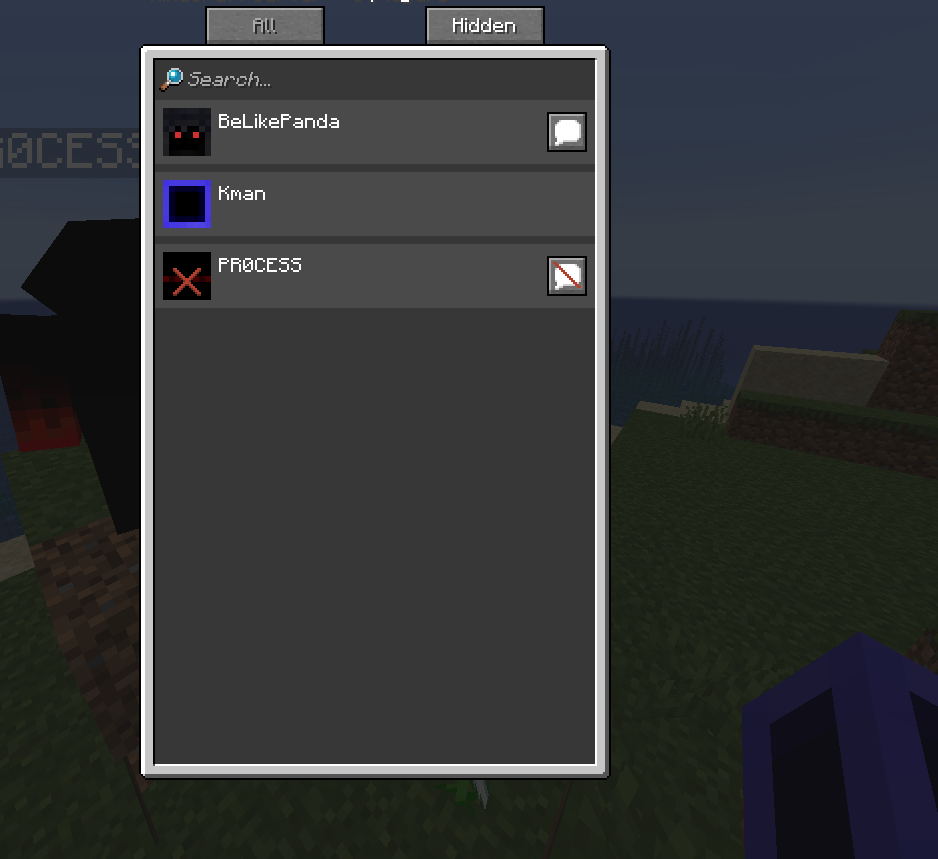
The Social Interactions mute can be bypassed by killing a player with a named item or an entity that is named by killing that player.
Bug:
The Social Interactions mute can be bypassed by killing a player with a named item or an entity that is named by killing that player.
The bug:
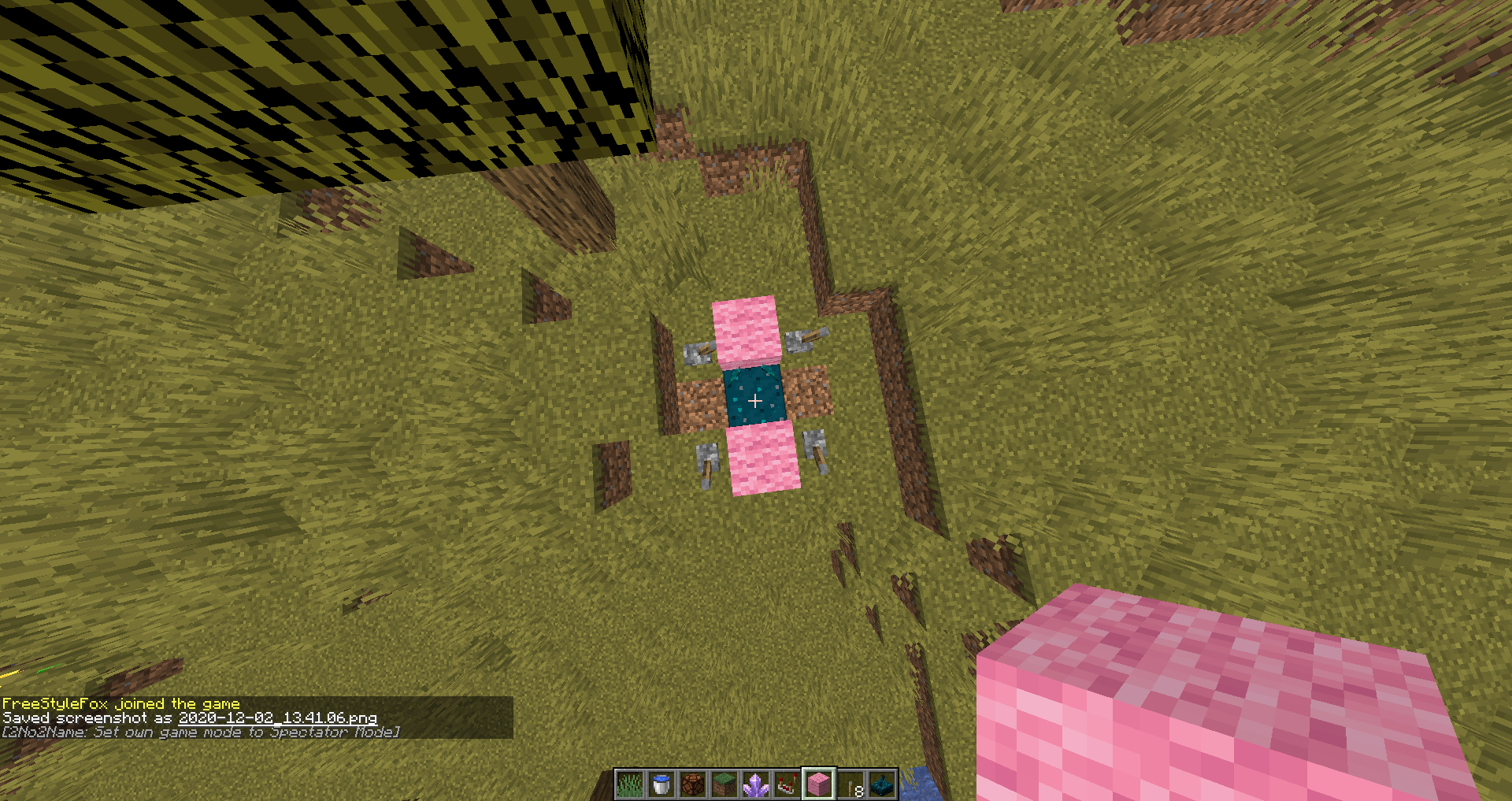
Sculk sensors have a bias when detecting sounds from certain direction when wool is in the way. It sees the x axis is different from the z axis, where the x axis blocks sounds and z does not from diagonals
Set up:
Example: *https://youtu.be/7HN89WI5_SQ*
Make the following two set ups.
Press the levers and see the responses
The bug:
Sculk sensors have a bias when detecting sounds from certain direction when wool is in the way. It sees the x axis is different from the z axis, where the x axis blocks sounds and z does not from diagonals
Set up:
Example: *https://youtu.be/7HN89WI5_SQ
*Make the following two set ups.
Press the levers and see the responses
The bug:
Sculk sensors have a bias when detecting sounds from certain direction when wool is in the way. It sees the x axis is different from the z axis, where the x axis blocks sounds and z does not from diagonals
Set up:
Example: https://youtu.be/7HN89WI5_SQ
Make the following two set ups.
Press the levers and see the responses
The bug:
Sculk sensors have a bias when detecting sounds from certain direction when wool is in the way. It sees the x axis is different from the z axis, where the x axis blocks sounds and z does not from diagonals
Set up:
Example: https://youtu.be/7HN89WI5_SQ
Make the following two set ups.
Press the levers and see the responses
The bug:
Sculk sensors have a bias when detecting sounds from certain direction when wool is in the way. It seems the x axis is different from the z axis, where the x axis blocks sounds and z does not from diagonals
Set up:
Example: https://youtu.be/7HN89WI5_SQ
Make the following two set ups.
Press the levers and see the responses
The bug:
Sculk sensors have a bias when detecting sounds from certain direction when wool is in the way. It seems the x axis is different from the z axis, where the x axis blocks sounds and z does not from diagonals
Set up:
Example: https://youtu.be/7HN89WI5_SQ
Make the following two set ups.
Press the levers and see the responses
The bug:
Sculk sensors have a bias when detecting sounds from certain directions when wool is in the way. It seems the x axis is different from the z axis, where the x axis blocks sounds and z does not from diagonals
Set up:
Example: https://youtu.be/7HN89WI5_SQ
Make the following two set ups.
Press the levers and see the responses
The Bug:
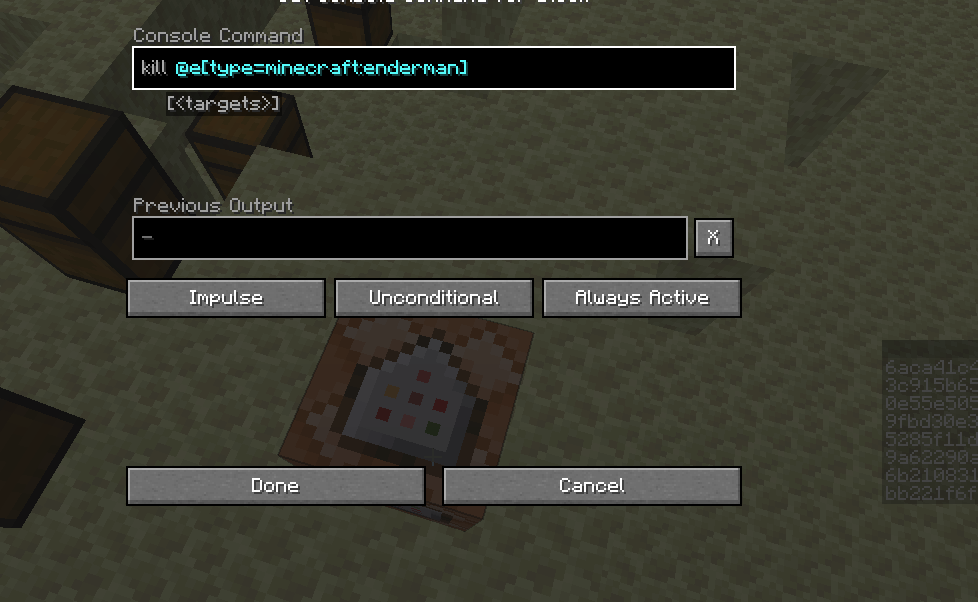
If you have the pervious output for command blocks turned on and you have a command in the command block that will give a previous output and activate it, no previous output will be added in the command block.
Example:
Give yourself a command block and enter the following command:
kill @e[type=minecraft:enderman]Run it and see no output
(On either mode X or O no command output is give for me atleast)
The Bug:
If you have the pervious output for command blocks turned on and you have a command in the command block that will give a previous output and activate it, no previous output will be added in the command block.
Example:
Give yourself a command block and enter the following command:
kill @e[type=minecraft:enderman]Run it and see no output
(On either mode X or O no command output is give for me atleast)
The Bug:
If you have the pervious output for command blocks turned on and you have a command in the command block that will give a previous output and activate it, no previous output will be added in the command block.
Example:
Give yourself a command block and enter the following command:
kill @e[type=minecraft:enderman]Run it and see no output
(On either mode X or O no command output is give for me atleast)
The bug:
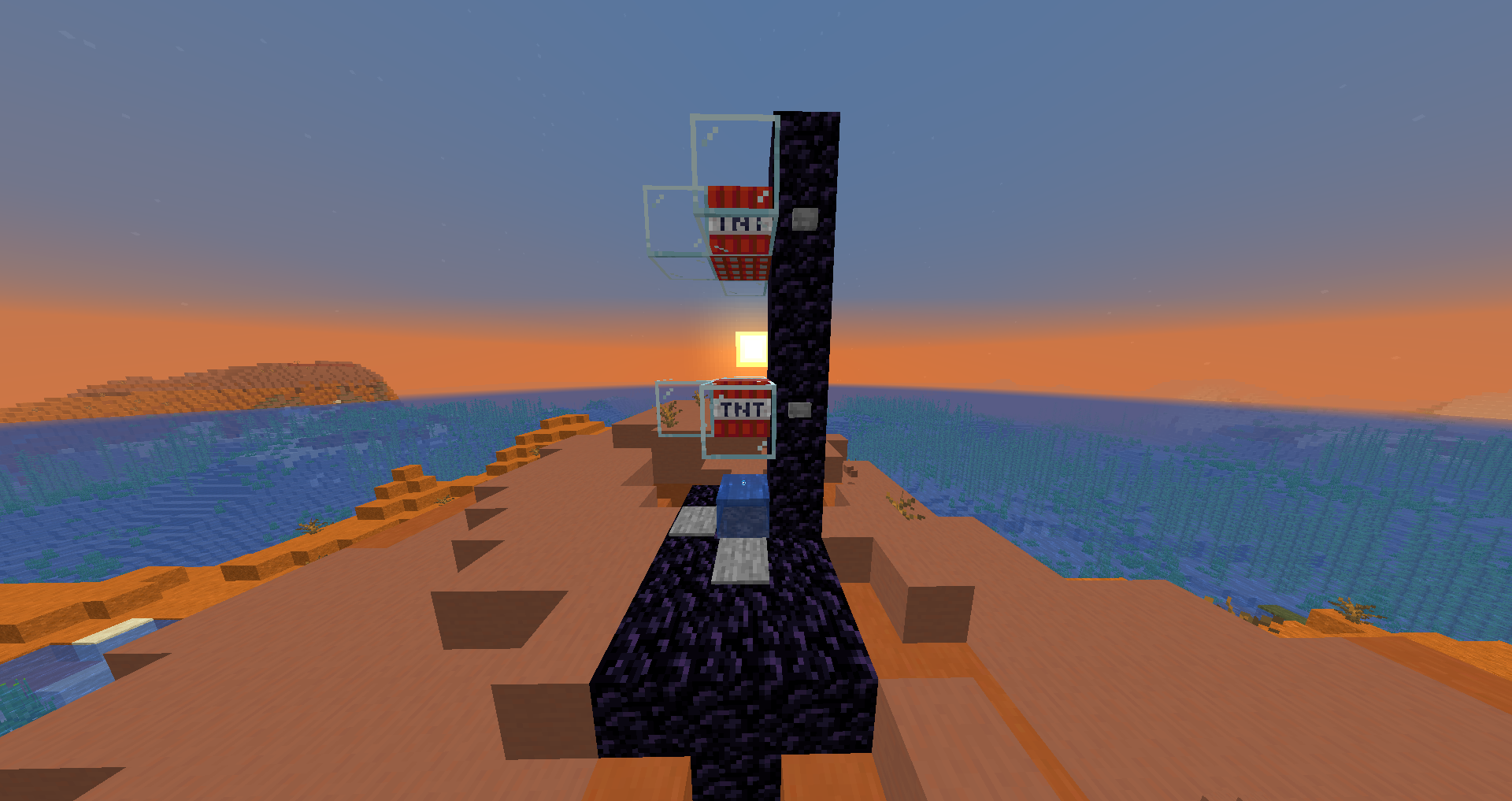
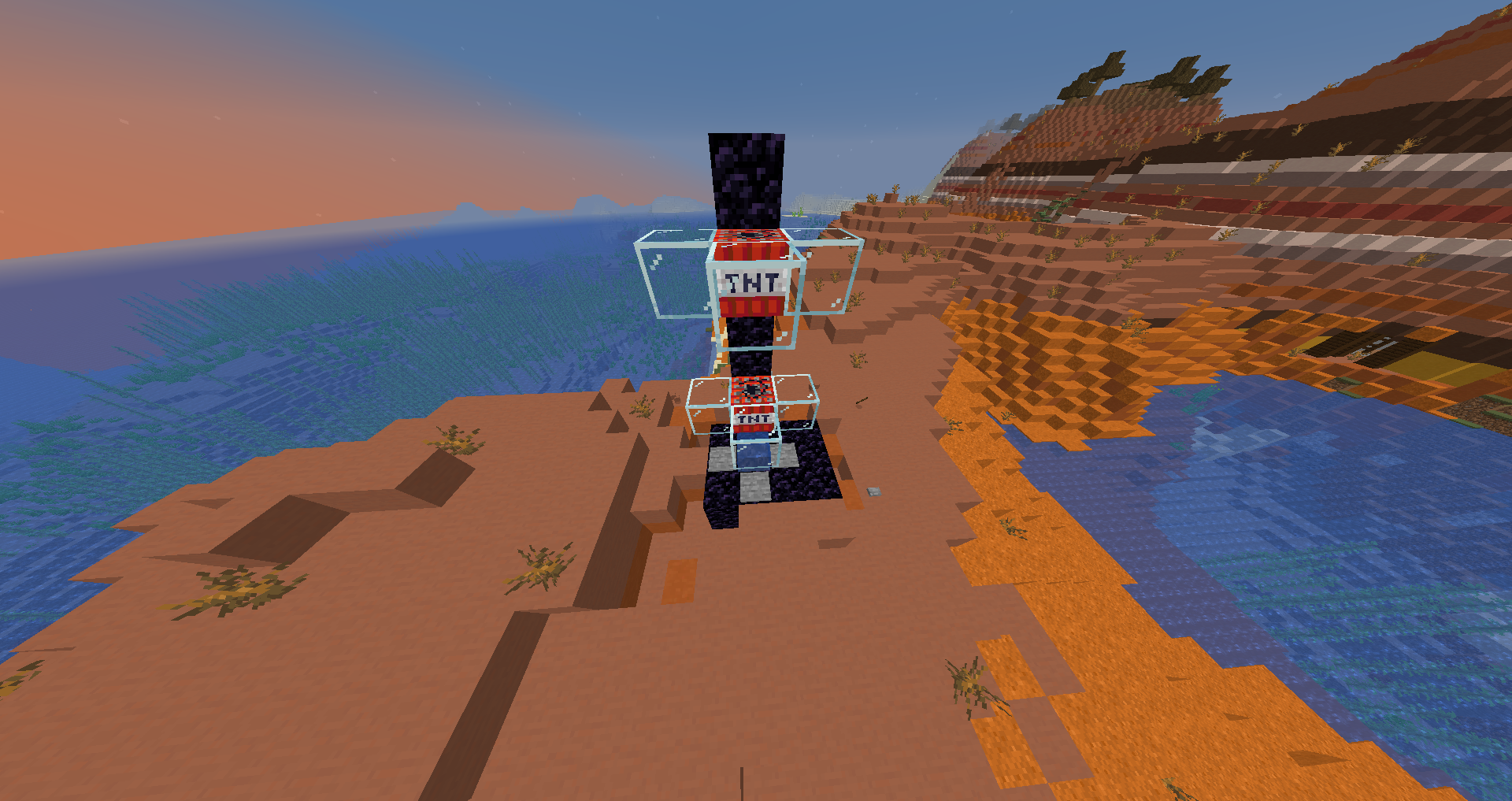
Tnt, Falling blocks, and Xp orbs (only those that I know of currently, might be more) can get stuck in up going (soul sand) bubble columns. This is due to the order or events in the entities tick phase where the onGround tag perpetuates downward motion instead of upwards due to being in the column. (Watch video to understand better)
Example: https://youtu.be/drtWuTpykA4
The Setup:
Build the following:
(WARNING!! IT WILL EXPLODE BETWEEN TNT. YOU MUST REBUILD IT WHEN TESTING THE OTHER TNT)
Fire the Tnt one at a time to see the issue.
You can use the following command a few blocks above the soul sand to test xp orbs.
/summon minecraft:experience_orb ~ ~8 ~ {Motion:[0.0,-9.0,0.0]}
Code Analysis:
Using 20w49a yarn/fabric mappings:
We will be looking at the Tnt entity for this:
public class TntEntity //remove code public void tick() { if (!this.hasNoGravity()) { this.setVelocity(this.getVelocity().add(0.0, -0.04, 0.0)); } this.move(MovementType.SELF, this.getVelocity()); this.setVelocity(this.getVelocity().multiply(0.98)); if (this.onGround) { this.setVelocity(this.getVelocity().multiply(0.7, -0.5, 0.7)); } //remove code }Here, we have the tick method of Tnt. For this, let us assume that the Tnt has enough downward motion to reach the soul sand of the bubble column (lets say -10.0 b/gt)
First we will add gravity to the motion making it -10.04 b/gt.
Next we will do a move method.
Without showing the code, what will happen is that it will collide with the soul sand, set it's velocity to 0 b/gt and set onGround to true then check more block collisions, in this case, bubble column. From 0 b/gt, it will set the velocity to 0.7 b/gt from the "onBubbleColumnCollision" method in the entity class.
Thirdly, (back in the Tnt tick method) we will multiply all axis motion by 0.98 (drag), thus making the y motion now 0.686 b/gt.
Fourthly, as onGround was set to true by the move method, it will multiple the Y axis by -0.5, thus making the velocity -0.343 b/gt
As we end up with a negative velocity, the onGround will be set to true in the next move method as it will collide with the soul sand and the cycle will continue. This makes the bubble column not work.
A Potential Fix:
If an entity has collided with a bubble column in the "checkBlockCollision()", set the OnGround tag to False. This may have unforeseen consequences, but I can't think of any as of now
The Bug:
When a trident is returning to its owner with loyalty and the owner goes into another world before it can reach them, the trident can no longer find the owner. This can cause a non-owner player, who is in survival and picks up the trident in this state, to be kicked from the server and stay kicked as they log in on top of the trident. Also these steps can be used to create floating tridents.
How to Reproduce:
Watch this video as it is a little hard to explain without a video:
The Cause:
The owner is null and there is no catch for this null. when the non-owner goes to pick it up, it checks to see if this player's uuid matches the other player's uuid. As the other player's uuid is null, as they are not in the same world, it causes a null point exception.
The Reports
Server side report
[Server thread/WARN]: Failed to handle packet for ... u: Ticking player at aah.v_(SourceFile:492) ~[server.jar:?] at aay.b(SourceFile:207) ~[server.jar:?] at nd.a(SourceFile:234) ~[server.jar:?] at aax.c(SourceFile:173) ~[server.jar:?] at net.minecraft.server.MinecraftServer.b(SourceFile:879) ~[server.jar:?] at zg.b(SourceFile:303) ~[server.jar:?] at net.minecraft.server.MinecraftServer.a(SourceFile:808) ~[server.jar:?] at net.minecraft.server.MinecraftServer.w(SourceFile:667) ~[server.jar:?] at net.minecraft.server.MinecraftServer.a(SourceFile:254) ~[server.jar:?] at java.lang.Thread.run(Unknown Source) [?:1.8.0_144] Caused by: java.lang.NullPointerException at bfx.a_(SourceFile:546) ~[server.jar:?] at bgv.a_(SourceFile:184) ~[server.jar:?] at bft.c(SourceFile:621) ~[server.jar:?] at bft.k(SourceFile:597) ~[server.jar:?] at aqj.j(SourceFile:2254) ~[server.jar:?] at bft.j(SourceFile:274) ~[server.jar:?] at aah.v_(SourceFile:428) ~[server.jar:?] ... 9 moreClient side report
unexpectedly disconnected from server! java.io.IOException: An existing connection was forcibly closed by the remote host at sun.nio.ch.SocketDispatcher.read0(Native Method) at sun.nio.ch.SocketDispatcher.read(SocketDispatcher.java:43) at sun.nio.ch.IOUtil.readIntoNativeBuffer(IOUtil.java:223) at sun.nio.ch.IOUtil.read(IOUtil.java:192) at sun.nio.ch.SocketChannelImpl.read(SocketChannelImpl.java:380) at io.netty.buffer.PooledUnsafeDirectByteBuf.setBytes(PooledUnsafeDirectByteBuf.java:288) at io.netty.buffer.AbstractByteBuf.writeBytes(AbstractByteBuf.java:1108) at io.netty.channel.socket.nio.NioSocketChannel.doReadBytes(NioSocketChannel.java:345) at io.netty.channel.nio.AbstractNioByteChannel$NioByteUnsafe.read(AbstractNioByteChannel.java:148) at io.netty.channel.nio.NioEventLoop.processSelectedKey(NioEventLoop.java:647) at io.netty.channel.nio.NioEventLoop.processSelectedKeysOptimized(NioEventLoop.java:582) at io.netty.channel.nio.NioEventLoop.processSelectedKeys(NioEventLoop.java:499) at io.netty.channel.nio.NioEventLoop.run(NioEventLoop.java:461) at io.netty.util.concurrent.SingleThreadEventExecutor$5.run(SingleThreadEventExecutor.java:884) at java.lang.Thread.run(Thread.java:745)Fabric report for those who want to see better:
Jan 15 02:15:20 Ubuntu-1804-bionic-64-minimal run.sh[30730]: net.minecraft.class_148: Ticking player
Jan 15 02:15:20 Ubuntu-1804-bionic-64-minimal run.sh[30730]:         at Not Enough Crashes deobfuscated stack trace.(1.16.2+build.47) ~[?:?]
Jan 15 02:15:20 Ubuntu-1804-bionic-64-minimal run.sh[30730]:         at net.minecraft.server.network.ServerPlayerEntity.playerTick(ServerPlayerEntity:492) ~[?:?]
Jan 15 02:15:20 Ubuntu-1804-bionic-64-minimal run.sh[30730]:         at net.minecraft.server.network.ServerPlayNetworkHandler.tick(ServerPlayNetworkHandler:207) ~[?:?]
Jan 15 02:15:20 Ubuntu-1804-bionic-64-minimal run.sh[30730]:         at net.minecraft.network.ClientConnection.tick(ClientConnection:234) ~[?:?]
Jan 15 02:15:20 Ubuntu-1804-bionic-64-minimal run.sh[30730]:         at net.minecraft.server.ServerNetworkIo.tick(ServerNetworkIo:173) ~[?:?]
Jan 15 02:15:20 Ubuntu-1804-bionic-64-minimal run.sh[30730]:         at net.minecraft.server.MinecraftServer.tickWorlds(MinecraftServer:879) ~[intermediary-minecraft_server_1.16.2.jar:?]
Jan 15 02:15:20 Ubuntu-1804-bionic-64-minimal run.sh[30730]:         at net.minecraft.server.dedicated.MinecraftDedicatedServer.tickWorlds(MinecraftDedicatedServer:303) ~[?:?]
Jan 15 02:15:20 Ubuntu-1804-bionic-64-minimal run.sh[30730]:         at net.minecraft.server.MinecraftServer.tick(MinecraftServer:808) ~[intermediary-minecraft_server_1.16.2.jar:?]
Jan 15 02:15:20 Ubuntu-1804-bionic-64-minimal run.sh[30730]:         at net.minecraft.server.MinecraftServer.handler$zip000$modifiedRunLoop(MinecraftServer:4761) ~[intermediary-minecraft_server_1.16.2.jar:?]
Jan 15 02:15:20 Ubuntu-1804-bionic-64-minimal run.sh[30730]:         at net.minecraft.server.MinecraftServer.runServer(MinecraftServer:648) ~[intermediary-minecraft_server_1.16.2.jar:?]
Jan 15 02:15:20 Ubuntu-1804-bionic-64-minimal run.sh[30730]:         at net.minecraft.server.MinecraftServer.method_29739(MinecraftServer:254) ~[intermediary-minecraft_server_1.16.2.jar:?]
Jan 15 02:15:20 Ubuntu-1804-bionic-64-minimal run.sh[30730]:         at java.lang.Thread.run(Thread.java:834) [?:?]
Jan 15 02:15:20 Ubuntu-1804-bionic-64-minimal run.sh[30730]: Caused by: java.lang.NullPointerException
Jan 15 02:15:20 Ubuntu-1804-bionic-64-minimal run.sh[30730]:         at Not Enough Crashes deobfuscated stack trace.(1.16.2+build.47) ~[?:?]
Jan 15 02:15:20 Ubuntu-1804-bionic-64-minimal run.sh[30730]:         at net.minecraft.entity.projectile.PersistentProjectileEntity.onPlayerCollision(PersistentProjectileEntity:546) ~[?:?]
Jan 15 02:15:20 Ubuntu-1804-bionic-64-minimal run.sh[30730]:         at net.minecraft.entity.projectile.TridentEntity.onPlayerCollision(TridentEntity:184) ~[?:?]
Jan 15 02:15:20 Ubuntu-1804-bionic-64-minimal run.sh[30730]:         at net.minecraft.entity.player.PlayerEntity.collideWithEntity(PlayerEntity:621) ~[?:?]
Jan 15 02:15:20 Ubuntu-1804-bionic-64-minimal run.sh[30730]:         at net.minecraft.entity.player.PlayerEntity.tickMovement(PlayerEntity:597) ~[?:?]
Jan 15 02:15:20 Ubuntu-1804-bionic-64-minimal run.sh[30730]:         at net.minecraft.entity.LivingEntity.tick(LivingEntity:2254) ~[?:?]
Jan 15 02:15:20 Ubuntu-1804-bionic-64-minimal run.sh[30730]:         at net.minecraft.entity.player.PlayerEntity.tick(PlayerEntity:274) ~[?:?]
Jan 15 02:15:20 Ubuntu-1804-bionic-64-minimal run.sh[30730]:         at net.minecraft.server.network.ServerPlayerEntity.playerTick(ServerPlayerEntity:428) ~[?:?]
Jan 15 02:15:20 Ubuntu-1804-bionic-64-minimal run.sh[30730]:         ... 10 more
The Bug:
When a trident is returning to its owner with loyalty and the owner goes into another world before it can reach them, the trident can no longer find the owner. This can cause a non-owner player, who is in survival and picks up the trident in this state, to be kicked from the server and stay kicked as they log in on top of the trident. Also these steps can be used to create floating tridents.
How to Reproduce:
Watch this video as it is a little hard to explain without a video:
The Cause:
The owner is null and there is no catch for this null. when the non-owner goes to pick it up, it checks to see if this player's uuid matches the other player's uuid. As the other player's uuid is null, as they are not in the same world, it causes a null point exception.
The Reports
Server side report
[Server thread/WARN]: Failed to handle packet for ... u: Ticking player at aah.v_(SourceFile:492) ~[server.jar:?] at aay.b(SourceFile:207) ~[server.jar:?] at nd.a(SourceFile:234) ~[server.jar:?] at aax.c(SourceFile:173) ~[server.jar:?] at net.minecraft.server.MinecraftServer.b(SourceFile:879) ~[server.jar:?] at zg.b(SourceFile:303) ~[server.jar:?] at net.minecraft.server.MinecraftServer.a(SourceFile:808) ~[server.jar:?] at net.minecraft.server.MinecraftServer.w(SourceFile:667) ~[server.jar:?] at net.minecraft.server.MinecraftServer.a(SourceFile:254) ~[server.jar:?] at java.lang.Thread.run(Unknown Source) [?:1.8.0_144] Caused by: java.lang.NullPointerException at bfx.a_(SourceFile:546) ~[server.jar:?] at bgv.a_(SourceFile:184) ~[server.jar:?] at bft.c(SourceFile:621) ~[server.jar:?] at bft.k(SourceFile:597) ~[server.jar:?] at aqj.j(SourceFile:2254) ~[server.jar:?] at bft.j(SourceFile:274) ~[server.jar:?] at aah.v_(SourceFile:428) ~[server.jar:?] ... 9 moreClient side report
unexpectedly disconnected from server! java.io.IOException: An existing connection was forcibly closed by the remote host at sun.nio.ch.SocketDispatcher.read0(Native Method) at sun.nio.ch.SocketDispatcher.read(SocketDispatcher.java:43) at sun.nio.ch.IOUtil.readIntoNativeBuffer(IOUtil.java:223) at sun.nio.ch.IOUtil.read(IOUtil.java:192) at sun.nio.ch.SocketChannelImpl.read(SocketChannelImpl.java:380) at io.netty.buffer.PooledUnsafeDirectByteBuf.setBytes(PooledUnsafeDirectByteBuf.java:288) at io.netty.buffer.AbstractByteBuf.writeBytes(AbstractByteBuf.java:1108) at io.netty.channel.socket.nio.NioSocketChannel.doReadBytes(NioSocketChannel.java:345) at io.netty.channel.nio.AbstractNioByteChannel$NioByteUnsafe.read(AbstractNioByteChannel.java:148) at io.netty.channel.nio.NioEventLoop.processSelectedKey(NioEventLoop.java:647) at io.netty.channel.nio.NioEventLoop.processSelectedKeysOptimized(NioEventLoop.java:582) at io.netty.channel.nio.NioEventLoop.processSelectedKeys(NioEventLoop.java:499) at io.netty.channel.nio.NioEventLoop.run(NioEventLoop.java:461) at io.netty.util.concurrent.SingleThreadEventExecutor$5.run(SingleThreadEventExecutor.java:884) at java.lang.Thread.run(Thread.java:745)Fabric report for those who want to see better:
Jan 15 02:15:20 Ubuntu-1804-bionic-64-minimal run.sh[30730]: net.minecraft.class_148: Ticking player Jan 15 02:15:20 Ubuntu-1804-bionic-64-minimal run.sh[30730]: at Not Enough Crashes deobfuscated stack trace.(1.16.2+build.47) ~[?:?] Jan 15 02:15:20 Ubuntu-1804-bionic-64-minimal run.sh[30730]: at net.minecraft.server.network.ServerPlayerEntity.playerTick(ServerPlayerEntity:492) ~[?:?] Jan 15 02:15:20 Ubuntu-1804-bionic-64-minimal run.sh[30730]: at net.minecraft.server.network.ServerPlayNetworkHandler.tick(ServerPlayNetworkHandler:207) ~[?:?] Jan 15 02:15:20 Ubuntu-1804-bionic-64-minimal run.sh[30730]: at net.minecraft.network.ClientConnection.tick(ClientConnection:234) ~[?:?] Jan 15 02:15:20 Ubuntu-1804-bionic-64-minimal run.sh[30730]: at net.minecraft.server.ServerNetworkIo.tick(ServerNetworkIo:173) ~[?:?] Jan 15 02:15:20 Ubuntu-1804-bionic-64-minimal run.sh[30730]: at net.minecraft.server.MinecraftServer.tickWorlds(MinecraftServer:879) ~[intermediary-minecraft_server_1.16.2.jar:?] Jan 15 02:15:20 Ubuntu-1804-bionic-64-minimal run.sh[30730]: at net.minecraft.server.dedicated.MinecraftDedicatedServer.tickWorlds(MinecraftDedicatedServer:303) ~[?:?] Jan 15 02:15:20 Ubuntu-1804-bionic-64-minimal run.sh[30730]: at net.minecraft.server.MinecraftServer.tick(MinecraftServer:808) ~[intermediary-minecraft_server_1.16.2.jar:?] Jan 15 02:15:20 Ubuntu-1804-bionic-64-minimal run.sh[30730]: at net.minecraft.server.MinecraftServer.handler$zip000$modifiedRunLoop(MinecraftServer:4761) ~[intermediary-minecraft_server_1.16.2.jar:?] Jan 15 02:15:20 Ubuntu-1804-bionic-64-minimal run.sh[30730]: at net.minecraft.server.MinecraftServer.runServer(MinecraftServer:648) ~[intermediary-minecraft_server_1.16.2.jar:?] Jan 15 02:15:20 Ubuntu-1804-bionic-64-minimal run.sh[30730]: at net.minecraft.server.MinecraftServer.method_29739(MinecraftServer:254) ~[intermediary-minecraft_server_1.16.2.jar:?] Jan 15 02:15:20 Ubuntu-1804-bionic-64-minimal run.sh[30730]: at java.lang.Thread.run(Thread.java:834) [?:?] Jan 15 02:15:20 Ubuntu-1804-bionic-64-minimal run.sh[30730]: Caused by: java.lang.NullPointerException Jan 15 02:15:20 Ubuntu-1804-bionic-64-minimal run.sh[30730]: at Not Enough Crashes deobfuscated stack trace.(1.16.2+build.47) ~[?:?] Jan 15 02:15:20 Ubuntu-1804-bionic-64-minimal run.sh[30730]: at net.minecraft.entity.projectile.PersistentProjectileEntity.onPlayerCollision(PersistentProjectileEntity:546) ~[?:?] Jan 15 02:15:20 Ubuntu-1804-bionic-64-minimal run.sh[30730]: at net.minecraft.entity.projectile.TridentEntity.onPlayerCollision(TridentEntity:184) ~[?:?] Jan 15 02:15:20 Ubuntu-1804-bionic-64-minimal run.sh[30730]: at net.minecraft.entity.player.PlayerEntity.collideWithEntity(PlayerEntity:621) ~[?:?] Jan 15 02:15:20 Ubuntu-1804-bionic-64-minimal run.sh[30730]: at net.minecraft.entity.player.PlayerEntity.tickMovement(PlayerEntity:597) ~[?:?] Jan 15 02:15:20 Ubuntu-1804-bionic-64-minimal run.sh[30730]: at net.minecraft.entity.LivingEntity.tick(LivingEntity:2254) ~[?:?] Jan 15 02:15:20 Ubuntu-1804-bionic-64-minimal run.sh[30730]: at net.minecraft.entity.player.PlayerEntity.tick(PlayerEntity:274) ~[?:?] Jan 15 02:15:20 Ubuntu-1804-bionic-64-minimal run.sh[30730]: at net.minecraft.server.network.ServerPlayerEntity.playerTick(ServerPlayerEntity:428) ~[?:?] Jan 15 02:15:20 Ubuntu-1804-bionic-64-minimal run.sh[30730]: ... 10 moreThe Bug:
When a trident is returning to its owner with loyalty and the owner goes into another world before it can reach them, the trident can no longer find the owner. This can cause a non-owner player, who is in survival and picks up the trident in this state, to be kicked from the server and stay kicked as they log in on top of the trident. Also these steps can be used to create floating tridents.
How to Reproduce:
Watch this video as it is a little hard to explain without a video:
The Cause:
The owner is null and there is no catch for this null. when the non-owner goes to pick it up, it checks to see if this player's uuid matches the other player's uuid. As the other player's uuid is null, as they are not in the same world, it causes a null point exception.
The Reports
Server side report
[Server thread/WARN]: Failed to handle packet for ... u: Ticking player at aah.v_(SourceFile:492) ~[server.jar:?] at aay.b(SourceFile:207) ~[server.jar:?] at nd.a(SourceFile:234) ~[server.jar:?] at aax.c(SourceFile:173) ~[server.jar:?] at net.minecraft.server.MinecraftServer.b(SourceFile:879) ~[server.jar:?] at zg.b(SourceFile:303) ~[server.jar:?] at net.minecraft.server.MinecraftServer.a(SourceFile:808) ~[server.jar:?] at net.minecraft.server.MinecraftServer.w(SourceFile:667) ~[server.jar:?] at net.minecraft.server.MinecraftServer.a(SourceFile:254) ~[server.jar:?] at java.lang.Thread.run(Unknown Source) [?:1.8.0_144] Caused by: java.lang.NullPointerException at bfx.a_(SourceFile:546) ~[server.jar:?] at bgv.a_(SourceFile:184) ~[server.jar:?] at bft.c(SourceFile:621) ~[server.jar:?] at bft.k(SourceFile:597) ~[server.jar:?] at aqj.j(SourceFile:2254) ~[server.jar:?] at bft.j(SourceFile:274) ~[server.jar:?] at aah.v_(SourceFile:428) ~[server.jar:?] ... 9 moreClient side report
unexpectedly disconnected from server! java.io.IOException: An existing connection was forcibly closed by the remote host at sun.nio.ch.SocketDispatcher.read0(Native Method) at sun.nio.ch.SocketDispatcher.read(SocketDispatcher.java:43) at sun.nio.ch.IOUtil.readIntoNativeBuffer(IOUtil.java:223) at sun.nio.ch.IOUtil.read(IOUtil.java:192) at sun.nio.ch.SocketChannelImpl.read(SocketChannelImpl.java:380) at io.netty.buffer.PooledUnsafeDirectByteBuf.setBytes(PooledUnsafeDirectByteBuf.java:288) at io.netty.buffer.AbstractByteBuf.writeBytes(AbstractByteBuf.java:1108) at io.netty.channel.socket.nio.NioSocketChannel.doReadBytes(NioSocketChannel.java:345) at io.netty.channel.nio.AbstractNioByteChannel$NioByteUnsafe.read(AbstractNioByteChannel.java:148) at io.netty.channel.nio.NioEventLoop.processSelectedKey(NioEventLoop.java:647) at io.netty.channel.nio.NioEventLoop.processSelectedKeysOptimized(NioEventLoop.java:582) at io.netty.channel.nio.NioEventLoop.processSelectedKeys(NioEventLoop.java:499) at io.netty.channel.nio.NioEventLoop.run(NioEventLoop.java:461) at io.netty.util.concurrent.SingleThreadEventExecutor$5.run(SingleThreadEventExecutor.java:884) at java.lang.Thread.run(Thread.java:745)Fabric report for those who want to see better:
Jan 15 02:15:20 Ubuntu-1804-bionic-64-minimal run.sh[30730]: net.minecraft.class_148: Ticking player
Jan 15 02:15:20 Ubuntu-1804-bionic-64-minimal run.sh[30730]:         at Not Enough Crashes deobfuscated stack trace.(1.16.2+build.47) ~[?:?]
Jan 15 02:15:20 Ubuntu-1804-bionic-64-minimal run.sh[30730]:         at net.minecraft.server.network.ServerPlayerEntity.playerTick(ServerPlayerEntity:492) ~[?:?]
Jan 15 02:15:20 Ubuntu-1804-bionic-64-minimal run.sh[30730]:         at net.minecraft.server.network.ServerPlayNetworkHandler.tick(ServerPlayNetworkHandler:207) ~[?:?]
Jan 15 02:15:20 Ubuntu-1804-bionic-64-minimal run.sh[30730]:         at net.minecraft.network.ClientConnection.tick(ClientConnection:234) ~[?:?]
Jan 15 02:15:20 Ubuntu-1804-bionic-64-minimal run.sh[30730]:         at net.minecraft.server.ServerNetworkIo.tick(ServerNetworkIo:173) ~[?:?]
Jan 15 02:15:20 Ubuntu-1804-bionic-64-minimal run.sh[30730]:         at net.minecraft.server.MinecraftServer.tickWorlds(MinecraftServer:879) ~[intermediary-minecraft_server_1.16.2.jar:?]
Jan 15 02:15:20 Ubuntu-1804-bionic-64-minimal run.sh[30730]:         at net.minecraft.server.dedicated.MinecraftDedicatedServer.tickWorlds(MinecraftDedicatedServer:303) ~[?:?]
Jan 15 02:15:20 Ubuntu-1804-bionic-64-minimal run.sh[30730]:         at net.minecraft.server.MinecraftServer.tick(MinecraftServer:808) ~[intermediary-minecraft_server_1.16.2.jar:?]
Jan 15 02:15:20 Ubuntu-1804-bionic-64-minimal run.sh[30730]:         at net.minecraft.server.MinecraftServer.handler$zip000$modifiedRunLoop(MinecraftServer:4761) ~[intermediary-minecraft_server_1.16.2.jar:?]
Jan 15 02:15:20 Ubuntu-1804-bionic-64-minimal run.sh[30730]:         at net.minecraft.server.MinecraftServer.runServer(MinecraftServer:648) ~[intermediary-minecraft_server_1.16.2.jar:?]
Jan 15 02:15:20 Ubuntu-1804-bionic-64-minimal run.sh[30730]:         at net.minecraft.server.MinecraftServer.method_29739(MinecraftServer:254) ~[intermediary-minecraft_server_1.16.2.jar:?]
Jan 15 02:15:20 Ubuntu-1804-bionic-64-minimal run.sh[30730]:         at java.lang.Thread.run(Thread.java:834) [?:?]
Jan 15 02:15:20 Ubuntu-1804-bionic-64-minimal run.sh[30730]: Caused by: java.lang.NullPointerException
Jan 15 02:15:20 Ubuntu-1804-bionic-64-minimal run.sh[30730]:         at Not Enough Crashes deobfuscated stack trace.(1.16.2+build.47) ~[?:?]
Jan 15 02:15:20 Ubuntu-1804-bionic-64-minimal run.sh[30730]:         at net.minecraft.entity.projectile.PersistentProjectileEntity.onPlayerCollision(PersistentProjectileEntity:546) ~[?:?]
Jan 15 02:15:20 Ubuntu-1804-bionic-64-minimal run.sh[30730]:         at net.minecraft.entity.projectile.TridentEntity.onPlayerCollision(TridentEntity:184) ~[?:?]
Jan 15 02:15:20 Ubuntu-1804-bionic-64-minimal run.sh[30730]:         at net.minecraft.entity.player.PlayerEntity.collideWithEntity(PlayerEntity:621) ~[?:?]
Jan 15 02:15:20 Ubuntu-1804-bionic-64-minimal run.sh[30730]:         at net.minecraft.entity.player.PlayerEntity.tickMovement(PlayerEntity:597) ~[?:?]
Jan 15 02:15:20 Ubuntu-1804-bionic-64-minimal run.sh[30730]:         at net.minecraft.entity.LivingEntity.tick(LivingEntity:2254) ~[?:?]
Jan 15 02:15:20 Ubuntu-1804-bionic-64-minimal run.sh[30730]:         at net.minecraft.entity.player.PlayerEntity.tick(PlayerEntity:274) ~[?:?]
Jan 15 02:15:20 Ubuntu-1804-bionic-64-minimal run.sh[30730]:         at net.minecraft.server.network.ServerPlayerEntity.playerTick(ServerPlayerEntity:428) ~[?:?]
Jan 15 02:15:20 Ubuntu-1804-bionic-64-minimal run.sh[30730]:         ... 10 more
The Bug:
When a trident is returning to its owner with loyalty and the owner goes into another world before it can reach them, the trident can no longer find the owner. This can cause a non-owner player, who is in survival and picks up the trident in this state, to be kicked from the server and stay kicked as they log in on top of the trident. Also these steps can be used to create floating tridents.
How to Reproduce:
Watch this video as it is a little hard to explain without a video:
The Cause:
The owner is null and there is no catch for this null. when the non-owner goes to pick it up, it checks to see if this player's uuid matches the other player's uuid. As the other player's uuid is null, as they are not in the same world, it causes a null point exception. Basically getOwner() returns null
The Reports
Server side report
[Server thread/WARN]: Failed to handle packet for ... u: Ticking player at aah.v_(SourceFile:492) ~[server.jar:?] at aay.b(SourceFile:207) ~[server.jar:?] at nd.a(SourceFile:234) ~[server.jar:?] at aax.c(SourceFile:173) ~[server.jar:?] at net.minecraft.server.MinecraftServer.b(SourceFile:879) ~[server.jar:?] at zg.b(SourceFile:303) ~[server.jar:?] at net.minecraft.server.MinecraftServer.a(SourceFile:808) ~[server.jar:?] at net.minecraft.server.MinecraftServer.w(SourceFile:667) ~[server.jar:?] at net.minecraft.server.MinecraftServer.a(SourceFile:254) ~[server.jar:?] at java.lang.Thread.run(Unknown Source) [?:1.8.0_144] Caused by: java.lang.NullPointerException at bfx.a_(SourceFile:546) ~[server.jar:?] at bgv.a_(SourceFile:184) ~[server.jar:?] at bft.c(SourceFile:621) ~[server.jar:?] at bft.k(SourceFile:597) ~[server.jar:?] at aqj.j(SourceFile:2254) ~[server.jar:?] at bft.j(SourceFile:274) ~[server.jar:?] at aah.v_(SourceFile:428) ~[server.jar:?] ... 9 moreClient side report
unexpectedly disconnected from server! java.io.IOException: An existing connection was forcibly closed by the remote host at sun.nio.ch.SocketDispatcher.read0(Native Method) at sun.nio.ch.SocketDispatcher.read(SocketDispatcher.java:43) at sun.nio.ch.IOUtil.readIntoNativeBuffer(IOUtil.java:223) at sun.nio.ch.IOUtil.read(IOUtil.java:192) at sun.nio.ch.SocketChannelImpl.read(SocketChannelImpl.java:380) at io.netty.buffer.PooledUnsafeDirectByteBuf.setBytes(PooledUnsafeDirectByteBuf.java:288) at io.netty.buffer.AbstractByteBuf.writeBytes(AbstractByteBuf.java:1108) at io.netty.channel.socket.nio.NioSocketChannel.doReadBytes(NioSocketChannel.java:345) at io.netty.channel.nio.AbstractNioByteChannel$NioByteUnsafe.read(AbstractNioByteChannel.java:148) at io.netty.channel.nio.NioEventLoop.processSelectedKey(NioEventLoop.java:647) at io.netty.channel.nio.NioEventLoop.processSelectedKeysOptimized(NioEventLoop.java:582) at io.netty.channel.nio.NioEventLoop.processSelectedKeys(NioEventLoop.java:499) at io.netty.channel.nio.NioEventLoop.run(NioEventLoop.java:461) at io.netty.util.concurrent.SingleThreadEventExecutor$5.run(SingleThreadEventExecutor.java:884) at java.lang.Thread.run(Thread.java:745)Fabric report for those who want to see better:
Jan 15 02:15:20 Ubuntu-1804-bionic-64-minimal run.sh[30730]: net.minecraft.class_148: Ticking player
Jan 15 02:15:20 Ubuntu-1804-bionic-64-minimal run.sh[30730]:         at Not Enough Crashes deobfuscated stack trace.(1.16.2+build.47) ~[?:?]
Jan 15 02:15:20 Ubuntu-1804-bionic-64-minimal run.sh[30730]:         at net.minecraft.server.network.ServerPlayerEntity.playerTick(ServerPlayerEntity:492) ~[?:?]
Jan 15 02:15:20 Ubuntu-1804-bionic-64-minimal run.sh[30730]:         at net.minecraft.server.network.ServerPlayNetworkHandler.tick(ServerPlayNetworkHandler:207) ~[?:?]
Jan 15 02:15:20 Ubuntu-1804-bionic-64-minimal run.sh[30730]:         at net.minecraft.network.ClientConnection.tick(ClientConnection:234) ~[?:?]
Jan 15 02:15:20 Ubuntu-1804-bionic-64-minimal run.sh[30730]:         at net.minecraft.server.ServerNetworkIo.tick(ServerNetworkIo:173) ~[?:?]
Jan 15 02:15:20 Ubuntu-1804-bionic-64-minimal run.sh[30730]:         at net.minecraft.server.MinecraftServer.tickWorlds(MinecraftServer:879) ~[intermediary-minecraft_server_1.16.2.jar:?]
Jan 15 02:15:20 Ubuntu-1804-bionic-64-minimal run.sh[30730]:         at net.minecraft.server.dedicated.MinecraftDedicatedServer.tickWorlds(MinecraftDedicatedServer:303) ~[?:?]
Jan 15 02:15:20 Ubuntu-1804-bionic-64-minimal run.sh[30730]:         at net.minecraft.server.MinecraftServer.tick(MinecraftServer:808) ~[intermediary-minecraft_server_1.16.2.jar:?]
Jan 15 02:15:20 Ubuntu-1804-bionic-64-minimal run.sh[30730]:         at net.minecraft.server.MinecraftServer.handler$zip000$modifiedRunLoop(MinecraftServer:4761) ~[intermediary-minecraft_server_1.16.2.jar:?]
Jan 15 02:15:20 Ubuntu-1804-bionic-64-minimal run.sh[30730]:         at net.minecraft.server.MinecraftServer.runServer(MinecraftServer:648) ~[intermediary-minecraft_server_1.16.2.jar:?]
Jan 15 02:15:20 Ubuntu-1804-bionic-64-minimal run.sh[30730]:         at net.minecraft.server.MinecraftServer.method_29739(MinecraftServer:254) ~[intermediary-minecraft_server_1.16.2.jar:?]
Jan 15 02:15:20 Ubuntu-1804-bionic-64-minimal run.sh[30730]:         at java.lang.Thread.run(Thread.java:834) [?:?]
Jan 15 02:15:20 Ubuntu-1804-bionic-64-minimal run.sh[30730]: Caused by: java.lang.NullPointerException
Jan 15 02:15:20 Ubuntu-1804-bionic-64-minimal run.sh[30730]:         at Not Enough Crashes deobfuscated stack trace.(1.16.2+build.47) ~[?:?]
Jan 15 02:15:20 Ubuntu-1804-bionic-64-minimal run.sh[30730]:         at net.minecraft.entity.projectile.PersistentProjectileEntity.onPlayerCollision(PersistentProjectileEntity:546) ~[?:?]
Jan 15 02:15:20 Ubuntu-1804-bionic-64-minimal run.sh[30730]:         at net.minecraft.entity.projectile.TridentEntity.onPlayerCollision(TridentEntity:184) ~[?:?]
Jan 15 02:15:20 Ubuntu-1804-bionic-64-minimal run.sh[30730]:         at net.minecraft.entity.player.PlayerEntity.collideWithEntity(PlayerEntity:621) ~[?:?]
Jan 15 02:15:20 Ubuntu-1804-bionic-64-minimal run.sh[30730]:         at net.minecraft.entity.player.PlayerEntity.tickMovement(PlayerEntity:597) ~[?:?]
Jan 15 02:15:20 Ubuntu-1804-bionic-64-minimal run.sh[30730]:         at net.minecraft.entity.LivingEntity.tick(LivingEntity:2254) ~[?:?]
Jan 15 02:15:20 Ubuntu-1804-bionic-64-minimal run.sh[30730]:         at net.minecraft.entity.player.PlayerEntity.tick(PlayerEntity:274) ~[?:?]
Jan 15 02:15:20 Ubuntu-1804-bionic-64-minimal run.sh[30730]:         at net.minecraft.server.network.ServerPlayerEntity.playerTick(ServerPlayerEntity:428) ~[?:?]
Jan 15 02:15:20 Ubuntu-1804-bionic-64-minimal run.sh[30730]:         ... 10 more
Trident returning to owner not in the same world can cause permeant player kickTrident returning to owner not in the same world can cause permanent player kick
The bug:
Tnt, Falling blocks, and Xp orbs (only those that I know of currently, might be more) don't bounce on slime blocks when falling into them. This is due to the order or events in the entities tick phase where the onGround tag perpetuates downward motion instead of upwards.
How to reproduce:
- Place four slime blocks in a 2x2 pattern on the floor.
- Go in the middle of the 4 slime blocks and fly up 5 blocks
- Use the following command above the slime blocks
/summon tnt ~ ~ ~ {Fuse:100,Motion:[0.0,-9.0,0.0]}
- Watch
the tnt not bounce.The code:
Using Fabric mapping 1.16.5
Here, we will look at the tnt entity for this example. We will start in the tick phase where it handles its motion and velocity as well as other nonimportant stuff not related to this ticket. We will say that this entity is moving down in this example (negative velocity y). We are first going to go into the move method as that is called first:
public void tick() {
    REMOVED code as it was not needed
    this.move(MovementType.SELF, this.getVelocity());
    REMOVED code as it was not needed
    if (this.onGround) {
        this.setVelocity(this.getVelocity().multiply(0.7, -0.5, 0.7));
    }
    REMOVED code as it was not needed
}
In the Move method of the Entity class:
public void move(MovementType type, Vec3d movement) { REMOVE code above as it was not needed BlockPos lv2 = this.getLandingPos(); BlockState lv3 = this.world.getBlockState(lv2); REMOVED code here as it was not needed this.fall(lv.y, this.onGround, lv3, lv2); Vec3d lv4 = this.getVelocity(); Block lv5 = lv3.getBlock(); if (movement.y != lv.y) { lv5.onEntityLand(this.world, this); } REMOVED code here as it was not needed }In the move method, the entity will try to go to it's final location using the velocity supplied in the parameters. If the y position hits a block, movement.y != lv.y, will be set to true and call onEntityLand, suppling a block, which in this case, that is a slime block.
Now looking in the onEnitiyLand code
@Override public void onEntityLand(BlockView world, Entity entity) { if (entity.bypassesLandingEffects()) { super.onEntityLand(world, entity); } else { this.bounce(entity); } }As the tnt can't bypassesLandingEffects, it will call this.bounce(entity).
Now looking at the bonce:
private void bounce(Entity entity) { Vec3d lv = entity.getVelocity(); if (lv.y < 0.0) { double d = entity instanceof LivingEntity ? 1.0 : 0.8; entity.setVelocity(lv.x, -lv.y * d, lv.z); } }As the tnt is being shot down, it has negative y velocity. Thus, the entities velocity will be set to a positive as it has its sign changed by -lv.y
As the move method is now done, we are back in the tick method
public void tick() { REMOVED code as it was not needed this.move(MovementType.SELF, this.getVelocity()); REMOVED code as it was not needed if (this.onGround) { this.setVelocity(this.getVelocity().multiply(0.7, -0.5, 0.7)); } REMOVED code as it was not needed }We came out of the move method with a positive velocity. Now, as it hit a block going down, the onGround check was set to true. As the onGround check was set to true, the y velocity will multiplied by -0.5, thus making it negative. When the tick is called again, the slime blocks will just keep smacking into the slime block, thus never bouncing up.
Below is an MCP print statement to show the same thing above.
[Player268: Summoned new Primed TNT] -9.04 before move in tick -9.04 pre move -9.04 Pre onLanded -9.04 enter bounce 7.231999999999999 return from bounce 7.231999999999999 Post onlanded 7.231999999999999 Pre ground and stepping 7.231999999999999 post ground and stepping 7.231999999999999 post move 7.231999999999999 after move in tick 7.087359999999999 before ground in tick -3.5436799999999997 after ground in tickSolution:
Like MC-207866,
If an entity has collided with a slime block in the "bounce", set the OnGround tag to false. This may have unforeseen consequences, but I can't think of any as of now.
The bug:
Tnt, Falling blocks, and Xp orbs (only those that I know of currently, might be more) don't bounce on slime blocks when falling into them. This is due to the order or events in the entities tick phase where the onGround tag perpetuates downward motion instead of upwards.
How to reproduce:
- Place four slime blocks in a 2x2 pattern on the floor.
- Go in the middle of the 4 slime blocks and fly up 5 blocks
- Use the following command above the slime blocks
/summon tnt ~ ~ ~ {Fuse:100,Motion:[0.0,-9.0,0.0]}
- Watch it not bounce
The code:
Using Fabric mapping 1.16.5
Here, we will look at the tnt entity for this example. We will start in the tick phase where it handles its motion and velocity as well as other nonimportant stuff not related to this ticket. We will say that this entity is moving down in this example (negative velocity y). We are first going to go into the move method as that is called first:
public void tick() { REMOVED code as it was not needed this.move(MovementType.SELF, this.getVelocity()); REMOVED code as it was not needed if (this.onGround) { this.setVelocity(this.getVelocity().multiply(0.7, -0.5, 0.7)); } REMOVED code as it was not needed }In the Move method of the Entity class:
public void move(MovementType type, Vec3d movement) { REMOVE code above as it was not needed BlockPos lv2 = this.getLandingPos(); BlockState lv3 = this.world.getBlockState(lv2); REMOVED code here as it was not needed this.fall(lv.y, this.onGround, lv3, lv2); Vec3d lv4 = this.getVelocity(); Block lv5 = lv3.getBlock(); if (movement.y != lv.y) { lv5.onEntityLand(this.world, this); } REMOVED code here as it was not needed }In the move method, the entity will try to go to it's final location using the velocity supplied in the parameters. If the y position hits a block, movement.y != lv.y, will be set to true and call onEntityLand, suppling a block, which in this case, that is a slime block.
Now looking in the onEnitiyLand code
@Override public void onEntityLand(BlockView world, Entity entity) { if (entity.bypassesLandingEffects()) { super.onEntityLand(world, entity); } else { this.bounce(entity); } }As the tnt can't bypassesLandingEffects, it will call this.bounce(entity).
Now looking at the bonce:
private void bounce(Entity entity) { Vec3d lv = entity.getVelocity(); if (lv.y < 0.0) { double d = entity instanceof LivingEntity ? 1.0 : 0.8; entity.setVelocity(lv.x, -lv.y * d, lv.z); } }As the tnt is being shot down, it has negative y velocity. Thus, the entities velocity will be set to a positive as it has its sign changed by -lv.y
As the move method is now done, we are back in the tick method
public void tick() { REMOVED code as it was not needed this.move(MovementType.SELF, this.getVelocity()); REMOVED code as it was not needed if (this.onGround) { this.setVelocity(this.getVelocity().multiply(0.7, -0.5, 0.7)); } REMOVED code as it was not needed }We came out of the move method with a positive velocity. Now, as it hit a block going down, the onGround check was set to true. As the onGround check was set to true, the y velocity will multiplied by -0.5, thus making it negative. When the tick is called again, the slime blocks will just keep smacking into the slime block, thus never bouncing up.
Below is an MCP print statement to show the same thing above.
[Player268: Summoned new Primed TNT] -9.04 before move in tick -9.04 pre move -9.04 Pre onLanded -9.04 enter bounce 7.231999999999999 return from bounce 7.231999999999999 Post onlanded 7.231999999999999 Pre ground and stepping 7.231999999999999 post ground and stepping 7.231999999999999 post move 7.231999999999999 after move in tick 7.087359999999999 before ground in tick -3.5436799999999997 after ground in tickSolution:
Like MC-207866,
If an entity has collided with a slime block in the "bounce", set the OnGround tag to false. This may have unforeseen consequences, but I can't think of any as of now.
The bug:
Tnt, Falling blocks, and Xp orbs (only those that I know of currently, might be more) don't bounce on slime blocks when falling into them. This is due to the order or events in the entities tick phase where the onGround tag perpetuates downward motion instead of upwards.
How to reproduce:
- Place four slime blocks in a 2x2 pattern on the floor.
- Go in the middle of the 4 slime blocks and fly up 5 blocks
- Use the following command above the slime blocks
/summon tnt ~ ~ ~ {Fuse:100,Motion:[0.0,-9.0,0.0]}
Watch itnot bounceThe code:
Using Fabric mapping 1.16.5
Here, we will look at the tnt entity for this example. We will start in the tick phase where it handles its motion and velocity as well as other
nonimportant stuff not related to this ticket. We will say that this entity is moving down in this example (negative velocity y). We are first going to go into the move method as that is called first:public void tick() { REMOVED code as it was not needed this.move(MovementType.SELF, this.getVelocity()); REMOVED code as it was not needed if (this.onGround) { this.setVelocity(this.getVelocity().multiply(0.7, -0.5, 0.7)); } REMOVED code as it was not needed }In the Move method of the Entity class:
public void move(MovementType type, Vec3d movement) { REMOVE code above as it was not needed BlockPos lv2 = this.getLandingPos(); BlockState lv3 = this.world.getBlockState(lv2); REMOVED code here as it was not needed this.fall(lv.y, this.onGround, lv3, lv2); Vec3d lv4 = this.getVelocity(); Block lv5 = lv3.getBlock(); if (movement.y != lv.y) { lv5.onEntityLand(this.world, this); } REMOVED code here as it was not needed }In the move method, the entity will try to go to it's final location using the velocity supplied in the parameters. If the y position hits a block, movement.y != lv.y, will be set to true and call onEntityLand, suppling a block, which in this case, that is a slime block.
Now looking in the onEnitiyLand code
@Override public void onEntityLand(BlockView world, Entity entity) { if (entity.bypassesLandingEffects()) { super.onEntityLand(world, entity); } else { this.bounce(entity); } }As the tnt can't bypassesLandingEffects, it will call this.bounce(entity).
Now looking at the bonce:
private void bounce(Entity entity) { Vec3d lv = entity.getVelocity(); if (lv.y < 0.0) { double d = entity instanceof LivingEntity ? 1.0 : 0.8; entity.setVelocity(lv.x, -lv.y * d, lv.z); } }As the tnt is being shot down, it has negative y velocity. Thus, the entities velocity will be set to a positive as it has its sign changed by -lv.y
As the move method is now done, we are back in the tick method
public void tick() { REMOVED code as it was not needed this.move(MovementType.SELF, this.getVelocity()); REMOVED code as it was not needed if (this.onGround) { this.setVelocity(this.getVelocity().multiply(0.7, -0.5, 0.7)); } REMOVED code as it was not needed }We came out of the move method with a positive velocity. Now, as it hit a block going down, the onGround check was set to true. As the onGround check was set to true, the y velocity will multiplied by -0.5, thus making it negative. When the tick is called again, the slime blocks will just keep smacking into the slime block, thus never bouncing up.
Below is an MCP print statement to show the same thing above.
[Player268: Summoned new Primed TNT] -9.04 before move in tick -9.04 pre move -9.04 Pre onLanded -9.04 enter bounce 7.231999999999999 return from bounce 7.231999999999999 Post onlanded 7.231999999999999 Pre ground and stepping 7.231999999999999 post ground and stepping 7.231999999999999 post move 7.231999999999999 after move in tick 7.087359999999999 before ground in tick -3.5436799999999997 after ground in tickSolution:
Like MC-207866,
If an entity has collided with a slime block in the "bounce", set the OnGround tag to false. This may have unforeseen consequences, but I can't think of any as of now.
The bug:
Tnt, Falling blocks, and Xp orbs (only those that I know of currently, might be more) don't bounce on slime blocks when falling into them. This is due to the order or events in the entities tick phase where the onGround tag perpetuates downward motion instead of upwards.
How to reproduce:
- Place four slime blocks in a 2x2 pattern on the floor.
- Go in the middle of the 4 slime blocks and fly up 5 blocks
- Use the following command above the slime blocks
/summon tnt ~ ~ ~ {Fuse:100,Motion:[0.0,-9.0,0.0]}
- It will not bounce
The code:
Using Fabric mapping 1.16.5
Here, we will look at the tnt entity for this example. We will start in the tick phase where it handles its motion and velocity as well as other important stuff not related to this ticket. We will say that this entity is moving down in this example (negative velocity y). We are first going to go into the move method as that is called first:
public void tick() { REMOVED code as it was not needed this.move(MovementType.SELF, this.getVelocity()); REMOVED code as it was not needed if (this.onGround) { this.setVelocity(this.getVelocity().multiply(0.7, -0.5, 0.7)); } REMOVED code as it was not needed }In the Move method of the Entity class:
public void move(MovementType type, Vec3d movement) { REMOVE code above as it was not needed BlockPos lv2 = this.getLandingPos(); BlockState lv3 = this.world.getBlockState(lv2); REMOVED code here as it was not needed this.fall(lv.y, this.onGround, lv3, lv2); Vec3d lv4 = this.getVelocity(); Block lv5 = lv3.getBlock(); if (movement.y != lv.y) { lv5.onEntityLand(this.world, this); } REMOVED code here as it was not needed }In the move method, the entity will try to go to it's final location using the velocity supplied in the parameters. If the y position hits a block, movement.y != lv.y, will be set to true and call onEntityLand, suppling a block, which in this case, that is a slime block.
Now looking in the onEnitiyLand code
@Override public void onEntityLand(BlockView world, Entity entity) { if (entity.bypassesLandingEffects()) { super.onEntityLand(world, entity); } else { this.bounce(entity); } }As the tnt can't bypassesLandingEffects, it will call this.bounce(entity).
Now looking at the bonce:
private void bounce(Entity entity) { Vec3d lv = entity.getVelocity(); if (lv.y < 0.0) { double d = entity instanceof LivingEntity ? 1.0 : 0.8; entity.setVelocity(lv.x, -lv.y * d, lv.z); } }As the tnt is being shot down, it has negative y velocity. Thus, the entities velocity will be set to a positive as it has its sign changed by -lv.y
As the move method is now done, we are back in the tick method
public void tick() { REMOVED code as it was not needed this.move(MovementType.SELF, this.getVelocity()); REMOVED code as it was not needed if (this.onGround) { this.setVelocity(this.getVelocity().multiply(0.7, -0.5, 0.7)); } REMOVED code as it was not needed }We came out of the move method with a positive velocity. Now, as it hit a block going down, the onGround check was set to true. As the onGround check was set to true, the y velocity will multiplied by -0.5, thus making it negative. When the tick is called again, the slime blocks will just keep smacking into the slime block, thus never bouncing up.
Below is an MCP print statement to show the same thing above.
[Player268: Summoned new Primed TNT] -9.04 before move in tick -9.04 pre move -9.04 Pre onLanded -9.04 enter bounce 7.231999999999999 return from bounce 7.231999999999999 Post onlanded 7.231999999999999 Pre ground and stepping 7.231999999999999 post ground and stepping 7.231999999999999 post move 7.231999999999999 after move in tick 7.087359999999999 before ground in tick -3.5436799999999997 after ground in tickSolution:
Like MC-207866,
If an entity has collided with a slime block in the "bounce", set the OnGround tag to false. This may have unforeseen consequences, but I can't think of any as of now.
The bug:
Tnt, Falling blocks, and Xp orbs (only those that I know of currently, might be more) don't bounce on slime blocks when falling into them. This is due to the order or events in the entities tick phase where the onGround tag perpetuates downward motion instead of upwards.
How to reproduce:
- Place four slime blocks in a 2x2 pattern on the floor.
- Go in the middle of the 4 slime blocks and fly up 5 blocks
- Use the following command above the slime blocks
/summon tnt ~ ~ ~ {Fuse:100,Motion:[0.0,-9.0,0.0]}
- It will not bounce
The code:
Using Fabric mapping 1.16.5
Here, we will look at the tnt entity for this example. We will start in the tick phase where it handles its motion and velocity as well as other important stuff not related to this ticket. We will say that this entity is moving down in this example (negative velocity y). We are first going to go into the move method as that is called first:
public void tick() { REMOVED code as it was not needed this.move(MovementType.SELF, this.getVelocity()); REMOVED code as it was not needed if (this.onGround) { this.setVelocity(this.getVelocity().multiply(0.7, -0.5, 0.7)); } REMOVED code as it was not needed }In the Move method of the Entity class:
public void move(MovementType type, Vec3d movement) { REMOVE code above as it was not needed BlockPos lv2 = this.getLandingPos(); BlockState lv3 = this.world.getBlockState(lv2); REMOVED code here as it was not needed this.fall(lv.y, this.onGround, lv3, lv2); Vec3d lv4 = this.getVelocity(); Block lv5 = lv3.getBlock(); if (movement.y != lv.y) { lv5.onEntityLand(this.world, this); } REMOVED code here as it was not needed }In the move method, the entity will try to go to it's final location using the velocity supplied in the parameters. If the y position hits a block, movement.y != lv.y, will be set to true and call onEntityLand, suppling a block, which in this case, that is a slime block.
Now looking in the onEnitiyLand code
@Override public void onEntityLand(BlockView world, Entity entity) { if (entity.bypassesLandingEffects()) { super.onEntityLand(world, entity); } else { this.bounce(entity); } }As the tnt can't bypassesLandingEffects, it will call this.bounce(entity).
Now looking at the bonce:
private void bounce(Entity entity) { Vec3d lv = entity.getVelocity(); if (lv.y < 0.0) { double d = entity instanceof LivingEntity ? 1.0 : 0.8; entity.setVelocity(lv.x, -lv.y * d, lv.z); } }As the tnt is being shot down, it has negative y velocity. Thus, the entities velocity will be set to a positive as it has its sign changed by -lv.y
As the move method is now done, we are back in the tick method
public void tick() { REMOVED code as it was not needed this.move(MovementType.SELF, this.getVelocity()); REMOVED code as it was not needed if (this.onGround) { this.setVelocity(this.getVelocity().multiply(0.7, -0.5, 0.7)); } REMOVED code as it was not needed }We came out of the move method with a positive velocity. Now, as it hit a block going down, the onGround check was set to true. As the onGround check was set to true, the y velocity will multiplied by -0.5, thus making it negative. When the tick is called again, the slime blocks will just keep smacking into the slime block, thus never bouncing up.
Below is an MCP print statement to show the same thing above.
[Player268: Summoned new Primed TNT] -9.04 before move in tick -9.04 pre move -9.04 Pre onLanded -9.04 enter bounce 7.231999999999999 return from bounce 7.231999999999999 Post onlanded 7.231999999999999 Pre ground and stepping 7.231999999999999 post ground and stepping 7.231999999999999 post move 7.231999999999999 after move in tick 7.087359999999999 before ground in tick -3.5436799999999997 after ground in tickSolution:
Like MC-207866,
If an entity has collided with a slime block in the "bounce", set the OnGround tag to false. This may have unforeseen consequences, but I can't think of any as of now.
The bug:
Tnt, Falling blocks, and Xp orbs (only those that I know of currently, might be more) don't bounce on slime blocks when falling into them. This is due to the order or events in the entities tick phase where the onGround tag perpetuates downward motion instead of upwards.
How to reproduce:
- Place four slime blocks in a 2x2 pattern on the floor.
- Go in the middle of the 4 slime blocks and fly up 5 blocks
- Use the following command above the slime blocks
/summon tnt ~ ~ ~ {Fuse:100,Motion:[0.0,-9.0,0.0]}- It will not bounce
The code:
Using Fabric mapping 1.16.5
Here, we will look at the tnt entity for this example. We will start in the tick phase where it handles its motion and velocity as well as other important stuff not related to this ticket. We will say that this entity is moving down in this example (negative velocity y). We are first going to go into the move method as that is called first:
public void tick() { REMOVED code as it was not needed this.move(MovementType.SELF, this.getVelocity()); REMOVED code as it was not needed if (this.onGround) { this.setVelocity(this.getVelocity().multiply(0.7, -0.5, 0.7)); } REMOVED code as it was not needed }In the Move method of the Entity class:
public void move(MovementType type, Vec3d movement) { REMOVE code above as it was not needed BlockPos lv2 = this.getLandingPos(); BlockState lv3 = this.world.getBlockState(lv2); REMOVED code here as it was not needed this.fall(lv.y, this.onGround, lv3, lv2); Vec3d lv4 = this.getVelocity(); Block lv5 = lv3.getBlock(); if (movement.y != lv.y) { lv5.onEntityLand(this.world, this); } REMOVED code here as it was not needed }In the move method, the entity will try to go to it's final location using the velocity supplied in the parameters. If the y position hits a block, movement.y != lv.y, will be set to true and call onEntityLand, suppling a block, which in this case, that is a slime block.
Now looking in the onEnitiyLand code
@Override public void onEntityLand(BlockView world, Entity entity) { if (entity.bypassesLandingEffects()) { super.onEntityLand(world, entity); } else { this.bounce(entity); } }As the tnt can't bypassesLandingEffects, it will call this.bounce(entity).
Now looking at the bonce:
private void bounce(Entity entity) { Vec3d lv = entity.getVelocity(); if (lv.y < 0.0) { double d = entity instanceof LivingEntity ? 1.0 : 0.8; entity.setVelocity(lv.x, -lv.y * d, lv.z); } }As the tnt is being shot down, it has negative y velocity. Thus, the entities velocity will be set to a positive as it has its sign changed by -lv.y
As the move method is now done, we are back in the tick method
public void tick() { REMOVED code as it was not needed this.move(MovementType.SELF, this.getVelocity()); REMOVED code as it was not needed if (this.onGround) { this.setVelocity(this.getVelocity().multiply(0.7, -0.5, 0.7)); } REMOVED code as it was not needed }We came out of the move method with a positive velocity. Now, as it hit a block going down, the onGround check was set to true. As the onGround check was set to true, the y velocity will multiplied by -0.5, thus making it negative. When the tick is called again, the slime blocks will just keep smacking into the slime block, thus never bouncing up.
Below is an MCP print statement to show the same thing above.
[Player268: Summoned new Primed TNT] -9.04 before move in tick -9.04 pre move -9.04 Pre onLanded -9.04 enter bounce 7.231999999999999 return from bounce 7.231999999999999 Post onlanded 7.231999999999999 Pre ground and stepping 7.231999999999999 post ground and stepping 7.231999999999999 post move 7.231999999999999 after move in tick 7.087359999999999 before ground in tick -3.5436799999999997 after ground in tickSolution:
Like MC-207866,
If an entity has collided with a slime block in the "bounce", set the OnGround tag to false. This may have unforeseen consequences, but I can't think of any as of now.
The bug:
Tnt, Falling blocks, and Xp orbs (only those that I know of currently, might be more) don't bounce on slime blocks when falling into them. This is due to the order or events in the entities tick phase where the onGround tag perpetuates downward motion instead of upwards.
How to reproduce:
- Place four slime blocks in a 2x2 pattern on the floor.
- Go in the middle of the 4 slime blocks and fly up 5 blocks
- Use the following command above the slime blocks
/summon tnt ~ ~ ~ {Fuse:100,Motion:[0.0,-9.0,0.0]}- It will not bounce
The code:
Using Fabric mapping 1.16.5
Here, we will look at the tnt entity for this example. We will start in the tick phase where it handles its motion and velocity as well as other important stuff not related to this ticket. We will say that this entity is moving down in this example (negative velocity y). We are first going to go into the move method as that is called first:
public void tick() { REMOVED code as it was not needed this.move(MovementType.SELF, this.getVelocity()); REMOVED code as it was not needed if (this.onGround) { this.setVelocity(this.getVelocity().multiply(0.7, -0.5, 0.7)); } REMOVED code as it was not needed }In the Move method of the Entity class:
public void move(MovementType type, Vec3d movement) { REMOVE code above as it was not needed BlockPos lv2 = this.getLandingPos(); BlockState lv3 = this.world.getBlockState(lv2); REMOVED code here as it was not needed this.fall(lv.y, this.onGround, lv3, lv2); Vec3d lv4 = this.getVelocity(); Block lv5 = lv3.getBlock(); if (movement.y != lv.y) { lv5.onEntityLand(this.world, this); } REMOVED code here as it was not needed }In the move method, the entity will try to go to it's final location using the velocity supplied in the parameters. If the y position hits a block, movement.y != lv.y, will be set to true and call onEntityLand, suppling a block, which in this case, that is a slime block.
Now looking in the onEnitiyLand code
@Override public void onEntityLand(BlockView world, Entity entity) { if (entity.bypassesLandingEffects()) { super.onEntityLand(world, entity); } else { this.bounce(entity); } }As the tnt can't bypassesLandingEffects, it will call this.bounce(entity).
Now looking at the bonce:
private void bounce(Entity entity) { Vec3d lv = entity.getVelocity(); if (lv.y < 0.0) { double d = entity instanceof LivingEntity ? 1.0 : 0.8; entity.setVelocity(lv.x, -lv.y * d, lv.z); } }As the tnt is being shot down, it has negative y velocity. Thus, the entities velocity will be set to a positive as it has its sign changed by -lv.y
As the move method is now done, we are back in the tick method
public void tick() { REMOVED code as it was not needed this.move(MovementType.SELF, this.getVelocity()); REMOVED code as it was not needed if (this.onGround) { this.setVelocity(this.getVelocity().multiply(0.7, -0.5, 0.7)); } REMOVED code as it was not needed }We came out of the move method with a positive velocity. Now, as it hit a block going down, the onGround check was set to true. As the onGround check was set to true, the y velocity will multiplied by -0.5, thus making it negative. When the tick is called again, the slime blocks will just keep smacking into the slime block, thus never bouncing up.
Below is an MCP print statement to show the same thing above.
[Player268: Summoned new Primed TNT] -9.04 before move in tick -9.04 pre move -9.04 Pre onLanded -9.04 enter bounce 7.231999999999999 return from bounce 7.231999999999999 Post onlanded 7.231999999999999 Pre ground and stepping 7.231999999999999 post ground and stepping 7.231999999999999 post move 7.231999999999999 after move in tick 7.087359999999999 before ground in tick -3.5436799999999997 after ground in tickSolution:
Like MC-207866,
If an entity has collided with a slime block in the "bounce", set the OnGround tag to false. This may have unforeseen consequences, but I can't think of any as of now.
The bug:
Tnt, Falling blocks, and Xp orbs (only those that I know of currently, might be more) don't bounce on slime blocks when falling into them. This is due to the order or events in the entities tick phase where the onGround tag perpetuates downward motion instead of upwards.
How to reproduce:
- Place four slime blocks in a 2x2 pattern on the floor.
- Go in the middle of the 4 slime blocks and fly up 5 blocks
- Use the following command above the slime blocks
/summon tnt ~ ~ ~ {Fuse:100,Motion:[0.0,-9.0,0.0]}
- It will not bounce
The code:
Using Fabric mapping 1.16.5
Here, we will look at the tnt entity for this example. We will start in the tick phase where it handles its motion and velocity as well as other important stuff not related to this ticket. We will say that this entity is moving down in this example (negative velocity y). We are first going to go into the move method as that is called first:
public void tick() { REMOVED code as it was not needed this.move(MovementType.SELF, this.getVelocity()); REMOVED code as it was not needed if (this.onGround) { this.setVelocity(this.getVelocity().multiply(0.7, -0.5, 0.7)); } REMOVED code as it was not needed }In the Move method of the Entity class:
public void move(MovementType type, Vec3d movement) { REMOVE code above as it was not needed BlockPos lv2 = this.getLandingPos(); BlockState lv3 = this.world.getBlockState(lv2); REMOVED code here as it was not needed this.fall(lv.y, this.onGround, lv3, lv2); Vec3d lv4 = this.getVelocity(); Block lv5 = lv3.getBlock(); if (movement.y != lv.y) { lv5.onEntityLand(this.world, this); } REMOVED code here as it was not needed }In the move method, the entity will try to go to it's final location using the velocity supplied in the parameters. If the y position hits a block, movement.y != lv.y, will be set to true and call onEntityLand, suppling a block, which in this case, that is a slime block.
Now looking in the onEnitiyLand code
@Override public void onEntityLand(BlockView world, Entity entity) { if (entity.bypassesLandingEffects()) { super.onEntityLand(world, entity); } else { this.bounce(entity); } }As the tnt can't bypassesLandingEffects, it will call this.bounce(entity).
Now looking at the bonce:
private void bounce(Entity entity) { Vec3d lv = entity.getVelocity(); if (lv.y < 0.0) { double d = entity instanceof LivingEntity ? 1.0 : 0.8; entity.setVelocity(lv.x, -lv.y * d, lv.z); } }As the tnt is being shot down, it has negative y velocity. Thus, the entities velocity will be set to a positive as it has its sign changed by -lv.y
As the move method is now done, we are back in the tick method
public void tick() { REMOVED code as it was not needed this.move(MovementType.SELF, this.getVelocity()); REMOVED code as it was not needed if (this.onGround) { this.setVelocity(this.getVelocity().multiply(0.7, -0.5, 0.7)); } REMOVED code as it was not needed }We came out of the move method with a positive velocity. Now, as it hit a block going down, the onGround check was set to true. As the onGround check was set to true, the y velocity will be multiplied by -0.5, thus making it negative. When the tick is called again, the slime blocks will just keep smacking into the slime block, thus never bouncing up.
Below is an MCP print statement to show the same thing above.
[Player268: Summoned new Primed TNT] -9.04 before move in tick -9.04 pre move -9.04 Pre onLanded -9.04 enter bounce 7.231999999999999 return from bounce 7.231999999999999 Post onlanded 7.231999999999999 Pre ground and stepping 7.231999999999999 post ground and stepping 7.231999999999999 post move 7.231999999999999 after move in tick 7.087359999999999 before ground in tick -3.5436799999999997 after ground in tickSolution:
Like MC-207866,
If an entity has collided with a slime block in the "bounce", set the OnGround tag to false. This may have unforeseen consequences, but I can't think of any as of now.
The bug:
Tnt, Falling blocks, and Xp orbs (only those that I know of currently, might be more) don't bounce on slime blocks when falling into them. This is due to the order or events in the entities tick phase where the onGround tag perpetuates downward motion instead of upwards.
How to reproduce:
- Place four slime blocks in a 2x2 pattern on the floor.
- Go in the middle of the 4 slime blocks and fly up 5 blocks
- Use the following command above the slime blocks
/summon tnt ~ ~ ~ {Fuse:100,Motion:[0.0,-9.0,0.0]}
- It will not bounce
The code:Using Fabric mapping 1.16.5
Here, we will look at the tnt entity for this example. We will start in the tick phase where it handles its motion and velocity as well as other important stuff not related to this ticket. We will say that this entity is moving down in this example (negative velocity y). We are first going to go into the move method as that is called first:
public void tick() { REMOVED code as it was not needed this.move(MovementType.SELF, this.getVelocity()); REMOVED code as it was not needed if (this.onGround) { this.setVelocity(this.getVelocity().multiply(0.7, -0.5, 0.7)); } REMOVED code as it was not needed }In the Move method of the Entity class:
public void move(MovementType type, Vec3d movement) { REMOVE code above as it was not needed BlockPos lv2 = this.getLandingPos(); BlockState lv3 = this.world.getBlockState(lv2); REMOVED code here as it was not needed this.fall(lv.y, this.onGround, lv3, lv2); Vec3d lv4 = this.getVelocity(); Block lv5 = lv3.getBlock(); if (movement.y != lv.y) { lv5.onEntityLand(this.world, this); } REMOVED code here as it was not needed }In the move method, the entity will try to go to it's final location using the velocity supplied in the parameters. If the y position hits a block, movement.y != lv.y, will be set to true and call onEntityLand, suppling a block, which in this case, that is a slime block.
Now looking in the onEnitiyLand code
@Override public void onEntityLand(BlockView world, Entity entity) { if (entity.bypassesLandingEffects()) { super.onEntityLand(world, entity); } else { this.bounce(entity); } }As the tnt can't bypassesLandingEffects, it will call this.bounce(entity).
Now looking at the bonce:
private void bounce(Entity entity) { Vec3d lv = entity.getVelocity(); if (lv.y < 0.0) { double d = entity instanceof LivingEntity ? 1.0 : 0.8; entity.setVelocity(lv.x, -lv.y * d, lv.z); } }As the tnt is being shot down, it has negative y velocity. Thus, the entities velocity will be set to a positive as it has its sign changed by -lv.y
As the move method is now done, we are back in the tick method
public void tick() { REMOVED code as it was not needed this.move(MovementType.SELF, this.getVelocity()); REMOVED code as it was not needed if (this.onGround) { this.setVelocity(this.getVelocity().multiply(0.7, -0.5, 0.7)); } REMOVED code as it was not needed }We came out of the move method with a positive velocity. Now, as it hit a block going down, the onGround check was set to true. As the onGround check was set to true, the y velocity will be multiplied by -0.5, thus making it negative. When the tick is called again, the slime blocks will just keep smacking into the slime block, thus never bouncing up.
Below is an MCP print statement to show the same thing above.
[Player268: Summoned new Primed TNT] -9.04 before move in tick -9.04 pre move -9.04 Pre onLanded -9.04 enter bounce 7.231999999999999 return from bounce 7.231999999999999 Post onlanded 7.231999999999999 Pre ground and stepping 7.231999999999999 post ground and stepping 7.231999999999999 post move 7.231999999999999 after move in tick 7.087359999999999 before ground in tick -3.5436799999999997 after ground in tickSolution:
Like MC-207866,
If an entity has collided with a slime block in the "bounce", set the OnGround tag to false. This may have unforeseen consequences, but I can't think of any as of now.
The bug:
Tnt, Falling blocks, and Xp orbs (only those that I know of currently, might be more) don't bounce on slime blocks when falling into them. This is due to the order or events in the entities tick phase where the onGround tag perpetuates downward motion instead of upwards.
How to reproduce:
- Place four slime blocks in a 2x2 pattern on the floor.
- Go in the middle of the 4 slime blocks and fly up 5 blocks
- Use the following command above the slime blocks
/summon tnt ~ ~ ~ {Fuse:100,Motion:[0.0,-9.0,0.0]}
- It will not bounce
Code Analysis:
Using Fabric mapping 1.16.5
Here, we will look at the tnt entity for this example. We will start in the tick phase where it handles its motion and velocity as well as other important stuff not related to this ticket. We will say that this entity is moving down in this example (negative velocity y). We are first going to go into the move method as that is called first:
public void tick() { REMOVED code as it was not needed this.move(MovementType.SELF, this.getVelocity()); REMOVED code as it was not needed if (this.onGround) { this.setVelocity(this.getVelocity().multiply(0.7, -0.5, 0.7)); } REMOVED code as it was not needed }In the Move method of the Entity class:
public void move(MovementType type, Vec3d movement) { REMOVE code above as it was not needed BlockPos lv2 = this.getLandingPos(); BlockState lv3 = this.world.getBlockState(lv2); REMOVED code here as it was not needed this.fall(lv.y, this.onGround, lv3, lv2); Vec3d lv4 = this.getVelocity(); Block lv5 = lv3.getBlock(); if (movement.y != lv.y) { lv5.onEntityLand(this.world, this); } REMOVED code here as it was not needed }In the move method, the entity will try to go to it's final location using the velocity supplied in the parameters. If the y position hits a block, movement.y != lv.y, will be set to true and call onEntityLand, suppling a block, which in this case, that is a slime block.
Now looking in the onEnitiyLand code
@Override public void onEntityLand(BlockView world, Entity entity) { if (entity.bypassesLandingEffects()) { super.onEntityLand(world, entity); } else { this.bounce(entity); } }As the tnt can't bypassesLandingEffects, it will call this.bounce(entity).
Now looking at the bonce:
private void bounce(Entity entity) { Vec3d lv = entity.getVelocity(); if (lv.y < 0.0) { double d = entity instanceof LivingEntity ? 1.0 : 0.8; entity.setVelocity(lv.x, -lv.y * d, lv.z); } }As the tnt is being shot down, it has negative y velocity. Thus, the entities velocity will be set to a positive as it has its sign changed by -lv.y
As the move method is now done, we are back in the tick method
public void tick() { REMOVED code as it was not needed this.move(MovementType.SELF, this.getVelocity()); REMOVED code as it was not needed if (this.onGround) { this.setVelocity(this.getVelocity().multiply(0.7, -0.5, 0.7)); } REMOVED code as it was not needed }We came out of the move method with a positive velocity. Now, as it hit a block going down, the onGround check was set to true. As the onGround check was set to true, the y velocity will be multiplied by -0.5, thus making it negative. When the tick is called again, the slime blocks will just keep smacking into the slime block, thus never bouncing up.
Below is an MCP print statement to show the same thing above.
[Player268: Summoned new Primed TNT] -9.04 before move in tick -9.04 pre move -9.04 Pre onLanded -9.04 enter bounce 7.231999999999999 return from bounce 7.231999999999999 Post onlanded 7.231999999999999 Pre ground and stepping 7.231999999999999 post ground and stepping 7.231999999999999 post move 7.231999999999999 after move in tick 7.087359999999999 before ground in tick -3.5436799999999997 after ground in tickSolution:
Like MC-207866,
If an entity has collided with a slime block in the "bounce", set the OnGround tag to false. This may have unforeseen consequences, but I can't think of any as of now.
The bug:
Tnt, Falling blocks, and Xp orbs (only those that I know of currently, might be more) don't bounce on slime blocks when falling into them. This is due to the order or events in the entities tick phase where the onGround tag perpetuates downward motion instead of upwards.
How to reproduce:
- Place four slime blocks in a 2x2 pattern on the floor.
- Go in the middle of the 4 slime blocks and fly up 5 blocks
- Use the following command above the slime blocks
/summon tnt ~ ~ ~ {Fuse:100,Motion:[0.0,-9.0,0.0]}
- It will not bounce
Code Analysis:
Using Fabric mapping 1.16.5
Here, we will look at the tnt entity for this example. We will start in the tick phase where it handles its motion and velocity as well as other important stuff not related to this ticket. We will say that this entity is moving down in this example (negative velocity y). We are first going to go into the move method as that is called first:
public void tick() { REMOVED code as it was not needed this.move(MovementType.SELF, this.getVelocity()); REMOVED code as it was not needed if (this.onGround) { this.setVelocity(this.getVelocity().multiply(0.7, -0.5, 0.7)); } REMOVED code as it was not needed }In the Move method of the Entity class:
public void move(MovementType type, Vec3d movement) { REMOVE code above as it was not needed BlockPos lv2 = this.getLandingPos(); BlockState lv3 = this.world.getBlockState(lv2); REMOVED code here as it was not needed this.fall(lv.y, this.onGround, lv3, lv2); Vec3d lv4 = this.getVelocity(); Block lv5 = lv3.getBlock(); if (movement.y != lv.y) { lv5.onEntityLand(this.world, this); } REMOVED code here as it was not needed }In the move method, the entity will try to go to it's final location using the velocity supplied in the parameters. If the y position hits a block, movement.y != lv.y, will be set to true and call onEntityLand, suppling a block, which in this case, that is a slime block.
Now looking in the onEnitiyLand code
@Override public void onEntityLand(BlockView world, Entity entity) { if (entity.bypassesLandingEffects()) { super.onEntityLand(world, entity); } else { this.bounce(entity); } }As the tnt can't bypassesLandingEffects, it will call this.bounce(entity).
Now looking at the bonce:
private void bounce(Entity entity) { Vec3d lv = entity.getVelocity(); if (lv.y < 0.0) { double d = entity instanceof LivingEntity ? 1.0 : 0.8; entity.setVelocity(lv.x, -lv.y * d, lv.z); } }As the tnt is being shot down, it has negative y velocity. Thus, the entities velocity will be set to a positive as it has its sign changed by -lv.y
As the move method is now done, we are back in the tick method
public void tick() { REMOVED code as it was not needed this.move(MovementType.SELF, this.getVelocity()); REMOVED code as it was not needed if (this.onGround) { this.setVelocity(this.getVelocity().multiply(0.7, -0.5, 0.7)); } REMOVED code as it was not needed }We came out of the move method with a positive velocity. Now, as it hit a block going down, the onGround check was set to true. As the onGround check was set to true, the y velocity will be multiplied by -0.5, thus making it negative. When the tick is called again, the slime blocks will just keep smacking into the slime block, thus never bouncing up.
Below is an MCP print statement to show the same thing above.
[Player268: Summoned new Primed TNT] -9.04 before move in tick -9.04 pre move -9.04 Pre onLanded -9.04 enter bounce 7.231999999999999 return from bounce 7.231999999999999 Post onlanded 7.231999999999999 Pre ground and stepping 7.231999999999999 post ground and stepping 7.231999999999999 post move 7.231999999999999 after move in tick 7.087359999999999 before ground in tick -3.5436799999999997 after ground in tickSolution:
Like MC-207866,
If an entity has collided with a slime block in the "bounce", set the OnGround tag to false. This may have unforeseen consequences, but I can't think of any as of now.
The bug:
Tnt, Falling blocks, and Xp orbs (only those that I know of currently, might be more) don't bounce on slime blocks when falling into them. This is due to the order or events in the entities tick phase where the onGround tag perpetuates downward motion instead of upwards.
How to reproduce:
- Place four slime blocks in a 2x2 pattern on the floor.
- Go in the middle of the 4 slime blocks and fly up 5 blocks
- Use the following command above the slime blocks
/summon tnt ~ ~ ~ {Fuse:100,Motion:[0.0,-9.0,0.0]}- It will not bounce
Code Analysis:
Using Fabric mapping 1.16.5
Here, we will look at the tnt entity for this example. We will start in the tick phase where it handles its motion and velocity as well as other important stuff not related to this ticket. We will say that this entity is moving down in this example (negative velocity y). We are first going to go into the move method as that is called first:
public void tick() { REMOVED code as it was not needed this.move(MovementType.SELF, this.getVelocity()); REMOVED code as it was not needed if (this.onGround) { this.setVelocity(this.getVelocity().multiply(0.7, -0.5, 0.7)); } REMOVED code as it was not needed }In the Move method of the Entity class:
public void move(MovementType type, Vec3d movement) { REMOVE code above as it was not needed BlockPos lv2 = this.getLandingPos(); BlockState lv3 = this.world.getBlockState(lv2); REMOVED code here as it was not needed this.fall(lv.y, this.onGround, lv3, lv2); Vec3d lv4 = this.getVelocity(); Block lv5 = lv3.getBlock(); if (movement.y != lv.y) { lv5.onEntityLand(this.world, this); } REMOVED code here as it was not needed }In the move method, the entity will try to go to it's final location using the velocity supplied in the parameters. If the y position hits a block, movement.y != lv.y, will be set to true and call onEntityLand, suppling a block, which in this case, that is a slime block.
Now looking in the onEnitiyLand code
@Override public void onEntityLand(BlockView world, Entity entity) { if (entity.bypassesLandingEffects()) { super.onEntityLand(world, entity); } else { this.bounce(entity); } }As the tnt can't bypassesLandingEffects, it will call this.bounce(entity).
Now looking at the bonce:
private void bounce(Entity entity) { Vec3d lv = entity.getVelocity(); if (lv.y < 0.0) { double d = entity instanceof LivingEntity ? 1.0 : 0.8; entity.setVelocity(lv.x, -lv.y * d, lv.z); } }As the tnt is being shot down, it has negative y velocity. Thus, the entities velocity will be set to a positive as it has its sign changed by -lv.y
As the move method is now done, we are back in the tick method
public void tick() { REMOVED code as it was not needed this.move(MovementType.SELF, this.getVelocity()); REMOVED code as it was not needed if (this.onGround) { this.setVelocity(this.getVelocity().multiply(0.7, -0.5, 0.7)); } REMOVED code as it was not needed }We came out of the move method with a positive velocity. Now, as it hit a block going down, the onGround check was set to true. As the onGround check was set to true, the y velocity will be multiplied by -0.5, thus making it negative. When the tick is called again, the slime blocks will just keep smacking into the slime block, thus never bouncing up.
Below is an MCP print statement to show the same thing above.
[Player268: Summoned new Primed TNT] -9.04 before move in tick -9.04 pre move -9.04 Pre onLanded -9.04 enter bounce 7.231999999999999 return from bounce 7.231999999999999 Post onlanded 7.231999999999999 Pre ground and stepping 7.231999999999999 post ground and stepping 7.231999999999999 post move 7.231999999999999 after move in tick 7.087359999999999 before ground in tick -3.5436799999999997 after ground in tickSolution:
Like MC-207866,
If an entity has collided with a slime block in the "bounce", set the OnGround tag to false. This may have unforeseen consequences, but I can't think of any as of now.
![[Mod] Avoma](../../../data/avatars/users/86198.png)
The Bug:
Primed TNT cannot travel through nether portals.
Steps to Reproduce:
- Build the setup shown in the attachment below. setup.png

- Enter the nether portal to ensure that the chunks in the nether are loaded.
- Return to the overworld and ignite the TNT.
- Take note as to whether or not primed TNT can travel through nether portals.

Observed Behavior:
Primed TNT cannot travel through nether portals.
Expected Behavior:
Primed TNT would be able to travel through nether portals.
Code Analysis:
Code analysis by Kyle Weber can be found in this comment.
I can say the bug is still there for snapshot 20w27a. Can anyone else confirm it as I am the bug poster.
(Disclaimer: 20w28a reduces the time by 1 more gt than previous versions as int I (this.netherPortalTime) is equal to 0)
The problem:
This code analysis is using Yarn mappings for 1.16.1.
This is very dry and a long explanation so that most people who aren't that code savy can understand it.
Below is the reason why the current game can't send an entity into the nether in one gametick via a portal.
For this example, I will only be using LivingEntities (a pig).
When the pig is ticked for the gametick, it calls the LivingEntity tick().
As shown, it will first preform the super.tick() then the this.tickMovement() which contains the movement of the pig in the entity class after a few more method calls. This movement is needed to do block collisions in order to say it is in a portal.
So let's explore the super.tick()
From the tick(), it calls the this.basetick() method which will contain some important code involving portals, so let's now look at the base tick.
In the base tick, it calls the this.tickNetherPortal() method, which is a very important method in this exploration.
The first important thing to look at here is the this.inNetherPortal(). For this statement to be true, it must first collide with a portal via some move method/block collision.
As the move method of entities (velocity), that is called in the LivingEntity, is after the super.tick() (aka the tickNetherPortal()), the pig can't pass this first statement, thus can't end up in the nether on the same tick it moves.
However, it gets worse....
Let's now look at this.netherPortalTime. This.netherPortalTime can only increase via an entering into the
if statement, which means it first needs to be in a nether portal. So in most cases, the pig's movement will have to collide with a portal first, then wait another tick just to be able to hit that if statement.
Now, once that if statement is called once, it will need to be called again as the first time it is called, this.netherPortalTime is equal to 0 and thus fails the check as i is 1. After the first calling of the if, the value is now 1 due to the this.netherPortalTime++, which means it can complete the if statement once it ticks again.
So, by looking at the code, it takes 3 ticks for a pig to enter the nether via normal means.
A potential fix to make it enter in the same tick it moves:
So, a potential fix would be to first move the this.tickNetherPortal() out of the super.tick() and place it after the movement of the different entities types. Once that is done, the this.netherPortalTime is not needed for most none player entities so it can be zero for most. This means that the entity would move, collide with a portal, and then tick the portal and get sent to the nether all in the same tick.
Still not working in 20w28a; however, the ticking has been reduced by 1 gt as of testing. I will add the new code changed when the mappings come out.
Seems to not work in 20w29a. Still same as 20w28a.
Seems to not work in 20w30a. Still same as 20w28/29a.
This bug report was to address a few issues that caused an entity to not be sent to the nether in one gametick. That is why I was going for this title "Entities that tick in nether portal for one gametick don't get sent to the nether".
The reproducing steps of this bug report also work with "Entities teleport though portals at the start of a tick (before they move) instead of at the end of a tick (after they move)" suggestion as the original bug report covered both of the issues that made one action not possible.
If you think that "Entities teleport though portals at the start of a tick (before they move) instead of at the end of a tick (after they move)" should be a separate ticket after this address I will do so.
Edit: I created a bug report based on your third suggestion
MC-196897Code Analysis:
Using 1.16.1 Yarn mappings.
The reason TNT cannot enter the nether via a nether portal is simple.
The TNT extends entity however never uses the entity tick which would call the base tick and thus call the netherportaltick to enter the nether.
Instead TNT uses it own tick method with no super call to the entity tick at all and thus no calling of the nether portal stuff.
Here is the default entity tick:
It first calls the tick which call the base tick.
From the base tick it calls the this.tickNetherPortal().
From the this.tickNetherPortal(), it checks to see if the entity is in a nether portal which TNT can be at is uses the move method which checks for collisions. If it had this calling it would be able to call this.changeDimension(lv3) and enter the nether.
@Galaxy_2Alex It works when the player block position is even over the cobweb, as can be done with anvils instead of wall block for alignment. (Just takes the values it finds last in collision)
This is not intentional in my mind. I think you might be misunderstanding what I am saying. If you place a wool on certain axis from a lever, sometimes it will detect the sound other times it will not. Watch this video: https://youtu.be/7HN89WI5_SQ
The X or O did not matter when we tested it with the kill command. You are right the X removes the output, but the O is still not working for us all the time.
No, I run the command block and no put is given sometimes. https://youtu.be/9Zl215WqHDg
I can reproduce it via other means. Let me update the method.
Relates to MC-207866