 nattyvt
- nattyvt
- JIRAUSER721231
- Europe/Stockholm
- Yes
- No
1 issues
Key
Summary
Status
Reporter
Assignee
Created
 MCPE-162502




Added Attachments:
Added Attachments:
Added Attachments:
Deleted Comment:
Can confirm, area discounts are broken. Only the first cured villager applies the area discount. Curing more villagers does not increase the area discount no matter how many more villagers are cured in the area
Minecraft version 1.20.41
iPad Pro (12.9-inch) (4th generation)
IOS 16.6.1I’ve attached a test world with a village and a zombie spawner (spawned zombie villagers count as cured villagers and apply the area discount due to MCPE-92752)
fly to the spawners and watch the villagers discounts; they never get lower than as if one villager in the area were cured.
Test world: https://bugs.mojang.com/secure/attachment/554686/O4RKZcId6gA%3D.zip
Added Attachments:
I just noticed a slime rendering in front of tinted glass as well; 1.18.31 on iOS, with stock textures, beta stock textures, and Clarity textures. Screenshot attached. The slime is in the room in the background. It's rendering in front of the tinted glass (two layers in fact) but behind the button ON the glass.
interestingly this shot also demonstrates the "banners rendering in front" bug on the left in the honey blocks.
This is NOT a "beta" this is a final release. And it's unplayable garbage. Reopen and fix please.
It is probably a dupe of
MCPE-156737Just upgraded to 1.19 on my ipad pro and the game is now unplayable garbage. This is completely unacceptable. Did you skip QA on this release to make the deadline? If so please fire whatever manager approved that course of action.
Looks CPU usage on the server has also jumped way up. I turned sim distance down to 4 and render distance down to 5 and while there is a noticeable improvement it's still completely unplayable.
Just tested on my android phone and the performance seems nominal so this issue does seem to be iOS specific and not related to the standalone server.
Single player world performance is also garbage on my iPad now.
This video demonstrates the low FPS, high input lag, and high rendering lag on my existing survival world hosted on my bedrock dedicated server on my LAN: https://photos.app.goo.gl/262uGgNRLc7zW5mA9
This world plays just fine on my android phone (motorola edge 5g uw 2021)
This video demonstrates the high rendering lag and high world generation lag on a brandy new creative world https://photos.app.goo.gl/3nPD4d2EPnxSg28Q7
Generating this world took 70 seconds and then the chunks still don't render once you spawn in
Now I get better bedrock performance running in vmware
is duplicate of
MCPE-156737May be related to
MCPE-156737May be related to MCPE-66740
That's how real bees are; they can only sting once, then they die. It's part of the challenge of the game.
May be a duplicate of
MCPE-156737I have also been getting the "music plays over jukebox" thing for some time now, it was affecting 1.18.30 at least. But this sounds like two separate reports to me.
"the freeze is because when you first type "/" or press one of the preset command buttons it caches every possible command in the game"
Something like this should be effectively instantaneous on any modern device, the list of commands is not that long and rendering text is not that expensive
a better solution IMHO would be to warm the cache at game launch time
Old chunks don't usually update with new biomes, if they did it could potentially nerf user builds. The only exception I'm aware of is lush caves since previously there was nothing below y=0.
To get new chunks you have to travel to them. Once you enter chunks you've never been in before it will generate using the new algorithm with new biomes, structures, etc.
@Mr. K this can happen any time there is significant game lag, EG if some other process on your computer is using the CPU or if Minecraft gets overwhelmed with entities which happens when you break a bajillion blocks and don't pick them up. How occasionally is occasionally?
I don't see this ticket mentioned in https://feedback.minecraft.net/hc/en-us/articles/6944215774349 so I think it's safe to say this affects 1.19.10.23
Can we get some kind of indication that there will be a fix pretty soon? It's not acceptable to break the game for so many players without making this a priority.
@n1xht killing all entities is pretty dangerous, that will include all villagers, minecarts, dropped items, other players, etc within sim distance. but it does point to mob AI being at least part of the source of the lag.
I just tested 1.19.2 and while performance has improved overall this issue is NOT COMPLETELY FIXED.
Test Device: iPad Pro 12.9" 4th gen, iOS 15.5
Minecraft version: 1.19.2
World: Brand new creative world, type=infinite, 4 chunk sim distance
Video settings: Defaults, 10 chunk render distance
Initial World generation speed: Seems normal, that bit seems fixed
Chunk loading speed: Faster than 1.19.1, but still pretty laggy; easy to outfly the world with an elytra at max speed
Control lag: Not noticeable
FPS: Smooth at low speeds once chunks load; low and stuttery at max elytra speed
Changed Video settings: 5 chunk render distance
Chunk loading speed: Still slow, even easier to outfly world
FPS: Smooth at lower speeds, low and stuttery at max elytra speed.
Changed World: Existing survival world with technical base
Chunk loading speed: Faster than 1.19.0 but still slower than 1.18, wearing x-ray specs for several seconds on world load, easy to outfly world on 5 chunks at max elytra speed
FPS: Better but still greatly reduced from 1.18Z, moving view around during elytra flight causes bad stuttering; looking in an area with a lot of mobs or opening a chest or selecting a menu or doing basically anything causes annoying stutter.
Control lag: Noticeably worse than 1.18 but no longer unplayable like in 1.19.0
Video settings changed: 10 chunks rendering distance
Chunk loading speed: Still easy to outfly world
Video settings changed: 18 chunks rendering distance
Chunk loading speed: Can not out-fly world, although chunks are still slow to load
FPS: barely acceptable
Control: stuttery
Back on 1.18.33 elytra flight at maximum speed was smooth with no appreciable lag or stutter on 18 chunk render distance and 12 chunk sim distance on this device. It used to be great on 24 chunks in older versions.
TL;DR Performance has improved but is still generally bad compared to 1.19.2 on Android or 1.18 on either platform. It is still easy to outfly the world with an elytra, FPS is still reduced, and control is still laggier and more stuttery. I would describe this as playable, but only just barely. The experience is still severely negatively impacted.
I think this ticket should stay open until these iOS performance issues are fully resolved. The overall performance and experience is still unacceptably regressed.
I noticed another issue with 1.19.2, crafting is very slow, like 1 or 2 items per second. On android I can craft a whole stack in 1 or 2 seconds. This is such a core element of gameplay. I assume it's related but maybe it's a new ticket. It seems to be related to the number of mobs.
This is bad enough to become noticeable after several minutes in a new world as mobs spawn in. /kill @e restores performance temporarily but it goes back down as more mobs spawn.
I repeated this test on my android phone (moto 5g uw) with the following results
I'll note that when I /kill @e performance is restored to normal even with the new mass of mob loot drop entities so it seems to be related to mobs specifically and not all entities
This "fix" is backwards, random tick speed SHOULD affect frogspawn to be consistent with other game mechanics but instead now both platforms are broken.
I think this fix is really a bug and should be reverted. It should be possible to speed up hatching. Bedrock shouldn't introduce new bugs in the name of parity, java should just be fixed. Otherwise I'd like quasi connectivity on bedrock please thanks. java is no longer the flagship platform and shouldn't be treated as such.
I can also replicate with minecarts; when facing many minecarts, eg in an infinite storage system, rendering becomes very stuttery. Turning away causes it to smooth out. So it’s not just mob or collision detection, it’s rendering entities. I can’t replicate with block entities though, fields of hoppers or signs cause no appreciable lag. Armor stands do cause it.
can also replicate with redstone light updates, eg a field of rapidly blinking lamps or torches. However this stutter remains when looking away from the redstone. Here is a contrived example. It’s also bad at smaller sizes.
/fill ~-32 ~ ~-32 ~32 ~ ~32 observer [“facing_direction”: 1]
/fill ~-32 ~1 ~-32 ~32 ~1 ~32 observer
/fill ~-32 ~2 ~-32 ~32 ~2 ~32 unlit_redstone_lamp
I used a text editor to turn off vsync and it helps with the stuttering somewhat and the lag is pretty much gone. It's still stuttering a little, which is not acceptable, no game engine should stutter, but it's less noticeable. it's clearly better than with vsync turned on and I'm not noticing any tearing. FPS also feels a bit higher but maybe that's just less stuttering; it still feels low compared to what it should be or used to be. IDK how renderdragon ever saw the light of day... it is a bug IMHO. But playability is def improved w vsync off.
Now I’m getting the pink glitch; 1.19.2 iPad Pro iOS 15
Just started noticing this 1.19.2 iPad Pro iOS 15 vsync off. playing on hive it’s super annoying to have to quit out to fix.
I'm able to reproduce RenderDragon performance issues on my iPad Pro 2021 iOS 15 Minecraft 1.19.2. Turning off vsync helps with the lag and stuttering if not the framerate but some lag and stutter remain. Excessive mobs and minecarts (things with collision detection?) seem to be part of the problem, looking away from them helps a lot. Complex redstone hurts FPS regardless of looking at/away. Fill a large area with observer clocks and redstone lamps, or 100 wandering traders, and it's lag city. I find it playable at 17 chunks, with low FPS in areas with lots of mobs and redstone like my main base which has a zombie farm with sorter and villager trading hall, zombie piglin farm with 4x sorter, double smelter with minecart feed, potion brewer, lava farm, two micro crop farms, double slime farm with three minecart lines, and two strip mines with sorters. It used to play great at 24 chunks, a little slower around the base but not this bad. I made some minor improvements by pruning unnecessary mobs and minecarts, including eliminating my infinite minecart storage system for gold nuggets. Fare well, sweet prince. I'll probably start knocking out some redstone next. Although even then it's kind of slow when looking at a big complex cave system, so part if it seems to be just rendering lag with complex models.
Can confirm this affects 1.19.2 and it’s super annoying when smelting the non stackables from my mob farms. iOS 15 iPad Pro.
steps
expected: receive 0.1 XP per item smelted
actual: receive zero xp
other items do produce xp, e.g. ores. It’s Almost like fractional XP is being rounded or truncated to zero. Coal ore is also 0.1 xp/item and it does generate xp.
this is marked as fixed in the latest beta but I don’t see it in the release notes https://feedback.minecraft.net/hc/en-us/articles/7285705024909-Minecraft-Beta-Preview-1-19-20-20-21
Also seeing this on 1.19.2 on iPad Pro iOS 15
Can confirm this affects 1.19.2 on iPad Pro iOS 15 and it's very annoying and I've lost several valuable items this way. I work around it with cheats but of course that means no achievements and a degraded experience. The worst is when you find the item and pick it up only for it to be thrown again into an even worse spot. It's like it's missing the `release` event.
affects 1.19.2 iPad Pro iOS 15
I think I am getting this on my iPad Pro iOS 15 Minecraft 1.19.2
If I run my quad-portal zombie piglin farm for a long time then mobs and redstone contraptions become extremely laggy. This happens even after I turn it off and all the zombie piglins are dead and all items collected. At this point I can't even really turn it on again b/c everything moves so slow it doesn't really work; zombies never make it to the killer where the pistons and trident are moving too slow to kill them all anyway.
The weird thing is it only seems to affect mobs and pistons. My own movement is fine, framerate is fine, but mobs and pistons and redstone signals move at a snails pace. Like every part of the simulation is messed up except player physics.
Reconnecting to the server does not help. Force-quitting minecraft does not help. The only thing that helps is rebooting my iPad as per this report.
This did not affect 1.18.
Reply from [Mod] GoldenHelmet
This report is specific to Android devices and concerns the cache data size shown in the screenshots. I know from looking at the files in Windows that Minecraft actually uses several caches for different things, and I don't know which the Android cache corresponds to on other devices. However, based on the repro steps it seems to relate to caching of marketplace content. Lag from a specific farm would not be related to that.
iPad Pro 2021 iOS 15 Minecraft 1.19.2
my 3rd party texture packs deactivate every time I start minecraft
once in a while I get the “pack not owned” but usually I just have to click “activate” again
I think this is intended behavior. Basically mob spawning requires a solid block to spawn on, with an air block above that, and no solid blocks in their hitbox. A few non-air non-solid blocks are OK for their feet; grass, scaffolding, torches, etc. Mob heads can spawn inside any non-solid block AFAIK. At least according to the wiki.
Certain mob farms rely on the mechanic of mobs spawning with their head in a glass block; it pushes them to the south-east and, usually, into the kill chamber. "fixing" that would nerf some awesome farms.
So IMO this is a feature request that should not be accepted.
As for spawning the tree next to the mob that's completely different; the mob isn't spawning so it's rules aren't checked. But again I suspect this is intended behavior. Trees COULD check for mobs but that would be a feature request. And what would happen? The mob gets pushed out? Or the tree fails to spawn? Or the affected leaf blocks break? There's no existing mechanic to handle any of those AFAIK. Trees check for blocks, but not mobs, by design.
You are using netherite ingots, and not scraps, correct?
I can NOT reproduce this
1.19.2 on iPad Pro 2021 iOS 15
I could not reproduce this on either of my devices, Moto Edge 5G UW and iPad Pro 2021.
Did you try turning outlines off and back on?
1.19.10 still outflying the world with my elytra. Have to fly high so I don't hit mountains before I see them.
Movement is still stuttery with vsync on, smoother with vsync off.
FPS is still low in areas with lots of mobs and entities.
Crafting is still unusually slow in some situations.
Still affects 1.19.10 on my iPad pro. Performance is noticeably better with vsync off but still worse than pre-renderdragon.
Joining the world even the chunk I'm standing in will not load sometimes, or a chunk I'm standing next to. Disconnecting and reconnecting to my server doesn't always help right away. Flying with my elytra guarantees I will hit an unloaded chunk and fall out of the sky pretty quick. Usually it will fix itself after a few minutes.
iPad Pro iOS 15 Minecraft 1.19.30 & bedrock standalone server
It’s not just realms, I have a dedicated server on my LAN and it’s still awful. It significantly degrades the experience.
Still affects 1.19.31 on my iPad Pro.
Note it's NOT that the chunks are not loading; they ARE loading and simulating. At my zombie farm I can see them spawn from the invisible spawner, float through space as they are pushed by the invisible water stream across the invisible floor into the invisible kill chamber where the visible trident, also seemingly floating in space, kills them.
Also I can look down into the "unloaded chunks" and see the floor of the mega cave below my base; again if the chunk were not loaded, that wouldn't happen. Vertical sections of the chunks are not rendering but they are clearly simulating because while player movement is FUBAR in these areas, mobs and other entities seem unaffected and are visible even in the problem areas.
None of this would happen if the chunk were completely unloaded. Chunks are vertically unbounded; they include everything from the bottom of the world to the top. No part of a chunk would be visible or simulating if the chunk were not loaded.
This still affects 1.19.31 on my iPad Pro. reopen please.
This still affects 1.19.31 (and every earlier version)
sculk catalyst may offer a workaround
Just to reiterate, I don't think this is a chunk loading problem, it's a rendering problem. I am seeing some of the blocks and all of the entities render in the affected areas, redstone contraptions function, and physics are simulated, even if it looks like the entities are floating on air. None of that would happen if the chunk were not loaded. So it seems to be the blocks and light sources in vertical sub-chunk columns are experiencing unusual rendering lag.
Still affects 1.19.31 on my iPad pro
as a Workaround I usually just force-quit Minecraft every time I start playing
On my iPad you swipe up from the bottom of the screen to show all open apps then swipe up on the Minecraft tile to force quit it. It takes so long to reopen anyway, this doesn’t add much.
I just got 1.19.50 on my iPad Pro 2021 w iOS 16
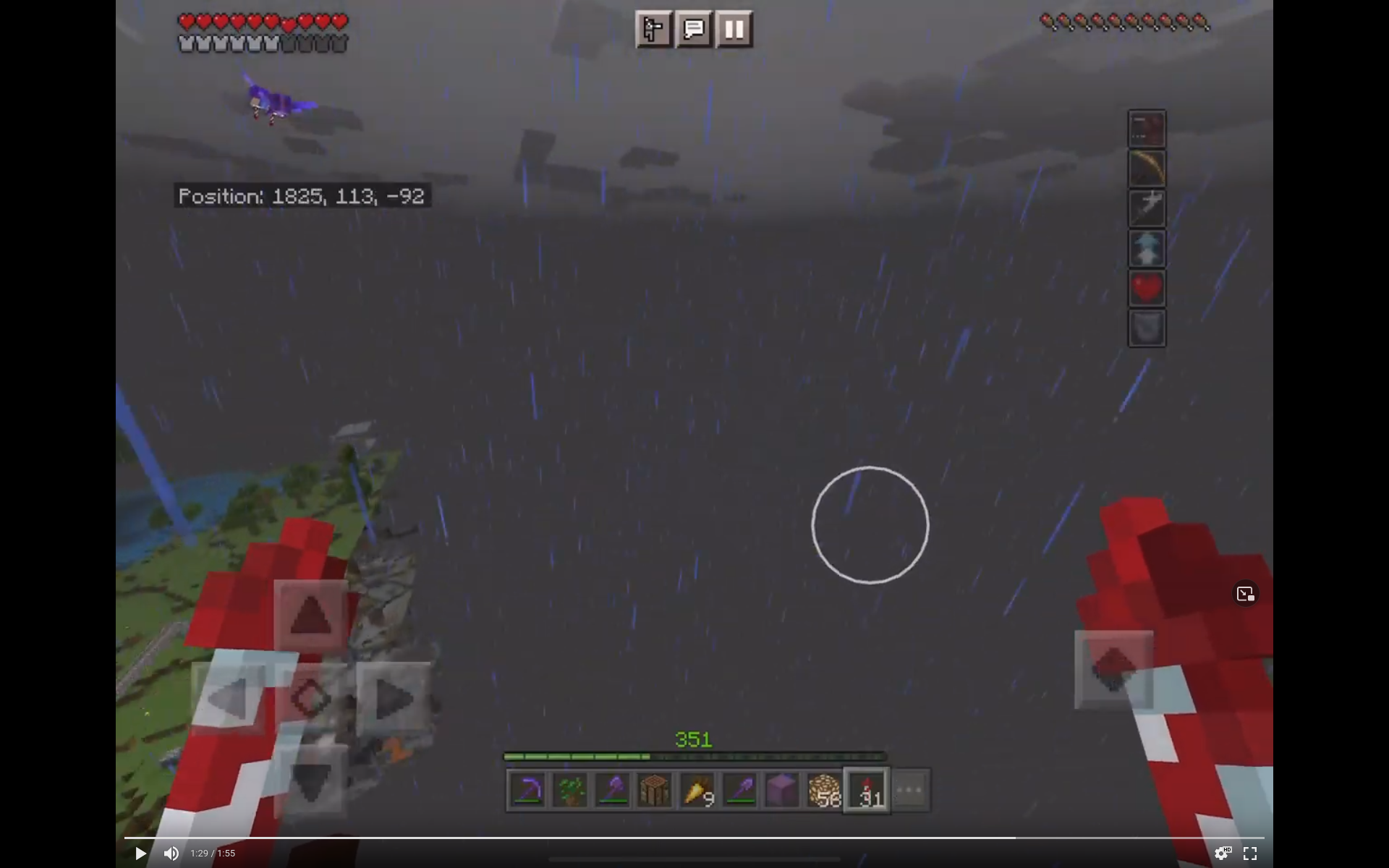
My framerate is still pretty bad, about 15fps in my trading hall with 42 villagers, a zombie spawner farm, a few iron golems and minecarts and slimes. I think an iPad Pro should do better than that.
Input lag is greatly improved and no longer really noticeable. Controls are nice and snappy.
The stuttering issue also seems to be fixed. While the framerate still seems unusually low for an iPad Pro, the movement and animations all seem smooth and fluid and the overall gameplay experience is greatly improved.
Chunk loading performance is still garbage and I’m still getting partially-rendered chunks which are super annoying.
Ipad pro 2021, iOS 16, Minecraft 1.19.60, still affected. Chunks randomly don’t load or don’t render, sometimes for minutes at a time. Flying with elytra it is impossible to avoid hitting the edge of the world and falling out of the sky. Changing the rendering distance has no effect.
I noted recently that the impact is worse when playing single-player. When I play on my lan-hosted dedicated server I am able to keep flying past the edge of the world without falling, and the chunk loading/rendering eventually catches up.
Interestingly I see this effect very clearly when making level 4 maps with my elytra. In single player the map generation keeps pausing with random black squares. Over the LAN map generation works perfectly normally and doesn’t lag at all, even when chunk loading/rendering does.
Affects 1.20.10 on iOS 16.5.1 on iPad Pro 4th gen
In high-lag areas like megafarms it’s really really bad, like basically unplayable.
Can confirm, area discounts are broken. Only the first cured villager applies the area discount. Curing more villagers does not increase the area discount no matter how many more villagers are cured in the area
Minecraft version 1.20.41
iPad Pro (12.9-inch) (4th generation)
IOS 16.6.1
I’ve attached a test world with a village and a zombie spawner (spawned zombie villagers count as cured villagers and apply the area discount due to MCPE-92752)
fly to the spawners and watch the villagers discounts; they never get lower than as if one villager in the area were cured.
Test world: https://bugs.mojang.com/secure/attachment/554686/O4RKZcId6gA%3D.zip
I noticed this when all the prices in my survival trading hall started going up for no reason
Still broken in 1.20.50
Still affects 1.20.51