![[Mod] GoldenHelmet](../../../data/avatars/users/18951.svg) [Mod] GoldenHelmet
[Mod] GoldenHelmet
- GoldenHelmet
- goldenhelmet
- America/Chicago
- Yes
- No
 WEB-2621
 MCPE-88065MCPE-101670
 MC-204258
![[Mojang] Cory Scheviak](../../../data/avatars/users/92893.png) MCPE-105931
MCPE-105931


Based on your pictures, I think you might not have enough light in that building, so monsters could have spawned and killed the villagers. However, you didn’t mention finding any monsters.
I have also had villagers and other passive mobs mysteriously disappear.
Expected behavior:
** mobs shouldbe able to breath in bubble columns like players do. Theyshould not drown in bubble columns.Observed behavior:
zombiesdrown in bubble columns.Video attached.
Expected behavior: Husks should remain husks and zombies should remain zombies in bubble columns. Husks should not turn into zombies and zombies should not turn into drowned in bubble columns.
Observed behavior: husks changne to zombie and zombies change to drowned in bubble columns.
Steps to reproduce:
1. Create a soul sand bubble column with a solid block at the top.
2. Put a husk or zombie into the bubble column by using a trap mechanism or spawn egg.
3. Wait 30 seconds.
In the attached test world, when you press the button various mobs spawn in the bubble columns. The husk will "drown" to become a zombie, and then the zombie will "drown" to become a drowned.
Zombies and Husks drown in bubble columns
Drowning Test.zip
Expected behavior: Husks should remain husks and zombies should remain zombies in bubble columns. Husks should not turn into zombies and zombies should not turn into drowned in bubble columns.
Observed behavior: husks changne to zombie and zombies change to drowned in bubble columns.
Steps to reproduce:
1. Create a soul sand bubble column with a solid block at the top.
2. Put a husk or zombie into the bubble column by using a trap mechanism or spawn egg.
3. Wait 30 seconds.
In the attached test world, when you press the button various mobs spawn in the bubble columns. The husk will "drown" to become a zombie, and then the zombie will "drown" to become a drowned. No other mobs will drown in the bubble columns.
Expected behavior: Husks should remain husks and zombies should remain zombies in bubble columns. Husks should not turn into zombies and zombies should not turn into drowned in bubble columns.
Observed behavior: husks chang
ne to zombie and zombies change to drowned in bubble columns.Steps to reproduce:
1. Create a soul sand bubble column with a solid block at the top.
2. Put a husk or zombie into the bubble column by using a trap mechanism or spawn egg.
3. Wait 30 seconds.
In the attached test world, when you press the button various mobs spawn in the bubble columns. The husk will "drown" to become a zombie, and then the zombie will "drown" to become a drowned. No other mobs will drown in the bubble columns.
Expected behavior: Husks should remain husks and zombies should remain zombies in bubble columns. Husks should not turn into zombies and zombies should not turn into drowned in bubble columns.
Observed behavior: husks change to zombies and zombies change to drowned in bubble columns.
Steps to reproduce:
1. Create a soul sand bubble column with a solid block at the top.
2. Put a husk or zombie into the bubble column by using a trap mechanism or spawn egg.
3. Wait 30 seconds.
In the attached test world, when you press the button various mobs spawn in the bubble columns. The husk will "drown" to become a zombie, and then the zombie will "drown" to become a drowned. No other mobs will drown in the bubble columns.
Berry bushes do not damagevindicatorBerry bushes do not damage mobs
This bug has also been duplicated by
MCPE-56704andMCPE-57171.
is cloned by
Expected Results: Witch Huts would consistently respawn witches. Witches should respawn in huts consistently enough to make the area challenging and/or to make witch farms feasible.
Observed Results: Witch Huts have the ability to respawn witches, but they do not do so consistently. Very often, after killing the witch that spawns with the structure, no more witches spawn. Further, creating a witch farm from the hut can take an enormous amount of time and effort, such that players get frustrated and abandon the attempt, or do not even try to begin with.
Steps to Reproduce:
- Find a Witch Hut
- Kill the witch that spawns with structure generation.
- Stay near the hut for a while. You will likely see very few witch respawns from the hut. Often, some will respawn at first, but then they will stop respawning.
Discussion:
- _This is a bug report, not a feature request
_. It is a bug that witches do not respawn consistently in Witch Huts because the developers’ intent is that they should. I believe respawning witches is the developers intent because there is an old history of bug reports stating that witches were not respawning (MCPE-23920,MCPE-24629,MCPE-27818,MCPE-27820,MCPE-29564,MCPE-29779) which led to a change in mechanics implemented in 1.2.13. The changelog for 1.2.13 states “Fixed witches not spawning inside Witch Huts.”- _The issue has never really been fixed.
_Unfortunately, the bug reports listed above were closed and have not been re-opened despite subsequent comments, and further bug reports complaining of essentially the same thing (MCPE-40725,MCPE-43171) have been closed and referred toMCPE-21856, the general low spawn rate bug. The fact that players continue to report this shows that past fixes have not been adequate. (There is even a video by a Bedrock YouTuber with >6000 views arguing that witch farms are not worth the effort in Bedrock Edition because of the spawning mechanics.)- _This issue is specific to
witchhuts._WhileMCPE-21856is relevant, Witch Huts as a structure have unique spawning mechanics and it is these mechanics that are inadequate. Moreover, Witch Hut spawning could be fixed without dealing withMCPE-21856.- _The changes to Pillager Outposts in 1.13 confirm that Witch Huts could be similarly fixed._
MCPE-43396and its duplicates report an analogous problem for Pillager Outposts. The developers chose to fix this in 1.13 with direct reference to the bug report. Now, Pillager outposts consistently respawn pillagers and patrols. A comparable change to Witch Hut mechanics could make them more consistent.- _The problem with Witch Hut spawning mechanics is its interaction with the cave mob density cap
_. Currently, witch spawns in Witch Huts always count as cave spawns, regardless of whether any blocks are above them. This means that as cave spawns occur in the density check area around the Witch Hut, the witch respawns will slow down and then stop. The cave mob density cap is normally reached fairly quickly, and that is why Witch Huts often respawn 1 or 2 witches and then stop. It is also why Witch Hut farms are so difficult to make work. You must spawn proof every cave in an 81 chunk area–some of them tiny and fully enclosed–in order in order to get witches to respawn consistently.- _The extra density cap room for Witch Huts is inadequate to ensure that witches respawn consistently
_. Witch huts currently get a +1 hostile cave mob density cap. This means that when the normal cave mob density cap of 8 is met for the chunk in which Witch Hut exists, 1 witch can still spawn. It would seem that this is designed to allow witches to continually respawn in the hut when they are killed. However, the +1 density cap mechanic is easily defeated by pack spawns exceeding the mob density cap or by cave spawns from outside of the density check area wandering or being flushed into the density check area. Thus, as soon as there are 9 hostile cave-spawned mobs within the 81 chunks surrounding the witch hut, witches will cease respawning altogether. That this is a fairly common occurrence is evident from the long list of bug reports, bug report comments, and YouTube Witch Farm tutorial comments to the effect that witches do not consistently respawn.A fix to this bug should result in Witch Huts respawning witches comparably to the way Pillager Outposts respawn pillagers since 1.13. In the case of Pillager Outposts, what really ensures consistent respawning is that the respawns do not interact with either the surface or cave mob density caps. My testing shows that Pillager Outposts have their own cap of 7 Pillagers, and that this is unaffected by other cave and surface spawns in the same chunk. I do not think Witch Huts should to be able to spawn 7 at a time, since they are much smaller structures, but they ought to be able to respawn 1 or more consistently, regardless of what is going on underground. Even simply making them count as surface mobs rather than cave would make working Witch Farms vastly easier to build, and it would make a lot of sense since Witch Huts are above ground. Another fix could be to have witches have their own density cap like pillagers do, which should not be problematic since they are more rare than pillagers to begin with.
Expected Results: Witch Huts would consistently respawn witches. Witches should respawn in huts consistently enough to make the area challenging and/or to make witch farms feasible.
Observed Results: Witch Huts have the ability to respawn witches, but they do not do so consistently. Very often, after killing the witch that spawns with the structure, no more witches spawn. Further, creating a witch farm from the hut can take an enormous amount of time and effort, such that players get frustrated and abandon the attempt, or do not even try to begin with.
Steps to Reproduce:
- Find a Witch Hut
- Kill the witch that spawns with structure generation.
- Stay near the hut for a while. You will likely see very few witch respawns from the hut. Often, some will respawn at first, but then they will stop respawning.
Discussion:
- This is a bug report, not a feature request. It is a bug that witches do not respawn consistently in Witch Huts because the developers’ intent is that they should. I believe respawning witches is the developers intent because there is an old history of bug reports stating that witches were not respawning (
MCPE-23920,MCPE-24629,MCPE-27818,MCPE-27820,MCPE-29564,MCPE-29779) which led to a change in mechanics implemented in 1.2.13. The changelog for 1.2.13 states “Fixed witches not spawning inside Witch Huts.”- The issue has never really been fixed. Unfortunately, the bug reports listed above were closed and have not been re-opened despite subsequent comments, and further bug reports complaining of essentially the same thing (
MCPE-40725,MCPE-43171) have been closed and referred toMCPE-21856, the general low spawn rate bug. The fact that players continue to report this shows that past fixes have not been adequate. (There is even a video by a Bedrock YouTuber with >6000 views arguing that witch farms are not worth the effort in Bedrock Edition because of the spawning mechanics.)- This issue is specific to Witch Huts. While
MCPE-21856is relevant, Witch Huts as a structure have unique spawning mechanics and it is these mechanics that are inadequate. Moreover, Witch Hut spawning could be fixed without dealing withMCPE-21856.- The changes to Pillager Outposts in 1.13 confirm that Witch Huts could be similarly fixed.
MCPE-43396and its duplicates report an analogous problem for Pillager Outposts. The developers chose to fix this in 1.13 with direct reference to the bug report. Now, Pillager outposts consistently respawn pillagers and patrols. A comparable change to Witch Hut mechanics could make them more consistent.- The problem with Witch Hut spawning mechanics is its interaction with the cave mob density cap. Currently, witch spawns in Witch Huts always count as cave spawns, regardless of whether any blocks are above them. This means that as cave spawns occur in the density check area around the Witch Hut, the witch respawns will slow down and then stop. The cave mob density cap is normally reached fairly quickly, and that is why Witch Huts often respawn 1 or 2 witches and then stop. It is also why Witch Hut farms are so difficult to make work. You must spawn proof every cave in an 81 chunk area–some of them tiny and fully enclosed–in order in order to get witches to respawn consistently.
- The extra density cap room for Witch Huts is inadequate to ensure that witches respawn consistently. Witch huts currently get a +1 hostile cave mob density cap. This means that when the normal cave mob density cap of 8 is met for the chunk in which Witch Hut exists, 1 witch can still spawn. It would seem that this is designed to allow witches to continually respawn in the hut when they are killed. However, the +1 density cap mechanic is easily defeated by pack spawns exceeding the mob density cap or by cave spawns from outside of the density check area wandering or being flushed into the density check area. Thus, as soon as there are 9 hostile cave-spawned mobs within the 81 chunks surrounding the witch hut, witches will cease respawning altogether. That this is a fairly common occurrence is evident from the long list of bug reports, bug report comments, and YouTube Witch Farm tutorial comments to the effect that witches do not consistently respawn.
A fix to this bug should result in Witch Huts respawning witches comparably to the way Pillager Outposts respawn pillagers since 1.13. In the case of Pillager Outposts, what really ensures consistent respawning is that the respawns do not interact with either the surface or cave mob density caps. My testing shows that Pillager Outposts have their own cap of 7 Pillagers, and that this is unaffected by other cave and surface spawns in the same chunk. I do not think Witch Huts should to be able to spawn 7 at a time, since they are much smaller structures, but they ought to be able to respawn 1 or more consistently, regardless of what is going on underground. Even simply making them count as surface mobs rather than cave would make working Witch Farms vastly easier to build, and it would make a lot of sense since Witch Huts are above ground. Another fix could be to have witches have their own density cap like pillagers do, which should not be problematic since they are more rare than pillagers to begin with.
Witch Hut respawn mechanics donot achieve their purposeWitch Hut respawn mechanics do consistently produce witch spawns
Witch Hut respawn mechanics do not consistently produce witch spawns
Witch Hut respawn mechanics do notconsistently producewitchspawnsWitch Hut respawn mechanics often do not let witches respawn
WitchHutrespawnmechanics often do not let witches respawnWitches stop respawning at witch huts
Expected Results: Witch Huts would consistently respawn witches. Witches should respawn in huts consistently enough to make the area challenging and/or to make witch farms feasible.
Observed Results: Witch Huts have the ability to respawn witches, but they do not do so consistently. Very often, after killing the witch that spawns with the structure, no more witches spawn. Further, creating a witch farm from the hut can take an enormous amount of time and effort, such that players get frustrated and abandon the attempt, or do not even try to begin with.
Steps to Reproduce:
- Find a Witch Hut
- Kill the witch that spawns with structure generation.
- Stay near the hut for a while. You will likely see very few witch respawns from the hut. Often, some will respawn at first, but then they will stop respawning.
Discussion:
- This is a bug report, not a feature request. It is a bug that witches do not respawn consistently in Witch Huts because the developers’ intent is that they should. I believe respawning witches is the developers intent because there is an old history of bug reports stating that witches were not respawning (
MCPE-23920,MCPE-24629,MCPE-27818,MCPE-27820,MCPE-29564,MCPE-29779) which led to a change in mechanics implemented in 1.2.13. The changelog for 1.2.13 states “Fixed witches not spawning inside Witch Huts.”- The issue has never really been fixed. Unfortunately, the bug reports listed above were closed and have not been re-opened despite subsequent comments, and further bug reports complaining of essentially the same thing (
MCPE-40725,MCPE-43171) have been closed and referred toMCPE-21856, the general low spawn rate bug. The fact that players continue to report this shows that past fixes have not been adequate. (There is even a video by a Bedrock YouTuber with >6000 views arguing that witch farms are not worth the effort in Bedrock Edition because of the spawning mechanics.)- This issue is specific to Witch Huts. While
MCPE-21856is relevant, Witch Huts as a structure have unique spawning mechanics and it is these mechanics that are inadequate. Moreover, Witch Hut spawning could be fixed without dealing withMCPE-21856.- The changes to Pillager Outposts in 1.13 confirm that Witch Huts could be similarly fixed.
MCPE-43396and its duplicates report an analogous problem for Pillager Outposts. The developers chose to fix this in 1.13 with direct reference to the bug report. Now, Pillager outposts consistently respawn pillagers and patrols. A comparable change to Witch Hut mechanics could make them more consistent.- The problem with Witch Hut spawning mechanics is its interaction with the cave mob density cap. Currently, witch spawns in Witch Huts always count as cave spawns, regardless of whether any blocks are above them. This means that as cave spawns occur in the density check area around the Witch Hut, the witch respawns will slow down and then stop. The cave mob density cap is normally reached fairly quickly, and that is why Witch Huts often respawn 1 or 2 witches and then stop. It is also why Witch Hut farms are so difficult to make work. You must spawn proof every cave in an 81 chunk area–some of them tiny and fully enclosed–in order in order to get witches to respawn consistently.
- The extra density cap room for Witch Huts is inadequate to ensure that witches respawn consistently. Witch huts currently get a +1 hostile cave mob density cap. This means that when the normal cave mob density cap of 8 is met for the chunk in which Witch Hut exists, 1 witch can still spawn. It would seem that this is designed to allow witches to continually respawn in the hut when they are killed. However, the +1 density cap mechanic is easily defeated by pack spawns exceeding the mob density cap or by cave spawns from outside of the density check area wandering or being flushed into the density check area. Thus, as soon as there are 9 hostile cave-spawned mobs within the 81 chunks surrounding the witch hut, witches will cease respawning altogether. That this is a fairly common occurrence is evident from the long list of bug reports, bug report comments, and YouTube Witch Farm tutorial comments to the effect that witches do not consistently respawn.
A fix to this bug should result in Witch Huts respawning witches comparably to the way Pillager Outposts respawn pillagers since 1.13. In the case of Pillager Outposts, what really ensures consistent respawning is that the respawns do not interact with either the surface or cave mob density caps. My testing shows that Pillager Outposts have their own cap of 7 Pillagers, and that this is unaffected by other cave and surface spawns in the same chunk. I do not think Witch Huts should to be able to spawn 7 at a time, since they are much smaller structures, but they ought to be able to respawn 1 or more consistently, regardless of what is going on underground. Even simply making them count as surface mobs rather than cave would make working Witch Farms vastly easier to build, and it would make a lot of sense since Witch Huts are above ground. Another fix could be to have witches have their own density cap like pillagers do, which should not be problematic since they are more rare than pillagers to begin with.
Updated steps to reproduce
- Find a Witch Hut
- Set up a system to automatically kill witches that respawn at the hut.
- AFK far enough away for witches to respawn.
Expected result
Witches continue to respawn indefinitely.
Actual result
Witches eventually stop respawning.
Expected Results: Witch Huts would consistently respawn witches. Witches should respawn in huts consistently enough to make the area challenging and/or to make witch farms feasible.
Observed Results: Witch Huts have the ability to respawn witches, but they do not do so consistently. Very often, after killing the witch that spawns with the structure, no more witches spawn. Further, creating a witch farm from the hut can take an enormous amount of time and effort, such that players get frustrated and abandon the attempt, or do not even try to begin with.
Steps to Reproduce:
- Find a Witch Hut
- Kill the witch that spawns with structure generation.
- Stay near the hut for a while. You will likely see very few witch respawns from the hut. Often, some will respawn at first, but then they will stop respawning.
Discussion:
- This is a bug report, not a feature request. It is a bug that witches do not respawn consistently in Witch Huts because the developers’ intent is that they should. I believe respawning witches is the developers intent because there is an old history of bug reports stating that witches were not respawning (
MCPE-23920,MCPE-24629,MCPE-27818,MCPE-27820,MCPE-29564,MCPE-29779) which led to a change in mechanics implemented in 1.2.13. The changelog for 1.2.13 states “Fixed witches not spawning inside Witch Huts.”- The issue has never really been fixed. Unfortunately, the bug reports listed above were closed and have not been re-opened despite subsequent comments, and further bug reports complaining of essentially the same thing (
MCPE-40725,MCPE-43171) have been closed and referred toMCPE-21856, the general low spawn rate bug. The fact that players continue to report this shows that past fixes have not been adequate. (There is even a video by a Bedrock YouTuber with >6000 views arguing that witch farms are not worth the effort in Bedrock Edition because of the spawning mechanics.)- This issue is specific to Witch Huts. While
MCPE-21856is relevant, Witch Huts as a structure have unique spawning mechanics and it is these mechanics that are inadequate. Moreover, Witch Hut spawning could be fixed without dealing withMCPE-21856.- The changes to Pillager Outposts in 1.13 confirm that Witch Huts could be similarly fixed.
MCPE-43396and its duplicates report an analogous problem for Pillager Outposts. The developers chose to fix this in 1.13 with direct reference to the bug report. Now, Pillager outposts consistently respawn pillagers and patrols. A comparable change to Witch Hut mechanics could make them more consistent.- The problem with Witch Hut spawning mechanics is its interaction with the cave mob density cap. Currently, witch spawns in Witch Huts always count as cave spawns, regardless of whether any blocks are above them. This means that as cave spawns occur in the density check area around the Witch Hut, the witch respawns will slow down and then stop. The cave mob density cap is normally reached fairly quickly, and that is why Witch Huts often respawn 1 or 2 witches and then stop. It is also why Witch Hut farms are so difficult to make work. You must spawn proof every cave in an 81 chunk area–some of them tiny and fully enclosed–in order in order to get witches to respawn consistently.
- The extra density cap room for Witch Huts is inadequate to ensure that witches respawn consistently. Witch huts currently get a +1 hostile cave mob density cap. This means that when the normal cave mob density cap of 8 is met for the chunk in which Witch Hut exists, 1 witch can still spawn. It would seem that this is designed to allow witches to continually respawn in the hut when they are killed. However, the +1 density cap mechanic is easily defeated by pack spawns exceeding the mob density cap or by cave spawns from outside of the density check area wandering or being flushed into the density check area. Thus, as soon as there are 9 hostile cave-spawned mobs within the 81 chunks surrounding the witch hut, witches will cease respawning altogether. That this is a fairly common occurrence is evident from the long list of bug reports, bug report comments, and YouTube Witch Farm tutorial comments to the effect that witches do not consistently respawn.
A fix to this bug should result in Witch Huts respawning witches comparably to the way Pillager Outposts respawn pillagers since 1.13. In the case of Pillager Outposts, what really ensures consistent respawning is that the respawns do not interact with either the surface or cave mob density caps. My testing shows that Pillager Outposts have their own cap of 7 Pillagers, and that this is unaffected by other cave and surface spawns in the same chunk. I do not think Witch Huts should to be able to spawn 7 at a time, since they are much smaller structures, but they ought to be able to respawn 1 or more consistently, regardless of what is going on underground. Even simply making them count as surface mobs rather than cave would make working Witch Farms vastly easier to build, and it would make a lot of sense since Witch Huts are above ground. Another fix could be to have witches have their own density cap like pillagers do, which should not be problematic since they are more rare than pillagers to begin with.
Updated steps to reproduce
(Distilled from this comment comments following it.)
- Find a Witch Hut
- Set up a system to automatically kill witches that respawn at the hut.
- AFK far enough away for witches to respawn.
Expected result
Witches continue to respawn indefinitely.
Actual result
Witches eventually stop respawning.
Expected Results: Witch Huts would consistently respawn witches. Witches should respawn in huts consistently enough to make the area challenging and/or to make witch farms feasible.
Observed Results: Witch Huts have the ability to respawn witches, but they do not do so consistently. Very often, after killing the witch that spawns with the structure, no more witches spawn. Further, creating a witch farm from the hut can take an enormous amount of time and effort, such that players get frustrated and abandon the attempt, or do not even try to begin with.
Steps to Reproduce:
- Find a Witch Hut
- Kill the witch that spawns with structure generation.
- Stay near the hut for a while. You will likely see very few witch respawns from the hut. Often, some will respawn at first, but then they will stop respawning.
Discussion:
- This is a bug report, not a feature request. It is a bug that witches do not respawn consistently in Witch Huts because the developers’ intent is that they should. I believe respawning witches is the developers intent because there is an old history of bug reports stating that witches were not respawning (
MCPE-23920,MCPE-24629,MCPE-27818,MCPE-27820,MCPE-29564,MCPE-29779) which led to a change in mechanics implemented in 1.2.13. The changelog for 1.2.13 states “Fixed witches not spawning inside Witch Huts.”- The issue has never really been fixed. Unfortunately, the bug reports listed above were closed and have not been re-opened despite subsequent comments, and further bug reports complaining of essentially the same thing (
MCPE-40725,MCPE-43171) have been closed and referred toMCPE-21856, the general low spawn rate bug. The fact that players continue to report this shows that past fixes have not been adequate. (There is even a video by a Bedrock YouTuber with >6000 views arguing that witch farms are not worth the effort in Bedrock Edition because of the spawning mechanics.)- This issue is specific to Witch Huts. While
MCPE-21856is relevant, Witch Huts as a structure have unique spawning mechanics and it is these mechanics that are inadequate. Moreover, Witch Hut spawning could be fixed without dealing withMCPE-21856.- The changes to Pillager Outposts in 1.13 confirm that Witch Huts could be similarly fixed.
MCPE-43396and its duplicates report an analogous problem for Pillager Outposts. The developers chose to fix this in 1.13 with direct reference to the bug report. Now, Pillager outposts consistently respawn pillagers and patrols. A comparable change to Witch Hut mechanics could make them more consistent.- The problem with Witch Hut spawning mechanics is its interaction with the cave mob density cap. Currently, witch spawns in Witch Huts always count as cave spawns, regardless of whether any blocks are above them. This means that as cave spawns occur in the density check area around the Witch Hut, the witch respawns will slow down and then stop. The cave mob density cap is normally reached fairly quickly, and that is why Witch Huts often respawn 1 or 2 witches and then stop. It is also why Witch Hut farms are so difficult to make work. You must spawn proof every cave in an 81 chunk area–some of them tiny and fully enclosed–in order in order to get witches to respawn consistently.
- The extra density cap room for Witch Huts is inadequate to ensure that witches respawn consistently. Witch huts currently get a +1 hostile cave mob density cap. This means that when the normal cave mob density cap of 8 is met for the chunk in which Witch Hut exists, 1 witch can still spawn. It would seem that this is designed to allow witches to continually respawn in the hut when they are killed. However, the +1 density cap mechanic is easily defeated by pack spawns exceeding the mob density cap or by cave spawns from outside of the density check area wandering or being flushed into the density check area. Thus, as soon as there are 9 hostile cave-spawned mobs within the 81 chunks surrounding the witch hut, witches will cease respawning altogether. That this is a fairly common occurrence is evident from the long list of bug reports, bug report comments, and YouTube Witch Farm tutorial comments to the effect that witches do not consistently respawn.
A fix to this bug should result in Witch Huts respawning witches comparably to the way Pillager Outposts respawn pillagers since 1.13. In the case of Pillager Outposts, what really ensures consistent respawning is that the respawns do not interact with either the surface or cave mob density caps. My testing shows that Pillager Outposts have their own cap of 7 Pillagers, and that this is unaffected by other cave and surface spawns in the same chunk. I do not think Witch Huts should to be able to spawn 7 at a time, since they are much smaller structures, but they ought to be able to respawn 1 or more consistently, regardless of what is going on underground. Even simply making them count as surface mobs rather than cave would make working Witch Farms vastly easier to build, and it would make a lot of sense since Witch Huts are above ground. Another fix could be to have witches have their own density cap like pillagers do, which should not be problematic since they are more rare than pillagers to begin with.
Updated steps to reproduce
(Distilled from this comment and comments following it.)
- Find a Witch Hut
- Set up a system to automatically kill witches that respawn at the hut.
- AFK far enough away for witches to respawn.
Expected result
Witches continue to respawn indefinitely.
Actual result
Witches eventually stop respawning.
Expected Results: Witch Huts would consistently respawn witches. Witches should respawn in huts consistently enough to make the area challenging and/or to make witch farms feasible.
Observed Results: Witch Huts have the ability to respawn witches, but they do not do so consistently. Very often, after killing the witch that spawns with the structure, no more witches spawn. Further, creating a witch farm from the hut can take an enormous amount of time and effort, such that players get frustrated and abandon the attempt, or do not even try to begin with.
Steps to Reproduce:
- Find a Witch Hut
- Kill the witch that spawns with structure generation.
- Stay near the hut for a while. You will likely see very few witch respawns from the hut. Often, some will respawn at first, but then they will stop respawning.
Discussion:
- This is a bug report, not a feature request. It is a bug that witches do not respawn consistently in Witch Huts because the developers’ intent is that they should. I believe respawning witches is the developers intent because there is an old history of bug reports stating that witches were not respawning (
MCPE-23920,MCPE-24629,MCPE-27818,MCPE-27820,MCPE-29564,MCPE-29779) which led to a change in mechanics implemented in 1.2.13. The changelog for 1.2.13 states “Fixed witches not spawning inside Witch Huts.”- The issue has never really been fixed. Unfortunately, the bug reports listed above were closed and have not been re-opened despite subsequent comments, and further bug reports complaining of essentially the same thing (
MCPE-40725,MCPE-43171) have been closed and referred toMCPE-21856, the general low spawn rate bug. The fact that players continue to report this shows that past fixes have not been adequate. (There is even a video by a Bedrock YouTuber with >6000 views arguing that witch farms are not worth the effort in Bedrock Edition because of the spawning mechanics.)- This issue is specific to Witch Huts. While
MCPE-21856is relevant, Witch Huts as a structure have unique spawning mechanics and it is these mechanics that are inadequate. Moreover, Witch Hut spawning could be fixed without dealing withMCPE-21856.- The changes to Pillager Outposts in 1.13 confirm that Witch Huts could be similarly fixed.
MCPE-43396and its duplicates report an analogous problem for Pillager Outposts. The developers chose to fix this in 1.13 with direct reference to the bug report. Now, Pillager outposts consistently respawn pillagers and patrols. A comparable change to Witch Hut mechanics could make them more consistent.- The problem with Witch Hut spawning mechanics is its interaction with the cave mob density cap. Currently, witch spawns in Witch Huts always count as cave spawns, regardless of whether any blocks are above them. This means that as cave spawns occur in the density check area around the Witch Hut, the witch respawns will slow down and then stop. The cave mob density cap is normally reached fairly quickly, and that is why Witch Huts often respawn 1 or 2 witches and then stop. It is also why Witch Hut farms are so difficult to make work. You must spawn proof every cave in an 81 chunk area–some of them tiny and fully enclosed–in order in order to get witches to respawn consistently.
- The extra density cap room for Witch Huts is inadequate to ensure that witches respawn consistently. Witch huts currently get a +1 hostile cave mob density cap. This means that when the normal cave mob density cap of 8 is met for the chunk in which Witch Hut exists, 1 witch can still spawn. It would seem that this is designed to allow witches to continually respawn in the hut when they are killed. However, the +1 density cap mechanic is easily defeated by pack spawns exceeding the mob density cap or by cave spawns from outside of the density check area wandering or being flushed into the density check area. Thus, as soon as there are 9 hostile cave-spawned mobs within the 81 chunks surrounding the witch hut, witches will cease respawning altogether. That this is a fairly common occurrence is evident from the long list of bug reports, bug report comments, and YouTube Witch Farm tutorial comments to the effect that witches do not consistently respawn.
A fix to this bug should result in Witch Huts respawning witches comparably to the way Pillager Outposts respawn pillagers since 1.13. In the case of Pillager Outposts, what really ensures consistent respawning is that the respawns do not interact with either the surface or cave mob density caps. My testing shows that Pillager Outposts have their own cap of 7 Pillagers, and that this is unaffected by other cave and surface spawns in the same chunk. I do not think Witch Huts should to be able to spawn 7 at a time, since they are much smaller structures, but they ought to be able to respawn 1 or more consistently, regardless of what is going on underground. Even simply making them count as surface mobs rather than cave would make working Witch Farms vastly easier to build, and it would make a lot of sense since Witch Huts are above ground. Another fix could be to have witches have their own density cap like pillagers do, which should not be problematic since they are more rare than pillagers to begin with.
testing discovered
is duplicated by
Updated steps to reproduce
(Distilled from this comment and comments following it.)
- Find a Witch Hut
- Set up a system to automatically kill witches that respawn at the hut.
- AFK far enough away for witches to respawn.
Expected result
Witches continue to respawn indefinitely.
Actual result
Witches eventually stop respawning.
Expected Results: Witch Huts would consistently respawn witches. Witches should respawn in huts consistently enough to make the area challenging and/or to make witch farms feasible.
Observed Results: Witch Huts have the ability to respawn witches, but they do not do so consistently. Very often, after killing the witch that spawns with the structure, no more witches spawn. Further, creating a witch farm from the hut can take an enormous amount of time and effort, such that players get frustrated and abandon the attempt, or do not even try to begin with.
Steps to Reproduce:
- Find a Witch Hut
- Kill the witch that spawns with structure generation.
- Stay near the hut for a while. You will likely see very few witch respawns from the hut. Often, some will respawn at first, but then they will stop respawning.
Discussion:
- This is a bug report, not a feature request. It is a bug that witches do not respawn consistently in Witch Huts because the developers’ intent is that they should. I believe respawning witches is the developers intent because there is an old history of bug reports stating that witches were not respawning (
MCPE-23920,MCPE-24629,MCPE-27818,MCPE-27820,MCPE-29564,MCPE-29779) which led to a change in mechanics implemented in 1.2.13. The changelog for 1.2.13 states “Fixed witches not spawning inside Witch Huts.”- The issue has never really been fixed. Unfortunately, the bug reports listed above were closed and have not been re-opened despite subsequent comments, and further bug reports complaining of essentially the same thing (
MCPE-40725,MCPE-43171) have been closed and referred toMCPE-21856, the general low spawn rate bug. The fact that players continue to report this shows that past fixes have not been adequate. (There is even a video by a Bedrock YouTuber with >6000 views arguing that witch farms are not worth the effort in Bedrock Edition because of the spawning mechanics.)- This issue is specific to Witch Huts. While
MCPE-21856is relevant, Witch Huts as a structure have unique spawning mechanics and it is these mechanics that are inadequate. Moreover, Witch Hut spawning could be fixed without dealing withMCPE-21856.- The changes to Pillager Outposts in 1.13 confirm that Witch Huts could be similarly fixed.
MCPE-43396and its duplicates report an analogous problem for Pillager Outposts. The developers chose to fix this in 1.13 with direct reference to the bug report. Now, Pillager outposts consistently respawn pillagers and patrols. A comparable change to Witch Hut mechanics could make them more consistent.- The problem with Witch Hut spawning mechanics is its interaction with the cave mob density cap. Currently, witch spawns in Witch Huts always count as cave spawns, regardless of whether any blocks are above them. This means that as cave spawns occur in the density check area around the Witch Hut, the witch respawns will slow down and then stop. The cave mob density cap is normally reached fairly quickly, and that is why Witch Huts often respawn 1 or 2 witches and then stop. It is also why Witch Hut farms are so difficult to make work. You must spawn proof every cave in an 81 chunk area–some of them tiny and fully enclosed–in order in order to get witches to respawn consistently.
- The extra density cap room for Witch Huts is inadequate to ensure that witches respawn consistently. Witch huts currently get a +1 hostile cave mob density cap. This means that when the normal cave mob density cap of 8 is met for the chunk in which Witch Hut exists, 1 witch can still spawn. It would seem that this is designed to allow witches to continually respawn in the hut when they are killed. However, the +1 density cap mechanic is easily defeated by pack spawns exceeding the mob density cap or by cave spawns from outside of the density check area wandering or being flushed into the density check area. Thus, as soon as there are 9 hostile cave-spawned mobs within the 81 chunks surrounding the witch hut, witches will cease respawning altogether. That this is a fairly common occurrence is evident from the long list of bug reports, bug report comments, and YouTube Witch Farm tutorial comments to the effect that witches do not consistently respawn.
A fix to this bug should result in Witch Huts respawning witches comparably to the way Pillager Outposts respawn pillagers since 1.13. In the case of Pillager Outposts, what really ensures consistent respawning is that the respawns do not interact with either the surface or cave mob density caps. My testing shows that Pillager Outposts have their own cap of 7 Pillagers, and that this is unaffected by other cave and surface spawns in the same chunk. I do not think Witch Huts should to be able to spawn 7 at a time, since they are much smaller structures, but they ought to be able to respawn 1 or more consistently, regardless of what is going on underground. Even simply making them count as surface mobs rather than cave would make working Witch Farms vastly easier to build, and it would make a lot of sense since Witch Huts are above ground. Another fix could be to have witches have their own density cap like pillagers do, which should not be problematic since they are more rare than pillagers to begin with.
Updated steps to reproduce
(Distilled from this comment and comments following it.)
- Find a Witch Hut
- Set up a system to automatically kill witches that respawn at the hut.
- AFK far enough away for witches to respawn.
Expected result
Witches continue to respawn indefinitely.
Actual result
Witches eventually stop respawning.
Expected Results: Witch Huts would consistently respawn witches. Witches should respawn in huts consistently enough to make the area challenging and/or to make witch farms feasible.
Observed Results: Witch Huts have the ability to respawn witches, but they do not do so consistently. Very often, after killing the witch that spawns with the structure, no more witches spawn. Further, creating a witch farm from the hut can take an enormous amount of time and effort, such that players get frustrated and abandon the attempt, or do not even try to begin with.
Steps to Reproduce:
- Find a Witch Hut
- Kill the witch that spawns with structure generation.
- Stay near the hut for a while. You will likely see very few witch respawns from the hut. Often, some will respawn at first, but then they will stop respawning.
Note:
This is a bug report, not a feature request. It is a bug that witches do not respawn consistently in Witch Huts because the developers’ intent is that they should. I believe respawning witches is the developers intent because there is an old history of bug reports stating that witches were not respawning (MCPE-23920,MCPE-24629,MCPE-27818,MCPE-27820,MCPE-29564,MCPE-29779) which led to a change in mechanics implemented in 1.2.13. The changelog for 1.2.13 states “Fixed witches not spawning inside Witch Huts.” However, the issue has never really been fixed. The fix toMCPE-21856in 1.16 made respawning witches more consistent and made farms vastly easier to set up, but players still struggle with the obscure spawning mechanics and the monster cap filling over time due to MCPE-125111.
How can a bug like this exist for over a year and not be fixed? Not even a moderator comment. Frankly, this is pathetic on the part of Mojang.
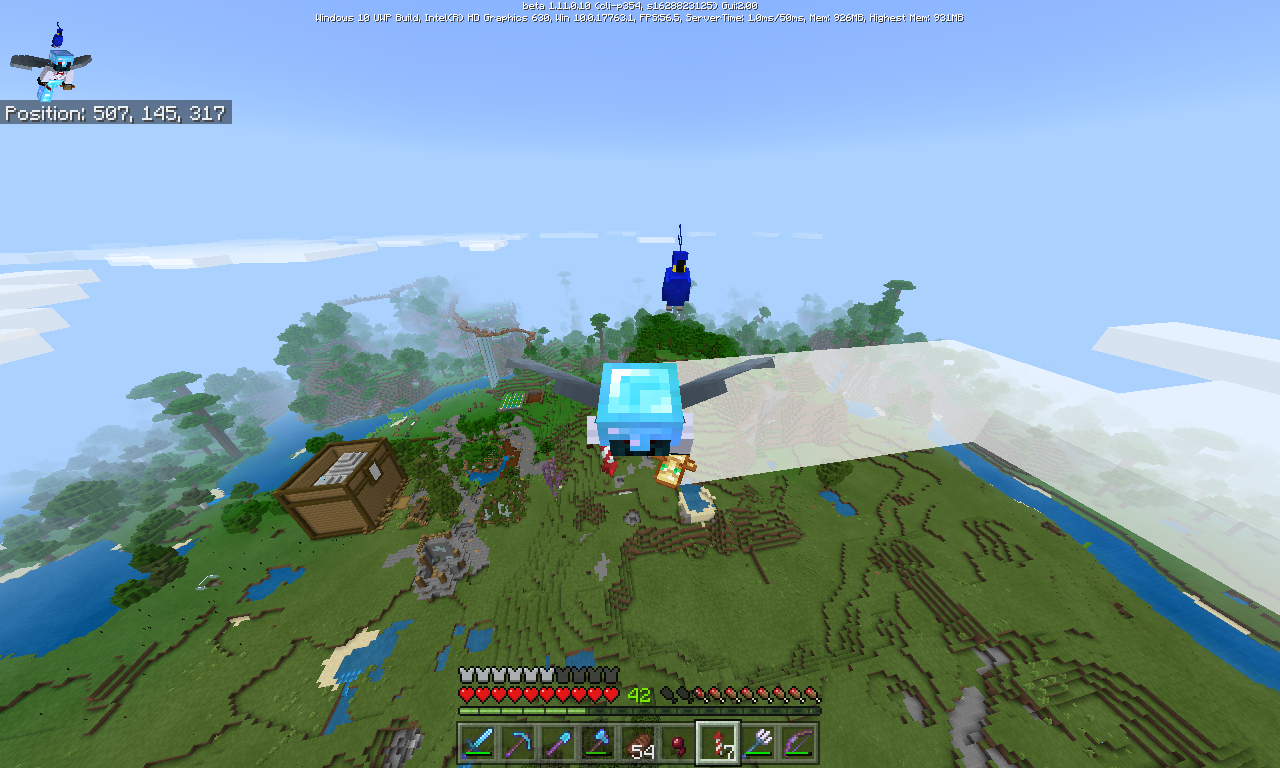
Steps to reproduce
Get a tamed parrot on your shoulder.
Glide with ElytraExpected result
The parrot stays on your shoulder as you glide.
Actual result
The parrot floats in the air about 2 blocks above your shoulder (where your shoulder would be if you were standing with your feet where your face is).
Steps to reproduce
Get a tamed parrot on your shoulder.
Glide with ElytraExpected result
The parrot stays on your shoulder as you glide.
Actual result
The parrot floats in the air about 2 blocks above your shoulder (where your shoulder would be if you were standing with your feet where your face is).
Steps to reproduce
- Get a tamed parrot on your shoulder.
- Glide with Elytra.
Expected result
The parrot stays on your shoulder as you glide.
Actual result
The parrot floats in the air about 2 blocks above your shoulder (where your shoulder would be if you were standing with your feet where your face is).
tridents repeal entities
expected result:
The tridents would not repeal entities.Actual result:
The trident will repeal the entities.How to Reproduce
- Throw lots of tridents on a block.
- Move the entity to the same block the tridents are on.
The trident will move the entities farther as the number of tridents increase.
is duplicated by
is duplicated by
relates to

Expected Results: When zombies convert to drowned, the drowned would count toward the same density cap that the zombie counted toward, OR when zombies convert to drowned while having sky access, the drowned would count as a surface mob.
Observed Results: when naturally-spawned surface zombies convert to drowned with sky access, the drowned count toward the cave monster density cap.
Steps to Reproduce:
- Create a spawn testing world with 2 1-chunk platforms in the middle of spawn-proof 9x9 chunk area. Set up one of these platforms as surface (sky access or solid blocks above covered by carpet [as of 1.14.0 and 1.14.14; see MCPE-58670 and MCPE-59682]) and the other as cave (solid blocks above).
- On
ethe surface platform construct 2-block high walls to contain water, but do not place water yet.- Set time to night.
- Wait for zombies to spawn within the surface chamber.
- Fill the 2-block high surface chamber with water and wait for the zombies to convert to drowned.
- Seal off the drowned chamber so that no zombies can wander into it.
- Kill all other mobs on both platforms, except the drowned.
- Set time to night again and wait for spawns.
- You will observe 8 monsters spawn on the surface platform, and 8 - # of drowned spawn on the cave platform.
Discussion: This is almost certainly the cause of the huge pools of drowned shown in the pictures attached to
MCPE-34032and its duplicates. Despite a better despawning mechanic for drowned since 1.13, those pools still occur. It is also probably a significant contributor toMCPE-21856and bug reports stating that slimes are not spawning in slime chunks (such asMCPE-49303), and it contributes to the problems with Witch Hut witch respawns since those are currently cave spawns too (MCPE-60552).I will add that it appears to me that cave mob status is a default and that in survival mode surface mob status is only granted during the natural spawning algorithm. This is a huge oversight in the code!
Expected Results: When zombies convert to drowned, the drowned would count toward the same density cap that the zombie counted toward, OR when zombies convert to drowned while having sky access, the drowned would count as a surface mob.
Observed Results: when naturally-spawned surface zombies convert to drowned with sky access, the drowned count toward the cave monster density cap.
Steps to Reproduce:
- Create a spawn testing world with 2 1-chunk platforms in the middle of spawn-proof 9x9 chunk area. Set up one of these platforms as surface (sky access or solid blocks above covered by carpet (as of 1.14.0 and 1.14.1; see
MCPE-58670andMCPE-59682) and the other as cave (solid blocks above).- On the surface platform construct a 2-block high walls to contain water, but do not place water yet.
- Set time to night.
- Wait for zombies to spawn within the surface chamber.
- Fill the 2-block high surface chamber with water and wait for the zombies to convert to drowned.
- Seal off the drowned chamber so that no zombies can wander into it.
- Kill all other mobs on both platforms, except the drowned.
- Set time to night again and wait for spawns.
- You will observe 8 monsters spawn on the surface platform, and 8 - # of drowned spawn on the cave platform.
Discussion: This is almost certainly the cause of the huge pools of drowned shown in the pictures attached to
MCPE-34032and its duplicates. Despite a better despawning mechanic for drowned since 1.13, those pools still occur. It is also probably a significant contributor toMCPE-21856and bug reports stating that slimes are not spawning in slime chunks (such asMCPE-49303), and it contributes to the problems with Witch Hut witch respawns since those are currently cave spawns too (MCPE-60552).I will add that it appears to me that cave mob status is a default and that in survival mode surface mob status is only granted during the natural spawning algorithm. This is a huge oversight in the code!
Expected Results: When zombies convert to drowned, the drowned would count toward the same density cap that the zombie counted toward, OR when zombies convert to drowned while having sky access, the drowned would count as a surface mo
b.Observed Results: when naturally-spawned surface zombies convert to drowned with sky access, the drowned count toward the cave monster density cap.
Steps to Reproduce:
- Create a spawn testing world with 2 1-chunk platforms in the middle of spawn-proof 9x9 chunk area. Set up one of these platforms as surface (sky access or solid blocks above covered by carpet (as of 1.14.0 and 1.14.1; see
MCPE-58670andMCPE-59682) and the other as cave (solid blocks above).- On the surface platform construct a 2-block high walls to contain water, but do not place water yet.
- Set time to night.
- Wait for zombies to spawn within the surface chamber.
- Fill the 2-block high surface chamber with water and wait for the zombies to convert to drowned.
- Seal off the drowned chamber so that no zombies can wander into it.
- Kill all other mobs on both platforms, except the drowned.
- Set time to night again and wait for spawns.
- You will observe 8 monsters spawn on the surface platform, and 8 - # of drowned spawn on the cave platform.
Discussion: This is almost certainly the cause of the huge pools of drowned shown in the pictures attached to
MCPE-34032and its duplicates. Despite a better despawning mechanic for drowned since 1.13, those pools still occur. It is also probably a significant contributor toMCPE-21856and bug reports stating that slimes are not spawning in slime chunks (such asMCPE-49303), and it contributes to the problems with Witch Hut witch respawns since those are currently cave spawns too (MCPE-60552).I will add that it appears to me that cave mob status is a default and that in survival mode surface mob status is only granted during the natural spawning algorithm. This is a huge oversight in the code!
Expected Results: When zombies convert to drowned, the drowned would count toward the same density cap that the zombie counted toward, OR when zombies convert to drowned while having sky access, the drowned would count as a surface monster.
Observed Results: when naturally-spawned surface zombies convert to drowned with sky access, the drowned count toward the cave monster density cap.
Steps to Reproduce:
- Create a spawn testing world with 2 1-chunk platforms in the middle of spawn-proof 9x9 chunk area. Set up one of these platforms as surface and the other as cave.
- On the surface platform construct a roofless chamber with 2-block highs walls to contain water, but do not place water yet.
- Set time to night.
- Wait for zombies to spawn within the surface chamber.
- Fill the 2-block high surface chamber with water and wait for the zombies to convert to drowned.
- Seal off the drowned chamber so that no zombies can wander into it.
- Kill all other mobs on both platforms, except the drowned.
- Set time to night again and wait for spawns.
- You will observe 8 monsters spawn on the surface platform, and 8 - # of drowned spawn on the cave platform.
Discussion: This is almost certainly the cause of the huge pools of drowned shown in the pictures attached to
MCPE-34032and its duplicates. Despite a better despawning mechanic for drowned since 1.13, those pools can still occur. It is also probably a significant contributor toMCPE-21856and bug reports stating that slimes are not spawning in slime chunks (such asMCPE-49303), and it contributes to the problems with Witch Hut witch respawns since those are currently cave spawns too (MCPE-60552).This issue may relate to
MC-88967.
Expected Results: When zombies convert to drowned, the drowned would count toward the same density cap that the zombie counted toward, OR when zombies convert to drowned while having sky access, the drowned would count
as a surface monster.Observed Results: when naturally-spawned surface zombies convert to drowned with sky access, the drowned count toward the cave monster density cap.
Steps to Reproduce:
- Create a spawn testing world with 2 1-chunk platforms in the middle of spawn-proof 9x9 chunk area. Set up one of these platforms as surface and the other as cave.
- On the surface platform construct a roofless chamber with 2-block highs walls to contain water, but do not place water yet.
- Set time to night.
- Wait for zombies to spawn within the surface chamber.
- Fill the 2-block high surface chamber with water and wait for the zombies to convert to drowned.
- Seal off the drowned chamber so that no zombies can wander into it.
- Kill all other mobs on both platforms,
except the drowned.- Set time to night again and wait for spawns.
- You will observe 8 monsters spawn on the surface platform, and 8 - # of drowned spawn on the cave platform.
Discussion: This is almost certainly the cause of the huge pools of drowned shown in the pictures attached to
MCPE-34032and its duplicates. Despite a better despawning mechanic for drowned since 1.13, those pools can still occur. It is also probably a significant contributor toMCPE-21856and bug reports stating that slimes are not spawning in slime chunks (such asMCPE-49303), and it contributes to the problems with Witch Hut witch respawns since those are currently cave spawns too (MCPE-60552).This issue may relate to
MC-88967.Expected Results: When zombies convert to drowned, the drowned would count toward the same density cap that the zombie counted toward, OR when zombies convert to drowned while having sky access, the drowned would count toward the surface monster density cap. This would be consistent with naturally-spawned drowned only spawning as surface mobs. It would also prevent the accumulation of drowned in pools and rivers by stopping further zombie spawns on the surface nearby.
Observed Results: when naturally-spawned surface zombies convert to drowned with sky access, the drowned count toward the cave monster density cap. This allows more zombies to repeatedly spawn nearby and drown, building up the massive numbers of drowned reported by
MCPE-34032. It also limits cave monster spawns below the surface, disrupting the balance that the separate monster density caps are designed to ensure. For the same reason, it also prevents deep slime spawns in slime chunks and witch respawns in witch huts, both of which are issues that have been repeatedly reported as bugs by the community (slimes (MCPE-60552)Steps to Reproduce:
- Create a spawn testing world with 2 1-chunk platforms in the middle of spawn-proof 9x9 chunk area. Set up one of these platforms as surface and the other as cave.
- On the surface platform construct a roofless chamber with 2-block highs walls to contain water, but do not place water yet.
- Set time to night.
- Wait for zombies to spawn within the surface chamber.
- Fill the 2-block high surface chamber with water and wait for the zombies to convert to drowned.
- Seal off the drowned chamber so that no more zombies can wander into it.
- Kill all other mobs on both platforms, except the drowned.
- Set time to night again and wait for spawns.
- You will observe 8 monsters spawn on the surface platform, and 8 - # of drowned spawn on the cave platform.
Discussion: This is almost certainly the cause of the huge pools of drowned shown in the pictures attached to
MCPE-34032and its duplicates. Despite a better despawning mechanic for drowned since 1.13, those pools can still occur. It is also probably a significant contributor toMCPE-21856and bug reports stating that slimes are not spawning in slime chunks (such asMCPE-49303), and it contributes to the problems with Witch Hut witch respawns since those are currently cave spawns too (MCPE-60552).This issue may relate to
MC-88967.
Expected Results: When zombies convert to drowned, the drowned would count toward the same density cap that the zombie counted toward, OR when zombies convert to drowned while having sky access, the drowned would count toward the surface monster density cap.
Thiswould be consistent with naturally-spawned drowned only spawning as surface mobs.Itwould also prevent the accumulation of drowned in pools and rivers by stopping further zombie spawns on the surface nearby.Observed Results: when naturally-spawned surface zombies convert to drowned with sky access, the drowned count toward the cave monster density cap. This allows more zombies to repeatedly spawn nearby and drown, building up the massive numbers of drowned reported by
MCPE-34032. It also limits cave monster spawns below the surface, disrupting the balance that the separate monster density caps are designed to ensure. For the same reason, it also prevents deep slime spawns in slime chunks and witch respawns in witch huts, both of which are issues that have been repeatedly reported as bugs by the community (slimes(MCPE-60552)Steps to Reproduce:
- Create a spawn testing world with 2 1-chunk platforms in the middle of spawn-proof 9x9 chunk area. Set up one of these platforms as surface and the other as cave.
- On the surface platform construct a roofless chamber with 2-block highs walls to contain water, but do not place water yet.
- Set time to night.
- Wait for zombies to spawn within the surface chamber.
- Fill the 2-block high surface chamber with water and wait for the zombies to convert to drowned.
- Seal off the drowned chamber so that no more zombies can wander into it.
- Kill all other mobs on both platforms, except the drowned.
- Set time to night again and wait for spawns.
- You will observe 8 monsters spawn on the surface platform, and 8 - # of drowned spawn on the cave platform.
Discussion: This is almost certainly the cause of the huge pools of drowned shown in the pictures attached to
MCPE-34032and its duplicates. Despite a better despawning mechanic for drowned since 1.13, those pools can still occur. It is also probably a significant contributor toMCPE-21856and bug reports stating that slimes are not spawning in slime chunks (such asMCPE-49303), and it contributes to the problems with Witch Hut witch respawns since those are currently cave spawns too (MCPE-60552).This issue may relate to
MC-88967.Expected Results: When zombies convert to drowned, the drowned would count toward the same density cap that the zombie counted toward, OR when zombies convert to drowned while having sky access, the drowned would count toward the surface monster density cap. Either behavior would be consistent with naturally-spawned drowned only spawning as surface mobs. Either would also prevent the accumulation of drowned in pools and rivers by stopping further zombie spawns on the surface nearby.
Observed Results: when naturally-spawned surface zombies convert to drowned with sky access, the drowned count toward the cave monster density cap. This allows more zombies to repeatedly spawn nearby and drown, building up the massive numbers of drowned reported by
MCPE-34032. It also limits cave monster spawns below the surface, disrupting the balance that the separate monster density caps are designed to ensure. (For the same reason, it also prevents deep slime spawns in slime chunks and witch respawns in witch huts, both of which are issues that have been repeatedly reported as bugs by the community (cave slimes:MCPE-49303,MCPE-47841,MCPE-61520just mention a few; witch huts:MCPE-60552contains links to earlier reports)).Steps to Reproduce:
- Create a spawn testing world with 2 1-chunk platforms in the middle of spawn-proof 9x9 chunk area. Set up one of these platforms as surface and the other as cave.
- On the surface platform construct a roofless chamber with 2-block highs walls to contain water, but do not place water yet.
- Set time to night.
- Wait for zombies to spawn within the surface chamber.
- Fill the 2-block high surface chamber with water and wait for the zombies to convert to drowned.
- Seal off the drowned chamber so that no more zombies can wander into it.
- Kill all other mobs on both platforms, except the drowned.
- Set time to night again and wait for spawns.
- You will observe 8 monsters spawn on the surface platform, and 8 - # of drowned spawn on the cave platform. This proves that drowned spawned on the surface via the conversion of surface zombies nevertheless block cave monster spawns and do not block further surface monster spawns.
This issue may relate to
MC-88967.
Expected Results: When zombies convert to drowned, the drowned would count toward the same density cap that the zombie counted toward, OR when zombies convert to drowned while having sky access, the drowned would count toward the surface monster density cap. Either behavior would be consistent with naturally-spawned drowned only spawning as surface mobs. Either would also prevent the accumulation of drowned in pools and rivers by stopping further zombie spawns on the surface nearby.
Observed Results: when naturally-spawned surface zombies convert to drowned with sky access, the drowned count toward the cave monster density cap. This allows more zombies to repeatedly spawn nearby and drown, building up the massive numbers of drowned reported by
MCPE-34032. It also limits cave monster spawns below the surface, disrupting the balance that the separate monster density caps are designed to ensure. (For the same reason, it also prevents deep slime spawns in slime chunks and witch respawns in witch huts, both of which are issues that have been repeatedly reported as bugs by the community (cave slimes:MCPE-49303,MCPE-47841,MCPE-61520just mention a few; witch huts:MCPE-60552contains links to earlier reports)).Steps to Reproduce:
- Create a spawn testing world with 2 1-chunk platforms in the middle of spawn-proof 9x9 chunk area. Set up one of these platforms as surface and the other as cave.
- On the surface platform construct a roofless chamber with 2-block highs walls to contain water, but do not place water yet.
- Set time to night.
- Wait for zombies to spawn within the surface chamber.
- Fill the 2-block high surface chamber with water and wait for the zombies to convert to drowned.
- Seal off the drowned chamber so that no more zombies can wander into it.
- Kill all other mobs on both platforms, except the drowned.
- Set time to night again and wait for spawns.
- You will observe 8 monsters spawn on the surface platform, and 8 - # of drowned spawn on the cave platform. This proves that drowned spawned on the surface via the conversion of surface zombies nevertheless
blockcave monster spawns and do notblockfurther surface monster spawns.This issue may relate to
MC-88967.Expected Results: When zombies convert to drowned, the drowned would count toward the same density cap that the zombie counted toward, OR when zombies convert to drowned while having sky access, the drowned would count toward the surface monster density cap. Either behavior would be consistent with naturally-spawned drowned only spawning as surface mobs. Either would also prevent the accumulation of drowned in pools and rivers by stopping further zombie spawns on the surface nearby. In other words, if 8 zombies drown in a surface pool, then no more surface monsters should be able to spawn in the density check area.
Observed Results: when naturally-spawned surface zombies convert to drowned with sky access, the drowned count toward the cave monster density cap. This allows more zombies to repeatedly spawn nearby and drown, building up the massive numbers of drowned reported by
MCPE-34032. So, effectively, instead of a limit of 8 monsters on the surface within the density check area, you have no limit to the number of coexisting drowned the game can generate over time.The accumulation of cave-tagged drowned on the surface also limits cave monster spawns below the surface, disrupting the balance that the separate monster density caps are designed to ensure. Further, it prevents deep slime spawns in slime chunks and witch respawns in witch huts, both of which are issues that have been repeatedly reported as bugs by the community (cave slimes:
MCPE-49303,MCPE-47841,MCPE-61520just mention a few; witch huts:MCPE-60552contains links to earlier reports).Steps to Reproduce:
- Create a spawn testing world with 2 1-chunk platforms in the middle of spawn-proof 9x9 chunk area. Set up one of these platforms as surface and the other as cave.
- On the surface platform construct a roofless chamber with 2-block highs walls to contain water, but do not place water yet.
- Set time to night.
- Wait for zombies to spawn within the surface chamber.
- Fill the 2-block high surface chamber with water and wait for the zombies to convert to drowned.
- Seal off the drowned chamber so that no more zombies can wander into it.
- Kill all other mobs on both platforms, except the drowned.
- Set time to night again and wait for spawns.
- You will observe 8 monsters spawn on the surface platform, and 8 - # of drowned spawn on the cave platform. This proves that drowned spawned on the surface via the conversion of surface zombies nevertheless limit cave monster spawns and do not limit further surface monster spawns.
This issue may relate to
MC-88967.
Converted drowned count as cave mobsConverted drowned count as cave monsters
relates to
Expected Results: When zombies convert to drowned, the drowned would count toward the same density cap that the zombie counted toward, OR when zombies convert to drowned while having sky access, the drowned would count toward the surface monster density cap. Either behavior would be consistent with naturally-spawned drowned only spawning as surface mobs. Either would also prevent the accumulation of drowned in pools and rivers by stopping further zombie spawns on the surface nearby. In other words, if 8 zombies drown in a surface pool, then no more surface monsters should be able to spawn in the density check area.
Observed Results: when naturally-spawned surface zombies convert to drowned with sky access, the drowned count toward the cave monster density cap. This allows more zombies to repeatedly spawn nearby and drown, building up the massive numbers of drowned reported by
MCPE-34032. So, effectively, instead of a limit of 8 monsters on the surface within the density check area, you have no limit to the number of coexisting drowned the game can generate over time.The accumulation of cave-tagged drowned on the surface also limits cave monster spawns below the surface, disrupting the balance that the separate monster density caps are designed to ensure. Further, it prevents deep slime spawns in slime chunks and witch respawns in witch huts, both of which are issues that have been repeatedly reported as bugs by the community (cave slimes:
MCPE-49303,MCPE-47841,MCPE-61520just mention a few; witch huts:MCPE-60552contains links to earlier reports).Steps to Reproduce:
- Create a spawn testing world with 2 1-chunk platforms in the middle of spawn-proof 9x9 chunk area. Set up one of these platforms as surface and the other as cave.
- On the surface platform construct a roofless chamber with 2-block highs walls to contain water, but do not place water yet.
- Set time to night.
- Wait for zombies to spawn within the surface chamber.
- Fill the 2-block high surface chamber with water and wait for the zombies to convert to drowned.
- Seal off the drowned chamber so that no more zombies can wander into it.
- Kill all other mobs on both platforms, except the drowned.
- Set time to night again and wait for spawns.
- You will observe 8 monsters spawn on the surface platform, and 8 - # of drowned spawn on the cave platform. This proves that drowned spawned on the surface via the conversion of surface zombies nevertheless limit cave monster spawns and do not limit further surface monster spawns.
This issue may relate to
MC-88967.Steps to reproduce (updated 8/15/24)
- At Y = 300 (to be out of range of any other spawnable spots) create a spawn platform about 20x20 with 2-block high walls around its side, and no ceiling.
- Get yourself a nametag.
- Set time to night and turn off daylight cycle.
- Move far enough away from the platform for mobs to spawn on it.
- As mobs spawn, kill all non-zombie mobs (including zombie villagers) and nametag all zombies.
- Once you have 8 zombies, fill the platform inside of the walls with 2-block high water.
- Make another identical platform a few blocks away, on the same Y-level.
- Move far enough away from the platform for mobs to spawn on it. After all of the zombies on the first platform convert to drowned, wait about another minute.
Expected results
No monsters spawn on the second platform. The zombies that converted to drowned continue to occupy the surface monster population cap.
Observed resutls
Monsters spawn on the second platform after the zombies convert to drowned. The surface NBT bit does not carry over during mob conversion, so the converted drowned count toward the cave cap.
Note on impact:
Due to this bug, zombies can continually spawn and drown, building up an massive numbers of drowned mobs in surface pools
MCPE-34032. So, effectively, instead of a limit of 8 monsters on the surface within the density check area, you have no limit to the number of coexisting drowned the game can generate over time.The accumulation of cave-tagged drowned on the surface also limits cave monster spawns below the surface, disrupting the balance that the separate monster density caps are designed to ensure. Further, it prevents deep slime spawns in slime chunks and witch respawns in witch huts, both of which are issues that have been repeatedly reported as bugs by the community (cave slimes:
MCPE-49303,MCPE-47841,MCPE-61520just mention a few; witch huts:MCPE-60552contains links to earlier reports).Steps to Reproduce:
Steps to reproduce (updated 8/15/24)
- At Y = 300 (to be out of range of any other spawnable spots) create a spawn platform about 20x20 with 2-block high walls around its side, and no ceiling.
- Get yourself a nametag.
- Set time to night and turn off daylight cycle.
- Move far enough away from the platform for mobs to spawn on it.
- As mobs spawn, kill all non-zombie mobs (including zombie villagers) and nametag all zombies.
- Once you have 8 zombies, fill the platform inside of the walls with 2-block high water.
- Make another identical platform a few blocks away, on the same Y-level.
- Move far enough away from the platform for mobs to spawn on it. After all of the zombies on the first platform convert to drowned, wait about another minute.
Expected results
No monsters spawn on the second platform. The zombies that converted to drowned continue to occupy the surface monster population cap.
Observed resutls
Monsters spawn on the second platform after the zombies convert to drowned. The surface NBT bit does not carry over during mob conversion, so the converted drowned count toward the cave cap.
Note on impact:
Due to this bug, zombies can continually spawn and drown, building up an massive numbers of drowned mobs in surface pools
MCPE-34032. So, effectively, instead of a limit of 8 monsters on the surface within the density check area, you have no limit to the number of coexisting drowned the game can generate over time.The accumulation of cave-tagged drowned on the surface also limits cave monster spawns below the surface, disrupting the balance that the separate monster density caps are designed to ensure. Further, it prevents deep slime spawns in slime chunks and witch respawns in witch huts, both of which are issues that have been repeatedly reported as bugs by the community (cave slimes:
MCPE-49303,MCPE-47841,MCPE-61520just mention a few; witch huts:MCPE-60552contains links to earlier reports).Steps to Reproduce:
The following steps were updated on 8/15/24. The original steps no longer made the issue evident after the increase in the cave monster cap in 1.17.40, simply because the cap math involved was no longer accurate. There has never been any change to the actual behavior reported here.
Steps to reproduce (updated 8/15/24)
- At Y = 300 (to be out of range of any other spawnable spots) create a spawn platform about 20x20 with 2-block high walls around its side, and no ceiling.
- Get yourself a nametag.
- Set time to night and turn off daylight cycle.
- Move far enough away from the platform for mobs to spawn on it.
- As mobs spawn, kill all non-zombie mobs (including zombie villagers) and nametag all zombies.
- Once you have 8 zombies, fill the platform inside of the walls with 2-block high water.
- Make another identical platform a few blocks away, on the same Y-level.
- Move far enough away from the platform for mobs to spawn on it. After all of the zombies on the first platform convert to drowned, wait about another minute.
Expected results
No monsters spawn on the second platform. The zombies that converted to drowned continue to occupy the surface monster population cap.
Observed resutls
Monsters spawn on the second platform after the zombies convert to drowned. The surface NBT bit does not carry over during mob conversion, so the converted drowned count toward the cave cap.
Note on impact:
Due to this bug, zombies can continually spawn and drown, building up massive numbers of drowned mobs in surface pools. This consequence was reported inMCPE-34032, which was resolved as "Fixed" after the despawn rule changes in 1.16 made the issue with drowned less severe. However, problem with mob build-up still occurs as described in MCPE-125111.
The following steps were updated on 8/15/24. The original steps no longer made the issue evident after the increase in the cave monster cap in 1.17.40, simply because the cap
math involvedwas no longer accurate. There has never been any change to the actual behavior reported here.Steps to reproduce (updated 8/15/24)
- At Y = 300 (to be out of range of any other spawnable spots) create a spawn platform about 20x20 with 2-block high walls around its side, and no ceiling.
- Get yourself a nametag.
- Set time to night and turn off daylight cycle.
- Move far enough away from the platform for mobs to spawn on it.
- As mobs spawn, kill all non-zombie mobs (including zombie villagers) and nametag all zombies.
- Once you have 8 zombies, fill the platform inside of the walls with 2-block high water.
- Make another identical platform a few blocks away, on the same Y-level.
- Move far enough away from the platform for mobs to spawn on it. After all of the zombies on the first platform convert to drowned, wait about another minute.
Expected results
No monsters spawn on the second platform. The zombies that converted to drowned continue to occupy the surface monster population cap.
Observed resutls
Monsters spawn on the second platform after the zombies convert to drowned. The surface NBT bit does not carry over during mob conversion, so the converted drowned count toward the cave cap.
Note on impact:
Due to this bug, zombies can continually spawn and drown, building up massive numbers of drowned mobs in surface pools. This consequence was reported inMCPE-34032, which was resolved as "Fixed" after the despawn rule changes in 1.16 made the issue with drowned less severe. However, problem with mob build-up still occurs as described in MCPE-125111.The following steps were updated on 8/15/24. The original steps no longer made the issue evident after the increase in the cave monster cap in 1.17.40, simply because the cap-related math in those steps was no longer accurate. There has never been any change to the actual behavior reported here.
Steps to reproduce (updated 8/15/24)
- At Y = 300 (to be out of range of any other spawnable spots) create a spawn platform about 20x20 with 2-block high walls around its side, and no ceiling.
- Get yourself a nametag.
- Set time to night and turn off daylight cycle.
- Move far enough away from the platform for mobs to spawn on it.
- As mobs spawn, kill all non-zombie mobs (including zombie villagers) and nametag all zombies.
- Once you have 8 zombies, fill the platform inside of the walls with 2-block high water.
- Make another identical platform a few blocks away, on the same Y-level.
- Move far enough away from the platform for mobs to spawn on it. After all of the zombies on the first platform convert to drowned, wait about another minute.
Expected results
No monsters spawn on the second platform. The zombies that converted to drowned continue to occupy the surface monster population cap.
Observed resutls
Monsters spawn on the second platform after the zombies convert to drowned. The surface NBT bit does not carry over during mob conversion, so the converted drowned count toward the cave cap.
Note on impact:
Due to this bug, zombies can continually spawn and drown, building up massive numbers of drowned mobs in surface pools. This consequence was reported inMCPE-34032, which was resolved as "Fixed" after the despawn rule changes in 1.16 made the issue with drowned less severe. However, problem with mob build-up still occurs as described in MCPE-125111.
The following steps were updated on 8/15/24. The original steps no longer made the issue evident after the increase in the cave monster cap in 1.17.40, simply because the cap-related math in those steps was no longer accurate. There has never been any change to the actual behavior reported here.
Steps to reproduce (updated 8/15/24)
- At Y = 300 (to be out of range of any other spawnable spots) create a spawn platform about 20x20 with 2-block high walls around its side, and no ceiling.
- Get yourself a nametag.
- Set time to night and turn off daylight cycle.
- Move far enough away from the platform for mobs to spawn on it.
- As mobs spawn, kill all non-zombie mobs (including zombie villagers) and nametag all zombies.
- Once you have 8 zombies, fill the platform inside of the walls with 2-block high water.
- Make another identical platform a few blocks away, on the same Y-level.
- Move far enough away from the platform for mobs to spawn on it. After all of the zombies on the first platform convert to drowned, wait about another minute.
Expected results
No monsters spawn on the second platform. The zombies that converted to drowned continue to occupy the surface monster population cap.
Observed resu
tlsMonsters spawn on the second platform after the zombies convert to drowned. The surface NBT bit does not carry over during mob conversion, so the converted drowned count toward the cave cap.
Note on impact:
Due to this bug, zombies can continually spawn and drown, building up massive numbers of drowned mobs in surface pools. This consequence was reported inMCPE-34032, which was resolved as "Fixed" after the despawn rule changes in 1.16 made the issue with drowned less severe. However, problem with mob build-up still occurs as described in MCPE-125111.The following steps were updated on 8/15/24. The original steps no longer made the issue evident after the increase in the cave monster cap in 1.17.40, simply because the cap-related math in those steps was no longer accurate. There has never been any change to the actual behavior reported here.
Steps to reproduce (updated 8/15/24)
- At Y = 300 (to be out of range of any other spawnable spots) create a spawn platform about 20x20 with 2-block high walls around its side, and no ceiling.
- Get yourself a nametag.
- Set time to night and turn off daylight cycle.
- Move far enough away from the platform for mobs to spawn on it.
- As mobs spawn, kill all non-zombie mobs (including zombie villagers) and nametag all zombies.
- Once you have 8 zombies, fill the platform inside of the walls with 2-block high water.
- Make another identical platform a few blocks away, on the same Y-level.
- Move far enough away from the platform for mobs to spawn on it. After all of the zombies on the first platform convert to drowned, wait about another minute.
Expected results
No monsters spawn on the second platform. The zombies that converted to drowned continue to occupy the surface monster population cap.
Observed resulys
Monsters spawn on the second platform after the zombies convert to drowned. The surface NBT bit does not carry over during mob conversion, so the converted drowned count toward the cave cap.
Note on impact:
Due to this bug, zombies can continually spawn and drown, building up massive numbers of drowned mobs in surface pools. This consequence was reported in
MCPE-34032, which was resolved as "Fixed" after the despawn rule changes in 1.16 made the issue with drowned less severe. However, problem with mob build-up still occurs as described in MCPE-125111.
Zombie villagers do not count towardhostile/monstermob density caps
Zombie villagers do not count toward mobdensity capsZombie villagers do not count toward monster density caps
Expected Results: Zombie villagers would count toward either the surface or cave monster
densitycap depending on where they spawn.Observed Results: Zombie villagers do not count toward either
monster densitycap, no matter where or how they spawn.Steps to Reproduce:
- Create a spawn testing world with 2 1-chunk platforms in the middle of spawn-proof 9x9 chunk area. Set up one of these platforms as surface and the other as cave.
- Set time to midnight and turn off the daylight cycle.
- On either platform, collect zombie villagers in either of 3 ways:
- Wait for them to spawn naturally, killing other monsters to keep the density caps open.
- Spawn villagers with spawn eggs and allow them to be killed by zombies or drowned on normal or hard difficulty.
- Spawn zombie villagers directly with spawn eggs.
- Kill all other mobs on both platforms, except the zombie villagers.
- Move at least 24 blocks away and wait for natural monster spawns.
- Eventually, 8 new non-zombie-villager monsters will spawn on each platform (surface and cave).
Expected Results: Zombie villagers would count toward either the surface or cave monster population control cap depending on where they spawn.
Observed Results: Zombie villagers do not count toward either population control cap, no matter where or how they spawn.
Steps to Reproduce:
- Create a spawn testing world with 2 1-chunk platforms in the middle of spawn-proof 9x9 chunk area. Set up one of these platforms as surface and the other as cave.
- Set time to midnight and turn off the daylight cycle.
- On either platform, collect zombie villagers in either of 3 ways:
- Wait for them to spawn naturally, killing other monsters to keep the density caps open.
- Spawn villagers with spawn eggs and allow them to be killed by zombies or drowned on normal or hard difficulty.
- Spawn zombie villagers directly with spawn eggs.
- Kill all other mobs on both platforms, except the zombie villagers.
- Move at least 24 blocks away and wait for natural monster spawns.
- Eventually, 8 new non-zombie-villager monsters will spawn on each platform (surface and cave).
Zombie villagers do not count toward monsterdensitycapsZombie villagers do not count toward monster population caps
relates to
relates to
Errorwith Character Creator
Well, the mods have marked this as confirmed, and I think that means they've referred it to the devs. Sadly, Mojang doesn't give updates on bug fix progress or scheduling, nor info on what went wrong to create these bugs. Sadly, that does often leave us users feeling frustrated and baffled by the seemingly pathetic quality control and customer relations. You wonder if they actually play the game in survival mode. You can get some info from the beta changelogs, but it isn't much: https://feedback.minecraft.net/hc/en-us/sections/360001185332-Beta-Information-and-Changelogs.
In case you did not know, 1.14 also broke dog breeding.
MCPE-59570has gotten a lot less attention though. I guess dogs are not that popular compared to turtles!
NotePlease keep any comments limited to NEW, relevant information only, and add a vote if you would like to show your interest in this issue. We are aware that it affects all platforms and all 1.14 release versions as well all 1.15 and 1.16 beta versions to date.
Turtles when done breeding will not lay an egg, even if I made a newborn an adult and tried to breed that one. Once they are done, they just go in the water and swim in circles for eternity. I’ve found probably 15 pairs or turtles to try this and I cannot get it to work.
NotePlease keep any comments limited to NEW, relevant information only, and add a vote if you would like to show your interest in this issue. We are aware that it affects all platforms and all 1.14 release versions as well all 1.15 and 1.16 beta versions t
o date.Turtles when done breeding will not lay an egg, even if I made a newborn an adult and tried to breed that one. Once they are done, they just go in the water and swim in circles for eternity. I’ve found probably 15 pairs or turtles to try this and I cannot get it to work.
NotePlease keep any comments limited to NEW, relevant information only, and add a vote if you would like to show your interest in this issue. We are aware that it affects all platforms and all 1.14 release versions as well all 1.15 and 1.16 beta versions through 1.16.0.55.
A fix is announced in the 1.16.0.57 beta changelog. We welcome feedback from beta testers on that fix.
Turtles when done breeding will not lay an egg, even if I made a newborn an adult and tried to breed that one. Once they are done, they just go in the water and swim in circles for eternity. I’ve found probably 15 pairs or turtles to try this and I cannot get it to work.
relates to
relates to
Sorry for your experience. This is an old Bedrock bug that has never been fixed. See
MCPE-21856.
is duplicated by
Bambo in hopperCannot quick-move items into a hopper that is transferring items
relates to
skeletons not afraidfrom wolfs, Bedrock, windows 10 1.14.20skeletons not afraid of wolves
Updated description by [Mod] GoldenHelmet
Steps to reproduce
- Spawn a skeleton.
- Spawn a wolf.
Expected result
The skeleton always flees from the.
Actual result
The skeleton sometimes flees from the wolf and sometimes ignores it. If the wolf attackes the skeleton, it stops fleeing and fights back.
_Original description_raining night, i was homeless, it was raining, i spotted some zombies, lets fight them, killed the first one, then got shot by an skeleton archer, my dog started to chase the skeleton, i thought "he'll be fine, skeletons are afraid of dogs" but then i herad my dog getting shot
I then stoped the fight against two zombies to help my dog, and then we managed to kill the zombies together, when i was going to feed my buddy, a drowned hit me with a trident, i turned and get my shield up, was weak, my dog tried to help, but sadly the drowned killed it...
I managed to stay alive, but my dog was not lucky
If the skeleton had ran away, everything could be different...
skeletons notafraid ofwolvesSkeletons do not consistently avoid wolves
Updated description by [Mod] GoldenHelmet
Steps to reproduce
- Spawn a skeleton.
- Spawn a wolf.
Expected result
The skeleton always flees from the.
Actual result
The skeleton sometimes flees from the wolf and sometimes ignores it. If the wolf attackes the skeleton, it stops fleeing and fights back.
_Original description_raining night, i was homeless, it was raining, i spotted some zombies, lets fight them, killed the first one, then got shot by an skeleton archer, my dog started to chase the skeleton, i thought "he'll be fine, skeletons are afraid of dogs" but then i herad my dog getting shot
I then stoped the fight against two zombies to help my dog, and then we managed to kill the zombies together, when i was going to feed my buddy, a drowned hit me with a trident, i turned and get my shield up, was weak, my dog tried to help, but sadly the drowned killed it...
I managed to stay alive, but my dog was not lucky
If the skeleton had ran away, everything could be different...
Updated description by [Mod] GoldenHelmet
Steps to reproduce
- Spawn a skeleton.
- Spawn a wolf.
Expected result
The skeleton always flees from the.
Actual result
The skeleton sometimes flees from the wolf and sometimes ignores it. If the wolf attackes the skeleton, it stops fleeing and fights back.
Original summary
skeletons not afraid of wolfs
Original description
raining night, i was homeless, it was raining, i spotted some zombies, lets fight them, killed the first one, then got shot by an skeleton archer, my dog started to chase the skeleton, i thought "he'll be fine, skeletons are afraid of dogs" but then i herad my dog getting shot
I then stoped the fight against two zombies to help my dog, and then we managed to kill the zombies together, when i was going to feed my buddy, a drowned hit me with a trident, i turned and get my shield up, was weak, my dog tried to help, but sadly the drowned killed it...
I managed to stay alive, but my dog was not lucky
If the skeleton had ran away, everything could be different...
Updated description by [Mod] GoldenHelmet
Steps to reproduce
- Spawn a skeleton.
- Spawn a wolf.
Expected result
The skeleton always flees from the.
Actual result
The skeleton sometimes flees from the wolf and sometimes ignores it. If the wolf attack
es the skeleton, it stops fleeing and fights back.
Original summary
skeletons not afraid of wolfs
Original description
raining night, i was homeless, it was raining, i spotted some zombies, lets fight them, killed the first one, then got shot by an skeleton archer, my dog started to chase the skeleton, i thought "he'll be fine, skeletons are afraid of dogs" but then i herad my dog getting shot
I then stoped the fight against two zombies to help my dog, and then we managed to kill the zombies together, when i was going to feed my buddy, a drowned hit me with a trident, i turned and get my shield up, was weak, my dog tried to help, but sadly the drowned killed it...
I managed to stay alive, but my dog was not lucky
If the skeleton had ran away, everything could be different...
Updated description by [Mod] GoldenHelmet
Steps to reproduce
- Spawn a skeleton.
- Spawn a wolf.
Expected result
The skeleton always flees from the wolf.
Actual result
The skeleton sometimes flees from the wolf and sometimes ignores it. If the wolf attacks the skeleton, it stops fleeing and fights back. If the skeleton is targeting a player it does not flee.
Original summary
skeletons not afraid of wolfs
Original description
raining night, i was homeless, it was raining, i spotted some zombies, lets fight them, killed the first one, then got shot by an skeleton archer, my dog started to chase the skeleton, i thought "he'll be fine, skeletons are afraid of dogs" but then i herad my dog getting shot
I then stoped the fight against two zombies to help my dog, and then we managed to kill the zombies together, when i was going to feed my buddy, a drowned hit me with a trident, i turned and get my shield up, was weak, my dog tried to help, but sadly the drowned killed it...
I managed to stay alive, but my dog was not lucky
If the skeleton had ran away, everything could be different...
Updated description by [Mod] GoldenHelmet
Steps to reproduce
- Spawn a skeleton.
- Spawn a wolf.
Expected result
The skeleton always flees from the wolf.
Actual result
The skeleton sometimes flees from the wolf and sometimes ignores it. If the wolf attacks the skeleton, it stops fleeing and fights back. If the skeleton is targeting a player it does not flee.
Original summary
skeletons not afraidof wolfs
Original description
raining night, i was homeless, it was raining, i spotted some zombies, lets fight them, killed the first one, then got shot by an skeleton archer, my dog started to chase the skeleton, i thought "he'll be fine, skeletons are afraid of dogs" but then i herad my dog getting shot
I then stoped the fight against two zombies to help my dog, and then we managed to kill the zombies together, when i was going to feed my buddy, a drowned hit me with a trident, i turned and get my shield up, was weak, my dog tried to help, but sadly the drowned killed it...
I managed to stay alive, but my dog was not lucky
If the skeleton had ran away, everything could be different...
Updated description by [Mod] GoldenHelmet
Steps to reproduce
- Spawn a skeleton.
- Spawn a wolf.
Expected result
The skeleton always flees from the wolf.
Actual result
The skeleton sometimes flees from the wolf and sometimes ignores it. If the wolf attacks the skeleton, it stops fleeing and fights back. If the skeleton is targeting a player it does not flee.
Original summary
skeletons not afraid from wolfs, Bedrock, windows 10 1.14.20
Original description
raining night, i was homeless, it was raining, i spotted some zombies, lets fight them, killed the first one, then got shot by an skeleton archer, my dog started to chase the skeleton, i thought "he'll be fine, skeletons are afraid of dogs" but then i herad my dog getting shot
I then stoped the fight against two zombies to help my dog, and then we managed to kill the zombies together, when i was going to feed my buddy, a drowned hit me with a trident, i turned and get my shield up, was weak, my dog tried to help, but sadly the drowned killed it...
I managed to stay alive, but my dog was not lucky
If the skeleton had ran away, everything could be different...
is duplicated by
relates to
Doesn’t the wiki say ghasts can shoot from 100 blocks away? Yet in Bedrock they certainly do not. They are easy to shoot down from well outside the range they will target the player from.
I’ve been testing zombies recently and found that they will target villagers from over 40 blocks away but at that range it is difficult to get them to notice the villagers and they sometimes lose their targets and stop pursuing. They only seem to target the player at 16 blocks away.
Mobs have short follow/target range
All hostile mobs that want to attack the player only can see the target in a short distance.
Some mobs can see further than 16 block radius like ghasts but it isn't the max attack distance.Steps to reproduce:
- Summon a mob(e.g. husk, ghast)
- /gamemode survival
- Run 16 blocks away and the mob cannot follow you.
Observed Results:
Mobs stop follow the target if they outer 16 blocks. It causes ghasts todon't expect the player, vexes cannot chase the target and you can see this bug in many other mobs.Expected Results:
Mobs should follow the target a little bit further than 16 blocks.
Videos:
https://drive.google.com/open?id=1pnx2w6YvCHnyPH4nS-Ihgulpt1GsLeQC]https://drive.google.com/open?id=1P6WJ1mgt9jwMtOSI2-n3eB2ofy5HiHyN
All hostile mobs that want to attack the player only can see the target in a short distance.
Some mobs can see further than 16 block radius like ghasts but it isn't the max attack distance.Steps to reproduce:
- Summon a mob(e.g. husk, ghast)
- /gamemode survival
- Run 16 blocks away and the mob cannot follow you.
Observed Results:
Mobs stop following the target if they outer 16 blocks. It causes ghasts to not expect the player, vexes cannot chase the target and you can see this bug in many other mobs.Expected Results:
Mobs should follow the target a little bit farther than 16 blocks.
Videos:
https://drive.google.com/open?id=1pnx2w6YvCHnyPH4nS-Ihgulpt1GsLeQC]https://drive.google.com/open?id=1P6WJ1mgt9jwMtOSI2-n3eB2ofy5HiHyN
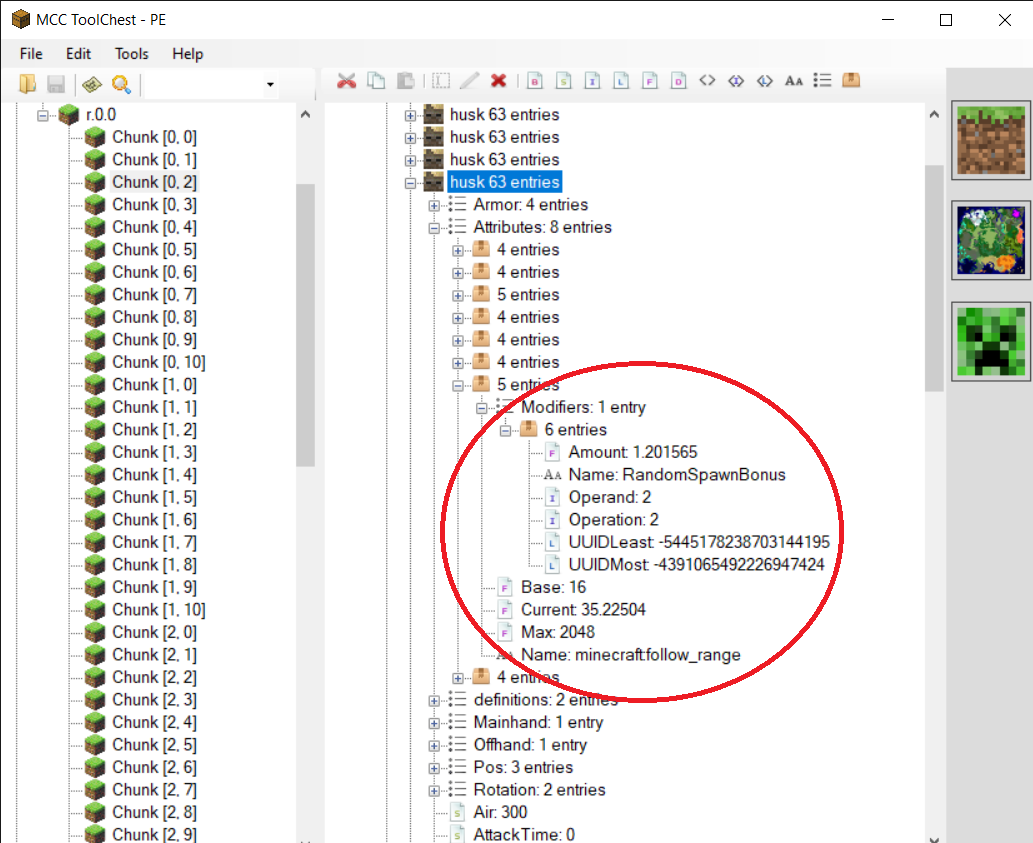
All hostile mobs that want to attack the player only can see the target in a short distance.
Some mobs can see further than 16 block radius like ghasts but it isn't the max attack distance.Steps to reproduce:
- Summon a mob(e.g. husk, ghast)
- /gamemode survival
- Run 16 blocks away and the mob cannot follow you.
Observed Results:
Mobs stop following the target if they outer 16 blocks. It causes ghasts to not expect the player, vexes cannot chase the target and you can see this bug in many other mobs.Expected Results:
Mobs should follow the target a little bit farther than 16 blocks.
Videos:
https://drive.google.com/open?id=1pnx2w6YvCHnyPH4nS-Ihgulpt1GsLeQC]https://drive.google.com/open?id=1P6WJ1mgt9jwMtOSI2-n3eB2ofy5HiHyN
All hostile mobs that want to attack the player only can see the target in a short distance.
Some mobs can see further than 16 block radius like ghasts but it isn't the max attack distance.Steps to reproduce:
- Summon a mob(e.g. husk, ghast)
- /gamemode survival
- Run 16 blocks away and the mob cannot follow you.
Observed Results:
Mobs stop following the target if they outer 16 blocks. It causes ghasts to not expect the player, vexes cannot chase the target and you can see this bug in many other mobs.Expected Results:
Mobs should follow the target a little bit farther than 16 blocks.Code Analysis:
This comment.
Videos:
https://drive.google.com/open?id=1pnx2w6YvCHnyPH4nS-Ihgulpt1GsLeQC]https://drive.google.com/open?id=1P6WJ1mgt9jwMtOSI2-n3eB2ofy5HiHyN
relates to
Ghast targeting fix.mcpack
matches ghast targeting to Java Edition by using the following lines in "minecraft:behavior.nearest_attackable_target"
"max_dist": 64 (within the player filter)
"target_search_height": 4See here for the Java code analysis.
Note that Ghast targeting fix.mcpack
I have run some tests on husks and can confirm that their targeting range is not working as expected. In the vanilla husk.json entity file, under the minecraft:behavior.nearest_attackable_target, the max_dist is 35 for each entity husks can target. As far as I know, this means all husks should be able to select targets at up to 35 blocks away. However, here is what I have found:
- I have observed a husk target me at 35 blocks away, and I have observed husks target villagers at 35 blocks.
- I have also observed husks that would only target me at 16 blocks and would stop chasing as soon as I was more than 16 blocks away.
- When I spawn groups of husks 35 blocks away from villagers, about 1/4 to 1/3 will immediately target the villagers, and a few more will target by 30s, but after several minutes, on average less than 1/2 of the husks will have targeted the villagers while wandering between 16 and 35 blocks away from them. You can see the first 30s of a trial in this video: Husks not so dangerous.mp4
I have also run some tests on ghasts and found them to target consistently with the vanilla ghast.json file, which gives them a max_dist of 28 blocks. Tried several ghasts and they all targeted and fired at me at from 28 blocks away, and cancelled their attacks when I moved >28 blocks away. However, in survival world context this seems too short and makes ghasts not very dangerous. That makes me wonder if the "28" is a typo and it should be "82," which would be more consistent with what duplicate reports are saying about Java behavior and information on the wiki.
Here is the test world that I used for testing husks and ghasts.
Ravagers have a max_dist of 16 for players, iron golems, and villagers, but in Java Edition their targeting range is 32 (per duplicate report
MCPE-48188).
Endermen have the same problem, per
MCPE-82789. Their max_dist for targeting endermites is 64, their search_radius for being angered at players who look at them is 64, but their follow_range is only 32. This probably also explainsMCPE-35306.
Hopper minecart stopsand no hopper is dropped when brokenHopper minecart stops unexpectedly
powered rails and sea lanternsCertain blocks do not launch minecarts when they activate powered railsthat activate powere
Certain blocks do not launch minecarts when they activate powered railsthat activate powere
Updated description by [Mod] GoldenHelmet
When an opaque block is next to a connectable side of a powered rail, and the powered is activated by redstone power, a minecart on the powered rail should be propelled away from the opaque block. This does not work with:
- sea lantern
- barrel
- redstone block
Steps to reproduce
- Place a line of powered rails.
- Place one of the affected blocks at one end of the line.
- Place a minecart on the powered rail next to the affected block.
- Activate the powered rails with redstone power.
Expected result
The minecart is launched down the line.
Actual result
The minecart does not move.
Test world
The attached test world demonstrates how most blocks can be powered will also launch minecarts, but the affected blocks mentioned above fail. Simply open the world and flip the lever. For the barrel, due to
MCPE-46742you will have to break and replace to see this bug in 1.14.60. Note that world is only desinged to only be run once, it does not have a simple reset.
Original description
when powering a powered rail with a button on a sea lantern the mine cart dose not move at all until the player faces forward and presses the w key to move [^Minecraft 2019-10-16 21-47-08.mp4]
Updated description by [Mod] GoldenHelmet
When an opaque block is next to a connectable side of a powered rail, and the powered is activated by redstone power, a minecart on the powered rail should be propelled away from the opaque block. This does not work with:
- sea lantern
- barrel
- redstone block
Steps to reproduce
- Place a line of powered rails.
- Place one of the affected blocks at one end of the line.
- Place a minecart on the powered rail next to the affected block.
- Activate the powered rails with redstone power.
Expected result
The minecart is launched down the line.
Actual result
The minecart does not move.
Test world
The attached test world demonstrates how most blocks can be powered will also launch minecarts, but the affected blocks mentioned above fail. Simply open the world and flip the lever. For the barrel, due to
MCPE-46742you will have to break and replace to see this bug in 1.14.60. Note that world is only desinged to only be run once, it does not have a simple reset.
Original
descriptionwhen powering a powered rail with a button on a sea lantern the mine cart dose not move at all until the player faces forward and presses the w key to move [^Minecraft 2019-10-16 21-47-08.mp4]
Updated description by [Mod] GoldenHelmet
When an opaque block is next to a connectable side of a powered rail, and the powered is activated by redstone power, a minecart on the powered rail should be propelled away from the opaque block. This does not work with:
- sea lantern
- barrel
- redstone block
Steps to reproduce
- Place a line of powered rails.
- Place one of the affected blocks at one end of the line.
- Place a minecart on the powered rail next to the affected block.
- Activate the powered rails with redstone power.
Expected result
The minecart is launched down the line.
Actual result
The minecart does not move.
Test world
The attached test world demonstrates how most blocks can be powered will also launch minecarts, but the affected blocks mentioned above fail. Simply open the world and flip the lever. For the barrel, due to
MCPE-46742you will have to break and replace to see this bug in 1.14.60. Note that world is only desinged to only be run once, it does not have a simple reset.
Original summary
sea lanterns and powered rails
Original descriptionwhen powering a powered rail with a button on a sea lantern the mine cart dose not move at all until the player faces forward and presses the w key to move [^Minecraft 2019-10-16 21-47-08.mp4]
Updated description by [Mod] GoldenHelmet
When an opaque block is next to a connectable side of a powered rail, and the powered is activated by redstone power, a minecart on the powered rail should be propelled away from the opaque block. This does not work with:
- sea lantern
- barrel
- redstone block
Steps to reproduce
- Place a line of powered rails.
- Place one of the affected blocks at one end of the line.
- Place a minecart on the powered rail next to the affected block.
- Activate the powered rails with redstone power.
Expected result
The minecart is launched down the line.
Actual result
The minecart does not move.
Test world
The attached test world demonstrates how most blocks can be powered will also launch minecarts, but the affected blocks mentioned above fail. Simply open the world and flip the lever. For the barrel, due to
MCPE-46742you will have to break and replace to see this bug in 1.14.60. Note that world is only desinged to only be run once, it does not have a simple reset.
Original summary
sea lanterns and powered rails
Original descriptionwhen powering a powered rail with a button on a sea lantern the mine cart dose not move at all until the player faces forward and presses the w key to move [^Minecraft 2019-10-16 21-47-08.mp4]
Updated description by [Mod] GoldenHelmet
When an opaque block is next to a connectable side of a powered rail, and the powered rail is activated by redstone power, a minecart on the powered rail should be propelled away from the opaque block. This does not work with:
- sea lantern
- barrel
- redstone block
Steps to reproduce
- Place a line of powered rails.
- Place one of the affected blocks at one end of the line.
- Place a minecart on the powered rail next to the affected block.
- Activate the powered rails with redstone power.
Expected result
The minecart is launched down the line.
Actual result
The minecart does not move.
Test world
The attached test world demonstrates how most blocks can be powered will also launch minecarts, but the affected blocks mentioned above fail. Simply open the world and flip the lever. For the barrel, due to
MCPE-46742you will have to break and replace to see this bug in 1.14.60. Note that world is only desinged to only be run once, it does not have a simple reset.
Original summary
sea lanterns and powered rails
Original descriptionwhen powering a powered rail with a button on a sea lantern the mine cart dose not move at all until the player faces forward and presses the w key to move [^Minecraft 2019-10-16 21-47-08.mp4]
Updated description by [Mod] GoldenHelmet
When an opaque block is next to a connectable side of a powered rail, and the powered rail is activated by redstone power, a minecart on the powered rail should be propelled away from the opaque block. This does not work with:
- sea lantern
- barrel
- redstone block
Steps to reproduce
- Place a line of powered rails.
- Place one of the affected blocks at one end of the line.
- Place a minecart on the powered rail next to the affected block.
- Activate the powered rails with redstone power.
Expected result
The minecart is launched down the line.
Actual result
The minecart does not move.
Test world
The attached test world demonstrates how most blocks that can be powered will also launch minecarts, but the affected blocks mentioned above fail. Simply open the world and flip the lever. For the barrel, due to
MCPE-46742you will have to break and replace to see this bug in 1.14.60. Note that world is only desinged to only be run once, it does not have a simple reset.
Original summary
sea lanterns and powered rails
Original descriptionwhen powering a powered rail with a button on a sea lantern the mine cart dose not move at all until the player faces forward and presses the w key to move [^Minecraft 2019-10-16 21-47-08.mp4]
Updated description by [Mod] GoldenHelmet
When an opaque block is next to a connectable side of a powered rail, and the powered rail is activated by redstone power, a minecart on the powered rail should be propelled away from th
e opaqueblock. This does not work with:
- sea lantern
- barrel
- redstone block
Steps to reproduce
- Place a line of powered rails.
- Place one of the affected blocks at one end of the line.
- Place a minecart on the powered rail next to the affected block.
- Activate the powered rails with redstone power.
Expected result
The minecart is launched down the line.
Actual result
The minecart does not move.
Test world
The attached test world demonstrates how most blocks that can be powered will also launch minecarts, but the affected blocks mentioned above fail. Simply open the world and flip the lever. For the barrel, due to
MCPE-46742you will have to break and replace to see this bug in 1.14.60. Note that world is only desinged to only be run once, it does not have a simple reset.
Original summary
sea lanterns and powered rails
Original descriptionwhen powering a powered rail with a button on a sea lantern the mine cart dose not move at all until the player faces forward and presses the w key to move [^Minecraft 2019-10-16 21-47-08.mp4]
Updated description by [Mod] GoldenHelmet
When an opaque block is next to a connectable side of a powered rail, and the powered rail is activated by redstone power through that block, a minecart on the powered rail should be propelled away from that block. This does not work with:
- sea lantern
- barrel
- redstone block
Steps to reproduce
- Place a line of powered rails.
- Place one of the affected blocks at one end of the line.
- Place a minecart on the powered rail next to the affected block.
- Activate the powered rails with redstone power.
Expected result
The minecart is launched down the line.
Actual result
The minecart does not move.
Test world
The attached test world demonstrates how most blocks that can be powered will also launch minecarts, but the affected blocks mentioned above fail. Simply open the world and flip the lever. For the barrel, due to
MCPE-46742you will have to break and replace to see this bug in 1.14.60. Note that world is only desinged to only be run once, it does not have a simple reset.
Original summary
sea lanterns and powered rails
Original descriptionwhen powering a powered rail with a button on a sea lantern the mine cart dose not move at all until the player faces forward and presses the w key to move [^Minecraft 2019-10-16 21-47-08.mp4]
Updated description by [Mod] GoldenHelmet
When an opaque block is next to a connectable side of a powered rail, and the powered rail is activated by redstone power through that block, a minecart on the powered rail should be propelled away from that block. This does not work with:
- sea lantern
- barrel
- redstone block
Steps to reproduce
- Place a line of powered rails.
- Place one of the affected blocks at one end of the line.
- Place a minecart on the powered rail next to the affected block.
- Activate the powered rails with redstone power.
Expected result
The minecart is launched down the line.
Actual result
The minecart does not move.
Test world
The attached test worlddemonstrates how most blocks that can be powered will also launch minecarts, but the affected blocks mentioned above fail. Simply open the world and flip the lever. For the barrel, due toMCPE-46742you will have to break and replace to see this bug in 1.14.60. Note that world is only desinged to only be run once, it does not have a simple reset.
Original summary
sea lanterns and powered rails
Original descriptionwhen powering a powered rail with a button on a sea lantern the mine cart dose not move at all until the player faces forward and presses the w key to move [^Minecraft 2019-10-16 21-47-08.mp4]
Updated description by [Mod] GoldenHelmet
When an opaque block is next to a connectable side of a powered rail, and the powered rail is activated by redstone power through that block, a minecart on the powered rail should be propelled away from that block. This does not work with:
- sea lantern
- barrel
- redstone block
Steps to reproduce
- Place a line of powered rails.
- Place one of the affected blocks at one end of the line.
- Place a minecart on the powered rail next to the affected block.
- Activate the powered rails with redstone power.
Expected result
The minecart is launched down the line.
Actual result
The minecart does not move.
Test world
The attached test world Blocks launching minecarts.mcworld
MCPE-46742you will have to break and replace to see this bug in 1.14.60. Note that the world is only desinged to only be run once, it does not have a simple reset.
Original summary
sea lanterns and powered rails
Original descriptionwhen powering a powered rail with a button on a sea lantern the mine cart dose not move at all until the player faces forward and presses the w key to move [^Minecraft 2019-10-16 21-47-08.mp4]
Updated description by [Mod] GoldenHelmet
When an opaque block is next to a connectable side of a powered rail, and the powered rail is activated by redstone power
through that block, a minecart on the powered rail should be propelled away from that block. This does not work with:
- sea lantern
- barrel
- redstone block
Steps to reproduce
- Place a line of powered rails.
- Place one of the affected blocks at one end of the line.
- Place a minecart on the powered rail next to the affected block.
- Activate the powered rails with redstone power.
Expected result
The minecart is launched down the line.
Actual result
The minecart does not move.
Test world
The attached test world Blocks launching minecarts.mcworld
MCPE-46742you will have to break and replace to see this bug in 1.14.60. Note that the world is only desinged to only be run once, it does not have a simple reset.
Original summary
sea lanterns and powered rails
Original descriptionwhen powering a powered rail with a button on a sea lantern the mine cart dose not move at all until the player faces forward and presses the w key to move [^Minecraft 2019-10-16 21-47-08.mp4]
Certain blocks that can be powered do not launch minecarts when they activate powered rails
Certain blocks that can be powered do not launch minecartswhen they activatepowered railsCertain blocks that can be powered do not launch minecarts on powered rails

We are tracking an issue with all or nearly all mobs in the area around the player vanishing when the world is reloaded in versions 1.17.30 through 1.18.2 Hotfix at MCPE-144208. Please do not comment here if that describes your experience.
Please limit comments to New information about the issue. A short list of what is most helpful and what is not is listed below. Please take the time to read this brief list before commenting.
A list of mobs you have lost is not helpful information. We know this bug can impact any mob, we know that leashed mobs that despawn will leave behind a leash knot, and we know that when villagers despawn their beds and workstations remain linked to the missing villager until you break them or 20 minutes pass. What might be helpful are details about things like
- what you were doing leading up to the mobs disappearing
- single vs. multiplayer, local vs server/realm
- how far you traveled
- how long the current or previous play session lasted
- whether the despawns were near a player spawn point or if you had changed your player spawn point during the session,
- if you experienced lag or anything else abnormal.
Some cases of persistent mobs despawning can be traced to them crossing chunk borders between saves, so one way to guard against randomly losing mobs is to prevent them from crossing chunk borders (you can read about finding chunk borders on the wiki). However, this is not a guarantee or a fix. Positioning mobs away from chunk borders does not mean you will never lose a persistent mob again. Many cases of mobs randomly despawning remain unexplained by the tracker staff and player community.
Updated description by [Mod] GoldenHelmet July 22, 2020
This ticket is used as parent for all otherwise unexplained mob disappearances. It covers mobs disappearing related to nether portal travel, long distance single-dimension travel, crashes, realm lag, and any other circumstance, except for the specific circumstances covered by MCPE-88322, MCPE-66818, MCPE-51837, MCPE-16863, and MCPE-108568, MCPE-141539, and MCPE-144208.
Some random mob despawns can be explained by the mobs crossing chunk borders between auto-saves. Other random mob despawns are reported for mobs that were unable to cross chunk borders.
I have attached a test world that can be used to reproduce despawning on chunk borders due to a crash with the following steps to reproduce:
- Load [EX] Chunk border despawn demo.mcworld.
- Press the button to spawn a villager.
- Save & quit, then reload, to confirm that the the villager is kept in the world save.
- Open the world, flip the lever, and start a stopwatch.
- After about 10-15 seconds, close Minecraft without exiting the world (for example, in Windows 10 press alt-F4).
- Reopen Minecraft and reopen the test world.
Expected result
The villager is still present.
Actual result
Sometimes the villager will be gone. I estimate this occurs about once out of 20 attempts. You can see the entire sequence in Chunk border despawn demo.mp4.
What happens when the villager disappears is that sometime between flipping the lever and force-closing the game, the chunk in which the player is located gets auto-saved and the chunk to the right does not. You can verify this by observing that a honey block is also missing--the fact it was pushed out of the left chunk by the piston is saved, but the fact it was pushed into the right chunk is not.
Original description
When I go to Nether and I went back my horses an my animal that I feed is disappear
Edit by Zeb: When playing on multiplayer, entities can despawn when you travel to the Nether and back to the Overworld.
Keep in mind that naturally-spawned monsters and animals that have never been interacted with are SUPPOSED to despawn. When testing this bug, please make sure to interact with monsters or animals you're observing first, by tempting them with food, breeding, or name-tagging them. This is not necessary for villagers or iron golems.

Updated description by [Mod] GoldenHelmet June 15, 2020
Steps to reproduce
- Make a 1 x 1 x 1 hole.
- Drop an item in it.
- Place a dirt path block in the hole.
Expected result
The item floats up above the dirt path block, as it would for any solid block.
Actual result
The item stays inside the dirt path block.
Original description
Dirt Paths in MC Bedrock are not treated as a solid block in most regards, and this is likely why other bugs related to the Dirt Path exist.
I knew this because when I was destroying blocks surrounded completely by Dirt Paths then filling it with a different block without picking up the destroyed block, the dropped item wouldn't appear on the ground. It was essentially "buried" beneath the Dirt Path.
Reports of Grass still growing underneath Dirt Paths are most likely connected to this same issue.
Edit by PHO, updated by [Mod] GoldenHelmet:
Original test world was unreliable because it had the observer looking at lit redstone dust across a chunk border. Test world and description updated to include other blocks on November 2, 2021.
Observers looking at several kinds of blocks emit a pulse on world reloading. The attached test world demonstrates the bug. The following blocks were tested in 1.17.41 Hotfix:
| Block | Triggers observer pulse on relog |
|---|---|
| Lit redstone dust |  |
| unlit redstone dust |  |
| Redstone torch (lit or unlit) | |
| Repeater (powered or unpowered) | |
| Comparator (powered or unpowered) | |
| Empty single chest / barrel | |
| Empty double chest | |
| Chest / barrel with item in it | |
| Dropper (empty or with item) | |
| Item frame | |
| Glow item frame | |
| Tripwire with mob on it | |
| Pressure plate with mob on it | inconsistent |
| Mob head | |
| Campfire | |
| Cauldron | |
Steps to reproduce:
- Open the attached world.
- Close and open it again.
- See what the dispenser does.
Strangely, the pulse is too short (0 ticks maybe?) for dispensers to trigger so you need a repeater to make the pulse a bit longer.

Updated description by [Mod] GoldenHelmet April 20, 2020
Beds that span a chunk border can partially break during chunk loading, leaving behind an invisible bed block. When this occurs, the bed head simply gets deleted, and the bed foot becomes invisible. The invisible bed block is bouncy like a bed, but it is non-functional: it cannot be slept in, used to set a respawn point, or claimed by villagers. When broken by mining or with a piston, the invisible bed block drops a bed item of the same color as the bed that disappeared. Comments below attest that prior to the 1.5 update trying to mine the invisible bed block would crash the game, and the hitbox outline might be elongated (MCPE-30712).
Steps to reproduce:
- Place a bed across a chunk border.
- Optional (may help trigger the bug): place powered redstone dust or a sign next to the bed head.
- Optional (may help trigger the bug): increase randomtickspeed, render distance, or sim distance, or summon lots of entities in the chunk with the bed head.
- Move to a position in which you are closer to the bed head than the bed foot.
- Relog and inspect the bed location.
Expected result: The bed would still be intact and functional.
Actual result: Sometimes you will find an invisible bed block.
Test world: Load test.mcworld reproduces this bug fairly consistently if you set the random tick speed very high before loading (or otherwise generate loading delay). The world contains rows of beds and a system of command block minecarts to automate step 1 en masse for repeated trials. (There are cocoa pods and jungle logs above the beds that demonstrate MCPE-67479, which occurs in the same way as this bug. The world also contains some other structures.)
- To use the world once, load the world and quickly fly up and turn around, like this: Invisibed test world demo.mp4
- To reset the beds, press the appropriate button (marked with signs) west of the relog area.
- Relog north of the smooth stone wall facing the flowing water.
*Note: I have found that the bug is more likely to occur when other worlds are loaded or Minecraft is closed in-between trials. I assume this is becaues doing so clears any memory cache that might otherwise accelerate chunk loading.
Original Description
This bug happens often but I don't know why this is happening. When this bug appears I have to take the bed down and then replace it. This bug is really annoying but I do hope you can fix it. 

The only outstanding issue here is spiders sometimes behaving as neutral when they are expected to be hostile, i.e. at night or in the dark.
The original report referred to spiders, ghasts, and blazes not attacking the player on sight.
- Blazes are fixed (
MCPE-73279) - Ghasts work correctly given their targeting range according to comments below.
- Ghasts having a shorter-than-expected targeting range is tracked at MCPE-50207.
Most of the time spiders (at night or dark places) ghasts and blazes dont attack me when they see me, they start attacking just after i attack them
This issue seems to be caused by a hidden 2 GB per user profile storage limit on save data. It is not clear whether this limit is imposed by Minecraft or by the Switch. Additionally, the amount of data use shown within Minecraft in the Settings>Storage menu may not match the amount of data use shown for Minecraft in the Switch's Settings>Data Management>Save Data Management menu. For some users, the Switch still shows 2 GB of Minecraft save data even after the user deletes all worlds, packs, templates, and cached data from Minecraft's storage menu.
The following workarounds have been shared in comments (pinned below):
- Close Minecraft and restart it.
- Delete unused and no-longer-needed content from within Minecraft, through the Settings>Storage menu.
- Delete the Minecraft save data through the Switch's Data Management menu. This should be a last resort as it will delete everything saved locally in the profile. However, Marketplace purchases will be able to be downloaded again, and worlds uploaded to a realm will be able to be downloaded again.
When trying to download a world that I've purchased I'm now getting the error "Not Enough Space - 134 MB - You do not have enough space available on your device to download the..." However, I have over 10 GB on my system, and over 12 GB on a SD card. It happens with every world we've bought, so it's somewhat frustrating; especially when downloading skin packs seems to work fine every time.
Updated description by [Mod] GoldenHelmet June 5, 2020
Steps to reproduce
- Build a trough 9 blocks long using full blocks on the bottom and sides.
- Place a water source at one end of the trough.
- Drop items into the water source.
Expected result
Items travel to the end of the water flow at uniform speed.
Actual result
Items travel at uniform speed through the first 5 blocks of flowing water, then travel more slowly through the final 2.
Original description
When the items in the 2 block below the end of water the items speed will suddenly slow and then items arrived to end of water the items will getting visual glitching.
Updated description by [Mod] GoldenHelmet June 1, 2020
Steps to reproduce
(These steps are automated in items-stuck-in-a-filter.mcworld.)
- Put 1 stackable item in each slot of a hopper/hopper-minecart.
- Drop a different item on the hopper/hopper-minecart.
- Drop an item that matches an item from step 1 on the hopper/hopper-minecart.
Expected result
The hopper/hopper-minecart collects/sucks the matching item.
Actual result
The hopper/hopper-minecart will not collect/suck the matching item until the non-matching item is removed.
Note: test analysis provided in this comment.
Code analysis corroborating testing in this comment.
Original summary
Hoppers not picking from multiple item types
Original description
When item sorting hoppers (as shown in the screenshot to sort redstone) has multiple item types (with the selected item type included) pass above it, the hopper will occasionally fail to suck in the selected item type from the group.
Steps to Reproduce:
- Construct a single item sorter with a water stream as depicted in the screenshot with the top hopper set to sort an item type
- Confirm the top hopper only accepts the chosen item type
- Block the water steam
- Drop several of the chosen item type
- Drop several of another item type
- Unblock the water stream
Observed Results:
All items (included the chosen item type) pass over the hopper.
Expected Results:
Hopper sucks in the selected item type and the rest flow by.
This does happen most of the time
Screenshots/Videos Attached: Yes
Device: Asus ZenFone AR

Update by [Mod] GoldenHelmet
Steps to reproduce
- Make a reasonably large enclosure with a flat floor made of a single block type.
- Spawn mobs that have a wandering behavior at the center of the enclosure.
- Observe the mobs over a period of time.
Expected result
Mobs drift in all directions with equal probability. A group of mobs spreads out evenly in all directions.
Actual result
Mobs drift toward the north (-Z) and west (-X) over time. A group of mobs ends up bunched in the northwest corner of an enclosure.
Test world
See this comment.
Note: This bug existed in Java edition years ago and was fixed. See MC-10046 for details including code analysis. The issue seems to have been that using a floor function on a random number generated between maximum and minimum values results in a bias toward the minimum (e.g. the effective range is -10 to +9, instead of -10 to +10).
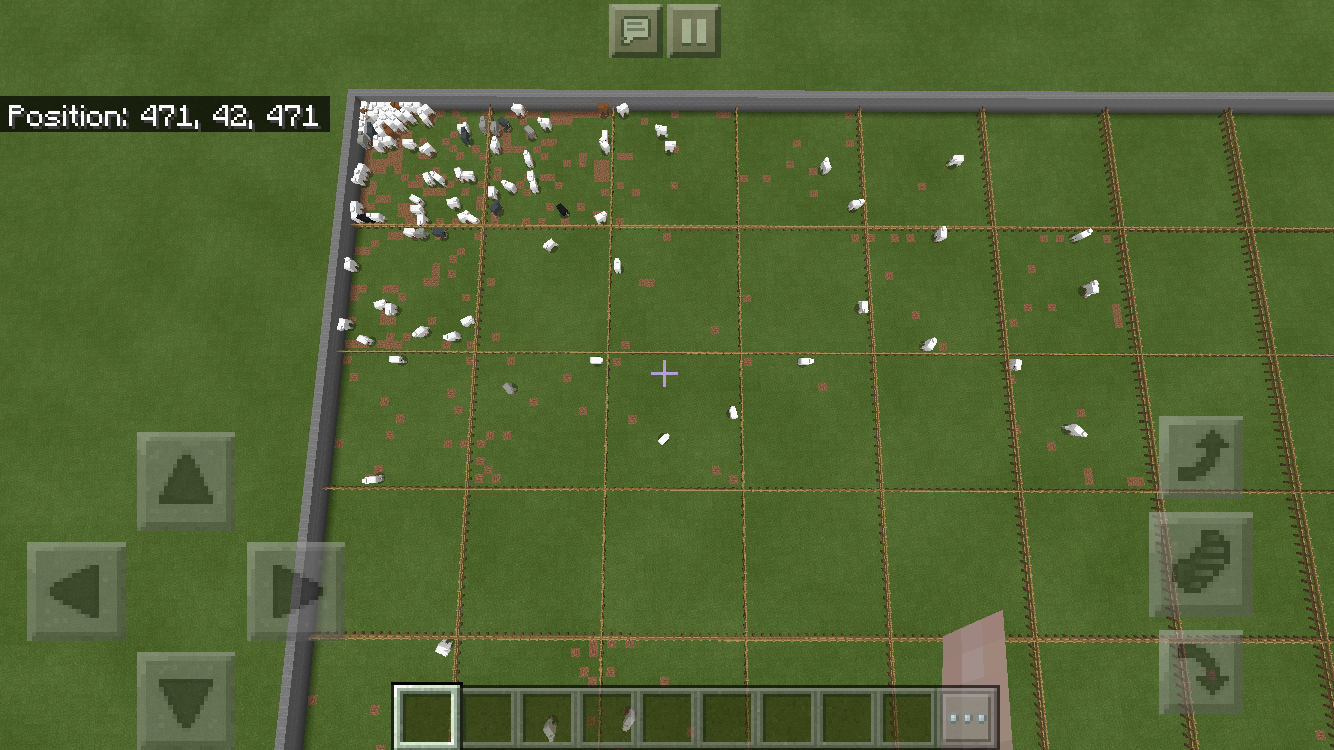
Original description
I've noticed that animal mobs tend to migrate to the northwest in my survival worlds. I've seen it in Bedrock on Windows 10 and iOS (iPhone). It seems similar to an old Java version bug.
To test it, I created a flat world in my Bedrock Windows 10 version 1.8, and put a 2-block high barrier around an 11x11 chunk region. I killed off everything, turned natural spawning off, then spawned 121 sheep in the center chunk. After an hour and a half of waiting in the center chunk, I put fences around every chunk. Code Connection helped with all this.
I then counted the sheep in each chuck. If the sheep spread out evenly, you would expect about one per chunk. Instead, I got the counts shown in the attached image. As you can see, there is a pretty strong bias towards the northwest.
Thanks.

Earlier comments on this report and many of the linked "duplicate" reports have conflated this with some other issues such as MCPE-7284, MCPE-43990, and MCPE-21038. This focuses on the following unexpected behavior:
Water and lava placed or updated by the player may touch and not form cobblestone.
Three cases are presented:
- Water next to fully-horizontally-spread lava: no interaction.
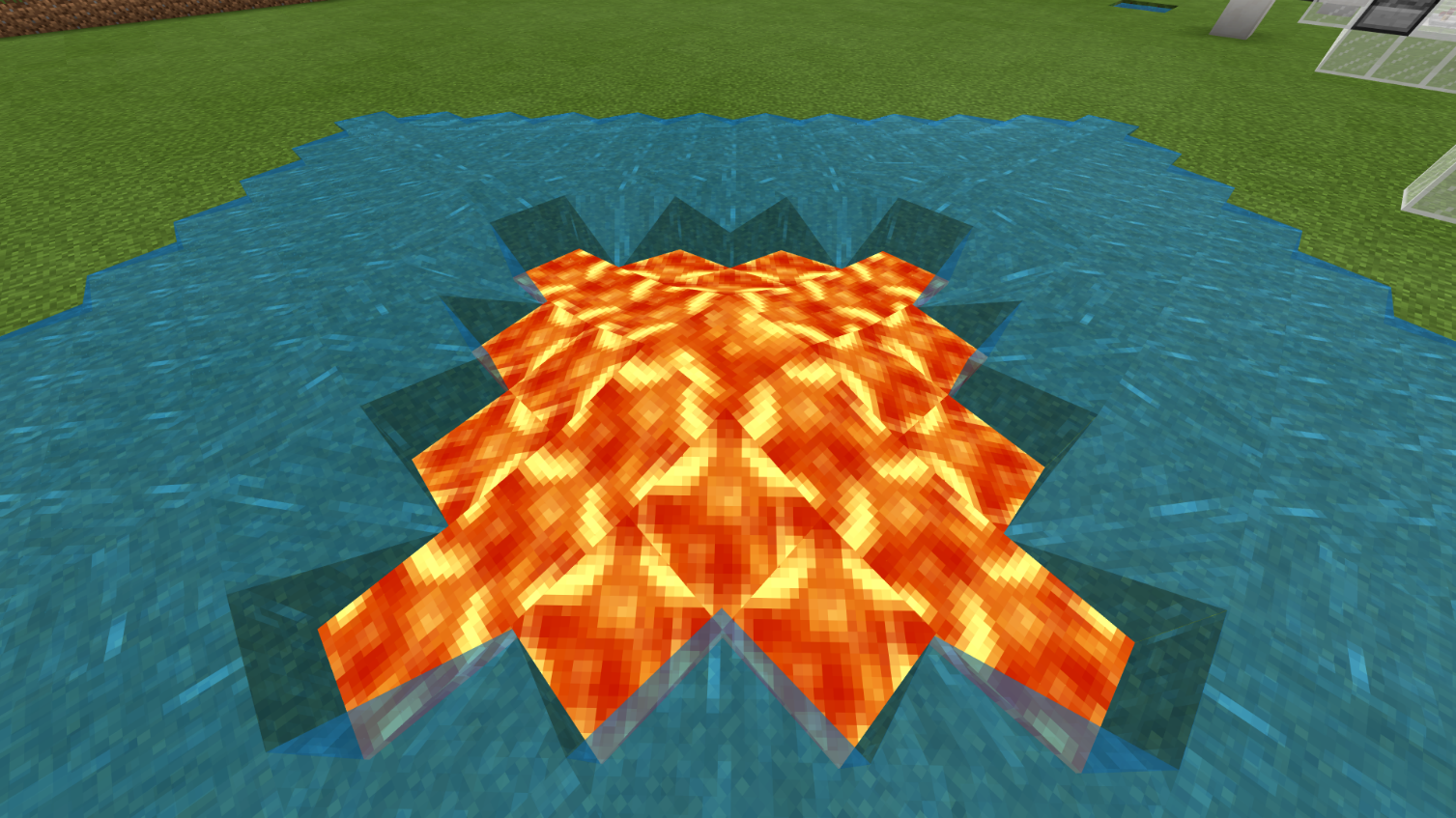
- Water next to down-flowing lava: no interaction.

- Water next to down-flowing lava with a supporting block below: lava flows into the water and replaces it.
2019-01-28 00-48-09_Trim.mp4
In Java Edition these behaviors do not occur. With (1) and (2) the lava changes to cobblestone, and as a result it is impossible to test (3).
Note that the demonstration of (3) includes the issue raised by MCPE-21038 (lava can appear to flow faster than water and break cobblestone generators), but we should keep that distinct. None of the cases above is related to (apparent) flow speed.
Cases (1) and (2) seem to occur for the same reason: cobblestone formation depends on lava's ability to spread horizontally. Fully-horizontally-spread lava (liquid_depth 3) and down-flowing lava (liquid_depth 8) cannot spread horizontally, so they don't transform. I would guess that the formation of cobblestone occurs when lava gets ticked as a result of an adjacent block update. When it gets ticked it checks for adjacent water along with scheduling an attempt to spread and set fire. If it has liquid_depth 3 or 8 it skips the water check. (It is impossible to determine in-game whether it is skipping the water check along with or instead of skipping the spread check.)
Case (3) occurs because lava is able to flow into and replace water, but water is not able to flow into lava. Water sees lava as a block it could flow into when calculating a path to spread, but it is not able to actually flow into it. Lava does not have that limitation. I am not sure exactly why this difference exists, but it may have some importance to the mechanics of their interaction. However, since case (3) requires case (2) to set up, if (1) and (2) are fixed then (3) will no longer occur.
This bug has been around for a longgg time, and it's kind of a nasty one. Not sure of the root cause, but basically due to the rate at which lava and water flow, they can touch each other, and have no reaction. No stone, no cobble, no obsidian created.
This isn't due to a lack of updates, as you can place/break blocks all around them and nothing will change. My best guess is that its due to liquids being affected by random ticks, but that doesn't really explain the no reaction.
Even just by placing water/lava on the ground, you can still get them to touch. No tricky business, so this is likely a combination of bugs.
By being slightly tricky, i was also able to get water completely surrounded by lava 😝
In this video i show how to reproduce this bug, and several others having to do with liquids!
https://youtu.be/axIXQLdgpEg

Updated description by [Mod] GoldenHelmet
Steps to reproduce
(These steps are automated in Illagers fight each other.mcworld.)
- Create an iron golem in a place where it can't move.
- Spawn a vindicator and an evoker near the iron golem, so that they target it.
- Spawn pillagers behind the vindicator and evoker, so that they target the iron golem but hit the vindicator and evoker when they shoot.
Expected result
Vindicator and evoker continue to target the iron golem, ignoring hits from pillagers.
Actual result
Vindicator and evoker target the pillagers when hit by them.
Note: Code analysis of missing text in vindicator.json and evocation_illager.json provided in this comment.
Original description
When a vindicator or an Evoker is hit with a pillager's arrow it will kill the pillager. However, it does not want to attack any other illagers when they get damaged by them

Updated description by [Mod] GoldenHelmet
Steps to reproduce
- Build a village across 3 aligned chunks (A, B, C) as follows: (or use Steal test.mcworld)
- Place a bed and workstation in chunk A, then spawn a villager and let it link.
- Place a bed in chunk C and a workstation in chunk B. This workstation should be a different type than the workstation in chunk A. Again, spawn a villager and let it link.
- Trade with the villager who works in chunk B to lock in his profession.
- Place bed in chunk B, then spawn a villager and let it link.
- Set time to night and allow the villagers to get to their beds.
- Fence off chunk A so that the villager who sleeps there cannot wander out of the chunk.
- Move away from the village in the chunk C --> chunk A direction until only chunk A is within simulation distance and chunks B and C are not.
- Wait at least 25 minutes.
- Walk back to the middle of the village.
Expected result
The locked-profession villager keeps the workstation in chunk B.
Actual result
The villager who sleeps in chunk B takes the workstation in chunk B.
Explanation
Steps (3-4) make the villager in chunk A the only villager who is simulated (ticked). Step (5) drops the other villagers from the villager dwellers list. Step (6) re-adds them to the dwellers list. Since the unemployed villager in B is re-added before the villager in C, he links to the workstation in B before its original owner has the chance.
Notes on gameplay impact:
- Steps (4-6) occur naturally in a normal game context if a player spends time mining, building, etc. at a certain distance from a village.
- This bug occurs in a similar way and sometimes in conjunction with MCPE-47212. The other bug referred to in the original description below has been resolved as a duplicate of that one.
Original description
Problem: In our man made village (See MCPE-43070 for the issue relating to this) villagers have started taking up jobs that others already have, leading them to not letting others work, and resupply their trades. For example we have one grindstone, and one smithing table, but we have two weapon smiths, and two tool smiths, and they both appeared after trading with the first of each, preventing the originals from resupplying. It's an annoying issue, since we had both the original weapon and tool smith level 3, but can no longer level them up, since their trades can't be resupplied. We could place more stations down, but we don't want more of each.
Steps to Reproduce: Since I'm not sure of the true cause, please see the above issue about villager overpopulation, and see if it has anything to do with it

Phantoms spawn rules are the same as other monsters: the surface block must be spawnable, and the the block space above the surface block must be at light level 7 or below. So even though phantoms spawn high in the air, they will not spawn where the surface is lit or covered with non-spawnable blocks like glass, leaves, lower slabs, carpet, stairs, fences, buttons, etc.
I have lost track on how many days now without sleep and have not had a phantom spawn in game. Both myself and my husband are playing MP LAN and have not seen a phantom spawn since the 1.11.0.7 update. They spawned almost a ridiculous amount in 1.11.0.5.
This issue affects both water and lava, and seems to be due to how the server thread handles liquid flow state updates. On MCPE-100598 it was noted that
If the player attempts to pick up the water/lava within this duration (a short number of ticks after the liquid starts to spread), the hotbar will register the lava being picked up for a split second but then will flash back to the empty bucket. The server does not detect the client picking up the liquid either.
.... For whatever reason, [it appears that] the bedrock server engine converts the solid liquid into flowing liquid for a few ticks to allow the solid liquid to start flowing, and then quickly converts the source block back to a liquid "block", which then can be picked up with a bucket. Of course, flowing water or lava cannot be picked up with a bucket, so I think this is the culprit.
This theory also explains another observation reported on MCPE-80911:
When picking up lava with a bucket and quickly placing it on a neighbouring lava source, it completely disappears.
Found an issue since 1.10 that when emptying and trying to collect the water immediately its not collecting the water. Makes it difficult when you can't collect it and pushes you backwards. Found this issue on Xbox One, not a beta version.
I have created a behavior pack that allows trader llamas to follow normal despawn rules if they get separated from the wandering trader: Trader llama despawn.mcpack
Note that using this will disable achievements in your world.
When the wandering trader despawns, there is a chance that the llamas won't despawn with him. If this happens, those trader llamas will never despawn, even when leaving the area and returning.
Attaching several screenshots all taken within two minutes of several llamas that have not despawned. Some of these have been around for several days.

Updated description by [Mod] GoldenHelmet
Steps to reproduce
- Build a village that crosses 2 chunks, A and B. (Or use Scrambletown.mcworld)
- Seal off each chunk with fences/walls.
- In chunk A, spawn at least 1 villager and give it a bed and workstation.
- In chunk B, spawn several villagers and link them to beds and workstations in individual cells.
- Cycle day and night to confirm bed and workstation linkages.
- Travel away from the village in the B --> A direction until only chunk A is within simulation distance.
- Wait 25 minutes.
- Travel back to the village.
- Cycle day and night to check bed and workstation linkages.
Expected result
The villagers in chunk B remain linked to the same beds and workstations, OR each villager re-links to the bed and workstation that is in its cell.
Actual result
The links in chunk B get scrambled. Villagers link to beds and workstations in the cells of other villagers rather than the beds and workstations in their own cells.
Original description
Bringing in villagers 1 at a time to a new location over 100 blocks away to a trading hall. I set down a work station for a Novice villager (a composter). Green particles are emitted so I would assume the villager has now accepted that workstation for his own. I go back and bring another villager in, again from over 100 blocks away. I do the same thing, put them in their holding area, set down a workstation, wait for the green particles, then go get another. After bringing in several, they are changing workstations for some reason or another. The only way I can get them to restock is to let them run free. I don't dare bring in any other professions right now till this is fixed. If it doesn't get fixed. I will have to create different trading halls for each and every profession over 100 blocks away from each other. I hope you see where this is going. Not fun. I hope there will be a fix for this, if not, I will probably not spend much more time playing. It is too time consuming to do what needs to be done with this latest version 1.11.1

Updated description by [Mod] GoldenHelmet
Steps to reproduce
- Stand in a village (1 villager and 1 claimed bed is enough).
- Spawn an iron golem using iron blocks and a carved pumpkin/Jack-o-Lantern.
- Observer the iron golem for a while.
Expected result
The iron golem patrols the village, staying within a certain distance of its center.
Actual result
The iron golem wanders without regard for the village and eventually wanders far away.
Original description
Iron Golems are constantly running away from the villages I spawn them in. It seems their AI doesn't recognize the new villages, because instead of guarding and patrolling the new village, they run, somewhat erratically, all over the place until they leave the village and get lost. This has happened on multiple occasions, in different worlds I've created.
Other than this, the iron golems seem to behave perfectly normal. They kill mobs as normal, avoid water and everything else. It just seems they can't recognize the new villages as places they are supposed to protect. Also, every iron golem this has happened to has been spawned by myself, and I've only played in creative mode, if that means something.
Update from [Mod] GoldenHelmet:
The original description below only refers to mobs getting stuck on bamboo. That was fixed in 1.16.0.57 beta, apparently by designating bamboo as non-pathable within the pathfinding AI so that mobs will not try to walk into it. However, similar reports for many other blocks such as fences, doors, and cocoa pods, have been resolved as duplicates of this one, so this report is being left open for further work on the issue.
Mobs that try and pathfind past bamboo, just run into it and keep trying to get to their destination. They will keep on trying to walk towards where they want to go, until something happens to them, or the bamboo is broken.
How to reproduce:
1. Make a circle of grown up bamboo, with a small clearing in the middle.
2. spawn a mob (like a pig or sheep) in the center of your bamboo circle
3. The mob should try and walk out shortly, in which case it will run into the bamboo, and keep trying to go forward.
4. If you break the bamboo its caught on, you will see it continue walking to the spot it was trying to get to.
Expected result:
The mob should try and pathfind around the bamboo, or not pathfind at all. Instead its using up computer resources trying to do something impossible.
You can see video footage of this bug in action, along with how to reproduce here:
https://youtu.be/CRwmy_XiGK0?t=390

Updated description by [Mod] GoldenHelmet Oct. 7, 2020
Wandering traders do not seem to have any spawning limitations at all other than spawning in the overworld only. Code analysis provided in this comment and the one following.
Steps to reproduce
- Build a large platform and cover it with blocks that prevent other land mobs from spawning, e.g. bedrock, glass, buttons, source water, flowing water.
- Wait.
Expected result
Nothing spawns.
Actual result
Wandering traders and their llamas spawn.
Original description
Hello,
I decided to start playing on survival on Bedrock (I'm a Java-fan) and created a new world. There is nothing special in the world: Desert and forest near spawn. But then came the Wandering Trader... Idk how.
The wandering trader should only be able to spawn in village gathering sites, but they appear to spawn anywhere in the world. This includes oceans and caves.
Updated description by [Mod] GoldenHelmet
Steps to reproduce
- Find or build a village with at least 1 farmer, 1 other villager, and a food supply.
- Add beds to the village until there are more beds than villagers.
- Position the player such that:
- some beds and workstations are outside of simulation distance,
- villagers can move across the simulation distance boundary in the direction of those beds, and
- the farmer's bed, workstation, and farm, and at least one other bed, remain accessible to villagers within simulation distance.
- Wait at least 25 minutes.
Expected result
The villagers breed until villagers >= beds.
Actual result
The villagers continue to breed even after villagers >= beds.
Test world
I have attached a test world that reproduces this bug: New Village Test.mcworld
The world consists of a village similarly sized and shaped to the one described by Tim Roush in this comment. It has 26 beds in rooms around a 40 x 40 central square: 4 beds north, 8 west, 8 south, and 6 east. The player is situated on a platform to the south of the village such that the beds to the north (and, by accident, some on the east) are outside of simulation distance. To the right of the player is a pair of command blocks that recount the loaded villagers when you press the button.
The village has already been run following the steps above for about an hour. There are presently 32 villagers within the village walls. However, if you load the world and press the button you will get a count of 11 because 21 are outside of simulation distance. The village data (viewed with MCCToolChest) shows 19 villagers registered to the village. 6 of these have TS timers > 15000 (showing that they've been outside of simulation distance > 15 minutes); 5 of those 6 along with 12 others can found beyond the northern central wall that runs along Z = -1, just outside of simulation distance. The other high-TS registered villager and 3 others are just outside of simulation distance in the northern rooms east of the central village. As soon as you load the world villagers will begin to breed. If you remain on the glowstone platform they will continue to breed as villagers wander out of simulation distance and their TS timers expire.
Original summary
Villagers breed to double the bed count
Original description
Doing some testing, but it seems like villagers breed to double the bed count, causing old villagers to forget their beds and workspace blocks, and causing overpopulation. This MAY be the cause of the bug where villages expand
STEPS TO REPRODUCE:
Build a village in any world and set up more than 1 bed
Make one villager a farmer, and the others whatever you want
Make a small farm for the villagers to use
The farmer will begin harvesting and distributing the food
After some time, villagers will begin wanting to breed (hearts will appear around them)
You'll notice that when a baby is born, the old villager seems to be exiled from the village, and will forget its bed and workspace block, and begin wandering aimlessly around and outside the village.
Again, this may be the cause of the village expansion bug where villagers claim blocks thousands of blocks away from the actual village.
Updated description by [Mod] GoldenHelmet
Steps to reproduce
1. Tame a cat/dog/parrot and let it follow you.
2. Swim or boat across an ocean or down the middle of a river.
3. After a while, get back on to dry land.
Expected result
Your pet follows you, and teleports if necessary to stay near.
Observed result
Pets get left behind. They do not move fast enough when floating on water to keep up. They will not teleport to you until you are next to dry land and unseated from the boat. After just 8 seconds (the time it takes a boat to travel 4 chunks) they can be so far behind that they are no longer in simulated chunks, and therefore will not teleport to you at all.
Original description
Cats and dogs following me are disappearing. I believe it has to do with unloading chunks as when I go back and see them they start following me again.
I was on a boat when I noticed they weren't following me anymore after travelling for a few minutes. And as of now they haven't re-spawned back and I believe it is because the chunks they're in were unloaded.
Updated description by [Mod] GoldenHelmet
Expected Results:
When a player dies, its items drop at the place of death and can be found by returning to that position (before the 5-minute timer runs out).
Observed Results:
When a player dies in certain circumstances, some of its items seem to disappear.
Steps to reproduce:
Following are 3 parallel sets of reproduction steps for 3 circumstances that lead to the removal of some of a player's items from the place of death.
Case A: death while suffocating inside solid blocks
- Construct a 1 x 2 x 1 roofed chamber out of solid blocks. Set up a piston on one side that can push the wall in at head level. Connect the piston to a button that is accessible within the chamber.
- Equip armor and an offhand item, and put some items in your inventory.
- Enter the chamber.
- Push the button and wait to suffocate.
- Respawn and inspect the place of death. The inventory items will be in the air block where your feet were. The equipped items will be on top of the roof of the chamber.
Demostration of Case A: Suffocate head in block.mp4
Case B: death while swimming
- Construct a water-filled room with a solid block roof of any thickness.
- Equip armor and an offhand item, and put some items in your inventory.
- Swim in the block just below the ceiling, and note whether you are facing upward into the ceiling or not.
- Die in whatever way you wish.
- Respawn and inspect the place of death. If you were facing upward into the ceiling in steps (3)-(4), all of your items will be on the roof. If you were not facing upward, the equipped items will be on top of the roof, and the inventory items will be in the water-filled room.
Demonstration of Case B, facing upward: Drown facing up into ceiling.mp4
Demostration of Case B, not facing upward: Drown under ceiling.mp4 Drown 2.mp4
Case C: death from falling
- Construct a platform 1 or 2 blocks thick, several blocks above the ground.
- Equip armor and an offhand item, and put some items in your inventory.
- Fly or teleport up very high above the platform.
- Fall to your death on the platform.
- Respawn and inspect the place of death. The equipped items will be on the platform you landed on. The inventory items may be on ground below the platform.
- If all items are on the platform, repeat these steps. Inventory items are more likely to fall below the platform when client-server latency is higher (such as when falling from greater elevation and therefore faster, or in a multiplayer game).
Demonstration of Case C: Items glitch straight down.mp4 Items glitch then spread.mp4
Explanation:
All 3 cases depend on equipped items and inventory items dropping in different places when a player dies. Inventory items drop at the player’s position, in the same block as its feet (or head when swimming). Equipped items drop at +2Y (the block above the player’s head when standing). I’ll call this “split drops.”
Case A is a consequence of split drops, and the normal behavior of items in solid blocks.
Case B is a consequence of split drops, the normal behavior of items in solid blocks, and MCPE-31896.
Case C is a consequence of split drops and the way the player death algorithm handles client-server latency. It appears that the server determines player death, but the client determines player position for item drops. Upon death from falling, items drop as if the player was positioned anywhere from 3 blocks below to 5 or more blocks above the place of impact. (May relate to MCPE-65094)
Original Description:
So I died by drowning. I respawned at the world spawn, and returned to my base in a short amount of time (less than 2 minutes). I then slept to pass the night, and within another minute I was back at the location where I died, however the only item floating on the surface was an iron pickaxe. All of my other items seemed to disappear. I certainly made it back to my items within 5 minutes, and there was still an item left. What happened here? Seed is -1403231618 and the coordinates where this happened are 404, 73, 852.
Edit 3/7/2020: Unfortunately I don't remember much else from what happened during this incident. I hadn't been playing for more than 40 minutes. I also likely was pushing up against a sand block when I died, as I was trying to get to the surface along the edge of the shore but died pretty far under the water. I don't think I had armor yet, just basic items you can collect quickly in the beginning of the game. I'm thinking shovel, sword, maybe some food, wood, a map, etc. Listed cause of death was drowning.
If you have had this problem, we'd be grateful for your details. Tell us what kind of damage caused your death, whether and what kind of items (armor, tools, weapons, other) were dropped and lost, and what the chat listed as your cause of death. Also, if you can remember, how recently were the disappearing items crafted?

Updated description by [Mod] GoldenHelmet
Steps to reproduce
- Place a bed and workstation.
- Fully enclose the bed and workstation in opaque blocks.
- Spawn a villager.
Expected result
The villager does not link to the bed and workstation.
Actual result
The villager links to the bed and workstation, even though he can neither see them nor pathfind to them.
Original description
Very similar to MC-155238 I have a village behind my house, blocked in by fences/gates, the villagers are detecting my workstations through the walls and also my bed, which is a floor up and involves a spiral staircase made of slabs. Seems the villagers are not using a pathfinding algorythm but are instead just going off raw distance
You can easily work around the specific problem of villagers claiming beds and workstations you don't want them to by placing them where a villager can't detect them.
First, you need to slightly adjust how you think about villagers detecting POI blocks (beds and workstations for our purposes). Without going down the technical rabbit hole, think of it as follows:
- A villager can only discover POI blocks that are within 16 blocks horizontally and 4 blocks vertically of their position.
- When a villager discovers a POI block, it immediately communicates the kind and position of the block to all the other dwellers in its village.
- If a POI block is broken, all the village dwellers instantly know about it and forget the block.
- Any villager can claim any POI blocks that isn't already owned, regardless of which villager discovered it initially.
- The block has to be rediscovered by one of the villagers every few minutes (the exact time is unknown or unpredictable) or it will be forgotten.
Given the above rules, it's easy to see that all you have to do is keep your personal POI blocks at least 16 blocks horizontally and/or 4 blocks vertically away from anywhere a villager might stand. Ways to keep the villagers away might include:
- Placing your blocks on a hill or in a valley where they can't pathfind to (but make sure there are no hills or caves they can get to that could get them in range).
- Building a defensive wall or fence around the village, then subdividing it with another fence or wall to make yourself an enclave. Make sure your blocks are at least 16 blocks from the dividing fence.
- Dig a hole about 7 blocks below the lowest point in the village and build your mini-base in it. Make sure there are no caves around that villagers could get into.
If an accident happens and your POI blocks are discovered, just fix the problem that let the villagers get too close, get them back where they belong, and then break the POI blocks and replace them.
This report is used as the parent for naturally generated water flows arranged in ways that it is impossible to recreate by placing water yourself. In some of these cases flowing water generates without being connected to any source water at all.
The original description below includes several other issues that may or may not be bugs.
Steps to Reproduce:
- Load up a new world in creative and enter this seed: 618588028
- Go into spectator mode
- Go to these coordinates: -562 -50 1083 (Corresponds with picture #2)
- Go to these coordinates: -488 -38 1009 (Corresponds with picture #3)
- Go to these coordinates: -714 -18 1258 (Corresponds with picture #4)
Observed Results:
Notice how in all the different places the water generates weirdly.
Expected Results:
The water should generate correctly, flow correctly, and should not be floating.
Original description:
Water mechanics are as bad as pre1.10. When u place a source block of water it only goes in one random direction. Sometimes two, but never behaves in a predictable manner. Doesnt always spread, doesnt always go the correct distance. And MOST ANNOYING! Water-flow ,with a source block connected to it 20blocks away, can still stay filled or flowing when a close source block is removed. So u can remove the one original source block and the flowing water will not dissipate if "ANY" water block is connected to it! Even if it is a redicoulous distance away.
Water doesnt fall and spread, it wont stop always when blocked, and its overall buggy and annoying.
Updated July 22, 2021 by [Mod] GoldenHelmet
When hit, zombified piglins (z.piglins for short) broadcast anger to other z.piglins. Each angered zombified piglin broadcasts in turn, forming a chain reaction that should extend across the simulation distance. However, this is defeated by the z.piglin follow_range, which limits each z.piglin to only pursuing targets within its own range. The z.piglin follow range is not set in the zombie_pigman.json entity behavior file, so it defaults to 16. Each z.piglin gets a random_spawn_bonus added to its follow range, but this makes z.piglin behavior unpredictable and still leaves many z.piglins unable to pursue the player when angered. (The short base follow range + random bonus applies to all zombie variants in Bedrock Edition and has its own general report at MCPE-50207.)
In addition to the follow range problem, the distance that each z.piglin broadcasts anger is only 20 blocks, whereas it is between 32 and 55 blocks in Java Edition according to the wiki. (For all I know, the 32-55 block range reported for Java may due to the random spawn bonus mechanic and the fact that on Java follow range and targeting range are the same thing, and possibly that aggro range is the same as follow/targeting too. If so, then it's possible Java z.piglins just have double the base follow range of Bedrock z.piglins.)
Note: the original report below contains a link to a video, but the video is outdated. The issue with turtle egg aggression is fixed (MCPE-36244). I cannot reproduce z.piglins not attacking when hit within 16 blocks of the player in vanilla (but see comment below). The issue with z.piglins not picking up anger if they spawn while others nearby are angry does still occur.
Steps to reproduce
- Load Zombified Piglin aggro testing.mcworld. It contains a 33x33 platform at Y = 100 with marked radii and a system of command blocks. Emerald marks out a 16 block radius from the gold block, and red nether brick marks out a 20 block radius. The command blocks keep the player buffed with resistance, regeneration, and strength, facilitate switching between survival and creative modes, and provide a toggle to freeze z.piglins in place or allow them to move.
- Switch to creative mode and turn on the freeze toggle.
- Spawn z.piglins in each colored area, and one on the gold block.
- Switch to survival mode.
- Stand behind the gold block (between the command blocks) and throw a snowball at the z.piglin on the gold block.
- Walk around to each of the z.piglins.
- Stand behind the gold block (between the command blocks), kill the z.piglin on it, and turn off the toggle.
- If the z.piglins do not approach you in step (7), approach them.
- Repeat these steps, but spawn a few z.piglins as you walk around in step (6).
Expected results
All z.piglins attack you in step (6) and rush toward you to attack in step (7).
Observed result
All z.piglins attack you in step (6), but in step (7) only some of the z.piglins in the red or gray areas attack. The z.piglins that do not approach you in step (7) do approach you in step (8) when you come within their follow range.
Sometimes they got it.mp4
Somtimes they don't.mp4
The extra z.piglins that you spawn in step (9) do not attack you as you repeat steps (6) - (8).
Link to video - https://youtu.be/7J-0tpTtF-8
The zombie pigman aggression system is completely broken in several ways.
The way the behavior is supposed to work is when you hit a pigman, it calls out to all pigmen within a specific range (I tested up to 4 chunks worked, 5 chunks didn’t, this was with a simulation distance of 4 so this makes sense) and all of those pigmen within that range are supposed to become hostile to the player. As new pigmen come into range or spawn in, they too are supposed to be called in to attack the player, and this happen continuously until there are no pigmen within range to call out to, or a cool-down timer is met.
What happens is hitting a pigman will cause him to call out to others, but a seemingly random number of pigmen will respond to try and attack the player. Through further testing, even going as far as hitting one of the pigmen that do not come when called still does not cause the pigman that was hit to come aggressive. It is unclear why these pigmen do not become aggressive, nor why you can then hit them directly and they still do not attempt to attack.
Lastly, when new pigmen spawn in while you have a pigman that is showing aggression to you, it should also become aggressive towards the player. It will spawn in and stay passive towards the player even with other hostile pigmen in the area.

Updated description by [Mod] GoldenHelmet
When an opaque block is next to a connectable side of a powered rail, and the powered rail is activated by redstone power, a minecart on the powered rail should be propelled away from that block. This does not work with:
- sea lantern
- barrel
- redstone block
Steps to reproduce
- Place a line of powered rails.
- Place one of the affected blocks at one end of the line.
- Place a minecart on the powered rail next to the affected block.
- Activate the powered rails with redstone power.
Expected result
The minecart is launched down the line.
Actual result
The minecart does not move.
Test world
The attached test world Blocks launching minecarts.mcworld demonstrates how most blocks that can be powered will also launch minecarts, but the affected blocks mentioned above fail. Simply open the world and flip the lever. For the barrel, due to MCPE-46742 you will have to break and replace to see this bug in 1.14.60. Note that the world is only desinged to only be run once, it does not have a simple reset.
Original summary
sea lanterns and powered rails
Original description
when powering a powered rail with a button on a sea lantern the mine cart dose not move at all until the player faces forward and presses the w key to move [^Minecraft 2019-10-16 21-47-08.mp4]
I was playing on realms on my Nintendo Switch and left at some point to do some things. I came back a couple of hours later to find that my character inventory has been wiped and the character level, which was in the 30s, was reset. My character did re-spawn where I left it last though. This was not too long after the update with the foxes.
There is a new issue causing empty player inventory, experience reset, and spawning at world spawn in singleplayer since the 1.19.50 update. We are tracking that at MCPE-164765. Please do not comment here if you experienced something like this in singleplayer.
As an additional reminder, please do not comment only to say that you experienced the bug. Comments are for adding information that may be helpful to the developers in understanding and fixing the bug. To express that you are affected and would like the issue to be the prioritized, click on the "Vote for this issue" text at the upper right.
There appear to be scenarios where a player connecting to a Realm, Bedrock Dedicated Server or Multiplayer game can join in a "new" state. The character will appear at world spawn with no levels or items in their personal inventories (including Ender Chests).
BDS Servers appear to show them connecting as a new user per BDS-3244
Before the upgrade, there are 3 users, and after there are 4. The user that had trouble was the one connecting from PS4. He was "player_server_fc2...244" and after the upgrade, the server assigned him a new data folder as "player_server_508...062". Added screenshots to original description.
If you have this issue and are able to provide a copy of your world including information that would help identify the old user (not personal information, something like the items in your inventory before the wipe) that may help track down the cause. Please be sure to include the type of game (multiplayer, realms, singleplayer or bedrock dedicated server) and any other important information (like whether this is the first time you played this map after an update etc).
Updated description by [Mod] GoldenHelmet
The bug: hoppers do not search the entire block space above themselves for items to collect, as they do on Java. Instead, they search only + 0.625 Y (5/8 block or 10 pixels) above themselves.
Steps to reproduce
- Put a pointed dripstone, enchanting table, or horizontal grindstone on top of a hopper.
- Drop an item on top.

Expected result
The hopper collects the item.
Observed result
The hopper does not collect the item.
Note: The original report here focused on hoppers not collecting items from above soul sand, dirt path, and farmland blocks, as they do on Java. However, those blocks (along with honey blocks) have full-height collision in Bedrock (MCPE-12109, MCPE-87458) so they cannot be used to show the bug in the hopper collection range.
Hoppers will not pick up items through soul sand, path, and farmland blocks.

Update by [Mod] GoldenHelmet
Iron golems can spawn on or inside a wide range of non-solid blocks as long as there is a solid block underneath.
Steps to reproduce
- On a flat surface made of solid blocks, place 20 beds, and 10 workstations, and spawn 10 villagers.
- Within the 4 block space above the solid block floor, place all manner of non-solid blocks such as lower slabs, string, glass panes, iron bars, cauldrons, signs, banners, etc.
Expected result
Iron golems spawn only on solid-top blocks with empty space above, like other mobs.
Actual result
Iron golems spawn on or in non-full blocks as long as there is a solid block below within their spawning range.
Original Description
I have only seen this happen once so far, but i know this should not happen to begin with, I slabed the underneath of my iron farm in bedrock edition to keep golems and mobs out of there only to find one spawn in ignoring the slabs and suffocating in a 2 high area eventually dying.
You may be able to prevent this bug from occurring by breaking the workstation of any villager that you plan to kill, zombify, or otherwise remove from a village.
Updated by [Mod] GoldenHelmet
Steps to reproduce
- Place a bed and workstation.
- Spawn a villager (A) and wait for it to link to the bed and workstation.
- Spawn another villager (B).
- Relog.
- Kill villager A. Villager B will then link to the workstation without changing its profession to match.
- Spawn a zombie and allow villager B to be turned into a zombie villager.
- Remove the zombie and cure villager B.
Expected result
Villager B changes profession to match the workstation and works there.
Actual result
Villager B never changes profession, but works at the non-matching job site block and refreshes trades.
Note: steps 1-5 are also part of the reproduction steps for MCPE-62080. Fixing the underlying issue of villagers linking to profession blocks without changing profession to match should fix both of these bugs.
Original description
Villagers like on my video was a weapon Smith and he using wrong block to use resupply his own item last, the farmer villager was died and he using composter I just got crash after save the world pls fix
Updated description by [Mod] GoldenHelmet
Steps to reproduce
- Get a fish in a bucket.
- Name the bucket of fish on an anvil.
- Place the bucket of fish in the world.
Expected result
The name given to the bucket of fish transfers to the fish.
Actual result
The name given to the bucket of fish is lost.
Original description
Original summary
Salmon and buckets bug
Salmon often refused to go in buckets and will create extra water source blocks if the bucket is spammed also when you rename the salmon in a bucket the name will not stay on the salmon found it while trying to make an aquarium
The bug here is actually a +0.5 offset in each direction in the reference point that the check range for container entities is based on. This is just like MCPE-167490 but in the opposite direction. See comment
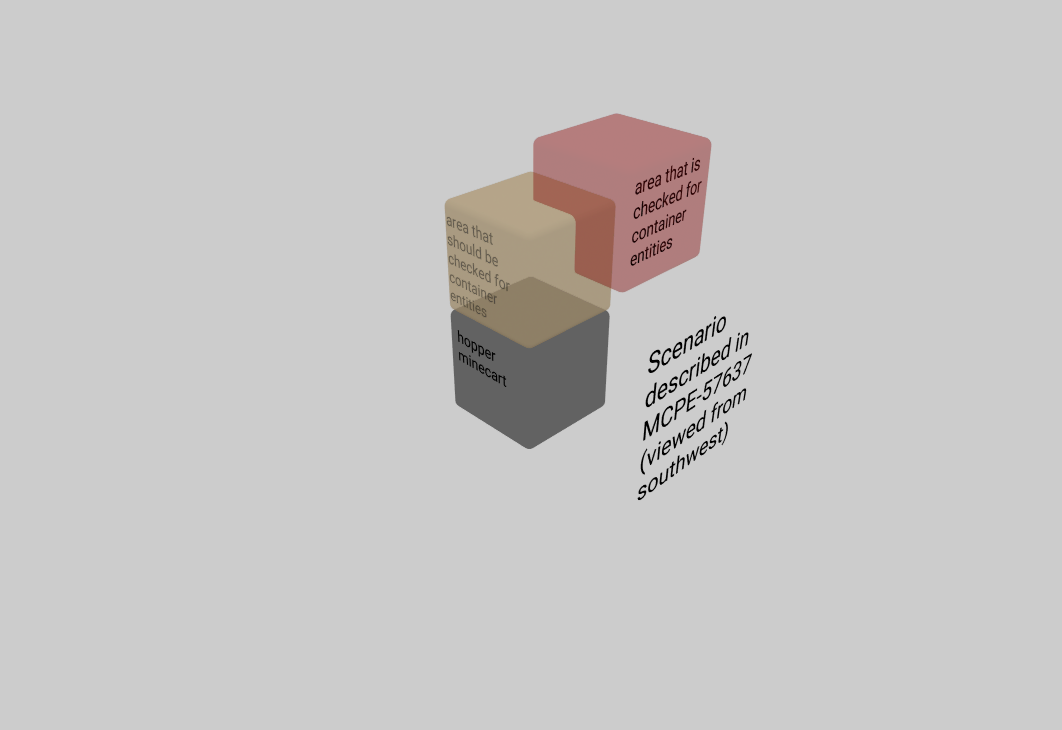
If you have a hopper minecart one one level and another hopper minecart one level below and to the left (north side on an east/west orientation or the west side in a north/south orientation) you will get item transfer from the top hopper minecart to the bottom hopper minecart. This will not occur with a hopper minecart to the right of the top hopper. Sometimes this transfer will not occur if the bottom hopper minecart has a block with an inventory above it. I don't know why this isn't consistent.
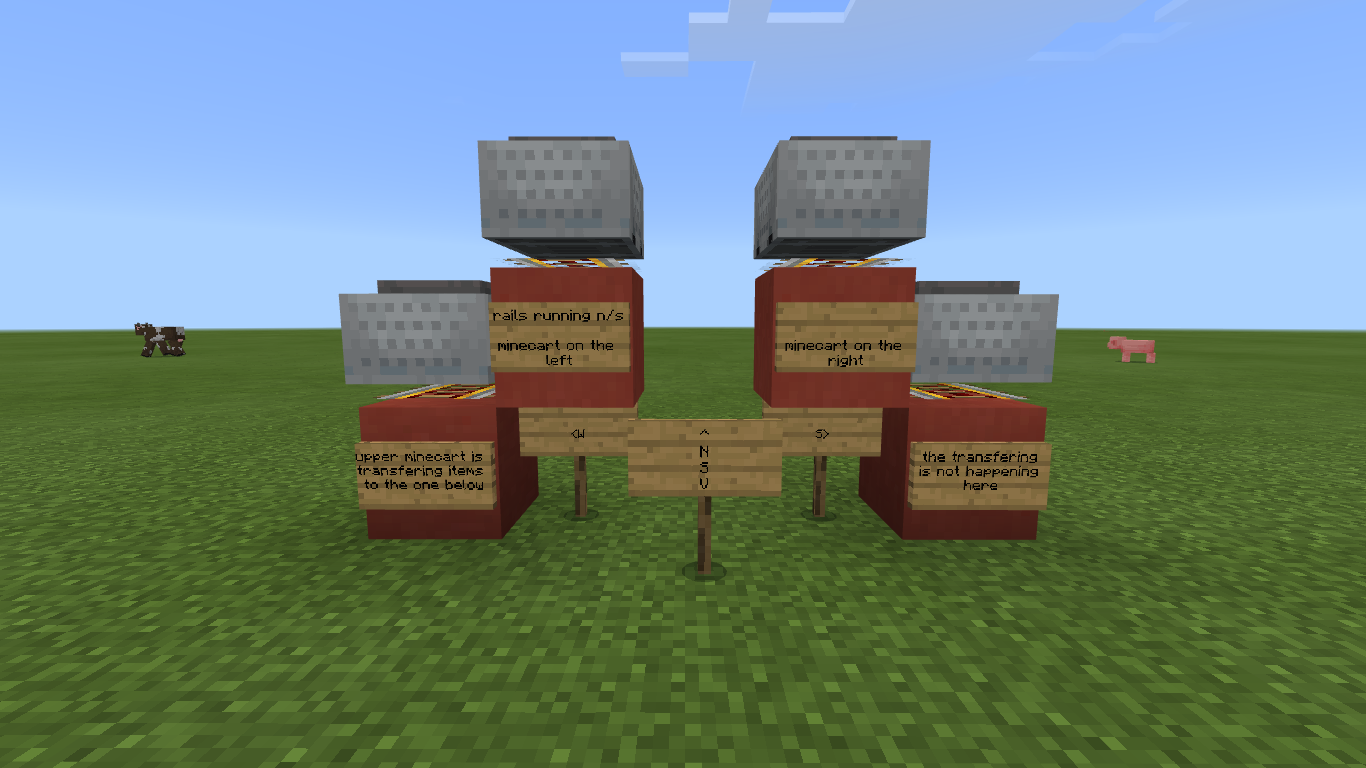
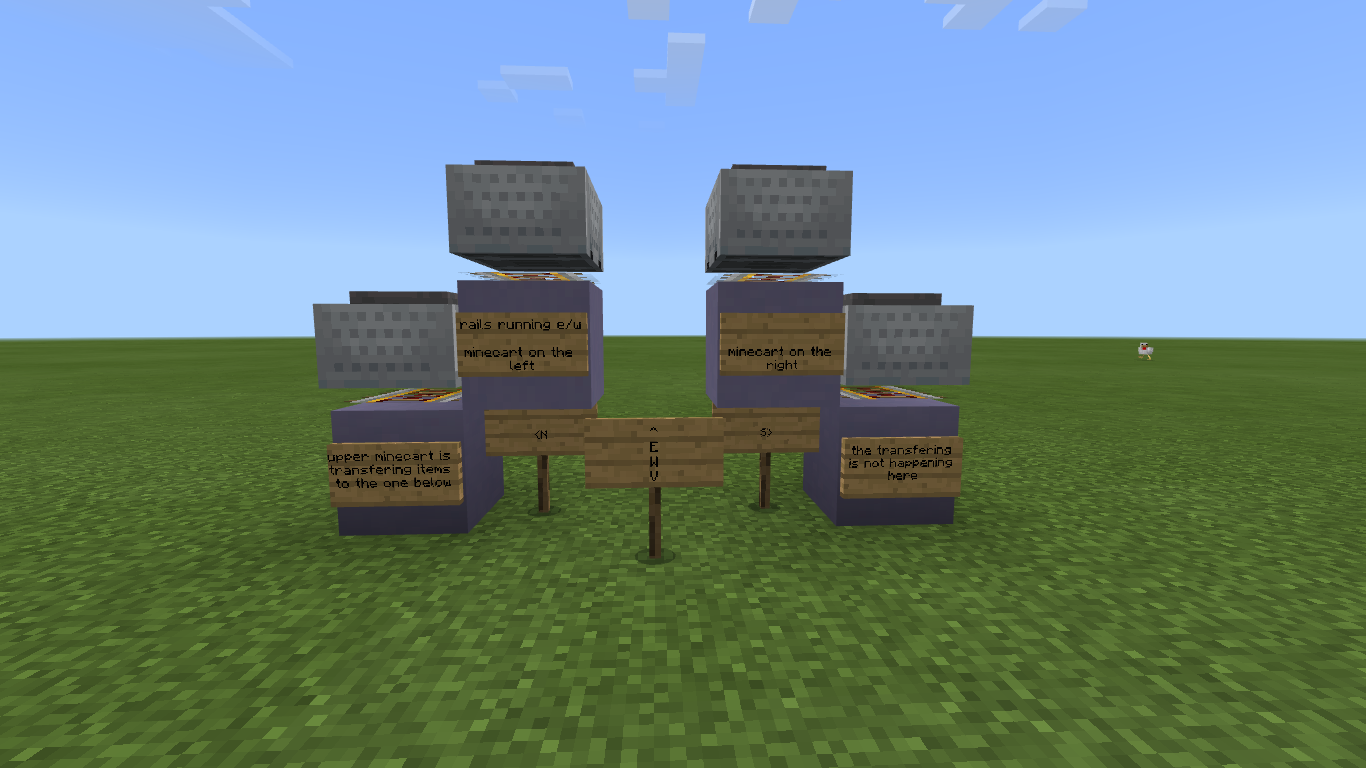

Updated description by [Mod] GoldenHelmet
Steps to reproduce
- Place 2 solid blocks, one diagonally up from the other.
- Place a boat on the lower block while pointing the crosshair within about 1/4 block width of the edge nearest the upper block.
Expected result
The boat rests on the lower block.
Actual result
The boat falls through the lower block.
Original summary
Boats can be placed inside blocks
Original description
Hey Mojang,
There is a boat glitch that lets you place boats inside blocks. When you place it next to a cactus the boat will go into the block that is under it. The video shows what I mean. And the boats can be placed two times when you click only once and the video shows that to.
Please fix it!
Thank you!
Edit: I couldn't put the vid on... but you have to place the boat 2 pixels away from the cactus.
11th Jan 21 - [Mod] GoldenHelmet
Please DO NOT COMMENT below. This report was resolved as Fixed some months ago based on how the original report was understood. It will not be reopened and comments here will not be seen by Mojang developers. If you are sure you are experiencing a bug, please search for an open report or create a new one.
Original Description:
I tried linking my Microsoft account to my PS4, and it said the account had already been used on my console. I've never used it (today is the first day it's been possible.)

Update by [Mod] GoldenHelmet 10/27/20:
Based on numerous comments, these are the best steps to reproduce the bug, but it does not happen all of the time:
- Join a multiplayer world/have someone join your multiplayer world.
- Have a player kill you.
- Respawn.
I was trying to craft a wood pickaxe and just got zombiefied in one world and died in another then got zombie arms when I was in multiplayer.
Steps to Reproduce: (NOTE: This only works in Multiplayer games)
1. The crafting a wooden pickaxe does not work now. Sorry
2. Get killed (In the game)
3. See result with the camera view thing
Observed Results: When I do the 2/3 things above I get zombie arms.
Expected Results: That I don't get zombie arms
Updated description by [Mod] GoldenHelmet
Steps to reproduce
- Find a full bee nest/hive.
- Use shears on the nest/hive OR power a dispenser loaded with shears that is pointed at the nest/hive.
Expected result
Honeycomb falls down from the front of the nest/hive.
Actual result
Honeycomb comes comes out near the top of the hive with random momentum. This makes it unpredictable which side the honeycomb will fall to. In the case of a naturally spawned nest in a tree, the honeycomb glitches up through branches and leaves to the top of the tree.
Original description
Every time I use a shear beehive on a birch tree, the honeycomb spawns on top of it
Updated description by [Mod] GoldenHelmet
Steps to reproduce
- Place a on observer next to a piston and connect it to a redstone circuit.
- Place water or lava on the opposite side of the observer from the piston, or break a block next to a water or lava source so that water will into the block on the opposite side of the observer from the piston.
- Very quickly after step (2), activate the piston to push the observer into the newly-placed/generated water/lava.
Expected result
The observer pusles.
Actual result
The observer lights up and never unlights, and becomes unusable.
Video demonstration (from 1.14)
Original description
Not long ago, I find my fly machine is not wroking, because when an observer block was observed the water block(quartz stairs), The observer block like stopping work.and texture is displayed it was constant activated.
This is not 100% like this.
Maybe my save can help you.
Happy new years.
![[Mod] LateLag](../../../data/avatars/users/92884.png)
Thanks for flagging all these tickets, [Mod] GoldenHelmet!
[Mod] GoldenHelmet - That's correct, I only notify the moderators.
You may be able to prevent this bug from occurring in either of two ways:
- If you plan to kill or remove any villager from a village, break its workstation first.
- Break and replace the workstation of any new villager before trading with it for the first time.
Updated description by [Mod] GoldenHelmet
Steps to reproduce:
- Get a villager who has never traded to link to a workstation without changing its profession to match. (
This is the hard part, and I am not sure how to reproduce it. It happened for me twice while testing MCPE-63311.See comment below. Fortunately, I have a test world save in which this step is already done Buggy Boys.mcworld --the fisherman is linked to the smithing table.) - Trade with the villager.
- Break the workstation.
- Place a workstation of the same type as the one you broke.
Expected result:
The villager keeps the profession it had when you traded with it.
Actual result:
The villager changes profession to match the workstation.
Original description
I had a villager turn into a librarian who sold mending 1 for 10 emeralds. I traded paper twice and four times for mending books. After walking away and coming back he had changed into a fisherman. I know for certain that the mending villager changed because he was locked in a room with another mending villager. Both had beds and workstations. I removed every single barrel from my base (Which counted to about 120 after I was finished) and he refused to change profession despite no barrels existing. The odd part being that he retained his previous librarian level locking him into the fisher class.
Edit to Bug.
Ive been working on figuring out details. The villager hall I have now currently can have 120 villagers. It seems most if not all villagers will swap to a new profession even if max level (when removing the workspace linked to them). I think this bug may be related to villager tracking which I believe will be fixed in the nether update. This may just be a side effect of another bug.
Updated description by [Mod] GoldenHelmet
Steps to reproduce
- Spawn a skeleton.
- Spawn a wolf.
Expected result
The skeleton always flees from the wolf.
Actual result
The skeleton sometimes flees from the wolf and sometimes ignores it. If the wolf attacks the skeleton, it stops fleeing and fights back. If the skeleton is targeting a player it does not flee.
Original summary
skeletons not afraid from wolfs, Bedrock, windows 10 1.14.20
Original description
raining night, i was homeless, it was raining, i spotted some zombies, lets fight them, killed the first one, then got shot by an skeleton archer, my dog started to chase the skeleton, i thought "he'll be fine, skeletons are afraid of dogs" but then i herad my dog getting shot
I then stoped the fight against two zombies to help my dog, and then we managed to kill the zombies together, when i was going to feed my buddy, a drowned hit me with a trident, i turned and get my shield up, was weak, my dog tried to help, but sadly the drowned killed it...
I managed to stay alive, but my dog was not lucky
If the skeleton had ran away, everything could be different...
Updated description by [Mod] GoldenHelmet
What I expected to happen was:
When sprinting up stairs, I move smoothly.
What actually happened was:
While sprinting up stairs I jump upward every few blocks.
Steps to Reproduce:
- Build a long, straight staircase.
- Turn on auto-jump.
- Sprint up the staircase.
Original description:
It appears that when you sprint up stairs you kinda go into them and go very fast and burn through your food very quickly
This issue has changed in some ways since originally reported. Here is a summary.
Main problem:
Mob spawning and despawning rules were changed 1.16.0 to fix MCPE-21856 and bring Bedrock closer to parity with Java. The changes had unintended effects:
- higher overal mob density in the nether compared to Java Edition
- high frequency of mobs respawning very close to the player after the player kills nearby mobs
- due to ^^, increased impact of pre-existing bugs that affect spawning and player experience (
MCPE-133687,MCPE-46540,MCPE-35222)
How the problem has changed:
- In 1.16.100 the spawn range was expanded for simulation distances higher than 4 (
MCPE-95568). This change eliminated the problem with spawn density and frequency for simulation distances higher than 4. (see below for why the problem still affects sim 4) - Related bugs have been fixed (
MCPE-133687,MCPE-46540,MCPE-35222). It is now possible to spawn-proof as expected against magma cubes and slimes, and ghast sounds are not so irritating. - Fix attempt in 1.17.20 Previews was reverted because it made spawn density too low on simulations distances higher than 4 (
MCPE-132746).
Why the problem occurs only on simulation distance 4:
Mob spawn density is controlled by checking a 9 chunk * 9 chunk area around a spawn attempt for mobs of the same population grouping. On simulation distance 4, at least 80% of this area is always outside of the spawning and despawning range, and therefore normally does not contain any mobs. As a result, mobs tend to spawn much closer to each other and much closer to the player on simulation distance 4 compared to higher simulation distances. Based on my tests, mob density within 44 blocks of the player tends to be 50-100% higher on sim 4. (For more detail on these numbers see my comments on MCPE-132746.)
The amount of mob spawns in the Nether is insane.
It's completely unblanced:
Ghasts spawning half in blocks and hald out and one after another
Dozens of the new Pigmen in huge groups
Magma Cubes in groups of three or four
and as for skeletons - there are just way too many of them to cope with!
Not even gone near a fortress yet!
The cause of this issue for non-persistent mobs on simulation distance 6+ is detailed in this comment.
The cause of this issue for pets is detailed in this comment.
If you are experiencing this issue in other circumstances, such as with villagers or tamed horses, please try to provide information like the following:
- Does the problem occur in a singleplayer, multiplayer, or both?
- Do lost mobs reappear if you use the portal several times?
- Does the problem still occur, or do lost mobs reappear, if you relog before going through the portal?
- What are the portal coordinates?
- If the problem occurs regularly, could you provide a copy of you world save?
Summary:
When more than 1 but less than 15 mobs are sent through a nether portal, all of them except for 1 despawn.
Steps to Reproduce:
- Create a nether portal.
- Spawn a couple of mobs.
- Send the mobs through the nether portal.
- Enter the nether portal.
Observed Results:
All of the mobs except for 1 have despawned.
Expected Results:
No mobs should despawn when sent through the nether portal.
Original Description:
So I have A survival world that I just built a really awsome villager breeder. It works perfectly fine until the baby villagers are born and are taken to the nether portal. Almost everytime a villager goes through it disappears and I can’t get them back. Only 10 out of 20 babies have made it.

I have created a behavior pack that gives turtles persistence when they hatch from sea turtle eggs: Hatched turtle persistence.mcpack
Note that using this pack will disable achievements in your world.
Baby Sea Turtles are despawning when I travel more than 24 blocks away.
Specific situation:
- bred sea turtles at far away beach and harvested eggs
- brought eggs back to base to build a farm - made sure entire farm is inside a chunk before I started build
- placed hopper minecart (with one hopper underneath track to move items to chest) on a 5x5 track with sand above track
- built a 2 high glass wall with fence on top of glass around 5x5 area - only way to get in or out of this area is to break fence and a glass block
- placed eggs on sand - AFK'd during the night a few nights to get eggs to hatch
- eggs hatched overnight - took a moment to kill hostile mobs, collect drops and experience.
- returned immediately to turtle farm - baby turtles are gone
- tried again - fed baby turtles sea grass to turn them into adults before I went to collect drops and experience from hostile mobs. Adult turtles are still there when I return and scutes were collected, but still need more
- tried again - did not feed baby turtles before I left to collect drops to see if problem happened again. Same issue, baby turtles despawned.
TL:DR - if you feed baby turtles sea grass to grow them into adults the adults won't despawn but the babies will when you walk more than 24 blocks away.
Updated description by [Mod] GoldenHelmet
Steps to reproduce
- Build a nether portal in the overworld that crosses a chunk border.
- Go through the nether portal.
- Make sure that at least the south or east half of the portal in the nether corresponds to overworld coordinates that are south or east of the portal in the overworld.
- Go back through the southern or eastern half of the portal in the nether.
Expected result
The nether portal in the overworld stays intact.
Actual result
The nether portal in the overworld partially breaks.
Note: as this is due to loading lag, you can increase the chance of this happening by increasing the loading burden. What triggered it for me was:
- Run Minecraft in full-screen mode.
- Set render distance to max.
- Drop lots of items in the chunk with the south or east portion of the portal.
Increasing simulation distance and random tick speed, and using the portal with a 2nd LAN player, did not trigger a portal break.
Original description
So, in my Realms world, I spent a decent amount of time putting together a nice little cave-looking entrance to my 11x8 nether portal with a diorama behind it (blocked by glass blocks) so it looks like you're looking into the nether as you're entering the portal... It looked exactly how I wanted it to, and worked as expected for a day or so.
Yesterday, (~18 hours after using it successfully several times) I entered the nether, and, upon coming back to the overworld, my portal was...wonky. Take a look at the images... As you can see, it's no longer filling the entire frame. I've broken and re-lit it several times over the course of the past 24 hours. Each time I relight it, it's full-sized, but every time I use it to go into the nether and then back into the overworld, it looks like this...
The only added detail I have, relates to when/how it happened... I entered the nether and there were two zombie pigman standing on the portal blocks there. I immediately went back into the overworld to see if I could find them there, and I found that I was holding one of their swords and my portal was broken as shown in the link... It's like my portal somehow glitched, killed the pigman, and the sword dropped into my hand...? No idea. Could it be an chunk-border issue?
Updated description by [Mod] GoldenHelmet
Steps to reproduce
- Build an ice boat track: 2 rows of packed/blue ice with full block sidewalls. OR use water in place of the ice to build a canal.
- Place soul sand to the side of the packed/blue ice or water, under the full block sidewall.
- Ride or push a boat down the track/canal.
Expected result
The boat moves down the track/canal without being affected by the soul sand.
Actual result
The soul sand slows a boat that is driven by a player, and stops a boat that is launched by a slime block + piston.
It completely negates the speed granted by the ice.
Original summary
Ice Slowing Boats Down
Original description
I was creating a ice highway (packed ice) going through the nether for 17k blocks. After creation, whenever I try ride the highway at full speed on a boat, it randomly stops me. Even when the chunks are fully loaded. It acts as if some of the ice blocks are regular blocks. I tried replacing the ice, but it still continued to act the same way. This is on a realm that is 343 megabytes big
How to reproduce the bug?
i dont really know. Probably just make a massive path of ice, going about 27k blocks in the nether, and try ride it with a boat at full speed.

As [Mod] GoldenHelmet mentioned, information on the wiki, much like wikipedia, can be edited by anyone and as such (unless there is an official source) cannot be relied upon as source for creating bug reports.
If you are able to test this yourself and confirm in-game that there is a likely bug in the game/building generation please feel free to raise a new report outlining how you tested and came to that conclusion and provide a world upload or details on the test and results.
Otherwise, again as GoldenHelmet mentioned, if you're just generally dissatisfied with the number and type of buildings generated please head over to https://feedback.minecraft.net and provide that feedback/suggestion.
All the best.
Quick Links:
📓 Issue Guidelines – 💬 Community Support – 📧 Customer Support – ✍️ Feedback and Suggestions – 📖 Game Wiki
Updated by [Mod] GoldenHelmet
Steps to reproduce
- Find or spawn a villager.
- Place a boat near the villager, so that the villager boards the boat.
- Board the boat.
- Tap the "Leave Boat" button.
Expected result
You only leave the boat.
Actual result
You leave the boat and punch/attack. If there is a passenger in the boat, you hit the passenger. If there is no passenger in the boat and you are in creative mode, you break the boat.
Original description
This is kinda a bug - (ON MOBILE MINECRAFT ONLY) when I am using a boat with another passenger on it (usually villager) I have to use the 'leave boat' button to get out, there is no way to sneak or jump. However when I use the leave boat button it automatically makes me slap the other passenger in the boat with me when i get out. It's like I tapped after leaving the boat. And it's aimed at the ground (where the boat is when I get out) because the 'leave boat' button is near the bottom of the screen. so the accident slap hits the villager. I have tried holding the button down and tapping and letting go of the button really fast, but neither seem to work very often. PLEASE HELP I SPENT AN HOUR MOVING A VILLAGER ON LAND WITH A BOAT AND PISTONS AND I ACCIDENTALLY KILLED IT. This may be because I play on an iPhone (tiny) but I only tap the leave boat button once and it makes me attack, I know that for sure
Updated description by [Mod] GoldenHelmet
Steps to reproduce
- Spawn a villager
- Place a bed and workstation and wait for the villager to link to each.
- Trade with the villager to lock in its profession.
- Place at least 32 workstations of a different type within the 32 x 32 area around the villager.
- Break and replace the villager's workstation.
Expected result
The villager relinks to its workstation.
Actual result
The villager does not relink to its workstation.
Original summary
Using barrels causes villagers to lose links to their workstations
Original description
Summary: Trading hall with 17 villagers comprising:
9 Librarians
2 Farmers
1 Butcher
1 Fletcher
1 Fisherman
2 Shepherds
1 Cleric
Observation 1:
6 x Double chests contain items to trade are located very close to the villagers.
In this format, you can break any workstation, angry particles emit from villager, replace the workstation and the villager immediately links back to the workstation. This works on all librarians, shepherds and the fletcher so I assume it would for the others trades but this is untested as I have too many alternate workstations in my base (<42 blocks away) for them to link to and I refuse to spend needless time breaking/replacing workstations just for them to link to the one I want them to link to. So this is all hunky dory (kinda) and as the game should work.
Observation 2:
REPLACE 6 x Double chests with 12+BARRELS (to have discrete items in barrels instead of shared items in chests) and locate them close to the villagers
In this format, if you break any workstation, angry particles emit from villager, however, replacing the workstation does not cause the villager to immediately link back to the workstation. I have waited until the next day when they are supposed to refresh their trades and they still don't link and will not refresh their trades thus breaking the trading hall.
Solution or temporary fix as observed:
Breaking all the barrels (except the one for the fisherman) and replacing them with double chests seems to fix the linking back to the workstations for the trades where it is feasible to break and replace.
Thoughts: Perhaps because the barrel container is more "advanced" than a standard chest, requiring far more code because of villager interactions, etc - this may be causing too many instructions to be carried out over a given time frame or perhaps locks up something due to container scanning and by breaking the barrels and going back to chests frees the error....NOTE: all the barrels contained trading items, over 75% of them were almost full
Sorry for the essay, but I feel this error may be contributing to other villager trading bugs and hope this helps
EDIT: NOTE: 15 blocks away around the corner is a furnace array using 12 barrels and downstairs (say 25 blocks away diagonally) is a brewing array using 30 barrels and a cane farm using 4 barrels
Updated description by [Mod] GoldenHelmet
Steps to reproduce
- Create a texture pack with different textures for different zombie villager professions.
- Apply the texture pack to a world, and open the world.
- Spawn zombie villagers.
Expected result
Adult zombie villagers' profession textures match their professions.
Actual result
All adult zombie villagers use the farmer profession texture.
Original summary
Zombie Villager Spawn Egg
Original description
The Zombie Villager Spawn Egg only produces farmers... and baby ones spawn with no profession.
Found using custom texture pack because vanilla zombie villagers have no profession texture.

Updated description by [Mod] GoldenHelmet
Steps to reproduce
- On sloping terrain, find 2 blocks that are 8+ blocks apart horizontally and 2 blocks apart vertically.
- Fence-in the upper block by placing fences on top of the 8 blocks around it.
- Spawn an evoker on the lower block and a villager on the upper, fenced block.
- Observe the evoker's fang attacks. (Immediately kill any vexes that the evoker summons.)
Expected result
The evoker's fang attack hits the villager every time.
Actual result
The evoker's fang attack often misses the villager.
Original description
The Vindicator's claws used to hurt the player doesn't work on villagers thru tree leaves
Updated description by [Mod] GoldenHelmet
Steps to reproduce
- Place an ice block on top of scaffolding, or place an ice block with air under it.
- In survival mode, break the ice block.
Expected result
The ice block turns into a water source.
Actual result
The ice block is replaced by air.
Original description
Ice dose not turn in to water when Broken on air or scaffolding
Updated description by [Mod] GoldenHelmet
Steps to reproduce
- Place 3 scaffolding blocks in a row.
- Place a water source block on top of each of the 2 scaffolding blocks on the ends.
Expected result
A water source block is created on top of the middle scaffolding block
Actual result
Flowing water fills the space on top of the middle scaffolding block, but it does not convert to water source block.
Original description
Water will not turn in to water sources when you put water sources on the edge of a square (at least 5x5 or bigger) with a scaffolding floor
[Mod] GoldenHelmet: I am still able to reproduce it in 1.14.60. Did you follow the repro steps in the description, including teleporting far enough away to unload the chunks containing the phntoms before switching to peaceful daytime?

Updated description by [Mod] GoldenHelmet
In peaceful difficulty, it is possible to give yourself status effects with the /effect command, but not with tipped arrows. This is inconsistent.
Steps to reproduce
- Get a bow and a tipped arrow.
- Set difficulty to peaceful.
- Set gamemode to survival or adventure.
- Shoot the tipped arrow straight up so that it hits you.
Expected result
You get the status effect from the tipped arrow.
Actual result
You do not get any status effect.
Original summary
Shooting Yourself with a Tipped Arrow Gives No Effects
Original description
I am making a PvP map for me and my friends. One of the kits has you shooting yourself with tipped arrows to gain effects. It doesn't give you any effects with at least the following arrows. Jump boost, invisibility, water breathing, and swiftness
Updated descripton by [Mod] GoldenHelmet
Steps to reproduce
- Set a repeating command block with the command /setblock X Y Z <block> destroy
- Set up a sticky piston attached to a clock circuit so that it repeatedly pulls away then pushes back the the blocks that are set.
Expected results
Each time the block is destroyed by commands, it drops that block and you see particles for that block.
Actual results
Sometimes the block does not drop, and you see update block particles.
Demo using above steps
Original description
Moving blocks do not drop items when broken by withers or commands. The easiest way to reproduce this bug is to set a repeating command block with the command /fill (x y z)(x y z) air 0 destroy, and then you push blocks with pistons within the region of the fill command.

Updated descriptions by [Mod] GoldenHelmet
In 1.16, pumpkin growth was changed so that stems no longer search all four sides for a suitable block to grow fruit on. Instead, stems choose a random side first, and then check if the block is suitable for fruit. (Intended behavior per the resolution of MCPE-90344.) If the block is not suitable, the growth attempt fails. This results in pumpkins growing much more slowly in many farms. In particular, farms where pumpkins are planted in double rows or rows with water or walls along one side have 1/4 the rate of production that they used to have. (Likely also intended behavior as it matches Java, reported at MCPE-109406)
The above parity changes failed to take into account that the chance of pumpkin stems making a growth attempt when ticked still uses the crop growth mechanic originally ported from Java, which has not been adjusted for Bedrock's lower default tick speed. That is, the chance of a pumpkin stem attempting to grow a pumpkin when ticked is
1 / ( floor ( 25 / GrowthSpeed ) + 1 )
whereas for crops it was adjusted to be
1 / ( floor ( 9 / GrowthSpeed ) + 1 )
As a result, pumpkin growth is now at least 67% slower on Bedrock than on Java. Moreover, I am not certain that Java even uses the crop growth mechanic anymore at all when ticking pumpkin stems; another mod suggested to me that stems make a growth attempt whenever they are ticked. If that is true, then the Bedrock growth rate could be more than 20 times slower in certain farm layouts.
Steps to reproduce
- Plant pumpkins and melons in double rows, as shown in the attached picture.
- Bonemeal all of the stems to complete their growth.
- Set up adequate light for the pumpkin stems or set the world to "always day."
- Wait for an hour.
Expected results
After an hour's time, nearly all stems would have produced fruit.
Actual results
After an hour, only about 1/4 of the stems produce fruit.
So I have a melon farm above ground, and it’s not automatic. It doesn’t grow any melons now since I updated to the nether update here a few days ago. It really Stressed me out because this was my only income for getting emeralds with villagers fast. please fix this ASAP, I’m playing on my iPhone 8 and it isn’t working whatsoever

Updated description by [Mod] GoldenHelmet
Steps to reproduce
- Load the attached test world, Detector rail inconsistency.mcworld
- Press the button labelled "run test."
Expected result
Each detector rail detects the minecart coming onto it and powers the adjacent redstone lamp.
Actual result
Only the detector rails in the same chunk as the minecarts detect the minecarts and power the lamps.
Original description
The rail system is close to the same, but the detector rail is not being activated on one side (as indicated by one being lit up and the other not being). The system is around the same on both sides I repeat so I do not know what is the problem with this, but if one side seems to be working, why not the other? When it goes uphill, it stops there and the piston blocks it; however, the piston blocks it the same for both sides but does not activate the rail equally. If there needs to be more information on what I am building, I can provide the scenario but it is regrettable it does not work. Let me know if you can look into it. If you need to reproduce the problem, build an upwards track both aligned along the x-axis, and send one going upwards negative and the other positive, and the detector rail on the bottom (not to mention it is blocked with a fence or piston above the flat detector rail) will not activate one of the rails. To give an even better representation of this problem, I recreated the exact problem along the x & z-axis (can't do that y-axis because the game doesn't work like that).

While I was trying to fix the build of a system of Redstone, I found the exact direction of the railway to work apparently. However, I noticed the other railway built before still wasn't working. As I continued my quest for answers, I found this happening on the screenshot below that is the most recently added. Two identical railway systems pushed into the ends of them with only one turning on and the other still not on. I am more baffled at this.

Updated description by [Mod] GoldenHelmet
Steps to reproduce
- Place a line of minecart track partly on top of regular blocks and partly on top of soul sand blocks.
- Send or ride a minecart down the track.
Expected result
When the minecart travels over the soul sand, it slows down.
Actual result
The soul sand has no effect on a minecart travelling above it.
Original description
On Bedrock 1.16.1 Soul Sand no longer slows down minecarts. I noticed this while riding my rollercoaster
Updated description by [Mod] GoldenHelmet
Steps to reproduce
- Craft or /give @s 2 shulker boxes of the same color.
- Place both shulker boxes.
- Mine one of the shulker boxes and put it in your inventory, but not in your hotbar.
- Try to pickblock the other shulker box.
Expected result
The matching shulker box in your inventory moves to your hotbar.
Actual result
The matching shulker box in your inventory does not move to your hotbar.
Note
The expected result does occur if you have never placed and mined the shulker box in your inventory. If you switch to creative and pickblock the placed shulker box, it will put a new one in your inventory rather than bringing down the mined one.
Original description
After a shulker box has been created and can be quick selected with pick block. However after it has been placed and picked back up, pick block will no longer work with that shulker box.
![[Mod] Jarl-Penguin](../../../data/avatars/users/92849.png)
[Mod] GoldenHelmet Since fire now has a hitbox in JE, it should be impossible to "break" it with a sword.
Updated description by [Mod] GoldenHelmet
Steps to reproduce
- Enchant a trident with channeling.
- /weather thunder
- Kill mobs and players by throwing the trident at them.
Expected result
Mobs give their normal drops. Players drop their entire inventory.
Actual result
No player or mob drops anything.
Original description
When using a trident during a thunderstorm with channeling on a player, it removed all of his items including armor, tools, and weapons. I tried looking for his items everywhere around the location, but couldn't find them. I did a test once again and he lost his items again.

Update from [Mod] GoldenHelmet:
Based on this report and duplicates documenting the same problem with images, this issue appears to affect all of the mash-up packs made by Minecraft that use higher resolutions than the vanilla textures. See especially MCPE-98428.
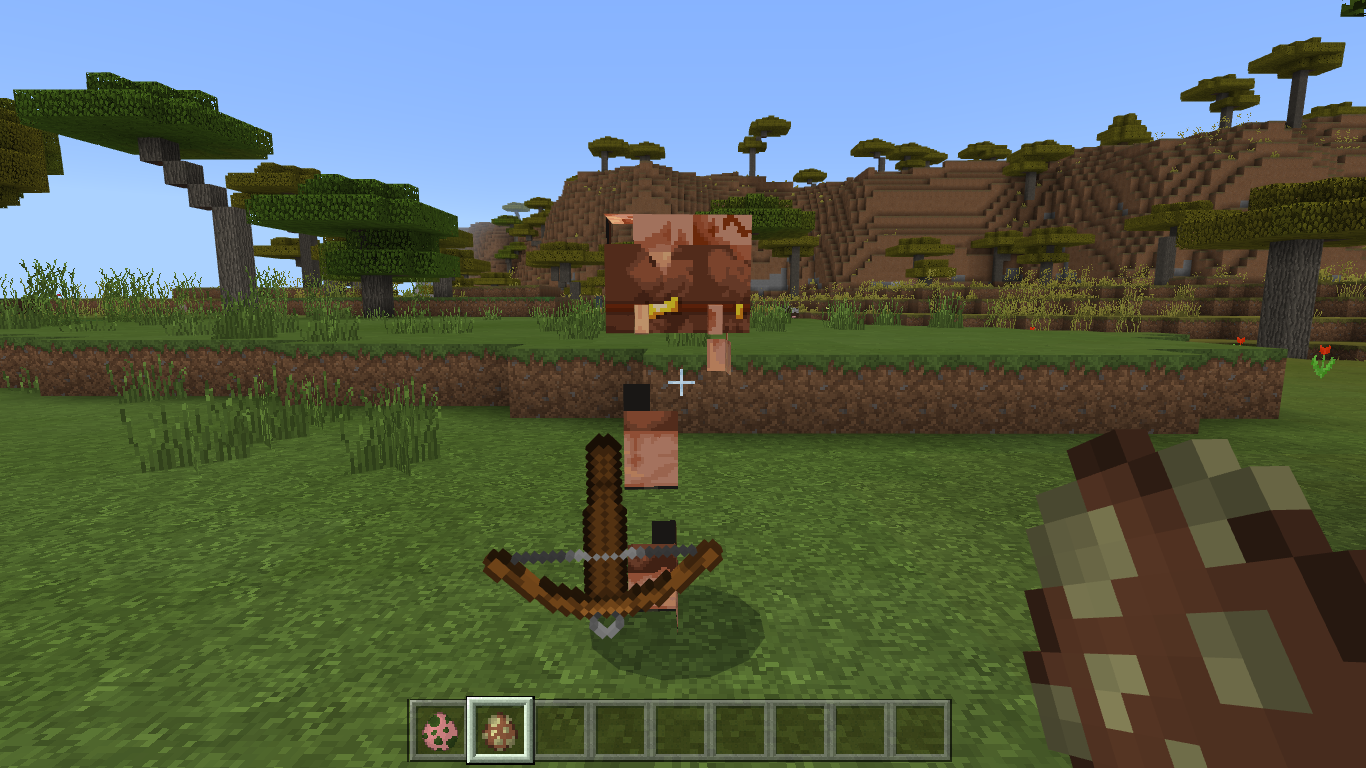
In the texture packs developed for version 1.16.10 (prior to the current one), there is a bug in the texture of piglins and zombified piglins. the piglins are badly assembled and in the zombified piglins they are pigmen. but this only happens in external texture packs not the original ones from the game.
Probably this happens because, in the old textures the one side was reflected in the other but they had to make the change for the texture of the brute piglin because their model is not symmetrical

When voting/commenting on this ticket, please be sure that you are having to log in with your account via aka.ms/remote connect every time you restart Minecraft after other games or no games were loaded. This ticket does not apply to being disconnected and needing to restart or log in after you resume from sleep/suspend while Minecraft was loaded. That issue is tracked at MCPE-109879.
(Some of the comments below have confused these issues--see comment.)
Thanks for your patience while we try and get this issue resolved. Let's try and keep the ticket narrowed down to a single issue where possible. Please add a vote to this ticket if you are having the issue where you have to log in with your account each time you restart.
It would be helpful if you could also send a message to Mojang Support with your Gamertag and a screenshot of your profile screen, by going to Minecraft>Settings>Profile, scroll to the bottom and take a screenshot of the IDs shown there. (Please do not share those here at the bug tracker.)
Please see this comment below for some suggestions for avoiding this issue.
(If you are seeing the related issue where you see an error message after you attempt to sign in, please see MCPE-34662.)
Original Description:
When I log onto minecraft it usually logs in automatically but ever since I got the new update 1.16.20, it just doesn't log in and everything I bought with my money is gone and I tried deleted the game and nothing happened and I even checked for corrupted data and nothing happened. Please fix this bug!!!
As [Mod] GoldenHelmet mentioned, this report and MCPE-62080 are identical. To make sure we have a single parent we're going to duplicate this one into MCPE-62080.
While this report is slightly older, MCPE-62080 has received significantly more traffic with greater numbers of watchers and votes. The affected versions will be copied across.
Thank you everyone for your participation in this report. Please feel free to head over to MCPE-62080 and add your vote!
Quick Links:
📓 Issue Guidelines – 💬 Community Support – 📧 Mojang Support – ✍️ Feedback and Suggestions – 📖 Game Wiki
[Mod] GoldenHelmet The fix was for MCPE-17073. Not this issue.

Update from [Mod] GoldenHelmet:
The reproduction of this bug is equivalent to the reproduction of MCPE-141499 and MCPE-23416.
- Player comes within render distance + 2 chunks of the structure, but not within simulation distance. This triggers the chunk to generate because it contains tile entities.
- Player moves away so that the chunk is no longer within render distance + 2 chunks.
- During autosaving, the player comes within simulation distance of the chunk.
I am not 100% sure that step (2) is necessary, but I think it is. My theory is that because the chunk was outside of render distance in step (2), it only loads block data when it comes back into render distance in step (3), and then gets ticked before it can load entity data because the game is busy saving other chunks.
The following more precise steps work in 1.17.32 without the Caves & Cliffs experimental generation. In future versions or with the experimental toggle enabled, you will need to use a different seed and location.
Steps to reproduce
- Set render distance to 8 and turn on the autosave icon in video settings.
- Create a world with seed 1212557532, simulation distance 6, and coordinates enabled.
- After you spawn, /tp 800 ~ ~, make a nether portal, and enter the nether.
- In the nether, /tp 95 ~ 216
- Fly east to X = 115 and flying around the area, never going to X < 115 until the auto-save icon appears.
- When the auto-save icon comes on (showing that autosave is happening), due west (-X), staying near Z = 216, until you get to X = -60.
- /tp -60 78 216.
Expected result
There is a blaze spawner.
Observed result
No blaze spawner.
I came across two rooms that should've generated blaze spawners, but they weren't there. That was the closest one to spawn (-80 ~ 192). The second fortress (736 ~ -320) luckily had a single spawner room with a spawner. The coordinates of each of the spawners is in the images, and here's the seed; 1212557532. Also sorry about the poor image quality.
![[Mod] tryashtar](../../../data/avatars/users/41963.png)
[Mod] GoldenHelmet That file only controls natural spawns; changing the zombie villager reference there to cows causes cows to spawn alongside zombies naturally, but doesn't prevent zombie villagers from spawning by regular zombie spawners
Based on this report and duplicate report MCPE-86843, villagers display the following problems when a world's Time exceeds 2^31, or 89,478 game-days. This would be equivalent to just under 3.5 real-world years of runtime if players never slept in-game; 1.75 years of runtime if they slept every night. Some 1-player sleep systems may cause this issue to occur sooner than it would otherwise.
- Will not sleep
- Will not wake up naturally (they can be woken by the player, but will try to sleep again)
- Will not refresh trades
- May not spawn iron golems
Original summary
Integer Overrun Error causes villagers not to restock.
When the Time goes over 2147471640 (approximate, probably 2,147,483,648=2^31), it becomes negative.
See: 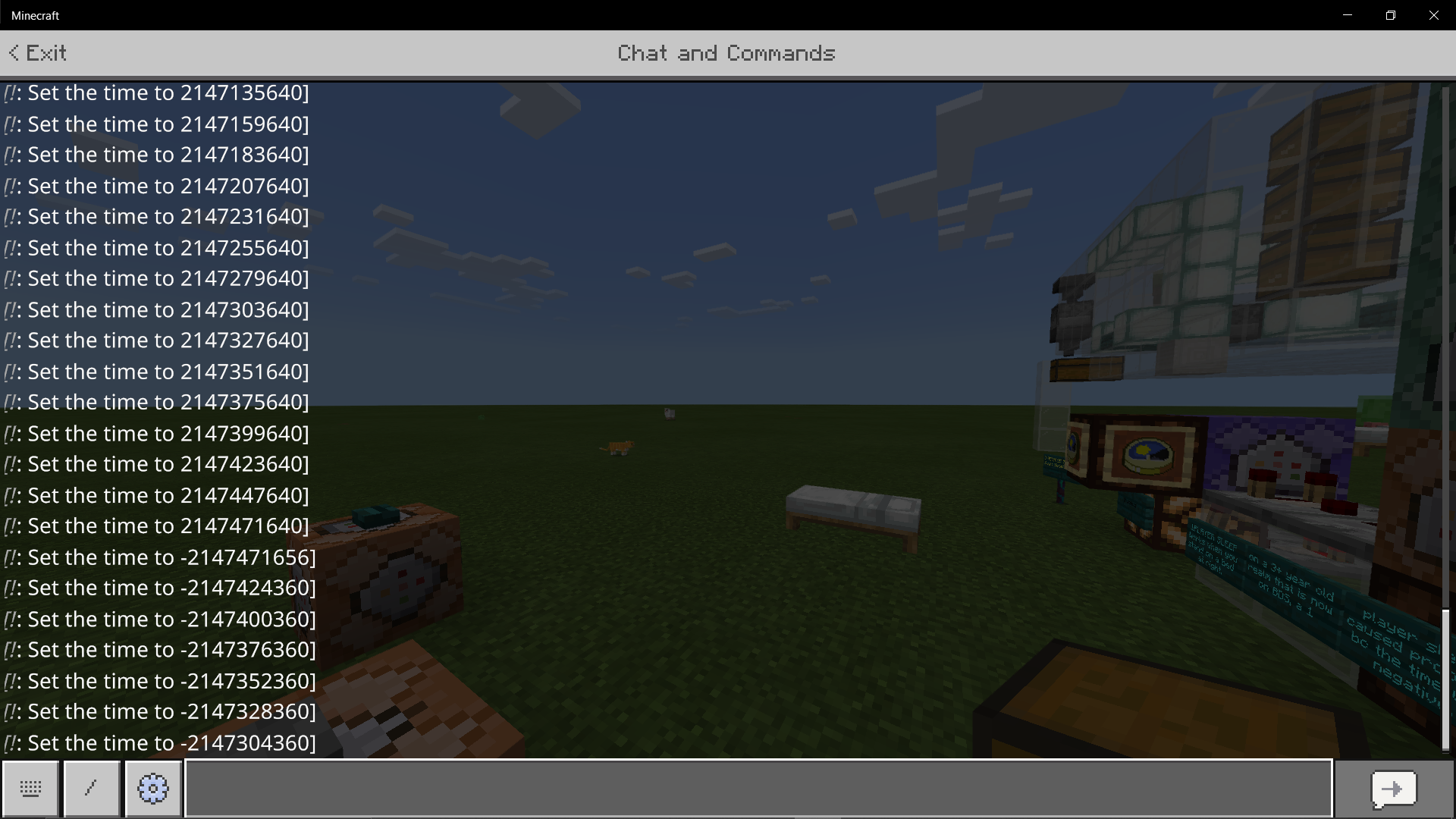
Once the time is negative, advancing days is applied inconsistently to other times and timers. In particular, villagers do not restock. Villagers would still not restock after breaking and re-placing their workstations, which is what led me to discover this bug.
This can be fixed by setting the time to 0 if it is negative.
This occurred on a realm, so I reproduced it using command blocks for this bug report.
Thanks you for the info, [Mod] GoldenHelmet.
[Mod] GoldenHelmet This was sort of working in 1.14.60, and in 1.13.3/1.13.1 and below they always swarmed the player.
Updated description by [Mod] GoldenHelmet
Steps to reproduce
- Place a cactus block.
- Walk away >> 15 blocks.
- Summon a cat, tame it, and make it stand it up.
- Teleport the cat onto the top of the cactus.
Expected result
The cat teleports back to you because it is a pet, is > 12 blocks away, and is not sitting.
Actual result
The cat stays on top of the cactus until it dies.
Original description
If a animal in Minecraft teleports onto a cactus while teleporting to you it will remain on the cactus, and if the cactus is not broken it will sit there and die. I have only experienced this glitch with cats and only on bedrock edition for Xbox One.
For those affected by this bug, please try waiting for a minute or more from the time you click the "Owned" drop-down button. Comment below to let us know if your skins eventually load, and how long it takes them to load.
Please do not attach screenshots or video that show your username/gamertag.
Updated description by [Mod] GoldenHelmet
Steps to reproduce
- Open Minecraft while connected to the internet.
- Click on Profile>Edit Character.
- Click on the Classic Skins tab.
- Click on the Owned drop-down button.
Expected result
All owned skin packs display in the drop-down list immediately, or there is a loading indicator and then all display at once.
Actual result
Only a few skin packs display at first, or possibly none at all. After a long wait and/or scrolling up and down at lot, the displayed list grows longer and eventually shows all owned skin packs.
In the following video demo, it takes about 36 seconds from the time I click "Owned" for the skin pack to show up for the skin I'm already using (IG-11 from the new Star Wars pack): Skin so slow.mp4
I'm unsure of the effects version. We have purchased 2 skin packs, classic skins 1 and Preston's merch pack. After that we were able to go to profile in game and select edit character then skins then owned and it would down arrow a list of all owned skins to choose on command. Later in the day we signed up for the free 30 day realms. Once we did that everytime we go to profile and owned skins it doesnt drop the list down to show anything to choose from, ot only allows us to choose realms skins and buy more skins. If we go to the market place it will show all owned skins there but to change that way is super annoying and driving my 6 year old nuts which in turn is driving me nuts as well lol.

I've read the test done by [Mod] GoldenHelmet using the test world, and thanks for the diligence in reproducing this bug. You mention the ticking area, and while im not familiar with this, i'm assuming its tied to the town bell?
If so, could a potential interim fix for larger towns, be placing town bells in series to encompass/create more/larger ticking areas?
I have created a behavior pack that allows trader llamas to follow normal despawn rules if they get separated from the wandering trader: Trader llama despawn.mcpack
Note that using this will disable achievements in your world.
Steps to reproduce:
- Play for a very long time staying and building around the spawning point.
Expected results:
Mobs regularly despawn even if they interacted with each other.
Observed results:
Mobs and animals stop spawning, mobs cap is reached. Observed large amounts of Llamas - see details why it happens. Really really it spoils the survival game.
Details:
While playing survival for a long time, from time to time I get a situation when no more animals or mobs appear around my home (it's initial spawing point). I think I found the cause of the issue: The mobs spawning cap is reached by leftover Llamas after their trader is killed by some other mob. For what is worse, the killing mob also does not despawn over time, killing more and more traders, and causing that point is overwhelmed by Llamas. After some searching around the base, I have found 2 of such points (see the screenshot of one of such points). And 3rd point was in the cave below the base (where I first discovered this). In all 3 places killing mob was a zombie. Each spot has 16-30 Llamas. These for sure were trader Llamas (all covered with carpet, some dropped the lead). I do not know how many places like that I have below in the huge caves system at my spawning point, but I still hear Llama sounds all around, so I think a few more are there for sure since the mobs spawning cap was reached.
I think mobs and trader's Llamas should not be marked as "interacted with Player" when they fight each other, so they can correctly despawn instead of gathering into the "Trader Llama" packs like that.

[Mod] GoldenHelmet On java they do dismount when falling down 1 block, which why it is probably not intended.

Updated description by [Mod] GoldenHelmet
Steps to reproduce
- Load a world where there is a known, large flower forest. For example, the "Winding River" seed from the seed picker has a flower forest extending southwest from about -200 65 50
- Check every oak and birch tree in the flower forest.
Expected result
You find a naturally-generated bee nest with bees.
Actual result
Bee nests and bees do not naturally generate.
Original description
Bees dont spawn on 1.16.40 and all the wordls that i have made theres no bees

One thing I'd like to mention is that it doesn't get dark enough underwater even at night time. I still can clearly see the bottom of the ocean without the need of other night sources even at night time. I think it's mainly because there isn't much difference between light level 15 and 0 underwater OR it simply doesn't reach light level 0 underwater.
Reply from [Mod] GoldenHelmet: that's the issue tracked at MCPE-57701.

As of 1.16.200, this bug only occurs with crafted items.
Steps to Reproduce:
- Place and open a crafting table
- Craft a tool, weapon, or piece of armor
- Place the item in the hotbar
- Try to use or drop the item
Original Description:
Some items don't properly register in the inventory until you use an item.
Additional information from MCPE-105931: @[Mod] GoldenHelmet
- This only occurs when the player uses the creative inventory to put a weapon or tool in the player's inventory or hotbar. It does not occur with items picked up from the ground or obtained with the /give command.
- The item can be put directly into the hotbar, or put into the inventory first and then moved to the hotbar.
- The bug occurs in any game mode as long as it was obtained from the creative inventory. So for example, if you give yourself a trident in creative, then switch to survival, and then try to use or drop it, you will still experience this bug.

[Mod] GoldenHelmet the only reason I said it is not fully fixed is because, it doesn't match with the Java edition now. Which does not have 100% knockback res. I'm so sorry if I'm wrong.
[Mod] GoldenHelmet I have experience this bug in 1.16.40 Hotfix, where they attack the player once. I had no cats in the area, i was just walking out from my mines and it was night and few phantoms spawn, so i decided to take them out. And that's how i came to know that the phantoms only attack once and they just hover in the sky.
[Mod] GoldenHelmet i don't know if there is a problem with your comprehension. i said crops not plant. there's a big difference between those two word and of you don't know what's the difference between the two kindly google it. When i said crops meaning wheat, potatoes, carrots, beetroots, melon stems, pumpkin stems and berry bushes . Kindly read it thoroughly. Thanks
This also affects iron doors. The problem is, that iron doors and trap doors are interactive blocks, even though you can’t open/close them without a redstone signal. This causes you to be unable to use any items while looking at it. And [Mod] GoldenHelmet there is no inconsistency like this on java. The same thing was a bug on java MC-4582 and it got fixed in 1.11. This also got fixed on legacy console edition (which is not supported anymore), when it received the 1.11 update, but this still hasn’t been fixed on bedrock yet.
[Mod] GoldenHelmet I reproducing this issue on local worlds and servers on Windows 10 Edition (as I haven't played on Realms, I don't know if it was affected). Game saves player's direction correctly however, my direction change while game saving my world. That screen appears for a short time (less than 1 second I can say) but it is very noticeable.
Updated description by [Mod] GoldenHelmet
Steps to reproduce
- Set up two pistons on a fast clock circuit pushing a row of blocks back and forth between them.
- Clone the contraption to a new location.
- Repeat step (2) until the row of blocks between the pistons get cloned as moving blocks rather than the original blocks.
Expected result
One of the following
- You never get cloned moving blocks in step (3), or
- The cloned moving blocks in step (3) are linked to the cloned pistons.
Actual result
The cloned moving blocks are linked to the original pistons from step one, i.e. the /clone command copies exact tile entity data instead of relative tile entity data. When you activate the original pistons, the cloned moving blocks animate, and when you break the original pistons, the cloned moving blocks revert to their parent block type.
Note
Based on the original report and world save, it might be possible to reproduce this during chunk loading rather than cloning, perhaps with moving blocks being pushed across a chunk border, but I was not able able to do so in brief testing.
Original summary
When piston pushed block isn't rendered causes stuck pushing or pull when many block while loading the world.
Original description
When piston pushed block isn't rendered when loading the world causes it stuck push and pulling block or when you traveling too far cause it will not rendered redstone is running for piston is pushing loopily.
[Mod] GoldenHelmet This has been in the game for very long on bedrock, it is not new in 1.16. But that doesn't mean that it is intentional though.
![[Mod] EVGENSYPERPRO](../../../data/avatars/users/92853.png)
This has nothing to do with the monster! I DIDN'T EVEN MENTION IT IN THE REPORT!
The fact is that in Java it was translated - sculk sensor! (it even sounds the same!) It sounds great (at least in Russian) and everyone has called it that for a long time. In the bedrock version it was called акустический датчик (Acoustic sensor) (in russian)... I think you shouldn't have removed the "vanilla-parity" label! All the same, everyone will call it sculk sensor (in russian, this is for sure), and the bedrock translation (if not changed) will remain incorrect!
Works with trident only. I checked with arrows. They don't stop at the enderman.
The proposal is interesting, but it is not a mistake or parity. In Java it works the same as in bedrock. It seems that such proposals should be left on other sites)
Exactly! works in a similar way with snowballs and eggs! They crash against the enderman and he teleports quickly! I added this to the report however it still works in Java (although tridents do not touch them in Java). And they don't really care about potions (I think this is what was intended), what's in java, what's in bedrock)
Link MC-109147 to the report.
[Mod] GoldenHelmet
I completely agree! World type - flat, biome of the world - jungle, configured as in the Java version (generated by layers).
In the Windows 10 version, you cannot change the position of the torso while swimming (like on android). But the result is the same. Take a closer look at how the torso and legs are connected during the first "swim" and after the "second" (when I started to swim normally).

Try it in a game on Windows 10 and you will understand that your character has decreased, and the body and legs have entered each other)
But follow the exact instructions in the report.

I can confirm that the repro steps from MCPE-103478 reposted by [Mod] GoldenHelmet is one way to reproduce the bug, by changing the said setting on first launch after install. I also noticed that if I switched from Application to External after a few rounds of closing and reopening the app (I reinstalled again), the bug does not occur.
Update by [Mod] GoldenHelmet 9/6/2023:
The previous resolution of this report focused on villagers being "in" rain in the literal sense of being directly touched by rain, but that is not what players usually mean by "work in rain". The behavior that concerns players is that villagers do not work during rain. That is, villagers do not work while the biome they are in experiences rain, regardless of whether the villagers are literally "in" the rain. Even if villagers and their workstations are indoors in the same room, the villagers will not work while there is rain outside.
This issue has three impacts on gameplay:
- Indoor/sheltered villagers cannot restock trades during rain/thunder weather.
- Indoor/sheltered villages cannot spawn iron golems if they happen to be loaded on too many rainy days in a row.
- Villagers continuously run around indoors as if they are running away from rain even when they are not being rained on. This looks unnatural.
Steps to reproduce
- Load Villagers sheltered durin rain.mcworld. This world contains an underground village with 10 villagers, 8 workstations, and 20 beds. Weather cycle is off and the weather is set to rain, which can be observed at the upper NW corner of the chamber. Command blocks can be used to change the weather and refresh the day/night cycle.
- Press the "Rain" button, then watch the villagers for a minute.
- Press the "Thunder" button, then watch the villagers for a minute.
- Press the "Sunshine button, then watch the villagers for a minute.
Expected results
The villagers work during rain or thunderstorms because both they and their workstations are "indoors" (not exposed to rain). Iron golems spawn.
Observed results
The villagers do not work during rainy or thundering weather, even though neither they nor their workstations are exposed to rain. They constantly run from place to place as if trying to get out of the rain despite being indoors. Iron golems do not spawn because the work requirement cannot be met. After the weather changes to clear and the villagers work again, iron golems spawn.
Code analysis
behavior.move_indoors loops infinitely during rain or thunder weather, causing villagers to continuously run around indoors. While it is active it prevents behavior.work from firing. Instead of looping infinitely, behavior.move_indoors should check for whether the villager is already "indoors" at its current position, and if the villager is already indoors it should exit and allow other behaviors to fire.
According to previous versions, and the behavior pack files, Farmers, Fishermen and Librarians don't work in rain. However, it appears that none of the villagers are currently working in the rain. Tested with Armorers, Fletchers, Toolsmiths and Weaponsmiths which should all be fine.
Looking at villager_v2.json I did find:
"work_schedule_villager": { "minecraft:behavior.work": { "priority": 7, "active_time": 250, "speed_multiplier": 0.5, "goal_cooldown": 200, "sound_delay_min": 100, "sound_delay_max": 200, "can_work_in_rain": false, "work_in_rain_tolerance": 100, "on_arrival": { "event": "minecraft:resupply_trades", "target": "self" } } },
What I find odd here, is that it seems to hit every villager where the 3 mentioned above have specific tags for this:
"work_schedule_fisher": { "minecraft:behavior.work": { "priority": 7, "active_time": 250, "speed_multiplier": 0.5, "goal_cooldown": 200, "sound_delay_min": 100, "sound_delay_max": 200, "can_work_in_rain": false, "work_in_rain_tolerance": 100, "on_arrival": { "event": "minecraft:resupply_trades", "target": "self" } } },
There wasn't any changes in patch notes relating to this and at least before 1.16.210 (this is when I noticed the change) they were working during rain.
Replicate:
Link up any villager to a job station, set weather to rain. Will hear no working sounds for duration of rain (disable weather cycle to test)
Updated by [Mod] GoldenHelmet 12/27/23
The mechanics for mobs exiting rides were changed in 1.16.210. Mobs now search for blocks that can provide support around the ride that they are exiting, and will only exit onto a supporting block. This is intuitive and safe for players in many situations, especially dismounting from striders and boats that normally remain in lava or water, respectively. However, the check for support around the ride is unintuitive and frustrating when players try to use activator rails to eject themselves or other mobs from minecarts. Many systems for moving mobs to specific cells, such as villagers in trading halls, were broken by the change.
Steps to reproduce
- Load Unintuitive Minecarts.mcworld . The test world contains 5 labelled test stations that show different aspects of activator rail ejection behavior.
- Run each test by pressing the button on top of the command block.
Expected results
Mobs should be ejected into the space to the right of the activator rail, to the left if the right is obstructed, and on/in the rail only if both left and right are obstructed. Specifically, in the test world:
- The villager should drop into the cell prepared for it.
- (a) The villager should drop into the cell prepared. (b) The villager should stand on the iron bar.
- The creeper should fall into the drop chute.
- The creeper should fall into the drop chute especially because spaces above the track are obstructed.
- The ravager should fall to the right of the rail line.
Observed results
Mobs in a moving minecart are not ejected ejected into the space to the right of the activator rail in most cases where they could fall into a hole/chute. Specifically, in the test world:
- The villager stands next to the hole.
- (a) The villager stands on the edge of the block next to the hole, failing to fall into the hole because it gets positioned relative to the minecart instead of relative to the activator rail. (b) The villager falls next to the iron bar because it gets positioned relative to the minecart instead of relative to the activator rail. (This test helps to reveal the underlying mechanic that prevents falling in other cases.)
- The creeper stands on the rail next to the drop chute.
- The creeper stands on the rail next to the drop chute even though that puts its head inside a solid block, and it suffocates.
- The ravager stands on the edge of the rail line, failing to fall because the ejection offset fails to take into account its size.
When the player or a mob rides a minecart over a powered activator rail, the subject is no longer ejected to the right of the activator rail. Instead the subject is ejected a few blocks before the activator rail. When placing glass above the rails the subject is ejected within the glass.
I think this issue may be related to the changes regarding minecarts from the 1.16.210 update.
https://feedback.minecraft.net/hc/en-us/articles/360057677072-Minecraft-1-16-210-Bedrock-
Minecarts now properly update their effects (looping sound, player coordinates) when the minecart is not being rendered for the rider (MCPE-104044)
Digest and analysis of original description by [Mod] GoldenHelmet:
Block data in the affected world shifted +64 Y resulting in the following problems:
- Double chests changed to single chests
- Chest contents wiped
- Item frames wiped
- Banners changed to solid gray/black
- Beds all turned red
- Dragon head block changed to a skeleton skull
- Wither skeleton skull blocks changed to skeleton skulls
- Potions in cauldrons changed to water
- Armor stands and minecarts have disappeared
- Pets and animals suffocated
- Blocks pushed by sticky pistons no longer retract (compare MCPE-111632)
- Returning from the nether through a nether portal puts player inside solid blocks underground.
All of these effects are easily explained by the fact that entity and tile entity position data did not change with block data. The game therefore created or "read" default or <data: 0> state/contents for blocks that should have tile entity data (e.g. empty chests and item frames, red beds, normal skeleton skulls)--compare MCPE-78279. Entities ended up relatively 64 blocks lower, mostly inside solid blocks. The armor stands and minecarts should be able to be found underground.
If you read this read everything, you might just help... That is for the other people not mojang. These are for mojang and the other people. When i updated my game i went into my favorite world to get new blocks, but i saw the double chests were not double chests anymore, they single chests put next to each other, i then went to check my other chests, when i opened it it was wiped all my chests are wiped, basically all i have left is the items in my inventory the decorated banners are now grayish black, item frames that had items on them are wiped, my world's Y coordinate was in the 60s it's now in the 130s, all my pets suffocated, infact i think all the animals in the world suffocated, the Y coordinate change must have suffocated my pets and all the animals on my world, the dragon head on my world is now an skeleton skull, blocks in front of sticky pistons no longer stick when the sticky piston is activated, unless you break the block(s) in front of the sticky piston(s) and replace it, the minecarts, gone. Signs are wiped (no letters on them), I went into the nether portal to check if it's alright, and yes, it's perfectly fine, but, when i went back, i found my self stuck in bedrock, on the Y coordinate 50 my beds, are from the color they used to be to red, oh, and the wither skulls i placed are also skeleton skulls now so, if you ask me, i think all the heads in minecraft that is placed in players worlds on the 1.16.230.54 version of minecraft (which is the one this huge bug is created on) are now, skeleton skulls. Potions in cauldrons are now water placed armor stands, with armor, or items, are gone idk if there's more, but, if someone reads this, go and test it, and then comment on this and add stuff that is also corrupted, and mojang, fix this as quickly as possible i will have to delete my 488mb world, unless you can recover all of my stuff which i doubt you can do, if it's not recovered, i will delete my world, and start all over, and next time, test the update, before launching it, pls.. Like for this type of problem.. Pls, Fix it as soon as possible. I just forgot to take an screen shot of the wither skull - skeleton skull, I'm not gonna do that, I'm not supposed to be on my phone right now, i have limited time now, and if someone had wither skeleton skulls on their worlds, and updated to the 1.16.230.54 version of minecraft, go and check if it's skeleton skulls, and comments on this, same with the other heads. Sorry for the typos if there is... There is alot of screen shots, and 1 screen recording.
This is one way to reproduce (there are other ways):
Steps to reproduce
- Create a nether portal
- Equip an Elytra
- Using your elytra, fly into the portal (try not to land on the ground)
<Note from [Mod] GoldenHelmet: MCPE-115933 with elytra.mcworld is set up for the above steps in either creative or survival mode. In survival you need to fly into the portal at a sideways angle so that you are still mostly in it when the cobwebs catch you.>
Notes
- An nether portal is generated where the player spawns, but is invisible until the area is reloaded/right-clicked on.
- Practically impossible to reproduce on a newly created Flat world, but reproducible reliably (using the above steps) on a newly created Infinite world.
- Appears to also occur during an autosave/automatic backup of the world.
- Sometimes, the player starts to "see" the destination dimension (all the existing chunks disappear, fog colour changes, coordinates update correctly) when entering a portal before the loading screen/building terrain screen occurs (whether this issue occurs independently, or a client-side visual issue, is another thing), but after the player loads in, the coordinates are incorrect.
- This information is also applicable for
MCPE-120431.
Workarounds
Some possible workarounds (may not always work) include:
- Throwing an item into the portal before entering it (per noob1884); this does not seem to prevent occurence using the elytra method
- Turn on Show Autosave Icon and only enter portals in the period immediately after an autosave. For Realms, you can check when an automatic backup is done which is usually every 30 minutes when the Realm is "active"
- Creating "safe areas" where you are expected to spawn incorrectly
- Using the elytra method to return to the portal in the previous dimension (a portal is generated where you spawn but is initially invisible, right click around to find it)

I have confirmed that this glitch works on 1.16.220 on nintendo switch. I keep seeing it on the other person's screen more than my own.
It has various outcomes from it being halfway through the head to straight up in the arm. It also affects the player who's holding it's vision.
Reply from [Mod] GoldenHelmet: that's MCPE-118539, not this bug.
 Restricted to
 Use this behavior pack to re-enable XP summoning: XP fixed.mcpack
Note that this pack also includes fixes for MCPE-106439 and MCPE-109330.
Steps to Reproduce:
- Create a new world with Cheats enabled
- Type /summon xp_orb in the chat
Observed Results:
Chat says "Syntax error: Unexpected "xp_orb": at "/summon >>xp_orb<<""
Expected Results:
Experience orb is successfully summoned.
Original Description:
The Command "/summon xp_orb ~ ~ ~" Is Not Working
I Had A Command Block With /summon xp_orb ~ ~-2 ~" In It And It Stopped Working With The 1.17 Update..
If I Try And Type That In Chat I Get This Error Message
Syntax error: Unexpected "xp_orb": at "/summon >>xp_orb<< ~ ~-2 ~"
Was This Removed From The Game?
Yesterday I had took what I assumed was fire tick damage (this is common as the dimension is full of fire and lava) and I assumed I had died easily solvable problem… but what had actually happened was rather than my coordinates being decided by 7 or 8 excluding y, I was teleported to my exact overworld coordinates and rather than being on fire I was suffocating in netherack my overworld coords were 1414 78 0 and so were the nether coords
Edit from [Mod] GoldenHelmet: that's not this issue. See my comment just above.
I went through a portal I’ve been through plenty and it suffocated me in a wall and I died. I did the trap door trick and it worked for a bit until it didn’t…
This is after having the issue where going through any portal would put us at the overworks coordinates in the nether rather than the actual coordinates. Stranded with no portal, thousands of blocks from the nearest portal, and eight times as far if I went to the overworld. Issue was only going overworld to nether. Why you doing us so dirty mojang??
Edit from [Mod] GoldenHelmet: the trap door trick would not be expected to help with MCPE-115933, which sounds like what happened in this case.
What does "ADO" mean? there's a severe lack of good documentation about the bug process and field meanings, esp if Bedrock is working differently than java, et al.
Reply from [Mod] GoldenHelmet: documentation can be found here.
Just lost an "entity" in my 1.17.11 Realm world. I´m using an addon named "Old Style Ferry", by creator @ivon852, wich adds two new entities (small ferry boat and large ferry boat). It works perfectly in all versions and devices, no glitches so far. But last night I saved the world while riding the boat, and when I logged back today, the boat just disappeared, leaving me floating in the middle of the ocean. As these ferries have a chest included, like a llama or donkey, lost all the itens stored in it. Restored from the backup and tried to save and log back again, and this time nothing happened. Lost some 2 hours of playing because of that.
I would like to verify if I saved near or over a chunk border, but I don't know how to check those in Bedrock. This issue's description recommends to prevent entities to cross chunk borders when saving, but how? Do I need to install one Mojang official addon or tool for that?
Edit: thanks, @GoldenHelmet!
Reply from [Mod] GoldenHelmet: Ridden entities despawning on relog is tracked separately at MCPE-51837. I've added a link to to the wiki section on finding chunk borders in the workaround panel.
[Mod] GoldenHelmet
Yes indeed. In version 1.17.30.22 there are no problems with torches either.
[Mod] GoldenHelmet
that's another problem. barriers and light blocks can move and when the player is perfectly centered they should still be visible (theoretically horizontal), but invisible.
And the problem with weeping vines is theoretically incorrigible.
So I've emptied every chest and hopper and have no more water elevators. I think this is villager /sound related now. I've got an iron farm near the mob grinder and so does the other guy here. I've also got a villager trading hall with 128 villagers. I'll start to crash there when heading to it. I can hear the fletching table jobs from very far away. I thought it was odd but went about my business. When they are doing their jobs it might be what's crashing the game.
Reply from [Mod] GoldenHelmet: yes, it could be the 128 villagers due to MCPE-64344 and/or 128 “working” sounds playing at the same time.

All chests empty, item frames empty, villagers dead. Can someone from Mojang please respond with an answer to the question - Will we get our items and villagers back?
Reply from [Mod] GoldenHelmet: It is not possible for Mojang to restore your lost data. Your save data is stored locally on your device. No log or backup exists (unless you made your own backup, in which case only you would have access).
Every beta version and experimental feature is potentially unstable and Mojang always advises about the risk and making backups.
The screenshot clearly shows version 1.17.30.24.
And I think this is true information. And this happens due to an attempt to return the raised chunks to their place. Apparently there was an error and worlds that have not actually undergone changes associated with version 1.17.30.23 anyway "return" the chunks to their place (to -64 height). After the test MCPE-139669 in version 1.17.30.24 I was unable to reproduce the error, and the old world returned whole chunks to their place.
https://bugs.mojang.com/browse/MCPE-139669?focusedCommentId=1065427&page=com.atlassian.jira.plugin.system.issuetabpanels%3Acomment-tabpanel#comment-1065427
I can provide the world if needed for testing.
The job block connection is interesting. I'm not sure it would be helpful fixing the bug, but it does seem to indicate that not all the data is removed. The entity... still exists somewhere.
Reply from [Mod] GoldenHelmet:
The game stores village data separate from entities. Villages check regularly to see if their dwellers are still present. When a villager goes missing the village keeps checking for it for 20 minutes before releasing the link between that villager’s ID and its workstation, bed, and bell. This prevents immediate loss of links and breeding for an empty bed if a villager is outside the village or in unloaded chunks for a brief period of time. The same applies to cats and iron golems, too. After the 20 minute timer expires the village will also check the villager’s last known position if it is in an unloaded chunk, before removing the villager from the dwellers list.
It's been a while since I reviewed this, and I've learned more about how spawning works in the mean time. I now agree with [Mod] GoldenHelmet's analysis that this is probably working as intended. I don't think there's any question that zombie villagers spawned through player actions should not be counted toward density caps. The only question is whether so-called "naturally" spawned zombie villagers (those that transformed with a 1/20 chance from naturally spawned zombies) should be counted.
The problem with doing so is that the only way to count them under the current architecture is to check all the zombie villagers in the density cap volume and only count the "natural" ones. The spawn cycle runs as part of the main game loop, so this would add the maximum possible processing burden, multiplied by the total number of zombie villagers present. So if you count them, it's going to lag the game if the player happens to be near a large collection of zombie villagers, and on a low end mobile device it could make continued play impossible.
But that's only true if a lot of them congregate, so how likely is that? For "naturally" spawned zombie villagers, it's not likely at all because with a 1/20 chance, only a small number would ever be likely to spawn in the density cap volume. But it's the otherwise spawned ones that would get you:
- An abandoned village might have a dozen or more zombie villagers residing in it. Anytime a player is in the village, it could make the game very laggy.
- A player might design a villager breeder to spawn and store dozens of pre-infected villagers. Pre-infecting them would keep them safe from unplanned zombie or pillager attacks, plus if you wait to cure them after installing them in a trading hall it will induce neighboring villagers to give you discounts. But while the player is in the breeder, the game could again be very laggy.
In the second of these scenarios, Mojang would have no control over how many zombie villagers were present and therefore couldn't do anything to prevent crippling lag. In a multiplayer setting, it would affect everybody and could easily be caused by somebody who didn't even know they were getting too close to the zombie villagers. So I can readily see why Mojang might find it preferable to let a couple of extra monsters spawn than to try and avoid it.
Super Flat World Chunks Being Deleted - MCPE-140428
Impossibility of crafting - MCPE-139720 or MCPE-139345...
Please answer the questions [Mod] GoldenHelmet by following this link .
If you can, indicate the steps for the playback.
I also want to inform you that no more than 1 bug should be posted in 1 report.
[Mod] GoldenHelmet
Nope. Works at any height. In addition, on android, the texture disappears altogether.
And yet, I noticed that at a certain angle, the texture of the water disappears above the side texture of the candle (see the last picture in this comment).
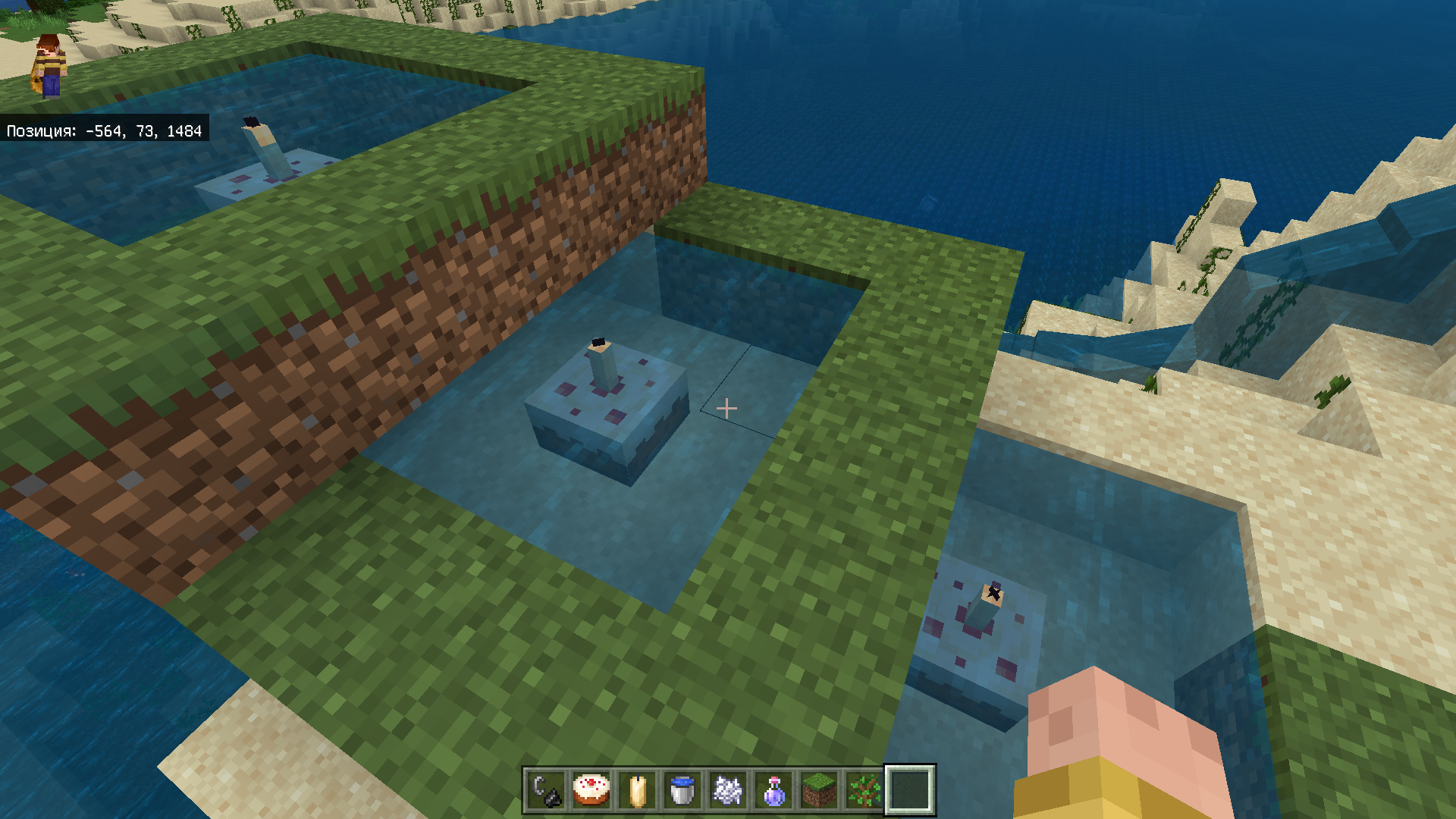
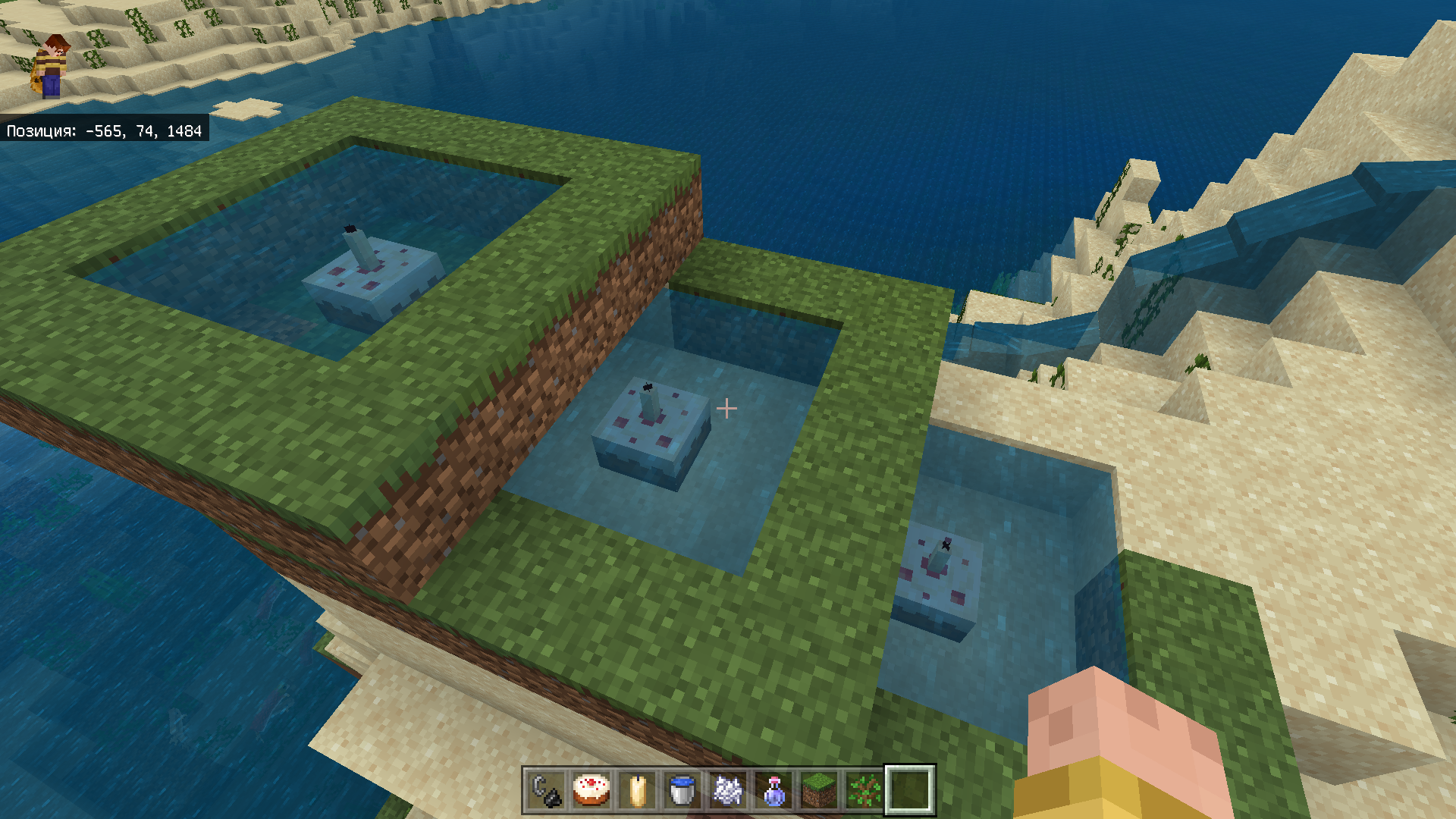

This seems to be one problem in MCPE-139345!
Please answer the questions [Mod] GoldenHelmet in this report MCPE-139345.
If you can, indicate the steps for the playback.
Duplicate MCPE-139345.
I run a bedrock server , and since the 1.17 update we have had entities despawning.
First instance was a Chicken cooker farm, 20 chickens were nametagged and led to top containing area where eggs are collected.
server command stop to shutdown the server.
Bedrockserver.exe ran to start a new instance of the server.
Upon logging in the chickens are gone and cooked chicken can be found in bottom collection chest.
Server upgraded to recent release 1.17.11.01
within 1 chunk, 8 individual sheep shearing farms were set up.
Sheeps were name tagged and colored.
server command stop to shutdown the server.
Bedrockserver.exe ran to start a new instance of the server.
Upon logging in three of the eight sheeps are gone and cooked mutton can be found in bottom collection chest with the wool.
Admin in creative mode, respawned sheep, re colored, renamed tagged, so entities was back up to 8, same server restart and was able to reproduce the issue.
update 09/16/2021
after servers had issue connecting to Microsoft account services, and services were restored more of the sheep were killed/despawned with cooked mutton in chest.
Reply from [Mod] GoldenHelmet: it sounds like your sheep may be getting struck by lightning, perhaps only on server restart. That sounds like both MCPE-121688 (lightning strikes through blocks) and MCPE-81913 (lightning not showing effects until world reload). It may be a BDS-specific combination of the two, i.e. lightning is not registering on the server until restart, and you have multiple lightning strikes following the pattern of MCPE-121688 stacked up. The storms may also be unnoticed due to MCPE-131325. Could you make a ticket for this in the BDS project?
Affects 1.17.40.20
Reply from [Mod] GoldenHelmet: this report was just created for 1.17.40.20 and therefore shows that version already. Please only comment new information.
This is happening to me too (Bedrock/Windows 10 V1.17.11).
I think this can also affect the player. I used sponges to remove all water around my guardian farm "tube" where guardians fall and die. The guardians still float at that same location. BUT I ALSO NOTICED, there are blocks near the tube where if I walk, I'll float up about half a block. It's almost as if there's invisible water there. This has happened to me at a wheat farm as well. Directly adjacent to the water (running water), I'll float up half a block for apparently no reason. It seems impossible to get rid of the issue, so I just live with it.
I think the same thing might be happening with the guardians. The guardians might be interacting with a non-existent water block, causing them to swim in mid-air.
Reply from [Mod] GoldenHelmet: what you also noticed is MCPE-51142.

This should be fixed, or there could be a gamerule called "attachedtiledrops".
Edit:Oops sorry for putting feedback in the bug tracker
Reply from [Mod] GoldenHelmet: that's exactly what the Tile Drops settings is. I believe the gamerule is dotiledrops.
i get this issue too. It’s not a matter of wifi. Me and my sister both have microsoft accounts and even under the same wifi we can’t connect. sometimes one of us logs out of our microsoft account and it still doesn’t work. we can connect to servers, but we can’t join each others worlds. Before the 1.17.30 update, she could join mine but i couldn’t join hers but now that we’ve updated, she can’t join mine either. pls fix i hope this was helpful. we both play on pocket edition, btw.
Reply from [Mod] GoldenHelmet: this is a Playstation report. Please search for another report for your device.
Yay! New experience! Several incidents since my last comment, but this one was weirder than most. Sorry for the length, but I'm a story teller, and I promise I tried to keep it only to facts directly relevant.
Set up: I have three bases in a single player, local world.
1 next to my original spawn point. This is currently where all my animals are kept. At the time of this incident, probably 2 dozen chickens, 40 or 50 rabbits, 3 horses (with armor and saddles), 4 llamas, 3 donkeys (with saddles and chests), a dozen cats (all named and "sitting" so stationary), 2 dogs (stationary), 3 parrots (named and stationary). Immediately next to the base is a village I constructed that houses 21 villagers, all of whom have been named and traded with to at least level 2. The village is surrounded by a fence, so they can't move too far off and only spiders can get in (extremely rare) plus generally 2 golems spawned automatically (they seem to despawn and respawn with startling regularity. Also some crops, bc convenient.
2 is where I'm working my big project ~200 blocks away on z axis, maybe 300 on x axis. It's a lot of construction, and even more materials. Other than a minecart and 8 or so chickens created by throwing eggs, no entities that I expect to be there from time to time, just a disturbing number of llamas abandoned after their wandering trader was either killed by mobs or (more likely) despawned.
3 is a minor base camp roughly 2000 blocks z axis away from the big project. It has a single entity, a dog. This camp exists bc his world was created before Caves and Cliffs release, which means every place I had visited previous to the release would have no copper (or other new materials). It's where I go to gather copper or amethyst.
I have a current need for a lot of copper, so I was visiting the basecamp frequently over many play sessions of perhaps 2 hours average length, I did not track time, but there were several visits, each time starting a new strip mine tunnel (one direction, so a few hundred blocks at a stretch) with enough time strip mining to fill up a couple shulker boxes (I mine EVERY ore out of habit), then return to main project (2) to smelt the ore and sort all the minerals and drops found. Most of these visits include a short visit to the village (1).
During my last three visits I made an exception to the new tunnel and kept on the same one. In addition to exploring a mine I bumped into, the tunnel ended up being maybe 2000 blocks long, all going further away from all three bases. Nothing unusual after the first 2 trips, but after the third trip, I do my usual smelting and sorting at base project (2). I made a building using maybe 120 blocks (pretty small, considering one of my structures at this base is literally an artificial mountain). Then a visit to the village (1).
At this point the village is EMPTY of villagers. In addition nearly all my livestock, including the rabbits, AND all the indoor pets are just... gone. Literally, there are now something like 4 chickens and a sheep at this villages.
MOST curiously, however, I come to this now empty village and for the first time ever, CATS have spawned. At least 3 cats (they are not my cats, as they do not have names or collars and run from me). I thought that cats spawned based on the population of the village. I reckoned previously they hadn't spawned due to the relative proximity of my tamed cats, but that's just a guess.
Also probably relevant: It has been suggest that a combination of distance and time from the village/base (1) is the cause for this. I find this unlikely. The first village I cultivated, a few hundred blocks further from my mining (and on the far side of the village from it, making the lost village, now provisionally named Roanoke) still has it's entirely population, which is also around 20 villagers, a few cats, and a golem.
There were no system crashes, though I did, at least a few times, save and quit moments after going into the world because I discovered I needed to leave the screen for several minutes and was not in a safe spot.
This was all single player, local play. travel distance is discussed above. Player spawn point changes frequently, as each visit to a base usually includes a visit to a bed, mostly to not have to mess with phantoms. I cannot recall any times where I placed a bed, created a spawn point, and then picked up the bed again. There was most certainly lag at times, bc the world is 250mb and the switch takes a long time to do it's excessively frequent saves, wherein rendering often doesn't happen at all. This lag is always during game load or during fast travel (not something that happens when mining). Travel between bases takes less than a minute due to my system of mine tracks and nether portals.
TL;DR or for those who want a victim count, I lost 21 villagers, 3 armored horses, 2 back donkeys, 4 llamas, a couple dozen chickens, several dozen rabbits, 2 pigs, 2 cows, 3 birds, 2 dogs, and 12 cats in one fell swoop. More distant villages unaffected. Village population based spawn behavior still observed at empty village.
Note from [Mod] GoldenHelmet: the cats spawned because the game still considers missing villagers to be part of the village population until their 20 minute timer runs out. The missing tamed cats probably had been blocking cat spawns before the snap.
![[Mojang] Mega_Spud (Jay Wells)](../../../data/avatars/users/92696.png)
Due to this bug, water bodies in cold biomes will be completely covered with ice. Whether it's a river, sea or swamp (next to the cold biome). Compared without Caves & Cliffs Experimental toggle, this problem is very noticeable.

This is happening also in Books & Quills, please update the description. Verified on a Realm world, version 1.17.11, playing on Windows 10. The error occurs with a written Book & Quill with 29 pages. It has also color formatting, and the original text came via Ctrl-V from an UTF-8 notepad file.
As a Book & Quill text is editable, another effect is perceivable: trying to re-enter the line breaks manually,editing the book & quill, doesn´t work. If you closes the book and opens it again (reading on a Lectern or on hand), some of the line breaks are gone.
This bug is somewhat related to: MCPE-142864 Edited text in a book disapears.
Reply from [Mod] GoldenHelmet: for that see REALMS-8889.
@GoldenHelmet How exactly would you do that? I might be wrong, but wouldn't you have to change the coding of a ravager to do that?
Reply from [Mod] GoldenHelmet:
Values like speed and collision box are set in the vanilla behavior pack and for most entities they can be changed by custom behavior packs. You can import behavior packs and apply them to worlds on Windows, iOS, Android, and XBox devices. I have a bug patch pack that includes the the changes to the ravager here. You can use this to test my claim above.
@GoldenHelmet I understand, and I thank you for working to make the game more enjoyable to play
So now, since there a patch you've made, where do we go from here? Is the issue resolved? What do we do now?
Reply from[Mod] GoldenHelmet: the pack I made has nothing to do with resolving this report, it is just a workaround I offered to anyone interested, and a way to test my assertion about speed and collision. This report tracks a bug in vanilla Minecraft and it will remain open until Mojang fixes the reported issue or the community abandons the report (meaning no one updates it for new release versions).
The issue is not gone. Please update this bug to include 1.17.32.
Reply from [Mod] GoldenHelmet: please read my previous comment.
I tried a "fix" for villagers in three worlds: vanilla 1.17.1, 1.17.1 with C&C datapacks, and 1.18. In all three cases, I built a wall around my village at exactly the chunk boundaries (i.e. in the first block of the four neighboring chunks).
In all three cases, I have not had a single villager disappear randomly. So, for villagers, this might be a decent workaround.
Reply from [Mod] GoldenHelmet: sounds like you are playing Java Edition. This is a Bedrock Edition report. You might want to follow MC-153904.
@Mods, Helpers and QA Team: maybe you could address this issue's description more globally, because we already have evidence that it occurs with any mob and entity possible, in any situation (crossing chunk borders or not, named or interacted in any form), and it got even worse after 1.17.11 for some reason.
For the players, I would recommend making backups often, and checking your valuable entities for missing ones when possible.
Reply from [Mod] GoldenHelmet: I don't see how the report description could be any more global than it already is.

I've had the same issue on Win10 on my realm. It happens when I have not placed any dye or glow sacs.
I was able to log in to my realm on the iOS version and update the signs, but the formatting wasn't correct–all the linebreaks disappear. When I tried again on Windows 10, the text appears on the sign for a little while, then disappears. Today the text just appeared for a second, other times it will stay until I leave the area and come back. 
Reply from [Mod] GoldenHelmet: please see REALMS-8889 for line breaks disappearing, and REALMS-9191 for general text disappearing.
Please remember that the bug tracker is here to collect information about bugs for the developers. Comments should focus on giving new information about how to reproduce or work around the bug. To show that you are affected, use the "Vote for this issue" link.
To discuss the bug, you may use the Mojira discord and Mojira subreddit. Please use those forums to relate your experience, express how you feel about the bug, theorize about possible causes, and ask questions about game mechanics.
At this point it is well established that
- the bug affects all kinds of entities near the player, and
- it is not triggered only by closing the app without using the "save & quit" button to close the world first.
However, you should always use "save & quit" to exit your worlds because that is the intended way for the game to make sure all data has been saved and it gives you the best chance of not losing anything.
After updating to 1.17.34, none of my entities are saved. Pets, villagers, and livestock are all gone, as well as all boats holding villagers, and hopper minecarts running under farm collection systems. Everything is vacant. Like the Langoliers here, now. How infuriating.
UPDATE: after further testing, it appears that the app close save routines are absent. Previously, since I’ve been playing these past six or so years, closing the app saved everything just as if I’d gone through the Save & Quit menu, but without changing my world thumbnail (which was nice: I could deliberately choose what view to represent my world in the list). Now, however, closing the app not only doesn’t save my entities, but also deletes any I had previously saved using Save & Quit. This means that if ever my app crashes or I have to exit for any reason without going through Save & Quit, I will always lose all pets, farms and entities. Terrible.
Screenshots below updated to include: cows corralled; cows still there after exiting by Save & Quit; cows vanishing after closing the app, despite them having been saved previously.

I have basically this same issue myself. I am an Android User and I do not even use the Education Edition yet wether in creative or survival I cannot craft anything at all except for dyes and buttons. This also means that I cannot even craft a crafting table either and havent been able to do so for a few months now.
Reply from [Mod] GoldenHelmet: that is MCPE-117105, not this issue.
Still a problem in 1.17.40 however render distance 24 doesn't seem to be affected.
Testing different render distances: https://youtu.be/DKIe5FHGy98
Testing Render Distance 24: https://youtu.be/RQwJLWXziRk
Reply from [Mod] GoldenHelmet: in the render distance 32 test in your video, you don't move far enough away to trigger the bug. With render distance 32 and a trident at Z = 0, you would need to move past Z = 607.
In the render distance 24 test the first video, the trident does disappear.
The second video you linked does not show a test at all.
FWIW, I'm having the opposite problem at my drowned conversion farm – zombie spawners just randomly seem to stop producing zombies, even though the wiki says that spawners should ignore mob caps, and even after the drowned are all cleared via trident killer, the spawners still won't produce zombies. If I leave the area and comback, the spawner works again. Maybe I should file a ticket for this...
Reply from [Mod] GoldenHelmet: that issue is tracked at MCPE-142285.
@GoldenHelmet I'm very interested in the problem of structure spawns being blocked when the chunk has been slabbed (or presumably covered in leaves) or is under water. This problem affects some of my mob farm builds though it seems possible to work around. Is this part of the issue in this bug report, or is it a separate bug report?
Reply from [Mod] GoldenHelmet:
The issue with slabs/leaves/carpet/etc. and water covering covering the chunk only impacts structure spawns, which include swamp huts, pillager outposts, ocean monuments, and nether fortresses. These structures attempt to spawn their specific mobs after checking for a spawnable block at a random spot in the chunk. Non-spawnable blocks cause the check to fail. That has the effect that if you cover every otherwise spawnable block in the chunk with a non-spawnable block and leave the just the structure spawn spot as spawnable, your rate of structure spawns will be 1/256 what it could be. Or if a swamp hut naturally generates in 2-deep water and there happen to be no spawnable cave spots in the chunk, then its spawn rate will be 36/256 of what it could be, at night.
On the other hand, spots where spawns would fail only due to a light level check pass the block check, so a solid block platform across the chunk that is lit to prevent other monster spawns is an easy way to guarantee the max spawn rate for structure mobs.
None of this is relevant to other mob farms, it is only the mechanic for structure spawns.
I have an Xbox one and my world is only 95.5 MB but it loads for a few minutes and I can only stay in the world for 30 seconds before it freezes for a second then quietly kicks me back to the Xbox home screen, no notifications or anything pop up. Is anyone else having trouble opening other online games after getting kicked from Minecraft? Between me and Xbox support, we narrowed it down to solely being the Minecraft world.
Reply from [Mod] GoldenHelmet: This is a PlayStation ticket. You may wish to follow MCPE-111201 and/or MCPE-53665.
I'm having this issue again after the last update. All my characters are generic Sally even after a skin is selected, or aren't there at all/grey. Been logged in and active for over and hour, restarted the game three times earlier, and even updated/restarted comp
Reply from [Mod] GoldenHelmet: what you describe is not this bug. See the attached video for what this report is about.
This is happening to me as well, although my game doesn't crash. I just can't go through the portals at all if I have parrots on my shoulders.
Reply from [Mod] GoldenHelmet: that is a different issue, MCPE-27950.
Repro Steps provided by [Mod] GoldenHelmet and comment here:
Steps to reproduce:
- Load New Portal Damage 1.20.10.mcworld. This world contains an OW portal at -30, 68, 0 and a Netherside portal at 0, 54, 2. Near the Netherside portal there is a large herd of pigs trapped in 1x1 space. There are also command blocks set up for toggling the blocks around each portal's coordinates in the oppposite dimension.
- Enter the OW portal. You should take damage when you exit in the nether.
- Change to creative, fly over to the command blocks near -35, 60, 0, and flip the lever. This should change the stone to glass.
- Go through the portal to the overworld.
- Change back to survival.
- Enter the OW portal again. You will not take damage when you exit the nether this time.
- Repeat steps (2) - (6) entering the Netherside portal and exiting in the overworld. The command blocks near 0, 63, 3 toggle the blocks around the Netherside portal's coordinates in the OW between dirt and water. As with the command blocks in the nether, you will take damage coming into the dimension when the redstone torch is off, and you will not take damage when it is on.
- If you like, repeat all of the above after killing the pigs. It is likely you will not take damage at all.
Expected results
You never take damage from using a nether portal.
Observed results
When the entrance portal's coordinates in the exit dimension are solid blocks and there are enough entities near one of the portals to slow down chunk saving/loading a bit, then you take suffocation damage from being inside of the solid blocks at the entrance portal's coordinates in the exit dimension during loading.
Original Description:
Both my son and I have recently been traveling through portals. The location doesn't matter. He travelled through the end portal back to the overworld, I travelled through a nether portal back to the overworld.
Both times, we would go into the portal, the screen would change to "Generating terrain" and we would immediately hear the sound of taking damage. In both cases, we lost everything we were carrying. Unfortunately, both times, we had also made extended trips to each dimension. Eventually, the game freezes and we die. When we restart the game, we are at our last spawn point, and everything we were carrying or wearing is gone. When we go back to the portal to attempt to recover it, everything is gone. When my son died after traveling through the end portal (End to overworld), the text said he fell out of the world. No one was around when I died, so I don't know what the message was.
I lost two stacks of nether quartz blocks, two stacks of gold ingots made from nuggets, 18 pieces of nether debris, the shulker box it was in, and all my netherite armor and tools. My son lost a stack of diamonds, several stacks of ender pearls, all his armor and tools, a stack of shulker shells, and 5 elytras.
We'll get them back I'm sure through game play, but that's a fairly serious bug to have happened to different users twice. We are currently running a private server on my synology server at home through a docker container. It's up to date, as we can't join it from our iPads unless the versions match, so it's also 1.17 and change. I don't expect that we will get our things back or anything from the game creators, but it would be cool if we did. Thanks.
It's a very annoying bug, minecarts are the strangest affected entities. Does someone know if it happens to all players? because I really dont remember if it happened on previous versions for me, but now it happens
Reply from [Mod] GoldenHelmet: that is a different issue, tracked at MCPE-141920.
Well you guys closed and merged my issue with this one the last time I posted about it, so wtf.
Reply from [Mod] GoldenHelmet: which report?
[Mod] GoldenHelmet: I checked everything after your message. It's actually pretty simple. It has always been a parity issue. In Java, not 100% of the ice surface was always generated, but in the bedrock, almost 100% of the surface was covered with ice.
@Mega_Spud is it possible to load a beta on the Nintendo switch? I've never tried but I'd like to help troubleshoot the problem since I quit playing over 3 weeks ago for fear that I'd do more damage to the world.
Reply from [Mod] GoldenHelmet: the beta program is only available on Windows, XBox, and Android devices.
These mass despawning events have happened twice since updating to 1.17.41 on my iOS device on 01-Nov-21. It seems to occur when my iPad locks and I did not have a chance to save and exit properly. The latest event made all paintings, all armour stands (loaded with fully enchanted weapons and armour) all named and upgraded villagers, all horses with saddles and diamond armour, all mules and donkeys with saddles and chests loaded with travel supplies and loot and all animals in the animal farms disappear.
When will versions 1.18.024 or 1.18.025 be available? If the bug is fixed in these versions, I will wait for these before replacing my lost entities
Reply from [Mod] GoldenHelmet:
The beta versions are available if you enroll in the beta program and play on a compatible device. The fixes will be migrated to the 1.18.0 release whenever that is available. No precise date can be given.
Yeah, bugs like this do affect others, not only gameplay but their day & interactions from that day which can lead to all sorts of stuff but ya gotta know how to handle it. Kept on losing my gfs horse, just lost it again actually. One time it appeared in a field, tamed & w/ it’s full diamond armor & saddle but name tag was gone. Didn’t know it was the actual one. Think I found it again or close enough to it, but now it has despawned w/ the armor as well as 3 others w/ their armor & saddle, name tagged or not. Deleted all my chickens in the coop, and the 3 villager I painstakingly rowed on so much land (at least 1,300 blocks). I wish there was a way to spawn in a villager or horse to your specifications (like 11 heart horse, 5 block jump, etc.). If there is a way, plz tell me
Reply from [Mod] GoldenHelmet: sorry, the /summon command cannot specify mob attributes like that.
I added a screenshot of mine, since the images I'm seeing (new to the bug tracker) all show voids. this one just reset the chunk back to how it originally generated.

- I'm in the 1.18 prerelease, this event happened on 11/14/21
- this happened while my character/game was loaded in - I'd gone afk, and left my toon inside a building, came back a few minutes later (don't remember exactly how long, probably in the 15 to 30 min range) to find a chunk of my building gone, and the actual chunk reset back to how I'd found it hours before. I had not logged out or anything from the time I'd started clearing the area until the error happened - was playing all day.
- single player world, pure survival, no cheats.
- I'll save this exact version of the world (only closed the building in) along with the backup the system made earlier that day.
- this should be unmoded - I'm not good at adding mods, the only one I have is optifine, and this was being played through the little drop down in the java launcher that lets you select version.
I'm OK at troubleshooting most programs and windows (I used to be better, but I'm rusty and several years out of date), but I don't really know how or where to look for much information in Minecraft... let me know where to send/put the world files or where to get any additional information that might help.
Reply from [Mod] GoldenHelmet: This is a Bedrock Edition bug report. You are playing Java Edition—Optifine is a Java-Edition mod. Please search in the Java project for a report that describes your issue.

GoldenHelmet: Sure. I've created a zip file containing the game save directory. But it is 70MB so it can't be attached here. How should I give it to you?
Reply from [Mod] GoldenHelmet: you could upload the file to a file sharing site like google drive, one drive, mediafire, etc.
GoldenHelmet: One way I can show some info is by a video. See it here: https://youtu.be/VJ42Fw2e-6I
Replay from [Mod] GoldenHelmet: after looking at the video, I think the villagers could be walking over to the trap just like you did. If you're interested in testing, you could make a creative copy of the world and setup a tracer: a repeat command block executing on every tick with /execute @e[type = villager] ~~~ setblock ~ ~100 ~ glass. Then let the world run a long time.

Does anyone know if this issue has reached the devs yet?
Reply from [Mod] GoldenHelmet: I already answered you directly 4 months ago when you asked the same question. I removed your comments then because you posted them right after I had just explained the answer for someone else. Please stop spamming the bug tracker with pointless comments.
[Mod] GoldenHelmet you are absolutely right. This works with the /setblock command, and therefore with blocks similar to the light block (which are swamped in flowing water). I have updated the report.
[Mod] GoldenHelmet you are absolutely right. Moreover, it is a duplicate MCPE-20437
I found this report and believe it is connected perhaps. If a mod could check it out maybe it could help. MCPE-147265
It is related to the teleportation of villagers.
Reply from [Mod] GoldenHelmet: thanks for mentioning that report. I'll see if I can get enough info to reproduce it.
I'll offer confirmation that animals previously tamed no longer interact or have context menus on 1.17.41.01 Bedrock Dedicated Server played through a Windows 10 client. Similar to Mike, I saw this on a previous load but not sure which one, and confirmed it when I patched up to 41.01.
Reply from [Mod] GoldenHelmet: this report is for an XBox issue. Please create search and if necessary create a new report in the BDS project for your issue.
If your world still crashes when trying to leave the nether after the 1.18.2 Hotfix, please follow MCPE-149866.
My old world cannot be opened in the new 1.18 update it says “unable to open the world “ and the “world has been corrupted” the copy of the world doesn’t work either, when i try opening the world it crushes automatically the one time I actually got inside the world everything was a purple weird block and then it crushed again
Not playing on BETA. Playing on xbox one thanksgiving week 2021, I have multiple hopper minecarts on rails looping to pick up various items, logged out properly, logged in later properly and both the moving carts with hopper and the stationary one above the chests were gone IN ADDITION TO ALL my villagers, horses and sheep, some had nametags, some did not. i have repaired everything, and the minecarts still are randomly vanishing. I am saddened to see that this has been going on for years it is so frustrating having to go back and redo everything if you want it to work!
Reply from [Mod] GoldenHelmet: you experienced MCPE-144208, which is fixed in 1.18.0.

Maybe I'm wrong but the thunder sound is also playing underground (y=5), and is really loud, (maybe this was in bedrock always the case, or never noticed it.) and its definitely thundering more than normal (every ~15 seconds).
Version: 1.17.41, Windows 10 Edition
Reply from [Mod] GoldenHelmet: hearing thunder underground is intended: see MC-19263.
Reply from [MCPE Mod] Auldrick: You can lower the volume using the Settings > Audio > Weather slider. (It also controls the rain volume.)
Updated ticket as per [Mod] GoldenHelmet's comment.
If you need, i can export my ps4 world save to my pc and send it to you afterwards.
Tell me
Reply from [Mod] GoldenHelmet: that would be great. I think the more worlds we have to investigate at this point, the sooner we can narrow down on what is triggering the problem.

@GoldenHelmet it will lag out without the guardian farm on too, though... just takes much longer. It was strange that removing the books and item frames fixed it before for a while (without the farm on).
I agree with you that it is unclear if there is one bug, multiples, or all manifesting something that is in common. I can tell you that 100% for the exact same world and exact same build, no blocks different, SOMETHING is causing the lag. Looking through the comments, the vast majority of people here have not experienced it in new chunks – most are saying they have to go away from their base in their existing world. We are not experiencing it in that same world in, at least, old chunks that aren't built on. Note that in my world I have never experienced the slowdown in single player, non-BDS running. I have since experienced the lag again (post-guardian comment) with only one person on but it took a long time to manifest.
This is a very difficult one to track down, for sure. Once Amulet or another editor is updated to 1.18, I plan to try copying the blocks to a 1.18 generated world (not the full chunks via files, the blocks) to see if that still produces lag.
Is there any way at all to get a measurable (in game) quantification of lag... like a real Ticks Per Second counter?
Reply from [Mod] GoldenHelmet:
There are third-party addons and tools that purport to. Mojang does not support them, and any results from using them cannot be considered definitive information about bugs in the game. You may use at your own risk for your own investigation.
https://youtu.be/I5edSfLwFN4
https://github.com/hhhxiao/TrapDoor
My brief testing indicates this happens when you load into a world. Saving and quitting simply "primes" up the bug.
Reply from [Mod] GoldenHelmet: if you are not going to elaborate on your test methods and results, then this is not helpful comment.

Replaced all the tridents in the trident killers on the realm after the update, they are now gone again.
Reply from [Mod] GoldenHelmet: that may be due to MCPE-144208.
I don't know if this is part of the bug or it's own thing, I'm having the same issue happen of it just not running, but sometimes when it's not working it still has the floating skeleton inside it spinning around and sometimes there's nothing in it, and then it also seemed to have some lighting updating issues around it that didn't go away until the chunk reloaded. Playing on a realm in bedrock 1.18
Reply from [Mod] GoldenHelmet: the lighting issues are tracked at MCPE-145828.
Playing Bedrock v1.18.1, I have in my last session had a boat despawn as I exited it and had a pig despawn after I left it trapped in a boat and went about 30 blocks away. I am attempting to capture animals for my farm so this is quite frustrating.
Reply from [Mod] GoldenHelmet:
The boat and rider disappearing is a different bug: MCPE-125388. They are not despawning and should reappear when you reload the world.
Reporting for only villagers. 3 villagers despawned realms 1.18. along with a named zombie villager (uncured)
Zombie villager: (in boat, under shade, time=night) i log out.10 seconds, friend logs on. checks and zombie villager gone. boat exists. both entities were not near any chunk borders (checked with chunkbounds, mcpedl) and no alt+f4 as android phone.
villagers: one lost when afking ish 100 blocks away. difficulty changed from peaceful to easy and back. two lost when entering nether to xray for debris. difficulty was changed from easy to peaceful.
also, idk if this is a new bug, but entities can go invisible when player leaves boat. leaves a dark circle below where it last stood. (which states i exist) Then idk lag or smt, the image shows but only for split seconds, Not in the original spot. Fixed by save&quit, then rejoining.
Updated to 1.18.1, villagers named. no problems so far. they are almost constantly rendered and monitored trough spyglass (when i needed paper to lock in mending trade)
additional info: playtime was about 4 ish hours with breaks every hour or so. villagers were from a now dead 1.17 village. one from 1.18 village that despawned. current ones are from the same 1.18 village.
Reply from [Mod] GoldenHelmet:
Disappearing boats and riders is tracked at MCPE-125388.
Found one in seed: -1115401608 at coordinates: -599, 118, 927. I had made the world in 1.18.2 so it isn't a blending bug. It seems to generate 64 blocks above the sea floor.
Reply from [Mod] GoldenHelmet:
Creating a new world and teleporting or flying to that location, I get a shipwreck on the ocean floor at -616, Y, 920.
I had a specific scenario described in MCPE-150143 that I sought to test last night. Multiplayer, split screen on PS4 and two Android players connected via local Wi-Fi. All players except one PS4 player were in chunks previously generated in 1.17. PS4 player was exploring new chunks while flying. Starting a raid in a newly generated village would lag the game as described above. Mobs were not where they were visually, blocks couldn't be broken, arrows would not fire where intended and flying was impossible.
During my test last night, I found a new outpost and village. Got BO and started the raid. Mobs seemed sluggish but playable. Had the two android players join and did not experience the same lag as in this report. The game is still sluggish (FPS) but mobs were where they were shown and could be shot. Players could fly (albeit had to be careful when going into unloaded chunks as chunk loading time was VERY slow).
The world is again playable...though much slower than in 1.17. The other issues still experiencing could be covered by the issues pinned in the description.
Reply from [Mod] GoldenHelmet
Thanks for the update. I think your issues are covered by MCPE-120971. That ticket also includes sound delay and block lag so the difference with this ticket is largely the quality/intensity of that kind of lag and where it occurs. You might try lowering the simulation distance on the world. With the increase world height in 1.18 there are more blocks to tick and more places for mobs to hide in caves in every chunk.
I have just tried creating a new world using the same seed and it created a totally different world. Is that even possible?
World seed: 1677334364
Reply from [Mod] GoldenHelmet:
Generation was radically changed in this update and most seeds generate very differently than they used to. I can confirm that it isn’t the seed causing the crash. I have reopened your original report so we can follow up there.

Not sure if this is relevant, but I had a similar issue. Entities in unloaded chunks disappeared after saving and going back into the world, however, this didn't seem to affect the spawn chunks in my world. Not sure what the chunk radius is for spawn chunks in Bedrock Edition is, but most things that were east or south of the spawn chunks survived, while entities North and North East of the spawn chunk disappeared.
Reply from [Mod] GoldenHelmet: Bedrock Edition does not have spawn chunks.
Yeah I agree I am having all my villagers disappear in windows 10. It happens when I save and quit and rejoin or when it crashes. It has also been crashing excessively while saving. This is a new problem that came with 1.18.
Can I please send you my world for you to look at. My horses, villagers, pandas, minecarts, and pets are all disappearing and there's no real rhyme or reason. I have the world file on my desktop ready to send where do I submit?
Reply from [Mod] GoldenHelmet: what you are experiencing is tracked at MCPE-144208 and we would love to have a copy of your world save. You may attach it to that report , or if it is larger than 10 MB upload it to a file sharing site like onedrive, googledrive, mediafire, etc., and put the download link in a comment on the report.
At the risk of having this comment removed, I'd like to emphasize that this ticket really does represent a bug, or rather, new features that further create disparity between the two versions ought to be classified as bugs – especially features with such huge impact to in-game quality of life. Obviously, this ticket is open, so Jira admins likely agree with this sentiment, but it'd be nice to know officially if that sentiment is shared with admins and devs. Should we be filing more tickets like this?
Reply from [Mod] GoldenHelmet:
There is no need for emphasis. This ticket is not only open, it is confirmed and has an ADO number, which means that Mojang is tracking it internally. It also has a "vanillla-parity" label, which means it is considered a valid parity issue for the bug tracker based on the current parity issue policy, which is posted here: https://feedback.minecraft.net/hc/en-us/community/posts/360062341891--May-2020-Bug-reports-about-vanilla-parity-issues-on-the-bug-tracker-
You can find all of this information in the Bug Tracker Guidelines .
Thanks for the links!
I think where I was confused, and where I'm still asking for clarity, is that I'm viewing shulker reproduction as the feature, as opposed to shulkers themselves. That is, shulker reproduction as a feature does not exist in both versions, and fails to meet the following requirement.
The feature affected by the parity issue is present in both Bedrock Edition and Java Edition in the latest release or development version
I guess it's safe to say that shulkers in and of themselves are the feature here, and the bug is the difference in behavior across versions, right?
Reply from [Mod] GoldenHelmet: 
Hi there, well done on the fix. It has fixed most of the problem and I am hoping that better reliability, lag and block interactions are still part of further updates. While it is better than it was, I would not call it 100% resolved, more like 90%. I still have significant lag with interactions with chests, crafting tables and mining/placing blocks. I note the reason mainly specified was large volumes of mobs - while it is true that I am at my base which has a mob farm, this is currently happening while the mob farm is not activated (it is at Y200). I actually think the problem relates to a large volume of red stone devices - I have a large item sorter which I believe, in conjunction with blocks interactions with hoppers to be a significant factor. Hope this helps
Reply from [Mod] GoldenHelmet:
Please see if MCPE-68796 or MCPE-137537 describes your issue, and if not you may create a new report.
Ok i am deleting to my account if you dont
fixing this.
Also there is no way to resloved this on today, just do in tomrrow because i am sleeping
You have to resolve all to nice invalid to my created issue because you resolved this issue as invalid without Works As Intended or Fixed.
Also dont forget to first do reproduce from another people created issues because you read the desc for my issues.
And remove the watchers from my issues because i am deleting account on WEB project.

I have had members of a server I play on experiencing this bug on both Windows 10 and Windows 11. When we used to play on a realm, everyone in a specific area would freeze at the same time. We recently switched to a Bedrock dedicated server and now only one of us freezes at a time. I have not experienced this bug on a single player world.
Video: https://youtu.be/Zmycvj3seIk
Reply from [Mod] GoldenHelmet: This report is for a specific XBox issue and the report description above does not match your issue. Please search for a different report that fits your issue.
Same as Laszlo, I think this issue applies to some older Logitech headsets too. Suffering here with a G430.
Reply from [Mod] GoldenHelmet: for Logitech headsets see MCPE-16588.
[Mod] GoldenHelmet
I had thought that GoldenHelment's Orb desync tether.mcaddon might have been a temporary solution to not being able to see XPs true position but the "gh:orb_glow" Doesn't show on 1.18.2.03 so the only effect is that it makes XP orbs small and grey!
I have tried to troubleshoot to no avail, it would be a great temporary fix for the community if its possible to make the mcpack work again?
Reply from [Mod] GoldenHelmet:
I also made a patch pack that still works for me in 1.18.2, which you can get at https://mcpedl.com/xp-orb-desync-patch-addon/. It has some limitations and is not a fix by any means, but it gets around the problem of XP position not syncing between client and server.
Thanks for that, I downloaded and ran today and got the message that it was "missing one or more dependancies", then the orbs are now invisible!
(sorry for formatting, im using chrome and have no ability to mention or reply on here)
Reply from [Mod] GoldenHelmet:
That message means you have only applied either the behavior pack or the resource pack, and not both. It needs both to function. I would guess that you enabled the resource pack in "global resources" but did not enable the behavior pack in the actual world you want to use it on. You should just enable both on an individual world.
I hope that corner problem in that screenshot gets fixed somehow.
Anyway, I'm still having a lot of problems in 1.18 with singular mobs getting stuck on non-full blocks like gates, fences, glass panes, hanging lanterns etc. They just freeze in place, it seems like they're trying to get through gates and glass panes but can't, so they just freeze forever. This is not limited to cows etc, but villagers as well, which causes them to lose job sites and beds. This gets much worse in the 1.18 update, my villagers are getting stuck in places they were previously okay with, such as walls with glass panes, and a line of wooden gates.
There are also cases of Iron Golems and horses jumping repeatedly on carpets, causing them to freeze, and chickens not moving at all when surrounded with dead corals. This has been a bug for a long time.
Reply from [Mod] GoldenHelmet:
Mobs getting stuck on blocks line panes and fence posts is tracked at MCPE-46805.
I've reopened your report on dead corals (MCPE-128687) since it was not fixed by the fixed to pathing on partial blocks.
[Mod] GoldenHelmet: Thank you) I will test the visibility later. But I want to remind about the color of water, which is different from java color.
@golden[Mod] GoldenHelmet When you create a new ticket for this bug, as I created for Java edition 1.18.1, the automod resolves it as duplicate.
Oh maaan.
Version 1.18.10 update today and the signs are still not working, same with chat. Will be making a new ticket about this also as this thread is clearly dead.
Reply from [Mod] GoldenHelmet: please do not make a new report. That's not how the bug tracker works. The report is not "dead" just because it is not resolved. It is still open and shows the current version, and that's all it needs to be considered for prioritization by Mojang. Making a new report that will just be resolved as a duplicate only creates work for the bug tracker staff, who are community volunteers.
@GoldenHelmet Perhaps this ticket felt dead, because it's just been crickets as far as responses go. For months.
Even now, there's been no updates except to say that it's not dead. Ok. So who's assigned to look into this? When do we expect someone will be assigned to start fixing this issue? Where on the priority list does this fall?
A bug that essentially disables all effective communication on multi player realms should have more response than the void of nothingness into which this ticket seems to have fallen.
Reply from [Mod] GoldenHelmet: The "Assignee" and "Priority" fields are not used for Bedrock Edition reports because the Bedrock developers use an internal system for storing that information. You can see that an internal report exists when there is a number in the ADO field. Please see the Bug Tracker Guidelines.
Affects Beta 1.18.20.27
Reply from [Mod] GoldenHelmet: there is no need to report beta versions if the latest release version is already reported or shown on the ticket.

Same problem, villagers will claim workstations that should belong to another locked in villager. For example, I had 1 lectern and 2 librarians.... couldn't get the one I had not traded with to drop his profession. It would also be great if the area a villager looked for workstations was decreased to a reasonable size. Less than 20 blocks. This area is so large, it makes building near villages and using workstations in builds where you don't want the villagers linking to them impossible.
Reply from [Mod] GoldenHelmet:
Villagers do not choose the nearest workstation in Bedrock Edition. When a villager finds a workstation (or bed or bell), it tells the village. Then the village assigns it to the next villager in a hidden list. To link villagers where you want, you need to figure out which one in the village is next in the list, and then place the workstation you want for that villager.

Thank goodnes this has been reopened. My result is when after I type in the new name, the output shows the XP amount, but the item still has the original name. When trying to pull and/or quickmove the item from the output, it jumps right back to the input slot.
I wonder if this bug is also affecting signs. The text quickly dissappears a second after the sign has been placed and you finished writing. Is there a ticket already created for this sign bug?
Thanks
Reply from [Mod] GoldenHelmet: expand the "Issue links" section above, scroll down, and check the "relates to" reports linked there.
I started a new world for 1.18, seed number 293697096 on realms (accessed mostly from xbox and my phone). I have seen a jungle temple spawned in normally but have only found one witch hut. I noticed several places that were supposed to have witch huts had holes leading to drip stone caves, but not all. Only hut I have found is precariously spawned on the side of a mountain, much higher than normal.
Note from [Mod] GoldenHelmet:
I assume this is the hut on the hill in the seed mentioned:

The floor of this hut is at Y = 94. That seems to confirm that the “sea level” check found by Matthew Ferguson is not working correctly. In previous version I only ever found swamp huts with floors at Y = 65.
[Mod] GoldenHelmet: Vanilla parity, as well as inconsistency with previous versions. I noticed this easily when testing my other reports, as sometimes you need to check the sound of damage, knockback, etc.
Affects Beta 1.18.30.26 and Preview 1.18.30.27
Reply from [Mod] GoldenHelmet: we don't need to add beta versions when the bug affects the current release and no fix has been announced.
Please add the tag "vanilla-parity" to this issue. In Java Edition, slimes and magma cubes always check for the space of a large slime/magma cube, so they never spawn in 2-high areas.
Reply from [Mod] GoldenHelmet:
This report does not meet the requirements for the vanilla-parity label. See https://feedback.minecraft.net/hc/en-us/articles/360015877192-Parity-Requests-and-You-A-Guide
[Mod] GoldenHelmet: you're right. This applies to all fire resistant mobs, with the exception of blaze.
The changes to the hunger system in 1.18.30 fixed MCPE-56031 and brought Bedrock to parity with Java for vanilla gameplay. However, players using addons that contain a player.json file experienced a massive increase in the rate of hunger drain. This especially affects realms and community servers that use utility addons like one-player-sleep, and it also affects marketplace content, for example the Realms Celebration world.
The cause of this issue is that new default exhaustion values were created that are much higher for some actions than the values added to the vanilla behavior pack. The defaults even include hunger drain for walking. They also do not match vanilla exhaustion from prior to 1.18.30. The difference between the new vanilla and new defaults is documented here. I conjecture that the defaults are leftover testing values or were made to fix MCPE-152533 without testing other content or considering the wider impact. In any case, since new defaults do not give correct versioning/backward-compatibility I think they can be considered a bug.
Steps to reproduce
- Create a new flat world in survival mode, normal difficulty, coordinates enabled, with cheats on. Set it to always day, no mob spawning, and no weather cycle.
- After you spawn, sprint-jump for 1000 blocks.
- Repeat the above in Java Edition for comparison.
- Repeat (1) - (2) but apply MCPE-154238 Starvation Program.mcpack to the world, which contains only the player.json file from 1.18.10. When you can no longer run due to hunger, stop jumping and just walk.
Expected result
Same hunger drain in each test.
Observed result
The depletion of initial saturation takes the same amount of time, but once saturation is used up hunger drains much faster with the addon. Hunger also drains with the addon or in an affected Marketplace World while merely walking.
| Milestone | Java | Vanilla 1.18.30 | Using Addon/Marketplace World |
|---|---|---|---|
| Start losing hunger | 440 | 440 | 440 |
| Lost 4 drumsticks | 1000 | 1000 | 600 |
| Can no longer run | n/a | n/a | 725 |
| Starving | n/a | n/a | 1000 |
Food bar showing rapid depletion since 1.18.30 food currently being used much faster than pre-update to 1.18.30
Step 1 - eat enough food to fill the food bar
Step 2 - walk more than 200 blocks and observe the amount of food depletion
Step 3 - note how much the depletion has dropped. In my case more than 3 units.
Prior to 1.18.30 walking 200 blocks would not deplete your food bar by 1 unit
According to the update logs parity with Java should be achieved. This is not the case and parity is broken. Playing Java edition sees the player being able to walk much further with the same amount of food usage.
Expected results - parity with Java edition.
My wolds have the villger crash the world when it sleeps
Reply from [Mod] GoldenHelmet: that would be a separate issue.
The observed result is actually that the game begins to treat the location of the block light source (e.g. the spot the torch is in) as if it is a sky light source, even after you break the block light source. During daytime the location becomes brighter than a torch, and if you break the block light source at night you will see a low light level where there should be no light at all.
While building a mob spawner farm, I used tinted glass or sold blocks to darken the area. However, when I flicker the Redstone lamp and updated some blocks, the light source renders "overworld" lighting, making the cave too bright.
How to Reproduce
- Locate a cave or another source of darkness.
- Place any block that supports light. For example, place several torches.
- Break or place several blocks near torches.
- Destroy all torches.
Observed Results
When updating blocks, light sources nearby will render the area as if the user is standing on the surface. This means that it will increase the light levels much brighter than a torch or a glowstone.
Expected Results
Updating the blocks near a light source should not render the area as "overworld" surface light.

In caves, if you are in water, you can see better than in the air.
Reply from [Mod] GoldenHelmet: that's MCPE-57701. This ticket only applies to water near the surface where the player is close enough to sky light.
I have still noticed lots of issues with villagers despawning, mostly ones that aren’t trapped in a 1x1 space. I’ve had villagers that are free roaming a certain area in my trading hall disappear while I’m in the trading hall, sometimes when I save/reload & sometimes w no apparent trigger. I’ve also had the farmer villagers in my auto carrot/potato farms disappear after replacing them a couple of times (since 1.18.30), the fletchers who are trapped persist but not the farmers 😢
EDIT: I’m playing a single player survival world on Switch, about 450mb
Reply from [Mod] GoldenHelmet: could you provide a picture/screenshot and coordinates of the part of your trading hall and crop farms where villagers repeatedly disappear? Are you absolutely sure they are not getting out, falling, or otherwise taking damage? If you are playing on easy difficulty, zombies could spawn, kill them, and then despawn without leaving a trace.
Update from [Mod] GoldenHelmet: Leads break whenever the leash knot and the mob that is leashed to it are in separate chunks, and the chunk where the mob is located gets loaded first. This can happen immediately when opening the world or loading into one dimension from another, or when travelling toward a leashed mob for the first time after loading the world or the dimension.
Steps to reproduce
- Open Lead break on load.mcworld .
- Spawn a pig on the gold block and quickly leash it to the fence post on the other side of the wall. The wall ensures that the leash knot and mob remain in separate chunks for the test.
- Travel to the lapis block at X = 72.
- Save & quit, then reopen the world.
- Travel back to the pig.
Expected result
The pig is still leashed.
Observed result
The pig is not leashed. The lead has dropped as an item and the leash knot is still on the fence post.
This happened in older versions in MCPE as well. Leaving a chunk containing an animal on a lead tied to a fence post and returning results in the lead breaking and animal wanders free. Often, I can witness the animals and mobs "bouncing/ teleporting" from one spot to another when entering the chunk whether they're on a lead or not.
I think I am getting this on my iPad Pro iOS 15 Minecraft 1.19.2
If I run my quad-portal zombie piglin farm for a long time then mobs and redstone contraptions become extremely laggy. This happens even after I turn it off and all the zombie piglins are dead and all items collected. At this point I can't even really turn it on again b/c everything moves so slow it doesn't really work; zombies never make it to the killer where the pistons and trident are moving too slow to kill them all anyway.
The weird thing is it only seems to affect mobs and pistons. My own movement is fine, framerate is fine, but mobs and pistons and redstone signals move at a snails pace. Like every part of the simulation is messed up except player physics.
Reconnecting to the server does not help. Force-quitting minecraft does not help. The only thing that helps is rebooting my iPad as per this report.
This did not affect 1.18.
Reply from [Mod] GoldenHelmet
This report is specific to Android devices and concerns the cache data size shown in the screenshots. I know from looking at the files in Windows that Minecraft actually uses several caches for different things, and I don't know which the Android cache corresponds to on other devices. However, based on the repro steps it seems to relate to caching of marketplace content. Lag from a specific farm would not be related to that.
I added a much simpler example through the video I attached. Hopefully it helps explain and be replicated easier! @GoldenHelmet IMG_1935.mp4
Reply from [Mod] GoldenHelmet:
That video shows the command block working correctly. The command tests for a player within 5 blocks of the command block, and the command block is set to "Needs Redstone", so it only runs when it is powered.
This report is about the text on the lower right of the UI not matching the settings on the left. That happens whenever the command block has not run a command since the last time a player changed its settings. It's not a bug, because that text on the lower right is meant to be part of the "Previous Output" and to show the settings that were in use when the previous output was recorded. However, so many people get confused about what the text means that Mojang has decided to leave this report open so that it can be considered if they decide to update the command block UI.
This seems to be fixed for me since 1.19.10 at least. I get 0-4 Ender Pearls per Enderman with Looting III. I haven't tested the other Looting levels, though.
Reply from [Mod] GoldenHelmet:
This report is not about the possibility of getting 3 extra drops with looting 3. It's about the average. A min 0, max 1 + looting level loot table gives an average of 2 drops/mob with looting 3 in Java Edition and 1.25 drops/mob in Bedrock Edition.
This happened to my nephew and I today too! 15/08/2022 I made sure to check and both my switch and the game are up to date. 
Reply from [Mod] GoldenHelmet:
This bug is about junk data in the world save files. It’s not something you could see in-game except indirectly by comparing world save sizes shown in the world list before and after the update. I have deleted your screenshot because it is unrelated to this report. Please look for another report that describes your issue.

As mentioned, still current in 1.19.20. Ive made a contraption to simulate exactly whats going on. I put it all into a small .mcworld file. You can find that here https://www.mediafire.com/file/g1b69ggnefzpam1/Brokenhoppers.mcworld/file If you need me to make a new bug report for this, Let me know and ill be happy too! Thank you! -Rs.
This has happened to me with boats, if I save and quit while in a boat the boat will be gone when I reload the world.
The arrow trail particles being in the wrong place is reported separately at MPCE-54956.
Could it be that, instead of them "seeing" a bed that is too far away, maybe there is a bed within the village that is inaccessible to villagers? When villagers cannot reach a bed they have claimed, they will unclaim it as shown by the angry particles over the villager and over the bed. As soon as the bed is unclaimed, every villager with enough food will begin to breed.
While I have not experienced the exact problem described in this bug, I have seen villagers over-breed when one available bed results in 2-3 babies being created.
If you have a bed for yourself in the village they villagers cannot access (perhaps behind an iron door or a fence gate), this could be the source of the problem. In a village I constructed, I worked around this by putting my own bed up in a watchtower that I access by ladders. The bed is 9 blocks higher than the village and they never try to claim it.
I have noticed the suffocation damage too. In my world, it seems to happen only when the portal is up against a solid wall on one side. The game places me partially inside that wall. Did not happen until this 1.13 update.
I've had a related issue with 1.13. When drinking milk, the drinking sound and animation does not stop automatically to tell me that I've finished drinking. However, if I drink long enough then I do drink the milk and the bucket will appear empty when I stop holding the "use" button.
FWIW I just created a harvesting system like this yesterday and did not experience the problem. However, I placed the hopper minecart directly on the rail under the grass block, I did not power or push to get it in place.
Can confirm this is not just a first-person rendering issue. If you view another player shooting arrows it is clearly visible with his/her arrows.Actually I misremembered, it was viewing self in third-person where I saw the particles traveling 2 blocks higher than the arrow.
Today I noticed that the particles were in the right place when arrow was shot by a player on Nintendo Switch, but in the wrong place when arrow was shot by Windows 10 PC character.
Also occurs if you hold the jump button while initiating trade with a villager.
@Alison Scott if you suffocate because it puts you inside a block, then all of your stuff will be trapped in the block too and disappear.
Generally, if items are inside a solid block and there is no open block adjacent, then they get deleted. For example, this sometimes happens to me when I am backfilling an area I have mined--if I place blocks too quickly or in such a way that the items can't get out, then the items just disappear.
I guess I'll confirm this is still a problem in 1.13.
Confirming happens every time you get on horse, and it is hugely annoying.
Nether portal issue is being tracked at MPCE-54519
Duplicate of MCPE-54519
Please add a vote for that one.
Everyone is having this problem. It is being tracked at
MCPE-54519. Please add a vote to that ticket.This is what horses have always done, isn't it? All mobs move around when leashed to a fence.
Isn't that just because when you switch views, the camera is in the ceiling? Nothing to do with map?
If you are too far from the village the hero emblem will not show. It will come back when you re-enter the village.
I think that just happens sometimes and is intended. Find another stronghold.
If you hit any enemy within a certain number of seconds before it dies, it counts as a player kill, even if you didn't give the last hit. I can confirm that pillager captains that I have not hit do not count as a player kill when even when killed within a few blocks of me, e.g. by berries or iron golem. So it is working as intended.
Why are people who are not mods claiming that this is fixed in a version that is not released/does not exist?
I play on Win10 PC and the update did not get pushed to me, nor to my Nintendo Switch. I just went to Microsoft store and was able to manually download 1.13.105.0.
On the bright side, since 1.13 bows drop like crazy now, so you can just repair merge a few together to get full durability. I’m pretty sure it still adds up to more craft-ready bows now than before 1.13. Just more tedious with all the inventory shuffling.
I noticed this in my Windows 10 survival world.
Always been this way and I like it. Please do not change.
I’ve seen this multiple times in my survival world. Not a big deal.
Duplicate of
MCPE-56142Happened to player on Nintendo Switch who was playing in my local survival world that I load in Windows 10 on Pc in the same house. We connect via Microsoft accounts, not realms, not LAN.
Click and hold makes that green bar come up on a lot of items, no idea why.
I believe raids spawn in caves entirely due to
MCPE-41273. The raider I found in a tiny underground cave was directly under a tree.It is worth noting that if “surface” did not mean “the first solid block directly under empty blocks” (rather than just “the first solid block under the sky”), then you’d have cave spawns under tree limbs.
I doubt there is a consistent logic that captures what we intuitively think of as surface. I’m ok with the current system, but not with so many kinds of blocks triggering “underground” surface spawns. Maybe it could be reduced to just leaves, unless there is some compelling reason to include other blocks.
Does your keyboard need a better charger plug or new battery if wireless? Sounds like how my mouse behaves when it needs a new battery.
Your cave mob density cap may be full. Have you lit all caves 4 chunks in each direction and diagonal (9x9 chunk square)?
Java-style mob farms do not work in Bedrock because the spawning algorithm is totally different.
Same underlying issue as
MCPE-55074?Same underlying issue as
MCPE-55074?Not a bug. If you want a map to a new place, find or make a cartographer in a village far away from the one you visited.
Same thing happened to me on Nintendo Switch, I no longer have the Mario Mashup pack that comes with the Switch version and my son is very disappointed. We had been on vacation 11/15 to 12/3 and when he opened Minecraft on 12/4 it downloaded an update and the Mario Mashup pack was gone.
Exact same here, Mario Mashup pack disappeared after an update I downloaded on 12/4 (had not played since 11/15).
I tried what Berke Sokhan and candykat kitty lichious said and it worked! After loading the world the pack appears on the settings screen and you can activate it again.
FWIW the skins were still available the whole time.
It is possible to get the texture pack back, take a look at the comments to
MCPE-58005.Expected Results: Traditional spawn-proofing methods of lighting and enclosure should keep villages, trading halls, and villager-based farms safe.
Observed Results: Pillager patrols spawn at any light level ([on normal and hard difficulty, according to the wiki|https://minecraft.gamepedia.com/Pillager]), and since the 1.13 update they spawn very frequently. This means that villages, trading halls, and farms must be watched almost constantly to be kept running safely. Moreover, directly killing the patrol captain initiates a raid, which can spawn almost anywhere in the villager-based build and is far more dangerous than a patrol.
Steps to Reproduce:
Comments:
I think there are some good points on both sides of the issue. I find the frequency of patrols since 1.13 irritating, as I have had to fight repeated raids in a village. Imprisoning a captain for spawn-proofing sounds like a good idea, but I have no idea what radius of effect it would have. I feel like patrols should be more more limited though. Make patrols unable to spawn within 48 or 64 blocks of a village center, or make them unable to spawn in light level 12 and above. That would make spawn proofing more difficult than other mobs but still feasible. I am fine with raids as they are, since they should be the most "advanced," and they would be more manageable if patrols were not out of control.
Binding and Vanishing enchantments don't exist in Bedrock Edition. They are only in Java.
There was a bug in 1.12 that cause smelted items to have different item data. The patch in 1.13 fixed furnace output functioning, it did not change item data on existing items in your world. If you place the stone and re-mine it, you should then be able to smelt it or sell to stone masons.
I did some testing and have found that in 1.14 slabs, stairs, leaves, and farmland on top of solid blocks no longer trigger surface spawns underneath. However, carpet still does!
Consequently:
In my opinion, they’ve swung the pendulum too far in the other direction. At least we still have carpet— maybe don’t tell the devs they overlooked it!
Edit: Just realized you are now tracking this at
MCPE-58670andMCPE-54241.I have been testing different spawn surfaces in a single-player superflat world with spawn platforms at y=40 & 43 and lava covering the ground below across the entire simulation distance. I have found:
That said, I am confused by this bug report. Is this "bug" not just the (intended?) resolution to
MCPE-41273? Is there some middle ground that you think ought be achieved between the two?For what it's worth, this "bug" also seems to resolve MCPE-45183 and
MCPE-58285(the latter at least as it pertains to enclosed villager-base farms like the one shown in the picture attached to that report).Due to
MCPE-58670(= resolution toMCPE-41273?) there should be no problem in 1.14 with pillager patrols and raids spawning inside enclosed farms like the one shown in the picture. Anyone still have a problem?However, now patrols can spawn in new places because of
MCPE-54241.I am still in favor of some kind of restriction on patrol spawning. I tried imprisoning a captain like Eyeth suggested, but it despawned!
Duplicate of
MCPE-54241.Holding any item allows you to be seen when invisible. What “invisibility” does is reduce the range at which mobs can detect you. It is a percentage of their normal detection radius. The percentage is based on how many pieces of armor you have on and holding things in hands or not, because armor and held items are still visible. Just holding 1 item gives you a short detection radius, but the flower attracts the bee to come right next to you, and then it can detect you. So, I’d say this is working as intended.
It’s all mobs, and yes, this is a duplicate of 54241. Upvote that one please.
Are you playing on realms? Like Mike Wylie, I don’t have spawns on slabs in single player local world. But all monsters are spawning in glass, leaves, stairs, etc.
What are the exact coordinates of your farm and mine, and your simulation distance setting?
According to the wiki, you need at least 21 beds
and less than 10 catsin village for it to spawn golems.If you have the beds, try killing cats in front of villagers.Edit: the wiki is wrong about cats and iron golems sharing a cap. You need 21 beds and 10 villagers to spawn iron golems in the current version (1.14.30).
They drip pollen when full and go inside their nest for 2 minutes to make honey.
@Mega_Spud Not it's not new to this version. The Wither spawning explosion also broke obsidian back in 1.12 when I first tried spawning it.
@Richard Dodd Yes many of the Wither strategies on the Wiki only work in Java. In Bedrock, tunnel up to Y=121 in the Nether, make a long horizontal tunnel you can retreat down, and spawn the Wither up there. It will try to fly up above you and get stuck among the uneven bedrock ceiling. Approach carefully and find a spot you can hit it from.
Looks like a duplicate of
MCPE-55092.Definately still happens in 1.14.1.
Affects live 1.14.0 and 1.14.1, not just beta. Also, confirmed does not depend on which food you give them.
Just made a new skeleton dungeon farm in 1.14.1 and drops look good, getting armor and bows with no sword in hotbar. I think this bug is resolved.
Thats’s the Bedrock mob density caps at work!
@William Allard the mob density caps have nothing to do with Y-level, so they can be taken up by mobs 200 blocks below you. The fact that you got a couple mobs suggests that you do have mobs down below taking up your caps. Did peaceful mode cycling work? What is affected by Y-level is where where new spawns can take place: spawns can only occur in a spherical radius around you from 24 to 54 (ish?) blocks away. So for a platform at 216 to spawn you have to be under it at about 170-190, and nothing will spawn down on the naturally generated surface while you are at that level. However, if stuff spawned on the surface or in caves before you got up to that level, it will count against the density caps for your farm, and slow down or stop its production.
@Jay Sirrom this workaround is for both regular spawns and structure spawns, and based on what you've said your outpost should spawn. The outpost spawns also have their own cap separate from regular surface and cave density caps. Are you sure that no pillagers glitched out and got lost in caves and are taking up the cap? You mention placing only 2 stone blocks–maybe make a wider platform of blocks in case you got the spawn coordinate off by a little? Spawns occur on the northwest corner of blocks so its easy to mistake the actual coordinate they are using.
Are you trying to say we should not be able to plant flowers on farmland? I don't see how that's a bug. After seeing the tulip field in Spiderman: Far from Home, I was inspired to make a tulip field on farmland in Minecraft with 2 rows of each color tulip. It's beautiful. Not a bug.
@Christopher Warr the issue with trident killers is specifically an issue with thrown tridents. I tested on my skeleton spawned farm and found that I got all the drops when I used trident as mele, but no bows and armor when I threw the trident. Trident killers use the throwing mechanic. For that reason, I’ve never gotten crossbows from my raid farm since I built in in 1.12 last summer.
Drops from thrown tridents should be a separate bug report. This one specific to skeletons is resolved.
I can't tell where your dispensers were in the picture above, and that world save is too huge to download. Could you provide a better picture or recreate the basic setup in a small flat world?
I can tell you that hoppers do not pick up items that are in the same block as them. Hoppers only pick up items that are in the block above.
Related to this, I tested 3 scenarios that I thought might be what you have going on, and this is what I found:
Duplicate of
MCPE-59570andMCPE-59043.@Sanne de Greef you can't silktouch the eggs if they won't lay them to begin with.
I further tested this in creative mode and was able to get dogs to breed by making them move around after feeding them. If I just fed them they would get hearts but not breed. If I fed them and then ran away they would run and/or teleport to follow me and then sometimes seem to find each other while moving and proceed to breed (face each other and produce a baby). However, when I tried this trick in survival mode I could not get it to work. I only tried for 5-10 minutes though, so it might work in survival if you keep trying it. At best it's a workaround. There is clearly something wrong with the dogs' ability to "see" each other in love mode.
I’ve never had this problem on Win10, Switch, or cross-platform between them. Does it always occur for you? Does it resolve with exiting the world and reloading? Could you upload a video of it happening?
Just found this fascinating ticket and wondering why it is still open. I’ve made carrot and potato auto farms in 1.14.1 and they both work beautifully. I’m guessing the want/ share numbers for potatoes were adjusted to fix this bug sometime between 1.12 and 1.14?
Duplicate of
MCPE-45506, which has been fixed.I’ve done some testing and found that Pillager patrol spawning is not restricted by the hostile mob density cap checks. They only spawn as surface mobs, but they will still spawn in a chunk even if its surface density cap is full.
I can also report that keeping a captain stuck in a boat outside my village seems to have stopped patrol spawns in the area. I did have 1 other patrol come in the area in several hours of playing, but I’m guessing it spawned just far enough from the other captain, even though it ended up coming very close.
Here’s a thought that someone with more knowledge of the code might be able to test. I wonder if the bug is caused by the dog AI prioritizing following the player over other activities? It does seem that the dogs stare at me constantly and when put into love mode by feeding they just continue to stare at me and never look at each other.
Another possibility: perhaps the dogs are constantly looking at the player because they constantly “think” the player is holding meat in his/her hand? It does seem that when I switch from holding meat (for feeding them) to another item or to empty hand—that they do not stop staring at me. Perhaps this is an issue with the hot bar? (I know we’ve had other hotbar/inventory issues recently, e.g. milk buckets and bells, so perhaps one of those fixes did something to hotbar code to cause this?)
@Austin Pelt I made a killer like yours with glazed terra-cotta but the trident fell down through the hopper and slipped into the piston arm after a while. I used honey blocks instead of slime though—is it perhaps the slime blocks bouncing the tridents upward when they fall that keeps it working?
Images?
I made NavyNexus’s design and it works fine.
Edit 2/10/20: fixed the link.
Pillager patrols ignore hostile mob density check and (on normal and hard) light level. Only thing to stop spawn is trapping a captain. You can catch it in boat or minecart or build a trapdoor pit or water flow or something. They will not spawn underground so securing villagers underground is another option.
Was the stone made by cooking cobblestone before 1.13?
I have one of these blocks in a Nintendo switch world. It can be pushed around, but not mined.
I’ve noticed drowned spinning like this recently too, but I did not notice which blocks cause it. I’ll comment again if I can get more detail.
Update: I've uploaded videos of fish and drowned spinning on lamps in a test area I created. It took 10-20 minutes for the fish to start doing it, for a while they were pathfinding just fine over grass and sea lamps. This seems to match
MCPE-45922but I have been seeing it a lot more with drowned since 1.14.Edit:
MCPE-58605may be the first report for 1.14.MCPE-60497also reports the same.You have not given enough detail to justify your conclusions, such as the exact setup and steps to reproduce. Moreover, it is not clear what you think the bug here actually is.
I have been testing hostile spawns myself using 1-chunk platforms centered over 9x9 chunk lava oceans, and I have observed none of the behavior you describe.
I suspect that the results you describe can be explained simply by the fact that more mobs will spawn where there are more available valid spawn locations. That is a direct consequence of the algorithm choosing random x,z coordinates to attempt spawns.
No, this fletcher was born in the village and never a zombie. I have not cured any zombies in this world.
Duplicate of
MCPE-59570.If you agree this is still a problem please vote for
MCPE-60552where I have tried to explain precisely how the mechanics are faulty.MCPE-21856is relevant, and if that were fixed by, say, allowing cave spawns to despawn in any light level, then the Witch Huts might work as intended. However, Witch Huts have also have a unique mechanic that fails to accomplish its goal (and is also counterintuitive) which could be fixed similarly to the Pillager Outpost fix in 1.13. I have detailed this inMCPE-60552.Not sure how much you’ve actually been watching spawns to see if the have armor, but if you are not killing the mobs yourself they will only drop the things you’ve listed. Falling, burning, thrown tridents and trident killers, etc. do not produce player-killed loot.
I have experienced this too (Windows 10). I’ve seen lanterns do this, so I think it is a general lighting bug related to chunk loading.
Maybe this is related to
MCPE-49616.This is bug is already being tracked at
MCPE-59043. Please add a vote to that report!PS4 is Bedrock now, so just search all of Bedrock codebase, not platform specific.
Essentially your report duplicates
MCPE-21856and MCPE-45183.You can get a lot of information reading through the comments to those, as well as
MCPE-41273,MCPE-59682, andMCPE-60552.The spawn rules for Bedrock are complex and sometimes counterintuitive. Lighting up caves should have nothing to do with the surface spawns because there are two different density caps. However, due to
MCPE-59682in the current version, nothing will spawn under trees, so I'd suggest clearing trees and maybe expanding the dirt surface in your swamp to get slimes. You are correct that surface slime spawns in swamps are affected by light. These spawn in Y=50-70. The deep slime spawns in slime chunks, however, are not affected by light. These spawn at Y=0-40. If you make an enclosed room to spawn surface-level slimes in, just put carpet on top of the roof and then the game will then treat the floor of the room as "surface," and it will not be affected by the cave mob density cap.Looking at your report again and noticed you said this is your way of getting bees. Here are 2 better ways to get bees:
1. Break the nest with a silk touch enchanted tool. This will cause it to drop with the bees in it and you can take the whole thing home.
2. Hold a flower and wait for the bees to come out on their own. They come out first thing in the morning, and 2 minutes after entering the hive with pollen. If you place a bed by the hive and some flowers, then sleep a night in the bed, the bees should be at the nearby flowers near the time you get up.
Hope that helps!
The happening when you get on is being tracked tracked at
MCPE-55277.Duplicate of
MCPE-55277I've attached a video showing both manifestations of this bug: a trident cage preventing a zombie from moving, and zombies bouncing off of tridents that they land on.
Please link
MCPE-55525as a duplicate.Sounds like your popularity has gotten very low, that causes them to not trade and iron golems to attack you. Look under mechanics, popularity here: https://minecraft.gamepedia.com/Village.
You can probably recover your stuff if you travel to the spot on foot. It takes 5 mins to despawn and that only counts when those chunks are loaded in your simulation distance. Example: I lost all my stuff in an ocean monument and respawned at world spawn 6000 blocks away, but I was able travel back and recover it all.
I have observed this too on Win 10 with swamp slimes in a 2 block high space. Big Daddy could not move that did not stop him showing up to the party.
How long did you wait? They have to work all day. Are you sure they aren’t linking to inaccessible stations instead of the ones you want them to? Please add more detail to to your report.
Same if the water block has sea grass growing in it. I guess that technically makes the block waterlogged.
The wiki shows what is, not what ought to be. I doubt the developers intended gray glazed terra-cotta to look disjointed.
Duplicate of
MCPE-53545.Have you tried removing the block on top of the bubble column and putting a block to the side instead, so that the items have space to bounce up out of the water before drifting over to the hoppers?
I suggest this because I suspect what is happening is that items are bouncing down from the ceiling and glitching into the side of the hopper block, where it can’t pick them up. There are bugs with items not being where they look like they are when they glitch out of blocks.
You can put signs in front of the entrance to block the water.
Duplicate of
MCPE-55277. Also, positive Z direction (3rd coordinate) is South.@Roy Shi
Yes! Find a zombie spawner and set up the room so that the zombies get funneled into a pool where they can drown. They will drop all of their equipment with full durablilty when they convert to drowned. Then you can set up a kill area to kill the drowned however you wish. By hand/sword for more drops including gold bars, by trident killer for auto-exp, or by fall/magma/etc. for just getting rid of them. This isn't the place to lay out an exact design, but you'll need some redstone mechanisms to stop them in a pool for drowning, then to kill the drowned and collect the equipment.
Hero of the Village sure is, if you mean the status effect from defeating a raid and the trade discounts that gives you. Gossip is not but idk what difference that makes except to the iron golem spawning mechanic.
Confirming happens on IOS too.
I was able to reproduce on IOS. Tamed horses follow you when you hold bread. Untamed horses do not.
Update: confirmed for 1.14.20 hotfix on Windows 10. Affects tamed horses, donkeys, and mules.
Anyone think MCPE-60895 could be related and shed light on this bug?
Edit: thinking about that bug report and the comment by @bugsbuhdbugs above about picking up tridents through walls (which I agree seems to happen more readily now), I do wonder if this bug is being caused by a change in the trident’s hitbox. It seems the hitbox is larger and more solid than it should be/used to be.
MCPE-57330for kelp speed. I have not had a problem with crops though.Related to MCPE-49986?
I have experienced this bug with animals, iron golems, villagers, and hopper minecarts in various worlds, times, and places. I only play single player and cross-platform multiplayer, no realms.
I hope it is clear to everyone by now that:
Entities disappear because of a general flaw in how chunks load and save. Realms, crashes and Nether Portals simply highlight the problem because they involve a lot of chunk saving and loading.
I have read all of the comments above and the most intelligent point is made by @Blobs2. It bears repeating:
Suppose chunck A saves, a mob from chunk B comes to chunk A, chunk B saves.... Then both chunks would have been saved without the mob.
Blobs2's comment above included a reference to crashes that I have replace with an elipsis. For in fact, any event that removes chunks A and B from memory before they get the chance to save again will result in the mob disappearing. Crashes and traveling to the Nether do this, but so does general travel, when chunks are no longer in your simulation distance. That is why a lot of people report entities disappearing when they have traveled away and then back to an area. It's also why you see this more on Realms where there are more players travelling around more places, causing more chunks to unload from memory more frequently. The randomness of mob movement related to the exact timing of chunks saving and unloading would also be why this is so difficult to intentionally reproduce.
I'm not sure how this could be solved. Perhaps a tweak to the order in which chunks are saved could help, or some kind of adjacent-mob-check before a chunk is unloaded, or adding some kind of mob-location-history data? Maybe it can't really be fixed without a fully redundant, non-chunk-based, global mob tracking system for mobs with permanence?
I can confirm that this bug affects mobs killed with either projectile--arrows or thrown tridents. Since trident killers use thrown tridents, it affects all trident killers too.
I've done some tests to clarify that mobs killed by projectile weapons DO drop player-kill loot (example: spider eyes from spiders). They DO NOT drop equipment, including weapons/tools and armor.
To test equipment drops I killed 64 pillagers 6 different ways in creative mode and got the following drops:
I've seen similar results with my survival mode skeleton spawner farm. Skeletons killed by either thrown tridents or arrows shot by a crossbow do not drop bows or armor.
Edit: note that weapons/armor dropped by raids are not actually carried/equipped by the raiders, so they are not affected by this bug. This bug only affects drops of equipped items. (The one exception for raids is crossbows, which are normal pillager equipment and thus are not dropped in raid farms that use trident-killers, whilst all of the iron items do drop.)
This bug affecting all skeleton drops regardless of how killed has been fixed. There is a separate bug report,
MCPE-44408, for kills of any mob with ranged weapons (arrows or thrown tridents). That bug causes trident killers to never produce drops of weapons/equipment worn by mobs. It is a much older bug and needs attention; please give it a vote!For those of you experiencing lack of equipment drops from trident killers or when killing mobs by bow or thrown trident, please see
MCPE-44408, and add your vote there.The cost depends on how many times you have anvilled the item as well as the enchant you are adding. Please study https://minecraft.gamepedia.com/Mechanics/Anvil
Duplicate of
MCPE-59043.I think they did this to patch the exploit of using end crystals to obtain bedrock blocks in survival mode. Would be nice to know if not breaking any blocks is what they intended.
Burn-out mechanics are described here:
https://minecraft.gamepedia.com/Redstone_Torch
There are many examples of 1-clocks here:
https://minecraft.gamepedia.com/Mechanics/Redstone/Clock_circuit
Some 1-clocks get around the burnount mechanism through redundancy, others do it by using other components (such as observers). I've attached a video of my favorites, which are more compact than any of the examples on the wiki.Minecraft 2020-01-10 13-11-11_Trim.mp4
Continues to affect 1.14.1.
Sometimes when I log in my bed is invisible. It only reappears if I break it and replace it. 1.14.1 Windows 10.
Questions:
This should be closed as a duplicate of
MCPE-44408.Raid mobs drop random iron gear and emeralds in Bedrock Edition.
Raids can “time out.” If you don’t kill the raid fast enough it will end, but the raid mobs will not despawn and they will still drop the extra raid loot. Similarly if they kill all of the villagers the raid will end but the raiders will still be there. Sleeping doesn’t normally end the raid but it sounds like your raid timed out or killed all the villagers and was celebrating with arms up.
Duplicated by
MCPE-45973, if we are considering both naturally-spawned and spawner-spawned blazes. I don't see why they would be different.Also, might relate in some way to
MCPE-45559where they jump around in circles.I am attaching a video of a blaze just barely creeping along. If you watch the shadow closely you can see that the blaze moves in a small circle around one block before moving on to the next, and then it begins to circle that block. I don't know if these are the same circles described in
MCPE-45559. Perhaps it is only able to pathfind from one block to another at a certain pixel location, like at a particular corner, and it circles looking for that passable point? Could that be due to a calculation error (formula typo???) in the pathfinding algorithm?Update 1/28/20: This report is a duplicate of
MCPE-45559, since it describes aspects of the same behavior. I started testingMCPE-45559and ended up adding comments and videos to that ticket that are just as relevant to this one. In brief, it looks to me like blazes are setting very short pathfinding targets, to the point that they frequently target the block that they are already standing in.Duplicate of MCPE-53398.
Duplicate of MCPE-53398.
I experience this exact issue, and I think this is the same underlying issue as MCPE-53398, but many of the reports are not clear about whether internet is connected when trying to save or load a skin.
In the 1.14.20 hotfix opening Minecraft without internet connection now gives me an error message with "-9" as the detail. In the character creator it shows purchased and custom skins as "unable to download" with a button to try downloading again. If I edit a character and try to select a classic skin, the game will hang and has to be closed by pressing alt+F4 (Windows 10).
I believe
MCPE-53887,MCPE-57697,MCPE-57800,MCPE-58240,MCPE-54706,MCPE-59967,MCPE-59837,MCPE-58935,MCPE-61021, and probably alsoMCPE-54953are duplicates of this.Basically the character creator only functions if your internet connection is active and does not intermittently lose connection. I think it is saving characters only to your xbox live account and not to the local device. If you open Minecraft while your internet is not connected you will get a default skin, and if you then enter character creator all your skins will be blank and you have to recreate a skin to even exit the character creator to play the game. I am uploading a video of myself stuck in the character creator. I had to use Alt-F4 to close the game (Windows 10) in order to get out of the character creator.
(Note that although in the video it is giving the "Multiplayer restricted" message, I was playing single-player in a local world. My internet was not connected when I opened Minecraft and it defaulted to Alex. I initiated internet reconnection and began playing in the world, then after a few minutes tried to load my normal skin, and got stuck).
Minecraft 2020-01-11 16-54-28.mp4
Duplicated by
MCPE-58182and many, many other reports.Perhaps this is related to
MCPE-55092? The common thread would be funky stuff happening at chunk borders. There has to be some kind of memory overflow or read/write target error going on with chunk saving and loading that affects things on the borders. Like maybe the data for the blocks on a chunk's border can get overwritten by the data of the neighboring chunk in certain situations.There are also many reports of light not updating from one chunk to another such as
MCPE-60586andMCPE-58182. In this case the chunk saving algorithm is losing data it should be keeping, or else the chunk loading algorithm should grab data from neighboring chunks but it does not.I just want to suggest that all these things could be related to a core problem with memory handling for chunk saving and loading, but which does not show up every time. Some kind of calculation that overflows memory space but only with certain results maybe. I'm not a programmer but I have enough background and sense for things to suspect something like this is going on. I hope someone investigates this possibility.
Duplicate of MCPE-53398.
Sounds like maybe your internet is not connected? Character creator only works if internet is connected.
Further, if you create a skin, close the game, and then reload the game when internet is not connected, the skin will appear to be gone.
If that's your problem, it is a duplicate of MCPE-53398.Duplicate of MCPE-53398.
Duplicate of MCPE-53398.
Duplicate of MCPE-53398.
This could be related to MCPE-53398. In my experience, the character creator does not function if you lose internet connection. Is it possible you are losing internet connection intermittently, or can you always reproduce this bug on certain screens with a stable internet connection?
Spawners ignore normal spawning limitations, they'll even spawn mobs in mid-air. Only limited by light level.
Duplicate of
MCPE-21416.Each bug should be reported separately. FWIW the leather armor looking white was patched in 1.14 I think, and armor stand despawning would fall under
MCPE-21416. Torch light often does not diffuse properly across chunk boundaries, there are many bug reports on that out there that don't seem to have gotten moderator attention yet. Character creator "deleting" saved skins is covered by MCPE-53398.Yeah in the pics the spot that has no plant has a light level of 7 if you count from the torch. So this is working as intended.
A simple fix for the given layout would be to replace those torches with lanterns.
Your wall is on a chunk boundary. Light doesn't always update across chunk boundaries. It seems this started in 1.13.
See
MCPE-58182.It seems that when you reload a chunk the lighting does not update properly from one chunk to another or between subchuncks (16-block vertical sections) within chunks. See comments on
MCPE-58182.I think you might have miscalculated your chunk boundaries. The torch may be in a separate chunk from the rest of the room. For positive coordinates the first block is 0, x, 0, so the corners will be odd numbers (multiples of 16, minus 1).
That being said, this is a bug that light is not updating properly across chunk boundaries. See
MCPE-56795orMCPE-58182.Maybe add
MCPE-41586,MCPE-45281, andMCPE-45580as duplicates here, even though they are older?I would suggest, though, that since this report specifically says it began with 1.13, it is at least partly due to the bug described in
MCPE-58182, light not updating across chunk and sub-chunk boundaries, which also began with 1.13. I've added a list of duplicates to that bug too. Please mods/devs look into it.This is really more a duplicate of
MCPE-58182, but in any case it clearly shows that the issues of light updating and monsters spawning in seemingly lit areas are related.First, let's see if we can finally get some attention to this bug. It seems to have started with 1.13 and was even reported (though not in a clear way) for beta versions. I think this report has the best description, comments, and votes, so that's why I'm commenting here.
List of duplicates:
On light not updating across chunk borders:
MCPE-61247,MCPE-61096,MCPE-60586,MCPE-60635,MCPE-59480,MCPE-56847,MCPE-56795,MCPE-56297,MCPE-54462,MCPE-50902,MCPE-49882On light not updating across sub-chunk (vertical borders):
MCPE-60566,MCPE-55697Second, has it occured to anyone else that this bug might be the cause of, or at least a major contributor to,
MCPE-49616(Mobs spawning in lit areas)? That report and some of its duplicates also specifically say the problem started with 1.13, and some say that the "lit" areas where mobs spawned looked dark (e.g.MCPE-55614).See
MCPE-58182.In my worlds traders prefer to spawn in the middle of the ocean and deep underground in sealed caves.
@AlexanderJ on the bright side, you can make a much better flower farm now.
https://youtu.be/mviYnEMCqfU
@Nicholss Otto that sounds like an important clue about the beds and workstations still being claimed. It reminds me that in my current village, the two iron golems have disappeared (and I know they did not wander away b/c the whole place is fenced carefully to prevent just that, since they did wander off early on) and the village will not spawn replacements even when I corralled and slaughtered all of the cats. It is like they are still in memory somewhere but not functioning at all. It is very much like the bug with beds going invisible and unusable until you break and re-place them. I’ll have to check if my bed is on or across a chunk border, b/c that one has happened half a dozen times in this world, and never in other worlds.
Update: my bed does indeed sit across a chunk border. Z values are 224 for the foot and 225 for the head. @Nicholas Otto I doubt it has anything to do with seed. It is all about chunk borders.
I think there is something wrong with the fix provided for this bug. I recently discovered this pool near my village. My simulation distance is set to 8 chunks, and I spend a lot of time between 54 and 128 blocks away from this pool. So these guys should despawn, right?
Added a video, which shows
Both of these points suggest that this behavior relates to pathfinding. The jumping probably starts when the blaze begins trying to pathfind. The jumping is like
MCPE-45256andMCPE-60160where mobs jump repeatedly when trying to pathfind to a block they cannot reach.Following the previous comment, I tried to get my jumping blazes to move with various configurations. They would not move down a 1-block step or stairs, or from a block to a lower half-slab. Nor would they move up from a block to an adjacent carpeted block or up to a half-slab. If you put carpet under them and half-slabs adjacent, they will sometimes get over the edge of the half slab and jump from that, but always back to the carpeted block. You can see this in the second video. I think it is due to the hitbox of the blaze overlapping the slab just enough to jump off of it, but not enough for the AI to think it is located on that block.
I also noticed that the movement is not quite circular. it is more of an arc shape where each jump takes it about 200 degrees (or 160 degrees if you think of it the other way around), like a spirograph.
Edit: a [hypotrochoid|http://en.wikipedia.org/wiki/Hypotrochoid].
With further testing I have observed:
These observations suggest that the blaze AI is very frequently setting the block where it is already located as its pathfinding target. (This brings to mind the possibility of a formula typo as I mentioned commenting on
MCPE-45469.) Perhaps accidentally moving to an adjacent block because of a step-up triggers a recalculation of the target, which then also makes subsequent target calculations more variable; but being artificially moved by a player hit does not trigger a recalculation so it returns straight to its original block.I don't think any of this is new. Pathfinding AI for mobs in this game mostly only moves things in straight lines toward a target. Villagers will look for alternate paths (like around a wall) for maybe just 1-2 blocks to either side. They will go up and down stairs to get to beds and workstations as long as it would not require them to move opposite to the direction they ultimately want to go. Therefore, when setting up villages and houses, it helps to have all doors and stairs oriented toward the village center where they gather twice a day. You may also need to fence off certain zones where they tend to get stuck. In my experience, if you can get them to their bed or workstation once, then they seem to remember how to get there (but that may just be wishful thinking on my part). Also, I don't think glass for "seeing" the target matters; they "know" the block coordinates of their bed and workstation and try to pathfind to that.
Welcome to bugrock.
Are they double chests with each half sitting in a different chunk? If so it could be related to
MCPE-21416.Is there a solid pillar in the middle that the lava is flowing around? If so, is it situated on a chunk border? If so, this could be due to
MCPE-58182.The missing double chest in the picture crosses a chunk border from X=1743 to X=1744. That is probably why it did not load correctly. I have a bed that disappears from time to time like this too. Your dropper (and the one end of the chest) also sits on another chunk border at Z=-656. If you move your setup so these aren't on chunk borders, I bet this will never happen again. However, it definitely is a bug because the game should not have these problems.
I believe this is related to
MCPE-21416.Does your double chest sit on Z=63 and Z=64? (I can only see your current Z=63, can't be sure of the orientation.) If it does, it is crossing a chunk border and I'm pretty sure that is why this happened. See
MCPE-60949also.Same thing reported by
MCPE-59610.Same as
MCPE-58019.@Kyle you can’t view locked tier books on any platform, you have to unlock the trade to see what it is. This bug report is specific to the Nintendo Switch controls.
Duplicate of
MCPE-58182.Duplicate of
MCPE-21416.Duplicate of
MCPE-59043.Did you check caves 4 chunks (64 blocks) in every direction?
Another day another duplicate report:
MCPE-61601.How can you say what is intended for Bedrock based on a Java bug report, when the final comment in that report (and presumably the reason for closing it) is that Java cannot be expected to match Bedrock?
Further, it is most definitely not intended for villagers to all match because swamp villagers exist but swamp villages do not. It villager generation worked like you are saying it should, the swamp villagers would never naturally spawn. Why then were they put in the code?
You’re welcome! LateLag, the tickets you have added the duplicate comment to are not showing status: resolved (duplicate). Do you not have that power?
Chunks are 16x16 columns of the world. For negative x and z coordinates the borders are at multiples of 16, and for positive x and z coordinates they are at multiples of 16, minus 1, because the positive coordinates start with 0. So 0, Y, 0 to 15, Y, 15 is a chunk, and -1, Y, -1 to -16, Y, -16 is a chunk, and so on. https://minecraft.gamepedia.com/Chunk
I think he’s talking about mob grinders that use player kill, since he refers to equipment drops. However, since tridents do not count as equipment drops, they still drop when killing drowned in a trident killer despite
MCPE-44408.Have you spawn-proofed all of the caves in the density check area (4 chunks in every direction for 9-chunk square) around your slime farm? Have you checked for pools of drowned in that area too (surface zombies that convert to drowned count against the cave monster cap, see MCPE-61721).
Edit 2/10/20: added information about targeting villagers, based on my own testing.
The drowned despawning tweak introduced in 1.13 is only a partial fix to this bug, as Mega_Spud states in his 9/19/19 comment above. There are 2 further factors that still lead to the accumulation of drowned in pools and rivers:
Take a look atMCPE-21416.Sorry, that was the wrong link. I meant
MCPE-21856.If you want to understanding spawning mechanics better, the wiki spawning page is a good place to start. You might also want to check out the Minecraft Help Center or Discord for help.
The lighting glitch seems to have reappeared with 1.13. I’ve listed a bunch of duplicates under
MCPE-58182.MCPE-58763is another duplicate.New duplicate for PS4:
MCPE-61811.Y=63 to Y=64 is a sub chunk boundary, just like Y=79 to Y=80 as mentioned by Auldrick in the comment above. They are multiples of 16 like chunks but you start at 0, so Y=0 to15 is a sub chunk, and so on.
It does seem to be random which chunks/subchunks get affected, but it has something to do with when they get reloaded. Are you saying another player is always there so they are always loaded? If you can identify a pattern of chunks/subchunks that are affected each time you reload them (which is what I think you might be saying), that would probably be a helpful information for the devs. Can you upload a picture of the area?
Edit: the posts this comment was replying to were deleted by a dev, presumably for being inappropriate for the bug tracker. However, the picture referenced is still attached and provides an illustration of the issues discussed.
He’s talking about the animation in the spawner block, not the function of spawning mobs. This issue is being tracked at
MCPE-56879.Since this bug started, no spawners in my survival worlds have shown the mob spinning. My two main worlds were created in 1.11 and 1.14. However, i just tried activating spawners with spawn eggs in a flat creative world, and those spawners all showed the mob spinning inside. When I switched to survival they still showed the mob. Distance and cursor on the spawner or not made no difference in my case.
Glad your farm is working again. Here’s a tip I just recently figured out: drowned that get converted from surface zombies count as cave mobs (MCPE-61721). So, a pool of drowned on the surface could be holding up slimes down below. They do despawn, but not if they have ever targeted you when you walk by. So it’s another thing to check for.
As a temporary workaround, if you trap the captain in a boat it should stop further spawns within a certain radius (probably 9 chunk square around).
I recently made a micro kelp farm fueled by bonemeal, and I’ve found that the amount of times I can bonemeal the kelp before it stops responding and has to be replanted is variable, in the range of about 30-70.
This might the same bug as
MCPE-60210. There seem to be alot of block types that fish and swimming drowned started spinning on since the 1.14 or 1.14.1 update.Edit: or maybe this is the same behavior reported in
MCPE-45922. I have just noticed it more, especially with drowned, in 1.14.MCPE-58605,MCPE-60210andMCPE-60497are either new duplicate reports or else reporting an amplification of this bug in 1.14/1.14.1. I believe it is the latter because I have seen drowned spinning and briefly getting stuck when trying to swim since 1.14 too.It wouldn't be changing to creative, it would be changing to peaceful that clears the monster caps. That would only affect loaded areas around players.
There is a global cap of 200 mobs, so if your villagers, golems, zombies, and animals are approaching that, it could explain the lack of natural monster spawns.
Illager spawning was fixed in 1.13 so I would guess that's not an issue for you anymore.
Massive accumulation of drowned was partially fixed in 1.13 by a new despawning mechanic for drowned. Drowned can still accumulate, though, when normal zombies drown, due to MCPE-61721, and if they so much as look at you walking by, they will not despawn. That shouldn't affect other surface monster spawns, though, unless you are near that 200 global cap. But check the pools and rivers 64 blocks in every direction from your village.
Eyeth is right, and I don't know about Luke's comment on Drowned targeting zombie villagers, but as far as drowned go MCPE-61721 is a major part of the problem.
If you want to make a slime farm from a slime chunk, I'd recommend doing so under the ocean, because nothing spawns in water-filled caves. There are very few dry caves under oceans that you have to spawn proof to preserve density cap room for the slimes.
This should be resolved, fixed in 1.13.
This is the same issue reported in
MCPE-21416.This is the behavior reported in
MCPE-21416.It is still possible for zombies villagers to break iron doors in 1.14.1. I am uploading a video. What I found is that most of the time when a zombie villager comes to an iron door the breaking animation and sound will start, but then stop after a second or two. I was able to get it to continue to the point of breaking the door only by standing very close to the door and zombie, in a spot where he could see me over the door. It seems to me that they break the door only when they try to attack and the attack passes through the door.
This was in a flat testing world that I switched to survival in order to get the zombie villager to target me.
Tried this myself, there is definitely a louder pop in my right speaker when I face north into the south face of the block and in my left speaker when I face west into the east face of the block.
Bows and crossbows have all different enchanments. This is working as intended.
Take a look at
MCPE-59682.Yes it is more clear now, sorry for the delay in my reply. I happen to have recently built a button/trapdoor creeper farm like you describe. With just 1 level, my farm is very slow. However, I think this design will be slow even with many levels. Consider that with 1-wide rows with 1-wide air between and buttons on every other block, it allows only 1/4 of the blocks in the chunk to be viable spawn spots. Since the spawn algorithm picks random x, z coordinates to attempt spawns, this is going to make the spawning in the farm go at 1/4 the rate of a solid 16x16 platform. I just tested a 1-level setup like this in creative and got 1 creeper in about 2 minutes. When I use solid platforms for testing other things spawning is much faster.
You mentioned 2 1/2 height–did you mean 1 1/2? I believe the trapdoor on the ceiling should make the available space 1.8, and creepers are 1.75 blocks tall, while other mobs are 1.95. When I build it, I do get only creepers spawning.
Are you alternating the button locations on different levels? That could double your available x, z coordinates available for spawning within the farm, and increase the rates.
I can assure you that cave and surface caps are not combined. Sometimes they are not applied like you might expect though (I've been experimenting with that and created MCPE-61721, MCPE-62030, and
MCPE-60552as a result.)As far as I can tell the spawning in a sphere 24-54 blocks away from the player is still how it works.
I think there could be something to the preference for wider than 1 block spaces, as I have noticed in my witch hut testing that structure witches only spawn if blocks adjacent to the spawning block are also solid with air above. But I do see creepers spawn in the farm with buttons on every other block, so I know it works (just slowly!)
You don't mentioned spawn-proofing the density check area, but you do mentioned spawns on the ground and solid platforms below. To get the farm to work you do have to spawn-proof all 80 chunks around (9 x 9).
It sounds like this issue would relate to
MCPE-21416as well as invisible chests and such. If the game tries to processes stuff in chunks that are not fully loaded then its going to read some of the data for stuff as 0 isn't it?Nice. Stands to reason.
Well the pen is mightier than the sword.
Clarification on Witch Respawns being blocked: My statement in the description about pack spawns exceeding the density caps may be be based on a misunderstanding. While I have, rarely, observed more than 8 cave or surface monsters spawn in a chunk in spawning tests, I now believe those instances may all have been due to MCPE-62030. So I cannot confirm that pack spawns ever go in excess of a density cap.
There are other ways that the cave monster density cap can be exceeded, however. Large and medium slimes dying and producing multiple smaller slimes is one way. This could conceivably occur without being cause by the player, for example by mean of falling, magma blocks, or being pushed by another mob into a position that causes suffocation.
Another way the cave monster density cap is frequently exceeded is by surface zombies drowning--see MCPE-61721.
So, although I may have been mistaken about pack spawns specifically, there are still many ways that witch respawns in witch huts can be blocked due to interaction with the cave monster density cap, despite the +1 cap room given with the witch hut structure.
It is really disappointing that no one from Mojang has ever acknowledged this change or given a reason for it. That just erodes goodwill with the player base.
This is an old bug,
MCPE-21416, but it seems to have hit You extra hard. Try mining and replacing the workstations to get villagers to claim them. It may help to do the same with beds. You’ll want to analyze where chunk borders cross your village and pens too. Look at the bug report linked above for more info.