 Platypus
- platypus1998
- platypus1998
- America/Chicago
- Yes
- No
 MCPE-71
 MC-617
![[Mojang] Grum (Erik Broes)](../../../data/assets/gravatar/grum.png)
 MCL-123
![[Mojang] Nathan Adams](../../../data/assets/gravatar/dinnerbone.png)



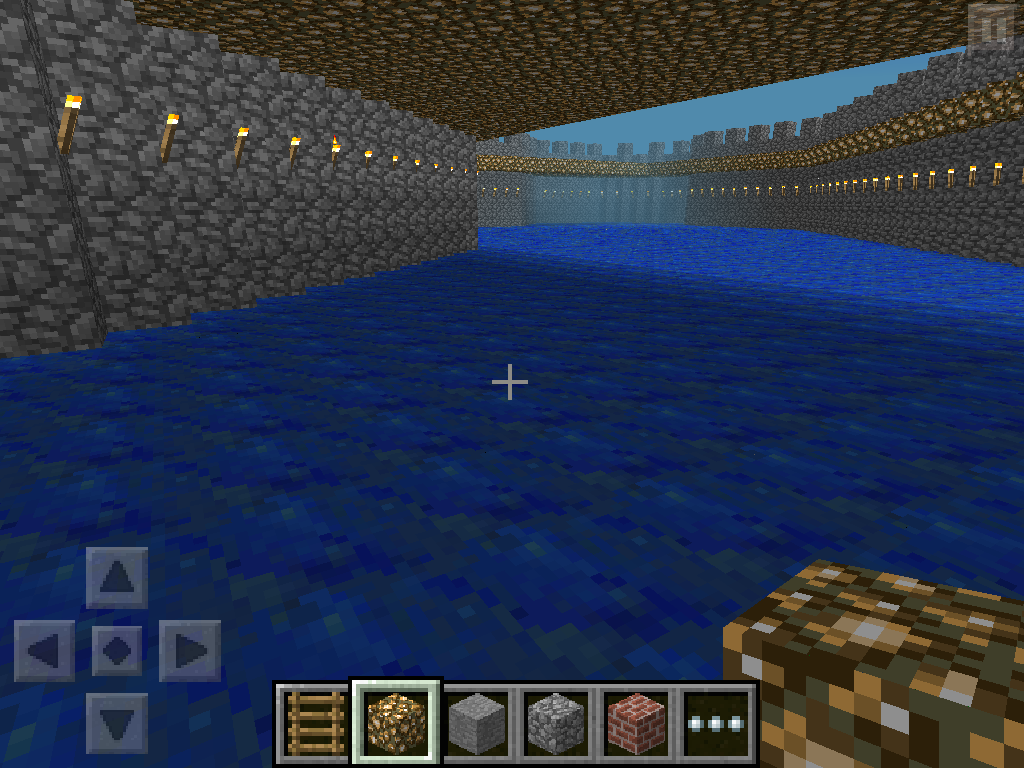








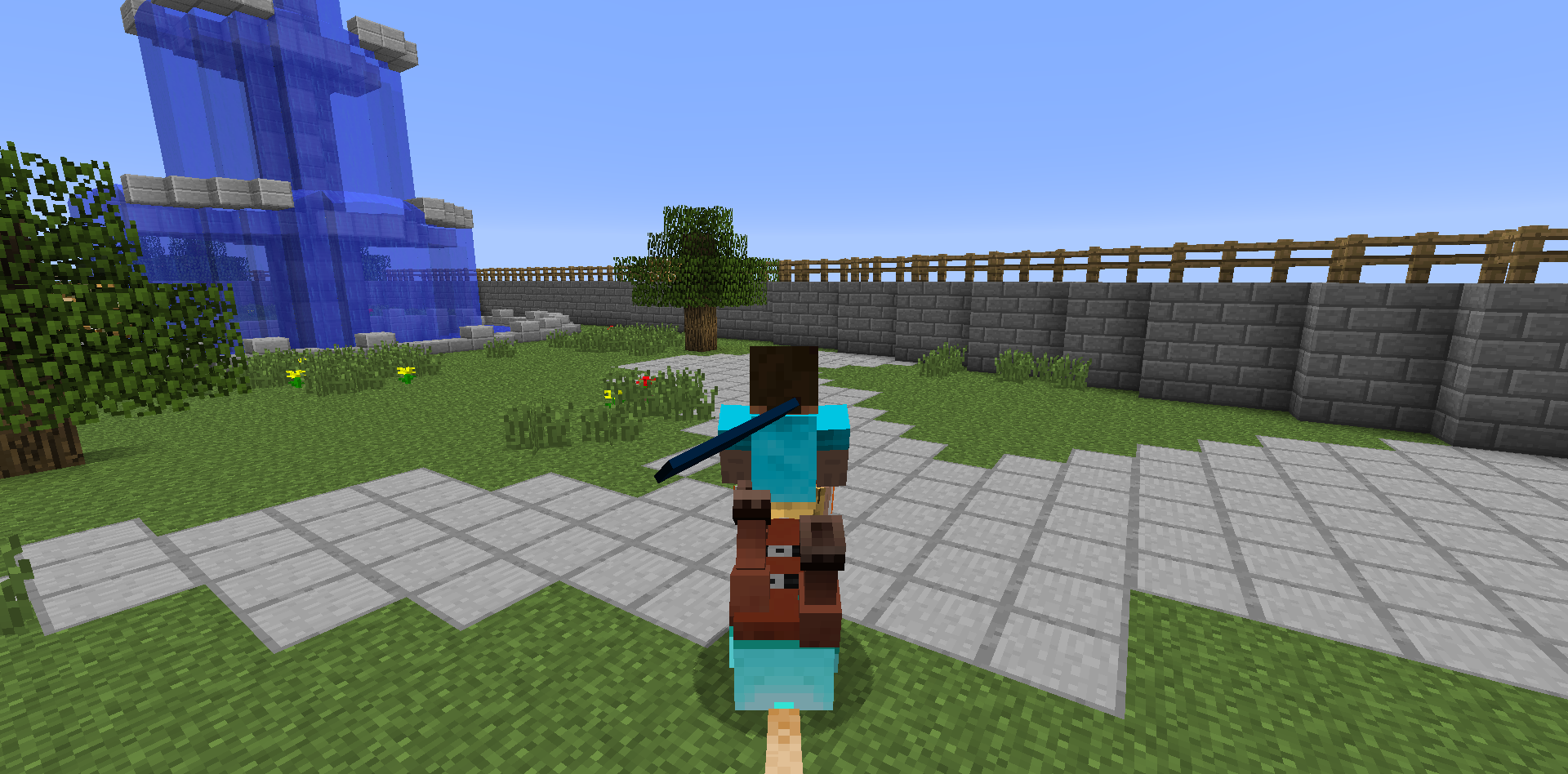
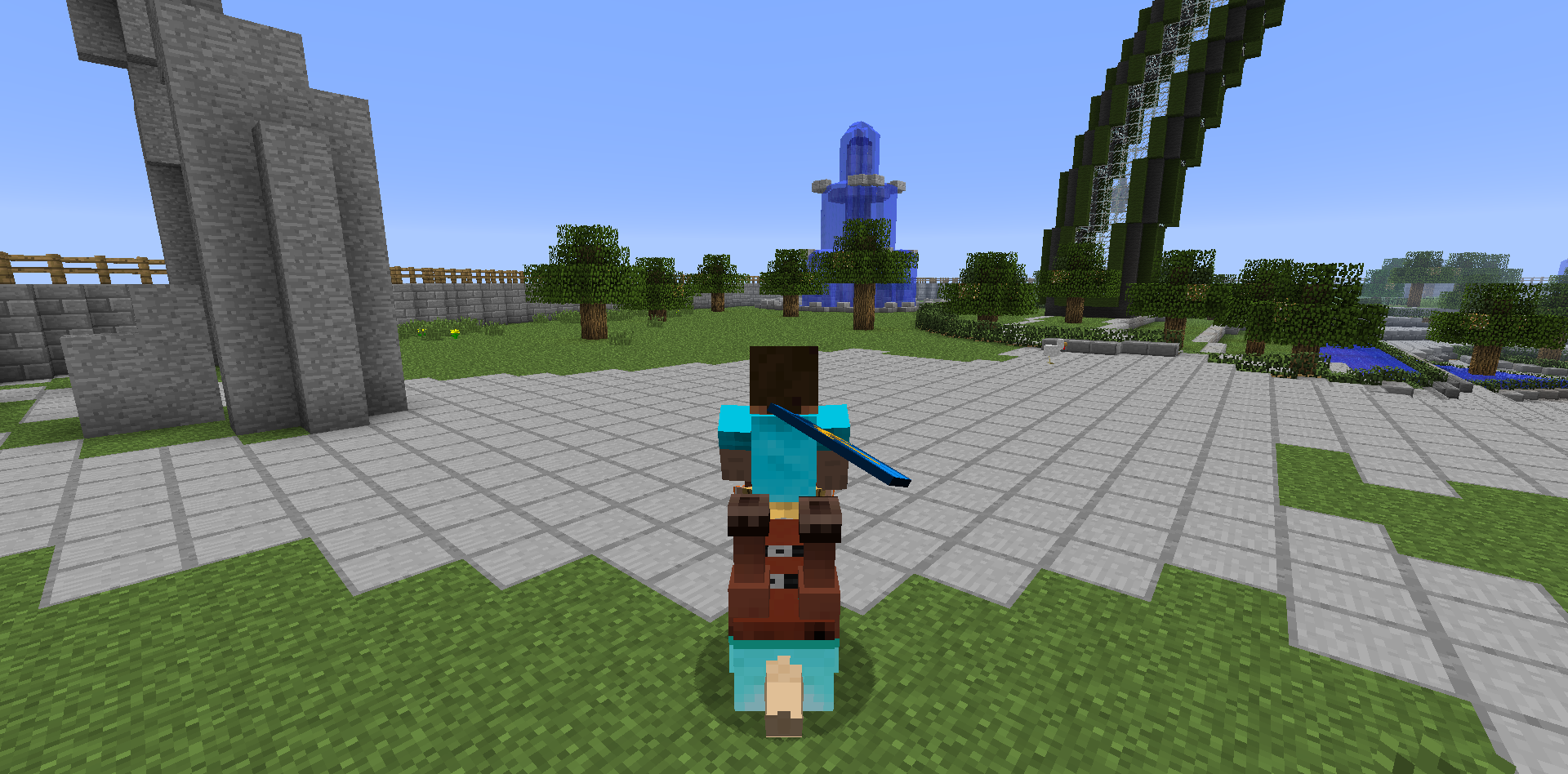
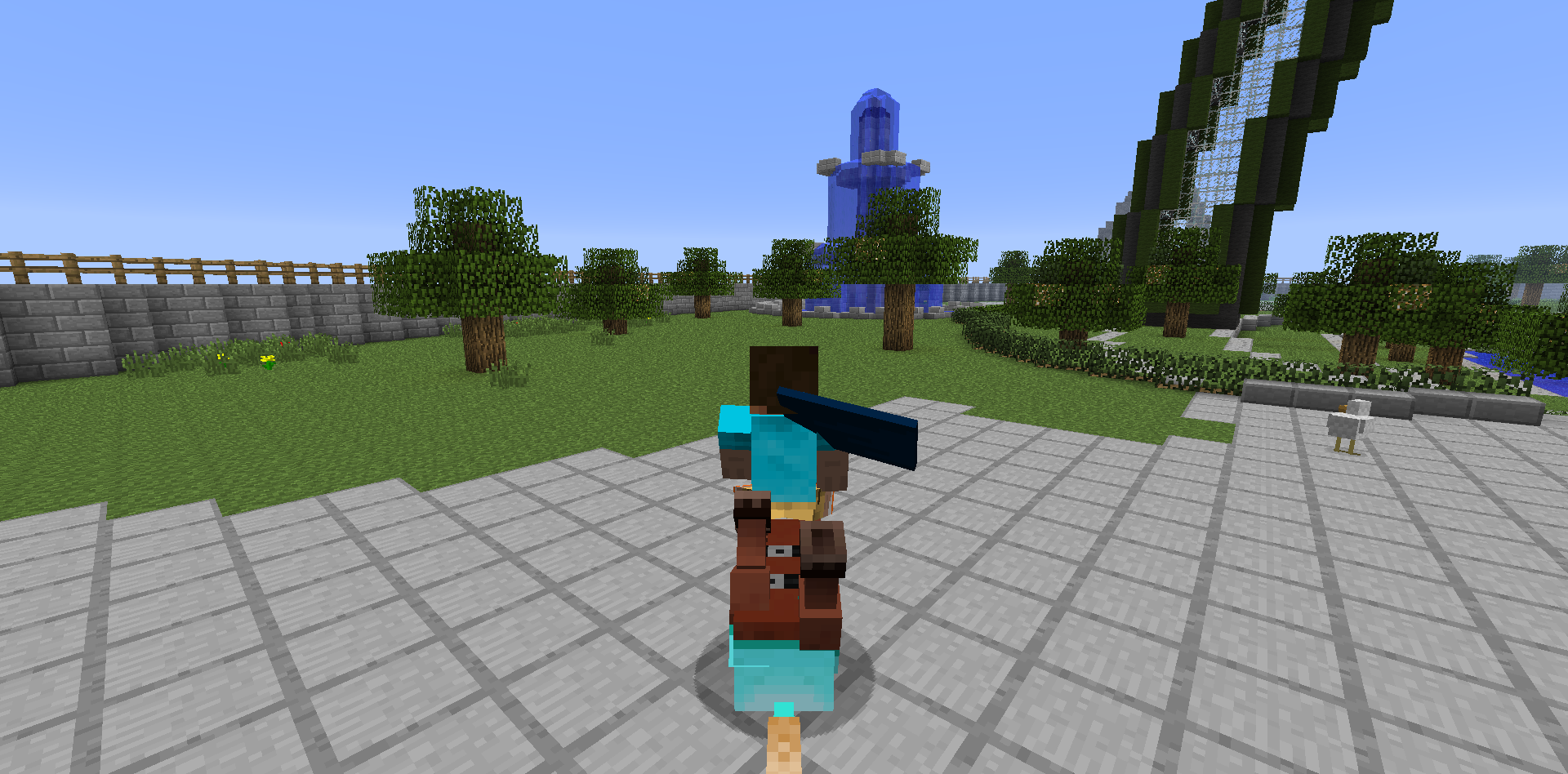


When you look at glass that is underwater or on the side of water opposite of you, it has a graphical glitch. Picture included. This is on all iOS devices, not just iPad2.
When you look at glass that is underwater or on the side of water opposite of you, it has a graphical glitch. Picture included. This is on all iOS devices, not just iPod Touch. I know it is also present on iPad 2.
photo.PNG
WaterLooks Buggy When Next to FarmlandWater-Farmland Texture
If you set /gamerule mobGriefing to false, wither explosions still knock paintings and item frames off of walls.
Anywhere
If you set /gamerule mobGriefing to false, wither explosions still knock paintings and item frames off of walls.
After
firstjoining my server, the first time I would go into Nether and End I would get a lag. The server would log a "Can't Keep Up" message.After initially joining my server this morning, the first time I would go into Nether and End I would get a lag. The server would log a "Can't Keep Up" message.
This is an issue pertaining to the Minecraft launcher on
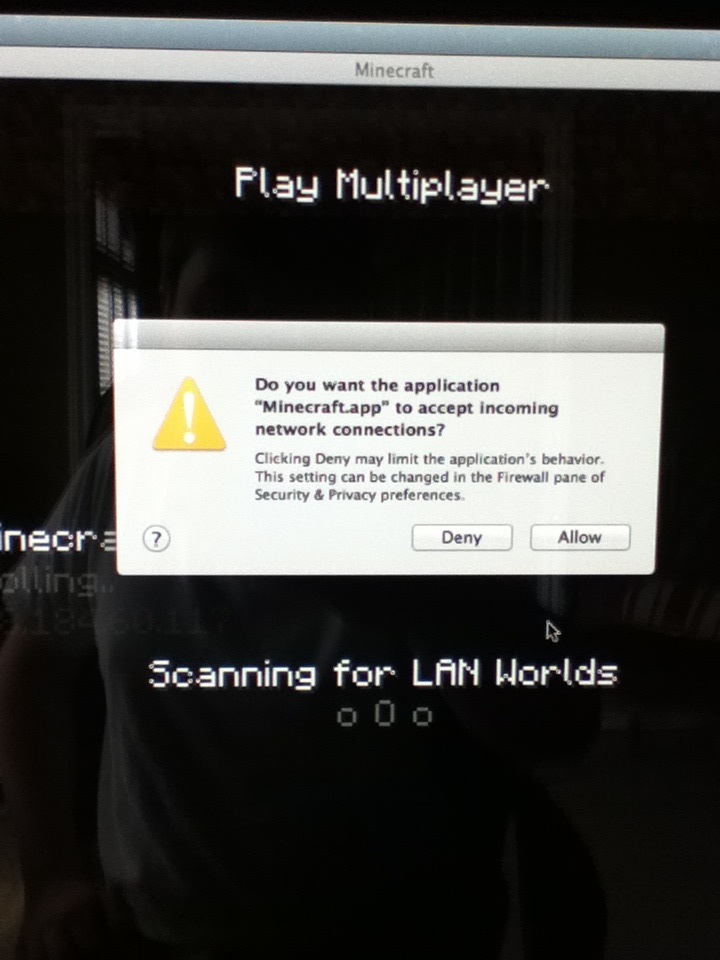
AppleMacs. The Minecraft.app is not code signed properly, which trips the firewall every time Minecraft is launched. The message flashes every time Minecraft is opened and returns again on the Multiplayer menu to ask if Minecraft should be allowed to accept incoming connections. No matter how many times you select allow, this will always happen again. Please fix!
This is an issue pertaining to the Minecraft launcher on Macs. The Minecraft.app is not code signed properly, which trips the firewall every time Minecraft is launched. The message flashes every time Minecraft is opened and returns again on the Multiplayer menu to ask if Minecraft should be allowed to accept incoming connections. No matter how many times you select allow, this will always happen again. Please fix!
EDIT:
This is an issue pertaining to the Minecraft launcher on Macs. The Minecraft.app is not code signed properly, which trips the firewall every time Minecraft is launched. The message flashes every time Minecraft is opened and returns again on the Multiplayer menu to ask if Minecraft should be allowed to accept incoming connections. No matter how many times you select allow, this will always happen again. Please fix!
EDIT:
This is an issue pertaining to the Minecraft launcher on Macs. The Minecraft.app is not code signed properly, which trips the firewall every time Minecraft is launched. The message flashes every time Minecraft is opened and returns again on the Multiplayer menu to ask if Minecraft should be allowed to accept incoming connections. No matter how many times you select allow, this will always happen again. Please fix!
EDIT: This is fixed as of 13w02a/b. It still a
This is an issue pertaining to the Minecraft launcher on Macs. The Minecraft.app is not code signed properly, which trips the firewall every time Minecraft is launched. The message flashes every time Minecraft is opened and returns again on the Multiplayer menu to ask if Minecraft should be allowed to accept incoming connections. No matter how many times you select allow, this will always happen again. Please fix!
EDIT: This is fixed as of 13w02a/b. It still appears briefly upon Minecraft startup, but it no longer does it on the Multiplayer Menu!
This is an issue pertaining to the Minecraft launcher on Macs. The Minecraft.app is not code signed properly, which trips the firewall every time Minecraft is launched. The message flashes every time Minecraft is opened and returns again on the Multiplayer menu to ask if Minecraft should be allowed to accept incoming connections. No matter how many times you select allow, this will always happen again. Please fix!
EDIT: This is fixed as of 13w02a
/b. It still appears briefly upon Minecraft startup, but it no longer does it on the Multiplayer Menu!This is an issue pertaining to the Minecraft launcher on Macs. The Minecraft.app is not code signed properly, which trips the firewall every time Minecraft is launched. The message flashes every time Minecraft is opened and returns again on the Multiplayer menu to ask if Minecraft should be allowed to accept incoming connections. No matter how many times you select allow, this will always happen again. Please fix!
EDIT: This is fixed as of 13w02a. It still appears briefly upon Minecraft startup, but it no longer does it on the Multiplayer Menu!
EDIT: This occurs once again as of 13w05a, just like it did before 13w02a.
No longer happens as of 13w02a/b!
Still appears briefly upon Minecraft startup, but it no longer does it on the Multiplayer Menu!
This is an issue pertaining to the Minecraft launcher on Macs. The Minecraft.app is not code signed properly, which trips the firewall every time Minecraft is launched. The message flashes every time Minecraft is opened and returns again on the Multiplayer menu to ask if Minecraft should be allowed to accept incoming connections. No matter how many times you select allow, this will always happen again. Please fix!
EDIT: This is fixed as of 13w02a. It still appears briefly upon Minecraft startup, but it no longer does it on the Multiplayer Menu!
EDIT: This occurs once again as of 13w05a, just like it did before 13w02a.
This happens again as of 13w05a.
Since Nether Quartz Ore is visibly made of Netherrack, it should also burn forever, but it doesn't.
Graphical bug on screen when in lava. Look on left side of picture for thin orange line. It is easiest to see if you look in the sky portion of the picture.
The world hole bug where chunks do not render appears to be worse than it has been in the past. The world holes are larger and occur far more often than in previous snapshots. The two screenshots were taken within one minute of each other. Also, the 1.5.1 in the affected versions is the 1.5.1 Pre-Release.
Mac OS X, Java 7 Update 9
Mac OS X 10.8.3
Windows 8
Java 7 Update 21
Beacon Blockincorrecttexturewhensurrounded byblocksBeacon Block Incorrect Texture When Surrounded by Blocks
This is on Windows only! Minimizing the Minecraft game itself (not launcher) closes the game and it cannot be reopened until the launcher is reopened.
Windows 8 64-Bit
Mac OS X 10.8.3& 10.8.4
Java 7 Update 21
Windows 8 64-Bit
Mac OS X 10.8.3
Java 7 Update 21Windows 8 64-Bit
Mac OS X 10.8.4
Java 7 Update 25 (and Java 6 Update 51 for Mac OS X)
To reproduce:
1. Get inMincart.
2. Click on it instead of LSHIFT.As you see, it attempts to remove you from the minecart but cannot since the control for that was changed to LSHIFT.
To reproduce:
1. Get in minecart.
2. Click on it instead of LSHIFT.As you see, it attempts to remove you from the minecart but cannot since the control for that was changed to LSHIFT.
The cobblestone wall texture is
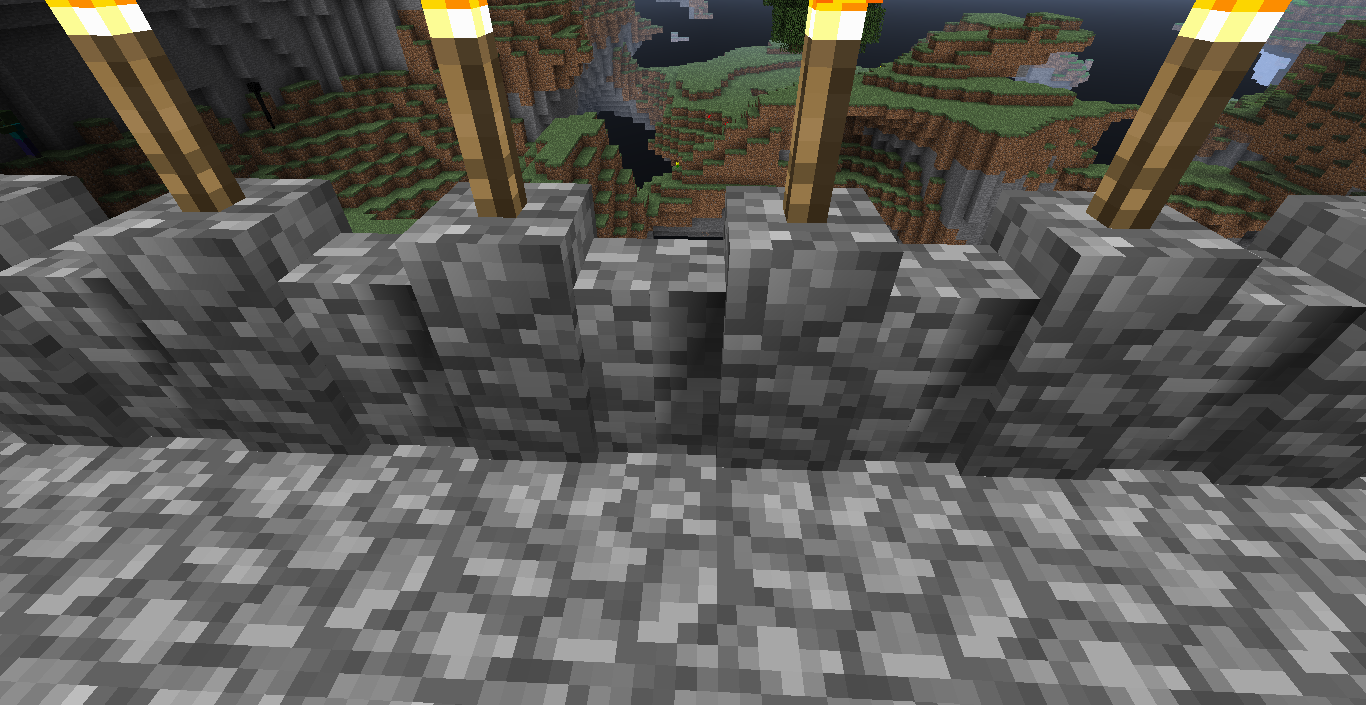
incorrectwhen linked to another wall that is either on the end or has a torch on it. It only occurs on one side of the wall.The cobblestone wall texture is black when linked to another wall that is either on the end or has a torch on it. It only occurs on one side of the wall.
Mac OS X 10.8.
3
Windows 8 64-Bit
Java 7 Update 21Mac OS X 10.8.4
Windows 8 64-Bit
Java 7 Update 21
Cobblestone WallwithblocksontopblacklightonnorthsidewithsmoothlightingmaximumCobblestone Wall With Blocks On Top Shows Black Light On Its North Side With Maximum Smooth Lighting
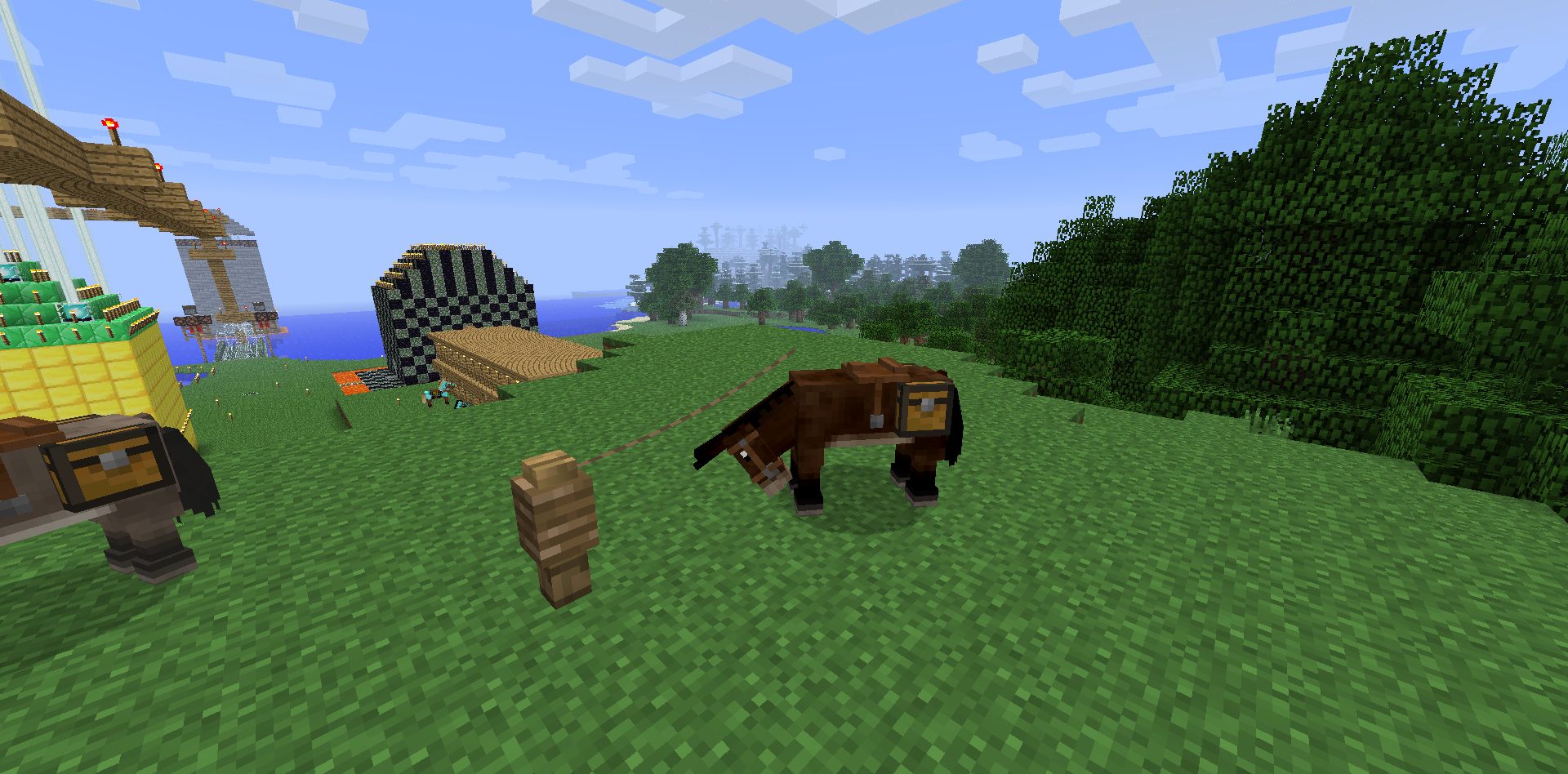
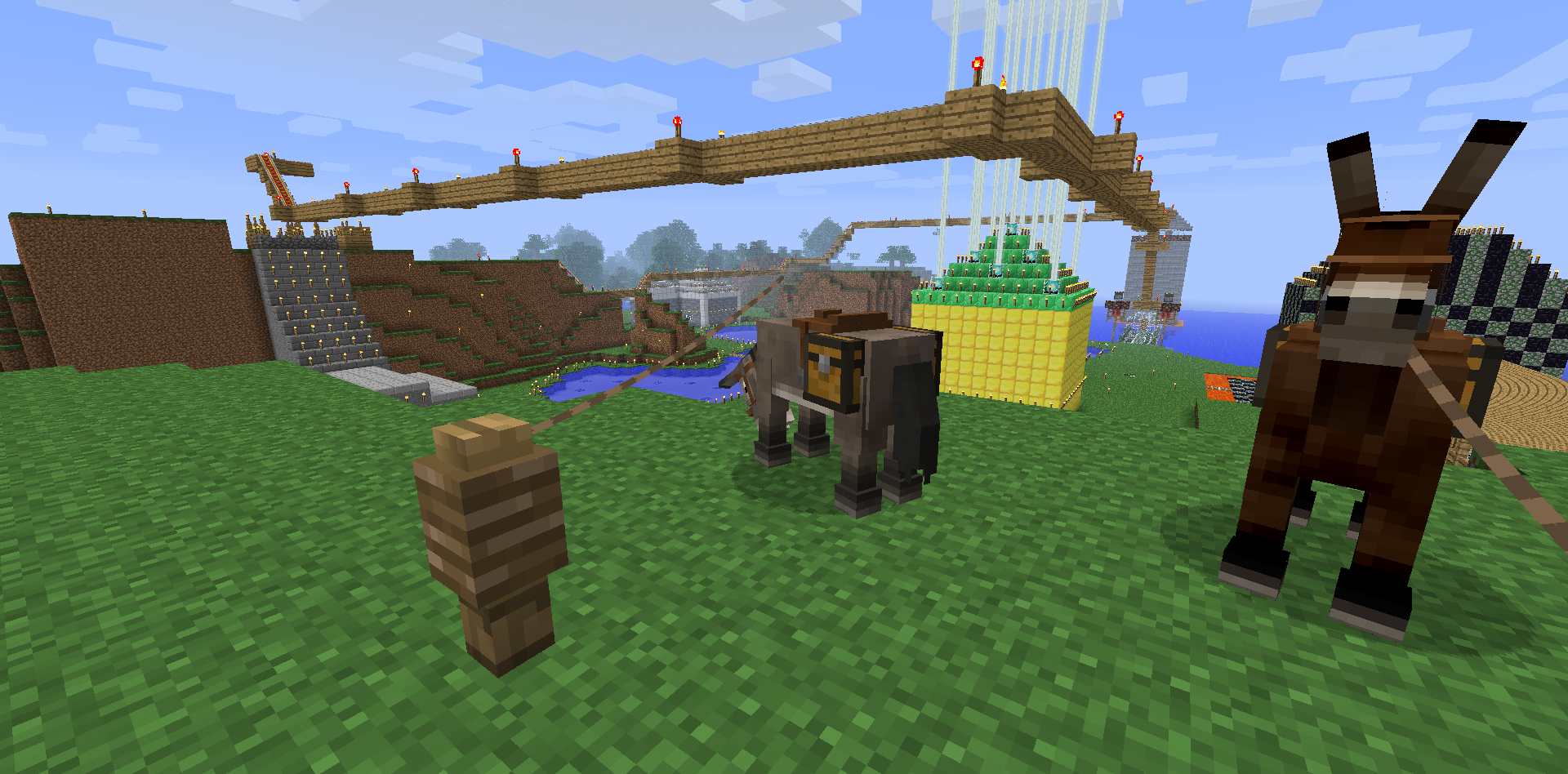
I have many saddled horses, with and without armor, and I cannot control them now. All you can do is make them jump.
EDIT: Now after a few minutes they respond.
I have many saddled horses, with and without armor, and I cannot control them now. All you can do is make them jump.
EDIT: Now after a few minutes they respond.
EDIT 2: I restarted my server and the issue happens again. It seems that after a few minutes they will be controlable, but not after the server first starts.
Mac OS X 10.8.
3
Java 7 Update 21Mac OS X 10.8.4
Java 7 Update 21
Dark Lighting AroundWorld EdgeDark Lighting Along World Edge
The edges of the world now have a dark shade on them after the 0.7.0 update. I have also noticed that placing torches and glowstone does not light up the shadow at all.
The edges of the world now have a dark shade on them after the 0.7.0 update. I have also noticed that placing torches and glowstone does not light up the shadow at all.
NOTE: This also affects Android, as my Droid X2 is affected as well.
No Flint & Steel/Fire Charge in CreativeUnable to Light Blocks on Fire in Creative
Nothing more to say than in the title.
NOTE: This also affects Android, as my Droid X2 is affected.
Nothing more to say than in the title.
NOTE: This also affects Android, as my Droid X2 is affected.
To reproduce: Dig out a block and put water in it and put lava on a block next to it. You will hear the burn noise and the water will be overwritten.
NOTE: This also affects Android, as my Droid X2 is affected.
When you open the chat menu with a block in your hand, that block will be placed as long as you are positioned so that it could be placed normally.
NOTE: This also affects Android, as my Droid X2 is affected as well.
No Server Connection Bars in Multiplayer Menu or Ingame
There are no bars to display how great the connection to the server is in the multiplayer menu.
EDIT: They are completely absent. They don't show ingame either.
Capes will flail about while riding a horse. If anybody who has a cape tries to reproduce, notice that it is even worse when you jump.
Note: I just happen to be on an upside down horse, it doesn't affect the bug.
Each time I exit the app on my phone I am signed out of Realms without the app remembering my email or password. This is annoying especially since you were automatically signed back in in the 0.7 releases.
This occurs on a Droid X2 but likely occurs on other Android devices as well. Each time I exit the app on my phone I am signed out of Realms without the app remembering my email or password. This is annoying especially since you were automatically signed back in in the 0.7 releases.
This occurs on a Droid X2 but likely occurs on other Android devices as well.
Each time I exit the app on my phone I am signed out of Realms without the app remembering my email or password. This is annoying especially since you were automatically signed back in in the 0.7 releases.This occurs on a Droid X2 but likely occurs on other Android devices as well.
Each time I exit the app on my phone I am signed out of Realms without the app remembering my email or password. This is annoying especially since you were automatically signed back in in the 0.7 releases.
This occurs on a Droid X2 but likely occurs on other Android devices as well.
Each time I exit the app on my phone I am signed out of Realms without the app remembering my email or password. This is annoying especially since you were automatically signed back in in the 0.7 releases.
EDIT: Fixed in 0.8.1.
This happens on all iOS devices, regardless of whether it is running iOS 6 or iOS 7.
On the 0.8.0 release you can enter your information into the sign-in fields and the game will act as if you are signed in, but you are unable to Play on Realms (the button is still absent) and the "Sign Out" button is unresponsive. The process repeats if you end the app's process through the multitasking bar.
EDIT: Fixed in 0.8.1.
In the biome selector for the world customization options, the "Ice Plains Spikes" biome is missing from the slider, so users are unable to generate a world that contains only this biome.
Mac OS X 10.9.3 and Windows 8.1 64-Bit
Java 6 Update 51 and Java 8 Update 5
Ice Plains Spikes Biome Unavailable in World Customization Options
Minecraft on Mac OS X uses the older, Apple supplied Java 6 even when the newer Java 8 supplied by Oracle is installed. If this cannot be worked around because of Apple's restrictions I understand but if it's possible to change that would be great because Javas 7 and 8 perform MUCH better than Java 6. If this belongs in the Minecraft Launcer section, I apologize.
This doesn't happen to me, try rebooting.
No, the chunks are already loaded. This never happened in 1.4.2 and prior.
Also present on iOS devices.
I don't think you can on Pocket Edition. If there is, please tell me how to.
This is not a duplicate, it is separate. Besides,
MC-998has been closed so nobody can vote it. This needs to be fixed but the report you sent a link to cannot be brought to the attention of the developers.It does allow immediate sleeping. What you consider night and what Minecraft/Minecraft Server itself considers night are different.
I just did on 1.5.1 and it works fine. Once again, your definition of night may differ from the game itself's definition. It is not and should not be considered a bug.
I have tried on 1.5 and both 1.6 snapshots and once again, there is nothing wrong.
Yes it does. That is why it is only reported as 1.4 (it is also in 1.5).
I'm sure this is intended. Tell me, in real life would the knot on the fence just disappear when the lead snaps?
Why is this listed as resolved since it still affects 13w19a?
While this has happened to me on an older computer with an Intel graphics card, it also happens to me on a 2012 model one with Intel HD Graphics 3000 and Nvidia Geforce GT555M, each with their newest released drivers. It happens no matter which one is active. How is it that the "crappy" card as you call it causes this widespread issue even when it is not active?
Also, this only happens with the new snapshots. I have tried to reproduce with 1.5.2 on the new launcher and the bug is not present.
This is the crash report requested by Kumasa. If it helps, the launcher says in the dev console "Game ended with bad state (exit code 1)."
EDIT: It appears the attachment and the comment are not linked, so it is the one ending in 3684.
@Torabi
That post by Grum isn't even on this issue page. Also, don't try and act like you know what's going on because this happens on old and new hardware. I can confirm that this at least happens on Intel and Nvidia graphics cards.
You can mark it resolved. Once I restarted my server they quit growling.
While the fortress itself is not a bug, the generation of them is if generate structures is set to false. But seriously "Giant Nether Brick Walls?", should 10 year olds be allowed to have accounts on here?
The fact that in each world I've tested the fortress also appears very close to the "Nether Spawn" tells me that the generation of them is linked to the first load of the Nether.
This is a bug though because it also happens in default terrain generation worlds.
You're a mod, can't you change it to "Nether Fortresses Generate Even When Generate Structures is Set to False"?
It still affects unnamed horses too.
I can confirm, this happened to me earlier today.
When was that set to be disable by a game rule? Was it recently?
Here is the screenshot. I forgot the command so next time I see it I'll try to get the crash report.
I've uploaded an updated picture to show that it still affects 0.7.0.
Also on iOS as of 0.7.0.
It is a bug on iOS that will be fixed in 0.7.1. Johan knew about it before it was released. Next week it should work.
This shouldn't be a duplicate. This is for an entirely different reason. We need something to light fire with.
Once again, that is for a different reason. It's stated in the title that it's about TNT. This is about fire.
I've changed the title so now it's more clear that it's about fire. Please reopen.
I doubt it works as intended. If it's INVISIBLE it would not cast a shadow.
You have to understand that this game is in alpha (which usually means it's buggy) and they don't test EVERYTHING before a release. If they did, updates would take at least twice as long to come out.
That's not a bug. The only "fix" would be to change the distance at which all particles for Nether Portals are displayed at.
For one thing, this is one of many duplicates of this issue. For another, just update to 0.7.1 .
.
Also affects 13w23a.
This also affects 0.7.0 and 0.7.1.
Here is a crash report.
What is incomplete about this? Test it for yourself. Dig out a block and put water in it and put lava on a block next to it. You will hear the burn noise and the water will be overwritten. I'll update the description if that makes it complete.
Here is a photo of it.
Here is an ingame screenshot.
People vote this so it gets Mojang's attention if they haven't already been notified by mods.
It should also be noted that a server using about 136MB of RAM on average will spike up to 996MB when this happens.
Please reopen this.
If you're going to say it works as intended, please give proof by some Minecraft dev that this is how it's supposed to be.
This is still in 13w25a/b/c.
I can't seem to reproduce anymore as of 13w26a.
I can no longer do it in the 1.6 prerelease, but now this happens when I try to reproduce:
MC-19163.I don't think it's intended because breaking the minecart in 13w26a resulted in
MC-18969yesterday but in 1.6 you just break the block under the minecart.This appears to be fixed in 1.6. Others can test, but I'm unaffected now.
Disable the antivirus software, start minecraft, and then re-enable it.
You can't edit signs anyway.
Were you able to run 1.5.2?
Are you retarded? The outdated server means that the SERVER HAS NOT BEEN UPDATED! Minecraft 1.6 just came out and OBVIOUSLY isn't compatible with 1.5.2 servers, so you have to wait until their owners update them.
Then the issue is probably that your graphics card driver cannot run OpenGL 2.0, which is the new requirement. Try updating it. If it's Intel, try searching Intel Driver Update Utility and if it's Nvidia search Nvidia Driver Update and click the automatically detect Nvidia drivers link. Idk if other vendors have driver detection services like they do.
Download this http://support.amd.com/us/gpudownload/windows/Pages/auto_detect.aspx
It happens to me the first time I try to join my server but the second time it works fine. This occurs every time I open MCPE on my iPod and on my Droid X2.
Hey Johan here are some annoying bugs and some of them have been in the game forever
MCPE-61,MCPE-188,MCPE-2484,MCPE-2569,MCPE-3352, andMCPE-4215.MCPE-3352was marked incomplete but it still a bug nonetheless.I think what he's trying to say is after a potion effect is gone from the inventory screen the inventory is pushed to the right.
I see. Well then a mod can close this if they desire.
I can confirm this on iOS but it is there on Android.
This is for bug reports and this isn't a bug. I'm sure Mojang would love for the update to go out at the same time but it is in Amazon's hands, not theirs.
Is your account a Minecraft account or a Mojang account? If it's a Minecraft account I think you have to migrate it to a Mojang account for the new launcher.
It's not a bug. IT IS IN THE 1.6.1 CHANGELOG.
Confirmed.
It's definitely not with my computer because it's been fine until now. The fact that you said you're using Update 25 makes me think it may be a bug in Update 40.
I don't know then. It may have just been a 1 time thing. I redownloaded the server jar for 13w37b too.
I can confirm this happens on Pocket Realms as well.
What he means is that the cloud becomes invisible while you are inside it.
help.mojang.com indicates that everything is running properly but I'm experiencing the same issue currently.
I can haz next cookie 2?
Thanks. I just made the change.
The same thing happens to me.
How is this a duplicate when it has nothing linked as what it duplicates?
Thanks for trying, but it's not as simple as that. After using Terminal to find where the Java 8 JDK is and inputting that directory into the launcher, Minecraft fails to launch unless I uncheck the box to revert it to looking for Java 6.
Confirmed for 1.8.6