Wrong rendering order of particles, hitboxes, clouds, transparent blocks, breaking animations and various other transparent textures
Please do not attach any more images to this ticket.
For any new instances of this issue occurring (or similar), please perform a search on the bug tracker for reports, else create a new ticket for the specific issue being observed. To better address issues moving forward, individual problems will be tracked separately, instead of a "global" report such as this.
Affected cases
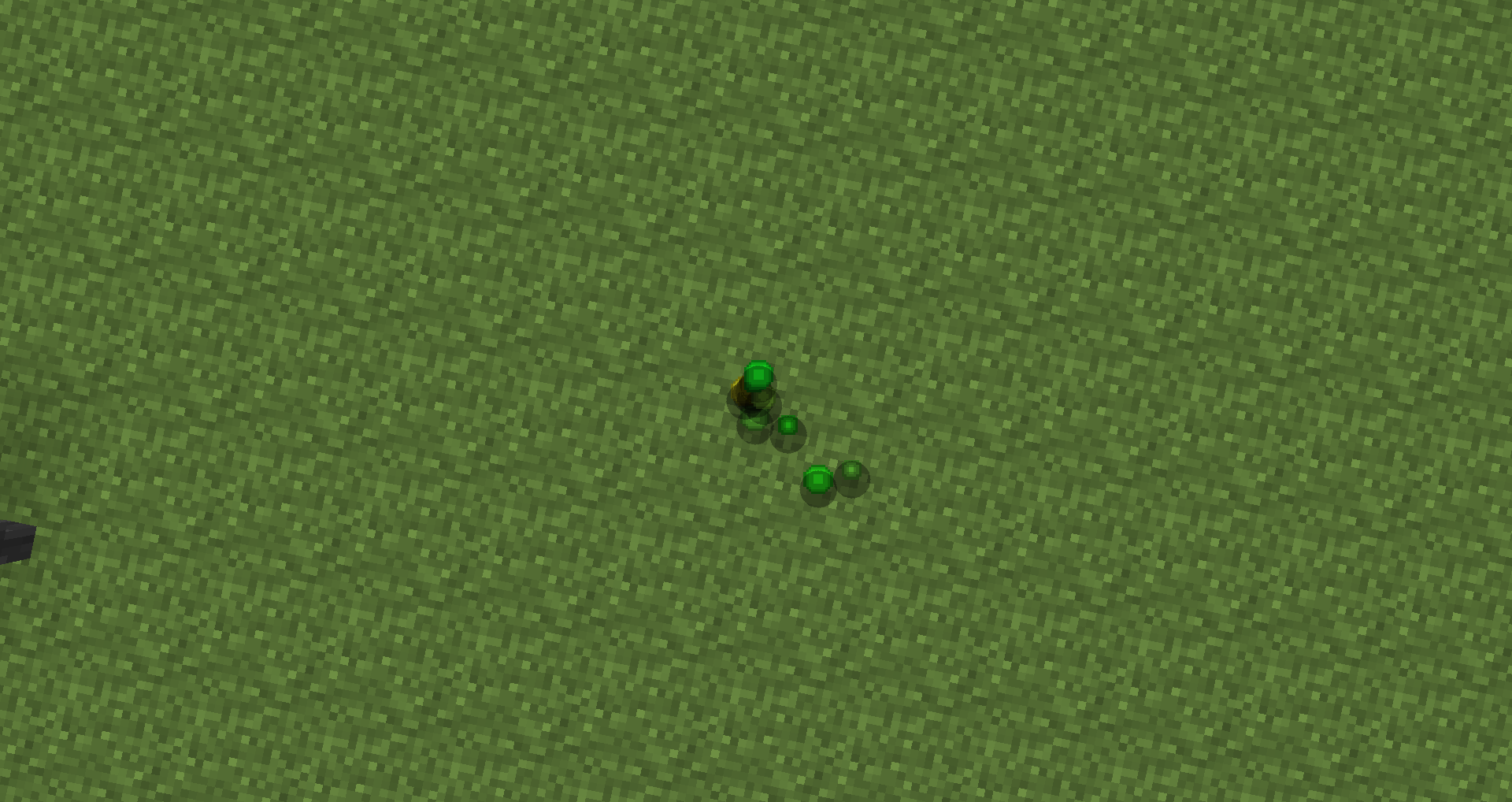
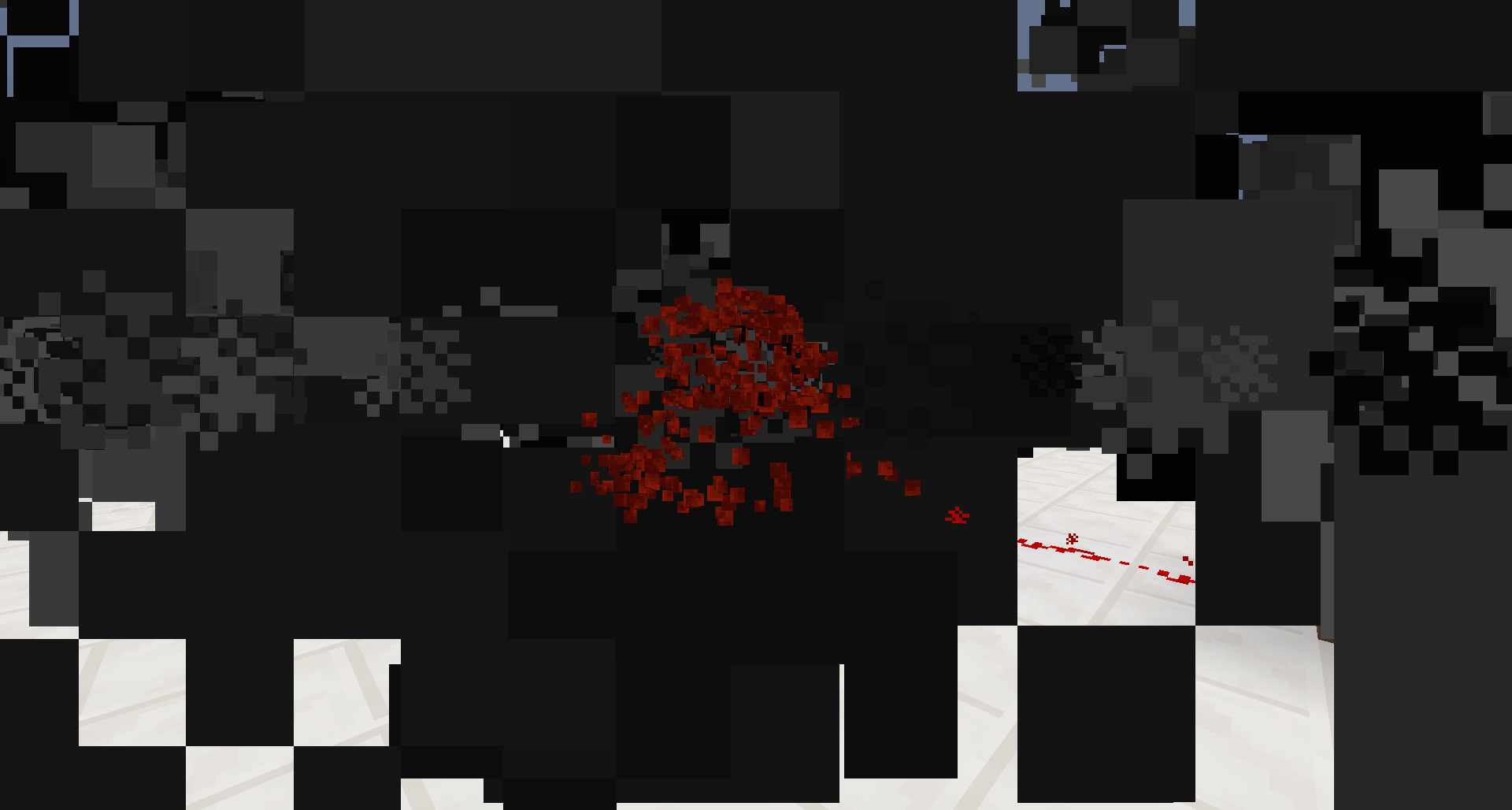
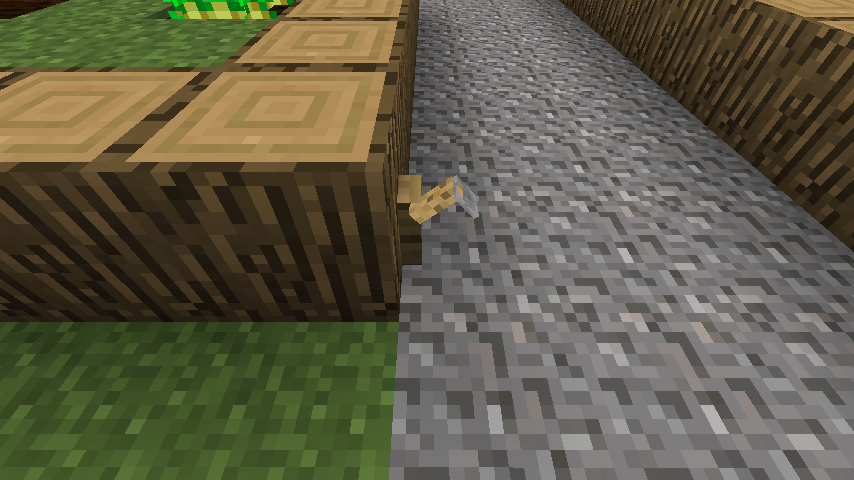
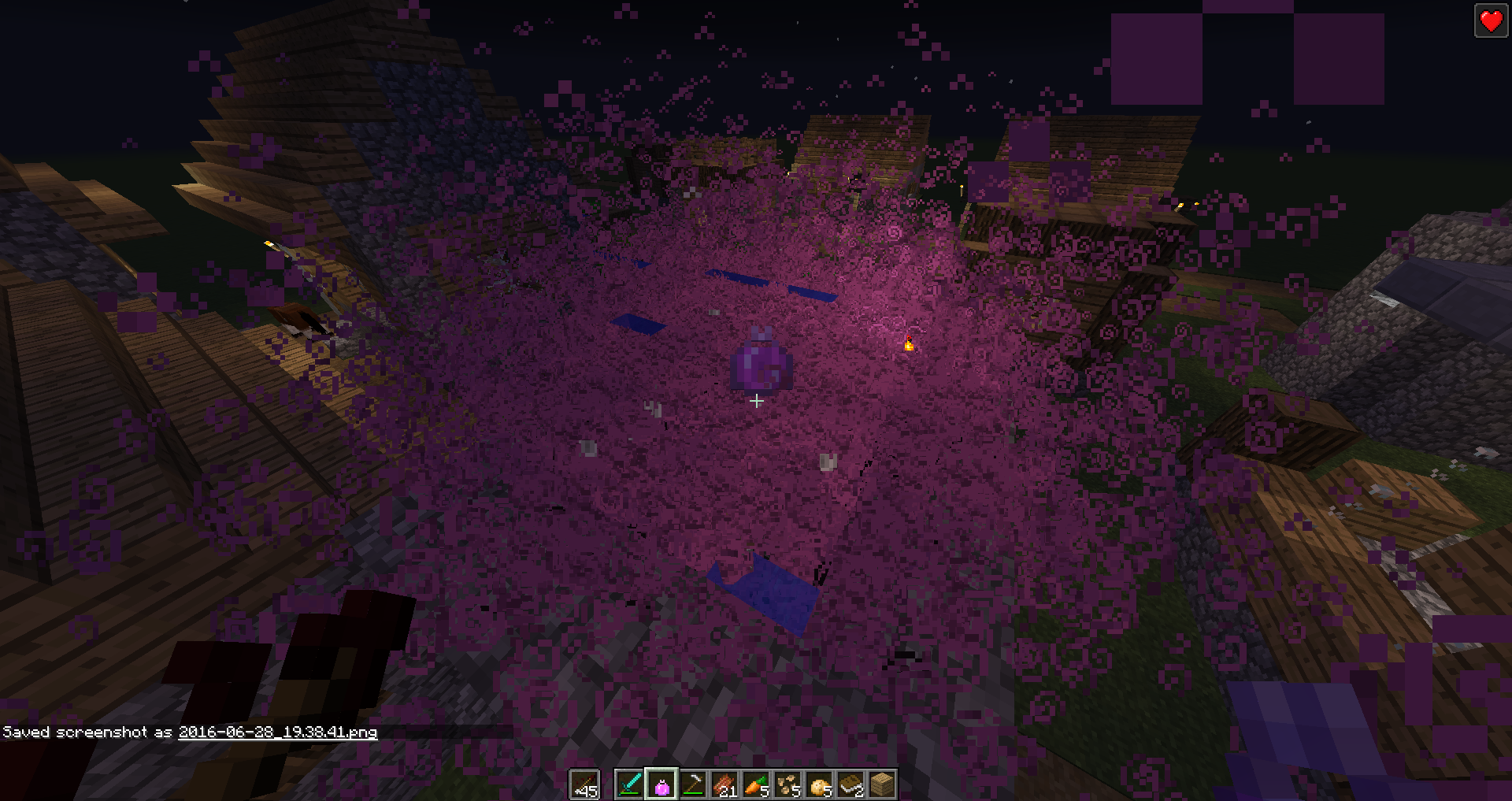
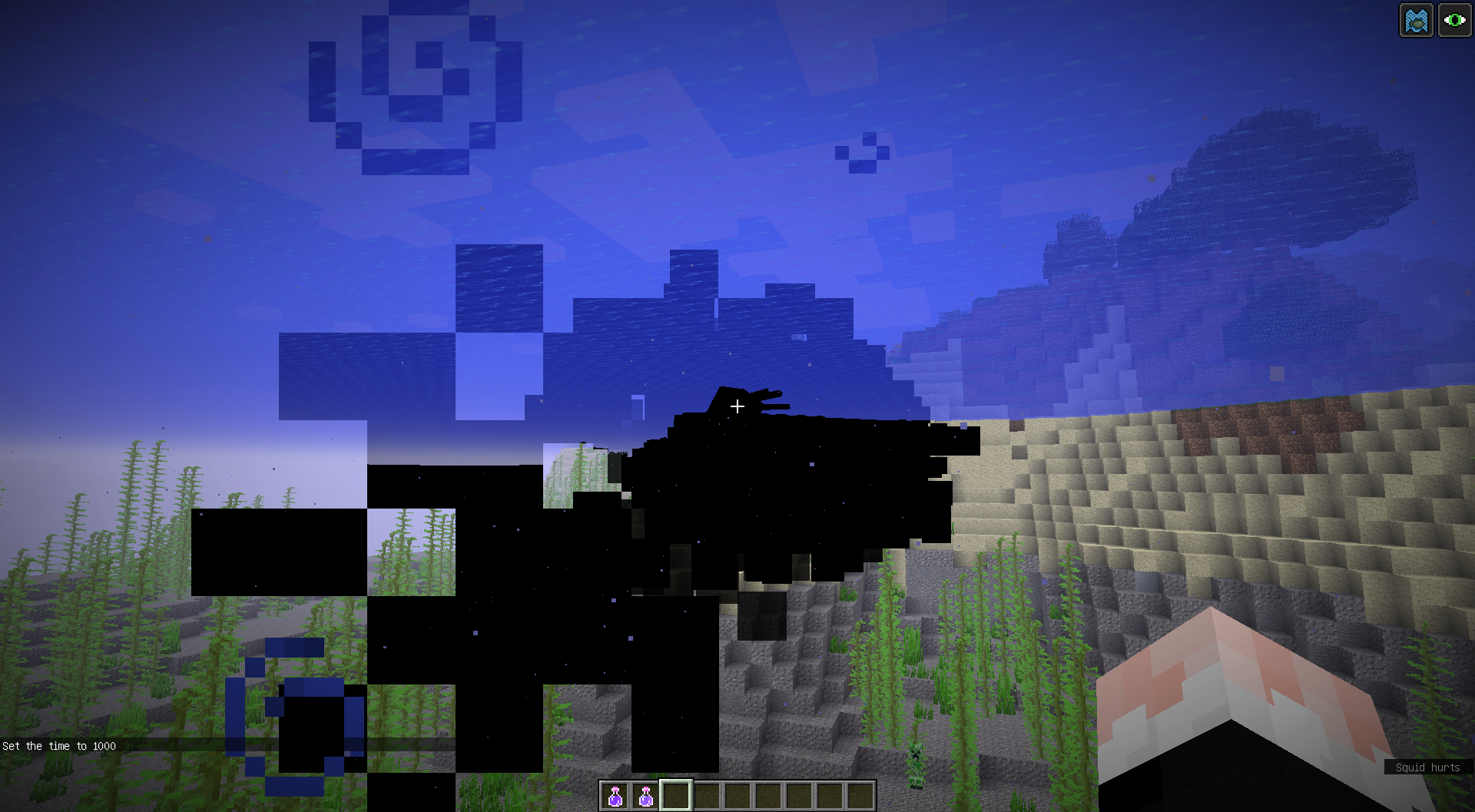
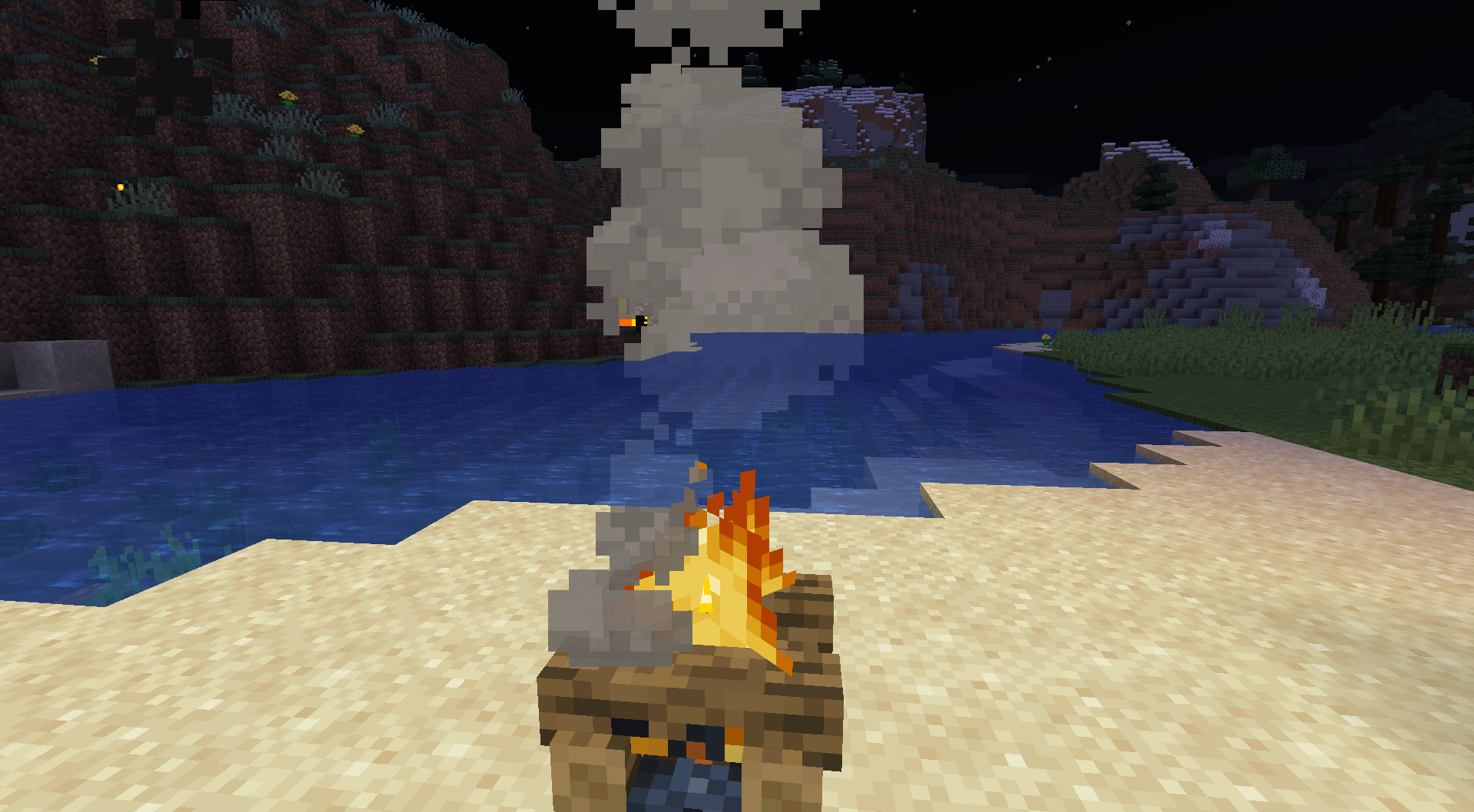
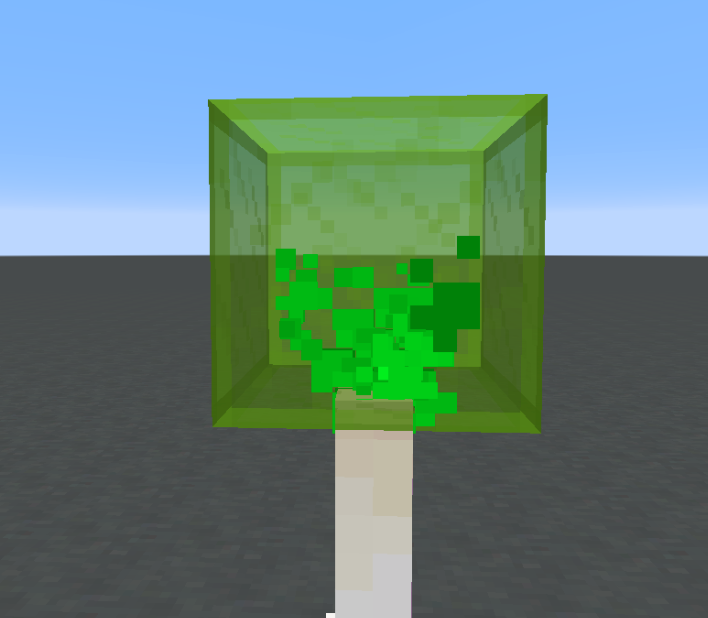
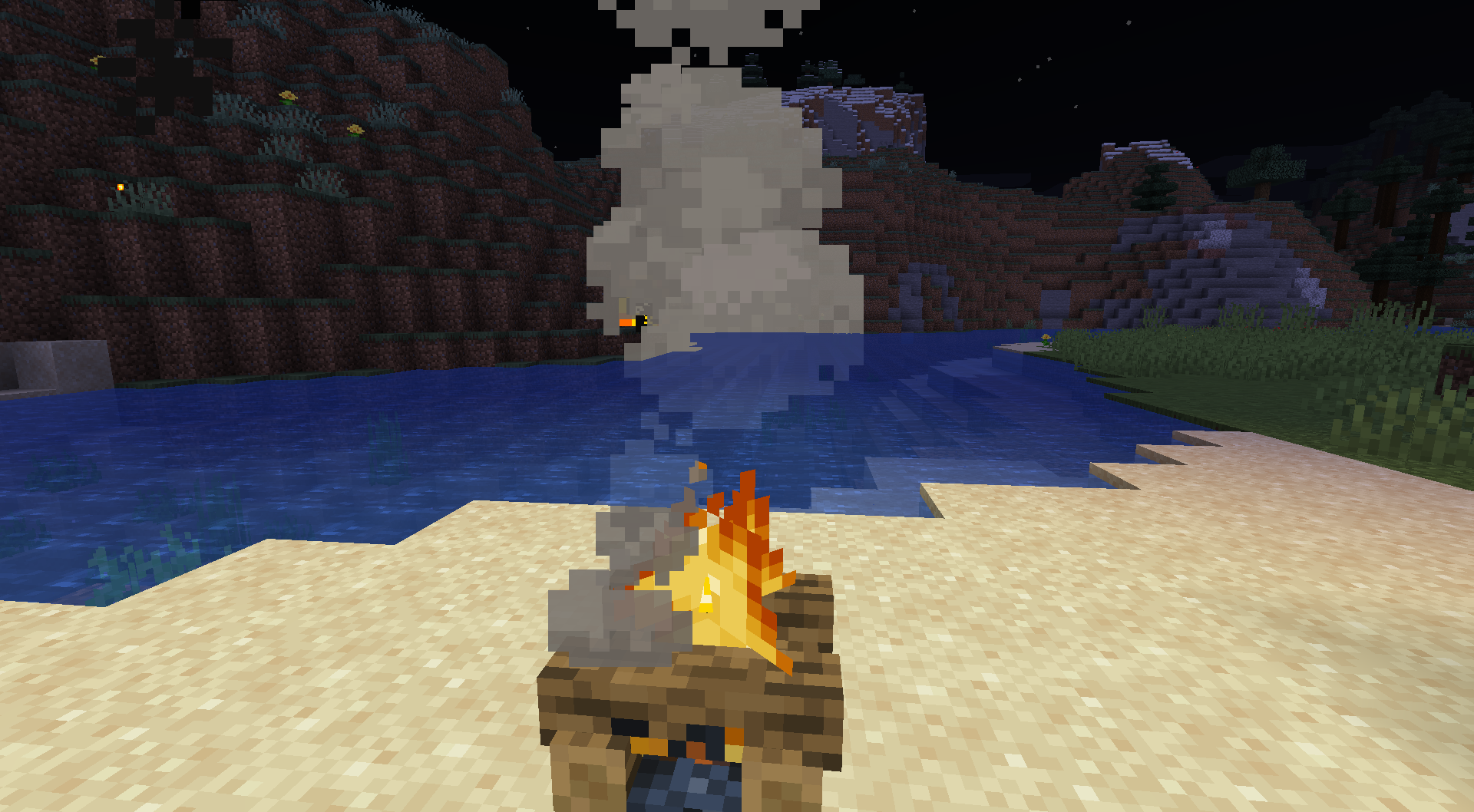
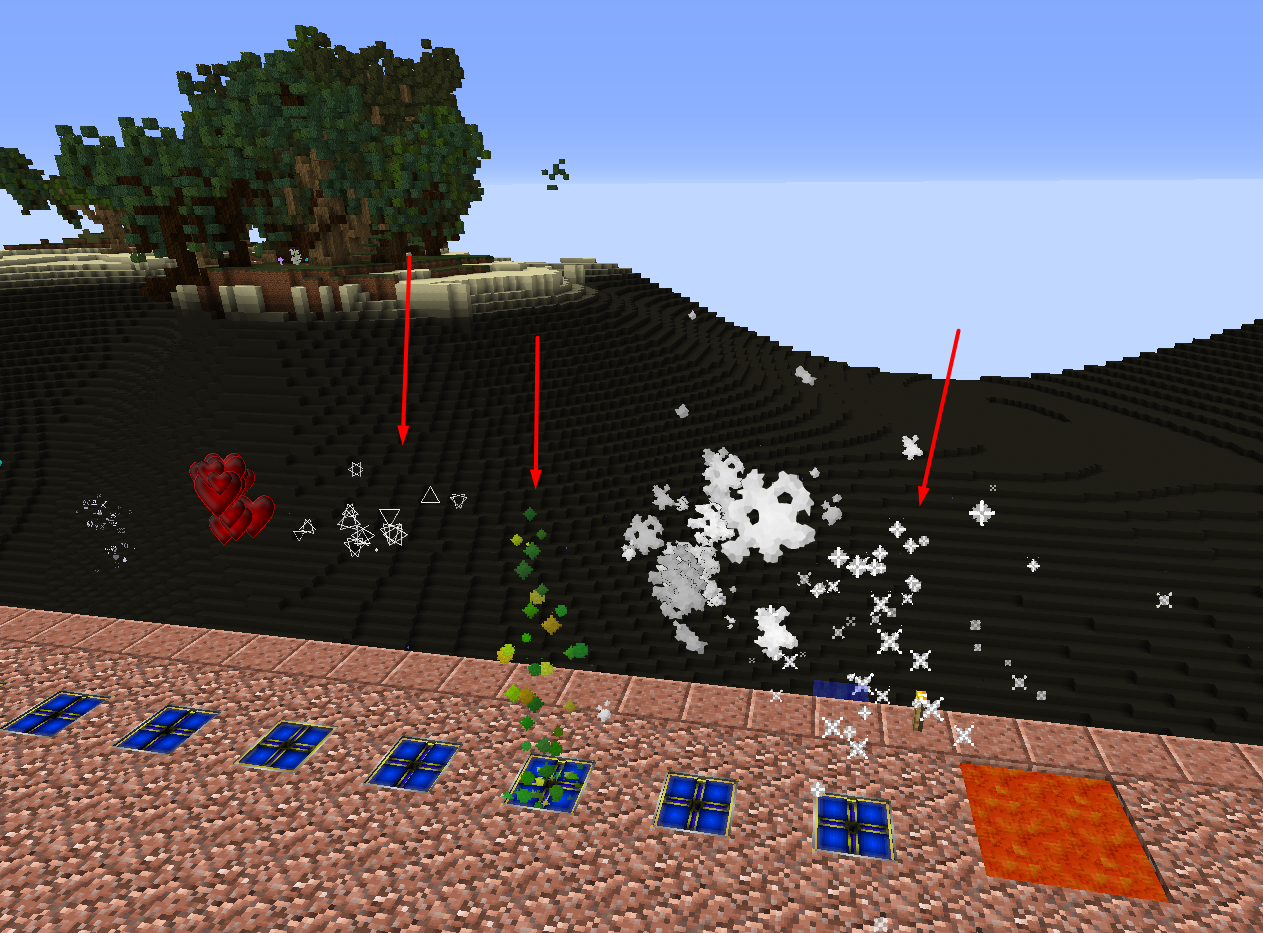
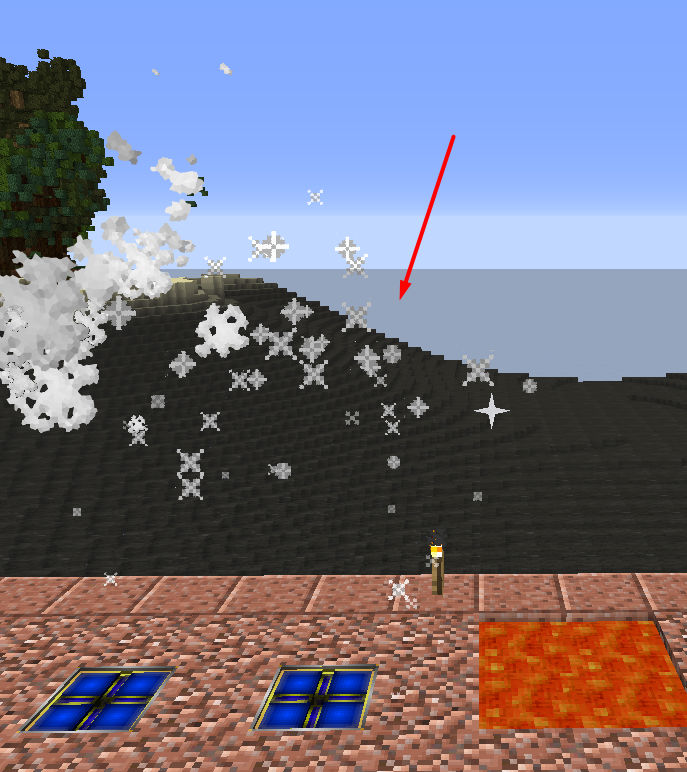
- Some particles render behind transparent blocks, hitboxes, breaking animations and transparent clouds, often making them barely visible. Particles known to have this issue: End rod, potion, fireowork, ink, rain and snow particles. In older versions, this was a general issue with all types of particles, some have been fixed since then.
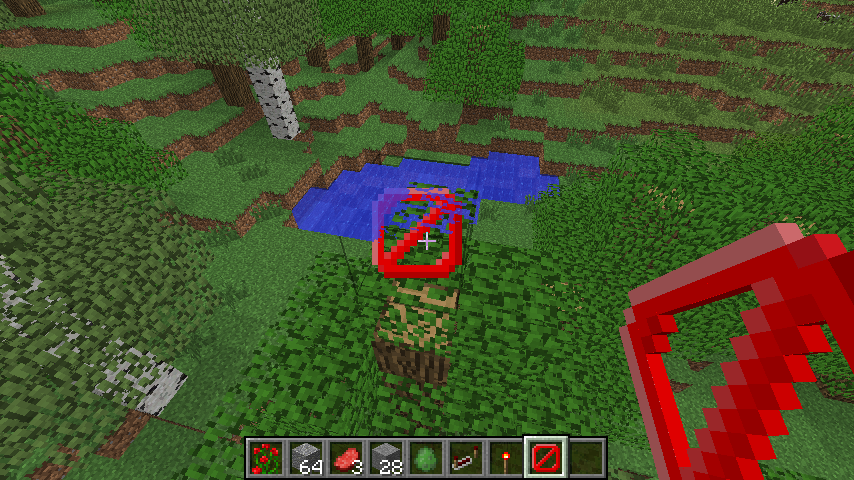
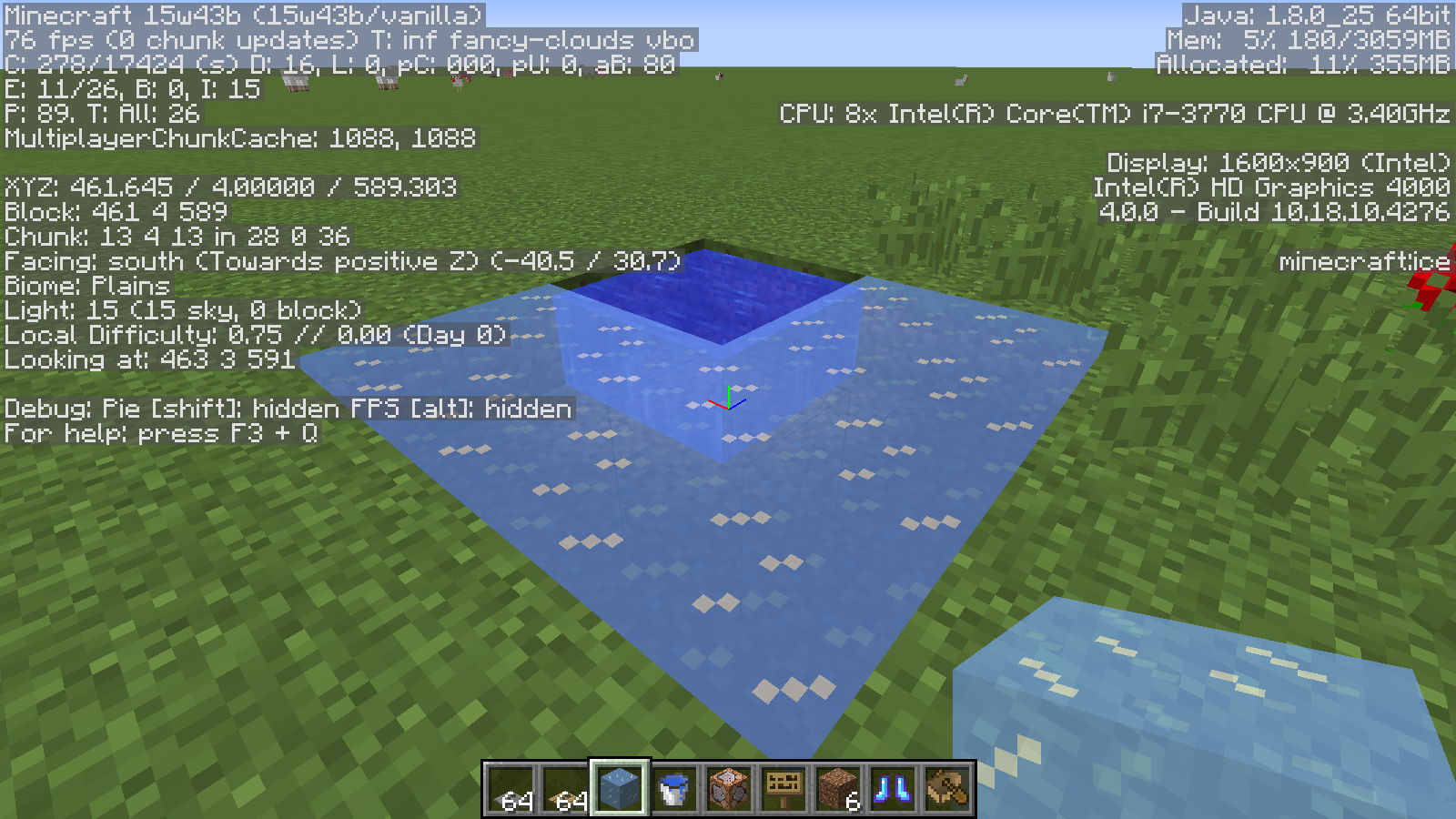
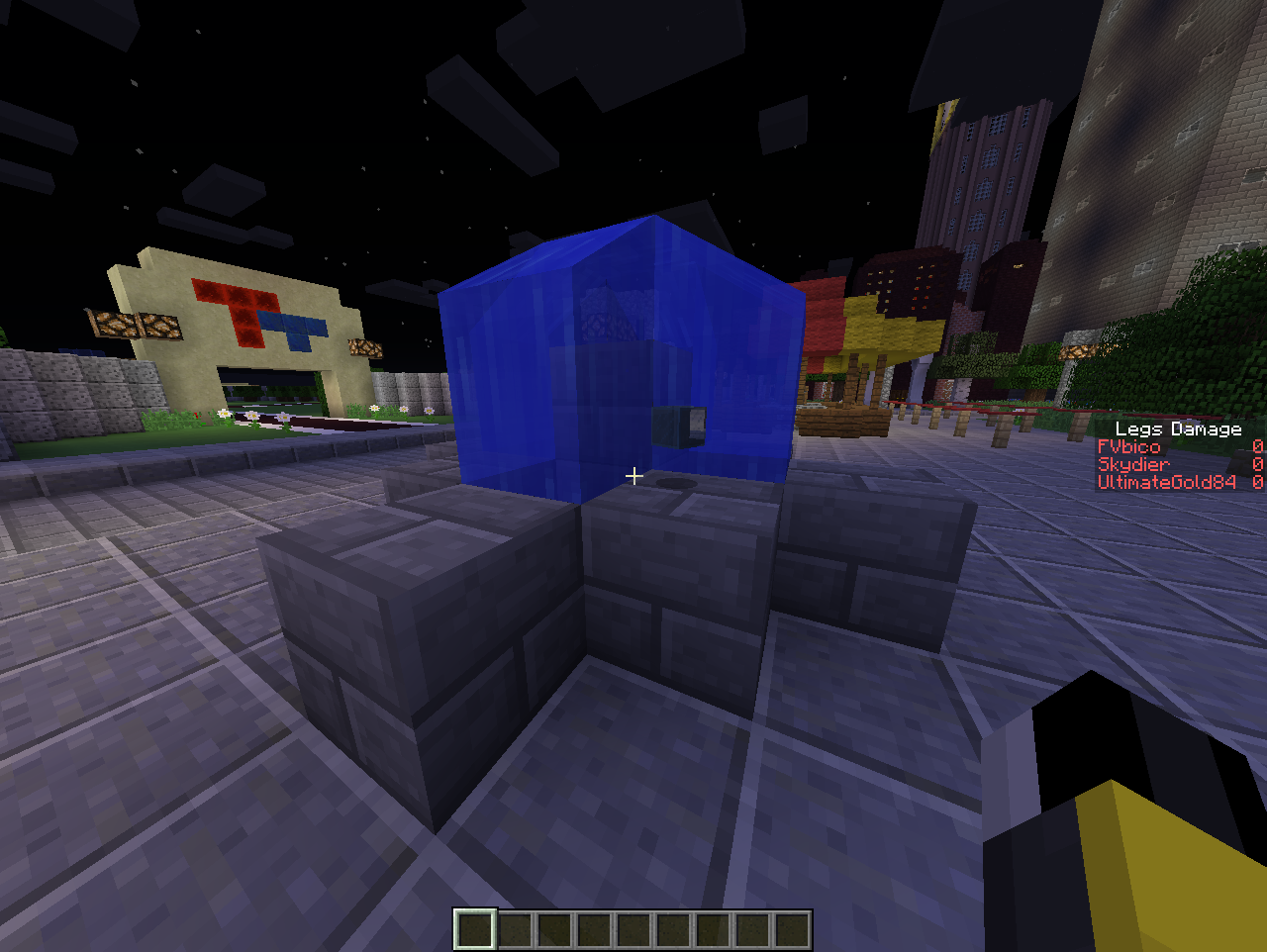
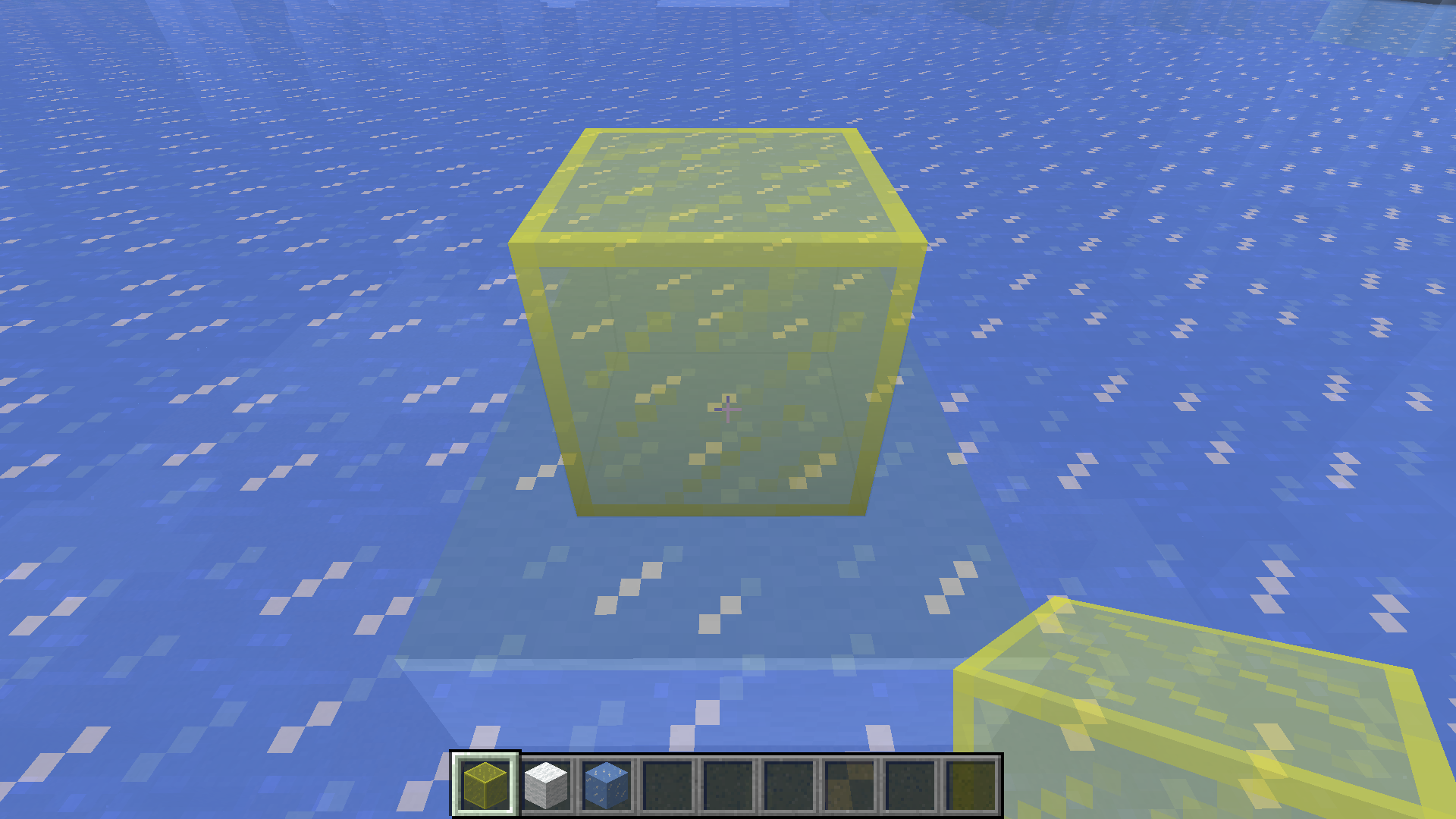
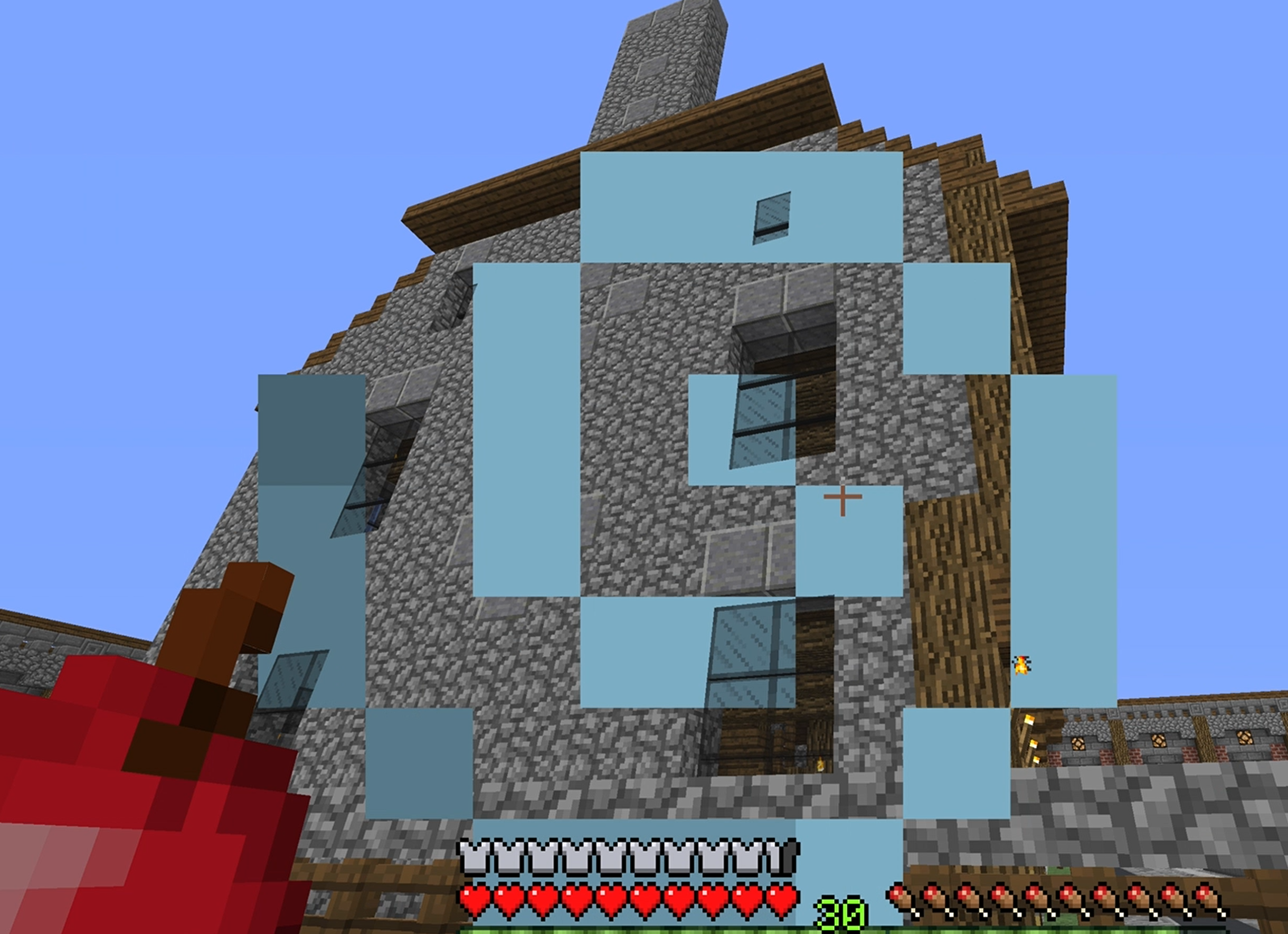
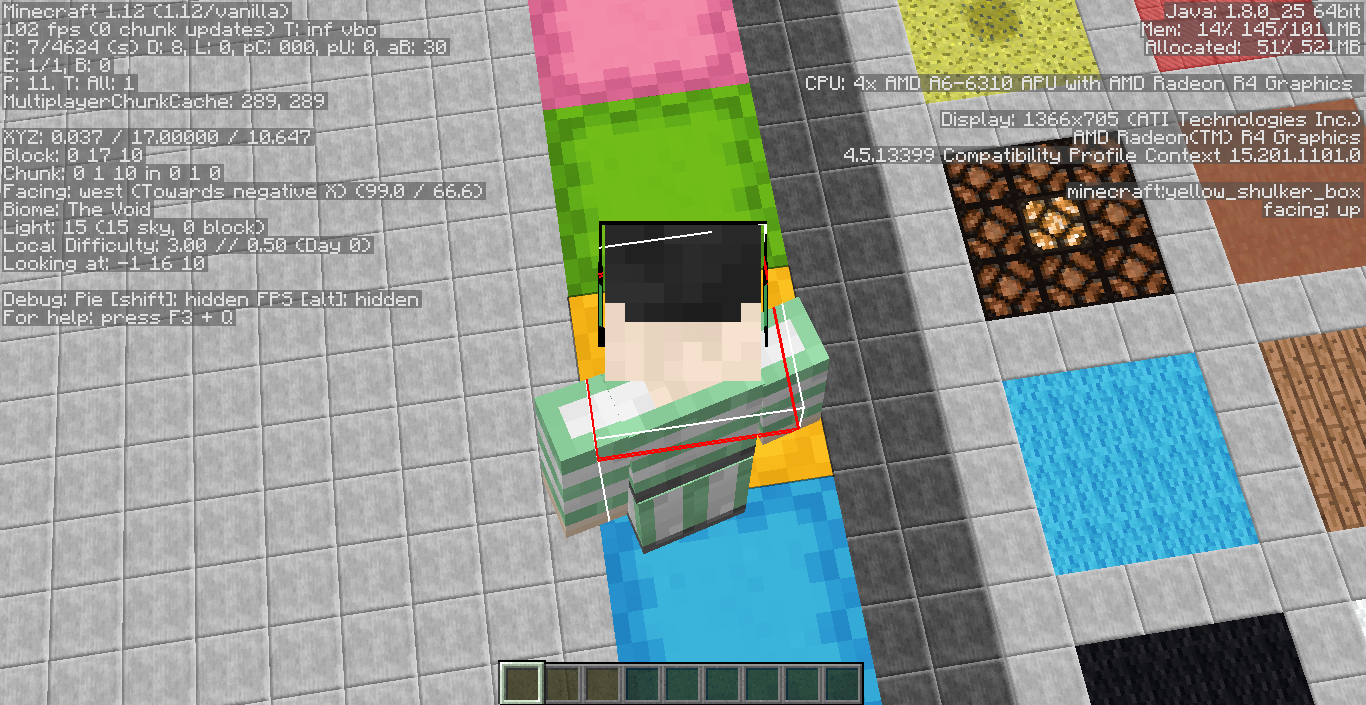
- As of 13w41a, hitboxes render in front of transparent blocks - it simply looks weird when you can see the hitbox of blocks through the water surface (see water_hitbox.jpg
 ) or the rear (normally less visible) parts of the hitbox through a transparent block like ice or stained glass. As of 1.7, the behavior changed: Hitboxes now render behind transparent blocks!
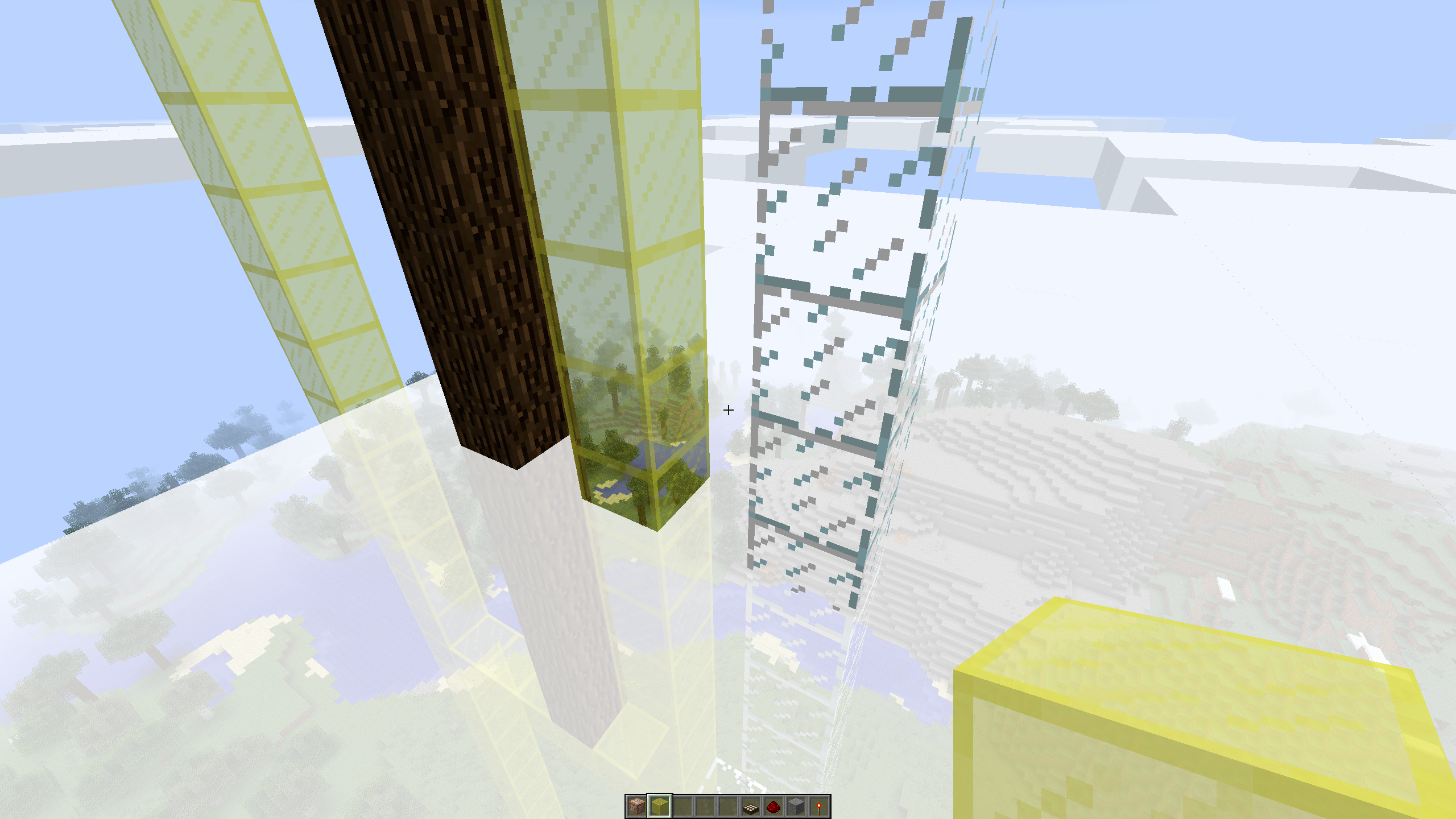
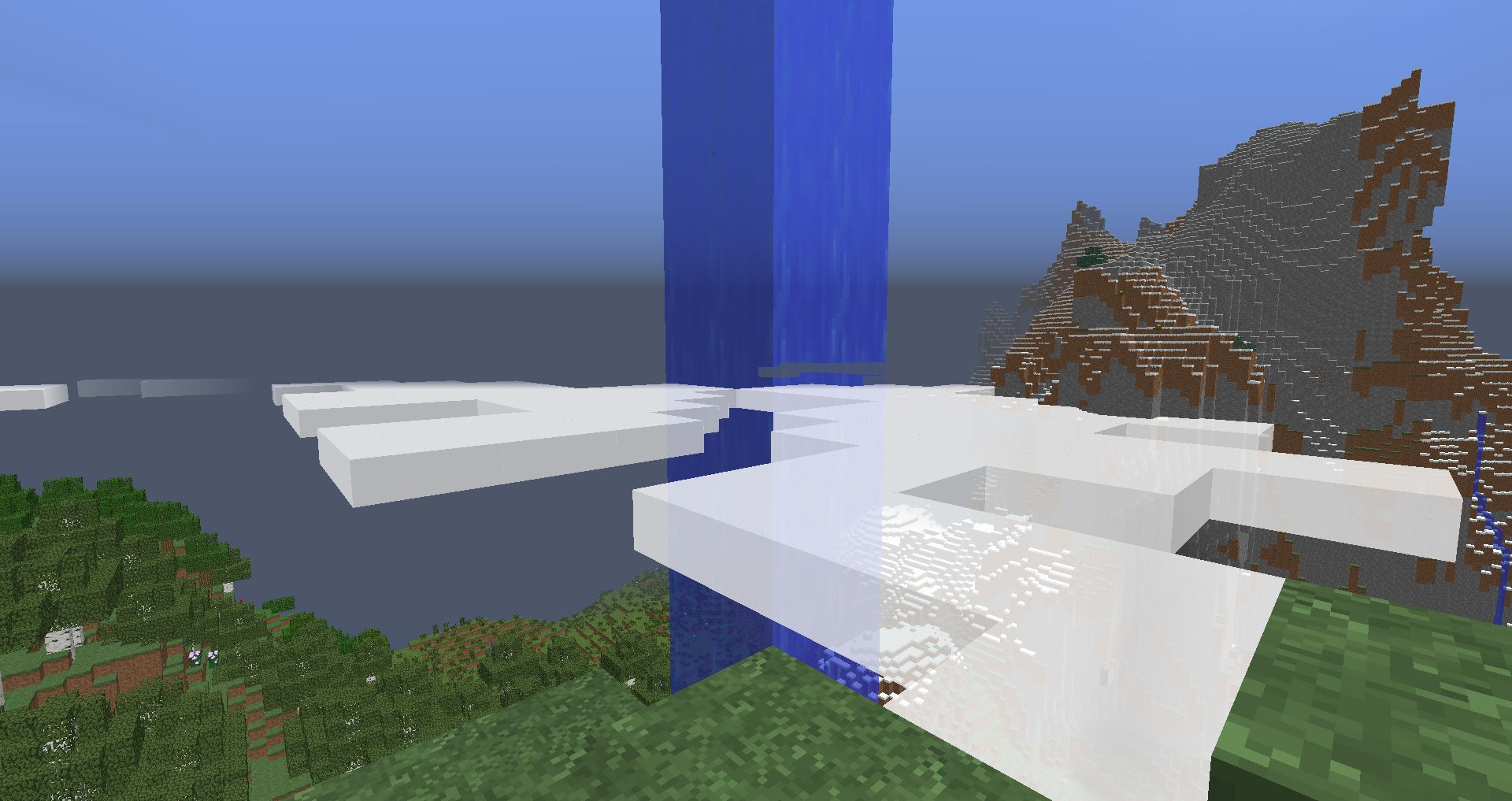
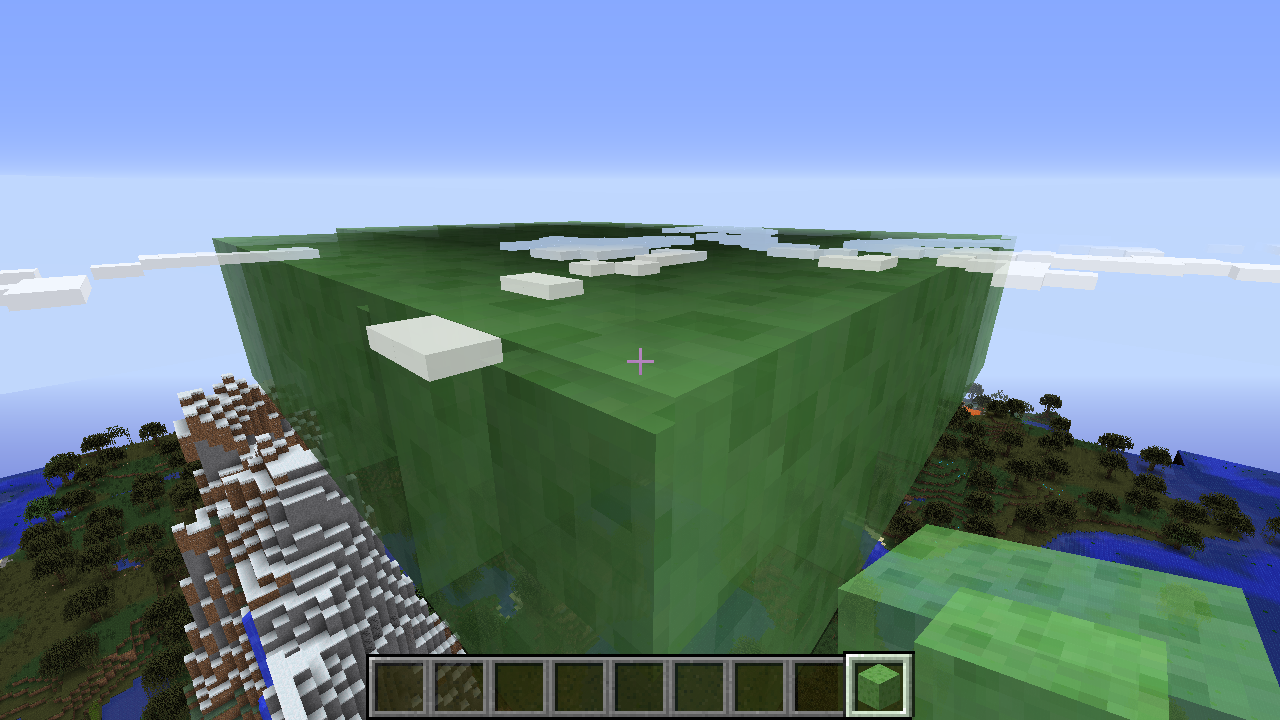
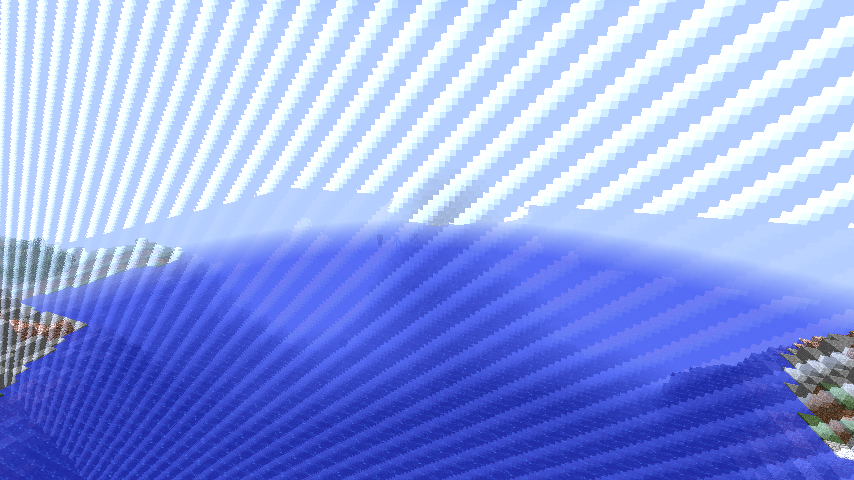
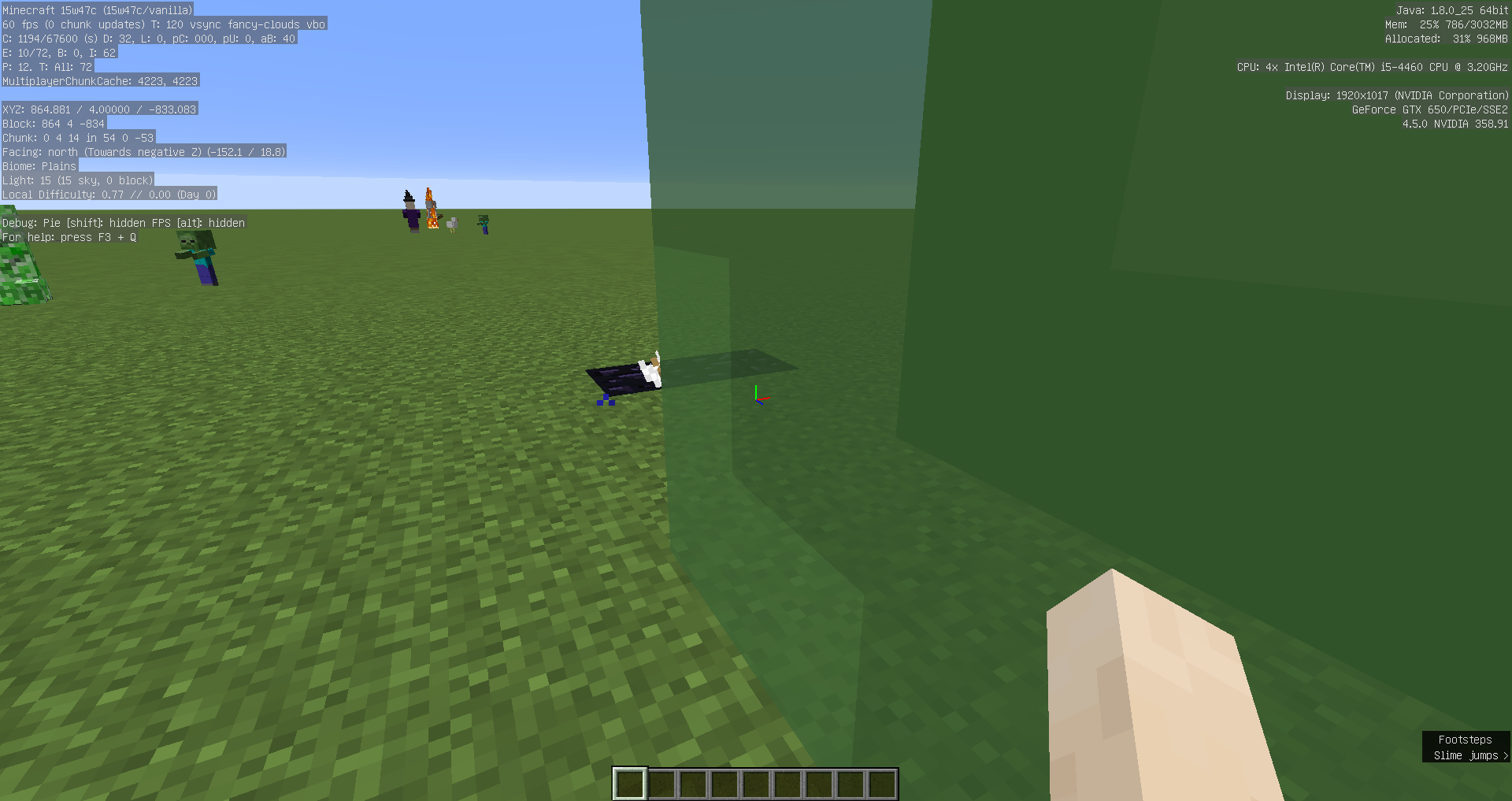
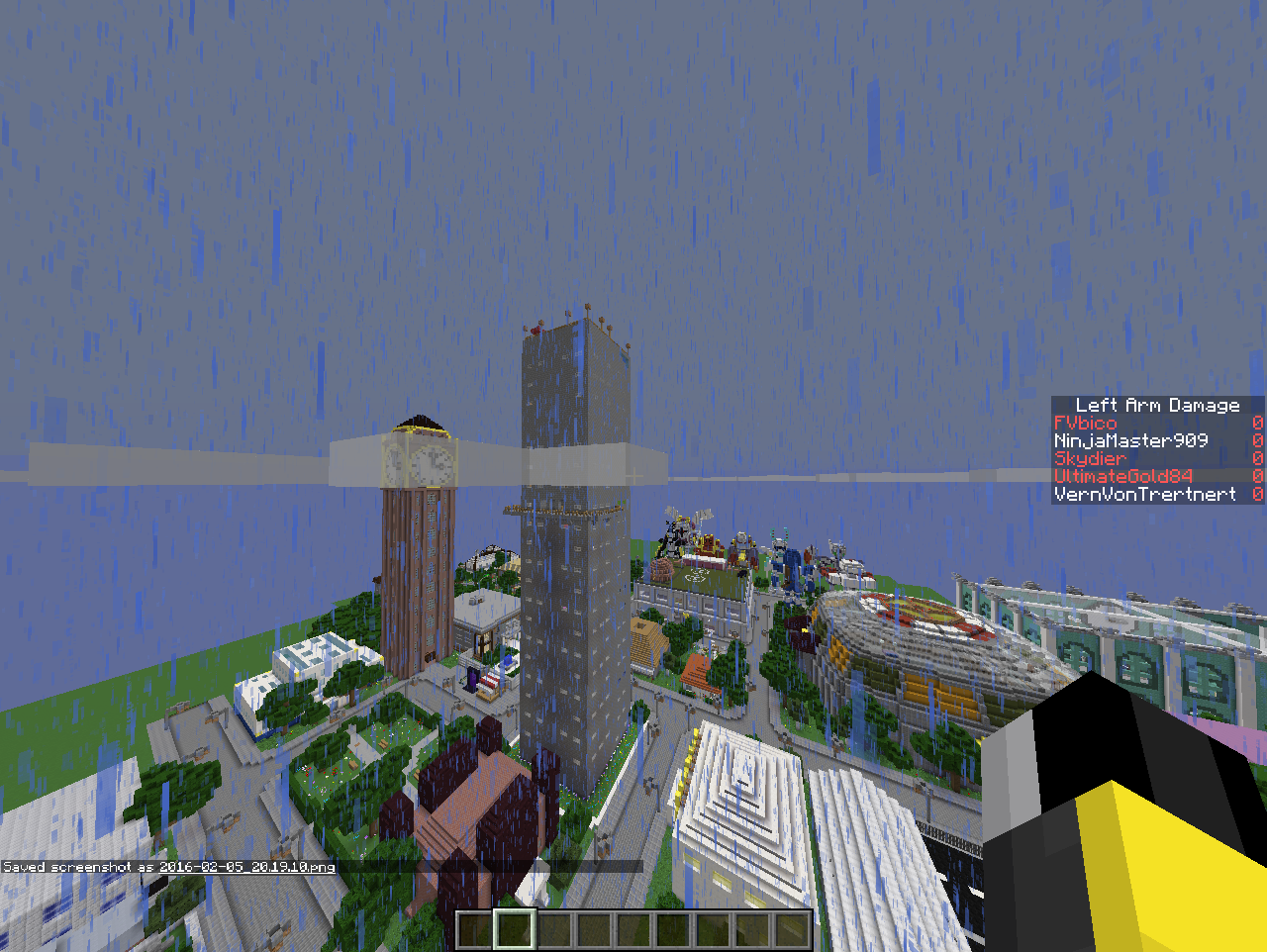
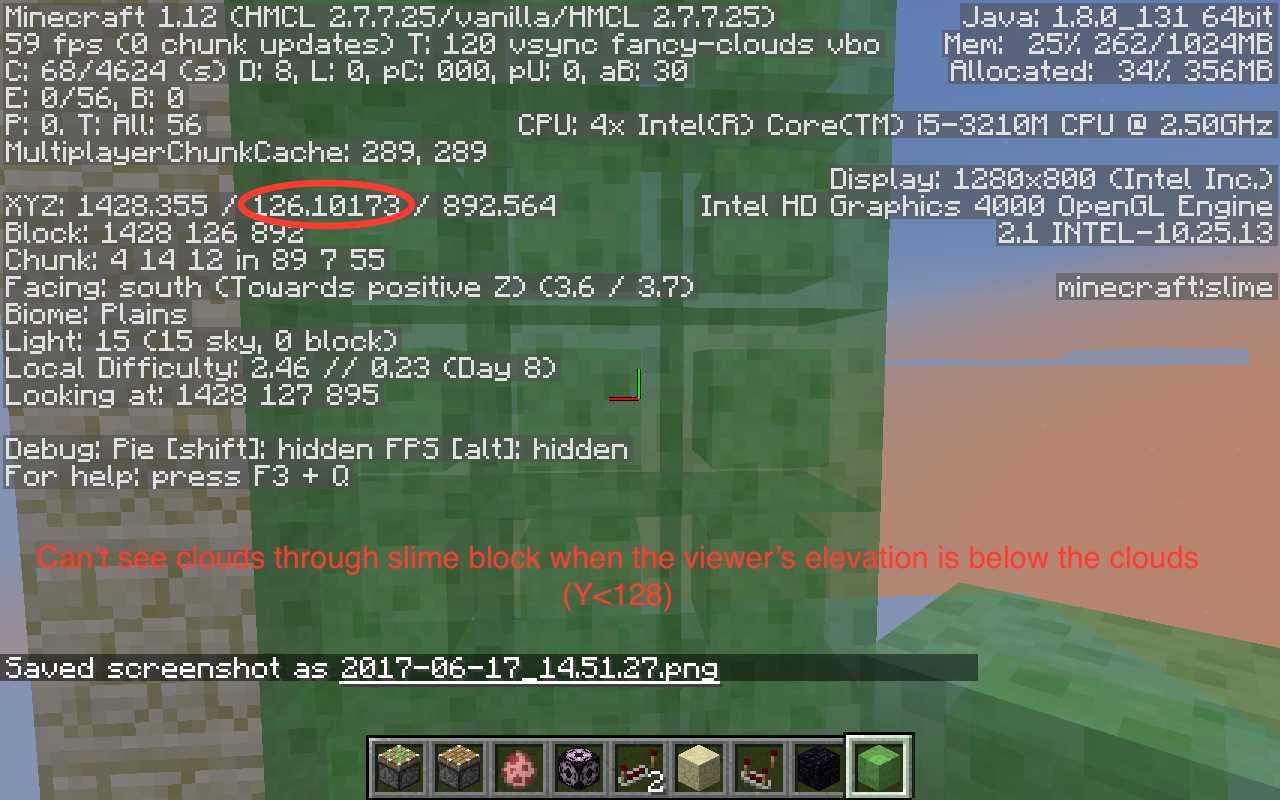
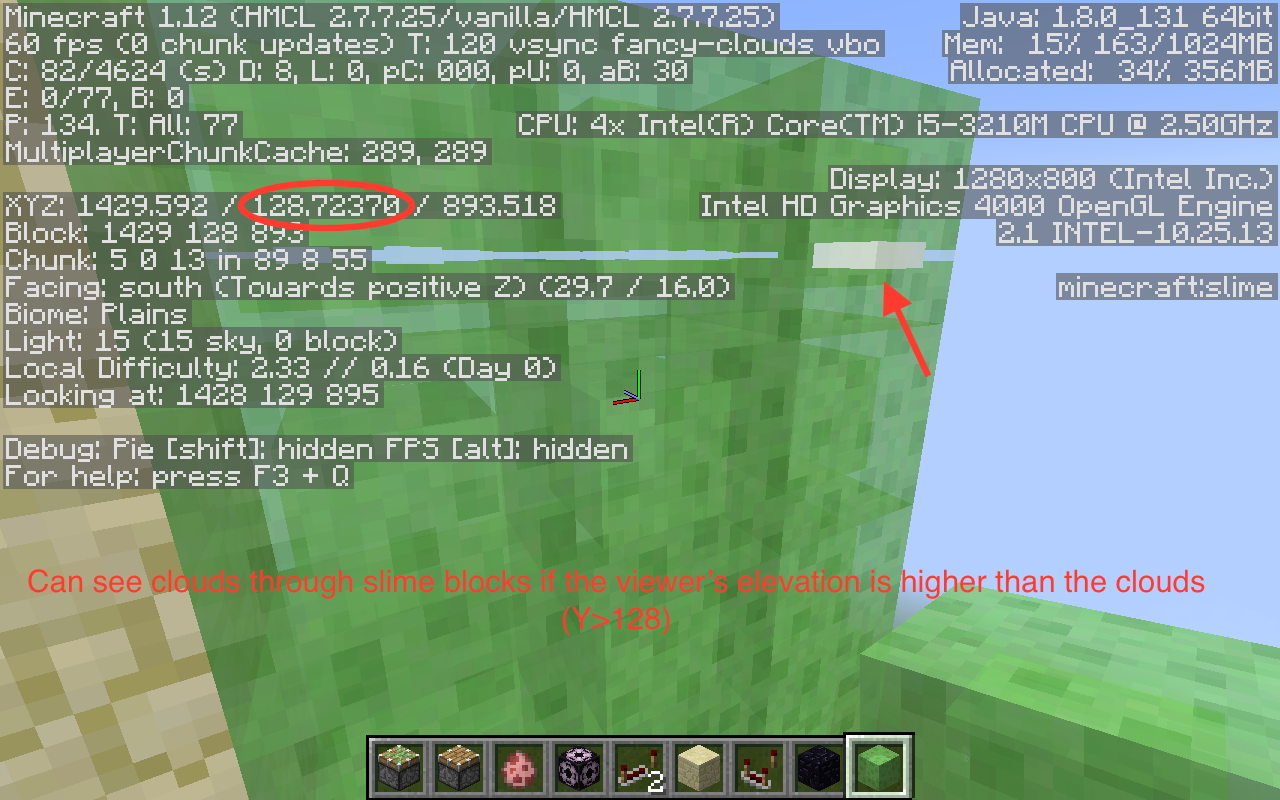
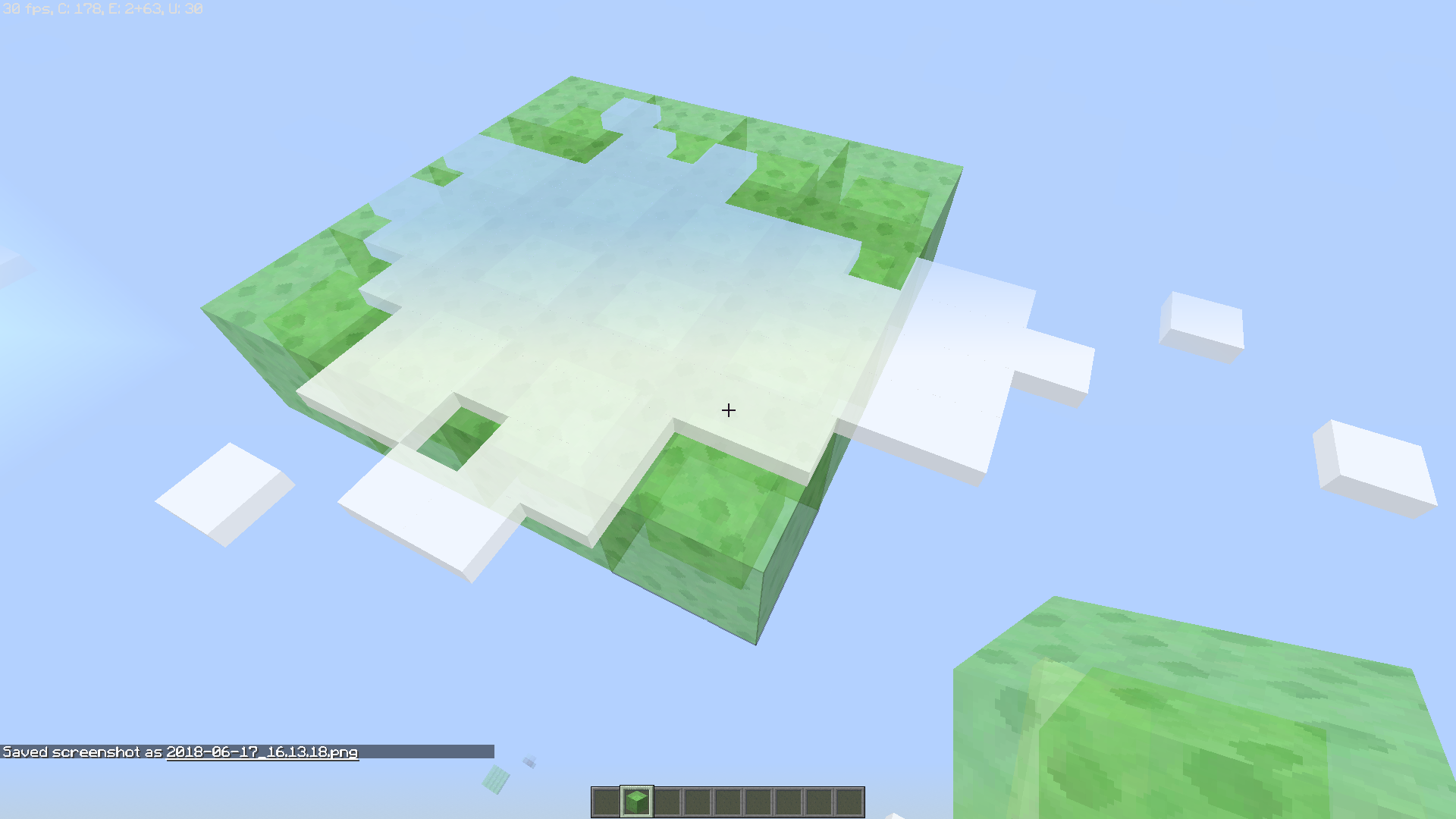
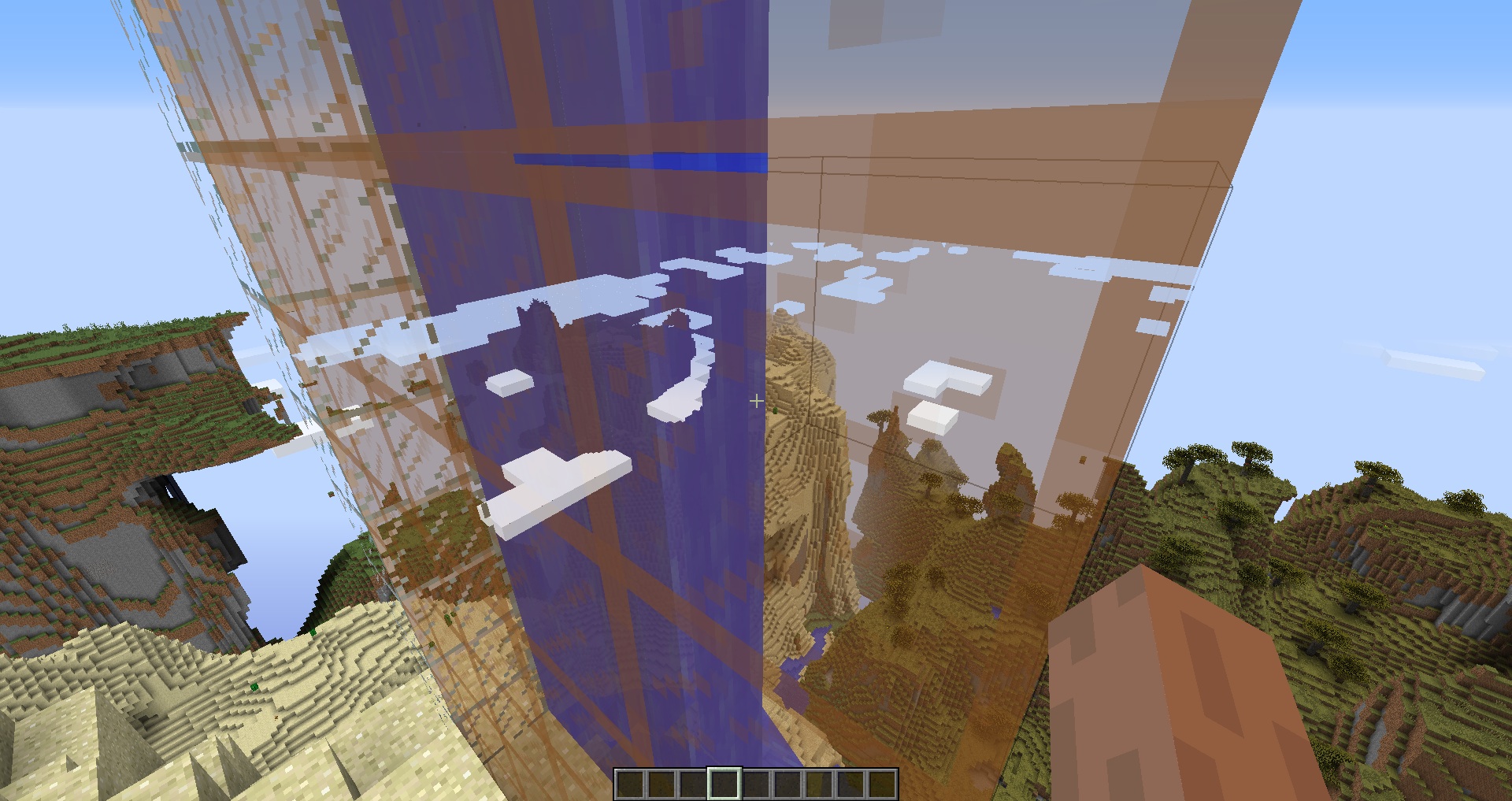
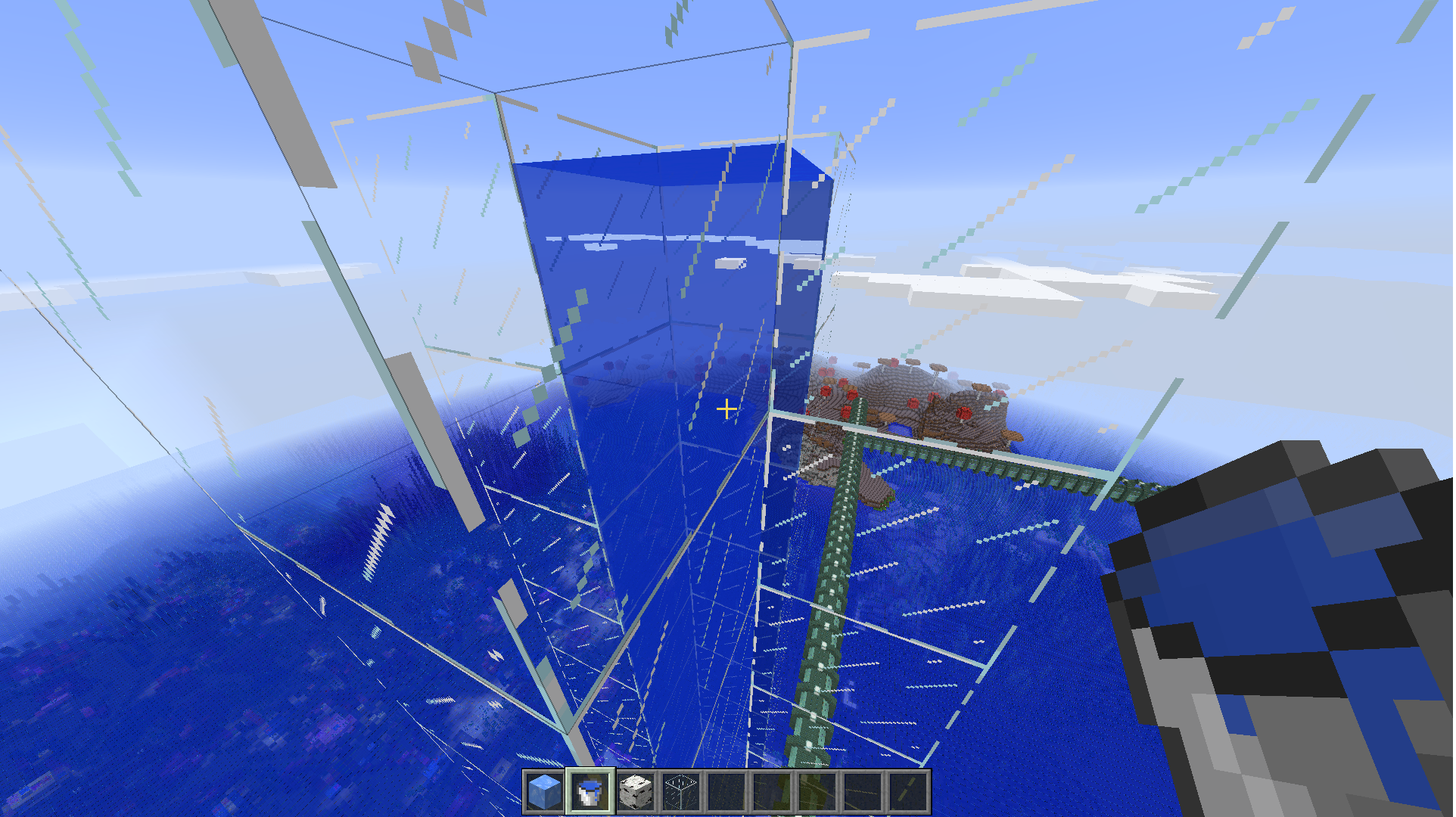
 - Transparent clouds 1 always render in front of transparent blocks and hitboxes (looks pretty weird, see clouds_glass.jpg).
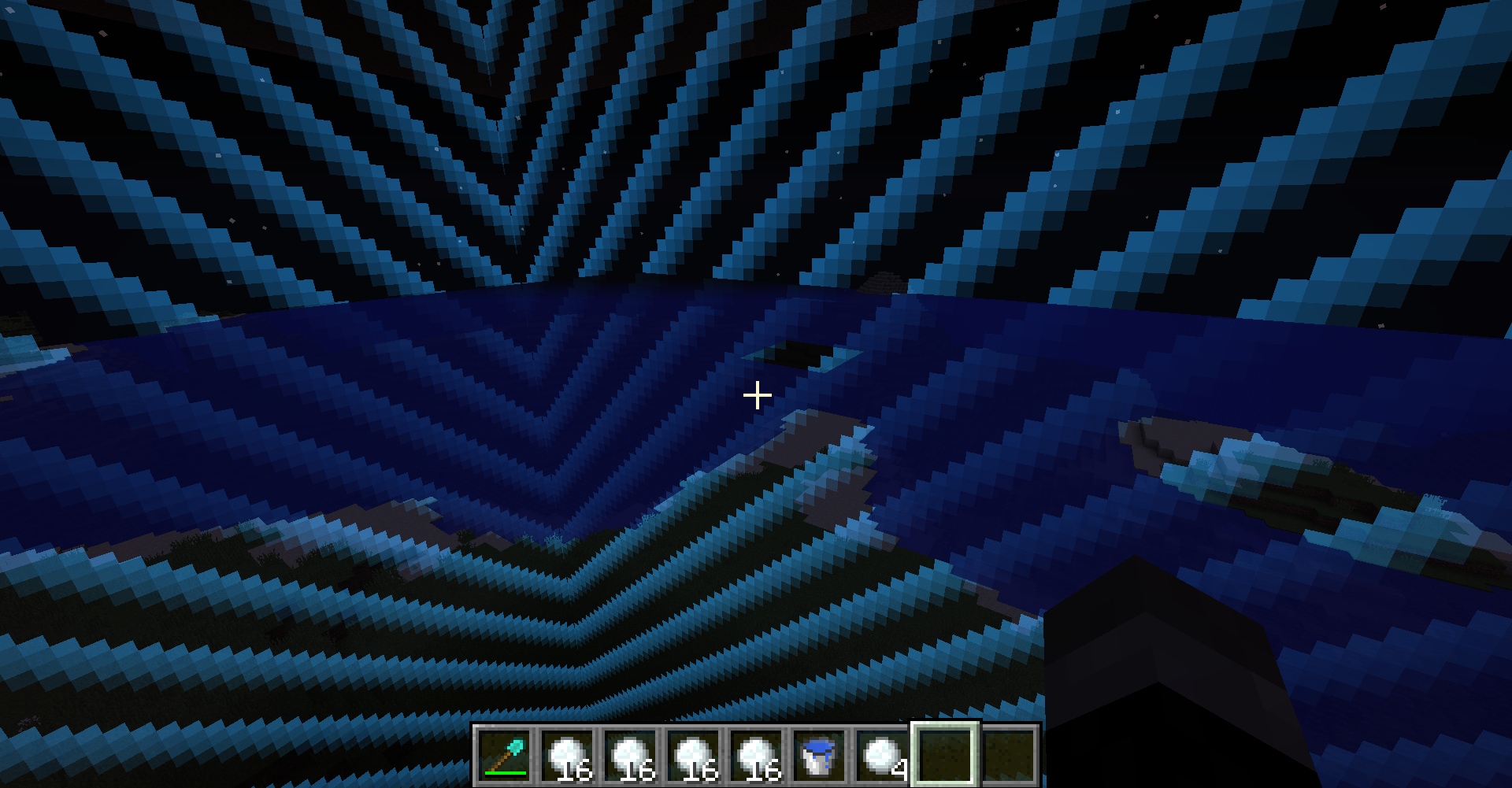
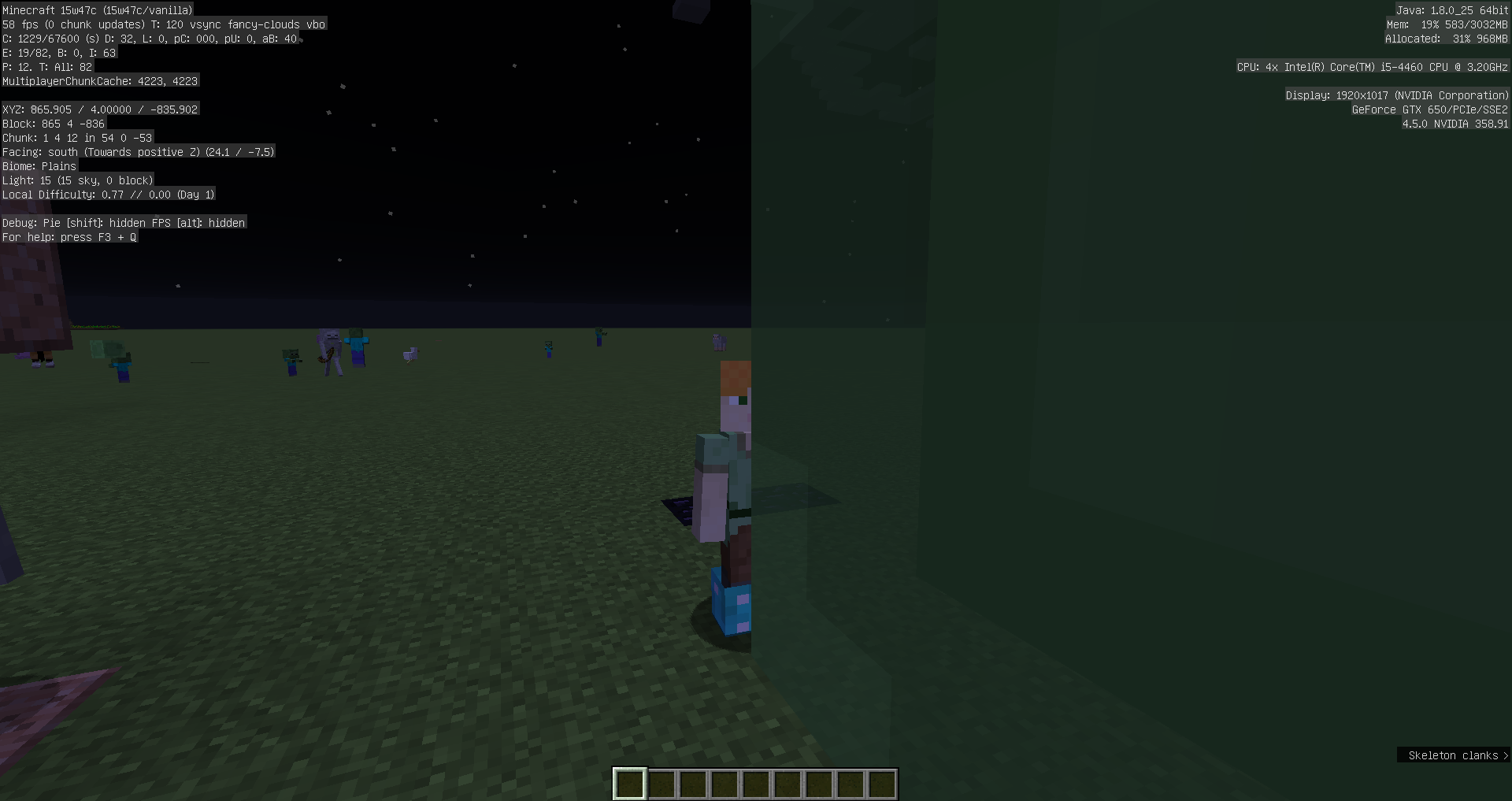
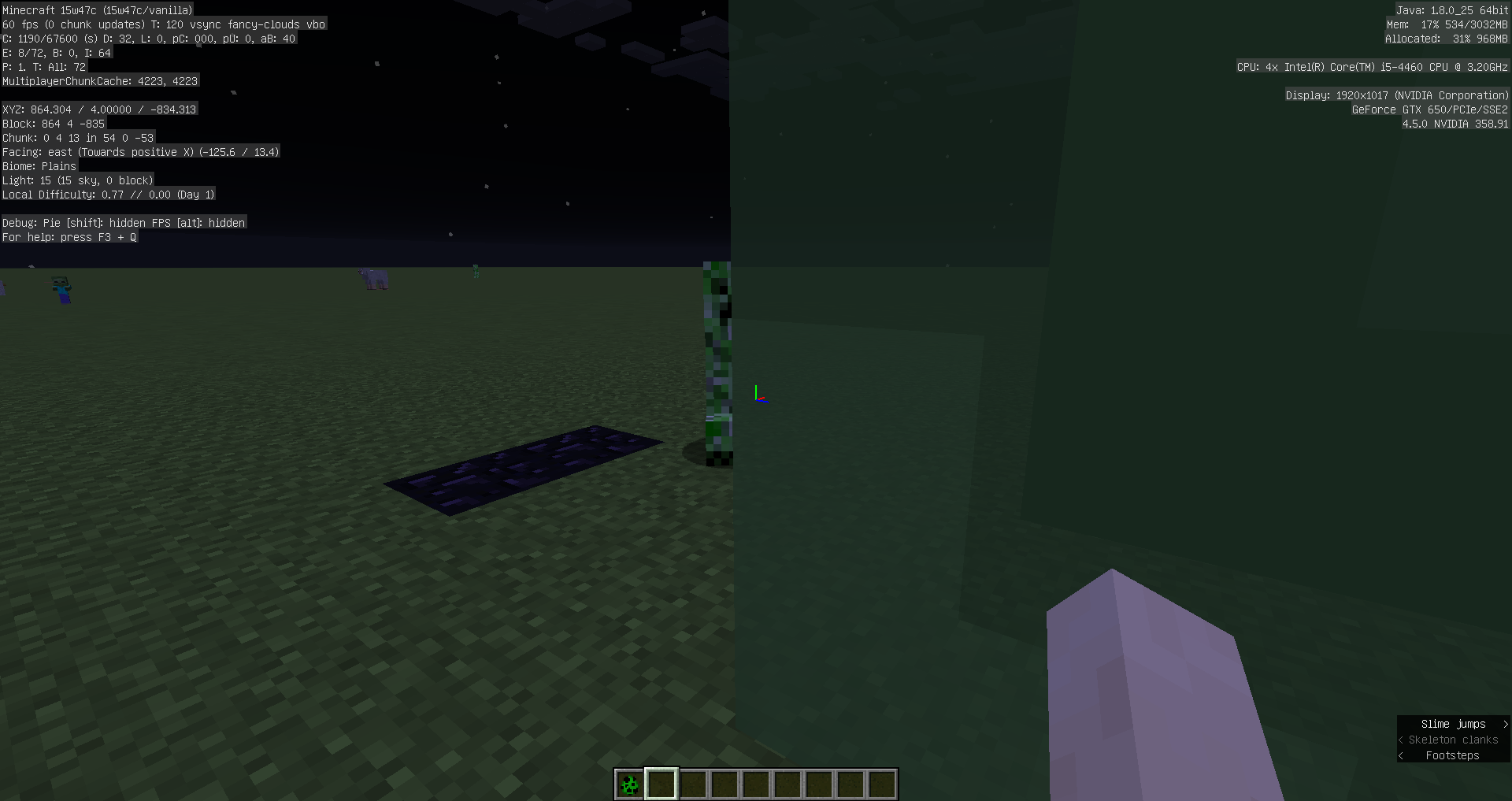
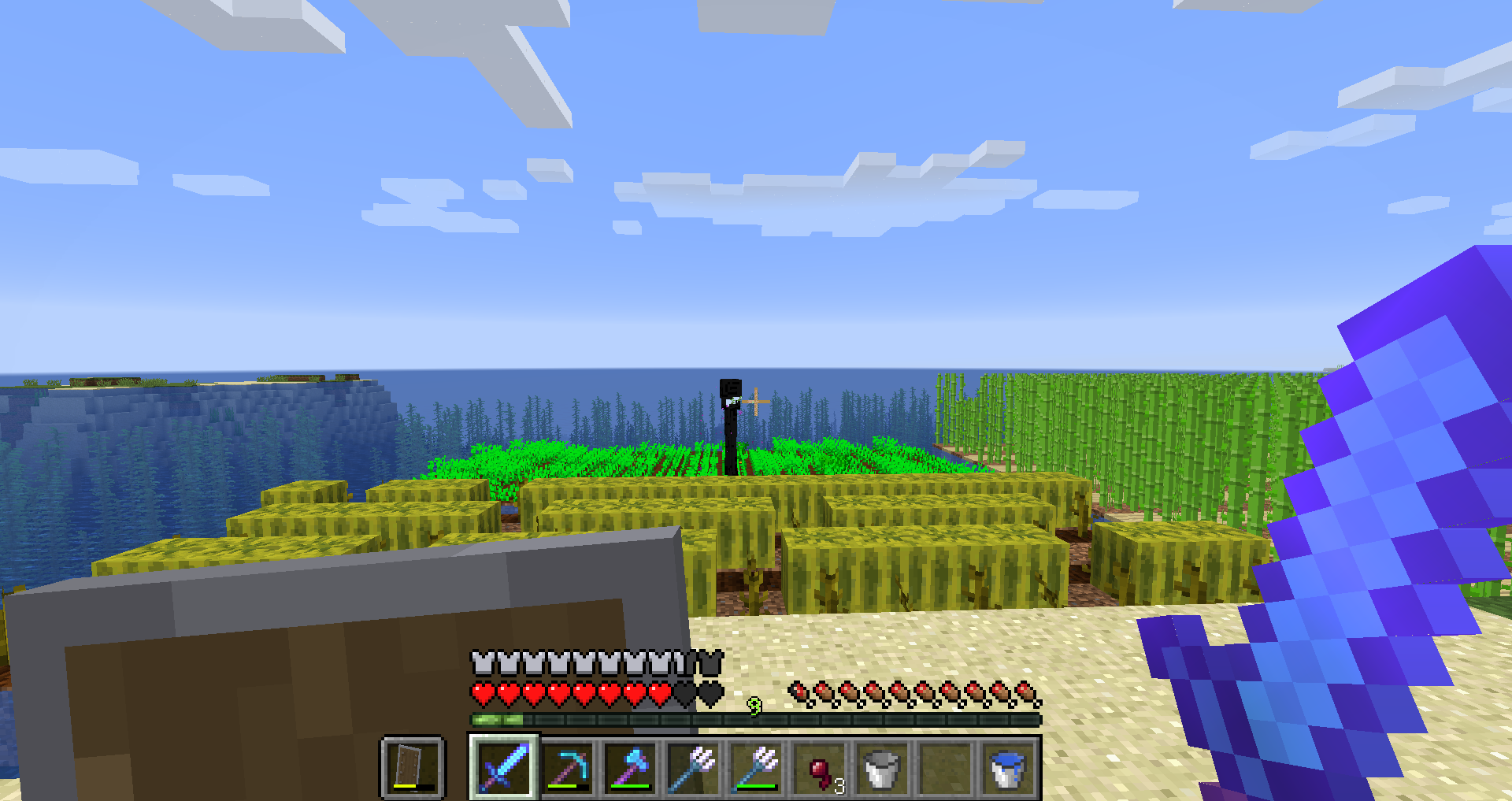
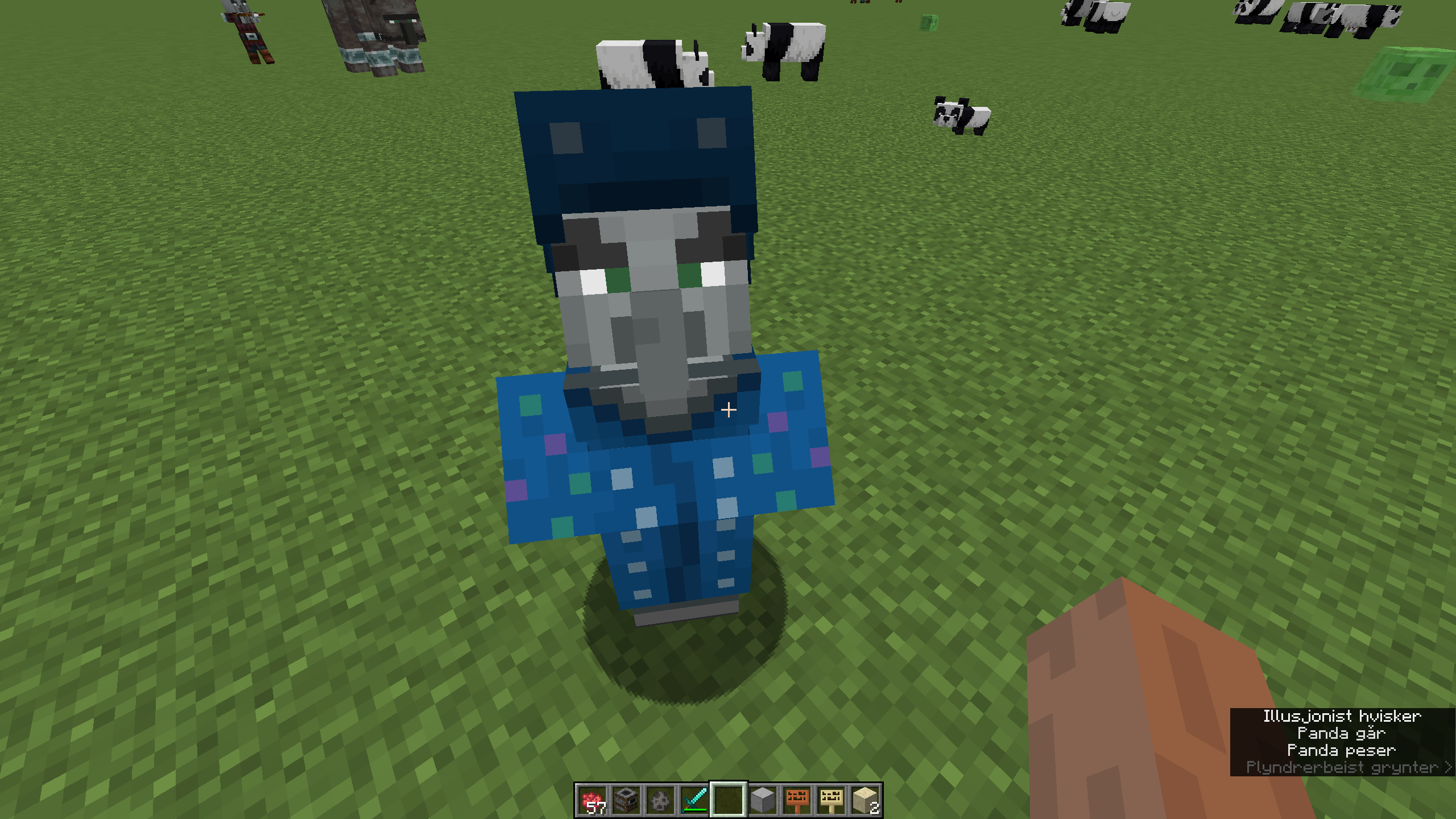
- The energy field around invisible charged creepers renders behind water and transparent clouds, but in front of hitboxes. Particles and other transparent blocks show no rendering order problems in this case. You can spawn invisible charged creepers with the following command:
/summon creeper ~ ~1 ~ {powered:1b,ActiveEffects:[{Id:14,Duration:2000000}]}


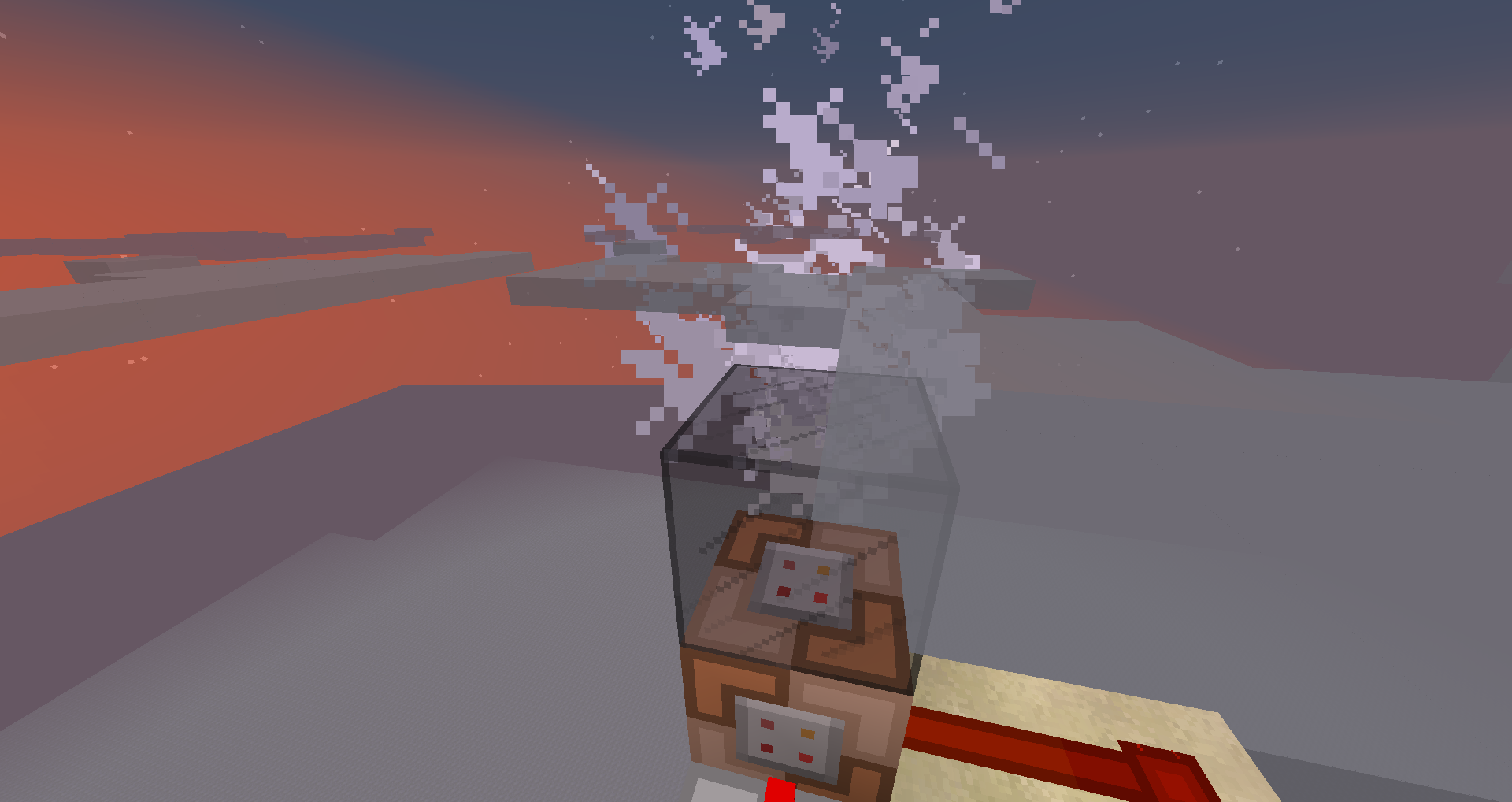
- The firework explosion light flash causes water and transparent clouds to always be rendered behind it, making them disappear.
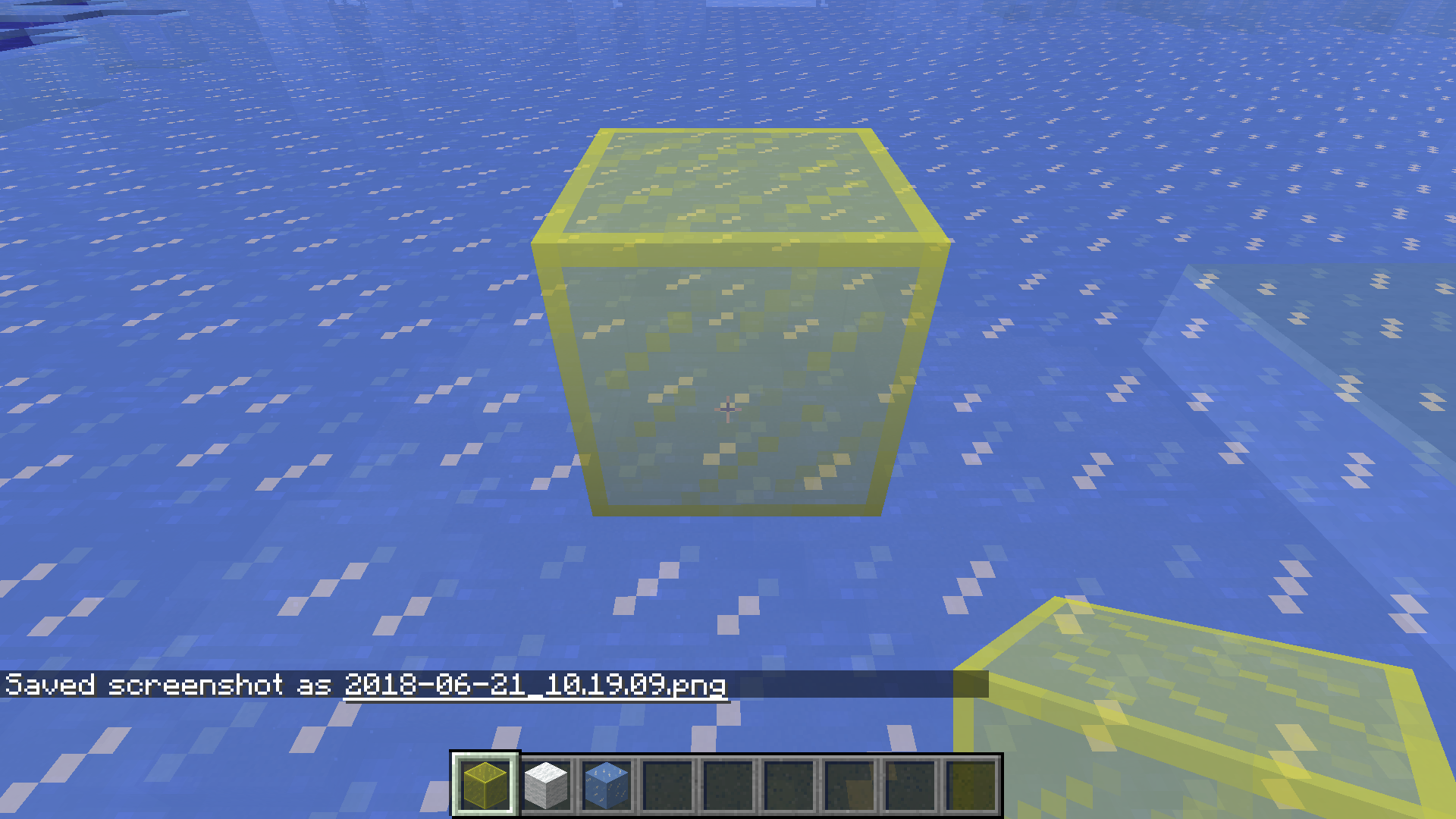
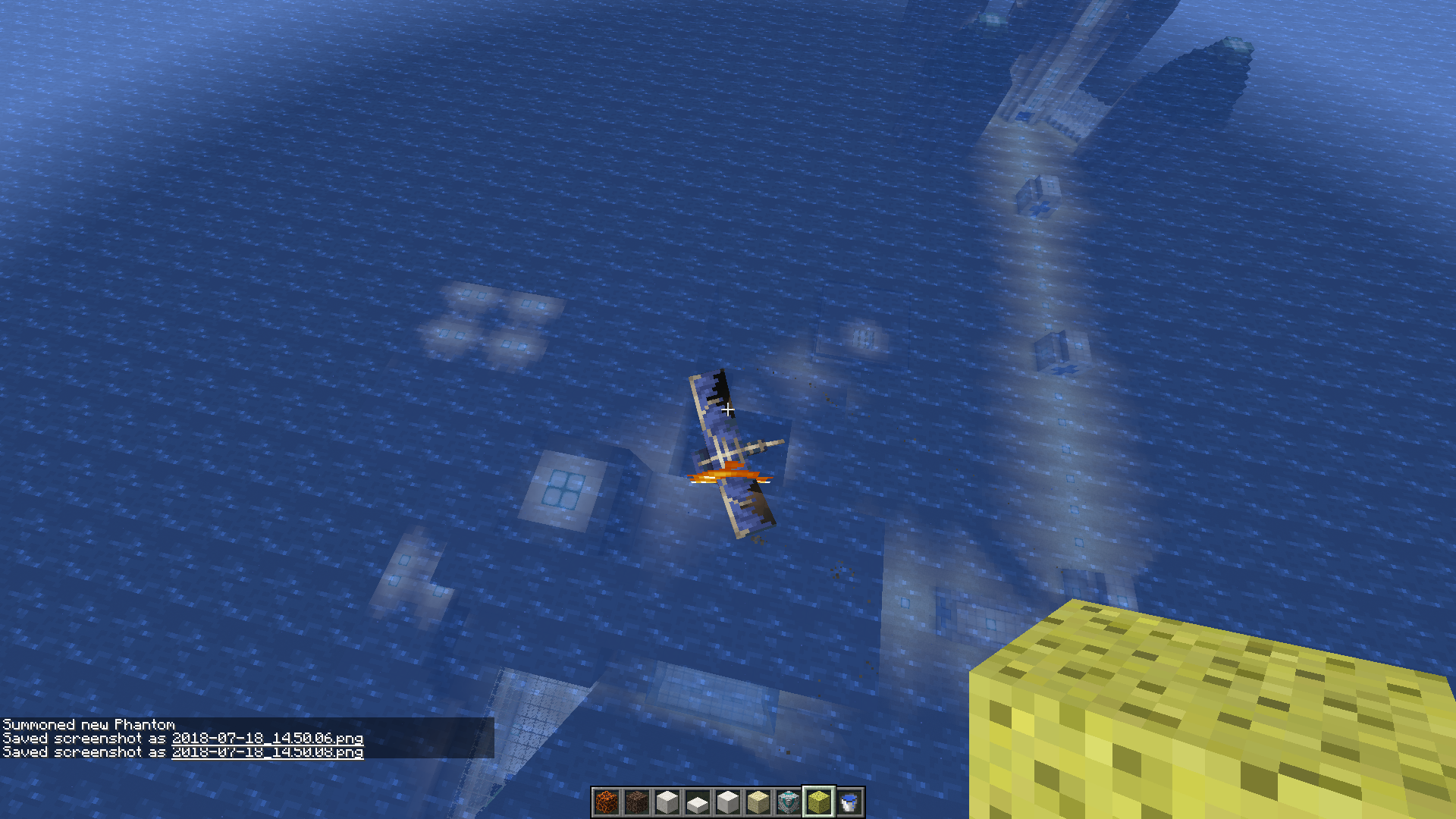
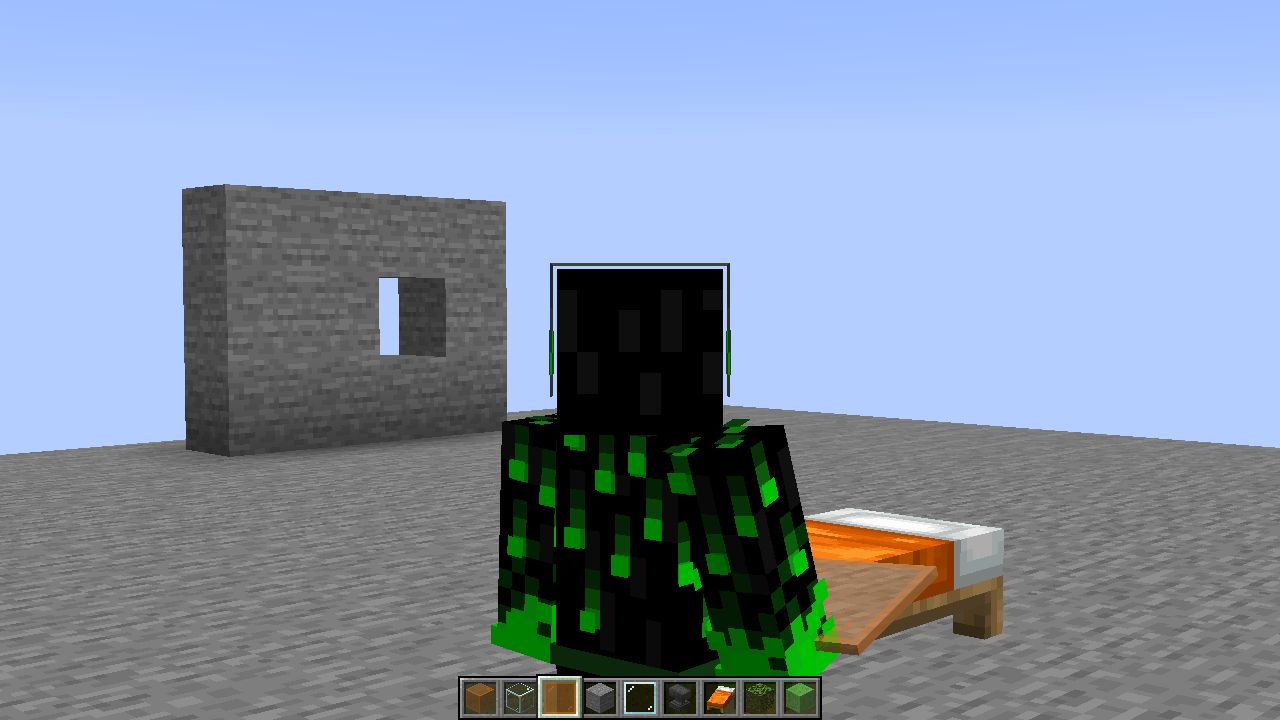
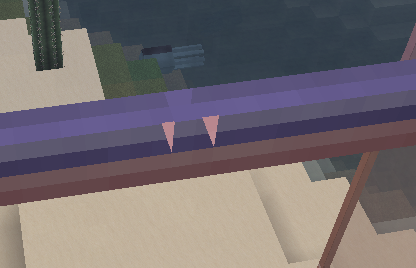
- The outer, transparent part of the beacon beam, the transparent text overlay of named map markers (close to a map's edge) as well as the outer transparent part of Phantom wings render behind water, transparent clouds and transparent blocks, making them disappear.
- Ice blocks render incorrectly in third person
Notes
1 "Transparent clouds" means: Clouds turn transparent when you move above y=128 (MC-997). Before Jeb reverted the fix of MC-997, clouds were always transparent at all heights, which can be seen here 2013-02-27_21.46.57.png )
)
Code analysis
See this comment.
Mod edit: Added comment by Tedstar (Curtis Anderson)
Some updates from snapshot 18w22a (and possibly earlier)
Issues resolved in snapshot 18w22a:
- Hitboxes now render underwater and through water.
- Non-transparent particles render correctly in front of transparent blocks (ex breaking stone in front of water).
Issues new to 18w22a:
- Hitboxes render completely behind transparent blocks (ice, colored glass) making them hard to see.
Issues still present in 18w22a:
- Beacon beam outer aura renders behind transparent blocks at any height.
- Transparent particles render in place of transparent blocks. (Ex: break stained glass in front of ocean, squid ink looking upward in water, etc.)
- Charged creeper aura renders in place of transparency (water, ice, etc.)
- Phantom wings render in place of transparency.
- Ice still renders strangely at far distances.
- Clouds still render in front of transparent blocks/water when placed above the cloud height.
- Firework particles still render in behind transparent blocks.
I'm sure I forgot many of them, but these are the ones that are easily noticed to me.
Linked Issues
is duplicated by676
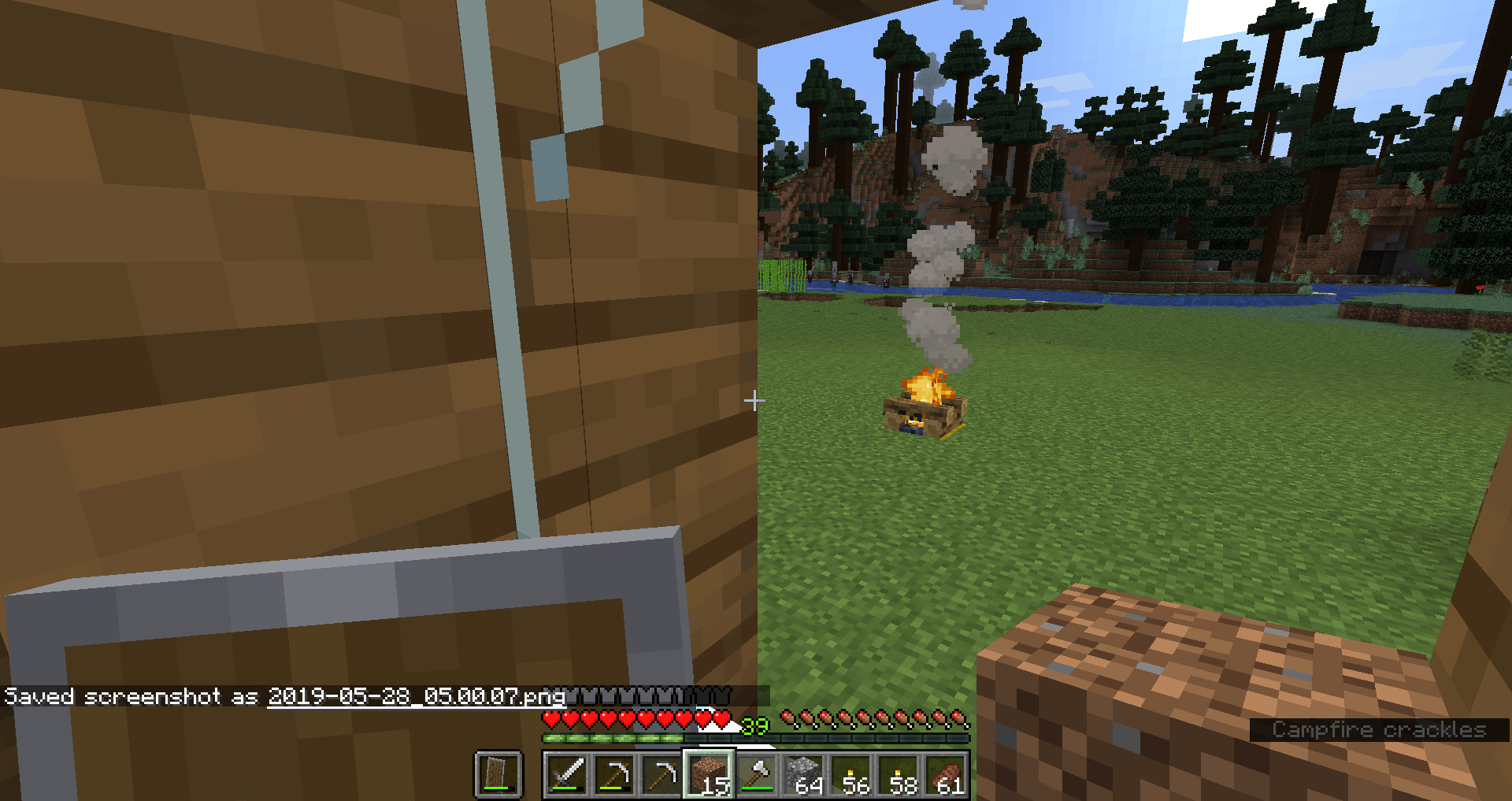
 MC-10353Block breaking particles are drawn behind the selection boxDuplicateMC-10358transparent digging particlesDuplicateMC-10392Torch Flame VisualsDuplicateMC-10448Particles effects are faded by cloudsDuplicateMC-10457Clouds render in front of other particlesDuplicateMC-10458Block breaking animation incorrectDuplicateMC-10537''block break bug''DuplicateMC-10549Fire particles turn (almost) invisible on ice (they don't make the ice see-throught, though)DuplicateMC-10608Clouds overlap block breaking particalsDuplicateMC-10610Particles fadedDuplicateMC-10684Transparent ParticlesDuplicateMC-10710Torch Bug DuplicateMC-10765Particles becoming opaqueDuplicateMC-10790Particles behind cloudsDuplicateMC-10809Hearts from breeding animals appear "behind" water and iceDuplicateMC-10852Can See Digging Animation Through Potion BubblesDuplicateMC-11013Particles appear to be above the clouds when breaking blocks or any particlesDuplicateMC-11026Clouds Overlap ParticlesDuplicateMC-11043Breaking blocks in front of water makes particles look like they are in the waterDuplicateMC-11099Block Selector Overlays Block ParticlesDuplicateMC-11125Particles of a block breaking are underwater while the block was outDuplicateMC-11145Can see the outline of blocks while breaking them in creativeDuplicateMC-11172When destroying a block the particles render behind the cloudsDuplicateMC-11278Whenever I break a block the particles seem to go inside the lock, making the block semi-invisible. It's kinda wierd.DuplicateMC-11283Log hit box doesn't immedietly disappearDuplicateMC-11476Particles appear behind block breaking cracksDuplicateMC-11486Particles render under water or portalDuplicateMC-11535particles fadeDuplicateMC-11591Flame particle glitchDuplicateMC-11655Particle rendering order problemDuplicateMC-11722Wire-frame rendered above particlesDuplicateMC-11758Block effects are shown over particlesDuplicateMC-11840Particles can be seen throughDuplicateMC-11871Hit box is visible through particle effectsDuplicateMC-11933Particles Appear Underwater if Water is Behind the ObjectDuplicateMC-11946Transparent ParticlesDuplicateMC-12033Tallgrass Animation BugDuplicateMC-12050While breaking a block you can see the crack through the particals.DuplicateMC-12066Particles DuplicateMC-12312When I break blocks with water in the background, the particles that come off it are almost invisible because they are blueDuplicateMC-12406Particles shown under the outline of a blockDuplicateMC-12407Particles appear underwater/Under block selector no matter what height they are generated atDuplicateMC-12420Water looks as if it is a layer infront of Food particlesDuplicateMC-12430Particles being overlayed by water.DuplicateMC-12445Particles have a lower opacity than previous versions.DuplicateMC-12711Hitbox and splash potionDuplicateMC-12901Torch Fire Particles Dim when viewed over waterDuplicateMC-13027Water behind Particles let the particles look transparencyDuplicateMC-13081Entities and some blocks are visible through particlesDuplicateMC-13178picture problem - the fire of the torchDuplicateMC-13318Block breaking particles are rendered behind block selection lineDuplicateMC-13536Some particles, such as torch flame and food crumbs, render behind water or rails.DuplicateMC-13868Tame hearts appear behind waterDuplicateMC-13920ParticlesDuplicateMC-14363Food particles show under water when on landDuplicateMC-14771incorrect particle texture DuplicateMC-14932Wireframe is rendered on top of particlesDuplicateMC-14981Water makes hearts glitchDuplicateMC-15262Torch flame in front of water apears to be behind.DuplicateMC-15268Particle Viewing ErrorDuplicateMC-15421Particles appear behind water all the timeDuplicateMC-15473Graphical bug when destroying blockDuplicateMC-15632Torch effect bugDuplicateMC-15754Torches in water cause torch to dim.DuplicateMC-15788Strange effect of the nether portal when you look at it while you eatDuplicateMC-16007breeding heart particles are behind water.DuplicateMC-16481Heart animation behind water when near coastDuplicateMC-16499Taming heart's texture behind waterDuplicateMC-16515Graphical Issue while looking through blaze smokeDuplicateMC-16589Water and hearts from dogs rendering incorrectlyDuplicateMC-16789Chicken Heart and water mergeDuplicateMC-16957Particules bug with waterDuplicateMC-17078particle bugDuplicateMC-17635BugDuplicateMC-18028Water being displayed over a broken blockDuplicateMC-18119Block particles covered by waterDuplicateMC-18300Particles turn invisible/highlights glass when in front of glassDuplicateMC-18314Anvil Particles glitching in front of water.DuplicateMC-18675Torch bugDuplicateMC-18767Can see blocks and clouds through fire smokeDuplicateMC-19289Water Particle issuesDuplicateMC-20956[Visual] Lakes outline in Beacon BeamDuplicateMC-21528aDuplicateMC-21629Particles appear to be behind water.DuplicateMC-23616Torches Fire GlitchingDuplicateMC-24608water texture will come in front of "animal-love-hearts"DuplicateMC-24943animal heart bugDuplicateMC-25093Particles show as if they are underwaterDuplicateMC-28161transparent torches DuplicateMC-28303There is a particle bug with waterDuplicateMC-28393Visual BugDuplicateMC-29282Particles BugDuplicateMC-29393Particle effects not keeping their colorDuplicateMC-29525Graphical BugDuplicateMC-30444When Eating Any Food You Can't See The Food Particles When Water Is Behind ItDuplicateMC-30464Error graphics.DuplicateMC-30491Love Entities and the OceanDuplicateMC-30528Entities not apear on water DuplicateMC-30625Particle Effects disappear when facing water. (Not blend in)DuplicateMC-31199Mushroom Soup particles render like they would behind iceDuplicateMC-33250Particle Effect Water Graphic ErrorDuplicateMC-33657Water texture is rendering over the particle effectDuplicateMC-34656Particle effects appear behind stained glassDuplicateMC-34658Rendering CloudsDuplicateMC-34674clouds are rendered in front of partialy transparent blocks when viewed from aboveDuplicateMC-34965Clouds don't render properly Y Coordinate 127 and aboveDuplicateMC-35010Collision box too visible under waterDuplicateMC-35197When you look at clouds through stained glass blocks or panes they are still white.DuplicateMC-35248cloud renderDuplicateMC-35336Heart bug..DuplicateMC-35831When facing towards water particles will appear blueDuplicateMC-36223Particles under breaking animationDuplicateMC-36298Paticels and WaterDuplicateMC-36742Bug on "Breaking Ice" animationDuplicateMC-36799Block selector is hard to see when transparent blocks are against water blocksDuplicateMC-37009Block breaking effects show through potion particles, possibly more.DuplicateMC-37125Tesselation alpha unaffected by cloudsDuplicateMC-37194Rendering Bug with clouds and particlesDuplicateMC-37475Torch Flame Behind WaterDuplicateMC-37574"Transparent" ice breaking animation.DuplicateMC-382751.6.4's particle glitches have transferred into 1.7.2DuplicateMC-38716Launch a firework in front of water and the water covers the exploding sparklesDuplicateMC-38727This is just a weird bug where you break a block and the particles make the blocks underneath transparent. Weird... but not serious.DuplicateMC-38770Water and stained glass render through fireworks, nothing elseDuplicateMC-38850Torch flames are blue when water is behind itDuplicateMC-38896Colored glass makes clouds appear above them.DuplicateMC-39665Torch transparency w/ water bugDuplicateMC-39720Particles bugDuplicateMC-39835Water and Stained glassDuplicateMC-40389Torch fire is transparent to waterDuplicateMC-40696Pixles Behind WaterDuplicateMC-40701Partiсles bugDuplicateMC-41115FireWork Particles display behind waterDuplicateMC-41305Breaking Vines BugDuplicateMC-41438The "frame" that appears around blocks when you look at them, looks as if it is behind the iceDuplicateMC-41600Particles going -behind- water, not in frontDuplicateMC-41724Minecraft Effects GlitchDuplicateMC-41757Part of water disappearing under leavesDuplicateMC-41943Bug in 1.7.2 when breaking ice with a certain block under it will take over the particles instead of the ice particlesDuplicateMC-42090If Breaking animation is fully opaque, it will override all ice/water/stained glassDuplicateMC-42292Torch (and maybe other) particles are blue tinted when water is behind itDuplicateMC-43945Breaking Glass Xray through waterDuplicateMC-44113Minecraft Torch Flame LayeringDuplicateMC-44402Particles seen over water are strangely transparent...DuplicateMC-44418Clouds appearing weird through water.DuplicateMC-44480Particles load weirdly with a slime blockDuplicateMC-44507Clouds render incorrectly through water.DuplicateMC-44518Particle effects go through slime blockDuplicateMC-44612Bug Clouds on IceDuplicateMC-44743colored windows and cloudsDuplicateMC-44923Coloured Transparent Block BugDuplicateMC-44941I can see clouds through block particlesDuplicateMC-44983Slime block particles are rendered behind another Slime blockDuplicateMC-45096Particle Visibility w/ Slime BlocksDuplicateMC-45098Clouds Visible through Slime BlocksDuplicateMC-45323Visual bug when viewing clouds through stained glass at nightDuplicateMC-45389Particles don't show up correctly in front of waterDuplicateMC-45396Clouds bugDuplicateMC-45401Particle bugDuplicateMC-45676Hit box of blocks hides next to slime blocksDuplicateMC-45700ParticlesDuplicateMC-46073Particles through waterDuplicateMC-46147Slime Blocks and smokeDuplicateMC-46397glass entity glitchDuplicateMC-46701hitbox made underwaterDuplicateMC-47303Breaking Block Particle Near Slime Block Goes into the slime blockDuplicateMC-47402Item FragmentsDuplicateMC-47487Rendering inconsistency for Barrier blocks in creative modeDuplicateMC-47767Barrier new creative particles IssuesDuplicateMC-47808Iron bars hitbox is wrongDuplicateMC-47956Barrier particle bugs when displaying next to a slime blockDuplicateMC-48096Particle Effect BugDuplicateMC-48100Barrier Z-FightingDuplicateMC-48119barriers layering over each other and Disappearing textureDuplicateMC-48217Barrier Texture Overlap GlitchDuplicateMC-48289Barrier Texture vs. Stained GlassDuplicateMC-48433particles and waterDuplicateMC-48619Barrier particle x-rayDuplicateMC-48715Particles render behind waterDuplicateMC-48746Transparency with transparencyDuplicateMC-48783Barrier blocks and hitboxes don't appear when there's a slime block behind themDuplicateMC-48915Particle against water in 1.7.4DuplicateMC-48992Barrier BlocksDuplicateMC-49034Invisible Charged Creepers render incorrectlyDuplicateMC-49064Overlap/overlay errorDuplicateMC-49092Image of Barrier BlockDuplicateMC-49107Block Outline Box RenderDuplicateMC-49135Slime block visible through particlesDuplicateMC-49186the barrier blocks texture glitches outDuplicateMC-49263Particle of Barrier in Slime BlockDuplicateMC-49419Wireframe On Barriers do not Show up when with waterDuplicateMC-49464Glass pane section invisible when in front of waterDuplicateMC-49505Particles and blocks outlines appear behind water even though it's notDuplicateMC-49552Slime Blocks are visible through particlesDuplicateMC-49746slime block glitchDuplicateMC-50141Pieces of food makes water / lava weird while eatingDuplicateMC-50172Torch flame appears behind water when in frontDuplicateMC-50694Barrier img tinted with stained glassDuplicateMC-51112Barrier overlappingDuplicateMC-51394Torch fire is blue when put against a water backgroundDuplicateMC-51460Strange Barrier VisualsDuplicateMC-51494Glass not showing itself properlyDuplicateMC-51537Texture Bug - BarrierDuplicateMC-51580Water texture dissapears when breaking a transparent blockDuplicateMC-51697Partical glitchDuplicateMC-51737I found a bit of visual glitch when "Messing around"DuplicateMC-52391cloud + translucent block bugDuplicateMC-52507Weird render of barrier w/ water behindDuplicateMC-52623Z-level with fog and block breaking particlesDuplicateMC-52687You Cannot see particles in front of slime blocks.DuplicateMC-53314Stained Glass GlitchDuplicateMC-53428Particle Bug w/ WorldborderDuplicateMC-53828Water rendering in front of particlesDuplicateMC-53829River and Ocean Biomes show different shades through Stained Glass.DuplicateMC-54222Slime blocks invisible trough cloudsDuplicateMC-54507Water renders on top of the World Border animationDuplicateMC-54596Water goes through barrier block particlesDuplicateMC-54661Worldborder rendering incorrectley in front of waterDuplicateMC-55001Can't see beacon beamDuplicateMC-55047Slime blocks render behind iceDuplicateMC-55306Stained glass viewed through stained glass brightnessDuplicateMC-55400Water disapear behind exploding fireworkDuplicateMC-55561Fireworks near ice causes part of ice to not renderDuplicateMC-55665The texture of the "tinted glasses" disappears with fireworksDuplicateMC-55888Depth level of snowflakesDuplicateMC-55998Slimeblock rendering hitboxes incorrectlyDuplicateMC-56056Clouds are Bugged when looking from the top throw Colored GlassDuplicateMC-56176Rendering DuplicateMC-56232Wolf heart particles overlaying with ice incorrectlyDuplicateMC-56365Cloud shows through slime blockDuplicateMC-57842Wierd SlimeBlock Render GlitchDuplicateMC-57947Oddly rendered clouds looking through portalsDuplicateMC-58085Elder Guardian effect makes some things not render behind itDuplicateMC-58305Ice graphical bug when looking from certain angleDuplicateMC-59410Slime block transparency bugDuplicateMC-59424F3+B blue line of sight does not render infront of chestsDuplicateMC-59660Particles turn blue when faced with waterDuplicateMC-60870Strange Particle EffectDuplicateMC-61078Water textures are rendered before any particlesDuplicateMC-61446Multiplayer Water GlitchDuplicateMC-61745Clouds render funny through portals if above.DuplicateMC-61972Minor Stained Glass BugDuplicateMC-62072When you stand above a torch and look at the flame, and water is behins your view, the flames are behind the waterDuplicateMC-62126Flowing water looks glitchy when looked at through regular waterDuplicateMC-62251Stained glass rendering improperly (bottom layer rendering above the top layer)DuplicateMC-62360The dark blue shapes in frozen river's iceDuplicateMC-62664Fireballs hide in WaterDuplicateMC-62871Unsure if this is a bug or not? Slime blocks viewed awkwardly?DuplicateMC-63639World Border renders behind WaterDuplicateMC-64234error with the color glass panel and color glassDuplicateMC-65012Ice blocks' breaking animation color ignores translucent/transparent blocks, including itselfDuplicateMC-65038Torch BugDuplicateMC-65981TNT BugsDuplicateMC-66021Armor stand holding glass visual glitchDuplicateMC-66443Slight Visual/graphical bugDuplicateMC-66670Beacon beam "aura" renders behind certain tile entitiesDuplicateMC-67249Name Plates do not appear in front of burning mob's fireDuplicateMC-67354Slime Block Renders incorrectly in-handDuplicateMC-67556Leaves underwater have "falling water" sides (visual issue)DuplicateMC-67584Slime BlockDuplicateMC-67590TransparencyDuplicateMC-67690Blocks, which placed in void (in non-generated chunks), will be shows up in another non-generated chunksDuplicateMC-67718Transperancy BugDuplicateMC-67960Slimeblock RenderingDuplicateMC-68138Beacons are not visible through cloudsDuplicateMC-68195Stained Glass Pane changes the color of linesDuplicateMC-68249Fireworks cause water to glitch out.DuplicateMC-68357Slime blocks have no wire frameDuplicateMC-68742Cloud behind waterfall is drawn like it is in front of waterfallDuplicateMC-68761Invalid World border renderingDuplicateMC-68870Shifting in front of a portal causes player name to dimDuplicateMC-69145Lightning does not show above cloud levelDuplicateMC-69204Slimes and slime blocks are invisible when viewed through lightning.DuplicateMC-69527Clouds appear through slime blocksDuplicateMC-69592Clouds shown behind waterDuplicateMC-69629Particles appear behind transparent blocksDuplicateMC-69955TransparentDuplicateMC-69969Water is rendered in front of effect particles.DuplicateMC-69991Slime Blocks in SkyDuplicateMC-70449Invisible user behind sneaking usernameDuplicateMC-70826Rendering issue when more than one transparent is overlayedDuplicateMC-71340Graphic Bug with the slimeblockDuplicateMC-71794Grafic issue when looking at water y=255+DuplicateMC-72074Snow Transparency color changes abnormally with water backgroundDuplicateMC-72416Nether portal texture is in front of entity boxesDuplicateMC-72514See-through Player Names Clip Through Other Players / EntitiesDuplicateMC-72773Firework/Water transparencyDuplicateMC-73214Water Turns Invisible When Breaking Glass PanesDuplicateMC-73460Slime Blocks rendering glitches severely while in 3rd personDuplicateMC-73603Horse Killing Gets Achievement "Cow Tipper"DuplicateMC-73609Slime blocks held in player hand render behind chests and item framesDuplicateMC-74018Water blocks render over rain particles.DuplicateMC-74051Sign and Water bugDuplicateMC-74497Weird rendering through transparant blocks as Dropped-Item entities and as a part of an ArmorStandDuplicateMC-74626Transparent Queue Shader Error (Fireworks over Water)DuplicateMC-74744Hit boxes render behind water when actually in front of waterDuplicateMC-75158Unrendered Clouds appearing when looking through Custom NamesDuplicateMC-76154Firework Particles rendered behind waterDuplicateMC-76214Decoration Blocks in Minecarts cover hitboxlinesDuplicateMC-76319A salute does invisible the block of mucus, the block of mucus publishes black displacementsDuplicateMC-76509entity opacityDuplicateMC-77313Rain layer rendered behind glass if underwaterDuplicateMC-77567Glass blocks not rendering goodDuplicateMC-77589Bad crack texture while breaking stained glassDuplicateMC-78285Clouds through stained glassDuplicateMC-78535Glass break particlesDuplicateMC-78647Clouds make water invisible/Clouds render in front of waterDuplicateMC-78778Incorect glass panel breaking animationDuplicateMC-78923Water sometimes doesn't get the ice overlayDuplicateMC-79630bugs with slime blockDuplicateMC-79684Minecrfat slime block texture bugDuplicateMC-79796Buggy Ice TextureDuplicateMC-80784Blocks/Entities not rendering when looking through transparent block model.DuplicateMC-81285Slime Blocks in Held by Other Players are Overlapped by WaterDuplicateMC-82462Visual bug with capes and stained glassDuplicateMC-82680we can see through walls with pumpkin on an armor stand or a playerDuplicateMC-85409Water can be seen through certain particlesDuplicateMC-85613The clouds are shown on the Semi transparent block.DuplicateMC-85932Lingering Potion Particles Render Behind WaterDuplicateMC-86162Water render problemDuplicateMC-86199Particles appear as if they're under the oceanDuplicateMC-86481Reeds' block outline invisible with water backgroundDuplicateMC-87047Clouds can be seen through slime blocksDuplicateMC-87092Slime Blocks Above CloudsDuplicateMC-87445Snowflakes and other particles render underneath waterDuplicateMC-87532Potion particle issueDuplicateMC-87623Strange texture of water through World BordersDuplicateMC-87647Clouds with ice are glitchyDuplicateMC-87649Slime block on hand with F5 is gone on signDuplicateMC-88070Wrong hitbox render layerDuplicateMC-88393You can see water thru particlesDuplicateMC-88986Lingering rendering not correct near waterDuplicateMC-89438Particles is Wrong When We Look At Glass or WaterDuplicateMC-90277fireworks over water glitchDuplicateMC-90383Cloud Transparency is wrong after y = 127DuplicateMC-90426When standing on a slime block above clouds, clouds are glichyDuplicateMC-90597Graphical bug with ice and frosted iceDuplicateMC-90736The seethough bugDuplicateMC-91208Particles from breaking stained glass blocks and panes allow you to see through waterDuplicateMC-92325Slime Block RenderingDuplicateMC-92925Lingering potions and Potions particles textures change color when overlaying waterDuplicateMC-93070Unable to through Slime rendering the particles / entity / Some of blockDuplicateMC-93341Slime Texture and Lighting issue.DuplicateMC-93883Chest rendering over displayed hitboxs and certain blocks in hand.DuplicateMC-93957Water texture not showing under ice blocksDuplicateMC-94315Glass and water disappear when seen through firework explosion.DuplicateMC-94444Vines allow you to see through water!DuplicateMC-94551Transparency in particles allows seeing through opaque blocksDuplicateMC-94652Disappearing Stained Glass Panes with FireworksDuplicateMC-94748Water overlaps Lingering potion particlesDuplicateMC-94791Particle effects don't show behind multiple/"circled" glass panes on ArmorStandsDuplicateMC-95622New Particle -> Old bugsDuplicateMC-96011Slime Block Submerged In Water Graphical GlitchesDuplicateMC-96019Debug hitboxes rendering without depth testDuplicateMC-96456Fireworks make water turn invisableDuplicateMC-96748Mob When Close To Charge Creeper Is WeirdDuplicateMC-97024A Bug In The Minecraft Version 16w06a!DuplicateMC-97568Transparent slimesDuplicateMC-98019ArmorStand Hand Item Disappears In Front Of ChestDuplicateMC-98035Semi transparent block on heads render behind other blocksDuplicateMC-98162Lingering Potions cause wrong rendering of waterDuplicateMC-99029Water is visible through thick lingering potionsDuplicateMC-99724Elytra transparency issuesDuplicateMC-100408potion IDK WHAT THIS ISDuplicateMC-100562Lingering potionDuplicateMC-101335Water is being rendered "above" particlesDuplicateMC-101361Potions particles are strange if they are above waterDuplicateMC-101831Stained glass appearing through potion effectsDuplicateMC-102009Minecraft PC: Nether Portal Blocks Render in Front of Particles (from Lingering Potion)DuplicateMC-102195I reported this bug also in the 1.9 snapshotDuplicateMC-102761FireWorksDuplicateMC-103946Clouds render in front of Nether portalDuplicateMC-104180Blocks' bounding boxes in incorrect colorDuplicateMC-104463Nether portal , walter through walterDuplicateMC-104536f3 g and cloud cause the borders not being seenDuplicateMC-105326Rendering issues with entity hitboxesDuplicateMC-105938Minor Fireworks GlitchDuplicateMC-106247Block hotbox outlines do not appear underwaterDuplicateMC-106267Rain Renders Behind DuplicateMC-108121Can see water through beacon edgesDuplicateMC-108256glass on supercharged slime machine renders wrongly when moved after a long whileDuplicateMC-108602Spell particle invisible in front of custom texturesDuplicateMC-108744Elytra graphical glitchDuplicateMC-108818When player fall on lily pad, a breaking particles are wrongDuplicateMC-110000Chest will missing when see through a slimeDuplicateMC-110332ArmorStand with Slime in hand does not render correctlyDuplicateMC-110847Clouds overlay waterDuplicateMC-110932When glass is dropped you can see through all glass.DuplicateMC-111474Firework particles make water disappear [16w50a]DuplicateMC-111486Firework blast sees through waterDuplicateMC-111514Firework Trails render behind Water.DuplicateMC-112029Sign se thru bugDuplicateMC-112090When a fire work trail goes past a lake it will be show under the lake texture and not on topDuplicateMC-113509Black background in nametags renders behind bannersDuplicateMC-114005Firework transparent blocks glitchDuplicateMC-114620Slime blocks make transparent entities in front of them invisible/look like they're behind them.DuplicateMC-114632Nameplates don't occlude certain block entitiesDuplicateMC-116846Cloud bright true nether portalDuplicateMC-117513Blocks' hitboxes are invisible when inside waterDuplicateMC-117973The clouds seem to be in the foreground if you look through glass and colored glass panelsDuplicateMC-118285Particles from fireworks are faded when pass over waterDuplicateMC-118405Fireworks: Water shows up too vividly when firework is fading outDuplicateMC-118883Ice blocks don't render properly behind beds when held in the handDuplicateMC-1189221.12 WitchMagic particle displays behind waterDuplicateMC-119065When stained glass is dropped on shulker boxes, you can see through the box and to the blocks behind it.DuplicateMC-119124Posion and slimeblock overlayDuplicateMC-119632Player model disappears behind lightning boltDuplicateMC-120398Firworks not render waterDuplicateMC-120399Minecraft fireworks render water not workingDuplicateMC-121540Glass block hitbox is hidden when we look at waterDuplicateMC-122516Glass dropped onto shulker box makes it go invisibleDuplicateMC-123127View direction of item frames render in wrong order with hitboxes shownDuplicateMC-124476ice crossDuplicateMC-125223If a colored glass block is on a chest then you can look through the chestDuplicateMC-125241Block hovering border does not appear underwaterDuplicateMC-125332Squid black ink render DuplicateMC-125537Squid ink particles above water are buggedDuplicateMC-125771Block selection not showing up underwaterDuplicateMC-125802The light of the beacon dont work on waterDuplicateMC-126223no outline for blocks underwaterDuplicateMC-126753Phantom wings above water visual glitchDuplicateMC-126760New Phantom's modelDuplicateMC-126764Phantom model glitchDuplicateMC-126770Phantom Wing GlitchDuplicateMC-126790Phantom texture glitchDuplicateMC-126822Phatom wing bugDuplicateMC-126844Phantom wings visual glitchDuplicateMC-126845There is no water visible through Phantom's wingsDuplicateMC-126885Problem with phantoms' wingsDuplicateMC-126886Phantoms' Wings do not render properly over Water & other Translucent ObjectsDuplicateMC-126891hitbox will disapear when underwaterDuplicateMC-126956Selected block (looked at block) not outlined when underwaterDuplicateMC-126973Viewing water through the wings of the Phantom make water transparent.DuplicateMC-127056Creeper's charge does not render in front of other mobs.DuplicateMC-127076Phantom's wings display bugDuplicateMC-127089Squid ink visual glitchDuplicateMC-127103Transparent wings (Phantom)DuplicateMC-127131Phantom wing visibiltiy bugDuplicateMC-127574Phantom wings bugDuplicateMC-128026FIX F5 ice and water glitchDuplicateMC-128063No block edges underwaterDuplicateMC-128235Phantom's problems?DuplicateMC-128402Fence renders its hitbox behind a cloudDuplicateMC-128421Water see trough glitch with dropped stained glass(panes)DuplicateMC-128744Block edges appear to be under waterDuplicateMC-129011Underside of Phantom wings look strange underwater.DuplicateMC-129094Glass pane makes shulker boxes transparentDuplicateMC-129162Tainted glass appear in squid inkDuplicateMC-129167Ink particles' colour is different from different side?DuplicateMC-129187Z index of glass display and water bottle splash potion effectDuplicateMC-129288Water texture doesn't show when phantom flies overDuplicateMC-129331Water not rendering behind pahntom wingsDuplicateMC-129387Phantom error textureDuplicateMC-129413Please fix this visual glitch on the Phantom mobs when above waterDuplicateMC-129457X-ray through the back of the Phantom wings DuplicateMC-129458X-ray through the back of the Phantom wings DuplicateMC-129519Water doesn't render behind phantom wingsDuplicateMC-129544The block the player is pointing at doesn't have the slender cubic frame when the player is completely in waterDuplicateMC-129553Fix visual glitch on Phantom mobDuplicateMC-129901Block outline doesn't show when underwaterDuplicateMC-130120Block outlines are missingDuplicateMC-130312Phantom wings don't show waterDuplicateMC-130459No Falling or Breaking Particles for stained glassDuplicateMC-130710Clouds Visible Through WaterDuplicateMC-130766See through ice with Phantom wingsDuplicateMC-131128When looking through a phantom's wing water doesn't render (best seen when summoning a phantom with no AI)DuplicateMC-131135Transparency bug with Phantom above waterDuplicateMC-131183Glitch with soft lightingDuplicateMC-131431 the particles are below the water in 1.13-pre2 and another bugDuplicateMC-131629Transparent Phantom WingsDuplicateMC-131741Particles behind falling water textureDuplicateMC-131936Looks like night vision when you look on a giant phantom's wings.DuplicateMC-132983When looking at Phantom it doesnt show water texture when looking down at it.DuplicateMC-133064Water not rendered through transparent texture parts of Phantom wingsDuplicateMC-133301Cant see blocks or entities while in a cloud (in 3rd person)DuplicateMC-133350Color of ink particles underwaterDuplicateMC-133456Potion particles render behind waterDuplicateMC-133533Bug with particlesDuplicateMC-133572Water overlaps particle "Squid Ink" on land.DuplicateMC-133843Water not rendering when seen through phantom wingsDuplicateMC-133846Visual glitch with ice and water in third person perspectiveDuplicateMC-133987Phantoms Texture Acts WeIrd When Over WaterDuplicateMC-134017Phantoms have a glitched model view, over waterDuplicateMC-134236Phantom wings transparencyDuplicateMC-134721Mobs make water invisibleDuplicateMC-134743Text on signs renders behind chests.DuplicateMC-135527GLASS block on top on a bed visual glitchDuplicateMC-136037The phantom's wings make the water glitch a bitDuplicateMC-136243bugs texture phantomDuplicateMC-136247Barrier Block's Collision Box Is Slightlly Lighter Underwater Than On LandDuplicateMC-136507Phantom glitchDuplicateMC-136532Phantom's Body Messes up when over waterDuplicateMC-137128phantoms transparency appears weird when above waterDuplicateMC-137269Phantom mob wing makes water transparentDuplicateMC-137351Translucent models cause entities to disappearDuplicateMC-137908Water/particle bugDuplicateMC-137962Barrier block outline render failureDuplicateMC-138047Phantom BugDuplicateMC-138809Alpha Opacity items make NBT blocks invisible when item is dropped in front of NBT block.DuplicateMC-139484You can see through water through an enderman's mouthDuplicateMC-139682No outlines on barriers on the water surface.DuplicateMC-139987Witch particle renders behind all other particlesDuplicateMC-140629Agressive Endermen Block Water Visuals At MouthDuplicateMC-141615Boat Rendering Bug with Transparent TexturesDuplicateMC-141752glass makes invisible waterDuplicateMC-141982Can't see water through smokeDuplicateMC-141993Smoke Particles 'Overwrite' Water BlocksDuplicateMC-142002seeing water through the campfire smoke particles not working correctlyDuplicateMC-142015Campfire problem.DuplicateMC-142111Campfire smoke overlays waterDuplicateMC-142126smoke particles from campfire make water invisible when seen through smokeDuplicateMC-142240particle glitchDuplicateMC-142266Water not visible through smoke.DuplicateMC-142355When you put Campfire next to water, the smoke from Campfire hides part of the water.DuplicateMC-142367Phantoms And CampFires Transparent Area On Item Will Mess Up WaterDuplicateMC-142764Campfire Particle GlitchDuplicateMC-142886Leaf destroy bugDuplicateMC-142903Problem with the new campfires.DuplicateMC-143101Water not visible behind fading campfire smokeDuplicateMC-143303Guardian jumpscareDuplicateMC-143868Campfire Nether Portal BugDuplicateMC-143919Campfire smoke appears behind waterDuplicateMC-143925Particles and WaterDuplicateMC-143930Can see water through campfire smokeDuplicateMC-144006Texture bugDuplicateMC-144060Smoke layer goes under distant background ocean waterDuplicateMC-144146Campfire Smoke Particle OrderDuplicateMC-144257The purple gates of hell were covered with smoke from the campfire.DuplicateMC-144391Water can be seen perfectly through smoke, but everything else is blocked normallyDuplicateMC-144867Visual Glitch w/ Campfires & Nether portalsDuplicateMC-145361Snapshot: Campfire SmokeDuplicateMC-145473Transparent blocks (glass) are visible through particles.DuplicateMC-145626Campfire Smoke is behind far water?DuplicateMC-145764Weird textures campfire smokeDuplicateMC-145889Campfire visual glitchDuplicateMC-145947You could see water through particlesDuplicateMC-146101A Graphical Bug With Campfires DuplicateMC-146372Glass on armorstand's head rendering glitch DuplicateMC-146502Glass Visable Through SmokeDuplicateMC-147074I can see the water through the campfire smokeDuplicateMC-147079CampfireDuplicateMC-147120Water not affected by smokeDuplicateMC-147228Water Visibility Through Campfire smokeDuplicateMC-147702Clouds fully visible in half-transparent blocksDuplicateMC-148008Water visible through fireplace smokeDuplicateMC-148124Clouds draw on top of water without any fog or distorsionDuplicateMC-148334Agua en lagos y/o océanos pueden verse a través de el humo que produce las fogatasDuplicateMC-148348Water can be seen through campfire smoke particlesDuplicateMC-148503Smoke-Water bugDuplicateMC-148542Smoke and WaterDuplicateMC-148763Some blocks are highlighted through flash particlesDuplicateMC-148824Water does not appear under phantom wingDuplicateMC-148861Glass blocks & panes are odd with campfire smokeDuplicateMC-149118Campfire smoke becomes transparent if you look at water through it.DuplicateMC-149174A lot of glitches about overlapping transparent blocks, particles and waterDuplicateMC-149262A 1.14 smoke bugDuplicateMC-149289Campfire smoke doesn't block waterDuplicateMC-149477Water is visible through smoke particles of campfireDuplicateMC-149513Campfire Glitch GlitchDuplicateMC-149581Campfire Smoke layering behind waterDuplicateMC-149608smoke disappears with water backgroundDuplicateMC-149636If you have water and you have a campfire, the water will clip through the smoke no matter how far away you are. DuplicateMC-149851La fumée des feux de camps à un bug de rendu quand elle passe devant de l'eauDuplicateMC-149855Campfire smokeDuplicateMC-149921Whenever smoke from a campfire covers a body of water the water bleeds through.DuplicateMC-149948The Minecraft Campfire Particle effects allows water to be seen through it (Doesn't render properly with water in the distance)DuplicateMC-149955Campfire smoke water DuplicateMC-150007Nether portal bugged over campfire smokeDuplicateMC-150131Water texture is above the smoke particlesDuplicateMC-150212Campfire smoke behind water leaves the water visible and not the groundDuplicateMC-150290Portal rendering over smoke particlesDuplicateMC-150302Some particles still are glitched when looking through water, water overlays particles.DuplicateMC-150309Water Texture Visible like Xray through campfire smokeDuplicateMC-150312All particles render behind fluids and nether portalDuplicateMC-150328Breaking glass Displays water invisible.DuplicateMC-150336Phantom over water rendering errorDuplicateMC-150568You can see water and netherportal through campfire smoke.DuplicateMC-150672Seeing water through smokeDuplicateMC-150726 you see the water through the smokeDuplicateMC-150743Campfire Smoke renders behind animated blocksDuplicateMC-150891Nether Portal Animation Shows In Front of Smoke from CampfiresDuplicateMC-1508941.14 Campfire Visual BugDuplicateMC-150913Water is visible through campfire smokeDuplicateMC-150931Able to see liquids through smoke particlesDuplicateMC-151254Minecraft bonfire smoke low opacity infront of waterDuplicateMC-151310Light from the portal to hell is visible through the smokeDuplicateMC-151341Blocks of mucus, glass and water shine through the smoke of the fire.DuplicateMC-151433You can see water thorugh the campfire smokeDuplicateMC-151556Smoke from campfires is "see-through"DuplicateMC-151559Campfire smoke render issuesDuplicateMC-151708Błąd graficzny z ogniskiemDuplicateMC-151749Campfire Smoke particles appear behind waterDuplicateMC-151757Water and campfire smoke rendered in wrong orderDuplicateMC-151871smoke particles are gliched with waterDuplicateMC-151924Stained glass lets you see through chests.DuplicateMC-151930Stained glass can be seen through some of the particle effects.DuplicateMC-151940see stained glass through campfire smokeDuplicateMC-151973Bug Visual Nether Portal + Humo CampfireDuplicateMC-152022Graphics bug with fireplace particlesDuplicateMC-152135Particles and WaterDuplicateMC-152259you see the blocks through the wings of the phantomDuplicateMC-152303Water overlaps smoke from campfireDuplicateMC-152427Water renders on top of campfire smokeDuplicateMC-152605snow particles being blocked out by distant water bodiesDuplicateMC-152655 Water can be seen through the smoke from the campfireDuplicateMC-153050Bug while looking at windows through camp fire smoke.DuplicateMC-153080Water is visible through campfire particlesDuplicateMC-153281Portal rendering above smoke particlesDuplicateMC-153520Smoke Particle Rendering Order DuplicateMC-153588Water and Nether Portal can be seen through campfire particlesDuplicateMC-153851Campfire smoke goes behind waterDuplicateMC-154043Water DisappearsDuplicateMC-154443particlesDuplicateMC-154457black out glassDuplicateMC-154503Transparent blocks overlay particlesDuplicateMC-154586Water can be seen through campfire smokeDuplicateMC-154758Water Body showing through Campfire SmokeDuplicateMC-155158Texture glitch with fireplaceDuplicateMC-155242Visual campfire glass pane bugDuplicateMC-155632Water Transparent when breaking Leaf BlocksDuplicateMC-155993Campfire Smoke does not obscure waterDuplicateMC-156188The water is seen through the smoke from campfireDuplicateMC-156200I can see water through the smoke of a camp fireDuplicateMC-156542water becomes invisible through glassDuplicateMC-156601Nether portals render in front of particlesDuplicateMC-156868Water visible behind smoke from fireplaceDuplicateMC-156888Slime block being held while sleeping displays behind certain objectsDuplicateMC-156893Smoke from Campfire is overlapped by water and Portal blocksDuplicateMC-157035Campfire smoke gets darker when entering the "ocean"DuplicateMC-157371You can see the Purple Nether Portal and Water through the campfire smokeDuplicateMC-157428The colored smoke from the bonfire is visible through the collected smokeDuplicateMC-157434Hitbox lines render wronglyDuplicateMC-157529Particles go under the water block when shownDuplicateMC-157660A small bug on stained glassDuplicateMC-157768Weird water-logging on stained glass panes that are connected to all 4 sides.DuplicateMC-157800Visual bug/Campfire smokeDuplicateMC-157912When looking at smoke (from a campfire) water does not render correctlyDuplicateMC-158191endermanDuplicateMC-158250Water visible through campfire particlesDuplicateMC-158477The Smoke from a campfire with slime blocks behind it makes the color go offDuplicateMC-158501Flowing water can be seen through campfire smokeDuplicateMC-158603Water sill visible in capfire smokeDuplicateMC-158952Дым залетает за полублок цветного стеклаDuplicateMC-158967Campfire Smoke and Water Graphics GlitchDuplicateMC-159333Nether portal overlappingDuplicateMC-159390Bells are invisible through slime (mob).DuplicateMC-159692Can see water through smokeDuplicateMC-159744Smoke From Campfires Color Affected By Water BehindDuplicateMC-159891Water texture not drawn because of Enderman ModelDuplicateMC-160441Smoke texture from campfire appears behind waterDuplicateMC-160574 phantom wings make the vision of the water invisibleDuplicateMC-160976Water renders over any particle effectDuplicateMC-161242Nether Portals are visible through campfire smokeDuplicateMC-161401Block hightlight becomes transperent when looking through at a certain blockDuplicateMC-161616Fireworks make stained glass behind it clearDuplicateMC-161621Water and ice are visible behind the smoke textureDuplicateMC-161783Water overlaps smokeDuplicateMC-161821Nether portal appears in front of campfire smokeDuplicateMC-161919When destroying transparent leaves, water texture does not appear.DuplicateMC-162449Boat behind particlesDuplicateMC-162509water can be seen through smokeDuplicateMC-163613the smoke from fireplace is layered beneth the waterDuplicateMC-163616Space under enderman's head does't render item framesDuplicateMC-163677When another player is holding glass and you look through it, it does not show the oceanDuplicateMC-163678When another player is holding glass and you look through it, it changes the oceans colder and other blocksDuplicateMC-163836you dont see banners trou dropped collord glass paneDuplicateMC-164221Water rendering in front of campfire smokeDuplicateMC-164322breaking animation on leaves will make water behind the leaves invisibleDuplicateMC-164415Phantom's Wings have the same light engine issue as other particles effects do/did.DuplicateMC-164682Campfire smoke visual bugDuplicateMC-165049Dropped glass blocks see trough certain blocksDuplicateMC-165538Water texture shows in front of campfire smoke.DuplicateMC-165885slime blocks & cloudsDuplicateMC-165921Water and glassDuplicateMC-166605Nether portal bugged with smoke from a fireplaceDuplicate
 MCL-3477slime Block renderDuplicate
relates to32
MC-35716Rain cannot been seen through stained glassFixedMC-36228The outline of the block I point at is not visible under/behind water.FixedMC-79697Entities don't render properly when next to invisible spider, charged creeper, or wither boss with armorFixedMC-100224Glowing effect renders in front of the main-/offhandsWorks As IntendedMC-161917Particles do not render underwater, behind water or behind other transparent blocksFixedMC-163982Semi-transparent entities are rendered behind clouds, transparent blocks, breaking animations, etc.FixedMC-1379Transparent texture makes transparent texture behind invisibleFixedMC-161885Many transparent things do not render behind slimes NormalMC-200056Some particles render behind the outline of the targeted blockConfirmedMC-35920Some translucent parts of entities make translucent blocks, block entities and some entities invisible (depending on loading order)FixedMC-38022Order of rendering translucent block faces fails to update with camera positionFixedMC-44244Lightning causes water, stained glass, entities, and tile entities to disappearFixedMC-46857Weird Stained Glass Renders Incorrectly Underwater.IncompleteMC-60772Draw order of translucent blocks based on head position (not POV)FixedMC-63468Entities and tile entities are invisible through lightning boltDuplicateMC-85420Mobs are invisible through stained glass pane in hand of other mobsWon't FixMC-87049Firework light flash glitches from many explosionsFixedMC-94627Transparent maps don't render certain blocks/tile entities behind themAwaiting ResponseMC-103212F3+B Hitbox not rendering in front of block 36FixedMC-103462Some translucent parts of entities are rendered behind translucent blocks, block entities and some entities (depending on loading order)FixedMC-114522Invisible mob / player taking damage is rendered opaque and in wrong orderFixedMC-115129Missing crafting recipe resources render in front of item descriptionFixedMC-115221Certain blocks don't render correctly in crafter helper.FixedMC-154023Campfire smoke disappears when launching several rockets at the same time.Awaiting ResponseMC-161879Hitbox of transparent blocks, such as slime blocks, stained glass or ice, appears behind the block textureFixedMC-161894Hitboxes render behind portals, water and shulker boxesFixedMC-161896Some transparent items make transparent blocks and beacon beams not render behind themFixedMC-161899Clouds do not render behind transparent blocksFixedMC-161901The middle part of lightning does not render in front of or behind water or portalsAwaiting ResponseMC-162340World border is rendered behind transparent blocksFixedMC-162341World border is rendered behind cloudsFixedMC-162346Clouds do not render behind transparent particlesFixed
Attachments101










![[Mod] Les3awe](../../../data/avatars/users/79847.png)































- Fixed
 _zombiehunter
- 888
- 174
- Confirmed
- Normal
- Rendering
- cloud fire flame heart ice ink particle rendering texture torch water
13w06a - 19w38a
13w06a 13w07a 13w09a 13w09b 13w09c 13w10a 13w10b 1.5 13w11a 1.5.1 13w16a 13w16b 1.5.2 13w17a 13w18a 13w18b 13w18c 13w19a 13w21a 13w21b 13w22a 13w23a 13w23b 13w24a 13w24b 13w25a 13w25b 13w25c 13w26a 1.6 1.6.1 1.6.2 1.6.3 1.6.4 13w36a 13w36b 13w37a 13w37b 13w38a 13w38b 13w38c 13w39a 13w39b 13w41a 13w41b 13w42a 13w42b 13w43a 1.7 1.7.1 1.7.2 13w47a 13w47b 13w47c 13w47d 13w47e 13w48a 13w48b 13w49a 1.7.3 1.7.4 14w02a 14w02b 14w02c 14w03a 14w03b 14w04a 14w04b 14w05a 14w05b 14w06a 14w06b 14w07a 14w08a 1.7.5 14w10b 14w10c 14w11b 1.7.9 14w17a 14w18a 14w20a 14w20b 14w21a 14w21b 14w25b 1.7.10 14w28a 14w28b 14w29a 14w29b 14w30b 14w30c 14w31a 14w32a 14w32b 14w32c 14w32d 14w33c 14w34a 14w34b 14w34c 14w34d 1.8-pre1 1.8-pre2 1.8 1.8.1 1.8.3 1.8.4 1.8.8 15w31c 15w32a 15w32b 15w32c 15w33b 15w33c 15w34d 15w35b 15w35e 15w36b 15w36c 15w36d 15w39c 15w40b 15w41b 15w42a 15w43a 15w43c 15w44a 15w44b 15w45a 15w46a 15w47a 15w47c 15w50a 15w51b 16w05b 16w06a 16w07a 16w07b 1.9-pre1 1.9-pre2 1.9-pre3 1.9-pre4 1.9 1.9.1-pre1 1.9.1-pre2 1.9.1-pre3 1.9.2 1.9.3-pre1 1.9.3-pre3 1.9.4 16w20a 16w21a 16w21b 1.10-pre1 1.10-pre2 1.10 1.10.1 1.10.2 16w32b 16w33a 16w35a 16w36a 16w39b 16w39c 16w40a 16w43a 16w44a 1.11-pre1 1.11 16w50a 1.11.2 17w06a 17w13b 17w16b 17w17b 17w18a 17w18b 1.12-pre1 1.12-pre2 1.12-pre3 1.12-pre4 1.12-pre5 1.12-pre6 1.12-pre7 1.12 17w31a 1.12.1-pre1 1.12.1 1.12.2-pre1 1.12.2-pre2 1.12.2 17w43a 17w43b 17w45b 17w46a 17w47a 17w47b 17w48a 18w03b 18w05a 18w06a 18w07a 18w07b 18w07c 18w08a 18w08b 18w09a 18w10a 18w10b 18w10c 18w10d 18w11a 18w14a 18w14b 18w15a 18w16a 18w19a 18w19b 18w20a 18w20b 18w20c 18w21a 18w21b 18w22a 18w22b 18w22c 1.13-pre1 1.13-pre2 1.13-pre3 1.13-pre4 1.13-pre5 1.13-pre6 1.13-pre7 1.13-pre8 1.13-pre9 1.13-pre10 1.13 18w30a 18w30b 18w31a 18w32a 18w33a 1.13.1-pre1 1.13.1-pre2 1.13.1 1.13.2-pre1 1.13.2-pre2 1.13.2 18w43a 18w43b 18w43c 18w44a 18w45a 18w46a 18w47a 18w47b 18w48a 18w48b 18w49a 18w50a 19w02a 19w03a 19w03b 19w03c 19w04a 19w04b 19w05a 19w06a 19w07a 19w08a 19w08b 19w09a 19w11a 19w11b 19w12b 19w13a 19w13b 19w14a 19w14b 1.14-pre1 1.14-pre2 1.14-pre3 1.14-pre5 1.14 1.14.1-pre1 1.14.1 1.14.2-pre1 1.14.2-pre2 1.14.2-pre3 1.14.2-pre4 1.14.2 1.14.3-pre1 1.14.3-pre2 1.14.3-pre3 1.14.3-pre4 1.14.3 1.14.4-pre1 1.14.4-pre2 1.14.4-pre3 1.14.4-pre4 1.14.4-pre5 1.14.4-pre6 1.14.4-pre7 1.14.4 19w34a 19w35a 19w36a 19w37a 19w38b 19w38a- 19w39a
Created Issue:
The hitbox grid is incorrectly rendered as it would be behind the clouds
When looking at the clouds in the sky and having an acitve hitbox grid in front of it, the grid is incorrectly rendered as it would be behind the clouds (see screenshot).
Linked Issues
is duplicated by2
TRASH-23989
Attachments1
Bild3.jpg

relates to

The hitbox gridisincorrectly rendered as itwould be behind the cloudsThe hitbox grid and particles are incorrectly rendered as if those would be behind the clouds
is duplicated by
Another particle example
relates to
When looking at the clouds in the sky and having an acitve hitbox grid in front of it, the grid is incorrectly rendered as it would be behind the clouds (see screenshot).
When looking at the clouds in the sky and having an acitve hitbox grid in front of it, the grid is incorrectly rendered as it would be behind the clouds (see screenshot).
EDIT:
The same problem occurs with particles as well.
When looking at the clouds in the sky and having an acitve hitbox grid in front of it, the grid is incorrectly rendered as it would be behind the clouds (see screenshot).
EDIT:
Thesameproblem occurs with particles as well.
is duplicated by
is duplicated by
relates to
is duplicated by
relates to
When looking at the clouds in the sky and having an acitve hitbox grid in front of it, the grid is incorrectly rendered as it would be behind the clouds (see screenshot).
EDIT:
The problem occurs with particles as well.When looking at the clouds in the sky and having an acitve hitbox grid in front of it, the grid is incorrectly rendered as it would be behind the clouds (see screenshot).
EDIT:
The problem occurs with particles as well when rendered in front of clouds or water surfaces (see screenshots 2013-02-27_21.46.57.png and 2013-02-27_22.14.31.png).
The hitbox grid and particles are incorrectly rendered as if those would be behind the clouds/water/breaking animation
is duplicated by
relates to
When looking at the clouds in the sky and having an acitve hitbox grid in front of it, the grid is incorrectly rendered as it would be behind the clouds (see screenshot).
EDIT:
The problem occurs with particles as well when rendered in front of clouds, ice or water surfaces (see screenshots 2013-02-27_21.46.57.png and 2013-02-27_22.14.31.png).
When looking at the clouds in the sky and having an acitve hitbox grid in front of it, the grid is incorrectly rendered as it would be behind the clouds (see screenshot).
EDIT:
The problem occurs with particles as well when rendered in front of clouds, ice or water surfaces (see screenshots "Bild4.jpg", "2013-02-27_21.46.57.png" and "2013-02-27_22.14.31.png").
The hitbox grid and particles are incorrectly rendered as if those would be behind the clouds/ice/water/breaking animation
relates to
is duplicated by
is duplicated by
is duplicated by
When looking at the clouds in the sky and having an acitve hitbox grid in front of it, the grid is incorrectly rendered as it would be behind the clouds (see screenshot "Bild3.jpg").
EDIT:
The problem occurs with particles as well when rendered in front of clouds, ice or water surfaces (see screenshots "Bild4.jpg", "2013-02-27_21.46.57.png" and "2013-02-27_22.14.31.png").
is duplicated by
is duplicated by
is duplicated by
is duplicated by
is duplicated by
is duplicated by
is duplicated by
is duplicated by
is duplicated by
is duplicated by
is duplicated by
is duplicated by
is duplicated by
is duplicated by
The hitbox grid and particles are incorrectly rendered as if those would be behind theclouds/ice/water/breaking animation
When looking at the clouds in the sky and having an acitve hitbox grid in front of it, the grid is incorrectly rendered as it would be behind the clouds (see screenshot "Bild3.jpg").
EDIT:
The problem occurs with particles as well when rendered in front of clouds, ice or water surfaces (see screenshots "Bild4.jpg", "2013-02-27_21.46.57.png" and "2013-02-27_22.14.31.png").
EDIT 2:
As of 1.5-pre, the particle cloud rendering is fixed
When looking at the clouds in the sky and having an acitve hitbox grid in front of it, the grid is incorrectly rendered as it would be behind the clouds (see screenshot "Bild3.jpg").
EDIT:
The problem occurs with particles as well when rendered in front of clouds, ice or water surfaces (see screenshots "Bild4.jpg", "2013-02-27_21.46.57.png" and "2013-02-27_22.14.31.png").
EDIT 2:
As of 1.5-pre, the particlecloud rendering is fixedWhen looking at the clouds in the sky and having an acitve hitbox grid in front of it, the grid is incorrectly rendered as it would be behind the clouds (see screenshot "Bild3.jpg").
EDIT:
The problem occurs with particles as well when rendered in front of clouds, ice or water surfaces (see screenshots "Bild4.jpg", "2013-02-27_21.46.57.png" and "2013-02-27_22.14.31.png").
EDIT 2:
As of 1.5-pre, the particle+clouds or hitbox+clouds rendering is fixed (Jeb reverted the fix ofMC-997in 1.5-pre, so this fix seems to have caused ).
When looking at the clouds in the sky and having an acitve hitbox grid in front of it, the grid is incorrectly rendered as it would be behind the clouds (see screenshot "Bild3.jpg").
EDIT:
The problem occurs with particles as well when rendered in front of clouds, ice or water surfaces (see screenshots "Bild4.jpg", "2013-02-27_21.46.57.png" and "2013-02-27_22.14.31.png").
EDIT 2:
As of 1.5-pre, the particle+clouds or hitbox+clouds rendering is fixed (Jeb reverted the fix ofMC-997in 1.5-pre, sothis fix seems to have caused).When looking at the clouds in the sky and having an acitve hitbox grid in front of it, the grid is incorrectly rendered as it would be behind the clouds (see screenshot "Bild3.jpg").
EDIT:
The problem occurs with particles as well when rendered in front of clouds, ice or water surfaces (see screenshots "Bild4.jpg", "2013-02-27_21.46.57.png" and "2013-02-27_22.14.31.png").
EDIT 2:
As of 1.5-pre, the particle+clouds or hitbox+clouds rendering is fixed (Jeb reverted the fix ofMC-997in 1.5-pre due to performance issues, this fix seems to have caused parts ofMC-9553too).
When looking at the clouds in the sky and having an acitve hitbox grid in front of it, the grid is incorrectly rendered as it would be behind the clouds (see screenshot "Bild3.jpg").
EDIT:
The problem occurs with particles as well when rendered in front of clouds, ice or water surfaces (see screenshots "Bild4.jpg", "2013-02-27_21.46.57.png" and "2013-02-27_22.14.31.png").
EDIT 2:
As of 1.5-pre, the particle+clouds or hitbox+clouds rendering is fixed (Jeb reverted the fix ofMC-997in 1.5-pre due to performance issues, this fix seems to have caused parts ofMC-9553too).When looking at the clouds in the sky and having an acitve hitbox grid in front of it, the grid is incorrectly rendered as it would be behind the clouds (see screenshot "Bild3.jpg").
EDIT:
The problem occurs with particles as well when rendered in front of clouds, ice or water surfaces (see screenshots "Bild4.jpg", "2013-02-27_21.46.57.png" and "2013-02-27_22.14.31.png").
EDIT 2:
As of 1.5-pre, the particle+clouds or hitbox+clouds rendering is fixed (Jeb reverted the fix ofMC-997in 1.5-pre due to performance issues, this fix seems to have caused parts ofMC-9553too). Particles rendered in front of other transparent textures (ice, water, ...) still look weird!
The hitbox grid and particles are incorrectly rendered as if those would be behind the ice/water/breaking animationParticles are incorrectly rendered as if those would be behind the ice/water/breaking animation
When looking at the clouds in the sky and having an acitve hitbox grid in front of it, the grid is incorrectly rendered as it would be behind the clouds (see screenshot "Bild3.jpg").
EDIT:
The problem occurs with particles as well when rendered in front of clouds, ice or water surfaces (see screenshots "Bild4.jpg", "2013-02-27_21.46.57.png" and "2013-02-27_22.14.31.png").
EDIT 2:
As of 1.5-pre, the particle+clouds or hitbox+clouds rendering is fixed (Jeb reverted the fix ofMC-997in 1.5-predue to performance issues, this fix seems to have caused parts ofMC-9553too). Particles rendered in front of other transparent textures (ice, water, ...) still look weird!When looking at the clouds in the sky and having an acitve hitbox grid in front of it, the grid is incorrectly rendered as it would be behind the clouds (see screenshot "Bild3.jpg").
EDIT:
The problem occurs with particles as well when rendered in front of clouds, ice or water surfaces (see screenshots "Bild4.jpg", "2013-02-27_21.46.57.png" and "2013-02-27_22.14.31.png").
EDIT 2:
As of 1.5-pre, the particle+clouds or hitbox+clouds rendering is fixed (Jeb reverted the fix ofMC-997in 13w10b due to performance issues, this fix seems to have caused parts ofMC-9553too). Particles rendered in front of other transparent textures (ice, water, ...) still look weird!
is duplicated by
is duplicated by
is duplicated by
is duplicated by
is duplicated by
is duplicated by
relates to
is duplicated by
relates to
is duplicated by
is duplicated by
is duplicated by
is duplicated by
is duplicated by
is duplicated by
is duplicated by
is duplicated by
is duplicated by
is duplicated by
is duplicated by
is duplicated by
is duplicated by
![[Mod] CubeTheThird](../../../data/assets/gravatar/cubethethird.jpeg)
is duplicated by
is duplicated by
is duplicated by
is duplicated by
is duplicated by
is duplicated by
is duplicated by
is duplicated by
is duplicated by
is duplicated by
is duplicated by
is duplicated by
is duplicated by
is duplicated by
is duplicated by
is duplicated by
is duplicated by
is duplicated by
is duplicated by
is duplicated by
is duplicated by
is duplicated by
is duplicated by
is duplicated by
is duplicated by
is duplicated by
is duplicated by
is duplicated by
is duplicated by
is duplicated by
is duplicated by
Particles are incorrectly rendered as if those would be behind the ice/water/portal/breaking animation
is duplicated by
is duplicated by
is duplicated by
is duplicated by
is duplicated by
is duplicated by
is duplicated by
is duplicated by
is duplicated by
is duplicated by
is duplicated by
is duplicated by
is duplicated by
I didn't notice it before, but as of 1.6.1 I'm seeing it constantly.
^ imagine this with homer voice This is because you'r stupid. =D
is duplicated by
is duplicated by
is duplicated by
is duplicated by
is duplicated by
is duplicated by
is duplicated by
is duplicated by
is duplicated by
is duplicated by
is duplicated by
is duplicated by
is duplicated by
is duplicated by
is duplicated by
is duplicated by
is duplicated by
is duplicated by
relates to
When looking at the clouds in the sky and having an acitve hitbox grid in front of it, the grid is incorrectly rendered as it would be behind the clouds (see screenshot "Bild3.jpg").
EDIT:
The problem occurs with particles as well when rendered in front of clouds, ice or water surfaces (see screenshots "Bild4.jpg", "2013-02-27_21.46.57.png" and "2013-02-27_22.14.31.png").
EDIT 2:
As of 1.5-pre, the particle+clouds or hitbox+clouds rendering is fixed (Jeb reverted the fix ofMC-997in 13w10b due to performance issues, this fix seems to have caused parts ofMC-9553too). Particles rendered in front of other transparent textures (ice, water, ...) still look weird!
EDIT 3:
As of 13w41a, this bug occors with the new Stained Glass Blocks too.
When looking at the clouds in the sky and having an acitve hitbox grid in front of it, the grid is incorrectly rendered as it would be behind the clouds (see screenshot "Bild3.jpg").
EDIT:
The problem occurs with particles as well when rendered in front of clouds, ice or water surfaces (see screenshots "Bild4.jpg", "2013-02-27_21.46.57.png" and "2013-02-27_22.14.31.png").
EDIT 2:
As of 1.5-pre, the particle+clouds or hitbox+clouds rendering is fixed (Jeb reverted the fix ofMC-997in 13w10b due to performance issues, this fix seems to have caused parts ofMC-9553too). Particles rendered in front of other transparent textures (ice, water, ...) still look weird!
EDIT 3:
As of 13w41a, this bug occors with the new Stained Glass Blocks too.When looking at the clouds in the sky and having an acitve hitbox grid in front of it, the grid is incorrectly rendered as it would be behind the clouds (see screenshot "Bild3.jpg").
EDIT:
The problem occurs with particles as well when rendered in front of clouds, ice or water surfaces (see screenshots "Bild4.jpg", "2013-02-27_21.46.57.png" and "2013-02-27_22.14.31.png").
EDIT 2:
As of 1.5-pre, the particle+clouds or hitbox+clouds rendering is fixed (Jeb reverted the fix ofMC-997in 13w10b due to performance issues, this fix seems to have caused parts ofMC-9553too). Particles rendered in front of other transparent textures (ice, water, ...) still look weird!
EDIT 3:
As of 13w41a, this bug occurs with the new Stained Glass Blocks too.
Particles are incorrectly rendered as if those would be behindtheice/water/portal/breaking animationParticles are incorrectly rendered as if those would be behind ice/water/stained glass/portal/breaking animation
is duplicated by
relates to
is duplicated by
Particles are incorrectly rendered as if those would be behind ice/water/stained glass/portal/breaking animationWrong rendering order of particles, hitboxes, clouds, transparent blocks and breaking animations
When looking at the clouds in the sky and having an acitve hitbox grid in front of it, the grid is incorrectly rendered as it would be behind the clouds (see screenshot "Bild3.jpg").
EDIT:
The problem occurs with particles as well when rendered in front of clouds, ice or water surfaces (see screenshots "Bild4.jpg", "2013-02-27_21.46.57.png" and "2013-02-27_22.14.31.png").
EDIT 2:
As of 1.5-pre, the particle+clouds or hitbox+clouds rendering is fixed (Jeb reverted the fix ofMC-997in 13w10b due to performance issues, this fix seems to have caused parts ofMC-9553too). Particles rendered in front of other transparent textures (ice, water, ...) still look weird!
EDIT 3:
As of 13w41a, this bug occurs with the new Stained Glass Blocks too.This issue can be seen in the following cases:
1. Particles generally render behind transparent blocks, hitboxes, breaking animations and the transparent parts of clouds, making them barely visible
2. Hitboxes generally render in front of transparent blocks - which isn't bad in most cases, but it looks weird when you can see the hitbox of blocks through the water surface
3. The transparent parts of clouds generally render in front of transparent blocks (looks pretty weird)
This issue can be seen in the following cases:
1. Particles generally render behind transparent blocks, hitboxes, breaking animations and the transparent parts of clouds, making them barely visible
2. Hitboxes generally render in front of transparent blocks - which isn't bad in most cases, but it looks weird when you can see the hitbox of blocks through the water surface
3. The transparent parts of clouds generally render in front of transparent blocks and hitboxes (looks pretty weird)
This issue can be seen in the following cases:
1. Particles generally render behind transparent blocks, hitboxes, breaking animations and the transparent parts of clouds, making them barely visible
2. Hitboxes generally render in front of transparent blocks - which isn't bad in most cases, but it looks weird when you can see the hitbox of blocks through the water surface
3. The transparent parts of clouds generally render in front of transparent blocks and hitboxes (looks pretty weird)
Note: "Transparent parts of clouds" means: All sides except the bottom, see
MC-997. Before Jeb reverted the fix ofMC-997, all parts of clouds were transparent, see
This issue can be seen in the following cases:
1. Particles generally render behind transparent blocks, hitboxes, breaking animations and the transparent parts of clouds, making them barely visible
2. Hitboxes generally render in front of transparent blocks - which isn't bad in most cases, but it looks weird when you can see the hitbox of blocks through the water surface
3. The transparent parts of clouds generally render in front of transparent blocks and hitboxes (looks pretty weird)
Note: "Transparent parts of clouds" means: All sides except the bottom
, seeMC-997. Before Jeb reverted the fix ofMC-997, all parts of clouds were transparent,seeThis issue can be seen in the following cases:
1. Particles generally render behind transparent blocks, hitboxes, breaking animations and the transparent parts of clouds, making them barely visible
2. Hitboxes generally render in front of transparent blocks - which isn't bad in most cases, but it looks weird when you can see the hitbox of blocks through the water surface (see "water_hitbox.png")
3. The transparent parts of clouds generally render in front of transparent blocks and hitboxes (looks pretty weird, see "clouds_glass.png")
Note: "Transparent parts of clouds" means: All sides except the bottom (>>>
MC-997). Before Jeb reverted the fix ofMC-997, all parts of clouds were transparent, which can be seen in "2013-02-27_21.46.57.png".
This issue can be seen in the following cases:
1. Particles generally render behind transparent blocks, hitboxes, breaking animations and the transparent parts of clouds, making them barely visible
2. Hitboxes generally render in front of transparent blocks - which isn't bad in most cases, but it looks weird when you can see the hitbox of blocks through the water surface (see "water_hitbox.png")
3. The transparent parts of clouds generally render in front of transparent blocks and hitboxes (looks pretty weird, see "clouds_glass.png")
Note: "Transparent parts of clouds" means: All sides except the bottom (>>>
MC-997). Before Jeb reverted the fix ofMC-997, all parts of clouds were transparent, which can be seen in "2013-02-27_21.46.57.png".This issue can be seen in the following cases:
1. Particles generally render behind transparent blocks, hitboxes, breaking animations and the transparent parts of clouds, often making them barely visible
2. Hitboxes generally render in front of transparent blocks - which isn't bad in most cases, but it looks weird when you can see the hitbox of blocks through the water surface (see "water_hitbox.png")
3. The transparent parts of clouds generally render in front of transparent blocks and hitboxes (looks pretty weird, see "clouds_glass.png")
(Note: "Transparent parts of clouds" means: All sides except the bottom (>>>
MC-997). Before Jeb reverted the fix ofMC-997, all parts of clouds were transparent, which can be seen in "2013-02-27_21.46.57.png")
is duplicated by
is duplicated by
is duplicated by
This issue can be seen in the following cases:
1. Particles generally render behind transparent blocks, hitboxes, breaking animations and the transparent parts of clouds, often making them barely visible
2. Hitboxes generally render in front of transparent blocks -
which isn't bad in most cases, but itlooks weird when you can see the hitbox of blocks through the water surface (see "water_hitbox.png")3. The transparent parts of clouds generally render in front of transparent blocks and hitboxes (looks pretty weird, see "clouds_glass.png")
(Note: "Transparent parts of clouds" means: All sides except the bottom (>>>
MC-997). Before Jeb reverted the fix ofMC-997, all parts of clouds were transparent, which can be seen in "2013-02-27_21.46.57.png")This issue can be seen in the following cases:
1. Particles generally render behind transparent blocks, hitboxes, breaking animations and the transparent parts of clouds, often making them barely visible
2. Hitboxes generally render in front of transparent blocks - it simply looks weird when you can see the hitbox of blocks through the water surface (see "water_hitbox.png") or the rear (normally less visible) parts of the hitbox through a transparent block like ice or stained glass.
3. The transparent parts of clouds generally render in front of transparent blocks and hitboxes (looks pretty weird, see "clouds_glass.png")
(Note: "Transparent parts of clouds" means: All sides except the bottom (>>>
MC-997). Before Jeb reverted the fix ofMC-997, all parts of clouds were transparent, which can be seen in "2013-02-27_21.46.57.png")
is duplicated by
This issue can be seen in the following cases:
1. Particles generally render behind transparent blocks, hitboxes, breaking animations and the transparent parts of clouds, often making them barely visible
2. Hitboxes generally render in front of transparent blocks - it simply looks weird when you can see the hitbox of blocks through the water surface (see "water_hitbox.png") or the rear (normally less visible) parts of the hitbox through a transparent block like ice or stained glass.
3. The transparent parts of clouds generally render in front of transparent blocks and hitboxes (looks pretty weird, see "clouds_glass.png")
(Note: "Transparent parts of clouds" means: All sides except the bottom (>>>
MC-997). Before Jeb reverted the fix ofMC-997, all parts of clouds were transparent, which can be seen in "2013-02-27_21.46.57.png")This issue can be seen in the following cases:
1. Particles generally render behind transparent blocks, hitboxes, breaking animations and the transparent parts of clouds, often making them barely visible
2. As of 13w41a, hitboxes generally render in front of transparent blocks - it simply looks weird when you can see the hitbox of blocks through the water surface (see "water_hitbox.png") or the rear (normally less visible) parts of the hitbox through a transparent block like ice or stained glass.
As of 13w42a, hitboxes are completely invisible when seen through transparent blocks3. The transparent parts of clouds generally render in front of transparent blocks and hitboxes (looks pretty weird, see "clouds_glass.png")
(Note: "Transparent parts of clouds" means: All sides except the bottom (>>>
MC-997). Before Jeb reverted the fix ofMC-997, all parts of clouds were transparent, which can be seen in "2013-02-27_21.46.57.png")
This issue can be seen in the following cases:
1. Particles generally render behind transparent blocks, hitboxes, breaking animations and the transparent parts of clouds, often making them barely visible
2. As of 13w41a, hitboxes generally render in front of transparent blocks - it simply looks weird when you can see the hitbox of blocks through the water surface (see "water_hitbox.png") or the rear (normally less visible) parts of the hitbox through a transparent block like ice or stained glass.
As of 13w42a, hitboxes are completely invisible when seen through transparent blocks (seeMC-36228).3. The transparent parts of clouds generally render in front of transparent blocks and hitboxes (looks pretty weird, see "clouds_glass.png")
(Note: "Transparent parts of clouds" means: All sides except the bottom (>>>
MC-997). Before Jeb reverted the fix ofMC-997, all parts of clouds were transparent, which can be seen in "2013-02-27_21.46.57.png")
is duplicated by
is duplicated by
This issue can be seen in the following cases:
1. Particles generally render behind transparent blocks, hitboxes, breaking animations and the transparent parts of clouds, often making them barely visible
2. As of 13w41a, hitboxes generally render in front of transparent blocks - it simply looks weird when you can see the hitbox of blocks through the water surface (see "water_hitbox.png") or the rear (normally less visible) parts of the hitbox through a transparent block like ice or stained glass.
As of 13w42a, hitboxes are completely invisible when seen through transparent blocks (seeMC-36228).3. The transparent parts of clouds generally render in front of transparent blocks and hitboxes (looks pretty weird, see "clouds_glass.png")
(Note: "Transparent parts of clouds" means: All sides except the bottom (>>>
MC-997). Before Jeb reverted the fix ofMC-997, all parts of clouds were transparent, which can be seen in "2013-02-27_21.46.57.png")This issue can be seen in the following cases:
1. Particles generally render behind transparent blocks, hitboxes, breaking animations and the transparent parts of clouds, often making them barely visible
2. As of 13w41a, hitboxes generally render in front of transparent blocks - it simply looks weird when you can see the hitbox of blocks through the water surface (see "water_hitbox.png") or the rear (normally less visible) parts of the hitbox through a transparent block like ice or stained glass.
As of 13w42a, hitboxes are completely invisible when seen through transparent blocks (seeMC-36228).3. The transparent parts of clouds generally render in front of transparent blocks and hitboxes (looks pretty weird, see "clouds_glass.png")
UPDATE: As of 13w42a, clouds rendered behind transparent blocks are completey invisible!(Note: "Transparent parts of clouds" means: All sides except the bottom (>>>
MC-997). Before Jeb reverted the fix ofMC-997, all parts of clouds were transparent, which can be seen in "2013-02-27_21.46.57.png")
This issue can be seen in the following cases:
1. Particles generally render behind transparent blocks, hitboxes, breaking animations and the transparent parts of clouds, often making them barely visible
2. As of 13w41a, hitboxes generally render in front of transparent blocks - it simply looks weird when you can see the hitbox of blocks through the water surface (see "water_hitbox.png") or the rear (normally less visible) parts of the hitbox through a transparent block like ice or stained glass.
As of 13w42a, hitboxes are completely invisible when seen throughtransparent blocks(seeMC-36228).3. The transparent parts of clouds generally render in front of transparent blocks and hitboxes (looks pretty weird, see "clouds_glass.png")
UPDATE: As of 13w42a, clouds rendered behind transparent blocks are completey invisible!(Note: "Transparent parts of clouds" means: All sides except the bottom (>>>
MC-997). Before Jeb reverted the fix ofMC-997, all parts of clouds were transparent, which can be seen in "2013-02-27_21.46.57.png")This issue can be seen in the following cases:
1. Particles generally render behind transparent blocks, hitboxes, breaking animations and the transparent parts of clouds, often making them barely visible
2. As of 13w41a, hitboxes generally render in front of transparent blocks - it simply looks weird when you can see the hitbox of blocks through the water surface (see "water_hitbox.png") or the rear (normally less visible) parts of the hitbox through a transparent block like ice or stained glass.
As of 1.7, the behavior changed: Hitboxes now generally render behind transparent blocks!3. The transparent parts of clouds generally render in front of transparent blocks and hitboxes (looks pretty weird, see "clouds_glass.png")
UPDATE: As of 13w42a, clouds rendered behind transparent blocks are completey invisible!(Note: "Transparent parts of clouds" means: All sides except the bottom (>>>
MC-997). Before Jeb reverted the fix ofMC-997, all parts of clouds were transparent, which can be seen in "2013-02-27_21.46.57.png")
is duplicated by
is duplicated by
is duplicated by
is duplicated by
is duplicated by
Duplicate of MC-9553, please use the search function to see if your bug has already been submitted. Currently over 52% of tickets are being closed as duplicate.
Resolving as a duplicate of MC-9553 because I am fairly certain that these stem from the same issue.
Duplicate of MC-9553, please use the search function to see if your bug has already been submitted. Currently over 52% of tickets are being closed as duplicate.
Sounds a lot MC-9553'ish to me.
Duplicate of MC-9553, please use the search function to see if your bug has already been submitted. Currently over 53% of tickets are being closed as duplicate.
Duplicate of MC-9553, please use the search function to see if your bug has already been submitted. Currently over 53% of tickets are being closed as duplicate.
Duplicate of MC-9553, please use the search function to see if your bug has already been submitted. Currently over 53% of tickets are being closed as duplicate.
Duplicate of MC-9553, please use the search function to see if your bug has already been submitted. Currently over 53% of tickets are being closed as duplicate.
Duplicate of MC-9553, please use the search function to see if your bug has already been submitted. Currently over 53% of tickets are being closed as duplicate.
Duplicate of MC-9553, please use the search function to see if your bug has already been submitted. Currently over 53% of tickets are being closed as duplicate.
Duplicate of MC-9553, please use the search function to see if your bug has already been submitted. Currently over 53% of tickets are being closed as duplicate.
@Grum:
Ah, good news. Would be nice to have some detailed and official information about what the new engine supports though. There's a lot of speculation out there and the current information found on the Wiki and Forums ins't very helpful (confirmed so far: Support for Java 5 will be dropped and Dinnerbone twittered several times "We are working on something so much better than Optifine"). Probably many other rendering related bugs may be obsolete with the new engine (MC-9553 for example?).
btw, whilst rewriting the engine, you should especially consider that millions of Minecraft fans still have to download Optifine/MCPatcher to make the game (and their texturepacks) even playable. Best would be to get rid of Optifine and MCPatcher completely with the new engine (proper FPS boost + implementation of all missing texture features like RandomMobs, Custom Colors, Connected Textures, Better Glass, custom skyboxes).
Just the fact that nearly all texturepacks still rely on MCPatcher should be reason enough to implement all its features to vanilla Minecraft. I'm sure Kahr will help you with this.
Duplicate of MC-9553, please use the search function to see if your bug has already been submitted. Currently over 53% of tickets are being closed as duplicate.
19th duplicate of MC-9553, please use the search function to see if your bug has already been submitted. Currently over 53% of tickets are being closed as duplicate.
Duplicate of MC-9553, please use the search function to see if your bug has already been submitted. Currently over 53% of tickets are being closed as duplicate.
Duplicate of MC-9553, please use the search function to see if your bug has already been submitted. Currently over 53% of tickets are being closed as duplicate.
Duplicate of MC-9553, please use the search function to see if your bug has already been submitted. Currently over 53% of tickets are being closed as duplicate.
24th Duplicate of MC-9553, please use the search function to see if your bug has already been submitted. Currently over 53% of tickets are being closed as duplicate.
OK, tested with 1.5-pre, the particle+clouds or hitbox+clouds rendering now is fixed (maybe becauce Jeb reverted the cloud transparency bug MC-9553?). Paticles in front of other transparent textures still do weird.
Duplicate of MC-9553, please use the search function to see if your bug has already been submitted. Currently over 53% of tickets are being closed as duplicate.
The hitbox seems to be in front of the particles, but is in fact the hitbox of the next log.
Duplicate of MC-9553.
Duplicate of MC-9553, please use the search function to see if your bug has already been submitted. Currently over 53% of tickets are being closed as duplicate.

Duplicate of MC-9553, please use the search function to see if your bug has already been submitted. Currently over 53% of tickets are being closed as duplicate.
Duplicate of MC-9553, please use the search function to see if your bug has already been submitted. Currently over 54% of tickets are being closed as duplicate.
32nd duplicate of MC-9553, please use the search function to see if your bug has already been submitted. Currently over 54% of tickets are being closed as duplicate.
Duplicate of MC-9553, please use the search function to see if your bug has already been submitted. Currently over 54% of tickets are being closed as duplicate.
Duplicate of MC-9553, please use the search function to see if your bug has already been submitted. Currently over 54% of tickets are being closed as duplicate.
34th Duplicate of MC-9553, please use the search function to see if your bug has already been submitted. Currently over 54% of tickets are being closed as duplicate.
35th Duplicate of MC-9553, please use the search function to see if your bug has already been submitted. Currently over 54% of tickets are being closed as duplicate.
36th Duplicate of MC-9553, please use the search function to see if your bug has already been submitted. Currently over 54% of tickets are being closed as duplicate.
Duplicate of MC-9553, please use the search function to see if your bug has already been submitted. Currently over 54% of tickets are being closed as duplicate.
Duplicate of MC-9553, please use the search function to see if your bug has already been submitted. Currently over 54% of tickets are being closed as duplicate.
38th duplicate of MC-9553, please use the search function to see if your bug has already been submitted. Currently over 54% of tickets are being closed as duplicate.
40th Duplicate of MC-9553, please use the search function to see if your bug has already been submitted. Currently over 54% of tickets are being closed as duplicate.
41st Duplicate of MC-9553, please use the search function to see if your bug has already been submitted. Currently over 54% of tickets are being closed as duplicate.
42nd Duplicate of MC-9553, please use the search function to see if your bug has already been submitted. Currently over 54% of tickets are being closed as duplicate.
Duplicate of MC-9553. Please use the search function to check before posting in the future.
Duplicate of MC-9553. Please use the search function to check before posting in the future.
45th Duplicate of MC-9553, please use the search function to see if your bug has already been submitted. Currently over 54% of tickets are being closed as duplicate.
@ben dem, @David: Please attach additional information at the duplicated ticket MC-9553
47th Duplicate of MC-9553, please use the search function to see if your bug has already been submitted. Currently over 55% of tickets are being closed as duplicate.
48th Duplicate of MC-9553, please use the search function to see if your bug has already been submitted. Currently over 55% of tickets are being closed as duplicate.
50th Duplicate of MC-9553, please use the search function to see if your bug has already been submitted. Currently over 55% of tickets are being closed as duplicate.
51st Duplicate of MC-9553, please use the search function to see if your bug has already been submitted. Currently over 55% of tickets are being closed as duplicate.
Duplicate of MC-9553, please use the search function to see if your bug has already been submitted. Currently over 54% of tickets are being closed as duplicate.
Duplicate of MC-9553, please use the search function to see if your bug has already been submitted. Currently over 54% of tickets are being closed as duplicate.
Duplicate of MC-9553, please use the search function to see if your bug has already been submitted. Currently over 54% of tickets are being closed as duplicate.
Duplicate of MC-9553, please use the search function to see if your bug has already been submitted. Currently over 52% of tickets are being closed as duplicate.
Duplicate of MC-9553, please use the search function to see if your bug has already been submitted. Currently over 52% of tickets are being closed as duplicate.
Duplicate of MC-9553, please use the search function to see if your bug has already been submitted. Currently over 55% of tickets are being closed as duplicate.
Duplicate of MC-9553, please use the search function to see if your bug has already been submitted. Currently over 52% of tickets are being closed as duplicate.
Duplicate of MC-9553, please use the search function to see if your bug has already been submitted. Currently over 55% of tickets are being closed as duplicate.
Duplicate of MC-9553, please use the search function to see if your bug has already been submitted. Currently over 55% of tickets are being closed as duplicate.
61st Duplicate of MC-9553, please use the search function to see if your bug has already been submitted. Currently over 55% of tickets are being closed as duplicate.
62nd duplicate of MC-9553, please use the search function to see if your bug has already been submitted. Currently over 55% of tickets are being closed as duplicate.
Duplicate of MC-9553, please use the search function to see if your bug has already been submitted. Currently over 55% of tickets are being closed as duplicate.
64th Duplicate of MC-9553, please use the search function to see if your bug has already been submitted. Currently over 56% of tickets are being closed as duplicate.
65th Duplicate of MC-9553, please use the search function to see if your bug has already been submitted. Currently over 56% of tickets are being closed as duplicate.
66th duplicate of MC-9553, please use the search function to see if your bug has already been submitted. Currently over 56% of tickets are being closed as duplicate.
67th Duplicate of MC-9553, please use the search function to see if your bug has already been submitted. Currently over 56% of tickets are being closed as duplicate.
68th Duplicate of MC-9553, please use the search function to see if your bug has already been submitted. Currently over 56% of tickets are being closed as duplicate.
Duplicate of MC-9553, please use the search function to see if your bug has already been submitted. Currently over 55% of tickets are being closed as duplicate.
70th Duplicate of MC-9553, please use the search function to see if your bug has already been submitted. Currently over 56% of tickets are being closed as duplicate.
71st Duplicate of MC-9553, please use the search function to see if your bug has already been submitted. Currently over 57% of tickets are being closed as duplicate.
72nd Duplicate of MC-9553, please use the search function to see if your bug has already been submitted. Currently over 57% of tickets are being closed as duplicate.
73rd Duplicate of MC-9553, please use the search function to see if your bug has already been submitted. Currently over 57% of tickets are being closed as duplicate.
76th Duplicate of MC-9553, please use the search function to see if your bug has already been submitted. Currently over 57% of tickets are being closed as duplicate.
68th Duplicate of MC-9553, please use the search function to see if your bug has already been submitted. Currently over 57% of tickets are being closed as duplicate.
So what's wrong? If you mean the incorrect particle rendering, then it's a dublicate of MC-9553.
@Grum:
Thanks for fixing that 
Yep, that "pile of tickets" still contains a lot of old issues with textures/graphics/rendering. MC-9553 for example is one of the most annoying ones (and about to reach the top 10 of the popular issues list), another one which bothers me is MC-7486 (not really visible with default textures, but indeed visible in many texturepacks). MC-190 was even community-fixed, so this one shouldn't be a lot of work.
9000th dublicate of MC-9553 :-P
The blocks you're using seem to be transparent (ice?) and clouds are transparent too, so >>> dublicate of MC-9553.
81st Duplicate of MC-9553, please use the search function to see if your bug has already been submitted. Currently over 57% of tickets are being closed as duplicate.
Duplicate of MC-9553, please use the search function to see if your bug has already been submitted. Currently over 58% of tickets are being closed as duplicate.
84th Duplicate of MC-9553, please use the search function to see if your bug has already been submitted. Currently over 58% of tickets are being closed as duplicate.
So I need 3 whole GB of my RAM to Minecraft? I can't just go with simply over 1GB? Also, 3G is too big for Minecraft somehow. It can't even reach to 2G. Whenever you go that high it tells you that it cannot create Java Virtual Machine when you try to start the game. and MC-9553 is about particle effects? Also, I'm using more than 1GB of RAM for Mineraft by a few hundred megabytes and that's over the Recommended amount.
This is a pastebin of what happens when I try to allocate 3G. Please read it. Also, Out of Memory crashes for a lot of people has been happening recently.
http://pastebin.com/zeGBEGL2
Duplicate of MC-9553, please use the search function to see if your bug has already been submitted. Currently over 58% of tickets are being closed as duplicate.
Duplicate of MC-9553, please use the search function to see if your bug has already been submitted. Currently over 58% of tickets are being closed as duplicate.
Duplicate of MC-9553, please use the search function to see if your bug has already been submitted. Currently over 58% of tickets are being closed as duplicate.
Duplicate of MC-9553, please use the search function to see if your bug has already been submitted. Currently over 58% of tickets are being closed as duplicate.
Duplicate of MC-9553, please use the search function to see if your bug has already been submitted. Currently over 57% of tickets are being closed as duplicate.
92nd Duplicate of MC-9553, please use the search function to see if your bug has already been submitted. Currently over 56% of tickets are being resolved as duplicate.
95th Duplicate of MC-9553, please use the search function to see if your bug has already been submitted. Currently over 57% of tickets are being resolved as duplicate.
96th Duplicate of MC-9553, please use the search function to see if your bug has already been submitted. Currently over 57% of tickets are being resolved as duplicate.
90+ Duplicate of MC-9553, please use the search function to see if your bug has already been submitted. Currently over 57% of tickets are being resolved as duplicate.
Duplicate of MC-9553, please use the search function to see if your bug has already been submitted. Currently over 57% of tickets are being resolved as duplicate.
100th duplicate of MC-9553, please use the search function to see if your bug has already been submitted. Currently over 57% of tickets are being resolved as duplicate.
102nd Duplicate of MC-9553- If you have not, please use the search function in the future, to see if your bug has already been submitted. If you could not find the original report, please comment with the keywords you searched for.
Dublicate of MC-9553. It's the same problem again.
When you sprint/land on the edge of a block that is next to a water (Flowing or source block) from a height while flying in Creative Mode, the shockwave of particles that appear are particles of water and not of the block you landed on. The particles also appear over the water block and not where you are.
I am aware of MC-9553, but this is not that bug.
Still a dublicate of MC-9553 ...
@CubeTheThird:
It's the same bug, fixing the one will definitely fix the other. There's no difference if you place a torch in front of an ice block, stained glass block or a portal. Particles are always rendered behind transparent block textures. This is simply a dublicate of MC-9553 like the 97 others.
Interesting. Seems that there's an issue with the rendering order of clouds/transparent textures when you are the same height or above the clouds (very similar to particles/transparent textures, see MC-9553). Doesn't happen when you're underside the clouds because the bottom of clouds is not transparent (MC-997).
Attached a screenshot showing clouds seen through ice and stained glass (from above).
EDIT:
I would change the title of the ticket to "Transparent textures render behind clouds" and mention in the description that this doesn't happen underside the clouds because of MC-997
Yep, happens with all transparent blocks. Seems that there's an issue with the rendering order of clouds/transparent textures when you are the same height or above the clouds (more or less the same as MC-9553). Doesn't happen when you're underside the clouds because the bottom of clouds is not transparent (MC-997).
I would change the title of the ticket to "Transparent textures render behind clouds" to make it easier to find and mention in the description that this doesn't happen underside the clouds because of MC-997.
EDIT:
Generalized the title and description of MC-9553 so this can be closed as a dublicate of it.
After some generalization, dublicate of MC-9553
109th Duplicate of MC-9553 - If you have not, please use the search function in the future, to see if your bug has already been submitted. If you could not find the original report, please comment with the keywords you searched for.
110th Duplicate of MC-9553 - If you have not, please use the search function in the future, to see if your bug has already been submitted. If you could not find the original report, please comment with the keywords you searched for.
111th duplicate of MC-9553 - If you have not, please use the search function in the future, to see if your bug has already been submitted. If you could not find the original report, please comment with the keywords you searched for.
![[Mod] Torabi](../../../data/assets/gravatar/torabi.png)
Hmm... Does this still occur in the latest snapshot? The rendering engine has gone through some major changes in the 1.7 snapshots. My intuition is that the chest is rendering in front of the effect. Since the chest is a transparent block, this may be an instance of MC-9553.
Confirmed, but you better add some screenshots of the current behavior too. Your "expected behavior" screenshots actually show MC-9553 (hitbox rendered in front of water). The expected behavior would be "hitbox rendered behind water". The hitbox being completely invisible as of 13w42a is definitely a bug, maybe a side-effect of the inappropriate "fix" of MC-34649.
Btw., this happens with all transparent blocks, it's not restricted to water.
I didn't and I still don't see why the outline (hitbox) should be treated as a particle or as a part of the in-game world. The outline is there to show the player which block/object he/she is pointing at, its dimensions (hitbox), and which side exactly he/she is pointing at. It shows which block/object the player is about to interact with. It's a tool. It has a purpose and a function, it is not part of the world.
In other words, I don't see how hitbox being visible behind water could be included in MC-9553. Also for the reasons I explained above I consider what is depicted in "expected_behavior_1.png" and "expected_behavior_2.png" to be the expected behavior.
113th Duplicate of MC-9553 - If you have not, please use the search function in the future, to see if your bug has already been submitted. If you could not find the original report, please comment with the keywords you searched for.
Also, what about generalizing this ticket to cover all the "not visible behind stained glass" things? (same happens with clouds as mentioned in MC-9553, also very similar to MC-35716). It's all more or less the same bug.
EDIT:
To summarize: The bug affects all transparent blocks (not restricted to water!), you can't see hitboxes, clouds and rain through them.
This was fixed in the 1.7-prerelease, can someone please resolve this?
Instead, hitboxes show MC-9553 again (rendered behind all transparent blocks as of 1.7)
Fixed in 1.7
Zombie hunter, it's only now that I understand what you meant. You are right, the outline is shown behind water in occasions where it should be drawn in front of it. And that is indeed an issue that belongs in MC-9553. It just hadn't occurred to me yet, so I misinterpreted your words. I'll upload a screenshot in your report.
Duplicate of MC-9553. In the future please search and comment on existing issues to update their affected versions instead of making a new report.
Duplicate of MC-9553 - If you have not, please use the search function in the future, to see if your bug has already been submitted. If you could not find the original report, please comment with the keywords you searched for.
Duplicate of MC-9553 - If you have not, please use the search function in the future, to see if your bug has already been submitted. If you could not find the original report, please comment with the keywords you searched for.
Duplicate of MC-9553 - If you have not , please use the search function in the future, to see if your bug has already been submitted. If you could not find the original report, please comment with the keywords you searched for.
No description here except the title >>> clearly a dublicate of MC-9553
135th duplicate of MC-9553 - If you have not , please use the search function in the future, to see if your bug has already been submitted. If you could not find the original report, please comment with the keywords you searched for.

Duplicate of Unresolved
MC-9553
If you have not, please use the search function in the future, to see if your bug has already been submitted. If you could not find the original report, please comment with the keywords you searched for.
Duplicate of Unresolved
MC-9553
If you have not, please use the search function in the future, to see if your bug has already been submitted. If you could not find the original report, please comment with the keywords you searched for.
![[Mod] Ezekiel (ezfe)](../../../data/assets/gravatar/ezekielelin.jpeg)
Duplicate of MC-9553 - If you have not, please use the search function in the future, to see if your bug has already been submitted. If you could not find the original report, please comment with the keywords you searched for.
143rd Duplicate of MC-9553 - If you have not, please use the search function in the future, to see if your bug has already been submitted. If you could not find the original report, please comment with the keywords you searched for.
Duplicate of MC-9553
Duplicate/New Form of MC-9553
Duplicate of Unresolved
MC-9553
If you have not, please use the search function in the future, to see if your bug has already been submitted. If you could not find the original report, please comment with the keywords you searched for.
Duplicate of Unresolved
MC-9553
If you have not, please use the search function in the future, to see if your bug has already been submitted. If you could not find the original report, please comment with the keywords you searched for.
This is a duplicate of MC-9553. Please use the search function to check before posting in the future.
This is a duplicate of MC-9553. Please use the search function to check before posting in the future.
Could not have said it better myself. Also, duplicate of MC-9553.
This is a duplicate of MC-9553. Please use the search function to check before posting in the future.
Duplicate of MC-9553 - If you have not, please use the search function in the future, to see if your bug has already been submitted. If you could not find the original report, please comment with the keywords you searched for.
170+ duplicate of MC-9553 - If you have not, please use the search function in the future, to see if your bug has already been submitted. If you could not find the original report, please comment with the keywords you searched for.
Yep, definitely a dublicate of MC-9553, the rendering order problem again (>>> hitboxes render behind transparent blocks). Not restricted to slime blocks and iron bars, happens with all hitboxes in front of transparent blocks like ice, stained glass, etc.
Duplicate of MC-9553
I don't believe this is a duplicate of MC-9553, unless that bug encompasses ALL display errors with barriers. This is simply z-fighting, the other one is wrong order of drawing (it does not flicker).
Does MC-9553 describe what you're seeing?
Duplicate of MC-9553
If you have not, please use the search function in the future, to see if your bug has already been submitted. If you could not find the original report, please comment with the keywords you searched for.

Duplicate of MC-9553 - If you have not, please use the search function in the future, to see if your bug has already been submitted. If you could not find the original report, please comment with the keywords you searched for.

They are disappearing due to particle limits the 0 in the center of the blocks are particles.
The rest of this is another issue MC-9553
Duplicate of MC-9553.
Duplicate of MC-9553 – If you have not, please use the search function in the future, to see if your bug has already been submitted. If you could not find the original report, please comment with the keywords you searched for.
Duplicate of MC-9553 – If you have not, please use the search function in the future, to see if your bug has already been submitted. If you could not find the original report, please comment with the keywords you searched for.
Duplicate of MC-9553 - If you have not, please use the search function in the future, to see if your bug has already been submitted. If you could not find the original report, please comment with the keywords you searched for.
206th Duplicate of MC-9553 - If you have not, please use the search function in the future, to see if your bug has already been submitted. If you could not find the original report, please comment with the keywords you searched for.
Duplicate of MC-9553
Duplicate of MC-9553
Also, your Java version is OUT OF DATE! Please update to the latest Java version, which can be found here: http://www.oracle.com/technetwork/java/javase/downloads/index.html
Duplicate of MC-9553
Duplicate of MC-9553
Duplicate of MC-9553
Duplicate of MC-9553
Sorry duplicate of: MC-9553

1.Place a slimeblock
2.Place a torch on one side of the slimeblock
You will see the hitbox is rendered behind the slimeblock
duplicate of MC-9553
Duplicate of MC-9553
Possible duplicate of MC-9553
Duplicate of MC-9553
Duplicate of MC-9553. Slime blocks are transparent, and there's a known issue with clouds rendering over transparent blocks.
Duplicate of MC-9553
Dupe of MC-9553
Dupe of MC-9553
Dupe of MC-9553
Dupe of MC-9553
Dupe of MC-9553
Dupe of MC-9553
Duplicate of
MC-9553
Also you selected the wrong project, the Minecraft launcher is only for problems with the launcher and the start of Minecraft, the project Minecraft is for all the gameplay stuff 
241st duplicate of MC-9553 - If you have not, please use the search function in the future, to see if your bug has already been submitted. If you could not find the original report, please comment with the keywords you searched for.
Dupe of MC-9553
how is this dupe of MC-9553 i have never noticed this bug until 14w29a!
It means that MC-9553 is also affecting shadow errors now.
In fact, even a dupe of MC-9553
Dupe of MC-9553
Dupe of MC-9553
Dupe of MC-9553
Looks like a dupe of MC-9553
Dupe of MC-9553
If it seems like a duplicate of MC-9553
But I cannot confirm this with the provided world
Confirmed.
Same with particles and clouds.
Particles fade when see from below clouds. I added 2 screenshots to it. Really easy to reproduce. Seems happening through water too.
They also go "behind" ice. Boring bug, I hope this will be fixed soon.
Confirmed. Same problem with ice too.
confirmed for 13w09c
I think this has something to do with the fix of
MC-997Definitely.
Confirmed to also occurs with block breaking particles, and other types too I'd imagine
glad to see zombie hunter is on these bugs so fast.
Confirmed on 13w10a, with all particles, ALL OF THEM
I confirm it for 13w10a as well. It's a obvious bug to even a casual player becuase it happens even if there are blocks between the clouds and the block being mined.
Half Confirmed for 13w10b, it still is bad for ice/water, clouds seam to been fixed
edit
Added this to the notable bugs for 13w10b: http://www.minecraftwiki.net/wiki/Version_history/Development_versions#Minecraft_1.5_Snapshots_.26_Pre-releases
This is a similar bug:
Things like name tags don't show through signs.
@Corbin:
No, not fixed for clouds. Still happens in 13w10b, no differene to previous snapshots
As of 1.5pre still happening.
Confirmed for 1.5pre as well
here you can see that the particles being generated when mining the wood log appear as if they were behind the cracks
OK, tested with 1.5-pre, the particle+clouds or hitbox+clouds rendering now is fixed (maybe becauce Jeb reverted the cloud transparency bug
MC-9553?). Paticles in front of other transparent textures still do weird.I had this happen to me as well in 1.5pre.
This still happens in the release version of 1.5 (should be the same as the 1.5pre).
This picture shows a particle layering error. The wood block being broken is emitting particles, but the largest particle in this picture shows that both the block selection outline and the breaking overlay are overlapping the particles in front of it.
1.5.1pre fixed the performance issues for me, the particle rendering/layering bug is still there though.
Yep, the particules are rendered on wrong layout...
just started seeing this bug in 1.5.1
Confirmed on 1.5.1. Very, very annoying and also makes the prespective look weird, especailly in the fourth screenshot (eating Rotten Flesh while looking at water).
if this was photoshop, I'd say they're in the wrong layer.... but yeah this has been bothering me for w while now, I try not to look at water while eating...
same happens to me, can someone just explain why this happen?
Melih is sort of right... The game renders half-transparent stuff like water, ice and clouds with a separate shader (=on a separate layer) and at the end of the rendering it gets blend together. I wrote some shader stuff before myself and these sort of things are tricky to get right without affecting performance too much. In this case it looks like the z-buffer for particles and transparent stuff aren't compared properly when blending them together.
But Mojang already said, they want to rewrite the rendering code for the next release and so I guess this will be fixed soon.
It's annoying and weird because the hitbox looks like it's taller than the cloud or lower than the water
A quick fix which should look better in most cases could be to render particles always in front of transparent stuff (= reverse the order of the "layers"), but as I haven't seen the source code I don't know how easy that would be.
This still occurs in 13w16a, and does look weird, so would be nice to have it fixed!
Aristotle, this is not the right place to report new bugs. For example the pressure plate issue is already reported as
MC-13610.Can reproduce:
Java JRE7
Windows 7 Ultimate x64
AMD Athlon(tm) II X4 640 Processor
4,00 GB DDR3 RAM
ATI Radeon HD 5450
Will it be fixed soon ? The bug has been reported 3 version ago and seem like a major visual problem...
I think they need to rewrite the rendering engine to fix this, dunno if the new engine will be included in 1.6 ...
Have you guys noticed that chests appear infront of the effect particles? Try giving yourself any effect and then look at either a normal or ender chest.
@Alejandro de la Cruz:
Cannot confirm this for chests. Only happens with transparent textures like ice, water, etc ... (tested with 13w19a)
@zombie hunter:
I cant confirm on my PC either, but I have noticed it in some Youtube videos, for example this one from ChimneySwift11:
www.youtube.com/watch?v=PxJeOajecmg&feature=player_detailpage#t=786s
Maybe someone should add a screenshot of this?
@Alejandro de la Cruz:
Not relevant for this bug tracker. As you can see many times in the video, they're using several mods. This bug tracker is only for unmodded Minecraft. Many mods cause visual problems, but it's up to the mod developers to fix this.
Im pretty sure that none of the mods used would cause that. But ill try to ask him if he can reproduce that bug with a clean jar
Does it with a clean jar for me. A fresh dev build.
@Steve Dawson:
The effect particles and chest thing?
Bug is still present in Development and Release versions.
Yes, particles seem to be drawn before most other things, so they appear below water, too. Try it yourselves, put a torch next to water and look at it so the flames are in front of the water, or rather, so they would be in front of the water.
giving a golden apple to a tamed horse near any part of water will show the heart's texture behind the water texture
Yeah I noticed this a while ago too
if you go above the clods, the clouds are in front of particles (does not happen if you are beiond clouds)
P.S.: Sorry, i'm brazilian, bad english =S
I noticed this recently while playing with a mod that hasn't released for 1.5.2 (beta access, effectively) and it was hard to notice so I wasn't sure if I was seeing it correctly until sometime later when I was digging upwards (breaking logs, so good contrast between the particles and the breaking animation as well as the particles being comparatively large due to them falling towards the camera). Then I had to check if it was a vanilla problem (vs. Forge vs. the specific mod), then I did the right thing and searched the bug tracker.
Good to see that it's been reported.
The same thing happens with the black border around blocks and particles, though that is the least obvious part.
Would like to clarify that it seems ANY particles are drawn behind any translucent render in-game, e.g. water, nether portal, clouds. Most distracting with eating particles, as most obvious there. Ruins the depth of the game. Seems to be a simple layering bug, but seeing as it has existed for so long and not been fixed, it must be more complicated than that.
If by "so long" you mean since snapshot 13w06a (mid February of this year)...
@Draco Silverwing:
That's indeed long for an obvious bug like that! Particles worked fine up to 13w06a and as Christopher Durham said, it's probably a simple layering bug which could be fixed quite fast by the devs. It's just sad that no dev cares about this, any statement on this topic would be nice ... I mean: This bug is reaching 100 upvotes now!
Fixed fast + devs don't care != must be more complicated.
Still exists in 13w25c. 1.6 is due for next week and I'm becoming increasingly concerned that this annoying bug won't be fixed by then. I'm surprised it's taking so long to acknowledge and fix. I know from a development perspective that Minecraft is complex software and inevitably suffers from a lot of bugs, but this issue sounds like a simple rendering/draw order mix-up like a few other people have said.
i think they are making a ne rendering system from scratch, fixing this and another rendering bugs, that's hy they are taking all that time...
Confirmed as still an issue in the 1.6 pre-release.
Just another ex. w/fireworks in case it is needed.
And finally the bug made it to the top 10 of the popular issues list ... after months of waiting and more than 80 dublicates still not fixed
Wow. You'd think the devs would do something...
Another screenshot, It fails at leafes too. I hope to see an fix soon because this is a litle bit annoying :S
This guy got screenshots of all Visual glitches provided by this bad rendering bug...
I just noticed it today and thought it was one of my mods messing up or something but when i switched back to completely vanilla it was there...hopefully its fixed soon
This bug is in snapshot 13w36a as well as 1.6.x
John: That was already added like 4 hours ago.
12:40PM
Change By: zombie hunter
Affects Version/s: Snapshot 13w36a
@MisterSanderson:
We already have some screenshots of torch flames in front of water here, just saying ... :-P
Still happening in 13w41a
torches, particles and eating food are still not rendered properly.
It would be the right time to fix this after fixing
MC-1379.@Mods:
I would consider
MC-34656a dublicate of this, not a "relates to"I would have assumed 13w41a/b would've fixed this, as the issue appears to stem from particles being rendered as translucent (due to the translucent particle feature added to beacons) but it is in fact still present.
Generalized the title and description of the ticket to cover
MC-34658andMC-35010!!!In 13w42b clouds behind stained glass aren’t rendered at all.
@Dirk Sohler:
More or less the same as
MC-36228, also very similar toMC-35716. I'll mention this here, but it's practically a new bug, so you better create a separate ticket if there isn't already one. If it's really the same bug, I would generalizeMC-36228to include clouds and other "invisible behind stained glass" stuff ... (>>> @Marios or any mod)MC-35716andMC-36228are fixed as of 1.7, but clouds seen through stained glass are still invisible. Hitboxes now render behind transparent blocks (stained glass, etc.) all the time!Confirmed for 1.7.2
Hmmm .... the bevahior of clouds changed again from 1.7 to 1.7.2. They are no longer invisible, but they render in front of transparent blocks, like they did in 13w41a/b.
I believe clouds are still transparent, they just don't look that way from the ground. This is because there is also an issue with the z-depth rendering between the clouds and sky at certain angles.
When looked at from above you can see the ground thru them (easily checked in AMPLIFIED world. But when you get below the clouds they 'look' solid because you are seeing the cloud + sky rendered together. At night you can see the stars in the cloud and if you get the cloud in front of a tall mountain you will still see the stars and even the moon as well. It is not as obvious in the daytime until you get the sun involved as the sky and cloud are so similar in color.
Looking at the four screenshots I attached 2 - is in the cloud and it is transparent and can still see the mountain, 3 is just a little bit below the cloud and it is still transparent, but 4 - when dropping just a little bit more below the cloud the sky and cloud combine so you can no longer see the mountain but can see the sky and sun (which is behind the mountain, you can see the halo in pic 1).
The water overlays everything that ist transparent.
@Rick Mc Glenister:
Your screenshots actually show
MC-997, please delete them here, they have nothing to do with the rendering order bug.@DFG:
Same with you. The server shown in your screenshot seems to be modded, I can't reproduce this in vanilla 1.7.2
@zombie_hunter
The core of my observations is that the render order is broken for clouds, as well as particle etc.. I do not agree that cloud bottoms are solid so never searched for 'cloud transparency' issue.
I believe my screenshot showed that clouds are transparent on the bottom, but when viewed from too far below appear to be solid because the render order is wrong. I did not make this clear, the sun or moon or stars are always visible through the clouds (would say sky as well but this can only be inferred). Hence; clouds are transparent on all sides.
The reason for the apparent solidity of the cloud bottoms is that the render order is broken. Instead of the render order being cloud - mountain - sun - sky it is cloud - sun - sky - mountain, and since the sky is not transparent you can't see the mountain through the cloud so the bottom "appears" solid. The exact same thing happens during the night ie the mountain rendered incorrectly at the back of the list.
The keys to this are the sun, moon, and stars all of which are visible through the cloud bottom. If the cloud bottom was not transparent you would not see them.
Screenshot info: created in plain MC 1.7.2, in creative mode, in an AMPLIFIED world (seed -7693758492202460580), location x:2387, Y:-3568. In a default world, in survival, with same seed the same effects can be seen.
The point is that you have shown a different issue entirely, although we recognize it is a perfectly legitimate issue.
I would like to point out that this particle issue was solved by Forge at some point as far back as 1.5. They simply moved the "litparticles" and "particles" rendering towards the bottom of the function which renders the world. Literally about eight lines worth of code moved into a different position seems to fix it without ill effect.
By default, the selection box, water, block destruction progress, weather, and hand are rendering on top of it, in that order. Forge positions it so that only the hand is rendered on top (as well as some Forge hooks, but that obviously doesn't apply to vanilla).
I realize that this is a trivial bug in the grand scheme of things, but I hope that this information will help put a quick end to this bug whenever someone can attend to it.
@ Anon Ymus
Ok, I just took my observation as an extension of this issue.
Since my observation seems to be 'opposed' to the 977 issue would you recommend that I post there? Or rather that I should start a new issue?
@zombie hunter no the server is vanilla i just changed the prefixes in the scoreboard file in world/data to show admin and owner in front of the name.
@DFG:
In this case, your issue could be
MC-36329or something similar. At least it's not the particle/hitbox/clouds/etc rendering order thing described here.@Rick
Your issue actually shows exactly what
MC-997says. If you have further information, you should put it there.@Anon Ymus
Thanks.
issue still present in 13w47e
http://i.imgur.com/sfUBOrw.png
http://i.imgur.com/FnIWbSH.png
Please see 'breakingice' pics.
This is what happens when there's any pixel in any value of alpha except 0 (blank) when breaking Ice/Stained Glass. It will 'erase' all textures behind it rather than layering over top the box. Figuring it's something with that renderpass overlapping and ignoring everything passed before it?
This is still an issue in Minecraft version 14w03b.
Block breaking particles render over smoke (and possibly other particles).
Please see 2014-01-24_11.03.24.png
Also happens with nether portals held by other players.
Barrier particles in front of water behave like all other particles too: They render behind water ...
Here you can check out another bug very silmilar to yours:
MC-47808@KaliNuska:
Ah, yes. It's not just similar, it's actually a dublicate ... the "hitboxes render behind transparent blocks" problem again :-P
According to Ryan, this issue is very difficult to solve. Maybe it will be fixed later though.
Still affects 07a
Added the rendering order problem seen on invisible charged creepers (see dublicate
MC-49034) to the description.Still in 14w08a
Added a photo of Clouds rendering in front of slime blocks
Edit: Still present in 1.7.6-pre1Actually this is not needed to be added to the affected versions
Stained glass is also rendered on top of particles - 14w08a
Still in 14w10a/b
Also in 14w10c
Also for tripwire hooks in 14w11b.
Entities (sign, chests, etc.) are invisible through players' nametags.
Also affects the World Border. See screenshot.
Completely fixed for particles as of 14w18a
So you can change title
a lot of particles fixed in 14w18a. Clouds, Barriers, still an issue.
Also breaking-block particles of stained glass against water: Easy to see when sand is underwater, and a blue stained glass is in front. Break the glass, and the particles more-or-less take on the color of the sand, as if the water transparency weren't in front of the sand.
Barriers work fine for me, like all other particles. Can confirm the issue with stained glass breaking particles, but they don't show a rendering oder problem, they just turn invisible, including the water layer behind them, so you can see the blocks under the water surface where the particle should be. I'll remove the "particles" part from the title for now ...
screenshot of breaking blue glass against water, taken in 14w18a
Added picture of slime block behind ice from
MC-55047.Confirmed for 14w20a.
Confirmed for 14w20b.
Added picture of firework particle in water from
MC-55400Not completely fixed in 14w20b.
According to the 2 last screenshots, how can you say that the bug isn't fixed ?
You just have to read the description, and see the other pictures
Confirmed for 14w21b.
Added picture of moon in cloud from
MC-55819Would be nice if you'd add the full image, rather than the thumbnail.
Added picture of snowflakes in water from
MC-55888What part of "please add the full size image" did you not understand?
Adding the thumbnail is pointless if people can't see what it's trying to show. The snow image you added is basically black with something highlighted in red. But I have no idea what without figuring out which other report the image came from, which after two days, will be really difficult.
Does this image work?
Much better.
Also with lilypads and potion particles
Added stained glass image from
MC-56056Please stop adding images. We all understand what the bug is and having more than a certain number of pictures just gets in the way of scrolling down to see the comments.
Confirmed for 14w25b.
This is frustrating how it isn't fixed yet.
The torch and barrier particles work well for me now, but the block-edge lines are still unfixed yet~
Like it was said here:
MC-62126It happens in 14w29a with caves under water
in 14w30c this still occurs for some things, only particles and items in certain situations.
Confirmed for
For breaking colored glass and moving worldborder and death animation of Ender Dragon
The particle bug is fixed in the 1.8 snapshots, so it obviously still exists in 1.7.10.
Confirmed in 14w32d
Also has anyone mentioned that rain and snow particles appear behind clouds?
For your information, Masahiro, particle rendering has been fixed. Also, not sure if you have ever tried coding, but bugs that have been looked at by developers and left unfixed are usually very difficult to fix. Please don't comment just to complain to Mojang.
Confirmed for
Confirmed for 1.8pre2
Contrary to belief, particle rendering hasn't been fixed for 1.8. Firework particles are still rendering behind water in 1.8-pre.
Also: the night sky shows through clouds, e.g. if you're in a tunneler's dream world and go deep down, you can see the moon and stars through the clouds.
This will (most likely) be fixed for clouds in 1.9:
https://mobile.twitter.com/themogminer/status/507936462827184128
Referring to the attached photo. Today for the first time, it happened to me that chests were rendered behind glass panes. Note that item frames on chests are rendered in front of the glass panes. It might not be the same cause as the rest of the examples seen in this bug report, because it went back to normal permanently after changing the camera angle. (version 1.8)
Confirmed for
My problem with stained glass blocks/panels from report
MC-78253seems to be resolved by updating Java from version 1.8.0_25 to 1.8.0_31.breaking leaves in front of water
Confirmed for
Confirmed for 1.8.4. Also seems to be weird with blocks being worn by players/armor stands. In this case, I tested it with a red stained glass and the normal block worked as intended, but the block being worn by an armor stand didn't. I took some screenshots of my experiment, and you can check them here.
Maybe Minecraft graphics analysis map WIP is some kind of informative
Confirmed for 1.9 snapshot 15w35b
Confirmed for 15w36c
Can confirm potion particles are again a problem.
Confirmed for 15w39c
(Confirmed in 15w40b)
(Confirmed for 15w41b)
(Confirmed for 15w42a)
Affects 15w43a
Ice and frosted ice
Confirmed for 15w43c.
Confirmed for 15w44a and 15w44b
Still happening in 15w45a.
Sometimes also happens with normal ice (unless this is another bug?)
(no it's not, still wrong rendering order of transparent blocks)Steven W.d.V.: This
MC-38022Confirmed for 15w46a
Confirmed for 15w47a
(Confirmed for 15w47c)
confirmed for 15w50a also effects hitboxes in combination with portals, see screenshot
Confirmed for 15w51b (for slimeblocks and breaking ice in front of water)
Particle effects do show behind or inside glass blocks or glass panes that are being held by an ArmorStand, but only if it's only 1 of them.
If you for example "circle" ArmorStands with e.g. glass panes, the particle effect cannot be seen from the outside, only when you go inside that ArmorStand creation, then you can see the particle effect.
Example pictures are attached.
To make it easier for you to reproduce, I created a one-click stacked command of such a circled panes creation that also automatically sets a repeating CommandBlock with a particle effect.
The one single ArmorStand that gets targetted by the particle effect is visible on purpose.
Insert this stacked command into a regular (Impulse) CommandBlock and trigger it:
/summon FallingSand ~ ~1.5 ~ {Motion:[0.0d,-1.0d,0.0d],Time:1,DropItem:0,Block:redstone_block,Passengers:[ {id:FallingSand,Time:1,DropItem:0,Block:activator_rail}, {id:MinecartCommandBlock,Command:summon ArmorStand ~ ~ ~ {Invisible:1,NoGravity:1,Rotation:[0f,0.0f],ArmorItems:[{},{},{},{id:stained_glass_pane,Damage:5,Count:1}]}}, {id:MinecartCommandBlock,Command:summon ArmorStand ~ ~ ~ {Invisible:1,NoGravity:1,Rotation:[22.5f,0.0f],ArmorItems:[{},{},{},{id:stained_glass_pane,Damage:5,Count:1}]}}, {id:MinecartCommandBlock,Command:summon ArmorStand ~ ~ ~ {Invisible:1,NoGravity:1,Rotation:[45f,0.0f],ArmorItems:[{},{},{},{id:stained_glass_pane,Damage:5,Count:1}]}}, {id:MinecartCommandBlock,Command:summon ArmorStand ~ ~ ~ {Invisible:1,NoGravity:1,Rotation:[67.5f,0.0f],ArmorItems:[{},{},{},{id:stained_glass_pane,Damage:5,Count:1}]}}, {id:MinecartCommandBlock,Command:summon ArmorStand ~ ~ ~ {Invisible:1,NoGravity:1,Rotation:[90f,0.0f],ArmorItems:[{},{},{},{id:stained_glass_pane,Damage:5,Count:1}]}}, {id:MinecartCommandBlock,Command:summon ArmorStand ~ ~ ~ {Invisible:1,NoGravity:1,Rotation:[112.5f,0.0f],ArmorItems:[{},{},{},{id:stained_glass_pane,Damage:5,Count:1}]}}, {id:MinecartCommandBlock,Command:summon ArmorStand ~ ~ ~ {Invisible:1,NoGravity:1,Rotation:[135f,0.0f],ArmorItems:[{},{},{},{id:stained_glass_pane,Damage:5,Count:1}]}}, {id:MinecartCommandBlock,Command:summon ArmorStand ~ ~ ~ {Invisible:1,NoGravity:1,Rotation:[157.5f,0.0f],ArmorItems:[{},{},{},{id:stained_glass_pane,Damage:5,Count:1}]}}, {id:MinecartCommandBlock,Command:summon ArmorStand ~ ~ ~ {Invisible:1,NoGravity:1,Rotation:[180f,0.0f],ArmorItems:[{},{},{},{id:stained_glass_pane,Damage:5,Count:1}]}}, {id:MinecartCommandBlock,Command:summon ArmorStand ~ ~ ~ {Invisible:1,NoGravity:1,Rotation:[202.5f,0.0f],ArmorItems:[{},{},{},{id:stained_glass_pane,Damage:5,Count:1}]}}, {id:MinecartCommandBlock,Command:summon ArmorStand ~ ~ ~ {Invisible:1,NoGravity:1,Rotation:[225f,0.0f],ArmorItems:[{},{},{},{id:stained_glass_pane,Damage:5,Count:1}]}}, {id:MinecartCommandBlock,Command:summon ArmorStand ~ ~ ~ {Invisible:1,NoGravity:1,Rotation:[247.5f,0.0f],ArmorItems:[{},{},{},{id:stained_glass_pane,Damage:5,Count:1}]}}, {id:MinecartCommandBlock,Command:summon ArmorStand ~ ~ ~ {Invisible:1,NoGravity:1,Rotation:[270f,0.0f],ArmorItems:[{},{},{},{id:stained_glass_pane,Damage:5,Count:1}]}}, {id:MinecartCommandBlock,Command:summon ArmorStand ~ ~ ~ {Invisible:1,NoGravity:1,Rotation:[292.5f,0.0f],ArmorItems:[{},{},{},{id:stained_glass_pane,Damage:5,Count:1}]}}, {id:MinecartCommandBlock,Command:summon ArmorStand ~ ~ ~ {Invisible:1,NoGravity:1,Rotation:[315f,0.0f],ArmorItems:[{},{},{},{id:stained_glass_pane,Damage:5,Count:1}]}}, {id:MinecartCommandBlock,Command:summon ArmorStand ~ ~ ~ {Invisible:1,NoGravity:1,Rotation:[337.5f,0.0f],ArmorItems:[{},{},{},{id:stained_glass_pane,Damage:5,Count:1}]}}, {id:MinecartCommandBlock,Command:"summon ArmorStand ~ ~1 ~ {Tags:[\"AS\"],NoGravity:1}"}, {id:MinecartCommandBlock,Command:"setblock ~ ~-2 ~1 minecraft:repeating_command_block 0 replace {auto:1b,Command:\"execute @e[tag=AS] ~ ~ ~ particle reddust ~ ~1 ~ 0.01 1 0 1\",TrackOutput:0}"}, {id:MinecartCommandBlock,Command:setblock ~ ~-2 ~ command_block 0 replace {SuccessCount:0b,auto:1b,Command:fill ~ ~ ~ ~ ~2 ~ air}}, {id:MinecartCommandBlock,Command:kill @e[type=MinecartCommandBlock,r=0]} ]}[15w51b]
Fireworks explosion 'colored light' hide water for a split second.
Screenshot : https://gyazo.com/dc24f8eeed2a5a0aedf7d159b88a00b1
To reproduce, create a world and find a lake / make your own water pool. Place down an command block inside of it then enter & execute this command :
{Type:1,Colors:[16711680],FadeColors:[16711680]}/summon FireworksRocketEntity ~ ~1 ~ {LifeTime:-1,FireworksItem:{id:fireworks,Count:1,tag:{Fireworks:{Explosions:[
]}}}}
Same goes also for e.g. creeper armour in front of end gateway portal blocks (2 screenshots attached).
also happens with stained glass items over water
also effects rain and transparent clouds
Confirmed for 16w05b
Confirmed for 16w06a
Confirmed for 16w07a
Confirmed for 16w07b
Confirmed for 1.9-pre1
Confirmed for 1.9-pre2
Confirmed for 1.9-pre3
Confirmed for 1.9-pre4
Confirmed for 1.9
Confirmed for 1.9.1-pre3 with slime blocks.
Also affect elytra / mob.
See
MC-99724/MC-93070.Please link to this comment in the description
The following is based on decompiled version of Minecraft 1.9 using MCP 9.24 beta. All method and class names are the names used in the decompiled version.
In general it looks like this is caused by GlStateManager.depthMask(false) calls during the rendering. As I am not very familiar with how the rendering exactly works the following is only an assumption and observation of what happens when you change something. The changes mentioned might only fix the symptoms of the bug, but not the bug itself.
Removing this for example from the methods net.minecraft.client.particle.EffectRenderer.renderParticles(Entity, float) and net.minecraft.client.renderer.RenderGlobal.drawSelectionBox(EntityPlayer, RayTraceResult, int, float) prevents this from happening.
As I do not know the intentions behind this, do not consider this a fix.
Partially confirmed for 1.9.3-pre1. In the screenshot "2016-04-24_23.31.48.png" (latest as writing) you can see clouds behind the water, but nowhere else. Yes, it uses a texture pack, but that only makes it more visible.
Confirmed for 1.9.3-pre3
Confirmed for 1.9.4.
You all realise this is not going to be suddenly fixed in a snapshot, right? In the game's current state, the affected things will either always be rendered in front of stuff, or always be rendered behind. It would take a significant amount of work and maybe a partial rewrite of the renderer engine to fix it all, and even then it wouldn't be perfect.
Confirmed for 16w20a.
Confirmed for 16w21a.
Confirmed for 16w21b.
Confirmed for 1.10-pre1.
Confirmed for 1.10-pre2.
Clouds always appear in front of slime blocks. This is an easy way to see this in action.
Confirmed for 1.10.
Confirmed for 1.10.1.
I'm not sure this is the right ticket but this screenshot shows how water overwrites particle effects. In detail you can see the crops obscuring the strips of water on the upper half of the image illuminated pink because of the particles and the same with the villager swimming in the pond almost directly below me. There is also a torch particle layered on top of all the particles for some reason. In the picture I used multiple lingering potions of regeneration to create the particles I needed and was captured in 1.10.2.
Edit: Is this the right ticket, mods?
I'm not a mod, but yes, this is the right ticket.
Confirmed for 1.11 (at least clouds render in front of colored glass).
So i Was Testing some Issues with a Resource pack, Found some things Sooo i turned
 Into
Into  With the Help Of a Recourse pack.
 The Little Red Arrow is were the Black Background is coming From, it still has it in 17w17b, had it for a while, so.. lets move on to the next issue. The Red Boxes and Particles those are the ones that i noticed that didn't work (had the bugs example; water etc).
 ok.. you can jump in and Swim in it.. but the background is the shadow. now i made it 100% transparent and got this (image Below)
 you dont even see the particles no more!
 didnt have the Swamp biome, So thanks to VoxelSniper i changed the Biome and got this
  and noticed that the Biome also changed the color of the particle.
all Because of the Issues With
Example;
ok so what happens when we remove the water and make it 100% transparent?
I Get This
so Later i Remembered that Water Changes Color in a diffrent biome (Swampland).
I changed the Water texture to black and White, i Got this
Summary,
So I thought since i Fixed the Fireworks by Texture pack maybe it could be fixed with the water since water has an "Overlay" so i tried that all the possibilities and nothing. but if this helps with Future things that have not been fixed or ideas, Great! this is just something to 'Think about' and add upon it with ideas. Thank you For taking your time to Read this.