 Rahsna Asurac
- Rahsna
- rahsna
- Europe/Stockholm
- Yes
- No
 MCPE-31998
 MCD-3261
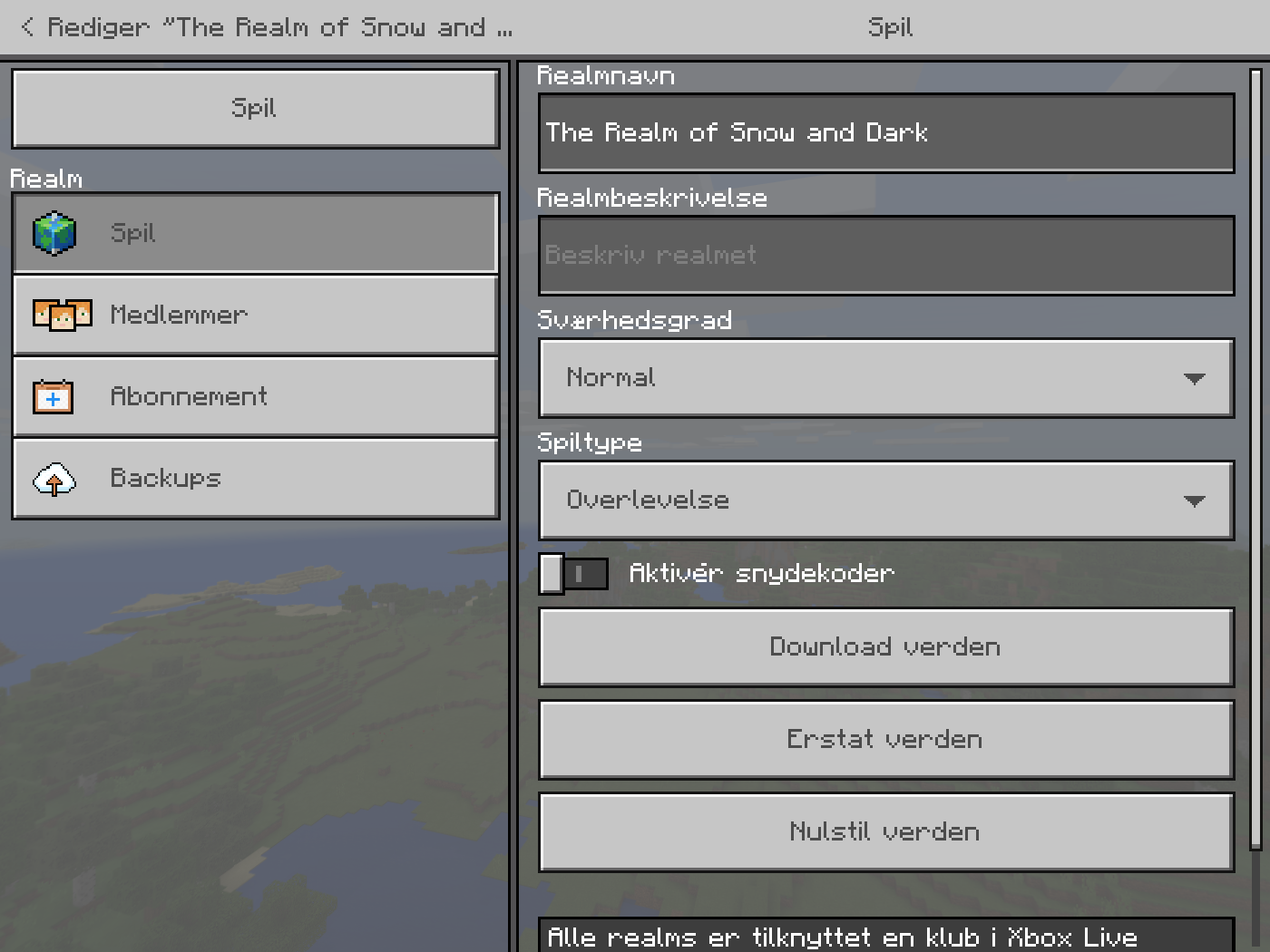


Slider settigngs in-game.png
- Played just joined. Then they go to their inventory and selects an item to gift.
- After gift transaction on their side is complete, I get a message while I was interacting with another merchant. Maybe the gift wrapper, but I do not remember for sure.
- I press the "Great!" button and open my inventory (with the shortcut "I" )
- I then salvage my current armor (a bee's nest)
- I start to look for the new one in my inventory. But it is nowhere to be seen.
What I expected to happen was...
I would find the item in my inventory after pressing "Great!" even though I was already interacting with another merchant.
What actually happened was...
I got the announcement that a gift was received, but when I went to look, the item wasn't in the inventory.
What I have also tried
Double checking it didn't return to owner
Leaving and starting a new game to make sure it wasn't "stuck on the servers".
More info
The item was a unique. It was level 35
armor. We don't remember the exact type.This was the player's first time gifting a gift to me.
- Played just joined. Then they go to their inventory and selects an item to gift.
- After gift transaction on their side is complete, I get a message while I was interacting with another merchant. Maybe the gift wrapper, but I do not remember for sure.
- I press the "Great!" button and open my inventory (with the shortcut "I" )
- I then salvage my current armor (a bee's nest)
- I start to look for the new one in my inventory. But it is nowhere to be seen.
What I expected to happen was...
I would find the item in my inventory after pressing "Great!" even though I was already interacting with another merchant.
What actually happened was...
I got the announcement that a gift was received, but when I went to look, the item wasn't in the inventory.
What I have also tried
Double checking it didn't return to owner
Leaving and starting a new game to make sure it wasn't "stuck on the servers".
More info
The item was a unique. It was level 35 "Renegade armor".
This was the player's first time gifting a gift to me.
I thought I was given an option to put in environment in a next step, but it just posted it. So here is the most important hardware info.
Running Surface Pro 4 (i7-edition)
The sound is coming from a Bluetooth connected speaker.
In a moment, I will make a feedback item in Feedback Hub with screenshot and repro steps, which I will afterwards add a link to in another comment here
You guys should encourage this as well, as it is so much easier for users ^^
I also tested this on a complete difference machine running Windows 10 build 16299.309
Seems like this issue is resolved with with the newest Minecraft version 1.11+1.13
I can get mine to 22
This is what my video slider settings looks like:
Removing my vote as this is not a bug. It is by design, that you cannot go over what Minecrafts deems your computer is capable of.
I conclude this by checking on my gaming rig after having updated to 1.4.5.0 (Not 1.5!) - and I can crank the render distance up to 64 blocks again
I think there is a fix on the way. I noticed the beta mentioned a fix along the lines of … water plants will no longer break as long as one side is touching water. So wait for the next patch/update/phase 2 of aquatic update to arrive, or join the beta, in which it is already fixed
I rest my case
I also experience this issue. In my case my original spawn point is at least 10 full days of traveling away and I do not think it will be possible to find without the original treasure map that lead to the mansion sad face
What I did before it happened
Platform: PC - Minecraft from the Microsoft Store
ShoutOut to Tom Holland for such a descriptive mention of realms and the musings of why it happens
As for the info Mega_Spud asked
@Jonathan:
Insider tip for quickly locating app version numbers on Windows 10 (Version 1803 aka. The April Update)
This way you are sure to always get the installed app on your local machine and not what the Microsoft Store reports (which can vary, and quite frankly, I understand your confusion!)
§1 - Assuming you have got it installed, of course
@Jonathan:
That is not what mine says. Maybe app versioning is different in your country?
Let us try something else.
When you open Minecraft for Windows 10 and navigates to Settings > How to get started > News, is the title in the announcement window 1.5.1 HotFix? (See attached screenshot)
If you do not see this, then you do not have the latest version of the app and should go to the Microsoft Store app and force check for updates
@Johnathan
I am pleased that you were finally able to update and play without the fear of losing inventory !
!
Where: The "reward room"
What: Reward chest is half-way covered up by a gray layer of sorts.
When: After online game timeout from being out of the game (reporting another bug)
This bug does not happen often for me. I have completed most of the game levels (except the final boss level), without experiencing this.
More info
After completing Desert Temple again on hardest level difficulty on first game difficulty.
Reward was Torment Quiver, item level 37, common.
CPU: Intel Core i7 920 @ 2,67 GHz
Graphics card: ASUS NVIDIA GeForce GTX 970 (4 GB RAM, GPU clock: 1111 Mhz)
RAM: 14 GB, mixed vendors.
Display mode: Borderless windowed, resolution: 1680 x 1050 @ 60 (59) Hz
Windows 10 Version 2004
Version of Minecraft Dungeons: 1.1.1.0
In-game settings: Fanciest + V-sync: ON
Thank you for writing a succinct report on the issue.
I wonder why your report did not show up when I searched for this issue 🤔
Oh well, the important thing is that they now are tracking this 😃!
I've come to this dungeon later on and not experienced this bug 🙂
I don't think it ever was fixed?
Mojang debug team rarely fixes bugs like these.
I bet you can still lose a life instead of a bit of health when you roll over the edge in the last level in a specific area, just like the screen is still blank in Minecraft Earth when you load the game with a iPhone Max device and screen zoom enabled. And Earth has just ben announced as closing summer 2021...
I'm telling you, don't get your hopes up for bugs like these EVER getting fixed.
Just installed the launcher from https://www.microsoft.com/store/productId/9NXP44L49SHJ and upon loading the launcher, it got that error. I have doubled-checked my Microsoft Account settings and they are the same. This is an incorrect mismatch message.
Upon installing and opening the Minecraft Bedrock edition, it asked me to sign in and I did and that worked. It is ONLY the launcher that has an issue.
Sad to see the bug reporting handling for this game has not improved in the two years I have been gone...