 Richard Cox
- richardcox13
- richardcox13
- Europe/London
- Yes
- No
 MC-25
MC-25![[Mojang] Grum (Erik Broes)](../../../data/assets/gravatar/grum.png)
![[Mojang] Nathan Adams](../../../data/assets/gravatar/dinnerbone.png)
 Low
Low![[Mod] markderickson](../../../data/avatars/users/18946.svg)
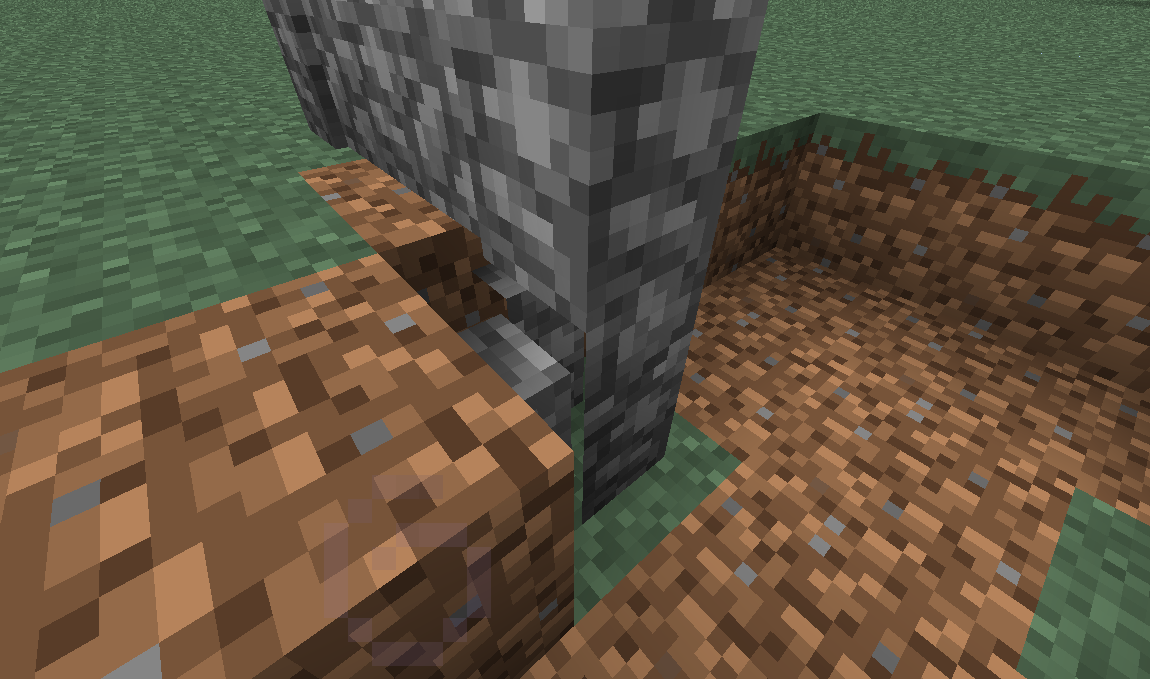




Rending of Fence/Wall When Connected to a BlockRenders OddlyGlitch in Rendering of Fence/Wall When Connected to a Block
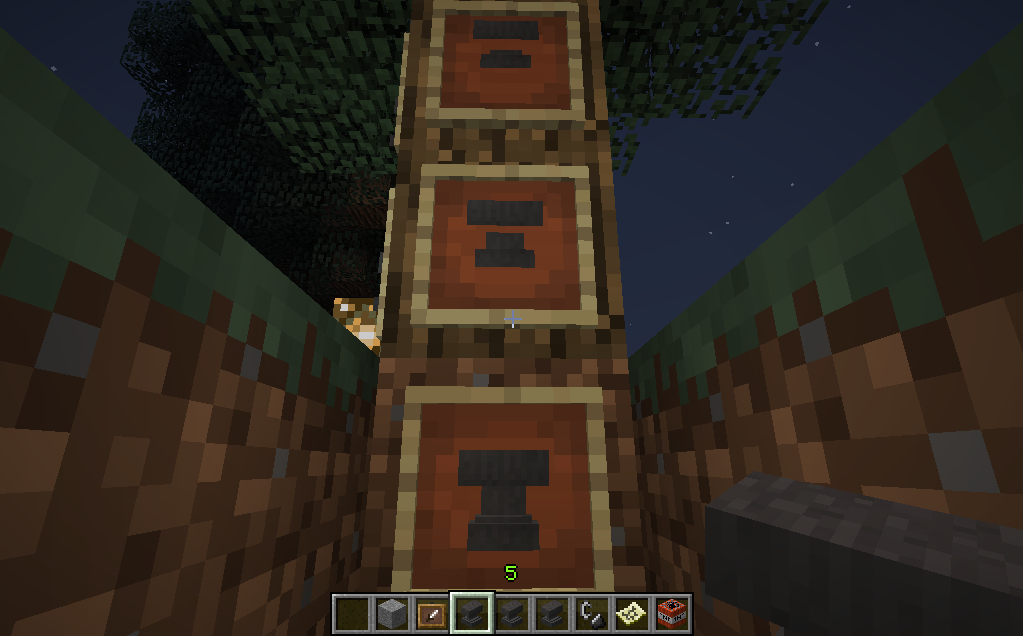
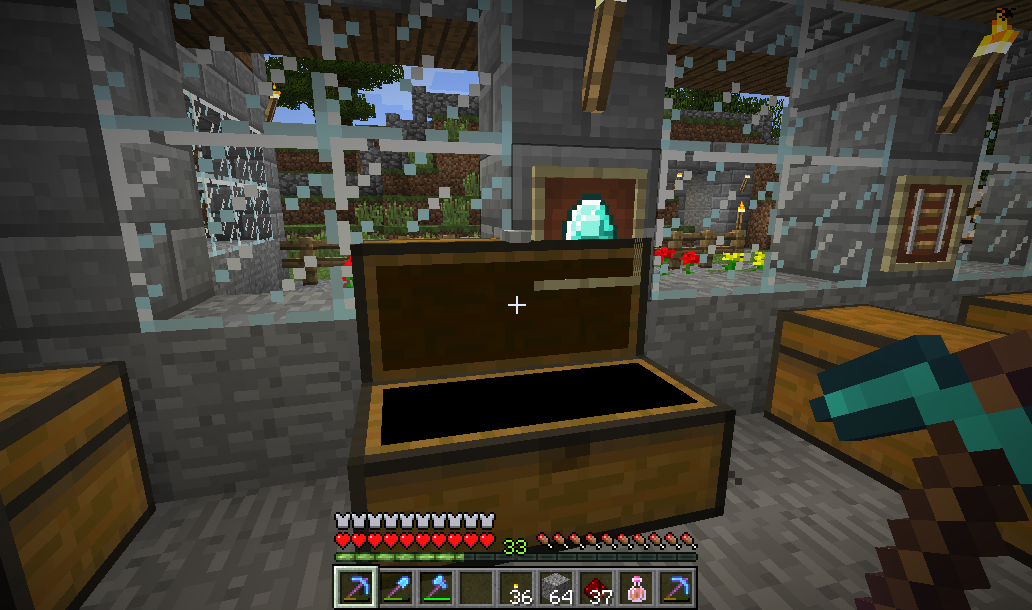
Anvils in item frames render incorrectly (as if it were deeper into frame) when viewed from below. From the side or above they appear correctly.
Recreate: place item frame, place anvil in frame, view from below.
Expected result: the black/grey of the anvil should not be interrupted by the frame's brown background (as side view).
Actual: frame background seems to be in front of parts of the anvil.
Another case of this: http://www.minecraftforum.net/topic/1533766-fence-texturing-broken/#entry18750733
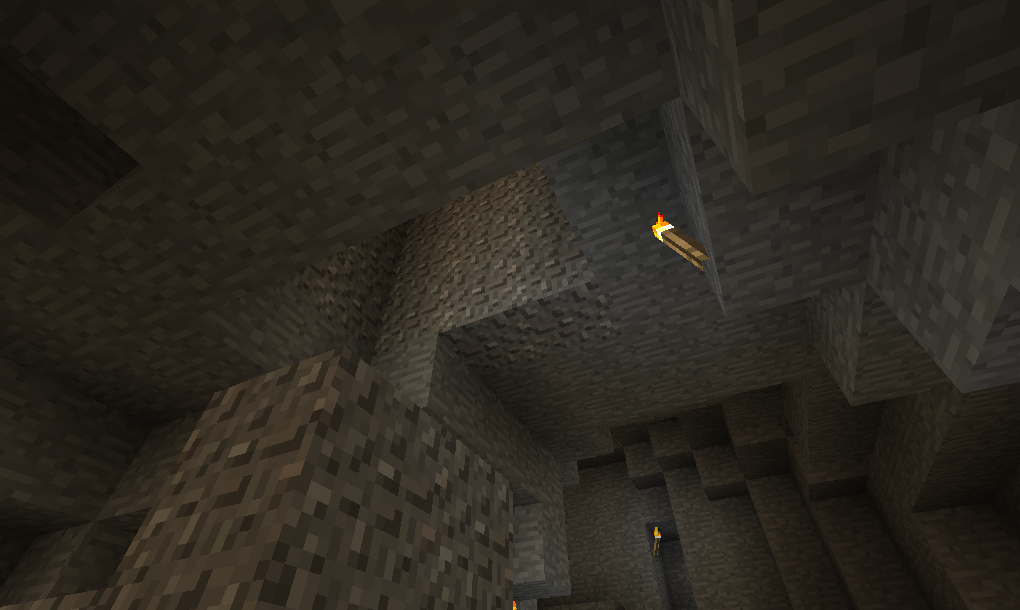
When using a superflat world with ground level above 128 (eg. Tunnellers Dream preset) clouds still render at the normal level (128).
Recreate:
1. Create superflat world with Tunnellers Dream present.
2. Dig down to level 128 and open up cavern.
3. Wait until clouds appear moving through that cavern.Expected: cloud level should move up when ground level is greater than 128. (OK for mountains above base ground level to reach above the clouds, but they are well above the base ground level.)
Additional: When you look through these clouds from slightly below, despite all the ground in the way the sun is still visible!
Clouds Generate at Level 128 Even if Ground Level Higher and You Can See the Sun Through Them
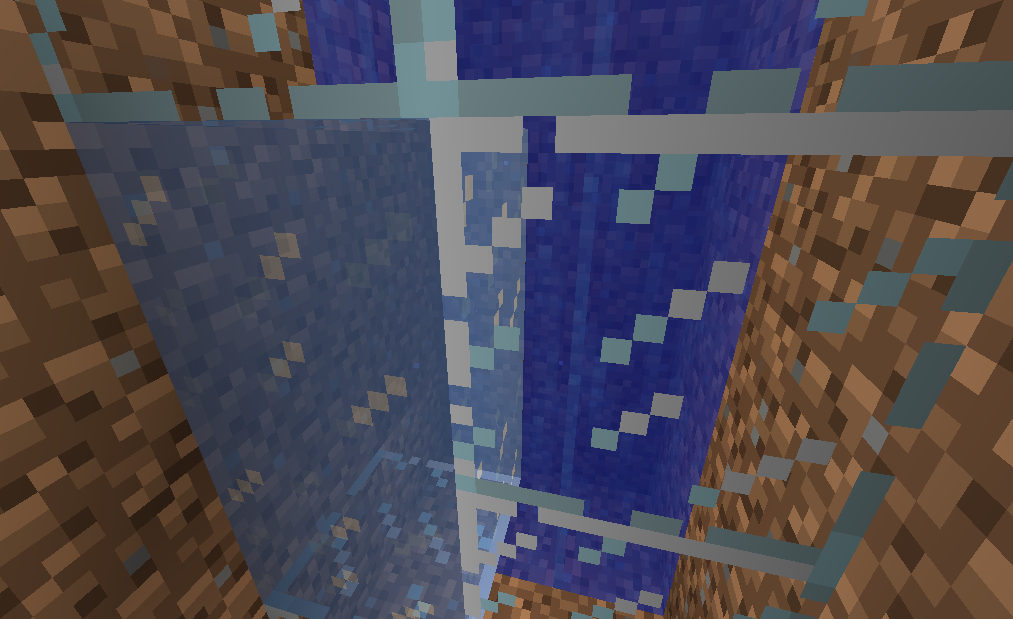
Place a water block in front of something else (eg. dirt) and then ice in front of the water, then looking horizontally through the ice will show the block behind the water and not the water.
Image compares looking at water through glass and ice.
Recreate (in single player):
1. Click on chest (opening sound plays, get chest GUI)
2. Wait...
3. Chest closing sound plays (but GUI still open)
4. Press escape to leave GUI and chest remains open.Further entering/leaving chest indicates state is "interesting". (Leaving world and re-entering fixes it).
Duplicate of
MC-25: https://mojang.atlassian.net/browse/MC-25Can also confirm. Sound will continue even after cart is broken to remove from rails.
EDIT: Note this is in single player.
@Stijn: No problem. I expect – given successive numbers – we were writing them at the same time.
Duplicate.
This has already been reported: https://mojang.atlassian.net/browse/MC-6
I've seen this sometimes, but doesn't always happen.
Three item frames containing anvils, the bottom one (from the side) appears correct; but the others, from below, do not.
Note: reported (https://mojang.atlassian.net/browse/MC-57) against 1.4.1PR but the fixes in 1.4.2 seem to have missed the "view from below" case.
Already reported: https://mojang.atlassian.net/browse/MC-6
This has already been reported: https://mojang.atlassian.net/browse/MC-6
I've seen (V1.3.2?) a sqiud in a 1x1x1 water block (in a desert if I recall correctly).
I agree there should be a minimum pool size before they spawn, /and/ a maximum density of squid (one OK in 8x8x3 say, but not two).
Confirmed in 1.4.2 Release.
@Grum: Would help if the "fix version" field was populated to make it clear when things are fixed.
There are meant to be gaps between walls on top of walls – they do not form a continuous barries (unlike solid blocks on solid blocks).
According to the wiki (I've not tested this) you can shoot arrows through the gaps.
PS. The environment field on the bug report is for your computing environment (OS, Java version, ...) not the biome in Minecraft.
Confirmed (in creative), before and after screenshots added.
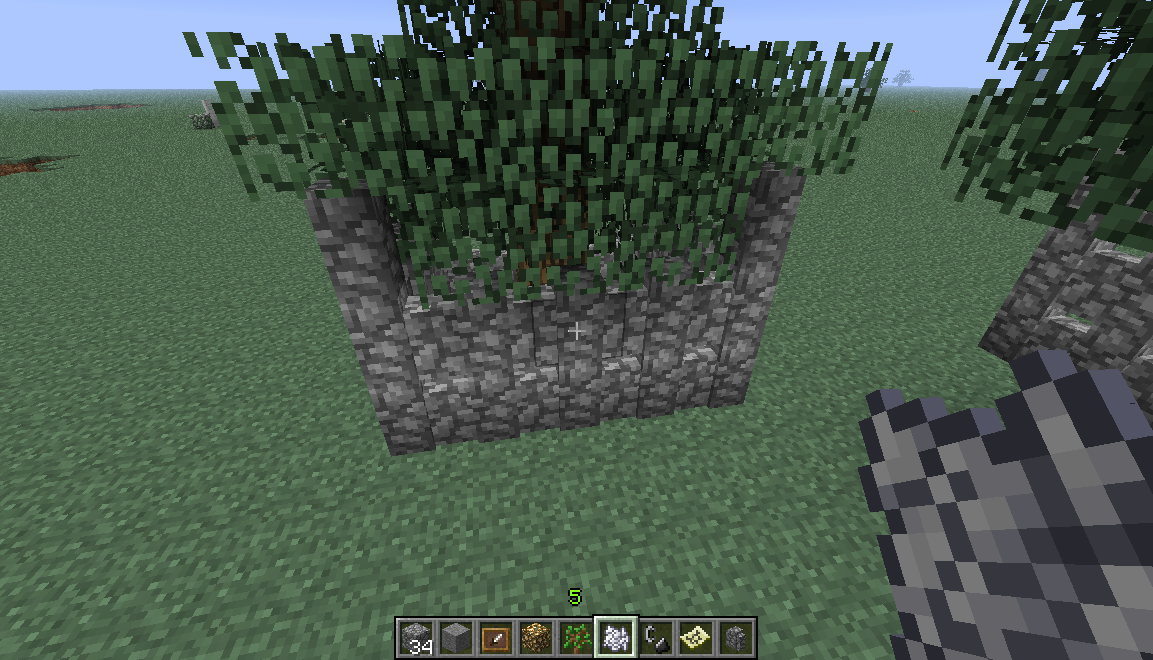
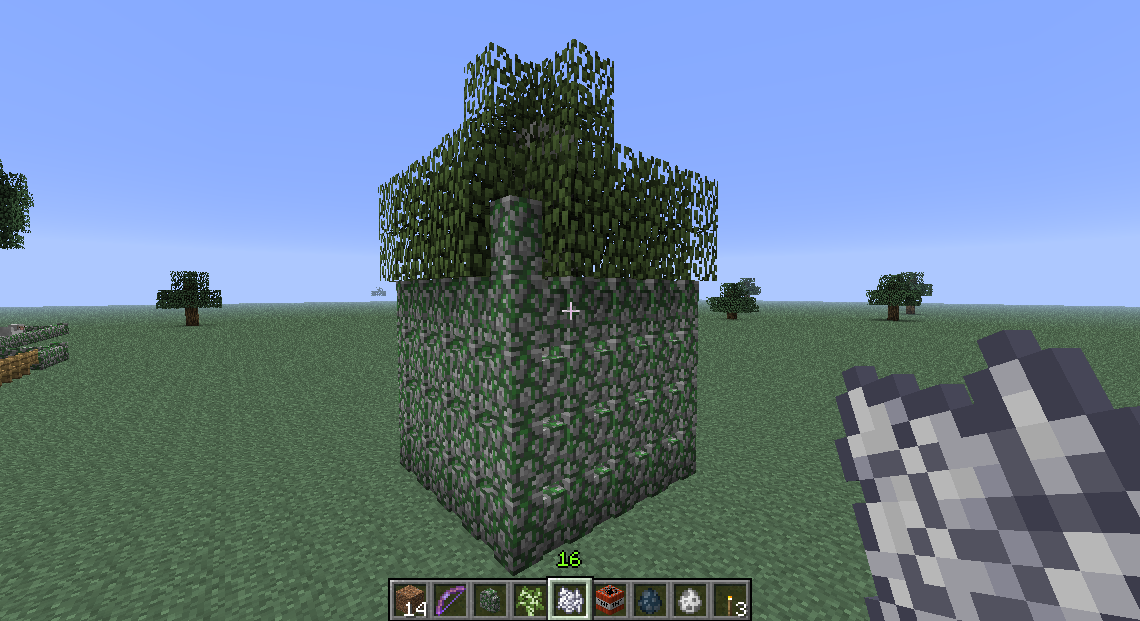
Before applying bonemeal.
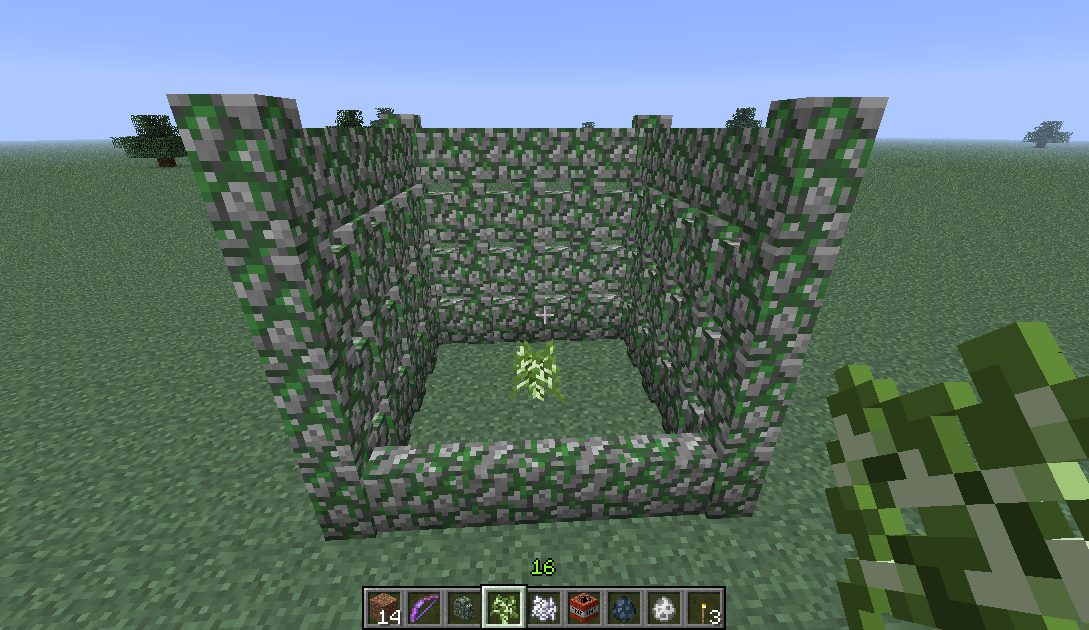
After applying bonemeal, multiple wall blocks removed.
@sterlingred: No mods; just one of the included superflat presets ("Tunnellers Delight") which has a ground level ~230.
To put the issue another way: the fixing of 128 as cloud height was done before superflat customisation allowed worlds with an arbitrary ground level.
In either case, one should not be able to see the Sun through the (solid) side of a cavern by looking through a cloud.
@Paul: I agree there is a logic here (obviously), however the defect is in that logic.
A beach (especially a beach beside a river) should not [IMHO] qualify as enough of a desert for desert structures. This does not seem to be a problem for desert villages or desert wells (or maybe I have not looked around enough ).
).
From which direction did you place the corner block?
Testing here: if placed with the corner pointing towards me (ie. from the opposite direction to the screen shot) it works.
However if I place from the same direction as the screen shot (so the corner will face away from me) then I get the same result.
Corner stair blocks – like many other blocks – are sensitive to how they are placed.
Any chance of a screen shot?
Attach the picture the OP linked to.
This appears to be the same issue as https://mojang.atlassian.net/browse/MC-461 https://mojang.atlassian.net/browse/MC-446 and quote a few others.
Obviously this also happens if a connection to Tumblr cannot be established (eg. your own ADSL is down).
Better if Minecraft has an inbuilt "cannot read the news" default to use rather than raw HTML...
@Martin: Yes, translation seems likely, but not UK-English where it is still "cheats", but other languages are available.
I'm starting to think my problem with desert temples not in deserts is not so much the location, but that the use of sandstone does not fit.
If desert temples do occur in other biomes their principle material should reflect where they are. So temples in jungles would be made of (say) cobblestone but in swamps they are (say) stone.
I've also seen a delay in frames rendering.
Not consistent howecer, mostly it seems OK, but occasionally it is slow (without any other signs of slowness).
[Running on i7/920 with 2GB of 12 allocated to Java, so not due to slow hardware.]
Was this a newly generated world or newly generated block in an existing world; or a already generated block from a pre-1.4.2 world?
If you look you'll notice all items do this, including cobblestone, stone and obsidian.
In Minecraft everything burns in lava.
@Daedalue: Rather it is the opposite case: air -> solid -> liquid rather than liquid -> solid. Thus a separate bug as the fix could well be different.
@Daedalus: " It's a pain. To do it right would cause massive fps drops."
That rather depends on whether Minecraft (and the underlying JVM) can make use of either SSE or GPU ability to vectorise (massively in the latter case) pairs of add then multiply instructions (or, better, use fused multiple-add where available).
("Make use" here includes using tools to bypass usual JVM limitations to access underlying APIs.)
Or course to mitigate the screams [date noted] of those whose hardware is (in computing terms) palaeolithic due to lack of a GPU should allow a reduced quality implementation as currently.
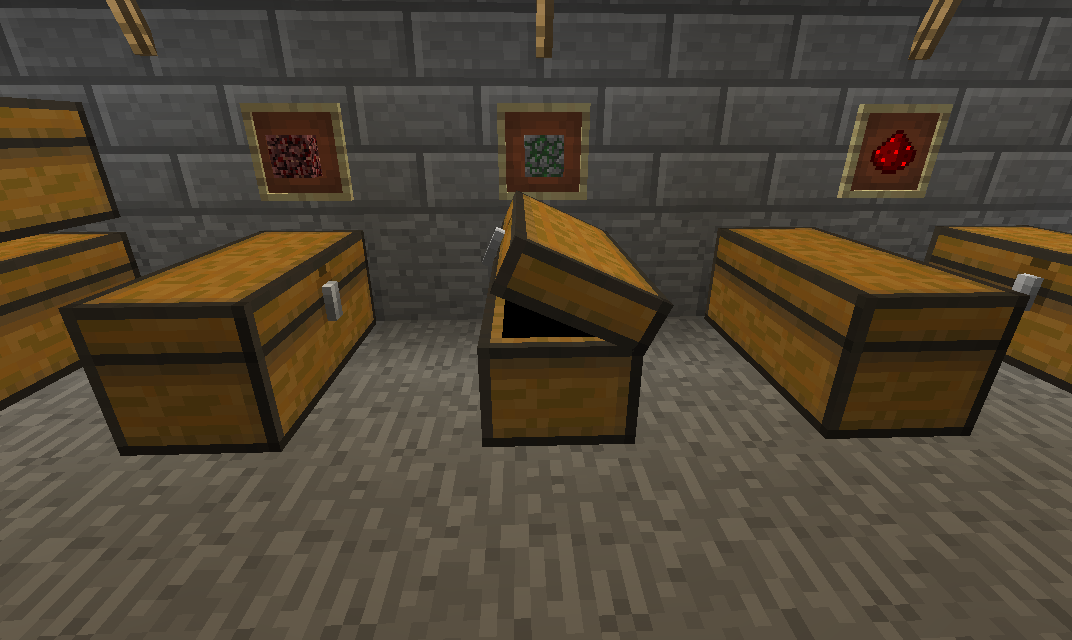
Created a 1x1 hole. Placing a torch on any side except west and the torch jumps to the west side.
If there are fewer adjacent walls – with no west – then the torch will jump to another side. South seems to have the lowest "priority". Thus torches can only be placed on a south wall if there are no other blocks to the side of the air block containing the torch.
I've had this as well.
The sound does stop when the cart stops.
(With music off.)
@TGalven: Certainly is /not/ fixed in 1.4.3, I've only seen it in 1.4.3 and not in earlier versions.
Happens every time.
(And I can confirm only with double chests. Single and Nether chests unaffected.)
Noticed this while investigation the chest staying open issue (https://mojang.atlassian.net/browse/MC-1638).
@Sycholic more a case of duplicate
MC-1638which appears to have been introduced by the fix toMC-515.Duplicate
MC-1638(as new issue in 1.4.3).Could the title be updated to remove the "(SMP)" as it is not limited to multiplayer or to survival?
After leaving a chest open, entering it again and it closes.
/But/ if you're quick enough you can leave it partially closed!
New screen shot attached.
Duplicate of
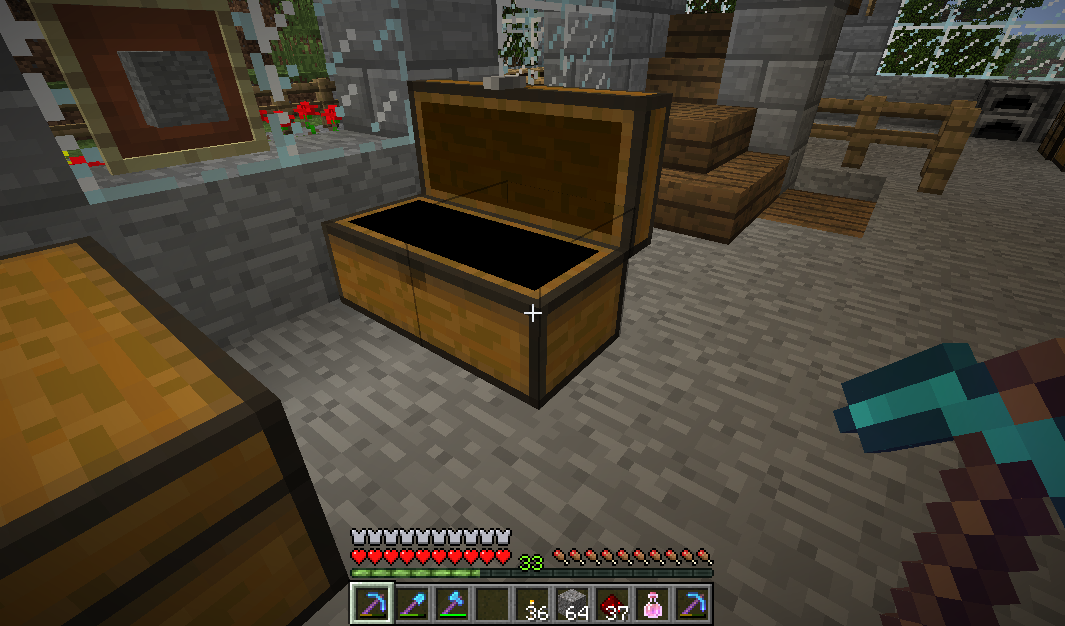
MC-1759@Kumasasa Am I correct in understanding that – if the flickering was removed by having the item frame in front of the chest lid – you would not consider the placement of item frame in front of the chest lid a bug?
IOW you are proposing that an opening chest lid passing behind any item frames places on a block one block above and behind the chest.
I consider any flickering as an irrelevant consequence of the underlying bug: the chest lid is not in front of the item frame.
@Aden: There were fixes to walls in 1.4.3 (eg.
MC-1332) so likely this issue was introduced while fixing some other aspect of wall behaviour.Confirmed. Rather distracting when sprinting along a mine tunnel with torches placed along it.
I'm getting this in 1.4.4.
Also if cart sound (on long run) is glitching it plays normally when paused!
Continues in 1.4.4.
Not fixed in 1.4.4: wall around the tree was all the same height before bone meal applied to sapling.
As can be seen in screen shot 2012-11-12_16.37.10.png most of the top row of wall has been replaced by the tree.
Just tried again Added before and after shots. Note the single wall block on the right front corner with a leaf block below that was wall.
NB. This is using a larch sampling in single player creative.
1.4.4 pre-release.
... and just tried the same with an oak sampling and did not re-create.
So there is a species dependency.
Confirmed in 1.4.5 pre-release.
Just tried 1.4.5: and I could not re-create. Seems it is at least reduced in severity.
@Allaiyah Weyn: What has that got to do with random flames? (Hint: change your profile to not auto-watch, then unwatch any issues you are watching).
@Kumasasa: no.
This is much more sever, and happens to all sides of the cart, looking to the sides as well as both forward and backwards.
Short video that (sort of) shows the problem. On screen it appears far more extreme.
@Peter: There is a separate bug report for the mine cart sound problems... which were in 1.4.2 and earlier (IIRC).
EDIT: This one:
MC-1642.I've created
MC-3784for the third part of this: seeing the sun through the clouds while underground.@Alejandro
Such an issue already exists:
MC-1642(as noted above).Can confirm mine carts not flickering in 12w49a.
Didn't really look at other blocks in details, but impression is that they fall more smoothly.
@Matthew: all of your screen shots have sky behind them. This issue is when cloud form below ground (eg. when using super flat with more than 128 layers). It will not happen with non-super flat world generation because the clouds are always above ground.
@Maarten: It seems your comment worked