 Andrew H
- Rocketboy314
- rocketboy314
- America/Mexico_City
- Yes
- No
 MC-99407
 MCPE-15549
 WEB-405
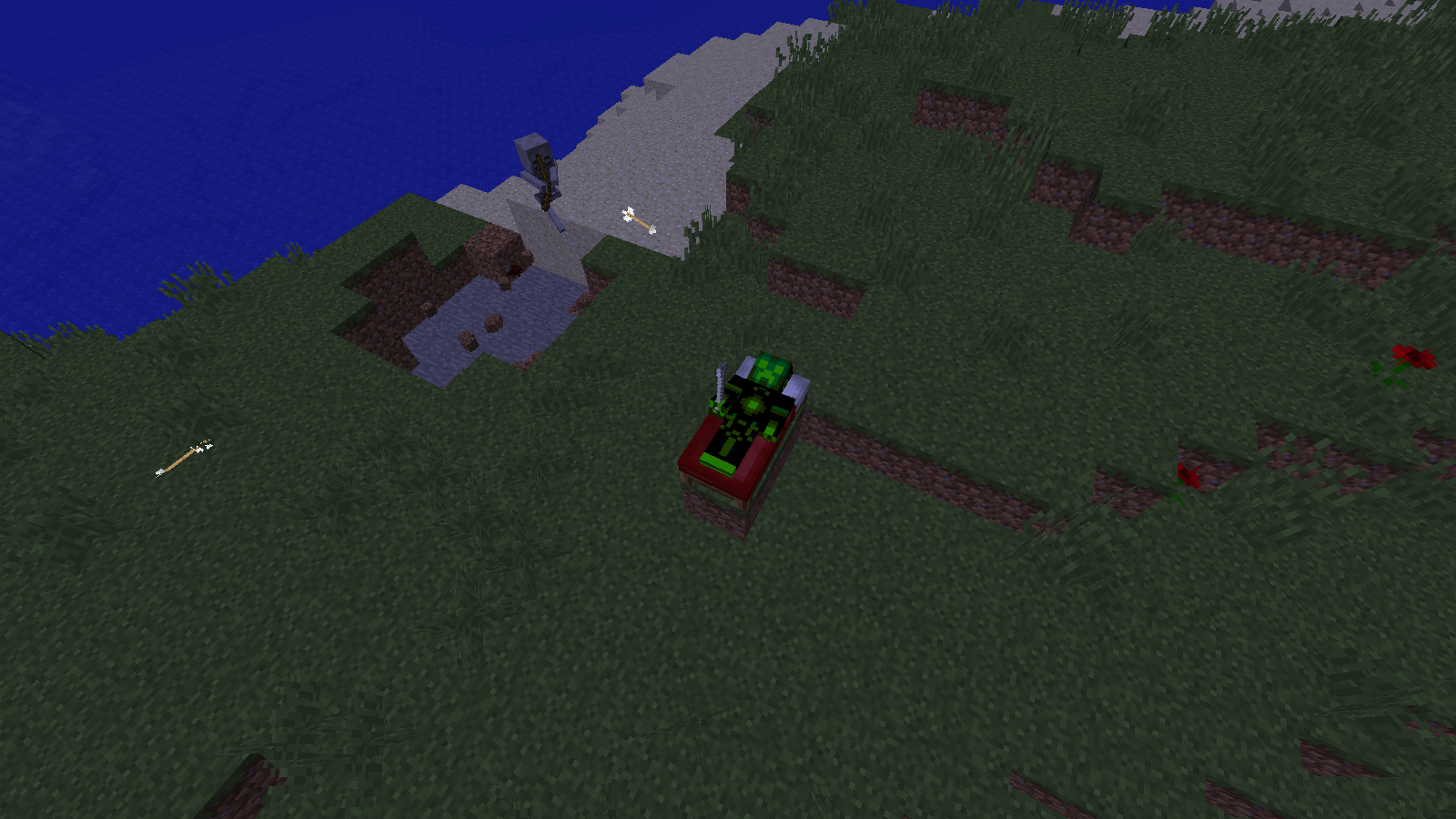
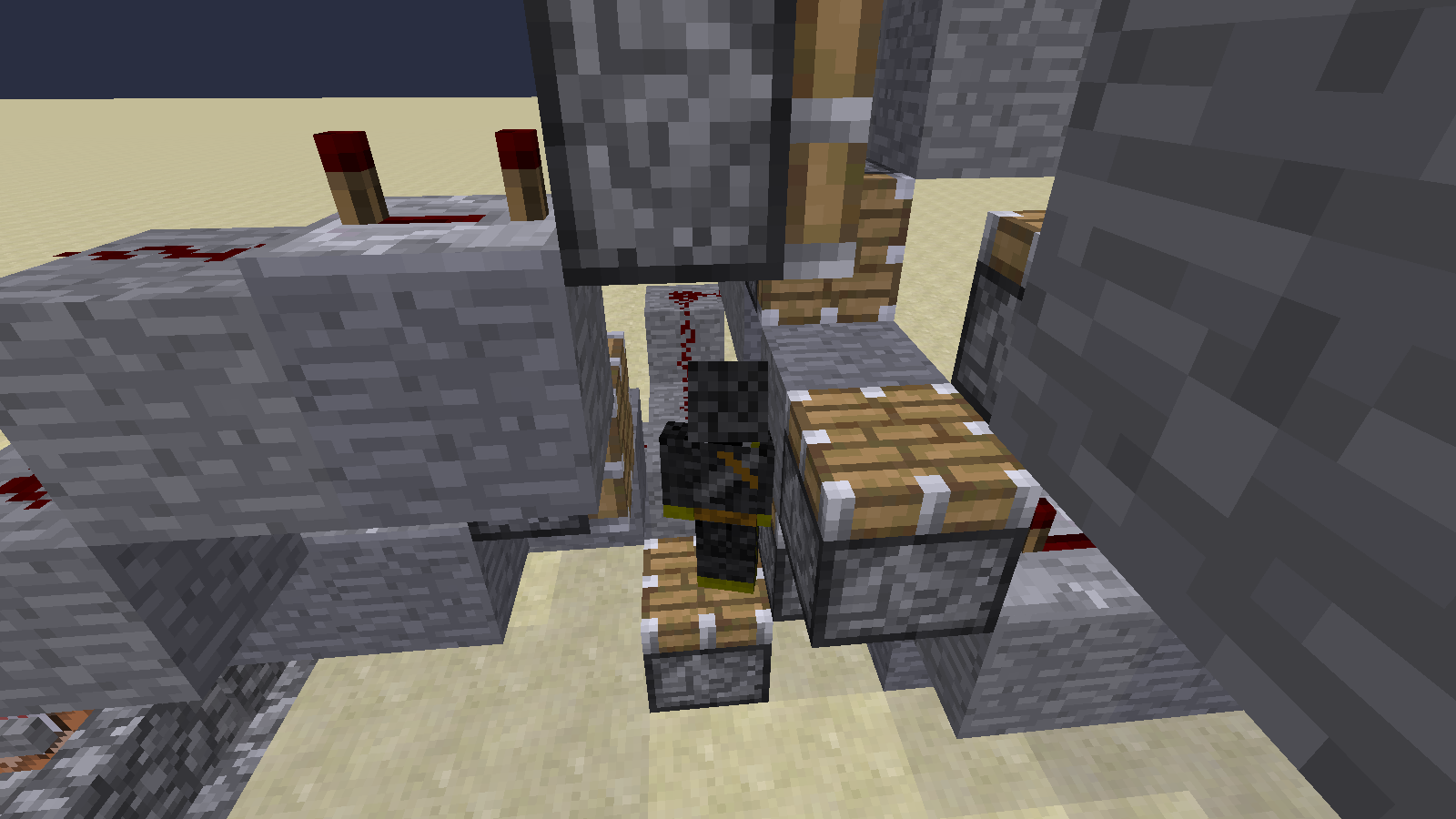


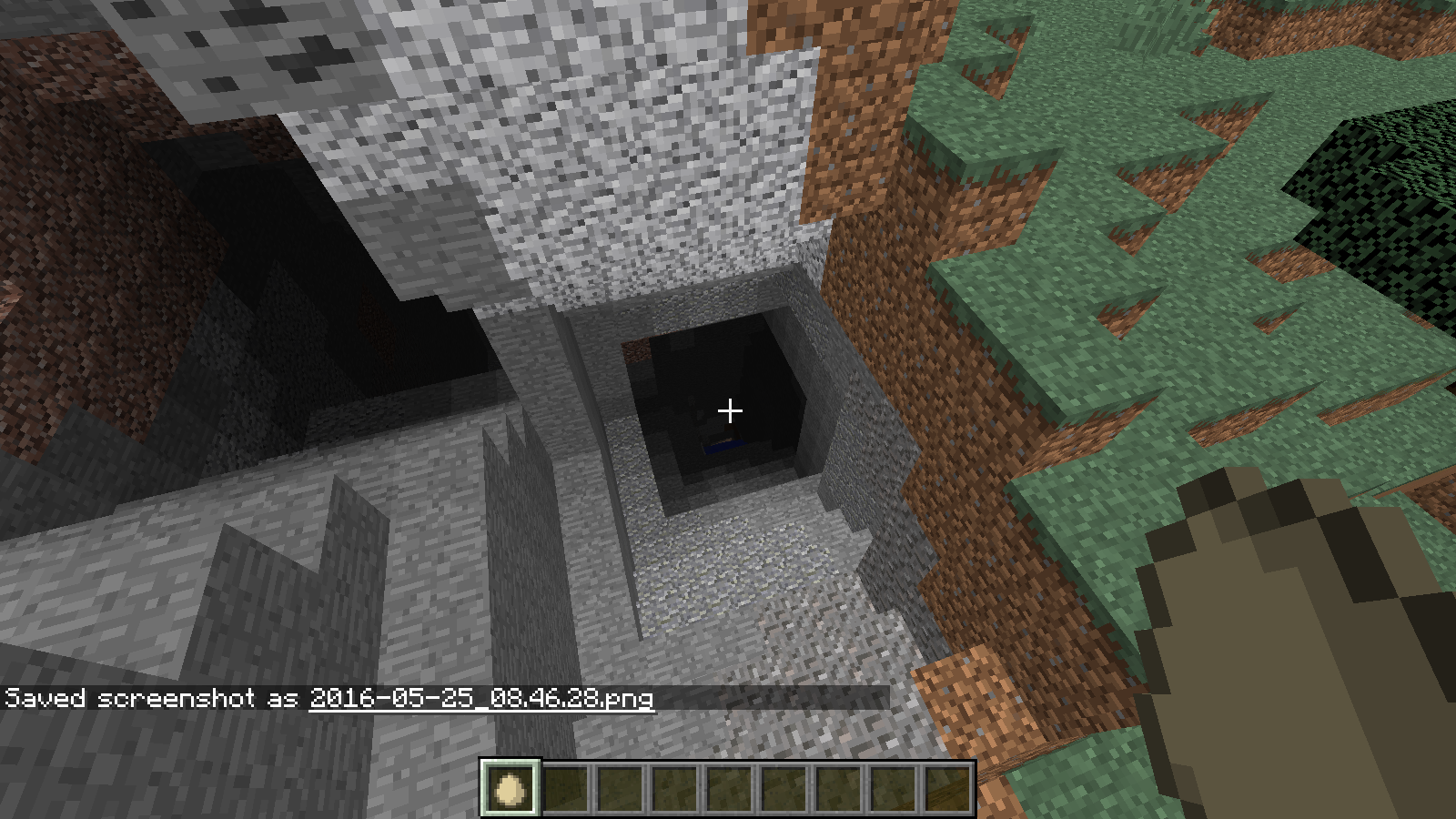


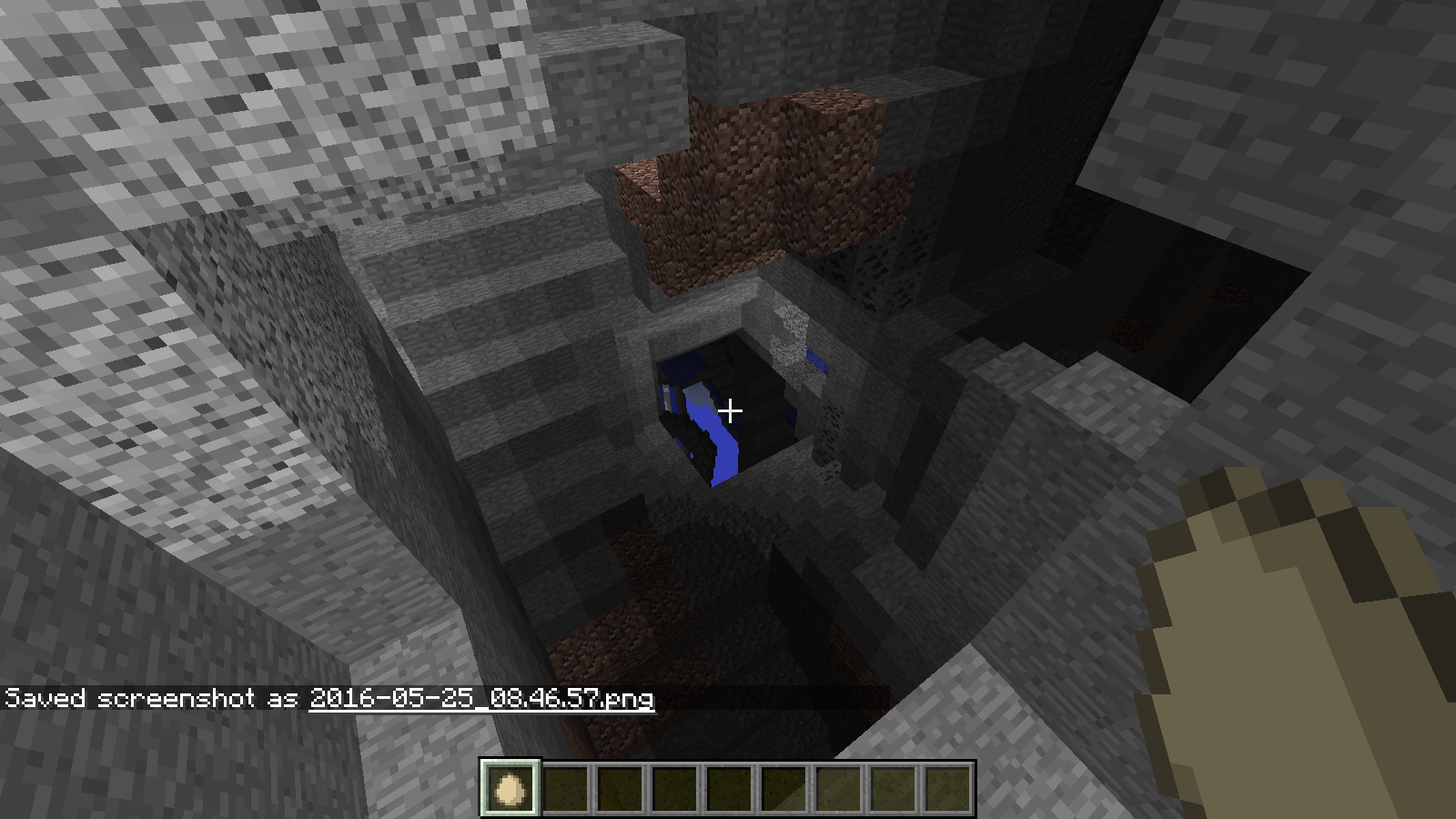










I was playing Minecraft with others. Someone wanted to play on one of my adventure worlds, that I had created in Creative. I opened the world to LAN, and someone joined my world using "Direct Connect". After that person joined, I wanted to edit a command block. However, when I right-clicked on it, the command block would not allow me to edit it, but instead reacted like a block that cannot store data, such as stone. I was still able to edit the block with "/blockdata", and I could receive and place command blocks with pick-block and "/give", but I could not edit the command block the normal way. I was in Creative when I attempted to edit the command block. This also happened several other times. The world was created in version 1.9.0.
strong What I expected to happen was...:
I expected to be able to edit the command block by right-clicking on it in Creative.strong What happened was...:
The block reacted in the same way as a block that cannot store data, like stone. I had to edit the command block by using "/blockdata" from the chat line.strong Steps to Reproduce:
- Create a World
- Place a Command Block
- Save and Quit to Title
- Re-Open the World
strong # IMPORTANT Do NOT Edit a Command Block by right-clicking on it.- Open the World to LAN; The Game Mode Does Not Matter, But Cheats Have to be OFF
- Right-Click the Command Block, and Wonder How to Fix This
- Save and Quit to Title
- (Sometimes) Watch Minecraft Become Unresponsive
I have attached a copy of the Game Output of a world called "Test Bug" to this bug report. This bug sometimes makes Minecraft unresponsive as well. This bug can be avoided two ways; you can either right-click a command block before opening a world to LAN, or you can open the world to LAN with cheats enabled. Thank you for your time.

This is because when you summon an Item, the count defaults to 0. Because you cannot pick up nothing, the Item remains on the ground. You can try:
/summon Item ~ ~ ~ {Item:{id:stone,Damage:0,Count:1}}}
Before I begin, I would like to say that this is similar to
MC-73884, but I think it is distinct enough to be called separate, because inMC-73884, the eggs are breaking on blocks that are in the world. In this bug, eggs break on nonexistent blocks, but they don't really break. If it is considered a duplicate, I would like a short description of why as a comment. I will now begin to describe the bug.What happened...
I was playing Minecraft, and I needed a way to clear out quite a bit of space. So, I made a repeating, unconditional, always active command block with the command /execute @e[type=ThrownEgg] ~ ~ ~ /fill ~-2 ~-2 ~-2 ~2 ~2 ~2 air (I had experimented with lower numbers, but the egg actually broke before the command was run again). I would throw the egg and it would appear to break as soon as it hit the ground. Then, a large 5X5 column would open up in the ground as the chunk loaded. Sometimes, the egg breaking particle would be displayed, but the particles would follow the same path as the egg would and still make the column. Either way, the command would work.Steps to Reproduce...
1. Create a Creative World with Cheats On
2. Give yourself a Command Block with the command: /give @p command_block
3. Place the Command Block and give it the command: /execute @e[type=ThrownEgg] ~ ~ ~ /fill ~-2 ~-2 ~-2 ~2 ~2 ~2 air.
4. Set the Command Block to a Repeat, Unconditional, and Always Active Command Block.
5. Throw an Egg
6. Watch the Egg
EggBreaking Particle on Nonexistent Blocks
Before I begin, I would like to say that this is similar to
MC-73884, but I think it is distinct enough to be called separate, because inMC-73884, theeggs are breaking on blocks that are in the world. In this bug,eggs break on nonexistent blocks, but they don't really break. If it is considered a duplicate, I would like a short description of why as a comment. I will now begin to describe the bug.What happened...
I was playing Minecraft, and I needed a way to clear out quite a bit of space. So, I made a repeating, unconditional, always active command block with the command /execute @e[type=ThrownEgg] ~ ~ ~ /fill ~-2 ~-2 ~-2 ~2 ~2 ~2 air (I had experimented with lower numbers, but the egg actually broke before the command was run again). I would throw the egg and it would appear to break as soon as it hit the ground. Then, a large 5X5 column would open up in the ground as the chunk loaded. Sometimes, the egg breaking particle would be displayed, but the particles would follow the same path as the egg would and still make the column. Either way, the command would work.Steps to Reproduce...
1. Create a Creative World with Cheats On
2. Give yourself a Command Block with the command: /give @p command_block
3. Place the Command Block and give it the command: /execute @e[type=ThrownEgg] ~ ~ ~ /fill ~-2 ~-2 ~-2 ~2 ~2 ~2 air.
4. Set the Command Block to a Repeat, Unconditional, and Always Active Command Block.
5. Throw an Egg
6. Watch the EggBefore I begin, I would like to say that this is similar to
MC-73884, but I think it is distinct enough to be called separate, because inMC-73884, the thrown objects are breaking on blocks that are in the world. In this bug, thrown objects break on nonexistent blocks, but they don't really break. If it is considered a duplicate, I would like a short description of why as a comment. I will now begin to describe the bug.What happened...
I was playing Minecraft, and I needed a way to clear out quite a bit of space. So, I made a repeating, unconditional, always active command block with the command /execute @e[type=ThrownEgg] ~ ~ ~ /fill ~-2 ~-2 ~-2 ~2 ~2 ~2 air (I had experimented with lower numbers, but the egg actually broke before the command was run again). I would throw the egg and it would appear to break as soon as it hit the ground. Then, a large 5X5 column would open up in the ground as the chunk loaded. Sometimes, the egg breaking particle would be displayed, but the particles would follow the same path as the egg would and still make the column. Either way, the command would work.Affected Entities:
1. ThrownEgg
2. SnowballUnaffected Entities:
1. ThrownPotion
2. ThrownEnderpearlSteps to Reproduce...
1. Create a Creative World with Cheats On
2. Give yourself a Command Block with the command: /give @p command_block
3. Place the Command Block and give it the command: /execute @e[type=ThrownEgg] ~ ~ ~ /fill ~-2 ~-2 ~-2 ~2 ~2 ~2 air.
4. Set the Command Block to a Repeat, Unconditional, and Always Active Command Block.
5. Throw an Egg
6. Watch the Egg
Before I begin, I would like to say that this is similar to
MC-73884, but I think it is distinct enough to be called separate, because inMC-73884, the thrown objects are breaking on blocks that are in the world. In this bug, thrown objects break on nonexistent blocks, but they don't really break. If it is considered a duplicate, I would like a short description of why as a comment. I will now begin to describe the bug.What happened...
I was playing Minecraft, and I needed a way to clear out quite a bit of space. So, I made a repeating, unconditional, always active command block with the command /execute @e[type=ThrownEgg] ~ ~ ~ /fill ~-2 ~-2 ~-2 ~2 ~2 ~2 air (I had experimented with lower numbers, but the egg actually broke before the command was run again). I would throw the egg and it would appear to break as soon as it hit the ground. Then, a large 5X5 column would open up in the ground as the chunk loaded. Sometimes, the egg breaking particle would be displayed, but the particles would follow the same path as the egg would and still make the column. Either way, the command would work.Affected Entities:
1. ThrownEgg
2. SnowballUnaffected Entities:
1. ThrownPotion
2. ThrownEnderpearl
3. ThrownExpBottleSteps to Reproduce...
1. Create a Creative World with Cheats On
2. Give yourself a Command Block with the command: /give @p command_block
3. Place the Command Block and give it the command: /execute @e[type=ThrownEgg] ~ ~ ~ /fill ~-2 ~-2 ~-2 ~2 ~2 ~2 air.
4. Set the Command Block to a Repeat, Unconditional, and Always Active Command Block.
5. Throw an Egg
6. Watch the Egg
I'm not sure if the bug is a sound not playing, or a subtitle displaying.What Happened...:"
I was riding in a boat with subtitles on and "< Minecart rolls" appeared. I did not hear any minecarts rolling."Steps To Reproudce...:"
Just ride around in a boat for a while with subtitles on. Iwas holding down my sprintkey, Left Control, if that makes any difference.Bug: Sound Played When It Shouldn't Be Played
What Happened...:"
I was riding in a boat with subtitles on and "< Minecart rolls" appeared. I did not hear any minecarts rolling. There was a Minecart with a Chest within 100 blocks of me (97 to be exact). A Minecart with Chest was sitting in a Mineshaft, but it could not have moved."Steps To Reproudce...:"
Just ride around in a boat for a while with subtitles on. If you are within 100 blocks of a Minecart, or any variant of one, a subtitle will appear: {{ < Minecart rolls }}.
Bug: Sound Played When It Shouldn't Be Played
What Happened...:"
I was riding in a boat with subtitles on and "< Minecart rolls" appeared. I did not hear any minecarts rolling. There was a Minecart with a Chest within 100 blocks of me (97 to be exact). A Minecart with Chest was sitting in a Mineshaft, but it could not have moved."Steps To Reproudce...:"
Just ride around in a boat for a while with subtitles on. If you are within 100 blocks of a Minecart, or any variant of one, a subtitle will appear: {{ < Minecart rolls }}.Bug: Sound Played When It Shouldn't Be Played
What Happened...:"
I was riding in a boat with subtitles on and "< Minecart rolls" appeared. I did not hear any minecarts rolling. There was a Minecart with a Chest within 100 blocks of me (97 to be exact). A Minecart with Chest was sitting in a Mineshaft, but it could not have moved."Steps To Reproudce...:"
Just ride around in a boat for a while with subtitles on. If you are within 100 blocks of a Minecart spawned from a Mineshaft, a subtitle will appear: {{ < Minecart rolls }} . Doesn't work with Minecarts spawned by placement.
Bug: Sound Played When It Shouldn't Be Played
What Happened...:"
I was riding in a boat with subtitles on and "< Minecart rolls" appeared. I did not hear any minecarts rolling. There was a Minecart with a Chest within 100 blocks of me (97 to be exact). A Minecart with Chest was sitting in a Mineshaft, but it could not have moved."Steps To Reproudce...:"
Just ride around in a boat for a while with subtitles on. If you are within 100 blocks of a Minecart spawned from a Mineshaft, a subtitle will appear:{{ < Minecart rolls }} . Doesn't work with Minecarts spawned by placement.Bug: Sound Played When It Shouldn't Be Played
What Happened...:"
I was riding in a boat with subtitles on and "< Minecart rolls" appeared. I did not hear any minecarts rolling. There was a Minecart with a Chest within 100 blocks of me (97 to be exact). A Minecart with Chest was sitting in a Mineshaft, but it could not have moved."Steps To Reproudce...:"
Just ride around in a boat for a while with subtitles on. If you are within 100 blocks of a Minecart spawned from a Mineshaft, a subtitle will appear: "< Minecart rolls" . Doesn't work with Minecarts spawned by placement by player. When placed, "< Minecart rolls" appears, but "Block Placed" does not appear. Also, when Minecart Rolls
Bug: Sound Played When It Shouldn't Be Played
What Happened...:"
I was riding in a boat with subtitles on and "< Minecart rolls" appeared. I did not hear any minecarts rolling. There was a Minecart with a Chest within 100 blocks of me (97 to be exact). A Minecart with Chest was sitting in a Mineshaft, but it could not have moved."Steps To Reproudce...:"
Just ride around in a boat for a while with subtitles on. If you are within 100 blocks of a Minecart spawned from a Mineshaft, a subtitle will appear: "< Minecart rolls" . Doesn't work with Minecarts spawned by placement by player. When placed, "< Minecart rolls" appears, but "Block Placed" does not appear. Also, when Minecart RollsBug: Sound Played When It Shouldn't Be Played
What Happened...:"
I was riding in a boat with subtitles on and "< Minecart rolls" appeared. I did not hear any minecarts rolling. There was a Minecart with a Chest within 100 blocks of me (97 to be exact). A Minecart with Chest was sitting in a Mineshaft, but it could not have moved."Steps To Reproudce...:"
Just ride around in a boat for a while with subtitles on. If you are within 100 blocks of a Minecart spawned from a Mineshaft, a subtitle will appear: "< Minecart rolls" . Doesn't work with Minecarts spawned by placement by player. When placed, "< Minecart rolls" appears, but "Block Placed" does not appear. Also, when Minecart does roll, the Minecart roll sound is played, but the subtitle for the Minecart roll does not appear.
MC-102923.zip
If this bug is considered a duplicate, please describe why in a comment.
How I Discovered It:
I had constructed a contraption which fires a spread of arrows. I used it without realizing I had disconnected a redstone wire (more on that later). When I finally discovered the error, I had already run the machine 2-3 times and when it fired, the arrows flew much farther than they had before.What I expected to happen...:
1. The arrows moved when the explosion went off.
OR
2. The arrows flew the exact same distance.What actually happened...:
1. The arrows did not move. I tested this with /execute @e[type=Arrow,c=1] ~ ~ ~ /tp @e[c=1] ~ ~ ~.
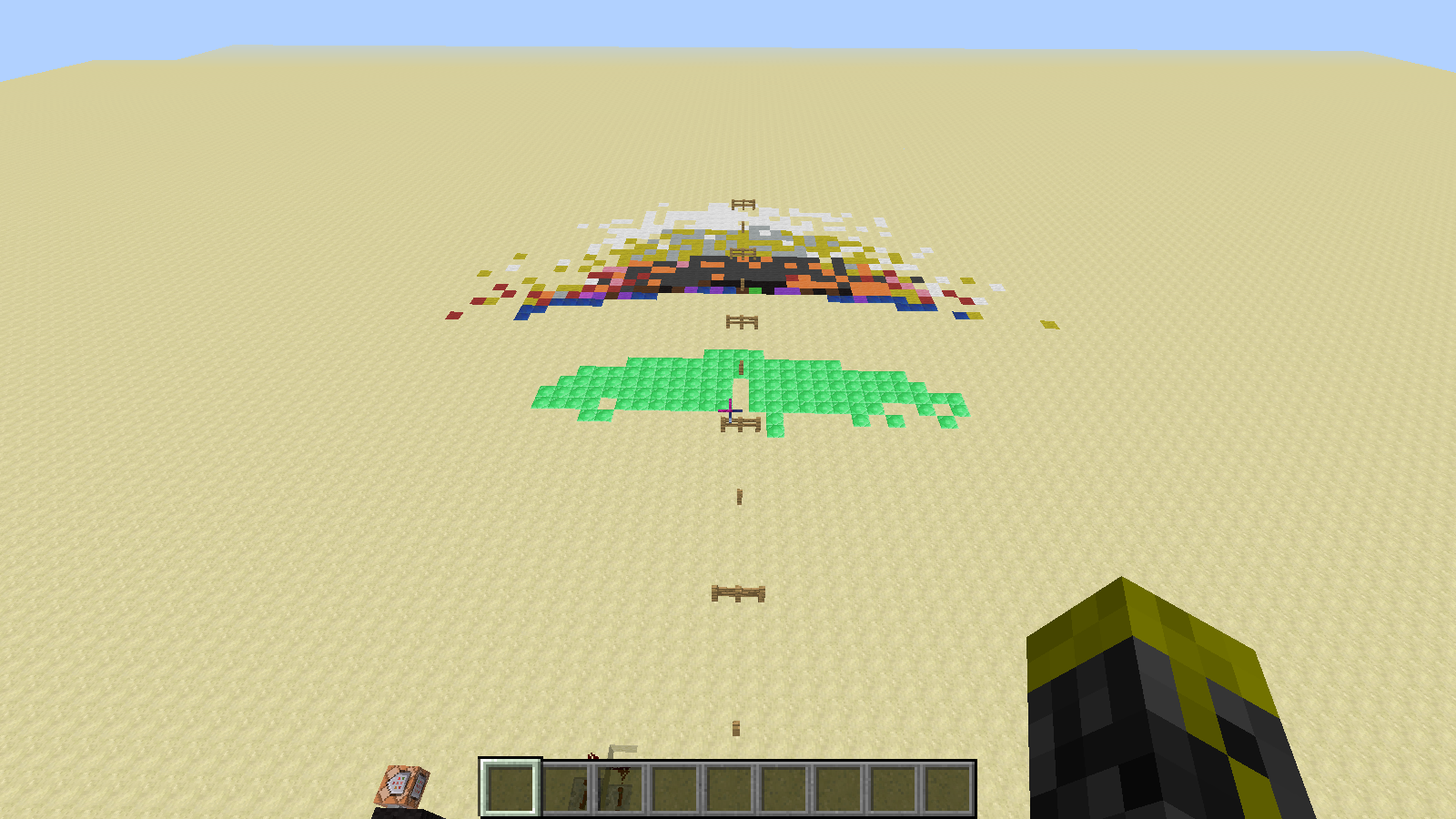
2. The arrows flew more randomly, but farther.I have attached the results as labeled png's
The Contraption:
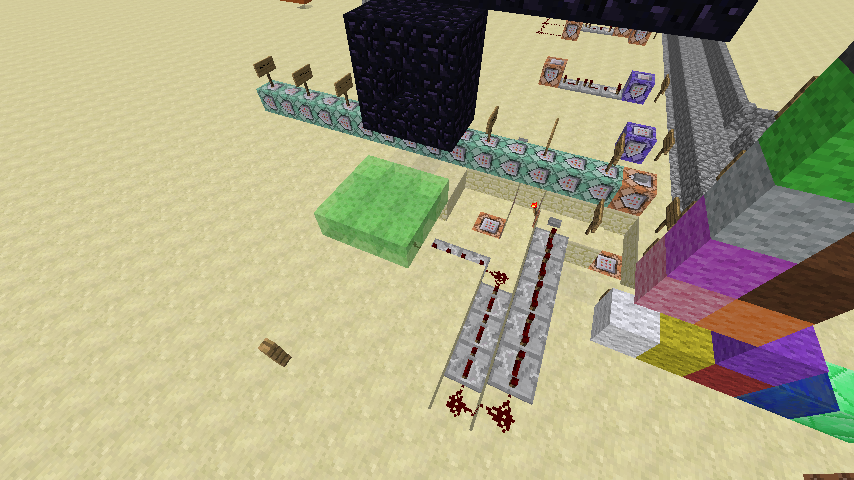
It uses a dispenser which is powered by the old-fashioned powered comparator clock (see image below). Connected to it is a strand of redstone wire, 2 long, connected to a block with a redstone torch on the opposite side, which powers a command block which uses /blockdata to fill the dispenser. The dispenser shoots arrows 7 blocks down, aimed at the center of a 3X3 square of slime blocks.
1 block behind the slime pad and starting 2 blocks above is the tnt holder, a 2X3X3 configuration of obsidian, which is missing 1 obisidian in the center of the 9X9 surface on the side nearest the slime pad.There is a button labeled "Start" which, when pressed does two things. First, it is connected to the same aforementioned slime pad, via a sticky piston directly underneath the center of the slime pad. There is a total of 10 full-delay redstone repeaters between the sticky piston and the button, along with 4 redstone. The second thing the button does is trigger a few commands. First, it triggers /setblock 48 59 89 tnt, which places a tnt in the hole of the obsidian configuration above. Second, it triggers /setblock 48 64 86 unpowered_comparator 2 to stop the rain of arrows from the dispenser with the comparator clock. Finally, it triggers /setblock 48 59 88 redstone_block to trigger the tnt. This command block has a redstone torch on it which triggers /setblock 48 59 88 obsidian so that the tnt has no chance of harming any blocks.Steps to Reproduce:
1. Build the contraption above.
2. Load the slime pad and trigger an explosion that will launch the arrows.
3. Load the slime pad again and trigger an explosion without letting the arrows get pushed into the explosion (i.e. disconnect the redstone wire from the start button to the sticky piston with the slime pad).
4. Trigger the explosion and let the arrows be launched into the sky.Attached Screenshots:
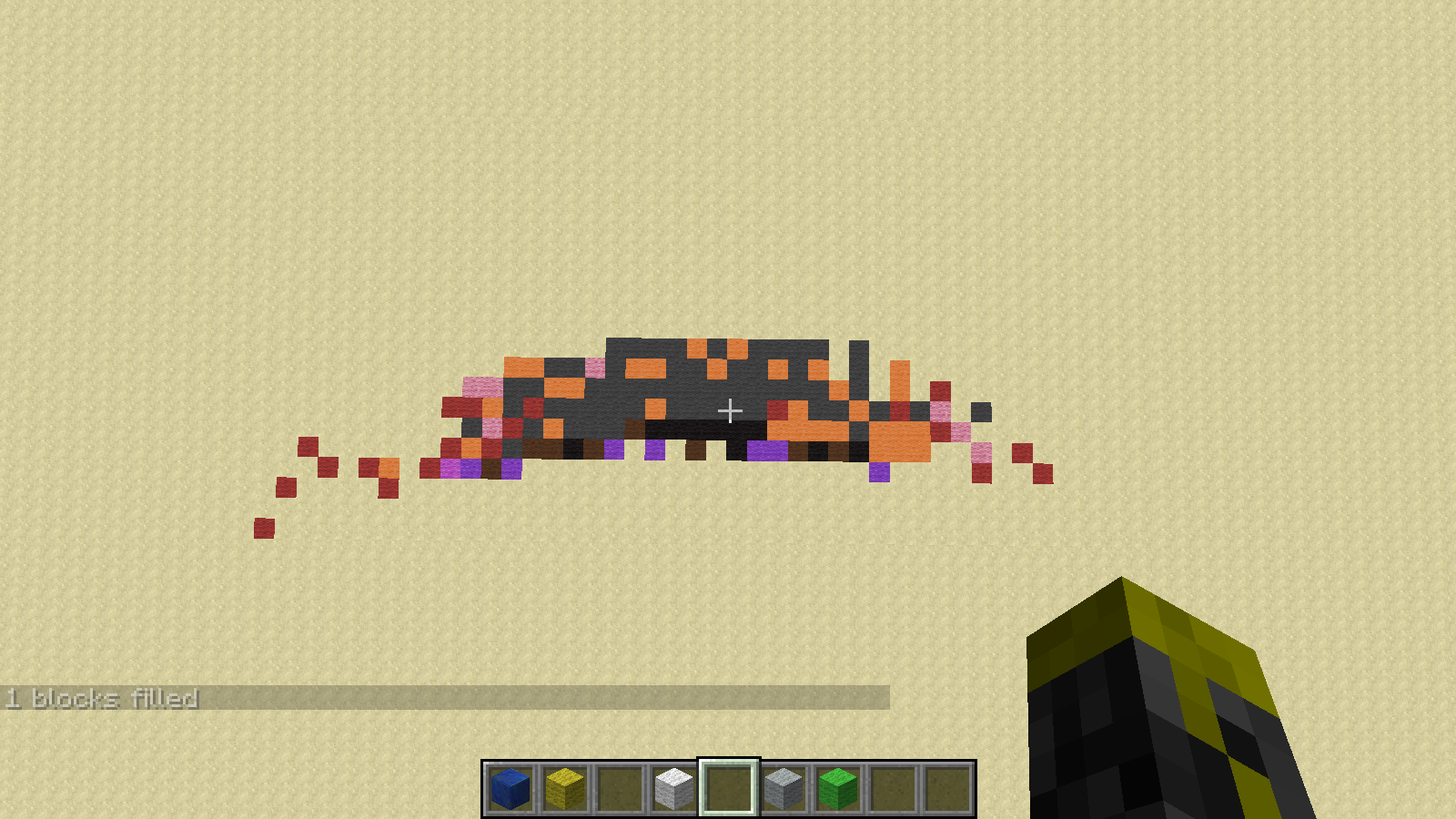
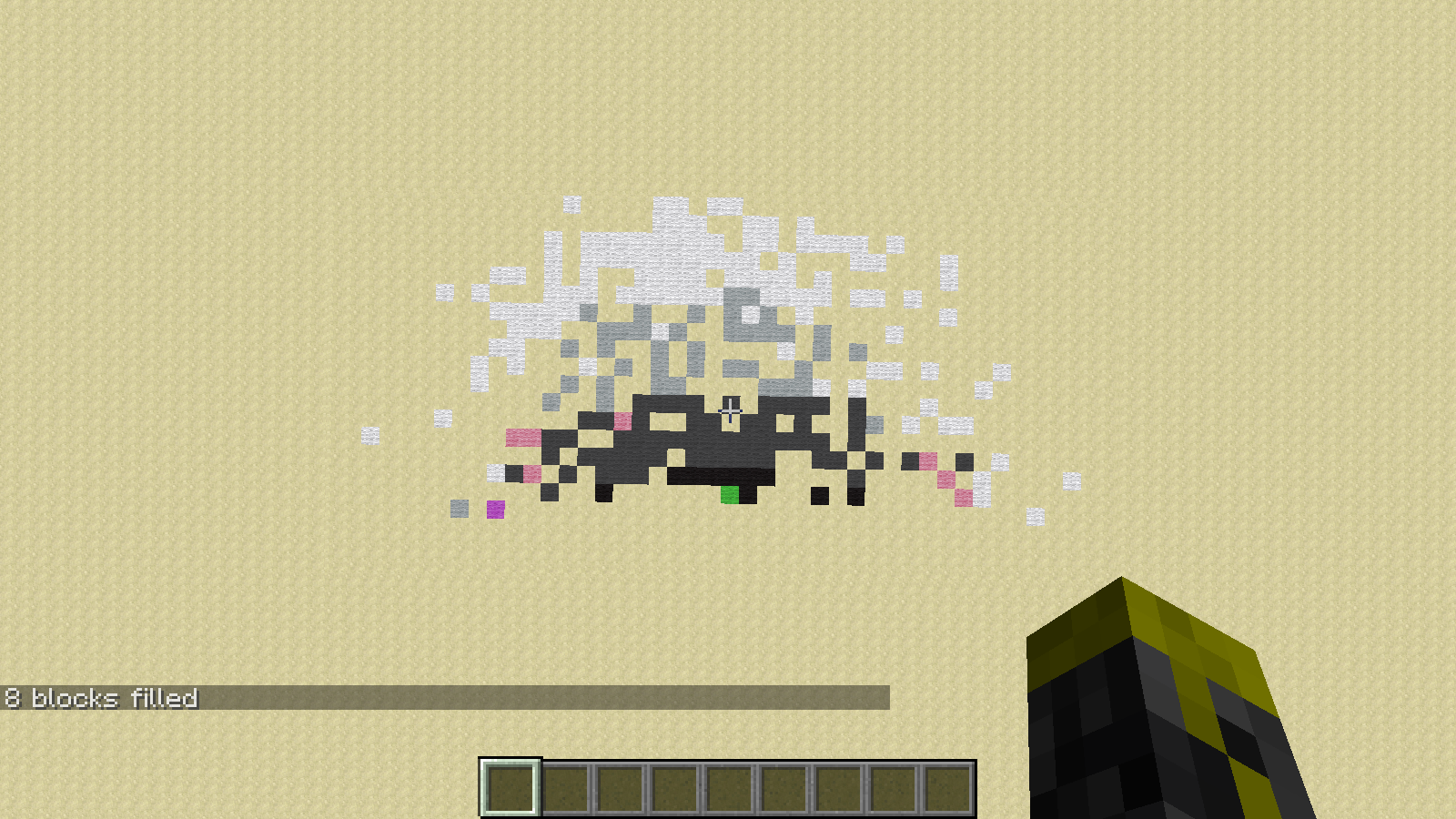
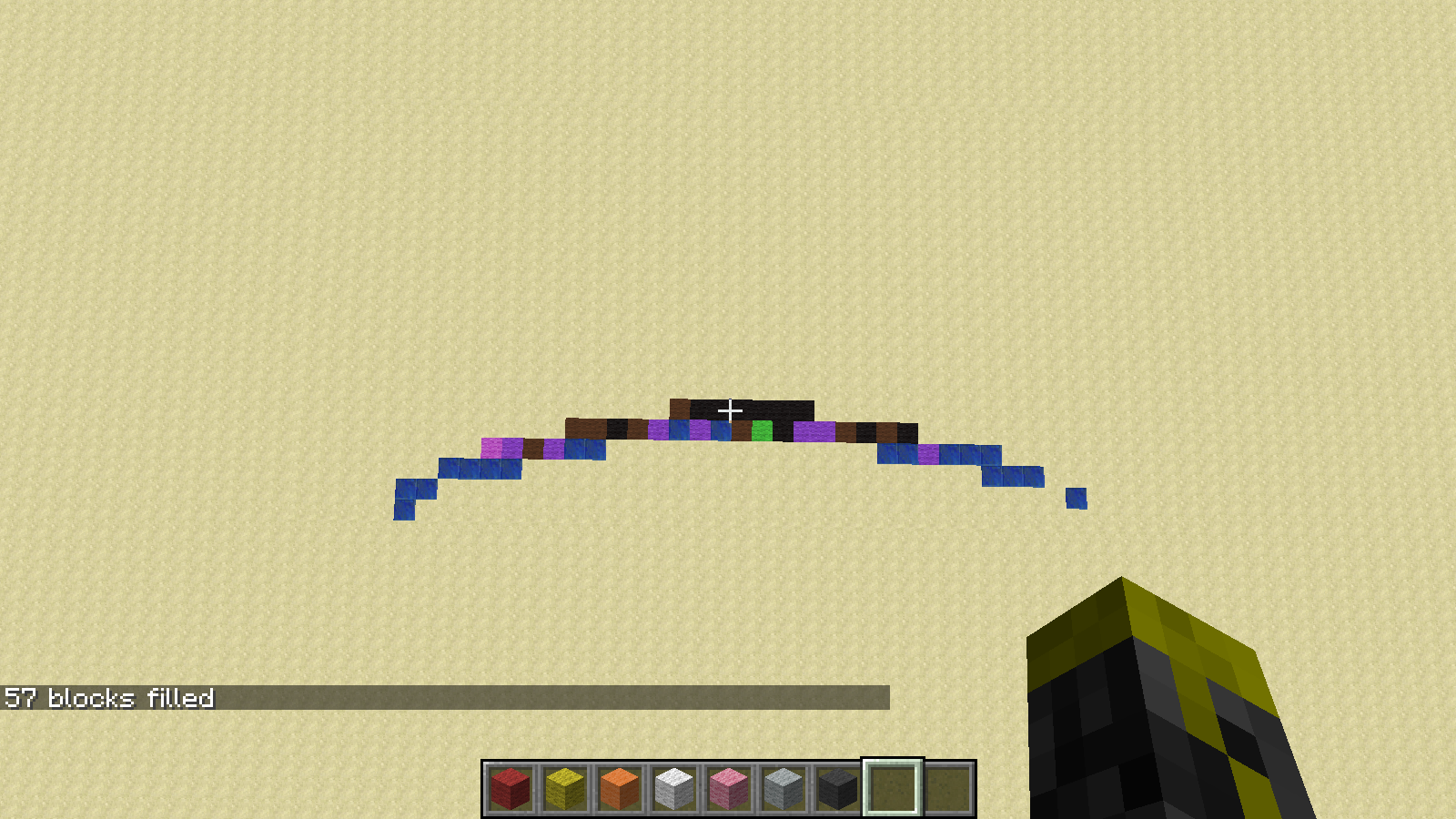
1 Extra Explosion.png
The results of doing steps 3-4 once.
2 Extra Explosions.png
The results of doing steps 3-4 twice.
3 Extra Explosions.png
The results of doing steps 3-4 thrice.
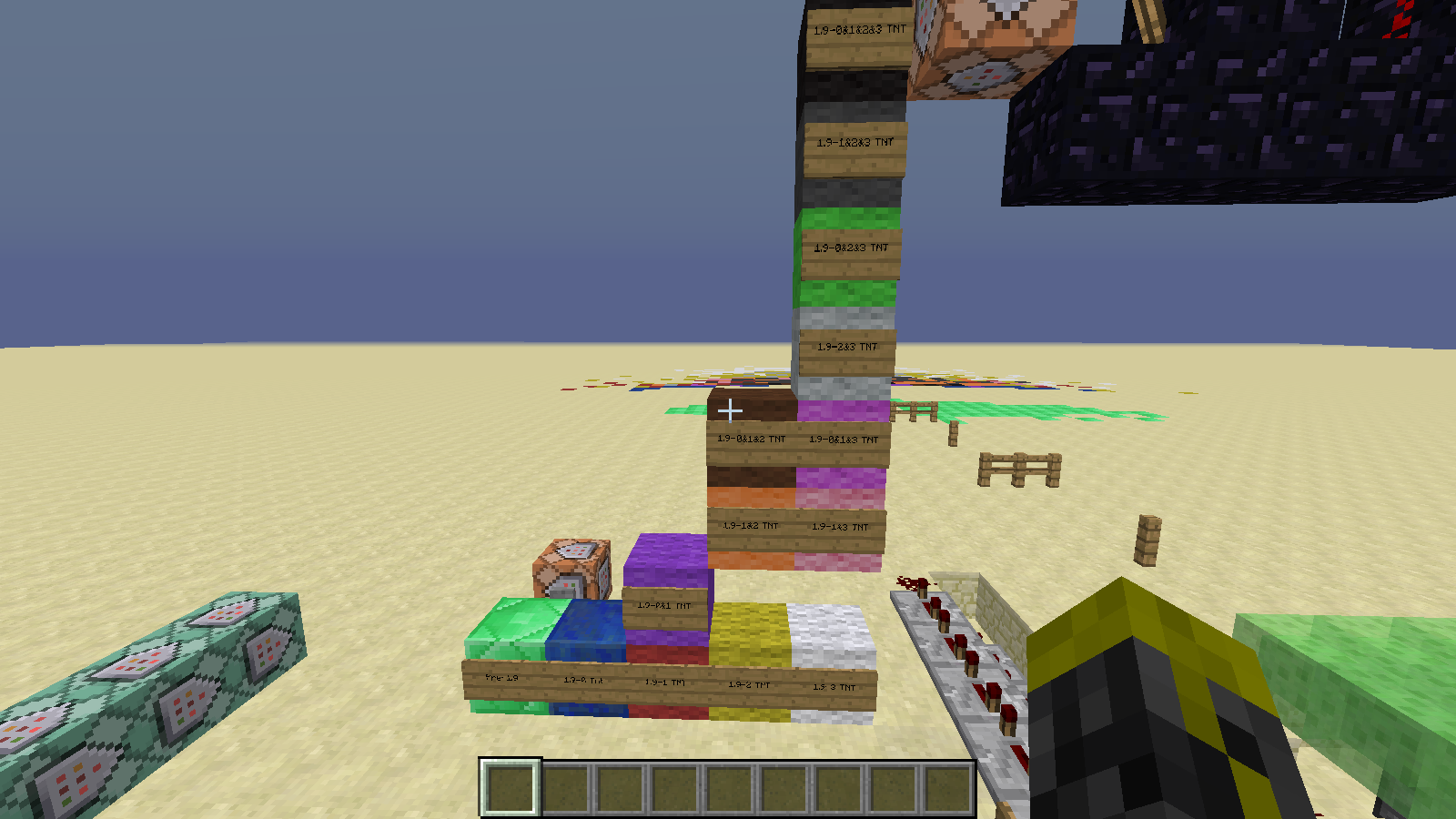
Color Code.png
Shows what each block/color of wool represents.
For example:
Pre-1.9 (Emerald Block) Arrows Launched In 1.8.X (Ignore)
1.9 - 0&2&3 Tnt (Lime Green Wool) Arrows Launched by 0, 2, and 3 Extra Explosions
No Extra Explosions.png
The results of not doing steps 3-4.
Old-Fashioned Comparator Clock.png
Used to aid description of first paragraph of the contraption.
Results Again.png
Shows results from directly above without Pre-1.9.
Results Closer.png
Shows results from directly above with Pre-1.9.
Results.png
Shows results. For perspective, each fence is 5 blocks, and each group of 3 fences is ten blocks.
Spread-Arrow Cannon.png
Shows the ContraptionIf this bug is considered a duplicate, please describe why in a comment.
How I Discovered It:
I had constructed a contraption which fires a spread of arrows. I used it without realizing I had disconnected a redstone wire (more on that later). When I finally discovered the error, I had already run the machine 2-3 times and when it fired, the arrows flew much farther than they had before.What I expected to happen...:
1. The arrows moved when the explosion went off.
OR
2. The arrows flew the exact same distance.What actually happened...:
1. The arrows did not move. I tested this with /execute @e[type=Arrow,c=1] ~ ~ ~ /tp @e[c=1] ~ ~ ~.
2. The arrows flew more randomly, but farther.I have attached the results as labeled png's
The Contraption:
It uses a dispenser which is powered by the old-fashioned powered comparator clock (see image below). Connected to it is a strand of redstone wire, 2 long, connected to a block with a redstone torch on the opposite side, which powers a command block which uses /blockdata to fill the dispenser. The dispenser shoots arrows 7 blocks down, aimed at the center of a 3X3 square of slime blocks.1 block behind the slime pad and starting 2 blocks above is the tnt holder, a 2X3X3 configuration of obsidian, which is missing 1 obisidian in the center of the 9X9 surface on the side nearest the slime pad.
There is a button labeled "Start" which, when pressed does two things. First, it is connected to the same aforementioned slime pad, via a sticky piston directly underneath the center of the slime pad. There is a total of 10 full-delay redstone repeaters between the sticky piston and the button, along with 4 redstone. The second thing the button does is trigger a few commands. First, it triggers /setblock 48 59 89 tnt, which places a tnt in the hole of the obsidian configuration above. Second, it triggers /setblock 48 64 86 unpowered_comparator 2 to stop the rain of arrows from the dispenser with the comparator clock. Finally, it triggers /setblock 48 59 88 redstone_block to trigger the tnt. This command block has a redstone torch on it which triggers /setblock 48 59 88 obsidian so that the tnt has no chance of harming any blocks.
The slime pad is a 3X3 pad of slime blocks, resting on top of a sticky piston. If the slime pad is not made out of slime, the contraption does not work. It appears that the bug lies in the arrows
Steps to Reproduce:
1. Build the contraption above.
2. Load the slime pad and trigger an explosion that will launch the arrows.
3. Load the slime pad again and trigger an explosion without letting the arrows get pushed into the explosion (i.e. disconnect the redstone wire from the start button to the sticky piston with the slime pad).
4. Trigger the explosion and let the arrows be launched into the sky.Attached Screenshots:
1 Extra Explosion.png
- The results of doing steps 3-4 once.
2 Extra Explosions.png- The results of doing steps 3-4 twice.
3 Extra Explosions.png- The results of doing steps 3-4 thrice.
Color Code.png- Shows what each block/color of wool represents.
- - For example:
- - - Pre-1.9 (Emerald Block) Arrows Launched In 1.8.X (Ignore)
- - - 1.9 - 0&2&3 Tnt (Lime Green Wool) Arrows Launched by 0, 2, and 3 Extra Explosions
No Extra Explosions.png- The results of not doing steps 3-4.
Old-Fashioned Comparator Clock.png- Used to aid description of first paragraph of the contraption.
Results Again.png- Shows results from directly above without Pre-1.9.
Results Closer.png- Shows results from directly above with Pre-1.9.
Results.png- Shows results. For perspective, each fence is 5 blocks, and each group of 3 fences is ten blocks.
Spread-Arrow Cannon.png- Shows the Contraption
If this bug is considered a duplicate, please describe why in a comment.
How I Discovered It:
I had constructed a contraption which fires a spread of arrows. I used it without realizing I had disconnected a redstone wire (more on that later). When I finally discovered the error, I had already run the machine 2-3 times and when it fired, the arrows flew much farther than they had before.What I expected to happen...:
1. The arrows moved when the explosion went off.
OR
2. The arrows flew the exact same distance.What actually happened...:
1. The arrows did not move. I tested this with /execute @e[type=Arrow,c=1] ~ ~ ~ /tp @e[c=1] ~ ~ ~.
2. The arrows flew more randomly, but farther.I have attached the results as labeled png's
The Contraption:
It uses a dispenser which is powered by the old-fashioned powered comparator clock (see image below). Connected to it is a strand of redstone wire, 2 long, connected to a block with a redstone torch on the opposite side, which powers a command block which uses /blockdata to fill the dispenser. The dispenser shoots arrows 7 blocks down, aimed at the center of a 3X3 square of slime blocks.1 block behind the slime pad and starting 2 blocks above is the tnt holder, a 2X3X3 configuration of obsidian, which is missing 1 obisidian in the center of the 9X9 surface on the side nearest the slime pad.
There is a button labeled "Start" which, when pressed does two things. First, it is connected to the same aforementioned slime pad, via a sticky piston directly underneath the center of the slime pad. There is a total of 10 full-delay redstone repeaters between the sticky piston and the button, along with 4 redstone. The second thing the button does is trigger a few commands. First, it triggers /setblock 48 59 89 tnt, which places a tnt in the hole of the obsidian configuration above. Second, it triggers /setblock 48 64 86 unpowered_comparator 2 to stop the rain of arrows from the dispenser with the comparator clock. Finally, it triggers /setblock 48 59 88 redstone_block to trigger the tnt. This command block has a redstone torch on it which triggers /setblock 48 59 88 obsidian so that the tnt has no chance of harming any blocks.
The slime pad is a 3X3 pad of slime blocks, resting on top of a sticky piston. If the slime pad is not made out of slime, the contraption does not work.
It appears that the bug lies in the arrowsSteps to Reproduce:
1. Build the contraption above.
2. Load the slime pad and trigger an explosion that will launch the arrows.
3. Load the slime pad again and trigger an explosion without letting the arrows get pushed into the explosion (i.e. disconnect the redstone wire from the start button to the sticky piston with the slime pad).
4. Trigger the explosion and let the arrows be launched into the sky.Attached Screenshots:
1 Extra Explosion.png
- The results of doing steps 3-4 once.
2 Extra Explosions.png- The results of doing steps 3-4 twice.
3 Extra Explosions.png- The results of doing steps 3-4 thrice.
Color Code.png- Shows what each block/color of wool represents.
- - For example:
- - - Pre-1.9 (Emerald Block) Arrows Launched In 1.8.X (Ignore)
- - - 1.9 - 0&2&3 Tnt (Lime Green Wool) Arrows Launched by 0, 2, and 3 Extra Explosions
No Extra Explosions.png- The results of not doing steps 3-4.
Old-Fashioned Comparator Clock.png- Used to aid description of first paragraph of the contraption.
Results Again.png- Shows results from directly above without Pre-1.9.
Results Closer.png- Shows results from directly above with Pre-1.9.
Results.png- Shows results. For perspective, each fence is 5 blocks, and each group of 3 fences is ten blocks.
Spread-Arrow Cannon.png- Shows the Contraption
If this bug is considered a duplicate, please describe why in a comment.
How I Discovered It:
I had constructed a contraption which fires a spread of arrows. I used it without realizing I had disconnected a redstone wire (more on that later). When I finally discovered the error, I had already run the machine 2-3 times and when it fired, the arrows flew much farther than they had before.What I expected to happen...:
1. The arrows moved when the explosion went off.
OR
2. The arrows flew the exact same distance.What actually happened...:
1. The arrows did not move. I tested this with /execute @e[type=Arrow,c=1] ~ ~ ~ /tp @e[c=1] ~ ~ ~.
2. The arrows flew more randomly, but farther.I have attached the results as labeled png's
The Contraption:
It uses a dispenser which is powered by the old-fashioned powered comparator clock (see image below). Connected to it is a strand of redstone wire, 2 long, connected to a block with a redstone torch on the opposite side, which powers a command block which uses /blockdata to fill the dispenser. The dispenser shoots arrows 7 blocks down, aimed at the center of a 3X3 square of slime blocks.1 block behind the slime pad and starting 2 blocks above is the tnt holder, a 2X3X3 configuration of obsidian, which is missing 1 obisidian in the center of the 9X9 surface on the side nearest the slime pad.
There is a button labeled "Start" which, when pressed does two things. First, it is connected to the same aforementioned slime pad, via a sticky piston directly underneath the center of the slime pad. There is a total of 10 full-delay redstone repeaters between the sticky piston and the button, along with 4 redstone. The second thing the button does is trigger a few commands. First, it triggers /setblock 48 59 89 tnt, which places a tnt in the hole of the obsidian configuration above. Second, it triggers /setblock 48 64 86 unpowered_comparator 2 to stop the rain of arrows from the dispenser with the comparator clock. Finally, it triggers /setblock 48 59 88 redstone_block to trigger the tnt. This command block has a redstone torch on it which triggers /setblock 48 59 88 obsidian so that the tnt has no chance of harming any blocks.
The slime pad is a 3X3 pad of slime blocks, resting on top of a sticky piston. If the slime pad is not made out of slime, the contraption does not work.
The Bug:
When an arrow in a slime block is hit by an explosion, its "Motion" is editted.Data Tag Before:
{Motion:*[0:0.055203942033460685d,1:-0.6982197271146049d,2:-0.018370680557578734d]*,damage:2.0d,shake:0b,xTile:49,UUIDLeast:-7537528592826251121L,inGround:1b,pickup:1b,Invulnerable:0b,Air:300s,OnGround:0b,Dimension:0,PortalCooldown:0,Rotation:[0:108.40637f,1:-84.27756f],life:0s,FallDistance:0.0f,inTile:"minecraft:slime",UUIDMost:-4391236948696608803L,inData:0b,Pos:[0:49.140255696017995d,1:57.049799797706285d,2:91.28693671285264d],zTile:91,Fire:0s,yTile:56}
{{}}
After 1:
{Motion:*[0:0.2827444187748325d,1:-1.4244112303550933d,2:0.6303752657987229d]*,damage:2.0d,shake:0b,xTile:49,UUIDLeast:-7537528592826251121L,inGround:1b,pickup:1b,Invulnerable:0b,Air:300s,OnGround:0b,Dimension:0,PortalCooldown:0,Rotation:[0:108.40637f,1:-84.27756f],life:0s,FallDistance:0.0f,inTile:"minecraft:slime",UUIDMost:-4391236948696608803L,inData:0b,Pos:[0:49.140255696017995d,1:57.049799797706285d,2:91.28693671285264d],zTile:91,Fire:0s,yTile:56}
{{}}
After 2:
Steps to Reproduce:
1. Build the contraption above.
2. Load the slime pad and trigger an explosion that will launch the arrows.
3. Load the slime pad again and trigger an explosion without letting the arrows get pushed into the explosion (i.e. disconnect the redstone wire from the start button to the sticky piston with the slime pad).
4. Trigger the explosion and let the arrows be launched into the sky.Attached Screenshots:
1 Extra Explosion.png
- The results of doing steps 3-4 once.
2 Extra Explosions.png- The results of doing steps 3-4 twice.
3 Extra Explosions.png- The results of doing steps 3-4 thrice.
Color Code.png- Shows what each block/color of wool represents.
- - For example:
- - - Pre-1.9 (Emerald Block) Arrows Launched In 1.8.X (Ignore)
- - - 1.9 - 0&2&3 Tnt (Lime Green Wool) Arrows Launched by 0, 2, and 3 Extra Explosions
No Extra Explosions.png- The results of not doing steps 3-4.
Old-Fashioned Comparator Clock.png- Used to aid description of first paragraph of the contraption.
Results Again.png- Shows results from directly above without Pre-1.9.
Results Closer.png- Shows results from directly above with Pre-1.9.
Results.png- Shows results. For perspective, each fence is 5 blocks, and each group of 3 fences is ten blocks.
Spread-Arrow Cannon.png- Shows the Contraption
If this bug is considered a duplicate, please describe why in a comment.
How I Discovered It:
I had constructed a contraption which fires a spread of arrows. I used it without realizing I had disconnected a redstone wire (more on that later). When I finally discovered the error, I had already run the machine 2-3 times and when it fired, the arrows flew much farther than they had before.What I expected to happen...:
1. The arrows moved when the explosion went off.
OR
2. The arrows flew the exact same distance.What actually happened...:
1. The arrows did not move. I tested this with /execute @e[type=Arrow,c=1] ~ ~ ~ /tp @e[c=1] ~ ~ ~.
2. The arrows flew more randomly, but farther.I have attached the results as labeled png's
The Contraption:
It uses a dispenser which is powered by the old-fashioned powered comparator clock (see image below). Connected to it is a strand of redstone wire, 2 long, connected to a block with a redstone torch on the opposite side, which powers a command block which uses /blockdata to fill the dispenser. The dispenser shoots arrows 7 blocks down, aimed at the center of a 3X3 square of slime blocks.1 block behind the slime pad and starting 2 blocks above is the tnt holder, a 2X3X3 configuration of obsidian, which is missing 1 obisidian in the center of the 9X9 surface on the side nearest the slime pad.
There is a button labeled "Start" which, when pressed does two things. First, it is connected to the same aforementioned slime pad, via a sticky piston directly underneath the center of the slime pad. There is a total of 10 full-delay redstone repeaters between the sticky piston and the button, along with 4 redstone. The second thing the button does is trigger a few commands. First, it triggers /setblock 48 59 89 tnt, which places a tnt in the hole of the obsidian configuration above. Second, it triggers /setblock 48 64 86 unpowered_comparator 2 to stop the rain of arrows from the dispenser with the comparator clock. Finally, it triggers /setblock 48 59 88 redstone_block to trigger the tnt. This command block has a redstone torch on it which triggers /setblock 48 59 88 obsidian so that the tnt has no chance of harming any blocks.
The slime pad is a 3X3 pad of slime blocks, resting on top of a sticky piston. If the slime pad is not made out of slime, the contraption does not work.
The Bug:
When an arrow in a slime block is hit by an explosion, its "Motion" is editted.Data Tag Before:
{Motion:*[0:0.055203942033460685d,1:-0.6982197271146049d,2:-0.018370680557578734d]*,damage:2.0d,shake:0b,xTile:49,UUIDLeast:-7537528592826251121L,inGround:1b,pickup:1b,Invulnerable:0b,Air:300s,OnGround:0b,Dimension:0,PortalCooldown:0,Rotation:[0:108.40637f,1:-84.27756f],life:0s,FallDistance:0.0f,inTile:"minecraft:slime",UUIDMost:-4391236948696608803L,inData:0b,Pos:[0:49.140255696017995d,1:57.049799797706285d,2:91.28693671285264d],zTile:91,Fire:0s,yTile:56}
{{}}
After 1:
{Motion:*[0:0.2827444187748325d,1:-1.4244112303550933d,2:0.6303752657987229d]*,damage:2.0d,shake:0b,xTile:49,UUIDLeast:-7537528592826251121L,inGround:1b,pickup:1b,Invulnerable:0b,Air:300s,OnGround:0b,Dimension:0,PortalCooldown:0,Rotation:[0:108.40637f,1:-84.27756f],life:0s,FallDistance:0.0f,inTile:"minecraft:slime",UUIDMost:-4391236948696608803L,inData:0b,Pos:[0:49.140255696017995d,1:57.049799797706285d,2:91.28693671285264d],zTile:91,Fire:0s,yTile:56}
{{}}
After 2:
Steps to Reproduce:
1. Build the contraption above.
2. Load the slime pad and trigger an explosion that will launch the arrows.
3. Load the slime pad again and trigger an explosion without letting the arrows get pushed into the explosion (i.e. disconnect the redstone wire from the start button to the sticky piston with the slime pad).
4. Trigger the explosion and let the arrows be launched into the sky.Attached Screenshots:
1 Extra Explosion.png
- The results of doing steps 3-4 once.
2 Extra Explosions.png- The results of doing steps 3-4 twice.
3 Extra Explosions.png- The results of doing steps 3-4 thrice.
Color Code.png- Shows what each block/color of wool represents.
- - For example:
- - - Pre-1.9 (Emerald Block) Arrows Launched In 1.8.X (Ignore)
- - - 1.9 - 0&2&3 Tnt (Lime Green Wool) Arrows Launched by 0, 2, and 3 Extra Explosions
No Extra Explosions.png- The results of not doing steps 3-4.
Old-Fashioned Comparator Clock.png- Used to aid description of first paragraph of the contraption.
Results Again.png- Shows results from directly above without Pre-1.9.
Results Closer.png- Shows results from directly above with Pre-1.9.
Results.png- Shows results. For perspective, each fence is 5 blocks, and each group of 3 fences is ten blocks.
Spread-Arrow Cannon.png- Shows the Contraption
If this bug is considered a duplicate, please describe why in a comment.
How I Discovered It:
I had constructed a contraption which fires a spread of arrows. I used it without realizing I had disconnected a redstone wire (more on that later). When I finally discovered the error, I had already run the machine 2-3 times and when it fired, the arrows flew much farther than they had before.What I expected to happen...:
1. The arrows moved when the explosion went off.
OR
2. The arrows flew the exact same distance.What actually happened...:
1. The arrows did not move. I tested this with /execute @e[type=Arrow,c=1] ~ ~ ~ /tp @e[c=1] ~ ~ ~.
2. The arrows flew more randomly, but farther.I have attached the results as labeled png's
The Contraption:
It uses a dispenser which is powered by the old-fashioned powered comparator clock (see image below). Connected to it is a strand of redstone wire, 2 long, connected to a block with a redstone torch on the opposite side, which powers a command block which uses /blockdata to fill the dispenser. The dispenser shoots arrows 7 blocks down, aimed at the center of a 3X3 square of slime blocks.1 block behind the slime pad and starting 2 blocks above is the tnt holder, a 2X3X3 configuration of obsidian, which is missing 1 obisidian in the center of the 9X9 surface on the side nearest the slime pad.
There is a button labeled "Start" which, when pressed does two things. First, it is connected to the same aforementioned slime pad, via a sticky piston directly underneath the center of the slime pad. There is a total of 10 full-delay redstone repeaters between the sticky piston and the button, along with 4 redstone. The second thing the button does is trigger a few commands. First, it triggers /setblock 48 59 89 tnt, which places a tnt in the hole of the obsidian configuration above. Second, it triggers /setblock 48 64 86 unpowered_comparator 2 to stop the rain of arrows from the dispenser with the comparator clock. Finally, it triggers /setblock 48 59 88 redstone_block to trigger the tnt. This command block has a redstone torch on it which triggers /setblock 48 59 88 obsidian so that the tnt has no chance of harming any blocks.
The slime pad is a 3X3 pad of slime blocks, resting on top of a sticky piston. If the slime pad is not made out of slime, the contraption does not work.
The Bug:
When an arrow in a slime block is hit by an explosion, its "Motion" is editted.Data Tag Before:
{Motion:*[0:0.055203942033460685d,1:-0.6982197271146049d,2:-0.018370680557578734d]*,damage:2.0d,shake:0b,xTile:49,UUIDLeast:-7537528592826251121L,inGround:1b,pickup:1b,Invulnerable:0b,Air:300s,OnGround:0b,Dimension:0,PortalCooldown:0,Rotation:[0:108.40637f,1:-84.27756f],life:0s,FallDistance:0.0f,inTile:"minecraft:slime",UUIDMost:-4391236948696608803L,inData:0b,Pos:[0:49.140255696017995d,1:57.049799797706285d,2:91.28693671285264d],zTile:91,Fire:0s,yTile:56}
{{}}
Data Tag After 1:
{Motion:*[0:0.2827444187748325d,1:-1.4244112303550933d,2:0.6303752657987229d]*,damage:2.0d,shake:0b,xTile:49,UUIDLeast:-7537528592826251121L,inGround:1b,pickup:1b,Invulnerable:0b,Air:300s,OnGround:0b,Dimension:0,PortalCooldown:0,Rotation:[0:108.40637f,1:-84.27756f],life:0s,FallDistance:0.0f,inTile:"minecraft:slime",UUIDMost:-4391236948696608803L,inData:0b,Pos:[0:49.140255696017995d,1:57.049799797706285d,2:91.28693671285264d],zTile:91,Fire:0s,yTile:56}
{{}}
Data Tag After 2:
{Motion:*[0:0.5137054826918964d,1:-2.1615194785134735d,2:1.2654566425581013d]*,damage:2.0d,shake:0b,xTile:49,UUIDLeast:-7537528592826251121L,inGround:1b,pickup:1b,Invulnerable:0b,Air:300s,OnGround:0b,Dimension:0,PortalCooldown:0,Rotation:[0:108.40637f,1:-84.27756f],life:0s,FallDistance:0.0f,inTile:"minecraft:slime",UUIDMost:-4391236948696608803L,inData:0b,Pos:[0:49.140255696017995d,1:57.049799797706285d,2:91.28693671285264d],zTile:91,Fire:0s,yTile:56}
{{}}
The Motion appears to double each time an explosion happens near the arrow on a slime block.
Steps to Reproduce:
1. Build the contraption above.
2. Load the slime pad and trigger an explosion that will launch the arrows.
3. Load the slime pad again and trigger an explosion without letting the arrows get pushed into the explosion (i.e. disconnect the redstone wire from the start button to the sticky piston with the slime pad).
4. Trigger the explosion and let the arrows be launched into the sky.Attached Screenshots:
1 Extra Explosion.png
- The results of doing steps 3-4 once.
2 Extra Explosions.png- The results of doing steps 3-4 twice.
3 Extra Explosions.png- The results of doing steps 3-4 thrice.
Color Code.png- Shows what each block/color of wool represents.
- - For example:
- - - Pre-1.9 (Emerald Block) Arrows Launched In 1.8.X (Ignore)
- - - 1.9 - 0&2&3 Tnt (Lime Green Wool) Arrows Launched by 0, 2, and 3 Extra Explosions
No Extra Explosions.png- The results of not doing steps 3-4.
Old-Fashioned Comparator Clock.png- Used to aid description of first paragraph of the contraption.
Results Again.png- Shows results from directly above without Pre-1.9.
Results Closer.png- Shows results from directly above with Pre-1.9.
Results.png- Shows results. For perspective, each fence is 5 blocks, and each group of 3 fences is ten blocks.
Spread-Arrow Cannon.png- Shows the Contraption
If this bug is considered a duplicate, please describe why in a comment.
How I Discovered It:
I had constructed a contraption which fires a spread of arrows. I used it without realizing I had disconnected a redstone wire (more on that later). When I finally discovered the error, I had already run the machine 2-3 times and when it fired, the arrows flew much farther than they had before.What I expected to happen...:
1. The arrows moved when the explosion went off.
OR
2. The arrows flew the exact same distance.What actually happened...:
1. The arrows did not move. I tested this with /execute @e[type=Arrow,c=1] ~ ~ ~ /tp @e[c=1] ~ ~ ~.
2. The arrows flew more randomly, but farther.I have attached the results as labeled png's
The Contraption:
It uses a dispenser which is powered by the old-fashioned powered comparator clock (see image below). Connected to it is a strand of redstone wire, 2 long, connected to a block with a redstone torch on the opposite side, which powers a command block which uses /blockdata to fill the dispenser. The dispenser shoots arrows 7 blocks down, aimed at the center of a 3X3 square of slime blocks.1 block behind the slime pad and starting 2 blocks above is the tnt holder, a 2X3X3 configuration of obsidian, which is missing 1 obisidian in the center of the 9X9 surface on the side nearest the slime pad.
There is a button labeled "Start" which, when pressed does two things. First, it is connected to the same aforementioned slime pad, via a sticky piston directly underneath the center of the slime pad. There is a total of 10 full-delay redstone repeaters between the sticky piston and the button, along with 4 redstone. The second thing the button does is trigger a few commands. First, it triggers /setblock 48 59 89 tnt, which places a tnt in the hole of the obsidian configuration above. Second, it triggers /setblock 48 64 86 unpowered_comparator 2 to stop the rain of arrows from the dispenser with the comparator clock. Finally, it triggers /setblock 48 59 88 redstone_block to trigger the tnt. This command block has a redstone torch on it which triggers /setblock 48 59 88 obsidian so that the tnt has no chance of harming any blocks.
The slime pad is a 3X3 pad of slime blocks, resting on top of a sticky piston. If the slime pad is not made out of slime, the contraption does not work.
The Bug:
When an arrow in a slime block is hit by an explosion, its "Motion" is editted.Data Tag Before:
{Motion:*[0:0.055203942033460685d,1:-0.6982197271146049d,2:-0.018370680557578734d]*,damage:2.0d,shake:0b,xTile:49,UUIDLeast:-7537528592826251121L,inGround:1b,pickup:1b,Invulnerable:0b,Air:300s,OnGround:0b,Dimension:0,PortalCooldown:0,Rotation:[0:108.40637f,1:-84.27756f],life:0s,FallDistance:0.0f,inTile:"minecraft:slime",UUIDMost:-4391236948696608803L,inData:0b,Pos:[0:49.140255696017995d,1:57.049799797706285d,2:91.28693671285264d],zTile:91,Fire:0s,yTile:56}
{{}}
Data Tag After 1:
{Motion:*[0:0.2827444187748325d,1:-1.4244112303550933d,2:0.6303752657987229d]*,damage:2.0d,shake:0b,xTile:49,UUIDLeast:-7537528592826251121L,inGround:1b,pickup:1b,Invulnerable:0b,Air:300s,OnGround:0b,Dimension:0,PortalCooldown:0,Rotation:[0:108.40637f,1:-84.27756f],life:0s,FallDistance:0.0f,inTile:"minecraft:slime",UUIDMost:-4391236948696608803L,inData:0b,Pos:[0:49.140255696017995d,1:57.049799797706285d,2:91.28693671285264d],zTile:91,Fire:0s,yTile:56}
{{}}
Data Tag After 2:
{Motion:*[0:0.5137054826918964d,1:-2.1615194785134735d,2:1.2654566425581013d]*,damage:2.0d,shake:0b,xTile:49,UUIDLeast:-7537528592826251121L,inGround:1b,pickup:1b,Invulnerable:0b,Air:300s,OnGround:0b,Dimension:0,PortalCooldown:0,Rotation:[0:108.40637f,1:-84.27756f],life:0s,FallDistance:0.0f,inTile:"minecraft:slime",UUIDMost:-4391236948696608803L,inData:0b,Pos:[0:49.140255696017995d,1:57.049799797706285d,2:91.28693671285264d],zTile:91,Fire:0s,yTile:56}
{{}}
The Motion appears to double each time an explosion happens near the arrow on a slime block.
Steps to Reproduce:
1. Build the contraption above.
2. Load the slime pad and trigger an explosion that will launch the arrows.
3. Load the slime pad again and trigger an explosion without letting the arrows get pushed into the explosion (i.e. disconnect the redstone wire from the start button to the sticky piston with the slime pad).
4. Trigger the explosion and let the arrows be launched into the sky.Attached Screenshots:
1 Extra Explosion.png
- The results of doing steps 3-4 once.
2 Extra Explosions.png- The results of doing steps 3-4 twice.
3 Extra Explosions.png- The results of doing steps 3-4 thrice.
Color Code.png- Shows what each block/color of wool represents.
- - For example:
- - - Pre-1.9 (Emerald Block) Arrows Launched In 1.8.X (Ignore)
- - - 1.9 - 0&2&3 Tnt (Lime Green Wool) Arrows Launched by 0, 2, and 3 Extra Explosions
No Extra Explosions.png- The results of not doing steps 3-4.
Old-Fashioned Comparator Clock.png- Used to aid description of first paragraph of the contraption.
Results Again.png- Shows results from directly above without Pre-1.9.
Results Closer.png- Shows results from directly above with Pre-1.9.
Results.png- Shows results. For perspective, each fence is 5 blocks, and each group of 3 fences is ten blocks.
Spread-Arrow Cannon.png- Shows the Contraption
If this bug is considered a duplicate, please describe why in a comment.
How I Discovered It:
I had constructed a contraption which fires a spread of arrows. I used it without realizing I had disconnected a redstone wire (more on that later). When I finally discovered the error, I had already run the machine 2-3 times and when it fired, the arrows flew much farther than they had before.What I expected to happen...:
1. The arrows moved when the explosion went off.
OR
2. The arrows flew the exact same distance.What actually happened...:
1. The arrows did not move. I tested this with /execute @e[type=Arrow,c=1] ~ ~ ~ /tp @e[c=1] ~ ~ ~.
2. The arrows flew more randomly, but farther.I have attached the results as labeled png's
The Contraption:
It uses a dispenser which is powered by the old-fashioned powered comparator clock (see image below). Connected to it is a strand of redstone wire, 2 long, connected to a block with a redstone torch on the opposite side, which powers a command block which uses /blockdata to fill the dispenser. The dispenser shoots arrows 7 blocks down, aimed at the center of a 3X3 square of slime blocks.1 block behind the slime pad and starting 2 blocks above is the tnt holder, a 2X3X3 configuration of obsidian, which is missing 1 obisidian in the center of the 9X9 surface on the side nearest the slime pad.
There is a button labeled "Start" which, when pressed does two things. First, it is connected to the same aforementioned slime pad, via a sticky piston directly underneath the center of the slime pad. There is a total of 10 full-delay redstone repeaters between the sticky piston and the button, along with 4 redstone. The second thing the button does is trigger a few commands. First, it triggers /setblock 48 59 89 tnt, which places a tnt in the hole of the obsidian configuration above. Second, it triggers /setblock 48 64 86 unpowered_comparator 2 to stop the rain of arrows from the dispenser with the comparator clock. Finally, it triggers /setblock 48 59 88 redstone_block to trigger the tnt. This command block has a redstone torch on it which triggers /setblock 48 59 88 obsidian so that the tnt has no chance of harming any blocks.
The slime pad is a 3X3 pad of slime blocks, resting on top of a sticky piston. If the slime pad is not made out of slime, the contraption does not work.
The Bug:
When an arrow in a slime block is hit by an explosion, its "Motion" is editted.Data Tag Before:
Motion:[0:0.055203942033460685d,1:-0.6982197271146049d,2:-0.018370680557578734d],damage:2.0d,shake:0b,xTile:49,UUIDLeast:-7537528592826251121L,inGround:1b,pickup:1b,Invulnerable:0b,Air:300s,OnGround:0b,Dimension:0,PortalCooldown:0,Rotation:[0:108.40637f,1:-84.27756f],life:0s,FallDistance:0.0f,inTile:"minecraft:slime",UUIDMost:-4391236948696608803L,inData:0b,Pos:[0:49.140255696017995d,1:57.049799797706285d,2:91.28693671285264d],zTile:91,Fire:0s,yTile:56Data Tag After 1:
Motion:[0:0.2827444187748325d,1:-1.4244112303550933d,2:0.6303752657987229d],damage:2.0d,shake:0b,xTile:49,UUIDLeast:-7537528592826251121L,inGround:1b,pickup:1b,Invulnerable:0b,Air:300s,OnGround:0b,Dimension:0,PortalCooldown:0,Rotation:[0:108.40637f,1:-84.27756f],life:0s,FallDistance:0.0f,inTile:"minecraft:slime",UUIDMost:-4391236948696608803L,inData:0b,Pos:[0:49.140255696017995d,1:57.049799797706285d,2:91.28693671285264d],zTile:91,Fire:0s,yTile:56Data Tag After 2:
Motion:[0:0.5137054826918964d,1:-2.1615194785134735d,2:1.2654566425581013d],damage:2.0d,shake:0b,xTile:49,UUIDLeast:-7537528592826251121L,inGround:1b,pickup:1b,Invulnerable:0b,Air:300s,OnGround:0b,Dimension:0,PortalCooldown:0,Rotation:[0:108.40637f,1:-84.27756f],life:0s,FallDistance:0.0f,inTile:"minecraft:slime",UUIDMost:-4391236948696608803L,inData:0b,Pos:[0:49.140255696017995d,1:57.049799797706285d,2:91.28693671285264d],zTile:91,Fire:0s,yTile:56The Motion appears to double each time an explosion happens near the arrow on a slime block.
Steps to Reproduce:
1. Build the contraption above.
2. Load the slime pad and trigger an explosion that will launch the arrows.
3. Load the slime pad again and trigger an explosion without letting the arrows get pushed into the explosion (i.e. disconnect the redstone wire from the start button to the sticky piston with the slime pad).
4. Trigger the explosion and let the arrows be launched into the sky.Attached Screenshots:
1 Extra Explosion.png
- The results of doing steps 3-4 once.
2 Extra Explosions.png- The results of doing steps 3-4 twice.
3 Extra Explosions.png- The results of doing steps 3-4 thrice.
Color Code.png- Shows what each block/color of wool represents.
- - For example:
- - - Pre-1.9 (Emerald Block) Arrows Launched In 1.8.X (Ignore)
- - - 1.9 - 0&2&3 Tnt (Lime Green Wool) Arrows Launched by 0, 2, and 3 Extra Explosions
No Extra Explosions.png- The results of not doing steps 3-4.
Old-Fashioned Comparator Clock.png- Used to aid description of first paragraph of the contraption.
Results Again.png- Shows results from directly above without Pre-1.9.
Results Closer.png- Shows results from directly above with Pre-1.9.
Results.png- Shows results. For perspective, each fence is 5 blocks, and each group of 3 fences is ten blocks.
Spread-Arrow Cannon.png- Shows the Contraption
If this bug is considered a duplicate, please describe why in a comment.
How I Discovered It:
I had constructed a contraption which fires a spread of arrows. I used it without realizing I had disconnected a redstone wire (more on that later). When I finally discovered the error, I had already run the machine 2-3 times and when it fired, the arrows flew much farther than they had before.What I expected to happen...:
1. The arrows moved when the explosion went off.
OR
2. The arrows flew the exact same distance.What actually happened...:
1. The arrows did not move. I tested this with /execute @e[type=Arrow,c=1] ~ ~ ~ /tp @e[c=1] ~ ~ ~.
2. The arrows flew more randomly, but farther.I have attached the results as labeled png's
The Contraption:
It uses a dispenser which is powered by the old-fashioned powered comparator clock (see image below). Connected to it is a strand of redstone wire, 2 long, connected to a block with a redstone torch on the opposite side, which powers a command block which uses /blockdata to fill the dispenser. The dispenser shoots arrows 7 blocks down, aimed at the center of a 3X3 square of slime blocks.1 block behind the slime pad and starting 2 blocks above is the tnt holder, a 2X3X3 configuration of obsidian, which is missing 1 obisidian in the center of the 9X9 surface on the side nearest the slime pad.
There is a button labeled "Start" which, when pressed does two things. First, it is connected to the same aforementioned slime pad, via a sticky piston directly underneath the center of the slime pad. There is a total of 10 full-delay redstone repeaters between the sticky piston and the button, along with 4 redstone. The second thing the button does is trigger a few commands. First, it triggers /setblock 48 59 89 tnt, which places a tnt in the hole of the obsidian configuration above. Second, it triggers /setblock 48 64 86 unpowered_comparator 2 to stop the rain of arrows from the dispenser with the comparator clock. Finally, it triggers /setblock 48 59 88 redstone_block to trigger the tnt. This command block has a redstone torch on it which triggers /setblock 48 59 88 obsidian so that the tnt has no chance of harming any blocks.
The slime pad is a 3X3 pad of slime blocks, resting on top of a sticky piston. If the slime pad is not made out of slime, the contraption does not work.
The Bug:
When an arrow in a slime block is hit by an explosion, its "Motion" is editted.Data Tag Before:
Motion:[0:0.055203942033460685d,1:-0.6982197271146049d,2:-0.018370680557578734d],damage:2.0d,shake:0b,xTile:49,UUIDLeast:-7537528592826251121L,inGround:1b,pickup:1b,Invulnerable:0b,Air:300s,OnGround:0b,Dimension:0,PortalCooldown:0,Rotation:[0:108.40637f,1:-84.27756f],life:0s,FallDistance:0.0f,inTile:"minecraft:slime",UUIDMost:-4391236948696608803L,inData:0b,Pos:[0:49.140255696017995d,1:57.049799797706285d,2:91.28693671285264d],zTile:91,Fire:0s,yTile:56Data Tag After 1:
Motion:[0:0.2827444187748325d,1:-1.4244112303550933d,2:0.6303752657987229d],damage:2.0d,shake:0b,xTile:49,UUIDLeast:-7537528592826251121L,inGround:1b,pickup:1b,Invulnerable:0b,Air:300s,OnGround:0b,Dimension:0,PortalCooldown:0,Rotation:[0:108.40637f,1:-84.27756f],life:0s,FallDistance:0.0f,inTile:"minecraft:slime",UUIDMost:-4391236948696608803L,inData:0b,Pos:[0:49.140255696017995d,1:57.049799797706285d,2:91.28693671285264d],zTile:91,Fire:0s,yTile:56Data Tag After 2:
Motion:[0:0.5137054826918964d,1:-2.1615194785134735d,2:1.2654566425581013d],damage:2.0d,shake:0b,xTile:49,UUIDLeast:-7537528592826251121L,inGround:1b,pickup:1b,Invulnerable:0b,Air:300s,OnGround:0b,Dimension:0,PortalCooldown:0,Rotation:[0:108.40637f,1:-84.27756f],life:0s,FallDistance:0.0f,inTile:"minecraft:slime",UUIDMost:-4391236948696608803L,inData:0b,Pos:[0:49.140255696017995d,1:57.049799797706285d,2:91.28693671285264d],zTile:91,Fire:0s,yTile:56The Motion appears to d
ouble each time an explosion happens near the arrow on a slime block.Steps to Reproduce:
1. Build the contraption above.
2. Load the slime pad and trigger an explosion that will launch the arrows.
3. Load the slime pad again and trigger an explosion without letting the arrows get pushed into the explosion (i.e. disconnect the redstone wire from the start button to the sticky piston with the slime pad).
4. Trigger the explosion and let the arrows be launched into the sky.Attached Screenshots:
1 Extra Explosion.png
- The results of doing steps 3-4 once.
2 Extra Explosions.png- The results of doing steps 3-4 twice.
3 Extra Explosions.png- The results of doing steps 3-4 thrice.
Color Code.png- Shows what each block/color of wool represents.
- - For example:
- - - Pre-1.9 (Emerald Block) Arrows Launched In 1.8.X (Ignore)
- - - 1.9 - 0&2&3 Tnt (Lime Green Wool) Arrows Launched by 0, 2, and 3 Extra Explosions
No Extra Explosions.png- The results of not doing steps 3-4.
Old-Fashioned Comparator Clock.png- Used to aid description of first paragraph of the contraption.
Results Again.png- Shows results from directly above without Pre-1.9.
Results Closer.png- Shows results from directly above with Pre-1.9.
Results.png- Shows results. For perspective, each fence is 5 blocks, and each group of 3 fences is ten blocks.
Spread-Arrow Cannon.png- Shows the Contraption
If this bug is considered a duplicate, please describe why in a comment.
How I Discovered It:
I had constructed a contraption which fires a spread of arrows. I used it without realizing I had disconnected a redstone wire (more on that later). When I finally discovered the error, I had already run the machine 2-3 times and when it fired, the arrows flew much farther than they had before.What I expected to happen...:
1. The arrows moved when the explosion went off.
OR
2. The arrows flew the exact same distance.What actually happened...:
1. The arrows did not move. I tested this with /execute @e[type=Arrow,c=1] ~ ~ ~ /tp @e[c=1] ~ ~ ~.
2. The arrows flew more randomly, but farther.I have attached the results as labeled png's
The Contraption:
It uses a dispenser which is powered by the old-fashioned powered comparator clock (see image below). Connected to it is a strand of redstone wire, 2 long, connected to a block with a redstone torch on the opposite side, which powers a command block which uses /blockdata to fill the dispenser. The dispenser shoots arrows 7 blocks down, aimed at the center of a 3X3 square of slime blocks.1 block behind the slime pad and starting 2 blocks above is the tnt holder, a 2X3X3 configuration of obsidian, which is missing 1 obisidian in the center of the 9X9 surface on the side nearest the slime pad.
There is a button labeled "Start" which, when pressed does two things. First, it is connected to the same aforementioned slime pad, via a sticky piston directly underneath the center of the slime pad. There is a total of 10 full-delay redstone repeaters between the sticky piston and the button, along with 4 redstone. The second thing the button does is trigger a few commands. First, it triggers /setblock 48 59 89 tnt, which places a tnt in the hole of the obsidian configuration above. Second, it triggers /setblock 48 64 86 unpowered_comparator 2 to stop the rain of arrows from the dispenser with the comparator clock. Finally, it triggers /setblock 48 59 88 redstone_block to trigger the tnt. This command block has a redstone torch on it which triggers /setblock 48 59 88 obsidian so that the tnt has no chance of harming any blocks.
The slime pad is a 3X3 pad of slime blocks, resting on top of a sticky piston. If the slime pad is not made out of slime, the contraption does not work.
The Bug:
When an arrow in a slime block is hit by an explosion, its "Motion" is editted.Data Tag Before:
Motion:[0:0.055203942033460685d,1:-0.6982197271146049d,2:-0.018370680557578734d],damage:2.0d,shake:0b,xTile:49,UUIDLeast:-7537528592826251121L,inGround:1b,pickup:1b,Invulnerable:0b,Air:300s,OnGround:0b,Dimension:0,PortalCooldown:0,Rotation:[0:108.40637f,1:-84.27756f],life:0s,FallDistance:0.0f,inTile:"minecraft:slime",UUIDMost:-4391236948696608803L,inData:0b,Pos:[0:49.140255696017995d,1:57.049799797706285d,2:91.28693671285264d],zTile:91,Fire:0s,yTile:56Data Tag After 1:
Motion:[0:0.2827444187748325d,1:-1.4244112303550933d,2:0.6303752657987229d],damage:2.0d,shake:0b,xTile:49,UUIDLeast:-7537528592826251121L,inGround:1b,pickup:1b,Invulnerable:0b,Air:300s,OnGround:0b,Dimension:0,PortalCooldown:0,Rotation:[0:108.40637f,1:-84.27756f],life:0s,FallDistance:0.0f,inTile:"minecraft:slime",UUIDMost:-4391236948696608803L,inData:0b,Pos:[0:49.140255696017995d,1:57.049799797706285d,2:91.28693671285264d],zTile:91,Fire:0s,yTile:56Data Tag After 2:
Motion:[0:0.5137054826918964d,1:-2.1615194785134735d,2:1.2654566425581013d],damage:2.0d,shake:0b,xTile:49,UUIDLeast:-7537528592826251121L,inGround:1b,pickup:1b,Invulnerable:0b,Air:300s,OnGround:0b,Dimension:0,PortalCooldown:0,Rotation:[0:108.40637f,1:-84.27756f],life:0s,FallDistance:0.0f,inTile:"minecraft:slime",UUIDMost:-4391236948696608803L,inData:0b,Pos:[0:49.140255696017995d,1:57.049799797706285d,2:91.28693671285264d],zTile:91,Fire:0s,yTile:56The Motion appears to drastically change after each explosion, adding approximately 0.25 to "0", subtracting 0.75 from "1", and adding 0.3 to "2".
Steps to Reproduce:
1. Build the contraption above.
2. Load the slime pad and trigger an explosion that will launch the arrows.
3. Load the slime pad again and trigger an explosion without letting the arrows get pushed into the explosion (i.e. disconnect the redstone wire from the start button to the sticky piston with the slime pad).
4. Trigger the explosion and let the arrows be launched into the sky.Attached Screenshots:
1 Extra Explosion.png
- The results of doing steps 3-4 once.
2 Extra Explosions.png- The results of doing steps 3-4 twice.
3 Extra Explosions.png- The results of doing steps 3-4 thrice.
Color Code.png- Shows what each block/color of wool represents.
- - For example:
- - - Pre-1.9 (Emerald Block) Arrows Launched In 1.8.X (Ignore)
- - - 1.9 - 0&2&3 Tnt (Lime Green Wool) Arrows Launched by 0, 2, and 3 Extra Explosions
No Extra Explosions.png- The results of not doing steps 3-4.
Old-Fashioned Comparator Clock.png- Used to aid description of first paragraph of the contraption.
Results Again.png- Shows results from directly above without Pre-1.9.
Results Closer.png- Shows results from directly above with Pre-1.9.
Results.png- Shows results. For perspective, each fence is 5 blocks, and each group of 3 fences is ten blocks.
Spread-Arrow Cannon.png- Shows the Contraption
Explosion Near Arrows On Ground Increases The Amount They Are Pushed Forward By AnotherExplosionMotion of Arrows While In Slime Blocks Changed by Explosions
If this bug is considered a duplicate, please describe why in a comment.
How I Discovered It:
I had constructed a contraption which fires a spread of arrows. I used it without realizing I had disconnected a redstone wire (more on that later). When I finally discovered the error, I had already run the machine 2-3 times and when it fired, the arrows flew much farther than they had before.What I expected to happen...:
1. The arrows moved when the explosion went off.
OR
2. The arrows flew the exact same distance.What actually happened...:
1. The arrows did not move. I tested this with /execute @e[type=Arrow,c=1] ~ ~ ~ /tp @e[c=1] ~ ~ ~.
2. The arrows flew more randomly, but farther.I have attached the results as labeled png's
The Contraption:
It uses a dispenser which is powered by the old-fashioned powered comparator clock (see image below). Connected to it is a strand of redstone wire, 2 long, connected to a block with a redstone torch on the opposite side, which powers a command block which uses /blockdata to fill the dispenser. The dispenser shoots arrows 7 blocks down, aimed at the center of a 3X3 square of slime blocks.1 block behind the slime pad and starting 2 blocks above is the tnt holder, a 2X3X3 configuration of obsidian, which is missing 1 obisidian in the center of the 9X9 surface on the side nearest the slime pad.
There is a button labeled "Start" which, when pressed does two things. First, it is connected to the same aforementioned slime pad, via a sticky piston directly underneath the center of the slime pad. There is a total of 10 full-delay redstone repeaters between the sticky piston and the button, along with 4 redstone. The second thing the button does is trigger a few commands. First, it triggers /setblock 48 59 89 tnt, which places a tnt in the hole of the obsidian configuration above. Second, it triggers /setblock 48 64 86 unpowered_comparator 2 to stop the rain of arrows from the dispenser with the comparator clock. Finally, it triggers /setblock 48 59 88 redstone_block to trigger the tnt. This command block has a redstone torch on it which triggers /setblock 48 59 88 obsidian so that the tnt has no chance of harming any blocks.
The slime pad is a 3X3 pad of slime blocks, resting on top of a sticky piston. If the slime pad is not made out of slime, the contraption does not work.
The Bug:
When an arrow in a slime block is hit by an explosion, its "Motion" is editted.Data Tag Before:
Motion:[0:0.055203942033460685d,1:-0.6982197271146049d,2:-0.018370680557578734d],damage:2.0d,shake:0b,xTile:49,UUIDLeast:-7537528592826251121L,inGround:1b,pickup:1b,Invulnerable:0b,Air:300s,OnGround:0b,Dimension:0,PortalCooldown:0,Rotation:[0:108.40637f,1:-84.27756f],life:0s,FallDistance:0.0f,inTile:"minecraft:slime",UUIDMost:-4391236948696608803L,inData:0b,Pos:[0:49.140255696017995d,1:57.049799797706285d,2:91.28693671285264d],zTile:91,Fire:0s,yTile:56Data Tag After 1:
Motion:[0:0.2827444187748325d,1:-1.4244112303550933d,2:0.6303752657987229d],damage:2.0d,shake:0b,xTile:49,UUIDLeast:-7537528592826251121L,inGround:1b,pickup:1b,Invulnerable:0b,Air:300s,OnGround:0b,Dimension:0,PortalCooldown:0,Rotation:[0:108.40637f,1:-84.27756f],life:0s,FallDistance:0.0f,inTile:"minecraft:slime",UUIDMost:-4391236948696608803L,inData:0b,Pos:[0:49.140255696017995d,1:57.049799797706285d,2:91.28693671285264d],zTile:91,Fire:0s,yTile:56Data Tag After 2:
Motion:[0:0.5137054826918964d,1:-2.1615194785134735d,2:1.2654566425581013d],damage:2.0d,shake:0b,xTile:49,UUIDLeast:-7537528592826251121L,inGround:1b,pickup:1b,Invulnerable:0b,Air:300s,OnGround:0b,Dimension:0,PortalCooldown:0,Rotation:[0:108.40637f,1:-84.27756f],life:0s,FallDistance:0.0f,inTile:"minecraft:slime",UUIDMost:-4391236948696608803L,inData:0b,Pos:[0:49.140255696017995d,1:57.049799797706285d,2:91.28693671285264d],zTile:91,Fire:0s,yTile:56The Motion appears to drastically change after each explosion, adding approximately 0.25 to "0", subtracting 0.75 from "1", and adding 0.
3to "2".Steps to Reproduce:
1. Build the contraption above.
2. Load the slime pad and trigger an explosion that will launch the arrows.
3. Load the slime pad again and trigger an explosion without letting the arrows get pushed into the explosion (i.e. disconnect the redstone wire from the start button to the sticky piston with the slime pad).
4. Trigger the explosion and let the arrows be launched into the sky.Attached Screenshots:
1 Extra Explosion.png
- The results of doing steps 3-4 once.
2 Extra Explosions.png- The results of doing steps 3-4 twice.
3 Extra Explosions.png- The results of doing steps 3-4 thrice.
Color Code.png- Shows what each block/color of wool represents.
- - For example:
- - - Pre-1.9 (Emerald Block) Arrows Launched In 1.8.X (Ignore)
- - - 1.9 - 0&2&3 Tnt (Lime Green Wool) Arrows Launched by 0, 2, and 3 Extra Explosions
No Extra Explosions.png- The results of not doing steps 3-4.
Old-Fashioned Comparator Clock.png- Used to aid description of first paragraph of the contraption.
Results Again.png- Shows results from directly above without Pre-1.9.
Results Closer.png- Shows results from directly above with Pre-1.9.
Results.png- Shows results. For perspective, each fence is 5 blocks, and each group of 3 fences is ten blocks.
Spread-Arrow Cannon.png- Shows the Contraption
If this bug is considered a duplicate, please describe why in a comment.
How I Discovered It:
I had constructed a contraption which fires a spread of arrows. I used it without realizing I had disconnected a redstone wire (more on that later). When I finally discovered the error, I had already run the machine 2-3 times and when it fired, the arrows flew much farther than they had before.What I expected to happen...:
1. The arrows moved when the explosion went off.
OR
2. The arrows flew the exact same distance.What actually happened...:
1. The arrows did not move. I tested this with /execute @e[type=Arrow,c=1] ~ ~ ~ /tp @e[c=1] ~ ~ ~.
2. The arrows flew more randomly, but farther.I have attached the results as labeled png's
The Contraption:
It uses a dispenser which is powered by the old-fashioned powered comparator clock (see image below). Connected to it is a strand of redstone wire, 2 long, connected to a block with a redstone torch on the opposite side, which powers a command block which uses /blockdata to fill the dispenser. The dispenser shoots arrows 7 blocks down, aimed at the center of a 3X3 square of slime blocks.1 block behind the slime pad and starting 2 blocks above is the tnt holder, a 2X3X3 configuration of obsidian, which is missing 1 obisidian in the center of the 9X9 surface on the side nearest the slime pad.
There is a button labeled "Start" which, when pressed does two things. First, it is connected to the same aforementioned slime pad, via a sticky piston directly underneath the center of the slime pad. There is a total of 10 full-delay redstone repeaters between the sticky piston and the button, along with 4 redstone. The second thing the button does is trigger a few commands. First, it triggers /setblock 48 59 89 tnt, which places a tnt in the hole of the obsidian configuration above. Second, it triggers /setblock 48 64 86 unpowered_comparator 2 to stop the rain of arrows from the dispenser with the comparator clock. Finally, it triggers /setblock 48 59 88 redstone_block to trigger the tnt. This command block has a redstone torch on it which triggers /setblock 48 59 88 obsidian so that the tnt has no chance of harming any blocks.
The slime pad is a 3X3 pad of slime blocks, resting on top of a sticky piston. If the slime pad is not made out of slime, the contraption does not work.
The Bug:
When an arrow in a slime block is hit by an explosion, its "Motion" is editted.Data Tag Before:
Motion:[0:0.055203942033460685d,1:-0.6982197271146049d,2:-0.018370680557578734d],damage:2.0d,shake:0b,xTile:49,UUIDLeast:-7537528592826251121L,inGround:1b,pickup:1b,Invulnerable:0b,Air:300s,OnGround:0b,Dimension:0,PortalCooldown:0,Rotation:[0:108.40637f,1:-84.27756f],life:0s,FallDistance:0.0f,inTile:"minecraft:slime",UUIDMost:-4391236948696608803L,inData:0b,Pos:[0:49.140255696017995d,1:57.049799797706285d,2:91.28693671285264d],zTile:91,Fire:0s,yTile:56Data Tag After 1:
Motion:[0:0.2827444187748325d,1:-1.4244112303550933d,2:0.6303752657987229d],damage:2.0d,shake:0b,xTile:49,UUIDLeast:-7537528592826251121L,inGround:1b,pickup:1b,Invulnerable:0b,Air:300s,OnGround:0b,Dimension:0,PortalCooldown:0,Rotation:[0:108.40637f,1:-84.27756f],life:0s,FallDistance:0.0f,inTile:"minecraft:slime",UUIDMost:-4391236948696608803L,inData:0b,Pos:[0:49.140255696017995d,1:57.049799797706285d,2:91.28693671285264d],zTile:91,Fire:0s,yTile:56Data Tag After 2:
Motion:[0:0.5137054826918964d,1:-2.1615194785134735d,2:1.2654566425581013d],damage:2.0d,shake:0b,xTile:49,UUIDLeast:-7537528592826251121L,inGround:1b,pickup:1b,Invulnerable:0b,Air:300s,OnGround:0b,Dimension:0,PortalCooldown:0,Rotation:[0:108.40637f,1:-84.27756f],life:0s,FallDistance:0.0f,inTile:"minecraft:slime",UUIDMost:-4391236948696608803L,inData:0b,Pos:[0:49.140255696017995d,1:57.049799797706285d,2:91.28693671285264d],zTile:91,Fire:0s,yTile:56The Motion appears to drastically change after each explosion, adding approximately 0.25 to "0", subtracting 0.75 from "1", and adding 0.6 to "2".
Steps to Reproduce:
1. Build the contraption above.
2. Load the slime pad and trigger an explosion that will launch the arrows.
3. Load the slime pad again and trigger an explosion without letting the arrows get pushed into the explosion (i.e. disconnect the redstone wire from the start button to the sticky piston with the slime pad).
4. Trigger the explosion and let the arrows be launched into the sky.Attached Screenshots:
1 Extra Explosion.png
- The results of doing steps 3-4 once.
2 Extra Explosions.png- The results of doing steps 3-4 twice.
3 Extra Explosions.png- The results of doing steps 3-4 thrice.
Color Code.png- Shows what each block/color of wool represents.
- - For example:
- - - Pre-1.9 (Emerald Block) Arrows Launched In 1.8.X (Ignore)
- - - 1.9 - 0&2&3 Tnt (Lime Green Wool) Arrows Launched by 0, 2, and 3 Extra Explosions
No Extra Explosions.png- The results of not doing steps 3-4.
Old-Fashioned Comparator Clock.png- Used to aid description of first paragraph of the contraption.
Results Again.png- Shows results from directly above without Pre-1.9.
Results Closer.png- Shows results from directly above with Pre-1.9.
Results.png- Shows results. For perspective, each fence is 5 blocks, and each group of 3 fences is ten blocks.
Spread-Arrow Cannon.png- Shows the Contraption
Introduction...:
I was playing on an LAN world that used /spreadplayers to initiate a PvP area. However, sometimes when the players are spread, they are invisible, even though they do not have the invisibility effect. The players were on a team, but nametagVisibility does not affect it, nor does seeFriendlyInvisibles. All of the players have resistance 5 (lasting for 2 seconds, which then switches to resistance 2), and saturation 101 (lasting 1,000,000 seconds).The 5 /spreadplayers commands are:
{{
/spreadplayers 247 465 10 13 false @e[team=Prepared,c=5,r=20]
/spreadplayers 190 329 10 13 false @e[team=Prepared,c=5,r=20]
/spreadplayers 266 148 4 6 false @e[team=Prepared,c=5,r=20]
/spreadplayers 116 170 5 7 false @e[team=Prepared,c=5,r=20]
/spreadplayers -139 65 10 15 false @a[team=Prepared,c=5,r=20]
}}
I used @e so I could test with cows.What I expected to happen...:
The players would be able to see each other.What actually happened...:
The players were invisible.Steps to Reproduce:
- Create a World
- Open it to LAN
- Have Someone Else Join
- Use /spreadplayers a Few Times (seems to happen about 30% of the time)
- Try to Find Other Players
Note: May be
MC-48827, but I haven't noticed it until 1.10.
Introduction...:
I was playing on an LAN world that used /spreadplayers to initiate a PvP area. However, sometimes when the players are spread, they are invisible, even though they do not have the invisibility effect. The players were on a team, but nametagVisibility does not affect it, nor does seeFriendlyInvisibles. All of the players have resistance 5 (lasting for 2 seconds, which then switches to resistance 2), and saturation 101 (lasting 1,000,000 seconds).The 5 /spreadplayers commands are:
{{
/spreadplayers 247 465 10 13 false @e[team=Prepared,c=5,r=20]
/spreadplayers 190 329 10 13 false @e[team=Prepared,c=5,r=20]
/spreadplayers 266 148 4 6 false @e[team=Prepared,c=5,r=20]
/spreadplayers 116 170 5 7 false @e[team=Prepared,c=5,r=20]
/spreadplayers -139 65 10 15 false @a[team=Prepared,c=5,r=20]}}
I used @e so I could test with cows.What I expected to happen...:
The players would be able to see each other.What actually happened...:
The players were invisible.Steps to Reproduce:
- Create a World
- Open it to LAN
- Have Someone Else Join
- Use /spreadplayers a Few Times (seems to happen about 30% of the time)
- Try to Find Other Players
Note: May be
MC-48827, but I haven't noticed it until 1.10.Introduction...:
I was playing on an LAN world that used /spreadplayers to initiate a PvP area. However, sometimes when the players are spread, they are invisible, even though they do not have the invisibility effect. The players were on a team, but nametagVisibility does not affect it, nor does seeFriendlyInvisibles. All of the players have resistance 5 (lasting for 2 seconds, which then switches to resistance 2), and saturation 101 (lasting 1,000,000 seconds).The 5 /spreadplayers commands are:
{{/spreadplayers 247 465 10 13 false @e[team=Prepared,c=5,r=20]
/spreadplayers 190 329 10 13 false @e[team=Prepared,c=5,r=20]
/spreadplayers 266 148 4 6 false @e[team=Prepared,c=5,r=20]
/spreadplayers 116 170 5 7 false @e[team=Prepared,c=5,r=20]
/spreadplayers -139 65 10 15 false @a[team=Prepared,c=5,r=20]}}
I used @e so I could test with cows.What I expected to happen...:
The players would be able to see each other.What actually happened...:
The players were invisible.Steps to Reproduce:
- Create a World
- Open it to LAN
- Have Someone Else Join
- Use /spreadplayers a Few Times (seems to happen about 30% of the time)
- Try to Find Other Players
Note: May be
MC-48827, but I haven't noticed it until 1.10.
Introduction...:
I was playing on an LAN world that used /spreadplayers to initiate a PvP area. However, sometimes when the players are spread, they are invisible, even though they do not have the invisibility effect. The players were on a team, but nametagVisibility does not affect it, nor does seeFriendlyInvisibles. All of the players have resistance 5 (lasting for 2 seconds, which then switches to resistance 2), and saturation 101 (lasting 1,000,000 seconds).The 5 /spreadplayers commands are:
{{/spreadplayers 247 465 10 13 false @e[team=Prepared,c=5,r=20]
/spreadplayers 190 329 10 13 false @e[team=Prepared,c=5,r=20]
/spreadplayers 266 148 4 6 false @e[team=Prepared,c=5,r=20]
/spreadplayers 116 170 5 7 false @e[team=Prepared,c=5,r=20]
/spreadplayers -139 65 10 15 false @a[team=Prepared,c=5,r=20]}}
I used @e so I could test with cows.What I expected to happen...:
The players would be able to see each other.What actually happened...:
The players were invisible.Steps to Reproduce:
- Create a World
- Open it to LAN
- Have Someone Else Join
- Use /spreadplayers a Few Times (seems to happen about 30% of the time)
- Try to Find Other Players
Note: May be
MC-48827, but I haven't noticed it until 1.10.Introduction...:
I was playing on an LAN world that used /spreadplayers to initiate a PvP area. However, sometimes when the players are spread, they are invisible, even though they do not have the invisibility effect. The players were on a team, but nametagVisibility does not affect it, nor does seeFriendlyInvisibles. All of the players have resistance 5 (lasting for 2 seconds, which then switches to resistance 2), and saturation 101 (lasting 1,000,000 seconds).The 5 /spreadplayers commands are:
<code>
/spreadplayers 247 465 10 13 false @e[team=Prepared,c=5,r=20]
/spreadplayers 190 329 10 13 false @e[team=Prepared,c=5,r=20]
/spreadplayers 266 148 4 6 false @e[team=Prepared,c=5,r=20]
/spreadplayers 116 170 5 7 false @e[team=Prepared,c=5,r=20]
/spreadplayers -139 65 10 15 false @a[team=Prepared,c=5,r=20]
</code>I used @e so I could test with cows.
What I expected to happen...:
The players would be able to see each other.What actually happened...:
The players were invisible.Steps to Reproduce:
- Create a World
- Open it to LAN
- Have Someone Else Join
- Use /spreadplayers a Few Times (seems to happen about 30% of the time)
- Try to Find Other Players
Note: May be
MC-48827, but I haven't noticed it until 1.10.
Introduction...:
I was playing on an LAN world that used /spreadplayers to initiate a PvP area. However, sometimes when the players are spread, they are invisible, even though they do not have the invisibility effect. The players were on a team, but nametagVisibility does not affect it, nor does seeFriendlyInvisibles. All of the players have resistance 5 (lasting for 2 seconds, which then switches to resistance 2), and saturation 101 (lasting 1,000,000 seconds).The 5 /spreadplayers commands are:
<code>
/spreadplayers 247 465 10 13 false @e[team=Prepared,c=5,r=20]
/spreadplayers 190 329 10 13 false @e[team=Prepared,c=5,r=20]
/spreadplayers 266 148 4 6 false @e[team=Prepared,c=5,r=20]
/spreadplayers 116 170 5 7 false @e[team=Prepared,c=5,r=20]
/spreadplayers -139 65 10 15 false @a[team=Prepared,c=5,r=20]</code>I used @e so I could test with cows.
What I expected to happen...:
The players would be able to see each other.What actually happened...:
The players were invisible.Steps to Reproduce:
- Create a World
- Open it to LAN
- Have Someone Else Join
- Use /spreadplayers a Few Times (seems to happen about 30% of the time)
- Try to Find Other Players
Note: May be
MC-48827, but I haven't noticed it until 1.10.Introduction...:
I was playing on an LAN world that used /spreadplayers to initiate a PvP area. However, sometimes when the players are spread, they are invisible, even though they do not have the invisibility effect. The players were on a team, but nametagVisibility does not affect it, nor does seeFriendlyInvisibles. All of the players have resistance 5 (lasting for 2 seconds, which then switches to resistance 2), and saturation 101 (lasting 1,000,000 seconds).The 5 /spreadplayers commands are:
{{ /spreadplayers 247 465 10 13 false @e[team=Prepared,c=5,r=20] }}
{{ /spreadplayers 190 329 10 13 false @e[team=Prepared,c=5,r=20] }}
{{ /spreadplayers 266 148 4 6 false @e[team=Prepared,c=5,r=20] }}
{{ /spreadplayers 116 170 5 7 false @e[team=Prepared,c=5,r=20] }}
{{ /spreadplayers -139 65 10 15 false @a[team=Prepared,c=5,r=20] }}I used @e so I could test with cows.
What I expected to happen...:
The players would be able to see each other.What actually happened...:
The players were invisible.Steps to Reproduce:
- Create a World
- Open it to LAN
- Have Someone Else Join
- Use /spreadplayers a Few Times (seems to happen about 30% of the time)
- Try to Find Other Players
Note: May be
MC-48827, but I haven't noticed it until 1.10.
Introduction...:
I was playing on an LAN world that used /spreadplayers to initiate a PvP area. However, sometimes when the players are spread, they are invisible, even though they do not have the invisibility effect. The players were on a team, but nametagVisibility does not affect it, nor does seeFriendlyInvisibles. All of the players have resistance 5 (lasting for 2 seconds, which then switches to resistance 2), and saturation 101 (lasting 1,000,000 seconds).The 5 /spreadplayers commands are:
{{ /spreadplayers 247 465 10 13 false @e[team=Prepared,c=5,r=20] }}
{{ /spreadplayers 190 329 10 13 false @e[team=Prepared,c=5,r=20] }}
{{ /spreadplayers 266 148 4 6 false @e[team=Prepared,c=5,r=20] }}
{{ /spreadplayers 116 170 5 7 false @e[team=Prepared,c=5,r=20] }}
{{ /spreadplayers -139 65 10 15 false @a[team=Prepared,c=5,r=20] }}I used @e so I could test with cows.
What I expected to happen...:
The players would be able to see each other.What actually happened...:
The players were invisible.Steps to Reproduce:
- Create a World
- Open it to LAN
- Have Someone Else Join
- Use /spreadplayers a Few Times (seems to happen about 30% of the time)
- Try to Find Other Players
Note: May be
MC-48827, but I haven't noticed it until 1.10.Introduction...:
I was playing on an LAN world that used /spreadplayers to initiate a PvP area. However, sometimes when the players are spread, they are invisible, even though they do not have the invisibility effect. The players were on a team, but nametagVisibility does not affect it, nor does seeFriendlyInvisibles. All of the players have resistance 5 (lasting for 2 seconds, which then switches to resistance 2), and saturation 101 (lasting 1,000,000 seconds).The 5 /spreadplayers commands are:
/spreadplayers 247 465 10 13 false @e[team=Prepared,c=5,r=20]
/spreadplayers 190 329 10 13 false @e[team=Prepared,c=5,r=20]
/spreadplayers 266 148 4 6 false @e[team=Prepared,c=5,r=20]
/spreadplayers 116 170 5 7 false @e[team=Prepared,c=5,r=20]
/spreadplayers -139 65 10 15 false @a[team=Prepared,c=5,r=20]I used @e so I could test with cows.
What I expected to happen...:
The players would be able to see each other.What actually happened...:
The players were invisible.Steps to Reproduce:
- Create a World
- Open it to LAN
- Have Someone Else Join
- Use /spreadplayers a Few Times (seems to happen about 30% of the time)
- Try to Find Other Players
Note: May be
MC-48827, but I haven't noticed it until 1.10.
The download for the server's .jar is in the form of a .zip.
1.10minecraft_server.1.10.jar Incorrect Download
So I was playing on one of my worlds that uses a lot of chain command blocks, when I heard about functions. Naturally, I wanted to try them out. I was able to get one of my chain commands to work, but for some reason, others don't the game seems to arbitrarily decide which functions to recognize. I always used /reload to load any changes I made,
ialways used UTF-8 encoding, and like I said earlier, I got one of my chain commands to work. However, some of my commands don't work, and I have no clue why. I have included the functions I have tried to use and screenshots of them working (or not) to help aid in this bug fixing. Thanks!So I was playing on one of my worlds that uses a lot of chain command blocks, when I heard about functions. Naturally, I wanted to try them out. I was able to get one of my chain commands to work, but for some reason, others don't the game seems to arbitrarily decide which functions to recognize. I always used /reload to load any changes I made, I always used UTF-8 encoding, and like I said earlier, I got one of my chain commands to work. However, some of my commands don't work, and I have no clue why. I have included the functions I have tried to use and screenshots of them working (or not) to help aid in this bug fixing. Thanks!
FunctionsSeem to Only Work When They WantFunctions Randomly Not Recognizing Commands
So I was playing on one of my worlds that uses a lot of chain command blocks, when I heard about functions. Naturally, I wanted to try them out. I was able to get one of my chain commands to work, but for some reason, others don't the game seems to arbitrarily decide which functions to recognize. I always used /reload to load any changes I made, I always used UTF-8 encoding, and like I said earlier, I got one of my chain commands to work. However, some of my commands don't work, and I have no clue why. I have included the functions I have tried to use and screenshots of them working (or not) to help aid in this bug fixing. Thanks!
Edit:
After looking at the log file (thanks FVbico), the error appeared to be that the mcfunction reader didn't believe that "execute" or "tellraw" were valid commands.
So I was playing on one of my worlds that uses a lot of chain command blocks, when I heard about functions. Naturally, I wanted to try them out. I was able to get one of my chain commands to work, but for some reason, others don't the game seems to arbitrarily decide which functions to recognize. I always used /reload to load any changes I made, I always used UTF-8 encoding, and like I said earlier, I got one of my chain commands to work. However, some of my commands don't work, and I have no clue why. I have included the functions I have tried to use and screenshots of them working (or not) to help aid in this bug fixing. Thanks!
Edit:
After looking at the log file (thanks FVbico), the error appeared to be that the mcfunction reader didn't believe that "execute" or "tellraw" were valid commands.So I was playing on one of my worlds that uses a lot of chain command blocks, when I heard about functions. Naturally, I wanted to try them out. I was able to get one of my chain commands to work, but for some reason, others don't the game seems to arbitrarily decide which functions to recognize. I always used /reload to load any changes I made, I always used UTF-8 encoding, and like I said earlier, I got one of my chain commands to work. However, some of my commands don't work, and I have no clue why. I have included the functions I have tried to use and screenshots of them working (or not) to help aid in this bug fixing. Thanks!
Edit:
After looking at the log file (thanks user-f2760), the error appeared to be that the mcfunction reader didn't believe that "execute" or "tellraw" were valid commands.
How To Fix This Bug:
If you are experiencing this bug, it might be because your UTF-8 encoded file is encoded with a BOM. To fix this, I downloaded Notepad++, and from the top bar, clicked Encoding > Encode in UTF-8.
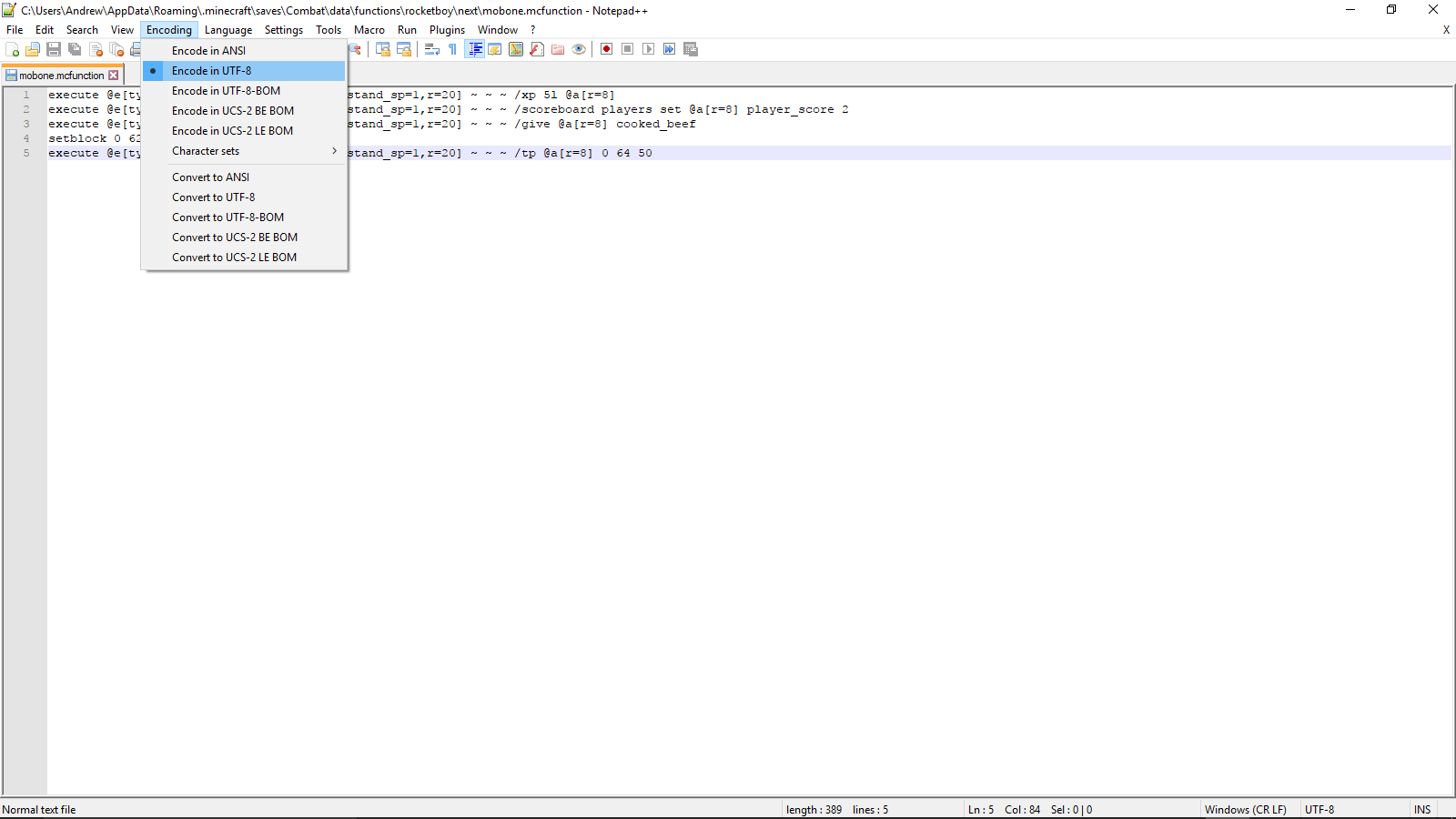
So I was playing on one of my worlds that uses a lot of chain command blocks, when I heard about functions. Naturally, I wanted to try them out. I was able to get one of my chain commands to work, but for some reason, others don't the game seems to arbitrarily decide which functions to recognize. I always used /reload to load any changes I made, I always used UTF-8 encoding, and like I said earlier, I got one of my chain commands to work. However, some of my commands don't work, and I have no clue why. I have included the functions I have tried to use and screenshots of them working (or not) to help aid in this bug fixing. Thanks!
Edit:
After looking at the log file (thanks user-f2760), the error appeared to be that the mcfunction reader didn't believe that "execute" or "tellraw" were valid commands.
How To Fix This Bug:
If you are experiencing this bug, it might be because your UTF-8 encoded file is encoded with a BOM. To fix this, I downloaded Notepad++, and from the top bar, clicked Encoding > Encode in UTF-8.
So I was playing on one of my worlds that uses a lot of chain command blocks, when I heard about functions. Naturally, I wanted to try them out. I was able to get one of my chain commands to work, but for some reason, others don't the game seems to arbitrarily decide which functions to recognize. I always used /reload to load any changes I made, I always used UTF-8 encoding, and like I said earlier, I got one of my chain commands to work. However, some of my commands don't work, and I have no clue why. I have included the functions I have tried to use and screenshots of them working (or not) to help aid in this bug fixing. Thanks!
Edit:
After looking at the log file (thanks user-f2760), the error appeared to be that the mcfunction reader didn't believe that "execute" or "tellraw" were valid commands.
How To Fix This Bug:
If you are experiencing this bug, it might be because your UTF-8 encoded file is encoded with a BOM. To fix this, I downloaded Notepad++, and from the top bar, clicked Encoding > Encode in UTF-8.
Original Bug Report:
So I was playing on one of my worlds that uses a lot of chain command blocks, when I heard about functions. Naturally, I wanted to try them out. I was able to get one of my chain commands to work, but for some reason, others don't the game seems to arbitrarily decide which functions to recognize. I always used /reload to load any changes I made, I always used UTF-8 encoding, and like I said earlier, I got one of my chain commands to work. However, some of my commands don't work, and I have no clue why. I have included the functions I have tried to use and screenshots of them working (or not) to help aid in this bug fixing. Thanks!Edit:
After looking at the log file (thanks user-f2760), the error appeared to be that the mcfunction reader didn't believe that "execute" or "tellraw" were valid commands.
How To Fix This Bug:
If you are experiencing this bug, it might be because your UTF-8 encoded file is encoded with a BOM. To fix this, I downloaded Notepad++, and from the top bar, clicked Encoding > Encode in UTF-8.
Original Bug Report:
So I was playing on one of my worlds that uses a lot of chain command blocks, when I heard about functions. Naturally, I wanted to try them out. I was able to get one of my chain commands to work, but for some reason, others don't the game seems to arbitrarily decide which functions to recognize. I always used /reload to load any changes I made, I always used UTF-8 encoding, and like I said earlier, I got one of my chain commands to work. However, some of my commands don't work, and I have no clue why. I have included the functions I have tried to use and screenshots of them working (or not) to help aid in this bug fixing. Thanks!Edit:
After looking at the log file (thanks user-f2760), the error appeared to be that the mcfunction reader didn't believe that "execute" or "tellraw" were valid commands.
How To Fix This Bug:
If you are experiencing this bug, it might be because your UTF-8 encoded file is encoded with a BOM. To fix this, I downloaded Notepad++, and from the top bar, clicked Encoding > Encode in UTF-8.
Original Bug Report:
So I was playing on one of my worlds that uses a lot of chain command blocks, when I heard about functions. Naturally, I wanted to try them out. I was able to get one of my chain commands to work, but for some reason, others don't the game seems to arbitrarily decide which functions to recognize. I always used /reload to load any changes I made, I always used UTF-8 encoding, and like I said earlier, I got one of my chain commands to work. However, some of my commands don't work, and I have no clue why. I have included the functions I have tried to use and screenshots of them working (or not) to help aid in this bug fixing. Thanks!Edit:
After looking at the log file (thanks user-f2760), the error appeared to be that the mcfunction reader didn't believe that "execute" or "tellraw" were valid commands.
How To Fix This Bug:
If you are experiencing this bug, it might be because your UTF-8 encoded file is encoded with a BOM. To fix this, I downloaded Notepad++, and from the top bar, clicked Encoding > Encode in UTF-8.Original Bug Report:
So I was playing on one of my worlds that uses a lot of chain command blocks, when I heard about functions. Naturally, I wanted to try them out. I was able to get one of my chain commands to work, but for some reason, others don't the game seems to arbitrarily decide which functions to recognize. I always used /reload to load any changes I made, I always used UTF-8 encoding, and like I said earlier, I got one of my chain commands to work. However, some of my commands don't work, and I have no clue why. I have included the functions I have tried to use and screenshots of them working (or not) to help aid in this bug fixing. Thanks!Edit:
After looking at the log file (thanks user-f2760), the error appeared to be that the mcfunction reader didn't believe that "execute" or "tellraw" were valid commands.How To Fix This Bug:
If you are experiencing this bug, it might be because your UTF-8 encoded file is encoded with a BOM. To fix this, I downloaded Notepad++, and from the top bar, clicked Encoding > Encode in UTF-8.
Original Bug Report:
So I was playing on one of my worlds that uses a lot of chain command blocks, when I heard about functions. Naturally, I wanted to try them out. I was able to get one of my chain commands to work, but for some reason, others don't the game seems to arbitrarily decide which functions to recognize. I always used /reload to load any changes I made, I always used UTF-8 encoding, and like I said earlier, I got one of my chain commands to work. However, some of my commands don't work, and I have no clue why. I have included the functions I have tried to use and screenshots of them working (or not) to help aid in this bug fixing. Thanks!Edit:
After looking at the log file (thanks user-f2760), the error appeared to be that the mcfunction reader didn't believe that "execute" or "tellraw" were valid commands.
How To Fix This Bug:
If you are experiencing this bug, it might be because your UTF-8 encoded file is encoded with a BOM. To fix this, I downloaded Notepad++, and from the top bar, clicked Encoding > Encode in UTF-8.
Original Bug Report:
So I was playing on one of my worlds that uses a lot of chain command blocks, when I heard about functions. Naturally, I wanted to try them out. I was able to get one of my chain commands to work, but for some reason, others don't the game seems to arbitrarily decide which functions to recognize. I always used /reload to load any changes I made, I always used UTF-8 encoding, and like I said earlier, I got one of my chain commands to work. However, some of my commands don't work, and I have no clue why. I have included the functions I have tried to use and screenshots of them working (or not) to help aid in this bug fixing. Thanks!Edit:
After looking at the log file (thanks user-f2760), the error appeared to be that the mcfunction reader didn't believe that "execute" or "tellraw" were valid commands.How To Fix This Bug:
If you are experiencing this bug, it might be because your UTF-8 encoded file is encoded with a BOM. To fix this, I downloaded Notepad++, and from the top bar, clicked Encoding > Encode in UTF-8.
Original Bug Report:
So I was playing on one of my worlds that uses a lot of chain command blocks, when I heard about functions. Naturally, I wanted to try them out. I was able to get one of my chain commands to work, but for some reason, others don't the game seems to arbitrarily decide which functions to recognize. I always used /reload to load any changes I made, I always used UTF-8 encoding, and like I said earlier, I got one of my chain commands to work. However, some of my commands don't work, and I have no clue why. I have included the functions I have tried to use and screenshots of them working (or not) to help aid in this bug fixing. Thanks!Edit:
After looking at the log file (thanks user-f2760), the error appeared to be that the mcfunction reader didn't believe that "execute" or "tellraw" were valid commands.
How To Fix This Bug:
If you are experiencing this bug, it might be because your UTF-8 encoded file is encoded with a BOM. To fix this, I downloaded Notepad++, and from the top bar, clicked Encoding > Encode in UTF-8.
Special thanks to user-f2760 and [~Original Bug Report:
So I was playing on one of my worlds that uses a lot of chain command blocks, when I heard about functions. Naturally, I wanted to try them out. I was able to get one of my chain commands to work, but for some reason, others don't the game seems to arbitrarily decide which functions to recognize. I always used /reload to load any changes I made, I always used UTF-8 encoding, and like I said earlier, I got one of my chain commands to work. However, some of my commands don't work, and I have no clue why. I have included the functions I have tried to use and screenshots of them working (or not) to help aid in this bug fixing. Thanks!Edit:
After looking at the log file (thanks user-f2760), the error appeared to be that the mcfunction reader didn't believe that "execute" or "tellraw" were valid commands.
How To Fix This Bug:
If you are experiencing this bug, it might be because your UTF-8 encoded file is encoded with a BOM. To fix this, I downloaded Notepad++, and from the top bar, clicked Encoding > Encode in UTF-8.
Special thanks to user-f2760 and[~Original Bug Report:
So I was playing on one of my worlds that uses a lot of chain command blocks, when I heard about functions. Naturally, I wanted to try them out. I was able to get one of my chain commands to work, but for some reason, others don't the game seems to arbitrarily decide which functions to recognize. I always used /reload to load any changes I made, I always used UTF-8 encoding, and like I said earlier, I got one of my chain commands to work. However, some of my commands don't work, and I have no clue why. I have included the functions I have tried to use and screenshots of them working (or not) to help aid in this bug fixing. Thanks!Edit:
After looking at the log file (thanks user-f2760), the error appeared to be that the mcfunction reader didn't believe that "execute" or "tellraw" were valid commands.How To Fix This Bug:
If you are experiencing this bug, it might be because your UTF-8 encoded file is encoded with a BOM. To fix this, I downloaded Notepad++, and from the top bar, clicked Encoding > Encode in UTF-8.
Special thanks to user-f2760 and [Mod] violine1101 for their help.Original Bug Report:
So I was playing on one of my worlds that uses a lot of chain command blocks, when I heard about functions. Naturally, I wanted to try them out. I was able to get one of my chain commands to work, but for some reason, others don't the game seems to arbitrarily decide which functions to recognize. I always used /reload to load any changes I made, I always used UTF-8 encoding, and like I said earlier, I got one of my chain commands to work. However, some of my commands don't work, and I have no clue why. I have included the functions I have tried to use and screenshots of them working (or not) to help aid in this bug fixing. Thanks!Edit:
After looking at the log file (thanks user-f2760), the error appeared to be that the mcfunction reader didn't believe that "execute" or "tellraw" were valid commands.

Andrew H where does it say he /summon-ed a item?
I see no /summon hereusing /give, it will still give you the item but it will also spawn a phantom item that can't be picked up
![[Mod] Michael Wobst](../../../data/avatars/users/37868.png)
Andrew H: I tried to reproduce this issue in 1.11.2 using your attached test world and it seemed to work fine. Can you confirm this issue is fixed in 1.11.2?
I apologize. I searched, but evidently I search to narrowly. I will search more openly in the future.
I regret to inform you that due to lack of information, this bug may be counted as resolved. However, if you are able to attach the crash report (found in:
Users(Your User)\AppData\Roaming\.minecraft\crash-reports for Windows, I don't know for Mac), then you can be helped.
A way you can work around this bug is to right-click a command block before you open the world to LAN. Then, you can edit the command block after you open it to LAN.
This still happens in 1.9.
I think you are right, but I submitted this to make sure. There is a bug for "you cannot sleep in a bed if you're being attacked by hostile mobs", though, see MC-92719.
Occurs in 1.9 as well.
Thanks Mustek.
This is not a bug, this is just lag. It is usually caused by a complicated world or server, or a slower computer.
You're right, user-f2760, I did not read this fully. The reason I jumped to this conclusion is because I have experienced the same problem when /summon-ing an Item. I have watched the video now, and I see that this is not the case. I guess this is why I am not a moderator and you are.
I hate to break it to you Alex, but you provided insufficient information to fix this bug. What would be very helpful is if you attached your crash report. If you are on Windows, then to get it, go to your Windows Explorer (the Yellow Folder Thing), type "%appdata%" in the top bar, click ".minecraft", click "crash-report", and there should a file in there for every crash you had. If you are on Mac, look it up. Then, attach at least one to this bug report.
Hope I was helpful!
I hate to break it to you Smergain, but you provided insufficient information to fix this bug. If there are any more details, this would be so much easier to fix.
I've done it MANY times. I'll check for any minecarts within a 100 block radius. Thanks!
Just tested.
I used /testfor @e[type=MinecartChest] and found one 96 blocks away. Is that close enough for the sound to be played? I couldn't find any MinecartRideables.
It was a Minecart in a Mineshaft below me. However, why was the sound played? I don't know how the Minecart could have "rolled". Going to change description to better match the "bug" - Minecart Roll Noise Played in Mineshafts
Yeah, I realize that now. Before, when I discovered it, I thought it pertained to boats. Thanks to [Galaxy_2Alex], I found the real problem, which this evidently duplicates.
This is supposed to happen.
Very true, but I forgot to add it for 16w21a.
I tested. It is in 1.10 pre-1.
Sure.
I have attached the world with the contraption.
I just achieved a distance of 73 blocks with 8 extra explosions. For perspective, the average distance with 0 extra explosions is 35, less than half.
Going to see if it's related to the slime blocks.
After some experiments, I have found some interesting facts. I will put them in the description.
Found the bug! Will update the description accordingly.
I think that the error may be that the duration (ex. /effect @a[r=5] regeneration 0 5 true) is 0. Otherwise, the specific command you are using will be needed in order to confirm this.
I can confirm that.
If you have an amplifier of 5+ (Regeneration 6 and above), then it works. That is why I couldn't confirm it earlier.
I attached a bug test world.
Confirmed for 1.10-pre2.
I think it's back again.
Confirmed for 1.10.
I tried to download on a Windows 2000 Virtual Machine, and it's a .zip, but when I download it on my Windows 7 Professional, I get a .jar. Any idea why?
Sorry, I have neglected Mojang bug report for too long. I am testing my bugs for the most current versions as I am typing this,
I don't think it is because the chunks are loaded when the players are spread into them. I am testing to see if this bug is still relevant.
I cannot reproduce this in 1.10.2. This bug has been fixed.
I think this is a Works As Intended based on Slime Block behavior, but confirmed for 1.10.2.
Confirmed for 1.10.2 and 16w43a.
I've noticed this glitch too. It can happen when you die by firework blast or "experience kinetic energy". Once you die, you will respawn already in glide mode. Once this has happened, you can then take off your elytra and still glide, but you still take normal fall damage once you land. Another way to cancel it is to use your the Control/Sprint button while you are "walking" on the ground.
Confirmed for 1.11.2.
I uploaded it as image-2017-10-03-15-33-01-689.png.
Oh! The problem was it was encoded with UTF-8 with BOM. I used Notepad++ to do UTF-8 without BOM and it worked fine. Thanks guys!