 SirBenet
- SirBenet
- sirbenet
- Europe/London
- Yes
- No
 MCPE-20611
 MC-115060
![[Mojang] Searge (Michael Stoyke)](../../../data/assets/gravatar/searge.png)
![[Mojang] Nathan Adams](../../../data/assets/gravatar/dinnerbone.png)
![[Mojang] Bartosz Bok](../../../data/avatars/users/10122.svg)
![[Mojang] Georgii Gavrichev](../../../data/avatars/users/22428.png)
![[Mojang] slicedlime](../../../data/assets/gravatar/slicedlime.jpeg)
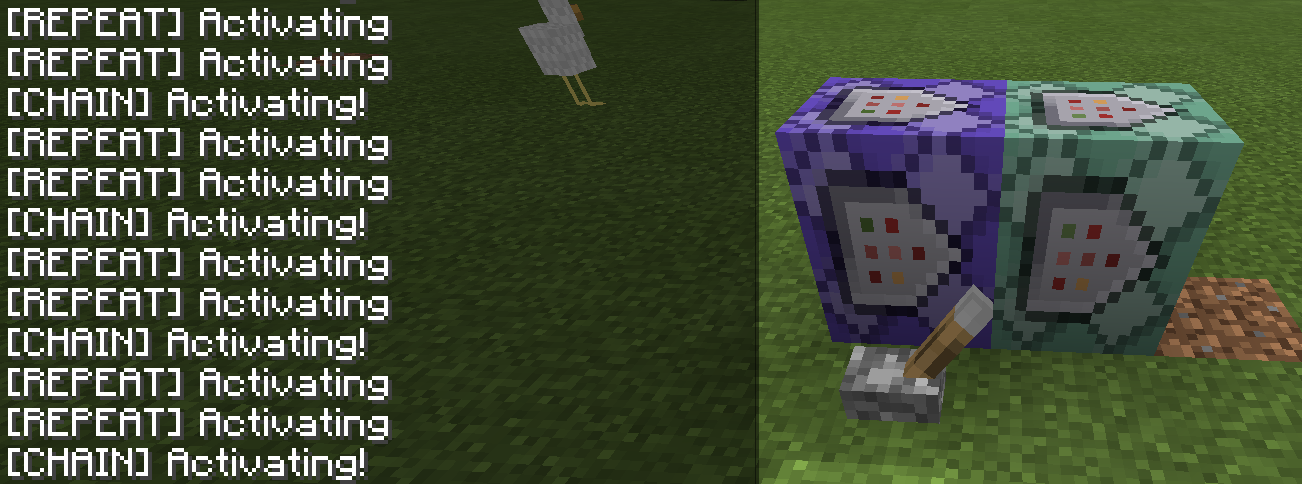




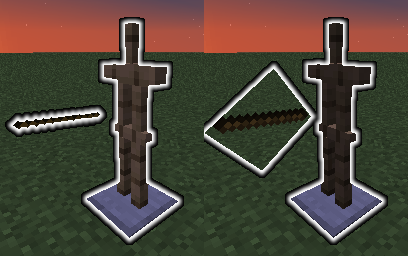
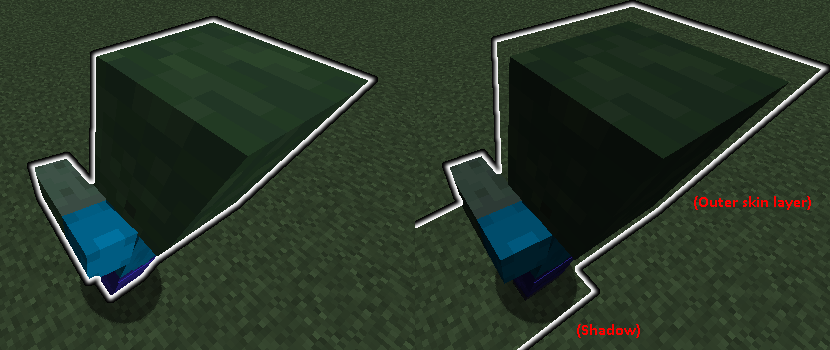

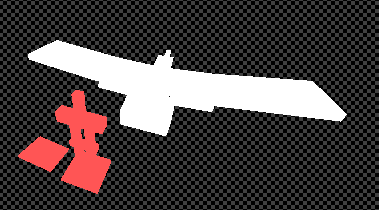



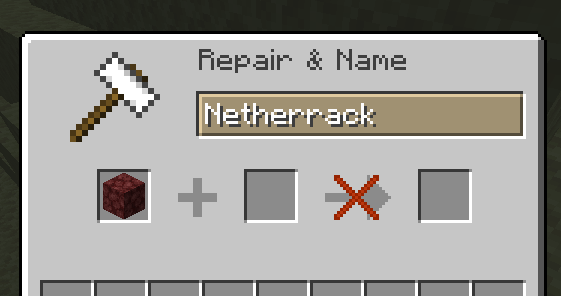
(This bug affects 1.0.5, but there is no option for 1.0.5, and it's a required field. I'm also unable to attach an image, if a mod wants to attach the image in the imgur link.)
When a chain command block is on a repeating block, it should activate at the same rate as the repeating block-20 times a second.Instead, it appears to activate at half that speed - 10 times a second.
When a chain command block is on a repeating block, it should activate at the same rate as the repeating block - 20 times a second.
Instead, it appears to activate at half that speed - 10 times a second.
Steps to reproduce:
1. Enter crafting table GUI or survival inventory, place some items on crafting grid
2. Completely fill up your inventory while still in the GUI (for survival, be standing on dropped items)
3. Open recipe book, click on a recipeUnder normal circumstances, this would automatically clear the crafting grid to display the recipe you clicked on by returning items to your inventory. If there is nowhere for these items to go, the game will crash.
I would expect the items to be dropped, like when you close the GUI with a full inventory.
GAME CRASH The game crashed whilst updating screen events Error: java.lang.ArrayIndexOutOfBoundsException: -1Steps to reproduce:
1. Enter crafting table GUI or survival inventory, place some items on crafting grid
2. Completely fill up your inventory while still in the GUI (for survival, be standing on dropped items)
3. Open recipe book, click on a recipeUnder normal circumstances, this would automatically clear the crafting grid to display the recipe you clicked on by returning items to your inventory. If there is nowhere for these items to go, the game will crash.
I would expect the items to be dropped, like when you close the GUI with a full inventory.
The following error is given. Crash log attached below.
GAME CRASH
The game crashed whilst updating screen events
Error: java.lang.ArrayIndexOutOfBoundsException: -1
If a selector that only has the potential to select one entity (@p, @s, @r, @e[c=1], @a[c=1]) has 4 minus signs in its arguments, it attempts and fails to parse as a UUID.
Example command to reproduce:
/testfor @p[x=-7,y=-3,z=-1,r=0,rxm=-3,c=1]Which results in:
The entity UUID '@a[x=-7,y=-3,z=-1,r=0,rxm=-3,c=1]' is in an invalid formatWhereas the expected normal error message (for just not finding the entity) would be:
Entity '@a[x=-7,y=-3,z=-1,r=0,rxm=-3,c=1]' cannot be found
If a selector that only has the potential to select one entity (@p, @s, @r, @e[c=1], @a[c=1]) has 4 minus signs in its arguments, it attempts and fail
sto parse as a UUID.Example command to reproduce:
/testfor @p[x=-7,y=-3,z=-1,r=0,rxm=-3,c=1]Which results in:
The entity UUID '@a[x=-7,y=-3,z=-1,r=0,rxm=-3,c=1]' is in an invalid formatWhereas the expected normal error message (for just not finding the entity) would be:
Entity '@a[x=-7,y=-3,z=-1,r=0,rxm=-3,c=1]' cannot be found
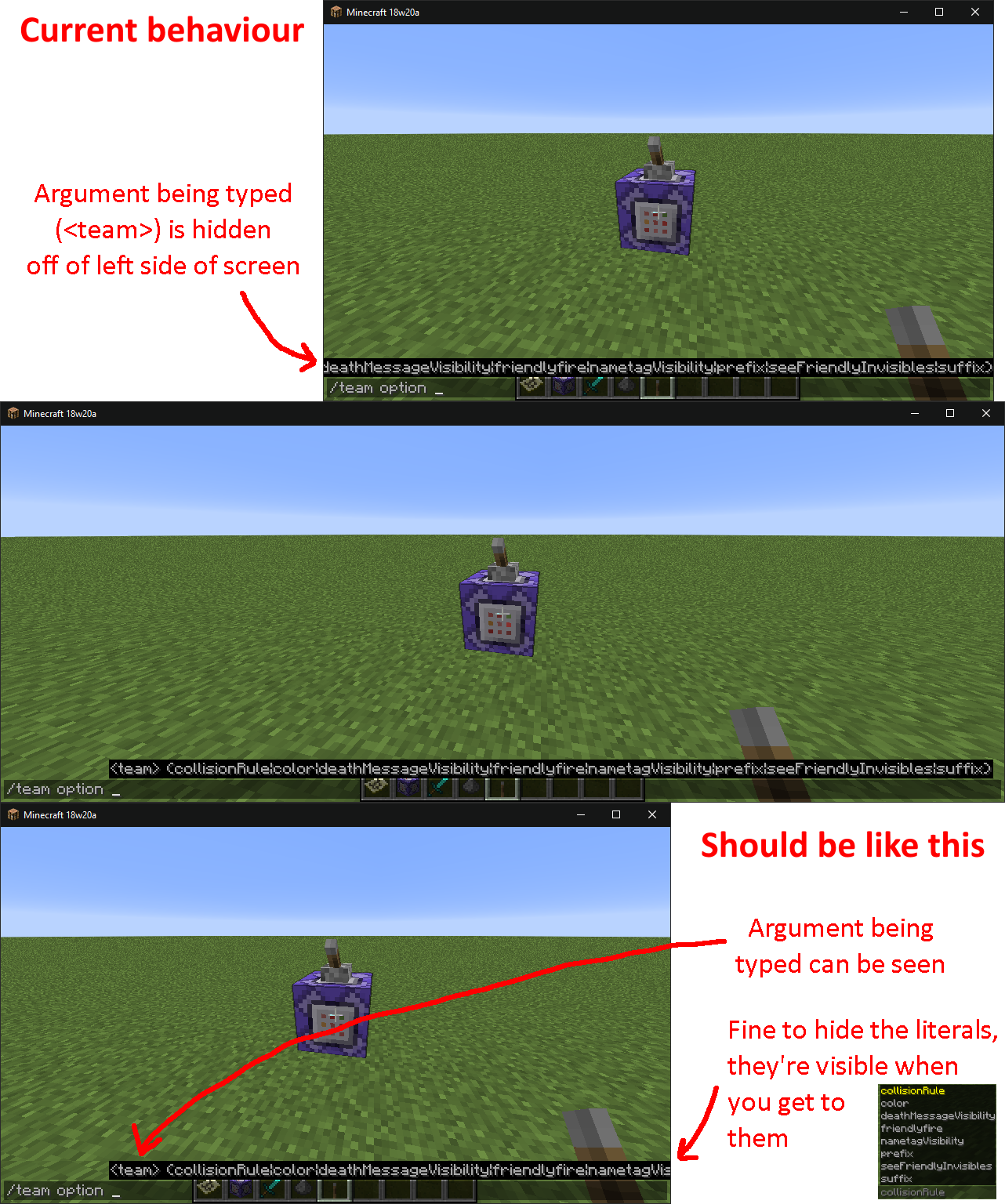
See attached image for clearer explanation.
When writing a command in chat, the argument that you're typing can be pushed off of the left side of the screen by suggestions for future arguments.
To reproduce, type /team option in chat (with default resolution and GUI scale). You will be unable to see the <team> option that should be next, instead only being able to see the different option literals that you haven't yet gotten to.
When there's not enough space for all of the suggestion text to fit, it should be the future arguments that get hidden rather than the current argument being typed. IE the suggestion bar should be anchored to the left side of the screen (and overflow over the right side) rather than to the right (and overflow over the left side).
See attached image for clearer explanation.
When writing a command in chat, the argument that you're typing can be pushed off of the left side of the screen by suggestions for future arguments.
To reproduce, type /team option in chat (with default resolution and GUI scale). You will be unable to see the <team> option that should be next, instead only being able to see the different option literals that you haven't yet gotten to.
When there's not enough space for all of the suggestion text to fit, it should be the future arguments that get hidden rather than the current argument being typed. IE the suggestion bar should be anchored to the left side of the screen (and overflow over the right side) rather than to the right (and overflow over the left side).
See attached image for clearer explanation.
When writing a command in chat, the argument that you're typing can be pushed off of the left side of the screen by suggestions for future arguments.
To reproduce, type /team option in chat (with default resolution and GUI scale). You will be unable to see the <team> option that should be next, instead only being able to see the different option literals that you haven't yet gotten to.
When there's not enough space for all of the suggestion text to fit, it should be the future arguments that get hidden rather than the current argument being typed. IE the suggestion bar should be anchored to the left side of the screen (and overflow over the right side) rather than to the right (and overflow over the left side).
To reproduce, run the following commands in order from chat:
/summon armor_stand ~ ~ ~ {CustomName:'"MC-146470"'} /forceload add ~ ~ /setworldspawn /tp @s ~ ~ ~10000 /say @e[type=armor_stand]The spawned armor stand will not be found, despite the fact it should be loaded by both the world spawn point and the forceloaded chunk.
Many maps rely on spawn chunks to have entities that stay loaded. It appears as though currently only entities loaded due to players can be selected.
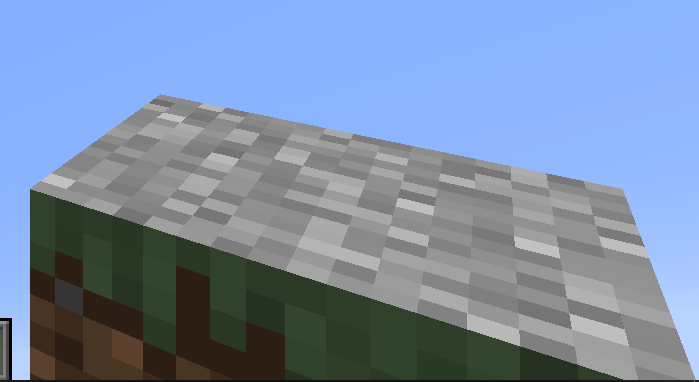
To reproduce, summon a mob with transparent texture parts or holding an item.
Left: 19w38b, Right: 19w39a
The glowing shader itself (entity_outline.json) has not been changed. The problem is that what
' srenderedto the "final" buffer no longer maintains the entity's transparency, instead always having opacity1.Final buffer in 19w38b. A phantom, and a armor stand holding a stained glass pane. Checkerboard background added by me.
Final buffer in 19w39a:
To reproduce, summon a mob with transparent texture parts or holding an item.
Left: 19w38b, Right: 19w39a
The glowing shader itself (entity_outline.json) has not been changed. The problem is that what the game renders to the "final" buffer no longer maintains the entity's transparency, instead always having full opacity.
Final buffer in 19w38b. A phantom, and a armor stand holding a stained glass pane. Checkerboard background added by me.
Final buffer in 19w39a:
To reproduce, summon a glowing mob with transparent texture parts or holding an item.
Left: 19w38b, Right: 19w39a
The glowing shader itself (entity_outline.json) has not been changed. The problem is that what the game renders to the "final" buffer no longer maintains the entity's transparency, instead always having full opacity.
Final buffer in 19w38b. A phantom, and an armor stand holding a stained glass pane. Checkerboard background added by me.
Final buffer in 19w39a:
![[Mod] tryashtar](../../../data/avatars/users/41963.png)
Exactly as the title states, causing bugs like MC-121629. Will continually update with consequences of all server commands. Commands of note are listed:
- /kick: Exits the world and returns the player to the multiplayer menu.
- /ban: Exits the world and returns the player to the multiplayer menu. Does not prevent future access to the world.
- /deop: Appears to deop the player and restricts access to F3+N, but the player can still run commands. Running /op yields that the player is "already an operator." Access to F3+N is regranted upon a reload Thanks to SirBenet.
- /list: Prints the player alone as expected. (this may be WAI, as it has no reason to be limited to multiplayer)
- /save-all: Saves the game as expected.
- /setidletimeout: Doesn't appear to do anything (I don't think ops get kicked anyway).
- /stop: Exits the world and returns the player to the multiplayer menu (a la
MC-45602).

Still occurs in 17w13b. The bug that this one is marked as a duplicate of has been fixed (it was caused in a different scenario by a different line of code), so requesting this one to be reopened, as it is not fixed.
@maggstrom - that doesn't appear to be the same issue. This problem is that sponge blocks delete waterlogged blocks (sponge should not break the blocks), that issue is that waterlogged blocks don't leave behind water when broken.
Affects 18w11a.
I think this occurs not when there are blocks "listening for block changes", but instead when there is a reasonable amount of geometry in the chunk. I've attached rebuildNear lag example world.zip , which has examples set up to reproduce the lag. World may take a few moments to load up.
Seems intentional. It's blue because it's highlighted (can get same effect highlighting text manually), and it's highlighted so that whatever you type next will replace that text.
@Auldrick
Checking the latest beta, it appears that this has already been fixed (or consistent with Java 1.12 at least) and the slash is now optional in the inner command.
@Thomaz Calazans Linhares Junior
The delay is significantly shorter for most things now I feel, but it definitely isn't just on block-picking (was chosen as an easy example since it changes in one frame, whereas movement has a bit of momentum and I couldn't find a QIPress equivalent for mouse movements), and I would have agreed with "near unplayable" when the delay was at its worst.
The end goal should be to have controls be as or more responsive than they are in Java, since Bedrock has overall a better performing engine.
Didn't occur in 19w38b so I assumed it was caused by recent render changes and only searched recent bugs, but appears to have existed previously. Duplicate of: https://bugs.mojang.com/browse/MC-7882
For commands, this behaviour is the only known way to flatten from JSON text components to plaintext, which also makes it the only known way to parse strings (by constructing flattened text and doing a binary search).
Hate to advocate for a bug, but a lot of stuff indirectly relies on this. It would be nice if this could be kept until some alternative (e.g: `/data ... append` working for strings) was available.
Here's a utilities library that makes extensive use of the trick, for reference: https://github.com/McTsts/Minecraft-String-Utilities
This is even worse than it first seems, because using clear with a maxCount of 0 is how maps/datapacks check how many of an item a player has.
With this bug causing maxCount to be ignored, checking how many items a player has will instantly delete the items they're crafting with.