 sjx
sjx
- sjx
- sjx
- Asia/Shanghai
- Yes
- No
 MC-59833
 MCPE-11046
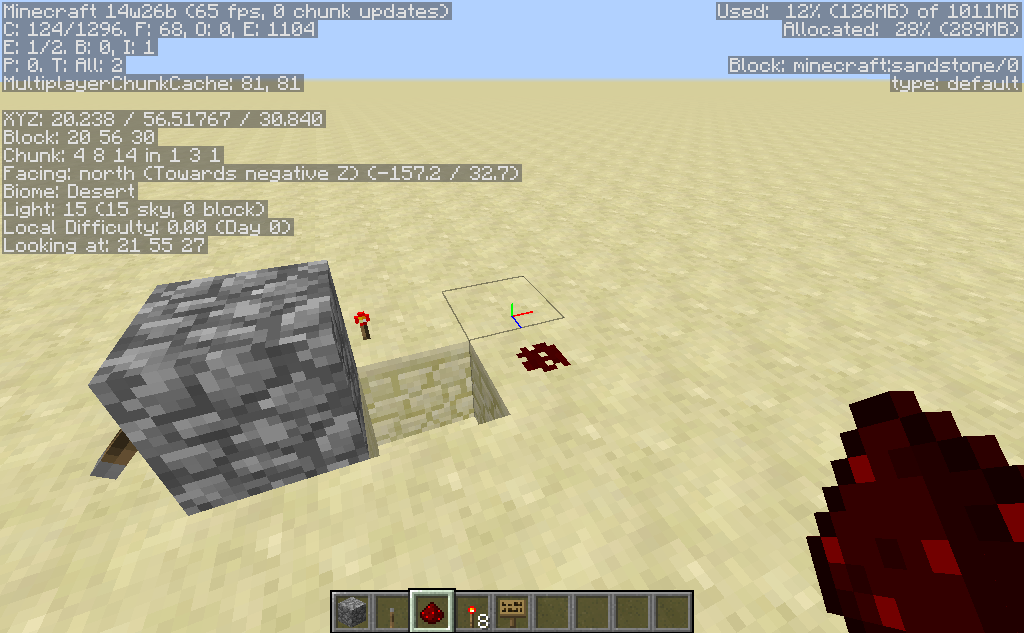



Redstone Torchdrop downRedstone Torch Bug
When Redstone Torch is powered and no blocks under it, it will drops down.
Redstone TorchBugRedstone Torch drops
When Redstone Torch is powered and no blocks under it, it will drops
down.
launcher_log.txt
Rails do not function properly without vanilla data pack.
Rails do not function properly without vanilla data pack.
Rails do not connect with each other or allow minecarts to be placed on them if vanilla data pack is disabled.
Rails do not function properly without the vanilla data pack
The Bug
Rails do not connect with each other or allow minecarts to be placed on them if vanilla data pack is disabled.
How to reproduce
1. Run /datapack disable vanilla to disable the vanilla data pack.
{bgcolor:#7f7f7f}abc{bgcolor}
2. Place some rails beside each other.
3. Try placing a minecart on them.
The Bug
Rails do not connect with each other or allow minecarts to be placed on them if vanilla data pack is disabled.
How to reproduce
1. Run /datapack disable vanilla to disable the vanilla data pack.
{bgcolor:#7f7f7f}abc{bgcolor}
2. Place some rails beside each other.
3. Try placing a minecart on them.
The Bug
Rails do not connect with each other or allow minecarts to be placed on them if vanilla data pack is disabled.
How to reproduce
1. Run /datapack disable vanilla to disable the vanilla data pack.
2. Place some rails beside each other.
3. Try placing a minecart on them.Edit: Duplicate of
MC-123029.
A possible solution is to create the component lazily:
CommandSourceStack.javapublic void sendSuccess(Supplier<Component> component, boolean informAdmins) { sendSuccess(new LazyLoadedValue(component), informAdmins); } public void sendSuccess(LazyLoadedValue<Component> component, boolean informAdmins) { if (source.acceptsSuccess() && !silent) { source.sendMessage(component.get(), Util.NIL_UUID); } if (informAdmins && source.shouldInformAdmins() && !silent) { broadcastToAdmins(component.get()); } }ForceLoadCommand.javaprivate static int listForceLoad(CommandSourceStack source) { ServerLevel level = source.getLevel(); ResourceLocation location = level.dimension().location(); LongSet chunks = level.getForcedChunks(); int n = chunks.size(); if (n == 1) { source.sendSuccess(() -> new TranslatableComponent("commands.forceload.list.single", location, new ChunkPos(chunks.iterator().nextLong())), false); } else if (n > 1) { source.sendSuccess(() -> new TranslatableComponent("commands.forceload.list.multiple", n, location, Joiner.on(", ").join(chunks.stream().sorted().map(ChunkPos::new).iterator())), false); } else { source.sendFailure(new TranslatableComponent("commands.forceload.added.none", location)); } return n; }
![[Mojang] Mega_Spud (Jay Wells)](../../../data/avatars/users/92696.png)
![[Mod] Neko](../../../data/avatars/users/92901.png)
Confirmed in 1.8.
Confirmed.
After exit the GUI press 'A' again without CMD
I have these log in single player too:
Confirmed in 16w06a.
Still in 1.9
Try updating your computer's graphics driver
Confirmed for 17w43a-17w45b.
Fixed in macOS 10.13.3 (17D47)
@gaspoweredpick I cannot test right now. Try disabling the vanilla data pack and see if you can reproduce this.
Duplicates MC-124375
Still an issue in 1.13.
Code analysis
Please link to this comment in the description.
The following is based on the decompiled version of Minecraft 1.13.
It seems that whether the mouse is actually on the arrow is never checked.
Solution
In net.minecraft.client.gui.GuiListWorldSelectionEntry, net.minecraft.client.gui.ServerListEntryNormal and net.minecraft.client.resources.ResourcePackListEntryFound, check if the entry isSelected before rendering colored arrows.