This happened to me yesterday after I updated to 1.4 and joined a Realm on a Windows 10 Virtual Machine. The horizon "smears" whenever another character moves or when I move my character’s camera/position. Does not happen while underwater, underground, or when standing directly in front of blocks (like a wall of sandstone or a dense forest); only happens directly on the horizon. Last I played Bedrock was March 29, and I did not have this issue. I have not updated the Windows 10 OS in several months.
Historically, the only issues I’ve had on the VM are delays with things being used, like taking 3 seconds to open a door or use a bed. No graphics bugs before this one.
Were you playing online or off? How’s your internet connection? Mine was super spotty yesterday and I even disconnected a few times.
This happened to me two days ago after I updated to 1.4 and joined a Realm on a Windows 10 Virtual Machine. The horizon "smears" whenever another character moves or when I move my character’s camera/position. Does not happen while underwater, underground, or when standing directly in front of blocks (like a wall of sandstone or a dense forest); only happens directly on the horizon. Last I played Bedrock before this 1.4 update was March 29, and I did not have this issue. I have not updated the Windows 10 OS in several months.
Device (2017 MacBook Pro) stats:
Intel Iris Plus Graphics 650 1536 MB
Memory 16 GB
FOUND A WAY TO MAKE IT GO AWAY: When you’re in-game, go to Settings-> Video-> scroll to the bottom and set the last option to on, and the slider above it all the way down to 1.
I also experienced this issue today. I started a world in the previous snapshot, backed it up and loaded it into the newest snapshot, and the crafting table interface is out of whack. Takes quite a few seconds to open, rejects anything I place in it, and repeatedly re-opens whenever I close it. It even interferes with the in-game menu (with the settings, bug report, save/exit, etc. buttons) by exiting it. Playing on MacOS High Sierra and in creative mode.
I experienced an issue with the crafting table interface. I started a world in the previous snapshot, backed it up and loaded it into the newest snapshot, and the crafting table interface is out of whack. Takes quite a few seconds to open, rejects anything I place in it (the items get sent back into my inventory after a second or two), and repeatedly re-opens whenever I close it. It even interferes with the in-game menu (with the settings, bug report, save/exit, etc. buttons) by exiting it. Playing on MacOS High Sierra and in creative mode.
 Joy Bates
 MC-129831
![[Mojang] Adrian Östergård](../../../data/assets/gravatar/nighter.jpeg)
 MCPE-44058

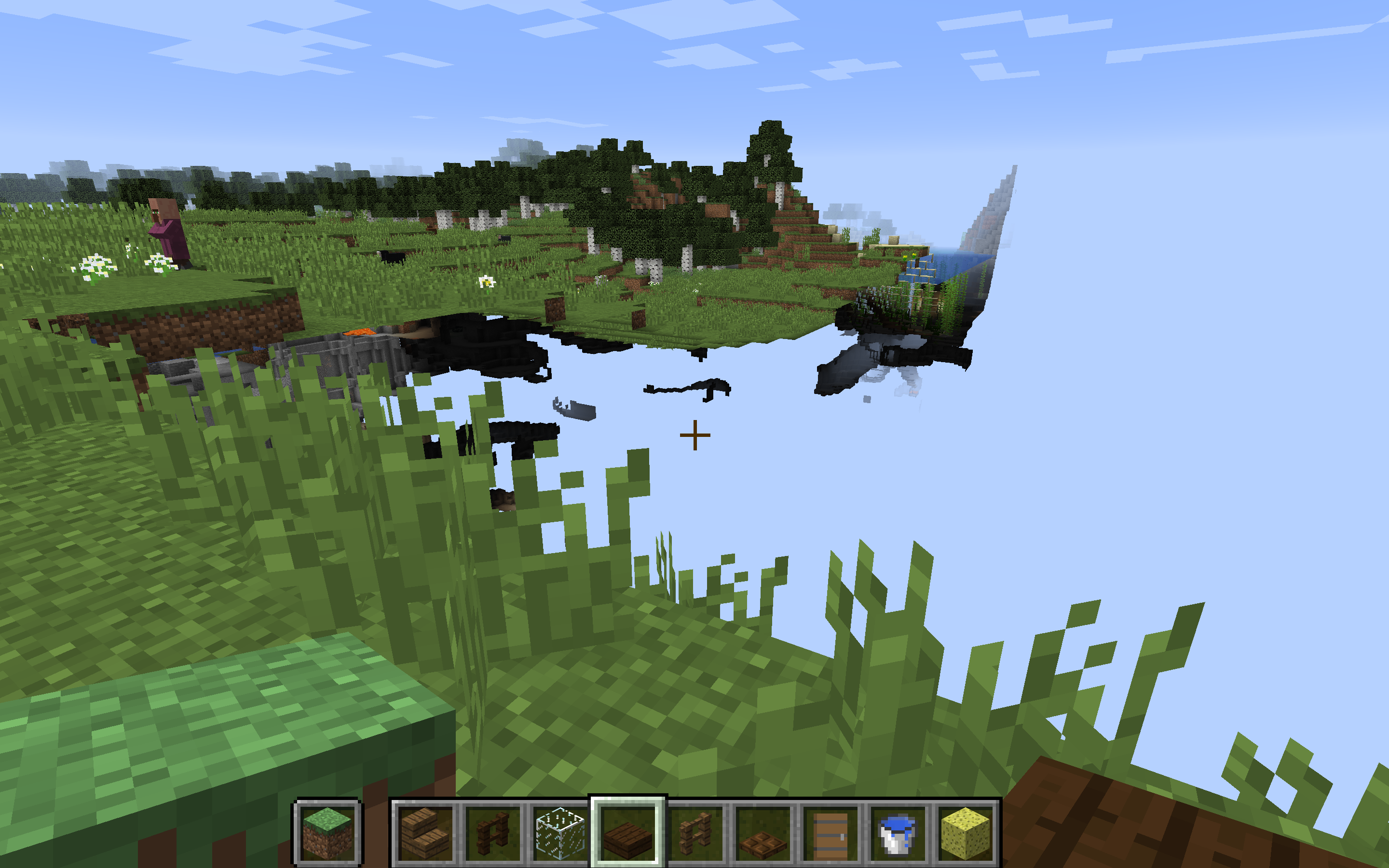




This happened to me yesterday after I updated to 1.4 and joined a Realm on a Windows 10 Virtual Machine. The horizon "smears" whenever another character moves or when I move my character’s camera/position. Does not happen while underwater, underground, or when standing directly in front of blocks (like a wall of sandstone or a dense forest); only happens directly on the horizon. Last I played Bedrock was March 29, and I did not have this issue. I have not updated the Windows 10 OS in several months.
Device (2017 MacBook Pro) stats:
Intel Iris Plus Graphics 650 1536 MB
Memory 16 GB
Same happens to me on Windows 10.
Historically, the only issues I’ve had on the VM are delays with things being used, like taking 3 seconds to open a door or use a bed. No graphics bugs before this one.
Were you playing online or off? How’s your internet connection? Mine was super spotty yesterday and I even disconnected a few times.
FIXED IT. When you’re in-game, go to Settings-> Video-> scroll to the bottom and set the last option to on, and the slider above it all way down to 1.
This happened to me two days ago after I updated to 1.4 and joined a Realm on a Windows 10 Virtual Machine. The horizon "smears" whenever another character moves or when I move my character’s camera/position. Does not happen while underwater, underground, or when standing directly in front of blocks (like a wall of sandstone or a dense forest); only happens directly on the horizon. Last I played Bedrock before this 1.4 update was March 29, and I did not have this issue. I have not updated the Windows 10 OS in several months.
Device (2017 MacBook Pro) stats:
Intel Iris Plus Graphics 650 1536 MB
Memory 16 GB
FOUND A WAY TO MAKE IT GO AWAY: When you’re in-game, go to Settings-> Video-> scroll to the bottom and set the last option to on, and the slider above it all the way down to 1.
I also experienced this issue today. I started a world in the previous snapshot, backed it up and loaded it into the newest snapshot, and the crafting table interface is out of whack. Takes quite a few seconds to open, rejects anything I place in it, and repeatedly re-opens whenever I close it. It even interferes with the in-game menu (with the settings, bug report, save/exit, etc. buttons) by exiting it. Playing on MacOS High Sierra and in creative mode.
I experienced an issue with the crafting table interface. I started a world in the previous snapshot, backed it up and loaded it into the newest snapshot, and the crafting table interface is out of whack. Takes quite a few seconds to open, rejects anything I place in it (the items get sent back into my inventory after a second or two), and repeatedly re-opens whenever I close it. It even interferes with the in-game menu (with the settings, bug report, save/exit, etc. buttons) by exiting it. Playing on MacOS High Sierra and in creative mode.
On second thought, this could be an intended feature for single player.
I don’t know of any 1.13.2 servers I could join to test this, but it definitely happens in latest single player snapshot.
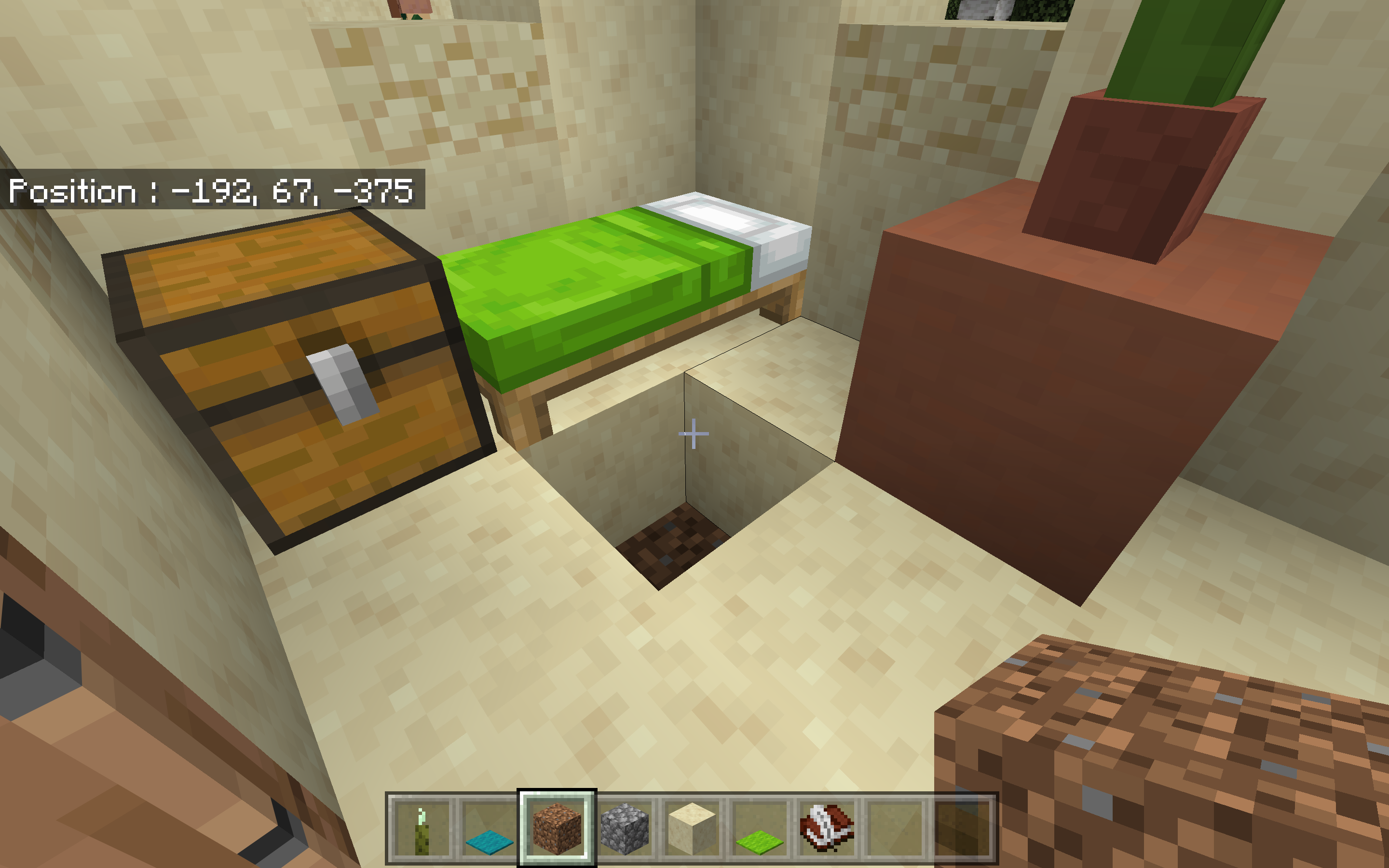
New village chests empty in 1.10.1 with Experimental Gameplay toggled on.
I created a world last week on the latest Bedrock release (with Experimental Gameplay turned off) and encountered this bug (see screenshot above).
Seed: 425558590
Coordinates: 155, 64, 186
Hardware: 2017 MacBook Pro
Software: Windows 10, latest version, on a Virtual Machine
Confirmed
Windows 10 latest release (experimental gameplay toggled off)
2017 MacBook Pro using Windows 10 VM
Screenshot attached
Added a screenshot with coordinates and seed included.
World generated in latest Bedrock release (experimental gameplay toggled off) last weekend.
Hardware: 2017 MacBook Pro
Software: latest Windows 10 release on a virtual machine