 Thue
Thue
- thuejk
- thuejk
- Europe/Stockholm
- Yes
- No
 MC-460
 Normal
 MCL-195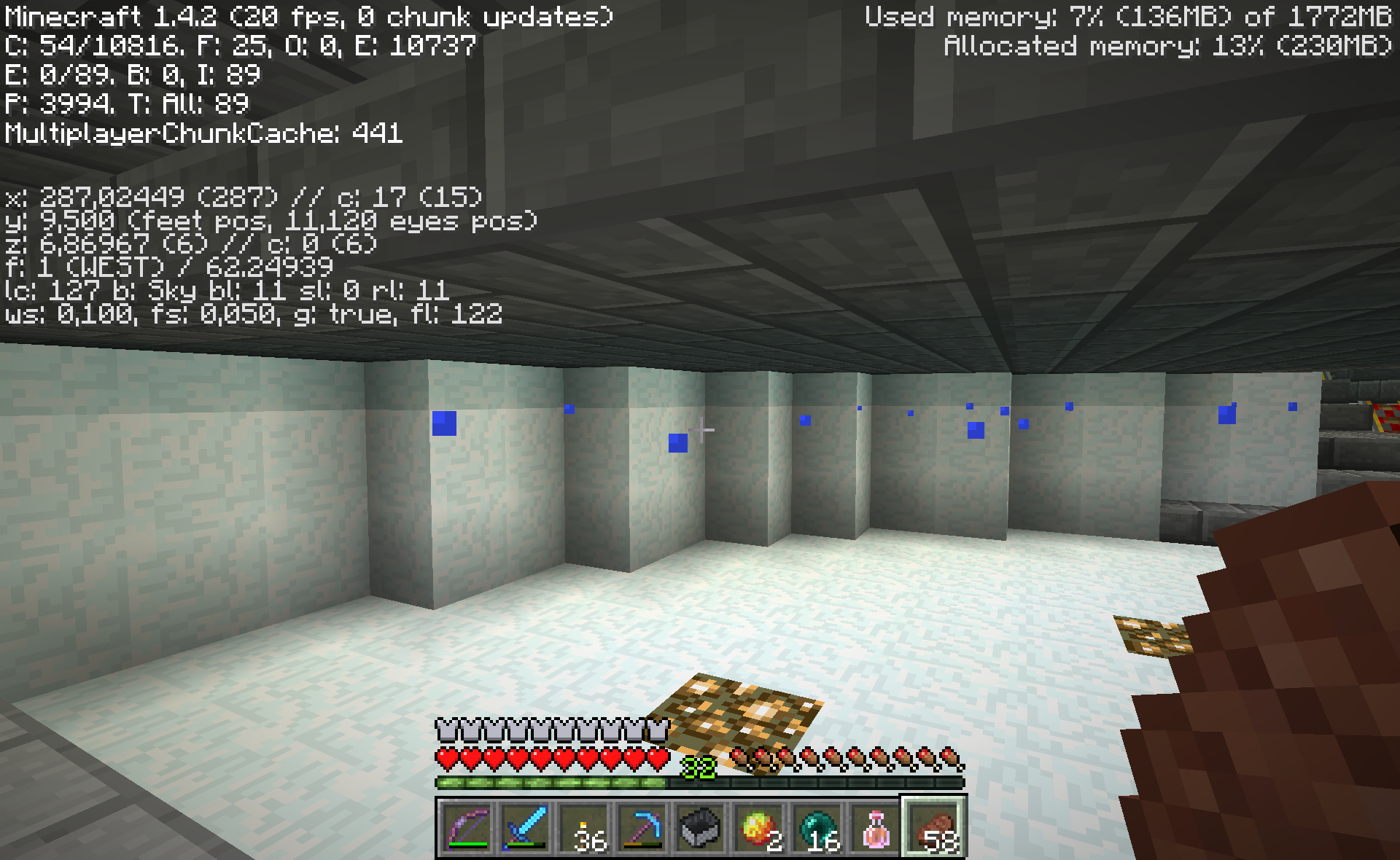

Experience orbs sometimes keep swirling around your head, without ever being absorbed no matter how long you wait. This is because the client and server disagree on where they are - in reality they are laying on the ground in the server's understanding, which you can see if you relog.
A server I play on has an enderman farm which can consistently reproduce this problem.
Experience orbs sometimes keep swirling around your head, without ever being absorbed no matter how long you wait. This is because the client and server disagree on where they are - in reality they are laying on the ground in the server's understanding, which you can see if you relog.
How to reproduce:
1) Download DocM77's world: http://www.mediafire.com/?sbnqqj7481onfdc
2) Go to the endermen farm.
3) Kill some endermen.
Experience orbs sometimes keep swirling around your head, without ever being absorbed no matter how long you wait. This is because the client and server disagree on where they are - in reality they are laying on the ground in the server's understanding, which you can see if you relog.
How to reproduce:
1) Download DocM77's world: http://www.mediafire.com/?sbnqqj7481onfdc
2) Go to the endermen farm.
3) Kill some endermen.Experience orbs sometimes keep swirling around your head, without ever being absorbed no matter how long you wait. This is because the client and server disagree on where they are - in reality they are laying on the ground in the server's understanding, which you can see if you relog.
Video example: http://www.youtube.com/watch?v=SP0c6rhNYT8
How to reproduce:
1) Download DocM77's world: http://www.mediafire.com/?sbnqqj7481onfdc
2) Go to the endermen farm.
3) Kill some endermen.
Experience orbs sometimes keep swirling around your head, without ever being absorbed no matter how long you wait. This is because the client and server disagree on where they are - in reality they are laying on the ground out of range in the server's understanding, which you can see if you relog.
Video example: http://www.youtube.com/watch?v=SP0c6rhNYT8
How to reproduce:
1) Download DocM77's world: http://www.mediafire.com/?sbnqqj7481onfdc
2) Go to the endermen farm.
3) Kill some endermen.
Experience orbs sometimes keep swirling around your head, without ever being absorbed no matter how long you wait. This is because the client and server disagree on where they are - in reality they are laying on the ground out of range in the server's understanding, which you can see if you relog.
Video example: http://www.youtube.com/watch?v=SP0c6rhNYT8
How to reproduce:
1) Download DocM77's world: http://www.mediafire.com/?sbnqqj7481onfdc
2) Go to the endermen farm.
3) Kill some endermen while moving around.
Experience orbs sometimes keep swirling around your
head, without ever being absorbed no matter how long you wait. This is because the client and server disagree on where they are- in reality they are laying on the ground out of range in the server's understanding, which you can see if you relog.Video example: http://www.youtube.com/watch?v=SP0c6rhNYT8
How to reproduce:
1) Download DocM77's world: http://www.mediafire.com/?sbnqqj7481onfdc
2) Go to the endermen farm.
3) Kill some endermen while moving around.Experience orbs sometimes keep swirling around your, without ever being absorbed no matter how long you wait. This is because the client and server disagree on where they are.
In a recent Minecraft version, more sync event have been added, so now the orbs are jumping back about once every second or so, but it is still obvious that they are buggy. One specific issue is half-slabs, which the client thinks the orbs can climb over, while the server disagrees (this might or might not be the only problem).
Video demo: http://youtu.be/oVwu3LOgS14
Experience orbs sometimes keep swirling around you
r, without ever being absorbed no matter how long you wait. This is because the client and server disagree on where they are.In a recent Minecraft version, more sync event have been added, so now the orbs are jumping back about once every second or so, but it is still obvious that they are buggy. One specific issue is half-slabs, which the client thinks the orbs can climb over, while the server disagrees (this might or might not be the only problem).
Video demo: http://youtu.be/oVwu3LOgS14
Experience orbs sometimes keep swirling around you, without ever being absorbed no matter how long you wait. This is because the client and server disagree on where they are.
In a recent Minecraft version, more sync event have been added, so now the orbs are jumping back about once every second or so
, but it is still obvious that they are buggy. One specific issue is half-slabs, which the client thinks the orbs can climb over, while the server disagrees (this might or might not be the only problem).Video demo: http://youtu.be/oVwu3LOgS14
Experience orbs sometimes keep swirling around you, without ever being absorbed no matter how long you wait. This is because the client and server disagree on where they are.
In a recent Minecraft version, more sync event have been added, so now the orbs are jumping back to where the server think the orbs are about once every second or so. But it is still obvious that they are buggy. One specific issue is half-slabs, which the client thinks the orbs can climb over, while the server disagrees (this might or might not be the only problem).
Video demo: http://youtu.be/oVwu3LOgS14
Sometimes a key such as "move forward" ("w") will get stuck, i.e. Steve will keep moving forward even though I have let go of the "w" key. The only way to stop Steve from going forward is to briefly press "w" again.
I think this happens when you are pushing several buttons simultaneously, such as when moving while hitting mobs. Somehow Minecraft is missing a keyup event. Moving around killing endermen on DocM's enderman farm seems like a good way to reproduce it, but it seems to occur somewhat randomly.
This is an old and much-discussed bug: https://www.google.dk/search?q=minecraft+%22stuck+key%22 . See fx http://www.minecraftforum.net/topic/1153323-minecraft-stuck-keys-issue-solution-needed/ - but the much adviced "solution" of upgrading lwjgl doesn't fix it for me.
Sometimes a key such as "move forward" ("w") will get stuck, i.e. Steve will keep moving forward even though I have let go of the "w" key. The only way to stop Steve from going forward is to briefly press "w" again (walking into a lava pit also seems to stop Steve from going forward).
I think this happens when you are pushing several buttons simultaneously, such as when moving while hitting mobs. Somehow Minecraft is missing a keyup event. Moving around killing endermen on DocM's enderman farm seems like a good way to reproduce it, but it seems to occur somewhat randomly.
This is an old and much-discussed bug: https://www.google.dk/search?q=minecraft+%22stuck+key%22 . See fx http://www.minecraftforum.net/topic/1153323-minecraft-stuck-keys-issue-solution-needed/ - but the much adviced "solution" of upgrading lwjgl doesn't fix it for me.
Sometimes a key such as "move forward" ("w") will get stuck, i.e. Steve will keep moving forward even though I have let go of the "w" key. The only way to stop Steve from going forward is to briefly press "w" again (walking into a lava pit also seems to stop Steve from going forward).
I think this happens when you are pushing several buttons simultaneously, such as when moving while hitting mobs. Somehow Minecraft is missing a keyup event. Moving around killing endermen on DocM's enderman farm seems like a good way to reproduce it, but it seems to occur somewhat randomly.
This is an old and much-discussed bug: https://www.google.dk/search?q=minecraft+%22stuck+key%22 . See fx http://www.minecraftforum.net/topic/1153323-minecraft-stuck-keys-issue-solution-needed/ - but the much adviced "solution" of upgrading lwjgl doesn't fix it for me.
I also about as often have the problem that a keydown event is missed. Seems to occur in the same situations.
Sometimes a key such as "move forward" ("w") will get stuck, i.e. Steve will keep moving forward even though I have let go of the "w" key. The only way to stop Steve from going forward is to briefly press "w" again (walking into a lava pit also seems to stop Steve from going forward).
I think this happens when you are pushing
severalbuttons simultaneously, such as when moving while hitting mobs. Somehow Minecraft is missing a keyup event. Moving around killing endermen on DocM's enderman farm seems like a good way to reproduce it, but it seems to occur somewhat randomly.This is an old and much-discussed bug: https://www.google.dk/search?q=minecraft+%22stuck+key%22 . See fx http://www.minecraftforum.net/topic/1153323-minecraft-stuck-keys-issue-solution-needed/ - but the much adviced "solution" of upgrading lwjgl doesn't fix it for me.
I also about as often have the problem that a keydown event is missed. Seems to occur in the same situations.
Sometimes a key such as "move forward" ("w") will get stuck, i.e. Steve will keep moving forward even though I have let go of the "w" key. The only way to stop Steve from going forward is to briefly press "w" again (walking into a lava pit also seems to stop Steve from going forward).
I think this happens when you are pushing keyboard and mouse buttons simultaneously, such as when moving while hitting mobs. Somehow Minecraft is missing a keyup event. Moving around killing endermen on DocM's enderman farm seems like a good way to reproduce it, but it seems to occur somewhat randomly.
This is an old and much-discussed bug: https://www.google.dk/search?q=minecraft+%22stuck+key%22 . See fx http://www.minecraftforum.net/topic/1153323-minecraft-stuck-keys-issue-solution-needed/ - but the much adviced "solution" of upgrading lwjgl doesn't fix it for me.
I also about as often have the problem that a keydown event is missed. Seems to occur in the same situations.
Minecraft bug:Block breaking animation sometimes doesn't show underwater
I have a Minecraft server control script called rfwadmin ( https://github.com/Thue/rfwadmin ). That script uses the save-all command for saving. On minecraft_base.sh line 518 ( https://github.com/Thue/rfwadmin/blob/master/fsroot/var/lib/minecraft/minecraft_base.sh#L518 ), I send the /save-all command, and wait for the line "save complete" to appear in the log. Right after I see "save complete", I do a filesystem copy "cp -r" of the presumably saved files.
But the files are not always saved in the copied version!
One way to reproduce in vanilla is to fly over the terrain placing blocks, touching as many chunks as possible quickly.
The more chunks you touch, the higher chance that not everything is saved.While I can sometimes reproduce the issue in vanilla, it is easier to reproduce using craftbukkit and worldedit. Do a "//replacenear 100 bedrock diamond", and you can be sure not all chunks are saved if you do a save-all+"cp -r" right afterwards.
I have a Minecraft server control script called rfwadmin ( https://github.com/Thue/rfwadmin ). That script uses the save-all command for saving. On minecraft_base.sh line 518 ( https://github.com/Thue/rfwadmin/blob/master/fsroot/var/lib/minecraft/minecraft_base.sh#L518 ), I send the /save-all command, and wait for the line "save complete" to appear in the log. Right after I see "save complete", I do a filesystem copy "cp -r" of the presumably saved files.
But the files are not always saved in the copied version!
One way to reproduce in vanilla is to fly over the terrain placing blocks, touching as many chunks as possible quickly. I think that the more chunks you touch, the higher chance that not everything is saved.
While I can sometimes reproduce the issue in vanilla, it is easier to reproduce using craftbukkit and worldedit. Do a "//replacenear 100 bedrock diamond", and you can be sure not all chunks are saved if you do a save-all+"cp -r" right afterwards.
You are normally able to place ladders in the same block you are standing in, as long as you don't occupy the hitbox of the ladder to be placed. But some times you can't, and it seems really random.
I haven't been able to pin down exactly when this happens, but I made a video demonstrating it. If you do as I do in the video, you should be able to reproduce the bug in under a minute.
Video: http://youtu.be/7g38smU68Xk
You are normally able to place ladders in the same block you are standing in, as long as you don't occupy the hitbox of the ladder to be placed. But some times you can't, and it seems really seems random.
I haven't been able to pin down exactly when this happens, but I made a video demonstrating it. If you do as I do in the video, you should be able to reproduce the bug in under a minute.
Video: http://youtu.be/7g38smU68Xk
You are normally able to place ladders in the same block you are standing in, as long as you don't occupy the hitbox of the ladder to be placed. But some
times you can't, and itseemsreally seems random.I haven't been able to pin down exactly when this happens, but I made a video demonstrating it. If you do as I do in the video, you should be able to reproduce the bug in under a minute.
Video: http://youtu.be/7g38smU68Xk
I have a piston-powered automated sugarcane farm which reproduces this very reliably.
Same bug as https://mojang.atlassian.net/browse/MC-127 ?
How to reproduce the bug is described here: http://www.youtube.com/watch?v=A3cidpdOElA . I just verified that it is still in 1.4.2.
Piston quasiconnectivity is very useful for BUD switches (Block Update Detector). The Minecraft devs are already aware of it, and have so far chosen not to fix it because of its usefulness to redstone contraption builders.
Yes, water moves the ghost items on my sugarcane farm.
Duplicate of https://mojang.atlassian.net/browse/MC-16
Zombies spawn from a spawner in a 8x8 area. Even if there is a wall between the spawner and parts of that area, they will still spawn there. I am guessing that is what happened to you - intended behavior.
Sounds like
MC-117, but with an explanation!> This was in 1.2, and seemed to have been fixed in 1.3, now it's back.
It was also in 1.3 for me.
Works as intended. Instant health and instant damage are intentionally reversed for undead mobs.
Updating LWJGL doesn't make a difference for me.
Dupe of
MC-886I did actually see
MC-584before posting this bug. I think it is a separate issue.Works for me.
For people machine reading the log (like me), I hope line breaks are not added .
.
Click the button of the diamond sugarcane farm. Most of the time, there will be ghost items.
I have attached a world save with a sugarcane farm which reproduces this most of the time. Demo video: http://www.youtube.com/watch?v=S1IHkLQIqOs
Note that rfwadmin now has a 30 second sleep in the save function. Remove that before you try reproducing the bug using rfwadmin.
But this is not a translation issue. This bug should be reopened, IMO.
But there is no en_US translation subproject at crowdin.net. Despite what you say.
So it is not a translation issue which can be fixed there. Hence this bug should be reopened.
Minecraft is crashing. And would not crash if the Linux version was updated with a never version of LWJGL. Which Mojang could easily do. Saying that this is a "troubleshooting and support" request and not a bug report is absurd. When Mojang is integrating and distributing LWJGL as p0art of their game, LWJGL bugs and using the right version of LWJGL becomes Mojang's problem.
This is not a feature request. Are you saying that falling off while shifting is working as intended? A bug, not a feature request.
But the block is not removed. It is never there, so your "Falling off a block that is removed while you're on it is most definitely working as intended" argument has no relevance.
Calling it a suggestion because I suggest a low-level code solution to the bug is absurd. Are you being deliberately disingenuous?
The block is only placed once the server has accepted the placement. So the block is not really placed. What happens is a client-server desyncronization, which is corrected shortly thereafter. Any in-game events which happens as a consequence of that desyncronization are bugs.
I assume that was is happening is that the client thinks you are sprinting, but the server thinks you are walking. The boingoboingoboingo is then when the client's position is moved back to syncronize the position with the server.
> I know several different events trigger it, but I have found one way to faithfully recreate it after 1-3 tries.
I have found that the best way to reproduce it is to be chased by a person from the enemy team playing Scrap Mettle or Harb on the alpha.oc.tc PvP server .
.
More seriously, it seems to occur more often if you double-click forward especially quickly, like you do when you really want to get away.
I met Dinnerbone online on oc.tc, and he said in chat that he was aware of the bug. I killed Dinnerbone as revenge for the sprint bug, of course!
Does this mean that 1) is also fixed, and we can actually disable spawn protection entirely? That would be excellent!
Unless it is important that you know RIGHT NOW, I will retest once 1.5 is out.
> Client predicting where the entity is VS server having it at another place. Not trivial to fix, will eventually be taken care of once the client stops having a mind of its own.
The funny thing about the attached save is that even after what are obviously client-server syncronization events, where the item jumps back up to where the server thinks it should be, the item still falls down again. So I would think that the problem is not the client thinking for itself about where the items land, but rather that the client's hitboxes differ subtly from the servers (or alternatively that the item position coordinates are not sent with enough precision).
If they wanted to say that /home/thue/.minecraft/lastlogin did not exist, they should say that, and not print a backtrace. I disagree that this bug is invalid. You have a very strange definition of intended behaviour.
Also, how do you explain the "asdf"? Is that also intended?
In 1.5.1, the orb position seems to be synced once every second or so.
Which makes it really easy to demonstrate that there is problem with halfslabs. The client seems to think that the orbs can travel up a halfslab, while the server thinks not.
I tested for 1.5, and from the changelog have no reason to think it was fixed in 1.5.1. It is a bit laborious to test, so I will probably not retest until 1.6, unless asked by the developers.
The fact that this "invalid" bug was fixed shows that it was not invalid in the first place. IMO the mods should be more careful with the "invalid" tag.
According to http://en.wikipedia.org/wiki/IPv6_brokenness_and_DNS_whitelisting :
> As of May 2011, IPv6 brokenness as measured by instrumenting a set of mainstream Norwegian websites was down to ~0.015%
So you prefer IPv4 because of those 0.015%?
Now a lot of systems have latent IPv6 via Teredo, and you should of course prefer IPv4 on those, but you should not always prefer IPv4 IMO.
> Feel free to make a guide that moms can follow to debug their broken ipv6 stack.
Perhaps do the same that Microsoft does to check whether the Internet is working. Have a central computer at Mojang.com with IPv6. If a Minecraft server has an IPv6 address, and the minecraft client can IPv6 test connect to that (with a catch all) around, then IPv6 is working. If not, then use IPv4.
And of course write out an error message if the user's IPv6 configuration is broken.
Related but not a duplicate.
The bug seems to no longer be present in 1.6.2, neither in vanilla or bukkit.
On a related note: I will have to leave in the 30 second sleep to to to work around this bug, since I don't have a good way to know which version a given minecraft binary is... If minecraft_server.jar supported a --version argument it would be very handy.
I have a similar problem on Ubuntu 12.04.
WTF grum? That makes no sense whatsoever?
This means that if you are shooting a bow, and there is a fence in front of you, you can't draw the bow. Which I have run into several times. Same with blocking with a sword. So the bug has real consequences.
If you are holding a leash then yes, a fence is interactive. But there is no reason to make it interactive when holding a bow.
The old way of double-tap sprinting is still there. So just because there is a sprint button, it doesn't mean that there isn't still a bug in the double-tap sprinting. The sprint button doesn't remove that bug.
[Mod] Torabi wrote
> Fixing it isn't always as simple as just changing a few settings.
If your IPv6 connectivity is broken, then just turn it off locally. It is as simple as changing a few settings: http://www.techunboxed.com/2012/08/how-to-disable-ipv6-in-windows-8.html
Forcing people with broken IPv6 connectivity to turn it off locally is soooo much more correct than breaking Minecraft for IPv6.
Closed as "works as intended"? While it may make sense not to give the achievement in multiplayer, surely it should be given in singleplayer?
It is perfectly possible for the internal server to tell whether it is a singleplayer world. It already does this for example when pausing the game on singleplayer.
Saying that it should not work in singleplayer because of irrelevant and easily worked-around technical non-arguments is silly.
The attached minecraft testcase world zip also still reproduces it. Might be the easiest way to consistently test.
This actually seems to be fixed in 1.8.1-pre3.