 BBLZ
BBLZ
- Tycho Los
- tycho.los@xs4all.nl
- Europe/Stockholm
- Yes
- No
 MC-101172
 Low
Low







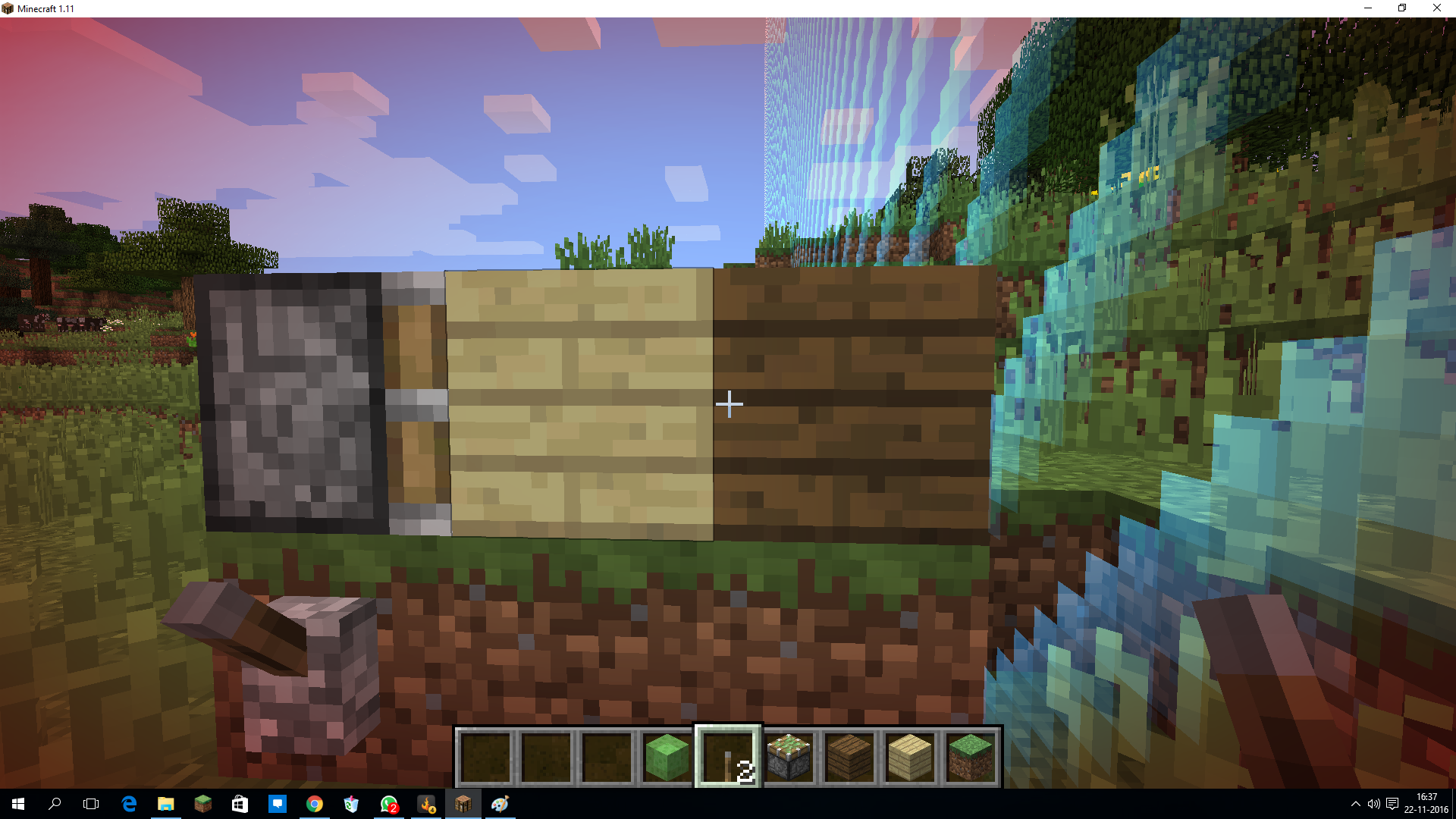
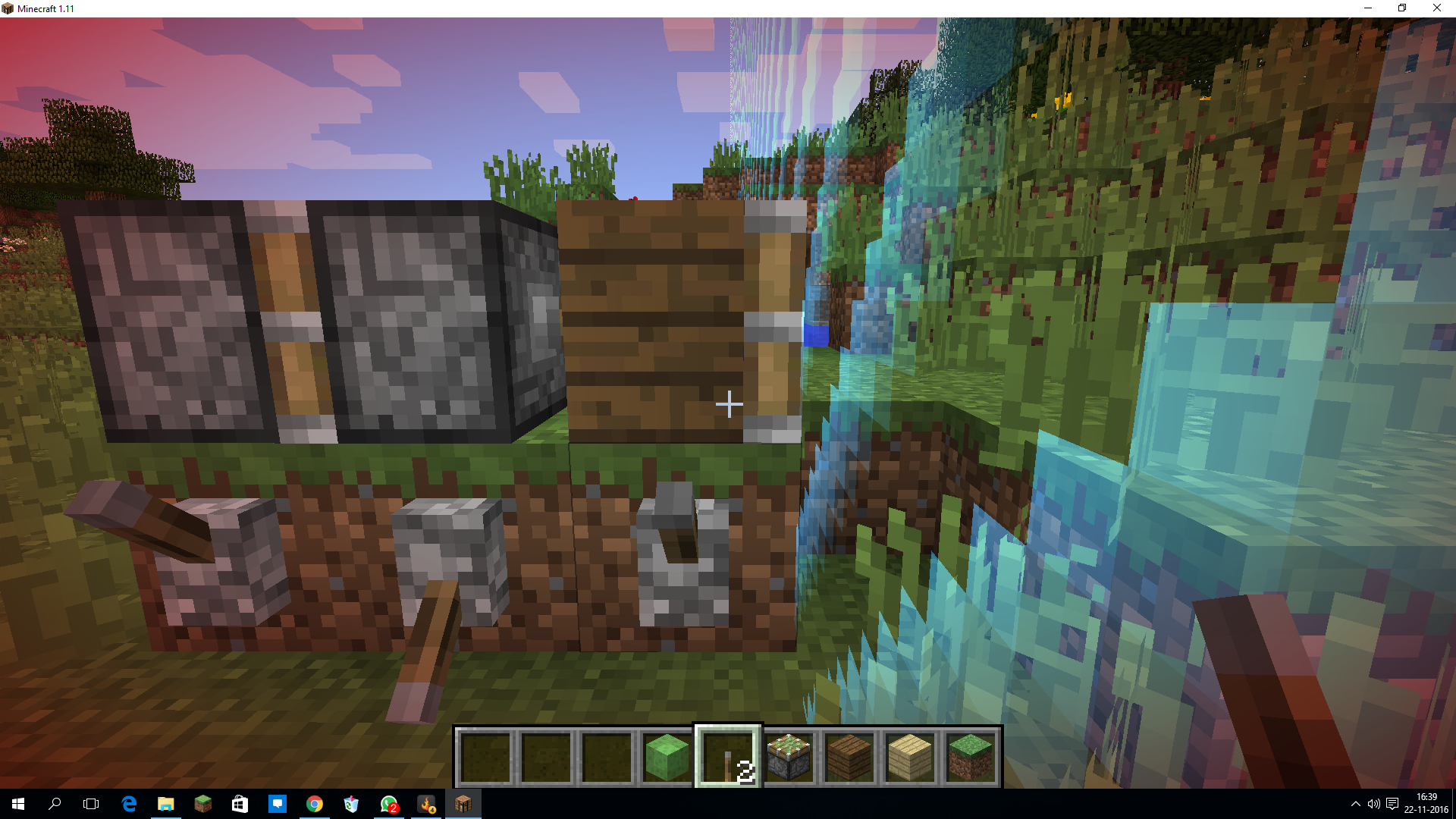

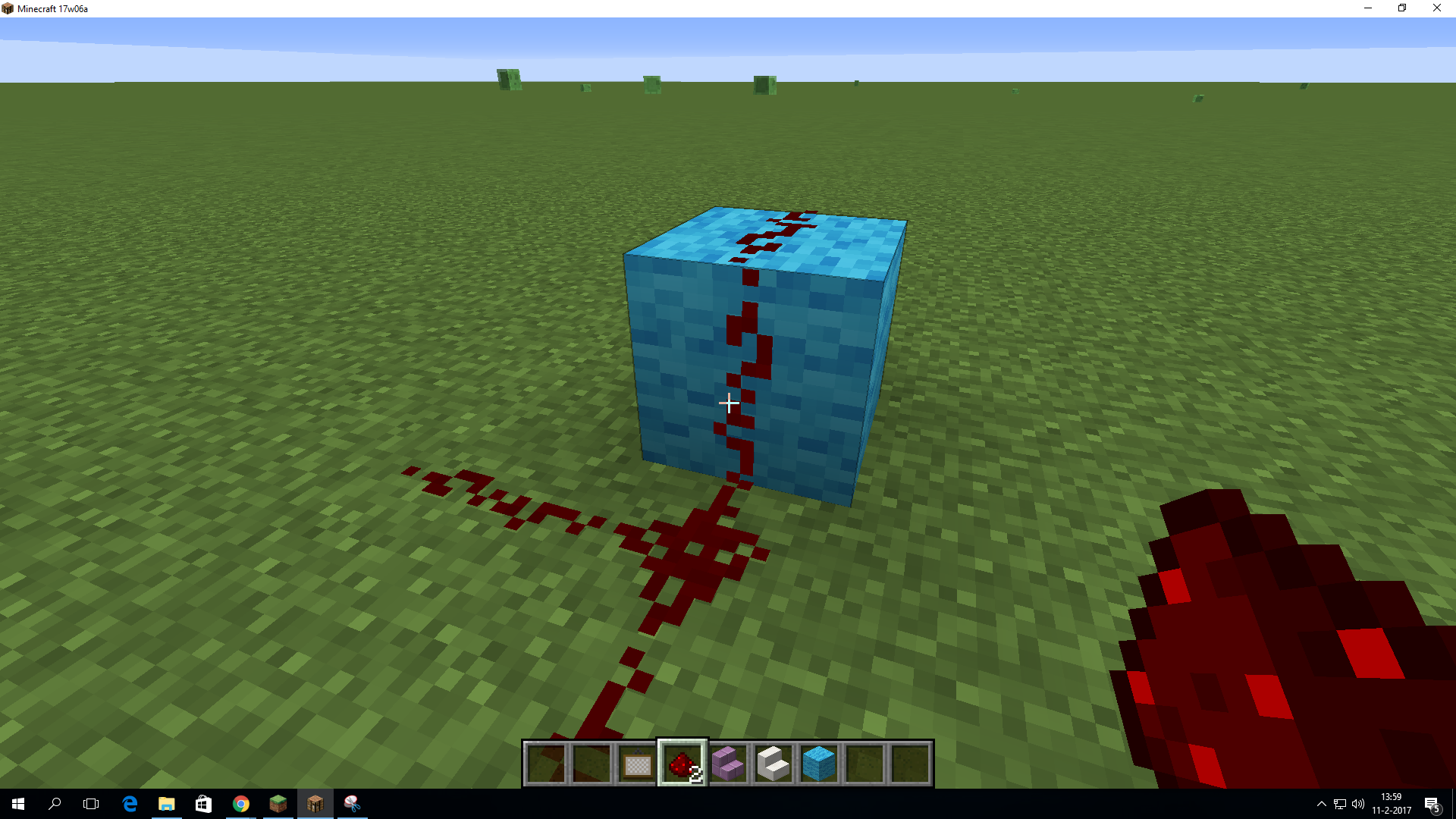








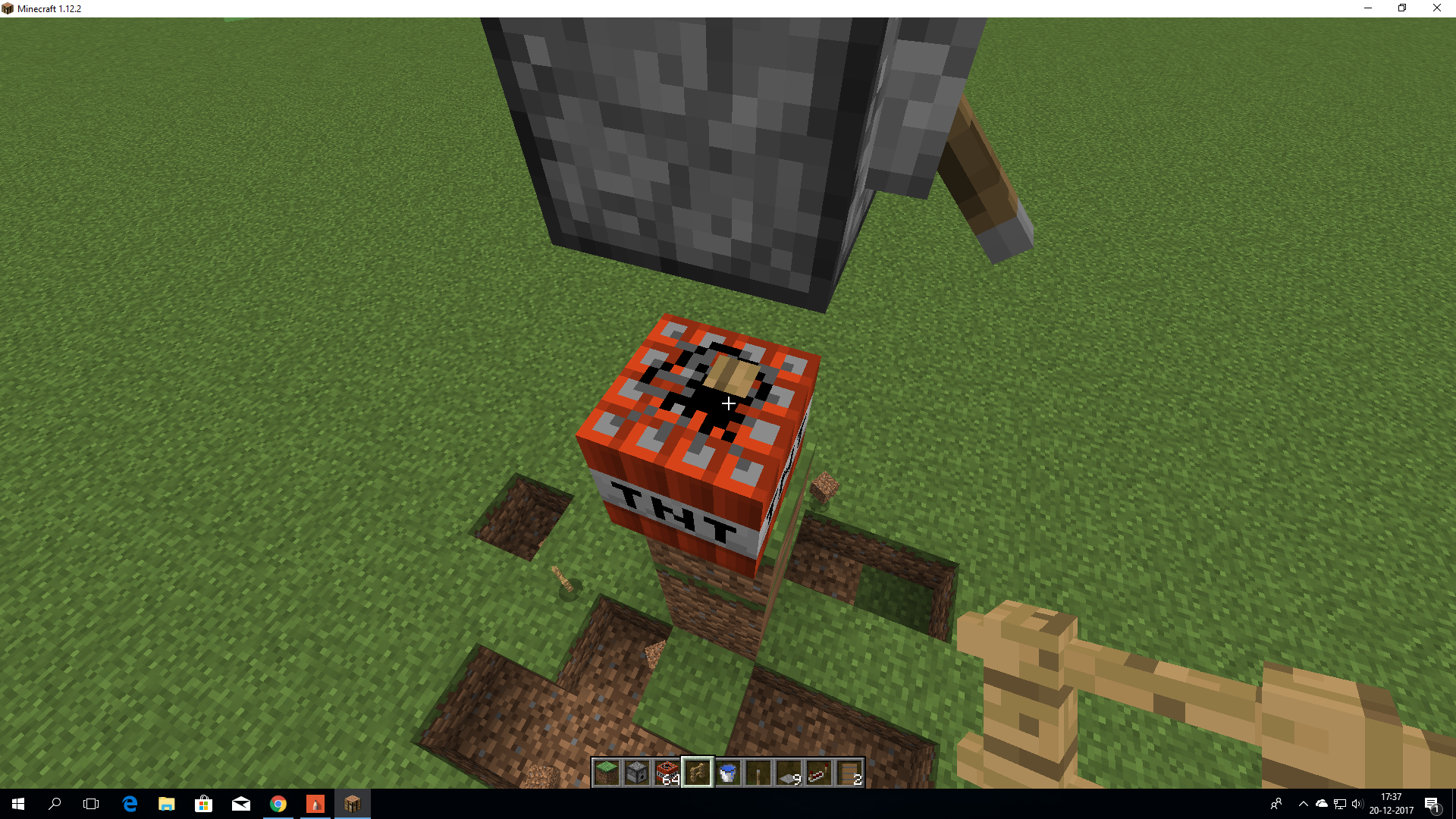


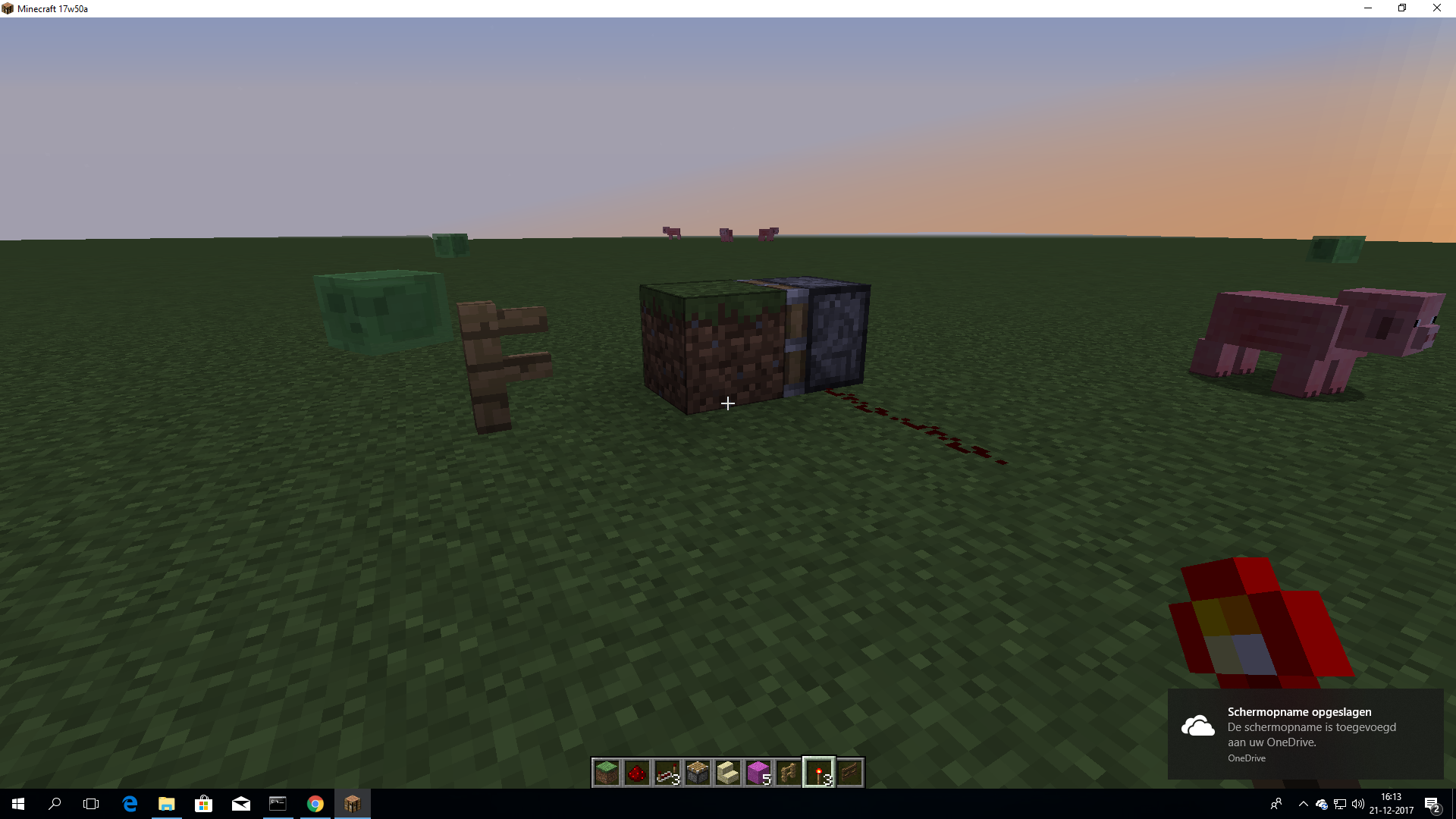
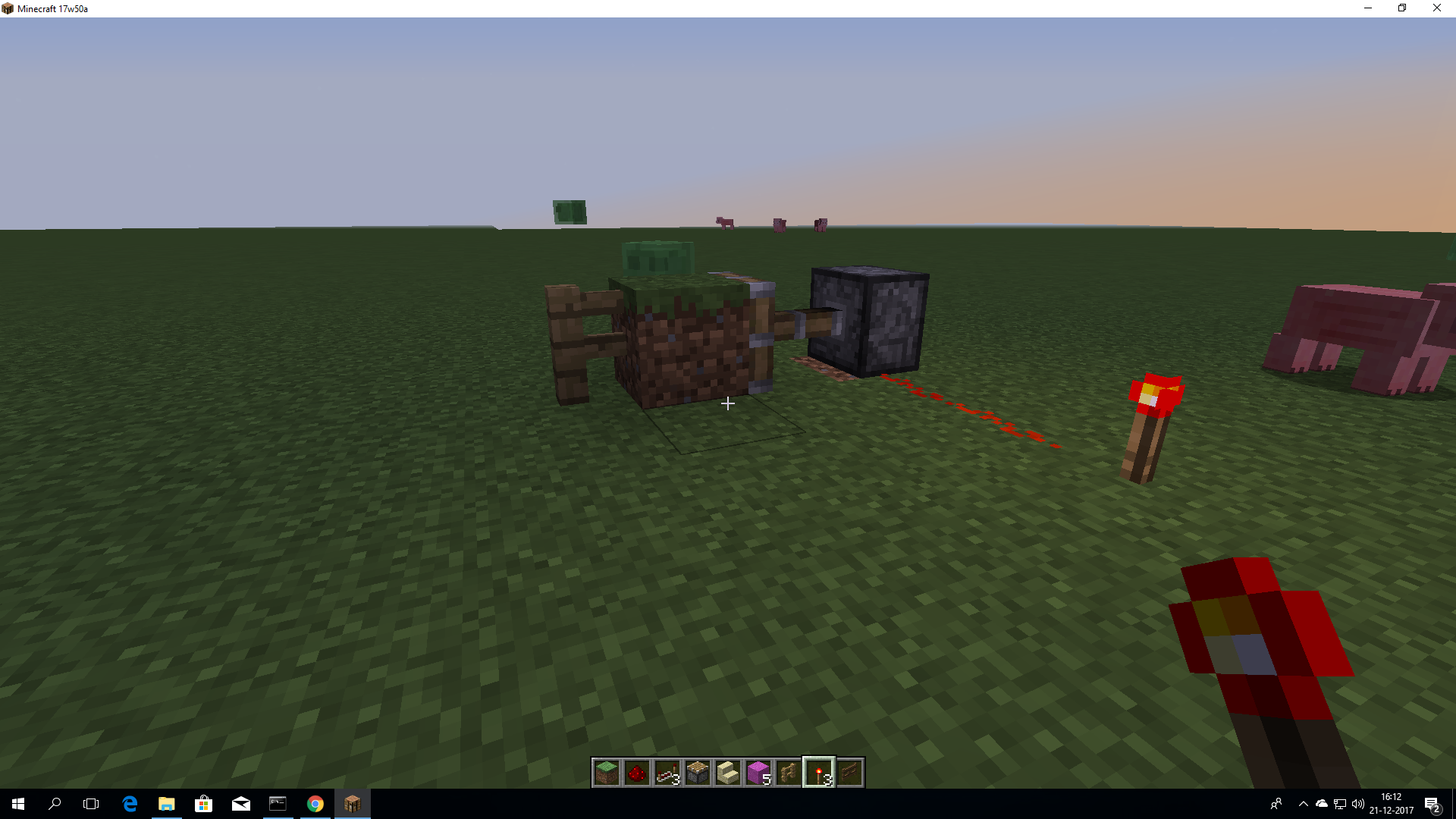


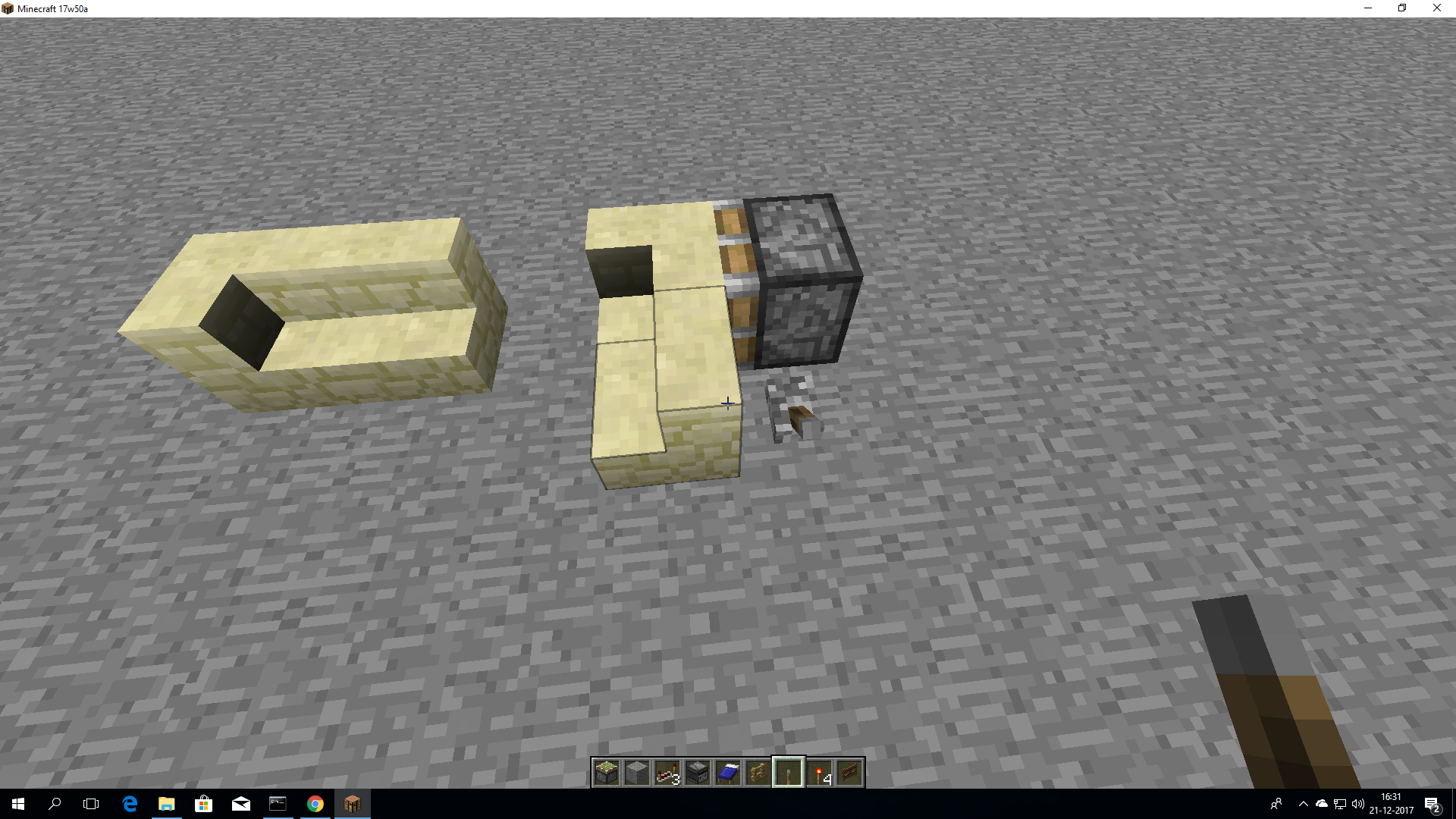


go
ingamemode 3 andin a endermando /kill than have you the enderman see andthan go to gamemode 1 and you have theseehttps://www.youtube.com/watch?v=mUPyWtPtC7Ygo to game mode 3 and click on another man then you / kill then go to game mode 1/0 and then you have the Enderman effect still https://www.youtube.com/watch?v=mUPyWtPtC7Y
go to game mode 3 and click on another man then you / kill then go to game
mode1/0and then you have the Enderman effect still https://www.youtube.com/watch?v=mUPyWtPtC7Ygo to game mode 3 and click on another man then you / kill then go to other gamemodes and then you have the Enderman effect still https://www.youtube.com/watch?v=mUPyWtPtC7Y
go to game mode 3 and click on a enderman, then /kill yourself, then go to another gamemode and then you still have the Enderman's effect https://www.youtube.com/watch?v=mUPyWtPtC7Y
go to game mode 3 and click on a enderman, then /kill yourself, then go to another gamemode and then you still have the Enderman's effect check the video
go to game mode 3 and click on a enderman, then /kill yourself, then go to another gamemode and then you still have the Enderman's effect check the video: hhttps://www.youtube.com/watch?v=7-Y17uq-g9E&feature=youtu.be
go to game mode 3 and click on a enderman, then /kill yourself, then go to another gamemode and then you still have the Enderman's effect check the video: hhttps://www.youtube.com/watch?v=7-Y17uq-g9E&feature=youtu.be
go to game mode 3 and click on a enderman, then /kill yourself, then go to another gamemode and then you still have the Enderman's effect check the video: https://www.youtube.com/watch?v=7-Y17uq-g9E&feature=youtu.be
https://www.youtube.com/watch?v=7-Y17uq-g9E&feature=youtu.be
n
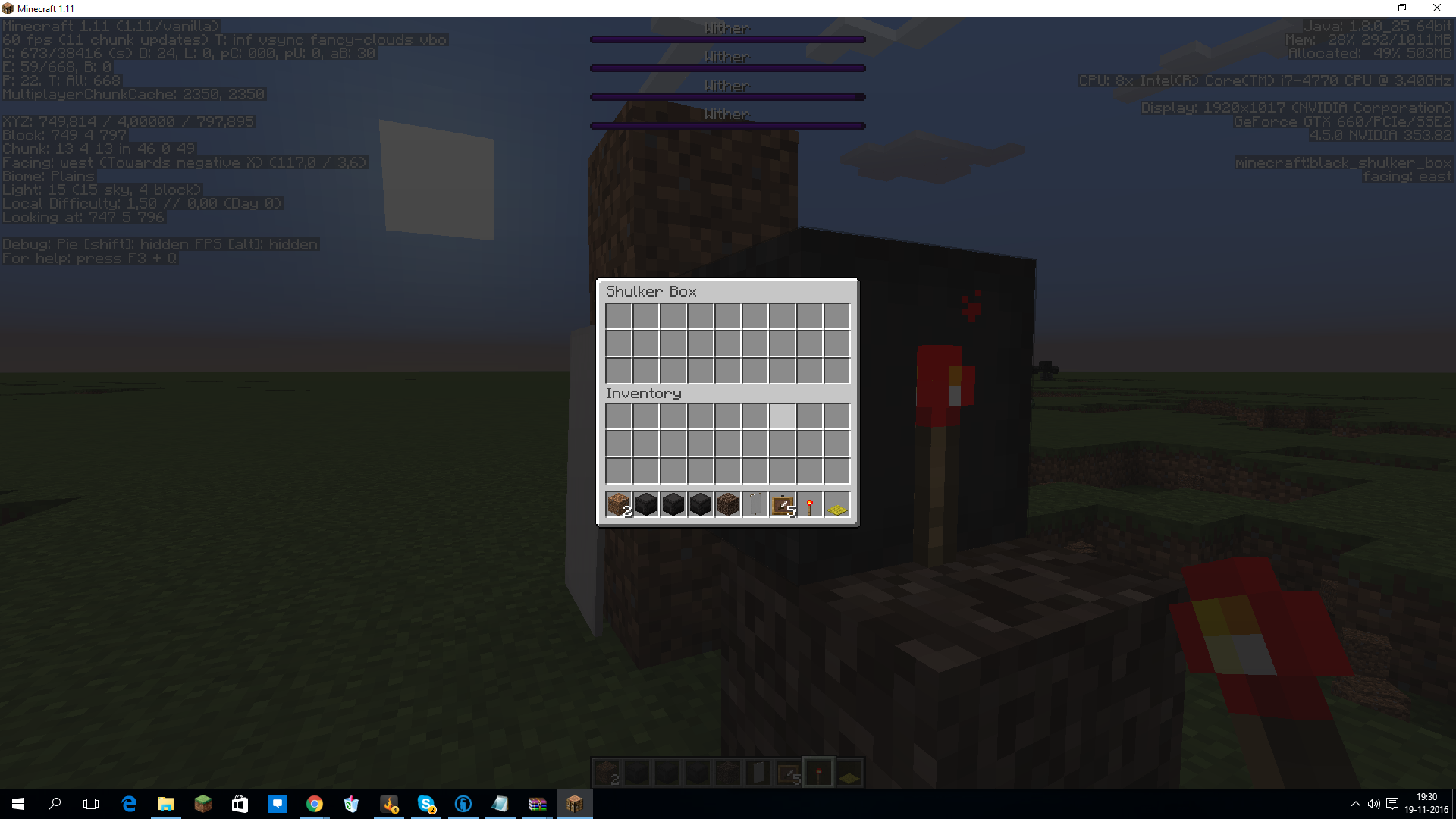
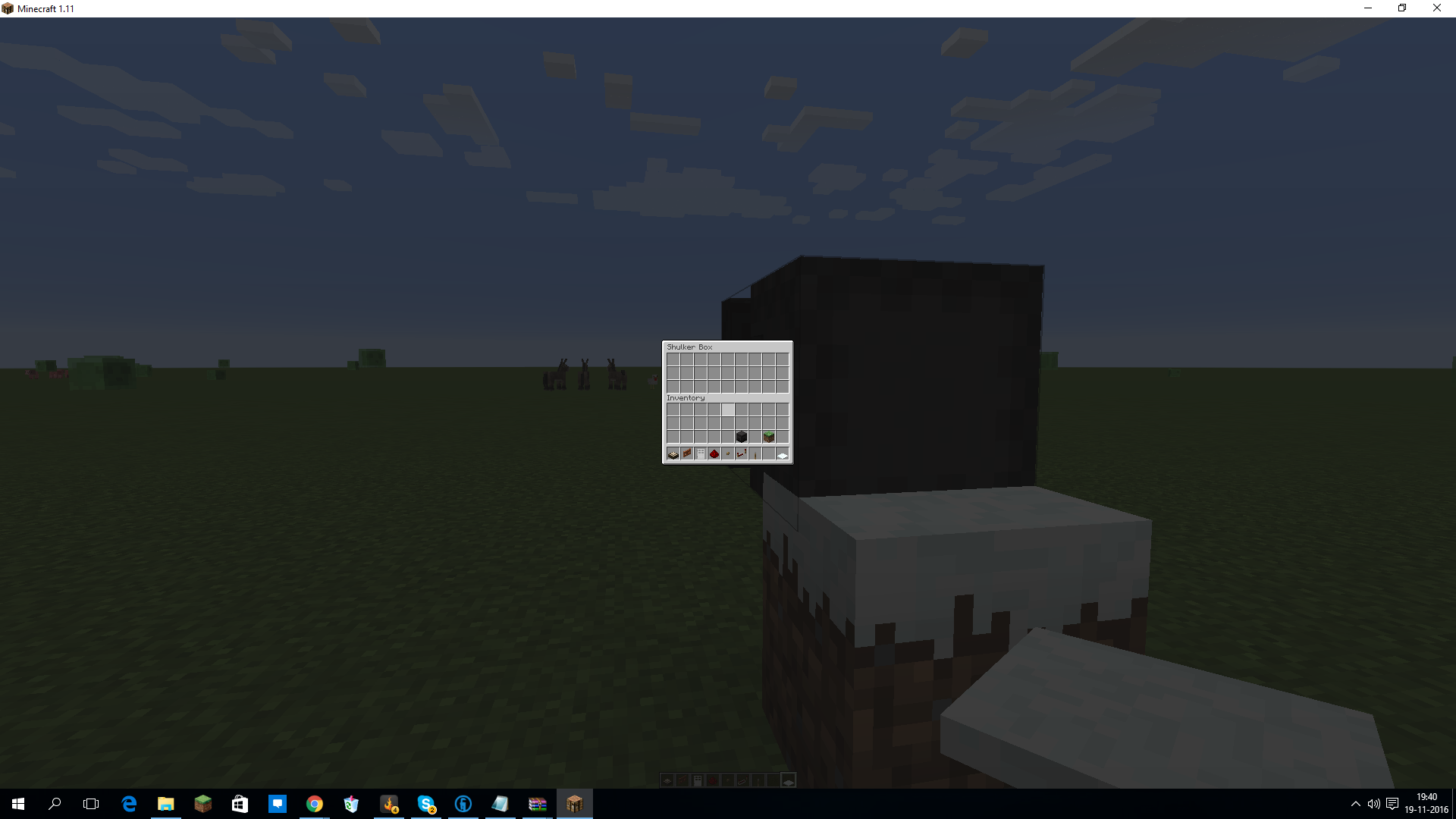
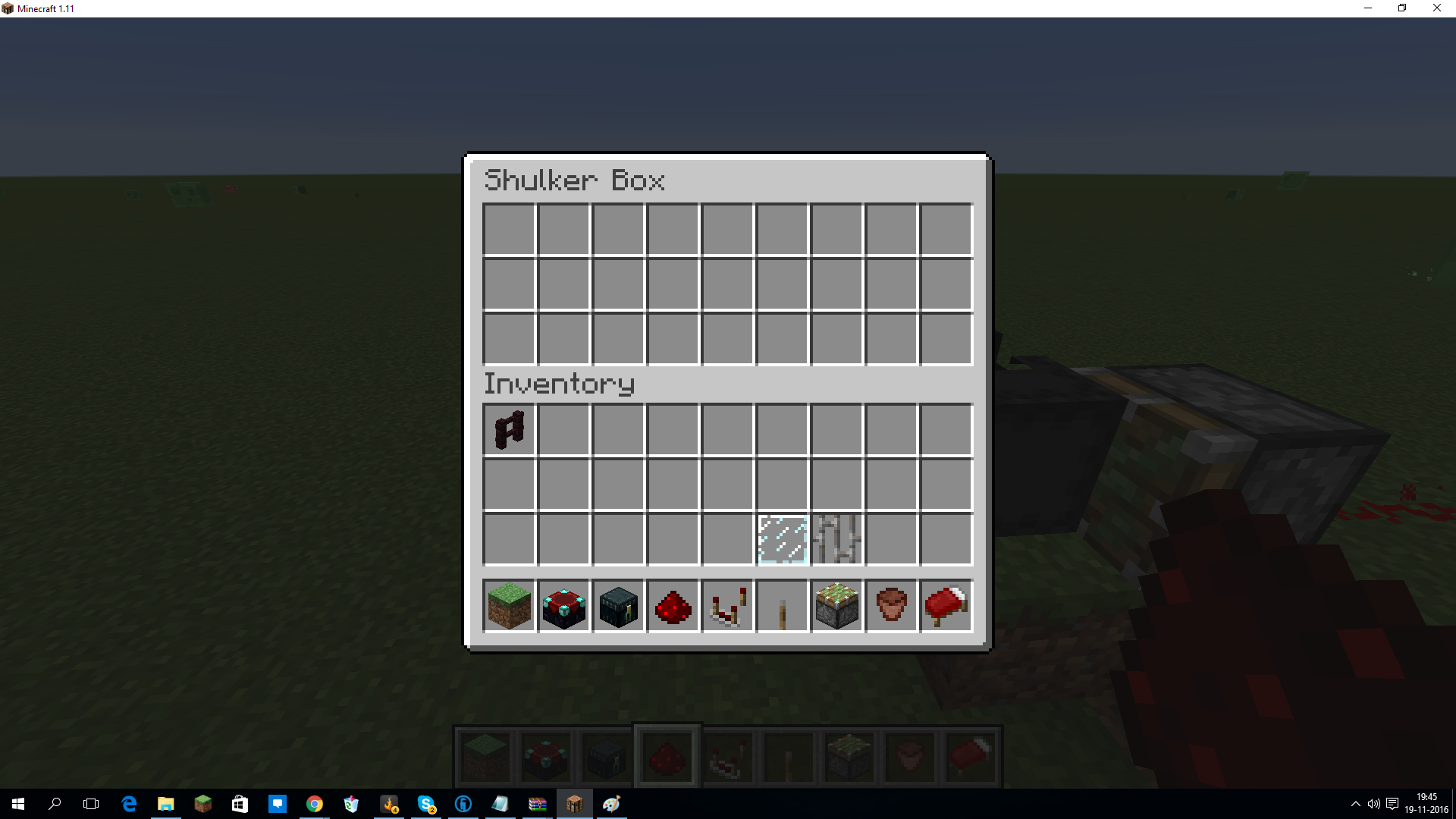
ow i have ablack shulkerin a testing world withsomewither but yeaAn black shulker shell well opened lett not despawn some items/ torches
an banner on a open shulker is intheshulkeror item frames toosome blocks not despand with shulker shells opened
An black shulker shell well opened lett not despawn some items/ torches
The affected block:
- Banner
- Cobweb
- Sapling
- Snow layer(layers:1)
- Vines
- Sign
- Lever
- Pressure plate(all)
- Torch(redstone)
- Button(all)
- Tripwire hook
- Fence gate(opened)
- Redstone
- Rail(all)
- Tripwire
- Sugar canes
- All crops(wheat, melon, pumpkin, carrot, potato, nether wart, beetroot)
- All bushes
An
blackshulker shell well opened lettnot despawn someitems/ torchesThe affected block:
- Banner
- Cobweb
- Sapling
- Snow layer(layers:1)
- Vines
- Sign
- Lever
- Pressure plate(all)
- Torch(redstone)
- Button(all)
- Tripwire hook
- Fence gate(opened)
- Redstone
- Rail(all)
- Tripwire
- Sugar canes
- All crops(wheat, melon, pumpkin, carrot, potato, nether wart, beetroot)
- All bushes
An shulker shell well opened let not despawn some
The affected block:
- Banner
- Cobweb
- Sapling
- Snow layer(layers:1)
- Vines
- Sign
- Lever
- Pressure plate(all)
- Torch(redstone)
- Button(all)
- Tripwire hook
- Fence gate(opened)
- Redstone
- Rail(all)
- Tripwire
- Sugar canes
- All crops(wheat, melon, pumpkin, carrot, potato, nether wart, beetroot)
- All bushes
- Mushroom
An shulker shell well opened let not despawn some
The affected block:
- Banner
- Cobweb
- Sapling
- Snow layer(layers:1)
- Vines
- Sign
- Lever
- Pressure plate(all)
- Torch(redstone)
- Button(all)
- Tripwire hook
- Fence gate(opened)
- Redstone
- Rail(all)
- Tripwire
- Sugar canes
- All crops(wheat, melon, pumpkin, carrot, potato, nether wart, beetroot)
- All bushes
- Mushroom
- String
- Tripwire hook
i cant tell it but i can see you images the images tell the story
i cant tell it but i can see you images the images tell the story
the images line is aa-aaa-aaaa-the spruce block ghost- aaaaaaa-aaaaaaaa
i cant tell it but i can see you images the images tell the story
the images line is aa-aaa-aaaa-the spruce block ghost- aaaaaaa-aaaaaaaabut you have it only with tp lagg
if the video is online https://youtu.be/fk_RG6FvZuw
if the video is online https://youtu.be/fk_RG6FvZuw
and https://youtu.be/r6oxRZWGLmQ
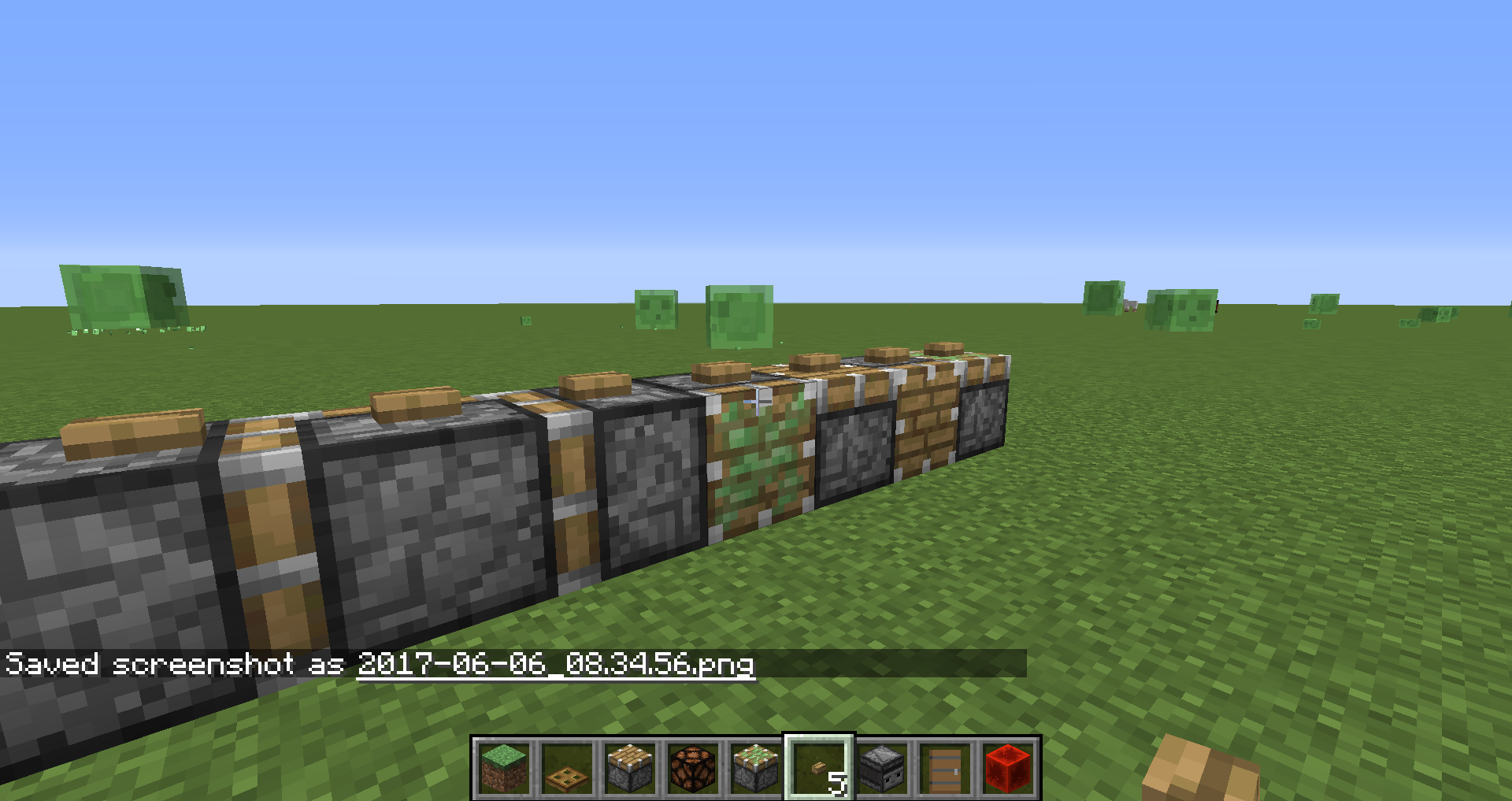
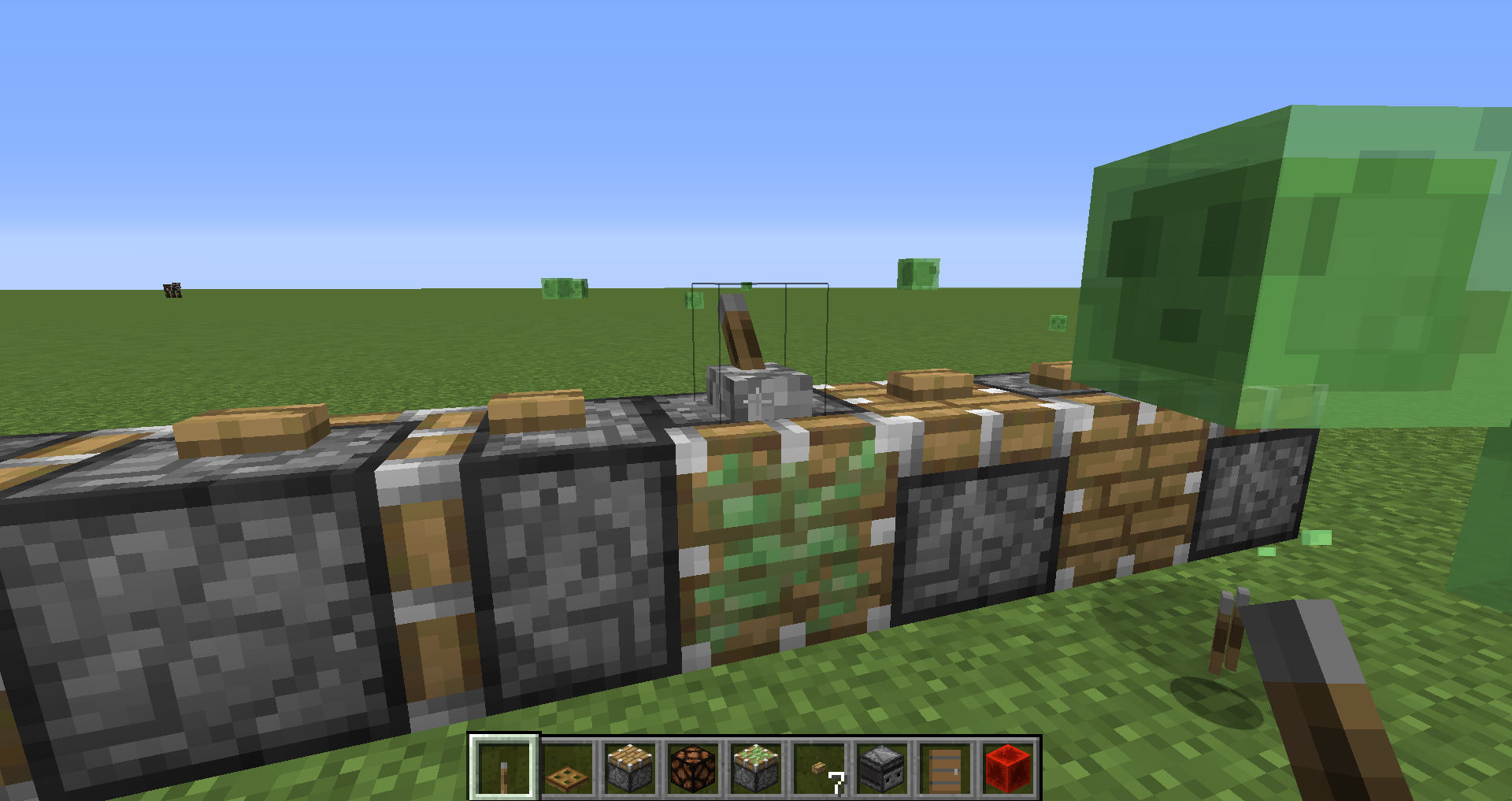
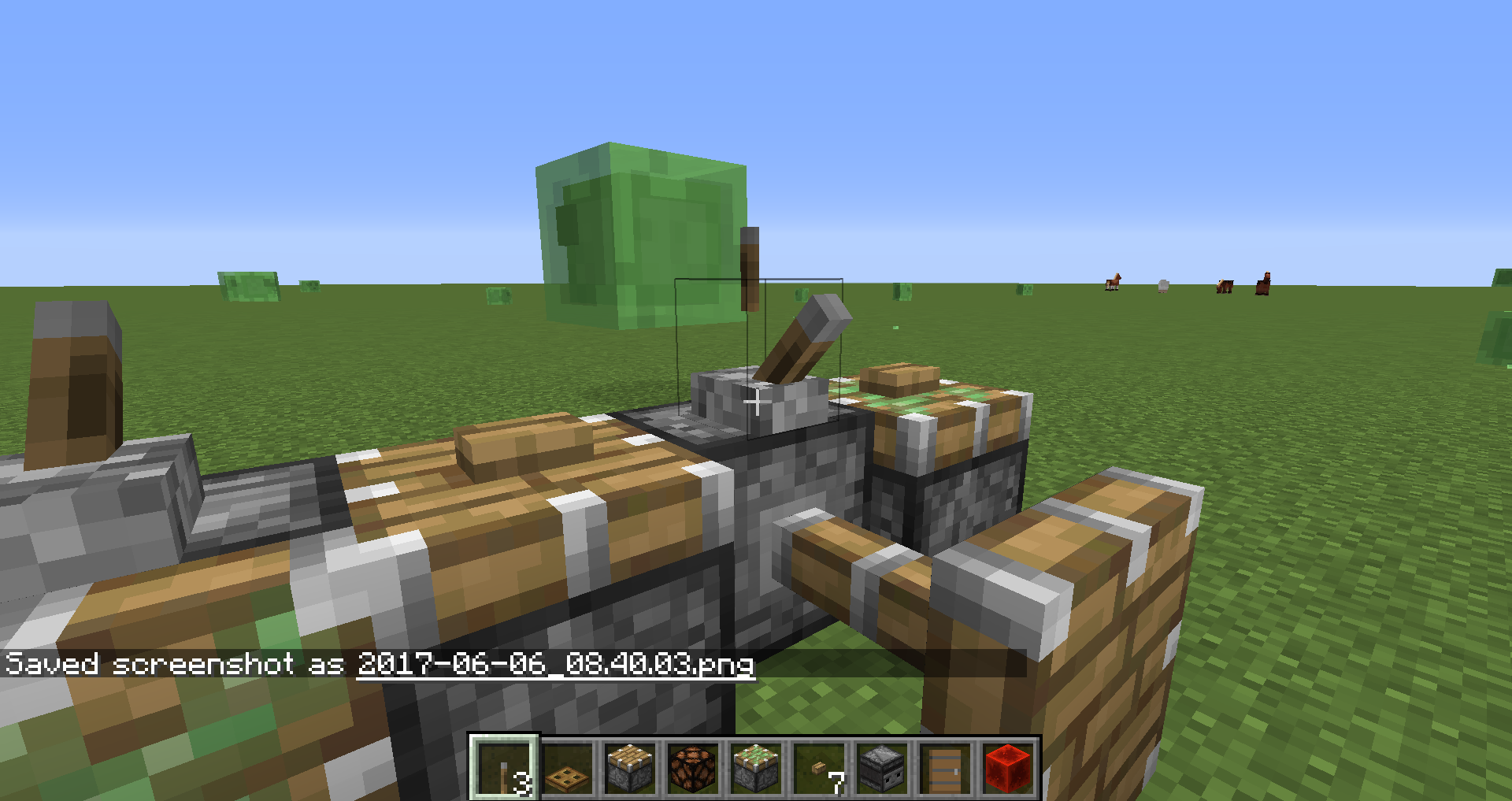
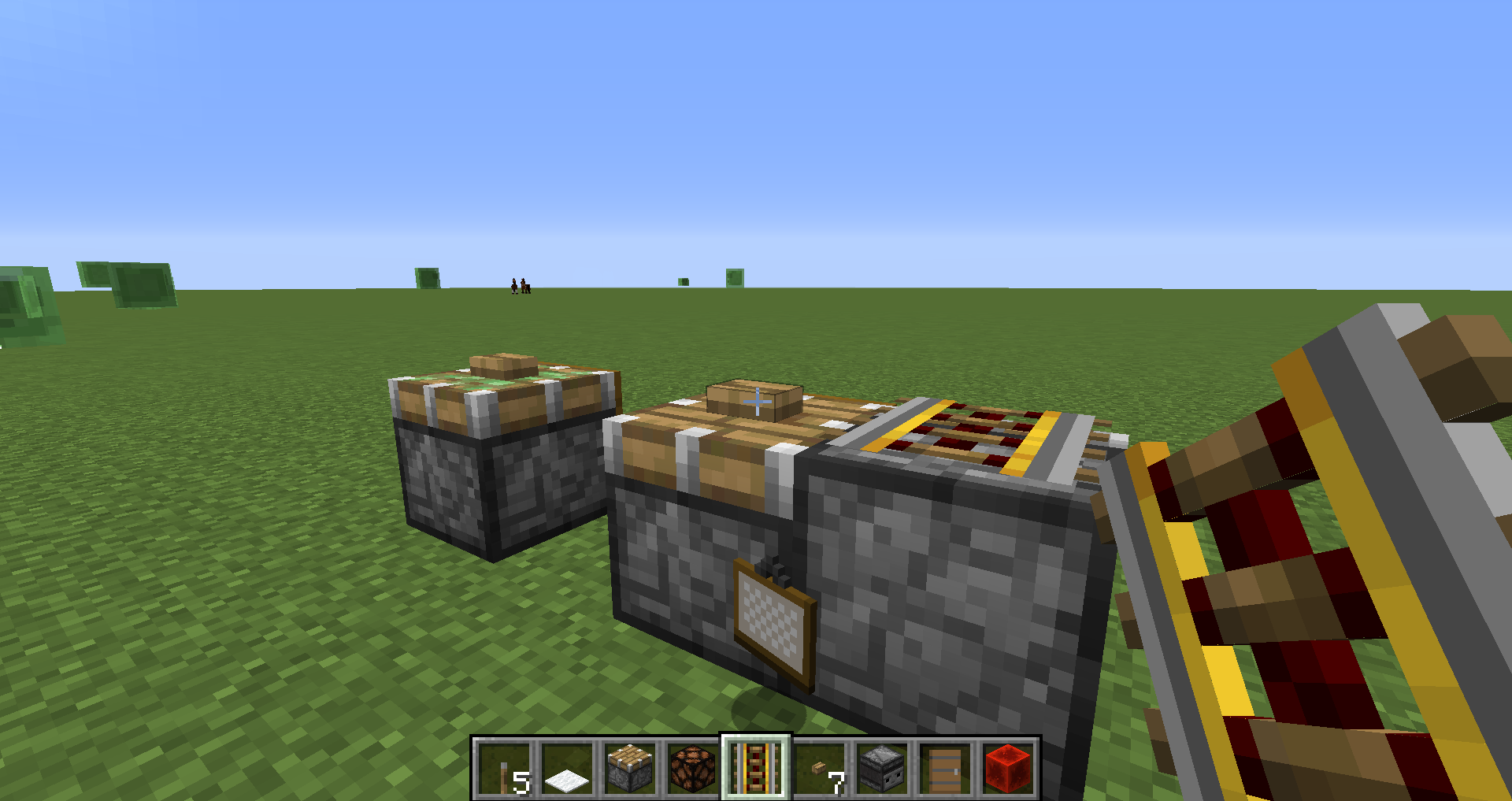
button/lever/painting/rail/redstone on piston
place blocks(button/lever/painting/rail/redstone/pressure plates) on piston
place blocks(button/lever/painting/rail/redstone/pressure plates/flower pot/snow) on piston
place blocks(button/lever/painting/rail/redstone/pressure plates/flower pot/snow/repeater/and more) on piston
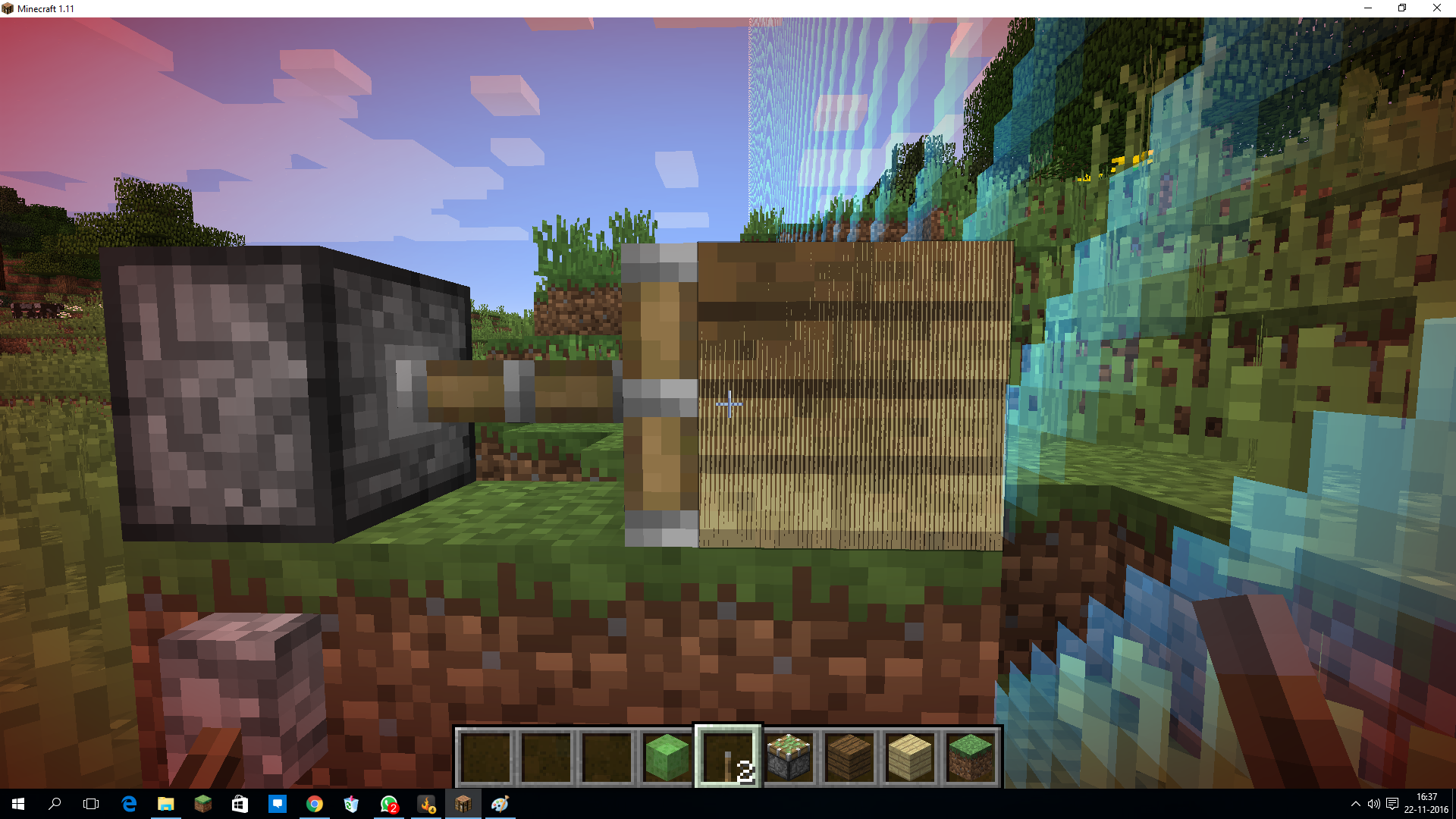
piston when pushing fencewith block between fence remain in connected to block statefence pushed by piston with block between fence remains in connected to block state
follow the steps with the screenshots
follow the steps with the screenshots
Unable to render embedded object: File (only works in 17w50a) not found.
(think it has to do something with the new block id's)
follow the steps with the screenshots
Unable to render embedded object: File (only works in 17w50a) not found.
(think it has to do something with the new block id's)follow the steps with the screenshots
only works in 17w50a
(think it has to do something with the new block id's)
follow the steps with the screenshots
only works in 17w50aFence & fence+sand: follow the steps with the screenshots
Stair: follow the steps in the screenshot and double fast click the lever that the piston dropps his block
2017-12-21 (4).png

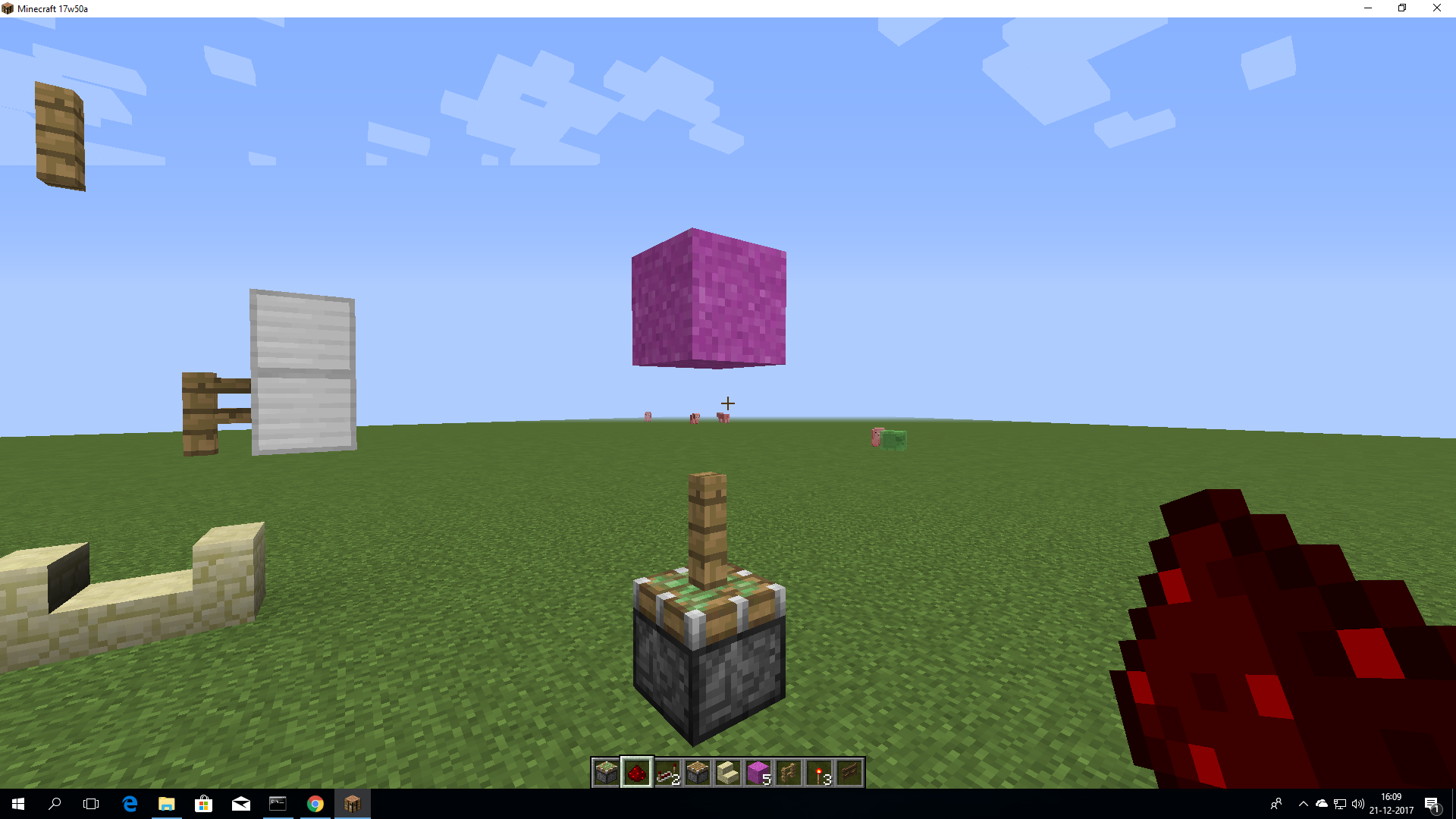

make an circle like that and spam mincarts in it and go onto the rail and go walke ontop and eventualy the minecarts aew glitching out
make an circle like that and spam mincarts in it and go onto the rail and go walke ontop and eventualy the minecarts aew glitching out
Link to video: https://www.youtube.com/watch?v=zscIiGpA-VQ&feature=youtu.be
watch the video if you don't understand say that in the comments
link to vid: https://youtu.be/JTIjKeuAGdQif you shift on the edge of an slab and then place an bed on that edge you glitch in the bed

it was said that the bug was fixed well not
I reported this bug but https://bugs.mojang.com/browse/MC-123311 so mine was duplicate
https://bugs.mojang.com/browse/MC-123311 is said that it is fixed but it is not yet
I reported this bug but https://bugs.mojang.com/browse/MC-123311 so mine was duplicate
https://bugs.mojang.com/browse/MC-123311 is said that it is fixed but it is not yet
edit even the rail bug originaly
I reported this bug but https://bugs.mojang.com/browse/MC-123311 so mine was duplicate
https://bugs.mojang.com/browse/MC-123311 is said that it is fixed but it is not yet
edit even the rail bug originaly from that bug isnt fized yet
I reported this bug but https://bugs.mojang.com/browse/MC-123311 so mine was duplicate
https://bugs.mojang.com/browse/MC-123311 is said that it is fixed but it is not yet
edit even the rail bug originally from that bug isnt fized yet
I reported this bug but https://bugs.mojang.com/browse/MC-123311 so mine was duplicate
https://bugs.mojang.com/browse/MC-123311 is said that it is fixed but it is not yet
edit even the rail bug originally from that bug isnt fized yetI reported this bug but https://bugs.mojang.com/browse/MC-123311 so mine was duplicate
https://bugs.mojang.com/browse/MC-123311 is said that it is fixed but it is not yet
edit even the rail bug originally from that bug isn't fixed yet
Bug stair: https://imgur.com/jcjT7q0
Bug rail: uploading now
I reported this bug but https://bugs.mojang.com/browse/MC-123311 so mine was duplicate
https://bugs.mojang.com/browse/MC-123311 is said that it is fixed but it is not yet
edit even the rail bug originally from that bug isn't fixed yet
Bug stair: https://imgur.com/jcjT7q0
Bug rail:uploading nowI reported this bug but https://bugs.mojang.com/browse/MC-123311 so mine was duplicate
https://bugs.mojang.com/browse/MC-123311 is said that it is fixed but it is not yet
edit even the rail bug originally from that bug isn't fixed yet
Bug stair: https://imgur.com/jcjT7q0
Bug rail: https://imgur.com/onBgND9
Phantomscan'tflyupin a pool of water (Or Ocean)If you spawn a Phantom in water, they can't get up the Phantoms can't fly up

If you are swimming and swim with your head to a block above you and press space. Your head and viewing will go in the block. On the picture I am in a halfslab with my head
If you are swimming and swim with your head to a block above you and press space. Your head and viewing will go in the block. On the picture I am in a halfslab with my head
A translation on the first main website is incorrect:
'ontdek minecraft in vr' translates to explore 'minecraft vr games'
The best translation I'm able to come up with is 'ontdek minecraft' which directly translates to explore minecraftA translation on the first main website is incorrect:
'ontdek minecraft in vr' translates to explore 'minecraft vr games'
The best translation I'm able to come up with is 'ontdek minecraft' which directly translates to explore minecraft

A translation on the first main website is incorrect:
'ontdek minecraft in vr' translates to explore 'minecraft vr games'
The best translation I'm able to come up with is 'ontdek minecraft' which directly translates to explore minecraftA translation on the first main website is incorrect:
ONTDEK MINECRAFT IN VR translates to EXPLORE MINECRAFT IN VR
The best translation I'm able to come up with is 'ontdek minecraft' which directly translates to explore minecraft
A translation on the first main website is incorrect:
ONTDEK MINECRAFT IN VR translates to EXPLORE MINECRAFT IN VR
The best translation I'm able to come up with is 'ontdek minecraft' which directly translates to explore minecraft
A dutch (nl-nl) translation on the first main website is incorrect:
ONTDEK MINECRAFT IN VR translates to EXPLORE MINECRAFT IN VR
The best translation I'm able to come up with is ONTDEK MINECRAFT which directly translates to EXPLORE MINECRAFT


A dutch (nl-nl) translation on the first main website is incorrect:
ONTDEK MINECRAFT IN VR translates to EXPLORE MINECRAFT IN VR
The best translation I'm able to come up with is ONTDEK MINECRAFT which directly translates to EXPLORE MINECRAFT
(sorry if this is in the incorrect JIRA, this is the best place I was able to discover)
A dutch (nl-nl) translation on the first main website is incorrect:ONTDEK MINECRAFT IN VR translates to EXPLORE MINECRAFT IN VR
The best translation I'm able to come up with is ONTDEK MINECRAFT which directly translates to EXPLORE MINECRAFT
Inconsistent custom world setting importingWorld settings importing incorrect counting of world height
The bug
The minecraft world setting's file has a limit that min_y + height has to be lower than 2047 (min_y + height < 2047)
blocks start generating at y = 0, y = 0 contains a block. Counting from(and including) y = 0 till y = 2047 is 2048 blocks. In a normal minecraft world with a 256 world height, 255 is your highest block, included with the block at y = 0 your world height is 256 again.
In the world settings the world height is 256 by default, it includes 0. So, the height in the custom world height settings should be 2048 instead of 2047, since 2048 includes 0 and 2047 doesn't.
Supposed fix:
min_y + height ≤ 2047 or min_y + < 2048

The bug
The minecraft world setting's file has a limit that min_y + height has to be lower than 2047 (min_y + height < 2047)
blocks start generating at y = 0, y = 0 contains a block. Counting from(and including) y = 0 till y = 2047 is 2048 blocks. In a normal minecraft world with a 256 world height, 255 is your highest block, included with the block at y = 0 your world height is 256 again.
In the world settings the world height is 256 by default, it includes 0. So, the height in the custom world height settings should be 2048 instead of 2047, since 2048 includes 0 and 2047 doesn't.
Supposed fix:
min_y + height ≤ 2047 ormin_y +<2048The bug
The minecraft world setting's file has a limit that min_y + height has to be lower than 2047 (min_y + height < 2047).
Note: the explanation takes min_y as 0. Height has to be a multiple of 16
This makes generating a world with height 2048 with as highest y value 2047 (likewise height 256, has as highest y value 255) impossible, because 0 + 2048 > 2047.
Old explanation: blocks start generating at y = 0, y = 0 contains a block. Counting from(and including) y = 0 till y = 2047 is 2048 blocks. In a normal minecraft world with a 256 world height, 255 is your highest block, included with the block at y = 0 your world height is 256 again.
In the world settings the world height is 256 by default, it includes 0. So, the height in the custom world height settings should be 2048 instead of 2047, since 2048 includes 0 and 2047 doesn't.
Supposed fix:
min_y + height ≤ 2048; min_y + cannot be higher than: 2048;
World settings importing incorrect counting ofworld heightImporting custom world file height is limited to 2047 instead of 2048
The bug
The minecraft world setting's file has a limit that min_y + height has to be lower than 2047 (min_y + height < 2047).
Note: the explanation takes min_y as 0. Height has to be a multiple of 16
This makes generating a world with height 2048 with as highest y value 2047 (likewise height 256, has as highest y value 255) impossible, because 0 + 2048 > 2047.
Old explanation: blocks start generating at y = 0, y = 0 contains a block. Counting from(and including) y = 0 till y = 2047 is 2048 blocks. In a normal minecraft world with a 256 world height, 255 is your highest block, included with the block at y = 0 your world height is 256 again.
In the world settings the world height is 256 by default, it includes 0. So, the height in the custom world height settings should be 2048 instead of 2047, since 2048 includes 0 and 2047 doesn't.
Supposed fix:
min_y + height ≤ 2048; min_y + cannot be higher than: 2048;The bug
The minecraft world setting's file has a limit that min_y + height has to be lower than 2047 (min_y + height < 2047).
Note: the explanation takes min_y as 0. Height has to be a multiple of 16
This makes generating a world with height 2048 with as highest y value 2047 (likewise height 256, has as highest y value 255) impossible, because 0 + 2048 > 2047.
Old explanation: blocks start generating at y = 0, y = 0 contains a block. Counting from(and including) y = 0 till y = 2047 is 2048 blocks. In a normal minecraft world with a 256 world height, 255 is your highest block, included with the block at y = 0 your world height is 256 again.
In the world settings the world height is 256 by default, it includes 0. So, the height in the custom world height settings should be 2048 instead of 2047, since 2048 includes 0 and 2047 doesn't.Supposed fix:
min_y + height ≤ 2048; min_y + cannot be higher than: 2048;
This has not been fully fixed! This has only been fixed for the "type" and not for "noise", even worse, now it's (noise) min_y + height < 2031 which should be min_y + height ≤ 2032.
The bug
The minecraft world setting's file has a limit that min_y + height has to be lower than 2047 (min_y + height < 2047).
Note: the explanation takes min_y as 0. Height has to be a multiple of 16
This makes generating a world with height 2048 with as highest y value 2047 (likewise height 256, has as highest y value 255) impossible, because 0 + 2048 > 2047.
Old explanation: blocks start generating at y = 0, y = 0 contains a block. Counting from(and including) y = 0 till y = 2047 is 2048 blocks. In a normal minecraft world with a 256 world height, 255 is your highest block, included with the block at y = 0 your world height is 256 again.
In the world settings the world height is 256 by default, it includes 0. So, the height in the custom world height settings should be 2048 instead of 2047, since 2048 includes 0 and 2047 doesn't.Supposed fix:
min_y + height ≤ 2048; min_y + cannot be higher than: 2048;
This has not been fully fixed! This has only been fixed for the "type" and not for "noise", even worse, now it's (noise) min_y + height < 2031 which should be min_y + height ≤ 2032.
The bug
The minecraft world setting's file has a limit that min_y + height has to be lower than 2047 (min_y + height < 2047).
Note: the explanation takes min_y as 0. Height has to be a multiple of 16
This makes generating a world with height 2048 with as highest y value 2047 (likewise height 256, has as highest y value 255) impossible, because 0 + 2048 > 2047.
Old explanation: blocks start generating at y = 0, y = 0 contains a block. Counting from(and including) y = 0 till y = 2047 is 2048 blocks. In a normal minecraft world with a 256 world height, 255 is your highest block, included with the block at y = 0 your world height is 256 again.
In the world settings the world height is 256 by default, it includes 0. So, the height in the custom world height settings should be 2048 instead of 2047, since 2048 includes 0 and 2047 doesn't.Supposed fix:
min_y + height ≤ 2048; min_y + cannot be higher than: 2048;
This has not been fully fixed! This has only been fixed for the "type" and not for "noise", even worse, now it's (noise) min_y + height < 2031(repeating the 2047 issue but with 2032) which should be min_y + height ≤ 2032.
The bug
The minecraft world setting's file has a limit that min_y + height has to be lower than 2047 (min_y + height < 2047).
Note: the explanation takes min_y as 0. Height has to be a multiple of 16
This makes generating a world with height 2048 with as highest y value 2047 (likewise height 256, has as highest y value 255) impossible, because 0 + 2048 > 2047.
Old explanation: blocks start generating at y = 0, y = 0 contains a block. Counting from(and including) y = 0 till y = 2047 is 2048 blocks. In a normal minecraft world with a 256 world height, 255 is your highest block, included with the block at y = 0 your world height is 256 again.
In the world settings the world height is 256 by default, it includes 0. So, the height in the custom world height settings should be 2048 instead of 2047, since 2048 includes 0 and 2047 doesn't.Supposed fix:
min_y + height ≤ 2048; min_y + cannot be higher than: 2048;
This has not been fully fixed! This has only been fixed for the "type" and not for "noise", even worse, now it's (noise) min_y + height < 2031(repeating the 2047 issue but with 2032) which should be min_y + height ≤ 2032
.
The bug
The minecraft world setting's file has a limit that min_y + height has to be lower than 2047 (min_y + height < 2047).
Note: the explanation takes min_y as 0. Height has to be a multiple of 16
This makes generating a world with height 2048 with as highest y value 2047 (likewise height 256, has as highest y value 255) impossible, because 0 + 2048 > 2047.
Old explanation: blocks start generating at y = 0, y = 0 contains a block. Counting from(and including) y = 0 till y = 2047 is 2048 blocks. In a normal minecraft world with a 256 world height, 255 is your highest block, included with the block at y = 0 your world height is 256 again.
In the world settings the world height is 256 by default, it includes 0. So, the height in the custom world height settings should be 2048 instead of 2047, since 2048 includes 0 and 2047 doesn't.Supposed fix:
min_y + height ≤ 2048; min_y + cannot be higher than: 2048;
This has not been fully fixed! This has only been fixed for the "type" and not for "noise", even worse, now it's (noise) min_y + height < 2031(repeating the 2047 issue but with 2032) which should be min_y + height ≤ 2032(or 2048 which would be even better)
The bug
The minecraft world setting's file has a limit that min_y + height has to be lower than 2047 (min_y + height < 2047).
Note: the explanation takes min_y as 0. Height has to be a multiple of 16
This makes generating a world with height 2048 with as highest y value 2047 (likewise height 256, has as highest y value 255) impossible, because 0 + 2048 > 2047.
Old explanation: blocks start generating at y = 0, y = 0 contains a block. Counting from(and including) y = 0 till y = 2047 is 2048 blocks. In a normal minecraft world with a 256 world height, 255 is your highest block, included with the block at y = 0 your world height is 256 again.
In the world settings the world height is 256 by default, it includes 0. So, the height in the custom world height settings should be 2048 instead of 2047, since 2048 includes 0 and 2047 doesn't.Supposed fix:
min_y + height ≤ 2048; min_y + cannot be higher than: 2048;
This has not been fully fixed! This has only been fixed for the "type"(by making the limit 2032 instead of 2047) and not for "noise", even worse, now it's (noise) min_y + height < 2031(repeating the 2047 issue but with 2032) which should be min_y + height ≤ 2032(or 2048 which would be even better)


The bug
The minecraft world setting's file has a limit that min_y + height has to be lower than 2047 (min_y + height < 2047).
Note: the explanation takes min_y as 0. Height has to be a multiple of 16
This makes generating a world with height 2048 with as highest y value 2047 (likewise height 256, has as highest y value 255) impossible, because 0 + 2048 > 2047.
Old explanation: blocks start generating at y = 0, y = 0 contains a block. Counting from(and including) y = 0 till y = 2047 is 2048 blocks. In a normal minecraft world with a 256 world height, 255 is your highest block, included with the block at y = 0 your world height is 256 again.
In the world settings the world height is 256 by default, it includes 0. So, the height in the custom world height settings should be 2048 instead of 2047, since 2048 includes 0 and 2047 doesn't.Supposed fix:
min_y + height ≤ 2048; min_y + cannot be higher than: 2048;
This has not been fully fixed! This has only been fixedforthe"type"(by making the limit 2032 instead of 2047) and not for "noise", even worse, now it's (noise) min_y + height < 2031(repeating the 2047 issue but with 2032) which should be min_y + height ≤ 2032(or 2048 which would be even better)
The bug
The minecraft world setting's file has a limit that min_y + height has to be lower than 2047 (min_y + height < 2047).
Note: the explanation takes min_y as 0. Height has to be a multiple of 16
This makes generating a world with height 2048 with as highest y value 2047 (likewise height 256, has as highest y value 255) impossible, because 0 + 2048 > 2047.
Old explanation: blocks start generating at y = 0, y = 0 contains a block. Counting from(and including) y = 0 till y = 2047 is 2048 blocks. In a normal minecraft world with a 256 world height, 255 is your highest block, included with the block at y = 0 your world height is 256 again.
In the world settings the world height is 256 by default, it includes 0. So, the height in the custom world height settings should be 2048 instead of 2047, since 2048 includes 0 and 2047 doesn't.Supposed fix:
min_y + height ≤ 2048; min_y + cannot be higher than: 2048;
The bug after the fix
This has not been fully fixed!
This has only been fixed for the the json "height" in "type"
and not for "height" in "noise", which is now off by 1 again, just like the original issue, this should be changed to 2032(or 2048 but see opinions on the fix for this), this is broken right now.
Opinions on the fix
The currently given fix limits min_y to 2032, and height to 4064(not counting the currently still 1 off in the height from "noise"), is there any specific reason the height isn't max 4096, with min_y -2048?
The bug
The minecraft world setting's file has a limit that min_y + height has to be lower than 2047 (min_y + height < 2047).
Note: the explanation takes min_y as 0. Height has to be a multiple of 16
This makes generating a world with height 2048 with as highest y value 2047 (likewise height 256, has as highest y value 255) impossible, because 0 + 2048 > 2047.
Old explanation: blocks start generating at y = 0, y = 0 contains a block. Counting from(and including) y = 0 till y = 2047 is 2048 blocks. In a normal minecraft world with a 256 world height, 255 is your highest block, included with the block at y = 0 your world height is 256 again.
In the world settings the world height is 256 by default, it includes 0. So, the height in the custom world height settings should be 2048 instead of 2047, since 2048 includes 0 and 2047 doesn't.Supposed fix:
min_y + height ≤ 2048; min_y + cannot be higher than: 2048;
The bug after the fix
This has not been fully fixed!
This has only been fixed for the the json "height" in "type"
and not for "height" in "noise", which is now off by 1 again, just like the original issue, this should be changed to 2032(or 2048 but see opinions on the fix for this), this is broken right now.
Opinions on the fix
The currently given fix limits min_y to 2032, and height to 4064(not counting the currently still 1 off in the height from "noise"), is there any specific reason the height isn't max 4096, with min_y -2048?
The bug
The minecraft world setting's file has a limit that min_y + height has to be lower than 2047 (min_y + height < 2047).
Note: the explanation takes min_y as 0. Height has to be a multiple of 16
This makes generating a world with height 2048 with as highest y value 2047 (likewise height 256, has as highest y value 255) impossible, because 0 + 2048 > 2047.
Old explanation: blocks start generating at y = 0, y = 0 contains a block. Counting from(and including) y = 0 till y = 2047 is 2048 blocks. In a normal minecraft world with a 256 world height, 255 is your highest block, included with the block at y = 0 your world height is 256 again.
In the world settings the world height is 256 by default, it includes 0. So, the height in the custom world height settings should be 2048 instead of 2047, since 2048 includes 0 and 2047 doesn't.Supposed fix:
min_y + height ≤ 2048; min_y + cannot be higher than: 2048;
The bug after the fix
This has not been fully fixed!
This has only been fixed for the the json "height" in "type"
and not for "height" in "noise", which is now off by 1 again, just like the original issue, this should be changed to 2032(or 2048 but see opinions on the fix for this), this is broken right now.
Opinions on the fix
The currently given fix limits min_y to 2032, and height to 4064(not counting the currently still 1 off in the height from "noise"), is there any specific reason the height isn't max 4096, with min_y -2048?
Panda has replied to this in the comments.
Here you have a screenshot. (it is from another post on java but the same bug is in bedrockaswell!Concrete powder doesn't get converted to a concrete block when placed next to a waterlogged block
If you generate a nether with the height / generation limit set above 128, none of the biome blocks / other parts get applied, except the basalt deltas, but the basalt deltas aren't 3d biomes iirc
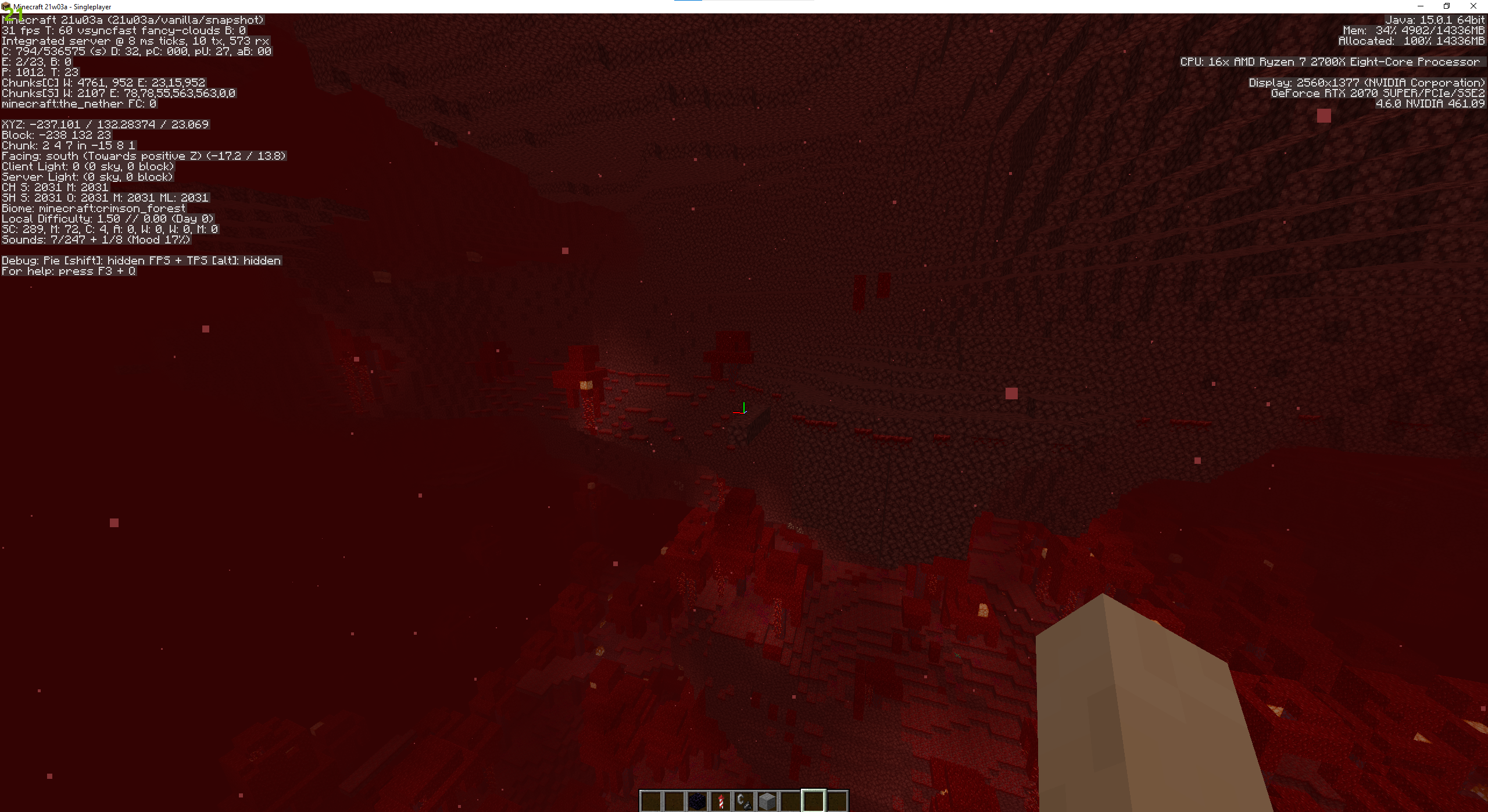
This is a worldgen settings file, you can add it when generating a world by clicking
More World Options > Import Settings
The bug
If you generate a tall world using custom world files, looking up(or down when far away from min_y) decreases fps by a very high amount without there being a lot to render
To reproduce
- Load the custom world in the attachments
- Look up
→FPS drops dramatically
In 21w06a the total world height got increased to 384 by default, this issue now also occurs(less extreme, the world height is still lower than my custom world) by default in new worlds
FPS dramatically decreases when looking up inworld with large heightFPS drops when looking up in a tall world (4064 blocks)


The bug
The visual effects (darkening of the skybox) of the void are fixed to happen at and below y=0. With custom worlds you can change the min_y of worlds.
To reproduce
- Load min_y0 in the attachments
- Go below bedrock
- → ✅ The stars and moon are darkened out by the void effects.
- Load min_y16
- Go below bedrock
→The bug
The visual effects (darkening of the skybox) of the void are fixed to happen at and below y=0. With custom worlds you can change the min_y of worlds.
To reproduce
- Load min_y0 in the attachments
- Go below bedrock
- →
The stars and moon are darkened out by the void effects.
- Load min_y16
- Go below bedrock
→
The bug
The visual effects (darkening of the skybox) of the void are fixed to happen at and below y=0. With custom worlds you can change the min_y of worlds.
To reproduce
- Load min_y0 in the attachments
- Go below bedrock
- →
The stars and moonare darkened out by the void effects.- Load min_y16
- Go below bedrock
→The bug
The visual effects (darkening of the skybox) of the void are fixed to happen at and below y=0. With custom worlds you can change the min_y of worlds.
To reproduce
- Load min_y0 in the attachments
- Go below bedrock
- →
- Load min_y16
- Go below bedrock
→
The bug
The visual effects (darkening of the skybox) of the void are fixed to happen at and below y=0. With custom worlds you can change the min_y of worlds.
To reproduce
- Load min_y0 in the attachments
- Go below bedrock
- →
- Load min_y16
- Go below bedrock
→tars and moon aren't darkened out by the void effects, they are darkened out if you go below y=0 again.The bug
The visual effects (darkening of the skybox) of the void are fixed to happen at and below y=0. With custom worlds you can change the min_y of worlds.
To reproduce
- Load min_y0 in the attachments
- Go below bedrock
- →
- Load min_y16
- /time set night
- Go below bedrock
→
- It is darkened out if you go below y=0 again.


The bug
The visual effects (darkening of the skybox) of the void are fixed to happen at and below y=0. With custom worlds you can change the min_y of worlds.
To reproduce
- Load min_y0 in the attachments
- Go below bedrock
- →
- Load min_y16
- /time set night
- Go below bedrock
→
- It is darkened out if you go below y=0 again.
The bug
The visual effects (darkening of the skybox) of the void are fixed to happen at and below y=0. With custom worlds you can change the min_y of worlds.
To reproduce
- Load min_y0 in the attachments
- Go below bedrock
- →
- Load min_y16
- /time set night
- Go below bedrock
→
- It is darkened out if you go below y=0 again.
The bug
The visual effects (darkening of the skybox) of the void are fixed to happen at and below y=0. With custom worlds you can change the min_y of worlds.
To reproduce
- Load min_y0 in the attachments
- Go below bedrock
- →
- Load min_y16
- /time set night
- Go below bedrock
→
- It is darkened out if you go below y=0 again.
The bug
The visual effects (darkening of the skybox) of the void are fixed to happen at and below y=0. With custom worlds you can change the min_y of worlds.
To reproduce
- Load min_y0 in the attachments
- Go below bedrock
- →
- Load min_y16
- /time set night
- Go below bedrock
→
- It is darkened out if you go below y=0 again.
The bug
Walls don't update / change their up: true tag on more than 512 wall height
To reproduce
- Load the custom world in the attachments
- Create a tall pilar of water with the command /fill ~ ~ ~ ~ ~514 ~2 stone_brick_wall
→ The lowest 3 walls in the middle row aren't updated, still have theup: true tag- Update the lowest middle not updated wall
- Go to the tallest wall /tp @p ~ ~514 ~
- Place a wall next to, or on top of the top middle wall
- Go down /tp @p ~ ~-514 ~
→The lowest 3 walls in the middle row aren't updated, don't have the up: true tagThe bug
Walls don't update / change their up: true tag on more than 512 wall height
To reproduce
- Load the custom world in the attachments
- Create a tall pilar of water with the command /fill ~ ~ ~ ~ ~514 ~2 stone_brick_wall
→- Update the lowest middle not updated wall
- Go to the tallest wall /tp @p ~ ~514 ~
- Place a wall next to, or on top of the top middle wall
- Go down /tp @p ~ ~-514 ~
→

The bug
I'm not sure what causes my bug, here is what I think happens:
If you create a map on a world with height = 0, the map doesn't display it's information correctly. Like this:
To reproduce
- Load the custom world in the attachments
- Create a map
→Code analysis
Using the official 21w08b mojmaps:
net.minecraft.world.level.levelgen.flat.FlatLevelGeneratorSettings public int getMinBuildHeight() { return 0; } public int getHeight() { return 256; }These are hardcoded to the old limit, which generates a wrong heightmap on custom worlds possibly causing this issue. Best solution would be unhardcoding these
The bug
I'm not sure what causes my bug, here is what I think happens:
If you create a map on a world with height = 0, the map doesn't display it's information correctly. Like this:
To reproduce
- Load the custom world in the attachments
- Create a map
→Code analysis
Using the official 21w08b mojmaps:
net.minecraft.world.level.levelgen.flat.FlatLevelGeneratorSettings public int getMinBuildHeight() { return 0; } public int getHeight() { return 256; }These are hardcoded to the old limit, which generates a wrong heightmap on custom worlds possibly causing this issue. Best solution would be unhardcoding these
The bug
Worlds with Deepslate, aquafiers and noise caves generate noticably slower
Data
Generating the given world configs:
Deepslate, aquafiers and noise caves disabled: 19.03 seconds
Deepslate enabled: 24.54 seconds
Aquafiers enabled: 29.68 seconds
Noisecaves enabled: 21.84 seconds
Deepslate, aquafiers and noise caves enabled: Not responding 5+ minutes (see crash log)
This might be handy, it's a commit optimising aquafiers for the cubic chunks mod but I dont know if this is beneficial for non cubic chunks minecraft too: https://github.com/OpenCubicChunks/CubicChunks/commit/3be75eb6ad77e5419a2f62ae9269cdf775a85fb1
The bug
Worlds with Deepslate, aquafiers and noise caves generate noticably slower
Data
Generating the given world configs:
Deepslate, aquafiers and noise caves disabled: 19.03 seconds
Deepslate enabled: 24.54 seconds
Aquafiers enabled: 29.68 seconds
Noisecaves enabled: 21.84 seconds
Deepslate, aquafiers and noise caves enabled: Not responding 5+ minutes (see crash log)
This might be handy, it's a commit optimising aquafiers for the cubic chunks mod
but I dont know if this is beneficial for non cubic chunks minecraft too: https://github.com/OpenCubicChunks/CubicChunks/commit/3be75eb6ad77e5419a2f62ae9269cdf775a85fb1
The bug
Worlds with Deepslate, aquafiers and noise caves generate noticably slower
Data
Generating the given world configs both twice:
everything_disabled_20w08b.json
Deepslate, aquafiers and noise caves disabled: 19.03 20.74 seconds
deepslate_enabled_21w08b.json
aquafiers_enabled_21w08b.json
noisecaves_enabled_21w08b.json
everything_disabled_20w08b.jsonThis might be handy, it's a commit optimising aquafiers for the cubic chunks mod: https://github.com/OpenCubicChunks/CubicChunks/commit/3be75eb6ad77e5419a2f62ae9269cdf775a85fb1
Inneficient / crash generation of Deepslate, Aquafiers and noise cavesInefficient / crash generation of Deepslate, Aquafiers and noise caves
The bug
Worlds with Deepslate, aquafiers and noise caves generate noticably slower
Data
Generating the given world configs both twice:
everything_disabled_20w08b.json
deepslate_enabled_21w08b.json
aquafiers_enabled_21w08b.json
noisecaves_enabled_21w08b.json
everything_disabled_20w08b.jsonThis might be handy, it's a commit optimising aquafiers for the cubic chunks mod: https://github.com/OpenCubicChunks/CubicChunks/commit/3be75eb6ad77e5419a2f62ae9269cdf775a85fb1
The bug
Worlds with Deepslate, aquafiers and noise caves generate noticably slower
Data
Generating the given world configs both twice:
everything_disabled_20w08b.json
deepslate_enabled_21w08b.json
aquafiers_enabled_21w08b.json
noisecaves_enabled_21w08b.json
everything_disabled_20w08b.jsonNote: The custom world files' noise settings are based on the End islands, but taller. These settings have nothing to do with the inefficiency nor the crash
This might be handy, it's a commit optimising aquafiers for the cubic chunks mod: https://github.com/OpenCubicChunks/CubicChunks/commit/3be75eb6ad77e5419a2f62ae9269cdf775a85fb1
The bug
Worlds with Deepslate, aquafiers and noise caves generate noticably slower
Data
Generating the given world configs both twice:
everything_disabled_20w08b.json
deepslate_enabled_21w08b.json
aquafiers_enabled_21w08b.json
noisecaves_enabled_21w08b.json
everything_disabled_20w08b.jsonNot responding 5+ minutes, crashes from out of memory error exceptions, leaves no crash report behindNote: The custom world files' noise settings are based on the End islands, but taller. These settings have nothing to do with the inefficiency nor the crash
This might be handy, it's a commit optimising aquafiers for the cubic chunks mod: https://github.com/OpenCubicChunks/CubicChunks/commit/3be75eb6ad77e5419a2f62ae9269cdf775a85fb1
The bug
Worlds with Deepslate, aquafiers and noise caves generate noticably slower
Data
Generating the given world configs both twice:
everything_disabled_20w08b.json
deepslate_enabled_21w08b.json
aquafiers_enabled_21w08b.json
noisecaves_enabled_21w08b.json
everything_disabled_20w08b.jsonNote: The custom world files' noise settings are based on the End islands, but taller. These settings have nothing to do with the inefficiency nor the crash
This might be handy, it's a commit optimising aquafiers for the cubic chunks mod: https://github.com/OpenCubicChunks/CubicChunks/commit/3be75eb6ad77e5419a2f62ae9269cdf775a85fb1
The bug
Worlds with Deepslate, aquafiers and noise caves generate noticably slower
Data
Generating the given world configs both twice:
everything_disabled_20w08b.json
deepslate_enabled_21w08b.json
aquafiers_enabled_21w08b.json
noisecaves_enabled_21w08b.json
everything_disabled_20w08b.jsonNote: The custom world files' noise settings are based on the End islands, but taller. These settings have nothing to do with the inefficiency nor the crash
This might be handy, it's a commit optimising aquafiers for the cubic chunks mod: https://github.com/OpenCubicChunks/CubicChunks/commit/3be75eb6ad77e5419a2f62ae9269cdf775a85fb1
The bug
Worlds with Deepslate, aquafiers and noise caves generate noticably slower
Data
Generating the given world configs both twice:
everything_disabled_20w08b.json
deepslate_enabled_21w08b.json
aquafiers_enabled_21w08b.json
noisecaves_enabled_21w08b.json
everything_disabled_20w08b.json
Note: The custom world files' noise settings are based on the End islands, but taller. These settings have nothing to do with the inefficiency nor the crash
This might be handy, it's a commit optimising aquafiers for the cubic chunks mod: https://github.com/OpenCubicChunks/CubicChunks/commit/3be75eb6ad77e5419a2f62ae9269cdf775a85fb1

Inefficient / crash generation of Deepslate, Aquafiers and noise cavesInefficient / crash generation of Deepslate, Aquifers and noise caves
The bug
Worlds with Deepslate, aquafiers and noise caves generate noticably slower
Data
Generating the given world configs both twice:
everything_disabled_20w08b.json
afiers and noise caves disabled: 19.03 20.74 seconds
deepslate_enabled_21w08b.json
aquafiers_enabled_21w08b.jsonafiers enabled: 29.68 33.59 seconds
noisecaves_enabled_21w08b.json
everything_enabled_21w08b.jsonafiers and noise caves enabled: Goes to 100% but not completed the white square yet, not responding 5+ minutes, crashes from out of memory error exceptions, leaves no crash report behind
Note: The custom world files' noise settings are based on the End islands, but taller. These settings have nothing to do with the inefficiency nor the crash
This might be handy, it's a commit optimising aquafiers for the cubic chunks mod: https://github.com/OpenCubicChunks/CubicChunks/commit/3be75eb6ad77e5419a2f62ae9269cdf775a85fb1
The bug
Worlds with Deepslate, aquafiers and noise caves generate noticably slower
Data
Generating the given world configs both twice:
everything_disabled_20w08b.json
deepslate_enabled_21w08b.json
aquafiers_enabled_21w08b.json
noisecaves_enabled_21w08b.json
everything_enabled_21w08b.json
Note: The custom world files' noise settings are based on the End islands, but taller. These settings have nothing to do with the inefficiency nor the crash
This might be handy, it's a commit optimising aquafiers for the cubic chunks mod: https://github.com/OpenCubicChunks/CubicChunks/commit/3be75eb6ad77e5419a2f62ae9269cdf775a85fb1
The bug
Worlds with Deepslate, aquafiers and noise caves generate noticably slower
Data
Generating the given world configs both twice:
everything_disabled_20w08b.json
deepslate_enabled_21w08b.json
aquafiers_enabled_21w08b.json
noisecaves_enabled_21w08b.json
everything_enabled_21w08b.json
Note: The custom world files' noise settings are based on the End islands, but taller. These settings have nothing to do with the inefficiency nor the crash
This might be handy, it's a commit optimising aquafiers for the cubic chunks mod: https://github.com/OpenCubicChunks/CubicChunks/commit/3be75eb6ad77e5419a2f62ae9269cdf775a85fb1
The bug
Worlds with Deepslate, aquafiers and noise caves generate noticably slower
Data
Generating the given world configs both twice:
everything_disabled_20w08b.json
deepslate_enabled_21w08b.json
aquafiers_enabled_21w08b.json
noisecaves_enabled_21w08b.json
everything_enabled_21w08b.json
Note: The custom world files' noise settings are based on the End islands, but taller. These settings have nothing to do with the inefficiency nor the crash
This might be handy, it's a commit optimising aquafiers for the cubic chunks mod: https://github.com/OpenCubicChunks/CubicChunks/commit/3be75eb6ad77e5419a2f62ae9269cdf775a85fb1
Inefficient/ crashgeneration of Deepslate, Aquifers and noise caves
The bug
Worlds with Deepslate, aquafiers and noise caves generate noticably slower
Data
Generating the given world configs both twice:
everything_disabled_20w08b.json
deepslate_enabled_21w08b.json
aquafiers_enabled_21w08b.json
noisecaves_enabled_21w08b.json
everything_enabled_21w08b.json
Note: The custom world files' noise settings are based on the End islands, but taller. These settings have nothing to do with the inefficiency nor the crash
This might be handy, it's a commit optimising aqu
afiers for the cubic chunks mod: https://github.com/OpenCubicChunks/CubicChunks/commit/3be75eb6ad77e5419a2f62ae9269cdf775a85fb1
The bug
Worlds with Deepslate, aquafiers and noise caves generate noticably slower
Data
Generating the given world configs both twice:
everything_disabled_20w08b.json
deepslate_enabled_21w08b.json
aquafiers_enabled_21w08b.json
noisecaves_enabled_21w08b.json
everything_enabled_21w08b.jsonNote: The custom world files' noise settings are based on the End islands, but taller. These settings have nothing to do with the inefficiency nor the crash
This might be handy, it's a commit optimising aquifers for the cubic chunks mod: https://github.com/OpenCubicChunks/CubicChunks/commit/3be75eb6ad77e5419a2f62ae9269cdf775a85fb1
The bug
Worlds with Deepslate, aquafiers and noise caves generate noticably slower
Data
Generating the given world configs both twice:
everything_disabled_20w08b.json
deepslate_enabled_21w08b.json
aquafiers_enabled_21w08b.json
noisecaves_enabled_21w08b.json
everything_enabled_21w08b.jsonNote: The custom world files' noise settings are based on the End islands, but taller. These settings have nothing to do with the inefficiency
nor the crashThis might be handy, it's a commit optimising aquifers for the cubic chunks mod: https://github.com/OpenCubicChunks/CubicChunks/commit/3be75eb6ad77e5419a2f62ae9269cdf775a85fb1
Inefficient generation ofdeepslate,aquifersandnoise cavesInefficient generation of aquifers, noise caves and ore veins
The bug
Worlds with Deepslate, aquafiers and noise caves generate noticably slower
DataGenerating the given world configs both twice:
everything_disabled_20w08b.json
deepslate_enabled_21w08b.json
aquafiers_enabled_21w08b.json
noisecaves_enabled_21w08b.json
everything_enabled_21w08b.jsonNote: The custom world files' noise settings are based on the End islands, but taller. These settings have nothing to do with the inefficiency
This might be handy, it's a commit optimising aquifers for the cubic chunks mod: https://github.com/OpenCubicChunks/CubicChunks/commit/3be75eb6ad77e5419a2f62ae9269cdf775a85fb1
The bug
Worlds with Deepslate, aquafiers and noise caves generate noticably slower
1.17 data
See generationtime.txt
I ran a script generating multiple worlds with the settings height=4064, no terrain, void biome.
1.17-all disabled.json-h3. OLD / 21W08B DATA
Generating the given world configs both twice:
everything_disabled_20w08b.json
deepslate_enabled_21w08b.json
aquafiers_enabled_21w08b.json
noisecaves_enabled_21w08b.json
everything_enabled_21w08b.jsonNote: The custom world files' noise settings are based on the End islands, but taller. These settings have nothing to do with the inefficiency
This might be handy, it's a commit optimising aquifers for the cubic chunks mod: https://github.com/OpenCubicChunks/CubicChunks/commit/3be75eb6ad77e5419a2f62ae9269cdf775a85fb1-
The bug
Worlds with Deepslate, aquafiers and noise caves generate noticably slower
1.17 data
See generationtime.txt
I rana script generating multiple worlds with the settings height=4064, no terrain, void biome.1.17-all disabled.json1.17-noodle_caves_enabled.json-h3. OLD / 21W08B DATA
Generating the given world configs both twice:
everything_disabled_20w08b.json
deepslate_enabled_21w08b.json
aquafiers_enabled_21w08b.json
noisecaves_enabled_21w08b.json
everything_enabled_21w08b.jsonNote: The custom world files' noise settings are based on the End islands, but taller. These settings have nothing to do with the inefficiency
This might be handy, it's a commit optimising aquifers for the cubic chunks mod: https://github.com/OpenCubicChunks/CubicChunks/commit/3be75eb6ad77e5419a2f62ae9269cdf775a85fb1-
The bug
Worlds with Deepslate, aquafiers and noise caves generate noticably slower
1.17 data
See generationtime.txt
This data is generated using a script generating multiple worlds with the settings height=4064, no terrain, void biome.
Average generation times:
1.17-all disabled.json
1.17-aquifers+noise_caves_enabled.json
1.17-deepslate_enabled.json
1.17-everything_enabled.json
1.17-noise_caves_enabled.json
1.17-noodle_caves_enabled.json
1.17-ore_veins_enabled.json-h3. OLD / 21W08B DATA
Generating the given world configs both twice:
everything_disabled_20w08b.json
deepslate_enabled_21w08b.json
aquafiers_enabled_21w08b.json
noisecaves_enabled_21w08b.json
everything_enabled_21w08b.jsonNote: The custom world files' noise settings are based on the End islands, but taller. These settings have nothing to do with the inefficiency
This might be handy, it's a commit optimising aquifers for the cubic chunks mod: https://github.com/OpenCubicChunks/CubicChunks/commit/3be75eb6ad77e5419a2f62ae9269cdf775a85fb1-
The bug
Worlds with
Deepslate, aquafiers and noise caves generate noticably slower1.17 data
See generationtime.txt
This data is generated using a script generating multiple worlds with the settings height=4064, no terrain, void biome.
Average generation times:
1.17-all disabled.json
1.17-aquifers+noise_caves_enabled.json44.40s
1.17-deepslate_enabled.json
1.17-everything_enabled.json80.00s
1.17-noise_caves_enabled.json
1.17-noodle_caves_enabled.json
1.17-ore_veins_enabled.json-h3. OLD / 21W08B DATA
Generating the given world configs both twice:
everything_disabled_20w08b.json
deepslate_enabled_21w08b.json
aquafiers_enabled_21w08b.json
noisecaves_enabled_21w08b.json
everything_enabled_21w08b.jsonNote: The custom world files' noise settings are based on the End islands, but taller. These settings have nothing to do with the inefficiency
This might be handy, it's a commit optimising aquifers for the cubic chunks mod: https://github.com/OpenCubicChunks/CubicChunks/commit/3be75eb6ad77e5419a2f62ae9269cdf775a85fb1-
The bug
Worlds with ore veins, aquafiers and noise caves generate noticably slower
1.17 data
This data is generated using a script generating multiple empty worlds with the base settings height=4064, no terrain, void biome, same seed.
See generationtime.txtAverage generation times:
1.17-all disabled.json
1.17-noodle_caves_enabled.json
1.17-deepslate_enabled.json
1.17-noise_caves_enabled.json
1.17-aquifers+noise_caves_enabled.json
1.17-ore_veins_enabled.json
1.17-everything_enabled.json-h3. OLD / 21W08B DATA
Generating the given world configs both twice:
everything_disabled_20w08b.json
deepslate_enabled_21w08b.json
aquafiers_enabled_21w08b.json
noisecaves_enabled_21w08b.json
everything_enabled_21w08b.jsonNote: The custom world files' noise settings are based on the End islands, but taller. These settings have nothing to do with the inefficiency
This might be handy, it's a commit optimising aquifers for the cubic chunks mod: https://github.com/OpenCubicChunks/CubicChunks/commit/3be75eb6ad77e5419a2f62ae9269cdf775a85fb1-
The bug
Worlds with ore veins, aquafiers and noise caves generate noticably slower
1.17 data
This data is generated using a script generating multiple empty worlds with the base settings height=4064, no terrain, void biome, same seed.
See generationtime.txtAverage generation times:
1.17-all disabled.json
1.17-noodle_caves_enabled.json
1.17-deepslate_enabled.json
1.17-noise_caves_enabled.json
1.17-aquifers+noise_caves_enabled.json
1.17-ore_veins_enabled.json
1.17-everything_enabled.json-h3. OLD / 21W08B DATA
Generating the given world configs both twice:
everything_disabled_20w08b.json
deepslate_enabled_21w08b.json
aquafiers_enabled_21w08b.json
noisecaves_enabled_21w08b.json
everything_enabled_21w08b.jsonNote: The custom world files' noise settings are based on the End islands, but taller. These settings have nothing to do with the inefficiency
This might be handy, it's a commit optimising aquifers for the cubic chunks mod: https://github.com/OpenCubicChunks/CubicChunks/commit/3be75eb6ad77e5419a2f62ae9269cdf775a85fb1-
The bug
Worlds with ore veins, aquafiers and noise caves generate noticably slower
1.17 data
This data is generated using a script generating multiple empty worlds with the base settings height=4064, no terrain, void biome, same seed.
See generationtime.txtAverage generation times:
1.17-all disabled.json
1.17-noodle_caves_enabled.json
1.17-deepslate_enabled.json
1.17-noise_caves_enabled.json
1.17-aquifers+noise_caves_enabled.json
1.17-ore_veins_enabled.json
1.17-everything_enabled.jsonOLD / 21W08B DATA
Generating the given world configs both twice:
everything_disabled_20w08b.json
deepslate_enabled_21w08b.json
aquafiers_enabled_21w08b.json
noisecaves_enabled_21w08b.json
everything_enabled_21w08b.jsonNote: The custom world files' noise settings are based on the End islands, but taller. These settings have nothing to do with the inefficiency
This might be handy, it's a commit optimising aquifers for the cubic chunks mod: https://github.com/OpenCubicChunks/CubicChunks/commit/3be75eb6ad77e5419a2f62ae9269cdf775a85fb1
The bug
Worlds with ore veins, aquafiers and noise caves generate noticably slower
1.17 data
This data is generated using a script generating multiple empty worlds with the base settings height=4064, no terrain, void biome, same seed.
See generationtime.txtAverage generation times:
1.17-all disabled.json
1.17-noodle_caves_enabled.json
1.17-deepslate_enabled.json
1.17-noise_caves_enabled.json0%
1.17-aquifers+noise_caves_enabled.json48%
1.17-ore_veins_enabled.json83%
1.17-everything_enabled.json99%OLD / 21W08B DATA
Generating the given world configs both twice:
everything_disabled_20w08b.json
deepslate_enabled_21w08b.json
aquafiers_enabled_21w08b.json
noisecaves_enabled_21w08b.json
everything_enabled_21w08b.jsonNote: The custom world files' noise settings are based on the End islands, but taller. These settings have nothing to do with the inefficiency
This might be handy, it's a commit optimising aquifers for the cubic chunks mod: https://github.com/OpenCubicChunks/CubicChunks/commit/3be75eb6ad77e5419a2f62ae9269cdf775a85fb1
The bug
Worlds with ore veins, aquafiers and noise caves generate noticably slower
1.17 data
This data is generated using a script generating multiple empty worlds with the base settings height=4064, no terrain, void biome, same seed.
See generationtime.txtAverage generation times:
1.17-all disabled.json
1.17-noodle_caves_enabled.json
1.17-deepslate_enabled.json
1.17-noise_caves_enabled.json
1.17-aquifers+noise_caves_enabled.json
1.17-ore_veins_enabled.json
1.17-everything_enabled.jsonOLD / 21W08B DATA
Generating the given world configs both twice:
everything_disabled_20w08b.json
deepslate_enabled_21w08b.json
aquafiers_enabled_21w08b.json
noisecaves_enabled_21w08b.json
everything_enabled_21w08b.jsonNote: The custom world files' noise settings are based on the End islands, but taller. These settings have nothing to do with the inefficiency
This might be handy, it's a commit optimising aquifers for the cubic chunks mod: https://github.com/OpenCubicChunks/CubicChunks/commit/3be75eb6ad77e5419a2f62ae9269cdf775a85fb1
The bug
minecraft:grass, minecraft:flower_pot, carpets and possibly more blocks
don'tgenerate below y=0

How to reproduce
- Go to the flat world preset menu
- Fill in minecraft:bedrock,2*minecraft:dirt,minecraft:grass_block,minecraft:grass (you can replace grass with flower_pot or white_carpet for the same effect)
- Generate the world
The bug
minecraft:grass, minecraft:flower_pot, carpets and possibly more blocks generate on the wrong y level, they disregard the 64 blocks added below y 0.
How to reproduce
- Go to the flat world preset menu
- Fill in minecraft:bedrock,2*minecraft:dirt,minecraft:grass_block,minecraft:grass (you can replace grass with flower_pot or white_carpet for the same effect)
- Generate the world
Not allblocks generatecorrectlybelow y 0 in superflat worldSome blocks generate 64 blocks too high in flat worlds
The bug
minecraft:grass, minecraft:flower_pot, carpets and possibly more blocks generate on the wrong y level
, theydisregard the 64 blocks added below y 0.
How to reproduce
- Go to the flat world preset menu
- Fill in minecraft:bedrock,2*minecraft:dirt,minecraft:grass_block,minecraft:grass (you can replace grass with flower_pot or white_carpet for the same effect)
- Generate the world
= amount of other layers + 1)The bug
minecraft:grass, minecraft:flower_pot, carpets, snow and possibly more blocks generate on the wrong y level if min_y is below 0. (y of wrong level blocks = min_y + Δmin_ytoheight + amount of layers) Basically forgets there are negative y levels.
How to reproduce
- Go to the flat world preset menu
- Fill in minecraft:bedrock,2*minecraft:dirt,minecraft:grass_block,minecraft:grass (you can replace grass with flower_pot or white_carpet for the same effect)
- Generate the world
Some blocks generate64 blocks toohigh in flat worldsSome blocks generate at wrong Y height in a superflat world
The bug
minecraft:grass, minecraft:flower_pot, carpets, snow and possibly more blocks generate on the wrong y level if min_y is below 0. (y of wrong level blocks =
min_y + Δmin_ytoheight +amount of layers) Basically forgets there are negative y levels.
How to reproduce
- Go to the flat world preset menu
- Fill in minecraft:bedrock,2*minecraft:dirt,minecraft:grass_block,minecraft:grass (you can replace grass with flower_pot or white_carpet for the same effect)
- Generate the world
(y of grass = -64 + 64 + 4)The bug
minecraft:grass, minecraft:flower_pot, carpets, snow and possibly more blocks generate on the wrong y level if min_y is below 0. (y of wrong level blocks = amount of layers) Basically forgets there are negative y levels.
How to reproduce
- Go to the flat world preset menu
- Fill in minecraft:bedrock,2*minecraft:dirt,minecraft:grass_block,minecraft:grass (you can replace grass with flower_pot or white_carpet for the same effect)
- Generate the world
The bug
minecraft:grass, minecraft:flower_pot, carpets, snow and possibly more blocks generate on the wrong y level if min_y is below 0. (y of wrong level blocks = amount of layers) Basically forgets there are negative y levels.
How to reproduce
- Go to the flat world preset menu
- Fill in minecraft:bedrock,2*minecraft:dirt,minecraft:grass_block,minecraft:grass (you can replace grass with flower_pot or white_carpet for the same effect)
- Generate the world
Code analysis
// code placeholder
The bug
minecraft:grass, minecraft:flower_pot, carpets, snow and possibly more blocks generate on the wrong y level if min_y is below 0. (y of wrong level blocks = amount of layers) Basically forgets there are negative y levels.
How to reproduce
- Go to the flat world preset menu
- Fill in minecraft:bedrock,2*minecraft:dirt,minecraft:grass_block,minecraft:grass (you can replace grass with flower_pot or white_carpet for the same effect)
- Generate the world
Code analysis
// code placeholderThe bug
minecraft:grass, minecraft:flower_pot, carpets, snow and possibly more blocks generate on the wrong y level if min_y is below 0. (y of wrong level blocks = amount of layers) Basically forgets there are negative y levels.
How to reproduce
- Go to the flat world preset menu
- Fill in minecraft:bedrock,2*minecraft:dirt,minecraft:grass_block,minecraft:grass (you can replace grass with flower_pot or white_carpet for the same effect)
- Generate the world
Code analysis
net.minecraft.world.level.levelgen.flat.FlatLevelGeneratorSettings public int getMinBuildHeight() { return 0; } public int getHeight() { return 256; }These are hardcoded, multiple layer info and
The bug
minecraft:grass, minecraft:flower_pot, carpets, snow and possibly more blocks generate on the wrong y level if min_y is below 0. (y of wrong level blocks = amount of layers) Basically forgets there are negative y levels.
How to reproduce
- Go to the flat world preset menu
- Fill in minecraft:bedrock,2*minecraft:dirt,minecraft:grass_block,minecraft:grass (you can replace grass with flower_pot or white_carpet for the same effect)
- Generate the world
Code analysis
net.minecraft.world.level.levelgen.flat.FlatLevelGeneratorSettings

public int getMinBuildHeight() {
  return 0;
}

public int getHeight() {
  return 256;
}
These are hardcoded, multiple layer info andThe bug
minecraft:grass, minecraft:flower_pot, carpets, snow and possibly more blocks generate on the wrong y level if min_y is below 0. (y of wrong level blocks = amount of layers) Basically forgets there are negative y levels.
How to reproduce
- Go to the flat world preset menu
- Fill in minecraft:bedrock,2*minecraft:dirt,minecraft:grass_block,minecraft:grass (you can replace grass with flower_pot or white_carpet for the same effect)
- Generate the world
Code analysis
Using the official 21w08b mojmaps:
net.minecraft.world.level.levelgen.flat.FlatLevelGeneratorSettings public int getMinBuildHeight() { return 0; } public int getHeight() { return 256; }These are hardcoded to the old limit, multiple things are calculated with that number, including the level height of the blocks like carpets, grass and snow etc(blocks that depend on blocks below it, flower_pot is a weird exception). Best solution is unhardcoding these.
The bug
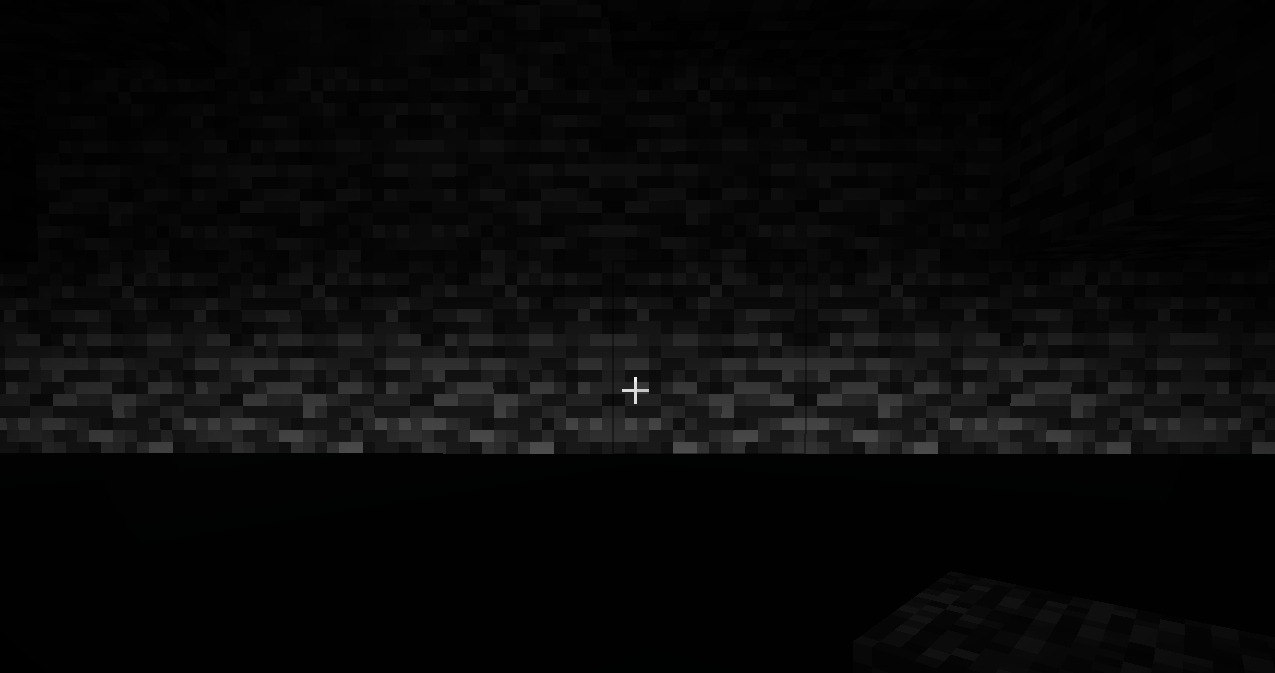
A world / dimension file with min_y -2048 and height 4080 shows this error message but if a world is still generated after this error message occurs the world still generates correctly with min_y 2048 and height 4080, but the underside of the bedrock is bright(due to https://bugs.mojang.com/browse/MC-212347?focusedCommentId=911611 ).
The dimension isn't made invalid correctly, or this is left in because it is actually cool to have(even though the bedrock is lighted incorrectly)How to reproduce
- Load the custom world file
- Run the command _/execute in minecraft:tallerworld run tp @p 0 -2032 0_The flat world generates at -2048
- (warning: heavy) Run the command /execute in minecraft:tallerworld2 run tp @p 0 -2032 0 Normal world terrain still generates till -2048
The bug
A world / dimension file with min_y -2048 and height 4080 shows this error message but if a world is still generated after this error message occurs the world still generates correctly with min_y 2048 and height 4080, but the underside of the bedrock is bright(due to https://bugs.mojang.com/browse/MC-212347?focusedCommentId=911611 ).
The dimension isn't made invalid correctly, or this is left in because it is actually cool to have(even though the bedrock is lighted incorrectly)How to reproduce
- Load the custom world file 21w08_MC-218554.json
- Run the command _/execute in minecraft:tallerworld run tp @p 0 -2032 0_The flat world generates at -2048
- (warning: heavy) Run the command /execute in minecraft:tallerworld2 run tp @p 0 -2032 0 Normal world terrain still generates till -2048

The bug
A world / dimension file with min_y -2048 and height 4080 shows this error message but if a world is still generated after this error message occurs the world still generates correctly with min_y 2048 and height 4080, but the underside of the bedrock is bright(due to https://bugs.mojang.com/browse/MC-212347?focusedCommentId=911611 ).
The dimension isn't made invalid correctly, or this is left in because it is actually cool to have(even though the bedrock is lighted incorrectly)How to reproduce
- Load the custom world file 21w08_MC-218554.json
- Run the command _/execute in minecraft:tallerworld run tp @p 0 -2032 0_The flat world generates at -2048
- (warning: heavy) Run the command
/execute in minecraft:tallerworld2 run tp @p 0 -2032 0Normal world terrain still generates till -2048
The bug
A world / dimension file with min_y -2048 and height 4080 shows this error message but if a world is still generated after this error message occurs the world still generates correctly with min_y 2048 and height 4080, but the underside of the bedrock is bright(due to https://bugs.mojang.com/browse/MC-212347?focusedCommentId=911611 ).
The dimension isn't made invalid correctly, or this is left in because it is actually cool to have(even though the bedrock is lighted incorrectly)How to reproduce
- Load the custom world file 21w08_MC-218554.json
- Run the command /execute in minecraft:tallerworld run tp @p 0 -2032 0
- > The flat world generates at -2048
- (warning: heavy) Run the command /execute in minecraft:tallerworld2 run tp @p 0 -2032 0
- > Normal world terrain still generates till -2048
The bug
A world / dimension file with min_y -2048 and height 4080 shows this error message but if a world is still generated after this error message occurs the world still generates correctly with min_y 2048 and height 4080, but the underside of the bedrock is bright(due to https://bugs.mojang.com/browse/MC-212347?focusedCommentId=911611 ).
The dimension isn't made invalid correctly, or this is left in because it is actually cool to have(even though the bedrock is lighted incorrectly)How to reproduce
- Load the custom world file 21w08_MC-218554.json
- Run the command /execute in minecraft:tallerworld run tp @p 0 -2032 0
>The flat world generates at -2048
- (warning: heavy) Run the command /execute in minecraft:tallerworld2 run tp @p 0 -2032 0
>Normal world terrain still generates till -2048
The bug
A world / dimension file with min_y -2048 and height 4080 shows this error message but if a world is still generated after this error message occurs the world still generates correctly with min_y 2048 and height 4080, but the underside of the bedrock is bright(due to https://bugs.mojang.com/browse/MC-212347?focusedCommentId=911611 ).
The dimension isn't made invalid correctly, or this is left in because it is actually cool to have(even though the bedrock is lighted incorrectly)How to reproduce
- Load the custom world file 21w08_MC-218554.json
- Run the command /execute in minecraft:tallerworld run tp @p 0 -2032 0
- The flat world generates at -2048
(warning: heavy) Run the command/execute in minecraft:tallerworld2 run tp @p 0 -2032 0
- Normal world terrain still generates till -2048
The bug
A world / dimension file with min_y -2048 and height 4080 shows this error message but if a world is still generated after this error message occurs the world still generates correctly with min_y 2048 and height 4080, but the underside of the bedrock is bright(due to https://bugs.mojang.com/browse/MC-212347?focusedCommentId=911611 ).
The dimension isn't made invalid correctly, or this is left in because it is actually cool to have(even though the bedrock is lighted incorrectly)How to reproduce
- Load the custom world file 21w08_MC-218554.json
- Run the command /execute in minecraft:tallerworld run tp @p 0 -2032 0
> The flat world generates at -2048- (warning: heavy) Run the command /execute in minecraft:tallerworld2 run tp @p 0 -2032 0
> Normal world terrain still generates till -2048
The bug
A world / dimension file with min_y -2048 and height 4080 shows this error message but if a world is still generated after this error message occurs the
worldstill generatescorrectlywith min_y 2048 and height 4080, but the underside of the bedrock isbright(due to https://bugs.mojang.com/browse/MC-212347?focusedCommentId=911611 ).
The dimension isn't made invalid correctly, or thisis left inbecause it is actually cool to have(even though the bedrock is lighted incorrectly)How to reproduce
- Load the custom world file 21w08_MC-218554.json
- Run the command /execute in minecraft:tallerworld run tp @p 0 -2032 0
> The flat world generates at -2048- (warning: heavy) Run the command /execute in minecraft:tallerworld2 run tp @p 0 -2032 0
> Normal world terrain still generates till -2048
The bug
A world / dimension file with min_y -2048 and height 4080 shows this error message but if a world is still generated after this error message occurs the dimension(with the reported "issue") still generates (with min_y 2048 and height 4080). The underside of the bedrock is lighted incorrectly(due to https://bugs.mojang.com/browse/MC-212347?focusedCommentId=911611 ).
The dimension isn't made invalid correctly, or this height setting is actually intended because it is actually cool to have(even though the bedrock is lighted incorrectly)
This issue relates toMC-212347How to reproduce
- Load the custom world file 21w08_MC-218554.json
- Run the command /execute in minecraft:tallerworld run tp @p 0 -2032 0
> The flat world generates at -2048- (warning: heavy) Run the command /execute in minecraft:tallerworld2 run tp @p 0 -2032 0
> Normal world terrain still generates till -2048
The bug
If the player is above world height, new terrain stops rendering. Like this:
How to repoduce
- Load custom world 21w08b_32_norender.json
Go above y=32, go into a place new terrain would generate
doesn'trender- Go below y=32
The bug
If the player is above world height, new terrain stops rendering. Like this:
Video showing the bug:
https://youtu.be/gqpWL0uRoYk
How to repoduce
- Load custom world 21w08b_32_norender.json
- Go above y=32, go into a place new terrain would generate and look Unable to render embedded object: File (horizontal) not found.
.5 Look down at new terrain
- Go below y=32
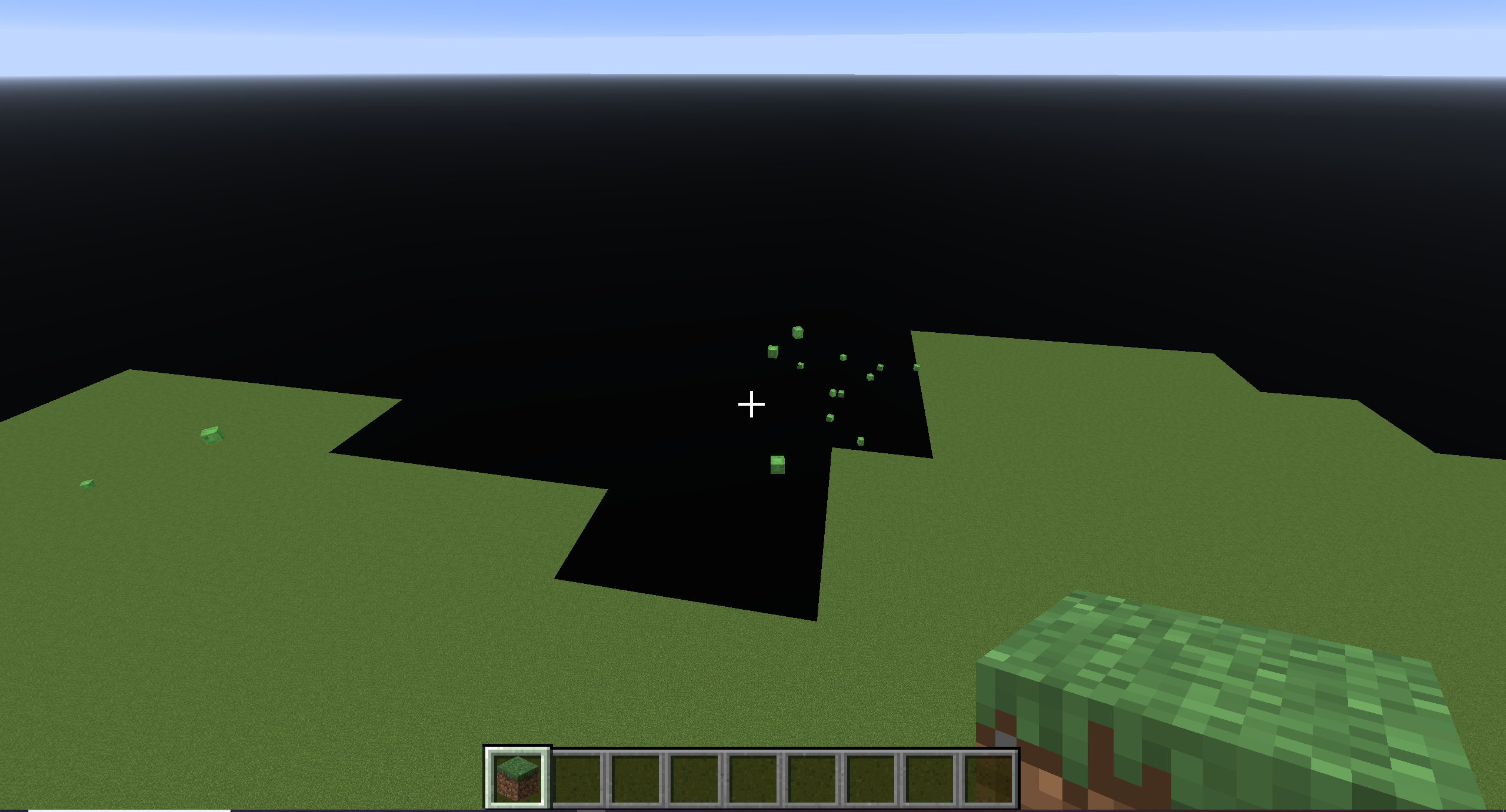
Terrain doesn't render if player is above world height in 32 tall world
The bug
If the player is above world height, new terrain stops rendering. Like this:
Video showing the bug:
https://youtu.be/gqpWL0uRoYk
How to repoduce
- Load custom world 21w08b_32_norender.json
- Go above y=32, go into a place new terrain would generate and look Unable to render embedded object: File (horizontal) not found.
.5 Look down at new terrain
- Go below y=32
The bug
If the player is above world height in a 32 block tall world, new terrain stops rendering. Like this:
Video showing the bug:
https://youtu.be/gqpWL0uRoYkThis bug seems to only happen on a world thats 32 blocks tall.
How to repoduce
- Load custom world 21w08b_32_norender.json
- Go above y=32, go into a place new terrain would generate and look Unable to render embedded object: File (horizontal) not found.
.5 Look down at new terrain
- Go below y=32
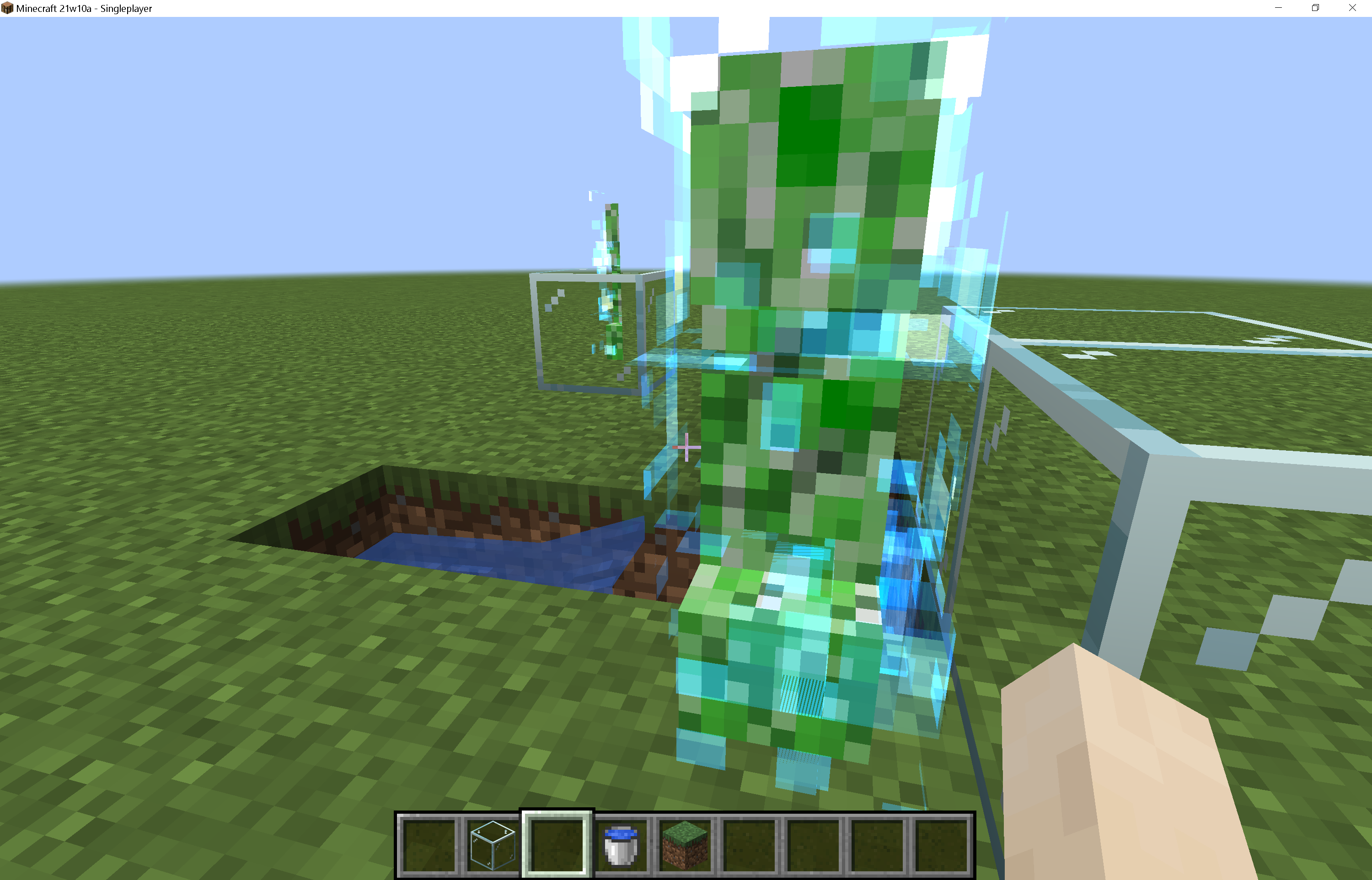
Charged creeperoverlay makes clouds invisibleCharged creeper layer makes clouds and entities invisible
The bug
The charged / powered outline of a creeper makes clouds, entities and water invisible
1.16.5:
21w10a:
Here another image showcasing wrong rendering of entities and water
How to reproduce
- Summon a charged creeper with /summon minecraft:creeper ~ ~ ~ {powered:1,NoAI:1}
- Spawn entities & Place water
- Look at the entities behind the charged creeper


Whenusing a custom worldwhichdecreases world height (while keeping the same top_slide) a lot of aquifers and caves peek through. I suspect this might be due to the caves not knowing terrain has actually stopped lower because it hit top_slide
Custom world settings in attachments
If using a custom world that decreases world height (while keeping the same top_slide) a lot of aquifers and cave openings are visible. I suspect this might be due to the caves not knowing terrain has actually stopped lower because it hit top_slide
Custom world settings in attachments

Caves & aquifers openings visible, possibly ingoring terrain top_slide
Minecraft_ 21w40a - Singleplayer 2021-10-12 17-03-46.mp4
21w37a introduced new culling but this incorrectly filters chunks in a certain scenario as seen in the video above. Looks like "inverse" culling. This happens when not all chunks are loaded or when near the edge of currently loaded chunks. You can reproduce by flying quick, spectator mode and scrolling to increase speed makes this easier to reproduce, but this also happens in creative.
New 21w37a culling incorrectculling seems to at times fail in 21w37a+
Having noise_caves enabled in noise settings greatly increases generationtime.
I got the data from this bugreport with a script that generates each custom world settings file 5 times and outputs the time it takes. The data from all results can be found in 21w42a-results.txt21w42a-everything_enabled.json
average: 25.438678503036 seconds
(base)[^21w48a-everything_enabled.json]
average: 73.39190864563 seconds
+188.505% increase[^21w48a-noise_caves_enabled.json]
average: 61.800010824203 seconds
+142.937% increase21w42a-noise_caves_disabled.json
average: 35.724261951447 seconds
+40.4329% increase(this can be seen as continuation of
MC-217509which is now fixed but didn't fix all issues noted in the report. my fault, one bugreport shouldn't contain multiple issues)
Having noise_caves enabled in noise settings greatly increases generation time.
I got the data from this bugreport with a script that generates each custom world settings file 5 times and outputs the time it takes. The data from all results can be found in 21w42a-results.txt21w42a-everything_enabled.json
average: 25.438678503036 seconds
(base)[^21w48a-everything_enabled.json]
average: 73.39190864563 seconds
+188.505% increase[^21w48a-noise_caves_enabled.json]
average: 61.800010824203 seconds
+142.937% increase21w42a-noise_caves_disabled.json
average: 35.724261951447 seconds
+40.4329% increase
(this can be seen as continuation of
MC-217509which is now fixed but didn't fix all issues noted in the report. my fault, one bugreport shouldn't contain multiple issues)
Having noise_caves enabled in noise settings greatly increases generation time.
I got the data from this bugreport with a script that generates each custom world settings file 5 times and outputs the time it takes. The data from all results can be found in 21w42a-results.txt21w42a-everything_enabled.json
average: 25.438678503036 seconds
(base)[^21w48a-everything_enabled.json]
average: 73.39190864563 seconds
+188.505% increase[^21w48a-noise_caves_enabled.json]
average: 61.800010824203 seconds
+142.937% increase21w42a-noise_caves_disabled.json
average: 35.724261951447 seconds
+40.4329% increase(this can be seen as continuation of
MC-217509which is now fixed but didn't fix all issues noted in the report. my fault, one bugreport shouldn't contain multiple issues)
Having noise_caves enabled in noise settings greatly increases generation time.
I got the data from this bugreport with a script that generates each custom world settings file 5 times and outputs the time it takes. The data from all results can be found in 21w42a-results.txt21w42a-everything_enabled.json
average: 25.438678503036 seconds
(base)21w42a-everything_enabled.json
average: 73.39190864563 seconds
+188.505% increase21w42a-noise_caves_enabled.json
average: 61.800010824203 seconds
+142.937% increase21w42a-noise_caves_disabled.json
average: 35.724261951447 seconds
+40.4329% increase
noise_caves generation takes long / inefficientgeneration with noise_caves enabled is noticably slower
(this can be seen as continuation of
MC-217509which is now fixed but didn't fix all issues noted in the report. my fault, one bugreport shouldn't contain multiple issues. And in that issue noise_caves weren't the major slowdown, which they are now)
Having noise_caves enabled in noise settings greatly increases generation time.
I got the data from this bugreport with a script that generates each custom world settings file 5 times and outputs the time it takes. The data from all results can be found in 21w42a-results.txt21w42a-everything_enabled.json
average: 25.438678503036 seconds
(base)21w42a-everything_enabled.json
average: 73.39190864563 seconds
+188.505% increase21w42a-noise_caves_enabled.json
average: 61.800010824203 seconds
+142.937% increase21w42a-noise_caves_disabled.json
average: 35.724261951447 seconds
+40.4329% increase
(this can be seen as continuation of
MC-217509which is now fixed but didn't fix all issues noted in the report. my fault, one bugreport shouldn't contain multiple issues. And in that issue noise_caves weren't the major slowdown, which they are now)
Having noise_caves enabled in noise settings greatly increases generation time.
I got the data from this bugreport with a script that generates each custom world settings file 5 times and outputs the time it takes. The data from all results can be found in 21w42a-results.txt21w42a-everything_
enabled.json
average: 25.438678503036 seconds
(base)21w42a-everything_enabled.json
average: 73.39190864563 seconds
+188.505% increase21w42a-noise_caves_enabled.json
average: 61.800010824203 seconds
+142.937% increase21w42a-noise_caves_disabled.json
average: 35.724261951447 seconds
+40.4329% increase(this can be seen as continuation of
MC-217509which is now fixed but didn't fix all issues noted in the report. my fault, one bugreport shouldn't contain multiple issues. And in that issue noise_caves weren't the major slowdown, which they are now)
Having noise_caves enabled in noise settings greatly increases generation time.
I got the data from this bugreport with a script that generates each custom world settings file 5 times and outputs the time it takes. The data from all results can be found in 21w42a-results.txt21w42a-everything_disabled.json
average: 25.438678503036 seconds
(base)21w42a-everything_enabled.json
average: 73.39190864563 seconds
+188.505% increase21w42a-noise_caves_enabled.json
average: 61.800010824203 seconds
+142.937% increase21w42a-noise_caves_disabled.json
average: 35.724261951447 seconds
+40.4329% increase
The Bug
This can be seen as continuation of
MC-217509which is now fixed but didn't fix all issues noted in the report. my fault, one bugreport shouldn't contain multiple issues. And in that issue noise_caves weren't the major slowdown, which they are now. Having noise_caves enabled in noise settings greatly increases generation time. I got the data from this bugreportwith a script that generates each custom world settings file 5 times and outputs the time it takes. The data fromall resultscan be found in 21w42a-results.txtReproduce
21w42a-everything_disabled.json
average: 25.438678503036 seconds
(base)21w42a-everything_enabled.json
average: 73.39190864563 seconds
+188.505% increase21w42a-noise_caves_
enabled.json
average:61.800010824203seconds
+142.937% increase21w42a-noise_caves_
disabled.json
average:35.724261951447seconds
+40.4329% increaseObserved Result
The generation with noise_caves was slowerExpected Result
The generation with noise_caves wouldn't be slower
The Bug
Having noise_caves, found in noise settings, enabled increases generation time by a lot.
This can be seen as continuation ofMC-217509which is now fixed but didn't fix all issues noted in the report. my fault, one bugreport shouldn't contain multiple issues.
To note that inMC-217509noise_caves weren't the major slowdown, which they are now.I got this data with a script that generates each custom world settings file 5 times and outputs the time it takes. The raw data from each time generating can be found in 21w42a-results.txt
Reproduce + Observed Result
Generate and compare the time it takes to generate a world with each custom world config.
21w42a-everything_disabled.json
average: 25.438678503036 seconds
(base)21w42a-everything_enabled.json
average: 73.39190864563 seconds
+188.505% increase (x2.89)21w42a-noise_caves_disabled.json
average: 35.724261951447 seconds
+40.4329% increase (x1.40)21w42a-noise_caves_enabled.json
average: 61.800010824203 seconds
+142.937% increase (x2.43)As you can see in the data, generating the custom world that enables noise_caves takes a lot longer than with it disabled.
Expected Result
Noise cave generation is a feature that is expected to take some resources and time, but the amount of time it takes right now is a lot and would preferably be a lot less.
Upgrading custom worldignores custom heightUpgrading custom world to 21w43a ignores min_y
The bug
If you open this custom world 21w42a-height4064.json
you generated it in 21w42a results in all terrain below -64 disappearing.
How to reproduce
- Open Minecraft in 21w42a
- Create a world using the custom world settings in 21w42a-height4064.json
- Open Minecraft in 21w43a
Play the world you created previously to upgrade it
The terrain previously generated below Y=-64 has beenremoved, and thebottomof the world is now found at Y=-64Expected behaviour
- The upgraded world would not have all terrain below Y=-64
removed, and the bottom of the world would remain as it was previously.Error
Couldn't load chunk [11, -4] java.lang.ArrayIndexOutOfBoundsException: Index 58 out of bounds for length 24 at cow.a(SourceFile:350) at cow.a(SourceFile:290) at cps.a(SourceFile:202) at abu.m(SourceFile:579) at java.base/java.util.concurrent.CompletableFuture$AsyncSupply.run(CompletableFuture.java:1764) at atg.c(SourceFile:151) at acf$b.c(SourceFile:534) at atg.y(SourceFile:125) at acf$b.y(SourceFile:543) at acf.d(SourceFile:278) at net.minecraft.server.MinecraftServer.be(SourceFile:763) at net.minecraft.server.MinecraftServer.y(SourceFile:751) at atg.c(SourceFile:134) at net.minecraft.server.MinecraftServer.x(SourceFile:736) at net.minecraft.server.MinecraftServer.b(SourceFile:497) at net.minecraft.server.MinecraftServer.f_(SourceFile:329) at fcg.e(SourceFile:72) at net.minecraft.server.MinecraftServer.w(SourceFile:655) at net.minecraft.server.MinecraftServer.a(SourceFile:269) at java.base/java.lang.Thread.run(Thread.java:831)The bug
If you open this custom world 21w42a-height4064.json
How to reproduce
- Open Minecraft in 21w42a
- Create a world using the custom world settings in 21w42a-height4064.json
- Open Minecraft in 21w43a
- Play the world you created previously to upgrade it
Expected behaviour
- The upgraded world would not have all terrain below Y=-64 and above Y=320 removed, the dimension's bounding boxes / min_y and height should stay unchanged.
Error
Couldn't load chunk [11, -4]
java.lang.ArrayIndexOutOfBoundsException: Index 58 out of bounds for length 24
	at cow.a(SourceFile:350)
	at cow.a(SourceFile:290)
	at cps.a(SourceFile:202)
	at abu.m(SourceFile:579)
	at java.base/java.util.concurrent.CompletableFuture$AsyncSupply.run(CompletableFuture.java:1764)
	at atg.c(SourceFile:151)
	at acf$b.c(SourceFile:534)
	at atg.y(SourceFile:125)
	at acf$b.y(SourceFile:543)
	at acf.d(SourceFile:278)
	at net.minecraft.server.MinecraftServer.be(SourceFile:763)
	at net.minecraft.server.MinecraftServer.y(SourceFile:751)
	at atg.c(SourceFile:134)
	at net.minecraft.server.MinecraftServer.x(SourceFile:736)
	at net.minecraft.server.MinecraftServer.b(SourceFile:497)
	at net.minecraft.server.MinecraftServer.f_(SourceFile:329)
	at fcg.e(SourceFile:72)
	at net.minecraft.server.MinecraftServer.w(SourceFile:655)
	at net.minecraft.server.MinecraftServer.a(SourceFile:269)
	at java.base/java.lang.Thread.run(Thread.java:831)

Steps to reproduce:
- Go in world
- Press F1
- /locate something e.g. /locate structure trail_ruins
- open chat by pressing t or /
- press coordinates
expected behaviour would be same behaviour as without F1 active
Steps to reproduce:
- Go in world
- Press F1
- /locate something e.g. /locate structure trail_ruins
- open chat by pressing t or /
- press coordinates
expected behaviour would be same behaviour as without F1 active:


![[Mod] Michael Wobst](../../../data/avatars/users/37868.png)
Whats the video
now good??
its not fixed
when it even though it was
that video is a bit old
oke i make a new vid oke??
now good??
is it now good FVbico??
hello??
So found i the bug?? in 1.9.3-pre1?
wait some seconds for the video pleas.
what minecraft must that
what
is this a new bug on the minecraft jira??
can this bug pleas be confirmed it must be fixed soon
and that should be fixed in that way to
fvbico it would not check the new screenshot
same issue without resourcepack
i think it has to do something with data packs
It is not the same as mc-123311
yea that is kinda erm normal because nobody wants erm to go erm up that high........................................................
tested it works in 1.12.2 but fixed in 17w50a so the bug is fixed and you can set it as fixed because i appreaciate that
even the rail bug originally from that bug isn't fixed yet
Bug stair: https://imgur.com/jcjT7q0
Bug rail: https://imgur.com/onBgND9
No, If you spawn a phantom in water, they can't get up
Done! I force closed mc btw, otherwise it would alk infinit time
done
https://bugs.mojang.com/browse/MC-129348?filter=-2 ?
Already knew this for some weeks but didn't know nobody reported this yet
maybe?
Still an issue in 20w46a
Duplicate of
MC-204058, sorry!It's completely fixed, it's even possible to genereate worlds 2032 blocks high now
Fixed in 21w03a
Added a worldgen settings file, you can add it when generating a world by clicking
More World Options > Import Settings
Added a worldgen settings file, you can add it when generating a world by clicking
More World Options > Import Settings
Can confirm for 21w03a
Hipposgrumm I did, edited!
Possible duplicate of
MC-212347I'm able to replicate this in 21w03a, this definitely doesn't feel intended
This might be the same cause issue as
MC-68124, that issue was fixed by removing the ability to input > 256 in the in game layer preset menu instead of the underlying issue which is that the flat world generator was never made to be able to generate above 256. which is possible in the latest snapshots.Is this happening because of 3d biomes? The basalt deltas is generated the whole height.
I added a custom world file, and as you can see caves etc don't generate under y = 0, it's blank stone. I doubt (as the op also said) that specifically fixing this issue is necessary since this part of generation is subject to change / fixed by the revamp to caves to be released in 1.17.
Another note: Same issue occurs with negative y values
Is indeed "fixed" for "type", max became 2032 for both positive and negative.
This has not been fully fixed! This has only been fixed for the "type" and not for "noise", even worse, now it's (noise) min_y + height < 2031 which should be min_y + height ≤ 2032.
Hi [Mojang] Panda, thanks for making that clear, I've edited the issue a bit(before seeing your message), is it clear to you there still is an issue in your fix? As said in the edited issue, the "noise" min_y + height has a limit of 2031, which is 1 off, if I'm correct this 2031 should be 2032 just like the other "type" min_y + height.
Can confirm
With surface level do you mean ± 63, where you can see the open sky?
I've done a code analysis for one of my issues (
MC-217802) using the mojang obfusication maps:This hardcoding of getMinBuildHeight() and getHeight() results in this bug
@moesh
Hi! I've tested a little further, and terrain does render when looking down, could you retest? Try looking mostly horizontal. Here is a video: https://youtu.be/gqpWL0uRoYk
Can confirm, they dont show at all for me
I made a mistake, there are particles in both 08b and 10a, when I was testing I had particles turned off in 10a
This issue is invalid
I can reproduce this issue in 21w10a. Did you try updating gpu driver by the way? There is a chance your PC will meet requirements.
I'd like to further maintain this issue since you are unable to further provide affected versions. Would you be okay with me taking ownership of this issue? If you say yes I'll request ownership of this issue in the Mojira Discord. Thanks!
Note: FPS can also decrease depending on how many chunks are loaded. The longer you look at something the more chunks could get loaded, the lower your fps might become, after how many seconds should the measurements be taken? The balancing of cpu resources might have also changed a lot last snapshot, amount of chunks loaded (letter C) should also be reported.
Without stronghold the dimension is invalid, and will indeed "break" the JSON but this is WAI iirc
In 21w14a mojang added the "min_surface_height" tag which is for defining the starting height of the surface builder, this tag also configures the minimum surface builder height of Nether Biomes. This change adds a point of inconsistency with this bug: Being able to define minimum surface level height but not maximum surface level height.
Yes, what I said makes no sense. It's just an excuse to create another reason why this bug should be fixed
There seems to be a switch from low to higher fps at a certain number of blocks vertically away from max y, at at 32 this is 2048 blocks.
Edit: oh the chunks unload
I just noticed there are affected versions attached that don't even support datapacks increasing world height. Isnt this bug only noticeable in worlds with increased height?
The lagspikes are severely increased in a world with extended world height: Try this 4080 block tall custom world in 21w38a 21w38a4080default.json
(@Dhranios)
Fixed, game internals use biome name instead of whole biome list in code now
High similarity withMC-166508, this is a duplicate!This is not!
Haven't checked last snapshot but in 21w44a this appears to have been fixed!! worldgen_settings_export.json