 Selah
Selah
- vashts240
- vashts240
- America/New_York
- Yes
- No
 MC-10676
 MCL-11002
![[Mojang] Petr Mrázek](../../../data/avatars/users/26709.png)










Actual version: 13w07a (wouldn't let me submit with this as the version, so I picked the closest match)
I didn't think anything of it at the time, but the world quit loading for some reason very near my base (once I got there). Anyway, I go in my base to sleep to set my spawn & when I press "Leave Bed", I can't. It doesn't leave me lying in bed, but it doesn't stand me up. I couldn't press Esc to reach the menu to quit the game either. After a friend came and tried to help (he broke the bed & the block I was on/in and it did nothing to release me (though I still fell down to the next block below (I'll get to that in a moment))), I had to hit Ctrl+Alt+Del to manually quit the game (when I logged back in, I was suffocating in the block I should have been standing on; good thing my friend was still there to help).
The layout of my bed allows me to spawn in one of 3 blocks from the head of the bed to past the foot of the bed on the right side (usually next to the head of the bed). I have a secret chest (or had a secret chest) 2 blocks underneath my bed and a way to get up and down using ladders on the side of the blocks below where I have wool covering it. When I first hit "Leave Bed", it seemed to put me on the top of one of the ladders.
Final notes: I did a search for this bug in Minecraft (saw something similar in Pocket Edition, but that's not the same) & found nothing... Also checked for any mention of this in the bug fix list of the latest snapshot releases and saw nothing even mentioning beds.
Oh, and from what I can figure, this appears to be client side & probably rare, but serious.
PS: I don't control which update we run, so suggestions I update will be ignored
Actual version: 13w07a (wouldn't let me submit with this as the version, so I picked the closest match)
I didn't think anything of it at the time, but the world quit loading for some reason very near my base (once I got there). Anyway, I go in my base to sleep to set my spawn &At first I was having trouble with breaking blocks and my sprinting not appearing to be as fast. It started to rain, so I went to sleep, but when I press "Leave Bed",I can'tit won't let me. It doesn't leave me lying in bed, but it doesn't stand me up. I couldn't press Esc to reach the menu to quit the game either.After a friend came and tried to help (he broke the bed & the block I was on/in and it did nothing to release me (though I still fell down to the next block below (I'll get to that in a moment))), I had to hit Ctrl+Alt+Del to manually quit the game (when I logged back in, I was suffocating in the block I should have been standing on; good thing my friend was still there to help).Because this happened before, I hit F11 to release full screen and exited the game via the "X" button.
The layout of my bed allows me to spawn in one of 3 blocks from the head of the bed to past the foot of the bed on the right side (usually next to the head of the bed). I have a secret chest (or had a secret chest) 2 blocks underneath my bed and a way to get up and down using ladders on the side of the blocks below where I have wool covering it. When I first hit "Leave Bed", it seemed to put me on the top of one of the ladders.
Final notes: I did a search for this bug in Minecraft (saw something similar in Pocket Edition, but that's not the same) & found nothing... Also checked for any mention of this in the bug fix list of the latest snapshot releases and saw nothing even mentioning beds.Oh, and from what I can figure, this appears to be client side & probably rare, but serious.
PS: I don't control which update we run, so suggestions I update will be ignored
HP Pavilion g6 Notebook PC
Java Version: 1.7.0_15
4 GB RAM
64-bit operating system (Vista)
Total available graphics memory: 2037 MB
Primary hard disk: 285 GB Free (582 GB Total)
HP Pavilion g6 Notebook PC
Java Version: 1.7.0_15
4 GB RAM
64-bit operating system (Vista)
Total available graphics memory: 2037 MB
Primary hard disk: 285 GB Free (582 GB Total)Custom PC
Java: Version 7 Update 25
8 GB RAM
64-bit operating system (Windows 7 Premium)
Total available graphics memory: 7904 MB
Primary hard disk: 1055 GB Free (1863 GB Total)
HP Pavilion g6 Notebook PC
Java Version: 1.7.0_15
4 GB RAM
64-bit operating system (Vista)
Total available graphics memory: 2037 MB
Primary hard disk: 285 GB Free (582 GB Total)Custom PC
Java: Version 7 Update 258 GB RAM64-bit operating system (Windows 7 Premium)Total available graphics memory: 7904 MBPrimary hard disk: 1055 GB Free (1863 GB Total)Updated
HP Pavilion g6 Notebook PC
Java Version: 1.7.0_15
4 GB RAM
64-bit operating system (Vista)
Total available graphics memory: 2037 MB
Primary hard disk: 285 GB Free (582 GB Total)Custom PC
Java: Version 7 Update 25
8 GB RAM
64-bit operating system (Windows 7 Premium)
Total available graphics memory: 7904 MB
Primary hard disk: 1055 GB Free (1863 GB Total)
Updated
HP Pavilion g6 Notebook PC
Java Version: 1.7.0_15
4GB RAM
64-bit operating system (Vista)
Total available graphics memory:2037MB
Primary hard disk:285 GB Free (582GB Total)Custom PC
Java:Version7 Update 25
8GB RAM
64-bit operating system (Windows 7 Premium)
Total available graphics memory:7904MB
Primary hard disk:1055 GB Free (1863GB Total)Updated
Custom PC
Java: Version 7 Update 25
8 GB RAM
64-bit operating system (Windows 7 Premium)
Total available graphics memory: 7904 MB
Primary hard disk: 1055 GB Free (1863 GB Total)
HP Pavilion g6 Notebook PC
Java Version: 1.7.0_15
4 GB RAM
64-bit operating system (Vista)
Total available graphics memory: 2037 MB
Primary hard disk: 285 GB Free (582 GB Total)
Sleeping in bed won't let you leave bed or reset time (SMP)Sleeping in bed won't let you leave bed or reset time (or leave "leave bed" screen) [SMP]
This happened in SMP 1.7.5 and I thought I dropped the item and it de-spawned while I was afking. I was just in 14w21b and noticed something similar happen, not afking.
Steps, basically:
- I had an item selected (specifically, holding the item)
- I closed my inventory
- I expected the item to drop to the ground; instead it disappeared
- I repeated this about 3 times to the same conclusion
Again, this explains what happened in 1.7.5, but was tested in 14w21b as soon as I realized what was going on in 14w21b.
PS: I did a search to see if this bug has been reported, and I saw no matches to this (keywords: Item Deleted Inventory Closing)
Crops not Growing in 1 1/2 Tall Area (Updated)
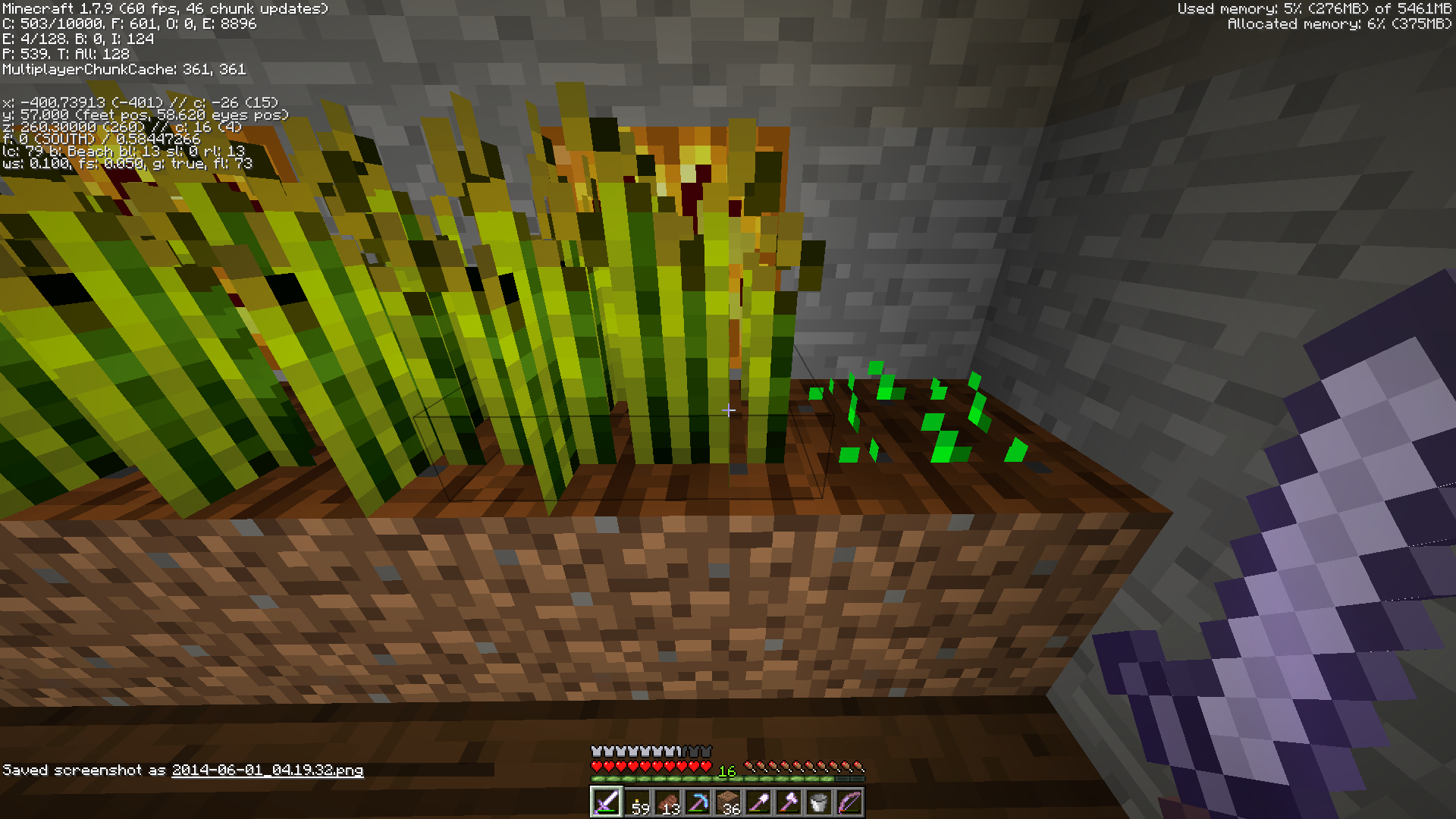
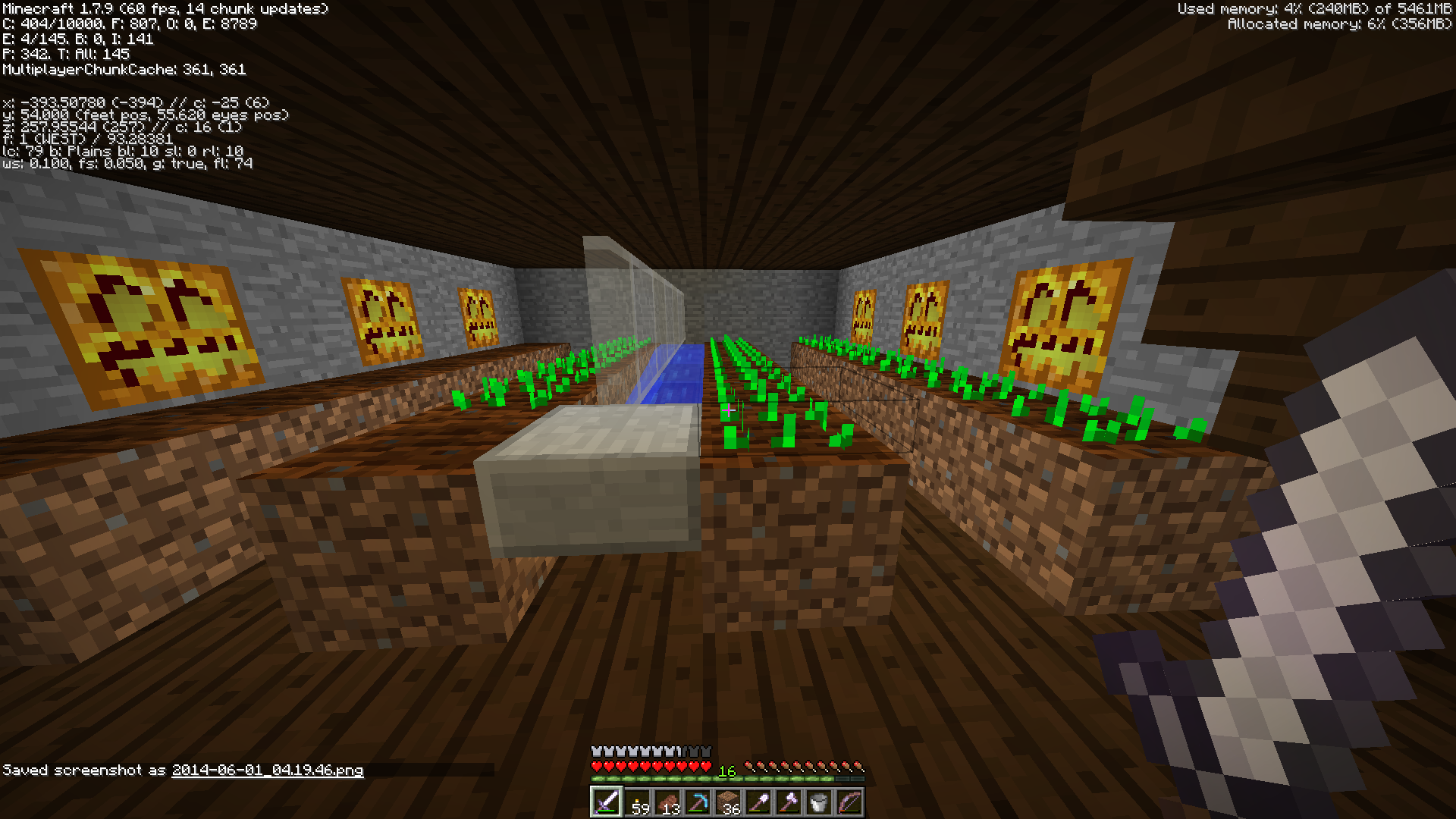
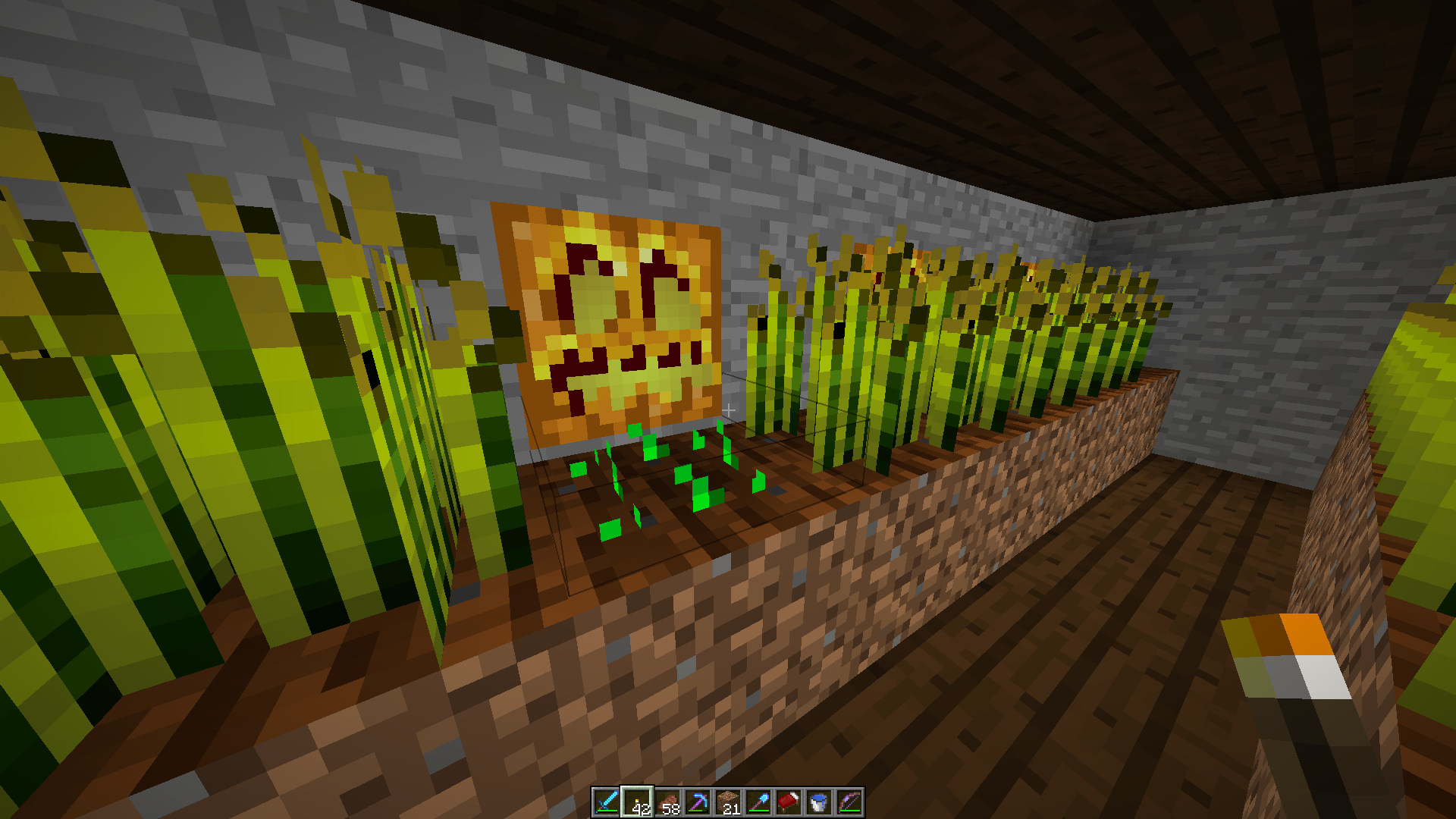
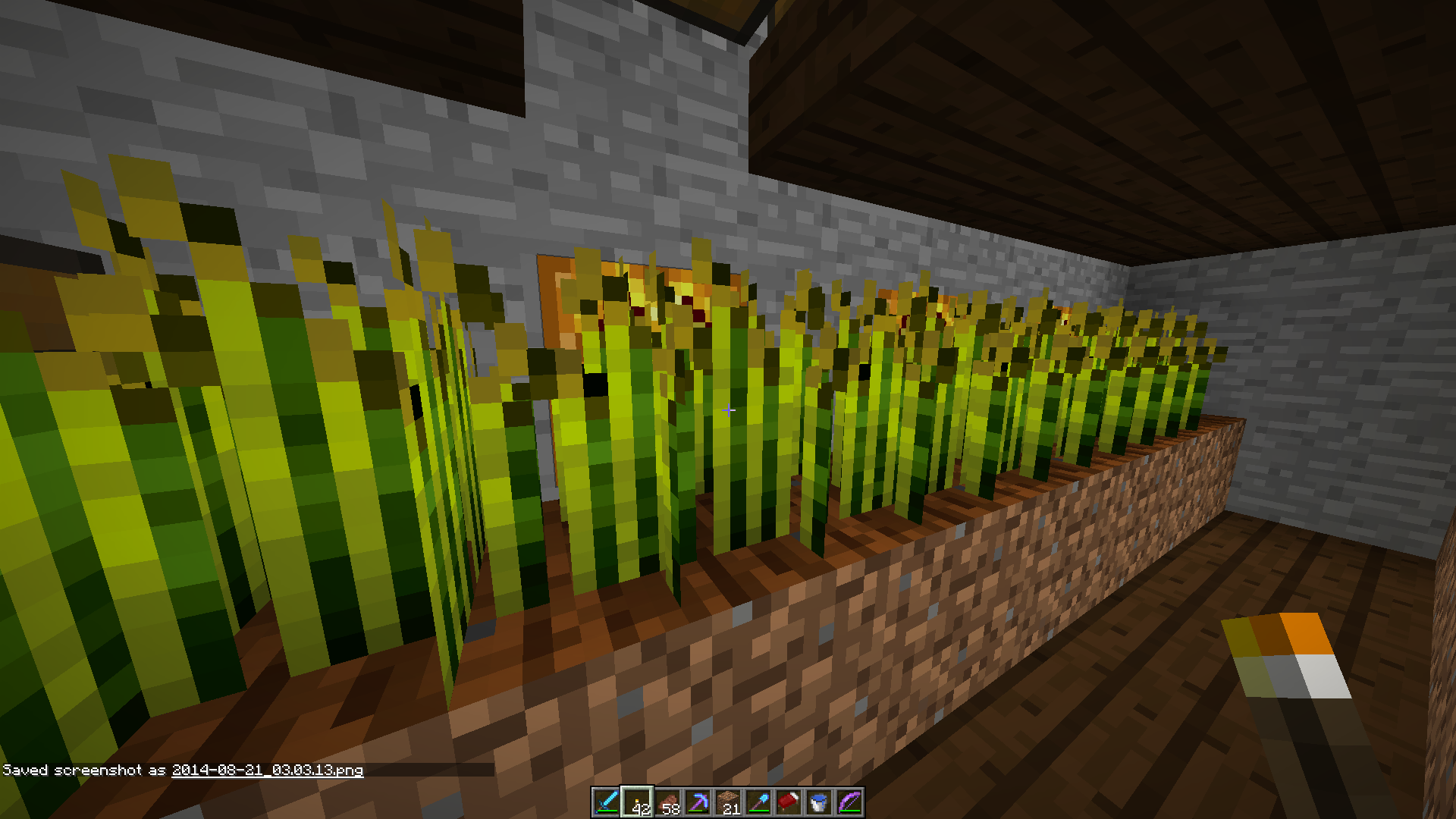
I checked 1st and saw similar reports that were closed because the issue was lighting. That is most certainly NOT the case here. Included will be several screenshots of the affected crops. Most of the Wheat seemed to grow normally. HOWEVER, 3 crops did not at all. Even after a complete harvest and replant, the same 3 crops still seem to not want to grow. NONE of the Carrots or Potatoes have grown even slightly. I have no clue how to reproduce. F3 is up for all screenshots. Seed is 7825917399226676916 if that makes any difference.
PS: The lighting method obviously works as screenshots 2 and 3 indicate different positions for the lighting vs where the crops actually grew.
++++++++++++++++++++++++
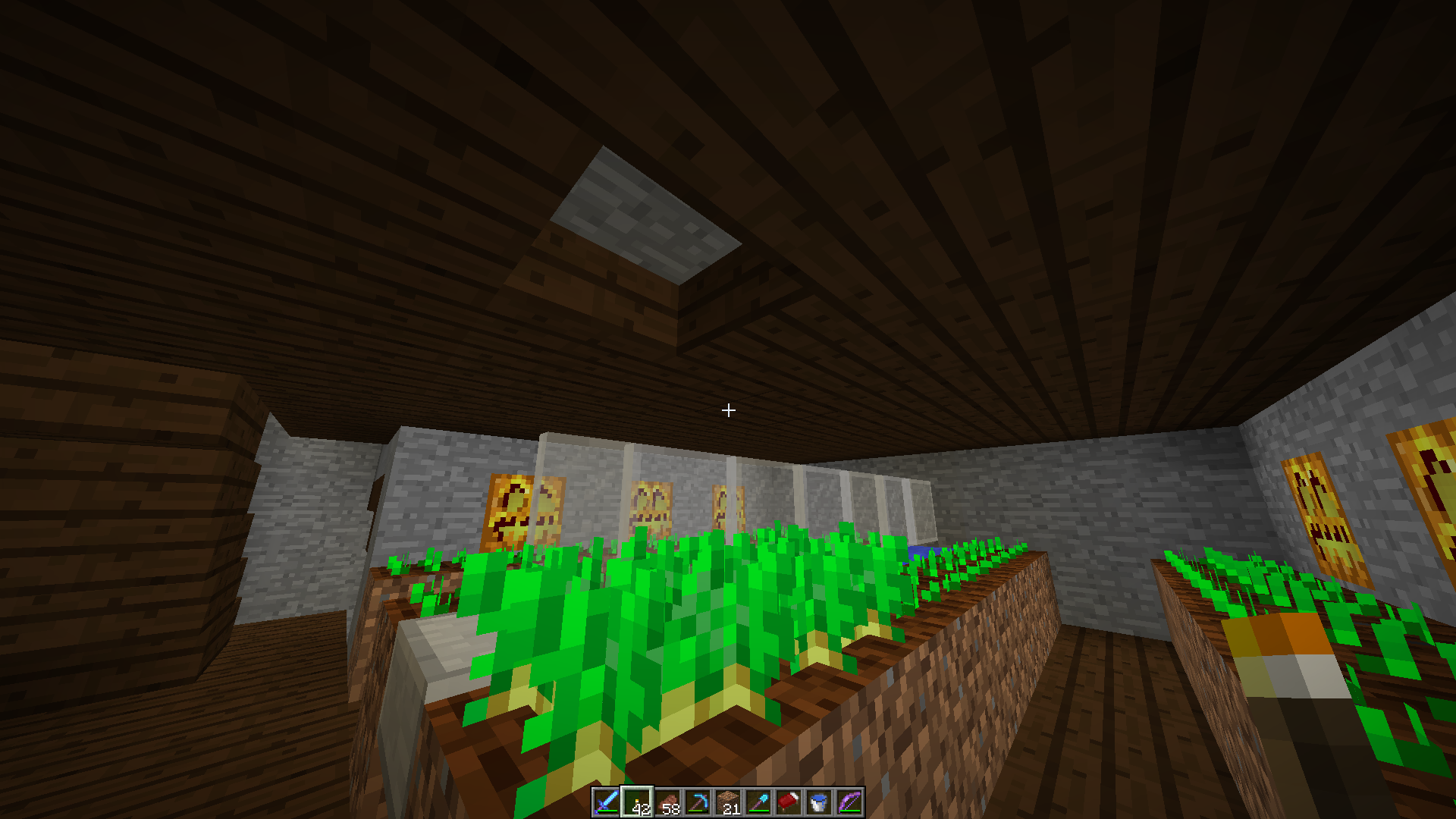
UPDATE: After downloading the world from Realms and AFKing, the crops still didn't grow. Updated to the latest version: no change. Tested by breaking the slabs above the ceiling (some crops were able to grow, others... not?)... half surprised by the results (half expected) - the crops grew (tested in 14w34d, gamerule randomtickspeed 5000). New screenshots of the test below.
Realms, Single Player
3 main issues of the same type problem:
1: Output Log does not open where you closed it, like it used to
2: Output Log does not open with the same size you closed it with, like it used to
3: Minecraft Launcher remembers last window (Launcher/Output Log) closed for size/location to open next time (see below for details)Steps (make sure "Open Output Log When Game Starts" is checked in Settings):
Open Minecraft Launcher
Launch a game
Output Log opens on Primary monitor (issue 1)
Output Log is minimum size (same minimum size as Minecraft Launcher) (issue 2)
Game opens
Close Game
Move Output Log window to desired location
Resize Output Log window to desired size
Close Minecraft Launcher
Close Output Log window
Re-open Minecraft Launcher
Minecraft Launcher opens with Output Log window size and location (issue 3)Note: if closing the Minecraft Launcher last, the Minecraft Launcher remembers its previous size/location. It seems to remember the size/location of the last of these windows
opened.Previous versions had the Output Log window size and location remain where it was moved to. Previous versions also did not have the Minecraft Launcher switch to remembering the wrong window size/location.
My setup uses 3 monitors. Left for programs I interact with while playing, plus the launcher. Middle for the game. Right for the Output Log window (nearly half the screen vertically) and Chrome (as needed). The order I close the windows (Output Log/Minecraft Launcher) is semi-random, but until now has always remembered size/location of the correct window.
3 main issues of the same type problem:
1: Output Log does not open where you closed it, like it used to
2: Output Log does not open with the same size you closed it with, like it used to
3: Minecraft Launcher remembers last window (Launcher/Output Log) closed for size/location to open next time (see below for details)Steps (make sure "Open Output Log When Game Starts" is checked in Settings):
Open Minecraft Launcher
Launch a game
Output Log opens on Primary monitor (issue 1)
Output Log is minimum size (same minimum size as Minecraft Launcher) (issue 2)
Game opens
Close Game
Move Output Log window to desired location
Resize Output Log window to desired size
Close Minecraft Launcher
Close Output Log window
Re-open Minecraft Launcher
Minecraft Launcher opens with Output Log window size and location (issue 3)Note: if closing the Minecraft Launcher last, the Minecraft Launcher remembers its previous size/location. It seems to remember the size/location of the last of these windows closed.
Previous versions had the Output Log window size and location remain where it was moved to. Previous versions also did not have the Minecraft Launcher switch to remembering the wrong window size/location.
My setup uses 3 monitors. Left for programs I interact with while playing, plus the launcher. Middle for the game. Right for the Output Log window (nearly half the screen vertically) and Chrome (as needed). The order I close the windows (Output Log/Minecraft Launcher) is semi-random, but until now has always remembered size/location of the correct window.
Environment
Might not matter
Windows 10
The bug
The game output log window does not open where you last closed it and does not use the same size it had when last closed. Instead it always appears with the same size in the top left corner of the screen.
How to reproduce
- Go to the launcher settings and check "Open output log when game starts"
- Start any Minecraft version and then stop it again
- Move the game output log window to the middle of the screen and resize it
- Close the game output log window
- Start again any Minecraft version and then stop it again
The game output log window opens in the top left corner with the default size
Environment
Might not matter
Windows 10
The bug
The game output log window does not open where you last closed it and does not use the same size it had when last closed. Instead it always appears with the same size in the top left corner of the screen.
How to reproduce
- Go to the launcher settings and check "Open output log when game starts"
- Start any Minecraft version and then stop it again
- Move the game output log window to the middle of
the screenand resize it- Close the game output log window
- Start again any Minecraft version and then stop it again
left corner with the default sizeEnvironment
Might not matter
Windows 10
The bug
The game output log window does not open where you last closed it
and does not use the same size it had when last closed. Instead it always appearswith the same sizein the topleftcorner of the screen.How to reproduce (2+ monitors)
- Go to the launcher settings and check "Open output log when game starts"
- Start any Minecraft version and then stop it again
- Move the game output log window to the middle of any other monitor and resize it
- Close the game output log window
- Start again any Minecraft version and then stop it again
leftcornerwith the default size
Environment
Might not matter
Windows 10
The bug
The game output log window does not open where you last closed it
and does not use the same size it had when last closed. Instead italways appearswith the same sizein the topleftcorner of the screen.How to reproduce (2+ monitors)
Go to the launcher settings and check "Open output log when game starts"Start any Minecraft versionandthen stop it againMove the game output log window to the middle of any other monitor and resize it- Close the game output log window
- Start again any Minecraft version and then stop it again
in thetopleftcornerwith the default sizeEnvironment
Might not matter
Windows 10
The bug
The game output log window does not always open where you last closed it
and does not use the same size it had when last closed. Instead it appears on the right side of the primary monitor when too close to the left edge of the second monitor (where the primary monitor is on the left)always appears with the same size in the top left corner of the screen. If you place the game output window a few pixels into the right monitor or further, it will load correctly.How to reproduce (2+ monitors)
- Make sure left monitor is primary monitor (windows screen settings)
- Go to the launcher settings and check "Open output log when game starts"
- Start any Minecraft version and then stop it again
- Move the game output log window to the left of the right monitor
and resize it- Close the game output log window
- Start again any Minecraft version and then stop it again
in the top left corner with the default size
Environment
Might not matter
Windows 10
The bug
The game output log window does not always open where you last closed it
and does not use the same size it had when last closed. Instead it appears on the right side of the primary monitor when too close to the left edge of the second monitor (where the primary monitor is on the left)always appears with the same size in the top left corner of the screen. If you place the game output window a few pixels into the right monitor or further, it will load correctly.How to reproduce (2+ monitors)
- Make sure left monitor is primary monitor (windows screen settings)
- Go to the launcher settings and check "Open output log when game starts"
- Start any Minecraft version and then stop it again
- Move the game output log window to the left of the right monitor
and resize it- Close the game output log window
- Start again any Minecraft version and then stop it again
in the top left corner with the default size
Screenshot descriptions
- Screenshot (21) - Output log snapped to left side of right monitor
- Screenshot (22) - Output log loads on right side of primary monitor
- Screenshot (23) - Output log a few pixels in from edge of right monitor
- Screenshot (24) - Output log loads correctly, in same place it was closed from
Environment
Might not matter
Windows 10
The bug
The game output log window does not always open where you last closed it
and does not use the same size it had when last closed. Instead it appears on the right side of the primary monitor when too close to the left edge of the second monitor (where the primary monitor is on the left)always appears with the same size in the top left corner of the screen. If you place the game output window a few pixels into the right monitor or further, it will load correctly.How to reproduce (2+ monitors)
- Make sure left monitor is primary monitor (windows screen settings)
- Go to the launcher settings and check "Open output log when game starts"
- Start any Minecraft version and then stop it again
- Move the game output log window to the left of the right monitor
and resize it- Close the game output log window
- Start again any Minecraft version and then stop it again
in the top left corner with the default size
Screenshot descriptions
- Screenshot (21) - Output log snapped to left side of right monitor
- Screenshot (22) - Output log loads on right side of primary monitor
- Screenshot (23) - Output log a few pixels in from edge of right monitor
- Screenshot (24) - Output log loads correctly, in same place it was closed from
Environment
Might not matter
Windows 10
The bug
The game output log window does not always open where you last closed it
and does not use the same size it had when last closed. Instead it appears on the right side of the primary monitor when too close to the left edge of the second monitor (where the primary monitor is on the left)always appears with the same size in the top left corner of the screen. If you place the game output window a few pixels into the right monitor or further, it will load correctly.How to reproduce (2+ monitors)
- Make sure left monitor is primary monitor (windows screen settings)
- Go to the launcher settings and check "Open output log when game starts"
- Start any Minecraft version and then stop it again
- Move the game output log window to the left of the right monitor
and resize it- Close the game output log window
- Start again any Minecraft version and then stop it again
The game output log window opens on the primary monitorin the top left corner with the default size
Screenshot descriptions
- Screenshot (21) - Output log snapped to left side of right monitor
- Screenshot (22) - Output log loads on right side of primary monitor
- Screenshot (23) - Output log a few pixels in from edge of right monitor
- Screenshot (24) - Output log loads correctly, in same place it was closed from
Environment
Might not matter
Windows 10
The bug (Updated/Cleaned Up Description)
When you have 2 or more monitors horizontally aligned and you have the game output log within a few pixels of (or snapped to the side of) the left edge of any monitor that is not the leftmost monitor, when you next launch the game the output log window will open on the right side of the monitor to the left of where it was closed. If you have the output log window far enough from the edge, it will open normally. There is no odd behavior if the output log window is at the left edge of the left monitor or at the right edge of any monitor.
How to reproduce (2+ monitors)
Make sure left monitor is primary monitor (windows screen settings)not important anymore- Go to the launcher settings and check "Open output log when game starts"
- Start any Minecraft version and then stop it again
- Move the game output log window to the left of the right monitor
and resize it- Close the game output log window
- Start again any Minecraft version and then stop it again
primarymonitor to the leftin the top left corner with the default size
Screenshot descriptions
- Screenshot (21) - Output log snapped to left side of right monitor
- Screenshot (22) - Output log loads on right side of primary monitor
- Screenshot (23) - Output log a few pixels in from edge of right monitor
- Screenshot (24) - Output log loads correctly, in same place it was closed from
Launcher window forgets last position when closed before last game output log window
Environment
Might not matter
Windows 10
The bug
Normally the launcher window remembers its last position and size when closing and reopening it. However, when a game output log window is open and the launcher is closed before that window is closed, it will forget its last position and will appear in the top left corner the next time it is opened.
How to reproduce
- Go to the launcher settings and check "Open output log when game starts"
- Move the launcher to the middle of the screen
- Start any Minecraft version and then stop it again
- Close the launcher (in case you have "Keep the launcher open while games are running" checked)
- Close the game output log window
- Reopen the launcher


I updated everything to conform with the latest incident (which is recorded). I'll be posting the video shortly.
re-logging works, BUT it is still a bug. It still needs to be re-opened and properly looked at and fixed, not given a generic 'do this to fix it when it happens'. It's VERY annoying to have to F11 or Ctl-Alt-Del, close, re-open, re-launch SMP (and, if needing to get back to items before they despawn, this is valuable time being wasted)
http://youtu.be/P6jDc9bdozg (video relating to bug)
http://youtu.be/m1BBhdTIjI0 (new video relating to bug, 1.6.2)
Would like to add additional comment: may not necessarily be sleeping in a bed per say, but there is a core issue (that several Mindcrackers experience and show in video) that has some of the basics to this (notably, the chunks stop loading and the player has to re-log).
Even if it means getting marked as a duplicate bug (to something that is different that what is currently reported as duplicate, as I believe there is some non-duplication (and this is an older bug)), can this, at least, be linked to a duplicate that someone is working on for the same basic premises (and to reference the potential risk a player has of sleeping in a bed when this bug happens)?
I saw the opposite. They replanted all the wheat, but didn't replant the carrots (assuming similar for potatoes). Figured comment on similar instead of creating new.
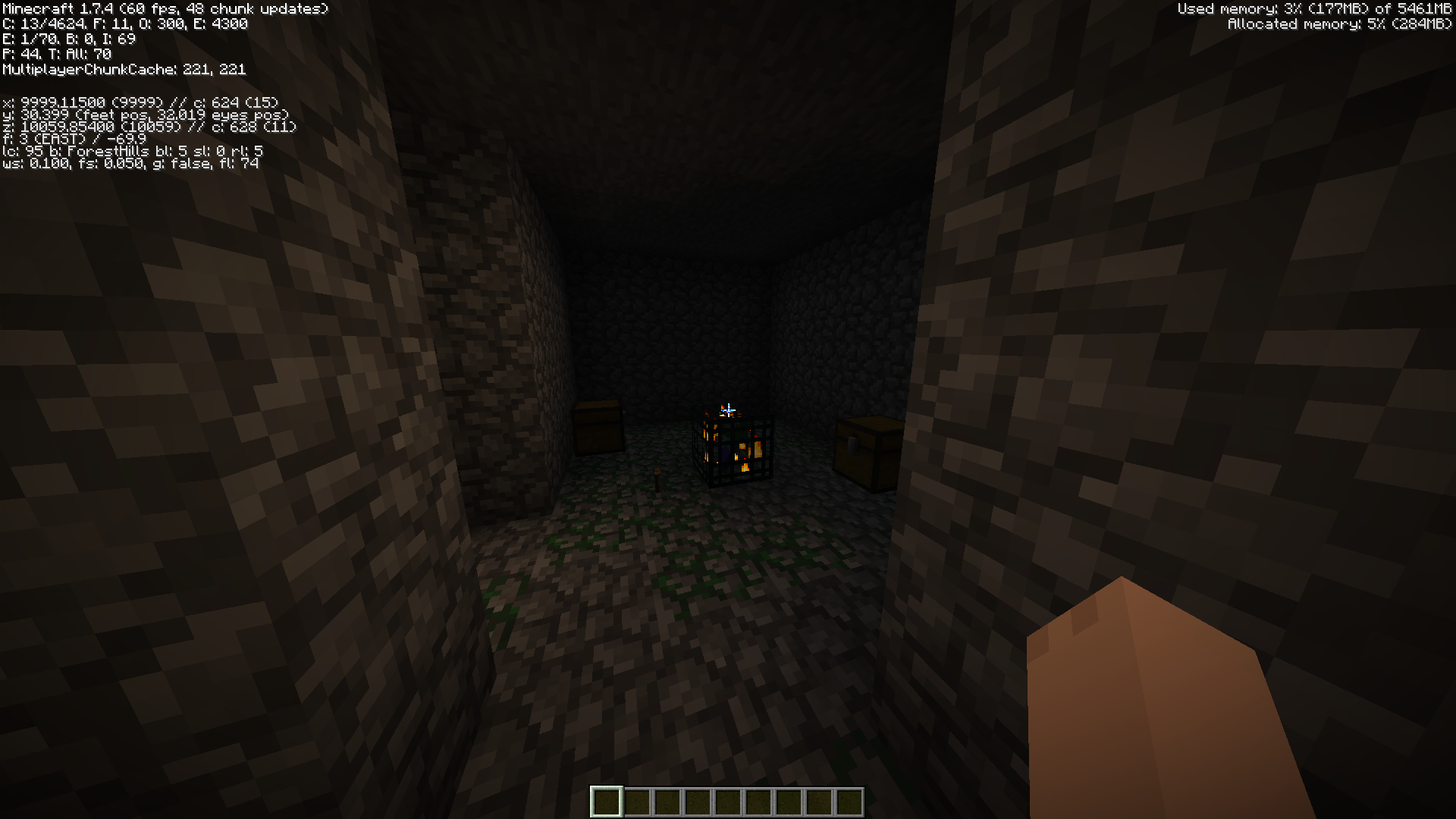
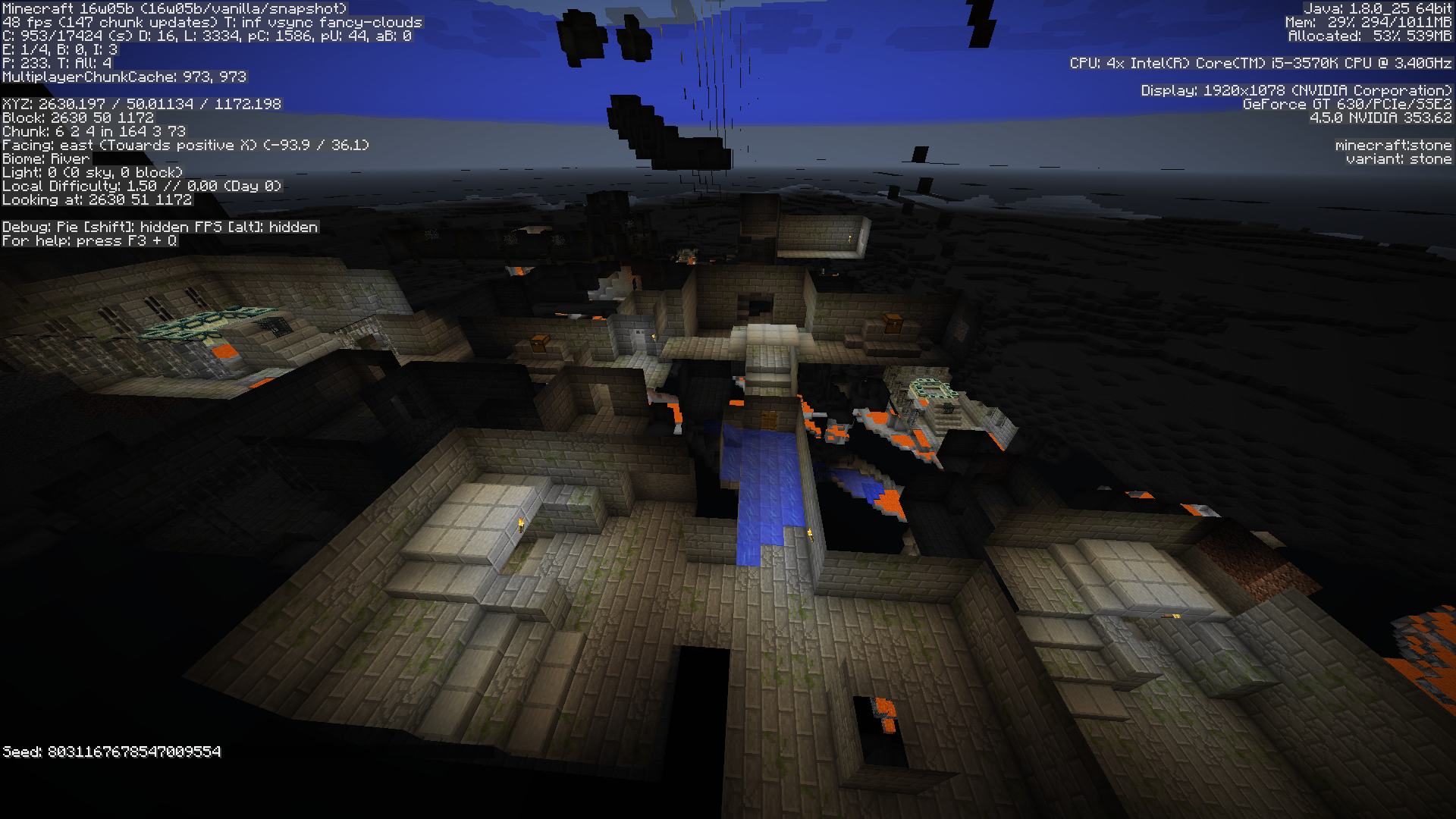
Screenshots: same dungeon from 14w06b generation (spectator mode) and 1.7.3 generation (creative mode)
this issue seems to have happened in Etho's latest Mindcrack video afaict (ct: can tell). Ep154 apx 19 minutes in.
this issue IS NOT the same as MC-38740 (this happens in pure vanilla) and this issue was created LONG before that one anyway (if anything, THAT issue should have been marked as duplicate).
if this issue is a duplicate of anything, it's the constant server bug that keeps happening to many Mindcrackers where the world just stops loading.
PS: please use logic when determining what are duplicates because issues reported 1st don't duplicate later issues. I'm getting REALLY fed up with NO responses to my comments on what is CLEARLY an issue that STILL EXISTS!!!!!!!!!!
PPS: I'm being really nice and friendly right now...
@Marcono1234 - As indicated by the "Environment" (and as shown in the screenshots), it's a Realms server world, limited to the latest full release of Minecraft (1.7.9). The ruling "outdated version" is also not realistically applicable as it is a selectable version in the list (if it were an "outdated" version, 1.7.9 would not be selectable from the "version" list). Furthermore, I was on there for HOURS, well within keeping those chunks loaded. I harvested my Sugar Cane 3 times and it was ready for a 4th harvest when I was logging off. As stated, I harvested and replanted the wheat (which, as you can see in the screenshot, definitely had time to grow). The fact the Potatoes and Carrots, which have been there for some time (and I know the chunks have been loaded because I was able to harvest the wheat and Sugar Cane right away and I had just planted them before logging off previously), and the same 3 wheat have not grown in the slightest shows that this is a bug.
That game rule was implemented in a 1.8 snapshot, so it does not exist in this version.
Included in several releases is a note that not all bugs have been reported that have been fixed. If this is one of those and it has been fixed, I will be satisfied that it won't be a problem in 1.8. HOWEVER, unless it is confirmed that it has been fixed, I see this as a bug that needs to be reported.
@grum I downloaded the world and ran it from my browser and afk'd while at work (I only think it worked for 30 minutes before pausing my game from what I understand from the launcher window after closing the game), but there was still NO progress (including all the time anyone else had been in the area to load the chunks). I'm going to continue massive afk testing (this time I've opened the world to LAN so it won't pause on the title screen). I have a question while I continue testing: how long SHOULD it take to see even 1 stage growth on any plant (some are growing as they should, some not; the 3 wheat and all the carrots/potatoes the floor down, layouts visible in already posted pics, not growing)?
UPDATE - Crops never grew. I even updated to the latest snapshot. still never grew (did the random tick speed gamerule at 5000). Tested something. It worked (which changes the very nature of this bug). I will now update the bug report to include my discoveries, including new screenshots.
What really irks me right now is the issue this has been marked as a duplicate of is from a modded client and my issue here IS VANILLA! Also, this was reported 1st. Because it has been falsely marked as duplicate, I cannot be sure if it has actually gotten fixed behind the scenes or if it's still an issue. It is rare, and it is serious.
I JUST WANT AN ANSWER TO KNOW IF I HAVE TO WORRY ABOUT THIS ANY MORE* or if it's still an issue that will never get resolved because no one listens to the little guy.
*specifically, confirmation that it has been fixed or is now made aware that someone goofed on marking this as duplicate of the wrong bug (I otherwise have no faith in this system to catch all major bugs because of the fiasco that has occurred/is occurring here).
The Moonlight map is one that DOES support UUID's.
The OTHER map I posted was from before to after.
Again, Moonlight map was downloaded and has UUID's and the 2nd bit was a similar issue I had had.
The first paragraph is my problem now. The second is another UUID problem I had had and posted because I figured there was something wrong with the UUID system having similar problems again.
I was looking for where someone already posted the strongholds not generating as intended. Still present in 16w02a. (edited to remove redundancy )
)
Still present in 16w05b.
Easiest way to verify:
Note: while you may be able to load Amidst with the latest snapshot, for what I can tell, it currently can't recognize any snapshot past 16w02a, thus requiring visual verification.
edit: after looking through Amidst some more, it's not every ring, and it's not even the same rings every time; it varies per seed. Either way, adding a screenshot now.
No opaque blocks is implied by "The effects still apply"
snapshot 17w49b
video evidence: https://www.youtube.com/watch?v=7pbNNKgnrJ4
no crash report/log
I get this problem too. It started happening about 1-2 weeks ago when the launcher downloaded new files for itself or something? Closing any* instance of the game crashes the launcher (I have a camera account I may only need briefly, so I launch a seperate profile set up to not interfere with the main profile and I close that one sooner because it's no longer needed and the launcher crashes (but the other game window does NOT crash)).
(Partial) debug crash menu: An unhandled win32 exception occurred in Minecraft_staging.exe [76132].
(the rest of that error just says I don't have anything that can debug it)
My PC specs:
Windows 10 Home
Intel i5-3570K CPU
32 GB Ram
2TB HD (1.28TB free/1.99TB usable)
Nvidia GeForce GTX 750 Ti Graphics Card
*I can run 1 instance of the game or 2 and it crashes as soon as any instance is closed
I remember reading about that being fixed (the insane high health not being intended)
That said, I agree the heath is too low for new underwater and should, imho, be increased to the same as a player (since you can’t equip armor on skeleton horses). For this, I recommend posting a feature request where appropriate.
you kind of answered your own bug report here: 6 weeks before the reported version of this report, phantoms no longer spawn in the end
slightly off topic of this bug report:
Main reason I'm bringing anything up is: how do you artificially change how long it's been since you slept. I'm testing to see if Phantom spawning is broken in 1.14 or if I've just been unlucky.
Want to note that kruthers is incorrect (tested on Realms) - spawn chunks and player loaded chunks do not render when in spectator with gamerule spectatorsgeneratechunks false
also, update - still an issue in 1.14.1 prerelease 2
Next time this happens, I’ll check the log files before logging in
This is also an issue on Java Realms
I would, please, for being the reporter.
I would probably say "Game Output Log window" in the bug section to avoid confusion with the game window itself?*
By previous versions, I mean previous launcher versions with both the old and new launcher. I think the previous version of 2.1.932x it worked (I got the version history off the wikipedia). It definitely did work within the last month.
*edit - I realized I can edit this one, so I made the change
Thank you for splitting into two bug reports (wasn't 100% sure if it was the same bug or two different ones)
Changes for clarity I'd recommend:
Title, "bug" & Step 5 - "game output log window"
Bug is 95% fixed. Game Output Log closed on monitor 3, appears on primary monitor next launch, if too close (within apx 10 pixels of) to edge of monitor (including snapped to side). DOES keep custom size now.
My setup: monitor 1 on left, launcher loads here; monitor 2 in middle, set as primary, game launches here; monitor 3 on right, game output meant to load here.
I realize this is likely a very niche case, but it is technically still a bug. Will edit bug for clarity and include screenshot of my setup and the result from game launch as well
This bug appears to be fixed with the latest launcher release
This comment is to elaborate on the issue from my POV, but is not critical for the description of the issue.
This severely impacts my base area as I now have to re-outline the area, dig up some grass and place others, and hope and pray that it doesn't overlap with any existing builds I've done. Rolling back is not a viable option as this is a server and this issue isn't game-breaking. It's just an extreme annoyance/inconvenience and raises a HUGE concern that something like this may happen again in the future.
In the current version of the launcher (and for some unknown amount of time since this issue was previously fixed), the order of the games listed is no longer listed alphabetically in the Play screen (only the Installations). As this was properly fixed previously, and is once again broken, I'm assuming this is not as intended.
Let me emphasize: this was previously fixed to work with the list sorted alphabetically in the Play menu AND Installations menu, with the option appearing in the Installations menu
This occurs with both currently updated versions of the launcher (from the website and from the MS store).
Everything is up-to-date.
PS: I've updated the description to be more accurate to the current bug.
PPS: I'm not considering it a bug that when you snap the window to the left edge of the left monitor that when you relaunch, it's not snapped to the left edge; it's on the left side where you would expect it, but only with the left monitor.
PPPS: I've tested with other programs and they open as expected: in the same spot you closed them, even if straddling across two monitors.
This is a bug that at some point was unfixed/rebroken and is now in the latest versions of both the website launcher and the MS store launcher
Going to add that, rarely, the location and size fully resets and it opens in the top-left corner of the left most monitor to the default size