![[Mojang] Petr Mrázek](../../../data/avatars/users/26709.png) [Mojang] Petr Mrázek
[Mojang] Petr Mrázek
- peterix
- peterix
- Europe/Stockholm
- Yes
- No



![[Mod] Les3awe](../../../data/avatars/users/79847.png)






 [Mojang] Petr Mrázek[Mojang] Petr Mrázek[Mojang] Petr Mrázek[Mojang] Petr Mrázek[Mojang] Petr Mrázek[Mojang] Petr Mrázek
![[Mojang] Nathan Adams](../../../data/assets/gravatar/dinnerbone.png) [Mojang] Nathan Adams[Mojang] Petr Mrázek[Mojang] Petr Mrázek[Mojang] Petr Mrázek[Mojang] Petr Mrázek[Mojang] Petr Mrázek[Mojang] Petr Mrázek[Mojang] Petr Mrázek
[Mojang] Nathan Adams[Mojang] Petr Mrázek[Mojang] Petr Mrázek[Mojang] Petr Mrázek[Mojang] Petr Mrázek[Mojang] Petr Mrázek[Mojang] Petr Mrázek[Mojang] Petr Mrázek MCL-9767 →
  MCPE-36249
Windows 10 Home Edition - last Win updates successfully installed
HP Laptop mit 12 GB RAM,
[Mojang] Petr Mrázek[Mojang] Petr Mrázek[Mojang] Petr Mrázek[Mojang] Petr Mrázek[Mojang] Petr MrázekMCL-10147 →  MC-138815
launcher crash befor launchin the gameJava does not work with Unicode paths on Windows
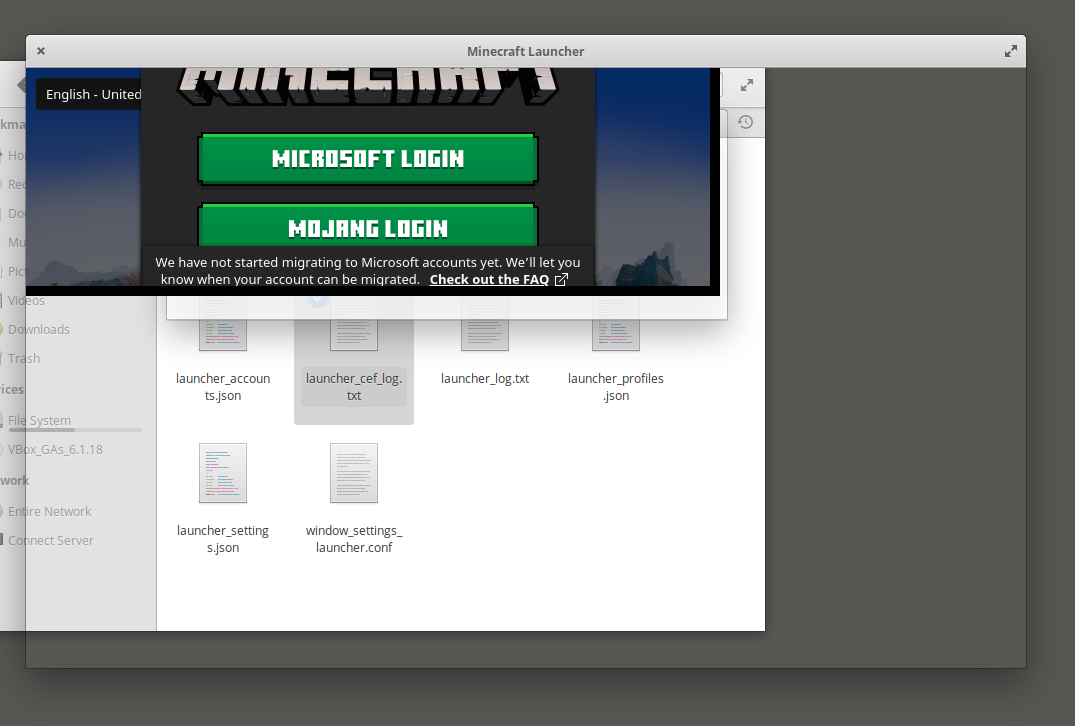
hey, I am unable to open Minecraft. I can click the app, and then the first page opens. then after clicking play the game will load and then disappear. I will click on the app again and when I go to click play for a second time it says that there is a game already open.Or after when I click play the game goes away and comes back, like usual, but then it stays on the second page( with MOJANG written in the middle) I have tried removing and reinstalling Minecraft and java, and tried the game in different versions. nothing has helped ithey, I am unable to open Minecraft.
I can click the app, and then the first page opens. then after clicking play the game will load and then disappear. I will click on the app again and when I go to click play for a second time it says that there is a game already open.
Or after when I click play the game goes away and comes back, like usual, but then it stays on the second page( with MOJANG written in the middle) I have tried removing and reinstalling Minecraft and java, and tried the game in different versions. nothing has helped it
hey, I am unable to open Minecraft.
I can click the app, and then the first page opens. then after clicking play the game will load and then disappear. I will click on the app again and when I go to click play for a second time it says that there is a game already open.
Or after when I click play the game goes away and comes back, like usual, but then it stays on the second page( with MOJANG written in the middle)
I have tried removing and reinstalling Minecraft and java, and tried the game in different versions. nothing has helped ithey, I am unable to open Minecraft.
I can click the app, and then the first page opens. then after clicking play the game will load and then disappear. I will click on the app again and when I go to click play for a second time it says that there is a game already open.
Or after when I click play the game goes away and comes back, like usual, but then it stays on the second page( with MOJANG written in the middle)
I have tried removing and reinstalling Minecraft and java, and tried the game in different versions. nothing has helped it
[Mojang] Petr Mrázek[Mojang] Petr Mrázek[Mojang] Petr Mrázek[Mojang] Petr MrázekMCL-11079 → MC-154892[Mojang] Petr Mrázekrelates to
MCL-11090
[Mojang] Petr MrázekPlease attach the full launcher log found in minecraft/launcher_log.txt.
[Mojang] Petr MrázekCan you share the Minecraft `launcher-log.txt`? It should be in ~/Library/Application Support/minecraft/
[Mojang] Petr MrázekYou are currently using a non-authorized version of Minecraft. If you wish to purchase the full game, please visit the Minecraft Store.
We will not provide support for pirated versions of the game, these versions are modified and may contain malware.– I am a bot. This action was performed automagically!
Please do not mark unreleased versions as affected.
You don't have access to them yet.
[Mojang] Petr Mrázek[^minecraft-launcher-libcurl-fixed.deb]
[Mojang] Petr Mrázek[Mojang] Petr Mrázek[Mojang] Petr Mrázek[Mojang] Petr Mrázek[Mojang] Petr Mrázek[Mojang] Petr Mrázekrelates to
relates to
[Mojang] Petr Mrázekduplicates
is duplicated by
duplicates
[Mojang] Petr Mrázekis duplicated by
[Mojang] Petr Mrázek[Mojang] Petr Mrázek[Mojang] Petr Mrázekduplicates
is duplicated by
is duplicated by
duplicates
If you use this `launcher_settings.json`, does it help?
{ "channel" : "testing", "customChannels" : [ "testing" ], "formatVersion" : 0, "locale" : "en-US" }
MCL-17546 → MCPE-123883[Mojang] Petr Mrázek[Mojang] Petr Mrázek[Mojang] Petr Mrázek[Mojang] Petr Mrázek[Mojang] Petr Mrázek[Mojang] Petr Mrázek[Mojang] Petr Mrázek[Mojang] Petr Mrázek[Mojang] Petr Mrázek[Mojang] Petr Mrázek
What does "trello" mean? ([Mojang] Petr Mrázek added it as a label)

Confirmed, Launcher 2.1.2031-beta on Windows 7.
[Mojang] Petr Mrázek I got 2 directories, one is the default .minecraft, the second one is for snapshots only, so I called it .mc-snaps.
I didn't have any problems previously, but I get the same error with the Beta-Launcher.
I think I could reproduce it / got a suspicion how this happened:
In my regular Launcher, I got the snapshot profile set to .mc-snaps.
For some reason - without any doing from my side - the Beta-Launcher must have reset the game directory from .mc-snaps to default .minecraft in the regular Launcher, which then "backfired" against the Beta-Launcher, as it didn't allow it to have a different directory than the regular Launcher.
I currently assume that the Beta-Launcher and the regular Launcher are somehow connected in a way, and when the Beta-Launcher reset the game directory for the regular Launcher, I couldn't set a different game directory anymore for the Beta-Launcher, as it seems to "know" that the snapshot-game directory of the regular Launcher is .minecraft.
I could reproduce this like so:
1. Start the regular Launcher, set the snapshot-directory to something else than default, e.g. .mc-snaps, click "Save"
2. Start the Beta-Launcher, try to set the snapshot-directory to something else than .mc-snaps, e.g. the default .minecraft, click "Save"
>>> Get the error as the screenshots show
>>> Notice that, although you got that error, it still set the snapshot-directory to the default .minecraft
3. Try to set the Beta-Launcher snapshot-directory again to .mc-snaps
>>> Get the same error again.
4. Start the regular Launcher, look into the settings of your snapshot-directory, which you had previously set to .mc-snaps
>>> Notice that the error which occurred in the Beta-Launcher reset the snapshot-directory of the regular Launcher
TLDR: You cannot have 2 different game directories separately for Beta- as well as regular Launcher; Beta-Launcher seems to have overwritten the custom game directory entry of the regular Launcher, and in general both Launchers seem to share the "information" as of where the other Launcher sets their directories for each profile to.
So, that has absolutely nothing to do with the game, and is how the launcher works. It is based on Chrome, and uses three sub-processes. This works as (currently) intended.
Your issue with the game being slow is a separate one.
@ziggurism looks similar (it's happening roughly in the same place), but not entirely the same.
Does it happen every time for you, or only sometimes?
There are changes for this in the current version.
Upgrade to the current version may still be bad, we'll see what happens with the next one. Fingers crossed!
So, I see this as two issues:
WEB-1004, those versions have nothing to pull sounds from, and the launcher doesn't have anything correct to give them either. This will be fixed in the future, likely both in metadata (it doesn't exist and the sound files need to be pulled from old archived versions and the s3 bucket) and the launcher (to make it behave as the old versions did, and not destroy/affect modded resources).We will need the old sound data uploaded to the current assets storage, we will need new metadata (assets indexes) made for the old releases AND we will need launcher changes to fix this properly.
For now, I marked this as related to
MCL-6280, but the launcher changes for this should likely be split off into a new ticket.Issue 1 should be now partially fixed in intdev.
Ok. That's definitely a second issue. I have some ideas about what it could be caused by, but can't reproduce it myself. It is a visible when I use helgrind though.
I'll fix the issues I see using that. Please test and report if it's better in the next version of the launcher.
@Michael which version were you updating from? It cannot be 2.1.1216, because that is the latest.
Please attach the updateLog.txt and ideally a screenshot of any error dialog box that came up.
You can normally find the update log in C:\Program Files (x86)\Minecraft
Sadly, we cannot fix the updater in the already installed launcher retroactively. That requires an update, and if the updater doesn't work... you get the idea.
The updater has been changed in a recent version (1143) – effectively, if it fails, it will fail differently, and the log should have more details about what is happening. So, if anyone can reproduce something similar (update failure) when going from 1143 or newer to the current version, this should be reopened.
As for the workaround: the real workaround is to reinstall the launcher, because that will get you the current version – the installer has been updated and now installs the current version instead of one from 2015. The new updater will also tell you to do this when everything else fails.
This is 'almost fixed' - the log line limit does work now, but is not immediately applied when you change it using the dropdown.
It is applied when you change log levels, or when a new line is appended to the log.
This should be fully fixed in the next release (fixed in current code).
This should be partially fixed in the next release:
I'll have to look into the rest of the issues here...
Well, the download link is now taking the URL from the version manifests and will not show broken download links.
But we still don't have these links in the manifests.
So it's fixed in the launcher, but missing in the data. It is technically fixed, because a missing link cannot be incorrect.
That has been changed in the latest version.
Cannot reproduce this in the current version.
We simply do not have download links for those old versions.
Now it:
So, possible solutions:
Launcher UI layout problems have nothing to do with server links being right or wrong.
Missing jars are a data problem, and need to be handled separately. As for why the jars aren't available... I'm guessing it was low priority to hunt for them when the new system was put in place. I think it deserves its own ticket too.
Let's split the layout going crazy, and the missing jars, into new tickets, and close this one. Can you open them?
Another possible solution is to redo the whole skins page... Which honestly wouldn't be a bad idea at all. We have problems with users not understanding how to use it, and it not meeting expectations.
When you blindly inject different language codes into the links, you end up on https://www.gamepedia.com/, which is simply not useful at all.
For example:
https://minecraft-cs.gamepedia.com/Minecraft_Wiki (Czech) exists.
https://minecraft-mk.gamepedia.com/Minecraft_Wiki (Macedonian) doesn't.
So, why should it change? It opens in a browser – an entirely different application that handles this separately. Click one of the available languages there.
We do not own or maintain the browser(s), or that website.
That would make sense.
Indeed. The translations are community-submitted. We can't really have URLs as strings without risking abuse.
I'm not sure how you are typing it, but copypasting the character from here results in two code points. the `´`' itself, and a second, invisible code point.
Sounds like we need to update the browser engine to get rid of this.
How was the launcher installed?
Yes. Probably a headless install instead of the normal one.
That's why I'm asking how it was installed, because the .deb package on minecraft.net should depend on the normal, non-headless Java 8.
Launcher was installed from the tarball.
I got the user to run dpkg -l | grep openjdk and this is the output:
Indeed, this is headless java.
Thank you for your report!
However, this issue has been closed as Invalid.
Your game, launcher or server is modified.
If you can reproduce the issue in a vanilla environment, please recreate the issue.
Quick Links:
📓 Issue Guidelines – 💬 Community Support – 📧 Customer Support – 📖 Game Wiki
Found where this is coming from – we are blindly initializing the log before we know where things should go in the launcher bootstrap.
What do you mean by window content?
The only odd thing I see is the frame, and the frame is not window content. There is not a single line of code that would be responsible for drawing a window frame in the entire launcher codebase. It's the responsibility of your window manager/compositor.
The UI will be overhauled in the future and this is not a major issue. 'Works as implemented', essentially.
This is just how it works... there is no meaningful use for clicking 500 times a second. It is not attainable using human hands.
If you want automation of what the launcher does with configurations, access the data directly.
What sort of directory are you setting?
This is not a bug.
Settings file needs to be saved into a temp file and then atomically swapped when it is fully written to the harddrive.
This works as intended.
Looks reasonable to me, nothing is moving around:
So, this appears to be fixed in the latest beta builds. I'm not quite sure when it happened, but it happened.
It is not clear what is going on here. We'll need the launcher and game log.
@Matthew: This is a GPU driver crash and it has nothing to do with the launcher.
See: https://bugs.mojang.com/browse/MC-32606
Also, your problem is a separate one, because this issue was logged for macOS, not Windows.
You put a unicode character in your system user name (Lord³) and all of the Minecraft data ends up under that.
This will not work on Windows because of some critical issues in Java itself. It cannot load anything reliably from such locations. It is also not likely that this will ever be fixed – Sun and Oracle have been ignoring this for more than a decade and have done nothing to improve the situation.
You should be able to work around the issue if you rename your Windows user profile / user profile folder:
https://www.ghacks.net/2011/03/28/how-to-change-a-windows-account-name-and-user-profile-folder-name/
It's the '³'.
Fixed in latest beta build
Fixed in latest beta build
Replicated on current stable release, and fresh dev builds.
This is most likely an issue with recaptcha:
We should look into this and fix it.
I am unable to replicate this issue on fully updated Ubuntu 18.04. The launcher deb package depends on either libcurl3 or libcurl4 – it does not care which, or what kind of SSL library it is linked with, because the library is loaded at runtime. I have verified that the package manager is perfectly fine with swapping between libcurl3 and libcurl4 while the launcher is installed, and that the launcher starts in both cases.
Did your cmake, virtualbox and steam packages come from the distribution repositories, or have you installed them from some external source?
Do you use the official package for the launcher (https://launcher.mojang.com/download/Minecraft.deb)?
Confirmed by user as an external issue with the tools used for installation.
Which version of the game are you trying to play?
Sounds like you don't have locales set up correctly:
https://wiki.archlinux.org/index.php/Locale
And that we aren't catching the exceptions from broken locales.
Looks like we are injecting spaces around `=`
We updated the CEF libraries in the current version. Does it help with this in any way?
Can you share the Minecraft `launcher-log.txt`? It should be in ~/Library/Application Support/minecraft/
Looks like the files are being used by something else, for some reason.
Have you tried rebooting the machine?
If it happens after that, can you check in task manager or process explorer if Java is still running somewhere in the background?
Can confirm that this is an issue on SparkyLinux. Looks like some odd X11 bug.
Testing the equivalent version of chrome (3202 branch) does not reproduce the issue, so this is CEF and/or launcher specific.
Fixed in beta.
Use `update-java-alternatives` or equivalent. Setting the default system Java to use is not the launcher's business.
For examples of use of `update-java-alternatives`: https://aboullaite.me/switching-between-java-versions-on-ubuntu-linux/
And yes, you can set the java per installation, but that's super annoying if you have many. We should have some global java settings for that.
What output do you get when you run:
curl -v https://launchermeta.mojang.com/v1/products/launcher/6f083b80d5e6fabbc4236f81d0d8f8a350c665a9/linux.json
And yes, install the package if it's missing first.
If you rename or move ~/Library/Application Support/minecraft/launcher, does it help?
It is not clear what version of the launcher it is, and what system you are using.
Please:
That looks sane...
What about these:
LD_DEBUG=libs minecraft-launcher 2>&1 | grep libcurl
strace -f minecraft-launcher 2>&1 | grep cert
Hmm, please attach the whole strace from just starting and closing the launcher.
strace -f minecraft-launcher > strace.log 2>&1
Also, what does the /etc/ssl/certs/ca-certificates.crt file look like? It should exist and contain a whole bunch of base64 encoded data.
Can you share the file too, if it exists?
I installed the same distro and cannot reproduce the issue. One discrepancy is that on your system, it is loading /usr/lib/x86_64-linux-gnu/libcurl.so instead of /usr/lib/x86_64-linux-gnu/libcurl.so.4
So, let's find out where that comes from:
dpkg -S /usr/lib/x86_64-linux-gnu/libcurl.so
And what it depends on:
readelf -d /usr/lib/x86_64-linux-gnu/libcurl.so
ldd /usr/lib/x86_64-linux-gnu/libcurl.so
Removing libcurl4-nss-dev and libcurl3-nss should fix the problem.
The root of the issue seems to be that the nss-based libcurl is using outdated certificates baked into libnssckbi.so. This doesn't work.
Yeah. We just need to be more specific about the libcurl we want from the system.
Shouldn't be too hard to fix
Can you test with this one?
https://drive.google.com/file/d/19itcfEdP7tGY40gGI37M3FyhgGe3pBNq/view?usp=sharing
Can you post the output of ldd minecraft-launcher?
And LD_DEBUG=libs minecraft-launcher?
So it's stopping fairly early before the networking gets initialized.
Interesting.
How about these?
ldd liblauncher.so
strace -f minecraft-launcher > strace.log 2>&1
Yes, rename or move that folder. Or delete.
You can get to it by following https://help.mojang.com/customer/portal/articles/1480874-where-are-minecraft-files-stored-
libgconf-2.so.4 => not found
Well, you are missing this one. It is required by the CEF libraries.
Something in the vast pile of libraries and dependencies does.
If your system does not provide the required dependencies, it is impossible to support it.
Yeah, CEF wants it. We use a fairly old version of it, and could possibly stub these out if it has no side effects.
I'll have to find out what are these used for first.
I don't think it is. This was caused by corrupted launcher files on macOS. That one was caused by a broken display drivers on Windows 10.
In any case, we need to harden the launcher against this sort of issue, detect the problem, and force a re-check of the files when the UI does not start properly.
I believe this case has been resolved. We're tracking possible solutions to the underlying problem internally.
So far, cause unknown, and we haven't seen this in testing or when this version was in beta.
All of the logs seem to end right before the launcher checks if it's already running and exits if it does.
So, stopping any leftover launcher processes might fix this. Alternatively, reboot the machine if you don't know how to stop processes.
I've reverted the launcher version back to 2.1.5964.
The launcher should update and the problem should be gone.
Can you confirm?
The minecraft launcher is not delivered via flatpak.
Any such copy is illegal.EDIT: Nevermind, it seems to be downloading the launcher and wrapping it in some weird way.
Still, not supported. We don't ship the launcher this way.
I wouldn't recommend this to anyone.
No matter how hard you try, something will conflict in the end. I've tried going the 'full dependency tree shipped' route before, and what it gives you is an illusion of compatibility.
It pretty much falls apart the moment you need system libraries. And anything interesting will. Graphics, desktop/platform integration, the requirement of speaking the same versions of protocols (like talking to a screen reader over DBus) , so on, and so forth.
The sensible thing to do is to rely on the available stable ABIs. GTK, Qt, libcurl, glibc, libstdc++ - these all have stable ABIs and you can ship software based on them without shipping them on linux.
So, I'd rather go in the direction of minimizing the direct dependencies and not shipping anything that can get security updates from the OS.
It would need some research first. There's a lot of code in the launcher. The libc part is the smallest, and probably the easiest thing to handle.
At least that one is in the launcher only.
The source code of course doesn't call `_realpath_chk` - it calls `realpath`. Which means it's probably turned into `_realpath_chk` by some macros.
I found this thing:
https://code.foxkit.us/adelie/gcompat/tree/8d4cfd83df0aa386282bba149fd3f790745cfea8
It might help?
Right. I managed to get rid of __realpath_chk, by not using the POSIX 2001 version of realpath that has horrible buffer size issues.
Here's a tarball:
https://drive.google.com/file/d/1VOywd6XHRW6rcFfuPt-4MlSKDyFjINrg/view?usp=sharing
In any case, here's the environment the launcher is built in:
So, bundling libraries from Ubuntu 16.04 would be the closest approximation you could possibly get for your wrapping efforts. No guarantees, of course.
Looks like you are using a version of Java that is not compatible with older versions of Minecraft.
You need Java 8.
You are on linux, and on some linux distributions, the maintainers decided to stop shipping Java 8. You may have to find an alternative way of obtaining it, and ensure that it is used by the game.
@Aljaz S. No, you ran into mods being broken and abusing Java internals. That has nothing to do with this issue.
You will have to use Java 8 with modded and old versions. Anything above 8 will not work.
This should now be fixed.
That sounds like you put the executable (`.exe` file) on your desktop instead of a shortcut.
The launcher is not supposed to run from the desktop folder. When you put the executable there, it will download all the other parts of the launcher and put them next to itself.
Learn the difference:
https://en.wikipedia.org/wiki/Shortcut_(computing)
In any case, this works as intended. And you might want to use the installer instead: https://launcher.mojang.com/download/MinecraftInstaller.msi
If you still want to use the .exe file, put it somewhere else and make a shortcut.
The problem has been resolved in multiple places - the backend services, the main launcher executable, and the update checking logic in general. It should be very hard for it to fail in similar way ever again.
The problem has been resolved in multiple places - the backend services, the main launcher executable, and the update checking logic in general. Closing.
Try renaming D:\BS\game to something else. Does it help?
Please test with the latest release, it looks like your issue is related to
MCL-12341, which has been fixed.I don't know. Post the whole log file.
Can you post what the launcher prints in the terminal when you do this?
Also, what GPU and GPU drivers are you using?
What are the contents of the report?
The cause is most likely different. Open a new bug please.
It seems to be related to the skins functionality and/or the parser code in the skins implementation.
Attached report as a file, so it doesn't expire on pastebin.
We do not have enough information to find the cause of this issue.
Please attach the full launcher log found in minecraft/launcher_log.txt.
This issue has been temporarily closed as Awaiting Response. Once the requested information has been delivered, the report will be reopened automatically.
Quick Links:
📓 Issue Guidelines – 💬 Community Support – 📧 Customer Support – 📖 Game Wiki
Sounds like a network problem, really. Have you tried turning your router off and on again?
And no, not a joke. I've seen that work for such problems way too many times.
This should be resolved in the next release.
We are encrypting sensitive parts of the log with asymmetric keys (https://github.com/jedisct1/libhydrogen) to prevent exposing them to third parties when logs are posted on the internet.
These are the places where this is used:

So:
Please attach the full launcher log found in minecraft/launcher_log.txt.
It's not clear what is causing this, but the log should be a reasonable baseline for investigation.
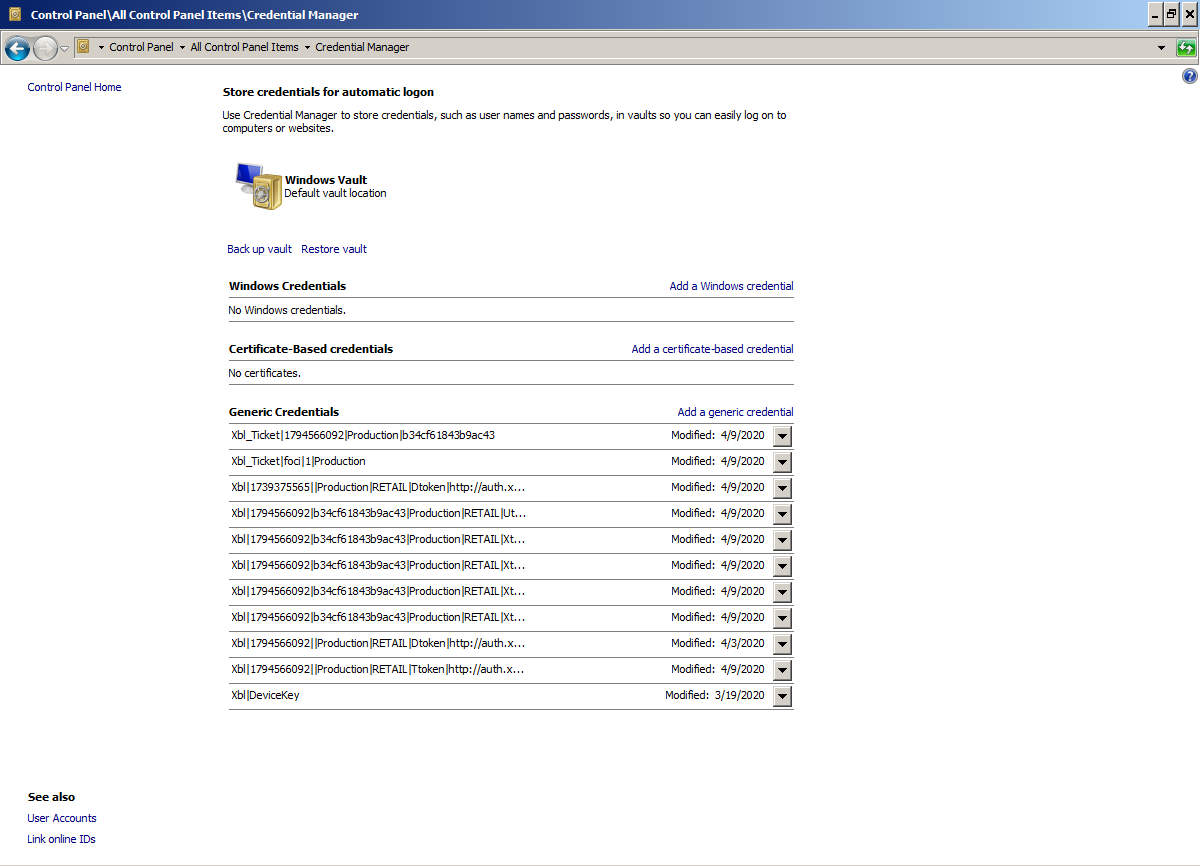
As a workaround, you might be able to go into the Windows credential store and delete the entries related to the launcher and dungeons:

It looks like your system can't access some servers needed for MS authentication to work.
I see this in the log:
[Info: 2020-05-26 12:42:13.7345673: NetQueue.cpp(549)] NetQueue: Starting net action device.auth.xboxlive.com [Error: 2020-05-26 12:42:13.8293565: NetQueue.cpp(425)] NetQueue: No ip address available. Error code 7, Host: device.auth.xboxlive.com [Info: 2020-05-26 12:42:13.8295726: NetQueue.cpp(460)] NetQueue: Action failed with result "Failed to connect to device.auth.xboxlive.com port 443: Address not available" (7) : device.auth.xboxlive.comWhat happens when you run `ping device.auth.xboxlive.com` in command prompt?
Same for `ping vortex.data.microsoft.com`?
You can get into command prompt like this:
How did you install the launcher?
I've tried this out, and it looks like Fedora 32 doesn't include the GUI version of Java. Only the headless package is installed by default.
This could fix your problem:
This is not a problem with the launcher. It's a problem with some third party mod for the game.
You should seek help elsewhere. Try to contact whoever made `EnchantmentDescriptions`.
Should be fixed in current Beta release.
Please update the launcher to the latest version and test again.
The launcher now:
Both should solve the problem.
This is definitely not related to
MCL-4011- they are different issues.Workaround:
After the launcher starts for one of the users, delete `/tmp/MinecraftLauncher`. It should update for others, and they also need to delete the folder.
We'll need a proper fix for this.
Alternatively, run the launcher like this from a terminal:
Is there a `launcher_log.txt` to go with those other logs? Can you also attach it?
You may be able to convince the NVidia driver to work correctly if you make the `javaw.exe` shipped by the launcher run with "High-performance Nvidia processor" in NVidia control panel.
The full path to the executable is:
Unless you changed the installation path.
Note that this is a workaround, please keep the issue open.
Issue is caused by the launcher executable being in a symlinked path.
OK. That `launcher_log.txt` is from before the update, so it doesn't show the error, and this errors out way too early.
Can you copypaste the error(s) or chunk of log you get when running it from the terminal here?
We just released a new build of the bootstrap (918) that fixes the issue that causes this.
You may have to delete `~/.minecraft/launcher` to get it to grab the good version.
Hello!
Just pushed update 921 to the launcher bootstrap. It should fix the problem for you. Grab it from https://www.minecraft.net/en-us/download/alternative/ or the AUR.
This is hopefully the final update that needs any manual action in a long while.
If you are still having issues after updating it, remove the contents of ~/.minecraft/launcher and start it again.
Hello!
Just pushed update 921 to the launcher bootstrap. It should fix the problem for you. Grab it from https://www.minecraft.net/en-us/download/alternative/ or the AUR.
If you are still having issues after updating it, remove the contents of ~/.minecraft/launcher and start it again.
If you are still having issues after that, we'll need to take a closer look.
This is probably affected by the same issue as
MCL-17315, but could have other problems masked by it.Hello!
Just pushed update 921 to the launcher bootstrap. It should fix the problem for you. Grab it from https://www.minecraft.net/en-us/download/alternative/ or the AUR.
If you are still having issues after updating it, remove the contents of ~/.minecraft/launcher and start it again.
If you are still having issues after that, we'll need to take a closer look.
I can see that launcher_log.txt got updated around the same time as the bootstrap_log.txt.
Can you post fresh copies of all the logs?
The Settings error is harmless... It basically couldn't read the settings file because there isn't one yet. As expected.
1st run
{ "fullscreen" : false, "height" : 409, "width" : 842, "x" : 215, "y" : 102 }2nd run
{ "fullscreen" : false, "height" : 218, "width" : 684, "x" : 300, "y" : 217 }3rd run
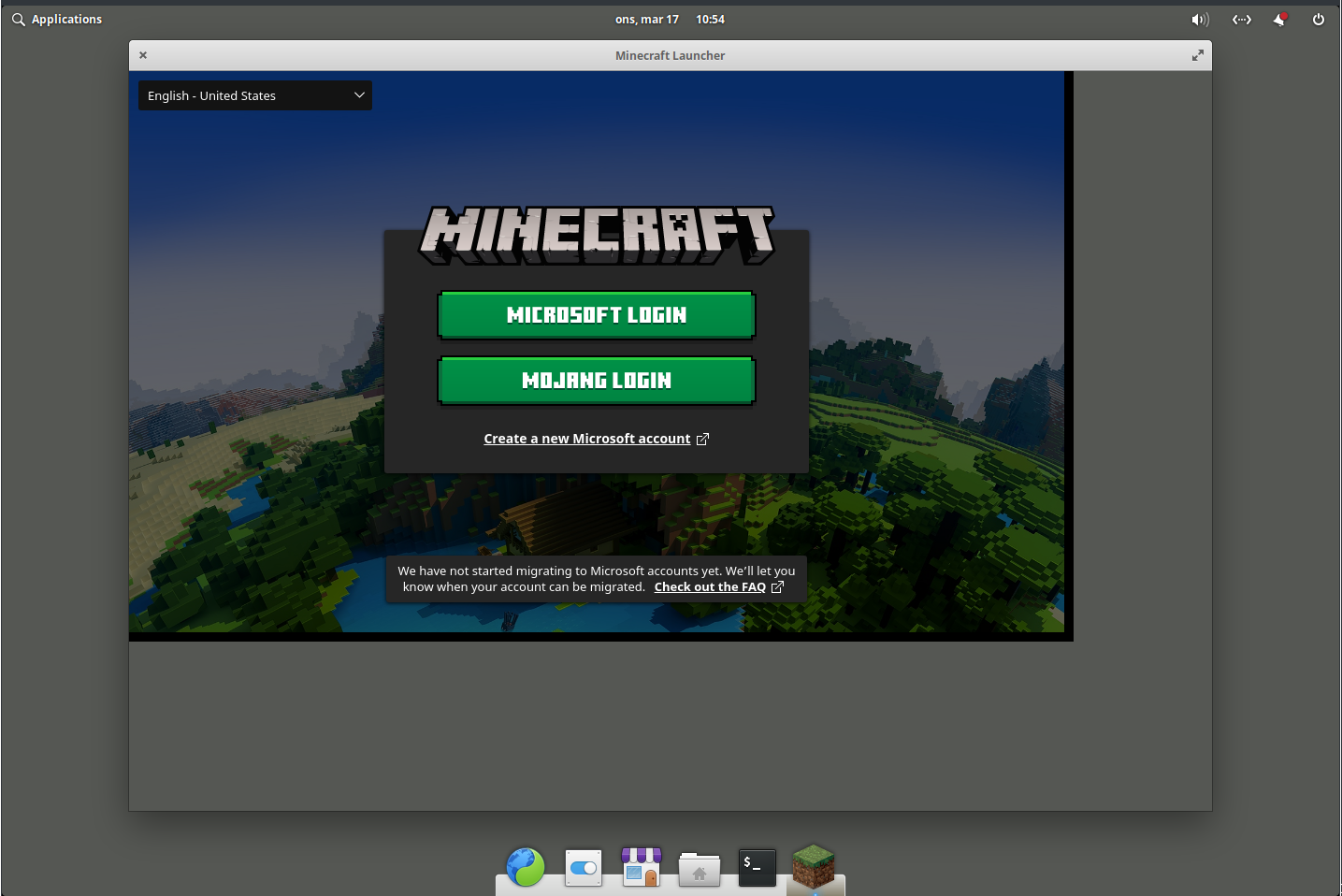
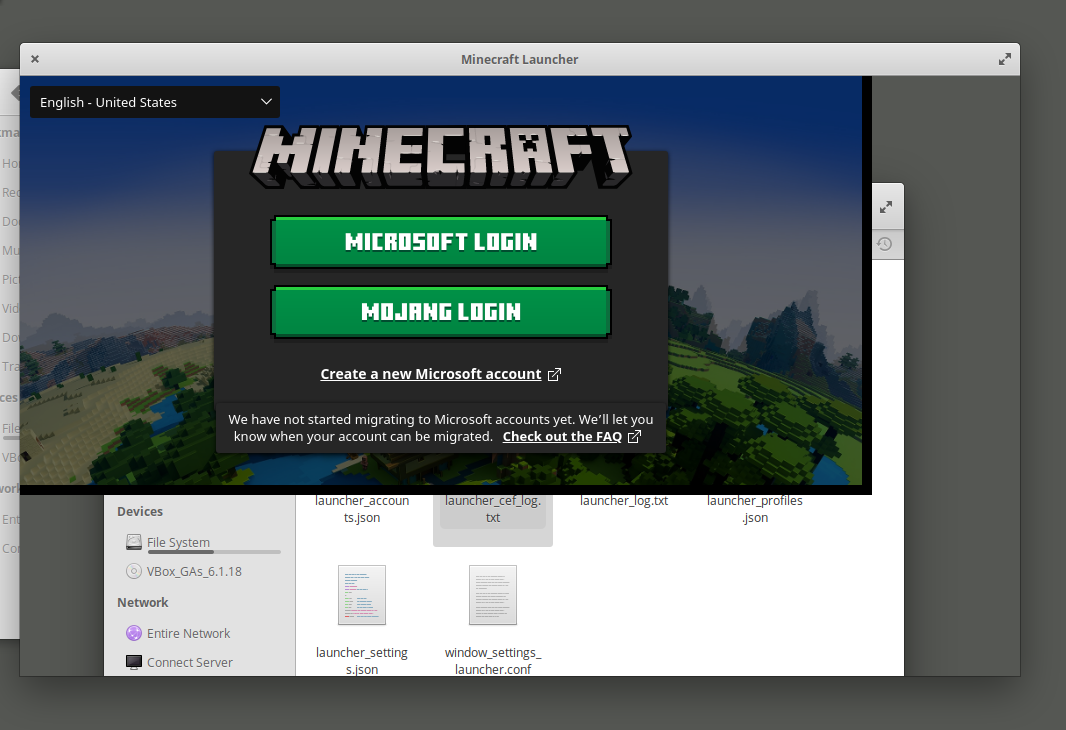
{ "fullscreen" : false, "height" : 27, "width" : 526, "x" : 300, "y" : 217 }We don't get the size of the window we want in the first run, instead, it's slightly bigger. 158 wider and 191 higher. This doesn't seem to correspond to any of the visible window decoration sizes.
Second and subsequent runs, we get the window geometry, but it's not even what we ask for, because we are setting smaller sizes... So the system is not even listening to us.
Where is the 1000x600 coming from?
There is an imaginary 0th run where we get the application geometry we wanted - 1000 x 600.
Each run makes the application smaller by 191 in height and 158 in width.
You can work around the issue by running the launcher from terminal like this:
GTK_CSD=0 minecraft-launcher
This actually isn't a problem with the launcher. It's the data that is broken.
Also, try these: - put the minecraft-launcher executable from this into ~/.minecraft/launcher/
 - install this – it puts the same version of the bootstrap into /usr/bin/
minecraft-launcher-928.tar.gz
minecraft-launcher-928.deb
This appears to be a launcher process that doesn't correctly terminate when all windows and the game are closed. Subsequent attempted starts of the launcher should at the very least bring up the main window again, but I guess we are stuck in some undefined state.
It definitely is not anything like
MCL-13519It may be similar to
MCL-16538but given the fact that it's on a different operating system, I wouldn't call it duplicate just yet. Seems premature without deeper investigation.Yes. This should be closed.
We haven't been able to replicate this in VMs.
What GPU(s) do you have? What GPU driver(s) do you use with it?
We haven't been able to replicate this in VMs.
What GPU(s) do you have? What GPU driver(s) do you use with it?
They are just files sitting on a drive. Unless something writes into them (which shouldn't happen randomly), they should just sit there and never change.
So the most likely issue is some sort of hardware failure.
But note the use of should.
The launcher should be able to recover from this though. We should be able to detect that the launcher didn't start correctly and mark the files to be fixed on next start. We already do this in some cases, but 'soft failures' that happen once the launcher processes are running are harder to catch than outright crashes or failure to load the libraries.
OK... I don't have this specific card around, but let's follow this trail and try with some GPU options.
It should look sort of like this afterwards:
{ "channel" : "beta", "customChannels" : [], "deviceId" : 12345, "formatVersion" : 0, "locale" : "en-US", "productLibraryDir" : "/home/peterix/.minecraft/products" }Does it behave any better?
Reinstall the launcher: https://launcher.mojang.com/download/MinecraftInstaller.msi
Are you using Windows XP or Vista? If so, upgrade to a supported operating system.
Interesting. So your system version is not being detected correctly. Make sure the launcher is not being started in any kind of 'compatibility mode', where the system would be lying to it about its version.