 Meri Diana
- LapisDemon
- lapisdemon
- Europe/Stockholm
- Yes
- No

![[Mojang] Jeb (Jens Bergensten)](../../../data/assets/gravatar/jeb.jpeg)
 MCL-516
 Normal
![[Mojang] Grum (Erik Broes)](../../../data/assets/gravatar/grum.png)
![[Mojang] Searge (Michael Stoyke)](../../../data/assets/gravatar/searge.png)
 MC-105981
 Low
Low

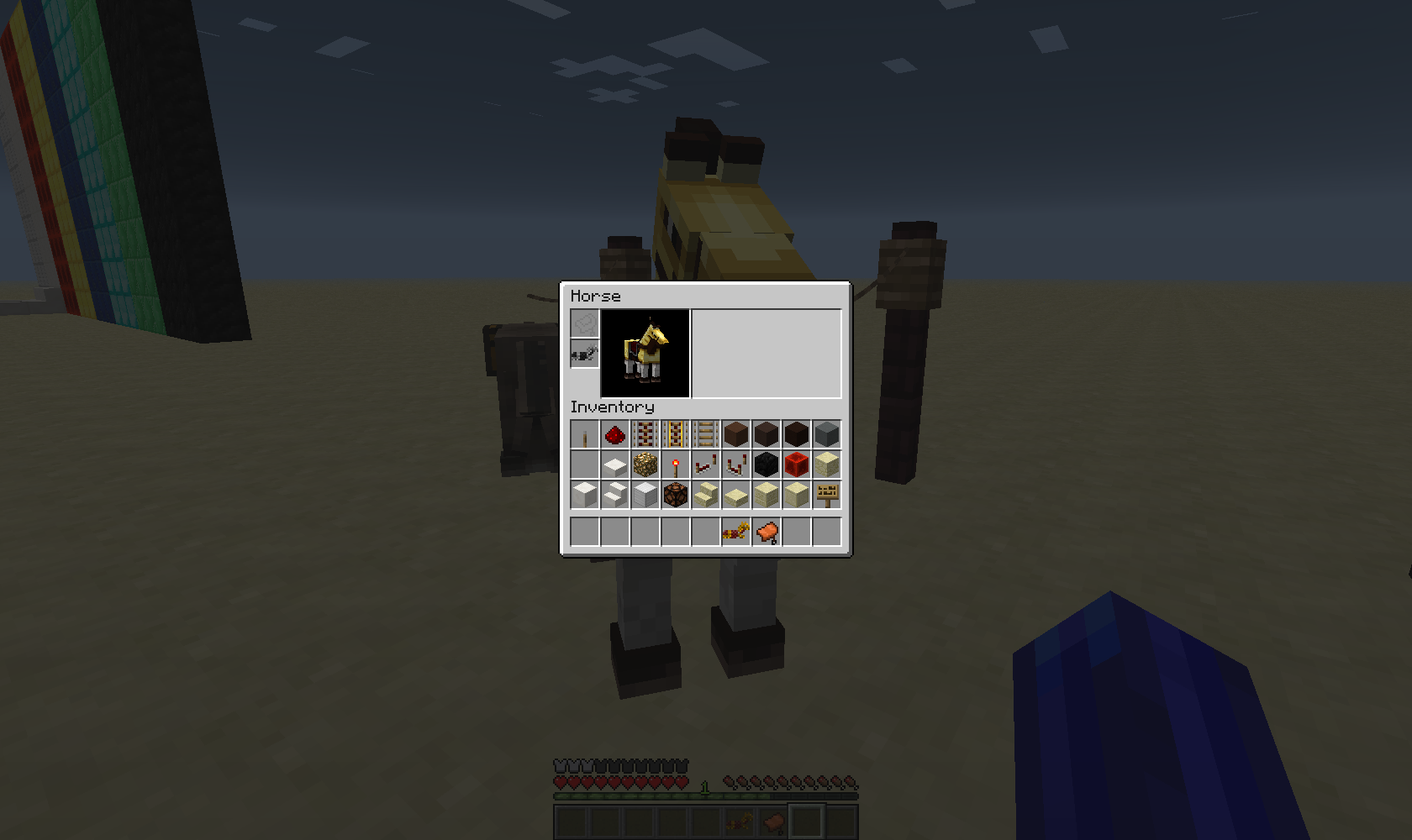













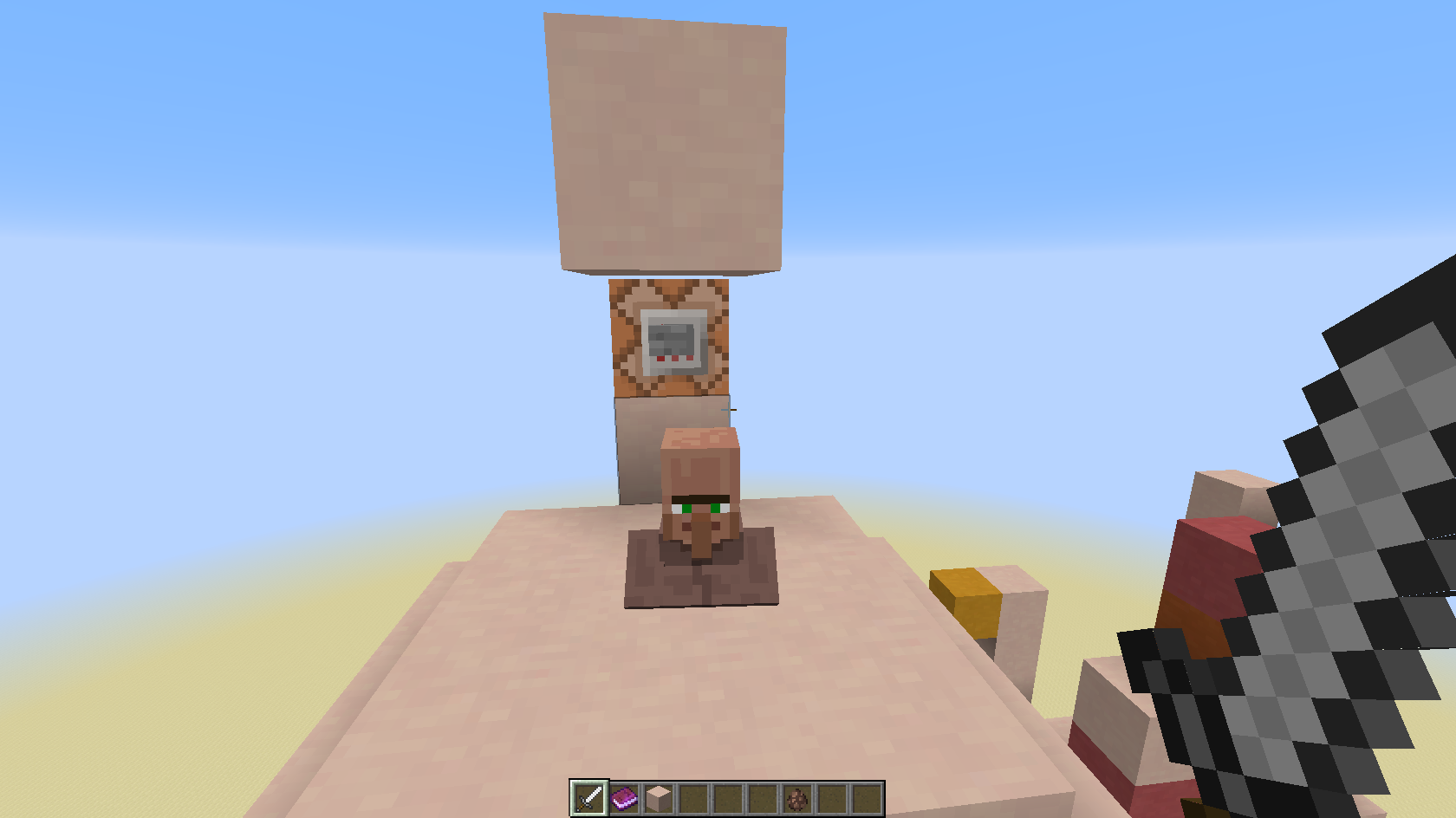
Hay Bales are crafted with 9 wheat.
According to http://www.minecraftwiki.net/wiki/Horses#Foods 1 wheat heals 1 heart, a hay bale heals 10 hearts which is nearly no mismatch.But looking at how fast one can speed up the growth of a foal, there is a huge mismatch:
1 wheat = 1 minute
1 bread = 3 minutes
1 hay bale = 3 minutes, tooSo you could speed up the growth of a foal with 3 bread by 9 minutes, but with 1 hay bale only 3 minutes, like with 1 bread, that is crafted with only 3 wheat ?
Logical conclusion:
Either the speed growth of a foal must be larger for a hay bale, or a hay bale should be crafted with 4 and not 9 wheat!If you craft a hay bale with 4 wheat, then the speed growth rate of a hay bale could be set to 4 minutes, and for a golden apple then something more (up t
pyou; at the moment a golden apple seems to speed up 4 minutes)If the hay bale would be crafted with 4 wheat, then the amount of heart it heals must be reduced of course in the same step.
As 1 wheat heals 1 heart, it should heal 4 or 4.5 hearts then I suppose.
(1 wheat = heals 1 heart, 1 bread = heals 3.5 hearts)Hay Bales are crafted with 9 wheat.
According to http://www.minecraftwiki.net/wiki/Horses#Foods 1 wheat heals 1 heart, a hay bale heals 10 hearts which is nearly no mismatch.But looking at how fast one can speed up the growth of a foal, there is a huge mismatch:
1 wheat = 1 minute
1 bread = 3 minutes
1 hay bale = 3 minutes, tooSo you could speed up the growth of a foal with 3 bread by 9 minutes, but with 1 hay bale only 3 minutes, like with 1 bread, that is crafted with only 3 wheat ?
Logical conclusion:
Either the speed growth of a foal must be larger for a hay bale, or a hay bale should be crafted with 4 and not 9 wheat!If you craft a hay bale with 4 wheat, then the speed growth rate of a hay bale could be set to 4 minutes, and for a golden apple then something more (up to you; at the moment a golden apple seems to speed up 4 minutes)
If the hay bale would be crafted with 4 wheat, then the amount of heart it heals must be reduced of course in the same step.
As 1 wheat heals 1 heart, it should heal 4 or 4.5 hearts then I suppose.
(1 wheat = heals 1 heart, 1 bread = heals 3.5 hearts)
See
MC-16264:In order to fix the problem with the ghosting horse armour, I had to restart the Launcher.
After coming back into my world, the ghosting horse armour was gone, but all of the leashes went invisible, although the animals were still attached with them to a Fence.
In order to make them visible again I had to unleash them and re-leash.
I will attach Screenshots.
In case this doesn't suffice, I have also made a VIDEO to prove/record this.
Regards, Meri
See
MC-16264:In order to fix the problem with the ghosting horse armour, I had to restart the Launcher.
After coming back into my world, the ghosting horse armour was gone, but all of the leashes went invisible, although the animals were still attached with them to a Fence.
In order to make them visible again I had to unleash them and re-leash.
I will attach Screenshots.
In case this doesn't suffice, I have also made a VIDEO to prove/record this.
Regards, Meri
See
MC-16264:In order to fix the problem with the ghosting horse armour, I had to restart the Launcher.
After coming back into my world, the ghosting horse armour was gone, but all of the leashes went invisible, although the animals were still attached with them to a Fence.
In order to make them visible again I had to unleash them and re-leash.
I will attach Screenshots.
Edit: Here is a short video where you can see it (no audio):
http://youtu.be/NcxGz6DWRrMRegards, Meri
I equipped a horse with a saddle and golden horse armour.
When I wanted to try to unequip it and to place an iron armour, the golden armour appeared to be still there - I couldn't see the iron armour on the horse although it was equipped with it.Restarting the world didn't fix it, I had to totally logout from the Launcher and shut it down, and restart the Launcher - then the "ghosting" armour was gone.
I've made Screenshots of it (attached).
If that wouldn't suffice: I also have made a VIDEO of it, in case you prefer that.I couldn't re-do that problem with the ghosting armour.
All I can remember is that I tried to apply the iron armor directly onto the gold armour (as you can do it with your own playerchar - switching armourpieces while you have them in your hand, just clicking the according armour slot).
I have found more bugs that I will report after this one.
Regards, Meri
I equipped a horse with a saddle and golden horse armour.
When I wanted to try to unequip it and to place an iron armour, the golden armour appeared to be still there - I couldn't see the iron armour on the horse although it was equipped with it.Restarting the world didn't fix it, I had to totally logout from the Launcher and shut it down, and restart the Launcher - then the "ghosting" armour was gone.
I've made Screenshots of it (attached).
If that wouldn't suffice: I also have made a VIDEO of it, in case you prefer that.I couldn't re-do that problem with the ghosting armour.
All I can remember is that I tried to apply the iron armor directly onto the gold armour (as you can do it with your own playerchar - switching armourpieces while you have them in your hand, just clicking the according armour slot).
I have found more bugs that I will report after this one.
Regards, Meri
I equipped a horse with a saddle and golden horse armour.
When I wanted to try to unequip it and to place an iron armour, the golden armour appeared to be still there - I couldn't see the iron armour on the horse although it was equipped with it.Restarting the world didn't fix it, I had to totally logout from the Launcher and shut it down, and restart the Launcher - then the "ghosting" armour was gone.
I've made Screenshots of it (attached).
Edit: Here is a short <1min private-listed video where you can see it (no audio):
http://www.youtube.com/watch?v=GVHLxUmYLywI couldn't re-do that problem with the ghosting armour.
All I can remember is that I tried to apply the iron armor directly onto the gold armour (as you can do it with your own playerchar - switching armourpieces while you have them in your hand, just clicking the according armour slot).
I have found more bugs that I will report after this one.
Regards, Meri
(There is some internal error on Mojira, so I cannot perform a search. Sorry if that has been posted already.)
1. Eat a Golden Apple
2. Get Health Boost / 2 additional hearts
3. Wait for Health Boost to wear off
4. 2 hearts get taken away from you.You can see it better if you have enough hunger, so eating an apple (= heals 2 hunger chopsticks) will not make you regen all of your hearts totally.
Regards, Meri
PS: I recorded it - in case it hasn't been reported before, I will cut and upload it for you as proof.
(There is some internal error on Mojira, so I cannot perform a search. Sorry if that has been posted already.)
1. Eat a Golden Apple
2. Get Health Boost / 2 additional hearts
3. Wait for Health Boost to wear off
4. 2 hearts get taken away from you.You can see it better if you have enough hunger, so eating an apple (= heals 2 hunger chopsticks) will not make you regen all of your hearts totally.
Edit: Of course you should have like 4-5 hearts only before you eat the golden apple - as I said, it is better to see.Regards, Meri
PS: I recorded it - in case it hasn't been reported before, I will cut and upload it for you as proof.
(There is some internal error on Mojira, so I cannot perform a search. Sorry if that has been posted already.)
1. Eat a Golden Apple
2. Get Health Boost / 2 additional hearts
3. Wait for Health Boost to wear off
4.2 hearts get taken away from you.You can see it better if you have enough hunger, so eating an apple (= heals 2 hunger chopsticks) will not make you regen all of your hearts totally.
Edit:Of course you should have like 4-5 hearts only before you eat the golden apple - as I said, it is better to see.Regards, Meri
PS: I recorded it - in case it hasn't been reported before, I will cut and upload it for you as proof.
(There is some internal error on Mojira, so I cannot perform a search. Sorry if that has been posted already.)
1. Eat a Golden Apple
2. Get Health Boost / 2 additional hearts
3. Wait for Health Boost to wear off, your heart container amount drops from 12 to 10 (which is normal)
4. But then the "filling" of 2 of the 10 heart containers get taken away from you.Basically: Let's say after you ate the golden apple, you had enough hunger so your temporary 12 heart containers, and not even your 10 heart containers get filled fully.
Let's say from the 12 heart containers you have while the Health Boost is in effect, only 7 are filled.
After the Health Boost wears off, the heart amount drops from 12 to 10, which is fine - but instead of keeping at least your 7 out of 10 filled heartcontainers, you hear the "hurt" sound, and you get 2 additional filled heart containers taken away, so you remain with only 5 instead of 7, which should have remained.
You can see it better if you have enough hunger, so eating an apple (= heals 2 hunger chopsticks) will not make you regen all of your hearts totally.
Of course you should have like 4-5 hearts only before you eat the golden apple - as I said, it is better to see.If you are testing this with all 10 heart containers filled, you might not clearly see this bug.
Regards, Meri
PS: I recorded it - in case it hasn't been reported before, I will cut and upload it for you as proof.
Put the summary of the bug you're having here:
Last Snapshot Version I had on my computer was 13w24a.
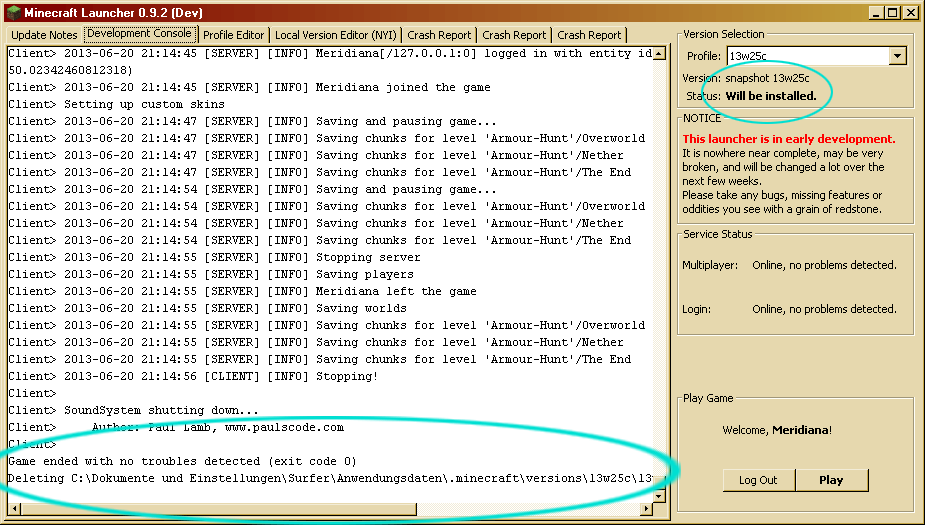
In that Snapshot I successfully converted two Texturepacks into Resourcepacks and logged off from my world while still having one of the converted texturepacks/resourcepacks chosen as my Minecraft texturepack.Now I just wanted to install 13w25c, Launcher attempts to install that version, I see the Minecraft Gamewindow popping up that has an INDIVIDUAL LOADING SCREEN because of the texturepack ("MOJANG and Mikeyto1o"), then the Gamewindow crashes, and the Launcher tells me that the game has crashed.
The texturepack I converted was Modern HD Pack by Mikeyto1o, MC-version 1.5.
I attached 3 crash reports as well as the original Texturepack, as well as the converted texturepack/resource pack, repacked in a ZIP, to this report.
What I expected to happen was...:
New Snapshot/Minecraft version would be installed without crash, although I still had not the default texturepack chosen when I logged off my Snapshot world.What actually happened was...:
See above.Steps to Reproduce:
1. Have a 1.5 texturepack converted into a resourcepack
2. Login into 13w24a
3. Chose the converted texturepack/resourcepack as your texturepack in the game
4. Log out.
5. Close Launcher.
6. Start Launcher.
7. Make a new Profile for 13w25c.
8. Chose 13w25c in the Version Dropdown Menue
9. Click "Play" / try to let it install the new Snapshot.
10. => Loading Screen will vanish, Game crashes.
11. => Snapshot is still not installed, it still says "Will be installed" below the Version-Dropdownmenue.
- I don't know if it only happens with this specific texturepack, hence why I uploaded it here.
I don't know if it has anything to do with my old Win XP computer -
I can try to reproduce it on my Win7 laptop, if needed.Kind regards,
MeriEDIT: I removed the converted texturepacks/resourcepacks out of the resourcepacks folder - now Minecraftgets launched without any problems. So the reason must be really this converted texturepack or the fact that I logged off with it from my world, while in 13w25a I suppose
.
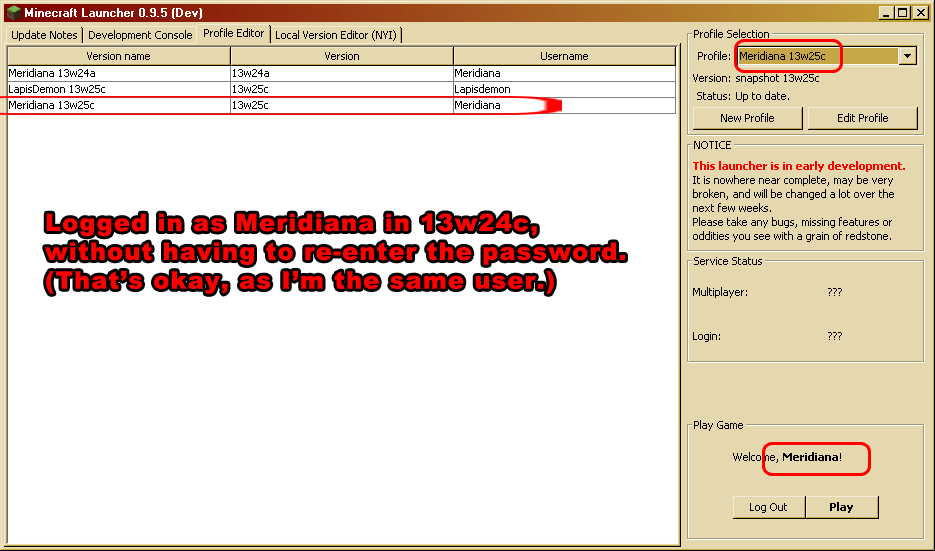
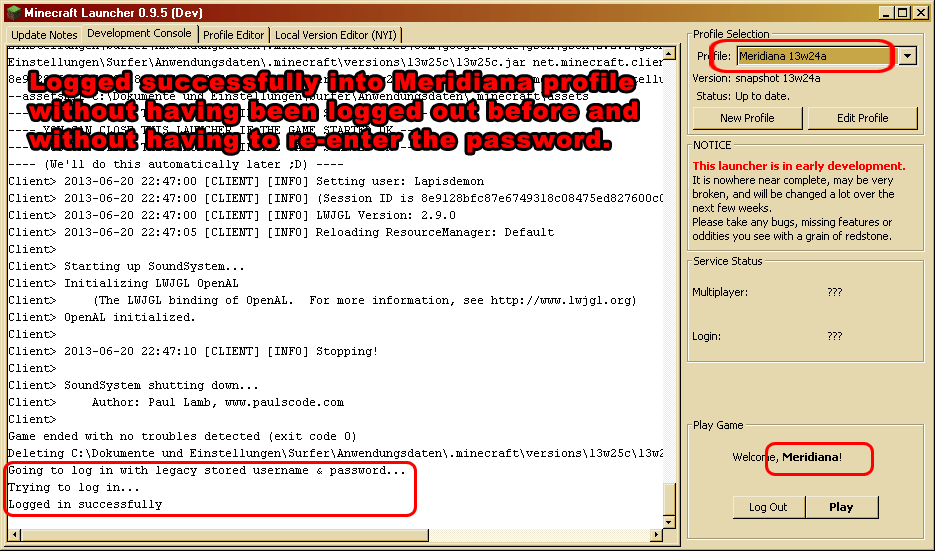
If you copy the profile of an account for a second account and login with the second account into that profile-copy, the original account gets changed into an account for the second account.
What I expected:
Even if it is a copy of another account, I expected it would not overwrite the profile informationfo the donor account.Proof: See (unlisted, no audio) Video here:
http://www.youtube.com/watch?v=ocCqPIT04PU[Sorry for fidgeting around so lengthy with my mouse/arrow, but I was just recording a new Tutorial Video on how you can add several accounts with different game versions on the same Launcher, when that Issue occurred to my surprise, so I continued in my Tutorial, pointing out not to copy Profiles like that, or it would override the donor account's Minecraft name. This unlisted video is just a sniplet from the whole thing.]
As you can also see in the Video, It does not happen if you just make a totally new Profile, but it would be nice if one could just copy certain Profiles for several accounts.
If this is intended behaviour and not a bug, sorry }
Kind regards,
MeriPS: @Mojira Mods: I am super-bad in finding already-posted issues of the same t
ime -
so PLEASE be sympathetic, I know well enough that nearly 60% of reported Issues are DUPLICATES.Please no scolding if I didn't find again this Issue here on Mojira, Ireally try my best to avoid Duplicates, I swear >.<
If you copy the profile of an account for a second account and login with the second account into that profile-copy, the original account gets changed into an account for the second account.
What I expected:
Even if it is a copy of another account, I expected it would not overwrite the profile information of the donor account.Proof: See (unlisted, no audio) Video here:
http://www.youtube.com/watch?v=ocCqPIT04PU[Sorry for fidgeting around so lengthy with my mouse/arrow, but I was just recording a new Tutorial Video on how you can add several accounts with different game versions on the same Launcher, when that Issue occurred to my surprise, so I continued in my Tutorial, pointing out not to copy Profiles like that, or it would override the donor account's Minecraft name. This unlisted video is just a sniplet from the whole thing.]
As you can also see in the Video, It does not happen if you just make a totally new Profile, but it would be nice if one could just copy certain Profiles for several accounts.
If this is intended behaviour and not a bug, sorry }
Kind regards,
MeriPS: @Mojira Mods: I am super-bad in finding already-posted issues of the same type -
so PLEASE be sympathetic, I know well enough that nearly 60% of reported Issues are DUPLICATES.Please no scolding if I didn't find again this Issue here on Mojira, Ireally try my best to avoid Duplicates, I swear >.<
If you copy the profile of an account for a second account and login with the second account into that profile-copy, the original account gets changed into an account for the second account.
What I expected:
Even if it is a copy of another account, I expected it would not overwrite the profile information of the donor account.Proof: See (unlisted, no audio) Video here:
http://www.youtube.com/watch?v=ocCqPIT04PU[Sorry for fidgeting around so lengthy with my mouse/arrow, but I was just recording a new Tutorial Video on how you can add several accounts with different game versions on the same Launcher, when that Issue occurred to my surprise, so I continued in my Tutorial, pointing out not to copy Profiles like that, or it would override the donor account's Minecraft name. This unlisted video is just a sniplet from the whole thing.]
As you can also see in the Video, It does not happen if you just make a totally new Profile, but it would be nice if one could just copy certain Profiles for several accounts.
If this is intended behaviour and not a bug, sorry }
Kind regards,
MeriPS: @Mojira Mods: I am super-bad in finding already-posted issues of the same type -
so PLEASE be sympathetic, I know well enough that nearly 60% of reported Issues are DUPLICATES.Please no scolding if I didn't find again this Issue here on Mojira, I really try my best to avoid Duplicates, I swear >.<
Thanks a bunch, Alex.
You mind if I make this public ?
(YouTube) ?


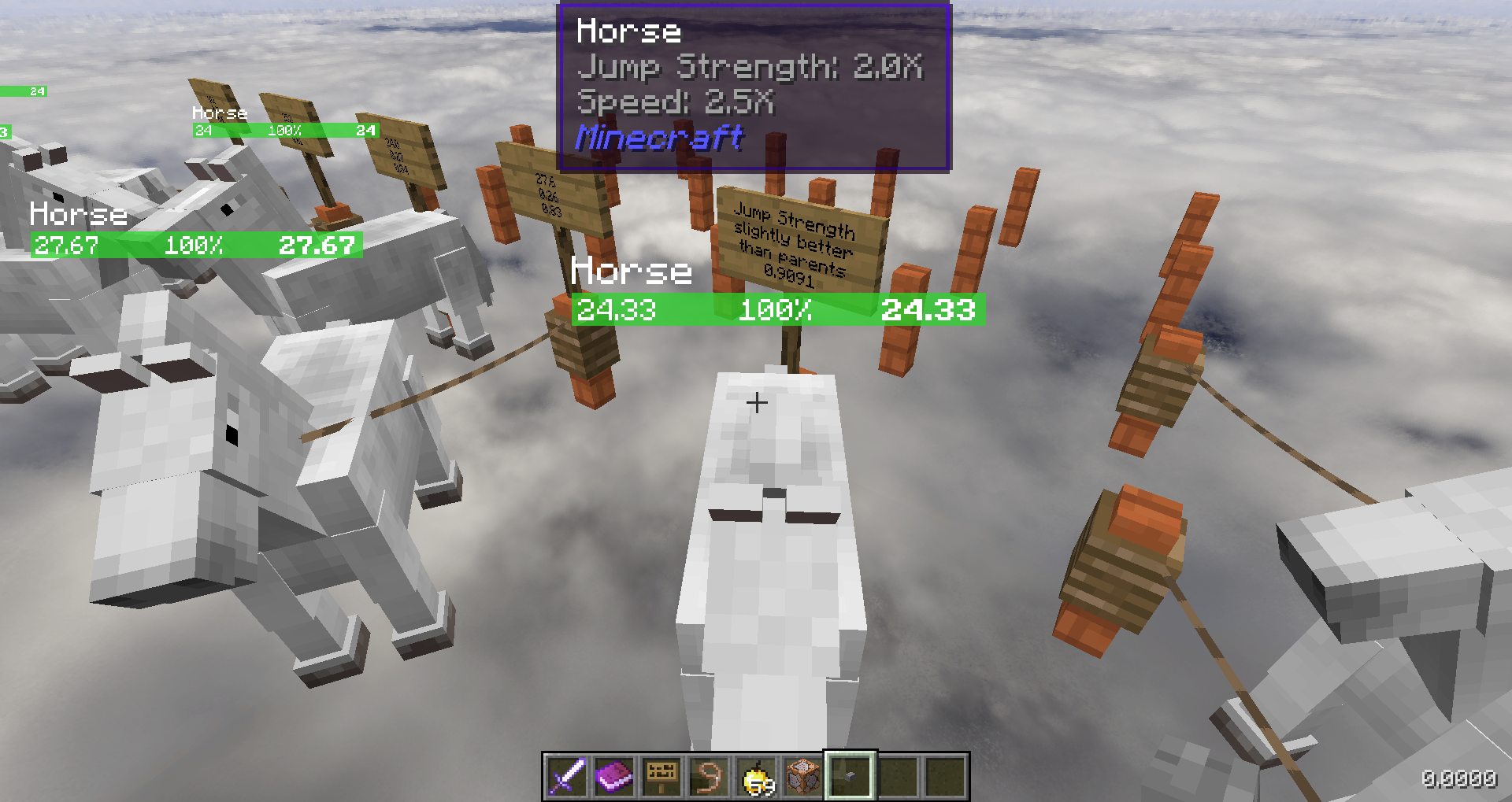
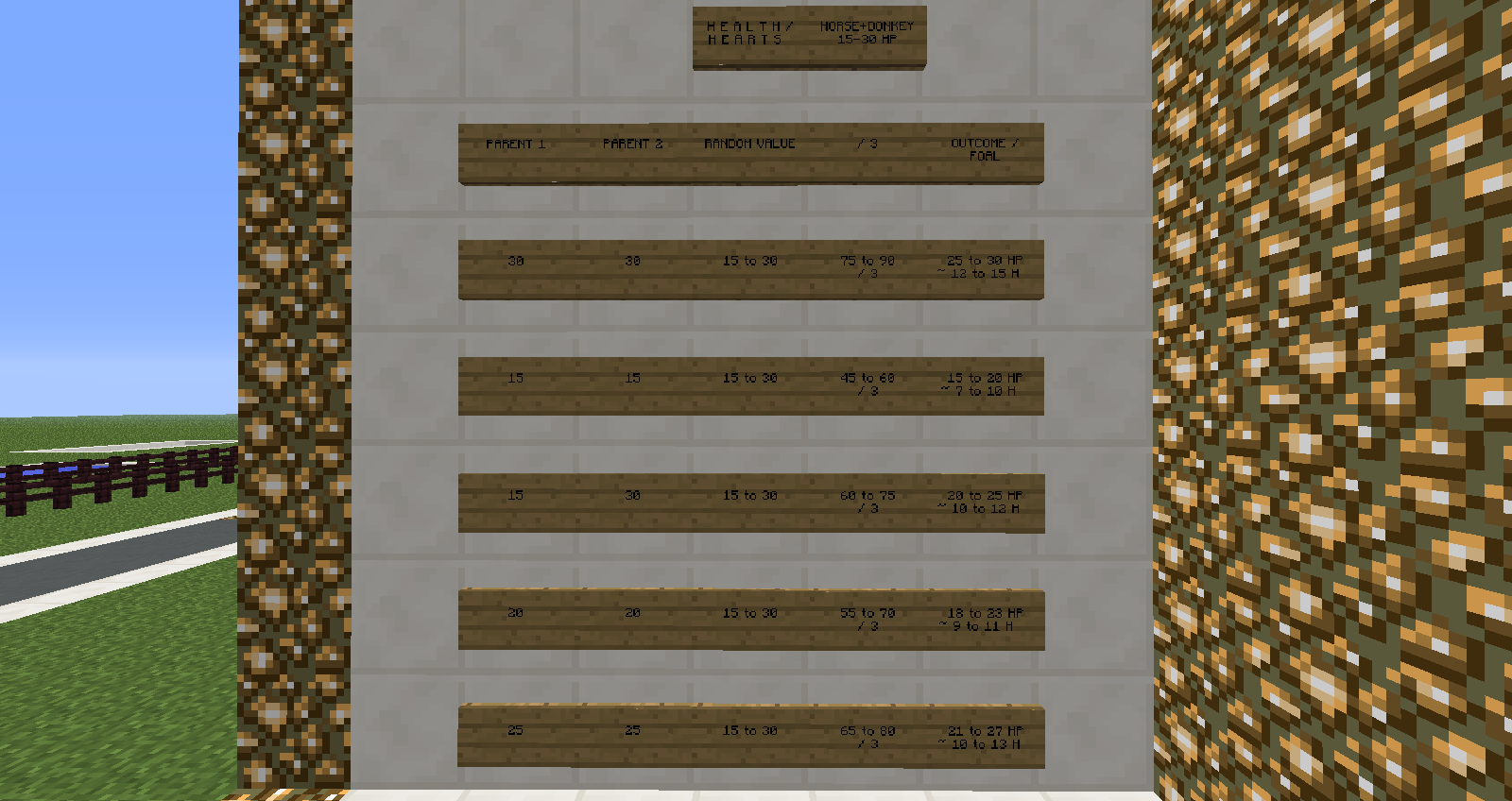
I have noticed after extensive testing that foal stats do not exceed spawned horse stats. As a result the only way to obtain a horse with exceptional stats is for it to be caught in the wild/spawned. After multiple breedings I was not able to reproduce or produce a foal with stats better than the best stat parents, while the foal can be born with stats slightly better than one, it was never able to be as good or better than both parents.
Two horses I had spawned from eggs both had exceeded stats in run speed and hp/jump ability, foals from these parents never matched or exceeded their stats. (on spreadsheet refer to column 17-10, all breedings after 17 involve offspring from these two parents being crossbred with other breeds with favoured stats)
I thought this would be worth noting as a possible bug as many are under the impression that breeding is supposed to have a chance that the foal born is to be as good or better than the parent. This is obviously not the case and may be a cause for review.
Please refer to the attached spreadsheet of breeding results.
Additional notes:
Speed was measured on a Redstone track that is 40 blocks in length which takes a normal player 10 seconds to complete at the current running speed in the latest snapshot.—
Edit 27/05/2013
As suggested in comments I did another round of tests, this time by breeding horses with identical data, the following data in [^test2.xlsx] reveal there is the possibility of a foal being born with matching stats and on a very rare chance be slightly better, the chance for better stats was higher with jumping ability, speed has a much lower chance to be on par and a higher chance to be worse, and hp is a medium chance to get matching stats, but very low to get better.
It is confirmed that likeliness of stats is increased if two horses match, however this poses the problem that you would need to rely on data-mining in order to ensure you are breeding matching horses to improve horse stats and would be impossible to manage in multiplayer games unless a mod was made to reveal horse statistics. This would still cause the issue that spawned horses may always be better as people would give up breeding due to horse stats not improving when the breeding pair stats do not match.
I removed personal studies within the game due to speed inconsistencies which happen when mounting/dismounting and leading (refer
MC-16421) and have left the hard numbers extracted from NBTExplorer on the spreadsheet.—
Edit 19/07/2013
Attached a new image of breeding results as of 1.6.2 with colour coding to show how the current breeding methodology is working.
—
Edit 21/01/2015
updated to latest versions, this issue is still present and has been unresolved.Foal stats (health points, speed and jump strength) doesn't seem to ever exceed all stats of the parental horses.
If you breed two exceptional, high-stat horses, it rarely happens that the foal will have slightly better stats than its parents, so far, in 4 years of breeding tests, this only ever occurs in one single stat, if you take 2 high level stat parents to breed with.This happens because a third horse with stats varying in range from the lowest to the highest is added into the equation.
While this is very useful for Donkeys and low-stat horses, this makes it apparently close to impossible to breed out a high-stat foal that can surpass its high-stat parents in all categories.
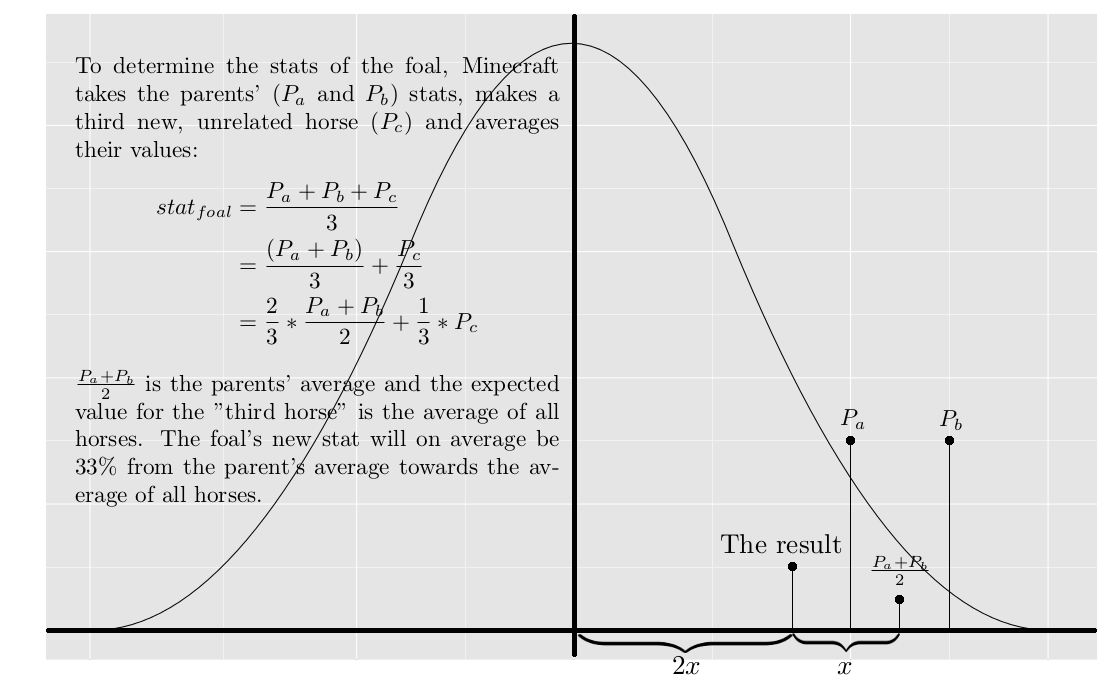
In the comments of this bugpost are many suggestions how to improve on the breeding formula, a comparably simple approach would be to go by real life, where high-stat parental mobs produce also high-stat offspring (e.g. see high-priced bulls/milk cows, but also horses, keyphrase: "selective breeding"/"artificial selection").
If the "ominous third horse" as random factor shall remain in the formula, it could be adjusted in that way that high-stat parents could also have a high-stat "ominous third horse" being used for the equation, basically a higher range that excludes the very lowest stats, but still includes slightly worse/lower stats than the parental horses, to account for the possibility of a negative mutation like in real life.
Similarly then for low stat parental horses, here excluding the highest stats, but the range being still slightly above the parents' stats to account for positive mutations like in real life ("evolutionary/genetical improvement", "natural selection").
As a result of this issue, it's basically not really worth it to breed regular horses.
You are usually better off hunting wild/naturally spawned horses and hope for one with higher stats than those you've already obtained or bred.—
Old bugpost with additional information:
—
I have noticed after extensive testing that foal stats do not exceed spawned horse stats. As a result the only way to obtain a horse with exceptional stats is for it to be caught in the wild/spawned. After multiple breedings I was not able to reproduce or produce a foal with stats better than the best stat parents, while the foal can be born with stats slightly better than one, it was never able to be as good or better than both parents.Two horses I had spawned from eggs both had exceeded stats in run speed and hp/jump ability, foals from these parents never matched or exceeded their stats. (on spreadsheet refer to column 17-10, all breedings after 17 involve offspring from these two parents being crossbred with other breeds with favoured stats)
I thought this would be worth noting as a possible bug as many are under the impression that breeding is supposed to have a chance that the foal born is to be as good or better than the parent. This is obviously not the case and may be a cause for review.
Please refer to the attached spreadsheet of breeding results.
Additional notes:
Speed was measured on a Redstone track that is 40 blocks in length which takes a normal player 10 seconds to complete at the current running speed in the latest snapshot.—
Edit 27/05/2013
As suggested in comments I did another round of tests, this time by breeding horses with identical data, the following data in [^test2.xlsx] reveal there is the possibility of a foal being born with matching stats and on a very rare chance be slightly better, the chance for better stats was higher with jumping ability, speed has a much lower chance to be on par and a higher chance to be worse, and hp is a medium chance to get matching stats, but very low to get better.
It is confirmed that likeliness of stats is increased if two horses match, however this poses the problem that you would need to rely on data-mining in order to ensure you are breeding matching horses to improve horse stats and would be impossible to manage in multiplayer games unless a mod was made to reveal horse statistics. This would still cause the issue that spawned horses may always be better as people would give up breeding due to horse stats not improving when the breeding pair stats do not match.
I removed personal studies within the game due to speed inconsistencies which happen when mounting/dismounting and leading (refer
MC-16421) and have left the hard numbers extracted from NBTExplorer on the spreadsheet.—
Edit 19/07/2013
Attached a new image of breeding results as of 1.6.2 with colour coding to show how the current breeding methodology is working.
—
Edit 21/01/2015
updated to latest versions, this issue is still present and has been unresolved.
java_1-8_mc-181-pre1.txt



Using the new EntityTag feature for custom spawn eggs, I created spawn eggs summoning a Squid with the invisibility potion effect, but while I was demonstrating the "Tags" tag
(custom Squid spawn egg also got them)by placing the spawn eggs against a barrierblock, one popped into my face ;_;/give @p spawn_egg 1 0 {EntityTag:{id:Squid,CustomName:"column",CustomNameVisible:0b,NoAI:1,Silent:1,ActiveEffects:[{Id:14,Amplifier:0,Duration:13320,ShowParticles:0b}]},display:{Name:Column}}It seems that the effect is not always (or generally?) applied immediately.
The Squid appeared for 2 frames, 0.033 seconds, so 1 Tick apparently.If this also applies to other potion effects is unbeknownst to me at the moment, but going by a Twitter conversation I just had, it seems like that: https://twitter.com/AccidentalGames/status/640481549872463872
"I don't think entities have any nbt in their first tick of existance."
Regards, Meri
Disclaimer: I suck so much at finding duplicate bug reports, please Mods, don't bash me if I didn't find a similar post on Mojira I really am searching before, I'm not a noob, just dumb with search terms ;_;
Using the new EntityTag feature for custom spawn eggs, I created spawn eggs summoning a Squid with the invisibility potion effect, but while I was demonstrating the "Tags" tag by placing the spawn eggs against a barrierblock, one popped into my face ;_;
/give @p spawn_egg 1 0 {EntityTag:{id:Squid,CustomName:"column",CustomNameVisible:0b,NoAI:1,Silent:1,ActiveEffects:[{Id:14,Amplifier:0,Duration:13320,ShowParticles:0b}]},display:{Name:Column}}It seems that the effect is not always (or generally?) applied immediately.
The Squid appeared for 2 frames, 0.033 seconds, so 1 Tick apparently.If this also applies to other potion effects is unbeknownst to me at the moment, but going by a Twitter conversation I just had, it seems like that: https://twitter.com/AccidentalGames/status/640481549872463872
"I don't think entities have any nbt in their first tick of existance."
Regards, Meri
Disclaimer: I suck so much
at finding duplicatebug reports, please Mods, don't bash me ifI didn't finda similar post on Mojira I really am searching before, I'm not a noob, just dumb with search terms ;_;Using the new EntityTag feature for custom spawn eggs, I created spawn eggs summoning a Squid with the invisibility potion effect, but while I was demonstrating the "Tags" tag by placing the spawn eggs against a barrierblock, one popped into my face ;_;
/give @p spawn_egg 1 0 {EntityTag:{id:Squid,CustomName:"column",CustomNameVisible:0b,NoAI:1,Silent:1,ActiveEffects:[{Id:14,Amplifier:0,Duration:13320,ShowParticles:0b}]},display:{Name:Column}}It seems that the effect is not always (or generally?) applied immediately.
The Squid appeared for 2 frames, 0.033 seconds, so 1 Tick apparently.If this also applies to other potion effects is unbeknownst to me at the moment, but going by a Twitter conversation I just had, it seems like that: https://twitter.com/AccidentalGames/status/640481549872463872
"I don't think entities have any nbt in their first tick of existance."
Regards, Meri
Disclaimer: I suck so much to find bug reports, please Mods, don't bash me if there is a similar post on Mojira, I really am searching before, I'm not a noob, just dumb with search terms ;_;
Using the new EntityTag feature for custom spawn eggs, I created spawn eggs summoning a Squid with the invisibility potion effect, but while I was demonstrating the "Tags" tag by placing the spawn eggs against a barrierblock, one popped into my face ;_;
/give @p spawn_egg 1 0 {EntityTag:{id:Squid,CustomName:"column",CustomNameVisible:0b,NoAI:1,Silent:1,ActiveEffects:[{Id:14,Amplifier:0,Duration:13320,ShowParticles:0b}]},display:{Name:Column}}It seems that the effect is not always (or generally?) applied immediately.
The Squid appeared for 2 frames, 0.033 seconds, so 1 Tick apparently.If this also applies to other potion effects is unbeknownst to me at the moment, but going by a Twitter conversation I just had, it seems like that: https://twitter.com/AccidentalGames/status/640481549872463872
"I don't think entities have any nbt in their first tick of existance."
Regards, Meri
Disclaimer: I suck so much to find bug reports, please Mods, don't bash me if there is a similar post on Mojira, I really am searching before, I'm not a noob, just dumb with search terms ;_;
PS: Very likely related to MC-72774
Using the new EntityTag feature for custom spawn eggs, I created spawn eggs summoning a Squid with the invisibility potion effect, but while I was demonstrating the "Tags" tag by placing the spawn eggs against a barrierblock, one popped into my face ;_;
/give @p spawn_egg 1 0 {EntityTag:{id:Squid,CustomName:"column",CustomNameVisible:0b,NoAI:1,Silent:1,ActiveEffects:[{Id:14,Amplifier:0,Duration:13320,ShowParticles:0b}]},display:{Name:Column}}It seems that the effect is not always (or generally?) applied immediately.
The Squid appeared for 2 frames, 0.033 seconds, so 1 Tick apparently.
If this also applies to other potion effects is unbeknownst to me at the moment, but going by a Twitter conversation I just had, it seems like that:https://twitter.com/AccidentalGames/status/640481549872463872"I don't think entities have any nbt in their first tick of existance."
Regards, Meri
Disclaimer: I suck so much to find bug reports, please Mods, don't bash me if there is a similar post on Mojira, I really am searching before, I'm not a noob, just dumb with search terms ;_;
PS: Very likely related toMC-72774Using the new EntityTag feature for custom spawn eggs, I created spawn eggs summoning a Squid with the invisibility potion effect, but while I was demonstrating the "Tags" tag by placing the spawn eggs against a barrierblock, one Squid popped into my face ;_;
/give @p spawn_egg 1 0 {EntityTag:{id:Squid,CustomName:"column",CustomNameVisible:0b,NoAI:1,Silent:1,ActiveEffects:[{Id:14,Amplifier:0,Duration:13320,ShowParticles:0b}]},display:{Name:Column}}It seems that the effect is not always (or generally?) applied immediately.
The Squid appeared for 2 frames, 0.033 seconds, so 1 Tick apparently.
If this also applies to other potion effects is unbeknownst to me at the moment, but going by a Twitter conversation I just had, it seems like that:
This does seem to apply to any effect, going by a Twitter conversation:
https://twitter.com/AccidentalGames/status/640481549872463872"I don't think entities have any nbt in their first tick of existance."
Regards, Meri
Edit: Thinking about it, if it's true that entities don't have any NBT in their first tick of existence, then it does not only apply to effects, but to anything you could "equip" them with, any literal Equipment, Glowing and Tags tag (in 1.9), Yaw/Pitch Rotation, Base Rotation, Pose of Head/Body/Hands etc. for ArmorStands and so on.
If that's the case, the title should be changed into something along the lines of
"Entities don't have NBT in their first tick of existence, any tags, e.g. ActiveEffects, any data stored, is not applied rightaway"
but I'll leave this to the experienced mods to find a title which can describe the totality of the problem }=)
An alternative description is provided in MC-72774.
Using the new EntityTag feature for custom spawn eggs, I created spawn eggs summoning a Squid with the invisibility potion effect, but while I was demonstrating the "Tags" tag by placing the spawn eggs against a barrierblock, one Squid popped into my face ;_;
/give @p spawn_egg 1 0 {EntityTag:{id:Squid,CustomName:"column",CustomNameVisible:0b,NoAI:1,Silent:1,ActiveEffects:[{Id:14,Amplifier:0,Duration:13320,ShowParticles:0b}]},display:{Name:Column}}It seems that the effect is not always (or generally?) applied immediately.
The Squid appeared for 2 frames, 0.033 seconds, so 1 Tick apparently.
If this also applies to other potion effects is unbeknownst to me at the moment, but going by a Twitter conversation I just had, it seems like that:
This does seem to apply to any effect, going by a Twitter conversation:
https://twitter.com/AccidentalGames/status/640481549872463872"I don't think entities have any nbt in their first tick of existance."
Regards, Meri
Edit: Thinking about it, if it's true that entities don't have any NBT in their first tick of existence, thenit does not only apply to effects, but to anything you could "equip" them with, any literal Equipment, Glowing and Tags tag (in 1.9), Yaw/Pitch Rotation, Base Rotation, Pose of Head/Body/Hands etc. for ArmorStands and so on.If that's the case, the title should be changed into something along the lines of
"Entities don't have NBT in their first tick of existence, any tags, e.g. ActiveEffects, any data stored, is not applied rightaway"
but I'll leave this to the experienced mods to find a title which can describe the totality of the problem }=)An alternative description is provided in MC-72774.
Using the new EntityTag feature for custom spawn eggs, I created spawn eggs summoning a Squid with the invisibility potion effect, but while I was demonstrating the "Tags" tag by placing the spawn eggs against a barrierblock, one Squid popped into my face ;_;
/give @p spawn_egg 1 0 {EntityTag:{id:Squid,CustomName:"column",CustomNameVisible:0b,NoAI:1,Silent:1,ActiveEffects:[{Id:14,Amplifier:0,Duration:13320,ShowParticles:0b}]},display:{Name:Column}}It seems that the effect is not always (or generally?) applied immediately.
The Squid appeared for 2 frames, 0.033 seconds, so 1 Tick apparently.Please read Marcono1234's comment in this bugpost
he looked into the code and narrowed down the apparent issue of this bug.I'll conduct further tests to see if it does not only apply to effects, but to anything you could "equip" them with, any literal Equipment, Glowing and Tags tag (in 1.9), Yaw/Pitch Rotation, Base Rotation, Pose of Head/Body/Hands etc. for ArmorStands and so on.
If that's the case, the title should be changed, but I'll leave this to the experienced mods to find a title which can describe the totality of the problem }=)
Thank you,
regards, Meri
An alternative description is provided in MC-72774.
Using the new EntityTag feature for custom spawn eggs, I created spawn eggs summoning a Squid with the invisibility potion effect, but while I was demonstrating the "Tags" tag by placing the spawn eggs against a barrierblock, one Squid popped into my face ;_;
/give @p spawn_egg 1 0 {EntityTag:{id:Squid,CustomName:"column",CustomNameVisible:0b,NoAI:1,Silent:1,ActiveEffects:[{Id:14,Amplifier:0,Duration:13320,ShowParticles:0b}]},display:{Name:Column}}It seems that the effect is not always (or generally?) applied immediately.
The Squid appeared for 2 frames, 0.033 seconds, so 1 Tick apparently.Please read Marcono1234's comment in this bugpost
he looked into the code and narrowed down the apparent issue of this bug."It seems that this is caused by the packets sent."
I'll conduct further tests to see if it does not only apply to effects, but to anything you could "equip" them with, any literal Equipment, Glowing and Tags tag (in 1.9), Yaw/Pitch Rotation, Base Rotation, Pose of Head/Body/Hands etc. for ArmorStands and so on.
If that's the case, the title should be changed, but I'll leave this to the experienced mods to find a title which can describe the totality of the problem }=)
Thank you,
regards, Meri
An alternative description is provided in MC-72774.
Using the new EntityTag feature for custom spawn eggs, I created spawn eggs summoning a Squid with the invisibility potion effect, but while I was demonstrating the "Tags" tag by placing the spawn eggs against a barrierblock, one Squid popped into my face ;_;
/give @p spawn_egg 1 0 {EntityTag:{id:Squid,CustomName:"column",CustomNameVisible:0b,NoAI:1,Silent:1,ActiveEffects:[{Id:14,Amplifier:0,Duration:13320,ShowParticles:0b}]},display:{Name:Column}}It seems that the effect is not always (or generally?) applied immediately.
The Squid appeared for 2 frames, 0.033 seconds, so 1 Tick apparently.Please read Marcono1234's comment in this bugpost
he looked into the code and narrowed down the apparent issue of this bug."It seems that this is caused by the packets sent."
I'll conduct further tests to see if it does not only apply to effects, but to anything you could "equip" them with, any literal Equipment, Glowing and Tags tag (in 1.9), Yaw/Pitch Rotation, Base Rotation, Pose of Head/Body/Hands etc. for ArmorStands and so on.
Ifthat's the case, the title should be changed, but I'll leave this to the experienced mods to find a title which can describe the totality of the problem }=)Thank you,
regards, MeriAn alternative description is provided in MC-72774.
Using the new EntityTag feature for custom spawn eggs, I created spawn eggs summoning a Squid with the invisibility potion effect, but while I was demonstrating the "Tags" tag by placing the spawn eggs against a barrierblock, one Squid popped into my face ;_;
/give @p spawn_egg 1 0 {EntityTag:{id:Squid,CustomName:"column",CustomNameVisible:0b,NoAI:1,Silent:1,ActiveEffects:[{Id:14,Amplifier:0,Duration:13320,ShowParticles:0b}]},display:{Name:Column}}It seems that the effect is not always (or generally?) applied immediately.
The Squid appeared for 2 frames, 0.033 seconds, so 1 Tick apparently.Please read Marcono1234's comment in this bugpost
he looked into the code and narrowed down the apparent issue of this bug."It seems that this is caused by the packets sent."
I'll conduct further tests to see if it does not only apply to effects, but to anything you could "equip" them with, any literal Equipment, Glowing and Tags tag (in 1.9), Yaw/Pitch Rotation, Base Rotation, Pose of Head/Body/Hands etc. for ArmorStands and so on.This seems to generally apply to every changes that you'd summon an entity with, e.g. also Rotation value:
/summon MushroomCow ~ ~1.5 ~ {CustomName:"RandomUUIDCow",CustomNameVisible:1,Rotation:[270f,0f],NoAI:1,Silent:1}The summoned Mooshroom needed 2 ticks to get into the 270°-positioning.
The default position an entity "looks" - including the player in a newly generated world - is always South, and also that Mooshroom in this example looks at South first before it gets turned into the desired position.
As that's the confirmed case now, the title should be changed, but I'll leave this to the experienced mods to find a title which can describe the totality of the problem }=)
Thank you,
regards, Meri


An alternative description is provided in MC-72774.
Using the new EntityTag feature for custom spawn eggs, I created spawn eggs summoning a Squid with the invisibility potion effect, but while I was demonstrating the "Tags" tag by placing the spawn eggs against a barrierblock, one Squid popped into my face ;_;
/give @p spawn_egg 1 0 {EntityTag:{id:Squid,CustomName:"column",CustomNameVisible:0b,NoAI:1,Silent:1,ActiveEffects:[{Id:14,Amplifier:0,Duration:13320,ShowParticles:0b}]},display:{Name:Column}}It seems that the effect is not always (or generally?) applied immediately.
The Squid appeared for 2 frames, 0.033 seconds, so 1 Tick apparently.Please read Marcono1234's comment in this bugpost
he looked into the code and narrowed down the apparent issue of this bug."It seems that this is caused by the packets sent."
I'll conduct further tests to see if it does not only apply to effects, but to anything you could "equip" them with, any literal Equipment, Glowing and Tags tag (in 1.9), Yaw/Pitch Rotation, Base Rotation, Pose of Head/Body/Hands etc. for ArmorStands and so on.This seems to generally apply to every changes that you'd summon an entity with, e.g. also Rotation value:
/summon MushroomCow ~ ~1.5 ~ {CustomName:"RandomUUIDCow",CustomNameVisible:1,Rotation:[270f,0f],NoAI:1,Silent:1}The summoned Mooshroom needed 2 ticks to get into the 270°-positioning.
The default position an entity "looks" - including the player in a newly generated world - is always South, and also that Mooshroom in this example looks at South first before it gets turned into the desired position.
As that's the confirmed case now, the title should be changed, but I'll leave this to the experienced mods to find a title which can describe the totality of the problem }=)
Thank you,
regards, MeriAn alternative description is provided in MC-72774.
Code analysis by Marcono1234 here in this comment, he narrowed down the apparent issue of this bug.
Using the new EntityTag feature for custom spawn eggs, I created spawn eggs summoning a Squid with the invisibility potion effect, but while I was demonstrating the "Tags" tag by placing the spawn eggs against a barrierblock, one Squid popped into my face ;_;
Command I used for the custom spawn egg:
/give @p spawn_egg 1 0 {EntityTag:{id:Squid,CustomName:"column",CustomNameVisible:0b,NoAI:1,Silent:1,ActiveEffects:[{Id:14,Amplifier:0,Duration:13320,ShowParticles:0b}]},display:{Name:Column}}It seems that the effect is not always (or generally?) applied immediately.
The Squid appeared for 2 frames, 0.033 seconds, so 1 Tick apparently.This seems to generally apply to every changes that you'd summon an entity with, e.g. also Rotation value:
/summon MushroomCow ~ ~1.5 ~ {CustomName:"RandomUUIDCow",CustomNameVisible:1,Rotation:[270f,0f],NoAI:1,Silent:1}The summoned Mooshroom needed 2 ticks to get into the 270°-positioning.
The default position an entity "looks" - including the player in a newly generated world - is always South, and also that Mooshroom in this example looks at South first before it gets turned into the desired position.
As that's the confirmed case now, the title should be changed, but I'll leave this to the experienced mods to find a title which can describe the totality of the problem }=)
Thank you,
regards, Meri
An alternative description is provided in MC-72774.
Code analysis by Marcono1234 here in this comment, he narrowed down the apparent issue of this bug.
Using the new EntityTag feature for custom spawn eggs, I created spawn eggs summoning a Squid with the invisibility potion effect, but while I was demonstrating the "Tags" tag by placing the spawn eggs against a barrierblock, one Squid popped into my face ;_;
Command I used for the custom spawn egg:
/give @p spawn_egg 1 0 {EntityTag:{id:Squid,CustomName:"column",CustomNameVisible:0b,NoAI:1,Silent:1,ActiveEffects:[{Id:14,Amplifier:0,Duration:13320,ShowParticles:0b}]},display:{Name:Column}}It seems that the effect is not always (or generally?) applied immediately.
The Squid appeared for 2 frames, 0.033 seconds, so 1 Tick apparently.This seems to generally apply to every changes that you'd summon an entity with, e.g. also Rotation value:
/summonMushroomCow~ ~1.5 ~ {CustomName:"RandomUUIDCow",CustomNameVisible:1,Rotation:[270f,0f],NoAI:1,Silent:1}The summoned Mooshroom needed 2 ticks to get into the 270°-positioning.
The default position an entity "looks" - including the player in a newly generated world - is always South, and also that Mooshroom in this example looks at South first before it gets turned into the desired position.
As that's the confirmed case now, the title should be changed, but I'll leave this to the experienced mods to find a title which can describe the totality of the problem }=)
Thank you,
regards, MeriAn alternative description is provided in MC-72774.
Code analysis by Marcono1234 here in this comment, he narrowed down the apparent issue of this bug.
Using the new EntityTag feature for custom spawn eggs, I created spawn eggs summoning a Squid with the invisibility potion effect, but while I was demonstrating the "Tags" tag by placing the spawn eggs against a barrierblock, one Squid popped into my face ;_;
Command I used for the custom spawn egg:
/give @p spawn_egg 1 0 {EntityTag:{id:squid,CustomName:"column",CustomNameVisible:0b,NoAI:1,Silent:1,ActiveEffects:[{Id:14,Amplifier:0,Duration:13320,ShowParticles:0b}]},display:{Name:Column}}It seems that the effect is not always (or generally?) applied immediately.
The Squid appeared for 2 frames, 0.033 seconds, so 1 Tick apparently.This seems to generally apply to every changes that you'd summon an entity with, e.g. also Rotation value:
/summon mooshroom ~ ~1.5 ~ {CustomName:"RandomUUIDCow",CustomNameVisible:1,Rotation:[270f,0f],NoAI:1,Silent:1}The summoned Mooshroom needed 2 ticks to get into the 270°-positioning.
The default position an entity "looks" - including the player in a newly generated world - is always South, and also that Mooshroom in this example looks at South first before it gets turned into the desired position.
As that's the confirmed case now, the title should be changed, but I'll leave this to the experienced mods to find a title which can describe the totality of the problem }=)
Thank you,
regards, Meri
An alternative description is provided in MC-72774.
Code analysis by Marcono1234 here in this comment, he narrowed down the apparent issue of this bug.
Using the new EntityTag feature for custom spawn eggs, I created spawn eggs summoning a Squid with the invisibility potion effect, but while I was demonstrating the "Tags" tag by placing the spawn eggs against a barrierblock, one Squid popped into my face ;_;
Command I used for the custom spawn egg:
/give @pspawn_egg 1 0 {EntityTag:{id:squid,CustomName:"column",CustomNameVisible:0b,NoAI:1,Silent:1,ActiveEffects:[{Id:14,Amplifier:0,Duration:13320,ShowParticles:0b}]},display:{Name:Column}}It seems that the effect is not always (or generally?) applied immediately.
The Squid appeared for 2 frames, 0.033 seconds, so 1 Tick apparently.This seems to generally apply to every changes that you'd summon an entity with, e.g. also Rotation value:
/summon mooshroom ~ ~1.5 ~ {CustomName:"RandomUUIDCow",CustomNameVisible:1,Rotation:[270f,0f],NoAI:1,Silent:1}The summoned Mooshroom needed 2 ticks to get into the 270°-positioning.
The default position an entity "looks" - including the player in a newly generated world - is always South, and also that Mooshroom in this example looks at South first before it gets turned into the desired position.
As that's the confirmed case now, the title should be changed, but I'll leave this to the experienced mods to find a title which can describe the totality of the problem }=)
Thank you,
regards, MeriAn alternative description is provided in MC-72774.
Code analysis by Marcono1234 here in this comment, he narrowed down the apparent issue of this bug.
Using the new EntityTag feature for custom spawn eggs, I created spawn eggs summoning a Squid with the invisibility potion effect, but while I was demonstrating the "Tags" tag by placing the spawn eggs against a barrierblock, one Squid popped into my face ;_;
Command I used for the custom spawn egg:
/give @p[gamemode=creative] minecraft:squid_spawn_egg{display:{Name:"{\"text\":\"Invisible\"}"},EntityTag:{Silent:1b,CustomNameVisible:1b,NoAI:1b,CustomName:"{\"text\":\"Invisible\",\"color\":\"dark_blue\",\"bold\":true}",ActiveEffects:[{Id:14b,Amplifier:1b,Duration:1200,ShowParticles:0b}]}}It seems that the effect is not always (or generally?) applied immediately.
The Squid appeared for 2 frames, 0.033 seconds, so 1 Tick apparently.This seems to generally apply to every changes that you'd summon an entity with, e.g. also Rotation value:
/summon mooshroom ~ ~1.5 ~ {CustomName:"RandomUUIDCow",CustomNameVisible:1,Rotation:[270f,0f],NoAI:1,Silent:1}The summoned Mooshroom needed 2 ticks to get into the 270°-positioning.
The default position an entity "looks" - including the player in a newly generated world - is always South, and also that Mooshroom in this example looks at South first before it gets turned into the desired position.
As that's the confirmed case now, the title should be changed, but I'll leave this to the experienced mods to find a title which can describe the totality of the problem }=)
Thank you,
regards, Meri
An alternative description is provided in MC-72774.
Code analysis by Marcono1234 here in this comment, he narrowed down the apparent issue of this bug.
Using the new EntityTag feature for custom spawn eggs, I created spawn eggs summoning a Squid with the invisibility potion effect, but while I was demonstrating the "Tags" tag by placing the spawn eggs against a barrierblock, one Squid popped into my face ;_;
Command I used for the custom spawn egg:
/give @p[gamemode=creative] minecraft:squid_spawn_egg{display:{Name:"{\"text\":\"Invisible\"}"},EntityTag:{Silent:1b,CustomNameVisible:1b,NoAI:1b,CustomName:"{\"text\":\"Invisible\",\"color\":\"dark_blue\",\"bold\":true}",ActiveEffects:[{Id:14b,Amplifier:1b,Duration:1200,ShowParticles:0b}]}}It seems that the effect is not always (or generally?) applied immediately.
The Squid appeared for 2 frames, 0.033 seconds, so 1 Tick apparently.

This seems to generally apply to every changes that you'd summon an entity with, e.g. also Rotation value:
/summon mooshroom ~ ~1.5 ~ {CustomName:"RandomUUIDCow",CustomNameVisible:1,Rotation:[270f,0f],NoAI:1,Silent:1}The summoned Mooshroom needed 2 ticks to get into the 270°-positioning.
The default position an entity "looks" - including the player in a newly generated world - is always South, and also that Mooshroom in this example looks at South first before it gets turned into the desired position.
As that's the confirmed case now, the title should be changed, but I'll leave this to the experienced mods to find a title which can describe the totality of the problem }=)
Thank you,
regards, Meri
An alternative description is provided in MC-72774.
Code analysis by Marcono1234 here in this comment, he narrowed down the apparent issue of this bug.
Using the new EntityTag feature for custom spawn eggs, I created spawn eggs summoning a Squid with the invisibility potion effect, but while I was demonstrating the "Tags" tag by placing the spawn eggs against a barrierblock, one Squid popped into my face ;_;
CommandI usedforthecustom spawn egg:/give @p[gamemode=creative] minecraft:squid_spawn_egg{display:{Name:"{\"text\":\"Invisible\"}"},EntityTag:{Silent:1b,CustomNameVisible:1b,NoAI:1b,CustomName:"{\"text\":\"Invisible\",\"color\":\"dark_blue\",\"bold\":true}",ActiveEffects:[{Id:14b,Amplifier:1b,Duration:1200,ShowParticles:0b}]}}It seems that the effect is not always (or generally?) applied immediately.
The Squid appearedfor2 frames, 0.033 seconds, so1Tickapparently.
This seems to generally apply to every changes that you'd summon an entity with, e.g. also Rotation value:
/summon mooshroom ~ ~1.5 ~ {CustomName:"RandomUUIDCow",CustomNameVisible:1,Rotation:[270f,0f],NoAI:1,Silent:1}The summoned Mooshroom needed 2 ticks to get into the 270°-positioning.
The default position an entity "looks" - including the player in a newly generated world - is always South, and also that Mooshroom in this example looks at South first before it gets turned into the desired position.
As that's the confirmed case now, the title should be changed, but I'll leave this to the experienced mods to find a title which can describe the totality of the problem }=)
Thank you,
regards, MeriAn alternative description is provided in MC-72774.
Code analysis by Marcono1234 here in this comment, he narrowed down the apparent issue of this bug.
Using the new EntityTag feature for custom spawn eggs, I created spawn eggs summoning a Squid with the invisibility potion effect, but while I was demonstrating the "Tags" tag by placing the spawn eggs against a barrierblock, one Squid popped into my face ;_;
Give-command for a custom squid spawn egg:
/give @p[gamemode=creative] minecraft:squid_spawn_egg{EntityTag:{Glowing:1b,NoAI:1b,CustomName:'{"text":"Invisible","color":"dark_blue","bold":true,"italic":true,"underlined":true}',ActiveEffects:[{Id:14b,Amplifier:1b,Duration:1200,ShowParticles:1b}]}}It seems that the effect is not always (or generally?) applied immediately.
In current snapshot 20w12a it is visible each single time I use the spawn egg; that has not been always the case, e.g. back in 2015.The Squid appears for about 1 tick.
This seems to generally apply to every changes that you'd summon an entity with, e.g. also Rotation value:
/summon mooshroom ~ ~1.5 ~ {CustomName:"RandomUUIDCow",CustomNameVisible:1,Rotation:[270f,0f],NoAI:1,Silent:1}The summoned Mooshroom needed 2 ticks to get into the 270°-positioning.
The default position an entity "looks" - including the player in a newly generated world - is always South, and also that Mooshroom in this example looks at South first before it gets turned into the desired position.
As that's the confirmed case now, the title should be changed, but I'll leave this to the experienced mods to find a title which can describe the totality of the problem }=)
Thank you,
regards, Meri



Bugpost/issue MC-89
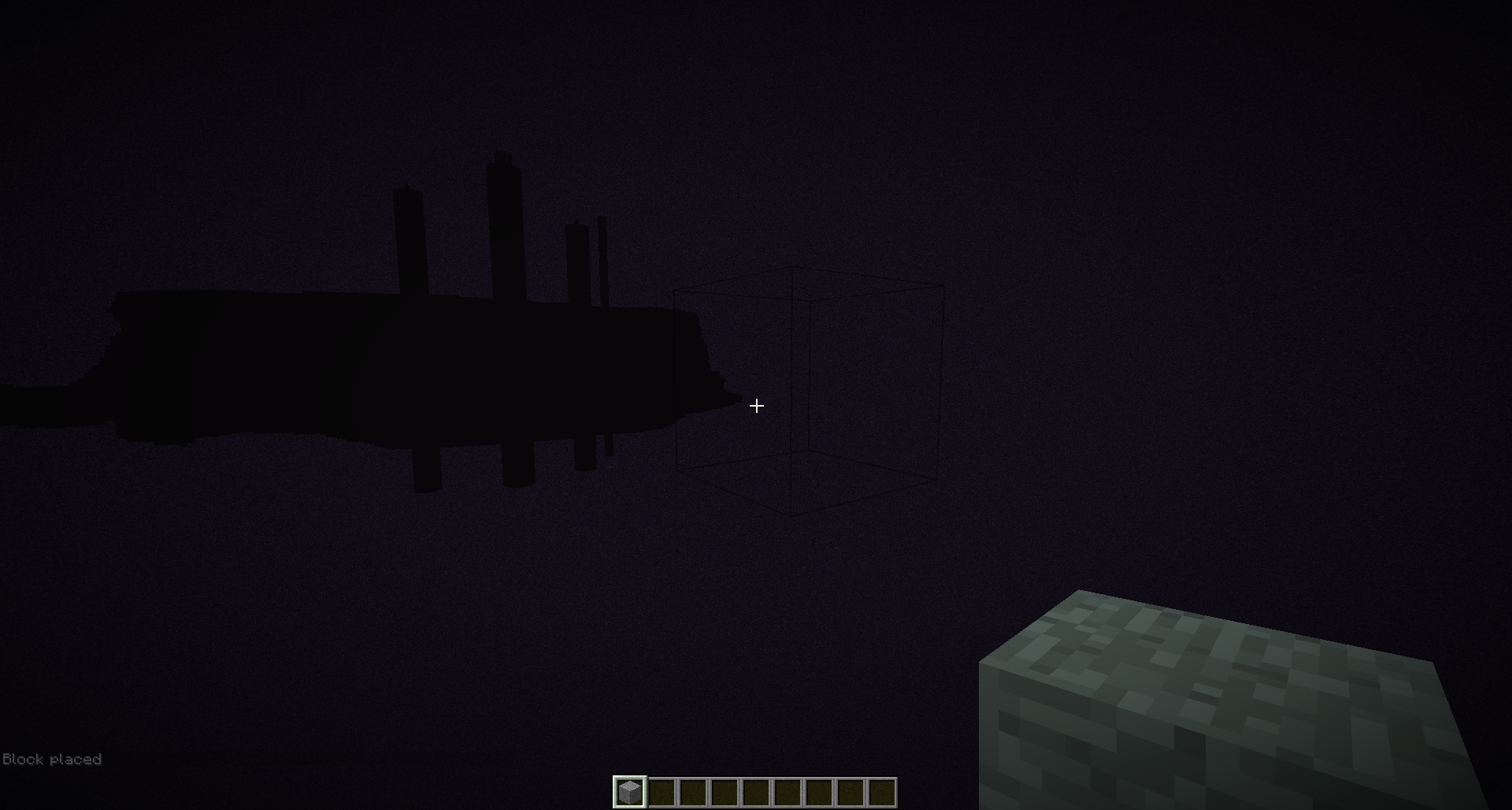
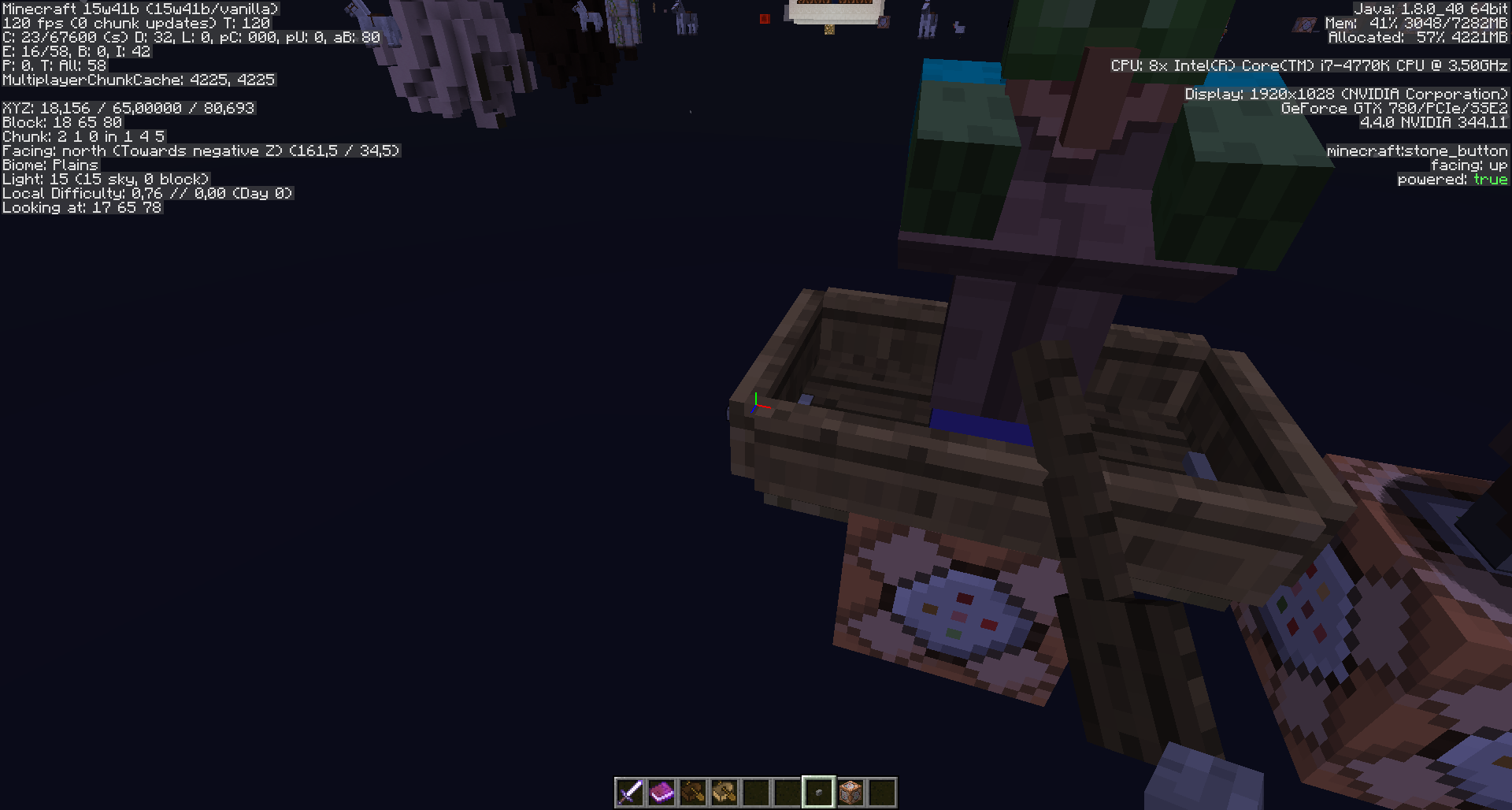
149got closed wrongly, I re-post it because it was under the presumption this happens maybe only on servers, but I can confirm this for normal SinglePlayer worlds, as the bug relates to the command itself.If the original bugposter will keep his issue updated, please close my bugpost here as duplicate and re-open his bugpost, and of course also use my info incl. screenshots, if needed, thank you.
Steps to reproduce:
1. Insert the following Command into a CommandBlock and trigger it:
/summon Villager ~ ~0.5 ~ {NoAI:1,Passengers:[{id:Boat,Passengers:[{id:Zombie}]}]}2. Result
- My world gets unresponsive, when I open the GUI of the CommandBlock, it shows up empty.
- It's as if I'm in a ghost mode, but I can make screenshots still though, successfully.
See screenshot of the unresponsive CommandBlock GUI (buttons are not clickable).- I seem to be able to place blocks, but when I relog into the world after I forcequit, they are not there.
Sadly I can not force a crash with F3-C, and I don't get any crash report when I forcequit, but in my Launcher it says this:
[08:03:32 ERROR]: Game ended with bad state (exit code -805306369)
[08:03:32 INFO]: Ignoring visibility rule and showing launcher due to a game crashAnd I'm very sure this is reproducable with that command for everyone, to confirm it.
Thank you, regards,
MeriBugpost/issue MC-89941 got closed wrongly, I re-post it because it was under the presumption this happens maybe only on servers, but I can confirm this for normal SinglePlayer worlds, as the bug relates to the command itself.
If the original bugposter will keep his issue updated, please close my bugpost here as duplicate and re-open his bugpost, and of course also use my info incl. screenshots, if needed, thank you.
Steps to reproduce:
1. Insert the following Command into a CommandBlock and trigger it:
/summon Villager ~ ~0.5 ~ {NoAI:1,Passengers:[{id:Boat,Passengers:[{id:Zombie}]}]}2. Result
- My world gets unresponsive, when I open the GUI of the CommandBlock, it shows up empty.
- It's as if I'm in a ghost mode, but I can make screenshots still though, successfully.
See screenshot of the unresponsive CommandBlock GUI (buttons are not clickable).- I seem to be able to place blocks, but when I relog into the world after I forcequit, they are not there.
Sadly I can not force a crash with F3-C, and I don't get any crash report when I forcequit, but in my Launcher it says this:
[08:03:32 ERROR]: Game ended with bad state (exit code -805306369)
[08:03:32 INFO]: Ignoring visibility rule and showing launcher due to a game crashAnd I'm very sure this is reproducable with that command for everyone, to confirm it.
Thank you, regards,
Meri
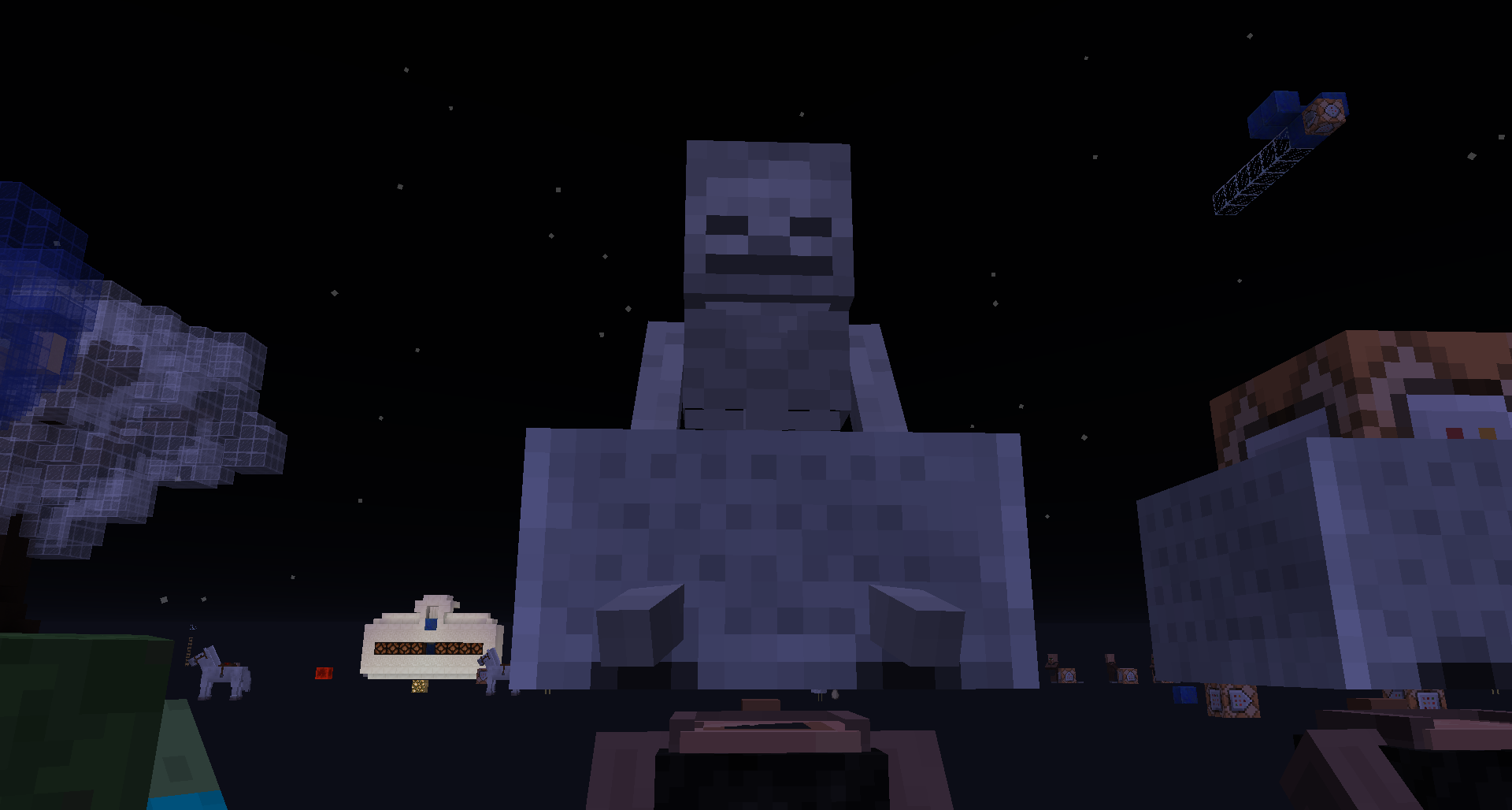
Bugpost/issue MC-89941 got closed wrongly, I re-post it because it was under the presumption this happens maybe only on servers, but I can confirm this for normal SinglePlayer worlds, as the bug relates to the command itself.
If the original bugposter will keep his issue updated, please close my bugpost here as duplicate and re-open his bugpost, and of course also use my info incl. screenshots, if needed, thank you.
Steps to reproduce:
1. Insert the following Command into a CommandBlock and trigger it:
/summonVillager ~ ~0.5~ {NoAI:1,Passengers:[{id:Boat,Passengers:[{id:Zombie}]}]}2. Result
- My world gets unresponsive, when I open the GUI of the CommandBlock, it shows up empty.
- It's as if I'm in a ghost mode, but I can make screenshots still though, successfully.
See screenshot of the unresponsive CommandBlock GUI (buttons are not clickable).- I seem to be able to place blocks, but when I relog into the world after I forcequit, they are not there.
Sadly I can not force a crash with F3-C, and I don't get any crash report when I forcequit, but in my Launcher it says this:
[08:03:32 ERROR]: Game ended with bad state (exit code -805306369)
[08:03:32 INFO]: Ignoring visibility rule and showing launcher due to a game crash
And I'm very sure this is reproducable withthat command for everyone, to confirm it.Thank you, regards,
MeriThis crash still happens if you summon a boat as a passenger of a boat that is a passenger of an entity.
Steps to reproduce
1. Insert the following Command into a CommandBlock and trigger it:
/summon sreeper ~ ~2 ~ {Passengers:[{id:boat,Passengers:[{id:boat}]}]}Happens also when you specify the boat material type:
/summon creeper ~ ~2 ~ {Passengers:[{id:"boat",Type:"oak",Passengers:[{id:"boat",Type:"oak"}]}]}2. Result
- My world gets unresponsive, when I open the GUI of the CommandBlock, it shows up empty.
- It's as if I'm in a ghost mode, but I can make screenshots still though, successfully.
See screenshot of the unresponsive CommandBlock GUI (buttons are not clickable).- I seem to be able to place blocks, but when I relog into the world after I forcequit, they are not there.
Sadly I can not force a crash with F3-C, and I don't get any crash report when I forcequit, but in my Launcher it says this:
[08:03:32 ERROR]: Game ended with bad state (exit code -805306369)
[08:03:32 INFO]: Ignoring visibility rule and showing launcher due to a game crashReproducable 100% with that command for everyone, to confirm it.
Interestingly something possibly new I noticed - not sure if it never occurred in the older MC versions with only 1 boat as passenger or I just overlooked it:
When I summoned the ridden entity, crashed, and re-log into the world, the entity and its passengers are not in the world anymore.If I recall correctly, that's different from before (with 1 boat as passenger), but I don't know if that really matters.
Thank you, regards,
Meri
This crash still happens if you summon a boat as a passenger of a boat that is a passenger of an entity.
Steps to reproduce
1. Insert the following Command into a CommandBlock and trigger it:
/summon sreeper ~ ~2 ~ {Passengers:[{id:boat,Passengers:[{id:boat}]}]}Happens also when you specify the boat material type:
/summon creeper ~ ~2 ~ {Passengers:[{id:"boat",Type:"oak",Passengers:[{id:"boat",Type:"oak"}]}]}2. Result
- My world gets unresponsive, when I open the GUI of the CommandBlock, it shows up empty.
- It's as if I'm in a ghost mode, but I can make screenshots still though, successfully.
See screenshot of the unresponsive CommandBlock GUI (buttons are not clickable).- I seem to be able to place blocks, but when I relog into the world after I forcequit, they are not there.
Sadly I can not force a crash with F3-C, and I don't get any crash report when I forcequit, but in my Launcher it says this:
[08:03:32 ERROR]: Game ended with bad state (exit code -805306369)
[08:03:32 INFO]: Ignoring visibility rule and showing launcher due to a game crashReproducable 100% with that command for everyone, to confirm it.
Interestingly something possibly new I noticed - not sure if it never occurred in the older MC versions with only 1 boat as passenger or I just overlooked it:
When I summoned the ridden entity, crashed, and re-log into the world, the entity and its passengers are not in the world anymore.If I recall correctly, that's different from before (with 1 boat as passenger), but I don't know if that really matters.
Thank you, regards,
MeriThis crash still happens if you summon a boat as a passenger of a boat that is a passenger of an entity.
Steps to reproduce
1. Insert the following Command into a CommandBlock and trigger it:
/summon creeper ~ ~2 ~ {Passengers:[{id:boat,Passengers:[{id:boat}]}]}Happens also when you specify the boat material type:
/summon creeper ~ ~2 ~ {Passengers:[{id:"boat",Type:"oak",Passengers:[{id:"boat",Type:"oak"}]}]}2. Result
- My world gets unresponsive, when I open the GUI of the CommandBlock, it shows up empty.
- It's as if I'm in a ghost mode, but I can make screenshots still though, successfully.
See screenshot of the unresponsive CommandBlock GUI (buttons are not clickable).- I seem to be able to place blocks, but when I relog into the world after I forcequit, they are not there.
Sadly I can not force a crash with F3-C, and I don't get any crash report when I forcequit, but in my Launcher it says this:
[08:03:32 ERROR]: Game ended with bad state (exit code -805306369)
[08:03:32 INFO]: Ignoring visibility rule and showing launcher due to a game crashReproducable 100% with that command for everyone, to confirm it.
Interestingly something possibly new I noticed - not sure if it never occurred in the older MC versions with only 1 boat as passenger or I just overlooked it:
When I summoned the ridden entity, crashed, and re-log into the world, the entity and its passengers are not in the world anymore.If I recall correctly, that's different from before (with 1 boat as passenger), but I don't know if that really matters.
Thank you, regards,
Meri
Game crashes with exit code -805306369 (out of memory?) when boats are summoned as passengersof a living entityGame crashes with exit code -805306369 (out of memory?) when boats are summoned as passenger of a boat that is a passenger of a living entity


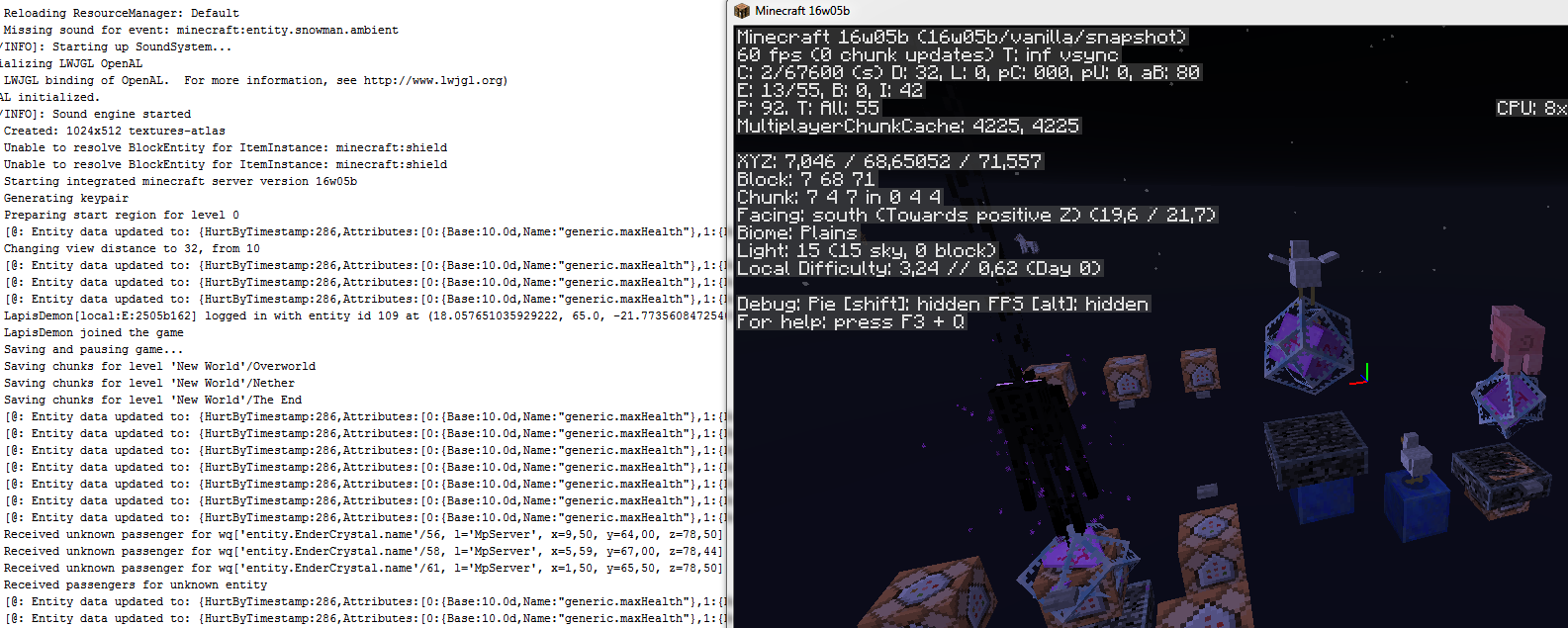

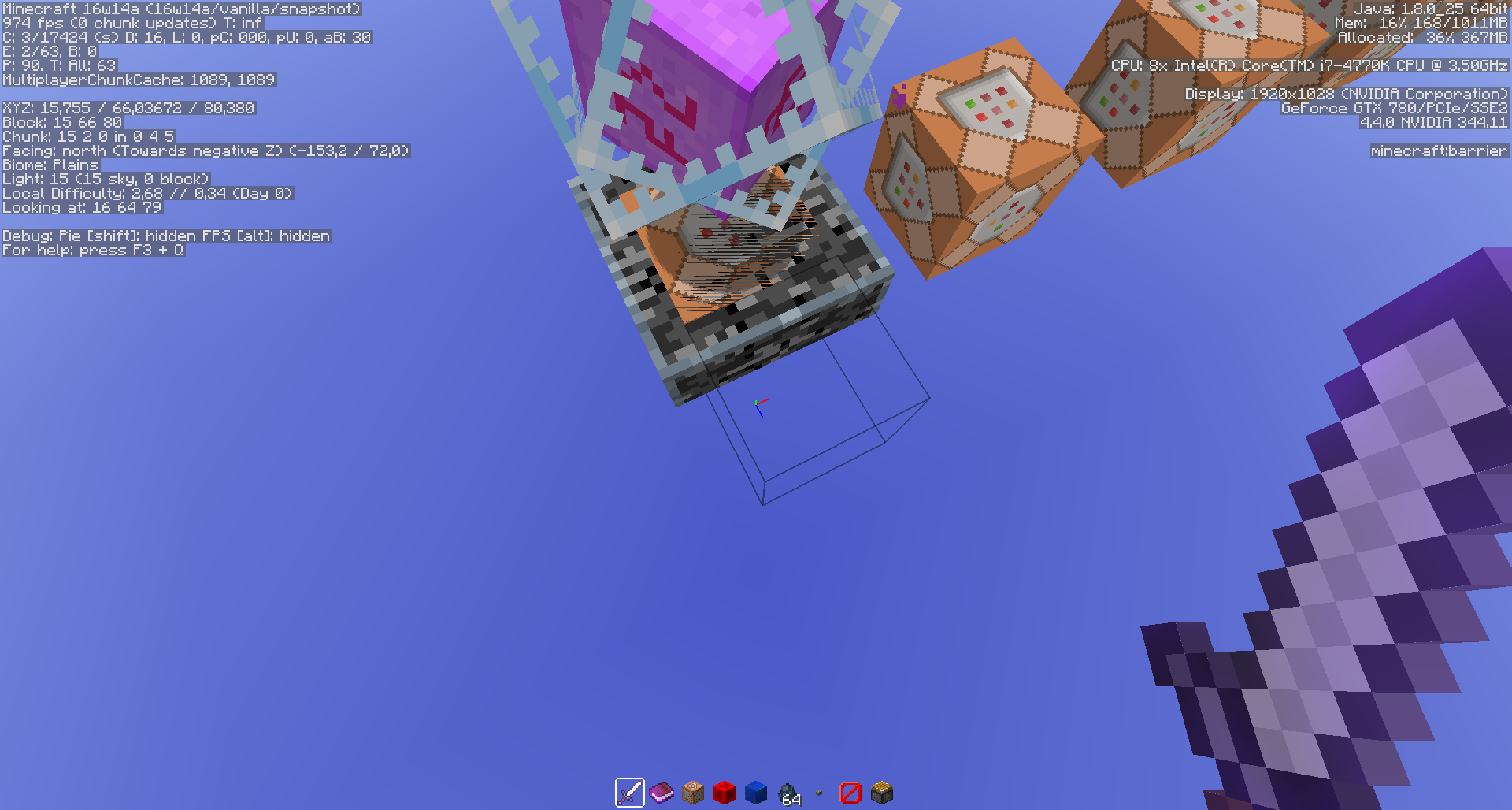


Thus far I couldonly reproduce it with an ender crystal as the host.To reproduce, summon an ender crystal that has a passenger with a smaller render distance.
/summon end_crystal ~ ~1 ~ {Passengers:[{id:"item",Item:{id:"minecraft:stone",Count:1b}}]}or
/summon end_crystal ~ ~1 ~ {Passengers:[{id:"pig"}]}When moving out of render distance of the item or pig, while remaining within rendering distance of the ender crystal, the output log will periodically spam the "Received unknown passenger" error.
No errors occur when the host and passengers are swapped. I could also not reproduce it by having an item riding a pig. I'm unsure of the render distances for other entities.
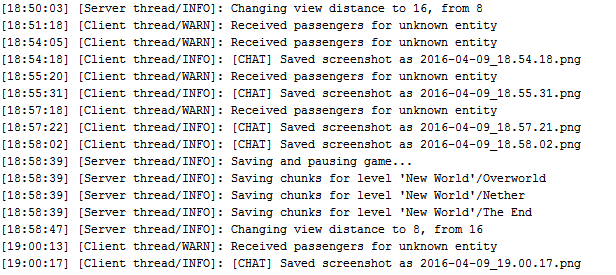
15w45a[11:29:58] [Client thread/WARN]: Received unknown passenger for wp['entity.EnderCrystal.name'/143755, l='MpServer', x=718,56, y=57,00, z=-1889,38] [11:30:03] [Client thread/WARN]: Received unknown passenger for wp['entity.EnderCrystal.name'/143755, l='MpServer', x=718,56, y=57,00, z=-1889,38] [11:30:08] [Client thread/WARN]: Received unknown passenger for wp['entity.EnderCrystal.name'/143755, l='MpServer', x=718,56, y=57,00, z=-1889,38] [11:30:13] [Client thread/WARN]: Received unknown passenger for wp['entity.EnderCrystal.name'/143755, l='MpServer', x=718,56, y=57,00, z=-1889,38] [11:30:18] [Client thread/WARN]: Received unknown passenger for wp['entity.EnderCrystal.name'/143755, l='MpServer', x=718,56, y=57,00, z=-1889,38] [11:30:23] [Client thread/WARN]: Received unknown passenger for wp['entity.EnderCrystal.name'/143755, l='MpServer', x=718,56, y=57,00, z=-1889,38] [11:30:28] [Client thread/WARN]: Received unknown passenger for wp['entity.EnderCrystal.name'/143755, l='MpServer', x=718,56, y=57,00, z=-1889,38]
Code analysis by Marcono1234 can be found in this comment.
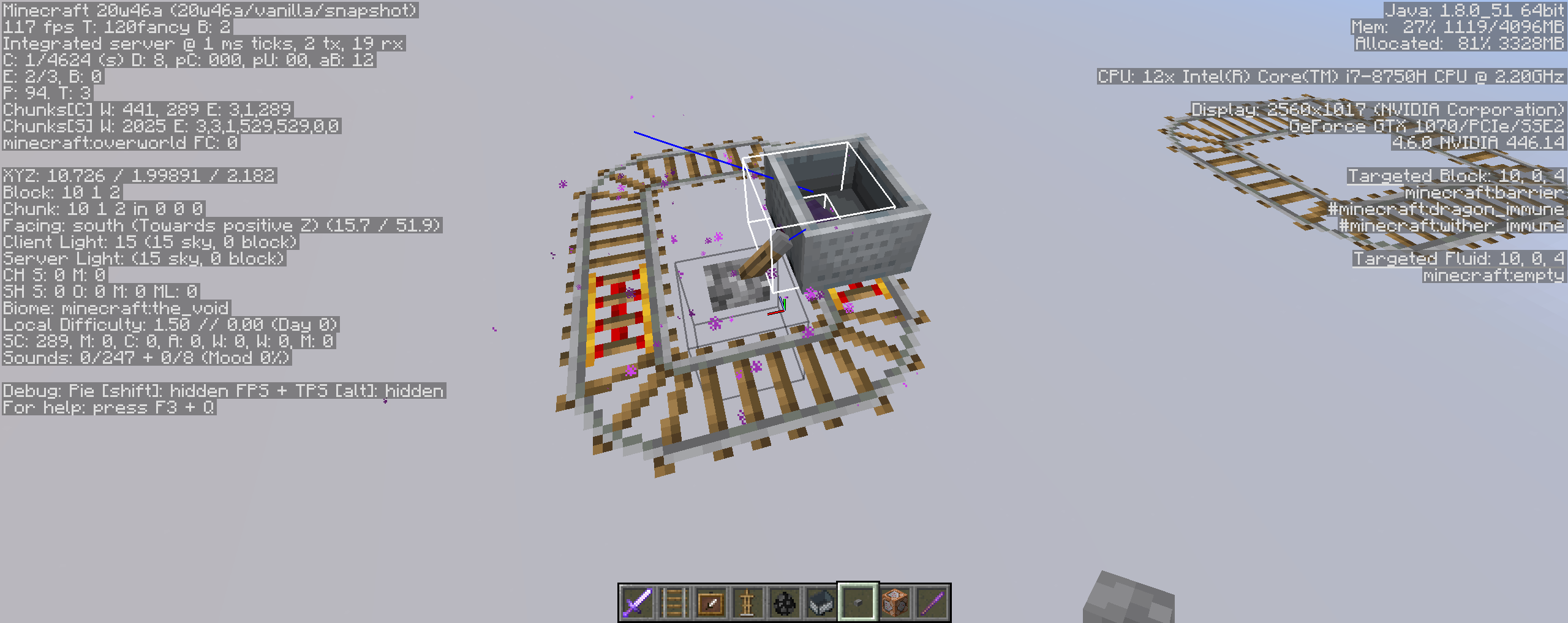
Note: Not only reproducible it with an ender crystal as the host, but with a simple minecart that is ridden by an entity, thus this error message can also occur in Vanilla Survival.
To reproduce, summon an ender crystal that has a passenger with a smaller render distance.
/summon end_crystal ~ ~1 ~ {Passengers:[{id:"item",Item:{id:"minecraft:stone",Count:1b}}]}or
/summon end_crystal ~ ~1 ~ {Passengers:[{id:"pig"}]}When moving out of render distance of the item or pig, while remaining within rendering distance of the ender crystal, the output log will periodically spam the "Received unknown passenger" error.
No errors occur when the host and passengers are swapped. I could also not reproduce it by having an item riding a pig. I'm unsure of the render distances for other entities.
15w45a[11:29:58] [Client thread/WARN]: Received unknown passenger for wp['entity.EnderCrystal.name'/143755, l='MpServer', x=718,56, y=57,00, z=-1889,38] [11:30:03] [Client thread/WARN]: Received unknown passenger for wp['entity.EnderCrystal.name'/143755, l='MpServer', x=718,56, y=57,00, z=-1889,38] [11:30:08] [Client thread/WARN]: Received unknown passenger for wp['entity.EnderCrystal.name'/143755, l='MpServer', x=718,56, y=57,00, z=-1889,38] [11:30:13] [Client thread/WARN]: Received unknown passenger for wp['entity.EnderCrystal.name'/143755, l='MpServer', x=718,56, y=57,00, z=-1889,38] [11:30:18] [Client thread/WARN]: Received unknown passenger for wp['entity.EnderCrystal.name'/143755, l='MpServer', x=718,56, y=57,00, z=-1889,38] [11:30:23] [Client thread/WARN]: Received unknown passenger for wp['entity.EnderCrystal.name'/143755, l='MpServer', x=718,56, y=57,00, z=-1889,38] [11:30:28] [Client thread/WARN]: Received unknown passenger for wp['entity.EnderCrystal.name'/143755, l='MpServer', x=718,56, y=57,00, z=-1889,38]
Code analysis by Marcono1234 can be found in this comment.
Note: Not only reproducible it with an ender crystal as the host, but with a simple minecart that is ridden by an entity, thus this error message can also occur in Vanilla Survival.
To reproduce, summon an ender crystal that has a passenger with a smaller render distance.
/summon end_crystal ~ ~1 ~ {Passengers:[{id:"item",Item:{id:"minecraft:stone",Count:1b}}]}or
/summon end_crystal ~ ~1 ~ {Passengers:[{id:"pig"}]}When moving out of render distance of the item or pig, while remaining within rendering distance of the ender crystal, the output log will periodically spam the "Received unknown passenger" error.
No errors occur when the host and passengers are swapped. I could also not reproduce it by having an item riding a pig. I'm unsure of the render distances for other entities.
15w45a[11:29:58] [Client thread/WARN]: Received unknown passenger for wp['entity.EnderCrystal.name'/143755, l='MpServer', x=718,56, y=57,00, z=-1889,38] [11:30:03] [Client thread/WARN]: Received unknown passenger for wp['entity.EnderCrystal.name'/143755, l='MpServer', x=718,56, y=57,00, z=-1889,38] [11:30:08] [Client thread/WARN]: Received unknown passenger for wp['entity.EnderCrystal.name'/143755, l='MpServer', x=718,56, y=57,00, z=-1889,38] [11:30:13] [Client thread/WARN]: Received unknown passenger for wp['entity.EnderCrystal.name'/143755, l='MpServer', x=718,56, y=57,00, z=-1889,38] [11:30:18] [Client thread/WARN]: Received unknown passenger for wp['entity.EnderCrystal.name'/143755, l='MpServer', x=718,56, y=57,00, z=-1889,38] [11:30:23] [Client thread/WARN]: Received unknown passenger for wp['entity.EnderCrystal.name'/143755, l='MpServer', x=718,56, y=57,00, z=-1889,38] [11:30:28] [Client thread/WARN]: Received unknown passenger for wp['entity.EnderCrystal.name'/143755, l='MpServer', x=718,56, y=57,00, z=-1889,38]
Code analysis by Marcono1234 can be found in this comment.
Note: Not only reproducible it with an ender crystal as the host, but with a simple minecart that is ridden by an entity, thus this error message can also occur in Vanilla Survival. According to Jason Penick this also happens in Survival with boats.
To reproduce, summon an ender crystal that has a passenger with a smaller render distance.
/summon end_crystal ~ ~1 ~ {Passengers:[{id:"item",Item:{id:"minecraft:stone",Count:1b}}]}or
/summon end_crystal ~ ~1 ~ {Passengers:[{id:"pig"}]}When moving out of render distance of the item or pig, while remaining within rendering distance of the ender crystal, the output log will periodically spam the "Received unknown passenger" error.
No errors occur when the host and passengers are swapped. I could also not reproduce it by having an item riding a pig. I'm unsure of the render distances for other entities.
15w45a[11:29:58] [Client thread/WARN]: Received unknown passenger for wp['entity.EnderCrystal.name'/143755, l='MpServer', x=718,56, y=57,00, z=-1889,38] [11:30:03] [Client thread/WARN]: Received unknown passenger for wp['entity.EnderCrystal.name'/143755, l='MpServer', x=718,56, y=57,00, z=-1889,38] [11:30:08] [Client thread/WARN]: Received unknown passenger for wp['entity.EnderCrystal.name'/143755, l='MpServer', x=718,56, y=57,00, z=-1889,38] [11:30:13] [Client thread/WARN]: Received unknown passenger for wp['entity.EnderCrystal.name'/143755, l='MpServer', x=718,56, y=57,00, z=-1889,38] [11:30:18] [Client thread/WARN]: Received unknown passenger for wp['entity.EnderCrystal.name'/143755, l='MpServer', x=718,56, y=57,00, z=-1889,38] [11:30:23] [Client thread/WARN]: Received unknown passenger for wp['entity.EnderCrystal.name'/143755, l='MpServer', x=718,56, y=57,00, z=-1889,38] [11:30:28] [Client thread/WARN]: Received unknown passenger for wp['entity.EnderCrystal.name'/143755, l='MpServer', x=718,56, y=57,00, z=-1889,38]
Code analysis by Marcono1234 can be found in this comment.

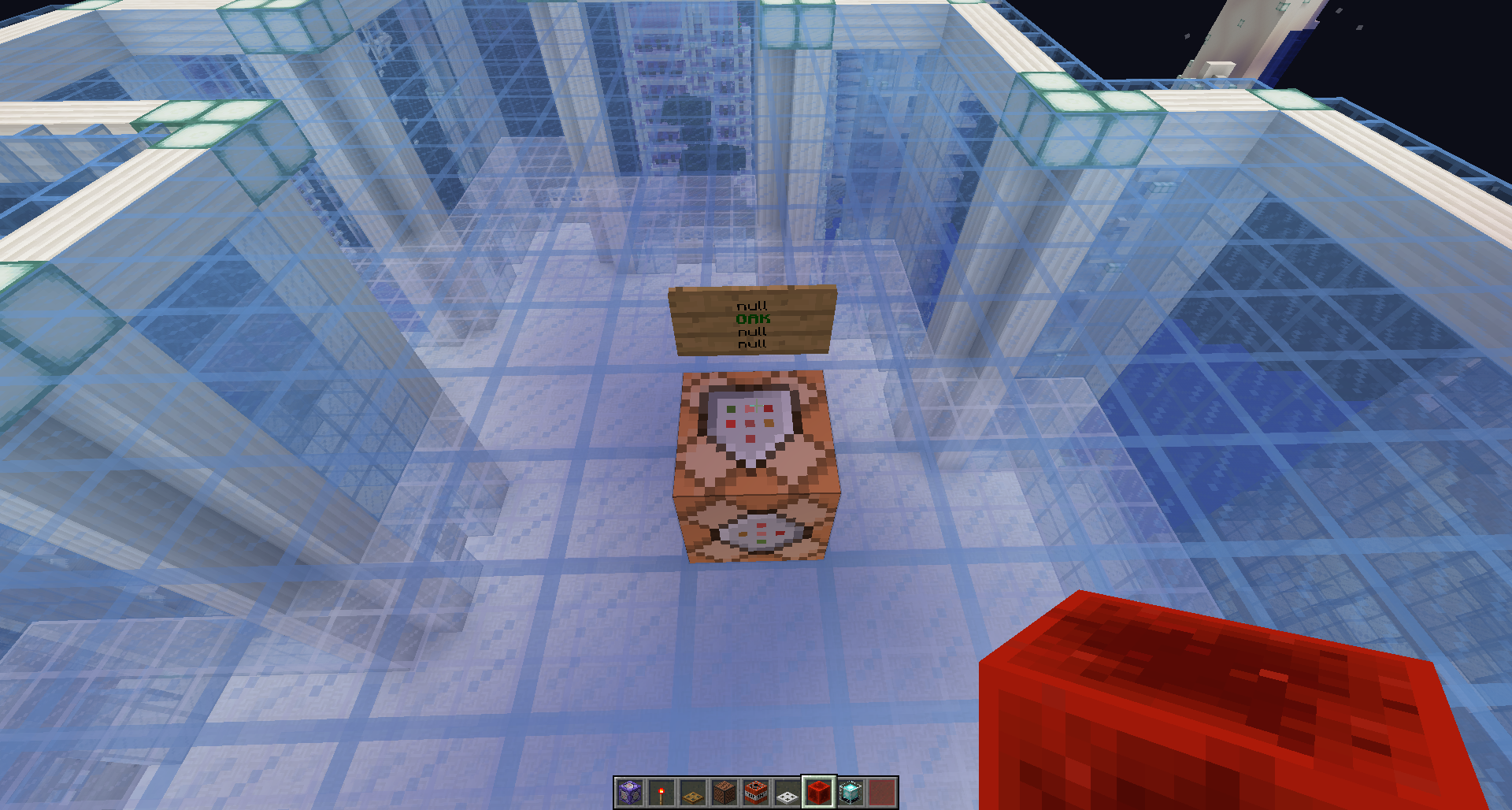





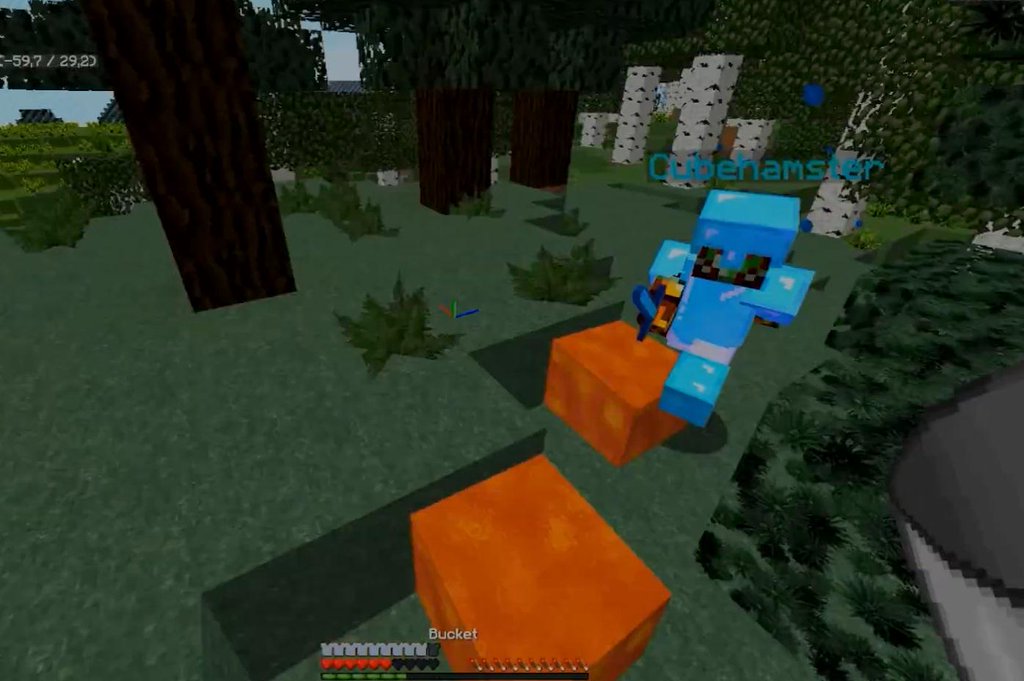




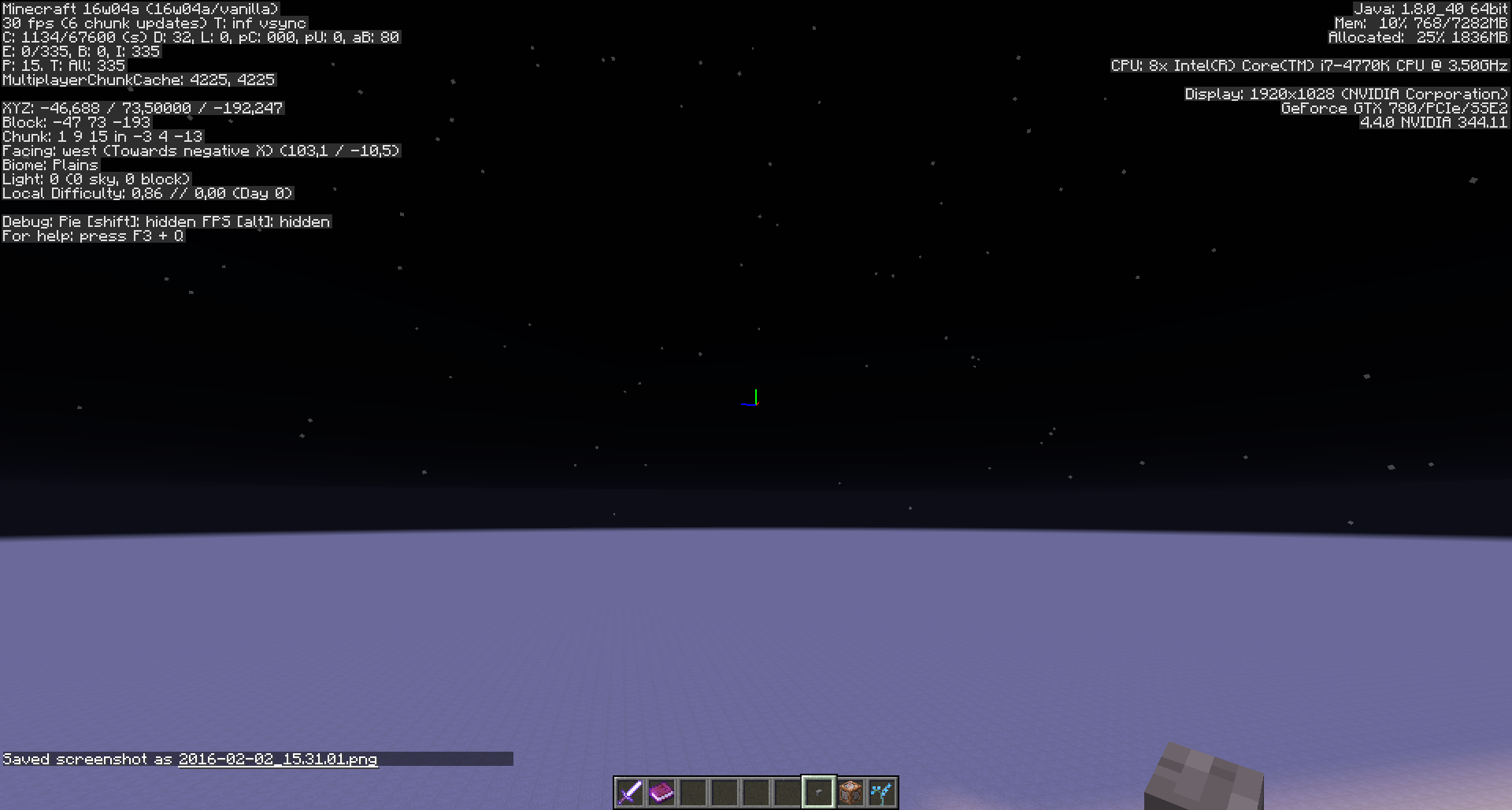
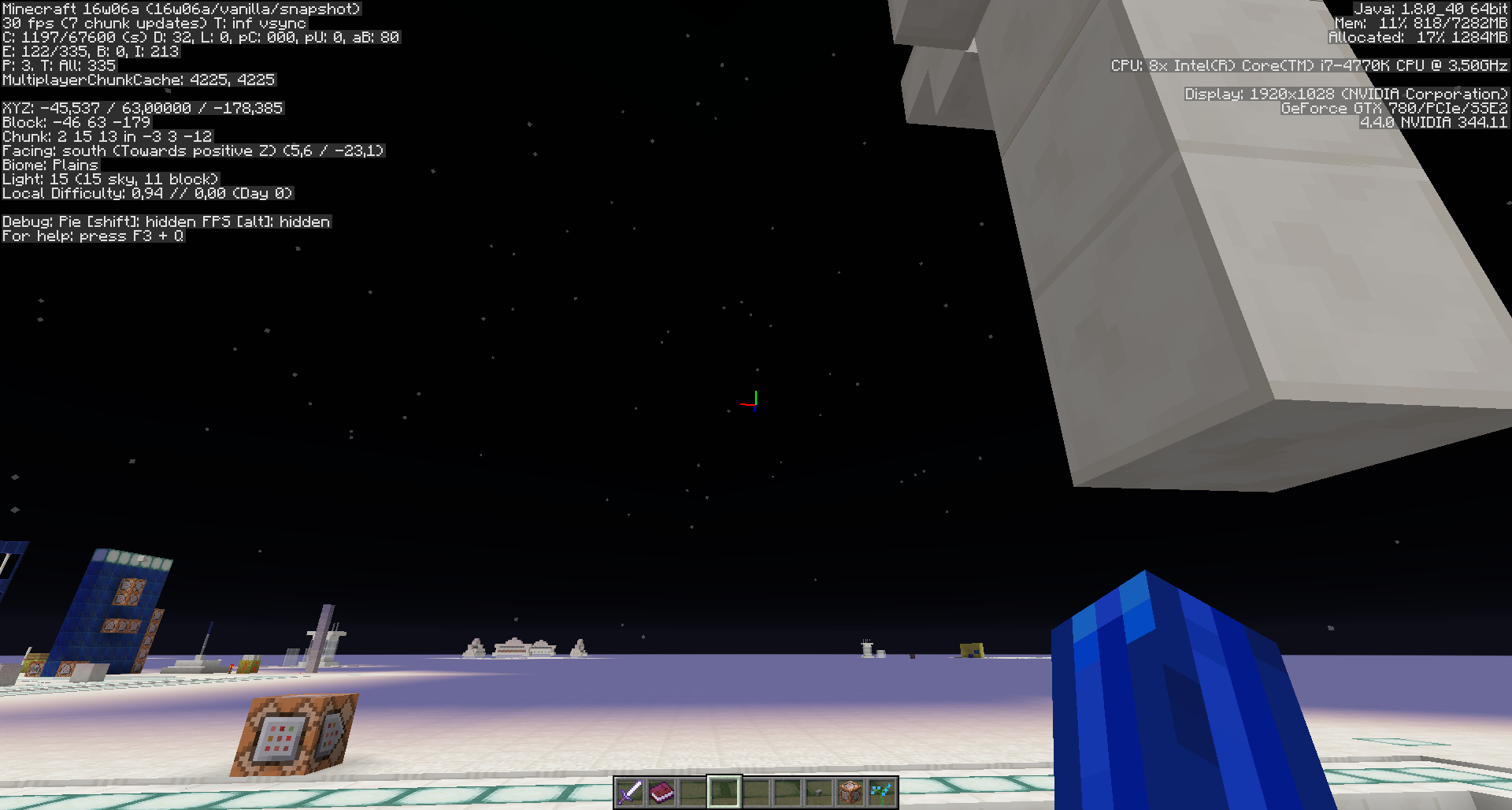

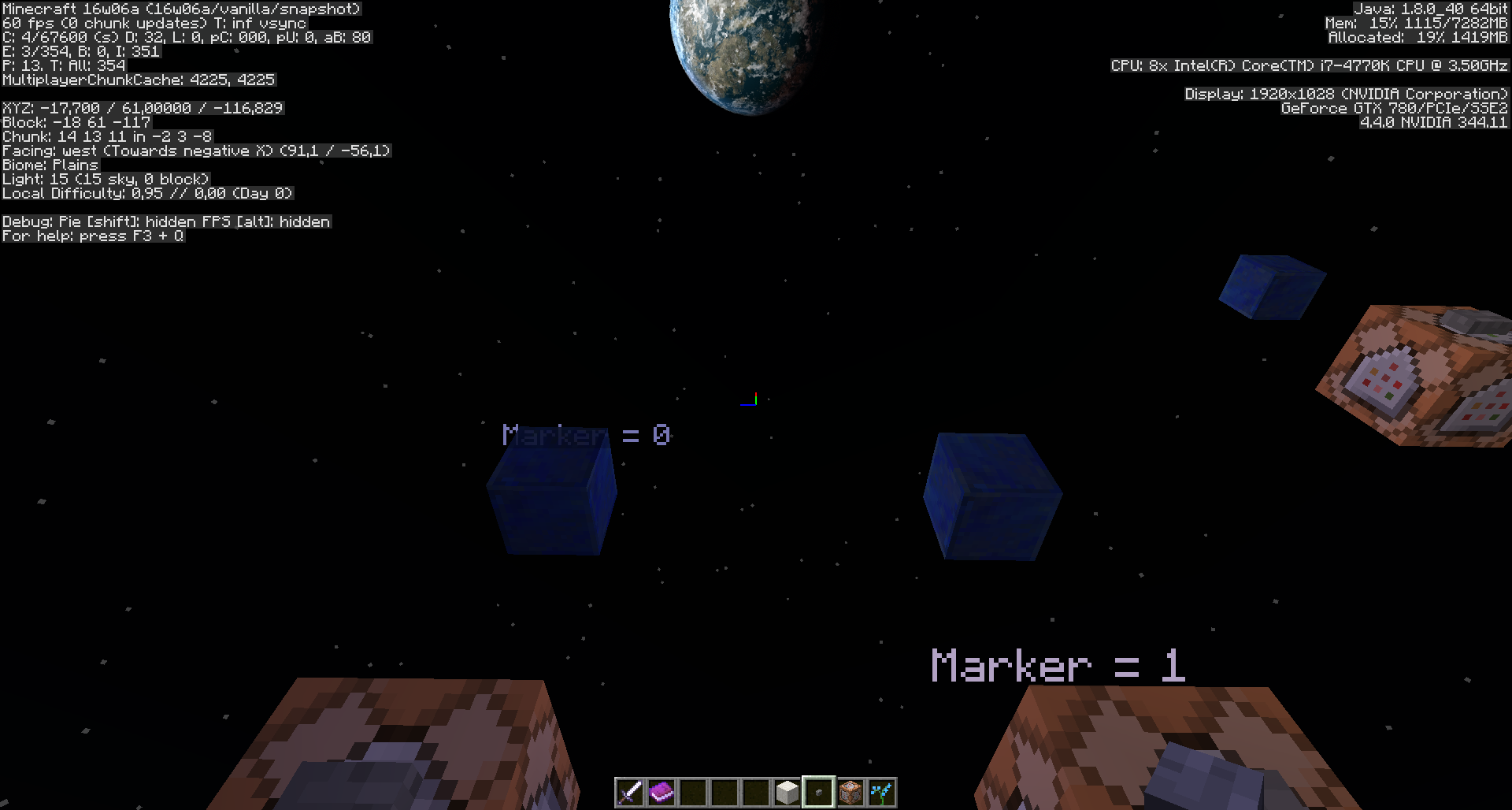
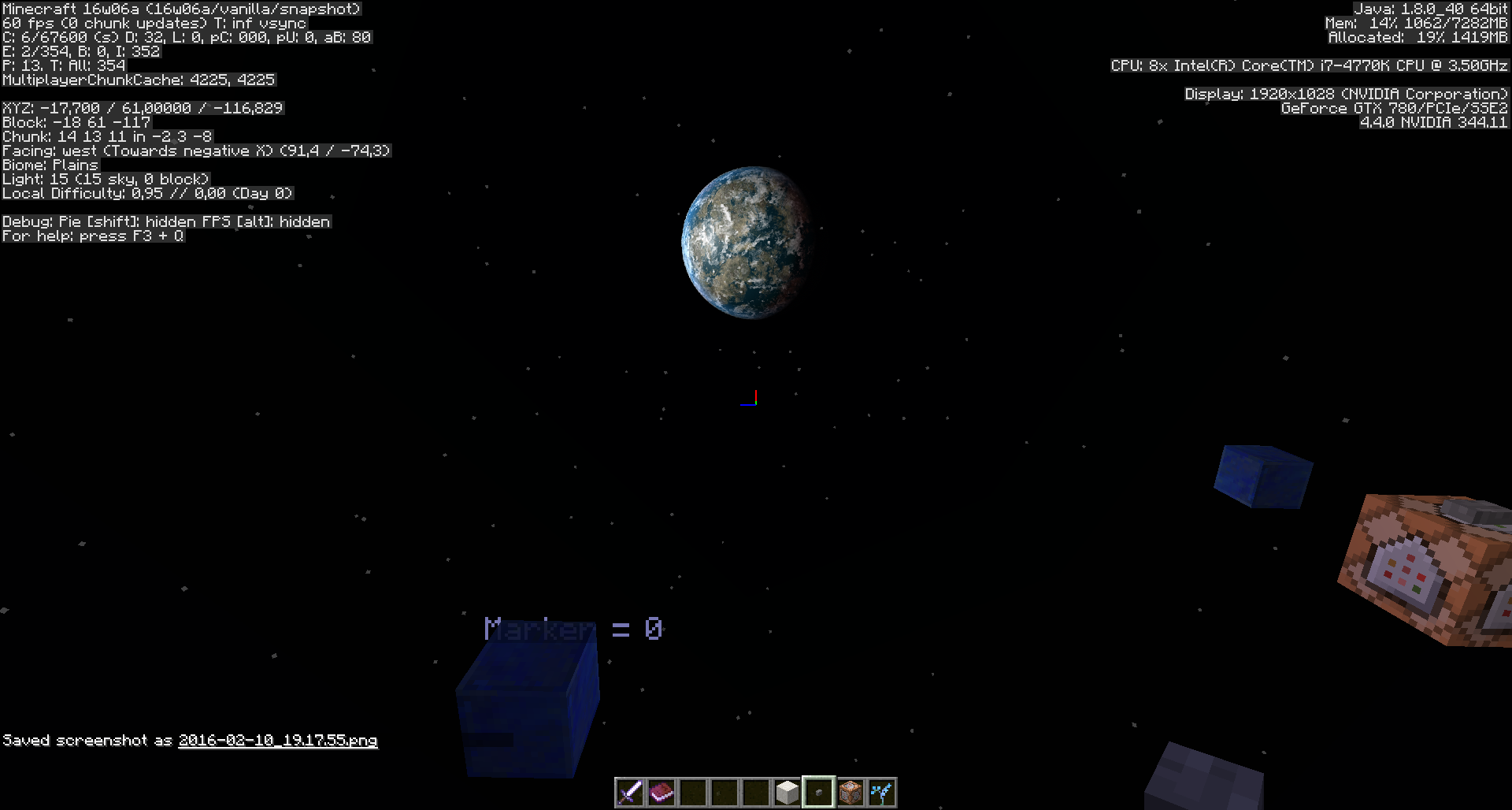
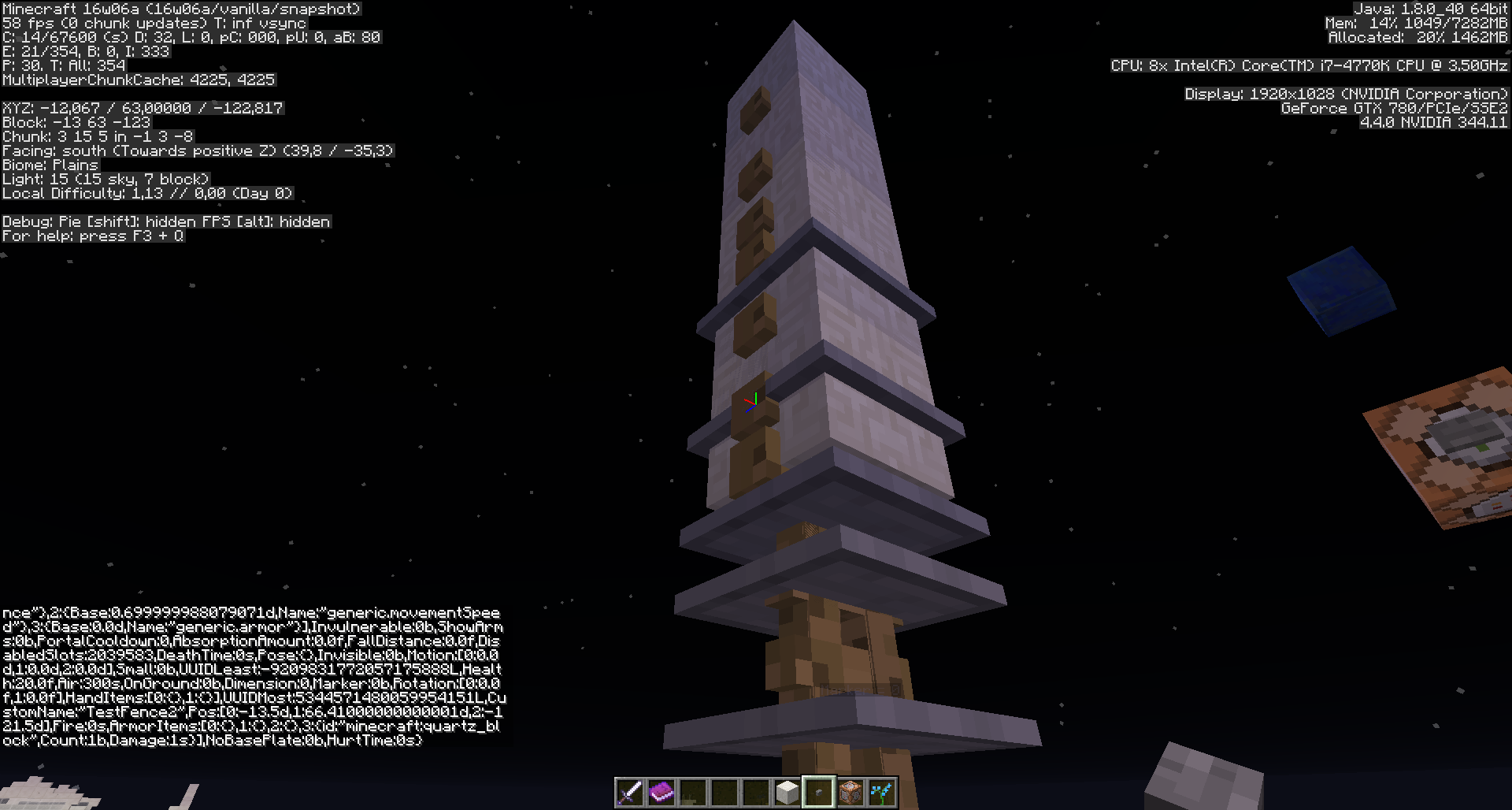
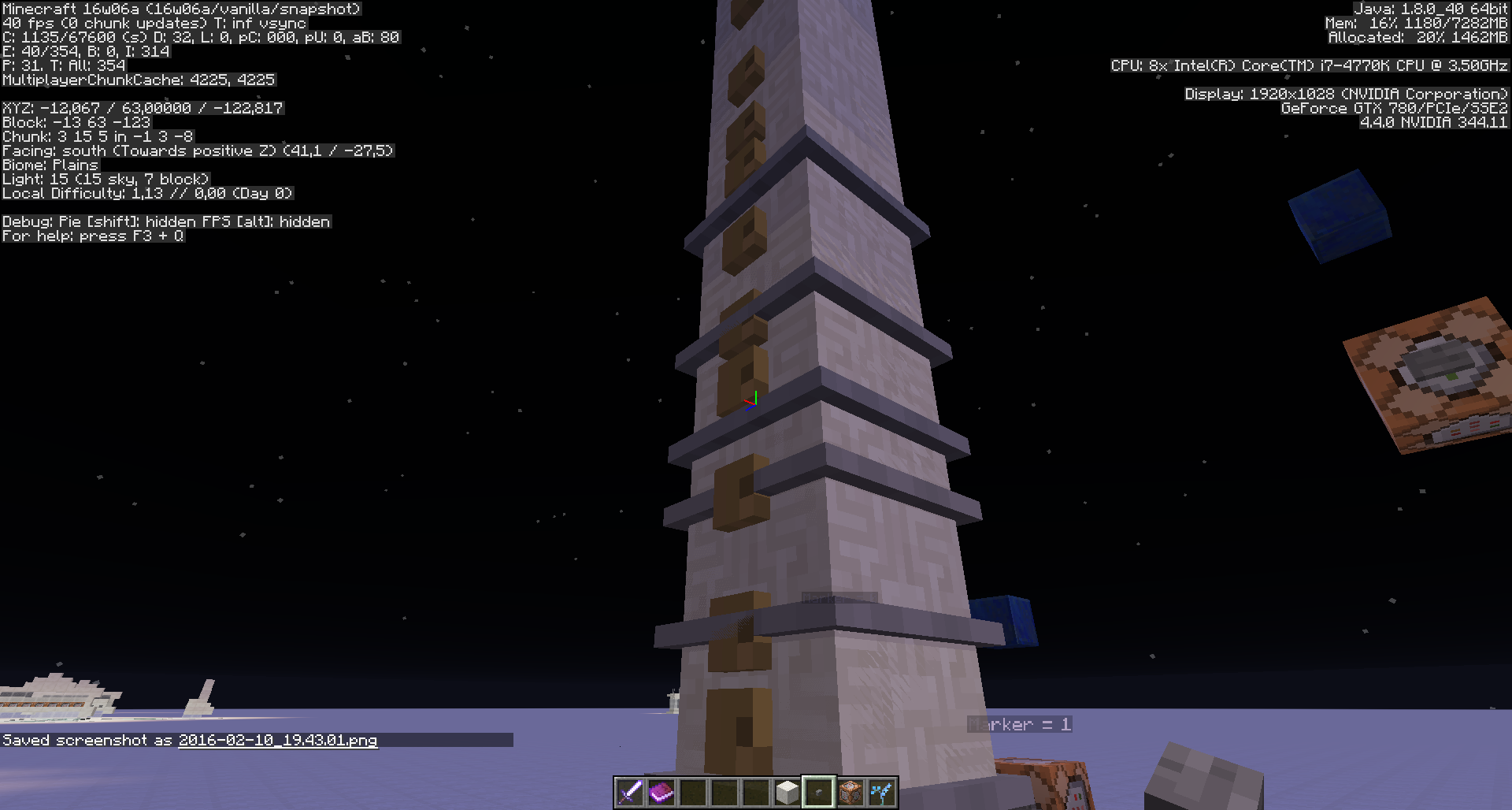
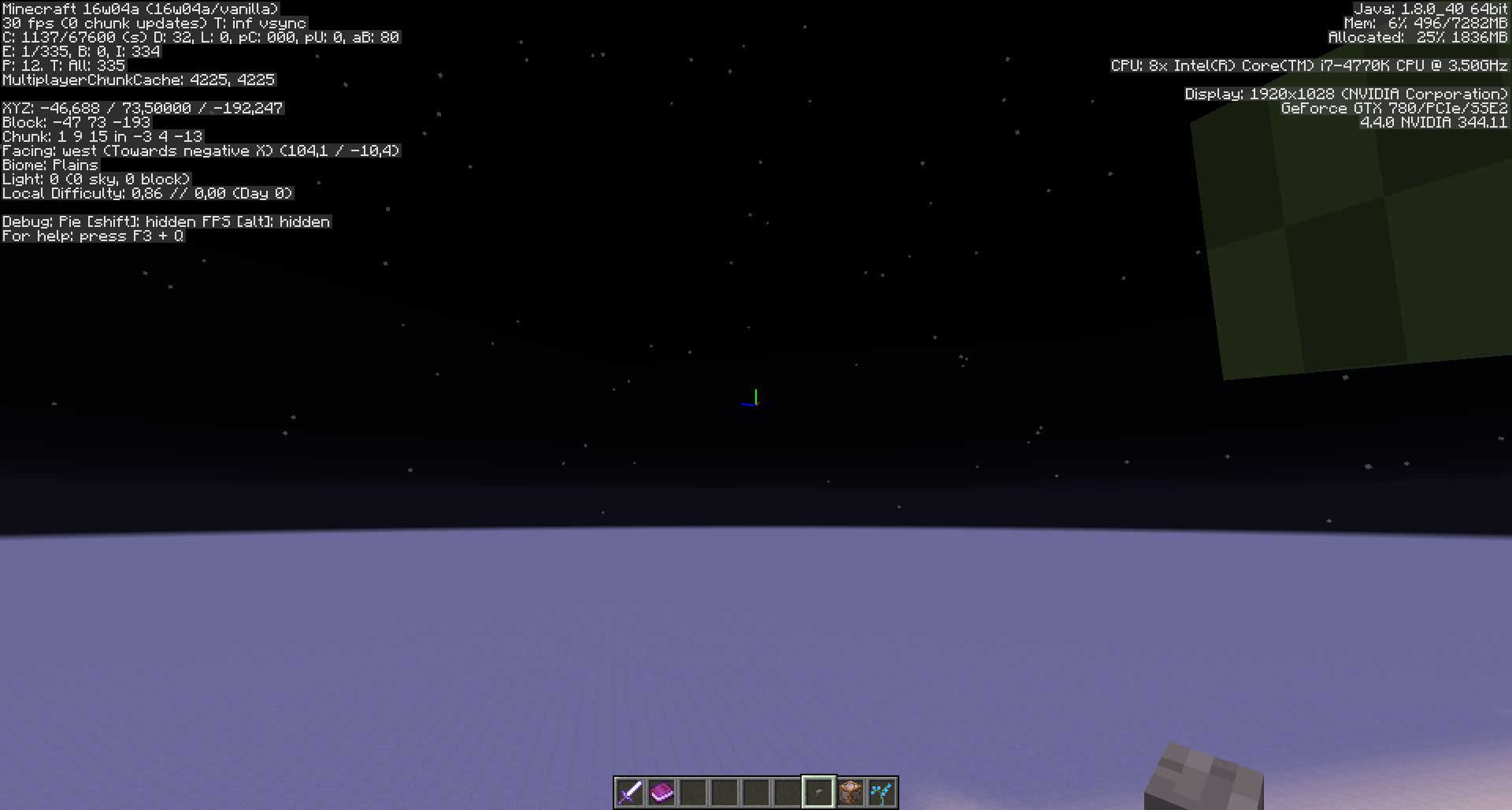


Again apology in case there's an already-posted bugpost for this, I'm terrible at finding them, just resolve it as duplicate without scolding me ;-;
If you place a custom spawn egg, the game output will be overflooded as long as that spawned entity is alive.
Command used:
/give @p minecraft:spawn_egg 1 0 {EntityTag:{id:Squid,CustomName:"testsquid"}}Game output that gets spammed over and over again for that specific mob, spawned with that custom spawn egg is:
[Server thread/INFO]: [@: Entity data updated to: {HurtByTimestamp:0,Attributes:[0:{Base:10.0d,Name:"generic.maxHealth"},1:{Base:0.0d,Name:"generic.knockbackResistance"},2:{Base:0.699999988079071d,Name:"generic.movementSpeed"},3:{Base:0.0d,Name:"generic.armor"},4:{Base:16.0d,Modifiers:[0:{UUIDMost:1734161204449200574L,UUIDLeast:-7321354247624528459L,Amount:-0.09118063044254122d,Operation:1,Name:"Random spawn bonus"}],Name:"generic.followRange"}],Invulnerable:0,PortalCooldown:0,AbsorptionAmount:0.0f,FallDistance:0.0f,DeathTime:0s,HandDropChances:[0:0.085f,1:0.085f],PersistenceRequired:0b,Motion:[0:0.0d,1:-0.0784000015258789d,2:0.0d],Leashed:0b,UUIDLeast:-7437271859957781084L,Health:10.0f,LeftHanded:1b,Air:115s,OnGround:1b,Dimension:0,NoAI:1,Rotation:[0:-38.273956f,1:0.0f],HandItems:[0:{},1:{}],ArmorDropChances:[0:0.085f,1:0.085f,2:0.085f,3:0.085f],UUIDMost:2327490330975944762L,CustomName:"testsquid",Pos:[0:27.5d,1:65.0d,2:32.5d],Fire:-1s,ArmorItems:[0:{},1:{},2:{},3:{}],CanPickUpLoot:0b,HurtTime:0s}]Regards, Meri
Again apology in case there's an already-posted bugpost for this, I'm terrible at finding them, just resolve it as duplicate without scolding me ;-;
If you place a custom spawn egg, the game output will be overflooded as long as that spawned entity is alive.
Command used:
/give @p minecraft:spawn_egg 1 0 {EntityTag:{id:Squid,CustomName:"testsquid"}}Game output that gets spammed over and over again for that specific mob, spawned with that custom spawn egg is:
[Server thread/INFO]: [@: Entity data updated to: {HurtByTimestamp:0,Attributes:[0:{Base:10.0d,Name:"generic.maxHealth"},1:{Base:0.0d,Name:"generic.knockbackResistance"},2:{Base:0.699999988079071d,Name:"generic.movementSpeed"},3:{Base:0.0d,Name:"generic.armor"},4:{Base:16.0d,Modifiers:[0:{UUIDMost:1734161204449200574L,UUIDLeast:-7321354247624528459L,Amount:-0.09118063044254122d,Operation:1,Name:"Random spawn bonus"}],Name:"generic.followRange"}],Invulnerable:0,PortalCooldown:0,AbsorptionAmount:0.0f,FallDistance:0.0f,DeathTime:0s,HandDropChances:[0:0.085f,1:0.085f],PersistenceRequired:0b,Motion:[0:0.0d,1:-0.0784000015258789d,2:0.0d],Leashed:0b,UUIDLeast:-7437271859957781084L,Health:10.0f,LeftHanded:1b,Air:115s,OnGround:1b,Dimension:0,NoAI:1,Rotation:[0:-38.273956f,1:0.0f],HandItems:[0:{},1:{}],ArmorDropChances:[0:0.085f,1:0.085f,2:0.085f,3:0.085f],UUIDMost:2327490330975944762L,CustomName:"testsquid",Pos:[0:27.5d,1:65.0d,2:32.5d],Fire:-1s,ArmorItems:[0:{},1:{},2:{},3:{}],CanPickUpLoot:0b,HurtTime:0s}]Regards, Meri
Again apology in case there's an already-posted bugpost for this, I'm terrible at finding them, just resolve it as duplicate without scolding me ;;-
If you place a custom spawn egg, the game output will be overflooded as long as that spawned entity is alive.
Command used:/give @p minecraft:spawn_egg 1 0 {EntityTag:{id:Squid,CustomName:"testsquid"}}
Game output that gets spammed over and over again for that specific mob, spawned with that custom spawn egg is:-[Server thread/INFO]: [@: Entity data updated to: {HurtByTimestamp:0,Attributes:[0:{Base:10.0d,Name:"generic.maxHealth"},1:{Base:0.0d,Name:"generic.knockbackResistance"},2:{Base:0.699999988079071d,Name:"generic.movementSpeed"},3:{Base:0.0d,Name:"generic.armor"},4:{Base:16.0d,Modifiers:[0:{UUIDMost:1734161204449200574L,UUIDLeast:-7321354247624528459L,Amount:-0.09118063044254122d,Operation:1,Name:"Random spawn bonus"}],Name:"generic.followRange"}],Invulnerable:0,PortalCooldown:0,AbsorptionAmount:0.0f,FallDistance:0.0f,DeathTime:0s,HandDropChances:[0:0.085f,1:0.085f],PersistenceRequired:0b,Motion:[0:0.0d,1:-0.0784000015258789d,2:0.0d],Leashed:0b,UUIDLeast:-7437271859957781084L,Health:10.0f,LeftHanded:1b,Air:115s,OnGround:1b,Dimension:0,NoAI:1,Rotation:[0:-38.273956f,1:0.0f],HandItems:[0:{},1:{}],ArmorDropChances:[0:0.085f,1:0.085f,2:0.085f,3:0.085f],UUIDMost:2327490330975944762L,CustomName:"testsquid",Pos:[0:27.5d,1:65.0d,2:32.5d],Fire:-1s,ArmorItems:[0:{},1:{},2:{},3:{}],CanPickUpLoot:0b,HurtTime:0s}]-Regards, Meri

https://bugs.mojang.com/browse/MC-1058 fixed indeed the issue that most entities cannot be seen when on the edge of the screen, but from my testing it seems that only applies to mobs/living entities and normal-sized blocks on ArmorStands.
If you summon an ArmorStand with a large model on the headslot though this rendering bug still occurs.
Summon command for dragon head on ArmorStand headslot:/summon ArmorStand ~ ~1 ~ {ArmorItems:[{},{},{},{id:skull,Damage:5,Count:1}]}I suspect this might happen with any larger-scaled model, also selfmade models, I couldn't confirm that yet but will do so with according screenshots.
If any modelmakers read this and could test it themself with a largescale model on an ArmorStand headslot to confirm it via a comment and screenshot, I'd be very thankful }=)
Thank you.
https://bugs.mojang.com/browse/MC-1058 fixed indeed the issue that most entities cannot be seen when on the edge of the screen, but from my testing it seems that only applies to mobs/living entities and normal-sized blocks on ArmorStands.
If you summon an ArmorStand with a large model on the headslot though this rendering bug still occurs.
Summon command for dragon head on ArmorStand headslot:/summon ArmorStand ~ ~1 ~ {ArmorItems:[{},{},{},{id:skull,Damage:5,Count:1}]}It also affects self-made models, see screenshots and attached test-resourcepack by [Mod] NeunEinser
This bug is important for mapmakers to be fixed before 1.9 release.
I suspect this might happen with any larger-scaled model, also selfmade models, I couldn't confirm that yet but will do so with according screenshots.
If any modelmakers read this and could test it themself with a largescale model on an ArmorStand headslot to confirm it via a comment and screenshot, I'd be very thankful }=)Thank you.
https://bugs.mojang.com/browse/MC-1058 fixed indeed the issue that most entities cannot be seen when on the edge of the screen, but from my testing it seems that only applies to mobs/living entities and normal-sized blocks on ArmorStands.
If you summon an ArmorStand with a large model ontheheadslot though this rendering bug still occurs.
Summon command for dragon head on ArmorStand headslot:/summon ArmorStand ~ ~1 ~ {ArmorItems:[{},{},{},{id:skull,Damage:5,Count:1}]}It also affects self-made models, see screenshots and attached test-resourcepack by [Mod] NeunEinser
This bug is important for mapmakers to be fixed before 1.9 release.
I suspect this might happen with any larger-scaled model, also selfmade models, I couldn't confirm that yet but will do so with according screenshots.
If any modelmakers read this and could test it themself with a largescale model on an ArmorStand headslot to confirm it via a comment and screenshot, I'd be very thankful }=)Thank you.
https://bugs.mojang.com/browse/MC-1058 fixed indeed the issue that most entities cannot be seen when on the edge of the screen, but from my testing it seems that only applies to mobs/living entities and normal-sized blocks on ArmorStands.
On an ArmorStand with a large model on headslot though this rendering bug still occurs, both at edge of screen as well as frontal (when you look upwards), depending on block model.
Summon command for dragon head on ArmorStand headslot:/summon ArmorStand ~ ~1 ~ {ArmorItems:[{},{},{},{id:skull,Damage:5,Count:1}]}It also affects self-made models, see screenshots and attached test-resourcepack by [Mod] NeunEinser
This bug is important for mapmakers to be fixed before 1.9 release.
I suspect this might happen with any larger-scaled model, also selfmade models, I couldn't confirm that yet but will do so with according screenshots.
If any modelmakers read this and could test it themself with a largescale model on an ArmorStand headslot to confirm it via a comment and screenshot, I'd be very thankful }=)Thank you.
Large block models stop rendering prematurely on ArmorStands/Entities when leaving player's field of view. (e.g.: Dragon Head on ArmorStand)
https://bugs.mojang.com/browse/MC-1058 fixed indeed the issue that most entities cannot be seen when on the edge of the screen, but from my testing it seems that only applies to mobs/living entities and normal-sized blocks on ArmorStands.
On an ArmorStand with a large model on headslot though this rendering bug still occurs, both at edge of screen as well as frontal (when you look upwards), depending on block model.
Summon command for dragon head on ArmorStand headslot:/summon ArmorStand ~ ~1 ~ {ArmorItems:[{},{},{},{id:skull,Damage:5,Count:1}]}It also affects self-made models, see screenshots and attached test-resourcepack by [Mod] NeunEinser
This bug is important for mapmakers to be fixed before 1.9 release.Two other things important to mention:
*Do not test on Y = 63* if you want to confirm it.
There is a (confirmed it by testing) bug that renders any entity (or the blocks attached to them) invisible if you're at Y= 63.
I'm not sure if this bug here can relate to it, but I'll leave the according bugpost in here to be safe, maybe you can fix it alongside this bug here:
https://bugs.mojang.com/browse/MC-88176*Do not test with ArmorStands that have their Marker-tag set to true*
I don't know whether or not it's "works as intended", but even regular-sized blocks vanish at certain perspective angles (sideways as well as looking up) if they're at an ArmorStand with Marker-tag set to 1. (Screenshots attached).
*It would be nice to know if this is intended behaviour* or - at least currently - not fixable, because I could think about some circumstances where it'd be nice to have an ArmorStand with Marker-tag set to true, but without the model/block "vanishing" out of sight of the player, dependant on their perspective.
*If this is maybe even a desired behaviour is up to Mojang and suggestions of the mapmaking community* - So i hope someone could comment on that.
If this is not intended behaviour and fixable, please fix it alongside with this bug.
I suspect this might happen with any larger-scaled model, also selfmade models, I couldn't confirm that yet but will do so with according screenshots.
If any modelmakers read this and could test it themself with a largescale model on an ArmorStand headslot to confirm it via a comment and screenshot, I'd be very thankful }=)Thank you.

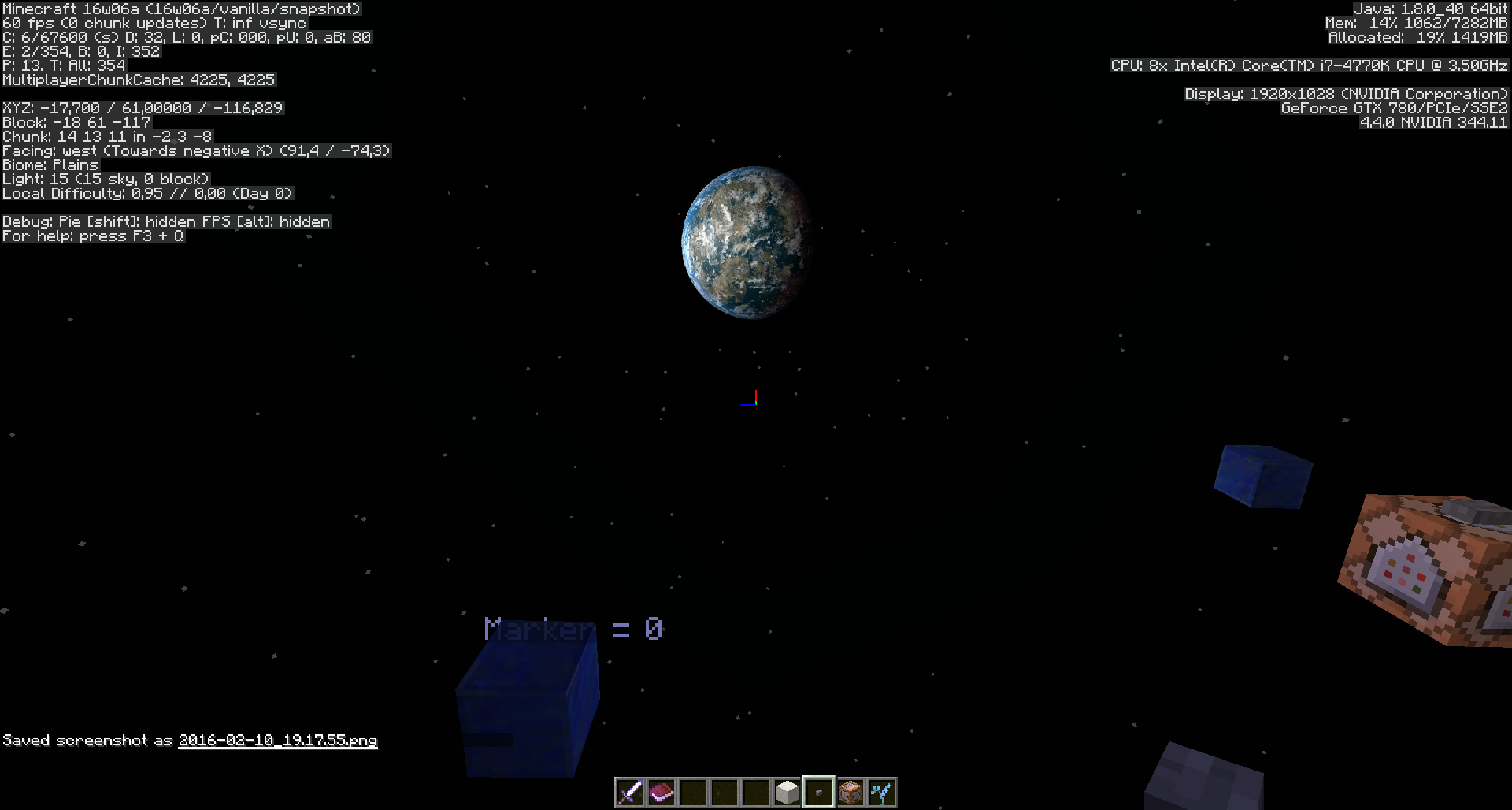

@Meri Diana: Done
@Meri Diana: LOL - didn't expect to have fans on this site. We mods are always the bad cops in the eyes of most users 
Meanwhile I did upgrade from Java 8U20 to 8U25 (on Win 7-64), had once a problem to start the launcher ("Welcome Guest"), but at the second try the Launcher and MC 1.8.1-pre1 is loading flawlessly.
@Meri Diana et al.: Done.
Meri Diana: I revisited the idea you posted today, about >=three variables per stat and tried it in action. It works very nicely and I like the idea very much. Previously I was against multiple "genes" because of summoning hassle, but it can be avoided if it's okay summoned horses aren't good breeders (Default value of 0.5 for all genes) or if the genes are added in a version where it's allowed to change entities, they can be given three equal genes corresponding to their stat. Genes are from the range (0,1).
Since (most of) the stats are calculated by a sum of three independent uniform variables, those should be remembered and used as additive genes. When a new foal is born, it gets each gene from one of the parents, with a mutation (new uniform random number) happening maybe 10% of the time. Backwards compatible stats can then be calculated from these. Since all the genes, mutated or not are from the same distribution, all foals will have the same distribution as their parents. Using three genes makes the stats have the exactly same distribution they are now (except for health, which will be slightly different). With more genes you would have to relax the min/max limits or have more average values. Example code:
createChild(otherParent){
EntityHorse child = new EntityHorse();
double[] p1 = this.getGenes();
double[] p2 = otherParent.getGenes();
double[] childGenes = double[9];
for (i=0; i<9; i++){
int mutation = this.rand.nextInt(9);
if (mutation == 0) then childGenes[i] = this.rand.nextDouble(); else if (mutation < 5) then childGenes[i] = p1[i]; else childGenes[i] = p2[i];
}
child.setHealth((maxHealth-minHealth)*(childGenes[0]+childGenes[1]+childGenes[2])/3.0+minHealth);
//etc
}
This is the best of both/all worlds - a population won't change its stat distribution over time since the stats are calculated the same way as before, children of good horses won't likely be as good as their parents as the mutations drag the stats towards the average, but it's still possible to get an increase with a reasonable number of breedings! It works so well it's almost magical. I'll have to make a mod out of this if someone at Mojang won't implement this.
Meri Diana I have hopefully attached an image to this/above this comment.
I actually found that I needed both of the commands, as once i had set the Armor Stand, it was blocking the slab bench. As you said in your last comment, the Armor Stand was in the way and i used the setblock command.
I started to get a bit worried when i couldn't find quartz_slab, but then got a glimpse of my F3 Hud and saw that it was a variation of stone slab.
I just want to say, I was extremely amazed at how fast you returned my comment. I would just like to finally thank you (unnecessarily) for you have just saved me hours of being annoyed and frustrated. Now I can relax and show off to my mates who aren't moderators >
![[Mojang] Panda](../../../data/avatars/users/41658.png)
Meri Diana had a nice graphic showing some of the changes in her video: https://youtu.be/z6JElCK7Gms?t=40s
[Mojang] Grum (Erik Broes) Thank you 
I will update the list after the next snapshot, with the ones that still seem odd.
After that you maybe can just put an "intended stamp" on the ones that got good reasons to be that way as Meri suggested 
Meri Diana
I planned to do so anyway, but didn't get to it yet. It would be easier to wait for a full release with MCP to do that though.

Yes, sorry I kind of skipped this part by accident. However this really does not solve the problem, like Meri Diana said in 1.8 not all lines had to be referenced. This means in 1.9 about 90% of the commands placing signs will not work anymore. The fix provided should solve this.
Edit: This also causes MC-87281
Meri Diana the amount of characters used should not be the first priority in my opinion. I thought this way before as well, but knowing all exceptions for String escaping in NBT commands is just too complicated so escaping properly is way easier and also produces less problems.
The reason why they made strict JSON necessary is reasonable. This lenient JSON parsing is only something that Gson (Google's JSON parser) supports. It is not defined in the official standard. This means they would be bound to Gson and could never switch the parser they are using (and there are again all kind of exceptions when quotation is needed and when not).
And it also does not affect upgrading from 1.8 to 1.9. This works fine.
![[Mod] Skylinerw](../../../data/assets/gravatar/skylinerw.png)
@Meri Diana The movementSpeed attribute works for most mobs; it's the flying/swimming ones that are unaffected by any speed modifiers (MC-40949 covers that). For this report, the "ActiveEffects" tag applying speed or slowness does nothing for any mob, with generic.movementSpeed being the more precise work-around.
![[Mod] Les3awe](../../../data/avatars/users/79847.png)
![[Mod] Michael Wobst](../../../data/avatars/users/37868.png)
Meri Diana: What you describe is MC-88176?

Meri Diana What about a zombie on a chicken? 'Cos in the error an entity doesn't know, what passenger it has.
@Meri Diana: Screenshots?
[~FaRoGaming], Meri Diana: MC-95096.
Meri Diana: Thx for the attempt of explanation, I know well 1> but what's your explanation of set Unicorn speed to maximum in this context ?
Meri Diana Sorry for falling into your back there Meri but I don't think the argument should be about whether ghost blocks need fixing or not.
While it's in some cases fun to play with them, they are still super derpy and unreliable behaviour that should be fixed eventually.
Xavom Items shouldn't be affected by ghost blocks. At least not really, but just client side. It might look like the item disappeared but after reconnecting it should be in the right position again. The loss of items is almost certainly unrelated to ghost blocks.
Ghost blocks are blocks that just exist on the client side of the game, but not for the server. You can't mine them to get the block back and they will disappear when relogging or when updating them (e.g. right clicking).
The title should probably be updated as this is by far not as severe as duplicating blocks
Meri Diana
I agree with that.
What Xavom said is most likely unrelated to ghost blocks, unless it only happens in single player and would be caused by some cross connection between the client and the internal server. But I don't think that is the case.
Is there a bug post about what he described?
Meri Diana Thanks for the info. So that's already taken care of
It's a bit weird how it still works for armour stands but it's probably all discussed in the link you posted already

Meri Diana to clarify my original comment, I never stated that items were effecting chunk loading, but the other way around
Panda the loss of items I experienced may, or may not be related to ghost blocks. I thought it worth mentioning here since this loss of items has happened to me several times in 1.9-pre2 and each time there were ghost blocks nearby. There is more to that story but this is not bug report to post it in. This has been difficult to recreate and never happens when I need it to. So to stay on topic, chunk loading seems to be causing ghost blocks, and dropped items behavior as well. In the pictures you will see I was testing if ghost blocks can effect item movement. This took a total of 3 minutes. I used 3 wool items in a water stream: 1 yellow, 1 red, and 1 blue. I moved away from the test area by 100 to 150 meters and returned. I did this several times and each time took a screen shot. I noticed I did not see the blue wool anywhere in the test area. I dropped into the water stream to pick them up but the blue wool item never came into my inventory. After I restarted the world there still was no blue wool item anywhere.
5 Screen shots:
http://imgur.com/a/UGHNd
Meri Diana please do not create links to the bug reports but instead just write their names, for example
MC-97316 instead of [MC-97316|https://bugs.mojang.com/browse/MC-97316]
This has these advantages:
- Link gets created
- Hover text with updating report name gets created
- Name is struck through if the report is closed
[~FaRoGaming], I have not asked for it. But thank you for worrying about it
Meri Diana Their collision box is not in general expanded by 0.25, only for this one method which expands it for all entities. For most entities however this has no effect because they do not return a collision box themself (method net.minecraft.entity.Entity.getCollisionBoundingBox(), for example Shulkers return a collision box causing it to act as block) or the entity which is tested for if it collides returns no collision box for the entity (method net.minecraft.entity.Entity.getCollisionBox(Entity), minecarts and boats return a collision box when colliding with certain entities which causes them to stop). The expanding might not even be the major problem, probably rather that minecarts collide with entities before they can pick them up (happens without expanding as well). This is also caused by the fact that minecarts need a certain (rather low: motionX * motionX + motionZ * motionZ > 0.01) minimum speed to pickup entities. However, if they were stopped before they do not have any speed at all.
I will also add that to the comment above

Meri Diana blockicon does not exist, this might has been confused with iconcrack.

Changed reporter to Meri Diana please update this issue accordingly.
Meri Diana you make a good point. Edited my post accordingly.
![[Mod] NeunEinser](../../../data/avatars/users/39263.png)
wasawsawdawfwegf qwef we As Meri Diana already said, it was never intended, that this feature would be used the way that we use it for map making. And there is no easy way to "fix" this bug. The only way to fix it would be to make it event based but that would mean a major rewriting of the code, which they probably will eventually do and as a result of that this bug might as well get "fixed".
You can still reduce lag by not adding unused "spaceholder- models" and by placing often used models at the end (with the highest values).
Besides, if you use the feature as it was intended to be used, it does not create lag. So no, they did not intend to create lag.
Sorry, edit again: If it would be an easy+quick fix to have AS automatically equipped with "CustomNameVisible:1b" when placed down already, would it be maybe possible to only have newly placed AS have it, and leave old AS, placed before 1.11+, untouched?
Setting the tag CustomNameVisible to true when the player right clicks the armor stand with a name tag is probably the way they choose to fix it. There is no reason why it should affect all armor stands. As this is a snapshot there is no need for a data fixer to change the CustomNameVisible tag for existing armor stands, which means there is probably nothing to worry about.
Meri Diana, your issue is MC-103313
Meri Diana you forgot the coordinates.
Meri Diana setting CustomNameVisible to 1b/true will render the name everywhere again since 1.9 or something and CustomNameVisible 0b/false still functions the way it did before.
Meri Diana ticket is yours now.
Meri Diana the ticket is yours now =)
[offtopic]
Actually you should be able to create filters: in the Search edit fields that you need and then click on "Save as" to save the filter. Also you can switch to "Advanced" search, in which you can add more logic to your filter. One of the things you can add there is the "key", which allows you to create a list of issues you want to check =)
[/offtopic]
Gave ticket to Meri Diana
Ticket is yours now, Meri Diana
@Meri Diana and user-f2760 leads dropping despite the gamerule doEntityDrops being false is MC-75494.
Meri Diana, the ticket it yours now
@Meri Diana I removed some parts of the description to make the report more compact and to make it easier to get a quick overview. I hope you are fine with that.
Using -9223372036854775808L as Age might be a bit ridiculous. If you think it is, feel free to replace that with a lower suggested value again.
Gave ticket to Meri Diana
Ticket is yours now, Meri Diana
Meri Diana, the ticket is yours now
Ticket is yours now, Meri Diana
Ticket is yours now, Meri Diana
Ticket is yours now, Meri Diana
The problem appears to be the data fix / upgrader walker for the BlockEntityTag for items. I am going to change the report accordingly.
@Meri Diana could you please include the class name column when taking screenshots of the launcher next time. It could come in really handy.
Can confirm for 18w22a
Meri Diana Are you sure you did enable entities in the load block? I just tested it with a newly created structure file and didn't have any problems, even after copying it to a different world.
Also updated the shulkerTest.nbt structure file to be a proper 1.13 structure (mainly got ride of the uppercase letter of the file name, also the entity id changed from "Shulker" to "minecraft:shulker")
In 18w22c I no longer experience a game crash when I (re)test these commented on seeds:
8223045022386406090 commented on by Meri Diana and Xavom
-7269461605076408993 commented on by greener.ca
-6968998364217797098 commented on by Bret Ryder at/near chunk 55,71
The 3rd on the list, I approached said chunk from 4 directions each in different tests. I also launched the game with default JVM arguments, and using -Xmx3G (memory bug: MC-121318).
Meri Diana, that is exactly how it works
Set your render distance to 11 or above or:
- Craft an ender crystal
- Place it down in the end, portal should generate now.
Thanks to Meri Diana and Jack.
The bug
Ender dragon and exit portal do not spawn when entering the end for the first time in version 18w43a. However, this is not the case of your render distance is set to 11 or above, the ender dragon and exit portal will spawn upon being close to x=0 z=0.
Being in a certain distance to the end island causes a massive memory leak.
Recreation can be seen in
This happens since 18w44a.
This first happened when Meri Diana and I tried to recreate MC-140808 and MC-137467.
We were able to identify the render distance and the distance to 0,0 as important factors.
Steps to reproduce
- Create new World (creative, cheats enabled)
- Set render distance to 8
- Go to the end /setblock ~ ~ ~ end_portal
- Fly to avoid falling into the void and teleport to /tp 140 70 0
- Press F3 and watch the memory usage grow to 100% in a couple of minutes
Alternatively use the world download DragonEatsRam.zip with render distance 8.
Issues
Besides the massive memory leak, I also noticed random processes on my system shutting down.
Further investigation showed that Minecraft spawned thousands of threads each keeping hundreds of file descriptors alive, completely exhausting the system resources.
Meri Diana noticed that the snooper shows thousands of chunks being loaded in the overworld as well as the end, which may be related. since-18w43a.png
In 1.13.2 the snooper shows only about a fifth to tenth of that in-1-13-2.png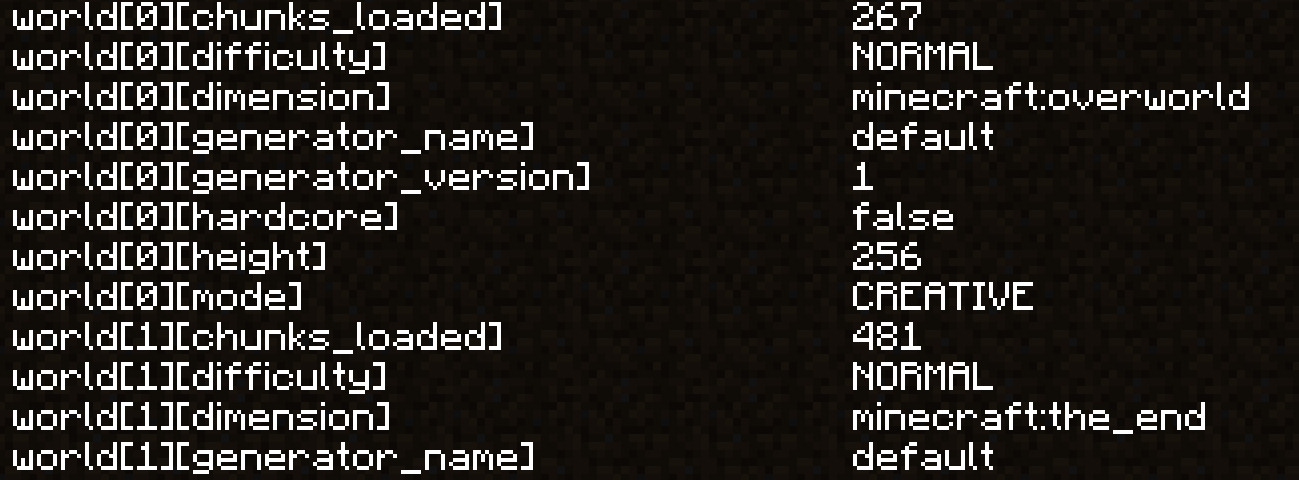 .
.
However, interestingly this was already the case in 18w43a/b/c in which the memory leak doesn't happen.
Cause
The cause seems to be an armada of world generation threads spawned by the dragon fight manager.
The fight manager makes sure a 17x17 area around 0,0 is loaded before it summons the dragon.
Judging from the number of CompletableFuture instance created within a couple of seconds, it seems like it creates one for each chunk in each tick, but for some reason doesn't succeed loading them.
Note: The dragon does not spawn, presumably because the area never gets loaded. Also see MC-137467.
Stack trace of the main culprit.
Stack trace: java.util.concurrent.CompletableFuture.doThenCombine(CompletableFuture, BiFunction, Executor) java.util.concurrent.CompletableFuture.thenCombine(CompletionStage, BiFunction) m.b(CompletableFuture, CompletableFuture) m$$Lambda$2093.153347328.apply(Object, Object) java.util.stream.ReduceOps$1ReducingSink.accept(Object) java.util.ArrayList$ArrayListSpliterator.forEachRemaining(Consumer) java.util.stream.AbstractPipeline.copyInto(Sink, Spliterator) java.util.stream.AbstractPipeline.wrapAndCopyInto(Sink, Spliterator) java.util.stream.ReduceOps$ReduceOp.evaluateSequential(PipelineHelper, Spliterator) java.util.stream.AbstractPipeline.evaluate(TerminalOp) java.util.stream.ReferencePipeline.reduce(Object, BiFunction, BinaryOperator) m.b(List) uj.a(bag, int, IntFunction) uj.a(bag, int, bqe) tz.a(bqe, uj) tz.a(uj) ue.a(uj, tz) ue$$Lambda$2087.569814135.accept(Object) java.lang.Iterable.forEach(Consumer) ue.a(uj) uj.l() // WorldGenWorker.runTasks() ? uj.b(int, int, bqe, boolean) // WorldGenWorker.addTicket() <<< Probably a good point to start looking at uj.a(int, int, bqe, boolean) // WorldGenWorker.genChunk() bas.a(int, int, bqe) // createChunk() bas.d(int, int) // loadChunk() brj.c(int, int, int, int) // DragonFightManager.loadArena() brj.a(int, int, int, int) brj.a(brj, int, int, int, int) brj$b.a() brj$b.a(brj$b) brj.b() // DragonFightManager.tick() <<< Pretty sure the check could be better on top level too brk.l() uk.m_() net.minecraft.server.MinecraftServer.b(BooleanSupplier) net.minecraft.server.MinecraftServer.a(BooleanSupplier) doq.a(BooleanSupplier) net.minecraft.server.MinecraftServer.run() java.lang.Thread.run()
The underlying issue might relate to other currently reported world generation bugs and memory leaks, such as MC-138114 or MC-139930.
However I wasn't able to find a post that matched the description closely enough to be sure.
Meri Diana That's a nice find. If you don't know the coordinates where the specific gateway should take you or it's a little inconvinient to find out, you can also remove the ExitPortal tag. While data remove apparently cannot remove compound tags for whatever reason, we can replace a gateway using setblock. A gateway created by /setblock does not have the ExitPortal coordinates set, this seems to be only the case for natural generated ones.
So to replace a end_gateway that does not sent you to the proper location, you can use /setblock <pos> minecraft:end_gateway destroy. (The destroy makes sure it actually replaces the block. Without it, it won't do it because a block with the same ID is already there)
And indeed, an end_gateway that does not have the ExitPortal set will take you to the proper location.
The bug
Currently, end gateways on the main island are broken and do usually take you back to the obsidian platform (see MC-138069). There is however a workaround, see this comment.
Now that we have a working end gateway, we can actually use it to get to the outer end islands ... or can we?
While we now have an end gateway which nbt data is consistent with one of 1.13.2, it does take you to a tiny island, merely generated for the gateway portal itself, still far away from the outer end islands

How to reproduce
- Go to the end (/setblock ~ ~ ~ minecraft:end_portal)
- Kill the ender dragon (/kill @e[type=ender_dragon])
- Go to the generated end gateway and replace it with one that actually works (/setblock <pos> minecraft:end_gateway destroy)
- Use an ender pearl to get through it
→ You are on a tiny island far away from the outer end islands
Why this (most likely) happens
As Meri Diana pointed out, it seems to be the case, that the outer end islands generate much further away than in previous versions. Whether or not this change was made intentionally, it seems to be the case that the end gateway's distance was not updated accordingly. Since the game cannot find any blocks where it wants to generate the gateway, it generates a tiny end island to at least have some place to put the player.
Resolved this as Invalid because as stated by Meri Diana in the comments of the other report (MC-142034), the bug is likely not caused by Minecraft.
![[Mod] violine1101](../../../data/avatars/users/92858.png)
Only one issue per ticket please.
The black background issue is MC-163001, as Meri Diana already said. The chest issue is caused by an invalid / outdated resource pack.
Meri Diana this is actually new issue. It seems after recent arm swing changes there is client-server desynchronization (sword re-appears after reload).
Thanks for the explanation. I agree with what Meri Diana said.
If you would highlight some things in this ticket that are no longer possible because this behaviour was removed and would explain why it would be worthwhile to keep, it might convince the devs more to reintroduce this behaviour if possible.
Edit: To add to what was said, I'll keep this open because MC-114304 was not resolved by a dev and might (or might not) have been an unintended side effect. If it would have been intentionally closed by a dev, this ticket would be invalid.

Thanks for the repro Meri Diana. This will indeed be looked at.
Meri Diana I found this bug when I tested my piston elevator that goes up to build height, and noticed I wasn't pushed up to the very top.
But I do agree with you on that this is not a big issue, and really does not affect a large part of the game at all, and if fixing this would be messy and would potentially ruin pistons in some way, then it should be left well enough alone.
Meri Diana, that's a perhaps related but different issue – MC-214808
![[Mod] markderickson](../../../data/avatars/users/18946.svg)
Meri Diana, sure! I used a default Superflat world. I used Fancy graphics, Fancy clouds, and everything else was default. I used a MacBook Air with the M1 chipset when I experienced this issue. Unfortunately, I don't have any reproduction steps, as I'm not sure what is causing the issue. If you'd like any more information, I'll gladly provide it.
I have agreed that with Meri Diana that this post should be transferred to her as I am no longer active on Mojira. Thanks
Thanks Meri Diana for the help I was able to reproduce this it seems that the trapped chest doesn't display the opening animation as well along with it not emitting a redstone pulse. I've updated the report with reproduction steps and this information
Hello Kumasasa,
I'm new to this, so let me please ask you:
If the developers could have a future failure-free released 1.6 version, wouldn't they prefer that over a bugged or mismatches-containing 1.6 version ?
So if we players can show up all the possible problems or mismatches now in the snapshots, why is that not okay ?
How could we know the devteam knows about the problems and mismatches so they can fix it preferrably before the release ?
Why can others report bugs of "unreleased versions" then, but my mismatch is not okay to be reported ?
Sorry, I don't get that.
Thanks in advance for an explanation,
Meri
Hello Tails and Kumasasa, thank you for explaining!
The version being affected says "13w18c" though - but I cannot remember if that was me chosing it, or if one of you guys maybe changed it to that }
Thanks again!
Nice weekend for you.
@ Kumasasa: aaaaaah okay, thank you for changing it!
"History" Tab, I see.
I need to get used to this site still }=)
As noob here and non-native-English-speaker in general, I misunderstood the term "Future Version 1.6" apparently - for that sort of mismatch WOULD affect the "future" 1.6 version - That is just my kind of (weird ?) logic. If one only shall report issues about snapshots for the next Minecraft version, why can you already chose the "Future Version 1.6" here in the bugtracker as one of the possibly affected versions }xD (I would give that choice for the next full MC release only as soon as it really has been released - maybe I'm not the only one here with this kind of logic, because I've seen other people getting the same comment as I did.).
But I understand finally how it is meant and has to be used on this bugtracker site.
Thanks again!
Duplicate of
MC-16151Confirmed, saw that in docm77's Snapshot video.
Duplicate of
MC-16151.Read the Minecraftwiki:
It says that, in rare occasions, there can be Pink sheep spawned naturally.
Although, of course, white ones are the most common.
The approximate chance of the natural occuring sheep colours are different.
In which Snapshot Version did you spawn the horses ?
When I relogged into my world from Snapshot 13w19a to 13w21a, my horses, donkeys and mules were all still there.
You did not really try to apply a SMITE enchant additionally to an already existing Sharpness enchant - did you ö_Ö ?
There can be only one single Damage type enchant on a sword:
Either Sharpness or Smite or Bane of Arthropods.
Look into minecraftwiki.net which enchants are combineable.
Regards, Meri
You always need 2 Leads in order to 1st bind and 2nd attach your animal to a fence. I think that's why the crafting recipe for the Lead gives you 2, not 1 single Lead.
I hope I understood you correctly, that this is your issue - that you thought that 1 single Lead would suffice in order to bind and attach your animal ?
Edit: Or do you suggest in making it impossible for someone to use Leads on an animal, if he only has 1 single Lead in the slot ?
Regards, Meri
I don't really know if this is really a bug - or the reason why the crafting recipe always gives you 2, not 1, Lead. I noticed that "bug" right from the start when it came out, but I thought that it should be that way - Bind the animal with the first Lead, attach it with the 2nd. Then again, I don't know horses and their leads in real life at all, so maybe this wasn't intended of Mojang in the first place (that you always need 2 Leads) }
Regards, Meri
Well, of course it is a pity that it took away your XP, but in the Minecraftwiki this is not called a bug or so, but it belongs to it. There are alot of sort of "penalties" that come with enchanting or rather repairing or merging items. I would suggest that you should read the according articles in the mcwiki ^^ (that's what I do, too, by the way, before I do anything wrong }xD)
But of course, feel free to put this as a suggestion into the minecraftforum.net Suggestions board. Please use the search function before, in case someone else already suggested it.
Regards, Meri
Look here:
MC-4665- the issue with the book that is lost is noted here - but of course that it consumed your XP is not a bug (see minecraftwiki.net).Seeya!
Hy there, I already reported that here:
https://mojang.atlassian.net/browse/MC-17484
But it doesn't show up in my "Reported by me" nor in the "Recent Issues" - because of the difficulty this site had I suppose ?
Regards, Meri
Edit: It always takes away exactly 2 filled heartcontainers.
Maybe because of the before-added amount of 2 additional heartcontainers ?
I haven't found it before, because I was searching for the Golden Apple as tag (and that 17454 has no tags at all), - it was already reported on 17454 "Take damage when removing health boost effect" - and the Golden Apple hasn't been mentioned, only the editing of the Health Boost effect.
Is this issue with the Golden Aplle not a new one, or should that info not be at least added into the 17454 description ?
That the Health Boost effect has the same hurting effect after eating a Golden Apple in Survival ?
I mean it should be obvious that this means it effects the Golden Apple..? Right ?
Regards, Meri
PS: I'm sorry in case that has been reported already - I searched for "crash" and "launcher" and there were so many Issues popping up, that I couldn't possibly read them all }=)
Kind regards,
Meri
Okay, thank you Tails!
I have another bug - please tell me if I shall post it there, too, or maybe it is already a duplicate:
I successfully launched 13w25c, but when I quitted the Game, the Launcher tells me still "Will be installed" for 13w25c.
Can you give me a recommendation where to put this bug ?
Thank you, kind regards, Meri
Confirmed, see attached crash reports + original 1.5 texturepack + converted texturepack/resourcepack.
Please see my Issue
MC-18577(duplicate of this here)I wrote in detail on how to reproduce it / how or why it happened to me.
Kind regards, Meri
PS: Another bug: See my comments in
MC-18577, waiting for Mod Tails or anyone to answer me if I need to upload the screenshot of the Launcher here in this Issue, or anywhere else.Thank you!
}=)
Also on Windows XP, JRE7, with Snapshot 13w25c.
See attached Screenshot of my Launcher after logging off from 13w25c.
Kind regards, Meri
EDIT PS: If you need the console output, I saved it.
argh }xD
After doing all this screenshot work lol >.<
What about the questionmarks + "Loading Page" at the server status and Update Notes ?
Regards, Duplicate-Issue-and-too-dumb-to-find-the-correct-searchterms-to-find-already-reported-issues-Queen Meri
Why do I never find these posts, and how the h*ll can you remember so many Issues ???
(Both are rhetorical questions, no need to answer - thanks for your work, take care and bye }=))
Regards, Meri
Confirmed, Launcher (0.9.5) tells me "Up to date" now as well after new start of Launcher.
Adding a new Profile with a not-installed Snapshot Version produces the same "Will be installed" bug again.
Regards, Meri
I don't know if I can reproduce it for 13w26a, but I will give it a try today and will comment here again.
That texpack was originally downloaded by me that way, so I'm not the one at fault with a misplaced "assets" or anything in that original texpack }
I will also convert other 1.5 texpacks and try them out as well and will verify it crashes me on 13w24a again, before I try it out in 13w26a.
And I will use the OLD TextureEnder.jar, not the new one Dinnerbone upped - just in case he accidentially or intentionally fixed something in there that makes me not crashy }=Þ
Regards, Meri
Okay, roger.
Just be sure that EVERYONE knows eventually to get rid of the old TextureEnder.jar / overwrite it with the new one.
There are still people not reading their Launchers and still asking about when Minecraft 1.6 gets released, hence why I'm not so sure if people won't keep their old TextureEnder.jar's because of not noticing there is a new one.
Not everyone has Twitter or visits mojang.com or reads the Launcher.
Laters
Okay, uploading files now, several converted + original old texpacks, the outcome ingame with screenshots, crashreports and development consoles texts.
Explanation follows then here, after upload.
Regards, Meri
Crash Reports after making a world in 13w24a, leaving converted "Modern HD Texturepack" chosen as texturepack, then trying to login with 13w26a. - No crashing the game in a 13w26a game, I'm just adding these crash reports in case it could be helpful.
I couldn't crash myself in 13w26a because Minecraft didn't let me chose the Modern HD 1.5 texpack that caused my crash in 13w24a.
More uploads following.
The texturepacks were converted with the NEW TextureEnder.jar, originals + converted versions are all attached here.
I don't know if the development console texts will help, but in case, I attach them as well.
You can see the outcome of the converted texpacks in 13w26a on the screenshots.
If there are any questions left, or something I shall test out, feel free to contact me.
Kind regards, Meri
Sorry, just saw that there is another log-file that is mentioned in the last part of the development_console_01.txt - attaching now also the error-log.
@Grum/Mister Broes: I'm still not able to select my screwy Modern HD 1.5 resource pack after the conversion with the NEW (current) TextureEnder.jar, after 13w24a - it just doesn't let me select it, like I already pointed out in my screenshots on
MC-17941- any fix for that ?I already upped that Modern HD texpack there.
Thanks in advance for an advice,
kind regards,
Meri
I just encountered the same bug - i even attached a freshly new keyboard because it was puzzling (and annoying) }
Good thing I was able to find the entry on Mojira this time <3
Kind regards,
Meri
Yay \ö/ fixed }=)
Caleb, I begged Marc from the Mojang team to bring the download link of old Launcher back - and he did it!
<3 Marc
minecraft.net/download, scroll down "Older versions".
If you have a legal account, just login as usual, and it will download 1.5.2 for you.
I'm investigating alot in the lag issue for Laptops, and in case you have no dedicated GPU, then it's puzzling.
From dozens dozens dozens of users (emails + comments) I start to get the feeling that the required Hardware must be better for the New Launcher.. but I cannot believe that it is the issue.
I run on Intel 3000 + dedicated GPU on my laptop, but I'm still investigating in the lag, so please bare with it.
In the meantime: Play 1.5.2 }=)
I just hope Mojang will find the cause of the Lag for those that really don't have a dedicated GPU and still experience such problems.
Going to make a "how to assign the dedicated GPU to Minecraft" video asap, but I'm overly busy already with my Tech Tuts, sorry, cannot produce any faster.
Regards,
Meri
Does anyone have good connections to someone with a saying at Intel that could work out a fix for that Issue ?
If it is a driver issue they should fix that.
Is it possible at all to fix a wrong-functioning GPU driver from outside ?
Like what Spencer said, if it is really that separated process, could Mojang maybe make a test version where this process is "united" again, and then let Intel users test it out if it improves their FPS/lag Issue ?
Or is it possible for Optifine to somehow code a fix for that ?
I get overflooded with help yells, and it's not only those unexperienced users that don't know how to assign their dedicated GPU to Minecraft, it's also those that truly have no dedicated GPU, and so far it really seems to be Intel solely, of what I got told/written so far, in emails and video comments.
Awesome, thanks for the info, Alex!
<3
PS: I mean like:
Thanks Intel for nothing
If Minecrafters know about that, they'd think twice next time before they buy INTEL-stuff again, right ?
It seems to be an INTEL-only problem, as far as I can tell yet, Laptops as well as Desktop Computers.
I'll ask INTEL itself next week and try to find out something.
Enough commenting on Mojira now, or the Mods get angry >.<
Seeya!
Meri
I tweeted it 2 days ago to @_grum / Erik Broes and the Optifine Developer, plus a link to a Minecraft forums thread, in the hope either Mojang or Optifine will be able to fix that.
Confirmed, I have the same problem, 2 accounts, Meridiana and LapisDemon, both are successfully logged inside the Mojang/Minecraft authentication server, but when I try to play on a SMP server, it gives me a "Bad Login".
Development Console (attached) says:
"*Trying to log in...
Logging in with access token
Couldn't go online*"
Before you, dear Mods, close this Thread here again as you did with so many "Bad Login" threads before, please note that this is a BUG that needs to be FIXED, and not some Issue for the SUPPORT CENTER.
I can fix it by LOGGING OUT of my both accounts.
I noticed one thing:
The Password of LapisDemon account has currently 8 digits, my Meridiana account has 12 digits.
When I logged out of the LapisDemon account, I could see 12 digits in the Password field, not 8! When I tried to log back in, of course it gave me a "Wrong Password" notice this time.
After I entered the correct 8-digits-password, I could log into the SMP server.
Very strange though: In order to fix Meridiana for the SMP Login, I also had to logout from my pre-made account first.
The strange thing about it is that it had the correct 12 digits, but it still gave me a "Bad Login"!
I just tried to reproduce this and shut down the Launcher.
The I got some strange "Client> 2013-07-08 09:24:36 [CLIENT] [SEVERE] Realms: Invalid session id" message in the Development Console..
And with the other account again "Trying to log in...
Logging in with access token
Couldn't go online"
Regards,
Meri
@ Mods:
Maybe Duplicate of
MCL-602?Mister Adams is already assigned to that.
Regards,
Meri
Please also read
MCL-986- I suppose that's a Dupiicate then of this here.I'll attach my 2 Development Console Files also here, and a shortened text:
Confirmed, I have the same problem, 2 accounts, Meridiana and LapisDemon, both are successfully logged inside the Mojang/Minecraft authentication server, but when I try to play on a SMP server, it gives me a "Bad Login".
Development Console (attached) says:
"*Trying to log in...
Logging in with access token
Couldn't go online*"
I can fix it by LOGGING OUT of my both accounts.
I noticed one thing:
The Password of LapisDemon account has currently 8 digits, my Meridiana account has 12 digits.
When I logged out of the LapisDemon account, I could see 12 digits in the Password field, not 8! When I tried to log back in, of course it gave me a "Wrong Password" notice this time.
After I entered the correct 8-digits-password, I could log into the SMP server.
Very strange though: In order to fix Meridiana for the SMP Login, I also had to logout from my pre-made account first.
The strange thing about it is that it had the correct 12 digits, but it still gave me a "Bad Login"!
Regards,
Meri
@Toni: Cannot be the change of your password, I deleted my whole MC folder for demonstration purposes (Tutorial), there was nothing that could have been stored there for me.
@Mister Adams/Dinnerbone: I don't know if it's related, but
MCL-945("Copying profile of Account 1 will overwrite Account 1's name to Account's 2 name after logging in with Account 2 (Donor Account gets changed to Recipient Account)") :When I make a copy of an existing Profile of another account, said copied account gets overwritten by the 2nd account's name/info.
As I'm not a coder, I don't know if it can be related at all, but I wanted to add this here, in case there is some sort of relation.
I also made a Video where you can see that happening (it's linked in
MCL-945)Regards,
Meri
@Torabi: Exactly, that's the problem or question here:
WHY is it only INTEL having/making these Issues?
Why are the drivers of the other companies fine?
I cannot code (aside from HTML-/SQL-related stuff), so I can only ask as unexperienced Minecrafter:
Is there really NO way to fix it from Mojang's side?
Like, if the "culprit" is the process that has been "outsourced" now, why not "merging" it back as it was before ?
Is it really "needed" for the New Launcher to run like that ? (The said process.)
Other solution, if possible at all:
Could some tweaking of Optifine help there for Intel users ?
Sorry for (for experienced coders) these likely dumb-sounding questions, but I'd like to reply to my Subs what is really going on here, and if it is really an INTEL-only-problem, and if Mojang will at least try to fix it - be it Launcher-wise with re-coding it, or be it by asking INTEL for updating their GPU Drivers to be as good as the other companies' Drivers.
This Lag Issue is going on now long enough that at least someone of Mojang should have said anything about it.
People are getting nervous and over all, angry (and sad), and it does not really help if no one of the Devs at least say some general words about this Issue - whether or not they can fix it, or will talk to INTEL or whatever.
I, as normal small human, can only talk to some low-ranked INTEL-supporter that can do nothing about it.
Mojang, as company, has another "power" and can get the right high-level person in charge to ask for something.
Don't get me wrong, I'm not ranting or anything like that, I just would like to tell the people that are affected with this Lag what really is going on.
I can only teach them how to assign a dedicated GPU to Minecraft, and how to assign more RAM for Minecraft etc., but I can't fix the general INTEL-Driver-issue for them.
Thank you very much in advance for ANY statement, at whoever is experienced enough to answer my aforementioned questions and concerns.
Kind regards,
Meri
@Torabi: I know how to assign the dedicated GPU to Minecraft, that is the problem of SOME users, but not of ALL users, that's why I'll add on how one can assign how many RAM to the new Launcher to the Fix, plus some other stuff that can enhance the Performance. Problem is that not everyone does, in fact, have a 64-bit system, and cannot install such a system on his/her computer.
I have an additional question, but I know the mods in here don't really like people chitchatting too much (even if it's about that topic/subject of the Issue).
As you seem to be experienced and knowledgeable, could you spare me some time, contact me on my email, and I'll ask you something for what I have found no answer yet, also not in the comments of Mister Broes from Mojang (thank you for linking me the other Issues) ?
My email is
LapisDemon (at) gmail (dot) com
Kind regards,
Meri
PS: @Brian: The Launcher says that it will be closed automatically at some point - until then I, personally, find it very useful to track down bugs, and that's also very important for the Minecraft Devs.
As Torabi explained, the separated process/windows is needed:
"The separation of the launcher from the game client is necessary for them to be able to update the launcher, the libraries, and make various other improvements, such as version selection. It's also a vital step in the development of the plugin API."
And we need that API so badly.
It seems to be a problem about the GPU Driver companies not programming their Drivers in a way that every GPU automatically detects that the second Window (the Gamewindow) is also an application that needs 3D support/high performance GPU.
That's not Mojang's fault, and apparently it would be too complicated to find out AUTOMATICALLY what kind of system everyone has, so Minecraft would AUTOMATICALLY get the better GPU settings assigned to it. That's why one has to do that manually.
At least that's how I understand this problem so far.
That still doesn't include the Minecrafters without a dedicated GPU, only an integrated, but as every computer is so individual, it is hard to give out a "solution for everyone".
(I won't let me being defeated, I'll find a way to help everyone, regardless of his/hersystem !!! }xD)
LWJGL 2.9.0 Sunday, April 21st, 2013
LWJGL 2.8.5 Sunday, November 4th, 2012
LWJGL 2.8.4 Sunday, June 3rd, 2012
LWJGL 2.8.3 Monday, January 23rd, 2012
..I suppose the next LWJGL update could take a while...
@ Mr. Broes/Grum: "About time someone figured out"...
I don't mean to be rude, I'm an elder nice Lady, really, but I would like people not having to "figure out" what the problem is, but you Dev Pros telling us, the normal "dumb" (or let's nicely call it "unexperienced") users, what is really going on there, and to translate the Techbabel into generic-human-understandable words.
I use Computers since the 80s (if I count in chess computers and the Magnavox Console even since 1978), I always had something to do with computers, but coding is a different thing, and I cannot really keep pace (don't have the time anyways) with all the changes in the hardware computer sector either.
What I mean by that is: A general statement from you Mojang Devs - e.g.:
"User with setting XY lags, because..." and "User with setting YZ lags, because..." , or, if it isn't possible, at least some generalized statement such as: "Lagging user lag because LWJGL..." ?!?! would make this Chaos that exists at the moment in the (lagging) Minecraft Community far better, and people not being as much as upset against Mojang, if Mojang isn't here the "bad boy" that does not help them, but the Issue lies within circumstances that Mojang cannot control.
I figured out some "general" advices/fixes (not the usual "Set your render distance to Tiny") for all the people lagging, but I'd really appreciate if a very experienced user could have a look at it and fix some likely errors in my conclusions that I gathered, before I tell the sad/angry/impatient Minecrafters what they shall do in order to get at least some more FPS in Minecraft.
puppy eyes
(If I would just know how to bribe that little red hide-and-seek-loving Elmo-monster..
he doesn't like cookies, like the blue one, right ?! }=Þ)
@Alex: Hard to tell, if a non-native English speaker such as Mr. Broes writes English, and a non-native English speaker such as me tries to get him 100% }xD
*"Would be about time someone figured out that this was caused by LWJGL updating to 2.9.0 and nothing else
Doesn't mean we have any idea what is the real cause obviously, but it's also not a real videocard"*
http://www.minecraftwiki.net/wiki/Tutorials/Update_LWJGL
Okay, so, how I understand him so far is advanced users, please correct me), that, because Minecraft had to update the LWJGL to that new version, that's the cause for lag for some people.
Or let's say, ever since the 2.9 LWJGL update that is happening to some users.
But although they somehow could figure that it was that (needed) update to LWJGL 2.9, they still don't know WHY would that update cause what it causes.
The part where he says "but it's also not a real videocard" is a bit puzzling.. maybe he means that the real cause for the lag is not the GPU, or people that only have an integrated GPU.. umh.. I don't know, really. He is speaking in tongues!
"we don't have any idea what is the real cause, but it's also not a real videocard".. that's at least how I interpret it, as non-native speaker about a non-.native speaker }=Þ
@ Alex: I can figure out how to update the LWJGL.. it is basically also written more or less in the MC Wiki link I posted inside my post here.
If Mr. Broes would spare me some time to go through my "general advice" textfile, and also would answer me if updating the LWJGL would help the lagging people (including my "general fix walkthrough"), then I could start a mini Tutorial series to teach everyone how to do all of that.
I just don't want to tell people what they shall do if it would be bogus or not the right way.
@Grum/Mister Broes: I'd send you an Elmo doll as gift!
Is that bribe good enough ?
No, seriously, I'd do that.
I really want people to know what to do, if my conclusions about how to get more FPS are correct, and if LWJGL updating should be part of it or not.
Regards,
Meri
The question is whether or not it is really NEEDED to update the LWJGL 2.9.0 - as far as I read the main changes were for Mac users, and regarding Windows users I've read a thread that said (end of April):
"So you shouldn't tell people to upgrade as soon as possible. And you should have a little note saying may cause some crashing (but have come across none so far). And It has not been recommended by Mojang."
and
"and the reason mojang didn't do this earlier was most likely to make the game playable on older computers. powerpc users will never get a java newer than 5, but the newer versions of jlwge require java 6, so they will no longer be able to play minecraft, 1.5 will be where their minecraft experience stops until they buy a real computer. This is common with game developers, you maximize your potential market by making a game that weak computers can run. If you wrote it so that you needed a supercomputer, it might look really good and run really well for a total of 10 people, and that loses a lot of money."
@all: Read this here:
http://www.minecraftforum.net/topic/1625325-how-to-update-lwjgl/page__st__20#entry23238618
"You shouldn't need to update LWJGL on 1.6, as it ships with the latest version."
@Fenner: You cannot update LWJGL the same way you could before 1.6, because that involved going into MC's bin folder, which isn't needed now anymore for MC 1.6.
And if the statement of Syfaro is true (and he seems to be trustworthy + knowledgeable), then LWJGL comes AUTOMATICALLY with MC 1.6/New Launcher.
And that is where I start to get puzzled.
Why play it on the Old Launcher ?
The old Launcher is for at max 1.5.2 - the question is whether or not updating your Windows to LWJGL 2.9.0 would affect the NEW Launcher - positively.
@Brian ah I see, weird tech stuff.. so it searches for the .1 version while MC is using the .0 version.. oh my cookiegod >.<
Well, we can only hope that they're working on it behind the scenes, and let us know as soon as they either let MC use the .1 LWJGL or come up with another fix.
I have like 120 FPS on my old Win XP 32-bit-system computer from 2006 with 2 GB RAM, Intel integrated, NVIDIA 8800 GT graphics card with the old launcher, with FAR and FANCY settings, ALL PARTICLES ON, etc.
And I do not really have very updated Win stuff on this one, also no LWJGL 2.9.0, so that cannot really mean anything for 1.6 - doesn't matter if LWJGL 2.9.0 could do anything for 1.5.2, it is necessary that it does soemthing for the NEW Launcher. (If it does.)
Exactly, that's how I understand it @Brian, thank you for summing it up to verify my internal conclusions }xD
I'll add more info about that INTEL driver or LWJGL issue as soon as we hear anything about it from Mojang's side.
I just need to tell the people that can fix their lag by just simply assignign their dedicated GPU how to do that, plus the other additional fixes that can maybe get some more FPS, and tell the remaining still-laggy-people to be patient and stay tuned.
GHA I hate tech stuff, I miss playing Minecraft so much >.<
@Alex that's exactly some of my Solutions }=)
But set the priority in the task manager only to "Higher" and not to "Realtime".
Also update your GPU drivers (you never know...) - there are also some other additional smaller or bigger things that one needs to do, depending on one's system - I'll work on the Tuts asap.
I just ran 1.6.2 on my aforementioned Windows XP 32-bit-system Computer from 2006 with 2GB RAM and an NVIDIA GT 8800 with 512MB VRAM, Intel Core 2 Duo CPU E8400 3.00 GHz, and this is the outcome:
http://oi44.tinypic.com/dddija.jpg
http://oi43.tinypic.com/2lkso54.jpg
http://oi41.tinypic.com/kbsrgy.jpg
I didn't even update my NVIDIA Drivers yet, and I even play on FAR render distance, although that is not recommended for 32-bit-systems...
...and I get around 100-160 FPS, in average about 120.
Hello Gabe, pardon my question, but are you sure you don't have a laptop with a dedicated GPU ?
I don't know your specs, if it's a Laptop or Desktop computer, or if you have only an integrated or also a dedicated graphics card in there - because there are solutions for any other problem than having solely an integrated INTEL GPU, and that problem is nothing that Mojang is faulty here - it's a problem with INTEL not making their drivers updating the same way the other companies did.
Regards, Meri
@Michael Garner:
Horses aren't supposed to be bredable anymore at all with anything else than either Golden Carrots or Golden Apples.
No Wheat breeding anymore, it is also in the Minecraft Wiki.
Search on YT for
Minecraft 1.6.1 | Horse Breeding | IMPORTANT CHANGE
@ Mod Ezekiels automatic message:
I'll try to reproduce this bug somehow in 1.6.2 release as soon as I can - but I already had problems in reproducing it back in 13w21a.
If no one else aside from me had this ghosting horse armour problem, then this bug/glitch must be very very rare apparently.
But I'll try it nonetheless as soon as I can.
Regards,
Meri
@ Talven81 - if the time stamps are correct, then he reported that issue only 4 hours before me, and I DID use the search function, although I'm very bad at it }=)
Also, I provide more info + a Video, compared to the "original" issue - in case anyone want to try to reproduce that.
And I did NOT use a Faithful texturepack that was the reason for the other "Ghosting Horse Armour" problems, I used Default texturepack.
@ pwzty:
Is this solely for people that run only an integrated Intel GPU ?
Or is this a GENERAL advice for EVERYONE ?
Would be nice to know what doing that does with the Computer, so I can explain it to those Minecrafters that are affected.
Thank you very much in advance,
kind regards,
Meri
Hello again pwzty, thanks alot for clearing this up for me!
Sorry that I have to re-ask again, as I'm not a tech Lady, I'm more of a design Lady }=)
I don't want to tell the wrong INTEL-users that kind of suggestion if it isn't good for them, specifically.
And NOT for all of the others that have either another company's graphics card or an additional dedicated GPU ?
Thank you SO much, really VERY appreciated, if that works, you'll be the Hero of everyone!
I just need to know now for which type of users it will be (only for integrated Intel-GPU-users, or for EVERYONE), and then I can spread that info as soon as possible.
Kind regards,
Meri
Hello Kumasasa, sorry, been not at home this weekend (family issues) - I'll try to reproduce that bug with the new Launcher as soon as possible and let you know here in the comments if it has been really solved!
The way I was presenting/writing about that ISSUE, or my "PS" where I was begging you mods not to scold me if I wouldn't have found - AGAIN - an already-reported issue, because I suck so badly to chose the correct search terms ?! }xD
Kind regards, laters,
Meri
Yup, the problem seems to be solved yay \ö/
Cool new Launcher! }=)
So, Issue can stay resolved, thank you!
Kind regards,
Meri
heh figured you meant the "PS".
I already decided on using this PS as Disclaimer for myself in the future when reporting bugs on Mojira!
I just really really suck in finding already-reported Issues }=/
And I really hate to get that "currently xx% of the Issues are Duplicates"-scolding message like a noob,
because I really DO search, but just can't find it };[
Kind regards,
seeya, Meri
@ Mister Bergensten / "Jeb":
Is this here http://www.minecraftwiki.net/wiki/User:Mgr/Sandbox#Horses still correct for the 1.6.2 release version ?
If so, then no wonder that 2 good Horses are more likely to have a WORSE foal breeding outcome.
Let's take as example Health, for it is easiest to make examples with:
If you have 2 Horses with the maximum amount of 30 Healthpoints, then a bred foal will have a HIGH chance of BEING WORSE than its parents! with the kind of formula Minecraft is currently using:
(30HP Parent 1 + 30HP Parent 2 + Random Value between 15 and 30 HP) / 3
That means that a bred foal could come out as having 25 HP which equals 12 Hearts (Healthpoints always get rounded down to the next full Heart, and NOT rounded UP).
I know Minecraft is not real life, but even then it is unfair if you have 2 good parents but have a random value that ranges from the worst to the best possible amount of an ability.
If we look into real life genetics, a bull that produced cows that give more milk than others, is more likely to produce these kind of calves again, hence why it's so expensive to get these bulls semen.
Although the amount of grandparents of a Pair of parental animals are 8, which can lead to the assumption that a few of them did not have the max'ed out abilities, at least the majority of the grandparents seem to have high or max abilities, or the genes wouldn't have developed that way (without human manipulation).
To somehow make the Breeding Outcome in Minecraft more logical and fair, I'd suggest Parents with high Abilities should have a higher range of a Random Value - just an example: If we have 2 Parents with HP 30, the Random Value could range from 25-35, and in case the sum divided by 3 would exceed 30 HP, it just would be capped at 30 HP, giving again the maximum amount of HP of 30.
Parents with low abilities could range from e.g. 15-25 (for HP).
The really bad thing about Minecraft Breeding is, that, let's say you have 2 parental Horses with bad HP amount, then it is more likely they will have a foal with a HIGH amount of HP - that's the good thing. But the bad thing is, that, in case both have really good Speed (Movement) or Jump Strength, then the foal that will be bred will have very likely a WORSE Jump Strength or Speed than its parents.
That means basically:
It is NOT possible currently to BREED OUT A BEST HORSE which everyone aims at.
It is exhausting enough to find Horses out in the Wild in the first place - so making the Breeding Outcome that UNFAIR is.. well.. unfair.
BREEDING MUST GET CHANGED.
Or Minecrafters will rage as soon as they know the aforementioned facts.
I will attach some Screenshots soon with some calculating examples, all based on the Table I linked in the beginning, from the mcwiki.
Kind regards,
Meri
Ooooh, I already was able to find an already-reported Issue quite recently, I was SO proud of me !!!!!!!!!!!! }xD
I'll try to improve my search abilities }=)
(Until then I will put up the "PS-I'm-the-worst-Issue-finder-of-whole-Mojira-Disclaimer" on my future Issues }=Þ)
I hope the graphics are getting enlarged enough so you can read the signs.
You can clearly see that parents with high abilities are more likely to have a WORSE foal, and parents with low abilities are more likely to have a GOOD foal, which is unfair, even more if you take into account that it is nearly impossible to breed out a "Best Horse" that way, because breeding affects all of the 3 abilities.
In case the calculations will get changed (or have already changed from the aforementioned mcwiki link), please comment here, so I can pass this to my Viewers.
Kind regards,
Meri
H on the Tooltips = Amount of Healthpoints.
The problem is really that Ping-Pong-effect:
INTEL says: Ask Mojang
Mojang says: Ask INTEL.
That leads to nowhere.
We small humans/vermin (sorry about that expression) have no say to INTEL.
They don't give a f*ck (pardon my language, I'm a mature adult Lady, but I'm fed up with this situation after all this time of finding no solution for these users - I'm not one of them by the way, I just want to find a solution for them).
Only a bigger company such as Mojang could have some sort of weight in what they could say to INTEL, so I'm really wondering whether or not Mojang already has done it, is doing it, and just not telling us, or what is going on, really.
We "small humans" only would have more "power" if we would group together.
I have no problem in activating a dozens people rightaway, and, if enough time, even hundreds of people with that INTEL issue, for a petition or whatsoever, to initiate a talk between INTEL and Mojang.
I'm really not the type that uses bad language, but I've had enough of that "Ping-Pong" attitude of INTEL and Mojang.
.
There are tons of Minecrafters angry and not playing that Game anymore.
If Mojang and INTEL basically ignores them because they're not the majority of players, that'd be not a good choice.
If they would at least give us the information if they have talked with INTEL to show their good will and initiative - then we could soothe all the people having issues with their INTEL-only-computers.
Regards,
Meri
Not fixed for me.
See
MCL-767Yes, Mr. Broes / Grum did mention the LWJGL.
The question (for me) is:
What did AMD/ATI and Nvidia throughout their Driver update do, that it doesn't seem to bother these users as much as the INTEL-only-Minecrafters ?
Here on my netbook I have an INTEL HD 3000 plus an additional AMD Radeon GPU, and I made sure that I got the best settings to get the max FPS I can get with this netbook, in Minecraft (I intentionally didn't install Optifine yet though, to get not a falsified and "pure" picture).
I can confirm that I don't get as much as FPS as before, even with the old Launcher, and although I'm not an INTEL-only user.
Testing my FPS, I get the most FPS by just staring in the sky.
Next best FPS in a Flatlands world with nothing on/in it.
Next best in a normal generated world.
Some terrain seems to drop my FPS noticingly, and the worst FPS outcome I get by looking at Horses, even from afar, and it worsens the nearer I get to them.
I tested it also with only 1 and 2 Horses, not only with 30. I know alot of animals give lag, but it already happens with such a few Horses (for me).
I drop from like 70-100 to 30 FPS and below.
I've seen such an Issue on another Mojira post (
MC-15022), but I wanted to add this info anyways, because, from my non-coder-just-observer-logic, it seems that it isn't only INTEL the culprit or LWJGL 2.9.0, but also something on Minecraft's world genning itself, or in the Horses or animals, specifically ?.Question remains: Why only INTEL, apparently ?
It would be interesting to know what ATI/AMD and NVIDIA changed with their Drivers so that these users get at least their 30 FPS and more.
And also: Why is
MC-15022's status "resolved" when I really do have these FPS drops ?I could add my Screenshots from the FPS drops with the Horses (tested in Flatlands world, game version Minecraft 1.6.2 release) to that "resolved" issue, in case someone would reopen that.
Sorry for a slightly different topic here in my post, but I don't know if this could be interesting to get the "total picture" in the FPS drops issue, for I really think it could have ALSO something to do with the animals (or Horses, specifically), or some other world genning ?
Hope you get this fixed soon.
(in the meaning of: Cooperation would be awesome.. Mojang+INTEL+AMD/ATI+NVIDIA or so).
Kind regards,
Meri
^@ Brian: I do these Tutorials in how to improve FPS for people with additional dedicated (or separate graphics card) myself }xD
I can assure you that I max'ed out what is possible with this laptop, but I still get these drops, specifically with Horses.
Weird that I do actually have the same (worsened) FPS rates, also with the old Launcher..
hence why I thought it must be either LWJGL 2.9.0 and/or something new what Minecraft added or changed in the code, so it also affects the old Launcher now.
I tried out the old Launcher with 1.5.2 on this netbook way before, and it was way better to that point in time, so I can just assume that it was before the LWJGL 2.9.0-time.
What I want to say is that it is maybe several causes for the FPS drops, mainly INTEL's Drivers not recognizing second Java process as needing Hardware Acceleration, but I just have the "feeling" there is more to these FPS drops than just solely the INTEL Drivers.
@Torabi: That's more or less what I meant, you hit the nail in the head! - Or so.
I have the feeling that there are SEVERAL reasons for the FPS drops, with LWJGL 2.9.0 as part of it, okay maybe, but not solely.
Sadly, I don't have the time/can't afford to test that out myself with LWJGL 2.4.2.
But I really do have issues even with the 0old Launcher now (FPS drops), compared to when 1.5.2 was still quite "fresh"!
That's why I'm saying it could be several reasons, including LWJGL 2.9.0, but not solely, also something inside the Minecraft code of world genning or blocks or animals or whatever. - As I already mentioned, I'm someone with an additional AMD GPU, additionally to the INTEL HD 3000 GPU, and I can absolutely be sure I have the best settings (except not having Optifine installed yet) to make sure I get the max of FPS I can have with this notebook, so it cannot be solely the INTEL Drivers (for I have the additional AMD GPU), and not solely the LWJGL 2.9.0, for the FPS drops are very particular (landscape/animals).
Kind regards,
Meri
@Brian: Is there really no way to prevent the Launcher updating to LWJGL 2.9.0 ?
Edit: Or just disconnect from your internet connection ?
I just tested it quickly, because that would have been the way I'd have done it, if I could afford the time to do all that computer downgrading shizzle..
I can play offline - Launcher says I shall check my internet connection, but at least I can play offline, which means I can play my SinglePlayer worlds on already-made Profiles, so it should be doable, right ?
We don't know if Mr. Adams, Broes and Bergensten / Dinnerbone, Grum and Jeb aren't investigating or doing something behind the scenes, like talking with the INTEL, AMD and NVIDIA guys, or diving into the MC code, or whatever.
I have lots of temperament, that's why I tend myself to make something too quick and not justified statements, when my emotions are besieging my mind } - but I'd appreciate some sort of statement by Mojang from any of the Devs IF they try to do anything, WHAT exactly they try to do, so we can sort of "soothe" the Minecraft Community.
I've had alot of emails and also comments of people being angry because of Mojang, and I try to sort of "soothe" them as best as I can, but it'd be easier to convince them that they TRY to do anything in the first place, if any of the Dev people would comment in here and say they do so...
That's exactly what I meant - it isn't as smooth as it was before, even not with the Old Launcher.
Test the FPS by:
1) Making a Flatlands world.
2) Stare into the sky for a while.
3. Spawn 2 or 3 Horses and stare at them.
4) Go away from the Horses and still stare at them.
5) Look away from the Horses, into the plain open.
6) Do the same testing into a random world and test your FPS in all of the cardinal directions, and you will notice that certain landscapes are dropping your FPS, some give you like 70-120 FPS or whatever.
7) Do the Horse test in the end, after you're done with the other testings inside a regular genned world.
PS: Doesn't matter if you take a 1.5.2 or 1.6.2 world - it's the same for me, as of FPS drops.
@Brian: Advanced OpenGL on or off ?
Regarding Landscape/chunks that have to be genned...
Thank you VERY MUCH Mister Santos for this temporary, and later on the general fix for this Issue!
It would be very kind if you could get back at this or the post at the INTEL Support forums, as soon as there is the Driver Update!
As I read, the temporary fix doesn't seem to be for HD 3000 ?
I'm pretty sure I've had someone with this Lag Issue, having a HD 3000, but it can be he didn't know he might have an additionally dedicated GPU to that.
And thank you Spencer for confirming it worked for you!
Time to tell the affected Minecrafters indeed }=)
In the INTEL support forums post there are already 2 users stating that it doesn't fix it for them..
I hope it is really "not a Minecraft bug", too.
Glad the fix worked out for Spencer H., but I hope the others' problems get sorted out, too.
KInd regards and good luck for everyone, and have fun gaming Minecraft again!
<3 Meri
EDIT: PS: Thanks for that additional info @Torabi!
Good to know!
If this temporary fix can cause heat problems, it'd be good to know if this temporary fix gets automatically disabled then, as soon as the real Driver Update is out.
@ Grum / Erik Broes:
Not everyone blamed you/Mojang, we were unsure if it was only the INTEL Drivers (as it didn't happen for AMD/ATI+NVIDIA GPU), but/and you ominously hinted on LWJGL 2.9.0 that the new Minecraft uses (for which non-tech-users would blame Mojang, because they don't know why you couldn't just use the old 2.4ish LWJGL version), I, myself, told my people that there are things that you (Mojang) aren't responsible for and people have to wait on INTEL's side for a fix>=Þ
It would have been just cool if we had known before that Mojang got into contact with INTEL, that's all.
This little information can already soothe anger and sadness and impatience }=)
Thank you for spending your time to help fix this!
@André Risnes: Their list doesn't list the INTEL HD 3000 though - so I suppose it isn't meant to fix these 2nd Generation GPUs, only starting at 3rd Gen. 2500 (see their exact list) ?
Okay, good to know, thank you, Mr. Broes / Grum.
Could you inform the people here inside this Mojira Issue in case they get back to you with their decision whether or not to accept it, like you suggested it ?
So the Minecrafters know at least you've done everything on your (Mojang's) side to help there, and, if it doesn't get applied that way, then it's not your (Mojang's) fault.
Kind regards and thanks alot again for helping fixing this!
Meri
"I've got the same problem as Zenander. I accidently used the fix even if the Intel Hd graphics 3000 wasn't in the list.
No 3d object is rendering now. How can I remove the fix ?"
http://communities.intel.com/message/201309#201309
"Open the registry with regedit (hold the Windows key and press 'R', then type regedit), then remove the two registry entries that the fix inserted: HKEY_LOCAL_MACHINE\SOFTWARE\Intel\Display\CUICOM\OpenGL
and
HKEY_CURRENT_USER\Software\Intel\DISPLAY\CUICOM\OpenGL
"
@ David Morris:
Are you sure you have the latest Drivers for your Nvidia installed ?
Have you assigned your Nvidia to be used by Minecraft via the Nvidia Control Panel ?
@ David Morris - I don't have a Mac either, so I cannot help you there, sorry }=/
Did you look on YT for a Tutorial Video that explains how to update Nvidia drivers for Mac ?
Good luck!
Yes André, they know that, but apparently their temporary fix only works for the other GPU.
I'd rather wait for the full / real release of a fix ---> updated Drivers rather than just using the "hacked-in" fix, but for those people with the aforementioned INTEL HD or IRIS GPU, that want to play MC very BADLY, that's what they can use.
Please be a bit more patient if you can, I'm very sure INTEL is working as fast as they can to release updated Drivers for every integrated-INTEL-graphics-only-user!
@ Duco: Do you have the latest Drivers for your system ?
That alone can already increase performance/FPS for some people.
Did you assign your NVIDIA to Minecraft ?
Don't play without attached on electricity or it will automatically (per default) use the cheaper/worse GPU in order to save the lappy's battery.
Hope it helps.
Kind regards,
Meri
@Erik Broes/Grum:
So far I have only positive feedback from my Viewers, also from those that have a HD 3000, that they run with playable FPS again.
Everyone (including me) is still saying that 1.6 lags more than 1.5 (no wrong beautified memory there btw), but at least everyone that gave feedback so far said that Minecraft is playable again with your temporary Launcher lagfix.
Kind regards,
Meri
Will do as soon as I can @Tails, cannot get into the game at the moment, maybe until tomorrow, lots to do in real life.
According to mcwiki http://www.minecraftwiki.net/wiki/Horses#Foods it is still the same, but I cannot verify it currently - but, as I said, will do so asap.
Kind regards,
Meri
@Brian: You must remove the INTEL Lagfix - the temporary Launcher Hackfix is enough to bring you sufficient FPS!
Just remove the 2 CUICOM\OpenGL-Entries in your Registry (in your registry, not the Launcher.. it's late, I was already half-asleep in bed when I typed that >.<) again - if you don`t know how to do this/where to find it or so, please get back at me.
I've made a Video in which I show how one can remove it - just read over at the INTEL thread that someone has wrote another file to remove the INTEL Lagfix again with it. Haven't tried it out (I prefer erasing such stuff manually, just to be safe, but that's me).
Kind regards,
Meri
Welcome Brian }=)
If you keep crashing, someone should have a look at your crash report or what your development console says ?
For that you should have the "Launcher Visibility: Keep the Launcher open" checkbox/dropdown menu chosen inside your profile, so you can see what development console says and eventually copy&paste that then - in case you can see it and you don`t have to hard-reset your computer, of course.
Back in the old days usually my screen froze and Minecraft went black when MC ate too much RAM, so it crashed my whole computer. So in case you assigned manually some more RAM to MC via the java arguments thingy in the Launcher, make sure to not have assigned much more than 50% of your total RAM, as your Windows + other opened progs also need RAM! Or it can crash your computer.
Kind regards,
Meri
@Duco wOOt yay \ö/
Glad you figured the dedicated GPU assigning out }=)
Installing the mod OPTIFINE - recommended alongside with MAGIC LAUNCHER - could give you some more FPS if you tweak the settings inside Optifine for your individual computer - in case you need some more FPS.
Have fun gaming!
Kind regards,
Meri
Josiah: Nether-lag is usually because of either the many lava and/or sound.
Believe it or not, but depending on how good your soundcard is, MC sound can lag you badly, mostly mobs.
On my old desktop computer the Ghasts (their yelling and the crashes of their fireballs) crashed my sound several times, and I also lagged because of it.
Kind regards,
Meri
[PS: @Kumasasa - reminds me: I still have to update my own Issue, sorry, forgot it due to real life stuff >.<]
@Lewis Fox: That's more or less exactly what I already said - due to the formula Horse 1 Ability Value + Horse 2 Ability Value + Random Value of the WHOLE range (worst to best), the foal is more likely to be WORSE than its parents, if the parents are very good/have high abilities.
The current breeding system enforces breeding out MEDIOCRE horses.
I even uploaded pictures of calculations.
Although some values have been changed somewhere after the 13w17ish Snapshot, which means some calculations are based on (now wrong) old values, the principle of the calculation is still the same (I'll upload the correct values as calculation examples in the next 1-2 weeks).
As I already stated, although it is not real life, even then it is illogical and even unfair if there is no "better" formula for better horses - e.g., if Jeb wants to stick to the current formula, better horses should at least have "raised" values, e.g., if we look at the Health:
Random Value for above-average-Horses shouldn't range from worst to best (15-30 HealthPoints), but e.g. 25-35 HP, and in case the foal exceeds the maximum of 30 HP, that value gets capped at 30 HP.
I have alot of complaints of sad or even angry Minecrafters that are discouraged or worse about not being able to breed out a "maxed out" Horse. Actually, I think the fact that breeding usually WORSENS the outcome when you use high-ability-horses makes them more angry than the fact that they cannot really breed out a "maxed out" Horse - only if the 3rd random Value happens to be the highest one, after breeding stackwise Horses... and even then this applies usually only to 1 ability.
They have even lower chances to breed out 2 or even all of the 3 abilities.
The Breeding system really must change.
I know that Jeb and the other Developers might have their eye focusing again on a new / 1.7 Minecraft-version, but fixing or enhancing "old" stuff would be really advised..
Kind regards,
Meri
@Brian: Does that happen with DEFAULT texturepack ("resourcepack"), or with another texpack that has its own animations ?
Ah awesome!
I was suspecting some corrupt animation frames or such stuff - have heard about similar problems, depending on your graphics card's quality.
Glad you figured it out for you };]
Have fun!
@Grum / Mister Erik Broes:
Did INTEL get back to you now in the meantime ?
They do not respond in the INTEL forums thread when they will release the fixed Drivers, nor do I get an answer whether or not the Driverfix will be made in the way that you were suggesting it, to prevent future problems with Minecraft (not being recognized as Hardware-acceleration-needing game).
As I'd like to keep the affected users informed, I'd very much appreciate it if someone - INTEL and/or Mojang - would give me an update on this subject.
From how I understood it, there is a temporary Hackfix inside the New Launcher for the INTEL-users, that will get reverted again as soon as INTEL has updated their Drivers.
In case this intention has been changed due to some behind-the-scenes agreements between INTEL and MOJANG (in the meaning of: the New Launcher-hackfix won't be temporary but stays that way now), please let us know.
I'll ask the same inside the INTEL thread with the hope someone will respond at all.
Thank you in advance for an answer, kind regards,
Meri
Can't replicate with FRAPS on a normal SinglePlayer world, FAST as well as FANCY setting.
Any FPS setting other than 30 ?
I always have 30 of course.. I'll try with another one.
Rabenschild, in which way did you change the FPS settings (numbers, please) ?
Ingame and in Dxtory.
Cannot confirm for FRAPS.
Tested in Fancy as well as Fast video settings.
Combinations tested, and no problems:
1) FRAPS: 30 FPS, MC: 120 FPS
2) FRAPS: 29.97 FPS, MC: 20 FPS
3) FRAPS: 20 FPS, MC: 20 FPS
I'd like to test out YOUR FPS-combination @Rabenschild
Okay thank you Rabenschild, I'll test out all of these combinations with FRAPS.
Seems to be (at least) a Dxtory-bug.
Cannot reproduce problem with FRAPS with all of Rabenschild's FPS-combinations,
I additionally tested also MC: "Unlimited".
Could we get a confirmation from the original poster regarding his FPS-settings ?
Regards,
Meri
whoa, whatever Mister Adams did, he did it fast }xD
Thank you for reopening it, I would have opened a new ticket, if not.
I was researching in this matter alot, and I will try to add as much info as I can to this subject as soon as possible.
The code sniplets I found that refer to the breeding outcome/calculation is not what I'm really overly familiar with, although I can interpret them as for the breeding outcome I suppose, but I'll ask someone that is really good in it, if he would be so kind to join us here, as he was researching in it, too, and knows how to interpret code way better than me (and can explain it better).
My thumbnails in this ticket are not very current ones - they were from before the Horses got nerfed (Speed + Jump Strength), but the principle stays the same: Horse A + Horse B + randomhorsevalue C from min to max value = random foal, with distribution mainly to the middle, which means, even if you have very good parents, mediocracy is what the code goes for, over all.
I used a mod that shows the exact ability values up to 20 digits after the comma, I tested hundreds of breedings, made calculations, showing the "unfairness" and illogical outcome.
You'd need alot of breeding to get a foal that at least equals the parents' abilities, in case the parents are above-average, as for their abilities, but it is very likely that at maximum only one of its abilities are then equal (or even greater, in case the parental Horses don't have maxed out ability values), but not 2 or even all of the 3 abilities, which makes tactical breeding near to impossible, or way too time-intensive.
I'll be back with new screenshots as soon as real life allows it, and I hope I can get this person I have in mind to give us a more mathematical approach, including percentage chances of distribution of ability values, after breeding.
Kind regards,
Meri
Hello Alex,
I'll have a look into it as soon as possible, probably in 2 days, at latest this coming weekend, and I'll upload some screenshots or a small video proving it (I have a mod showing the process of foal growth etc.), so give me a bit - real life is being busy at the moment };]
Kind regards,
Meri
Why is it not updated that it still affects (even the release-) 1.8 version, but still "14w04b"?
@Kumasasa Thank you }=)
Can confirm described behaviour/bug.
I see it isn't reproducable, but it would be good if we could re-open this issue here.
Apparently it happens to many people, still, in 1.8 Release-Version.
If it isn't happening due to mobs sinking into the ground (https://bugs.mojang.com/browse/MC-72868 fixed by today), then we just have not found out yet what causes it.
I know a few people are trying to reproduce it or to find the problem inside the code as this is a really bothersome bug.
So, if possible, please re-open this issue, so we have a thread collecting the infor we could need to track down the issue.
Kinds regards,
Meri
Kumasasa, my favourite Mojira mod \ö/
};]
So basically something temporary with Amazon's Web Services, you say?
I'll check again tomorrow with -pre2, if you'd be so kind to leave it open until then,
I'll post in case it resolves itself tomorrow, but also if I can still confirm it for -pre2.
Until then I'll launch -pre1 with Java 7 }=/
Thank you,
regards, Meri
Yes I do search, but I failed so many times terribly, that, by now, I lost all self-confidence and will write that "disclaimer" on each and every bug I'll post on Mojira }xD
It hurts me every time I see you guys posting your standard "duplicate sermon" and that one should use the search function..
Just want to tell you mods by that that I'm not trying to make you guys' modlife harder/more annoying, but really give my best to find alike issues ... but am failing most of the time >;[
Nice for you, Sonic };]
Just tried it out again - still fails for me.
Same path etc. works in 1.8 release for me though.
Am currently asking a buddy via Skype to install Java 8 on Linux and to try it out, as reference check.
My Linux-buddy can run -pre1 under Java 8 fine.
And it works for me now as well.
Was some temporary derp };]
Sorry to have bothered you, can be closed as "resolved" or so, thank you!
Regards,
Meri
@Kumasasa Well you're one of the few okay-bad cops on here }xD
Don't tell the others >.>
Yes, I also had the same problem with the Launcher at first.
Again, sorry for the bother, all's well now }=)
Take care, bye!
I've heard not only from Docm and Etho that they lost Villagers, but it's unsure as of why/how.
It could be lightning hitting them, turning them into witches and then despawn..
Or glitching into blocks, then suffocate/die..
Or some Zombie or Creeper attack, who knows.
But we don't really know yet.
Well I guess I'll just watch this issue here, and in case we have this issue again, I'll apply for having this issue re-opened again };]
Regards
@Rickard: Might have been due to https://bugs.mojang.com/browse/MC-72868 which is fixed now..
Let's just wait and see if Villagers disappear again, to try to nail down the issue, in case it still persists.
}=)
Indeed, same with Villagers turned into Zombies..
Funny, I was just recently talking with a MC buddy about exactly that, that it'd be cool if they'd persist, not only renamed mobs or those that hold something they picked up };]
Creepers struck by lightning and turned into charged creepers persisting would also be cool.. but, oh well, this is not Reddit where we should discuss features we'd like to be added, and I don't want the mods reminding us of that };] - But, again, I do agree regarding the persistence, although I can also see normal mobs turned into a hostile mob which can despawn as being a legit part of the game, just like Endermen stealing non-renewable blocks...
Yay Kumasasa is here \ö/
If I may ask the "nicest bad cop" };] of Mojira for this:
}=)
Kind regards,
Meri
@Kumasasa You're the bestestest bad cop in the world <3
Agreed, this bug might at maximum relate to the other bug, if at all..
but it's also in my understanding a totally different bug.
I'd suggest reopening it as own bug.
Danke, Alex! }=)
I don't know why
"They will teleport away if struck by a direct physical attack, but will reappear where they were originally struck."
in the original post is struck through, as in 1.8.1 release it is indeed still (or again?) happening:
If you hit an Enderman with e.g. your hand or a sword, it teleports away from the summoned place, but then tp's back to exactly where it was summoned initially.
Regards, Meri
@Victor Baker: Certainly, if you've got average or even worse than average Horses, then the random factor is usually/can be benefitting - not so on above-average or very good Horses.
Putting aside that some things in Minecraft aren't logical to begin with (so many no-gravity-blocks), it seems illogical to me, not only going by real life, that two Horses with above-average or very good stats will very likely get a foal that is worse than them.
In real life, they take animals with very good stats and use these mainly for breeding.
Genetics.
The sole random factor (coming from real life) would be ancestors like e.g. grandparents that could be taken into account - but a general random factor that is valid for all Horse stats is just not "fair".
As compromise, maybe there could be at least 3 different random factors, for each of the Horses' abilities, dependant on the individual Horse ability value.
[Edit: What I mean by this is: Depending if it's a low, average or good Horse ability stat, each of these 3 have a certain random factor that is being taken for breeding. 3 abilities (Health, Jump Strength, Speed) and 3 random factors for each of these 3 abilities (= in total 9 random factors)]
"Inbreeding should not be rewarded" you say - but it's fine for you for other animals, to breed baby animals with their parents, to get a huge farm, yes?
If we start a discussion now about - more or less - ethics, then it becomes way too "real life" in my opinion, and then other game mechanics would be affected as well, to make it "fair".
And that's exactly what this argumenting here is about, ever since the 1.6 snapshots:
Fair breeding outcome.
See Wubbi's Video "Horses and You":
(Added screenshot to this post, http://puu.sh/eOSqx/bd92487699.jpg )
The chances to get a Horse with high stats is low to begin with (see curves), which means it is highly unlikely to find a wild Horse with overall good stats.
Like Altti Tammi says, it isn't about maxing out a Horse - that would be extremely hard, if possible at all, as you'd have to find exceptional Horses in the first place - it's about a more fair, closer approach to better the stats, depending on the Horse parents.
It would be really hard and cost you a lot to breed a Horse with high stats in all 3 areas, but at least it shouldn't be an overall mediocrity that the current breeding code supports.
Wubbi took (and takes) such things out of the code, I trust his statements; and also, going by real life, if you take a "wild" population of animals, there are always very few low- as well as high-stats specimen, hence why humans breed out the high-stats-animals in order to get the desired specifics.
Again, to condense the statement very simply:
It is unfair to have the random factor ("infamous third horse") be equal to all Horses, no matter what base stats they've got.
So if they stick to the random factor for the breeding calculation and not make a totally new equation for the Horse breeding code, then at least make the random factor more "fair"/reasonable.
@Victor Baker: That's exactly our point. It is close to unlikely that you'll find a wild Horse with all 3 stats being superb.
Hence why it's still somewhat fair, as you can never get a maxed out Horse - it'd take ages to get a close approach, and you'd have to find above-average Horses first.
Also, don't forget: Horses are quite useless, as you can't attach a chest to them.
Horses just to go from A to B with no further use at all, is - at least for me - boring or makes no sense.
I can also use potions (although that doesn't make me as fast as the fastest Horse, of course), and can explore/get loot while I'm travelling, on my feet.
It'd be more advisable to breed out a high-class mule, and given the fix/stable base stats for donkeys, getting a maxed out Mule is even more a challenge, as you'd have to max out a donkey first (mules can't be bred).
Altti Tammi Thank you very much for confirming that the slight change works "like a charm" };]
Is more fair, but still remains a challenge.
@all: If Horse Breeding would need no change, Mr. Bergensten wouldn't have assigned himself to this bug.
I sense some negative emotions coming up during the last posts, so please calm down.
I'd like to tell you that I'm testing, breeding and researching the Horses ever since the 1.6 Snapshots.
http://puu.sh/eS0X9/22088a9848.jpg
In April 2015 this will be 2 years realtime already.
In order to figure that Horse breeding is "unfair", maybe one not only needs to be able to read the code and the graphs/distribution properly, but also actually see with their own eyes, or rather handling bajillions of foals with certain stats/abilities, like I do since so long (not the whole time, of course, but often enough).
For me, it's even worse, as I'm aiming for "the perfect Mule" (as you can attach chests to them), which means I've got to have "the perfect donkey" first.
(Don't take the "perfect" too serious - it's more like an approach to very good abilities.)
Wild Donkeys have got (mediocre as for Speed, and quite bad as for Jump Strength) fix abilities/stats, which makes improving them a challenge.
I'd just hope that Mr. Bergensten would briefly explain as of where he stands/how he sees the situation, before this here gets out of hand maybe (I already mentioned the "Bad vibrations").
Mojang has the final say in it anyways, so it would be nice to hear back from them, after soon 2 years, what they think in general, even more after reading through so many comments here.
Kind regards,
Meri
@ Connor Dabron : In case you can use commands there, just use /setblock to place your floor.
Stand directly where the invisible ArmorStand is, then:
/entitydata @e[type=ArmorStand,r=1] {Invisible:0b}
Depending on where the ArmorStand is, it can be you need to raise the radius to "2" instead of "1".
Then it will be visible and you can interact with it, e.g. also punch/destroy it.
Hope you'll get it fixed }=)
Kind regards,
Meri
PS: Sorry for re-editing, I wanted to firstly suggest to use the tag
Marker:1
that is available ever since 1.8.1, but looking at your pictures, I guess you want to have an Armor Display, so Marker:1 would make not only the ArmorStand itself invisible.
So every version starting with 1.8 works };]
Connor Dabron You're very welcome, I'm always happy if people are happy in MC };]
For formatting here inside Mojira, look at:
Text Formatting Notation Help
In order to tag someone, hover over their name and see their real Loginname.
For me, you get displayed as "Connor Dabron", so I have to hover over your name to see what your Loginname is.. and that loginname I have to insert like this:
[ ~ LOGINNAME ]
I use /setblock for whenever an ArmorStand is in my way, but I have to change a block close to it, so just keep that command in mind, too ^^
Have a nice Sunday and fun playing Minecraft.
Meri
Connor Dabron Again: Very welcome.
That invisible ArmorStands cannot be destroyed is "works as intended", it's really important and useful ^^
In my opinion the entitydata change possibility is too few known still in the community.
You can do awesome things with it, not only changing some tags, but also even making scrolling ticker text };]
Anyways, again: Have fun, and spread the commands, both of them! }=)
Meri
Yes, exactly, that's what I was saying a couple of times, that Donkeys do have fix abilities in Speed and Jump Strength.
Hence why it's so hard to breed out a really good Donkey to be able to create an awesome Mule, with a really good Horse that has to be bred out as well firstly.
I sort of like that I can know all abilities values of wild Donkeys in MC Vanilla though.
Thanks guys by the way for all the effort and thought you put in here!
I hope one of the Mojang devs will say something about it sometime.
I agree with KingSupernova - it should be still classified as a bug. not being resolved,
unless Mr. Stoyke or any other developer from Mojang expresses here
that they won't fix it or classify it as "not fixable", "won't fix", or
"we won't fix it, for whatever reason. although its behaviour is inconsistent".
It would be indeed really helpful if this tag would work as intended, thank you in advance for considering to prioritise it.
@all: Apparently I missed the public reason why the Marker-tag also changed in that regard that it doesn't get deducted from the rendered entitycount anymore when being set to 1.
This was an useful feature of this tag in my opinion.
Can someone of the issue watchers tell me why this got changed?
I seem to have missed a tweet, or update note for that.
And before I try to find this as issue here on Mojira or add it myself, I rather ask around if it's not intended anymore to work like that, and why.
Thank you in advance and have a nice weekend,
Meri
I can confirm
I don't like the new positioning of the items either, and I'm not the sole CommandBlocker whose creations broke in 1.9.
Anything that is not a full block gets shifted to the back of the ArmorStand (see my attached pictures).
But it's not only the offset, it's also the optics of some items now.
Even if the thinner pressure plate optics is intended for 1.9, look at the attached picture where I show a creation with Lapis dye.
In 1.8 it creates a perfect circle, in 1.9 it has got a thinner "bottleneck" on top.
I didn't have time yet to see if the ArmorStands hold items in another angle in 1.9, so it might be not only lapis dye looking different now.
But it surely broke not only my aesthetical creations, I already heard from other CommandBlockers that their custom mobs and similar also broke in 1.9, due to the offset of the headslot etc.
Video: https://www.youtube.com/watch?v=z6JElCK7Gms
Regards, Meri
@Fvbico: They might have their reasons, but AT LEAST it should not be offset to the BACK of the ArmorStand.
I can understand they changed it to be at the same height like the ArmorStand "neck", although I dislike it a lot (as Custom Command Creationist)..
But why then offset to the back of the ArmorStand, not at least in the very middle of the "neck"?
That way it would be maybe sort of still possible for us Command Creationists to continue with our creations..
@Cameron Spicer: Oh man @ that chair creation..
Then I understand why there is that "bottleneck" at the top of my lapis dye circle..
I've got no idea if I can fix that offset properly.
Dealing with proper positioning of items in the hand slot was already a huge pain in 1.8, but I somehow found out the correct values over time..
But now in 1.9, it's completely off.
I hope Mojang considers changing at least the offset for items towards the back of the ArmorStands (see my attached Screenshot), or it'll be a hard time for us.
I'll just wait a few Snapshots and have a closer look at how the positioning of the hand changed, maybe there's a way to easily deal with at least this offset.
The head slot item positioning really should be in the very middle, or it makes no sense to me to display items there with visible ArmorStands.
The only thing I could think of is that the items get displayed at the very edge of the ArmorStand, so if the ArmorStand is invisible, the items would be basically flush with a wall..
But that's all speculation by now, sorry for rambling, it just really was not a good change there for many of us }=/
Regards, Meri
Mr. Broes, these are not SLIGHTLY different positions.
Can we at least have a reason why it got repositioned?
If the positionings stay like that in the head slot and are not middled, it will be very hard or even impossible for custom creationists to continue with what they were doing before.
For the handslot, there might be a workaround, but I don't think there'd be one possible for the head slot.
Please reconsider, or at least tell us the reason for the new positionings.
Thank you very much in advance,
Regards, Meri
PS: At least please consistency.
In case we can adapt to the repositioning changes, and you decide next version it needs to repositioned again, it'll be again custom creations only working for a single Minecraft version.
Mr. Broes, I don't know why "the few 'flat items' (flowers, panes, saplings, repeaters, hopper, etc) were not giving any love positioning wise" was a problem in 1.8 before?
I could perfectly position them in an ArmorStand, small+normal-size: http://puu.sh/jnoZj/0e5ee19b25.jpg
The argument "any user with resourcepack providing custom positioning for these items would also 'break' them" is not valid, because the majority doesn't fiddle with such elaborated ones, unless specific resourcepacks for maps or similar, outside of any regular SMP or SSP world.
The most used resourcepack is Default, and the others who are used mostly aside from Default don't have this "custom positioning" either or are used by Vanilla Let's Players who don't care about the Creative aspect.
You know human beings very well, most won't accept to go through the "pain" to download a resourcepack and use it JUST to see our creations properly.
To your offered "solutions"/statements:
1) It will be close to impossible to offset all models into 1.9.
2) That the default position might change again in the future doesn't sound well.
Argumenting makes no sense anymore I guess, as there's no way to change your mind anyways, it seems.
Also, I don't know if it's important to mention, but if you create a void world you are STUCK inside it.
Teleporting some blocks higher does teleport you, but it does not resolve being "stuck", you cannot move. Relogging fixes it.
Steps to recreate the duplication of something you built:
1. Create a new world with: 3;minecraft:air;1;
2. /setblock ~ ~1 ~ minecraft:stone
3. Reconnect
4. Go on top of the block.
5. /setblock ~16 ~ ~16 minecraft:stone
6. Stack up
You should see 8 copies of the block.
Generally: setblock something in NEW chunks, build something around it, and also on top of it/higher.
Then move out of that area into new, previously unloaded chunks, and you should see some copies.
Please also watch https://youtu.be/xtI79G4-SUk?t=6m38s from closed bugreport https://bugs.mojang.com/browse/MC-86936
Question: Does that occur in a freshly/new world, created in d-snapshot?
Or is it an "old", already existing world?
I recall such a bug from long long time ago (~4 years), caused by generating too much land in far away chunks which somehow corrupted not only a part of that far away chunk, but could also swap to chunks close to the Spawn somehow. - Is probably not related, wanted to mention it regardless, just in case.
Something obvious, but still: On picture 1 and 4, where the uploader is directly above the missing chunk, it says "Biome Ocean" which always is displayed per default when e.g. teleporting to an unloaded chunk which didn't generate yet.
As for free online storage: I store my stuff on mega.co.nz, 50GB free, no issues.
Cannot reproduce (yet), but one thing that I cannot recall from before:
The way chunks get loaded (and populated?) seems differently than I remember:
http://puu.sh/jMziS/f4b5ba7db8.jpg
http://puu.sh/jMzjo/11c9172a5e.jpg
As you can see, chunks which are farther can be loaded when those closer to you still are not (yet).
Just going by visuals, it seems to me personally that chunks get loaded differently in 1.8(.7) than in a 1.9-snapshot; at least for me in 1.8(.7) I cannot spot any "floating chunk islands", for me chunks which are closer to me load in first, but in the 1.9 snapshots there are these temporary "floating chunk islands".
I don't know if it's correct (or just me), and related and if any changes to chunk loading (and maybe also populating) are the culprit for the missing chunks, as this problem is a very old one, but wanted to mention it.
I can confirm as for ArmorStands, I make many mainly aesthetical custom command creations, and due to the odd sizes (NOT full pixels) of custom heads/skulls at ArmorStands it's close to impossible to get them aligned properly at the very edge of a regular MC block (at least the client cannot display it) by teleporting them with tiny bits of values.
Either they are a tad too far away from the edge, or a tad over it, so they are unusable for those creations who rely on pixel-exactness.
Same goes for the rotation values. Not all of them are being displayed, so adjustments here to balance out the odd skull sizes on ArmorStands isn't really possible either.
I'll post some screenshots.
First picture with the Quartz blocks on small Armorstands:
regular MC blocks can be teleported to the very edge of a regular MC block, because their pixel sizes are fix (7 for small, 10 for normal Armorstands).
Other 3 pictures: Due to the odd pixelsize custom heads got on ArmorStands, it is close to impossible to get them aligned to the very edge of a regular MC block, because the client cannot display tiny bits of teleportation, and also not rotation.
Thank you Kumasasa (my favourite Mod 😸), cool decision!
I just wanted to add that I do a lot of custom creations with ArmorStands and mobs, and Slimes are the ONLY mob (at the moment at least) which can be made ANY size!
It could be SO useful for mapmakers or creationists if it wouldn't hurt you!
I set myself into a team "blue" and summoned a Slime for team "blue" (in 1.9:
/summon Slime ~ ~1 ~ {Size:1,Team:"blue"}), but it still could hurt me..
Mobs in the same team should not be able to attack you.
Not sure if I did something wrong, but my quick testteaming returned as a fail, maybe someone more awake than me could quickly check that, thank you };]
Setting their generic.attackDamage also doesn't seem to work:
MC-47091As for the "`NoAI` bug get's resolved as invalid due to Mojang's Won't_fix_any_NoAI_bug policy" (I've read Mr. Stoyke's statement about that):
If one gets features into the game one expects them to work as intended for everything.
The question is if a "works differently" is REALLY intended, or if it's just a statement to have an official "excuse" for it because there are other problems which are more important to Mojang, hence they don't want to spend time trying to fix such issues like e.g. the NoAI-problem with slimes.
Don't misunderstand me, this is not a bashing of the Devs or anything, but I just have the feeling that sometimes they hide their reasoning for some decisions under statements like these, and it would annoy or upset people less if they'd get a truthful, open answer.
Because it can feel frustrating if you put your heart into this game, creating things for others to enjoy, then also try to help find the bugs, but then get replies like these.
I hope it's understandable what I mean, and I only had to mention it because I know a couple of people feel the same, and I always try to excuse such statements with the "there are things you're not ought to know" delusion to not get upset };]
But that's only me, as I said, there are others, and I cannot tell them not to get frustrated and to not give up on the bugfinding help etc. completely, and as the community is very dear to me, I'd like to have a REAL explanation, so I'm able to calm down those being upset about such kinds of statements.
So if we could have a more detailed statement from Mojang WHY this is a "works as intended", even more if they won't implement Panda's fix suggestion, that'd be great.
Sorry for the lengthy and slightly offtopic post, but I had to get that off my chest finally.
Regards, Meri
Thank you Nasm, it seems to be related, indeed!
Not sure if "EntityTag" and custom spawn eggs also should be consideres as own issue, as it's a new tag for entities/spawn eggs, but in the end it might be just the summon after all, or rather that they don't always have their specific attributes assigned to them in the very first tick of their existence.
I'll update my bugpost }=)
Hello Torabi, thanks a lot for your long, kind and detailed reply }=)
If that is the case, then there's nothing for me or anyone to complain about, I very much understand that something do have a higher priority.
if it's really solely a matter of time and it is planned to fix it sometime during a general overhaul of the code, then we can all chill };]
It will be only a little nuisance for the mapmakers in the meantime.
See, it's so easy to please us, if we get such answers }=Þ
What I mean is: The way some mods or devs express it can be misinterpreted by (really good-hearted) people from the community as "we don't care what you say, this works as intended/won't fix".
If we'd at least get to know that it is a temporary issue, that it will very likely fix someday in the future, (basically: "Won't fix YET [planned later"], then nobody would hold a grudge at all };]
That's a reply I can deliver to anybody I talked about that topic, and I'm sure it'll also make them see the situation in a better light again };]
Thank you very much again, Torabi }=)
This is not a "fight about who owns a bug report", it is about fixing bugs.
As I'm frequently dealing with mobs for contraptions/inventions, I also plan to add more information if I find out anything new.
I'm not a fan of quarrels on that level, I'll leave it to the mods.
I only want this to be fixed, if possible.
Regards, Meri
Alejandro, Mr. Broes from Mojang just wrote 10 minutes before you that it should displace item when you place blocks, so he's going to look into it };]
Btw, regarding fast reaction/item saving:
I'd probably rather use a waterbucket I always got on my hotbar while doing dangerous stuff, even more when I'm mining for diamonds, I'd turn all lava into obsidian before around diamonds or cover it up with cobble, in case I'd like to make use of the lava itself later, e.g. for smelting.
yay Panda doesn't get murdered by the tech community anymore \ö/
Thank you Mr. Broes }=)
I'd also like to have this either reopened and then properly solved, as suggested by Panda4994, or an explanation as of why this is a "Works as intended".
[Mojang] Grum (Erik Broes) Mr. Broes, would you be so kind to add an additional column (or any of the mods) and mark those fixed which you fixed, and those which you won't fix for your mentioned reasons, also add the according text in that additional column?
Thank you!
[Mojang] Grum (Erik Broes) PS: Alternatively, it would be nice to know their fixed/changed/remaining overall size, height as well as width.
This information is crucial for farmers and also the tech community, e.g. for mob farms.
Panda or a mod could add that info then into the additional column, for everyone to see.
Thank you!
Clearer explanation: CommandBlock was used to summon the stacked entity;
after summoning it, if you open its GUI, it appears to be empty.
If you insert the same (or another) command into it, the buttons are STILL NOT clickable; it's not because the commandline seems to be empty that the buttons are not clickable.
I just noticed I accidentially used the entityname "Boat" with capital B instead of "boat".
If I use the wrong name "Boat", it summons the stacked entity as shown, and the crash happens.
If I try to summon the stacked entity with "boat", with small letter b, it only summons the Villager, as you can see here.
Same goes for e.g. dark_oak_boat.
The give-command for these boats work though.
As requested, screenshot with F3 on, uses ~3GB of 8GB.
i don't know why it gives out the wrong exitcode then, if I assigned enough RAM?
Maybe because of the way I have to forcequit..
I'd love to create some creepy monsters };]
Take care.
Thank you Mr. W }=)
If it's of any help:
The crash does NOT occur if the living entity got a Minecart as passenger which then again got another living entity as passenger.
Confirmed, see attached screenshot of my game output.
Confirmed also for 15w42a.
Edit: e.g. instead of:
setblock ~ ~1 ~ wall_sign 0 replace { Text2:"{\"text\":\"OAK\",\"color\":\"dark_green\",\"bold\":true}"}I've got to insert:
setblock ~ ~1 ~ wall_sign 0 replace { Text1:"{\"text\":\"\"}", Text2:"{\"text\":\"OAK\",\"color\":\"dark_green\",\"bold\":true}", Text3:"{\"text\":\"\"}", Text4:"{\"text\":\"\"}"}for "null" to not appear on the empty sign lines.
Although I do fully agree that this is a serious bug, it's that important that I just know it'll be fixed before 1.9 release for sure.
That being said, I'd like to point out that we are still in the SNAPSHOTS.
To sort of "threaten" to "stop playing Minecraft until it's fixed" is not helpful, overexaggerated + illogical, considering this is not a full stable version of Minecraft.
Playing in the snapshots is always risky, and they are not there for serious playing, but to find bugs, so the release version will be free of them (at least of the most important ones).
If you don't like to play in a buggy snapshot version, play Minecraft release 1.8.8 or a previous 1.9 snapshot where the riding worked with no problem, so before the change from the "Riding" to the "Passengers" tag.
I always wonder why people forget what snapshots are there for.
Regards, Meri
You shouldn't run an active server on a snapshot, they are buggy, not stable release versions.
First they will finish implementing features, then working on the bugs.
If you don't like a buggy snapshot, play in a release version.
Can confirm that the issue seems to be that Villagers don't stand close enough to e.g. the wheat (or the farmland that needs a seed).
You can see it demonstrated in Panda4994's snapshot test video of 15w44a:
Starting at https://youtu.be/vCtgyeaq_cA?t=2h31m31s for 2 minutes
Not sure about their "invisibility", maybe just usage of the Riding instead of the Passengers' Tag (which will summon the Chicken, not the Jockey though)?
This summon command here works with no problem in 15w44b:
/summon Chicken ~ ~1 ~ {IsChickenJockey:1,Age:0,Passengers:[{id:"Zombie",IsBaby:1}]}Same goes for SpiderJockeys:
/summon Spider ~ ~1 ~ {Passengers:[{id:"Skeleton"}]}I didn't try to find naturally spawned Jockeys though yet, these are Jockeys by creative means.
I can confirm that using a carrot on a stick while riding a Pig doesn't do anything, it stays still - but if you descend from the Pig and hold the carrot on a stick before it, it will follow you.
Horses are working/can be ridden+jump etc.
You don't have to use so many commandblocks with the same command.. A simple command to get multiple "natural" Zombies suffices, takes you just few seconds.
But I can confirm that a naturally spawned ChickenJockey is visible in 15w44b, just tested it.
So it seems that the Pig is the sole remaining problem at the moment.
As a side note:
If you descend from the Pig and hold the carrot on a stick before it, it will follow you, it just doesn't work while riding the Pig.
"Hostile chickens" - This made me lol };] As we all know, Chicken are evil dinosaurs to begin with ^^
Jokes aside - As I commented before, I tested the Chicken Jockeys via command as well as natural spawning, and the baby zombies riding them are not invisible (anymore) in the current snapshot.
Come to think of it, I didn't test it for the Nether/baby pigmen, but they shouldn't be invisible either.
Would be nice if someone's got the time to confirm this though, I can't currently.
"Works as intended" ;_;?
I was afraid that would be the case, but, too bad, would have been beautiful, I recall old gorgeous builds with them.
Confirmed for 15w46a.
Sealbudsman, what happens if you try to get out of the world normally, so, by hitting Escape and try to "Quit & Save"? Does it work for you?
That's where I meant it crashes for me, it doesn't close properly, need to force-close it.
I haven't tested it yet for the latest snapshot, will do so tomorrow when I go through my other bug reports };]
Thanks for the feedback!
For me, it doesn't matter whether the world was already created in a 1.7.x release, a 1.8.x release, a 1.8 snapshot or a 1.9 snapshot version.
In all cases the sign shows "null".
Command used: See my comment 2 above yours.
Only because a well-known and loved Minecraft YouTuber likes a "feature" a bug poses, does not mean that all of a sudden it's good to be kept.
Please differentiate between your own opinion and those of who you adore.
Mr. Broes' (Grum) stance towards bugs was very clear: Bugs need to be fixed, and they will, at some point.
We've all seen how much whining and even hate fixing the item elevators caused, so please don't make this the same here, if the tech community gets used to this "feature" at some point.
ilmango As you know, Panda (the bugpost opener) is THE incarnation of exploiting bugs as "features", a nightmare come true for Minecraft developers.
And if a Minecraft Survival game mechanics expert like him who loves a buggy game (so he can exploit it) decides to see it as bug, as more harmful than useful, then I trust his evaluation.
It's futile to list all the bad and good this bug would mean if the stance of the developers is to fix all bugs at some point, and I don't ever want to have to face a rage even from big YouTubers I respect (the recent bugfix that led to a fix for test137E29's item elevator) that put pressure and caused despicable remarks towards the developers again.
And even more futile if different interests, some of them selfish, collide, which hardly can lead to an agreement of all parties.
For example those YouTubers who like to make videos about such bugs, sell them as "features", the crowd loves it, and as soon as it's fixed before the release version, let's guess who will get the hate?
The YouTuber who made a video in a buggy snapshot version, or the developers who "took away the cool feature"?
bob "When the devs fixed the bug, they weren't fixing item elevators; that was just a side effect"
I know, I said: "the recent bugfix that >led< to a fix for test137E29's item elevator" - that's exactly what I meant.
I know where you're getting at, why you think it's good to know about the ups and downs of a bug.
What I meant is that it's hard to differentiate for many people WHY someone is for fixing/keeping a bug.
Some people's intent is not the good for the code/tech community, but just their own wallet or showing-off with videos about "cool inventions" by using snapshot bugs which could lead to a bad outcome for the developers in the long run, as I tried to explain.
Snapshots should be treated as such, and many don't, which can cause confusion amongst the viewers.
I don't want to see any reader's opinion being influenced by an opinion that was given under the disguise of having no ulterior motives.
I just hope Panda will very soon have the time to explain the ups and downs, so the devs can make the decision regarding this bug without having to waste too much time to figure out on their own how much it influences the game mechanics
I know Panda is generally not happy with the piston code as it is currently.
Thank you very much [Mod] Skylinerw and Marcono1234 for looking into it and clearing this up, I was worried it wouldn't be really fixable, but now it seems it is }=)
I'll update my bugpost later (after work) and add a link to the comment with the code sniplets, so the Devs can see it, as soon one of them will take care of this bug.
Happy, also on behalf of all the mapmakers I heard complaining about it, so thank you again for your help };]
4 months ago, when they added EntityTag to spawn eggs, I created a glowing sheep, but didn't notice that its effect was applied later for at least some of them, but it would indeed make sense if it would.
I'll record the summon via custom spawn egg process soon and then go through the footage frame by frame, maybe there is evidence for it }=)
Thanks for reminding me of this effect, I totally forgot it.
Will post any conclusions for it then as soon as I got the visual results.
Edit: Just realized I already mentioned also "Glowing" etc. in my bugpost ;-;
I forgot I already did, but what I definitely didn't do was recording it to see if the effect gets applied a tick later for some of them, it's harder to spot than if an e.g. invisibility effect fails.
Thank you, I'll add the command and pictures there then! 😸
This issue can then be closed as duplicate, I guess.
Chill holidays }=)
Particle effects do show behind or inside glass blocks or glass panes that are being held by an ArmorStand, but only if it's only 1 of them.
If you for example "circle" ArmorStands with e.g. glass panes, the particle effect cannot be seen from the outside, only when you go inside that ArmorStand creation, then you can see the particle effect.
Example pictures are attached.
To make it easier for you to reproduce, I created a one-click stacked command of such a circled panes creation that also automatically sets a repeating CommandBlock with a particle effect.
The one single ArmorStand that gets targetted by the particle effect is visible on purpose.
Insert this stacked command into a regular (Impulse) CommandBlock and trigger it:
/summon FallingSand ~ ~1.5 ~ {Motion:[0.0d,-1.0d,0.0d],Time:1,DropItem:0,Block:redstone_block,Passengers:[ {id:FallingSand,Time:1,DropItem:0,Block:activator_rail}, {id:MinecartCommandBlock,Command:summon ArmorStand ~ ~ ~ {Invisible:1,NoGravity:1,Rotation:[0f,0.0f],ArmorItems:[{},{},{},{id:stained_glass_pane,Damage:5,Count:1}]}}, {id:MinecartCommandBlock,Command:summon ArmorStand ~ ~ ~ {Invisible:1,NoGravity:1,Rotation:[22.5f,0.0f],ArmorItems:[{},{},{},{id:stained_glass_pane,Damage:5,Count:1}]}}, {id:MinecartCommandBlock,Command:summon ArmorStand ~ ~ ~ {Invisible:1,NoGravity:1,Rotation:[45f,0.0f],ArmorItems:[{},{},{},{id:stained_glass_pane,Damage:5,Count:1}]}}, {id:MinecartCommandBlock,Command:summon ArmorStand ~ ~ ~ {Invisible:1,NoGravity:1,Rotation:[67.5f,0.0f],ArmorItems:[{},{},{},{id:stained_glass_pane,Damage:5,Count:1}]}}, {id:MinecartCommandBlock,Command:summon ArmorStand ~ ~ ~ {Invisible:1,NoGravity:1,Rotation:[90f,0.0f],ArmorItems:[{},{},{},{id:stained_glass_pane,Damage:5,Count:1}]}}, {id:MinecartCommandBlock,Command:summon ArmorStand ~ ~ ~ {Invisible:1,NoGravity:1,Rotation:[112.5f,0.0f],ArmorItems:[{},{},{},{id:stained_glass_pane,Damage:5,Count:1}]}}, {id:MinecartCommandBlock,Command:summon ArmorStand ~ ~ ~ {Invisible:1,NoGravity:1,Rotation:[135f,0.0f],ArmorItems:[{},{},{},{id:stained_glass_pane,Damage:5,Count:1}]}}, {id:MinecartCommandBlock,Command:summon ArmorStand ~ ~ ~ {Invisible:1,NoGravity:1,Rotation:[157.5f,0.0f],ArmorItems:[{},{},{},{id:stained_glass_pane,Damage:5,Count:1}]}}, {id:MinecartCommandBlock,Command:summon ArmorStand ~ ~ ~ {Invisible:1,NoGravity:1,Rotation:[180f,0.0f],ArmorItems:[{},{},{},{id:stained_glass_pane,Damage:5,Count:1}]}}, {id:MinecartCommandBlock,Command:summon ArmorStand ~ ~ ~ {Invisible:1,NoGravity:1,Rotation:[202.5f,0.0f],ArmorItems:[{},{},{},{id:stained_glass_pane,Damage:5,Count:1}]}}, {id:MinecartCommandBlock,Command:summon ArmorStand ~ ~ ~ {Invisible:1,NoGravity:1,Rotation:[225f,0.0f],ArmorItems:[{},{},{},{id:stained_glass_pane,Damage:5,Count:1}]}}, {id:MinecartCommandBlock,Command:summon ArmorStand ~ ~ ~ {Invisible:1,NoGravity:1,Rotation:[247.5f,0.0f],ArmorItems:[{},{},{},{id:stained_glass_pane,Damage:5,Count:1}]}}, {id:MinecartCommandBlock,Command:summon ArmorStand ~ ~ ~ {Invisible:1,NoGravity:1,Rotation:[270f,0.0f],ArmorItems:[{},{},{},{id:stained_glass_pane,Damage:5,Count:1}]}}, {id:MinecartCommandBlock,Command:summon ArmorStand ~ ~ ~ {Invisible:1,NoGravity:1,Rotation:[292.5f,0.0f],ArmorItems:[{},{},{},{id:stained_glass_pane,Damage:5,Count:1}]}}, {id:MinecartCommandBlock,Command:summon ArmorStand ~ ~ ~ {Invisible:1,NoGravity:1,Rotation:[315f,0.0f],ArmorItems:[{},{},{},{id:stained_glass_pane,Damage:5,Count:1}]}}, {id:MinecartCommandBlock,Command:summon ArmorStand ~ ~ ~ {Invisible:1,NoGravity:1,Rotation:[337.5f,0.0f],ArmorItems:[{},{},{},{id:stained_glass_pane,Damage:5,Count:1}]}}, {id:MinecartCommandBlock,Command:"summon ArmorStand ~ ~1 ~ {Tags:[\"AS\"],NoGravity:1}"}, {id:MinecartCommandBlock,Command:"setblock ~ ~-2 ~1 minecraft:repeating_command_block 0 replace {auto:1b,Command:\"execute @e[tag=AS] ~ ~ ~ particle reddust ~ ~1 ~ 0.01 1 0 1\",TrackOutput:0}"}, {id:MinecartCommandBlock,Command:setblock ~ ~-2 ~ command_block 0 replace {SuccessCount:0b,auto:1b,Command:fill ~ ~ ~ ~ ~2 ~ air}}, {id:MinecartCommandBlock,Command:kill @e[type=MinecartCommandBlock,r=0]} ]}Marcono1234 That's exactly what Mr. Broes/Grum said though.
Basically: "All sign lines need to exist, or it'll return COMPLETELY EMPTY now instead of that "null" thing". - and that's the fix.
I'm also not happy with the "fix", or rather I can't understand why one has to reference ALL sign lines now; it makes signs too pricey/uses up too many characters.
Is that what "strict JSON" means?
Again, command example; instead of:
setblock ~ ~1 ~ wall_sign 0 replace { Text2:"{\"text\":\"GREEN\",\"color\":\"dark_green\",\"bold\":true}"}I've got to insert:
setblock ~ ~1 ~ wall_sign 0 replace { Text1:"{\"text\":\"\"}", Text2:"{\"text\":\"GREEN\",\"color\":\"dark_green\",\"bold\":true}", Text3:"{\"text\":\"\"}", Text4:"{\"text\":\"\"}"}Before, if I wouldn't reference all sign lines, (null) would appear on those not referenced lines on relog into the world.
Now it returns the whole sign completely empty on relog.
Pics attached.
Kumasasa I'm aware of that, that's exactly what my last comment said, that Mr. Broes said it would return empty if not each line is referenced.
I'll use more direct words to make myself clear:
I was pointing out that it doesn't seem like a >>>real fix<<< to me, but more like a "hack".
And was asking if "strict JSON" means each line MUST be referenced - which would make the "fix" not seem a "hack", but the sole possible solution of that bugfix.
That's the only thing I'd like to know - if there'd be a better bugfix solution which is not done yet due to time or general issues, hence that seemingly "hack".
E.g. preferred outcome: Not all lines have to be referenced, like it was in 1.8.x - or if that's not possible as it would conflict with what "strict JSON" means (about which I don't have a clue at all minecraftcodingwise; I'm only an user of it).
Personally, I'm not so much worried about old 1.8 signs showing up empty all of a sudden in 1.9.
As we got so many new cool commands and additional CommandBlocks, surely many maps have to be redone for 1.9 anyway, just think e.g. of all the laggy fillclocks we can get rid of.
Which means 1.8 maps will remain 1.8 maps, and for 1.9 considerate mapmakers will change their whole machinery/CommandBlocks as well as commands setup to make things easier for them, better, also for the sake of the players of their maps.
My concerns are mainly the "why clog up the commands and use more characters than seemingly needed".
It's bad enough we've got to use strict JSON which uses up already many more characters, so, if possible, it'd be nice if not each line has to be referenced, like in 1.8 - which would, of course, also possibly result in old 1.8 signs still working in 1.9, as Marcono1234 mentioned.
Marcono1234 Thank you for the explanation regarding JSON/Gson!
It's good that it doesn't affect going from 1.8 to 1.9 }=) - but I could swear it was an issue in a previous snapshot, as "null" appeared for me on signs from older versions.
Might be I'm mistaken and I set those signs in an older 1.9 snapshot right before the change to strict JSON.
Whether or not the amount of characters shouldn't be the first priority depends on the perspective.
Whether one likes or despises misleadingly so-called "One Command" contraptions or not, they are a big thing since a while in the commandblocking community, and quite often those things that are loved or sought-after by the community or their mapmakers or minigames servers, are being supported (I'm assuming hence e.g. new CommandBlocks/commands + positioning of items in headslot of ArmorStands), to uphold the popularity of Minecraft.
Those strict JSON signs are very "pricey" as for the needed characters.
So, no matter if I personally support "one command" things or not, for the sake of Minecraft's popularity I guess it's reasonable to support the current "trend" in CommandBlocking.
Also, we shouldn't forget it's not just fancy stuff that can be done with those stacked commands, but also major and foremost easy changes in maps, so it's also a really good utility/tool.
Thus keeping some often needed commands small in the amount of to-be-used characters doesn't seem wrong to me.
Of course, the related bugpost that you linked that is being caused by this seems severe and important enough so that a reopening of this very bugpost and finding another solution for a fix should be considered, no matter what other motivations there could be as of why having to reference also not needed sign lines.
Same goes also for e.g. creeper armour in front of end gateway portal blocks (2 screenshots attached).
Confirmed for 15w51b/latest 1.9 Snapshot.
(Moving this comment to MC-40949)
generic.movement.speed also still not working.@ Mods: Is there another bugpost regarding the attributes like generic.movementSpeed, or is this here with the title about effects the host for basically both issues?If so, could the title be maybe altered so it's clear that it also applies to those attributes, not only potion effects?I'm glad I found this bugpost regardless 😸I tested this command in 15w51b, without success (Bat is still moving normally fast):summon Bat ~ ~ ~ {Tags:[LLPartShow,PartBat],Attributes:[{Name:generic.movementSpeed,Base:0.05}],Invulnerable:1,Silent:1,ActiveEffects:[{Id:14,Amplifier:0,Duration:630720000,ShowParticles:0b}]}-Edit: I tested Marcono1234's workaround, and it seems to work on Cows, but apparently not on Bats }=/
Kind regards, Meri
Thanks [Mod] Skylinerw!
I'll look into the other bugpost and add my comment there then 😸
Confirmed for 15w51b/latest 1.9 Snapshot.
generic.movementSpeed still not working.
I tested this command in 15w51b, without success (Bat is still moving normally fast):
summon Bat ~ ~ ~ {Tags:[LLPartShow,PartBat],Attributes:[{Name:generic.movementSpeed,Base:0.05}],Invulnerable:1,Silent:1,ActiveEffects:[{Id:14,Amplifier:0,Duration:630720000,ShowParticles:0b}]}Kind regards, Meri
"Works as Intended" because a major portion of code for mobs has to be rewritten sometime in the future for it to be possible?
Can't understand otherwise how this should be intended.
KingSupernova That's absurd, not the point I was getting at.
As Mod Torabi explained here https://bugs.mojang.com/browse/MC-88099?focusedCommentId=247684&page=com.atlassian.jira.plugin.system.issuetabpanels:comment-tabpanel#comment-247684 there are 2 basic motivations to resolve a bug as "WaI".
My reply to him already contains what I mean: https://bugs.mojang.com/browse/MC-88099?focusedCommentId=247814&page=com.atlassian.jira.plugin.system.issuetabpanels:comment-tabpanel#comment-247814
The heritage of that old bad MC code is not a good one from what I've heard, and fixing bugs in this insufficient + messy code cannot be always an easy task.
And they're doing it "on the fly" while the game is actively being played - it's not easy.
I just wish there'd be an additional status that expresses something like "CAN'T get fixed (YET - but will be naturally fixed as soon as all the old bad code has been rewritten)".
That way such snide/negative remarks from bughunters who can't know what is going on behind the stage could be prevented, the Devs would get less hate, the mods had at least mentally a less stressful job here, and me, trying to soothe the community, would not become an annoyance in "WaI"-resolved bugs.
Ever since Torabi explained it I'm super chill, understanding, and just being a pest in trying to figure out which type of "WaI" a bug, that's important to be solved from my personal or the community's perspective, is.
If it's a "can't get fixed yet", I'm understanding, chill and patient.
If it's a "No, we really mean it, we want it that way" and I object their opinion, then I will argue.
That was the sole reason for my comment.
More clarity, more transparency, a different resolved-reason would really lead to less stress on all sides and bigger patience.
From someone who's not so deep into (MC) coding, or any generic user's perspective, it seems somewhat strange and inconsistent if some potion effects do affect mobs, but that there are also exceptions, which is illogical - from a generic user's perspective (including myself), I'm sure you can get my point.
So if a WaI is indeed justified, it'd be good to get an explanation that all "generic non-coding users" can understand easily, so they are understanding and not upset about such a decision.
In any case, I hope that at least https://bugs.mojang.com/browse/MC-40949 will not be a WaI in the end - if we cannot properly address all mobs and not give them all possible attributes equally, it'll end up not only minimizing the possibilities we have, but also become confusing (I personally feel confused about such apparent inconsistencies and I know I am not the only one), and confusion leads often to disappointment and anger, and that's something that shouldn't be, if possible, so we can continue to be an overall awesome game community with a warm atmosphere.
To not know or understand something often leads to misunderstandings and thus problems that could have been prevented if handled properly beforehand (as I said: clarity + transparency).
I apologize if I may come off sometimes rude or demanding, but I truly only got the good for Minecraft and its community in mind, I don't like the "bad vibrations" I can feel/read from "the generic (uninformed) user", thus I'm being a bit persistent and very direct and honest to raise awareness and understanding on all sides, and lessen anger/hate by argumenting why a decision is a good decision (as soon as someone would actually explain it so I can get it).
[Mod] Torabi Always a delight to read your comments, thanks a lot for the effort, the time you put in.
It makes it so much easier for me to explain such things to upset people (me, being not a native nor really eloquent English speaker and too awkward to begin with).
I already did understand the general WaI-issue from your first post I was referring to, but it can't be stressed enough.
The more people know about it, the less mean comments or "bad vibrations" will arise in the future.
I don't expect any of the developers to waste their time on a reply, I rather have them more bugs fixed - but I hoped that any of the mods or very experienced people would reply and explain, and that hope wasn't in vain, thank you };] <3
Marcono1234's "workaround" doesn't work for bats by the way (I'm sure I tested it correctly), but thanks to what he and even more so [Mod] Skylinerw said I completely understand the problem with effects versus attributes, and why it can be considered as "works as intended".
I hope fixing attributes for flying + swimming mobs will be possible, but if not I'll keep in mind what you wrote (and I already knew thanks to you) about the current code situation.
If it's sure that it will be fixed someday when all the code is rewritten then it's just a matter of time.
I play Minecraft since 2010, I don't mind waiting as long as I know it's not futile };]
So, again a huge thank you to you all also on behalf of others for taking your time and explaining it.
Take care!
Awesome! Thank you 😸
I agree with Brian McNamara.
In case nerfing the creepers is not a bug but a "fix" for Survivalplayers not being able to "spamclick" their weapon anymore, it's not a good fix/workaround in my opinion.
And while I'm at it: I'd rather have an (very rare to find book) enchant, similar to "Mending", but for "generic.attackSpeed".
That would also soothe longtime Survivalplayers who cannot/won't use commands but are understandably annoyed by the nuisance of a slowed down attack speed.
Either that or leave the creepers as they were before, or the changes for 1.9 will become more and more implausible.
user-f2760 I'm not really making a suggestion, I'm making a point as of why this change, be it a "fix" or a "bug", is not balanced.
\ö/
Same for e.g. (invisible) giants wearing a helmet, 2 pictures attached.
Same for blocks on ArmorStands, 2 pictures attached.
Celthim As you can see with my comments, I was far from delighted myself, being an AS creations creator myself and argued with Mr. Broes extensively about the change.
Mojang didn't confirm it, but I suspect due to the EULA changes (after parents of exploited kids complained to Mojang that they got ripped of some paid servers) minigame servers such as e.g. Hypixel aren't allowed to give their VIPs any perks that would give them an advantage in a game (e.g. better starters equipment in those minigames) - so the perks those supporters get are at maximum rather on the visual side.
In 1.8 not all items could be displayed in the headslot - in 1.9 they can.
In 1.9 items were in the middle and deeper on the headslot, now they are positioned so they are directly at the playerhead's back, which allows for some neat visuals, also for mapmakers (not only for minigames servers).
Believe me, I'm also not happy about that change, but I'm way more upset that I didn't get to know the real reason behind the change };]
By now, I accepted it and I suggest you do the same.
As user-f2760 already pointed out, there were SO many changes from 1.8 to 1.9 anyway, commands, tags, new CommandBlocks revolutionizing everything, that one is forced to make an overhaul of all creations anyway.
As quickfix for displaced AS positionings, you could adjust the according JSONs, the positionings, and force a resourcepack, if you have no time to find the new positionings for your creation, but need to get out e.g. a map real quick.
Whining or hating doesn't lead to anything, only to more sorrow on both sides.
The only thing one can always do is trying to make the best out of a new situation - I like that I can have all items now in the headslot of AS, it gives me more possibilities of AS creations.
And I also managed to change 1.8 creations into 1.9, and some more are now possible which weren't in 1.8, and it might be that some 1.8 won't be possible at all in 1.9..
That's life, the only constant in life is change, no matter whether I/we like it or not.
Regards, take care, Meri
Confirmed for 16w04a, also for >>>SOME<<< normal living entities.
2 screenies of a MushroomCow attached, doesn't render when you go slightly higher (but where it should still be seen).
Edit: Only some entities it seems, MAYBE dependant on their hitboxes?
No time for testing atm, maybe someone else manages to do that before me - higher than Y=63 please.
See my comment here https://bugs.mojang.com/browse/MC-88176?focusedCommentId=282465&page=com.atlassian.jira.plugin.system.issuetabpanels:comment-tabpanel#comment-282465
Will attach the 2 Zombiepics in this bugpost (1058) as well.
Hello, I'm coming from bugpost
MC-1058("Some Entities cannot be seen when on the edge of the screen")
Attached 4 screenies: 2x Zombie (looked at edge of screen), 2x Mooshroom, (looking upwards);
both times me/player at Y=73, NOT 63! Entity at Y=75.
I also quickly tested so far Blaze, Skeleton, Villager, all of which didn't have that issue, as far as I can tell in the rush.
It seems it depends on the mob, MAYBE their hitboxes, whether or not this occurrs, when looking either from edge of screen or looking upwards (Edit: The Y=63 problem seems to be another/additional issue).
Don't have the time at the moment, but this needs testing with all entities, sideways+upwards-looking, and seeing if there's maybe a correlation to
MC-50367.Edit: I suggest to conduct a test series with entities on Y=63 as well as above or below, and test both sideways as well as upwards; that'd cover both bugposts and would probably give a clearer picture.
I'll link my comment here into
MC-1058.Regards, Meri
Zed Ontargs Could you please provide the summon command you used?
I tested
/summon EnderCrystal ~ ~1 ~ {Passengers:[{id:"Chicken",NoAI:1}]}with no issues.
Ooooooh weird Ö.ö
Thanks for the info!
@ mods: Should this ticket be reopened then or is it a different kind of problem of another already-existing bugpost?
Not sure if someone of you reads this, going to make a post in the Mojira-Reddit and ask for help }=)
Zed Ontargs I tried to reproduce it in 16w05b but couldn't.
I tested with chicken spawned by (the food item) chicken eggs as well as chicken spawn eggs, I also bred both, and I also went into a natural world with naturally spawned chicken.
And neither in the baby nor adult form it returned with that unknown passenger message inside the client output, no matter how the chicken was created.
Could you please check with your setup if it still happens, and if so, share how to reproduce it?
Thank you, Meri
Just opened my testworld, and I also did receive that output again, again with EnderCrystals...
That's weird, I tested in a previous snapshot (can't remember which), and it didn't happen with EnderCrystals anymore...
Screenshot attached.
Game output: