 MC-111101
Glowing effect not rendering correctly in 3d anaglyph mode with clouds turned off or set to fast
How to reproduce
- Set "Clouds" to "OFF" or "Fast"
- Look at a glowing entity (first picture 2016-12-03_19.30.36.png
 )
) - Turn on the 3D mode
- Look at the entity again (second picture 2016-12-03_19.30.51.png)
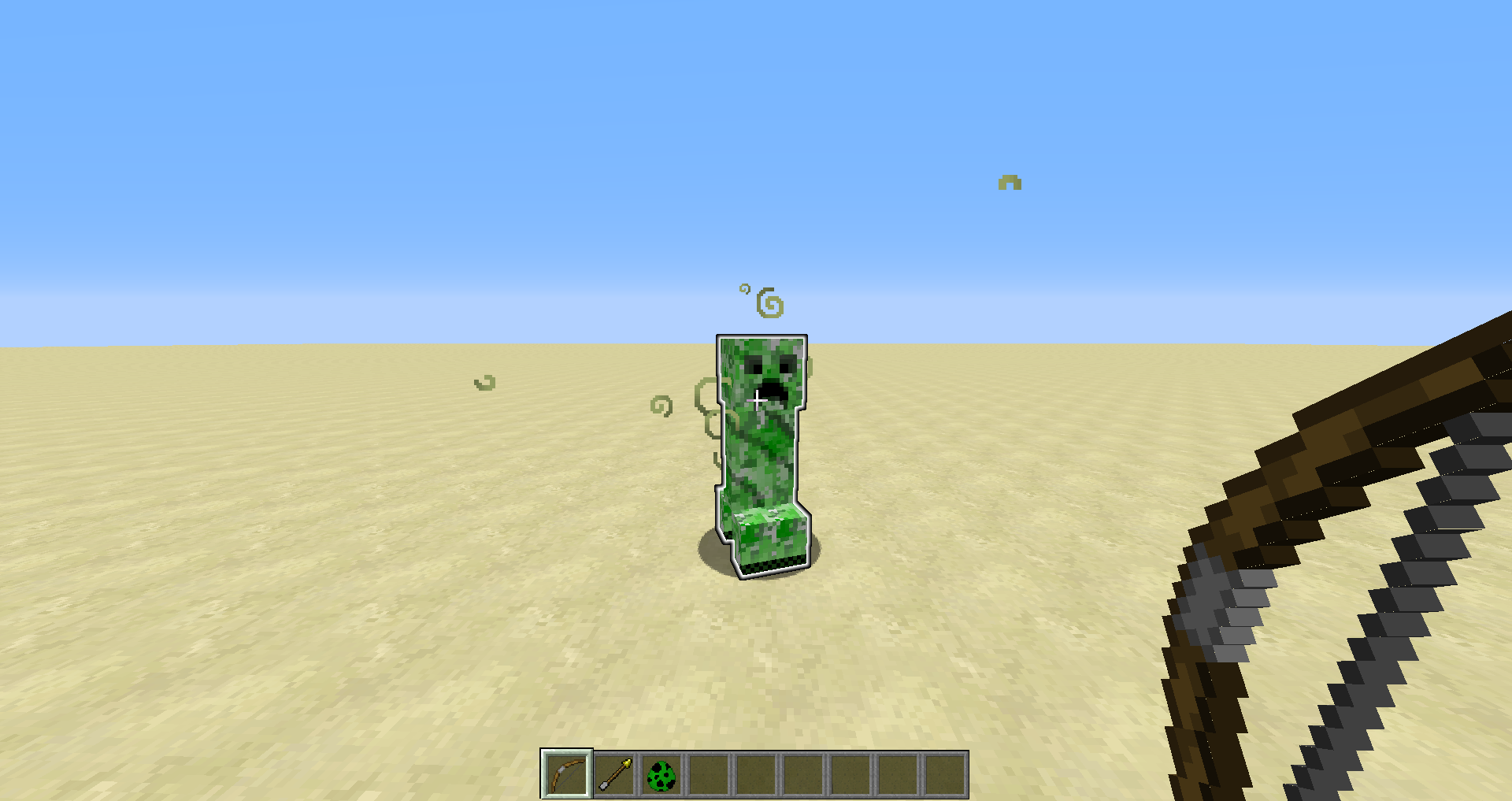

Notes:
- By resizing the window it gets back to "normal" (third picture 2016-12-03_19.31.07.png)
- Applying the glowing effect to an entity after 3D anaglyph mode was activated does not seems to render the glowing effect at all

Affected gaphics cards
Intel(R) HD Graphics 4600
GeForce GT 620M/PCIe/SSE2 GL version 4.5.0 NVIDIA 378.13, NVIDIA Corporation
OpenGL: AMD Radeon HD 6800 Series GL version 4.5.13417 Compatibility Profile Context 15.301.1901.0, ATI Technologies Inc.
GL Caps: Using GL 1.3 multitexturing.
Using GL 1.3 texture combiners.
Using framebuffer objects because OpenGL 3.0 is supported and separate blending is supported.
Shaders are available because OpenGL 2.1 is supported.
VBOs are available because OpenGL 1.5 is supported.
Using VBOs: Yes
Environment
Windows 10
64bit operating system, x64bit based processor
Java version 8 update 111
Intel(R) Core(TM) i5-4590s CPU @ 3.00 GHz
Intel(R) HD Graphics 4600
Linked Issues


![[Mod] Pokechu22](../../../data/avatars/users/92931.png)
Created Issue:
Screen goes crazy by looking at a glowing entity in 3d anaglyph mode
1. Look at a glowing entity (first picture)
2. Turn on the 3D mode
3. Look at the entity again (second picture)By resizing the window it gets back to "normal" (third picture)
Environment
Windows 10
64bit operating system, x64bit based processor
Java version 8 update 111
Intel(R) Core(TM) i5-4590s CPU @ 3.00 GHz
Intel(R) HD Graphics 4600
Attachments3

![[Bot] Arisa](../../../data/assets/gravatar/mustek2.png)
duplicates

duplicates

Screen goes crazy by looking at a glowing entity in 3d anaglyph modeGlowing effect not rendering correctly in 3d anaglyph mode
1. Look at a glowing entity (first picture)
2. Turn on the 3D mode
3. Look at the entity again (second picture)By resizing the window it gets back to "normal" (third picture)
How to reproduce
1. Look at a glowing entity (first picture)
2. Turn on the 3D mode
3. Look at the entity again (second picture)Notes:
- By resizing the window it gets back to "normal" (third picture)
- Applying the glowing effect to an entity after 3D anaglyph mode was activated does not seems to render the glowing effect at all
Affected gaphics cards
Intel(R) HD Graphics 4600OpenGL: AMD Radeon HD 6800 Series GL version 4.5.13417 Compatibility Profile Context 15.301.1901.0, ATI Technologies Inc. GL Caps: Using GL 1.3 multitexturing. Using GL 1.3 texture combiners. Using framebuffer objects because OpenGL 3.0 is supported and separate blending is supported. Shaders are available because OpenGL 2.1 is supported. VBOs are available because OpenGL 1.5 is supported. Using VBOs: Yes
How to reproduce
1. Look at a glowing entity (first picture
)
2. Turn on the 3D mode
3. Look at the entity again (second picture)Notes:
- By resizing the window it gets back to "normal" (third picture)
- Applying the glowing effect to an entity after 3D anaglyph mode was activated does not seems to render the glowing effect at all
Affected gaphics cards
Intel(R) HD Graphics 4600OpenGL: AMD Radeon HD 6800 Series GL version 4.5.13417 Compatibility Profile Context 15.301.1901.0, ATI Technologies Inc. GL Caps: Using GL 1.3 multitexturing. Using GL 1.3 texture combiners. Using framebuffer objects because OpenGL 3.0 is supported and separate blending is supported. Shaders are available because OpenGL 2.1 is supported. VBOs are available because OpenGL 1.5 is supported. Using VBOs: YesHow to reproduce
1. Look at a glowing entity (first picture 2016-12-03_19.30.36.png
2. Turn on the 3D mode
3. Look at the entity again (second picture 2016-12-03_19.30.51.pngNotes:
- By resizing the window it gets back to "normal" (third picture 2016-12-03_19.31.07.png
- Applying the glowing effect to an entity after 3D anaglyph mode was activated does not seems to render the glowing effect at all
Affected gaphics cards
Intel(R) HD Graphics 4600OpenGL: AMD Radeon HD 6800 Series GL version 4.5.13417 Compatibility Profile Context 15.301.1901.0, ATI Technologies Inc. GL Caps: Using GL 1.3 multitexturing. Using GL 1.3 texture combiners. Using framebuffer objects because OpenGL 3.0 is supported and separate blending is supported. Shaders are available because OpenGL 2.1 is supported. VBOs are available because OpenGL 1.5 is supported. Using VBOs: Yes
How to reproduce
1. Look at a glowing entity (first picture 2016-12-03_19.30.36.png
2. Turn on the 3D mode
3. Look at the entity again (second picture 2016-12-03_19.30.51.pngNotes:
- By resizing the window it gets back to "normal" (third picture 2016-12-03_19.31.07.png
- Applying the glowing effect to an entity after 3D anaglyph mode was activated does not seems to render the glowing effect at all
Affected gaphics cards
Intel(R) HD Graphics 4600OpenGL: AMD Radeon HD 6800 Series GL version 4.5.13417 Compatibility Profile Context 15.301.1901.0, ATI Technologies Inc. GL Caps: Using GL 1.3 multitexturing. Using GL 1.3 texture combiners. Using framebuffer objects because OpenGL 3.0 is supported and separate blending is supported. Shaders are available because OpenGL 2.1 is supported. VBOs are available because OpenGL 1.5 is supported. Using VBOs: YesHow to reproduce
- Set "Clouds" to "OFF" or "Fast"
- Look at a glowing entity (first picture 2016-12-03_19.30.36.png
- Turn on the 3D mode
- Look at the entity again (second picture 2016-12-03_19.30.51.png
Notes:
- By resizing the window it gets back to "normal" (third picture 2016-12-03_19.31.07.png
- Applying the glowing effect to an entity after 3D anaglyph mode was activated does not seems to render the glowing effect at all
Affected gaphics cards
Intel(R) HD Graphics 4600OpenGL: AMD Radeon HD 6800 Series GL version 4.5.13417 Compatibility Profile Context 15.301.1901.0, ATI Technologies Inc. GL Caps: Using GL 1.3 multitexturing. Using GL 1.3 texture combiners. Using framebuffer objects because OpenGL 3.0 is supported and separate blending is supported. Shaders are available because OpenGL 2.1 is supported. VBOs are available because OpenGL 1.5 is supported. Using VBOs: Yes
Glowing effect not rendering correctly in 3d anaglyph mode with clouds turned off or set to fast
How to reproduce
- Set "Clouds" to "OFF" or "Fast"
- Look at a glowing entity (first picture 2016-12-03_19.30.36.png
- Turn on the 3D mode
- Look at the entity again (second picture 2016-12-03_19.30.51.png
Notes:
- By resizing the window it gets back to "normal" (third picture 2016-12-03_19.31.07.png
- Applying the glowing effect to an entity after 3D anaglyph mode was activated does not seems to render the glowing effect at all
Affected gaphics cards
Intel(R) HD Graphics 4600GeForce GT 620M/PCIe/SSE2 GL version 4.5.0 NVIDIA 378.13, NVIDIA CorporationOpenGL: AMD Radeon HD 6800 Series GL version 4.5.13417 Compatibility Profile Context 15.301.1901.0, ATI Technologies Inc. GL Caps: Using GL 1.3 multitexturing. Using GL 1.3 texture combiners. Using framebuffer objects because OpenGL 3.0 is supported and separate blending is supported. Shaders are available because OpenGL 2.1 is supported. VBOs are available because OpenGL 1.5 is supported. Using VBOs: Yes
![[Mod] Neko](../../../data/avatars/users/92901.png)

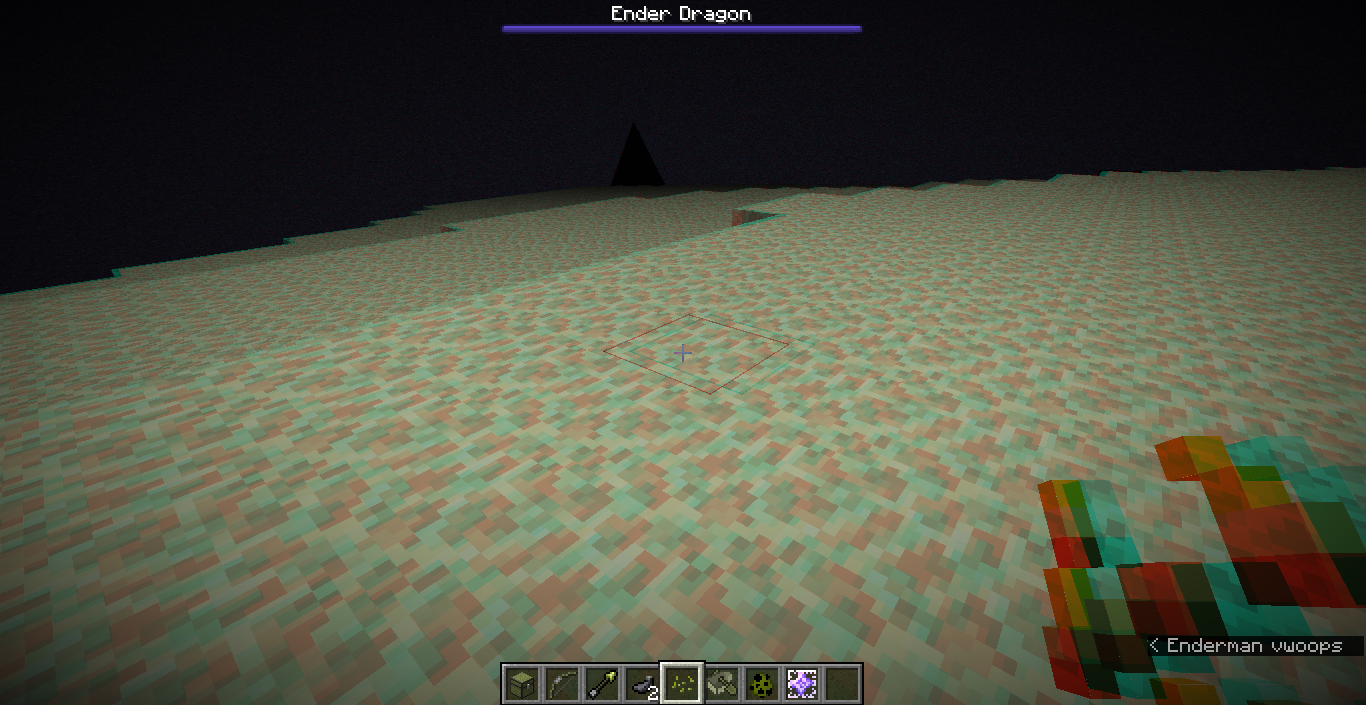
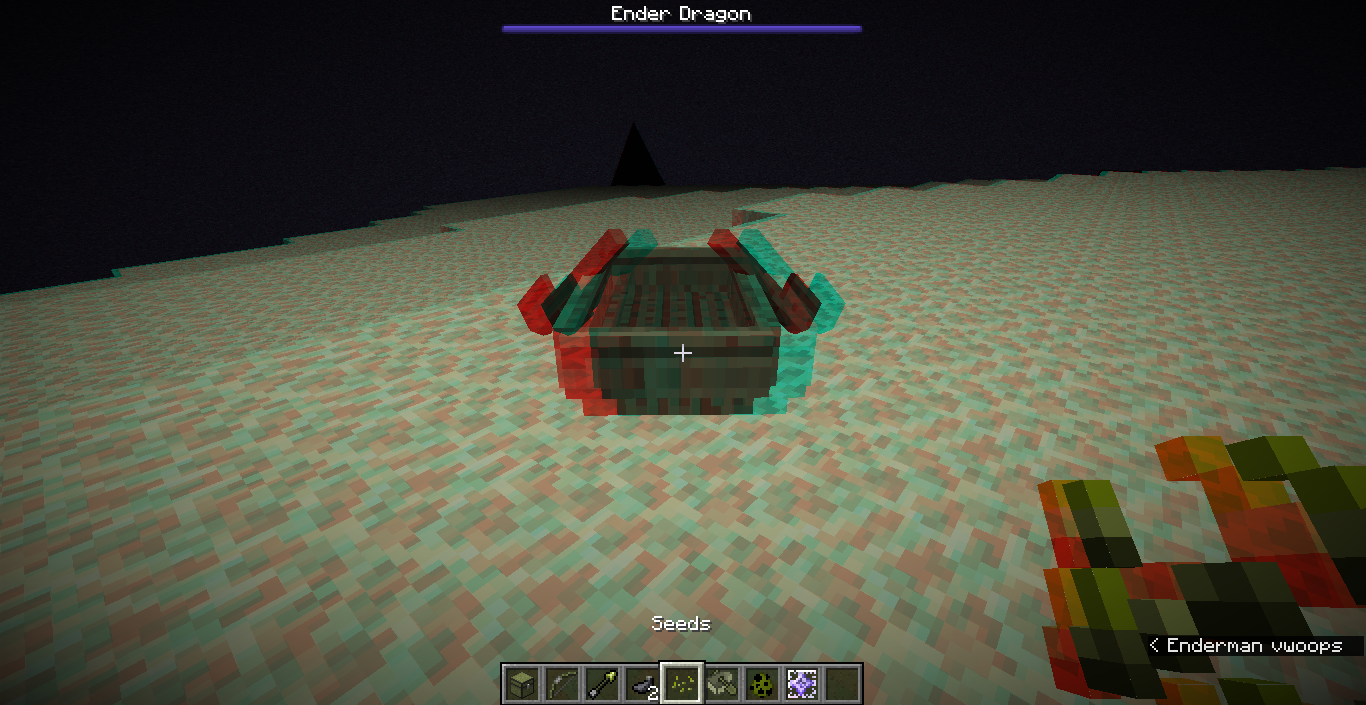
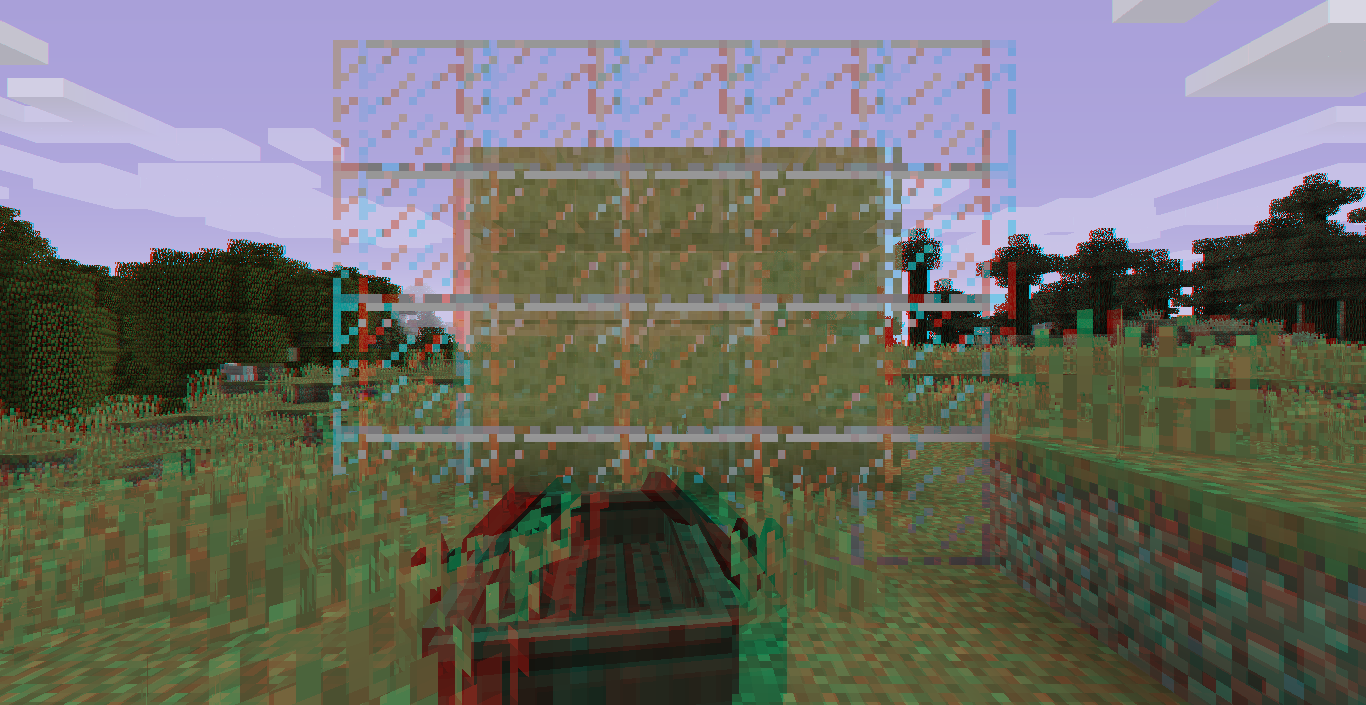
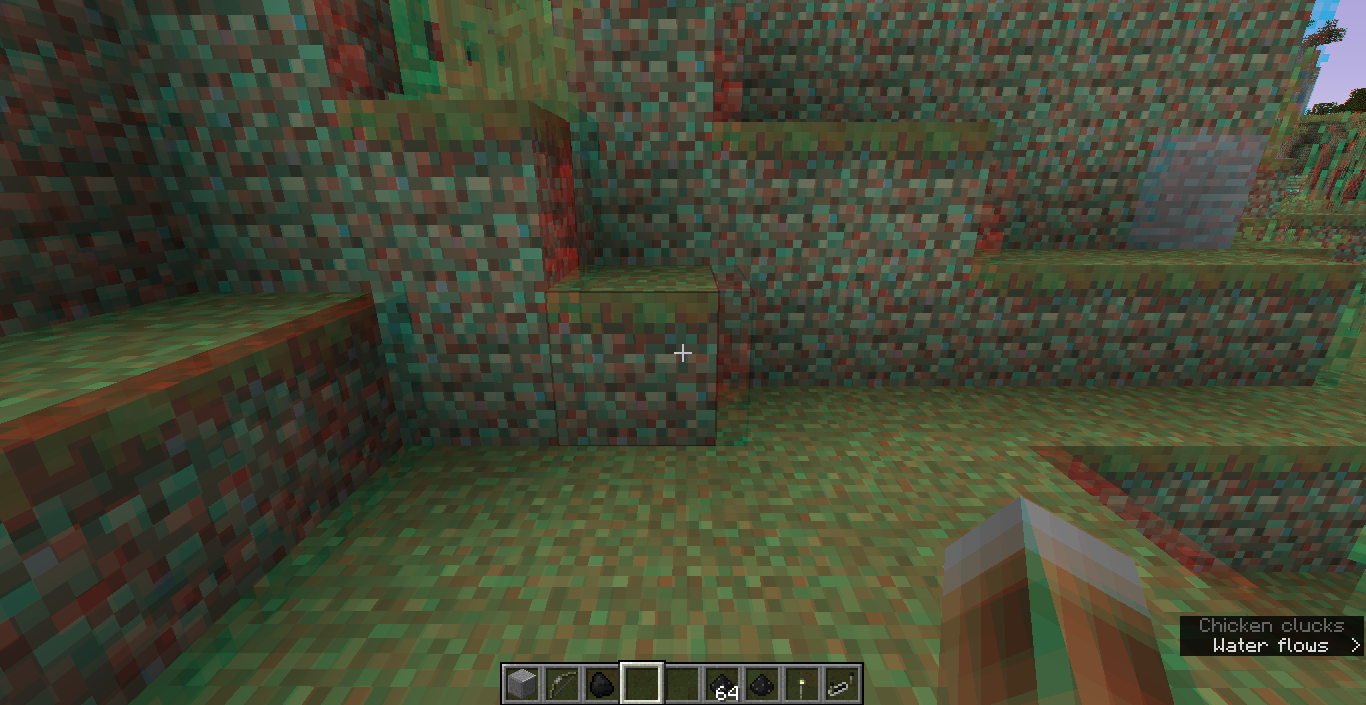
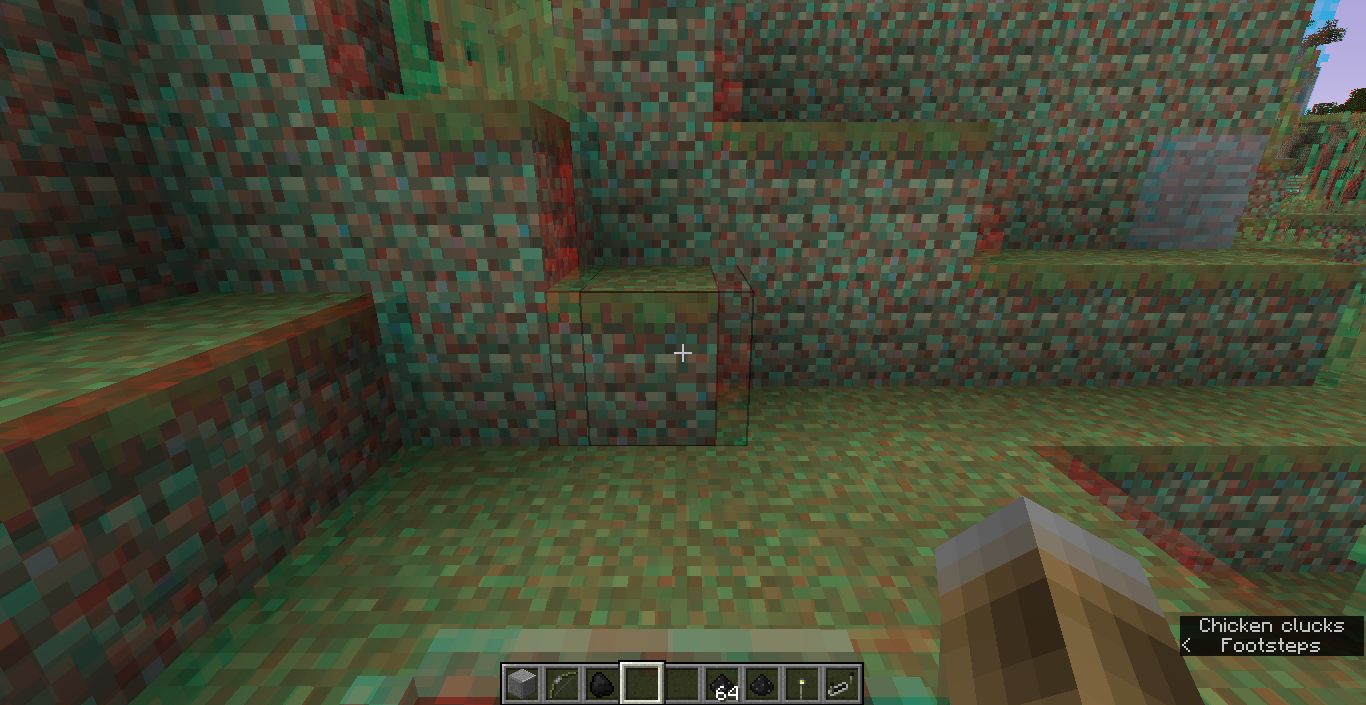
Anaglyph 3D breaks when a boat is rendered.
Reproduction
- Kill all boats in the world (/kill @e[type=boat] (needed to have a base case))
- Enable anaglyph 3D in video settings
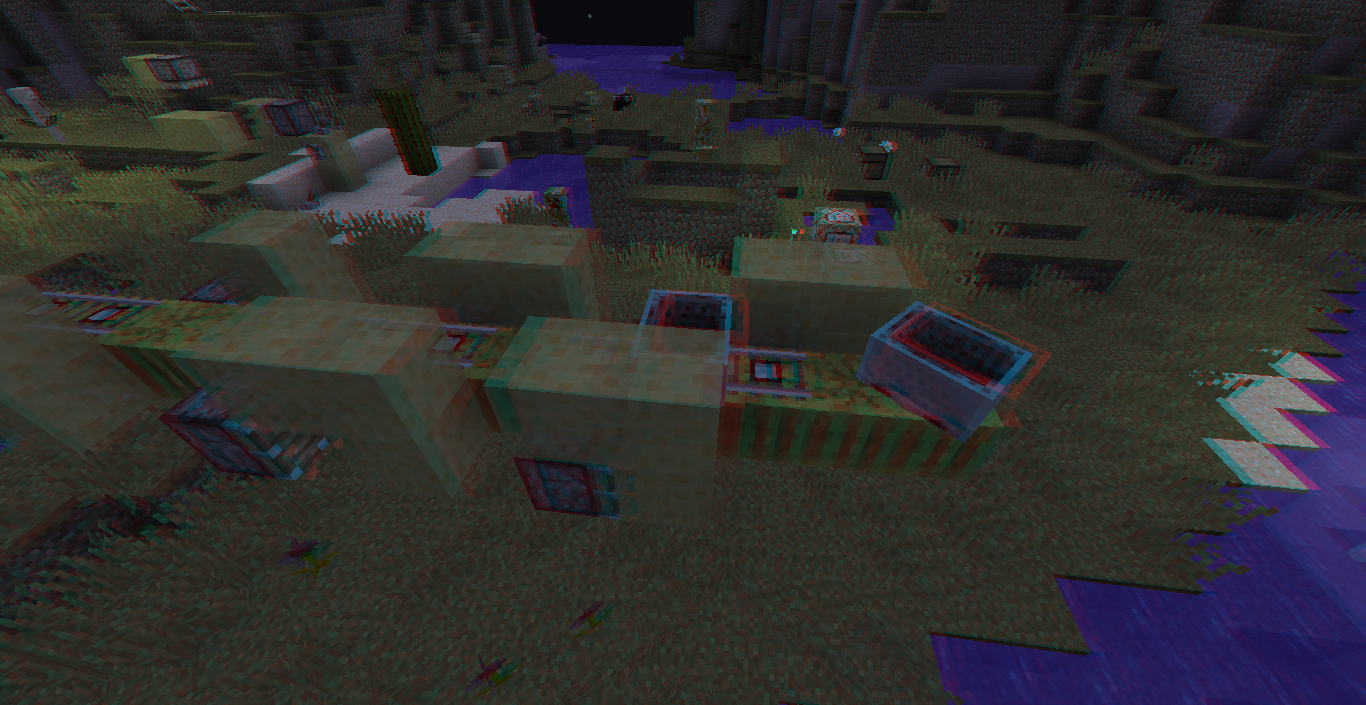
- Place some water sources and slime blocks in front of you.
- In front of the slime blocks, put glass.
- Look at the glass.
- Place a boat.
- Observe that the slime blocks and water sources appear to have shifted
- Observe that the glass is partially not rendering
- Observe that your held item is rendered solidly several times
- Observe that the hitbox for blocks renders black twice.
Cause
My guess is that this is caused by the invisible transparent layer that boats use to not have water inside. However, I haven't confirmed this.
Notes
All visual artifacting happens only on the blue side. The red side is more or less unaffected. As such, if you have red/blue 3D glasses, the effects can clearly be replicated by closing the red eye and only looking through the blue eye.
I can't quite classify how the artifacting works, but it might be that the red layer is less transparent when it happens.
Boats also change the way the glowing effect incorrectly behaves (see MC-111101), but that's its own issue.
Screenshots
- Items: Without boat | With boat
- Blocks shifting: Without boat | With boat
- Blocks getting cut off: Without boat | With boat
- Hitboxes drawing dark twice: Without boat | With boat


Please force a crash by pressing F3 + C for 10 seconds while in-game and attach the crash report (minecraft/crash-reports/crash-<DATE>-client.txt) to this ticket.
Broken Intel graphics driver (most probably OEM)
Latest version is 15.xx.xx.xx. Versions 20.xx.xx.xx are known broken. See
MC-32606Looks like this happens only when "Clouds" are turned off or are set to "Fast"
3D anaglyph is gone in 1.13.