 MC-117745
Gray italic command usage notification in chat can have white non-italic inserted parts
The bug
Gray italic command usage notifications in chat, which are sent when another player or a command block executes a command, can have white non-italic inserted parts when the the command was used by a player or by command block tracking the output. This is similar to MC-91499 and apparently caused by the same text-component object being used for the gray italic chat output and the white non-italic command block output, therefore overwriting the previously set style.
How to reproduce
- Enable commandBlockOutput
/gamerule commandBlockOutput true - Place an impulse command block, tracking the output with the following command
/effect @p minecraft:absorption
- Active the command block
Linked Issues

Created Issue:
"/Effect text" after the /effect command succeded, sometimes makes the "effect" font the same as the text color which is gray
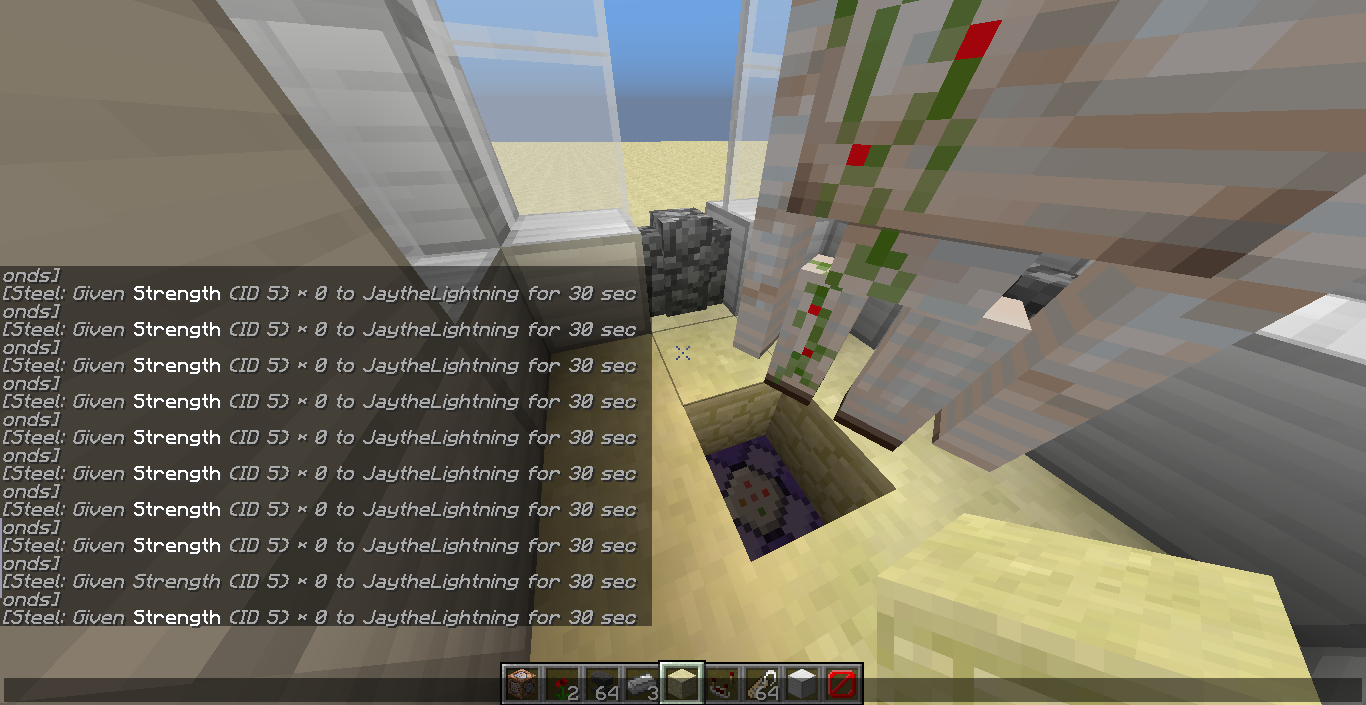
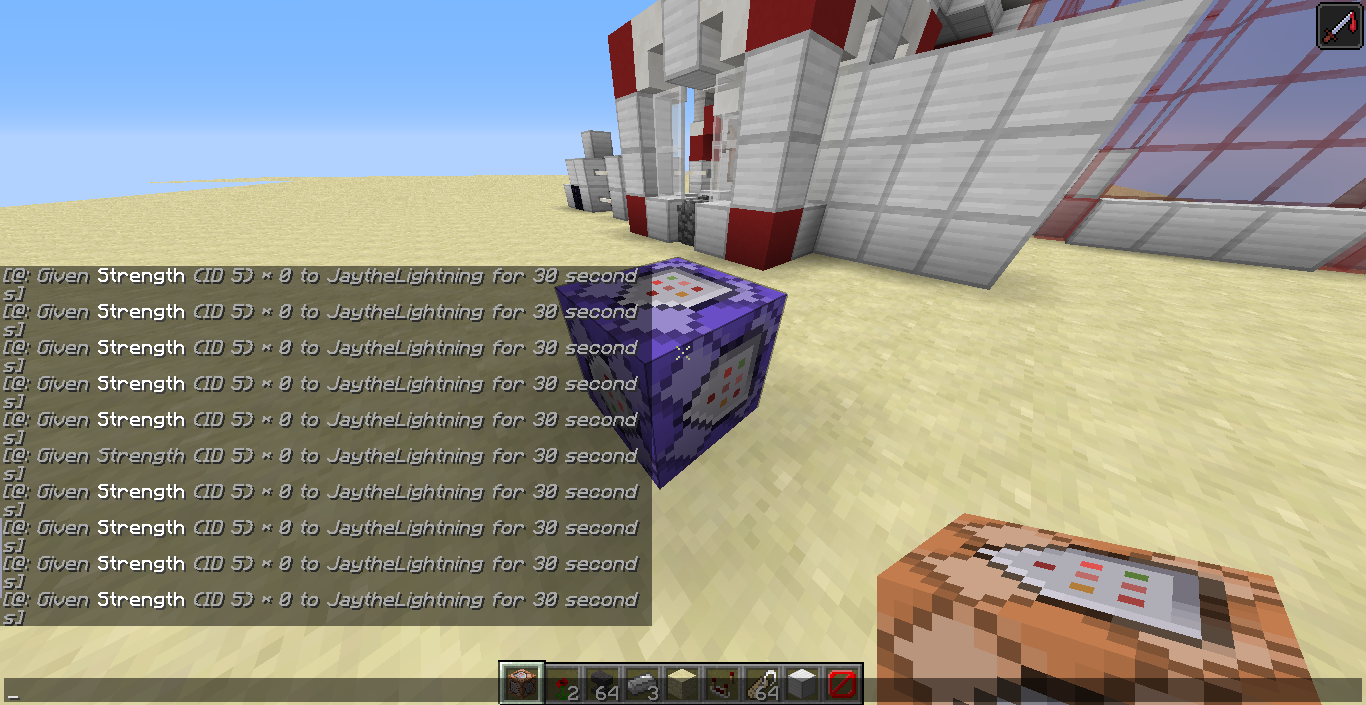
The /Effect command is a very useful command, but the weird thing is, the message when you're succeded executing the /efefct command. . . The following step will reveal that sometimes the "effect" font is italic and grey like all the text but the usual color is white and not italic. . .:
{CustomName:"Steel",CustomNameVisible:1}
1. Type /give @p repeati and then press tab and Enter
2. place the command block on the ground
3. Type /execute @e[type=villager_golem,r=5,name=Steel] ~ ~ ~ effect @a minecraft:strength (Command block mode: Always active)
4. Type /give @p comm and then press tab and Enter
5. Type /summon villager_golem ~ ~1 ~6.lure the Golem into the repeating command block
7. The command /Effect will execute but with different font (it will came up randomly)
Attachments2
![[Mod] Michael Wobst](../../../data/avatars/users/37868.png)
relates to

"/Effect text" after the /effect command succeded, sometimes makes the "effect" font the same asthetext color whichisgrayItalic command block output in chat has non-italic inserted parts when command block is tracking output
{CustomName:"Steel",CustomNameVisible:1}
The /Effect command is a very usefulcommand,but the weird thing is, the message when you're succeded executing the /efefct command. . . The following step will reveal that sometimes the "effect" font is italic and grey like all the text but the usual color is white and not italic. . .:
1. Type /give @p repeati and then press tab and Enter
2. place the command block on the ground
3. Type /execute @e [type=villager_golem,r=5,name=Steel] ~ ~ ~ effect @a minecraft:strength (Command block mode: Always active)
4. Type /give @p comm and then press tab and Enter
5. Type /summon villager_golem ~ ~1 ~6.lure the Golem into the repeating command block
7. The command /Effect will execute but with different font (it will came up randomly)The bug
Gray italic command block output in chat can have white non-italic inserted parts when the command block is tracking the output. This is similar to
MC-91499and apparently caused by the same text-component object being used for the gray italic chat output and the white non-italic command block output, therefore overwriting the previously set style.How to reproduce
- Enable commandBlockOutput
/gamerule commandBlockOutput true- Place an impulse command block, tracking the output with the following command
/effect @p minecraft:absorption- Active the command block
Italic command block output in chat has non-italic inserted parts when command block is tracking outputGray italic command block output in chat has white non-italic inserted parts when command block is tracking output

Gray italic commandblock outputin chathaswhite non-italic inserted partswhen command block is tracking outputGray italic command usage notification in chat can have white non-italic inserted parts
The bug
Gray italic command
block output in chatcan have white non-italic inserted parts when the command blockistracking the output. This is similar toMC-91499and apparently caused by the same text-component object being used for the gray italic chat output and the white non-italic command block output, therefore overwriting the previously set style.How to reproduce
- Enable commandBlockOutput
/gamerule commandBlockOutput true- Place an impulse command block, tracking the output with the following command
/effect @p minecraft:absorption- Active the command block
The bug
Gray italic command usage notifications in chat, which are sent when another player or a command block executes a command, can have white non-italic inserted parts when the the command was used by a player or by command block tracking the output. This is similar to
MC-91499and apparently caused by the same text-component object being used for the gray italic chat output and the white non-italic command block output, therefore overwriting the previously set style.How to reproduce
- Enable commandBlockOutput
/gamerule commandBlockOutput true- Place an impulse command block, tracking the output with the following command
/effect @p minecraft:absorption- Active the command block
![[Mod] Les3awe](../../../data/avatars/users/79847.png)
@Fauzy Rahadiansyah Arofi it looks like the problem is rather that the inserted text is sometimes not italic. I changed the report accordingly, I hope you are fine with that.
sure, the problem is only the "effect" text. . . IT randomly changes its own font
Can confirm for MC 1.12, used the following:
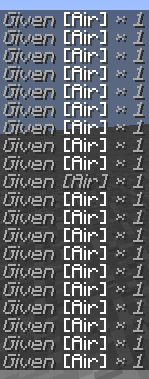
Repeat command block, always active, command inside was 'give @p air ...' instead of 'effect @p absorption ...".
This has been fixed. The new messages are "Applied effect <effect>to <player> and Gave 1 [<item>] to <player>.