 MC-91499
"Your game mode has been changed" message doesn't print new gamemode in gray and italic everywhere
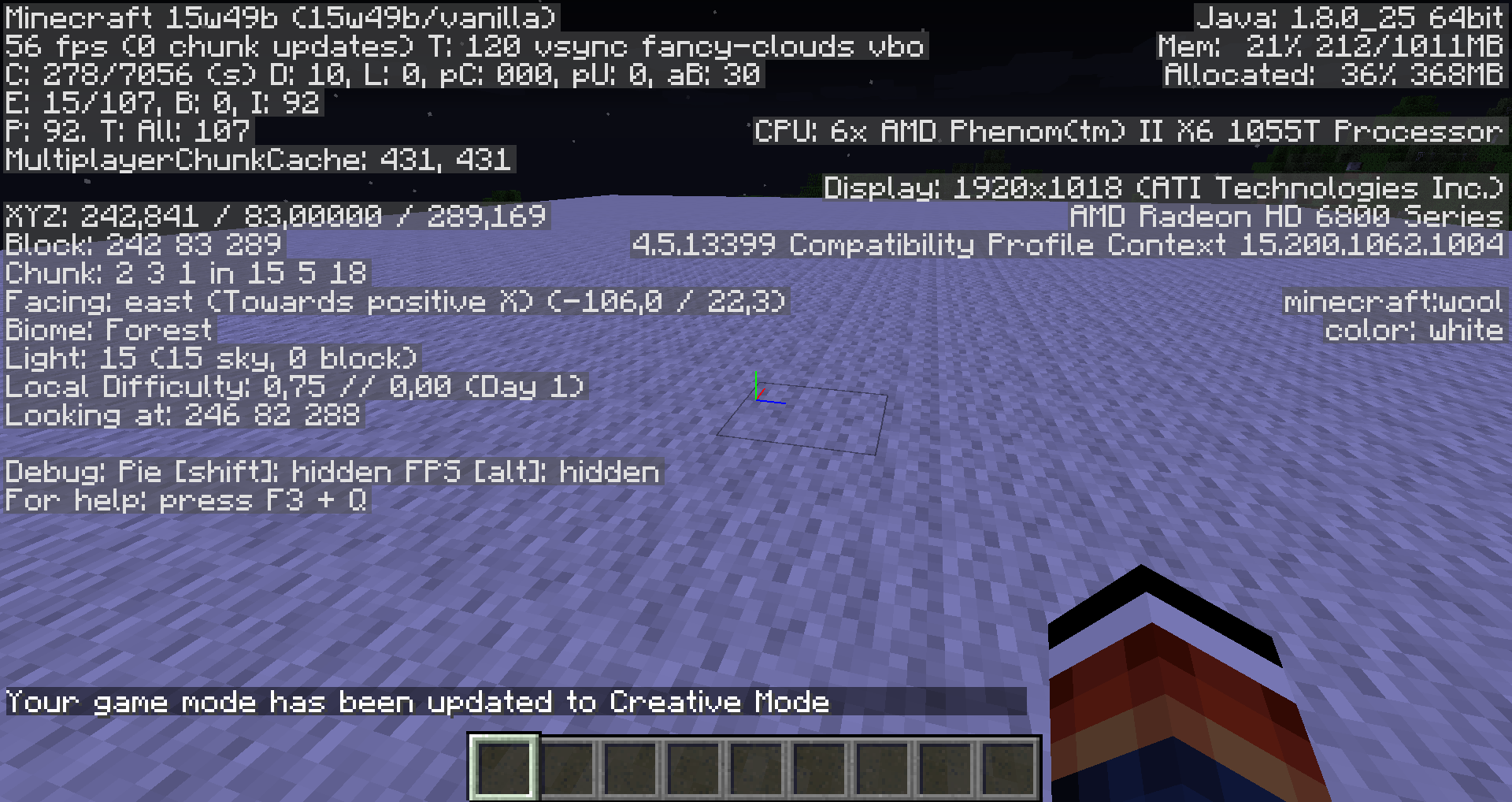
See attached screenshot for what I mean. It only works this way in singleplayer and LAN games, but only for the host. It doesn't work at all on a server.
It always prints the whole line, but it is not cursive/grey everywhere. It should be cursive everywhere.
Code analysis by Marcono1234 can be found in this comment.
Linked Issues
is duplicated by1

![[Mod] redstonehelper](../../../data/avatars/users/10122.svg)

Created Issue:
"Your game mode has been changed" message doesn't print new gamemode in cursive everywhere
See attached screenshot for what I mean. It only works this way in singleplayer and LAN games, but only for the host. It doesn't work at all on a server.
Attachments1
See attached screenshot for what I mean. It only works this way in singleplayer and LAN games, but only for the host. It doesn't work at all on a server.
It always prints the whole line, but it is not cursive everywhere. It should be cursive everywhere.
![[Mojang] Grum (Erik Broes)](../../../data/assets/gravatar/grum.png)
A comment with security level 'global-moderators' was removed.
![[Mojang] Searge (Michael Stoyke)](../../../data/assets/gravatar/searge.png) [Mojang] Searge (Michael Stoyke)
[Mojang] Searge (Michael Stoyke)
relates to
See attached screenshot for what I mean. It only works this way in singleplayer and LAN games, but only for the host. It doesn't work at all on a server.
It always prints the whole line, but it is not cursive everywhere. It should be cursive everywhere.
![[Mod] Michael Wobst](../../../data/avatars/users/37868.png)
See attached screenshot for what I mean. It only works this way in singleplayer and LAN games, but only for the host. It doesn't work at all on a server.
It always prints the whole line, but it is not cursive everywhere. It should be cursive everywhere.
See attached screenshot for what I mean. It only works this way in singleplayer and LAN games, but only for the host. It doesn't work at all on a server.
It always prints the whole line, but it is not cursive everywhere. It should be cursive everywhere.
Code analysis by Marcono1234 can be found in this comment.
Is this still an issue in the most recent versions (currently that is 1.10.2, or 16w43a) of Minecraft? If so, please update the affected versions and help us keeping this ticket updated from time to time. If you are the owner/reporter of this ticket, you can modify the affected version(s) yourself.
![[Mod] Skylinerw](../../../data/assets/gravatar/skylinerw.png)
is duplicated by
"Your game mode has been changed" message doesn't print new gamemode in grey+cursive everywhere
See attached screenshot for what I mean. It only works this way in singleplayer and LAN games, but only for the host. It doesn't work at all on a server.
It always prints the whole line, but it is not cursive/grey everywhere. It should be cursive everywhere.
Code analysis by Marcono1234 can be found in this comment.
relates to
"Your game mode has been changed" message doesn't print new gamemode in grey+cursiveeverywhere"Your game mode has been changed" message doesn't print new gamemode in gray and italic everywhere
![[Mod] Pokechu22](../../../data/avatars/users/92931.png)
relates to
[Mojang] Searge (Michael Stoyke)![[Mod] Les3awe](../../../data/avatars/users/79847.png)
Duplicate of MC-91499
The bug
Gray italic command usage notifications in chat, which are sent when another player or a command block executes a command, can have white non-italic inserted parts when the the command was used by a player or by command block tracking the output. This is similar to MC-91499 and apparently caused by the same text-component object being used for the gray italic chat output and the white non-italic command block output, therefore overwriting the previously set style.
How to reproduce
- Enable commandBlockOutput
/gamerule commandBlockOutput true - Place an impulse command block, tracking the output with the following command
/effect @p minecraft:absorption
- Active the command block
According to RSH, I am to blame. I do not take responsibility.
I don't think this is an issue but ya this happens to me to
confirmed for 15w45a
just for clairification:
it does print the "updated to XXXX", but only not in cursive/gray
Confirmed for
Please link to this comment in the description
The following is based on a decompiled version of Minecraft 1.9 using MCP 9.24 beta.
The bug is that the gamemode is italic and grey. The reason why this happens is because the method net.minecraft.command.CommandGameMode.execute(MinecraftServer, ICommandSender, String[]) passes the net.minecraft.command.CommandGameMode.execute(MinecraftServer, ICommandSender, String[]).itextcomponent (translation for gamemode) directly to the method net.minecraft.command.CommandBase.notifyOperators(ICommandSender, ICommand, int, String, Object...). The problem is that this TextComponentTranslation is used for the feedback in chat as well, however the method notifyOperators(ICommandSender, ICommand, int, String, Object...) sets the color to grey and italic to true. As it is still the same TextComponentTranslation object you will see the changed style in the chat as well. This affects only the owner of a single player world, for example other players joining a LAN server will not see the game mode grey and italic.
This could be probably fixed by creating a new TextComponentTranslation (field net.minecraft.command.ServerCommandManager.notifyOperators(ICommandSender, ICommand, int, String, Object...).itextcomponent) with a copy of all the elements of the argument net.minecraft.command.ServerCommandManager.notifyOperators(ICommandSender, ICommand, int, String, Object...).msgParams.
Affects Version 1.10.2
Minecraft 18w22a removed the text being gray and italic.