 MC-121381
Slower sensitivity
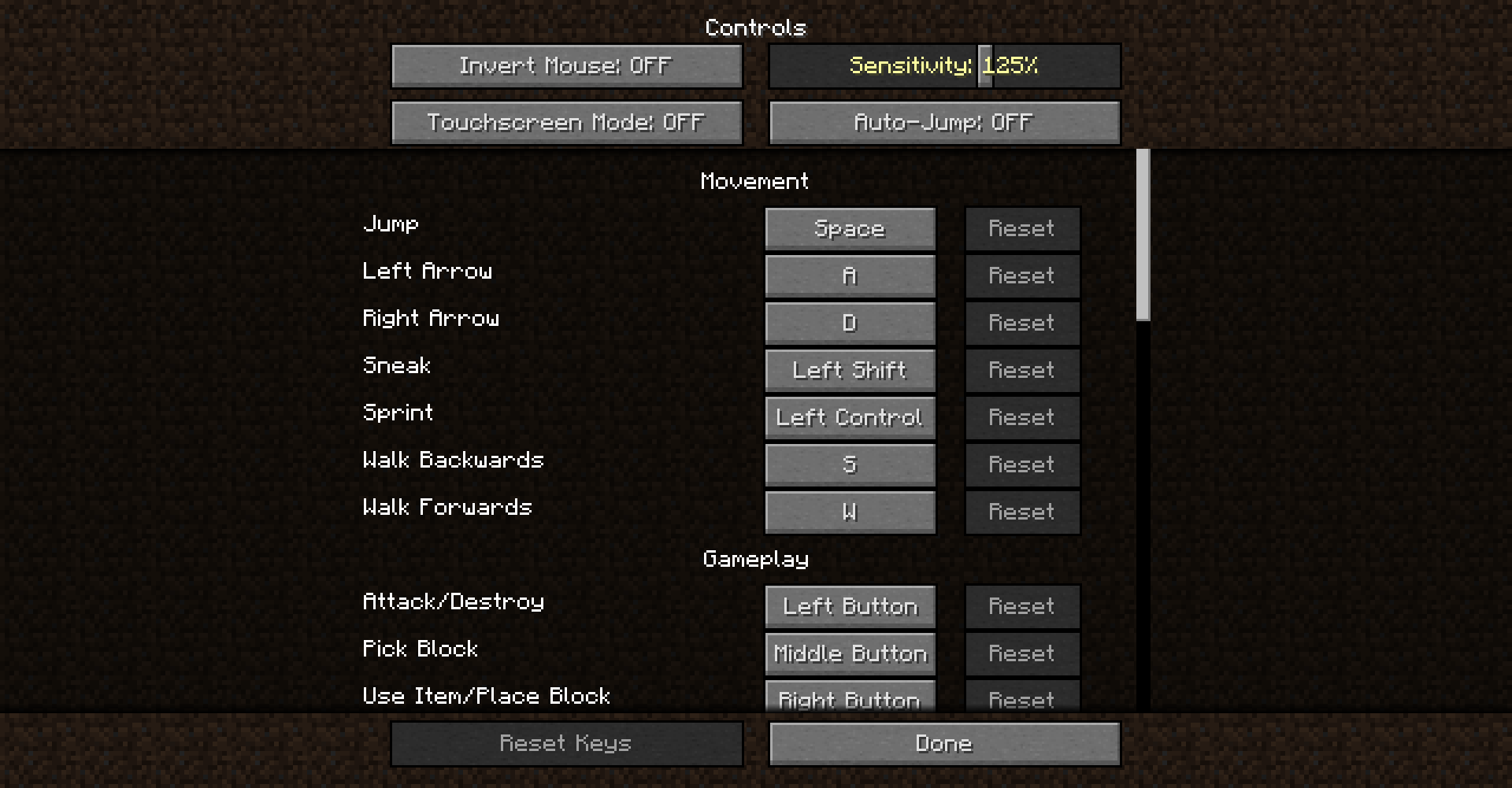
It seemed to me that in the new Snapshots I had a slower sensitivity than in 1.12.2, I measured it a few times and checked it and it was really so. I have to get more sensitivity to have it the same as in 1.12.2.
Environment
Windows 10
Linked Issues
is duplicated by5
Attachments1

Created Issue:
Slower sensitivity
It seemed to me that in the new Snapshots I had a slower sensitivity than in 1.12.2, I measured it several times and checked and passion it was. I have to get more sensitivity to have it the same as in 1.12.2.
Environment
Windows 10
Attachments1
It seemed to me that in the new Snapshots I had a slower sensitivity than in 1.12.2, I measured it
severaltimes and checked andpassion it was. I have to get more sensitivity to have it the same as in 1.12.2.It seemed to me that in the new Snapshots I had a slower sensitivity than in 1.12.2, I measured it a few times and checked it and it was really so. I have to get more sensitivity to have it the same as in 1.12.2.
![[Mojang] Georgii Gavrichev](../../../data/avatars/users/22428.png) [Mojang] Georgii Gavrichev
[Mojang] Georgii Gavrichev![[Mod] tryashtar](../../../data/avatars/users/41963.png)
is duplicated by
![[Mod] Pokechu22](../../../data/avatars/users/92931.png)
is duplicated by
![[Mod] Skylinerw](../../../data/assets/gravatar/skylinerw.png)
is duplicated by
relates to

is duplicated by
MC-143248
![[Mod] violine1101](../../../data/avatars/users/92858.png)
relates to
is duplicated by
Thank you for your report!
However, this issue is a Duplicate of MC-121381.
It has been linked to this report.
1.13 updated to LWJGL 3, which uses a different way of getting mouse input. Different behavior is to be expected; just change the sensitivity value in controls if you feel the need.
Quick Links:
📓 Issue Guidelines – 💬 Community Support – ☃D83D? Customer Support – 📖 Game Wiki
Thank you for your report!
However, this issue is a Duplicate of MC-121381.
It has been linked to this report.
1.13 updated to LWJGL 3, which uses a different way of getting mouse input. Different behavior is to be expected; just change the sensitivity value in controls if you feel the need.
Quick Links:
📓 Issue Guidelines – 💬 Community Support – 📧 Customer Support – 📖 Game Wiki

Thank you for your report!
However, this issue is a Duplicate of MC-121381.
If you have additional information, please add it to that report.
Please search before reporting, as it's likely that one exists already.
Quick Links:
📓 Issue Guidelines – 💬 Community Support – 📧 Customer Support – 📖 Game Wiki
Thank you for your report!
We're tracking this issue as MC-121381, so this ticket is being resolved and linked as a duplicate.
That ticket has already been resolved as Won't Fix, which means this is considered a bug but won't be fixed. The description of that ticket or the comments might explain the rationale. Please do not leave a comment on the linked ticket.
If you haven't already, you might like to make use of the search feature to see if the issue has already been mentioned.
Quick Links:
📓 Bug Tracker Guidelines – 💬 Community Support – 📧 Mojang Support
📓 Project Summary – ✍️ Feedback and Suggestions – 📖 Game Wiki
Most likely caused by LWJGL update; the way the mouse input is handled is different now, the range of acceleration slider should be still enough for you to get the value you had before
Georgii, changing mouse sensitivity is not the same as enabling or disabling mouse acceleration. I'm sure LWJGL has some sort of toggle for enabling and disabling it. Can this please be properly investigated? Thank you.
@Georgii Gavrichev I use a trackball for minecraft (because its fun aight-- logitech M570) And it looks like the acceleration is my problem. The sensitivy to acceleration is lower in 1.13 and 1.14.2, more than it was in 1.12 like you said likely because of the LWJGL update. Can you give me some more information on this update or its implementation, maybe about how to adjust acceleration, or maybe even add in an acceleration slider setting in the Controls part of Settings in minecraft? That would be a needed setting I think, especially in my situation and others. Thanks!
@Georgii Gavrichev i use a trackpad mouse sensitive up all the way and it's still super slow in 1.13 and 1.14 a fix would be nice
UPDATE: 1.14.3 made the acceleration or sensitivity back to the way it was before 1.13. This fixed the problems I was having in my previous comment, and should fix the problems caused from this 1.12 to 1.13 update that changed acceleration or sensitivity
another update for 1.14.4: it gets messed up again in this update and is unlike the way it was before 1.13, but to fix this, go into
options > controls > mouse settings (top left of the controls window) > turn "raw input" to off.
that made it go back to the way it was before 1.13.