Particles render on top of semi-transparent blocks in "Fabulous!" graphics setting
Particles render on top of stained glass in "Fabulous!" graphics setting (again)
This seems to now affect machines more widespread (or at least very differently as previous ones, since I did not experience this before on any release).
Linked Issues
is duplicated by3
relates to5
 MC-188669Clouds render in front of everything on "Fabulous!" graphics settingFixedMC-188692Experience orbs render through End Crystals in Fabulous modeFixedMC-188808Ice blocks on Item Frames visible through Chest blocks in "Fabulous!" settingFixedMC-188923You can see rain when indoors while using "Fabulous" graphic settings.FixedMC-188694Some blocks' hitboxes are rendered through other blocks in fabulous settingsFixed
Attachments1


Created Issue:
Particles render on top of stained glass in "Fabulous!" graphics setting
Particles render on top of stained glass in "Fabulous!" graphics setting (again)
This seems to now affect machines more widespread (or at least very differently as previous ones, since I did not experience this before on any release).
Attachments1
javaw_2020-06-11_18-28-41.png
clones
relates to
Particles render on top of stained glassin "Fabulous!" graphics settingParticles render on top of semi-transparent in "Fabulous!" graphics setting
is duplicated by
is duplicated by
![[Mod] Michael Wobst](../../../data/avatars/users/37868.png)
![[Mojang] Adrian Östergård](../../../data/assets/gravatar/nighter.jpeg)
 Important
![[Mojang] Felix Jones](../../../data/avatars/users/40484.png) [Mojang] Felix Jones
[Mojang] Felix Jonesrelates to
is duplicated by
relates to
![[Mod] violine1101](../../../data/avatars/users/92858.png)
Particles render on top of semi-transparent blocks in "Fabulous!" graphics setting
Thank you for your report!
However, this issue is Invalid.You have posted a feature request or a suggestion. This site is for bug reports only.
For suggestions, please visit Minecraft Suggestions on Reddit or visit the Feedback website.Quick Links:
📓 Bug Tracker Guidelines – 💬 Community Support – 📧 Mojang Support
📓 Project Summary – ✍️ Feedback and Suggestions – 📖 Game Wiki
Thank you for your report!
However, we are already tracking this issue, and this report is a Duplicate of MC-188673, which is a report that has not been resolved yet.
If you want, you can upvote the parent ticket, and enable watching to receive any updates about it - if you believe you have any information that may be important for this issue, please leave a comment on the parent.
Quick Links:
📓 Issue Guidelines – 🛠 Community Support – 📧 Customer Support – ✍️ Feedback and Suggestions – 📖 Game Wiki
💬 Mojira Subreddit – 💬 Mojira Discord

Water bubbles are rendering in front of glass when viewed through an effect particle. When behind one layer of glass and in front of another, the bubbles render behind both layers of glass.


Meanwhile, in "Fancy" graphics setting, the bubbles do not render behind the glass at all.

I believe this relates to MC-188673
Thank you for your report!
However, we are already tracking this issue, and this report is a Duplicate of MC-188673, which is a report that has not been resolved yet.
If you want, you can upvote the parent ticket, and enable watching to receive any updates about it - if you believe you have any information that may be important for this issue, please leave a comment on the parent. Please also use the search function in the future to prevent duplicate reports.
Quick Links:
📓 Issue Guidelines – 🛠 Community Support – 📧 Customer Support – ✍️ Feedback and Suggestions – 📖 Game Wiki
💬 Mojira Subreddit – 💬 Mojira Discord
My apologies, I thought this was different enough due to the bubbles rendering on top of the particles as not mentioned in MC-188673.
Thank you for your report!
However, we are already tracking this issue, and this report is a Duplicate of MC-188673, which is a report that has not been resolved yet.
If you want, you can upvote the parent ticket, and enable watching to receive any updates about it - if you believe you have any information that may be important for this issue, please leave a comment on the parent. Please also use the search function in the future to prevent duplicate reports.
Quick Links:
📓 Issue Guidelines – 🛠 Community Support – 📧 Customer Support – ✍️ Feedback and Suggestions – 📖 Game Wiki
💬 Mojira Subreddit – 💬 Mojira Discord

![[Bot] Arisa](../../../data/avatars/users/43007.png)
Cannot reproduce in 1.16-pre4 due MC-188673,

This is still an issue in PRE-5 because is MC-188673 fixed (again).
MC-188529 outlines an issue wherein all particles are invisible behind blocks featuring transparent textures on fast and fancy graphics settings, and is designated as "won't fix." When it comes to rendering elements such as particles, block hitboxes, and other transparent objects, it appears that Mojang has to chose 1 out of 4 possible rendering bugs:
- Always rendered in front of transparent blocks, even when being behind (
MC-188673for example) - Always rendering behind transparent blocks, even when being in front of (MC-161926 or
MC-161879for example) - Never being rendered behind transparent blocks (particles for example as reported in
MC-188529orMC-161899) - Transparent blocks not being rendered behind it (
MC-187783or MC-193051 for example)
Before 1.15 most particles had rendering bug 4, which is fine for particles without a transparent texture, like barrier particles, angry villager particles, heart particles and more. Some had rendering bug 2, even ones that didn't have a transparent texture, which was problematic. Since version 1.15 all particles have rendering bug 3. This bug report is pointing out that the issue can be fixed for particles without a transparent texture by having them have rendering bug 4. This would allow these particles to not have any of these rendering bugs again like you can see in these 2 screenshots:

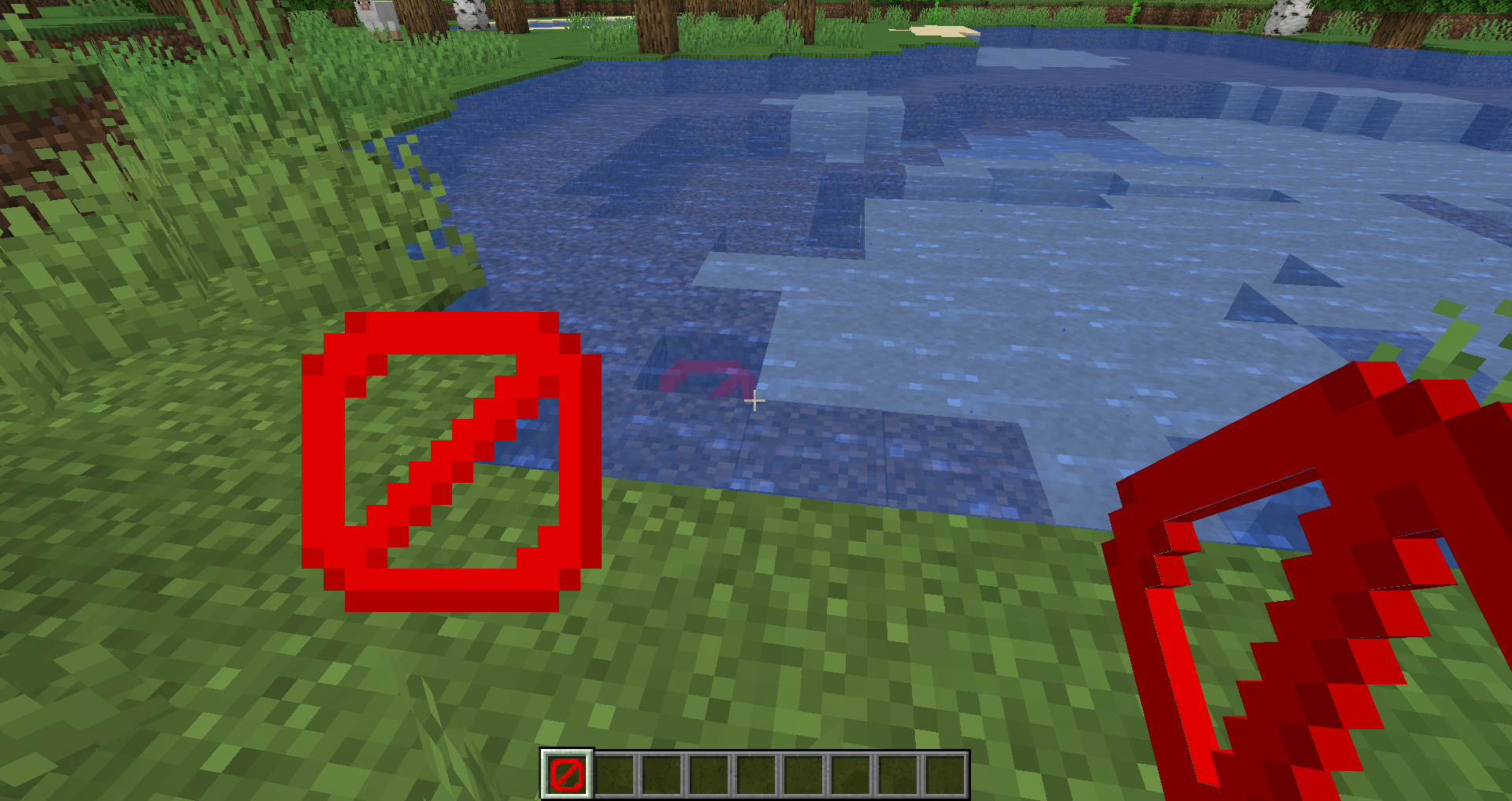
As previously noted, these two particles are likely affected by rendering bug 4, which goes unnoticed because they have no transparency.
However, as observed below, in newer versions, these particles exhibit rendering bug 3:
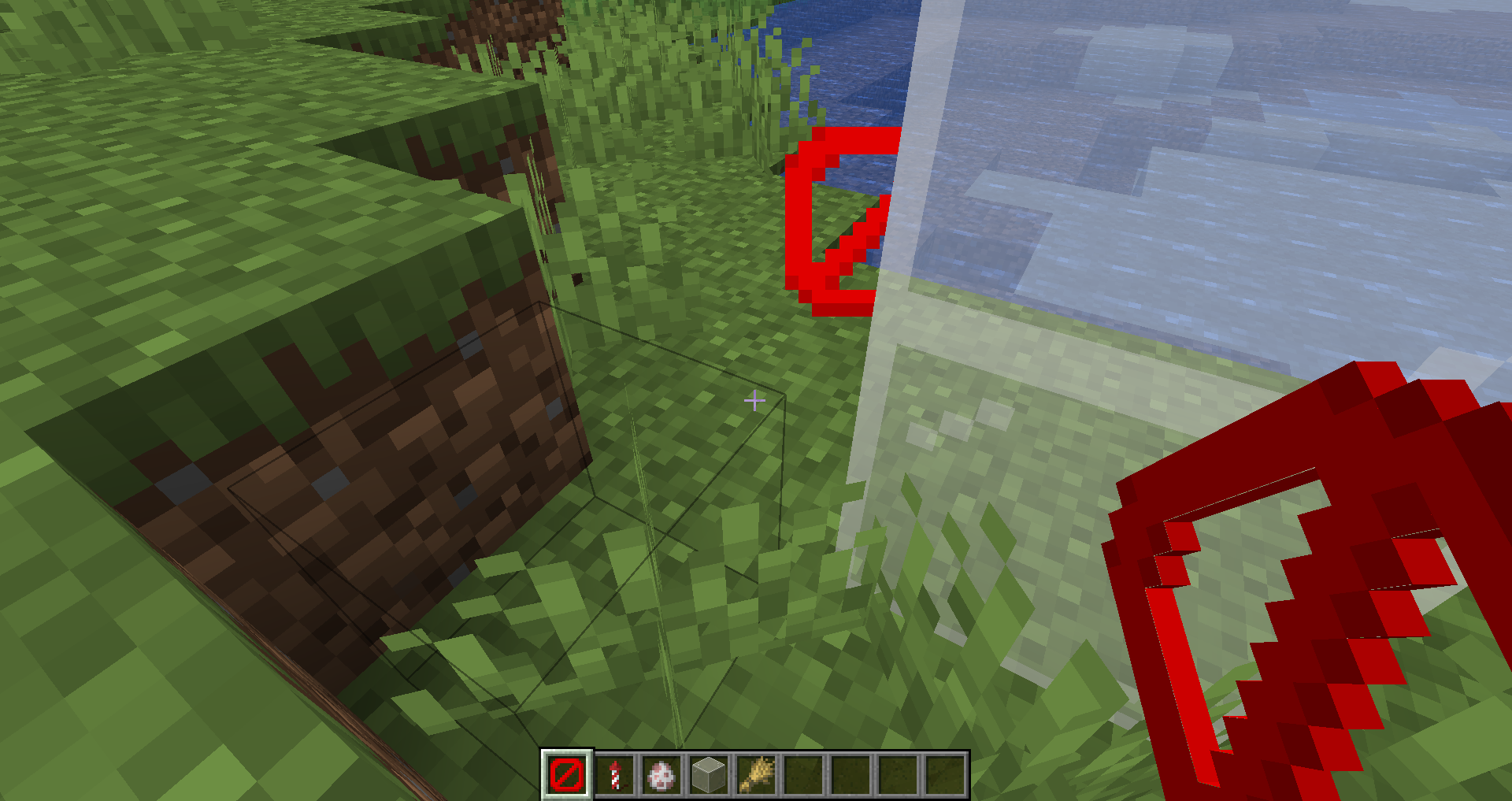
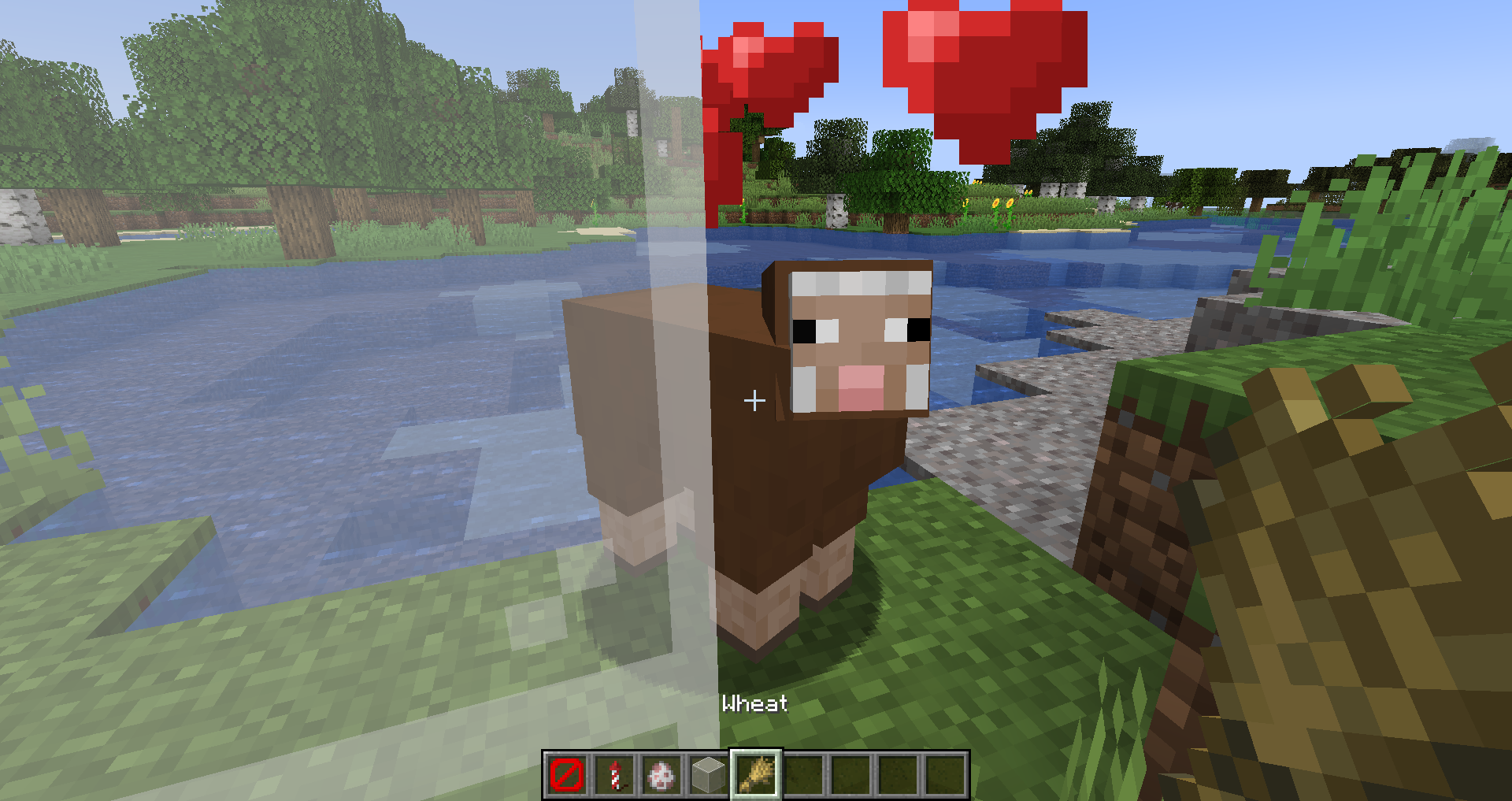
Below is a list of particles without transparent textures. It's probable that for these particles, addressing the issue involves reverting them to rendering bug 4 instead of 3:
- minecraft:angry_villager
- minecraft:ash
- minecraft:block (when used for a block without transparent texture)
- minecraft:block_marker (when used for a block without transparent texture)
- minecraft:bubble
- minecraft:bubble_column_up
- minecraft:bubble_pop
- minecraft:cherry_leaves
- minecraft:cloud
- minecraft:composter
- minecraft:crimson_spore
- minecraft:crit
- minecraft:current_down
- minecraft:damage_indicator
- minecraft:dolphin
- minecraft:dragon_breath
- minecraft:dripping_dripstone_lava
- minecraft:dripping_dripstone_water
- minecraft:dripping_honey
- minecraft:dripping_lava
- minecraft:dripping_obsidian_tear
- minecraft:dripping_water
- minecraft:dust
- minecraft:dust_color_transition
- minecraft:dust_plume
- minecraft:effect
- minecraft:egg_crack
- minecraft:elder_guardian
- minecraft:electric_spark
- minecraft:enchant
- minecraft:enchanted_hit
- minecraft:end_rod
- minecraft:entity_effect
- minecraft:explosion
- minecraft:explosion_emitter
- minecraft:falling_dripstone_lava
- minecraft:falling_dripstone_water
- minecraft:falling_dust
- minecraft:falling_honey
Given the extensive number of particles lacking transparent textures, it's impractical to list them all here. However, I hope that you'll be able to address MC-188529 for non-transparent textures as I've proposed.
When it comes to rendering elements such as particles, block hitboxes, and other transparent objects, it appears that Mojang has to chose 1 out of 4 possible rendering bugs:
- Always rendered in front of transparent blocks, even when being behind (
MC-188673for example) - Always rendering behind transparent blocks, even when being in front of (MC-161926 or
MC-161879for example) - Never being rendered behind transparent blocks (particles for example as reported in
MC-188529orMC-161899) - Transparent blocks not being rendered behind it (
MC-187783or MC-193051 for example)
Issues numbered 3 and 4 can be resolved by enabling fabulous graphics. Addressing MC-193051 might potentially reintroduce MC-165156, which could lead to a worse situation. Hence, it may be prudent to consider marking this issue as "won't fix," given that MC-165156 poses a greater problem than MC-193051.
Definitely more widespread now. Now happening on a NVIDIA GefForce GTX 780 here.
I also have this bug on a GTX 1060 (which is only 2 years old) on Fabulous graphics.
happening with me as well
i have a 2080 rtx