Breaking animation is more transparent when mining ice or stained glass
The Bug
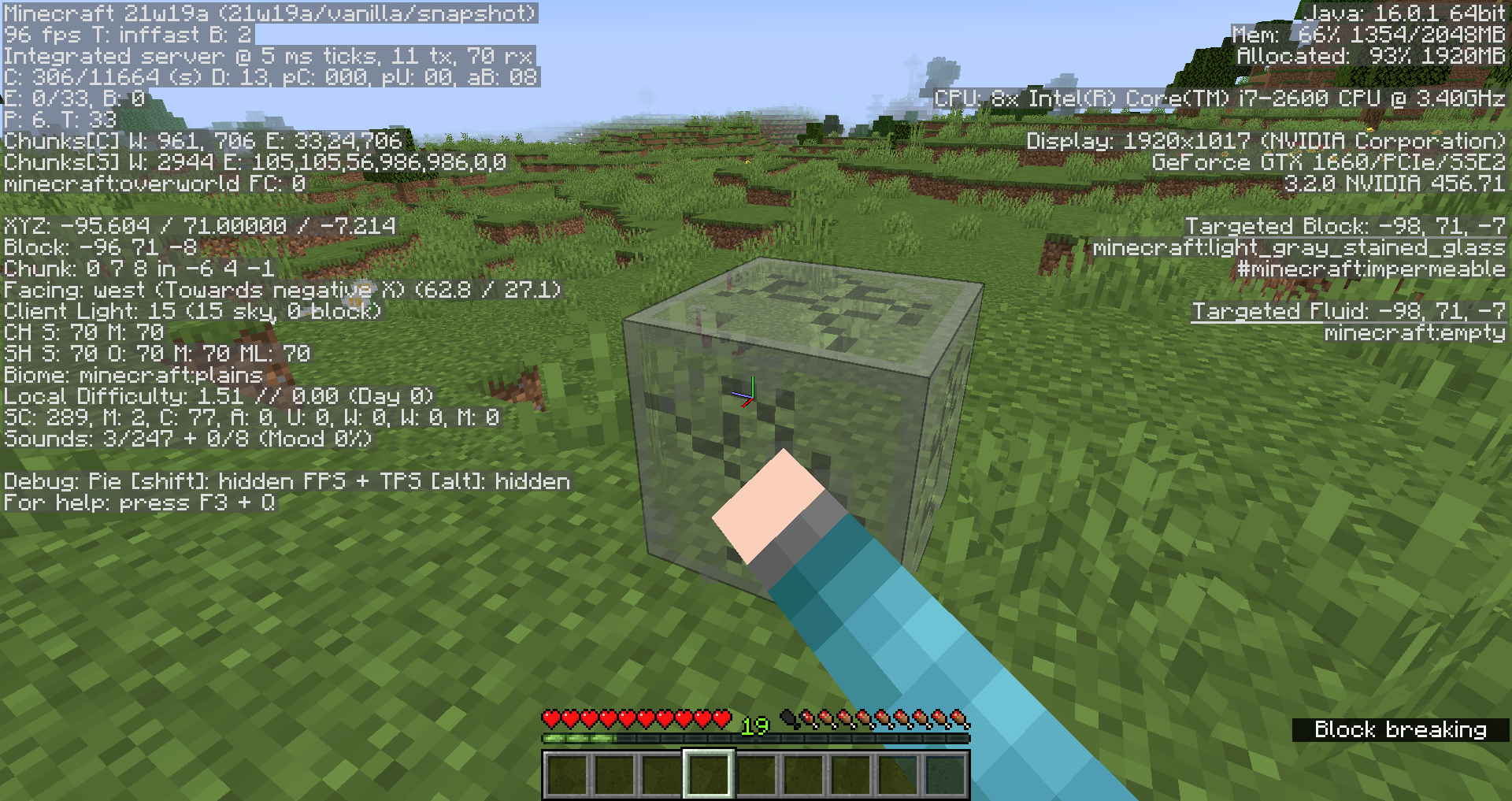
When mining ice or stained glass, the breaking animation is less opaque than when breaking other (non-transparent) blocks.
Steps to Reproduce
- Place down a dirt block, begin breaking it, and pay close attention to the opacity of the block cracks as you do this.
- Place down an ice block, begin breaking it, and once again pay close attention to the opacity of the block cracks as you do this.
- Take note as to whether or not block cracks appear more transparent when mining stained glass or ice.
Observed Behavior
Block cracks appear more transparent when mining stained glass or ice.
Expected Behavior
Block cracks would not appear more transparent when mining stained glass or ice. Instead, block cracks on all blocks should have the same opacity.
Linked Issues
is duplicated by13
 MC-168767The Wrong Ice Crack TextureDuplicateMC-187004Block mining animation appears beneath the surface of ice blocksDuplicateMC-187731No breaking animation of block on Ice blockDuplicateMC-190297Transparent breaking animation for iceDuplicateMC-192877Block breaking animation doesn't appear on frost walker iceDuplicateMC-212992Translucent blocks render before block break layerDuplicateMC-214983ice breaking isnt working in the most recent caves snapshotDuplicateMC-222577Mining blocks while in a boat doesn't show the breaking animationDuplicateMC-231341Ice does not show signs of breaking whilst miningDuplicateMC-237545Ice doesn't have breaking animationDuplicateMC-244744Breaking animation not showing on iceDuplicateMC-248912Ice doesn't clearly show breaking animationDuplicateMC-276470when you break ice in survival the breaking texture don't show upDuplicate
relates to5
MC-210369Certain blocks' breaking animation is nearly invisibleConfirmedMC-161879Hitbox of transparent blocks, such as slime blocks, stained glass or ice, appears behind the block textureFixedMC-161923Breaking animation is rendered behind water and nether portalsFixedMC-269298Block of ice doesn't show breaking animation.DuplicateMC-167604Block breaking texture animation is mirrored vertically when viewed facing east or westConfirmed
![[Mod] Avoma](../../../data/avatars/users/86198.png)
![[Mod] Michael Wobst](../../../data/avatars/users/37868.png)
- Unresolved
![[Mod] violine1101](../../../data/avatars/users/92858.png) [Mod] violine1101
[Mod] violine1101- 29
- 15
- Confirmed
 Normal
- Platform
- Rendering
19w39a - 1.21.4
19w39a 19w40a 19w42a 1.15 1.15.1 1.15.1-pre1 20w07a 20w13a 20w22a 1.16-pre2 1.16-pre5 1.16-pre8 1.16.1 20w27a 20w29a 1.16.2 1.16.3 1.16.4-rc1 1.16.4 20w49a 20w51a 21w03a 1.16.5 21w05a 21w05b 21w06a 21w07a 21w13a 21w14a 21w16a 21w17a 1.17 1.17.1-pre1 1.17.1 21w38a 21w42a 1.18-pre5 1.18 1.18.1 1.18.2 1.19-rc1 1.19 1.19.2 1.19.3 23w06a 1.19.4 23w18a 1.20.1 23w31a 23w32a 24w09a 24w36a 1.21.4- 19w45a
Created Issue:
Breaking animation is more transparent when mining ice or stained glass
![[Mojang] slicedlime](../../../data/assets/gravatar/slicedlime.jpeg)
 Important
![[Mojang] Georgii Gavrichev](../../../data/avatars/users/22428.png) [Mojang] Georgii Gavrichev
[Mojang] Georgii Gavrichev![[Bot] Piston](../../../data/avatars/users/31202.png)
![[Mod] NeunEinser](../../../data/avatars/users/39263.png)
![[Mod] SPGoding](../../../data/avatars/users/44622.png)
is duplicated by
[Mojang] Georgii Gavrichev![[Mod] tryashtar](../../../data/avatars/users/41963.png)
is duplicated by

I did not think that my report could have been actually useful LOL!

is duplicated by
![[Bot] Arisa](../../../data/avatars/users/43007.png)
![[Mod] Les3awe](../../../data/avatars/users/79847.png)
is duplicated by

![[Mod] Anthony Cicinelli](../../../data/avatars/users/10122.svg)
is duplicated by
is duplicated by
![[Mod] markderickson](../../../data/avatars/users/18946.svg)
is duplicated by
is duplicated by
is duplicated by
The Bug
When mining ice or stained glass, the breaking animation is less opaque than when breaking other (non-transparent) blocks.
Steps to Reproduce
- Place down a dirt block, begin breaking it, and pay close attention to the opacity of the block cracks as you do this.
- Place down an ice block, begin breaking it, and once again pay close attention to the opacity of the block cracks as you do this.
- Take note as to whether or not block cracks appear more transparent when mining stained glass or ice.
Observed Behavior
Block cracks appear more transparent when mining stained glass or ice.
Expected Behavior
Block cracks would not appear more transparent when mining stained glass or ice. Instead, block cracks on all blocks should have the same opacity.
![[Mod] OcelotOnesie](../../../data/avatars/users/43220.png)
is duplicated by
![[Mod] ampolive](../../../data/avatars/users/18949.svg)
is duplicated by
![[Helper] Johnibur](../../../data/avatars/users/28381.png)
relates to
![[Mod] turbo](../../../data/avatars/users/92867.png)
relates to
![[Mod] Greymagic27](../../../data/avatars/users/92875.png)
is duplicated by
relates to
![[Mod] Jarl-Penguin](../../../data/avatars/users/92849.png)
is duplicated by
![[Mojang] Triage Team](../../../data/avatars/users/89842.png)
![[Mod] Jiingy](../../../data/avatars/users/91802.png)
When in the process of breaking a block while facing west or east, the 'destroy_stage_[stage]` texture will be mirrored vertically.
Steps to Reproduce:
- Enter survival
- Mine a block with your fist facing east or west
→ The texture is mirrored vertically
 - Repeating the previous step, now facing north or south
→ The texture is correct
Screenshots/Videos:
Correct texture:

Incorrect texture:

Notes:
Related to these block break animation issues:
MC-268537 MC-268176 MC-256390 MC-248178 MC-214624 MC-212087 MC-210369 MC-201203 MC-192927 MC-183923 MC-185597 MC-176559 MC-167836 MC-161926 MC-157404
Thank you for your report!
However, this issue is a Duplicate of MC-161926.
If you would like to add a vote and any extra information to the main ticket it would be appreciated.
If you haven't already, you might like to make use of the search feature to see if the issue has already been mentioned.
Quick Links:
📓 Issue Guidelines – 💬 Community Support – 📧 Customer Support – 📖 Game Wiki
I don't see any difference compared to the snapshot before. Is this MC-161926?
Thank you for your report!
However, we are already tracking this issue, and this report is a Duplicate of MC-161926.
Please use the search function in the future to prevent duplicate reports.
Quick Links:
📓 Issue Guidelines – 💬 Community Support – 📧 Customer Support – ✍️ Feedback and Suggestions – 📖 Game Wiki
Thank you for your report!
However, we are already tracking this issue, and this report is a Duplicate of MC-161926, which is a report that has not been resolved yet.
If you want, you can upvote the parent ticket, and enable watching to receive any updates about it - if you believe you have any information that may be important for this issue, please leave a comment on the parent. Please also use the search function in the future to prevent duplicate reports.
Quick Links:
📓 Issue Guidelines – 🛠 Community Support – 📧 Customer Support – ✍️ Feedback and Suggestions – 📖 Game Wiki
💬 Mojira Subreddit – 💬 Mojira Discord
![[Mod] Chandler](../../../data/assets/gravatar/triwonder81.png)
Duplicate of MC-161926
This actually appears to be a duplicate of MC-161926, which hasn't yet been resolved. If you have any additional information to provide regarding this issue, feel free to comment on the parent ticket. If you feel that this issue is affecting you, feel free to vote for the duplicated ticket, to give Mojang a basic idea of how many people are impacted by the problem. Just to further inform you, this will not determine how quickly the bug gets handled or fixed.
That is a problem with ice, not boats MC-161926

Duplicates MC-161926
Thank you for your report!
We're tracking this issue in MC-161926, so this ticket is being resolved and linked as a duplicate.
If you would like to add a vote and any extra information to the main ticket it would be appreciated.
If you haven't already, you might like to make use of the search feature to see if the issue has already been mentioned.
Quick Links:
📓 Bug Tracker Guidelines – 💬 Community Support – 📧 Mojang Support
📓 Project Summary – ✍️ Feedback and Suggestions – 📖 Game Wiki
– I am a bot. This action was performed automatically! If you think it was incorrect, please notify us on Discord or Reddit
Thank you for your report!
We're tracking this issue in MC-161926, so this ticket is being resolved and linked as a duplicate.
If you would like to add a vote and any extra information to the main ticket it would be appreciated.
If you haven't already, you might like to make use of the search feature to see if the issue has already been mentioned.
Quick Links:
📓 Bug Tracker Guidelines – 💬 Community Support – 📧 Mojang Support
📓 Project Summary – ✍️ Feedback and Suggestions – 📖 Game Wiki
Duplicate of MC-161926
Thank you for your report!
We're tracking this issue in MC-161926, so this ticket is being resolved and linked as a duplicate.
If you would like to add a vote and any extra information to the main ticket it would be appreciated.
If you haven't already, you might like to make use of the search feature to see if the issue has already been mentioned.
Quick Links:
📓 Bug Tracker Guidelines – 💬 Community Support – 📧 Mojang Support
📓 Project Summary – ✍️ Feedback and Suggestions – 📖 Game Wiki
– I am a bot. This action was performed automatically! The ticket was resolved by one of our moderators, and I left this message to give more information to you.

Thank you for your report!
We're tracking this issue in MC-161926, so this ticket is being resolved and linked as a duplicate.
If you would like to add a vote and any extra information to the main ticket it would be appreciated.
If you haven't already, you might like to make use of the search feature to see if the issue has already been mentioned.
Quick Links:
📓 Bug Tracker Guidelines – 💬 Community Support – 📧 Mojang Support
📓 Project Summary – ✍️ Feedback and Suggestions – 📖 Game Wiki
– I am a bot. This action was performed automatically! The ticket was resolved by one of our moderators, and I left this message to give more information to you.
Does MC-161926 describe your issue?
MC-188529 outlines an issue wherein all particles are invisible behind blocks featuring transparent textures on fast and fancy graphics settings, and is designated as "won't fix." When it comes to rendering elements such as particles, block hitboxes, and other transparent objects, it appears that Mojang has to chose 1 out of 4 possible rendering bugs:
- Always rendered in front of transparent blocks, even when being behind (
MC-188673for example) - Always rendering behind transparent blocks, even when being in front of (MC-161926 or
MC-161879for example) - Never being rendered behind transparent blocks (particles for example as reported in
MC-188529orMC-161899) - Transparent blocks not being rendered behind it (
MC-187783or MC-193051 for example)
Before 1.15 most particles had rendering bug 4, which is fine for particles without a transparent texture, like barrier particles, angry villager particles, heart particles and more. Some had rendering bug 2, even ones that didn't have a transparent texture, which was problematic. Since version 1.15 all particles have rendering bug 3. This bug report is pointing out that the issue can be fixed for particles without a transparent texture by having them have rendering bug 4. This would allow these particles to not have any of these rendering bugs again like you can see in these 2 screenshots:

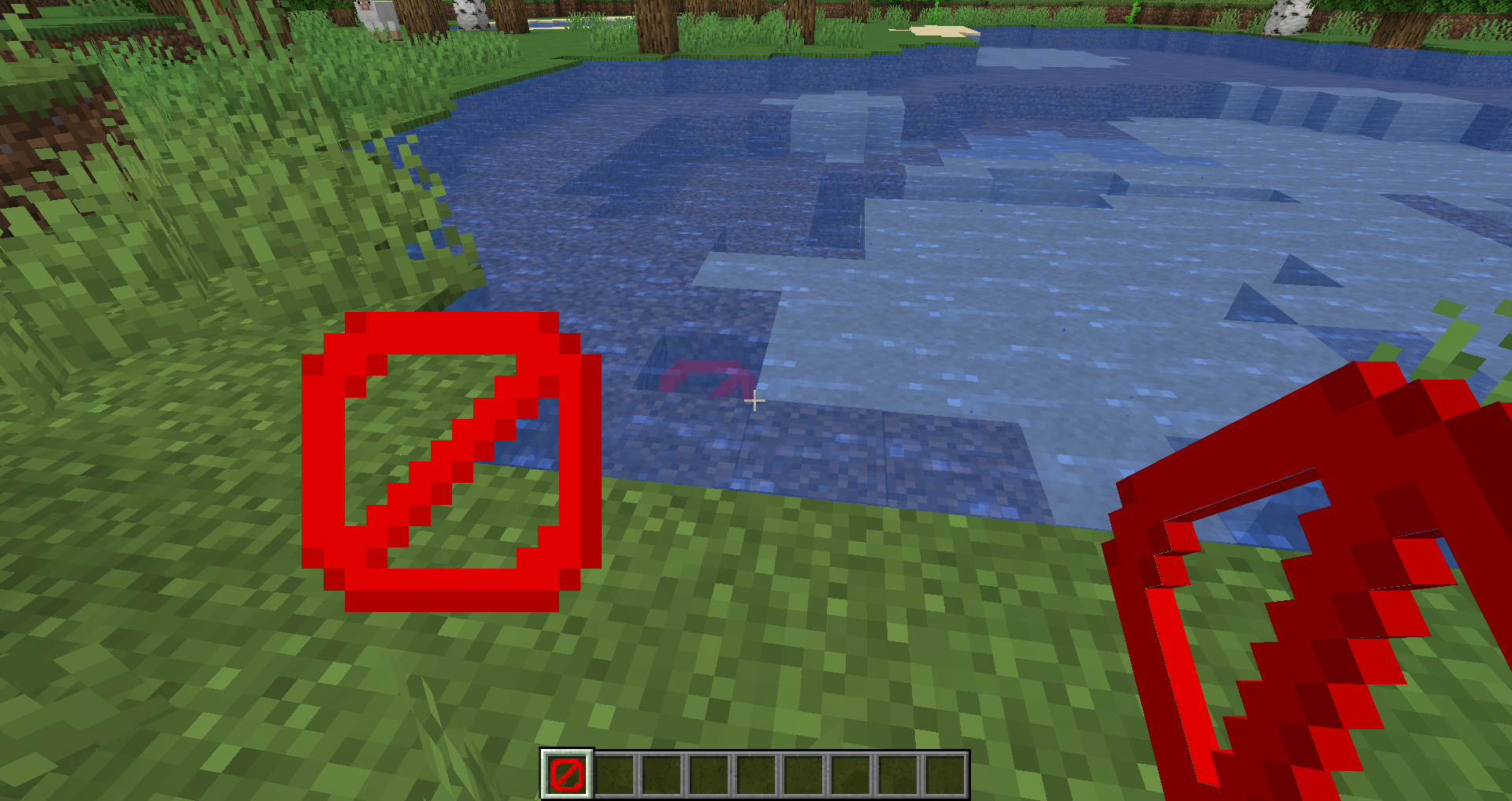
As previously noted, these two particles are likely affected by rendering bug 4, which goes unnoticed because they have no transparency.
However, as observed below, in newer versions, these particles exhibit rendering bug 3:
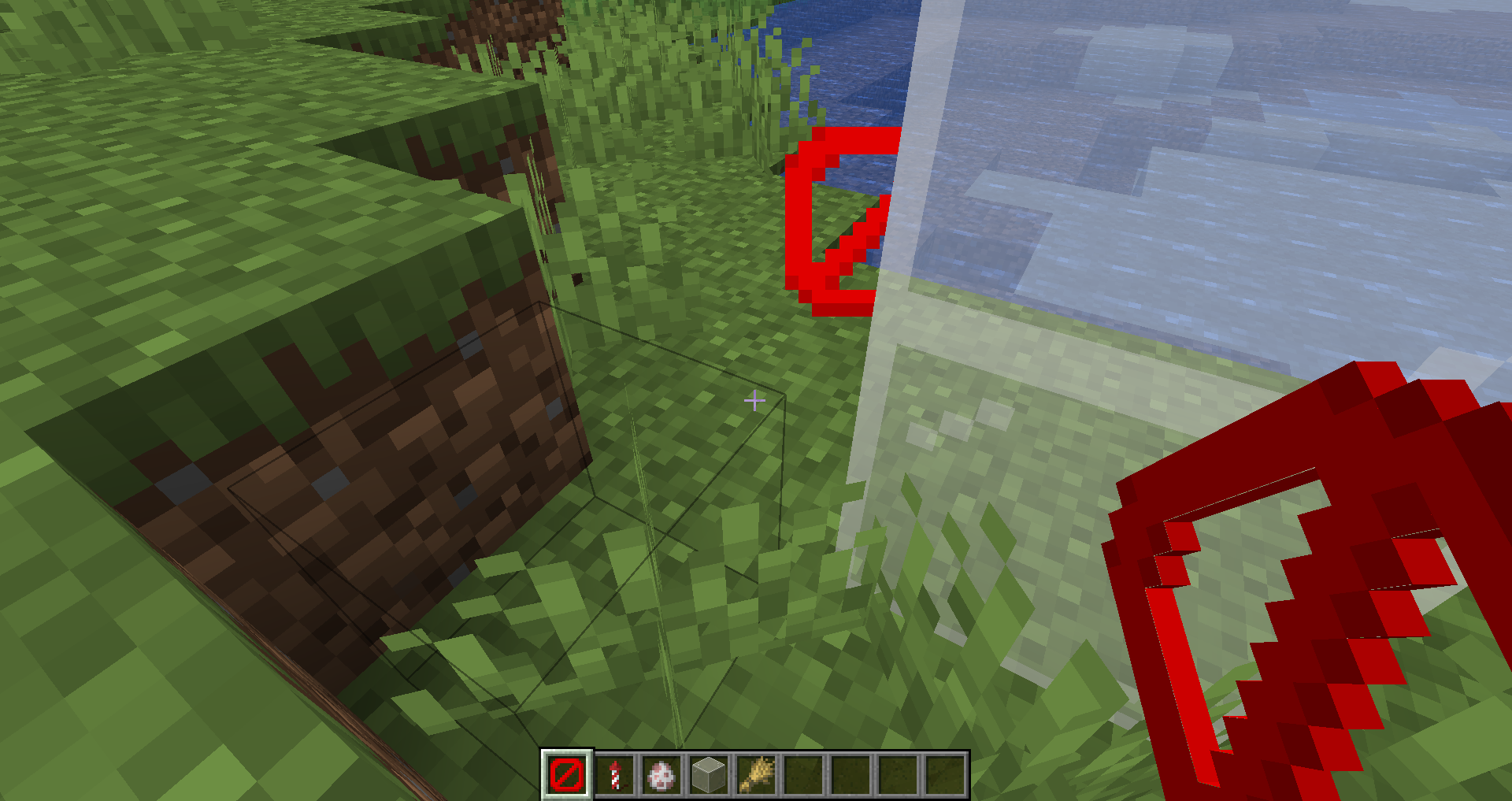
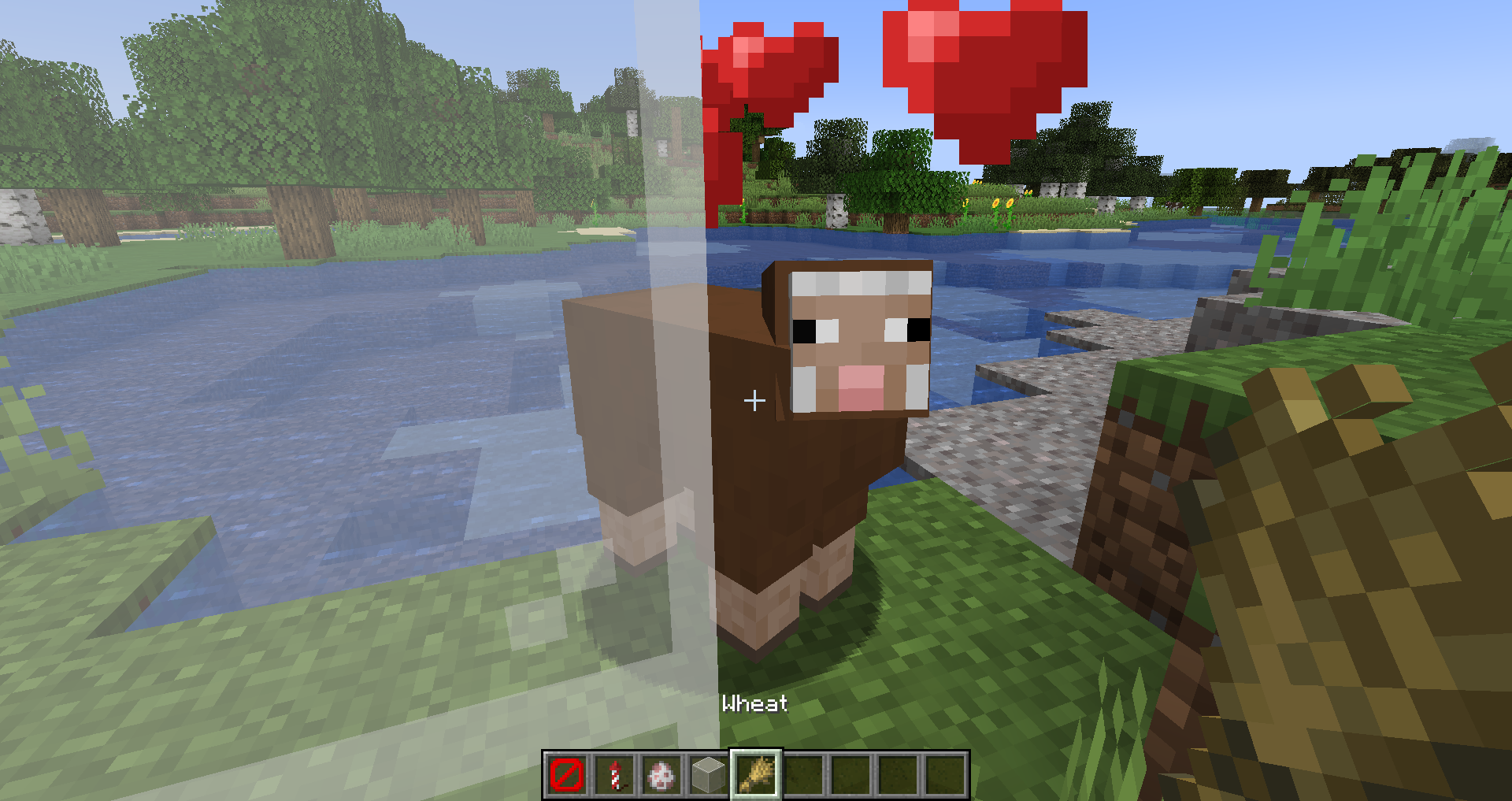
Below is a list of particles without transparent textures. It's probable that for these particles, addressing the issue involves reverting them to rendering bug 4 instead of 3:
- minecraft:angry_villager
- minecraft:ash
- minecraft:block (when used for a block without transparent texture)
- minecraft:block_marker (when used for a block without transparent texture)
- minecraft:bubble
- minecraft:bubble_column_up
- minecraft:bubble_pop
- minecraft:cherry_leaves
- minecraft:cloud
- minecraft:composter
- minecraft:crimson_spore
- minecraft:crit
- minecraft:current_down
- minecraft:damage_indicator
- minecraft:dolphin
- minecraft:dragon_breath
- minecraft:dripping_dripstone_lava
- minecraft:dripping_dripstone_water
- minecraft:dripping_honey
- minecraft:dripping_lava
- minecraft:dripping_obsidian_tear
- minecraft:dripping_water
- minecraft:dust
- minecraft:dust_color_transition
- minecraft:dust_plume
- minecraft:effect
- minecraft:egg_crack
- minecraft:elder_guardian
- minecraft:electric_spark
- minecraft:enchant
- minecraft:enchanted_hit
- minecraft:end_rod
- minecraft:entity_effect
- minecraft:explosion
- minecraft:explosion_emitter
- minecraft:falling_dripstone_lava
- minecraft:falling_dripstone_water
- minecraft:falling_dust
- minecraft:falling_honey
Given the extensive number of particles lacking transparent textures, it's impractical to list them all here. However, I hope that you'll be able to address MC-188529 for non-transparent textures as I've proposed.
When it comes to rendering elements such as particles, block hitboxes, and other transparent objects, it appears that Mojang has to chose 1 out of 4 possible rendering bugs:
- Always rendered in front of transparent blocks, even when being behind (
MC-188673for example) - Always rendering behind transparent blocks, even when being in front of (MC-161926 or
MC-161879for example) - Never being rendered behind transparent blocks (particles for example as reported in
MC-188529orMC-161899) - Transparent blocks not being rendered behind it (
MC-187783or MC-193051 for example)
Issues numbered 3 and 4 can be resolved by enabling fabulous graphics. Addressing MC-193051 might potentially reintroduce MC-165156, which could lead to a worse situation. Hence, it may be prudent to consider marking this issue as "won't fix," given that MC-165156 poses a greater problem than MC-193051.
Thank you for your report!
We're tracking this issue in MC-161926, so this ticket is being resolved and linked as a duplicate.
If you would like to add a vote and any extra information to the main ticket it would be appreciated.
If you haven't already, you might like to make use of the search feature to see if the issue has already been mentioned.
Quick Links:
📓 Bug Tracker Guidelines – 💬 Community Support – 📧 Mojang Support (Technical Issues) – 📧 Microsoft Support (Account Issues)
📓 Project Summary – ✍️ Feedback and Suggestions – 📖 Game Wiki

I don't think my report is duplicate... MC-161926 is talking about less opaque breaking animation for ice, however ice now has no breaking animation at all, that's what my report is about.
After further checking, this actually seems to describe the same behavior as MC-161926
Does MC-161926 describe your issue?
Thank you for your report!
We're tracking this issue in MC-161926, so this ticket is being resolved and linked as a duplicate.
If you would like to add a vote and any extra information to the main ticket it would be appreciated.
If you haven't already, you might like to make use of the search feature to see if the issue has already been mentioned.
Quick Links:
📓 Bug Tracker Guidelines – 💬 Community Support – 📧 Mojang Support (Technical Issues) – 📧 Microsoft Support (Account Issues)
📓 Project Summary – ✍️ Feedback and Suggestions – 📖 Game Wiki
Confirmed for 19w42a.
This issue appeared again in 1.15 pre-release 1, and still affects last snapshot (1.15.1 pre-release 1)
Affects 20w07a
Affects 20w13a.
Confirmed for 20w22a.
Confirmed in 1.16-pre5.
Affects 20w29a
Can confirm for 1.16.4 Release canditate 1.
Can confirm in 20w49a. I've attached a screenshot.
Can confirm in 20w51a.
Can confirm in 21w03a.
Can confirm in 21w05a.
Can confirm in 21w05b.
Can confirm in 21w06a.
Relates to MC-210369.
Can confirm in 21w07a.
Can confirm in 21w13a.
Can confirm in 21w16a
Intended. I like how it looks.
@Plants of war, source?
Can confirm in 21w17a. Plants of war, this isn't intended as this ticket has an assigned "Mojang Priority", which means that this has been confirmed to be an issue by Mojang themselves.
Plants of war is right. I really like how it looks. This is clearly intended.
Chorus bed, only Mojang may decide what is intended and what is not.
Can confirm in 1.17.
Can confirm in 1.17.1 Pre-release 1.
Can confirm in 21w42a. Here are some extra details regarding this problem.
The Bug:
Block cracks appear more transparent when mining stained glass or ice.
Steps to Reproduce:
Observed Behavior:
Block cracks appear more transparent when mining stained glass or ice.
Expected Behavior:
Block cracks would not appear more transparent when mining stained glass or ice. Instead, block cracks on all blocks should have the same opacity.
Can confirm in 1.18.
Can confirm in 1.18.1.
Can confirm in 1.19.2.
Clones
MC-161923, not related.MC-161923represents the identical issue.