 Tom Udding
- tomudding
- tomudding
- Europe/Amsterdam
- Yes
- No
 MC-53546
![[Mojang] Cory Scheviak](../../../data/avatars/users/92893.png)
![[Mojang] Searge (Michael Stoyke)](../../../data/assets/gravatar/searge.png)
![[Mojang] Grum (Erik Broes)](../../../data/assets/gravatar/grum.png)
![[Mojang] Felix Jones](../../../data/avatars/users/40484.png)
![[Mojang] Nathan Adams](../../../data/assets/gravatar/dinnerbone.png)

![[Mod] Jiingy](../../../data/avatars/users/91802.png)
![[Mojang] Georgii Gavrichev](../../../data/avatars/users/22428.png)




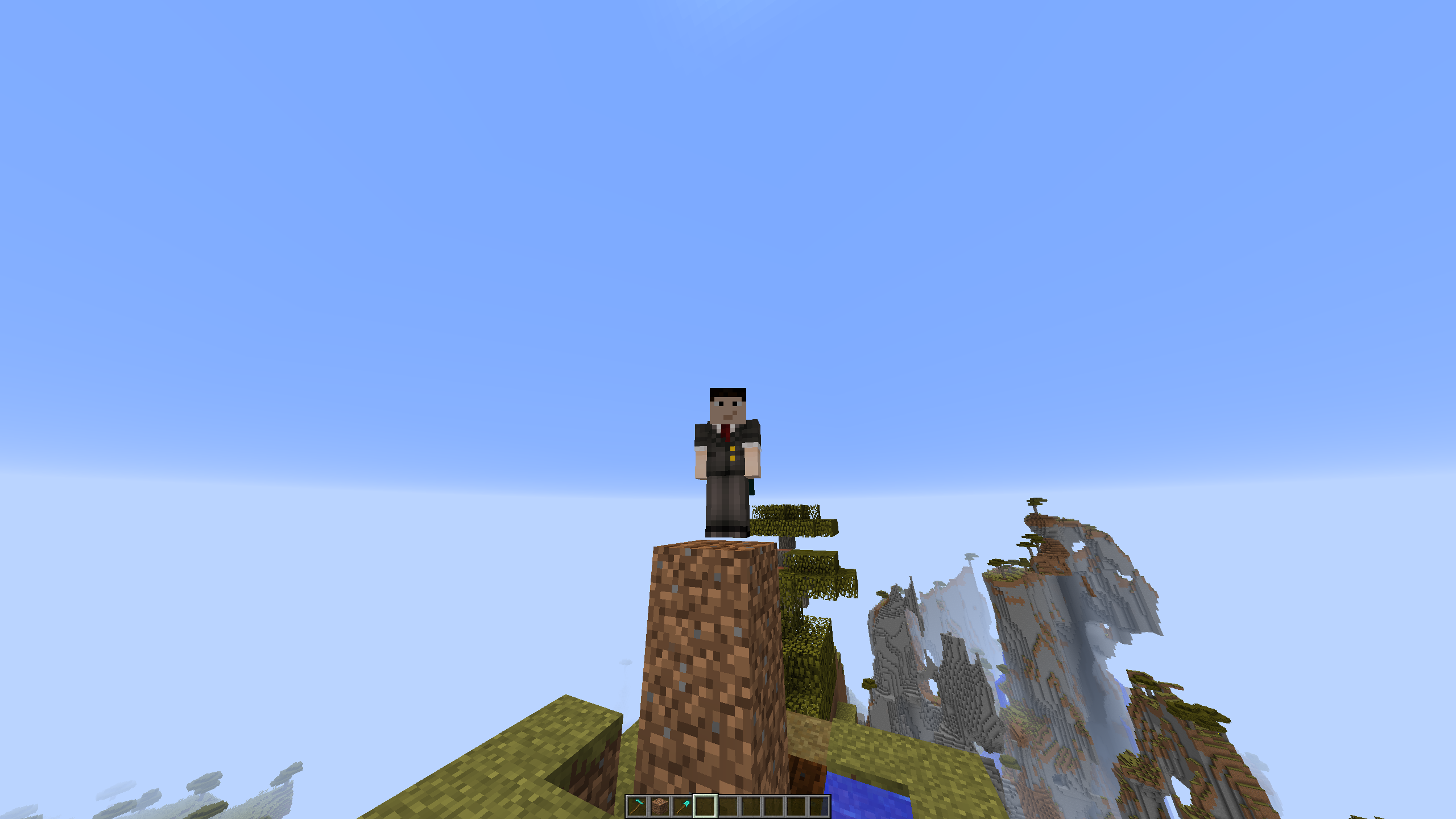















When spawning a Small Armor Stand (/summon ArmorStand ~ ~ ~
{Small:1}) and hitting F3 + B (or b) it shows the Small Armor Stand hitbox and it is as tall as a normal Armor Stand
Steps to reproduce:
1. Create a world (not needed)
2. Spawn a large and small Armor stand (if possible with some space between them)
3. Hit F3 + B to show hitboxesI don't know if this is really a "bug".
See https://www.youtube.com/watch?v=sLJcGMzvjrw for video.It may be intended but it's likely a bug.
When spawning a Small Armor Stand (/summon ArmorStand ~ ~ ~
{Small:1}) and hitting F3 + B (or b) it shows the Small Armor Stand hitbox and it is as tall as a normal Armor Stand
Steps to reproduce:
1. Create a world (not needed)
2. Spawn a large and small Armor stand (if possible with some space between them)
3. Hit F3 + B to show hitboxesI don't know if this is really a "bug".
See https://www.youtube.com/watch?v=sLJcGMzvjrw for video.It may be intended but it's likely a bug.
When spawning a Small Armor Stand (/summon ArmorStand ~ ~ ~
{Small:1}) and hitting F3 + B (or b) it shows the Small Armor Stand hitbox and it is as tall as a normal Armor Stand
Steps to reproduce:
1. Create a world (not needed)
2. Spawn a large and small Armor stand (if possible with some space between them)
3. Hit F3 + B to show hitboxesSee https://www.youtube.com/watch?v=sLJcGMzvjrw for video.
- It may be intended but it's likely a bug.*
When spawning a Small Armor Stand (/summon ArmorStand ~ ~ ~
{Small:1}) and hitting F3 + B (or b) it shows the Small Armor Stand hitbox and it is as tall as a normal Armor Stand
Steps to reproduce:
1. Create a world (not needed)
2. Spawn a large and small Armor stand (if possible with some space between them)
3. Hit F3 + B to show hitboxesSee https://www.youtube.com/watch?v=sLJcGMzvjrw for video.
It may be intended but it's likely a bug.*
Bug reports are only for newer versions. (Invalid issue)
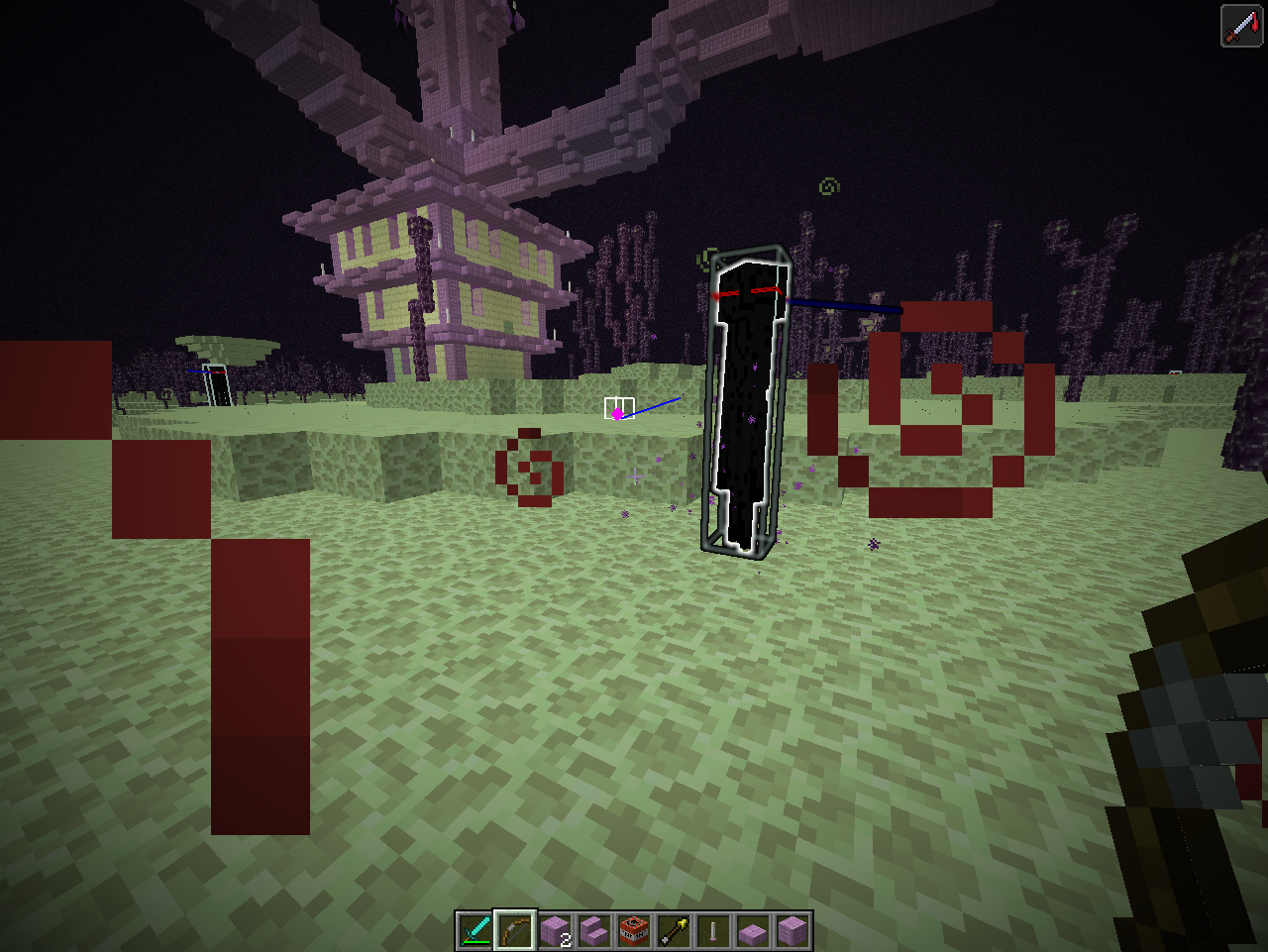
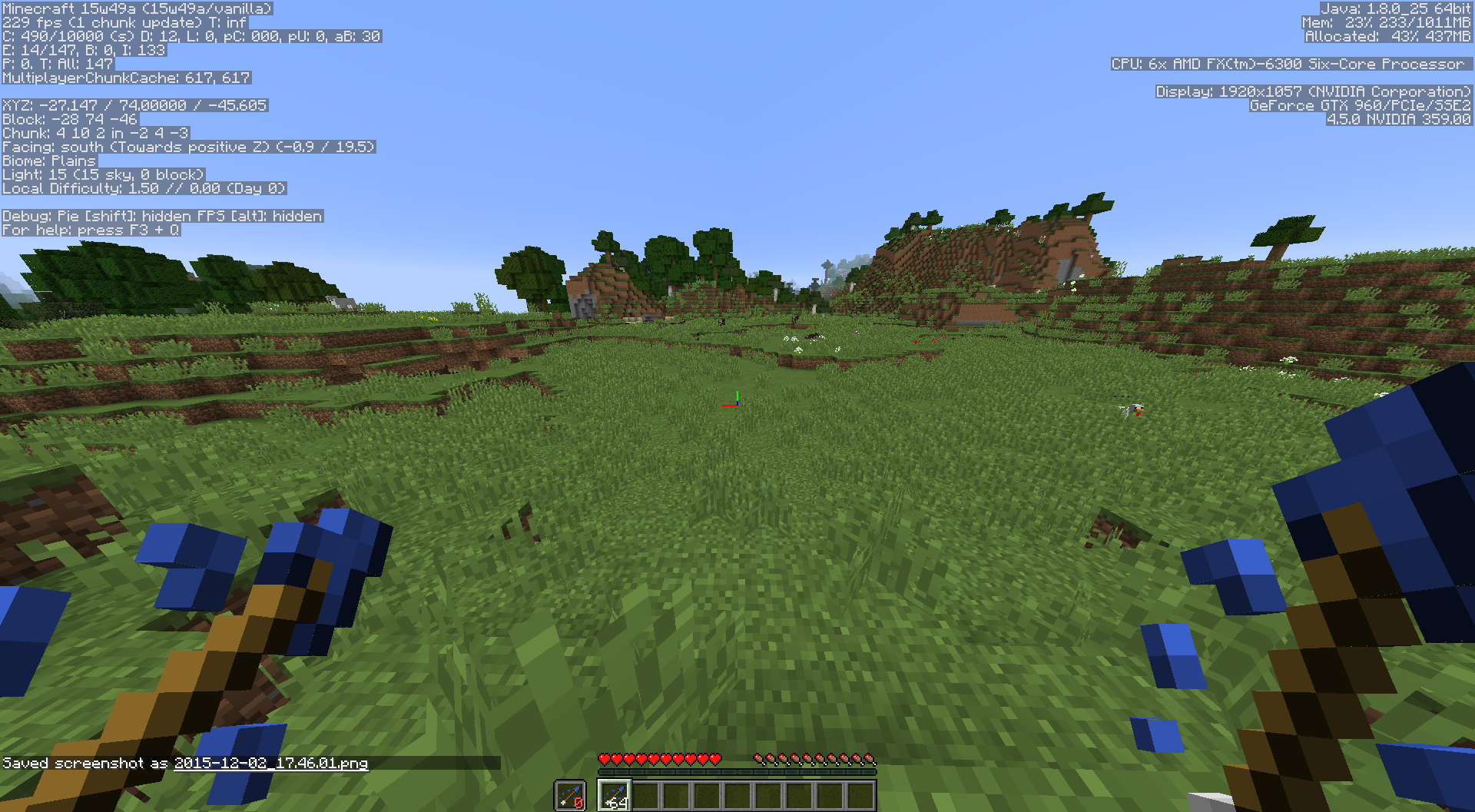
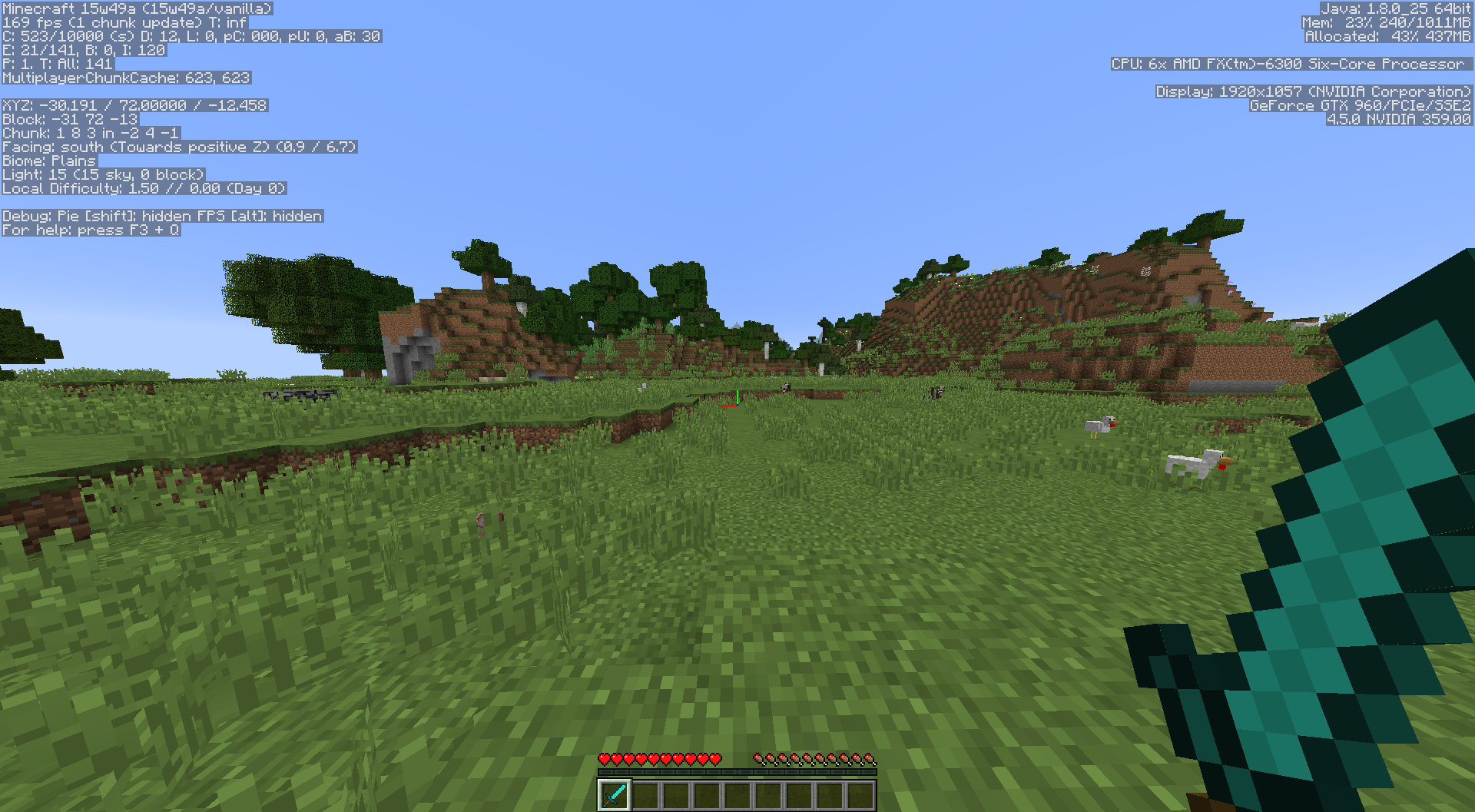
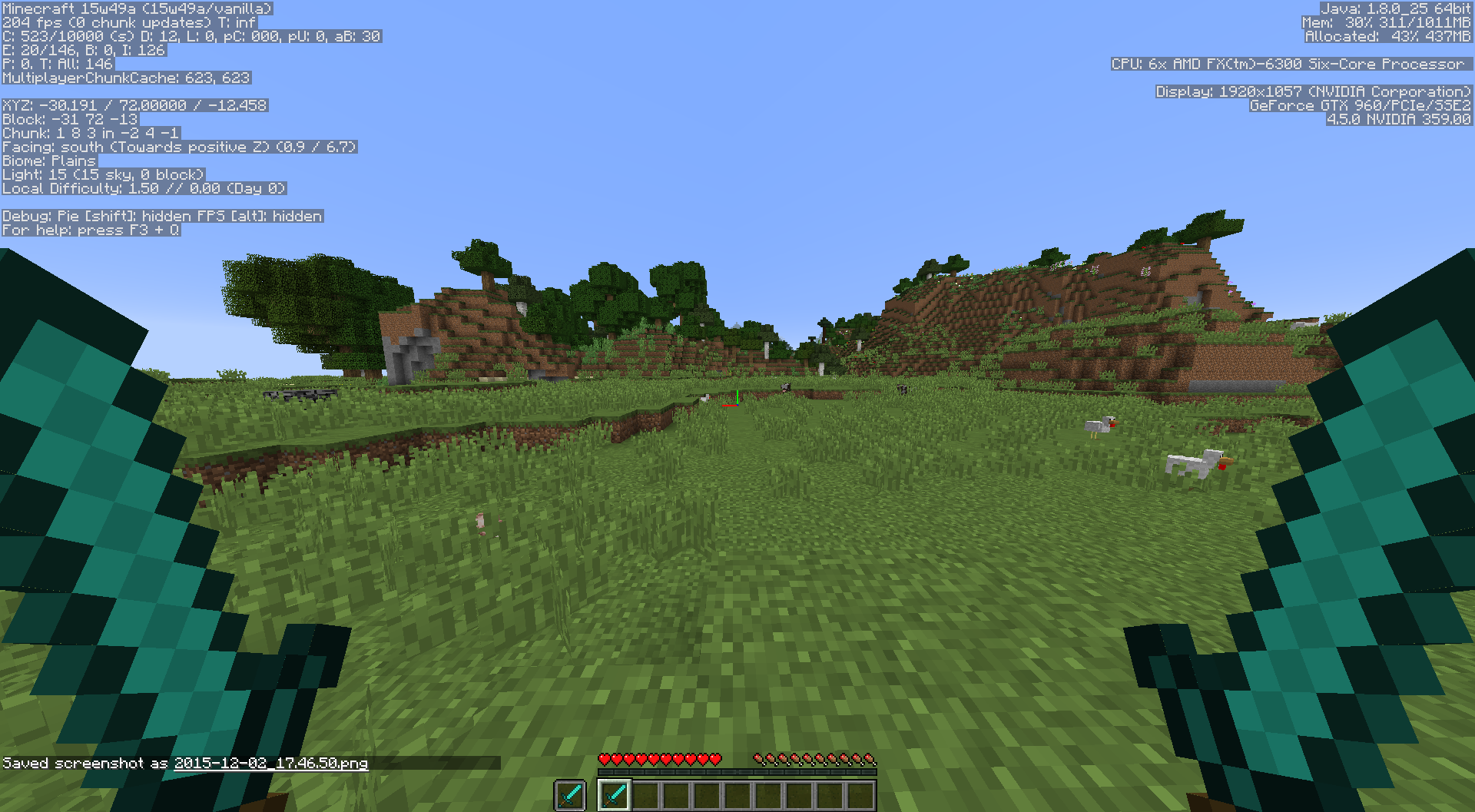
When shooting normal arrows at Endermen they will not get hit and they will teleport away. When you shoot them with a Spectral Arrow they do the same but they will be marked with the spectral effect (the arrow doesn't hit them).
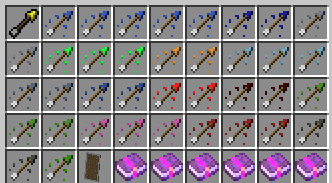
This also applies to the Arrow of Invisibility (and propably all other new arrows, see screenshot 3).
I have no vid at the moment.
Spectral Glowing Effectnotteam color with armor onSpectral Glowing Effect does not affect scoreboard team color with armor on
SpectralGlowing Effect does not affect scoreboard team color witharmoronGlowing Effect does not affect scoreboard team color when armour is on
GlowingEffect does not affect scoreboard team color when armour is onGlowing effect does not affect scoreboard team color when armour is on
This is because you can still block with your sword and Arisa is wrong, 15w31b is already out.
Can confirm
The h
otbox of a normal grass block and the farmland block are the same, but the farmland block is slightly smaller (just as the path block), so there is a slightly offset. I'm not sure if this is a bug or just intended but it looks wrong.The hitbox of a normal grass block and the farmland block are the same, but the farmland block is slightly smaller (just as the path block), so there is a slightly offset. I'm not sure if this is a bug or just intended but it looks wrong.
The hitbox of a normal grass block and the farmland block are the same, but the farmland block is slightly smaller (just as the path block), so there is a slight
lyoffset. I'm not sure if this is a bug or just intended but it looks wrong.
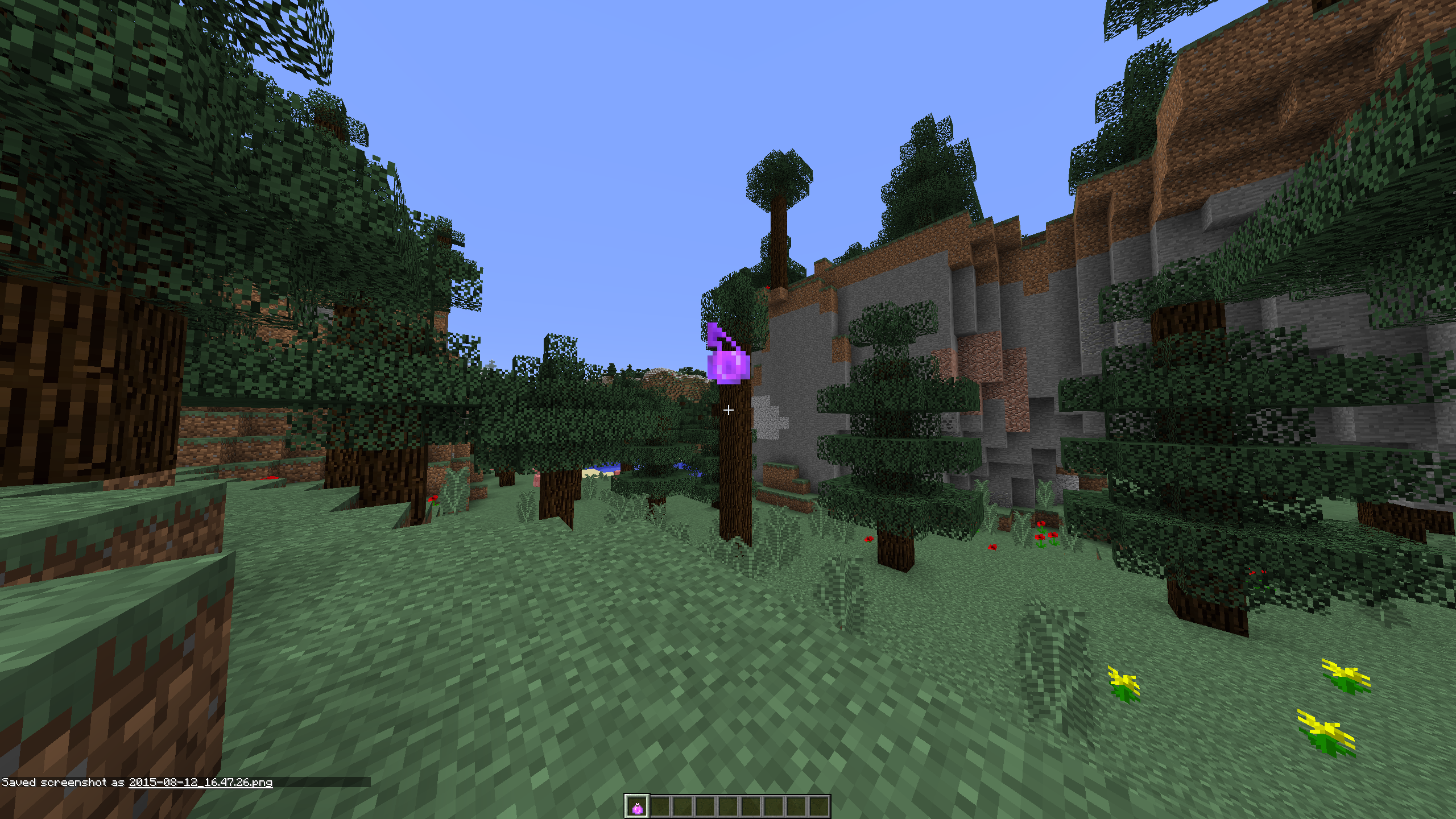
When you throw a lingering potion it has the same texture as a splash potion (when thrown).
When you throw a lingering potion it has the same texture as a splash potion (when thrown). It still works as normal though.
This has to do with the attack speed for every tool
5times the same tipped arrow4 times the same tipped arrow
Why doesn't it say that?
When opening inventory or chat the water is rendered inside the boat
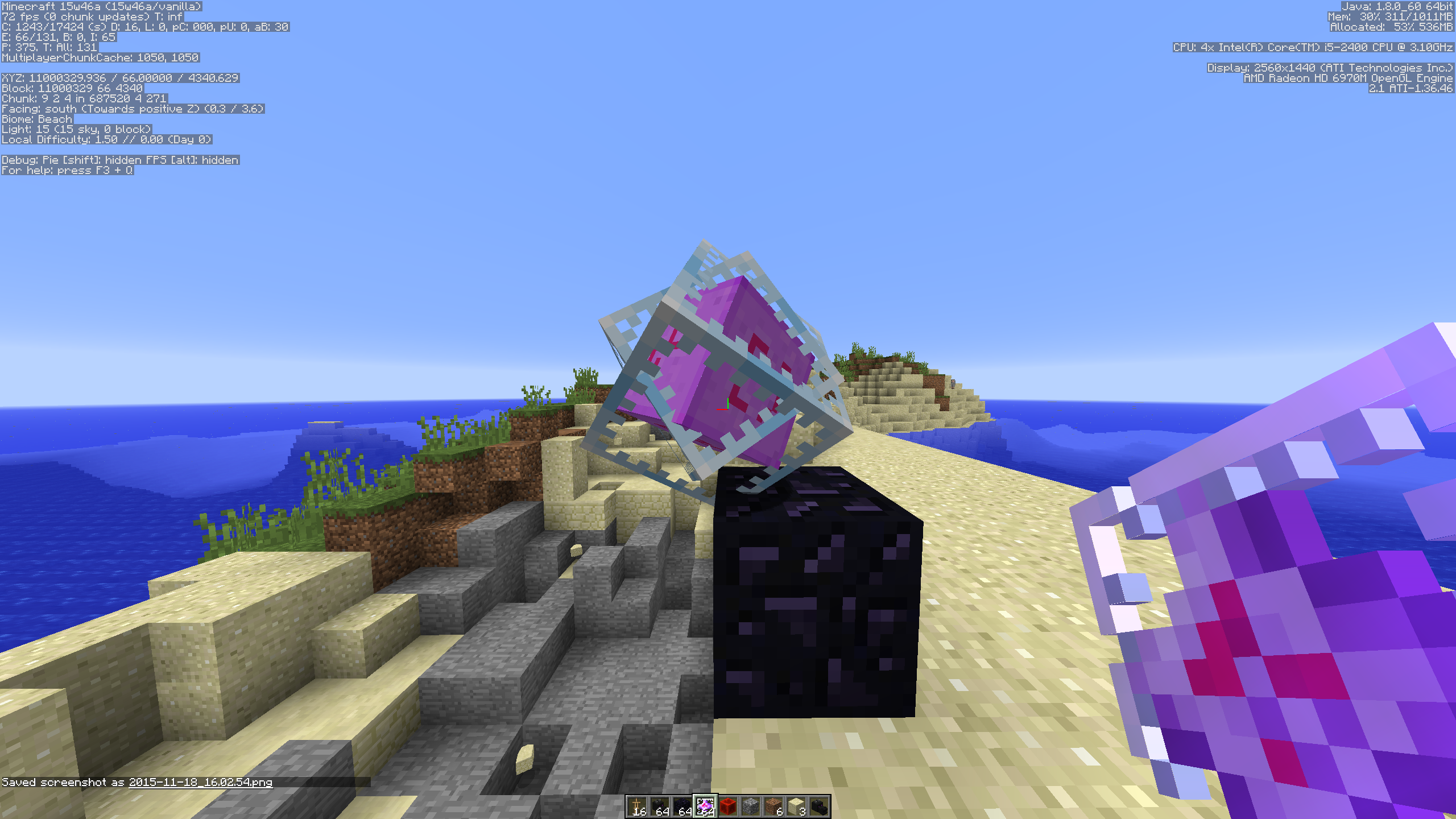
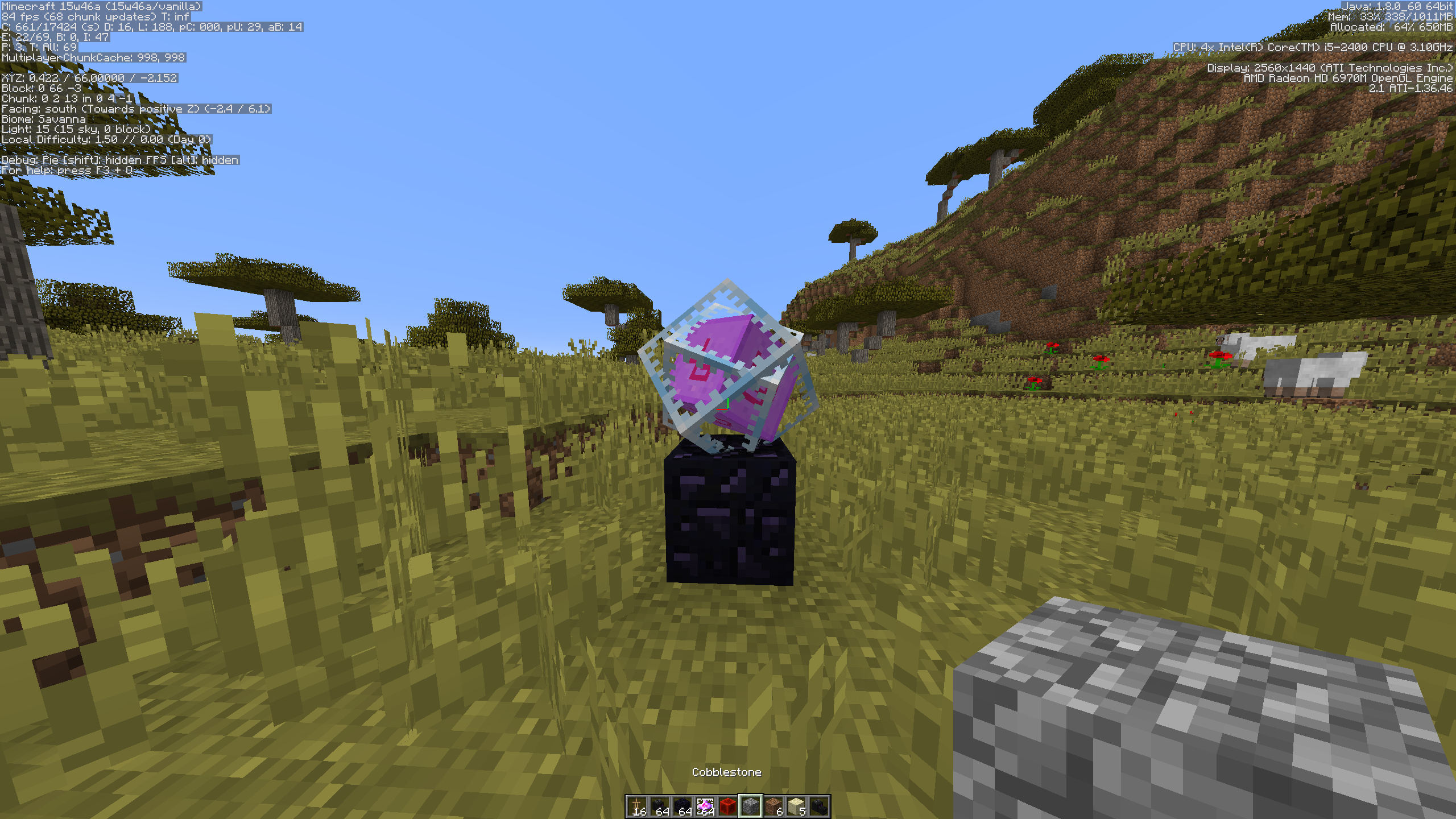
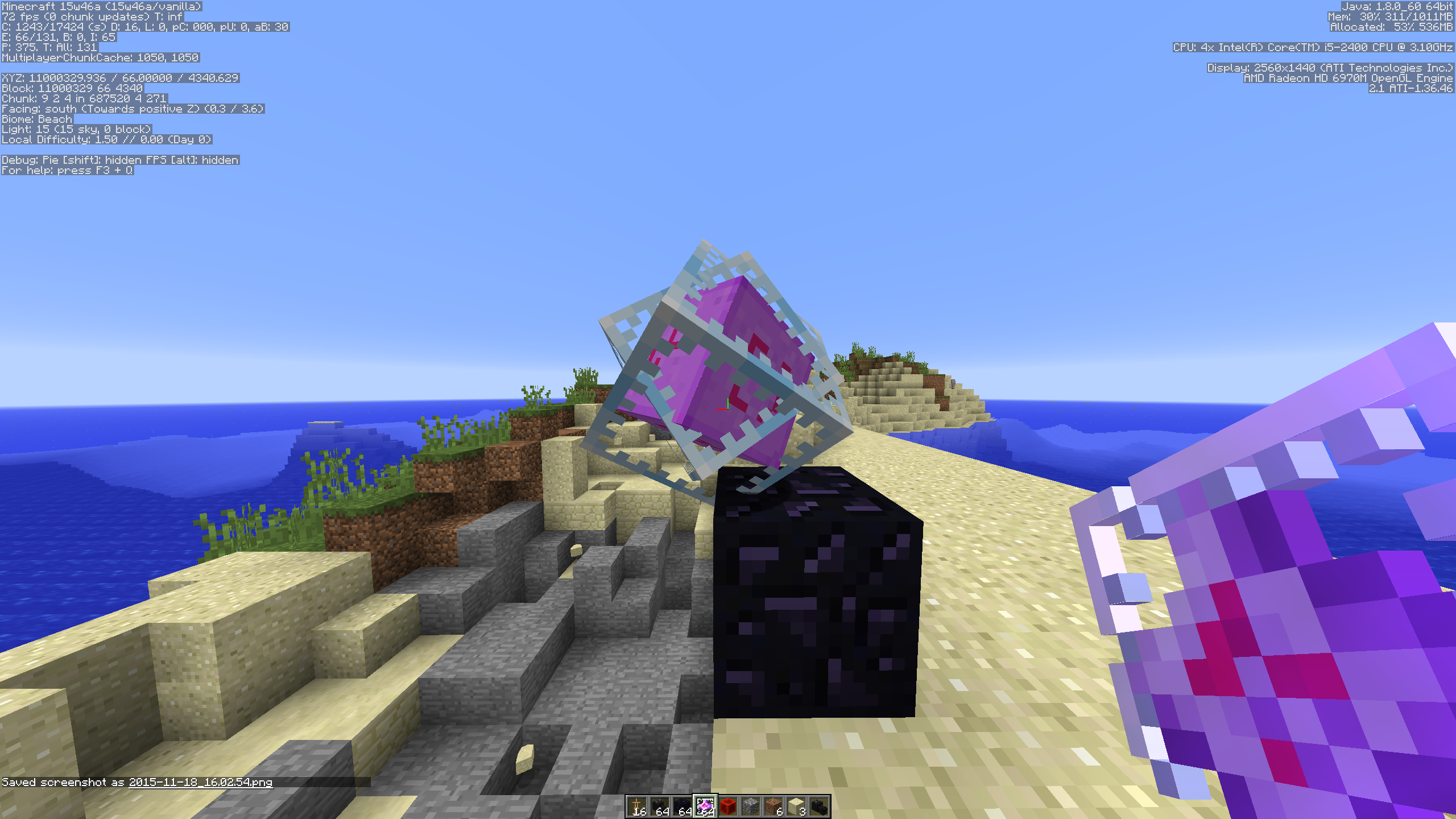
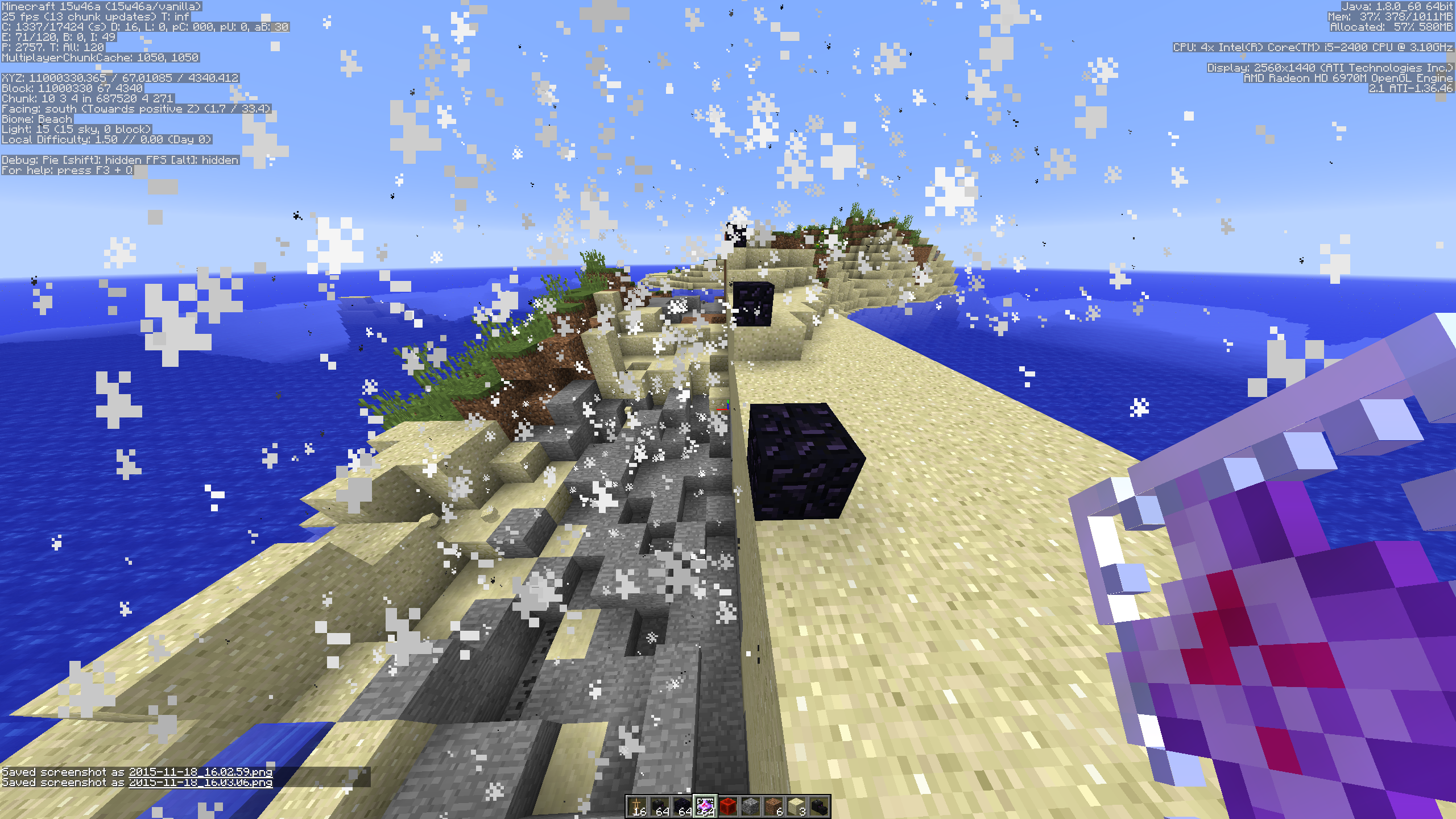
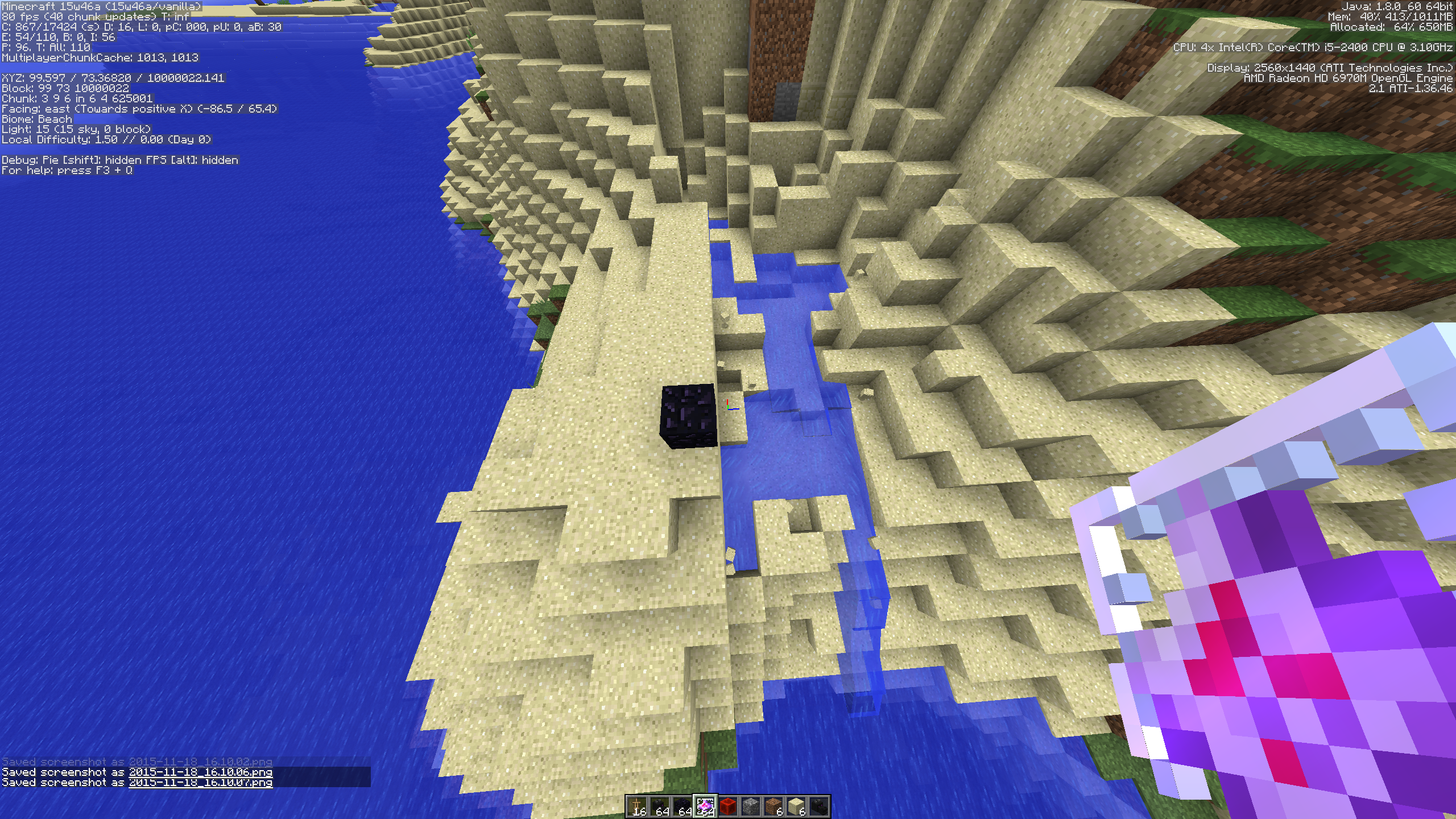
When you place End Crystals in a high coordinates region (I don't know the official name) they are placed with an offset.
When you place End Crystals in a high coordinates region (I don't know the official name) they are placed with an offset. The rotation from where you place it doesn't affect the offset.
When you place End Crystals in a high coordinates region (I don't know the official name) they are placed with an offset. The rotation from where you place it doesn't affect the offset.
Demonstrated here: https://youtu.be/SUxClt4VhW8
2015-11-20_16.10.34.png
When you place End Crystals in a high coordinates region (I don't know the official name)theyare placed with an offset. The rotation from where you place it doesn't affect the offset.Demonstrated here: https://youtu.be/SUxClt4VhW8
Update according to latest test results: (see newest screenshots for visuals) Barriers, End Crystals and Primed TNT placed at coordinates higher than 8388607 (any direction, for instance: x=8388608, z=8388608) have an offset (not the actual block but the visual representation). The block(=visual) seems to be always pointed to the centre of the world
Demonstrated here: https://youtu.be/SUxClt4VhW8
Update according to latest test results: (see newest screenshots for visuals)Barriers, End Crystals and Primed TNT placed at coordinates higher than 8388607 (any direction, for instance: x=8388608, z=8388608) have an offset (not the actual block but the visual representation). The block(=visual) seems to be always pointed to the centre of the worldDemonstrated here: https://youtu.be/SUxClt4VhW8
Update according to latest test results: (see newest screenshots for visuals)
Barriers, End Crystals and Primed TNT placed at coordinates higher than 8388607 (any direction, for instance: x=8388608, z=8388608) have an offset (not the actual block but the visual representation). The block(=visual) seems to be always pointed to the centre of the world
Demonstrated here: https://youtu.be/SUxClt4VhW8
This relates to
MC-92901.When you punch/shoot or what ever you do to let an end crystal explode in a high coordinate region the offset will cause to let it only cause environmental damage that way.
Edit: There is no damage in the opposite under region (see 7th image)
This relates to
MC-92901.When you punch/shoot or what ever you do to let an end crystal explode in a high coordinate region the offset will cause to let it only cause environmental damage that way.
Edit: There is no damage in the opposite under region (see 7th/8th image)
This relates to
MC-92901.When you punch/shoot or what ever you do to let an end crystal explode in a high coordinate region the offset will cause to let it only cause environmental damage that way.
Edit: There is no damage in the opposite under region (see
7th/8th image)This relates to
MC-92901.When you punch/shoot or what ever you do to let an end crystal explode in a high coordinate region the offset will cause to let it only cause environmental damage that way. You can see a video here https://www.youtube.com/watch?v=GwrosOsKz4g&feature=youtu.be
Edit: There is no damage in the opposite under region (see 8th/9th image)
This relates to
MC-92901.When you punch/shoot or what ever you do to let an end crystal explode in a high coordinate region the offset will cause to let it only cause environmental damage that way. You can see a video here https://www.youtube.com/watch?v=GwrosOsKz4g&feature=youtu.be
Edit: There is no damage in the opposite under region (see
8th/9th image)This relates to
MC-92901.When you punch/shoot or what ever you do to let an end crystal explode in a high coordinate region the offset will cause to let it only cause environmental damage that way. You can see a video here https://www.youtube.com/watch?v=GwrosOsKz4g&feature=youtu.be
Edit: There is no damage in the opposite under region (see 7th/8th image)
When you punch/shoot or what ever you do to let an end crystal explode in a high coordinate region the offset will cause to let it only cause environmental damage that way. You can see a video here https://www.youtube.com/watch?v=GwrosOsKz4g&feature=youtu.be
Edit: There is no damage in the opposite under region (see 7th/8th image)
Update according to latest test results: (see newest screenshots for visuals)
End Crystals and Primed TNT exploding at coordinates higher than 8388607 (any direction, for instance: x=8388608, z=8388608) have an offset in their destruction area (they explode the wrong blocks).
video
Edit: There is no damage in the opposite under region (see 7th/8th image)
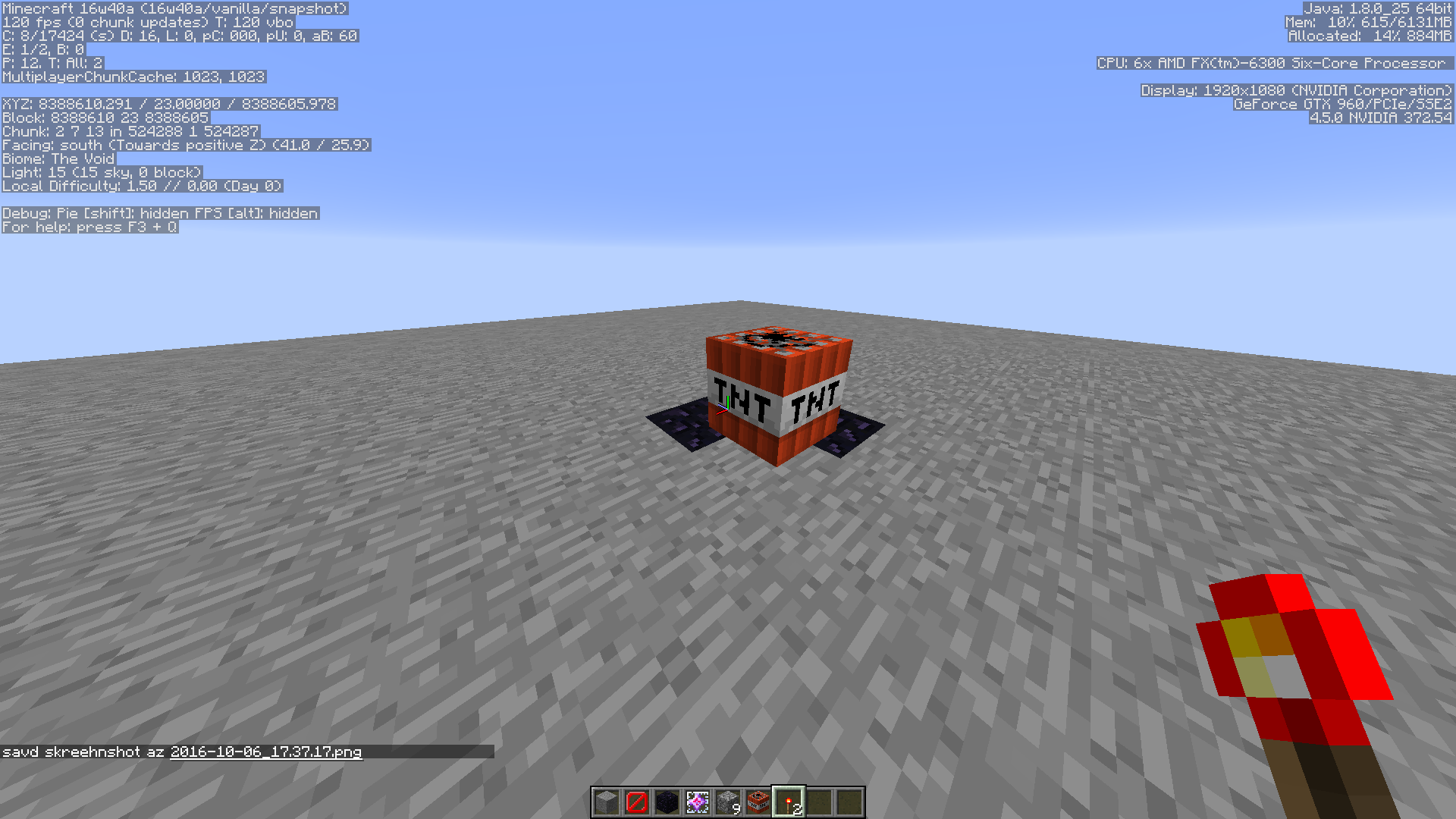
Update according to latest test results: (see newest screenshots for visuals)
End Crystals and Primed TNT exploding at coordinates higher than 8388607 (any direction, for instance: x=8388608, z=8388608) have an offset in their destruction area (they explode the wrong blocks).
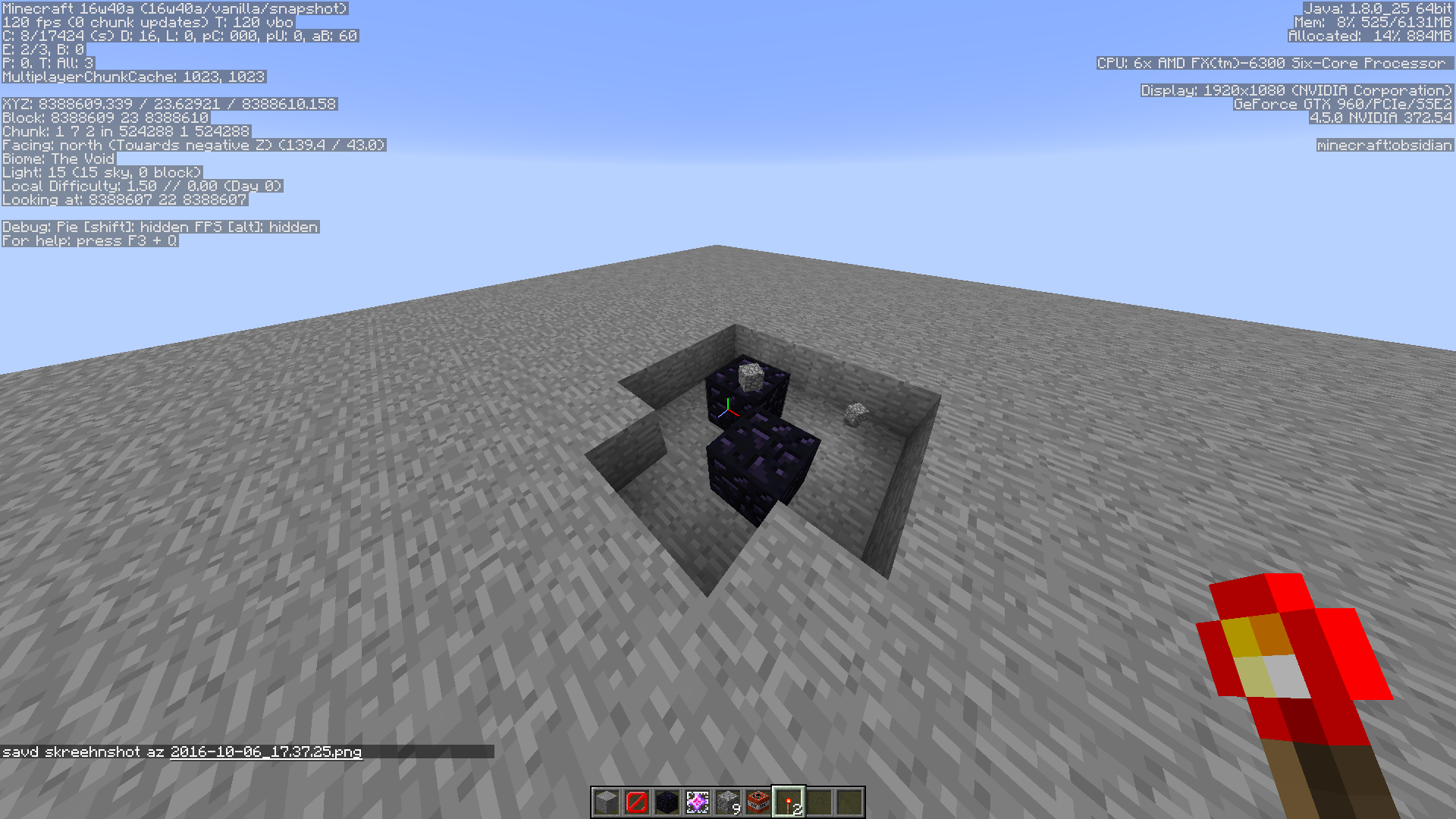
2016-10-06_17.37.17.png show the "default" explosion, 2016-10-06_17.37.25.png shows displaced primed tnt (
MC-92901) and the other image shows the explosion damage from the last image.video
Edit: There is no damage in the opposite under region (see 7th/8th image)
When you add items to your offhand using 'f' (or just the assigned key in general) you duplicate the items. After I clicked with a zero'd item the game crashed (see crash report).
Tested/confirmed in creative AND survival
When you add items to your offhand using 'f' (or just the assigned key in general) you duplicate the items. After I clicked with a zero'd item the game crashed (see crash report).
Tested/confirmed in creative AND survival
Edit: forgot to mention it only works when you offhand is empty first.
When punching primed tnt it plays the sword swing sound (the same sound as swinging your sword at entities, for people who don't understand what I meant).
Edit: punching with empty hand*
When punching primed tnt it plays the sword swing sound (the same sound as swinging your sword at entities, for people who don't understand what I meant).
Edit: punching with empty hand*
When punching primed tnt it plays the sword swing sound (the same sound as swinging your sword at entities, for people who don't understand what I meant).
Edit: punching with empty hand*
Edit 2: punching it makes the fuse longer (it takes longer to explode)
When punching primed tnt it plays the sword swing sound (the same sound as swinging your sword at entities, for people who don't understand what I meant).
Edit: punching with empty hand*
Edit 2: punching it makes the fuse longer (it takes longer to explode), but it disappears after the default interval
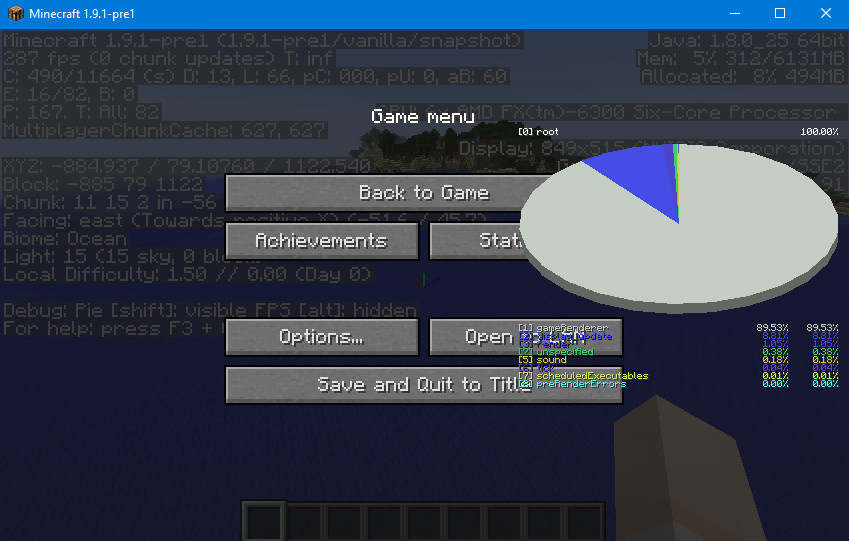
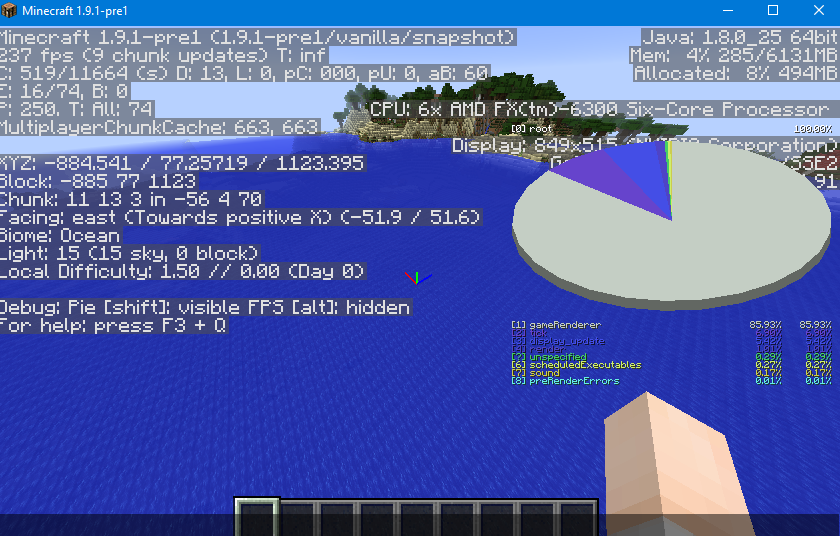
When pressing SHIFT + F3 to bring up the profiler graph it renders above other layers of the minecraft
screenon small screens.Screenshot 1 (mcrndr1): profiler graph is above the pause menu
Screenshot 2 (mcrndr2): profiler graph is above the default debug screen(Not sure if bug or WAI)
When pressing SHIFT + F3 to bring up the profiler graph it renders above other layers of the minecraft window on small screens.
Screenshot 1 (mcrndr1): profiler graph is above the pause menu
Screenshot 2 (mcrndr2): profiler graph is above the default debug screen(Not sure if bug or WAI)
When pressing SHIFT + F3 to bring up the profiler graph it renders above other layers of the minecraft window
on small screens.Screenshot 1 (mcrndr1): profiler graph is above the pause menu
Screenshot 2 (mcrndr2): profiler graph is above the default debug screen(Not sure if bug or WAI)
When pressing SHIFT + F3 to bring up the profiler graph it renders above other layers of the minecraft window when the windows is small.
Screenshot 1 (mcrndr1): profiler graph is above the pause menu
Screenshot 2 (mcrndr2): profiler graph is above the default debug screen(Not sure if bug or WAI)
When pressing SHIFT + F3 to bring up the profiler graph it renders above other layers of the minecraft window when the windows is small.
Screenshot 1 (mcrndr1): profiler graph is above the pause menu (this is the problem)
Screenshot 2 (mcrndr2): profiler graph is above the default debug screen (this isn't a problem)(Not sure if bug or WAI)
Works as intended, new feature added in 15w31a. "Trapdoors no longer require attachment blocks."
I can see it in the launcher, are you sure you have selected the latest version (using the option "Use Latest Version")?
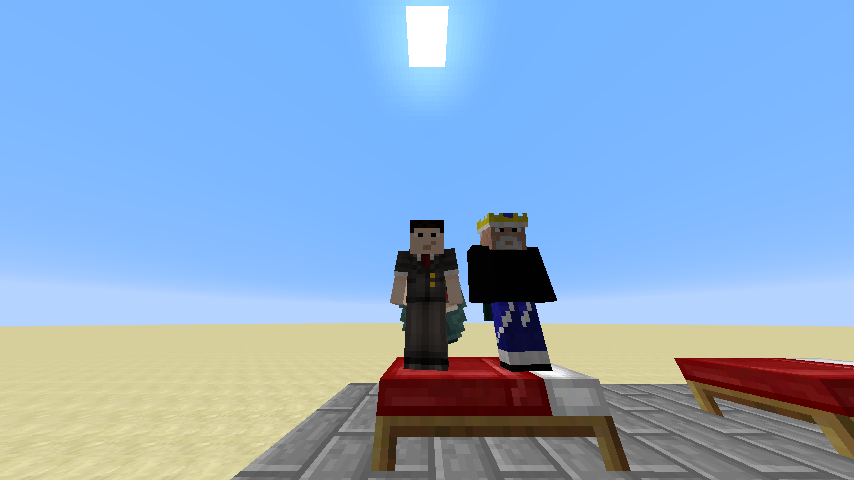
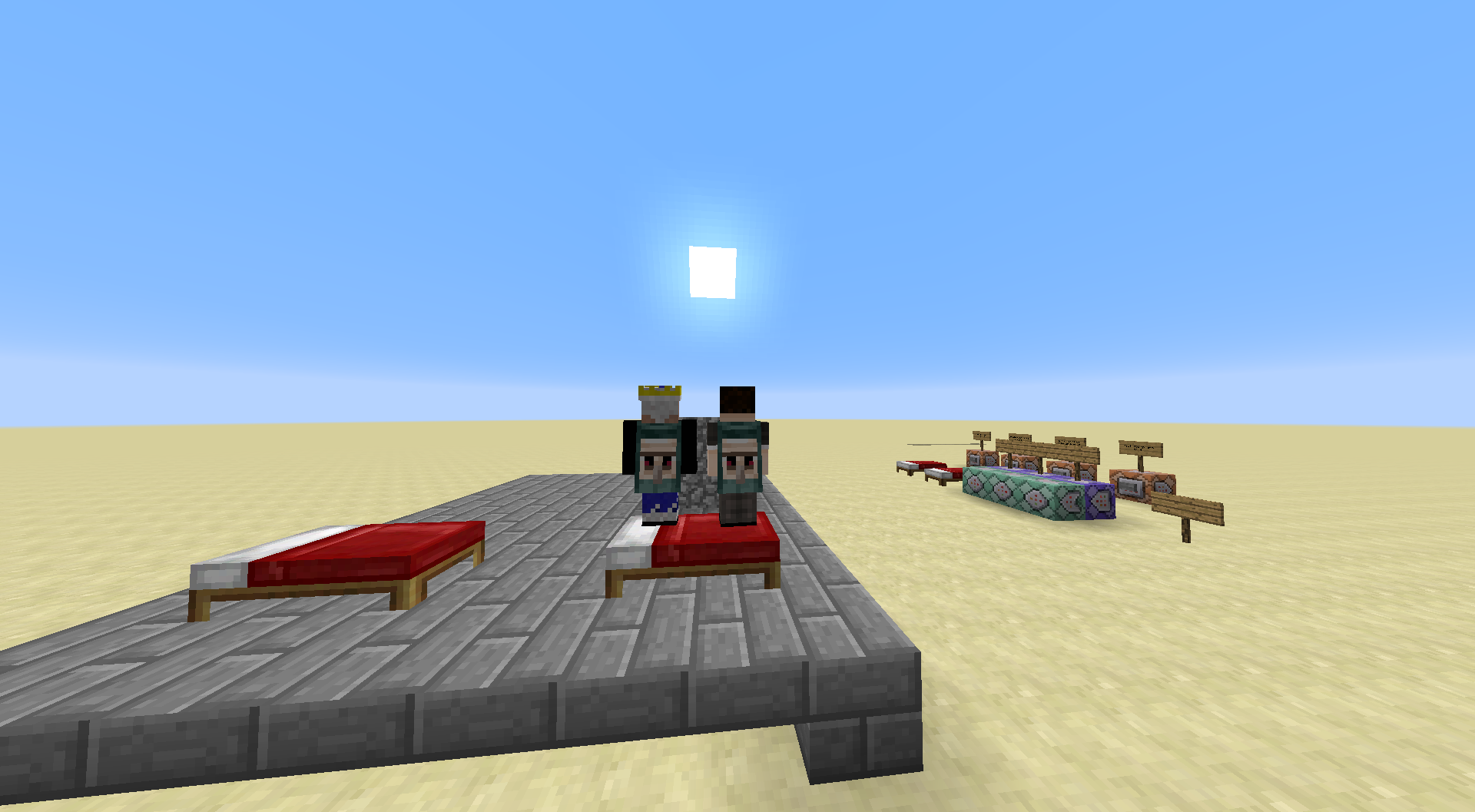
When a player presses 'shift' on bed
sother clients connected to thesameLAN world will move the player(model)down.Screen1: both players standing on bed (not shifting, note the black pixels on the legs of the right player)
Screen2: connected client shifts, other clients see player moving down into the bed (you can see there are black pixels missing on the legs)
Screen3: other client also shifts, no displacement (because it renders correct on own client, not on other's client)
Screen4: both clients shift (right player is client where screenshot was taken so his model renders on top of the bed, other player is again a few pixel too low)
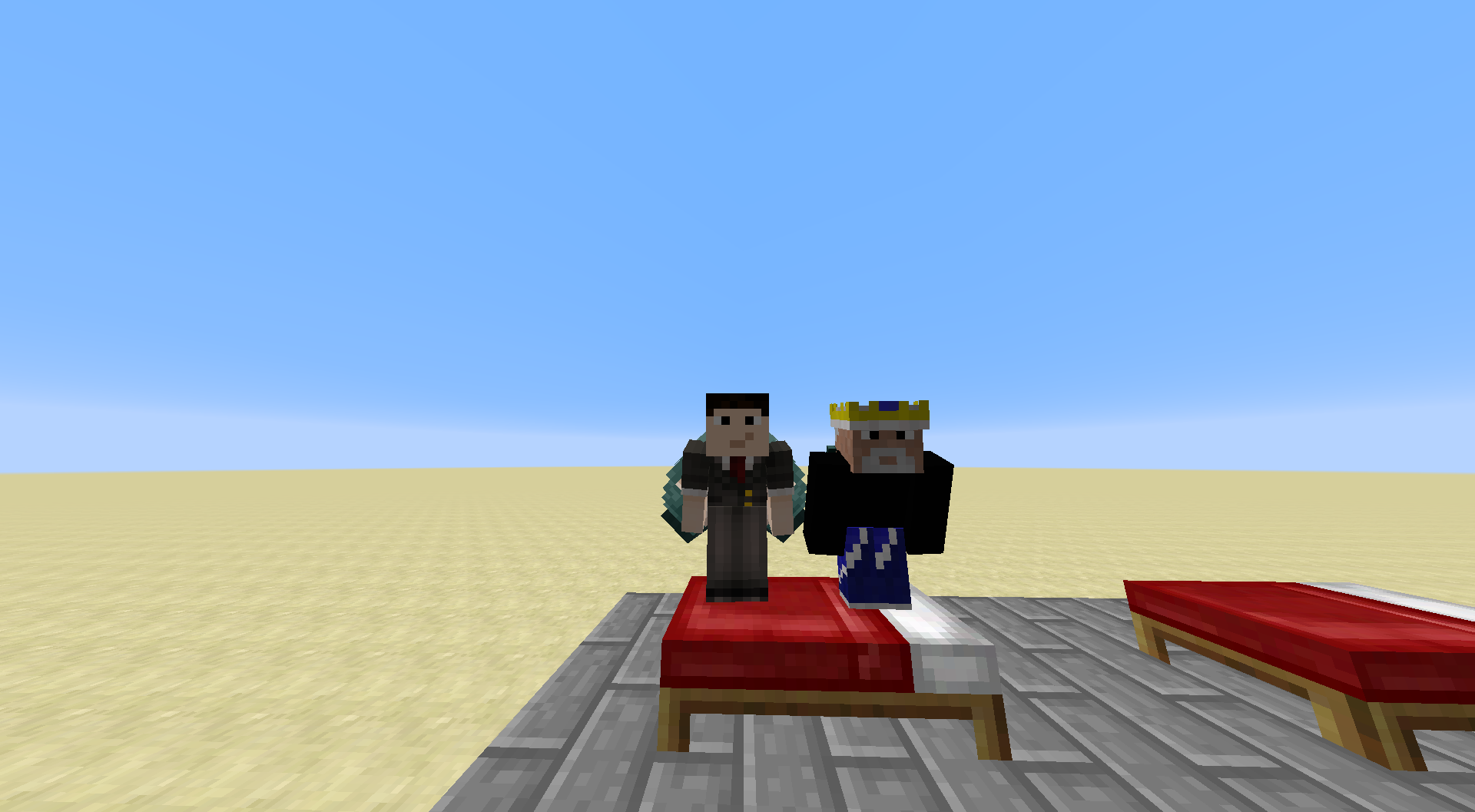
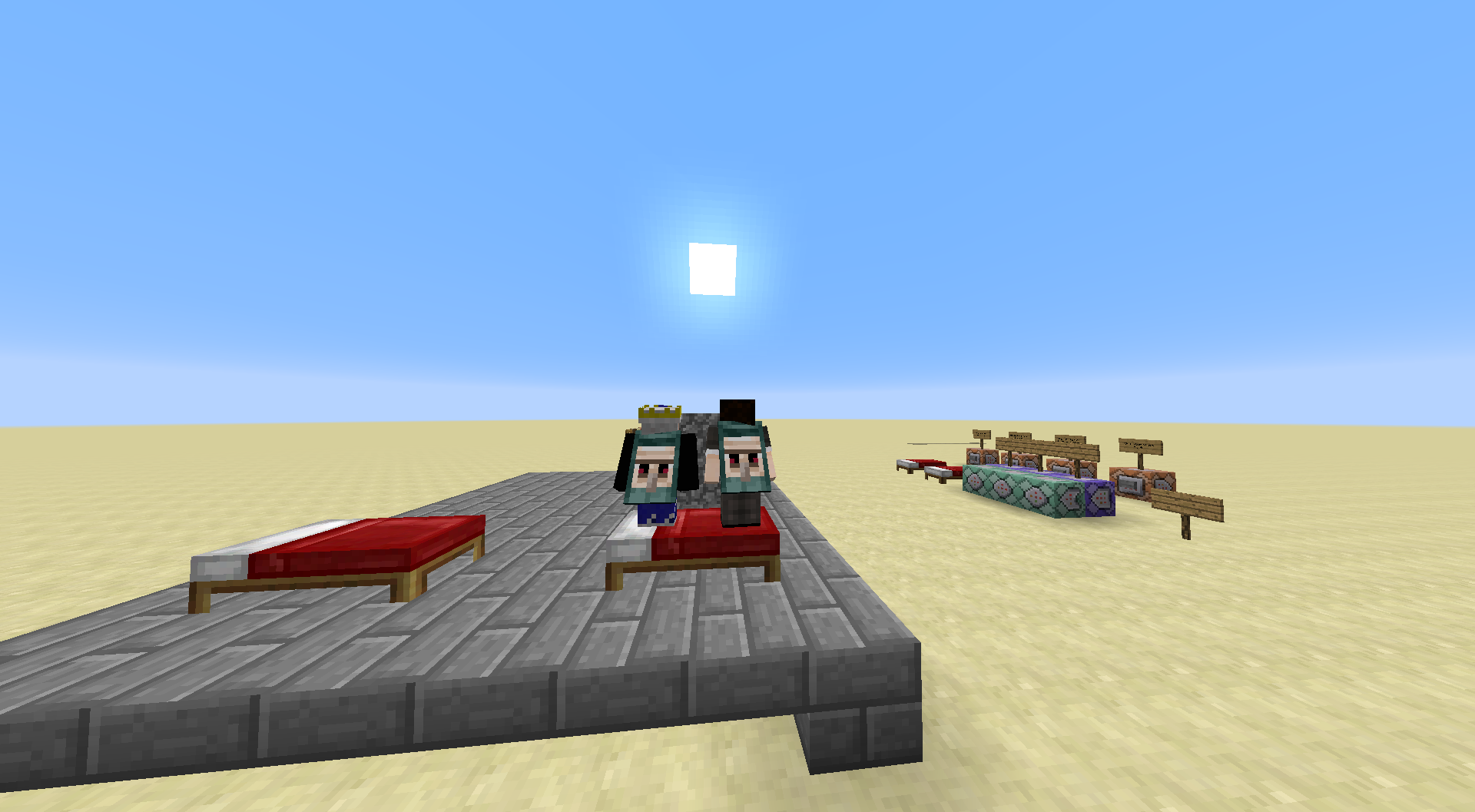
Screen 5: both clients no longer shifting (note the black pixels that appeared on left players skin [were inside the bed])When a player presses 'shift' (sneak) while standing on a bed other clients (connected to the LAN world) will move the player model down (not the hit box).
Screen1: both players standing on bed (not shifting, note the black pixels on the legs of the right player)
Screen2: connected client shifts, other clients see player moving down into the bed (you can see there are black pixels missing on the legs)
Screen3: other client also shifts, no displacement (because it renders correct on own client, not on other's client)
Screen4: both clients shift (right player is client where screenshot was taken so his model renders on top of the bed, other player is again a few pixel too low)
Screen 5: both clients no longer shifting (note the black pixels that appeared on left players skin [were inside the bed])

![[Mod] Michael Wobst](../../../data/avatars/users/37868.png)
Tom Udding: Well when they "get" removed you are also experiencing this bug. Maybe you turned doTileDrops off
KingSupernova: The problem is, creating such a command is pretty intense, but I will see what I can do... well happens with every kind of falling block

Tom Udding that's intended, you can't sprint while sneaking. it just doesn't effect the normal flying speed
When you hover over stacks of items in the creative inventory and drop them using either ctrl + q over multiple stacks, or press and hold q over single item stacks, some items will be deleted. This does not occur for survival, or adventure mode.
Steps to Reproduce:
- Fill your inventory with stacks of items
- Hold down either q or ctrl + q
- In quick succession, hover over the item stacks in your inventory
Observed Behavior:
A majority of the items will be deleted.
Expected Result:
None of the items would be deleted, and all would be dropped.
Screenshots/Videos:

Code Analysis:
(by Tom Udding)
The reason for this appears to be the ServerGamePacketListenerImpl.dropSpamTickCount. If the threshold is reached the server simply does not not drop an item, however it does not inform the client of that.
(24w18a, Mojang mapping names)
   public void handleSetCreativeModeSlot(ServerboundSetCreativeModeSlotPacket var1) {
      PacketUtils.ensureRunningOnSameThread(var1, this, (ServerLevel)this.player.serverLevel());
      if (this.player.gameMode.isCreative()) {
         boolean var2 = var1.slotNum() < 0;
         ItemStack var3 = var1.itemStack();
         if (!var3.isItemEnabled(this.player.level().enabledFeatures())) {
            return;
         }

         . . .

         boolean var7 = var1.slotNum() >= 1 && var1.slotNum() <= 45;
         boolean var8 = var3.isEmpty() || var3.getCount() <= var3.getMaxStackSize();
         if (var7 && var8) {
            this.player.inventoryMenu.getSlot(var1.slotNum()).setByPlayer(var3);
            this.player.inventoryMenu.broadcastChanges();

         } else if (var2 && var8 && this.dropSpamTickCount < 200) {
            this.dropSpamTickCount += 20;
            this.player.drop(var3, true);
         }
      }

   }
Original Description:
The bug
When you hover over an item in your creative inventory and hold Q to drop those items (fast drop, because you hold Q), some items disappear, but when you are in survival (gamemode 0) zero items get deleted.
Example
Here is an example in video: Minecraft_116618.mp4
Code analysis
20w09a, Mojang names
The reason for this appears to be the ServerGamePacketListenerImpl.dropSpamTickCount. If the threshold is reached the server simply does not not drop an item, however it does not inform the client.
@Tom Udding would you like to become the reporter of this report?
![[Mod] violine1101](../../../data/avatars/users/92858.png)
Tom Udding, you're the reporter of this ticket now, so you can add affected versions yourself.
@Tom Udding, thanks for pointing that out, I created MC-134399 for that.
By the way, you can create user "mentions" (they are no real mentions but just show the username properly) by writing the username (not "Full name") like this:
[~marcono1234]
See also the Jira help.
![[Mod] Asteraoth](../../../data/avatars/users/92886.png)
Changed the reporter to Tom Udding.
To clarify, there was some confusion about similar bugs regarding items dropped in Creative mode being deleted. But it appears Tom Udding's report MC-116618 is different than this (and MC-23039 which it duplicates) since that has been fixed in 16w50a.
Additionally MC-170863 is a separate bug which always consistently happens for an item stack of size 1, regardless of how many items you have thrown already. So it has nothing to do with the drop threshold described in MC-116618.
Tested in singe/multiplayer
All people I know which are playing mc have it always looping from ±8%-30% and that every time.
It is hard to search for duplicates because people use other naming for there bugs (just a note)
I can't reproduce this. Even if I am at y=130 (example) and when executing the command no commandblocks will break. [1.8.2-pre4]
executing the command cause that only the last 2 command blocks + redstone block get removed (for me), after spawning the grass layer all command blocks stay in there place.
I can't reproduce this in Minecraft 1.8.2-pre6, cloning via commandblock is working fine, cloning via players chat works also fine.
http://tinypic.com/view.php?pic=2q0rams&s=8#.VNYBK0LXEXs [image]
Incomplete without a crash report from (minecraft/crash-reports/crash-<DATE>-client.txt). Please attach it so that we can diagnose your issue.
I get this message "No blocks filled" [Minecraft 1.8.2-pre6]
Confirmed in 1.8.2-pre6 but a little note: These are ghost blocks, click on it and they disappear.
[Removed by author, [Mod] Mustek was faster]
You didn't understood what I said. What I said was that when doing your command from (see description) a command block (this command:: /execute @a ~ ~ ~ /clone ~ 0 ~ ~ 124 ~ ~ 128 ~) it creates the clone above every player. When doing (this command:: /execute @a ~ ~ ~ /clone ~ 0 ~ ~ 124 ~ ~ 128 ~) from a player it also clones above every player. (Tested this with 3 other players on a server)
Strange, very strange.
[19:00:50] 125 blocks cloned
and that is when I execute '/execute @a ~ ~ ~ /clone ~ 0 ~ ~ 124 ~ ~ 128 ~'. This is singleplayer 1.8.2-pre6.
Did a player you invited change his/her name to "APRILAY"?
Incomplete without crash report (minecraft/crash-reports/crash-<DATE>-client.txt). Please attach it so that we can diagnose your issue.
Incomplete without crash report (minecraft/crash-reports/crash-<DATE>-client.txt). Please attach it so that we can diagnose your issue.
I have this problem also but write some text in chat (do not use "a, v, c etc....") and than press shift+cmd+arrow right/left and let you select the text until you will select only one character. Than it is fixed, it has to do with Desktop switch (ctrl+arrow right/left)
Incomplete without a crash report from (minecraft/crash-reports/crash-<DATE>-client.txt). Please attach it so that we can diagnose your issue.
Tested several servers but can't reproduce it in 1.8.3.
Can you play singleplayer worlds? If not likely duplicate of
MC-38527, in which case your render distance is set too high for older versions of the game.Your report is currently incorrect (please add the error message you get). You can remove your resource packs from inside (for MAC) ~/Library/Application Support/Minecraft/resourcepacks/
Cannot reproduce this on OS X Yosemite 10.10.3 (Minecraft 1.8.7)
Can reproduce. (OS X Yosemite 10.10.3)
Can you give us more information of how you did it?
Tested and it were not the pistons but the stairs. They are blocking the bookshelves (I don't know how but they do the trick).
If the four (4) stairs above the sticky pistons are removed the enchanting table goes to lvl 24 enchantments (for me).
This is (I believe) since November 2013 with newer versions of the game.
Not valid without any explanation and/or examples.
Endermen got hit by Arrow of Invisibility
This is because of the items is also glowing (the armour item also glows) this is possible a duplicate of
MC-82863This also applies to Golden Apples and Enchanted Golden Apples.
Can confirm it is all black but after a few seconds the world loaded in for me.
Can confirm this
Can confirm this
Can't reproduce this.
The arrows get their particle effect when they fall (or how you want to call it) and after breaking the block the arrows will fall and produce their particle effect.
Can confirm
Can't reproduce
Is this really a bug?..
Indeed not fixed yet. She can only die when above portal (if you hit here).
Can confirm, it makes you clip through the world. Using ender pearls will teleport you the the point where you would have spawned if everything was working normal.
Edit: after a few minutes the world became normal. It seems like it is a event that only occurs a few minutes.
Dupe of MC-85835
Can confirm
Should it be drinkable?
Dupe of MC-85835 and MC-85836
Off-topic: funny to see that a lot of people are still making issues about this while it has already been reported so many times.
Please update your minecraft to 15w33b, this will resolve this issue.
Please update to 15w33b, this will resolve this issue.
Can confirm for 15w33b.
Confirmed in 15w33b
Maybe this is intended so you can't leave when you fight the ender dragon.
Can confirm for 15w33b
A respawned dragon does not drop xp (from the clay creeper head). The first dragon will drop xp.
Quote from minecraft "Travel by minecart at least 1 km from where you started", you traveled not more than 200 blocks.
There is a change they will spawn with armour (sometimes even enchanted)
Can confirm for 15w33c
Only works with black shields (/give @p shield), if you use that shield it will color shift.
Did switch to survival gamemode? Or were you in creative?
Affects 15w36d
Affects also 15w36d
Confirmed for 15w41a
Confirmed for 15w45a
The lingering potions show the potion name. The arrows just say "tipped arrow".
Your report is incomplete without a crash report.
Can confirm it still occurs in 15w46a. Spawning the boat in water does nothing but then opening your inventory renders the water inside the boat again. After exiting your inventory the water is still rendered inside your boat until you destroy it.
See video I added
Confirmed for 15w47b
When picking up items they also become transparent (OS X 10.11)
This also occurs with the barrier block
Your report is incomplete without crash log/report (minecraft/crash-reports/crash-<DATE>-client.txt). The current log you provided doesn't show anything that could cause the crash.
Your problem is probably inside minecraft and not its launcher. If so, make a bug report in the Minecraft section and include a crash log/report (minecraft/crash-reports/crash-<DATE>-client.txt).
Probably a duplicate of
MC-34749. Please check that report for more information about it.This is intended, you need to get the 'Taking Inventory' achievement before you can get the 'Getting Wood' achievement. The 'Taking Inventory' achievement is a prerequisite.
Can confirm for 15w47c
Confirmed for 15w49a
Can confirm.
Confirmed for 15w49a
Can confirm for both sticky and regular pistons.
If you want to request a feature please visit the minecraftsuggestions subreddit.
Can confirm for 15w49a
Can confirm for 15w49a
Can confirm for 15w49a
This is because your character is "hanging" more above the water. The position of the cursors determines the particle in this case. Check it with other blocks. The block the cursor is pointing at will display the corresponding particles.
Edit: what I meant is that it is probably intended
Has to do something with
MC-62984(/MC-63329), except thatMC-62984was reported because the game crashed upon world generation.Confirmed for 15w51b
Can confirm for 15w51b
Can confirm for 15w51b, as Noah Larkin mentions the best way to reproduce is using a medium "speed" pc.
I used a good PC and I am still able to reproduce this. It is about how you render new chunks.
No, when you are in the menu to create a new world (be pressing 'Create New World') and then 'More World Options...', selecting 'Superflat' and when in the edit mode (you see the layers your world is made out of) and pressing 'Escape' will return you to the main menu, it should definitely return to 'More World Options' menu.
Can you make a crash report by pressing F3+C for 10 seconds in game? and upload it here.
This is still occurring to me in 16w02a. Pressing shift while "sprint" flying slows me down.
Can confirm for 16w02a
Can confirm for 16w02a
I agree you can't sprint while sneaking but with the flying part I have to agree to KingSupernova's response.
I can't reproduce this (16w05B).
Dupe of
MC-92139, which is resolved as WAI. (I don't agree with it but that is what Grum said)Could you clarify what you mean? Because I don't understand your problem.
Incomplete without a crash report from (minecraft/crash-reports/crash-<DATE>-client.txt). Please attach it so that we can diagnose your issue.
Incomplete without a crash report from (minecraft/crash-reports/crash-<DATE>-client.txt). Please attach it so that we can diagnose your issue.
Incomplete without a crash report from (minecraft/crash-reports/crash-<DATE>-client.txt). Please attach it so that we can diagnose your issue.
Incomplete without a crash report from (minecraft/crash-reports/crash-<DATE>-client.txt). Please attach it so that we can diagnose your issue.
Can confirm, movement of boat does not continue on player exit.
Edit: even if another entity is in it (villager, squid etc.) the boats velocity gets "paused"
For 1.9: throwing lingering potion on (top of) the cow doesn't damage him because the poison is above him, throwing the lingering potion next to the cow causes the poison effect to damage the cow.
Still exists in 1.9
Do you have optifine installed?, because I saw similar cases where people who have optifine installed can't see debug info. (if you have optifine installed this case needs to stay marked invalid because of third-party modification for the client)
Please force a crash by pressing F3 + C for 10 seconds while in-game and attach the crash report (minecraft/crash-reports/crash-<DATE>-client.txt) here. (Probably outdated or broken graphics drivers/card).
Update your graphics card drivers to the latest version (15.40.10.64.4300, you are now using 10.18.15.4256). If you don't know how to update your graphics driver please use this tool provided by Intel.
Are you sure your Realm is on 1.9.1 Pre 1? Because I can't reproduce ghost block behavior.
Then @lipojy should know it still exists in 1.9, because it is fixed in the pre release. (that makes it a duplicate of
MC-96219)When it occurs can you force a crash by pressing F3 + C for 10 seconds while in-game and attach the crash report (minecraft/crash-reports/crash-<DATE>-client.txt) here.
Note that modded version are not supported (Spigot).
I don't know if this has to do something with this, but you should update your graphics card drivers to the latest version (15.36.28.4332, you are now using 10.18.10.3316). If you don't know how to update your graphics driver please use this tool provided by Intel.
If it still occurs after updating your drivers, create a new world and test there if chunks are not loading/rendering. Does it still occur or is it "back to normal"? Or else zip the world and also upload it here so we can check the world on our end.
I can see what you mean, I created a world myself and the chunks flash (really short flash) but then they load. (But when flying I get a 'Exception while ticking a block' because the gravel can't update fast enough but that doesn't matter in this case.) The flashing could relate to
MC-63020.Edit: for me chunks only flash on new terrain generation not like what Kevin said about the terrain he spawned
Incomplete without a crash report from (minecraft/crash-reports/crash-<DATE>-client.txt). Please attach it so that we can diagnose your issue.
[Mod] redstonehelper It is not even close to the issue explained on
MC-86657, that is about the crosshair not working in F3 (why should it work in F3? it shouldn't), but this is about something completely else (the profiler graph) that has nothing to do with a crosshair.Léonardo Saba you should still update your graphics driver.
Duplicate of
MC-95922Duplicate of
MC-95922We can't help without an crash report, if it shuts down but it doesn't create a crash report you must have clicked 'exit'.
Duplicate(/relates to) of
MC-35856Can confirm in 1.9.1-pre3 (but not sure if bug). He means floating instead of gliding. When you fly up in creative and float (static position) and then change gamemode to survival causes the player to fall straight to the ground. Height and mouse position do not matter.
It is not consistent, the items still burn sometimes (?depends on how you throw?).
Can't reproduce, I can't shift+right click doors (they won't open, no matter what I hold).Edit: Can't open door with shift+right click while shield is in offhand, so no sound should be produced.
Duplicate of
MC-93619, if you havenot, please use the search function in the future.Third party clients/servers are not supported here (bukkit/spigot/multimc...).
Can confirm for 1.9.4, the enderman tries to teleport away from the cactus but teleports back into the cactus.
Can confirm for 1.9.4
Duplicate of
MC-96555Relates to MC-90026
Can confirm for 1.9.4
Can confirm for 1.9.4
Does burn normally in 1.9.4
Can't confirm for 1.9.4
Can confirm for 1.9.4
Can confirm for 16w20a
No longer occurs in 16w20aCan confirm for 16w20a
My mouse clicks twice sometimes, so the bow disappeared as soon as it became '0'.
Can confirm for 1.10.1.
Use 16w39b, this issue is fixed in that version. (Reported as
MC-107392for 16w39a)Can confirm for 16W40A
Can confirm for 1.11
Can confirm for 17w06a.
This also happens when there aren't any entities in the water.
Edit: noob Minecrafter lol
Dupe of
MC-46667Can confirm for 17w14a.
What happens: when you try to do a relative teleport the sum of your current position and the relative coordinate you entered is calculated and if it is >30000000 it will throw the error (with the sum of the coordinates because it is higher than 30000000).
An example:
I tp myself to 0 100 -1 (will be 0.5 100 -0.5 in the game) and then I relative tp myself to ~ ~ 30000000 nothing is wrong, but when I relative tp to ~ ~30000000 from 0 100 1 (will be 0.5 100 1.5 in the game) I get the error message because 30000000+1>30000000.
This is still an issue in the latest snapshot (17w14a).
Can confirm for pre 1 and pre 2.
@Marcono1234 sure.
This is no longer an issue in the latest snapshot (17w45a). When you use a number that was previously too high it will teleport you to the world border (a few blocks outside it to be precise).
A new thing I noticed when doing this: it'll show the wrong 'Teleported [player] entities to [coordinate]'
I can no longer reproduce this in 17w47a.
I can no longer reproduce this in 17w47a.
Can confirm on Windows 10 for 17w47a. I'll add an error report to this bug.
Can confirm for 18w01a
Can confirm for 18w07a
Can confirm and also applies to Kelp.
Duplicate of
MC-125187Without a crash report 'we' cannot do much about this.
Can confirm for 18w08b
Can confirm for 18w08b
Can confirm for 18w09a
Can confirm for the barrier block and TNT particles in 18w09a.
It appears that this is happening for (Primed) TNT in 18w09a.
Can confirm for 18w10a.
Can confirm for 18w10a
Can confirm for 18w11a and 18w14a.
Can confirm for 18w15a.
Can confirm for 18w16a.
Can confirm for 18w19b.
Because this relates to
MC-88330I just wanted to say that this still happens.Can confirm for 18w20c.
Still an issue in 1.13 PRE-2
Still an issue in 1.13 PRE-2
Can confirm for 1.13 PRE-2
Didn't want to mess up the comment section, but can confirm for 1.13 PRE-2.
This is still a problem in 1.13 PRE-5.
Does indeed still occur in 1.13 PRE-8. I don't have a world download, but just teleporting to 'high' coordinates causes the game to crash.
@marcono1234 In creative when you have a stack of items in your hand (not looking in your inventory) and start throwing them by holding 'Q' no items are deleted (tested this in 1.13 PRE-8). It is just that when you are inside the inventory the items somehow get deleted (by holding 'Q' to throw them).
Can confirm what @ReduxPL said for 1.13 PRE-9.
Still crashing the game in 1.13 PRE-10.
Can confirm for 1.13.
@Marcono1234 I always have problems with mentions, sometimes they work and sometimes they don't and that time it didn't work, tried it like 4 times with no success (and now it works of course).
Still an issue 1.13.1 PRE-1.
Can confirm for 1.13.1 PRE-1.
Can confirm for 1.13.2 PRE-1.
Can confirm for 1.13.2 PRE-1
Can confirm for 1.13.2 PRE-2.
Can confirm for 1.13.2 PRE-2.
Still an issue in 1.13.2.
Can confirm for full release of 1.13.2.
Can confirm for 18w43a.
Can confirm for both 18w43a and 18w43b.
Can confirm for 18w43c.
I can no longer directly reproduce this issue as of 19w04a. There are two things that happen when I test this.
(1)
MC-138114andMC-139763. Once inside these "ghost" chunks I can 'reproduce' this issue, but it is for a limited amount of time because in most of the cases it will lead to the same crash as in (2).(2) The server will just crash whenever I teleport a player to unloaded chunks. The crash report is crash-2019-01-24_22.00.46-server.txt (~~hug~~).
Single player worlds will crash without a (good) crash report.
Can confirm for 19w03a/b/c and 19w04a.
Can confirm for 19w04a.
Can confirm for 19w06a (server).
Can confirm for 19w06a.
I cannot reproduce any of the above mentioned issues in 19w09a. Elytra works perfectly fine after switching dimensions, sleeping always works, no matter how far you go around the world.
Cannot reproduce this in 19w11a. If everyone agrees with me I think this should be closed as 'fixed'.
@Fabian Röling To be honest, I cannot remember how I reproduced this in the few snapshots before I reported I could no longer reproduce this. In other words, I have probably reported incorrect behaviour in the client as a reproduction of this bug in the few snapshots leading up to 19w04a. However, I know that I was able to reproduce it the first few times (1.13.2 and < ~18w49, as mentioned by @Mordenkainen with their code snippet) by going to extreme coordinates, but that could take more than 15 minutes to reproduce it in the way I did it (I cannot remember using on the of suggested methods and yes, I should have updated the report with my way of reproducing it, an unfortunate mistake on my end by not doing so).
If you cannot reproduce it in 1.13.2 and I have no way to prove that I was able to do so, maybe a mod can revert/purge every change since then and change the status back to fixed.
For a mod: If it is possible I would like to be disassociated with this bug report because it is causing me too much trouble in maintaining it with the amount of expertise and time that is expected from me.
Can confirm for 19w34a.
This issue has been fixed in 20w06a by implementing a position check when executing the teleport and tp commands.
Can confirm for 20w06a.