 MC-268876
GUI background blur uses box blur even though linear blur is calculated
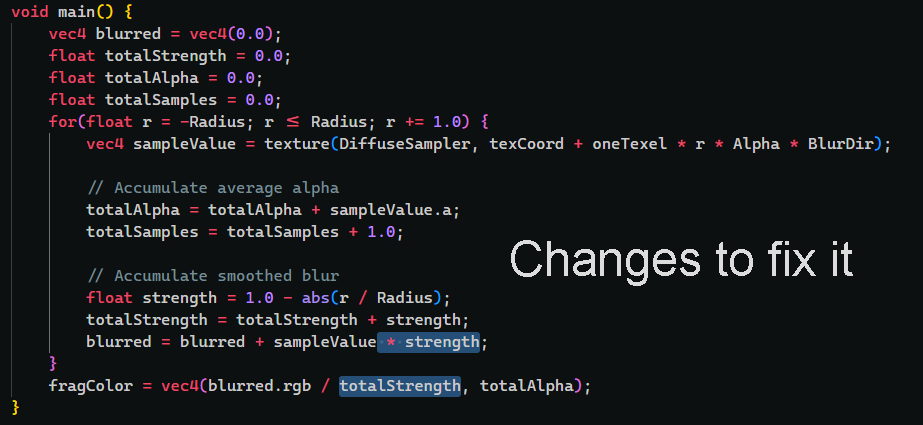
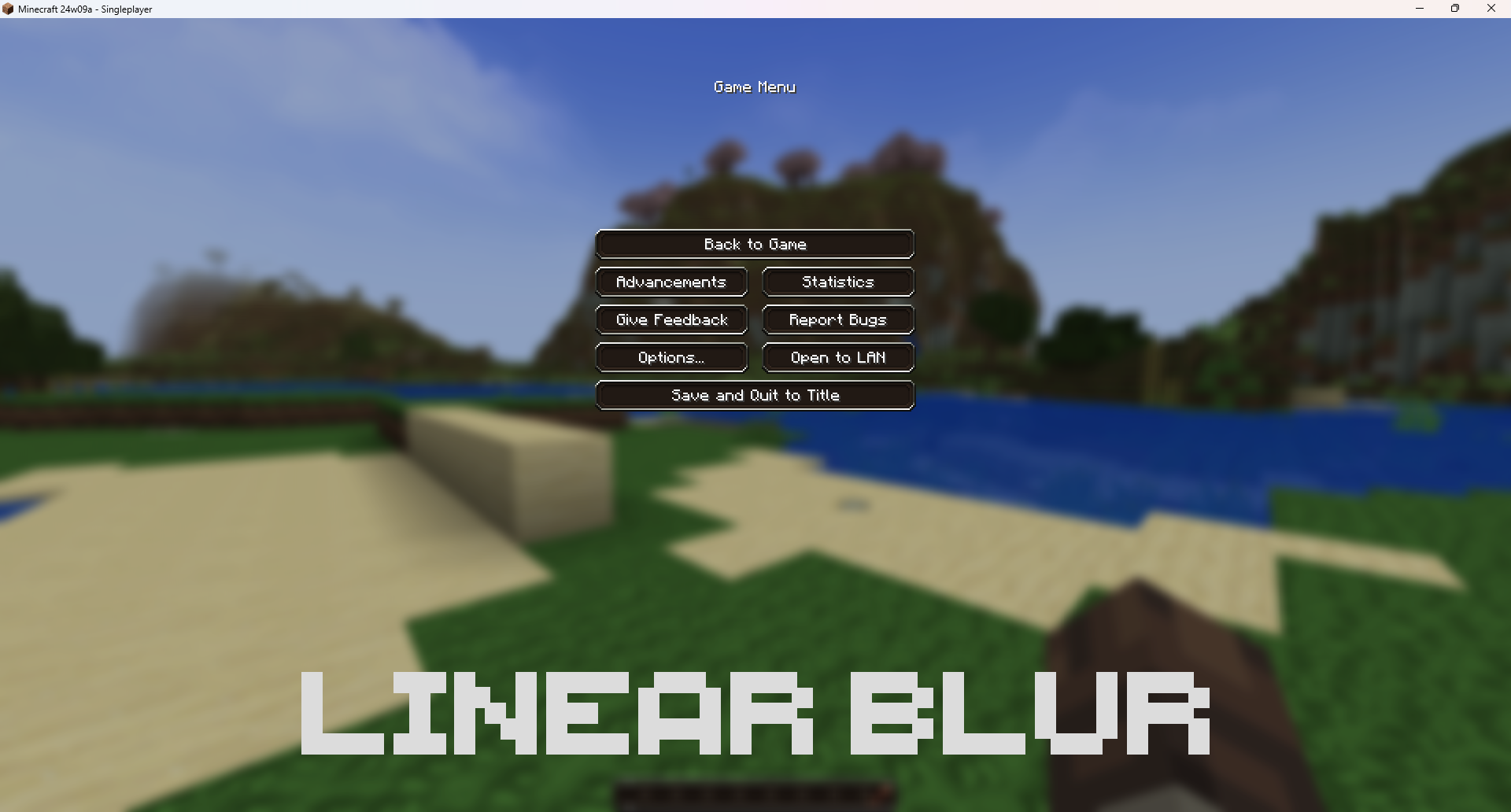
The shader for calculating the blur for the GUI background uses box blur, even though it calculates linear blur. Linear blur looks a lot better than box blur, but is just not used. The shader should be updated to use this linear blur instead of the box blur that it currently uses.
The shader in question:
assets/minecraft/shaders/program/blur.fsh
Linked Issues

![[Mod] violine1101](../../../data/avatars/users/92858.png)


Created Issue:
GUI background blur uses box blur even though linear blur is calculated
The shader for calculating the blur for the GUI background uses box blur, even though it calculates linear blur. Linear blur looks a lot better than box blur, but is just not used. The shader should be updated to use this linear blur instead of the box blur that it currently uses.
The shader in question:
assets/minecraft/shaders/program/blur.fsh
Attachments4
![[Mod] ampolive](../../../data/avatars/users/18949.svg)
The shader for calculating the blur for the GUI background uses box blur, even though it calculates linear blur. Linear blur looks a lot better than box blur, but is just not used. The shader should be updated to use this linear blur instead of the box blur that it currently uses.
The shader in question:
assets/minecraft/shaders/program/blur.fsh
relates to
![[Mojang] Triage Team](../../../data/avatars/users/89842.png)
![[Mod] turbo](../../../data/avatars/users/92867.png)
relates to

The bug
Minecraft calculates linear blur, but does not use it, wasting game resources as a result. As per MC-268876, making the game use it would count as a feature request, so this will likely go unused, and it should therefore be removed.
Discovered while testing MC-268876.
The bug
If a resource pack modifies an existing shader, enabling that resource pack will not change that shader. F3+T will be required to reload resource packs, and only after this point will the shader changes manifest.
How to reproduce
- Change menu background blurriness to 100% in Accessibility Settings
- Download and apply the attached resource pack
- Observe how the blurriness is the same as before in the game menu
- Exit the menu, then use F3+T
- Re-enter the game menu
- Observe how the blur is now different
Expected results
The changes to the blur would apply immediately after activating the resource pack.
Actual results
They are not - a force reload is required.
Can confirm
I wonder if it would be possible to include both as an in-game option, although linear is definitely preferable in my case.
This is most noticeable by the very prominent vertical and horizontal lines that stand out on your hotbar (and other UI elements with sharp edges, like text in the chat for example), especially if your GUI size is a bit larger:

Thank you for your report!
After consideration, the issue is being closed as Invalid.
You have posted a feature request or a suggestion. This site is for bug reports only.
For suggestions, please visit The official Minecraft feedback site or visit the Minecraft Feedback Discord server.
Quick Links:
📓 Bug Tracker Guidelines – 💬 Community Support – 📧 Mojang Support (Technical Issues) – 📧 Microsoft Support (Account Issues)
📓 Project Summary – ✍️ Feedback and Suggestions – 📖 Game Wiki
this is not a feature request, it is a bug report. i am reporting the fact that the blur is not being used properly, please actually read the bug report before closing it.