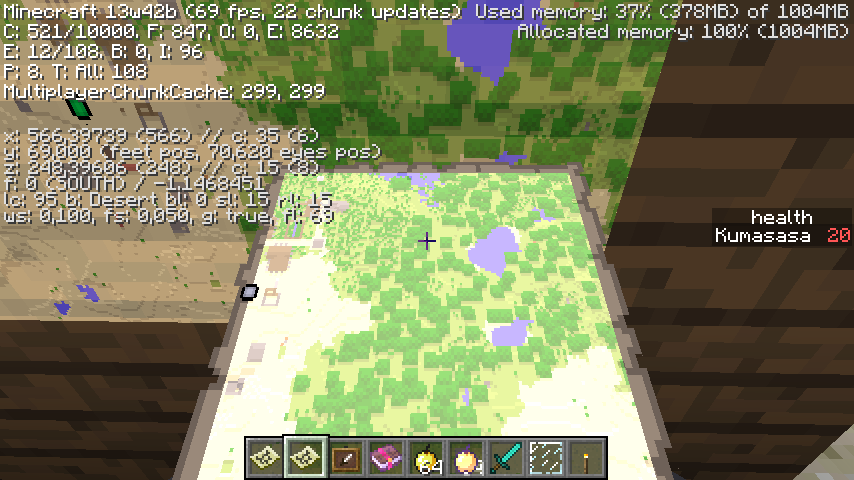
Maps rendered too bright
The map has a more brightness. This is a bug?
Linked Issues
is duplicated by11
 MC-35876Map Brightness increasedDuplicateMC-35911In-game map rendered in dazzling bright colorsDuplicateMC-35925Map colors are highly saturated in bright areasDuplicateMC-35942White MapDuplicateMC-35961Maps are too brightDuplicateMC-36019MinimapDuplicateMC-36119Maps display incorrectlyDuplicateMC-36147Wierd map (Item) lightingDuplicateMC-36153Map Colors are messed up DuplicateMC-36249Player crafted map too brightDuplicateMC-36636map gets blury when heldDuplicate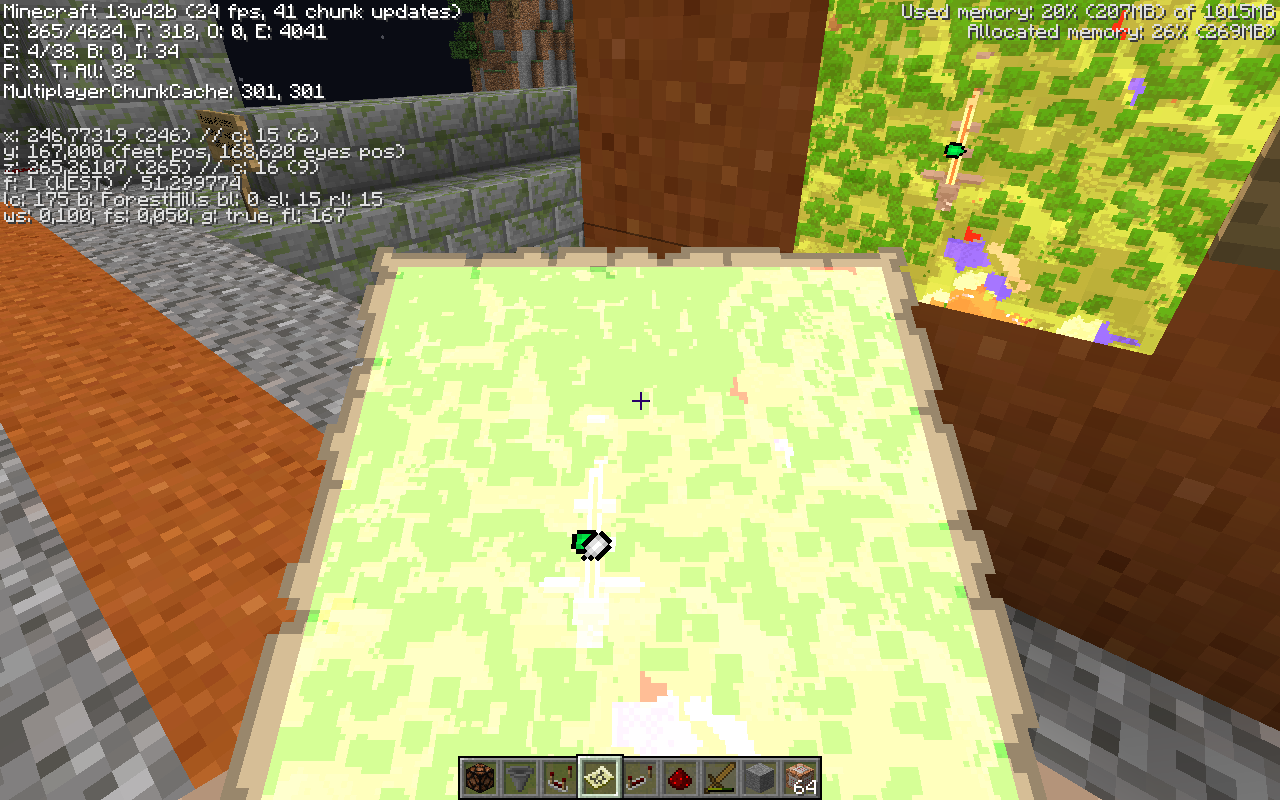


Created Issue:
The Map
The map has a more brightness. This is a bug?
Attachments1
Confirmed.
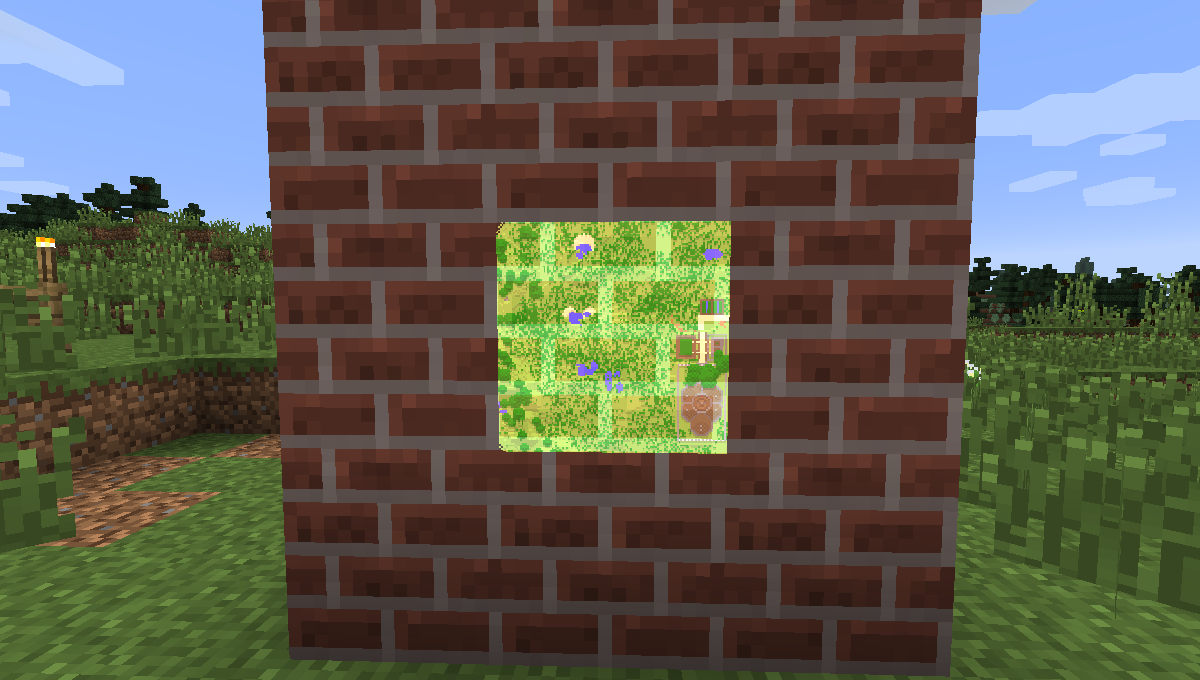
map on bricks
2013-10-18_15.46.24.png
The MapMaps rendered too bright
![[Mod] Ezekiel (ezfe)](../../../data/assets/gravatar/ezekielelin.jpeg)
relates to
is duplicated by
is duplicated by
is duplicated by
relates to
is duplicated by
is duplicated by
is duplicated by
is duplicated by

is duplicated by

This is not a duplicate of MC-605, MC-31619, or MC-35848. Those three bugs are fixed, and are actually unrelated to this. This bug occurs in 1.7.2, the latest version at the time of this writing.
What I expected to happen:
Maps placed in item frames would be shaded the same as the item frames themselves are.
What actually happened:
When a map is placed in an item frame, it will only shade properly if you have the GUI hidden via F1. Even then, it may not always be shaded. in some circumstances. For me, hiding the GUI seems to be the most effective way to get shading to happen, but view angle is also a factor in whether it works. Your results may vary; the instructions below are how I've been able to observe it.
Steps to Reproduce:
- Place item frames on walls facing different directions.
- Observe that the frames are shaded to the same degree as the block face they are attached to.
- Place maps in the frames. Have your GUI visible.
- Observe that the maps are not shaded.
- Press F1 to hide your GUI.
- You may have to walk around, rotate your camera, or reload the world before the maps look different.
- Observe that the maps are now shaded properly.
- Press F1 to show the GUI again.
- Observe that the maps are no longer shaded.
![[Mod] Torabi](../../../data/assets/gravatar/torabi.png)
Duplicate of MC-35848, which is marked fixed as of Minecraft 13w43a.
I have the same issue, also when you put a map in a frame on bricks you can see the bricks trough the map.
Confirmation of same problem as noted by the OP when looking at a handheld map. Hopefully this is a bug as it looked better before.
Confirmed.
Why is the texture of the wall visible on the map? Are maps now semi-transparent?
Marios,
MC-35883It looks that maps are glitchy this snapshot, I'm experiencing that problem and
MC-36062too.Relates to
MC-31619(but is not a duplicate): as a side-effect of this bug, maps may seem to be self-lit again. From what I can tell, the game is mistakenly using an additive-like blending mode when rendering maps, which is why layering multiple maps will cause them to get brighter.Yup... I wouldn't mind the transparency if we had a texture-less block to mount it on, but the lightness of the hand-held map is unreadable. Also, the player's marker is <i>still</i> glitchy, prone to not appearing at all.
I would mind the transparency, as it doesn't make sense at all, and it's cumbersome for maps to be limited to only looking decent on textureless black blocks which we don't even have (without custom resource packs). Making them transparent means they would be faded in appearance regardless of what surface you put them on, meaning it reduces usability. Thankfully, the lightness and transparency are probably both the same bug (as I said, this resembles additive-like blending modes) and aren't intended.
Can not confirm in 13w43a
Yes. Fixed.