 TrazLander
- trazlander
- trazlander
- America/New_York
- Yes
- No
![[Mojang] Nathan Adams](../../../data/assets/gravatar/dinnerbone.png)
![[Mojang] Jeb (Jens Bergensten)](../../../data/assets/gravatar/jeb.jpeg)
 MC-16464MC-19828
![[Mojang] Searge (Michael Stoyke)](../../../data/assets/gravatar/searge.png)


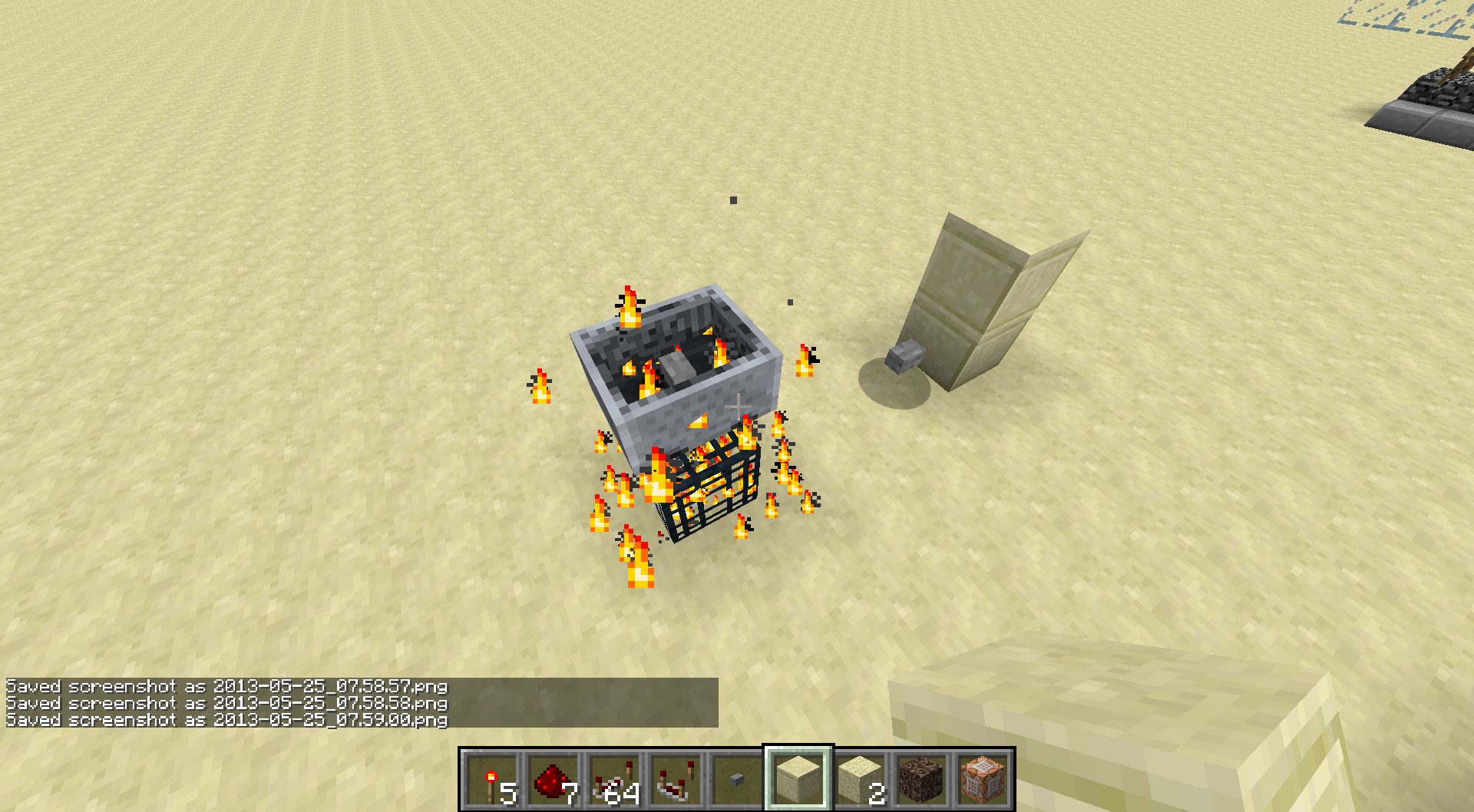
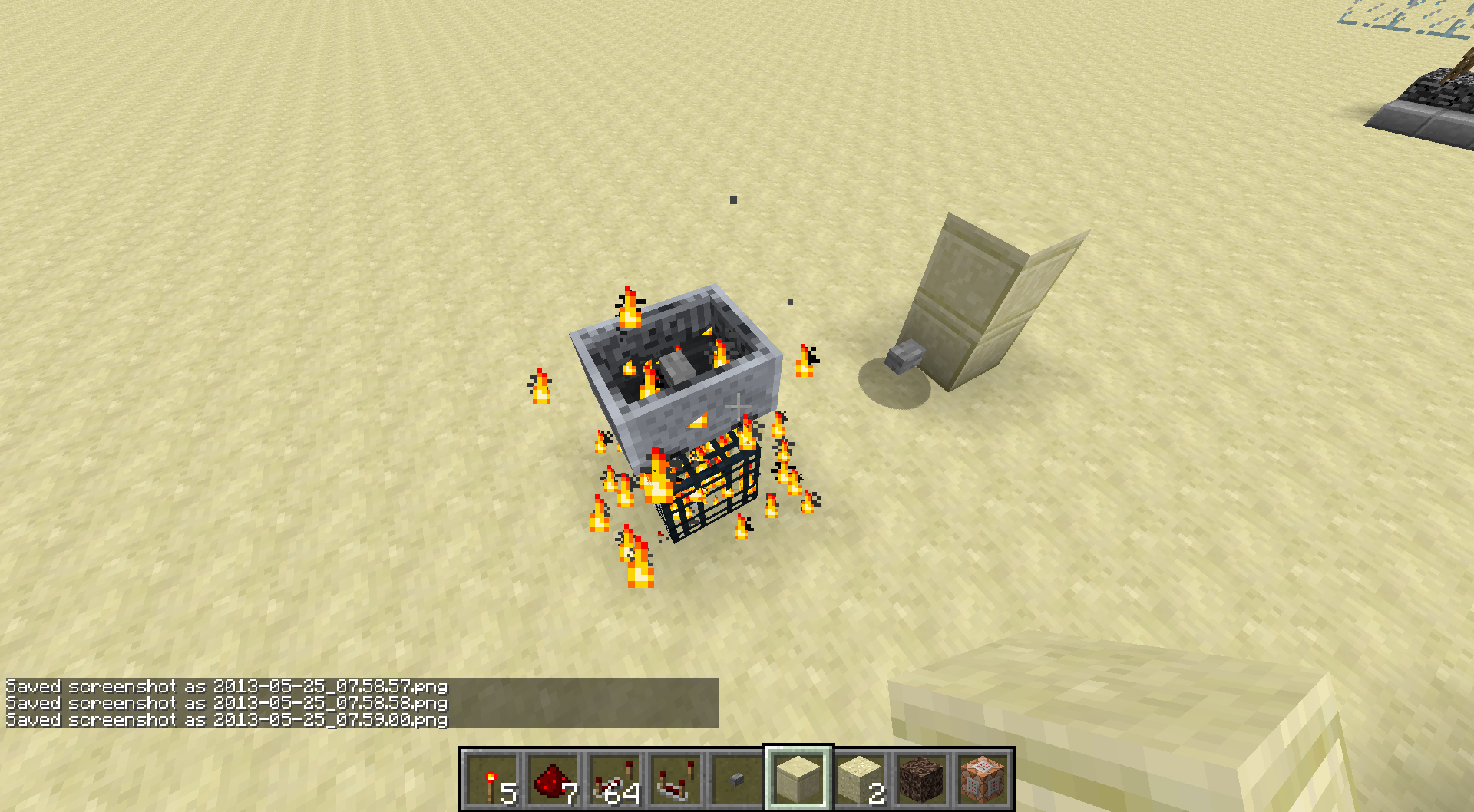

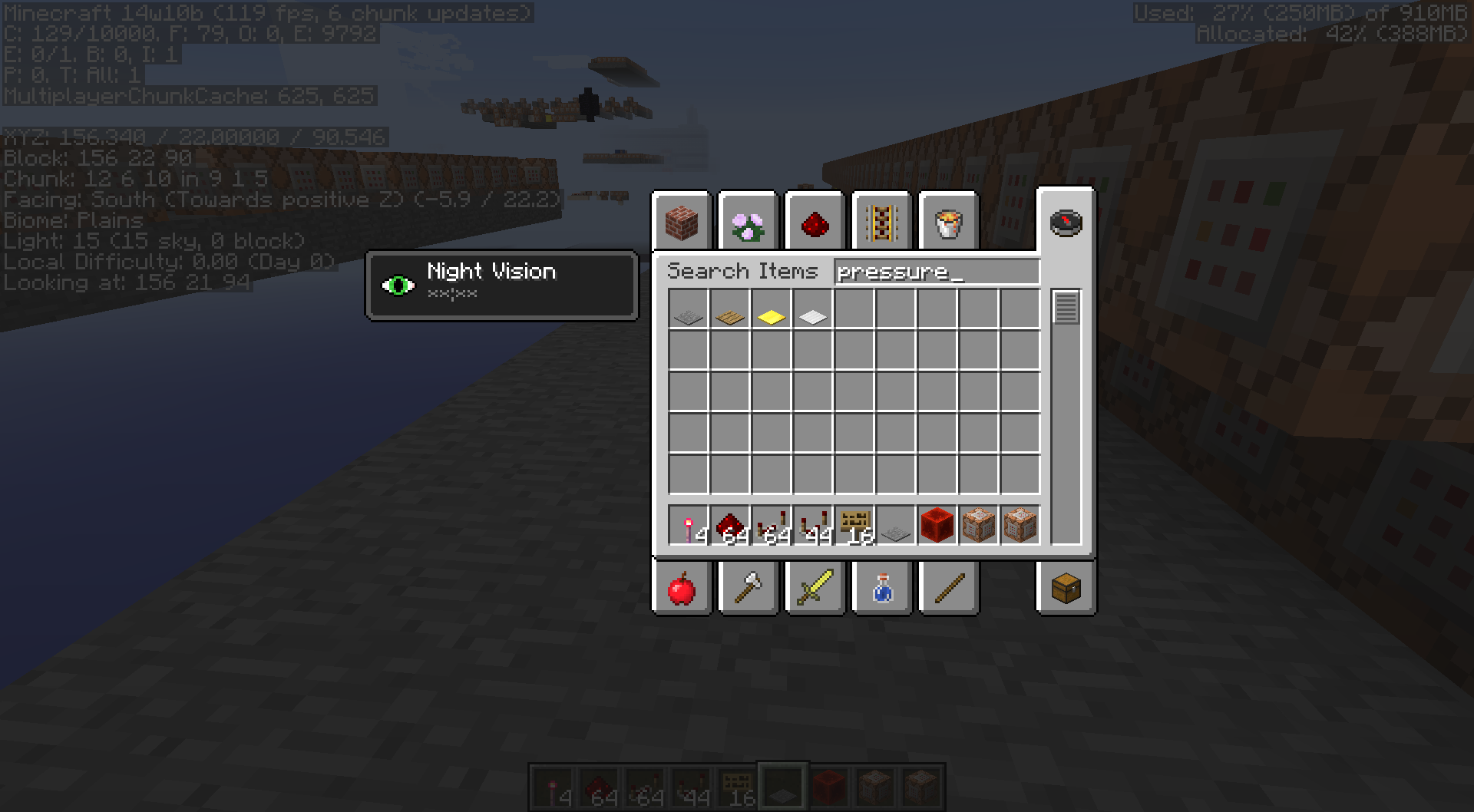
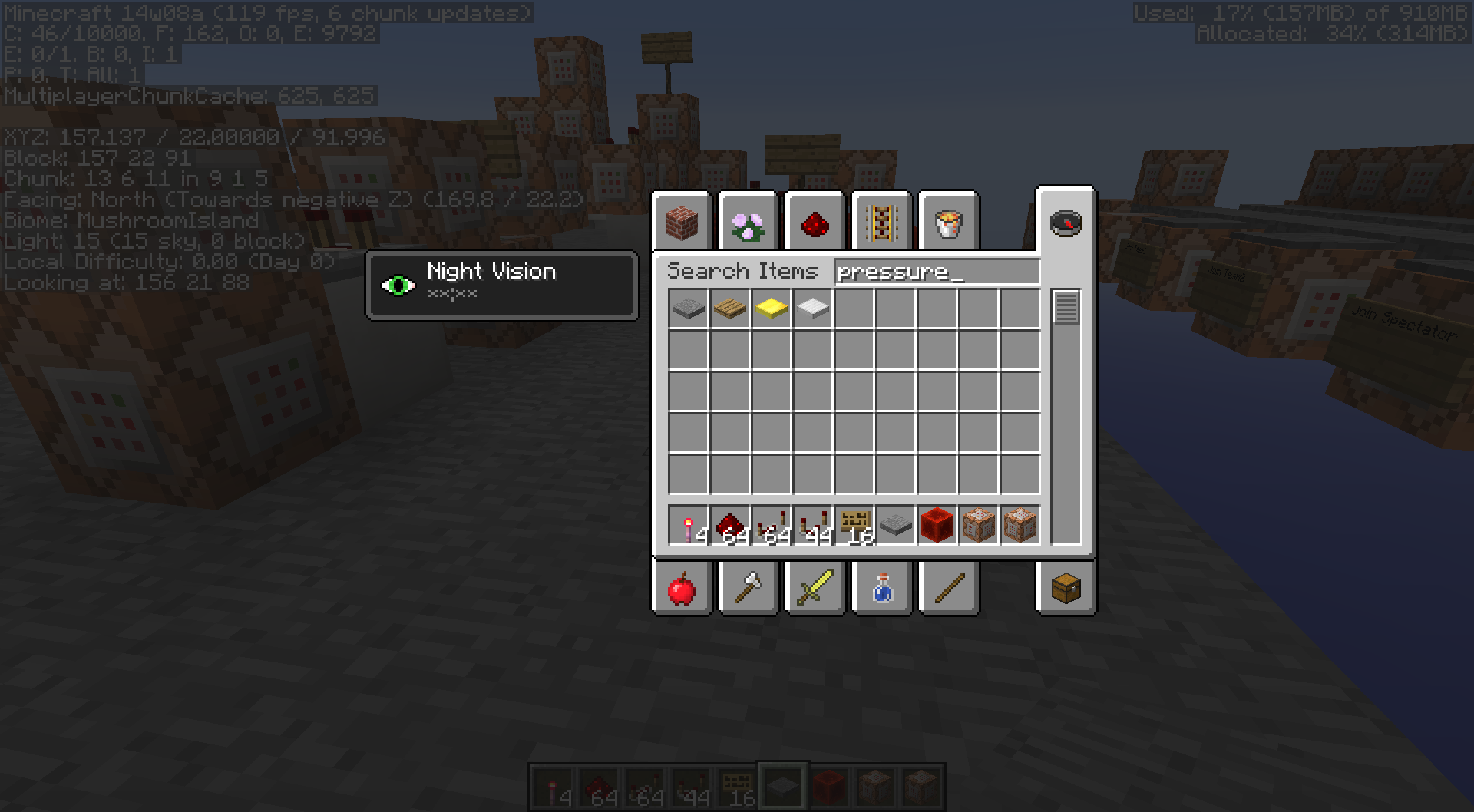
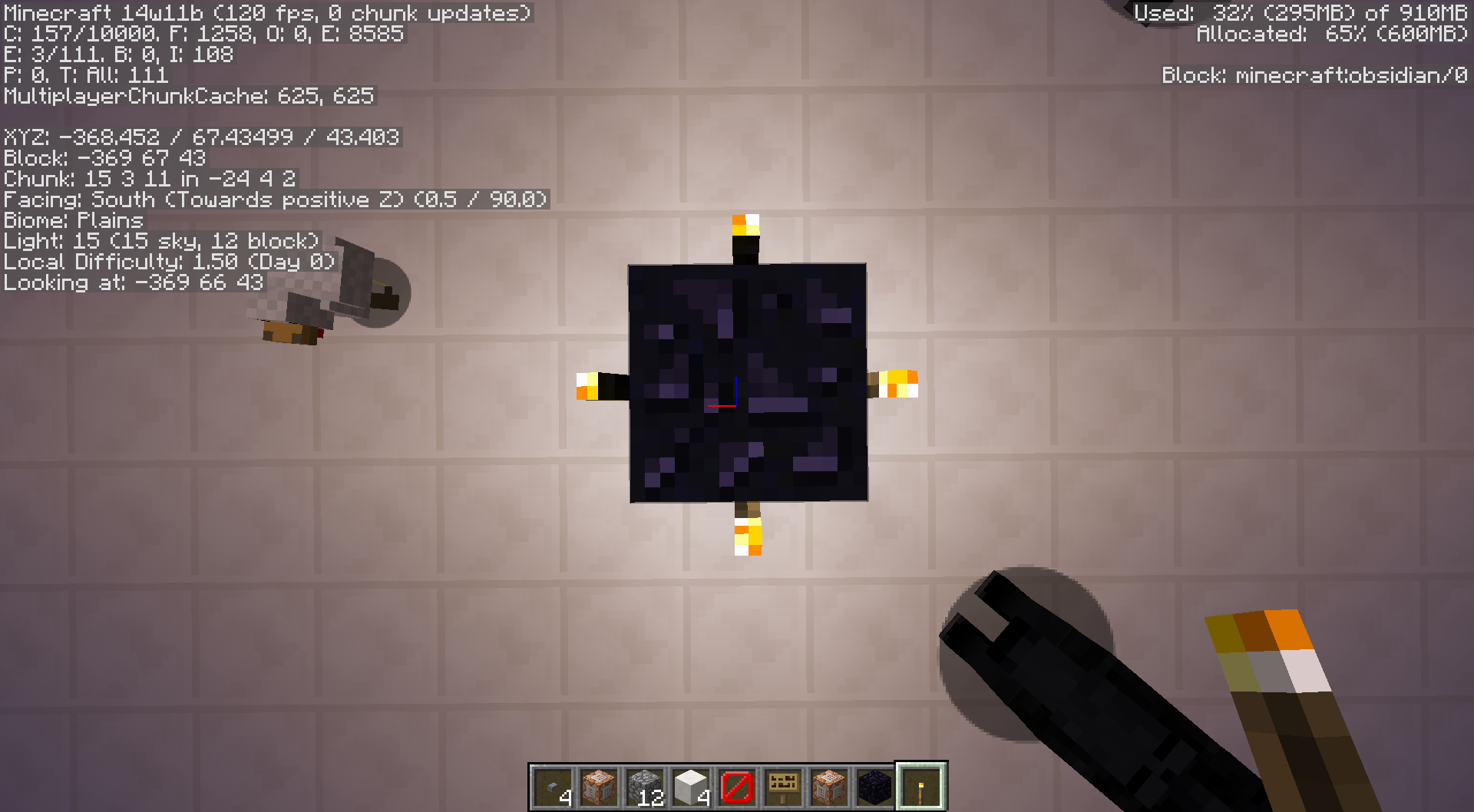
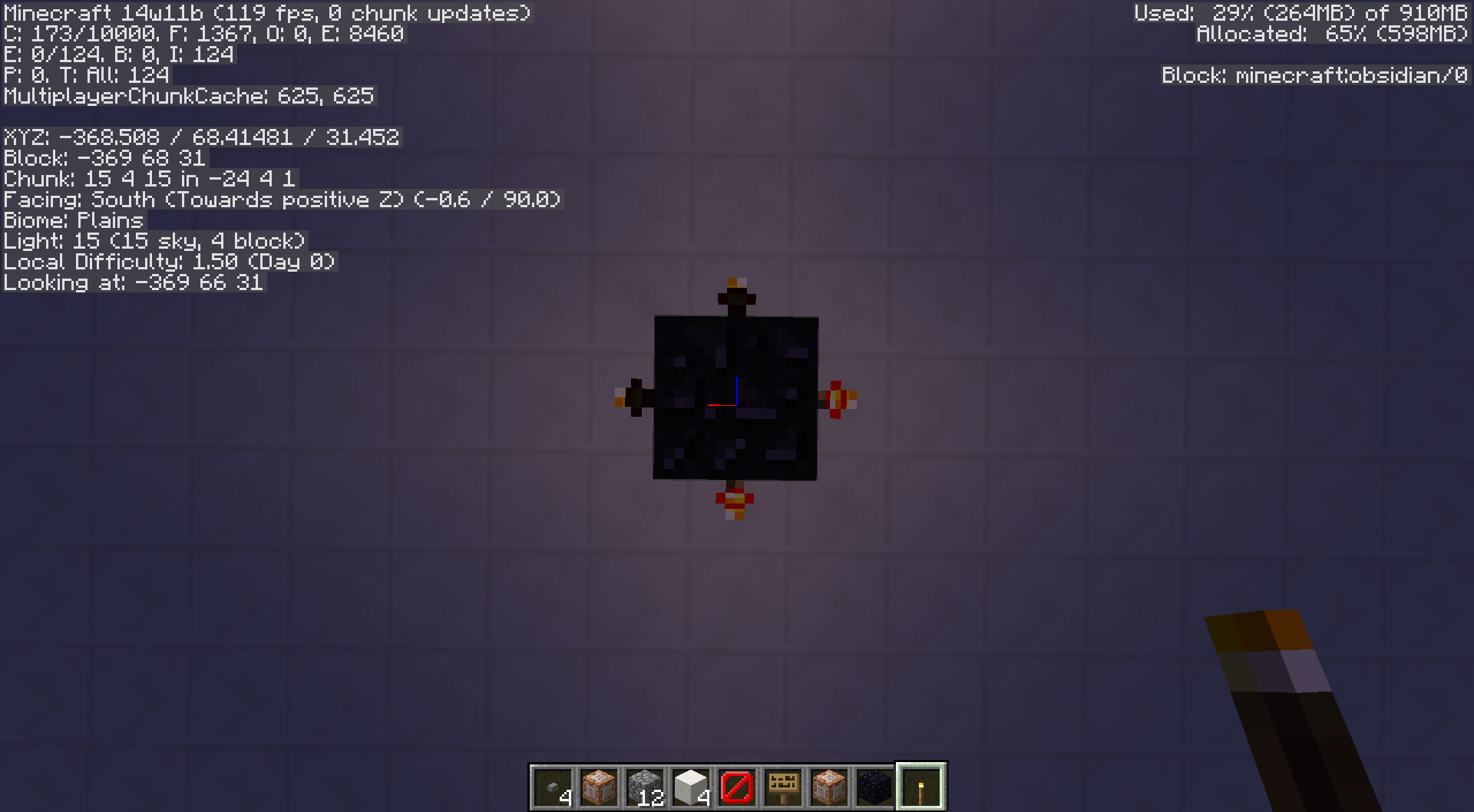
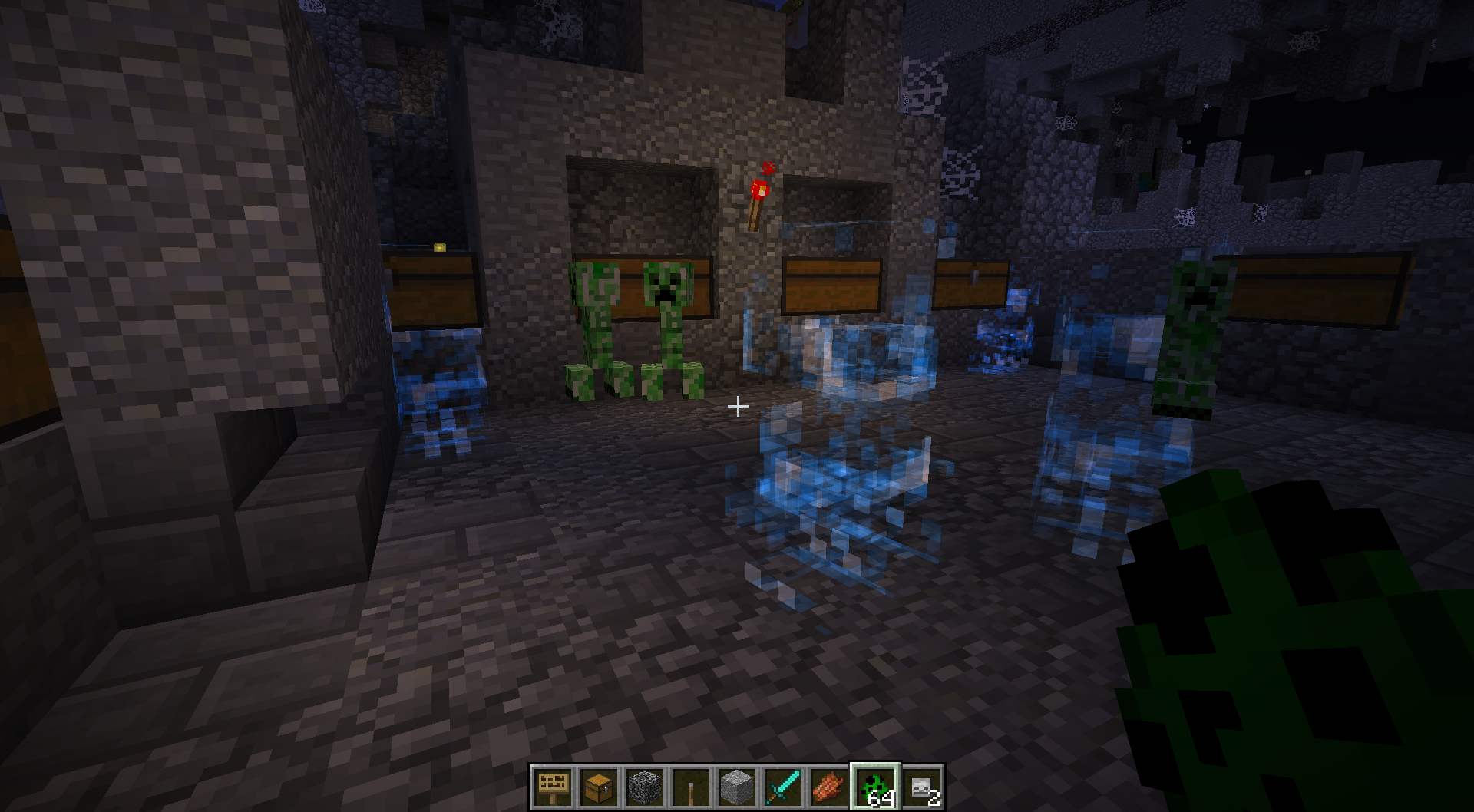
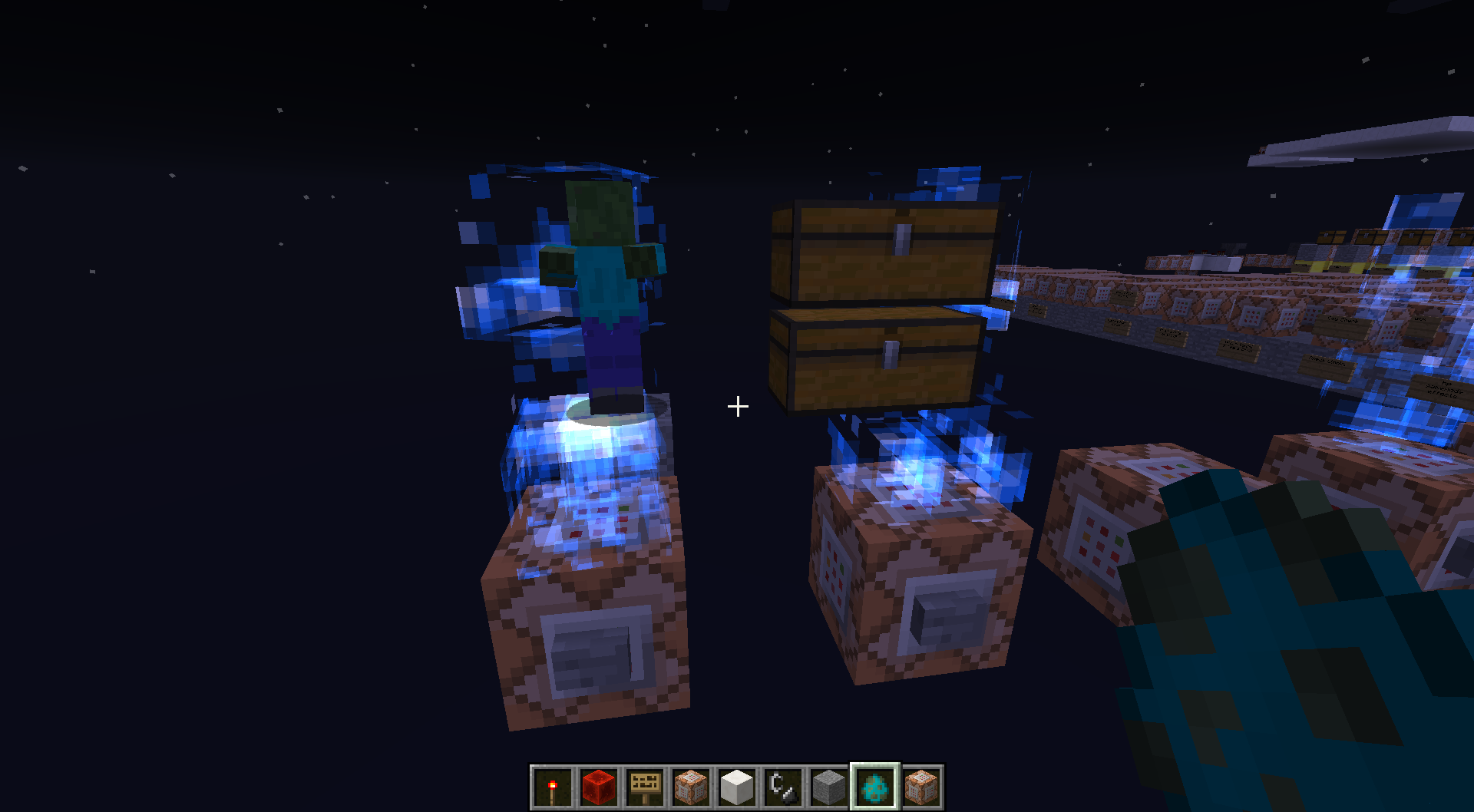

A night vision potion usually will slowly start flashing the sky background when it's 5 or 10 seconds from running out.
A night vision potion edited to a really long length of time (I'm using it for a spectator mode in a map) will start suffering from a really bad constantly flashing background after a little bit of time like there's 0 seconds left on the potion, when really there's still tons of time left on it. It's flashing so fast and bad that it's probably pretty bad for someone with any kind of epileptic issue.
1. Put a splash night vision potion in a dispenser
2. modify the potion in the dispenser in Mcedit to last the max duration (100000000).
3. go back into the game and let the dispenser splash you
4. Set time to night and behold seizure inducing background flashing
A night vision potion usual
ly will slowly start flashing the sky background when it's 5 or 10 seconds from running out.A night vision potion edited to a really long length of time (I'm using it for a spectator mode in a map) will start suffering from a really bad constantly flashing background after a little bit of time like there's 0 seconds left on the potion, when really there's still tons of time left on it. It's flashing so fast and bad that it's probably pretty bad for someone with any kind of epileptic issue.
1. Put a splash night vision potion in a dispenser
2. modify the potion in the dispenser in Mcedit to last the max duration (100000000).
3. go back into the game and let the dispenser splash you
4. Set time to night and behold seizure inducing background flashingA night vision potion will usually start flashing the sky background faster and faster when it's 5 or 10 seconds from running out.
A night vision potion edited to a really long length of time (I'm using it for a spectator mode in a map) will start suffering from a really bad constantly flashing background after a little bit of time like there's 0 seconds left on the potion, when really there's still tons of time left on it. It's flashing so fast and bad that it's probably pretty bad for someone with any kind of epileptic issue.
1. Put a splash night vision potion in a dispenser
2. modify the potion in the dispenser in Mcedit to last the max duration (100000000).
3. go back into the game and let the dispenser splash you
4. Set time to night and behold seizure inducing background flashing
A night vision potion will usually start flashing the sky background faster and faster when it's 5 or 10 seconds from running out.
A night vision potion edited to a really long length of time (I'm using it for a spectator mode in a map) will start suffering from a
really badconstantly flashing background after a little bit of time like there's 0 seconds left on the potion, when really there's still tons of time left on it. It's flashing so fast and bad that it's probably pretty bad for someone with any kind of epileptic issue.1. Put a splash night vision potion in a dispenser
2. modify the potion in the dispenser in Mcedit to last the max duration (100000000).
3. go back into the game and let the dispenser splash you
4. Set time to night and behold seizure inducing background flashingA night vision potion will usually start flashing the sky background faster and faster when it's 5 or 10 seconds from running out.
A night vision potion edited to a really long length of time (I'm using it for a spectator mode in a map) will start suffering from a constantly flashing background after a little bit of time almost like there's 0 seconds left on the potion, when really there's still tons of time left on it. It's flashing so fast and bad that it's probably pretty bad for someone with any kind of epileptic issue.
1. Put a splash night vision potion in a dispenser
2. modify the potion in the dispenser in Mcedit to last the max duration (100000000).
3. go back into the game and let the dispenser splash you
4. Set time to night and behold seizure inducing background flashing
A night vision potion will usually start flashing the sky background faster and faster when it's 5 or 10 seconds from running out.
A night vision potion edited to a really long length of time (I'm using it for a spectator mode in a map) will start suffering from a constantly flashing background after a little bit of time almost like there's 0 seconds left on the potion, when
reallythere'sstill tons of time left on it. It's flashing so fast and bad that it's probably pretty bad for someone with any kind of epileptic issue.1. Put a splash night vision potion in a dispenser
2. modify the potion in the dispenser in Mcedit to last the max duration (100000000).
3. go back into the game and let the dispenser splash you
4. Set time to night and behold seizure inducing background flashingA night vision potion will usually start flashing the sky background faster and faster when it's 5 or 10 seconds from running out.
A night vision potion edited to a really long length of time (I'm using it for a spectator mode in a map) will start suffering from a constantly flashing background after a little bit of time almost like there's 0 seconds left on the potion, when there's really tons of time left on it. It's flashing so fast and bad that it's probably pretty bad for someone with any kind of epileptic issue.
1. Put a splash night vision potion in a dispenser
2. modify the potion in the dispenser in Mcedit to last the max duration (100000000).
3. go back into the game and let the dispenser splash you
4. Set time to night and behold seizure inducing background flashing
A night vision potion will usually start flashing the sky background faster and faster when it's 5 or 10 seconds from running out.
A night vision potion edited to a really long length of time (I'm using it for a spectator mode in a map) will start suffering from a constantly flashing background after a little bit of time almost like there's 0 seconds left on the potion, when there's really tons of time left on it. It's flashing so fast and bad that it's probably pretty bad for someone with any kind of epileptic issue.
1. Put a
splash nightvisionpotion in a dispenser
2. modify the potion in the dispenser in Mcedit to last the max duration (100000000).
3. go back into the game and let the dispenser splash you
4. Set time to night and behold seizure inducing background flashingA night vision potion will usually start flashing the sky background faster and faster when it's 5 or 10 seconds from running out.
A night vision potion edited to a really long length of time (I'm using it for a spectator mode in a map) will start suffering from a constantly flashing background after a little bit of time almost like there's 0 seconds left on the potion, when there's really tons of time left on it. It's flashing so fast and bad that it's probably pretty bad for someone with any kind of epileptic issue.
1. Put a Night Vision Splash Potion in a dispenser
2. modify the potion in the dispenser in Mcedit to last the max duration (100000000).
3. go back into the game and let the dispenser splash you
4. Set time to night and behold seizure inducing background flashing
A night vision potion will
usually start flashing the sky background faster and faster when it's 5 or 10 seconds from running out.A night vision potion edited to a really long length of time (I'm using it for a spectator mode in a map) will start suffering from a constantly flashing background after a little bit of time almost like there's 0 seconds left on the potion, when there's really tons of time left on it. It's flashing so fast and bad that it's probably pretty bad for someone with any kind of epileptic issue.
1. Put a Night Vision Splash Potion in a dispenser
2. modify the potion in the dispenser in Mcedit to last the max duration (100000000).
3. go back into the game and let the dispenser splash you
4. Set time to night and behold seizure inducing background flashingA night vision potion will normally start flashing the sky background faster and faster when it's 5 or 10 seconds from running out.
A night vision potion edited to a really long length of time (I'm using it for a spectator mode in a map) will start suffering from a constantly flashing background after a little bit of time almost like there's 0 seconds left on the potion, when there's really tons of time left on it. It's flashing so fast and bad that it's probably pretty bad for someone with any kind of epileptic issue.
1. Put a Night Vision Splash Potion in a dispenser
2. modify the potion in the dispenser in Mcedit to last the max duration (100000000).
3. go back into the game and let the dispenser splash you
4. Set time to night and behold seizure inducing background flashing
Night Vision Potions that are edited for extra long length willconstantly startflashingthebackgroundlike mad as if there's 0 seconds left on it.Night Vision Potions that are edited for extra long length will give you a potentially seizure inducing flashing sky background.
Night Vision Potions that are edited for extra long lengthwill give youa potentially seizure inducing flashing sky background.Night Vision Potions that are edited for extra long length create a potentially seizure inducing flashing sky background.
Night Vision Potions that are editedfor extra long lengthcreate a potentially seizure inducing flashing sky background.Night Vision Potions that are edited to last longer create a potentially seizure inducing flashing sky background.
Night Vision Potions that are edited to last longer create a potentially seizureinducing flashing sky background.Night Vision Potions that are edited to last longer create a potentially seizure-inducing flashing sky background.
Anight vision potion willnormallystart flashing the sky background faster and faster when it's 5 or 10 seconds from running out.A night vision potion edited to a really long length of time (I'm using it for a spectator mode in a map) will start suffering from a constantly flashing background a
fter a little bit of timealmost like there's 0 seconds left on the potion, when there's really tons of time left on it. It'sflashing so fast and bad that it's probably pretty bad for someone with any kind of epileptic issue.1. Put a Night Vision Splash Potion in a dispenser
2. modify the potion in the dispenser in Mcedit to last the max duration (100000000).
3. go back into the game and let the dispenser splash you
4. Set time to night and behold seizure inducing background flashingNormally, a night vision potion will start flashing the sky background faster and faster when it's 5 or 10 seconds from running out.
A night vision potion edited to a really long length of time (I'm using it for a spectator mode in a map) will start suffering from a constantly flashing background at points during it's duration almost like there's 0 seconds left on the potion, when there's really tons of time left on it. It flashes at an extremely high rate and is hard on your eyes.
1. Put a Night Vision Splash Potion in a dispenser
2. modify the potion in the dispenser in Mcedit to last the max duration (100000000).
3. go back into the game and let the dispenser splash you
4. Set time to night and behold seizure inducing background flashing
Normally, a night vision potion will start flashing the sky background faster and faster when it's
5 or10 seconds from running out.A night vision potion edited to a really long length of time (I'm using it for a spectator mode in a map) will start suffering from a constantly flashing background at points during it's duration almost like there's 0 seconds left on the potion, when there's really tons of time left on it. It flashes at an extremely high rate and is hard on your eyes.
1. Put a Night Vision Splash Potion in a dispenser
2. modify the potion in the dispenser in Mcedit to last the max duration (100000000).
3. go back into the game and let the dispenser splash you
4. Set time to night and behold seizureinducing background flashingNormally, a night vision potion will start flashing the sky background faster and faster when it's 10 seconds from running out.
A night vision potion edited to a really long length of time (I'm using it for a spectator mode in a map) will start suffering from a constantly flashing background at points during it's duration almost like there's 0 seconds left on the potion, when there's really tons of time left on it. It flashes at an extremely high rate and is hard on your eyes.
1. Put a Night Vision Splash Potion in a dispenser
2. modify the potion in the dispenser in Mcedit to last the max duration (100000000).
3. go back into the game and let the dispenser splash you
4. Set time to night and behold seizure-inducing background flashing
Normally, a night vision potion will start flashing the sky background
faster and faster whenit's 10 seconds from running out.A night vision potion edited to a really long length of time (I'm using it for a spectator mode in a map) will start suffering from a constantly flashing background at points during it's duration almost like there's 0 seconds left on the potion, when there's really tons of time left on it. It flashes at an extremely high rate and is hard on your eyes.
1. Put a Night Vision Splash Potion in a dispenser
2. modify the potion in the dispenser in Mcedit to last the max duration (100000000).
3. go back into the game and let the dispenser splash you
4. Set time to night and behold seizure-inducing background flashingNormally, a night vision potion will start steadily flashing the sky background it's 10 seconds from running out.
A night vision potion edited to a really long length of time (I'm using it for a spectator mode in a map) will start suffering from a constantly flashing background at points during it's duration almost like there's 0 seconds left on the potion, when there's really tons of time left on it. It flashes at an extremely high rate and is hard on your eyes.
1. Put a Night Vision Splash Potion in a dispenser
2. modify the potion in the dispenser in Mcedit to last the max duration (100000000).
3. go back into the game and let the dispenser splash you
4. Set time to night and behold seizure-inducing background flashing
Normally, a night vision potion will start steadily flashing the sky background it's 10 seconds from running out.
A night vision potion edited to a really long length of time (I'm using it for a spectator mode in a map) will start suffering from a constantly flashing background at points during it's duration almost like
there's0 seconds left on the potion, when there's really tons of time left on it. It flashes at an extremely high rate and is hard on your eyes.1. Put a Night Vision Splash Potion in a dispenser
2. modify the potion in the dispenser in Mcedit to last the max duration (100000000).
3. go back into the game and let the dispenser splash you
4. Set time to night and behold seizure-inducing background flashingNormally, a night vision potion will start steadily flashing the sky background it's 10 seconds from running out.
A night vision potion edited to a really long length of time (I'm using it for a spectator mode in a map) will start suffering from a constantly flashing background at points during it's duration almost like it's stuck at 0 seconds left on the potion, when there's really tons of time left on it. It flashes at an extremely high rate and is hard on your eyes.
1. Put a Night Vision Splash Potion in a dispenser
2. modify the potion in the dispenser in Mcedit to last the max duration (100000000).
3. go back into the game and let the dispenser splash you
4. Set time to night and behold seizure-inducing background flashing
Normally, a night vision potion will start steadily flashing the sky background it's 10 seconds from running out.
A night vision potion edited to a really long length of time (I'm using it for a spectator mode in a map) will start suffering from a constantly flashing background at points during it's duration almost like it's stuck at 0 seconds left on the potion, when there's really tons of time left on it. It flashes at an extremely high rate and is hard on your eyes.
1. Put a Night Vision Splash Potion in a dispenser
2. modify the potion in the dispenser in Mcedit to last the max duration (100000000).
3. go back into the game and let the dispenser splash you
4. Set time to night and behold seizure-inducing background flashingNormally, a night vision potion will start steadily flashing the sky background it's 10 seconds from running out.
A night vision potion edited to a really long length of time (I'm using it for a spectator mode in a map) will start suffering from a constantly flashing background at points during it's duration almost like it's stuck at 0 seconds left on the potion, when there's really tons of time left on it. It flashes at an extremely high rate and is hard on your eyes.
-Set a command block to do: /effect @a 16 9000000 1
Normally, a night vision potion will start steadily flashing the sky background it's 10 seconds from running out.
A night vision potion edited to a really long length of time (I'm using it for a spectator mode in a map) will start suffering from a constantly flashing background at points during it's duration almost like it's stuck at 0 seconds left on the potion, when there's really tons of time left on it. It flashes at an extremely high rate and is hard on your eyes.
-Set a command block to do: /effect @a 16 9000000 1
Example in this video:
http://www.youtube.com/watch?v=19XZxkI2kMQ
Normally, a night vision potion will start steadily flashing the sky background it's 10 seconds from running out.
A night vision potion edited to a really long length of time (I'm using it for a spectator mode in a map) will start suffering from a constantly flashing background at points during it's duration almost like it's stuck at 0 seconds left on the potion, when there's really tons of time left on it. It flashes at an extremely high rate and is hard on your eyes.
-Set a command block to do: /effect @a 16 9000000
1Example in this video:
http://www.youtube.com/watch?v=19XZxkI2kMQNormally, a night vision potion will start steadily flashing the sky background it's 10 seconds from running out.
A night vision potion edited to a really long length of time (I'm using it for a spectator mode in a map) will start suffering from a constantly flashing background at points during it's duration almost like it's stuck at 0 seconds left on the potion, when there's really tons of time left on it. It flashes at an extremely high rate and is hard on your eyes.
-Set a command block to do: /effect @a 16 9000000 0
Example in this video:
http://www.youtube.com/watch?v=19XZxkI2kMQ
Just add two players to team Red, then call up @a[team=!Yellow] (doesn't matter if Yellow exists or not) and only one of the players will be selected for anything.
Screenshot shows an example. TrazLander & Gpmidi are on Red Team. Doing say hi @a [team!=Yellow] only says "hi TrazLander"
Just add two players to team Red, then call up @a[team=!Yellow] (doesn't matter if Yellow exists or not) and only one of the players will be selected for anything.
Screenshot shows an example. TrazLander & Gpmidi are on Red Team. Doing "say hi @a[team!=Yellow]" only says "hi TrazLander"
Just add two players to team Red, then call up @a[team=!Yellow] (doesn't matter if Yellow exists or not) and only one of the players will be selected for anything.
Screenshot shows an example. TrazLander & Gpmidi are on Red Team. Doing "say hi @a[team!=Yellow]" only says "hi TrazLander"
Just add two players to team Red, then call up @a[team=!Yellow] (doesn't matter if Yellow exists or not) and only one of the players will be selected for anything.
Screenshot shows an example. TrazLander & Gpmidi are on Red Team. Doing "say hi @a[team!=Yellow]" only says "hi TrazLander"
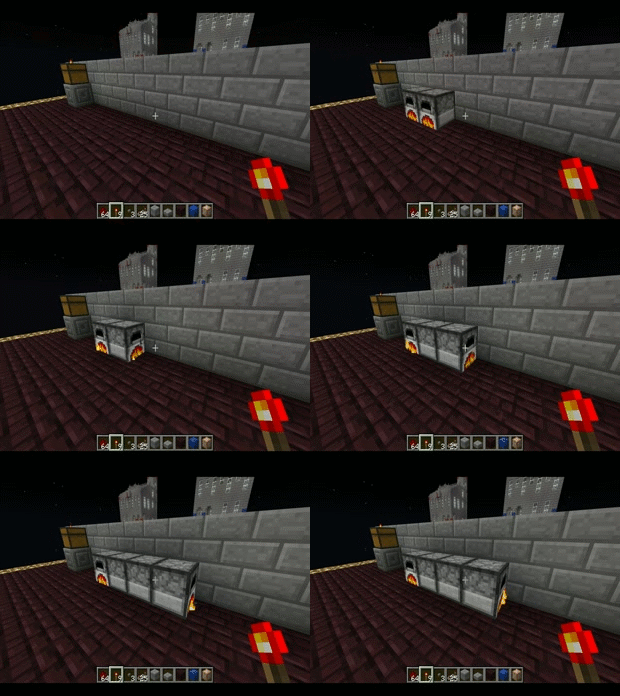
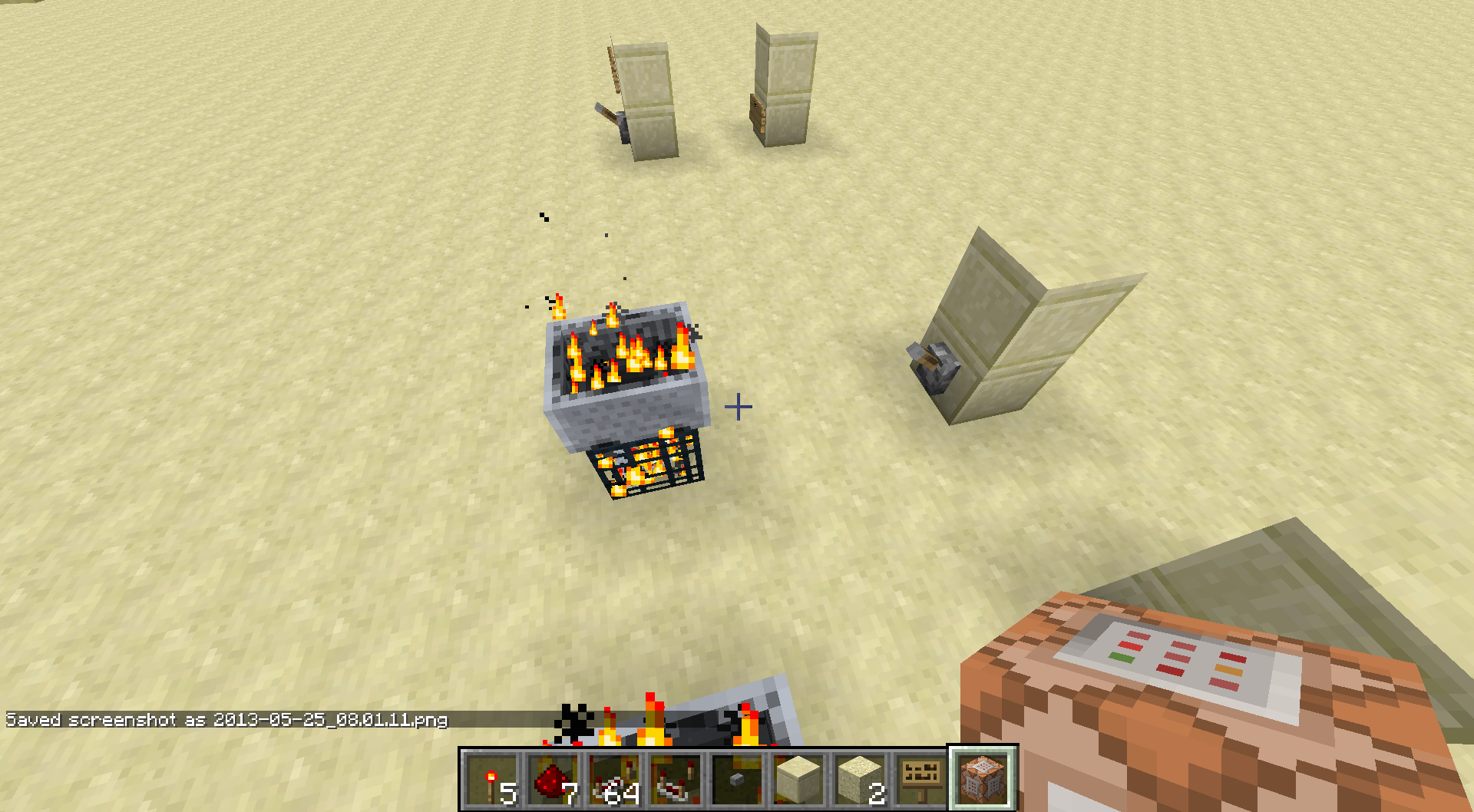
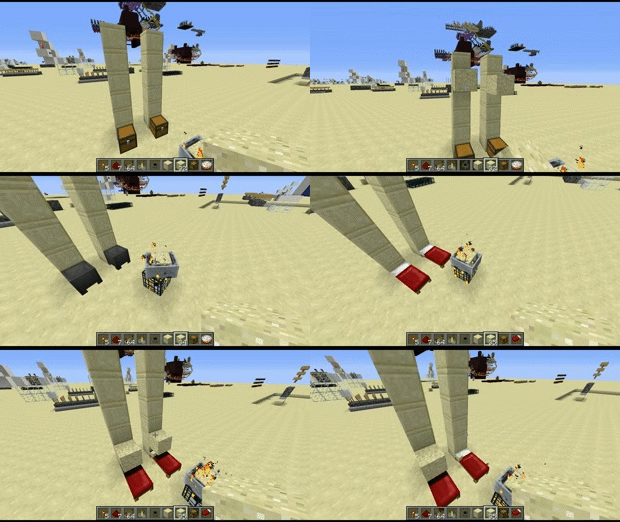
If you turn a Tile Entity into a falling sand entity, it'll attempt to reface itself if it lands next to a wall.
Example in the
picture. Probably something to do with southeast direction rules, the furnaces choose to realign themselves according to the furnace next to them when they should just be using the directional data that's already included in the falling sand entity.If you turn a Tile Entity into a falling sand entity, it'll attempt to reface itself if it lands next to a wall.
Example in the gif. Probably something to do with southeast direction rules, the furnaces choose to realign themselves according to the furnace next to them when they should just be using the directional data that's already included in the falling sand entity.
If you turn a Tile Entity into a falling sand entity, it'll attempt to reface itself if it lands next to a wall.
Example in the gif. Probably something to do with southeast direction rules, the furnaces choose to realign themselves according to the furnace next to them when they should just be using the directional data that's already included in the falling sand entity.If you turn a Tile Entity into a falling sand entity, it'll attempt to reface itself if it lands next to a wall.
Click on gif below to see an example. Probably something to do with southeast direction rules, the furnaces choose to realign themselves according to the furnace next to them when they should just be using the directional data that's already included in the falling sand entity.
If you turn a Tile Entity into a falling sand entity, it'll attempt to reface itself if it lands next to a wall.
Click on gif below to see an example. Probably something to do with
southeast direction rules, the furnaces choose to realign themselves according to the furnace next to them when they should just be using the directional data that's already included in the falling sand entity.If you turn a Tile Entity into a falling sand entity, it'll attempt to reface itself if it lands next to a wall.
Click on gif below to see an example. Probably something to do with directional updating, the furnaces choose to realign themselves according to the furnace next to them when they should just be using the directional data that's already included in the falling sand entity.
If you turn a Tile Entity into a falling sand entity, it'll attempt to reface itself if it lands next to a wall.
Click on gif below to see an example. Probably something to do with directional updating, the furnaces choose to realign themselves according to the furnace next to them when they should just be using the directional data that's already included in the falling sand entity.
If you turn a Tile Entity into a falling sand entity, it'll attempt to reface itself if it lands next to a wall.
Click on gif below to see an example.
Probably something to do with directional updating, the furnaces choose to realign themselves according to the furnace next to them when they should just be using the directional data that's already included in the falling sand entity.
If you turn a Tile Entity into a falling sand entity, it'll attempt to reface itself if it lands next to a wall.
Click on gif below to see an example.
-Probably something to do with directional updating, the furnaces choose to realign themselves according to the furnace next to them when they should just be using the directional data that's already included in the falling sand entity.
If you turn a Tile Entity into a falling sand entity, it'll attempt to reface itself if it lands next to a wall.
Click on gif below to see an example.
-Probably something to do with directional updating, the furnaces choose to realign themselves according to the furnace next to them when they should just be using the directional data that's already included in the falling sand entity.
This happens with chests, trapped chests, furnances, etc. It's annoying as hell to deal with. I think it's some really old code when chests/stairs used to attempt to face certain directions depending on what's behind them and was never fully taken out. (far as I know this isn't used anymore)
If you turn a Tile Entity into a falling sand entity, it'll attempt to reface itself if it lands next to a wall.
Click on gif below to see an example.
-Probably something to do with directional updating, the furnaces choose to realign themselves according to the furnace next to them when they should just be using the directional data that's already included in the falling sand entity.
This happens with chests, trapped chests, furnances, etc. It's annoying as hell to deal with. I think it's some really old code when chests/stairs used to attempt to face certain directions depending on what's behind them and was never fully taken out. (far as I know this isn't used anymore)If you turn a Tile Entity into a falling sand entity, it'll attempt to reface itself if it lands next to a wall.
Click on gif below to see an example.
-Probably something to do with directional updating, the furnaces choose to realign themselves according to the furnace next to them when they should just be using the directional data that's already included in the falling sand entity.This happens with chests, trapped chests, furnances, etc. It's annoying as hell to deal with. I think it's some really old code when chests/stairs used to attempt to face certain directions depending on what's behind them and was never fully taken out. (far as I know this isn't used anymore)
Falling sand entities carrying Tile Entitiesdo not save the "Data" tag holding directional facing correctly andwill try to reface itself when it lands if there's walls next to it.
Falling sand entitiescarrying Tile Entities willtry toreface itselfwhen it lands if there's walls next to it.When a spawned falling sand entity carrying Tile Entity Data lands, it will always try to face itself away from walls (and overwrites the “Data” tag). If there are no walls behind it, it will ALWAYS face south.
If you turn a Tile Entity into a falling sand entity, it'll attempt to reface itself
ifit lands next to a wall.Click on gif below to see an example.
-Probably something to do with directional updating, the furnaces choose to realign themselves according to the furnace next to them when they should just be using the directional data that's already included in the falling sand entity.This happens with chests, trapped chests, furnances, etc. It's annoying as hell to deal with. I think it's some really old code when chests/stairs used to attempt to face certain directions depending on what's behind them and was never fully taken out. (far as I know this isn't used anymore)
Good chance this has to do with when chests are generated in dungeons. If you turn a Tile Entity into a falling sand entity, it'll attempt to reface itself when it lands next to a wall.
Click on gif below to see an example.
This happens with chests, trapped chests, furnances, etc.
When a spawned falling sand entity carrying Tile Entity Data lands, it will always try to face itself away from walls (and overwrites the “Data” tag).If there are no walls behind it, it will ALWAYS face south.
Also if there are no walls around it, it will ALWAYS face south.
Good chance this has to do with when chests are generated in dungeons. If you turn a Tile Entity into a falling sand entity, it'll attempt to reface itself when it lands next to a wall.
Click on gif below to see an example.
This happens with chests, trapped chests, furnances, etc.
Also if there are no walls around it, it will ALWAYS face south.
Good chance this has to do with when chests are generated in dungeons. If you turn a Tile Entity into a falling sand entity, it'll attempt to reface itself when it lands next to a wall.
Click on gif below to see an example.
This happens with chests, trapped chests, furnances, etc.
Also if there are no walls around it, it will ALWAYS face south.
Good chance this has to do with when chests are generated in dungeons. If you turn a Tile Entity into a falling sand entity, it'll attempt to reface itself when it lands next to a wall.
Example World Download: http://www.mediafire.com/download/8gz7fb26algcef0/SP_World_Spinning_Tiles.zip
Click on gif below to see an example.
This happens with chests, trapped chests, furnances, etc.
Also if there are no walls around it, it will ALWAYS face south.
Good chance this has to do with when chests are generated in dungeons. If you turn a Tile Entity into a falling sand entity, it'll attempt to reface itself when it lands next to a wall.
Example World Download: http://www.mediafire.com/download/8gz7fb26algcef0/SP_World_Spinning_Tiles.zip
Click on gif below to see an example.
This happens with chests, trapped chests, furnances, etc.
[b]Edit: In 1.7.2 this also affect the /setblock command too![/b]
Also if there are no walls around it, it will ALWAYS face south.
Good chance this has to do with when chests are generated in dungeons. If you turn a Tile Entity into a falling sand entity, it'll attempt to reface itself when it lands next to a wall.
Example World Download: http://www.mediafire.com/download/8gz7fb26algcef0/SP_World_Spinning_Tiles.zip
Click on gif below to see an example.
This happens with chests, trapped chests, furnances, etc.
[b]Edit: In 1.7.2 this also affect the /setblock command too![/b]
Also if there are no walls around it, it will ALWAYS face south.
Good chance this has to do with when chests are generated in dungeons. If you turn a Tile Entity into a falling sand entity, it'll attempt to reface itself when it lands next to a wall.
Example World Download: http://www.mediafire.com/download/8gz7fb26algcef0/SP_World_Spinning_Tiles.zip
Click on gif below to see an example.
This happens with chests, trapped chests, furnances, etc.
Edit: In 1.7.2 this also affect the /setblock command too!
Also if there are no walls around it, it will ALWAYS face south.
Good chance this has to do with when chests are generated in dungeons. If you turn a Tile Entity into a falling sand entity, it'll attempttoreface itselfwhen it lands next to a wall.
Example World Download:http://www.mediafire.com/download/8gz7fb26algcef0/SP_World_Spinning_Tiles.zipClick on gif below to see an example.
This happens with chests, trapped chests, furnances,
etc.Edit: In 1.7.2 this also affect the /setblock command too!
When a spawned falling sand entity carrying Tile Entity Data lands, it will always try to face itself away from walls (and overwrites the “Data” tag). If there are no walls around it, it will ALWAYS face south.
Good chance this has to do with when chests are generated in dungeons. If you turn a Tile Entity into a falling sand entity, it'll attempt to reface itself when it lands next to a wall.
Click on gif below to see an example.
Example World Download with many possible occurances of this happening (requested by dinnerbone): http://www.mediafire.com/download/8gz7fb26algcef0/SP_World_Spinning_Tiles.zipThis happens with chests, trapped chests, furnances, dispensers, droppers, and anything else with a front "face" to it.
Edit: In 1.7.2 this also affect the /setblock command too!
When aspawned falling sand entity carryingTileEntityData lands, it will alwaystry toface itself away from walls (andoverwritesthe “Data” tag).When a chest, furnace, or TileEntity with a "face" is spawned using /summon /setblock or from a spawner, it will always reface itself away from walls (overwriting the “Data” tag).
When a chest, furnace, or TileEntity with a "face" is spawned using /summon /setblock or from a spawner, it will always reface itself away from walls (overwriting the “Data” tag).When a chest, furnace, or any TileEntity with a "front" is spawned using /summon /setblock or from a spawner, it will always reface itself away from walls (overwriting the “Data” tag).
When a
spawned falling sand entity carrying Tile Entity Data lands, it will alwaystry toface itself away from walls (andoverwritesthe “Data” tag). If there are no walls around it, it will ALWAYS face south.Good chance this has to do with when chests are generated in dungeons. If you turn a Tile Entity into a falling sand entity, it'll attempt to reface itself when it lands next to a wall.
Click on gif below to see an example.
Example World Download with many possible occurances of this happening (requested by dinnerbone): http://www.mediafire.com/download/8gz7fb26algcef0/SP_World_Spinning_Tiles.zipThis happens with chests, trapped chests, furnances, dispensers, droppers, and anything else with a front
"face"to it.Edit: In 1.7.2 this also affect the /setblock command too!
When a chest, furnace, or any TileEntity with a "front" is spawned using /summon /setblock or from a spawner, it will always reface itself away from walls (overwriting the “Data” tag). If there are no walls around it, it will ALWAYS face south.
Good chance this has to do with when chests are generated in dungeons. If you turn a Tile Entity into a falling sand entity, it'll attempt to reface itself when it lands next to a wall.
Click on gif below to see an example.
Example World Download with many possible occurances of this happening (requested by dinnerbone): http://www.mediafire.com/download/8gz7fb26algcef0/SP_World_Spinning_Tiles.zipThis happens with chests, trapped chests, furnances, dispensers, droppers, and anything else with a front face to it.
Edit: In 1.7.2 this also affect the /setblock command too!
When a chest, furnace, or any TileEntity with a "front" is spawned using /summon /setblock or from a spawner, it will always reface itself away from walls (overwriting the “Data” tag). If there are no walls around it, it will ALWAYS face south.
Good chance this has to do with when chests are generated in dungeons
. If you turn a Tile Entity into a falling sand entity, it'll attempt to reface itself when it lands next to a wall.Click on gif below to see an example.
Example World Download with many possible occurances of this happening (requested by dinnerbone): http://www.mediafire.com/download/8gz7fb26algcef0/SP_World_Spinning_Tiles.zipThis happens with chests, trapped chests, furnances, dispensers, droppers, and anything else with a front face to it.
Edit: In 1.7.2 this also affect the /setblock command too!
When a chest, furnace, or any TileEntity with a "front" is spawned using /summon /setblock or from a spawner, it will always reface itself away from walls (overwriting the “Data” tag). If there are no walls around it, it will ALWAYS face south.
Good chance this has to do with when chests are generated in dungeons, and conflicts with the newer spawning methods.
Click on gif below to see an example.
Example World Download with many possible occurances of this happening (requested by dinnerbone): http://www.mediafire.com/download/8gz7fb26algcef0/SP_World_Spinning_Tiles.zipThis happens with chests, trapped chests, furnances, dispensers, droppers, and anything else with a front face to it.
Edit: In 1.7.2 this also affect the /setblock command too!
When a chest, furnace, or any TileEntity with a "front" is spawned using /summon /setblock or from a spawner, it will always reface itself away from walls (overwriting the “Data” tag). If there are no walls around it, it will ALWAYS face south.
Good chance this has to do with when chests are generated in dungeons, and conflicts with the newer spawning methods.
Click on gif below to see an example.
Example World Download with many possible occurances of this happening (requested by dinnerbone): http://www.mediafire.com/download/8gz7fb26algcef0/SP_World_Spinning_Tiles.zipThis happens with chests, trapped chests, furnances, dispensers, droppers, and anything else with a front face to it.
Edit: In 1.7.2 this also affect the /setblock and /summon commands too!
When a chest, furnace, or any TileEntity with a "front" is spawned using /summon /setblock or from a spawner, it will always reface itself away from walls (overwriting the “Data” tag). If there are no walls around it, it will ALWAYS face south.
Good chance this has to do with when chests are generated in dungeons, and conflicts with the newer spawning methods.
Click on gif below to see an example.
Example World Download with many possible occurances of this happening (requested by dinnerbone): http://www.mediafire.com/download/8gz7fb26algcef0/SP_World_Spinning_Tiles.zipThis happens with chests, trapped chests, furnances, dispensers, droppers, and anything else with a front face to it.
Edit: In 1.7.2 this also affects the /setblock and /summon commands too!
Player-placed Falling Sand vs. SpawnerFalling Sand DiscrepanciesPlayer-placed Falling Sand vs. Spawned Falling Sand Discrepancies
Player-placedFallingSand vs. SpawnedFallingSandDiscrepanciesPlayer-placed falling sand vs. Spawned falling sand discrepancies
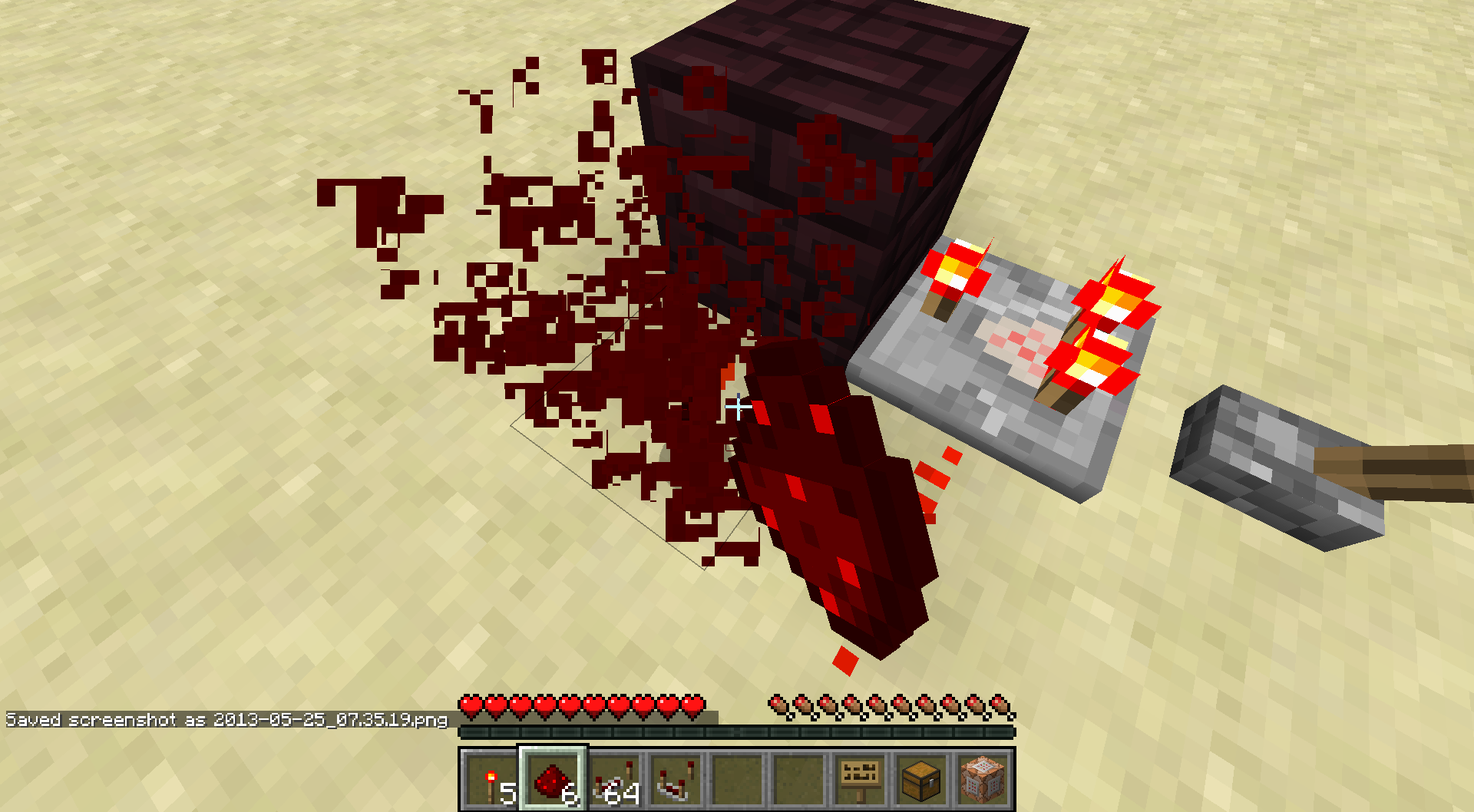
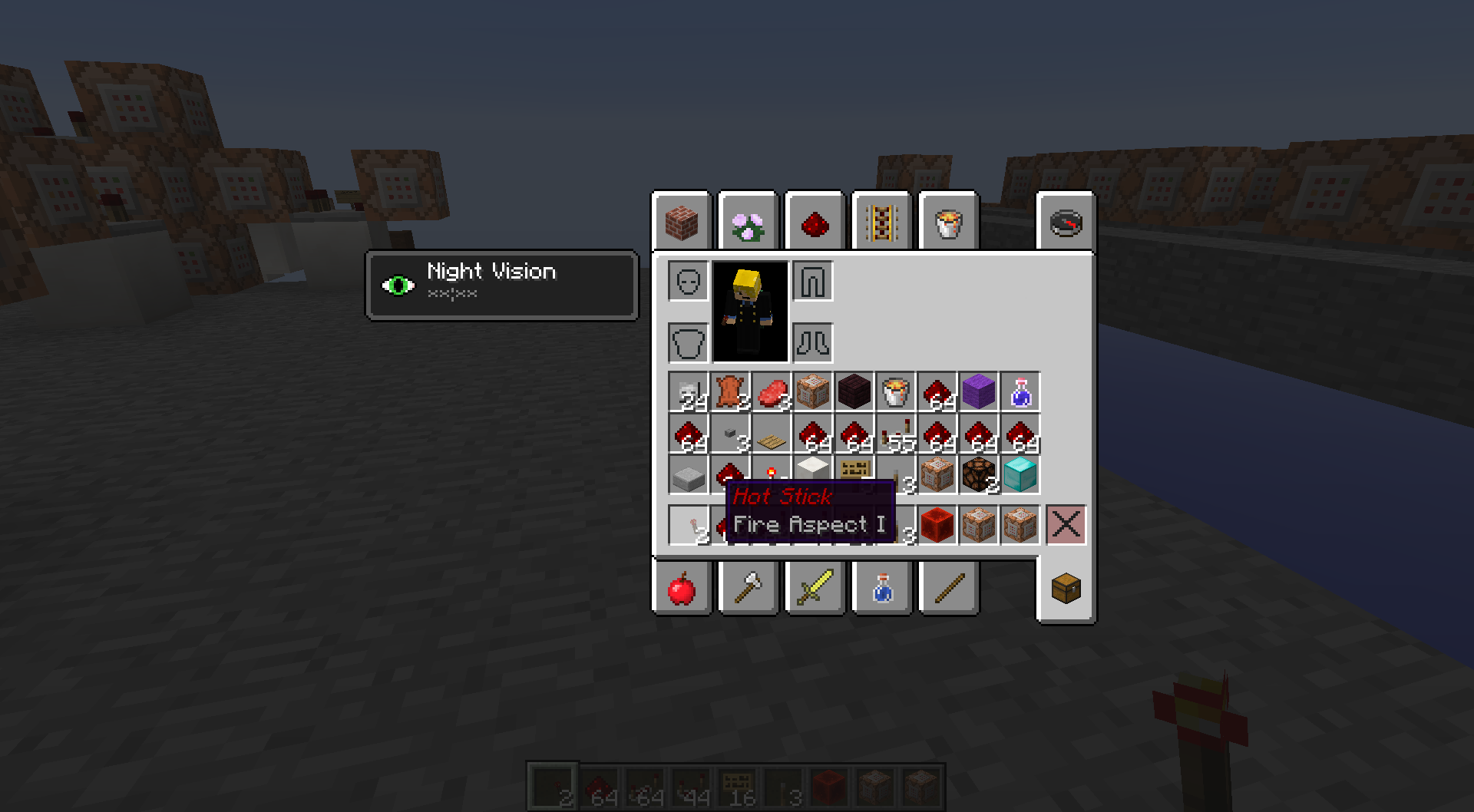
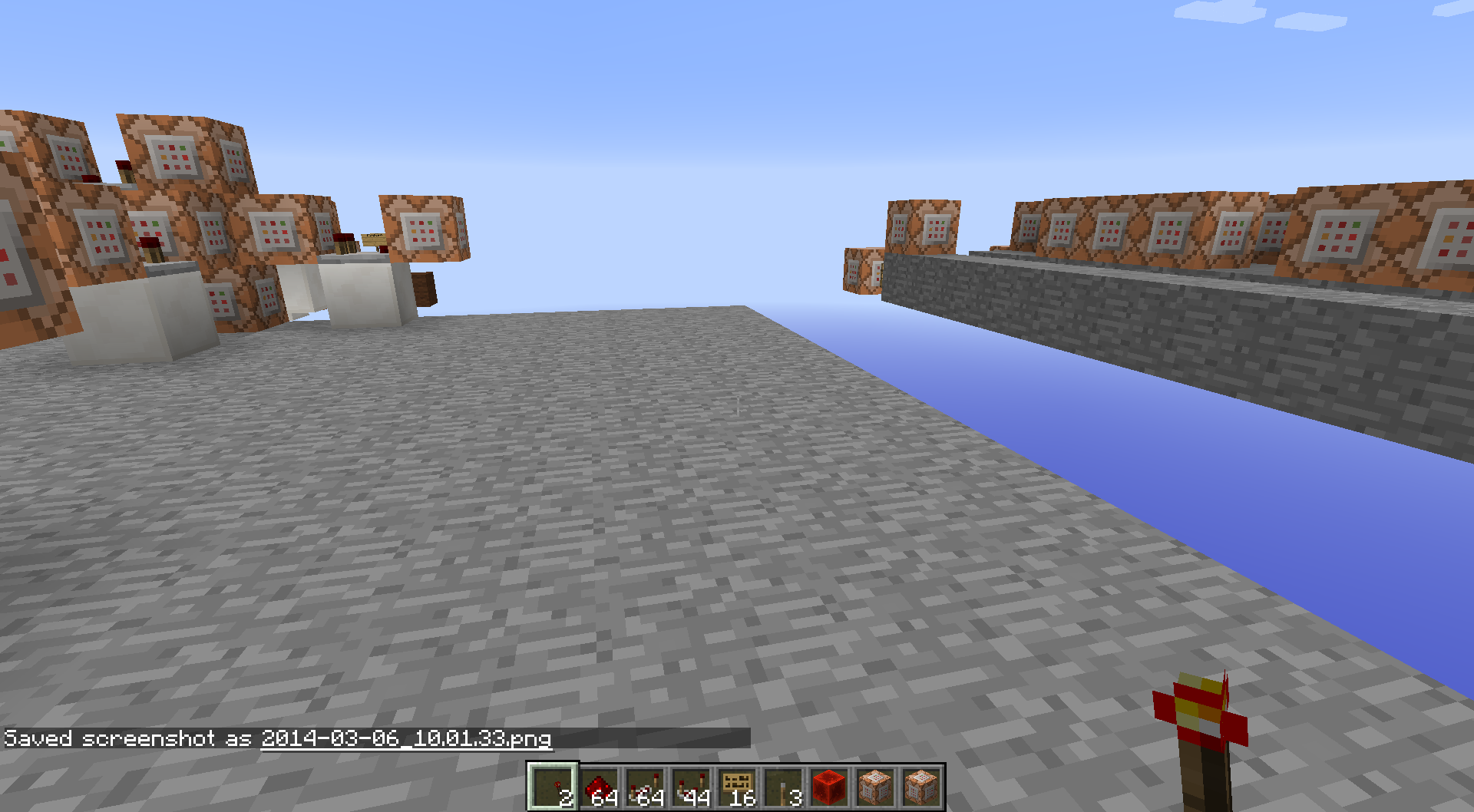
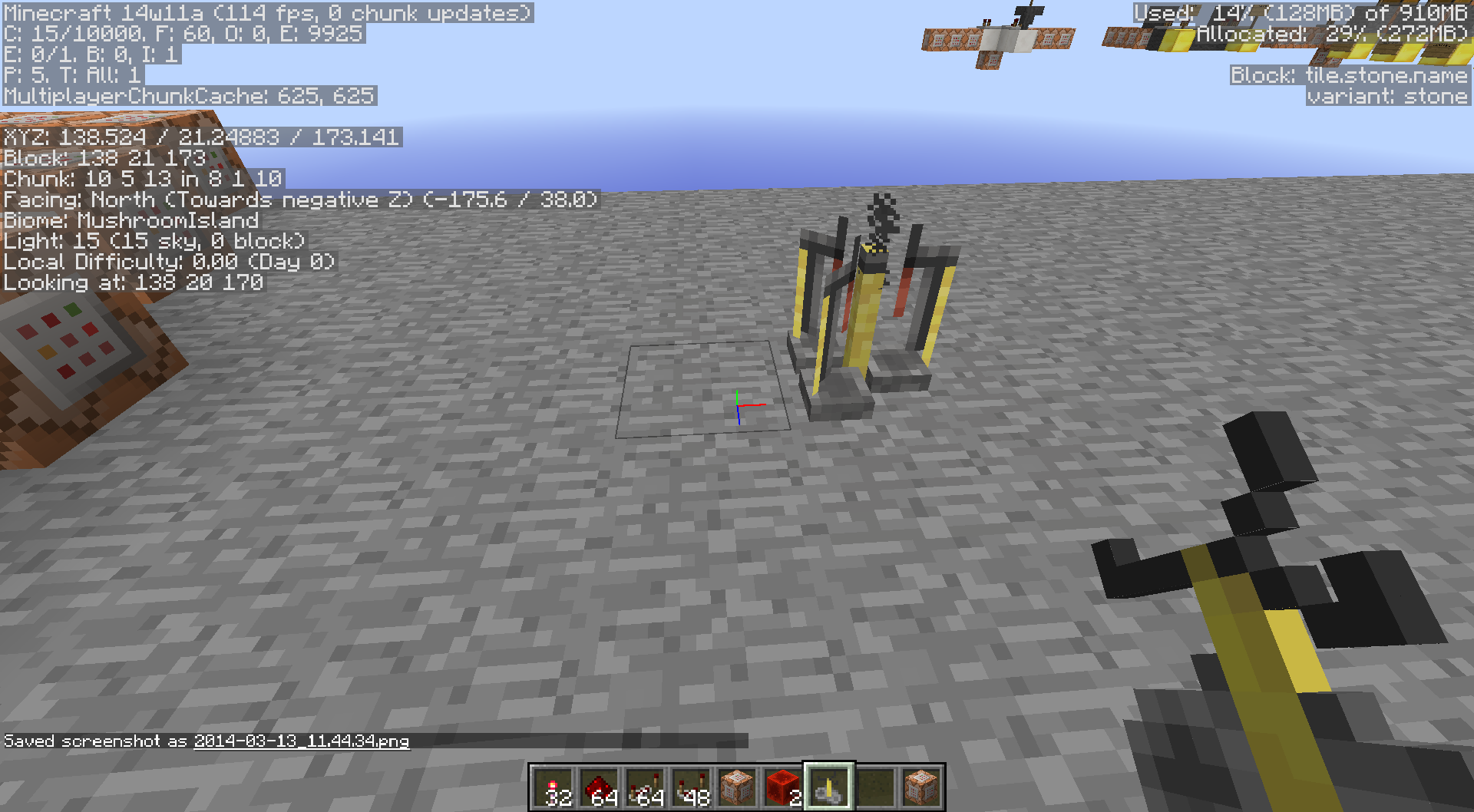
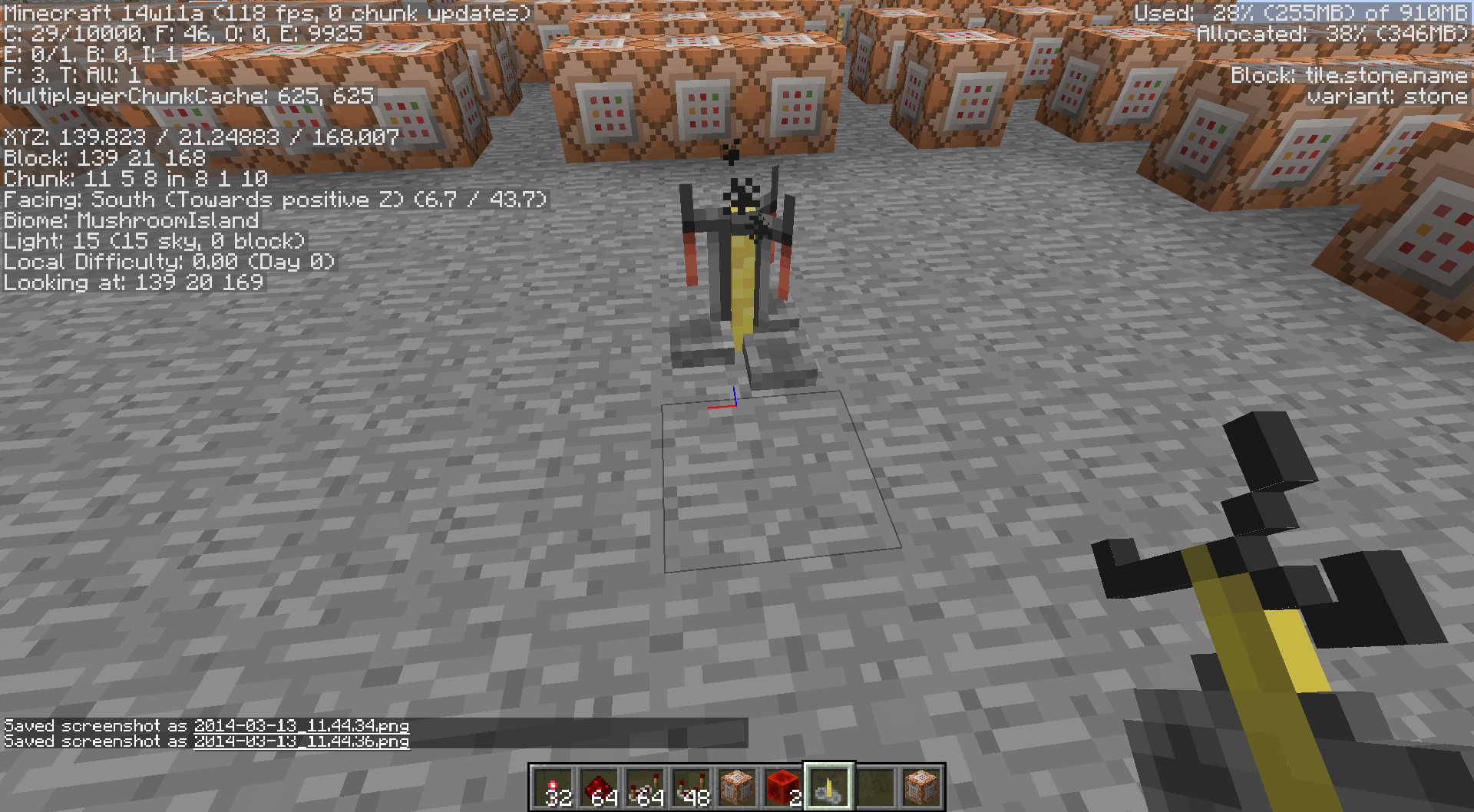
Enchanted Redstone Torch looks funky in player inventory and in the player's hand. Plus it doesn't give the enchanted item "shimmer" look.
May happen with other items too,will test and update.Screenshots below.
Enchanted Redstone Torch looks funky in player inventory and in the player's hand. Plus it doesn't give the enchanted item "shimmer" look.
May happen with other items too, have only found it happen on redstone torches so far.Screenshots below.
EnchantedRedstone Torch looks funky in player inventory and in the player's hand.Plus it doesn't give the enchanted item "shimmer" look.
May happen with other items too, have only found it happen on redstone torches so far.Screenshots below.
Redstone Torch with a damage value of 4 looks funky in player inventory and in the player's hand.
I had some leftover in my inventory after the new snapshot came. Only seems to happen on summoning./summon Item ~ ~ ~ {id: Item,Item: {id: redstone_torch,Count: 1,Damage: 4}}
Screenshots below.
Enchanting an Item that is not a tool or armorlooks funkySummoned Redstone Torch with a damage value of 4 looks funky
Here's a schematic with a command block with 31549 characters (it spawns a fireworks spawner)
https://www.dropbox.com/s/bet2oo3bbqdzamk/Fireworks%20Spawner%2031549%20characters.schematic
You can not edit the spawn coordinates within Minecraft, which believes that command blocks still have only a 16000 character limit.Because of this, you also can't copy-paste something with a large character limit from an external text editor into a command block. You can only go beyond the 16000 character limit and edit it with external editors (like mcedit filters).
32000 Command block character limit only works as a 16000 character limit within Minecraft
Steps to Reproduce:
/scoreboard objectives add test dummy
/scoreboard objectives setdisplay sidebar test
/scoreboard players set @p blah 0
What I expected to happen was...:
Using these commands in order should set yourself to 0, and update the display on the sidebar, but it's not.Steps to Reproduce:
/scoreboard objectives add test dummy
/scoreboard objectives setdisplay sidebar test
/scoreboard players set @p blah 0
What I expected to happen was...:
Using these commands in order should set yourself to 0, and update the display on the sidebar, but it's not.
Steps to Reproduce:
/scoreboard objectives add test dummy
/scoreboard objectives setdisplay sidebar test
/scoreboard players set @p blah 0
What I expected to happen was...:
Using these commands in order should set yourself to 0, and update the display on the sidebar, but it's not.Steps to Reproduce:
/scoreboard objectives add test dummy
/scoreboard objectives setdisplay sidebar test
/scoreboard players set @p blah 0
What I expected to happen was...:
Using these commands in order should set yourself to 0, and update the display on the sidebar, but it's not.
Steps to Reproduce:
/scoreboard objectives add test dummy
/scoreboard objectives setdisplay sidebar test
/scoreboard players set @p blah 0
What I expected to happen was...:
Using these commandsin ordershould set yourself to 0, and update the display on the sidebar, but it's not.
Steps to Reproduce:
/scoreboard objectives add test dummy
/scoreboard objectives setdisplay sidebar test
/scoreboard players set @p blah 0
What I expected to happen was...:
Using these commands should set yourself to 0, and update the display on the sidebar, but it's not.Steps to Reproduce:
/scoreboard objectives add test dummy
/scoreboard objectives setdisplay sidebar test
/scoreboard players set @p blah 0What I expected to happen was...:
Using these commands should set yourself to 0, and update the display on the sidebar, but it's not.
Setup these initial scoreboards
/scoreboard teams add team1 dummy
/scoreboard teams add team2 dummy
/scoreboard teams option team1 color red
/scoreboard teams option team2 color blue
/scoreboard objectives add test1 dummy
/scoreboard objectives add test2 dummy
/scoreboard objectives setdisplay sidebar test1
/scoreboard players set PlayerOne test1 1
/scoreboard players set PlayerOne test2 1
/scoreboard players set PlayerTwo test1 1
/scoreboard players set PlayerTwo test2 1Now, resetting Player Two's score on test2 should NOT clear them on test1's scoreboard display, but it does...
/scoreboard players reset PlayerTwo test2
Players USED to assumed to be 0 when you added a scoreboard objective, but now they're assumed to be "nothing", until you set a number for them on a scoreboard. If you use "scoreboard players operation" on them, and their number doesn't change , they should still be nothing. But now they're actually tracked as 0. But aren't actually 0. They're actually nothing AND 0. They don't show up on setdisplay sidebar as 0, but CAN be tracked by a commandblock as a player set to 0.
Add initial scoreboard stuff:
/scoreboard objectives add test dummy
/scoreboard objectives setdisplay sidebar testNow this doesn't work, and shouldn't work because the player is not yet on the scoreboard:
/say @a[score_test=0]
But using an operation that doesn't change the player's number manages to work at making them 0, and detectable by other command blocks as such:
/scoreboard players operation @p test += @p test
/say @a[score_test=0]But if you notice, you don't show up on the sidebar with the number 0. So you're 0 that can be tracked by other command blocks, but you're not able to be picked up and displayed by the setdisplay.
A very quantum bug indeed...
Players USED to assumed to be 0 when you added a scoreboard objective, but now they're assumed to be "nothing", until you set a number for them on a scoreboard. If you use "scoreboard players operation" on them, and their number doesn't change , they should still be nothing. But now they're actually tracked as 0. But aren't actually 0. They're actually nothing AND 0. They don't show up on setdisplay sidebar as 0, but CAN be tracked by a commandblock as a player set to 0.
-----------------------------------------
Add initial scoreboard stuff:
/scoreboard objectives add test dummy
/scoreboard objectives setdisplay sidebar testNow this doesn't work, and shouldn't work because the player is not yet on the scoreboard:
/say @a[score_test=0]
But using an operation that doesn't change the player's number manages to work at making them 0, and detectable by other command blocks as such:
/scoreboard players operation @p test += @p test
/say @a[score_test=0]But if you notice, you don't show up on the sidebar with the number 0. So you're 0 that can be tracked by other command blocks, but you're not able to be picked up and displayed by the setdisplay.
A very quantum bug indeed...
Players USED to assumed to be 0 when you added a scoreboard objective, but now they're assumed to be "nothing", until you set a number for them on a scoreboard. If you use "scoreboard players operation" on them, and their number doesn't change , they should still be nothing. But now they're actually tracked as 0. But aren't actually 0. They're actually nothing AND 0. They don't show up on setdisplay sidebar as 0, but CAN be tracked by a commandblock as a player set to 0.
-----------------------------------------
Add initial scoreboard stuff:
/scoreboard objectives add test dummy
/scoreboard objectives setdisplay sidebar testNow, this doesn't work, and shouldn't work because the player is not yet on the scoreboard:
/say @a[score_test=0]
But using an operation that doesn't change the player's number manages to work at making them 0, and detectable by other command blocks as such:
/scoreboard players operation @p test += @p test
/say @a[score_test=0]But if you notice, you don't show up on the sidebar with the number 0. So you're 0 that can be tracked by other command blocks, but you're not able to be picked up and displayed by the setdisplay.
A very quantum bug indeed...
Players USED to assumed to be 0 when you added a scoreboard objective, but now they're assumed to be "nothing", until you set a number for them on a scoreboard. If you use "scoreboard players operation" on them, and their number doesn't change , they should still be nothing. But now they're actually tracked as 0. But aren't actually 0. They're actually nothing AND 0. They don't show up on setdisplay sidebar as 0, but CAN be tracked by a commandblock as a player set to 0.
-----------------------------------------
Add initial scoreboard stuff:
/scoreboard objectives add test dummy
/scoreboard objectives setdisplay sidebar testNow, this next command doesn't work, and shouldn't work because the player is not yet on the scoreboard:
/say @a[score_test=0]
But using an operation that doesn't change the player's number manages to work at making them 0, and detectable by other command blocks as such:
/scoreboard players operation @p test += @p test
/say @a[score_test=0]But if you notice, you don't show up on the sidebar with the number 0. So you're 0 that can be tracked by other command blocks, but you're not able to be picked up and displayed by the setdisplay.
A very quantum bug indeed...
Similar to https://bugs.mojang.com/browse/MC-26203 but not totally the same. Fixing
MC-26203would probably fix this bug.Players USED to assumed to be 0 when you added a scoreboard objective, but now they're assumed to be "nothing", until you set a number for them on a scoreboard. If you use "scoreboard players operation" on them, and their number doesn't change , they should still be nothing. But now they're actually tracked as 0. But aren't actually 0. They're actually nothing AND 0. They don't show up on setdisplay sidebar as 0, but CAN be tracked by a commandblock as a player set to 0.
-----------------------------------------
Add initial scoreboard stuff:
/scoreboard objectives add test dummy
/scoreboard objectives setdisplay sidebar testNow, this next command doesn't work, and shouldn't work because the player is not yet on the scoreboard:
/say @a[score_test=0]
But using an operation that doesn't change the player's number manages to work at making them 0, and detectable by other command blocks as such:
/scoreboard players operation @p test += @p test
/say @a[score_test=0]But if you notice, you don't show up on the sidebar with the number 0. So you're 0 that can be tracked by other command blocks, but you're not able to be picked up and displayed by the setdisplay.
A very quantum bug indeed...
Similar to
https://bugs.mojang.com/browse/MC-26203but not totally the same. FixingMC-26203would probably fix this bug.Players USED to assumed to be 0 when you added a scoreboard objective, but now they're assumed to be "nothing", until you set a number for them on a scoreboard. If you use "scoreboard players operation" on them, and their number doesn't change , they should still be nothing. But now they're actually tracked as 0. But aren't actually 0. They're actually nothing AND 0. They don't show up on setdisplay sidebar as 0, but CAN be tracked by a commandblock as a player set to 0.
-----------------------------------------
Add initial scoreboard stuff:
/scoreboard objectives add test dummy
/scoreboard objectives setdisplay sidebar testNow, this next command doesn't work, and shouldn't work because the player is not yet on the scoreboard:
/say @a[score_test=0]
But using an operation that doesn't change the player's number manages to work at making them 0, and detectable by other command blocks as such:
/scoreboard players operation @p test += @p test
/say @a[score_test=0]But if you notice, you don't show up on the sidebar with the number 0. So you're 0 that can be tracked by other command blocks, but you're not able to be picked up and displayed by the setdisplay.
A very quantum bug indeed...
Similar to
MC-26203but not totally the same. FixingMC-26203would probably fix this bug.Players USED to assumed to be 0 when you added a scoreboard objective, but now they're assumed to be "nothing", until you set a number for them on a scoreboard. If you use "scoreboard players operation" on them, and their number doesn't change , they should still be nothing. But now they're actually tracked as 0. But aren't actually 0. They're actually nothing AND 0. They don't show up on setdisplay sidebar as 0, but CAN be tracked by a commandblock as a player set to 0.
-----------------------------------------
Add initial scoreboard stuff:
/scoreboard objectives add test dummy
/scoreboard objectives setdisplay sidebar testNow, this next command doesn't work, and shouldn't work because the player is not yet on the scoreboard:
/say @a[score_test=0]
But using an operation that doesn't change the player's number manages to work at making them 0, and detectable by other command blocks as such:
/scoreboard players operation @p test += @p test
/say @a[score_test=0]But if you notice, you don't show up on the sidebar with the number 0. So you're 0 that can be tracked by other command blocks, but you're not able to be picked up and displayed by the setdisplay.
A very quantum bug indeed...
Similar to
MC-26203but not totally the same. FixingMC-26203would probably fix this bug.Players USED to assumed to be 0 when you added a scoreboard objective, but now they're assumed to be "nothing", until you set a number for them on a scoreboard. If you use "scoreboard players operation" on them, and their number doesn't change , they should still be nothing. But now they're actually tracked as 0. But aren't actually 0. They're actually nothing AND 0. They don't show up on setdisplay sidebar as 0, but CAN be tracked by a commandblock as a player set to 0.
-----------------------------------------
Add initial scoreboard stuff:
/scoreboard objectives add test dummy
/scoreboard objectives setdisplay sidebar testNow, this next command doesn't work, and shouldn't work because the player is not yet on the scoreboard:
/say @a[score_test=0]
But using an operation that doesn't change the player's number manages to work at making them 0, and detectable by other command blocks as such:
/scoreboard players operation @p test += @p test
/say @a[score_test=0]But if you notice, you don't show up on the sidebar with the number 0. So you're 0 that can be tracked by other command blocks, but you're not able to be picked up and displayed by the setdisplay.
A very quantum bug indeed...
Similar to, but not the same as
MC-26203. FixingMC-26203would probably fix this bug.Players USED to assumed to be 0 when you added a scoreboard objective, but now they're assumed to be "nothing", until you set a number for them on a scoreboard. If you use "scoreboard players operation" on them, and their number doesn't change , they should still be nothing. But now they're actually tracked as 0. But aren't actually 0. They're actually nothing AND 0. They don't show up on setdisplay sidebar as 0, but CAN be tracked by a commandblock as a player set to 0.
-----------------------------------------
Add initial scoreboard stuff:
/scoreboard objectives add test dummy
/scoreboard objectives setdisplay sidebar testNow, this next command doesn't work, and shouldn't work because the player is not yet on the scoreboard:
/say @a[score_test=0]
But using an operation that doesn't change the player's number manages to work at making them 0, and detectable by other command blocks as such:
/scoreboard players operation @p test += @p test
/say @a[score_test=0]But if you notice, you don't show up on the sidebar with the number 0. So you're 0 that can be tracked by other command blocks, but you're not able to be picked up and displayed by the setdisplay.
A very quantum bug indeed...
Similar to, but not the same as
MC-26203. FixingMC-26203wouldprobably fix this bug.Players USED to assumed to be 0 when you added a scoreboard objective, but now they're assumed to be "nothing", until you set a number for them on a scoreboard. If you use "scoreboard players operation" on them, and their number doesn't change , they should still be nothing. But now they're actually tracked as 0. But aren't actually 0. They're actually nothing AND 0. They don't show up on setdisplay sidebar as 0, but CAN be tracked by a commandblock as a player set to 0.
-----------------------------------------
Add initial scoreboard stuff:
/scoreboard objectives add test dummy
/scoreboard objectives setdisplay sidebar testNow, this next command doesn't work, and shouldn't work because the player is not yet on the scoreboard:
/say @a[score_test=0]
But using an operation that doesn't change the player's number manages to work at making them 0, and detectable by other command blocks as such:
/scoreboard players operation @p test += @p test
/say @a[score_test=0]But if you notice, you don't show up on the sidebar with the number 0. So you're 0 that can be tracked by other command blocks, but you're not able to be picked up and displayed by the setdisplay.
A very quantum bug indeed...
Similar to, but not the same as
MC-26203. FixingMC-26203might probably also fix this bug.Players USED to assumed to be 0 when you added a scoreboard objective, but now they're assumed to be "nothing", until you set a number for them on a scoreboard. If you use "scoreboard players operation" on them, and their number doesn't change , they should still be nothing. But now they're actually tracked as 0. But aren't actually 0. They're actually nothing AND 0. They don't show up on setdisplay sidebar as 0, but CAN be tracked by a commandblock as a player set to 0.
-----------------------------------------
Add initial scoreboard stuff:
/scoreboard objectives add test dummy
/scoreboard objectives setdisplay sidebar testNow, this next command doesn't work, and shouldn't work because the player is not yet on the scoreboard:
/say @a[score_test=0]
But using an operation that doesn't change the player's number manages to work at making them 0, and detectable by other command blocks as such:
/scoreboard players operation @p test += @p test
/say @a[score_test=0]But if you notice, you don't show up on the sidebar with the number 0. So you're 0 that can be tracked by other command blocks, but you're not able to be picked up and displayed by the setdisplay.
A very quantum bug indeed...
I was attempting to disable the nametags of other players in spectator mode (by putting all spectators on the same team) using hideForOwnTeam to make the actual players in the game stand out more, and so the other spectators flying around aren't so distracting.
Toggling any option of nametagVisilbility does not work on someone in spectator mode. Name Tags are permanently stuck on for them.
You need 2 players in the world:
/gamemode 3
/scoreboard teams add test
/scoreboard teams join test @p
/scoreboard teams option nametagVisibility never
or /scoreboard teams option nametagVisibility hideForOtherTeamsor
/gamemode 3
/scoreboard teams add test
/scoreboard teams join test @a
/scoreboard teams option nametagVisibility hideForOwnTeam
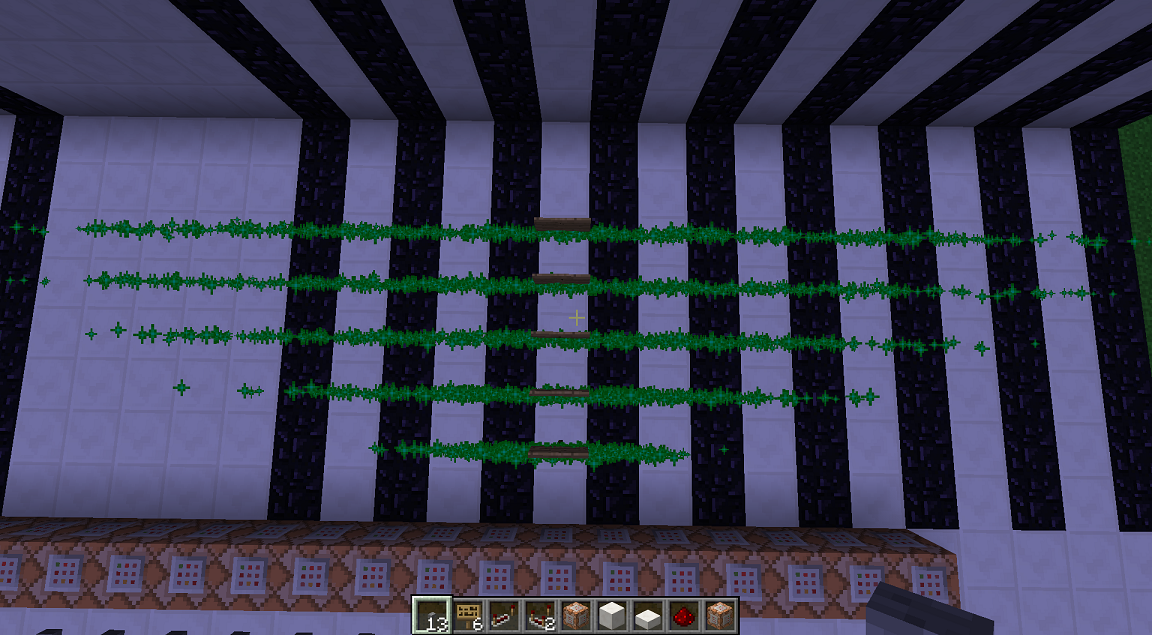
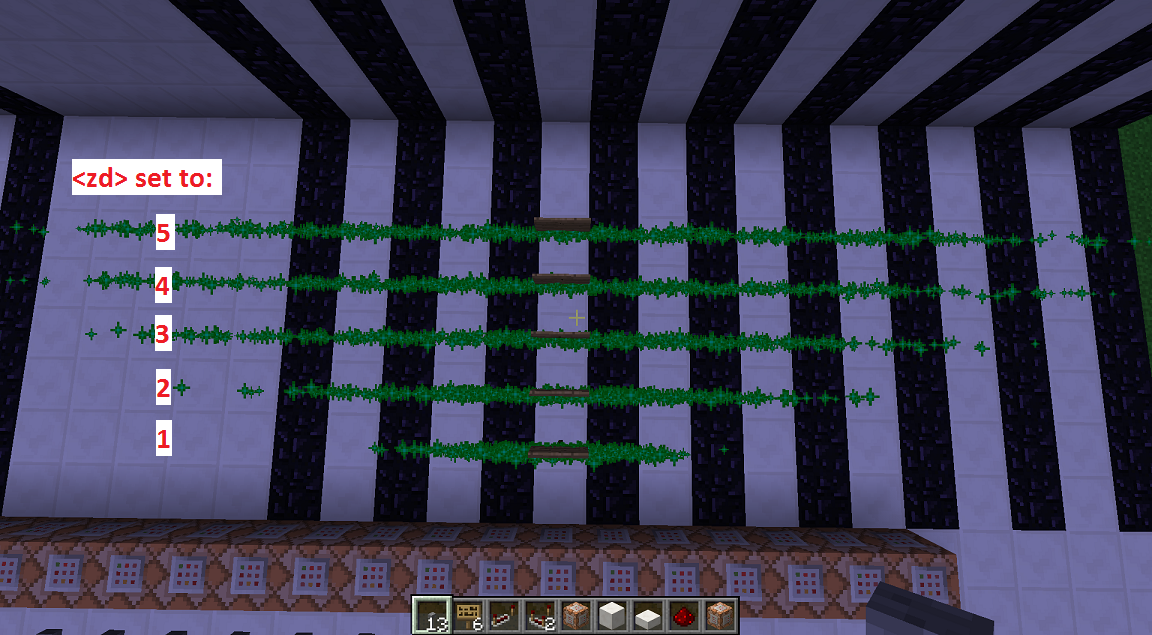
Screenshot below shows xd set to 1, 2, 3, 4, 5. But they are getting set way more than that. Over twice that.
Commands used:
/particle happyVillager ~3 ~ ~ 0 0 5 0 500
/particle happyVillager ~3 ~ ~ 0 0 4 0 500
/particle happyVillager ~3 ~ ~ 0 0 3 0 500
/particle happyVillager ~3 ~ ~ 0 0 2 0 500
/particle happyVillager ~3 ~ ~ 0 0 1 0 500
Screenshot below shows xd set to 1, 2, 3, 4, 5. But they are getting set way more than that. Over twice that.
Commands used:
syntax: particle <name> <x> <y> <z> <xd> <yd> <zd> <speed> [count] [player|entity]
/particle happyVillager ~3 ~ ~ 0 0 5 0 500
/particle happyVillager ~3 ~ ~ 0 0 4 0 500
/particle happyVillager ~3 ~ ~ 0 0 3 0 500
/particle happyVillager ~3 ~ ~ 0 0 2 0 500
/particle happyVillager ~3 ~ ~ 0 0 1 0 500
Screenshot below shows xd set to 1, 2, 3, 4, 5. But they are getting set way more than that. Over twice that.
Commands used:
syntax:particle <name> <x> <y> <z> <xd> <yd> <zd> <speed> [count] [player|entity]/particle happyVillager ~3 ~ ~ 0 0 5 0 500
/particle happyVillager ~3 ~ ~ 0 0 4 0 500
/particle happyVillager ~3 ~ ~ 0 0 3 0 500
/particle happyVillager ~3 ~ ~ 0 0 2 0 500
/particle happyVillager ~3 ~ ~ 0 0 1 0 500Screenshot below shows xd set to 1, 2, 3, 4, 5. But they are getting set way more than that. Over twice that.
Commands used:
/particle <name> <x> <y> <z> <xd> <yd> <zd> <speed> [count] [player|entity]
/particle happyVillager ~3 ~ ~ 0 0 5 0 500
/particle happyVillager ~3 ~ ~ 0 0 4 0 500
/particle happyVillager ~3 ~ ~ 0 0 3 0 500
/particle happyVillager ~3 ~ ~ 0 0 2 0 500
/particle happyVillager ~3 ~ ~ 0 0 1 0 500
/clear <player> [item] [data] [maxCount] [dataTag]
Should mean that <player> is required. But it's not, just type /clear on yourself.So it should be:
/clear [player] [item] [data] [maxCount] [dataTag]/clear <player> [item] [data] [maxCount] [dataTag]
Should mean that <player> is required. But it's not, just:1. GO IN TO GAME
2. type "/clear", IT WORKSSo it should be:
/clear [player] [item] [data] [maxCount] [dataTag]
On the /help menu,/clear <player> should be /clear [player]On the /help menu it shows /clear <player>. But just "/clear" works so it should be /clear [player]
MC-56672is a duplicate of this
oh also, duplicate of
MC-55592!
In 1.7.10 and earlier, TNT will immediately collide with the ceiling and just fall straight down if it's triggered when there's a block above it. This no longer happens and it ignores ceiling collision when triggered.
See gif for example
:http://gfycat.com/WeeRegularBigmouthbassIn 1.7.10 and earlier, TNT will immediately collide with the ceiling and just fall straight down if it's triggered when there's a block above it. This no longer happens and it ignores ceiling collision when triggered.
See gif for example! http://gfycat.com/LimitedAppropriateAmurminnow
LimitedAppropriateAmurminnow.webm
In 1.7.10 and earlier, TNT will immediately collide with the ceiling and just fall straight down if it's triggered when there's a block above it. This no longer happens and it ignores ceiling collision when triggered.
See gif for example! http://gfycat.com/LimitedAppropriateAmurminnow
is there a way to generate chunks in mcedit for 1.8?
In 1.7.10 and earlier, TNT will immediately collide with the ceiling and just fall straight down if it's triggered when there's a block above it. This no longer happens and it ignores ceiling collision when triggered.
See gif for example! http://gfycat.com/LimitedAppropriateAmurminnow
is there a way to generate chunks in mcedit for 1.8?
In 1.7.10 and earlier, TNT will immediately collide with the ceiling and just fall straight down if it's triggered when there's a block above it. This no longer happens and it ignores ceiling collision when triggered.
See gif for example! http://gfycat.com/LimitedAppropriateAmurminnow
Adding
In 1.7.10 and earlier, TNT will immediately collide with the ceiling and just fall straight down if it's triggered when there's a block above it. This no longer happens and it ignores ceiling collision when triggered.
See gif for example! http://gfycat.com/LimitedAppropriateAmurminnow
Adding
In 1.7.10 and earlier, TNT will immediately collide with the ceiling and just fall straight down if it's triggered when there's a block above it. This no longer happens and it ignores ceiling collision when triggered.
See gif for example! http://gfycat.com/LimitedAppropriateAmurminnow
Edit: Adding info to the main description from comment below comment below
In 1.7.10 and earlier, TNT will immediately collide with the ceiling and just fall straight down if it's triggered when there's a block above it. This no longer happens and it ignores ceiling collision when triggered.
See gif for example! http://gfycat.com/LimitedAppropriateAmurminnow
Edit:
Adding info to the main description from comment belowcomment belowIn 1.7.10 and earlier, TNT will immediately collide with the ceiling and just fall straight down if it's triggered when there's a block above it. This no longer happens and it ignores ceiling collision when triggered.
See gif for example! http://gfycat.com/LimitedAppropriateAmurminnow
Edit: Bonus info, taken from comment below
PrimedTNT now has its "centre" at the bottom of the entity, which means the block code for TNT summons the entity 0.5 of a block too high. When "+ 0.5f" is removed from the y-argument for PrimedTNT's constructor call, this bug is resolved. Dispensers also had this problem but it was fixed in separate code.
Somewhat related: Ender Crystal entity spawning 1 block too low
In 1.7.10 and earlier, TNT will immediately collide with the ceiling and just fall straight down if it's triggered when there's a block above it. This no longer happens and it ignores ceiling collision when triggered.
See gif for example!http://gfycat.com/LimitedAppropriateAmurminnowEdit: Bonus info, taken from comment below
PrimedTNT now has its "centre" at the bottom of the entity, which means the block code for TNT summons the entity 0.5 of a block too high. When "+ 0.5f" is removed from the y-argument for PrimedTNT's constructor call, this bug is resolved. Dispensers also had this problem but it was fixed in separate code.
Somewhat related: Ender Crystal entity spawning 1 block too low
In 1.7.10 and earlier, TNT will immediately collide with the ceiling and just fall straight down if it's triggered when there's a block above it. This no longer happens and it ignores ceiling collision when triggered.
Example gfy: http://gfycat.com/LimitedAppropriateAmurminnow
Edit: Bonus info, taken from comment below
PrimedTNT now has its "centre" at the bottom of the entity, which means the block code for TNT summons the entity 0.5 of a block too high. When "+ 0.5f" is removed from the y-argument for PrimedTNT's constructor call, this bug is resolved. Dispensers also had this problem but it was fixed in separate code.
Somewhat related: Ender Crystal entity spawning 1 block too low
In 1.7.10 and earlier, TNT will immediately collide with the ceiling and just fall straight down if it's triggered when there's a block above it. This no longer happens and it ignores ceiling collision when triggered.
Example gfy: http://gfycat.com/LimitedAppropriateAmurminnow
Edit: Bonus info, taken from comment below by Dan Shemp
PrimedTNT now has its "centre" at the bottom of the entity, which means the block code for TNT summons the entity 0.5 of a block too high. When "+ 0.5f" is removed from the y-argument for PrimedTNT's constructor call, this bug is resolved. Dispensers also had this problem but it was fixed in separate code.
Somewhat related: Ender Crystal entity spawning 1 block too low
Maybe better Title:
Paintings and Item Frames have no ceiling collision when broken off a wall, so they "item elevator" themselves to the surface
This was actually possible and worked in older patches, but was broke in some 1.8 snapshot I'm not sure when
What I expected to happen was...:
Record with a custom name placed in a record player and ejected should keep its custom name.What actually happened was...:
Record with a custom name placed in a record player and ejected lost its custom name.Steps to Reproduce:
1. Create a record with a custom name:summon Item ~ ~1 ~ {Item:{id:"minecraft:record_13",Count:1b,tag:{display:{Name:"CUSTOM NAME"}},Damage:0s}}2. Place in record player
3. Eject it, it no longer has its custom nameChecking the record player's NBT, it actually loses the custom name when placed in the player.
This was actually possible and worked in older patches, but was broke in some 1.8 snapshot I'm not sure when
Steps to Reproduce:
1. Create a record with a custom name:summon Item ~ ~1 ~ {Item:{id:"minecraft:record_13",Count:1b,tag:{display:{Name:"CUSTOM NAME"}},Damage:0s}}2. Place in record player
3. Eject it, it no longer has its custom nameChecking the record player's NBT, it actually loses the custom name when placed in the player.
I don't really need to take bits of xp away, just clear all levels and partial xp bar. So this accomplished that, thanks
Whoop meant to select public.
Updated instructions to use the effect command.
Also, example in this video:
http://www.youtube.com/watch?v=19XZxkI2kMQ
Confirmed still in 1.5 Pre-Release.
Really pretty sucky this isn't going to get fixed before 1.5. What a dumb bug. Kinda breaks the maps we've been working on. At least I'm glad to see a workaround by adding the health variable. Whelp off to add a redundant scoreboard objective and variable to all my /testfor command blocks.
Alright I did a bit of testing with this. Basically a spawner spawning a stacked item entity spawner is bugged.
Here's what it does:
-Spawner1 is spawning Spawner2.
-Spawner2 is spawning an Item Entity that's riding an Item Entity at X
-Every time Spawner1 tries to spawn Spawner2, Spawner1 ALSO uses the "Riding" data that's in Spawner2, and spawns a phantom item at X
None of the SpawnData/SpawnPotentials stuff has to do with it.
@a Hatsu Inu
I was unable to reproduce this workaround. I updated the description on this issue a bit.
They did make it so that when falling anvils lands on any of those minor objects (torches, buttons, levers), it crushes and destroys them. I guess placing them on that block is similar to an anvil landing on that block, and you're just crushing that object by placing it there.
This might be working as intended.
Well hello there bug. You've been around a while.
This is still in the game as of the latest Minecraft version. SpawnRange doubles.
SpawnRange:1 checks 2 blocks outward from the spawner.
SpawnRange:2 checks 4 blocks outward from the spawner.
SpawnRange:3 checks 6 blocks outward from the spawner, etc.
Nevermind, I believe this is a duplicate of
MC-4686.Duplicate of https://mojang.atlassian.net/browse/MC-12437
Hey took nearly 20k tickets for it to get run into and reported again. I feel proud about that! This was happening back with redstone-activated spawners, pretty crazy that it affects /summon and /setblock too. Glad it's finally getting some more attention. I really hate this bug
Hmm scratch that. It's a redstone torch with a damage value of 4 gives this graphic. I had some leftover in my inventory after the new snapshot came. Only seems to happen on summoning.
/summon Item ~ ~ ~ {id: Item,Item:
{id: redstone_torch,Count: 1,Damage: 4}}
Ya this is still a issue as of 14w11b. It happens 100% of the time when you try to knock something out of an item frame when there's a ceiling right above it.
I made an example gif! http://i.imgur.com/lYbSfcw.gif
Alternatively, setup these initial scoreboards:
Now, resetting Player Two's score on test2 should NOT clear them on test1's scoreboard display, but it does...
TL;DR
If you reset a player's score on one objective, It resets every player with that name on everyone's setdisplays, even if it's displaying a different objective.
Didn't realize this was technically a bug, but yes it is for sure. And still is as of 14w18b.
Players receive resistance when moving horizontally, but not vertically. Other entities, like mobs and other TNT entities do not receive this resistance and can fly horizontally like normal. So there is definitely a discrepancy here.
Yes this is very much still a concern as of 14w18b. It impacts Minecraft PvP, and PvP servers greatly.
Relates to and combines with another knockback bug listed here
MC-52881Thanks for reporting this! And also linking my video.
So, I also found this:
MC-7873- Server lag reduces knockback receivedand this: MC-17556
MC-32329- Multiplayer PvP glitch (relog glitch)These two old bugs, one of them incorrectly marked, have combined with the recent update to be able to hotkey your sprint key to a single button, and avoid a 3RD sprint-knockback bug where you can quickly toggle on another sprint-knockback (which is more of an exploit of current mechanics). This has created a SUPER bug that allows players to be able to knock back players 12+ blocks in TWO hits (example of how to do this in the video link). Which obviously can be a bit much in a PvP fight.
/setblock does not have replaceTileName or replaceDataValue as optional tags. It's not the same command as /fill
use:
Ya this looks pretty sloppy. http://i.imgur.com/FmINT4Z.png Stairs are all over the place!
Just tested, confirmed as of 14w21b
This is a feature request, not a bug report. (works as intended)
ya it's still around
Duplicate of
MC-48668confirmed 14w21b
This is a client-side visual glitch.
knew I was forgettin something. Added.
It is annoying, but you do know you only get that message if you're in creative mode AND /op'ed. It shouldn't really get in the way of the maps you're producing for other people too much.
heh I suppose that could be useful to this bug report so why not...
World Download: https://mfi.re/download/swtb878emlvxtuv/Underwater_Temple_World.zip
World Download (deleted-water): https://mfi.re/download/4n4se5ls9k4xgtw/Underwater_Temple_World_-_De-watered.zip
More like it's not generating the right particle.
ya this was fixed at some point already. Can be closed.
Duplicate of
MC-46244Duplicate of
MC-55589They're just more selectors you can add at the end. Try it, it'll work.
/scoreboard teams join <team> [player]
/scoreboard teams leave <team> [player]
These are the only commands that have this ability that I know of.
yup
This was actually fixed in 14w25a
This is actually probably working as intended.
" * " = ALL PLAYER NAMES FOUND ON THE SCOREBOARD.
That's its function. It doesn't check the entities in the world. It only checks all names on the scoreboard. It's a limited function, but it has its uses.
It's kinda funny that it works on /scoreboard teams add * So it's probably working as intended it doesn't hurt anything.
I didn't know it did that! Don't see a lot of use in that
I think this is what you gave, but it seems fine to me?
Pretty sure whatever this was has been fixed.
Or maybe it was when they changed it so players aren't assumed to be 0 on a scoreboard. Players start off as NULL now, and must be added to a scoreboard for them to be tracked, for example:
Duplicate of
MC-50436Duplicate of
MC-50313This is a duplicate of
MC-56216which was fixed in 14w21bif you want it in the center, shouldn't
be:
This is was mcedit shows: http://i.imgur.com/SA6cfd7.png
also I didn't think the name= tag works for a mob's customname. The mob's "name" is it's uuid because that's how it's stored.
I think you're just screwing up your commands and this is probably working as intended.
eh dunno about that. I feel like sendCommandFeedback false really should disable these messages since they are so extremely similar to what this gamerule is disabling already. I'd also MUCH rather be able to toggle them off and tell the player that their gamemode was toggled MYSELF with a tellraw command when I want to. This notification has always felt like chat clutter to me, and I've always tried to make sure I kept the chat as clear as I could of the things.
Ya this is actually working as intended now to fix bug
MC-51788. If you ran playsound before, relative coords used to work relative to the player it was played to, but now it works relative to the command block. You just use execute now to accomplish this.But now you can do neat tricks with it like playing it from a player's relative position TO everyone else in earshot of it!
Ya this is actually working as intended now to fix bug
MC-51788. If you ran playsound before, relative coords used to work relative to the player it was played to, but now it works relative to the command block. You just use execute now to accomplish this.But now you can do neat tricks with it like playing it from a player's relative position TO everyone else in earshot of it!
Ya this is actually working as intended now to fix bug
MC-51788. If you ran playsound before, relative coords used to work relative to the player it was played to, but now it works relative to the command block. You just use execute now to accomplish this.But now you can do neat tricks with it like playing it from a player's relative position TO everyone else in earshot of it!
This really don't feel like duplicate of
MC-46956, which is about the "teams options" tags like FriendlyFire and SeeFriendlyInvisibles not working on entities.THIS bug report is about a particular selector tag (team=) not working on entities. Example:
yes this is still the case. When they are invisible the armor will still show and it will be shown behind chests other mobs. Sometimes this kicks in and works at certain angles though.
https://bugs.mojang.com/secure/attachment/60885/2014-04-08_06.29.50.png
https://bugs.mojang.com/secure/attachment/60884/2014-04-06_20.10.35.png
"beed" in the title of this report should be "been"
Sorry, but please list the all steps needed to reproduce this if you want it fixed. If they have any trouble reproducing it from your vague description they'll just move on.
ya duplicate of
MC-59052Maybe you people can give me an example as to WHY this would be at ALL useful. It seems pretty pointless to me since you can just add fake player names with color codes in them to objective scores like most of us have been doing since the beginning. You can do MUCH more with this method by adding multiple colors to single fake player names on the scoreboard display.
Like so: http://i.imgur.com/8X4A5h7.png
How would fixing this "bug" add anything at all. This "bug" feels like a feature that Mojang added to prevent the behavior of adding fake player names to teams, and is working as intended.
ah true. But dropping the section symbol, and adding this "bug" as a feature would be taking away the feature of adding multiple colors to a fake player name, which I doubt they'll do. They would have to put something else in to replace it. And adding JSON to fake player names doesn't sound too feasible. They would probably create a new way for adding data to the scoreboard display. And I kinda doubt that's going to happen soon, at least not for 1.8.
Can not reproduce, was this fixed already?
They seem to have added a fix for this already. There is a delay but the object visually updates its location to the client a second after it has been teleported.
This bug report is just a math fail. The command is: scoreboard players test <player> <objective> <min> [max]
-1 is greater than -100 so you have them backwards.
It is no longer OwnerName, it is OwnerUUID, and you need to know what that UUID is I guess
http://i.imgur.com/lzTRjwq.png
This is working as intended, currently you can't have two of the same argument, the second one will overwrite the first one. I actually recently removed this false information off of the scoreboard page on the wiki which you might have read and been confused by.
Can't reproduce, I believe this was fixed?
This is a duplicate of
MC-46956which has been marked "working as intended"Searge in the comments below https://bugs.mojang.com/browse/MC-46956?focusedCommentId=171791&page=com.atlassian.jira.plugin.system.issuetabpanels:comment-tabpanel#comment-171791
"It's currently not planned to apply the team options to any entities in a team."
Oh hey, this bug. This was fixed in 14w27a. They added a special case where @p checks yourself first, and if you're not valid (due to arguments in brackets, it checks all players to see who's the closest person.
So this is fixed.
Edit: they fixed this for entities now too. If entities execute a command using @e[r=0,c=1] they will execute it on themselves. Here's a screenshot of this working: http://i.imgur.com/ms2LfTn.png
They fixed this. This was an old bug with adding UUIDs to the scoreboard display I believe.
related to
MC-55592maybeyup this was fixed in 14w28b, as marked here
MC-61340Vines and ladders no longer slow you in spectator mode, but why not also add this to creative mode? It's quite annoying to get around in creative mode when you can't use shift to go down if there's a lot of vines around, or you're in a jungle, or you're flying your way through a keep with lots of laddery passages.
The bug report for this is here:
MC-5410"In Creative, flying down is stopped when brushing up against ladders or vines."It's great that this was fixed for spectator mode, but why not also add this to creative mode? It's quite annoying to get around in creative mode when you can't use shift to go down if there's a lot of vines around, or you're in a jungle, or you're flying your way through a keep with lots of laddery passages.
The bug report for this is here:
MC-5410"In Creative, flying down is stopped when brushing up against ladders or vines."Works fine in 1.7.10
Duplicate of
MC-16259which is fixed.Ya this probably needs to be only available to creative mode
Ya this was fixed back in January or so https://twitter.com/Dinnerbone/status/420956915578179584
Can confirm 14w28b
I believe this was fixed. Especially with the addition of the sliders and Searge fixing some of the sounds that were ignoring the sliders. https://twitter.com/SeargeDP/status/481197694955028481
Duplicate of
MC-55592I guess this might not get fixed now that you can do most of this with /tellraw and JSON
You input x=1,y=4,z=1,dx=1,dy=2,dz=1
Your coordinates need to be between x=1,y=4,z=1 and x=2,y=6,z=2 which they are clearly not.
x/y/z is the exact coordinate location, not relative to the command block.
working as intended.
Duplicate of
MC-50475ahh I see
Fixing this bug bugged out TNT blocks so you can't place any blocks against them unless you hold shift....which is really pretty awful.
MC-64425We lost the ability to quickly spam TNT around!As an aside: If we're going to keep adding more and more blocks we need press SHIFT to place blocks on activatable blocks, I really wish it we could separate it from the crouch button :/ It's especially annoying for creative mode players.
How is this working as intended if we haven't gotten an official statement from Mojang on it? It's kindof an odd situation that it works in some situations (like on the top of the block) and not others (on the side). Would be especially neat if it worked on the sides of netherrack, then you could create a literal wall of constantly-burning fire.
Do you just not read reports anymore or do you just guess what it says from their keywords. This was immediately marked as a duplicate of a bug (
MC-64025) that the only similar word between them is "TNT". This has to do with tnt not colliding with a ceiling when activated, andMC-64025has to do with a visual glitch when tnt is dispensed inside of another block.Just confirmed that this started happening in 14w31a, was still fine in 14w30c
Confirmed in 14w34b
This is the cannon I'm using to test this. Since people's first response is usually "this has something to do with the water flowing pushing TNT changes doesn't it?" NO, IT DOESN'T. TNT EXPLOSION PHYSICS HAVE COMPLETELY CHANGED TOO. This cannon is setup to have water source blocks, and is simple to build:
http://i.imgur.com/VUO45Jt.png
Loaded: http://i.imgur.com/28R0smo.png
You can try this in 1.7.10, or in 14w30c and earlier and it shoots like normal, like it always has. This starts happening in 14w31a.
ok whatever this bug was, fixing it broke something with TNT, because the snapshot that this was fixed in, is where all this started:
MC-66089Almost definitely probably related to
MC-53215getting fixed in 14w31a.Related to
MC-64025, almost a duplicate...but not quite?Oh also related to this one
MC-66090. When TNT is spawned out of a dispenser it's at .5 instead of .0 like he said, but it also won't collide with the block above it on that "hop" it makes when it's triggered, so even if it was at .0, it might just hop through it too.Works as Intended? Would be nice to have a comment explaining why.
Maybe better Title:
Paintings and Item Frames have no ceiling collision when broken off a wall, so they "item elevator" themselves to the surface
Here's another video of it that my friend made back on July 23rd http://youtu.be/7aYeyXRYybc, so it definitely started happening in Snapshots 14w30a/b/c or earlier.
Well, thanks for giving us the official "Works as Intended" for this finally, even though I'm highly disappointed in that decision
This was added as a way to auto-clear scoreboards of entities when they become no longer valid. Which is nice. But IS a pretty big change and really needs more of an announcment about it. Probably screws some stuff up for people.
Well nevermind, not working as intended
Searge: scores should only be removed for entities that are dead, if it happens while they are still alive, but get unloaded that's not WAI
Agree. Why was this labeled invalid?
A player cannot move AT ALL when walking, so why should he be allowed to sprint? if walkspeed = 0 just cancel sprint.
Confirmed in 1.8.1-pre3
Confirmed still in 1.8.1-pre3
Oh duh I reported this one myself
Something similar to this started happening to activated tnt in 1.8.
MC-66090: TNT is no longer colliding with a block placed above it when the TNT is triggeredIt didn't start doing this until 1.8. Maybe it's related, but it's kinda pushing it since primed tnt isn't really the same as an item entity. But it IS similar in that it also doesn't have ceiling collision.
I can confirm, still bugged. 1.8.1 Pre-3. Just tried.
Stuff that you are picking up is ending up destroyed even when there is empty space in your inventory. It happens when you have any of the block picker tabs open.
Yes, very much so. Still an issue. 1.8.1 Pre-3
Confirmed in 1.8.1-pre4
Does anyone know the exact steps to reproduce this?
Confirmed in 1.8.1-pre5
Updated Gif to http://gfycat.com/LimitedAppropriateAmurminnow
Similar or maybe related to
MC-3706even thoughMC-3706has been happening alot longer and this one is new with 1.8. But it very much seems like similar situation.Updated/Fixed Link https://github.com/OvercastNetwork/SportBukkit/blob/master/CraftBukkit/0055-Fix-directional-TNT-bias.patch
Confirmed, and I'm pretty sure I know why this happened. When they ported the block models over to the resource pack system, the models for repeaters and comparators accidentally ended up reversed. So, remember this issue for one snapshot where repeaters and comparators were getting placed in the wrong direction? https://bugs.mojang.com/browse/MC-56951 Well this is when it happened.
So instead of correctly turning the models around, comparators and repeaters were switched to function with this new backwards orientated block model. But in doing this, the blockstate names stayed the wrong direction, which is the reason for this bug.
Could be. But I don't think so. Pressing the button and quickly logging out and checking the entity in mcedit shows it popping up into the block http://i.imgur.com/rYyKBOS.png
Though I've seen weird issues where things like this may only happen in a single player world and may work properly on a server. But I haven't tested that.
Nope. That one is about dispensing TNT directly into a block.
This is new with 1.8, it has to do with the "hop" when you trigger a tnt block not factoring in ceiling collision.
Ya this is true. A TNT entity that is within a dirt block is of course going to blow up that dirt block, and be able to chain the explosion to other explode-able blocks around it. A TNT entity is not an item entity, so it's not going to get pushed to the side or anything, it's just going to sit inside that block until it explodes. The bug here is the visual TNT is getting displayed on top of the block instead of just visually staying inside of it.
This is what it looks like in-game: http://i.imgur.com/7aGyIry.png
But quickly logging out and opening MCEdit, you can see the TNT entity (red box) is sitting on top of the dispenser, within the obsidian block: http://i.imgur.com/i5OdLVP.png
ya clientside it seems to be acting properly
It's mostly so that everyone logging into a fresh world won't be all spawning directly on top of each other and are spread out a bit. It's a good feature. It's always been around for multiplayer servers. It's actually MORE consistent this way since there aren't different behaviors between multiplayer and single player now. It's not a big deal to respawn in a random area around worldspawn in single player.
Related to
MC-66090, which was fixed.Actually it may have been, I just didn't feel like responding to this old issue so it got auto-closed after no response... It mostly affected my dealing with falling sand spawners, but those aren't too used anymore so I didn't care much about it. But ya this is still probably an issue.
So according to
MC-56035this is actually happening for player on players too! So the game is still detecting player collision and updating this stat, even though you can't push other players anymore since they removed player collision foreeevvveeer ago.Related to
MC-53850which is another bug to do with fire turning items invisible.Confirmed for 1.8.6
Also, related to
MC-4438which is another bug to do with fire turning items invisible.Played with this a bit, pretty positive I know what's going on.
When an item is found to be in fire, it takes an initial hit of 1 damage every game tick, and also lights it on fire which does 2 damage every second. The client is ignoring the Invulnerable tag for the initial fire damage hit and "killing" the item in 5 game ticks when it gets to Health:0. So while the server sees the Invulnerable tag and keeps it alive at 5 health, the client sees it in fire, goes Health:4..3..2..1...and kills it at 0, making it invisible.
Actually this is VERY related to
MC-53850. Also confirmed for 1.8.6. I'll post what I posted in that bug report (which the comment is here: https://bugs.mojang.com/browse/MC-53850?focusedCommentId=228736&page=com.atlassian.jira.plugin.system.issuetabpanels:comment-tabpanel#comment-228736)So for this bug report, even though the fire is quickly removed when lighting a glowstone block, it is still taking damage and getting "killed" by the client (not the server) when it reaches Health:0.
Confirmed for 1.21.1
Creating a custom map above cloud height and encountered this. I set the min_y back to 0 and it started working again.