Minecraft Windows 10 Edition Beta
I updated to Windows 10 today and I instaled the Minecraft: Windows 10 Edition Beta.
I'm not sure if I should post this here, but I dont know where else I should.
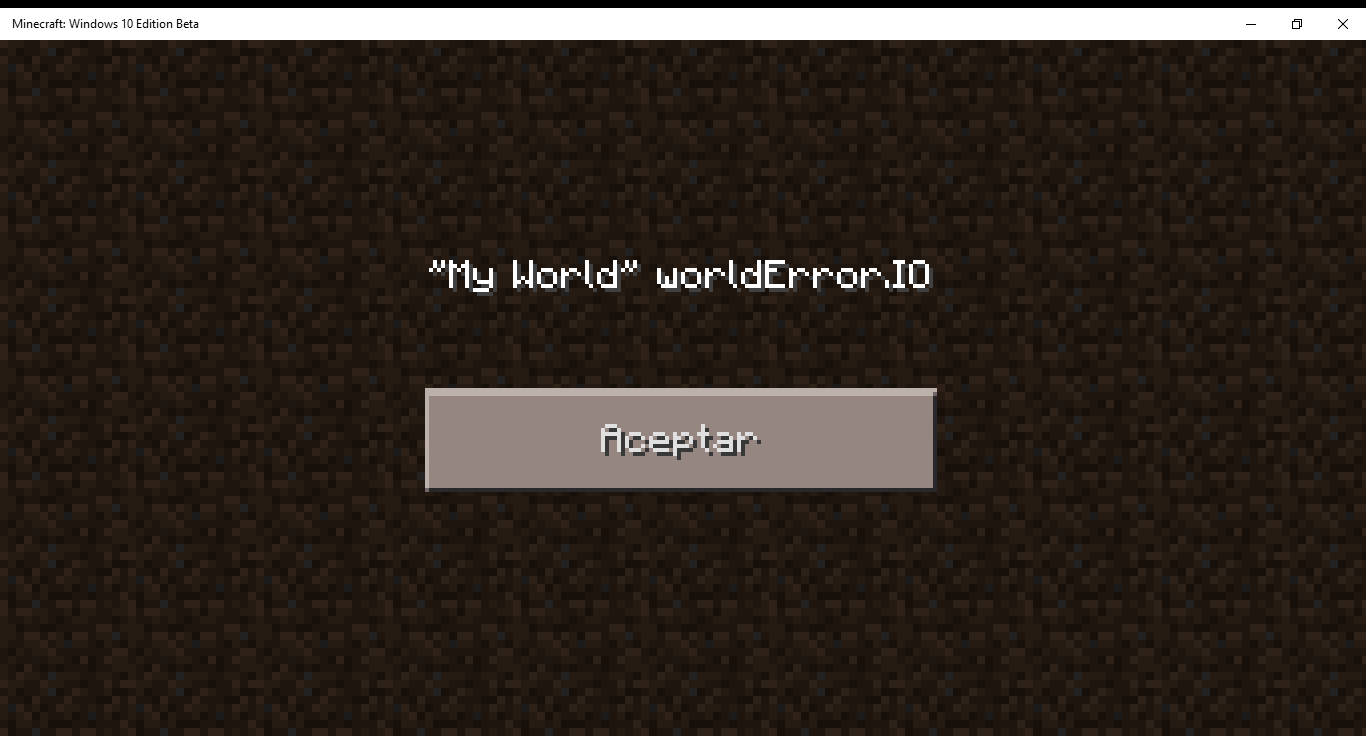
I was trying to create a world for the first time and this happen:
"Name of the World" worldError.IO
If anyone can tell me whats happening I would be really apreciated 
Linked Issues

Created Issue:
Minecraft Windows 10 Edition Beta
I updated to Windows 10 today and I instaled the Minecraft: Windows 10 Edition Beta.
I'm not sure if I should post this here, but I dont know where else I should.
I was trying to create a world for the first time and this happen:
"Name of the World" worldError.IO
If anyone can tell me whats happening I would be really apreciated
Environment
Windows 10
![[Bot] Arisa](../../../data/assets/gravatar/mustek2.png)

Moved Issue:  MC-83602 →
  MCPE-9318
MC-83602 → MCPE-9318Removed Environment:
Windows 10
Added Affects Versions: 0.12.1 Pre-release
Removed Affects Versions: 1.8.8
Deleted Comment:
The error
Added Attachments:
![[Mod] Ezekiel (ezfe)](../../../data/assets/gravatar/ezekielelin.jpeg)
Added Affects Versions: 0.12.0 Win 10
Removed Affects Versions: 0.12.1 Pre-release
Added Linked Issues:
is blocked by
Added Linked Issues:
is duplicated by
Removed Linked Issues:
is blocked by

Added Linked Issues:
is duplicated by
![[Mojang] MissMarzenia (Aleksandra Zajac)](../../../data/assets/gravatar/missmarzenia.png)
Please do not mark unreleased versions as affected.
You don't have access to them yet.
— This action was performed automatically. If you believe this was done erroneously, please raise an issue.
I get the same error when I try to create a world. Converting my user account to a local account (not synched with my Microsoft account) doesn't solve the issue.
However, every time I try to create a world a folder is created at this location:
C:\Users\<Name>\AppData\Local\Packages\Microsoft.MinecraftUWP_<some string>\LocalState\games\com.mojang\minecraftWorlds
The folder name seems to be base64 encoded and its only contents are an empty folder named db. Maybe that helps to determine when in the creation process it gets stuck, as I couldn't find any log files that would help.
Me pasa lo mismo pero en mcpe
I have the same problem too
same here
and anotherone too.
have testet with local- and microsoft-account both the same result.
although I was both times still logged in at XBox-account.
Hopefully this problem can be solved soon.
I believe this is fixed in the latest version.
Please provide more information about affected version if this bug is still occurring.