![[Mojang] MissMarzenia (Aleksandra Zajac)](../../../data/assets/gravatar/missmarzenia.png) [Mojang] MissMarzenia (Aleksandra Zajac)
[Mojang] MissMarzenia (Aleksandra Zajac)
- MissMarzenia
- missmarzenia
- Europe/Stockholm
- Yes
- No
 MCPE-10162MCPE-10170
 MC-131243
 REALMS-1216








duplicates
duplicates
is duplicated by
is duplicated by
Cannot log in to Realms;"public/m/ does not exist."Realms error message: "public/m/ does not exist."
duplicates
is duplicated by
duplicates
is duplicated by
is duplicated by
duplicates
is duplicated by
duplicates
is duplicated by
duplicates
is duplicated by
duplicates
is duplicated by
duplicates
is duplicated by
is duplicated by
relates to
is duplicated by
duplicates
duplicates
is duplicated by
2x2 Jungle trees leaves disapear when you grow them artificially (bonemeal)
duplicates
is duplicated by
duplicates
is duplicated by
duplicates
is duplicated by
duplicates
is duplicated by
 Daniel Wustenhoff
duplicates
tommo[Mojang] MissMarzenia (Aleksandra Zajac)is duplicated by
is duplicated by
relates to
![[Mojang] Shoghi Cervantes](../../../data/assets/gravatar/shoghicp.jpeg) [Mojang] Shoghi Cervantes[Mojang] MissMarzenia (Aleksandra Zajac)[Mojang] Shoghi Cervantes[Mojang] Shoghi Cervantes[Mojang] Shoghi Cervantes[Mojang] MissMarzenia (Aleksandra Zajac)
[Mojang] Shoghi Cervantes[Mojang] MissMarzenia (Aleksandra Zajac)[Mojang] Shoghi Cervantes[Mojang] Shoghi Cervantes[Mojang] Shoghi Cervantes[Mojang] MissMarzenia (Aleksandra Zajac)is duplicated by
Daniel Wustenhoff[Mojang] MissMarzenia (Aleksandra Zajac)[Mojang] MissMarzenia (Aleksandra Zajac)[Mojang] MissMarzenia (Aleksandra Zajac)[Mojang] MissMarzenia (Aleksandra Zajac)Daniel Wustenhoff[Mojang] MissMarzenia (Aleksandra Zajac)[Mojang] Tomas Alaeus[Mojang] MissMarzenia (Aleksandra Zajac)[Mojang] Shoghi Cervantesrelates to
relates to
tommois duplicated by
Daniel Wustenhoff[Mojang] MissMarzenia (Aleksandra Zajac)[Mojang] MissMarzenia (Aleksandra Zajac)[Mojang] MissMarzenia (Aleksandra Zajac)[Mojang] MissMarzenia (Aleksandra Zajac)[Mojang] MissMarzenia (Aleksandra Zajac)[Mojang] MissMarzenia (Aleksandra Zajac)[Mojang] MissMarzenia (Aleksandra Zajac)[Mojang] MissMarzenia (Aleksandra Zajac)[Mojang] MissMarzenia (Aleksandra Zajac)[Mojang] MissMarzenia (Aleksandra Zajac)tommo[Mojang] Shoghi Cervantes[Mojang] Shoghi Cervantes[Mojang] MissMarzenia (Aleksandra Zajac)Daniel Wustenhoffduplicates
is duplicated by
Lucky, you got 0.11.0!
 Daniel WustenhoffDaniel WustenhofftommoDaniel Wustenhofftommo[Mojang] MissMarzenia (Aleksandra Zajac)Daniel WustenhoffDaniel WustenhofftommoDaniel Wustenhoff
(Using XiaoMi Note 4G)
If you spawn hostile mobs (skeleton, zombie, etc.) in peaceful it still work.
If you spawnslime, the big one and the medium one disappeared but not the small one.If you spawn slime, the big one and the medium one disappeared but not the small one.
(Using XiaoMi Note 4G)
If you spawn hostile mobs (skeleton, zombie, etc.) in peaceful it still work.
Difficulty GlitchBig and medium slimes despawn in Hard mode creative.
Big and medium slimes despawn inHardmode creative.Big and medium slimes despawn in peaceful mode creative.
[Mojang] Shoghi CervantesHostile mobs will ignore you on peaceful mode. But you can still spawn them. This is not a bug.
I would need more info on the slime behaviour. What happens exactly, I can not reproduce this issue.
Fire MobsYou do not catch on fire from mobs which are on fire.
Daniel WustenhoffI dont have Android 5.0 yet...
Android Lollipop sounds bugSounds are not correct
duplicates
duplicates
Its actually alpha build 2... I am going crazy in a boat!Boats spin out of control
Daniel WustenhoffNote 3
Basically the mine cart shakes weirdly when it enters a new chunk for about a second.
Kinda weirdNote 3
Basically the mine cart shakes weirdly when it enters a new chunk for about a second.
It happens when you ride north to south
Daniel WustenhoffGamemodestuck and never changes.Gamemode change is not working properly.
relates to
relates to
is duplicated by
relates to
relates to
duplicates
[Mojang] MissMarzenia (Aleksandra Zajac)tommois duplicated by
is duplicated by
is duplicated by
[Mojang] MissMarzenia (Aleksandra Zajac)FIX DA BUG
tommoduplicates
is duplicated by
[Mojang] Shoghi CervantesWhenever you try to crash fast against a block inside a boat makes you get inside the blocks, and then you start falling down through blocks down and down.
Boats also can't float in lava.
Samsung Galaxy S4
its mc logic that it cant float in lava cuz it made of wood
Except that you get in blocks
Sorry abut that!
Alex, please reopen this issue. Clownfish are edible in the PC Edition, this is most likely unintended.
You cannot eat clown fish in PC either. Works as intended.
Daniel Wustenhoff[Mojang] Shoghi Cervantes[Mojang] Shoghi CervantesWow so many bugs out here...
I'm quite annoyed when it happens; is this client error or server error?
duplicates
I spawned a new world, in a jungle biome. There was a lake nearby, so I went into it with my jungle wood boat. I got off and I forgot I was underwater while I left for a moment, I drowned, but after I died I saw the breath meter refill while on the death screen.
I was using an 'AMAZON KFSOWI' (3rd Generation)
After drowning, the breath meter appears on the screen as almost full.
It runs down, then health runs down and breath meter appears after death.I was using an 'AMAZON KFSOWI' (3rd Generation)
DrowningBugBreath meter bug after drowning.
tommo[Mojang] MissMarzenia (Aleksandra Zajac)[Mojang] MissMarzenia (Aleksandra Zajac)tommoDaniel Wustenhoff[Mojang] MissMarzenia (Aleksandra Zajac) Johan BernhardssonJohan Bernhardsson[Mojang] Tomas Alaeus[Mojang] Shoghi CervantesJohan BernhardssonDaniel Wustenhoff[Mojang] Tomas AlaeusDaniel WustenhoffDaniel Wustenhoff[Mojang] Shoghi Cervantes[Mojang] Shoghi CervantesJohan Bernhardsson
I have minecraft PE 0.11.0 alpha build 2 and if I go to options it will crash. if I go onto a SERVER it will say invalid skin. and if I go onto my world straight away I will crash can u help?Crash with invalid or no skin.
Update by Zeb on 26/Apr/2017: This bug has been fixed in 1.0.5.0. If you are still having issues with entities apparently disappearing, see the separate issues MCPE-1982 (Mobs and NPCs Can Escape Enclosures) and MCPE-21416 (Entities can despawn when entering/exiting the Nether (multiplayer)). Also, keep in mind that entities that have never been interacted with are SUPPOSED to despawn. When testing either of the aforementioned 2 bugs, please make sure to interact with the entities you're observing first. If the entity ever sets you as its target, follows you, or gets fed/bred/punched/etc. by you, that counts as an interaction.
Original description:
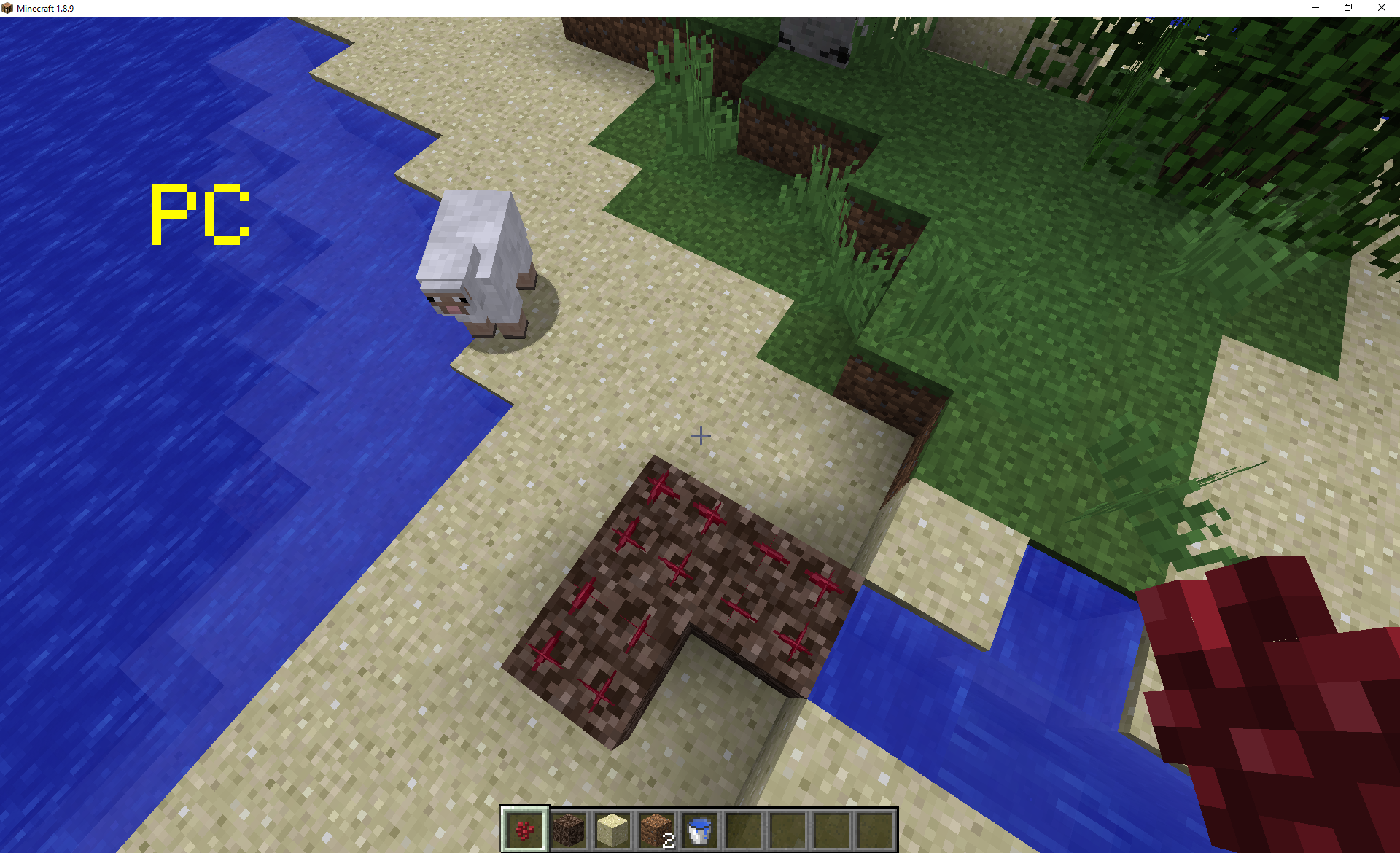
First pic is of the cow-farm; every powered rail had a cow in a minecart...somehow two whole rows disappeared completely, without a trace of the minecarts or cows.
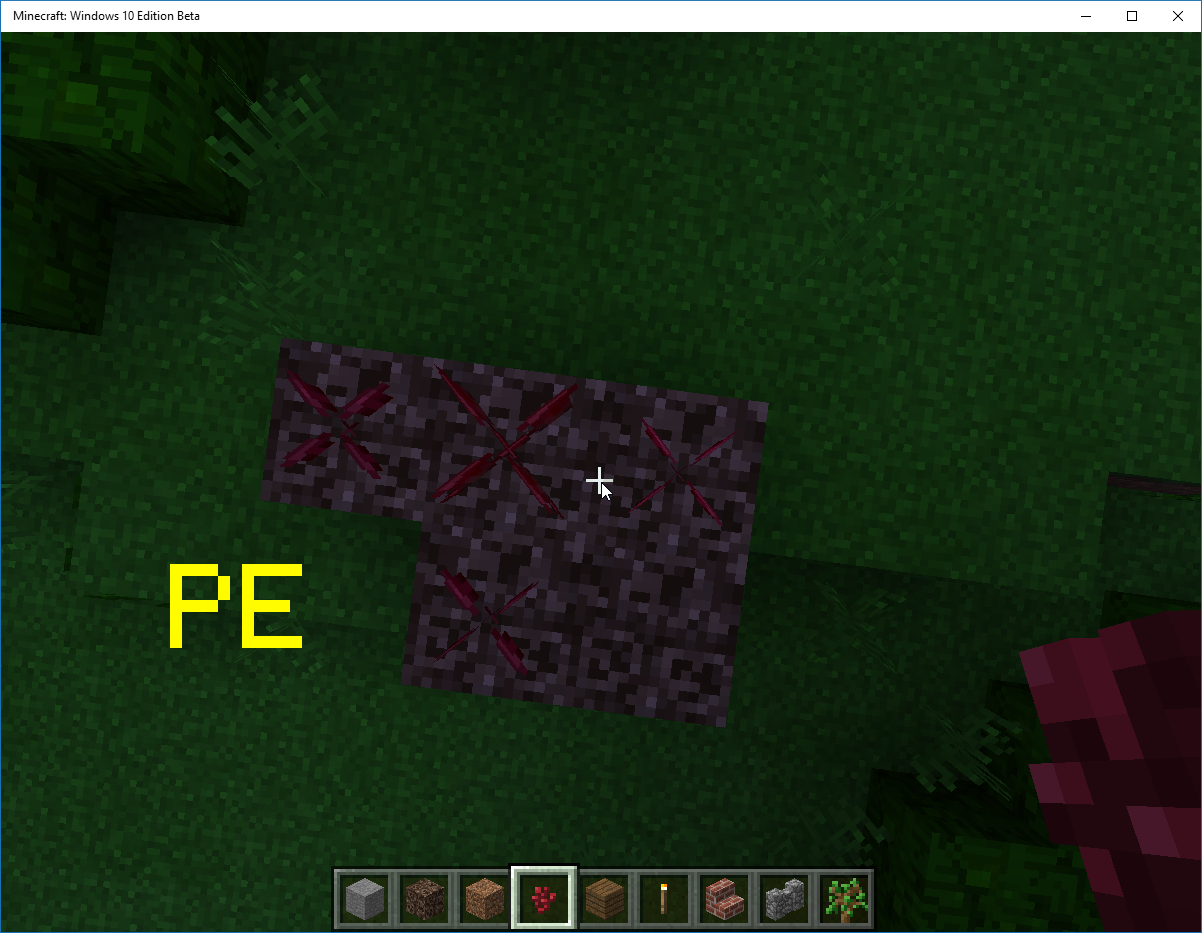
Next two are pictures of the underground villiage where despawning villiagers were supposed to go.
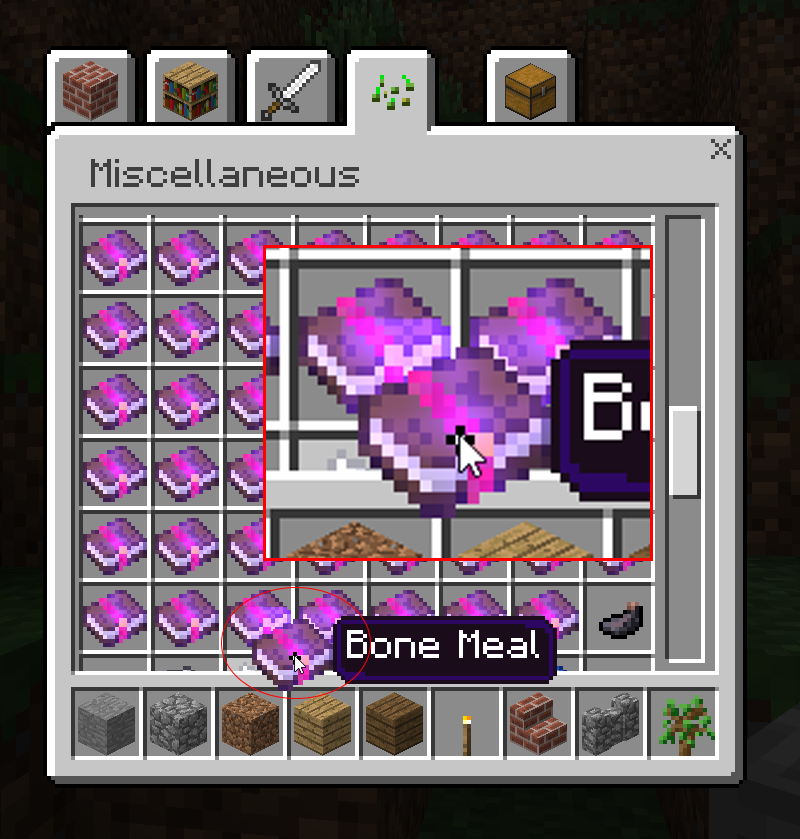
The rest after that would be some of the villiagers' holding cells where they are staying until the villiage is done and the villiagers are capable of door-opening and breeding and wont just stand right at a door while zombies smack them through it. You can see where some of the villiager cells clearly weren't wrecked by me releasing them, yet there is no villiager...and no way that a zombie could've reached it. There was only ever 19 villiagers, so it isn't like somehow a siege happened and zombies spawned right next to them.
Also, random sheep that are individually fenced off and within a larger structure, despawned randomly for no apparent reason as well. Same goes for another animal farm that was just a bunch of chickens and cows and pigs in a room underground.
Villagers also dissapears after visiting the nether. (From MCPE-9662)
Villagers dissapear while away in easyest difficult (From MCPE-9690)
Villagers dissapear when flying too high (From MCPE-10219)
Update by [Mojang] MissMarzenia (Aleksandra Zajac) on 03/Dec/2015
Thank you for all the comments. We reported this bug for further testing and hopefully it will be resolved in the future.
This is a VERY complex issue, we have been looking into for quite some time. It is not easy to reproduce and easily fix. It is also very inconsistent and therefore we are unable to fix it right away.
Just a reminder - We are currently using internal tool to test and assign bugs, so we do not assign bugs to developers in JIRA, it doesn't mean we are ignoring them.
My son has purchased Minecraft Pocket Edition and has been using it on an original Apple iPad running iOS 5.1.1 (as this is the highest iOS that you can run on this device). iPad is NOT jailbroken and never has been.
Minecraft Pocket Edition version 0.10.4 has been working well on this device (with one exception: Infinite Worlds mode would crash out to the main menu). It did not freeze.
However the new update version 0.11.1 is extremely crash prone: it freezes frequently. (Note that the version number shown in the Apple App Store is 0.11.1 but the JIRA Create Issue form does not have that version listed so 0.11.0 is the closest I could enter).
My son wrote the following list of problems:
It lets me on for a minute then everything freezes, have to click the home button to get out.
Same on multiplayer.
If you try to edit a world, does the same.
Create world freezes.
Languages & settings freeze as well.
Pretty much everything freezes.
Will you please fix this freezing problem?
Edit by Katten:
This ticket concerns the issue of constant freezing on the Apple iPad. For the ticket concerning the game crashing upon launch on the Apple iPad, see MCPE-8834. For the ticket concerning the game crashing upon launch on Apple iPod 4 and iPhone 4, see MCPE-8822.
Edit by [Mojang] MissMarzenia (Aleksandra Zajac) 09 SEPTEMBER 2015:
JOY! It looks like 0.12.1 resolved this issue. Please comment if you are still experiencing it on your device.
Invert Y-axis cannot be turned on when using touch controls on any platform. It works as expected when you have a mouse and keyboard or controller. Same problem for Invert Y-Axis option.
Original report:
there is a bug in 0.12 build 1 where Invert Y-Axis doesn't work nobody reported this yet, when turned on it has the same effect as it turned off
UPDATE by [Mojang] MissMarzenia (Aleksandra Zajac)
This issue has been reported as fixed for 0.14.0 beta. However players are still reporting it is not working as desired. We are looking into the issue. Please, try not to spam the comment section if you do not have bug related information.
Players who can't seem to play the game because of this issue can ALWAYS request a refund from the store they bought the game at (Amazon, Play or App Store).
Thanks for your patience.
The last version, skins don't overlap anything at all, but these versions of 0.12.1 except win10 the skins are overlapped the top of the screen.
Steps to reproduce:
1. Go to options screen
2. Go to Skins option in the left of the screen
3. Scroll up to see the skins overlapping the top.
UPDATE by [Mojang] MissMarzenia (Aleksandra Zajac)
We are aware of this issue, it has been submitted for a fix. The resolution "Won't Fix" means that the we will likely change the UI instead of just fixing this specific bug.
When I wanted to go to my brother's server through L.A.N. (local area network), no server showed up on my list.
UPDATE: by [Mojang] MissMarzenia (Aleksandra Zajac)
We are aware of this issue and the fact it is not assigned does not mean we are not fixing it. We do not assign issues in Jira to developers anymore.
This is a known issue and it is being looked into. Please comment only if you have bug relevant information and try to be respectful of other people's issues.
UPDATE AND POSSIBLE FIXES by [Mojang] MissMarzenia (Aleksandra Zajac)
- Be patient, when you open the game, wait a bit before the worlds and LAN worlds appear.
- Restart the game on both devices. Make sure it is actually turned off and on again.
- Turn off your WiFi, put the devices into Airplane Mode for 2-3 minutes
- Triple check that all devices on your network have the same version of MCPE
As you probably already noticed this bug does not occur all the time, this is why it is not easy to reproduce. I hope it will be fixed in next release.
@[Mojang] MissMarzenia (Aleksandra Zajac): In this case, certain chunks never load for the client (or, at least, in any playable time period). The only solution is to exit and rejoin the LAN server.
When I originally started playing achievements were unlocking. Now I can't unlock any achievements nor can I progress any that are partially unlocked such as the one for discovering biomes which is 41% complete
UPDATE by [Mojang] MissMarzenia (Aleksandra Zajac)
Users reported that logging out and back in, to your Xbox account allows them to get achievements again.
[Mojang] MissMarzenia (Aleksandra Zajac)
Looks like an on and off issue - at the moment what we can observe is that on IOS devices achievements do not unlock properly, and on Android devices they sometimes work.
We are currently fixing this issue and hopefully it will be working in the next major update.
However, sadly, I can not provide any solid dates.
When trying to join servers on windows 10 edition, if your gamertag for xbox has spaces, you cannot join as a error message will say, 'Invalid Name'. The only way to change your name in Win10 is to change your Xbox Live ID, which costs money each time you change it.
Another effect of this bug: you may have a correctly formatted gamertag/name but someone on iOS or Android is using that name on a server you want to join and you cannot play because a server will not accept 2 platers with the same name. (Aside: I feel bad for the Xbox Live user who's gamertag is Steve).
In a worst case scenario, griefers could exploit this to keep specific Xbox Live users out of servers by intentionally changing to the mark's name when the mark leaves the server.
COMMENT by [Mojang] MissMarzenia (Aleksandra Zajac)
Unfortunately there is nothing we can do about this issue. Anyone trying to use a server that is not supported by us may run into this issue. Please read comments below for more detailed information.
[Mojang] MissMarzenia (Aleksandra Zajac), OK, So this may only happen with autojump off. I did confirm that it is not the controller since sprinting continues (autojump off) if I "make" the jump. But if I "miss" a jump, and bump up against an obstacle, THEN jump from a full stop, sprint goes off.
@[Mojang] MissMarzenia (Aleksandra Zajac): this issue is exclusive to iOS devices, applying to all blocks.
Confirmed to affect 0.12.3 on iPhone 6+ (iOS 9.1). Reopened.
This is the intended behavior, per [Mojang] MissMarzenia (Aleksandra Zajac).

Hey [Mojang] MissMarzenia (Aleksandra Zajac), it's the combination of peaceful regeneration and drowning heart loss that we're testing. There might be other effects at play based on zombie killa's latest comment.
zombie killa can you create a new peaceful survival world and try drowning? That would take the armor and other factors out of the equation?

[Mojang] MissMarzenia (Aleksandra Zajac), that bug was item not particle, particles and items are completely different.
[Mojang] MissMarzenia (Aleksandra Zajac), to produce the bug, just take the colored water from cauldron using bucket, and put it back to the cauldron. The water is now non colored.
Considering creative inventory has changed significantly in the 0.14.0 beta testing currently on going, there's no need to reopen. Also, these comments are exclusively for providing information about bugs, not for requesting information from moderators/developers. In all likelihood [Mojang] MissMarzenia (Aleksandra Zajac) will delete these comments since they are not relevant to the bug.
![[Mojang] Mega_Spud (Jay Wells)](../../../data/avatars/users/92696.png)
[Mojang] MissMarzenia (Aleksandra Zajac) oh ok It's been around for so long I assumed it was intentional! Thanks for the info
Thanks for keeping us up to date [Mojang] MissMarzenia (Aleksandra Zajac) 
[Mojang] MissMarzenia (Aleksandra Zajac) see MCPE-13392 for the pictures from 21JumpSuits. I'm resolving this as a duplicate of that ticket.

Yes, this is fixed in 0.14.0 alpha. I think [Mojang] MissMarzenia (Aleksandra Zajac) has mislabeled it.
@[Mojang] MissMarzenia (Aleksandra Zajac)
Confirmed as fixed for me on 0.14.2 Windows 10 Edition
I just used a weakness potion on myself and after it wore off, I could hit with fists again.
(Also, drinking milk will once again remove the potion effects properly.)
When connected to a Multiplayer server or locally hosted world in Minecraft Gear VR Edition the keyboard is unusable. It is possible to bring up the chat input but the Gear VR Keyboard will not open. This makes it impossible to enter text or commands on any multiplayer server. This issue is present on my Galaxy Note 5 but has been reported on all other devices compatible with the Gear VR.
Video of the bug by Cy Cy : https://www.youtube.com/watch?v=gtRSAgz3Mm0
[Mojang] MissMarzenia (Aleksandra Zajac)
Update: After an investigation with one of the PE developers, we concluded that - for now, this issue is Working as Intended
The virtual keyboard was disabled in multiplayer because with current time limitations game can be suspended, it will kicks you out when you attempt to type a message. Virtual Keyboard also does not support international and special characters, as well as Gamertags, etc.
What does it mean?
The development team is currently working on solutions for better functioning keyboard that would fulfill ALL the requirements, like for example: support international characters, special characters (ASCII) or 3D overlay to render associated input screens in-game.
When will it be fixed?
This is a complex task and I am afraid I can not provide any dates for the implementation. I will however raise this issue with the team and see if the task should be prioritized more.
Small disclaimer:
You may have noticed that some comments that were posted before, were removed. They are actually still there but hidden and only visible to moderators and staff for future reference.
We aim to keep this tracker spam and abuse free. We are not robots, who mindlessly click buttons, we are your fellow Minecraft players. All of your PE and PC moderators came from the community, they work for free trying to make your game bug free. If you repeatedly violate rules of courtesy and try to flame comment section, blame or abuse staff, hoping that it will resolve any issue faster - your account will be deactivated and comments hidden.
HUGE THANK YOU, to all players that submitted relevant info in a civil and informative way. Please keep contributing so we can make the game more enjoyable for everyone.
The "Inception" Xbox achievement requires to "Push a piston with a piston, then pull the original piston with that piston."
I've done this multiple times on my iPhone 6 and on my PC. Neither version seems to be unlocking. I had friends with this very same version. Been reading on different places and other people seem to have this same issue with this achievement.
UPDATE by [Mojang] MissMarzenia (Aleksandra Zajac)
This bug has been reported to our internal bug tracker for further testing and a fix. It is scheduled to be fixed in one of the future updates (no specific date can be provided).
Please, avoid duplicated comments. Post only NEW information regarding this bug.
[Mojang] MissMarzenia (Aleksandra Zajac) AMAN4700 This bug is fixed long time ago, but there is a achivement translation error: On Achivement 거짓말 should be The Lie, which means it shouldn't be translated like pc version. Current PE translation means verb type (which is not lying to bed). For additional, 맛있는 맛 should also be same with pc version. PE translations isn't really bad, but sucks at some stuffs.
After taming a horse in a new creative flat world, the game would not let me place a saddle or armor on the horse. Opening the horse GUI and tapping the saddle or armor in my inventory did nothing. Same was observed when taming a donkey.
I expected the saddle and armor to be applied to the horse.
Samsung Galaxy S6 (SM-G920W8), Android 6.0.1 MCPE revised 0.16.0 Beta build 1 (aka v0.15.90.1)
UPDATE by [Mojang] MissMarzenia (Aleksandra Zajac)
This bug has been reported to our internal bug tracker for further testing and a fix.
My issue was somehow fixed a few days ago. I wish to stop receiving email comments from people who have the same issue.
> On Sep 18, 2015, at 4:32 AM, [Mojang] Aleksandra Zajac (JIRA) <bugs@mojang.com> wrote:
>
>
> [Mojang] Aleksandra Zajac updated an issue
>
> Minecraft Pocket Edition & Windows 10 Beta Edition / MCPE-10552
> 0.12.1 IOS Lan bug/glitch
> Change By: [Mojang] Aleksandra Zajac
> When I wanted to go to my brother's server through L.A.N. (local area network), no server showed up on my list.
>
>
> UPDATE: by [Mojang] MissMarzenia (Aleksandra Zajac)
> We are aware of this issue and the fact it is not assigned does not mean we are not fixing it. We do not assign issues in Jira to developers anymore.
> This is a known issue and it is being looked into. Please comment only if you have bug relevant information and try to be respectful of other people's issues.
>
> UPDATE AND POSSIBLE FIXES by [Mojang] MissMarzenia (Aleksandra Zajac)
> - Be patient, when you open the game, wait a bit before the worlds and LAN worlds appear.
> - Restart the game on both devices. Make sure it is actually turned off and on again.
> - Turn off your WiFi, put the devices into Airplane Mode for 2-3 minutes
> -
> As you probably already noticed this bug does not occur all the time, this is why it is not easy to reproduce. I hope it will be fixed in next release.
> Add Comment
>
> This message was sent by Atlassian JIRA (v6.1.6#6162-sha1:7af547c)
>

[Mojang] MissMarzenia (Aleksandra Zajac)
Jay, asked to post this as a bug, since we are Volunteer Moderators for the Official Community Realm 

This duplicates REALMS-11837
According to [Mojang] MissMarzenia (Aleksandra Zajac)
As an owner go to Realms admin menu, under Players:
Name of invited players appears on the list.Name is gray if they did not accept the invitation.The name will be white if they accepted.
With other issues please contact Mojang Support
This is not a bug. There is no log in to Realms for Pocket Edition at the moment.
I can reproduce this on iPhones.
This issue was already reported. Bug tracker is not customer support. You can contact Customer Support for a refund if the game does not work on your device. Please contact: https://help.mojang.com/customer/widget/emails/new
I am afraid I can not reproduce the bug as it is shown on your screenshots.
There is no issues with connection. Please check the How to join list: http://www.lbsg.net/htj.php
This issue has been reported already. It has been linked to the original bug report.
Please search before reporting any bugs, as it's likely that one exists already.
This issue has been reported already. It has been linked to the original bug report.
Please search before reporting any bugs, as it's likely that one exists already.
This issue has been reported already. It has been linked to the original bug report.
Please search before reporting any bugs, as it's likely that one exists already.
This issue has been reported already. It has been linked to the original bug report.
Please search before reporting any bugs, as it's likely that one exists already.
This issue has been reported already. It has been linked to the original bug report.
Please search before reporting any bugs, as it's likely that one exists already.
This issue has been reported already. It has been linked to the original bug report.
Please search before reporting any bugs, as it's likely that one exists already.
This issue has been reported already. It has been linked to the original bug report.
Please search before reporting any bugs, as it's likely that one exists already.
This issue has been reported already. It has been linked to the original bug report.
Please search before reporting any bugs, as it's likely that one exists already.
This issue has been reported already. It has been linked to the original bug report.
Please search before reporting any bugs, as it's likely that one exists already.
Please do not assume the differences between PC and PE versions are bugs.
This issue has been reported already. It has been linked to the original bug report.
Please search before reporting any bugs, as it's likely that one exists already.
This issue has been reported already. It has been linked to the original bugreport.
Please search before reporting any bugs, as it's likely that one exists already.
External server issue.
Reopened for fixing.
Reproduced in 0.10.5 on Android 5.0.1
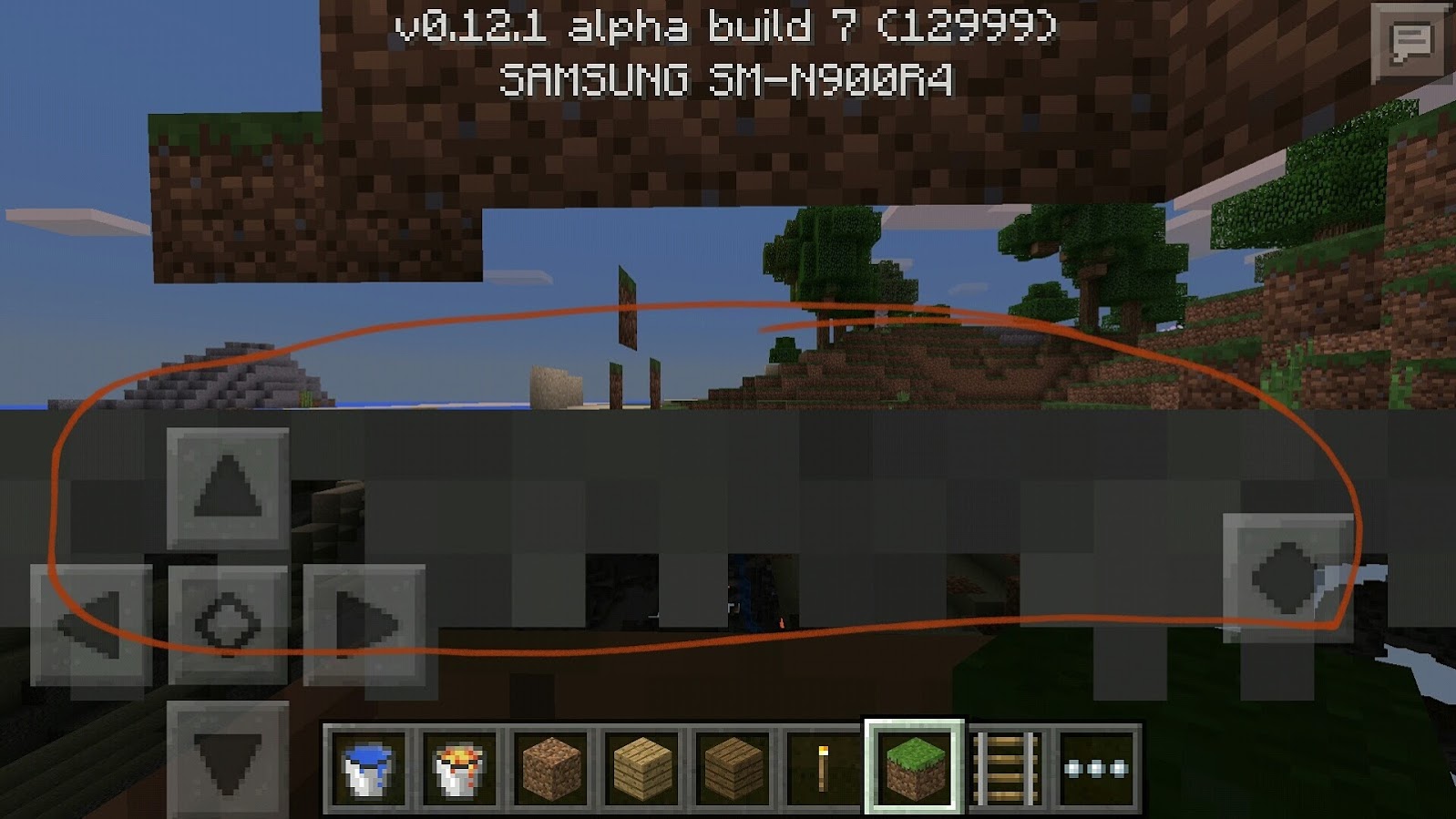
This is a D-pad scaling issue. It will be redone in the future.
Server software issue.
Brent is this an issue you experience on singleplayer too?
Can you please provide more information on the crash itself? Does it always crash when you are doing a specific thing?
It is a known issue that you lose your items when the game crashes. We need to establish why the game crashes in the first place.
User did not provide enough information.
Old version.
In order to move up and down you need to hold the middle button and then arrows up and down.
This is not a bug - working as in PC version.
Can not reproduce in new versions.
Can not reproduce in new versions.
The growth is indeed very slow. It is working as intended.
Might be adjusted in the future.
Can't reproduce this issue since we do not know any details.
Can't reproduce in new versions. Please feel free to reopen if you experience this issue and you have more details.
Reported again for iPhone 6, iOS 8.2
Latest version: 0.10.5
Seems to work correctly in 0.11 (before release)
Please report if this issue still occurs.
Please update Affects Version/s: if this bug occurs.
You can change the scale of D-pad in game options.
Please update the affected versions if this bug occurs again.
Unable to reproduce in the latest version.
Can not reproduce in the latest version. Please update the issue if it occurs in later versions.
If this issue occurs in later versions please update Affects Version/s section.
If this issue occurs in later versions please update Affects Version/s section.
If this issue occurs in later versions please update Affects Version/s section.
Confirmed 0.11 - PC test.
Some devices will never be able to play multiple sounds at once.
This is not a bug we will be able to fix, as it depends on the device used.
Old version issue, please update Affected Versions if this error occurs again.
Please update Affected Version/s if this issue occurs again.
Please update Affected Version/s if this issue occurs again.
Not enough information to reproduce this issue.
Cannot reproduce this issue. Please update Affected Version/s if it still occurs.
Your world was most likely corrupted when the device turned off.
Cannot reproduce this issue. Please update Affected Version/s if it still occurs.
Not enough information to reproduce. Please update Affected Version/s and provide more info if it still occurs.
This issue is related to switching between game modes, this function is currently broken.
This issue is conformed and awaits fix atm.
I could not reproduce this issue. Can you provide a link to video? Please provide some more info on that and affected versions.
Medium and big Slimes spawn and immediately de-spawn on Peaceful.
It is most likely issue related to items "sinking' in to the ground when you place them down.
Single core devices will not have infinite worlds until they are turned on, in Limit world size option.
Are further beta releases working? Please update this issue if other versions are affected.
Please update if this issue was not resolved in further builds.
What device are you using? This is most likely device issue, I could not reproduce in any version on my devices.
Please try quitting the game each time to save properly, don't keep on idle.
Squid dies on land after 10 seconds.
You have to provide more information. Mobs have different rules of spawning from spawner block.
Can not reproduce this issue. Please provide some more information. How often is this bug occurring.
I could not reproduce this issue in Beta 4. Everything looks normal. Please update affected versions if you encounter this bug again.
Multiplayer issue.
KInda old but might be of help since there is a log.
http://www.minecraftforum.net/forums/support/minecraft-pocket-edition-support/2315423-unable-to-create-maps-on-newly-installed-minecraft
Cannot reproduce in 0.12
If you can reproduce this bug, please update affected versions.
Chunks always load, sometimes the process is longer.
This issue should be resolved in future updates. It was not implemented as of 0.12.1
Please update affected versions if you can still reproduce this bug.
There is no splash screen on Android.
If you can still reproduce this bug, please update affected versions.
If you can still reproduce this issue, please update the affected versions.
Please update Affected Versions section if you can reproduce this bug in current version.
Please update Affected Versions section if you can reproduce this bug in current version.
Please update Affected Versions section if you can reproduce this bug in current version.
Please update Affected Versions section if you can reproduce this bug in current version.
Please update Affected Versions section if you can reproduce this bug in current version.
Please update Affected Versions section if you can reproduce this bug in current version.
Please update Affected Versions section if you can reproduce this bug in current version.
Please do not swear and stop the aggressive comments in this and other reports. I am just updating status with the latest info.
If this issue will be fixed in the future - we will change the status.
PanchamBro Do not swear here. Jira is a bug report tool, not a forum. Beta bugs can be reported in all languages in beta community.
For efficiency reasons we prefer reports in English here in Jira, it is easier to moderate and fix properly.
Could not reproduce in build 9.
Could not reproduce in build 9.
Can't reproduce in build 9.
Cannot reproduce in build 9.
Can't reproduce in build 9, please update affected versions if this bug still occurs for you.
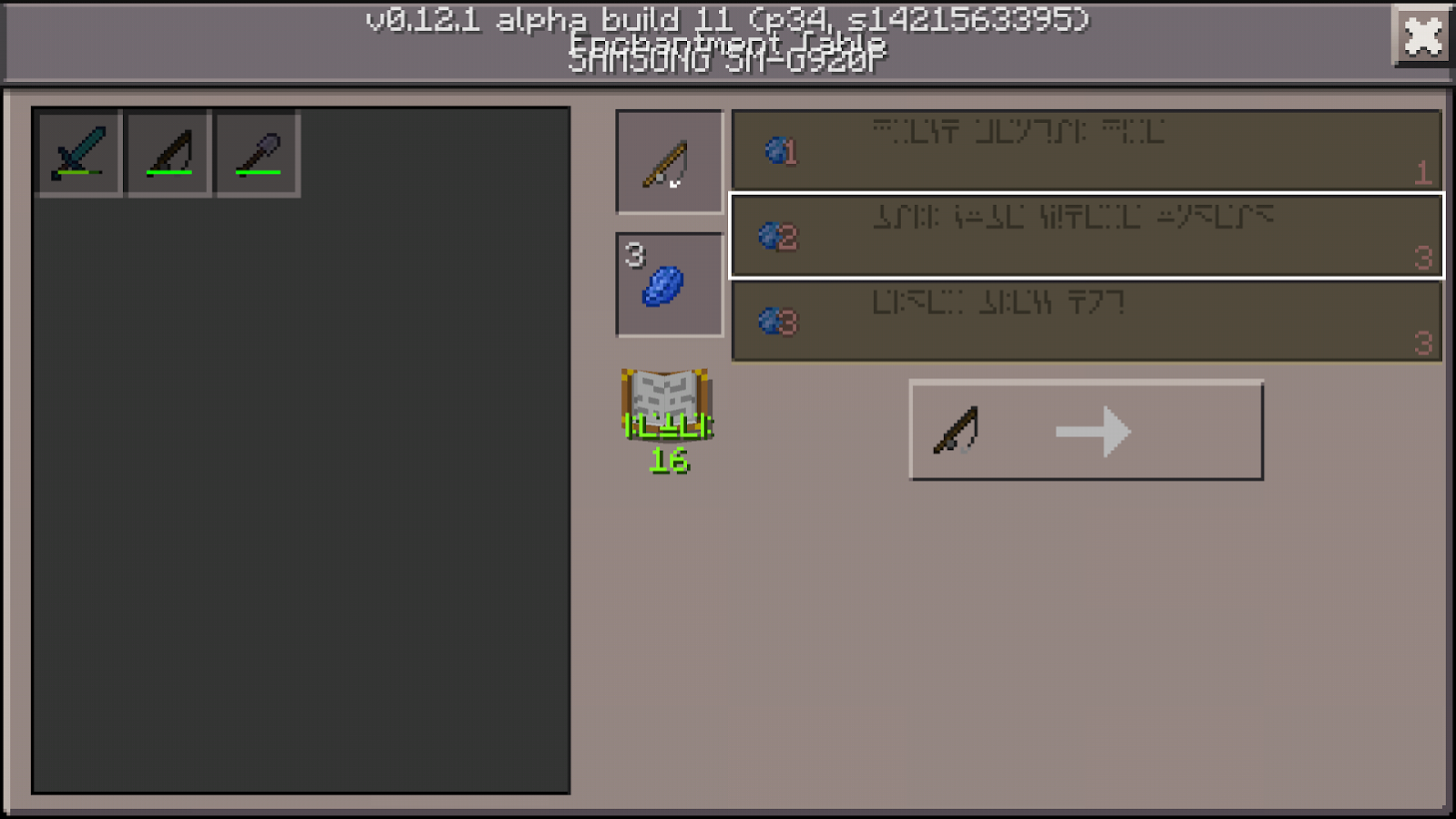
Works As Intended. In Pocket Edition, enchantment tables are crafted on the stonecutter.
Tristan Farrington This is not a forum, please refrain from off topics.
Nikola Bojanic On what device you experience this bug? Is it exactly as described in 1st comment?
Bug also observed in Android beta testing of 0.12.1
Sammy Garza This is not a forum, please stop spamming in the comment section of the issues. If you are not affected by a bug, please do not comment on it.
It is the only warning we will issue.
This is a bug, confirmed by PE developers.
Please do not list more than one bug per ticket.
Item display and skin issue whilst related to crouching are two different issues. Please search the tracker before posting a bug and do not list multiple issues in one ticket.
We have been aware of this issue since release but due to a lack of resolution we have not been updating frequently.
I am happy to announce that we are getting closer to the resolution and hopefully new update 0.12.1 will resolve this issue.
Please be aware that we are still TESTING this problem. Thank you very much for your understanding and patience.
I will try to update you as soon as I have a confirmation on the resolution.
Please do not submit multiple issues in one report.
Please do not submit multiple bugs in one ticket.
Can you provide a screenshot?
Namitha Kumar Please do not spam the comment section.
This issue will not be fixed.
This issue is not going to be fixed anytime soon. Please do not update affected versions.
Will Resnick I have already update on this issue on August 28th. Please read, before commenting.
This is not a forum, it is a tool to report bugs, this bug was reported, commented on and updated accordingly. We do not have any NEW information on this bug and I will update as soon as we do. Commenting on this issue at the moment will not change the result of the recent submission. Please Wait for the new update to be available in App Store.
If the issue persists after 0.12.1 - we will comment and update again.
We are aware of this issues and working on the resolution.
Thanks for your patience.
Please provide more information about affected version if this bug is still occurring.
We are aware of this issue and the fact it is not assigned does not mean we are not fixing it. We do not assign issues in Jira to developers anymore.
This is a known issue and it is being looked into. Please comment only if you have bug relevant information and try to be respectful of other people's issues.
This is not a forum, this is a bug reporting tool. I have removed several comments because they were disrespectful or/and irrelevant.
No, we will not post a comment or assign bugs. We will resolve them when new version comes out if they were fixed. You indicate the severity by watching/voting and commenting on issues, with relevant information.
We have another - internal tool that is used to assign issues to developers and testers. There is no reason to double that in Jira.
Please understand that we do visit the tracker daily and are aware of most issues. We can't comment on all of them because that would take time that we feel is better used to actually fix stuff.
Cleaning up all the old issues - please reply if this affects 0.12
Cleaning up all the old issues - please reply if this affects 0.12
Cleaning up all the old issues - please reply if this affects 0.12
Please provide screenshots of this issue so we can investigate.
Cleaning up all the old issues - please reply if this affects 0.12
Cleaning up all the old issues - please reply if this affects 0.12
I am afraid you might be uploading wrong format of the skin.
Please update if this still occurs.
Bad skin format or colors.
Cleaning up all the old issues - please reply if this affects 0.12
Cleaning up all the old issues - please reply if this affects 0.12
Ocelot can have three different textures as tamed cat. It is random, so the chances are you will see all three of them or just one.
Cleaning up all the old issues - please reply if this affects 0.12
We can no longer reproduce this issue - please comment if this affects 0.12
We can no longer reproduce this issue - please comment if this affects 0.12.
We can no longer reproduce this issue - please comment if this affects 0.12.
Please report only one bug per ticket.
We can no longer reproduce this issue - please comment if this affects 0.12.
Issue still occurs in Amazon Fire TV.
Skin menus are not fully operational.
This Ocelot is working as intended
Custom server software issue.
What are the exact steps to reproduce?
Does it still happen in 0.12?
edgarslaivins Do you see "Bad file number" error as well or you just can't open a world? What is the error message exactly?
8times9 With all due respect for you, please stop this. I do not want to get into this conversation with you in public. I repeat - this is not a forum, it is a bug tracker. Stop adding fuel to the fire. If you need to comment on development style, please visit MCPE section of Reddit.
How often does it break? Is it every time you break log?
Please attach a screenshot of the error or copy the error message exactly as it is displayed.
Max Orchard You do not. Only moderators can do that.
You can not connect to world because your name is invalid. Please do not use any special characters of colors in your name field.
Cleaning up old issues. If this bug still occurs in latest version, please leave a comment so we can reopen.
Cleaning up old issues. If this bug still occurs in latest version, please leave a comment so we can reopen.
Cleaning up old issues. If this bug still occurs in latest version, please leave a comment so we can reopen.
Cleaning up old issues. If this bug still occurs in latest version, please leave a comment so we can reopen.
Cleaning up old issues. If this bug still occurs in latest version, please leave a comment so we can reopen.
Cleaning up old issues. If this bug still occurs in latest version, please leave a comment so we can reopen.
Please report one issue per ticket.
Did you try to use colours in your name?
You can not use colors to change your username.
Cleaning up old issues. If this bug still occurs in latest version, please leave a comment so we can reopen.
Cleaning up old issues. If this bug still occurs in latest version, please leave a comment so we can reopen.
Seems like only 2 block tall plants do not produce vibration which is another issue.
I am afraid we do not have an update at the moment.
Seems like this is limited to LG G4 device?
Any other devices with this bug here?
Gideon Nieuwoudt Do you still have this issue in 0.12.2?
In this case I am afraid it is still single device issue.
If you found another issue - report it as separate issue. Check before posting, maybe it was already reported.
Can't promise anything, as we do not have this particular device to test with.
Please update your game to 12.2. If the issue still occurs, please leave a comment.
I can not see any issues on attached screenshot.
Can you reproduce in 12.2?
Cleaning up old issues. If this bug still occurs in latest version, please leave a comment so we can reopen.
Cleaning up old issues. If this bug still occurs in latest version, please leave a comment so we can reopen.
Cleaning up old issues. If this bug still occurs in latest version, please leave a comment so we can reopen.
grubbbee Can you reproduce in 12.2?
Cleaning up old issues. If this bug still occurs in latest version, please leave a comment so we can reopen.
You stop sprinting when you hit a solid block. This is by design.
Cleaning up old issues. If this bug still occurs in latest version, please leave a comment so we can reopen.
Cleaning up old issues. If this bug still occurs in latest version, please leave a comment so we can reopen.
Collision with another player should STOP your sprint by design.
If it is not working correctly it is caused by collision being disabled for some reason.
PC issue: Please do not comment here on bugs that occur in JAVA version of the game, it has separate project.
On that matter: Entities collision was working in the past, later, by mistake it was removed. Update 1.9 is bringing it back, so we can assume it should be present in PE as well.
Collision with blocks, mobs, players and attacking and sneaking should break your Sprint.
Working as intended for now - collision is disabled at the moment.
It should be enabled in future updates.
Cleaning up old issues. If this bug still occurs in latest version, please leave a comment so we can reopen.
rplatham and CyrusdoestheRS Not sure what you mean, arrows that let your turn slightly to left and right when going forward? The ones that appear when you hold finger on the d-pad in the corners?
I think that is working as intended since Win 10 version also does not slow you down when you turn.
Cleaning up old issues. If this bug still occurs in latest version, please leave a comment so we can reopen.
Can't reproduce in 12.2, please comment on this issue if you experience this issue in 12.2
The 12.2 is officially released now on iOS and Android. There is no beta test at the moment.
Mobs do spawn in the Nether but they are very rare, we are aware of this issue.
Ghast spawn rate is very low, but they do spawn.
This issue was reported multiple times. Spawners seem to be empty when you open worlds that were created before the release you are currently using
Cleaning up old issues. If this bug still occurs in latest version, please leave a comment so we can reopen.
Cleaning up old issues. If this bug still occurs in latest version, please leave a comment so we can reopen.
Dogs can sit and stand after being tamed and user quits the game.
Klemen Jug You can't open any worlds? Did you reinstall the game?
Klemen Jug You reported you can't open worlds, can you clarify?
Rhyddian Abraham This is DUPLICATE report. Oldest report is at https://bugs.mojang.com/browse/MCPE-8383 update that ticket if you can reproduce in 12.2
Cleaning up old issues. If this bug still occurs in latest version, please leave a comment so we can reopen.
Cleaning up old issues. If this bug still occurs in latest version, please leave a comment so we can reopen.
Cleaning up old issues. If this bug still occurs in latest version, please leave a comment so we can reopen.
Nice video!
I can not reproduce this bug. It always shows the pumpkin as a head of a snow golem, in PE 12.2 and Win10 Beta.
Dan Bryant I am afraid I can't reproduce this on any device. You sprint after autojump, nothing breaks your sprint if you hold the buttons. maybe.
Did you try without the controller? It might be controller issue - not supporting two buttons pressed
Do not compare the functionality across platforms.
When I tested this on Nexus 5, iPad Mini, Win 10 with auto jump on, my sprint never broke after jump, unless I release the forward arrow.
R Klomp Might be OS issue, did you ever try to update OS?
Of course. I assumed this is by design. Sprint will break when you hit a block.
Last line of usage section: http://minecraft.gamepedia.com/Sprinting
Yes, it does.
No, do not make another report. And please stop spamming, I have already banned one of your accounts.
Submit a screenshot with this error, we can't reproduce on any device.
Phil Rogers What is the world you are opening? Can you open any new world on this tablet/phone?
This issue is currently being fixed.
This is working as intended. Pumpkin or jack o'lantern on top of two snow block with always show the same snow golem with pumpkin on his head. The head is not suppose to change.
Cleaning up old issues. If this bug still occurs in latest version, please leave a comment so we can reopen.
Please provide a screenshot, I can not see this bug anywhere.
Please provide the OS version you have on your devices.
This is not WAI. This is a bug and it should be fixed eventually