 REALMS-284
No one including me can connect to my Realm
I searched and could not find an open ticket for this issue. If I am mistaken feel free to click more and link Jira ticket (REALMS-284) to the pending ticket it relates to. Thank you.
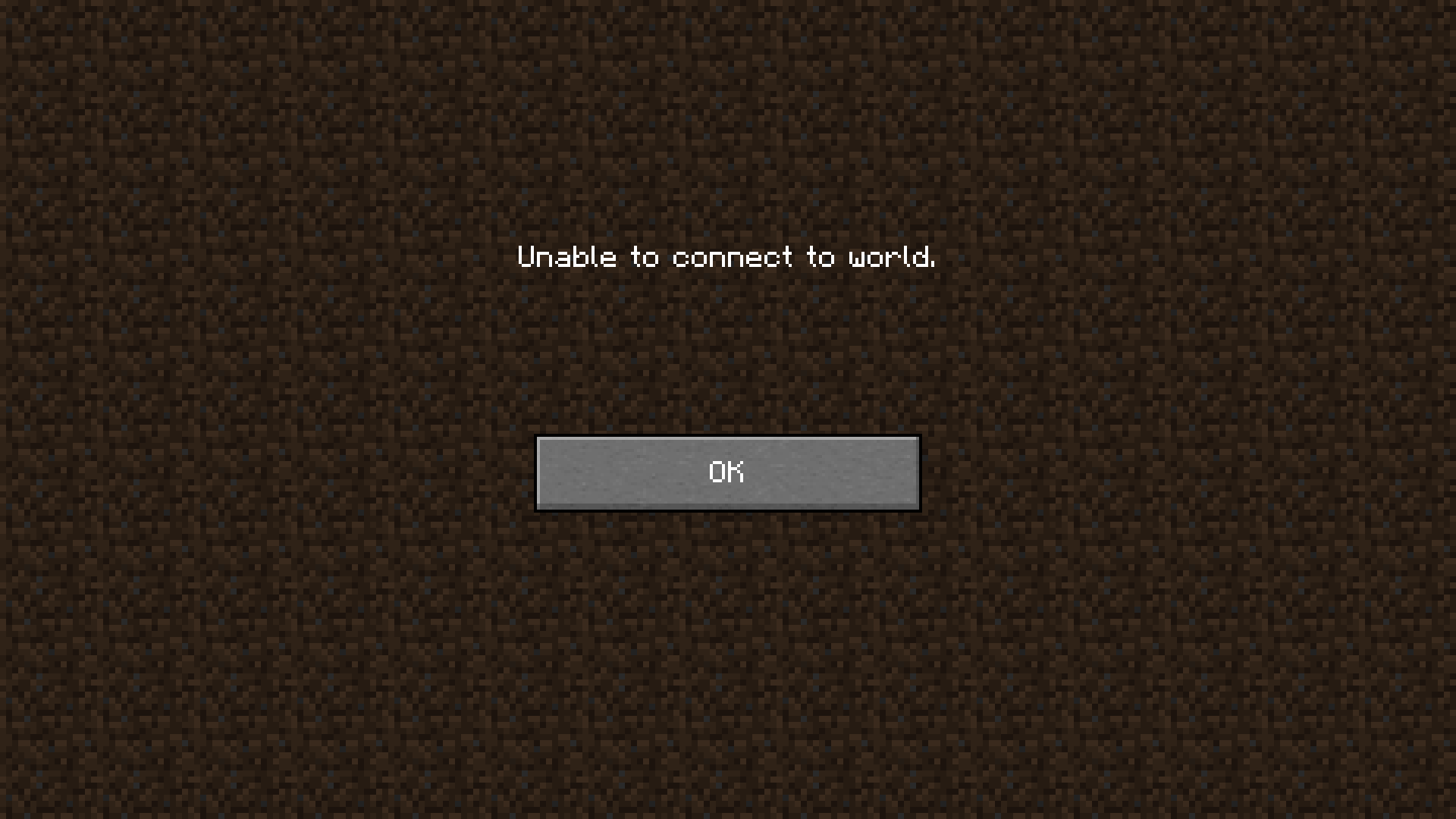
Issue at hand: I made a Realm and for whatever reason I am unable to connect. I tried downloading it and re uploading it. Did not work. I tried uploading another map. Did not work. I tried resetting the map. Did not work. I tried uploading a fresh map. Did not work. This started last night and is still an issue tonight. No one I know can connect to my Realm. Everyone gets the same "Can not connect" Message. See screen cap provided. Thank you.
Environment
I am running W10 OS, windows store Minecraft. I have an AMD 7930 with 32G ram, R90 390X graphics.
Attachments1

Created Issue:
No one including me can connect to my Realm
I searched and could not find an open ticket for this issue. If I am mistaken feel free to click more and link Jira ticket to the pending ticket it relates to. Thank you.
Issue at hand: I made a Realm and for whatever reason I am unable to connect. I tried downloading it and re uploading it. Did not work. I tried uploading another map. Did not work. I tried resetting the map. Did not work. I tried uploading a fresh map. Did not work. This started last night and is still an issue tonight. No one I know can connect to my Realm. Everyone gets the same "Can not connect" Message. See screen cap provided. Thank you.
Environment
I am running W10 OS, windows store Minecraft. I have an AMD 7930 with 32G ram, R90 390X graphics.
Attachments1
I searched and could not find an open ticket for this issue. If I am mistaken feel free to click more and link Jira ticket to the pending ticket it relates to. Thank you.
Issue at hand: I made a Realm and for whatever reason I am unable to connect. I tried downloading it and re uploading it. Did not work. I tried uploading another map. Did not work. I tried resetting the map. Did not work. I tried uploading a fresh map. Did not work. This started last night and is still an issue tonight. No one I know can connect to my Realm. Everyone gets the same "Can not connect" Message. See screen cap provided. Thank you.
I searched and could not find an open ticket for this issue. If I am mistaken feel free to click more and link Jira ticket (
REALMS-284) to the pending ticket it relates to. Thank you.Issue at hand: I made a Realm and for whatever reason I am unable to connect. I tried downloading it and re uploading it. Did not work. I tried uploading another map. Did not work. I tried resetting the map. Did not work. I tried uploading a fresh map. Did not work. This started last night and is still an issue tonight. No one I know can connect to my Realm. Everyone gets the same "Can not connect" Message. See screen cap provided. Thank you.

![[Mojang] MissMarzenia (Aleksandra Zajac)](../../../data/assets/gravatar/missmarzenia.png)
I searched and could not find an open ticket for this issue. If I am mistaken feel free to click more and link Jira ticket (REALMS-284) to the pending ticket it relates to. Thank you.
Issue at hand: I made a Realm and for whatever reason I am unable to connect. I tried downloading it and re uploading it. Did not work. I tried uploading another map. Did not work. I tried resetting the map. Did not work. I tried uploading a fresh map. Did not work. This started last night and is still an issue tonight. No one I know can connect to my Realm. Everyone gets the same "Can not connect" Message. See screen cap provided. Thank you.
I tried to close the realm, this did not work. It said I can not close at this time. I think the issue is for sure on your side.
Jameson D Miller: You are using Windows 10 Edition, not the Java Edition, right?
If so please change the "Affected Versions" field to "
MCPE-1.*"That is correct. I'm using minecraft for Windows 10 edition. And not minecraft java on Windows 10. I have both but don't use realms on my java minecraft.
Because of lack of updates on affected versions, I will resolved this bug as Cannot Reproduce.
Bug can be reopened if needed.
If you have issues with a specific realm, please contact Mojang Support at https://help.mojang.com/customer/portal/emails/new
Sometimes Mojang Support is under a heavy load and can reply with a delay. Please check the reply status on Twitter: @MojangStatus or at https://help.mojang.com